#discord-bots
1 messages · Page 225 of 1
 amber basalt
It's a private one but I'm learning things like user and server Specific bars on the side
 edgy zinc
or just go dm np
edgy zinc
amber basalt
It's a private one but I'm learning things like user and server Specific bars on...
this is cool
amber basalt
amber basalt
It's a private one but I'm learning things like user and server Specific bars on...
Vars*
amber basalt
edgy zinc
this is cool
So you can set your own prefix and jaz like that
edgy zinc
very good you're learning from which videos ?
edgy zinc
amber basalt
So you can set your own prefix and jaz like that
that sounds interesting
amber basalt
None I learn from trial and error and the interweb
edgy zinc
what are you project going to be about
edgy zinc
amber basalt
You can buy "drinks" to earn roles
like coffee ?
you know the service
I forgot the name wher eyou can donate
amber basalt
edgy zinc
like coffee ?
Like a VIP espresso which would get you the VIP role
Or a legendary mocca which gets you legendary
So basically [role] [coffee or tea] gets you the [role]
edgy zinc
that's cool yeah
amber basalt
There will be a currency system called café coin
edgy zinc
it's like coins but just different name
edgy zinc
amber basalt
Like an actual currency
yes name it coffee grains
amber basalt
Maybe I'll think
But anyway you get the currency for joining the server you get some every hour and you get some for leveling up if you buy roles with irl money to fund it obv I ain't got inf time then you get "super" roles and extra perks and a but ton of currency
 smoky sinew
edgy zinc
yes name it coffee grains
smoky sinew
edgy zinc
yes name it coffee grains
coffee beans maybe?
edgy zinc
smoky sinew
coffee beans maybe?
good name
coffee coins is basic coffee beans is original
 gilded oxide
embed.set_thumbnail()
using this for serverinfo command and how do I do it so that for every server the thumbnail is the server icon?
smoky sinew
!d discord.Guild.icon
 unkempt canyonBOT
property icon```
Returns the guild’s icon asset, if available.like this does not explain what im supposed to do.. unless I think it does

lemme try what I thnk.
amber basalt
I know this is a python server but any tips on how to get started with js
gilded oxide
amber basalt
I know this is a python server but any tips on how to get started with js
i recommend joining the discord.js server
amber basalt
Ok
gilded oxide
they were a bunch of help but sometimes a pain
amber basalt
Oof
gilded oxide
gilded oxide
like this does not explain what im supposed to do.. unless I think it does
like ion get what this wants me to do.
smoky sinew
gilded oxide
like this does not explain what im supposed to do.. unless I think it does
click on Asset
then read that

 junior falcon
In a .json file how can i check how many keys have a specific value?
gilded oxide
smoky sinew
click on Asset
await to_file(*, filename=..., description=..., use_cached=False, spoiler=False) this?
smoky sinew
gilded oxide
```await to_file(*, filename=..., description=..., use_cached=False, spoiler=Fal...
no
see what the set_thumbnail function takes in
and what attributes Asset has
smoky sinew
junior falcon
In a .json file how can i check how many keys have a specific value?
in a dictionary ```py
len([v for v in dictionary.values() if v == ...])
 shrewd vapor
I dont have the time for write the command
shrewd vapor
I dont have the time for write the command
it's like 3 or 4 lines 
take a user argument and then use await guild.unban(user)
shrewd vapor
@bot.tree.command(name="unban", description="Unban a member")
async def unban(interaction: discord.Interaction, user = str) -> None:

    if (not interaction.user.guild_permissions.ban_members):
        await interaction.response.send_message(f"You are not authorized to use this command {interaction.user.mention}")
    try:
        await interaction.guild.unban(user)
        embed=discord.Embed(title=f"{user} as been unban", inline=False)
        embed.set_footer(text=f"{interaction.user} | ID : {interaction.user.id}")
        await interaction.response.send_message(embed=embed)
    except:
await interaction.response.send_message(f"{user} was not found in the list of banned.")```My command actualy don't work
smoky sinew
replace user = str with user: discord.User
 smoky sinew
did you do user: discord.User?
smoky sinew
did you save the file?
shrewd vapor
Yes is good
smoky sinew
?
smoky sinew
ok

 mild thicket
shrewd vapor
mild thicket
shrewd vapor
Use @shrewd vapor
shrewd vapor
mild thicket
Use <@944574924234846298>
I am not ban
Is for unban member if in ban list
 slate swan
shrewd vapor
Is for unban member if in ban list
slate swan
shrewd vapor
Is for unban member if in ban list
You can’t unban members
With discrimmators
You need to convert it to a user id
Or generally paste a user id
 pseudo saffron
if payload.emoji == "♂️":
                        print(1)
                        role = server.get_role(796999810444034048)
                        await payload.member.add_roles(role)
                    if payload.emoji == "♀️":
                        role = server.get_role(797153254533890088)
                        await payload.member.add_roles(role)
                    if payload.emoji == "⚧":
                        role = server.get_role(797153353569927230)
await payload.member.add_roles(role)```i even printed the emoji
and its the same but the if statement wont go
i am confused
 heavy swift
pseudo saffron
heavy swift
pseudo saffron
thank you
heavy swift
o7
pseudo saffron
how can i get a member by on_raw_reaction_remove
shrewd vapor
How can i unban user with id ?
 vale wing
shrewd vapor
How can i unban user with id ?
vale wing
shrewd vapor
How can i unban user with id ?
await guild.unban(discord.Object(id))```How to check if user with id is in list banned
vale wing
!d discord.RawReactionActionEvent.user_id
unkempt canyonBOT
The user ID who added the reaction or whose reaction was removed.
shrewd vapor
discord.app_commands.errors.CommandInvokeError: Command 'unban' raised an exception: TypeError: object async_generator can't be used in 'await' expression```@bot.tree.command(name = "unban", description = "Unban a member")
async def unban(interaction, *, member : str):
if (not interaction.user.guild_permissions.ban_members):
await interaction.response.send_message(f"You are not authorized to use this command {interaction.user.mention}")
return
try:
await interaction.guild.unban(discord.Object(member))
embed=discord.Embed(title=f"{user} as been unban", inline=False)
embed.set_footer(text=f"{interaction.user} | ID : {interaction.user.id}")
await interaction.response.send_message(embed=embed)
except:
await interaction.response.send_message(f"{member} is not banned!")
Traceback
Please provide the full traceback for your exception in order to help us identify your issue.
While the last line of the error message tells us what kind of error you got,
the full traceback will tell us which line, and other critical information to solve your problem.
Please avoid screenshots so we can copy and paste parts of the message.
A full traceback could look like:
Traceback (most recent call last):
  File "my_file.py", line 5, in <module>
    add_three("6")
  File "my_file.py", line 2, in add_three
    a = num + 3
        ~~~~^~~
TypeError: can only concatenate str (not "int") to str
If the traceback is long, use our pastebin.
shrewd vapor
Traceback (most recent call last):
File "/home/theo/.local/lib/python3.10/site-packages/discord/app_commands/commands.py", line 842, in _do_call
return await self._callback(interaction, **params) # type: ignore
File "/home/theo/Documents/OtroBot/otrobot.py", line 536, in unban
banned_users = await interaction.guild.bans()
TypeError: object async_generator can't be used in 'await' expression
The above exception was the direct cause of the following exception:
Traceback (most recent call last):
File "/home/theo/.local/lib/python3.10/site-packages/discord/app_commands/tree.py", line 1248, in _call
await command._invoke_with_namespace(interaction, namespace)
File "/home/theo/.local/lib/python3.10/site-packages/discord/app_commands/commands.py", line 867, in _invoke_with_namespace
return await self._do_call(interaction, transformed_values)
File "/home/theo/.local/lib/python3.10/site-packages/discord/app_commands/commands.py", line 856, in _do_call
raise CommandInvokeError(self, e) from e
discord.app_commands.errors.CommandInvokeError: Command 'unban' raised an exception: TypeError: object async_generator can't be used in 'await' expression``` naive briar
!d discord.Guild.bans
unkempt canyonBOT
async for ... in bans(*, limit=1000, before=..., after=...)```
Retrieves an [asynchronous iterator](https://docs.python.org/3/glossary.html#term-asynchronous-iterator "(in Python v3.11)") of the users that are banned from the guild as a [`BanEntry`](https://discordpy.readthedocs.io/en/latest/api.html#discord.BanEntry "discord.BanEntry").

You must have [`ban_members`](https://discordpy.readthedocs.io/en/latest/api.html#discord.Permissions.ban_members "discord.Permissions.ban_members") to get this information.

Changed in version 2.0: Due to a breaking change in Discord’s API, this now returns a paginated iterator instead of a list.

Examples

Usage...Read the docs, there's an example there
shrewd vapor
Ok thanks
shrewd vapor
interaction.user.voice_channel exist ?
 whole shoal
How to timeout a button
shrewd vapor
xD
slate swan
shrewd vapor
`interaction.user.voice_channel` exist ?
yes but its
shrewd vapor
!d discord.VoiceChannel
unkempt canyonBOT
class discord.VoiceChannel```
Represents a Discord guild voice channel.

x == y Checks if two channels are equal.

x != y Checks if two channels are not equal.

hash(x) Returns the channel’s hash.

str(x) Returns the channel’s name.Anyone knows how to disable a button after certain time
slate swan
!d discord.ui.View.on_timeout
unkempt canyonBOT
await on_timeout()```
This function is a [*coroutine*](https://docs.python.org/3/library/asyncio-task.html#coroutine).

A callback that is called when a view’s timeout elapses without being explicitly stopped.Alr lemme check
slate swan
shrewd vapor
Traceback (most recent call last):
  File "/home/theo/.local/lib/python3.10/site-packages/discord/app_commands/commands.py", line 842, in _do_call
    return await self._callback(interaction, **params)  # type: ignore
  File "/home/theo/Documents/OtroBot/otrobot.py", line 416, in play
    interaction.voice_client.stop()
AttributeError: 'Interaction' object has no attribute 'voice_client'

The above exception was the direct cause of the following exception:

Traceback (most recent call last):
  File "/home/theo/.local/lib/python3.10/site-packages/discord/app_commands/tree.py", line 1248, in _call
    await command._invoke_with_namespace(interaction, namespace)
  File "/home/theo/.local/lib/python3.10/site-packages/discord/app_commands/commands.py", line 867, in _invoke_with_namespace
    return await self._do_call(interaction, transformed_values)
  File "/home/theo/.local/lib/python3.10/site-packages/discord/app_commands/commands.py", line 860, in _do_call
    raise CommandInvokeError(self, e) from e
discord.app_commands.errors.CommandInvokeError: Command 'play' raised an exception: AttributeError: 'Interaction' object has no attribute 'voice_client'```'Interaction' object has no attribute 'voice_client'
shrewd vapor
Yes what is ?
slate swan
what are you trying to do
shrewd vapor
I try play music with search on youtube
 meager chasm
shrewd vapor
I try play music with search on youtube
meager chasm
shrewd vapor
I try play music with search on youtube
!ytdl
unkempt canyonBOT
Our youtube-dl, or equivalents, policy
Per Python Discord's Rule 5, we are unable to assist with questions related to youtube-dl, pytube, or other YouTube video downloaders, as their usage violates YouTube's Terms of Service.
For reference, this usage is covered by the following clauses in YouTube's TOS, as of 2021-03-17:
The following restrictions apply to your use of the Service. You are not allowed to:

1. access, reproduce, download, distribute, transmit, broadcast, display, sell, license, alter, modify or otherwise use any part of the Service or any Content except: (a) as specifically permitted by the Service;  (b) with prior written permission from YouTube and, if applicable, the respective rights holders; or (c) as permitted by applicable law;

3. access the Service using any automated means (such as robots, botnets or scrapers) except: (a) in the case of public search engines, in accordance with YouTube’s robots.txt file; (b) with YouTube’s prior written permission; or (c) as permitted by applicable law;

9. use the Service to view or listen to Content other than for personal, non-commercial use (for example, you may not publicly screen videos or stream music from the Service)
Also, you should learn classes to fix your error
Check the series by Corey Schafer on youtube
shrewd vapor
How to reach the voice of the person who made the order with the bot ?
 stone palm
if i want to pass a custom attribute to a modal class, is this correct?```py
class EditPartyPropertyModal(discord.ui.Modal, title="Edit party details"):
def init(self, property: str):
self.property = property
````propertyis the attribute and the label changes according to the value ofproperty`
naive briar
Yup
stone palm
await interaction.message.edit(embed=embed)
Traceback (most recent call last):
  File "/opt/virtualenvs/python3/lib/python3.8/site-packages/discord/ui/modal.py", line 187, in _scheduled_task
    await self.on_submit(interaction)
  File "/home/runner/MathBot-1/cogs/parties.py", line 48, in on_submit
    await interaction.message.edit(embed=embed)
  File "/opt/virtualenvs/python3/lib/python3.8/site-packages/discord/message.py", line 2168, in edit
    with handle_message_parameters(
  File "/opt/virtualenvs/python3/lib/python3.8/site-packages/discord/http.py", line 177, in handle_message_parameters
    payload['embeds'] = [embed.to_dict()]
AttributeError: 'function' object has no attribute 'to_dict'
why does this happen?
 vocal snow
Do you have a function called embed?
stone palm
i dont think so
        embed = interaction.message.embeds[0].copy
        if property == "name":
            embed.title = self.my_input
        if property == "description":
            embed.description = self.new_value.value
oh
vocal snow
.copy()
stone palm
cool
        embed = interaction.message.embeds[0].copy()
        if property == "name":
            embed.title = self.my_input
        if property == "description":
            embed.description = self.new_value.value
await interaction.message.edit(embed=embed)```for some reason this doesnt edit the embed
 cloud dawn
I don't recommend using the reserved keyword property as a variable.
Property is a decorator keyword that allows to set an attribute in a class more cleanly than using self.
whole shoal
how to disable buttons after a while
slate swan
whole shoal
how to disable buttons after a while
!d discord.ui.Button.disabled
unkempt canyonBOT
property disabled```
Whether the button is disabled or not.you set it to True to disable button
whole shoal
Yes did that
But I want it to get disabled after a certain time and not after i click it
slate swan
set timeout on View
naive briar
Set timeout then override the on_timeout
slate swan
and on_timeout disable it
naive briar
!d discord.ui.View.on_timeout
unkempt canyonBOT
await on_timeout()```
This function is a [*coroutine*](https://docs.python.org/3/library/asyncio-task.html#coroutine).

A callback that is called when a view’s timeout elapses without being explicitly stopped.How do I get the button inside on_timeout
slate swan
set custom_id on button
whole shoal
Ok
slate swan
and find the button that matches the id
naive briar
Store it
slate swan
look on the example i sent
class MyView(discord.ui.View):
    async def on_timeout(self) -> None:
        # Step 2
        for item in self.children:
            item.disabled = True

        # Step 3
        await self.message.edit(view=self)

    @discord.ui.button(label='Example')
    async def example_button(self, interaction: discord.Interaction, button: discord.ui.Button):
        await interaction.response.send_message('Hello!', ephemeral=True)

@bot.command()
async def timeout_example(ctx):
    """An example to showcase disabling buttons on timing out"""
    view = MyView()
    # Step 1
    view.message = await ctx.send('Press me!', view=view)
self.message.edit(view=self) and when sending message you define it as view.message = ...
 terse coyote
how to get member mute state if member is not in voice channel?
i know only discord.Member.voice.mute
whole shoal
Ah ok
unkempt canyonBOT
@slate swan :x: Your 3.11 eval job has completed with return code 1.
001 | Traceback (most recent call last):
002 |   File "/home/main.py", line 1, in <module>
003 |     s
004 | NameError: name 's' is not defined
!e
h = "o"
h = "9"
y = "68"
s = "O"
print(h + h + len(y) + y + s
unkempt canyonBOT
@slate swan :x: Your 3.11 eval job has completed with return code 1.
001 |   File "/home/main.py", line 5
002 |     print(h + h + len(y) + y + s
003 |          ^
004 | SyntaxError: '(' was never closed
h = "o"
h = "9"
y = "68"
s = "O"
print(h + h + len(y) + y + s)
!e h = "o"
h = "9"
y = "68"
s = "O"
print(h + h + len(y) + y + s)
unkempt canyonBOT
@slate swan :x: Your 3.11 eval job has completed with return code 1.
001 | Traceback (most recent call last):
002 |   File "/home/main.py", line 5, in <module>
003 |     print(h + h + len(y) + y + s)
004 |           ~~~~~~^~~~~~~~
005 | TypeError: can only concatenate str (not "int") to str
Got an error
View object has no attribute message
slate swan
whole shoal
Got an error
View object has no attribute message
show code
slate swan
terse coyote
how to get member mute state if member is not in voice channel?
i know only disc...
i think you cant if they are not in a voice channel
whole shoal
class Join1(discord.ui.View):
    def __init__(self,ctx):
        super().__init__(timeout=5)
        self.value=None
        self.ctx=ctx

    @discord.ui.button(label="click to join!", style=discord.ButtonStyle.green, custom_id="join1")
    async def menu1(self, interaction:discord.Interaction, button:Button):
        await interaction.response.send_message(f"{interaction.user.name} Joined!", ephemeral=True)
        #player_list.append(interaction.user)
        button1 = [x for x in self.children if x.custom_id=="join1"][0]
        #button1.disabled = True
        #await interaction.message.edit(view=self)

    async def on_timeout(self):
        button1 = [x for x in self.children if x.custom_id=="join1"][0]
        button1.disabled = True
        await self.message.edit(view=self)
```and how you assign message to the view?
slate swan
slate swan
```py
class MyView(discord.ui.View):
async def on_timeout(self) -> None:
...
look at #Step 1
whole shoal
Ohhh
class Join1(discord.ui.View):
    def __init__(self,ctx):
        super().__init__(timeout=5)
        self.value=None
        self.ctx=ctx

    @discord.ui.button(label="click to join!", style=discord.ButtonStyle.green, custom_id="join1")
    async def menu1(self, interaction:discord.Interaction, button:Button):
        await interaction.response.send_message(f"{interaction.user.name} Joined!", ephemeral=True)
        #player_list.append(interaction.user)
        button1 = [x for x in self.children if x.custom_id=="join1"][0]
        #button1.disabled = True
        #await interaction.message.edit(view=self)

    async def on_timeout(self):
        button1 = [x for x in self.children if x.custom_id=="join1"][0]
        button1.disabled = True
        await self.message.edit(view=self)

@client.tree.command()
    join_but=Join1(ctx)
    join_but.message=await ctx.response.send_message(embed=embed, view=join_but)
Traceback (most recent call last): File "e:\spikey\spikey.py", line 505, in on_timeout await self.message.edit(view=self) AttributeError: 'NoneType' object has no attribute 'edit'
slate swan
!d discord.InteractionResponse.send_message
unkempt canyonBOT
await send_message(content=None, *, embed=..., embeds=..., file=..., files=..., view=..., tts=False, ephemeral=False, allowed_mentions=..., suppress_embeds=False, silent=False, delete_after=None)```
This function is a [*coroutine*](https://docs.python.org/3/library/asyncio-task.html#coroutine).

Responds to this interaction by sending a message.Why are you naming interaction ctx
slate swan
unkempt canyon
it returns None
naive briar
!d discord.Interaction.original_response
unkempt canyonBOT
await original_response()```
This function is a [*coroutine*](https://docs.python.org/3/library/asyncio-task.html#coroutine).

Fetches the original interaction response message associated with the interaction.

If the interaction response was a newly created message (i.e. through [`InteractionResponse.send_message()`](https://discordpy.readthedocs.io/en/latest/interactions/api.html#discord.InteractionResponse.send_message "discord.InteractionResponse.send_message") or [`InteractionResponse.defer()`](https://discordpy.readthedocs.io/en/latest/interactions/api.html#discord.InteractionResponse.defer "discord.InteractionResponse.defer"), where `thinking` is `True`) then this returns the message that was sent using that response. Otherwise, this returns the message that triggered the interaction (i.e. through a component).

Repeated calls to this will return a cached value.hm how do i access the msg i sent
unkempt canyonBOT
The message that sent this interaction.
This is only available for InteractionType.component interactions.
whole shoal
It finally works tysm
Is there a better way of storing all the users who clicked on a button in a list?
For now I'm thinking of using a client.dict with {guild.id:[user list]}
 fading yew
Where's it best to host a bot for free?
whole shoal
There are some hosts over discord but free ones are not so reliable
slate swan
whole shoal
Is there a better way of storing all the users who clicked on a button in a list...
that would be the easiest way but keep in mind that each bot restart is a data loss
slate swan
yep
whole shoal
@slate swan do you have any idea how to send another message after the interaction has been responded to
in the same channel
slate swan
whole shoal
<@456226577798135808> do you have any idea how to send another message after the...
!d discord.Interaction.followup
unkempt canyonBOT
Returns the follow up webhook for follow up interactions.
slate swan
use this instead of interaction.response
whole shoal
i end up witha webhook object after that
slate swan
whole shoal
'Webhook' object is not callable
you dont call Webhook you call .send on it
await interaction.followup.send(content)
 verbal hawk
terse coyote
how to get member mute state if member is not in voice channel?
i know only disc...
verbal hawk
terse coyote
how to get member mute state if member is not in voice channel?
i know only disc...
You could add a Muted role and disable speaking perms
 crisp garden
hello anyone can help me? when i try to start my bot he give to me this error "AttributeError: module 'discord' has no attribute 'Intents'", this is the code thx for the help ❤️
 slate swan
crisp garden
hello anyone can help me? when i try to start my bot he give to me this error "A...
slate swan
crisp garden
hello anyone can help me? when i try to start my bot he give to me this error "A...
did you install discord.py?
crisp garden
slate swan
did you install discord.py?
ye
i did
py -m pip uninstall discord.py and after
py -m pip install discord.py --no-cache-dir
 upbeat ice
Check again probably is this a virtual env?
upbeat ice
are you using a virtual env?
crisp garden
no?
slate swan
do pip show discord.py and see if it outputs something
crisp garden
 upbeat ice
are you using vscode?
crisp garden
ye
upbeat ice
Check your interpreter
crisp garden
there isn't problem on the code the only problem is when i lunch the bot
 crisp garden
 slate swan
crisp garden
slate swan
crisp garden
show console above this error
crisp garden
this is all the console
 slate swan
do you have installed more than one python version?
crisp garden
i thing no
crisp garden
it's only 1
 upbeat ice
Please check your interpreter
slate swan
try adding at the top print(discord.__file__)
after you import discord
and see what it prints
crisp garden
same error
slate swan
yes i know you are supposed to tell me what it printed
crisp garden
 upbeat ice
Please check your interpreter
upbeat ice
upbeat ice
Please check your interpreter
🙂
slate swan
if the python cant find the module discord but you installed it the error possibly is in interpreter
as @upbeat ice said before
also at the bottom of the vs code
there should be a button
with python version your interpreter is set to
why are there so many ways to do slash commands :/
2 questions.
so if I'm putting slash commands in a cog,
do I need to do anything extra for them to show up in the guilds the bot is in?
2nd,
lets say I want a slash command to have 4 tags.
tag1, tag2, tag3 and tag4
how would I set it up?
i'm assuming...
@app_commands.command(name='Something')
@app_commands.describe(message_id='Add the Message ID', role_id='Add the Role ID', role_name='Add the Role Name', emote_data='Add the Emote'
async_def role_react(self, ...i_am_lost_here...)
@app_commands.command(name='Something')
@app_commands.describe(tag1=...,tag2=...,tag3=...,tag4=...)
async def role_react(self, interaction: discord.Interaction, tag1: str, tag2: str, tag3: str, tag4: str)```As for number one you can sync your commands to discord
!d discord.app_commands.CommandTree.sync
unkempt canyonBOT
await sync(*, guild=None)```
This function is a [*coroutine*](https://docs.python.org/3/library/asyncio-task.html#coroutine).

Syncs the application commands to Discord.

This also runs the translator to get the translated strings necessary for feeding back into Discord.

This must be called for the application commands to show up.new string new error!

 whole shoal
Alright so before slash commands, i had a bot command that used a while loop and wait_for to fetch the mentions done by the user and read it if the turn was of that user and then did some stuff with data and proceeded to the next iteration. But now due to no message content intent 💀, i have to switch to slash command. Ill use a command like /shoot @violet nebula to get the input but I have no idea as to how I can sync it with a function that runs in the background and runs the loop 🤔
Anyone has any solution for this?
slate swan
upbeat ice
```py
@app_commands.command(name='Something')
@app_commands.describe(tag1=...,ta...
ohhh okay. so for some bots, when you over over the command it will show string_name like character. or other ones just show + X optional. how is that implemented to be required vs optional?
whole shoal
whole shoal
Alright so before slash commands, i had a bot command that used a while loop and...
@slate swan pls do u have any idea bout this
upbeat ice
whole shoal
Alright so before slash commands, i had a bot command that used a while loop and...
You can still wait for the users input using interaction.response.defer()
Then followup after
whole shoal
But how do I keep the background loop and slash command connected
upbeat ice
Do you have an example of your code so we can see?
upbeat ice
slate swan
ohhh okay. so for some bots, when you over over the command it will show `string...
you can do tag: Optional[str] = ""
crisp garden
@upbeat ice sry for ping but what import i have to use for sql it's right aiosqlite?
upbeat ice
crisp garden
<@215290701913653248> sry for ping but what import i have to use for sql it's ri...
yeah should just be pip install aiosqlite
slate swan
upbeat ice
!d discord.app_commands.CommandTree.sync
so... like on_ready ... await sync(role_react)? or would that be like @app_commands.sync?
oops
upbeat ice
You don't have to do that when the bot starts. Some people will make a command for themselves so they can run that whenever they need to. Others use an extension called Jishaku that can do that for you as well. I believe the commands end up syncing automatically after a certain amount of time.
crisp garden
upbeat ice
yeah should just be pip install aiosqlite
no because it gave to me this error

 whole shoal
upbeat ice
Do you have an example of your code so we can see?
whole shoal
upbeat ice
Do you have an example of your code so we can see?
Don't have rn but i just want to know if I can wait_for for a user to use a slash command
upbeat ice
crisp garden
no because it gave to me this error
still looks to me like an interpreter issue. At the bottom of your interpreter do you see something like this
 slate swan
upbeat ice
You don't have to do that when the bot starts. Some people will make a command f...
slate swan
upbeat ice
You don't have to do that when the bot starts. Some people will make a command f...
gotcha. ty!
upbeat ice
whole shoal
Don't have rn but i just want to know if I can wait_for for a user to use a slas...
yes you can
whole shoal
Any idea how
crisp garden
upbeat ice
still looks to me like an interpreter issue. At the bottom of your interpreter d...
where?
 upbeat ice
                try:
                    message = await self.bot.wait_for(
                        "message", timeout=300, check=(any sort of check)
                    )
                except asyncio.TimeoutError:
```I need it for slash command
upbeat ice
crisp garden
where?
you have python 3.11.3 there but you are installing these packages to python 3.9.6
You can do that in a slash command
crisp garden
upbeat ice
You can do that in a slash command
can i do both?
upbeat ice
crisp garden
can i do both?
Nope you need to use either python 3.11.3 or python 3.9.6. You can change that by changing your interpreter in vscode
 slate swan
upbeat ice
you can do `tag: Optional[str] = ""`
slate swan
upbeat ice
you can do `tag: Optional[str] = ""`
so is Optional from typing so then it would be like typing.optional[str]or a class called Optional somewhere?
upbeat ice
slate swan
so is Optional `from typing` so then it would be like `typing.optional[str]`or ...
It is. You can just import it as from typing import Optional and then use Optional[str]
slate swan
upbeat ice
It is. You can just import it as `from typing import Optional` and then use `Opt...
ohhh tyvm!
crisp garden
upbeat ice
Here i have to put the file of the bot discord??
slate swan
upbeat ice
```py
@app_commands.command(name='Something')
@app_commands.describe(tag1=...,ta...
one last question. how can I make slash commands like this hidden from general users? I don't see a hidden option like the discord.ext.commands.Command
slate swan
crisp garden
Here i have to put the file of the bot discord??
u select the python.exe file inside the project. usually in a .venv folder. you can also use Ctrl+Shift+Pand it generally will give you the option to select the interpreter that way.
crisp garden
Sry i'm stupid i didnt undertand sry
slate swan
any idea on how i can delete this

 crisp meteor
slate swan
any idea on how i can delete this
crisp meteor
slate swan
any idea on how i can delete this
can u send the code?
wait did u custom make a help command?
slate swan
slate swan
any idea on how i can delete this
!d discord.ext.commands.Bot
unkempt canyonBOT
class discord.ext.commands.Bot(command_prefix, *, help_command=<default-help-command>, tree_cls=<class 'discord.app_commands.tree.CommandTree'>, description=None, intents, **options)```
Represents a Discord bot.

This class is a subclass of [`discord.Client`](https://discordpy.readthedocs.io/en/latest/api.html#discord.Client "discord.Client") and as a result anything that you can do with a [`discord.Client`](https://discordpy.readthedocs.io/en/latest/api.html#discord.Client "discord.Client") you can do with this bot.

This class also subclasses [`GroupMixin`](https://discordpy.readthedocs.io/en/latest/ext/commands/api.html#discord.ext.commands.GroupMixin "discord.ext.commands.GroupMixin") to provide the functionality to manage commands.

Unlike [`discord.Client`](https://discordpy.readthedocs.io/en/latest/api.html#discord.Client "discord.Client"), this class does not require manually setting a [`CommandTree`](https://discordpy.readthedocs.io/en/latest/interactions/api.html#discord.app_commands.CommandTree "discord.app_commands.CommandTree") and is automatically set upon instantiating the class.

async with x Asynchronously initialises the bot and automatically cleans up.

New in version 2.0.You can use a decorator to do a permission check and it will only show for users that have that permission: https://discordpy.readthedocs.io/en/latest/interactions/api.html#discord.app_commands.default_permissions
slate swan
are you using Client 💀 ?
yea used it to help me with help command
😭
why dont you use Bot
idk, but the after message wont stop
it has more features
upbeat ice
only lawyers have clients
slate swan
idk how to remove it
upbeat ice
You are implementing your own help command?
slate swan
upbeat ice
You are implementing your own help command?
yea
!d discord.ext.commands.HelpCommand
unkempt canyonBOT
class discord.ext.commands.HelpCommand(*args, **kwargs)```
The base implementation for help command formatting.

Note

Internally instances of this class are deep copied every time the command itself is invoked to prevent a race condition mentioned in [GH-2123](https://github.com/Rapptz/discord.py/issues/2123).

This means that relying on the state of this class to be the same between command invocations would not work as expected.What is the import for Aiosqlite ?
slate swan
how to make a client event that if user doesnt have a certain role on a server it will kick him
upbeat ice
slate swan
how to make a client event that if user doesnt have a certain role on a server i...
odd command are you just trying to purge members who dont have a role ?
doing it on an event like (on_member_join) would just kick them instantly
unkempt canyonBOT

asyncio bridge to the standard sqlite3 module
slate swan
slate swan
!d discord.ext.commands.HelpCommand
that didnt help
crisp garden
slate swan
`import aiosqlite`?
It saw this model it invalida
 stiff herald
guys how do i put a game activity with image? (discord.py)
I tried this but it doesn't work
activity = discord.Activity(type=discord.ActivityType.playing, name='some game',  large_image='https://www.example.it', large_text='Text', details='Japan (tokyo)')

super().__init__(command_prefix='!', intents=intents, help_command=None, activity=activity)
nvm did it myself
slate swan
stiff herald
guys how do i put a game activity with image? (discord.py)
I tried this but it d...
discord bot api doesn't support rpc stuff (such as images, texts) and only supports watching/listening/playing/streaming activities
slate swan
stiff herald
guys how do i put a game activity with image? (discord.py)
I tried this but it d...
you cant do that for a bot
stiff herald
okay, thank you for the answers @slate swan @slate swan
slate swan
no need to mention but you are welcome
 drifting arrow
Assuming the variables are set to a steamid (a big ol' number)
What would cause this to fail to create a proper link? steamlink = f"[{player_ids['steamid']}](<http://steamcommunity.com/profiles/{player_ids['steamid']}>)"
Most of the time it works, but sometimes it fails..
 slate swan
I think putting a link in between [] suppresses it
yeah it suppresses the embed but for your case
drifting arrow
That can't be it.
Because it works majority of the time, then sometimes it doesn't..
slate swan
only links put in http or https scheme are shown as links
slate swan
they have https before it somehow
drifting arrow
But that still doesn't explain how it gets linked most of the time ;-; nothing in my code indicates it
Like I get what you're saying.
slate swan
drifting arrow
line 3 is the problem, looking at it you have < before the link but not after it maybe try that
slate swan
drifting arrow
Like I get what you're saying.
I also get what you are saying
drifting arrow
It just doesn't make sense since if that were the case, wouldnt all steamlinks fail? not just a random one every so often?
drifting arrow
The only way for the steamlink to even be a link is with the code I supplied. It's the only reference to any steam url
 raw quail
I need to scrape multiple sites every 5 minutes with selenium and deliver the title and hyperlink of a new post to Discord, but the bot keeps rebooting. Is it effective to use the multiprocessing function by making it a def function?
drifting arrow
steamlink = f"[{player_ids['steamid']}](<https://steamcommunity.com/profiles/{player_ids['steamid']}>)"
drifting arrow
raw quail
I need to scrape multiple sites every 5 minutes with selenium and deliver the ti...
Only reason for a bot to reboot is if it crashes, no?
slate swan
drifting arrow
`steamlink = f"[{player_ids['steamid']}](<https://steamcommunity.com/profiles/{p...
that looks good to me
slate swan
you should probably handle it to not crash
slate swan
slate swan
that looks good to me
thats wierd
drifting arrow
slate swan
that looks good to me
I added the s when u said so. But originally it was http
slate swan
http is also supported its not https only
drifting arrow
Which again, doesn't explain how majority of the time it links but then once every so often discord says no
drifting arrow

I was hoping someone would give me a better answer than what I had already assumed ;-;
slate swan
I don't know any other reasons but someone else may know
drifting arrow
All good. I'll assume it's a bug then and move on with my life. lol
it's not that much of an issue considering the steamid still shows. Just annoying to see a random not linked text
slate swan
try asking other resources to make sure its a bug
slate swan
drifting arrow
why is there a < ( without closing >)
drifting arrow
Coz there's a > at the end as well.
slate swan
in the url that didn't get embedded, there's not.
drifting arrow
That's the issue @slate swan. There is no reason for the closing > to not be added. considering the same line made the links previously and after.
slate swan
drifting arrow
That's the issue <@456226577798135808>. There is no reason for the closing `>` t...
can't you just send the message without the <>
drifting arrow
the <> are needed to stop unfurling..
slate swan
you can suppress embeds while sending the message
Search the world's information, including webpages, images, videos and more. Google has many special features to help you find exactly what you're looking for.
im aware
nope
doesn't effect
drifting arrow
Search the world's information, including webpages, images, videos and more. Google has many special features to help you find exactly what you're looking for.
slate swan
you need to add at end too
slate swan
slate swan
you need to add at end too
to suppress yes
drifting arrow
he was testing whether the link was linked or not
unkempt canyonBOT
await send(content=None, *, tts=False, embed=None, embeds=None, file=None, files=None, stickers=None, delete_after=None, nonce=None, allowed_mentions=None, reference=None, ...)```
This function is a [*coroutine*](https://docs.python.org/3/library/asyncio-task.html#coroutine).

Sends a message to the destination with the content given.

The content must be a type that can convert to a string through `str(content)`. If the content is set to `None` (the default), then the `embed` parameter must be provided.

To upload a single file, the `file` parameter should be used with a single [`File`](https://discordpy.readthedocs.io/en/latest/api.html#discord.File "discord.File") object. To upload multiple files, the `files` parameter should be used with a [`list`](https://docs.python.org/3/library/stdtypes.html#list "(in Python v3.11)") of [`File`](https://discordpy.readthedocs.io/en/latest/api.html#discord.File "discord.File") objects. **Specifying both parameters will lead to an exception**.

To upload a single embed, the `embed` parameter should be used with a single [`Embed`](https://discordpy.readthedocs.io/en/latest/api.html#discord.Embed "discord.Embed") object. To upload multiple embeds, the `embeds` parameter should be used with a [`list`](https://docs.python.org/3/library/stdtypes.html#list "(in Python v3.11)") of [`Embed`](https://discordpy.readthedocs.io/en/latest/api.html#discord.Embed "discord.Embed") objects. **Specifying both parameters will lead to an exception**.It takes a while for one of those bugs to appear tho xD
slate swan
xD
slate swan
unkempt canyon
well use suppress_embeds instead
drifting arrow
The way it's setup, it requires 5 messages to be sent in a 1 minute window.
And usually the bug appears maybe once every 100 or 200 messages.
Oh
Also
I'm using websockets so I have to use webhooks to send messages 😄
slate swan
5 messages to be sent in a 1 minute window.
yeah a webhook is best for such tasks
slate swan
slate swan
any idea on how i can delete this
bot.remove_command('help')
 grizzled kernel
Hey guys quick question.
What kind of python library do you find easier to use?
I used to use py interactions and it seemed decent but there are so many now
I recall there used to be some drama with discord.py but it seems its in pretty active development now.
crisp garden
why it give to me this error

 slate swan
crisp garden
why it give to me this error
slate swan
crisp garden
why it give to me this error
did you install it?
crisp garden
slate swan
did you install it?
by pip install aiosqlite?
slate swan
crisp garden
by pip install aiosqlite?
yes
crisp garden
slate swan
yes
yes i did
 gleaming depot
slate swan
http is also supported its not https only
gleaming depot
slate swan
http is also supported its not https only
Bro you're always responding here, what a good person you are
crisp garden
gleaming depot
Bro you're always responding here, what a good person you are
sry for ping can u help me out?
gleaming depot
grizzled kernel
Hey guys quick question.
What kind of python library do you find easier to use?
...
yeah discord py is fine, and well documented and safe/ I remember how bad it was documented when 2.0 came with interactions 'n shit
gleaming depot
crisp garden
sry for ping can u help me out?
sure my friend
slate swan
gleaming depot
Bro you're always responding here, what a good person you are
xD I'm just bored and I have some discord.py knowledge
gleaming depot
let me see through the problem
gleaming depot
slate swan
xD I'm just bored and I have some discord.py knowledge
I gotchu x)
 idle palm
Guys i have a string like followed,
234523423,234324234,234324324,234324324,23423,65,67686786,2342432,23455678 (THE NUMBERS ARE JUST EXAMPLES)
Say i have a list named a = []
How would i append each number between each comma into the list?
Many thanks
gleaming depot
slate swan
xD I'm just bored and I have some discord.py knowledge
why not start your business too where you can sell your knowledge ?
crisp garden
gleaming depot
sure my friend
why it give to me this error i aready tryed by uninstall and install the aiosql

 gleaming depot
crisp garden
why it give to me this error i aready tryed by uninstall and install the aiosql
gleaming depot
crisp garden
why it give to me this error i aready tryed by uninstall and install the aiosql
do you have aiosqlite installed tho ?
idle palm
idle palm
Guys i have a string like followed,
234523423,234324234,234324324,234324324,234...
anyone?
slate swan
gleaming depot
why not start your business too where you can sell your knowledge ?
I don't really think you can "sell" knowledge lol
gleaming depot
I used to use sqlite only but never heard of aiosqlite
slate swan
gleaming depot
I used to use sqlite only but never heard of aiosqlite
Async version of sqlite
slate swan
slate swan
I don't really think you can "sell" knowledge lol
Also off topic
grizzled kernel
idle palm
Guys i have a string like followed,
234523423,234324234,234324324,234324324,234...
convert it into a string and use split on the comma?
gleaming depot
slate swan
I don't really think you can "sell" knowledge lol
hahah I konw but what I meant by that is that you can still sell consultations where you transfer your knowledge with money in return
idle palm
grizzled kernel
convert it into a string and use split on the comma?
yeah i just found out using my good friend chat-gbt lol
 gleaming depot
slate swan
Async version of sqlite
gleaming depot
slate swan
Async version of sqlite
ohhh I see it should be very interesting when dealing with giga data that would take time to be transfered
grizzled kernel
yeah split is awesome for string manipulation
gleaming depot
but generally I think sqlite is fine enough ?
slate swan
gleaming depot
but generally I think sqlite is fine enough ?
For async apps it blocks so no
grizzled kernel
what is async version of sqlite tho? sounds strange 
gleaming depot
slate swan
For async apps it blocks so no
Here in his situation he can just defer the interaction then do the stuff with sqlite then use followup
gleaming depot
slate swan
And let's keep this on topic
it's still on topic dw
grizzled kernel
slate swan
Asynchronous version
so it blocks writing/reading till a transaction is completed?
slate swan
gleaming depot
Here in his situation he can just defer the interaction then do the stuff with s...
It blocks whole event loop which means whole bot will freeze
gleaming depot
slate swan
It blocks whole event loop which means whole bot will freeze
yeah in this situation sure
slate swan
Blocking and asynchronous are important concepts within discord bots and more
grizzled kernel
it sounds not completely acid
gleaming depot
it allowed to not use threads 75% of the time
gleaming depot
crisp garden
why it give to me this error i aready tryed by uninstall and install the aiosql
sorry wait let me help I digressed x)
gleaming depot
crisp garden
why it give to me this error i aready tryed by uninstall and install the aiosql
make sure that you have aiosqlite installed first of all
grizzled kernel
slate swan
Blocking and asynchronous are important concepts within discord bots and more
man i wasnt aware there is an sqlite version that has something like that
thats neat
crisp garden
gleaming depot
make sure that you have aiosqlite installed first of all
i have
 hushed galleon
there's also asqlite written by the author of discord.py which automatically configures your database with the most ideal journal mode (WAL) for high concurrency https://github.com/Rapptz/asqlite
though you dont necessarily need either library depending on your usage - if you have a good schema and always close your connections succinctly, you can expect microsecond performance out of SQLite
gleaming depot
hushed galleon
though you dont necessarily need either library depending on your usage - if you...
I suggested him to use json instead
it will be more easy for him and better to deal with his situation
however thank you for sharing the precious info I didn't knew that
slate swan
No don't use json as db
gleaming depot
slate swan
No don't use json as db
why not ?
slate swan
A lot of reasons
gleaming depot
Scalability
slate swan
I'm on mobile and I can't type rn
slate swan
slate swan
I'm on mobile and I can't type rn
But go to discord.py server playground channel and type ?tag json is not a db
It will show you
 tawny tapir
Where can I host my discord bot for free?
gleaming depot
slate swan
It will show you
Free options are all bad
 cursive ginkgo
damn i almost sent js script to python server lol
slate swan
slate swan
Free options are all bad
Buy a vps for 5 dollars a month or self host
slate swan
gleaming depot
```JSON, unlike relational databases, has no way to store relational data, which...
it's not about relation
tawny tapir
slate swan
Free options are all bad
Even for a small bot?
slate swan
Yes
gleaming depot
slate swan
it's not about relation
then :
JSON, quite simply, is not a database. It's not designed to be a data storage format, rather a wayof transmitting data over a network. It's also often used as a way of doing configuration files for programs.
I usually use it for configs
so it's okay I think
slate swan
It's ok for config but for storing data no
gleaming depot
slate swan
It's ok for config but for storing data no
it's pretty logic yeah
 bright hedge
hii, what's the cheapest hosting services that you guys can recommend?
upbeat ice
self hosting is the cheapest since its free
slate swan
upbeat ice
self hosting is the cheapest since its free
Not ideal tbh, need to pay for electricity and internet, keep them on 24/7, handle problems
upbeat ice
Then you are looking at aws probably
slate swan
bright hedge
hii, what's the cheapest hosting services that you guys can recommend?
Hetzner, vultr, digital ocean, AWS, linode, etc
There are a lot of good ones
Each with its own price
bright hedge
slate swan
Hetzner, vultr, digital ocean, AWS, linode, etc
oh thanks! yeah I'm down to pay nws
 indigo basalt
Is it possible to only edit spesific fields of an embed? And if How
slate swan
Yes
gleaming depot
slate swan
Yes
bro you're amazing
gleaming depot
slate swan
Helping isn't something to thank me for
why wouldn't I ?
I respect your dedication that's it :)
 rapid snow
tawny tapir
Where can I host my discord bot for free?
rapid snow
tawny tapir
Where can I host my discord bot for free?
Most free hosts are sketchy
GCP does offer a free tier though
And that should be fine for a small bot
 vital glacier
Anyone here familiar with CooldownMapping for an on_state_voice_update event? I've been trying to figure out the problem that I have but I can't seem to properly figure it out.
 shrewd apex
vital glacier
Anyone here familiar with `CooldownMapping` for an `on_state_voice_update` event...
shrewd apex
vital glacier
Anyone here familiar with `CooldownMapping` for an `on_state_voice_update` event...
just make an expiring cache
iirc robodanny has one for its spam check or something
vital glacier
shrewd apex
iirc robodanny has one for its spam check or something
It's for my VoiceMaster event, it's whenever someone joins the Join to create, it duplicates it because the 'owner key already exits' which i'm trying to make it so if they join the Join to Create channel, it'll put them in a lock down for a few seconds so they cant create a new one. So that way they can't create duplicates
slate swan
guys, has discord changed something on the commad help? because it doesn't work for me
smoky sinew
slate swan
guys, has discord changed something on the commad help? because it doesn't work ...
do you have the message content intent
vital glacier
hi mudkip 
smoky sinew
hi
 smoky sinew
i do not like that name
 fading marlin
sounds like someone needs to learn a bit of python?
slate swan
BRUH
 rugged shadow
slate swan
can someone help me for my first cmd please
rugged shadow
slate swan
can someone help me for my first cmd please
on the line after import discord, import it like from discord.ext import commands
slate swan
it gives me true even if my account is older then 7 days, what am i doing wrong?
Image

Im trying to make a public module for everyone to use for their bots for tiktok things. and i ran into a small error & can't find out what it is, i know its prob obvious but. not sure what to do:
TTxpi.music_information() missing 1 required positional argument: 'link'```

```py
import os, requests, discord
import aiohttp, colorama, gratient
from colorama import Fore, Style
import re, json
from discord.ext import commands, tasks


class TTxpi():
    def __init__(self):
        self.api = 'https://tikwm.com/api/?url='

    async def music_information(self, typee: str, link: str):
        async with aiohttp.ClientSession() as get_data:
            async with get_data.get(f'https://tikwm.com/api/?url={link}') as r:
                data = await r.json()
                if 'title' in typee:
                    title = data['data']['music_info']['title']
                return title
You probably forgot to instantiate the class
slate swan
vocal snow
You probably forgot to instantiate the class
Meaning?
smoky sinew
!class
unkempt canyonBOT
Classes
Classes are used to create objects that have specific behavior.
Every object in python has a class, including lists, dictionaries and even numbers. Using a class to group code and data like this is the foundation of Object Oriented Programming. Classes allow you to expose a simple, consistent interface while hiding the more complicated details. This simplifies the rest of your program and makes it easier to separately maintain and debug each component.
Here is an example class:
class Foo:
    def __init__(self, somedata):
        self.my_attrib = somedata

    def show(self):
        print(self.my_attrib)
To use a class, you need to instantiate it. The following creates a new object named bar, with Foo as its class.
bar = Foo('data')
bar.show()
We can access any of Foo's methods via bar.my_method(), and access any of bars data via bar.my_attribute.
smoky sinew
@slate swan
vale wing
slate swan
Im trying to make a public module for everyone to use for their bots for tiktok ...
Just advising, use poetry for modules development (generally for any project that has dependencies), makes it really easy compared to manually writing pyproject.toml or setup.py and distributing
smoky sinew
how is that related to anything
vale wing
They said they are making a public module 
slate swan
smoky sinew
how is that related to anything
? py <coroutine object TTxpi.music_title at 0x000001C4B470FD10>
class TTxpi:

    async def music_title(link: str):
        dats = []
        async with aiohttp.ClientSession() as re:
            async with re.get(f"https://tikwm.com/api/?url={link}") as r:
                data = await r.json()
                dats.append(data['data']['id'])
return dats```(i changed it)
vocal snow
So what's your question?
smoky sinew
slate swan
```py
class TTxpi:
async def music_title(link: str):
dats = []
...
huh
i don't think you're calling it right
slate swan
smoky sinew
i don't think you're calling it right
my brain is always messing with me at night all the time not sure what im doing
should i call it as a class method?
vocal snow
what
you are calling it fine
async def music_title(link: str):
async functions return a coroutine object when called
now you can await that coroutine object
or use asyncio.create_task / some other mechanism to schedule/run it
hushed galleon
if you dont need self, you probably dont need your function to be in a class either
slate swan
vocal snow
now you can `await` that coroutine object
OH YEAH
vocal snow
smoky sinew
huh
isn't it past your bedtime 
smoky sinew
slate swan
should i call it as a class method?
i think you’re looking for a staticmethod
smoky sinew
vocal snow
isn't it past your bedtime <:pithink:652247559909277706>
um no its only 11
vocal snow
ohh
 dry frost
Any bot devs around?
vocal snow
dry frost
Any bot devs around?
quite a few probably
smoky sinew
dry frost
Any bot devs around?
no 🤓
vocal snow
mudkip is the famous Bot Developer of the Popular Discord Bot called Leaf
smoky sinew
python is just a type of snake idek what this server is about
vocal snow
which is in A Lot Of Servers
shrewd apex

drifting arrow
Anybody here used html2image?
vale wing
drifting arrow
Anybody here used html2image?
That's more of general question, #python-discussion or #❓|how-to-get-help
vale wing
dry frost
Any bot devs around?
Whole bobux bot developers team
drifting arrow
vale wing
That's more of general question, <#267624335836053506> or <#704250143020417084>
Tried got no response
gave up hope. all is lost. crying in corner
vale wing
ask chatgpt
drifting arrow
yes
vale wing
Uh could you mention it here
I might be able to help you in DMs or in new help channel
drifting arrow
shrewd apex
vale wing
Ah yes lib is 2023
apparently latest gpt is till march 23 or something
should be able to answer ig
drifting arrow
Doesnt help that I cant get html2image to work ;-;
slate swan
But this is discord bot help channel
drifting arrow
Idk what specific channel to ask and I tried asking in general and help xD
no answers. so i've given up on complying with the rules
vale wing
shrewd apex
apparently latest gpt is till march 23 or something
They require pro access ig
shrewd apex
maybe
vale wing
drifting arrow
Doesnt help that I cant get html2image to work ;-;
I'm afraid that's library limitation
shrewd apex
drifting arrow
no answers. so i've given up on complying with the rules
why not use some api
have them take the picture for you
vale wing
They mention that library works by screenshotting browser which runs in headless mode, it probably implies having resolution limit
shrewd apex
it might be to do with what browser size was set in options before running it
drifting arrow
shrewd apex
why not use some api
Worried about lag and what not
shrewd apex
iirc selenium has those options
vale wing
You can actually run selenium or bs and screenshot by yourself not a big deal
shrewd apex
drifting arrow
Worried about lag and what not
its gonna be less resource intensive then you doing it yourself
plus apis are generally configurable and u would need to usually give the site about 1-2s to finish their animations before taking a ss anyways
drifting arrow
shrewd apex
its gonna be less resource intensive then you doing it yourself
Less resource intensive, sure. Since it'll be running on my VPS. Since instead of my vps having to process the image itself it just downloads and uploads. But thats where my issue lies, Wouldn't there be lag etc?
shrewd apex
why download and upload just give them the link the api returns
vale wing
Time of requests to API depend entirely on API (unless you are using blocking module for actually making requests)
And yeah as asher said you can just give the link
@shrewd apex btw it's weekends, don't forget about bobux
shrewd apex
vale wing
Time of requests to API depend entirely on API (unless you are using blocking mo...
where u learning react/next.js from?
also what are u using for backend?
vale wing
I first learned react from react site, then next.js from their site and if issues arise I go to google or chatgpt
vale wing
shrewd apex
also what are u using for backend? <:pikachu_sip:998461198418837504>
Express
shrewd apex
so google and chatgpt got it
vale wing
You can look at the repo by yourself
 glad cradle
vale wing
<@656838010532265994> btw it's weekends, don't forget about bobux
glad cradle
vale wing
<@656838010532265994> btw it's weekends, don't forget about bobux
sbobux
vale wing
🅱️obux
shrewd apex
vale wing
<@656838010532265994> btw it's weekends, don't forget about bobux
yessir
smoky sinew
bobux 💀
glad cradle
bobux VS leaf
slate swan
!d discord.Message
unkempt canyonBOT
class discord.Message```
Represents a message from Discord.

x == y Checks if two messages are equal.

x != y Checks if two messages are not equal.

hash(x) Returns the message’s hash.Reactions to a message. Reactions can be either custom emoji or standard unicode emoji.
slate swan
If you mean reactions you can check Message.reactions
If you mean emojis in message content like
Then you need to do some regex
I don't images like that are downloadable tho
 placid skiff
Hi guys, not completely related but i'm trying to dump a list inside of an object using pickle, so i have something like this:
import pickle

class my_obj:
  def __init__(...):
    ...
    self.my_list = [...]
    ...

  def save(self):
    with open(self.path, 'wb') as f:
      pickle.dump(self, f)

  @staticmethod
  def load(file_path):
    with open(file_path, 'rb') as f:
      obj = pickle.load(f)
    return obj
The list is a list of datetime objects
It goes all well untill i load the file, then my list is somehow a NoneType object, someone knows how to fix this?
slate swan
does the message contain only an emoji or other content too
are you trying to do something like owo/nqn bot's enlarge command
!d discord.ext.commands.PartialEmojiConverter.convert
unkempt canyonBOT
await convert(ctx, argument)```
This function is a [*coroutine*](https://docs.python.org/3/library/asyncio-task.html#coroutine).

The method to override to do conversion logic.

If an error is found while converting, it is recommended to raise a [`CommandError`](https://discordpy.readthedocs.io/en/latest/ext/commands/api.html#discord.ext.commands.CommandError "discord.ext.commands.CommandError") derived exception as it will properly propagate to the error handlers.you can use this if the string is just an emoji
shrewd apex
placid skiff
Hi guys, not completely related but i'm trying to dump a list inside of an objec...
how r u using self.path in static method also u sure before dumping list is populated
also use cPickle its so much faster
placid skiff
shrewd apex
how r u using self.path in static method also u sure before dumping list is popu...
Yup, the list is populated when saving it, the path is get through os.path.join(os.path.abspath(""), path_to_file) and it is correct.
I'm not really interested on improving performance, the objects that i'm pickling are not huge and only this one is the more complex
shrewd apex
placid skiff
Yup, the list is populated when saving it, the path is get through `os.path.join...
can u reopen the file right after saving it and check in the same function u might be overwriting it causing it to be empty this seems more like a logic issue than a pickle issue
placid skiff
Let's see
Nope, the list is still None
I'll check the object befor dumping it
Oh well, the list is None LOL
How the hell is possible
i populate it inside the constructor
Found why, thx asher xD
shrewd apex
did u sync?
 frail shell
guys please help
 naive briar
Read the error, intents is a required argument but you didn't provide it
!e
def a(intents):
    pass

a()
@naive briar :x: Your 3.11 eval job has completed with return code 1.
001 | Traceback (most recent call last):
002 |   File "/home/main.py", line 4, in <module>
003 |     a()
004 | TypeError: a() missing 1 required positional argument: 'intents'
with the on_message, is it possible to send a response to that as an ephemeral message?
IE: on_message(self, message): #reply as ephemeral
shrewd apex
drifting arrow
with the `on_message`, is it possible to send a response to that as an ephemeral...
no
only possible with interactions
slate swan
smoky sinew
do you have the message content intent
yes
slate swan
rugged shadow
on the line after `import discord`, import it like `from discord.ext import comm...
okok
@rugged shadow then ?
rugged shadow
slate swan
<@1005756074973990922> then ?
then you've imported it
that should already fix the error you're getting

 thin trout
i can't see errors in console with cogs enabled, is there a way to fix it?
slate swan
You dont see errors when you define on_command_error event or something like that
thin trout
slate swan
You dont see errors when you define `on_command_error` event or something like t...
i don't have nothing like that
 pure lintel
slate swan
pure lintel
slate swan
so to sync a slash command i need to do?
await discord.app_commands.CommandTree.sync(test_slash_command_function)
I tried just waiting for the command to sync, but it never did yet... also...
how do i remove registered slash commands?
naive briar
slate swan
so to sync a slash command i need to do?
```py
await discord.app_commands.C...
You need an instance of CommandTree that is linked to a client
I would recommend you to learn OOP 🫠
 naive umbra
slate swan
so to sync a slash command i need to do?
```py
await discord.app_commands.C...
naive umbra
slate swan
so to sync a slash command i need to do?
```py
await discord.app_commands.C...
iirc you cant pass a slash command function to the sync method, however you can pass a guild id in order to sync flagged commands as local instead
depending on what client class you've instantiated from discord.py, you'd have a CommandTree instance, which you'd use for syncing like this: ```py
await <client>.tree.sync()
commands.Bot has a tree already, so if you're using that you're good to go
 lament swan
hai guys why i alreaedy done install neuralintents in visual studio code
but i still get error from this row
from neuralintents import GenericAssistant
naive umbra
lament swan
hai guys why i alreaedy done install neuralintents in visual studio code
but i...
you need to install a package called "neuralintents" from pypi using pip, not vscode. this is also irrelevant to #discord-bots
slate swan
naive briar
I would recommend you to learn OOP 🫠
yeah... that's been something i've been trying to wrap my head around still x.x OOP and ORM are my kryptonite currently...
naive briar
That's okay
slate swan
slate swan
yeah... that's been something i've been trying to wrap my head around still x.x ...
what for ORM?
for database?
yeah, sqlalchemy
yeah i know
most popular
naive umbra
slate swan
yeah... that's been something i've been trying to wrap my head around still x.x ...
try making dedicated projects to learn them, quite useful to know OOP if you're working with stacks and languages that heavily involves with objects.
slate swan
c# 
lament swan
naive umbra
you need to install a package called "neuralintents" from pypi using ``pip``, no...
yes i alr done pip install neuralintents
slate swan
naive umbra
try making dedicated projects to learn them, quite useful to know OOP if you're ...
i've been making different cogs in the discord bot to experiment with all of them currently and just having the bot load all the cogs manually while i try and figure out how they work.
slate swan
slate swan
c# <:hide_the_pain:982037703573000302>
i know more c# than python, but still a noob x.x
naive umbra
lament swan
yes i alr done pip install neuralintents
Mind creating a post in #1035199133436354600? If you don't know how then there are instructions with screenshots in #❓|how-to-get-help, that way your question will be relevant to the channel and more people who might know how to solve your problem may see your question
 opaque parcel
            lst = message.content.split(".")
            embed = discord.Embed(title=lst[1], color=0xffa07a)
            embed.add_field(name="Length", value=lst[2], inline=False)

            eligible_role = discord.utils.get(message.guild.roles, name=lst[3])
            if eligible_role is not None:  # Check if the role object is not None
                embed.add_field(name="Eligible", value=eligible_role.mention, inline=False)
            else:
                embed.add_field(name="Eligible", value="Role not found", inline=False)

            c = 0
            for i in range(5, len(lst)):
                c += 1
                embed.add_field(name=f"Option{c}", value=lst[i])  # Update field name dynamically based on counter value
            sent_message = await message.channel.send(embed=embed)
            for i in range(int(lst[4])):
                emoji = chr(0x0030 + i)
                await message.add_reaction(emoji)```
I want to add reaction in the embed can any one help me with it
basically i create a voting command in the bot and want to add emjoji reaction for every option but I don't know how to do itYeah I see, although you work a lot with classes in discord.py it's still quite complicated to understand them if you don't explore them to their capabilities, with libraries like discord.py you're constrained to follow their way of implementing classes and objects, I'd still personally recommend making a simple project for just exploring how OOP works
slate swan
hmm... ok... now the question is... what kind of project 🤷♀️
opaque parcel
opaque parcel
```if message.content.startswith("!vote"):
lst = message.content.spl...
please help any one if possible
raw quail
hello guys. is webhook bot available to send a message to thread?
hushed galleon
sure, you just need to give it the ID of the thread to send to
discord.py: https://discordpy.readthedocs.io/en/stable/api.html#discord.Webhook.send
raw API: https://discord.com/developers/docs/resources/webhook#execute-webhook
raw quail
        webhook_url = '' # Replace WEBHOOK_ID and TOKEN with your actual values
        data = {
            'embeds': [
                {
                    'title': title,
                    'url': link,
                    'description': category,
                    'color': 0x00ff00,
                }
            ],
            'thread_id': thread_id
        }
        headers = {'Content-Type': 'application/json'}
        response = requests.post(webhook_url, json=data, headers=headers)
        response.raise_for_status()
i did like this ofc the webhook channel is a forum channel of thread. but bot is keep sending a message to the channel. may i know what i missed?
 south hornet
You ever figure this out? I'm facing the same issue
 modest sierra
Hi so I am always getting this error:
await interaction.response.send_message("You have clicked me")
^^^^^^^^^^^^^^^^^^^^
AttributeError: 'Button' object has no attribute 'response'
I have tried multiple ways to fix it but it never works It used to work like 1 month ago with a tutorial video but now it's not working if anyone could help me that would be very much appreciated.
here is the code
class menu(discord.ui.View, discord.Interaction):
    def __init__(self):
        super().__init__()
        self.value = None

    @discord.ui.button(label="Sends a message", style=discord.ButtonStyle.grey)
    async def menu(self, button: discord.ui.button, interaction: discord.Interaction):
        await interaction.response.send_message("You have clicked me")


@client.command()
async def menu1(ctx):
    View = menu()
    await ctx.reply("Click the button below to send a message:",view=View)
works fine for me...
 hushed galleon
modest sierra
Hi so I am always getting this error:
await interaction.response.send_messag...
hushed galleon
modest sierra
Hi so I am always getting this error:
await interaction.response.send_messag...
your code is a bit outdated as the button and interaction parameters have been switched around in discord.py 2.0
south hornet
hushed galleon
works fine for me...
Does it work inside embeds?
hushed galleon
also why is your menu inheriting discord.Interaction?
modest sierra
hushed galleon
your code is a bit outdated as the button and interaction parameters have been s...
What is the update version for buttons in discord.py?
hushed galleon
south hornet
Does it work inside embeds?
same as it does normally, that being only in title/description/field name/value
 hushed galleon
modest sierra
What is the update version for buttons in discord.py?
hushed galleon
modest sierra
What is the update version for buttons in discord.py?
its only what i said that's incorrect, button and interaction need to be switched around
https://discordpy.readthedocs.io/en/stable/interactions/api.html#discord.ui.button
The function being decorated should have three parameters,
selfrepresenting the discord.ui.View, thediscord.Interactionyou receive and thediscord.ui.Buttonbeing pressed.
https://github.com/Rapptz/discord.py/blob/master/examples/views/confirm.pyasync def confirm(self, interaction: discord.Interaction, button: discord.ui.Button):```
slate swan
anyone wanta make a bot together :) just dm me
 blissful badge
    @commands.command()
    async def edit(self, msg_id: int = None,):
        msg = await self.bot.fetch_message(msg_id)
        await msg.edit(content="Some content!")
messing around with a command to edit embeds and I am starting with just editing regular messages because I am having some trouble with embeds and figured I'd start small.
This is telling me 'Bot' object has no attribute 'fetch_message'.....any idea what I am doing wrong here?
naive umbra
slate swan
hmm... ok... now the question is... what kind of project 🤷♀️
anything, it's just for experimenting anyway
just open a python file, write a plain class and see where it goes from there, google how classes/OOP work in python and try implementing them yourself, try understanding them
blissful badge
slate swan
https://discordpy.readthedocs.io/en/stable/faq.html#how-do-i-get-a-specific-mode...
ah this helps! I was kinda trying to look for something like this earlier. Thank you!
opaque parcel
            lst = message.content.split(".")
            embed = discord.Embed(title=lst[1], color=0xffa07a)
            embed.add_field(name="Length", value=lst[2], inline=False)

            eligible_role = discord.utils.get(message.guild.roles, name=lst[3])
            if eligible_role is not None:  # Check if the role object is not None
                embed.add_field(name="Eligible", value=eligible_role.mention, inline=False)
            else:
                embed.add_field(name="Eligible", value="Role not found", inline=False)

            c = 0
            for i in range(5, len(lst)):
                c += 1
                embed.add_field(name=f"Option{c}", value=lst[i])  # Update field name dynamically based on counter value
            sent_message = await message.channel.send(embed=embed)
            for i in range(int(lst[4])):
                emoji = chr(0x0030 + i)
await message.add_reaction(emoji)```please help me in this how can I add emoji reactions the error I get is discord.errors.HTTPException: 400 Bad Request (error code: 10014): Unknown Emoji
 shrewd thistle
Can any1 help me make a discord bot for selling Minecraft accounts? I’m willing to pay for the work via crypto or PayPal
 velvet venture
hii i need help inrunning my bot on online server with python 3.11 version can any one help me
smoky sinew
opaque parcel
```if message.content.startswith("!vote"):
lst = message.content.spl...
can you print emoji?
slate swan
velvet venture
hii i need help inrunning my bot on online server with python 3.11 version can a...
sure
don't ask to ask
just ask
velvet venture
i tried colab replit aws all dosnt have 3.11 version of python
i wanted to know how to install the last version on it if its passable
not discord bot but other game bot
gilded oxide
    async def serverinfo(self,ctx: Context) -> None:
        human_count = len(list(filter(lambda m: not m.bot, ctx.guild.members)))

        embed = Embed(title="Server info", description=f"Created {format_dt(ctx.guild.created_at, 'F')}", color=0xffffff,)
        embed.set_author(name=ctx.guild.name)
        embed.set_thumbnail()

        embed.add_field(name="Members", value=(
            f"**Total:** {len(ctx.guild.members)}\n"
            f"**Humans:** {human_count}\n"
            f"**Bots:** {len(ctx.guild.members) - human_count}"
            )
        )
        embed.add_field(name="Channels", value=(
            f"**Total:** {len(ctx.guild.channels)}\n"
            f"**Text:** {len(ctx.guild.text_channels)}\n"
            f"**Voice:** {len(ctx.guild.voice_channels)}"
            )
        )
        embed.add_field(name="Other", value=(
            f"**Categories:** {len(ctx.guild.categories)}\n"
            f"**Roles:** {len(ctx.guild.roles)}\n"
            f"**Emotes:** {len(ctx.guild.emojis)}"
            )
        )
        embed.add_field(name="Boost", value=(
            f"**Level:** {ctx.guild.premium_tier}/3\n"
            f"**Boosts:** {ctx.guild.premium_subscription_count}"
            )
        )
        embed.add_field(name="** **", value="** **")
        embed.add_field(name="Boost", value=(
            f"**Verification:** {str(ctx.guild.verification_level).capitalize()}\n"
            f"**Vanity:** {ctx.guild.vanity_url_code or 'None'}"
            )
        )

await ctx.send("**Check below!**", embed=embed)``` does someone notice an error to show why my server info command won't workwhy do you want 3.11
velvet venture
the bot is new
when i try to pip the package
it says only for 3.11 version
i run it on vsc
slate swan
what os is your vps running
velvet venture
i have it on my pc
slate swan
so
velvet venture
 slate swan
if u need 3.11 on ur vps then you have to install it
velvet venture
i got it but how i can send it to the vps
slate swan
slate swan
go to <https://python.org/downloads>
download it from site
don't send from your pc to vps
u want to send the bot files to vps ?
slate swan
be quick I have to go

 velvet venture
velvet venture
velvet venture
if i down load zip file of python 3.11
 fading egret
Which Python Library ist the Best to Start a discord bot Right Now?
shrewd apex
fading egret
Which Python Library ist the Best to Start a discord bot Right Now?
!pypi discord.py
unkempt canyonBOT
A Python wrapper for the Discord API
 minor widget
asher? question is there I way I can run a hosting on flask?
 gilded ravine
@bot.command(name='earn')
@commands.cooldown(1, 30, commands.BucketType.user)
async def earn(ctx):
    now = datetime.utcnow()
    reward = random.randint(0.10, 1)
    add_to_user_balance(ctx.author.id, reward)
    embed = discord.Embed(title=f'You earned {reward} Sneco!', color=0x00ff00)
    await ctx.send(embed=embed)
The command for +earn does not have any issue on the console, the command cannot be used but no errors on console pls help
glad cradle
gilded ravine
```python
@bot.command(name='earn')
@commands.cooldown(1, 30, commands.BucketTyp...
do you have an on_message event?
 latent cargo
https://paste.pythondiscord.com/usehiyecer any help with this code idk why but it wont work/start the bot or make it online
gilded ravine
glad cradle
do you have an on_message event?
i dont think so
smoky sinew
gilded ravine
```python
@bot.command(name='earn')
@commands.cooldown(1, 30, commands.BucketTyp...
do you have message content intent
latent cargo
the bot is running but not responding please help
 gilded ravine
smoky sinew
do you have message content intent
gilded ravine
smoky sinew
do you have message content intent
its fixed but ty for responding to the message tho
smoky sinew
latent cargo
the bot is running but not responding please help
read my message above
that i said to cursedgeneral
also why do you have 3 client variables
latent cargo
idk i tried many thing off the internet just to make this thing work
latent cargo
smoky sinew
read my message above
i read what you told him but i dont understand like i am really a beginner and idk much if you could type me short fix just if you want to
smoky sinew
im on my phone i can’t
latent cargo
its ok
slate swan
guys how time out people by discord bot
gilded oxide
        async def userinfo(self, ctx: commands.Context, user: discord.User) -> None:
            member: discord.Member = commands.Author
            await ctx.send(
                embed=discord.Embed(
                    title=user.name,
                    embed.add_field(name="Created",value=(""))
                )
)``` how do I add the users account creation date so I can fill in my value?Fixed it
minor widget
smoky sinew
?
is there a way i can host my bot with flash instead of a terminal?
smoky sinew
minor widget
is there a way i can host my bot with flash instead of a terminal?
what is flash
flask is a lightweight framework for making websites
smoky sinew
slate swan
guys how time out people by discord bot
!d discord.Member.timeout
unkempt canyonBOT
await timeout(until, /, *, reason=None)```
This function is a [*coroutine*](https://docs.python.org/3/library/asyncio-task.html#coroutine).

Applies a time out to a member until the specified date time or for the given [`datetime.timedelta`](https://docs.python.org/3/library/datetime.html#datetime.timedelta "(in Python v3.11)").

You must have [`moderate_members`](https://discordpy.readthedocs.io/en/latest/api.html#discord.Permissions.moderate_members "discord.Permissions.moderate_members") to do this.

This raises the same exceptions as [`edit()`](https://discordpy.readthedocs.io/en/latest/api.html#discord.Member.edit "discord.Member.edit").ah how make the timeout coroutine
 deft quartz
@commands.group(name="party", description="All commands related to parties")
    async def party(self, ctx):
        if ctx.invoked_subcommand is None:
            await ctx.respond("Please specify a subcommand.")
Is there any reason as to why my sub commands under party @party.command() don't work?
smoky sinew
slate swan
ah how make the timeout coroutine
you don't "make it" a coroutine
it already is one
you have to await it in order to run it
slate swan
ok ok
smoky sinew
deft quartz
```python
@commands.group(name="party", description="All commands related to par...
you need invoke_without_command=True in the group
deft quartz
they still don't show up
junior falcon
Hey, Im trying to get the emoji that should be in the button from a .yml file but it throws Invalid emoji.
This is my button >
@discord.ui.button(
            label=f"{ticketpanelconf['button_text']}",
            style=discord.ButtonStyle.green,
            emoji=f"{ticketpanelconf['button_emoji']}",
            custom_id="openticket-button"
        )
And this is the Key and Value >
button_emoji: ":incoming_envelope:"
!charinfo 📨
unkempt canyonBOT
Character Info
\U0001f4e8: INCOMING ENVELOPE - 📨
hushed galleon
standard emoji have to be written using their unicode representation
junior falcon
So i need to put this? \U0001f4e8
hushed galleon
not sure if unicode escapes are parsed in yaml, but pasting \📨 should work
oh i cant even see that correctly on mobile
junior falcon
hushed galleon
not sure if unicode escapes are parsed in yaml, but pasting \📨 should work
No, i tried it doesnt work but there is a way to make this user friendly?
And if not where do i find a list of all these unicode
hushed galleon
if you really want a list of emojis look at https://emojipedia.org/, but on windows 10+ i believe you can use windows+. to open the built-in emoji picker
hushed galleon
junior falcon
No, i tried it doesnt work but there is a way to make this user friendly?
btw what exactly did you try? does the emoji properly render itself in the yaml when reading from a text editor?
 hushed galleon
can you print the repr() and len() of that string from your config
 slate swan

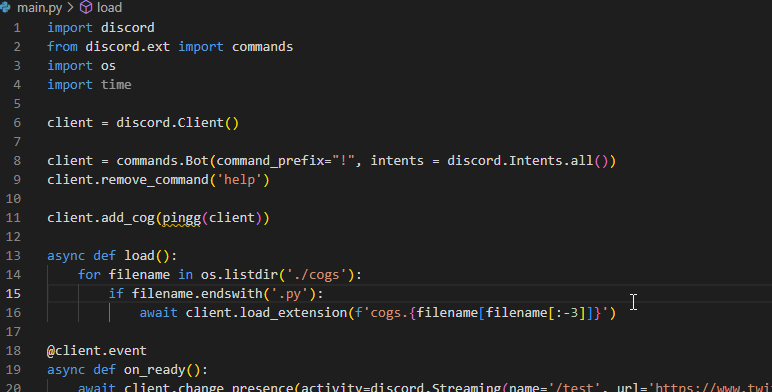 junior falcon
 slate swan
https://morphine.wtf/os03irki.png https://morphine.wtf/khwr04vc.png
slate swan
slate swan
https://morphine.wtf/os03irki.png https://morphine.wtf/khwr04vc.png
im trying to setup cogs but im getting confused
hushed galleon
junior falcon
uhh that would suggest an incorrect encoding, did you open the file with encoding="utf-8"?
junior falcon
hushed galleon
uhh that would suggest an incorrect encoding, did you open the file with `encodi...
Sorry, what do you mean i just created a .py file in vsc
hushed galleon
slate swan
im trying to setup cogs but im getting confused
cogs are usually written in a separate file and loaded as an extension, here's a minimal example ive described previously
#1092113794697789570 message
hushed galleon
junior falcon
Sorry, what do you mean i just created a .py file in vsc
how did you open the file to be passed to your yaml parser?
junior falcon
with open("info\config.yml", 'r') as file: configuration = yaml.safe_load(file) ticketpanelconf = configuration["ticket_panel"] serverinfo = configuration["server_information"] options = configuration["options"] console_messages = configuration["console_logs_messages"]
Do you mean this right?
slate swan
hushed galleon
cogs are usually written in a separate file and loaded as an extension, here's a...
i tried to do that but im still getting an error
hushed galleon
ya you need to set encoding="utf-8" when you open your file, otherwise on windows it gets parsed using cp1252
 slate swan
i tried to do that but im still getting an error
slate swan
slate swan
i tried to do that but im still getting an error


client.add_cog(ping1(client))
^^^^^
NameError: name 'ping1' is not defined
hushed galleon
slate swan
when structured properly you never use add_cog directly in your main file, nor do you define any new client/bot instance in your cog files
slate swan
hushed galleon
when structured properly you never use `add_cog` directly in your main file, nor...
so what do I do 😭
junior falcon
hushed galleon
ya you need to set `encoding="utf-8"` when you open your file, otherwise on wind...
Oh, thank you so much i was going crazy with this thing
hushed galleon
slate swan
so what do I do 😭
remove add_cog from your main file, and remove client = discord.Client() from your cog file...
slate swan
hushed galleon
remove add_cog from your main file, and remove `client = discord.Client()` from ...
i need the client one tho
actually no i dont
hushed galleon
bot.load_extension() is what handles calling the setup() function, and your setup() function is what calls bot.add_cog()
slate swan
k removed it
TypeError: The token provided was of type <class 'NoneType'> but was expected to be str
bro what
smoky sinew
slate swan
still no clue ..
 ancient swift
hiii I wanted to make a command that would create a channel in the same category, but like im confused on the thing that is like, "(name, **options) because options was never defined, is there something im like supposed to put next to the options part?
slate swan
slate swan
TypeError: The token provided was of type <class 'NoneType'> but was expected to...
 hushed galleon
smoky sinew
https://gist.github.com/15696/a1b10f044fbd658ce76ab1f862a1bda2?permalink_comment...
hushed galleon
smoky sinew
https://gist.github.com/15696/a1b10f044fbd658ce76ab1f862a1bda2?permalink_comment...
what the heck is this
 hushed galleon
slate swan
https://morphine.wtf/ep2f80ju.png
hushed galleon
slate swan
https://morphine.wtf/ep2f80ju.png
it means you passed None as your token when starting the bot, rather than a string
slate swan
hushed galleon
it means you passed None as your token when starting the bot, rather than a stri...
my token is in a .env file
hushed galleon
did you load that dotenv file?
slate swan
im doing client.run(os.getenv('TOKEN'))
hushed galleon
!pypi python-dotenv
unkempt canyonBOT
Read key-value pairs from a .env file and set them as environment variables
hushed galleon
what on replit? they automatically load it for you
slate swan
no in vs code
slate swan
unkempt canyon
already isntalled
hushed galleon
and you called load_dotenv() in your file?
hushed galleon

 hushed galleon
that means the python-dotenv package isnt installed into the same environment that vscode has selected
slate swan
slate swan
https://morphine.wtf/zlxg0pa5.png
cuz this is in the main.py
hushed galleon
- what command did you use to install
python-dotenv - if it was
pip, what is the output of runningwhere pipin your terminal - what python version is shown in the bottom right corner of vscode
slate swan
hushed galleon
- what command did you use to install `python-dotenv`
- if it was `pip`, what is...
-
if it was pip, what is the output of where pip
no clue -
what python version is shown in the bottom right corner of vscode
3.11.2 64-bit
hushed galleon
yea i meant running where pip in your terminal
slate swan
? what
smoky sinew
hushed galleon
what the heck is this
uh oh
slate swan
yeah windows python 😭
hushed galleon
what is the output of pip --version and pip list (installed packages)
unkempt canyonBOT
:incoming_envelope: :ok_hand: applied timeout to @slate swan until <t:1681001253:f> (10 minutes) (reason: newlines spam – sent 129 newlines).
The <@&831776746206265384> have been alerted for review.
smoky sinew
lmao
 daring olive
!unmute 790208914170839060
unkempt canyonBOT
:incoming_envelope: :ok_hand: pardoned infraction timeout for @slate swan.
hushed galleon
!paste < forgot to link this
unkempt canyonBOT
Pasting large amounts of code
If your code is too long to fit in a codeblock in Discord, you can paste your code here:
https://paste.pythondiscord.com/
After pasting your code, save it by clicking the floppy disk icon in the top right, or by typing ctrl + S. After doing that, the URL should change. Copy the URL and post it here so others can see it.
slate swan
sorry
daring olive
np!
hushed galleon
anyway that didnt seem to show python-dotenv, so type pip install python-dotenv to install it
slate swan
 smoky sinew
well, are you going to use the pastebin
hushed galleon
hushed galleon
anyway that didnt seem to show python-dotenv, so type `pip install python-dotenv...
^
slate swan
yes
slate swan
hushed galleon
anyway that didnt seem to show python-dotenv, so type `pip install python-dotenv...
Requirement already satisfied: python-dotenv in c:\users\USER\appdata\local\packages\pythonsoftwarefoundation.python.3.10_qbz5n2kfra8p0\localcache\local-packages\python310\site-packages (0.21.1)
hushed galleon
oh ffs thats python 3.10
deft quartz
deft quartz
```python
@commands.group(name="party", description="All commands related to par...
could someone explain to me what im doing wrong please
https://paste.pythondiscord.com/erusamucud.py
I added the invoke_without_command=True to the group but i still cannot see the commands
slate swan
slate swan
hushed galleon
oh ffs thats python 3.10
so waht do I do with it, do I upgrade or
hushed galleon
how did you install python 3.11? thats what your vscode has selected
slate swan
hushed galleon
how did you install python 3.11? thats what your vscode has selected
idk
hushed galleon
multiple python installs gets pretty confusing for beginners to deal with
slate swan
it does 😭
smoky sinew
hushed galleon
multiple python installs gets pretty confusing for beginners to deal with
The Python environmental protection agency wants to seal it in a cement chamber, with pictorial messages to future civilizations warning them about the danger of using sudo to install random Python packages.
hushed galleon
if you want to use python 3.11 and py --version gives you 3.11.2 then just run py -m pip install ... for the packages you need, i.e. discord.py and python-dotenv
if you want to use python 3.10, click on the python version in vscode and change it to 3.10, then only run the script using the run button on the top right
slate swan
https://morphine.wtf/0c9xrr8a.png i turned this on and tried again and now client = discord.Client() AttributeError: module 'discord' has no attribute 'Client'
 smoky sinew
is your file named discord
slate swan
?
hushed galleon
wait a minute, why do you have a discord nuker package installed?
slate swan
hushed galleon
wait a minute, why do you have a discord nuker package installed?
secret
smoky sinew
💀
smoky sinew
pyarmor installed too
slate swan
smoky sinew
is your file named discord
wym
slate swan
no
smoky sinew
show all your files in vscode
slate swan
smoky sinew
show all your files in vscode
 smoky sinew
is your folder named discord
slate swan
yes
smoky sinew
then that's your issue
slate swan
let me change it waiot
i just closed vs and forgot to save
i hate my life what the fuck
ignore this message rq
 slate swan
smoky sinew
then that's your issue
slate swan
smoky sinew
then that's your issue
i closed vs and went to rename the folder but it keeps saying the folder is in use in another program when I fully shutdown vs in task manager

no i mean the folder name that holds everything
smoky sinew
folder*
slate swan
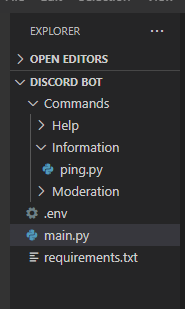 smoky sinew
slate swan
i closed vs and went to rename the folder but it keeps saying the folder is in u...
smoky sinew
slate swan
i closed vs and went to rename the folder but it keeps saying the folder is in u...
file explorer?
slate swan
yes
smoky sinew
close it
slate swan
close vs?
smoky sinew
close file explorer
smoky sinew
rename the folder?
junior falcon
How can i delete message after button click?
slate swan
smoky sinew
rename the folder?
how can i close it if file explorer is closed mate
junior falcon
slate swan
how can i close it if file explorer is closed mate
Close Visual Studio Code and Rename the folder whats hard
slate swan
junior falcon
Close Visual Studio Code and Rename the folder whats hard
i did mate are u dumb
if you took time out of your day to read up a few messages you'd see
smoky sinew
slate swan
i did mate are u dumb
don't be rude
minor widget
smoky sinew
what is flash
nah myb, was doing sum at the time but is there a way i can self run it instead of VPS and a terminal
smoky sinew
minor widget
nah myb, was doing sum at the time but is there a way i can self run it instead ...
just run it?
i don't know what you mean, you can run python files with python/python3 file.py
minor widget
Yeah but I don’t wanna use the terminal tho
minor widget
Yes
minor widget
smoky sinew
https://nssm.cc/
i jus download it?
smoky sinew
i don't know what else you would do
minor widget
true that
smoky sinew
if you open it, it should prompt you with a dialog
minor widget
mk
opaque parcel
smoky sinew
can you print emoji?
Now the error is fixed finally what I was doing that i was using the emoji unicode which is not supported by discord then I asked to chatgpt for discord support unicode nd then it worked ✌️
slate swan
help
smoky sinew
opaque parcel
Now the error is fixed finally what I was doing that i was using the emoji unico...
huh
slate swan
 slate swan
smoky sinew
huh
slate swan
smoky sinew
huh
omg mudkip#0001
slate swan
yes
smoky sinew
what's load
slate swan
wdym
slate swan
the main stuff to get bot going
idk cus my other code kept sending this error, so i asked someone and they gave me a diff code but its still erroring

@smoky sinew
smoky sinew
huh
slate swan
smoky sinew
huh
slowmode horrible dms
slate swan
slate swan
idk cus my other code kept sending this error, so i asked someone and they gave ...
Where you load extensions?
slate swan
slate swan
Where you load extensions?
i fixed it dw
vocal snow
smoky sinew
so bored
helloo
vocal snow
that's a dealbreaker
are you done making leaf's embeds in catppuccin colors?
!pypi catppuccin
unkempt canyonBOT
🐍 Soothing pastel theme for Python.
smoky sinew
i am not doing that
there's no way u can convince me
you should fork leaf and host your own instance that would be pretty cool i think @vocal snow
smoky sinew
it's open source
slate swan
open source doesnt make it safe 
thin trout
i created a function that create temporary voice channel but when the channel owner exit first the bot don't remove that channel (the channel owner have to leave as the last member)
   @commands.Cog.listener()
    async def on_voice_state_update(self, member: discord.Member, before: discord.VoiceState, after: discord.VoiceState):

        channel_name = f":closed_lock_with_key:・𝖲𝗍𝖺𝗇𝗓𝖺 𝖽𝗂 {member.name}"
        if after.channel != None:
            if after.channel.id == 1082986382118617098:
                temp_channel = await after.channel.clone(name= channel_name)

                await member.move_to(temp_channel)

        if before.channel.name == channel_name:
            if before.channel != None:
                if len(before.channel.members) == 0:

await before.channel.delete()```Is that the whole traceback
smoky sinew
slate swan
open source doesnt make it safe <:huh:971558028405006407>
why not
not like i distribute a pre built binary or anything
slate swan


 thin trout
i created a function that create temporary voice channel but when the channel ow...
thin trout
thin trout
i created a function that create temporary voice channel but when the channel ow...
i got thi error
if before.channel.name == channel_name: AttributeError: 'NoneType' object has no attribute 'name'
smoky sinew
the user wasn't in a channel before it seems