#discord-bots
1 messages · Page 208 of 1
 potent light
 drifting arrow
The answer is yes
 unkempt canyonBOT
@slate swan :x: Your 3.10 eval job has completed with return code 1.
001 | Traceback (most recent call last):
002 |   File "<string>", line 1, in <module>
003 | NameError: name 'bot' is not defined
@slate swan :x: Your 3.11 eval job has completed with return code 1.
001 | Traceback (most recent call last):
002 |   File "<string>", line 1, in <module>
003 | NameError: name 'commands' is not defined
@slate swan :x: Your 3.11 eval job has completed with return code 1.
001 | Traceback (most recent call last):
002 |   File "<string>", line 1, in <module>
003 | ModuleNotFoundError: No module named 'discord'
@slate swan :x: Your 3.10 eval job has completed with return code 1.
001 | Traceback (most recent call last):
002 |   File "<string>", line 1, in <module>
003 | ModuleNotFoundError: No module named 'discord'
 grand hazel
does anyone know how to make a button and detect who pushes it?
 radiant bough
No, like the line should match colour with embed’s background not discord’s background (sorry I’m replying late)
and discord.Colour.dark_embed didn’t work for me when I tried doing it
 slate swan
Yeah this didn't work, as it is a cog it needs to derive from cogs which view doesn't.
radiant bough
radiant bough
and discord.Colour.dark_embed didn’t work for me when I tried doing it
nvm got this working ty for your help
slate swan
radiant bough
No, like the line should match colour with embed’s background not discord’s back...
isnt it?
hey i can make a new help command
discord.ext.commands.errors.CommandRegistrationError: The command help is already an existing command or alias.
my command help is not in that
!d discord.ext.commands.Bot
unkempt canyonBOT
class discord.ext.commands.Bot(command_prefix, *, help_command=<default-help-command>, tree_cls=<class 'discord.app_commands.tree.CommandTree'>, description=None, intents, **options)```
Represents a Discord bot.

This class is a subclass of [`discord.Client`](https://discordpy.readthedocs.io/en/latest/api.html#discord.Client "discord.Client") and as a result anything that you can do with a [`discord.Client`](https://discordpy.readthedocs.io/en/latest/api.html#discord.Client "discord.Client") you can do with this bot.

This class also subclasses [`GroupMixin`](https://discordpy.readthedocs.io/en/latest/ext/commands/api.html#discord.ext.commands.GroupMixin "discord.ext.commands.GroupMixin") to provide the functionality to manage commands.

Unlike [`discord.Client`](https://discordpy.readthedocs.io/en/latest/api.html#discord.Client "discord.Client"), this class does not require manually setting a [`CommandTree`](https://discordpy.readthedocs.io/en/latest/interactions/api.html#discord.app_commands.CommandTree "discord.app_commands.CommandTree") and is automatically set upon instantiating the class.

async with x Asynchronously initialises the bot and automatically cleans up.

New in version 2.0.to your bot constructor pass help_command=None
slate swan
slate swan
to your bot constructor pass `help_command=None`
client.remove_command("help")```
will it work?depends where you put it but should work
slate swan
slate swan
depends where you put it but should work
works
||~~lmao 90% code is completed||

hey i dont have database so is it ok to store information in text file? @slate swan
``
I am trying to create an embed reaction role post with buttons wthin a cog but I am not sure how to approach the interactions now, so when the button is clicked, you either get the role or remove it depending if you already ahve it or not. Just wondering if anyone could advise, heres my code: https://paste.pythondiscord.com/xizifilazi
I did get adv ice from mudkip last night, which they did advice to subclass the buttons and views, like so https://paste.pythondiscord.com/avegifegux aswell as add in a persistent view with a call back for the buttons, but I just wasn't able to get this working as the error last night just said cogs must derive from 'Cog'. Which is understandable, as "each cog is a python class that subclasses commands.Cog."
slate swan
slate swan
hey i dont have database so is it ok to store information in text file? <@456226...
what information
i am creating a lottery system
well better way would be to use json file if its not too much data
slate swan
slate swan
well better way would be to use json file if its not too much data
hmm i was thinking of that only or probably i should switch to mongo db
mongodb is a good choice
as of now a line is added at last and my bot selects sometimes that blank space

thats not how to send emojis via discord bot
You need to do <:emojiname:emjiid>
If they are custom you can do to any channel in your discord server /:emoji: and it will give you what you need.
you need something like this !this
slate swan
slate swan
as of now a line is added at last and my bot selects sometimes that blank space
.pop() doesnt works well
!this


put backslash before emoji
and you get the form you can use in discord bot
Oh back slash not front slash, sorry.

you can do it yourself
slate swan
slate swan
as of now a line is added at last and my bot selects sometimes that blank space
thats why you should use mongodb
choose emoji you want to send and put backslash before it then send
thats front slash
back slash, you also need to make sure those emojis are in the server the bot is in.
If the emoji isn't in this server, or even your own server, it won't work
do it on the server where the emojis are at
slate swan
slate swan
thats why you should use mongodb
ahh i guess now i need to work more for that
 naive briar
Show the code then
slate swan
slate swan
do it where the emojis are at
not here cause you dont have nitro
slate swan
slate swan
in mongo db can we store txt?
mondodb is document type database
so you store json objects in it
naive briar
You can't use emojis in field names
slate swan
slate swan
so you store json objects in it
: (
slate swan
slate swan
: (
do you know what that means?
naive briar
And why are you saying it's not working?
Because you can't use it there
No markups in field name
slate swan
slate swan
do you know what that means?
what?
{
    "id": 12345,
    "text": "simple message"
}``` this is example jsoni know that lol
slate swan
slate swan
```json
{
"id": 12345,
"text": "simple message"
}``` this is example jso...
works like dictionary in python
i also worked on js and json before
naive briar
And???
slate swan
slate swan
i also worked on js and json before
good so you need key: value pairs in mongodb
naive briar
I'm saying that you can't use custom emojis in field names
slate swan
so you can access data via key
slate swan
slate swan
good so you need key: value pairs in mongodb
wait how will i store only id of members?
in json
naive briar
It's in the embed description
slate swan
slate swan
wait how will i store only id of members?
in json
depends how you want to use it
i assume you want to have a list of members who can/cant do something
then you could do json { "canDoSomething": [ 123, 456 ] }
 slate swan
which one is good?
 slate swan
which one is good?
slate swan
slate swan
which one is good?
?
iirc below you should pick a city where server will be pick the onle closest to you look where is that
 crude geyser
Hello, a query:
When someone puts a bot to their server and does not give you all the permits you need to work well, in console ends up giving a permit error, which I can use so that the error in console does not jump.
"For error related to user permissions I use:"
@client.event
async def on_command_error(ctx,error):
      isinstance(error,command.MissingPermissions):
          em = discord.Embed(description=f'*💬 No tienes permisos para usar este comando*', color=0x2c4763)
        await ctx.send(embed=em)
Doesn't really matter for discord bots, on location. But all 3 are fine, just make sure to understand what is free and what isn't and bare in mind all 3 free tiers do expire after certain amount of time.
slate swan
slate swan
Doesn't really matter for discord bots, on location. But all 3 are fine, just ma...
right my bad for a discord bot the location actually doesnt matter allthough closest to discord servers the bot will be faster
naive briar
crude geyser
Hello, a query:
When someone puts a bot to their server and does not give you al...
!d discord.ext.commands.MissingPermissions.missing_permissions
unkempt canyonBOT
The required permissions that are missing.
crude geyser
 slate swan
crude geyser
slate swan
crude geyser
commands.CommandOnCoooldown
cause this shouldnt have the / inside
!this
what autocorrects
okay but it shouldnt have the / inside
remove it
then paste it inside codeblock
i have connected mongodb to my discord bot now i want to write user id of user in db
how to do that? also can i make multiple collections?


can i do what
crude geyser
slate swan
command`s`.CommandOnCoooldown
?
slate swan
Discord Developer Portal
Integrate your service with Discord — whether it's a bot or a game or whatever your wildest imagination can come up with.
slate swan
slate swan
i have connected mongodb to my discord bot now i want to write user id of user i...
did you connect to mongo in code already?
slate swan
slate swan
I am trying to create an embed reaction role post with buttons wthin a cog but I...
I was wondering if anyone could potentially help with my query 🙂
naive briar
No
It doesn't understand UI stuff from discord.py
And pretty much useless even how much you try to ask it
slate swan
Plus its awful, I am not going to use that crap lol.
naive briar
As you shouldn't
 alpine cove
dont
bruh whats wrong
?
?
just explain it
Im not even gonna try guessin
alr gotcha
slate swan
Show the code instead and use paste.pythondisord.com to send the code.
alpine cove
u talking about the <member...>
slate swan
Quite frankly what I am looking at, <:member1-1:ID> that specific emoji is either named wrong, or doesn't exist on the server.
unkempt canyonBOT
await fetch_emoji(emoji_id, /)```
This function is a [*coroutine*](https://docs.python.org/3/library/asyncio-task.html#coroutine).

Retrieves a custom [`Emoji`](https://discordpy.readthedocs.io/en/latest/api.html#discord.Emoji "discord.Emoji") from the guild.

Note

This method is an API call. For general usage, consider iterating over [`emojis`](https://discordpy.readthedocs.io/en/latest/api.html#discord.Guild.emojis "discord.Guild.emojis") instead.

Changed in version 2.0: `emoji_id` parameter is now positional-only.you can simply bot.get_emoji(ID)
alpine cove
slate swan
you can simply bot.get_emoji(ID)
interesting
so these are unique?
across guilds?
slate swan
Emoji IDs? yeah
<:member1~1:1081933618080911362> if the name is correct, then the ID must be wrong. Have you double checked the ID?
every snowflake is unique
alpine cove
mh
slate swan
Bot has only get_emoji
since it utilise cache
Guilds have fetch_emoji
since the request is bound to a guild
though it wouldn't hurt to add both methods to either
alpine cove
"Discord utilizes Twitter's snowflake format for uniquely identifiable descriptors (IDs). These IDs are guaranteed to be unique across all of Discord, except in some unique scenarios in which child objects share their parent's ID."
alpine cove
alpine cove
"Discord utilizes Twitter's snowflake format for uniquely identifiable descripto...
slate swan
Are you actully getting the emoji id or are you getting the message id?
alpine cove
just type the emoji out in chat then copy it to the clipboard and send it but with a backslash in front of it
slate swan
Sounds to me you are post it, then copying the message ID itself.
people do that often lol^
\emoji
you need to do back slash:member1~1: and it will give you the unique snowflake (emoji name and id)


!this

This is really only required for custom emojis as far as I am aware, take note of it so you dont forget in the future 🙂
Its one way to do it.
you don't need to fetch emojis just to use it
slate swan

hello who can help me please
i got this problem and idk how to fix it
require('discord.js-selfbot-v13');
 burnt imp
How can I make it where someone can pass a channel as a argument and it'll convert it to a channel_id ?
slate swan
oh ok
 unkempt mauve
How do I make the buttons expire immediately after the button is clicked
 unkempt mauve
slate swan
require('discord.js-selfbot-v13');
unkempt mauve
slate swan
require('discord.js-selfbot-v13');
lmao, its a py server
slate swan
yes
unkempt mauve
burnt imp
How can I make it where someone can pass a channel as a argument and it'll conve...
thats easy. channel.id
burnt imp
unkempt mauve
thats easy. `channel.id`
no
slate swan
unkempt mauve
lmao, its a py server
how to fix
unkempt mauve
slate swan
how to fix
self bots are illegal at first place
burnt imp
Correct answer is to do channel = discord.TextChannel, then you can do channel.id
unkempt mauve
burnt imp
Correct answer is to do channel = discord.TextChannel, then you can do channel.i...
if u know then why asking bruh
burnt imp
unkempt mauve
if u know then why asking bruh
Someone else helped me lol?
unkempt mauve
burnt imp
Someone else helped me lol?
plus, as you said argument, I know u have defined the variable channel, so I said the finishing
burnt imp
unkempt mauve
plus, as you said argument, I know u have defined the variable channel, so I sai...
what?
unkempt mauve
 lunar charm
i was unable to create .env file on repl.it
lunar charm
i was unable to create .env file on repl.it
impossible on repl
burnt imp
I literally asked how can I make it where someone can pass a channel as a argument
unkempt mauve
burnt imp
I literally asked how can I make it where someone can pass a channel as a argume...
ok, I am dumb
 smoky sinew
lunar charm
i was unable to create .env file on repl.it
smoky sinew
lunar charm
i was unable to create .env file on repl.it
why are you using replit
smoky sinew
burnt imp
Correct answer is to do channel = discord.TextChannel, then you can do channel.i...
no
lunar charm
smoky sinew
why are you using replit
cuz yez
smoky sinew
i think you mean channel: discord.TextChannel
lunar charm
sublime text make me cancer
smoky sinew
then install another editor
smoky sinew
who said anything about IDLE
slate swan
slate swan
did you connect to mongo in code already?
yep
smoky sinew
vscode uses up more ram
vim is also good but it's not user friendly and takes time to learn
slate swan
Notepad ++ is good, I use to use that as a lightweight alternative when I originally started coding.
naive briar
lunar charm
i was unable to create .env file on repl.it
Just set using their UI
slate swan
If your only using it to edit files and not adding lots different extensions, VSC should also be fine.
burnt imp
smoky sinew
i think you mean `channel: discord.TextChannel`
Yeah that's what I meant
no idea why I made it a variable though
smoky sinew
the colon makes it an annotation
burnt imp
You're passing a invalid token
naive briar
lunar charm
discord.errors.LoginFailure: Improper token has been passed.
Read the error
burnt imp
I mean tbf they most likely did and just don't understand what's it's being caused from
lunar charm
`PS D:\CODE\DEAR GOD HELP US> & 'C:\Users\Admin\AppData\Local\Microsoft\WindowsApps\python3.10.exe' 'c:\Users\Admin.vscode\extensions\ms-python.python-2023.4.0\pythonFiles\lib\python\debugpy\adapter/../..\debugpy\launcher' '58380' '--' 'd:\CODE\DEAR GOD HELP US\bot.py'
2023-03-05 22:02:51 INFO discord.client logging in using static token
Traceback (most recent call last):
File "C:\Users\Admin\AppData\Local\Packages\PythonSoftwareFoundation.Python.3.10_qbz5n2kfra8p0\LocalCache\local-packages\Python310\site-packages\discord\http.py",
line 801, in static_login
data = await self.request(Route('GET', '/users/@me'))
File "C:\Users\Admin\AppData\Local\Packages\PythonSoftwareFoundation.Python.3.10_qbz5n2kfra8p0\LocalCache\local-packages\Python310\site-packages\discord\http.py",
line 744, in request
raise HTTPException(response, data)
discord.errors.HTTPException: 401 Unauthorized (error code: 0): 401: Unauthorized
The above exception was the direct cause of the following exception:
Traceback (most recent call last):
File "d:\CODE\DEAR GOD HELP US\bot.py", line 18, in <module>
client.run(os.getenv('TOKEN'))
File "C:\Users\Admin\AppData\Local\Packages\PythonSoftwareFoundation.Python.3.10_qbz5n2kfra8p0\LocalCache\local-packages\Python310\site-packages\discord\client.py", line 860, in run
asyncio.run(runner())
File "C:\Program Files\WindowsApps\PythonSoftwareFoundation.Python.3.10_3.10.2800.0_x64__qbz5n2kfra8p0\lib\asyncio\runners.py", line 44, in run
return loop.run_until_complete(main)
File "C:\Program Files\WindowsApps\PythonSoftwareFoundation.Python.3.10_3.10.2800.0_x64__qbz5n2kfra8p0\lib\asyncio\base_events.py", line 649, in run_until_complete return future.result()
File "C:\Users\Admin\AppData\Local\Packages\PythonSoftwareFoundation.Python.3.10_qbz5n2kfra8p0\LocalCache\local-packages\Python310\site-packages\discord\client.py", line 849, in runner
await self.start(token, reconnect=reconnect)
File "C:\Users\Admin\AppData\Local\Packages\PythonSoftwareFoundation.Python.3.10_qbz5n2kfra8p0\LocalCache\local-packages\Python310\site-packages\discord\client.py", line 777, in start
await self.login(token)
File "C:\Users\Admin\AppData\Local\Packages\PythonSoftwareFoundation.Python.3.10_qbz5n2kfra8p0\LocalCache\local-packages\Python310\site-packages\discord\client.py", line 612, in login
data = await self.http.static_login(token)
File "C:\Users\Admin\AppData\Local\Packages\PythonSoftwareFoundation.Python.3.10_qbz5n2kfra8p0\LocalCache\local-packages\Python310\site-packages\discord\http.py",
line 805, in static_login
raise LoginFailure('Improper token has been passed.') from exc`
lunar charm
i use cmd before
unkempt canyonBOT
Hey @lunar charm!
It looks like you tried to attach a Python file - please use a code-pasting service such as https://paste.pythondiscord.com
lunar charm
`import discord
import os
client = discord.Client(intents=discord.Intents.default())
@client.event
async def on_ready():
print('We have logged in as {0.user}'.format(client))
@client.event
async def on_message(message):
if message.author == client.user:
return
if message.content.startswith('$hello'):
    await message.channel.send('Hello!')
client.run(os.getenv('TOKEN'))`
smoky sinew
that's not what i meant, you have to have python read it
it's not actually set as an environment variable immediately
naive briar
!pypi dotenv
unkempt canyonBOT

Handle .env files
smoky sinew
!pypi python-dotenv
unkempt canyonBOT
Read key-value pairs from a .env file and set them as environment variables
lunar charm
uhh
slate swan
lunar charm
`import discord
import os
client = discord.Client(intents=discord.Intents.defau...
from dotenv import load_dotenv
smoky sinew
slate swan
`from dotenv import load_dotenv`
you still have to install it though
slate swan
smoky sinew
you still have to install it though
but you gave him links to install
so i sent code
smoky sinew
ok
lunar charm
` note: This error originates from a subprocess, and is likely not a problem with pip.
error: metadata-generation-failed
× Encountered error while generating package metadata.
╰─> See above for output.
note: This is an issue with the package mentioned above, not pip.
hint: See above for details.`
egg_info did not run successfully.
smoky sinew
unkempt canyon
did you use my package?
unkempt canyonBOT
Hey @lunar charm!
You either uploaded a .txt file or entered a message that was too long. Please use our paste bin instead.
lunar charm
lunar charm
smoky sinew
the other one has no info on pypi
i tried pip install dotenv
smoky sinew
it's pip install python-dotenv
that's a different package that you're trying to install
slate swan
lunar charm
i tried pip install dotenv
this wont work
lunar charm
oh its works
slate swan
lunar charm
what next
call the method
lunar charm
load_dotenv()?
smoky sinew
sure, before you use your environment variable
lunar charm
where should i put it
slate swan
lunar charm
where should i put it
after imports
unkempt mauve
how do I make those buttons expire after the button interaction is successful
lunar charm
unkempt mauve
how do I make those buttons expire after the button interaction is successful
why dont u use react system
smoky sinew
because buttons are better in every way
unkempt mauve
lunar charm
why dont u use react system
thats old
smoky sinew
unkempt mauve
how do I make those buttons expire after the button interaction is successful
!d discord.Button.disabled
unkempt canyonBOT
Whether the button is disabled or not.
unkempt mauve
smoky sinew
just set this to true
inside the button class or inside the app_commands?
smoky sinew
inside your button callback
unkempt mauve
ok
smoky sinew
so you want it so that when one is clicked, the rest disable?
unkempt mauve
yes
unkempt mauve
smoky sinew
so you want it so that when one is clicked, the rest disable?
yes
smoky sinew
ok
you could just loop over all of the buttons
for item in view.children:
    if isinstance(item, discord.ui.Button):
        item.disabled = True
inside the callback
 shell wing
@discord.ui.button()
    async def idk(self, interaction: discord.Interaction, button: discord.ui.Button):
        self.stop()
sure
shell wing
shell wing
```py
@discord.ui.button()
async def idk(self, interaction: discord.Interact...
u could this, it stops after a single click
smoky sinew
shell wing
```py
@discord.ui.button()
async def idk(self, interaction: discord.Interact...
that doesn't disable the buttons though
unkempt mauve
class MyView(discord.ui.View):

    @discord.ui.button(label="Rock", style=discord.ButtonStyle.green)
    async def rock(self, interaction: discord.Interaction, button: discord.ui.Button):
      computer_choice = ['Rock', 'Paper', 'Scissors']
      computer_choice2 = random.choice(computer_choice)
      if computer_choice2 == 'Rock':
        await interaction.response.edit_message(content='Draw! I and you chose `Rock`.')
      elif computer_choice2 == 'Scissors':
        await interaction.response.edit_message(content='You win! I chose `Scissors` and you chose `Rock`!')
      else:
        await interaction.response.edit_message(content='I won! I chose `Paper` and you chose `Rock`!')```
my code is like thisthe user has no way of knowing it's disabled
shell wing
smoky sinew
that doesn't disable the buttons though
Stops accepting the click...
shell wing
smoky sinew
the user has no way of knowing it's disabled
tru
smoky sinew
if it's disabled the user can't click in the first place
smoky sinew
unkempt mauve
```py
class MyView(discord.ui.View):
@discord.ui.button(label="Rock", style...
just make a helper function named stop which has something like this:
def stop():
    for item in self.children:
        if isinstance(item, discord.ui.Button):
            item.disabled = True
    super().stop()
then you can call stop() whenever
unkempt mauve
async def stop() right
smoky sinew
wherever
it doesn't matter
probably after the button has been clicked
if you have a tie, you probably don't need to stop it
unkempt mauve
nah I want to stop it everywhere
smoky sinew
then do that
slate swan
smoky sinew
just make a helper function named stop which has something like this:
```py
def ...
don;t you need to edit the message and set message's view to self for the disable thing to happen
unkempt mauve
hey what?
smoky sinew
slate swan
don;t you need to edit the message and set message's view to `self` for the disa...
yeah you will probably need to update it i guess
unkempt mauve
so the view?
lunar charm
client=commands.Bot(command_prefix='z',bot=True,help_command=False,intents=discord.Intents.default())
does this command clear?
unkempt mauve
what
smoky sinew
lunar charm
`client=commands.Bot(command_prefix='z',bot=True,help_command=False,intents=disc...
help command = False?? 
 quick gust
there's no bot= kwarg is there?
lunar charm
smoky sinew
help command = False?? <:yert:832277526809149461>
so its true?
quick gust
if u dont want a help command set it to None
smoky sinew
lunar charm
so its true?
making a help command is not true or false
it's asking you to supply a help command for use
lunar charm
k
discord.errors.LoginFailure: Improper token has been passed.
💀
ive changed my entire code and try new token
smoky sinew
send the first and last few characters of your token
lunar charm
MTA4MTkz...C7gFgrJ54g
lunar charm
yez?
smoky sinew
you have quotes around it
lunar charm
remove it?
smoky sinew
yes
lunar charm
still there
smoky sinew
what does your code look like
lunar charm
`import discord
import os
from discord.ext import commands
import dotenv
from dotenv import load_dotenv
client=commands.Bot(command_prefix='z',sbot=True,help_command=None,intents=discord.Intents.default())
@client.event
async def on_ready():
print('online')
client.run(os.getenv('TOKEN'))`
 steel loom
are you sure your token is valid and works?
lunar charm
i just create it 💀
steel loom
you cant connect to the bot gateway with your user token pal
smoky sinew
lunar charm
`import discord
import os
from discord.ext import commands
import dotenv
from do...
what is sbot
lunar charm
random name
smoky sinew
you didn't even run the load_dotenv function @lunar charm
and you don't need to do import dotenv when you've already imported the function
lunar charm
steel loom
dont help him
bro 💀

i gave u token cuz ýe
just a name
check if that token is legal
smoky sinew
lunar charm
check if that token is legal
i've already said whats wrong
smoky sinew
smoky sinew
you didn't even run the load_dotenv function <@881716734158077964>
here
and also remove the extra import
and sbot part
 slate swan
ephemeral
slate swan
slate swan
ephemeral
Thank you
slate swan
good
@bot.command()
async def test(ctx):
await ctx.send("ephemeral", ephemeral=True)
I tried this code and upgraded discord.py library. Why isn't it working
naive briar
Only for interactions
smoky sinew
slate swan
@bot.command()
async def test(ctx):
await ctx.send("ephemeral", ephemeral=Tr...
ctx
naive briar
!d discord.InteractionResponse.send_message
unkempt canyonBOT
await send_message(content=None, *, embed=..., embeds=..., file=..., files=..., view=..., tts=False, ephemeral=False, allowed_mentions=..., suppress_embeds=False, silent=False, delete_after=None)```
This function is a [*coroutine*](https://docs.python.org/3/library/asyncio-task.html#coroutine).

Responds to this interaction by sending a message.its only for slash commands
slate swan
alright, and do I need a verified bot for slash commands?
naive briar
No
slate swan
Hi :)
naive briar
Hi 🐈
smoky sinew
help
slate swan

 shrewd fjord
.
slate swan
 @discord.ui.button(label="Join now only 5₹", style=discord.ButtonStyle.green)
    async def join(self, interaction: discord.Interaction, button: discord.ui.Button ):

        #if the user's id is in the text file then send a message
        if interaction.user.id in requested.find_one():
            return await interaction.response.send_message("You have already requested once.", ephemeral=True)
        else:
            requested.insert_one({"_id": interaction.user.id})
            await interaction.response.send_message("Please check your DM", ephemeral=True)
            await interaction.user.send("Please pay to pritish384@fam(testing)")
            channel = client.get_channel(1081859510148276224)
            await channel.send(f"{interaction.user.mention} has requested to join the lottery. check the payment and then add them.")
what is the problem in code?
pymongo.errors.DuplicateKeyError: E11000 duplicate key error collection: database.requested index: _id_ dup key: { _id: 921314333567352862 }, full error: {'index': 0, 'code': 11000, 'keyPattern': {'_id': 1}, 'keyValue': {'_id': 921314333567352862}, 'errmsg': 'E11000 duplicate key error collection: database.requested index: _id_ dup key: { _id: 921314333567352862 }'}
are you using pymongo?
 dull terrace
I've never used that before but i would guess that you're trying to insert a user id into the database in a unique field while it's already in there
smoky sinew
slate swan
```py
@discord.ui.button(label="Join now only 5₹", style=discord.ButtonStyle.gr...
don't set _id
that's mongodb's internal id
dull terrace

 shrewd apex
slate swan
```
pymongo.errors.DuplicateKeyError: E11000 duplicate key error collection: dat...
shrewd apex
slate swan
```
pymongo.errors.DuplicateKeyError: E11000 duplicate key error collection: dat...
pymongo is sync u need motor
slate swan
smoky sinew
are you using pymongo?
yep
smoky sinew
slate swan
yep
use motor
slate swan
smoky sinew
use motor
how to do that
    @commands.command()
    async def unban(self,ctx, member:nextcord.Member=None):

        if member == None:
            em1 = nextcord.Embed(title="__**Unban Error**__",description="Member not found! :x:", color=nextcord.Color.red())
            return await ctx.reply(embed=em1)
        if member.id == ctx.author.id:
            em2 = nextcord.Embed(title="__**Unban Error**__",description="You can't unban yourself! :x:", color=nextcord.Color.red())
            return await ctx.reply(embed=em2)
        def check_author(m):
            return m.author.id == member.id
        await member.unban(check=check_author)
        em5 = nextcord.Embed(title="Unban Success", description=f"{member.mention}({member.id}) Got unbanned!", color=nextcord.Color.green())
        await ctx.reply(embed=em5)    ```


and when doing !unban <id> it says that the member didnt foundbecause the member isnt in the server
 sick birch
Typehint as user instead
slate swan
user.unban?
2023-03-05 22:11:06 ERROR discord.ui.view Ignoring exception in view <lottery timeout=180.0 children=1> for item <Button style=<ButtonStyle.success: 3> url=None disabled=False label='Join now only 5₹' emoji=None row=None>```guild.unban
slate swan
ill try ty
    @commands.command()
    async def unban(self,ctx, member:nextcord.Member=None):
        guild=ctx.guild
        if member == None:
            em1 = nextcord.Embed(title="__**Unban Error**__",description="Member not found! :x:", color=nextcord.Color.red())
            return await ctx.reply(embed=em1)
        if member.id == ctx.author.id:
            em2 = nextcord.Embed(title="__**Unban Error**__",description="You can't unban yourself! :x:", color=nextcord.Color.red())
            return await ctx.reply(embed=em2)
        def check_author(m):
            return m.author.id == member.id
        await guild.unban(check=check_author)
        em5 = nextcord.Embed(title="Unban Success", description=f"{member.mention}({member.id}) Got unbanned!", color=nextcord.Color.green())
        await ctx.reply(embed=em5)
still same error
smoky sinew
slate swan
```py
@commands.command()
async def unban(self,ctx, member:nextcord.Mem...
where's user
you can't use member
slate swan
user=member?
smoky sinew
no'
slate swan
wdym why
smoky sinew
typehint it as user
slate swan
okay
   @commands.command()
    async def unban(self,ctx, user:nextcord.Member=None):
        guild=ctx.guild
        if user == None:
            em1 = nextcord.Embed(title="__**Unban Error**__",description="Member not found! :x:", color=nextcord.Color.red())
            return await ctx.reply(embed=em1)
        if user.id == ctx.author.id:
            em2 = nextcord.Embed(title="__**Unban Error**__",description="You can't unban yourself! :x:", color=nextcord.Color.red())
            return await ctx.reply(embed=em2)
        def check_author(m):
            return m.author.id == user.id
        await guild.unban(check=check_author)
        em5 = nextcord.Embed(title="Unban Success", description=f"{user.mention}({user.id}) Got unbanned!", color=nextcord.Color.green())
await ctx.reply(embed=em5)```user: nextcord.User
slate swan
didnt know that was a thing
await guild.unban(check=check_author)
TypeError: unban() got an unexpected keyword argument 'check'
if check isnt an option then
quick gust
you cant do that, just guild.unban(user)
slate swan
oh
async def check(ctx, user: discord.User):
    if user.id in enrolled.find_one():
        return await ctx.send("User is already present")
not working
oo thanks!
 smoky sinew
dull terrace
bot is up to 6300 lines of code <a:amegablobsweats:586031051068014612>
smoky sinew
dull terrace
bot is up to 6300 lines of code <a:amegablobsweats:586031051068014612>
give code
unkempt mauve
dull terrace
bot is up to 6300 lines of code <a:amegablobsweats:586031051068014612>
imagine not using cogs
 unkempt mauve
bro use cogs for gods sake
dull terrace
i enjoy that you think that is the issue
unkempt mauve
nvm
Guys, I am dying with this code: https://paste.pythondiscord.com/kahajedozu
The issue is that the buttons are not getting disabled after a button interaction is successful
it is driving me crazy for 3 hours straight
shrewd apex
are u updating the view?
unkempt mauve
yes
shrewd apex
any specific error?
unkempt mauve
shrewd apex
any specific error?
nothing in the console
the msg is updated but the buttons are not disabled
unkempt mauve
shrewd apex
do u have logging setup?
discord.utils.logging()
dull terrace
have you tried printing the components after disabling them to make sure they're actually being disabled
unkempt mauve
discord.utils.setup_logging()
unkempt mauve
dull terrace
have you tried printing the components after disabling them to make sure they're...
I debugged them
unkempt mauve
I did that already in the loop man
shrewd apex
the button from the functional parameters
smoky sinew
unkempt mauve
bro use cogs for gods sake
cogs doesn't necessarily mean file, he could have used cogs you don't know that
dull terrace
smoky sinew
cogs doesn't necessarily mean file, he could have used cogs you don't know that
i don't use cogs, prefer doing everything low level
unkempt mauve
why discord's skill issue is destroying my life
I guess I need a break
this thing is limiting my brain for 3 hours straight
dull terrace
if you're printing the buttons and they're disabled then it's not editing them
unkempt mauve
dull terrace
if you're printing the buttons and they're disabled then it's not editing them
the buttons are never disabled 
smoky sinew
dull terrace
i don't use cogs, prefer doing everything low level
cogs aren't high level they're just a means of organizing code
unkempt mauve
the buttons are not disabling even if the interaction is expired, tell me what do I do? Jump from the window? I am disgusted
smoky sinew
you should separate your game logic and discord code i think @dull terrace
since you are making an RPG
dull terrace
smoky sinew
you should separate your game logic and discord code i think <@28948124524557107...
it is pretty seperated
i have like 30 files or something rn 
unkempt mauve
embed.set_author?
dull terrace
 smoky sinew
!d discord.Embed.set_author
unkempt canyonBOT
set_author(*, name, url=None, icon_url=None)```
Sets the author for the embed content.

This function returns the class instance to allow for fluent-style chaining.!d discord.Embed.set_author
smoky sinew
dull terrace
is that wakatime or something
unkempt mauve
oops
dull terrace
smoky sinew
is that wakatime or something
just a plugin for vscode
smoky sinew
that's cool
unkempt mauve
tbh, I dont know why author exists lol
smoky sinew
you should check out wakatime i signed up for it recently
quick gust
dull terrace
just a plugin for vscode
link?
smoky sinew
unkempt mauve
tbh, I dont know why author exists lol
for crossposting
quick gust
smoky sinew
you should check out wakatime i signed up for it recently
i use wakatime
very cool
smoky sinew
i know
dull terrace
quick gust
link?

Extension for Visual Studio Code - Count lines of code in many programming languages.
smoky sinew
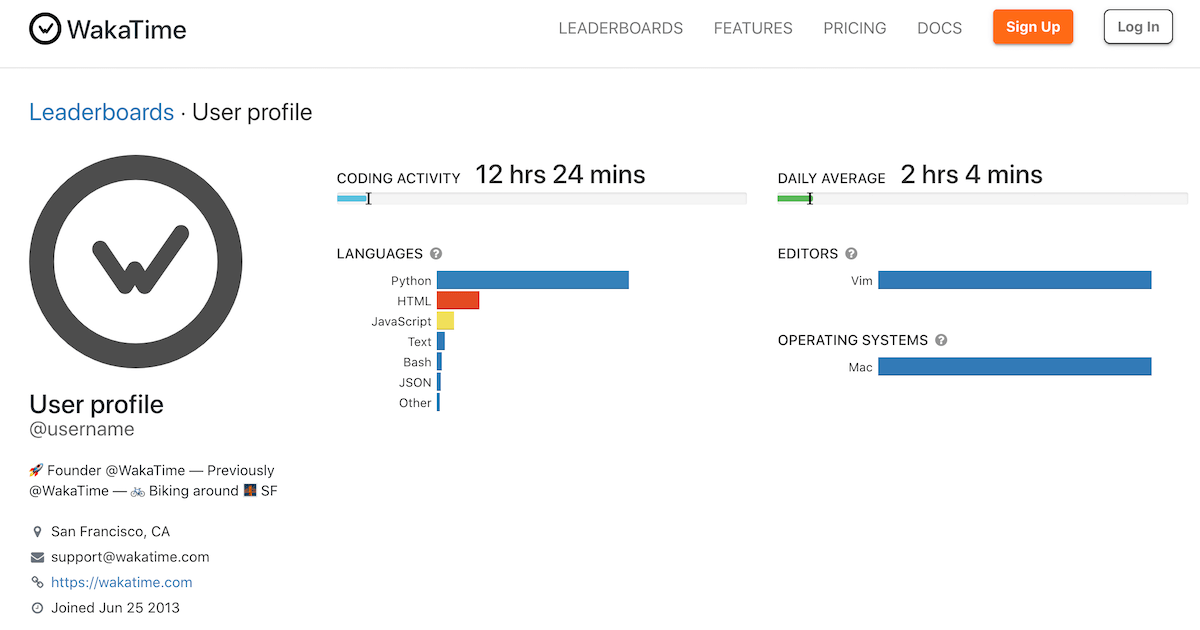
WakaTime
View this developer’s code stats on WakaTime, the dashboard for developers.
call the function
 slate swan
whats wakatime O.o
smoky sinew
i already linked the docs
smoky sinew
unkempt canyon
it's here
quick gust
displays your coding stats, the projects u worked on, the languages, for how long, etc
smoky sinew
and you just call it like any function, embed.set_author(name = ...)
dull terrace
slate swan
whats wakatime O.o
what does the *_ do in your username
smoky sinew
slate swan
whats wakatime O.o
last.fm for coding basically
smoky sinew
dull terrace
what does the *_ do in your username
positional arguments
no, that's not for calling the function that's just part of the function signature (its definition)
the !d command in the bot doesn't show how to use the function, it shows how it's defined
slate swan
dull terrace
what does the *_ do in your username
!e ```py
def foo(*):
print()
foo(1, 2 ,3, 4)
@slate swan :white_check_mark: Your 3.11 eval job has completed with return code 0.
(1, 2, 3, 4)
packs the positional args
dull terrace
ohh it's just the useless placeholder thing
dull terrace
for variables you don't care about
smoky sinew
it's not don't care about, just don't need
dull terrace
that's what i learned anyway, you use _ when unpacking stuff as a variable for things you dont need
smoky sinew
it's not really something you should use in your code
dull terrace
why not, i've used it a couple times
slate swan
yeah the *_ is forsure meant to ignore the usage
but * is not at all useless
smoky sinew
@quick gust i changed it
dull terrace
yeah the combination made me think it was doing something special for some reason
quick gust
smoky sinew
<@493344822900424714> i changed it
still doesnt show. waka time right?
dull terrace
can someone finish this bot update for me
smoky sinew
quick gust
tf is obisdian
markdown editor and notes app ❤️
i use it for keeping track of everything though
quick gust
nice
 maiden fable
Ya'll keep track of stuff? Dang
quick gust
smoky sinew
i use it for keeping track of everything though
track of what?
dull terrace
what are you guys tracking?
maiden fable
dull terrace
what are you guys tracking?
daily stuff
slate swan
maiden fable
Ya'll keep track of stuff? Dang
not me i don;t even know what im doing 90% of time
maiden fable
slate swan
not me i don;t even know what im doing 90% of time
🫂
smoky sinew
dull terrace
what are you guys tracking?
just life stuff and things that need to be organized
 dull terrace
the only thing i look at is lines of code so i can remind myself im actually progressing
maiden fable
Portal series 👀
dull terrace
0%
shrewd apex

slate swan
this thing looks like github commit graph but empty 😔
 smoky sinew
off-topic but i haven't figured out how to display the percentage yet, if you guys know a good game tracking api let me know lol
maiden fable
smoky sinew
off-topic but i haven't figured out how to display the percentage yet, if you gu...
Steam.....?
Idk if they got an API tho
dull terrace
0 second daily average
smoky sinew
but it's not cross-platform
slate swan
@client.command()
async def check(ctx,user: discord.Member):
    for x in requested.find():
        if x["_id"] == user.id:
            await ctx.send("User is in the database")
        else:
            await ctx.send("User is not in the database")
i am getting output 2 times

Hi all, finally got my code working so can use buttons etc, just struggling with getitng my persistent view work now, was wondering if someone could run over my code and see if I am doing it wrong, I did take a nosey at the examples in GitHub but as they are single instance bots where as I am within a cog, it does't really give me the best examples:
https://paste.pythondiscord.com/nusekobihi
Just need the view to stay persistent, so when I shut down the bot and reboot it, the embed can still use the callback function to get roles without constantly having to run the command to post a new one.
slate swan
slate swan
```py
@client.command()
async def check(ctx,user: discord.Member):
for x in ...
why for loop?
slate swan
slate swan
why for loop?
it was showing discord.ext.commands.errors.CommandInvokeError: Command raised an exception: TypeError: index '_id' cannot be applied to Cursor instances
then i took code from stackoverflow it worked but it shows 2 times there are 2 ppl in my database
@client.command()
async def check(ctx ,user: discord.Member):
        x = requested.find()
        if user.id in x["_id"]:
            await ctx.send("User is in the database")
        else:
            await ctx.send("User is not in the database")
now?
smoky sinew
slate swan
it was showing discord.ext.commands.errors.CommandInvokeError: Command raised an...
don't use _id i've already said that
slate swan
smoky sinew
don't use _id i've already said that
why
 slate swan
```py
@client.command()
async def check(ctx ,user: discord.Member):
x = ...
slate swan
slate swan
```py
@client.command()
async def check(ctx ,user: discord.Member):
x = ...
user.id == x["_id"]
"_id" stores an integer right?
yep
smoky sinew
slate swan
remove those database entries and use id instead of _id
also you should use motor not pymongo
maiden fable
smoky sinew
remove those database entries and use `id` instead of `_id`
No please don't
slate swan
 maiden fable
id is an in built function
slate swan
@client.command()
async def check(ctx ,user: discord.Member):
        x =  requested.find_one({"id":user.id})
        if user.id == x:
            await ctx.send("User is in the database")
        else:
            await ctx.send("User is not in the database")
i did this
 honest shoal
how can I set color in embed using embed variable instead of kwargs
smoky sinew
maiden fable
No please don't
so??? this isn't even python related at all
smoky sinew
honest shoal
how can I set color in embed using embed variable instead of kwargs
what do you mean embed variable
embed.color = ...
honest shoal
smoky sinew
embed.color = ...
yes this one
slate swan
embed = discord.Embed(
title="Create Your Profile",
description=(game_description),
color=0xBB8FCE
)
I use this within my embed.
smoky sinew
why do you have paranthesis around game_description?
honest shoal
slate swan
embed = discord.Embed(
title="Create Your Profile",
des...
I don't want to use color here for some reasons
slate swan
smoky sinew
why do you have paranthesis around game_description?
Its a string variable. It just look neater pulling it out of that block and setting it as its own variable.
smoky sinew
yes but why these ( )
slate swan
doesn't really matter, for me it just helps not to get confused with other values.
 forest oyster
does someone know hoy to delete a channel with the bot????
smoky sinew
forest oyster
does someone know hoy to delete a channel with the bot????
!d discord.GuildChannel.delete
unkempt canyonBOT
I'm sorry Dave, I'm afraid I can't do that.
No documentation found for the requested symbol.
smoky sinew
!d discord.abc.GuildChannel.delete
unkempt canyonBOT
await delete(*, reason=None)```
This function is a [*coroutine*](https://docs.python.org/3/library/asyncio-task.html#coroutine).
Deletes the channel.
You must have [`manage_channels`](https://discordpy.readthedocs.io/en/latest/api.html#discord.Permissions.manage_channels "discord.Permissions.manage_channels") to do this. dense jackal
Basically I get this error and I dont understand why
This is my script : https://paste.pythondiscord.com/uqobekemic
[2023-03-05 14:43:03] [ERROR ] discord.client: Ignoring exception in on_message
Traceback (most recent call last):
File "C:\Users\matis\AppData\Local\Programs\Python\Python311\Lib\site-packages\discord\client.py", line 441, in _run_event
await coro(args, kwargs)
File "c:\Users\matis\Desktop\ModMail GIE\main.py", line 100, in on_message
await channel.send(f"{ctx.author}({ctx.author.id}):* {ctx.content}")
^^^^^^^^^^^^
AttributeError: 'NoneType' object has no attribute 'send'
 vocal snow
dense jackal
Basically I get this error and I dont understand why
This is my script : https:...
vocal snow
dense jackal
Basically I get this error and I dont understand why
This is my script : https:...
            try:
                # Tries to get the channel
                channel = bot.get_channel(opened_ticket[1])
            except:
                # Oops! Channel doesn't exist but they're in the database?
get_channel doesn't raise an error
if the channel isnt in cache
it just returns None
you should use if statement rather than try-except
dense jackal
vocal snow
you should use if statement rather than try-except
so
I should get rid of except and replace try by if?
dense jackal
yeah that's the problem. It gives me an error when dming the bot
it doesnt even send the confirmation embed
vocal snow
instead of pinging random people, you can claim a help channel: #❓|how-to-get-help
dense jackal
I get this error when I dm the modmail bot,
error: [2023-03-05 15:14:26] [ERROR ] discord.client: Ignoring exception in on_message
Traceback (most recent call last):
File "C:\Users\matis\AppData\Local\Programs\Python\Python311\Lib\site-packages\discord\client.py", line 441, in _run_event
await coro(args, kwargs)
File "c:\Users\matis\Desktop\ModMail GIE\main.py", line 100, in on_message
await channel.send(f"{ctx.author}({ctx.author.id}):* {ctx.content}")
^^^^^^^^^^^^
AttributeError: 'NoneType' object has no attribute 'send'
my script: https://paste.pythondiscord.com/baxivigiga
IM A BEGINNER BTW
smoky sinew
don't ping random people
smoky sinew
dense jackal
I get this error when I dm the modmail bot,
error: [2023-03-05 15:14:26] [ERROR...
can you see what opened_ticket[1] equals
 scarlet aurora
    @commands.command()
    async def duel(self, ctx, user = discord.Member):
        # eq.execute("""SELECT user FROM crown""")

        msg = await ctx.send("test")
        await msg.add_reaction("\U00002705")

        if str(msg.emoji) == '\U00002705' and msg.user_id != 1002921149795143680:
            if msg.user_id == user.id:
                print("works")
```How would I reference msg's reactions?!d discord.ext.commands.dm_only
unkempt canyonBOT
@discord.ext.commands.dm_only()```
A [`check()`](https://discordpy.readthedocs.io/en/latest/ext/commands/api.html#discord.ext.commands.check "discord.ext.commands.check") that indicates this command must only be used in a DM context. Only private messages are allowed when using the command.

This check raises a special exception, [`PrivateMessageOnly`](https://discordpy.readthedocs.io/en/latest/ext/commands/api.html#discord.ext.commands.PrivateMessageOnly "discord.ext.commands.PrivateMessageOnly") that is inherited from [`CheckFailure`](https://discordpy.readthedocs.io/en/latest/ext/commands/api.html#discord.ext.commands.CheckFailure "discord.ext.commands.CheckFailure").

New in version 1.1.It makes commands only work in DM's right?
 wicked atlas
How many characters is it?
The limit of characters in an embed field is 1024 characters
Discord Developer Portal
Integrate your service with Discord — whether it's a bot or a game or whatever your wildest imagination can come up with.
dense jackal
smoky sinew
can you see what opened_ticket[1] equals
Wdym
slate swan
https://paste.pythondiscord.com/ahufahiheg I was wondering if someone could take a snoop over my code and advise as to what I can do to get the view persistent, as currently, if I restart the bot, the buttons stop working.
smoky sinew
slate swan
https://paste.pythondiscord.com/ahufahiheg I was wondering if someone could take...
- the view must have a timeout
- all view items must have a custom_id
- you must add the view in your bot's setup_hook
class DiscordBot(commands.Bot)
    async def setup_hook(self):
        await self.add_view(ReactionRoleView())
it has a timeout set to none, I'll take a look into this custom_id now, and its in a cog not the bots main file, would this still apply?
smoky sinew
slate swan
it has a timeout set to none, I'll take a look into this custom_id now, and its ...
if it's in a cog i guess you can just override cog_load in the cog
slate swan
How do I make the print say Logged in as bot#0001 without saying the bot's username and tag. Here's my code
async def on_ready():
print("Logged in")``` lament depotBOT

 smoky sinew
slate swan
How do I make the print say Logged in as bot#0001 without saying the bot's usern...
smoky sinew
slate swan
How do I make the print say Logged in as bot#0001 without saying the bot's usern...
????
how do you make the print say the bot username and tag without saying the bot username or tag??
slate swan
logged in as the bots username and tag
yes i think self.user or something i tried but didnt work
 rare echo
bot.user or self.bot.user
slate swan
oh okay thanks
smoky sinew
just do str(bot.user)
smoky sinew
rare echo
bot.user or self.bot.user
where'd you get self from though
rare echo
if hes in a cog
smoky sinew
i hate making views with state
so annoying why does the view system have to be like this
dense jackal
Hi! When a user types in the bot’s dm, this text appear. From there, they can choose if they want to create a ticket or cancel the interaction. Although, we found a glitch that if you send 2 messages, the text will sent twice and then, you will be able to create 2 tickets at once. Can someone help me to code so that it does a sticky message instead of resending? My script is: https://paste.pythondiscord.com/yidukekala
 smoky sinew
ctx in on_message
what does opened_ticket equal??
@dense jackal
@dense jackal also, don't connect to your database each time you want to query something, you should have one shared connection
the server has two factor moderation enabled
naive briar
Enable your own
smoky sinew
actually i'm not sure, it might be the bot owner's 2fa
dense jackal
Aight so what do I do now
dense jackal
smoky sinew
<@764874469474697236> also, don't connect to your database each time you want to...
Wdym by that
smoky sinew
dense jackal
Wdym by that
connect to the database once and store it as a variable
dense jackal
I did that script with a friend im not that good on coding
smoky sinew
and then reuse that connection
smoky sinew
sorry i cannot right now, maybe ask in #databases
dense jackal
A friend coded most of the things. Anyways @slate swan I dont have anymore errors rn
smoky sinew
venad coded it?
dense jackal
Yep, it always used to connect twice
smoky sinew
that's not good...
two functions are competing to write to the database file
that's how you get corruption
smoky sinew
sure
dense jackal
Ty
 graceful ermine
How could I fix this error?
  File "C:\Users\berka\AppData\Local\Programs\Python\Python311\Lib\site-packages\nextcord\http.py", line 400, in request
    raise HTTPException(response, data)
nextcord.errors.HTTPException: 400 Bad Request (error code: 50035): Invalid Form Body
In name: Command name is invalid
Eagle Bird GPT (Dev)#2353 is now online!
Ignoring exception in on_application_command_error
Traceback (most recent call last):
  File "C:\Users\berka\AppData\Local\Programs\Python\Python311\Lib\site-packages\nextcord\client.py", line 490, in _run_event
    await coro(*args, **kwargs)
  File "C:\Users\berka\Desktop\Eagle Bird GPT\main.py", line 199, in on_application_command_error
    embed.add_field("time:", value=datetime.datetime.now)
TypeError: Embed.add_field() takes 1 positional argument but 2 positional arguments (and 1 keyword-only argument) were given
embed = nextcord.Embed(title="Error!", description={error}, color=nextcord.Color.red())
    embed.add_field("time:", value=datetime.datetime.now)
    embed.add_field("server:", value=interaction.guild.name)
    embed.add_field("User:", value=interaction.user.mention)
    embed.set_thumbnail(url="https://encrypted-tbn0.gstatic.com/images?q=tbn:ANd9GcTgyNvusWhOvc1NUEL5SwDFHzab9ISQ495SJpo_UT-BzzbYX-5B3VbcfH20-rZ4QBjbsiE&usqp=CAU")
    channel = bot.get_channel(1066505917929111587)```
add_field(*, name, value, inline=True)```
Adds a field to the embed object.

This function returns the class instance to allow for fluent-style chaining. Can only be up to 25 fields.Ok
and just to double check
keywords are things that are in the async function?
@naive briar
naive briar
No
graceful ermine
What is it then? I kinda forgot
sick birch
graceful ermine
keywords are things that are in the async function?
!kwargs
unkempt canyonBOT
The `*args` and `**kwargs` parameters
These special parameters allow functions to take arbitrary amounts of positional and keyword arguments. The names args and kwargs are purely convention, and could be named any other valid variable name. The special functionality comes from the single and double asterisks (*). If both are used in a function signature, *args must appear before **kwargs.
Single asterisk
*args will ingest an arbitrary amount of positional arguments, and store it in a tuple. If there are parameters after *args in the parameter list with no default value, they will become required keyword arguments by default.
Double asterisk
**kwargs will ingest an arbitrary amount of keyword arguments, and store it in a dictionary. There can be no additional parameters after **kwargs in the parameter list.
Use cases
• Decorators (see /tag decorators)
• Inheritance (overriding methods)
• Future proofing (in the case of the first two bullet points, if the parameters change, your code won't break)
• Flexibility (writing functions that behave like dict() or print())
See /tag positional-keyword for information about positional and keyword arguments
sick birch
Sheesh, not that
unkempt canyonBOT
Positional vs. keyword arguments
Functions can take two different kinds of arguments. A positional argument is just the object itself. A keyword argument is a name assigned to an object.
Example
>>> print('Hello', 'world!', sep=', ')
Hello, world!
The first two strings 'Hello' and world!' are positional arguments.
The sep=', ' is a keyword argument.
Note
A keyword argument can be passed positionally in some cases.
def sum(a, b=1):
    return a + b

sum(1, b=5)
sum(1, 5) # same as above
Somtimes this is forced, in the case of the pow() function.
The reverse is also true:
>>> def foo(a, b):
...     print(a, b)
...
>>> foo(a=1, b=2)
1 2
>>> foo(b=1, a=2)
2 1
More info
• Keyword only arguments
• Positional only arguments
• /tag param-arg (Parameters vs. Arguments)
sick birch
I guess that's a bit better
 golden portal
the tag should also talk about / and * tbh
naive briar
You're an anime girl now?
slate swan
!intents
unkempt canyonBOT
Using intents in discord.py
Intents are a feature of Discord that tells the gateway exactly which events to send your bot. Various features of discord.py rely on having particular intents enabled, further detailed in its documentation. Since discord.py v2.0.0, it has become mandatory for developers to explicitly define the values of these intents in their code.
There are standard and privileged intents. To use privileged intents like Presences, Server Members, and Message Content, you have to first enable them in the Discord Developer Portal. In there, go to the Bot page of your application, scroll down to the Privileged Gateway Intents section, and enable the privileged intents that you need. Standard intents can be used without any changes in the developer portal.
Afterwards in your code, you need to set the intents you want to connect with in the bot's constructor using the intents keyword argument, like this:
from discord import Intents
from discord.ext import commands

# Enable all standard intents and message content
# (prefix commands generally require message content)
intents = Intents.default()
intents.message_content = True

bot = commands.Bot(command_prefix="!", intents=intents)
For more info about using intents, see discord.py's related guide, and for general information about them, see the Discord developer documentation on intents.
golden portal
yez
slate swan
How does logging work in 2.0? It says that the logger is now built-in the documentation.
unkempt mauve
Hello guys, from yesterday, if you remember, I had an issue with buttons which is solved
slate swan
slate swan
How does logging work in 2.0? It says that the logger is now built-in the docume...
The setting up logging page seems to be detailing logging for pre-2.0 discordpy.
smoky sinew
unkempt mauve
Hello guys, from yesterday, if you remember, I had an issue with buttons which i...
ok
 polar ice
Hello, so my code connects to a game hoster. it downloads the logs and then i parse them.
for some reason i keep getting the error:
I/O operation on closed file.
Any clues to what im doing wrong? am i closing the file in the wrong section?
https://paste.pythondiscord.com/orabofamuf
sick birch
polar ice
Hello, so my code connects to a game hoster. it downloads the logs and then i pa...
Full traceback, please
polar ice
@sick birch Im not getting anything. it's on a loop and then it just continues?
polar ice
Ahh i see, any ideas how i can improve it?
sick birch
raise error instead of print(error) for now but you should probably get that fixed later
polar ice
sick birch
`raise error` instead of `print(error)` for now but you should probably get that...
Still the same, with raise error
sick birch
Your console should spit out a better error message, no?
polar ice
No, exactly the same still :/
847327487058247712 2023.03.06 04:31:57 76561198296269130 jMarchinton 2 Local test
GUILD: 847327487058247712 - Player: jMarchinton 'test'
I/O operation on closed file.
[20:32:08] Checking for new log files.
--------------------------------------------------------------
[20:32:28] Checking for new log files.
--------------------------------------------------------------
[20:32:49] Checking for new log files.
--------------------------------------------------------------``` silver quest
Hiring someone to make a discord bot for me. DM if interested!
Payment is upon completion, USD only (cash app or paypal)
smoky sinew
silver quest
Hiring someone to make a discord bot for me. DM if interested!
this server is not for paid work
silver quest
oh
dense jackal
@hushed galleon can I ping you tomorrow to continue this conversation? Its getting late and I really gotta go
 hushed galleon
keep a dictionary of users to their ticket views and look in that to see if a user has one still running
the idea is sessentially: ```py
ticket_views = {}
After sending a view, store it in dictionary using the member (or ID) as the key:
await message.channel.send(..., view=ticketbuttons)
ticket_views[message.author] = ticketbuttons
When checking to create a ticket, see if they have an older view in progress:
old_view = ticket_views.get(message.author)
if old_view is not None and not old_view.is_finished():
... # tell them no or something```
dense jackal
Oh
hushed galleon
i might not be available tomorrow but you can link back to this and your initial question as context for someone else to help
dense jackal
Alright thank you!
 woeful magnet
Tell me how to use thread in discord.py
 echo wasp
what if I'm using like :Giveaways: ?
 vale wing
echo wasp
what if I'm using like :Giveaways: ?
vale wing
echo wasp
what if I'm using like :Giveaways: ?
You should be able to, but better to use full format like !this
echo wasp
vale wing
You should be able to, but better to use full format like \<:this:47090399411883...
how the heck do i get that?
echo wasp
vale wing
\\<:this:470903994118832130>
i'm confused
echo wasp
vale wing
You should be able to, but better to use full format like \<:this:47090399411883...
how do i get that format because it is not working for me
raceback (most recent call last):
  File "/var/lib/pufferpanel/servers/52aa6b86/.local/lib/python3.10/site-packages/discord/ext/commands/core.py", line 229, in wrapped
    ret = await coro(*args, **kwargs)
  File "/var/lib/pufferpanel/servers/52aa6b86/cogs/Kingdom.py", line 82, in react
    await react_messasge.add_reaction(emoji=":Giveaways:")
TypeError: PartialMessage.add_reaction() got some positional-only arguments passed as keyword arguments: 'emoji'

The above exception was the direct cause of the following exception:

Traceback (most recent call last):
  File "/var/lib/pufferpanel/servers/52aa6b86/.local/lib/python3.10/site-packages/discord/ext/commands/bot.py", line 1350, in invoke
    await ctx.command.invoke(ctx)
  File "/var/lib/pufferpanel/servers/52aa6b86/.local/lib/python3.10/site-packages/discord/ext/commands/core.py", line 1023, in invoke
    await injected(*ctx.args, **ctx.kwargs)  # type: ignore
  File "/var/lib/pufferpanel/servers/52aa6b86/.local/lib/python3.10/site-packages/discord/ext/commands/core.py", line 238, in wrapped
    raise CommandInvokeError(exc) from exc
discord.ext.commands.errors.CommandInvokeError: Command raised an exception: TypeError: PartialMessage.add_reaction() got some positional-only arguments passed as keyword arguments: 'emoji'```@commands.command()
async def react(self, ctx):
message = discord.Embed(title=f'**Reation Roles**', description=f"<@&1081509778045550592> - :Giveaways: \n <@&1082155989324791898> - :Drops:")
react_messasge = await ctx.send(message)
await react_messasge.add_reaction(emoji="@commands.command()
async def react(self, ctx):
message = discord.Embed(title=f'**Reation Roles**', description=f"<@&1081509778045550592> - :Giveaways: \n <@&1082155989324791898> - :Drops:")
react_messasge = await ctx.send(message)
await react_messasge.add_reaction(emoji=":Giveaways:")
#Note all ids are not vaild```
the error i get
unkempt canyonBOT
await add_reaction(emoji, /)```
This function is a [*coroutine*](https://docs.python.org/3/library/asyncio-task.html#coroutine).

Adds a reaction to the message.

The emoji may be a unicode emoji or a custom guild [`Emoji`](https://discordpy.readthedocs.io/en/latest/api.html#discord.Emoji "discord.Emoji").

You must have [`read_message_history`](https://discordpy.readthedocs.io/en/latest/api.html#discord.Permissions.read_message_history "discord.Permissions.read_message_history") to do this. If nobody else has reacted to the message using this emoji, [`add_reactions`](https://discordpy.readthedocs.io/en/latest/api.html#discord.Permissions.add_reactions "discord.Permissions.add_reactions") is required.

Changed in version 2.0: `emoji` parameter is now positional-only.

Changed in version 2.0: This function will now raise [`TypeError`](https://docs.python.org/3/library/exceptions.html#TypeError "(in Python v3.11)") instead of `InvalidArgument`.All arguments before / are positional-only
And you are providing emoji as keyword argument
echo wasp
I'm confused what positional-only means as I have never seen it
vale wing
Opposite of keyword
unkempt canyonBOT
Positional vs. keyword arguments
Functions can take two different kinds of arguments. A positional argument is just the object itself. A keyword argument is a name assigned to an object.
Example
>>> print('Hello', 'world!', sep=', ')
Hello, world!
The first two strings 'Hello' and world!' are positional arguments.
The sep=', ' is a keyword argument.
Note
A keyword argument can be passed positionally in some cases.
def sum(a, b=1):
    return a + b

sum(1, b=5)
sum(1, 5) # same as above
Somtimes this is forced, in the case of the pow() function.
The reverse is also true:
>>> def foo(a, b):
...     print(a, b)
...
>>> foo(a=1, b=2)
1 2
>>> foo(b=1, a=2)
2 1
More info
• Keyword only arguments
• Positional only arguments
• /tag param-arg (Parameters vs. Arguments)
echo wasp
vale wing
Opposite of keyword
so how do i write it?
vale wing
add_reaction("thing")
echo wasp
oh ok thank you
woeful magnet
can anybody send me material about how to make mass dm bot?
 meager chasm
woeful magnet
can anybody send me material about how to make mass dm bot?
meager chasm
woeful magnet
can anybody send me material about how to make mass dm bot?
we dont help with malicious projects here
slate swan
woeful magnet
can anybody send me material about how to make mass dm bot?
what do you mean mass dm bot isnt that against tos?
woeful magnet
Oh I am sorry
Then can anybody send me screen record of mass dm bot working? I only need screen record.
slate swan
Huh?
slate swan
woeful magnet
Then can anybody send me screen record of mass dm bot working? I only need scree...
Bro read channel description
We dont do that here
woeful magnet
yes sir
woeful magnet
What is client.say() in discord.py?
What does @client.command(pass_context = True) mean?
woeful magnet
What does @client.command(pass_context = True) mean?
woeful magnet
than what was the meaning of pass_context?
vale wing
Whether to pass ctx argument to function
woeful magnet
await client.send_message(member, content)
await client.say("DM Sent To : {} ✅ ".format(member))
what is send_message?
difference with send?
 bright wedge
just use send
woeful magnet
instead say and send_message?
bright wedge
send_message it's for interactions
naive briar
Which year is this
woeful magnet
bot
@commands.has_permissions(kick_members=True)
async def userinfo(ctx, user: discord.Member):
r, g, b = tuple(int(x * 255) for x in colorsys.hsv_to_rgb(random.random(), 1, 1))
embed = discord.Embed(title="{}'s info".format(user.name), description="Here's what I could find.", color = discord.Color((r << 16) + (g << 8) + b))
embed.add_field(name="Name", value=user.name, inline=True)
embed.add_field(name="ID", value=user.id, inline=True)
embed.add_field(name="Status", value=user.status, inline=True)
embed.add_field(name="Highest role", value=user.top_role)
embed.add_field(name="Joined", value=user.joined_at)
embed.set_thumbnail(url=user.avatar_url)
await client.say(embed=embed)
woeful magnet
can u help me make it into updated one?
bright wedge
Docs can for sure
woeful magnet
bright wedge
You need
I am new to python
woeful magnet
bright wedge
Docs can for sure
which part do I have to update in my code above?
bright wedge
Man
bright wedge
For learn-fix something you need to read-understand
unkempt canyonBOT
The guild that the message belongs to, if applicable.
 calm sapphire
!e
unkempt canyonBOT
Missing required argument
code
 Command Help
!eval [python_version] <code, ...>
Can also use: e
Run Python code and get the results.
This command supports multiple lines of code, including code wrapped inside a formatted code block. Code can be re-evaluated by editing the original message within 10 seconds and clicking the reaction that subsequently appears.
If multiple codeblocks are in a message, all of them will be joined and evaluated, ignoring the text outside of them.
By default your code is run on Python's 3.11 beta release, to assist with testing. If you run into issues related to this Python version, you can request the bot to use Python 3.10 by specifying the python_version arg and setting it to 3.10.
We've done our best to make this sandboxed, but do let us know if you manage to find an issue with it!
calm sapphire
!e @bot.command()
@commands.has_permissions(kick_members=True)
async def warn(ctx, member: discord.Member, *, arg):
logsChannel = bot.get_channel(1077469152761094255)
user = member.mention
embed = discord.Embed(title="Warning issued: ", color=0xf40000)
embed.add_field(name="Warning: ", value=f'Reason: {arg}', inline=False)
embed.add_field(name="User warned: ", value=f'{member.mention}', inline=False)
embed.add_field(name="Warned by: ", value=f'{ctx.author}', inline=False)
message = await ctx.send(embed=embed)
unkempt canyonBOT
@calm sapphire :x: Your 3.11 eval job has completed with return code 1.
001 | Traceback (most recent call last):
002 |   File "<string>", line 1, in <module>
003 | NameError: name 'bot' is not defined
!e @bot.command()
@commands.has_permissions(kick_members=True)
async def warn(ctx, member: discord.Member, *, arg):
logsChannel = bot.get_channel(1077469152761094255)
user = member.mention
embed = discord.Embed(title="Warning issued: ", color=0xf40000)
embed.add_field(name="Warning: ", value=f'Reason: {arg}', inline=False)
embed.add_field(name="User warned: ", value=f'{member.mention}', inline=False)
embed.add_field(name="Warned by: ", value=f'{ctx.author}', inline=False)
message = await ctx.send(embed=embed)
unkempt canyonBOT
@calm sapphire :x: Your 3.10 eval job has completed with return code 1.
001 | Traceback (most recent call last):
002 |   File "<string>", line 1, in <module>
003 | NameError: name 'bot' is not defined
@client.command()
async def send(ctx):
print(ctx.message.guild.members)
when I run this expression using bot, only bot is displayed. why?
unkempt canyonBOT
Whether guild member related events are enabled.
This corresponds to the following events...
calm sapphire
lol
woeful magnet
naive briar
It only has access to itself
Then to get all members above, what do I have to do?
calm sapphire
i cant figure out how to make a working welcome message
naive briar
woeful magnet
Then to get all members above, what do I have to do?
Enable the members intent
woeful magnet
naive briar
Enable the `members` intent
How?
vale wing
calm sapphire
i cant figure out how to make a working welcome message
Quite easily
calm sapphire
vale wing
Quite easily
how
calm sapphire
without cogs or database?
naive briar
intents = discord.Intents.default()
intents.members = True
🤷
vale wing
calm sapphire
without cogs or database?
If you wanna have separate messages for guilds, you would have to use db of course
Cog are just a method of code organisation
calm sapphire
vale wing
If you wanna have separate messages for guilds, you would have to use db of cour...
one message
for all
vale wing
vale wing
By simply listening to `on_member_join`
Then it is as simple as that
woeful magnet
naive briar
```py
intents = discord.Intents.default()
intents.members = True
```
🤷
thx
calm sapphire
vale wing
Then it is as simple as that
then what
woeful magnet
naive briar
```py
intents = discord.Intents.default()
intents.members = True
```
🤷
@client.command()
async def send(ctx, *, content: str):
for member in ctx.message.guild.members:
try:
await client.send_message(member, content)
When I run this command, it doesnt work
vale wing
Just ping everyone in your server, what's the point of mass DMing
woeful magnet
vale wing
Just ping everyone in your server, what's the point of mass DMing
try to test "await client.send_message(member, content)"
client.send_message(member, content)
what does it mean?
vale wing
Who told you to "try to test" 🧐
woeful magnet
vale wing
Who told you to "try to test" 🧐
btw, client.send_message(member, content)
what does it mean?
naive briar
Why are you trying to use it while you don't t even know what it means
And it doesn't even exist
People here have already told you
calm sapphire
i need help with my ticket command
woeful magnet
okay
naive briar
!e None.edit
unkempt canyonBOT
@naive briar :x: Your 3.11 eval job has completed with return code 1.
001 | Traceback (most recent call last):
002 |   File "<string>", line 1, in <module>
003 | AttributeError: 'NoneType' object has no attribute 'edit'
Read the error
calm sapphire
ye?
 frosty parrot
discord.ext.commands.errors.CommandInvokeError: Command raised an exception: TypeError: Command.__call__() missing 1 required positional argument: 'context
 velvet temple
Is it possible to change the bot’s username with just the token
naive briar
Yes
naive briar
frosty parrot
```discord.ext.commands.errors.CommandInvokeError: Command raised an exception: ...
Send the code along with it
frosty parrot
    def __init__(self):
        super().__init__(timeout=60.0)
        self.value = None

        @discord.ui.button(style=discord.ButtonStyle.green, label="Yes", emoji=":CHECK_CHECK_1:")
        async def yes(self, button: discord.ui.Button, interaction: discord.Integration):
            self.value = True
            self.stop()

        @discord.ui.button(style=discord.ButtonStyle.red,lebel="No", emoji=":CHECK_CROSS_1:")
        async def no(self, button: discord.ui.Button, interaction: discord.Integration):
            self.value = False
            self.stop()
if __name__=="__main__":
    bot = MyBot(command_prefix="-", intents=discord.Intents.all())


    # MESSAGE COMMANDS

    @bot.command()
    async def Prompt(ctx):
        view = Prompt()
        await ctx.send("Do youwant to continue?", view=view)
        await view.wait()
        if view.value is True:
            await ctx.send("You said yes!")
        elif view.value is False:
            await ctx.send("You said no!")
        else:
await ctx.send("You didn't answer in time.")```Why is there a bot command inside a view
velvet temple
naive briar
Yes
How
slate swan
naive briar
Why is there a bot command inside a view
Look at it better it's not
He's just a got really bad way of writing it
slate swan
frosty parrot
```discord.ext.commands.errors.CommandInvokeError: Command raised an exception: ...
Full traceback
calm sapphire
naive briar
Read the error
?
await msg.edit(f"Ticket created successfully! {channel.mention}")
@naive briar
naive briar
What?
calm sapphire
what is wrong wit my code
    await msg.edit(f"Ticket created successfully! {channel.mention}")
AttributeError: 'NoneType' object has no attribute 'edit'```so how do i fix
naive briar
Make it an message object?
calm sapphire
msg = await interaction.response.send_message("A ticket is being created...", ephemeral=True)
slate swan
naive briar
**Read the error**
Useless telling someone to read it if they don't know anything about what they're even doing and just using copy pasted code
naive briar
!d discord.InteractionResponse.send_message
unkempt canyonBOT
await send_message(content=None, *, embed=..., embeds=..., file=..., files=..., view=..., tts=False, ephemeral=False, allowed_mentions=..., suppress_embeds=False, silent=False, delete_after=None)```
This function is a [*coroutine*](https://docs.python.org/3/library/asyncio-task.html#coroutine).

Responds to this interaction by sending a message.The meth doesn't return the sent message, read the docs
slate swan
!d discord.InteractionResponse.edit_message
unkempt canyonBOT
await edit_message(*, content=..., embed=..., embeds=..., attachments=..., view=..., allowed_mentions=..., delete_after=None)```
This function is a [*coroutine*](https://docs.python.org/3/library/asyncio-task.html#coroutine).

Responds to this interaction by editing the original message of a component or modal interaction.Use that
naive briar
You can't use the interaction response that has already been used
!d discord.Interaction.edit_original_response
unkempt canyonBOT
await edit_original_response(*, content=..., embeds=..., embed=..., attachments=..., view=..., allowed_mentions=None)```
This function is a [*coroutine*](https://docs.python.org/3/library/asyncio-task.html#coroutine).

Edits the original interaction response message.

This is a lower level interface to [`InteractionMessage.edit()`](https://discordpy.readthedocs.io/en/latest/interactions/api.html#discord.InteractionMessage.edit "discord.InteractionMessage.edit") in case you do not want to fetch the message and save an HTTP request.

This method is also the only way to edit the original message if the message sent was ephemeral.im not
the edit message isTicket created successfully! {channel.mention}"
the first is A ticket is being created...", ephemeral=True)
?
@slate swan NameError: name 'edit_original_response' is not defined
naive briar
Did you read what I sent? It's a method of Interaction object
calm sapphire
unkempt canyon
i used this
NameError: name 'edit' is not defined
@naive briar NameError: name 'edit' is not defined
shrewd apex
!e
print(not_defined)
@shrewd apex :x: Your 3.11 eval job has completed with return code 1.
001 | Traceback (most recent call last):
002 |   File "<string>", line 1, in <module>
003 | NameError: name 'not_defined' is not defined
edit = ("Ticket created successfully! {channel.mention}")
shrewd apex
u have to assign the message to a variable
calm sapphire
what do i define it as
@shrewd apex
?
so?
?
@shrewd apex @naive briar @slate swan
slate swan
Bruv stop pinging
calm sapphire
i need help
slate swan
Then wait until someone wants to help
calm sapphire
cant u help
slate swan
No
vale wing
@calm sapphire if I may ask, what is your python knowledge level
 cursive spindle
im trying to edit the button.emoji using wait_for reaction, when the user add the reaction i want the bot add this emoji to button.emoji
cursive spindle
vale wing
What does not work?
Traceback (most recent call last):
  File "\discord\ui\view.py", line 427, in _scheduled_task
    await interaction.response.edit_message(view=self.view)
  File "\discord\interactions.py", line 898, in edit_message
    await adapter.create_interaction_response(
  File "\discord\webhook\async_.py", line 219, in request
    raise NotFound(response, data)
discord.errors.NotFound: 404 Not Found (error code: 10062): Unknown interaction
By using response.edit_message, you are responding to interaction, but you already responded to it with response.send_message, you need to edit original response
Dunno what's the method for that in dpy
!d discord.Interaction.edit_original_response
unkempt canyonBOT
await edit_original_response(*, content=..., embeds=..., embed=..., attachments=..., view=..., allowed_mentions=None)```
This function is a [*coroutine*](https://docs.python.org/3/library/asyncio-task.html#coroutine).

Edits the original interaction response message.

This is a lower level interface to [`InteractionMessage.edit()`](https://discordpy.readthedocs.io/en/latest/interactions/api.html#discord.InteractionMessage.edit "discord.InteractionMessage.edit") in case you do not want to fetch the message and save an HTTP request.

This method is also the only way to edit the original message if the message sent was ephemeral.This
Actually wait
Why did you remove that send_message line from code
At that point you are not responding to interaction at all
Use interaction.response.send_message instead of interaction.channel.send
cursive spindle
vale wing
Use `interaction.response.send_message` instead of `interaction.channel.send`
then how i will use wait_for to interaction.response.send_message ?
vale wing
You should be able to get the response message
vale wing
cursive spindle
then how i will use wait_for to `interaction.response.send_message` ?
!d discord.Interaction.original_response
unkempt canyonBOT
await original_response()```
This function is a [*coroutine*](https://docs.python.org/3/library/asyncio-task.html#coroutine).

Fetches the original interaction response message associated with the interaction.

If the interaction response was a newly created message (i.e. through [`InteractionResponse.send_message()`](https://discordpy.readthedocs.io/en/latest/interactions/api.html#discord.InteractionResponse.send_message "discord.InteractionResponse.send_message") or [`InteractionResponse.defer()`](https://discordpy.readthedocs.io/en/latest/interactions/api.html#discord.InteractionResponse.defer "discord.InteractionResponse.defer"), where `thinking` is `True`) then this returns the message that was sent using that response. Otherwise, this returns the message that triggered the interaction (i.e. through a component).

Repeated calls to this will return a cached value.discord.ext.commands.errors.CommandNotFound: Command "echo" is not found```pls fix this error i am getting since i convert my bot commands and events to cogs
How are we supposed to help you if we dont know the code
unkempt mauve
what is the right event for button click
 green pivot
i need help using replit
 warm summit
Channels list in slash command how?
unkempt mauve
warm summit
Channels list in slash command how?
discord.TextChannel
warm summit
unkempt mauve
`discord.TextChannel`
Thank you
shell wing
green pivot
i need help using replit
Send the error thats coming
green pivot
shell wing
Send the error thats coming

ethqn
I saw people selling this shit for $500, and thought why not leak it? So here we are, enjoy!
woeful magnet
Ignoring exception in on_ready
Traceback (most recent call last):
File "C:\Users\Administrator\AppData\Local\Programs\Python\Python311\Lib\site-packages\discord\client.py", line 343, in _run_event
await coro(*args, **kwargs)
File "C:\Discord Bot\BotToken.py", line 69, in on_ready
for key, value in os.environ.items:
TypeError: 'method' object is not iterable
can anybody help me solve this error?
 elfin island
.items(), it's a method
 karmic nimbus
i get this AFK command from chatbot, i don't know where the problem the bot didn't auto reply when AFK user mentioned
@client.event
async def on_message(message):
    c_afk = False

    if c_afk and not message.content.startswith('!'):

        reason = c_afk.get(message.author.id, None)
        if reason:
            # Send an auto-reply
            reply = f'{message.author.mention} is AFK. Reason: {reason}'
            await message.channel.send(reply)

    await client.process_commands(message)
Is there a bot that has a command to mass role users like
?role @sudden depot
[Long list of discord ids]
Oops sorry whoever I just pinged
 queen wren
vale wing
Dunno what's the method for that in dpy
queen wren
vale wing
Dunno what's the method for that in dpy
It's actually interaction.followup
vale wing
That's different
queen wren
Documentation says that to continue interacting with app commands but already used interaction.response must use interaction.followup
vale wing
He needs the original response message to wait for reaction on it, no additional responses
From what I could see
queen wren
So interaction.message if the message is waiting for is the same of the response one.
||Must excuse my english||
vale wing
Only available in component interactions
Not sure if that's a component interaction, I don't remember his problem
queen wren
I read it and its to edit the button.emoji depending on the reaction that interaction's message gets
vale wing
Yeah in that case they can use message attribute
queen wren
Yep
queen wren
velvet temple
Is there a bot that has a command to mass role users like
?role <@24859335411000...
You can do that with dpy
By using FlagConverter class and a simple command.
vale wing
User select is an option too
queen wren
Yeah, but to mass role add
So (I think) the best way is to use a Tuple parameter in a FlagConverter class
 sinful ice
Discord bot role management not working / Error 403 Even when auth'ed as Administrator, Any kind of role modifications result in a 403 error.
@bot.command(name='mute')
@commands.has_permissions(manage_roles=True)
async def mute(ctx, member: discord.Member, *, reason=None):
role = discord.utils.get(ctx.guild.roles, name="Muted")
if not role:
role = await ctx.guild.create_role(name="Muted")
for channel in ctx.guild.channels:
await channel.set_permissions(role, send_messages=False, speak=False)
await member.add_roles(role, reason=reason)
await ctx.send(f'Muted {member.mention}')
here is the mute code, what are ur suggestions?
echo wasp
sinful ice
Discord bot role management not working / Error 403 Even when auth'ed as Adminis...
!codeblocks
!codeblocks
unkempt canyonBOT
 potent spear
echo wasp
reaction role not working but not putting error in console
potent spear
echo wasp
reaction role not working but not putting error in console
full cog please
also, is any command working in that cog?
potent spear
karmic nimbus
i get this AFK command from chatbot, i don't know where the problem the bot didn...
first if statement is always false...
potent spear
sinful ice
Discord bot role management not working / Error 403 Even when auth'ed as Adminis...
full error traceback?
echo wasp
potent spear
also, is any command working in that cog?
yes
echo wasp
potent spear
full cog please
why do you need it/
potent spear
echo wasp
why do you need it/
you're not showing all relevant code
echo wasp
potent spear
you're not showing all relevant code
I am that isn't working
there is nothing else for it
potent spear
just do as I say please...
have you tried debugging? (checking if the event even gets triggered / ... )
echo wasp
potent spear
have you tried debugging? (checking if the event even gets triggered / ... )
how do i debug it?
potent spear
echo wasp
how do i debug it?
the simplest yet most ineffective way is just by printing some stuff in the event
potent spear
echo wasp
https://paste.pythondiscord.com/uroyehewaw
aight, so the on_member_join event does "work"?
echo wasp
potent spear
aight, so the on_member_join event does "work"?
yes
everything works
except that
echo wasp
potent spear
aight, so the on_member_join event does "work"?
it is triggering
but it's not adding a role
potent spear
echo wasp
it is triggering
what have printed?
echo wasp
potent spear
what have printed?
the print line i added in
potent spear
you'll have to show me, I can't smell code unfortunately
echo wasp
potent spear
you'll have to show me, I can't smell code unfortunately
all i did was add this line in both print("role was triggered")
potent spear
echo wasp
all i did was add this line in both print("role was triggered")
still, you'll have to show me every change you make
echo wasp
potent spear
still, you'll have to show me every change you make
that is the change i made
so i know it's triggering
 unborn bluff
Hi. I'm trying to set an embed image that's being made with Pillow
but the bot ends up sending the image first and then the embed without the image. It's strictly necessary to save the image on disk for this to work? c':
file = discord.File(
    result_buffer, filename=f"a_wild_{document['name']}_appeared!.jpeg"
)
embed = discord.Embed(
    title=f"A wild {document['name']} has appeared!", color=0x05E1E1
)
embed.set_image(url=f"attachment://{file.filename}")
await ctx.send(file=file, embed=embed)
it's not
potent spear
unborn bluff
Hi. I'm trying to set an embed image that's being made with Pillow
but the bot e...
since you like code examples:
 slate swan
@client.command()
async def check(ctx ,user: discord.Member):
        x =  requested.find_one()
        if user.id == x["userid"]:
            await ctx.send("User is in the database")
        else:
            await ctx.send("User is not in the database")
this isnt working well
discord.ext.commands.errors.MemberNotFound: Member "1" not found.
if member not found then send message User is not in the database
how to do that?
potent spear
full error traceback?
slate swan

 cloud dawn
slate swan
```py
@client.command()
async def check(ctx ,user: discord.Member):
x = ...
cloud dawn
slate swan
```py
@client.command()
async def check(ctx ,user: discord.Member):
x = ...
What is x?
potent spear
slate swan
if member not found then send message User is not in the database
what's this supposed to do?
x = requested.find_one()
looks like you're not familiar with getting something from a DB
cloud dawn
You're getting this error because the memberConverter couldn't find a member with 1 and you're not catching the error.
slate swan
i want bot to find the userid in requested collection
if user id is not there send message
@client.command()
async def check(ctx ,user: discord.Member):
        x =  requested.find_one()
        if user.id == x["userid"]:
            await ctx.send("User is in the database")
        elif user.id != x["userid"]:
            await ctx.send("User is not in the database")
this would work ig?
When you pass 1 it tries to convert 1 to Member since it fails it raises an error
potent spear
slate swan
```py
@client.command()
async def check(ctx ,user: discord.Member):
x = ...
it would not
cloud dawn
slate swan
i want bot to find the userid in requested collection
In this case the member does not exists at all so you don't even need to check.
slate swan
Or at least should
echo wasp
potent spear
still, you'll have to show me every change you make
so how do i fix this issue?
can it not find the role?
potent spear
echo wasp
so how do i fix this issue?
do as I told you...
send EVERY code change you make in an event, not just "I added this line"
echo wasp
potent spear
send EVERY code change you make in an event, not just "I added this line"
ok
potent spear
I have a feeling your if statement is never True
slate swan
slate swan
When you pass 1 it tries to convert 1 to Member since it fails it raises an erro...
how to fix it?
potent spear
slate swan
how to fix it?
you have 2 options
potent spear
either you use a global error handler, OR a specific command error handler
cloud dawn
slate swan
how to fix it?
I recommend making a global error handler.
echo wasp
that would make sense
echo wasp
potent spear
either you use a global error handler, OR a specific command error handler
i have no error handler rn
potent spear
echo wasp
that would make sense
does it print any of those?
echo wasp
potent spear
does it print any of those?
yes
potent spear
echo wasp
i have no error handler rn
message wasn't for you
potent spear
echo wasp
yes
alr, now add this
slate swan
@client.command()
async def check(ctx, user: discord.Member):
    if user.id in requested.find_one():
        await ctx.send("User is in the database")
    else:
        await ctx.send("User is not in the database")
i am trying this
potent spear
@commands.Cog.listener()
    async def on_raw_reaction_add(self, payload):
        print("role was triggered")
        guild = self.client.get_guild(payload.guild_id)
        if payload.emoji.name == ":Giveaways:" and payload.message_id == 1082332670584950824:
            print("got here")
            role = discord.utils.get(guild.roles, name="Gw ping")
            if role is not None:
                print("found role")
                member = discord.utils.find(lambda m: m.id == payload.user_id, guild.members)
                print(f"member: {member}")
                if member is not None:
                    await member.add_roles(role)
else: print("else")```we know, have you read what we told you?
cloud dawn
🗿
potent spear
you're getting a COMMAND argument error, that's something you can't handle in the command itself
it has nothing to do with what's inside your command, your command could be empty, you'll still get the same error
potent spear
potent spear
```py
@commands.Cog.listener()
async def on_raw_reaction_add(self, payload):...
@echo wasp try and see what this prints