#discord-bots
1 messages · Page 145 of 1
 glad cradle
 mighty yarrow
is there a way to remove that black thing
 slate swan
thats where your spot is in the terminal
does anyone know how to make my bot not respond to commands sent in private message?

 naive briar
!d discord.ext.commands.guild_only
 unkempt canyonBOT
@discord.ext.commands.guild_only()```
A [`check()`](https://discordpy.readthedocs.io/en/latest/ext/commands/api.html#discord.ext.commands.check "discord.ext.commands.check") that indicates this command must only be used in a guild context only. Basically, no private messages are allowed when using the command.

This check raises a special exception, [`NoPrivateMessage`](https://discordpy.readthedocs.io/en/latest/ext/commands/api.html#discord.ext.commands.NoPrivateMessage "discord.ext.commands.NoPrivateMessage") that is inherited from [`CheckFailure`](https://discordpy.readthedocs.io/en/latest/ext/commands/api.html#discord.ext.commands.CheckFailure "discord.ext.commands.CheckFailure").

If used on hybrid commands, this will be equivalent to the [`discord.app_commands.guild_only()`](https://discordpy.readthedocs.io/en/latest/interactions/api.html#discord.app_commands.guild_only "discord.app_commands.guild_only") decorator. In an unsupported context, such as a subcommand, this will still fallback to applying the check.I didn't really understand
mighty yarrow
@glad cradle
glad cradle
mighty yarrow
<@710570210159099984>
yes?
 paper pelican
wassuP!
 mellow verge
can we call?
slate swan
Do you know how to make my discord bot unable to respond to commands executed in private message?
glad cradle
mighty yarrow
Do u have a code to pass that
bro you can't remove that black cursor, maybe changing the vscode theme you could do something (I'm not sure)
glad cradle
slate swan
I didn't really understand
you need to add
@commands.guild_only()
before the command function signature
e.g
from discord.ext import commands

...

@commands.command()
@commands.guild_only()
async def my_command(...):
    ...
it happens on cmd too?
glad cradle
yes
slate swan
glad cradle
you need to add
```py
@commands.guild_only()
```
before the command function sig...

 shrewd apex
decorators aren't lego u cant just slap anything over it just client.command is enough also commands.guild_only() goes below that
glad cradle
glad cradle
you need to add
```py
@commands.guild_only()
```
before the command function sig...
this example is valid if you're inside cogs
slate swan
and if im not?
glad cradle
@client.command()
@commands.guild_only()
...
as asher said
slate swan
yes but if im not in cogs how i do?
naive briar
Above your message
 cloud dawn
!ytdl
unkempt canyonBOT
Per Python Discord's Rule 5, we are unable to assist with questions related to youtube-dl, pytube, or other YouTube video downloaders, as their usage violates YouTube's Terms of Service.
For reference, this usage is covered by the following clauses in YouTube's TOS, as of 2021-03-17:
The following restrictions apply to your use of the Service. You are not allowed to:

1. access, reproduce, download, distribute, transmit, broadcast, display, sell, license, alter, modify or otherwise use any part of the Service or any Content except: (a) as specifically permitted by the Service;  (b) with prior written permission from YouTube and, if applicable, the respective rights holders; or (c) as permitted by applicable law;

3. access the Service using any automated means (such as robots, botnets or scrapers) except: (a) in the case of public search engines, in accordance with YouTube’s robots.txt file; (b) with YouTube’s prior written permission; or (c) as permitted by applicable law;

9. use the Service to view or listen to Content other than for personal, non-commercial use (for example, you may not publicly screen videos or stream music from the Service)
 full valley
Hey guys, say I want to print database query results into an embed, how should I approach solving an embed being too big, and splitting into different pages for example.
cloud dawn
@mellow verge, as you know this is for music. Music bots aren't allowed since they violate YouTubes Terms of Service.
full valley
These query results could be really of any length
cloud dawn
full valley
Hey guys, say I want to print database query results into an embed, how should I...
!d discord.Embed
unkempt canyonBOT
class discord.Embed(*, colour=None, color=None, title=None, type='rich', url=None, description=None, timestamp=None)```
Represents a Discord embed.

len(x) Returns the total size of the embed. Useful for checking if it’s within the 6000 character limit.

bool(b) Returns whether the embed has any data set.

New in version 2.0.

x == y Checks if two embeds are equal.

New in version 2.0...ah can use length
so I guess if I devide the length by 6000 thats my number of pages
cloud dawn
Well do know that titles etc also count towards it, and as for pages, use a button paginator preferably.
full valley
but how would I be able to create different amounts of pages and go between them
cloud dawn
full valley
but how would I be able to create different amounts of pages and go between them...
Do you have any experience in View/interactions?
full valley
I mean i just kind of came from discord.py v1 so Im still wrapping my head around v2 interactions, i used to use discord-interactions.py
full valley
I would have no issue if I knew the amount of pages I needed to create, I could easily make a button or react transition between them, just dont know how to approach an unknown page length
cloud dawn
What is the content?
 prisma prism
Does anyone know,
Does hosting a discord bot cause internet issues? Like could I host one from home or would it use up all the bandwidth
 sick birch
prisma prism
Does anyone know,
Does hosting a discord bot cause internet issues? Like could ...
sick birch
prisma prism
Does anyone know,
Does hosting a discord bot cause internet issues? Like could ...
Nah
You can easily self host
prisma prism
Cool, thank you
full valley
cloud dawn
What is the content?
looks like this

but there could be anywhere from none to.. a lot which I would limit to like 50 different results.
slate swan
glad cradle
```py
@client.command()
@commands.guild_only()
...
```
as asher said
i undertsood
it works now
why are you calling the recieve so many times, its meant to be done only once within the _receiveevent ( that might be ghosting your events )
and do you update self.lasts everytime a dispatch happens?
to avoid crashing my bot I can't make a condition if command is in private message return "Command cant be used in private message" else: pass
 slate swan
to avoid crashing my bot I can't make a condition if command is in private messa...
slate swan
slate swan
to avoid crashing my bot I can't make a condition if command is in private messa...
!tag on_command_error
Whatever
Use an event call on_command_error
Example:
@bot.event
async def on_command_error(ctx,error):
   if isinstance(error,commands.NoPrivateMessage):
    await ctx.send("This command is guild only, you can't use it in direct message!")
discord.on_error(event, *args, **kwargs)```
Usually when an event raises an uncaught exception, a traceback is logged to stderr and the exception is ignored. If you want to change this behaviour and handle the exception for whatever reason yourself, this event can be overridden. Which, when done, will suppress the default action of printing the traceback.

The information of the exception raised and the exception itself can be retrieved with a standard call to [`sys.exc_info()`](https://docs.python.org/3/library/sys.html#sys.exc_info "(in Python v3.11)").

Note

`on_error` will only be dispatched to [`Client.event()`](https://discordpy.readthedocs.io/en/latest/api.html#discord.Client.event "discord.Client.event").

It will not be received by [`Client.wait_for()`](https://discordpy.readthedocs.io/en/latest/api.html#discord.Client.wait_for "discord.Client.wait_for"), or, if used, [Bots](https://discordpy.readthedocs.io/en/latest/ext/commands/api.html#ext-commands-api-bot) listeners such as [`listen()`](https://discordpy.readthedocs.io/en/latest/ext/commands/api.html#discord.ext.commands.Bot.listen "discord.ext.commands.Bot.listen") or [`listener()`](https://discordpy.readthedocs.io/en/latest/ext/commands/api.html#discord.ext.commands.Cog.listener "discord.ext.commands.Cog.listener").

Changed in version 2.0: The traceback is now logged rather than printed.Hi again and sorry for my disappointment but I still need help I don't understand why my order "c" is not recognized

just know that before asking for help in the server I search on stackorverflow but I do not find
glad cradle
@client.command()
slate swan
slate swan
Example:
```py
@bot.event
async def on_command_error(ctx,error):
if isinstanc...
I did it but now i can use the command in the server lol

i dont have any error message
You have a try-except. That cancels the error.
mellow verge
cloud dawn
<@959026598395383829>, as you know this is for music. Music bots aren't allowed ...
owhh ty
slate swan
where
slate swan
slate swan
I did it but now i can use the command in the server lol
anyone knows?
 lunar stag
Help me, please!

I wonder why it doesn't always fail, sometimes it works fine on the same code
 near wolf
slate swan
why are you calling the recieve so many times, its meant to be done only once wi...
near wolf
slate swan
why are you calling the recieve so many times, its meant to be done only once wi...
how would i do that?
 hollow hornet
lunar stag
Help me, please!
hollow hornet
lunar stag
Help me, please!
this smells like a replit moment (can only see half your error so i'm guessing it's a cloudflare ban)
tends to happen a lot on such hosts because they share IPs
lunar stag
hollow hornet
this smells like a replit moment (can only see half your error so i'm guessing i...
hmm, wait me, i will try take all
lunar stag
hollow hornet
this smells like a replit moment (can only see half your error so i'm guessing i...
 near wolf
dont run it on replit
lunar stag
how to fixx it
hollow hornet
it's a replit moment
get a real host
near wolf
hollow hornet
it's a replit moment
get a real host
^
lunar stag
hollow hornet
it's a replit moment
get a real host
hmmm, i will try run code in my pc
hollow hornet
yeah that works too
slate swan
near wolf
how would i do that?
have a variable for the s data, on each dispatch increase its value by 1 and keep sending HEARTBEAT events to the websocket using send_json method
you might want to look into discord.py's gateway code to understand it better
 split forge
    ret = await coro(*args, **kwargs)
  File "/home/container/main", line 39, in mines
    while tokens > count:
UnboundLocalError: local variable 'tokens' referenced before assignment
The above exception was the direct cause of the following exception:
Traceback (most recent call last):
  File "/home/container/.local/lib/python3.10/site-packages/discord/ext/commands/bot.py", line 1349, in invoke
    await ctx.command.invoke(ctx)
  File "/home/container/.local/lib/python3.10/site-packages/discord/ext/commands/core.py", line 1023, in invoke
    await injected(*ctx.args, **ctx.kwargs)  # type: ignore
  File "/home/container/.local/lib/python3.10/site-packages/discord/ext/commands/core.py", line 238, in wrapped
    raise CommandInvokeError(exc) from exc
discord.ext.commands.errors.CommandInvokeError: Command raised an exception: UnboundLocalError: local variable 'tokens' referenced before assignment```wyvern/gateway/keep_alive.py lines 37 to 45
class KeepAlive:
    sequence: int = 0
    last_heartbeat: float

    async def start(self, ws: "Gateway") -> None:
        while True:
            await ws.socket.send_json({"op": WSEventEnums.HEARTBEAT, "d": self.sequence})
            self.last_heartbeat = time.perf_counter()
            await asyncio.sleep(ws._heartbeat_interval)```
`wyvern/gateway/__init__.py` lines 141 to 143
```py
elif op == WSEventEnums.DISPATCH:
    self.keep_alive.sequence += 1
await self._dispatch_events(payload)```the variable isnt defined yet
near wolf
slate swan
have a variable for the `s` data, on each dispatch increase its value by 1 and k...
i mean how can i only use receive once
 supple cobalt
import discord, os, random

client = discord.client()
KEY = '||sike you thought||'

@client.event
async def on_ready():
    print('We logged in as {0.user} '.format(client))

@client.event
async def on_message(message):
    if message.author == client.user:
        return

    if message.content.startswith('-hello'):
        await message.channel.send('Hello!')
    if message.content.startswith('-Hello'):
        await message.channel.send('Hello!')

client.run('KEY')
just remove that extra receive
split forge
slate swan
the variable isnt defined ***yet***
its defined
slate swan
keep it only in your listen
split forge
 supple cobalt
```py
import discord, os, random
client = discord.client()
KEY = '||sike you t...
supple cobalt
supple cobalt
```py
import discord, os, random
client = discord.client()
KEY = '||sike you t...
tells me discord.client doesnt work
near wolf
slate swan
just remove that extra receive
and is the dispatch code 0?
slate swan
yes the OPCODE for dispatch is 0
supple cobalt
supple cobalt
tells me discord.client doesnt work
and tells me to add intents?
slate swan
split forge
sorry, im not dumb enough to not understand what an error says
and python interpreter is not dumb enough to raise a false error
so it is not defined properly
send full code.
supple cobalt
slate swan
sorry, im not dumb enough to not understand what an error says
and python interp...
damn bro
frfr
hollow hornet
supple cobalt
```py
import discord, os, random
client = discord.client()
KEY = '||sike you t...
uppercase C in Client
and you will need to manually specify intents since v2
a lot of breaking changes between v1.7 and v2
might want to read the migrating guide
supple cobalt
anyways i need help😭
near wolf
slate swan
keep it only in your listen
but it only run once for on ws connect
supple cobalt
hollow hornet
uppercase C in Client
and you will need to manually specify intents since v2
a l...
i know the c is the problem but everytime i change it to lower or some shit its not working
and it tells me to add intents
wait let me show ya
hollow hornet
yeah
read the rest of the message lol
like, i say in the second sentence, that you'll need to pass intents yourself
supple cobalt
omg im that dumb
slate swan
!intents
unkempt canyonBOT
Using intents in discord.py
Intents are a feature of Discord that tells the gateway exactly which events to send your bot. Various features of discord.py rely on having particular intents enabled, further detailed in its documentation. Since discord.py v2.0.0, it has become mandatory for developers to explicitly define the values of these intents in their code.
There are standard and privileged intents. To use privileged intents like Presences, Server Members, and Message Content, you have to first enable them in the Discord Developer Portal. In there, go to the Bot page of your application, scroll down to the Privileged Gateway Intents section, and enable the privileged intents that you need. Standard intents can be used without any changes in the developer portal.
Afterwards in your code, you need to set the intents you want to connect with in the bot's constructor using the intents keyword argument, like this:
from discord import Intents
from discord.ext import commands

# Enable all standard intents and message content
# (prefix commands generally require message content)
intents = Intents.default()
intents.message_content = True

bot = commands.Bot(command_prefix="!", intents=intents)
For more info about using intents, see discord.py's related guide, and for general information about them, see the Discord developer documentation on intents.
slate swan
Since discord.py v2.0.0, it has become mandatory for developers to explicitly define the values of these intents in their code.
supple cobalt
oh
slate swan
near wolf
but it only run once for on ws connect
can i see your complete gateway file
supple cobalt
thanks guys
hollow hornet
this is mostly to avoid new users foot-gunning themselves since message content is privileged
supple cobalt
let me try it
unkempt canyonBOT
Pasting large amounts of code
If your code is too long to fit in a codeblock in Discord, you can paste your code here:
https://paste.pythondiscord.com/
After pasting your code, save it by clicking the floppy disk icon in the top right, or by typing ctrl + S. After doing that, the URL should change. Copy the URL and post it here so others can see it.
near wolf
slate swan
near wolf
https://paste.pythondiscord.com/guzopipaju
changes:
- added a _sequence attrs to the class
- updated your HEARTBEAT payload
slate swan
wait you're correct, you already had it in self.lasts, you were just not increasing the value
near wolf
but in https://discord.com/developers/docs/topics/gateway#gateway-events-example-gateway-event the sequence number is already included
Discord Developer Portal
Integrate your service with Discord — whether it's a bot or a game or whatever your wildest imagination can come up with.
so i dont have to manually increase it?
slate swan
it is, and you need to tell discord what it was, that you're not doing 🤷♂️
near wolf
self.lasts,self.op = evente['s'],evente['op']``` and ```json
            data = {
            "op":1,
            "d":self.lasts,
            }
```?is that not what im doing?
slate swan
hm it should work then , no idea
near wolf
found it lol
 slate swan
no intents moment, ofc you wont get events
@bot.command()
async def levelr(ctx):
    async with bot.db.cursor() as cursor:
        await cursor.execute("SELECT levelsys FROM levelSettings WHERE guild = ?", (ctx.guild.id,))
        levelsys = await cursor.fetchone()
        if levelsys:
            if not levelsys[0] == 1:
                return

        await cursor.execute("SELECT * FROM levelSettings WHERE guild = ? ", (ctx.guild.id,))
        roleLevels = await cursor.fetchall()
        if not roleLevels:
            return await ctx.send("No role levels has been setup!")
        em = nextcord.Embed(title="Role Levels", description="Role levels for the server")
        for role in roleLevels:
            em.add_field(name=f"Level {role[2]}", value=f"{ctx.guild.get_role(role[1]).mention}", inline=False)
        await ctx.send(embed=em)```
Ignoring exception in on_command_error
Traceback (most recent call last):
File "C:\Users\PC\AppData\Roaming\Python\Python39\site-packages\nextcord\ext\commands\core.py", line 165, in wrapped
ret = await coro(*args, **kwargs)
File "c:\Users\PC\Desktop\Aleccy Bot\main.py", line 629, in setroles
em.add_field(name=f"Level {role[2]}", value=f"{ctx.guild.get_role(role[1]).mention}", inline=False)
AttributeError: 'NoneType' object has no attribute 'mention'```
ill try ty!
im trying to mention a role]
not a user
u can
naive briar
Ofc you can, just not in the title and field name
slate swan
naive briar
Ofc you can, just not in the title and field name
oh what
oh not in the name
naive briar
get_role is cache lookup and it can return None
slate swan
naive briar
`get_role` is cache lookup and it can return `None`
yeah
tyyy
  File "c:\Users\PC\Desktop\Aleccy Bot\main.py", line 629, in levelr
    em.add_field(name=f"Role Level", value=f"{ctx.guild.get_role(role[1]).mention}", inline=False)
AttributeError: 'NoneType' object has no attribute 'mention'```is the cache lookup up to date or it can just be like the role 5 minutes ago?
slate swan
near wolf
is the cache lookup up to date or it can just be like the role 5 minutes ago?
ru asking me?
near wolf
asking anyone that knows this
slate swan
you get the latest aware state of model everytime you use get_x
slate swan
discord.py updates the cache with each payload they recieve
slate swan
if you don't get that object it means you haven't subscribed to that intent
near wolf
slate swan
if you don't get that object it means you haven't subscribed to that intent
ahhhh i forgot about it
things update also receive payload
thats why
near wolf
ok
 cyan cobalt
help me pls
How do I add the creation date of this post to the footer in discord.py?
 fast lotus
how to make the ticket system work after restarting the bot?
 vale wing
fast lotus
how to make the ticket system work after restarting the bot?
vale wing
fast lotus
how to make the ticket system work after restarting the bot?
Store data in db
So easy to say so hard to do for beginner
https://sqlbolt.com for tutorials
SQLBolt provides a set of interactive lessons and exercises to help you learn SQL
 dry kelp
Hey, i've got a question. How can i check when the guild emoji name changes, Looking thru disnake docs on_guild_emojis_update will only get called once a emoji is created/deletedhttps://docs.disnake.dev/en/stable/api.html#disnake.on_guild_emojis_update

 leaden seal
dry kelp
Hey, i've got a question. How can i check when the guild emoji ***name*** change...
leaden seal
dry kelp
Hey, i've got a question. How can i check when the guild emoji ***name*** change...
can you please send the link?
dry kelp
Not really. the docs saying that so i was just going with the docs
just wanted to be sure
leaden seal
dry kelp
Not really. the docs saying that so i was just going with the docs
What is the output if you run this command?
dry kelp
It's not a command. It's a event
dry kelp
sick birch
Have you tested it?
AuditLogAction is emoji_update
but idk if the event gets fired
1 sec lemme test
glad cradle
it'll be fired even if you modify the name
 dry kelp
i see
glad cradle
d.py docs are unclear sometimes
but ig it's specifying create and delete emojis because there isn't an on_guild_emoji_create/delete so the update of an emoji is implied in the name of the event itself
 glad cradle
but ig it's specifying create and delete emojis because there isn't an `on_guild...
glad cradle
glad cradle
but ig it's specifying create and delete emojis because there isn't an `on_guild...
.
dry kelp
Ah it's a tuple so before.name won't work
 fading marlin
there are multiple ways:
- Type hint the argument with typing.Literal (example:
typing.Literal["foo", "bar"]) - Use enums and type hint the argument with the enum
- Use @app_commands.choices/discord.app_commands.Choice. (docs: https://discordpy.readthedocs.io/en/stable/interactions/api.html#discord.app_commands.choices)
 potent light
@app_commands.choices(choices=[
        app_commands.Choice(name="Rock", value="rock"),
        app_commands.Choice(name="Paper", value="paper"),
        app_commands.Choice(name="Scissors", value="scissors"),
])```My bad, I accidentally deleted my message.
potent light
potent light
```py
@app_commands.choices(choices=[
app_commands.Choice(name="Rock", v...
This says TypeError: unknown parameter given: choices
fading marlin
the choices key should match the name of the parameter you want to give the choices to
in your case it should be metal iirc?
potent light
@fading marlin py NameError: name 'Choice' is not defined
for this:
    @app_commands.command()
    @app_commands.describe(fruits='fruits to choose from')
    @app_commands.choices(fruits=[
        Choice(name='apple', value=1),
        Choice(name='banana', value=2),
        Choice(name='cherry', value=3),
    ])
    async def fruit(interaction: discord.Interaction, fruits: Choice[int]):
await interaction.response.send_message(f'Your favourite fruit is {fruits.name}.')```I will try with app_commands rq
fading marlin
you gotta import Choice from app_commands if you just want to use the class
potent light
fading marlin
you gotta import Choice from app_commands if you just want to use the class
How?
fading marlin
import Choice from discord.app_commands
potent light
from discord.app_commands import Choice
This might work as well but i'll do yours
oh yeah it's the same now
 flat pier
fading marlin
_import Choice from discord.app\_commands_
flat pier
fading marlin
_import Choice from discord.app\_commands_
this feels violently cursed
fading marlin

slate swan
fading marlin
_import Choice from discord.app\_commands_
python is not typescript 
fading marlin
I wasn't trying to send a poc 😭
I was re-saying what I said earlier
slate swan
lmao well its 2am and im sleepy so nvm
fading marlin
sleep
dry kelp
            for b in before:
                for a in after:
                    if b.name != a.name:
is there a better way to make this code in a one line? to make it look prettier
fading marlin
depends, what are you doing after the if?
sick birch
dry kelp
```py
for b in before:
for a in after:
...
Looks like you want to check for something new between 2 lists?
fading marlin
hey robin
sick birch
fading marlin
hbu
Aw that's unfortunate. How you get better ❤️
personally i'm vibing :D
fading marlin
sick birch
Aw that's unfortunate. How you get better ❤️
thank you!
fading marlin
sick birch
personally i'm vibing :D
glad to hear 😄
sick birch
dry kelp
like?
I'm just guessing at what you're trying to do as you haven't provided enough information
 sick birch
if that's true, set difference might be of use to you
 dry kelp
sick birch
if that's true, set difference might be of use to you
dry kelp
sick birch
if that's true, set difference might be of use to you
i actually don't know how to do this lol
sick birch
dry kelp
i actually don't know how to do this lol
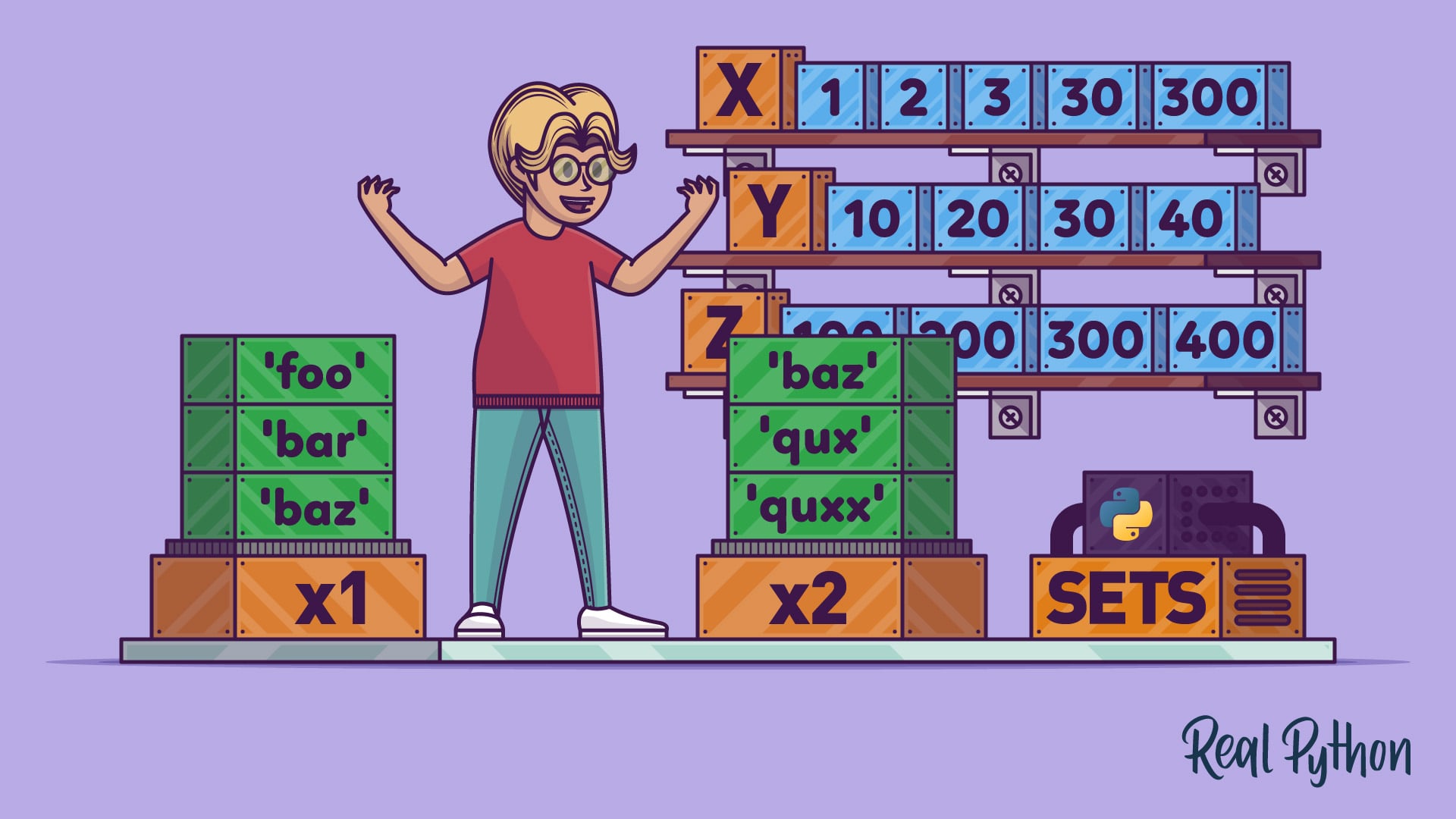
In this tutorial you'll learn how to work effectively with Python's set data type. You'll see how to define set objects in Python and discover the operations that they support and by the end of the tutorial you'll have a good feel for when a set is an appropriate choice in your own programs.
slate swan
Hello, how can we print all the new messages that arrive on the server once the bot is launched?
sick birch
slate swan
Hello, how can we print all the new messages that arrive on the server once the ...
The on_message event might be of use to you
slate swan
Okay thanks
 fresh ferry
does discord have a limit on mongodb database calls
or is it the standard 50 api calls per second ?
fading marlin
fresh ferry
does discord have a limit on mongodb database calls
limits on accessing your db?
fresh ferry
fading marlin
limits on accessing _your_ db?
yes, im just trying to calculate how many calls i need to limit per second for scanning my MongoDB
since im using their free 10gb plan per week im calculating how many scans i can realistically do everything for a server 10k members
if that makes sense
fading marlin
discord doesn't limit the amount of times you can access that
slate swan
that depends on your mongodb host, nothing related to discord api ratelimits
slate swan
fresh ferry
yes, im just trying to calculate how many calls i need to limit per second for s...
use a caching system if need be
😳 use redis to backup a mongodb server
yea i use aiocache
but thats only if you are accessing the db an insane amount of times
considering mongodb is just BSON, a simple dictionary is more than enough
 graceful nexus
Hello, I have a big problem. Probably because of intents
Here is my command.
@client.command(pass_context = True, name="test")
async def test(ctx: commands.Context):
    for guild in client.guilds:
        print(f"nb_members : {len(guild.members)}")
        for member in guild.members:
            if member.status == discord.Status.online:
                status = "online"
            elif member.status == discord.Status.idle:
                status = "idle"
            elif member.status == discord.Status.dnd:
                status = "dnd"
            elif member.status == discord.Status.offline:
                status = "offline"
            else:
                status = "unknown"
            await ctx.channel.send(f"{member.name}#{member.discriminator} is {status} in {guild.name}")

BUT
Client = discord.Client()
Intents = discord.Intents.default()
Intents.members = True
client = commands.Bot(command_prefix = "!", help_command=None, Intents=Intents)
AND

why ..?
 slate swan
graceful nexus
slate swan
graceful nexus
you need presence intents enabled in the code
 worldly solstice
Hey guys
Is there a way to get rid of those exceptions in my console?
discord.ext.commands.errors.CommandNotFound: Command "roll" is not found
Ignoring exception in command None:
That´s basically happening when someone uses a command thats not linked to my bot
fading marlin
use an error handler
slate swan
lunar stag
Typing kill 1 in replit shell complete bypass it
typing kill 1 changes the ip of replit
And u can also add this in the code to always bypass the rate limit
lunar stag
slate swan
Typing `kill 1` in replit shell complete bypass it
hmmmm

owo it really works
thank you very much
 lunar stag
slate swan
consider getting an actual VPS or localhost
lunar stag
slate swan
consider getting an actual VPS or localhost
I would consider
thank you!!!
slate swan
slate swan
thats not an actual solution tho
Makes sense 💀💀
 forest latch
I have folders within the cogs folder, and i want to load that. how would i do that?
sick birch
forest latch
I have folders within the `cogs` folder, and i want to load that. how would i do...
You'd prefix the file name with cogs.
Oh wait you have folders within folders
forest latch
yep
Cogs is the main folder, then i have subfolders like General, Fun, Moderation
i have python files with the subfolders. i want to call them without having all the python files under cogs.
slate swan
I'd just make a function in the Cogs folder's init.py that adds all the cogs 🤺 and call it whenever i need to load cogs
 patent lark
🫡
slate swan
import discord
from discord.ext import commands
import random


bot = commands.Bot(command_prefix="!", intents=discord.Intents.default())

@bot.event
async def on_ready():
    print('on')

@bot.command()
async def test(ctx):
await ctx.send("Test")``` bot wont respond and no error the bot got admin perm but stillwhen tried import bot I get this error
from discord import bot
ImportError: cannot import name 'bot' from 'discord' (C:\Users\azim\Desktop\sauceyy\venv\lib\site-packages\discord_init_.py)
help please
vale wing
slate swan
when tried import bot I get this error
from discord import bot
ImportError:...
This is a different code from the one you showed
 pure crypt
slate swan
when tried import bot I get this error
from discord import bot
ImportError:...
pure crypt
slate swan
when tried import bot I get this error
from discord import bot
ImportError:...
there is no library called bot. Have you bot.run(YourToken) in your code, else it won’t work.
 vocal snow
slate swan
```py
import discord
from discord.ext import commands
import random
bot = comm...
vocal snow
slate swan
```py
import discord
from discord.ext import commands
import random
bot = comm...
You need message content intents
graceful nexus
slate swan
you need presence intents enabled in the code
Yes but I think I already did it : ```py
Client = discord.Client()
Intents = discord.Intents.default()
Intents.members = True
client = commands.Bot(command_prefix = "!", help_command=None, Intents=Intents)
"presence" intent 🤺, not "members"
graceful nexus
Ok thank you. Such a stupid error like I thinking
 severe field
What is the best discord api tool for Python?
slate swan
severe field
What is the best discord api tool for Python?
personally i prefer hikari
discord.py is the most popular one
slate swan
 glad cradle
Read the error?
slate swan
slate swan
?
slate swan
slate swan
?
whats wrong with my code
 slate swan
whats wrong with my code
slate swan
slate swan
whats wrong with my code
U tried printing it?
slate swan
slate swan
i want it to be printed
The the address1 key came in the ad json ?
slate swan
How to make the msg we sent from inter "only you can see that"?
use ephemeral kwarg in the method you use to create response, set it to True
Ok
Thanks
.doc
slate swan
slate swan
Ok
Only for slash command, button, modal
slate swan
#Using Replit

import discord
import os
my_secret = os.environ['TOKEN']

client = discord.Client()

@client.event
async def on_ready():
  print("Logged in as {0.user}".format(client))

@client.event
async def on_message(message):
  if message.author == client.user:
    return

  if message.content.startswith("$status"):
    await message.channel.send("Hello!")

client.run(my_secret)
Error:
Traceback (most recent call last):
  File "main.py", line 5, in <module>
    client = discord.Client()
TypeError: __init__() missing 1 required keyword-only argument: 'intents'
What happened?
 paper sluice
!intents
unkempt canyonBOT
Using intents in discord.py
Intents are a feature of Discord that tells the gateway exactly which events to send your bot. Various features of discord.py rely on having particular intents enabled, further detailed in its documentation. Since discord.py v2.0.0, it has become mandatory for developers to explicitly define the values of these intents in their code.
There are standard and privileged intents. To use privileged intents like Presences, Server Members, and Message Content, you have to first enable them in the Discord Developer Portal. In there, go to the Bot page of your application, scroll down to the Privileged Gateway Intents section, and enable the privileged intents that you need. Standard intents can be used without any changes in the developer portal.
Afterwards in your code, you need to set the intents you want to connect with in the bot's constructor using the intents keyword argument, like this:
from discord import Intents
from discord.ext import commands

# Enable all standard intents and message content
# (prefix commands generally require message content)
intents = Intents.default()
intents.message_content = True

bot = commands.Bot(command_prefix="!", intents=intents)
For more info about using intents, see discord.py's related guide, and for general information about them, see the Discord developer documentation on intents.
slate swan
split forge
how I made my bot for Only One Channel?
slate swan
wdym
split forge
slate swan
wdym
for example, my bot will only work on the hello 1 channel, it is necessary to try it on the hello 1 channel so that you can use the bot on the hello 2 channel
how?
slate swan
split forge
for example, my bot will only work on the hello 1 channel, it is necessary to tr...
u need to do that if channel.id != to the id and then send something or return it to the code
 brazen raft
unkempt canyon
brazen raft
unkempt canyon
😀
cloud dawn
Traceback tells you.
 loud junco
can i use the placeholder like this
 slate swan
why doesn't it send the message keyword detected! ```python
def check_message(mess : discord.Message) -> bool:
with open('database.json', 'r+') as f_database:

    file_data = json.load(f_database)

    keywords = str(file_data["keywords"]).lower()
    blackwords = str(file_data["blackwords"]).lower()

    if keywords in mess.content.lower(): return True

    for embed in mess.embeds:

        if embed.title and keywords in embed.title.lower():
            return True
        if embed.description and keywords in embed.description.lower():
            return True
        if embed.url and keywords in embed.url.lower():
            return True
        if any(keywords in field.value.lower() for field in embed.fields if field.value):
            return True

return False
@client.event
async def on_message(message):
try:
    if check_message(message):
        await message.channel.send('keyword detected !')
except:
    pass```
?
naive briar
What
slate swan
@slvl.command(aliases=['sr'])
@commands.has_permissions(administrator=True)
async def setrole(ctx, level:int, *, role: nextcord.Role):
    async with bot.db.cursor() as cursor:
        await cursor.execute("SELECT levelsys FROM levelSettings WHERE guild = ?", (ctx.guild.id,))
        levelsys = await cursor.fetchone()
        if levelsys:
            if not levelsys[0] == 1:
                return
        await cursor.execute("SELECT role FROM levelSettings WHERE role = ? AND guild = ?", (role.id, ctx.guild.id,))
        roleTF = await cursor.fetchone()
        await cursor.execute("SELECT role FROM levelSettings WHERE level = ? AND guild = ?", (levelsys, ctx.guild.id,))
        leveleTF = await cursor.fetchone()
        if roleTF or leveleTF:
            return await ctx.send("A role for that value is already exists! :x: ")
        await cursor.execute("INSERT INTO levelSettings VALUES (?, ?, ?, ?)", (True, role.id, level, ctx.guild.id,))

        await ctx.send("Updated that level role!")
        await bot.db.commit()```
no error when doing the command but also not sending anything in the channelAnd JSON isn't a database btw 
slate swan
wait ill try turning off the command handler
slate swan
slate swan
```py
@slvl.command(aliases=['sr'])
@commands.has_permissions(administrator=True...
the command isnt found
slate swan
Does the bot.guilds update in real time?
lunar stag
can someone help me, please
how to send a emoji with id
 lapis totem
I want to make a bot that gives a specific role to people that have their twitch connected and displayed on their profile card for my server
can someone point me the right direction for this ?
lunar stag
naive briar
🐈
what is the id of this emoji
I tried using the developer tool and couldn't see its id
lunar stag
ok thank you very much
naive briar
lapis totem
I want to make a bot that gives a specific role to people that have their twitch...
Bots can't access users' connections. The only way to get them is by using OAuth2
slate swan
@slvl.command(aliases=['sr'])
@commands.has_permissions(administrator=True)
async def setrole(ctx, level:int, *, role: nextcord.Role):
    async with bot.db.cursor() as cursor:
        await cursor.execute("SELECT levelsys FROM levelSettings WHERE guild = ?", (ctx.guild.id,))
        levelsys = await cursor.fetchone()
        if levelsys:
            if not levelsys[0] == 1:
                return
        await cursor.execute("SELECT role FROM levelSettings WHERE role = ? AND guild = ?", (role.id, ctx.guild.id,))
        roleTF = await cursor.fetchone()
        await cursor.execute("SELECT role FROM levelSettings WHERE level = ? AND guild = ?", (levelsys, ctx.guild.id,))
        leveleTF = await cursor.fetchone()
        if roleTF or leveleTF:
            return await ctx.send("A role for that value is already exists! :x: ")
        await cursor.execute("INSERT INTO levelSettings VALUES (?, ?, ?, ?)", (True, role.id, level, ctx.guild.id,))

        await ctx.send("Updated that level role!")
        await bot.db.commit()```
the command isnt found
and i did that for the table
```py
await cursor.execute("CREATE TABLE IF NOT EXISTS levelSettings (levelsys BOOL, role INTEGER, levelreq INTEGER, guild INTEGER)")
like theres no level there so do i add one or???
also thats the slvl group
@bot.group()
async def slvl(ctx):
    return
@bot.group(invoke_without_command=True)
async drf slvl(ctx):
  return
whys that?
naive briar
!d discord.ext.commands.Group
unkempt canyonBOT
class discord.ext.commands.Group(*args, **kwargs)```
A class that implements a grouping protocol for commands to be executed as subcommands.

This class is a subclass of [`Command`](https://discordpy.readthedocs.io/en/latest/ext/commands/api.html#discord.ext.commands.Command "discord.ext.commands.Command") and thus all options valid in [`Command`](https://discordpy.readthedocs.io/en/latest/ext/commands/api.html#discord.ext.commands.Command "discord.ext.commands.Command") are valid in here as well.Read the docs
 slate swan
naive briar
Read the docs
slate swan
naive briar
Read the docs
Can u explain him?
still the command isnt working
I am bad at explaining
Try adding pass instead of return
ill try
cloud dawn
slate swan
```py
@slvl.command(aliases=['sr'])
@commands.has_permissions(administrator=True...
!traceback
unkempt canyonBOT
Please provide the full traceback for your exception in order to help us identify your issue.
While the last line of the error message tells us what kind of error you got,
the full traceback will tell us which line, and other critical information to solve your problem.
Please avoid screenshots so we can copy and paste parts of the message.
A full traceback could look like:
Traceback (most recent call last):
  File "my_file.py", line 5, in <module>
    add_three("6")
  File "my_file.py", line 2, in add_three
    a = num + 3
        ~~~~^~~
TypeError: can only concatenate str (not "int") to str
If the traceback is long, use our pastebin.
slate swan
fixed it and
slate swan
slate swan
fixed it and
Cool
nextcord.ext.commands.errors.CommandInvokeError: Command raised an exception: OperationalError: no such column: level
well i know
so do i add one?
cloud dawn
slate swan
???
cloud dawn
You send like 5% of the tb.
slate swan
await cursor.execute("CREATE TABLE IF NOT EXISTS levelSettings (levelsys BOOL, role INTEGER, levelreq INTEGER, guild INTEGER)")
cloud dawn
Read it again.
slate swan
slate swan
await cursor.execute("CREATE TABLE IF NOT EXISTS levelSettings (levelsys BOOL, r...
.
slate swan
py soduim chloride
 maiden fable
nice
fading marlin
py salt
cloud dawn
Again traceback
glad cradle
send the full traceback
vale wing
!d discord.ext.commands.Context.voice_client
unkempt canyonBOT
property voice_client```
A shortcut to [`Guild.voice_client`](https://discordpy.readthedocs.io/en/latest/api.html#discord.Guild.voice_client "discord.Guild.voice_client"), if applicable.Ok exists
cloud dawn
It's a known voice client glitch
You have to write a pretty chunky function for it to detect it.
slate swan
Hello, I have done this for now but the bot does not send anything, so I tried to reverse it by doing if message.content.lower() in keywords:
then it worked but only when the message contains only the keywords, how can I fix that?
@client.event
async def on_message(message):

    with open('database.json', 'r+') as f_database:

        file_data = json.load(f_database)

        keywords = str(file_data["keywords"]).lower()
        blackwords = str(file_data["blackwords"]).lower()

        if message.author == client.user:
            return

        if keywords in message.content.lower():
await message.channel.send('keyword found !')```yes, what library are you using ?
 signal cloak
why doesn't my on_message don't work?
glad cradle
slate swan
Hello, I have done this for now but the bot does not send anything, so I tried t...
- don't use json files as database
- Reading and writing to files are blocking calls, you should use aiofiles
!pypi aiofiles
unkempt canyonBOT

File support for asyncio.
glad cradle
signal cloak
why doesn't my on_message don't work?
send the code
 dense merlin
me is like no slash command appear? and then is be die
glad cradle
dense merlin
me is like no slash command appear? and then is be die
mh? your Bot die?
dense merlin
glad cradle
mh? your Bot die?
no me
cloud dawn
pycord also isn't even Discord related 
dense merlin
Pastebin
Pastebin.com is the number one paste tool since 2002. Pastebin is a website where you can store text online for a set period of time.
 pliant gulch
glad cradle
1. don't use json files as database
2. Reading and writing to files are blocking...
pliant gulch
glad cradle
1. don't use json files as database
2. Reading and writing to files are blocking...
Better yet cache in-memory since the file can be serialised in python
dense merlin
it is no prftgryfeq
pliant gulch
You can pretty much avoid using aiofiles as well depending on python version, bc asyncio.to_thread
glad cradle
pliant gulch
You can pretty much avoid using aiofiles as well depending on python version, bc...
if it exists why you wouldn't use it 😦
pliant gulch
Because why should you add an extra dependency when a built-in module exists that does the same thing with less overhead?
glad cradle
meh
dense merlin
gfvhgjg
pliant gulch
pliant gulch
Better yet cache in-memory since the file can be serialised in python
But again, dependency or not
Just update the cache & write to file whenever the data should be updated
glad cradle
dense merlin
https://pastebin.com/CgfmnAYV
you're switching from client to Bot right?
dense merlin
glad cradle
you're switching from client to Bot right?
other way
i think
ping on reply pls
signal cloak
why doesn't the on message not work?
glad cradle
dense merlin
other way
Well you're doing bot.run(...), practically you're not using the client
dense merlin
glad cradle
Well you're doing `bot.run(...)`, practically you're not using the client
ok but slash command no appeare
glad cradle
glad cradle
Well you're doing `bot.run(...)`, practically you're not using the client
this is the reason
signal cloak
@glad cradle can you help?
glad cradle
dense merlin
ok but slash command no appeare
you're synchronizing slash commands into the client object that is not runned, so it's not making any API request to create/delete slash commands
glad cradle
signal cloak
<@710570210159099984> can you help?
yes, lemme read
dense merlin
glad cradle
you're synchronizing slash commands into the client object that is not runned, s...
ohhh
glad cradle
signal cloak
<@710570210159099984> can you help?
are you getting an error?
btw you're not passing self
glad cradle
wait are you running the client at the end of the file?
dense merlin
i added client.run(token)
signal cloak
glad cradle
wait are you running the client at the end of the file?
client.run("token") ?
dense merlin
below bot.run(token)
glad cradle
signal cloak
client.run("token") ?
yes
signal cloak
yes
glad cradle
dense merlin
below bot.run(token)
bot.run(...) is a blocking call, whatever is underneath will never be executed
same for client.run
signal cloak
idk why it don't work 😦
glad cradle
signal cloak
idk why it don't work 😦
hold on, I'm testing it
ahhhh it's an intents issue
signal cloak
intents=discord.intents.all() ?
glad cradle
you need to set intents.message_content = True also you're missing self on on_message
glad cradle
btw I'm blind
dry kelp
Hey, is it possible to clone back a deleted a webhook? that was not created by a bot
dense merlin
What does In parameter 'MAXID' name: Command name is invalid mean
naive briar
Send the entire traceback/error
slate swan
hii
naive briar
But it's probably because slash commands' name have to be all lowercase
dry kelp
So on_webhooks_update has just channel as parameter, How can i tell if the before name is not the same as the after name?
 sick birch
supple cobalt
whats intents?
sick birch
supple cobalt
whats intents?
!intents
unkempt canyonBOT
Using intents in discord.py
Intents are a feature of Discord that tells the gateway exactly which events to send your bot. Various features of discord.py rely on having particular intents enabled, further detailed in its documentation. Since discord.py v2.0.0, it has become mandatory for developers to explicitly define the values of these intents in their code.
There are standard and privileged intents. To use privileged intents like Presences, Server Members, and Message Content, you have to first enable them in the Discord Developer Portal. In there, go to the Bot page of your application, scroll down to the Privileged Gateway Intents section, and enable the privileged intents that you need. Standard intents can be used without any changes in the developer portal.
Afterwards in your code, you need to set the intents you want to connect with in the bot's constructor using the intents keyword argument, like this:
from discord import Intents
from discord.ext import commands

# Enable all standard intents and message content
# (prefix commands generally require message content)
intents = Intents.default()
intents.message_content = True

bot = commands.Bot(command_prefix="!", intents=intents)
For more info about using intents, see discord.py's related guide, and for general information about them, see the Discord developer documentation on intents.
slate swan
anyone know why i get this when installing easy_pil?
 glad cradle
slate swan
anyone know why i get this when installing easy_pil?
glad cradle
slate swan
anyone know why i get this when installing easy_pil?
python 3.11?
glad cradle
have you installed Visual studio code build tools?
slate swan
yes
 wary crystal
slate swan
anyone know why i get this when installing easy_pil?
wary crystal
slate swan
anyone know why i get this when installing easy_pil?
Can you show your aiohttp version?
For Python v3.11 you should aim for 3.8.3>=
wary crystal
pip show aiohttp
 wary crystal
v3.8.3 should've fixed that error since they upgraded Cython
Could you show the full error from the pip install?
Okay, wait I see the error here
So the package easy-pil uses aiohttp>=3.6.0,<=3.8.1 which is in-conflict with your current project
If you have any alternative to easy-pil I'd switch to that, because this project supports v3.10 in the latest from what the meta-data says
 hardy yoke
any idea why Clyde is responding when I try to use my bots slash cmds? Never seen this before, it's as if I'm blocked by my own bot (?). I tested on my alt account and they work fine there, and prefixed commands work fine
 hardy yoke
looks like discord canary is broken
 graceful turtle
supple cobalt
graceful turtle
supple cobalt
what app is this?
slate swan
graceful turtle
what app is this?

replit
Run code live in your browser. Write and run code in 50+ languages online with Replit, a powerful IDE, compiler, & interpreter.
 rare echo
currently swapping hosts into a digital ocean vps, using pycord, having some weird import errors with it not finding disc.commands or from discord import Option
any ideas?
just ping on reply ^
 full lily
rare echo
currently swapping hosts into a digital ocean vps, using pycord, having some wei...
full lily
rare echo
currently swapping hosts into a digital ocean vps, using pycord, having some wei...
can you send a traceback
can you make sure the right discord package flavour is installed, eg pycord rather than
uh what's the other one called
rare echo
talkin about nextcord? or
full lily

 full lily
your option cog seems to be ... missing??
rare echo
well the cog thats loading is there, but in line 3/4 i have from discord import Option
upon just removing that seeing if it was just having a tantrum it had an issue with from discord.ext import commands
so is pycord just not installing properly? or am i missing something
full lily

wouldn't it be pycord here?
you sure you don't have discord.py installed?
pip show discord
 rare echo

 abstract kindle
 File "C:\Users\beege\PycharmProjects\EconomyDiscordBot\cogs\SpectrumSequence.py", line 122, in __init__
    self.add_item(SequenceButton(emoji, emoji_number))
  File "C:\Users\beege\PycharmProjects\EconomyDiscordBot\cogs\SpectrumSequence.py", line 126, in __init__
    self.emoji = emoji
  File "C:\Users\beege\Documents\GitHub\EconomyDiscordBot\bot-env\lib\site-packages\discord\ui\button.py", line 195, in emoji
    self._underlying.emoji = PartialEmoji.from_str(value)
AttributeError: 'SequenceButton' object has no attribute '_underlying'
Why?
slate swan
wary crystal
If you have any alternative to `easy-pil` I'd switch to that, because this proje...
i dont think
can i downgrade?
 fossil quartz
How do I get my bot to get the link of an embed
slate swan
maybe PILLOW?
fossil quartz
Uh
 fossil quartz
How do I get my bot to get the link of an embed
fossil quartz
fossil quartz
How do I get my bot to get the link of an embed
?
slate swan
fossil quartz
?
embeds don't have links, messages do
fossil quartz
slate swan
embeds don't have links, messages do
Links in embeds
slate swan
what part of embed contains the link?
fossil quartz
Example
 slate swan
!d discord.Embed.url if its the title
unkempt canyonBOT
The URL of the embed. This can be set during initialisation.
fossil quartz
fossil quartz
Like I wanna have my bot get those links and store them
@slate swan ^ thats what I meant since the beginning sorry for not being sble to explain correctly
slate swan
url = yourembed.url
fossil quartz
slate swan
url = yourembed.url
Im not trynna make an embed with a link
Im trying to get the link sent by another bot
…
slate swan
fossil quartz
Im not trynna make an embed with a link
yes that's it
fossil quartz
slate swan
yes that's it
What u told me is to make an embed with a link
slate swan
slate swan
use python 3.10🤺
ty
fossil quartz
Thats not what im trynna do
slate swan
i don't see how accessing a property of a object is creating an object
fossil quartz
Look
- A bot sends an embed containing a link in a channel
- My bot get that link and store it in a variable
slate swan
how do you access the name of an user object?
fossil quartz
Thats it
slate swan
fossil quartz
1. A bot sends an embed containing a link in a channel
2. My bot get that link a...
thats the shortend form, this is how it will actually work.
message gets sent: on_message event
get embed: message.embeds as a list of embeds sent
getting the url: url = yourembed.url
!d discord.Message.embeds
unkempt canyonBOT
A list of embeds the message has. If Intents.message_content is not enabled this will always be an empty list unless the bot is mentioned or the message is a direct message.
slate swan
Embed isn't just the class used to create an embed, its also used returned as a property of a Message
fossil quartz
slate swan
!d discord.Message.embeds
embeds = message.embeds
for embed in embeds:
print(embed.to_dict())
Nothing prints
Which is weird
            for embed in embeds:
print(embed.to_dict())```Indentation may look bad on discord but its correct here btw
slate swan
do you have message_content intents?
slate swan
thats weird, mind showing mote code
fossil quartz
Ye 1 sec
slate swan
*more
fossil quartz
Can u show me an example of how the on_message event would be? My code is on my pc and im on my phone cause I dong have discors on pc
fossil quartz
fossil quartz
Can u show me an example of how the on_message event would be? My code is on my ...
If possible
slate swan
fossil quartz
If possible
@bot.event
async ded on_message(msg: Message):
   if not(msg.author.id == id of user to check and msg.embeds): return
   for embed in msg.embeds:
      # do stuff
*def
fossil quartz
Ok let me check
maiden fable
slate swan
```py
@bot.event
async ded on_message(msg: Message):
if not(msg.author.id == ...
Ded
fossil quartz
slate swan
*more
Yo I fixed it
slate swan
Cup
 fossil quartz
slate swan
embed.title, embed.description
fossil quartz
slate swan
embed.title, embed.description
But like
slate swan
Need some help 💀
slate swan
Yea?
slate swan
fossil quartz
Like that?
Yes
slate swan
Check docs
fossil quartz
!d discord.Message.embeds
unkempt canyonBOT
A list of embeds the message has. If Intents.message_content is not enabled this will always be an empty list unless the bot is mentioned or the message is a direct message.
fossil quartz
        if message.channel.id == "1011881268285280316" or "1011882292253294642":
            for emb in message.embeds:
print(embed.title)``` im trynna get my bot to get the titles of the embeds that get sent only in that channel!or
unkempt canyonBOT
When checking if something is equal to one thing or another, you might think that this is possible:
# Incorrect...
if favorite_fruit == 'grapefruit' or 'lemon':
    print("That's a weird favorite fruit to have.")
While this makes sense in English, it may not behave the way you would expect. In Python, you should have complete instructions on both sides of the logical operator.
So, if you want to check if something is equal to one thing or another, there are two common ways:
# Like this...
if favorite_fruit == 'grapefruit' or favorite_fruit == 'lemon':
    print("That's a weird favorite fruit to have.")

# ...or like this.
if favorite_fruit in ('grapefruit', 'lemon'):
    print("That's a weird favorite fruit to have.")
 grizzled reef
fossil quartz
grizzled reef
fossil quartz
Ty
naive briar
And channel.id return an int btw
fossil quartz
naive briar
And `channel.id` return an int btw
I kinda understand the attributes now, but I still don’t understand how I would refer to this

The 490713, the Roblox Protection and the number 4
And get the link specifically get the link above
slate swan
fossil quartz
they are embed fields
Because in embed link is like
[Hello](some link)
!d discord.Embed.fields
unkempt canyonBOT
property fields```
Returns a [`list`](https://docs.python.org/3/library/stdtypes.html#list "(in Python v3.11)") of `EmbedProxy` denoting the field contents.

See [`add_field()`](https://discordpy.readthedocs.io/en/latest/api.html#discord.Embed.add_field "discord.Embed.add_field") for possible values you can access.

If the attribute has no value then `None` is returned.Yep^
slate swan
embed.fields[0]
fossil quartz
Got it
fossil quartz
And how do I specify which field? There are 3 fields
slate swan
What i was asking for xd
fossil quartz
embed.field[0]?
slate swan
fossil quartz
And how do I specify which field? There are 3 fields
by index
0 means 1, 1 means 2, 2 meeans 3
Like that
fossil quartz
Ye ok ty
slate swan
embed.fields[0] will pickup 1st field
vale wing
fossil quartz
I thought this is legit embed
slate swan
!intents
unkempt canyonBOT
Using intents in discord.py
Intents are a feature of Discord that tells the gateway exactly which events to send your bot. Various features of discord.py rely on having particular intents enabled, further detailed in its documentation. Since discord.py v2.0.0, it has become mandatory for developers to explicitly define the values of these intents in their code.
There are standard and privileged intents. To use privileged intents like Presences, Server Members, and Message Content, you have to first enable them in the Discord Developer Portal. In there, go to the Bot page of your application, scroll down to the Privileged Gateway Intents section, and enable the privileged intents that you need. Standard intents can be used without any changes in the developer portal.
Afterwards in your code, you need to set the intents you want to connect with in the bot's constructor using the intents keyword argument, like this:
from discord import Intents
from discord.ext import commands

# Enable all standard intents and message content
# (prefix commands generally require message content)
intents = Intents.default()
intents.message_content = True

bot = commands.Bot(command_prefix="!", intents=intents)
For more info about using intents, see discord.py's related guide, and for general information about them, see the Discord developer documentation on intents.
slate swan
@bot.event
async def on_ready():
    print(f"{bot.user.name} is online!")
    setattr(bot, "db", await aiosqlite.connect("levels.db"))
    async with bot.db.cursor() as cursor:
        await cursor.execute("CREATE TABLE IF NOT EXISTS levels (level INTEGER, xp INTEGER, user INTEGER, guild INTEGER)")
        await cursor.execute("CREATE TABLE IF NOT EXISTS levelSettings (levelsys BOOL, role INTEGER, levelreq INTEGER, guild INTEGER)")


@bot.group(invoke_without_command=True)
async def slvl(ctx):
    return


 @slvl.command(aliases=['sr'])
@commands.has_permissions(administrator=True)
async def setrole(ctx, level:int, *, role: nextcord.Role):
    async with bot.db.cursor() as cursor:
        await cursor.execute("SELECT levelsys FROM levelSettings WHERE guild = ?", (ctx.guild.id,))
        levelsys = await cursor.fetchone()
        if levelsys:
            if not levelsys[0] == 1:
                return
        await cursor.execute("SELECT role FROM levelSettings WHERE role = ? AND guild = ?", (role.id, ctx.guild.id,))
        roleTF = await cursor.fetchone()
        await cursor.execute("SELECT role FROM levelSettings WHERE level = ? AND guild = ?", (levelsys, ctx.guild.id,))
        leveleTF = await cursor.fetchone()
        if roleTF or leveleTF:
            return await ctx.send("A role for that value is already exists! :x: ")
        await cursor.execute("INSERT INTO levelSettings VALUES (?, ?, ?, ?)", (True, role.id, level, ctx.guild.id,))
        await bot.db.commit()
    await ctx.send("Updated that level role!")
nextcord.ext.commands.errors.CommandInvokeError: Command raised an exception: OperationalError: no such column: level```Read the error
slate swan
yeah but even when i try to add it it doesnt work
i added and its the same error
Open database with an app 💀
 crude nexus
import discord
from discord.ext import commands
def run_discord_bot():
    TOKEN = 'among us'
    intents = discord.Intents.default()
    intents.message_content = True
    client = discord.Client(intents=intents)

    @client.event
    async def on_ready():
        print(f'{client.user} is now keeping people safe')
    @client.event
    async def on_message(message):
        if client.user.id != message.author.id:
            if message.author.id == 634260742106775562:
                await client.send_message(message.channel, "keep your self safe")
        if "word" in message.content:
            await client.send_message(message.channel, "response")
    @client.command()
    @commands.is_owner()
    async def shutdown(ctx):
        await ctx.bot.logout()
    client.run(TOKEN)
 crude nexus
    bot.run_discord_bot()
  File "c:\Users\Legob\Desktop\Discord Bot\nbot\bot.py", line 19, in run_discord_bot
    @client.command()
AttributeError: 'Client' object has no attribute 'command'
y broken
naive briar
Only discord.ext.commands.Bot have .command deco
crude nexus
naive briar
Only `discord.ext.commands.Bot` have `.command` deco
so thats what i need to import?
naive briar
And please code like a normal person
crude nexus
whats wrong with it
slate swan
It will be
@commands.command()
Since u using cogs
from discord.ext import commands
crude nexus
wait so what should i do
slate swan
Idk
crude nexus
me too
crude nexus
slate swan
U r not using cogs
so whats cogs
naive briar
Look at the example
https://github.com/Rapptz/discord.py/tree/master/examples
GitHub
An API wrapper for Discord written in Python. Contribute to Rapptz/discord.py development by creating an account on GitHub.
crude nexus
is this cogs?
 naive briar
I give up
crude nexus
sorry im super stupid
slate swan
crude nexus
is this cogs?
It is normal command
class example(commands.Cog):
#idk what to do there
@commands.command()
#other thing
It is cog
crude nexus
naive briar
Look at the example
https://github.com/Rapptz/discord.py/tree/master/examples
you didnt even tell me where to look
anyway cogs just organises things into one class, so do i need that at this stage or not
 cold sonnet
slate swan
class example(commands.Cog):
#idk what to do there
@commands.command...
cold sonnet
slate swan
class example(commands.Cog):
#idk what to do there
@commands.command...
define self.bot in init
slate swan
someone knows how to add a role if someone has a word in their status? ex hrhrfirhrfi in status
and if they remove the status the bot will remove the role
shrewd apex
slate swan
someone knows how to add a role if someone has a word in their status? ex `hrhrf...
dont thing discord api allows to see peoples about me
slate swan
oh ok
thx
like
i have a code that worked for it.. it worked only once (today) and next time it didnt work
but now it just dosent work idk why
 upbeat otter
crude nexus
anyway cogs just organises things into one class, so do i need that at this stag...
upbeat otter
crude nexus
anyway cogs just organises things into one class, so do i need that at this stag...
It's even more helpful when you want to make your help command, 'cause you can categorize commands under different sections automatically
 placid verge
Hello, I'm working on a script that saves a code in a JSON file. I want the progam to delete that code after 5 minutes, (if It's still in there) How can i do that?
slate swan
cold sonnet
define self.bot in init
That's why i told #idk what to do here
slate swan
slate swan
i have a code that worked for it.. it worked only once (today) and next time it ...
Which event u were using?
cold sonnet
slate swan
That's why i told #idk what to do here
that's why I told you what to do there!
slate swan
slate swan
Which event u were using?
@bot.event()
slate swan
cold sonnet
that's why I told you what to do there!
Oh thanks
1 second
Ok
Status and activity checking is now doesn't support in on_member_update
It totally moved to diff event
async def on_member_update(before, after):
    role_id = 1047506245768183888
    role = get(before.guild.roles, id=role_id)
    if 't5rewsw' in str(before.activities):
        if 't5rws' in str(after.activities):
            pass
        else:
            await after.remove_roles(role)
            channel = bot.get_channel(1022861332321681418)
            embed = discord.Embed(
                description=f"Bronze has been removed from {after.mention}",
                color=discord.Color.red())
            await channel.send(embed=embed)

    if 'trer' in str(after.activities):
        await after.add_roles(role)
        channel = bot.get_channel(1022861332321681418)
        embed = discord.Embed(
            description=f"{after.mention} has claimed Bronze!",
            color=discord.Color.green())
await channel.send(embed=embed)```oh
async def on_presence_update
And u r done!
thxx
async def on_presence_update(before, after):
Yep
or only async def on_presence_update:
upbeat otter
slate swan
async def on_presence_update
depends on the lib version really
slate swan
upbeat otter
depends on the lib version really
Some of libraries are just forked version of discors.py
Discord*
Some
YOO IT WORKS
tysmmmmm
Nice
upbeat otter
slate swan
Some of libraries are just forked version of discors.py
I never talked about forks, I was talking about versions...
naive briar
placid verge
Hello, I'm working on a script that saves a code in a JSON file. I want the prog...
!d asyncio.sleep 🐈
unkempt canyonBOT
coroutine asyncio.sleep(delay, result=None)```
Block for *delay* seconds.

If *result* is provided, it is returned to the caller when the coroutine completes.

`sleep()` always suspends the current task, allowing other tasks to run.

Setting the delay to 0 provides an optimized path to allow other tasks to run. This can be used by long-running functions to avoid blocking the event loop for the full duration of the function call.

Example of coroutine displaying the current date every second for 5 seconds:If it was backdated it should have work in old event
upbeat otter
hm
upbeat otter
I didn't know what the issue was 💀
slate swan
Xd
upbeat otter
my bad
slate swan
upbeat otter
my bad
Np mate
rare echo
slate swan
you're on a super outdated version of pycord
turns out the entire droplet was x) thanks for the catch
placid verge
naive briar
!d asyncio.sleep 🐈
What if there are multiple codes? How can i do this to more than 10 codes?
placid verge
naive briar
!d asyncio.sleep 🐈
async def delete_after(duration):
  asyncio.sleep(300)
  with open("file.json","w") as file:
    json.dump(newdata,file)
Can i do it thisway?
 grand hazel
placid verge
```py
async def delete_after(duration):
asyncio.sleep(300)
with open("file.j...
grand hazel
placid verge
```py
async def delete_after(duration):
asyncio.sleep(300)
with open("file.j...
what is the async for
naive briar
To await the asyncio.sleep
naive briar
placid verge
```py
async def delete_after(duration):
asyncio.sleep(300)
with open("file.j...
asyncio.sleep return a coroutine, so, you need to await it
And your entire JSON file can get replace by outdated or old data 🐈
Unless you do the editing in the func
upbeat otter
grand hazel
what is the async for
it declares a function to be interpreted as an asynchronous function
upbeat otter
 wooden garnet
id is supplied
wooden garnet
id is supplied
get the user using Bot.get_user and the use the send method on the User object returned
bot = ...

user = bot.get_user(user_id)
await user.send(...)
is user_id an int or a string?
naive briar
Int
wooden garnet
oh okay
is anything wrong with my function? ```py
x = 1
user = bot.get_user(418793373365829633)
@bot.command()
async def message(ctx):
await user.send("test")
print("f{x} messages sent")
x + 1
message()
bot.run("token")
TypeError: Command signature requires at least 0 parameter(s)```Prefix commands must have at least one argument for context object
And you shouldn't call the command in your code like that
 austere nebula
Where can I get help
naive briar
You also need to wait until the bot is ready to use get_user
wooden garnet
yeah i don't even want it as a command tbh but i dont know how to do it otherwise
slate swan
@slate swan
async def on_presence_update(before, after):
    role_id = 1047506245768183888
    role = get(before.guild.roles, id=role_id)
    if 't5rewsw' in str(before.activities):
        if 't5rws' in str(after.activities):
            pass
        else:
            await after.remove_roles(role)
            channel = bot.get_channel(1022861332321681418)
            embed = discord.Embed(
                description=f"Bronze has been removed from {after.mention}",
                color=discord.Color.red())
            await channel.send(embed=embed)

    if 'trer' in str(after.activities):
        await after.add_roles(role)
        channel = bot.get_channel(1022861332321681418)
        embed = discord.Embed(
            description=f"{after.mention} has claimed Bronze!",
            color=discord.Color.green())
await channel.send(embed=embed)```;-;?
is there a way to make it except in status to be in about me?
Nah
discord api is limited to status and sctivity
Activity not about me
oh ok..
But imma check docs
because if a member is offline
that status will go off
slate swan
slate swan
because if a member is offline
U can block it on the code
If member.staus.idk
Gotta check docs haha
and everytime i am on and off i will get a notification with @rafaaaa.exe has claimed Bronze! Bronze has been removed from @rafaaaa.exe
etc
and its annoying
ikr
i can turn it off tho
Wait
naive briar
!d discord.Status.offline
unkempt canyonBOT
The member is offline.
slate swan
u can make return function where it checks if the member is offline and before.activites == required activities
Then return
naive briar
slate swan
naive briar
!d discord.Status.offline
Thanks :]
if after.Status.offline and 'required status' in before.activities:
return
Something like dat
@naive briar check if i am wrong 💀
@slate swan
slate swan
Thanks
 proud apex
How can I throw an exception if there is no member in the list? (Type in @name.error)
 reef shell
proud apex
How can I throw an exception if there is no member in the list? (Type in @name....
reef shell
proud apex
How can I throw an exception if there is no member in the list? (Type in @name....
where are you getting the list from?
slate swan
slate swan
if after.Status.offline and 'required status' in before.activities:
return
so ```@bot.event
async def on_presence_update(before, after):
role_id = 1047506245768183888
role = get(before.guild.roles, id=role_id)
if 't5rewsw' in str(before.activities):
if 't5rws' in str(after.activities):
pass
if after.Status.offline and 'required status' in before.activities:
return
else:
await after.remove_roles(role)
channel = bot.get_channel(1022861332321681418)
embed = discord.Embed(
description=f"Bronze has been removed from {after.mention}",
color=discord.Color.red())
await channel.send(embed=embed)
if 'trer' in str(after.activities):
    await after.add_roles(role)
    channel = bot.get_channel(1022861332321681418)
    embed = discord.Embed(
        description=f"{after.mention} has claimed Bronze!",
        color=discord.Color.green())
    await channel.send(embed=embed)```
like this @slate swan ? or how
placid verge
naive briar
And your entire JSON file can get replace by outdated or old data 🐈
yes, I know how to work with json
 timid spade
How do i assign role in discord.py
slate swan
slate swan
so ```@bot.event
async def on_presence_update(before, after):
role_id = 1047...
are u trying to read custom status'?
yeah
but when the user gets off there is no status and the role will get removed
and im trying to fix
yea so discord is stupid
you need to just add/remove roles when user before status offline
dont send notif
i have a custom cd for mine
to also prevent status changer spam
What's the thing with discord.py rn
can i just use the old version, does it even work or should i move to newest?
slate swan
i meant 2.0
shrewd apex
slate swan
can i just use the old version, does it even work or should i move to newest?
well it wont from like following month so better shift
 rotund peak
guys, how to fix this problem?pls help(I cant post in forum)
 timid spade
guys you know that hidden message?
like this one
only visible to user
 slate swan
ephemeral
timid spade
Tysm
timid spade
slate swan
ephemeral
like this?
 slate swan
yup
slate swan
timid spade
like this?
has to be a response to a user tho
timid spade
slate swan
has to be a response to a user tho
yep thanks
shrewd apex
slate swan
discord.Bot()
he is using dpy tho
timid spade
slate swan
has to be a response to a user tho
its not working
can you spot any mistakes?

 slate swan
shrewd apex
he is using dpy tho
slate swan
shrewd apex
he is using dpy tho
oh ye
slate swan
timid spade
its not working
can you spot any mistakes?
dpy?
timid spade
slate swan
dpy?
yep
 timid spade
slate swan
their docs are shit idk lol
timid spade
slate swan
their docs are shit idk lol
yes they are
slate swan
 alpine cove
its ? instead of %s
alpine cove
its ? instead of %s
i hate how they do that
alpine cove
slate swan
i hate how they do that
bear with it
slate swan
psg $
alpine cove
oh u r
maybe forgot some parentheses
but im not that familar with mysql
you should prob ask this in #databases
shrewd apex
timid spade
its not working
can you spot any mistakes?
only possible with interaction
dense merlin
Can anyone send me the offical gist for the slash commands in discord.py? I tried to find it but coldn't.
shrewd apex
normal, left and fake not really sure paste where the error says the error is
shrewd apex
dense merlin
Can anyone send me the offical gist for the slash commands in discord.py? I trie...
no official
#discord-bots message
mellow verge
Who has a good tutorial for me to watch and make a ticket bot by myself?
dense merlin
shrewd apex
no official
https://discord.com/channels/267624335836053506/343944376055103488/9...
This is what I meant
 naive briar
What
shrewd apex
bro 9 months old
timid spade
TypeError: parameter 'ctx' is missing a type annotation in callback 'say'
eh
shrewd apex
when ppl mix up libs...
shrewd apex
timid spade
```TypeError: parameter 'ctx' is missing a type annotation in callback 'say'```
...
u are using dpy
timid spade
yes
shrewd apex
dpy ctx dosent have say use send instead also either check docs or best depend on ur ide autocompletes
slate swan
timid spade
```TypeError: parameter 'ctx' is missing a type annotation in callback 'say'```
...
you don't have ctx annotated in your say function
probably have an extra self that shouldn't be there
timid spade
slate swan
you don't have ctx annotated in your say function
probably have an extra `self` ...
i removed the self and the error is
TypeError: parameter 'channell' is missing a type annotation in callback 'say'
now
slate swan
you need to annotate all arguments in a slash command callback
thats just how discord.py works
timid spade
slate swan
you need to annotate all arguments in a slash command callback
i am beginner bro
i would be great if you can explain it in easy words 😭
@client.tree.command(name="say", description="Says")
@commands.has_permissions(administrator= True)
  async def say(interaction: discord.Interaction, channell=1, commandd=2):
  await interaction.response.send_message(f"arg1 is {channell} and arg2 is {commandd}", ephemeral=True)
Give all of the command's argument a typehint
timid spade
the code
slate swan
any1 know some disocrd py stuff i need quick help dm
slate swan
timid spade
i am beginner bro
i would be great if you can explain it in easy words 😭
annotate = typehint
 slate swan
slate swan
slate swan
you're following a super outdated tutorial
use message.channel.send("your texr")
slate swan
slate swan
you're following a super outdated tutorial
use `message.channel.send("your texr"...
bru im trynna make the bot ask a question
the line mentioned in that error is definately not how you do that
slate swan
slate swan
the line mentioned in that error is definately not how you do that
can you give some examples
!d discord.Client.wait_for
unkempt canyonBOT
wait_for(event, /, *, check=None, timeout=None)```
This function is a [*coroutine*](https://docs.python.org/3/library/asyncio-task.html#coroutine).

Waits for a WebSocket event to be dispatched.

This could be used to wait for a user to reply to a message, or to react to a message, or to edit a message in a self-contained way.

The `timeout` parameter is passed onto [`asyncio.wait_for()`](https://docs.python.org/3/library/asyncio-task.html#asyncio.wait_for "(in Python v3.11)"). By default, it does not timeout. Note that this does propagate the [`asyncio.TimeoutError`](https://docs.python.org/3/library/asyncio-exceptions.html#asyncio.TimeoutError "(in Python v3.11)") for you in case of timeout and is provided for ease of use.

In case the event returns multiple arguments, a [`tuple`](https://docs.python.org/3/library/stdtypes.html#tuple "(in Python v3.11)") containing those arguments is returned instead. Please check the [documentation](https://discordpy.readthedocs.io/en/latest/api.html#discord-api-events) for a list of events and their parameters.

This function returns the **first event that meets the requirements**... naive briar
You set a message object as the content
slate swan

i want it to like say the message i just send
a message is not just the text you send but a complete object storing data related to it
for the text you'll be using msg.content
oh
and it keeps going


someone knows why?
shrewd apex
who knows tough to say why without code
slate swan
i was sending u the code rn sry
async def on_presence_update(before, after):
    role_id = 1047506245768183888
    role = get(before.guild.roles, id=role_id)
    if 'STATUS' in str(before.activities):
        if 'STATUS' in str(after.activities):
            pass
        else:
            await after.remove_roles(role)
            channel = bot.get_channel(1022861332321681418)
            embed = discord.Embed(
                description=f"Bronze has been removed from {after.mention}",
                color=discord.Color.red())
            await channel.send(embed=embed)

    if 'STATUS' in str(after.activities):
        await after.add_roles(role)
        channel = bot.get_channel(1022861332321681418)
        embed = discord.Embed(
            description=f"{after.mention} has claimed Bronze!",
            color=discord.Color.green())
await channel.send(embed=embed)```@shrewd apex this is the code
timid spade
how can i get channel id from a channel mentions
like if a user mentions a channel how can i get channel id from that mention?
slate swan
slate swan
a message is not just the text you send but a complete object storing data relat...
how do you multiply msg.content? is it msg.content * 2 example?
timid spade
slate swan
annotate = typehint
also thanks
it worked
naive briar
timid spade
how can i get channel id from a channel mentions
like if a user mentions a chan...
!d discord.Message.channel_mentions
unkempt canyonBOT
A list of abc.GuildChannel or Thread that were mentioned. If the message is in a private message then the list is always empty.
slate swan
slate swan
how do you multiply msg.content? is it msg.content * 2 example?
any1 able to help
want to multiply whatever the user sends
naive briar
slate swan
how do you multiply msg.content? is it msg.content * 2 example?
What are you even trying to do
slate swan
i say a number, the bot multiplies that number and sends it
naive briar
message.content return the content of the message in a string, so, you need to convert it to an int
Then multiply it
And you will get an error if the message's content contains an ASCII letter
slate swan
naive briar
`message.content` return the content of the message in a string, so, you need to...
how
naive briar
!e
print(int("10293874"))
@naive briar :white_check_mark: Your 3.11 eval job has completed with return code 0.
10293874
It is called basic Python knowledge
slate swan
check if message.content.isnumeric() , if it is then use int on it

this?
yo guys so i got this
import discord


TOKEN = ""

intents = discord.Intents.default()
intents.message_content = True
client = discord.Client(intents=intents)

@client.event
async def on_ready():
  print('We have logged in as {0.user}'.format(client))

@client.event
async def on_member_join(member):
    await bot.send_message(member, "hello")

client.run(TOKEN)```

and it's supposed to send a message when a member joins but it doesnt workno errors or anything it just doesnt send the message
you need intents.members to be set to True
the code is outdated btw
slate swan
slate swan
any1
slate swan
naive briar
!e
```py
print(int("10293874"))
```
^
slate swan
slate swan
check if `message.content.isnumeric()` , if it is then use `int` on it
^
where am i supposed to use thta
this?

this new font is so bad
naive briar
What font 
 timid spade
type f*k you in all caps and looks hot in this font
naive briar
What the
 shrewd apex
i never even noticed
supple cobalt
graceful turtle
what app is this?
replit
slate swan
slate swan
the code is outdated btw
well how do i update it
slate swan
slate swan
well how do i update it
read the docs and don;t use stackoverflow and youtube tutorials
timid spade
naive briar
!d discord.Message.channel_mentions
according to this discord.abc.GuildChannel.name should return the name of text channel? eh?
slate swan
slate swan
read the docs and don;t use stackoverflow and youtube tutorials
why not
timid spade
naive briar
Any channel that was mentioned
AttributeError: type object 'GuildChannel' has no attribute 'name'
i am getting this error
i tried replacing abc with text channel
TypeError: unsupported type annotation <member 'name' of 'TextChannel' objects>```? because they are no longer valid
naive briar
timid spade
```AttributeError: type object 'GuildChannel' has no attribute 'name'```
i am ge...
slate swan
most of them are 2 to 5 years old
slate swan
slate swan
and it keeps going
can someone help me please? thanks
timid spade
naive briar
<:pithink:652247559909277706>
async def say(interaction: discord.Interaction, channell:discord.TextChannel.name, messagee: str):
you need an instance of the guild class to get its name
slate swan
slate swan
? because they are no longer valid
i read the docs and my code seems valid
timid spade
naive briar
Eh, just `discord.TextChannel`
but when i use command in server it says annotation cant be a text channel
 severe mural
problem error said "enter a valid integer" -
 slate swan
i read the docs and my code seems valid
slate swan
slate swan
i read the docs and my code seems valid
ok show me what part of docs has bot.send_message.
fading marlin
severe mural
problem error said "enter a valid integer" -
discord issue
severe mural
fading marlin
discord issue
yes moment loading.
slate swan
severe mural
problem error said "enter a valid integer" -
blame javascript for not accepting such long integers
naive briar
timid spade
but when i use command in server it says annotation cant be a text channel
Did you get any errors
severe mural
severe mural
problem error said "enter a valid integer" -
       channel = cur.execute(f"SELECT * FROM x WHERE xx = :xx ", {"xx": ctx.guild.id}).fetchone()
       reroll_channel = await client.fetch_channel(str(channel[2]))

       try:
        new_msg = await reroll_channel.fetch_message(id)
       except:
         await ctx.send("The id was entered incorrectly.")
return```how abt this
await member.send("hello")```If so, send it
timid spade
fading marlin
you need an instance of the guild class to get its name
sounds complicated
how? 😭
slate swan
slate swan
how abt this
```py
await member.send("hello")```
will work
slate swan
slate swan
will work
i tried and it doesnt
severe mural
slate swan
blame javascript for not accepting such long integers
is pyhthon not java.
timid spade
naive briar
If so, send it
sure
the bot gets online but when i use the command i get an error
slate swan
async def on_presence_update(before, after):
    role_id = 1047506245768183888
    role = get(before.guild.roles, id=role_id)
    if 'STATUS' in str(before.activities):
        if 'STATUS' in str(after.activities):
            pass
        else:
            await after.remove_roles(role)
            channel = bot.get_channel(1022861332321681418)
            embed = discord.Embed(
                description=f"Bronze has been removed from {after.mention}",
                color=discord.Color.red())
            await channel.send(embed=embed)

    if 'STATUS' in str(after.activities):
        await after.add_roles(role)
        channel = bot.get_channel(1022861332321681418)
        embed = discord.Embed(
            description=f"{after.mention} has claimed Bronze!",
            color=discord.Color.green())
        await channel.send(embed=embed)```
 fading marlin
timid spade
sounds complicated
how? 😭
fading marlin
timid spade
sounds complicated
how? 😭
nvm, I didn't know you were trying to set a type hint
severe mural
severe mural
```async def reroll(ctx, id : int):
channel = cur.execute(f"SELECT * FROM...
@fading marlincheck look
slate swan
can someone help me please? thanks (the message keeps repeating)
how do you make buttons work forever, mine keeps expiring after a few minutes
fading marlin
severe mural
is pyhthon not java.
discord doesn't accept 64 bit (?) integers, you have to type hint a string and then convert it to an int (or use a transformer)
slate swan
severe mural
is pyhthon not java.
im talking about the server side, not yours.
discord is written in electron js
slate swan
timid spade
```
TypeError: unsupported type annotation <member 'name' of 'TextChannel' objec...
you need to get an actual channel object
glad cradle
severe mural
<@531961974972481536>check look
you can't take the id as int, it's a discord limitation
timid spade
naive briar
If so, send it
command 'say' raised an exception: TypeError: int() argument must be a string, a bytes-like object or a real number, not 'TextChannel'
naive briar
slate swan
how do you make buttons work forever, mine keeps expiring after a few minutes
Make it persistent
severe mural
glad cradle
you can't take the id as int, it's a discord limitation
Hmm i see.
severe mural
slate swan
im talking about the server side, not yours.
discord is written in electron js
ops. xd
glad cradle
severe mural
Hmm i see.
take it as str and convert to int on your side
timid spade
slate swan
you need to get an actual channel object
like the #welcome ?
naive briar
timid spade
```command 'say' raised an exception: TypeError: int() argument must be a string...
You tried to convert text channel object to int
slate swan
slate swan
how do you make buttons work forever, mine keeps expiring after a few minutes
check views/presistent.py in discord.py repo's example folder
severe mural
glad cradle
take it as str and convert to int on your side
Ah maybe remove str?
slate swan
timid spade
```py
async def say(interaction: discord.Interaction, channell:discord.TextChann...
discord.TextChannel should work?
glad cradle
severe mural
Ah maybe remove str?
mh?
slate swan
this a slash command right?
import discord
TOKEN = ""

intents = discord.Intents.default()
intents.message_content = True
client = discord.Client(intents=intents)

@client.event
async def on_ready():
  print('We have logged in as {0.user}'.format(client))

@client.event
async def on_member_join(member):
    await member.send("hello")

client.run(TOKEN)```
can someone tell me why it doesnt send message on joinyes ig
let me try to fix
severe mural
glad cradle
mh?
sorry but my ba english hehe - but there think remove str?
slate swan
it didn't populate a option of guild channels?
glad cradle
severe mural
sorry but my ba english hehe - but there think remove str?
I meant to type hint id as str id: str
severe mural
glad cradle
I meant to type hint id as str `id: str`
ahh ok check.
fading marlin
slate swan
```py
import discord
TOKEN = ""
intents = discord.Intents.default()
intents.mes...
you have to enable member intents, which are disabled if you use Intents.default
slate swan
fading marlin
you have to enable member intents, which are disabled if you use Intents.default
how do i enable those
naive briar
!intents
unkempt canyonBOT
Using intents in discord.py
Intents are a feature of Discord that tells the gateway exactly which events to send your bot. Various features of discord.py rely on having particular intents enabled, further detailed in its documentation. Since discord.py v2.0.0, it has become mandatory for developers to explicitly define the values of these intents in their code.
There are standard and privileged intents. To use privileged intents like Presences, Server Members, and Message Content, you have to first enable them in the Discord Developer Portal. In there, go to the Bot page of your application, scroll down to the Privileged Gateway Intents section, and enable the privileged intents that you need. Standard intents can be used without any changes in the developer portal.
Afterwards in your code, you need to set the intents you want to connect with in the bot's constructor using the intents keyword argument, like this:
from discord import Intents
from discord.ext import commands

# Enable all standard intents and message content
# (prefix commands generally require message content)
intents = Intents.default()
intents.message_content = True

bot = commands.Bot(command_prefix="!", intents=intents)
For more info about using intents, see discord.py's related guide, and for general information about them, see the Discord developer documentation on intents.
fading marlin
first make sure you have it enabled in the dev portal, then just set intents.members to true
slate swan
it works thx
timid spade
naive briar
You tried to convert text channel object to int
IT WORKED
yes tysm
i was converting text channel to int 😭
severe mural
@glad cradle thanks solution and other error lmao, no problem my check investigate solution later help here ok.
glad cradle
severe mural
<@710570210159099984> thanks solution and other error lmao, no problem my check ...
you can send the error if you want
slate swan
is there any good "base"s for discord bots if that makes sense, ready cog loading system with some small normal commands
(lazy indeed)
sick birch
slate swan
is there any good "base"s for discord bots if that makes sense, ready cog loadin...
Perhaps you would be interested in our "bot-core" repository
We start with this whenever we need a new bot
slate swan
yo how can i use multiline with .send()
and it keeps going..

someone knows why? btw this is the code
async def on_presence_update(before, after):
    role_id = 1047506245768183888
    role = get(before.guild.roles, id=role_id)
    if 'STATUS' in str(before.activities):
        if 'STATUS' in str(after.activities):
            pass
        else:
            await after.remove_roles(role)
            channel = bot.get_channel(1022861332321681418)
            embed = discord.Embed(
                description=f"Bronze has been removed from {after.mention}",
                color=discord.Color.red())
            await channel.send(embed=embed)

    if 'STATUS' in str(after.activities):
        await after.add_roles(role)
        channel = bot.get_channel(1022861332321681418)
        embed = discord.Embed(
            description=f"{after.mention} has claimed Bronze!",
            color=discord.Color.green())
await channel.send(embed=embed)```Triple quotes
slate swan
naive briar
Triple quotes
wym
naive briar
Or \n for new line
naive briar
slate swan
wym
!e
print("""Meow
Meow
Meow""")
@naive briar :white_check_mark: Your 3.11 eval job has completed with return code 0.
001 | Meow
002 | Meow
003 | Meow
!e
unkempt canyonBOT
Missing required argument
code
 Command Help
!eval [python_version] <code, ...>
Can also use: e
Run Python code and get the results.
This command supports multiple lines of code, including code wrapped inside a formatted code block. Code can be re-evaluated by editing the original message within 10 seconds and clicking the reaction that subsequently appears.
If multiple codeblocks are in a message, all of them will be joined and evaluated, ignoring the text outside of them.
By default your code is run on Python's 3.11 beta release, to assist with testing. If you run into issues related to this Python version, you can request the bot to use Python 3.10 by specifying the python_version arg and setting it to 3.10.
We've done our best to make this sandboxed, but do let us know if you manage to find an issue with it!
slate swan
and what if i want an empty line
 primal token
You would use the new line character
slate swan
sick birch
Perhaps you would be interested in our "bot-core" repository
Do you have an link or shall i just bot-core in github lol
primal token
!e
print("Hello\nWorld!")
@primal token :white_check_mark: Your 3.11 eval job has completed with return code 0.
001 | Hello
002 | World!
i tried and got this
 primal token
slate swan
Do you have an link or shall i just bot-core in github lol
primal token
slate swan
Do you have an link or shall i just bot-core in github lol
GitHub
A collection of tools and utilities used throughout our discord bot projects. - GitHub - python-discord/bot-core: A collection of tools and utilities used throughout our discord bot projects.
slate swan
not as simple I would have wanted, but will do thanks
how do you make interaction send a message instead of responding with the message
primal token
slate swan
not as simple I would have wanted, but will do thanks
What library are you using?
slate swan
primal token
What library are you using?
just discord.py?
slate swan
slate swan
not as simple I would have wanted, but will do thanks
import discord, asyncio
from discord.ext import commands
(intents:=discord.Intents.default()).message_content = True
bot = commands.Bot("!", intents = intents)
bot.command(name="ping")(asyncio.coroutine(lambda ctx: ctx.reply(f"{bot.latency*1000:.2f}")))
bot.command(name="load_ext")(asyncio.coroutine(lambda ctx, ext: bot.load_extension(ext)))
bot.command(name="unload_ext")(asyncio.coroutine(lambda ctx, ext: bot.unload_extension(ext)))
bot.run("...")``` 🤔simple
fading marlin
slate swan
how do you make interaction send a message instead of responding with the messag...
you have to respond to the interaction either way
slate swan
ok
fading marlin
slate swan
```py
import discord, asyncio
from discord.ext import commands
(intents:=discord...
this brings 1 line bot vibes
slate swan
I'm creating a super simple ticket bot rn 👀
i mean this one is atleast understandable
primal token
slate swan
just discord.py?
Gist
simple cogs example in discord.py. GitHub Gist: instantly share code, notes, and snippets.
slate swan
i am shit at bots il pay someone 3$ ltc to help dm less than a line of code
pliant gulch
slate swan
```py
import discord, asyncio
from discord.ext import commands
(intents:=discord...
Now use generators since generators => coroutines
slate swan
slate swan
i am shit at bots il pay someone 3$ ltc to help dm less than a line of code
dms
primal token
✌️
glad cradle
slate swan
i am shit at bots il pay someone 3$ ltc to help dm less than a line of code
!rule 9
glad cradle
should I call the cops?
primal token
primal token
https://gist.github.com/15696/a1b10f044fbd658ce76ab1f862a1bda2
ah nvm, you actually wanted already done cogs because you're lazy kek
primal token
glad cradle
!rule 9
How can you make a bot with less than a line of code?
glad cradle
primal token
How can you make a bot with less than a line of code?<:ducky_party:6394687534402...
; will help me
primal token
glad cradle
`;` will help me
less than a line
slate swan
glad cradle
`;` will help me
its still a line
glad cradle
you make it in your mind