#discord-bots
1 messages · Page 120 of 1
 winged linden
And its /reroll [channel] [messageID]
and messageID is meant to be an integer
But when I paste it in im told its not an integer
 mighty pilot
Might need to convert it to an integer. Sometimes it sees numbers as a string
NewID=int(messageID)
winged linden
It happens before I can complete the command
winged linden
mighty pilot
NewID=int(messageID)

Maybe I can accept it as a string and then convert it to integer
 young pendant
@mighty pilot do you know how I can run 2 clients in one script?
 sick birch
Why not make a message context menu
I think that's what you're looking for instead of passing the message IDs around
young pendant
I think I need a loop but I have nerver worked with loops
mighty pilot
young pendant
<@416738006511124480> do you know how I can run 2 clients in one script?
I'd recommend just running one client in one script and convert anything in the other client to that one
young pendant
I tried, but when I do this, I get errors
mighty pilot
Then fix the errors? Two clients is only going to cause issues
young pendant
https://paste.pythondiscord.com/lizerahiqe errors like that
and I don't know how to fix it, I have tried for 10 hours
young pendant
what?
 halcyon epoch
Like is this help channel on a specific library?
mighty pilot
halcyon epoch
Like is this help channel on a specific library?
Not any in particular
halcyon epoch
mighty pilot
Not any in particular
Okay got it
mighty pilot
young pendant
and I don't know how to fix it, I have tried for 10 hours
What are the two clients libraries you're trying to run
young pendant
The second client is a duplicate of client1
The bot grabs role ID's and sorts roles automaticly etc.
Its just a duplicate and I have to run 2 client, because otherwise I get errors errors and errors
sick birch
I don't see why you have to run 2 clients
It seems like sticking a bandaid on a broken limb
young pendant
Well, its some weird error that I cant figure out
sick birch
Well we might be able to, let's see it
mighty pilot
Yea me either. It looks like you may be trying to use 2 different libraries and the reason why you don't get errors when trying to run 2 clients is the second client is never actually loaded, therefore not even seeing the code that you're getting errors on
sick birch
Better to fix it at the root of the issue than do some weird workaround with mutiple clients (which, by the way, won't work and will make things even worse than before)
young pendant
https://paste.pythondiscord.com/mumehisana.py thats the code with 2 different clients @sick birch
 hollow agate
young pendant
hollow agate
young pendant
sorry
 torn sail
can i use commands.Context.from_interaction on an interaction from a context menu?
mighty pilot
young pendant
https://paste.pythondiscord.com/mumehisana.py thats the code with 2 different cl...
Why do you feel the need for a duplicate set exactly like the first?
mighty pilot
Reason I ask is you have the first half of the code working, right? Why not run with that
young pendant
Can we go in a vc robin? I can explain it better when I talk
sick birch
I prefer text, sorry
young pendant
You see this?
With
/change_team_role you can set a category role
/add_role you can set a role, if a user has the role, he will get the category role automaticly
The id's are saved in a database
I want to have this feature for 2 times
So you can have more category roles
Do you understand what I mean?
I want to run 2 clients, I belive the only thing I need to do is running a loop so both clients can run at the same time, but I don't know how to code a loop
mighty pilot
why not do that in the same client though. i dont understand the want or need for an additional client
young pendant
because I get errors, and I cant figure out why, thats the issue, its very weird, try to code it for 4 times and everytime errors
 wicked atlas
What errors
young pendant
sick birch
young pendant
I want to run 2 clients, I belive the only thing I need to do is running a loop ...
Not possible without threading or multi processing and setting up an IPC/threaded data sharing
Difficult for this case and not worth the effort
Better to fix the actual error instead of trying weird magic with 2 clients
wicked atlas
young pendant
https://paste.pythondiscord.com/lizerahiqe
Is this with one client?
doesn't seem to have anything to do with the client in the first place
young pendant
sick birch
Not possible without threading or multi processing and setting up an IPC/threade...
Can I come back to you if I have coded it?
sick birch
I mean sure.. but I don't think it's going to happen simply because this is going to cause a whole other world of issues
mighty pilot
await interaction.response.send_message(embed=await client.add_role1(interaction.guild.id, role))```
something is causing you to try and send an embed as something completely different pliant gulch
sick birch
Not possible without threading or multi processing and setting up an IPC/threade...
pliant gulch
sick birch
Not possible without threading or multi processing and setting up an IPC/threade...
Bot's have an underlying coroutine function which makes a connection to the GW asynchronously, so you could use create_task
That would schedule but also not block the event loop
sick birch
Sure but my point is, they're trying to use 2 clients as a workaround to fixing a KeyError
pliant gulch
But also I don't really think you should be running with 2 clients in the same process
wicked atlas
  File "c:\Users\jayfl\Documents\ROLEBOT\rolebot.py", line 168, in add_role1
    self.roles_of_team1[guild_id].append(role.id)
    ~~~~~~~~~~~~~~~~~~~^^^^^^^^^^
KeyError: 826609948456386590
``` This doesn't have anything to do with the client, it's just that that guild id is not a key of that dictExactly, I don't see how another client is going to fix the key error
pliant gulch
 mighty pilot
wicked atlas
```py
File "c:\Users\jayfl\Documents\ROLEBOT\rolebot.py", line 168, in add_rol...
mighty pilot
wicked atlas
```py
File "c:\Users\jayfl\Documents\ROLEBOT\rolebot.py", line 168, in add_rol...
so line 103 is the problem
wicked atlas
That's what the error says
It's trying to get the value of the key 826609948456386590, but that key is not in that dictionary
mighty pilot
which brings the problem up to the init where they try to assign it
mighty pilot
young pendant
because I get errors, and I cant figure out why, thats the issue, its very weird...
do you have guild_id assigned in this table?``` self.cursor.execute(f"SELECT id FROM roles WHERE guild_id = {guild.id};")
@sick birch
This is the new code with 1 client https://paste.pythondiscord.com/ehigeyeduj
mighty pilot
does it work
 hollow gazelle
@bot.slash_command()
@commands.has_any_role(1036405330332102736)
async def win(ctx, member: discord.Option(discord.Member, "member to add points to", required=True)):
        embed = discord.Embed(title="**10 PTS Added**", description="Your team has won `10 points`", color=0xfc0303)
        await ctx.respond(embed=embed)
how do i make it so it @ the user u put in the / command?
young pendant
mighty pilot
does it work
no
mighty pilot
young pendant
no
is it the same error as before
young pendant
yep
mighty pilot
do you have guild_id assigned in this table?
self.cursor.execute(f"SELECT id FROM roles WHERE guild_id = {guild.id};")
young pendant
that one is also new (error) https://paste.pythondiscord.com/izipevokef
mighty pilot
your error is saying 826609948456386590 is not here self.roles_of_team1[guild_id].append(role.id) for guild_id which you assign in the init if im not mistaken
hollow gazelle
hollow gazelle
```py
@bot.slash_command()
@commands.has_any_role(1036405330332102736)
async def...
any help?
wicked atlas
young pendant
that one is also new (error) https://paste.pythondiscord.com/izipevokef
I belileve this error is telling you that you're trying to insert a new row where the id value is already in one of those rows, violating the unique constraint
mighty pilot
hollow gazelle
any help?
im not familiar with that library
wicked atlas
hollow gazelle
any help?
What library?
hollow gazelle
wicked atlas
What library?
dpy
mighty pilot
really? whys it look different than mine lmao
might be one of those that you import as discord
young pendant
https://paste.pythondiscord.com/kezaqoyani
@mighty pilot every error I get when I use commands, listed
my /change_team_role and /help are the only commands that work
mighty pilot
why do you return embed on each command
young pendant
does it cause the error? 😵💫
mighty pilot
i mean, youre returning a bunch of stuff that has the same identifier embed
young pendant
should I delete return embed at the end of the command or also in the middle?
        if role is None:
            embed = discord.Embed(title="Error", color=discord.Colour.from_rgb(209, 50, 50))
            embed.add_field(name="/add_role2", value="Bitte gib eine Rolle an.")
            return embed
        self.cursor.execute(f"INSERT INTO roles (guild_id, id) VALUES ({guild_id}, {role.id});")
        self.db.commit()
        self.roles_of_team2[guild_id].append(role.id)
        embed = discord.Embed(title="Info", color=discord.Colour.from_rgb(50, 209, 50))
embed.add_field(name="/add_role", value=f"{role.name} wurde zur Liste hinzugefügt.")```also this return in the middle?
mighty pilot
i dont know tbh i just feel like that could cause issues. because your code errors indicate that its trying to do some really weird stuff like [embed.to_dict()
your errors are either key errors or errors where its trying to do something funky with an embed
young pendant
I understand, but if this would cause the issue, the /change_team_role would also fail, wouldn't it?
mighty pilot
not if thats the one embed that it actually reads correctly. add in a print(embed) somewhere and see what that embed looks like
nvm that doesnt print what i had hoped it would lol
in my (uneducated) opinion, its gotta be something to do with returning a bunch of embeds with different attributes and the key errors im guessing? its a typo in your table making it so you cant assign the IDs properly
young pendant
The weird thing is, running the code with only 1 command
not /change_team_role1 & /change_team_role_2 etc. but just with /change_team_role and only one "function" it works
when I delete the duplicated part of the code, which I need for having 2 features, it works
even with return embed
 slate swan
why are there so many different errors?
there’s like 3 different errors referring to multiple functions
slate swan
I mean it’s your code?
young pendant
Yeah, it my code and I don't know what the hell is going on 
slate swan
young pendant
```async def add_role2(self, guild_id: int, role: discord.Role = None):
...
why are you allowing Role to be None then returning it as an error? why not make it required
 unkempt canyonBOT
@south coyote, looks like you posted a Discord webhook URL. Therefore, your message has been removed, and your webhook has been deleted. You can re-create it if you wish to. If you believe this was a mistake, please let us know.
 south coyote
how does this look?
await interaction.followup.send(f"I've opened a ticket for {user.mention} at {channel.mention}!", ephemeral = True)
        async with aiohttp.ClientSession() as session:
            webhook = Webhook.from_url('https://xxxxxxxxxxxxxxxxxxxxxxxxxxxxxxxxxxxxxxxxxxxxxxxxxxxxxxxxxxxxxxxxxxxxxxxxxxxxxxxxxxxxxxxxxxxxxxxxxxxxxxxxxxxxxxxxxxxxxxx', session=session)
        await webhook.send('New Ticket')
 primal token
south coyote
how does this look?
```py
await interaction.followup.send(f"I've opened a ticket...
primal token
south coyote
how does this look?
```py
await interaction.followup.send(f"I've opened a ticket...
Why are you using single and double quotes? Just pick one and stick to it. You really shouldn't create a aiohttp session on each call of the function, just have one bounded to your bot that isnt the one used internally
If your bot interacts with multiple APIs just make a HTTPClient for your bot, you can also have a parser or just return the unparsed payload as a dict and parse it depending on the payload where you called the method that makes a request, e.g a command
slate swan
Exception ignored in thread started by: <bound method GatewayServer._response_loop of <discum.gateway.gateway.GatewayServer object at 0x00000236281D12A0>>
Traceback (most recent call last):
File "C:\Users\vilko\AppData\Roaming\Python\Python39\site-packages\discum\gateway\gateway.py", line 303, in _response_loop
function(resp, **params)
File "C:\Users\vilko\AppData\Roaming\Python\Python39\site-packages\discum\gateway\guild\combo.py", line 70, in fetchMembers
if not self.gatewayobj.session.guild(guild_id).hasMembers and reset:
File "C:\Users\vilko\AppData\Roaming\Python\Python39\site-packages\discum\gateway\session.py", line 233, in hasMembers
if self.guildID not in Session.settings_ready['guilds']:
KeyError: 'guilds'
How can I fix this?
primal token
!rule 5
unkempt canyonBOT
5. Do not provide or request help on projects that may break laws, breach terms of services, or are malicious or inappropriate.
slate swan
lmaoo no shot he did that
south coyote
primal token
Why are you using single and double quotes? Just pick one and stick to it. You r...
that kinda makes sense
now i have to refactor
class aclient(discord.Client):
    def __init__(self):
        intents = discord.Intents.default()
        intents.message_content = True
        super().__init__(intents = intents)
        self.synced = False
        self.added = False
        self.ticket_mod = 1037392030738960480

    async def on_ready(self):
        await self.wait_until_ready()
        if not self.synced:
            await tree.sync(guild = discord.Object(id=guild_id))
            self.synced = True
        if not self.added:
            self.add_view(ticket_launcher())
            self.add_view(main())
            self.added = True
        print(f"We have logged in as {self.user}.")

client = aclient()
tree = app_commands.CommandTree(client)
session = aiohttp.ClientSession()
like that?
south coyote
primal token
Why are you using single and double quotes? Just pick one and stick to it. You r...
like this?
await channel.send(f"{interaction.user.mention} created a ticket for {user.mention}!", view = main())
        await interaction.followup.send(f"I've opened a ticket for {user.mention} at {channel.mention}!", ephemeral = True)
        webhook = Webhook.from_url("https://discord.com/api/webhooks/.../...", session=session)
        await webhook.send(f"I've opened a ticket for {user.mention} at {channel.mention}!")
You can use this method for the future, if you're not going to implement it, bind it to your bot and have the session close when your bot gets shutdown by overwriting Bot.close
primal token
!d discord.Client.close
unkempt canyonBOT
await close()```
This function is a [*coroutine*](https://docs.python.org/3/library/asyncio-task.html#coroutine).

Closes the connection to Discord.Client.close, sorry
primal token
You can also use my advice for the future e.g implementing a db, you can close the connection to avoid data corruption due to not closing a connection properly
 upbeat gust
south coyote
`Bot.close`?
upbeat gust
south coyote
`Bot.close`?
Override the close method, do your thing, then call super.close
south coyote
thanks
south coyote
how do i sync my slash commands
do i just have to wait
?
somebody told me you could run a command to sync them
 shrewd apex
its bot.tree.sync make sure to await it
south coyote
doesn;t this do it....
Class aclient(discord.Client):
    def __init__(self):
        intents = discord.Intents.default()
        intents.message_content = True
        super().__init__(intents = intents)
        self.synced = False
        self.added = False
        self.ticket_mod = 1037392030738960480

    async def on_ready(self):
        await self.wait_until_ready()
        if not self.synced:
            await tree.sync(guild = discord.Object(id=guild_id))
            self.synced = True
        if not self.added:
            self.add_view(ticket_launcher())
            self.add_view(main())
            self.added = True
        print(f"We have logged in as {self.user}.")
why
slate swan
shrewd apex
and dont sync in on_ready make a command for ir
there's no problem on syncing it on ready
shrewd apex
say it in dpy server
 brave flint
Can i extract embed from an embedded webhooks?
slate swan
brave flint
Can i extract embed from an embedded webhooks?
yea just get the message
then get the embed from the message
brave flint
Then?
slate swan
thats how u extract the embed?

 slate swan
do you have the webhook url? or no
slate swan
nah
brave flint
Then
I think the webhook.send make that error
Not mine code
I just wanna scrape an embed on old webhooks
slate swan
yea ur message.embeds is actually a webhook object not a message object
so go from there
brave flint
Well im askin how to get the webhook
 naive briar
brave flint
naive briar
brave flint
Can I see the sendw function
brave flint

There ya go
The problem is i cant got the webhook that has been sent
And the webhook is 100% containing a embed
So i wanna got that webhook embed and resend it
Or i need get the data from the api then use it on my code?
 glad cradle
brave flint
The problem is i cant got the webhook that has been sent
glad cradle
brave flint
The problem is i cant got the webhook that has been sent
you mean the message webhook right?
you need to set the wait kwarg to True
e.g
msg = await webhook.send(embed=embed, wait=True)
nah he is trying to get an embed from a previously sent webhook
glad cradle
no
glad cradle
brave flint
The problem is i cant got the webhook that has been sent
that has been sent
slate swan
lol
slate swan
brave flint
Not mine code
I just wanna scrape an embed on old webhooks
u should probably read
slate swan
idk i was lookin at docs
brave flint
Same
slate swan
i would asuume u could just get the message id but i guess not?
brave flint
I was lookin at it for a hours rn
brave flint
slate swan
i would asuume u could just get the message id but i guess not?
How
Did i can redirect the message by id?
If yes i will tru
Try*
brave flint
Okie wait
Now i need to wait an embed
Btw
I recieve it using message
Message doesnt have it
slate swan
message has webhook_id
brave flint
Then
brave flint
slate swan
message has webhook_id
Yes it does
slate swan
idk shit ab webhooks lol so i have no clue
brave flint
Same XD
 vague kite
e!
brave flint
?
 vital glacier
Anyone that can help me out? I'm getting an error once I make a command into a hybrid command but when I just do a regular command it seems to work
glad cradle
@brave flint are you trying to get an old webhook message?
brave flint
glad cradle
<@838640428060246046> are you trying to get an old webhook message?
Yea
I only have the webhook id
glad cradle
- fetch the webhook that sent that webhook message
- fetch the webhook message with that webhook object
webhook = await bot.fetch_webhook(webhook_id)
msg = await webhook.fetch_message(message_id)
you can get the message in your discord client or checking the channel history ig
slate swan
Ughh i cant do ot in mobile
 glad cradle
slate swan
Ughh i cant do ot in mobile
glad cradle
slate swan
Ughh i cant do ot in mobile
install chrome and activate the view as pc
brave flint
glad cradle
1) fetch the webhook that sent that webhook message
2) fetch the webhook message...
Wait lemme try
After that what i can do
glad cradle
?
After that you have your webhook message object
if you want a complete message object just fetch the webhook message
brave flint
If i wanna resend that webhook what i should do?
glad cradle
full_msg = msg.fetch()
you can then use .embeds
glad cradle
brave flint
If i wanna resend that webhook what i should do?
that webhook message?
glad cradle
glad cradle
```py
full_msg = msg.fetch()
```
you can then use `.embeds`
Well I think you need to convert the webhook message object to a full message object and send it using await webhook.send(full_msg.content, embeds=full_msg.embeds) where full_msg refers to that code that refers to previous code
brave flint
I wanna redirect the webhook tho
brave flint
glad cradle
Well I think you need to convert the webhook message object to a full message ob...
Okie
Well why i got this : This webhook does not have a token associated with it
glad cradle
mhhh await bot.fetch_webhook(webhook_id) is returning an incomplete webhook object for some reason ig
I don't know why
brave flint
So it cant be used?
glad cradle
don't you have the webhook url?
brave flint
glad cradle
don't you have the webhook url?
I have tho
glad cradle
You can construct the webhook object with the URL
south coyote
i wonder why my commands aren't syncing
brave flint
Take sum time
upbeat gust
brave flint
What?
!d discord.Webhook.from_url
unkempt canyonBOT
classmethod from_url(url, *, session, bot_token=None)```
Creates a partial [`Webhook`](https://discordpy.readthedocs.io/en/latest/api.html#discord.Webhook "discord.Webhook") from a webhook URL.

Changed in version 2.0: This function will now raise [`ValueError`](https://docs.python.org/3/library/exceptions.html#ValueError "(in Python v3.11)") instead of `InvalidArgument`.me too
south coyote
that's makes three of us
upbeat gust
south coyote
that's makes three of us
well give me info, I can try
upbeat gust
brave flint
I need to get old webhooks, that not sended by myself so
..what?
upbeat gust
okay
brave flint
glad cradle
```py
full_msg = msg.fetch()
```
you can then use `.embeds`
'WebhookMessage' object has no attribute 'fetch'
south coyote
hmmmm
glad cradle
ig check the docs there are multiple ways to get webhooks, you can get the webhook from TextChannel and guild too
brave flint
Copied all the code you give
glad cradle
brave flint
'WebhookMessage' object has no attribute 'fetch'
what library are you using
!d discord.WebhookMessage.fetch
brave flint
glad cradle
what library are you using
Pycord
unkempt canyonBOT
await fetch()```
This function is a [*coroutine*](https://docs.python.org/3/library/asyncio-task.html#coroutine).

Fetches the partial message to a full [`Message`](https://discordpy.readthedocs.io/en/latest/api.html#discord.Message "discord.Message").I have no idea what you're stuck on
slate swan
oh lmaoooo
glad cradle
brave flint
Pycord
that's why
brave flint
Why?
glad cradle
the code that I sent use discord.py
brave flint
Ik
south coyote
class aclient(discord.Client):
    def __init__(self):
        intents = discord.Intents.default()
        intents.message_content = True
        super().__init__(intents = intents)
        self.synced = False
        self.added = False
        self.ticket_mod = 1037590093424234524

    async def on_ready(self):
        await self.wait_until_ready()
        if not self.synced:
            try:
                synced = await tree.sync(guild = discord.Object(id=guild_id))
                print(f"Synced {len(synced)} command(s)")
            except Exception as e:
                print(e)
            self.synced = True
        if not self.added:
            self.add_view(ticket_launcher())
            self.add_view(main())
            self.added = True
        print(f"We have logged in as {self.user}.")

client = aclient()
tree = app_commands.CommandTree(client)
not disnake
upbeat gust
south coyote
```py
class aclient(discord.Client):
def __init__(self):
intents = d...
why are you syncing in on ready
south coyote
it was working earlier
upbeat gust
south coyote
```py
class aclient(discord.Client):
def __init__(self):
intents = d...
__A__uto __S__yncing (your command tree) __S__ucks, and here's why:
Syncing your command tree automatically causes extra unnecessary requests to be made, this is because you only need to sync when commands are updated.
*see?tag whensyncfor a more enunciated list on when to sync.
What syncing does is send your commands to discord for one guild or globally. If you haven't changed your command's descriptions, added/removed commands, changed names, parameters, etc. you shouldn't sync, since you'd only be updating discord with the commands they already have without doing any changes, which is pointless and a waste of an API request to a limit with an already tight rate limit.
*see ?tag whatsync for a more enunciated on what syncing is, and how to do so.
Where should I sync instead?
It's better to sync using a normal (message) command (or even an on_message if you prefer Client) You can even use just a simple eval to do so.
*for example:?tag umbras sync command
*But I don't have the new message content intent... What now?
Bots can still receive message content when the bot is mentioned in it, or in DMs! You could set the bot prefix to commands.when_mentioned
*Why do I get a Missing Access error when trying to sync to a guild? -> See ?tag mas
glad cradle
btw you can use the pycord docs
south coyote
where should i sync then
like this.....
async def on_ready(self):
        print(f"We have logged in as {self.user}.")
    async def on_message(self):
        await self.wait_until_ready()
        if not self.synced:
            try:
                synced = await tree.sync(guild = discord.Object(id=guild_id))
                print(f"Synced {len(synced)} command(s)")
            except Exception as e:
                print(e)
            self.synced = True
        if not self.added:
            self.add_view(ticket_launcher())
            self.add_view(main())
            self.added = True
no- make a command to do it
south coyote
man im burnt out can you help me
upbeat gust
south coyote
man im burnt out can you help me
Take a break then
south coyote
yeah i watched a tutorial. i understand it partially
i typed it in myself
i figured it out
there was an extra line that was unnecessary
lass aclient(discord.Client):
    def __init__(self):
        intents = discord.Intents.default()
        intents.message_content = True
        super().__init__(intents = intents)
        self.synced = False
        self.added = False
        self.ticket_mod = 1037590093424234524

    async def on_ready(self):
        print(f"We have logged in as {self.user}.")
    async def on_message(self):
        await self.wait_until_ready()
        if not self.synced:
            self.synced = True
        if not self.added:
            self.add_view(ticket_launcher())
            self.add_view(main())
            self.added = True

client = aclient()
tree = app_commands.CommandTree(client)
back in the day when i was a kid you had to type in all your programs
from books
so typing it in from a video is not a big deal
brave flint
glad cradle
btw you can use the pycord docs
There was none helping
south coyote
nobody
not no one
btw that is the code of a child we should all be ashamed
i had the damn thing working earlier is the thing then i migrated to another server and it started acting funny
slate swan
guys im just having my first customer, thank u all for teaching me python
i came here knowing a bit and now i am helping ppl, thank u all
shrewd apex
south coyote
```py
lass aclient(discord.Client):
def __init__(self):
intents = di...
just add jishaku or make a slash command to sync cuz rn that if check is gonna run everytime also use setup hook to add the view
and just making self.synced = True dosent sync the commands
mighty pilot
Is it just me or is that a lot of code just to sync commands 
async def on_ready():
    await bot.tree.sync()
    print(f"{bot.user.name} has connected to Discord!")
 winged coral
You shouldn't sync in either..
 topaz helm
Does anyone know how to do this on the bot to appear add on the server to his profile?
Plss
shrewd apex
google exists 👀
this nor even a coding thing u just need to go to applications page and enable
topaz helm
I can't really find it, I know it's something from the discord developer portal?
slate swan
topaz helm
Does anyone know how to do this on the bot to appear add on the server to his pr...
Didnt understood ur question
Oh like the button?
?
 topaz helm
Yes
slate swan
 slate swan
topaz helm
I'm new and I don't know very well
slate swan
topaz helm
I'm new and I don't know very well
i learned hiw to do it today no worries:)
shrewd apex
topaz helm
I'm new and I don't know very well
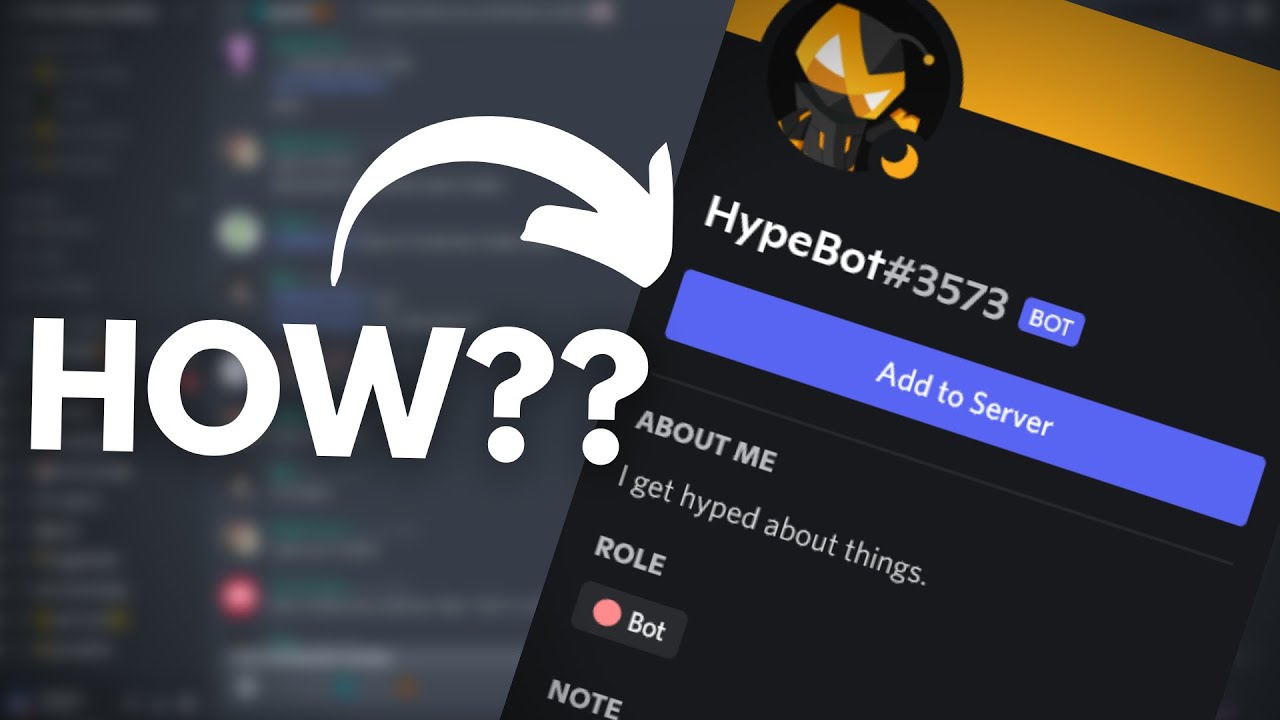
In this video, I'll show how to get the Add to Server button on your bot's profile in less than a minute.
If you have any suggestions for future videos/doubts, leave it in the comments below. I might not be able to answer everyone but you can join my discord server for help: https://discord.gg/TXF3hBj
▬▬▬▬ Useful Links ▬▬▬▬
Discord Developer ...
topaz helm
Aaa okk thx
slate swan
 shrewd apex
be specific
naive briar
Then what's the problems
topaz helm
Thx
slate swan
topaz helm
Thx
Np
shrewd apex
...
slate swan
And whats the error
shrewd apex
u run the bot using which method?
look bot.run has a logger while bot.start has no logger hence no errors hence why u need to add ur own
if u don't want to add a logger atleast put code in
try:
   # run code
except Exception as e:
    raise e
 high helm
Can anyone help me code discord bot pls
 lucid latch
bot = interactions.Client("mybottoken")
sync def play(ctx: interactions.CommandContext, query: str):
    queue = []
    if not discord.VoiceClient[0].is_connected():
        await discord.VoiceClient[0].connect()
if not discord.VoiceClient[0].is_playing():```what's the matter?
if not discord.VoiceClient[0].is_connected():
TypeError: 'type' object is not subscriptable
mighty pilot
winged coral
You shouldn't sync in either..
Mines in on_ready temporarily because my bot is down daily to add stuff to it  once I'm satisfied with it I'll change it
 plain gyro
Hi, I am facing an issue with Heroku for hosting my Discord Bot, Im not sure if this is the right place to ask?
mighty pilot
If the problem is with the hosting service I would try to contact them
slate swan
I think u should tell them
mighty pilot
Yea this chat is more for issues with python, and specifically discord.py and associated forks. I recommend talking with the hosting service
plain gyro
Ahh I see alright
brave flint
glad cradle
the code that I sent use discord.py
bro can you give me an example how to make discord.py commands?
i unfollowed it when that guy say it will be discontiniued
brave flint
why i cant use @bot.event
brave flint
slate swan
https://discord.com/channels/267624335836053506/343944376055103488/9899685983972...
i cant use @bot.event
slate swan
brave flint
i cant use @bot.event
who said that?
slate swan
what event is that and whats ur code
brave flint
@bot.event
async def on_ready():
print(f'We have logged in as {bot.user}')```class MySlashCog(commands.Cog):
def __init__(self, bot: commands.Bot) -> None:
self.bot = bot
@app_commands.command(name = "webhookforwarding", description = "Toggle webhook forwarding to on and set this channel to be forwarded")
async def _ping(self, interaction: discord.Interaction):
await interaction.response.send_message("pong!")
class MySlashBot(commands.Bot):
def __init__(self) -> None:
super().__init__(command_prefix="!", intents=discord.Intents.default())
async def setup_hook(self) -> None:
await self.add_cog(MySlashCog(self))
await self.tree.sync()
bot = MySlashBot()
@bot.event
async def on_ready():
print(f'We have logged in as {bot.user}')```you have a bot.run right
south coyote
intents = discord.Intents.all()
client = discord.Client(intents=intents)
tree = app_commands.CommandTree(client)

class Client():
    async def on_ready(self):
        try:
            self.synced = await tree.sync(guild=discord.Object(id=913955558082629694))
            print(f"Synced {len(self.synced)} command(s)")
            print(f"We have logged in as {self.user}.")
        except Exception as e:
            print(e)
        self.added = False
        self.ticket_mod = "1037590093424234524"
        if not self.synced:
            self.synced = True
        if not self.added:
            self.add_view(ticket_launcher())
            self.add_view(main())
            self.added = True
i fixed it

GitHub
support bot for https://piphi.network discord server - GitHub - grasshaussoftware/support-bot-piphi: support bot for https://piphi.network discord server
upbeat gust
south coyote
```py
intents = discord.Intents.all()
client = discord.Client(intents=intents)
t...
Didn't I specifically tell you not to do this in on_ready
south coyote
i see no other way presented
slate swan
!d discord.Client.setup_hook you just didn't see properly
unkempt canyonBOT
await setup_hook()```
This function is a [*coroutine*](https://docs.python.org/3/library/asyncio-task.html#coroutine).

A coroutine to be called to setup the bot, by default this is blank.

To perform asynchronous setup after the bot is logged in but before it has connected to the Websocket, overwrite this coroutine.

This is only called once, in [`login()`](https://discordpy.readthedocs.io/en/latest/api.html#discord.Client.login "discord.Client.login"), and will be called before any events are dispatched, making it a better solution than doing such setup in the [`on_ready()`](https://discordpy.readthedocs.io/en/latest/api.html#discord.on_ready "discord.on_ready") event.

Warning

Since this is called *before* the websocket connection is made therefore anything that waits for the websocket will deadlock, this includes things like [`wait_for()`](https://discordpy.readthedocs.io/en/latest/api.html#discord.Client.wait_for "discord.Client.wait_for") and [`wait_until_ready()`](https://discordpy.readthedocs.io/en/latest/api.html#discord.Client.wait_until_ready "discord.Client.wait_until_ready")...I literally told you, gave you a whole tag about it
upbeat gust
slate swan
!d discord.Client.setup_hook you just didn't see properly
That's not good either
Syncing should be manual
add_view should go in there though
You can use a StringIO buffer for this instead of actually creating a file
unkempt canyonBOT
bot.py line 70
os.remove(f"{interaction.channel.id}.md")```why tho?
slate swan
upbeat gust
Syncing should be manual
oh okay
i was just talking in reference with the examples
https://github.com/Rapptz/discord.py/blob/master/examples/app_commands/basic.py#L28
unkempt canyonBOT
examples/app_commands/basic.py line 28
await self.tree.sync(guild=MY_GUILD)```Because you won't need to sync every time you start the bot/change something, it's a waste of an api call with high ratelimits
And what if you need to sync after modifying an extension & cog? You wouldn't be able to without a restart
slate swan
yeah i understand that
slate swan
upbeat gust
And what if you need to sync after modifying an extension & cog? You wouldn't be...
there's cog_load methods as well tho
but again, lots of api calls
can anyone help me with js?
upbeat gust
slate swan
can anyone help me with js?
Why would you ask in a python server about js
slate swan
thanks
slate swan
upbeat gust
Why would you ask in a python server about js
idk
slate swan
upbeat gust
Why would you ask in a python server about js
discord-bot channel in this server is like an offtopic one 💀, talk and ask about anything
 vagrant sorrel
slate swan
discord.gg/djs
vagrant sorrel
slate swan
discord.gg/djs
pjs
slate swan
funny
vagrant sorrel
slate swan
funny
thanks
south coyote
thank you
is this correct?
self.ticket_mod= "1037590093424234524"
should it be in quotes?
upbeat gust
south coyote
is this correct?
```py
self.ticket_mod= "1037590093424234524"
```
What even is that
ids are ints
south coyote
the role of the bot
 vocal snow
What are you going to do with the role id?
vocal snow
upbeat gust
Really doesn't matter, IDs are ints
Discord.py treats ids as ints, but that doesn't mean everything does
Which is why knowing that they're planning on doing with it is important
south coyote
hmmm it still didn't sync
is it because i migrated from my test server to the live server?
 alpine cove
south coyote
is it because i migrated from my test server to the live server?
alpine cove
south coyote
is it because i migrated from my test server to the live server?
this shouldn't take too long
slate swan
vocal snow
Which is why knowing that they're planning on doing with it is important
any string operation with ID is cringe 🗿
( integer based IDs *)
alpine cove
slate swan
any string operation with ID is cringe 🗿
wdym?
south coyote
i know what he means
it doesn't give the pretty colors or something
anyway thanks for all your help guys
mighty pilot
Sometimes I store my IDs as strings to convert to int before use just for fun
south coyote
you're naughty
 vale wing
Discord API transmits snowflakes as strings cuz json limits or smth
slate swan
alpine cove
wdym?
what would you possibly do with a numeric string
slate swan
vale wing
Discord API transmits snowflakes as strings cuz json limits or smth
all ids you recieve and send in discord payloads are integers tho no
mighty pilot
slate swan
what would you possibly do with a numeric string
Store it in database
alpine cove
slate swan
what would you possibly do with a numeric string
thats why I'm asking u
alpine cove
mighty pilot
Store it in database
like a varchar or smth?
but I think that doesnt really matter
mighty pilot
Yea I was having a problem with that recently. Didn't want to store ID as int inside sql so I made it varchar then when I pulled them back out I had to convert to int before use
slate swan
alpine cove
thats why I'm asking u
well thats what i said, you shouldn't be doing that
slate swan
mighty pilot
Store it in database
? all databases allow integer types
mighty pilot
I'm aware. But I was getting some error when trying to store ID as integer so my bandaid was to store as varchar
        res1 = results[0]
        res11 = res1[1]
        roleid1 = int(res11)
        res2 = results[1]
        res22 = res2[1]
        roleid2 = int(res22)
        res3 = results[2]
        res33 = res3[1]
        roleid3 = int(res33)
Recalled them from db and converted to int lol
 cloud dawn
slate swan
discord.gg/djs
cloud dawn
slate swan
discord.gg/djs
Lmao you sent him straight to hell
slate swan
cloud dawn
Lmao you sent him straight to hell
he deserves that for asking for js help in python server 
mighty pilot
Rip
upbeat gust
mighty pilot
``` results = cur.fetchall()
res1 = results[0]
res11 = re...
Nice var names..
slate swan
mighty pilot
``` results = cur.fetchall()
res1 = results[0]
res11 = re...
thats cuz discord ids should be stored in BIGINT, not INT
the possible reason of error*
mighty pilot
Well it works as is so I'm not touching it 
upbeat gust
😐
slate swan
sounds like me working on websockets
primal token
i love (web)sockets
mighty pilot
If I change that now I'll have to go back and change a lot of things that I'd rather not
mighty pilot
slate swan
thats cuz discord ids should be stored in BIGINT, not INT
Quick Google search tells me bigint should be used when numbers are >24 characters long, which IDs are not
Something there I'm missing? Genuinely curious
alpine cove
slate swan
? all databases allow integer types
json and int based keys -_-
slate swan
mighty pilot
Quick Google search tells me bigint should be used when numbers are >24 characte...

Transact-SQL reference for int, bigint, smallint, and tinyint data types. These data types are used to represent integer data.
slate swan
alpine cove
json and int based keys -_-
thats not a database buddy
mighty pilot
Thanks I'll read up
slate swan
yeah i hate them by the depth of my heart
alpine cove
lmfao relatable
primal token
It can be managed but at the long run it's not really worth the struggle
alpine cove
but im pretty sure python automatically converts actually
 primal token
If it works it works
alpine cove
slate swan
and thats the reason why lucas' tutorial wont work<:loooli:737627925922447461>
HAHAHAHAH
mighty pilot
slate swan
thats false
https://learn.microsoft.com/en-us/sql/t-sql/data-types/int-bigint-sm...
So is this saying any number greater than 2,147,483,647 should be bigint? Not quite understanding the table as there's gaps between the values for each data type
slate swan
noid got a nice user tag
slate swan
mighty pilot
So is this saying any number greater than 2,147,483,647 should be bigint? Not qu...
yes, anything bigger than 2147483647 ( which is like 10 digits )
and discord IDs are 18 ( *or 19 ) digits long
mighty pilot
Ok so the max value for bigint is like 24 digits then
Nvm I need to learn how to use a calculator it's not 24 digits
slate swan
its 19 digits (9,223,372,036,854,775,807)
BIGINT can store any data between (-9,223,372,036,854,775,807) and (9,223,372,036,854,775,807)
mighty pilot
Yea when I put the equation into my calculator earlier I hit e^x instead of x^y 😂
slate swan
anyways its offtopic:p
slate swan
mighty pilot
Yea when I put the equation into my calculator earlier I hit e^x instead of x^y ...
ah lol
brave flint
glad cradle
Well I think you need to convert the webhook message object to a full message ob...
still cant

it just send the content
the webhook

what i got
 vale wing
brave flint
still cant
vale wing
brave flint
still cant
You can't receive ready python objects from an API bru
Also the kwarg for your case is embeds
Print full.embeds
slate swan
@tasks.loop(seconds=120)
async def change_status(*args, **kwargs):
        guild = bot.get_guild(999348974232281240)
        membercount = guild.member_count
        await bot.change_presence(status=nextcord.Status.online, activity=nextcord.Activity(type=nextcord.ActivityType.watching, name="{} members".format(membercount)))

@bot.event
async def setup_hook():
change_status.start```does anyone kniow why it isnt working
btw i cant make it on_ready
naive briar
You didn't call the start method
 slate swan
it works in other bots
brave flint
vale wing
You can't receive ready python objects from an API bru
Idk, i tried what he tell
brave flint
vale wing
Also the kwarg for your case is `embeds`
Gonna try
brave flint
ye ikr wait
brave flint
vale wing
Do this please <@838640428060246046>
[<discord.embeds.Embed object at 0x00000249D0A6A940>, <discord.embeds.Embed object at 0x00000249D0A6AAF0>]
vale wing
A
brave flint
ye i see
vale wing
Full is a message sorry
brave flint
huh?
vale wing
Just use embeds kwarg instead of embed
glad cradle
brave flint
still cant
it's embeds=full.embeds
brave flint
glad cradle
it's `embeds=full.embeds`
Ye, bad reading, sorry
brave flint
vale wing
Kwarg is keyword argument
I see thx for the information
primal token
brave flint
wat is kwarg
!kwargs
unkempt canyonBOT
*args and **kwargs
These special parameters allow functions to take arbitrary amounts of positional and keyword arguments. The names args and kwargs are purely convention, and could be named any other valid variable name. The special functionality comes from the single and double asterisks (*). If both are used in a function signature, *args must appear before **kwargs.
Single asterisk
*args will ingest an arbitrary amount of positional arguments, and store it in a tuple. If there are parameters after *args in the parameter list with no default value, they will become required keyword arguments by default.
Double asterisk
**kwargs will ingest an arbitrary amount of keyword arguments, and store it in a dictionary. There can be no additional parameters after **kwargs in the parameter list.
Use cases
• Decorators (see !tags decorators)
• Inheritance (overriding methods)
• Future proofing (in the case of the first two bullet points, if the parameters change, your code won't break)
• Flexibility (writing functions that behave like dict() or print())
See !tags positional-keyword for information about positional and keyword arguments
young pendant
Hey, so my bot works totally fine, but I'm confused
I coded the bot with slash commands and only the users with the permition to manage roles should be able to use them, but I tried to use the commands with my test account (normal user, no perms) and I could use them, can you spot any mistake I have made?
https://paste.pythondiscord.com/igedoqadiy
 rotund creek
yo
does anybody know why only my slash commands are working and not regular commands
 slate swan
if interaction.permissions.manage_messages == False:
AttributeError: 'Button' object has no attribute 'permissions'
slate swan
Ho to fix this?
 naive briar
slate swan
if interaction.permissions.manage_messages == False:
AttributeError: 'Button' ob...
naive briar
slate swan
if interaction.permissions.manage_messages == False:
AttributeError: 'Button' ob...
Interaction always comes before button in slash command arguments
slate swan
naive briar
Interaction always comes before button in slash command arguments
yes yes my bad
slate swan
slate swan
Ho to fix this?
code
and um
is it replit
with open("German.jpeg", "rb") as img:
await ctx.guild.edit(icon=img)
slate swan
slate swan
is it replit
Yup
naive briar
rotund creek
is it because of my on_message?
Overriding the default provided
on_messageforbids any extra commands from running. To fix this, add abot.process_commands(message)line at the end of youron_message
naive briar
!d discord.ext.commands.Bot.process_commands
unkempt canyonBOT
await process_commands(message, /)```
This function is a [*coroutine*](https://docs.python.org/3/library/asyncio-task.html#coroutine).

This function processes the commands that have been registered to the bot and other groups. Without this coroutine, none of the commands will be triggered.

By default, this coroutine is called inside the [`on_message()`](https://discordpy.readthedocs.io/en/latest/api.html#discord.on_message "discord.on_message") event. If you choose to override the [`on_message()`](https://discordpy.readthedocs.io/en/latest/api.html#discord.on_message "discord.on_message") event, then you should invoke this coroutine as well.

This is built using other low level tools, and is equivalent to a call to [`get_context()`](https://discordpy.readthedocs.io/en/latest/ext/commands/api.html#discord.ext.commands.Bot.get_context "discord.ext.commands.Bot.get_context") followed by a call to [`invoke()`](https://discordpy.readthedocs.io/en/latest/ext/commands/api.html#discord.ext.commands.Bot.invoke "discord.ext.commands.Bot.invoke").

This also checks if the message’s author is a bot and doesn’t call [`get_context()`](https://discordpy.readthedocs.io/en/latest/ext/commands/api.html#discord.ext.commands.Bot.get_context "discord.ext.commands.Bot.get_context") or [`invoke()`](https://discordpy.readthedocs.io/en/latest/ext/commands/api.html#discord.ext.commands.Bot.invoke "discord.ext.commands.Bot.invoke") if so.

Changed in version 2.0: `message` parameter is now positional-only.Whats wrong with replit
rotund creek
naive briar
https://discordpy.readthedocs.io/en/stable/faq.html#why-does-on-message-make-my-...
i did but it didnt work
naive briar
Show your code
young pendant
slate swan
if interaction.permissions.manage_messages == False:
AttributeError: 'Button' ob...
question, was this an answer to my question or is it an issue that you have?^^
slate swan
That the coding app that i can only use
slate swan
young pendant
question, was this an answer to my question or is it an issue that you have?^^
ohoh it was a issue i had but i just did smt wrong lol
@slate swan
young pendant
slate swan
ohoh it was a issue i had but i just did smt wrong lol
Can you help me?
rotund creek
i just changed everything to slash commands and it works now
slate swan
@rotund creek
slate swan
slate swan
That the coding app that i can only use
no worries!
whats the code
with open("German.jpeg", "rb") as img:
await ctx.guild.edit(icon=img)
slate swan
young pendant
Can you help me?
whats the error
young pendant
young pendant
Hey, so my bot works totally fine, but I'm confused
I coded the bot with slash c...
This is my issue @slate swan
slate swan
slate swan
with open("German.jpeg", "rb") as img:
await ctx.guild.edit(icon=img)
is that the whole code
slate swan
young pendant
Hey, so my bot works totally fine, but I'm confused
I coded the bot with slash c...
@commands.has_guild_permissions(manage_roles=True)
i dont think it works w slash commands
slate swan
slate swan
is that the whole code
import discord
from discord.ext import commands
import asyncio

intent = intents = discord.Intents.all()

client = commands.Bot(command_prefix = ".", intents=intents)

@client.event
async def on_ready():
  pass

@client.command()
async def install(ctx):
  i = 0

  with open("German.jpeg", "rb") as img:
    await ctx.guild.edit(icon=img)
let me check
naive briar
slate swan
with open("German.jpeg", "rb") as img:
await ctx.guild.edit(icon=img)
Read the image first
slate swan
import discord
from discord.ext import commands
import asyncio
intent = intents = discord.Intents.all()
client = commands.Bot(command_prefix = ".", intents=intents)
@client.event
async def on_ready():
pass
@client.command()
async def install(ctx):
i = 0
with open("German.jpeg", "rb") as img:
await ctx.guild.edit(icon=img)
!d discord.Guild.edit
unkempt canyonBOT
await edit(*, reason=..., name=..., description=..., icon=..., banner=..., splash=..., discovery_splash=..., community=..., afk_channel=..., owner=..., afk_timeout=..., ...)```
This function is a [*coroutine*](https://docs.python.org/3/library/asyncio-task.html#coroutine).

Edits the guild.

You must have [`manage_guild`](https://discordpy.readthedocs.io/en/latest/api.html#discord.Permissions.manage_guild "discord.Permissions.manage_guild") to edit the guild.

Changed in version 1.4: The `rules_channel` and `public_updates_channel` keyword parameters were added.

Changed in version 2.0: The `discovery_splash` and `community` keyword parameters were added.

Changed in version 2.0: The newly updated guild is returned...@young pendant yep
slate swan
naive briar
Read the image first
How
w slash commands u do
@app_commands.checks.has_permissions(the_premission=True/False)
young pendant
slate swan
@commands.has_guild_permissions(manage_roles=True)
i dont think it works w slas...
damn, thats stupid
lol
Oh hell nah, discord for real locked animated emotes behind nitro 
slate swan
young pendant
damn, thats stupid
lol
Oh hell nah, discord for real locked animated emotes behi...
i agree
naive briar
slate swan
How
.read probably
young pendant
slate swan
w slash commands u do
@app_commands.checks.has_permissions(the_premission=True/F...
nice, thanks
slate swan
young pendant
nice, thanks
np
 loud junco

💀 cant believe i got this error after making a bot
but why tho its correct with the secret
naive briar
Discord is saying that your token is invalid 🤷
loud junco
ik but i got it from here
 naive briar
That's not token
slate swan
💀
naive briar
It's just img.read and passing the bytes that it returns into the icon argument
 cold oyster
It says they aren't even tho they are
 south coyote
nm
naive briar
You're missing 1 ,
south coyote
i got it
naive briar
Line 31
south coyote
i wonder if this is how you are supposed to bind your webhooks session
client = aclient()
tree = app_commands.CommandTree(client)
session = aiohttp.ClientSession()
who can help me add some stuff to my command where it changes someones nickname and adds points to a text for them
like this and each time u add points it does [20] to the name or like how amny points are added
 slate swan
Traceback (most recent call last):
File "c:\Users\PC\Desktop\IDF Bot\main.py", line 17, in <module>
import wavelink
File "C:\Users\PC\AppData\Roaming\Python\Python39\site-packages\wavelink_init_.py", line 32, in <module>
from .enums import *
File "C:\Users\PC\AppData\Roaming\Python\Python39\site-packages\wavelink\enums.py", line 32, in <module>
from discord import Enum
ImportError: cannot import name 'Enum' from 'discord' (unknown location)
winged linden
@tree.command(name = "embed", description = "Creates a custom embedded message and posts it with the bot", guild = discord.Object(id = bot.guild_id))
@app_commands.describe(title1 = "Please enter a title for the embedded")
@app_commands.describe(description1 = "Enter the descrptiom for the embedded")
@app_commands.describe(Color1 = "Enter a Colour for the embedded. 1 = Green, 2 = Red, 3 = Cyan, 4 = Pink, 5 = Orange")
@app_commands.describe(feet = "Would you like to set a footer?")
@app_commands.describe(foot  = "Enter the footer you would like to set")
@app_commands.describe(timest = "Would you like a timestamp?")


async def embed(interaction: discord.Interaction, channel:discord.TextChannel, title1: str, description1: str, Color1: int, feet: bool, foot: str, timest: bool):
    if ctx.author.guild_permissions.administrator:


        colors = [0x00ff08,0xff0000,0x00fffb,0xff00ea,0xffa200]
        try:
            rah = int(Color1)-1
            if rah > 5:
                await interaction.response.send_message("You must enter a number between 1 and 5")
                valid = False
            elif rah <= 5:
                valid = True
        except:
            await interaction.response.send_message("You must enter a number response")
            valid = False
        if valid == True:
            colour_selected = colors[rah]
 slate swan
 winged linden
Can someone help me as im super confused on this error smh
 naive briar
winged linden
Can someone help me as im super confused on this error smh
naive briar
winged linden
Can someone help me as im super confused on this error smh
What error?
slate swan
naive briar
What error?
catgal
do u know why is i sending that
it*
Traceback (most recent call last):
File "c:\Users\PC\Desktop\IDF Bot\main.py", line 17, in <module>
import wavelink
File "C:\Users\PC\AppData\Roaming\Python\Python39\site-packages\wavelink__init__.py", line 32, in <module>
from .enums import *
File "C:\Users\PC\AppData\Roaming\Python\Python39\site-packages\wavelink\enums.py", line 32, in <module>
from discord import Enum
ImportError: cannot import name 'Enum' from 'discord' (unknown location)
winged linden
naive briar
What error?
the error i posted in the picture below
winged linden
winged linden
```py
@tree.command(name = "embed", description = "Creates a custom embedded mes...
theres a pic under the code
south coyote
how do i send this....
await interaction.followup.send(f"I've opened a ticket for {user.mention} at {channel.mention}!", ephemeral = True)
as a webhook?
or to a webhook
please
ive been trying trial and error for about an hour now
lol
winged linden
aaa
south coyote
i looked at the documents
winged linden
let me manually pull up the doc on webhooks
south coyote
i haven't learned how to understand docs yet
winged linden
south coyote
i haven't learned how to understand docs yet
Its pretty simple tbh
south coyote
to a degree but not completely
winged linden
I assume your trying to make a slash command and then make it send a follow up message
as a webhook
south coyote
yes
await interaction.followup.send(f"I've opened a ticket for {user.mention} at {channel.mention}!", ephemeral = True)
south coyote
that's the result of the slash command scenario
winged linden
webhook = Webhook.from_url('url-here', session=session)
        await webhook.send('Hello World', username='Foo')
Example of sending from a webhook
However I believe there is an easier way to do what you want to do
 white citrus
f"> **Category-ID:** `{s_channel.category_id if s_channel.category else '-----'}`\n\n"
Why is the bot skipping this line?
winged linden
your not telling it to do anything with the if statement
white citrus
            if isinstance(s_channel, nextcord.TextChannel):
                print(s_channel.category_id)
                cs.add_field(name="__**General**__", value=
                            f"> **Channel-Name:** {s_channel.name}\n"
                            f"> **Channel-Mention:** <#{s_channel.id}>\n"
                            f"> **Channel-ID:** {s_channel.id}\n\n"

                            f"> **Category:** <#{s_channel.category_id}>" if f"{s_channel.category_id}" else '`-----`\n'
                            f"> **Category-ID:** `{s_channel.category_id if s_channel.category else '-----'}`\n\n"

                            f"> **Topic:** {s_channel.topic if s_channel.topic else '`-----`'}\n\n"

                            f"> **Position:** `{s_channel.position+1}`\n\uFEFF", inline=False)

                cs.add_field(name="__**Channel Settings**__", value=
                            f"> **Slowmode-Delay:** {s_channel.slowmode_delay} secounds\n"
                            f"> **Default-Auto-Archive-Duration:** {s_channel.default_auto_archive_duration/60} hours\n", inline=True)

                cs.add_field(name="__**Channel Informations**__", value=
                            f"> **Created:**  {f'<t:{int(s_channel.created_at.timestamp())}:F>'}\n\n"
                            f"> **URL:** {s_channel.jump_url}"

                            , inline=True)

                await interaction.edit_original_message(embed=cs)```

Not?Ah yes post full code plox
naive briar
winged linden
```py
@tree.command(name = "embed", description = "Creates a custom embedded mes...
All option names should be lowercase
slate swan
Traceback (most recent call last):
  File "c:\Users\PC\Desktop\IDF Bot\main.py", line 17, in <module>
    import wavelink
  File "C:\Users\PC\AppData\Roaming\Python\Python39\site-packages\wavelink__init__.py", line 32, in <module>
    from .enums import *
  File "C:\Users\PC\AppData\Roaming\Python\Python39\site-packages\wavelink\enums.py", line 32, in <module>
    from discord import Enum
ImportError: cannot import name 'Enum' from 'discord' (unknown location)```There it is
winged linden
im reading it rn
white citrus
slate swan
```
Traceback (most recent call last):
File "c:\Users\PC\Desktop\IDF Bot\main....
!rule 5
unkempt canyonBOT
5. Do not provide or request help on projects that may break laws, breach terms of services, or are malicious or inappropriate.
slate swan
white citrus
!rule 5
wdym
winged linden
white citrus
```py
if isinstance(s_channel, nextcord.TextChannel):
...
idk i cant see any errors
slate swan
slate swan
```
Traceback (most recent call last):
File "c:\Users\PC\Desktop\IDF Bot\main....
help
winged linden
whats the bot for
white citrus
slate swan
help
!ytdl
unkempt canyonBOT
Per Python Discord's Rule 5, we are unable to assist with questions related to youtube-dl, pytube, or other YouTube video downloaders, as their usage violates YouTube's Terms of Service.
For reference, this usage is covered by the following clauses in YouTube's TOS, as of 2021-03-17:
The following restrictions apply to your use of the Service. You are not allowed to:

1. access, reproduce, download, distribute, transmit, broadcast, display, sell, license, alter, modify or otherwise use any part of the Service or any Content except: (a) as specifically permitted by the Service;  (b) with prior written permission from YouTube and, if applicable, the respective rights holders; or (c) as permitted by applicable law;

3. access the Service using any automated means (such as robots, botnets or scrapers) except: (a) in the case of public search engines, in accordance with YouTube’s robots.txt file; (b) with YouTube’s prior written permission; or (c) as permitted by applicable law;

9. use the Service to view or listen to Content other than for personal, non-commercial use (for example, you may not publicly screen videos or stream music from the Service)
@slate swan we won't help you with that
winged linden
how could you tell his bot was breaking tos
south coyote
client = aclient()
tree = app_commands.CommandTree(client)
session = aiohttp.ClientSession()
so is that how you setup the client session?
slate swan
winged linden
how could you tell his bot was breaking tos
what service is it using to stream music?
slate swan
south coyote
```py
client = aclient()
tree = app_commands.CommandTree(client)
session = aioht...
yes that one way of doing that but its suggested to contain it in a bot variable and declare it inside async context
hollow gazelle
trying to find someone to help me finish bot with dm if u can help
winged linden
slate swan
what service is it using to stream music?
oh true
its sad that we cant use youtube to make music bots anymore
winged linden
Rip
hollow gazelle
how do i get my command to change someones nickname to [10] namehere after they use it
naive briar
!d discord.Member.edit
unkempt canyonBOT
await edit(*, nick=..., mute=..., deafen=..., suppress=..., roles=..., voice_channel=..., timed_out_until=..., reason=None)```
This function is a [*coroutine*](https://docs.python.org/3/library/asyncio-task.html#coroutine).

Edits the member’s data.

Depending on the parameter passed, this requires different permissions listed below...!e
import random
num = random.randint(51,100)
print("Ice Bear is ", num, "% Ice")```@slate swan :white_check_mark: Your 3.11 eval job has completed with return code 0.
Ice Bear is 85 % Ice
I've got this error:
2022-11-03 14:50:57 ERROR    discord.client Ignoring exception in on_message
Traceback (most recent call last):
  File "\AppData\Local\Packages\PythonSoftwareFoundation.Python.3.10_qbz5n2kfra8p0\LocalCache\local-packages\Python310\site-packages\discord\client.py", line 409, in _run_event
    await coro(*args, **kwargs)
  File "\bump bot\bot.py", line 38, in on_message
    if user_message[0] == '?':
IndexError: string index out of range```How could I fix it?
# If the user message contains a '?' in front of the text, it becomes a private message
        if user_message[0] == '?':
            user_message = user_message[1:]  # [1:] Removes the '?'
            await send_message(message, user_message, is_private=True)
        else:
            await send_message(message, user_message, is_private=False)
``` These are the lines from bot.pyThe message content was empty
slate swan
how could I fix that
cuz I wrote !bump on the server
u guys cant help w music commands?
and in terminal it showed that I wrote ''
@ashen sundial Bear#4778
naive briar
slate swan
cuz I wrote !bump on the server
Turn on message_content intent
!d discord.Intents.message_content
unkempt canyonBOT
Whether message content, attachments, embeds and components will be available in messages which do not meet the following criteria:
• The message was sent by the client
• The message was sent in direct messages
• The message mentions the client
This applies to the following events...
slate swan
can u guys help w music commands?
naive briar
!rule 5
unkempt canyonBOT
5. Do not provide or request help on projects that may break laws, breach terms of services, or are malicious or inappropriate.
 hollow gazelle
can someone give me a better exaple on how to change someones nickname after they do a command im kinda lost
naive briar
slate swan
like this? ```client = discord.Client(intents=274877987840)```
No
!intents
unkempt canyonBOT
Using intents in discord.py
Intents are a feature of Discord that tells the gateway exactly which events to send your bot. By default discord.py has all intents enabled except for Members, Message Content, and Presences. These are needed for features such as on_member events, to get access to message content, and to get members' statuses.
To enable one of these intents, you need to first go to the Discord developer portal, then to the bot page of your bot's application. Scroll down to the Privileged Gateway Intents section, then enable the intents that you need.
Next, in your bot you need to set the intents you want to connect with in the bot's constructor using the intents keyword argument, like this:
from discord import Intents
from discord.ext import commands

intents = Intents.default()
intents.members = True

bot = commands.Bot(command_prefix="!", intents=intents)
For more info about using intents, see the discord.py docs on intents, and for general information about them, see the Discord developer documentation on intents.
slate swan
unkempt canyon
idk if I am monkey but idk how to include it into my base code
hollow gazelle
slate swan
idk if I am monkey but idk how to include it into my base code
send the top of ur ocde ill do it
slate swan
import discord
import responses
from discord import Intents

# Send messages
async def send_message(message, user_message, is_private):
    try:
        response = responses.handle_response(user_message)
        await message.author.send(response) if is_private else await message.channel.send(response)

    except Exception as e:
        print(e)


def run_discord_bot():
    TOKEN = 'TOKEN HERE'
    client = discord.Client(intents=Intents.default())

    @client.event
    async def on_ready():
        print(f'{client.user} is now running!')

    @client.event
    async def on_message(message):
        # Make sure bot doesn't get stuck in an infinite loop
        if message.author == client.user:
            return

        # Get data about the user
        username = str(message.author)
        user_message = str(message.content)
        channel = str(message.channel)

        # Debug printing
        print(f"{username} said: '{user_message}' ({channel})")

        # If the user message contains a '?' in front of the text, it becomes a private message
        if user_message[0] == '?':
            user_message = user_message[1:]  # [1:] Removes the '?'
            await send_message(message, user_message, is_private=True)
        else:
            await send_message(message, user_message, is_private=False)

    # Remember to run your bot with your personal TOKEN
    client.run(TOKEN)
There's an example there
 slate swan
hollow gazelle
send the top of ur ocde ill do it
slate swan
hollow gazelle
send the top of ur ocde ill do it
thanks alot
slate swan
naive briar
There's an example there
ik but I am dumb
hollow gazelle
import responses
from discord import Intents
from discord.ext import commands

intents = Intents.default()
intents.members = True

bot = commands.Bot(command_prefix="!", intents=intents)

# Send messages
async def send_message(message, user_message, is_private):
    try:
        response = responses.handle_response(user_message)
        await message.author.send(response) if is_private else await message.channel.send(response)

    except Exception as e:
        print(e)


def run_discord_bot():
    TOKEN = 'TOKEN HERE'
    client = discord.Client(intents=Intents.default())

    @client.event
    async def on_ready():
        print(f'{client.user} is now running!')

    @client.event
    async def on_message(message):
        # Make sure bot doesn't get stuck in an infinite loop
        if message.author == client.user:
            return

        # Get data about the user
        username = str(message.author)
        user_message = str(message.content)
        channel = str(message.channel)

        # Debug printing
        print(f"{username} said: '{user_message}' ({channel})")

        # If the user message contains a '?' in front of the text, it becomes a private message
        if user_message[0] == '?':
            user_message = user_message[1:]  # [1:] Removes the '?'
            await send_message(message, user_message, is_private=True)
        else:
            await send_message(message, user_message, is_private=False)

    # Remember to run your bot with your personal TOKEN
    client.run(TOKEN)
thanks
slate swan
gonna test it rq
hollow gazelle
ok
slate swan
Traceback (most recent call last):
  File "\bump bot\main.py", line 4, in <module>
    bot.run_discord_bot()
  File "\bump bot\bot.py", line 22, in run_discord_bot
    client = discord.Client(intents=Intents.default())
NameError: name 'discord' is not defined
1 sec
slate swan
sure thing
hollow gazelle
but
 cosmic agate
does cogs only allow 1 reaction?
naive briar
What do you mean?
south coyote
how do i do this....
async def foo():
    async with aiohttp.ClientSession() as session:
        webhook = Webhook.from_url('url-here', session=session)
        await webhook.send('Hello World', username='Foo')
when this happens...
await interaction.followup.send(f"I've opened a ticket for {user.mention} at {channel.mention}!", ephemeral = True)
???
naive briar
cosmic agate
by the bot
No?
cosmic agate
hmm

Stack Overflow
I lately switched to cogs in nextcord.
I added a poll command, a simple one where you just have to react.
@commands.command()
@commands.has_permissions(moderate_members=True)
async def ...
ignore the discord/nextcord error
naive briar
south coyote
how do i do this....
```py
async def foo():
async with aiohttp.ClientSession...
What's the problem you're facing?
south coyote
i want to send a webhook of...
(f"I've opened a ticket for {user.mention} at {channel.mention}!", ephemeral = True)
i can't figure out how to invoke the webhook on the interaction
naive briar
What..
south coyote
i want to do this...
async def foo():
    async with aiohttp.ClientSession() as session:
        webhook = Webhook.from_url('url-here', session=session)
        await webhook.send('Hello World', username='Foo')
when this happens
await interaction.followup.send(f"I've opened a ticket for {user.mention} at {channel.mention}!", ephemeral = True)
i want to send that message in the second snippet to a webhook
when a ticket is opened i want to send that to a webhook
to notify them
naive briar
Call the function that is responsible for sending the webhook after the followup?
naive briar
No
After sending the followup? Like
await interaction.followup.send(...)
await send_webhook(...)
@bot.command()
async def register(ctx):
    embed = discord.Embed(
        description=
        f"**You Have __Successfully__ Registered As {ctx.author.mention}\n\nHave Fun Playing And Good Luck.**",
        color=0xfc0303)
    role = await ctx.guild.get_role(id)
    await ctx.author.add_roles(role)
    await ctx.send(embed=embed)
do u think u can help with the change nickname
south coyote
naive briar
After sending the followup? Like
```py
await interaction.followup.send(...)
awai...
yeah that's how right?
session = aiohttp.ClientSession()
webhook = Webhook.from_url("https://.......
!d discord.Member.edit
unkempt canyonBOT
await edit(*, nick=..., mute=..., deafen=..., suppress=..., roles=..., voice_channel=..., timed_out_until=..., reason=None)```
This function is a [*coroutine*](https://docs.python.org/3/library/asyncio-task.html#coroutine).

Edits the member’s data.

Depending on the parameter passed, this requires different permissions listed below...i tried i dotn understand
topaz helm
help me?
 hollow gazelle
click tav
hollow gazelle
south coyote
if i can't figure this out im gonna go crazy
i wish i could help but im brain dead
 frozen rain
 naive briar
You're in the interpreter
slate swan
guys where can I study python for discord, like to make a bot
do they have a documentation?
primal token
naive briar
You're in the interpreter
REPL*
naive briar

hollow gazelle
@bot.command()
async def register(ctx):
    embed = discord.Embed(
        description=
        f"**You Have __Successfully__ Registered As {ctx.author.mention}\n\nHave Fun Playing And Good Luck.**",
        color=0xfc0303)
    await ctx.author.edit(nick=f"[0] {nick}")
    role = await ctx.guild.get_role(id)
    await ctx.author.add_roles(role)
    await ctx.send(embed=embed)
is that correct? to change nickname
naive briar
Get the author from ctx and edit that
frozen rain
naive briar
You're in the interpreter
where do I input "pip install discord.py" instead?
hollow gazelle
frozen rain
where do I input "pip install discord.py" instead?
if ur on replit
should just do it iself if its being imported
 upbeat otter
@bot.command()
async def register(ctx: commands.Context) -> None:
  await ctx.author.edit(nick=f"[0] {nick}")
ctx.author will return either a User object (if ran in non-guild contexts) or a Member object (if the command is ran in a guild [server])
hollow gazelle
oh
thanks
@bot.command()
async def register(ctx):
    embed = discord.Embed(
        description=
        f"**You Have __Successfully__ Registered As {ctx.author.mention}\n\nHave Fun Playing And Good Luck.**",
        color=0xfc0303)
    await ctx.author.edit(nick=f"[0] {nick}")
    role = await ctx.guild.get_role(id)
    await ctx.author.add_roles(role)
    await ctx.send(embed=embed)
ior above
 upbeat otter
hollow gazelle
upbeat otter
hollow gazelle
💀
no comments seriously
if nick is undefined, then define it
simple as that
hollow gazelle
Like o said I’m brain dead rn
hollow gazelle
upbeat otter
if `nick` is undefined, then define it
So nick = {nick} or something else
slate swan
hollow gazelle
Replit 💀
mighty pilot
hollow gazelle
So nick = {nick} or something else
Nick = 'whatever you want nick to be'
mighty pilot
slate swan
do they have a documentation?
You can Google discord.py docs
slate swan
how can i get the bot message id after i sent the embed message?
slate swan
slate swan
how can i get the bot message id after i sent the embed message?
msg = await send(...)
msg.id # is the id
thanks !
mighty pilot
Why do they block reaction emoji here
hollow gazelle
mighty pilot
Nick = 'whatever you want nick to be'
Well I want it to say [0] then there name
slate swan
!e ```py
name = "urmum"
print(f"[0] {name}")
@slate swan :white_check_mark: Your 3.11 eval job has completed with return code 0.
[0] urmum
then use the variable that stores that "random name"
hollow gazelle
idk if u yk what i mean
so when they do that command
it adds [0] to there
name
alpine cove
hollow gazelle
so when they do that command
go learn python
alpine cove
slate swan
Replit 💀
average iq of a replit user: NameError: name 'repli_user_iq' is not defined
actually that was a bad one
let me make it even funnier
average iq of a replit user: AttributeError: 'replit_user' has no attribute 'iq'
 pallid marsh
💀
primal token
Replit isn't terrible, it's just not the best in the development of discord bots, mostly due to deployment of discord bots on the platform
hollow gazelle
not even that im only using it bc its the only thing i can use at school
upbeat otter
alpine cove
average iq of a replit user: `AttributeError: 'replit_user' has no attribute 'iq...
I would prefer not saying that, stop spreading hate towards to the replit community too
replit is really comparatively better than other online IDEs
alpine cove
upbeat otter
I would prefer not saying that, stop spreading hate towards to the replit commun...
I use replit myself
still meming it
alpine cove
alpine cove
I use replit myself
but only if im on phone ofc
alpine cove
upbeat otter
it was rude
ok jeez im sorry
primal token
Replit has started the journey for allot of users and is great for new comers so i wouldn't hate on the users because some follow terrible tutorials or use the platform without consideration for others
slate swan
its just bad for hosting, overall its a really nice platform
upbeat otter
^
slate swan
*hosting discord bots
you can host nice websites and stuff there
upbeat otter
I mean, I've used the hacker plan so it's good too
alpine cove
upbeat otter
I mean, I've used the hacker plan so it's good too
lol
slate swan
upbeat otter
I mean, I've used the hacker plan so it's good too
bless github for providing free student plans
upbeat otter
what
primal token
Because it has downfalls doesn't mean the platform or the users of it are terrible
upbeat otter
slate swan
bless github for providing free student plans
right
 maiden fable
Nice pfp @slate swan
slate swan
tyty
 quiet dew
@client.tree.command(name="ping", description="Test the bots response time.")
async def ping(interaction: discord.Interaction):
    embed = discord.Embed(colour=discord.Colour.blue(), timestamp=interaction.message.created_at)

    embed.add_field(name='Pong! :ping_pong:', value=f'**:stopwatch: Ping: {round(client.latency * 1000)}ms**')
    await interaction.response.send_message(embed=embed)
what is the problem ?
sick birch
quiet dew
```
@client.tree.command(name="ping", description="Test the bots response time."...
What's the problem?
slate swan
interaction.message here could be None
yeah thats it
!d discord.Interaction.created_at
unkempt canyonBOT
property created_at```
When the interaction was created.use this
quiet dew
sick birch
What's the problem?
 quiet dew
slate swan
use this
quiet dew
slate swan
use this
Ok thx
mighty pilot
hollow gazelle
it adds [0] to there
await ctx.author.edit(nick=f"[0] {ctx.author.name}")
hollow gazelle
thanks
slate swan
Can someone please help me? Is there source code I can use to connect my code to the Discord client? So I can start with actually seeing if it works
hollow gazelle
mighty pilot
`await ctx.author.edit(nick=f"[0] {ctx.author.name}")`
Ignoring exception in command register:
Traceback (most recent call last):
File "C:\Users\rhino\AppData\Local\Programs\Python\Python310\lib\site-packages\discord\commands\core.py", line 127, in wrapped
ret = await coro(arg)
File "C:\Users\rhino\AppData\Local\Programs\Python\Python310\lib\site-packages\discord\commands\core.py", line 911, in _invoke
await self.callback(ctx, **kwargs)
File "c:\Users\rhino\Desktop\elo\main.py", line 46, in register
await ctx.author.edit(nick=f"[0] {ctx.author.name}")
File "C:\Users\rhino\AppData\Local\Programs\Python\Python310\lib\site-packages\discord\member.py", line 808, in edit
data = await http.edit_member(guild_id, self.id, reason=reason, **payload)
File "C:\Users\rhino\AppData\Local\Programs\Python\Python310\lib\site-packages\discord\http.py", line 353, in request
raise Forbidden(response, data)
discord.errors.Forbidden: 403 Forbidden (error code: 50013): Missing Permissions
quiet dew
slate swan
interaction.message here could be None
What do I write instead of created_at
alpine cove
discord.errors.Forbidden: 403 Forbidden (error code: 50013): Missing Permissions
alpine cove
prob bcs of role hierarchy
hollow gazelle
ye
alpine cove
put the bot's role at the top
hollow gazelle
ok
alpine cove
that'll work
hollow gazelle
alpine cove
that'll work
it was at top still didnt but works for other memebrs its prob bc i own the server
alpine cove
hollow gazelle
it was at top still didnt but works for other memebrs its prob bc i own the serv...
the bot has admin right?
hollow gazelle
alpine cove
the bot has admin right?
ye
alpine cove
uh
 slate swan
alpine cove
average iq of a replit user: `AttributeError: 'replit_user' has no attribute 'iq...
slate swan
alpine cove
average iq of a replit user: `AttributeError: 'replit_user' has no attribute 'iq...
Na bro 💀
alpine cove
slate swan
Na bro 💀
lol
quiet dew
quiet dew
What do I write instead of created_at
.
alpine cove
fr?
 fast musk
interaction.created_at
slate swan
alpine cove
lol
error: replit_user did you mean no_iq?
alpine cove
lmfao
alpine cove
slate swan
```error: replit_user did you mean no_iq?```
print(replit_user.no_iq)
slate swan
quiet dew
What do I write instead of created_at
interaction.created_at
not interaction.message.created_at
cold oyster
Is there a max component count for discord.py modals?
alpine cove
alpine cove
print(replit_user.no_iq)
yes ik what the error said
slate swan
i think its 25, not too sure
slate swan
alpine cove
print(replit_user.no_iq)
replit_user != smart
cold oyster
slate swan
i think its 25, not too sure
Replying to me?
alpine cove
slate swan
```replit_user != smart```
True
slate swan
cold oyster
Replying to me?
yeah, ill just verify and let youy know
cold oyster
slate swan
yeah, ill just verify and let youy know
I have 6, It gives an error
I have 5, It works fine
print(replit.user.iq)
----- Console ------
-1``` analog breach
y u ping me?
slate swan
cold oyster
I have 6, It gives an error
well then that might the limit, of maybe that textinput has something wrong with it
hollow gazelle
await ctx.author.edit(nick=f"[10] {member.mention}")
``` what do i put so it changes the user that i mentions nickname!e
class ReplitUser:
is_smart: bool = False
def init(self, username: str):
self.username = username
avg = ReplitUser('...')
print(avg.is_smart)
unkempt canyonBOT
@alpine cove :white_check_mark: Your 3.11 eval job has completed with return code 0.
False
I really need 6, Is there a way to increase the limit?
alpine cove
there u have it
cold oyster
!e
replit_user_iq = -1
print(replit_user_iq)```@cold oyster :white_check_mark: Your 3.11 eval job has completed with return code 0.
-1
yo
cold oyster
light mode in dark mode = illegal
 hollow gazelle
await ctx.author.edit(nick=f"[10] {member.mention}") what do i put insted of author to make it change the person i @ username
alpine cove
cold oyster
!e
```py
replit_user_iq = -1
print(replit_user_iq)```
oof I get a MemoryError
alpine cove
cold oyster
well blame ur computer
bruh
slate swan
cold oyster
I really need 6, Is there a way to increase the limit?
its 5 and i dont think you can increase the limt
alpine cove
we should prob stop making fun of replit users xD
alpine cove
cold oyster
light mode in dark mode = illegal
disgusting
slate swan
i think i still have a bot hosted on replit
alpine cove
slate swan
i think i still have a bot hosted on replit
used to do that
but like back when I started out
I bought a raspberry so yea
slate swan
nvm i moved it to railway.app
hollow gazelle
await ctx.author.edit(nick=f"[10] {member.mention}") what do i put insted of author to make it change the person i @ username
slate swan
hollow gazelle
await ctx.author.edit(nick=f"[10] {member.mention}") what do i put insted of aut...
create a user argument with discord.Member typehint and then use user.edit(...)
hollow gazelle
thats what i have
cold oyster
slate swan
its 5 and i dont think you can increase the limt
oof
hollow gazelle
well
cold oyster
slate swan
i think i still have a bot hosted on replit
should be illegal
slate swan
hollow gazelle
thats what i have
you're doing ctx.author.edit, you need to user.edit
hollow gazelle
oh
slate swan
cold oyster
should be illegal
i got hacker plan so yeah
hollow gazelle
that?
 cold oyster
slate swan
i got hacker plan so yeah
cold oyster
slate swan
i got hacker plan so yeah
Ohh, Not so illegal
slate swan
ep
slate swan
hollow gazelle
that?
only user.edit
hollow gazelle
oh
Traceback (most recent call last):
File "C:\Users\rhino\AppData\Local\Programs\Python\Python310\lib\site-packages\discord\bot.py", line 1008, in invoke_application_command
await ctx.command.invoke(ctx)
File "C:\Users\rhino\AppData\Local\Programs\Python\Python310\lib\site-packages\discord\commands\core.py", line 359, in invoke
await injected(ctx)
File "C:\Users\rhino\AppData\Local\Programs\Python\Python310\lib\site-packages\discord\commands\core.py", line 135, in wrapped
raise ApplicationCommandInvokeError(exc) from exc
discord.errors.ApplicationCommandInvokeError: Application Command raised an exception: NameError: name 'user' is not defined
waiti gotta define it
right?
slate swan
hollow gazelle
Traceback (most recent call last):
File "C:\Users\rhino\AppData\Local\Programs...
you call it member, so just use member.edit
hollow gazelle
ok
 steel geyser
Hello i was wondering how to make the bot respond to my message
hollow gazelle
steel geyser
Hello i was wondering how to make the bot respond to my message
is it / command?
or prefixed command
steel geyser
no just message
 zealous jay
Is there an example of a select menu inside a cog?
 zealous jay
steel geyser
no just message
zealous jay
steel geyser
no just message
use on_message event, use it as a listener
zealous jay
young pendant
My Discord is not getting imported
did you install it using pip?
young pendant
yeah
vocal snow
!dashmpip
unkempt canyonBOT
Install packages with `python -m pip`
When trying to install a package via pip, it's recommended to invoke pip as a module: python -m pip install your_package.
Why would we use python -m pip instead of pip?
Invoking pip as a module ensures you know which pip you're using. This is helpful if you have multiple Python versions. You always know which Python version you're installing packages to.
Note
The exact python command you invoke can vary. It may be python3 or py, ensure it's correct for your system.
zealous jay
maybe you installed it in a different python version
vocal snow
make sure the interpreter in vscode is the same as the one linked to the python command
young pendant
just launched vsc and this is what I see
No, I was coding and then closed it, after I opened it it just did this
 vocal snow
and what interpreter is selected in vscode
young pendant
where can I see this?
vocal snow
on the bottom bar
 grand willow
steel geyser
Hello i was wondering how to make the bot respond to my message
grand willow
steel geyser
Hello i was wondering how to make the bot respond to my message
reply to u using a command?
young pendant
nvm, got it working
my vsc randomly decided to run in secured mode and disabled python

slate swan
how do i make a giveaway reroll? is there a tut?
alpine cove
slate swan
how do i make a giveaway reroll? is there a tut?
you don't need a tut
just think

 main moth
Someone knows about fastapi
slate swan
slate swan
*you dont need the giveaway reroll <:chad:917458549641211985>
i do cuz id i make a giveaway and the winner is me/not reponding
alpine cove
slate swan
*you dont need the giveaway reroll <:chad:917458549641211985>
applies to most cases
playing r6 rn one sec
slate swan
slate swan
i do cuz id i make a giveaway and the winner is me/not reponding
well you just gotta check the reactions again and send a random one again
alpine cove
oh yea r u working with reactions or buttons
slate swan
alpine cove
oh yea r u working with reactions or buttons
reactions
alpine cove
wow ur gonna have a mess
grand willow
Why does my bot not log deleted messages? Regular on_message works but on_message_delete doesn't for some reason
This is the code I use
@client.event
async def on_message_delete(message):
    print("Msg deleted")
well just add a reaction and remove it after 30m or smth
and if reroll select a new winner
if not remove it
grand willow
grand willow
Why does my bot not log deleted messages? Regular on_message works but on_messag...
Nvm fixed it
alpine cove
grand willow
Nvm fixed it
how?
wicked atlas
grand willow
Why does my bot not log deleted messages? Regular on_message works but on_messag...
on_message_delete only works for messages that are already cached by the bot. Any messages that were sent before the bot was run last will not be handled.
grand willow
I had max_messages set to none and changed it down to 2k and now it works again
wicked atlas
You can use on_raw_message_delete, with the downside that you won’t be able to get some things like message content
slate swan
What is the best discord.py tutorial?
grand willow
I think ill just use on_message_delete
slate swan
slate swan
What is the best discord.py tutorial?
examples folder in discord.py
or
https://gist.github.com/scragly/095b5278a354d46e86f02d643fc3d64b#required-knowledge

Gist
Learning discord.py. GitHub Gist: instantly share code, notes, and snippets.
there's no good youtube tutorial out there
Oh k
Ty
@bot.slash_command(name="create")
async def create(interaction: nextcord.Interaction, giveaway_time: str = nextcord.SlashOption(name="giveaway_time", description="What time should the giveaway be? 1s/1m/1h/1d", required=True), prize = nextcord.SlashOption(name="prize", description="What prize should the giveaway be?")):
    time=convert(giveaway_time)
    date=nextcord.utils.utcnow()+timedelta(seconds=time)
    utc_time= calendar.timegm(date.utctimetuple())
    giveawayEmbed=nextcord.Embed(title=f"🎉 **{prize}** 🎉",description=f"> **Ends:** <t:{utc_time}:R>\n"
                                                                        f"> **Hosted By**: {interaction.user.mention}")
    msg=await interaction.channel.send(embed=giveawayEmbed)
    await interaction.response.send_message(f"Successfully created giveaway in {interaction.channel}!", ephemeral=True)
    await msg.add_reaction("🎉")
    await asyncio.sleep(time)
    giveawaymsg=await interaction.channel.fetch_message(msg.id)
    users= await giveawaymsg.reactions[0].users().flatten()
    users.pop(users.index(bot.user))
    winner=random.choice(users)
    endEmbed=nextcord.Embed(title=f"🎉 **{prize}** 🎉",description=f"> **Ends:** <t:{utc_time}:R>\n"
                                                                        f"> **Hosted By:** {interaction.user.mention}\n"
                                                                   f"> **Winner:** {winner.mention}")
    await giveawaymsg.edit(embed=endEmbed)
    await giveawaymsg.reply(f"🎉 **Congratulations {winner.mention}!** 🎉")

@bot.slash_command(name="reroll")
async def reroll(interaction: nextcord.Interaction, message_id = nextcord.SlashOption(name="message_id", description="The giveaway message id!")):
wdym why
alpine cove
ur using nextcord?
slate swan
yes
slate swan
bc nextcprd is easier for me using slash commands
alpine cove
nextcord.SlashOption?
slate swan
yes
 nocturne totem
How do I install discord py i put pip3 install discord but it wont work
Ive tried other methods to install to and i keep getting error
slate swan
nocturne totem
How do I install discord py i put pip3 install discord but it wont work
pip3 unintall discord.oy
then
pip3 install discord.py
nocturne totem
Ive tried that it just says skipped because not installed but when i try to install i keep getting error at bottom
nocturne totem
mighty pilot
https://discordpy.readthedocs.io/en/stable/intro.html#installing
Tried that too
I will send error
 cerulean folio
Hi guys !
async def ask_age(ctx, bot):
    def check(m):
        return (m.author == ctx.author
                and m.channel.id == ctx.message.channel.id
                and not m.reference
                and (m.mentions
                or m.content.isdigit()
                or m.content.lower() == cancel))
    msg = await bot.wait_for('message', check=check)
I'm wanting to put the check() function out of the ask_age() function, for clean coding purposes (I'm showing only a portion of the code here), but I don't know how to pass ctx to it this way? :o