#discord-bots
1 messages · Page 29 of 1
 slate swan
And see my code
Don’t use list for 1 integer unless there’s multiple owners
@client.event
async def is_owner(message):
    owners = [493928382, 59293858]
    if message.author.id in owners:
        return owners
well, bot.http.add_role(g_id, u_id, r_id) 
 burnt mural
Is it possible to make a personal disc bot that tracks the messages that pings me?
slate swan
slate swan
```
@client.event
async def is_owner(message):
owners = [493928382, 59293858...
event?
 hushed galleon
slate swan
event?
hushed galleon
slate swan
event?
an esoteric way to override the is_owner method
slate swan
slate swan
well, `bot.http.add_role(g_id, u_id, r_id)` <:lol:641363158207823872>
was referencing generally not just about adding and removing
slate swan
burnt mural
Is it possible to make a personal disc bot that tracks the messages that pings m...
yes ofcourse it is, given that the bot needs to be in server ure getting pinged
hushed galleon
slate swan
Don’t use list for 1 integer unless there’s multiple owners
not sure why you replied to my message about roles, but even then the performance impact between an integer and a list of one int is so negligible you wouldnt notice
slate swan
hushed galleon
an esoteric way to override the is_owner method
yeah i get that but you can just pass owner_ids kwarg in Bot constructor for the same
hushed galleon
thats what i said too
hushed galleon
hushed galleon
not sure why you replied to my message about roles, but even then the performanc...
demonstration: ```sh
py -m timeit -r 5 -n 1000000 -s "n = 966318461582213121" "n == n"
1000000 loops, best of 5: 12.9 nsec per loop
py -m timeit -r 5 -n 1000000 -s "n = [966318461582213121]" "966318461582213121 in n"
1000000 loops, best of 5: 14.3 nsec per loop```
 sacred merlin
slate swan
And see my code
sacred merlin
slate swan
And see my code
Oh, I see now. Sorry
sacred merlin
slate swan
```
@client.event
async def is_owner(message):
owners = [493928382, 59293858...
Thanks, I got it. 🙂
 last latch
hey i am making a currency system with discord.py and json
i get this json error json.decoder.JSONDecodeError : Expecting value: line 1 column 1 (char 0)
 fickle sky
uhmm the meme cmd is kind of late responding to the

command
is there anything to fix this delay?
 vocal snow
You should be using aiohttp instead of requests
Or another async http client
As for the delay, is the meme api slow to respond?
 vale wing
last latch
hey i am making a currency system with discord.py and json
i get this json erro...
vale wing
last latch
hey i am making a currency system with discord.py and json
i get this json erro...
Don't use json as a database (very easy)
 acoustic pendant
vale wing
Don't use json as a database (very easy)
acoustic pendant
vale wing
Don't use json as a database (very easy)
I mean why not if it is just gonna be a small project
vale wing
Sqlite is good for small projects
 pearl shoal
@commands.has_permissions(warn_members=True)
@client.command()
async def warn(ctx, member: discord.Member, *, reason=None):
    if reason == None:
        reason = "No reason provided"
    if member.warns == 3:
        member.ban
        await member.warn()
        warn_messages = [
            f"Pichu used charm to warn", "Pikachu used thunder shock to warn",
            "Raichu used walt switch to warn",
            "Squirtle used water gun to warn",
            "Wartorle used rapid spin to warn",
            "Blastoise used skull bash to warn",
            "Bulbasaur used leaf blow to warn",
            "Venusaur used solar beam to warn",
            "Charmander used Flame thrower to warn",
            "Charmeleon used metal claw to warn",
            "Charizard used inferno to warn"
        ]
    await ctx.send(f'{random.choice(warn_messages) + " " + (member.mention)}')


keep_alive()
client.run(TOKEN)
error - Traceback (most recent call last):
File "main.py", line 68, in <module>
@commands.has_permissions(warn_members=True)
File "/home/runner/ChatBot-1/venv/lib/python3.8/site-packages/discord/ext/commands/core.py", line 1779, in has_permissions
raise TypeError('Invalid permission(s): %s' % (', '.join(invalid)))
TypeError: Invalid permission(s): warn_members
KeyboardInterrupt
anyone here?
 pale turtle
Basically this ig
pearl shoal
we cant warn members?
vocal snow
Well that doesn't exist since discord doesn't have any concept of warns
pearl shoal
vocal snow
Well that doesn't exist since discord doesn't have any concept of warns
we cant do warns dpy?
vocal snow
Never said that
pearl shoal
vocal snow
Never said that
then?
vocal snow
I said discord doesn't have any built-in warn system
As such, there is no permission called warn_members
pearl shoal
vocal snow
I said discord doesn't have any built-in warn system
hm so what to do?
pale turtle
Make some system of your own with db
vocal snow
You could use some other permission
pearl shoal
k
vocal snow
like kick_members
pearl shoal
vocal snow
like kick_members
alr used
and btw can we do
await member.ban
smth like this?
vocal snow
Check the doc for discord.Member and see
pearl shoal
!d discord.Member
 unkempt canyonBOT
class discord.Member```
Represents a Discord member to a [`Guild`](https://discordpy.readthedocs.io/en/latest/api.html#discord.Guild "discord.Guild").

This implements a lot of the functionality of [`User`](https://discordpy.readthedocs.io/en/latest/api.html#discord.User "discord.User").

x == y Checks if two members are equal. Note that this works with [`User`](https://discordpy.readthedocs.io/en/latest/api.html#discord.User "discord.User") instances too.

x != y Checks if two members are not equal. Note that this works with [`User`](https://discordpy.readthedocs.io/en/latest/api.html#discord.User "discord.User") instances too.

hash(x) Returns the member’s hash.

str(x) Returns the member’s name with the discriminator. slate swan
 glossy flame
you got ratelimited from the discord api
glossy flame
what does that mean
 shrewd apex
go to shell type kill 1
glossy flame
ok
glossy flame
slate swan
you got ratelimited from the discord api
how did that happen and how do I prevent it
shrewd apex
prevent it by not using replit
glossy flame
epic bruh moment
slate swan
and making less requests in your bot, maybe you're the reason for the ratelimit idk
slate swan
glossy flame
how did that happen and how do I prevent it
- not use replit
- control the amount of requests (if replit, this does not matter)
Optional: kiss asher

shrewd apex
slate swan
1) not use replit
2) control the amount of requests (if replit, this does not ma...
umm no thank you already feeling awful
glossy flame
well I use replits always on to keep it alive
slate swan
shrewd apex
umm no thank you already feeling awful
😔 relatable, even I got a cold
slate swan
glossy flame
well I use replits always on to keep it alive
that's why you dont use it to use it
 maiden fable
vocal snow
As such, there is no permission called warn_members
maiden fable
vocal snow
As such, there is no permission called warn_members
What if u r a discord dev 👀
And have the internal test build
glossy flame
slate swan
that's why you dont use it to use it
eh
maiden fable
remove one .datetime
 sick panther
Not sure if it's more suited for here, or #databases will ask it here first:
So, I'm trying to insert some values into my *.db folder, but for some reason it's using my "your_description" argument as column. So if I lets say use /register your_description="hello" it tries to access "hello" as column from my table. I'm not sure how to fix that
@bot.slash_command(description="Database testing.")
async def register(inter, your_description: str):
    Cursor.execute(f"select * from userregistration where userid='{inter.author.id}'")
    if str(Cursor.fetchall()) == "[]":
        Cursor.execute(f"INSERT INTO userregistration (userid, timestamp, description) VALUES({inter.author.id}, {round(datetime.datetime.utcnow().timestamp())}, {your_description});")
        Connection.commit()
        await inter.response.send_message("Successfully registered! Please use '/profile' to view your profile.")
    return await inter.response.send_message("You are already registered.")
is it too many of these
 shrewd apex
sick panther
Not sure if it's more suited for here, or <#342318764227821568> will ask it here...
shrewd apex
sick panther
Not sure if it's more suited for here, or <#342318764227821568> will ask it here...
thats a mess
glossy flame
is that why my bot god ratelimited
shrewd apex
glossy flame
is that why my bot god ratelimited
no that's the uptimerobot
glossy flame
oh well I don't use that anymore
sick panther
shrewd apex
thats a mess
It is 😔
Just trying to get it to work
glossy flame
I use replit always on
slate swan
how the hell do you know its uptimerobot asher🗿
glossy flame
why did I get ratelimited tho
slate swan
maiden fable
And have the internal test build
even if that, a bot doesn't have a warn_members permission
 silk fulcrum
!tag itworks
shrewd apex
slate swan
how the hell do you know its uptimerobot asher🗿
seen before in this channel
silk fulcrum
bruh always forget(
slate swan
silk fulcrum
!tag itworks
imagine
silk fulcrum
slate swan
imagine
pass_context 💀
slate swan
glossy flame
why did I get ratelimited tho
ratelimits are made to prevent the attacks like ddosing/flooding a service
shrewd apex
sick panther
Not sure if it's more suited for here, or <#342318764227821568> will ask it here...
don't use f string with SQL and u can just do if not cursor.fetchall()
and i don't think u need the ;
glossy flame
slate swan
ratelimits are made to prevent the attacks like ddosing/flooding a service
so ratelimits happen to everyone?
this hasnt happened to me before
sick panther
shrewd apex
don't use f string with SQL and u can just do if not cursor.fetchall()
How would I go about inserting the author id, and the timestamp? Can I simply use it without f strings, or would I need to store it in a variable?
slate swan
glossy flame
so ratelimits happen to everyone?
no its an implementation in this case, a per discord API endpoint
shrewd apex
also make sure u are using an async db
slate swan
async driver*
 tidal hawk
sick panther
How would I go about inserting the author id, and the timestamp? Can I simply us...
tidal hawk
sick panther
How would I go about inserting the author id, and the timestamp? Can I simply us...
check examples on internet
glossy flame
slate swan
no its an implementation in this case, a per discord API endpoint
explain in stupid people terms
shrewd apex
sick panther
How would I go about inserting the author id, and the timestamp? Can I simply us...
depends on what db u are using coz the they have slightly diff syntax
shrewd apex
slate swan
async driver*
life too short for technical bs just explain in human terms :kek:
slate swan
shrewd apex
don't use f string with SQL and u can just do if not cursor.fetchall()
imagine using cursor.fetchall 😔 why dont people just
d = await (await cursor.execute("SELECT * FROM table")).fetchall()

sick panther
shrewd apex
depends on what db u are using coz the they have slightly diff syntax
Sqlite3, as far as I understood it I will need to have the variables saved as tuple then?
slate swan
could someone show me a example code of a slash command please
shrewd apex
sick panther
Sqlite3, as far as I understood it I will need to have the variables saved as tu...
yeah use aiosqlite tho
silk fulcrum
slate swan
imagine using cursor.fetchall 😔 why dont people just
```py
d = await (await cu...
will this work for mysql?
shrewd apex
similar syntax
slate swan
silk fulcrum
will this work for mysql?
it should, never worked with it
shrewd apex
silk fulcrum
will this work for mysql?
aiomysql
sick panther
shrewd apex
yeah use aiosqlite tho
What are the advantages?
silk fulcrum
runs changing queries
tidal hawk
sick panther
How would I go about inserting the author id, and the timestamp? Can I simply us...
await cursor.execute(f"select * from userregistration where userid=?" , (inter.author.id, ))
OR
await cursor.execute(f"select * from userregistration where userid=%s" , (inter.author.id, ))
shrewd apex
sick panther
What are the advantages?
ITS ASYNC
slate swan
glossy flame
explain in stupid people terms
why does everyone say explain in "stupid terms" i already am😭 , im joking, theres buckets that handle requests from a client which when depleted in a certain time frame discords API wont handle any more requests as you already have depleted the bucket which ratelimits are dynamic per endpoint of discords REST API
silk fulcrum
shrewd apex
**ITS ASYNC**
spoiler: no one knows what does async mean
sick panther
shrewd apex
**ITS ASYNC**
I'm aware of that, but how would it significally make a change
slate swan
it runs on the event loop and passes tasks to the event loop so the event loop manages and achives concurrency
shrewd apex
sick panther
*I'm aware of that, but how would it significally make a change*
multiple people can use the command at once
silk fulcrum
bruh I'm starting to want even more to switch from mysql to asyncpg
but that'll be hard(
it has those pools(
slate swan
you dont like swimming?
silk fulcrum
(I can't swim)
 drowsy prairie
Can I call from Python to async without async?
slate swan
silk fulcrum
(I can't swim)
sad
silk fulcrum
drowsy prairie
Can I call from Python to async without async?
!d asyncio.run
unkempt canyonBOT
asyncio.run(coro, *, debug=False)```
Execute the [coroutine](https://docs.python.org/3/glossary.html#term-coroutine) *coro* and return the result.

This function runs the passed coroutine, taking care of managing the asyncio event loop, *finalizing asynchronous generators*, and closing the threadpool.

This function cannot be called when another asyncio event loop is running in the same thread.

If *debug* is `True`, the event loop will be run in debug mode.

This function always creates a new event loop and closes it at the end. It should be used as a main entry point for asyncio programs, and should ideally only be called once.

Example...yeah))
slate swan
drowsy prairie
Can I call from Python to async without async?
it depends
drowsy prairie
"Asyncio.run" i can't use this right now. Is there any other way?
 paper sluice
What are you trying to do?
silk fulcrum
why you can't?
slate swan
you can get the event loop and schedule a task
paper sluice
Call an async function inside a normal one?
slate swan
the only reason why you couldnt is because theres already an event loop created/defined
glossy flame
I think ik why I got ratelimited
paper sluice
Cool
slate swan
⭐shared internet protocols⭐
glossy flame
my bot has multiple @bot.listen()
glossy flame
slate swan
⭐shared internet protocols⭐
o
slate swan
glossy flame
my bot has multiple @bot.listen()
thats a dpy abstraction, so parsed payloads get passed to certain namespaces/functions
glossy flame
I spent 9 minutes googling every word you said in that sentence and I still don't get what you meant
 whole sparrow
    @commands.slash_command(description="Purges an amount of messages from the text channel")
    async def clear(self, ctx, amount : int):
        await ctx.channel.purge(limit=int(amount + 1))
How do I remove "Application did not respond" Error to this command?
 slate swan
whole sparrow
```py
@commands.slash_command(description="Purges an amount of messages from...
slate swan
whole sparrow
```py
@commands.slash_command(description="Purges an amount of messages from...
respond to the interaction e.g send an ephemeral message
 torn sail
respond in someway, ephemeral probably is best
slate swan
glossy flame
I spent 9 minutes googling every word you said in that sentence and I still don'...
whole sparrow
Alright coolio, thanks guys
Also, does disnake reload=True work for you guys>?
Its stopped working for me once i upgraded disnake via pip
glossy flame
slate swan
<:pithink:652247559909277706>
ok idc abuut the details of all this api ratelimiting stuff
silk fulcrum
what permissions must user have to timeout other users?
glossy flame
the fix to getting api ratelimited is typing kill 1 in the shell
slate swan
silk fulcrum
what permissions must user have to timeout other users?
iirc manage_members
silk fulcrum
slate swan
iirc manage_members
thx
glossy flame
glossy flame
the fix to getting api ratelimited is typing ```kill 1``` in the shell
is there any way to make it automatically do this
slate swan
silk fulcrum
thx
youre welcome my fren
slate swan
glossy flame
is there any way to make it automatically do this
you can use os.system
silk fulcrum
slate swan
youre welcome my fren<:pithink:652247559909277706>
🫂
glossy flame
slate swan
you can use os.system
yes im familiar with that
slate swan
some people just have error handlers and use os.system so python kills the container
slate swan
silk fulcrum
🫂
❤️
glossy flame
Ok
slate swan
and then they run another script that runs the main one its a mess lol
silk fulcrum
slate swan
❤️
I guess this is the most powerful..
slate swan
yes
glossy flame
slate swan
and then they run another script that runs the main one its a mess lol
i heard of that before
someone in replit discord told me to do that
they said, "ALL THE PINGERS I LINKED WORK, THERE IS AN ERROR IN YOUR CODE"
there was no error at all
 limber bison
any shortcut for changing 100000 to 1,00,000
glossy flame
the pingers were just trash
slate swan
limber bison
any shortcut for changing 100000 to 1,00,000
!e
print(f"{100000:,}")
@slate swan :white_check_mark: Your 3.11 eval job has completed with return code 0.
100,000
theyre only possible in f strings lol
glossy flame
slate swan
!e
```py
print(f"{100000:,}")
```
what the actuall hell
limber bison
slate swan
!e
```py
print(f"{100000:,}")
```
got it thaanks
silk fulcrum
glossy flame
what the actuall hell
python nether
slate swan
✌️
vocal snow
what does that mean
limber bison
hmm
got it thanks
like my approch will be
x = random.randint(1,2)
if x==1:
#do this
else :
#do this
any other option ?
limber bison
limber bison
like my approch will be
x = random.randint(1,2)
if x==1:
#do this
else :
...
@vocal snow
i this good ?
 swift pumice
!e
print(f"{100000000:,}")
unkempt canyonBOT
@swift pumice :white_check_mark: Your 3.11 eval job has completed with return code 0.
100,000,000
you can use match case trees or dicts
slate swan
swift pumice
!e
print(f"{100000000:,}")
#bot-commands
limber bison
slate swan
you can use match case trees or dicts
any link so i can read it more !!
swift pumice
ok
slate swan
theyre just named like trees but its just there structure lol

LearnPython.com
Structural pattern matching is a new feature in Python 3.10. In this article, we’ll show you why this is so useful.
limber bison
o thanks
will this type of reconects affect my asyncio.sleep fun ?

or cooldown ?
ands whats websocket ?
slate swan
limber bison
will this type of reconects affect my asyncio.sleep fun ?
nah it shouldnt
slate swan
limber bison
ands whats websocket ?
a websocket is basically a socket for the web/TCP connection that connects with a handshake, when it connects it uses an HTTP request which then when the connection is establish you can send binary packets from server to client and vice versa due to bidirectional communication
confirm = await ctx.respond('Yes or No?')

response = await self.client.wait_for('message', check=lambda message:message.author == ctx.author and message.channel.id == ctx.channel.id, timeout=60.0)

if response.content.lower() not in ('yes', 'y', 'yup', 'sure', 'ok'):
  await ctx.respond('No')

else:
  await ctx.defer()
  #Long request here
  await confirm.edit_original_message('Done')
How do i properly defer after the user has responded with 'yes'? The request takes longer than 3 minutes so the response doesnt send.
 deep osprey
Is this the way to check if the ctx.author is a specified user? py if ctx.author is "Test#1234"?
slate swan
its better to check the users snowflake/id
right now you're checking if a Member or User object is a string which would always be false
silk fulcrum
Can I pass some datetime into until param in timeout func so it will be not 3 mins or hour or 24 hours like those options, so like can I have my own amount of time to timeout?
silk fulcrum
silk fulcrum
Can I pass some datetime into `until` param in `timeout` func so it will be not ...
because I just did that and it didn't work
deep osprey
slate swan
its better to check the users snowflake/id
is there a tutorial?
slate swan
its a simple if statement there wouldnt be any
 brazen raft
deep osprey
Is this the way to check if the ctx.author is a specified user? ```py
if ctx.aut...
brazen raft
deep osprey
Is this the way to check if the ctx.author is a specified user? ```py
if ctx.aut...
For what are you checking if a context's author is a certain user?
silk fulcrum
slate swan
right now you're checking if a Member or User object is a string which would alw...
is a string, not == 💀
slate swan
silk fulcrum
Can I pass some datetime into `until` param in `timeout` func so it will be not ...
iirc you pass timedelta oh and the permission to timeout a member is moderate_members lol, just remembered
silk fulcrum
slate swan
iirc you pass timedelta oh and the permission to timeout a member is moderate_me...
but it says that also datetime.datetime is possible
slate swan
mhm well im not sure, ive only worked with disnakes timeout lol😅
brazen raft
Remember you should be working with UTC aware datetime objects
silk fulcrum
ofc
brazen raft
So maybe try discord.utils.utcnow() + datetime.timedelta(seconds=20)
brazen raft
Right
silk fulcrum
Cause I have datetime object, do I format it into timedelta?
brazen raft
From where do you get the datetime object?
silk fulcrum
silk fulcrum
~~Cause I have datetime object, do I format it into timedelta?~~
nvm im just dumbass
slate swan
silk fulcrum
nvm im just dumbass
why?
deep osprey
slate swan
its a simple if statement there wouldnt be any
should I use this function? discord.Client.fetch_user
slate swan
deep osprey
should I use this function? ```discord.Client.fetch_user```
you can compare ints?
if ctx.author.id == 0000000000:
    ...
Any ideas?
slate swan
argument naming
 cold sonnet
confirm is a Message, you should use edit, not edit_original_message
anyways
isn't defer used at the start of the command
slate swan
its used to refer interactions
cold sonnet
InteractionResponse maybe
slate swan
!d discord.InteractionResponse.defer
unkempt canyonBOT
await defer(*, ephemeral=False, thinking=False)```
This function is a [*coroutine*](https://docs.python.org/3/library/asyncio-task.html#coroutine).

Defers the interaction response.

This is typically used when the interaction is acknowledged and a secondary action will be done later.

This is only supported with the following interaction types...
cold sonnet
hehe
typically used when the interaction is acknowledged and a secondary action will be done later
like waiting for a message and sending one later
?
cold sonnet
hey I see you, lemme wait for a message which you don't even know is happening, and then you get an answer
slate swan
not exactly, hence the word "acknowledged" you know it exists but you respond later on
Yeah but can i defer after the confirmation?
I tried at the start of the command and it doesnt work
@bot.command()
async def w(ctx, member):
    user = ctx.message.author
    role = discord.utils.get(ctx.guild.roles, name="WHITELISTED")
    if role in user.role:
        await ctx.send(f"{user.mention} Already has the whitelist!")
    else:
        await user.add_roles(role)
    await ctx.send(f"{user.mention} is now whitelisted!")
Does any one know why is not checking properly?
cold sonnet
if role in user.roles:
but why is user always the author
use member
if role in member.roles:
    #member is already whitelisted
it would raise an attribute error
and you can hse ctx.author over getting the message instance and using its attr
 scarlet aurora
#databases can someone help?
slate swan
i think you ment in?
scarlet aurora
 sick birch
scarlet aurora
<#342318764227821568>
sick birch
scarlet aurora
<#342318764227821568>
Please don’t cross post here. Wait for someone to come along and help
limber bison
slate swan
i think you ment `in`?
oh got it but and will work op right ? mem_total > 1001 anda mem_total <10000
scarlet aurora
sick birch
Please don’t cross post here. Wait for someone to come along and help
can you help?
sick birch
scarlet aurora
can you help?
No, but just refrain from xposting
scarlet aurora
so you wont help me?
 grim oar
okmi
sick birch
scarlet aurora
so you wont help me?
Not that I won’t, but that I can’t
sick birch
scarlet aurora
can someone help me in databases
Just let someone help you, no need to ask in an unrelated channel
scarlet aurora
sick birch
Just let someone help you, no need to ask in an unrelated channel
it's related
because it's sql in a discord bot
sick birch
Databases and discord bots are different channels, don’t ask for help on the other
It’s also off topic for this channel

 quaint epoch
#databases would be better for mysql
even though you are using it for dpy
you need answers related directly to databases
scarlet aurora
fair enough
cold sonnet
scarlet aurora
I'm using mysql in my discord bot, therefor it is a relevant topic
no
this channel is especially for discord API wrappers, nothing else
and it's used in a wrong way so many times
slate swan
grim oar
okmi
Nv
slate swan
cold sonnet
this channel is especially for discord API wrappers, nothing else
this channel is for bot development, #965291516031549500 is for discord API wrappers written in python lol
cold sonnet
bot development in discord API wrappers
slate swan
bot development with discord API wrappers written in python*
cold sonnet
rookie numbers mine sends 13
 golden tapir
why does it tho
slate swan
❓
golden tapir
why does it send 4 messages when u say a commasnd
slate swan
golden tapir
why does it tho
you can have multiple instances of your bot running
cold sonnet
the more the muscle the more messages sent
golden tapir
for pycharm how can i fix it
paper sluice
golden tapir
for pycharm how can i fix it
Close all the pycharm terminal windows
slate swan
cold sonnet
😭
🤪
golden tapir
what do i do
 cold sonnet
nsfw
golden tapir
no
cold sonnet
yes
golden tapir
ignore my code
cold sonnet
ok
golden tapir
fine someone wantedd me to make it
silk fulcrum
async def cmd(message) 💀
 silk fulcrum
probably close a running window

 paper sluice
golden tapir
<@704927892714291210> what do i do
paper sluice
golden tapir
<@704927892714291210> what do i do
There is a red box on the top right corner, click on it and terminate all processes and try running your bot
golden tapir
ok
paper sluice
slate swan
im going to give master a stroke😭
At least it doesn't make you write lua, lol
golden tapir
that didngt help
golden tapir
paper sluice
There is a red box on the top right corner, click on it and terminate all proces...
that didnt help
silk fulcrum
slate swan
im going to give master a stroke😭
bruh google translator translates stroke to russian two different names: to pet and insult (heart attack)
cold sonnet
golden tapir
that didnt help
do you have an on_message
golden tapir
no
slate swan
silk fulcrum
bruh google translator translates `stroke` to russian two different names: to pe...
the definition gives you a whole stroke💀 😭
silk fulcrum
slate swan
the definition gives you a whole stroke💀 😭
now in this sentce it translates it like "hatch"
google translator is complete trash
cold sonnet
why are you translating every sentence
slate swan
silk fulcrum
google translator is complete trash
😭
golden tapir
cold sonnet
do you have an on_message
no i dont
silk fulcrum
cold sonnet
why are you translating every sentence
I didn't know the meaning of word stroke and tried to translate it but translator gave me all those stupid answers
but of the context ig it's heart attack..
cold sonnet
it's when heart go brrrr
silk fulcrum
but I have no heart
paper sluice
Welp, Oki dead
silk fulcrum
Oh wait, no it appeared after I saw okimii
slate swan
slate swan
bro what
golden tapir
hey i dont have a on_message
cold sonnet
that sucks
silk fulcrum
maybe I should add breaking changes here
 slate swan
make Changed to Changes
silk fulcrum
oh yeah
paper sluice
silk fulcrum
maybe I should add `breaking changes` here
2021 💀
silk fulcrum
LMAO why not
silk fulcrum
slate swan
bro living in another time zone
good tz with diff in 1 year
golden tapir
guys how can i stop multiple instances and some people are asking do i have an on_messasge why?
slate swan
silk fulcrum
good tz with diff in 1 year
😭
silk fulcrum
omg I guess I had enough strokes for today
slate swan
ngl that day format reminded me of a socket endpoint for some reason
silk fulcrum
Is that funny or sad that so fortunate that I have problems with heart? 🥲
slate swan
silk fulcrum
Is that funny or sad that so fortunate that I have problems with heart? 🥲
kinda funny
silk fulcrum
yeah...
slate swan
silk fulcrum
bruh I wanted to tell joke about myself but it was too bad... ig...
slate swan
it probably wouldve been cheesy
silk fulcrum
slate swan
make `Changed` to `Changes`
Wait but changes is like the whole thing in one: added, removed, edited, e.t.c.
ooh but then I can use edited
slate swan
well yeah, it probably should be a resumed version of the whole paragraph so it should be at the top
swift pumice
ok banana, anyways i want that my bot changes his pfp every idk minutes, what line can i not cross like i dont want to get banned
do you guys understand what i mean?
slate swan
@slate swan what's rate limit for profile changes
it's definitely not big
I think it's 1 profile change every 10 minutes
slate swan
slate swan
<@456226577798135808> what's rate limit for profile changes
oof im not sure on that iirc its something like 1/10m
slate swan
slate swan
oof im not sure on that iirc its something like 1/10m
that's what I thought too
slate swan
slate swan
that's what I thought too
(edited) 👁️👁️
slate swan
slate swan
(edited) 👁️👁️
I forgot to write the number
before
mhmmm🤔

why does this not work
i dont get any error but it still isnt working
!intents
unkempt canyonBOT
Using intents in discord.py
Intents are a feature of Discord that tells the gateway exactly which events to send your bot. By default discord.py has all intents enabled except for Members, Message Content, and Presences. These are needed for features such as on_member events, to get access to message content, and to get members' statuses.
To enable one of these intents, you need to first go to the Discord developer portal, then to the bot page of your bot's application. Scroll down to the Privileged Gateway Intents section, then enable the intents that you need.
Next, in your bot you need to set the intents you want to connect with in the bot's constructor using the intents keyword argument, like this:
from discord import Intents
from discord.ext import commands

intents = Intents.default()
intents.members = True

bot = commands.Bot(command_prefix="!", intents=intents)
For more info about using intents, see the discord.py docs on intents, and for general information about them, see the Discord developer documentation on intents.
cold sonnet
you almost had it
you send the message like
await ctx.send("hello")
but you wanna edit it later so you save it like
message = await ctx.send("hello")
await asyncio.sleep(3)
await message.edit(content="hello but 3 seconds later")
 last shuttle
is this against tos? i want to make a bot that notifies everyone in a private friend server when someone is playing a game in roblox and when they log off.
 glad cradle
It's not against discord tos
slate swan
afaik its not againsts tos if its not automated/mass dming/advertising and follows ratelimits
is this new? https://discord.com/developers/docs/tutorials/hosting-on-heroku 👁️👁️
Discord Developer Portal
Integrate your service with Discord — whether it's a bot or a game or whatever your wildest imagination can come up with.
last shuttle
it won’t be mass dms, just eventual
slate swan
last shuttle
it won’t be mass dms, just eventual
yeah youll be fine just follow ratelimits so your bot doesnt get ratelimited
last shuttle
i’ll have a rate limit of 5 sec
slate swan
remember ratelimits are dynamic per endpoint
last shuttle
how do you do rate limits in python? i only know njs
slate swan
i think 5 seconds should be fine
slate swan
last shuttle
how do you do rate limits in python? i only know njs
you can use asyncio.sleep when iterating through the members
!d asyncio.sleep
unkempt canyonBOT
coroutine asyncio.sleep(delay, result=None)```
Block for *delay* seconds.

If *result* is provided, it is returned to the caller when the coroutine completes.

`sleep()` always suspends the current task, allowing other tasks to run.

Setting the delay to 0 provides an optimized path to allow other tasks to run. This can be used by long-running functions to avoid blocking the event loop for the full duration of the function call.

Deprecated since version 3.8, removed in version 3.10: The `loop` parameter. This function has been implicitly getting the current running loop since 3.7. See [What’s New in 3.10’s Removed section](https://docs.python.org/3/whatsnew/3.10.html#whatsnew310-removed) for more information.

Example of coroutine displaying the current date every second for 5 seconds:i could probably just use this in a while True loop right
 lilac shuttle
how can i make my prefix @bot ?
slate swan
last shuttle
i could probably just use this in a while True loop right
yeah but you would still need to iterate through the members so it would just iterate through the members forever
last shuttle
ok
slate swan
lilac shuttle
how can i make my prefix @bot ?
!d discord.ext.commands.when_mentioned
unkempt canyonBOT
discord.ext.commands.when_mentioned(bot, msg, /)```
A callable that implements a command prefix equivalent to being mentioned.

These are meant to be passed into the [`Bot.command_prefix`](https://discordpy.readthedocs.io/en/latest/ext/commands/api.html#discord.ext.commands.Bot.command_prefix "discord.ext.commands.Bot.command_prefix") attribute.

>   Changed in version 2.0: `bot` and `msg` parameters are now positional-only.
>
>i don’t understand how to implement it correctly
glad cradle
slate swan
you can use asyncio.sleep when iterating through the members
wouldn't it be better to use a tasks?
slate swan
glad cradle
wouldn't it be better to use a tasks?
well if they want to check something every certain time frame yeah
last shuttle
how do i implement it
slate swan
you can iterate through all the members in a guild and try to send a message to them but have a try and except ofc
!d discord.Guild.members
unkempt canyonBOT
property members```
A list of members that belong to this guild.!d discord.Member.send
unkempt canyonBOT
await send(content=None, *, tts=False, embed=None, embeds=None, file=None, files=None, stickers=None, delete_after=None, nonce=None, allowed_mentions=None, reference=None, ...)```
This function is a [*coroutine*](https://docs.python.org/3/library/asyncio-task.html#coroutine).

Sends a message to the destination with the content given.

The content must be a type that can convert to a string through `str(content)`. If the content is set to `None` (the default), then the `embed` parameter must be provided.

To upload a single file, the `file` parameter should be used with a single [`File`](https://discordpy.readthedocs.io/en/latest/api.html#discord.File "discord.File") object. To upload multiple files, the `files` parameter should be used with a [`list`](https://docs.python.org/3/library/stdtypes.html#list "(in Python v3.10)") of [`File`](https://discordpy.readthedocs.io/en/latest/api.html#discord.File "discord.File") objects. **Specifying both parameters will lead to an exception**.

To upload a single embed, the `embed` parameter should be used with a single [`Embed`](https://discordpy.readthedocs.io/en/latest/api.html#discord.Embed "discord.Embed") object. To upload multiple embeds, the `embeds` parameter should be used with a [`list`](https://docs.python.org/3/library/stdtypes.html#list "(in Python v3.10)") of [`Embed`](https://discordpy.readthedocs.io/en/latest/api.html#discord.Embed "discord.Embed") objects. **Specifying both parameters will lead to an exception**.!d discord.Forbidden
unkempt canyonBOT
exception discord.Forbidden(response, message)```
Exception that’s raised for when status code 403 occurs.

Subclass of [`HTTPException`](https://discordpy.readthedocs.io/en/latest/api.html#discord.HTTPException "discord.HTTPException")haha😅
lilac shuttle
discussing plans for a mc world
slate swan
ah nice
last shuttle
unkempt canyon
that would be if i was dm’ing people tho right
slate swan
yep
glad cradle
slate swan
ah nice
isn't the tag of task !d discord.ext.tasks?
last shuttle
what if i just want to send a message in a channel
slate swan
glad cradle
isn't the tag of task !d discord.ext.tasks?
yeah, it doesnt work with the bot since its undocumented iirc so if you want the deco you would need to add .loop
glad cradle
slate swan
yeah, it doesnt work with the bot since its undocumented iirc so if you want the...
😦
slate swan
last shuttle
what if i just want to send a message in a channel
you can get the channel from cache or fetch it from the api
last shuttle
how
slate swan
!d discord.ext.commands.Bot.get_channel
unkempt canyonBOT
get_channel(id, /)```
Returns a channel or thread with the given ID.

Changed in version 2.0: `id` parameter is now positional-only.!d discord.ext.commands.Bot.fetch_channel
unkempt canyonBOT
await fetch_channel(channel_id, /)```
This function is a [*coroutine*](https://docs.python.org/3/library/asyncio-task.html#coroutine).

Retrieves a [`abc.GuildChannel`](https://discordpy.readthedocs.io/en/latest/api.html#discord.abc.GuildChannel "discord.abc.GuildChannel"), [`abc.PrivateChannel`](https://discordpy.readthedocs.io/en/latest/api.html#discord.abc.PrivateChannel "discord.abc.PrivateChannel"), or [`Thread`](https://discordpy.readthedocs.io/en/latest/api.html#discord.Thread "discord.Thread") with the specified ID.

Note

This method is an API call. For general usage, consider [`get_channel()`](https://discordpy.readthedocs.io/en/latest/ext/commands/api.html#discord.ext.commands.Bot.get_channel "discord.ext.commands.Bot.get_channel") instead.

New in version 1.2.

Changed in version 2.0: `channel_id` parameter is now positional-only.yeah i know how to fetch the channel but how to i rate limit with it
slate swan
pardon?
slate swan
i still dont understand😅
last shuttle
you said i should rate limit my messages so it isn’t against tos or something
slate swan
ahh, you can always just get/fetch the channel once if thats what youre asking about
last shuttle
slate swan
yeah youll be fine just follow ratelimits so your bot doesnt get ratelimited
.
how do i follow rate limits im so confused
slate swan
last shuttle
how do i follow rate limits im so confused
for which endpoint?
last shuttle
what’s an api endpoint i’m confused
if your asking what wrapper im using im using ro.py
slate swan
last shuttle
what’s an api endpoint i’m confused
e.g to send a message in discord your client must make a POST HTTP request to discords REST API
its a url that redirects you to a server that has resources ig
slate swan
last shuttle
if your asking what wrapper im using im using ro.py
what
never heard of such wrapper in my life😭
last shuttle
ain’t a known one
last shuttle
slate swan
its a url that redirects you to a server that has resources ig
roblox api
🤷♂️
slate swan
well roblox does have an api yeah
 onyx aspen
is there a difference between class SlashClient and class SlashBot?
 frozen ruin
Hi, can I ask someone some questions about hosting bots?
slate swan
frozen ruin
Hi, can I ask someone some questions about hosting bots?
#965291480992321536 is the more appropriate channel
frozen ruin
slate swan
<#965291480992321536> is the more appropriate channel
okay, thanks
slate swan
👍
slate swan
onyx aspen
is there a difference between `class SlashClient` and `class SlashBot`?
just the namespace if youre subclassing the Bot class it should be named SlashBot
onyx aspen
wdym? sorry- am dumb
slate swan
those are 2 different class names i suppose?
onyx aspen
im way beyond confused- please enlighten me
also- I cant get slash commands to work lol ><
slate swan
well youre asking the difference about 2 different class names, or?
slate swan
frozen ruin
okay, thanks
btw nice nana pfp, shes underrated
onyx aspen
slate swan
well youre asking the difference about 2 different class names, or?
I was looking at the gist for slash commands and didnt understand the difference between the two examples
slate swan
onyx aspen
I was looking at the gist for slash commands and didnt understand the difference...
ah ash's gists, well one is subclassing discord.Client while the other is subclassing discord.ext.commands.Bot so the difference would be methods and attributes
onyx aspen
ah- I'll pretend like I understand
slate swan
whole sparrow
anyone experienced using aiosqlite in their discord.py projects?
whole sparrow
onyx aspen
*also- I cant get slash commands to work lol ><*
Whats wrong with it?
onyx aspen
it isn't adding any slash commands- or even responding when I send them
whole sparrow
and what are u using, discord.py, disnake?
onyx aspen
whole sparrow
gimme an example slash command you wrote
onyx aspen
i was just in #help-avocado if you want to look at the code?
onyx aspen
mhm- it is updated ^^
whole sparrow
yh i got nothing gl
💀
I had a similar problem but with disnake but i fixed it by updating it and setting intents
slate swan
anyone know why this doesn't work to add a role
        role = discord.utils.get(client.get_guild(ctx.guild.id).roles, id=vrid)
        user  = discord.utils.get(client.get_guild(ctx.guild.id).members, id=ctx.message.author.id)
Also wrong bot was in the server 💀
sick birch
slate swan
anyone know why this doesn't work to add a role
```python
role = discord...
You can just use ctx.guild.get_role()
!d discord.Guild.get_role
unkempt canyonBOT
get_role(role_id, /)```
Returns a role with the given ID.

Changed in version 2.0: `role_id` parameter is now positional-only.haha thanks
slate swan
frozen ruin
haha thanks
yw!
frozen ruin
It seems like I will have to learn something about git and github to host that bot
limber bison
    @commands.command()
    @cooldown(1, 1, BucketType.user)
    async def flip(self , ctx , amount : str , side : str = "head"):
        user = ctx.author
        x = random.randint(1, 2)
        try:
            amount = int(amount)
            bal = await economy.find_one({"id": user.id})
            if bal is None:
                await self.open_account(user.id)
                bal = await economy.find_one({"id": user.id})
            if amount > bal['cash']:
                await ctx.send('You do not have enough money to coinflip that much')
            elif amount <= 0 or amount > 50000:
                await ctx.send('You cannot flip 0 , less or more then 500000')
            else:
                if x == 1:
                  msg = await ctx.send(f"**{ctx.author.name}** spent :paodcoin2222: {amount} and chose **{side}** \nThe coin spins... :coinflip:")
                  await asyncio.sleep(4)
                  await economy.update_one({"id": ctx.author.id} , {"$inc": {"cash": + (2*amount) }})
                  await msg.edit(content=f'**{ctx.author.name}** spent :paodcoin2222: {amount} and chose **{side}**\nThe coin spins... :paodcoin2222: and you Won :oiionk: {amount*2} ')
                else:
                  msg = await ctx.send(f"**{ctx.author.name}** spent :paodcoin2222: {amount} and chose **{side}**\nThe coin spins... :coinflip:")
                  await asyncio.sleep(4)
                  await economy.update_one({"id": ctx.author.id} , {"$inc": {"cash": -amount }} )
                  await msg.edit(content=f'**{ctx.author.name}** spent :paodcoin2222: {amount} and chose **{side}**\nThe coin spins... :paodcoin2222: and you lost it all... :c ')
```except ValueError:
if amount == "all":
bal = await economy.find_one({"id": user.id})
amount = bal["cash"]
if amount > 50000:
amount=50000
if x == 1:
msg = await ctx.send(f"**{ctx.author.name}** spent :paodcoin2222: {amount} and chose **{side}** \nThe coin spins... :coinflip:")
await asyncio.sleep(4)
await economy.update_one({"id": ctx.author.id} , {"$inc": {"cash": + (2*amount) }})
await msg.edit(content=f'**{ctx.author.name}** spent :paodcoin2222: {amount} and chose **{side}**\nThe coin spins... :paodcoin2222: and you Won :oiionk: {amount*2} ')
else:
msg = await ctx.send(f"**{ctx.author.name}** spent :paodcoin2222: {amount} and chose **{side}**\nThe coin spins... :coinflip:")
await asyncio.sleep(4)
await economy.update_one({"id": ctx.author.id} , {"$inc": {"cash": -amount }} )
await msg.edit(content=f'**{ctx.author.name}** spent :paodcoin2222: {amount} and chose **{side}**\nThe coin spins... :paodcoin2222: and you lost it all... :c ')
else:
await ctx.send(':negative_squared_cross_mark: | use correctly!!! \n \n `!flip <amount / all>`')```
any batter suggtion for this command ?Definitely look into reducing nesting, especially by not putting everything inside of a try/catch block
 lone lichen
limber bison
```py
except ValueError:
if amount == "all":
bal = a...
lone lichen
limber bison
```py
except ValueError:
if amount == "all":
bal = a...
What should it do?
sick birch
Also, consider extracting certain logic into their own functions
limber bison
sick birch
Also, consider extracting certain logic into their own functions
hmm btw just asking will it affect bot performance ?
just asking
sick birch
No, it won't
lone lichen
limber bison
just asking
No but it will make ur code readable
limber bison
lone lichen
No but it will make ur code readable
ohh got it ,
will try to make it with batter logis
logics
sick birch
Good idea
lone lichen
limber bison
will try to make it with batter logis
Whats the command supposed to do tho?
limber bison
lone lichen
Whats the command supposed to do tho?
its just flip tha coin if u win your mony will 2* else lost everything
money*
last shuttle
how do you do rate limiting with messages
lone lichen
last shuttle
how do you do rate limiting with messages
Like spam detection?
sick birch
last shuttle
how do you do rate limiting with messages
Sorry? I'm not understanding. Do you mean like a cooldown on commands?
lone lichen
sick birch
Sorry? I'm not understanding. Do you mean like a cooldown on commands?
We will never know
last shuttle
lone lichen
Like spam detection?
yeah
last shuttle
sick birch
Sorry? I'm not understanding. Do you mean like a cooldown on commands?
not exactly, i’m making a ‘party’ bot for a private server between a few friends where it’ll tell everyone when someone is in a game and when they leave. i don’t want the bot to go over rate limits and etc.
lone lichen
last shuttle
yeah
U can just store messages in ram and wipe every x seconds and if there are n amount of messages stored from a specific user then they are spamming
last shuttle
aight
 visual island
!custom-cooldown | this should also work
unkempt canyonBOT
Cooldowns in discord.py
Cooldowns can be used in discord.py to rate-limit. In this example, we're using it in an on_message.
from discord.ext import commands

message_cooldown = commands.CooldownMapping.from_cooldown(1.0, 60.0, commands.BucketType.user)

@bot.event
async def on_message(message):
    bucket = message_cooldown.get_bucket(message)
    retry_after = bucket.update_rate_limit()
    if retry_after:
        await message.channel.send(f"Slow down! Try again in {retry_after} seconds.")
    else:
        await message.channel.send("Not ratelimited!")
from_cooldown takes the amount of update_rate_limit()s needed to trigger the cooldown, the time in which the cooldown is triggered, and a BucketType.
sick birch
last shuttle
not exactly, i’m making a ‘party’ bot for a private server between a few friends...
Ah. Message rate limit is about 5 messages/5 seconds, so just stay within that and you should be OK
last shuttle
is there any way to detect a change in an api?
lone lichen
visual island
!custom-cooldown | this should also work
I dont like this cus u cant make exceptions with it
sick birch
Unless the API tells you, no. You can also poll
last shuttle
sick birch
Unless the API tells you, no. You can also poll
i was planning to use a while True: and just compare variables
is that what polling is?
visual island
lone lichen
I dont like this cus u cant make exceptions with it
why not
 zealous jay
Hey does anyone knows if discord-ext-menus works with discord buttons instead of reactions?
lone lichen
visual island
why not
Idk It’ s the way it works, I believe it says in the docs
But ik I tried it and I couldnt make it not warn admins
visual island
you can just check manually inside the on_message
lone lichen
visual island
you can just check manually inside the on_message
It was long time ago so I don’t remember what exactly I had going on but i think I did that and it didn’t work
last shuttle
can i make a countdown on an embed
visual island
use timestamps
lone lichen
You can edit embed every second
last shuttle
that works
can i edit a specific part of an embed or does it need to be the entire one
lone lichen
Ig u have to edit the message and replace the embed each time
!d discord.Message.edit
unkempt canyonBOT
await edit(*, content=..., embed=..., embeds=..., attachments=..., suppress=False, delete_after=None, allowed_mentions=..., view=...)```
This function is a [*coroutine*](https://docs.python.org/3/library/asyncio-task.html#coroutine).

Edits the message.

The content must be able to be transformed into a string via `str(content)`.

Changed in version 1.3: The `suppress` keyword-only parameter was added.

Changed in version 2.0: Edits are no longer in-place, the newly edited message is returned instead.

Changed in version 2.0: This function will now raise [`TypeError`](https://docs.python.org/3/library/exceptions.html#TypeError "(in Python v3.10)") instead of `InvalidArgument`.while True:
# do stuff
client.run(token)
would this work still? like would client still run
or do i need my while loop under
last shuttle
i need to do it for what i’m doing
client.run isn’t in that loop
nvm that, how can i make this work?
Tb = {1837, 2847}
for i in Tb:
    while True:
          #d
make a while loop for each key in the table
slate swan
it wont iterate through the other element tho
last shuttle
that’s what i’m trying to do
iterate through each item and make a while loop for each
slate swan
!xy
unkempt canyonBOT
xy-problem
The XY problem can be summarised as asking about your attempted solution, rather than your actual problem.
Often programmers will get distracted with a potential solution they've come up with, and will try asking for help getting it to work. However, it's possible this solution either wouldn't work as they expect, or there's a much better solution instead.
For more information and examples, see http://xyproblem.info/
last shuttle
how do i ask this uhh
how can i make a iterate through each item in a table and make a while loop for each
my problem is that it only takes the first item in the table instead of both
limber bison
what affect the bot working most ?
is it long code ?
or bad code ?
or something else
 left raptor
Is there a way to pipe the audio from my python script that plays audio files into my mic in a discord voice channel?
limber bison
How can I change second in min sec format ?
Like if i put cooldown , it retry after gives in seconds
I want to display it in min sec format
!datetime
!timedelta
Nope
#bot-commands
 smoky cedar
I know how to limit a slash command's use to a certain role... but is there any way to make it not appear in the menu for people who aren't that role?
sick birch
smoky cedar
I know how to limit a slash command's use to a certain role... but is there any ...

There’s a brand-new page in Server Settings: Command Permissions! Server admins and moderators can head into the Integrations page to customize which slash commands can be used, in what channels, and by which roles. Read on for more!
 mental hollow
self.load_extension('app/__init__.py')
Would this successfully load my __init__.py file in my app directory?
sick birch
mental hollow
```py
self.load_extension('app/__init__.py')
```
Would this successfully load my...
No, folders need to be seperated by a . and there's no .py extension
Also given your __init__.py has a setup function, yes
But an __init__.py file should not be used for this purpose
mental hollow
I’m using it for handling webhooks?
smoky cedar
sick birch
https://discord.com/blog/slash-commands-permissions-discord-apps-bots
Great article, thanks
Still trying to figure out if I can hide it by default through the bot for all servers or an admin must configure it
@app_commands.checks.has_permissions(administrator=True)
I have this above my command
 raven bolt
can i define a specific prefix for an entire cog?
golden tapir
why did i get this error ?
 raven bolt
show code.
golden tapir
ok
import discord
from discord.ext import commands

bot = commands.Bot(command_prefix="!")
@bot.command()
async def start(ctx, message):
  user_message = str(message.content)
  words = ["money", "hello", "bot"]
  rng = random.choice(words)
  print(rng)
  await ctx.send("The game has started! I have generated a random word. You must try to guess it. Good luck!!!")
  if user_message == rng:
    await ctx.send("Congrats you have guessed the word. The word was " + rng)
bot.run(token)
@raven bolt
golden tapir
wjhat?
raven bolt
The game has started! I have generated a random word. You must try to guess it. Good luck!!!
and then the user guesses the word after the bot has said that?
golden tapir
i am just confused ab the error
golden tapir
raven bolt
and then the user guesses the word after the bot has said that?
yes
it generate a word after !start
raven bolt
yeah not how that works, you'll have to use the on message condition and set a flag that a game is currently ongoing
golden tapir
wat
raven bolt
per server per channel using a dict object or anything else.
golden tapir
i am confused
raven bolt
anyway probably because you just did !start
raven bolt
ctx already gives y ou the context
golden tapir
how
raven bolt
use ctx.message.content
golden tapir
wow the discord bot channel; is a lot faster to gettinh help
it doesnt work
@raven bolt
 fading marlin
what isn't working?
slate swan
golden tapir
why did i get this error ?
you didn't include message
golden tapir
ok so i used ctx.message.content and i used it to chek if the user message is = to the random work
raven bolt
message is an argument to your command
golden tapir
i told the correct word but it didnt say the winning message
raven bolt
the only way you can use it is !start (message)
golden tapir
no
raven bolt
yes.
golden tapir
i fixxed that
slate swan
according to your code yes.
raven bolt
what's your code now?
golden tapir
 fading marlin
ctx.message.content returns the entire message, not just a word
raven bolt
that's not how it works.
golden tapir
oh god
raven bolt
as i told you earlier
golden tapir
what did i do now
raven bolt
you'll have to set a flag that a game is ongoing, preferably in a dict object htat keeps track of ongoing games for each channel.
and then check in on message
golden tapir
i have no idea how to do that
slate swan
Seems like you probably want an on message listener
raven bolt
^^
golden tapir
slate swan
Seems like you probably want an on message listener
but i only want it to check if u say !start
then you should be able to check
raven bolt
raven bolt
you'll have to set a flag that a game is ongoing, preferably in a dict object ht...
.
golden tapir
i am sorry
slate swan
then you'll need some type of flag like redd said
golden tapir
wdym flag
slate swan
like a bool
golden tapir
start = False
if message.content.startswith(!start)
start = True
if start  == True:
  #the start message
so like that
@raven bolt
@slate swan
sick birch
golden tapir
```py
import discord
from discord.ext import commands
bot = commands.Bot(comman...
This is a command, you have to invoke it like:
!start <message>
but I'm guessing this is not what you want. You can get the message using ctx.message.content
!d discord.Client.wait_for If you want to get more input after the command, use this
unkempt canyonBOT
wait_for(event, /, *, check=None, timeout=None)```
This function is a [*coroutine*](https://docs.python.org/3/library/asyncio-task.html#coroutine).

Waits for a WebSocket event to be dispatched.

This could be used to wait for a user to reply to a message, or to react to a message, or to edit a message in a self-contained way.

The `timeout` parameter is passed onto [`asyncio.wait_for()`](https://docs.python.org/3/library/asyncio-task.html#asyncio.wait_for "(in Python v3.10)"). By default, it does not timeout. Note that this does propagate the [`asyncio.TimeoutError`](https://docs.python.org/3/library/asyncio-exceptions.html#asyncio.TimeoutError "(in Python v3.10)") for you in case of timeout and is provided for ease of use.

In case the event returns multiple arguments, a [`tuple`](https://docs.python.org/3/library/stdtypes.html#tuple "(in Python v3.10)") containing those arguments is returned instead. Please check the [documentation](https://discordpy.readthedocs.io/en/latest/api.html#discord-api-events) for a list of events and their parameters.

This function returns the **first event that meets the requirements**...@bot.event
async def on_ready():
numofservers = len(bot.guilds)
print("We have successfully logged in as {0.user}".format(bot))
await bot.change_presence(activity=discord.Activity(type=discord.ActivityType.watching, name=f"{numofservers} servers!"))
@tasks.loop(seconds=5)
async def status():
await bot.change_presence(activity=discord.Activity(type=discord.ActivityType.watching, name=f"{len(bot.guilds)} servers!"))``` the task doesn't work slate swan
!d discord.ext.commands.Bot.listen
unkempt canyonBOT
@listen(name=None)```
A decorator that registers another function as an external event listener. Basically this allows you to listen to multiple events from different places e.g. such as [`on_ready()`](https://discordpy.readthedocs.io/en/latest/api.html#discord.on_ready "discord.on_ready")

The functions being listened to must be a [coroutine](https://docs.python.org/3/library/asyncio-task.html#coroutine "(in Python v3.10)").

Example...sowwy
I just do
@bot.listen('on_message')
yeah but bot would be an instance of discord.ext.commands.Bot
I don't actually name it bot, just example
what👁️ 👁️
I never name it bot or client, anymore...
slate swan
slate swan
what👁️ 👁️
like people do bot = commands.Bot
 rugged shadow
Name your bot instance the_actual_instance_of_the_commands_dot_bot_class
drowsy prairie
Which method should I use to include the number entered by the user in the variable?
slate swan
drowsy prairie
Which method should I use to include the number entered by the user in the varia...
wdym method?
rugged shadow
when making open-source bots, never mention the bot's actual name in the source code
drowsy prairie
slate swan
wdym method?
I want to put the number that the user entered into the int-type variable called page
rugged shadow
make sure it's fork-able
slate swan
drowsy prairie
I want to put the number that the user entered into the int-type variable called...
can you show an example command usage of it
drowsy prairie
slate swan
can you show an example command usage of it
When the user enters the message !page 3, he or she wants to put the number 3 in the variable python pages.
 loud shard
hey how do i get my bot to recognize if someone has pinged a specific person?
like @loud shard
slate swan
drowsy prairie
When the user enters the message !page 3, he or she wants to put the number 3 in...
you could do
@bot.command()
async def cmd_name(ctx: commands.Context, numberentered: int) -> None:
    await ctx.send(numberentered)
    # sends the number you entered
just an example
drowsy prairie
slate swan
you could do
```py
@bot.command()
async def cmd_name(ctx: commands.Context, numb...
thanks 🙂
slate swan
slate swan
you could do
```py
@bot.command()
async def cmd_name(ctx: commands.Context, numb...
discord.Content isnt a thing👁️ 👁️
slate swan
slate swan
discord.Content isnt a thing👁️ 👁️
I forgot what it's called
!d discord.Message.content
unkempt canyonBOT
The actual contents of the message. If Intents.message_content is not enabled this will always be an empty string unless the bot is mentioned or the message is a direct message.
slate swan
!d discord.ext.commands.Context
unkempt canyonBOT
class discord.ext.commands.Context(*, message, bot, view, args=..., kwargs=..., prefix=None, command=None, invoked_with=None, invoked_parents=..., invoked_subcommand=None, ...)```
Represents the context in which a command is being invoked under.

This class contains a lot of meta data to help you understand more about the invocation context. This class is not created manually and is instead passed around to commands as the first parameter.

This class implements the [`Messageable`](https://discordpy.readthedocs.io/en/latest/api.html#discord.abc.Messageable "discord.abc.Messageable") ABC.oh so it's commands.Context
my fault 💀
@drowsy prairie keep in my mind I just annotated the variable you probably have to add int type when you try to use it
slate swan
slate swan
my fault 💀
😭 ✌️
just call the int function on the variable when you try to use it @drowsy prairie
right? @slate swan
drowsy prairie
slate swan
oh so it's `commands.Context`
yes I was looking for it
raven bolt
drowsy prairie
slate swan
just call the `int` function on the variable when you try to use it <@3859904380...
yes that's right
raven bolt
converters are merely type hints
slate swan
slate swan
the converter should convert it
wdym
raven bolt
in a func
slate swan
typehinting automatically converts it?
slate swan
slate swan
wdym
dpys converter converts the type annotated and passes the arguments with that type when internally called
Oh
slate swan
slate swan
typehinting automatically converts it?
no no dpys converter, typehints in python are a theory
You don't have to call int on the variable when you use it then @drowsy prairie
!e
def a(b: str):
    ...
a(1)
@slate swan :warning: Your 3.11 eval job has completed with return code 0.
[No output]
However, the number in the variable must be changed every time the user enters it
slate swan
Why don't you test it out 😉
drowsy prairie
i will 🙂
slate swan
if you need help after trying, then you can ask here
drowsy prairie
thank you 🙂
slate swan
slate swan
He knows so much
i barely know how to cook rice😔
slate swan
slate swan
i barely know how to cook rice😔
you can do it in python though
all fun and games until i sleep on the task too much and burn the rice🗿
deep osprey
deep osprey
```python
@bot.event
async def on_ready():
numofservers = len(bot.guilds)
...
?!
 past heath
can anyone help me with "'BotBase.load_extension' was never awaited error after i switched to discord.py 2.0
 mossy jacinth
can someone tell my how to fix this error? It came when i used a command
 sick birch
past heath
can anyone help me with "'BotBase.load_extension' was never awaited error after ...
sick birch
past heath
can anyone help me with "'BotBase.load_extension' was never awaited error after ...
Just add await in front of your load_extension
sick birch
mossy jacinth
can someone tell my how to fix this error? It came when i used a command
Can we see the command?
past heath
sick birch
Just add `await` in front of your `load_extension`
thats all i have to do?
ive been told i need to do more but they still didnt work
sick birch
past heath
ive been told i need to do more but they still didnt work
What did you try?
And how do they "not work"
past heath
some said i had to do something like
async def main():
    async with client:
        await load_extensions()
await client.start('your_token')```that didnt wotk
work*
past heath
how do i do setup_hook?
sick birch
async def MyBot(commands.Bot):
  ...

  async def setup_hook(self) -> None:
    await load_extension(...)

bot = MyBot(...)
bot.run()
You can also do other stuff like setting up a database connection, setting up an aiohttp.ClientSession, and syncing your slash commands here if need be
drowsy prairie
def findKeyword(keyword):
  for i in range(1, pages):

@client.command()
async def searchsetup(ctx, page):
    f = open("setup.txt", "w", encoding="utf-8")
    await ctx.send("page : " + page)
    f.write(page)
    #pages = open("setup.txt", "r", encoding="utf-8")
    #pages = page.readline()
    print(type(page))
    print(page)
    page = int(page)
    print(type(page))
    print(page)
    pages = page
    print(type(pages))
    print(page)```
The pages of the findKeyword are not changed.
May I know why?why subclass the Bot class when you can just overwrite the method with a callable?
past heath
idek nothings working
sick birch
slate swan
why subclass the Bot class when you can just overwrite the method with a callabl...
Personally think it looks neater, and allows for a lot more customization ¯_(ツ)_/¯
sick birch
past heath
idek nothings working
If you copy pasted what I sent, then no, obviously not. What I sent is meant to be a skeletal blueprint, not a fully working, plug and play code
limber bison
🤔
I want to make a command ,
Eg , !add [bank | cash ] amount , i know amount will be int , how can I do the middle one ????
Only work with bank and cash word and if not provided it choose bank !!!!
mossy jacinth
sick birch
Can we see the command?
sorry for extreme late answer; but heres the code, i created this in 4 minutes thats why its bad rn

 urban scroll
@client.tree.command(name = "roles", description = "Role Test Menu.", guild =TEST_GUILD)
async def roles(interaction: discord.Interaction):
    await interaction.response.send_message(view=RoleButton(), ephemeral = True)
##################################################################################################
class RoleButton(discord.ui.View):
    def __init__(self):
        super().__init__(timeout=None)
    @discord.ui.button(label='Role Menu', style=discord.ButtonStyle.green, custom_id='Role Menu')
    async def rolebutton(self, interaction: discord.Interaction, button: discord.ui.Button):
        pass
        test1 = discord.utils.get(interaction.guild.roles, name='Test1')
        test2 = discord.utils.get(interaction.guild.roles, name='Test2')
        if test1 in interaction.user.roles:
            df = True
        elif test2 in interaction.user.roles:
            df = True
        else:
            df = False
        options = [
            discord.SelectOption(label="Test 1", value="Test 1", default = df),
            discord.SelectOption(label="Test 2", value="Test 2", default = df)
        ]
        @discord.ui.select(placeholder="Select",custom_id="test",max_values=2, options=options)
        async def _action_select(self, interaction: discord.Interaction, select: discord.ui.Select):
            await interaction.response.send_message("Done!", ephemeral = True)
##################################################################################################
So, this obviously doesn't work, and I know that. But this is an example of what I am trying to do; essentially, I want the slash command to send the "Role Menu" button. Then when it it clicked by a user, check if the user has "test1" and "test2" roles. If they do/don't, then set the default selectionOption to T/F, then send the select. How can I change this to have it work how I want it to?
slate swan
        await ctx.guild.create_category(name="Test")
        await ctx.guild.create_text_channel(name="Test", category="Test")```

I want it to make the category "Test" and then grab its channel id and set it as a variable to make a channel under the category "Test", and every time the command is run the variable is cleared and set to a new valueif youre going to customize the class yeah its better, but just to overwrite a method seems redundant
limber bison
Diff between,
Await asyncio.sleep(5) and
asyncio.sleep(5)
,Like what await will do here ?
lone lichen
!d discord.Guild.create_category
unkempt canyonBOT
await create_category(name, *, overwrites=..., reason=None, position=...)```
This function is a [*coroutine*](https://docs.python.org/3/library/asyncio-task.html#coroutine).

Same as [`create_text_channel()`](https://discordpy.readthedocs.io/en/latest/api.html#discord.Guild.create_text_channel "discord.Guild.create_text_channel") except makes a [`CategoryChannel`](https://discordpy.readthedocs.io/en/latest/api.html#discord.CategoryChannel "discord.CategoryChannel") instead.

Note

The `category` parameter is not supported in this function since categories cannot have categories.

Changed in version 2.0: This function will now raise [`TypeError`](https://docs.python.org/3/library/exceptions.html#TypeError "(in Python v3.10)") instead of `InvalidArgument`.that doesnt help
mossy jacinth
Hello! How can i make my bot also DM the user it picked?

 lone lichen
slate swan
that doesnt help
lone lichen
slate swan
that doesnt help
category = await guild.create_category
await guild.create_text_channel(category=category)
slate swan
hmmmmmmmmmmmmmm
lone lichen
slate swan
that doesnt help
It was so I can read the docs
slate swan
limber bison
Diff between,
Await asyncio.sleep(5) and
asyncio.sleep(5)
,Like what await will...
it would schedule the coroutine in the event loop and return the return type of the coroutine over returning a coroutine object
lone lichen
create_category method returns channel that was just created of type CategoryChannel
limber bison
slate swan
it would schedule the coroutine in the event loop and return the return type of ...
little bit in simple language ? 😳
slate swan
lone lichen
create_category method returns channel that was just created of type CategoryCha...
okay....
lone lichen
mossy jacinth
Hello! How can i make my bot also DM the user it picked?
member = random.choice(guild.members)
await member.send(message)
slate swan
lone lichen
create_category method returns channel that was just created of type CategoryCha...
how do I choose the category name?
slate swan
limber bison
What if i dont use await
the coroutine doesnt get scheduled and it returns a coroutine object so it never gives ownership to the event loop and wont sleep on the task so other coroutines could run
lone lichen
slate swan
how do I choose the category name?
When u create category
mossy jacinth
lone lichen
member = random.choice(guild.members)
await member.send(message)
I'll try
slate swan
lemme test smth
limber bison
slate swan
the coroutine doesnt get scheduled and it returns a coroutine object so it never...
Ohhhh 😦 dangerous nvm
slate swan
lone lichen
When u create category
alright I got it
lone lichen
limber bison
What if i dont use await
I suggest u look online for some articles about asynchronous programming
So u get an idea of what It’ s about
limber bison
lone lichen
I suggest u look online for some articles about asynchronous programming
Can u gimme link ? Small help
😳
slate swan
limber bison
Can u gimme link ? Small help

This series of videos introduces AsyncIO to Python programmers who haven't used it yet. The first episode is a high-level view on the async ecosystem. We cover:
- why you'd want to use asynchronous code at all;
- how latency drives the user experience;
- what the difference between concurrency and parallelism is;
- some of the problems you can...
limber bison
Thanks buddy 🫂
lone lichen
limber bison
Can u gimme link ? Small help
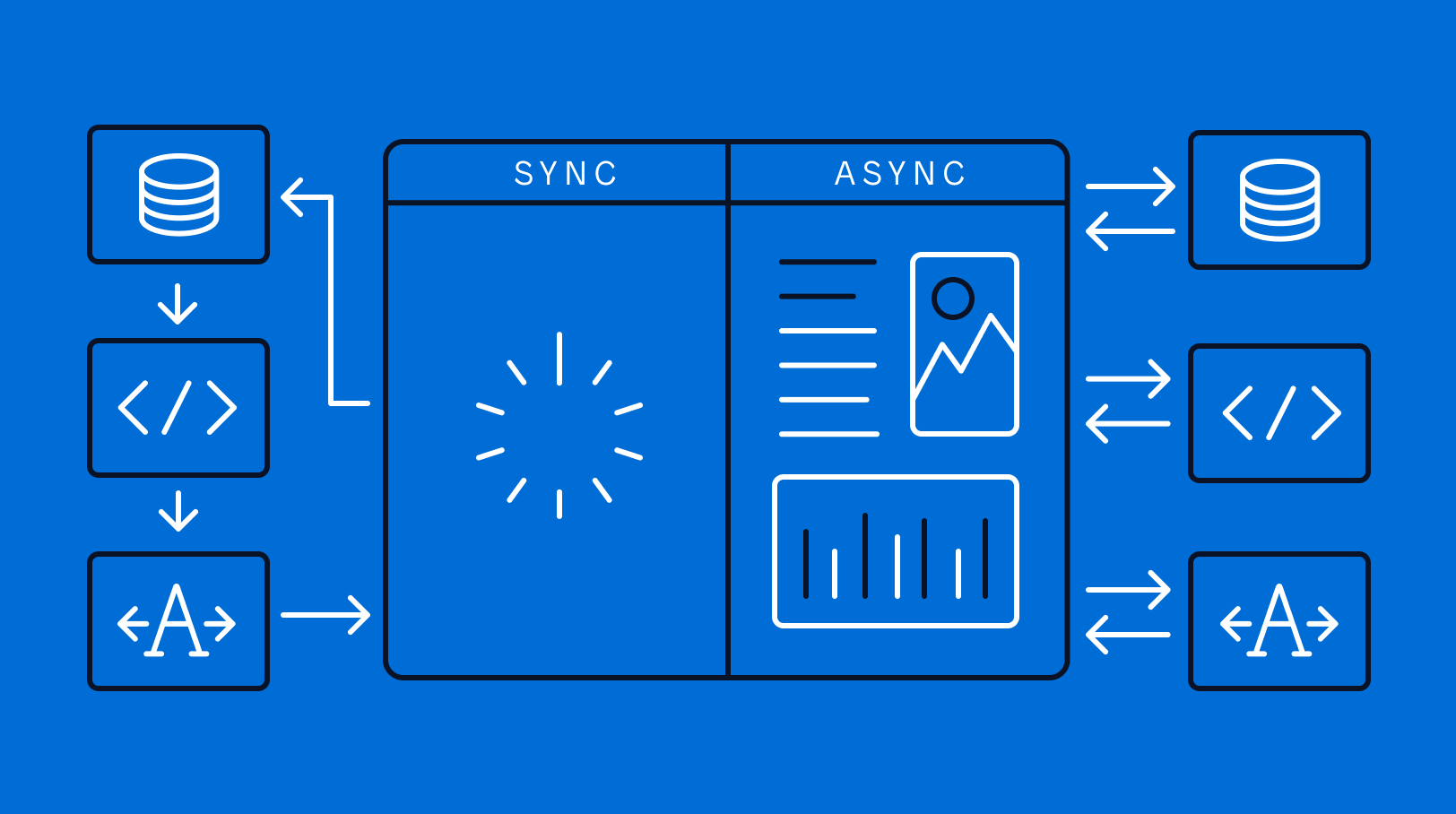
Mendix
Asynchronous vs. synchronous programming: What are the similarities and differences? Learn about these two distinct approaches here.
 pliant gulch
Best tutorial on how to learn asynchronous programming paradigm is experience imo
mossy jacinth
I want to make it so u can add spaces in the prices name but then it doesnt know how long the giveaway should exist and i dont want to switch the order of the arguments

 pallid robin
Help me
 mossy jacinth
Screenshot of the code? Maybe i can help
 outer violet
How do I make the name of the cogs in the title and the command names in the field values like this?
 paper sluice
mossy jacinth
I want to make it so u can add spaces in the prices name but then it doesnt know...
paper sluice
mossy jacinth
I want to make it so u can add spaces in the prices name but then it doesnt know...
if you want to add spaces, you can do something like this !giveaway "price with spaces" time
mossy jacinth
paper sluice
if you want to add spaces, you can do something like this `!giveaway "price with...
ok but how would random users know they have to put " infront and after?
paper sluice
well, think about this, how would the discord.py know what you add spaces, its part of prices or not
another thing you can do it add another parameter and check if its None, then assign it to time or something
like
def foo(a, b=None, c=None):
    if b is None:
        c = b
    ...

foo(1, 2, 3)
foo(1, 3)
why do you want price to have spaces btw?
and what type are you expecting
maybe you can type hint with it Greedy object
mossy jacinth
paper sluice
why do you want price to have spaces btw?
if someone wants to say "Discord Nitro" it needs a space or if they have some other item with spaces they want to give away
pliant gulch
Consume all with multiple args just don't work with how discord.py is designed
You'll need command flags but that's kind of a pain to setup IIRC unless it's better supported now
You can always just do something like py async def giveaway(ctx: commands.Context, price, *, time): ... then run via `<prefix>giveaway "$100" 10h
paper sluice
mossy jacinth
if someone wants to say "Discord Nitro" it needs a space or if they have some ot...
an easier solution would be to use slash commands, they provide input boxes where user can enter things with spaces depending on type
pliant gulch
pliant gulch
You can always just do something like ```py
async def giveaway(ctx: commands.Con...
Also price? Did you mean prize??
pallid robin
.
pliant gulch
pliant gulch
You can always just do something like ```py
async def giveaway(ctx: commands.Con...
Note the quotation marks are important for the spaces
So <prefix>giveaway "foo bar" 10h
outer violet
outer violet
How do I make the name of the cogs in the title and the command names in the fie...
Can someone help
silk fulcrum
outer violet
Can someone help
!d discord.ext.commands.Bot.cogs
unkempt canyonBOT
property cogs```
A read-only mapping of cog name to cog.!d discord.ext.commands.Cog.walk_commands
unkempt canyonBOT
for ... in walk_commands()```
An iterator that recursively walks through this cog’s commands and subcommands.!d discord.ext.commands.Cog.get_commands
unkempt canyonBOT
get_commands()```
Returns the commands that are defined inside this cog.

This does *not* include [`discord.app_commands.Command`](https://discordpy.readthedocs.io/en/latest/interactions/api.html#discord.app_commands.Command "discord.app_commands.Command") or [`discord.app_commands.Group`](https://discordpy.readthedocs.io/en/latest/interactions/api.html#discord.app_commands.Group "discord.app_commands.Group") instances.@outer violet walk_commands will also contain groups, get_commands will not
outer violet
Can I get example of what it would look like? I’m still confused
silk fulcrum
outer violet
Can I get example of what it would look like? I’m still confused
So you want to get all cogs and all commands of each command. So what you'll need to do is list of all cogs, each Cog has walk_commands or get_commands method, so you iterate through bot.cogs and for each cog through cog.walk_commands, so the example would be:
info = {}
for cog in bot.cogs:
    cmds = cog.walk_commands()
    info[str(cog)] = ", ".join([cmd.name for cmd in cmds])

emb = discord.Embed(title="help command", description="see commands")
for cog, cmds in info.items():
    emb.add_field(name=cog, value=cmds)
Ohh
mossy jacinth
paper sluice
an easier solution would be to use slash commands, they provide input boxes wher...
I made it to an slash command; but now all commands are getting sent twice
 vale wing
Two instances of bot are running
mossy jacinth
vale wing
Two instances of bot are running
How can i fix it?
vale wing
You can just reset token and restart the bot, second instance will automatically stop responding
Better solution would be to actually find that instance
To prevent it from occurring next time
mossy jacinth
vale wing
Better solution would be to actually find that instance
Sorry for this stupid question but do you maybe know how i can find it? I only converted a command into a slash command...
 silk fulcrum
second bot instance inside a command 💀
silk fulcrum
vale wing
Two instances of bot are running
or on_message listener with process_commands
vale wing
mossy jacinth
Sorry for this stupid question but do you maybe know how i can find it? I only c...
Instance is a process
It's not in your code
mossy jacinth
vale wing
Instance is a process
oh
slate swan
            member = ctx.author
            guild = ctx.guild
            role = guild.get_role(vrid)
            await member.add_roles(role)
anyone know why this doesn't add the role
torn sail
Any error?
slate swan
torn sail
Any error?
discord.ext.commands.errors.CommandInvokeError: Command raised an exception: AttributeError: 'NoneType' object has no attribute 'id'
torn sail
slate swan
discord.ext.commands.errors.CommandInvokeError: Command raised an exception: Att...
vrid is probably not correct
vale wing
Failed to get role
mossy jacinth
how can i check who reacted to the message and then pick a random user of these in a Slash command?
 silk fulcrum
mossy jacinth
how can i check who reacted to the message and then pick a random user of these ...
silk fulcrum
mossy jacinth
how can i check who reacted to the message and then pick a random user of these ...
fetch the message again via channel.fetch_message and then get reactions via message.reactions[0].users.flatten(), and then pop urself from users. Here's an example:
 mossy jacinth
silk fulcrum
fetch the message again via `channel.fetch_message` and then get reactions via `...
mossy jacinth
silk fulcrum
fetch the message again via `channel.fetch_message` and then get reactions via `...
did i do something wrong?


 mossy jacinth
but what do you mean with my_msg.id what if i dont have the message id?
silk fulcrum
but you have?
vote_msg.id
new_msg = await interaction.channel.fetch_message(vote_msg.id)
where is the problem
slate swan
torn sail
`vrid` is probably not correct
vrid is correct
shrewd apex
mossy jacinth
did i do something wrong?
it's an async generator object in 2.0
mossy jacinth
silk fulcrum
`new_msg = await interaction.channel.fetch_message(vote_msg.id)`
Sorry but i tried everything i could think of but i couldnt get it to work, I don't know what i did wrong, i fetched the message again and it gave me the same error or i get this error:
    users = await vote.reactions[0].users().flatten()
AttributeError: 'PartialInteractionMessage' object has no attribute 'reactions'

The above exception was the direct cause of the following exception:

nextcord.errors.ApplicationInvokeError: Command raised an exception: AttributeError: 'PartialInteractionMessage' object has no attribute 'reactions'
 shrewd apex
lst = [user async for user in message.reactions[0].users()]
for list of all member objects
also make sure u are fetching the message object correctly
silk fulcrum
beep boop baap
 shrewd apex
?
silk fulcrum
i thought on_command_error would work for app commands(
shrewd apex
on_command takes command.Context as far as i am aware and slash takes discord.Interaction so well it won't work🗿
silk fulcrum
well Context can be interaction based
shrewd apex
hybrid commands only no for that👀
silk fulcrum
but on_command_error takes commads.CommandError and app commands - app_commands.AppCommandError
shrewd apex
hmm idk much about slash commands never took my time with it 
silk fulcrum
understanbadle
 placid skiff
silk fulcrum
but on_command_error takes commads.CommandError and app commands - app_commands....
placid skiff
silk fulcrum
but on_command_error takes commads.CommandError and app commands - app_commands....
in disnake you have both on_command_error and on_slash_command_error
silk fulcrum
placid skiff
in disnake you have both `on_command_error` and `on_slash_command_error`
gud, but im not using disnake
placid skiff
And that's where you're wrong
slate swan
Is it possible to ban a user on leave from the guild they left
Not from the other guilds they are in
(By the bot)
torn sail
slate swan
Is it possible to ban a user on leave from the guild they left
Not from the othe...
ban a user thats not in the guild?
slate swan
torn sail
ban a user thats not in the guild?
No
torn sail
sorry i didnt really understand then
silk fulcrum
me2
slate swan
Ban a user who leaves guild A but not ban them in guild b, c
silk fulcrum
bruh how can you even ban them in 3 guilds
slate swan
....
silk fulcrum
so you'd need to avoid that
slate swan
in a in_member_remove event
silk fulcrum
on_member_leave?
slate swan
remove 😭
torn sail
so if a user leaves guild a u wanna ban them from guild a?
silk fulcrum
oh 😳
torn sail
slate swan
Yuh
well in on_member_remove check member.guild.id to make sure it is the correct guild then use await member.ban()
slate swan
torn sail
well in `on_member_remove` check `member.guild.id` to make sure it is the correc...
Something like
if member.guild.id == “. . .”:?
slate swan
man, it’s not like I’m making it for a server
torn sail
it should be an int
slate swan
Is it not possible without guild id ?
torn sail
well u have to check it in someway
otherwise every person who leaves a server will get banned
mossy jacinth
my bot doesnt see the 0, it thinks its 3 Minutes instead of 30 Minutes how could i fix it in the easiest way possible?

 silk fulcrum
mossy jacinth
my bot doesnt see the 0, it thinks its 3 Minutes instead of 30 Minutes how could...
silk fulcrum
mossy jacinth
my bot doesnt see the 0, it thinks its 3 Minutes instead of 30 Minutes how could...
time[0] takes only 1 digit, so use time[:-1] instead, and also mo format won't work, because you take only one letter at the end and mo is 2 symbols, also who ever will create giveaways that last months of time, just remove it, cus even your bot probably won't run that long
silk fulcrum
bruh, logging is revealing my password
 glad cradle
silk fulcrum
bruh, logging is revealing my password
glad cradle
silk fulcrum
bruh, logging is revealing my password
gimme your pass
silk fulcrum
glad cradle
gimme your pass
here you go: dQyHk%6(Bd$GyH&z
glad cradle
silk fulcrum
here you go: dQyHk%6(Bd$GyH&z
🗿
silk fulcrum
also, why would you need it?
glad cradle
it's just a joke


 waxen kettle
silk fulcrum
bruh, logging is revealing my password
waxen kettle
silk fulcrum
bruh, logging is revealing my password
lol
silk fulcrum
inline games
shrewd apex
 safe socket
inline True means those fields are gonna be side to side false means it's not gonna be side to side
silk fulcrum
inline=False field will always be one in a row
safe socket
yes
shrewd apex
slate swan
Is it possible to ban a user on leave from the guild they left
Not from the othe...
ban with I'd like Carl does
safe socket
but when I inline=True for PUBG part. it goes to 3rd column
silk fulcrum
safe socket
but when I inline=True for PUBG part. it goes to 3rd column
then it's impossible, except if you use empty fields (but that'll make your embed wider)
safe socket
 safe socket
silk fulcrum
then it's impossible, except if you use empty fields (but that'll make your embe...
safe socket
silk fulcrum
then it's impossible, except if you use empty fields (but that'll make your embe...
yes
visual island
safe socket
I need only 2 columns
you cannot, 2 fields in one line is only applicable at the beginning and the end
silk fulcrum
safe socket
.pr
 silk fulcrum
not funny + didn't laugh
slate swan
safe socket
https://images-ext-1.discordapp.net/external/1oXthxXscHFXeEZcEsH2guUxtWvIoT9yUOW...
!rule 7 this is not a memes channel
unkempt canyonBOT
7. Keep discussions relevant to the channel topic. Each channel's description tells you the topic.
slate swan
silk fulcrum
bruh, logging is revealing my password
dont log debug then 🗿
setup logging level to info maybe
silk fulcrum
slate swan
dont log debug then 🗿
why not
slate swan
i mean yeah unless youre testing something, it can be spammy
slate swan
Hi, anyone knows why this give me undefined error in the @tasks.loop on the function calls inside the value field?
    def function1():
        with open("example1.txt", "r") as f:
            data2 = f.readlines()
            list1 = data2.split("\n")
            return len(list1)

    def function2():
        with open("example2.txt", "r") as p:
            data1 = p.readlines()
            list2 = data1.split("\n")
            return len(list2)

    @tasks.loop(seconds=10)
    async def stockedit(self):
        embed = nextcord.Embed(color=nextcord.Color.purple())
        embed.add_field(name="Function1", value=f"{function1()}", inline=False)
        embed.add_field(name="Function2", value=f"{function2()}", inline=False)
        embed.set_author(name='Infinimonster#1312')
        channel = self.bot.get_channel(1002326566707150932)
        msg = await channel.fetch_message(1002326851257110599)
        await msg.edit(embed=embed)
        print("Edited")
Print list1 and list2
See what it prints out
raven bolt
slate swan
Hi, anyone knows why this give me undefined error in the @tasks.loop on the func...
!traceback
unkempt canyonBOT
Please provide the full traceback for your exception in order to help us identify your issue.
While the last line of the error message tells us what kind of error you got,
the full traceback will tell us which line, and other critical information to solve your problem.
Please avoid screenshots so we can copy and paste parts of the message.
A full traceback could look like:
Traceback (most recent call last):
  File "my_file.py", line 5, in <module>
    add_three("6")
  File "my_file.py", line 2, in add_three
    a = num + 3
TypeError: can only concatenate str (not "int") to str
If the traceback is long, use our pastebin.
slate swan
raven bolt
!traceback
There is no Traceback, if there would be one i would've sent it already. it just underline the function execute line and when hovering over it it says undefined but when starting it no error appears and then commands just won't work.
shrewd apex
guys don't give wrong answers ;-;
shrewd apex
slate swan
There is no Traceback, if there would be one i would've sent it already. it just...
is that task loop in a class?
slate swan
shrewd apex
is that task loop in a class?
yes, it is
shrewd apex
yeah and the functions to right?
slate swan
yea
shrewd apex
so use self.function1()
also the function is wrong
readlines returns a list of strings
and list dosent have a split method
u can just return len(data1)
lone lichen
shrewd apex
guys don't give wrong answers ;-;
No one even gave an answer
shrewd apex
raven bolt
!traceback
^^
shrewd apex
lone lichen
Print list1 and list2
-_-
raven bolt
shrewd apex
^^
that's not really as much an answer as just trying to get more information
thank you.
lone lichen
raven bolt
that's not really as much an answer as just trying to get more information
^
slate swan
shrewd apex
readlines returns a list of strings
so i should ise f.read() instead?
shrewd apex
it's not a problem but try to read the whole question and answer as op already explained which error he got
shrewd apex
shrewd apex
u can just return len(data1)
this ^^
raven bolt
slate swan
so i should ise f.read() instead?
justu se readlines and return len data1
but don't try to call .split on it because it's a list.
shrewd apex
also since u are not using self in function1 and 2 u can decorate it with @staticmethod
lone lichen
Also if functions are in a class they need self argument or make em static
slate swan
so is this correct?
    def function1():
        with open("example1.txt", "r") as f:
            list1 = f.readlines()
            return len(list1)
yes indeed
shrewd apex
    @staticmethod
    def function1():
        with open("example1.txt") as f:
            list1 = f.readlines()
        return len(list1)
 stable mulch
Hey guys, I'm trying to make my bot join if the user is in a voice channel and if not, send a message saying that the user is not in a voice channel. When I run the join command, the bot joins if the user is in a voice channel, however, the message is not sent if the user is not in a vc. What is the problem here? Can someone clear up my confusion please?
@commands.command()
    async def join(self, ctx):
        user = ctx.message.author
        channel = user.voice.channel
        state = ctx.author.voice
        print(state)

        if state is not None:
            vc = await channel.connect()
        else:
            await ctx.send(f"{ctx.author.mention} You are not connected to a voice channel. Please join a voice channel before using $join.")
any errors?
silk fulcrum
what does print(state) print when member is not in voice?
placid skiff
what did you put in the exception block?
stable mulch
placid skiff
what did you put in the exception block?
await ctx.send(f"{ctx.author.mention} You are not connected to a voice channel. Please join a voice channel before using $join.")
Nothing
placid skiff
stable mulch
```python
await ctx.send(f"{ctx.author.mention} You are not connected to a voice...
i mean the exception you tried to catch
 rapid charm
how do i make my discord bot stay on stage
error code every 12hrs: ```
disconnecting from voice normally close code 1000
but my bot is still onlinenone
placid skiff
do you have an error handler event?
 fierce light
@stable mulch
if not ctx.author.voice:
What is that?
silk fulcrum
fierce light
<@325913136462823424>
```py
if not ctx.author.voice:
```
that's just the same
rapid charm
well my google cloud sucs if theres no other way
fierce light
Thats what i did to my bot and it works fine
placid skiff
@event \ async def on_command_error or @event \ async def on_error somewhere in your code
stable mulch
Yeah I have async def on_command_error
only for commands.CommandOnCooldown and commands.MissingRequiredArgument though
placid skiff
put this at the end of your if-else statement:
        else:
            print(f"ignoring exception in command {ctx.command.name}\n{type(error)}", file=sys.stderr)
            traceback.print_exception(type(error), error, error.__traceback__, file=sys.stderr)
            await ctx.send(f"Something went wrong in executing command {ctx.command.name}\n{type(error)}")
you will need to import sys and traceback
stable mulch
alright, thanks