#discord-bots
1 messages · Page 24 of 1
 silk fulcrum
nope
 cold tide
embed=variable
silk fulcrum
do you want it to delete the message after some time?
cold tide
Yes
 oblique root
when i made that change, it started to have an error on my "client.run(TOKEN)
cold tide
6 seconds
silk fulcrum
then it'd be better to use delete_after
cold tide
oblique root
when i made that change, it started to have an error on my "client.run(TOKEN)
Make sure its not indented.
 robust snow
oblique root
when i made that change, it started to have an error on my "client.run(TOKEN)
robust snow
oblique root
when i made that change, it started to have an error on my "client.run(TOKEN)
what's your code?
silk fulcrum
so await ctx.send(..., delete_after-6)
 slate swan

oblique root
robust snow
what's your code?
it won't let me share it, it's too long
silk fulcrum
slate swan
<:DEAD:952001820836896778>
:chat:
robust snow
oblique root
it won't let me share it, it's too long
.txt file in DM
silk fulcrum
lmao
slate swan
!paste
 unkempt canyonBOT
Pasting large amounts of code
If your code is too long to fit in a codeblock in Discord, you can paste your code here:
https://paste.pythondiscord.com/
After pasting your code, save it by clicking the floppy disk icon in the top right, or by typing ctrl + S. After doing that, the URL should change. Copy the URL and post it here so others can see it.
slate swan
for long code
silk fulcrum
oblique root
when i made that change, it started to have an error on my "client.run(TOKEN)
what error?
@slate swan I had a choice to go sleep or to help here until 3 AM, and I chose help
slate swan
silk fulcrum
<@456226577798135808> I had a choice to go sleep or to help here until 3 AM, and...
I went to sleep
slate swan
I know
cold tide
@bot.command()
async def drop(ctx):
    dropp=discord.Embed(title="Dropping info:",description=f"{ctx.message.content}",color=0xffff00)
    dropp.set_footer(text="This Message will self destruct in 6 seconds !")
    await ctx.send(embed=dropp)
    time.sleep(6)
    await ctx.delete(embed=dropp)
😭😭😭
slate swan
!d discord.Message.delete
unkempt canyonBOT
await delete(*, delay=None)```
This function is a [*coroutine*](https://docs.python.org/3/library/asyncio-task.html#coroutine).

Deletes the message.

Your own messages could be deleted without any proper permissions. However to delete other people’s messages, you need the [`manage_messages`](https://discordpy.readthedocs.io/en/latest/api.html#discord.Permissions.manage_messages "discord.Permissions.manage_messages") permission.

Changed in version 1.1: Added the new `delay` keyword-only parameter.just await ctx.send(embed=dropp, delete_after=6)... what is so hard
slate swan
Master32 is right
silk fulcrum
im always r...ong
silk fulcrum
silk fulcrum
<@456226577798135808> I had a choice to go sleep or to help here until 3 AM, and...
yeah, im just half drunk cus of my decision
slate swan
slate swan
nothing in this channel ever makes any sense
How 😭
cold tide
@silk fulcrum how do i make a argument so like !drop test then it shows test
silk fulcrum
and it's still 11:30 PM tho
silk fulcrum
cold tide
<@940644669652631663> how do i make a argument so like ``!drop test`` then it sh...
pass it into function
slate swan
cold tide
<@940644669652631663> how do i make a argument so like ``!drop test`` then it sh...
just add any argument?
 real grail
How to show class of error in on_command_error?
slate swan
Withdraw?
cold tide
??
slate swan
cold tide
??
pass the argument to the function
silk fulcrum
slate swan
!d discord.Message.content
unkempt canyonBOT
The actual contents of the message. If Intents.message_content is not enabled this will always be an empty string unless the bot is mentioned or the message is a direct message.
slate swan
cold tide
<@940644669652631663> how do i make a argument so like ``!drop test`` then it sh...
idk what you mean by "shows test" but here's how you can capture args
@bot.command(...)
async def foo(ctx, arg):
    # "arg" will be the second argument you pass to the command
If you do !foo bar, arg will be "bar"
You can get more info here: https://discordpy.readthedocs.io/en/latest/ext/commands/commands.html#parameters
silk fulcrum
idk what is this but there is example of argument @cold tide
slate swan
@silk fulcrum is ctx typehinted with message.Content?
slate swan
slate swan
!d discord.Message.content
How does this help anyone
 crystal glen
@client.command()
async def warn(ctx, member: discord.Member, *, reason):
    await ctx.message.delete()
    embed = discord.Embed(title=f"{member.name} has been warned!", color=0xc40c0c)
    embed.set_thumbnail(url=member.avatar_url)
    embed.add_field(name="ID", value=member.id)
    embed.add_field(name="Warned at", value=ctx.message.created_at.strftime("%d-%b-%Y-%H:%M"))
    embed.add_field(name="Warned by", value=ctx.author.name)
    embed.add_field(name="Warned in", value=ctx.channel.name)
    embed.add_field(name="Reason", value=reason)
    await ctx.send(embed=embed)
    with open("D:/Desktop/Haryad Bot/data/warnings.json", "r") as f:
        warnings = json.load(f)
    warnings[str(member.id)] = {"username": member.name, "reason": reason, "warned by": ctx.author.id, "warned at": ctx.message.created_at.strftine("%d-%b-%Y-%H-%M"), "warned in": ctx.channel.name}
    with open("D:/Desktop/Haryad Bot/data/warnings.json", "w") as f:
        json.dump(warnings, f, indent=4)
I get this error:
Ignoring exception in on_command_error Traceback (most recent call last): File "C:\Users\ArasoOsara\AppData\Local\Programs\Python\Python39\lib\site-packages\discord\client.py", line 343, in _run_event await coro(*args, **kwargs) File "D:\Desktop\Haryad Bot\haryad.py", line 62, in on_command_error await ctx.message.delete() File "C:\Users\ArasoOsara\AppData\Local\Programs\Python\Python39\lib\site-packages\discord\message.py", line 1023, in delete await self._state.http.delete_message(self.channel.id, self.id) File "C:\Users\ArasoOsara\AppData\Local\Programs\Python\Python39\lib\site-packages\discord\http.py", line 250, in request raise NotFound(r, data) discord.errors.NotFound: 404 Not Found (error code: 10008): Unknown Message
silk fulcrum
slate swan
<@940644669652631663> is ctx typehinted with message.Content?
no?
with commands.Context?
slate swan
oh yeah
silk fulcrum
slate swan
oh yeah
its 2 PM for you isnt it?
slate swan
No
slate swan
crystal glen
```py
@client.command()
async def warn(ctx, member: discord.Member, *, reason):
...
Is your message being deleted by you or another bot?
crystal glen
slate swan
Is your message being deleted by you or another bot?
No
silk fulcrum
crystal glen
```py
@client.command()
async def warn(ctx, member: discord.Member, *, reason):
...
The message you are trying to delete does not exist
slate swan
crystal glen
No
Do you have two instances of your bot running by any chance?
@bot.command()
async def drop(ctx: commands.Context, *, argument1: str) -> None:
    await ctx.send(argument1)

# will send whatever you type after !drop
idk if this is typehinted correctly someone tell me
crystal glen
silk fulcrum
The message you are trying to delete does not exist
Oh, Now a new error
slate swan
slate swan
```py
@bot.command()
async def drop(ctx: commands.Context, *, argument1: str) ->...
yeah that's fine
slate swan
slate swan
yeah that's fine
thought so
silk fulcrum
slate swan
```py
@bot.command()
async def drop(ctx: commands.Context, *, argument1: str) ->...
that's fine but it will only send one word
*,
slate swan
I never typehint args only returns
crystal glen
Now it works
silk fulcrum
slate swan
I never typehint args only returns
why not)
slate swan
silk fulcrum
that's fine but it will only send one word
I know, I thought they wanted only one word
slate swan
slate swan
god nothing in this channel ever makes any sense
try looking in #esoteric-python 😄
at least that stuff is cool
silk fulcrum
slate swan
god nothing in this channel ever makes any sense
then you do not make any sence too
crystal glen
crystal glen
```py
@client.command()
async def warn(ctx, member: discord.Member, *, reason):
...
Why does it remove old warnings?
should it be a instead of w
slate swan
because you are literally replacing it
slate swan
slate swan
at least that stuff is cool
[*map(lambda x : print(x), ["Good night" for n in range(100)])]

silk fulcrum
crystal glen
Why does it remove old warnings?
because you rrewrite them every time?
crystal glen
crystal glen
should it be `a` instead of `w`
...
slate swan
slate swan
```py
[*map(lambda x : print(x), ["Good night" for n in range(100)])]
```
<:dea...
that's the simplest esoteric python snippet i've seen
silk fulcrum
crystal glen
should it be `a` instead of `w`
it shouldn't matter
slate swan
slate swan
that's the simplest esoteric python snippet i've seen
because I barely know esoteric shit
crystal glen
silk fulcrum
because you rrewrite them every time?
How do I fix this then?
slate swan
uh append to an array or something, don't replace the previous warning in the mapping with the new warning
crystal glen
slate swan
uh append to an array or something, don't replace the previous warning in the ma...
any easier solution?
silk fulcrum
no
crystal glen
bruv
slate swan
that's the easiest solution
crystal glen
what's the hardest then?
slate swan
idk and idc
crystal glen
wow
slate swan
bro it's basic json
crystal glen
ok whatever
silk fulcrum
use some stupid database and create a column for each warning is probably the hardest solution
slate swan
besides you shouldn't use json files as a database
it's only slightly harder
and better for the long run, you get exposure to databases and how to perform queries
silk fulcrum
silk fulcrum
use some stupid database and create a column for each warning is probably the ha...
with using binary language 💀
slate swan
what does that even mean
silk fulcrum
0101010 10 110 10110010101 01 01 01 10101010 101 0
slate swan
nobody does that
silk fulcrum
that's why its the hardest solution
slate swan
idk what they meant by hardest solution, it's a meaningless question meant to test the validity of appending things to arrays.
which is why i don't care about trying to answer that question
silk fulcrum
leamo
crystal glen
    with open("D:/Desktop/Haryad Bot/data/warnings.json", "r") as f:
        warnings = json.load(f)
    warnings.append({"user": member.id, "warned by": ctx.author.name, "warned in": ctx.channel.name, "reason": reason, "warned at": ctx.message.created_at.strftime("%d-%b-%Y-%H:%M")})
    with open("D:/Desktop/Haryad Bot/data/warnings.json", "w") as f:
        json.dump(warnings, f, indent=4)
So this doesn't work
slate swan
...
silk fulcrum
of course
crystal glen
Command raised an exception: AttributeError: 'dict' object has no attribute 'append'
WHY MAKE IT HARDER THEN, ISNTEAD OF ADDING A FUCKING ATTRIBUTE
slate swan
yo stop using json files please
crystal glen
no.
slate swan
crystal glen
WHY MAKE IT HARDER THEN, ISNTEAD OF ADDING A FUCKING ATTRIBUTE
chill out
crystal glen
ok.
silk fulcrum
crystal glen
WHY MAKE IT HARDER THEN, ISNTEAD OF ADDING A FUCKING ATTRIBUTE
what do you mean adding attribute? to dict? good luck
crystal glen
crystal glen
```py
with open("D:/Desktop/Haryad Bot/data/warnings.json", "r") as f:
...
tell me something easy as this one
slate swan
slate swan
yo stop using json files please
they're genuinely not good
crystal glen
I planning on using mongo_db
 crystal glen
tell me something easy as this one
crystal glen
crystal glen
tell me something easy as this one
.
silk fulcrum
||mongo_db === json||
slate swan
silk fulcrum
||mongo_db === json||
no
crystal glen
silk fulcrum
||mongo_db === json||
But better
 crystal glen
    # add the warning to the json file and dont delete the older warnings
    with open("D:/Desktop/Haryad Bot/data/warnings.json", "r") as f:
        warnings = json.load(f)
    warnings.append({"user": member.id, "warned by": ctx.author.name, "warned in": ctx.channel.name, "reason": reason, "warned at": ctx.message.created_at.strftime("%d-%b-%Y-%H:%M")})
    with open("D:/Desktop/Haryad Bot/data/warnings.json", "w") as f:
        json.dump(warnings, f, indent=4)
    # Q: Why did you added a attribute to the dict?
    # A: Because I wanted to add a attribute to the dict to make it easier to read and edit.
Co-Pilot is being dumb rn...
silk fulcrum
bruh i already wanna sleep, how am i gonna last 3 more hours
robust snow
slate swan
god this channel makes me want to spontaneously combust
It makes me laugh hahaha
slate swan
slate swan
god this channel makes me want to spontaneously combust
Pause
slate swan
silk fulcrum
bruh i already wanna sleep, how am i gonna last 3 more hours
go to sleep, you make not much sense atm
crystal glen
crystal glen
```py
# add the warning to the json file and dont delete the older warnings
...
# A: It doesn't work because the json file is not a dict.
bruh....
slate swan
crystal glen
```py
# add the warning to the json file and dont delete the older warnings
...
but here's the solution anyway. your json file should be like this:
{ "<member id>": [ <warning>, ... ] }
silk fulcrum
crystal glen
``` # Q: It doesn't work?
# A: It doesn't work because the json file is n...
it IS a dict
and you use it as list using append
crystal glen
slate swan
but here's the solution anyway. your json file should be like this:
```{ "<membe...
wdym?
silk fulcrum
slate swan
but here's the solution anyway. your json file should be like this:
```{ "<membe...
why id in quotes :blobpain:
crystal glen
what do I do now
 gusty shard
  File "main.py", line 558, in <module>
    '8':{'fiyat':databtc['bitcoin']['try'], 'name':'bitcoin'},
KeyError: 'bitcoin'```databtc = requests.get(f"https://api.coingecko.com/api/v3/simple/price?ids=bitcoin&vs_currencies=try").json()
dataeth = requests.get(f"https://api.coingecko.com/api/v3/simple/price?ids=ethereum&vs_currencies=try").json()
datadoge = requests.get(f"https://api.coingecko.com/api/v3/simple/price?ids=dogecoin&vs_currencies=try").json()
datatrx = requests.get(f"https://api.coingecko.com/api/v3/simple/price?ids=tron&vs_currencies=try").json()
idler = {
'boosts': {
'1':{'fiyat':50000},
'2':{'fiyat':500000},
'3':{'fiyat':500000},
'4':{'fiyat':1000000},
'5':{'fiyat':1500000},
'6':{'fiyat':3000000},
'7':{'fiyat':10000000},
},
'coins': {
'8':{'fiyat':databtc['bitcoin']['try'], 'name':'bitcoin'},
'9':{'fiyat':dataeth['ethereum']['try'], 'name':'ethereum'},
'10':{'fiyat':datadoge['dogecoin']['try'], 'name':'doge'},
'11':{'fiyat':datatrx['tron']['try'], 'name':'tron'},
},
'colors':{
'12':{'fiyat':15000, 'name':'Açık Pembe'},
'13':{'fiyat':1500, 'name':'Koyu Pembe'},
'14':{'fiyat':20000, 'name':'Açık Mavi'},
'15':{'fiyat':10000, 'name':'Kapri Mavisi'},
'16':{'fiyat':10000, 'name':'Koyu Mavi'},
'17':{'fiyat':20000, 'name':'Parlak Yeşil'},
'18':{'fiyat':10000, 'name':'Zümrüt Yeşili'},
'19':{'fiyat':12500, 'name':'Koyu Yeşil'},
'20':{'fiyat':15000, 'name':'Çinko Sarısı'},
'21':{'fiyat':10000, 'name':'Köri Sarısı'},
'22':{'fiyat':20000, 'name':'Parlak Kırmızı'},
'23':{'fiyat':15000, 'name':'Koyu Kırmızı'}
}
}```bruh and how to not spoonfeed in such situatuions?
gusty shard
why am i getting that error can somebody help me?
crystal glen
silk fulcrum
bruh and how to not spoonfeed in such situatuions?
good question
crystal glen
gusty shard
```py
databtc = requests.get(f"https://api.coingecko.com/api/v3/simple/price?ids...
wtf is this 😲
gusty shard
wdym
robust snow
gusty shard
why am i getting that error can somebody help me?
databtc['bitcoin'] doesn't exist
print your databtc
silk fulcrum

 silk fulcrum
replit :blobpain:
robust snow
you're not using asynchronous functions when you're making network requests
slate swan
silk fulcrum
why id in quotes :blobpain:
ah it doesn't matter
crystal glen
@client.command()
async def warn(ctx, member: discord.Member, *, reason):
    # append to an array or something, don't replace the previous warning in the mapping with the new warning
    with open("D:/Desktop/Haryad Bot/data/warnings.json", "r") as f:
        warnings = json.load(f)
    warnings[member.id] = warnings.get(member.id, [])
    warnings[member.id].append(reason)
    # save the new mapping to the json file
    with open("warnings.json", "w") as f:
        json.dump(warnings, f, indent=4)
    await ctx.send(f"{member.mention} has been warned for: {reason}")
    await member.send(f"You have been warned for: {reason}")
Give me a hint
slate swan
crystal glen
wdym?
the member id should be the key to an array of warnings
robust snow
gusty shard
it doesn't exist at the point of your other code execution
 crystal glen
```py
@client.command()
async def warn(ctx, member: discord.Member, *, reason):
...
crystal glen
crystal glen
```py
@client.command()
async def warn(ctx, member: discord.Member, *, reason):
...
@slate swan
slate swan
{
   "bitcoin":{
      "try":414747
   }
}
that's how your things formatted what are you tryna access
gusty shard
 crystal glen
prbably the blokchain
slate swan
What part do you want to access?
gusty shard
try
slate swan
the 414789?
slate swan
crystal glen
<@456226577798135808>
what am i supposed to say
gusty shard
yep
slate swan
gusty shard
try
databtc['bitcoin']['try']
thats what i did
slate swan
crystal glen
<@456226577798135808>
i'm tired, and unfortunately i'm not a very good python interpreter when i'm tired. you what doesn't get tired and is a good and reliable python interpreter? your computer! does it run how you expect it to or are you still getting errors?
crystal glen
crystal glen
```py
@client.command()
async def warn(ctx, member: discord.Member, *, reason):
...
This works, But there are two keys now...
slate swan
gusty shard
thats what i did
that's weird
gusty shard
yea..
slate swan
crystal glen
This works, But there are two keys now...
because you were previously using str(member.id) as the key, whereas now you are using member.id (which is an int)
crystal glen
What should I do?
slate swan
it's not
it's not possible for there to be two keys
at least not with your current code
gusty shard
slate swan
that's weird
can you help me?
slate swan
gusty shard
can you help me?
Probably not
robust snow
@gusty shard can you add print('yes') the line after your print(databtc)
gusty shard
damn 
crystal glen
# warn a user and send a message to the channel and add it to warnings.json
@client.command()
async def warn(ctx, member: discord.Member, *, reason):
    # append to an array or something, don't replace the previous warning in the mapping with the new warning
    with open("D:/Desktop/Haryad Bot/data/warnings.json", "r") as f:
        warnings = json.load(f)
    warnings[member.id] = warnings.get(member.id, [])
    warnings[member.id].append(reason)
    # save the new mapping to the json file
    with open("D:/Desktop/Haryad Bot/data/warnings.json", "w") as f:
        json.dump(warnings, f, indent=4)
    await ctx.send(f"{member.mention} has been warned for: {reason}")
    await member.send(f"You have been warned for: {reason}")
This is the code, And when I warn my self 2 times, There will be 2 keys
 gusty shard
robust snow
<@875620201142562837> can you add print('yes') the line after your print(databtc...
gusty shard
robust snow
<@875620201142562837> can you add print('yes') the line after your print(databtc...

why would that affect the program?
slate swan
gusty shard
what's the full code of that
crystal glen
gusty shard
why would that affect the program?
It's called debugging 🧂🥸
gusty shard
 silk fulcrum
that debugging does literally nothing
crystal glen
silk fulcrum
that debugging does literally nothing
I agree
silk fulcrum
it's so obvious that it will print yes if it printed databtc before
gusty shard

slate swan
gusty shard
Doesn't need to be an f string btw
robust snow
silk fulcrum
that debugging does literally nothing
I was checking whether this was all wrapped in an async function and whether yes would print prior to data
slate swan
I think it's something to do with the dict
robust snow
hbc
try breaking the dict down
bitcoin = databtc['bitcoin']
then
bitcoin['try']
in your idler dict
gusty shard
oke
robust snow
print each afterwards to debug
failing that, send me ur code and i'll fix it locally 🙂
slate swan
gusty shard
```py
databtc = requests.get(f"https://api.coingecko.com/api/v3/simple/price?ids...
i've run this multiple times without any errors
gusty shard
its not working
slate swan
no clue why the service is returning incorrect data for you
gusty shard
i guess something is wrong with the file
slate swan
have you checked their docs?
gusty shard
it was working like a charm
30 min ago
im trying to add a shop command now
i didnt change anything on that
and its not working anymore
robust snow
returns okay for me too
silk fulcrum
gusty shard
```py
databtc = requests.get(f"https://api.coingecko.com/api/v3/simple/price?ids...
check if 'bitcoin' is written correct and if yes then try printing databtc right in this file to see what you get from a request
robust snow
the code is correct...
gusty shard
theres nothing to fix
silk fulcrum
but there is a error...
gusty shard
i didnt even saw something like that
robust snow
@gusty shard is that your full code?
what you pasted earlier?
because it runs fine for me
silk fulcrum
no, there are 500+ lines as we can see from traceback
gusty shard
but none of them bothers the coins
they are about working, gambling, stealing money from people and selling drugs
import pdb; pdb.set_trace()
i used that to found the error
 silk fulcrum
; 💀
 limber bison
import discord
from discord.ext import commands
import asyncio
from mongoDB import *


class DurationConverter(commands.Converter):
    async def converter(self ,  ctx , argument):
        amount = argument[:-1]
        unit = argument[-1]

        if amount.isdigit() and unit in ['s' , 'm' , 'h']:
            return (int(amount),unit)

        raise commands.BadArgument(message='Not a vaild duration')


class PVC(commands.Cog):
    def __init__(self , client):
        self.client = client


    @commands.command()
    async def pvc(self , ctx , duration : DurationConverter):
        multiplier = {'s': 1 , 'm' : 60 , 'h' : 3600}
        amount , unit = duration

        guild = ctx.guild
        user = ctx.author
        id = discord.Object(ctx.author.id)
        overwrites = {
        guild.default_role: discord.PermissionOverwrite(connect=False) ,
        discord.Object(ctx.author.id): discord.PermissionOverwrite(connect=True)
        }


        PVC = await guild.create_voice_channel(f"{ctx.author.name}'s vc" , category = discord.Object(995100986488147990) , overwrites=overwrites)

        await pvcdata.insert_one({"id" : ctx.author.id , "time" : duration })
        await ctx.reply(f"{ctx.author} your vc created named {ctx.author.name}'s vc for {amount}{unit} , enjoy!")


        await asyncio.sleep(amount*multiplier)


        await PVC.delete()
        await pvcdata.delete_one({"id" : ctx.author.id })
        await ctx.send(f'{ctx.author.mention} time ended vc deleted')

    @pvc.error
    async def pvc_error(self,ctx , error):
         await ctx.send('use correctly' , delete_after = 2)
         return


def setup(client):
    client.add_cog(PVC(client))```

converter error??????????????????????????////
limber bison
limber bison
```py
import discord
from discord.ext import commands
import asyncio
from mongoD...
discord.ext.commands.errors.ConversionError: (<class 'commands.economy.pvc.DurationConverter'>, NotImplementedError('Derived classes need to implement this.')) error !!!
gusty shard
slate swan
crystal glen
just checking in, did you fix it?
silk fulcrum
limber bison
```py
import discord
from discord.ext import commands
import asyncio
from mongoD...
i guess it's async def convert
crystal glen
slate swan
just checking in, did you fix it?
No I gave up
crystal glen
I already gave up
silk fulcrum
!d discord.Client.start
unkempt canyonBOT
await start(token, *, reconnect=True)```
This function is a [*coroutine*](https://docs.python.org/3/library/asyncio-task.html#coroutine).

A shorthand coroutine for [`login()`](https://discordpy.readthedocs.io/en/latest/api.html#discord.Client.login "discord.Client.login") + [`connect()`](https://discordpy.readthedocs.io/en/latest/api.html#discord.Client.connect "discord.Client.connect").ooo thee is this method
slate swan
bot.start() will not return until the bot is closed
silk fulcrum
you are doing discord.Client, and it has not intents arg im start method
slate swan
which means you will have to schedule that as an asyncio task
slate swan
unkempt canyon
as you can see from this, it calls bot.connect(), which literally contains a while loop to receive gateway events and dispatch events
crystal glen
slate swan
get back on that thing and fix it
no...
@client.command()
@commands.has_permissions(administrator=True)
async def warn(ctx, member: discord.Member, *, reason):
    if discord.utils.get(member.roles, name="Warned"):
        embed = discord.Embed(title=f"{member.name} has already been warned!", color=0xc40c0c)
        embed.set_thumbnail(url=member.avatar_url)
        embed.add_field(name="What to do", value="This user has already been warned. You should give them another type of punishment such as `muting them :)`.")
        await ctx.send(embed=embed)
        return
    embed = discord.Embed(title=f"{member.name} has been warned!", color=0xc40c0c)
    embed.set_thumbnail(url=member.avatar_url)
    embed.add_field(name="Warned by", value=ctx.author.mention, inline=False)
    embed.add_field(name="Warned At", value=ctx.message.created_at.strftime("%d-%b-%Y-(%H:%M)"), inline=False)
    embed.add_field(name="Reason", value=reason, inline=False)
    await ctx.send(embed=embed)
    role = discord.utils.get(ctx.guild.roles, name="Warned")
    await member.add_roles(role)

@client.command()
@commands.has_permissions(administrator=True)
async def mute(ctx, member: discord.Member, *, reason):
    if discord.utils.get(member.roles, name="Muted"):
        embed = discord.Embed(title=f"{member.name} has already been muted!", color=0xc40c0c)
        embed.set_thumbnail(url=member.avatar_url)
        embed.add_field(name="What to do", value="This user has already been muted. You should give them another type of punishment such as `banning them :)`.")
        await ctx.send(embed=embed)
        return
    embed = discord.Embed(title=f"{member.name} has been muted!", color=0xc40c0c)
    embed.set_thumbnail(url=member.avatar_url)
    embed.add_field(name="Muted by", value=ctx.author.mention, inline=False)
    embed.add_field(name="Muted At", value=ctx.message.created_at.strftime("%d-%b-%Y-(%H:%M)"), inline=False)
    embed.add_field(name="Reason", value=reason, inline=False)
    await ctx.send(embed=embed)
    role = discord.utils.get(ctx.guild.roles, name="Muted")
    await member.add_roles(role)
I did this instead
 languid moth
Now that, is alot of words.
limber bison
languid moth
Now that, is alot of words.
??
limber bison
how can i add confrmation in command ,
user type !createvc
i want bot sends a message type yes to continue else no
than command exicute !!!
slate swan
can someone tell me why every command is not listed?
https://i.gyazo.com/345e42c4701c9b1aca33cc7886c5722b.png
they were listed before but now they are just gone. using d.py 2.0

 fallow girder
await item.callback(interaction)
  File "c:\Users\momoa\OneDrive\Documents\Time Is Money bot discord\main.py", line 469, in create_ticket
    interaction.guild.default_role: nextcord.PermissionOverwrite(read_message= False),
  File "C:\Users\momoa\AppData\Roaming\Python\Python310\site-packages\nextcord\permissions.py", line 717, in __init__    raise ValueError(f"No permission called {key}.")
ValueError: No permission called read_message.
The permission read_message is not work anyone can help me ?
overwrites = {
            interaction.guild.default_role: nextcord.PermissionOverwrite(read_messages= False),
            interaction.guild.me: nextcord.PermissionOverwrite(read_message=True),
            interaction.guild.get_role(1005605346435412088): nextcord.PermissionOverwrite(read_message=True)
        }
did you sync globally
slate swan
limber bison
how can i add confrmation in command ,
user type !createvc
i want bot sends a m...
send the message then check if the message content contains either the yes or no
slate swan
fallow girder
```py
await item.callback(interaction)
File "c:\Users\momoa\OneDrive\Documents...
it's read_messages, you're missing an s
fallow girder
slate swan
it's `read_messages`, you're missing an s
Oh shit thanks
slate swan
👍
slate swan
limber bison
how can i add confrmation in command ,
user type !createvc
i want bot sends a m...
!d discord.Client.wait_for
unkempt canyonBOT
wait_for(event, /, *, check=None, timeout=None)```
This function is a [*coroutine*](https://docs.python.org/3/library/asyncio-task.html#coroutine).

Waits for a WebSocket event to be dispatched.

This could be used to wait for a user to reply to a message, or to react to a message, or to edit a message in a self-contained way.

The `timeout` parameter is passed onto [`asyncio.wait_for()`](https://docs.python.org/3/library/asyncio-task.html#asyncio.wait_for "(in Python v3.10)"). By default, it does not timeout. Note that this does propagate the [`asyncio.TimeoutError`](https://docs.python.org/3/library/asyncio-exceptions.html#asyncio.TimeoutError "(in Python v3.10)") for you in case of timeout and is provided for ease of use.

In case the event returns multiple arguments, a [`tuple`](https://docs.python.org/3/library/stdtypes.html#tuple "(in Python v3.10)") containing those arguments is returned instead. Please check the [documentation](https://discordpy.readthedocs.io/en/latest/api.html#discord-api-events) for a list of events and their parameters.

This function returns the **first event that meets the requirements**...but finally I changed read_messages By view_channel by looking in the doc
slate swan
Check the docs, there's an example that shows how you can wait for a message event
slate swan
slate swan
did you sync globally
no
fallow girder
fallow girder
but finally I changed `read_messages` By `view_channel` by looking in the doc
But there is still a problem
slate swan
all guild
slate swan
fallow girder
But there is still a problem
What is it
slate swan
slate swan
all guild
it can take up to an hour to update that way
fallow girder
slate swan
What is it
Bah whoever created the ticket can't see the channel
slate swan
slate swan
it can take up to an hour to update that way
ok
slate swan
fallow girder
Bah whoever created the ticket can't see the channel
Are you using guild.create_text_channel()?
To set the permissions for the user that created the ticket you need to do this:
overwrites = {
    ...,
    ctx.author: PermissionOverwrite(...)
}
The key needs to be the Member object
fallow girder
channel= await interaction.guild.create_text_channel(f"{interaction.user.name}︲ticket", overwrites= overwrites)
Yes
slate swan
is there a way to do eval command in Python? Sorry for the question, I'm a beginner.
fallow girder
but I think to avoid this problem I have to create a role temporarily while the ticket is open
and the role will be removed when the person closes the ticket
slate swan
slate swan
is there a way to do eval command in Python? Sorry for the question, I'm a begin...
Yes, but it's not always an easy feat for a beginner. Here's the source code for your reference: https://github.com/Rapptz/RoboDanny/blob/rewrite/cogs/admin.py#L214-#L259
Whatever you do, don't not copy it, that's not the point. Just do a bit of research on all the classes and functions being used so you can create your own deviation.
slate swan
fallow girder
but I think to avoid this problem I have to create a role temporarily while the ...
No
slate swan
slate swan
To set the permissions for the user that created the ticket you need to do this:...
Do this
slate swan
slate swan
Yes, but it's not always an easy feat for a beginner. Here's the source code for...
OK thank you
The documentation mentions how the key (the target) can either be a Role or a Member, you need to make it a Member object to set permissions for that user only
fallow girder
slate swan
Do this
ok i will try thanks
fallow girder
slate swan
Do this
Ignoring exception in view <CreateTicket timeout=None children=1> for item <Button style=<ButtonStyle.success: 3> url=None disabled=False label='🎫︲Créé Un Ticket' emoji=None row=None>:
Traceback (most recent call last):
  File "C:\Users\momoa\AppData\Roaming\Python\Python310\site-packages\nextcord\ui\view.py", line 390, in _scheduled_task
    await item.callback(interaction)
  File "c:\Users\momoa\OneDrive\Documents\Time Is Money bot discord\main.py", line 470, in create_ticket
    interaction.ctx.author: nextcord.PermissionOverwrite(view_channel=True),
AttributeError: 'Interaction' object has no attribute 'ctx'
Uh I used ctx.author as an example, you should use interaction.user
fallow girder
Ahh my bad
fallow girder
slate swan
Uh I used `ctx.author` as an example, you should use `interaction.user`
you're the Boss, it works thank you very much, I did well to come and ask here 

slate swan
👍
@bot.command()
async def embed(ctx):
 embed = discord.Embed(
	 description = "test"
 )
await ctx.send(embed=embed)
What's wrong?

Your indentation is off, await ctx.send(embed=embed) is outside the function.
Just add some space
slate swan
slate swan
Just add some space
There was no error in the console, but the bot does not execute the command

 lone lichen
slate swan
There was no error in the console, but the bot does not execute the command
lone lichen
slate swan
There was no error in the console, but the bot does not execute the command
Do you have on message event in your code
slate swan
slate swan
There was no error in the console, but the bot does not execute the command
Can you show more code?
!paste
unkempt canyonBOT
Pasting large amounts of code
If your code is too long to fit in a codeblock in Discord, you can paste your code here:
https://paste.pythondiscord.com/
After pasting your code, save it by clicking the floppy disk icon in the top right, or by typing ctrl + S. After doing that, the URL should change. Copy the URL and post it here so others can see it.
slate swan
slate swan
Can you show more code?
from discord.ext import commands
import asyncio
import discord
import os
bot = commands.Bot(command_prefix='!')
@bot.event
async def on_ready():
print('We have logged in as {0.user}'.format(bot))
@bot.event
async def on_message(message):
if message.author == bot.user:
return
@bot.command()
async def embed(ctx):
embed = discord.Embed(
description = "test"
)
await ctx.send(embed=embed)
bot.run(os.getenv('TOKEN'))``` wicked atlas
slate swan
```py
from discord.ext import commands
import asyncio
import discord
import os
...
slate swan
lone lichen
Do you have on message event in your code
wicked atlas
slate swan
```py
from discord.ext import commands
import asyncio
import discord
import os
...
slate swan
lone lichen
Do you have on message event in your code
You were right
slate swan
slate swan
```py
from discord.ext import commands
import asyncio
import discord
import os
...
Use @bot.listen() instead of @bot.event for your on_message() event listener
Ok
slate swan
wicked atlas
https://discord.com/channels/267624335836053506/343944376055103488/7944848400783...
thanks
 jagged adder
how would i go about changing this into a command that deletes only the current channel? im having trouble workin out which parts i need to be changing ...
def clearall_check(ctx: commands.Context):
    return ctx.author.id in [...]

@bot.command(name="clearall")
@commands.check(clearall_check)
async def command_clearall(ctx: commands.Context):
    if ctx.guild.id == ...:
        bot.category_id = ...
    category: discord.CategoryChannel = ctx.guild.get_channel(ctx.bot.category_id)
    for channel in category.channels:
        await channel.delete()
@bot.command(name="clearall")
@commands.check(clearall_check)
async def command_clearall(ctx: commands.Context):
    await ctx.channel.delete()
!d discord.abc.GuildChannel.delete
unkempt canyonBOT
await delete(*, reason=None)```
This function is a [*coroutine*](https://docs.python.org/3/library/asyncio-task.html#coroutine).

Deletes the channel.

You must have [`manage_channels`](https://discordpy.readthedocs.io/en/latest/api.html#discord.Permissions.manage_channels "discord.Permissions.manage_channels") permission to use this.ctx.channel is an instance of this if the command was invoked in a guild. You can use ctx.channel.delete()
jagged adder
wicked atlas
```py
@bot.command(name="clearall")
@commands.check(clearall_check)
async def co...
this however isnt checking to make sure its used in a place that its allowed to be used
wicked atlas
jagged adder
this however isnt checking to make sure its used in a place that its allowed to ...
Well you didn't ask for that
you're free to do that if you want
jagged adder
i could just do it like so right?
    if ctx.guild.id == 123:
        bot.category_id = 123
    category: discord.CategoryChannel = ctx.guild.get_channel(ctx.bot.category_id)
    if ctx.channel in category.channels:
        await ctx.channel.delete()
i am just very aware i dont want to accidentally delete anything while testing lol
alr
wicked atlas
You could though
wouldn't change much actually, didn't know Context had a bot attribute
jagged adder
wicked atlas
You could though
yeah, considering setting up the bot on a test server coz of that
robust snow
why dont you just print the channel instead of deleting it in the first instance?
Although a test disc server is always a good idea 🙂
slate swan
limber bison
How can I lock a command to a channel ???
I assume you mean only allow a command to be invoked in a certain channel(s)?
limber bison
slate swan
I assume you mean only allow a command to be invoked in a certain channel(s)?
Yessss
🤔 how ?
slate swan
limber bison
Yessss
Will there be more than one channel?
limber bison
Hmm only in one
 misty robin
Hi
misty robin
How can i do a clear command
slate swan
limber bison
Hmm only in one
Okay so you can check if the channel Id is equal to the channel you want the command to be invoked in
limber bison
misty robin
How can i do a clear command
Search Lukas clear discord on yt !!!
slate swan
limber bison
Search Lukas clear discord on yt !!!
Lucas does not make very good tutorials..
misty robin
limber bison
Search Lukas clear discord on yt !!!
of course
slate swan
misty robin
of course
I wouldn't recommend his videos
misty robin
slate swan
Lucas does not make very good tutorials..
who is the best one
misty robin
slate swan
I don't watch discord.py youtubers
how do you learn discord.py
slate swan
@limber bison
if ctx.channel.id == YOUR CHANNEL ID:
    # do something
Ohh got it 🤔
slate swan
misty robin
how do you learn discord.py
learn python first, discord bots are not a very beginner friendly project
misty robin
I learn it
slate swan
limber bison
Ohh got it 🤔
Should work.
unkempt canyonBOT
Resources
The Resources page on our website contains a list of hand-selected learning resources that we regularly recommend to both beginners and experts.
slate swan
how does someone mention in inside the description in Python?
 heavy folio
slate swan
<@591011843552837655>
```py
if ctx.channel.id == YOUR CHANNEL ID:
# do some...
heavy folio
slate swan
<@591011843552837655>
```py
if ctx.channel.id == YOUR CHANNEL ID:
# do some...
no
!d discord.ext.commands.check
unkempt canyonBOT
@discord.ext.commands.check(predicate)```
A decorator that adds a check to the [`Command`](https://discordpy.readthedocs.io/en/latest/ext/commands/api.html#discord.ext.commands.Command "discord.ext.commands.Command") or its subclasses. These checks could be accessed via [`Command.checks`](https://discordpy.readthedocs.io/en/latest/ext/commands/api.html#discord.ext.commands.Command.checks "discord.ext.commands.Command.checks").

These checks should be predicates that take in a single parameter taking a [`Context`](https://discordpy.readthedocs.io/en/latest/ext/commands/api.html#discord.ext.commands.Context "discord.ext.commands.Context"). If the check returns a `False`-like value then during invocation a [`CheckFailure`](https://discordpy.readthedocs.io/en/latest/ext/commands/api.html#discord.ext.commands.CheckFailure "discord.ext.commands.CheckFailure") exception is raised and sent to the [`on_command_error()`](https://discordpy.readthedocs.io/en/latest/ext/commands/api.html#discord.discord.ext.commands.on_command_error "discord.discord.ext.commands.on_command_error") event.

If an exception should be thrown in the predicate then it should be a subclass of [`CommandError`](https://discordpy.readthedocs.io/en/latest/ext/commands/api.html#discord.ext.commands.CommandError "discord.ext.commands.CommandError"). Any exception not subclassed from it will be propagated while those subclassed will be sent to [`on_command_error()`](https://discordpy.readthedocs.io/en/latest/ext/commands/api.html#discord.discord.ext.commands.on_command_error "discord.discord.ext.commands.on_command_error").like you usually do, there should be a .mention attributes
heavy folio
misty robin
How can i do a clear command
!d discord.TextChannel.purge
unkempt canyonBOT
await purge(*, limit=100, check=..., before=None, after=None, around=None, oldest_first=None, bulk=True, reason=None)```
This function is a [*coroutine*](https://docs.python.org/3/library/asyncio-task.html#coroutine).

Purges a list of messages that meet the criteria given by the predicate `check`. If a `check` is not provided then all messages are deleted without discrimination.

You must have the [`manage_messages`](https://discordpy.readthedocs.io/en/latest/api.html#discord.Permissions.manage_messages "discord.Permissions.manage_messages") permission to delete messages even if they are your own. The [`read_message_history`](https://discordpy.readthedocs.io/en/latest/api.html#discord.Permissions.read_message_history "discord.Permissions.read_message_history") permission is also needed to retrieve message history.

Changed in version 2.0: The `reason` keyword-only parameter was added.

Examples

Deleting bot’s messages...@invalid-user I want to make it mention the person who used the command
heavy folio
!d discord.Member.mention as i said there would be a .mention attribute, access the author using ctx.author
unkempt canyonBOT
property mention```
Returns a string that allows you to mention the member.they both would work
I'd say the first is easier though
well they're both easy
heavy folio
it isnt that good i guess
slate swan
heavy folio
!d discord.Member.mention as i said there would be a `.mention` attribute, acces...
I did not make it
heavy folio
what
slate swan
slate swan
I did not make it
could you send me an example? (if possible)
slate swan
slate swan
could you send me an example? (if possible)
for example, f"{member.mention}"
slate swan
slate swan
Sure
@bot.command()
async def embed(ctx):
user = f"{user.mention}"
embed = discord.Embed(
description = '{} Hello!'.format(user)
)
await ctx.send(embed)```
Is this how it is used or is it wrong? cloud dawn
!f-string
unkempt canyonBOT
Creating a Python string with your variables using the + operator can be difficult to write and read. F-strings (format-strings) make it easy to insert values into a string. If you put an f in front of the first quote, you can then put Python expressions between curly braces in the string.
>>> snake = "pythons"
>>> number = 21
>>> f"There are {number * 2} {snake} on the plane."
"There are 42 pythons on the plane."
Note that even when you include an expression that isn't a string, like number * 2, Python will convert it to a string for you.
slate swan
!f
unkempt canyonBOT
You are not allowed to use that command here. Please use the #bot-commands channel instead.
slate swan
that doesnt help either, ratelimits are dynamic
data = open(json.load("file.json"))

data["ids"].append(id)

# dump the data here```
what this basically does is store all your ids in the json file in an array which is the value of `ids` key, and when you acess this key in your python code like so
```py
with open(...) as f: data = json.load(f)
ids = data["ids"]
ids is now a python list and has all the functions a list object has
basically what I did is, bind all the ids in an array to a corresponding key
how do you mention someone in python?
slate swan
slate swan
how do you mention someone in python?
In a command?
If so:
ctx.author.mention
misty robin
 misty robin
slate swan
how do you mention someone in python?
misty robin
slate swan
how do you mention someone in python?
You can help me ?
 sick birch
misty robin
sick birch
misty robin
Are you following a YouTube tutorial?
misty robin
Yeah
sick birch
Figured. Lucas?
sick birch
No, not really
misty robin
who is the best one
sick birch
A basic unban command should be like 2 or 3 lines max
sick birch
misty robin
who is the best one
None, most are outdated and have terrible code
misty robin
ok
sick birch
Typehint your member argument to a discord.User, pass it into .unban, easy as that
misty robin
sick birch
Typehint your member argument to a discord.User, pass it into .unban, easy as th...
@client.command()
async def unban(ctx, *, member):
banned_users = await ctx.guild.bans()
member_name, member_discriminator = member.split('#')
for ban_entry in banned_users:
    user = ban_entry.user

    if (user.name, user.discriminator) == (member_name, member_discriminator):
         await ctx.guild.unban(user)
         await ctx.channel.send(f"Unbanned: {user.mention}")
that it good ?
jagged adder
is it possible to "deploy" a discord bot using a command? what id like to do is when someone (or myself for that matter), invites my bot to a server, i can use a command ( after inviting) that checks for certain category IDs, and granted they dont exist yet, create a new named category in that server/guild, then add that category ID to a list within the bot?
i presume u could
because my bot only allows people to use certain commands and the like (for safety sake, ie channel deletes) within a select list of category ID's
slate swan
my bot does not update with the about me what could be the reason?
slate swan
slate swan
If so:
`ctx.author.mention`
it worked, thanks for the help
misty robin
slate swan
it worked, thanks for the help
Pls help for unban command
slate swan
misty robin
Pls help for unban command
sorry but i can't help, i can barely embed 
misty robin
ok
 short relic
how can i get the id of the channel i just created with create_text_channel
silk fulcrum
short relic
how can i get the id of the channel i just created with create_text_channel
createe_text_channel returns channel object
slate swan
short relic
how can i get the id of the channel i just created with create_text_channel
unkempt canyonBOT
The channel ID.
slate swan
silk fulcrum
createe_text_channel returns channel object
hey master👋
silk fulcrum
hey okimii 👋
silk fulcrum
!d discord.ext.tasks.loop
unkempt canyonBOT
discord.ext.tasks.loop(*, seconds=..., minutes=..., hours=..., time=..., count=None, reconnect=True)```
A decorator that schedules a task in the background for you with optional reconnect logic. The decorator returns a [`Loop`](https://discordpy.readthedocs.io/en/latest/ext/tasks/index.html#discord.ext.tasks.Loop "discord.ext.tasks.Loop"). async def button_callback(self, button, interaction):
await interaction.response.send_message("creating text channel")
guild = await bot.fetch_guild(1004363397250433024)
await guild.create_text_channel(name = "ticket num 1")
its like i want to get the id of the "ticket num 1" channel how can i do that
guild.get_channel(name = "ticket num 1") ?
 meager linden
Is there a good replacement for dpy yet? Like something that probably adds onto it?
slate swan
meager linden
Is there a good replacement for dpy yet? Like something that probably adds onto ...
dpy has been resumed so what for?
meager linden
oH?
silk fulcrum
short relic
```python
async def button_callback(self, button, interaction):
await i...
.... i just said that create channel func returna channel object
 robust fulcrum
Guys any command idea for my bot?
meager linden
DAMNNNN
silk fulcrum
so ch = await guild.create_...
slate swan
short relic
guild.get_channel(name = "ticket num 1") ?
just save the the result of guild.create_text_channel lol
meager linden
dude thanks! @slate swan I didn't know!
short relic
silk fulcrum
.... i just said that create channel func returna channel object
its quite confusing for me sorry
slate swan
meager linden
dude thanks! <@456226577798135808> I didn't know!
anytime👍
short relic
slate swan
just save the the result of `guild.create_text_channel` lol
how can i do that 😮
silk fulcrum
you dont know what are variables?
short relic
i know lol but sometime it confuses me 😦
slate swan
short relic
how can i do that 😮
text_channel_ = await guild.create_text_channel(name = "ticket num 1")
tex = guild.get_channel(text_channel_.id) or await guild.fetch_channel(text_channel_.id)
oh yes i can understand this
silk fulcrum
slate swan
```py
text_channel_ = await guild.create_text_channel(name = "ticket num 1")
tex...
undefined textchannel_
short relic
thanks man
slate swan
silk fulcrum
undefined textchannel_
oops
silk fulcrum
get_channel needs await?
slate swan
wdym👁️👁️
silk fulcrum
i saw that 👁️👁️
slate swan
you saw nothing😳
silk fulcrum
im not blind
slate swan
short relic
oh yes i can understand this
i edited the message btw i was thinking about caching issues but that shouldnt be a problem
silk fulcrum
im brainblind
slate swan
ok
silk fulcrum
@slate swan do you know how to make a help command hybrid? i did not find it in HelpCommands paragraph
short relic
wait also one more
await interaction.response.send_message("creating text channel")
        guild = await bot.fetch_guild(1004363397250433024)
        ticket_channel = await guild.create_text_channel(name = "ticket num 1")
        textid = await guild.fetch_channel(ticket_channel.id)
        ticketchannel = guild.get_channel(textid)
        await ticketchannel.message.send("hello ")
it doestn send the message hello in the channel "ticket num 1"
does discord hate me 😢
slate swan
idk how to use hybrids really, never touched them
slate swan
short relic
wait also one more
```python
await interaction.response.send_message("creating ...
check my example lol
silk fulcrum
why all those gets and fetchs? why not just ticket_channel.send()?
short relic
oh shit you can even do this lol
slate swan
silk fulcrum
why all those gets and fetchs? why not just `ticket_channel.send()`?
oh right
omg i keep having this problem where i make code better and forget about its simple solution😭
short relic
😠 wdym
silk fulcrum
lemao
slate swan
short relic
😠 wdym
do what master said lol
slate swan
silk fulcrum
lemao
you should ask y9🏃♂️
short relic
master 🙏
silk fulcrum
slate swan
you should ask y9🏃♂️
for what
slate swan
silk fulcrum
for what
you should ask y9 about my problem lmao
its happen like 2 times already 3 including this time
silk fulcrum
instead of all this shit, just do await ticket_channel.send('hello') @short relic
 short relic
silk fulcrum
instead of all this shit, just do `await ticket_channel.send('hello')` <@7164753...
short relic
silk fulcrum
instead of all this shit, just do `await ticket_channel.send('hello')` <@7164753...
holy shit it worked
thanks @silk fulcrum @slate swan 
 slate swan
 red lake
im trying to get the mobile icon status for my discord bot.
red lake
im trying to get the mobile icon status for my discord bot.
you cant lol
red lake
slate swan
you cant lol
you can
silk fulcrum
you can
slate swan
you can by mutating a header which is againsts tos <3
red lake
through WebSocket i can send you the doc
silk fulcrum
waht
red lake
slate swan
you can by mutating a header which is againsts tos <3
Everyone does it. I've seen over 5k bots
slate swan
its a simple header iirc, but its againt tos iirc
red lake
Even verified bots use it.
slate swan
iirc its a header in the IDENTIFYpayload
red lake
Bro i don't get it could someone help me in dms?
silk fulcrum
wdym reject? discord can't just remove phone status, users can use it
and bots are also users
but client users
red lake
Master you think you could help rq?
 slate swan
you really cant
red lake
import discord
from discord.ext import commands
import re
import ast
import inspect
bot=commands.Bot(
intents=discord.Intents.all(),
help_command=None,
command_prefix="$",
)
def source(o):
s = inspect.getsource(o).split("\n")
indent = len(s[0]) - len(s[0].lstrip())
return "\n".join(i[indent:] for i in s)
source = source(discord.gateway.DiscordWebSocket.identify)
patched = re.sub(r'(['"]$browser['"]:\s?['"]).+(['"])',
r"\1Discord Android\2", source)
loc = {}
exec(compile(ast.parse(patched), "<string>", "exec"), discord.gateway.dict,
loc)
discord.gateway.DiscordWebSocket.identify = loc["identify"]
bot.run("token")
unkempt canyonBOT
5. Do not provide or request help on projects that may break laws, breach terms of services, or are malicious or inappropriate.
red lake
silk fulcrum
https://discord.com/channels/267624335836053506/343944376055103488/1005685534133...
already did import ast
unkempt canyonBOT
Here's how to format Python code on Discord:
```py
print('Hello world!')
```
These are backticks, not quotes. Check this out if you can't find the backtick key.
red lake
ohk mb
slate swan
its just changing your device for your client which would probably be a pain to parse bots and users
 toxic bluff
what language do you use to make discord bots
silk fulcrum
python.... 💀
slate swan
this is a python discord sir
slate swan
this is a wendys 😳
red lake
from discord.ext import commands
import re
import ast
import inspect

bot=commands.Bot(
    intents=discord.Intents.all(),
    help_command=None,
    command_prefix="$",
)

def source(o):
    s = inspect.getsource(o).split("\n")
    indent = len(s[0]) - len(s[0].lstrip())
    return "\n".join(i[indent:] for i in s)


source = source(discord.gateway.DiscordWebSocket.identify)
patched = re.sub(r'(['"]$browser['"]:\s?['"]).+(['"])',
                 r"\1Discord Android\2", source)

loc = {}
exec(compile(ast.parse(patched), "<string>", "exec"), discord.gateway.dict,
     loc)
discord.gateway.DiscordWebSocket.identify = loc["identify"]


bot.run("token")```this is a ping lemons 😳
slate swan
yeah either way its against tos so lets not help on the topic
toxic bluff
ok thanks, tbh, I don't even know where to start to make one tho 💀
unkempt canyonBOT
5. Do not provide or request help on projects that may break laws, breach terms of services, or are malicious or inappropriate.
silk fulcrum
i just checked if it exists
silk fulcrum
silk fulcrum
but wait then it's rule 5 isnt it
lemao
red lake
red lake
```import discord
from discord.ext import commands
import re
import ast
import i...
i tried import ast
slate swan
silk fulcrum
i just checked if it exists
dont make me bonk you😡
silk fulcrum
slate swan
dont make me bonk you😡
for what? for checking?
slate swan
yes, either way you shouldve checked it in #bot-commands so i should bonk you twice
toxic bluff
toxic bluff
ok thanks, tbh, I don't even know where to start to make one tho 💀
anyone know a good resource to learn?
slate swan
toxic bluff
anyone know a good resource to learn?
!resources
unkempt canyonBOT
Resources
The Resources page on our website contains a list of hand-selected learning resources that we regularly recommend to both beginners and experts.
silk fulcrum
slate swan
yes, either way you shouldve checked it in <#267659945086812160> so i should bon...
try
slate swan
silk fulcrum
try
ill steal your cat and bonk you
silk fulcrum
go ahead
slate swan

red lake
!codeblock
unkempt canyonBOT
Here's how to format Python code on Discord:
```py
print('Hello world!')
```
These are backticks, not quotes. Check this out if you can't find the backtick key.
silk fulcrum
runs for the cat
slate swan
😳
slate swan
we cant help you sorry
red lake
Why?
silk fulcrum
now catty is with me, if you will steal it, you'll reveal yourself:) @slate swan
slate swan
red lake
Why?
Because im pretty sure its against tos of discord lol
red lake
slate swan
Because im pretty sure its against tos of discord lol
omg bro its not
slate swan
silk fulcrum
now catty is with me, if you will steal it, you'll reveal yourself:) <@456226577...
ill steal you too
silk fulcrum
go ahead
slate swan
red lake
omg bro its not
How is it not?
red lake
slate swan
How is it not?
Many hundreds of bot use
slate swan
and so that changes discords TOS?
red lake
bro
silk fulcrum
orb
 cursive barn
what are you trying to do?
red lake
cursive barn
what are you trying to do?
trying to get mobile icon status on a discord bot
through discordwebsocket
short relic
how can i create channel with the channel name "channel_name_number" the number is based on how many channel is created
silk fulcrum
short relic
how can i create channel with the channel name "channel_name_number" the number ...
store amount of channels somewhere and when creating channel add one to it
cursive barn
that is most definitely against discord ToS @red lake
https://discord.com/developers/docs/policies-and-agreements/developer-policy#:~:text=misrepresent or mask either your identity or your application’s identity when using the APIs or developer accounts%3B
Discord Developer Portal
Integrate your service with Discord — whether it's a bot or a game or whatever your wildest imagination can come up with.
slate swan
see
short relic
silk fulcrum
store amount of channels somewhere and when creating channel add one to it
u have any guide or docs on that 😭
red lake
!codeblock
unkempt canyonBOT
Here's how to format Python code on Discord:
```py
print('Hello world!')
```
These are backticks, not quotes. Check this out if you can't find the backtick key.
 pliant gulch
cursive barn
that is most definitely against discord ToS <@999254575188025376>
https://disco...
pliant gulch
cursive barn
that is most definitely against discord ToS <@999254575188025376>
https://disco...
 silk fulcrum
short relic
u have any guide or docs on that 😭
silk fulcrum
short relic
u have any guide or docs on that 😭
well my thingy means using db, well tickets usually use db anyways, so what will be the db is your choice
cursive barn
@short relic are you wanting to include voice channels in your indexing as well?
you could try an approach like ```py
channel_number = len(guild.channels) """ or guild.text_channels """
channel = await guild.create_text_channel(f'Channel Name {channel_number}', ...)
If you are trying to build a modmail type system, I would recommend creating a sequential index in your database and using this index in your channel name, but that would be a completely different approachhe is making tickets sys
short relic
i see ill start on learning db
cursive barn
I would recommend either aiosqlite or asyncpg for that purpose - aiosqlite will be much easier to get off the ground if you are new to databases
short relic
aiosqlite ?
cursive barn
its a relational database management system that is extremely compatible with discord bots because it is asynchronous
silk fulcrum
sqlite3 is friendliest for begginers imo but it's not very good as a db itself, at least cus it stores data in files
short relic
yea i want something that is understandable for me
where can i get the docs or guide of that
silk fulcrum
sqlite3?
short relic
silk fulcrum
sqlite3?
yea
 prime wagon
silk fulcrum
short relic
prime wagon
silk fulcrum
short relic
sh ok
silk fulcrum
oh python docs contain tutorial too, ok then
slate swan
misty robin
Pls help for unban command
Code or error?
prime wagon
hi, in the past I used discord.py for creating a discord bot however since then I've notice there are a ton new options out there. hikari, pycord, nextcord etc.. Is there anything I should consider before choosing a module to learn and program my new bot? is discord.py still relevant/competent?
silk fulcrum
prime wagon
hi, in the past I used discord.py for creating a discord bot however since then ...
yes, discord.py resumed and now has slash commands and all that new stuff
choosing a lib is more about preference
but just to know discord.py is still an option, and a good option
prime wagon
oh nice, thanks
slate swan
i need help with this
short relic
how can i put one variable and one string together
slate swan

what do i do to fix this
ok so what can i do to fix that?
@ me if you know how to fix ikt
silk fulcrum
!d ctypes
unkempt canyonBOT
 torn sail
slate swan
torn sail
slate swan
Maybe cause replit projects are not windows
slate swan
torn sail
Maybe cause replit projects are not windows
Nah it aint the reason ive had it working before but now its doing this
short relic
@bot.command()
        async def delete(ctx):
            if ctx.channel.name():
                await ctx.channel.delete()
            else:
                ctx.send("this channel cant be deleted")
how can i make it so that if the channel name starts with a letter then it will delete the channel, if not it will send ("")
unkempt canyonBOT
str.startswith(prefix[, start[, end]])```
Return `True` if string starts with the *prefix*, otherwise return `False`. *prefix* can also be a tuple of prefixes to look for. With optional *start*, test string beginning at that position. With optional *end*, stop comparing string at that position.yayy
short relic
silk fulcrum
since channel is not str
oh ok tks
@silk fulcrum btw do you know how i can make it so that
i cant click the button other people requested
short relic
silk fulcrum
if the user is creator of the button
can i do this like this
if ctx.user.name not in interaction.user.name:
        ctx.send("dung bam nut linh tinh")
    else:
        ctx.send("ok")
one sec it said interaction is not defined
@bot.command()
async def vps(ctx):
    button = Button(label = "vps phace", style = discord.ButtonStyle.success)
    async def button_callback(interaction):
        await interaction.response.send_message(view = vps11())
    button.callback = button_callback
    button1 = Button(label = "vps riel", style = discord.ButtonStyle.success)
    async def button_callback(interaction):
        await interaction.response.send_message(view = vps44())
    button1.callback = button_callback
    if ctx.author.name not in interaction.user.name:
        ctx.send("dung bam nut linh tinh")
    else:
        ctx.send("ok")
    view = View()
    view.add_item(button)
    view.add_item(button1)
    await ctx.send(view = view)
whats the problem here 😭
silk fulcrum
async def check(interaction):
    if interaction.user and interaction.user.id == ctx.author.id:
        return True
    await interaction.response.send_message('These buttons are not for you!', ephemeral=True)
return False``` and add it to view by `view.interaction_check = check`everything
cold tide
silk fulcrum
```py
async def check(interaction):
if interaction.user and interaction.user...
Oml 😭
silk fulcrum
cold tide
Oml 😭
what?
cold tide
Anyways
How do you send a message if someone executes a command in the wrong channel??
short relic
silk fulcrum
```py
async def check(interaction):
if interaction.user and interaction.user...
ok man 😎 👍
cold tide
ive been trying to make mine work but i just eventually got rid of it
short relic
cold tide
How do you send a message if someone executes a command in the wrong channel??
i think you check ctx.channel 😈
silk fulcrum
short relic
i think you check ctx.channel 😈
if right in command then this
slate swan
cold tide
How do you send a message if someone executes a command in the wrong channel??
What do you consider to be the wrong channel?
silk fulcrum
but decorators are better, but harder
cold tide
So if !test for example works in ctx.channel.id=="696969696": then how do i make it respond if the cmd isn't executed in the right channel?
silk fulcrum
silk fulcrum
```py
async def check(interaction):
if interaction.user and interaction.user...
edited @short relic
cus self would be not defined
silk fulcrum
cold tide
So if ``!test`` for example works in ``ctx.channel.id=="696969696":`` then how d...
so you made if ctx.channel.id == 6969696969669696969?
short relic
silk fulcrum
cus self would be not defined
ok got it
cold tide
silk fulcrum
so you made `if ctx.channel.id == 6969696969669696969`?
Theoretically yes
i just want it to send a message saying youve used ctx.author.content in the wrong channel
etc
silk fulcrum
:reverse: do py if ctx.channel.id != 6969696969696969: await ctx.reply("this is wrong channel, use [#696969696969696969](/guild/267624335836053506/channel/696969696969696969/) one!") return
at the beggining of command
cold tide
Last time i was told to use decorators and i had 0 clue it looked so jumbled.
Alright thankyou!!!
silk fulcrum
this is not a decorator tho
cold tide
Would i make it a bot.event ??
cold tide
silk fulcrum
this is not a decorator tho
Yeah ik lol
silk fulcrum
cold tide
Would i make it a ``bot.event`` ??
why? you are making a command
or you are about a decorator?
cold tide
No...
i just want it to send a message saying youve use ctx.message.content in the wrong channel!
so would it be a @bot.event or @bot.command
silk fulcrum
depends on what you are making
cold tide
cold tide
i just want it to send a message saying youve use ``ctx.message.content`` in the...
That^
silk fulcrum
if command, then @bot.command()
cold tide
alright.
silk fulcrum
if event then @bot.event
cold tide
silk fulcrum
:reverse: do ```py
if ctx.channel.id != 6969696969696969:
await ctx.reply("t...
Whats the use of the "!" ?
silk fulcrum
cold tide
Whats the use of the "!" ?
do you know programming?
it's basic syntax of logical statements
silk fulcrum
== is eguals to
!= is does not equal to
slate swan
cold tide
Whats the use of the "!" ?
!= = not equal
cold tide
Ahh okay
slate swan
um im late
slate swan
cold tide
I never new that lol
its basics
silk fulcrum
bruh
slate swan
!resources
unkempt canyonBOT
Resources
The Resources page on our website contains a list of hand-selected learning resources that we regularly recommend to both beginners and experts.
cold tide
im blaming my dad for that
slate swan
there are good free tutorials
cold tide
yeah ill make sure to read up. Thankyou for letting me know.
silk fulcrum
this is not a tutorial, this is a lot of tutorials
slate swan
silk fulcrum
this is not a tutorial, this is a lot of tutorials
ye typo
silk fulcrum
that you can choose from
short relic
is this correct now
async def check(interaction):
        if interaction.user and interaction.user.id == ctx.author.id:
            return True
    await ctx.send(view = view, view.interaction_check == check)
nope
slate swan
if interaction.user and ?
short relic
silk fulcrum
nope
did i miss something
short relic
slate swan
what do u want
i want to know how to fix that
slate swan
fix what
silk fulcrum
I already sent him a done check but he decided to remove stuff from it
slate swan
nice
silk fulcrum
and view.interaction_check = check must be with one = and it should be between the check function and ctx.send
short relic
oh yea
silk fulcrum
not right in ctx.send
cold tide
@bot.command()
async def test123(ctx):
		if ctx.channnel.id !=998759012889809046:
		    await ctx.send(f"{ctx.message.content} has been used in a invalid channel, try again!")
       return
what's with indentation
cold tide
Doesn't seem to work.
 short relic
indentation 😭
slate swan
💀
short relic
async def check(interaction):
        if interaction.user and interaction.user.id == ctx.author.id:
            return True
        await interaction.response.send_message('These buttons are not for you!', ephemeral=True)
        return False
    view.interaction_check = check
    await ctx.send(view = view)
is this correct now 😈
 silk fulcrum
short relic
```py
async def check(interaction):
if interaction.user and interaction....
silk fulcrum
short relic
```py
async def check(interaction):
if interaction.user and interaction....
should be
short relic
silk fulcrum
should be
btw whats ephemeral
cold tide
Wow
silk fulcrum
short relic
btw whats ephemeral
a message that Only you can see
slate swan
a msg that only a person can see
slate swan
cold tide
```py
@bot.command()
async def test123(ctx):
if ctx.channnel.id !=998759012889...
damn people still using discord.py
no wonder
silk fulcrum
slate swan
damn people still using discord.py
what's wrong?
slate swan
nothing
cold tide
slate swan
damn people still using discord.py
Issue??
slate swan
no
silk fulcrum
lemao...
slate swan
🙂
cold tide
alright then
slate swan
huh?
short relic
silk fulcrum
a message that `Only you can see`
😈 sound sus
cold tide
short relic
😈 sound sus

slate swan
short relic
😈 sound sus
only works with interactions tho
cold tide
Yes
silk fulcrum
short relic
😈 sound sus
 short relic
i love it
slate swan
how can I run a coro forever? can anyone help in #☕help-coffee
short relic
btw it worked 😎
silk fulcrum
slate swan
only works with interactions tho
nope, context now has ephemeral in send too
silk fulcrum
slate swan
!d discord.ext.commands.Context
unkempt canyonBOT
class discord.ext.commands.Context(*, message, bot, view, args=..., kwargs=..., prefix=None, command=None, invoked_with=None, invoked_parents=..., invoked_subcommand=None, ...)```
Represents the context in which a command is being invoked under.

This class contains a lot of meta data to help you understand more about the invocation context. This class is not created manually and is instead passed around to commands as the first parameter.

This class implements the [`Messageable`](https://discordpy.readthedocs.io/en/latest/api.html#discord.abc.Messageable "discord.abc.Messageable") ABC. slate swan
damn
silk fulcrum
oh wait.. but it could be slash commands based context
slate swan
YEAH
silk fulcrum
i forgot
slate swan
BRUH
silk fulcrum
yeah.. in hybrid commands for example
bruv

interaction based context... why not just allow me send ephemeral everywhere
slate swan
silk fulcrum
interaction based context... why not just allow me send ephemeral everywhere
cuz ephemeral spam
 slim acorn
    file = resp.attachments[0]
    file.filename = file.filename
    spoiler = await file.to_file()
    mm = await ctx.send(file=spoiler)
    # >>> print(mm.content.url)
```guys I'm sending this image to another channel to change your url and not expire when the channel is deleted...

the bot is sending to another channel but now I need to get the url of this fileHow do i show a channel? Like make it so you can click on it and it directs you there.
silk fulcrum
add stuff to database?
silk fulcrum
cold tide
How do i show a channel? Like make it so you can click on it and it directs you ...
wdym? this? #welcome
cold tide
i got it dw
[#black-formatter](/guild/267624335836053506/channel/846434317021741086/) i did that
and it worked
silk fulcrum
channelID column in jointocreate table
slate swan
Whats the upgrade pip command
 lunar bloom
slate swan
which means you will have to schedule that as an asyncio task
lunar bloom
slate swan
which means you will have to schedule that as an asyncio task
And then not await?
slate swan
Whats the upgrade pip command
cold tide
@bot.command()
@commands.has_role("Member",)
async def Tiktok(ctx):
	 if ctx.channel.id !=998759012889809046:
		    channel=discord.Embed(title=f"``{ctx.message.content}`` has been used in a invalid channel",description="Please try again ! [#998759012889809046](/guild/267624335836053506/channel/998759012889809046/)",color=0xffff00)
		    await ctx.send(embed=channel)
		    return
		    if ctx.channel.id==998759012889809046:
		        embed=discord.Embed()
		        embed=discord.Embed(title="🤖 Reaper Gen",description="Non-Premium Gen !",color=0xffff00)
		        embed.add_field(name="Tiktok Generated Info:",value=random.choice(tiktokk),inline=True)
		        embed.set_footer(text="Gen Command ! Dev - vd#7157")
		        emb2=discord.Embed()
		        emb2=discord.Embed(title=" Successfully Generated, Tiktok ✅",description=f"Check your inbox {ctx.author} !",color=0xffff00)
		        emb2.set_footer(text="Thankyou for using Reaper Gen 🤖")
		        await ctx.reply(embed=emb2)
		        await ctx.author.send(embed=embed)
		        reward=discord.Embed()
		        reward=discord.Embed(title=f"{ctx.author} !",description=random.choice(loadd),color=0xffff00)
		        reward.set_footer(text="Thankyou for using !tiktok")
		        await ctx.author.send(embed=reward)
Says
 silk fulcrum
cold tide
```py
@bot.command()
@commands.has_role("Member",)
async def Tiktok(ctx):
if c...
silk fulcrum
cold tide
```py
@bot.command()
@commands.has_role("Member",)
async def Tiktok(ctx):
if c...
omg if you just completely dont understand indentation then I can't help you
cold tide
I do. Mabye im just not looking properly sorry.
silk fulcrum
it doesnt look like you do

 vale wing
If you have a pc better code on PC
vale wing
Reinstall OS (if it wasn't hardware damaging virus ofc)
cold tide
It was lol
Rip
Tried everything fixing drivers reinstalling os
it just died so i removed the parts n scrapped it for like $40
silk fulcrum
loame
silk fulcrum
nope you did not as says the error
silk fulcrum
yes...
slate swan
what can i do so that my bot texts at a particular time, perhaps for a reminder?
it's not gonna be everyday, but on specific days at a specific time
like a birthday bot perhaps (except the time is to be specified asw)
vale wing
slate swan
what can i do so that my bot texts at a particular time, perhaps for a reminder?...
!d discord.ext.tasks.loop but are the times gonna be hardcoded or not
unkempt canyonBOT
discord.ext.tasks.loop(*, seconds=..., minutes=..., hours=..., time=..., count=None, reconnect=True)```
A decorator that schedules a task in the background for you with optional reconnect logic. The decorator returns a [`Loop`](https://discordpy.readthedocs.io/en/latest/ext/tasks/index.html#discord.ext.tasks.Loop "discord.ext.tasks.Loop").Guys how we can make alt detector in discord.py?
 spiral violet
I'm starting to get really confused, My bot's were all working yesterday and now i log in and everything except commands works..? Any ideas?
 hazy oxide
spiral violet
I'm starting to get really confused, My bot's were all working yesterday and now...
hazy oxide
spiral violet
I'm starting to get really confused, My bot's were all working yesterday and now...
any errors?
spiral violet
Nope no errors or anything, Just one day it works and the next It's broken..
silk fulcrum
spiral violet
I'm starting to get really confused, My bot's were all working yesterday and now...
slate swan
Master32 is awake??
spiral violet
silk fulcrum
https://discord.com/channels/267624335836053506/343944376055103488/7944848400783...
?
silk fulcrum
slate swan
Master32 is awake??
?
spiral violet
I have all of my intents and a basic command wouldn't be affected by that.
slate swan
spiral violet
I have no on messages or anything like that
silk fulcrum
hmeh
spiral violet
Like i said both of my 2 bots were working one day and the next they stop working, was there a update or something??
cold tide
@bot.command()
@commands.has_role("Member",)
async def Tiktok(ctx):
	      if ctx.channel.id !=998759012889809046:
	          channel=discord.Embed(title=f"``{ctx.message.content}`` has been used in a invalid channel",description="Please try again ! [#998759012889809046](/guild/267624335836053506/channel/998759012889809046/)",color=0xffff00)
	          await ctx.send(embed=channel)
	          return
	          if ctx.channel.id==998759012889809046:
	              embed=discord.Embed()
	              embed=discord.Embed(title="🤖 Reaper Gen",description="Non-Premium Gen !",color=0xffff00)
	              embed.add_field(name="Tiktok Generated Info:",value=random.choice(tiktokk),inline=True)
	              embed.set_footer(text="Gen Command ! Dev - vd#7157")
	              emb2=discord.Embed()
	              emb2=discord.Embed(title=" Successfully Generated, Tiktok ✅",description=f"Check your inbox {ctx.author} !",color=0xffff00)
	              emb2.set_footer(text="Thankyou for using Reaper Gen 🤖")
	              await ctx.reply(embed=emb2)
	              await ctx.author.send(embed=embed)
	              reward=discord.Embed()
	              reward=discord.Embed(title=f"{ctx.author} !",description=random.choice(loadd),color=0xffff00)
	              reward.set_footer(text="Thankyou for using !tiktok")
	              await ctx.author.send(embed=reward)
the command !Tiktok doesnt work...
how do i fix this??
silk fulcrum
indentions...
short relic
class NOGPU(discord.ui.View):
    @discord.ui.button(label="4 - 8 NO GPU", style = discord.ButtonStyle.success)
    async def button_callback(self, button, interaction):
        await interaction.response.send_message(view = )
    @discord.ui.button(label="4 - 16 NO GPU", style = discord.ButtonStyle.success)
    async def button_callback(self, button, interaction):
        await interaction.response.send_message(view=)
    @discord.ui.button(label = "8 - 16 NO GPU", style = discord.ButtonStyle.success)
    async def button_callback(self, button, interaction):
        await interaction.response.send_message(view = )
    @discord.ui.button(label="8 - 32 NO GPU", style = discord.ButtonStyle.success)
    async def button_callback(self, button, interaction):
        await interaction.response.send_message(view =)
    @discord.ui.button(label = "8 - 64 NO GPU", style = discord.ButtonStyle.success)
    async def button_callback(self, button, interaction):
        await interaction.response.send_message(view =)
is this the way to add multiple buttons into one view or is this the wrong way ?
cold tide
Still errors
silk fulcrum
short relic
```py
class NOGPU(discord.ui.View):
@discord.ui.button(label="4 - 8 NO GPU",...
this is correct but functions should be named different
short relic
silk fulcrum
this is correct but functions should be named different
u mean button_callback?
silk fulcrum
yes
short relic
oh ok ill try
cold tide
@bot.command()
@commands.has_role("Member",)
async def Tiktok(ctx):
	      if ctx.channel.id !=998759012889809046:
	          channel=discord.Embed(title=f"``{ctx.message.content}`` has been used in a invalid channel",description="Please try again ! [#998759012889809046](/guild/267624335836053506/channel/998759012889809046/)",color=0xffff00)
	          await ctx.send(embed=channel)
	          return
	          if ctx.channel.id==998759012889809046:
	              embed=discord.Embed()
	              embed=discord.Embed(title="🤖 Reaper Gen",description="Non-Premium Gen !",color=0xffff00)
	              embed.add_field(name="Tiktok Generated Info:",value=random.choice(tiktokk),inline=True)
	              embed.set_footer(text="Gen Command ! Dev - vd#7157")
	              emb2=discord.Embed()
	              emb2=discord.Embed(title=" Successfully Generated, Tiktok ✅",description=f"Check your inbox {ctx.author} !",color=0xffff00)
	              emb2.set_footer(text="Thankyou for using Reaper Gen 🤖")
	              await ctx.reply(embed=emb2)
	              await ctx.author.send(embed=embed)
	              reward=discord.Embed()
	              reward=discord.Embed(title=f"{ctx.author} !",description=random.choice(loadd),color=0xffff00)
	              reward.set_footer(text="Thankyou for using !tiktok")
	              await ctx.author.send(embed=reward)
Still isnt working...
silk fulcrum
still indents wrong...
cold tide
Ive checked.
hazy oxide
the second if
silk fulcrum
yes...
cold tide
So it shouldnt be indented??
silk fulcrum
yes...
cold tide
It then says await outside function
silk fulcrum
it should be inside the function but inside the previous if, bruh
and you say that you understand indents
 cold sonnet
why are the ifs the same
 vocal snow
You don't need another if statement either
silk fulcrum
yeah, but if indents are hard this will be harder
cold sonnet
idk it's a horror on a mobile
cold tide
@bot.command()
@commands.has_role("Member")
async def Tiktok(ctx):

	      if ctx.channel.id !=998759012889809046:
	          channel=discord.Embed(title=f"``{ctx.message.content}`` has been used in a invalid channel",description="Please try again ! [#998759012889809046](/guild/267624335836053506/channel/998759012889809046/)",color=0xffff00)
	          await ctx.send(embed=channel)
	          return
	      if ctx.channel.id==998759012889809046:
	              embed=discord.Embed()
	              embed=discord.Embed(title="🤖 Reaper Gen",description="Non-Premium Gen !",color=0xffff00)
	              embed.add_field(name="Tiktok Generated Info:",value=random.choice(tiktokk),inline=True)
	              embed.set_footer(text="Gen Command ! Dev - vd#7157")
	              emb2=discord.Embed()
	              emb2=discord.Embed(title=" Successfully Generated, Tiktok ✅",description=f"Check your inbox {ctx.author} !",color=0xffff00)
	              emb2.set_footer(text="Thankyou for using Reaper Gen 🤖")
	              await ctx.reply(embed=emb2)
	              await ctx.author.send(embed=embed)
	              reward=discord.Embed()
	              reward=discord.Embed(title=f"{ctx.author} !",description=random.choice(loadd),color=0xffff00)
	              reward.set_footer(text="Thankyou for using !tiktok")
	              await ctx.author.send(embed=reward)
When running !Tiktok in the right channel it shows the error instead.
slate swan
What error
cold tide
it shows the first if
cold sonnet
cold sonnet
why are the ifs the same
update they aren't
cold tide
Not the 2nd if
slate swan
cold tide
Not the 2nd if
you have the same ID twice?
cold sonnet
double check the channel id
slate swan
yeah check the channel again
cold tide
Alr
cold sonnet
probably wrong id
slate swan
Reaper Gen? what are you making
looks like some sort of account generator
boost gen hm
slate swan
that isn't allowed
cold tide
I just had to re type the id and it worked
slate swan
slate swan
generating accounts has got to be illegal
cold tide
i buy loads of nitro gifts and put then in there.
i mean search it up it doesnt mention it in discords tos
slate swan
I don't believe it but idc

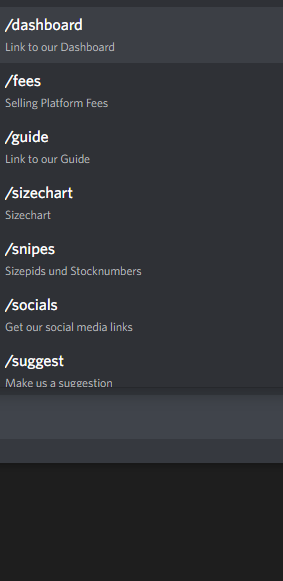 slate swan
cold tide
I buy my boosts and sell them.
slate swan
cold tide
I buy my boosts and sell them.
lmg for cheaper?
cold tide
lol okay
cold tide
slate swan
lmg for cheaper?
i sell nitro classic 1 year for $55
slate swan
slate swan
lmg for cheaper?
probably uses stolen tokens
cold tide
Not my bussiness how they get it
short relic
class NOGPU(discord.ui.View):
    @discord.ui.button(label="4 - 8 NO GPU", style = discord.ButtonStyle.success)
    async def buttoncallback(self, button, interaction):
        await interaction.response.send_message(view = )
    @discord.ui.button(label="4 - 16 NO GPU", style = discord.ButtonStyle.success)
    async def button1_callback(self, button, interaction):
        await interaction.response.send_message(view=)
    @discord.ui.button(label = "8 - 16 NO GPU", style = discord.ButtonStyle.success)
    async def button2_callback(self, button, interaction):
        await interaction.response.send_message(view = )
    @discord.ui.button(label="8 - 32 NO GPU", style = discord.ButtonStyle.success)
    async def button3_callback(self, button, interaction):
        await interaction.response.send_message(view =)
    @discord.ui.button(label = "8 - 64 NO GPU", style = discord.ButtonStyle.success)
    async def button4_callback(self, button, interaction):
        await interaction.response.send_message(view =)
is this correct for now and i got error output like this
File "c:\Users\ADMIN\Desktop\bot discord\cat.py", line 15
async def buttoncallback(self, button, interaction):
^
IndentationError: unindent does not match any outer indentation level
 slate swan
cold tide
well i know who i buy from buys them from discord.
slate swan
cold tide
well i know who i buy from buys them from discord.
With fraudulent cards probably
slate swan
cold tide
i sell nitro classic 1 year for $55
All i know is some people expoit the currency from different countries which ig is ok but they login to the account to do it and the other people who do it steal accounts and buy a lots of nitro and distribute them
cold tide
slate swan
With fraudulent cards probably
No. He has alot of money.
hes family are very rich.
Hes dad owns some car factory in japan
slate swan
thats not a valid explanation its a way to get quick cash
you're lying out your ass but Idc. move on
fr
cold tide
im not but ok loll
slate swan
cold tide
im not but ok loll
go sell your $2 boosts pal
slate swan
you'll definitely make it big!
cold tide
i am i have 4k in crypto rn
slate swan
cold tide
still making more money than you
yet you need help on simple code
cold tide
🙃
slate swan
cold tide
i am i have 4k in crypto rn
Missing information: nobody cares
slate swan
cold tide
I dont really code.
makes sense
slate swan
cold tide
cringey
I don't care
slate swan
cold tide
i am i have 4k in crypto rn
ok
slate swan
you'll make it big!
short relic
can someone help whats the problem here
class NOGPU(discord.ui.View):
    @discord.ui.button(label="4 - 8 NO GPU", style = discord.ButtonStyle.success)
    async def buttoncallback(self, button, interaction):
        await interaction.response.send_message(view=)
    @discord.ui.button(label="4 - 16 NO GPU", style = discord.ButtonStyle.success)
    async def button1_callback(self, button, interaction):
        await interaction.response.send_message(view=)
    @discord.ui.button(label = "8 - 16 NO GPU", style = discord.ButtonStyle.success)
    async def button2_callback(self, button, interaction):
        await interaction.response.send_message(view = )
    @discord.ui.button(label="8 - 32 NO GPU", style = discord.ButtonStyle.success)
    async def button3_callback(self, button, interaction):
        await interaction.response.send_message(view =)
    @discord.ui.button(label = "8 - 64 NO GPU", style = discord.ButtonStyle.success)
    async def button4_callback(self, button, interaction):
        await interaction.response.send_message(view =)
it says unindent does not match outer indentation level
slate swan
the error tells you ?
short relic
slate swan
the error tells you ?
IndentationError: unindent does not match any outer indentation level
this is the error
slate swan
short relic
IndentationError: unindent does not match any outer indentation level
!indents
unkempt canyonBOT
Indentation
Indentation is leading whitespace (spaces and tabs) at the beginning of a line of code. In the case of Python, they are used to determine the grouping of statements.
Spaces should be preferred over tabs. To be clear, this is in reference to the character itself, not the keys on a keyboard. Your editor/IDE should be configured to insert spaces when the TAB key is pressed. The amount of spaces should be a multiple of 4, except optionally in the case of continuation lines.
Example
def foo():
    bar = 'baz'  # indented one level
    if bar == 'baz':
        print('ham')  # indented two levels
    return bar  # indented one level
The first line is not indented. The next two lines are indented to be inside of the function definition. They will only run when the function is called. The fourth line is indented to be inside the if statement, and will only run if the if statement evaluates to True. The fifth and last line is like the 2nd and 3rd and will always run when the function is called. It effectively closes the if statement above as no more lines can be inside the if statement below that line.
Indentation is used after:
1. Compound statements (eg. if, while, for, try, with, def, class, and their counterparts)
2. Continuation lines
More Info
1. Indentation style guide
2. Tabs or Spaces?
3. Official docs on indentation
short relic
slate swan
!indents
uh so can u help me to find out the problem in my code i sent earlier 🙂
slate swan
perhaps read the embed first & give it a try yourself?
slate swan
short relic
uh so can u help me to find out the problem in my code i sent earlier 🙂
just read the error and find its location, sorry im on mobile i barely can see indentation correctly😅
 blazing beacon
how do i get a webhook from its name?
slate swan
slate swan
just read the error and find its location, sorry im on mobile i barely can see i...
https://paste.pythondiscord.com/bopoyebixa
that's his code
cold tide
I cant find the issue 😭
 slate swan
https://paste.pythondiscord.com/bopoyebixa
that's his code
slate swan
slate swan
https://paste.pythondiscord.com/bopoyebixa
that's his code
looks better, but i see no indentation error inside of it i just see syntax errors for not providing a value to the view kwarg lol
slate swan
cold tide
I cant find the issue 😭
skill issue?
cold tide
Just leave me alone your gonna be 🥒 🚴♂️ me all day
short relic
yea i dont think there are any indentation errors here lol 😭
slate swan
cold tide
Just leave me alone your gonna be 🥒 🚴♂️ me all day
mad for what
blazing beacon
blazing beacon
how do i get a webhook from its name?
?
cold tide
@slate swan mind if you can help?
slate swan
blazing beacon
how do i get a webhook from its name?
idk if you can use utils but you can see !d discord.Guild.webhooks
!d discord.Guild.webhooks
unkempt canyonBOT
await webhooks()```
This function is a [*coroutine*](https://docs.python.org/3/library/asyncio-task.html#coroutine).

Gets the list of webhooks from this guild.

Requires [`manage_webhooks`](https://discordpy.readthedocs.io/en/latest/api.html#discord.Permissions.manage_webhooks "discord.Permissions.manage_webhooks") permissions.i found it thank you!
cold tide
I cant find the error 😭
 silk fulcrum
How can I make my HelpCommand hybrid?
blazing beacon
cold tide
I cant find the error 😭
you have a command with the same name already
torn sail
silk fulcrum
How can I make my HelpCommand hybrid?
U can’t
cold tide
I cant find it
silk fulcrum
torn sail
U can’t
😳 :(
torn sail
Slash commands already have descriptions and stuff so it’s not really needed
Also apparently it would take a lot of reworking
slate swan
cold tide
I cant find it
ctrl f with the cmd name
cold tide
Im not on windows.
blazing beacon
cold tide
Im not on windows.
theres probs something there on pydroid with the same thing
idr though
slate swan
send the code for it
cold tide
The whole code??
slate swan
you probably have 2 decorators on top of the function
remove the @bot.command() on the top
cold tide
Oh
silk fulcrum
torn sail
Slash commands already have descriptions and stuff so it’s not really needed
So I just switch from hybrid commands to slash? Won't it be hard?
cold tide
Ive also used channel variable more than once
slate swan
you only need that decorator once
torn sail
silk fulcrum
So I just switch from hybrid commands to slash? Won't it be hard?
No I would keep both
Help command only for messages commands tho
silk fulcrum
torn sail
Help command only for messages commands tho
wont users be mad :lemao:
cold tide
Wait nvm
silk fulcrum
everything has slash commands but not help
slate swan
cold tide
Wait nvm
did it work
torn sail
No since app commands have dexrriptions for options and the options are shown and stuff
cold tide
Ima try
torn sail
Unlike message commands which are not shown in ui
silk fulcrum
torn sail
No since app commands have dexrriptions for options and the options are shown an...
ohh i got it
slate swan
cold tide
<@456226577798135808> other issue
What is it
cold tide
im not sure if its a indent error or something else
it just doesnt send when running it
@slate swan
slate swan
make sure the ID is correct
slate swan
pretty sure whatever your doing is illegal so I don't wanna help anymore
cold tide
its not lool
slate swan
and what is with the creation of an instance of Embed and then overwritten it with another?
cold tide
slate swan
and what is with the creation of an instance of Embed and then overwritten it wi...
Variable? I do it in weird ways
slate swan
cold tide
its not lool
generating instagram accounts and netflix accounts is 'legal'?
cold tide
Ive paid for them...