#discord-bots
1 messages · Page 3 of 1
 sick birch
Yeah that’s a bit of a problem since it has to be asynchronous
 humble fog
yea
ive also been trying to open a .bat file from the discord bot
could u help me with that?
ok or not

 devout iris
what is wrong? i want to get speedtest infos and write it to chat

 slate swan
n = input("Enter your id")
channel = client.get_channel('n') Why doesnt it work?
 wispy sequoia
get_channel(n)
you're trying to get the channel from a string n
not the variable you created
slate swan
@wispy sequoia
Command raised an exception: AttributeError: 'NoneType' object has no attribute 'send'
slate swan
slate swan
Command raised an exception: AttributeError: 'NoneType' object has no attribute ...
code
`n = input("Enter your id")
@client.event
async def on_ready():
print("online")
@client.command()
async def test(ctx):
channel = client.get_channel(n)
await channel.send("pls work for god sake")`
 shrewd apex
!code
wispy sequoia
await client.get_channel(n)
 unkempt canyonBOT
Here's how to format Python code on Discord:
```py
print('Hello world!')
```
These are backticks, not quotes. Check this out if you can't find the backtick key.
devout iris
how can i get cmd output?
shrewd apex
slate swan
`n = input("Enter your id")
@client.event
async def on_ready():
print("online...
also y are u using input()
other PPL cannot type in terminal💀
slate swan
im testing only for now
wispy sequoia
@shrewd apex ayo, question, is it normal for Client.close() to raise an error?
slate swan
i just want it to look fancy
slate swan
wispy sequoia
await client.get_channel(n)
client = ?
shrewd apex
@client.event
async def on_ready():
   print("online")

@client.command()
async def test(ctx, server):
     serverid = int(''.join([i for i in server if i.isdigit()]))
     channel = client.get_channel(serverid)
     await channel.send("pls work for god sake")
Well thats above my iq level
slate swan
okkk
shrewd apex
!d discord.TextChannel
unkempt canyonBOT
class discord.TextChannel```
Represents a Discord guild text channel.

x == y Checks if two channels are equal.

x != y Checks if two channels are not equal.

hash(x) Returns the channel’s hash.

str(x) Returns the channel’s name.what's the error
wispy sequoia
shrewd apex
what's the error
RuntimeError, someone told me it's normal
 sly hamlet
@app_commands.command(name='play',
                       description="Test Play")
    async def play(self, interaction: discord.Interaction):
            server = interaction.guild
            voice_channel = server.voice_client

            if not voice_channel: # if client isn't connected to any VCs
                user_vc = interaction.user.voice # get user's voice state
                if not user_vc: # if user isn't connected to any VCs
                    await interaction.response.send_message("You are not connected to a voice channel")
                    return
                destination = user_vc.channel
                audio_source = discord.FFmpegPCMAudio('song.oog')
                voice_client = await destination.connect()
                voice_client.play(audio_source)
await interaction.response.send_message("Playing")``` I'm trying to make this play command that plays my file except it doesn't really do much and I cannot figure out why I get no errors and I'm running the newest version of 2.0@client.event
async def on_ready() -> None:
print("online")
@client.command()
async def test(ctx: commands.Context, channel: discord.TextChannel) -> None:
chan = client.get_channel(channel.id)
await chan.send("pls work for god sake")
slightly better looking
wispy sequoia
shrewd apex
```py
@client.event
async def on_ready() -> None:
print("online")
@client.co...
ahhhhh yes commands.Context, I love it
shrewd apex
sly hamlet
```py
@app_commands.command(name='play',
description="Tes...
ytdl?
slate swan
shrewd apex
just do prefixtest serverid
what my code does it sending a message to the specified channel in terminal , i think ur solution doesnt serve that ?
im not sure im a newbie
sly hamlet
shrewd apex
ytdl?
Not anywhere close to YouTube DL I'm playing a file off my computer
shrewd apex
slate swan
what my code does it sending a message to the specified channel in terminal , i ...
why do u want to enter the channel in the terminal
slate swan
to do testing
shrewd apex
sly hamlet
Not anywhere close to YouTube DL I'm playing a file off my computer
just testing :p
sly hamlet
shrewd apex
just testing :p
YouTube DL brakes terms of service I'm not willing to deal with that
shrewd apex
slate swan
to do testing
oh idk y u want to but lemme modify it
sly hamlet
This is an old song I created
 vocal snow
sly hamlet
```py
@app_commands.command(name='play',
description="Tes...
vocal snow
sly hamlet
```py
@app_commands.command(name='play',
description="Tes...
does it connect to your voice channel?
slate swan
shrewd apex
oh idk y u want to but lemme modify it
thankss
shrewd apex
@client.event
async def on_ready() -> None:
   print("online")

@client.command()
async def test(ctx: commands.Context) -> None:
     channel = int(input('enter channel id here:'))
     chan = client.get_channel(channel)
     await chan.send("pls work for god sake")
No
 vocal snow
sly hamlet
No
vocal snow
sly hamlet
No
assert voice_channel is None after defining voice_channel and see
shrewd apex
did u do prefixtest in the server which ur bot is?
or do u just want to ask input directly and run the command
slate swan
i did but ill have to give him the id for that which my terminal doesnt ask
shrewd apex
as soon as bot starts
shrewd apex
don't add anything in on_ready 💀
slate swan
i gotta do ,test lol
shrewd apex
...
slate swan
worked LOL thanks
shrewd apex
wispy sequoia
RuntimeError, someone told me it's normal
yeah it's fine
sly hamlet
vocal snow
`assert voice_channel is None` after defining voice_channel and see
so py voice_channel = server.voice_client assert voice_channel is None
vocal snow
fix the indentation but yeah
slate swan
shrewd apex
yeah it's fine
async def test(ctx: commands.Context) -> None: || can you explain this tho.. its very different than this || async def test(ctx, server):
sly hamlet
Nope, did not work
shrewd apex
yes it's asycronous
vocal snow
sly hamlet
Nope, did not work
did it raise AssertionError
shrewd apex
many people can use the command at the same time
sly hamlet
No
shrewd apex
thats what makes it async
slate swan
shrewd apex
many people can use the command at the same time
ohh thanks
vocal snow
sly hamlet
No
do you have an error handler
sly hamlet
I've been told it's probably because of the new logging system which I know nothing about
sly hamlet
vocal snow
do you have an error handler
No
vocal snow
and do you have logging setup?
vocal snow
I think you should do that then
sly hamlet
Can't find documentation on it. I know nothing about it
slate swan
@slate swan how can i make it do that on start
sly hamlet
thx
shrewd apex
lmao nice ping
slate swan
oh lol just noticed
ashley love mistake
@client.event
async def on_ready():
print("online")
serverid = int(input('enter channel id here:'))
@client.command()
async def test(ctx) -> None:
channel = client.get_channel(serverid)
await channel.send("pls work for god sake")
client.run(token, bot=False)
shrewd apex
@client.event
async def on_ready() -> None:
   print("online")
   channel = int(input('enter channel id here:'))
   await test(channel)

async def test(channel) -> None:
     chan = client.get_channel(channel)
     await chan.send("pls work for god sake")
!code
unkempt canyonBOT
Here's how to format Python code on Discord:
```py
print('Hello world!')
```
These are backticks, not quotes. Check this out if you can't find the backtick key.
 gusty shard

how can i add that sunucuya ekle button to my bot
(Sunucuya ekle means add to server)
 maiden fable
from discord dev portal
shrewd apex
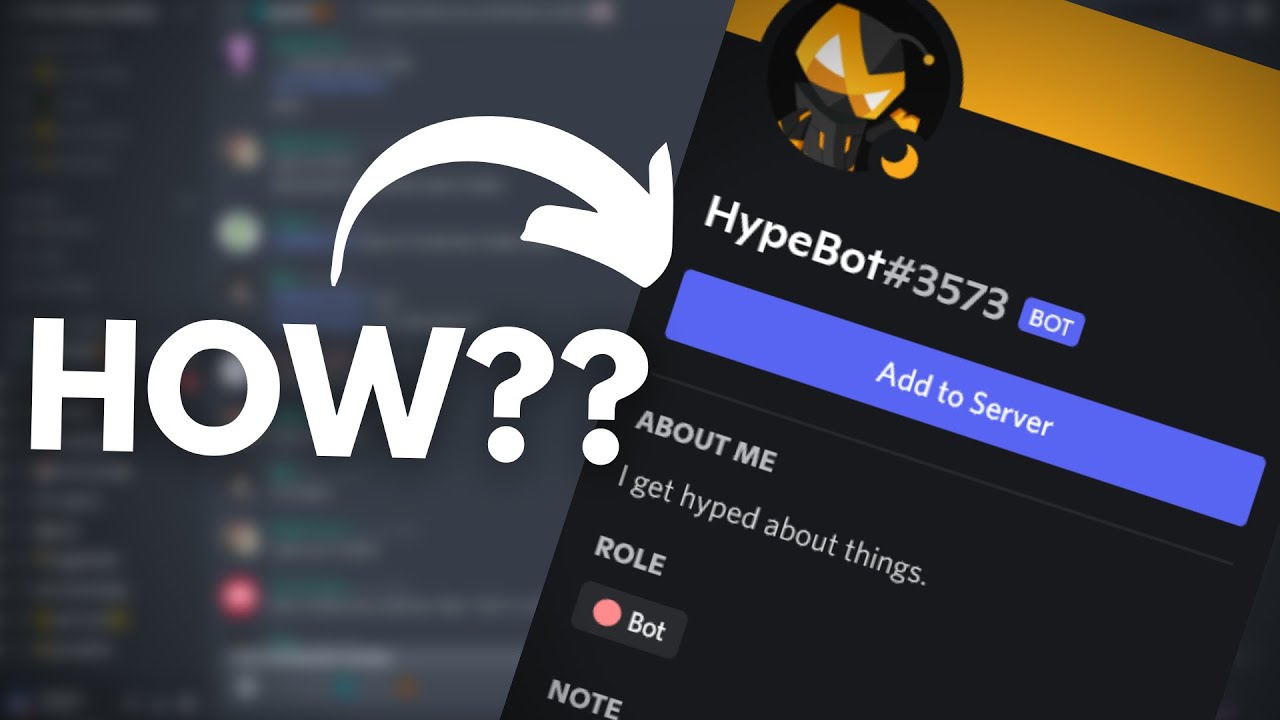
In this video, I'll show how to get the Add to Server button on your bot's profile in less than a minute.
If you have any suggestions for future videos/doubts, leave it in the comments below. I might not be able to answer everyone but you can join my discord server for help: https://discord.gg/TXF3hBj
▬▬▬▬ Useful Links ▬▬▬▬
Discord Developer ...
thats the only good tutorial he has which don't use json 💀
gusty shard
shrewd apex
https://m.youtube.com/watch?v=HZF6lMshuX0
thank you
maiden fable
Lmao u started sharing yt links?
slate swan
ashley whats this TypeError: test() missing 1 required positional argument: 'channel'
slate swan
slate swan
ashley whats this TypeError: test() missing 1 required positional argument: 'cha...
code
shrewd apex
slate swan
ashley whats this TypeError: test() missing 1 required positional argument: 'cha...
u didn't copy my updated code
shrewd apex
oh lemme see I think i forgot ctx
slate swan
you naughty
gusty shard
shrewd apex
https://m.youtube.com/watch?v=HZF6lMshuX0
is there any way to make it invite people to bots main server?
shrewd apex
shrewd apex
```py
@client.event
async def on_ready() -> None:
print("online")
channel ...
@slate swan
sly hamlet
vocal snow
https://discordpy.readthedocs.io/en/latest/logging.html
I keep on getting start gotten unexpected keyword log handler
shrewd apex
slate swan
you naughty
;-;
slate swan
but thats the error
vocal snow
sly hamlet
I keep on getting start gotten unexpected keyword log handler
oh are you not using 2.0?
shrewd apex
gusty shard
is there any way to make it invite people to bots main server?
umm no u could make an invite command tho
shrewd apex
slate swan
but thats the error
i changed the code
sly hamlet
I am using 2.0
slate swan
ohh
sly hamlet
await bot.start("token", log_handler=handler)```k thanks
slate swan
@shrewd apex : Command "test" is not found //what the command
vocal snow
sly hamlet
```py
await bot.start("token", log_handler=handler)```
it's a method of run, not start
vocal snow
that's fine, check the last example on that page
just don't pass the log_handler and it'll be fine
shrewd apex
@client.event
async def on_ready() -> None:
   print("online")
   channel = int(input('enter channel id here:'))
   chan = client.get_channel(channel)
   await chan.send("pls work for god sake")
replace it all right
sly hamlet
Okay, well I don't see this logging anything so that's a problem
slate swan
@shrewd apex ommggg worked
i should actually learn abt these and not spend more time on stackoverflow lol
sly hamlet
Everything in the example has client.run
vocal snow
sly hamlet
Everything in the example has client.run
ye, it doesn't matter
but anyways, I would figure out where in your command the code is crashing
slate swan
Now i will try to make it send a message to multiple channels wish me luck
vocal snow
maybe add a few prints/asserts and see
devout iris
@bot.command()
async def yardım(ctx):
    embed= discord.Embed(
        title = "Fly Bot yardım komutu!",
        description=
        f"""
        Merhaba,  {ctx.author} Komut listem şöyle: \n\n\n

        Genel kullanıcı komutları; \n\n
        **Stats**(botun istatistiklerini gösterir) `i!stats`\n
        **Davet**(botun davet linkini gönderir) `i!davet` \n
        **Uptime** (botun ne kadar süredir aktif olduğunu gösterir) `ì!uptime` \n
        **Ping** (botun anlık gecikmesini gösterir) `i!ping` \n
        **Yankı**(bot sizin mesajınızı taklit eder) `i!yankı [mesajınız]` \n
        **Hesapla** (çok argümanlı hesaplar yapmanızı sağlar) `i!hesapla [5 + 10]`


        """
    )
    await ctx.send(embed=embed)
what is wrong?
 sly hamlet
Yeah but in all the examples it has them starting the logger inside of the client.run do you not think that's a problem?
devout iris
also how can i close that setting? (i don't want yellow highlight)
 slate swan
@shrewd apex now can i do like this --- n = int(input("Enter number")) then do a range(n) so it repeats n times??
the whole code
unkempt canyonBOT
Hey @vocal snow!
It looks like you tried to attach a Python file - please use a code-pasting service such as https://paste.pythondiscord.com
vocal snow
mf
shrewd apex
devout iris
```py
@bot.command()
async def yardım(ctx):
embed= discord.Embed(
ti...
can u send ur whole code
slate swan
pain
devout iris
shrewd apex
can u send ur whole code
that's all code.
slate swan
devout iris
that's all code.
import discord
from discord.ext import commands
vocal snow
sly hamlet
Yeah but in all the examples it has them starting the logger inside of the clien...
it isn't a problem, passing it will use discord.py's default configurations but if you don't pass it you can use your own
devout iris
 devout iris
slate swan
import discord
from discord.ext import commands
devout iris
slate swan
import discord
from discord.ext import commands
smh
slate swan
Lol
vocal snow
sly hamlet
Okay, well I don't see this logging anything so that's a problem
you could also try decreasing the level, to logging.DEBUG or something
sly hamlet
In 2.0, anything previously printed like errors from error handlers are now logged instead.
Logging is set up for you if you use Client.run, but you'll need to do it yourself if you use asyncio.run.
Something about that tells me it's not going to log it automatically
shrewd apex
devout iris
i don't see anything wrong at best i would say use f strings and color kwarg for looks try to save ur code and restart ide
vocal snow
sly hamlet
In 2.0, anything previously printed like errors from error handlers are now logg...
it won't, that's why you use the example they gave you (in the last case)
sly hamlet
I use the example
what i have ```py
import logging
handler = logging.FileHandler(filename='discord.log', encoding='utf-8', mode='w')```
 hybrid fjord
anyone have a link to a discord.py 2.0 eval command? my 1.0 doesnt work anymore
 pliant gulch
Did you use the right URL? 401 Error code means you weren't authorised to make a request to that URL
devout iris
shrewd apex
i don't see anything wrong at best i would say use f strings and color kwarg for...
i removed f string ,nothing happened. (i'm using doki theme pack so my colors are not same as your)
vocal snow
sly hamlet
what i have ```py
import logging
handler = logging.FileHandler(filename='discor...
not that one, the last one
shrewd apex
devout iris
i removed f string ,nothing happened. (i'm using doki theme pack so my colors ar...
no i meant color for discord.Embed()💀 but i don't see anything wrong in ur code
pliant gulch
Try using some other URL to see if it works, there is no error in your code itself, the error is related to the URL and the authorisation needed to request it
devout iris
shrewd apex
no i meant color for discord.Embed()💀 but i don't see anything wrong in ur code
ah lol, i see. i didn't see too but not working that d*mn thing
slate swan
@client.event
async def on_ready() -> None:
   print("online")
   n = int(input('Amount of channels'))
   range(n)
     channel = int(input('enter channel id here:'))
     chan = client.get_channel(channel)
     await chan.send("pls work for god sake")
``` Why doesnt it repeat n times.what do i have to put in the emoji= to get this?

!code
unkempt canyonBOT
Here's how to format Python code on Discord:
```py
print('Hello world!')
```
These are backticks, not quotes. Check this out if you can't find the backtick key.
sly hamlet
Wow, that's a lot of info
slate swan
print('Hello world!')
@client.event
async def on_ready() -> None:
   print("online")
   n = int(input('Amount of channels'))
   range(n)
     channel = int(input('enter channel id here:'))
     chan = client.get_channel(channel)
     await chan.send("pls work for god sake")
range(n)
  ...
``` is not valid syntaxWhat do i have to do
pliant gulch
It should be ```py
for _ in range(n):
...
oh yeah i saw that in stackoverflow i dont know what to put in _
shrewd apex
hopefully u are not but i get a feeling u are self botting
slate swan
never.
sly hamlet
vocal snow
not that one, the last one
voice_client = await destination.connect()
AttributeError: 'NoneType' object has no attribute 'connect'
_ is just a variable which semantically means, "un-used"
slate swan
say no to self botting
shrewd apex
otherwise no need to take in terminal
pliant gulch
I suggest you review some of the python basics, especially if you are willy nilly putting together code like that where it doesn't even have valid syntax
shrewd apex
slate swan
say no to self botting
u could just put those other lines instead of the ... in what while(1) sent
pliant gulch
Not that you need to listen to me at all, just a suggestion
slate swan
pliant gulch
`_` is just a variable which semantically means, "un-used"
worked.
my bot is done
vocal snow
sly hamlet
```py
voice_client = await destination.connect()
AttributeError: 'NoneType' obje...
so looks like user_vc.channel is None :)
sly hamlet
So it's saying that my bot's not in a voice channel?
vocal snow
sly hamlet
```py
@app_commands.command(name='play',
description="Tes...
interaction.user.voice, so the command author is not in a vc
sly hamlet
Bs
 cold tide
Function to delete a channel? Anyone know
sly hamlet
I am in a voice channel
Okay well that solves that issue. Discord is just being a pain
pliant gulch
Were you in a voice channel then restarted your bot?
In that case due to the limitations of the API you'll have a "dead-cache"
 terse coyote
bot timeouting member in 2 seconds
 pliant gulch
So the wrapper doesn't think there is a user in the voice channel
sly hamlet
Okay, I still have the problem where it's not playing though
The box in the channel but there's no sound
sly hamlet
sly hamlet
Okay, I still have the problem where it's not playing though
I don't really see a trace back in regards to this @vocal snow
slate swan
@client.event
async def on_ready() -> None:
     channel = int(input('Enter channel id here = '))
     chan = client.get_channel(channel)
     await chan.send("pls work for god sake")

``` How can i make it so i add the channels directly to code so i wont have to type them?Why do you need to send a message to multiple channels? 🤨
shrewd apex
use a list
maiden fable
slate swan
```py
@client.event
async def on_ready() -> None:
channel = int(input('Ente...
Add a wait_until_ready also
slate swan
maiden fable
Add a wait_until_ready also
whats that good for
unhashable type: 'list'
mylist = ["1000832234045067275", "1000832258481066004", "1000832281084186644"]

@client.event
async def on_ready() -> None:
   print("online")
   n = int(input('Amount of channels'))
   for _ in range(n):
     chan = client.get_channel(mylist)
     await chan.send("pls work for god sake")
@client.event
async def on_ready() -> None:
   print("online")
   mylist = ("1000832234045067275", "1000832258481066004", "1000832281084186644")
   chan = client.get_channel(mylist)
   await chan.send("pls work for god sake")
``` i did this now 'NoneType' object has no attribute 'send'It needs to be integers, not strings
slate swan
oh how can i make it for strings
sick birch
Remove the "", easy peasy
slate swan
@scarlet flame ```py
@client.event
async def on_ready() -> None:
print("online")
mylist = (1000832234045067275, 1000832258481066004, 1000832281084186644)
chan = client.get_channel(mylist)
await chan.send("pls work")
 scarlet flame
slate swan
<@770306413888274442> ```py
@client.event
async def on_ready() -> None:
prin...
scarlet flame
slate swan
<@770306413888274442> ```py
@client.event
async def on_ready() -> None:
prin...
what's this about?
slate swan
sending a message to 3 channels
scarlet flame
why did you ping me specifically
scarlet flame
oof
sick birch
slate swan
<@770306413888274442> ```py
@client.event
async def on_ready() -> None:
prin...
Gotta loop over it and do it individually
slate swan
oh imma look on a tutorial
 outer flint
question
    @commands.Cog.listener()
    async def on_raw_message_edit(self, payload):
        """Message edit event"""
        if payload.guild_id != 905457759099682868:
            return
        message = payload.cached_message
        await self.bot.get_channel(999611077094543440).send(
            embed=(
                disnake.Embed(
                    description=f"**Message edited in {self.bot.get_channel(payload.channel_id).mention}**\n**Before**\n{message.content}\n**After**\n{message.content}",
                    color=0xFF470F,
                    timestamp=datetime.datetime.now(),
                )
                .set_author(
                    name=f"{message.author.name}#{message.author.discriminator}",
                    icon_url=message.author.avatar.url,
                )
                .set_footer(
                    text=f"Author: {message.author.id} | Message ID: {payload.message_id}"
                )
            )
        )
how do I get the message before the edit?
 wicked atlas
Slash commands don’t have a message attribute. Try just ctx.author
Im not actually sure if d.py commands use Context objects
They might use Interaction objects
 tough lance
Yea they use interaction objects
wicked atlas
!d discord.Interaction
unkempt canyonBOT
class discord.Interaction```
Represents a Discord interaction.

An interaction happens when a user does an action that needs to be notified. Current examples are slash commands and components.

New in version 2.0.This one is disnake btw ^^
wicked atlas
tough lance
This one is disnake btw ^^
Nah, thats d.py
 swift pumice
.topic
 lament depotBOT
**What feature would you be the most interested in making?**
Suggest more topics here!
swift pumice
lament depot
own voice channel like that creates a voice channel if you join one
tough lance
!d datetime.datetime.utcnow
unkempt canyonBOT
classmethod datetime.utcnow()```
Return the current UTC date and time, with [`tzinfo`](https://docs.python.org/3/library/datetime.html#datetime.datetime.tzinfo "datetime.datetime.tzinfo") `None`.
This is like [`now()`](https://docs.python.org/3/library/datetime.html#datetime.datetime.now "datetime.datetime.now"), but returns the current UTC date and time, as a naive [`datetime`](https://docs.python.org/3/library/datetime.html#datetime.datetime "datetime.datetime") object. An aware current UTC datetime can be obtained by calling `datetime.now(timezone.utc)`. See also [`now()`](https://docs.python.org/3/library/datetime.html#datetime.datetime.now "datetime.datetime.now").
Warning
Because naive `datetime` objects are treated by many `datetime` methods as local times, it is preferred to use aware datetimes to represent times in UTC. As such, the recommended way to create an object representing the current time in UTC is by calling `datetime.now(timezone.utc)`. dull terrace
do you think this bot is worth releasing to the wild, you enter calories and weight each day and it records and plots a graph

if you add multiple times in a day, the weight will average and the calories will add on to each other 
vocal snow
thats pretty cool
you can make the table on top a little prettier with https://pypi.org/project/prettytable/ maybe

PyPI
A simple Python library for easily displaying tabular data in a visually appealing ASCII table format
 sleek badge
How to do something when you click on a button with customid (rule_btn) write for example (Rules!) and when you click on a button with ustomid (knowledge_btn) write for example (knowledge!)

 gloomy plinth
anyone know why i get No module named 'discord_slash' when i run
from discord.ext import commands
from discord_slash import SlashCommand, SlashContext
from discord_slash.utils.manage_commands import create_choice, create_option
import os
from dotenv import load_dotenv, find_dotenv

load_dotenv(find_dotenv())

client = commands.Bot(command_prefix="!")
slash = SlashCommand(client, sync_commands=True)

@slash.slash(
  name="hello",
  description="Just sends a message",
  guild_ids=984307692946460702
)

async def _hello(ctx:SlashContext):
  await ctx.send("World!")

#TOKEN
client.run(os.getenv('TOKEN'))
I already installed libraries with pip3 install discord-py-slash-command and pip3 install discord
sick birch
#media-processing please
sick birch
gloomy plinth
anyone know why i get ``No module named 'discord_slash'`` when i run
```import ...
FYI discord.py supports slash commands so there's no need
gloomy plinth
sick birch
FYI discord.py supports slash commands so there's no need
thanks, i will look into it!
gloomy plinth
sick birch
FYI discord.py supports slash commands so there's no need
is this accurate?

 wild spoke
How to make bot respond to messages containing word
or exaple keyword is "ok"
he should respond to " Ok, thats epic", but not to "Well, Okay"
 wicked quest
gloomy plinth
is this accurate?
wicked quest
gloomy plinth
is this accurate?
February 17
Dpy is back in buisness since june/may
Supporting slash cmds buttons and all that
 white aurora
wild spoke
or exaple keyword is "ok"
white aurora
wild spoke
or exaple keyword is "ok"
if message.content == 'keyword'
wild spoke
but will he then respond to "123okay"? Cuz I dont need it
wild spoke
and what about case?
wicked quest
if 'keyword' in msg.content.split(' '):```
This will respond if the keyword is a seperate word anywhere in the msgno, usually a sentence
white aurora
wild spoke
but will he then respond to "123okay"? Cuz I dont need it
i've given you that to build off of.
wicked quest
wild spoke
and what about case?
If msg.content.lower() == 'keyword':
Ye idk figure it out its not that difficult
Kinda spoonfeeding
wild spoke
and split?
wild spoke
wicked quest
Kinda spoonfeeding
noob here
white aurora
async def on_message(message)
this will make sure your bot receives the message first of all
wicked quest
Dont forget process_commands
wild spoke
and not "oK", "OK, "Ok"
wicked quest
wicked quest
If msg.content.lower() == 'keyword':
.
.lower() converts string to lowercase
wild spoke
wicked quest
Dont forget process_commands
what does it do
wild spoke
wicked quest
Processes message for commands
but thats only if message = keyword
wrong message
wicked quest
Its recommended to add it to on_message
wild spoke
 wicked quest
Btw split will make it respond if word is in sentance
wild spoke
yes
wicked quest
"Thats ok" will trigger it
Or smth including ok
Ye thats cool ig
I mean if you dont use prefix commands then its not needed
 wicked quest
message.content.lower().split(' ')
wild spoke
thanks dude
wicked quest
👍
white aurora
wild spoke
async def on_message(message):
    if message.content == 'ok':
await message.channel.send('Hello')```shrek already helped me ty xoxo
white aurora
it's only going to respond to lowercase 'ok'
theres really not a need for .lower function or other modules
white aurora
slate swan
invalid literal for int() with base 10
you can fix it by converting twice
slate swan
i fixed it , had to remove the int
slate swan
i used float too but didnt work
white aurora
id = int(float(input('id = ')))
 upper belfry
any1 knows how I can make my bot mix/merge 2 user names together and send it on the channel. Lets say I used the command which joins Usernames, and the usernames Bxlyn and Srrap were mentioned, how can I make it send something like Bxrap
slate swan
how can i make so after i type something in consoles it instatly disspears, only applying to that line
 neat field
upper belfry
any1 knows how I can make my bot mix/merge 2 user names together and send it on ...
neat field
upper belfry
any1 knows how I can make my bot mix/merge 2 user names together and send it on ...
like add the 2 usernames at random?
upper belfry
neat field
like add the 2 usernames at random?
well not at random but
like first 3 letters of the first
and last 3 letters of the second
neat field
take the first 3 letters of the first and last 3 of the second
name = name[:3]
username = username[-3]```name + username ?
upper belfry
I just did thanks to you
neat field
Yw 😁
slate swan
client.user.name why doesnt this work?
I took some advice on several days ago in regards to creating a dictionary to loop through my emojis and respective ids for a reaction role post, I am able to iterate through the dict fine but my if statement is definitely not right as it goes straight to the else statement , https://paste.pythondiscord.com/qiqocalime full code is here if anyone knows where I am going wrong 🙂
sick birch
slate swan
I took some advice on several days ago in regards to creating a dictionary to lo...
Here's where the problem lies:
if emoji == Roles1.items():
  ...
emoji will be **one **of the emojis inside your Roles1 dictionary, while Roles1.items() will be, simply put, your **entire **dictionary in a List[Tuple[str, int]] format
So no matter what, an emoji as a string will never be equal to the entire dictionary
Also as a word of advice, the ReactionRoles command should only set up the embed, send it, and add the appropriate reactions. You should have a seperate on_raw_reaction_add listener inside your cog that handles giving the user the roles they requested
slate swan
Fair enough, back to drawing board I go for learning.. 🙂 dont think I'm quite there yet and OK, I'll also give that a shot too 😄 sounds like a much better idea.
sick birch
No problem. Feel free to ping me anytime with any follow up questions you may have
sick birch
slate swan
client.user.name why doesnt this work?
Doesn't work how?
slate swan
it did now
slate swan
sick birch
No problem. Feel free to ping me anytime with any follow up questions you may ha...
Sorry to bother, would it just be this that goes under the @commands.commands:
async def on_raw_reaction_add(self, payload): ```Exactly like so, yes! 🎉
hybrid fjord
d.py 2.0 optional slash command parameter?
@tree.command(name="rank",description="Check your level and XP.",guild = discord.Object(id=GUILD_ID))
async def self(ctx: discord.Interaction, user:discord.User):```
wanna make user optional torn sail
Set a default value
sick birch
hybrid fjord
```py
@tree.command(name="rank",description="Check your level and XP.",guild = d...
Set it to None
slate swan
How can i count a runned jar files on vps?
terse coyote
why in isnt working
when im write my command without all args this check isnt working
 slate swan
whole code pls
 sick birch
Why? That's probably where the issue is
Since the whole thing is in a try/catch block, it exits when it encounters the missing variable and goes into the catch block section
slate swan
yeah
slate swan
terse coyote
u have try expect
terse coyote
sick birch
Why? That's probably where the issue is
I removed the extra code with variables at the beginning of the command code to show the checks
sick birch
terse coyote
I removed the extra code with variables at the beginning of the command code to ...
Well, put those back in and see if it works
unkempt canyonBOT
@slate swan :white_check_mark: Your 3.11 eval job has completed with return code 0.
1
yeah see
sick birch
A better example would be this:
!e
try:
  print(variable_that_does_not_exist)
  print("This is another line. it should not get called")
except:
  print("oopsies, there was an error!")
@sick birch :white_check_mark: Your 3.11 eval job has completed with return code 0.
oopsies, there was an error!
does not work
slate swan
code
terse coyote

 indigo pilot
Hey
Is there a easy way to change a button type to "Disabled"?
Or do i need to make a whole new view
sick birch
You can edit the view you already have, then resend self
slate swan
indigo pilot
Is there a easy way to change a button type to "Disabled"?
yeah button.disabled = True
indigo pilot
Tyty
slate swan
then also send or edit something
sick birch
terse coyote
!paste it's getting hard to see, please paste all the code in the function here please
unkempt canyonBOT
Pasting large amounts of code
If your code is too long to fit in a codeblock in Discord, you can paste your code here:
https://paste.pythondiscord.com/
After pasting your code, save it by clicking the floppy disk icon in the top right, or by typing ctrl + S. After doing that, the URL should change. Copy the URL and post it here so others can see it.
slate swan
anyways ill go and prepare for my science exam today
sick birch
good luck with that
terse coyote
sick birch
!paste it's getting hard to see, please paste all the code in the function here ...
slate swan
sick birch
good luck with that
thanks 👍
sick birch
terse coyote
https://paste.pythondiscord.com/ihicuhewid
Use a bare except instead, and see if you get any errors
try:
  ...
except:
  ...
instead of
try:
  ...
except Exception:
  ...
nothing changed
sick birch
Try re-raising the error inside the except like this:
try:
  ...
except Exception as e:
  raise e
nothing...
sick birch
Looks like there are no errors then
slate swan
lol
slate swan
terse coyote
nothing...
can u send the code again
sick birch
And did you run the command after re-raising the error?
Because just changing it like I said won't do anything
terse coyote
sick birch
And did you run the command after re-raising the error?
what are you talking about?
terse coyote
slate swan
can u send the code again
sick birch
Did you run the actual command in discord after making the changes I told you to make?
The point of this is to try to get the error handler working properly so that we can see if any errors happened
terse coyote
of course
terse coyote
sick birch
The point of this is to try to get the error handler working properly so that we...
i understand
indigo pilot
slate swan
yeah button.disabled = True
Prob should of specifiied, im doing it from outside the button, so this wont work. Editing it from the msg id
sick birch
And you didn't get any errors while running the command after making the changes?
terse coyote
sick birch
The point of this is to try to get the error handler working properly so that we...
i do everything you tell me and try to use the command again
terse coyote
sick birch
And you didn't get any errors while running the command after making the changes...
0 errors
sick birch
Can you add a print statement before await ctx.message.delete(), and after if member is None?
slate swan
i have a question , i have a reload cogs cmd and whenever i try to reload when it comes to reload the helpbot.py it raises error Extension helps is not loaded" (its not hardcoded)
sick birch
So:
if member is None:
  print("works")
  await ctx.message.delete()
  ...
does helps is already something or what
terse coyote
sick birch
Can you add a print statement before `await ctx.message.delete()`, and after `if...
does not display this, I am just trying this now and nothing
if I remove some function arguments, remove checks for them and the code that uses them and try to use the command?
slate swan
sick birch
So:
```py
if member is None:
print("works")
await ctx.message.delete()
......
u tried this?
slate swan
can u show how did u called the cmd in discord
sick birch
Okay.. let's see if the command callback is actually getting called in the first place. Add a print statement as the first line in your command:
@commands.command()
@commands.has_permissions(administrator = True)
async def remute(self, ctx, member: discord.Member = None, amount: str = None, reason: str = None):
        print("command called")
        log = Logs(ctx)
        ...
yeah
sick birch
And call the command again in discord and see if it prints that
slate swan
slate swan
i have a question , i have a reload cogs cmd and whenever i try to reload when i...
any idea robin?
terse coyote
sick birch
Okay.. let's see if the command callback is actually getting called in the first...
 terse coyote
wait
sick birch
Move it down because member won't be defined there
actually nevermind
was confusing myself with author
terse coyote
slate swan
print(member)
 slate swan
hm
slate swan
.
unkempt canyonBOT
@sick birch :white_check_mark: Your 3.10 eval job has completed with return code 0.
True
what
lol
None is None is true since theyre the same instance
sick birch
Except for some reason it's not
sick birch
looks like we broke python
slate swan
slate swan
i have a question , i have a reload cogs cmd and whenever i try to reload when i...
anyone got any idea
sick birch
the only other thing i can think of is your command is freezing up before it gets to the if member is None part
 dense axle
sick birch
that's odd lol, `None is None` is false
dense axle
sick birch
that's odd lol, `None is None` is false
if none == none
print(‘True’)
gottem
terse coyote
i will add try except to all code before checking
sick birch
yeah try printing print(member is None)
slate swan
terse coyote
i will add try except to all code before checking
do like
#code
print(1)
#code
print(2)
#code
print(3)
#code
print(4)
it's the same exact condition you have later on
@terse coyote
@commands.command()
@commands.has_permissions(administrator = True)
async def remute(self, ctx, member: discord.Member = None, amount: str = None, reason: str = None):
        print(member is None)
        log = Logs(ctx)
        ...
@slate swan :white_check_mark: Your 3.11 eval job has completed with return code 0.
True
caught in 8k
sick birch
i'm grasping for any leads at this point
slate swan
slate swan
!e
```py
a = None
print(a is None)
```
a is literal to the instance of NoneType lol
slate swan
slate swan
a is literal to the instance of NoneType lol
ikr
sick birch
because either something is freezing up the command or we managed to break python itself
slate swan
or maybe you're having a big brainfart and you should go to sleep
sick birch
and i'm really not in the mood to go fill out a GH issue on cpython
slate swan
terse coyote
what u guys think it is ???
terse coyote
I FIND IT
slate swan
GG
slate swan
terse coyote
I FIND IT
what was it?
slate swan
same
terse coyote
slate swan
what was it?
are you sure you want to see it?
slate swan
😉 indeed
sick birch
flashbacks to that one time i spent 30 minutes helping someone and they didn't save file
slate swan
sick birch
flashbacks to that one time i spent 30 minutes helping someone and they didn't s...
💀

terse coyote
'NoneType' object has no attribute 'mention'
slate swan
cool
terse coyote
my embeds....
slate swan
very nice
sick birch
I thought you weren't getting any errors?
slate swan
but why isnt it raising error
terse coyote
terse coyote
my embeds....
before check member is None...
slate swan
u do add exception right
slate swan
terse coyote
before check member is None...
nice

 slate swan
 slate swan
terse coyote
slate swan
terse coyote
yeah
sick birch
okay but... how come you didn't get this error before?
indigo pilot
Asking again as i didnt explain right and got no response to my reply lol
i need to edit a button to disabled via a message object(whitch has the button view), not sure if im dumb orrr not thinking striaght lol, any ideas?
slate swan
sick birch
okay but... how come you didn't get this error before?
maybe he's hiding something
terse coyote
sick birch
okay but... how come you didn't get this error before?
for some reason i am not getting any errors in the console lately...
why? idk
terse coyote
slate swan
maybe he's hiding something
sure?
sick birch
Faulty error handlers maybe
slate swan
thats very weird
indigo pilot
^ lol
terse coyote
sick birch
Faulty error handlers maybe
?
 sick birch
indigo pilot
Asking again as i didnt explain right and got no response to my reply lol
i need...
sick birch
indigo pilot
Asking again as i didnt explain right and got no response to my reply lol
i need...
Could you give more context? Existing code would be helpful. When do you need to disable button?
sick birch
terse coyote
?
The function name is misleading
That's fired on any error, not only on MemberNotFound
Rename it so you don't confuse yourself, add an else: raise error
indigo pilot
sick birch
Could you give more context? Existing code would be helpful. *When* do you need ...
`havnt coded it yet
im making a quote system, once the user accepts a quote, it loops thru the db whitch has all the msg ids of quotes, and edits the buttons to disable
sick birch
So once a user clicks the "accept" button, it should disable?
indigo pilot
sick birch
So once a user clicks the "accept" button, it should disable?
Yes + all other quotes
Whitch would be in the db, with a list of msg ids
sick birch
That would be disabled inside of the view, wouldn't it?
So just button.disable = True and resend the view
indigo pilot
sick birch
So just `button.disable = True` and resend the view
But button.disable would just be the button in the view, for accept
Not each accept button
sick birch
How many buttons are you planning on having per message?
terse coyote
sick birch
Rename it so you don't confuse yourself, add an `else: raise error`
It did not help(
indigo pilot
sick birch
How many buttons are you planning on having per message?
Accept and reply in each quote message
So two
sick birch
button would actually be the button object that was clicked by the user
indigo pilot
Yes and that would only disable the button in the quote clicked tho right?
Not the rest of the accept buttons in other msgs
sick birch
And the rest of the buttons that need to be disabled are in other messages?
indigo pilot
sick birch
And the rest of the buttons that need to be disabled are in other messages?
Yes
Whitch the msg ids are stored in the db
Meaning i get_message loop, but i dont know how to edit the button to disabled from that poiint on, unless theres a other way
sick birch
Okay, you should be able to loop over each of those message objects, and use discord.ui.View.from_message(message) and go from there
Or actually you can just create a static view with the accept button disabled, and edit each message with that
indigo pilot
Oh yeah true, i thought of that but lost my trace of thought lmao
tysm!
Not sure if that works tho unless you can make a button disabled by default when making the view
As i thought only button.disable or what ever is the only way
sick birch
indigo pilot
Not sure if that works tho unless you can make a button disabled by default when...
yep, just pass in disabled=True
terse coyote
i wanna make a command which shows all users with a timeout and until what time it will be, but when i'm using a command bot send users in different messages
code:
for memb in ctx.guild.members:
    member = ctx.guild.get_member(memb.id)
    if member.is_timed_out() is True:
        x = [member.mention]
        mentions = f"until <t:{int(round(member.timed_out_until.timestamp()))}:R>\n".join(x)
        embed = discord.Embed(description = f"{mentions}")
        await ctx.send(embed = embed)
 vast egret
can someone help with this? i wanna remove t1 and t2 from a set in an error handler if a command times out, but it is not removing them


 pastel aspen
does discord.py have a timeout feature?
slate swan
!d discord.Member.timeout
unkempt canyonBOT
await timeout(until, /, *, reason=None)```
This function is a [*coroutine*](https://docs.python.org/3/library/asyncio-task.html#coroutine).

Applies a time out to a member until the specified date time or for the given [`datetime.timedelta`](https://docs.python.org/3/library/datetime.html#datetime.timedelta "(in Python v3.10)").

You must have the [`moderate_members`](https://discordpy.readthedocs.io/en/latest/api.html#discord.Permissions.moderate_members "discord.Permissions.moderate_members") permission to use this.

This raises the same exceptions as [`edit()`](https://discordpy.readthedocs.io/en/latest/api.html#discord.Member.edit "discord.Member.edit").thank you.
Also, I read that discord.py was discontinued. How does this affect bot development? I'm a beginner
slate swan
it got resumed!
 oblique laurel
pastel aspen
thank you.
Also, I read that discord.py was discontinued. How does this affect b...
oblique laurel
pastel aspen
thank you.
Also, I read that discord.py was discontinued. How does this affect b...
It was, but a while ago the dev got back to it and is actively working on discord.py 2.0 iirc. All our bots use discord.py still
pastel aspen
oh, awesome
oblique laurel
oblique laurel
It was, but a while ago the dev got back to it and is actively working on discor...
is it considered dpy 2.0?
slate swan
Hi im coding in hikari and hikari-lightbulb if anyone is familiar with that, also first time using sqlite3.
import lightbulb
import sqlite3


plugin = lightbulb.Plugin('rep')

@plugin.command
@lightbulb.option("item", "the item you bought / sold")
@lightbulb.option("vendor", "the person you are vouching for", type=hikari.User)
@lightbulb.option("did_you_buy", "did u buy an item or sell it? BUY = TRUE SELL = FALSE", type=bool)
@lightbulb.option("rating", "The rating you are giving to the seller out of 10 ex, 8 = 8/10", type=int)
@lightbulb.option("money_spent", "The amount of usd u spent on the transaction (DONT PUT A $ BEFORE)", type=int)
@lightbulb.option("message", "Extra things you want to tell people about")
@lightbulb.command("rep", "reps somebody!")
@lightbulb.implements(lightbulb.SlashCommand, lightbulb.PrefixCommand)
async def embed_command(ctx: lightbulb.Context) -> None:
    if ctx.author.id == ctx.options.vendor.id:
        embed=hikari.Embed(title=f"**You can't vouch for yourself!**", description=f"Try to rep somebody else!", color=0xFF0000)
        embed.set_footer('Made by cantthinkofausername#3155')
        embed.set_thumbnail(ctx.author.avatar_url)
        await ctx.respond(embed)

    bought = "Bought"
    if ctx.options.did_you_buy == False:
        bought = "Sold"

    if ctx.options.rating > 7.99:
        color = hikari.Color(0x00FF00)
    elif ctx.options.rating > 4.99:
        color = hikari.Color(0xFFFF00)
    elif ctx.options.rating > .99:
        color = hikari.Color(0xFF0000)

    embed=hikari.Embed(title=f"**{ctx.author}'s Vouch**", description=f"Being vouched: {ctx.options.vendor.mention}\nTag: {ctx.options.vendor}\n Item {bought}: {ctx.options.item} for ${ctx.options.money_spent}\nRating: {ctx.options.rating}/10\nMessage: {ctx.options.message} ", color=color)
    embed.set_footer('Made by cantthinkofausername#3155')
    embed.set_thumbnail(ctx.author.avatar_url)
    await ctx.respond(embed)

    con = sqlite3.connect('example.db')
    cur = con.cursor()

    cur.execute('''CREATE TABLE IF NOT EXISTS reps
                    (voucher text, rating text, money_spent text)''')

    con.commit()

    for row in cur.execute('''SELECT * FROM reps'''):
        print(f'{ctx.author} {ctx.options.rating} {ctx.options.money_spent}')


def load(bot):
    bot.add_plugin(plugin)
The command is a rep command, and just makes vouching somebody look better, im trying to add all vouches into a database with the important info. the rep command works fine but the problem is it doesnt enter anything relevant, sqlite code below,
`con = sqlite3.connect('example.db')
cur = con.cursor()
cur.execute('''CREATE TABLE IF NOT EXISTS reps
                (voucher text, rating text, money_spent text)''')

con.commit()

for row in cur.execute('''SELECT * FROM reps'''):
    print(f'{ctx.author} {ctx.options.rating} {ctx.options.money_spent}'`
I opened the database but this is all i see is this:

 vagrant brook
why are you trying to read a sqlite file with notepad
slate swan
vagrant brook
why are you trying to read a sqlite file with notepad
bc when i double clicked it, it didnt open automatically so i just chose the first program
is there a specific program i should be using?
sly hamlet
how can i make a sub command in discord.py 2.0
slate swan
slate swan
Hi im coding in hikari and hikari-lightbulb if anyone is familiar with that, als...
use this to check your data https://sqlitebrowser.org/
slate swan
slate swan
use this to check your data https://sqlitebrowser.org/
the
the app right?
yeah its a ui to view sqlite or db files
sly hamlet
sly hamlet
how can i make a sub command in discord.py 2.0
same as old way?
slate swan
sly hamlet
same as old way?
sly hamlet
Yes, very helpful
slate swan
sly hamlet
Yes, very helpful
It really is
 daring olive
slate swan
It really is
daring olive
slate swan
It really is
i see you're new here, so do take a close read of our #rules and #code-of-conduct for the expectations of our community
slate swan
oh sorry
daring olive
no problem, we just like to focus on being very welcoming, helpful, etc.
sure a lot of things can be googled, or trial and errored, but, we are a real time chat community so it's nice to bounce ideas with another people and just ask questions to a real live person
slate swan
imo there isnt really a point in helping when there isnt a problem
daring olive
that allows for follow up questions and learning opportunities for others as well
daring olive
thx for listening
 sleek palm
@client.event
async def on_raw_reaction_add(payload):
  for role, msg, emoji in client.reaction_roles:
    if msg.id == payload.message_id and emoji == payload.emoji:
      await payload.member.add_roles(role)
I'm getting
AttributeError: 'str' object has no attribute 'id'
 cold ibex
sleek palm
```py
@client.event
async def on_raw_reaction_add(payload):
for role, msg, emo...
cold ibex
sleek palm
```py
@client.event
async def on_raw_reaction_add(payload):
for role, msg, emo...
why did you choose on_raw_reaction_add over on_reaction_add?
sleek palm
cold ibex
why did you choose on_raw_reaction_add over on_reaction_add?
cause on_raction_add won't work if there's no message in cache?
sleek palm
cold ibex
oh ok
do you know what's the problem with my code?
cold ibex
sleek palm
do you know what's the problem with my code?
no i've never used the raw version, i have a similar code snippet in my bot which does pretty much the same task
don't know if it can help but here it is anyways
vocal snow
sleek palm
```py
@client.event
async def on_raw_reaction_add(payload):
for role, msg, emo...
msg is a str, not a discord.Message obj
sly hamlet
Is making a sub command the same in version 2.0 as it was in 1.7?
sleek palm
cold ibex
don't know if it can help but here it is anyways
yeah it's fine if it does the same task
sleek palm
vocal snow
msg is a str, not a discord.Message obj
so i have to define msg?
sly hamlet
vocal snow
Making subcommands for app commands is different
Can you point me in the right direction for this? I cannot find documentation on it
vocal snow
!d discord.app_commands.Group
unkempt canyonBOT
class discord.app_commands.Group(*, name=..., description=..., parent=None, guild_ids=None, guild_only=..., nsfw=..., default_permissions=..., extras=...)```
A class that implements an application command group.

These are usually inherited rather than created manually.

Decorators such as [`guild_only()`](https://discordpy.readthedocs.io/en/latest/interactions/api.html#discord.app_commands.guild_only "discord.app_commands.guild_only"), [`guilds()`](https://discordpy.readthedocs.io/en/latest/interactions/api.html#discord.app_commands.guilds "discord.app_commands.guilds"), and [`default_permissions()`](https://discordpy.readthedocs.io/en/latest/interactions/api.html#discord.app_commands.default_permissions "discord.app_commands.default_permissions") will apply to the group if used on top of a subclass. For example:

```py
from discord import app_commands

@app_commands.guild_only()
class MyGroup(app_commands.Group):
    pass
```...You'll need a group to make a subcommand unless I'm misunderstanding your question
sly hamlet
I just want to make sure I'm reading this documentation right? If I want them to be a sub command, they all need to be in the same class for the same subcommand? Right?
vocal snow
Right, you subclass app_commands.Group and you can use the app_commands.command decorator to create subcommands inside it
sly hamlet
Okay, this does not seem very hard, but I also want to make sure of one more thing. Inside of the examples I'm looking at. It has app_commands.describe. is that required?
vocal snow
Nope, it just allows you to have a description for the command parameters
sly hamlet
so somthing like this??? ```py
class MyGroup(app_commands.Group):
stats = app_commands.Group(name='c_photo', description='Get tag statistics')
@app_commands.command(name='winter',
                   description="Winter photos.")
async def winter(self, interaction: discord.Interaction):
  with open("json/holidays.json", "r") as file:
    json_dict = eval(file.read())
  answer = random.choice(json_dict['Winter'])
  em = discord.Embed(title="Happy Winter", description="", color=0xff6804)
  em.set_image(url=(answer))
  em.set_footer(text=f"Echo discord bot")
  await interaction.response.send_message(embed=em)

@app_commands.command(name='christmas',
                   description="Christmas photos.")
async def christmas(self, interaction: discord.Interaction):
  with open("json/holidays.json", "r") as file:
    json_dict = eval(file.read())
  answer = random.choice(json_dict['Christmas'])
  em = discord.Embed(title="Happy Christmas", description="", color=0xa32a2a)
  em.set_image(url=(answer))
  em.set_footer(text=f"Echo discord bot")
  await interaction.response.send_message(embed=em)```
Because I don't see those popping up as a subcommand
unkempt canyonBOT
add_command(command, /, *, guild=..., guilds=..., override=False)```
Adds an application command to the tree.

This only adds the command locally – in order to sync the commands and enable them in the client, [`sync()`](https://discordpy.readthedocs.io/en/latest/interactions/api.html#discord.app_commands.CommandTree.sync "discord.app_commands.CommandTree.sync") must be called.

The root parent of the command is added regardless of the type passed.so tree.add_command(MyGroup())
vocal snow
Yep
sly hamlet
In my main file or in my cog?
vocal snow
Wherever you have access to tree
sly hamlet
Okay but if I put it in my main file where has access to tree I get my group is not defined
sly hamlet
Inside of the cog it says that tree is not defined
vocal snow
Could you show your code?
sly hamlet
class MyGroup(app_commands.Group):
    stats = app_commands.Group(name='c_photo', description='Get tag statistics')


    @app_commands.command(name='winter',
                       description="Winter photos.")
    async def winter(self, interaction: discord.Interaction):
      with open("json/holidays.json", "r") as file:
        json_dict = eval(file.read())
      answer = random.choice(json_dict['Winter'])
      em = discord.Embed(title="Happy Winter", description="", color=0xff6804)
      em.set_image(url=(answer))
      em.set_footer(text=f"Echo discord bot")
      await interaction.response.send_message(embed=em)

    @app_commands.command(name='christmas',
                       description="Christmas photos.")
    async def christmas(self, interaction: discord.Interaction):
      with open("json/holidays.json", "r") as file:
        json_dict = eval(file.read())
      answer = random.choice(json_dict['Christmas'])
      em = discord.Embed(title="Happy Christmas", description="", color=0xa32a2a)
      em.set_image(url=(answer))
      em.set_footer(text=f"Echo discord bot")
      await interaction.response.send_message(embed=em)

tree.add_command(MyGroup())
If this is in an extension file you can add it in the setup
bot.tree.add_command(...)
sly hamlet
up hear at the top???? ```py
class fun(commands.Cog):
def __init__(self, bot):
    self.bot = bot
    print("cogs.fun")
    bot.tree.add_command(MyGroup())```
That works too, although I'd do it in the setup function instead
sly hamlet
async def setup(bot):
    bot.tree.add_command(MyGroup())
    bot.tree.add_command(MyGroup2())
await bot.add_cog(fun(bot))```Because I still don't see the commands registered
vocal snow
You're syncing the tree?
sly hamlet
Tree syncs in the main file
async def sync_commands(bot):
    await bot.wait_until_ready()
    await bot.tree.sync()
    for guild in bot.guilds:
await bot.tree.sync(guild=guild)```It’s better to sync globally
Discord doesn’t want u to do it for every guild and there’s no point honestly
vocal snow
Maybe if you wanted to disallow dm commands
sly hamlet
Well that's not really the goal for at this second. The goal is to get The command working as it currently work. There's no reason to change it right this second as the bot is only in one Discord
torn sail
That’s fair
sly hamlet
I will change it for my main bot because I did forget to do that when I released but for the test bot which is what I'm currently on no reason to
vocal snow
sly hamlet
Well that's not really the goal for at this second. The goal is to get The comma...
you're syncing after you load the extensions right
sly hamlet
Yes
sly hamlet
/c_photo winter
vocal snow
the group is MyGroup/MyGroup2 though
sly hamlet
Lol had no idea. That's how that worked
vocal snow
if you want the name to be c_photo: ```py
MyGroup(name="c_photo")
Now I can still name a regular command c_ photo correct?
vocal snow
i dont think so
sly hamlet
What's the point of a sub command if you don't have a regular command that's named that first?
Either way, we're about to find out cuz I'm about to test it
vocal snow
it'll show up as /group subcommand in the menu
but i dont think you'll be able to have /group as a standalone
vocal snow
you'll have to ask in the dpy server about that, im not sure if theres a way to do it or not (there might be)
sly hamlet
Yeah I'ma stay out of there right now. They don't particularly like me
vocal snow
tbf they dont like anyone
sly hamlet
Good to know. I asked apparently way too many questions because they super confused me earlier and then told me to go learn basics
vocal snow
sounds like the dpy server xd
sly hamlet
I was told you've been in here for 3 years now and you don't know basics yet. I was like you confused me
vocal snow
it does seem like you can have the group as a standalone command https://discord.com/developers/docs/interactions/application-commands#subcommands-and-subcommand-groups
Discord Developer Portal
Integrate your service with Discord — whether it's a bot or a game or whatever your wildest imagination can come up with.
sly hamlet
Yeah, I just found out a different way to organize everything that still made sense
I just known the old version. You could do that
 hardy yoke
sly hamlet
Yeah I'ma stay out of there right now. They don't particularly like me
hardy yoke
sly hamlet
Yeah I'ma stay out of there right now. They don't particularly like me
yeah that's pretty common in that server. just have to ignore it
most people there like feeling like they're smarter than you if you don't understand something
sly hamlet
hardy yoke
yeah that's pretty common in that server. just have to ignore it
most people the...
Well it just makes me annoyed because the command that they were helping me with I never finished and so it's kind of like just going to sit dormant now until I figure out what I'm doing with it and why it's not working
 cold sonnet
sly hamlet
Yeah I'ma stay out of there right now. They don't particularly like me
cold sonnet
sly hamlet
Yeah I'ma stay out of there right now. They don't particularly like me
same
swift pumice
vocal snow
you'll have to ask in the dpy server about that, im not sure if theres a way to ...
dont ask there. the server is full of toxic people
they were toxic to me 🗿
 tacit storm
no you're just bad at asking questions 
 tacit storm
swift pumice
they were toxic to me 🗿
tacit storm
swift pumice
they were toxic to me 🗿
also just because a few people were toxic to you, doesn't mean it's always toxic. im really active in the dpy server and i help in the help channels alot and i dont see toxic people that often at all.
so dont say "dont ask there" or "it's full of toxic people" when it's really not, k thx

 meager chasm
it does have a reputation for being toxic 🤷♂️
tacit storm
eh fair but that doesn't mean it always is.
meager chasm
true, it has also gotten less toxic in recent times
 flat pier
imo i feel like every support server for helping with coding has somewhat of a reputation for being toxic tbh, well from what i've experienced there is a toxic side to every support/coding help server for some odd reason 
tacit storm
oh hey humble
swift pumice

flat pier
hi
flat pier
flat pier
imo i feel like every support server for helping with coding has somewhat of a r...
im pointing this at most of the discord support related servers in general 😭
 cloud dawn
Im always toxic
slate swan
How would I scan through member list and ban someone if “user” in username
Since I got raided by someone who used same name on all users
vocal snow
slate swan
How would I scan through member list and ban someone if “user” in username
iterate over guild.members and check if "user" in member.name; then use member.ban()
!d discord.Member.ban
unkempt canyonBOT
await ban(*, delete_message_days=1, reason=None)```
This function is a [*coroutine*](https://docs.python.org/3/library/asyncio-task.html#coroutine).

Bans this member. Equivalent to [`Guild.ban()`](https://discordpy.readthedocs.io/en/latest/api.html#discord.Guild.ban "discord.Guild.ban").Ok thanks
@vocal snow
```for guild in bot.guilds:
    for member in guild.members:
        if "tetsty" in member:
          await member.ban()```?
also u don't want to do that if u have a big bot across many servers
slate swan
shrewd apex
also u don't want to do that if u have a big bot across many servers
It’s only 1 bot
And it’s for removing someone who raided
shrewd apex
fine then👌
 wraith pendant
why does a discord bot take so long to go offline when i shut it down?
slate swan
wraith pendant
why does a discord bot take so long to go offline when i shut it down?
Bc it’s sorta web based so it has to send request to server to tell it to die
slate swan
shrewd apex
fine then👌
It worked all of them are gone
shrewd apex
👍
slate swan
shrewd apex
👍
Wait will I be banned for spamming discord api for mass ban?
There was loads of them
slate swan
Na I’m not that’s good
 honest shoal
how can I make my bot change it's own pfp?
 heavy folio
honest shoal
how can I make my bot change it's own pfp?
heavy folio
honest shoal
how can I make my bot change it's own pfp?
!d discord.ClientUser.edit
unkempt canyonBOT
await edit(*, username=..., avatar=...)```
This function is a [*coroutine*](https://docs.python.org/3/library/asyncio-task.html#coroutine).

Edits the current profile of the client.

Note

To upload an avatar, a [bytes-like object](https://docs.python.org/3/glossary.html#term-bytes-like-object "(in Python v3.10)") must be passed in that represents the image being uploaded. If this is done through a file then the file must be opened via `open('some_filename', 'rb')` and the [bytes-like object](https://docs.python.org/3/glossary.html#term-bytes-like-object "(in Python v3.10)") is given through the use of `fp.read()`.

The only image formats supported for uploading is JPEG and PNG.

Changed in version 2.0: The edit is no longer in-place, instead the newly edited client user is returned...!d discord.ext.commands.Bot.user is an instance of ClientUser
unkempt canyonBOT
property user```
Represents the connected client. `None` if not logged in.
 paper sluice
its content
 vivid gate
what dose that mean
paper sluice
you typed msg.contect instead of msg.content
 rare jewel
would this code be right before i run it? Im using hikari lightbulb and im trying to get the traceback of the error to send to the user ids dms
@errors_plugin.listener(lightbulb.CommandErrorEvent)
async def on_error(event: lightbulb.CommandErrorEvent) -> None:
    exception = event.exception
    users = [
        event.context.cache.get_user(user) for user in [690631795473121280, 994738626816647262]
    ]  # 1: main, 2: second

    if isinstance(exception, lightbulb.CommandInvocationError):
        await event.context.respond(
            f"Something went wrong during invocation of command `{event.context.command.name}`."
        )

        for user in users:
            await event.context.respond(
                embed = hikari.Embed(
                    title=f"An unexpected `{type(exception).__name__}` occurred",
                    description=f"`/`/`py\n{''.join(format_exception(exception.__class__, exception, exception.__traceback__))}`/`/`"
                )
)```I have a really weird question
vivid gate
same
wild spoke
Can I run two separate codes on one single bot (maybe in different languages too)?
These codes should work independently from each other (same prefix tho)
vivid gate
my question is i wrote this but i dose not work
`import discord
from grapheme import startswith
from discord.ext import commands
token = "Token"
client = discord.Client()
client = commands.Bot(command_prefix = ".")
@client.event
async def on_ready():
print('we have logged in as {0.user}'.format(client))
@client.event
async def on_member_join(member):
print(f'{member} has joined the server !')
@client.event
async def on_member_remove(member):
print(f'{member} has left the server !')
@client.command()
async def ping(ctx):
await ctx.send("pong!")
@client.event
async def on_message(msg):
if msg.author != client.user:
if msg.content.lower().startswith("hello"):
await msg.channel.send(f"Hi {msg.author.display_name}")
client.run(token)`
wild spoke
What is the error?
vivid gate
vivid gate
`import discord
from grapheme import startswith
from discord.ext import commands...
when i run this and i type .ping it the bot dose not reply with pong
wild spoke
Put Ping command all the way down
vivid gate
and when someone join or leave it dose not print
wild spoke
Hmm
wild spoke
Somebody help this cool guy
shrewd apex
?
vivid gate
`import discord
from grapheme import startswith
from discord.ext import commands
import random
token = "token"
client = discord.Client()
client = commands.Bot(command_prefix = ".")
@client.event
async def on_message(msg):
if msg.author != client.user:
if msg.content.lower().startswith("hello"):
await msg.channel.send(f"Hi {msg.author.display_name}")
@client.event
async def on_ready():
print('we have logged in as {0.user}'.format(client))
@client.event
async def on_member_join(member):
print(f'{member} has joined the server !')
@client.event
async def on_member_remove(member):
print(f'{member} has left the server !')
@client.command()
async def ping(ctx):
await ctx.send(f'{round(client.latency * 1000)}')
@client.command(aliases=['8ball', 'test'])
async def _8ball(ctx, *, question):
responses = ['yes', 'no']
await ctx.send(f'Question: {question}\nAnswer: {random.choice(responses)}')
client.run(token)`
this code when i run it
shrewd apex
vivid gate
`import discord
from grapheme import startswith
from discord.ext import commands...
where ur intents
vivid gate
and when i type .ping or .8ball it dose not respond anything to me
vivid gate
you mean pip ?
 cerulean solstice
import discord
from discord.ext import commands

client = commands.Bot(command_prefix = '!')

@client.event
async def on_ready():
  print('Bot is online')

@client.event
async def on_member_join(member):
  print(f'{member} has joined the server!')

@client.event
async def on_member_join(member):
  print(f'{member} has left the server')

client.run('Token')
it does not show when a member joins
any help pls?
shrewd apex
also if u have on_message event do await client.process_commands(message) at the end
shrewd apex
cerulean solstice
```py
import discord
from discord.ext import commands
client = commands.Bot(com...
where are ur intents? ;-;
cerulean solstice
shrewd apex
where are ur intents? ;-;
how do i enable it?
vivid gate
@shrewd apex i didnt get what should i have to do
shrewd apex
u enable in dev portal and in code u do commands.Bot(command_prefix=,intents=discord.Intents.all())
vivid gate
i didnt get it
cerulean solstice
shrewd apex
u enable in dev portal and in code u do commands.Bot(command_prefix=,intents=dis...
ok
thanks!
vivid gate
shrewd apex
u enable in dev portal and in code u do commands.Bot(command_prefix=,intents=dis...
where in dev portal
shrewd apex
where u made the bot
vivid gate
i know in the site
vivid gate
but im asking like where XD am i so stupid or you guys are so genius
vivid gate
shrewd apex
u enable in dev portal and in code u do commands.Bot(command_prefix=,intents=dis...
and what should i do with ' in code '
cerulean solstice
vivid gate
but im asking like where XD am i so stupid or you guys are so genius
just checked In the bot section and scroll below
cerulean solstice
vivid gate
and what should i do with ' in code '
client = commands.Bot(command_prefix = '., intents = discord.Intents.all())
vivid gate
thank you so much
cerulean solstice
shrewd apex
where u made the bot
btw thanks for helping
shrewd apex
👍
 silver reef
guys should i just use text files to store users data like if someone use the command "!start playing" for the first time i create a dictionary and put his stats there and whenever he uses specific command the values inside that dictionary increases....or is there any kind of database program for discord bots?
rare jewel
rare jewel
would this code be right before i run it? Im using hikari lightbulb and im tryin...
can someone help
slate swan
run it and find out?
rare jewel
I did, but it didnt work and i cant see the error
thats why i asked if the code was correct
vivid gate
guys one more thing i need help
`import discord
from multiprocessing.connection import wait
from grapheme import startswith
from discord.ext import commands
import random
token = "token"
client = discord.Client()
client = commands.Bot(command_prefix = '.')
@client.command()
async def clear(ctx, amount=10):
await ctx.channel.purge(limit=amount)
client.run(token)`
this dose not work
i mean like when i type .clear it dose not work
rare jewel
error?
vivid gate
no
but when i type .clear it dose not work
i mean nothing happens
do you know why ?
i guess you dont know do anyone know ?
 hazy oxide
import discord
from multiprocessing.connection import wait
from grapheme import startswith
from discord.ext import commands
import random

token = "token"
client = commands.Bot(command_prefix = '.')

@client.command()
async def clear(ctx, amount=10):
    await ctx.channel.purge(limit=amount)


client.run(token)```learn basic first
vivid gate
hazy oxide
```py
import discord
from multiprocessing.connection import wait
from grapheme i...
so this is correct ?
hazy oxide
vivid gate
so this is correct ?
ya
silver reef
silver reef
guys should i just use text files to store users data like if someone use the co...
someone help plz?
vivid gate
hazy oxide
ya
thanks but when i use this in a longer code it dose not work
`import discord
from multiprocessing.connection import wait
from grapheme import startswith
from discord.ext import commands
import random
token = "Token"
client = discord.Client()
client = commands.Bot(command_prefix = '.')
@client.command()
async def clear(ctx, amount=10):
await ctx.channel.purge(limit=amount)
@client.event
async def on_ready():
print('we have logged in as {0.user}'.format(client))
@client.command()
async def ping(ctx):
await ctx.send(f'{round(client.latency * 1000)}')
@client.command(aliases=['8ball', 'test'])
async def _8ball(ctx, *, question):
responses = ['yes', 'no']
await ctx.send(f'Question: {question}\nAnswer: {random.choice(responses)}')
@client.event
async def on_member_join(member):
print(f'{member} has joined the server !')
@client.event
async def on_member_remove(member):
print(f'{member} has left the server !')
@client.event
async def on_message(msg):
if msg.author != client.user:
if msg.content.lower().startswith("hello"):
await msg.channel.send(f"Hi {msg.author.display_name}")
client.run(token)`
like this
hazy oxide
vivid gate
thanks but when i use this in a longer code it dose not work
remove the client = discord.Client()
vivid gate
hazy oxide
remove the `client = discord.Client()`
it still dose not work
i removed it
hazy oxide
what's the error?
vivid gate
there is no error
it just dose not work
it dose not answer to me when i type .clear for example
vivid gate
or even when i type .ping it dose not work
vivid gate
hazy oxide
well i suggest you to learn python basics first
ok sure but can you help me on this please
vivid gate
i put my token
i just dont want to show it here 😅
i dont have any idea why it dose not work
hazy oxide
vivid gate
`import discord
from multiprocessing.connection import wait
from grapheme import...
try to remove your on_message
vivid gate
what should i type except that
 eternal fox
vivid gate
`import discord
from multiprocessing.connection import wait
from grapheme import...
eternal fox
vivid gate
`import discord
from multiprocessing.connection import wait
from grapheme import...
Try putting ```await client.process_commands(msg)
```py
@client.event
async def on_message(msg):
 if msg.author != client.user:
  if msg.content.lower().startswith("hello"):
    await msg.channel.send(f"Hi {msg.author.display_name}")
 await client.process_commands(msg)
if that doesent work try changing the "client" in await client.process_commands(msg) into bot: await bot.process_commands(msg)
terse coyote
I want to make a command that shows all members with a timeout
i tried this code:
timed_out_members = [member for member in ctx.guild.members if member.is_timed_out()]
await ctx.send(embed = discord.Embed(description = f"{timed_out_members}"))
but this code return me this list:
[<Member id=122323131231 name='PLATINADS' discriminator='5645' bot=False nick=None guild=<Guild id=131312313123 name='server' shard_id=0 chunked=True member_count=7>>]
how to get member id from that list?
 plucky forge
Hey, i try to make a command that shares youtube videos in a embed. How can I do that?
paper sluice
terse coyote
I want to make a command that shows all members with a timeout
i tried this code...
it returns a list because you made a list comprehension, what are you expecting?
paper sluice
plucky forge
Hey, i try to make a command that shares youtube videos in a embed. How can I d...
just send the link of the video, discord will put it in an embed for you
 runic crow
how does the !e cmd work in the python bot?
 glad cradle
terse coyote
I want to make a command that shows all members with a timeout
i tried this code...
glad cradle
terse coyote
I want to make a command that shows all members with a timeout
i tried this code...
[member.id for member in ctx.guild.members if member.is_timed_out()]
slate swan
runic crow
how does the !e cmd work in the python bot?
!src eval
unkempt canyonBOT
Command: eval
Run Python code and get the results.
Source Code
bot/exts/utils/snekbox.py:483
runic crow
thanks
terse coyote
glad cradle
`[member.id for member in ctx.guild.members if member.is_timed_out()]`
and i have list like that [1234131231312]
hot to get this id without []?
glad cradle
terse coyote
and i have list like that `[1234131231312]`
hot to get this id without []?
'\n'.join(str(i) for i in timed_out_members)
either [str(member) for member in ...] to get the username or [member.id for member in ...] for all the ids
and yes the join  nvm
nvm
 kind trellis
How can I use dotenv to hide tokens in GitHub? Mainly how do I reference the file in my code?
glad cradle
:)
slate swan
kind trellis
How can I use dotenv to hide tokens in GitHub? Mainly how do I reference the fil...
you use a special file named .gitignore and add the file paths to ignore, this prevents git from pushing the files to github also rule 7
kind trellis
I'm doing it for my Discord Bot
kind trellis
I'll just ask in a help channel then
slate swan
I explained 
maiden fable
Nice
silver reef
silver reef
guys should i just use text files to store users data like if someone use the co...
anyone help?
terse coyote
glad cradle
```py
'\n'.join(str(i) for i in timed_out_members)
```
and how to get type int instead of str?
maiden fable
silver reef
anyone help?
!pypi aiosqlite3
unkempt canyonBOT

sqlite3 support for asyncio.
silver reef
maiden fable
!pypi aiosqlite3
is there like a documentation of how to use it or sth?
+it has no description
glad cradle
terse coyote
and how to get type int instead of str?
with the join method you can't
but nothing changes, they are always shown in the same way
terse coyote
glad cradle
but nothing changes, they are always shown in the same way
i need get id every user in timed_out_members
glad cradle
?
maiden fable
silver reef
is there like a documentation of how to use it or sth?
!d sqlite3
unkempt canyonBOT
Source code: Lib/sqlite3/
SQLite is a C library that provides a lightweight disk-based database that doesn’t require a separate server process and allows accessing the database using a nonstandard variant of the SQL query language. Some applications can use SQLite for internal data storage. It’s also possible to prototype an application using SQLite and then port the code to a larger database such as PostgreSQL or Oracle.
The sqlite3 module was written by Gerhard Häring. It provides an SQL interface compliant with the DB-API 2.0 specification described by PEP 249, and requires SQLite 3.7.15 or newer.
glad cradle
you don't need get id coz your starting point was a list of member object so you can use that
slate swan
maiden fable
!d sqlite3
 Hunter, long time no see
maiden fable
Hi
glad cradle
glad cradle
you don't need get id coz your starting point was a list of member object so you...
@terse coyote
terse coyote
i will do like that:
@glad cradle until <t:1658757166:R>
but for this i need get int member id
glad cradle
bro you can use member.mention
terse coyote
glad cradle
<@852934860703531028>
mention i did
 glad cradle
and you can use str id as well to tag someone
terse coyote
glad cradle
and you can use str id as well to tag someone
not for tag
 glad cradle
can you show your full code? you have different ways to do this
glad cradle
glad cradle
can you show your full code? you have different ways to do this
you can use a for loop for example
 glad cradle
embed = discord.Embed(...)
for member in timed_out_members:
	embed.add_field(name="?", value=f"{member.mention} until <t:{int(round(member.id.timed_out_until.timestamp()))}:R>")
...
@terse coyote
you can use a single for loop
use your member object list
slate swan
def config_read():

   filename = "config.txt"
   contents = open(filename).read()
   config = eval(contents)
   token = config['token']
if __name__ == "__main__":
    config_read()

client.run(token, bot=False)
name 'token' is not defined
cold sonnet
self bots are not allowed
vivid gate
eternal fox
Try putting ```await client.process_commands(msg)
``` in the @client.event. Full...
it worked
cold sonnet
😄
vivid gate
thank you so much
slate swan
not a self bot can anyone help
slate swan
cold sonnet
I mean how stupid do you think I am
a lot
unkempt canyonBOT
Resources
The Resources page on our website contains a list of hand-selected learning resources that we regularly recommend to both beginners and experts.
cold sonnet
basic_python_knowledge.py
slate swan
basic_python_knowledge.py
? 
cold sonnet
you gotta learn the basics before going into this 😭
also your project breaks discord ToS
slate swan
whats wrong with ma script
cold sonnet
therefore we aren't allowed to help
slate swan
cold sonnet
also your project breaks discord ToS
least thing i care now
cold sonnet
that's you, we care about it
swift pumice
vivid gate
shrewd apex
💀
slate swan
my friend ashley
cold sonnet
Asher
slate swan
ashley anyways
vivid gate


cold sonnet
noob
shrewd apex
exactly
dull terrace
do you think it's a dumb idea to do a bot blitz to try and gain traction
i made a pretty neat bot in basically 2 hours yesterday and realised i could probably make one a day 
 dull terrace
well it's not defined
pastel aspen
how can I do slash commands with cogs?
slate swan
dull terrace
well it's not defined
but its there minecraft =
slate swan
cold sonnet
it's a good tactic you hid the bot=False part
idk what you are talking abt , how can i define that
slate swan
of course
dull terrace
slate swan
but its there minecraft =
GeeksforGeeks
A Computer Science portal for geeks. It contains well written, well thought and well explained computer science and programming articles, quizzes and practice/competitive programming/company interview Questions.
cold sonnet
pastel aspen
how can I do slash commands with cogs?

scroll down a wee bit

it's there
dull terrace
has the new discord.py released yet
pastel aspen
cold sonnet
so it's the same as normal commands but with the @strange knoll_commands?
cold sonnet
I suppose yes
pastel aspen
but can I have both slash and normal prefix commands with the same name?
cold sonnet
I think so yes
there's also a thing called hybrid commands
maybe not in dpy but a fork
shrewd apex
cold sonnet
there's also a thing called hybrid commands
its there in dpy as well
shrewd apex
dull terrace
has the new discord.py released yet
no
dull terrace
why bother adding prefix commands with the enforcement of message content soon
pastel aspen
they will remove prefix?
cold sonnet
# discord.py recently added full hybrid commands. They work as follows:
## Note: as I don't see a reason not to, I will present an example using a commands.Cog.

## IMPORTANT: hybrid commands only work if the signature is compatible with app commands.
# this means that all parameters must have a type annotation, even if it is just `str`.
# this also means that you must use `Transformers` not `Coverters` in these cases.


import discord
from discord.ext import commands

class MyCog(commands.Cog):
  def __init__(self, bot: commands.Bot) -> None:
    self.bot: commands.Bot = bot

  @commands.hybrid_command(name="ping")
  async def ping_command(self, ctx: commands.Context) -> None:
    """
    This command is actually used as an app command AND a message command.
    This means it is invoked with `?ping` and `/ping` (once synced, of course).
    """

    await ctx.send("Hello!")
    # we use ctx.send and this will handle both the message command and app command of sending.
    # added note: you can check if this command is invoked as an app command by checking the `ctx.interaction` attribute.


  @commands.hybrid_group(name="parent")
  async def parent_command(self, ctx: commands.Context) -> None:
    """
    We even have the use of parents. This will work as usual for ext.commands but will be un-invokable for app commands.
    This is a discord limitation as groups are un-invokable.
    """
    ...   # nothing we want to do in here, I guess!

  @parent_command.command(name="sub")
  async def sub_command(self, ctx: commands.Context, argument: str) -> None:
    """
    This subcommand can now be invoked with `?parent sub <arg>` or `/parent sub <arg>` (once synced).
    """

    await ctx.send(f"Hello, you sent {argument}!")

async def setup(bot: commands.Bot) -> None:
  await bot.add_cog(MyCog(bot))
they wont that way many bots will become unusable they are pushing that from april
cold sonnet
bruh this dude has more comments than code
dull terrace
you will have to apply for special permissions to read other peoples messages with your bot... i dont think commands are a valid reason to apply
shrewd apex
^^
if ur bot big and good enough they will prolly still approve but if ur bot under 75 server u can still use prefix
slate swan
cold sonnet
maybe not in dpy but a fork
I literally have the examples in my slash command gist
shrewd apex
cold sonnet
```py
# discord.py recently added full hybrid commands. They work as follows:
##...
umbra?
cold sonnet
slate swan
I literally have the examples in my slash command gist
noob
dull terrace
shrewd apex
if ur bot big and good enough they will prolly still approve but if ur bot under...
i don't think it has anything to do with size
cold sonnet
shrewd apex
umbra?
yes
dull terrace
i think i applied for message content for a bot with a pretty valid reason at around 700 servers and they rejected it
shrewd apex
dull terrace
i don't think it has anything to do with size
no i think before 75 servers everyone gets to use message content intent
dull terrace
well yeah
shrewd apex
only after bot gets to big basically they are trying to make big bots switch over
cerulean solstice
import discord
from discord.ext import commands
import afk

cogs = [afk]

client = commands.Bot(command_prefix = '>',intents = discord.Intents.all())

for i in range(len(cogs)):
  cogs[i].setup(client)

@client.event
async def on_ready():
  print('Bot is online')

@client.event
async def on_member_join(member):
  print(f'{member} has joined the server!')

@client.event
async def on_member_left(member):
  print(f'{member} has left the server')

client.run('Token')

#afk.py
import discord
from discord.ext import commands

class boi_innit(commands.Cog):
  def __init__(self,client):
    self.client = client
    self.data = []

    @commands.command()
    async def afk(self, ctx, *args):
      msg = ' '.join(args)
      self.data.append(ctx.author.id)
      self.data.append(msg)
      await ctx.send("AFK has been set!")

    @commands.Cog.listener()
    async def on_message(self, message):
      for i in range(len(self.data)):
        if (f"<@{self.data[i]}>" in message.content) and (not message.author.bot):
          await message.channel.send(f"<@{self.data[i]}> **AFK:afk::** {self.data[i+1]}")
          return None
          break

    @commands.Cog.listener()
    async def on_typing(self, channel, user, when):
      if user.id in self.data:
        self.data.index(user.id)
        self.data.remove(self.data[i+1])
        self.data.remove(user.id)
        await channel.send(f"{user.mention} Welcome back!")

def setup(client):
  client.add_cog(boi_innit(client))

the code isnt working, could someone help!?
they can probably argue that any bot under 100 servers is for personal use, but once it's above they're gonna have problems with user data protection
shrewd apex
slate swan
I literally have the examples in my slash command gist
actually wanted to ask if its a hybrid command instead of normal command the only thing that changes is .command .hybrid_command right?
shrewd apex
dull terrace
they can probably argue that any bot under 100 servers is for personal use, but ...
well whatever they are trying to do they arent succeeding big bots like poketwo etc still using prefix commands
only ones which shifted over are a few economy bots
dull terrace
it's not enforced yet
shrewd apex
they wont enforce anytime soon i think they are pushing the date from april
dull terrace
yeah, its coming up next month
slate swan
shrewd apex
actually wanted to ask if its a hybrid command instead of normal command the onl...
yes.
pastel aspen
cold sonnet
```py
# discord.py recently added full hybrid commands. They work as follows:
##...
so i just put .hybrid_command and it automatically adds the slash commands? do I need to do something before?
I'm a beginner 🤓
cold sonnet
same
slate swan
pastel aspen
so i just put .hybrid_command and it automatically adds the slash commands? do I...
see -> https://gist.github.com/Ash-02014/b6f57065f394b54f43666037ade38d32#hybrid-commands fr hybrid commands explanation and examples
cerulean solstice
cerulean solstice
main.py
```py
import discord
from discord.ext import commands
import afk
cogs =...
could someone help pls?
pastel aspen
slate swan
see -> <https://gist.github.com/Ash-02014/b6f57065f394b54f43666037ade38d32#hybri...
thx
cerulean solstice
cold sonnet
we don't know the issue
Traceback (most recent call last):
  File "main.py", line 24, in <module>
    client.run('token')
  File "/home/runner/Official-public-bot/venv/lib/python3.8/site-packages/discord/client.py", line 723, in run
    return future.result()
  File "/home/runner/Official-public-bot/venv/lib/python3.8/site-packages/discord/client.py", line 702, in runner
    await self.start(*args, **kwargs)
  File "/home/runner/Official-public-bot/venv/lib/python3.8/site-packages/discord/client.py", line 665, in start
    await self.login(*args, bot=bot)
  File "/home/runner/Official-public-bot/venv/lib/python3.8/site-packages/discord/client.py", line 511, in login
    await self.http.static_login(token.strip(), bot=bot)
  File "/home/runner/Official-public-bot/venv/lib/python3.8/site-packages/discord/http.py", line 300, in static_login
    data = await self.request(Route('GET', '/users/@me'))
  File "/home/runner/Official-public-bot/venv/lib/python3.8/site-packages/discord/http.py", line 216, in request
    raise HTTPException(r, data)
discord.errors.HTTPException: 429 Too Many Requests (error code: 0): You are being blocked from accessing our API temporarily due to exceeding our rate limits frequently. Please read our docs at https://discord.com/developers/docs/topics/rate-limits to prevent this moving forward.
here
cold sonnet
yeah that's enough to tell you sent too many API calls
cerulean solstice
cold sonnet
yeah that's enough to tell you sent too many API calls
so what should i do?
wait?
 placid skiff
yup
cerulean solstice
how long as to an estimate?
cerulean solstice
hmm k
 peak smelt
Hi people, do you know how to create a command to remove all roles from a server?
cold sonnet
... nuke bot?
cold sonnet
what's the reason then
cloud dawn
peak smelt
Hi people, do you know how to create a command to remove all roles from a server...
A for loop
peak smelt
I did this but it doesn't work
 cold sonnet
@everyone is always the first role there
you can't delete that
use slicing like ctx.guild.roles[1:]
maybe you still won't be able to delete owner
cloud dawn
I'd ask for forgiveness
cold sonnet
technically you did not say anything wrong
peak smelt
cold sonnet
maybe you still won't be able to delete owner
i'm owner
pastel aspen
is there any reason to not use hybrid commands?
cloud dawn
pastel aspen
is there any reason to not use hybrid commands?
Message command ewwie
pastel aspen
cloud dawn
Message command ewwie
- 🤓
shrewd apex
whats the syntax for autocomplete