#user-interfaces
1 messages · Page 86 of 1
 digital rose
open them with sudo then
 eager beacon
I don't know why the site packages would be owned by root, but you can always try what Numerlor suggested
 rain quarry
you should avoid running most programs with sudo since they tend to break
digital rose
let me get something straight: are you using Linux or Windows?
rain quarry
Linux
rain quarry
eager beacon
I don't know why the site packages would be owned by root, but you can always tr...
ended up editing it
Traceback (most recent call last):
  File "/usr/lib/python3.10/site-packages/NodeGraphQt/widgets/nodes_palette.py", line 124, in mimeData
    mime_data.setUrls([node_urn])
TypeError: index 0 has type 'str' but 'QUrl' is expected
QDrag: No mimedata set before starting the drag
Arch, ouch
rain quarry
bro if you're gonna flame me for using arch you can fuck right off, zero percent of what you've been doing has been helpful
eager beacon
I need to look at the repo again
Are you sure you don't have PySide2 installed still?
digital rose
well, I just wanted to say that Manjaro is a better option, but hey, I don't judge
eager beacon
You can get weird errors like this if you have both bindings imported at the same time
rain quarry
yup, uninstalled it
digital rose
guess I'm gonna fuck right off
rain quarry
ty
digital rose
hope you solve your simple problem
rain quarry
I certainly do hope it's simple
digital rose
I debugged what causes the memory leak, but you'll figured it out
it's a simple fix
eager beacon
Okay Stop
digital rose
have fun, bye
eager beacon
If you're not going to help, please leave
rain quarry
@eager beacon just tested without using the dragging, still leaks memory
eager beacon
you have it working with PyQt5?
digital rose
the problem is not in PySide nor is it in PyQt
eager beacon
what do you mean?
rain quarry
I mean that this window appears, it's just the dragging blocks into the editor that doesn't work
 rain quarry
digital rose
the problem is not in PySide nor is it in PyQt
rain quarry
digital rose
the problem is not in PySide nor is it in PyQt
if you know what lines to change then just say so
digital rose
def plot_signal(self, audio: np.ndarray):
        for i, channel in enumerate(audio):
            self.signal_plots[i].setData(channel)
fix this and you won't have the memory leak
this code is wrong
digital rose
you'll figure it out
you're animating the plot wrong
you're adding a new line with every iteration, bro
no wonder your memory eventually runs out
rain quarry
I'm not adding a new line, I'm just replacing the values
there's only 2 lines at all times
digital rose
you are setting new data in every for loop iteration
rain quarry
well yeah because I have one line for each channel of audio data
rain quarry
and even then it should deallocate the old data since they have a refcount of 0
digital rose
turns out that ain't the case
digital rose
garbage collector yeah, blah blah blah
do you distinguish bethween a mutable type in Python (like your self.signal_plots list) and an immutable type?
do you think it would perhaps help if that self.signal_plots would rather be of an immutable type?
rain quarry
I don't think that would change much though
does python even have an immutable array type
digital rose
no
I was hinting at using a tuple (immutable Python type) rather than a list (mutable Python type)
just make that self.signal_plots to be of a tuple type
digital rose
and that function is not THE way to iterate over a list in Python
rain quarry
are you saying indexing a list is bad now? 
digital rose
def plot_signal(self, audio: np.ndarray):
        for i, channel in enumerate(audio):
            self.signal_plots[i].setData(channel)
don't you notice the excess indentation?
should be
def plot_signal(self, audio: np.ndarray):
    for i, channel in enumerate(audio):
        self.signal_plots[i].setData(channel)
be consistent with indentation
rain quarry
I am
digital rose
for starters
digital rose
okay
rain quarry
@eager beacon ```py
/usr/bin/python3 /home/mart/git/kaudio-python/python_src/kaudio_app/main.py
TypeError: 'PySide2.QtCore.Qt.AlignmentFlag' object cannot be interpreted as an integer
/usr/lib/python3.10/site-packages/NodeGraphQt/widgets/node_space_bar.py:25: RuntimeWarning: libshiboken: Overflow: Value PySide2.QtCore.Qt.AlignmentFlag.AlignLeft exceeds limits of type [signed] "i" (4bytes).
self._layout.addWidget(btn_slash, QtCore.Qt.AlignLeft)
Traceback (most recent call last):
File "/home/mart/git/kaudio-python/python_src/kaudio_app/main.py", line 12, in <module>
main()
File "/home/mart/git/kaudio-python/python_src/kaudio_app/main.py", line 7, in main
app = App()
File "/home/mart/git/kaudio-python/python_src/kaudio_app/app.py", line 39, in init
self.graph = NodeGraph()
File "/usr/lib/python3.10/site-packages/NodeGraphQt/base/graph.py", line 127, in init
self._node_space_bar = node_space_bar(self)
File "/usr/lib/python3.10/site-packages/NodeGraphQt/widgets/node_space_bar.py", line 15, in init
self.update_path()
File "/usr/lib/python3.10/site-packages/NodeGraphQt/widgets/node_space_bar.py", line 18, in update_path
self.set_node(self.graph.get_node_space())
File "/usr/lib/python3.10/site-packages/NodeGraphQt/widgets/node_space_bar.py", line 45, in set_node
self.add_slash()
File "/usr/lib/python3.10/site-packages/NodeGraphQt/widgets/node_space_bar.py", line 25, in add_slash
self._layout.addWidget(btn_slash, QtCore.Qt.AlignLeft)
OverflowError
Process finished with exit code 1
wow, you're having a really bad day
eager beacon
Yeah.. They were changed recently to Enum
self._layout.addWidget(btn_slash, QtCore.Qt.AlignmentFlag.AlignLeft)
rain quarry
and yes I undid my changes to nodegraphqt
oh should I downgrade my pyside2 version then?
eager beacon
What version did you have before and what do you have now?
digital rose
you can't install PySide2 for Python 3.10
it's not supported
I just tried and it says:
ERROR: Could not find a version that satisfies the requirement PySide2 (from versions: none)
ERROR: No matching distribution found for PySide2
rain quarry
this is the one it downloads for me
 digital rose
for which Python version did you install PySide2?
rain quarry
python 3.10
digital rose
strange
on Windows, it doesn't work
fucking Bill Gates and his devil-worshippers
I think I'll reformat to Manjaro again
there, everything works
eager beacon
did you get it working?
eager beacon
let me look
digital rose
no, on Manjaro everything works
it usually did
I am not able to install PySide2 for Python 3.10 via pip
rain quarry
got it working in python-dbg (3.9) now, but still leaks memory
digital rose
on PyPI for PySide2 it says that it Requires: Python >=2.7, !=3.0.*, !=3.1.*, !=3.2.*, !=3.3.*, !=3.4.*, <3.10
Python version < (less than!) 3.10
interesting
rain quarry
¯_(ツ)_/¯
eager beacon
 digital rose
I'll shoot myself now, thank you 😉
rain quarry
eager beacon
 digital rose
I must have fucked something up
eager beacon
Dude
digital rose
what?
eager beacon
just stop
eager beacon
@rain quarry If you have time, could you post a version a minimal example on the issue tracker?
A version that doesn't need anything installed other than qt/pg
rain quarry
hmm
digital rose
@rain quarry do you think high DPI scalling has anything to do with the memory leak? you have QtCore.Qt.AA_EnableHighDpiScaling in there
try without the high DPI scalling
also, don't use QCoreApplication, but use QApplication
digital rose
not sure
eager beacon
yup, you have to do the DPI scaling before a QApplication exists
digital rose
try with QApplication and see if you get any errors or not
just fix __main__.py to this...
from PySide2 import QtCore
from kaudio_app.app import App

def main():
    app = App()
    QtCore.QCoreApplication.setAttribute(QtCore.Qt.AA_EnableHighDpiScaling)
    app.run()


if __name__ == "__main__":
    main()
Are you reading a bug report or something?
QApplication inherits QGuiApplication which inherits QCoreApplication. So you could use QApplication to set the attribute, but what would you expect it to change?
digital rose
I have switched lines QtCore.QCoreApplication.setAttribute(QtCore.Qt.AA_EnableHighDpiScaling) and app = App()
it is important that app = App() executes first, then QtCore.QCoreApplication.setAttribute(QtCore.Qt.AA_EnableHighDpiScaling) executes second
eager beacon
digital rose
just fix `__main__.py` to this...
```py
from PySide2 import QtCore
from kaudio_a...
Thats incorrect
What even is App()?
digital rose
not sure what that App thing holds
I was thinking a QApplication class?
this application of @rain quarry is very confusing... not following any conventions whatsoever, no Pythonic principles applied, no order, no PEP8... fuck this, I'm out
eager beacon
 eager beacon
So its basically doing nothing. Very unlikely to have anything to do with the memory leak that happens when a specific widget is visible
rain quarry
lmao
digital rose
no offense, but it's true
rain quarry
the only things not pep8 are lines too long and unused imports
eager beacon
Why don't you go back to your text editor for a while
 formal ridge
!mute @digital rose
 proven basinBOT
:incoming_envelope: :ok_hand: applied mute to @digital rose until <t:1639748020:f> (59 minutes and 59 seconds).
rain quarry
eager beacon
What even is App()?
app just instantiates the entire application, decided it'd be cleaner to make it a class than make it a function and a global variable
eager beacon
Yeah, thats usually fine, but there was an issue doing that on PySide2 on some versions of Python
I have a demo somewhere around here let me see what it was
Process finished with exit code 139 (interrupted by signal 11: SIGSEGV)
As far as I know it only happens when exiting the application.
It is a memory segfault though
rain quarry
hmm
eager beacon
Its obviously not this exact problem, but I suppose it may be able to cause other issues with GC
Do you have any other widgets that go through as much data as the plots?
rain quarry
every widget (i.e. Node) gets the same data passed through but they don't change how much RAM they use (at least not in the order of several MB/s)
eager beacon
There was another garbage collection issue in PySide2 when referring to self in a signal using lambda, which I did see a few times in your app, but I didn't bother to look to see if any of those were being used during the update of that widget
 tawdry mulch
Lol
rain quarry
interestingly the fonts are scuffed when not using system python
 rain quarry
I mean, if you compare it with these tabs they look very differen
I'd say the video one looks much better compared to this one
eager beacon
What version of Qt are you running now?
rain quarry
uhhh
eager beacon
you need to do this BEFORE the QApplication instance exists if you're on 5.15 QApplication.setHighDpiScaleFactorRoundingPolicy(QtCore.Qt.HighDpiScaleFactorRoundingPolicy.PassThrough)
rain quarry
rain quarry
this
eager beacon
there are 2 different versions in that screenshot
rain quarry
Yeah,the first is from python-dbg (3.9, current) and the other from system (3.10)
 final breach
My organization is just called blueberry, and it has other products/technology within it, is that still okay?
rain quarry
eager beacon
you need to do this BEFORE the QApplication instance exists if you're on 5.15 `Q...
that didn't seem to change the text
eager beacon
rain quarry
that didn't seem to change the text
what desktop are your running ?
rain quarry
KDE Plasma
eager beacon
Maybe the system version of python has different environment variables
probably just a bug though
rain quarry
both have QT_AUTO_SCREEN_SCALE_FACTOR=0 as the only param
eager beacon
welp, i dunno then
Did you remove the application attribute you were using before using the setHighDpiScaleFactor...
rain quarry
interestingly it seems I used to have pyside 5.15.2 on py3.10
eager beacon
yeah, i'd assume that would be available if 5.13 is
rain quarry
the weird part is that it isnt
eager beacon
rain quarry
oh yeah that package seems to have been installed by something
it worked previously but now... ```py
AttributeError: module 'shibokensupport.signature.loader' has no attribute 'finish_import'
Fatal Python error: init_phase_2: could not initialize part 2
Python runtime state: initialized
Current thread 0x00007f62bd13f740 (most recent call first):
File "/usr/lib/python3.10/site-packages/PySide2/init.py", line 69 in _setupQtDirectories
File "/usr/lib/python3.10/site-packages/PySide2/init.py", line 107 in <module>
File "<frozen importlib._bootstrap>", line 241 in _call_with_frames_removed
File "<frozen importlib._bootstrap_external>", line 883 in exec_module
File "<frozen importlib._bootstrap>", line 688 in _load_unlocked
File "<frozen importlib._bootstrap>", line 1006 in _find_and_load_unlocked
File "<frozen importlib._bootstrap>", line 1027 in _find_and_load
File "<stdin>", line 1 in <module>
Extension modules: numpy.core._multiarray_umath, numpy.core._multiarray_tests, numpy.linalg.lapack_lite, numpy.linalg._umath_linalg, numpy.fft._pocketfft_internal, numpy.random._common, numpy.random.bit_generator, numpy.random._bounded_integers, numpy.random._mt19937, numpy.random.mtrand, numpy.random._philox, numpy.random._pcg64, numpy.random._sfc64, numpy.random._generator, xxsubtype, shiboken2.shiboken2, PySide2.QtCore (total: 17)
reinstalled python-shiboken2 and now that works again
I don't even know
eager beacon
I have no idea
rain quarry
lmao it literally patches the files https://github.com/archlinux/svntogit-packages/blob/packages/shiboken2/trunk/python310.patch

GitHub
Automatic import of svn 'packages' repo (read-only mirror) - svntogit-packages/python310.patch at packages/shiboken2 · archlinux/svntogit-packages
eager beacon
maybe check numpy issue tracker or try updating/downgrading the version?
rain quarry
and now it looks like normal again (system aka 3.10)
 eager beacon
Oh, yeah.. the buttons were messed up..
i guess thats the price you pay for being on Arch!
rain quarry
alright, now back to figuring out that mem leak
eager beacon
Try to reproduce it with only pg and qt. If you can do that, there's a better chance of someone tracking down the issue
 cosmic hamlet
Hi, I was reading the pyqt5 webengine docs and it was stated that they use Chromnium as their backend. Now what does that mean exactly? Did they copy some of the code of chromnium (since its open source) or....?
 full marlin
Hey, If you ever want to use a map within a Tkinter window, you can check out this small library I made to render OpenStreetMap or other tile based maps: https://github.com/TomSchimansky/TkinterMapView
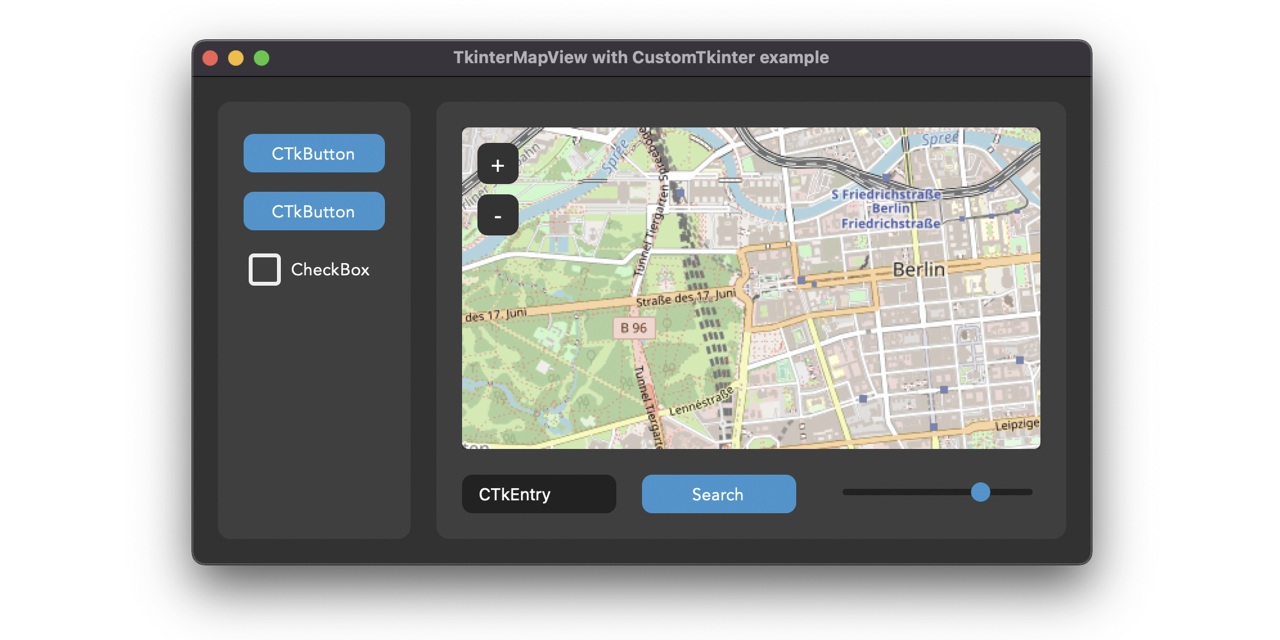
GitHub
A python Tkinter widget to display image tile maps like OpenStreetMap or Satellite Images. - GitHub - TomSchimansky/TkinterMapView: A python Tkinter widget to display image tile maps like OpenStre...
This is how it looks like when you add a few markers and a path

 lament nimbus
Hello can anyone help me with this simple problem
i have some code
and i want it so the bg image re sizes to fill the window constantly
but it doesnt work as of now
anyone know what i need to do
if you do can you at me with the solution please
thanks!
eager beacon
¯_(ツ)_/¯
eager beacon
rain quarry
why the heck can I not replicate the mem leak
Have you tried adding the 2 plots to a tab widget?
also, have you used the master from github, instead of pip, in your app?
eager beacon
rain quarry
same versions of everything
What do you mean?
rain quarry
all packages are the same on test and main where main has leaks and test does not
proven basinBOT
Hey @rain quarry!
It looks like you tried to attach a Python file - please use a code-pasting service such as https://paste.pythondiscord.com
eager beacon
What is happening to the data in that node?
are you transforming it with anything other than pg?
eager beacon
Do you know when and how the data transferred between nodes? Looks like there's just one Node in here?
like.. A node wouldn't request data from a node upstream unless something happened upstream to change the data, would it?
rain quarry
data transfers was just copying the floats into a new array which in turn got transformed into a python list
but to replicate that I need to add some of the native code
eager beacon
there's no way to mock it?
rain quarry
I mean I can but that's just creating a new list()
eager beacon
yeah, I guess. I don't really know what to suggest other than to make it as close to the original setup as you possibly can
Is your native stuff a python wrapper around something else, if so, are you sure its able to be garbage collected?
rain quarry
oh
                if self.stereo:
                    audio = np.array([self.node.buffer_left, self.node.buffer_right])
                else:
                    audio = np.array([self.node.buffer])
``` this is leaking two lists per iterationam I not supposed to incref the buffers in tp_getattro?
eager beacon
I don't know what the library does when those are accessed
rain quarry
private val getattroConfigurable = staticCFunction { self: PyObjectT, attr: PyObjectT ->
    val obj = self!!.kt.cast<Configurable>()
    val name = attr.toKotlin<String>()
    val attrObj = obj.attrs[name]  // lookup attribute

    if (attrObj != null) {
        attrObj.get().toPython().incref()  // convert to python and add 1 ref
    } else {
        PyObject_GenericGetAttr(self, attr)  // default getattro impl
    }
}
I think removing that incref is all I need to do
eager beacon
you might want to decref somewhere. I don't see that
rain quarry
okay that didn't do it
eager beacon
What type are you creating?
rain quarry
Growth after convert to numpy.ndarray:
| list     5242        +2
Growth after convert to numpy.ndarray:
| list     5244        +2
Growth after convert to numpy.ndarray:
| list     5246        +2
Growth after convert to numpy.ndarray:
| list     5248        +2
Growth after convert to numpy.ndarray:
| list     5250        +2
Growth after convert to numpy.ndarray:
| list     5252        +2
Growth after convert to numpy.ndarray:
| list     5254        +2
``` hmmwhat do you mean?
eager beacon
PyObjectT, what is this?
rain quarry
oh that's just a PyObject* received from the C API
eager beacon
Are you creating the type object in C?
I assume the T on the end there stands for type?
rain quarry
yeah it's just a type alias
fun <T> T.toPython() : PyObjectT {
    return when (this) {
        // ...
        is FloatArray -> {
            val list = PyList_New(this.size.convert())
            for (i in 0 until this.size) {
                PyList_SetItem(list, i.toLong(), this[i].toPython())
            }
            list
        }
``` something about this is leaking a list object somehowCould you install 3.7 and test to see if it leaks?
rain quarry
how so?
eager beacon
just run your code with python 3.7 instead of 3.10 or whatever you're using now
eager beacon
The way garbage collection works for container types changed in 3.8
rain quarry
oh I see
eager beacon
I'm reasonably sure thats what caused the QApp subclass bug I mentioned earlier
rain quarry
ImportError: /home/mart/.pyenv/versions/3.7.12/lib/python3.7/site-packages/kaudio.cpython-37m-x86_64-linux-gnu.so: undefined symbol: PyModule_AddType
``` oh boyjust my luck
 eager beacon
Oh, well...
 cunning tangle
My discord bot controls a UI, so on my main thread I start a tk window and then fork off a thread to run the bot. I pass to that thread a reference to an object with methods that the bot can call to trigger things on the UI. I'm getting a really confusing error from the bot's thread.
Exception in thread TheClicker:
Traceback (most recent call last):
  File "C:\Users\m\AppData\Local\Programs\Python\Python39\lib\threading.py", line 973, in _bootstrap_inner
    self.run()
  File "C:\Users\m\AppData\Local\Programs\Python\Python39\lib\threading.py", line 910, in run
    self._target(*self._args, **self._kwargs)
  File "C:\Users\m\AppData\Local\Programs\Python\Python39\lib\tkinter\__init__.py", line 1652, in cget
    return self.tk.call(self._w, 'cget', '-' + key)
TypeError: can only concatenate str (not "int") to str
the place my bot thread starts is here:
    root = tk.Tk()
    player = ChannelSurfTk(root, rng, playlist)
    def OnClose():
        global exit_code
        player.OnClose()
        exit_code=EXIT_USER
    import threading
    from time import sleep
    threading.Thread(
        group=None,
        target=discord.main,
        name='TheClicker',
        args=(player), kwargs={},
        daemon=True
    ).start()
and discord.main is
def main(ui_hooks):
    print("here0")
    return DiscordChannelsurf(ui_hooks, cfg.TOKEN)
but not even "here0" is being printed. I can't figure out what is causing cget to be called with an incorrect parameter. The bot doesn't even call any tk methods, I commented out the few places it uses ui_hooks while trying to debug this.
 frank glade
t
 vital dome
no you can remove the fade behind the buttons
I understand so far that you can snip your screen, so it would be good if you could add an image editor for the snip
vital dome
final breach
My organization is just called blueberry, and it has other products/technology w...
idk, i dont know anything about copyrights
cosmic hamlet
How can I make that the tab button is over the other buttons but the Widget getting displayed remains under the buttons?
 vital dome
cosmic hamlet
How can I make that the tab button is over the other buttons but the Widget gett...
vital dome
cosmic hamlet
How can I make that the tab button is over the other buttons but the Widget gett...
wdym
cosmic hamlet
vital dome
wdym
The buttons to select the tab, which in my case is tab1, should be over the back, Forward and Home button. But the content of the tab should still remain under those buttons. I just want the tab selection buttons to move up
vital dome
cosmic hamlet
The buttons to select the tab, which in my case is tab1, should be over the back...
you mean like this?
 cosmic hamlet
No actually I want the tab 1 to be over the buttons @vital dome
vital dome
cosmic hamlet
No actually I want the tab 1 to be over the buttons <@833648551287980052>
oh ok so you mean that tab 1 is over the buttons but when tab 1 is closed the buttons appear
cosmic hamlet
vital dome
oh ok so you mean that tab 1 is over the buttons but when tab 1 is closed the bu...
No just that the button for selecting the different Tabs is over the buttons but the tabs themselfs are under the buttons
 heavy path
After I compile application from pyqt5 with pyinstaller will it compile everything and can I run that app on system where python is not installed?
 slow smelt
heavy path
After I compile application from pyqt5 with pyinstaller will it compile everythi...
slow smelt
heavy path
After I compile application from pyqt5 with pyinstaller will it compile everythi...
Yes it will run
No Python needed
heavy path
@slow smelt thank you also I have question about after i compile file will generated folder have my source code or not(I want Don't want to show my source code is there any option I have to consider while using pyinstaller)
 digital gale
Is there anyway to tell when a user has inputted a character in to a Line Edit widget with PyQT5? I'm trying to remove text from a line edit widget whenever a user starts typing in it
 odd wigeon
What does this error mean?

My code:
from tkinter import *

canvas_width = 1920
canvas_height = 698

master = Tk()
canvas = Canvas(master, width=canvas_width, height=canvas_height)
canvas.pack()

def images():
    for _ in range(3):
        Image_creator().create_image()

class Image_creator:
    def create_image(self):
        img = PhotoImage(file="provinces.png")
        master.img = img
        self.image = canvas.create_image(0, 0, anchor=NW, image=img)

images()

#lbl = Label(master, text = "ALOOOOOOOOOOOOoo")
#lbl.pack()


mainloop()
 worldly pawn
 proven basinBOT
@golden furnace Please don't try to ping @everyone or @here. Your message has been removed. If you believe this was a mistake, please let staff know!
 mighty frigate
@digital gale I'm pretty sure there's a signal for that
@digital galehttps://doc.qt.io/qt-5/qlineedit.html#textEdited
@cosmic hamletQt or Tk
cosmic hamlet
mighty frigate
<@!598106184955985921>Qt or Tk
Qt
mighty frigate
you don't have to put your buttons in a layout, you can move them yourself
one of the way to do it would be to subclass QTabWindow, create your buttons there and update there position in the resizeEvent func
cosmic hamlet
mighty frigate
one of the way to do it would be to subclass QTabWindow, create your buttons the...
I dont think we are on the same track. Can I dm you once Im home, since im still in school rn, and send you a pic of how I would want it to look?
mighty frigate
well ngl I'd rather not being dmed
cosmic hamlet
Okay
mighty frigate
but you can def ping me in here
cosmic hamlet
Sounds good, ty!
 molten lava
Hello,is there a tool like scenebuilder where I can easily design a GUI in Python?
cosmic hamlet
@mighty frigate Hi, so this how I would want it to look.
The tab button is on top then come the buttons and then on the buttom there is the actual tab window (In this case screen).

Any clue how to implement that?
 abstract crown
does the tkinter on linux work on windows?
 echo swan
what?
 hollow wadi
abstract crown
does the tkinter on linux work on windows?
hollow wadi
abstract crown
does the tkinter on linux work on windows?
what do you mean by tkinter on linux?
 clear loom
I'm trying to display speed on Raspberry Pi with Tkinter, my code for speed reading works fine. I just cant make work Tkinter. Anyone could give any advice? I want to see on windows all the changes in speed, meaning continuously read speed
 hollow wadi
clear loom
I'm trying to display speed on Raspberry Pi with Tkinter, my code for speed read...
hollow wadi
clear loom
I'm trying to display speed on Raspberry Pi with Tkinter, my code for speed read...
you should just find a way to separate the one that calculates the speed and the one updates the GUI. I think the speed calculation part is taken care of by the interrupt handlers. Just try to create loop with 'after' function that continuously calls itself which updates the GUI.
I mean update in a sense that you do not call root.update() ( this should be called in only dire situations. I don't think this is the one) but just updating the label values.
clear loom
thnaks for your reply. I think I got it. without root.update() tkinter window does not pop up.
hollow wadi
clear loom
thnaks for your reply. I think I got it. without root.update() tkinter window do...
you could use root.mainloop() once. If you are having problems with delayed popping up of windows, either you are not being optimal in giving enough time between 'after' calls, or your rendering is too burdensome. If the latter is the case, you might want to consider using multiprocessing module.
 mighty rock
abstract crown
does the tkinter on linux work on windows?
mighty rock
abstract crown
does the tkinter on linux work on windows?
Tkinter works on Windows
 sinful pendant
I have bunch of shapes (50+) in tk canvas how can i get acess to that shape so that i can change its colour
mighty frigate
@cosmic hamlet here's some leads for you:
although it's probably not the best way to go about adding such features, see the last line
- you can try to tweek the tabwidget stylesheet to reserve some space between the tabs and the widget, and add the buttons as I said earlier (buttons outside layouts, and positions updates in the resizeEvent
- you can try to draw your own tabwidget by overwritting the paintEvent of your tabwidget. that's probably the best way to do what you want, but it's also the most painfull
- the last way, you might want to forget about adding buttons "in" the tabwidget, as it's gonna look weird. It's "a lot" of work and I don't think it's gonna be pretty. What you could do is simply add 2 buttons outside your tabwidget bellow it, as a footer widget
echo swan
sinful pendant
I have bunch of shapes (50+) in tk canvas how can i get acess to that shape so t...
wdym?
 mighty rock
echo swan
but what about tkinter on linux?
mighty rock
echo swan
but what about tkinter on linux?
They need to install tkinter as a package
Or something
echo swan
mighty rock
They need to install tkinter as a package
On windows?
mighty rock
The normal installation of Python for Windows comes with tkinter built-in
There may be differences in the GUI or interactions
mighty rock
I don't understand the question.
echo swan
me neither
mighty rock
I'm saying the code you write for Linux might be different than the code you write for Windows as this library is a GUI application development library, so user interactions or defined behaviors can differ.
Other than that, Linux Python users need to install tkinter because it isn't available as a built-in package like on Windows
 ebon stream
not sure is this the right place to ask but i my modules arent importing in vscode idk why
sinful pendant
echo swan
wdym?
I mean that i have so many squares in my canvas and i want to change that shape to my desired colour whenever i click on it
Also can u tell me about tag_bind function in tk canvas i dont get that how it works
 hardy silo
odd wigeon
```py
from tkinter import *
canvas_width = 1920
canvas_height = 698
master = T...
hardy silo
odd wigeon
```py
from tkinter import *
canvas_width = 1920
canvas_height = 698
master = T...
Try using the PIL library
cosmic hamlet
mighty frigate
- you can try to tweek the tabwidget stylesheet to reserve some space between th...
Thanks for the recommandations, I am gonna try out this one. I just didnt understand what u meant by putting them outside the layout and updating their size with the resize event
cosmic hamlet
@mighty frigate sry for ping. What attribute handles the padding between the tab and the tab buttons? So I can make the stylesheet
 rocky dragon
Does QtGui depend on QtQml with Qt6?
molten lava
Hi,is there a tool like scenebuilder in Python?
I want to design GUI in a simple way.
 prisma falcon
molten lava
Hi,is there a tool like scenebuilder in Python?
prisma falcon
molten lava
Hi,is there a tool like scenebuilder in Python?
pyqt5 designer
 stray jackal
is there something .. more simple... hmmmm
rocky dragon
is there anything that'd allow me to run a method when a QSlider's handle is hovered over? The only thing I found was for qml, which makes me think it should be available in QtWidgets too but I didn't have any luck when searching. Or do I have to do it in the whole widget's hover and check the pos?
molten lava
prisma falcon
pyqt5 designer
thanks
eager beacon
rocky dragon
is there anything that'd allow me to run a method when a QSlider's handle is hov...
Not that I know of.
You could do it in the slider or widgets enterEvent if you write a function to return to the handle position from the value of the slider
rocky dragon
How would it be done only through the enter event? I have it done through mouse tracking now https://github.com/Numerlor/Auto_Neutron/blob/71a07e560fc7ef9e88debcd6ce83ab5cb2ced705/auto_neutron/windows/gui/new_route_window.py#L89-L110
eager beacon
rocky dragon
How would it be done only through the enter event? I have it done through mouse ...
What you've done is probably easier.
through the enter event you could do something like this. If you did it this way, you would have to get the position of the slider rect. so in the example below, you the slider handle should be 150 pixels from the rect.left()
value = 0
min_val = -100
max_value = 100
value_to_pos = (value - min_val) / (max_value - min_val)
width = 300
handle_pos_x = width * value_to_pos
print(handle_pos_x)
@cosmic hamletevery Qt widget has a setStyleSheet function. You can find some example here : https://doc.qt.io/qt-5/stylesheet-examples.html
this isn't a "true" css engine, so you might find it a lot different from what you're used to but to my knowledge most widgets support padding and margin
from the Qt stylesheet reference : https://doc.qt.io/qt-5/stylesheet-reference.html
you might want to use the tab-bar or the pane subcontrol
something like this QTabWidget::tab-bar { some_css: some_value; }
 leaden sage
Hello. I'm trying to display a table with Tkinter, using the ttk.Treeview class. My problem is that, the columns don't seem to resize to fit the contents, after inserting a couple of rows. Is there a way to tell Tkinter to change column width based on the column contents?
rocky dragon
Can I get a QSpinBox to have its minimum width depend on its current contents instead of the width of the maximum value it can contain without setting it manually?
Currently I have a fixed size policy and call adjustSize when the maximum is updated
leaden sage
Well, for my case, I'm currently trying something like this:
from tkinter.font import Font
master: tk.Misc  # root, frame, anything you're putting the Treeview in
style = ttk.Style(master)
font = Font(master, style.lookup("Treeview", "font"))
font.measure(...)  # this lets you pass in a string and returns the string's width in pixels, which can then be used to set minwidth on a column containing said string
I'm assuming your case could be solved in a similar fashion
This is from Tkinter though, not sure how font width measuring works in Qt or whatever you're using for UI
 cunning holly
digital rose
cunning holly
digital rose
.topic
 buoyant cometBOT
**What's your favorite CLI (Command Line Interface) or TUI (Terminal Line Interface)?**
Suggest more topics here!
digital rose
CLI all day
stray jackal
i cant remember all the switch stuff in CLI
rocky dragon
I've got my QSlider with an editable tooltip mostly figured out now, but I'm not sure how I'd get it to hide the tooltip after the user clicks anywhere outside of it, including outside of the slider. There's also a weird dot in the top left with the styled Fusion frame https://paste.fuelrats.com/luxitafori.py
 neat sentinel
frame2.pack(fill = BOTH, side= LEFT, padx= 5, pady =5)

window.rowconfigure([0,1,2], minsize=200, weight=1)
window.columnconfigure([0,1,2,3,4], minsize=200, weight=1)

button1 = tk.Button(frame2, text= "1")
button1.grid(row = 0 , column= 0, padx= 5, pady = 5)
someone please help me, is there a way to make my button bigger?
like dude, its so small. I am just a beginner in UI, please bear with me
 vital dome
neat sentinel
```frame2 = tk.Frame(window)
frame2.pack(fill = BOTH, side= LEFT, padx= 5, pady ...
vital dome
neat sentinel
```frame2 = tk.Frame(window)
frame2.pack(fill = BOTH, side= LEFT, padx= 5, pady ...
frame2 = tk.Frame(window)
frame2.pack(fill = BOTH, side= LEFT, padx= 5, pady =5)

window.rowconfigure([0,1,2], minsize=200, weight=1)
window.columnconfigure([0,1,2,3,4], minsize=200, weight=1)

button1 = tk.Button(frame2, text= "1", height=10, width=10)
button1.grid(row = 0 , column= 0, padx= 5, pady = 5)`
As per my experience the size of the widget depends upon the text properties and it works as per that, unless u tell the widget that keep x,y; height and width
neat sentinel
vital dome
```py
frame2 = tk.Frame(window)
frame2.pack(fill = BOTH, side= LEFT, padx= 5, pa...
it worked, thank you so much
neat sentinel
sinful pendant
As per my experience the size of the widget depends upon the text properties and...
i will take note of that thank you for replying
 full lion
Hi, Im using pygame rn and my sprite is leaving a trail behind.
self.display.blit(self.surface, (self.spaceship_controller.x, self.spaceship_controller.y)) self.display.blit(self.shot, (self.spaceship_controller.x, self.spaceship_controller.y)) pygame.display.flip()

Why is that?
 ancient mural
hey please help im not a designer so i cant figure out where to put the "placeholder"

 rough isle
ancient mural
hey please help im not a designer so i cant figure out where to put the "placeho...
rough isle
ancient mural
hey please help im not a designer so i cant figure out where to put the "placeho...
We don't know what the placeholder is for, so we can't make an informed decision about where it should go. Could you share more about what you're trying to achieve?
ancient mural
rough isle
We don't know what the placeholder is for, so we can't make an informed decision...
im making an ai assistant and placeholder is going to be the stuff that we say in the mic
rough isle
ancient mural
im making an ai assistant and placeholder is going to be the stuff that we say i...
You'll most likely want the user input to be at the top center and have what I assume will be a list of AI-generated options below that
 safe plank
full lion
Hi, Im using pygame rn and my sprite is leaving a trail behind.
`self.display.bl...
safe plank
full lion
Hi, Im using pygame rn and my sprite is leaving a trail behind.
`self.display.bl...
Sry i can't help you but maybe someone else
 remote birch
Hi, I'm sorry if im typing this on wrong channel, but I am making an app that opens files, i did everything, but when running it I get an error saying " 'MainWindow' object has no attribute 'getfiles'
from PyQt5 import QtWidgets
from PyQt5.QtWidgets import QDialog, QApplication, QFileDialog
from PyQt5.uic import loadUi

class MainWindow(QDialog):
    def __init__(self):
        super(MainWindow,self).__init__()
        loadUi("gui.ui",self)
        self.ISO.clicked.connect(self.browsefiles)

    def browseFiles(self):
        fname=QFileDialog.getOpenFileName(self, 'Open file', '~')
        self.filename.setText(fname[0])

app=QApplication(sys.argv)
mainwindow=MainWindow()
widget=QtWidgets.QStackedWidget()
widget.addWidget(mainwindow)
widget.setFixedWidth(400)
widget.setFixedHeight(300)
widget.show()
sys.exit(app.exec_())```I don't see any getfiles there, but you have wrong casing when connecting to browsefiles
 subtle hornet
Are there any modules that has an op that layouts rectangles in the most efficient way? Say you can input 100 rectangles of different sizes, and it then places them in a rectangle with the least amount of blank space?

and I am not really talking about area space as in TreeSize and Windirstat, since the rectangles' length/width aspect needs to be kept
eager beacon
rocky dragon
I've got my QSlider with an editable tooltip mostly figured out now, but I'm not...
Did you ever figure out what was causing that little dot?
rocky dragon
Nope, I noticed it on my other spinboxes where I thought it wasn't present, but it was just hidden by the background
eager beacon
even a regular QSpinBox?
rocky dragon
Yeah, I think it's a bug with the Fusion style's frame
it only appears on a spinbox with no buttons
from PySide6 import QtWidgets
from __feature__ import snake_case, true_property

class Window(QtWidgets.QMainWindow):
    def __init__(self):
        super().__init__()

        self.widget = QtWidgets.QWidget()
        self.set_central_widget(self.widget)
        self.layout_ = QtWidgets.QVBoxLayout(self.widget)
        bs = QtWidgets.QAbstractSpinBox.ButtonSymbols
        for style in QtWidgets.QStyleFactory.keys():
            for buttons in (bs.NoButtons, bs.PlusMinus, bs.UpDownArrows):
                spinbox = QtWidgets.QSpinBox(self.widget)
                spinbox.set_style(QtWidgets.QStyleFactory.create(style))
                spinbox.button_symbols = buttons
                self.layout_.add_widget(spinbox)


app = QtWidgets.QApplication()
window = Window()
window.show()
app.exec()
reproduces it for me
eager beacon
yeah, there it is..
Have you tried setting your own frame and changing the shadow/shape?
or changing the spinbox frame, if you can do that
rocky dragon
the frame seems to just be an on/off thing
it doesn't appear if it's disabled, but also doesn't look as good
eager beacon
well, I had to open up the xscope magnifier to see the dot. most people are unlikely to notice
you could always make your own spinbox out of a lineedit!
(kidding)
rocky dragon
It's a bit more noticeable with dark colours but yeah not a huge issue https://i.imgur.com/ObVIWW3.png

the compression doesn't help there
eager beacon
you could always set the QColorRole.Window color a bit darker with a palette
its a bit darker than that image on macos and not as easy to see
rocky dragon
Any idea on getting the spinbox to shrink its width to the current contents instead of the maximum without going through font metrics? That's pretty much the only thing I'm not entirely satisfied on with the looks apart from the dot
eager beacon
No, i was going to suggest that, but I thought it was kind of hacky, so I didn't
Maybe you could place it inside a widget and give it a minimumExpanding size policy
no idea if that would work
rocky dragon
the minimum size hint is the width for the maximum value so I don't think that'd work
eager beacon
if you set a minimum size, thats the minimum size hint
eager beacon
@rocky dragon This will get rid of that dot and keep it looking like a spinbox as long as you dont add the buttons back spin.setStyleSheet('.QDoubleSpinBox{border:none;border:1px solid #282828; border-radius:3px;background:#181818;}')
cosmic hamlet
Hi, Im working with pygame rn and I just cant wrap my head around this.
When I fill my background:
self.display.fill((0, 0, 0)) spaceship = self.display.blit(self.surface, (self.spaceship_controller.x, self.spaceship_controller.y)) pygame.display.update(spaceship)
When I dont fill it doesnt cover the sprite.
 rocky dragon
eager beacon
<@!184351770636582913> This will get rid of that dot and keep it looking l...
rocky dragon
eager beacon
<@!184351770636582913> This will get rid of that dot and keep it looking l...
It seems to render a bit differently than the normal spinbox and between my test spinboxes where one has a 2 digit maximum and the second one has a 4 digit maximum; do I have to expand it a bit to account for the border? Currently I just call adjustSize when I initialize it and when I set a new maximum
eager beacon
I don't think you should. What does it look like?
your spinbox looks slightly shorter than a normal one. Maybe change the border-radius to 2px?
The code you posted above looks like this with a border on my machine. seems fine to me

Though, this doesn't seem to adjust the size?
yeah, its always 37 pixels wide
rocky dragon

with the first one it gets taller, while with the second one it seems to do the opposite
eager beacon
And what is the difference between the last one and the others?
rocky dragon
the first and third are what it looks like normally, the second and fourth are what it looks like with the style sheet
the line separates the spinbox with the max value on 9 and the second one has a max value of 999
I think I'll just ignore it for now and submit a bug report
it's only on screen for a while anyway
eager beacon
hm, yeah I don't know. You could mess with the padding, but you'd have to do that when you resize it too, which would be a pain
I have no idea why the size changes on your machine though. Does it happen in the example code you posted above?
rocky dragon
Ah, I called it after adjusting the size on the first one so the border expanded it, while the second one got adjust size called once more because its max is modified
now they are both a bit smaller than the normal spinbox
eager beacon
is the size difference enough to matter?
you could add padding: 1px 2px; to the style sheet
eager beacon
sure
rocky dragon
Anything I could've done more efficiently or directly here? I didn't particularly like querying the cursor myself to track if I'm entering the spinbox tooltip to keep it shown from the handle or leaving the spinbox to hide it https://github.com/Numerlor/Auto_Neutron/blob/2.0.3/auto_neutron/windows/gui/tooltip_slider.py
With the border done I think it's done if I don't plan on making it vertical, but with Qt being so big I'm not sure if there aren't better methods to get the hovering and focus behaviour
eager beacon
honestly it looks pretty good. I'm not sure if there is a better way in this instance to handle the hover logic
QGraphicsItems are the only things in Qt with hoverEnter/hoverLeave events.
If you could some how create a widget and use that as the handle, you could use the QWidget enter/leaveEvent to track it, but as it is now, i think you would still need to track the cursor position, otherwise it would popup when entering the slider groove, etc
I got fed up with QSlider and ended up making my own from a QWidget
rocky dragon
that's the more drastic option
eager beacon
I think it's done if I don't plan on making it vertical
from the looks of it, you would only need to check the orientation and use that to decide how to map the rect.
I hate this
super(self.__class__, self.__class__).maximum.__set__(self, value)
rocky dragon
Yeah I don't particularly like how the whole overriding a property works
eager beacon
TooltipSlider.maximum = value
rocky dragon
super doesn't play nicely with it so it's either patching the setter directly or invoking it directly from the type or this
and while using super you also have to define the getter (and deleter if there was one) even though they do nothing additional
eager beacon
I've never really worked with a non trivial app that used snake_case. Other than overriding, how do you like it?
I see signals don't care about your snake_case
rocky dragon
Apart from signals that still use camelCase, I didn't really notice it impacting me
the properties were a bigger mess, both on the stubs and with some I wasn't sure if it's a property or just set_something, IDE autocompletion helped there
Oh, and the staticmethod mess with snake case that still needs a fix from the maintainers
eager beacon
I tried using snake_case for a project but I was so used to how Qt normally works that I kept using setters and seeing Widget has no attribute setSomething
I'd love to be able to use snake_case without true property
rocky dragon
I think that's what I'll try if I end up making something larger with Qt again
snake_case is really usable but I'd say true_property needs a bit more time, it's annoying with the stubs saying that things that have setters don't have them, and some are still accessible with the old interface even with it enabled
for example when I copied the style sheet call from here that has setStyleSheet and it worked fine
eager beacon
Unless something has changed you can't. It was both or nothing last time I tried it
Really?
Thats so weird
does set_style_sheet work too?
rocky dragon
No, only setStyleSheet and direct assignment of the attribute
eager beacon
oh, right.. properties
rocky dragon
eager beacon
Unless something has changed you can't. It was both or nothing last time I tried...
I had only one feature enabled in one module because of a conflict between them and it seemed to work fine
I think I only used snake_case there
Seems to work when I remove it and replace the property uses
__feature__ stubs would also be nice so the ide doesn't freak out from it being invalid
rocky dragon
Creating a minimal example to report the issue with the true_property still leaving setStyleSheet available, and it looks like it's created with the instance which is even stranger
eager beacon
the Qt internals are a mystery to me
rocky dragon
without true_property it's a normal method on the type, with true_property it's some qt core MetaFunction that's on the instance
eager beacon
Yeah, I have no idea what kind of hackery they used to get it working, so maybe its just something they overlooked.
They seem to overlook a lot of things TBH
rocky dragon
I'm even more confused as I can't call it in the example with any arguments but it works in the actual app
eager beacon
They fix a bug in one spot but not the same bug in another
did you set it in the __init__ on your slider and differently in the example?
rocky dragon
I didn't use a window or anything so that's probably it, it's really leaning into the "meta"
even a great error TypeError: only accepts 0 argument(s), 1 given!
eager beacon
heh
rocky dragon
eager beacon
They seem to overlook a lot of things TBH
I also find the development somewhat difficult to follow, there are development notes on the wiki but that's really just notes on what happened that week so I have no idea what belongs to which release etc., and the self hosted git doesn't help things
eager beacon
I just rely on the 'Whats new in 6.x' part of the docs, but that doesn't mention bug fixes
I'd like to imagine just they save the kind of info you're talking about for people who pay for a commercial license, but I know they don't get it either.
rocky dragon
I had an issue pop up in the latest release when I bumped from 6.2.2 to 6.2.2.1 because an issue I reported got fixed and suddenly my single shot timer wasn't single shot because I overrode a method instead of setting a property, and while I knew the fix was coming at some point I don't think there was a way to know it came in that version
the last mention of the issue I can find is at the start of November, and the release came a month after that
eager beacon
They don't even send out automated emails when a release has a bug fix that you reported?
rocky dragon
Just that the issue was closed, so when they commited a fix
really would think an actual company would have these things figured out when small projects on github are easier to make sense of what a release brought
eager beacon
Yeah, Qt is a weird company. I think part of it is they just dont care because they know people are going to pay for it because they have no other good options other than writing the same app 3 times with OS native GUI frameworks
ancient mural
please help

this is a gui i made for my ai jarvis
can someone please tell me how i can improve it
and what should i put in the place of "?"
stray jackal
X?
ancient mural
stray jackal
X?
?
 shy torrent
Is there an easy way to get qt-expansions to work with pyside6?
For example https://github.com/KDAB/KDDockWidgets
I saw there is a way via cmake, but before I go down that road, I wanted to ask if there is an easier way or even if ther is already a package ( or wheel) for it.
Thanks!
please reply with ping!

GitHub
KDAB's Dock Widget Framework for Qt. Contribute to KDAB/KDDockWidgets development by creating an account on GitHub.
 toxic glade
what do you guys think about this? https://pastebin.com/pzaJBUfS
Pastebin
Pastebin.com is the number one paste tool since 2002. Pastebin is a website where you can store text online for a set period of time.
 brazen thicket
@toxic glade the sizing of things is a bit all over the place. I'd like to see what I'm typing.

your code would be easier to read if you put long calls inside a variable
so instead of py if self.stringvars.get("Choice Menu (encrypt)").get() == "Caeser": ciphered = self.stringvars.get("Encryption Input").get().translate(functions.EncryptCAESER) self.encryptwidgets.get("Encryption Result").delete(0, tk.END) self.encryptwidgets.get("Encryption Result").insert(0, ciphered) elif self.stringvars.get("Choice Menu (encrypt)").get() == "ROT13": ciphered = self.stringvars.get("Encryption Input").get().translate(functions.EncryptROT13) self.encryptwidgets.get("Encryption Result").delete(0, tk.END) self.encryptwidgets.get("Encryption Result").insert(0, ciphered) elif self.stringvars.get("Choice Menu (encrypt)").get() == "Base64":
toxic glade
brazen thicket
<@!761159873194491915> the sizing of things is a bit all over the place. I'd lik...
i edited it now and got the final build (still gonna add some stuff), hold on ill give the updated code
brazen thicket
        mode = self.stringvars.get("Choice Menu (encrypt)").get()
        w_input = self.stringvars.get("Encryption Input")
        w_result = self.encryptwidgets.get("Encryption Result")
        if mode == "Caeser":
            ciphered = w_input.get().translate(functions.EncryptCAESER)
            w_result.delete(0, tk.END)
            w_result.insert(0, ciphered)
        elif mode == "ROT13":
            ciphered = w_input.get().translate(functions.EncryptROT13)
            w_result.delete(0, tk.END)
            w_result.insert(0, ciphered)
elif mode == "Base64":```yeah your right
brazen thicket
I use the w_ prefix to make it clear it refers to the widget itself, not a value
toxic glade
self.stringvars.get("Encryption Input").trace("w", self.encrypt) how can i pass arguments to self.encrypt?
im trying to add encryption with layers in my applications, is there a way to make a frame or something that it contains a + button and a drop menu?
 silver cloud
Whats the best way to learn tkinter?
 wooden saffron
Best way to learn anything is to build stuff
sinful pendant
Do someone knows how i can make my image in tkinter canvas to move at particularalr location using canvas.otemconfig methos
Idk the name of parameter for x and y coordinate
digital rose
any good UI libraries other than tkinter I can check out?
 agile matrix
how to close a toplevel window in tkinter with root window
agile matrix
digital rose
any good UI libraries other than tkinter I can check out?
pyQt ig
toxic glade
https://codeshare.io/r9PxBK Added multiple layers and a how to :DDD
digital rose
Is there any module that accepts CSS as style language for the UI?
 still crow
Hi guys, I need a little help with interface. How do I make it so the code can reach further ?

 sick carbon
digital rose
Is there any module that accepts CSS as style language for the UI?
sick carbon
digital rose
Is there any module that accepts CSS as style language for the UI?
Electron is the most mature framework for this. Eel is another
rocky dragon
is pyside's shiboken documented somewhere?
 sudden coral
rocky dragon
sudden coral
rocky dragon
Unfortunately that doesn't look like it contains much useful information for me. I'm receiving a shiboken6.VoidPtr and currently getting the address out of it through its str because the only method I can see in its dir is toBytes
 wind lodge
hey guys! i got a quick question. whe i try to place a button in tkinter at a certain locaiton using .grid, it just gets ignored and my button goes to 0,0. does anyone know how to solve this?
i am using tkinter in python
 versed vessel
Is python a good language to make UIs? When I'm talking of good i refer to if its well supported, comfortable and easy
digital rose
versed vessel
Is python a good language to make UIs? When I'm talking of good i refer to if it...
On a python discord server your answer to this question might be a little skewed 😉
The answer is probably along the lines of: "depends"
Depends on what your project is & how much it needs to scale and grow and evolve. Something quick & simple? Maybe give pysimplegui a try. Something advanced and you probably wanna dig into one of the python QT implementations
vital dome
Q: "I want to make tkinter more modern"
A: "Use ttk"
I seen this question many times, and the answer (most of the time) just states to use ttk. If ttk is not modern enough for you, you can check out this repo: https://github.com/TomSchimansky/CustomTkinter
 ionic eagle
Hello
I need help, can someone help me?

I want the cpu usage to appear in the label, but to get the value every certain second that I want, but I don't know how to do it. Can you help me? It is PYQT5
 tawdry mulch
sinful pendant
Do someone knows how i can make my image in tkinter canvas to move at particular...
tawdry mulch
sinful pendant
Do someone knows how i can make my image in tkinter canvas to move at particular...
You can use move
tawdry mulch
agile matrix
how to close a toplevel window in tkinter with root window
destroy() method
tawdry mulch
toxic glade
im trying to add encryption with layers in my applications, is there a way to ma...
OptionMenu?
 blazing tangle
I have possibly a stupid question.... I want to start learning some python GUI frameworks but I don't know where to start. Is there one I should start with first like tKinter or Kivy. I have tried googling what is the best to start with but all I get is tutorials or how this one is better than this one and I have just looking for a place to start. I am leaning towards kivy but to be honest its because tKinter looks like windows 98 and i'm not a fan of that lol
sinful pendant
tawdry mulch
You can use `move`
I mean to say that i had moved my inage and i know the point but i want my image to move at that point
tawdry mulch
sinful pendant
I mean to say that i had moved my inage and i know the point but i want my image...
move to that point, you mean
sinful pendant
Yes
tawdry mulch
yes use canvas.move
sinful pendant
Basically it under my chess game that when u drag a piece the image moves wrt to cursor
So if user places the piece at ibalid position the image should come back to its roiginal location
So for now i just adds the dx, dy and then makes it move back to place
digital rose
anyone know a solution to this fix

I complied my .ui file to .py and I got this icon that I have on the top left covered by the background instead of it looking like this

does anyone know how to figure out how many lines the terminal can display using code only?
 pale sleet
digital rose
does anyone know how to figure out how many lines the terminal can display using...
pale sleet
digital rose
does anyone know how to figure out how many lines the terminal can display using...
import os; print(os.get_terminal_size()) ??
vital dome
blazing tangle
I have possibly a stupid question.... I want to start learning some python GUI f...
you can make tkinter look better with ctk https://github.com/TomSchimansky/CustomTkinter
sinful pendant
Web tech in tk would be very cool 🤩
 lunar crest
Can anybody tell me what is the difference between padx and widht in tkinter?
 loud summit
hi, anyone successfully add recursive data into tkinter treeview? i'm still facing problem, my result are not properly displayed
this is my code so far,
https://code.labstack.com/1mrVrXTI
i was expecting a tree where html is the only root,
but i'm getting this instead
 mighty rock
lunar crest
Can anybody tell me what is the difference between padx and widht in tkinter?
mighty rock
lunar crest
Can anybody tell me what is the difference between padx and widht in tkinter?
padx is the padding/space stretching on the x axis from the boundaries of the widget out, while width is space all around the widget, stretching from the boundaries in (or out, I can't remember).
ancient mural
please help
this is not about coding
but

where can i find the white dots on the screen that are in the background?
 mighty rock
What do you mean by "where"?
proven basinBOT
Pasting large amounts of code
If your code is too long to fit in a codeblock in discord, you can paste your code here:
https://paste.pythondiscord.com/
After pasting your code, save it by clicking the floppy disk icon in the top right, or by typing ctrl + S. After doing that, the URL should change. Copy the URL and post it here so others can see it.
 vital mountain
I am having an issue with threading
could someone please help me
https://paste.pythondiscord.com/nucoyuwupo.py this is my code
I want it so that, I can press start and then press it again so that the while loop will stop
 craggy cloud

what color do you recommend to use?
this is the full website for reference

but i cant find any good colors to match it with
 balmy ferry
Good Evening all, and happy new year - please could someone take a look at this snippet and tell me how to refactor it as it does not feel right that functions are within the TasbarIcon class. It is wxPython: https://pastebin.com/nsBhLJ7k
Pastebin
Pastebin.com is the number one paste tool since 2002. Pastebin is a website where you can store text online for a set period of time.
 flat geyser
Does anyone have any idea why a pyqt5 app would segfault when quiting?
I have a quit function and have tried all of these app.closeAllWindows() app.closingDown() app.quit() app.exit(0)
 dawn violet
Do any have any good resources on developing gtk4 apps with Python?
abstract crown
Why isn't the treeview filling the Y of the frame. The frame is red.
 abstract crown
the treeview is table self.table.pack(fill='both')
mighty rock
What happens if you pack it with expand=True as well?
lunar crest
mighty rock
`padx` is the padding/space stretching on the x axis from the boundaries of the ...
Thanks for replying.
mighty rock
👍
lunar crest
I am new to tkinter and I always mention the geometry of the window like "12x23" but now I came across some code where they mentioned the gemetry like this "650x500+120+120". Can anyone tell what it is doing?
the plus thingy?
mighty rock
X and Y offsets
lunar crest
ok... so what does that mean?
mighty rock
Like "300x200+0+0" will always start the window at the top left corner
But I think you can move the window with that too if you just keep on changing its geometry with the offsets
lunar crest
Oh I get it now! Thanks a lot.
 sick glen
does anyone use kivy?
sinful pendant
mighty rock
Like `"300x200+0+0"` will always start the window at the top left corner
If i want that only offset should happen but the size being te original
abstract crown
mighty rock
What happens if you pack it with `expand=True` as well?
oh yeah. I fixed it by putting that. Thanks anyway.
mighty rock
sinful pendant
If i want that only offset should happen but the size being te original
.geometry("+x_offset+y_offset")
If I'm not mistaken.
 thorny star
I am really confused. Just got started with PyQT. Trying to understand the diff between signals and events. Despite going thru like 3 se threads , I can't quite get it
Here is what I know about events:
- an event happens
- respective event handler is called
- event handler , if it chooses to accept the event, can handle the event by calling some function on the same class or any other class.
For signals:
- event happens
- event handler calls signal? (not sure abt this one)
- signal alerts a slot on the same or different class
- slot is called
Isnt a signal thus more or less like an event? Both call functions when an event happens. What exactly is the diff between them?
rocky dragon
events are objects that go through to your method that overrides the parent's handler, then you handle the received event in that handler
signals notify the slots they are connected to of something occurring, then they handle it for their own needs, instead of implementing the base behaviour within the class
the main difference would be that when handling an event you can decide whether it's propagated further while within signals the slots know nothing about each other
 ruby igloo
blazing tangle
I have possibly a stupid question.... I want to start learning some python GUI f...
ruby igloo
blazing tangle
I have possibly a stupid question.... I want to start learning some python GUI f...
dearpygui perhaps?
thorny star
rocky dragon
signals notify the slots they are connected to of something occurring, then they...
what is the 'something occuring' here? Is it an event? or something else?
rocky dragon
a native event for example
e.g. the OS' window manager telling the app that the user entered it with their mouse or something
but the same applies to some signals, the difference there is just how it's interpreted by Qt and exposed to the developer
thorny star
rocky dragon
but the same applies to some signals, the difference there is just how it's inte...
in both cases a native event happens. In the case of events, we simply reimplement the event handler, which does what we want, while in signals/slots, we emit a signal to call a slot?
is that right?
rocky dragon
In case of events, the native event gets propagated to the right widget by Qt, then in that widget you can reimplement the event handler which can either handle the event or let it propagate further
in case of signals it'll emit the appropriate signal which will call all slots that were connected to it
thorny star
rocky dragon
in case of signals it'll emit the appropriate signal which will call all slots t...
So for events, we reimplement the event handler in the widget we intend for the event to affect, and do what we want in terms of handling it OR let the widget's parent deal with it, WHILE with signals, its just directly calling the function and is 'widget-agnostic', as in it doesnt care about what widget sent the signal and what widget the slot belongs to?
rocky dragon
well you care about what widget emitted the signal, but not much beyond that
e.g. take a button
It has a clicked signal, you can connect that signal to any slot you want. If that were an event you had to reimplement on the class the interface would be much more confusing and difficult to work with as you'd need to subclass to do anything with it, even through its effects are mostly out of the widget
At least when connecting it that is, the slot itself doesn't see anything beyond the args if you don't look it up
thorny star
rocky dragon
It has a clicked signal, you can connect that signal to any slot you want. If th...
but isnt the clicked signal caused by a native event like you said?
So how would implementing a diff event handler for the clicked event be any diff from having an clicked signal that connected to a slot?
rocky dragon
The native event is just the signaling mechanism the OS uses, it's not really related to Qt's events
if you wanted to reimplement the handler you'd have to subclass the button, reimplement it, decide on whether to let it propagate further and all that
with a signal you just connect it
thorny star
rocky dragon
if you wanted to reimplement the handler you'd have to subclass the button, reim...
why must I subclass the button? Cant I just overwrite the handler by making a method that shares the same name as the handler in the button class and doing what I want within it?
rocky dragon
What do you mean? The method is called from the type
You'd have to either subclass it or patch it on the instance
thorny star
you mean like a super() or something?
rocky dragon
On that one I'm not really sure if you should be using super within events or let Qt handle it through accept/ignore. But you'd have to create a method within the class that overrides it
if you take a look at the docs you can see that the event methods are virtual https://doc.qt.io/qt-6/qwidget.html#focusInEvent which means that they should be overridden in subclasses to change the default behaviour
thorny star
rocky dragon
On that one I'm not really sure if you should be using super within events or le...
if we want to override it , isnt super() the only way to add our funcitonality to the func while keeping the original things it does the same?
rocky dragon
super allows you to access the parent method, you don't necessarily need to run it
I think you would use it in most cases (and have done so myself) but I haven't look too in depth at the events
thorny star
So why not just use signals/slots wholly then? Both events and slots/signals achieve the same thing but one is vastly more complex than the other in terms of implementationr ight?
rocky dragon
Well they offer different abstractions
events are at least somewhat related to the native events or something similar and you reimplement the event on the relevant widget, while signals are for pretty much everything
you could only have signals but then for example take keyboard events, you'd need a global keyboard object with a signal everything would need to connect to, instead of just overriding methods on the object that needs to handle it
Events being propagated through the objects is the big thing they do over signals, along with the different interface to the user
thorny star
rocky dragon
you could only have signals but then for example take keyboard events, you'd nee...
But how? if a keyboard event is just an event, wouldnt (assuming there exists an event called keyPress) implementing slots/signals for a keypress be something like widget.keyPress.connect(slot)? Why would I need a separate keyboard object?
thorny star
rocky dragon
Events being propagated through the objects is the big thing they do over signal...
I am confused, I've read about the different interface bit on a few se threads when reading up abt my question previously. How will the user see a diff? In the case of an event-based implementation for a mouse click event, if the user clicks, event handler handles it and does x thing
In the case of signal/slots implementation, if the user clicks, the signal is emitted to a slot which does x thing
It should be the exact same in both cases for the users right? How would they know about how it is implemented internally?
rocky dragon
thorny star
But how? if a keyboard event is just an event, wouldnt (assuming there exists an...
the event received from the OS would need to get there in some way, so it'd either need to have signals going from the top object all the way to your widget, or from the global
with the user I meant Qt's user (you), not the app user
thorny star
rocky dragon
the event received from the OS would need to get there in some way, so it'd eith...
that raises a q, how exactly is an event propagated?
Event happens > OS alerts QT > ???
what does qt do with the event then?
rocky dragon
I believe after that Qt calls the event method of all objects through the application instance's notify method
rocky dragon
pyside is a bit more permissive
 modern marsh
alright
thorny star
rocky dragon
I believe after that Qt calls the event method of all objects through the applic...
is the notify method something that alerts objects that 'signed up' to be notified?
If so, cant I stick in the objects I want to be notified with the notified method and have the events delivered to them directly?
stray jackal
does QT have a widget , like a round volume control ?
digital rose
hi am trying to make a widget on windows for myself that shows real time price of a bitcoin and i looked into tkinter and found that its not really the style am looking for esthetically any other libraries for more modern uis ? ty in advance
silver cloud
whats the best way to learn tkinter?
 wide stirrup
@agile moss MY name IS SEBASTIAN
silver cloud
Does anyone know where i can find up to date tkinter documentation?
heavy path
I am using pyqt5 and in that I am using Qtextedit where the text generate from html file now I want some part of that text to change after changing value or after event so I need to edit that tag value in html ... but how to do this efficiently 
silver cloud
isnt this how its supposed to be done? The tutorial shows it this way

 drowsy berry
Does anyone know how to use bytesio to allow PIL to open a PNG image saved from ImageTk._PhotoImage__photo.write()?
it's making me crazy
rocky dragon
How can I get a QPainter to paint text with ClearType?
I looked at QLabel's source but got a bit lost there in the private undocumented apis
proven basinBOT
@tawny salmon Please don't try to ping @everyone or @here. Your message has been removed. If you believe this was a mistake, please let staff know!
versed vessel
Any libraries I can use for a large-scale project? I have used Kivy and Tkinter, which seem pretty hard when used on large-scaled projects
Also I don't see that QT widgets will work for my project
sinful pendant
silver cloud
Does anyone know where i can find up to date tkinter documentation?
They seems to be scattered
sinful pendant
versed vessel
Any libraries I can use for a large-scale project? I have used Kivy and Tkinter,...
Whic type of project u taking about
Well i do my all project in tkinter 🤠
sinful pendant
silver cloud
isnt this how its supposed to be done? The tutorial shows it this way
Remove _ when importing tkinter
Watch codemy.com yt video he has wuit big playlist for tk
versed vessel
sinful pendant
Whic type of project u taking about
Password manager
sinful pendant
🤣i made password manage with tkinter and squlite3
versed vessel
Im tryna make a way of making different “screens” kind of what there is with Kivy
Instead of forgetting and placing things
sinful pendant
versed vessel
Instead of forgetting and placing things
Wydm
I didnt used kivy what is different "screens"
sinful pendant
digital rose
hi am trying to make a widget on windows for myself that shows real time price o...
Someone here told me to use pyQt of pyside konda like that and the number was 5 or 6, idk where that number lies
versed vessel
So like, different screens for the UI, a screen for adding a password, a screen for looking at your passwords
What would the approach be? Deleting and adding things in the UI or what?
sinful pendant
Yeah tkintee supoorts multiple windows
versed vessel
No, not multiple windows, like everything on the same window
sinful pendant
Well for now i having my class after the ckass done i share my ui with you
sinful pendant
For new window use
win2 = Toplevel()
Using toplevel is beneificial when u want that when ur parent window closes all chid window also closes
sinful pendant
@versed vessel

At that time i just knew few things about tkinter
Fir same window u juat put yhese 2 layouts in a frame and then packa and unpacks as per the choice
mighty rock
versed vessel
No, not multiple windows, like everything on the same window
You can do it with tkinter by forgetting and packing/gridding/placing it again in a frame
Or with the notebook widget in tkinter.ttk
sinful pendant
Forget is the method 😁
 graceful viper
hi! I started to expand a PyQt5 project from github and I see it is all in 1 file. afaik, it is always recommended to separate functionality in different files, so I tried to do it. The problem for me now is that this kind of projects are of a special type, since all the elements belong to the same class, so it becomes difficult to extract pieces to separate files. But keeping all the stuff in one file is also not a solution, since it becomes too large at some point. I wonder, how should it be with the GUI projects? What is your experience regarding this?
tawdry mulch
sinful pendant
Watch codemy.com yt video he has wuit big playlist for tk
some of them are just so wrong
tawdry mulch
sinful pendant
🤣i made password manage with tkinter and squlite3
Great! How did you store the password?
tawdry mulch
versed vessel
What would the approach be? Deleting and adding things in the UI or what?
Switching frames, in tkinter we would raise frames. In PyQt we use the QStackedWidget
tawdry mulch
sinful pendant
<@347151407406907406>
Dont tell me you store the password as plaintext
modern marsh
how to set the width of a QFrame
rocky dragon
graceful viper
hi! I started to expand a PyQt5 project from github and I see it is all in [1 fi...
if it's one window I'd probably keep it in a single module. Although I'm not sure on a "good" structure myself, personally I separate out every window GUI into its own module and then subclass that to extend it with behaviour like connecting signals in a separate module, then that is used over the code where needed
graceful viper
rocky dragon
if it's one window I'd probably keep it in a single module. Although I'm not sur...
thank you for the reply. Can you give me an example of any project, which has this structure?
rocky dragon
The gui window classes are not the best as I didn't want to bother with methods and almost everything is in their inits, but I think from the module's user's perspective the interface is decent
One thing I think would be better is if signals that are needed out of the window would be done through an extra signal on the behaviour class and all the widgets private, as currently I for example use a button directly to connect to its clicked signal outside of the class
graceful viper
rocky dragon
One thing I think would be better is if signals that are needed out of the windo...
hm, that is a bit too complicated for me - I am still new in the Qt stuff
but thank you for the link, will check it out
rocky dragon
basically everything would be private and only what's needed would be exposed through a new signal that the internal signals connect to
that'd could be a bit easier to work with as the user wouldn't need to know about the exact buttons etc.
sinful pendant
tawdry mulch
some of them are just so wrong
Yeh sometime the code dont work and yeah menu were the incorrectly coded the most, but its legit to get somemore knowledge and if thats wrong u can comment to him
sinful pendant
tawdry mulch
Great! How did you store the password?
Aah well thats the password 😁 i didnt knowed that cryptography exists in python
sinful pendant
tawdry mulch
Dont tell me you store the password as plaintext
😅
tawdry mulch
sinful pendant
Aah well thats the password 😁 i didnt knowed that cryptography exists in python
Why wouldnt it tho
tawdry mulch
sinful pendant
Yeh sometime the code dont work and yeah menu were the incorrectly coded the mos...
I have, but obviously he would accept it
tawdry mulch
silver cloud
Does anyone know where i can find up to date tkinter documentation?
Describes the Tkinter widget set for constructing graphical user interfaces (GUIs) in the Python programming language. Includes coverage of the ttk themed widgets. This publication is available in Web form and also as a PDF document. Please forward any comments to tcc-doc@nmt.edu.
sinful pendant
¯_(ツ)_/¯
tawdry mulch
sinful pendant
¯\_(ツ)_/¯
Anyway for future ref: https://github.com/nihaalnz/PassLost
sinful pendant
Aah i had made that for diture use when i will get wifi my most of work goona be from pc so i need to get logins then 😁
Idk but tkinter soo gud its just need to be more polished and i wanna say it should be like css in python 😍😍
sinful pendant
tawdry mulch
Use https://anzeljg.github.io/rin2/book2/2405/docs/tkinter/
How much % this document covers tkinter
Whever i has to find something new its always frustrating if there is no result in google
tawdry mulch
sinful pendant
How much % this document covers tkinter
Most of it
sinful pendant
I was once sewrching for valid keywors in tk.canvas.itemconfig and i got nothing
tawdry mulch
sinful pendant
I was once sewrching for valid keywors in tk.canvas.itemconfig and i got nothing
It has those
sinful pendant
Aah fine i will have look onto it
Well to develop tkinter lewrning tcl is required?
Also if u are more experienced then what can u say about understanding the working from code ,
tawdry mulch
sinful pendant
Also if u are more experienced then what can u say about understanding the worki...
which code
tawdry mulch
sinful pendant
Aah fine i will have look onto it
No, tkinter is like python binding for tcl's tk
sinful pendant
Ohh so it means that we talking to python and python talking to tcl?
tawdry mulch
sinful pendant
Ohh so it means that we talking to python and python talking to tcl?
yea
sinful pendant
tawdry mulch
which code
I mean like there are some huge codes and u are able to understand most of thing in one read
tawdry mulch
sinful pendant
I mean like there are some huge codes and u are able to understand most of thing...
Lol maybe? Why would it matter?
sinful pendant
Idk, i feel very difficult while reading others codes
tawdry mulch
Yea its not easy to understand random ppl code as they might do things entirely different
sinful pendant
Well i have a project in mind for tkinter canvas, making cartoonic ui 😍
Like cartoonic toogle buttons etc with all proper functioning
tawdry mulch
sinful pendant
Like cartoonic toogle buttons etc with all proper functioning
Ah I see
sinful pendant
Well i am just a problem away that how i gooma get to know a click on a shape
Like how extreme i can go
tawdry mulch
sinful pendant
Well i am just a problem away that how i gooma get to know a click on a shape
Canvas objects?
sinful pendant
Yes
tawdry mulch
You can bind_tags
sinful pendant
Yeah just dont know the thing about canvas will be reading in that docs u sent above 😀
tawdry mulch
Great
 burnt juniper
return self.tk.call('wm', 'geometry', self._w, newGeometry)
_tkinter.TclError: bad geometry specifier "%d*%d+%d+%d % (self.__thisWidth, self.__thisHeight, left, top"
guys I am getting an error....does anybody knows how to solve it?
tawdry mulch
burnt juniper
```
return self.tk.call('wm', 'geometry', self._w, newGeometry)
_tkinter.TclErro...
Corresponding code please
Anyway it should be "%dx%d+%d+%d....
tawdry mulch
Show more code
burnt juniper
but i noticed something which is that the left, top isn't accessible.....maybe the error is due to that
the left, top is after the geometry command and i defined them before this geometry line but they couldn't be accessed
that's the prob.....how can i solve that?
tawdry mulch
Show the line of code
burnt juniper
it's in the haste-bin
https://www.toptal.com/developers/hastebin/usenubivik.rb
@tawdry mulch
tawdry mulch
burnt juniper
it's in the haste-bin
https://www.toptal.com/developers/hastebin/usenubivik.rb
...
Did you know it should be "...."%....
self.__root.geometry('%dx%d+%d+%d' % (self.__thisWidth, self.__thisHeight, left, top))
burnt juniper
tawdry mulch
Did you know it should be `"...."%....`
Ohhhhk......
silver cloud
whats the best gui to learn?
balmy ferry
Please can someone tell me how to override the GetPopupMenu method for wxPython: If CreatePopupMenu returns None (this happens by default), no menu is shown, otherwise the menu is displayed and then deleted by the library as soon as the user dismisses it. If you don’t want the menu to be destroyed when it is dismissed, override GetPopupMenu instead.
thorny star
Why does self.setMouseTracking(True) do its job in the case of this code sample:
import sys
from PyQt5.QtWidgets import (QApplication, QLabel, QWidget)


class MouseTracker(QWidget):
    def __init__(self):
        super().__init__()
        self.initUI()
        self.setMouseTracking(True)

    def initUI(self):
        self.setGeometry(300, 300, 300, 200)
        self.setWindowTitle('Mouse Tracker')
        self.label = QLabel(self)
        self.label.resize(200, 40)
        self.show()

    def mouseMoveEvent(self, event):
        self.label.setText('Mouse coords: ( %d : %d )' % (event.x(), event.y()))


if __name__ == '__main__':
    app = QApplication(sys.argv)
    ex = MouseTracker()
sys.exit(app.exec_())```In a code sample I have, it doesnt seem to work
proven basinBOT
Hey @thorny star!
It looks like you tried to attach a Python file - please use a code-pasting service such as https://paste.pythondiscord.com
thorny star
It too has setMouseTracking(True) which according to the tutorial I am reading states that it allows for QT to track mouse movement without needing the button to be held down. Despite that, it only works when the mouse is held down
eager beacon
All QWidgets have a mouseMoveEvent and QPushButton is a QWidget. When an event is accepted( as it is in QPushButton's mouseMove) the event isn't propagated any further, so any parent widgets will never know that event happened.
You should probably subclass that button and implement a mouseMoveEvent in the subclass or monkey patch a function in place of the button's mouseMoveEvent
@thorny star
# put this outside QSuperWindow
def monkeyMouseMove(event):
    print(event.pos())

# Add in QSuperWindow __init__
self.box.mouseMoveEvent = monkeyMouseMove
Is this something to do about how all events hit the TOP MOST widget in the UI first?
since I added the button at the very end?
thorny star
eager beacon
<@!459011326241669122>
```py
# put this outside QSuperWindow
def monkeyMouseMov...
Also why doesnt the monkey patched version have a self parameter?
eager beacon
No, you set mouseTracking to true on a push button. Then you created a mouse move event in the containing widget. but when the event was already accepted in the push button, so it never made it to the containing widget mouseMove
thorny star
eager beacon
No, you set mouseTracking to true on a push button. Then you created a mouse mov...
Even if I had set the mouse tracking of the main window to true this wouldnt have worked right?
Because of the reason you had mentioned; the button handles the mouse move not making it to the reimplemnted mouse move of the widget?
eager beacon
not really. If you set mouse tracking to true on the main window you can run the edge of your mouse along the top/bottom/side edges and probably see it work
rocky dragon
thorny star
Also why doesnt the monkey patched version have a `self` parameter?
it doesn't have a self because the attribute is set on the instance and the function won't be changed to a bound method like when accessed from an instance as a class attr
digital rose
Anyone know good resources for multithreading in PyQt5
silver cloud
Whats the best gui module to learn?
eager beacon
what are you trying to do?
digital rose
eager beacon
what are you trying to do?
aye thanks a lot for the reply sorry for my late reply
honestly super simple
I have 2 classes currently
what I want is to have my main thread for the main window of my PyQt5 application and have a thread which just activates when a signal from the main class is on and slots cause the thread to move to another class
and my other class is just a theme window just choosing colors
but Issue I'm just struggling with how to make a thread and allow it to only operate for the theme class(theme window) so it doesn't effect my executions in the main window
proven basinBOT
@gray mountain Please don't try to ping @everyone or @here. Your message has been removed. If you believe this was a mistake, please let staff know!
eager beacon
digital rose
aye thanks a lot for the reply sorry for my late reply
This is a decent tutorial on multithreading : https://www.pythonguis.com/tutorials/multithreading-pyqt-applications-qthreadpool/

Python GUIs
Run background tasks concurrently without impacting your UI. A common problem when building Python GUI applications is
tawdry mulch
silver cloud
whats the best gui to learn?
What does that mean
sinful pendant
@tawdry mulch do you know how i can solve the problem of tkinter lazy B1-Motion
Like i have paining canvas in tkinter
And when i move my moise so fast it just neglects much of the cells it passes bt
tawdry mulch
sinful pendant
Like i have paining canvas in tkinter
And when i move my moise so fast it just n...
I havent heard of it before, do you have an example
sinful pendant
I have apint app and i just drags my mouse pointer as much fast i can
And some cells are un coloured
balmy ferry
Please can someone run this code and tell me why it does not popup a right-click menu please, based on the wxPython documentation it should be automatically called by the library: https://github.com/wxWidgets/Phoenix/issues/2067

GitHub
Operating system: Windows 11 wxPython version & source: wxPython 4.1.1, pypip Python version & source: Python 3.9, downloaded from website Description of the problem: The documentat...
digital rose
eager beacon
This is a decent tutorial on multithreading : https://www.pythonguis.com/tutoria...
Thank you
thorny star
rocky dragon
it doesn't have a self because the attribute is set on the instance and the func...
What do you mean exactly?
If I monkeypatch a method A and turn it into func B, when my object attempts to call 'method A', wont it implicitly pass self as an argument into func B causing an error?
rocky dragon
method binding works through the descriptor protocol, which only executes for attrs that are one the type. so if you have a function on the instance, it'll just fetch it directly instead of converting it into a bound method
In [64]: class A:
    ...:     ...
    ...:

In [65]: a = A()

In [66]: a.f = lambda: None

In [67]: a.f()
so this executes without an error as it looks the function up on the instance
if you patched the method on type(self.box) then it'd need self, but also affect every instance
thorny star
rocky dragon
method binding works through the descriptor protocol, which only executes for at...
I did some reading up on this method binding thing justa while back yet I am not quite able to understand what it means exactly
also, what exactly is a bound method? I looked it up but didnt understand much
From what I read and vaguely understood, functions defined WITHIN the class are run through a descriptor protocol that returns a version of the function that implicitly adds the self argument when the function is called, but when we monkeypatch, the new monkepatched func never went through the descriptor protocol. thus avoiding the implicit self argument?
Is that the right way to understand it?
rocky dragon
Yes
When it goes through the class, it runs the function's __get__ which gives you the bound method that adds self when called, but when you set it on the instance the function is a simple attribute with no special handling around it
tawdry mulch
sinful pendant
And some cells are un coloured
need an example to try and run it
 latent plover
Hi everyone. I'm using Ptkinter text widget to show images, I'm attaching horizontal and vertical scrolls to the text widget, so it's pretty much acting like an image viewer (multiple images). Is there anyway to get the image where the user does right click on? could the scroll tell me the image number for example or something similar? so I'd be able to get it
tawdry mulch
latent plover
Hi everyone. I'm using Ptkinter text widget to show images, I'm attaching horizo...
You could, maybe use tag_bind()
digital rose
@gusty horizon here give me min
class Homewin(QDialog):
    ##? timer function setup ##
    def __init__(self):
        super().__init__()
        self.ui = Ui_Dialog()
        self.theme_switch() #! method in the constructor
        self.ui.setupUi(self) # setupUiplay
        self.timer = QtCore.QTimer(self)
        self.timer.timeout.connect(self.run_watch)
        self.timer.setInterval(1)
        self.mscounter = 0
        self.isreset = True
        self.ui.Play.clicked.connect(self.start_watch) # creating slots for event handling               (button press)
        self.ui.Theme.clicked.connect(self.theme_switch) # signal for entering theme settings

        self.worker = threading.Thread(target = self.theme_switch, args=())
        self.worker.start()#! start thread when signal is activated

        self.showLCD()

      def theme_switch(self):
        Theme_app = Theme_Win()#! new code theme object
        widget.addWidget(Theme_app) #! new code Theme widget
        widget.setCurrentIndex(widget.currentIndex()+1)

#? Class for background color
class Theme_Win(QDialog): #! adding Qthread
    def __init__(self):
        super().__init__()
        self.ui_2 = Ui_Theme()
        self.ui_2.setupUi(self)
        self.ui_2.pushButton_2.clicked.connect(self.colors)
        self.ui_2.pushButton_3.clicked.connect(self.switch_home)
    def colors(self):
        self.ui_2.Background.setStyleSheet( Don't worry about the values here)
def switch_home(self):
        main_home = Homewin()
        widget.addWidget(main_home)
        widget.setCurrentIndex(widget.currentIndex()+1)
That's the other bit for the method in Theme_win
@gusty horizon
final breach
C:\Users\minua\Downloads>ui.py
Traceback (most recent call last):
  File "C:\Users\minua\Downloads\ui.py", line 187, in <module>
    import res_rc
ModuleNotFoundError: No module named 'res_rc'```why do I get this error message?
got this from the code from the UI
thorny star
rocky dragon
When it goes through the class, it runs the function's `__get__` which gives you...
I understand now, thank you!
final breach
sinful pendant
This should be the file name i think
the file is called res.qrc
so should I change it to that
sinful pendant
Well idk it seems like its extrenal package which i dont whats the packagae
sinful pendant
final breach
the file is called res.qrc
I think jist putting file name there will work
final breach
sinful pendant
I think jist putting file name there will work
C:\Users\minua\Downloads>ui.py
Traceback (most recent call last):
  File "C:\Users\minua\Downloads\ui.py", line 188, in <module>
    import res.qrc
ModuleNotFoundError: No module named 'res'```Google it
silver cloud
How do i increase the size of the text on a button widget with tkinter
 mortal marten
So i am making a music app (like MusicBee) and am dealing with relatively big amount of QLabels in a QSplitter (5 widgets in splitter, each one is like a column filled with labels). Each column represents some type of information certain audio file has in its tags (album, artist, title, year, etc.). Column is filled when it has around 70 labels, so around 350 labels are visible to user but user can scroll down at any time to see other files' info. The thing is that there is a lag spike when i try to load more than 200 songs (when its 2000 user has to wait more than 10 seconds). Is there any way to improve the performance to make it faster? i tried saving those objects in a list a dict and then getting them depending on which group of files needs to be shown, but it barely helps since most of the time is probably spent on drawing that stuff…
sinful pendant
silver cloud
How do i increase the size of the text on a button widget with tkinter
Add font argument
font=(familyname, size, style)
Eg ('times new roman', 20, 'bold')
silver cloud
sinful pendant
Add font argument
font=(familyname, size, style)
when i do that the entire button gets bigger
tawdry mulch
silver cloud
when i do that the entire button gets bigger
I thought we already fixed this issue
silver cloud
tawdry mulch
I thought we already fixed this issue
yeah but i want to know if there is another way other than fixing the height/size
tawdry mulch
silver cloud
yeah but i want to know if there is another way other than fixing the height/siz...
Ha, nothing that I am ever aware of
silver cloud
tawdry mulch
Ha, nothing that I am ever aware of
oof
tawdry mulch
silver cloud
oof
You can keep searching though, do let me know if you find anything 🙂
silver cloud
aight
mortal marten
does anyone know how to change QTableWidget selection color in python?
rocky dragon
Any idea why importing PySide6 modules or instantiating an application overwrites the _ builtin if one exists?
rocky dragon
mortal marten
does anyone know how to change QTableWidget selection color in python?
You can set a palette on the table with modified Highlight and HighlightedText roles, or a stylesheet
rocky dragon
Can I get Qt to emit an event globally? I want to use the LanguageChange event but I'm not using Qt's i18n functions
Ah, posting it to the application instance works, but for some reason the methods are called twice on some objects
sinful pendant
silver cloud
when i do that the entire button gets bigger
Set width and height as u want
 regal glen
Quick question: Tkinter or PyQT?
and if i want to make user interfaces that look modern, which library should i prefer? (I am a beginner with GUIs and know basics of Tkinter 👀)
 median ridge
pyqt has a lot of options for styling
personally pyqt more intuitive than tkinter but its been awhile
regal glen
Aight
regal glen
regal glen
and if i want to make user interfaces that look modern, which library should i p...
And what abt this?
hardy silo
regal glen
And what abt this?
Hmmmm.......I Prefer Pyqt5
final breach
I've been trying to import images into my GUI from qt designer. When I turn the GUI into python code, I get this specific line of code that tries to import images into the GUI.
import imgs_rc```

The problem is that the console tells me ```ModuleNotFoundError: No module named 'imgs_rc'```

I dont know what to do in this case because this is from the code I extracted from the qt designer, but it doesnt even work, what is going on?@regal glen I'll send you a link to this one channel or you can type it on youtube( Code First with Halal) she's insane mate so many things she covers from databases in pyqt to how signals and events work modern gui style etc.
you can just follow along with her projects and learn
sinful pendant
Do some know how i csn make my toplevel window behave as the message box
tawdry mulch
sinful pendant
Do some know how i csn make my toplevel window behave as the message box
What is the speciality?
rocky dragon
final breach
I've been trying to import images into my GUI from qt designer. When I turn the ...
What does your sructure looks like? Is imgs_rc a python module/package or a plain resources directory?
sinful pendant
tawdry mulch
What is the speciality?
The thing is that on moving pawn to vet end it asks for type of promotion and the thing is that u can play ahead without replying to that new window
tawdry mulch
sinful pendant
The thing is that on moving pawn to vet end it asks for type of promotion and th...
what
sinful pendant
I mean on mkving pawn to other side of chess where ti cant move further it asks for promotion to queen ir bishop rook knight and new window appears
So the thing with messagebox is that u cant ignore that
tawdry mulch
why dont you want messagebox?
sinful pendant
But the my one is toplevel so u can ignore that and playaheaf
The thing is that i want to make user choice from queen knight rook or bishop
tawdry mulch
sinful pendant
The thing is that i want to make user choice from queen knight rook or bishop
tried simplediaglog?
sinful pendant
8dk whats that
I just know that i ised to open window like save as or select file or folder
tawdry mulch
sinful pendant
8dk whats that
from tkinter import simpledialog
simpledialog.askstring()
Ohk let me try
@tawdry mulch can u tell me how u install pyqt
It seems something different
Im using windows
tawdry mulch
 sinful pendant
tawdry mulch
https://pypi.org/project/PyQt5/
sinful pendant
tawdry mulch
https://pypi.org/project/PyQt5/
Can u tell me more i am seeing therr are more requirements
final breach
rocky dragon
What does your sructure looks like? Is imgs_rc a python module/package or a plai...
resources directory
tawdry mulch
sinful pendant
Can u tell me more i am seeing therr are more requirements
Try pip installing first
sinful pendant
Is that app thing is different or pip install does that
final breach
final breach
resources directory
btw there is a file called imgs.qrc if that helps at all
tawdry mulch
sinful pendant
Is that app thing is different or pip install does that
app?
sinful pendant
Ohh thats a tool
tawdry mulch
yep
sinful pendant
tawdry mulch
```
from tkinter import simpledialog
simpledialog.askstring()
```
Well cant i customize it
tawdry mulch
sinful pendant
Well cant i customize it
no
 tawdry mulch
sinful pendant
Mine looks like this for asking
tawdry mulch
sinful pendant
Mine looks like this for asking
After getting the input, use if to check if the input is valid, if not then ask again
sinful pendant
Yeah, if i dont get solution for main window dont respond intil that wondo6 work is done then i will sacrifice the good looking popup with simpledialog 😢
regal glen
digital rose
<@!741586125189021757> I'll send you a link to this one channel or you can type ...
Oh ok, tysm!
Also, which libraries do professional apps use?
final breach
pyqt
digital rose
regal glen
Also, which libraries do professional apps use?
pyqt5 is actually professional they got licensed versions and all that for embedded systems you can check it out surprisingly you can do insane stuff just with Qt alone
 humble jewel

I wanna make an automatic picture like that one for smtg, shown information from provided api. How i can make it?, Post about it will helpfull for me
mortal marten
how can i disable dropdown animation for QComboBox, it doesn't have setAnimated method like QTreeView
rocky dragon
I'm trying to animate some text so it moves from right to left with a fade-out on both ends, currently doing it through paint events scheduled through a QTimer but it seems a bit choppy at times, is there a nicer way to achieve that? I've got QPropertyAnimation recommended to me and moving a plain label through that, but I'm not sure how to achieve the fading there https://paste.fuelrats.com/orozezokul.py
Here's what it looks like right now, with the actual gradient being transparent instead of black
 wet cave
I’m interested in starting to do some gui development which library should use?
eager beacon
rocky dragon
I'm trying to animate some text so it moves from right to left with a fade-out o...
Have you considered using QTimeLine?
rocky dragon
Will give it a look
after trying the animation it looks like it has the same choppiness issue, while being more complicated to implement
When timing the calls, there was up to a 1ms difference from the set interval and the actual time it took to get called, so that could've caused it. But if that's the issue then I'm not sure how to do it more smoothly as going for a different interval or step values only made it look weirder
eager beacon
You could probably afford to increase self._scroll_timer.interval
Do you really need 60fps?
rocky dragon
Not really, but even with higher intervals it still appeared choppy, and adjusting the step size to give it the same speed as it has above only made it worse
eager beacon
ah yeah, I see what you mean.
mortal marten
wet cave
I’m interested in starting to do some gui development which library should use?
PyQt5 or PyQt6, it's a bit complicated for beginners but it is very powerful and you can achieve basically anything with it
wet cave
Thanks
@mortal marten do you know of any good beginner guides or tutorials to make sure you are doing like stuff right?
mortal marten
wet cave
<@395622996884324352> do you know of any good beginner guides or tutorials to ma...
i don't really, i mean there is stuff on internet but it will come with experience to figure out if you're doing thing the right way, like i started with pyqt while learning object oriented programming at the same time (literally learned it so that i can use pyqt) and am still learning tons of new stuff and gradually improving my skills
there's tons of example code and videos online to help you and most of the questions you will have you'll find already answered on stackoverflow or qt forums
eager beacon
@rocky dragon did you get it working any better than it was?
rocky dragon
eager beacon
<@!184351770636582913> did you get it working any better than it was?
No, I didn't look into it much more since asking, only a quick read through the QTimeLine docs
eager beacon
Gotcha. I've never used QTimeLine for this specific situation, but any time I've replaced QTimer with a QTimeLine the result was much smoother
rocky dragon
Will give it a try tomorrow, if that doesn't work out I'll probably just use it as is
 copper flare
How to change template in python IDLE
Every time i change background i get a blueish tint around text?
how to remove that?
tawdry mulch
humble jewel
https://cdn.discordapp.com/attachments/927094738509766696/927859898925060116/new...
use PIL?
humble jewel
tawdry mulch
use `PIL`?
ok ill try

 digital rose
Outline
ancient mural
i want my ai's emotions to be displayed on screen like is he happy or sad or mad
but i dont know where to put it

 mild nymph
anyone here ?
ancient mural
hi
mild nymph
cool
can you help me with tkinter ?
I need screen size on 300*300 with label at bottom.
 hardy silo
ancient mural
hardy silo
ancient mural
Right Side??
 quaint hearth
i looking for a small group of python tkinter developers to work on a project
any1 wanna join?
quaint hearth
mild nymph
I need screen size on 300*300 with label at bottom.
use width=300, height=300 maybe?
mild nymph
quaint hearth
use ```width=300, height=300``` maybe?
i was looking for someone who can write code for attractive gui
i have already created this simple gui
quaint hearth
oh okay
quaint hearth
mild nymph
i was looking for someone who can write code for attractive gui
i can write code for an nice GUI tho
use Tkinter or Kivy Lib, https://www.youtube.com/channel/UCFB0dxMudkws1q8w5NJEAmw this guy creats tutorials for GUI(s)

YouTube
Learn to code with our quick and easy to follow videos! Python, Django, Tkinter, Kivy, Node, Ruby on Rails, Ruby, HTML and CSS, Javascript, SQL, Ubuntu and More!
Check out my website Codemy.com for more videos!
erm.. idk, I used Tkinter for 6 Months and I Like it, maybe PyQT is better idk
i can help u, if u want
okay, can u explain a bit more cuz i dont get it
maybe send some screenshots / pics
okay..
( btw im not a expert on Tkinter lol )
sinful pendant
quaint hearth
any1 wanna join?
Yeah in future i can, for now i have 2 of my tkinter projects going
quaint hearth
1 sec..
sinful pendant
U can put one type of thing in frame and u just pack and unpack as per the iption u selected
quaint hearth
ooof... erm.... idk, im sry, maybe try asking in StackOverflow
quaint hearth
sinful pendant
Yeah in future i can, for now i have 2 of my tkinter projects going
cool
quaint hearth
sinful pendant
Yeah in future i can, for now i have 2 of my tkinter projects going
dm me when ur ready to join
sinful pendant
😵thays goona be like after 1 or 2 months if i dont have exams at that time
quaint hearth
sinful pendant
😵thays goona be like after 1 or 2 months if i dont have exams at that time
ooof
sinful pendant
See make two frames one on left and other on right on left frame tt to match and blende it with background and for all the option in left make a seperate frame for the display and put them in a list
Then just have a swap function which unpacks the current frame and packs the valid one onto right frame
Make sure to give ur right frame height and width, and for the subframe which goona be displayed in right frame make them pack and expand in both directions
Thays will do the work
quaint hearth
same
sick carbon
ancient mural
How about changing the colour or gradient of the background depending on emotional state?
 proud walrus
Question about GTK+: does it also work on Windows? I’m currently on Linux (Mint) and I just wondered.
I don’t really care, but I still wanted to know in case I wanted to do something for Windows.
sinful pendant
I dont know wheter tkinter gives flexibility to toogle children but yeah its possible, or u can modify it aa per your wish
digital rose
I want to learn about pyside6 and qml but can t find any usefull resources, have you guys got any?
rocky dragon
You can look at the normal Qt docs, the code shouldn't be too different
 sour flint
what's better? tkinter or PyQt5 ?
digital rose
tkinter is easier and pyqt5 is harder but pyqt5 is better
but both can do the same thing
yes u can
rocky dragon
unless you need something from Qt5, use PyQt6/PySide6, I don't think the Qt5 wrappers are getting any updates now


 mint rover
ANYONE KNOW A GOOD TUI LIBRARY???
rocky dragon
@eager beacon Seems to be about the same with the QTimeLine I tried, although I'm not sure if I'm using it correctly with the frame range. I set some random duration to see the movement and the frame range to the number of updates it has and connected it to self.label.geometry = self.label.geometry.translated(-1, 0). It seemed smoother at times but then started "skipping"
digital rose
...
ancient mural
please help
i want my ai's emotions to be displayed on screen like is he happy or sad or mad
but i dont know where to put it
 quaint hearth
ancient mural
quaint hearth
ancient mural
( ig its tkinter so.. ) try using Mad_lbl = Label(root, text='Mad').pack(x=0, y=0) maybe?
ancient mural
quaint hearth
( ig its tkinter so.. ) try using `Mad_lbl = Label(root, text='Mad').pack(x=0, y...
ik that but i want to know where i should put it like in the center, top, left, right or where?
quaint hearth
1 sec..
ancient mural
surew
quaint hearth
 quaint hearth
ancient mural
ik that but i want to know where i should put it like in the center, top, left, ...
quaint hearth
ancient mural
ik that but i want to know where i should put it like in the center, top, left, ...
dont use python side=TOP or
side=RIGHT```use coordinates
and padding