#user-interfaces
1 messages · Page 82 of 1
 eager beacon
in the row stretch there are 3 entries because there are 3 rows and they all start at 0. The numbers are the ratio of how much to increase the size of a row/col
you can see that the bottom row is set to 0 in the screenshot, thus it is the smallest, then the next smallest is the first row, which has the value 1
its the same for the columns
I'm not sure how it decides exactly how much to increase the size, its not a perfect 1:1 as far as I can tell
but Qt has really good docs which you should look at when you start with your app
 green stump
oh hm, so changing the layout row stretch changes the height of rows and the column changes the width, and the numbers are their size/ratio all combined?
will take a look as well
eager beacon
yeah, pretty much.
The C++ docs are the better choice when you're just looking for documentation on how/why something works the way it does
green stump
https://gyazo.com/3f725e7178626e354f5de4d1c4667edf Any idea how I can remove the bottom right box? Haven't been able to squash it with stretch
 eager beacon
No you won't be able to do that..layouts need to be a rectangle.
green stump
eager beacon
No you won't be able to do that..layouts need to be a rectangle.
aw okay! I think i might be able to do this with 2 grid layouts then
eager beacon
You can have a layout directly inside of another layout if that helps
 zealous abyss
is there any way to get the size of the terminal, including after a resize?
for example, os.get_terminal_size() returns the initial size even after adjusting the size of the terminal
 reef solstice
curses has getmaxyx
screen = curses.initscr()
term_y = (screen.getmaxyx())[0]
term_x = (screen.getmaxyx())[1]
that doesn't seem to account for resizing unless im missing something
zealous abyss
like resize -> refresh -> getmaxyx?
zealous abyss
my program should be doing that though
reef solstice
i don't know your programme so i cannot say
i worked with curses extensively during code jam and that is how I did it
zealous abyss
since I refresh the screen every tenth of a second or so
this is the key area:
def play(self):
        while True:
            time.sleep(1 / self.fps)

            print(size.get_terminal_size())
            print(self.win.getmaxyx())

            frame = self.get_frame()
            self.handle_move(frame)
            self.draw(frame)

            self.win.refresh()
            if keyboard.is_pressed("q"):
                curses.endwin()
                break
sorry about the indenting
(size.get_terminal_size() works to get the terminal size, but only when curses was not enabled)
 glossy temple
does anyone know if there's an equivalent to the tkinter place() method in QT specifically pyside?
 blazing pine
glossy temple
does anyone know if there's an equivalent to the tkinter place() method in QT sp...
blazing pine
glossy temple
does anyone know if there's an equivalent to the tkinter place() method in QT sp...
it might help if you explained what place() does; I know Qt decently well, but don't know Tkinter at all.
glossy temple
its a method for placing widgets in a window. it takes in an x and y int and places the widget at those coordinates
blazing pine
oh; not sure if there is something to place a widget at a specific x, y coordinate... you might be able to do something like that with the GraphicsView framework, but you would have to put a QGraphicsItem of some-kind, not just any generic widget.
glossy temple
ok ill look into that thank you
eager beacon
You might be able to do what you want with QWidget.move(x,y). though it sounds like you may benefit from learning about how the box layouts work in Qt
 wanton ermine
Like, this has less to do with code and more to do with coding practices. So, I'm trying to start working with Kivy. Kivy is... a lot. And I'm wondering if it would be worth it to, instead of trying to hunt down the info as to how to initialize something myself, I transcribe it and like learn from there. Like. Not copy pasting massive blocs of code or anything, but not having to write 150 lines of code from scratch just to get a custom box to open up. TBH, kivy is pretty intimidating in and of itself as well, but this is more of the issue I'm having rn
I've also been considering using KivyMD as well to try and simplify things
 digital rose
Is anyone familiar with the python rich library?
I created a nice table but would like to add a prompt inside the table. I don't think it's possible?

 round linden
 mellow meadow
Hey does anybody know how to make the this nav bar transparent?
mellow meadow
Hey does anybody know how to make the this nav bar transparent?
To use Windows 7 Areo Theme
mellow meadow
round linden
To use Windows 7 Areo Theme
wut
I meant using QT
For the background you can use window.setAttribute(QtCore.Qt.WA_TranslucentBackground, True) but was wondering if you could use it for the navbar
 plush stream
Not really
The native titlebar could not be customised or modified from qt. If you want to customise your titlebar then you have to make your own custom-titlebar
 proven basinBOT
:incoming_envelope: :ok_hand: applied mute to @digital rose until <t:1630856487:f> (9 minutes and 59 seconds) (reason: duplicates rule: sent 4 duplicated messages in 10s).
 eager viper
So, I've had a pretty low opinion of python's various graphics libraries
But I have to ask
Is there a library that can offer actually attractive, modern graphics for python?
One that is also not a pain in the ass to use?
 rocky dragon
tkinter can be themed to look nice, Qt (I'd recommend pyside6 for Qt6) is a bit larger and offers more out of the box with its styling, then there are libs like kivy based on opengl that pvoide a bit lower level interface with only basic widgets but you should be able to do pretty much anything
or run a local site for it
I believe there are some libs for electron but I haven't used them
 brazen thicket
wanton ermine
Like, this has less to do with code and more to do with coding practices. So, I'...
brazen thicket
wanton ermine
Like, this has less to do with code and more to do with coding practices. So, I'...
There's actually very little boilerplate in kivy, I don't see why you wouldn't start a project from scratch.
This course is really good to get started: https://www.youtube.com/watch?v=l8Imtec4ReQ

In this Kivy tutorial, you will learn to create games and applications with Python for every platform (Windows, Mac, iOS, Android).
First you will learn how to use the Kivy library. You will create graphical user interfaces with buttons, labels, and images. You will learn how to implement many kinds of layouts to create interfaces that can adap...
wanton ermine
brazen thicket
There's actually very little boilerplate in kivy, I don't see why you wouldn't s...
Good point. I've also been experimenting a bit with KivyMD which legit speeds things up considerably
TBH a 5 hour long video just isn't something I can genuinely motivate myself to sit through (thank you adhd) but I appreciate you giving me that resource
green stump
Where do I find Qt::MatchExactly for PyQt5?
blazing pine
green stump
Where do I find `Qt::MatchExactly` for PyQt5?
from PyQt5 import QtCore

flag = QtCore.Qt.MatchExactly
?
for PyQt6, the enum's need the full namespace; which should work w/ PyQt5, you can likely access it via QtCore.Qt.MatchFlag.MatchExactly
green stump
blazing pine
for PyQt6, the enum's need the full namespace; which should work w/ PyQt5, you c...
I'm on pyqt5 but this happens to be the case
thanks!
blazing pine
the full namespace bit is backwards compatible to PySide2/PyQt5, but it's required for PyQt6 so if you think you may ever switch Qt bindings, I would recommend using the full-namespace version at every opportunity; for more examples, you can see what we did w/ pyqtgraph here: https://github.com/pyqtgraph/pyqtgraph/pull/1818
(I should note, with this method, we did miss a few of the enums, I think we got the last one with a fairly recent PR)
green stump
blazing pine
the full namespace bit is backwards compatible to PySide2/PyQt5, but it's _requi...
Ah okay thank you
Also what's the difference between PySide and PyQt?
 simple jacinth
Can someone give me some assistance with PySimpleGui?
blazing pine
green stump
Also what's the difference between PySide and PyQt?
they're two competing libraries that aim to do the same thing, provide python bindings to the qt framework. Functionally they are effective identical. There are some very subtle differences, between the two, but when first starting out, you generally don't need to be too concerned about them.
green stump
oh golly, i see
I usually use QtDesigner and it defaults to pyside2 so i always replace it
blazing pine
The biggest difference I guess is some of the namespace stuff; some modules (like QSignal) is named slightly differently between the two; a popular way of dealing with this is using "abstraction layer" libraries, such as QtPy or AnyQt. With those libraries instead of doing ...
from PyQt5 import QtCore
you would instead
from QtPy import QtCore
this has the benefit of you being able to frequently switch between the two libraries should you have a need to do so.
If you are using QtDesigner, and it's defaulting to PySide2, you are likely using the QtDesigner that is bundled with PySide2 when you installed the library; if you installed PyQt5 I would imagine it would do the same going the other way...but I don't use QtDesigner so don't take my word for it.
the biggest difference to most people between the two libraries is the license; PyQt5/6 is GPLv3 and PySide2/6 is LGPL (considered a slightly more permissive license)
In my personal experience, I've found PyQt5/6 to be a bit more sensitive to doing stuff "correctly", but I've found with the GraphicsView framework PyQt5 has significantly outperformed PySide2; with PyQt6/PySide6 the difference is less noticable.
if you're just starting out, I would just pick one, knowing it doesn't really matter which; I frequently use both, they're both great
green stump
thank you for the insights jack
brazen thicket
simple jacinth
Can someone give me some assistance with PySimpleGui?
Post your code and question in one of the help channels
 polar wave
Hi, I want to move this red frame when i click on it and then drag it, but it doesn't seem to be in the right place.
from tkinter import *

app = Tk()

frame = Frame(bg="red", width=50, height=20)
frame.place(x=0, y=0)

def test(e):
    frame.place_forget()
    frame.place(x=e.x_root, y=10)

frame.bind("<B1-Motion>", test)

app.geometry('700x700')
app.mainloop()
It's about 100 pixels off based on my testing
How can I put the frame in the correct position?
 mighty rock
use frame.winfo_x() + e.x instead
proven basinBOT
:incoming_envelope: :ok_hand: applied mute to @tall burrow until <t:1630991111:f> (9 minutes and 58 seconds) (reason: duplicates rule: sent 4 duplicated messages in 10s).
 tawdry mulch
polar wave
Hi, I want to move this red frame when i click on it and then drag it, but it do...
tawdry mulch
polar wave
Hi, I want to move this red frame when i click on it and then drag it, but it do...
Why are you using place_forget if you are going to place it right after that
polar wave
tawdry mulch
Why are you using `place_forget` if you are going to place it right after that
oh... it's not needed?
tawdry mulch
polar wave
oh... it's not needed?
Yea try it out
tawdry mulch
mighty rock
use `frame.winfo_x() + e.x` instead
@polar wave also try this out
polar wave
wait.... thank you so! I didn't know you don't need it.
polar wave
tawdry mulch
<@737422322431950962> also try this out
yeah also tried it out... Thanks Roie!
it worked
tawdry mulch
polar wave
yeah also tried it out... Thanks Roie!
Hmmm thinking about it again, it seems a foolish choice. Does it work?🤔 I think it is better to use place_configure, if there is something like that
polar wave
yeah it does the same thing
polar wave
Hi! Another question. When the frame is dragged, the top left corner will always be where the cursor is. How do i make it so that for example the initial position of the frame relative to the widget is (5, 5), the frame will be offset by 5 pixels to the left and top when dragged?
from tkinter import *

app = Tk()

frame = Frame(bg="red", width=50, height=20)
frame.place(x=0, y=10)

def test(e):
    frame.place_configure(x=frame.winfo_x() + e.x, y=10)

frame.bind("<B1-Motion>", test)

app.geometry('700x700')
app.mainloop()
IDK what you mean, but add 5?
polar wave
tawdry mulch
IDK what you mean, but add 5?
so i am replicating reordering tabs in chrome or servers in discord, i want the frame to move with the cursor when i drag it, and the cursor should be in the same place relative to the frame as it was when you clicked left click
tawdry mulch
polar wave
so i am replicating reordering tabs in chrome or servers in discord, i want the ...
Basically you need to get the coordinates at the time of the click and then add/subtract that from the drag
polar wave
yes
tawdry mulch
polar wave
yes
yes?
polar wave
ye... like get the coordinates relative to the frame and then subtract it from the place() x axis
tawdry mulch
polar wave
ye... like get the coordinates relative to the frame and then subtract it from t...
I mean did you get the code to do it?
polar wave
afaik e.x is the x coordinate relative to the frame, but I don't know how to implement it
tawdry mulch
Something like this might work for you:
tawdry mulch
polar wave
afaik e.x is the x coordinate relative to the frame, but I don't know how to imp...
from tkinter import *

app = Tk()
app.geometry('700x700')

frame = Frame(bg="red", width=50, height=20)
frame.place(x=0, y=10)

def get_coords(e):
    global offsetx
    offsetx = e.widget.winfo_rootx() + e.x

def test(e):
    x = e.widget.winfo_pointerx() - offsetx
    frame.place_configure(x=x, y=10)

frame.bind("<B1-Motion>", test)
frame.bind("<Button-1>", get_coords)

app.mainloop()
oooh it the thing i needed! thank you so much!
wait
it goes back to the leftmost corner when i put it back again
like... i dragged it for the first time then it works, but when i drag it again the frame seems to go back to the left @tawdry mulch
tawdry mulch
polar wave
like... i dragged it for the first time then it works, but when i drag it again ...
Hmmm I see. The problem is because it is a frame inside a window
I took the calc from a proj for dragging windows
polar wave
oh
tawdry mulch
That extra distance it goes back can be added by getting the position of the frame at the root window during the click(win_off)
tawdry mulch
polar wave
oh
from tkinter import *

app = Tk()
app.geometry('700x700')

frame = Frame(bg="red", width=50, height=20)
frame.place(x=0, y=10)

def get_coords(e):
    global offsetx, win_off
    win_off = e.widget.winfo_x()
    offsetx = e.widget.winfo_rootx() + e.x

def test(e):
    x = frame.winfo_pointerx() - offsetx + win_off
    frame.place_configure(x=x, y=10)

frame.bind("<Button-1>", get_coords)
frame.bind("<B1-Motion>", test)

app.mainloop()
yea work exactly as planned, i can't find any bug
tawdry mulch
polar wave
yea work exactly as planned, i can't find any bug
...yet :p
tawdry mulch
Always
polar wave
Hi again! How do I get the width of selected tab header of a notebook? [tkinter]
 gloomy prawn
How do I make rich display text and let the user input text at the same time? For example, on the top of the console there's a live output of something, and on the bottom I can enter text.
 latent cape
rich has a prompt class:
gloomy prawn
Can I use prompt while something else is printing tho?
digital rose
from tkinter import *

root = Tk()
root.geometry("500x400")
root.title('Motarjem')
root.resizable(False, False)
root.configure(bg='turquoise1')


def translate_callback():
    f = open("dictionary.text", "r",encoding="UTF-8")
    allTranslations = {}
    for x in f:
        parts = x.split("$")
        allTranslations[parts[0].strip()] = parts[1].strip()
    print(allTranslations)
    print(allTranslations.get(str(varname1.get())))
    varname2.set(allTranslations.get(str(varname1.get())))


varname1 = StringVar()
entry1 = Entry(root, width=30, textvariable=varname1, font=('times', 15, 'italic bold'))
entry1.place(x=150, y=40)

varname2 = StringVar()
entry2 = Entry(root, width=30, textvariable=varname2, font=('times', 15, 'italic bold'), relief='ridge')
entry2.place(x=150, y=100)

label1 = Label(root, text='Enter word : ', font=('times', 15, 'italic bold'), bg='turquoise1')
label1.place(x=5, y=40)

label2 = Label(root, text='Translation : ', font=('times', 15, 'italic bold'), bg='turquoise1')
label2.place(x=5, y=100)

label3 = Label(root, text='', font=('times', 15, 'italic bold'), bg='turquoise1')
label3.place(x=10, y=250)

btn1 = Button(root, text='Click', bd=10, bg='yellow', activebackground='red', width=10,
              font=('times', 15, 'italic bold'), command=translate_callback)
btn1.place(x=70, y=170)
root.mainloop()
!code
proven basinBOT
Here's how to format Python code on Discord:
```py
print('Hello world!')
```
These are backticks, not quotes. Check this out if you can't find the backtick key.
 digital rose
```py
from tkinter import *
root = Tk()
root.geometry("500x400")
root.title('Mo...
digital rose
digital rose
```py
from tkinter import *
root = Tk()
root.geometry("500x400")
root.title('Mo...
here
digital rose
Hi$hola
how are you$ como estaz
my$mi
number$nombre
I love$من دوست دارم
digital rose
tawdry mulch
What does `print(allTranslations)` show?
 digital rose
tawdry mulch
What does `print(allTranslations)` show?
digital rose
tawdry mulch
What does `print(allTranslations)` show?
i dont have any problem with that
digital rose
tawdry mulch
It is coming in correct order?
almost
digital rose
digital rose
here
digital rose
digital rose
here
it is being written like the english alphebet(from left to right)
tawdry mulch
Hmmm it is because arabic is right to left and you are setting it from left to right
digital rose
tawdry mulch
Hmmm it is because arabic is right to left and you are setting it from left to r...
maybe
how should i set it that it would write from both
tawdry mulch
IN THIS CASE, you can reverse the string and then show it
digital rose
tawdry mulch
IN THIS CASE, you can reverse the string and then show it
so can you send me the code
tawdry mulch
digital rose
so can you send me the code
Try varname2.set(' '.join(allTranslations.get(str(varname1.get())).split(' ')[::-1])
digital rose
tawdry mulch
Try `varname2.set(' '.join(allTranslations.get(str(varname1.get())).split(' ')[:...
should i replace this with varname2 = StringVar()
?
tawdry mulch
digital rose
so can you send me the code
No with varname2.set(allTranslations.get(str(varname1.get())))
digital rose
ok
digital rose
tawdry mulch
No with `varname2.set(allTranslations.get(str(varname1.get())))`
def translate_callback():
    f = open("dictionary.text", "r",encoding="UTF-8")
    allTranslations = {}
    for x in f:
        parts = x.split("$")
        allTranslations[parts[0].strip()] = parts[1].strip()
    print(allTranslations)
    print(allTranslations.get(str(varname1.get())))
    varname2.set(' '
.join(allTranslations.get(str(varname1.get())).split(' '))
better?
tawdry mulch
digital rose
```py
def translate_callback():
f = open("dictionary.text", "r",encoding="UT...
Forgot 2 closing bracket
digital rose
tawdry mulch
Forgot 2 closing bracket
better?
tawdry mulch
digital rose
better?
No...?
tawdry mulch
digital rose
better?
def translate_callback():
    f = open("dictionary.text", "r",encoding="UTF-8")
    allTranslations = {}
    for x in f:
        parts = x.split("$")
        allTranslations[parts[0].strip()] = parts[1].strip()
    print(allTranslations)
    print(allTranslations.get(str(varname1.get())))
    varname2.set(' '.join(allTranslations.get(str(varname1.get())).split(' ')[::-1]))
ok let me try
digital rose
tawdry mulch
```py
def translate_callback():
f = open("dictionary.text", "r",encoding="UT...

why didnt it work
tawdry mulch
digital rose
Try again with CORRECT code, I edited it back now
digital rose
tawdry mulch
Try again with CORRECT code, I edited it back now
from tkinter import *

root = Tk()
root.geometry("500x400")
root.title('Motarjem')
root.resizable(False, False)
root.configure(bg='turquoise1')


def translate_callback():
    f = open("dictionary.text", "r",encoding="UTF-8")
    allTranslations = {}
    for x in f:
        parts = x.split("$")
        allTranslations[parts[0].strip()] = parts[1].strip()
    print(allTranslations)
    print(allTranslations.get(str(varname1.get())))
    varname2.set(' '.join(allTranslations.get(str(varname1.get())).split(' ')))


varname1 = StringVar()
entry1 = Entry(root, width=30, textvariable=varname1, font=('times', 15, 'italic bold'))
entry1.place(x=150, y=40)

varname2 = StringVar()
entry2 = Entry(root, width=30, textvariable=varname2, font=('times', 15, 'italic bold'), relief='ridge')
entry2.place(x=150, y=100)

label1 = Label(root, text='Enter word : ', font=('times', 15, 'italic bold'), bg='turquoise1')
label1.place(x=5, y=40)

label2 = Label(root, text='Translation : ', font=('times', 15, 'italic bold'), bg='turquoise1')
label2.place(x=5, y=100)

label3 = Label(root, text='', font=('times', 15, 'italic bold'), bg='turquoise1')
label3.place(x=10, y=250)

btn1 = Button(root, text='Click', bd=10, bg='yellow', activebackground='red', width=10,
              font=('times', 15, 'italic bold'), command=translate_callback)
btn1.place(x=70, y=170)


root.mainloop()
didnt work
tawdry mulch
Bro you are forgetting to add [::-1]. check the code i edited.
digital rose
tawdry mulch
Bro you are forgetting to add `[::-1]`. check the code i edited.
ok it worked
tawdry mulch
digital rose
thnx
Yea. As I said, it works in this case, now try something else? It will show each word in reverse order.
digital rose
yeah it works
digital rose
tawdry mulch
Yea. As I said, it works in this case, now try something else? It will show each...
it works in both english and perso-arabic alphabet
tawdry mulch
digital rose
it works in both english and perso-arabic alphabet
weird but okay 😄
 young sedge
digital rose
Can we convert a normal code to user interface??
young sedge
digital rose
Can we convert a normal code to user interface??
Python SimpleGui is the most simpliest solution
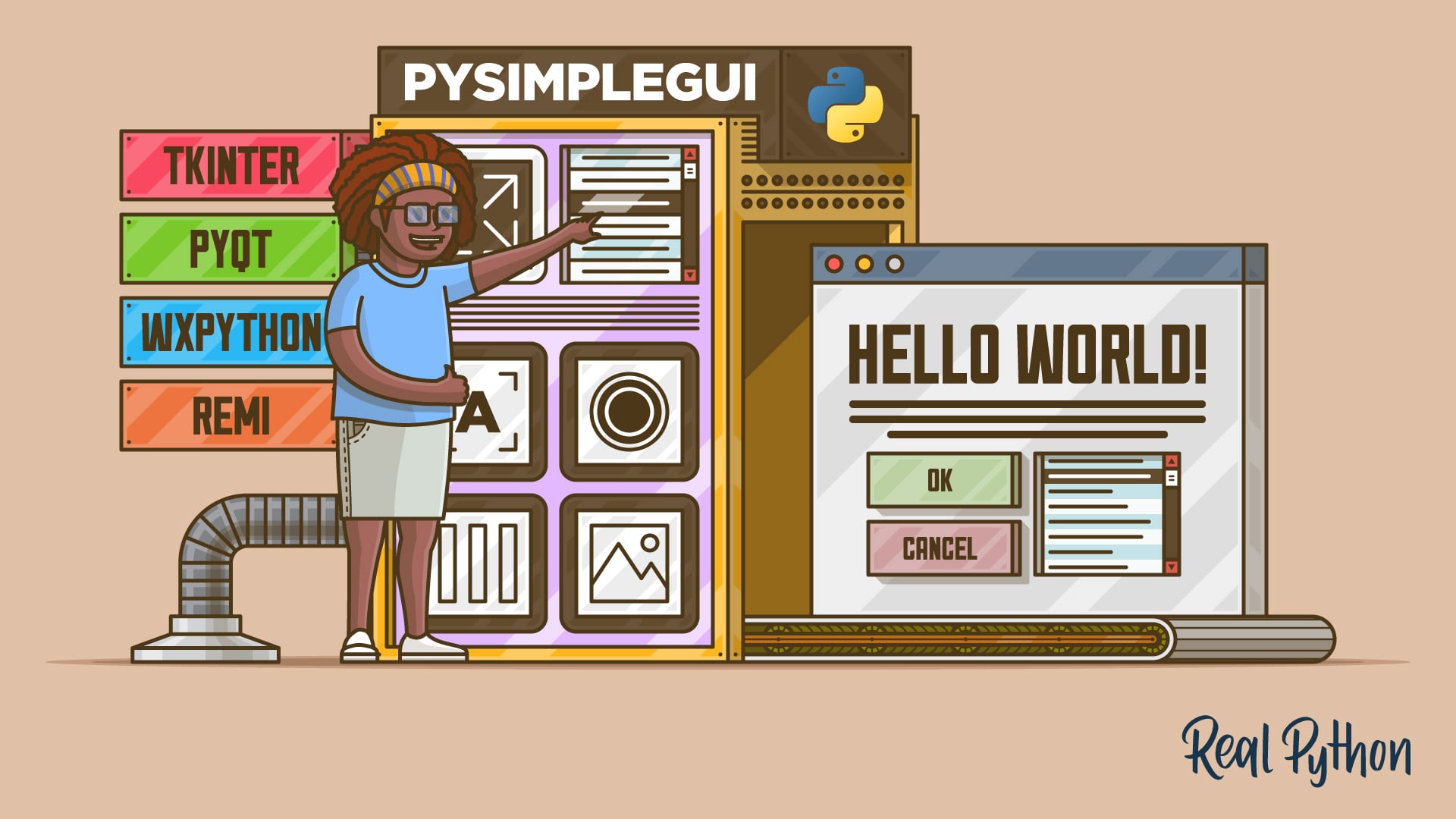
In this step-by-step tutorial, you'll learn how to create a cross-platform graphical user interface (GUI) using Python and PySimpleGUI. A graphical user interface is an application that has buttons, windows, and lots of other elements that the user can use to interact with your application.
really requires no brain, just few python code lines to make a simple GUI
Tkinter / PyQT / Kivi for a more advanced solutions
digital rose
thnx a lot
 frail egret
Why the Entry widget doesn't move ? I changed row and columns. Python's Tkinter
https://gyazo.com/d2bf78c1ee8163ff5a05e3ea685b1f03
 gloomy prawn
can I print text and ask for input at the same time using rich?
for example:
#text here
prompt>
when there is new text, it just prints it before the prompt
tawdry mulch
digital rose
Can we convert a normal code to user interface??
Yes, manually
digital rose
tawdry mulch
Yes, manually
okay
 tidal isle
_tkinter.TclError: cannot use geometry manager pack inside .!frame2 which already has slaves managed by gridthe error what does this mean???
tawdry mulch
tidal isle
`_tkinter.TclError: cannot use geometry manager pack inside .!frame2 which alrea...
That in a window, say root, you can only either use pack or grid not both together.
tidal isle
yes
 sinful pendant
Tkinter is not working good
 tidal isle
my doubt was cleared in general
tidal isle
sinful pendant
Tkinter is not working good
im making the same lol
sinful pendant
Haha im facing this weired thing even though i said it to display on another window
tidal isle
however mine is a bit poorly built
tawdry mulch
sinful pendant
Haha im facing this weired thing even though i said it to display on another win...
Code please
sinful pendant
Full or the thing relayed with this only
tawdry mulch
sinful pendant
Full or the thing relayed with this only
What is the problem again?
sinful pendant
The thing is that the display of loging info in being displayed on password manager window
Not in the 2nd window
tawdry mulch
Widgets will be displayed, where you ask it to be displayed.
 tawdry mulch
sinful pendant
tawdry mulch
sinful pendant
ok send the entire code
sinful pendant
Should i send py file?
tawdry mulch
sinful pendant
Should i send py file?
No, just the lines is fine
sinful pendant
It will be easy for u to test also
tawdry mulch
Send the code, not the file
sinful pendant
Aah that will be too many images then
proven basinBOT
Here's how to format Python code on Discord:
```py
print('Hello world!')
```
These are backticks, not quotes. Check this out if you can't find the backtick key.
sinful pendant
It will be zip cuz mobile dont allows me to view any py file
proven basinBOT
Hey @sinful pendant!
It looks like you tried to attach file type(s) that we do not allow (.zip). We currently allow the following file types: .gif, .jpg, .jpeg, .mov, .mp4, .mpg, .png, .mp3, .wav, .ogg, .webm, .webp, .flac, .m4a.
Feel free to ask in #community-meta if you think this is a mistake.
sinful pendant
😟then how i send
tawdry mulch
Bro py file
tidal isle
i hv used pack side to get them like this
 proven basinBOT
Hey @sinful pendant!
It looks like you tried to attach a Python file - please use a code-pasting service such as https://paste.pythondiscord.com
sinful pendant
What
tidal isle
i wanna anchor them but the widget wont
sinful pendant
I dont have any idea how i do that
tawdry mulch
!paste
proven basinBOT
Pasting large amounts of code
If your code is too long to fit in a codeblock in discord, you can paste your code here:
https://paste.pydis.com/
After pasting your code, save it by clicking the floppy disk icon in the top right, or by typing ctrl + S. After doing that, the URL should change. Copy the URL and post it here so others can see it.
tawdry mulch
sinful pendant
Py files are also not acessible in mobiles
Why not log in from a browser on a PC..?
sinful pendant
I only have mobile data
sinful pendant
Thanks, that will be zip if i fail to acess py file from mob
tawdry mulch
sinful pendant
Thanks, that will be zip if i fail to acess py file from mob
You can access any file from mobile
tawdry mulch
sinful pendant
The andriod hasnt
You can
sinful pendant
@tawdry mulch not able to send u dm
tawdry mulch
sinful pendant
How did you send this
sinful pendant
Thays imahe
Snip from pc to blutooth to my mob then here
I sent u py file, thanks that file manager was opened in background
I was wrong
tawdry mulch
sinful pendant
I was wrong
Your em is None
Make it like:
    em = LabelFrame(top, text='Email', padx=10, pady=10)
    em.grid(row=0, column=0)
Do same for others too
sinful pendant
Ohk, but did that worked in ur device
tawdry mulch
sinful pendant
Ohk, but did that worked in ur device
Try it
tidal isle
i hv two functions in tkinter one is an entry widget and other is a button i want em side by side the problem i that is hv used pack everywhere and not grid can any1 help me the button and widget are 2 different functions
and i want them side by side

it wud be nice if all 3 are side by side
 barren heath
tidal isle
i hv two functions in tkinter one is an entry widget and other is a button i wan...
barren heath
tidal isle
i hv two functions in tkinter one is an entry widget and other is a button i wan...
u mean like this ??
 tidal isle
no side by side horizontally
 lime monolith
tidal isle
no side by side horizontally
lime monolith
tidal isle
no side by side horizontally
Take a look at this #help-carrot message
tidal isle
ok ty
tawdry mulch
tidal isle
no side by side horizontally
Why not use grid
 brazen crow
Hi, I wrote code for a sudoku solver. I basically want to build a GUI that will visually show the game being solved. What package should i use for this? I basically have zero experience with GUIs
tidal isle
tawdry mulch
Why not use `grid`
i hv used pack everywhere so...
tidal isle
brazen crow
Hi, I wrote code for a sudoku solver. I basically want to build a GUI that will ...
u can use tkinter
tawdry mulch
tidal isle
i hv used pack everywhere so...
grid is more precise
tidal isle
tawdry mulch
`grid` is more precise
yes ik that now will hv to use grid next time
 hollow stump
Hi, I would like to know if any kind of libraries, easy to understand, or already implemented features exist to be able to write things with let's say a tablet and display them live in python
like Word, but in python
tawdry mulch
hollow stump
Hi, I would like to know if any kind of libraries, easy to understand, or alread...
umm what?
hollow stump
I want to be able to have an interface in python to (hand)write in
 grizzled monolith
Hello. Anyone using or developing an IDE with TKinter ?
 fickle jewel
hey guys is there something like qtdesigner that is crossplatform like kivy?
tawdry mulch
hollow stump
I want to be able to have an interface in python to (hand)write in
hand write?
tawdry mulch
grizzled monolith
Hello. Anyone using or developing an IDE with TKinter ?
IDE with tkinter?
 tribal path
Like word or like paint? Or paint + ocr
grizzled monolith
tawdry mulch
IDE with tkinter?
Yes I would like to learn TKinter making or studying an IDE...
digital rose
anyone have experience with PyQt or PySide?
 twilit umbra
How can I remove trailing zero's with a DoubleVar in tkinter?

like I want to get rid of the stuff after the decimal
mighty rock
Use IntVar then
 wise epoch
How can I create a circular progress bar in pyqt5 which stops as soon as the function gets executed
tidal isle
What variable is there in a checkbutton if its ticked??
if i try to print it PY_VAR0 idk what that is
any1\
 spring turtle
can i make a tkinter window go on top of all other windows?
tidal isle
spring turtle
can i make a tkinter window go on top of all other windows?
doesnt a window come on top ifits clicked
tidal isle
k
tidal isle
tidal isle
What variable is there in a checkbutton if its ticked??
any idea??
spring turtle
are you asking for tkinter
if yes, then i think its just checkbutton.get(), returns 1 if checked and 0 if not
gloomy prawn
any way to fix this?
 sinful pendant
Is something weong in this program my all orher programs working fine but when runned this one my pc suffers lags non responsive etc

When i run this the tkinter windows do t opens
And after some processing the program ends
gloomy prawn
my pc almost died as well
its because of this line

changing it to ```py
my_menu.add_cascade(label="File", menu=file_menu)
fixes itLet me try
 awww so much thanks to u
I was in some seriois trouble after running this program
 slate maple
suggest bootstrap colours for placed, dispatched, completed, rejected order status badges
green stump
I'm trying to display a QErrorMessage but my GUI keeps crashing, this is my code ```py
def errorDialog(self, error: BaseException):
    self.dialog = qtw.QErrorMessage()
    self.dialog.showMessage(str(error))
 deft siren
hey guys, Im using Pyside2 to make and app for a project. I use a Qml file for the QQuickView, and I would like to change the qml file during the execution of the app. When I try threading, the error "Updates can only be scheduled from GUI thread or from QQuickItem::updatePaintNode()" pops up. Anyone can help me with this??
    screen_updater = Process(target=update_screen)
    screen_updater.start()
    view.show()
app.exec_()```heres is the code thats on the main thread👆
app = QApplication([])
view = QQuickView
Idk what your asking, it's two different things
tawdry mulch
twilit umbra
How can I remove trailing zero's with a DoubleVar in tkinter?
Use IntVar?
tawdry mulch
tidal isle
if i try to print it `PY_VAR0` idk what that is
.get
tawdry mulch
spring turtle
can i make a tkinter window go on top of all other windows?
Yes, root.attributes('-topmost',1)
gloomy prawn
how can i print markdown with a str in rich? it doesn't display the object's value
>>> console.print(f'hello {Markdown("**world**")}')
hello <rich.markdown.Markdown object at 0x7f87918b0d00>
With tkinter how can I do the opposite of root.withdraw()? I currently have this
root.bind('<Insert>', lambda x: root.wm_withdraw())
root.bind('h', lambda x: root.wm_deiconify())
but deiconify doesnt work like when I do withdraw, it doesnt come back up
 safe pasture
I heard that python apps can't work on a device without python installed in it
Is that true?
Cz i'm currently learning kivy
 lapis dagger
gloomy prawn
how can i print markdown with a str in `rich`? it doesn't display the object's v...
lapis dagger
gloomy prawn
how can i print markdown with a str in `rich`? it doesn't display the object's v...
console.print(Markdown("hello **world**"))
gloomy prawn
lapis dagger
```console.print(Markdown("hello **world**"))```
inside an f-string?
i would also like to use other text styles like [red], but Markdown("[red]hello **world**") wouldn't work
tawdry mulch
twilit umbra
With tkinter how can I do the opposite of root.withdraw()? I currently have thi...
The app no more has focus, so it does not recognize that you pressed 'h' and hence does not show up
tawdry mulch
safe pasture
I heard that python apps can't work on a device without python installed in it
...
Yea, but once you make an exe, it should be fine
 swift galleon
Guys DearPyGui wants something called data of an image that just contain values like (1 0 0 1 0.5 1 0) to draw an image
And I am using Pillow to edit an image,
Pillow don't give me a data variable where it lets me to draw the image in DearPyGui and I don't want to save the image in PIL to just be able to draw it
How can I get the data values from PIL ?
Hint when I load an Image in DPG I get the data value in it
ping me if replying plz
 kind knoll
Not sure how to delete images created in a tkinter canvas in sequential order, help?
tawdry mulch
kind knoll
Not sure how to delete images created in a tkinter canvas in sequential order, h...
How are they created
kind knoll
# update canvas with image of person
headshot_canvas.create_image(canvas_width, canvas_height, image=head_images[name], anchor="se")
How many such images are created
kind knoll
1 per loop, so at most id want only 2 images on the canvas at any given time
i tried
tags = headshot_canvas.find_all()
    if len(tags) > 2:
        headshot_canvas.delete(tags[-1])
You could store this in a variable and then append it to a list, and then delete from there
kind knoll
Not sure what you mean
I can assign a tag to each image
so headshot_canvas.create_image(canvas_width, canvas_height, image=head_images[name], anchor="se", tag='image1')
and then use headshot_canvas.delete(image1)
then add the tags to a list and then delete the last 1 I guess
Hoped there wud be an easier way though
tawdry mulch
kind knoll
then add the tags to a list and then delete the last 1 I guess
Yea but I need to see code
kind knoll
@tawdry mulch ```py
def update_frame():
frame = cap.read()
headshot_canvas.create_image(canvas_width, canvas_height, image=frame, anchor="se")
root.after(round(60), update_frame)
that's the gist of it
tawdry mulch
kind knoll
<@!221022114793127947> ```py
def update_frame():
frame = cap.read()
head...
This is a continous func? It will never stop executing?
kind knoll
correct
tawdry mulch
kind knoll
correct
You could be like:
count = 0
def update_frame():
    global count
    if count < 2:
        frame = cap.read()
        headshot_canvas.create_image(canvas_width, canvas_height, image=frame, anchor="se")
        root.after(round(60), update_frame)
        count += 1
Wait, do you want it to run continous?
kind knoll
Yea it needs to run continuously but the I need to delete older image on the canvas after a new onehas been added
tawdry mulch
kind knoll
Yea it needs to run continuously but the I need to delete older image on the can...
You are adding images every 60 milliseconds(so FAST), so you want to delete the previously created image, before adding new image?
tawdry mulch
kind knoll
I wanted to do it after adding new one but I suppose before could work..
I am pointing out that this is ridiculously fast.
tawdry mulch
This sounds like an XY problem to me
swift galleon
kind knoll
Yea it needs to run continuously but the I need to delete older image on the can...
hey u want help
u can delete something on a canvas using this
self.id = canvas.create_oval(10, 10, 25, 25, fill=self.color)
# delete it here:
canvas.delete(self.id)
@kind knoll
swift galleon
guys to draw an Image in DearPyGui u have load it and it gives u data variable:
wid
th, height, channels, data = dpg.load_image('SpriteMapExample.png') # 0: width, 1: height, 2: channels, 3: data
and if I print data it gives me this:
[ 1.000000 1.000000 1.000000 1.000000 1.000000 1.000000 1.000000 1.000000 1.000000 1.000000 ... ]
how can I let PIL(pillow) give me the 'data' to let DearPyGui draw it ?
and this numbers that 'data' variable gives is called UV map right or I am wrong?
can someone help me ?
 misty canopy
swift galleon
can someone help me ?
misty canopy
swift galleon
can someone help me ?
IIRC I saw a discord link on DearPyGui's github page
try asking there what the fourth return (a "mvBuffer", apparently) of load_image is
swift galleon
oh
I am so close for how to do that:
dpg_image = numpy.frombuffer(self.image_PIL.tobytes(), dtype=numpy.uint8) / 255.0
its rgb values of the image pixels
but from 0 to 1
swift galleon
swift galleon
I am so close for how to do that:
```py
dpg_image = numpy.frombuffer(self.image_...
but this gives me an error
TypeError: unhashable type: 'numpy.ndarray'
@misty canopy
swift galleon
swift galleon
but this gives me an error
```
TypeError: unhashable type: 'numpy.ndarray'
```
oh wait I think that I know whats the fix
a new error 😦
SystemError: <built-in function add_static_texture> returned a result with an error set
I think that it didn't like the pil data
twilit umbra
tawdry mulch
The app no more has focus, so it does not recognize that you pressed 'h' and hen...
and can I fix tyhis?
I've been trying to figure out a way to hide the display and bring it back with the press of a keybind
gloomy prawn
why not just use another lib to listen for key events?
 storm flare
for some reason when im using tkinter, whenever i place a widget, it affects the sizing and placement of other widgets above it and below it how do i fix this?
tawdry mulch
twilit umbra
I've been trying to figure out a way to hide the display and bring it back with ...
Use global keybinding
tawdry mulch
storm flare
for some reason when im using tkinter, whenever i place a widget, it affects the...
Code?
tawdry mulch
twilit umbra
but how can i hide the siplay
Same way you would do otherwise
twilit umbra
but i dont know how to do it 😦
tawdry mulch
twilit umbra
but i dont know how to do it 😦
I have explained it here https://stackoverflow.com/questions/68924619/python-tkinter-bind-a-global-key-shortcut-which-can-be-triggered-from-outsid/68925400#68925400

Stack Overflow
I am thinking if there is any way to bind "GLOBAL" key bindings to tk/ttk widgets
for example:
in this code:
import tkinter as tk
def output(lines = 'hehehehe'):
print(lines)
root =...
 foggy sundial
need help #help-coconut
 forest prism
self.operations = {"/": "\u0057", "*": "\u00D7", "-": "-", "+": "+"}

 def create_operator_buttons(self):
        i = 0
        for operator, symbol in self.operations.items():
            button = tkinter.Button(self.button_frame, text=symbol, bg=WHITE, fg=LABELCOLOR, font=DIGITS_FONT_STYLE)
            button.grid(row=1, column=4, sticky=tkinter.NSEW)
            i += 1
``` This is how I have created my operations but I couldn't see my operations in the gridTkinter
tawdry mulch
forest prism
```py
self.operations = {"/": "\u0057", "*": "\u00D7", "-": "-", "+": "+"}
def...
You are overwriting every button with new buttons and at the end, you will just one button
 rapid inlet
do anybody know how to make the topbar transparent?
tawdry mulch
rapid inlet
do anybody know how to make the topbar transparent?
which framework
rapid inlet
tawdry mulch
which framework
tkinter
tawdry mulch
rapid inlet
tkinter
Yea but you will have to handle mouse events yourself and the window can get lost easily
rapid inlet
tawdry mulch
Yea but you will have to handle mouse events yourself and the window can get los...
what???
tawdry mulch
root.overrideredirect(1) will do it
rapid inlet
tawdry mulch
`root.overrideredirect(1)` will do it
i know but i want to make it half transparent
mighty rock
You just won't have the controllability of moving, resizing, closing nor minimizing the Window, you will have to implement these yourself.
mighty rock
rapid inlet
i know but i want to make it half transparent
You can try changing the alpha of the root window and putting everything else in a frame with an alpha of 1
tawdry mulch
In a new window
tawdry mulch
mighty rock
You can try changing the alpha of the root window and putting everything else in...
Alpha is not selective
rapid inlet
mighty rock
You can try changing the alpha of the root window and putting everything else in...
alpha can only make the full window transperent
mighty rock
Well oof
rapid inlet
yeah
tawdry mulch
Hmmm let me try a way around, but yea very limited control over these
tawdry mulch
rapid inlet
if you found one option then tell it to me
There is no "option", only hacks
rapid inlet
tawdry mulch
There is no "option", only hacks
and what are they
tawdry mulch
My current idea is to make a window with alpha and then create a new opaque window(without titlebar) and then bind this new window with alpha window
rapid inlet
tawdry mulch
My current idea is to make a window with alpha and then create a new opaque wind...
can u give me an
example
tawdry mulch
Absolutely pain in the ass, not even needed. Just realize the fact that tkinter is not a modern GUI framework and provides very less control over WM
rapid inlet
tawdry mulch
Absolutely pain in the ass, not even needed. Just realize the fact that tkinter ...
example, please?
tawdry mulch
of what
rapid inlet
tawdry mulch
of what
how do you make the transparent top bar?
mighty rock
You mean translucent
rapid inlet
mighty rock
You mean translucent
???
tawdry mulch
rapid inlet
can u give me an
example
A bare bone example cause im so jobless 🤦♂️
from tkinter import *

root = Tk()
main = Toplevel(root)
app_w,app_h = 400,400
root.geometry(f'{app_w}x{app_h}')

root.attributes('-alpha',0.5)
main.overrideredirect(1)
main.attributes('-topmost',1)
root.update()

def re_pos(e):
    main.focus()
    pos = root.winfo_geometry()
    off_w,off_h = pos.split('+')[-2:]
    main.geometry(f'{app_w}x{app_h}+{int(off_w)+10}+{int(off_h)+40}')

def focus_out(e):
    print('Focus lost')
    main.attributes('-topmost',0)

def focus_in(e):
    print('Focus in')
    main.attributes('-topmost',1)

def bring_up(e):
    print('mapped')
    main.lift()

pos = root.winfo_geometry()
off_w,off_h = pos.split('+')[-2:]
main.geometry(f'{app_w}x{app_h}+{int(off_w)+10}+{int(off_h)+40}')

root.bind('<Configure>',   re_pos)
root.bind('<FocusIn>'  , bring_up)
root.bind('<Map>'      , bring_up)
main.bind('<FocusIn>'  , focus_in)
main.bind('<FocusOut>' ,focus_out)

Label(main,text='This is an app withtranslucent titlebar',font=(0,21)).pack()

main.focus_force()
root.mainloop()
Thanks a lot I fixed it
 thick rock
does anybody now if i can change the Charset for passwords in PySimpleGUI
 covert holly
Anyone here used both Tkinter and kivy? Which one would you say is much cleaner and aesthetically nicer?
tawdry mulch
Not tkinter
 tribal ember
why the * in the first line
 ebon dome
Heyo guys, anyone who can help me with tkinter?

I'm trying to put the 4 label texts in-between the input boxes, but I can't seem to figure out how to do it
tawdry mulch
tribal ember
why the * in the first line
Means to import "all"
ebon dome
tawdry mulch
Basically give an option, `pack(after=widgetname)`.
I gave an ipadx and ipady option, but that made the label texts go down even more
 shy carbon
Hi guys. I've built an app using Tkinter and I want to distribute it (for mac and windows). But for the life of me I couldn't get the final stand alone app to be right. I've used pyinstaller many times and played with the settings but still. so if you have any idea how to please contact me or give suggestions here. (note: the app works perfectly as a script)
shy carbon
ebon dome
Heyo guys, anyone who can help me with tkinter?
have you tried to grid?
tawdry mulch
ebon dome
I gave an ipadx and ipady option, but that made the label texts go down even mor...
I said use after not padx or ipadx
ebon dome
I will try to implement that
tawdry mulch
ebon dome
I will try to implement that
Yes, your best way is grid()
shy carbon
ebon dome
I will try to implement that
grid seems better for your use. TIP: for the bottom Button you could put it on row=99 for example if it were to be always on the bottom, GL.
ebon dome
_tkinter.TclError: cannot use geometry manager grid inside . which already has slaves managed by pack
tawdry mulch
ebon dome
```_tkinter.TclError: cannot use geometry manager grid inside . which already ha...
Either pack or grid inside a single container
tawdry mulch
ebon dome
I did grid, but I get that error consequently
Means there is pack() somewhere
tawdry mulch
Not if theyr in the same container @ebon dome
ebon dome
I managed to move the first sentence by changing everything to grid()
But it doesnt really let me position it properly
tawdry mulch
ebon dome
I managed to move the first sentence by changing everything to grid()
Study about it, it is precise
proven basinBOT
:incoming_envelope: :ok_hand: applied mute to @digital rose until <t:1631407296:f> (9 minutes and 59 seconds) (reason: duplicates rule: sent 4 duplicated messages in 10s).
green stump
How can I make a list of combo boxes in QT that is scrollable when out of bounds?
eager beacon
stick them inside a QScrollArea()
green stump
eager beacon
stick them inside a QScrollArea()
Is it in qdesigner? (found it) - im not sure how to work with it.
 eager beacon
right click on an empty part of the scroll area and go to Layout> Vertical Layout
green stump
eager beacon
right click on an empty part of the scroll area and go to Layout> Vertical Layou...
awesome thank you
forest prism
button.grid(row=i, column=4, sticky=tkinter.NSEW, command=lambda y=operator: self.add_to_expression(y))
``` I don't think there's any problem in this but I still get a errorAssuming you mean to use operator in the lambda:
command=lambda: self.add_expression(operator)
tawdry mulch
mighty rock
Assuming you mean to use `operator` in the lambda:
`command=lambda: self.add_exp...
Both are entirely different
 kindred dome
How would I go about creating a button for each name that is in a list, and then setting the button's name to it's appropriate name in the list? For TKinter.
I've attempted to do it like this:
for i in names:
  button = Button(root, text=i)
It does everything I want except for iterating through the names. It just sets all the button's names to the first name in the list.
tawdry mulch
kindred dome
How would I go about creating a button for each name that is in a list, and then...
It does iterate through, I think the problem is that you are placing all these buttons on the exact same location, hence each button over writes another and in the end you see just one, probably last item in the list
mighty rock
tawdry mulch
Both are entirely different
Yeah, my bad, that's new syntax for me.
shy carbon
kindred dome
How would I go about creating a button for each name that is in a list, and then...
try this : `btns = ['ex1', 'ex2', 'ex3']
for i in range(len(btns)):
tk.Button(root, text=btns[i]).grid(row=i, column=0, ipadx=10, ipady=10)`
kindred dome
That didn't seem to work. It's still making the correct amount of buttons, but is setting all of their names to the first button name in the list.
tawdry mulch
kindred dome
That didn't seem to work. It's still making the correct amount of buttons, but i...
Show come code then, have to run and see
Also show the list
kindred dome
# Initialize widgets
class List(Frame):
    def __init__(self, parent):
        Frame.__init__(self, parent)
        text = Text(self, wrap="none", bg="#DDDDDD", spacing3=3)
        scrollbar = Scrollbar(self, orient="vertical", command=text.yview)
        text.configure(yscrollcommand=scrollbar.set)

        # Scrolling
        def onScroll(event):
                text.yview_scroll(int(-1*(event.delta/120)), "units")
        def scrollAreaEnter(event):
                text.bind_all("<MouseWheel>", onScroll)
        def scrollAreaLeave(event):
                text.unbind_all("<MouseWheel>")

        scrollbar.pack(side="right", fill="y")
        text.pack(fill="both", expand=True)

        # readDataPNames can be replaced with ["Test Name1", "Test Name2", "Test Name3"]
        buttonNames = readDataPNames()

        for i in range(len(buttonNames)):
            button = Button(self, text=buttonNames[i], font=explorerFonts.statusMessageFont, relief=GROOVE, width=32, bg="#DDDDDD", activebackground="#CDCDCD")
            text.window_create("end", window=button)
            button.bind("<Enter>", scrollAreaEnter)
            button.bind("<Leave>", scrollAreaLeave)
            text.insert("end", "\n")
        text.configure(state="disabled")
That should be the code to get it up and running sort of
List(root).place(height=764, width=350, x=0, y=30.5)
to initialise it somewhere
It makes this
 tawdry mulch
kindred dome
It makes this
tawdry mulch
kindred dome
It makes this
print(buttonNames) to make sure it is what you want
kindred dome
Ahh. It's showing this.

Think that might be the issue
xD
Let me just re-write the code that sets that list to see if I can fix it.
tawdry mulch
kindred dome
Ahh. It's showing this.
Yea that was the only possible explanation I had in mind
kindred dome
It's always the easiest thing I could do to troubleshoot it that I never do 😄
tawdry mulch
kindred dome
It's always the easiest thing I could do to troubleshoot it that I never do 😄
print() is the easiest and very effective method
A simple print() can show you the flow of code
kindred dome
Yeah. It does seem to be fixed though, when I try it with a pre-made list of strings. The code that creates that list is a bit annoying to fix but I think I'll be able to do it, ty!
sinful pendant
How can i do this labelframe better its ugly :( if tkinter provided the transparent colour iption in its widgets it would have been cooler
 tawdry mulch
sinful pendant
How can i do this labelframe better its ugly :( if tkinter provided the transpa...
tawdry mulch
sinful pendant
How can i do this labelframe better its ugly :( if tkinter provided the transpa...
yea but it doesnt
tidal isle
can i make a button to reload a window??
basically re run the whole thing
from the gui only
tawdry mulch
tidal isle
can i make a button to reload a window??
yea sure
 mortal marten
should i use kivy or pyqt5 for gui design? i am thinking about starting pretty big personal project and i would like it to also have a mobile version. I already know how to use pyqt5 pretty good (I will upgrade to pyqt6 soon), but I never used kivy, so if any of you have any experience with it, it would really appreciate some help
or is there maybe another python module for gui that could be suitable for a lot of similar stuff
 wicked girder
How do I wait for a input and print at the same time using threads?
swift galleon
hello guys,
I am having a problem with loading a PIL(pillow) image in DearPyGui.
and the problem was that DearPyGui wants width and height and 'data' to draw an Image.
and I've reached this solution to get the data value from PIL:
self.image_PIL = PIL_Image.open(path)
dpg_image_data = numpy.frombuffer(self.image_PIL.tobytes(), dtype=numpy.uint8) / 255.0
but with this I have this new error:
line 4904, in add_static_texture
return internal_dpg.add_static_texture(width, height, default_value, label=label, user_data=user_data, use_internal_label=use_internal_label, id=id, parent=parent)
SystemError: <built-in function add_static_texture> returned a result with an error set
hit: the original data value is :
[ 0.000000 0.000000 0.000000 0.000000 0.000000 0.000000 0.000000 0.000000 0.000000 0.000000 ... ]
and self.image_PIL.tobytes() gives this :
b'\x00\x00\x00\xff\x00\x00\x00\xff\x00\x00\x00\xff\x00\x00\x00\xff\x00\x00\x00\xff\x00\x00\x00\xff\x00\x00\x00\xff\x00\x00\x00\xff\x00\x00\x00
and the data that I've converted(dpg_image_data) is
[0. 0. 0. ... 0. 0. 1.]
I think the problem is that the image's data that I've converted is not converted very well i mean that u can see that the PIL data that I've converted is a bit different it contains '.' after a number and without anything else,
and I think that the PIL data that I've converted must be the same as the data that the DearPyGui gives me when I load the image there
help me plz guys
 buoyant fulcrum
Hi Guys, My code is very long so I won't be able to share it. But i'm looking to accomplish something. I'm using tkinter
I have made buttons using a list (with a for loop)
I would like to delete buttons once they are no longer in the list. (I need this because each button represents something which could be deleted by the users choice)
Could anyone help me accomplish this?
I was thinking of something like:
For each button, also append it to list B
(When the frame is updated, list A already gets refreshed)
Check if list A matches list B. For any item that isn't in list A, delete that button and also remove it from list B.```
But I need help in deleting the buttonsYou could convert those list in to set and then find the difference to find uncommon members and then delete those
buoyant fulcrum
that sounds good, ty
does anyone know, how I could delete a tkinter button that was made in a for loop?
I know how to do it based on when the button is clicked, but I wan't a function to do it if possible
mortal marten
i dont use tkinter, so i can't give you solution but an idea which may or may not work. you could create a custom class which inherits from button and give it variable like button_id so that you could delete button with specific id, just quick loop through list of buttons
something like:
for button in second_button_list:
if button.button_id not in [button.button_id for button in first_button_list]:
delete(button) # or however you delete button in tkinter
i use pyqt and i would use that approach
@buoyant fulcrum
digital rose
How do I make it so when setting a QLCDNumber's value (as a double), the decimal is not truncated (e.g py self.lcdNumber.setProperty("value", 2.10) sets it to 2.1, but I want it to strictly include each digit no matter what (2.10))
nevermind figured it out I can use self.lcdNumber.display and pass the integer as a string (with the decimal points)
tawdry mulch
buoyant fulcrum
I know how to do it based on when the button is clicked, but I wan't a function ...
You would append these buttons to a list and then use destroy() on the button that your loop through later. ..?
buoyant fulcrum
sorry, I don't understand
mortal marten
try making new button class that inherits from tkinter's button class and only has one more variable called button_id or similar, and then you could compare those id's when you iterate through lists
digital rose
I have a question about PyQt5
Is there a way to pass an argument into a function and use the value that argument in the future? Like I'm doing some PyQt5 thread work and I have something like py self.worker.finished.connect( partial(iso_info_format_gui, self.passable) ) where self.passable 's value will be something like 0 at first when the code declares that it's connecting to signal slot thing, and then when the finished signal is emitted, the value of self.passable will be different.
So the difference in value when it was connected and when it actually runs, does anyone know how to do this?
mortal marten
try making a variable in class where it you want to use that variable, and pass that class to the class where the variable changes, and once it changes change that same variable in the class you passed
kinda hard to explain hahah...
digital rose
I have at the moment py self.passable = [...]
instead of py self.passable = ... because I figured in Python passing a list passes by reference
also doing this works
But I was just wondering if there was a better way
mortal marten
so basically you change that variable in another class and would like to use it in the class it was initialized?
but have its new value stored in it
digital rose
I just need the state of the variable (self.passable which is in class1) to be passed into class2 as it's state and not that value it was before
to be honest this is quite a bizarre scenario, self.passable is in a partial, and at the time it's told to be there in the finished emitting line, the value of it is let's say 0
however when it's declared to actually be USED, the value has already changed
however Python is still using it as its old value, 0, so it has something to do with passing into partial
so I suppose partial is the problem
Maybe I could try using a lambda function?
self.worker.finished.connect(
  partial(iso_info_format_gui, self.passable)
)```
```py
self.worker.finished.connect(
  lambda: iso_info_format_gui(self.passable)
)``` like thisthe difference is that partial (from functools) is not being used anymore, so self.passable isn't being copied into that function, whatever the value was at that stage
in the lambda function, the code inside only runs when the function runs
and nothing is being copied
I guess that'd work
let me try
mortal marten
hmmmm yeahhh usual pyqt bizzare situations lmao
mortal marten
np 👍
tawdry mulch
buoyant fulcrum
sorry, I don't understand
Make a list and then append to that list, later you can loop through that list and then delete
mortal marten
thats the way you could differantiate between buttons
tawdry mulch
buoyant fulcrum
so if I append the button's defining variable I can later delete it?
Yes, if you have reference to something, you can reuse it later
green stump
How do i remove the native dotted outline for a QListWidget?
Outline Image:
https://gyazo.com/e9126db419b93dff5910464b35ec7f0f
CSS:
QListWidget {
    background: #121212;
    color: white;
    border: none;
}
QListView::item:hover {
    background: #1F1F1F;
    color: white;
}
QListView::item:selected {
    background: #383838;
    color: white;
}``` green stump
 rotund fable
border: none
rotund fable
border: none
It doesn't seem to affect it

^ css of that:css QListWidget { background: #121212; color: white; border: none; } QListView::item:hover { background: #1F1F1F; color: white; border: none; } QListView::item:selected { background: #383838; color: white; border: none; }
green stump
rotund fable
The selected
Yes, i changed it in the selected?
green stump
rotund fable
How much knowledge of css do you have?
I know the syntax, various selectors and a bunch of fundamental tags
rotund fable
Can I have a look at the html that should be displayed?
green stump
rotund fable
Can I have a look at the html that should be displayed?
Oh, just without the borders - and im using this to style Qt elements not really html.
 green stump
rotund fable
The item:selected border nine should’ve done the trick
green stump
rotund fable
The item:selected border nine should’ve done the trick
It should have, that's why I got confused and came here 
plush stream
@green stump using qss to remove those dots will not work
Use setFocusPolicy(Qt.NoFocus) instead
green stump
plush stream
<@368671236370464769> using qss to remove those dots will not work
Thank you ruby!
digital rose
can someone help me?
tawdry mulch
digital rose
can someone help me?
with
digital rose
PyQt5
so i wanna make a terminal app
that gets the text entered into the py file/ui file
and runs it as os.system(enteredcode)
then prints the output to the app
kindred dome
Would anyone happen to know how I could get the name of a button I pressed that was made from a loop in Tkinter?
As an example to better explain:
def copyName(name):
  print(name)

names = ['name1', 'name2', 'name3']
for name in names:
  button = Button(root, text=name, command=lambda: copyName(button["text"])
  button.pack()
What seems to happen when I try this method is that it just takes the last created button (which makes sense since it's the latest instance of a button) and returns that name no matter which button I press.
tawdry mulch
kindred dome
Would anyone happen to know how I could get the name of a button I pressed that ...
Try command=lambda button=button: copyName(button["text"])
kindred dome
It gives the error "Local variable 'button' referenced before assignment".
tawdry mulch
Yea, well then
tawdry mulch
kindred dome
It gives the error "Local variable 'button' referenced before assignment".
for name in names:
  button = Button(root, text=name)
  button.config(command=lambda button=button: copyName(button["text"]))
  button.pack()
Yes, that works! Thank you!
proven basinBOT
:incoming_envelope: :ok_hand: applied mute to @robust swift until <t:1631681835:f> (9 minutes and 59 seconds) (reason: duplicates rule: sent 4 duplicated messages in 10s).
green stump
I have a QListWidget which I have it's drop/drag mode set to DragOnly and it's action to CopyAction, once i drag and drop it's items into another widget, how can I get the text of that item?
mortal marten
I have an idea for widget, but it seems to be pretty hard to implement... so basically i wanna make a wheel of labels which will get larger when they are in the front, and smaller and smaller as they go to the back of the wheel, so basically you could spin that wheel and select the label you want, here's an example

(as you can see my art skills are on the level)
i don't know if there's already something similar in already implemented in pyqt5 (I don't want just normall scroll area) or should i go exploring wild web in search for some dark magic using animations and resizing and who knows what, that would allow me to make this widget
also if there's something like this in some other gui framework for python i would really to know
tawdry mulch
mortal marten
I have an idea for widget, but it seems to be pretty hard to implement... so bas...
Hmmmm seems like I know what I am gonna do this weekend 😛
mortal marten
well if you find a solution, i would be rlly grateful!
tawdry mulch
mortal marten
well if you find a solution, i would be rlly grateful!
But I am using tkinter
mortal marten
aww mann, but even so if you figure it out in tkinter pls share
i will try to translate it into pyqt hahahah
tawdry mulch
mortal marten
aww mann, but even so if you figure it out in tkinter pls share
Seems very hard, but yea sure
mortal marten
thanks!
green stump
mortal marten
I have an idea for widget, but it seems to be pretty hard to implement... so bas...
Okay, so here's an example i've come up with
gif: https://gyazo.com/667f86d964a13a275eba95181105457b
fullcode: https://paste.pythondiscord.com/uwujojatoq.py
context:
So you generate a simple setup with QtDesigner for a QScrollArea with a QHorizontalLayout and placed the labels.
Keep in mind that i used pyside2 here, not pyqt5
explaination:
You start off with the usual subclassing of the main window and then implement the mainwindow with the script from qt
designer if you're using one. If not just keep in mind the name of your scroll area. Now Scroll areas have a widget inside them called the
scrollAreaWidgetContents in my script. You have to install an event filter that catches the QWheelEvent and once we have that,
we can get the angle at which the wheel is rotated and animate the labels inside the grid with values derived from the angle delta.
For installing an event filter into the scroll area widget, we make a class called Animation subclassed under QObject
In the Animation class, we have to implement the side-scroll effect and the resize effects, done through deriving a value from the wheel
angle to make arbitrary decisions on it's speed and direction. We can then use the animation framework that comes with Qt called QVariantAnimation
to create a decent movement with some weight - it performs a linear interpolation between a starting value and an ending value, so it steps through the
ranges (simple value change should work too). By fine tuning that, you can have more action going on and whatnot.
 tawdry mulch
green stump
Okay, so here's an example i've come up with
gif: https://gyazo.com/667f86d964a...
tawdry mulch
green stump
Okay, so here's an example i've come up with
gif: https://gyazo.com/667f86d964a...
Looks excellent, but is the mouse moving?
green stump
tawdry mulch
Looks excellent, but is the mouse moving?
nop, i thought it was supposed to be for scrolling?
mortal marten
man that looks awesome!!!
green stump
Thanks!
tawdry mulch
green stump
nop, i thought it was supposed to be for scrolling?
Oh
Anyway stuff looks super
mortal marten
im kinda new to animations and events so i was rlly having hard time trying to implement it
tawdry mulch
green stump
Good luck with implementing it on tkinter btw!
Argh, its gonna be a mess
green stump
mortal marten
im kinda new to animations and events so i was rlly having hard time trying to i...
Same, i've actually never worked with animations before but I knew the basics XD
mortal marten
also, i hate to bother you, but can you make it so that it can also sping if you click and drag to the side
green stump
refer to this if u need help https://doc.qt.io/qt-5/, its wayyy better than the pyqt docs but its in C++ so u need to know that to understand code examples
green stump
mortal marten
also, i hate to bother you, but can you make it so that it can also sping if you...
sping?
mortal marten
spin*
mortal marten
thanks so much man!
im gonna try it out right away
thank god pyside and pyqt are so similar hahahahh
green stump
Also, disable your scroll area's horizontal scroll and verti scrolls before or it might not propogate wheel events properly
green stump
that's the script from Qt Designer
 mortal marten
as i am now, i am just a pleb who has literally installed qt designer yesterday (not even joking) so i have no idea how to work with it
green stump
Try to learn it, it's sooooo useful
you can do 50% of the designing and feature implementations in it
mortal marten
yeah i thought so too, i think it would be far easier to make it look nice using designer
like styles, positioning and all of that
green stump
Yeah, it lets you handle a lot of the widget properties too, they can be overwhelming at first but you'll appreciate their diversity later down the line
green stump
mortal marten
also, i hate to bother you, but can you make it so that it can also sping if you...
mate @mortal marten, i have to go out for now, for proceeding, a few things you have to do, first for rotations, make a subclass of the QLabel that provides the rotation accessibility or use QTransform to rotate the QPixmap of the QLabel.
Then log the mouse press events from the scroll contents inside the event filter and after making sure that the mouse presses are onto one of the labels in position, if you've confirmed that, re-parent that label to be dragged onto the central widget and get it out of the scroll area, then move along with the mouse and play around with the rotation
mortal marten
green stump
mate <@!395622996884324352>, i have to go out for now, for proceeding, a few thi...
thanks a lot for advice! although that's way too much information for my simple brain to handle (still trying to deal with that abcd thingy) but I'm gonna give it a shot before my school starts, also if you maybe have the whole code setup which i could mess with and see what different stuff does, i would really appreciate it, but you've already done more than enough, so again thanks so much! :D
 sullen thunder
Hey so I dunno if this would be the channel to discuss this. However, I am trying to create a simple program to play video on a raspberry pi.
Was going to use python-vlc. However the media_list_player, doesnt appear to want to toggle_fullscreen. Something about how a media_player and media_list_player aren't the same.
Any thoughts on alternatives
Also, yes I know I could just install vlc on the pi then just headless in and play a playlist. Only I wanted to program it to practice some code.
plush stream
media_list_player is sort of abandoned in libvlc
so did you use media_list_player to play multiple media?
sullen thunder
Yeah, as far as I can determine I needed to use that to use a playlist.
I haven't particularly loved the documentation. It didn't appear the media_playercould use a list but one file at a time.
plush stream
have you tried getting the MediaPlayer object out of MediaListPlayer and then toggle the fullscreen from there?
sullen thunder
I saw that there was a get_media_player() and set_media_player() function. Which is what I think your referring to.
I did attempt but I think I wasn't implementing it right didn't seem to work.
plush stream
ok hold on
i think i can send some examples
import vlc

medialist = vlc.MediaList()
medialist.add_media("path/to/some/media")

medialistplayer = vlc.MediaListPlayer()
medialistplayer.set_media_list(medialist)
medialistplayer.play()

mediaplayerobject = medialistplayer.get_media_player()
mediaplayerobject.toggle_fullscreen()

input()
it seems to work on windows, idk about pi
sullen thunder
Okay, that looks clear. I should be able to work that into my script. I am testing on windows until the code is ready.
plush stream
cool
sullen thunder
Sadly I won't be able to test until tonight.
plush stream
btw can we continue the conversation in dm since vlc is not about gui at all lol
sullen thunder
Okay, I will hit you up tonight and let you know how it works. I can also more easily Share code that way
plush stream
sounds good
 sturdy flame
reposting my message from one of the help channels:
Trying to learn tkinter with a business card maker project, but I can't figure how to get things to lay out right.
I want things to look like:
name:[entry box][space]
job:[entry box][space]
output:[entry box]
[space][START][space]
and instead they lay out like this.
Here's my code. (tkinter imported as tk)
window = tk.Tk()
window.title("Business Card Generator")
content = tk.Frame(window)
frame = tk.Frame(content, width=50, height=100)

name = tk.StringVar()
namelbl = tk.Label(text="Name:")
nameEntry = tk.Entry(content, textvariable=name)

job = tk.StringVar()
joblbl = tk.Label(text="Occupation:")
jobEntry = tk.Entry(content, textvariable=job)

output = tk.StringVar()
outputlbl = tk.Label(text="Output file path:")
outputEntry = tk.Entry(content, textvariable=output)

start = tk.Button(content,text="START")
start.bind("Generate",genCard(name,job,output))

content.grid(column=0,row=0)
frame.grid(column=2,row=0,columnspan=2,rowspan=1)

namelbl.grid(column=0,row=0)
nameEntry.grid(column=1,row=0)

joblbl.grid(column=0,row=1)
jobEntry.grid(column=1,row=1)

outputlbl.grid(column=0,row=2)
outputEntry.grid(column=1,row=2,columnspan=2)

start.grid(column=1,row=4)
window.mainloop()
 tawdry mulch
sturdy flame
reposting my message from one of the help channels:
Trying to learn tkinter wit...
tawdry mulch
sturdy flame
reposting my message from one of the help channels:
Trying to learn tkinter wit...
Whats space
sturdy flame
I just mean a blank area, a frame
ngl that layout isn't exactly in very tkinter terms lol
tawdry mulch
sturdy flame
ngl that layout isn't exactly in very tkinter terms lol
I dont get the layout anyway, but here is something
from tkinter import *

root = Tk()

Label(root,text='Name:').grid(row=0,column=0)
name_ent = Entry(root)
name_ent.grid(row=0,column=1)

Label(root,text='Job:').grid(row=1,column=0)
job_ent = Entry(root)
job_ent.grid(row=1,column=1)

Label(root,text='Output:').grid(row=2,column=0)
output_ent = Entry(root)
output_ent.grid(row=2,column=1)

Button(root,text='Start').grid(row=3,column=1)

root.mainloop()
welp that works
appreciate the help
sturdy flame
tawdry mulch
```py
from tkinter import *
root = Tk()
Label(root,text='Name:').grid(row=0,co...
sorry, one more question--how do I bind the button to call a function?
would i just do
start = Button(root,text='Start')
start.bind("print",print("hello world"))
start.grid(row=3,column=1)
for example
tawdry mulch
sturdy flame
sorry, one more question--how do I bind the button to call a function?
Did you use any tkinter tutorial previously?
sturdy flame
Been working on the real python and tk docs ones but they seem to not really agree on everything
tawdry mulch
sturdy flame
Been working on the real python and tk docs ones but they seem to not really agr...
This is really the basics...
You would use command option with Button
rocky dragon
I'm rewriting an older app of mine to PySide6 from PyQt5 and I'm wondering again about whether It'd be better to use the builtin Qt capabilities for things like requests, or create worker threads that'd run common python frameworks
rocky dragon
I guess this would be more suited to #software-architecture , moving there
plush stream
@rocky dragon i'm not sure about the network bit but you should definitely use built in thread system in qt i.e: QThreadPool or QThread
Since it will be easier to communicate between threads in qt by using Signals
rocky dragon
Yeah that's what I used before but I'm not sure if I like the interface it provides too much and the fact there may be other concerns from a thread, although I guess with an abstracted class it's similar to a QtNetwork request without all the c++ enums and stuff around it.
although admittedly I got much better at programming so that also may partly be because of that lack of understanding when writing it
 still zinc
Hi, so I built a text editor using Tkinter. But the problem is that the GUI is very blur and more like harms the eye. Could someone help me find a solution?
(I'm also currently building a python-text-editor using wxpython and facing the same issue)
still zinc
still zinc
Hi, so I built a text editor using Tkinter. But the problem is that the GUI is v...
Think of it as notepad but the letters in the frame are very blur
Is this normal?
tawdry mulch
still zinc
Think of it as notepad but the letters in the frame are very blur
Is this normal...
No, it is prolly windows issue
still zinc
Any solutions?
tawdry mulch
Settings --> Display settings --> Advanced scaling settings --> Uncheck 'Let windows try to fix blurry apps....' and then restart
still zinc
tawdry mulch
Settings --> Display settings --> Advanced scaling settings --> Uncheck 'Let win...
Thanks a lot! Will try and let you know 🙂
Do I have to run the program or something before doing this?
tawdry mulch
still zinc
Thanks a lot! Will try and let you know 🙂
Do I have to run the program or somet...
Run the program? The app? No
EVERY GUI on the windows will be blurry, you can try it. It is some weird windows bug.
still zinc
Cools
Thanks again
 vivid furnace
How to make a double clickable icon for a python script? Mac OS
digital rose
No idea
 modern kite
imagine using kivy to make mobile apps
tribal path
would really depend on the sort of app, can be very comparable to flutter
proven basinBOT
Hey @digital rose!
It looks like you tried to attach file type(s) that we do not allow (.zip). We currently allow the following file types: .gif, .jpg, .jpeg, .mov, .mp4, .mpg, .png, .mp3, .wav, .ogg, .webm, .webp, .flac, .m4a.
Feel free to ask in #community-meta if you think this is a mistake.
 lost dragon
tawdry mulch
lost dragon
<#587375768556797982>
lost dragon
tawdry mulch
lost dragon
<#587375768556797982>
Try return 'break' at the end of the function
from tkinter import *

root = Tk()

def func(e):
    print('Space')
    return 'break'

e = Entry(root)
e.pack()
e.bind('<space>',func)

root.mainloop()
yeah ive treid that, doesnt work
lost dragon
tidal isle
u can use enter
enter does something else
tawdry mulch
lost dragon
yeah ive treid that, doesnt work
The code I sent works....
lost dragon
hmm wait maybe i messed something up lemme try again
oh it does work thanks! dk why it didnt work earlier
 wicked meadow
where can I find someone to help me create a idea I have
 carmine radish
Can any one suggest me a good tutorial for learning tkinter.
tidal isle
carmine radish
Can any one suggest me a good tutorial for learning tkinter.
Learn Tkinter in this full course for beginners. Tkinter is the fastest and easiest way to create the Graphic User Interfaces (GUI applications) with Python. Tkinter comes with Python already, so there's nothing to install!
💻Code: https://github.com/flatplanet/Intro-To-TKinter-Youtube-Course
🎥Course created by Codemy.com. Check out their You...
https://www.youtube.com/watch?v=QZPv1y2znZo a gud project to do once ur done

Python project-based learning videos for absolute beginners!
We frequently use built-in programs like calculators without thinking about how they were designed or what's underneath the hood. It's essential for you to think about these things if you want to become a better software developer. The end goal of learning to program is to solve real-...
tidal isle
wicked meadow
where can I find someone to help me create a idea I have
what do u mean by help like make it for u or u make it and that person helps u correct ur issues?
tidal isle
if ur in a hurry u can do the calc tutorial directly atleast thats what i did
tidal isle
carmine radish
But I needed some docs
strange depends how well u wanna learn it
carmine radish
What is calc?
tidal isle
calculator
carmine radish
Ok
tidal isle
tidal isle
https://www.youtube.com/watch?v=QZPv1y2znZo a gud project to do once ur done
this
carmine radish
Actually I just wanna make a project not learn it
This will be the last tkinter project ig
tidal isle
what u wanna make
tidal isle
carmine radish
This will be the last tkinter project ig
uk know tkinter?
tidal isle
what do u wanna find?
carmine radish
I need to edit a button
tidal isle
carmine radish
Can any one suggest me a good tutorial for learning tkinter.
pls be specific
carmine radish
And some inputs
tidal isle
u wanted to learn tkinter a while ago
carmine radish
To make a contact window
carmine radish
tidal isle
pls be specific
O sorry
tidal isle
carmine radish
To make a contact window
code?
carmine radish
tidal isle
`code`?
Do you want my code?
tidal isle
no hv u made anythin
carmine radish
Actually I discarded that code just now .
Got frustrated with the errors and all that
Ig I need to learn it from scratch
tidal isle
well u shud hv sent it
carmine radish
No short cuts apply here😭
tidal isle
can u send an example for this contact window?
carmine radish
tidal isle
can u send an example for this contact window?
Sure

Sorry for the delay I had to go
Bro I think I will learn it from scratch.
I am just copy pasting snippets. It will be better if I will learn it.
tidal isle
carmine radish
Bro I think I will learn it from scratch.
I am just copy pasting snippets. It wi...
if u r a beginner thats what u shud do
still zinc
tawdry mulch
Settings --> Display settings --> Advanced scaling settings --> Uncheck 'Let win...
This didn't work.
Though I find another solution:
import tkinter as tk
from ctypes import windll
root= tk.Tk()
windll.shcore.SetProcessDpiAwareness(1)

#make app
root.mainloop()
However the same doesn't work for wxpython where I'm making a Python Text Editor
Any help is appreciated.
still zinc
tawdry mulch
EVERY GUI on the windows will be blurry, you can try it. It is some weird window...
Are you sure @tawdry mulch ? Because I found folks on the subreddit who said it works just fine
tawdry mulch
still zinc
Are you sure <@!221022114793127947> ? Because I found folks on the subreddit who...
I have used 2-3 fresh windows on different systems and on all of them I had this blurred GUI and I have also posted as a answer or something in stackoverflow. So my conclusion is based on personal experience
still zinc
tawdry mulch
still zinc
https://www.reddit.com/r/Tkinter/comments/pp1n6o/font_blur_in_the_gui/?utm_mediu...
Learn how Windows can help fix desktop apps that appear blurry on your main display when you're using multiple monitors.
rocky dragon
Is there a good way to let ctrl c gracefully interrupt a Qt app? I can register a signal to quit the app but that's blocked by the gui thread until it calls back into python code on some action
rocky dragon
A timer with a simple callback would work but doesn't really feel proper
 crude linden
How do you test tkinter apps? I mean how to test in automatic fashion, w/o human intervention? I have a tkinter app
https://github.com/trsvchn/coco-viewer
and I'd like to add some tests for it, setup CI pipeline, and actually to be sure that it works after the adding new features etc.
...or maybe you can provide some resources on that, that would be great? Thank in advance!
 fluid fiber
I see everyone hear is talking about tkinter, how hard/easy would it be to learn for a beginner programmer?
digital rose
not very hard
fluid fiber
Im currently reading the tutorial in the docs and it looks pretty clunky to write, at least for me as a newb
digital rose
thats most likely the same for everything as ur new :))
fluid fiber
bokeh was very simple in comparison
tawdry mulch
fluid fiber
bokeh was very simple in comparison
Isnt that for plots alone
tkinter is the simplest base. There are more simple maybe, but it uses tkinter as base
fluid fiber
tawdry mulch
Isnt that for plots alone
yeah, im talking about the tutorial, which is much easier to follow
tawdry mulch
fluid fiber
yeah, im talking about the tutorial, which is much easier to follow
from tkinter import *

root = Tk()
root.mainloop()
I dont know if there is any GUI that will be more easier to create a window than this😂
fluid fiber
from tkinter import ttk

def calculate(*args):
    try:
        value = float(feet.get())
        meters.set(int(0.3048 * value * 10000.0 + 0.5)/10000.0)
    except ValueError:
        pass

root = Tk()
root.title("Feet to Meters")

mainframe = ttk.Frame(root, padding="3 3 12 12")
mainframe.grid(column=0, row=0, sticky=(N, W, E, S))
root.columnconfigure(0, weight=1)
root.rowconfigure(0, weight=1)

feet = StringVar()
feet_entry = ttk.Entry(mainframe, width=7, textvariable=feet)
feet_entry.grid(column=2, row=1, sticky=(W, E))

meters = StringVar()
ttk.Label(mainframe, textvariable=meters).grid(column=2, row=2, sticky=(W, E))

ttk.Button(mainframe, text="Calculate", command=calculate).grid(column=3, row=3, sticky=W)

ttk.Label(mainframe, text="feet").grid(column=3, row=1, sticky=W)
ttk.Label(mainframe, text="is equivalent to").grid(column=1, row=2, sticky=E)
ttk.Label(mainframe, text="meters").grid(column=3, row=2, sticky=W)

for child in mainframe.winfo_children():
    child.grid_configure(padx=5, pady=5)

feet_entry.focus()
root.bind("<Return>", calculate)

root.mainloop()```heres the example from the docs
tawdry mulch
fluid fiber
```from tkinter import *
from tkinter import ttk
def calculate(*args):
try:...
There is nothing complicated here, except the math I guess
 buoyant mural
Hey, can someone say me how i can put an label always in the bottom auf my program-window?
tawdry mulch
buoyant mural
Hey, can someone say me how i can put an label always in the bottom auf my progr...
Which framework
buoyant mural
tawdry mulch
Which framework
tkinter
tawdry mulch
buoyant mural
tkinter
Maybe pack(side='bottom') might help
Or grid(row=999,column=0)
fluid fiber
how to I place buttons with grid from buttom to top?
buoyant mural
nah it dont work but thanks
tawdry mulch
buoyant mural
nah it dont work but thanks
Show an example please
tawdry mulch
fluid fiber
how to I place buttons with grid from buttom to top?
Like...?
fluid fiber
tawdry mulch
Like...?
instead of creating 1st row 7 8 9
4 5 6
i wanna create 4 5 6
1st row 1 2 3
just to make the grid work the other way
tawdry mulch
fluid fiber
instead of creating 1st row 7 8 9
...
I still dont understand, what is 7 8 9
fluid fiber
nvm that, just think about how when you create to labels on top of eachother, the first row is always the top row, right?
so is there a way to change to order, so the first row would be at the bottom
nvm, found my answer
tawdry mulch
fluid fiber
nvm, found my answer
What is it
buoyant mural
tawdry mulch
Show an example please
want the red marked text there where i marked with blue (and sorry for my english, im 14 and from germany 😆)
 tawdry mulch
buoyant mural
want the red marked text there where i marked with blue (and sorry for my englis...
tawdry mulch
buoyant mural
want the red marked text there where i marked with blue (and sorry for my englis...
Ok show code please
!code
buoyant mural
from tkinter import messagebox
import tkinter.font

#Info über Autor und Version des Spiels
def action_get_info_dialog():
    m_text = "\
************************\n\
Autor: PexxiouSwift\n\
Date: 10.09.2021\n\
Version: 0.01\n\
************************"
    messagebox.showinfo(message=m_text, title="Infos")

#Der Name des Fensters
fenster = Tk()
fenster.title("RPS")

#Name und Überschrift des Spiels
game_name_text = Label(fenster, text="Schere - Stein - Papier")
game_name_text.configure(font=("Courier", 16))
game_name_text.pack()

#Anweisung zum wählen einer Aktion
def button_action():
    action_label.config(text="Du hast eine Aktion gewählt!")
    action_label.pack(grid(row=999, column=0))

#Button für Schere
scissor_button = Button(fenster, text="Schere", command=button_action)
scissor_button.pack(padx=30,pady=20, side="left")

#Button für Stein
stone_button= Button(fenster, text="Stein", command=button_action)
stone_button.pack(padx=30,pady=20, side="left")

#Button für Papier
paper_button = Button(fenster, text="Papier", command=button_action)
paper_button.pack(padx=30, pady=20, side="left")

#Die gewählte Aktion anzeigen
action_label = Label(fenster, text="Du hast noch keine Aktion gewählt.")
action_label.pack()

menuleiste = Menu(fenster)

datei_menu = Menu(menuleiste, tearoff=0)
help_menu = Menu(menuleiste, tearoff=0)
datei_menu.add_separator()

help_menu.add_command(label="Info", command=action_get_info_dialog)

menuleiste.add_cascade(label="Exit", command=fenster.quit)
menuleiste.add_cascade(label="Help", menu=help_menu)

fenster.config(menu=menuleiste)
fenster.mainloop()```What do you want to use, pack or grid
buoyant mural
tawdry mulch
What do you want to use, `pack` or `grid`
pack
tawdry mulch
buoyant mural
pack
Try using this instead
action_label = Label(fenster, text="Du hast noch keine Aktion gewählt.")
action_label.pack(side='bottom',before=scissor_button)
it's still the same...
 buoyant mural
i try it again
tawdry mulch
from tkinter import *
from tkinter import messagebox
import tkinter.font

#Info über Autor und Version des Spiels
def action_get_info_dialog():
    m_text = "\
**\n\
Autor: PexxiouSwift\n\
Date: 10.09.2021\n\
Version: 0.01\n\
**"
    messagebox.showinfo(message=m_text, title="Infos")

#Der Name des Fensters
fenster = Tk()
fenster.title("RPS")

#Name und Überschrift des Spiels
game_name_text = Label(fenster, text="Schere - Stein - Papier")
game_name_text.configure(font=("Courier", 16))
game_name_text.pack()

#Anweisung zum wählen einer Aktion
def button_action():
    action_label.config(text="Du hast eine Aktion gewählt!")

#Button für Schere
scissor_button = Button(fenster, text="Schere", command=button_action)
scissor_button.pack(padx=30,pady=20, side="left")

#Button für Stein
stone_button= Button(fenster, text="Stein", command=button_action)
stone_button.pack(padx=30,pady=20, side="left")

#Button für Papier
paper_button = Button(fenster, text="Papier", command=button_action)
paper_button.pack(padx=30, pady=20, side="left")

#Die gewählte Aktion anzeigen
action_label = Label(fenster, text="Du hast noch keine Aktion gewählt.")
action_label.pack(side='bottom',before=scissor_button)

menuleiste = Menu(fenster)

datei_menu = Menu(menuleiste, tearoff=0)
help_menu = Menu(menuleiste, tearoff=0)
datei_menu.add_separator()

help_menu.add_command(label="Info", command=action_get_info_dialog)

menuleiste.add_cascade(label="Exit", command=fenster.quit)
menuleiste.add_cascade(label="Help", menu=help_menu)

fenster.config(menu=menuleiste)
fenster.mainloop()
Keep in mind, there are other errors, too
buoyant mural
tawdry mulch
```py
from tkinter import *
from tkinter import messagebox
import tkinter.font
...
thank you very much
buoyant mural
tawdry mulch
Keep in mind, there are other errors, too
ye i'm new in programming i have very very much to learn
tawdry mulch
buoyant mural
thank you very much
Sure, anytime 😄
 twin rapids
this is one of my old projects i decided to continue can any help why the clock is not working?
from tkinter import *

window = Tk()
bar = Canvas(window, height=800, width=800)
button = Button(window, border="1.5", text = "Menu")
foldersys = Button(window, text = "Files", border="1.5")
clock = Label(window, text = "Old")

def update():
    clock.config(text = "New")

bar.create_rectangle(0, 350, 800, 400, outline = "#C0C0C0", fill="#C0C0C0")
window.geometry("800x400")
bar.pack(side=TOP)
button.place(x = 10, y = 358)
foldersys.place(x = 85, y = 358)
clock.place(x = 0, y = 0)
clock.pack()

clock.after(1000, update)

window.resizable(width = False, height = False)
window.mainloop()
What are you doing here
 tawdry mulch
twin rapids
this is one of my old projects i decided to continue can any help why the clock ...
tawdry mulch
twin rapids
this is one of my old projects i decided to continue can any help why the clock ...
The canvas is hiding the the label
tawdry mulch
twin rapids
the clock is supposed to to be on the lower right corner
what clock
tawdry mulch
twin rapids
the clock is supposed to to be on the lower right corner
Avoid place(), use grid() pls
twin rapids
idk how to use grid
tawdry mulch
twin rapids
idk how to use grid
Learn it, its not hard
twin rapids
o
ok*

i get this error
tkinter.TclError: cannot use geometry manager grid inside . which already has slaves managed by pack
Either pack() or grid(). Not both together
digital rose
Hello, how can I put colored words in a text box, for example "def", I would like them to be in red.
tawdry mulch
digital rose
Hello, how can I put colored words in a text box, for example "def", I would lik...
which framework
brazen thicket
are you trying to make something like syntax highlight in a tkinter text box?
tawdry mulch
digital rose
like I type "def" automatically it turns red
Stack Overflow
i'm working to make an ide for python with tkinter,i want to add highlighting for python
import tkinter as tk
root = tk.Tk()
root.title('Python ide')
text = tk.Text(root)
text.pack()
root.mainlo...
digital rose
ok thanks
 arctic yarrow
it is not showing the image why

STATICFILES_DIRS=[ "sample\sampleapp\static", (os.path.join(BASE_DIR, "sample\sampleapp\static\images")), ] i also added this in my setttings
proven basinBOT
@median valley Please don't try to ping @everyone or @here. Your message has been removed. If you believe this was a mistake, please let staff know!
swift galleon
I don't know how but I've just fu***ed the image
 swift galleon
the image is cursed now
 arctic mango
It looks interesting
tidal isle
swift galleon
I don't know how but I've just fu***ed the image
thats SUS... show code
swift galleon
arctic mango
It looks *interesting*
the original image is just red
swift galleon
tidal isle
thats SUS... show code
ok I am using DPG (DearPyGui) btw
wait
its 500 longer than it should be
arctic mango
Ah, nice
swift galleon
I can make it smaller by removing un needed tabs
swift galleon
arctic mango
Ah, nice
I mean its 500 letters than Discord massege should be
arctic mango
Oh, I was referring to the fact you use Dear PyGUI
swift galleon
swift galleon
I can make it smaller by removing un needed tabs
I will use that technology if this doesn't work
arctic mango
Most of the people I've seen doing GUI end up with Tkinter
swift galleon
what was the past technology for sending large code ?
!sending larg code
nah not this
 modern marsh
!paste
proven basinBOT
Pasting large amounts of code
If your code is too long to fit in a codeblock in discord, you can paste your code here:
https://paste.pydis.com/
After pasting your code, save it by clicking the floppy disk icon in the top right, or by typing ctrl + S. After doing that, the URL should change. Copy the URL and post it here so others can see it.
modern marsh
@swift galleon
swift galleon
proven basin
oh yeah thanks this is what I was talking about
swift galleon
np XD
swift galleon
tidal isle
yep out of my league
I am using PIL to make the image bigger because if I scale it using DPG this will happen

it will be really low quallity
its like bloaring
tidal isle
i cant crop an image properly so.......
fluid fiber
hey everyone
I have a few buttons, and I want to change all of their sizes (not as in update them in a different size) from what I set, how can I do this?
fluid fiber
tidal isle
destroy and pack them again mybe
found it, I use this code
child.configure(width=15)```How would you explain a beginner what:
from tkinter import *
means?
mortal marten
you are just importing everything from tkinter
like all the classes
thats how you import stuff from other scripts or modules in python
so that you can use functions and classes from those modules in your own code
still zinc
👍
If its that simple why do we not do the same for other modules? is it because it gets slower to execute or something?
I have only seen this command more in tkinter
tawdry mulch
still zinc
👍
If its that simple why do we not do the same for other modules? is it becaus...
No, the difference is minute.
lime monolith
still zinc
How would you explain a beginner what:
```
from tkinter import *
```
means?
I would point them to https://python-forum.io/thread-4.html

Welcome to python-forum.io
This is a tutorial of what not to do. Why not to do it, and what to use instead.
What not to use: (this is the most widely used examples)
from pygame import *
from pygame.locals import *
from tkinter import *
from Tkinter import *
from PyQt4.QtCo...
!tags star-imports
proven basinBOT
Star / Wildcard imports
Wildcard imports are import statements in the form from <module_name> import *. What imports like these do is that they import everything [1] from the module into the current module's namespace [2]. This allows you to use names defined in the imported module without prefixing the module's name.
Example:
>>> from math import *
>>> sin(pi / 2)
1.0
This is discouraged, for various reasons:
Example:
>>> from custom_sin import sin
>>> from math import *
>>> sin(pi / 2)  # uses sin from math rather than your custom sin
• Potential namespace collision. Names defined from a previous import might get shadowed by a wildcard import.
• Causes ambiguity. From the example, it is unclear which sin function is actually being used. From the Zen of Python [3]: Explicit is better than implicit.
• Makes import order significant, which they shouldn't. Certain IDE's sort import functionality may end up breaking code due to namespace collision.
How should you import?
• Import the module under the module's namespace (Only import the name of the module, and names defined in the module can be used by prefixing the module's name)
>>> import math
>>> math.sin(math.pi / 2)
• Explicitly import certain names from the module
>>> from math import sin, pi
>>> sin(pi / 2)
Conclusion: Namespaces are one honking great idea -- let's do more of those! [3]
[1] If the module defines the variable __all__, the names defined in __all__ will get imported by the wildcard import, otherwise all the names in the module get imported (except for names with a leading underscore)
[2] Namespaces and scopes
[3] Zen of Python
still zinc
This is very helpful, thanks!
digital rose
i want to set my botton to the middle , and a bit higher than midle but no idea how

digital rose
also i want it to fit the whole text as an example it wouldnt have any weird letters out of the label
 tawdry mulch
digital rose
i want to set my botton to the middle , and a bit higher than midle but no idea ...
tawdry mulch
digital rose
i want to set my botton to the middle , and a bit higher than midle but no idea ...
what
proven basinBOT
:incoming_envelope: :ok_hand: applied mute to @digital rose until <t:1631994533:f> (9 minutes and 59 seconds) (reason: duplicates rule: sent 4 duplicated messages in 10s).
:incoming_envelope: :ok_hand: applied mute to @solemn dust until <t:1631994534:f> (9 minutes and 59 seconds) (reason: duplicates rule: sent 4 duplicated messages in 10s).
:incoming_envelope: :ok_hand: applied mute to @keen cave until <t:1631994534:f> (9 minutes and 58 seconds) (reason: duplicates rule: sent 4 duplicated messages in 10s).
:incoming_envelope: :ok_hand: applied mute to @digital rose until <t:1631994555:f> (9 minutes and 59 seconds) (reason: duplicates rule: sent 4 duplicated messages in 10s).
 next cosmos
 serene mason
Hello I currently have this code:
hidden = False

class HelloWorld(tk.Tk):
    def __init__(self):
        super().__init__()
        functins = Functionalities()
        print(functions.configuration)

        self.title("#blablabla")

        icon = Image.open("logo.jpg")
        icon = icon.resize((400, 250), Image.ANTIALIAS)
        icon = ImageTk.PhotoImage(icon)


        # Style and Resize

        self.attributes('-alpha', 0.90)
        self.resizable(False, False)
        self.iconphoto(False, icon)
        self.attributes('-topmost', True)
        style = Style(theme='darkly')
        style.configure('custom.TFrame', background='gray')
        window = style.master

        self.bind("<Key>", self.on_press)

        # Frames

        MainFrame(self).grid(row=0, column=0, columnspan=2, pady=1, sticky="NSEW")
        OptionsFrame(self).grid(row=1, column=0, sticky="WE")
        ViewFrame(self).grid(row=1, column=1, rowspan=2, pady=3)  # columnspan=1)

    def on_press(self, event):
        global hidden
        if event.keysym == 'Insert':
            hidden = not hidden
        if hidden:
            print("Trying")
            MainFrame.grid_remove(self)
            OptionsFrame.grid_remove(self)
            ViewFrame.grid_remove(self)
            HiddenFrame.grid(self)
            print("Done")
        else:
            MainFrame(self).grid()
            MainFrame(self).grid()
            OptionsFrame(self).grid()
            ViewFrame(self).grid()
            HiddenFrame(self).grid_remove()
The problem is.. I am trying to hide these 3 frames when the user presses Insert, then show these frames again when hidden is False.
My biggest problem is that the grid_remove is not working properly... and I don't know what the problem is..
I actually already tried doing?
MainFrame(self).grid_remove()
that doesn't work either.
The print statements do execute... it just doesn't hide the frames
 lime sapphire
hey, is there somewhere a list of all the style configure for each widget in ttk?
 broken shard
Hey, I need help with Pyqt.
I'm learning it actually. I did a class for a button, so
class MyButton(QPushButton):
    def keyPressEvent(self, a0: QtGui.QKeyEvent) -> Qt.Key_Escape:
        self.close()
But if I type Esc, the button
button5 = MyButton('class PushButton', self)
button5.setFont(QFont('Arial', 9))
button5.setStyleSheet('QPushButton {color: darkgrey;}')
button5.move(350, 450)
button5.clicked.connect(button4.close)```
don't close itself. But I type on on this Button
```py
button4 = QPushButton('exit button', self)
button4.setFont(QFont('Arial', 11))
button4.setStyleSheet('QPushButton {color: darkgrey;}')
button4.move(50, 150)
button4.clicked.connect(button4.close)
button4.setToolTip('<b>hide<b> the <b>button<b>')```
and then press Esc, then button5 close itself. How can I fix that the button5 close itself without click on button4 at first:incoming_envelope: :ok_hand: applied mute to @digital rose until <t:1632047464:f> (9 minutes and 59 seconds) (reason: duplicates rule: sent 4 duplicated messages in 10s).
:incoming_envelope: :ok_hand: applied mute to @vapid otter until <t:1632048060:f> (9 minutes and 59 seconds) (reason: duplicates rule: sent 4 duplicated messages in 10s).
lime monolith
serene mason
Hello I currently have this code:
```Python
hidden = False
class HelloWorld(tk...
Don't use star imports (see above).
Avoid using global - make hidden an attribute of HelloWorld.
Don't use grid on the creation of a widget, do it separately so a reference to the widget can be kept.
keep a reference to the frames as an attribute of HelloWorld so grid can be called on the instances.
import tkinter as tk


class MainFrame(tk.Frame):
    def __init__(self, *args, **kwargs):
        super().__init__(*args, *kwargs)
        label = tk.Label(self, text="MainFrame")
        label.pack(padx=5, pady=5)


class OptionsFrame(tk.Frame):
    def __init__(self, *args, **kwargs):
        super().__init__(*args, *kwargs)
        label = tk.Label(self, text="OptionsFrame")
        label.pack(padx=5, pady=5)


class ViewFrame(tk.Frame):
    def __init__(self, *args, **kwargs):
        super().__init__(*args, *kwargs)
        label = tk.Label(self, text="ViewFrame")
        label.pack(padx=5, pady=5)
class HelloWorld(tk.Tk):
    def __init__(self):
        super().__init__()
        self.hidden = False
        self._create()
        self._setup()
        self._layout()
        self._binds()

    def _create(self):
        self.main_frame = MainFrame(self)
        self.options_frame = OptionsFrame(self)
        self.view_frame = ViewFrame(self)

    def _setup(self):
        self.title("#blablabla")

    def _layout(self):
        self.main_frame.grid(row=0, column=0, columnspan=2, pady=1, sticky="NSEW")
        self.options_frame.grid(row=1, column=0, sticky="WE")
        self.view_frame.grid(row=1, column=1, rowspan=2, pady=3)

    def _binds(self):
        self.bind("<Key>", self._on_key)

    def _on_key(self, event):
        if event.keysym == "Insert":
            self.hidden = not self.hidden
        if self.hidden:
            print("Trying")
            self.main_frame.grid_remove()
            self.options_frame.grid_remove()
            self.view_frame.grid_remove()
            print("Done")
        else:
            self.main_frame.grid()
            self.options_frame.grid()
            self.view_frame.grid()


def main():
    hello_world = HelloWorld()
    hello_world.mainloop()


if __name__ == "__main__":
main()```!code
proven basinBOT
Here's how to format Python code on Discord:
```py
print('Hello world!')
```
These are backticks, not quotes. Check this out if you can't find the backtick key.
buoyant mural
def scissor_colour():
    stone_button.config(fenster, text="Stein",bg="gray",height= 3, width=10)
    stone_button.pack(padx=70,pady=20, side="left")

#Button für Schere
scissor_button = Button(fenster, text="Schere",bg="pink3",fg="white",height= 3, width=10,command=scissor_action,command=scissor_colour)
scissor_button.pack(padx=70,pady=20, side="left")

#Button für Stein
stone_button= Button(fenster, text="Stein",bg="palegreen4",fg="white",height= 3, width=10,command=stone_action)
stone_button.pack(padx=40,pady=20, side="left")```can anyone say me how i can change the colour pf a button when an other button get pressed?
lime monolith
buoyant mural
can anyone say me how i can change the colour pf a button when an other button g...
Here is an example
import tkinter as tk


class MainFrame(tk.Frame):
    def __init__(self, *args, **kwargs):
        super().__init__(*args, *kwargs)
        self._create()
        self._layout()
        self._binds()

    def _create(self):
        self.button1 = tk.Button(self, text="Button1")
        self.button2 = tk.Button(self, text="Button2")

    def _layout(self):
        self.button1.pack(padx=5, pady=5)
        self.button2.pack(padx=5, pady=5)

    def _binds(self):
        self.button1.bind("<Button-1>", self._on_button1)

    def _on_button1(self, event):
        self.button2.configure(foreground="white", background="blue")


def main():
    app = tk.Tk()
    mainframe = MainFrame(app)
    mainframe.pack()
    app.mainloop()


if __name__ == "__main__":
main()```Binding button-1 to a button? Why not command.
lime monolith
tawdry mulch
Binding button-1 to a button? Why not `command`.
I choose to show the example using separate methods for the creation and the binding of widgets.
tawdry mulch
lime monolith
I choose to show the example using separate methods for the creation and the bin...
Is there any reason for it? It is terrible practice to do this, when button can execute a function with command. Just seems unnecessary.
buoyant mural
tawdry mulch
Binding button-1 to a button? Why not `command`.
Do you have any solutions for me? So how can I change the colors of other Button-x when I press Button-y?
tawdry mulch
buoyant mural
Do you have any solutions for me? So how can I change the colors of other Button...
You can always call config on the button, you want to change
buoyant mural
but when i do it like this: scissor_button = Button(fenster, text="Schere",bg="pink3",fg="white",height= 3, width=10,command=scissor_action,command=scissor_colour) i always get this error: File "c:/Users/Florian/Documents/PexxiouSwift OS/2021/Programmieren/Python/Schere Stein Papier/0.01.py", line 48 scissor_button = Button(fenster, text="Schere",bg="pink3",fg="white",height= 3, width=10,command=scissor_action,command=scissor_colour) ^ SyntaxError: keyword argument repeated PS C:\Users\Florian\Documents\PexxiouSwift OS\2021\Programmieren\Python\Schere Stein Papier> @tawdry mulch
tawdry mulch
buoyant mural
but when i do it like this: ```scissor_button = Button(fenster, text="Schere",bg...
Use command=lambda: [scissor_action(),scissor_colour()]
buoyant mural
tawdry mulch
Use `command=lambda: [scissor_action(),scissor_colour()]`
ah thank you very much (again 😅 )
 knotty vigil
 lost dragon
Random Tip for tkinter on windows (and perhaps other GUI libraries that do not implement this behavior)
try:
    app_id = "company.product" # Arbitrary String
    ctypes.windll.shell32.SetCurrentProcessExplicitAppUserModelID(app_id)  # Show app icon in taskbar
    ctypes.windll.shcore.SetProcessDpiAwareness(1)  # Make dpi aware
except AttributeError: # For Systems that do not support this
    pass
It shows your app's icon in the taskbar instead of the host process's (python) and makes your program DPI aware
knotty vigil
lost dragon
Random Tip for tkinter on windows (and perhaps other GUI libraries that do not i...
Thanks a lot man.....can you help me make it?
lost dragon
Nope, think you should learn by yourself.
knotty vigil
lost dragon
Nope, think you should learn by yourself.
The thing is am having too much atm, am making bots for my site and they need to be deployed soon and this project has to be submitted by this week end
lost dragon
Sorry, can't help.
knotty vigil
Umm no worries thanks for the tip!!
storm flare
Is tkinter good for creating guis
mighty rock
It does the job
storm flare
alright
 scenic gale
knotty vigil
Umm no worries thanks for the tip!!
scenic gale
knotty vigil
Umm no worries thanks for the tip!!
I'd recommend using a help channel...ppl will eventually help you with your any problem you're facing
knotty vigil
scenic gale
I'd recommend using a help channel...ppl will eventually help you with your any ...
Naah they also said the same things...Well ig I have to take sometime to learn it....😶
Thanks btw
tawdry mulch
knotty vigil
You can get this done easily, if you are willing to pay some money, but for free? I dont think any sane person will be willing to help.
knotty vigil
tawdry mulch
You can get this done easily, if you are willing to pay some money, but for free...
Ill see that bcs atm am short on money and time both but lets see if am not able to do it then ill pay some1
 solar nest
woot, gotta love those initial steps of success.

now to just add directionality, locations, and bells and whistles
 proud walrus
solar nest
woot, gotta love those initial steps of success.
proud walrus
solar nest
woot, gotta love those initial steps of success.
What you used here?
proud walrus
Wait, you used mumpy and PIL to make this gradient?
solar nest
yeah, I just build out a 2d array within the bounds of x,y based on the volume input, then I flatten the 2d array into a gradient, and make a tkinter window the same size as the image and bobs your uncle
proud walrus
Bobs my uncle…?
solar nest
what I am working on now is making the gradiation come from corners and other directions, and to apply trig and linear algebra to the bounds of the color channels, then I can flatten them into hex based pixel maps
@brazen ferrya lol, sorry. coloquialism, it means it is as easy as that
@proud walrus **
proud walrus
solar nest
what I am working on now is making the gradiation come from corners and other di...
I lost you at the mathematics.
solar nest
@proud walrus this is my personal project to teach me the mathematics
proud walrus
But it’s really nice! The most creative thing I did on tkinter is animations.
solar nest
I'm doing it for a data science project that I want 7d gradient channels for
proud walrus
7d gradients? I don’t know what it means but cool
solar nest
that is just what I am calling it. I don't know what it means yet either. lmao
solar nest
yeah, it is basically just proximity generated layered color points that populate in between complex visual controls/displays
proud walrus
Oh. Man, I wish I knew mathematics. It seems like it can do mad cool stuff.
solar nest
numpy simplifies just about everything between algebra I and Calculus down to for loops
proud walrus
All them 3D engines and algorithms make math seem cool. Although school make it pain 😦
solar nest
I'm not playing with 3d stuff, this is just my excuse to steal more cores with a single window. lol
proud walrus
Yeah, I know. I’m just generally talking about math and programming…. Sorry for drifting off.
When you finish it, will u post it somewhere? I’ll might use this.
solar nest
no worries, I know that likely if I push it out if it is any good at 2d, someone will immediately try and put it on a 3d thing. but I also am not a mathematician.
I'm planning on pushing it to github once I have it base level functional
proud walrus
Cool.
solar nest
btw, if you wanna play around with this yourself, PIL.Image.fromarray takes an array and converts it to a pixelmap
and you can set the image file as a label in tkinter to make it the background
the rest is numpy stuff. lol
proud walrus
solar nest
and you can set the image file as a label in tkinter to make it the background
Really? I didn’t know I can do that.
solar nest
def boom_window(x : int = 0, y : int = 0, gradient : Image = None):
    root = Tk()
    root.title('window')

    root.geometry(f'{x}x{y}')

    bg = ImageTk.PhotoImage(gradient)

    window_bg = Label(root, image = bg)
    window_bg.place(x=0, y=0, relwidth = 1, relheight= 1)

    root.mainloop()
BTW random question, what design you like? flat or skeuomorphic (I think this is how it’s called)
solar nest
no idea. I'm a hacker not a dev, lol
proud walrus
?
solar nest
I'm self taught, I don't know much about design practices and principles or styles
I just type code
proud walrus
No I’m talking about ur looks. Flat design is like discord’s design where everything is just flat, like just a drawing. Skeuomorphic is when an icon (or something else) represents it’s real-life counterpart. Like Apple’s IOS 6
proud walrus
solar nest
I'm self taught, I don't know much about design practices and principles or styl...
Me too.
I’m self taught.
solar nest
ah, these days? I prefer flat design, the extra texture is just more visual information than is required and unnecessary texture/depth layers causes visual fatigue
that didn't used to be so much of an issue, but everyone is swapping between 5 apps on 2 devices 15 hours a day these days
so adding highlights is just asking peoples eyes to adjust as rapidly as their brain can
proud walrus
solar nest
ah, these days? I prefer flat design, the extra texture is just more visual info...
I can see what you mean. I think it’s just more full and less boring than flat designs. Flat designs tend to get boring to me after a while.
solar nest
you can get around that by simplifying youir control scheme, but that inevitably leads to a convoluted workflow for your end user
because they have to open sub windows to reach buttons that flat designs can just put on the same page
I think realistically, if it is a large decision point in your design scheme, you should design both and let the user toggle between them. it is more work but that way you don't hobble yourself to the users that will want it later
proud walrus
I’m talking about UI design, not UX. I’m talking about just the looks.
solar nest
yeah, but the looks decides the density of controls on your total area
so it has an exponential, if subtle effect on the UX
maybe not actually in the backend, but your end user will think it does
proud walrus
Maybe. At the end of the day, giving the user the ability to choose between them is the best design.
solar nest
definitely the least efficient though. haha
solar nest
true, but I only really like that in a touch interface
proud walrus
I think it’s good for both
solar nest
the thing I was trying to say with these complex controls, is that your controls are going to all have a radius increase in relation to the depth of the drop shadows and things to make sure they adjust for font size correctly
so each button and tab and slider may look cicular and slim, but are actually more pixel area
proud walrus
Which design are u talking about?
solar nest
everything but flat really
proud walrus
Oh.
solar nest
since flat doesnt apply depth
proud walrus
Well, it really depends on how much depth u give it.
solar nest
but the depth is an aesthetic decision, not a functional one
you can't arbitrarily decide depth and make it look good, only certain ranges will look right
proud walrus
Hmmm. Ur right.
Well it’s not entirely like that in nuemorphic designs, since it’s a mix of both flat and skeuomorphic.
solar nest
realistically, if your environment is doing things like detecting display resolutions and adjusting for density, these are problems you have likely already solved
proud walrus
Yeah. Although it’s really ez to design on a flat design, since there’s much less detail.
solar nest
that is a feature not a bug
solar nest
plus, if you keep your flat design simple, a few hours with a graphic designer can get you any scheme you want
solar nest
it depends how much you value your time and what your current confidence with graphic design is
for a personal project at least, but for a startup. definitely worth contracting a temp designed from the onset and consider keeping them handy
proud walrus
solar nest
it depends how much you value your time and what your current confidence with gr...
Yeah, but most of the time, flat design is just buttons with rounded edges and text on them.
solar nest
proud walrus
Yeah, but most of the time, flat design is just buttons with rounded edges and t...
but really the only difference between flat and neumorphic is that one has multiple ico files for its controls instead of hex color ranges
that and the general bounds of the window and layout of the control, but its all arbitrary
just make it purdy and make sure your users can change some visual settings. thats good enough
proud walrus
Yes, exactly.
digital rose
sorry to interrupt, have you worked with beeware library ?
solar nest
me? nope
proud walrus
digital rose
sorry to interrupt, have you worked with beeware library ?
Nope, sorry.
digital rose
then, do you know any library for executable code which is often used?
proud walrus
@solar nest I’m gonna take a good night sleep. It was fun talking with you. Good night!
solar nest
proud walrus
<@191030362133102594> I’m gonna take a good night sleep. It was fun talking wit...
have a good one, nice meeting you!
proud walrus
Bye bye.
solar nest
digital rose
then, do you know any library for executable code which is often used?
in what context? are you looking to compile python code into executables?