#user-interfaces
1 messages · Page 80 of 1
 ionic moat
 winged fossil
i wrapped it in a thread still it freezes. for wxpython there is pubsub for that..had no idea now looking into it.
 devout kiln
Hey guys,
I'm using Qt Desginer to make a desktop app.
My problem is that when I save the project that I've done in the designer and then transform it into py code, it stacks everything under one main class.
I could restructure it manually but whever I'm going to make change, i'll need to redo that.
Is there a way to make it generate code for each layout/widget ?
 brave belfry
does anyone happen to know how to get a list of existing tab names when using the QTabWidget? I can call the setTabText() method to change the title of a tab at a given index but I would like to check that names are not duplicate?
 sudden coral
The tab widget has a count and you can do a for loop over it, passing each index to tabText(index)
brave belfry
also really struggling with putting a menubar on a window. Does anyone know what i'm doing wrong?
from PyQt5 import QtCore, QtGui, QtWidgets
from widgets.TabMenu import TabMenu
from widgets.img_tab_menu import ImgTabMenu
from widgets.TabMenuTest import CustomTabWidget
from widgets.menu_bar import MenuBar
import os
import sys

class TestWindow(QtWidgets.QMainWindow):
    def __init__(self):
        super().__init__()
        self.setObjectName("MainWindow")
        self.resize(1248, 600)

        self.menu_bar = MenuBar()
        self.setMenuBar(self.menu_bar)

        self.container = QtWidgets.QFrame()
        self.container.setObjectName("container")
        self.layout = QtWidgets.QVBoxLayout()

        self.tab_menu = ImgTabMenu()
        #self.tab_menu = CustomTabWidget()

        self.test_button = QtWidgets.QPushButton("Press Me!")
        self.test_button.clicked.connect(lambda: print(self.tab_menu.get_tab_names()))

        self.layout.addWidget(self.tab_menu)
        self.layout.addWidget(self.test_button)

        self.container.setLayout(self.layout)
        self.setCentralWidget(self.container)

        self.show()

if __name__ == "__main__":
    app = QtWidgets.QApplication(sys.argv)
    window = TestWindow()
    sys.exit(app.exec_())
I created this random test window to test all the widgets i've made but I cant seem to get this menubar to appear
the MenuBar is just inherits from QMenuBar such that it already contains all of the necessary QMenu objects
sudden coral
That all looks fine. The issue likely lies within the implementation of the menu bar
I copied that code and it worked when I defined it as ```py
class MenuBar(QtWidgets.QMenuBar):
def init(self, *args, **kwargs):
super().init(*args, **kwargs)
action = self.addAction("test action");
(had to comment out ImgTabMenu stuff cause I don't have that)
sudden coral
devout kiln
Hey guys,
I'm using Qt Desginer to make a desktop app.
My problem is that when...
No, I don't think so. The most control you have over it is using separate ui files.
brave belfry
ah, let me look over my MenuBar class then, thanks!
yeah, it was a dodgy super().init() call
this is the first time im using PyQt Mark, it seems you know what you're doing with this stuff. I'm not really sure how to structure my ui files. I started by using designer but that just generated what seemed to me like spaghetti code. I chose to instead define the overall layout and core widgets in the main UI file and I have then created new widget files inheriting from default widgets with the functionality / methods that I want. is this a good way of doing things? I've noticed that this had given me a cleaner main ui file but has resulted in lots of "widget" class files.
sudden coral
That sounds like what I do
brave belfry
for example, this is my MenuBar class
from PyQt5.QtWidgets import QWidget
from PyQt5 import QtCore, QtGui, QtWidgets
from PyQt5.QtCore import Qt

class MenuBar(QtWidgets.QMenuBar):

    def __init__(self):
        super().__init__()
        #Menus
        self.file_menu = self.addMenu("File")
        self.action_open = QtWidgets.QAction()
        self.file_menu.addAction(self.action_open)
        self.action_open.setText("Open")

        self.view_menu = self.addMenu("View")

        self.example_menu = self.addMenu("Example")
        self.nested_menu = self.example_menu.addMenu("Nested menu")
        self.example_action = QtWidgets.QAction()
        self.nested_menu.addAction("Nested action")
        self.example_action.setText("Nested action")
it feels sort of janky always inheriting and defining my own classes?
but if this is the way it's supposed to be done i'm happy with it
sudden coral
You can either inherit the generated class or save an instance of it as an attribute and call setupUI
Like ```py
class MenuBar(QtWidgets.QMenuBar):
def __init__(self):
    super().__init__()
    self.ui = GeneratedMenuBar()
    self.ui.setupUi(self)
I don't quite understand how that's working
how would you use that in the context of a window?
as in if you now wanted to use this menubar
or rather, what is the GeneratedMenuBar here?
sudden coral
It is the class generated by the uic tool
brave belfry
do you know what I should look up if I want to find the docs that explain this part?
sudden coral
Which part exactly?
brave belfry
this bit
self.ui = ...
self.ui.setupUi(self)
It doesn't really explain it, it just shows an example, but the idea is from https://doc.qt.io/qtforpython/tutorials/basictutorial/uifiles.html#option-a-generating-a-python-class
The other way, which is not mentioned in the docs, is subclassing the generated class.
setupUi take a parameter that is supposed to be the parent widget for all of the widgets defined in the UI file.
brave belfry
oh I think I get it
sudden coral
When self is passed, it makes the current instance of your defined class become the parent.
brave belfry
would you suggest writing the ui as a UI file then? and then calling setupUI?
writing the UI as this xml seems much more intuitive than writing it as python code
(I mean creating all the custom widgets etc in python and then writing a UI file to bring it all together)
sudden coral
The UI file isn't meant to be written by hand, though I suppose you can if you really want. That sounds really tedious though.
sudden coral
I started out using UI files but later on I found myself preferring to write more of it in Python. Using the designer is nice for fast prototyping though.
brave belfry
ah ok I see
sudden coral
It's just my preference. If you like the designer then that's fine.
brave belfry
yeah I tried the designer a week or two ago when I first started out, but found the generated code very confusing so then wrote it by hand in python
sudden coral
The important thing with UI files is to never modify the generated Python code. Always subclass it or do it like the example I showed.
brave belfry
yeah
regarding my custom "widgets" for example the menubar, I have currently been writing all of their functionality as methods of the class. E.g. for the "Open" button I will do soon, I was going to have the function that opens files be a part of the MenuBar class. Is it good to separate out the functions like this into the respective widget classes?
sudden coral
It depends... you could consider a design that separates presentation logic from your business logic.
Like, if you have a button that needs to perform complex calculation on data and then display a result, that calculation could be separated from all your UI code.
 digital rose
Hello, does anyone know of a way that i could overlay on top of my screen / monitor
Or some kind of transparent OpenCV window i can overlay
 eager viper
I wanted to ask you guys a certain implementation I'm working on is 'weird' or offensive to a pythonistas sensibilities
This graphics engine I'm writing. To start, there are four controller objects at play which represent and control global state
The Application, Window, Renderer, and Document objects. As it stands I'm actually creating these objects at import time and enabling configuration post-creation. The reason feeds into the second thing I wanted to ask you guys about
My engine is web-graphics based. It works by serving HTML, and controlling that HTML using Python. Since HTML can get ugly pretty fast, I've rigged up an importer to search for HTML documents whenever a package is found and if so, to inject its contents into an HTML composite — its that composite which is rendered when start() is called
This way the UI can be written in chunks instead of one massive HTML file
I wanted to have the controller objects already existing so that submodules, etc, could just directly import them at the top of each script
from pyscript import application, window, renderer, document
 dusky sluice
connection = QSqlDatabase.addDatabase(DATABASE)
connection.setDatabaseName(DATABASE_NAME)
connection.open()
query = QSqlQuery(sql_query, connection)
if (setForward):
    query.setForwardOnly(True)

if initialise_connection(connection):
    successful = query.exec()
    print(query.lastError().driverText())
    if not successful:
        raise ConnectionError
    connection.commit()
    connection.close()
    return query
Here, the database being used is sqlite3 and sql_query is
CREATE TABLE IF NOT EXISTS books (
    book_id INTEGER PRIMARY KEY AUTOINCREMENT UNIQUE NOT NULL,
    book_title TEXT UNIQUE NOT NULL,
    author TEXT
);
strangely, query.isValid() returns False for some reason. Any idea why is this happening?
 mystic citrus
Does anyone know of any good GUI frameworks for Python? I've tried Tkinter and GTK+, but both were kind of a pain in some areas. I've also tried PyQT but I found the documentation hard to use so didn't really get very far with it.
 tawdry mulch
mystic citrus
Does anyone know of any good GUI frameworks for Python? I've tried Tkinter and G...
tawdry mulch
mystic citrus
Does anyone know of any good GUI frameworks for Python? I've tried Tkinter and G...
Those are your options, what was wrong with tkinter?
mystic citrus
tawdry mulch
Those are your options, what was wrong with `tkinter`?
I just found it was very basic in a lot of areas, things like styling just made it hard to work with.
tawdry mulch
mystic citrus
I just found it was very basic in a lot of areas, things like styling just made ...
Are you looking for a beginner framework?
mystic citrus
tawdry mulch
Are you looking for a beginner framework?
No, I'm looking for something powerful.
tawdry mulch
mystic citrus
No, I'm looking for something powerful.
Great, then you have to adapt with PyQt
The best I could find is https://doc.qt.io/qtforpython/
Maybe there are more, but you can always type in your specific widgets in and you might get something. Also you can ask questions and check existing questions. Also use the Qt discord server too. These are how I made my Qt app
 lime monolith
mystic citrus
Does anyone know of any good GUI frameworks for Python? I've tried Tkinter and G...
lime monolith
mystic citrus
Does anyone know of any good GUI frameworks for Python? I've tried Tkinter and G...
There are various others to try, some that come to mind are WxPython, Kivy and Dearpygui.
https://wiki.python.org/moin/GuiProgramming
 lone phoenix
having tried kivy: its definitely not ideal for desktop UIs, its meant for mobile.
brave belfry
Awesome, thanks for all the help yesterday Mark!
dusky sluice
tawdry mulch
Maybe there are more, but you can always type in your specific widgets in and yo...
Do you mind sharing the link to the Qt discord server? I am making a Qt app, and it is certainly a pain to do so without proper documentation
tawdry mulch
dusky sluice
Do you mind sharing the link to the Qt discord server? I am making a Qt app, and...
Okay add me as a frnd
dusky sluice
done
tawdry mulch
dusky sluice
done
Arent you already in it?
dusky sluice
yeah I just join nvm
sudden coral
mystic citrus
Does anyone know of any good GUI frameworks for Python? I've tried Tkinter and G...
Yup PyQt docs are poor. PySide has better docs but some stuff is incomplete and sometimes examples still show C++ code. Maybe it's improved since I last looked a couple years ago. I actually refer to the C++ documentation since it's the most comprehensive. It's not difficult to translate it into Python with some basic understanding of C++ syntax since all the names are the same (except for PySide6 which switched to snake case).
 oak saffron
mystic citrus
Does anyone know of any good GUI frameworks for Python? I've tried Tkinter and G...
oak saffron
mystic citrus
Does anyone know of any good GUI frameworks for Python? I've tried Tkinter and G...
Dear PyGui 🙂
digital rose
How can I kill qthread immediately? Or I've been thinking about using conditional(if else) for every line of code in the loop to kill qthread in the loop, is there a good function?
 azure talon
TKINTER quick question:
I kinda want to separate sever menu screens into another Settings file. Is it worth it and if so, how do I call the info back into the main file into an already established frame?
Again is it just easier to have all the GUI classes in the same main file?
tawdry mulch
azure talon
TKINTER quick question:
I kinda want to separate sever menu screens into another...
it depends really, its a good practice to keep the GUI organized and in different files.
 regal pulsar
Should i do this before or after i make the entry box?
tawdry mulch
regal pulsar
Should i do this before or after i make the entry box?
from tkinter import *

root = Tk()

def func(*args):
    if len(var.get()) >= 9:
        var.set(var.get()[:9]) # here, 9 is the range.

var = StringVar()
e = Entry(root,textvariable=var)
e.pack()

var.trace('w',func)

root.mainloop()
 molten zealot
regal pulsar
Should i do this before or after i make the entry box?
molten zealot
regal pulsar
Should i do this before or after i make the entry box?
This should be done as a function.
So you will have to call the function.
tawdry mulch
molten zealot
This should be done as a function.
So you will have to call the function.
a simple function wouldnt help, you will have to trigger it each time something is typed
winged fossil
mystic citrus
Does anyone know of any good GUI frameworks for Python? I've tried Tkinter and G...
wxpython i would suggest
winged fossil
lone phoenix
having tried kivy: its definitely not ideal for desktop UIs, its meant for mobil...
i tried kivy for android..it was a nightmare 
brave belfry
in pyqt, if I have a widget that needs to change something inside the main window, how would I do this? At the moment I have imported the mainwindow instance into the widget file and am trying to alter it however python is now complaining about circular imports.
from src.ui.widgets.menu_bar import MenuBar
ImportError: cannot import name 'MenuBar' from partially initialized module 'src.ui.widgets.menu_bar' (most likely due to a circular import) (D:\Code\Projects\object_detection_utils\src\ui\widgets\menu_bar.py)
 fleet agate
Is there a way to not have fonts and sizes scale with display size in PyQt5's file dialog? When I run my program, the file dialog font is significantly larger on my larger display compared to my smaller display
 true hawk
Hi I need help with tkinter
My problem is that If I move anything, like button, it will automatically move the text and everything, is there a fix to this problem
tawdry mulch
true hawk
My problem is that If I move anything, like button, it will automatically move t...
What??
true hawk
Liek for example, if I change the cordinates of my button, it will my move my text too, why
tawdry mulch
Ummm I do not know
tawdry mulch
true hawk
Liek for example, if I change the cordinates of my button, it will my move my te...
Can you give an example?
true hawk
tawdry mulch
Can you give an example?
Like I want to move my button, so when I move it, it will move my text too
tawdry mulch
true hawk
Like I want to move my button, so when I move it, it will move my text too
Yea can you write the code for it so that when I run it, I can reproduce what you are saying
true hawk

There
Now change the pady and padx, of the button
U will notice that the text and the canvas changes too
@tawdry mulch
tawdry mulch
true hawk
U will notice that the text and the canvas changes too
Ah, changing padx and pady does not change the "position" of the button. It pushes outside the button down or whatever.
true hawk
tawdry mulch
Ah, changing padx and pady does not change the "position" of the button. It push...
So what should I write instead pady or padx
tawdry mulch
true hawk
So what should I write instead pady or padx
For...
tawdry mulch
true hawk
Changing the position
Im afraid the answer to that is padx and pady 😂. Tell me what you expect your output to be
true hawk
Ugh
Man, what should I do then
So is there a way to move the button instead of moving the canvas and the text @tawdry mulch
tawdry mulch
true hawk
So is there a way to move the button instead of moving the canvas and the text <...
Where do you want to move the button to
true hawk
tawdry mulch
Where do you want to move the button to
The bottom, instead of top
tawdry mulch
true hawk
The bottom, instead of top
Ummm try ...pack(side='bottom')
regal pulsar
molten zealot
This should be done as a function.
So you will have to call the function.
Ah, i just realized entry delete is a thing i can also do
So i can just delete anything past limit i want
molten zealot
That's great!
true hawk
tawdry mulch
Ummm try `...pack(side='bottom')`
OK then
tawdry mulch
true hawk
OK then
did it work?

 digital pewter
 dusky egret
which language is it?
( im talking bout the question)
still i dont understand the code
im a beginner ig
tawdry mulch
dusky egret
which lang
dusky egret
digital pewter
which language is it?
spanish
dusky egret
tawdry mulch
which lang
spanish
digital pewter
dusky egret
spanish
okie dokie
dusky egret
please
digital pewter
dusky egret
spanish
hola
dusky egret
safe my life
dusky egret
digital pewter
hola
hola guapo
digital pewter
dusky egret
hola guapo
idk spanish
just a few words
despacito etc.
uno dos tres
 cobalt drum
lmaoo
dusky egret
espero
tawdry mulch
dusky egret
Maybe translate if you expect some help
dusky egret
me puedan ayudar
digital pewter
tawdry mulch
Maybe translate if you expect some help
yaa
dusky egret
tawdry mulch
Maybe translate if you expect some help
i will do it
cobalt drum
xd
dusky egret
tawdry mulch
Maybe translate if you expect some help
hey tiramisu have the translation
cobalt drum
so it says
Write a function that returns the number of exchanges that are made when applying
insertion.
dusky egret
cobalt drum
Write a function that returns the number of exchanges that are made when applyin...
@tawdry mulch @digital pewter
this is
the question
digital pewter
dusky egret
<@!221022114793127947> <@!870899518047129690>
okie
digital pewter
dusky egret
<@!221022114793127947> <@!870899518047129690>
insertion sort?
just creste a variable and add 1 in its value everytime the code runs 🙂
its simple ig
btw its my second year studying python (im in school)
so dont know much bout complex codes
but i have done insertion sort and buble sort last year
dusky egret
help me please i am in mi first year os studies
digital pewter
dusky egret
help me please i am in mi first year os studies
wait lemme search
in files
the insertion sort code
got it
a=[15,6,13,22,3,52,2]
print('Original list is ',a)
for i in range(1,len(a)):
key=a[i]
j=i-1
while j>=0 and key<a[j]:
a[j+1]=a[j]
j=j-1
else:
a[j+1]=key
print("List after sorting is ",a)
this is the code for insertion sort
tawdry mulch
!code
 proven basinBOT
Here's how to format Python code on Discord:
```py
print('Hello world!')
```
These are backticks, not quotes. Check this out if you can't find the backtick key.
digital pewter
just add 1 to a new variable in t he loop
tawdry mulch
digital pewter
wait lemme search
Also show the each iteration
digital pewter
tawdry mulch
Also show the each iteration
🙂
dusky egret
tenkiu
digital pewter
dusky egret
tenkiu
nani?
digital pewter
dusky egret
help me please i am in mi first year os studies
u got ur answer?
tawdry mulch
dusky egret
i need to be pacient
patient*
 random blade
Hi! I'm working on a little project and it's my first time creating a GUI on python, I've tried to replicate this window made in Photoshop with Tkinter but seems kinda complicated, is there any library that would you please recommend or suggest to create this? (contains shadows, shapes and mixes of colors)
 lime monolith
random blade
Hi! I'm working on a little project and it's my first time creating a GUI on pyt...
lime monolith
random blade
Hi! I'm working on a little project and it's my first time creating a GUI on pyt...
You could give the following a go
https://github.com/ParthJadhav/Tkinter-Designer
 tulip fable
how would i align the button like in this image?

im using .grid() in tkinter and i cant seem to get the properly alignment
tawdry mulch
tulip fable
im using ``.grid()`` in tkinter and i cant seem to get the properly alignment
You prolly need columnspan
 woeful thorn
[pyqt5]
is there a way to ensure all widgets in a layout occupy the exact same amount of vertical space?
 blazing pine
woeful thorn
[pyqt5]
is there a way to ensure all widgets in a layout occupy the exact same a...
blazing pine
woeful thorn
[pyqt5]
is there a way to ensure all widgets in a layout occupy the exact same a...
is that not default behavior?
tawdry mulch
Works for me
woeful thorn
blazing pine
is that not default behavior?
i have a vertical layout which contains 2 scroll areas
when i populate the first scroll area with stuff, it starts to expand and become larger than the second, empty scroll area
this still happens when i set the vertical policy of both scroll areas to fixed
so yes it is default behavior, but it seems not to be strictly enforced in some cases?
blazing pine
woeful thorn
so yes it is default behavior, but it seems not to be strictly enforced in some ...
the link I shared details how the layouts are adjusted, so if it's not the default behavior, I would go through that list of items and see what is making the layout behave differently; and see if you can modify that behavior.
 chilly musk
try asking in #editors-ides
woeful thorn
i figured this out
forgot to mention the scroll areas are themselves inside group boxes
i set the vertical policy of each group box to minimum, and the vertical policy of the scroll area to ignored
fleet agate
How to I set a default file name for getSaveFileUrl in PyQt5? I've tried directory=QUrl("text.xlsx") but it sets the default file name to text.xlsx/test. I want it to be text.xlsx.
tawdry mulch
true hawk
guys I need help with tkinter, is anyone there
Yup
true hawk
tawdry mulch
Yup
No thx, I just switched to Pyqt, and quited tkinter, so thx for your support
 tawdry mulch
 mint cliff
not by anything with tkinter
tawdry mulch
true hawk
Then with Pyqt <@221022114793127947>
You can ask PyQt questions here, someone will help
digital pewter
random blade
Hi! I'm working on a little project and it's my first time creating a GUI on pyt...
how do u send image here?
tawdry mulch
digital pewter
how do u send image here?
See the + icon on the left side of the chat area? Or copy paste, try drag and drop too
digital pewter
okieee
digital pewter
tawdry mulch
See the + icon on the left side of the chat area? Or copy paste, try drag and dr...
thx
azure talon
question:
pi - thorney - tkinter.
I use my pi to monitor some devices and tkinter for my UI.
for some reason today when I turned on my pi and started the program, the UI wont come up, I'm also not getting an error message at all. Any idea what would cause this?
I tried just running a basic program to just open a hello world message and nothing as well.
(I also tried in a new pi moving SD card over)
azure talon
*Found it, Issue with an import. Not sure why it didn't throw an error but process stopped while importing datetime. updated pkg, works. Haven't done a python / system update in a while so not sure what happen. Guessing corruption in the pkg file somehow.
tawdry mulch
azure talon
*Found it, Issue with an import. Not sure why it didn't throw an error but proce...
did you also import datetime while writing hello world?
azure talon
No but even though I did a fresh file for the test and did hit stop on the other file I think something was caught in the back ground somewhere. Maybe Thorny pre loads something from it's library or uses it directly. Not sure where the fault is but seems to work now.
long story short I put a 'print' between every line in the test code and not even the first line (print start) even came up. Restart and same thing. Then did it on the master file after having the pi unplugged for 10 min and then started the main again. It printed 3 lines but not the print after datetime. Tried tester, nothing. reboot, nothing. sudo apt update datetime and bam, everything working. not fun
tawdry mulch
true hawk
I have a problem
go ahead just type ur problem
true hawk
tawdry mulch
go ahead just type ur problem
so basically, i am creating a button that changes the text of a label, but whenever I click the button, it crashes the app, instead of changing the label
tawdry mulch
true hawk
so basically, i am creating a button that changes the text of a label, but whene...
tkinter?
true hawk
tawdry mulch
`tkinter`?
PyQt5
tawdry mulch
true hawk
PyQt5
Kay show the code
true hawk
def initUI(self):
        passlabel = QLabel(self)
        passlabel.setText("Example")
        passlabel.move(20, 110)
        passlabel.setFont(QFont('Arial font', 20))
@pyqtSlot()
def on_click(self):
        self.passlabel.setText('some text')
        self.passlabel.adjustSize()
here @tawdry mulch
tawdry mulch
true hawk
```py
def initUI(self):
passlabel = QLabel(self)
passlabel.setTe...
Where does it crash? Put a print('Something') and find out
true hawk
tawdry mulch
Where does it crash? Put a `print('Something')` and find out
well i did, it crash at the on click function
tawdry mulch
true hawk
well i did, it crash at the on click function
Where is the button code?
true hawk
tawdry mulch
Where is the button code?
after the label
tawdry mulch
true hawk
after the label
Yea i mean show it
true hawk
def initUI(self)
        passlabel = QLabel(self)
        passlabel.setText("EXAMPLE")
        passlabel.move(20, 110)
        passlabel.setFont(QFont('Arial font', 20))

        Genbtn = QtWidgets.QPushButton(self)
        Genbtn.setText("CLICK ME")
        Genbtn.move(240, 150)
        Genbtn.clicked.connect(self.on_click)
here
tawdry mulch
true hawk
```pytho
def initUI(self)
passlabel = QLabel(self)
passlabel.set...
Hmmm seems to be fine here
tawdry mulch
true hawk
```py
def initUI(self):
passlabel = QLabel(self)
passlabel.setTe...
Try removing the decorator
true hawk
nope
same problem
I think its not the on_click problem
maybe its the .move and .SetFont tho
tawdry mulch
true hawk
maybe its the .move and .SetFont tho
Try removing those then
tawdry mulch
true hawk
nop
Okay I will leave it here for someone else to take a look then
tawdry mulch
true hawk
k
though it can be helpfull if you post the entire code
true hawk
tawdry mulch
though it can be helpfull if you post the entire code
ok
class App(QWidget):

    def __init__(self):

        super().__init__()
        self.title = 'PyQt5 simple window'

        self.left = 600
        self.top = 300

        self.width = 783
        self.height = 396
        self.initUI()

    def initUI(self):
        self.setWindowTitle(self.title)
        self.setGeometry(self.left, self.top, self.width, self.height)

        introlabel = QtWidgets.QLabel(self)
        introlabel.setText("APP")
        introlabel.move(260,0) #(x, y)
        introlabel.setFont(QFont('Arial font', 20))

        passlabel = QLabel(self)
        passlabel.setText("EXAMPLE")
        passlabel.move(20, 110)
        passlabel.setFont(QFont('Arial font', 20))


        Genbtn = QtWidgets.QPushButton(self)
        Genbtn.setText("GO")
        Genbtn.move(240, 150)
        Genbtn.clicked.connect(self.on_click)


        self.show()

    def paintEvent(self, e):
        painter = QPainter(self)
        painter.setPen(QPen(Qt.darkGreen, 10, Qt.SolidLine))
        painter.drawLine(10,35,783,35)

    def on_click(self):
        print("JI")
        self.passlabel.setText('some text')
self.passlabel.adjustSize()```JI gets printed?
tawdry mulch
true hawk
but crashes after
Ah well there is no passlabel its local to within the method, make it self.passlabel = QLabel(...)
true hawk
tawdry mulch
Ah well there is no `passlabel` its local to within the method, make it `self.pa...
in on_click, ok then
tawdry mulch
true hawk
in on_click, ok then
def initUI(self):
        self.passlabel = QLabel(self)
        self.passlabel.setText("EXAMPLE")
        self.passlabel.move(20, 110)
        self.passlabel.setFont(QFont('Arial font', 20))

        Genbtn = QtWidgets.QPushButton(self)
        Genbtn.setText("CLICK ME")
        Genbtn.move(240, 150)
        Genbtn.clicked.connect(self.on_click)
yup 😄 I was dumb for not spotting it earlier
true hawk
tawdry mulch
yup 😄 I was dumb for not spotting it earlier
hahah
 warped mango
Hey guys I am making a Kivy app how can I take input from like a database and change things on my screen
for example: adding text from a database
I know all the background how to take databases but i need a way to change the kivy part so that it displays other content
I hope someone can help me thx
digital rose

Made it open source, check it out on github and star it if u like it :)) https://github.com/gxzass/Consilum/blob/main/README.md
 blazing vigil
digital rose
blazing vigil
digital rose
wht is this?
 inland carbon
yo
 fallen hornet
Trying to understand this piece of code
def genPrimes(l=[]):
return l.clear() or (l.append(p) or p for p,_ in enumerate(iter(int,1),2) if all(p%i for i in l))
Can anyone help?
digital rose
Hello, i am using tkinter and am looking for a way to keep my background transparent, but keep widgets non transparent, currently changing alpha for the window, but it effects all widgets
 charred summit
What do most companies use to make UI for desktop applications?
ionic moat
from what I've seen, Qt is used the most commercially
But there are still a lot of other frameworks used
charred summit
ionic moat
But there are still a lot of other frameworks used
Do any companies use Tkinter
ionic moat
Python tkinter? I really doubt it
tkinter just doesn't have enough
it's just too basic, unlike Qt, Qt has everything a GUI developer would need
Tkinter is a bit far from that, it's just not up to date with the current standards
It's a great module for beginners though, really teaches how GUIs work
tawdry mulch
digital rose
Hello, i am using tkinter and am looking for a way to keep my background transpa...
background of window? not possbile
tawdry mulch
fallen hornet
Trying to understand this piece of code
def genPrimes(l=[]):
return l.clear...
people who write such code should be banned
 misty kestrel
may i get any suggestions for a book on tkinter
 rapid zinc
Can anyone help me out here
My windows 10 isn't showing the wifi option at all
I tried netsh winsock reset
Also checked if the auto wlan config was automatic or not
Also tried updating and reinstalling the drivers
Also tried system restore
Also tried wincfg -g
Also i tried the ping command and cmd and its working fine so there is no hardware issues
And still idk why the hell its not showing up
tawdry mulch
misty kestrel
may i get any suggestions for a book on tkinter
Google it, look for something from Alan D Moore
digital rose
tawdry mulch
background of window? not possbile
Thanks for your absolutely useless comment, i figured it out last night
oak saffron
digital rose
Thanks for your absolutely useless comment, i figured it out last night
It is absolutly possible, but you have to use os specific libaryes for it
misty kestrel
tawdry mulch
Google it, look for something from Alan D Moore
i am not able to find any pdf
 median pollen
Hey guys can you help me out working with GUI , making calculator with other features

My first question how to make just text with no background, I end p using the same color but I am not sure how to make a no backgroud just text
my_Label_1 = Label(root,width=10,height=0,text="Hello", padx=0, pady=0,bg='grey',fg="darkblue",font = ('Helvetica', 5, 'bold'),borderwidth=5,)```my_Label_1.grid(row=3,column=0,padx=0, pady=1,columnspan=2,)```ALSO : what the difference between py width=15,height=0,text="Seven", padx=0, pady=0,
thank you
I am using from tkinter import*
I am willing to also get help and help people , or work on some cool project together mention me or msg me thank you
tawdry mulch
misty kestrel
i am not able to find any pdf
I guess it is a hard copy only and paid too
tawdry mulch
digital rose
Thanks for your absolutely useless comment, i figured it out last night
What? Making the window transparent but the widgets are non transparent? It's not possible directly with tkinter alone😂😂
tawdry mulch
median pollen
My first question how to make just text with no background, I end p using the sa...
Try relief='flat'
tawdry mulch
median pollen
ALSO : what the difference between ```py
width=15,height=0,text="Seven", padx=0...
Difference between what
tawdry mulch
oak saffron
It is absolutly possible, but you have to use os specific libaryes for it
Yea, there was someone who posted a similar module here about it.
oak saffron
tawdry mulch
Yea, there was someone who posted a similar module here about it.
Had to do the same with DPG, so 3rd party libraries are no problem ^^
tawdry mulch
oak saffron
Had to do the same with DPG, so 3rd party libraries are no problem ^^
Great, do you have something with Tkinter that works?
oak saffron
I can try with the example you send me with the themes later 🙂
median pollen
Ok thank you guys
can some 1 help me organize into the functions
@tawdry mulch
do you have a second
I am getting confused with that please let me know if i can screen share you for 2 min and you can help me
@oak saffron do you have a second to help me
?
tawdry mulch
Yep
tawdry mulch
 night echo
so im working on a utility app
night echo
so im working on a utility app
great
night echo
and i want to be able
night echo
tawdry mulch
great
Srry didn’t finish typing
So I’m calling a subprocess from a button and for some reason every time I do my tinder GUI C rashes
tawdry mulch
night echo
So I’m calling a subprocess from a button and for some reason every time I do my...
It is because Tkinter is single threaded
night echo
tawdry mulch
It is because Tkinter is single threaded
Any suggestions?
tawdry mulch
night echo
Any suggestions?
I'm pretty sure, there is something that does not block the thread
Ah, popen ig
night echo
Is there any kind of reference you have?
tawdry mulch
night echo
Is there any kind of reference you have?
Google it, and use that
Am on phone, don't have anything with me now
night echo
tawdry mulch
Am on phone, don't have anything with me now
Oh ok tysm
 rugged bronze
I keep getting this error when running this cv2.imshow() in a thread. Apparently something to do with MacOS?
        0   AppKit                              0x00007fff22f47481 -[NSWindow(NSWindow_Theme) _postWindowNeedsToResetDragMarginsUnlessPostingDisabled] + 352
        1   AppKit                              0x00007fff22f32042 -[NSWindow _initContent:styleMask:backing:defer:contentView:] + 1296
        2   AppKit                              0x00007fff22f31b2b -[NSWindow initWithContentRect:styleMask:backing:defer:] + 42
        3   AppKit                              0x00007fff2323c2bc -[NSWindow initWithContentRect:styleMask:backing:defer:screen:] + 52
        4   cv2.cpython-39-darwin.so            0x00000001242812f4 cvNamedWindow + 564
        5   cv2.cpython-39-darwin.so            0x0000000124280c4a cvShowImage + 154
        6   cv2.cpython-39-darwin.so            0x000000012427e602 _ZN2cv6imshowERKNSt3__112basic_stringIcNS0_11char_traitsIcEENS0_9allocatorIcEEEERKNS_11_InputArrayE + 1330
        7   cv2.cpython-39-darwin.so            0x000000012351fdb9 _ZL18pyopencv_cv_imshowP7_objectS0_S0_ + 601
        8   Python                              0x000000010e3a941b cfunction_call + 59
        9   Python                              0x000000010e36a4ed _PyObject_MakeTpCall + 365
        10  Python                              0x000000010e440ecc call_function + 876
        11  Python                              0x000000010e43e363 _PyEval_EvalFrameDefault + 25219
12 Python 0x000000010e36acb8 function_code_fastcall + 104```hi so i need some help in pushing a tkinter app to tray
does anyone know how i can get this done? im using pyinstaller to conver to .exe
reply please so i can see it
tawdry mulch
rugged bronze
I keep getting this error when running this ``cv2.imshow()`` in a thread. Appare...
!code
proven basinBOT
Here's how to format Python code on Discord:
```py
print('Hello world!')
```
These are backticks, not quotes. Check this out if you can't find the backtick key.
tawdry mulch
night echo
hi so i need some help in pushing a tkinter app to tray
does anyone know how i c...
Have you tried googling
night echo
tawdry mulch
Have you tried googling
yeah nothing i can find that supports tkinter
everything is pytq5 or something
tawdry mulch
night echo
yeah nothing i can find that supports tkinter
Yup that's what
night echo
tawdry mulch
Yup that's what
anyone have an idea to do this
tawdry mulch
night echo
anyone have an idea to do this
I'm not sure, my best guess is no
misty kestrel
tawdry mulch
I guess it is a hard copy only and paid too
i see
 worldly pawn
heya
worldly pawn
def print_scores():
    if victory == 'True':
        status = 'You Won!'
    elif victory == 'False':
        status = 'You Lost!'
    else:
        status = 'Draw!'
    score = Label(root, text = f'{status}\nYour score: {user_score}\n Computer score: {computer_score}')
    score.pack()
how do i delete the score every button click so it re prints updated info
tawdry mulch
worldly pawn
```py
def print_scores():
if victory == 'True':
status = 'You Won!'
...
Create the label outside the function nd update it inside using config
worldly pawn
got it thanks
proven basinBOT
Here's how to format Python code on Discord:
```py
print('Hello world!')
```
These are backticks, not quotes. Check this out if you can't find the backtick key.
tawdry mulch
true hawk
how do I cange the text color in PYQt5
Code or QtDesigner
true hawk
tawdry mulch
Code or QtDesigner
Code
tawdry mulch
true hawk
Code
I think you would call the setStylesheet("color:'red'") on the object
true hawk
tawdry mulch
I think you would call the `setStylesheet("color:'red'")` on the object
gives me an error
QLabel' object has no attribute 'setStylesheet'
ok nvm
tawdry mulch
true hawk
gives me an error
My bad, It is setStyleSheet
 placid nebula
is there possibility to replace window by other window in tkinter without "seeing" gap between them?
or maybe someone has different idea how to make jumps from one menu to another without creating TopLevel
tawdry mulch
placid nebula
or maybe someone has different idea how to make jumps from one menu to another w...
Switching frames

Stack Overflow
Question:
I have 2 similar tkinter windows, which I would like to condense or modularise (because i have pretty much 2 of the exact same function), which would make the code more compact and more e...
 sleek badger
am i doing something wrong with positioning my label? i keep changing the x and y parameters but the text isn't moving

this is tkinter btw
tawdry mulch
sleek badger
am i doing something wrong with positioning my label? i keep changing the x and ...
remove .pack()
 finite osprey
how i can make a python bot code clicks keys in the game?
tawdry mulch
sleek badger
what does it actually do?
add it to the screen, but you do not need more than 1 geometry manager, either pack, place or grid
tawdry mulch
finite osprey
how i can make a python bot code clicks keys in the game?
what
 fleet saddle
is there a way to zoom into the contents of a canvas or a frame
tkinter
the .scale function sort of does a thing but it doesnt edit the size of the contents just its location
this is what im hoping for

 rotund solar
How can I make UI like this?

Should I use tkinter or pyqt5 and is there a way to make custom elements like a custom entry box, etc?
night echo
rotund solar
Should I use tkinter or pyqt5 and is there a way to make custom elements like a ...
tkinter will be simpler, pyqt5 will look better i believe, and you can make entry boxes in both
ive never really used pyqt5 though
 upper crown
rotund solar
Should I use tkinter or pyqt5 and is there a way to make custom elements like a ...
upper crown
rotund solar
Should I use tkinter or pyqt5 and is there a way to make custom elements like a ...
pyqt5 has a designer tool, which can speed up making ui's
I wouldn't recommend tkinter for something like the image above
tawdry mulch
rotund solar
Should I use tkinter or pyqt5 and is there a way to make custom elements like a ...
With tkinter you can create custom entry boxes, so can you also with PyQt too
tawdry mulch
fleet saddle
is there a way to zoom into the contents of a canvas or a frame
I suppose there is
fleet saddle
and how does it work?
tawdry mulch
fleet saddle
and how does it work?
google it maybe
fleet saddle
i have...
the only thing that really shows up is the canvas.scale() which isnt really giving me the effect i expected
brave belfry
@sudden coral apologies for the ping. I'm having some major issues with passing data around my PyQt program, was wondering if you could help me out with the program structure to make this less of a nightmare. Currently the code is an absolute mess as I'm not really sure where I should be handling things. (Ping me back whenever you're around / if you're willing to help out).
tawdry mulch
fleet saddle
i have...
the only thing that really shows up is the canvas.scale() which isnt r...
https://stackoverflow.com/q/41656176/13382000 tried this?
Stack Overflow
Tkinter's canvas widget has built-in features to:
move/pan the canvas (for example with Click + Drag) with canvas.scan_mark and canvas.scan_dragto, see this question
zoom the vector elements on the
fleet saddle
yes
placid nebula
question - how to dynamically create entry boxes in tkinter using place method
for loop is ok?
tawdry mulch
placid nebula
question - how to dynamically create entry boxes in tkinter using place method
depends, is there any trend in the x and y?
tawdry mulch
placid nebula
yes there is, all the entries has same size
Show the manual code
sudden coral
brave belfry
<@!137073073168973824> apologies for the ping. I'm having some major issues with...
Maybe I can help. Not sure cause your question was vague.
placid nebula
tawdry mulch
Show the manual code
pozx = 350
pozy = 40
for i in range(3):
    pozy = pozy+20
    for u in range(12):
        e = Entry(main,width=15,relief=SOLID, borderwidth=2)
        e.place(x=pozx,y=pozy)
        pozx=pozx+ 94
tawdry mulch
!code
proven basinBOT
Here's how to format Python code on Discord:
```py
print('Hello world!')
```
These are backticks, not quotes. Check this out if you can't find the backtick key.
placid nebula
so i should use '''py and then put code?
tawdry mulch
placid nebula
so i should use '''py and then put code?
yes enclose the code between it
placid nebula
pozx = 350
pozy = 40
for i in range(3):
pozy = pozy+20
for u in range(12):
e = Entry(main,width=15,relief=SOLID, borderwidth=2)
e.place(x=pozx,y=pozy)
pozx=pozx+ 94
problem is, its not under first row
tawdry mulch
placid nebula
```py
pozx = 350
pozy = 40
for i in range(3):
pozy = pozy+20
for u in ra...
are you looking for grid like pattern?
brave belfry
sudden coral
Maybe I can help. Not sure cause your question was vague.
Mind if I DM with some code as example to explain what I'm saying to avoid clogging this chat with code boxes?
else I can post here too idm
sudden coral
If you have a lot of code you can paste it on a site and share the link
placid nebula
i use place method for my project, grid is not accurate imho
tawdry mulch
placid nebula
i use place method for my project, grid is not accurate imho
grid is the most accurate, imo
fleet saddle
place can have its uses if you want a very specific layout, however grid is more dynamic
placid nebula
however, i wonder how can i later use this table to input data in specific entry from excel
fleet saddle
placid nebula
```py
pozx = 350
pozy = 40
for i in range(3):
pozy = pozy+20
for u in ra...
you need to reset the posx to 350 at then end of the u for loop
tawdry mulch
placid nebula
however, i wonder how can i later use this table to input data in specific entr...
you can store the entry in a list and then access it later
placid nebula
would You show me example what do You mean?
tawdry mulch
placid nebula
would You show me example what do You mean?
im still not sure what you are looking for, are you looking for table like 2 rows x 2 columns
placid nebula
more like 3 rows, 12 columns
fleet saddle
entries = []
for x in range(width):
  row = []
  for y in range(height):
    e = tk.Entry(root, **kwargs)
    e.grid(row=x,column=y) # or grid or place or whatever
    # e.place(x=x*entry_width, y=y*entry_height)
    row.append(e)
  entries.append(row)
ok gimme a min
fleet saddle
fleet saddle
```py
entries = []
for x in range(width):
row = []
for y in range(height):
...
for 3 rows and 12 columns you set the respective width and height
tawdry mulch
placid nebula
more like 3 rows, 12 columns
from tkinter import *

root = Tk()
lst  = []
r,c  = 3,12

for i in range(r):
    for j in range(c):
        ent = Entry(root)
        ent.grid(row=i,column=j)
        lst.append(ent)

root.mainloop()
r and c are rows and columns
placid nebula
i will check it
tawdry mulch
fleet saddle
```py
entries = []
for x in range(width):
row = []
for y in range(height):
...
why are you appending rows
fleet saddle
creates a 2d array
tawdry mulch
what for
brave belfry
ok, so this is gonna be a lot of code:
mainwindow: https://pastebin.com/ZwXEgrgF
tab_bar: https://pastebin.com/zffdtAyA
img_display: https://pastebin.com/9a0EfxmF
menu_bar: https://pastebin.com/5q4gxXax
filemanager: https://pastebin.com/QLYBg9RM
Here the actually relevant stuff really is the menu_bar and the mainwindow (The rest included for context). menu_bar contains a button to open a directory which is supposed to open the 1st image in the selected directory in the current tab and allow the images in the directory to be browsed. My issue is with the dataflow around the code. At the moment to achieve this (this is horribly janky and I want to learn how to do this properly) I pass in the tab_bar and filemanager instances from the mainwindow into the menu_bar in the constructor to then be able to access their content and methods when the open_folder button is clicked.
Alternatively I was thinking of writing the open_folder method as part of the mainwindow class so that it has access to all of the UI elements but I think it would be nice to somehow keep methods which (to me atleast) logically should be part of the menu_bar class inside the appropriate class definitions.
I feel like this requires major restructuring just I do not really know what I should do as this is my first time making UI. Any and all help is appreciated.
Pastebin
Pastebin.com is the number one paste tool since 2002. Pastebin is a website where you can store text online for a set period of time.
Pastebin
Pastebin.com is the number one paste tool since 2002. Pastebin is a website where you can store text online for a set period of time.
Pastebin
Pastebin.com is the number one paste tool since 2002. Pastebin is a website where you can store text online for a set period of time.
Pastebin
Pastebin.com is the number one paste tool since 2002. Pastebin is a website where you can store text online for a set period of time.
Pastebin
Pastebin.com is the number one paste tool since 2002. Pastebin is a website where you can store text online for a set period of time.
tawdry mulch
brave belfry
ok, so this is gonna be a lot of code:
mainwindow: https://pastebin.com/ZwXEgrg...
It was better to make a zip file with all the files
brave belfry
Probably cleaner but I didn't figure you guys would want to download random zips
I am happy just sending the entire project in a zip if you want to run it?
sudden coral
Have you learned about the event system in Qt? Signals and slots? You could avoid passing widgets to other widgets by using signals and slots.
MenuBar could emit a signal, and ImgTabMenu could have a slot that accepts that signal. The slot is basically a function that would be executed upon the signal being emitted.
The parent of both of those widgets (MainWindow) could be responsible for connecting the signal and the slot together, since the parent holds a reference to both widgets and is able to do this.
As for FileManager, it's maybe okay to pass it around like you are. But it is suspicious. I cannot tell why you need to share state between MenuBar and ToolBar.
tawdry mulch
sudden coral
Have you learned about the event system in Qt? Signals and slots? You could avoi...
You might want to ping him also
 gentle finch
Hi guys, I want to make a search and autofill bar using Listbox in tkinter and I referred to the Codemy youtube video for the same but I'm getting this error again and again:
_tkinter.TclError: no event type or button # or keysym
Here's the code snippet:
        self.entName = Entry(LeftFrame1, font =('arial', 13, 'bold'), bd=6,width=50, justify='left', textvariable=Name)
        self.entName.grid(row=2, column=1, sticky=W, padx=2)

        self.my_list = Listbox(LeftFrame1, font =('arial', 13, 'bold'),height = 3, width=51, justify='left')
        self.my_list.grid(row=3, column=1, sticky=W, padx=2)

        listVal = ['Arnab', 'Anik', 'Aritra']
        # self.entName['values'] = listVal
        # self.entName.current()

        # Add the toppings to our list
        update(listVal)

        # Create a binding on the listbox onclick
        self.my_list.bind("<>", fillout)

        # Create a binding on the entry box
        self.entName.bind('', check)
His code worked perfectly but mine doesn't
 modest isle
hello i'd like to know how can i make a drop down menu and by selecting each item on that list it will execute another code
tawdry mulch
gentle finch
Hi guys, I want to make a search and autofill bar using Listbox in tkinter and I...
I am pretty sure his code would not have a .bind('', check)
tawdry mulch
modest isle
hello i'd like to know how can i make a drop down menu and by selecting each ite...
Which framework
modest isle
Tkinter
tawdry mulch
modest isle
Tkinter
Do you have dropdown ?
tawdry mulch
modest isle
not yet
Use ttk.Combobox and bind() to <<ComboboxSelected>>
gentle finch
tawdry mulch
I am pretty sure his code would not have a `.bind('', check)`
I tried using .bind('<<ListBoxSelect>>", fillout) and .bind("<Configure>", check) but it doesn't work either...in that case the check function is not working
tawdry mulch
gentle finch
I tried using .bind('<<ListBoxSelect>>", fillout) and .bind("<Configure>", check...
It should be bind('<<ListboxSelect>>', fillout)
gentle finch
I did that but the check fuction doesn't work
proven basinBOT
Here's how to format Python code on Discord:
```py
print('Hello world!')
```
These are backticks, not quotes. Check this out if you can't find the backtick key.
gentle finch
tawdry mulch
Doesnt work?
It was spposed to make edits in the listbox while I make the entries in the Entry field but nothing of that sort is happening
tawdry mulch
gentle finch
It was spposed to make edits in the listbox while I make the entries in the Entr...
show the code please
gentle finch
can I send the file? It's about 600+ lines
tawdry mulch
gentle finch
can I send the file? It's about 600+ lines
Just show the function
gentle finch
        def update(data):
            #update the drop down list
            # Clear the listbox
            self.my_list.delete(0, END)

            # Add toppings to listbox
            for item in data:
                self.my_list.insert(END, item)

        def fillout(e):
            # Delete whatever is in the entry box
            self.entName.delete(0, END)

            # Add clicked list item to entry box
            self.entName.insert(0, self.my_list.get(ANCHOR))

        def check(e):
            # grab what was typed
            typed = Name.get()

            if typed == '':
                data = listVal
            else:
                data = []
                for item in listVal:
                    if typed.lower() in item.lower():
                        data.append(item)

            # update our listbox with selected items
            update(data)

        self.entName = Entry(LeftFrame1, font =('arial', 13, 'bold'), bd=6,width=50, justify='left', textvariable=Name)
        self.entName.grid(row=2, column=1, sticky=W, padx=2)

        self.my_list = Listbox(LeftFrame1, font =('arial', 13, 'bold'),height = 3, width=51, justify='left')
        self.my_list.grid(row=3, column=1, sticky=W, padx=2)

        listVal = ['Arnab', 'Anik', 'Aritra']
        # self.entName['values'] = listVal
        # self.entName.current()

        # Add the toppings to our list
        update(listVal)

        # Create a binding on the listbox onclick
        self.my_list.bind("<<ListboxSelect>>", fillout)

        # Create a binding on the entry box
        self.entName.bind("<Configure>", check)
thanks for the advice @sudden coral, I'll have a read around signals and slots and see if I can come up with some cleaner code
tawdry mulch
gentle finch
```
def update(data):
#update the drop down list
...
data is an empty list each time you run the function
gentle finch
I'm updating the data list with the instances which match with whatever has been typed. Then the listbox gets updated with the data list
tawdry mulch
gentle finch
I'm updating the data list with the instances which match with whatever has been...
but it doesnt
gentle finch
Can you please help me fix that
 crimson tinsel
root = Tk()
root.title("Guess Your Own Path Game")

ask_name = Label(root, text="What is your name?")
name_player_field = Entry(root, width=50)
ask_friend = Label(root, text="What is your friends name in this adventure?")
name_friend_field = Entry(root, width=50)


# greeting = Label(root, text="Hello " + name_player + " and welcome to your adventure game! There will be different paths depending on what you choose.")


go_button = Button(root, text="GO")
def gofunc():
    # name_player = name_player_field.get()
    # greeting = Label(root, text="Hello " + name_player + " and welcome to your adventure game! There will be different paths depending on what you choose.")

    name_player_field.destroy()
    name_friend_field.destroy()
    go_button.destroy()
    # greeting.pack()


name_player = gofunc()


go_button = Button(root, text="GO", command=gofunc)
ask_name.pack()
name_player_field.pack()
ask_friend.pack()
name_friend_field.pack()
go_button.pack()

# print()
# print("Hello " + name_player + " and welcome to your adventure game! There will be different paths depending on what you choose. \nGood luck. Don't Lose")

# time.sleep(6)

# print()
# start_decision = int(input("Where would you like to start? \n1) Your Friend " + name_friend + "'s house \nor \n2) the neighborhood park"))


root.mainloop()
Can anyone help me figure out why name_player_field.pack() along with teh rest of the pack statements are saying there is an error?
 exotic fiber
crimson tinsel
```from tkinter import *
root = Tk()
root.title("Guess Your Own Path Game")
...
exotic fiber
crimson tinsel
```from tkinter import *
root = Tk()
root.title("Guess Your Own Path Game")
...
you're destroying the entry field before packing it
ur program calls for gofunc() which destroys the name_player_field before packing it, so you should place name_player after you have packed the other stuff
think im a bit late for helping though
 tribal path
Should be title case for classes/widgets, otherwise whats the issue there?
 odd quest
Not too sure where else to put this, I can't print colored text anymore, works fine in the Visual Studio Terminal but not when I run the actual program

 viscid sluice
hello guys i wanted to ask question about my gui ,iam using kivy ,and python 3.9 .the question is why when iam want to make a widget(or you can sy a button) a button not showing up in the windows, iam sorry guys iam a newbie so pleas help me
this is my code
import kivy
from kivy.app import App
from kivy.uix.button import Button
from kivy.uix.widget import Widget
from kivy.uix.textinput import TextInput
from kivy.uix.boxlayout import BoxLayout
from kivy.uix.gridlayout import GridLayout
class tampilan_utama(App):
def build(self):
self._app_window = GridLayout()
self._app_window.cols = 1
    self.btn1 = Button(text="click me")
    self._app_window.add_widget(self.btn1)
if name == "main":
tampilan_utama().run()
 obtuse thistle
you need to return the top level widget from the build method
return self._app_window
viscid sluice
thx bro thats relly help full
 ivory ember
Could someone please take a look in #help-lemon. I'm having an issue with QScrollArea and resizing via it's QSizePolicy.
 mighty rock
odd quest
Not too sure where else to put this, I can't print colored text anymore, works f...
mighty rock
odd quest
Not too sure where else to put this, I can't print colored text anymore, works f...
I see you're on Windows, you have to do from os import system; system("")
odd quest
Thanks, it works!
Can't recall needing to add that previously though.
 arctic lake
odd quest
Not too sure where else to put this, I can't print colored text anymore, works f...
arctic lake
odd quest
Not too sure where else to put this, I can't print colored text anymore, works f...
suggest using colorama works quite well for me
 true hawk
hi I need some help
tawdry mulch
true hawk
hi I need some help
Just type your question
true hawk
tawdry mulch
Just type your question
My new window wont resize,
in pyqt5
my code:
class CheckApp(QWidget):
    def __init__(self):
        super().__init__()
        self.title = 'Check'

        self.left = 600
        self.top = 300

        self.width = 600
        self.height = 396
        self.initUI2()

    def initUI2(self):
        inlabel = QLabel(self)
        inlabel.setText("Example")
        inlabel.move(260,0)
        inlabel.setStyleSheet("color:'green'")
inlabel.setFont(QFont('Arial font', 20))```This is it? Where is self.width and height used?
 clever coral
Need a bit of advice on what to use for a program I'm making. Basically I'm creating a GUI (I was planning to use tkinter as I'm familiar, but suggestions are welcome), which will take some data from the user and store it in an excel file. I can figure that out. The other piece of it is I want an interactive 3d display. I want to display a 3d head, where the user can move it around and draw in it. The file will then be saved along with the excel spreadsheet and can be opened and viewed via the program. I really am clueless here so if anyone has a suggestion that would be great :)
tawdry mulch
clever coral
Need a bit of advice on what to use for a program I'm making. Basically I'm crea...
A 3d vidwer with Tkinter?
 ruby olive
hello
so at the moment i am using tkinter and i am looking for a way to pack things above each other in stead of bellow because once too many things are packed the new things start going off the screen but i want to make the old things go off the screem
clever coral
ruby olive
so at the moment i am using tkinter and i am looking for a way to pack things ab...
You can use .grid() or .place() instead of pack. You can also .destroy() a widget to remove it
 delicate basin
!pypi kivyMD
proven basinBOT

Set of widgets for Kivy inspired by Google's Material Design
delicate basin
proven basin
did anyone here try this? is it stable?
obtuse thistle
i've used it, but i don't think it's stable yet -- it's still not version 1 yet
 icy river
Hi can someone tell me how to open an image from an url link? im using tkinter
I can't find the way to open it from a link 😔
 spring turtle
import tkinter as tk.
from PIL import Image, ImageTk.
root = tk. Tk()
img = Image. open("path\\to\\imgage.jpg")
img = img. resize((250, 250))
tkimage = ImageTk. PhotoImage(img)
tk. Label(root, image=tkimage). grid()
``` have you tried thisi need it from a url cuz i need the miniature from yt videos
im doing a mp4/mp3 downloader
then the miniature is from a url
there's any module or something to do it?
i think something like url or urllib
but idk how to do it
 ruby cypress
hi can somebody help me with this error its killing me from last night
 spring turtle
ruby cypress
hi can somebody help me with this error its killing me from last night
spring turtle
ruby cypress
hi can somebody help me with this error its killing me from last night
what are you trying to do here?you cant assign while defining the tuple
 spring turtle
self.ws = (...,on_open=self.on_open,...)
thats the problem
you cant define in the middle of a tuple
if you do want to define in the middle of a tuple then you can use the walrus operator(:=), only for 3.8+
 fallow cove
hey uhm.... can someone tell me how to create a custom spell checker ?
tawdry mulch
ruby cypress
hi can somebody help me with this error its killing me from last night
!code
proven basinBOT
Here's how to format Python code on Discord:
```py
print('Hello world!')
```
These are backticks, not quotes. Check this out if you can't find the backtick key.
tawdry mulch
fallow cove
hey uhm.... can someone tell me how to create a custom spell checker ?
With...
fallow cove
tawdry mulch
With...
with ?
idk. Maybe spellchecker module ?
i dont really have any conditions tho
i just want to create a spell checker
tawdry mulch
fallow cove
with ?
Which Gui framework
tawdry mulch
fallow cove
not GUI
Then how does this belong in the #user-interfaces channel?
fallow cove
tawdry mulch
Then how does this belong in the <#338993628049571840> channel?
¯_(ツ)_/¯
since i want to get input from the user
tawdry mulch
fallow cove
since i want to get input from the user
Here, we help with problems related to the UI, but what you need is the logic. You should ask in the help channels.
fallow cove
tawdry mulch
Here, we help with problems related to the UI, but what you need is the logic. Y...
wooo alr then.
my bad
tawdry mulch
fallow cove
wooo alr then.
Anyway since your here, google for python spell checking modules and I'm pretty sure there will b plenty, make use of it
fallow cove
tawdry mulch
Anyway since your here, google for python spell checking modules and I'm pretty ...
uhm... uh yes there are a lotta things. But.....
uh
i want to make a custom one
with custom words
the ones available check with only english words
i dont kinda need that
tawdry mulch
fallow cove
i dont kinda need that
Uk these spell checkers they use AI and prolly ML too.
Anyway ask in the channel, they might have better idea
fallow cove
tawdry mulch
Uk these spell checkers they use AI and prolly ML too.
i just want a spell checker for a small command in my discord bot.  . Imagine having to learn ML for this.
 thorny hare
hi guys, i have a newbie question, 🤣
any free software to design and sketch the UI .
i just want to draw a normal screen page only for my assignmnet
 severe iris
adobe xd have a free version
you can try it , ez to use
hi someone here ffamiliar with pyqt and qt stylesheets
i want to apply the letter-spacing property to a Qpushbutton but idk how to do it
style_browse = '''
QPushButton {
    border: 2px solid #4287F5;
    font-size: 12px;
    color: #4287F5;
    font-weight: bold ;
    letter-spacing:2px;
    border-radius: 17px;
    background-color: #FFFFFF;
}```the letter-spacing property is unkown here
can someone help me pls 🙂
tawdry mulch
severe iris
```css
style_browse = '''
QPushButton {
border: 2px solid #4287F5;
font-...
I think you will have to set it to the font and then use that font
severe iris
Problem solved ,thanks man
digital rose
def runUplaod(self, printer, path, combobox):
        self.upload = External(printer, path, combobox)
        self.upload.uploadStateChanged.connect(self.onUploadStateChanged)
        self.upload.start()
        self.msg = QMessageBox()
        self.msg.setText("you file is being uploaded")
        self.msg.setInformativeText("Please, wait a moment")
        self.msg.setIcon(QMessageBox.Information)
        self.msg.exec()
        time.sleep(5)
        self.msg.destroy()

def onUploadStateChanged(self, text):
        self.msg = QMessageBox()
        self.msg.setText(str(text))
        self.msg.setIcon(QMessageBox.Information)
        self.msg.exec()
        updateJobsList(self.printer, self.combobox)
Hi guys! can someone help me with this. I have two methods. The first runs a Thread and opens a message window which says "File is being uploaded. Please, wait..."
the second one opens message when the file is uploaded. The problem is that I would like to close both windows together or close the first automatically
It looks like this. This is the second message. I click ok and the first one is still open

How can I close this one automatically?

any ideas?
digital rose
PyQt5 designers/developers check out cheese shop for a minute:
https://github.com/Prx001/QSwitchControl
https://pypi.org/project/QSwitchControl/
GitHub
An easy-to-use and modern toggle switch for Qt Python binding PyQt (PyQt5) - GitHub - Prx001/QSwitchControl: An easy-to-use and modern toggle switch for Qt Python binding PyQt (PyQt5)
 tawdry mulch
 tight ice
anyone profficient with PyQt5?
tight ice
anyone profficient with PyQt5?
You can ask your question, someone who knows can help
 night echo
 timber yacht
where can I get free images for simple beginner apps
timber yacht
where can I get free images for simple beginner apps
what kind of images
whats your ui going to look like
tight ice
QWidget::setLayout: Attempting to set QLayout "" on MainWindow "", which already has a layout
is that an error?
because my stuff isnt showing
timber yacht
night echo
what kind of images
for buttons
digital rose
timber yacht
for buttons
Public domain vectors - download vector images, svg cut files and graphics free of copyright. You can use our images for unlimited commercial purpose without asking permission.
Download free open source SVG graphics created in Inkscape with public domain license, SVG cut files, silhouettes and transparent PNG clip art.
timber yacht
thanks man
digital rose
tight ice
`QWidget::setLayout: Attempting to set QLayout "" on MainWindow "", which alread...
Ah yes as said in exception, you cannot set layout for QMainWindow
tight ice
digital rose
Ah yes as said in exception, you cannot set layout for QMainWindow
yeah i figured out the reason
ive given up with pyqt5
digital rose
It's not impossible but, in my opinion it doesn't worth (Cuz I've never looked for the solution)
but I have a solution myself
digital rose
tight ice
ive given up with pyqt5
NO NO NO
Never
PyQt5?
You know how powerful it is?
I'll give you an example

GitHub
Python applications to practice Qt framework (PyQt5), includes templates and some modern UIs in Qt UI Template Folder, PyQt5 folder contains basic gui practices - Python-Qt-examples/Grid layout in ...
@tight ice
tight ice
digital rose
<@!298043305927639041>
can you help me with my problem?
digital rose
I've set layout on a QWidget (an inherited class from QWidget), and in my QMainWindow I set it as central widget
digital rose
tight ice
can you help me with my problem?
yes of course if I can
tight ice
so
digital rose
digital rose
https://github.com/Prx001/Python-Qt-examples/blob/main/PyQt5/QtWidgets/Grid%20la...
check this one this will help
tight ice
digital rose
check this one this will help
i want to make a window with a button, and when i press the button it closes that window and makes a new window
but some reason you can only make one QMainWindow
digital rose
tight ice
i want to make a window with a button, and when i press the button it closes tha...
The new window is different?
or the same?
tight ice
digital rose
The new window is different?
same background different widgets
its gonna be like
you press the button called "launch"
it closes
makes a loading screen
then that closes
and shows an app
if that makes sense
digital rose
ok so
tight ice
3 phases
digital rose
Do you really use the advantages of QMainWindow over QWidget? I mean, menubar, toolbar, statusbar, do you use them? if you don't, you can use QWidget and it makes it easier
digital rose
tight ice
3 phases
I'll code an example
tight ice
okay
tight ice
digital rose
Do you really use the advantages of QMainWindow over QWidget? I mean, menubar, t...
I like QMainWindow
idk why
it was nice and easy to make my window
btw
the 1st phase
the button
i made it click
and destroy the window
but i couldnt make a second
would you like to see my code?
digital rose
tight ice
but i couldnt make a second
you want something like "time.sleep(1)" ?
tight ice
its pretty poor
tight ice
digital rose
you want something like "time.sleep(1)" ?
its gonna be phase 1 press button --> time.sleep phase 2 --> create loading screen (just a loading gif with moving text underneath for 5 seconds) time.sleep phase 3 --- > app run
digital rose
I'll try
tight ice
cheers
i like pyqt5
it seems like a great module
its just .. hard
i dont see why you casnt make multiple QMainWindows
digital rose
Ok I've done it, but should I post the code here?
proven basinBOT
Hey @digital rose!
It looks like you tried to attach a Python file - please use a code-pasting service such as https://paste.pythondiscord.com
tight ice
3 phases right?
 onyx nymph

I want to achive similar desing in my qt app
but how can i set margins from the edges and a fixed size for grid layout?
I'm lost
digital rose
digital rose
```py
def runUplaod(self, printer, path, combobox):
self.upload = Extern...
Any help with this? anyone has an idea how to do this?
Has anyone an idea how to close 2 QMessageBox simultaneously?
tawdry mulch
digital rose
How can I close this one automatically?
usually I wouldnt make this messagebox, rather make it a label or something
digital rose
Didn't thought about that, I'll give it a try. Thank you @tawdry mulch
digital rose
Hi, Can someone help me why I get the 27 even if I choose No
 tawdry mulch
digital rose
Hi, Can someone help me why I get the 27 even if I choose No
tawdry mulch
digital rose
Hi, Can someone help me why I get the 27 even if I choose No
Your if is wrong
digital rose
the problem if I press N the bill still 27
tawdry mulch
digital rose
Hi, Can someone help me why I get the 27 even if I choose No
Make it like if add_cheese.lower() == 'y': same with tomatoes
When you say if add_cheese == 'Y' or 'y' is equivalent to: if add_cheese == 'Y' or bool('Y')==True:. Which is obviously not what you want. @digital rose
And bool('y') is always True, so hence the condition is executed and always added
 eager viper
This graphics library I'm working on
You guys are probably the people to ask
Would having windows with multiple tabs be important to you?
I'm using wxPython as my windowing system and I don't they have a system for multitabbed windows
The only application I can think of where multiple tabs are really important is a browser, and beyond that, maybe a creative program like an adobe program. But There doesn't seem to me to be any 'standard' setup among applications for multiple tabs
Thoughts?
lime monolith
eager viper
Would having windows with multiple tabs be important to you?
wxPython has various book controls
 eager viper
🤮
Horrible, horrible book controls. I thought they were for multiple panels in a window though
tight ice
👋
PyQt5
timer = QTimer(window)
        timer.timeout.connect(partial(Increase_Step, progressBar, 100))
        timer.start(100)
def Increase_Step(progressBar, n):

    for i in range(0, n, 2):
        wait(100)
        progressBar.setValue(i + 1)
        if i == 99:
            print('hi')
            return
this keeps looping
how can i make it stop when it hits 99?
the progressBar doesnt stop
mighty rock
yeah you're stepping two numbers which means all of the numbers you're going to be looping over are even and you're checking i against an odd number
but i don't think it explains why it doesn't stop
tight ice
 wooden stirrup
Do if `i > 99`
wooden stirrup
Do if `i > 99`
yeah but thats not the point, it prints 'hi' but doesnt end, the progress wheel keeps looping
how can i make the progressBar stop when it gets to 100 not loop
 urban garden
Hello everybody,
I started to work with PyQt5 recently and found out about Qt Designer. I watched some videos and I have a nice Design now.
I have a sidebar to switch between pages. Those pages are created with this command: self.page_1 = QtWidgets.QWidget()
Then i add them to a self.Pages_Widget = QtWidgets.QStackedWidget() with this command: self.Pages_Widget.addWidget(self.page_1)
Too this point everything works fine but now i want to show something on page_1 and I can't figure out how to do so. (For example a Lable with some text in it)
Can someone help me?
tawdry mulch
urban garden
Hello everybody,
I started to work with PyQt5 recently and found out about Qt De...
You want to show page_1 ?
urban garden
No i want to add a lable to page_1
tight ice
for pyqt5 how can i change the text color of the QLineEdit
so it defaults to black
how can i make it white font when you type?
and im looking here but idk what to look for
this doesnt tell me how to change font-color
 tawdry mulch
tight ice
for pyqt5 how can i change the text color of the `QLineEdit`
tawdry mulch
tight ice
for pyqt5 how can i change the text color of the `QLineEdit`
You set it via the stylesheet
tight ice
tawdry mulch
You set it via the stylesheet
yeah i know, that is the stylesheet x.x its fine i figured it out without the docs
tight ice
tawdry mulch
You set it via the stylesheet
that screenshot is stylesheet and the text-color isnt on it
tawdry mulch
tight ice
that screenshot is stylesheet and the text-color isnt on it
Just color, I think
tight ice
i know
tight ice
tawdry mulch
Just `color`, I think
i figured that out with trial and error but i wish it wouldve been on the docs
tawdry mulch
tight ice
i figured that out with trial and error but i wish it wouldve been on the docs
It should I guess
tawdry mulch
tight ice
i figured that out with trial and error but i wish it wouldve been on the docs
 cursive basin
how to do you change the cursor postion in a QLineEdit widget i m using pyside6
tawdry mulch
cursive basin
how to do you change the cursor postion in a QLineEdit widget i m using pyside6
Isnt there a setCursorPosition method?
tight ice
tawdry mulch
https://doc.qt.io/qtforpython/overviews/stylesheet-examples.html#customizing-the...
oh right
cursive basin
tawdry mulch
Isnt there a `setCursorPosition` method?
that isnt working in my code
class MyWidget(QtWidgets.QWidget):
    def __init__(self):
        super().__init__()
        self.test1 = QtWidgets.QLineEdit()
        self.test1.setMinimumHeight(400)
        self.test1.setStyleSheet('padding-left: 100px; padding-top: 90px;')
        self.test1.textChanged.connect(self.magic)
        self.layout = QtWidgets.QVBoxLayout(self)
        self.layout.addWidget(self.test1)

    @QtCore.Slot()
    def magic(self, event):
        print(event)

    def keyPressEvent(self, event):
        if event.key() == 16777220:
            print(self.test1.cursorPosition())
            self.test1.setCursorPosition(10)
            print(self.test1.cursorPosition())
What error
tawdry mulch
cursive basin
i mean no error
Then what is the issue?
 tawdry mulch
cursive basin
it dosent changes the cursor postion
tawdry mulch
cursive basin
it dosent changes the cursor postion
Put a print('Hello') inside keyPressEvent and make sure it is running
cursive basin
tawdry mulch
Put a `print('Hello')` inside `keyPressEvent` and make sure it is running
it is
it outputs two zeroes 0
tawdry mulch
cursive basin
it is
Ah yes, I think you need to have focus, try switching the focus onto the app
tawdry mulch
cursive basin
but still it outputs zero only
Try this:
    def keyPressEvent(self, event):
        if event.key() == 16777220:
            print(self.test1.cursorPosition())
            self.test1.setFocus()
            self.test1.setCursorPosition(10)
            print(self.test1.cursorPosition())
still
 tight ice
tawdry mulch
Try this:
```py
def keyPressEvent(self, event):
if event.key() == 16...
tight ice
tawdry mulch
Try this:
```py
def keyPressEvent(self, event):
if event.key() == 16...
how does this work? if you press any key on your keyboard does this trigger? btw just curious, i wanna implement smthing like that
cursive basin
tight ice
how does this work? if you press any key on your keyboard does this trigger? btw...
nope
16777220 is int key for 'enter'
cursive basin
cursive basin
@tawdry mulch any idea?
tawdry mulch
cursive basin
<@!221022114793127947> any idea?
Not really, docs says it should work https://doc.qt.io/qt-5/qlineedit.html#cursorPosition-prop
cursive basin
tawdry mulch
Not really, docs says it should work https://doc.qt.io/qt-5/qlineedit.html#curso...
you are sending pyqt5 docs
i am using pyside6
i have been reading the docs for 30mins
and couldn't find anything
tawdry mulch
cursive basin
i am using pyside6
cursive basin
i also tried doing this
        self.input_feild_cursor = QtGui.QCursor()
        self.input_feild_cursor.setPos(100, 90)
        self.test1.setCursor(self.input_feild_cursor)
@sudden coral Can you take a look at this one? ^^
cursive basin
tawdry mulch
https://srinikom.github.io/pyside-docs/PySide/QtGui/QLineEdit.html#PySide.QtGui....
thats not for pyside6 i am reading this doc https://doc.qt.io/qtforpython/PySide6/QtWidgets/QLineEdit.html#PySide6.QtWidgets.PySide6.QtWidgets.QLineEdit.setCursorPosition
tawdry mulch
cursive basin
thats not for pyside6 i am reading this doc https://doc.qt.io/qtforpython/PySide...
Do you see its all almost the same stuf??
cursive basin
yea
tawdry mulch
Try a lower number? Something like 2 or 3. Just for the sake of it..
cursive basin
tawdry mulch
Try a lower number? Something like 2 or 3. Just for the sake of it..
:( dosent works
tawdry mulch
Hmmmm jus wait for someone else to come up with a better solution then
cursive basin
yea ig
and also you were giving that guy some egs on stylesheet can you find one for pyside too @tawdry mulch
tawdry mulch
cursive basin
and also you were giving that guy some egs on stylesheet can you find one for py...
It is going to almost be the same thing
cursive basin
hmm i guess they arent much of a difference
cursive basin
tawdry mulch
It is going to _almost_ be the same thing
does my code work on your local machine?
tawdry mulch
cursive basin
does my code work on your local machine?
Obviously I have not run it
cursive basin
can you try running it
tawdry mulch
cursive basin
can you try running it
I do not have PyQt installed
cursive basin
pyside
tawdry mulch
cursive basin
pyside
same
proven basinBOT
Python bindings for the Qt cross-platform application and UI framework
cursive basin
!pypi pyside6
proven basinBOT
Python bindings for the Qt cross-platform application and UI framework
tawdry mulch
cursive basin
!pypi pyside6
Okay I will try it out in couple of hours or so
icy river
Hi someone who has experience with pytube?
tawdry mulch
cursive basin
!pypi pyside6
Do you still want it to be run
 kindred dome
Would anyone happen to know why buttons in Tkinter have a sunken relief when pressed? I've set the relief of my buttons to flat but when I press them they indent in like a little animation. It's cool and all but really not what I need.
cursive basin
tawdry mulch
Do you still want it to be run
yea
i dont know what i am doing wrong
or no leave it i rebooted my pc and it seems to work

cursive basin
tight ice
i want a place where i can constantly edit the text
QlineEdit
cursive basin
tight ice
no
QInputDialog
tight ice
cursive basin
QInputDialog
whats that?
i want smthing like this

where i can enter text
and scroll
obviously it will look more neolithic
cursive basin
tight ice
obviously it will look more neolithic
i think scroll feature is there
tight ice
cursive basin
i think scroll feature is there
kk so qinputdialog
ill check that out, ty
viscid sluice
i wanted to ask in kivy can you make round button or widget
in native python not in .kv file
tight ice
guys i have my label (those are the edges to the label, but the text is in the middle, how can i put the text at the top of the label not in the middle
 cursive basin
tight ice
guys i have my label (those are the edges to the label, but the text is in the m...
cursive basin
tight ice
guys i have my label (those are the edges to the label, but the text is in the m...
Stack Overflow
Suppose I have this label
text = QtWidgets.QLabel("Hello World")
Now I want to show this label at a co-ordinate of 100, 90 meaning I want its top-left most pixel at that co-ordinate. How...
this might help
i asked this question
tight ice
ty
cursive basin
pyside and pyqt are both developed by Qt so i dont think theres much of a diff
tight ice
cursive basin
pyside and pyqt are both developed by Qt so i dont think theres much of a diff
how can i add a \n to a label?
\n doesnt do anything
cursive basin
tight ice
\n doesnt do anything
yea i am too strugling with it
i just made another label
cursive basin
tight ice
how can i add a \n to a label?
i found a better way
if you are still here
QPlainTextEdit
cursive basin
tight ice
what does that do?
it is what you want 100%
it has inbuilt scroll
and \n works
tight ice
cursive basin
it is what you want 100%
when i make my QPlainTextEdit - it makes a scroll wheel but the scroll wheel starts from the top and you have to scroll to the bottom. Is it possible to make the scroll wheel start at the bottom?
cursive basin
tight ice
when i make my `QPlainTextEdit` - it makes a scroll wheel but the scroll wheel s...
look at the docs

 delicate basin
from kivymd.app import MDApp
from kivymd.uix.gridlayout import GridLayout
class Test(GridLayout):
    def __init__(self, **kwargs):
        super().__init__(**kwargs)
        self.cols = 3

class MainApp(MDApp):
    def build(self):
        self.theme_cls.theme_style = "Dark"
        return Test()

MainApp().run()
``` and
```py
#:kivy 2.0.0
<Test>:
    MDLabel:
        text: "Test"
        halign: "center"
    MDLabel:
        text: "Test"
        halign: "center"
    MDLabel:
        text: "Test"
        halign: "center"
    MDLabel:
        text: "Test"
        halign: "center"
    MDRoundFlatButton:
        text: "Test"
        text_color: 0, 1, 0, 1
        pos_hint: 0.5,0.5
i tried to create a minimal grid layout app. Why is the button not positioned properly?
i am using kivymd
urban garden
Hello guys,
i asked this question before but I think that my explanation of the Problem was trash so here is my second try:
I created a GUI in Qt Designer (see the following picture) and now I want to show something on that big light grey square.
I have 3 files (all in the same folder): Main.py, ui_main.py and ui_function.py
The layout/style of the GUI is written in ui_main.py and the animation for my menu is written in ui_function.py.
The big light grey square is a QtWidgets.QStackedWidget() and is createt in ui.main.py. Then I add pages to that Stacked Widget.
Like this:
from PyQt5 import QtCore, QtGui, QtWidget

class Ui_MainWindow(object):
  def setupUi(self, MainWindow):
    self.Pages_Widget = QtWidgets.QStackedWidget(self.frame_pages)
    self.Pages_Widget.setObjectName("Pages_Widget")

    self.page_1 = QtWidgets.QWidget()
    self.page_1.setObjectName("page 1")
    self.Pages_Widget.addWidget(self.page_1)
The pages are connected to the Buttons in the left Menu. This looks like this:
import (other PyQt5 classes)
from PasswordManager.ui_functions import *
from PasswordManager.ui_main import Ui_MainWindow

class MainWindow(QMainWindow):
  def __init__(self):
    QMainWindow.__init__(self)
    self.ui = Ui_MainWindow()
    self.ui.setupUi(self)

    # ---TOGGLE/BURGUER MENU--- #
    self.ui.Btn_Menu_Toggle.clicked.connect(lambda: UIFunctions.toggleMenu(self, 250, True))

    # ---PAGES--- #

    # PAGE 1
    self.ui.Btn_Menu_1.clicked.connect(lambda: self.ui.Pages_Widget.setCurrentWidget(self.ui.page_1))

    # SHOW SOMETHING ON page_1 HERE

    # ---SHOW ==> MAIN WINDOW--- #
        self.show()

if __name__ == "__main__":
    app = QApplication(sys.argv)
    window = MainWindow()
    sys.exit(app.exec_())
Now i want to show something on the first page (something like a QLabel) but I can't fiqure out how. I want to show something on page_1 from Main.py where I made the comment. Can someone help me?

Sry for that long message i wanted to give as much informations as i can
tight ice
i doubt ill get a response:
QObject: Cannot create children for a parent that is in a different thread.
(Parent is QTextDocument(0x2840e1e4090), parent's thread is QThread(0x2840921aa60), current thread is myThread(0x2840e1e10e0)
QObject::connect: Cannot queue arguments of type 'QTextCursor'
(Make sure 'QTextCursor' is registered using qRegisterMetaType().)```im trying to use a thread and i get this ¯_(ツ)_/¯
cursive basin
tight ice
i doubt ill get a response:
```py
QObject: Cannot create children for a parent t...
the error explains itself
tight ice
cursive basin
the error explains itself
yeah but idk how to register it and i google it and got nothing
 pallid wedge
Hello guys
is there anybody knows about tkinter
if someone knows abut it please tell me i need help
tight ice
pallid wedge
Hello guys
is there anybody knows about tkinter
if someone knows abut it please ...
i know a bit
wassup?
 elfin totem
Is there a way to integrate gui with python code without coding it directly?
tight ice
elfin totem
Is there a way to integrate gui with python code without coding it directly?
you can use an app called Qt Designer
elfin totem
Ok
tight ice
you can generate code from Qt Designer
elfin totem
So you design the gui and it spits out code
tight ice
correct!
elfin totem
Cool cool cool
tight ice
it spits out code and the code uses a module called PyQt5
elfin totem
Does the gui hinder performance?
tight ice
what do you mean?
elfin totem
Does it make the program considerably slower
tight ice
elfin totem
Does it make the program considerably slower
PyQt5?
elfin totem
Yes
 past wolf
@tight ice what resource are you using to learn PyQt5?
tight ice
past wolf
<@!298043305927639041> what resource are you using to learn PyQt5?
google 😢
im currently stuck
my threading isnt working
past wolf
tight ice
google 😢
how did you get started?
tawdry mulch
elfin totem
Does it make the program considerably slower
no
tight ice
past wolf
how did you get started?
wdym
i just
i watched a 3 minute youtube video to see how to create a widget then from there i just read the docs
past wolf
tight ice
i watched a 3 minute youtube video to see how to create a widget then from there...
alright thanks!
tight ice
past wolf
alright thanks!
np, if you need some help let me know
past wolf
tight ice
np, if you need some help let me know
will do, cheers!
tight ice
digital rose
anyone good with tkinter
state your question
digital rose
nvm I got it
tawdry mulch
What is the issue
tawdry mulch
 mystic monolith
like how do i make a button
mystic monolith
like how do i make a button
Okay I will send you a link to a tkinter server that teaches this
 pearl dust
Hi guy's, I'm using tkinter and I'm trying to scroll a label with a scrollbar but I don't really know how(I'm new to tkinter and i'm trying to learn it). Can someone explain me why the label won't scroll pls? Here's the code :
from tkinter import ttk

root = Tk()
root.title("Test")
root.geometry("1400x800")
root.config(background="orange")
# root.resizable(False, False)

canvas_big_square = Canvas(root, width=1400, height=800, highlightthickness=0, background='yellow')
canvas_big_square.place(x=0, y=0)


# add a scrollbar to the canvas
my_scrollbar = ttk.Scrollbar(root, orient=VERTICAL, command=canvas_big_square.yview)
my_scrollbar.pack(side=RIGHT, fill=Y)


# creating another frame inside the canvas
second_frame = Frame(canvas_big_square, background="green")


# Add that new frame to a window in the canvas
canvas_big_square.create_window((0, 0), window=second_frame, anchor="nw")


# configure the canvas

canvas_big_square.configure(yscrollcommand=my_scrollbar)
canvas_big_square.bind("<Configure>", lambda e: canvas_big_square.configure(scrollregion=canvas_big_square.bbox("all")))


# Label

y = 200
a = 1
while a < 30:
    label = Label(canvas_big_square, text="test text")
    label.place(x=340, y=y)
    y = y + 40
    a = a + 1


root.mainloop()```Hi
I have a question
How would I make the arrow type thing
It uses the inquirer module
And is called a command line interface or somthing
tawdry mulch
pearl dust
Hi guy's, I'm using tkinter and I'm trying to scroll a label with a scrollbar bu...
I think place is the problem
I do not think it will force the "canvas" to expand
pearl dust
so you're saying that I should ".pack()" or ".grid()" the canvas? @tawdry mulch
tawdry mulch
pearl dust
so you're saying that I should ".pack()" or ".grid()" the canvas? <@!22102211479...
Well even then, I do not think you pack() objects in the canvas
create_window() exists for a reason
pearl dust
okok thanks
 buoyant fulcrum
Hi
Is someone able to help me accomplish something in tkinter?
I'm looking to create a frame inside a canvas
would anyone know how I could do that? I'm new to tkinter
 static cove
buoyant fulcrum
Is someone able to help me accomplish something in tkinter?
static cove
buoyant fulcrum
Is someone able to help me accomplish something in tkinter?
what's the code you have so far?
buoyant fulcrum
well what I need to accomplish is the following..
so I want to use a canvas to select the size of a frame, which can have all my widgets in it
the code I have so far in that class is:
static cove
Okay, so you have a Frame and you want a canvas in hat frame? Or that frame in a canvas?
buoyant fulcrum
erm..
I have a frame, I want a canvas in it, which has a frame in it
if that makes sense^
static cove
Okay so big overall Frame, and then you want to place a canvas inside that frame. That canvas happens to have a frame inside of it. You're asking how to place the canvas inside the base frame?
buoyant fulcrum
Yeah kind of, I would like to know, how do I make a frame and put it inside a canvas
static cove
So a super basic Frame with a canvas inside:
class SpecialWindow(tk.Frame):
    def __init__(self):
        self.canvas = tk.Canvas(self)
        self.inner_frame = tk.Frame(self.canvas)

        self.canvas.pack() # or grid if you want
        self.canvas.create_window((0,0), window=self.inner_frame)
        #Then you can have additional scroll bar stuff connected in the init
If you can provide minimum working code, I can probably provide you a more concrete answer
buoyant fulcrum
ill try
I have no idea why or how, it gave me an even better result than what I needed
Thank you for helping me
clever coral
I’m making a GUI which will display info from excel files and images (possibly 3D renders as well). Will tkinter suffice or would you recommend a different module?
ionic moat
Something like that sounds a bit advanced for a tkinter GUI
Tkinter just doesn't have the widgets for that
Qt comes with all the tools you'd need for a GUI, like 3D rendering, spreadsheets, and lots of other stuff
You can bind matplotlib and PyQt5 together to display the 3D rendering directly onto the GUI
clever coral
@ionic moat alright ill definitely look into pyqt5.
One question though: when do I use tkinter? Like if something like pyqt5 is just more advanced why not almost always use it (or should I already be lol)?
ionic moat
Because tkinter is simple, it's easy to use, and great for beginners. The only reasons why you'd not want to use tkinter is if you're looking to do something more advanced. Tkinter is really old, and hasn't been up to date with the standards, for example, tkinter doesn't have the amount of flexibility that other GUI frameworks have, such as Qt, Kivy, Wx, etc..., it's just old
I'm not saying tkinter is bad, it's good for beginners and a great learning experience on how GUIs work, but it's not really relevant for actual apps as it doesn't produce enough functionality that some would need
clever coral
ionic moat
Because tkinter is simple, it's easy to use, and great for beginners. The only r...
Yeah that makes sense. Thanks for the help :)
digital rose
I'am trying to find a library that I could use to recreate a CLI , can I just post my code here?
I have searched for some but looking for some recommendations
 white fable
it runs and get close automatically after running
 tawdry mulch
clever coral
I’m making a GUI which will display info from excel files and images (possibly 3...
tawdry mulch
clever coral
I’m making a GUI which will display info from excel files and images (possibly 3...
tkinter for 3D? I do not think so
tight ice
clever coral
I’m making a GUI which will display info from excel files and images (possibly 3...
ursina maybe?
 frozen cairn
has anyone here used pygubu?
 azure swallow
Hi, i have written a little gui application to grade students and testing that app is annoying because i have to fill in so many fields all the time. Is there a way to always fill in the same automatically? Something like a test but not really a test since i just need to check the created .html
So in short, all i need to do is to fill some text and click a button
tawdry mulch
azure swallow
So in short, all i need to do is to fill some text and click a button
Which framewoek
azure swallow
pyqt5, sry i forgot to mention
lime monolith
azure swallow
Hi, i have written a little gui application to grade students and testing that a...
Have your GUI fill in a dataclass, pass the dataclass to the code you want to test, that way you can create a dataclass without the GUI to test the non GUI parts of the code.
 manic cobalt
How can I convert my Entry into an 'int'?
I tried int(minimum_entry) or min = int(minimum_entry.get())
But I didn't work.
I want the Entry to make a minimum and a maximum value and then pick a random number
minimum_entry = tk.Entry(root1)
minimum_entry.place(relwidth=0.16, relheight=0.11, relx=0.3, rely=0.25)
minimum_entry.config(font=("Arial", 18))

maximum_entry = tk.Entry(root1)
maximum_entry.place(relwidth=0.16, relheight=0.11, relx=0.3, rely=0.4)
maximum_entry.config(font=("Arial", 18))


def submit():
    import random


    random_number = random.randint(minimum_entry,maximum_entry)

    root2 = tk.Tk()
    root2.title("RNG App.exe")

    canvas2 = tk.Canvas(root2, height=200, width=200)
    canvas2.pack()

    result = tk.Label(root2, text=random_number, fg="black")
    result.place(relwidth=0.3, relheight=0.15, relx=0.35, rely=0.4)
    result.config(font=("Arial", 17))

    ok = tk.Button(root2, text="OK", bg="grey", fg="black", command=root2.destroy)
    ok.place(relwidth=0.3,  relheight=0.15, relx=0.35, rely=0.7 )
    ok.config(font=("Arial", 11))


submit = tk.Button(root1, bg="grey", text="Let's goooo! ", fg="black", command=submit)
submit.place(relwidth=0.365, relheight=0.11, relx=0.1, rely=0.6)
submit.config(font=("Arial", 17))
so with your method my fields get filled in with some information and then create the .html document i need to look at?
ok i have like 12 qlabels and 3 textboxes. If i press the generate button it generates the .html. For ez purpose i would just use 1 qlabel and then press the button, i will pre write the code now and hope that it works as far as possible xd
lime monolith
azure swallow
so with your method my fields get filled in with some information and then creat...
Something like this(GUI code not fleshed out)
from dataclasses import dataclass

@dataclass
class YourData:
    data1: str
    data2: str

class Gui:
    ...
    ...
    def get_data(self):
        your_data = YourData(data1_from_gui, data2_from_gui)
        create_html(your_data)```
so then `create_html` can be used by making a instance of YourData without the GUI
```py
#test_create_html
create_html(YourData("data1", "data2"))```int(minimum_entry.get()) is the way to get the entry's value and convert it to an int
    minimum = int(minimum_entry.get())
    maximum = int(maximum_entry.get())
random_number = random.randint(minimum, maximum)```Ah ok, I realized my mistake, then I did it well but I was too 10 IQ because I didnt type anything into the two Entry, that's why i got errors. Thanks!
azure swallow
lime monolith
Something like this(GUI code not fleshed out)
```py
from dataclasses import data...
Sorry, im not really understanding this as i am not really experienced in python....
lime monolith
azure swallow
Sorry, im not really understanding this as i am not really experienced in python...
Separate your code that create the html from the GUI code so it can be tested without the GUI by passing it some test values.
azure swallow
Now i do understand thanks 😄 So can i import my script, change the create_html() function and then call it from my "test" script?
tight ice
PyQt5
how can i make aQPlainTextEdit scrollwheel start from the bottom not the top
/is there a way for me to edit the default QPlainTextEdit scrollwheel
change stylesheet, etc
 fallow sonnet
hi im quite new to alot of python concepts and im building a simple file manager application using tkinter. whats the best way to save the files to the app that the user has chosen once they close the application. i was thinking about using sql database is this the best way?
 quartz tide
Thought I would post here -- if anyone knows about embedding IPython in GUIs, especially in Gtk3, I have posted a question at SO: https://stackoverflow.com/questions/68790080/embedding-ipython-7-with-matplotlib-in-gtk
Stack Overflow
I would like to embed an IPython console in a GTK application, and from inside that IPython console, I would like to be able to use Matplotlib with graphs (GTK3Agg) shown in popup windows.
There is a
placid nebula
anyone know good tutorial, commands description for pyqt5?
 deft knoll
How can i overlay app window using python?
tawdry mulch
deft knoll
How can i overlay app window using python?
which framework
deft knoll
tawdry mulch
which framework
It doesn't matter
tawdry mulch
deft knoll
It doesn't matter
You can use tkinter
clever coral
I'm a little confused on how the qt designer works in comparison to just writing the app using python. What exactly is it, and how does it work in contrast to using code? It seems like it would just make things a lot easier, but are there any reasons why I wouldn't want to use it and should instead manually code it?
*2nd question: I know pyqt6 is out, but I've only heard people reference pyqt5. Which should I use?
deft knoll
tawdry mulch
You can use `tkinter`
How can i overlay window?
tawdry mulch
deft knoll
How can i overlay window?
You can be like root.attributes('-topmost',1)
wooden stirrup
quartz tide
Thought I would post here -- if anyone knows about embedding IPython in GUIs, es...
I want to say I thought they had a embeddable terminal

LearnPyQt Forum
I do not know if anyone here has done this but I have been trying off and off for last few months to be allow a user to specify their desired terminal and have that embedded into a widget in my app. I have done some extensive research but have not been able to find a way to make this really work despite there being some almost there examples. ...
Once pyqt6.2 is out all core stuff from 5 should be stable like qtwebengine etc afaik
If you can do all your current stuff in pyqt6 go for that I'd say but some support might be limited till pyqt6 has full functionality and third parties implement support

Read about the future of Qt and discover the updates, improvements, and changes coming to the Qt framework, tools, and Qt applications in 2021.
wooden stirrup
GitHub
Run system terminals inside Spyder. Works on Linux, macOS and Windows. - GitHub - spyder-ide/spyder-terminal: Run system terminals inside Spyder. Works on Linux, macOS and Windows.
 spark iron
Hi! i am trying to make a program using opencv but im unsuccessful, there is no opencv channel so im asking here. i recently made a program of object detection , where you show a object in front of the camera and it recognizes it, it works well but it requires some large pbtxt files.. i want to make a kinda training model for the same kind of result... so where i train 100 image for each object and then it compare the image stored with the image taken by the camera, but everytime i compare them it does a 100% comparison, even a slight different and it gives
'not match'
so could anybody help me out with image comparison?
obtuse thistle
you probably want #data-science-and-ml and you'll want to show at least a minimally reproducible amount of code for people to want to help
digital rose
So I'm learning tkinter and I'm wanting to make a mobile game
I have a upgrade button
and I'm wanting to make it pop open a new box, not that big but enough to fix 3 buttons in it
and also, I have a button called click for 1$
How can I center that
but on row wise, so x
I want it to be in the middle of the screen for x but I want the y value to be almost to the bottom of the screen
static cove
So do you have code so far we can work with?
digital rose

This is what it looks like so far
You can see the buttons are uneven
and the 1 is going to become bigger so I'm looking for a solution where it'll be dead center no matter what
from tkinter import *

money = 5
earnings = 1

# Button 1 Earnings
def money_button():
    global money
    global earnings
    money += earnings
    print(f"You now have {money}")

def upgrade_button():
    global money
    global earnings


# Screen
screen = Tk()
screen.title(f"You have {money}$")
screen.geometry("500x500")

welcome_text = Label(
    text = "Welcome to Money Simulator",
    fg = "red",
    bg = "blue"
    )

welcome_text.pack()

# Money

click_me = Button(
    text = f"Click for {earnings}$",
    fg = "black", bg = "green",
    command = money_button
    )

click_me.place(x = 190, y = 450)

# Upgrades
upgrades = Button(
    text = "UPGRADES", fg = "black",
    bg = "green"
    )

upgrades.place(x = 110, y = 450)

# Store
store = Button(
    text = "STORE",
    fg = "black",
    bg = "green"
    )

screen.mainloop()
This is my code so far
I started working on the other buttons
static cove
So how familiar are you with tkinter's different placement methods? Like place, pack, and grid?
digital rose
I just learned
today
Spent like an hour watching some videos pretty fast
I usually depend on python websites to see whats in the module
static cove
So before I recommend one over the other let me give a quick rundown:
Place - you give it an exact x and y coordinate. It's not responsive and generally not a good solution.
Pack - It figures out the order of things relative to the edges of your window and the other items. You can tell it to go on the right, bottom, top, left. It's alright for simple UIs.
Grid - You can control where things are placed in a grid format. It has a couple of non-intuitive aspects but is generally what I recommend.
The catch is that if you use Pack you can't use grid. You need to pick one or the other
static cove
I'm going to recommend you use grid. The trick is that to get the empty rows to show up and take up space, you need to give the empty rows a weight. Check out this SO
static cove
Stack Overflow
I put button on a frame like this in Tkinter for python3:
b2_1 = Button(frame1, text='aaaaaaaaaaaa')
b2_1.pack(pady=20, side=RIGHT)
b2_2 = Button(frame1, text='bbbbbbbbbbbbbbb')
b2_2.pack()
I wa...
digital rose
Another question
static cove
The first answer explains weights with grid. So you can start there and experiment.
Important thing to remember is that empty rows and columns without a set non-zero weight won't show up
static cove
digital rose
Another question
Shoot
digital rose
Well 2
Is their a way for me to make the art of the button
I really enjoy pixel art
and was wondering if it's possible for me to make a background out of pixels, maybe buttons I probably wont do that though
static cove
You can add a background image to the button, that's probably the best way
digital rose
okay
how can I change the select style
like with css
like how you would with css
like the hover effects
but like you know when you click the button it looks weird
I wanna change it
static cove
So to change the styling and everything, you want to look at ttk styles
Good starting place: https://www.pythontutorial.net/tkinter/ttk-style/
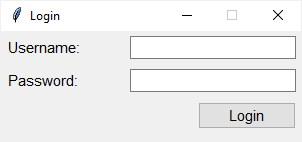
In this tutorial, you'll learn about the ttk style, how to use and customize the style of a widget, and how to change the appearance of a widget by extending the built-in style.
And also this https://docs.python.org/3/library/tkinter.ttk.html
You'll find it's probably more limited than you want though