#user-interfaces
1 messages · Page 75 of 1
 hybrid spindle
so where do you define canvas? You set global canvas...but is that what you're considering as defining it?
class SavePage(QtWidgets.QWidget):
    def __init__(self,parentvals,parent=None):
        super(SavePage, self).__init__(parent)
        self.resize(700,400)

        def ontable(self,parentvals,Table_e):
            savefile = self.tableline.text()
            ascii.write(Table_e,savefile,overwrite=True)
            #how to display to user it has been saved?
            saved = QLabel('SAVED',self)
            saved.setGeometry(10,200,50,30)

        #table save
        #create Table_e
        tablelabel = QLabel("Enter path and filename: (e.g. pathname\Table.dat)",self)
        tablelabel.setGeometry(100,175,400,30)

        self.tableline = QLineEdit(self)
        self.tableline.setText("Spectrum_Analysis_z_"+str(parentvals.z)+"_Measurement_Table.dat")
        self.tableline.setGeometry(100,200,300,30)

        tablesave = QPushButton("Save Table",self)
        tablesave.setGeometry(410,200,200,30)
        tablesave.clicked.connect(lambda: ontable(self,parentvals,Table_e))
So I was just trying to set a confirmation to user to let them know the file saved. Have the two lines under "ontable"....saved=QLabel, saved.setGeom
How come it won't put the label on the page?

 ivory ember
hybrid spindle
```py
class SavePage(QtWidgets.QWidget):
def __init__(self,parentvals,parent...
ivory ember
hybrid spindle
```py
class SavePage(QtWidgets.QWidget):
def __init__(self,parentvals,parent...
do you have a layout?
 queen mist
hybrid spindle
so where do you define canvas? You set global canvas...but is that what you're c...
queen mist
hybrid spindle
so where do you define canvas? You set global canvas...but is that what you're c...

ive done that in every function
 jolly mesa
I have a qt-question in #help-bagel
hybrid spindle
ivory ember
do you have a layout?
Nah, didn't think it was necessary. Just populating the frame
hybrid spindle
queen mist
ive done that in every function
yeah. Im just saying I don't see where you actually define the canvas so im not sure what to tell ya
ivory ember
hybrid spindle
Nah, didn't think it was necessary. Just populating the frame
maybe try adding one?, don't see anything wrong with your code
hybrid spindle
ivory ember
maybe try adding one?, don't see anything wrong with your code
I just set the buttons color to green when saved. good enough for me
 coarse mirage
I'm trying to have a brief time delay in displaying text in a label. Like have it run the first text before moving on to the next, but when I do a wait event it pauses in the beginning of the function (button click) and then goes straight to the end.
score_cpu = randint(1,6) + randint(1,6)
score_player = randint(1,6) + randint(1,6)
self.gif_background.movie = QMovie(animations["confident"])
self.gif_background.setMovie(self.gif_background.movie)
self.gif_background.movie.start()
self.text.setText(f"The opponent's roll is {score_cpu}.")
Event().wait(3)
self.text.setText(f"Your roll is {score_player}.")``` digital rose
self.Enter_ChosenFile.bind('<Button-1>', lambda event: self.GoTo1stEntry)
Did I type it rightly?
    def GoTo1stEntry(self):
        print("This works")
        self.canvas.create_image(0, 0, image = Highlight_Rectangle_Fresh, anchor = NW)
When I left click (button-1) in the entry box "Enter_ChosenFile" it does not print "This works"

 worthy ridge
@hybrid spindle ucan use the status bar
digital rose
@digital rose you forgot parentheses there:
self.Enter_ChosenFile.bind('<Button-1>', lambda event: self.GoTo1stEntry())
it is self.GoTo1stEntry(), not self.GoTo1stEntry.
 unique forge
 sleek grotto
for creation android app in python
sleek grotto
for creation android app in python
what???
 modern marsh
Qt too
unique forge
modern marsh
Qt too
yeah with pyqt-deploy
 proven basinBOT
:incoming_envelope: :ok_hand: applied mute to @surreal vector until 2021-05-23 19:43 (9 minutes and 59 seconds) (reason: newlines rule: sent 102 newlines in 10s).
 versed vessel
Is it a good idea to make a script that makes the front end while the main script is the logic?
 tawdry mulch
versed vessel
Is it a good idea to make a script that makes the front end while the main scrip...
tawdry mulch
versed vessel
Is it a good idea to make a script that makes the front end while the main scrip...
you mean two files?
versed vessel
Yeah
tawdry mulch
Its not bad
versed vessel
So all the code that makes the GUI here: https://github.com/MrFellox/flimsy-timer/blob/main/flimsy-timer/app.py
Is on another file and the code of the logic stays there

GitHub
An open source Speedcubing/Training timer. Contribute to MrFellox/flimsy-timer development by creating an account on GitHub.
The thing is i don't know how to do it
My bad, wrong link
tawdry mulch
versed vessel
So all the code that makes the GUI here: https://github.com/MrFellox/flimsy-time...
You realize you can get screen size without GetSystemMetrics right?
versed vessel
Instantly with Tkinter If I’m not wrong
tawdry mulch
Yes? @versed vessel
versed vessel
Well i don't remember really
tawdry mulch
versed vessel
Well i don't remember really
root.winfo_screenwidth() and so on
digital rose
versed vessel
Is it a good idea to make a script that makes the front end while the main scrip...
It's actually the only good way to handle code.
Just throw in classes there.
 quiet timber
is qt design studio 1.2 good?
 tight vine
Yeah for begginers 🙂
modern marsh
Yes for beginners and non beginners too
quiet timber
im a beginner
 lime monolith
You could try what they did in this stack overflow post:
So, What I did is I added an extra parameter --debug in the pyinstaller command and removing the --windowed parameter so that I can see what is actually happening when the app is clicked and I found out there was an error which made a lot of sense when I trace it, it basically complained that "some_image.jpg" no such file or directory.
https://stackoverflow.com/questions/40716346/windows-pyinstaller-error-failed-to-execute-script-when-app-clicked

Stack Overflow
I am having a tough time overcoming this error, I have searched everywhere for that error message and nothing seems relevant to my situation:
"failed to execute script new-app"
new-app is my pyt...
 cursive sentinel
hello i wanna create gui for my bots that i use for games and webscraping
which gui u recomend?
cursive sentinel
what u think about pysimplegui?
unique forge
I'd recommend HTMl, CSS, and Flask
unique forge
cursive sentinel
what u think about pysimplegui?
its okay, but isnt very widely used
cursive sentinel
unique forge
its okay, but isnt very widely used
most guides i gonna find for pyqt?
unique forge
cursive sentinel
most guides i gonna find for pyqt?
yes
and tkinter
but tkinter is old
 fading basin
OK, I have written a program to calculate the satistics for a frequence table, the problem is that the output for the mode is wrong and I have double checked the logic and it is completely fine so it has got to be the print statement for the application window . Here is the statement it prints for the mode: <function btn_clicked.<locals>.most_common at 0x05450100> and you have to enter the values to gets this output. I don't know what I am doing wrong, here is the program :https://paste.pythondiscord.com/orupemajoh.py. (The problem is incountered form line 169 to 174.)
lime monolith
fading basin
OK, I have written a program to calculate the satistics for a frequence table, t...
It looks like its because the function most_common has not been called in
def new_func2(most_common, b):
    ModeOutput=QLabel(qwidget)
    ModeOutput.setText("Mode is,{}".format(most_common,b))
    ModeOutput.move(32,176)
    ModeOutput.adjustSize()
    ModeOutput.show()```
so it is setting the text as the string representation of the function.
try adding () to make it call the function
```py
ModeOutput.setText("Mode is,{}".format(most_common(),b))```It shows the error most_common() missing 1 required positional argument: 'b'
lime monolith
fading basin
It shows the error ```most_common() missing 1 required positional argument: 'b'`...
I see now that most_common expected to be passed in b
change it to
ModeOutput.setText("Mode is,{}".format(most_common(b)))```Thank You, it is really appreciated. @lime monolith
queen mist
queen mist
How can i get my image.gif to be animated?
help with this pls?
lime monolith
queen mist
help with this pls?
Hi @queen mist , where is your gif image to be animated, what framework?
queen mist
Python TKinter
lime monolith
queen mist
Python TKinter
Stack Overflow
I've been trying to play an animated gif using Tkinter.PhotoImage, but haven't been seeing any success. It displays the image, but not the animation. The following is my code:
root = Tkinter.Tk()
...
queen mist
lime monolith
https://stackoverflow.com/questions/28518072/play-animations-in-gif-with-tkinter
 lime monolith
queen mist
lime monolith
queen mist
The error says there is no image data at index 2 in your gif
queen mist


these are the gifs im using
so ??
@lime monolith even that example doesn't work
lime monolith
queen mist
<@!840361877632450610> even that example doesn't work
This is working for me with your sonic gif
import tkinter as tk


class App(tk.Tk):
    def __init__(self, *args, **kwargs):
        super().__init__(*args, **kwargs)
        self.label = tk.Label(self)
        self.label.pack(padx=10, pady=10)
        self.frame_index = 0
        self.update()

    def update(self):
        self.image = tk.PhotoImage(
            file='sonic.gif', format=f'gif -index {self.frame_index}')
        self.label.config(image=self.image)
        self.frame_index += 1
        if self.frame_index == 10:
            self.frame_index = 0
        self.after(100, self.update)


if __name__ == '__main__':
    app = App()
app.mainloop()```i really need to learn to use classes 😦
 uneven kite
Hi everyone. How can I add queue to a QThreadPool in a for loop and wait before continuing?
queen mist
lime monolith
This is working for me with your sonic gif
```py
import tkinter as tk
class Ap...
this works but, how can it work outside the class?
lime monolith
queen mist
this works but, how can it work outside the class?
Apply the same logic i used in your non class code
queen mist
lime monolith
Apply the same logic i used in your non class code
#sonic = PhotoImage(file="sonic.gif")#, format="gif -index 2")
coconut = PhotoImage(file="coco.gif")#,format="gif -index 2")
portal = PhotoImage(file = "portal.gif")#,format="gif -index 2")
#door = PhotoImage(file = "door.gif")

frame_index = 0
sonic = PhotoImage(
    file='sonic.gif', format=f'gif -index {frame_index}')
frame_index += 1
if frame_index == 10:
    frame_index = 0
canvas.after(100)
need that into a loop but i need rest of the code running at the same time
 balmy ferry
Hello everyone, please could somebody take a look at this code and explain to me why the on_exit function does not fire when left clicking the system tray icon: https://pastebin.com/j7MBzjSn
Pastebin
Pastebin.com is the number one paste tool since 2002. Pastebin is a website where you can store text online for a set period of time.
queen mist
queen mist
```py
#sonic = PhotoImage(file="sonic.gif")#, format="gif -index 2")
coconut = ...
so how can i make this code run concurrently with rest of the code
lime monolith
queen mist
```py
#sonic = PhotoImage(file="sonic.gif")#, format="gif -index 2")
coconut = ...
I made a GifLabel class for you use it in place of a normal tk.Label for each of your gif's
import tkinter as tk


class App(tk.Tk):
    def __init__(self, *args, **kwargs):
        super().__init__(*args, **kwargs)
        self.label = GifLabel('sonic.gif', 10, 100, self)
        self.label.pack(padx=10, pady=10)


class GifLabel(tk.Label):
    def __init__(self, gif_path, no_frames, update_ms, *args, **kwargs):
        super().__init__(*args, **kwargs)
        self.frame_index = 0
        self.update_ms = update_ms
        self.gif_path = gif_path
        self.no_frames = no_frames
        self.update()

    def update(self):
        self.image = tk.PhotoImage(
            file=self.gif_path, format=f'gif -index {self.frame_index}')
        self.config(image=self.image)
        self.frame_index += 1
        if self.frame_index == self.no_frames:
            self.frame_index = 0
        self.after(self.update_ms, self.update)


if __name__ == '__main__':
    app = App()
app.mainloop()```i imported tkinter like
from tkinter import *
lime monolith
queen mist
i imported tkinter like
from tkinter import *
that pollutes your namespace
queen mist
so its better to write as import tkinter as tk?
lime monolith
queen mist
so its better to write as import tkinter as tk?
defiantly
https://python-forum.io/thread-4.html

Welcome to python-forum.io
This is a tutorial of what not to do. Why not to do it, and what to use instead.
What not to use: (this is the most widely used examples)
from pygame import *
from pygame.locals import *
from tkinter import *
from Tkinter import *
from PyQt4.QtCo...
queen mist
ok thank you another bad habit that i need to break xD
i will defo try to use import tkinter as tk moving forward, but with this project im gonna finish it as it is, cause otherwise ima have to go through 300 lines of code xD
lime monolith
queen mist
i will defo try to use import tkinter as tk moving forward, but with this projec...
All your gifs working together 😀
import tkinter as tk


class App(tk.Tk):
    def __init__(self, *args, **kwargs):
        super().__init__(*args, **kwargs)
        self.label = GifLabel('sonic.gif', 10, 100, self)
        self.label.pack(padx=10, pady=10)
        self.label = GifLabel('portal.gif', 9, 100, self)
        self.label.pack(padx=10, pady=10)
        self.label = GifLabel('coco.gif', 2, 100, self)
        self.label.pack(padx=10, pady=10)


class GifLabel(tk.Label):
    def __init__(self, gif_path, no_frames, update_ms, *args, **kwargs):
        super().__init__(*args, **kwargs)
        self.frame_index = 0
        self.update_ms = update_ms
        self.gif_path = gif_path
        self.no_frames = no_frames
        self.update()

    def update(self):
        self.image = tk.PhotoImage(
            file=self.gif_path, format=f'gif -index {self.frame_index}')
        self.config(image=self.image)
        self.frame_index += 1
        if self.frame_index == self.no_frames:
            self.frame_index = 0
        self.after(self.update_ms, self.update)


if __name__ == '__main__':
    app = App()
app.mainloop()```Thank you soo much!
 novel lagoon
Is there anyway I can put an entry box right next to a text label?
novel lagoon
novel lagoon
Is there anyway I can put an entry box right next to a text label?
for example: E x + E
- E is the Entry box*
 fiery badge
u guys has any tips for someone who want start learning about modern user-interfaces?
digital rose
novel lagoon
Is there anyway I can put an entry box right next to a text label?
You can use grid() to render a label next to an entry widget:
import tkinter as tk

root = tk.Tk()
l=tk.Label(root, text='->')
l.grid(row=1, column=1)

e = tk.Entry(root)
e.grid(row=1, column=2)

root.mainloop()
Start by learning a programming language. If it's python then you can begin learning libraries like Tkinter, PyQt5, or WxPython (which are the most used libraries in python.)
lime monolith
novel lagoon
Is there anyway I can put an entry box right next to a text label?
You can also use pack with side=tk.LEFT
import tkinter as tk


class App(tk.Tk):
    def __init__(self, *args, **kwargs):
        super().__init__(*args, **kwargs)
        label = tk.Label(self, text='Text')
        label.pack(side=tk.LEFT, padx=10, pady=10)
        self.text = tk.Entry(self)
        self.text.pack(side=tk.LEFT, padx=10, pady=10)


if __name__ == '__main__':
    app = App()
app.mainloop()```the Tkinter and the WxPython GUI looks so old, but u know if the PyQt5 are only paid?
lime monolith
fiery badge
the Tkinter and the WxPython GUI looks so old, but u know if the PyQt5 are only ...
tkinter can use ttk widgets to look a bit more modern, wxpython uses the operating systems native widgets so is as modern as the operating system is and unlike pyqt its open source and free to use, yes pyqt requires a licence for commercial use.
PyGTK, PyQt, PySide2, and wxPython, all have a modern look and feel and more widgets than Tkinter. In addition, there are many other GUI toolkits for Python, both cross-platform, and platform-specific. See the GUI Programming page in the Python Wiki for a much more complete list, and also for links to documents where the different GUI toolkits are compared.
https://docs.python.org/3/library/othergui.html
 winter tree
rngat = Entry(window,width=5)
rngat.grid(column=1,row =0)
fnt = Entry(window,width=10)
fnt.grid(column=1,row =1)
rordt = Entry(window,width=10)
rordt.grid(column=1,row =2)
L1 = Label(window,text="Range:", font = ("Arial",15)).grid(column = 0,row = 0)
L2 = Label(window,text="Function:", font = ("Arial",15)).grid(column = 0,row = 1)
L3 = Label(window,text="Radians or Degrees:", font = ("Arial",15)).grid(column = 0,row = 2)

how do i make it so the rngat is a bit twards left
with the same starting point as the fnt entry
 loud summit
How do i manage the geometry in this context? using tkinter.
Traceback (most recent call last):
  File "<input>", line 48, in <module>
  File "/usr/lib/python3.9/tkinter/__init__.py", line 2396, in pack_configure
    self.tk.call(
_tkinter.TclError: cannot use geometry manager pack inside . which already has slaves managed by grid
there is the initial code. https://dpaste.org/wKgs
lime monolith
winter tree
with the same starting point as the fnt entry
Change to the following line by adding sticky
rngat.grid(column=1,row =0, sticky=tk.W)```ok
lime monolith
loud summit
How do i manage the geometry in this context? using tkinter.
```py
Traceback (m...
Create separate tk.frame's one to contain the packed widgets another to contain the grid widgets.
loud summit
all right, let me work on it
winter tree
lime monolith
Change to the following line by adding *sticky*
```py
rngat.grid(column=1,row =0...
whats the role of sticky here
lime monolith
loud summit
all right, let me work on it
The following shows a frame with grided widgets that is packed onto root.
#user-interfaces message
loud summit
well, i thought tkinter could be that easier but these trivial concepts kept knocking me off,
lime monolith
winter tree
whats the role of sticky here
sticky can be set to N (north), S, E or W it makes the widget stick to that side of the space in the grid it occupy's.
winter tree
oh
i see thats helpful
_tkinter.TclError: unknown option "-sticky"
how do i fix this
wait nvm i accidentally put it in entry parameters
loud summit
@lime monolith how do i pass the values from askdirectory to path?
import os
import tkinter as tk
from tkinter import ttk
from tkinter import filedialog

root = tk.Tk()
root.geometry('320x240')
root.title("Dir Processor")
f = tk.Frame(root)
tv = ttk.Treeview(f, show='tree')
ybar = tk.Scrollbar(f, orient=tk.VERTICAL,
                    command=tv.yview)
tv.configure(yscroll=ybar.set)


topframe = tk.Frame(root)
topframe.pack(padx=1,pady=1)

dirframe = tk.Frame(root)
dirframe.pack(padx=10,pady=15)

right_frame = tk.Frame(root)
right_frame.pack(padx=10,pady=15)


def get_folder_path():
    folder = filedialog.askdirectory(parent=topframe, initialdir='/home/afidegnum/projects')


def traverse_dir(parent, path):
    for d in os.listdir(path):
        full_path = os.path.join(path, d)
        isdir = os.path.isdir(full_path)
        id = tv.insert(parent, 'end', text=d, open=False)
        if isdir:
            traverse_dir(id, full_path)


button_explore = tk.Button(topframe,
                           text="Browse Files",
                           command=get_folder_path)

button_exit = tk.Button(topframe,
                        text="Exit",
                        command=exit)

button_explore.grid(column=1, row=2)

button_exit.grid(column=1, row=3)

directory = '/usr/share/icons/'
tv.heading('#0', text='Dir:' + directory, anchor='w')
path = os.path.abspath(directory)

node = tv.insert('', 'end', text=path, open=True)

traverse_dir(node, path)
ybar.pack(side=tk.RIGHT, fill=tk.Y)
tv.pack()
f.pack()
root.mainloop()
 distant swift
Anyone please give me the best documentation about PyQt5
distant swift
How to set the screen size maximized and fixed in PyQt5
ivory ember
distant swift
How to set the screen size maximized and fixed in PyQt5
this isn't google
we're all willing to help, but you need to show at least what you've tried
unique forge
distant swift
How to set the screen size maximized and fixed in PyQt5
setFixedSize
distant swift
unique forge
setFixedSize
fixed size + maximized
distant swift
ivory ember
we're all willing to help, but you need to show at least what you've tried
😄
ivory ember
unique forge
setFixedSize
is this not working
distant swift
ivory ember
is this not working
fixedsize works very well
I know how to set fixed size
I need my window in fullscreen
when we run the program
got it
ivory ember
self.showMaximized()
distant swift
'self.showMaximized()'
distant swift
ivory ember
`self.showMaximized()`
yes
ivory ember
.
 trim crown
I got the constants pref_height, min_height ,max_height and pref_width, min_width ,max_width. I also have a user-supplied aspect-ratio. I want to create a rectangle that maintains the specified ar and is within the bounds of the constants. If this is not possible while maintaining the ar; change the ar just as little as necessary to make the rectangle fit. (Optional: The rectangle always wants to be as close to pref_height and pref_width as possible)
def calc_rect_with_ratio(aspect_ratio):
    width = height = 0
    # Calculate rectangle with specified aspect_ratio.
    # If the {min, max}-limits would be violated, change
    # The aspect ratio as little as possible to make the
    # rectangle fit into the bounds.
    return width, height
Anyone has done something like this already or can point me to a resource?
I realize this is fairly easy with a few ifs and elses but I'm looking for a sophisticated
algorithm.
versed vessel
Are there any other libraries for making GUIs with Python?
I know Tkinter, Kivy and PyQt but i don't think that's a library
lime monolith
loud summit
<@!840361877632450610> how do i pass the values from `askdirectory` to `path`?
...
Note: your code would be easier to mange with classes.
if you move the code that adds a directory to the tree into a function , you can then call that function in the get_folder_path event handler
import os
import tkinter as tk
from tkinter import ttk
from tkinter import filedialog

root = tk.Tk()
root.geometry('320x240')
root.title("Dir Processor")
f = tk.Frame(root)
tv = ttk.Treeview(f, show='tree')
ybar = tk.Scrollbar(f, orient=tk.VERTICAL,
                    command=tv.yview)
tv.configure(yscroll=ybar.set)


topframe = tk.Frame(root)
topframe.pack(padx=1,pady=1)

dirframe = tk.Frame(root)
dirframe.pack(padx=10,pady=15)

right_frame = tk.Frame(root)
right_frame.pack(padx=10,pady=15)


def get_folder_path():
    directory = filedialog.askdirectory(parent=topframe, initialdir='/home/afidegnum/projects')
    add_directory(directory)


def traverse_dir(parent, path):
    for d in os.listdir(path):
        full_path = os.path.join(path, d)
        isdir = os.path.isdir(full_path)
        id = tv.insert(parent, 'end', text=d, open=False)
        if isdir:
            traverse_dir(id, full_path)


button_explore = tk.Button(topframe,
                           text="Browse Files",
                           command=get_folder_path)

button_exit = tk.Button(topframe,
                        text="Exit",
                        command=exit)

button_explore.grid(column=1, row=2)

button_exit.grid(column=1, row=3)


def add_directory(directory):
    tv.heading('#0', text='Dir:' + directory, anchor='w')
    path = os.path.abspath(directory)

    node = tv.insert('', 'end', text=path, open=True)

    traverse_dir(node, path)

directory = '/usr/share/icons/'
add_directory(directory)
ybar.pack(side=tk.RIGHT, fill=tk.Y)
tv.pack()
f.pack()
root.mainloop()```thanks
lime monolith
versed vessel
thanks
Welcome to python-forum.io
NOTE: This is still W.I.P.
In this tutorial I'm going to attempted to to build a notespad in stages and describe what each part of the code is doing.
I am using python version 2.7.3, WxPython version 2.9.4.0, and windowsXp.
Updated to work with pyt...
loud summit
@lime monolith Thanks a lot
versed vessel
I think imma still use tkinter
lime monolith
versed vessel
I think imma still use tkinter
Yes, use whatever best suits your needs and you like to use.
modern marsh
PyQt is very much a library
versed vessel
lime monolith
Yes, use whatever best suits your needs and you like to use.
I find wxpython and tkinter very similar
Kivy is kinda similar too, but the widgets and stuff are different
I had the idea to make my app browser-based (like electron that runs a browser) but I see people complaining about electron so i didn't started with that
modern marsh
Hmm I don't think tkinter or wxpython is capable of that
Kivy idk
There is pywebview and eel if you want web based GUI's
Eel is like electron
lime monolith
versed vessel
I find wxpython and tkinter very similar
WxPython has a lot more widgets available then tkinter , but if you don't need them you can stick with tkinter.
versed vessel
Any examples?
modern marsh
That's good but it won't be expandable later
You will probably have to choose another framework
For mobile,web etc
versed vessel
Yeah im also planning to release a mobile version
But the only thing i know is that you need Java or Kotlin
lime monolith
versed vessel
Any examples?
Here's a list of some of the widgets listed in the WxPython demo
 versed vessel
Holy
modern marsh
versed vessel
Yeah im also planning to release a mobile version
No
There is Kivy if you want to dev in python
Else, for complete cross platform compatibility, flutter or react native
QML with python too is a choice
versed vessel
So i guess if i can compile a py to an exe i can make a py to an apk right?
modern marsh
Hmm I don't think that would work
I mean apart from all the compiling stuff layouts also matter
versed vessel
Well then I should move the project to Kivy?
modern marsh
Your choice
versed vessel
is it recommended tho?
 hoary swift
versed vessel
I know Tkinter, Kivy and PyQt but i don't think that's a library
hoary swift
versed vessel
I know Tkinter, Kivy and PyQt but i don't think that's a library
there's pywebview if you're ok with some JS and html, and beeware's if you're ok with something that's a bit less mature
versed vessel
Alright, I'll check into that
fading basin
Ok, I am creating a frequency table to calculate the statistics for that table. I want to adjust the y axisis for the Output\Answers if the current row is greater than 3 but when I run the code a seem to get the error '>' not supported between instances of 'builtin_function_or_method' and 'int' I don't know whats happing , here is the code: https://paste.pythondiscord.com/udopomoqej.py (The error is incountered from line 162)
lime monolith
try changing line 162 to
if (tableWidget.currentRow() > 3):```
by adding the (), you have a method that has not been called so its trying to compare the method itself rather than the methods return value.
@fading basinbut now it says that the new_func is not denifined for all variables
lime monolith
fading basin
but now it says that the new_func is not denifined for all variables
new_func will only be defined when if (tableWidget.currentRow() > 3): is true
fading basin
lime monolith
new_func will only be defined when *if (tableWidget.currentRow() > 3):* is true
Thats not the case
fading basin
lime monolith
new_func will only be defined when *if (tableWidget.currentRow() > 3):* is true
Because when i run the program, and add 4 rows and press calculate button. the program still shows the same error
fading basin
lime monolith
new_func will only be defined when *if (tableWidget.currentRow() > 3):* is true
No ,since the indientation for line 136 does not match line 163 thats the problem, so how do I resolve this ?
 idle otter
Anyone away of some python gui tool that has RAD fit for updates /crud forms /data listing? Like 15 years ago I would use pygtkhelpers, but I'm not aware of any equivalent these days
winter tree
is tkinter android compatible
 graceful void
hello, someone can give me clues on how to append on a QTableView ? (I'm using PyQt5)
worthy ridge
@graceful void u use a Qtstandarditem model
distant swift
winter tree
is tkinter android compatible
me too want to know more about it, Can we build a android application in python using Kivy
winter tree
Kivy is android compatible
But I am learning tkinter and idk about it
I found a kivy android tutorial too
distant swift
winter tree
I found a kivy android tutorial too
Oo
queen mist
making a maze game using tkinter
i got my restart button working
but when i press it
ALL input keybinds don't work
if that makes sense
nvm
i fixed it xd
 hollow grove
Why Is The Buttons Not Showing On My GUI APP unlike this one?
It supposed to look like this

But Looks Like This


this ish the code im using
 astral stratus
Can anyone share good tutorials to start with pyjnius
?
wanted to use some native APIs of android in my kivy app
 warped cradle
hi can someone help me with tkinker canvas?
hybrid spindle
how in the poop can you close/quit an app without the kernel dying?
nvm...love spending an hour and a half just to find I need to delete half of a command😅
coarse mirage
What's the best way to disable Button_1" on button click?
proven basinBOT
Hey @coarse mirage!
Uh-oh! It looks like your message got zapped by our spam filter. We currently don't allow .txt attachments, so here are some tips to help you travel safely:
• If you attempted to send a message longer than 2000 characters, try shortening your message to fit within the character limit or use a pasting service (see below)
• If you tried to show someone your code, you can use codeblocks
(run !code-blocks in #bot-commands for more information) or use a pasting service like:
worthy ridge
@coarse mirage u can set the button a lambda function so even pressed it doesnt triggrt
digital rose
@hollow grove Is the green portion on the screen the canvas? When you're using pack(), tkinter just places the button randomly on the window. If you want the button to be placed at the bottom of the screen, you can add this in pack():
.pack(side='bottom')
I did this but it doesn't work: def button_click(self): lambda: pybutton.setEnabled(False) roll_cpu = randint(1,6) + randint(1,6) roll_player = randint(1,6) + randint(1,6) Main_Window.score_cpu = roll_cpu Main_Window.score_player = roll_player Sprites.confident(self) self.text.setText(f"The opponent's roll is {roll_cpu}.") QTimer.singleShot(2000, lambda: self.text.setText(f"Your roll is {roll_player}.")) QTimer.singleShot(4000, ex.result)
worthy ridge
@coarse mirage ```py
def button_click(self):
pybutton.setEnabled(False)
roll_cpu = randint(1,6) + randint(1,6)
roll_player = randint(1,6) + randint(1,6)
Main_Window.score_cpu = roll_cpu
Main_Window.score_player = roll_player
Sprites.confident(self)
self.text.setText(f"The opponent's roll is {roll_cpu}.")
QTimer.singleShot(2000, lambda: self.text.setText(f"Your roll is {roll_player}."))
QTimer.singleShot(4000, ex.result)
I've tried that before but I get this traceback: Traceback (most recent call last): File "c:\Users\nomar\Dropbox\Code\dicegamepyqt.py", line 111, in button_click pybutton.setEnabled(False) NameError: name 'pybutton' is not defined
worthy ridge
so define te button
bound Qt objects to the instance because Qt memory manager destroys non refrerenced objects
coarse mirage
worthy ridge
so define te button
Isn't pybutton = QPushButton(self) defining the button in: def button_1(self): pybutton = QPushButton(self) pybutton.clicked.connect(self.button_click) pybutton.resize(111,53) pybutton.move(160, 480) pybutton.setStyleSheet("QPushButton" "{" "background:transparent;""background-image : url(C:/Users/nomar/Dropbox/Blueprints/ivcbutton.png);" "}" "QPushButton:hover" "{" "background:transparent;""background-image : url(C:/Users/nomar/Dropbox/Blueprints/ivcbuttonhover.png);" "}" "QPushButton:pressed" "{" "background:transparent;""background-image : url(C:/Users/nomar/Dropbox/Blueprints/ivcbuttonpressed1.png);" "}")
worthy ridge
no
coarse mirage
worthy ridge
no
I've been searching on Google "how to define button" pyqt5 and "how to define button" pyqt5 in python and can't find anything. 😦
worthy ridge
@coarse mirage buddy use a designer
because u need to plavce the button o the layouts afetr u define it
proven basinBOT
apollo/gui/ui_mainwindow_apollo.py line 292
self.footer_PSB_seekb = QtWidgets.QPushButton(self.footer_FR_playback)```That seems like cheating.
worthy ridge
lol who told u
coarse mirage
Me
I want to learn how to do this "legit" first.
I'm so close.
The program is almost completely done.
worthy ridge
nah buddy ui is designed as it is not logical
and its just dumb to think that designers are cheating becasue all they do is define the UI for u rest UX and functions u will need to write
that 400 some lines just design 2 tabs
coarse mirage
I'll use it next time. 😛
But going by that, I define it like this? self.initiate_button = QtWidgets.QPushButton(self.initiate_button)
worthy ridge
yes
coarse mirage
  File "c:\Users\nomar\Dropbox\Code\dicegamepyqt.py", line 157, in <module>
    ex = Main_Window() #Creates the instance of the main window
  File "c:\Users\nomar\Dropbox\Code\dicegamepyqt.py", line 78, in __init__
    self.button_1()
  File "c:\Users\nomar\Dropbox\Code\dicegamepyqt.py", line 97, in button_1
    self.initiate_button = QtWidgets.QPushButton(self.initiate_button)
AttributeError: 'Main_Window' object has no attribute 'initiate_button'```Code: ``` def button_1(self):
pybutton = QPushButton(self)
pybutton.clicked.connect(self.button_click)
self.initiate_button = QtWidgets.QPushButton(self.initiate_button)
pybutton.resize(111,53)
pybutton.move(160, 480)
pybutton.setStyleSheet("QPushButton"
"{"
"background:transparent;""background-image : url(C:/Users/nomar/Dropbox/Blueprints/ivcbutton.png);"
"}"
"QPushButton:hover"
"{"
"background:transparent;""background-image : url(C:/Users/nomar/Dropbox/Blueprints/ivcbuttonhover.png);"
"}"
"QPushButton:pressed"
"{"
"background:transparent;""background-image : url(C:/Users/nomar/Dropbox/Blueprints/ivcbuttonpressed1.png);"
"}")
def button_click(self):
    self.initiate_button.setEnabled(False)
    roll_cpu = randint(1,6) + randint(1,6)
    roll_player = randint(1,6) + randint(1,6)
    Main_Window.score_cpu = roll_cpu
    Main_Window.score_player = roll_player
    Sprites.confident(self)
    self.text.setText(f"The opponent's roll is {roll_cpu}.")
    QTimer.singleShot(2000, lambda: self.text.setText(f"Your roll is {roll_player}."))
    QTimer.singleShot(4000, ex.result) ```
 deft vessel
hey i have a issue
can anyone help
please
its is about tkinter
please
hello?
anyone?
maybe @worthy ridge
or kr
k9
@queen mist Please sorry for the pings
worthy ridge
@KSK#8269 im only Qt
graceful void
guys, I'm trying to use BeginInsertRows() to add a row on a QTableView, but then I get this error py Traceback (most recent call last): File "C:\Users\E31\Documents\cours\stage_dossier\projet_python\main.py", line 206, in move_data self.model2.beginInsertRows(self.tableview_select, parent= QtCore.QModelIndex, first=0, last=0) TypeError: beginInsertRows() takes no keyword arguments and if I doesn't specify anything ... ```py
Traceback (most recent call last):
File "C:\Users\E31\Documents\cours\stage_dossier\projet_python\main.py", line 206, in move_data
self.model2.beginInsertRows()
TypeError: beginInsertRows(self, QModelIndex, int, int): not enough arguments
if someone can help me with this, or at least give me an example on how I can use it
@coarse mirage you're initializing it by itself. if he's your centralWidget ```py
self.initiate_button = QtWidgets.QPushButton(self.centralwidget)
what u need help with
 fleet lynx
Can I make a screen manager in kivy where screens change by dragging like in the Samsung calendar (or any home screen for that matter) so it doesn't change until you let go
 rotund tendon
Did someone know a tool to translate a python program to an other language?
distant swift
Can we make a web browser using tkinter ? ping me on reply
I would like to make a web browser but I have no idea how to open websites inside a tkinter window
worthy ridge
@graceful voidu dont call those functions they have een implemented u jsut called insertrow
graceful void
@worthy ridge oh
thanks, I guess what I read was outdated
@worthy ridge in fact I have a QTableView which display an empty dataframe, and When I click on a button I want to add a line and a value in this empty dataframe
do you think insertRow() is the best tool to do so?
worthy ridge
use an append
digital rose
distant swift
Can we make a web browser using tkinter ? ping me on reply
I would like to make ...
i dont think you can build a full fledged browser, there are simply too many things to consider. if you simply want to render html in a tkinter window, you can use tkhtmlview: https://pypi.org/project/tkhtmlview/
 modern marsh
You can in Qt tho if you are interested
graceful void
Hey guys, I'm working on two QTableView (PyQt5) the table_input with data, and table_select without data. I want to be able to add the selected item in the table_input to table_select when I click on a pushbutton, but I'm a bit lost to create my method. What I have works only the first time I click and after nothing happens ```py
class MainWindow(qtw.QMainWindow, Ui_MainWindow):
def init(self):
super().init()
self.setupUi(self)
###Some code
self.selecttButton.clicked.connect(self.select_data)
def select_data(self) :
    if self.table_input.selectionModel().hasSelection():
        row= self.table_input.currentIndex().row()
        new_value=self.table_input.model().index(row,
                  0).data() #selected item
        nb=self.table_select.rowCount()
        self.table_select.setRowCount(
                  self.tableview_input.rowCount())
        self.table_select.setItem(
                   nb,0,qtw.QTableWidgetItem(new_value))
I guess I need to create a loop, but I don't know on what I should do it
hybrid spindle
Anyone know how to update a QLabel depending on the active tab?
currentIndex() works find for indexing, but the label itself never changes even if I redefine it. So its like the code never loops back through that section of the code
worthy ridge
@hybrid spindle u can bind the currentindex changed event of the tab
Tab widget have their currenttext too
hybrid spindle
worthy ridge
<@530207557252415508> u can bind the currentindex changed event of the tab
Yeah, never connected the tabs to an event. Trying to figure out how to get that setup. Think I screwed myself by making my mainwindow off of the QTabWidget
class mainWindow(QtWidgets.QTabWidget):

    def __init__(self,ions, app, parent=None,intervening=False):
      super(mainWindow,self).__init__(parent)

       self.tabs = [QtWidgets.QWidget()]
       self.addTab(self.tabs[self.page],self.tab_names[self.page])
Any idea where that currentchanged signal is stored with my probably horrid setup?
worthy ridge
@hybrid spindle u can looo the docks
ivory ember
Where can one find the QPropertyAnimations for each specific widget for PyQt5? I've tried the docs, but to no avail.
In more nuanced terms, the bytes string that defines what is being animated.
worthy ridge
No idea buddy
versed vessel
I'm trying to put some text into a scrolledtext area but the output is like this:

Code
def view_homeworks(self):
        #Load data
        self.hw_viewer = tk.Toplevel(self.app)
        self.hw_viewer.title('Tareas Pendientes')
        self.hw_viewer.configure(bg = self.window_background)
        self.hw_viewer.geometry('800x500')

        try:
            with open('./data.json') as f:
                data = json.load(f)

            x = 5
            y = 5
            for hw in data['homeworks']:
                hw_class = hw['class']
                desc = hw['description']
                due = hw['dueDate']


                self.scroll_area = scrolledtext.ScrolledText(self.hw_viewer, width = 700, height = 400, bg=self.window_background, wrap=tk.WORD )
                class_label = tk.Label(self.scroll_area, text = hw_class, bg = self.window_background, fg = 'white', font = ('Arial', 14, 'bold'))
                class_desc = tk.Label(self.scroll_area, text = desc, bg = self.window_background, fg = 'white', font = ('Arial,', 10))
                class_due = tk.Label(self.scroll_area, text = due, bg= self.window_background, fg = 'white', font = ('Arial', 10))

                self.scroll_area.place(x=1, y=1)
                self.scroll_area.insert('insert', class_label)
                self.scroll_area.insert('insert', class_desc)
                self.scroll_area.insert('insert', class_due)
Hey @novel lagoon!
Uh-oh! It looks like your message got zapped by our spam filter. We currently don't allow .txt attachments, so here are some tips to help you travel safely:
• If you attempted to send a message longer than 2000 characters, try shortening your message to fit within the character limit or use a pasting service (see below)
• If you tried to show someone your code, you can use codeblocks
(run !code-blocks in #bot-commands for more information) or use a pasting service like:
novel lagoon
so dont judge, I am a new to tkinter
but basically I am having an issue where when I type into one Entry box it also puts the text in the one under

 winged sluice
@novel lagoon what IDE r you using
versed vessel
versed vessel
Code
```py
def view_homeworks(self):
#Load data
self.hw_viewer =...
Ok I got another problem here, the problem is that the app does loop through all the the data in the json but it only shows the last one, I think because it overrides the past instances of the same widgets, any fix for this?
winged sluice
@novel lagoon dm me plz
novel lagoon
done
 azure swallow
Hi, i have a little question: I am currently trying to get the value out of a QLineEdit to store it inside a variable and then later put it into some html code. I've just started to learn today, but i have tried a lot of things but i always get like this response

 misty canopy
This indicates that you're trying to print a function.
You're likely meant to call it and print the result.
azure swallow
so self.label.text is a function? Docs said its a return value
misty canopy
I haven't worked with pyside, but looking at the docs...
https://srinikom.github.io/pyside-docs/PySide/QtGui/QLabel.html
hmm, it really is confusing. They mention it as text(), signifying it's a function, yet they call it a property, which I believe is incorrect if it's a normal function and not a @property.
I guess they just use the word property to describe anything an object has.
It is, however, in the Functions list and written as text(), so it's a function.
azure swallow
Thats QLabel, i'm talking about QLineEdit (input field) nvmd the same
misty canopy
azure swallow
But it must somehow be possible to access the text xD
misty canopy
does text() not work?
azure swallow
Hm interesting. I tested that like 7 times but now after asking for help it works??
Must be murphys law tho. Nevermind, now that im here i can ask the onfollowing question: How do i use placeholder inside a mulitple line string? i tried with
"""
multiple
line
{}
""".format("put something in here")
and with various variations, like {0}, %s, but none of that worked for me sadly
modern marsh
Its a QLineEdit so idk how it will handle new lines when it's all supposed to be in a single line
azure swallow
Nono QLineEdit is done, i talk about strings in general
Let me write a quick example
misty canopy
azure swallow
Must be murphys law tho. Nevermind, now that im here i can ask the onfollowing q...
Your very example seems to work for me though
!e
# even in two steps:
a = """
multiple
line
{}
"""
print(a.format("Yay!"))
@misty canopy :white_check_mark: Your eval job has completed with return code 0.
001 |
002 | multiple
003 | line
004 | Yay!
(and if you don't need to split the template declaration from usage, then just use f-strings)
azure swallow
Works for me too on PyCharm, guess it must have been a IDLE problem

Ok and if i have like 15 arguments for that string, can i row them up with numbers?
Or is f string better here? edit: it is better
misty canopy
Pretty much the only case when you might not want an f-string is so that you can define the pattern in one place and format it in another.
azure swallow
I have like 100 lines of html code that i want to template into a .html file with different arguments like names, points, comments etc. The html code is already written, i just need to fill in the QLineEdits and textfields and put them inside the string
coarse mirage
graceful void
<@!181590449025318912> you're initializing it by itself. if he's your centralWi...
Ger this as a traceback Traceback (most recent call last): File "c:\Users\nomar\Dropbox\Code\dicegamepyqt.py", line 156, in <module> ex = Main_Window() #Creates the instance of the main window File "c:\Users\nomar\Dropbox\Code\dicegamepyqt.py", line 78, in __init__ self.button_1() File "c:\Users\nomar\Dropbox\Code\dicegamepyqt.py", line 96, in button_1 self.initiate_button = QtWidgets.QPushButton(self.centralwidget) AttributeError: 'Main_Window' object has no attribute 'centralwidget'
I'm curious why I had to type self.centralwidget since I didn't have a function named that.
modern marsh
QMainWindow needs a centralWidget
Check the documentation
If you do not want a centralWidget or a inbuilt layout use QDialog or QWidget
@coarse mirage
coarse mirage
modern marsh
QMainWindow needs a centralWidget
That makes more since since this is how I set up my class class Main_Window (QWidget):
I changed my code to this def button_1(self): pybutton = QPushButton(self) pybutton.clicked.connect(self.button_click) self.initiate_button = QtWidgets.QPushButton(self.QWidget)
but still get this traceback: Traceback (most recent call last): File "c:\Users\nomar\Dropbox\Code\dicegamepyqt.py", line 155, in <module> ex = Main_Window() #Creates the instance of the main window File "c:\Users\nomar\Dropbox\Code\dicegamepyqt.py", line 78, in __init__ self.button_1() File "c:\Users\nomar\Dropbox\Code\dicegamepyqt.py", line 96, in button_1 self.initiate_button = QtWidgets.QPushButton(self.QWidget) AttributeError: 'Main_Window' object has no attribute 'QWidget'
proven basinBOT
Pasting large amounts of code
If your code is too long to fit in a codeblock in discord, you can paste your code here:
https://paste.pydis.com/
After pasting your code, save it by clicking the floppy disk icon in the top right, or by typing ctrl + S. After doing that, the URL should change. Copy the URL and post it here so others can see it.
modern marsh
coarse mirage
I changed my code to this ``` def button_1(self):
pybutton = QPushButton...
Oh wait
I saw it again and I found the problem
self.initiate_button = QWidgets.QPushButton(self)```You're creating a new scrolledtext widget in a loop. The widgets keep on piling up. Instead, create a scrolledtext outside of the loop, probably after creating the top-level. To insert text in a scrolledtext widget, you can do:
self.scrolled_text.insert('1.0', 'some text')
where 1.0 is an index, in this format: line.column
coarse mirage
modern marsh
Oh wait
Get this as traceback: Traceback (most recent call last): File "c:\Users\nomar\Dropbox\Code\dicegamepyqt.py", line 155, in <module> ex = Main_Window() #Creates the instance of the main window File "c:\Users\nomar\Dropbox\Code\dicegamepyqt.py", line 78, in __init__ self.button_1() File "c:\Users\nomar\Dropbox\Code\dicegamepyqt.py", line 96, in button_1 self.initiate_button = QWidget.QPushButton(self) AttributeError: type object 'QWidget' has no attribute 'QPushButton'
worthy ridge
@azure swallowu need to call the text function
graceful void
@coarse mirage ```py
self.initiate_button=QtWidgets.QPushButton(self)
QWidget has no attribute QPushButton but QtWidgets does
I think you should read more about these objects to understand the difference
worthy ridge
need critiques on the UI
 modern marsh
Perhaps make the duration sliding bar a bit smaller
UI in general is looking like a classic desktop app
modern marsh
modern marsh
```py
self.initiate_button = QWidgets.QPushButton(self)```
Ah yes, I made a spelling mistake, I'm sorry
graceful void
Happens don't worry !
Is there a way to set a default value to a QSpinBox which isn't the minimal value ?
If you know that @modern marsh , you seems to know a lot about PyQt :D
digital rose
tkinter ❤️
graceful void
@digital rose The people where I'm working prefer PyQt
And I won't stay there for long
So I learnt PyQt, it'll be easier for them to help me or to modificate my code later
But to be honest I don't know the difference between these two
modern marsh
Qt is better but tkinter has its uses
graceful void
Ah, which uses ?
modern marsh
Yes, np!
worthy ridge
@graceful void yes it the value attribute
graceful void
@worthy ridge ah the value attribute isn't to obtain the value entered in the QSpinBox ?
worthy ridge
@graceful void setValue() will emit valueChanged() if the new value is different from the old one. The value property has a second notifier signal which includes the spin box's prefix and suffix.
azure swallow
Can anyone help me to print öüä in Python? Somehow i always get this one . The ö is hardcoded in a multiline stirng
 digital rose
azure swallow
Can anyone help me to print öüä in Python? Somehow i always get this one . The ö...
digital rose
azure swallow
Can anyone help me to print öüä in Python? Somehow i always get this one . The ö...
\u00f6 \u00fc \u00e4?
azure swallow
None of them worked
worthy ridge
@azure swallow the framework ur using
azure swallow
Pyside 6 in pycharm and im running on windows
azure swallow
Its just a formatted multiline string
html_file_end = f"""
                        <tr class="active-row">
                            <td>Summe</td>
                            <td>{self.summe_in.text()}/{self.summe_von.text()}</td>
                        </tr>
                        </tbody>
                    </table>
                    <br>
                    <h4>Kommentar</h4>
                    <pre>{self.kommentar_in.toPlainText()}</pre>
                    <br>
                    <h4>Hinweise</h4>
                    <pre>{self.hinweise_in.toPlainText()}</pre>
                    <br>
                    <h4>Musterlösung</h4> <----
                    <a href="{self.musterloesung_in.text()}">{self.musterloesung_in.text()}</a>
                </div>
                </body>
            </html>
"""```(I dont know if this fits here but) How would i turn a entire tkinter python folder into a .exe
I have tried running pylauncher but nothing would work
I would like to know before tomorrow
modern marsh
digital rose
(I dont know if this fits here but) How would i turn a entire tkinter python fol...
pyinstaller --onefile your_proj.py
worthy ridge
@digital rose use Nuitka
modern marsh
Nuitka has some issues with current pyside version afaik
Tkinter, idk if it's supported
digital rose
modern marsh
pyinstaller --onefile your_proj.py
your_proj is the first thing the .exe would run right?
modern marsh
It (ig ) compresses the entire folder with all deps into one exe
And I think it will be named the same as your py file
digital rose
I see
I just need to get pylauncher to work somehow
 high berry
how do you add a background image in tkinter
digital rose
But i installed it?
 worthy ridge
digital rose
worthy ridge
digital rose
Im not using Qt
worthy ridge
build process is same for all
modern marsh
worthy ridge
<@!670237058052390933> https://doc.qt.io/qtforpython-6/deployment.html#deploymen...
?
digital rose

 worthy ridge
@modern marsh i pinged wrong
digital rose
damn it
 worthy ridge
exit outta the interpreter
digital rose
You mean the Python Command Line?
worthy ridge
yeah
digital rose
@digital rose the place where you were entering these commands is a python interpreter. It is supposed to interpret python code bits. The command you entered there should be entered in a terminal like command prompt.
Ah i see
I downloaded the raw PyLauncher code but i get this weird massive error when trying to convert it to a .exe
@digital rose I really don't know whats going wrong tbh
What are you trying to do, exactly?
I have a folder that is mostly .py files and i want to turn that folder into a .exe file (Its Tkinter too)
I just need to get the folder to a executable somehow
Ah. So there must be a main file that you want to convert to an .exe? You can use pyinstaller for that. There are options for converting multiple files as well.
Yeah but the main file also referneces 2 others
utilities and terminal
I tried Pyinstaller but it gives me a error
high berry
is there a cgood article i can learn tkinter from
digital rose
digital rose
Yeah but the main file also referneces 2 others
utilities and terminal
I tried P...
If you have the main file, there is the command for converting that file into an executable. I believe pyinstaller will keep track of all imports in your file.
pyinstaller --onefile main.py
The file cannot be accessed by the system.
I believe this is the problem
@digital rose This is the error

(Censored my PC username)
I see. What files are you using? Maybe just try grouping all the files related to the project in one separate folder, and run a command prompt session from there. Another fix could be to create a virtual environment and put the files in there.
azure swallow
This is the HTML Code generated with Python. Those things are öäü, anyone knows a fix for this? fixed it
 digital rose
Oh so i should seperate the icon file and the txt file in the Folder?
digital rose
digital rose
Oh so i should seperate the icon file and the txt file in the Folder?
just put all the files for the project, every file you need, whatever it is, an icon file, text file, or any script, in the folder.
Just everything in the main folder?
yes. a benefit of that would be, that you will not need to add the full paths of any file you are using. and maybe pyinstaller does not have any problems with it.
It still gives me a error wtf
what sort of errors are you getting?
proven basinBOT
Hey @digital rose!
Uh-oh! It looks like your message got zapped by our spam filter. We currently don't allow .txt attachments, so here are some tips to help you travel safely:
• If you attempted to send a message longer than 2000 characters, try shortening your message to fit within the character limit or use a pasting service (see below)
• If you tried to show someone your code, you can use codeblocks
(run !code-blocks in #bot-commands for more information) or use a pasting service like:
 thorny crescent
What's a good and friendly library to work with for GUI?
Something that's cross platform. It only has to be compatible with Windows and macOS.
Project I'm working on is a CLI(command line interface) program and I already have a lot of the logic.
But I'm thinking of creating a really simple GUI, so someone can double click on an icon to get a GUI and then click a button that would run the program. This GUI is pretty much an alternative for the below terminal commands:
cd project_name/
py run_project.py
tkinter will do if you just want simple, otherwise any of them will do what you want, it would be down to personal preference
thorny crescent
Does tkniter have good documentation?
lime monolith
thorny crescent
Does tkniter have good documentation?
there is tutorials here for a lot of them
https://realpython.com/tutorials/gui/
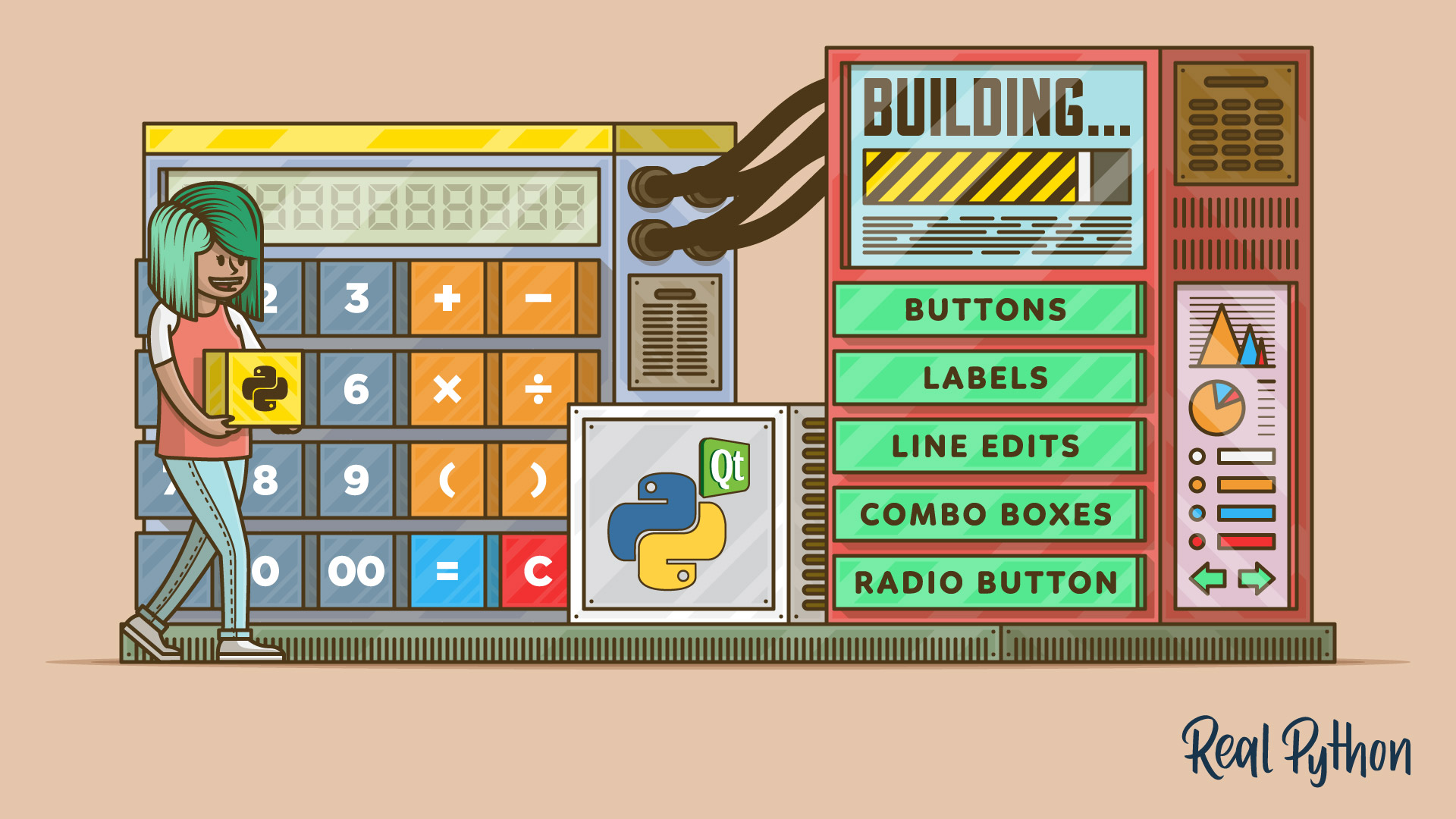
Python supports a variety of Graphical User Interface (GUI) frameworks or toolkits. From Tkinter which is traditionally bundled with Python, to a number of cross-platform solutions, such as PyQT or wxPython, that you can install as third-party libraries. With these tutorials you'll get up to speed with making GUIs in Python quickly.
thorny crescent
Oh nice thanks!! I'll give it a look.
And doesnt tkinter already come preinstalled with python? I guess this might be a good start.
lime monolith
thorny crescent
And doesnt tkinter already come preinstalled with python? I guess this might be ...
https://docs.python.org/3/library/tkinter.html
The tkinter package (“Tk interface”) is the standard Python interface to the Tk GUI toolkit. Both Tk and tkinter are available on most Unix platforms, as well as on Windows systems. (Tk itself is not part of Python; it is maintained at ActiveState.)
thorny crescent
ok I'll look at python's tkinter documentation also. Thanks!!
digital rose
thorny crescent
Project I'm working on is a CLI(command line interface) program and I already ha...
For neat CLIs you can check out urwid: https://urwid.org
It is quite well documented.
 north ore
Hey can I make my an app with pyqt5 and not make it open source?
worthy ridge
U need to buy it
 opal folio
Does anyone know if it’s possible to import PyQt5 into repl.it?? Just want to know if it’s possible the regular import methods don’t work
worthy ridge
Nope idk about that
modern marsh
north ore
Hey can I make my an app with pyqt5 and not make it open source?
Use Pyside2 instead
digital rose
That is quite a simple string addition:
a = 'hello '
b = 'world!'
print(a+b)
output:
"hello world!"
!e
a = 'hello '
b = 'world!'
print(a+b)
@digital rose :white_check_mark: Your eval job has completed with return code 0.
hello world!
 void moat
how do i change background colour kivy?
 tribal path
https://kivy.org/doc/stable/api-kivy.core.window.html#kivy.core.window.WindowBase.clearcolor or draw a rectangle on the canvas
void moat
@tribal path what is window
import kivy
kivy.require('2.0.0')

from kivy.app import App
from kivy.uix.label import Label
from kivy.lang import Builder


class Gride(App):

    def build(self):

        return Label(text='Hello world')


if __name__ == '__main__':
    Gride().run()
``` current codeIts essentially the actual window.
from kivy.core.window import Window
Window.clearcolor = 1,0,1,1
a
@tribal path I have a colour 27,43,64,1 but it doesn't work and gives me a white screen
class Gride(App):

    def build(self):
        Window.clearcolor = 27,43,64,1
        return Label(text='Hello world')
needs to be between 0 and 1 ie 27/255
void moat
i don't get it
tribal path
27/255, 43/255, 64/255, 1
void moat
oh why so?
tribal path
you were using numbers in a range of 255. kivy uses values from 0 to 1. Its a common graphic range. there are some kivy.utils if you want it to convert for you https://kivy.org/doc/stable/api-kivy.utils.html?highlight=utils#kivy.utils.rgba
void moat
a
tribal path
build returns just the root widget if thats what you mean. How would that look?
void moat
I'm not sure i understand
 barren heath
is there any other gui lib instead of tkinter ??
lime monolith
barren heath
is there any other gui lib instead of tkinter ??
Python supports a variety of Graphical User Interface (GUI) frameworks or toolkits. From Tkinter which is traditionally bundled with Python, to a number of cross-platform solutions, such as PyQT or wxPython, that you can install as third-party libraries. With these tutorials you'll get up to speed with making GUIs in Python quickly.
barren heath
so there is other than tkinter nice cause I've been struggling with it
lime monolith
barren heath
so there is other than tkinter nice cause I've been struggling with it
what have you been struggling with ?
barren heath
lime monolith
what have you been struggling with ?
before i programmed a restaurant checker it took me 6 days to make it and tkinter i think it has some difficulty to deal with

i think is a bit old
lime monolith
barren heath
dis you write it using classes?
barren heath
lime monolith
dis you write it using classes?
i am starter i didnt use classes
lime monolith
barren heath
i think is a bit old
As long as it does what it intended to do it doesn't matter that much what it looks like.
lime monolith
barren heath
i am starter i didnt use classes
using classes will make it easier to manage your code.
barren heath
lime monolith
As long as it does what it intended to do it doesn't matter that much what it lo...
yeah there is a little bugs
Like here the total amount has a lot of 0 and i dont want that
 barren heath
lime monolith
using classes will make it easier to manage your code.
barren heath
lime monolith
using classes will make it easier to manage your code.
I will learn about classes function it should make code go easier
lime monolith
barren heath
Like here the total amount has a lot of 0 and i dont want that
tkinter is not to blame for that, it displays the text how you have formatted it.
barren heath
lime monolith
tkinter is not to blame for that, it displays the text how you have formatted it...
maybe i used list for addition
lime monolith
barren heath
maybe i used list for addition
!e
print(10/3)
print(round(10/3, 2))```@lime monolith :white_check_mark: Your eval job has completed with return code 0.
001 | 3.3333333333333335
002 | 3.33
i will try that
lime monolith
barren heath
i will try that
also with f strings
!e
amount = 10 / 3
print(f'{amount:.2f}')```!e
numbers = [1, 2, 3, 4, 5]
print(sum(numbers))```@lime monolith :white_check_mark: Your eval job has completed with return code 0.
15
i did that
!e
@barren heath :warning: Your eval job has completed with return code 0.
[No output]
Here is some tkinter code using classes to have a look at
https://python-forum.io/thread-33788-post-142731.html#pid142731
Welcome to python-forum.io
I am building a guessing game where the user has to guess what the capital of a country is by looking at the image of the country's flag. For this I have made a GUI using the tkinter module.
I have added a function answer() which indicates if the u...
barren heath
lime monolith
Here is some tkinter code using classes to have a look at
https://python-forum.i...
ok thx
for help
lime monolith
barren heath
ok thx
its not my code exactly, well i refactored the OP code into classes, so you can see the difference by comparing them, but i got carried away and added quite a bit 😆
barren heath
lime monolith
its not my code exactly, well i refactored the OP code into classes, so you can ...
ok but how do we insert photos in tkinter
some ppl say u need pillow to be installed and in the code it didnt
lime monolith
barren heath
ok but how do we insert photos in tkinter
barren heath
lime monolith
https://python-forum.io/thread-33628-post-142010.html#pid142010
Thank for your help
digital rose
How would i change the background of a tkinter program?
I just need it to change to a hex number
lime monolith
digital rose
How would i change the background of a tkinter program?
I just need it to change...
self.config(bg="#98A7AC")```Strange it isn't working 🤔
lime monolith
digital rose
Strange it isn't working 🤔
import tkinter as tk


class App(tk.Tk):
    def __init__(self, *args, **kwargs):
        super().__init__(*args, **kwargs)
        self.config(bg="#98A7AC")


if __name__ == '__main__':
    app = App()
app.mainloop()```import sys
from PyQt5.QtWidgets import QApplication, QWidget, QTreeView, QFileSystemModel, QVBoxLayout
from PyQt5.QtCore import QModelIndex
class FileSystemView(QWidget):
def __init__(self, dir_path):
super().__init__()
appWidth = 800
appHeight = 300
self.setWindowTitle('File System Viewer')
self.setGeometry(300, 300, appWidth, appHeight)
self.model = QFileSystemModel()
self.model.setRootPath(dir_path)
self.tree = QTreeView()
self.tree.setModel(self.model)
self.tree.setRootIndex(self.model.index(dirPath))
self.tree.setColumnWidth(0, 250)
self.tree.setAlternatingRowColors(True)
layout = QVBoxLayout()
layout.addWidget(self.tree)
self.setLayout(layout)
if __name__ == '__main__':
app = QApplication(sys.argv)
dirPath = r'C:/ShortCuts'
demo = FileSystemView(dirPath)
demo.show()
sys.exit(app.exec_())
so yeah how do i create a code to click on the applications that are presented in that widget?
 robust willow
how to i remove the white behind text tkinter
worthy ridge
@digital rose https://github.com/UGLYclown999/Apollo look in my projects library manager app i have a file system view

GitHub
Apollo is a Open-Source music player for playback and organization of audio files on Microsoft Windows, built using Python. - UGLYclown999/Apollo
digital rose

•••••••••••••••••| VoiceVault |•••••••••••••••••
VoiceVault :
VoiceVault is a desktop based application designed and developed using python programming language. Aim of the tool is to make a cloud storage with proper encryption. Encryption algorithm is self developed and accurate and secured. Along with Encrypted cloud storage, we are also pro...
digital rose
digital rose
<@456226577798135808> you forgot parentheses there:
```py
self.Enter_ChosenFile....
Actually, I think i did that because the one without parenthesis makes my Interface run straightly without it freezing.
barren heath
How to create graphical user interfaces with TKinter and Python. In this video we'll create our first hello world program using tKinter and Python.
In this series I'll show you how to create graphical user interfaces for Python with Tkinter. TKinter comes with Python already, so there's nothing to install!
✅ Watch The Other Videos In This Py...
really good tkinter tutorial with Walter white this is really helpful
i recommand this for the basics
lime monolith
barren heath
https://youtu.be/yQSEXcf6s2I
I wish tutorials didn't do namespace flooding.
https://python-forum.io/thread-4.html
Welcome to python-forum.io
This is a tutorial of what not to do. Why not to do it, and what to use instead.
What not to use: (this is the most widely used examples)
from pygame import *
from pygame.locals import *
from tkinter import *
from Tkinter import *
from PyQt4.QtCo...
 formal silo
guys
i need help in my code
everytime i run my code it give me black screen
import kivy
from kivy.app import App
from kivy.uix.gridlayout import GridLayout
from kivy.uix.label import Label
from kivy.uix.textinput import TextInput
from kivy.uix.button import Button
class childApp(GridLayout):
def init(self,**kwargs):
super(childApp, self).init()
self.cols = 2
self.add_widget(Label(text = 'student Name'))
self.s_name = TextInput()
self.add_widget(self.s_name)
    self.add_widget(Label(text='student  marks'))
    self.s_marks = TextInput( )
    self.add_widget(self.s_marks)

    self.add_widget(Label(text='student  gender'))
    self.s_gender = TextInput()
    self.add_widget(self.s_gender)

    self.press = Button(text = 'click me')
    self.press.bind(on_click = self.Click_me)
    self.add_widget(self.press)

def Click_me(self, instance):
    print("name of student is" +self.s_name.text)
    print("mark of student is" +self.s_marks.text)
    print("gender of student is"+self.s_gender.text)
    print("")
class parentApp(App):
def bulid(self):
return childApp()
if name == "main":
parentApp().run()
 plain elbow
Which gui library has both ±good performance and functional?
lime monolith
plain elbow
Which gui library has both ±good performance and functional?
I don't think GUI libraries need good performance, most of the time they are sat waiting for something to happen to react to.
unique forge
formal silo
import kivy
from kivy.app import App
from kivy.uix.gridlayout import GridLayout
...
!code
proven basinBOT
Here's how to format Python code on Discord:
```py
print('Hello world!')
```
These are backticks, not quotes. Check this out if you can't find the backtick key.
worthy ridge
lime monolith
I don't think GUI libraries need good performance, most of the time they are sat...
they do actually the paint events need to be fast
@plain elbow Qt
plain elbow
Thx
lime monolith
plain elbow
Thx
Use anyone you like, try them, see which one best suits your use case and you get along with
jolly mesa
Does anyone here have any experience with Pyinstaller?? I really need help
novel lagoon
So I have two entry boxes. I am trying to get what is entered in those boxes to print when a button hits
I am unsuccessful so far
Any ideas?
lime monolith
novel lagoon
So I have two entry boxes. I am trying to get what is entered in those boxes to ...
create a method to be called by the command in the following line instead of print
self.graphButton = Button(self.linearFrame, text = "Graph", command = print(m),  #error from here```
move the following into that method then you can print the values obtained from those widgets at the point of clicking the button.
```py
m = self.mInput.get()
b = self.mInput.get()```I tried calling a function that prints it, in the command area of the button
it still did not work for me
sorry if I misunderstood what you said
lime monolith
self.graphButton = Button(self.linearFrame, text = "Graph", command = self.on_graph_btn,  #error from here```
and add the method
```py
    def on_graph_btn(self):
        m = self.mInput.get()
        b = self.bInput.get()
print(f'a= {m}, b= {b}')```here is an example of some tkinter code with classes https://python-forum.io/thread-33808-post-142759.html#pid142759
its normal to only have one mainloop
novel lagoon
Okay thats helpful thank you
lime monolith
novel lagoon
Okay thats helpful thank you
Here is another one https://python-forum.io/thread-33788-post-142731.html#pid142731
 sturdy skiff
regarding pyqt6/pyside6, how can I achieve placing a qwidget on top of another qwidget?
similar to this
doesnt seem like paint events would work
modern marsh
sturdy skiff
regarding pyqt6/pyside6, how can I achieve placing a qwidget on top of another q...
oh wait
hmm
i dont think thats the answer
Stack Overflow
Qt has a layout system kind of separate from the widgets, which is causing me problems. I know that when I have a QSplitter, I can add stuff to it just by doing
new SomeCustomQWidget(splitter);
H...
worthy ridge
@sturdy skiff those are individual widgets and u can arrange them in a grid
modern marsh
worthy ridge
<@!148613344503267329> those are individual widgets and u can arrange them in a ...
they want a widget on another widget
worthy ridge
@modern marsh Grids can be used as widgets y morphing, aht the UI he sent is a single layer
only label, line edits and tab widget
that are placed in a grid
modern marsh
oh
graceful void
hello guys, I have an issue with a Cancel Button, I want to close the window and return nothing , but the fact is whatever if I click "ok" or "cancel" my list create in "code" is created and returned```py
class other_code(qtw.QDialog) :
def init(self,parent=None) :
'''
Some code
'''
self.ok_cancel_buttons= qtw.QDialogButtonBox(self)
self.ok_cancel_buttons.setStandardButtons(
qtw.QDialogButtonBox.Cancel|qtw.QDialogButtonBox.Ok)
okButton=self.ok_cancel_buttons.button(
qtw.QDialogButtonBox.Ok)
okButton.clicked.connect(self.code)
CancelButton=self.ok_cancel_buttons.button(
qtw.QDialogButtonBox.Cancel)
CancelButton.clicked.connect(self.reject)
def code(self):
'''
Some code
'''
self.close()
return list_code
class MainWindow(qtw.QMainWindow, Ui_MainWindow):
def init(self):
super().init()
self.setupUi(self)
'''
Some code
'''
self.select_other_button.clicked.connect(self.open_others)
def open_others(self):
self.openOther=other_code()
self.openOther.show()
self.openOther.exec_()
list_code=self.openOther.code()
nb=self.tableview_select.rowCount()
for elt in list_code:
self.tableview_select.setRowCount(nb+1)
self.tableview_select.setItem(
nb,0,qtw.QTableWidgetItem(elt))
nb+=1
try self.destroy instead of self.reject
graceful void
@modern marsh finally I just modificated my method to return an empty list if I click on cancel
idk if it's the best way to do it but it works
modern marsh
nice
graceful void
but what's the use of self.reject then ?
modern marsh
idk, never used DialogButtonBox
graceful void
ok !
distant swift
import sys
from PyQt5.QtWidgets import QApplication, QWidget, QLabel
from PyQt5.QtGui import QFont
import pyautogui
class Window(QWidget):
def init(self):
super().init()
self.setWindowTitle("JK")
self.setStyleSheet("background: black")
self.template()
self.showMaximized()
def template(self):
    fnt = QFont('Open Sans', 125, QFont.Bold)

    self.lbl = QLabel()
    self.lbl.setText("12")
    self.lbl.setFont(fnt)
    self.lbl.setStyleSheet('background: #0875B7, color: white')
    self.lbl.setGeometry(5, 10, 150, 150)
App = QApplication(sys.argv)
window = Window()
sys.exit(App.exec())
distant swift
distant swift
import sys
from PyQt5.QtWidgets import QApplication, QWidget, QLabel
from PyQt5....
I my label is not working, what is the problem with this code
ping me on reply
graceful void
!code
proven basinBOT
Here's how to format Python code on Discord:
```py
print('Hello world!')
```
These are backticks, not quotes. Check this out if you can't find the backtick key.
graceful void
import sys
import PyQt5.QtWidgets as qtw
from PyQt5.QtGui import QFont

class Window(qtw.QMainWindow):
    def __init__(self):
        super().__init__()
        self.setWindowTitle("JK")
        self.setGeometry(0, 0, 400, 300)
        self.label = qtw.QLabel('This is label', self)
        self.show()


App = qtw.QApplication(sys.argv)
window = Window()
sys.exit(App.exec())
but you'll need to create a central widget if you want to do something more complex
if you don't know what is a central widget, I think you can read some tutorials about it, I know realpython has some good article to begin with, but you also have https://doc.qt.io/qtforpython/ which a lot of information.
and you don't need to create a method just to print a QLabel in the main screen
worthy ridge
Its better to use a designer in the beginning
graceful void
yes
I learnt with designer too
with designer you can make almost everything you want to do ^^
 hoary pine
    firstnumber= random.randint(1,10)#Here we made the first variable
    secondnumber=random.randint(2,20)#Here we made the second variable that most be random

    fontstyle=tkFont.Font(family="Helvetica",size=15)
firstnumberdispaly=Label(window,text=firstnumber + ' ' + operation + ' ' +secondnumber + ' = ',bg=background,fg='white',font=fontstyle)```what is the wrong in this code
error is
Traceback (most recent call last):
  File "C:\Users\homam\Desktop\New folder\d\New Text Document.py", line 49, in <module>
    Startchallange()
  File "C:\Users\homam\Desktop\New folder\d\New Text Document.py", line 27, in Startchallange
    firstnumberdispaly=Label(window,text=firstnumber + ' ' +secondnumber + ' = ',bg=background,fg='white',font=fontstyle)
TypeError: unsupported operand type(s) for +: 'int' and 'str'```best way
worthy ridge
hoary pine
```py
firstnumber= random.randint(1,10)#Here we made the first variable
...
sorry i dont do TK
graceful void
yes, I really improved a lot with designer .. I passed few days trying to learn just by myself, and now I can say it's a lot quickier to use QDesigner Xd
hoary pine
@worthy ridge What the library your using
worthy ridge
Qt
hoary pine
umm noice
modern marsh
hoary pine
```py
firstnumber= random.randint(1,10)#Here we made the first variable
...
Use str() to convert int to string
Its a type error
lime monolith
hoary pine
```py
firstnumber= random.randint(1,10)#Here we made the first variable
...
Use an f string and it will automatically change the int to a string for you
firstnumberdispaly=Label(window,text=f'{firstnumber} {operation} {secondnumber} = ',bg=background,fg='white',font=fontstyle)``` cedar surge
hey i've never made an interface before, what is the easiest program to build a simple interface to test? is it flask or something else? or can you do it in raw python?
lime monolith
cedar surge
hey i've never made an interface before, what is the easiest program to build a ...
cedar surge
is tkinter the simplest library? never used it before but ill check it out @lime monolith
lime monolith
cedar surge
is tkinter the simplest library? never used it before but ill check it out <@!84...
It is the most basic one.
https://realpython.com/learning-paths/python-gui-programming/
Does your Python program need a Graphical User Interface (GUI)? With this learning path you'll develop your Python GUI programming skills from scratch.
cedar surge
thanks, will this allow another person to use it as well or is it only on my computer? @lime monolith
do i need to build a web app to allow someone else to use the interface program or will tkinter work for that?
 stable folio
Hello, does anyone know how to display the audio wave, with Pyqt5?
Something like what you see in the picture. Thanks
 worthy ridge
@stable folio pyqt graphs
distant swift
graceful void
<@!811787072255819846>
Oo, so that's what I missed in my code. I'm new with PyQt. thank you bro
lime monolith
cedar surge
do i need to build a web app to allow someone else to use the interface program ...
These run on your computer
 plush stream
hullo need a little help here. since i use my custom title bar, the minimize, maximize and close animation has disappeared. any idea?
(pyside2 btw)
 rough isle
What would be the best way to start creating modern GUIs? Should I use PySide2 or PySide6 and do I need any external external programs to create the layout of my window like QtDesigner?
plush stream
I suggest you to use PySide2 as of now because PySide6 still has some unfinished/missing features.
graceful void
QtDesigner is easy to use, so it's a must have for beginners, but if you already know how to create your view, you can use it or not. by using it, it'll be quicker to do what you want to do, but by writing everything you'll have more control on your window ..
 rugged marsh
Is it possible to put an icon in Dock (Mac) so whenever I press that icon it runs my code?
rough isle
Thank you all for your responses! I'll start by looking into PySide2 and code my layout instead of designing it. I heard it's possible to import QSS files so I'll look into that as well.
rugged marsh
worthy ridge
<@728243078611075192> yes
how?
worthy ridge
@rugged marsh just create a shortcur and edit the target option to wat u ana launch
worthy ridge
plush stream
hullo need a little help here. since i use my custom title bar, the minimize, ma...
because now the window is not managed by te Windows Window manager
plush stream
I noticed that but how can i make the window managed by the manager?
worthy ridge
@plush stream u can tdo that on windows
i still havent got into that windoless apps so cnat syay much
plush stream
I've seen a gui with custom title bar but still has the drop-down when you right click on the title bar. And still has an animation
Discord is one of the example
plush stream
Of course. I'm just asking if it's possible to do in qt
plush stream
Alr thanks
rugged marsh
worthy ridge
<@!728243078611075192> just create a shortcur and edit the target option to wat ...
Idk how to do that
unique forge
plush stream
Of course. I'm just asking if it's possible to do in qt
yeah, Wanderson has made a discord replica with PySide and QML
hoary pine
i have question in tk
so i want to pass the text widget input to a function]
    input = Enter.get("1.0",'end')
    OK.bind('<Button-1>',lambda Results=3,result=Enter.get():done(Results,result))
```Here is itand here is the error
  File "C:\Users\homam\Desktop\New folder\d\New Text Document.py", line 77, in <module>
    Startchallange()
  File "C:\Users\homam\Desktop\New folder\d\New Text Document.py", line 53, in Startchallange
    input = Enter.get("1.0",'end')
TypeError: get() takes 1 positional argument but 3 were given```did you mean set?
azure swallow
How can i create an executable from a pyqt5 script without the need of having the .ui file in the same directory (or the same machine at all)
hoary pine
tribal path
did you mean set?
what ?
tribal path
or insert rather. instead of get which doesn't take any args
hoary pine
tribal path
or `insert` rather. instead of get which doesn't take any args
no no i mean that i mean that i want to get the input from the text widget and then i want to pass it to function and i dont know how to pass it
also why does ppl do
self.
tribal path
the error is here though Enter.get("1.0",'end') what is this meant to do?
hoary pine
The first part, "1.0" means that the input should be read from line one, character zero (ie: the very first character). END is an imported constant which is set to the string "end". The END part means to read until the end of the text box is reached. The only issue with this is that it actually adds a newline to our input. So, in order to fix it we should change END to end-1c(Thanks Bryan Oakley) The -1c deletes 1 character, while -2c would mean delete two characters, and so on.
from stack overflow
thorny crescent
Which GUI library is more common at companies?
Sort of like how Java and Spring boot, and C# and .Net are pretty common among enterprise companies
tribal path
Is that an Entry or a Text?
https://www.tutorialspoint.com/python/tk_text.htm
https://www.tutorialspoint.com/python/tk_entry.htm
Notice the gets are different
Python - Tkinter Text - Text widgets provide advanced capabilities that allow you to edit a multiline text and format the way it has to be displayed, such as changing its color and fon
Python - Tkinter Entry - The Entry widget is used to accept single-line text strings from a user.
digital rose
hoary pine
```py
input = Enter.get("1.0",'end')
OK.bind('<Button-1>',lambda Results...
If it is an entry widget:
input=Enter.get()
Will suffice.
hoary pine
i already have done the problem
anyways thx
@digital rose btw is there way to change this thing here

also is there way to write this as a format

with out making this three

this three labels
digital rose
hoary pine
<@456226577798135808> btw is there way to change this thing here
Yes, that is the window icon. You can change it with iconbitmap(). You can use either - a .png file or an .ico file:
icon=PhotoImage (path='/path/to/image.png')
root.iconbitmap(icon)
@digital rose i will be thankful if you answered this
digital rose
I don't really understand the question there. What widget is in the picture?
digital rose
hoary pine
also is there way to write this as a format
If that's the three labels, then you don't need 3 labels for displaying 8 - 3 (I'm assuming that is a hyphen.), You can group that text in one label:
label=Label(window, text='8 - 3')
yes but its random
the operation and the numbers is random
digital rose
hoary pine
the operation and the numbers is random
Ah I see. You can use f - strings here:
# assume that a, b are random:
a , b = 10, 2
display_text=f'{a}-{b}'
# so display text would become: 10-2
label=Label(window, text=display_text)
ok thank you for hel p
help*
btw
#help-mango @digital rose i guess its simple am stupid
digital rose
You could create a variable operator and do it this way:
a, b=10, 2
operator = '-'
display=f'{a}{operator}{b}'
print(display)
This would print out '10-2'.
hoary pine
tank you
 cloud terrace
What libraries are there to make a beautiful UI in python?
graceful void
there is 4 librairies I know, TKinter, wxPython, PyQt,Pyside2
I personnaly use PyQt5
tribal path
those are really tcl/c++ wrappers - for actual python theres kivy... but really have a look at a few and see which does what you want
 placid nebula
hey guys
problem : i have main window and there is button which opens next window TopLevel then in that TopLevel window i have 2 entryboxes and button by which i want to run function, function has simple code:
entryx.insert(0,"a")
entryy.insert(0,"b")
but when i run everything i work smoothly until i press that button to insert something to entry boxes. it gives error: name entryx is not defined
where is problem here
north ore
tribal path
those are really tcl/c++ wrappers - for actual python theres kivy... but really ...
Kivy isnt a wrapper for any c++
It was made from the ground up
tribal path
didn't claim it was - wx and qt are though
(kivy's wrap layer would be on the graphic layer - sdl2 primarily)
north ore
Ye
graceful void
placid nebula
hey guys
problem : i have main window and there is button which opens next wind...
where did you define entryx ?
(if you can show the code, it'll be easier to help you)
placid nebula
in other function that opens TopLevel window
graceful void
so your function is defined in your mainwindow ?
placid nebula
well there is main window and button on it which has attached function that opens TopLevel (next window) and in that TopLevel i have another button by which i want to insert value in box in TopLevel window ( entryx and entryy is defined in TopLevel)
placid nebula
thanks you pushed me on path, i didnt defined it as global thats why i didnt have access in other function
graceful void
np ^^
lime monolith
global's get messy, try using classes instead and group together related things.
placid nebula
well program not gonna be big maybe 300+ lines so
ok second question - how to set keyboard buttons to run function in tkinter? i tried method bind but it sucks, it has to need "focus" on the button or any object which is corresponding to that function to run it
worthy ridge
placid nebula
well program not gonna be big maybe 300+ lines so
300 is big
placid nebula
yeah, half of that already takes just gui, other 150 + is true code
lime monolith
placid nebula
ok second question - how to set keyboard buttons to run function in tkinter? i t...
have you tried binding to the parent frame instead of a control?
lime monolith
placid nebula
not! well ill try
import tkinter as tk


class App(tk.Tk):
    def __init__(self, *args, **kwargs):
        super().__init__(*args, **kwargs)
        btn = tk.Button(self, text="OK", command=self.on_btn)
        btn.pack()
        self.bind('a', self.on_a)
        btn.bind('b', self.on_b)

    def on_btn(self):
        print('on_btn')

    def on_a(self, event):
        print('on_a')

    def on_b(self, event):
        print('on_b')


if __name__ == '__main__':
    app = App()
    app.mainloop()```
Pressing b is a pain just as you said the button needs focus but pressing a works a lot better.Hey @misty isle!
It looks like you tried to attach a Python file - please use a code-pasting service such as https://paste.pythondiscord.com
azure swallow
Does anyone know why the programm ui wont show on windows, but does show on linux?
unique forge
what?
azure swallow
I have written a 400 lines application in PyQt5, the code is working, the window is opening on linux but not on windows (but application is starting)

The window is just not appearing but application is running :/
lime monolith
 misty isle
https://paste.pythondiscord.com/ehutuwonib.apache
misty isle
https://paste.pythondiscord.com/ehutuwonib.apache
Well done, it works. when using a calculator pressing one of the operators normally doesn't clear the current number, its cleared when you click the next number, do you think you could figure out how to make it work like that.
Some other improvements you could work on, remove the from **tkinter import *** and use import tkinter as tk to not pollute the namespace, try and remove some of the duplicated parts by using loops and change the code to use classes.
Sorry but i found a bug, if you press a number and then the = you get
line 53, in button_equal
    if math == 'addition':
NameError: name 'math' is not defined```Does anyone here use kivy? I need help wich properties. Please ping when you reply. Also I'm not starting a help thread because last time no one answered
tribal path
At least link the question/repost it here. I'm not clear what linking you need, likely something similar for the same effect is what you are after. @fleet lynx
fleet lynx
from kivy.app import App
from kivy.uix.gridlayout import GridLayout
from kivy.uix.label import Label
from kivy.uix.button import Button
from kivy.uix.widget import Widgetw
from kivy.properties import BooleanProperty

class TimerButton(Button):
    is_running = BooleanProperty(False)
    def __init__(self, **kwargs):
        super(TimerButton, self).__init__(text="Start Timer", **kwargs)
        # self.is_running = is_running_prop
        # print(type(self.is_running))

    def on_press(self, *args):
        print("changing")
        self.is_running = not self.is_running
        print(self.is_running)

    def on_is_running(self, *args):
        print("Inside button", args)

class Main(GridLayout):
    def __init__(self, **kwargs):
        super(Main, self).__init__(**kwargs)
        self.cols = 1
        self.button = TimerButton(size_hint_y=3)
        self.add_widget(self.button)

    def on_is_running(self, *args):
        print("hey", *args)

class RubiksTimerApp(App):
    def build(self):
        return Main()


RubiksTimerApp().run()
I have no .kv file
I need help with the kivy properties. On the website (https://kivy.org/doc/stable/api-kivy.properties.html) it says, that properties can be shared in different Widgets. I don't know how that works. I want the TimerButton and Main to share the property is_running. How do I do that?
I can show you how I solved it but I would want to know how the Property sharing works
This is the solution I found https://pastebin.com/Uafd8Nke
Pastebin
Pastebin.com is the number one paste tool since 2002. Pastebin is a website where you can store text online for a set period of time.
tribal path
by property sharing I believe its referring to if you were to say have the Prop on the Grid and have the button s on the grid refer/make use of the Prop
pretty much as you have it there yea.
fleet lynx
Well I want to have 1 property but an on_is_running in the button, in the TimerDisplay and I want to use it in the Button
fleet lynx
tribal path
pretty much as you have it there yea.
Yes
tribal path
you could add a bind there. if thats what you're after
 rich radish
i need help in #databases
fleet lynx
What's a bind tree? Can't I just reference the same BooleanProperty object in each one of them?
lime monolith
fleet lynx
Well I want to have 1 property but an `on_is_running` in the button, in the `Tim...
like this you mean ?
def on_is_running(self, *args):
        print("hey", *args)
self.button.is_running```self.bind(is_running=self.button.on_is_running) should work
fleet lynx
And that does what?
tribal path
when is_running changes it should call that function/method
fleet lynx
Have you worked with kivy before? on_property is by default called when property changes. What I could do tho is to bind the methods of the children to the property of the parent
tribal path
It is a bit roundabout the way you have it though yea. I was just using the property name you have already, the button doesn't have the prop itself to trigger it
lime monolith
class Main(GridLayout):
    def __init__(self, **kwargs):
        super(Main, self).__init__(**kwargs)
        self.cols = 1
        self.button = TimerButton(size_hint_y=3)
        self.add_widget(self.button)
        self.button.bind(is_running=self.on_is_running)

    def on_is_running(self, *args):
print("hey", *args)```Yes. I thought (as the website says) that you can store 1 property in multiple Widgets
tribal path
if you were using kv it sets up binds for you
fleet lynx
lime monolith
```py
class Main(GridLayout):
def __init__(self, **kwargs):
super(Ma...
Yes. I might do it like that. Also I want to check from within the button whether the clock is running or not. I might have to create a separate BooleanProperty inside the button that gets reset everytime the BooleanProperty inMain changes
lime monolith
I've not used kivy but it looks something like that from the docs, i change the parameter from a to is_running
fleet lynx
lime monolith
```py
class Main(GridLayout):
def __init__(self, **kwargs):
super(Ma...
You changed it. Now does button.is_running get called or is button.is_running a property that gets changed when Main.is_running gets changed?
tribal path
you'd want an AliasProp I believe; which is what kv would setup in such a case
lime monolith
i would guess when is_running changes it will call on_is_running as its an observer pattern.
fleet lynx
tribal path
you'd want an AliasProp I believe; which is what kv would setup in such a case
Doesn't an AliasProp alias 2 or more properties like x,y become size=(x,y)? At least that's how I understood it
But maybe an alias prop is just what I need 🤷♂️
tribal path
with those if you see x and y as NumProps size is an AliasProp that watches x and y as if either change you want the size prop to know and respond (size should probably be pos here but you get the jist)
fleet lynx
Yes. I get that
I just don't get why I want to use an alias prop
I quote the docs: ```
Better Memory Management:
The same instance of a property is shared across multiple widget instances.
I want to do exactly that: share the same instance of a property in multiple Widgets. But there's no explanation as to how I should do it
(Or at least I haven't found it)
lime monolith
all the widgets would bind to the same TimerButton and observe its changes
fleet lynx
Ok. But I don't just want to look when it changes but also what it holds at the moment. Eg if the timer is running, I want to stop the timer on_pressed but if the timer is not running I want to start it on_release. For that I need to check the value of it as well
I could either do inside of the button something like ```py
if self.parent.is_running:
Or I could make a separate property inside of button that gets changed everytime `on_is_running` gets calledYou should still be able to access the property in the normal way to get its current vale
fleet lynx
Please look more on the current version and less on the old one. I only have the property in Main.
I would also like to change the property from inside button instead of calling the parent first but that's not really the problem
lime monolith
i got disconnected for a min there whats the current version
fleet lynx
Anyways I gotta sleep. Pls ping me if you answer me during the night so I can read it tomorrow
lime monolith
fleet lynx
Anyways I gotta sleep. Pls ping me if you answer me during the night so I can re...
I this something like what your looking for, i wasn't able to run it as i didn't have kivy installed so may need a bit of tweaking
@fleet lynx
from kivy.clock import Clock
from kivy.properties import BooleanProperty, NumericProperty
from kivy.uix.widget import Widget
from kivy.properties import BooleanProperty
from kivy.uix.widget import Widgetw
from kivy.uix.button import Button
from kivy.uix.label import Label
from kivy.uix.gridlayout import GridLayout
from kivy.app import App


class Timer(Label):
    time = NumericProperty(0.0)

    def __init__(self, **kwargs):
        super(Timer, self).__init__(**kwargs)
        self.text = "This is the timer"

    def on_time(self, _, value):
        print("Timer")
        self.text = f"{value:.3f}"

    def increment(self, dt):
        self.time += dt

    def start_timer(self):
        self.time = 0.0
        self.event = Clock.schedule_interval(self.increment, 0.0001)

    def stop_timer(self):
        self.event.cancel()


class TimerButton(Button):
    is_running = BooleanProperty(False)

    def __init__(self, **kwargs):
        super(TimerButton, self).__init__(text="Start Timer", **kwargs)

    def on_press(self, *args):
        self.is_running = not self.is_running
        self.text = "Stop Timer" if self.is_running else "Start Timer"


class Main(GridLayout):

    def __init__(self, **kwargs):
        super(Main, self).__init__(**kwargs)
        self.cols = 1
        self.timer = Timer(size_hint_y=1)
        self.button = TimerButton(size_hint_y=3)
        self.button.bind(is_running=self.on_is_running)
        self.add_widget(self.timer)
        self.add_widget(self.button)

    def on_is_running(self, instance, is_running):
        if is_running:
            self.timer.start_timer()
        else:
            self.timer.stop_timer()


class RubiksTimerApp(App):
    def build(self):
        return Main()


RubiksTimerApp().run()```from kivy.app import App
from kivy.uix.gridlayout import GridLayout
from kivy.uix.label import Label
from kivy.uix.button import Button
from kivy.lang import Builder
from kivy.properties import BooleanProperty, NumericProperty
from kivy.clock import Clock
class Timer(Label):
time = NumericProperty(0.0)
def __init__(self, **kwargs):
super(Timer, self).__init__(**kwargs)
self.text = "This is the timer"
def on_time(self, _, value):
#print("Timer")
self.text = f"{value:.3f}"
def increment(self, dt):
self.time += dt
def start_timer(self):
self.time = 0.0
self.event = Clock.schedule_interval(self.increment, 0.0001)
def stop_timer(self):
self.event.cancel()
class TimerButton(Button):
is_running = BooleanProperty(False)
def stop_timer(self):
self.text = "Start Timer"
def start_timer(self):
self.text = "Stop Timer"
def on_is_running(self, *args):
self.stop_timer() if self.is_running else self.start_timer()
self.background_color = (1, 0, 0) if self.is_running else (0, 0, 1)
print("Inside button", args)
class Main(GridLayout):
is_running = BooleanProperty(False)
def __init__(self, **kwargs):
super(Main, self).__init__(**kwargs)
self.cols = 1
self.timer = Timer(size_hint_y=1)
self.button = TimerButton(text="Start Timer", size_hint_y=3, on_press=self.button_pressed)
self.bind(is_running=self.button.setter('is_running'))
self.add_widget(self.timer)
self.add_widget(self.button)
def button_pressed(self, *args):
self.is_running = not self.is_running
if self.is_running:
self.button.start_timer()
self.timer.start_timer()
else:
self.button.stop_timer()
self.timer.stop_timer()
class RubiksTimerApp(App):
def build(self):
return Main()
RubiksTimerApp().run()
Something similar ^ presuming you want the TButton class to be tidy; you'll find some combination that'll do what you're after
 digital rose
 brave cave
how can I make this look better?
brave cave
how can I make this look better?
depends on how you want it to look better.
for a better touch, you could add some pop - ups, or some pictures along the sides.
really depends on what you want with it.
fleet lynx
for anyone interested, this is how I solved it https://pastebin.com/MQtYkmvp
Pastebin
Pastebin.com is the number one paste tool since 2002. Pastebin is a website where you can store text online for a set period of time.
 idle nest
Is it possible to make designs like this using python modules?


 solar cloak
For mobile apps I'm not entirely sure
distant swift
text color of my label is not changing in PyQt 5
"""
lbl_year = QLabel('12', self)
lbl_year.setFont(bnt)
lbl_year.setGeometry(330, 170, 150, 50)
lbl_year.setStyleSheet('color:#fff')
lbl_year.setStyleSheet('background-color:#DF002A')
"""
ping me on reply
worthy ridge
lbl_year = QLabel('12', self)
lbl_year.setFont(bnt)
lbl_year.setGeometry(330, 170, 150, 50)
lbl_year.setStyleSheet('background-color: #DF002A; color:#ffffff')
``` @distant swiftlooks like it uses the Material Theme design
Qt for one does not have this i guess
so Kivy might have it idk
if you absolutely want to do it and kivy does not satisfy your needs , consider other languages/frameworks
idle nest
modern marsh
if you absolutely want to do it and kivy does not satisfy your needs , consider ...
hmm, I was thinking about that, Thanks
modern marsh
np!
ivory ember
how can one fade all the widgets away in a layout in PyQt5
i've tried using a QGraphicsOpacityEffect as it works with fading in and out labels, but doesn't work with QPushButtons
I first create a graphics effect, apply it to the main frame widget, and add each widget from the frame's layout in a for loop
i then create an animation for the effect and call it later in the code
the error occurs when setting the graphics effect on a QPushButton
nvm, now its showing it on a NoneType
i don't know if anyone cares to know, but i fixed the problem by checking if the widget is None. I think my spacing in the layout causes None as they are not widgets.
thorny crescent
To create a windows and or macOS executable file, is pyinstaller what I should look into?
thorny crescent
ok so I was able to create an executable .exe on windows.
But how can I create a macOS executable file from windows?
So I guess I need to find a way to cross compile...?
which seems harder, or compiling it on macOS vm.
What other options are there?
 modern marsh
 slim eagle
https://cdn.discordapp.com/attachments/772562817147863061/837302943211585546/cal...
slim eagle
https://cdn.discordapp.com/attachments/772562817147863061/837302943211585546/cal...
very well made :D
try making the size of the top minimise/maximise and exit buttons uniform and it will be perfect
 high sapphire
slim eagle
https://cdn.discordapp.com/attachments/772562817147863061/837302943211585546/cal...
high sapphire
slim eagle
https://cdn.discordapp.com/attachments/772562817147863061/837302943211585546/cal...
Damn nice how long did this take you
graceful void
hello guys, is there someone to help me with QThread on PyQt5 ?
to explain me how it works, and how it's supposed to be used
(I read a bit on internet but I don't quite understand everything)
 mental plinth
If I have a form made using pyqt5 and I want to pass all of the values into another class, calculate.py, for analysis and whatever else to do with it, what's the most efficient way?
should I create a dictonary that holds ALL of the information and just pass it?
Just wanted to get your thoughts, if I have one file that is a GUI and has a form input and a submit button, and another file that does (insert whatever with that information), what's the best way to get the data from one file to the other file? I know HOW to retrieve the data, but I am asking more theory of the most effective way.
I might just make a dictionary that holds everything and pass it, but then I would need to do
name = dict['name']
number = dict['number']
email = dict['email']
you can do a dict of list
mydict={'Name':[name1,name2,name3],'number':[number1,number2,number3],'email':[email1,email2,email3]}
Okay!
ivory ember
mental plinth
If I have a form made using pyqt5 and I want to pass all of the values into anot...
use a pyqt5 signal
lime monolith
Dataclasses or named tuple is an option for passing data around.
ivory ember
he asked for the most efficient way
 gaunt willow
How can i add a line break in tkinter?
Like
img1
img2
img3
line
img4
worthy ridge
@graceful void its like normal pythons threads
graceful void
I'm a beginner in python and in prog in general xD
but I guess by doing it, I'll understand a bit more
ivory ember
graceful void
but I guess by doing it, I'll understand a bit more
In this step-by-step tutorial, you’ll learn how to prevent freezing GUIs by offloading long-running tasks to worker QThreads in PyQt.
north ore
Hey how do I get syntax higlighint in kivy sublimely
north ore
idle nest
Is it possible to make designs like this using python modules?
Yes with python kivy
mental plinth
If I have a program that is 3-4 .py files (one being a man GUI pyqt5), and I want my friends + more to be able to run the program, what's the easiest way of doing so?
novel lagoon

I changed the root figures backround
but the widgets have have a box around them.
why is that?
sturdy skiff
If I have a scrollarea widget like this which contains several widgets for multiple user input. How would i iterate through the widgets inside scrollarea/get all the size, quantity, status, etc. values
 ivory ember
sturdy skiff
If I have a scrollarea widget like this which contains several widgets for multi...
ivory ember
sturdy skiff
If I have a scrollarea widget like this which contains several widgets for multi...
for i in range(self.layout.count()):
  widget = self.layout.itemAt(i).widget()

  if widget:#check it's not null which can occur with spacing, etc.
    #do stuff
in the if widget: probably make another loop and compare the type of widget to know how to access the values
ivory ember
mental plinth
If I have a program that is 3-4 .py files (one being a man GUI pyqt5), and I wan...
pyinstaller should work
not a master at it tho
might need to finagle it
mental plinth
cool!
 green stump
I'm using PyQt5 to make a rounded image but it's terribly holding up
Code:
        self.avatarContainer = QLabel(self.centralwidget)
        self.avatarContainer.setObjectName("avatarContainer")
        self.avatarContainer.setGeometry(QRect(10, 400, 50, 50))
        qp = QPixmap()
        qp.loadFromData(self.avatar)
        self.avatarContainer.setPixmap(qp)
        self.avatarContainer.setStyleSheet(
            """
QLabel {
    border-color: white;
    border-width: 1px;
    border-style: solid;
    border-radius: 25px;
}"""
        )

result lol, border is circular but pixmap overlaps
 robust latch
for i in buttons:
    self.button = QPushButton(i,self)
    self.button.move(0,pos)
    self.button.clicked.connect(self.down)
    pos += 30

def down(self):
    print(self.button.text())
i create multiple buttons with this loop. But if i click any button, it only print last button's name. but i need it to print the name of whatever button i click
if you send answer, please mention me

 uneven pulsar
 robust latch
robust latch
robust latch
like this
uneven pulsar
I mean what I'm copying is just code
You have to split it, so how do you copy it to Discord and that's what you want to do and that's what you want to do?"
 ashen heron
Can someone please help me make a bot add me if u wanna help
cursive sentinel
im looking for advice
im new and i try using qtcreator/qt design studio and they are amazing for newbie to create simple gui but when i wanna make some changes like rounded corners of window i find on stackoferflow etc. only guides for qtdesigner/python for my problem. But when i use qt designer i cant find even switch button like i have in qt design studio
idk what to do now
modern marsh
cursive sentinel
idk what to do now
this is not really related to python but,
have you tried importing QtQuick.Controls
cursive sentinel
qt is in python(? idk)
modern marsh
Qt is well C++
cursive sentinel
modern marsh
have you tried importing QtQuick.Controls
how import that to qt designer program?
modern marsh
but what you do in QtCreator is a mix of C++/QML or py/QML
uhh just but an import statement at the top of your code
import "QtQuick.Controls 2.15"
iirc
cursive sentinel
but in qt designer i dont have acces to code like in qt design studio
modern marsh
oh wait , you are using designer inside the creator?
cursive sentinel
i have 3 programs in my pc: qt creator, qt designer, qt design studio
in creator and design studio i have acces to code but guides in stackoflow are codes in python
for example i cannot use in qt creator:
background-color:
becouse i get error
modern marsh
Okay, can you take a screenshot of the app you are using?
 cursive sentinel
you wanna me stream?
modern marsh
And you need to know QML to edit it

 modern marsh
So to add a border radius iirc, you just do:
Rectangle{
border-radius: 8px;
}```I don't remember very well so check the documentation
cursive sentinel
for example in qt desing studio it show:
modern marsh
The py file only contains a sort of qml loader, it contains the backend and executes the program
The QML contains all the design information
cursive sentinel
 modern marsh
Yeah Window does not have it iirc
Nest a Rectangle inside window
And add the attrvute
Attribute
cursive sentinel
modern marsh
Yeah Window does not have it iirc
iirc?
modern marsh
If I recall correctly
cursive sentinel
modern marsh
And add the attrvute
how? what is it
cursive sentinel
okay , thanks
modern marsh
Np
cursive sentinel
i have more questuions
in that qml i can implements some scripts/code?
for example if slider be checked the script gonna do somethink?
modern marsh
Yeah, it's very similar to javascript
cursive sentinel
modern marsh
Yeah, it's very similar to javascript
ik only some python
modern marsh
But I don't think we should talk more about this here
Let's move to #ot1-perplexing-regexing
cursive sentinel
k
distant swift
`import sys
import time
from PyQt5.QtWidgets import QApplication, QWidget, QLabel
from PyQt5.QtGui import QFont
from PyQt5.QtCore import QTimer, QTime, Qt
class AppDemo(QWidget):
def init(self):
super().init()
self.setStyleSheet('background: black')
self.tt()
self.showMaximized()
def tt(self):
    timer = QTimer(self)
    timer.timeout.connect(self.clock)
    timer.start(1000)

def clock(self):
    currentTime = QTime.currentTime()

    h = currentTime.toString('hh')
    m = currentTime.toString('mm')
    s = currentTime.toString('ss')

    fnt = QFont('Open Sans', 50, QFont.Bold)

    lbl_hr = QLabel(self)
    lbl_hr.setFont(fnt)
    lbl_hr.setGeometry(5,10, 150,150)
    lbl_hr.setStyleSheet('background-color: #0875B7; color:#ffffff')

    lbl_min = QLabel(self)
    lbl_min.setFont(fnt)
    lbl_min.setGeometry(165,10, 150,150)
    lbl_min.setStyleSheet('background-color: #008EA4; color:#ffffff')

    lbl_sec = QLabel(self)
    lbl_sec.setFont(fnt)
    lbl_sec.setGeometry(330, 10, 150, 150)
    lbl_sec.setStyleSheet('background-color: #DF002A; color:#ffffff')

    lbl_hr.setText(h)
    lbl_min.setText(m)
    lbl_sec.setText(s)
app = QApplication(sys.argv)
demo = AppDemo()
demo.show()
app.exit(app.exec_())`
My code is not working ..
What is the problem ?
ping me on reply
ivory ember
distant swift
`import sys
import time
from PyQt5.QtWidgets import QApplication, QWidget, QLabe...
whats wrong, also you're not adding your widgets to any layout
lime monolith
distant swift
`import sys
import time
from PyQt5.QtWidgets import QApplication, QWidget, QLabe...
Also you are creating new QLabel's on every tick of the QTimer , create them once not inside the timer and then update the label values in the clock method.
lime monolith
distant swift
`import sys
import time
from PyQt5.QtWidgets import QApplication, QWidget, QLabe...
import sys
from PyQt5.QtWidgets import QApplication, QWidget, QLabel, QHBoxLayout
from PyQt5.QtGui import QFont
from PyQt5.QtCore import QTimer, QTime


class AppDemo(QWidget):
    def __init__(self):
        super().__init__()
        self.setStyleSheet('background: black')
        fnt = QFont('Open Sans', 150, QFont.Bold)
        layout = QHBoxLayout()
        self.label_details = (('lbl_hr', '#0875B7', 'hh'),
                              ('lbl_min', '#008EA4', 'mm'),
                              ('lbl_sec', '#DF002A', 'ss'))
        self.labels = {}

        for name, colour, _ in self.label_details:
            label = QLabel(self)
            label.setFont(fnt)
            label.setStyleSheet(f'background-color: {colour}; color:#ffffff')
            layout.addWidget(label)
            self.labels[name] = label

        self.setLayout(layout)
        self.update_labels()
        self.create_timer()

    def create_timer(self):
        timer = QTimer(self)
        timer.timeout.connect(self.update_labels)
        timer.start(1000)

    def update_labels(self):
        currentTime = QTime.currentTime()
        for name, _, time_str in self.label_details:
            self.labels[name].setText(currentTime.toString(time_str))


if __name__ == '__main__':
    app = QApplication(sys.argv)
    demo = AppDemo()
    demo.show()
app.exit(app.exec_())```Thank you bro
 strange tide
I'm having this error: NameError: name 'self' is not defined
class MainThread(QThread):
def init(self):
super(MainThread,self).init()
strange tide
strange tide
class MainThread(QThread):
def __init__(self):
super(MainThread,self...
This was what I was running
Any help?
Its kind of urgent
lime monolith
strange tide
class MainThread(QThread):
def __init__(self):
super(MainThread,self...
try
class MainThread(QThread):
    def __init__(self):
super().__init__()```Can you guys stay online
I'll just try both yours
Ive just been fed up since last 6 hours
strange tide
lime monolith
try
```py
class MainThread(QThread):
def __init__(self):
super().__i...
Didn't work bro
strange tide
 mellow raven
Shouldn’t be `def __init__`?
mellow raven
Shouldn’t be `def __init__`?
Nope, this also didn't work
Pls help me out here bro
lime monolith
Whats the error?
strange tide
Same error
lime monolith
whats the actual error traceback?
strange tide
Traceback (most recent call last):
File "/Users/nayan/PycharmProjects/J.A.R.V.I.S - Just A Rather Very Intelligent System/Prototype.py", line 30, in <module>
class MainThread(QThread):
File "/Users/nayan/PycharmProjects/J.A.R.V.I.S - Just A Rather Very Intelligent System/Prototype.py", line 71, in MainThread
self.command = self.myCommand()
NameError: name 'self' is not defined
Hmm?
lime monolith
Its the self in this line that has the error
self.command = self.myCommand()
Are you trying to use this not in the class
strange tide
Thanks for helping me out @lime monolith
strange tide
lime monolith
Its the self in this line that has the error
```py
self.command = self.myComman...
Um, I don't understand
Shall I do onething, I'll send you my whole code in DM
Will you help me out?
lime monolith
The error is on line 71 you need to show more of the code to understand why it is an error
strange tide
yeah, i'll send you the code in DM?
ivory ember
strange tide
Its still not resolved
try changing self.command = self.myCommand() to self.command = myCommand()
lime monolith
strange tide
Anyone, please help
I told you its because you have your While True at the class property level of indentation and it doesn't belong there as the previous line is a return from the myCommand method, is it supposed to be in your run method. The run method currently has an undefined TaskExecution method.
class MainThread(QThread):
    def __init__():
       super(MainThread,self).__init__()


    def run(self):
        self.TaskExecution()

    def talkToMe(audio):
        "speaks audio passed as argument"

        print(audio)
        for line in audio.splitlines():
            os.system("say " + audio)

    def myCommand(self):
        "listens for commands"

        r = sr.Recognizer()

        with sr.Microphone() as source:
            print('')
            r.pause_threshold = 1
            r.adjust_for_ambient_noise(source, duration=1)
            audio = r.listen(source)

        try:
            self.command = r.recognize_google(audio).lower()
            print('You said: ' + self.command + '\n')

        # loop back to continue to listen for commands voice isn't recognised

        except sr.UnknownValueError:
            print('I\'m listening sir!')
            #command = myCommand()
            self.command = self.myCommand()

        return self.command

    while True:
        print("Listening")
self.command = self.myCommand()```My QFrame is not showing his border, somebody help
frame = QFrame() frame.setFrameShape(QFrame.StyledPanel) frame.setGeometry(5,250,100,100) frame.setStyleSheet("QFrame {background-color: black;" "border-width: 1;" "border-radius:3;" "border-style: solid;" "border-color: #008EA4 }" )
ping me on reply
digital rose
What is better and easier, Tkinter or PyQt?
lime monolith
@digital rose Try them both and see which best fits your use case and you get along with best.
https://realpython.com/learning-paths/python-gui-programming/
Does your Python program need a Graphical User Interface (GUI)? With this learning path you'll develop your Python GUI programming skills from scratch.
ivory ember
digital rose
What is better and easier, Tkinter or PyQt?
i'd recommend a good book for PyQt5
tkinter just doesn't compare
 woven nexus
i be using tkinter and root.mainloop() screws up my program
how do i make it not screw up the rest?
lime monolith
woven nexus
how do i make it not screw up the rest?
Screws up your program? maniloop() is the normal way to run the GUI loop
 lofty jasper
does anyone know how i cna use ImageTk in the PIL library?
i do ```py
from PIL import ImageTk
but ImageTk isnt in PIL for me
digital rose
lofty jasper
does anyone know how i cna use ImageTk in the PIL library?
If you just want to load an image, tkinter has a built in PhotoImage class:
import tkinter as tk
root=tk.Tk()
image = tk.PhotoImage(file='/path/to/image.png')
root.mainloop()
note that you can load an image, only after the window has been put up.
lofty jasper
@digital rose do you know if there is any way i will be able to load a PIL image then?
digital rose
lofty jasper
<@456226577798135808> do you know if there is any way i will be able to load a P...
This seems to work just fine for me:
from PIL import ImageTk, Image
import tkinter as tk

root=tk.Tk()
img=Image.open('/path/to/image.png')
image=ImageTk.PhotoImage(img)

example=tk.Label(root, image=image)
example.pack(side='top', fill='both',expand=1)

root.mainloop()```so when i do from PIL import ImageTk, Image it doesnt know that ImageTk is a thing
@digital rose
\
 digital rose
The program doesn't run for you?
lofty jasper
i have it tpyed in the import rn and no errors happen
that is because i am not using it
but
still
digital rose
Try running the example program.
lofty jasper
ok
digital rose
digital rose
This seems to work just fine for me:
```py
from PIL import ImageTk, Image
import...
This one. Maybe it is caused by some plugins in VS code.
lofty jasper
digital rose
This one. Maybe it is caused by some plugins in VS code.
ur probably right then
do you know how i can see plugins i haave enabled?
nvm
digital rose
If you click on the extensions menu in the left hand side, it should split that portion into two - one should show the installed, and then the recommended extensions.
lofty jasper
yeah i've only got a few plugins added and none of them seem to have an effect
digital rose
I see. Maybe just remove all of them, probably some of them caused this bug in the syntax highlighting.
lofty jasper
yeah i tried still is weird
i guess it works tho so its fine ty
ill have to look at this monstrosity while im coding tho lol
 digital rose
I see. If you are using pylint, then you can change its active path in the visual studio code settings, if that caused the bug.
lofty jasper
ok thanks for the help 😄
 heavy oxide
i made a web browser with pyqt5. I want it to have tabs. How do i do that?
heres the class for the web browser
class StealthBrowser(QMainWindow):
    def __init__(self):
        super(StealthBrowser, self).__init__()
        self.setGeometry(200, 200, 1000, 700)
        self.setWindowTitle("StealthBrowser")
        self.search = QtWidgets.QPushButton("Search")
        self.textbox = QLineEdit()
        self.browser = QWebEngineView()
        self.backbutton = QtWidgets.QPushButton()
        self.forwardbutton = QtWidgets.QPushButton()
        self.newtab = QtWidgets.QPushButton()
        self.tabs = QtWidgets.QTabWidget()
        self.initUI()

    def initUI(self):
        central_widget = QWidget()
        self.setCentralWidget(central_widget)
        lay = QGridLayout(central_widget)
        lay.addWidget(self.backbutton, 0, 0)
        lay.addWidget(self.forwardbutton, 0, 1)
        lay.addWidget(self.textbox, 0, 2)
        lay.addWidget(self.search, 0, 3)
        lay.addWidget(self.newtab, 0, 4)
        lay.addWidget(self.browser, 1, 0, 1, 5)
        self.backbutton.setIcon(QIcon('backbutton.png'))
        self.forwardbutton.setIcon(QIcon('forwardbutton.png'))
        self.newtab.setIcon(QIcon('addtab.png'))
        self.backbutton.clicked.connect(self.backward)
        self.forwardbutton.clicked.connect(self.forward)
              self.search.clicked.connect(self.search_button_clicked)

    def add_tab(self):
        pass