#user-interfaces
1 messages · Page 69 of 1
 exotic mauve
ok
do you know how to run a python script onclick button in qt?
https://paste.pythondiscord.com/etodozidez.py this is the code that i want to be executed
i put that exact code inside a function that will be called when a button is clicked
    def clicked(self):
        self.pushButton.setText("clicked")

        def detect(save_img=False):
...(and so on..)
to make sure that the function works, i put that .setText("clicked")
now when i run it and click the button, the text has changed to "clicked" but there is no other window appears
exotic mauve
exotic mauve
https://paste.pythondiscord.com/etodozidez.py this is the code that i want to be...
if I run this code directly, a window appears
anyone knows what's causing the problem 
exotic mauve
oh well fixed it myself
using os.system instead to run a cmd command that runs that file
 plush stream
Holy crap i've managed to apply the Acrylic material blur onto pyqt/pyside
I thought it was impossible
 plush stream
It's involving some ctypes and win32 api
I found some explanation of it but it's in Chinese so i had to GTranslate it
plush stream
I could share the code though
 ivory ember
by all means
 modern marsh
plush stream
It's involving some ctypes and win32 api
modern marsh
plush stream
It's involving some ctypes and win32 api
uhh cant you just do QMainWindow.setAttribute(Qt.WA_TranslucentBackground)?
plush stream
Nah mate it'll just show a window with black background
modern marsh
oh ok
 icy totem
plush stream
icy totem
plush stream
Nice 👍
icy totem
modern marsh
uhh cant you just do `QMainWindow.setAttribute(Qt.WA_TranslucentBackground)`?
QMainWindow.setAttribute(Qt.WA_TranslucentBackground) --> Will set window background to transparent
QMainWindow.setWindowOpacity(0.80) --> Will set window opacity including widgets
plush stream
By adding one more component: QtWinExtras.QtWin.enableBlurBehindWindow(self) you could get something like the picture attached
modern marsh
icy totem
`QMainWindow.setAttribute(Qt.WA_TranslucentBackground)` --> Will set window bac...
ohh
nice
 digital rose
anyone here good with tkinter
ivory ember
digital rose
anyone here good with tkinter
afraid not, PyQt5 is "da wae"
digital rose
How would you display a lot of data from a db even if using pyqt5
I have tried using a treeview but it makes the window way too big
modern marsh
oh wait, so, using the MousePressEvent in Qt, i can simulate the transparency seen in linux ?
thats awesome
digital rose
ivory ember
a QTableView?
Thank you very much, I didnt even think of that!
ivory ember
np my man
modern marsh
you can use treeview too, i am sure there is a way to adjust sizes
icy totem
plush stream
Had you apply blur on Windows 10? Or it only works for Windows 7/8?
ivory ember
Kind of interested in the full code myself
plush stream
icy totem
Had you apply blur on Windows 10? Or it only works for Windows 7/8?
The "Acrylic" material blur is only available in windows 10 i think. If you want to apply aero blur on win7/8 you could just use the QtWinExtras.QtWin.enableBlurBehindWindow(self)
Aero blur also works on windows 10 but you had to access it via the c library like Acrylic material blur
plush stream
ivory ember
Kind of interested in the full code myself
I might upload the source when i had the time 👍
ivory ember
alr, thx
icy totem
This page is a good starting point how to use this efect:
https://doc.qt.io/archives/qt-5.11/qtwinextras-musicplayer-example.html#dwm-features
plush stream
This is how aero looks like in win10
 ivory ember
icy totem
This page is a good starting point how to use this efect:
https://doc.qt.io/arch...
ivory ember
icy totem
This page is a good starting point how to use this efect:
https://doc.qt.io/arch...
i only get a darkly-transparent background, no actual blur
icy totem
@ivory ember : Same happens to me. But I think (maybe) it is because we are using win10 ¯_(ツ)_/¯
 foggy minnow
Hi, I've only recently started with Qt / PySide2. I have a backend done in python and interface defined in QML.
I can't figure out working with aQChart/ LineSeries defined in QML and data passed from a python backend. I can create without issues a simple plot in QML itself, as presented in Qt examples, but I'm completely lost on how to pass data from python backend to the QChart.
Could anyone provide an example with data passed from python to qml chart, or at least point me towards right direction?
 proud walrus
any good PyQt5 tuto? im tired of tkinter
ivory ember
proud walrus
any good PyQt5 tuto? im tired of tkinter
Mastering GUI Programming with Python by Alan D. Moore (it's from Packt), it's how I learned. Really good book.
ivory ember
digital rose
what should I use for deving a GUI?
Tkinter is arguably easier and it comes with python but can be limiting and old-looking. Like a lot of the other people here, I'd recommend PyQt5. Given the learning curve is pretty steep, but find a good book (like the one I recommended or another) or other resource and grind. I can help if you have any trouble 👍.
digital rose
thanks my guy
ivory ember
👍
proud walrus
@ivory ember Thanks for the recommendation. As you already know PyQt5, how difficult it is, or how difficult it was for you to learn?
ivory ember
Hmm, that book explains it well. From an objective point of view though, maybe 6-8/10 difficulty.
proud walrus
Ah, i see. Would you mind showing me something you made so i can get an idea of what it can do?
 surreal whale
Anyone here very familiar with matplotlib? I'm trying to figure out the best way to know if a figure has finished the drawing operation after calling a method such as canvas.draw() on the figure canvas. Any help with that would be great!
ivory ember
proud walrus
Ah, i see. Would you mind showing me something you made so i can get an idea of ...
mb, didn't see
sure thing
 proven basinBOT
Hey @ivory ember!
It looks like you tried to attach a Python file - please use a code-pasting service such as https://paste.pythondiscord.com
proud walrus
lol
ivory ember
one moment
Pastebin
Pastebin.com is the number one paste tool since 2002. Pastebin is a website where you can store text online for a set period of time.
created app/window looks like this:
 proud walrus
Yh i saw it. Nice
ivory ember
i call it simple as you can style the crap out of PyQt5 using stylesheets, animations, fonts, palettes, etc.
which that app doesn't have
proud walrus
im pretty creative when it comes to UI design... i once made a little program the will give me proxies for quick use. mind if i send a screenshot of it?
ivory ember
by all means
proud walrus
I made it with tkinter
 proud walrus
Thanks. it goes well with the default Linux Mint window manager boarders lol
proud walrus
alright, goodbye
modern marsh
ivory ember
Tkinter is arguably easier and it comes with python but can be limiting and old-...
a lot of people say that tkinter is old looking and yes, tk widgets look old and do not look good at all on high DPI screens
but ttk widgets look way better
anyways Qt FTW
ivory ember
 neon ravine
is anyone experimented with Tkinter ?
neon ravine
is anyone experimented with Tkinter ?
ofc there is someone who knows Tkinter here, simply ask your question.
neon ravine
Ah I see :p
Okay so I'm trying to simple create a button, but when I try compiling, I get 'str' object has no attribute 'tk'
here's my code
Pastebin
Pastebin.com is the number one paste tool since 2002. Pastebin is a website where you can store text online for a set period of time.
also, error is at line 51
modern marsh
neon ravine
also, error is at line 51
B = Button(TOP, text ="Hello", command = helloCallBack)
what exactly is TOP here?
oh my bad, its part of the * import
neon ravine
ah yes sorry
it is indeed
it's very strange because this is one of the most simple thing you can do using Tkinter, and it just doesn't work
 lone portal
Isnt TOP an alias for "top" ?
which goes into side attribute of widget.pack()
@neon ravine
neon ravine
lone portal
Isnt TOP an alias for "top" ?
yes it is
lone portal
you are supposed to pass Tk object
neon ravine
i'm doing .pack if that's what you mean
lone portal
wait, let me come on my laptop, then I'll tell you
neon ravine
alright :p
lone portal
okay, so TOP is used to tell the side in the pack method of a tkinter widget
B = Button(TOP, text ="Hello", command = helloCallBack)
neon ravine
so it should be side=TOP ?
lone portal
when you do, Button.pack(side=TOP)
neon ravine
yes it does work 😄
lone portal
thats where you should be passing TOP
neon ravine
thank you ^^
lone portal
and instead of TOP in the Button()
you should be passing your window
tkinter widgets take master attribute which tells where they are packed or grid or placed.
B = Button(master=root, ....)
neon ravine
okay okay
neon ravine
How can I have a path variable in my tkinter program?
I mean I am initialising it as the path of the .py file, but the problem is that each mainloop makes it go back to that path
I can't change it
Is there a way to init a variable outside of the mainloop ?
neon ravine
nevermind, found the global way
ivory ember
i'm experienced
 lapis solstice
ivory ember
i'm experienced
lapis solstice
ivory ember
i'm experienced
thats what she said
 proper oar
What's the question?
 zenith stream
Is there a way to link shapes with tkinter ?
Actually I want to create a function which will display a random word or shape when called
Is it possible?
lone portal
Haven't used tkinter much, but you could definitely achieve that using tkinter.Canvas()
that acts as a canvas on which you can draw (and even put text, I think so)
ivory ember
proper oar
What's the question?
we're working it out in a dm
digital rose
zenith stream
Actually I want to create a function which will display a random word or shape w...
Yes, @zenith stream .
Use the Canvas() object. It is perfect. You can draw text natively, using the create_text() function, and create a polygon with n number of sides by using the create_polygon() function.
 shadow mist
please stop.
zenith stream
digital rose
Yes, <@566305904505520152> .
Use the Canvas() object. It is perfect. You can dr...
I got what u said. Bro actually what I want is that it should display words and shapes randomly is it possible. Lemme try what u said
digital rose
Can I post that I’m hiring for UI ?
 sudden coral
digital rose
Can I post that I’m hiring for UI ?
sudden coral
digital rose
Can I post that I’m hiring for UI ?
No - see the rules.
 lusty urchin
hi can someone help me with a program for pyqt5 im really struggling right now
plush stream
@lusty urchin what are you struggling with?
 teal ether
Hi, I have a question. I am using pyqt5 and I want to access a table from the UI class. I am not sure how to call it inside another class.
For example I have this UI.py and Function.py
    def setupUi(self, MainWindow):
      ...
      self.biaTableView = QTableView(self.frame_1)
      ...
  from UI import Ui_MainWindow
  Class Functions(MainWindow):
      def UpdateTable(self):
            #Update biaTableView from UI_MainWindow here
I know that updating inside the Ui_MainWindow class is as simple as "self.biaTableView(Stuff Here)"
But I want to know how to update it inside another class function. I know I already did this before but I forgot the proper syntax.
 orchid niche
Hey everyone I wanted some help regarding the KivyMD library of python, which is used to make cross-platform applications, specifically regarding the input field (MDTextField) when I compile the app for android using buildozer. Android is detecting the input field as password field and therefore the keyboard is not showing suggestions. This is a known issue, does anyone know any workaround ? thanks in advance
lusty urchin
plush stream
<@515867440010231818> what are you struggling with?
honestly a whole bunch basically im trying to make a database/sale forecast gui and i have a main page with three buttons that leads to new windows but the windows that it displays is the one that hasn't bee nmodified by the app file
digital rose
lusty urchin
honestly a whole bunch basically im trying to make a database/sale forecast gui ...
why do you need to create separate windows ? instead just clear a window, and draw the contents of the next window on it.
lusty urchin
im not sure how to do that
ive just been working with pyqt designer
so i made a bunch of separate windows and linked them
digital rose
i can help you do it in tkinter
lusty urchin
i havent touched tkinter at all
digital rose
@zenith stream
here is a simple random word drawing program:
from tkinter import *
from random import randint, choice
from tkinter.font import Font
from time import sleep as s

colors=["white","black","red","green","blue","cyan","yellow","magenta"]
text=["angle","remunerate","sun","develop","shell","outer","hypothesize","welcome","domestic"]

def draw_random_text():
    can.create_text(randint(50, 500), randint(50, 500),text=choice(text),fill=choice(colors),font=ft)
    root.after(500,draw_random_text)

root=Tk()

ft=Font(family="DejaVu sans mono",size=14,weight="normal")

can=Canvas(root,height=800,width=800,bg="white")
can.pack(side=TOP)

root.after(1500,draw_random_text)
root.mainloop()
Ok sure thanks bro
digital rose
try running it and then tell me if it works.
digital rose
yes?
zenith stream
Bro can we add image
digital rose
yes
digital rose
yes we can
zenith stream
It should display random text and images
teal ether
Try stackedWidgets @lusty urchin
To set the current window based on button click you need to do something like this:
if btnWidget.objectName() == "btn_download_files":
  self.ui.stackedWidget.setCurrentWidget(self.ui.download_page_widgets)
thank you! 🙂
teal ether
You can make lots of widget pages and just use one window like this. I switch widget pages by clicking buttons on the left side.
 digital rose
@zenith stream this example draws random zombified piglin and iron golem images with text.
from tkinter import *
from random import randint, choice
from tkinter.font import Font
from time import sleep as s

colors=["white","black","red","green","blue","cyan","yellow","magenta"]
text=["angle","remunerate","sun","develop","shell","outer","hypothesize","welcome","domestic"]

def draw_random_text():
    can.create_text(randint(50, 500), randint(50, 500),text=choice(text),fill=choice(colors),font=ft)
    root.after(500,draw_random_text)
    can.create_image(randint(50, 500), randint(50, 500),image=zpiglin)
    can.create_image(randint(50, 500), randint(50, 500),image=golem  )

root=Tk()

zpiglin=PhotoImage(file="zpiglin.gif")
golem=PhotoImage(file="golem.gif")

ft=Font(family="DejaVu sans mono",size=14,weight="normal")

can=Canvas(root,height=800,width=800,bg="white")
can.pack(side=TOP)

root.after(1500,draw_random_text)
root.mainloop()
*at random coordinates.
digital rose
zenith stream
I will check it bro
just replace the picture name with the path of whatever picture(s) you wish to draw, and make sure its a .gif.
ivory ember
zenith stream
What is best to practice python?
umm, not sure this is the right channel...
zenith stream
Well ok
zenith stream
Well I dont ask much doubts on #python-discussion
zenith stream
ivory ember
if it has to do with UI, i could prob help u tho
Well pls tell me for UI
ivory ember
umm, okay
i know a good book for PyQt5 called: Mastering GUI Programming with Python by Alan D. Moore, Packt
that's how I learned, it got eveyrthing
you can also watch youtube videos, look at the docs, etc.
try doing something simple, like making a window, and if you have trouble, ask here
zenith stream
Bro is GUI still used made by python
ivory ember
?
lusty urchin
hey does anyone know how to create an upload files thing in pyqt
ivory ember
lusty urchin
hey does anyone know how to create an upload files thing in pyqt
what are you uploading to?
zenith stream
ivory ember
?
I mean is making GUI still trend using python
lusty urchin
ivory ember
what are you uploading to?
upload to the app so they can be viewed as a database
ivory ember
I mean, POST, SQL, etc.
plush stream
GitHub
apply windows 10's acrylic material theme to your PyQt/PySide application - negated-py/qtacrylic
there, finally made the repository for the acrylic effect @ivory ember @icy totem
ivory ember
plush stream
there, finally made the repository for the acrylic effect <@!717562726553092106>...
o dang, thx my man
icy totem
plush stream
https://github.com/negated-py/qtacrylic
Thanks @plush stream!!!
I'll take a look at that when I have time. 👍
exotic mauve
whats the difference between QWidget and QFrame? (QT)
 lone spruce
Is there a drag-and-drop GUI editor for Python like there is for C# .NET?
ivory ember
lone spruce
Is there a drag-and-drop GUI editor for Python like there is for C# .NET?
for PyQt5, there is Qt Designer
lone spruce
Any support Tkinter?
It's always seemed like Python was years behind everyone else in terms of GUIs, and has made no progress in decades. Everyone else has batteries included GUI development, even back to Visual Basic
ivory ember
lone spruce
Any support Tkinter?
quick search yields https://visualtk.com/
With Visual TK, you can design Tkinter Form(Window) by dragging and dropping Widgets Button, Lables, CheckBox, RadioBox, Entry, ListBox, Message, Container and Frame.
there are probably better ones
do a search
lone spruce
Do most people just code the GUIs by hand? Is that what I should be doing?
ivory ember
lone spruce
Do most people just code the GUIs by hand? Is that what I should be doing?
i always do that
furthers your understanding of the layouts and everything
lone spruce
I've done it a few times for very simple stuff but never really learned to do it. Just copy/pasted enough code to get it working
 unique forge
lone spruce
Do most people just code the GUIs by hand? Is that what I should be doing?
unique forge
lone spruce
Do most people just code the GUIs by hand? Is that what I should be doing?
normally I use Drag and Drop designers, but if I cant, then I create a replica in adobe xd, and then code the app
digital rose
help
unique forge
digital rose
help
I cant help if you dont ask
 unique forge
you probably are using the wrong interpreter
digital rose
no its the right one i saw it on youtube
unique forge
no, interpreter
 earnest sun
How to check the url from which the get request is coming ??
unique forge
earnest sun
How to check the url from which the get request is coming ??
this channel is for user interfaces
digital rose
what interpreter should i use
earnest sun
Ok sorry
unique forge
digital rose
what interpreter should i use
do you know what an interpreter is?
unique forge
what is it
digital rose
thats my python version
unique forge
yes it is
lone spruce
unique forge
normally I use Drag and Drop designers, but if I cant, then I create a replica i...
What drag and drop designers do you use for Python?
unique forge
lone spruce
What drag and drop designers do you use for Python?
Qt Designer
teal ether
class MainWindow(QMainWindow):
    def __init__(self):
        QMainWindow.__init__(self)
        self.ui = Ui_MainWindow()
        self.ui.setupUi(self)
        self.setWindowTitle('Test')
        # clicking button will call Functions.test
        self.ui.someButton.clicked.connect(Functions.test) #Funct

class Ui_MainWindow(object):
    def setupUi(self, MainWindow):
        # create frame here
        # create stacked widget
        # created widget inside stacked widget
        # add table view in created widge
        self.someButton = QPushButton(self.frame)
        self.TableView = QTableView(self.frame) # access this

class Functions(MainWindow):
    def test(self):
        pass # how to access/update Ui_MainWIndow.TableView here?
Ui_MainWindow holds the ui buttons and widgets.
MainWindow handles all buttonclicks
Functions holds all functions that would be performed by the button clicks.
How do I call the self.TableView inside the test function in the Class Functions?
lone spruce
I wish Qt were built-in. It's such a big library to expect people to install just to use a simple GUI
 turbid crow
Does anyone know what happens to tkinter widgets after the frame they were in was destroyed?
Are they hidden or destroyed also?
unique forge
lone spruce
I wish Qt were built-in. It's such a big library to expect people to install jus...
Qt is more of a C++ thing
lusty urchin
hi does anyone know how to make an upload button that reads csv files and saves it to the application itself on pyqt5
 fresh echo
is anyone experience with tkinter
stringvar() and .get()
always returns an empty string
proven basinBOT
Hey @rotund merlin!
It looks like you tried to attach a Python file - please use a code-pasting service such as https://paste.pythondiscord.com
 exotic scaffold
Hello Can someone help me with Tkinter?
 zenith drift
use paste bin
 rotund merlin
howww
exotic scaffold
I want to make an app with exactly the same output
 rotund merlin
ok forget this i will make .zip
exotic scaffold
How can I do it=
zenith drift
Pastebin
Pastebin.com is the number one paste tool since 2002. Pastebin is a website where you can store text online for a set period of time.
zenith drift
rotund merlin
ok forget this i will make .zip
you cant send it server do not accept .zip
rotund merlin
ok ill make a .7z
rotund merlin
.txt?
proven basinBOT
Hey @rotund merlin!
Uh-oh! It looks like your message got zapped by our spam filter. We currently don't allow .txt attachments, so here are some tips to help you travel safely:
• If you attempted to send a message longer than 2000 characters, try shortening your message to fit within the character limit or use a pasting service (see below)
• If you tried to show someone your code, you can use codeblocks
(run !code-blocks in #bot-commands for more information) or use a pasting service like:
Hey @rotund merlin!
It looks like you tried to attach file type(s) that we do not allow (). We currently allow the following file types: .gif, .jpg, .jpeg, .mov, .mp4, .mpg, .png, .mp3, .wav, .ogg, .webm, .webp, .flac, .m4a.
Feel free to ask in #community-meta if you think this is a mistake.
zenith drift
save it
rotund merlin
it saved
rotund merlin
not what i wanted lol
it works fine
just have trouble making it work with my calc. i need to implement it
here ill give the calculator. github link
ok im just gonna leave the server this is kinda useless to me
zenith drift
can someone recomend os agnostic UI liblary(it must suport transparency)?
ivory ember
zenith drift
can someone recomend os agnostic UI liblary(it must suport transparency)?
pyqt5
/\ this is useful for advanced transparency
zenith drift
ivory ember
https://discord.com/channels/267624335836053506/338993628049571840/8293464834122...
but i cannot use this it is windows only
and i ment full transparency
ivory ember


Learn PyQt
Distribute cross-platform GUI applications with the fman Build System fbs is a cross-platform PyQt5 packaging system which supports building desktop applications for Windows, Mac and Linux (Ubuntu, Fedora and Arch).
you might want to learn how to research better
zenith drift
ivory ember
ah ok
ivory ember
no offense, but please search before you ask
zenith drift
i read title with this
ivory ember
zenith drift
i read title with this
uh, what
 zenith drift
yes but i referenced this
ivory ember
thats just for acrylic blurring
zenith drift
not pyQt5
ivory ember
ah, its fine
ivory ember
lmk if u need help, pyqt5 is pretty hard
zenith drift
oh thats bad
i acctualy need it to short script
from what i see their doc is't bad
and code is not that long
proud walrus
does PyQt5 support transparency effects?
like transparent frames, buttons, and windows
ivory ember
self.setAttribute(qtc.Qt.WA_TranslucentBackground, True)
proud walrus
zenith drift
or for window
does it make things on the window transparent too?
zenith drift
i dont think so
 wooden imp
(PyQt)
How can I set my window to maximised on startup(not fullscreen)?
Preferably I would like to do this in the Qt Designer
proud walrus
zenith drift
i dont think so
great, thats what i needed
wait what about blur effects?
zenith drift
i started doing it 1h ago 😆 sorry idk
zenith drift
well
 shy olive
I'm weird to listen to this
proud walrus
bruh
 deft garnet
.topic
 buoyant cometBOT
**Do you perfer Command Line Interfaces (CLI) or Graphic User Interfaces (GUI)?**
Suggest more topics here!
deft garnet
.topic
buoyant cometBOT
**What's your favorite CLI (Command Line Interface) or TUI (Terminal Line Interface)?**
Suggest more topics here!
 vernal estuary
does anyone know in PyQt5 how can I transmit a map object to a pyqtSlot() ?
how do I insert type map in the slot properly 😐 ... I think it should be possible
 sturdy ermine
Quick question from a pySide/QT noob:
If I want to change a widget like "changing image" on push from a physical button (like tinkerforge), what would be the best way to do that? Or what are the topics I should look into?
 rugged marsh
hi

how can i acheive this
# Import tkinter
from tkinter import *

# Set the window for tkinter GUI
root = Tk()
root.geometry('500x500')
usdhkdrate = 7.8

# USD Amount (Text)
text = Text(height=1)
text.insert(INSERT, "        USD - US Dollar (Amount)")
text.pack()
OPTIONS = [
"USD",
"HKD",
"GBP"
] #etc

master = Tk()

variable = StringVar(master)
variable.set(OPTIONS[0]) # default value

w = OptionMenu(master, variable, *OPTIONS)
w.pack()

def ok():
    print ("value is:" + variable.get())

button = Button(master, text="OK", command=ok)

# defining "button_command" (see Button)
def button_command():
    entry2.delete(0, END)
    text = ("USD "  )
    text2 = ("HKD", round(float((float(entry1.get())) * usdhkdrate),4))
    entry1.insert(0, text)
    entry2.insert(0, text2)
    return None
print(variable)
# Input box
entry1 = Entry(root, width=20)
entry1.pack()

# Button
Button(root, text="Convert", command=button_command).pack()

# HKD Amount (Text)
text = Text(height=1)
text.insert(INSERT, "        HKD - Hong Kong Dollar (Amount)")
text.pack()

# Output box
entry2 = Entry(root, width=20)
entry2.pack()

# Exchange Rate
text = Text(height=1)
text.insert(INSERT, f"        Exchange Rate: {usdhkdrate} ")
text.pack()

# Mainloop it!
root.mainloop()
my code
unique forge
buoyant comet
GUI
ivory ember
is there an existing pyqt5 periodic table of elements widget, or do I have to subclass QTableView?
zenith drift
buoyant comet
CLI definetly
 final bough
Hi! So, I think I am on the right channel to ask my question. I am currently learning PyQt5. So, I want to use QtDesigner to make my GUI. But, I can't find it! I am on linux mint 20. Any idea where it is located?
zenith drift
it is in(worng screen shot) in qtcreator package
 rugged marsh
how can i do this? FYI it's tkinter
 modern marsh
.place() it
rugged marsh
how?
can u tell me some codes?
@modern marsh
# USD Amount (Text)
text = Text(height=1)
text.insert(INSERT, "USD - US Dollar (Amount)")
text.pack()
text.tag_configure("left", justify='left')
text.config(font=("Arial Rounded MT Bold", 30))
#....
# Input box
entry1 = Entry(root, width=20, justify='right')
'entry1.place()'
entry1.pack()
this is my code for the moment
pls ping me to reply. thanks @modern marsh !
 tight bridge
@rugged marsh https://paste.pythondiscord.com/arovetidek.rb
Was a fun learning experience for myself as well 🙂
zenith stream
digital rose
<@!566305904505520152> this example draws random zombified piglin and iron gole...
bro it really works
just is that I need to adjust the size
modern marsh
rugged marsh
<@!670237058052390933>
hi
so place is kinda like the PyQt move()
widget.place(x_coordinate, y_coordinate)
if your window is not resizable, this is a nice thing to use, a bit time consuming tho
if it is indeed resizable, you might see unwanted results on scaling, and ig grid() will be better for that purpose
you can also use pack(side=tk.LEFT) or something like that i guess, idk exactly
digital rose
rugged marsh
how can i do this? FYI it's tkinter
the .place(x: int, y: int) system or .grid(row: int, colmun: int) system
 lofty pond
made a interesting gui, any guess of what library I am using?
 pseudo folio
Does anyone know of a special library to render pretty basic lines and shapes? Or should I just use qt for this?
 eager beacon
turtle
pseudo folio
So I want to render a bunch of lines and simple shapes on a grid that can be moved around.
eager beacon
I'm not sure if turtle is interactive like that. Using a QGraphicsScene and QGraphicsview would be pretty easy to achieve this.
pseudo folio
eager beacon
I'm not sure if turtle is interactive like that. Using a QGraphicsScene and QGra...
Ok
eager beacon
You can add different QGraphicsItems to the scene with the flag QGraphicsItem.ItemIsMovable and that will allow you to drag them around with the mouse.
pseudo folio
Does qgraphics item have any built in method to tell if it is connected to another item?
eager beacon
I don't know what you mean by connected
pseudo folio
Like if I have two line items and I mKe their ends to they are touching.
eager beacon
There are ways to tell if two or more items have intersected or collided with each other but you'd probably need to write your own simple logic if you only wanted to detect the end points
digital rose
I'm trying to use wxPython on macOS. I'm using Miniconda as my Python environment. When run pythonw helloworld.py I get an error about : /Users/gavinw/miniconda3/bin/pythonw: line 3: /Users/gavinw/miniconda3/python.app/Contents/MacOS/python: No such file or directory
rugged marsh
This is my code, and the picture below is what it happens:
# Import tkinter
from tkinter import *
# Find USD HKD Exchange Rate
import array
import requests

params = {
    'access_key': '**********'
}

response = requests.get('http://data.fixer.io/api/latest', params=params)

data = response.json()
print(data)
usd = data['rates']['USD']
hkd = data['rates']['HKD']


usdhkdrate = round((hkd/usd),10)

# Set the window for tkinter GUI
root = Tk()
root.geometry('1800x1000')

# USD Amount (Text)
text1 = Label(root , text = "USD - US Dollar (Amount)" )
text1.grid(row = 0 , column = 0)
text1.config(font=("Arial Rounded MT Bold", 30))


# defining "button_command" (see Button)
def button_command():
    entry2.delete(0, END)
    text01 = ("USD "  )
    text02 = ("HKD", round(float((float(entry1.get())) * usdhkdrate),4))
    entry1.insert(0, text)
    entry1.pack(side='left')
    entry2.insert(0, text2)
    return None

# Input box
entry1 = Entry(root, width=20)
entry1.grid(row = 0 , column = 1)


# Button
Button(root, text="Convert", command=button_command).pack()

# HKD Amount (Text)
text2 = Text(height=1)
text2.insert(INSERT, "        HKD - Hong Kong Dollar (Amount)")
text2.pack()

# Output box
entry2 = Entry(root, width=20)
entry2.pack()

# Exchange Rate
text3 = Text(height=1)
text3.insert(INSERT, f"        Exchange Rate: {usdhkdrate} ")
text3.pack()

# Mainloop it!
root.mainloop()

Please reply if you are fluent in Tkinter! Thank you

 glossy temple
So for every gui application ive made so far ive made the setting etc available by opening a new window this is messy and im wondering if theres a simple way to clear the screen and display a different part of my app. If this isnt available in tkinter please let me know if theres another framework where i can do this thanks
plush stream
rugged marsh
You can't use both .pack() and .grid() in the same code.
plush stream
You're welcome, and yes unfortunately you have to choose between pack and grid
 vagrant schooner
 stray holly
 molten latch
glossy temple
So for every gui application ive made so far ive made the setting etc available ...
molten latch
glossy temple
So for every gui application ive made so far ive made the setting etc available ...
I've also encountered your multiple window problem before for displaying different parts
My solution wasn't an elequant one
But it worked
Ping me if your still interested
modern marsh
@molten latch did you use frames?
Like hiding the main frame and displaying the next
molten latch
no that would have been a smart idea and god knows i dont have any of those @modern marsh
hang on, let me find my code
molten latch
i made a menu of buttons on the side that was permanent, then everytime a user click on one of these side buttons it ran this:
def ResetWindow():
    UsefulWidgetList = [
        MainMenuL,
        NewAccountB,
        ViewAccountB,
        EditAccountB,
        SettingB,
        ExitB]
    for Widget in Main.winfo_children():
        if Widget not in UsefulWidgetList:
            Widget.destroy()
which deletes every widget on the screen but the ones in the side menu (because they stay)
 modern marsh
Ah tkinter
molten latch
then when the page changed i ran code to set the entire window up again
molten latch
modern marsh
Ah tkinter
isnt that what your using?
modern marsh
Nah, PyQt5
molten latch
ahhh, the theory should be the same tho
but use panels instead
and just hide and show them on demand
much easier
then running setup code every time the page changes
modern marsh
Yeah that's what I am thinking
molten latch
this ran everytime the user pressed "view accounts" lmao, theres more underneath as well since this is just the layout setup

dont do what i did 😂
molten latch
yeah i hate the pack
modern marsh
Yeah no one likes it
modern marsh
Eh PyQt5 had proper layout managers which are similar to tkinter
molten latch
ahh right
modern marsh
Has
molten latch
since that password manager was an actual project i wanted to work on, i changed to C# since you can make much nicer things in it more easily
this is it now

and its still in dev
molten latch
nah its trash but its fun to work on lmao
exactly yeah
tbh it was a learning experience more then anything else since its how i learnt C++ and C#
there were 5 iterations
molten latch
the encryption is the tricky bit
molten latch
i wish i had thought of that before implementing my own setup lmao
modern marsh
Lol
molten latch
i know you dont care but this is the progression of UI

its all very basic ui until iter 5
modern marsh
If you want to stick to python or c++ consider using Qt
molten latch
yeah ive heard of it, seems interesting. especially for C++ since its one of main ui frameworks for it right?
ivory ember
.topic
modern marsh
Eh?
ivory ember
buoyant comet
only with PyQt5 myself, played around with tkinter back in the day
ivory ember
unique forge
also, with kivy
how does one get started with kivy
unique forge
ivory ember
how does one get started with kivy
wdym
ivory ember
recommend any resources
ivory ember
ah
unique forge
and erik sandberg
ivory ember
kivy is just mobile?
unique forge
nope
kivy is cross-platform
but I started it because I wanted to make mobile apps
thats weird
im allowed to send the Kivy invite
but not the KivyMD invite
ivory ember
ill join, kivy seems cool
unique forge
yeah it is
ivory ember
would you consider it harder than pyqt5
unique forge
they have their own language
unique forge
ivory ember
would you consider it harder than pyqt5
I found it quite easy, probably because I had used PyQt before
unique forge
unique forge
they have their own language
kvlang
ivory ember
im pretty solid with pyqt5, so hopefully it clicks
unique forge
so, I had experience making GUIs
kvlang makes it easier, I wouldnt recommend programming a whole app with python Kivy
also, if you're looking into mobile apps, KivyMD is a set of widgets that follow Google Material Design
ivory ember
hmm
unique forge
which looks pretty much the same as Flutter
ivory ember
i'll take a look, thx my guy
modern marsh
hey @ivory ember and @unique forge , sorry for the pings but i would like to know something
so if there are a ton of widgets to be made in a PyQt app
and i want each to be in a separate class
as in the widgets in the titlebar frame would be in the TitleBar class
so how would i go about accessing these widgets to add those to the existing layouts?
because as far as i have tried now, i make classes with staticmethods for each widget which i then call in the main class and set a layout for
is there any better way to do this
pseudo folio
Is there some built-in way in pyqt to make item groups? I want to make a group of several rectangles that can be interacted with as a single item.
ivory ember
pseudo folio
Is there some built-in way in pyqt to make item groups? I want to make a group o...
QGroupbox
ivory ember
modern marsh
is there any better way to do this
i don't know class manipulation as well at pyqt5. May I ask why you need to have them in multiple classes?
modern marsh
cuz there are a ton of widgets to make
which is difficult to maintain in a single class
ivory ember
modern marsh
cuz there are a ton of widgets to make
how many we talkin?
ivory ember
modern marsh
idk , the number just increases
describe the UI?
modern marsh
inheriting QWidget in a class enables the custom mouseMoveEvent for that widget
ivory ember
im sorrry, im not following
modern marsh
a spotify like music player is the ui
ivory ember
k
modern marsh
which has a set title bar and bottom bar with the play button etc
ivory ember
just subclass QWidget and add your widgets in there
modern marsh
mhm
ivory ember
then instantiate that class as many times as needed
ivory ember
basically making a custom widget
modern marsh
but when adding that to a layout
ivory ember
you instantiate in the qmainwindow class, and all your layouts should be there sooo
modern marsh
it creates problems as the self in that class is the QWidget and not the parent frame
ivory ember
custom pyqt5signals and slots
modern marsh
ivory ember
you instantiate in the qmainwindow class, and all your layouts should be there s...
yeye thats what
o
whats that
i mean ik signals and slots
modern marsh
nice
proven basinBOT
Hey @ivory ember!
It looks like you tried to attach a Python file - please use a code-pasting service such as https://paste.pythondiscord.com
ivory ember
the new discord update tho
server gota change that
here
very simple text editor app i have just for that topic, custom signals and slots
@modern marsh does that make sense?
ivory ember
np
 unique forge
molten latch
i know its really basic but how can i improve this?
unique forge
molten latch
i know its really basic but how can i improve this?
you could add colours
molten latch
unique forge
you could add colours
for the buttons and text?
unique forge
molten latch
for the buttons and text?
yeah
unique forge
gradients
 somber furnace
is anyone here work with tkniter
tbh it doesnt invloe tkinter as much but its just that i cnat import it on my windows machine
when i work on my mac it works perefectly fine
but when i swticthed to windows
i cnat import it anymore
@ me if someone can help
 graceful field
@somber furnace I had that same problem, I had to find the location of it, and I moved it to the file location that I was coding in
It worked, after that
somber furnace
graceful field
<@!398677944085643265> I had that same problem, I had to find the location of i...
where is it then/
i mean where is tkinte
r
 brave rock
hi im looking for someone to create a VERY simple UI for a recent data science project that I just finished. DM me if interested. (I would prefer if its done in python in tkinter, but if not thats totally ok!)
also not sure if this is the right place for this so sorry if it isnt :)
 solid saddle
molten latch
i know its really basic but how can i improve this?
solid saddle
molten latch
i know its really basic but how can i improve this?
I'd recommend finding a slightly more interesting font, and adding some more spacing between the buttons. Hope this helps!
somber furnace
graceful field
<@!398677944085643265> I had that same problem, I had to find the location of i...
ping when u can
stray holly
 crisp panther
For bootstrap and jinja2
<link rel="stylesheet" href="https://stackpath.bootstrapcdn.com/bootstrap/4.5.2/css/bootstrap.min.css">
<nav class="navbar navbar-light bg-secondary text-white">
<div class="container-fluid">
<a class="navbar-brand text-white font-weight-bold" href="https://github.com/ZacharyLaw/ZOS-Floorplanner">
Floorplanner
</a>
<button class="navbar-toggler" type="button" data-bs-toggle="collapse" data-bs-target="#navbarNavAltMarkup" aria-controls="navbarNavAltMarkup" aria-expanded="false" aria-label="Toggle navigation">
<span class="navbar-toggler-icon"></span>
</button>
<div class="collapse navbar-collapse" id="navbarNavAltMarkup">
<div class="navbar-nav">
<a class="nav-link" onclick="downloadString()">DOWNLOAD PROJECT</a>
<a class="nav-link" id="download" >DOWNLOAD IMAGE</a>
{% if email %}
<a id="save2acc nav-link">SAVE TO ACCOUNT</a>
<a class="nav-link">{{email}}</a>
{%endif%}
{% if not email %}
<a class="nav-link" id='acc' href=http://localhost:8000/login>Account<img id="user" src="{{url_for('static', filename='user.png')}}" style="width:20px"></a>
{%endif%}
</div>
</div>
</nav>
Collapse button doesnt seem to work, any help would apprieated, not sure is jinja2 {{}} affecting it
 pearl dust
Hi, I have a gif image and I'd like to put it as my background but I don't know how... someone know?
ivory ember
pearl dust
Hi, I have a gif image and I'd like to put it as my background but I don't know ...
tkinter, pyqt5, etc. ?
ivory ember
sorry, only know pyqt5
pearl dust
np
 trim ibex
in pyqt5 anyone know how to move the text of a button with an icon to the bottom of the button using a stylesheet?
digital rose
Guys I want to practise something and i need help the Ui is linked here https://imgur.com/a/VX8tiAL keep in mind its not by me but, its royalty free
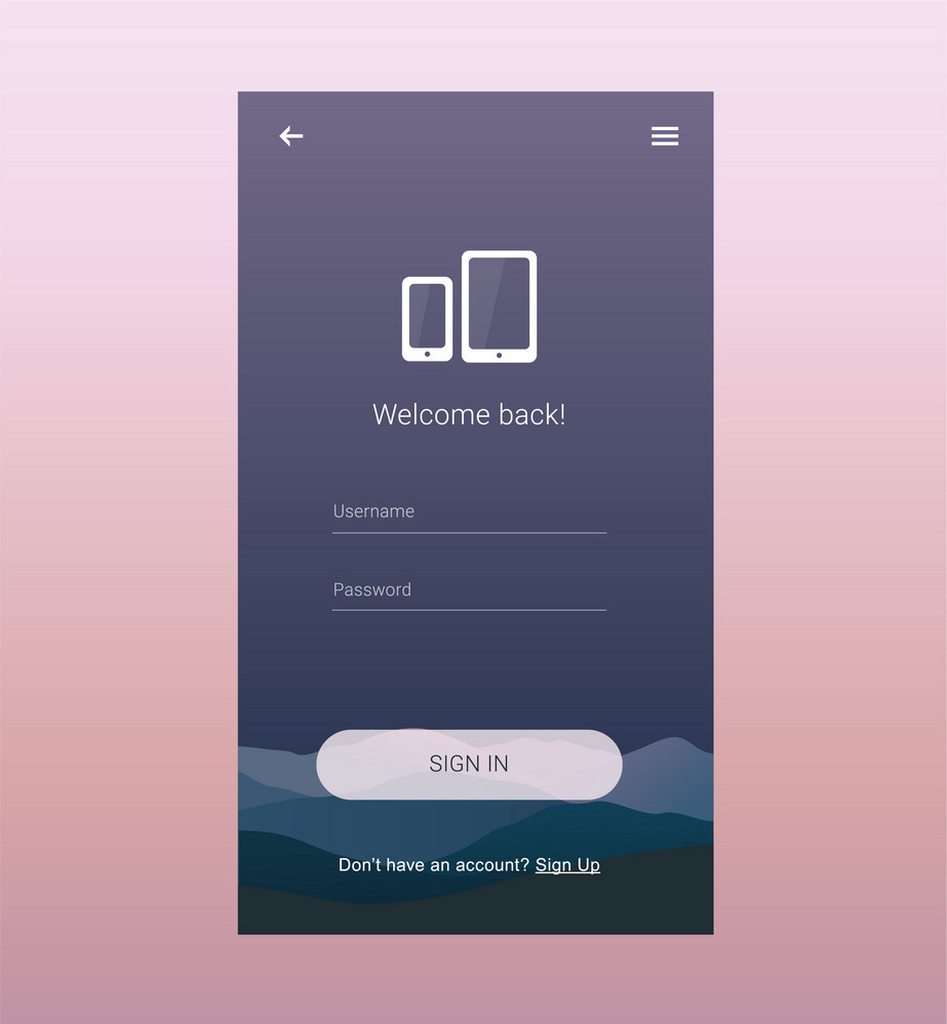
i want it to be interactive and if if click on username you can type your username

heres the other one
ivory ember
trim ibex
in pyqt5 anyone know how to move the text of a button with an icon to the bottom...
ivory ember
I'm saying its all there. You also have to say what you already tried in your question
trim ibex
right, you're not answering it, you're saying "here's the manual to answer it yourself". i tried a lot of stuff, and no i don't have to tell you what. please dont help me, let someone else.
i dont ask for help straight off, i do it when i hit a roadblock, the docs are not appreciated
graceful field
somber furnace
where is it then/
I just moved it to where I had the files I was working on in Visual Studio Code
somber furnace
graceful field
I just moved it to where I had the files I was working on in Visual Studio Code
how am i supposed to find out where it is so i cna move it?
rugged marsh
My goal is to have flag emojis in tkinter option boxes, but first, I have not downloaded the emoji module yet, nor do I know how to do it. can anyone teach me pls?
somber furnace
does anyone knwo hwo to fix that porblem
where i cnat use tkinter in pycharm
even tho tkinter comes with python
digital rose
LEZ GO
also
how do I fix my images leaving these whitespaces on the edge when i set their position to "row=0, column=0"
 digital rose
Guys I want to practise something and i need help the Ui is linked here https://...
digital rose
digital rose
Guys I want to practise something and i need help the Ui is linked here https://...
you can try pyqt, it's easy to use
 indigo yarrow
any kivymd users here?
class MainApp(MDApp):
    def build(self):
        self.theme_cls.theme_style = "Dark"
        img = Builder.load_string(image)
        return img
        self.theme_cls.primary_palette = "DeepPurple"
        self.theme_cls.primary_hue = "200"
        switch = Builder.load_string(switchs)
return switch```so this is my code
kivymd
and for some reason
it isnt showing my switch
 tribal path
return ends a function/method
indigo yarrow
oh
i see
so i should take away return img
and return switch
and then add just return
?
class MainApp(MDApp):
    def build(self):
        self.theme_cls.theme_style = "Dark"
        img = Builder.load_string(image)
        self.theme_cls.primary_palette = "DeepPurple"
        self.theme_cls.primary_hue = "200"
        switch = Builder.load_string(switchs)
return ```like that?
tribal path
well return switch seems fine. may need to restructure if you want that image somewhere
tribal path
Where/what is the img for? for now just return switch and see what that does
indigo yarrow
when I do return switch
it only shows the switch
not the img
the img is an image for the main screen
and for now the switch does nothing
@tribal path what do you think?
what should I do so both img and switch show?
tribal path
you'd need to combine the widgets in someway - either on the same layout. or draw the image on the canvas
indigo yarrow
oh
wooden imp
Qt:
So I created I a custom compound widget in the designer and compiled it to python code. How do I now set it up do I can add it to my main Window?
I noticed that the setupUi asks for a Form. What is meant with that?
(specifically I want to add Instances of this compound widget to multiple QTabWidgets )
tribal path
is tkinter installed?
 lime anchor
exotic scaffold
Why I cant use turtle module?
lime anchor
exotic scaffold
Why I cant use turtle module?
what error are you getting?
Did you name the file where you want to use turtle in turtle.py?
 thorny lava
exotic scaffold
Why I cant use turtle module?
thorny lava
exotic scaffold
Why I cant use turtle module?
create the question in a help channel and write what you have tried so far and what errors you got
 stray jacinth
Hey everyone. So I just learned about this server and joined as soon i could. So basically I have a project idea that we con do in groups. Please tell me if anybody is interested. I can't do it alone. Also it needs a great UI so anyone here can help me and is interested in working together?
 elfin walrus
Hi guys, looking for the best and easy UI maker for python.
I will create exe from my python and I want to make UI to my app. What is the best drag and drop UI builder, or the easiest way to build a UI?
modern marsh
best and easy dont really go together heh
but i guess you are looking for PyQt5
with a drag and drop interface called Qt Designer
 strange hornet
hi guys i need help with pyqt5
class _PaletteLinearBase(_PaletteBase):
def init(self, colors, *args, **kwargs):
super().init(*args, **kwargs)
    if isinstance(colors, str):
        if colors in PALETTES:
            colors = PALETTES[colors]

    palette = self.layoutvh()
what does ***self.layoutvh() ***stand for ?
ivory ember
strange hornet
what does ***self.layoutvh() ***stand for ?
where'd you copy the code from?, should explain it there
rugged marsh
the text in the entry box was gray after i disabled it... can i make it black?
 steady apex
hey what is the best UI module for python in your opinion? I have tried tkinter so far and i quite literally hate it
ivory ember
steady apex
hey what is the best UI module for python in your opinion? I have tried tkinter ...
pyqt5
steady apex
ivory ember
pyqt5
yeah i just looked some up and am now looking at a tutorial by TWT
graceful field
somber furnace
how am i supposed to find out where it is so i cna move it?
pip install it in cmd
it will tell you requirement already satisfied in : Location
just copy the location in file explorer after u get it in cmd lol
ivory ember
steady apex
yeah i just looked some up and am now looking at a tutorial by TWT
dm me if u need help
steady apex
ivory ember
dm me if u need help
K
digital rose
my tkinter gui isnt showing up (but i know its there) what was the way in windows to see it again?
digital rose
digital rose
my tkinter gui isnt showing up (but i know its there) what was the way in window...
You need to post the code do that someone can understand your problem.
modern marsh
steady apex
yeah i just looked some up and am now looking at a tutorial by TWT
ah i suggest you dont look into that tbh
RealPython is better
somber furnace
graceful field
pip install it in cmd
i fixed it i needed to reinstall python bc i didn install python with tkinter
graceful field
😳
somber furnace
😳
 somber orbit
Hi Guys,
Would anyone know how to add a QComboBox to QTableView not using delegate because if I use a delegate I see same values in all the comboboxes, it maybe good to show data like countries but not something like "versions" which can be different in each row
ivory ember
digital rose
or linebox
pyqt5, right?
modern marsh
QLineEdit_object.text() iirc
digital rose
yeah
modern marsh
Ig there is a getText() thing too
digital rose
iirc?
modern marsh
If I correctly recall
digital rose
k thanks
digital rose
How do I make a text box transparent?
 timid pulsar
Could someone help the guy in #help-cherries ? He has quite a simple pyautogui question that I tried to help with but I don't know pyautogui. Thanks.
 strong sandal
i dont know its true place to ask
i wanna build up basic graphics for my result, any advice for libraries?
my result
`-------
34
[['U123P Block Assembly', 'empty'], ['empty', 'empty'], ['empty', 'empty'], ['U608 Block Assembly', 'empty'], ['U802 Block Assembly', 'empty'], ['U123S Block Assembly', 'empty'], ['U023P Block Assembly', 'empty'], ['U023S Block Assembly', 'empty']]
20
[['empty'], ['empty'], ['empty'], ['empty'], ['empty'], ['empty']]
-------`
i wanna show my results with graphics if possible
34 and 20 is name of areas, and arrays are locations on areas
 rain jetty
for x, y in valid_char, wid_____ids:
    exec(f'root.bind("{x}", self.GButton_{y}_command)')
why wont this code work?
it says "ValueError: too many values to unpack (expected 2)" whenever i try to run the code
digital rose
rain jetty
it says "ValueError: too many values to unpack (expected 2)" whenever i try to r...
Can you show more of the code? There seems to be something wrong with the GButton thing.
rugged marsh
Why can't I type emojis in Idle Code, Python 3.9.1?
I'm using a MacBook, and my goal is to insert emojis in an option box in Tkinter. I tried using Unicode in, but when it runs it becomes the following :
Code:
OPTIONS = [
"\U0001F1FA USD",
]
Expectation: [:flag_us:USD]
When it runs: [🇺USD🇺]
Also tried copy-and-pasting the emoji Code:
 OPTIONS = [
":flag_us: USD",":flag_us:
]
Expectation: [:flag_us:USD]
When it runs: [🇺🇸USD🇺🇸 ^v]
When it runs: (Options)[🇺🇸USD]
digital rose
rugged marsh
Why can't I type emojis in Idle Code, Python 3.9.1?
I'm using a MacBook, and my...
Theres an underlying bug in tkinter, because it inherits from Tcl/Tk, so you cannot insert non-BMP emojis in tkinter. You cannot do that in most GUI libs in python, afaik.
Neither can you insert such characters in the python shell itself.
rugged marsh
Oh no!
 paper bobcat
hello, is someone good at tkinter?
digital rose
paper bobcat
hello, is someone good at tkinter?
Yes
digital rose
This is what my program shows on intial run

but if i just resize it a bit
it becomes like this

why is that...?
modern marsh
it is mostly because of the type of geometry managers you have used and how you have used them
tkinter or PyQt?
digital rose
kivy
digital rose
modern marsh
tkinter or PyQt?
sorry for not mentioning
modern marsh
ohh, idk Kivy, sorry
digital rose
k
 ivory dawn
@digital rose you need to use size_hint or an event when the window is resized.
 keen path
anyone can help me with kivy ?
im having some trouble since im new to the library
from kivy.app import App
from kivy.uix.widget import Widget
from kivy.uix.label import Label
from kivy.graphics import Color, Ellipse, Rectangle
import random


class MyPaintWidget(Widget):
    def build(self):
        label1 = Label(text="Hello", font_name = "assets/NFSFont.ttf", halign='center')
        Color(random.random(), random.random(), random.random())
        d = 30
        Rectangle(pos=(touch.x - d / 2, touch.y - d / 2), size=(d, d))
        return label1


class MyPaintApp(App):

    def build(self):
        return MyPaintWidget()


if __name__ == '__main__':
    MyPaintApp().run()
this is my code
i want the app to show a simple text, and also have a feature where a rect gets blitted exactly where i clicked on the screen
i know it's all messy, im sorry for that
 normal sedge
Does anyone know how to develop an AI capatcha solver?
keen path
normal sedge
Does anyone know how to develop an AI capatcha solver?
i think that goes with ai, not with interfaces
normal sedge
Is there a channel for that? I supposed interface as it is a CMD UI
Interfaced program
 dense oasis
his point being, the hard part of your program is the ai/logic, not the UI that someone would operate to use your program(what this channel is for)
keen path
#data-science-and-ml first, and then implement a ui to your program
ivory ember
how might it be possible, in PyQt5, to make widgets in a QScrollArea reorderable?
this is my code
import sys

from PyQt5 import QtCore as qtc
from PyQt5 import QtGui as qtg
from PyQt5 import QtWidgets as qtw

#very helpful website: https://www.learnpyqt.com/tutorials/qscrollarea/


class MainWindow(qtw.QMainWindow):
    def __init__(self):
        super().__init__()

        self.main_scroll_widget = qtw.QScrollArea()
        self.container_widget = qtw.QWidget()
        self.main_layout = qtw.QVBoxLayout()

        for _ in range(25):
            self.obj = Create_Step()
            self.main_layout.addWidget(self.obj)

        self.container_widget.setLayout(self.main_layout)

        self.main_scroll_widget.setVerticalScrollBarPolicy(qtc.Qt.ScrollBarAlwaysOn)
        self.main_scroll_widget.setHorizontalScrollBarPolicy(qtc.Qt.ScrollBarAlwaysOff)
        self.main_scroll_widget.setWidgetResizable(True)
        self.main_scroll_widget.setWidget(self.container_widget)

        self.setCentralWidget(self.main_scroll_widget)

        self.show()


class Create_Step(qtw.QWidget):
    def __init__(self):
        super().__init__()

        self.main_layout = qtw.QVBoxLayout()
        self.setLayout(self.main_layout)

        self.test_label = qtw.QLabel("Label")
        self.test_button = qtw.QPushButton("Button")

        self.test_label.setAlignment(qtc.Qt.AlignCenter)

        self.main_layout.addWidget(self.test_label)
        self.main_layout.addWidget(self.test_button)

        self.show()


if __name__ == "__main__":
    app = qtw.QApplication(sys.argv)
    mw = MainWindow()
    sys.exit(app.exec())
i get this output

that's good an all, but might it be possible to add like a drag feature to the widgets?
eager beacon
QListWidgets have that functionality built in
ivory ember
can i set each QListItem to a widget?
eager beacon
you can use QListWidgetItem to do that
ivory ember
found this

Stack Overflow
I am trying to make a QListWidget in which each item is a simple widget that contains text and a pushbutton. I use the following:
itemN = QtGui.QListWidgetItem()
#Create widget
widget = QtGui.QWi...
should work, thanks for the input
 toxic pilot
Guys i'm new to pysimplegui
I'm trying to make a table but everything I make I can't make the table so the rows show all the file name

def main():
    table_headers = ["Type", "Name"]

    table_content = []

    entries = Path('D:\Series')

    table_content.append(["..", ""])

    for entry in entries.iterdir():
        column = []
        if entry.is_dir():
            column.append("Directory")
        else:
            column.append("Folder")

        column.append(entry.name)
        table_content.append(column)

    table_layout = [
        [sg.Table(values=table_content,
                  headings=table_headers,
                  display_row_numbers=True,
                  justification="c",
                  auto_size_columns=True,
                  font=('Arial', 12),
                  )]
    ]

    window = sg.Window('Table', table_layout, auto_size_text=True, finalize=True)
Im kinda just wondering peoples suggestions
Im use to unity game engine, doubt there will be one that lets me build the ui but i like being able to parent ui so if I hide a parent panel the children buttons all also hide
and such
toxic pilot
@queen mist i think it is, look at channel description
 queen mist

im trying to make it a checker pattern
for j in range(1,9):
    for i in range(8):
        x1 = i*100+5
        y1 = 5
        x2 = 100*8
        y2 = 100*j+5

        # coloring correct blocks
        if (i+j)%2 == 0:
            canvas.create_rectangle(x1,y1,x2,y2,fill = "gray")
        else:
canvas.create_rectangle(x1,y1,x2,y2,fill = "white")```anyone?
tribal path
You'd want odd i with even j and even i with odd j to be the same. could nest some if statements
queen mist
oh yeah that makes sense, let me try
how would i go about doing that?, i can't make it make sense
tribal path
actually your if should be sufficient. it must be the coordinates. should x2 not be just 100? or x1 + 100 and similar for y

 tribal path
print your x/y values and see. or have it draw with a random fill so you'll see what its drawing. Not sure I'd bother with the else
queen mist
5 800 5 105
105 800 5 105
205 800 5 105
305 800 5 105
405 800 5 105
505 800 5 105
605 800 5 105
705 800 5 105
5 800 5 205
105 800 5 205
205 800 5 205
305 800 5 205
405 800 5 205
505 800 5 205
605 800 5 205
705 800 5 205
5 800 5 305
105 800 5 305
205 800 5 305
305 800 5 305
405 800 5 305
505 800 5 305
605 800 5 305
705 800 5 305
5 800 5 405
105 800 5 405
205 800 5 405
305 800 5 405
405 800 5 405
505 800 5 405
605 800 5 405
705 800 5 405
5 800 5 505
105 800 5 505
205 800 5 505
305 800 5 505
405 800 5 505
505 800 5 505
605 800 5 505
705 800 5 505
5 800 5 605
105 800 5 605
205 800 5 605
305 800 5 605
405 800 5 605
505 800 5 605
605 800 5 605
705 800 5 605
5 800 5 705
105 800 5 705
205 800 5 705
305 800 5 705
405 800 5 705
505 800 5 705
605 800 5 705
705 800 5 705
5 800 5 805
105 800 5 805
205 800 5 805
305 800 5 805
405 800 5 805
505 800 5 805
605 800 5 805
705 800 5 805```x1,x2,y1,y2
^ format
tribal path
precisely, you are drawing mainly rectangles. tried with:
        x1 = i*100+5
        y1 = 100*j+5
        x2 = x1 + 100
        y2 = y1 + 100
& using range(8) for j too
 wary narwhal
     os.system('newstockentries.py')
button1 = Button(topFrame,text = "New Stock Entry",width=20,height=3,font=5 ,
                 command=lambda:threading.Thread(target=newstockentry).start())
button1.pack(pady=20)

def exitA():
    os.system('taskkill /f /im newstockentries.py')
exitbutton = Button(root, text="Exit",width=10,height=2,font=3,command=exitA)
exitbutton.pack(pady=20)```how do i kill newstockentries.py with exitA button in tkinter GUI? i cant seems to do it keep getting process not found error
 cunning holly
HEllo
proven basinBOT
Here's how to format Python code on Discord:
```py
print('Hello world!')
```
These are backticks, not quotes. Check this out if you can't find the backtick key.
cunning holly
Okay
keen path
use this
cunning holly
Not letting me
keen path
ok resend code
cunning holly
oaky
#toolbox for office widgets
from tkinter import*
import os


def clicked():
    print('opening')
btn = Tk()


button1 = Button(btn,
                text = 'Word',
                bg = 'white',
                activebackground='#439fea',
                fg="#439fea",
                width=9, height=1,
                command = lambda: os.system("")).pack()


button2 = Button(btn,
                text = 'PowerPoint',
                bg = 'white',
                width=9, height=1,
                fg="#bf3a1b",
                activebackground='#bf3a1b').pack()

button3 = Button(btn,
                text = 'Excel',
                bg = 'white',
                fg="#187b44",
                width=9, height=1,
                activebackground='#187b44').pack()

button4 = Button(btn,
                text = 'Onenote',
                bg = 'white',
                fg="#c663e4",
                width=9, height=1,
                activebackground='#c663e4').pack()

button5 = Button(btn,
                text = 'Skype',
                bg = 'white',
                fg="#03b2eb",
                width=9, height=1,
                activebackground='#03b2eb').pack()

button6 = Button(btn,
                text = 'Outlook',
                bg = 'white',
                fg="#1191de",
                width=9, height=1,
                activebackground='#1191de').pack()
'''
exit_button = tk.Button(frame,
                   text="Exit",
                   fg="green",
                   command=quit)
exit_button.pack(side=tk.RIGHT)
'''
btn = Button(text="Exit", width=9, height=1, command=quit)
btn.config()
btn.pack(fill="none", expand=True)
mainloop ()
Okay. SO I made buttons. When the user clicks a button. I want it to open a program such as microsoft word
I am having a hardtime doing that
keen path
!code
proven basinBOT
Here's how to format Python code on Discord:
```py
print('Hello world!')
```
These are backticks, not quotes. Check this out if you can't find the backtick key.
keen path
from tkinter import*
import os
def clicked():
print('opening')
btn = Tk()
button1 = Button(btn,
text = 'Word',
bg = 'white',
activebackground='#439fea',
fg="#439fea",
width=9, height=1,
command = lambda: os.system("")).pack()
button2 = Button(btn,
text = 'PowerPoint',
bg = 'white',
width=9, height=1,
fg="#bf3a1b",
activebackground='#bf3a1b').pack()
button3 = Button(btn,
text = 'Excel',
bg = 'white',
fg="#187b44",
width=9, height=1,
activebackground='#187b44').pack()
button4 = Button(btn,
text = 'Onenote',
bg = 'white',
fg="#c663e4",
width=9, height=1,
activebackground='#c663e4').pack()
button5 = Button(btn,
text = 'Skype',
bg = 'white',
fg="#03b2eb",
width=9, height=1,
activebackground='#03b2eb').pack()
button6 = Button(btn,
text = 'Outlook',
bg = 'white',
fg="#1191de",
width=9, height=1,
activebackground='#1191de').pack()
'''
exit_button = tk.Button(frame,
text="Exit",
fg="green",
command=quit)
exit_button.pack(side=tk.RIGHT)
'''
btn = Button(text="Exit", width=9, height=1, command=quit)
btn.config()
btn.pack(fill="none", expand=True)
mainloop ()
there you go
I already have my command = lambda: os.system("")).pack()
But when I put microsoft word i doesnt want to open it
ive tried cmd.exe and it works
@keen path
keen path
u opened cmd ?
cunning holly
yes just to test it out
keen path
i think you need another module
keen path
which is called subprocess
digital rose
can someone explain to me how guis work
like when I click on a tab or something what happens
 mighty frigate
depends on the lib you're using I guess
digital rose
like when I click on adiscord channel right
what happens? does it just load a page
and then project it
or
rugged marsh
OPTIONS = [
"\U0001f1fa\U0001f1f8 USD",
"\U0001F1EA\U0001F1FA EUR",
"\U0001F1EF\U0001F1F5 JPY",
"\U0001F1EC\U0001F1E7 GBP",
"\U0001F1E6\U0001F1FA AUD",
"\U0001F1E8\U0001F1E6 CAD",
"\U0001F1E8\U0001F1ED CHF",
"\U0001F1E8\U0001F1F3 CNY",
"\U0001F1ED\U0001F1F0 HKD",
"\U0001F1F3\U0001F1FF NZD"
] #etc```
why? im using a mac FYI
why is the emoji doubled?
digital rose
keen path
```py
from tkinter import*
import os
def clicked():
print('opening')
btn ...
any problem ?
digital rose
rugged marsh
why is the emoji doubled?
sorry Im good at tkinter only
cunning holly
Hello, I am making a user configure page for my widget I programmed. Should I do another module?
keen path
digital rose
any problem ?
everything has been solved
modern marsh
Is there a lib for better looking PyQt5 custom widgets
 turbid rover
Anyone here used this to have video playback in android?
https://kivy.org/doc/stable/api-kivy.uix.video.html
I get the audio playback but not the video.
 winged thunder
Is there a way to access a variable that has been returned in another file in current file?
For example:
File 1
def A(num):
  result = num + 1
  return result
File 2
import file1
# How can I use the variable result here
I am trying to display the variable result using PyQt5
 bright ravine
ok i am not sure which is the best lib to use buts its for a school project
any way we can move an element like an image or something ?
if not move delete the image ?
ivory ember
winged thunder
Is there a way to access a variable that has been returned in another file in cu...
Might want to read up on classes. Make a class for file1 and make an instance of it in file2. "Result" should be accessible then.
digital rose
keen path
everything has been solved
oh nice
digital rose
winged thunder
Is there a way to access a variable that has been returned in another file in cu...
no problem it's easy
you are returned a function to int
that mean you can get that function as var
 scenic lily
hey how can i configure the height and width of a tkinter window?
digital rose
scenic lily
hey how can i configure the height and width of a tkinter window?
.geometry("120x120")
scenic lily
thanks ^^
digital rose
your welcome
to get it in another file you can do a class named get and then put that function into it and then import it in you another file like file2.get.A and see (if you want the function only make a class and named A then put that function in it but name that function __init__ and the another file get it file2.A)
@winged thunder
digital rose
your welcome
ivory ember
np
digital rose
value1 = []
def addValue (value) :
  global value1
  value1.append(value)

button=tk.Button(window,text="1",activebackground='green',command=degerEkle(1)).place(x=45,y=65,height=30,width=30)```

I want to add 1 to list when I press the button but its already add it without pressingHow can we fix it ?
scenic lily
what is the error?
digital rose
Thats not error
like a bug
I want to add value to my list when user press the button
but
scenic lily
value1 = []
def addValue (value) :
  global value1
  value1.append(value)

button=tk.Button(window,text="1",activebackground='green',command=addvalue(1)).place(x=45,y=65,height=30,width=30)```İt add the value when program starting
scenic lily
try this
scenic lily
ah
scenic lily
have u made a tkinter window
scenic lily
could you please send the whole code?
digital rose
Alright
scenic lily
thats the whole code?
digital rose
no
wait please
hesap makinesi means calculator
I though there is a algorithm problem I have
scenic lily
than i dont know sry
digital rose
digital rose
```py
value1 = []
def addValue (value) :
global value1
value1.append(value)...
use lambda
button=tk.Button(window,text="1",activebackground='green'
                ,command= lambda : degerEkle(1))
button.place(x=45,y=65,height=30,width=30)
@digital rose I am still having the same problem, can I DM you?
digital rose
winged thunder
<@456226577798135808> I am still having the same problem, can I DM you?
sorry I have a lot things to do can u dm me after 3 hours or 2
winged thunder
digital rose
sorry I have a lot things to do can u dm me after 3 hours or 2
k np
digital rose
now I have some minutes
digital rose
winged thunder
Is there a way to access a variable that has been returned in another file in cu...
try this
File 1
class A:
  def __init__(num):
      result = num + 1
      return result
File 2
import file1
print(file1.A)
do u use PyQt5 I don't know PyQt5. sorry but what is QLineEdit parameters
digital rose
winged thunder
I want result to be shown in a `QLineEdit`
text parameter maybe
who publish invit
digital rose
winged thunder
wdym by parameters?
like this
QLineEdit(text="SomeThing")
this is parameters
 winged thunder
i don't quite get you. do you mean how do you set text in a line edit?
digital rose
you want to change the text right? or ?
winged thunder
yes
pyqt5 doesn't work that way
there are methods to settext
here's an example
hold up for a min
digital rose
ok
try this
File 1
class A:
  def __init__(num):
      result = num + 1
      return result
File 2
import file1
print(file1.A(1)) # output: 2
this is the output:
2
so you want from functions.py to get the result to app.py
winged thunder
digital rose
so you want from functions.py to get the result to app.py
yes
if you see in line 49
digital rose
 winged thunder
I want the text to be set to the result that I am getting from the function.py
digital rose
you want to set text to result?
winged thunder
yes
digital rose
winged thunder
I want the text to be set to the result that I am getting from the function.py
oh nice
winged thunder
correct
winged thunder
yeah yeah
I won't leave you alone cause you are one of the few people who can fix this issue
winged thunder
I am trying to debug this error:
  File "C:\Users\username\PycharmProjects\Helping Others\app\main.py", line 4, in <module>
    main()
  File "C:\Users\username\PycharmProjects\Helping Others\app\a\ui.py", line 52, in main
    window = MainWindow()
  File "C:\Users\username\PycharmProjects\Helping Others\app\a\ui.py", line 28, in __init__
    self.ui()
  File "C:\Users\username\PycharmProjects\Helping Others\app\a\ui.py", line 47, in ui
    self.out_box.setText(B.multiply_by_2(2))
  File "C:\Users\username\PycharmProjects\Helping Others\app\b\functions.py", line 10, in multiply_by_2
    result = int(self.num) * 2
AttributeError: 'int' object has no attribute 'num'```you cannot put a function in the self.out_box.setText()
winged thunder
digital rose
you can do this:
```py
self.out_box.setText(functions.B(2))
```
so this is not viable
it needs to be a string
 winged thunder
okay
winged thunder
okay
digital rose
    def multiply_by_2(num):
        result = int(num) * 2
        return str(result)
printing it isn't the problem,
digital rose
do this
class B:
    def divide_by_2(num):
        result = num / 2
        return str(result)

    def multiply_by_2(num):
        result = num * 2
        return str(result)
?
winged thunder
digital rose
```py
class B:
def divide_by_2(num):
result = num / 2
return...
already did this
 winged thunder
I want to input a number in the enter message field and when I press convert the answer should be displayed in the other box
winged thunder
digital rose
My ide says unexpected argument
digital rose
winged thunder
My ide says unexpected argument
me too
digital rose
digital rose
why u are made `function.py`
u can just add that function in the app.py
winged thunder
digital rose
why u are made `function.py`
why did i make function.py so that I can keep all the functions in one dir and all the ui code in another dir and run both of them from one file
this helps in creating a .exe
winged thunder
digital rose
u can just add that function in the `app.py`
then everything works mighty fine, its just the fact that I don't want to do it that way
digital rose
try this:
in function.py
class B:
    def divide_by_2(num):
        result = int(num) / 2
        return str(result)

    def multiply_by_2(num):
        result = int(num) * 2
        return str(result)
in app.py in __init__ function add this
        self.multi = function.B.multiply_by_2(int(self.inp_box.test()))
        self.devid = function.B.divide_by_2(int(self.inp_box.test()))
in app.py in ui function set the text to this:
self.out_box.setText(str(self.multi) + " " + str(self.devid))
alright let me try
winged thunder
digital rose
try this:
in `function.py`
```py
class B:
def divide_by_2(num):
resu...
error:
AttributeError: 'MainWindow' object has no attribute 'multi'```the class is your main window
that is problem
put they at the last line without any function
then
delete self

like this
multi = function.B.multiply_by_2(int(MainWindow.inp_box.test()))
devid = function.B.divide_by_2(int(MainWindow.inp_box.test()))
and to set text
like this
self.out_box.setText(str(multi) + " " + str(devid))
@winged thunder try that
I'm waiting to finish pyqt5 downloading
 winged thunder
digital rose
```py
multi = function.B.multiply_by_2(int(MainWindow.inp_box.test()))
devid = f...
winged thunder
digital rose
```py
multi = function.B.multiply_by_2(int(MainWindow.inp_box.test()))
devid = f...
cannot do this cause the class doesn't have a def named inp_box
winged thunder
okay
digital rose
give you error ?
winged thunder
here's what I changed:
multi = B.multiply_by_2(int(MainWindow.__init__().inp_box.text()))
divide = B.divide_by_2(int(MainWindow.__init__().inp_box.text()))```now self parameter in __init__() is not defined
digital rose
the __init__ is the whole class
winged thunder
well yes but there was no other option to get inp_box.text()
winged thunder
are you using PyCharm?
digital rose
global inp_box
VS Code
winged thunder
okay
winged thunder
that doesn't help
winged thunder
nah cause then I cannot change the geometry and stuff of the box
winged thunder
ikr
digital rose
i can't find solution
hmmm
can you make another class include that muti and devid
winged thunder
that will just complicate things