#user-interfaces
1 messages · Page 67 of 1
 nova swift
 unique forge
nice! what did you make it with?
 ionic moat
This is a bit of an advanced question but how do I connect a Git Bash GUI to the subwindow of a QMdiArea?
 ivory ember
ionic moat
This is a bit of an advanced question but how do I connect a Git Bash GUI to the...
ivory ember
ionic moat
This is a bit of an advanced question but how do I connect a Git Bash GUI to the...
i'm not necessarily an expert, but i would just make your own simple UI for Git and use that. Maybe someone else can help?
 full marlin
Hey, I created a small library, so that you can make a more modern looking and customizable user interface with Tkinter. The library is an extension to tkinter, and just provides some extra widgets, that can be used mostly like normal Tkinter objects. So if you want to make a gui with Tkinter, maybe you can check this out: https://github.com/TomSchimansky/CustomTkinter

GitHub
A wrapper around the python tkinter library for customizable and modern ui-elements in tkinter - TomSchimansky/CustomTkinter
unique forge
Nice
 meager spoke
full marlin
Hey, I created a small library, so that you can make a more modern looking and c...
meager spoke
full marlin
Hey, I created a small library, so that you can make a more modern looking and c...
you should publish it on pypi
 humble parrot
Thanks for the response! this one:
super().__init__(parent) self.setWindowTitle('QMainWindow') self.setCentralWidget(QLabel("I'm the central widget.")) self._createMenu() self._createToolBar() self._createStatusBar()
I wonder why these three _createMenu(), _createToolBar(),_createStatusBar() are inside of super().__init__()^^
EDIT: dunder init is used for assigning values to data members of the class or known as variable, I wonder why these three which are method is inside of super().__init__()
 modern marsh
should i use QTabBar or QTabWidget for new tabs in an editor
which is recommended?

i want each tab to be a new QTextEdit
meager spoke
I have a problem, how to remove spacing from widgets between QVBoxLayout in PySide6
modern marsh
meager spoke
I have a problem, how to remove spacing from widgets between QVBoxLayout in PySi...
the docs might help you
meager spoke
modern marsh
the docs might help you
no it didn't
 eager beacon
What have you tried?
meager spoke
eager beacon
What have you tried?
I have tried setSpaceing()
eager beacon
Can you show a screenshot and explain where its not working?
meager spoke
eager beacon
Can you show a screenshot and explain where its not working?
I am out can i show it after sometime?
eager beacon
sure
meager spoke
@eager beacon
 eager beacon
well your window is way bigger than the contents require
after you add the last 'ABC' widget you can use theLayout.addStretch()
meager spoke
eager beacon
well your window is way bigger than the contents require
ok it worked
@eager beacon When i use showMaximizied() on QMainWindow it don't work
 proven basinBOT
Pasting large amounts of code
If your code is too long to fit in a codeblock in discord, you can paste your code here:
https://paste.pydis.com/
After pasting your code, save it by clicking the floppy disk icon in the top right, or by typing ctrl + S. After doing that, the URL should change. Copy the URL and post it here so others can see it.
 eager beacon
wait, are you saying that the addStretch doesn't work when you use showMaximized or that showMaximized doesn't maximize the window?
meager spoke
@eager beacon it works when i remove two of the widgets from QVBoxLayout
meager spoke
eager beacon
wait, are you saying that the addStretch doesn't work when you use showMaximized...
no
meager spoke
eager beacon
wait, are you saying that the addStretch doesn't work when you use showMaximized...
it a different question
eager beacon
so... showMaximized() isn't working?
meager spoke
eager beacon
so... showMaximized() isn't working?
yes but SetWindowState() works
eager beacon
I tested it with pyside2 mostly because I don't want to install pyside6 but it worked for me, I'm also on Mac, so none of this is helpful 🙂
meager spoke
eager beacon
I tested it with pyside2 mostly because I don't want to install pyside6 but it ...
i am on windows
eager beacon
my condolences
hang on let me install pyside6
I don't think anything at all has changed with the layouts between 2 and 6
meager spoke
@eager beacon what package should I use for distributing Pyside6 application
meager spoke
eager beacon
Why are you using PySide6 right now anyway?
because it is latest Qt version
eager beacon
its also missing some stuff
The only thing I can suggest is moving self.__setup_main_window() to the end of __setup() instead of having it be the first thing that runs
modern marsh
meager spoke
<@!347272409151438858> what package should I use for distributing Pyside6 appli...
autopy2exe can be used too
i guess
meager spoke
modern marsh
autopy2exe can be used too
i have problem in deciding between fbs & breifcase
meager spoke
eager beacon
The only thing I can suggest is moving `self.__setup_main_window()` to the end ...
i think it won't have any effect
eager beacon
I've used FBS before and its really nice and its easy to use but it doesn't support new versions of python without some googling
modern marsh
holup lemme try autopy2exe
eager beacon
meager spoke
i think it won't have any effect
well, you should do it anyway since you're showing the window before the rest of the functions in __setup() are able to run
meager spoke
eager beacon
well, you should do it anyway since you're showing the window before the rest of...
ok
eager beacon
you also don't need this line in that method:self.central_widget.setLayout(self.v_layout)
meager spoke
eager beacon
I've used FBS before and its really nice and its easy to use but it doesn't supp...
fbs support new python version but doesn't support PySide6
meager spoke
eager beacon
you also don't need this line in that method:`self.central_widget.setLayout(self...
ok. I changed it
eager beacon
FBS might work, but it only supports up to 3.6
meager spoke
eager beacon
The only thing I can suggest is moving `self.__setup_main_window()` to the end ...
it worked
eager beacon
cool
modern marsh
hmm auto-py-to-exe is not working on my os
i remember using it in windows
it basically uses pyinstaller
eager beacon
You should really just use PySide2
The only differences at this point are that there are some classes missing from 6 and some others got reorganized.
like, the entirety of QtOpenGL/GLWidgets got reorganized
and some basic stuff like QState/QStateMachine are completely missing
I think I remember one of the devs saying that by 6.1 everything should be added if it's currently missing
modern marsh
i see
 dusty terrace
what UI is generally better received dark or light?? this is my first time working on UI so cant decide
I prefer Dark myself but I am a nerd so I am asking you guys for opinions/ advice
 exotic cape
@dusty terrace i would say it depends on what your app does and who the target audience is... For instance id say a photo editor should be dark to interfere less with the photo view, but an app trying to be user-friendly and accessible might be better received with a light theme...
dusty terrace
okay, my main demographic is 16-28 year olds
and its kind of a mock trading app
like for a school project
eager beacon
You should create a light and dark theme. Detect the system theme and set it accordingly but give the user a choice to change it in the preferences.
eager beacon
Trading apps are one of those apps that a user could be staring at for hours, so a dark theme is necessary as an option
dusty terrace
I have no experience with this
dusty terrace
eager beacon
Trading apps are one of those apps that a user could be staring at for hours, so...
yep, dark is what I was going with, but then I thought i am an amature so thought would ask here
anyways, thanks for the input!
will work on it!
eager beacon
good luck
modern marsh
 digital rose
How do I add a image to tkinter??
digital rose
How do I add a image to tkinter??
use pillow module
PIL.ImageTk
and then add it to a tkinter label
 wraith heart
Hi python discord! I have a question for people who know more than me about python UIs than me - I've been using numpy/scipy heavily for the last 7 years but would now like to put some of my tools into UIs - e.g. interactively display matplotlib plots and have the user interact with the plots and parameters.
I'm not sure which of the common GUI options would be the best - maintainability is also a concern of course.
years back I've worked with PyQt - and I've written GUI applications in C#, so I know my way around GUI things a bit - but PyQt seemed like too much for a single-window application with a tab or two
meager spoke
How render the shortcut key in PySide?
 molten latch
full marlin
Hey, I created a small library, so that you can make a more modern looking and c...
molten latch
full marlin
Hey, I created a small library, so that you can make a more modern looking and c...
is this only for macOS?
im getting a ModuleNotFoundError: No module named 'darkdetect' as well
full marlin
Oh yeah you have to do pip install darkdetect, but I will fix it, because you dont need it on windows
molten latch
full marlin
Oh yeah you have to do `pip install darkdetect`, but I will fix it, because you ...
im on windows and you need it?
whats sorry
it works but WARNING (customtkinter.enable_macos_darkmode): System is not macOS, but the following: win32
still nice job, looks good
full marlin
yes, enable_macos_darkmode() only has an effect on macOS. If your on windows you can delete this line. And on windows I experienced that the render quality is very low, so the round shapes dont look very good. So on windows maybe you should use something without round corners like this example: /complex_example_other_style.py
 full marlin
At the moment I have no idea, on macOS It all looks fine and sharp. The render quality maybe looks so uneven because Tkinter dont supports high DPi Rendering on Windows i think, but I dont know
molten latch
example:
string = "hello world"
FirstLetters = "".join(letter[0] for letter in string.title().split())
FirstLetters = "HW"
molten latch
full marlin
At the moment I have no idea, on macOS It all looks fine and sharp. The render q...
i had a blurry issue with tkinter so i compilied it to an exe and changed some settings in properties

the DPI settings
I don’t know why I said that it’s probably not relevant 😂
full marlin
That could be a solution if you got it compiled to exe. And I can maybe fix the problem with the cropped slider button and the odd looking endings of the slider and the progressbar...
molten latch
What’s wrong with the progress bar?
 small egret
All those interested in tkinter i got a really cool tool to let you forge real interfaces with ease
head to
https://github.com/ObaraEmmanuel/Formation
to get started or contribute


GitHub
Tools for building gorgeous graphical user interfaces in python - ObaraEmmanuel/Formation
full marlin
molten latch
What’s wrong with the progress bar?
The beginning and ending also have a small offset and look odd for me
molten latch
small egret
All those interested in tkinter i got a really cool tool to let you forge real i...
Is this a drag and drop?
Or like a manager of widgets
small egret
Drag and drop ... it currently converts your design to xml which you can load and write out logic for
molten latch
Wait it converts python tkinter to xaml?
small egret
yeah
molten latch
Not bad
 neon sluice
For tkinter... I have a combobox populated by text from a file that includes: a food item, its wholesale price, its retail price, and the quantity sold. The program allows the user to select the menu item and then choose the quantity they would like. How would I go about having the selected item's retail price * quantity?
 coral oyster
Hi! Is there anyone who can help me with PyQt QThread?
 dusty scarab
digital rose
How do I add a image to tkinter??
dusty scarab
digital rose
How do I add a image to tkinter??
I never really worked with images. You may end up using a Canvas widget. My recommendation would be to look through ALL of the tkinter videos on https://www.youtube.com/c/Codemycom/videos
dusty scarab
neon sluice
For tkinter... I have a combobox populated by text from a file that includes: a ...
You may want to consider using a ttk.Treeview. Check the above link for videos about either Treeview or dependent form items.
unique forge
coral oyster
Hi! Is there anyone who can help me with PyQt QThread?
I have a good webpage for that
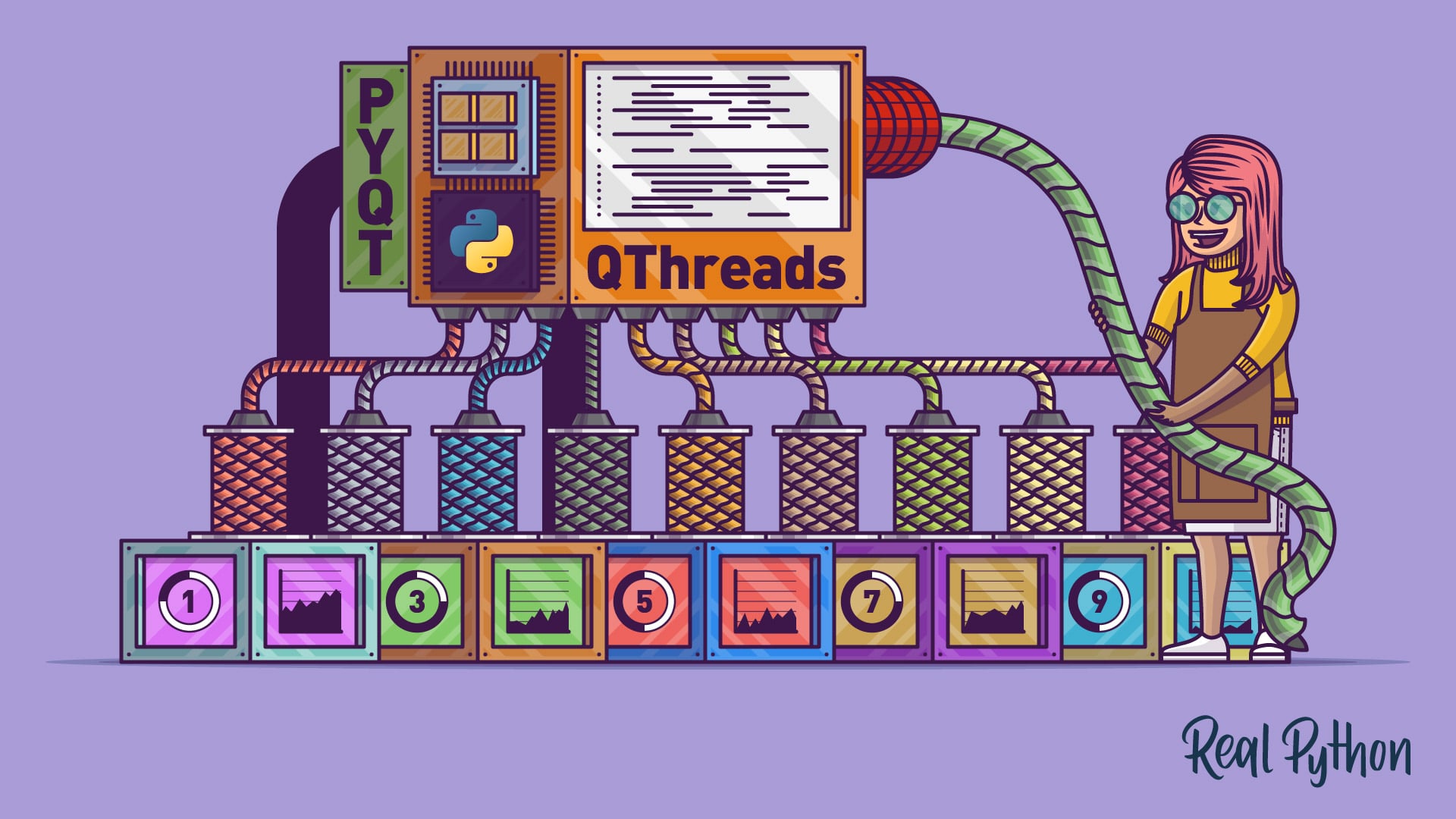
In this step-by-step tutorial, you’ll learn how to prevent freezing GUIs by offloading long-running tasks to worker QThreads in PyQt.
meager spoke
unique forge
https://realpython.com/python-pyqt-qthread/
But there are different methods to implement it like this
https://doc.qt.io/qtforpython/examples/example_widgets__threads.html
 maiden dragon
idk if this is unique to wxpython or if other GUI libraries have this but is there an example out there of binding an event to an object in a different file
maiden dragon
probably not of the scroll bar itself
 scenic pagoda
import sys,random,time
from time import sleep
from PyQt5.QtGui import *
from PyQt5.QtCore import *
from PyQt5.QtWidgets import *

class Window(QMainWindow):
    def __init__(self):
        super().__init__()

        self.setGeometry(400, 400, 200, 200)

        self.label = QLabel("test label", self)
        self.label.setAlignment(Qt.AlignCenter)
        self.label.move(100, 10)
        self.show()

app = QApplication(sys.argv[1:])
win = Window()
sys.exit(app.exec_())```
I was trying to get a label centered in the middle of the window but this small example does not appear to center the label on the center of the window.ok
scenic pagoda
modern marsh
try packing it in a layout manager i guess
so remove the .move and make an hboxlayout (that's what I want) and then add the label to it?
modern marsh
scenic pagoda
so remove the .move and make an hboxlayout (that's what I want) and then add the...
yeah , it might work
scenic pagoda
import sys,random,time
from time import sleep
from PyQt5.QtGui import *
from PyQt5.QtCore import *
from PyQt5.QtWidgets import *

class Window(QMainWindow):
    def __init__(self):
        super().__init__()

        self.setGeometry(400, 400, 700, 200)


        self.label = QLabel("test label", self)
        self.label.setAlignment(Qt.AlignCenter)

        self.layout = QHBoxLayout()
        self.layout.addWidget(self.label, 1,Qt.AlignCenter)

        self.setLayout(self.layout)
        self.show()

app = QApplication(sys.argv[1:])
win = Window()
sys.exit(app.exec_())
this does not appear to work; am I doing something wrong?
modern marsh
hmm, sorry , i have never used Alignment in Qt
i thought it might work if you do it this way
 cloud pebble
I'm stuck with a problem that I described in #help-broccoli since it's a UI problem maybe someone here can help?
Not sure if I'm allowed to cross reference I'll delete if that's not ok
 violet garnet
Hi, I'm using tkinter & Python 3.7 and I want to implement a Scale.
Most of it works, but for some reasons, some of the options keep giving me "unknown option" errors. Specifically, when I tr y to use showvalue and resolution.
self.threadSlider = Scale(self.threadFrame, from_= 2, to=self.MAX_CORES, showvalue=1, orient=HORIZONTAL, length=threadFrameWidth*0.95, command=self.refresh_thread_count)
Anyone get problems like this before?
 ornate relic
´´´ if API.check_connect():
mainPanel = QtWidgets.QMainWindow()
ui = Ui_mainPanel()
ui.setupUi(mainPanel)
mainPanel.show()
else:
self.frame_erro.show()
self.label_erro.setText(_translate("loginPanel", "Erro interno"))´´´
How do I open a new gui menu from this class? I want that when the login is successful, open a new menu and close the login.
this code is not working
I'm using PyQt5
ivory ember
humble parrot
Thanks for the response! this one:
`super().__init__(parent)
self.setWin...
Not an expert, but I think because your subclassing from QMainWindow the property setter methods are called on window creation, so in the
__init__()``` pearl ferry
Anybody here have experience with the UI mod in pythonista3?
I know my question should be more targeted but it seems kind of niche, so...
pearl ferry
I have a simple terminal program for calculating hypotenuse from 2 numbers, and I am struggling to make text fields do anything with the numbers the way input would. I know I can do this on my regular calc or online, but I want a simple one page native “app” through shortcuts.
If it helps I can put the script in here but like I said very simple
 full basalt
Anyone able to answer a general question about tkinter?
I'm trying to implement a key queuing system
For example
(Setup a tkinter window up here)

Key = a
Keylist = []

def spres(a):
    global Keylist
        if (len(Keylist)<3):
            Keylist.append("s")
window.bind("d", spres)
//Repeat this for different keys

def maincommand():
  global Keylist
  global Key
  if len(Keylist)>0
    Key = Keylist[0]
    Keylist.pop(0)

  "Do other things based on current key"
  window.after(1000, maincommand)

window.mainloop
For some reason, the key appending system dosn't work if the buttons are pressed too fast
if they're pressed with a moderate delay between them then it works fine, but I really the program to process and record very fast key presses and queue stuff
is it simply a limit of tkinter or something I'm doing wrong?
dusty scarab
You are probably better off using the window.bind() with key up as the event to capture.

In this video I'll show you how to move objects on a Tkinter Canvas using the Arrow Keys on your keyboard.
It's fairly easy to bind keyboard events with Tkinter. In this video we'll look at binding arrow keys, but also regular letters on the keyboard as well.
Once we bind the events to a specific function in our TKinter program, we can then u...
full basalt
Thanks I'll have a look
So basically I replace "a" in my code with "<KeyRelease-a>"
That works a lot better but it still sometimes dosn't work, altho I'm not sure if that's simply due to me not pressing and releasing fast enough since my program runs on 50-100ms
so could just entirely be my fault
dusty scarab
Just use "<KeyRelease>" and check in the function
full basalt
Is there some reason key release is recommended over key press?
does holding down a key "for too long" input multiple key press commands?
dusty scarab
If you were going to do just a few keys, bind each key separately, if you are going to bind many keys, use the 1 global bind and interpret in the function
full basalt
just a few keys, which is why I bound them seperately
is there some functional difference between binding separately / interpreting in function other than code neatness?
dusty scarab
I'd suspect it could be which bogs the app down more. Try it both ways.
full basalt
Alright, thanks for the help, either way it runs a lot smoother now with keyrelease
 thorny lava
molten latch
example:
```py
string = "hello world"
FirstLetters = "".join(letter[0] for lette...
thorny lava
molten latch
example:
```py
string = "hello world"
FirstLetters = "".join(letter[0] for lette...
I know how to implement it, but I wanted to know what the technique of "create default user avatar from starting letter as a letter image" is called, if there exists a google-able term
 winter robin
create a default user from the starting letter as a letter image? so if my name is herrrta then my avatar will be H?
theres all sorts of ways to make this possible. sounds like you want to slice youre user string to begin finding a solution!
grab the first index in the string and use that
@thorny lava
name = 'herrrta'
print(name[0])
this prints out 'h' since this is the first character index in my string
h | e | r | r| r | t |a
0 | 1 | 2| 3|4 |5| 6
sorry for terrible example lol
 red wind
ok so, to preface..I've been learning for a couple days max, so dont be hard on me lol.
I'm in python 3 with tkinter. I am trying to create a small popup window that I can close with a button, however when I try this, I get an error I've not seen to much about online. Error: AttributeError: type object 'Tk' has no attribute 'Toplevel'
The code that I believe is the is the cause is this:
def wTest(): wTest = Tk.Toplevel() wTest.wm_title("Test Window 2") newButton = Button(wTest, Text = "Quit", command=wTest.destroy).pack()
I was told by random forums to use Tk.Toplevel() in order to do what I'm trying to do, but if there are better ways, please let me know
but yeah, if anyone knows why its doing this, I'd love some assistance
modern marsh
red wind
`def wTest():
wTest = Tk.Toplevel()
wTest.wm_title("Test Window ...
if you have imported tkinter as tk
its tk.Toplevel()
afaik, Tk doesnt have a Toplevel method
modern marsh
tk.Toplevel(parent) or tk.Toplevel(master)
sorry i get confused with Qt and tkinter
digital rose
The tk.Toplevel() dosen't have master interpreter because it's the same as tk.Tk() that mean it's have .title(str) and .geomatery(str) etc.
digital rose
Nope
molten latch
thorny lava
I know how to implement it, but I wanted to know what the technique of "create d...
why do you need to search it if you know how to implement it??
as for you question i dont think there is a term you can simply search
are you trying to do image generation?
dusty scarab
red wind
ok so, to preface..I've been learning for a couple days max, so dont be hard on ...
What do your imports look like?
 final lotus
screen.addstr(2, 7, character, curses.color_pair(3))
            screen.addstr(3, 12, profesion, curses.color_pair(3))
            screen.refresh()
            time.sleep(0.5)
            curses.curs_set(1)
            screen.addstr(middle_row, x_position - 7, "Enter character's age:")
            input = screen.getstr(middle_row + 1, x_position)
            age = input
            curses.curs_set(0)
            #age = q.decode()
            if 0 > age < 20:
                aging = 1
            elif 20 > age < 40:
                aging = 2
            elif 40 > age < 60:
                aging = 3
            elif 60 > age < 80:
                aging = 4
            elif 80 > age < 100:
                aging = 5
            else:
                screen.addstr(middle_row + 2, x_position - 7, "You should be dead")
                aging = 0
                screen.refresh()
                time.sleep(3)
i have an error
with this thing
TypeError: '>' not supported between instances of 'int' and 'bytes'
it sayis
digital rose
why does this not work?
import pyautogui as pg
from tkinter import *
import time
root = Tk()
n = Entry(root, width=13)
n.pack()
n.get()

ti = Entry(root, width=13)
ti.pack()
ti.get()

i = Entry(root, width=13)
i.pack()
i.get()

root.mainloop()
x = 1
o = 1
time.sleep(4)
for o in range(ti.get()):  # make this 58 if you want 1 min
      time.sleep(i.get())
      pg.write(n.get(), interval=.0)
      time.sleep(.5)
      pg.press('enter')
its a macro that im trying to get user input and then apply it in the macro
 pliant dagger
digital rose
why does this not work?
```py
import pyautogui as pg
from tkinter import *
impor...
pliant dagger
digital rose
why does this not work?
```py
import pyautogui as pg
from tkinter import *
impor...
Use StringVars/IntVars
A StringVar is used to store values of a Entry Box
import pyautogui as pg
from tkinter import *
import time
root = Tk()
n = Entry(root, width=13)
n.pack()
n.get()
t1var = IntVar()#You can also use StringVar() and then convert it into int()
ti = Entry(root, textvariable = t1var,width=13)
ti.pack()
ivar = IntVar()
i = Entry(root, width=13,textvariable = ivar)
i.pack()

root.mainloop()
x = 1
o = 1
time.sleep(4)
for o in range(tivar.get()):  # make this 58 if you want 1 min
      time.sleep(ivar.get())
      pg.write(n.get(), interval=.0)
      time.sleep(.5)
      pg.press('enter')
Sure
digital rose
hm
how do i
so like I input the information
but what's after that?
is there a button to confirm or anything

what's after?
pliant dagger
The problem is that the for loop is after the root.mainloop() so it will only be executed once the app is closed
digital rose
should i move it down
pliant dagger
You can create a button and store this for loop inside a function and then call it whenever the button is clicked
digital rose
or maybe put a button to activate a function
yes
good idea
thinking the same thing
pliant dagger
digital rose
or maybe put a button to activate a function
Doing that won't produce the desired output
digital rose
why so?
pliant dagger
digital rose
why so?
Because the for loop will execute as soon as you run the script. It won't wait for the user to input something
digital rose
oh
hm..
oh
it works!
turns out it was just a little spelling error but i found it
pliant dagger
digital rose
it works!
Glad I could be of some help
pliant dagger
🙂
digital rose
👍
unique forge
any idea why the border colour doesnt work? ```css
QPushButton{
border-radius: 10px;
background-color: rgb(249, 225, 255);
border-color: black;
border-top-color: black;
border-bottom-color: black;
border-left-color: black;
border-right-color: black;
}
QPushButton::hover{
background-color: rgb(213, 193, 218)
}
(PyQt5 and QtDesigner)
(QSS StyleSheets)
digital rose
when I press a button to open a new window I'm having this weird issue where I cant use the input box's.. but when its on a script by itself it works perfectly
unique forge
digital rose
when I press a button to open a new window I'm having this weird issue where I ...
which library?
digital rose
tkinter
like it doesnt transfer the variable
here is my litttle makeshift test zone
import time
import ctypes
import pyautogui as pg
from tkinter import *
import tkinter

root = Tk()
def ok():
    ctypes.windll.user32.MessageBoxW(0, "note: big links/texts will crash the system, use copy paste for that :D",
                                     "info",
                                     1)
    root = Tk()
    root.geometry("250x250")

    root.title('written macro')
    nn = Entry(root, width=13)
    nn.pack()
    nn.get()

    var11 = IntVar()  # You can also use StringVar() and then convert it into int()
    tin = Entry(root, textvariable=var11, width=13)
    tin.pack()

    var12 = IntVar()
    inn = Entry(root, width=13, textvariable=var12)
    inn.pack()

    def macro():
        print(var11.get())
        for o in range(var11.get()):  # make this 58 if you want 1 min
            time.sleep(var12.get())
            pg.write(nn.get(), interval=.0)
            time.sleep(.5)
            pg.press('enter')

    butt = Button(root, text="help", padx=10, pady=5, command=help, fg="green")
    butt.pack()


    myButn = Button(root, text="start macro", padx=10, pady=5, command=macro, fg="blue")
    myButn.pack()
def jjj():
    butt = Button(root, text="help", padx=10, pady=5, command=ok(), fg="green")
    butt.pack()

if 1 == 1:
    jjj()


root.mainloop()
but
when you remove the buttons to activate it
it works great
weird
red wind
modern marsh
if you have imported tkinter as tk
Yes, its imported as to, sorry lol
I was asleep
modern marsh
unique forge
any idea why the border colour doesnt work? ```css
QPushButton{
border-radius:...
maybe only rgb values work
unique forge
modern marsh
maybe only rgb values work
ok, let me try
@modern marsh nope, still doesnt work
modern marsh
hmm
modern marsh
unique forge
ok, let me try
try adding
border-style
and
border-width
maybe the border is not showing up or something
unique forge
doesnt work
unique forge
maybe its the border radius
modern marsh
maybe
unique forge
nope
modern marsh
ask Chris maybe
unique forge
Chris_ hasn't replied to me since feb 24th
modern marsh
hmm lol
 final lotus
screen.addstr(middle_row, x_position - 7, "Enter character's age:")
            input = screen.getstr(middle_row + 1, x_position)
            age1 = (input)
            curses.curs_set(0)
            age2 = age1.decode()
            age = int(age2)
            screen.refresh()
            time.sleep(2)
            if age > 0:
                aging = 1
                if 20 < age > 40:
                    aging = 2
                    if 40 < age > 60:
                        aging = 3
                        if 60 < age > 80:
                            aging = 4
                            if 80 < age > 100:
                                aging = 5
            else:
                screen.addstr(middle_row + 2, x_position - 7, "You should be dead")
                aging = 0
                screen.refresh()
                time.sleep(3)
            while aging > 0:
                screen.clear()
                #table()
                #screen.addstr(2, 7, character, curses.color_pair(3))
                #screen.addstr(3, 12, profesion, curses.color_pair(3))
                screen.addstr(4, 12, age2, curses.color_pair(3))
this is a curses screen code that has to ask for your age and than if its age from 1 to 100 it prints it, but it doesnt get past the if part... does anyone know how to fix that?
unique forge
final lotus
```py
screen.addstr(middle_row, x_position - 7, "Enter character's age:")
...
yes
someone does know how to fix that
final lotus
unique forge
someone does know how to fix that
so how do you fix that?
unique forge
final lotus
so how do you fix that?
I dont know
final lotus
unique forge
I dont know
thanks mister helpful...
final lotus
unique forge
I did answer your question though
cant argue with that
unique forge
and it was correct
final lotus
unique forge
and it was correct
nwm i alreaddy fixed that
 river compass
name_label = tk.Label(root, text = 'Name', font=('Ariel Rounded MT bold',10, 'bold'))
name_entry = tk.Entry(root,textvariable = name_var, font=('Ariel Rounded MT bold',10,'normal'))
timer1 = tk.IntVar(root)
timer1_enabled = tk.IntVar(root)
name_label.grid(row=0,column=0)
name_entry.grid(row=0,column=1)
tk.Label(root, textvariable=timer1).pack()
tk.Checkbutton(root, text='Enable timer1', variable=timer1_enabled).pack()``` ok i know where the problem is (the last tk.Label) but how do i fix it? hehe grizzled charm
Hello guys. Is there a way to change the command of an optionmenu wigdet?
ping pls if someone can help me
 nimble grotto
I installed it
but the problem is still on
why the hell I can't just install the damn pyqt
Im done for good
digital rose
when I press a button to open a new window I'm having this weird issue where I cant use the input box's.. but when its on a script by itself it works perfectly
import time
import ctypes
import pyautogui as pg
from tkinter import *
import tkinter

root = Tk()
def ok():
    ctypes.windll.user32.MessageBoxW(0, "note: big links/texts will crash the system, use copy paste for that :D",
                                     "info",
                                     1)
    root = Tk()
    root.geometry("250x250")

    root.title('written macro')
    nn = Entry(root, width=13)
    nn.pack()
    nn.get()

    var11 = IntVar()  # You can also use StringVar() and then convert it into int()
    tin = Entry(root, textvariable=var11, width=13)
    tin.pack()

    var12 = IntVar()
    inn = Entry(root, width=13, textvariable=var12)
    inn.pack()

    def macro():
        print(var11.get())
        for o in range(var11.get()):  # make this 58 if you want 1 min
            time.sleep(var12.get())
            pg.write(nn.get(), interval=.0)
            time.sleep(.5)
            pg.press('enter')

    butt = Button(root, text="help", padx=10, pady=5, command=help, fg="green")
    butt.pack()


    myButn = Button(root, text="start macro", padx=10, pady=5, command=macro, fg="blue")
    myButn.pack()
def jjj():
    butt = Button(root, text="help", padx=10, pady=5, command=ok(), fg="green")
    butt.pack()

if 1 == 1:
    jjj()


root.mainloop()
but
when you remove the buttons to activate it
it works great
.. weird
nimble grotto
the whole world is kind of weirdness, I guess
I wanted to read through a PyQt5 book
but Im stuck with the installation article
nIcE
river compass
river compass
```py
name_label = tk.Label(root, text = 'Name', font=('Ariel Rounded MT bold',1...
if anyone knows how pls either ping me or dm me it ty in advance 
grizzled charm
Hello guys. Is there a way to change the command of an optionmenu wigdet?
 rapid lagoon
what's the most comfy library to use and why?
unique forge
rapid lagoon
what's the most comfy library to use and why?
I am comfortable with PyQt5 because im so used to it
scenic pagoda
unique forge
I am comfortable with PyQt5 because im so used to it
same, +1
sorry for mention
unique forge
+1?
scenic pagoda
meaning I agree that it's a nice library
unique forge
oh ok
scenic pagoda
meaning you + 1 person verbally said they agree
ivory ember
tutorials
ionic moat
 fresh echo
i want to make a modern GUI using tkinter
fresh echo
i want to make a modern GUI using tkinter
wdym by modern gui?
If you want a GUI that actually looks good then Kivy or Qt are your best options
small egret
river compass
```py
name_label = tk.Label(root, text = 'Name', font=('Ariel Rounded MT bold',1...
Why are you using grid and pack in the same parent container .... it should have warned you but if not that's the problem ... use grid for the last label as well
small egret
ionic moat
If you want a GUI that actually looks good then Kivy or Qt are your best options
not necessarily.
small egret
fresh echo
i want to make a modern GUI using tkinter
I cannot tell you where to start but just know it's possible and it requires quite the effort ... maybe start with using extension widgets from ttk to achieve a native look
 woven sleet
whats better pyqt or tkinter
river compass
small egret
Why are you using grid and pack in the same parent container .... it should have...
Ty
 stray coral
From my understanding PyQt is a C++ wrapper, but I am wondering how QThreads works in relation to the GIL.
Are QThreads still bound by the GIL or are they just part of a C++ process under the hood?
 red sapphire
Yeah if anyone ever wants a quick and easy answer PyQt seems the most robust
And is basically the standard
But dang do your research don't just acquire the first framework a discord user tells you to haha
There's other good tools with their own advantages!
ionic moat
small egret
not necessarily.
Necessarily.
red sapphire
Them's fighting words
Technically you can use Django as a GUI
And that looks fantastic
ivory ember
You can do so much with PyQt5, beyond UI. Also, the UI can be customized in many different ways, like stylesheets, proxies, etc.
ionic moat
What if there was a web-version of Qt
Like the thing I love the most about is Qt Designer
it saves so much time, it's so much easier, and makes the GUI look way better
unique forge
ionic moat
Like the thing I love the most about is Qt Designer
me too
grizzled charm
What is the best way to implement languages in an interface(tkinter)?
 icy totem
 solar pewter
which is the best framework for desktop apps?
solar pewter
which is the best framework for desktop apps?
I would recommend PyQt/PySide
river compass
import tkinter as tk

root = tk.Tk()
root.title("Work Time")
root.geometry("600x400")

timer1 = tk.IntVar(root)
timer1_enabled = tk.IntVar(root)

name_label = tk.Label(root, text = 'Total work time since start', font=('Ariel Rounded MT bold',10, 'bold'))
name_entry = tk.Label(root,textvariable = timer1, font=('Ariel Rounded MT bold',10,'normal'))
start_btn=tk.Button(root,text = 'Start', command = timer1_enabled)
pause_btn=tk.Button(root,text = 'Pause', command = timer1_enabled)

name_label.grid(row=9,column=0)
name_entry.grid(row=10,column=0)
start_btn.grid(row=11, column=0)
pause_btn.grid(row=11, column=2)


def advance_timers():
    if timer1_enabled.get():
        timer1.set(timer1.get() + 1)
    root.after(1000, advance_timers)

root.after(0, advance_timers)
root.mainloop()``` this is my current code i know it doesn't work yet but rn im trying to visually get everything correct ish. But it keeps moving the things to weird places that i don't want them to go. How do i fix this?whats the best(and easiest) module for Python GUI Design?
 urban lake
Annyone know how to get the tkinter. text() to go over more than Just one grid row.

 surreal whale
urban lake
Annyone know how to get the tkinter. text() to go over more than Just one grid ...
surreal whale
urban lake
Annyone know how to get the tkinter. text() to go over more than Just one grid ...
columnspan rowspan keyword argument in your call to grid
urban lake
Thanks
 vast anvil
Hello, what elements/modules should I include in my project for a crypto yielding, wallet reward, and overall blockchain overview?
proven basinBOT
Hey @steady comet!
It looks like you tried to attach a Python file - please use a code-pasting service such as https://paste.pythondiscord.com
 lilac temple
Python 3.7.3 (/usr/bin/python3)
>>> %Run cc.py
------------------------------------------------------------
*** GUIZERO WARNING ***
[TextBox] object with text "" will not be displayed because it has a missing grid reference.
------------------------------------------------------------
------------------------------------------------------------
*** GUIZERO WARNING ***
[TextBox] object with text "" will not be displayed because it has a missing grid reference.
------------------------------------------------------------
------------------------------------------------------------
*** GUIZERO WARNING ***
[PushButton] object with text "Convert" will not be displayed because it has a missing grid reference.
------------------------------------------------------------
------------------------------------------------------------
*** GUIZERO WARNING ***
[TextBox] object with text "" will not be displayed because it has a missing grid reference.
------------------------------------------------------------
------------------------------------------------------------
*** GUIZERO WARNING ***
[PushButton] object with text "Convert" will not be displayed because it has a missing grid reference.
------------------------------------------------------------
``` Trying to use a TextBox or PushButton with guizero, causes this error 👋grid(sticky="nswe")
but you also need to specify the rowspan
 abstract crown
can anyone help me with tkinter. i dont understand why the grid system isnt working. ```py
from tkinter import *
root = Tk()
root.title("Calculator!")
root.geometry("400x500")
#root.resizable(width=False, height=False)
def on_press(num):
return
btn_0 = Button(root, text="0" ,command=on_press(0), height=6, width=12)
btn_0.grid(row=1, column=5)
root.mainloop()``` this is my code atm
is it something i forgot to do?
 snow nest
some help in tkinter
i wan't to make image button inside image button but it doesn't work
snow nest
Tkinter?
dusty scarab
snow nest
i wan't to make image button inside image button but it doesn't work
https://www.youtube.com/channel/UCFB0dxMudkws1q8w5NJEAmw/videos
I know there is a video similar to this here.
dusty scarab
abstract crown
is it something i forgot to do?
I think you need to make it into a lambda: similar to what I've seen in videos on the Youtube channel link I posted. There is a calc recreation there too.
modern marsh
abstract crown
can anyone help me with tkinter. i dont understand why the grid system isnt work...
command=lambda: on_press(0)
coral oyster
Hi! Is there anyone who can help me with PyQt Textedit? I would like to add text to a text in every line
ivory ember
coral oyster
Hi! Is there anyone who can help me with PyQt Textedit? I would like to add text...
docs
surreal whale
any tkinter lords here familiar with managing matplotlib figurecanvas objects?
nevermind, tackled the issue by destroying the child in the frame's children
digital rose
I'm creating a web browser for my company, using my own UI Library that I made. The web browser is the World's First Smart Browser. The web browser has a system where it can detect a new user, who is using the web browser for the first time, then it will give the user a setup process. There are multiple steps in the process for setting the preferences of the user.

 mortal steeple
Wow
digital rose

 shadow mist
cc @rancid tangle
 rancid tangle
he pinged me in the original message lol
so, what does it do that other libs can't? i'm interested
digital rose
can it do stock charts? if yes, I'm interested
 shadow swan
twitter button ui
shadow mist
👀 what was deleted
digital rose
shadow mist
👀 what was deleted
'make actual good interfaces'
shadow mist
oh ffs
digital rose
@digital rose There is also a "spotlight of interest" where you can select the interest for the web browser, for example, choosing stocks, can add featured snippets of stock charts.
@shadow swan No, the source code took days to make.
It's a private library.
digital rose
can add featured snippets of stock charts.
I don't want snippets, I want interactive ones
@digital rose I'll add a feature to add interactive stock charts.
 lost fable
Make actual good interfaces. Author: Ahmed Qureshi#4293
 rustic grove
digital rose
> can add featured snippets of stock charts.
I don't want snippets, I want inter...
rustic grove
digital rose
> can add featured snippets of stock charts.
I don't want snippets, I want inter...
Ik one but I forgot the name I’ve been trying to remember it for the past 10 mins lol
I used it in my stock app
digital rose
Robinhood?
I found a decent one but it required me to learn js/vue
I just want something I can work with in python
rustic grove
digital rose
Robinhood?
No my app requires the user to enter a symbol, then it gives them a graph, price, and a recommendation of whether to buy or not
digital rose
There will also be a App Store, for the Equant Web Browser, (sort of like a web browser extension), any developer can submit code (html, javascript, css) to the store.
They can also charge you to use a app.
rustic grove
digital rose
There will also be a App Store, for the Equant Web Browser, (sort of like a web ...
Are you going to screen the extensions?
digital rose
@rustic grove You want me to screenshot the software on the app store?
rustic grove
digital rose
<@!443242729883828224> You want me to screenshot the software on the app store?
No like are you going to check for malicious extensions
digital rose
Equant Web Browser App Store Preview.

Yes, the staff will use a virtual machine, and perform the test.
shadow swan
well good work.
digital rose
The apps in the App store that has a white outline and a blue background, is made by Equant.
shadow swan
What is special about the equant browser compared to osmething like firefox?
digital rose
The Equant Web Browser (We are still deciding the name for the web browser) is the World's First Smart Web Browser.
shadow swan
oh sorry i gotcha
digital rose
There is a smart phone, a smart watch, a smart house, what about a smart web browser?
rustic grove
This sounds like an ad 😂
 delicate basin
how is it smarter than others?
digital rose
Many advanced several artificial intelligence technologies, as well as having the app store, for additional technologies.
There are more features.
shadow swan
so its like alexa?
digital rose
We are currently working on a Advertising System, similar to Google Ads.
delicate basin
there's the chrome app store etc for extensions in other browsers...
digital rose
There will be your own Assistant in the browser, similar to "Siri".
shadow swan
ah
delicate basin
ah, voice commands in a browser?
digital rose
@delicate basin Yes.
delicate basin
digital rose
One of the features about the voice command, you can set a prefix, or a word, and you can set the function. For example, if you say the word "Online Shopping", it will open up "Amazon".
@delicate basin That is a 3rd party organization adding the technology.
There will also be a Adblock system, if you don't want to see the Equant Advertisements, you can simply disable both Equant and Google advertisements.
delicate basin
i mean... adblocks are included in many browsers now...
welp, anyways, I wanna see how this progresses ^^
Keep posting here with each improvement please
digital rose
@delicate basin Most adblocks on web browsers are from 3rd party organizations, which if you were talking marketing wise, it would be common, if your in the perspective of the web browser itself, made by the company, you can see many web browsers don't have a built-in adblock.
Some web browsers had a adblock feature, but Google paid them to get rid of it.
delicate basin
*most of the browsers aiming for features. OperaGX, Vivaldi and Brave have it afaik
delicate basin
Chrome isn't high on features anyways :P
mostly everything is added with third party extensions
meager spoke
what code i need to make public while using pyside with LGPL v3?
ionic moat
meager spoke
what code i need to make public while using pyside with LGPL v3?
I think all of it
I think I read a long time ago in their legal requirements for commercial use that you either have to pay for their license or make all the code open-source and published under license LGPL v3 or GPL
But you're going to have to look up more information on that
This tells you what you're obligated to when choosing your license: https://www.qt.io/product/features#js-6-3 look on the left you can change your license there, and on the right, it'll show you what you can
Legal: https://www.qt.io/licensing/, https://www.qt.io/terms-conditions/, but you still have to look up for information on this
abstract crown
how can i get the input from this?
def messageServer(msg):
print("sending a new message")
if len(msg) < 0:
return S.send(msg.encode(FORMAT))
def createWidgets(self):
userinp = Entry(self, text="lol")
userinp.grid(row=1, column = 5)
helloBTN = Button(self, text="Send message", command=messageServer(userinp.get()))
helloBTN.grid(row=1, column=2)
``` its in a class but i need to get it outside of the class sacred cloak
what is a nice way to reduce boilerplate code in python when developing a UI with PyQt ?
 sudden falcon
sacred cloak
what is a nice way to reduce boilerplate code in python when developing a UI wit...
sudden falcon
sacred cloak
what is a nice way to reduce boilerplate code in python when developing a UI wit...
Using class or function
digital rose
Hi I want to start learning python can some tell me the best course to learn on Udemy for free
abstract crown
digital rose
Hi I want to start learning python can some tell me the best course to learn on ...
it would be better to start on W3schools.com
abstract crown
digital rose
Hi I want to start learning python can some tell me the best course to learn on ...
they get beginners active in a number of languages
digital rose
@abstract crown thank you I will check it out
river compass
import tkinter as tk
root = tk.Tk()
root.title("Work Time")
root.geometry("600x400")
timer1 = tk.IntVar(root)
timer1_enabled = tk.IntVar(root)
name_var = tk.StringVar()
name_var_entry = tk.Entry(root, textvariable = name_var, font=('Ariel Rounded MT bold',10, 'bold'))
name_label = tk.Label(root, text = 'Total work time since start', font=('Ariel Rounded MT bold',10, 'bold'))
name_entry = tk.Label(root,textvariable = timer1, font=('Ariel Rounded MT bold',10,'normal'))
start_btn=tk.Button(root,text = 'Start', command = timer1_enabled)
reset_btn=tk.Button(root,text = 'Reset', command = timer1_enabled)
name_var_entry.grid(row=1,sticky="W", column=1,pady=(120, 0), padx=(40))
name_label.grid(row=2, sticky="W", column=1, pady=(10, 0), padx=(35, 0))
name_entry.grid(row=3, sticky="W", column=1, pady=(5, 0), padx=(107, 0))
start_btn.grid(row=4, sticky="W", column=1, pady=(5, 0), padx=(50, 0))
reset_btn.grid(row=4, sticky="W", column=1, pady=(5, 0), padx=(140, 0))
def advance_timers():
if timer1_enabled.get():
timer1.set(timer1.get() + 1)
root.after(1000, advance_timers)
root.after(0, advance_timers)
root.mainloop()``` how do i let this button actually do smt? young quiver
modern marsh
river compass
```py
import tkinter as tk
root = tk.Tk()
root.title("Work Time")
root.geometry...
young quiver
modern marsh
river compass
```py
import tkinter as tk
root = tk.Tk()
root.title("Work Time")
root.geometry...
which button
as per i can see , all the buttons have the command arg
which give them some use
river compass
yes but i don't know what the actual command should be
 distant dome
How would I bind a function with arguments to a left click so that it isn't automatically executed (tkinter)?
I fixed it like this using lambda, unsure whether it's a good solution or not but it worked:
self.canvas1.bind('<Button-1>', lambda event:self.get_click_pos(button_text))
 fickle anchor
best UI library for python when talking about UI/UX designing?
tkinter seems very old and bad
I'm tired of it
 rancid radish
Hie guys.... need help with a PyQt5 issue I'm using a QDateEdit widget and i want to save the sellected date as text in a file but it returns an object how to get output like this: "12/03/2021"
 icy totem
rancid radish
Hie guys.... need help with a PyQt5 issue I'm using a QDateEdit widget and i wan...
icy totem
rancid radish
Hie guys.... need help with a PyQt5 issue I'm using a QDateEdit widget and i wan...
Please check: https://doc.qt.io/qt-5/qdate.html#toString-1
 rancid radish
icy totem
Please check: https://doc.qt.io/qt-5/qdate.html#toString-1
rancid radish
icy totem
Please check: https://doc.qt.io/qt-5/qdate.html#toString-1
Thank you very much🤓 🙏
modern marsh
distant dome
I fixed it like this using lambda, unsure whether it's a good solution or not bu...
that i guess is the best method
 autumn badge
hey all. i am playing around with the flexx ui and when trying to run it on windows, i am getting this error Exception has occurred: NotImplementedError
"""
Simple hello world following the recommended style of writing apps,
using a custom widget that is populated in its ``init()``.
"""


from flexx import flx

class Main(flx.Widget):

    def init(self):
        self.b1 = flx.Button(text='Hello')
        self.b2 = flx.Button(text='World')

if __name__ == '__main__':
    m = flx.launch(Main)
    flx.run()
All i am trying to do is run the hello world app. I dont think this is a flexx issue but my computer seems to be missing something in order to run it. Any help would be appreciated
nevermind. i went to check all the dependencies and had them all but i used pip3 install flexx originally so i thought i would try pip3 install -U https://github.com/flexxui/flexx/archive/master.zip instead. Now it works.
dusty terrace
Guys, I am torn, what do you think is better??
 modern marsh
dusty terrace
Guys, I am torn, what do you think is better??
modern marsh
dusty terrace
Guys, I am torn, what do you think is better??
i like 2 better
but i feel like the general color scheme itself is not very good
digital rose
I like 1 better, I have different opinions on the colour scheme from the above. Orange and black go well together
dusty terrace
digital rose
I like 1 better, I have different opinions on the colour scheme from the above. ...
Please, let me know, what do you think will work?
dusty terrace
modern marsh
but i feel like the general color scheme itself is not very good
what do you suggest??
modern marsh
idk man, i suck at it myself
dusty terrace
autumn badge
if you go blue, make it all blue not black/blue/orange
okay, so you think one colour is the way to go
dusty terrace
modern marsh
idk man, i suck at it myself
lol, you and me both brother!
modern marsh
haha
dusty terrace
hahaha
autumn badge
at least you went with a dark theme
dusty terrace
same! Black and grey for life!
dusty terrace
autumn badge
at least you went with a dark theme
yea dude, i mean come on
you have to
its the best
autumn badge
i like simple and colors should be a color for a reason. maybe
black background, blue static stuff and orange for changing info
apps hurt my eyes when they are not dark theme
dusty terrace
autumn badge
i like simple and colors should be a color for a reason. maybe
black background,...
I like that!
autumn badge
i watched a guy do autocad in light theme. made me mentally rage
dusty terrace
autumn badge
apps hurt my eyes when they are not dark theme
yea dude!
dusty terrace
autumn badge
i watched a guy do autocad in light theme. made me mentally rage
hahahaha
autumn badge
though, sadly every app i have written for work is not dark theme
too many old people. they would get confused and probably shine a flashlight at it

little current calculator i wrote
modern marsh
autumn badge
though, sadly every app i have written for work is not dark theme
make a switch
there is ttk.font
so
you can make a global font and switch it as per a button press
autumn badge
I plan to. But instead of having to use pyinstaller for these apps, I am going to try and use flex to serve them on our intranet
modern marsh
i see
autumn badge
With most people working from home and using a vpn, loading these apps can take up to 30 minutes
It should only take 30 seconds
dusty terrace
autumn badge
though, sadly every app i have written for work is not dark theme
you gotta level up dude! cant be doing stuff like this
dusty terrace
autumn badge
project for the science class?
autumn badge
science class?
that is for my job
lol
i design fire and security systems, so i need an easy way to calculate current for my devices
granted, this was made a while ago and in a rush
dusty terrace
autumn badge
that is for my job
lol, we had to do something like that on paper for my class, sorry, didnt mean to demean that
autumn badge
lol no worries
dusty terrace
autumn badge
i design fire and security systems, so i need an easy way to calculate current f...
what a cool job dude, you are saving people through software! thats pretty cool
autumn badge
my manager gace me a crappy excel spreadsheet with about 1/5th of the devices on it as our "tool"
dusty terrace
:((
autumn badge
so i made it better and easier
dusty terrace
thats why i love software dude, you make make things to help yourself and the world
dusty terrace
autumn badge
so i made it better and easier
totally!
autumn badge
we also make the submittla document books for the company on new jobs. It was messing around with downloading stuff and editing spreadsheets and a simple job took 30-60 minutes
i spent a week and wrote an app that can get the complicated ones done in less than 10 minutes
so that is paying for itself
autumn badge
but we all use windows at work and my IT dept refuses to install python onto computers (mainly because they are afraid of what they dont understan), so i have to exe everything with pyinstaller.
so i make everyone run it fromt he server so i dont have to tell people to update
dusty terrace
autumn badge
but we all use windows at work and my IT dept refuses to install python onto com...
ohhhhh, dude! Thats useless additional work
autumn badge
but VPNs make pyinstaller files take forever to load
dusty terrace
autumn badge
so i make everyone run it fromt he server so i dont have to tell people to updat...
smart!
dusty terrace
autumn badge
but VPNs make pyinstaller files take forever to load
i didnt know about that! interesting
anyways, nice chatting with you, when i go to bed today, I would be happy, because i met an awesome person today!
dusty terrace
thanks for letting me know!
snow nest
help in tkinter
digital rose
Send your problem, we can’t send brainwaves through the internet to communicate with your mind to understand your requirements and code.
ivory ember
snow nest
help in tkinter
bro, say ur question
 tame storm
guys i have a question. I want to use sockets which needs threading but tkinter doesn't like threading
nvm im stupid i got it
 thorny pike
Oy guys, how are you
What do you suggest to build a friendly interface?
I need someone to chat to get my ideas clear haha
I never built an user interface before, because I've always worked with the command line or Jupyter when I need some quick visualization. Normally I also build back end tools
But now I wanted to started venturing out with GUI and I've heard of electron that can have the front end of web
My goal was to build a desktop app that takes a file read it and allows the user to modify some parameters of simulation. The python script would then launch the simulation using a third party software and proceed with the optimisation of each step: step1 create multiple load cases, step2 use the third party tool to find the static configuration that satisfy some criteria, step3 change load cases on the static configuration, step4 get outputs for STATIC, step5 change the positions of the elements and loads (create offset cases / extreme cases), step 6 get the results of OFFSETS, step 7 allow the user to select the criteria for each thing
My doubt is between the communication between Electron and Python. How can I make it so it's smooth? what are the best practices on that? All the API for the third party software is built in Python s
ivory ember
thorny pike
My doubt is between the communication between Electron and Python. How can I mak...
im afraid i dont fully understand you, but I'd recommend you read "Mastering GUI Programming with Python" by Alan D. Moore to learn about PyQt5 and it's UI.
sacred cloak
PyQT
it offers threading
and multiprocessing
I always use PyQT to launch different processes, and I would have a pipeline between the processes to exchange data/state
you can do lots of cool things with third party programs
No GIL, no problem
@thorny pike so no question asked, just use PyQT5
 rough void
hey i have a mini problem with pil i have an image that i transformed and it returns this <PIL.JpegImagePlugin.JpegImageFile image mode=RGB size=64x64 at 0x1D634B7D6A0>
except I'd like to put it in tkinter
I did something but it doesn't work I got a bit lost
print(artwork.first.thumbnail([64, 64]))
buffer = io.BytesIO()
one.save(buffer, format='PNG')

imgs = PhotoImage(buffer.getbuffer())

largeur = imgs.width()
hauteur = imgs.height()

zone_image = Canvas(root, width=largeur, height=hauteur)
zone_image.create_image(0, 0, anchor=NW, image=imgs)
zone_image.pack()
I think PIL has an ImageTk thing you can use
modern marsh
Yup
autumn badge
@thorny pike I would suggest appJar. It is a simplified take on tkinter
And still powerful
thorny pike
@ivory ember hey Billy, the idea of using electron was to make use of JavaScript to make a very interactive interface, using the extensive number of components and libraries
 wintry zephyr
Hey just wanted to ask that is curses asynchronous? If not, are there any alternatives?
grizzled charm
Is there a way to print all atrributes of a widget
I think I read that somewhere but I forget the way how to do it
 mint mural
hey, so im trying to make a ui for a simple app im making and im having some trouble with tkinter. i want my widgets to be centered but they are always on the top left.
root = Tk()
root.geometry('500x450')
title = Label()
url_tb = Text(width=30, height=2)
url_tb.grid(row=0, column=0)
fe_tb = Text(width=15, height=2)
fe_tb.grid(row=0, column=0)
root.mainloop()``` autumn badge
did you try anchor=center?
grizzled charm
U can also u the place method
 weary summit
mint mural
hey, so im trying to make a ui for a simple app im making and im having some tro...
weary summit
mint mural
hey, so im trying to make a ui for a simple app im making and im having some tro...
Hety

Is This How you want it to be?
mint mural
yes
weary summit
from tkinter import *

root = Tk()
root.geometry('500x450')

title = Label()

url_tb = Text(width=30, height=2)
url_tb.pack()

fe_tb = Text(width=15, height=2)
fe_tb.pack()

root.mainloop()
but like in the middle of the screen
weary summit
Ohh
autumn badge
Then you need to add some vbox in there
distant dome
How would I go about getting the coordinates of the mouse relative to a tkinter window? I am currently getting the coordinates using .winfo_pointerx() but this just grabs the coordinates of the mouse based on the entire screen rather than relative to the window.
i.e. if I had a window that was 100x100 and I clicked in the middle, but the window was placed at the bottom left of my monitor I would want it to give the coordinates 50, 50 rather than like 1000 1500
 ruby pawn
Hey, I'm having some trouble with PySide2, I'd like the highlight outline to be above a QPushButton that goes all the way to the edge of the widget. Is that possible?

 sonic lark
hey i had a doubt that can one build apps in python
not like the one's you make with tkinter
for example if you download the desktop app for spotify so, it automatically creates a shortcut fir the application and puts it on the desktop so can apps build in python do that ?
rancid radish
sonic lark
hey i had a doubt that can one build apps in python
not like the one's you make...
yes any app can do that...that's more of a installer configuration as in if the installer you us to package the app offers such a function you can
 brittle minnow
lcam = r"./kodumungoblinleri.png"
while True:
    pos5 = imagesearch(lcam)
    if not pos5[0] == -1:
        pyautogui.moveTo(pos5[0], pos5[1])
        print("bruh")
    else:
pyautogui.moveTo(946, 440)``` it moves to right bottomhey so im using tkinter to make a simple gui and i have done that. i am using a text box to get the user input and i made a function that collects that data from the text boxes and puts them into a variable. but nothing happens when i do that
this is my code
url = ""
fe = ""
def retrieve_input():
url = url_tb.get("1.0", "end-1c")
# print(url)
fe = fe_tb.get("1.0", "end-1c")
# print(fe)
root = Tk()
root.geometry('500x450')
title = Label(text="Download Files")
title.config(font=(100))
title.pack()
url_tb = Text(width=30, height=2)
url_tb.pack()
fe_tb = Text(width=15, height=2)
fe_tb.pack()
Button(text="Commit", command=lambda: retrieve_input()).pack()
root.mainloop()```
this is just the tkinter part tribal path
would need to global - or could look at simpledialog
 haughty heart
digital rose
Send your problem, we can’t send brainwaves through the internet to communicate ...
haughty heart
digital rose
Send your problem, we can’t send brainwaves through the internet to communicate ...
ya never know
ivory ember
haughty heart
ya never know
lol
 azure abyss
has someone made a really good looking app with tkinter here?
tribal path
Often not worth the effort - though & could search this channel for images
 indigo kestrel
any1 know how to make input bar with a send button (like on discord where im typing rn) that sends a message here like mine is rn using pyqt5? just an example how to do that
ivory ember
indigo kestrel
any1 know how to make input bar with a send button (like on discord where im typ...
use a QHBoxLayout() with QLineEdit()
i'd use the returnPressed signal instead of a send button
if u need more help feel free to dm me
indigo kestrel
yes
 boreal lantern
Does anyone have an idea of about how hard it is generally to port tkinter apps over to Qt? any experience with PyQt vs PySide for the Qt bindings?
kind of a vague question but hoping for a general impression
ivory ember
boreal lantern
kind of a vague question but hoping for a general impression
only used tkinter a little, but I know PyQt5. The PyQt5 framework is built off of C++ and is quite different from tkinter, so I assume it'd be quite a bit of work.
 tulip gull
All i've used for interfaces is tkinter and that still gives me a lot of problems
 peak cove
i cannot seem to figure out how to color the border of a Curses window. anyone know how?
tulip gull
I am using the same background image for all my windows but when i try to transition to another window it gives me this error: _tkinter.TclError: image "pyimage4" doesn't exist. Does anyone know how i can fix this?
 hasty dock
i've noticed there is not really have much in the way of pinned messages with say a nice list of UI libraries. I found it hard to keep track of new ui libraries and even existing ones when i started. Might be worth having a list with links.
 calm acorn
Does anyone know if Kivy has a file size limit or length limit for its SoundLoader? It seems to crash with a fairly large audio file (307mb, 2hours long)
 unkempt estuary
sonic lark
for example if you download the desktop app for spotify so, it automatically cre...
unkempt estuary
sonic lark
for example if you download the desktop app for spotify so, it automatically cre...
you probably can, though I highly suggest that you make a backend service with Python for example, using frameworks such as Flask or Django, and make frontend with something like JavaScript, HTML, CSS, and use electron.js to make it an actual desktop app
dusty scarab
mint mural
hey, so im trying to make a ui for a simple app im making and im having some tro...
By default, .pack() tends to put items in the center. Maybe try that instead of grid?
dusty scarab
azure abyss
has someone made a really good looking app with tkinter here?
I could argue that I made a fairly decent text editor at: https://github.com/ayourk/HostsManager/blob/main/hostsman.py
 shell barn
i need help, i have two widgets one is a login and the other is a app, but i switch they whit QStackedWidget and the size not change (the widgets have diferent size)
 sonic lark
rancid radish
yes any app can do that...that's more of a installer configuration as in if the ...
sonic lark
rancid radish
yes any app can do that...that's more of a installer configuration as in if the ...
ohk thank you so much for the help
sudden falcon
shell barn
i need help, i have two widgets one is a login and the other is a app, but i swi...
You should use QFormLayout
shell barn
sudden falcon
You should use QFormLayout
i use QFormLayout, but the size not change
sudden falcon
shell barn
i use QFormLayout, but the size not change
which widget?
 shadow sundial
Hey everybody sorry for interrupting but I am facing an issue while using Qt Designer. whenever i open a new window or even a dialogue box, the application crashes for some reason. Me and my friend went over the code line by line yet there's no logic on why the crash occurs.
sudden falcon
Did you try reinstalling?
shell barn
sudden falcon
which widget?
I have two class in QStackedWidget, one is a login whit a size and other is one application whit other size, the size is different in both of them but at switch from login to application the size of application it keeps
sudden falcon
shell barn
I have two class in QStackedWidget, one is a login whit a size and other is one...
This is because you used QStackedlayout
 gritty dagger
Hey guys! Can someone help me wiith PyQT Designer?
shell barn
sudden falcon
This is because you used QStackedlayout
I don't use QStackedlayout
 sullen flare
hi, just a simple question, is it possible to grid a widget in a frame without displaying the frame and only showing the widget when I grid the frame too
full marlin
azure abyss
has someone made a really good looking app with tkinter here?
I tried to make it look good: https://github.com/TomSchimansky/GuitarTuner
See this one if want to make it similar: https://github.com/TomSchimansky/CustomTkinter
 limber stone
is it possible to make really clean UIs in python
ionic moat
PyQt5 and Qt Designer or Kivy
I prefer PyQt5 because of Qt Designer
it makes everything so much easier, better, and faster
digital rose
Qt Designer what's the widget for user input? Like a tkinter Entry
 sudden coral
QLineEdit or QTextEdit
digital rose
It worked ty
limber stone
anyone here familiar with making gui's w python
modern marsh
yup
limber stone
could you help me with something
modern marsh
just ask
limber stone
how hard would this be to make ?
limber stone
I have all elements via figma
modern marsh
idk what figma is
limber stone
UI designer
modern marsh
i see
grizzled charm
Could somebody explain me the stringVar and the different variations of it?
I mean why somebody should use it? (Tkinter)
 spare cedar
i wannnaaaaaaaaaaaaaaaa build a gui app what to use
sudden falcon
shell barn
I don't use QStackedlayout
Both work mostly same way
spare cedar
weary summit
Hi
 wispy temple
spare cedar
i wannnaaaaaaaaaaaaaaaa build a gui app what to use
wispy temple
spare cedar
i wannnaaaaaaaaaaaaaaaa build a gui app what to use
Tkinter kivy gtk3 pyqt5
modern marsh
spare cedar
i wannnaaaaaaaaaaaaaaaa build a gui app what to use
i suggest pyqt5
unique forge
gritty dagger
Hey guys! Can someone help me wiith PyQT Designer?
I can
 finite mural
Hey guys I need some help
I'm trying to display a picture in Tkinter, I get no errors but my image is not showing.
def RedirectError():
    global root
    root = tk.Tk()
    window = Canvas(root, width= 500, height= 100, bg= "white")
    window.pack()

    wrn = PhotoImage("Warning.png")
    img_label = Label(root, image= wrn)
    img_label.pack()

    root.title("Brave RedirectError")
    root.iconbitmap("E:/pyfolder/Brave/Visuals/Brave.ico")

    errorlabel = Label(root, text= "RedirectError: An Error Has Occurred While Opening Your Option.", bg= "white")
    errorlabel.place(relx= 0.15, rely= 0.2)

    ok = Button(root, text= "OK", padx= 20, bg= "white", fore= "black", command = ext, borderwidth= 0, default= "active")
    ok.place(relx= 0.44, rely= 0.60)
I have a tkinter button that runs a script
whenever i press it it runs the script but crashes the window
 lofty pond
limber stone
whenever i press it it runs the script but crashes the window
lofty pond
limber stone
whenever i press it it runs the script but crashes the window
Run it on a seperate thread using threading
limber stone
lofty pond
Run it on a seperate thread using `threading`
how
lofty pond
To use threading:
import threading
Creates a thread with the target to a function
thread = threading.Thread(target=function)
Starts the thread
thread.start()
Note that the function should not be called
With this in mind, having a function like this would help:
def run_threaded(function):
    thread = threading.Thread(target=function)
    thread.start()
Which you can pass into your button command:
button = tkinter.Button(root, command=lambda: run_threaded(function))
button.pack()

thread = threading.Thread(target=button)
thread.start()```The target for the Thread would be your browstest, not the button
button = tk.Button(root, text="Supreme Ruler Test", command=lambda: threading.Thread(target=browstest).start())
Looks weird, that why having a helper function is nice
limber stone
lofty pond
```py
button = tk.Button(root, text="Supreme Ruler Test", command=lambda: thread...
does not work
it opens a window without the background or size that i put and still freezing
lofty pond
Did you remove this part of the code:
thread = threading.Thread(target=button)
thread.start()
yes
lofty pond
Error message?
limber stone
browstest.pack()```Pack the button Button not the function browstest
limber stone
lofty pond
Pack the button `Button` not the function `browstest`
still
lofty pond
Could I see the code
limber stone
its selenium if that has anything to do
limber stone
lofty pond
Could I see the code
Button.pack()```It will execute the commend right away
lofty pond
It has the lambda
finite mural
Without clocking the button if you do that
But it runs anyway
When there is an argument at lest for me it runs even with the lambda
finite mural
I don't know try it but if it runs just make a variable with the function and args inside
Okay what is your code ?
lofty pond
limber stone
removed lamda
First of all, remove the threading part, and see if it is that problem, or the main code
finite mural
I will fix it and explain
lofty pond
Did the program worked before you added the threading.
finite mural
Link doesn't work bud
limber stone
lofty pond
Did the program worked before you added the threading.
it runs
but crashes the window
like ui
finite mural
So it's prolly browstest
limber stone
yes
finite mural
limber stone
then browstest.py
browser.get("https://discord.com")
The link des not work could you send an other link ?
finite mural
But it doesn't get me to browstest.py
limber stone
from selenium import webdriver

browser = webdriver.Chrome()

browser.get("https://google.com")

print("done")```full code
lofty pond
Do you get any error code when running the code
finite mural
You need to import browstest to the one in which you have the button
limber stone
os.system('browstest.py')```from GUI import *
Yes
No
WAIT
There
No .py
And now in the GUI.py
Use this
Button = tk.Button(root, text="Supreme Ruler Test", command=browstest)
Button.pack()
Okay first
limber stone
didnt work
finite mural
You need to put your browstest script
into a fumction
Like this
import selenium
from selenium import webdriver

def browstest():
  browser = webdriver.Chrome()

  browser.get("https://google.com")

  print("done")
Like this
And then try
limber stone
where would i put that
finite mural
In your script browstest
You put your code into a function to use it in your GUI.py
Or you could put very thing into one script but I think you want to make two scripts, one for code and one for GUI
limber stone
finite mural
Or you could put very thing into one script but I think you want to make two scr...
does not work
finite mural
For a simple test, try this:
import tkinter as tk
from tkinter import *
import selenium
from selenium import webdriver

def browstest():
  browser = webdriver.Chrome()

  browser.get("https://google.com")

  print("done")

root = tk.Tk()

Canvas(root, width=100, height=100, bg= "gray")

Button = tk.Button(root, text="Supreme Ruler Test", command= browstest)
Button.pack()

root.mainloop()
in a new file
limber stone
it works
limber stone
but what if the script is 300 lines long
finite mural
Yes I know
I just wanted to see if it worked
Look
Try this:
import tkinter as tk
from tkinter import *
import selenium
from selenium import webdriver
from browstest import *

root = tk.Tk()

Canvas(root, width=100, height=100, bg= "gray")

Button = tk.Button(root, text="Supreme Ruler Test", command= browstest)
Button.pack()

root.mainloop()
and in browstest put this:
import selenium
from selenium import webdriver

def browstest():
  browser = webdriver.Chrome()

  browser.get("https://google.com")

  print("done")
For me it works
finite mural
finite mural
```py
import tkinter as tk
from tkinter import *
import selenium
from selenium i...
For this make a new file
So ?
limber stone
finite mural
So ?
im testing
finite mural
Alright 😄
The file where you have the browstest function must be named browstest.py for the code I sent you to work
limber stone
finite mural
The file where you have the browstest function must be named browstest.py for th...
ok thank you it works when i run GUI
but gui does not pop up
finite mural
What do you mean ?
finite mural
Okay let me see
My bad try this
import tkinter as tk
from tkinter import *
import selenium
from selenium import webdriver
from Help2 import *

root = tk.Tk()

Canvas(root, width=400, height=400, bg= "gray").pack()

Button = tk.Button(root, text="Supreme Ruler Test", command= browstest)
Button.pack()

root.mainloop()
Now a 400 by 400 window should pop up
limber stone
its not
limber stone
i did
finite mural
Try changing Canvas for Frame
limber stone
nope
limber stone
no runs automatically
finite mural
Ooooog
Try this
import tkinter as tk
from tkinter import *
import selenium
from selenium import webdriver
from Help2 import *

def Window():
    global root
    root = tk.Tk()

    Frame(root, width=400, height=400, bg= "gray").pack()

    Button = tk.Button(root, text="Supreme Ruler Test", command= browstest)
    Button.pack()

Window()
root.mainloop()
Forgot to put a global my bad
limber stone
still
finite mural
Then I don't know what the hell is wrong
It's running perfectly fine for me
We tried to force it to use only and exactly what we want by making functions
Okay try this
import tkinter as tk
from tkinter import *
import selenium
from selenium import webdriver
from browstest import *

def Window():
    global root
    root = tk.Tk()

    Button = tk.Button(root, text="Supreme Ruler Test", command= browstest)
    Button.pack()

Window()
root.mainloop()
just remove bg
finite mural
No nvm
Okay
import tkinter as tk
from tkinter import *
import selenium
from selenium import webdriver
from browstest import *

def Window():
    global root
    root = tk.Tk()

    Frame(root, width=400, height=400).pack()

    Button = tk.Button(root, text="Supreme Ruler Test", command= browstest)
    Button.pack()

Window()
root.mainloop()
Sorry keep importing the wrong script
Does it work now ?
limber stone
no
limber stone
no
limber stone
cant
limber stone
code is 300+ lines long
finite mural
But you pasted everything together ?
limber stone
yes just changed name to of the py file and def to match
finite mural
Nooo
What you needed to do
Was
Just create a new file
and paste this in it
Just this
import tkinter as tk
from tkinter import *
import selenium
from selenium import webdriver
from browstest import *

def Window():
    global root
    root = tk.Tk()

    Frame(root, width=400, height=400).pack()

    Button = tk.Button(root, text="Supreme Ruler Test", command= browstest)
    Button.pack()

Window()
root.mainloop()
Alright
limber stone
from tkinter import *
import selenium
from selenium import webdriver
from browstest import *

def Window():
    global root
    root = tk.Tk()

    Frame(root, width=400, height=400).pack()

    Button = tk.Button(root, text="Supreme Ruler Test", command= browstest)
    Button.pack()

Window()
root.mainloop()```And it's in the same folder as browstest.py ?
limber stone
yes
finite mural
In which you also pasted the code I sent you
limber stone
no
limber stone
works
finite mural
In the same folder as testgui.py
And paste this
import selenium
from selenium import webdriver

def browstest():
      print("done")
Oh shit it worked ?
limber stone
yes
finite mural
There you go
limber stone
just not with my script
finite mural
That's what you need to do
limber stone
but the google one works
finite mural
But inside the script
Alright
So you have a way to make it work
I would help you more but I don't have enough information XD
limber stone
my bad cant disclose the source
limber stone
i have if statements to load different links
limber stone
yes
finite mural
You can throw the def inside the if statement
limber stone
yes just starts script like normal
finite mural
Okay
Are you trying to make a console based script run if a gui ?
in*
Like before it was for console
But you're trying to put it into a gui
limber stone
yes
finite mural
Okay
What you need to do is take your likns
And do a whole new script
Where you need to put every link into a function like we did
for Google
Because
The GUI won't work if you use a console based script
You need to make one that is tought to work with a gui
made*
Because you're pressing buttons, so there is no strings
limber stone
example of ui
limber stone
yes
limber stone
thanks i started python 3 days ago
limber stone
lol
limber stone
could we discuss this via dm
finite mural
import selenium
from selenium import webdriver
def Google():
print("done")
def YouTube():
def PH():
def Amazon():
finite mural
limber stone
could we discuss this via dm
Of course
digital rose
finite mural
import selenium
from selenium import webdriver
def Google():
print("done"...
👁👄👁
 delicate sierra
Does anyone know if the PySide/PyQt QTextEdit widget has some special resizing functionality that causes it to expand to maximum size regardless of its container? I've tried substituting a label and a button in place of it and they don't seem to have any issues
ivory ember
delicate sierra
Does anyone know if the PySide/PyQt `QTextEdit` widget has some special resizing...
QSizePolicy?, like with expanding
delicate sierra
No, I figured it out just a little while ago, but apparently my custom class derived from QTextEdit was reapplying its stylesheet every time it received the resize event and that caused it to reset its size
 blazing mortar
Howdy,
Struggling with getting Plotly looking beautiful (hell even acceptable). https://defi.compare source code linked at top of page. Anyone can help?
digital rose
Hey. Can i change the icon of the cmd im running the python file in?

 heady ginkgo
Hey is there a way to utilize the preferences pane when coding a gui app with tkinter
@ me
 trail rune
Anyone know if its possible to use nbgitpuller on a private repository in my companies github? Or have a local clone of the repo? I need a way for people in my company to pull down the latest code for jupyter hub. All these employees won't have git accounts.
 ivory sierra
from tkinter import *
root = Tk()
root.title("Application with iconbitmap")
root.iconbitmap(r"/Users/******/Desktop/Images/icon.ico")
root.mainloop()
The Error I get:```
_tkinter.TclError: bitmap "/Users/******/Desktop/Images/icon.ico" not defined
so I declared the full path of my Icon but it doesnt want to do anything with it. I tried googling but none of the ways given there helped me.I use WIndows 10 and Python 3.8
modern marsh
 lyric phoenix
shouldn't you include the disk also ?
lyric phoenix
shouldn't you include the disk also ?
read the second last line
ivory sierra
lyric phoenix
C:/path/to/file ?
it doesnt matter whether I include disk or not for the outcome is the same
 balmy sail
anyone use PyQt5?
I guess it is because I haven't slept, but can someone tell me why this isn't working: https://paste.pythondiscord.com/uzihuducaj.rb
 jovial lance
anyone knows kivy?
I'm starting with it and hav set up a virtual_env in python, but don't know where to put the actual python files, would really appreciate if smby could help me out or link a documentation
balmy sail
Actually I found it
ivory ember
balmy sail
Actually I found it
yea, u need
sys.exit(app.exec())
not
app.exit(app.exec())
is it possible to change label color in tkinter from black to something else?
pliant dagger
pliant dagger
is it possible to change label color in tkinter from black to something else?
Oh I did it
label = Label(text = '...', fg = "color_name")
pliant dagger
btw is there any possible way to add google sign up in a tkinter app?
balmy sail
Question, is it possible to add a rectangle in behind the buttons of my window. As part of the window design
I have tried using QPainter, but it disappears when my buttons show up
unique forge
idk how to
but that is THE WORST FRICKING WAY TO ENTER A PHONE NUMBER
lol imagine
 jaunty ether
I was wondering about tkinter, how do you separate the window into different sized frames? I had an assignment for a course recently and I tinkered a little with making a gui
class BoardFrame():
    def __init__(self, root):
        self.root = root
        self.frame = tk.Frame(root)
        self.frame.columnconfigure(1,weight=6)
        self.canvas = tk.Canvas(self.frame)
        self.draw_pits()
        self.canvas.grid(column=1,row=0)


    def draw_pits(self,pits=[5,5,5,5,5,5],start_x=10,start_y=10,height=50,width=50,distance=20):
        for i in range(len(pits)):
            x0 = start_x + i*(width + distance)
            y0 = start_y
            x1 = x0 + width
            y1 = start_y + height
            self.canvas.create_oval(x0, y0, x1, y1,
                            outline = "black", fill = "white",
                            width = 2)

    def draw_balls(self,balls,x,y,diameter):
        pass


class SettingsFrame():
    def __init__(self, root):
        self.root = root
        self.frame = tk.Frame(root)
        self.canvas = tk.Canvas(self.frame)
        self.draw_test()
        # self.frame.pack()
        self.canvas.grid()

    def draw_test(self):
        self.canvas.create_oval(10, 10, 80, 80,
                            outline = "black", fill = "red",
                            width = 2)

class KahalaApp():
    def __init__(self, root):
        self.root = root
        self.board_frame = BoardFrame(root)
        self.setting_frame = SettingsFrame(root)
        self.board_frame.frame.grid(column=0,row=0)
        self.setting_frame.frame.grid(column=1,row=0)

if __name__ == "__main__":
    root = tk.Tk()
    root.title("Kalaha")
    root.geometry('800x600')
    root.columnconfigure(0, weight=4)
    root.columnconfigure(1, weight=1)
    kalaha = KahalaApp(root)
    # root.pack(side="top", fill="both", expand=True)
    root.mainloop()
tried this and I kinda expected the left side to be 80%...
btw I made some text-based user interface for the course thing, just asking out of interest
 shrewd mist
import tkinter as tk
class BoardFrame():
def init(self, root):
self.root = root
self.frame = tk.Frame(root)
self.frame.columnconfigure(1,weight=6)
self.canvas = tk.Canvas(self.frame)
self.draw_pits()
self.canvas.grid(column=1,row=0)
def draw_pits(self,pits=[5,5,5,5,5,5],start_x=10,start_y=10,height=50,width=50,distance=20):
    for i in range(len(pits)):
        x0 = start_x + i*(width + distance)
        y0 = start_y
        x1 = x0 + width
        y1 = start_y + height
        self.canvas.create_oval(x0, y0, x1, y1,
                        outline = "black", fill = "white",
                        width = 2)

def draw_balls(self,balls,x,y,diameter):
    pass
class SettingsFrame():
def init(self, root):
self.root = root
self.frame = tk.Frame(root)
self.canvas = tk.Canvas(self.frame)
self.draw_test()
# self.frame.pack()
self.canvas.grid()
def draw_test(self):
    self.canvas.create_oval(10, 10, 80, 80,
                        outline = "black", fill = "red",
                        width = 2)
class KahalaApp():
def init(self, root):
self.root = root
self.board_frame = BoardFrame(root)
self.setting_frame = SettingsFrame(root)
self.board_frame.frame.grid(column=0,row=0)
self.setting_frame.frame.grid(column=1,row=0)
if name == "main":
root = tk.Tk()
root.title("Kalaha")
root.geometry('800x600')
root.columnconfigure(0, weight=4)
root.columnconfigure(1, weight=1)
kalaha = KahalaApp(root)
# root.pack(side="top", fill="both", expand=True)
root.mainloop()
jaunty ether
?
that does not work
was the code mangled somehow? dunder is missing in places
@shrewd mist wtf?
 barren kestrel
shrewd mist
import tkinter as tk
class BoardFrame():
def __init__(self, root):
...
barren kestrel
shrewd mist
import tkinter as tk
class BoardFrame():
def __init__(self, root):
...
!code
proven basinBOT
Here's how to format Python code on Discord:
```py
print('Hello world!')
```
These are backticks, not quotes. Check this out if you can't find the backtick key.
 icy plume
Hi how to divide root to 2 LabelFrame oriented vertical?
 fiery flare
how to get the coordinates of a button in tkinter?
 amber roost
fiery flare
how to get the coordinates of a button in tkinter?
amber roost
fiery flare
how to get the coordinates of a button in tkinter?
I believe winfo_root{x|y} should do it absolutely from the top left corner of the display and winfo_{x|y} from the top left corner of the parent widget
amber roost
icy plume
Hi how to divide root to 2 LabelFrame oriented vertical?
Look into the grid geometry manager, you should be able to pack one labelframe into row=0, column=0 and the other into row=1, column=0. You can have them clamp to the edges of their cell by specifying sticky directions, sticky="nesw" for filling it out completely
icy plume
amber roost
Look into the `grid` geometry manager, you should be able to pack one labelframe...
I already solved that but thx
 tawdry oriole
Check the link for the full design (mobile, tablet, pc) ^
shell barn
I am interested in making an audio player with pyqt(pyside2), do you know where I can find good info and examples?
fresh echo
#Register Page
screen1 = Toplevel(screen)
username = StringVar()
password: StringVar = StringVar()
label1 = Label(screen1, text = "Username", font = ("Calibri", 13))
label1.pack(padx = 5)
label2 = Label(screen1, text="Password", font=("Calibri", 13))
label2.pack(padx=10)

the pad functions not working?
what am i doing wrong
unique forge
shell barn
I am interested in making an audio player with pyqt(pyside2), do you know where ...
I could help
balmy sail
anyone use pyqt5? if so what could I do to make it where if you touch the background it goes back to the previous page?
shell barn
unique forge
I could help
can I send you a private message?
unique forge
shell barn
can I send you a private message?
sure
unique forge
balmy sail
anyone use pyqt5? if so what could I do to make it where if you touch the backgr...
I'm not sure
autumn badge
hey, anyone framiliar with PySimpleGUI? I am trying to updated a checkbox based off of another checkbox
if event == 'cb2':
            window['cb1'].update(disabled=True)
Basicalyy, if checkbox 2 is checked, i would like to uncheck checkbox 1
welp, nevermind. tried it. the checkbox needed a key
proven basinBOT
Hey @wheat fiber!
It looks like you tried to attach a Python file - please use a code-pasting service such as https://paste.pythondiscord.com
Hey @wheat fiber!
Uh-oh! It looks like your message got zapped by our spam filter. We currently don't allow .txt attachments, so here are some tips to help you travel safely:
• If you attempted to send a message longer than 2000 characters, try shortening your message to fit within the character limit or use a pasting service (see below)
• If you tried to show someone your code, you can use codeblocks
(run !code-blocks in #bot-commands for more information) or use a pasting service like:
 ivory ember
 runic cairn
Could someone help me?
runic cairn
Could someone help me?
from tkinter import * ?
that probably wont change anything but try ig
thats the interactive shell
did u try in a seperate file?
autumn badge
runic cairn
Hello, Isn't Tkinter in the standard library?
Most times it is because it is not added to your PATH. Rerun the install file and make sure the “add to PATH” is checked
runic cairn
ivory ember
did u try in a seperate file?
I tried, there isn't a changing
runic cairn
autumn badge
Most times it is because it is not added to your PATH. Rerun the install file an...
python and scripts directory is already in the path
autumn badge
Hang on. This is an issue with the 64 bit python. Assuming you have that from looking at the cmd
runic cairn
 autumn badge
weird
i have 3.8.5 64 bit and it works just fine
runic cairn
Does anybody know the solution?
amber roost
did you check this box in the installer? @runic cairn
Programs > right click Python 3.X > Change and then "Modify" in the installer that pops up

 wet plank
Can a tkinter button have two commands? For example command = sqlsearch,printsomething
amber roost
wet plank
Can a tkinter button have two commands? For example command = sqlsearch,printsom...
No, it can only have one. You can however pass a function to it that calls two commands; a dirty way of doing that would be a lambda that relies on left-to-right evaluation of tuples:
tk.Button(root, command=lambda: (sqlsearch(), printsomething()))
hmm alright
I'm trying to figure out how I can destroy a set of components when the user loops the program
this is supposed to not display any of the DAT1000, INF1000 and the corrosponding rows, but they're leftover from the previous runthrough
 amber roost
I don't know why I said "dirty" to be honest, it's technically fine; I just didn't use something like that personally
depends entirely on how you store/display those rows
I would create some sort of class/function that completely removes all of them and then repopulates them from the result of the query
Are those labels or just how Mac displays ttk.Treeview?
wet plank
So far I've tried to plant a flag in the button function that counts if it has been run through but that doesnt work haha (trying to be smart, but python doesnt work that way)
those are labels being made by a for-loop based on length of a list
might be a dumb way of doing it but..
 amber roost
Well, the widgets will still be in vinduVitnemalUtskrift, you could get them with
for widget in vinduVitnemalUtskrift.winfo_children():
    widget.destroy()
ah, so I can put that in the start of the function?
amber roost
should have your desired effect, that would remove all children of vindu...
wet plank
hmm, but that also removes the Buttons "Søk Studentnr" (which is the function command) and the "Tilbake til hovedvindu" (which is vinduVitnemalUtskrift.destroy)
amber roost
it basically does a query into the tk backend to get the widgets, I guess it would be cleaner to keep track of the widgets on a python level; but at that point you have a jumbled list of labels which also isn't that clean
Either create a sub-frame then for only the widgets that should be destroyed or append each widget you create in that loop to a list; then iterate through the list and .destroy() only the widgets in there
i'll be back in ~30 minutes
wet plank
hmm I'll try messing around with it. And yeah its a bit of a mess, but I'm more concerned about getting it working at this point (school assignment)
I think your suggestion of putting that entire thing into a new window could kinda solve the problem, as any new result would also pop up into a new window
 sand plinth
If anyone is experienced with PyQt5 and could help with a bug plz lmk
I have made a UI in Qt Designer but it is distorted when loaded from the python program, the functionality works perfectly its just squished and looks ugly ;-;
modern marsh
sand plinth
If anyone is experienced with PyQt5 and could help with a bug plz lmk
just ask away
sand plinth
in qt designer the screen looks like this

but when run from my main program is loads like this

ive tried changing the width and doing autosize but it doesnt make a difference
wet plank
Hey Square if you're around, how would YOU dynamically name generated tkinter components? I'm about to generate a listbox and entry fields for each list element (StudentID retrieved from a database), but its kinda important that I know what is what since it will be used to update the database once the user presses save (Each StudentID will get a grade) 😄
oh I could do something like
for i in range(listlenght)
label_name = "Entry" + str(i)
 abstract pulsar
import time, pygame, sys

pygame.init()
surface = pygame.display.set_mode((550,180))
font = pygame.font.Font('Anton.ttf',40)
color = (255,255, 255)
black = (0,0,0)
X = 550
Y = 180
pygame.display.set_caption('Clock-By-Makashi')
green = (0, 255, 0)
blue = (0, 0, 128)

surface.fill(color)
pygame.display.flip()

text = font.render('GeeksForGeeks', True, green, blue)
textRect = text.get_rect()
textRect.center = (X // 2, Y // 2)

t = time.localtime()
current_time = time.strftime("%H:%M", t)

while True:
    for event in pygame.event.get():
        if event.type == pygame.QUIT:
            pygame.quit()
            sys.exit()

    surface.blit(text, textRect)


pygame.display.update()
My text isnt showing up
I'm not getting any errors
wet plank
with tkinter I have mainwindow.mainloop() in the original window, but I'm wondering if im supposed to have mainloop() in top level windows as well?
modern marsh
wet plank
with tkinter I have mainwindow.mainloop() in the original window, but I'm wonder...
considering the fact that a Toplevel() widget need not have a parent, imo it needs a mainloop()
 velvet swallow
 worthy creek
is tkinter still the premiere python gui library ?
i was googling around solo a couple of months ago to see if there was anything more mature out. thought maybe other diverse alternative libraries
tribal path
you'd be going back a fair way to find when tkinter/tcl was considered premiere
unique forge
worthy creek
is tkinter still the premiere python gui library ?
tkinter is definetely not the premiere gui library
its very outdated and the UIs made with it arent that good