#user-interfaces
1 messages · Page 62 of 1
 amber roost
 proven basinBOT
Resources
The Resources page on our website contains a list of hand-selected learning resources that we regularly recommend to both beginners and experts.
https://pythondiscord.com/pages/resources
 nimble eagle
Last question, i'm currently inserting a fair amount of data into a Tkinter.Text widget, is there a way for the data to automatically go to the next lien when it doesn't fit? most of my data is being cut off by the size of my widget
amber roost
Text has a wrap parameter it can take as a configuration arg iirc
amber roost
if i recall correctly
These are the docs of Tk, which tkinter is a frontend to, so most of the time you can pass python strings and values in a similar fashion as described there; https://www.tcl.tk/man/tcl8.6/TkCmd/text.htm#M70
wrap="char" or wrap="word" should do it
nimble eagle
great, thanks a bunch for the help
 quiet brook
salut
 silk echo
I'm trying to minimize my PyQt5 app to tray and it works fine for close event.
But for minimize event the icon stays on taskbar and tray (should be only in tray).
Dunno what to do 
basically I've overwritted my QMainWindow with this:
def changeEvent(self, event: QtCore.QEvent):
    if event.type() == QtCore.QEvent.WindowStateChange:
        if self.settings_ui.check_minimize_to_tray.isChecked() and event.oldState() and QtCore.Qt.WindowMinimized:
            self.hide()
            event.ignore()
            self._send_tray_message()
I tried mixing hide/show, moving event ignore around etc but the icon stays on the taskbar no matter what (the window is hidden tho)
oke fixed, I had to remove event.oldState()
 hexed sphinx
how can i use this bro?
 lethal reef
can i make non-square buttons with tkinter ? like ISO enter key shape style
 keen path
lethal reef
can i make non-square buttons with tkinter ? like ISO enter key shape style
keen path
lethal reef
can i make non-square buttons with tkinter ? like ISO enter key shape style
u have to make them urself using a label and image
and make a system that handles clicks on the label
@lethal reef https://www.youtube.com/watch?v=GLnNPjL1U2g
this is a video that shows how to use bindings on widgets
 green siren
Hi, I need some help.
this is the code.
ok so, for some reason when i try to add a background it does that
and also the vertical spacing doesnt work ;-;
but thats not as important as the background
here is my code if your interested. its not much
Pastebin
Pastebin.com is the number one paste tool since 2002. Pastebin is a website where you can store text online for a set period of time.
and i am using tkinter
which i wont use after this. its kinda weird. its simple but it seems like its meant for small things
 digital yacht
ok im here
green siren
hi
digital yacht
give me a sec to read through that code
green siren
kk
digital yacht
i will try and help
green siren
tysm :d
digital yacht
@green siren try this for the image:
bgimg = PhotoImage(file="filename.png")
my_label = Label(root, image=bgimg)
my_label.pack()
my_label.image = bgimg
#Keep a reference to the image to prevent it from being collected in garabage
for some reason it reminds me of css, do you know how theres padding in css and its weird
oh alr
digital yacht
yh
 grand monolith
where can i find help with my discord bot
grand monolith
ty
green siren
np
digital yacht
if you want it to be ur bg u need to use .place()
for example:
my_label.place(x=0, y=0 relx=0, rely=0)
sorry forgot to add that
green siren
to position the buttons?
 slate halo
how do i display a text as well as a variable in 1 label
green siren
textdisplay i think
digital yacht
green siren
to position the buttons?
no to get the image to the back of the screen in order for it to act like a bg
slate halo
i want to display a text such as py mylabel = Label(text='mytext' and myVar)
digital yacht
wdym
@green siren try this for the buttons:
https://stackoverflow.com/questions/14946963/tkinter-grid-how-to-position-widgets-so-they-are-not-stuck-together

Stack Overflow
I'm trying to create two Label widgets that are in the top left and top right corners of my test UI. The problem is that the widgets are stuck together and I'd like there to be space between them.
...
green siren
@digital yacht do you see how this image has the anime as a background? you can still read and see everything. but this is how i want my calculator.
digital yacht
slate halo
i want to display a variable and a text message
ok give me a sec to write an example piece of code
green siren
and i see what you mean now
digital yacht
green siren
<@!790656304561389638> do you see how this image has the anime as a background? ...
no sorry u wont be able to do that with tkinter, tkinter is quite basic
green siren
damn, so i cant add a background image?
slate halo
Label(text='mytext:'myvar)
digital yacht
green siren
damn, so i cant add a background image?
you can but it wont achieve what ur trying to do
digital yacht
green siren
well do u think something like this will work?
u have to have x and y set to 0 for it to be a bg i think
green siren
i dont get what u mean
it didnt do anything, when i had relx and rely it gave me a error. Invalid syntax
button1 = 1
btw
digital yacht
green siren
i dont get what u mean
if the x and y value are not set to 0 it wont be a bg
green siren
oh, that clears alot up 😅
digital yacht
like this:
button1.place(x=0, y=0, rely=0, relx=0)
oh ok i see
is there a way that i can make sure its even?
straight*
yeah ill just position it to where i want it
digital yacht
@slate halo does this work for u?
from tkinter import *

root=Tk()

myVar = StringVar(root)

x = "hello"

myVar.set(x + ", sam")

my_label = Label(root, textvariable=myVar)
my_label.pack()

root.mainloop()
yh tkinter is a bit awkward
green siren
wtf
digital yacht
green siren
just wondering do you have a frame in your window
just had a look at ur code and the reason u can't see ur image properly is because of the frame that is holding the buttons, it is blocking the image
green siren
how can i check?
im new to tkinter
and i dont think ill learn it after this, its weird.
it seems like it can only be used for simple projects
yeah now that i think about it, it does block it.
digital yacht
you will just have to keep playing around with it, sorry i cant be more helpful
green siren
its fine, but do you know any way where i can make it like
the bg can be seen?
its like theres padding there
that i cannot find in the code
digital yacht
ill have a look
green siren
kk
digital yacht
sorry but im not sure, why don't u post it in one of the help channels
here the free ones atm:
 dark basalt
is there a terminal/console widget available for pyside2 somewhere?
lethal reef
keen path
<@!255471009224720385> https://www.youtube.com/watch?v=GLnNPjL1U2g
this is a vid...
i don't really care about binding tho ?
i just want to make a button that isn't square-shaped. more like a L shape kinda deal
 digital rose
Please I need help I maked a multiple choice quiz without a GUI but I need to make one that has a GUI
I looked over the internet but I can t find any good tutorials
If somebody can help me please contact me
keen path
lethal reef
i don't really care about binding tho ?
i just want to make a button that isn't ...
yeah so use a label and put the image of the button in the label
digital rose
keen path
yeah so use a label and put the image of the button in the label
Can you help me?
lethal reef
keen path
yeah so use a label and put the image of the button in the label
i don't think it's gonna work nicely tho
lethal reef
digital rose
I looked over the internet but I can t find any good tutorials
are you sure you actually looked tho ? 
digital rose
I don t want anything advanced
lethal reef
because it's gonna be in the middle of other buttons @keen path
digital rose
keen path
don't have the time i have to go
Ok=(
digital rose
Please I need help I maked a multiple choice quiz without a GUI but I need to make one that has a GUI
lethal reef
spamming that you need help here isn't gonna do you much. try doing actual googling or asking in a help chanel #❓|how-to-get-help
lethal reef
do i have like the opposite of .pack() with tkinter ? like, it stacks items to the right, not to the bottom
green siren
@lethal reef sorry for the ping, but do you know how to make rows a color in tkinter?
lethal reef
grid?
green siren
yes
lethal reef
lethal reef
idk what to say 
green siren
also this is my code i have rn
oh
wait i forgot i had all of the buttons placed in a frame
FFS I CANT GET THIS TO WORK
 green siren
its not a bug tho
lethal reef
never said it had to be
 silk acorn
hello guys, I need a help with pyinstaller and pyqt5. my application doesn't have window, but is not a console app... it's only a system tray and a menu. the packaged application works fine in console mode, but it crashes in window mode. I've tried all possibilities to build the package that I found in doc, without success. In debug mode, I have no error, no stdout even stderr messages.. it's running smooth, but when I build it in windowed mode, I get the error: 'Failed to execute script...'
 clear atlas
i need help in making a code, if anybody can help, pls Dm (python)
 unique forge
clear atlas
i need help in making a code, if anybody can help, pls Dm (python)
unique forge
clear atlas
i need help in making a code, if anybody can help, pls Dm (python)
ask, nobody can help if you dont ask
clear atlas
can i share my code here ?
unique forge
is it related to user interfaces?
if so, go ahead, this place was created for helping people
proven basinBOT
Hey @clear atlas!
Uh-oh! It looks like your message got zapped by our spam filter. We currently don't allow .txt attachments, so here are some tips to help you travel safely:
• If you attempted to send a message longer than 2000 characters, try shortening your message to fit within the character limit or use a pasting service (see below)
• If you tried to show someone your code, you can use codeblocks
(run !code-blocks in #bot-commands for more information) or use a pasting service like:
clear atlas

repl.it
Repl.it is a simple yet powerful online IDE, Editor, Compiler, Interpreter, and REPL. Code, compile, run, and host in 50+ programming languages: Clojure, Haskell, Kotlin, QBasic, Forth, LOLCODE, BrainF, Emoticon, Bloop, Unlambda, JavaScript, CoffeeScript, Scheme, APL, Lua, Python 2.7, Ruby, Roy, Python, Node.js, Deno (beta), Go, C++, C, C#, F#, ...
i want to change the code such that it can run with tuples are lists not a db
unique forge
is it related to UI's?
silk acorn
unique forge
run it via cmd and see the error
I did, no error
unique forge
hmm
silk acorn
very wired
clear atlas
unique forge
is it related to UI's?
ya
clear atlas
my bad sorry
silk acorn
when I use console mode, it works well
but I’de like to have a terminal opened
😆
I wouldn’t *
in console mode with debug, no error
spiritual problem lol
 lone cosmos
Hey everyone, I'm creating a command line utility and was curious how one would go about making multiple progress bars (something like wget for instance). Here's a basic mockup:
$ python3 script.py
Task 1: [#######  ]
Task 2: [###      ]
Task 3: [#####    ]
Task 4: [#########] Done!
Task 5: [######   ]
how is this UI related?
amber roost
I'd say telling a user what's happening is pretty user interface related; @lone cosmos I saw a demo for this on https://pypi.org/project/rich once, otherwise maybe try looking into https://pypi.org/project/tqdm, though I don't know if that supports multiple progressbars
lone cosmos
unique forge
how is this UI related?
Sorry, didn't know where else to put this. Considering it's the an interface to give the information to the user from my program this felt appropriate
unique forge
I think you should take a help channel
lone cosmos
amber roost
I'd say telling a user what's happening is pretty user interface related; <@!378...
Oh perfect, the rich library has a demo doing multiple progress bars, thank you so much!
lethal reef
ok, i want to get python to make a layout like any of these
https://upload.wikimedia.org/wikipedia/commons/b/b2/Physical_keyboard_layouts_comparison_ANSI_ISO_KS_ABNT_JIS.png
however i'm unsure of how i can deal with "off-center" keys, or keys that are like 2.25U and so on (and ISO enter 😩)
hexed sphinx
hi
from tkinter import *
root = Tk()
root.title("List Box")
root.geometry("400x400")
root.iconbitmap('E:\images\pycharm.ico')
Create frame and scrollbar
my_frame = Frame(root)
my_scrollbar = Scrollbar(my_frame,orient = VERTICAL)
Listbox
my_listbox = Listbox(root,width=50,yscrollcommand = my_scrollbar.set)
Configure scrollbar
my_scrollbar.config(command = my_listbox.yview)
my_scrollbar.pack(side=RIGHT,fill=Y)
my_frame.pack()
my_listbox.pack(pady=15)
Add item to the list box
my_listbox.insert(END, "This is an item")
my_listbox.insert(END, "This is a second item")
Add list of item
my_list = ["one","two","three","one","two","three","one","two","three","one","two","three","one","two","three","one","two","three","one","two","three","one","two","three","one","two","three","one","two","three","one","two","three","one","two","three","one","two","three"]
for item in my_list:
my_listbox.insert(END, item)
def delete():
my_listbox.delete(ANCHOR)
my_label.config(text="")
def select():
my_label.config(text=my_listbox.get(ANCHOR))
def delete_all():
my_listbox.delete(0,END)
my_button = Button(root,text = "Delete",command = delete)
my_button.pack(pady=5)
my_button2 = Button(root,text="Select",command = select)
my_button2.pack(pady=5)
my_button3 = Button(root,text="Delete All",command = delete_all)
my_button3.pack(pady=5)
global my_label
my_label = Label(root,text="")
my_label.pack(pady=5)
root.mainloop()
python help
python help
!e from tkinter import *
root = Tk()
root.title("List Box")
root.geometry("400x400")
root.iconbitmap('E:\images\pycharm.ico')
Create frame and scrollbar
my_frame = Frame(root)
my_scrollbar = Scrollbar(my_frame,orient = VERTICAL)
Listbox
my_listbox = Listbox(root,width=50,yscrollcommand = my_scrollbar.set)
Configure scrollbar
my_scrollbar.config(command = my_listbox.yview)
my_scrollbar.pack(side=RIGHT,fill=Y)
my_frame.pack()
my_listbox.pack(pady=15)
Add item to the list box
my_listbox.insert(END, "This is an item")
my_listbox.insert(END, "This is a second item")
Add list of item
my_list = ["one","two","three","one","two","three","one","two","three","one","two","three","one","two","three","one","two","three","one","two","three","one","two","three","one","two","three","one","two","three","one","two","three","one","two","three","one","two","three"]
for item in my_list:
my_listbox.insert(END, item)
def delete():
my_listbox.delete(ANCHOR)
my_label.config(text="")
def select():
my_label.config(text=my_listbox.get(ANCHOR))
def delete_all():
my_listbox.delete(0,END)
my_button = Button(root,text = "Delete",command = delete)
my_button.pack(pady=5)
my_button2 = Button(root,text="Select",command = select)
my_button2.pack(pady=5)
my_button3 = Button(root,text="Delete All",command = delete_all)
my_button3.pack(pady=5)
global my_label
my_label = Label(root,text="")
my_label.pack(pady=5)
root.mainloop()
proven basinBOT
You are not allowed to use that command here. Please use the #bot-commands channel instead.
lethal reef
please use code blocks or post your code in a gist https://gist.github.com/
```py
code goes here
```
#code goes here
@hexed sphinx
 vast tiger
So I'm using PySide6 and the loadUiType function to load a UI file into a class and use it as such
Main_Window, QWindow = loadUiType(os.path.join(os.path.dirname(__file__), "window.ui"))
class MainWindow(Main_Window, QWindow):
    def __init__(self):
        super(MainWindow, self).__init__()
self.setupUi(self)```However I get this error
And I don't know what it means
The WindowHandler stuff is what runs the window and this line by the way
hexed sphinx
omg i dont understand
vast tiger
If you could ping me if you have an answer that'd be great, thanks
vast tiger
hexed sphinx
??
vast tiger
```py
Main_Window, QWindow = loadUiType(os.path.join(os.path.dirname(__file__), "window.ui"))
class MainWindow(Main_Window, QWindow):
def __init__(self):
super(MainWindow, self).__init__()
self.setupUi(self)
```
hexed sphinx
in this text channels?
vast tiger
Yea
hexed sphinx
'''py
from tkinter import *
root = Tk()
root.title("List Box")
root.geometry("400x400")
root.iconbitmap('E:\images\pycharm.ico')
Create frame and scrollbar
my_frame = Frame(root)
my_scrollbar = Scrollbar(my_frame,orient = VERTICAL)
Listbox
my_listbox = Listbox(root,width=50,yscrollcommand = my_scrollbar.set)
Configure scrollbar
my_scrollbar.config(command = my_listbox.yview)
my_scrollbar.pack(side=RIGHT,fill=Y)
my_frame.pack()
my_listbox.pack(pady=15)
Add item to the list box
my_listbox.insert(END, "This is an item")
my_listbox.insert(END, "This is a second item")
Add list of item
my_list = ["one","two","three","one","two","three","one","two","three","one","two","three","one","two","three","one","two","three","one","two","three","one","two","three","one","two","three","one","two","three","one","two","three","one","two","three","one","two","three"]
for item in my_list:
my_listbox.insert(END, item)
def delete():
my_listbox.delete(ANCHOR)
my_label.config(text="")
def select():
my_label.config(text=my_listbox.get(ANCHOR))
def delete_all():
my_listbox.delete(0,END)
my_button = Button(root,text = "Delete",command = delete)
my_button.pack(pady=5)
my_button2 = Button(root,text="Select",command = select)
my_button2.pack(pady=5)
my_button3 = Button(root,text="Delete All",command = delete_all)
my_button3.pack(pady=5)
global my_label
my_label = Label(root,text="")
my_label.pack(pady=5)
root.mainloop()
''
from tkinter import *

root = Tk()
root.title("List Box")
root.geometry("400x400")
root.iconbitmap('E:\images\pycharm.ico')

# Create frame and scrollbar
my_frame = Frame(root)
my_scrollbar = Scrollbar(my_frame,orient = VERTICAL)

# Listbox
my_listbox = Listbox(root,width=50,yscrollcommand = my_scrollbar.set)

# Configure scrollbar
my_scrollbar.config(command = my_listbox.yview)
my_scrollbar.pack(side=RIGHT,fill=Y)
my_frame.pack()

my_listbox.pack(pady=15)

# Add item to the list box
my_listbox.insert(END, "This is an item")
my_listbox.insert(END, "This is a second item")

# Add list of item
my_list = ["one","two","three","one","two","three","one","two","three","one","two","three","one","two","three","one","two","three","one","two","three","one","two","three","one","two","three","one","two","three","one","two","three","one","two","three","one","two","three"]
for item in my_list:
    my_listbox.insert(END, item)

def delete():
    my_listbox.delete(ANCHOR)
    my_label.config(text="")

def select():
    my_label.config(text=my_listbox.get(ANCHOR))

def delete_all():
    my_listbox.delete(0,END)

my_button = Button(root,text = "Delete",command = delete)
my_button.pack(pady=5)

my_button2 = Button(root,text="Select",command = select)
my_button2.pack(pady=5)

my_button3 = Button(root,text="Delete All",command = delete_all)
my_button3.pack(pady=5)

global my_label
my_label = Label(root,text="")
my_label.pack(pady=5)


root.mainloop()
thanks
vast tiger
I'll get my issue solved tomorrow I guess :/
hexed sphinx
hexed sphinx
```py
from tkinter import *
root = Tk()
root.title("List Box")
root.geometry("4...
i want to ask u
vast tiger
And...?
hexed sphinx
@vast tiger i don't understand
do u have friend that understand Tkinter?
i have a lot of questions :V
lethal reef
you shoukd prob watch that video again
 umbral tundra
which font is this inside vscode workspace?
 dim niche
hexed sphinx
dim niche
hexed sphinx
Same. It happens to me too (same tutorial)
vast tiger
I think it's called cascadia code or something
If you search on google I know they have it listed there
 spark wyvern
is anyone free to suggest any solutions to a problem in a turtle program
 balmy mirage
Is there anyone that’s familiar with Python Tkinter? Please DM me
I need help with an assignment!
proven basinBOT
The rules and guidelines that apply to this community can be found on our rules page. We expect all members of the community to have read and understood these.
digital rose
can anyone help me PyQT5, Qtchart?
digital yacht
Guys I need some opinions for my project, what design do you thinks looks better? Left or Right side?
digital yacht
digital rose
right
thanks, anything else you think i could improve on then for the right side?
digital rose
umm no idea, may be try adding some mouse hover effects
digital yacht
thanks appreciate it
lethal reef
digital yacht
Guys I need some opinions for my project, what design do you thinks looks better...
Make it a setting 
 rapid cradle
Hey, im trying to get my code to log me into a game. would you say pywinautogui is the best to use?
the screenshot method? or is there better ways to do this?
 tranquil forge
I'm trying to make a shortcut in windows that lets me run the anaconda activate.bat then runs a script, all without showing a console window. The hard part seems to be not showing a console window, anyone know of a way to hide it?
digital yacht
lethal reef
Make it a setting <:paissapeek:314161394406653954>
never thought about that, think that will work thanks 🙏
 hexed hinge
Alright
 woeful niche
@hexed hinge here
hexed hinge
    pausemusic.config(text="Exmample")
AttributeError: 'NoneType' object has no attribute 'config'
This is that error i keep getting
hexed hinge
pausemusic = Button(second_frame, text="Play/Pause", command=lambda: pause()).grid(row=0, column=0)
You mean this?
woeful niche
ahh
try doing grid on a separate line
bc ur calling grid on the object and pausemusic is = to the result of grid
which is None
woeful niche
ayee gz
woeful niche
hexed hinge
Sometimes python is so weird
try creating a func that doesn't return anything
and do
x = func()
x would be NoneType
bc theres no value that func is returning
that's what happened in your case i think
woeful niche
np bro gl with ur program
hexed hinge
woeful niche
np bro gl with ur program
Thank youuu!
nimble eagle
hello, i know this is very open ended and vague, but i'm looking for a way to make my interfaces more attractive(using tkinter) eg.
for example, how was this green border added?
amber roost
nimble eagle
hello, i know this is very open ended and vague, but i'm looking for a way to ma...
tkinter really fails in that department. I created a border just like this, you can take a look at the source here: https://github.com/Square789/Demomgr/blob/master/demomgr/tk_widgets/headed_frame.py (Please ignore the docstrings, they're copypasted and overall bad).
Basically it creates a frame inside another frame which is just padded inwards, you'll need to remember to set the parents of the widgets that should appear in the inner frame to the inner frame directly, otherwise you'll have stuff appear squashed in the border frame.
nimble eagle
ooh, thank you, every little bit helps, if you could recommend a good framework for more attractive interfaces?
nimble eagle
unless ofc, if with enough effort even tkinter can make nice interfaces*, your example looks great to me
amber roost
Well I can't, really; only ever used tkinter.
There's PyQt and PySide which seem to both use the same framework? (Qt) - however I have no experience in them and am also scared of them due to their licensing and external installation requirements, they should look a whole lot better though and be more flexible.
Then there's also Kivy, but I think that's suited to mobile apps specifically
nimble eagle
ah ive heard of PyQt and Kivy, but ive only used tkinter due to it coming with default python isntallations
amber roost
With enough effort, yes, tkinter can look good. I spent a unnecessary amount of time and digging through now defunct documentation to make this all look like it is, when the other frameworks are just more up-to-date and easier to get looking good
Oh, also there's DearImGui, which has python bindings I think
https://pypi.org/project/imgui/ and https://github.com/swistakm/pyimgui, looks insanely basic though, I think it's more for quick and dirty debugging/apps where looks don't matter too much
Although the game Teardown actually uses Dear ImGui, so I guess you can make it look nice as well
nimble eagle
hmm i found dearpygui, which seems to be a wrapping of DearImGui, though i don't understand wrapping too well
Thanks a ton for your help,i think ill look at imgui and dearpygui and see what would work best
amber roost
I don't quite do too much as well, I guess it's all just hooking into a dll and calling its functions through python; here's pyimguis tutorials for it, looks simple enough: https://pyimgui.readthedocs.io/en/latest/guide/first-steps.html
nimble eagle
hmm, all i'm worried about is online sources, i'm pretty bad at creating interfaces at the moment so i run into tons of problems, would that be a problem?
amber roost
So you basically mean you are worried about not having enough sources/documentation?
I can not tell how much there is doc- and communitywise for pygui or kivy, I think Qt has a really strong backbone regarding its docs, but they are mostly in its originaly language, C++
tkinter used to have effbot.org/tkinterbook and a website from a mining institute? but the first one is "temporarily" down and the latter just went away to never return all of a sudden
So that's not really a good starting point, I also don't see that much of a future for tkinter to be honest
nimble eagle
Hmm, alright, ill learn a new UI framework thin, maybe imgui you mention? https://pypi.org/project/imgui/ says "completion:81%"? does that mean it's not fully functional yet?

also Coverage: 56% and build: failing(windows)
amber roost
Yeah I guess it may not be fully fleshed out yet.
I really do not know what you should do, experience in Qt seems good to have overall, but I'd say maybe get an idea for a project, look at other projects written in different UI frameworks and then make your choice on what would fit best based on those existing projects
nimble eagle
Alright ill do that, thanks a ton for your advice, i appreciate it
 north ore
Anyone heard of.the beeware project
It's an amazing project that helps python devs to make native os gui
All in python.
An example
 tribal path
iirc, they moved from their own build setup to kivys p4a... off to check
Perhaps not what I recall, been a while since I tried (unsuccessfully) to use beeware / briefcase, https://github.com/beeware/voc that pivot would be what I was recalling...
 rapid cradle
Guys any idea why pyautogui.click() isnt working?
Is there something wrong with my permissions?
 pseudo heron
prob
 rustic tinsel
Would anyone recommend using tkinter for a application or is it supposed to be more of a learning tool.
 vague totem
Hey, i am kind of new to coding
and as a small project to learn, i want to make a calculator with a GUI
are there any tips to help me make it?
 ocean cloak
I need help please with tkinter class in phosphorus channel pls guys
keen path
lethal reef
do i have like the opposite of `.pack()` with tkinter ? like, it stacks items to...
u have problems with stacking ?
ping me when u are here
keen path
north ore
Anyone heard of.the beeware project
u found out how to use it ?
 ionic forge
Hey!
So out of curiosity i just learnt tkinter and I created a few very small projects/games in it. So now what i wanna ask is what can I do with tkinter? like with django i can do lots of useful stuff but what are the possibilities with tkinter? how do i harness those possibilities like i am not able to see a probable use of tkinter anywhere. Thanks and merry Christmas 🎄
ionic forge
vague totem
are there any tips to help me make it?
I saw a video in which the tutor makes a calculator using tkinter do you want me to share it?
 modern marsh
ionic forge
Hey!
So out of curiosity i just learnt tkinter and I created a few very small pr...
modern marsh
ionic forge
Hey!
So out of curiosity i just learnt tkinter and I created a few very small pr...
one guy made a game in tkinter
not recommended tho
and yeah its a GUI so all things related to GUI
ionic forge
Okay thanks
keen path
modern marsh
and yeah its a GUI so all things related to GUI
thanks for that answer
because i saw @ionic forge 's message but didn't know how to answer
 neon ridge
ionic forge
Hey!
So out of curiosity i just learnt tkinter and I created a few very small pr...
neon ridge
ionic forge
Hey!
So out of curiosity i just learnt tkinter and I created a few very small pr...
Anything that uses “print” or takes user input
digital rose
i need help with pyqt5
 grim egret
I need help with this GUI I'm making in Tkinter, so when a button is clicked and meets a certain if condition, I want a function to be called and this function should repeat every two minutes in the background (meaning the GUI should still be interactable with) until the same button is clicked again (of course, if the if statement is met then it would start/be called again immediately after [but this is the way I want it as the function I want to have repeat takes in parameters that may be different every time; left them out in the code below just for the sake of the example]). I tried finding ways I could implement this, and what I read was that I could make the repeating function recursive using .after() or use threads (which I am not that familiar with), but the problem is I need to be able to access/get information from the widgets of the app within the repeating function and a lot of the examples I see online dont pertain to my specific issue or create another class (and then I wouldn't know how to access my widgets). Does anyone know what I could do to accomplish this?
#all widgets are global so I can access them from other functions in the class
def create_widgets(self):
    global button1
    button1 = Button(root, command=self.clicked)
    #there are more widgets than just this button, all global

#function that should repeat in background every 2min
#must be able to access the widgets made in create_widgets
#must terminate when button1 is clicked
def repeating_func(self):
    #body of function

#function for when button1 is clicked
def clicked(self):
    #if there is a repeating_func process going on, it should be stopped here
    if condition: #if condition is met, repeating_func is called (with potentially different parameters)
self.repeating_func()```Will repeating_func halt/interact with I/O or run for a long amount of time?
If not, you can probably just register it with a recursive after function and use after_cancel to de-schedule it again
If it does, your UI will noticably hang while it's running, depends whether you're ok with that
 dense oasis
The program hanging during a long process just looks bad even if you don’t need to use the GUI during the process imo
And you get to learn threading along the way
modern marsh
so threading helps with that stuff?
cuz i have a gui linked to selenium
and when it opens the test browser, the gui hangs
 lofty pond
@modern marsh Threading will help, since you call a function in another thread, therefore not running it with the gui and no hangs, an example is:
import tkinter as tk
import threading

def long_func():
    count = 0
    while True:
        count += 1
        print(count)

root = tk.Tk()
# Here is where the threading helps
process = threading.Thread(target=long_func, daemon=True)

process.start()
root.mainloop()
The reason why I use, daemon =True is to make sure that the process closes when the program exits
modern marsh
hmm thats nice
so it uses CPU threads?
and the number of threads you can open are limited to number of threads in the CPU?
@lofty pond
 proper flume
https://stackoverflow.com/questions/65465434/preview-with-tkinter-of-a-pillow-low-resolution-picture
Stack Overflow
I want to open a new window with tkinter and pillow, that only displays one image.
In the following code I just displayed the 16x16 image, but it is too small.
from tkinter import *
from PIL import
 knotty sierra
PyQt experts needed;))
I would like implement something like this to my interface designed in QT designer.
Each arrow holds a list of values A, B, C, D, E. When one of letters is chosen in one of the three combo field, the chosen value is missing on the other lists.
e.g. I choose A value in the first list, and the options for the other lists are B, C, D, E
grim egret
amber roost
If not, you can probably just register it with a recursive after function and us...
I know this is a late response, but thank you so much for this! I had no clue after_cancel existed, so once I saw you mention it, I did some searching on it, and I was able to find a page with the exact answer I was looking for. Tried it out in my program and it worked wonderfully, wouldn't have been possible without you having mentioned that, again, thank you so much I appreciate it a lot! c:
 quartz halo
Is there a way(and library) to anchor an interface to the side of the screen and OnMouseHover slides sideways and shows interface
 worn verge
im looking to build a calculator (GUI). i've never used tkinter or any gui library before. What is the best package right now? is it tkinter, pysimplegui, kivy?
 wary fable
I suggest using tkinter
worn verge
@wary fable have u used kivy or the other packages? why specifically tkinter
wary fable
I used tkinter once. I made a chat system and it worked out pretty well. There are a lot of tutorials about tkinter as well so if you need help with that you can always ask the internet. I have no experience with the other packages you mentioned.
 vivid osprey
Only problem with it is that you cant thread it, but thats only an issue in more complex programs
worn verge
thanks guys i will try it out.
 lavish elk
I wanted to ask what is the recommended library in python 3 for creating graphic user interface?
 junior wigeon
You can use Tkinter for basic projects
spark wyvern
worn verge
<@!691948373120385026> have u used kivy or the other packages? why specifically ...
tkinter is the most straight forward i think, kivy is more advanced. If you are starting user interface i suggest tkinter.
worn verge
Thanks @spark wyvern
spark wyvern
anyone have any good ideas for a tkinter project
 abstract relic
spark wyvern
anyone have any good ideas for a tkinter project
abstract relic
spark wyvern
anyone have any good ideas for a tkinter project
make interface for a spamming tool thats what i did for my first project
or try making an interface for an entry software with tkinter and sqllite
abstract relic
text in txt files
modern marsh
spark wyvern
anyone have any good ideas for a tkinter project
calculator
some database management stuff
some api related stuff
 visual stump
If I am trying to build a UI that is used to set the configuration of python clients (basically replace the text input with gui input), what package would you suggest I use? I am currently using pygame, but I feel like that's best for on-going processes.
spark wyvern
oh
spark wyvern
capture the flag?
spark wyvern
can you explain what you mean by replace the text input with gui input?
visual stump
Sorry, text commands through the python terminal
visual stump
I'm actually building the prototype right now
For example, part 1 of the challenge is to figure out what port is required to access the server
So the user will be able to input a port and test the connection
visual stump
spark wyvern
so you want the output to change to the gui input?
also, yes
wait, input of terminal to change to input of gui
spark wyvern
why dont you make an entry then so they can just input straight into the gui?
wait thats tkinter i forgot you are using pygame
visual stump
I came on here to decide which gui package to use
Clearly, I should use tkinter
I just made my low fidelity prototype. The question now is whether or not to build a config file
I think I can pull this off without a config file
lofty pond
vivid osprey
In Tk inter how do I assign a function to the window close button
It is root.destroy() to close the window
vivid osprey
Nah I want to run a command when the window's close button is pressed
root.destory() is bound by default to the close button
lofty pond
There is an event, WM_DELETE_WINDOW, an example:
def on_closing():
    print(closed)
root.protocol("WM_DELETE_WINDOW", on_closing)
Or you can just put codes under the root.mainloop() and it will run when the gui is closed
vivid osprey
Thanks
 dusky gate
i have download the package ImageScraper, which works fine in my terminal, but it dont seems intuitive to the end-user. How can I use the package inside my program?
import image_scraper
image_scraper.scrape_images(URL)
-h, --help                      Print help
-m, --max-images <number>       Maximum number images to be scraped
-s, --save-dir  <path>          Name of the folder to save the images
-g, --injected                  Scrape injected images
--formats [ [FORMATS ..]]       Specify the formats of images to be scraped
--max-filesize  <size>          Limit on size of image in bytes (default: 100000000)
--dump-urls                     Print the URLs of the images
--scrape-reverse                Scrape the images in reverse order
--proxy-urls            Use the specified HTTP/HTTPS proxy
I mean, how to transport that options to a Tkinter interface?
 median ridge
Is there a way in PyQt to group a bunch of widgets together so I can style them together
visual stump
Anyone know why, when I do .pack(side=[SIDE]), no other widget is visible unless I pick another side?
Also, how would one fix this?
oh wait, seems like I should grid them
modern marsh
place them
 distant sand
hello @ here does anyone here know a good tutorial in using eel
 mighty gale
how do you check if a canvas is blank in tkinter?
north ore
Have u guys heard of the beeware
visual stump
How does one remove the background of a label?
like is it bg='none' ?
nop
I feel like this is something very easy that I simply cannot find on the internet
modern marsh
visual stump
How does one remove the background of a label?
you want to make it transparent?
dusky gate
is Tkinter a useriterface?
 pallid vapor
dusky gate
is Tkinter a useriterface?
pallid vapor
dusky gate
is Tkinter a useriterface?
Yes
visual stump
modern marsh
you want to make it transparent?
Ideally I'd like to get rid of it entirely, but it seems like the only way to do that is to make it transparent
amber roost
visual stump
Ideally I'd like to get rid of it entirely, but it seems like the only way to do...
To remove it completely from the window just use {mgr}_forget, where mgr is whatever geometry manager you were using to render the label initially
visual stump
amber roost
To remove it completely from the window just use `{mgr}_forget`, where `mgr` is ...
I'm assuming that I'm formatting this wrong: result['bg'] = place_forget
amber roost
no, it's result.place_forget() then
visual stump
ah
Wait
doesn't that hide the entire label?
Oh that's what you said. Yah, I'm trying to remove the background only
amber roost
whoops, i assumed you meant the label and not the background with "it" in I'd like to get rid of it entirely
amber roost
I'm not even too sure if it's possible to have a transparent background in tkinter, there are some alpha options, but nothing I ever used myself
visual stump
Ok but like
There's the default background that is the same as the background. Once changing the color, how do I get back to default?
I guess it's not the biggest deal because I am rewriting this entire program in html, but it would still be nice to know
amber roost
Well, you could save it somewhere or create a label only to query its background attribute, but that would be wasteful. I'll see if you can get default configuration options for widget classes somehow, just a few minutes
visual stump
yah, this seems a little ridiculous ngl
 pale hollow
say I'd want to open a URL and locate and insert a string inside of textbox on that website, how should I do tackle that
I know I can insert pyautogui to open urls
import*
should I like track the cursors position and have coords of where textbox is located on opening url?
amber roost
visual stump
yah, this seems a little ridiculous ngl
I actually couldn't make out where these options come from, so I think the way with creating a widget and checking its background attribute is the best option. https://www.tcl.tk/man/tcl8.6/TkCmd/option.htm suggests they are hardcoded into the widgets, but no idea where. Querying the style database would be a simple task with ttk though
visual stump
In otherwords, it is ridiculous
You may as well just destroy the widget and rebuild it...
modern marsh
could you somehow
get the background image or whatever
for only that part
using pillow
or opencv
and put it in the label?
visual stump
U talking about my thing or something else?
visual stump
This shouldn't even be complex 😓
visual stump
huh
modern marsh
using pillow or opencv
visual stump
All I wanted to do was change the color back to default
visual stump
Yes
modern marsh
huh
visual stump
1 sec
modern marsh
you can use the hex values
for colour
instead of aqua or something
instead of words
visual stump
notice how the background of the label is different than the background of the screen
visual stump
But I don't want to do that
modern marsh
ok fine
visual stump
Wait, that's white???
modern marsh
i guess you can use hex values of color
visual stump
here are all of the possible colors: http://www.science.smith.edu/dftwiki/index.php/Color_Charts_for_TKinter
modern marsh
yeah as i was saying
change the background a bit
to match current bg
so that its easier
visual stump
let me see
modern marsh
hmm square789 might have a solution
amber roost
these are just the names that tkinter can translate into a color, you can use any hex string you want for colors
modern marsh
nice
visual stump
ok, so
amber roost
But what I would do at this point is just querying the colors you want at program start and remembering them so you can use it to reset the color later
visual stump
Somehow the color is still wrong even though that's the right hex
visual stump
This makes no sense. Whatever it's not a big deal
visual stump
I'm rewriting it in html anyway b/c the lecturer I'm working under wants it to be a web client
visual stump
eh
The interface is so simple I'd rather just build the html and rebuild the front-end in Js
modern marsh
aight
 vernal barn
Anyone here know how to chnage the background color of a Tkinter Entry ?
lofty pond
@vernal barn There is a bg (background) parameter for Entry
 stray jackal
can tkinter and pygame be used together
vivid osprey
Bit of a silly question but i need to explain what tkinter.Tk() does in a comment
not how it works or anything
just dunno how to explain what its doing
I guess something like creates the base window?
lofty pond
A explanation taken from the docs, ".. It is the toplevel which is usually the main window of an application."
vivid osprey
Cheers
lofty pond
@digital rose You can create a custom title bar and show the the title as a label
modern marsh
it works in linux ( manjaro as per i tested)
hmm
try including this
app.geometry('500x500')
or
app = tk.Tk(className=" test")
@digital rose
modern marsh
modern marsh
``app = tk.Tk(className=" test")``
remove title while doing this
both of em?
uhh idk
perhaps its limited by the size of window
might as well try it
Ahh ok
Idk other ways
Sorry
 lunar kelp
May just be the OS. tkinter uses OS builtins for stuff like scrollbars and title bars
cause thats how you set the title
my be able to disable the titlebar and create a custom one at the top of the screen, but i dont think you can if i remember right
digital rose
Where can I learn tkinter ?
modern marsh
digital rose
Where can I learn tkinter ?
w3schools is where i learnt it
digital rose
Link?
modern marsh
and then additional stuff, some tricks etc are in the official docs
aight
oh ma bad
it was geeksforgeeks
digital rose
Thanks
digital rose
Im curious and was copying the code but got this error
app = tk.TK() AttributeError: partially initialized module 'tkinter' has no attribute 'TK' (most likely due to a circular import)
from this code
import tkinter as tk app = tk.TK() app.title("test") app.mainlopp()
and Im not sure why
 torpid elk

 ivory sky
Does someone use QtCreator good?
@torpid elk You got differents way to learn from it
ivory sky
Thanks
digital rose
how did you get so good
ivory sky
idk i'm learning
digital rose
what are you using to learn
digital rose
how did you ?
ivory sky
I'm using Qt Creator
digital rose
whats that
ivory sky
Look on internet
ivory sky
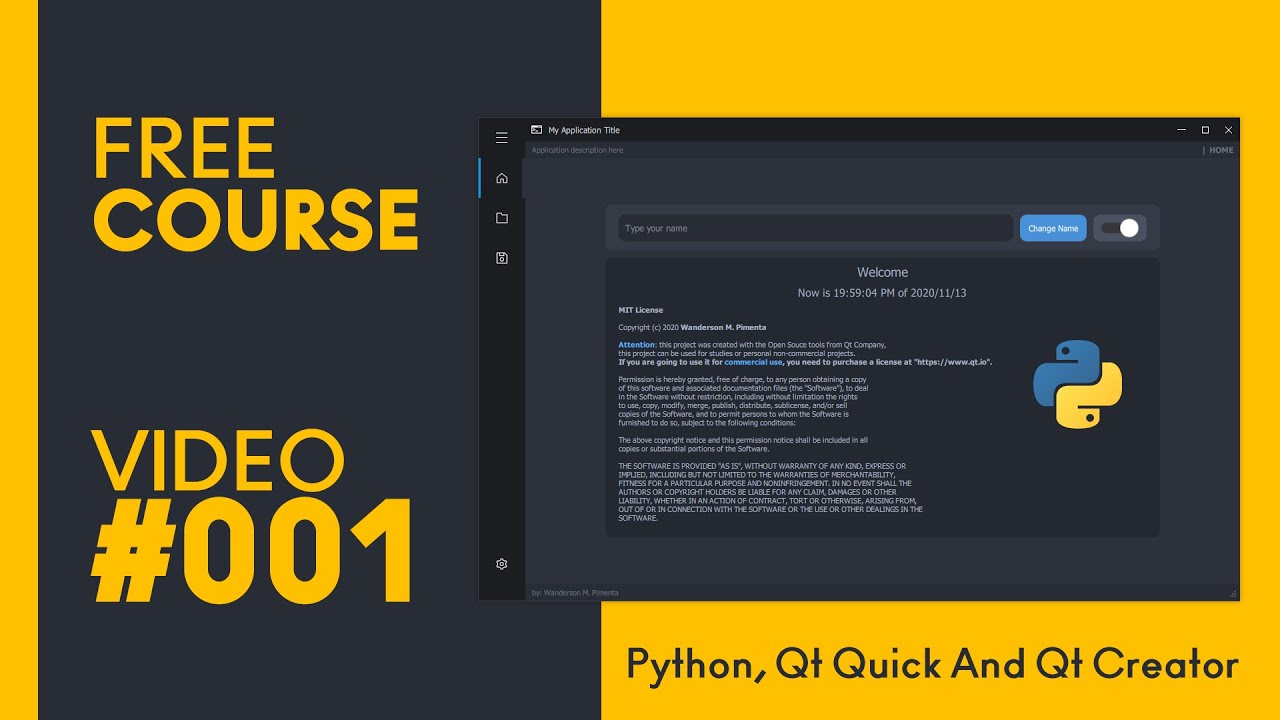
Hi Guys,
The first video of our course is released ❤ where we will learn how to create our first modern application using PYTHON, QT QUICK and JAVASCRIPT using Qt Creator.
I still don't know how many classes they will have, but I'll show you step by step how to build this application shown in the video.
The videos will probably be published on T...
A good course to learn if you need it
digital rose
thanks
digital rose
do i need to know js
ivory sky
no
digital rose
k
ivory sky
Thanks mate
 vagrant cypress
what would be the best python tool to make graphical user interfaces? I've seen tkinter but that just seems very outdated and generally just donesn't really look good, is there some better library for this?
or should I just use a different language?
modern marsh
PyQt5
Js has electron but it has its own problems - memory hog etc
Call me crazy, I like using arcade GUI , idk why 😄
modern marsh
digital rose
Im curious and was copying the code but got this error
`` app = tk.TK()
Attr...
app = tk.Tk()
And
app.mainloop()
Also, don't call ur py file as TK or Tk or something
digital rose
Will do in the morning
north ore
i just realized something
Apple developers pay 99 dollars per year for their app being on the appstore, while for the google play store its 25% for a lifetime
 twilit rock
i am getting problem in iconbitmap of tkinter OS ubuntu 20.04.1
_tkinter.TclError: bitmap "k.ico" not defined
from tkinter import *

raiz=Tk()
raiz.title("Estes es el titulo")
raiz.iconbitmap('k.ico')
raiz.mainloop()
k.ico is a file in same dir
even tried this way
img = tkinter.PhotoImage(file='~/pharmapos/pharmapos.png')
window.tk.call('wm', 'iconphoto', window._w, img)
but didnt work
 stray coral
Working with pyqt5 and Qt Designer
I have a text label that will usually be smaller then the text it contains.
The text in the label needs to start scrolling to the left when hovered over.
I can do this easily enough with code, but wondered if there was a qt widget or functionality for this.
 cloud thorn
Could you recommend a course on Figma? That is rather oriented to the use of figma for design itself and web design.
 turbid cedar
Hello! How can i get the var hours_entry ?
def hours():
    _hours = hours_entry.get()
    _hours = int(_hours)
    if _hours <= 23:
        hours_angle = _hours*15
        total_angle.append(hours_angle)
        print(total_angle)
    else:
        tkinter.messagebox.showerror(
            title='Hours value error!', message="Please provid a good value.")


def menu():
    # Hours entry.
    hours_entry = tkinter.Entry(main_window, bg='gray11', fg='white',
                                insertbackground='white')
    hours_entry.pack()
    # Hours button
    hours_button = tkinter.Button(
        main_window,  text="Hours", command=hours)
    hours_button.pack(padx=50, pady=10)
Inside my function hours ?
woeful niche
maybe use global
ivory sky
vagrant cypress
what would be the best python tool to make graphical user interfaces? I've seen ...
QtCreator
@north ore
ivory sky
Yes
north ore
is it possible to push QT GUI to andorid, is it cross-platform?
north ore
does it have mobile gestures, like ability to sense when user swipes
north ore
🙂
modern marsh
that is indeed beautiful
ivory sky
unique forge
<@!602994882927132731> can you send me a link for QtCreator
Hi Guys,
The first video of our course is released ❤ where we will learn how to create our first modern application using PYTHON, QT QUICK and JAVASCRIPT using Qt Creator.
I still don't know how many classes they will have, but I'll show you step by step how to build this application shown in the video.
The videos will probably be published on T...
ivory sky
Same for a while
unique forge
but this looks way better
unique forge
it looks modern
ivory sky
QtCreator use better technic
unique forge
can I use pyqt with it
ivory sky
You got different options take a look
unique forge
because I already know PyQT5
ivory sky
Not deprecated you can still use it but there is more convenient tools
Like QT Creator
spark wyvern
if you want to sell an app, but its not really an app its an exe file, how do you make it an app?
if i want to make a tkinter calcualtor an app how would i do it
?
unique forge
spark wyvern
if i want to make a tkinter calcualtor an app how would i do it
with tkinter?
unique forge
spark wyvern
if you want to sell an app, but its not really an app its an exe file, how do yo...
a exe file is an app
spark wyvern
no as in an app for a phone, any way tkinter is not suitable for phone apps but kivy is
unique forge
oh
vivid osprey
Is there any way at all to run tkinter in its own thread?
using stock python libraries
unique forge
wdym @vivid osprey
vivid osprey
I have a thread which I want to create a file open box inside
 weak rivet
I'm using tkinter, and I seem to have broken some code without touching it. I've implemented a basic scrolling and zooming function on a canvas, and it worked, until I added another keybind, and then it suddenly won't register the scrolling and zooming ones
self.master is a frame
self.canvas is a canvas
is it something to do with the fact that i've bound the clicking to objects on the canvas, and the scrolling to the frame?
the disp_cell function works fine
all of the binds to self.master have broken
update: fixed it
changed the binds to self.canvas, and did self.canvas.focus_set()
ivory sky
 stable ibex
https://pastebin.com/BvvXSQFk - What should i do
Pastebin
Pastebin.com is the number one paste tool since 2002. Pastebin is a website where you can store text online for a set period of time.
How can i install QT designer?
 sudden coral
pyside comes with a designer
Why are you using such old versions?
I suggest you install and use a modern version of python as well as install pyside2 or pyside6
ivory sky
👍
 burnt ember
How to create this layout with Tkinter pack? A textbox filling all width and a button to the right
modern marsh
burnt ember
How to create this layout with Tkinter `pack`? A textbox filling all width and a...
for button width, there is the width attribute in tk.Button
 tender surge
Can I color text in a text editor widget with pyqt?
 whole dagger
Probably with the help of QPainter
 frigid fulcrum
hello, i am using tkinter and i need help with:
I want the seed () command in the "random" library for the number I entered in input to be the number in parentheses.
for example:
`  from random import seed

seed (3) // What I want here is to have the variable entered by the user instead of that number
print (random ())``

// "After writing these, the result is a random number whose seed is 3"anybody can help me what i can do it this situation
 obtuse thistle
seed(int(input("Enter seed: ")))
np
frigid fulcrum
umm
can i ask somethink again?
I how to Adapt this
``
from tkinter import*
from random import seed
from random import random
p = Tk()
p.title("Chalice.of.Devil")
p.geometry("850x400")
p.config(bg="gray")
sifre = Entry(p, borderwidth=6,width=30,)
sifre.grid(row=0,column=2)
sifre.config(bg="gray")
def getToken():
printscreen = Label(p, text=" Token'in " + sifre.get(), bg="black", fg="white",)
printscreen.grid(row=1, column=1)
Token = Button(p,text="Token Al",padx=20,pady=5,command=getToken)
Token.grid(row=0,column=1)
p.mainloop()
``
i want adapt for this
screen is :
and i cant adapt this program?? 😦
 merry quartz
frigid fulcrum
I how to Adapt this
``
from tkinter import*
from random import seed
from random...
merry quartz
frigid fulcrum
I how to Adapt this
``
from tkinter import*
from random import seed
from random...
!code
proven basinBOT
Here's how to format Python code on Discord:
```py
print('Hello world!')
```
These are backticks, not quotes. Check this out if you can't find the backtick key.
merry quartz
@frigid fulcrum read this pls ⬆️
frigid fulcrum
ok but pls heeelpp
nimble eagle
Hello im using tkinter.ttk.Progressbar, i want it to progress as my loop progresses, my loop appends each element of array 2, onto each element of array 1, so i times the 2 array lengths with each other, and divide that by 100, to determine how many times the loop should iterate, before increasing the progressbar value by 1
Then i nthe loop i check how many times its looped, mod(%) that by how many times it could be divided by 100, and if my answer is 0, increment the bar by 1
is thsi approach corect?
    while counter >0:
        divs+=1
        counter -= 100
    i=0
    for c12 in combinations12:
        for c13 in combinations13:
            number_combinations.append(list(c12) + list(c13))
            if i%divs == 0:
                pgbCombinations['value'] += 1
                root.update()
Apologies i'm dumb, i never increment i
 odd chasm
I have a very simple tkinter app that downloads something whenever I click a button, but while it's downloading windows thinks the app is not responding
lofty pond
@odd chasm Use threading
An example is:
import tkinter as tk
import threading

def long_func():
    count = 0
    while True:
        count += 1
        print(count)
        if count == 20:
            break

root = tk.Tk()
# Here is where the threading helps
process = threading.Thread(target=long_func, daemon=True)

process.start()
root.mainloop()
Could anybody send tutorials how to link gui made in PyQtDesigner to the main program file? My gui uses import,export files boxes, text boxes, buttons. I just can't find any good tutorial that covers this topics. I assume I need to create third file to control gui and main program
 pseudo turret
Hey should i use kivy or should i use tkinter for making UI ?
Moreover i wanted to know how APPS with very good GUI are made? Do those apps use some specific IDEs ?
turbid cedar
Hello their! I have a little problem.I don't know how to import a variable from a function in an other function like that:
def hours(hours_entry):
    hours = hours_entry.get()
    hours = int(hours)
    if hours <= 23:
        hours_angle = hours*15
        TANGLE.append(hours_angle)
        print(TANGLE)
    else:
        tkinter.messagebox.showerror(
            title='Hours value error!', message="Please provid a good value.")

def menu():
    # Hours entry.
    hours_entry = tkinter.Entry(MAIN_WINDOW, bg='gray11', fg='white',
                                insertbackground='white')
    hours_entry.pack()

    # Hours button
    hours_button = tkinter.Button(
        MAIN_WINDOW,  text="Hours", command=hours(hours_entry))
    hours_button.pack(padx=50, pady=10)
I would like to import hours_entry in hours.
odd chasm
lofty pond
<@!287256464047865857> Use threading
Oh, ok
Thanks
 slate marlin
why does my calculator have these ugly spaces ;-;
im doing this
root.title('calculator')
e = Entry(width= 35 , borderwidth = 5);e.grid(row = 0 , column = 0 , columnspan = 3, padx = 5 , pady =5)

y = 1
l = 0
for i in range(1 , 10):
    if l % 3 == 0:
        y += 1
        l = 0
    button = Button(root , text = str(i) , padx = 15 , pady = 15 , command = addition)
    button.grid(row = y , column = l)
    l += 1
 sullen jolt
turbid cedar
Hello their! I have a little problem.I don't know how to import a variable from ...
sullen jolt
turbid cedar
Hello their! I have a little problem.I don't know how to import a variable from ...
If you are talking about passing hours_entry as an argument in your button action, you can use a lambda function or 'partial' from functools
See this StackOverflow question: https://stackoverflow.com/questions/6920302/how-to-pass-arguments-to-a-button-command-in-tkinter
Stack Overflow
Suppose I have the following Button made with Tkinter in Python:
import Tkinter as Tk
win = Tk.Toplevel()
frame = Tk.Frame(master=win).grid(row=1, column=1)
button = Tk.Button(master=frame, text='...
 mellow gorge
Hi all, is anybody aware of how generally the no-code or low-code platforms generally generate the code behind the scenes?
 alpine citrus
twilit rock
i am getting problem in ``iconbitmap`` of tkinter OS ``ubuntu 20.04.1``
alpine citrus
twilit rock
i am getting problem in ``iconbitmap`` of tkinter OS ``ubuntu 20.04.1``
Write its full directory
twilit rock
okay let me try wait
twilit rock
alpine citrus
Write its full directory
still not working
alpine citrus
Same error?
twilit rock
yeps
alpine citrus
Then iso file will not work
Convert it to xbm
First, you'll need to create an icon and save it in two formats: Windows "ico" and Unix "xbm". 64 x 64 is a good size. XBM is a 1-bit format--pixels just on or off, so no colors, no grays. Linux implementations of tkinter only accept XBM even though every Linux desktop supports real icons, so you're just out of luck there. Also, the XBM spec is ambiguous about whether "on" bits represent black or white, so you may have to invert the XBM for some desktops. Gimp is good for creating these.
Then to put the icon in your titlebar, use this code (Python 3):
import os
from tkinter import *
from tkinter.ttk import *
root = Tk()
root.title("My Application")
if "nt" == os.name:
root.wm_iconbitmap(bitmap = "myicon.ico")
else:
root.wm_iconbitmap(bitmap = "@myicon.xbm")
root.mainloop()
An example
proven basinBOT
Hey @twilit rock!
It looks like you tried to attach file type(s) that we do not allow (.xbm). We currently allow the following file types: .3gp, .3g2, .avi, .bmp, .gif, .h264, .jpg, .jpeg, .mkv, .mov, .mp4, .mpeg, .mpg, .png, .tiff, .wmv, .svg, .psd, .ai, .aep, .xcf, .mp3, .wav, .ogg, .webm, .webp, .flac, .afdesign, .m4a, .csv.
Feel free to ask in #community-meta if you think this is a mistake.
twilit rock
alpine citrus
Share your full code
twilit rock
from tkinter import *

raiz=Tk()
raiz.title("Estes es el titulo")
raiz.iconbitmap('@kk.xbm')
raiz.mainloop()
@alpine citrus
spark wyvern
On kivy, using grid layout, how do you make it so it doesent cover the top of the screen ?
spark wyvern
slate marlin
why does my calculator have these ugly spaces ;-;
use x and y to put them closer together. I do not know what u tried in ur code. You can use the button.place then (x = , y = )
twilit rock
i have a hard time adding iconbitmap
 sharp cypress
hmm
twilit rock
😟
sharp cypress
does that help: https://stackoverflow.com/questions/20860325/python-3-tkinter-iconbitmap-error-in-ubuntu ?
Stack Overflow
Well I have this:
import tkinter
gui = tkinter.Tk()
gui.iconbitmap(default='/home/me/PycharmProjects/program/icon.ico')
gui.mainloop()`
But when I run I get an error saying
Traceback (most recent
twilit rock
i searched like 10s of stackoverflow
nothing worked
import os
from tkinter import *
from tkinter.ttk import *

root = Tk()
root.title("My Application")
if "nt" == os.name:
    root.wm_iconbitmap("k.ico")
else:
    root.wm_iconbitmap("@k.xbm")

root.mainloop()
my code
spark wyvern
why is it when i text anywhere no one answers then when someone else texts they get a reply 2 secs later like bruh😹
twilit rock
on windows its working
sharp cypress
u jsut tryna set the icon?
twilit rock
spark wyvern
why is it when i text anywhere no one answers then when someone else texts they ...
not sure
lol
sharp cypress
try writing default= b4 the path to img
maybe that'll help
i use windows myself
and also make sure u have this img in the same folder with ur py file
twilit rock
with default its giving error
sharp cypress
):
sharp cypress
that's ok
twilit rock
😃
sharp cypress
gl in solving it
twilit rock
thank you
spark wyvern
k its fine
sharp cypress
ik tkinter only and should learn qt
slate marlin
spark wyvern
use x and y to put them closer together. I do not know what u tried in ur code. ...
ohh ill try that thanks a lot
in this image why is the button not centered with the entry thing and the drop down thing? ;-;
entry_link = Entry(root , width = 40 , borderwidth = 5 , font = ('Verdana',12)).grid(row = 0 , column = 0 , padx = 15 ,
                   pady = 10 , columnspan = 3)
accept_button = Button(root , text = 'Done' , padx = 25 , pady = 12).grid(row = 1 , column = 1)
drop_down =  OptionMenu(root , drp , '1080p' , '720p' , '360p').grid(row = 2 , column = 0 , padx = 25 , pady = 10)
did you pack the button?
or place it
woah woah your putting it in the same line
you do this
accept_button = Button(root, text = "done, padx = 25, pady = 12)
accept_button.place(x=,y=)
accept_button = Button(root, text = "done", padx = 25, pady = 12)
accept_button.place(x=,y=)
or
accept_button.grid(row = , column = )
for the second line
digital rose
so, i've been wondering what ui framework would be good to learn after tkinter, since tkinter doesn't support native ui elements
 frank slate
hey im creating a minecraft client and i need to know how i can make a button in tkinter open up file explorer, and which ever file they select will replace another file
got this for the button
and this for the opening of file explorer
but i dont know how to make the code replace an already existing file
with the one the user selected
the button
 jaunty hinge
cool
frank slate
do you know how to do this
lofty pond
@frank slate What do you mean by, replace another file?
frank slate
so there will be an existing file called skin.png, and when you click on the button select skin, and you choose a file, it will replace the original skin.png file with the one they selected
lofty pond
Ah, you can use shutil, you delete a file, then copy the selected over
frank slate
ok thanks! ill learn how to use shutil
lofty pond
but a client for minecraft? I am interested
lofty pond
Seems like a cool project
frank slate
thanks
lofty pond
Nice work
frank slate
thanks
lofty pond
I would like to try it if you are fine with it 🙂
frank slate
fore sure
digital rose
Are there any disadvantages to making a GUI in python other then it requires more code
People have told me electron is easier
alpine citrus
@twilit rock try this
import os
from tkinter import *
from tkinter.ttk import *
root = Tk()
root.title("Estes es el titulo")
if "nt" == os.name:
root.wm_iconbitmap(bitmap = "kk.ico")
else:
root.wm_iconbitmap(bitmap = "@kk.xbm")
root.mainloop()
 gentle flame
The integration between QML and Python are quick and cool:
https://github.com/KouOuchi/PokerGame
GitHub
Python games for education. A Practice of Qt and QML. - KouOuchi/PokerGame
slate marlin
spark wyvern
accept_button.grid(row = , column = )
i did do accept_button.grid(row = , column =)
accept_button = Button(root , text = 'Done' , padx = 25 , pady = 12).grid(row = 1 , column = 1)
im placing everything in a grid and in theory it should all look correct but it isnt ;-; ill keep trying haha thanks though
weak rivet
Is there a way to change this so it destroys and replaces the screens instead of just raising them
weak rivet
nvm got it
 swift halo
Has anyone had issues with Kivy on KDE (plasma)? When I run
KIVY_WINDOW=x11 python main.py
``` everything is fine, but with
python main.py
The code is taken from the docs:
import kivy
kivy.require('2.0.0')

from kivy.app import App
from kivy.uix.label import Label


class MyApp(App):

    def build(self):
        return Label(text='Hello world')


if __name__ == '__main__':
    MyApp().run()
 molten latch
digital rose
People have told me electron is easier
molten latch
digital rose
People have told me electron is easier
you need to know HTML, CSS and JAVASCRIPT for electron. If you've come from pthon and dont know how to use those then i would reccomend using C# winforms as a stepping stone to go to C# WPF. it also depends if you want to make a web app or desktop app
obtuse thistle
swift halo
Has anyone had issues with Kivy on KDE (plasma)? When I run
```
KIVY_WINDOW=x11 ...
i had issues with kivy on kde once, but i'm not currently on kde and kivy just updated and i dunno if i could remember what the issues were
...but also yes!
tribal path
What does the window default to when you arent passing x11, should be in the kivy startup blurb
 fervent sparrow
Sup guys, can you recommend me some UI Package?
What i need is to generate something like in the screenshot above(It's from tkinker but i find it quite limited).
Soo here i generate buttons on the screen, background should be transparent(for future i want to make it blur all that is in the background e.g. the zebra) but still respond to click events(tkinker does not do that) besides that i think just the basic things like generating buttons etc.
Do you guys have any recommendations?
spark wyvern
anyone please can you help me with this. IM trying to make a kv file for kivy but it doesent work
frank slate
Hello! I am creating a minecraft bedrock launcher in tkinter and whenever I minimize the application, everything dissipears. Can anyone tell me how to fix this? Thank you!
spark wyvern
tkinter does that, if you resize the tab
spark wyvern
oh the buttons disappear?
spark wyvern
I am not sure about that. one of tkinter's cons is the not able to resize the window becuase problems occur. Modules like kivy can do this
frank slate
oh ok
swift halo
tribal path
What does the window default to when you arent passing x11, should be in the kiv...
SDL2
 shy schooner
pasting here too:
warning: tkinter
class LoginPage(Frame):

    def __init__(self, parent):
        self.loginWidgetFrame = Frame(self) # creating a login box
        self.loginWidgetFrame.place(relx = 0.5, rely = 0.5, anchor = CENTER)

        self.nowLoggingInLabel = Label(self, text = "", font = "Helvetica 24")  # NOT assigned to login box;
                                                                                # instead, assigned to frame that encloses login box
    def callCheckLogin(self):
        username = self.usernameEntry.get() # some Entry widgets in loginWidgetFrame; no issue here
        password = self.passwordEntry.get()

        if username == "admin" and password == "admin":
            self.loginWidgetFrame.grid_forget()
            # self.update()
            self.nowLoggingInLabel.pack(side=TOP, expand=YES, fill=BOTH)
            # self.update()
            self.nowLoggingInLabel.config(text = "Logging in: Administrator")
            # self.update()
            self.after(1000, self.grid_forget()) # issue somewhere here. the frame does not grid_forget()
            # self.update()                      # itself unless I click on another window or attempt to
                                                 # resize the window, which seemingly updates it
            return
pressing the button that calls callCheckLogin should grid_forget() the self.loginWidgetFrame, update the text in self.nowLoggingInLabel and then pack that label into self. however, self.nowLoggingInLabel doesn't pack at all and self.loginWidgetFrame doesn't disappear until I update the entire tkinter app window by resizing it or refocusing it. throwing in self.update() in any/all of the locations shown has some effect, such as causing the label to pack correctly, but the window still won't update itself to remove the frame. how can I make the window update itself to reflect the grid_forget() action?
tribal path
Any issues during install? pip install kivy[base] @swift halo
modern marsh
winfo.update()? idk
knotty sierra
Is there someone who knows how to link PyQt5 application to actual logic layer??
 somber axle
Hey Guys!
Do any of you know a method that can display MySQL table data onto a Python Tkinter tab?
lethal reef
why does this
frame = tk.Frame(mw.root, bd=5, bg='grey', width=300, height=500, relief='groove')
frame.pack()

btn4 = tk.Button(mouse_frame, width=2, height=4, bg='grey')
btn4.pack(side='left')

btn4 = tk.Button(mouse_frame, width=2, height=4, bg='blue')
btn3.pack(side='left')

btn2 = tk.Button(mouse_frame, width=2, height=4, bg='grey')
btn2.pack(side='left')

btn1 = tk.Button(mouse_frame, width=6, height=4, bg='red')
btn1.pack(side='bottom')
gets me this
swift halo
tribal path
Any issues during install? `pip install kivy[base]` <@461097636791844865>
nope, installation was fine
tribal path
Seems to be based on compositing with sdl2? You can set the x11 to be preferred in the config.ini I suppose, or theres some window rule you can set... though I dont know kde
export KIVY_GL_BACKEND=sdl2 may help as well.
 analog kindle
does somebody know a good UI library to be used with a touchscreen?
Pyside6 seems to be too complicated
Is kivy recommended here?
 rustic minnow
Hello does any one knows pyqt5 ?
i need help with array of buttons and how to manage their events
 glass dagger
Any PyQT/PySide programmer?
unique forge
glass dagger
Any PyQT/PySide programmer?
I do PyQT5
glass dagger
QObject: Cannot create children for a parent that is in a different thread.
(Parent is QTextDocument(0x202aa8b6680), parent's thread is QThread(0x202aa118be0), current thread is QThread(0x202aa9fd090)
Error on PySide2
Example:
self.ui.label_home_time.setText(time_now)
# with open(r"./data/home_logs", "r") as f:
# temp_logs = f.read()
self.ui.text_info.setText("Hello")
This code is ran in a thread as a method of the main window class.
Why is it giving me the error with the .setText of the TextEdit but not for the setText of the Label
unique forge
hmm
glass dagger
It works if I do .append
But I just want to set the text
Anyway you can help me with this?
rustic minnow
unique forge
I know pyqt5
I already figured it out, thank you .. just found that there is an Object named Qbuttongroup
 dawn dove
 vague gale
hello everyone, i'm building a gui with qt designer, however.. when i go to other pc and open the ui file, the characters have different sizes, even tho i've installed the same font and all
unique forge
vague gale
hello everyone, i'm building a gui with qt designer, however.. when i go to othe...
hmm, is it a different OS?
 paper radish
Hi guys, I plan to create a GUI so that ordinary users can utilize my predictive models (define variables feeding into the script, etc)
But I never done the GUI part
Which libraries do you suggest?
Typtical variables include: list of strings (assets) or csv files
 rocky dragon
Not sure how tkinter does on that front, but with qt you can easily throw a table together for a csv file
 eager beacon
Someone here mentioned that you need some sort of extension library for TK to create tableWidgets if you want to avoid being super hacky with it.
QTableWidget is good assuming you don't have 1000s of rows/columns
If you do, you need to look into a QTableView instead.
 languid ether
guys if you have a button which opens a new frame how can I prevent to open another one when clicking again on it?
so that this window is only allowed to exsist once basically
languid ether
nvm solved it
 wise frost
I have a tkinter program that works like a text editor. I want to make the widgets stick to all the sides of the window. but its not working.
from tkinter import *
root = Tk()
menubar = Menu(root)
root.config(menu=menubar)
fileMenu = Menu(menubar,tearoff=0)
fileMenu.add_command(label="new")
fileMenu.add_command(label="open")
fileMenu.add_command(label="save")
fileMenu.add_command(label="save as")
fileMenu.add_separator()
filehistorysubmenu = Menu(fileMenu,tearoff=0)

fileMenu.add_cascade(label="open previous",menu=filehistorysubmenu,underline=0)
fileMenu.add_separator()
fileMenu.add_command(label="exit")
menubar.add_cascade(label="File", menu=fileMenu)

Access = Menu(menubar,tearoff=0)
Access.add_command(label="change password")
Access.add_command(label="reset password")
menubar.add_cascade(label="Access",menu=Access)

text_field = Text(root,width=105,height=30,font="consolas",bd=2,wrap=WORD)
text_field.grid(row=0,column=0,columnspan=2,sticky=N+S+E+W)

scroll_bar = Scrollbar(root, orient="vertical", command=text_field.yview)
scroll_bar.grid(column=2, row=0,sticky=N+S+E)
command_pane_label = Label(text="CommandPane",width=11).grid(row=1,column=0)
command_pane = Entry(root,width=140,state='disabled')
command_pane.grid(row=1,column=1,sticky=S)
text_field.configure(yscrollcommand=scroll_bar.set)
root.mainloop()
I want the command_pane widget to stick to the bottom, the scroll bar to the right.
but sticky function doesnt seem to work
 cobalt abyss
I made a list of pizza_toppings = ("cheese", "pepperoni") and then i tried this
pizza_toppings.append("mushroom") but it's coming an error 'tuple' object has no attribute 'append' ???? but why I just don't know I am just a beginner...
paper radish
rocky dragon
Not sure how tkinter does on that front, but with qt you can easily throw a tabl...
Thanks!
 noble heath
cobalt abyss
I made a list of pizza_toppings = ("cheese", "pepperoni") and then i tried this ...
noble heath
cobalt abyss
I made a list of pizza_toppings = ("cheese", "pepperoni") and then i tried this ...
Not quiteeee sure about the error, but i believe the list should be enclosed in [square brackets] instead of (parentheses)
lethal reef
wise frost
I have a tkinter program that works like a text editor. I want to make the widge...
use sticky with string
sticky="NESW"

scroll_bar.grid(column=2, row=0,sticky='NSEW')
command_pane.grid(row=1,column=1,sticky='S')
ohok thanks
wise frost
lethal reef
use sticky with string
```py
sticky="NESW"
scroll_bar.grid(column=2, row=0,sti...
I tried this out. it isnt working
@lethal reef
ping me when you reply
digital rose
Hi im new to tkinter and i need some help! can someone please explain to me what columnspan is?! im really confused
 gusty venture
Hi .... i don't know if I should ask my question directly or not... this is a different type of channel
glass dagger
digital rose
Hi im new to tkinter and i need some help! can someone please explain to me what...
I think its the amount of columns in the grid.
glass dagger
gusty venture
Hi .... i don't know if I should ask my question directly or not... this is a di...
Sure 🙂
gusty venture
I want to implement one sentence speech recognition ... and I want the label to change every time the while loop finish's the loop
I mean text in the label
I'm using PyQt5 as GUI
frank slate
does anyone here know how to add scrollbars to your tkinter project?
cause I dont know how to do that
and im trying to put a scrollbar in a topLevel class
 molten oak
anyone willing to help me set up a Tkinter GUI for a 57 line program i made as a hobby? im sure it would be a quick project for someone who knew what they were doing
 coarse dew
Does anyone know a good tutoial for gui
 dense whale
coarse dew
Does anyone know a good tutoial for gui
dense whale
coarse dew
Does anyone know a good tutoial for gui
in python? Maybe check out Wanderson, I believe he makes tutorials on pyside2/pyside6 + qtquick + QML
digital rose
oh hi
digital rose
coarse dew
Does anyone know a good tutoial for gui
Yes, You can see the Tkinter Tutorials it's very good.
 lilac temple
If I click on a different app while tkinter is doing something it goes unresponsive and requires me to restart the program. why
frank slate
How do I make the background of the text box transparent so it blends with the background?
this is the code for it
version = tk.Label(root, text = "Version 0.1", borderwidth = 0)
versionwindow = canvas.create_window(1175, 610, anchor = "ne", window = version)
 carmine coral
Hey everyone, what do you use/recommand as a UI lib ? I would need to represent lots of data on a screen, not specially "pictures" but juste tabs/historic panel / buttons / inputs ... Thanks !
and geometric shapes
frank slate
@carmine coral tkinter is a good one for all of those
carmine coral
Thank you let's go !
unique forge
@carmine coral PyQT
frank slate
and does anyone how to make the text box have a transparent background (in tkinter)?
 plain elk
You can't
The only way is to fake it with an image I think
 hard stump
never thought i'd struggle at programming , till i had to make a UI with python ....
trying to make a UI which is a table, where every line is an instance of a class, so each row gotta have an input, a checkbox, and a button linked to the object, spent 2 days now researching UI libs, trying to find examples, found nothing relevant and still didn't write a single line of code, can anyone help with a suggestion or anythign please ?
tribal path
Could do it in kivy... KivyMDs datatables may make it even simpler
hard stump
tribal path
Could do it in kivy... KivyMDs datatables may make it even simpler
exactly what i'm looking for, thank you so much
 stiff berry
frank slate
How do I make the background of the text box transparent so it blends with the b...
stiff berry
frank slate
How do I make the background of the text box transparent so it blends with the b...
There is no direct way to make a text box transparent but You can try this method.
Using any Photo editing software you can cut the area under the text box and export it as PNG and then make this as a background for your text box.
frank slate
Oh ok I see
 lime schooner
n=int(input())
str=""
sp=[]
for i in range(0,n):
s=input()
sp.append(s)
print(" ".join(sp))
 worldly ether
Is it possible to show matplotlib graph and customise them with html css ?
 tranquil reef
hard stump
trying to make a UI which is a table, where every line is an instance of a class...
tranquil reef
hard stump
trying to make a UI which is a table, where every line is an instance of a class...
don't make a UI with python unless you have or want to. HTML, JS and CSS are more suitable technologies to handle UI stuff.
 rotund vault
Hey got a question for y'all. I made a python app that I'm trying to run on a Raspberry Pi with piCore (of TinyCore Linux). I've compiled gcc, gfortran, Qt, sip, and several python modules-- but now I'm running into trouble trying to compile PyQt5 (PyPi does not have wheels for piCore). When I run sudo -H python3 configure.py --verbose --confirm-license -qmake /usr/local/Qt-5.12.4/bin/qmake --sip /usr/local/bin/sip-module it starts off fine, checks to see what it'll build fine, but fails here:
/usr/local/bin/sip-module -w -n PyQt5.sip -t WS_X11 -t Qt_5_12_4 -f -P -o -y QtCore.pyi -c /mnt/mmcblk0p2/backup/pyqt5/PyQt5-5.15.2/QtCore -I sip -I /mnt/mmcblk0p2/backup/pyqt5/PyQt5-5.15.2/sip /mnt/mmcblk0p2/backup/pyqt5/PyQt5-5.15.2/sip/QtCore/QtCoremod.sip
usage: sip-module [-h] [-V] [--abi-version MAJOR[.MINOR]] [--project NAME]
                  [--sdist] [--setup-cfg FILE] [--sip-h] [--sip-rst]
                  [--target-dir DIR]
                  module
sip-module: error: unrecognized arguments: -w -n -t WS_X11 -t Qt_5_12_4 -f -P -o -y QtCore.pyi -c /mnt/mmcblk0p2/backup/pyqt5/PyQt5-5.15.2/QtCore -I sip -I /mnt/mmcblk0p2/backup/pyqt5/PyQt5-5.15.2/sip /mnt/mmcblk0p2/backup/pyqt5/PyQt5-5.15.2/sip/QtCore/QtCoremod.sip
Error: Unable to create the C++ code.```

Using PyQt5.15.2, Qt5.12.4 and tried with sip 6.0.0/6.0.1...Anyone compiled pyqt5 before that might comment this? As I understand it sip gets C++ flags from whatever Qt was compiled with;
export CXXFLAGS="-march=armv6zk -mtune=arm1176jzf-s -mfpu=vfp -Os -pipe -fno-exceptions -fno-rtti"```Really thought if I could compile gcc/gfortran I could compile anything 😆
Maybe the python discord isn't the right place to ask about compiling, but it is a python package after all.
tribal path
https://stackoverflow.com/questions/62802520/install-pyqt5-and-qtdesigner-on-raspberry-pi#63626628 ?
Stack Overflow
Trying to port some code from a PC to a Raspberry Pi. My PC uses the Anaconda distribution, but I'm using the standard Python on the Raspberry Pi.
The issue of how to install Qt5 on a Raspberry Pi...
That has sip4.19, so may just have needed to use an older version
rotund vault
Hmm! I'll try it out. Just tried sip 5.5.0 no dice.
Well geez it looks like that did it. The whole structure is different than v5/6 (sip vs. sip-module/-build/-install for calls)
Thank you so much! This will be the dashboard/controller tuner/smart route-based range-limiter for my custom 24kW ebike 🤓
 torpid verge
molten oak
anyone willing to help me set up a Tkinter GUI for a 57 line program i made as a...
torpid verge
molten oak
anyone willing to help me set up a Tkinter GUI for a 57 line program i made as a...
I could maybe help, I'm also building a 60 line GUI, planning to extend it.
If you wanted a link, just ask...or check out my GitHub profile.
molten oak
torpid verge
If you wanted a link, just ask...or check out my GitHub profile.
i actually got it figured out, just had to sit and think about it, that being said though if you need any help with tk let me know ill see what i can do.
torpid verge
Cool
modern marsh
gusty venture
I want to implement one sentence speech recognition ... and I want the label to ...
label.setText('text')
gusty venture
easier said than done ... but thanks
stray coral
Anyone know how to give a ComboBox in PyQt5 up down arrows instead of just a single down arrow?
Im pretty sure its done in stylesheet
 obsidian cypress
Anyone know how to make a loan gui using tkinker? Like this one but it shows the amortisation