#user-interfaces
1 messages · Page 26 of 1
 rotund flax
 digital rose
Wow
 proud socket
I'm using QT Designer and wanna convert an .ui file to .py.
but in my /Python36 i don't have pyuic5.exe
and weird is i can run QT Creator inside example
 fallen oxide
pyuic5 - so you're using, what, pyqt5? pyside2?
proud socket
pyqt5
fallen oxide
hm, yeah, that should come with some kind of uic
check the scripts folder in your python install
proud socket
Here's in my Python36/Scripts
proud socket
pip is in my E:\Python not at Python36
fallen oxide
Uh, but then that's a different Python install
 fallen oxide
You need to make sure you have everything installed under the correct python install
it seems like you have multiple separate ones
proud socket
give up temporarily, go back to tkinter........
 midnight umbra
Hello guys, I have a little trouble with basic Tkinter coding
'''Python
import tkinter as tk

root = tk.Tk()

frame = tk.Frame(root)
tk.Label(frame, text = "Pack demo of 'side' and 'fill'").pack()
tk.Button(frame, text = "A").pack(side = LEFT, fill = Y)```gives the following error
Traceback (most recent call last):
File "tkinter-geometry_test.py", line 9, in <module>
tk.Button(frame, text = "A").pack(side = LEFT, fill = Y)
NameError: name 'LEFT' is not defined
 silk fjord
@midnight umbra tk.LEFT I believe
LEFT isn't a constant in your code, it's a constant in tkinter's package
So you have to access it with tk.
midnight umbra
you are right
I won't import tkinter as tk anymore it will be so damn long to write tk.constant everytime
silk fjord
I wouldn't clutter your namespace with all of tk's functions
It's better to write tk. before tkinter functions
Not only will it tell other coders that code is from tkinter but it won't horribly fuck up your namespace
midnight umbra
so what is the better choice
silk fjord
I used to do it with the from tkinter import * way but as I grew out of my beginning stages I realized how bad of an idea it was
When I work with imports unless it's one or two specific functions I'm importing, I never use from x import y
If I need the entire package you always want to import x as y or just import x in the case of stuff like re
midnight umbra
Ok thanks for the advice, back to Tkinter.
Good night man
silk fjord
See ya
digital rose
@floral jungle just to let you know I solved the issue on my own
class ScreenNearUsers(Screen):


    @mainthread
    def on_enter(self):
        for i in xrange(101):
            button = Button(text="B_" + str(i))
self.ids.grid.add_widget(button)```you were right it was running the code before checking the kv file
so I had to use from kivy.clock import mainthread
figured this out from reading the docs over
 floral jungle
@digital rose oh man, that is a pretty terrible thing to happen though
sounds like a bug to me
 lavish flare
anyone have any ideas on how to add a timer into my pyqt interface
code is posted in #help-coconut atm
import sys
from PyQt5 import QtCore
from PyQt5 import QtWidgets
state = "stopped"
class Ui_Form(object):
    def setupUi(self, Form):
        global state
        Form.setObjectName("Form")
        Form.resize(648, 561)
        self.pushButton_2 = QtWidgets.QPushButton(Form)
        self.pushButton_2.setGeometry(QtCore.QRect(170, 460, 93, 28))
        self.pushButton_2.setObjectName("pushButton_2")
        self.lineEdit = QtWidgets.QLineEdit(Form)
        self.lineEdit.setGeometry(QtCore.QRect(190, 110, 231, 101))
        self.lineEdit.setObjectName("lineEdit")
        self.lineEdit_2 = QtWidgets.QLineEdit(Form)
        self.lineEdit_2.setGeometry(QtCore.QRect(230, 270, 61, 51))
        self.lineEdit_2.setObjectName("lineEdit_2")
        self.textEdit = QtWidgets.QTextEdit(Form)
        self.textEdit.setGeometry(QtCore.QRect(290, 270, 21, 51))
        self.textEdit.setObjectName("textEdit")
        self.lineEdit_3 = QtWidgets.QLineEdit(Form)
        self.lineEdit_3.setGeometry(QtCore.QRect(310, 270, 61, 51))
        self.lineEdit_3.setObjectName("lineEdit_3")
        self.pushButton = QtWidgets.QPushButton(Form)
        self.pushButton.setGeometry(QtCore.QRect(360, 460, 93, 28))
        self.pushButton.setObjectName("pushButton")
        self.retranslateUi(Form)
        self.pushButton.clicked.connect(self.start_pause)
        self.pushButton_2.clicked.connect(self.reset)

    def retranslateUi(self, Form):
        _translate = QtCore.QCoreApplication.translate
        Form.setWindowTitle(_translate("Form", "Form"))
        self.pushButton_2.setText(_translate("Form", "Reset"))
self.pushButton.setText(_translate("Form", "Start/Pause")) ``` def start_pause(self):
global state
if (state == "stopped" or state == "paused"):
state = "running"
print(state)
elif (state == "running"):
state = "paused"
print(state)
def reset(self):
global state
state = "stopped"
print(state)
if __name__ == "__main__":
app = QtWidgets.QApplication(sys.argv)
Form = QtWidgets.QWidget()
ui = Ui_Form()
ui.setupUi(Form)
Form.show()
sys.exit(app.exec_())```i want the timer to appear where the top line edit is
(its just a placeholder atm)
i have a timer code ive been working with but im not sure how to add it in without getting errors or nothing to display
lavish flare
<@&267630620367257601>
lavish flare
if anyone can or wants to help me please mention me
 wraith apex
sorry, I personally have no experience with PyQt but I felt like it was kinda rude to leave you here with no answer at all
lavish flare
@wraith apex I don't need it to be pyqt I just need a countdown timer and two buttons
If you are familiar with another gui type can you help me get it working?
wraith apex
you actually want a timer in the... window?
lavish flare
Yea
 flint citrus
Usually you'd just update the widget's text value on an interval, right?
lavish flare
Timer in the top middle, buttons at the bottom
Score board in the exact middle
That's what I was doing with qtimer
But it wasn't working
I figured go use pyqt because I already had qt installed for c++ and the pi im using also has pyqt installed already
But i can use whatever interface method I want it just has to be a .py
flint citrus
I'm not sure about qt, but in Tkinter (for example) you'd have a StringVar assigned to the widget, and when you updated the StringVar the widget's text would change as well.
lavish flare
I'm not familiar with tkinter so can you give an example of timer code?
flint citrus
Before we go rewriting everything, what did you try with qtimer?
lavish flare
Making a central widget where it prints an int that updates every second
The code works by itself
But I get an error when I try to implement it into my interface
Tells me ui_form has no member central widget
I've browsed stack overflow (posted there too) for the last almost 4 days and still havnt fixed it
flint citrus
Do you have the source code?
lavish flare
I, someone just picke posted an answer on stack overflow but their answer doesn't work should I post their answer or my code?
Or maybe the the questions address
Wait holy shit I changed a line it's working
From his answer
flint citrus
Stack Overflow comes through again!
lavish flare
He forgot one line but I think that's my PC not his code
Oh thank God
I've worked so long on this code and not made progress I'm so happy it's working
thanks for trying to help ill probably be back her asking for help again when i need the gui to capture controller inputs haha
midnight umbra
Hello sweet little ppl of Tkinter, I have a question
what is the difference between a Frame and a PanedWindow ?
midnight umbra
up
flint citrus
A PanedWindow has more features? https://www.tutorialspoint.com/python/tk_panedwindow.htm
www.tutorialspoint.com
Python Tkinter PanedWindow - Learn Python in simple and easy steps starting from basic to advanced concepts with examples including Python Syntax Object Oriented Language, Methods, Tuples, Tools/Utilities, Exceptions Handling, Sockets, GUI, Extentions, XML Programming.
midnight umbra
what do you mean by features
you can insert more widgets in a PanedWindow than in a Frame ?
midnight umbra
up
lavish flare
hey does anyone know a different message type box for displaying a quick message?
currently i have QMessagebox.queston
which while it works has a big ugly questionmark in the middle of it
i just want the text and button centered if possible
midnight umbra
I can tell you but first you have to answer me
lavish flare
whats your question
midnight umbra
what is the difference between a Frame and a PanedWindow
lavish flare
im not sure exactly but i believe a paned window is resizable while a frame is set based on parameters
midnight umbra
Ok ty mate
I don't know the answer for your question I am sorry I am a supernewbie
have a good night
rotund flax
Don't do the whole "I'll answer if you answer me thing"
especially if you at first say you know and then you don't know
midnight umbra
yeah sorry won't happen again
lavish flare
i figured it out sorta
its not completely centered but the about box will display it without the extra question mark or exclamation for urgent
but thats good enough for me haha
 thin plover
Hi, I am new here. I wrote a jupyter notebook tkinter app and wanted to make it into a package for better code separation, unit testing, ability to refactor... The code is in nested directories and the imports to glue the formerly flat code together are beyond me. I have tried several variations and just want to be as Pythonic as possible. I looked for answers and more importantly example code, but haven't quite found any.
Perhaps all I need is a link to some good example code of a nested GUI app that has multiple windows.
My problem summed up;
https://github.com/kurtu5/Labeler/blob/master/Labeler/Docs/readme.txt
I also tried the imports with a smaller piece of test code;
https://github.com/kurtu5/NestedAppImportTesting
I can get it all to work, but it seems to be straying away from a Pythonic way. Test snippits are prepending to sys.path in order to work and it just seems wrong. Any pointers? Any code examples? Any directives to just stop and do it another way?

GitHub
Contribute to NestedAppImportTesting development by creating an account on GitHub.
digital rose
@floral jungle I think your right, I was reading the docs more and when you use Builder to directly call the kv file mainthread is not needed but, it was the only way I could get it to work 🤔
digital rose
I have not gottent that far yet
https://kivy.org/docs/guide/packaging-android.html @void anchor
sense coded it in python 3 it wont work for IOS if that matters to you.
 daring locust
who knows a good graphics display module for python that might run faster than pygame?
that suits my needs
digital rose
maybe Turtle @daring locust
digital rose
but instead of faster, you can make it smoother
 fast wave
Hi, i want to replace some letters with other letters when user inputs text in entry widget. First i should get the entered text with entry.get() method, then after that what should i do? (Tkinter)
 obsidian lance
@fast wave looks like you want filter incoming data on the fly?
obsidian lance
@fast wave may be you need something like this? python 3.6 tested
import time

import threading


def updateDisplay(myString):
    displayVar.set(myString + ' --- ' + time.ctime())


root = Tk()

displayVar = StringVar()

displayLab = Label(root, textvariable=displayVar)

displayLab.pack()

def printit():
  threading.Timer(2.0, printit).start()
  updateDisplay("bang")

printit()

root.mainloop()```Your code gives error about textvariable i dont know why.
I want to replace these letters (gx, jx, hx, ux, cx) with (ĝ, ĵ, ĥ, ŭ, ĉ) when user types them in entry box.
First i have to get the entered text with entry.get() method. Then i dont know what to do :(
 shrewd lark
what is the best way to have 2 separate scripts for tkinter buttons and adding them into the ui into a different script?
like how would i be able to do that?
 kind kraken
@fast wave instead of replacing text after the fact, how about a key event that makes 'x' apply the accent to the previous letter?
shrewd lark
Could someone respond to my question ;-; pls
fast wave
@kind kraken oh that's better. How can i do that? 
kind kraken
@fast wave .bind to set a key event, entry.index(INSERT) to find where the cursor is. Then just do entry.delete(ins-1, INSERT) to remove the existing g/j/h/u/c/s and entry.insert(INSERT, x) to place the accented one.
fast wave
How should i specify which accent it have to put on the letter? Because the accent for u is different from others c,g,j,h
 hoary lodge
@shrewd lark idk myself but try asking in a help channel
kind kraken
@fast wave I'd probably just use a dictionary of letter -> accented letter
 charred thunder
@hoary lodge just a note, these are help channels. they're also discussion channels. we prefer people to ask questions in one of these channels if it fits the topic. just a fyi :D
hoary lodge
@charred thunder Yeah I know but since nobody answered him here I thought he could ask it in another channel that is more active.
 drifting sundial
Thanks @hoary lodge
drifting sundial
Helping
hoary lodge
Oh np
fast wave
@kind kraken thanks 
thin plover
import tkinter as tk
root=tk.Tk()
root.geometry("400x400+400+400")

l1=tk.Label()
l1.pack()
l2=tk.Label()
l2.pack()

root.bind('<Key>', lambda e: l1.config(text=e.keysym), True)
root.bind('<Up>', lambda e: l2.config(text='<Up>'), True)
root.bind('<space>', lambda e: l2.config(text='<space>'), True)
tk.mainloop()
Any idea how to use bind here so that <Key> captures <Up> and <space> as well? Currently it won't iif the two bottom binds are set. Is this just the way tkinter is?
Of course the obvious workaround is to not ever use anything but '<Key>' and have a generic on_keypress(event) sort it out. But I was wondering if there was something else.
kind kraken
@thin plover what is the "True" argument you are passing to bind?
thin plover
That allows multiple binds.
root.bind('<Key>', lambda e: l2.config(text=e.keysym))
root.bind('<space>', lambda e: l2.config(text='<space>'), True)
If the second bind didn't have True set, it would replace all the binds on root with itself. With True it appends itself to the tk callback structure
kind kraken
ok i was confused because the documentation suggests it has to be '+'
but changing that doesn't seem to help
might just be that's how tk is
thin plover
so rootbinds={somekey: somecallback1, someotherkey: somecallback2} instead of
only {someotherkey: somecallback2}
kind kraken
you could put your bindings in functions, and have the other functions call the <Key> function at the end
er, also i don't think that's true
afaik it appends to the list of bindings for that key
thin plover
tk is strange and tkinker is just a wrapper to wierd tk objects
kind kraken
vs replacing
thin plover
yeah, you are right its by 'key'
i think just having the most gneric on_keypress(event) method that I implement myself will work around this.... i could have dove into the strange tk structures
kind kraken
hmm
tk allows you to bind globally or on a widget class instead of on a specific widget, i wonder how you do that in tkinter
not related to your issue, just curious
thin plover
parent.tk.call('bind', parent._w, sequence, None)
that does return all the callbacks, probably a good reason to really refactor into PySide2
import tkinter as tk
root=tk.Tk()
root.geometry("400x400+400+400")

l1=tk.Label()
l1.pack()
l2=tk.Label()
l2.pack()

root.bind('<Key>', lambda e: l1.config(text=e.keysym))
root.bind('<Key>', lambda e: l2.config(text=e.keysym), True)
root.bind('<space>', lambda e: l2.config(text='<space>'), True)
print(root.tk.call('bind', root._w, '<Key>', None))
tk.mainloop()
The reason I used True was if somehow <Up> was internally renamed to the <Key> sequence.
if {"[2185688006536<lambda> %# %b %f %h %k %s %t %w %x %y %A %E %K %N %W %T %X %Y %D]" == "break"} break

if {"[2185748146440<lambda> %# %b %f %h %k %s %t %w %x %y %A %E %K %N %W %T %X %Y %D]" == "break"} break
Well, I'll jut stick with using my own on_keypress() method and just listen to the <Key> sequence event
kind kraken
probably they did it that way because otherwise there'd be no way to know if you intended for <Key> to execute before or after the specific keys
thin plover
Good point, that way it either works as intended or doesn't. No strange race conditions.
fast wave
why can't i get the cursor position in my entry widget in edit_input function ? i tried many things. i used tk.StringVar there. i used self.entry_search.INSERT, i used search_var.get, search_var.INSERT. none of them works.
what am i doing wrong? 😦
and also instead of replacing accented letters from words list which i've created, it writes multiple letters from char list with 1 from words list
like in here you see the entrybox writes gibbrish
kind kraken
@fast wave I already showed you how to get the cursor position with .index(tk.INSERT)
fast wave
👍
fast wave
hi. when i click on a listbox item, the listbox items disappear. how can i fix this issue? https://paste.pound-python.org/show/F1nwcML2ACvFsf1nBeNY/
kind kraken
lol
i just figured it out
it's because you're filling in the box with "Type to Search"
so it searches for "Type to Search"
try this:
    def update_list(self):
        self.listbox.delete(0, tk.END)
        search_term = self.search_var.get().lower()
        if search_term == 'type to search':
            search_term = ''
        self.cur.execute("SELECT Esperanto FROM Words ORDER BY Esperanto")
        for row in self.cur:
            item = row[0]
            if search_term in item:
                self.listbox.insert(tk.END, item)
    def entry_delete(self, tag):
        if self.entry_search.get() == 'Type to Search':
            self.entry_search.delete(0, tk.END)
        return None

    def entry_insert(self, tag):
        if self.entry_search.get() == '':
            self.entry_search.insert(0, "Type to Search")
        return None
wait a minute
you could be doing this in the sql:
   def update_list(self):
        self.listbox.delete(0, tk.END)
        search_term = self.search_var.get().lower()
        if search_term == 'type to search':
            search_term = ''
        self.cur.execute("SELECT Esperanto FROM Words WHERE ? IN LOWER(Esperanto) ORDER BY Esperanto", (search_term,))
        for row in self.cur:
            item = row[0]
self.listbox.insert(tk.END, item)```(Honestly though it might be simpler just to get rid of the "type to search" stuff)
fast wave
it gives error about that IN LOWER you wrote
kind kraken
wait, yeah, i'm wrong
it should be WHERE LOWER(Esperanto) LIKE ? and ('%'+search_term+'%',)
fast wave
oh nice
it works 😀
don't you know what i should do about that { } which i've told you before?
look
i don't want those { } around them
kind kraken
how was your database created?
I don't think it's your program that's doing that, i think the { } must just be there in the database
digital rose
The little icon in the window thing?
Like the picture above.
fast wave
in db it doesn't have { }
@digital rose yes that's the window icon. you can set that with master.iconbitmap("Esperanto.ico") (in between " " you should write the name of the pic which is in the directory of your program)
kind kraken
hmm, i'll look at it
digital rose
Ok thx.
@fast wave
kind kraken
oh, i see
yeah, you've got the same problem again
row is a tuple, so you're trying to insert the tuple into the textbox, and apparently that's what it does
you need self.textbox.insert(tk.END, row[0])
fast wave
@kind kraken it works. thanks a lot 😀
if i want to add functionality to my button and make it do what the curselection does, i know i should .bind Return key to it so that it searches with enter pressed. but how should i do the rest of the stuff?
kind kraken
i'm not sure what you're asking
fast wave
when user types the word in entrybox which exist in the list, upon pressing enter, i want that button to work and print the meaning in text widget. just like curselection does when clicked
kind kraken
you could probably just set the selection on the list, and then your list stuff will fire
kind kraken
try listbox.selection_set(0)
fast wave
i should write a function for that and bind it to button? or no ?
fast wave
ok thanks. 👍
fallen oxide
Pyside2 now on pypi: http://blog.qt.io/blog/2018/07/17/qt-python-available-pypi/

We are glad to announce that finally the technical preview of Qt for Python is available at the Python Package Index (PyPI). For the past technical preview release, we were still discussing with the PyPi people to be able to upload our wheels to their servers, but now everyth...
 craggy hollow
How do I make the buttons line left to right. Instead of this
They are in a frame.
 gaunt venture
@craggy hollow TKinter?
 shell blade
@craggy hollow Have you checked out grid() yet?
or pack()?
iirc you can use pack with an argument for east or west, which will pack each element right or left of the previous element
Or you can just increment the column argument for grid
I haveen't used tkinter for months though, but the docs page is pretty clear and there are videos explaining grid() and pack()
(I recommend using grid when possible)
craggy hollow
Yeah tkinter and I know grid
fast wave
@craggy hollow like this for example:
button.grid(row=0, column=0)
button2.grid(row=0, column=1)
button3.grid(row=0, column=2)```how can i get my current listbox index and make it work with the button which i've binded to? https://paste.pound-python.org/show/o9oWJatONgv8tuq86ikd/
in function search_word
i want my button to work like curselection of the listbox
kind kraken
for this i'd probably just pack left
 solar isle
can someone tell me how to adjust labels with entry boxes or any widget for that matter in tkinter...
Here is my specific code
import sqlite3
from tkinter import *

enc = "Encrypt"
dec = "Decrypt"


window = Tk()
window.title("Caesar Cipher by AlphaSierra")
window.geometry("640x320")
window.configure(background="white")

lb1 = Label(window, text="Message: ", bg="white")
lb1.pack(side="left")

lb2 = Label(window, text="Key: ", bg="white")
lb2.pack(side="left")

msg = Entry(window, width=50)
msg.pack(side="left")

key = Entry(window, width=50)
key.pack(side="left")

def clicked():
    pass

encrypt_button = Button(window, text="Encrypt", bg="white", fg="black", command=clicked)
encrypt_button.pack()

decrypt_button = Button(window, text="Decrypt", bg="white", fg="black", command=clicked)
decrypt_button.pack(after=encrypt_button)

msg.focus()
window.mainloop()
import sqlite3
from tkinter import *

enc = "Encrypt"
dec = "Decrypt"


window = Tk()
window.title("Caesar Cipher by AlphaSierra")
window.geometry("640x320")
window.configure(background="white")

lb1 = Label(window, text="Message: ", bg="white")
lb1.pack(side="left")

lb2 = Label(window, text="Key: ", bg="white")
lb2.pack(side="left")

msg = Entry(window, width=50)
msg.pack(side="left")

key = Entry(window, width=50)
key.pack(side="left")

def clicked():
    pass

encrypt_button = Button(window, text="Encrypt", bg="white", fg="black", command=clicked)
encrypt_button.pack()

decrypt_button = Button(window, text="Decrypt", bg="white", fg="black", command=clicked)
decrypt_button.pack(after=encrypt_button)

msg.focus()
window.mainloop()
What exactly do you want it to look like
I'd probably use a grid for what you're doing. Or at least pack them in the order you want them to appear in
solar isle
I fixed it a little bit
from tkinter import *


window = Tk()
msg = Label(window, text="Message")
msg.grid(row=0, sticky=W)
key = Label(window, text="Key    ")
key.grid(row=1, sticky=W)
msg_en = Entry(window)
msg_en.grid(row=0, column=1, sticky=E, columnspan=2)
key_en = Entry(window)
key_en.grid(row=1, column=1, sticky=E, columnspan=2)
en_btn = Button(window, text="Encrypt")
en_btn.grid(row=2, column=1, sticky=E)
de_btn = Button(window, text="Decrypt")
de_btn.grid(row=2, column=2, sticky=E)
window.mainloop()
How do I make it responsive
kind kraken
set the column weight
grid.columnconfigure(1, weight=1)
and if you want the message box to be able to be taller, you need a Text instead of an Entry
solar isle
from tkinter import *


window = Tk()
msg = Label(window, text="Message")
msg.grid(row=0, sticky=W)
key = Label(window, text="Key")
key.grid(row=1, sticky=W)
msg_en = Entry(window)
msg_en.grid(row=0, column=1, sticky=E, columnspan=2)
key_en = Entry(window)
key_en.grid(row=1, column=1, sticky=E, columnspan=2)
en_btn = Button(window, text="Encrypt")
en_btn.grid(row=2, column=1, sticky=E)
de_btn = Button(window, text="Decrypt")
de_btn.grid(row=2, column=2, sticky=E)
window.columnconfigure(1, weight=1)
window.mainloop()
How do I fix the window size
kind kraken
@solar isle what's wrong with the window size?
also the entry boxes should have sticky=E+W
craggy hollow
Thanks @fast wave
digital rose
from kivy.uix.behaviors import ButtonBehavior
from kivy.uix.image import Image
from kivy.app import App
from kivy.uix.screenmanager import ScreenManager, Screen
from kivy.properties import ObjectProperty
from kivy.uix.boxlayout import BoxLayout
from kivy.lang import Builder
from kivy.clock import mainthread
from kivy.uix.button import Button
from kivy.uix.popup import Popup
from kivy.uix.scrollview import ScrollView


Builder.load_file('main.kv')


class Menu(BoxLayout):
    manager = ObjectProperty(None)


class ScreenLogIn(Screen):
    @mainthread
    def verify_credentials(self):

        try:


            if self.ids.login.text == "email@email.com" and self.ids.passw.text == "password":
                self.manager.current = "match"
            else:
                popup = Popup(title='Wrong',
                              content='Wrong Email/Password')
                popup.open()
        except Exception as e:
            pass


class ScreenNearUsers(Screen):

    @mainthread
    def on_enter(self):
        for i in xrange(101):
            button = Button(text="B_" + str(i))
            self.ids.grid.add_widget(button)


class ScreenMatch(Screen):
    pass


class ScreenChats(Screen):
    pass


class ScreenUserProfile(Screen):
    pass


class Manager(ScreenManager):
    screen_log_in = ObjectProperty(None)
    screen_near_user = ObjectProperty(None)
    screen_match = ObjectProperty(None)
    screen_chats = ObjectProperty(None)
    screen_user_profile = ObjectProperty(None)


class MenuApp(App):

    def build(self):
        return Menu()


if __name__ == '__main__':
MenuApp().run()```<Menu>:
manager: screen_manager
orientation: "vertical"
id: action
ActionBar:
size_hint_y: 0.1
background_color: 0, 0, 35, 2
background_normal: ""
ActionView:
ActionPrevious:
ActionButton:
id: near_users
icon: 'icons/internet.png'
on_press: root.manager.current = 'near_users'
ActionButton:
id: matching
text: "Matching"
on_press: root.manager.current= 'match'
ActionButton:
id: chat
text: "chat"
on_press: root.manager.current = 'chats'
ActionButton:
id: profile
text: "Profile"
on_press: root.manager.current = 'profile'
Manager:
id: screen_manager
<ScreenLogIn>:
orientation: "horizontal"
BoxLayout:
TextInput:
id: login
TextInput:
id: passw
password: True # hide password
Button:
text: "Log In"
on_release: root.verify_credentials()
<ScreenNearUsers>:
ScrollView:
GridLayout:
id: grid
size_hint_y: None
height: self.minimum_height
cols: 2
row_default_height: '20dp'
row_force_default: True
spacing: 0, 0
padding: 0, 0
    Button:
        text:
<ScreenChats>:
    Button:
        text: "stuff3"
<ScreenUserProfile>:
    Button:
        text: "stuff4"

<Manager>:
    id: screen_manager
    screen_log_in: screen_log_in
    screen_near_users: screen_near_users
    screen_match: screen_match
    screen_chats: screen_chats
    screen_user_profile: screen_user_profile

    ScreenLogIn:
        id: screen_log_in
        name: 'login'
        manager: screen_manager
    ScreenNearUsers:
        id: screen_near_users
        name: 'near_users'
        manager: screen_manager
    ScreenMatch:
        id: screen_match
        name: 'match'
        manager: screen_manager
    ScreenChats:
        id: screen_chats
        name: 'chats'
        manager: screen_manager
    ScreenUserProfile:
        id: screen_user_profile
name: 'profile'```[WARNING] <kivy.uix.gridlayout.GridLayout object at 0x7f270fe69600> have no cols or rows set, layout is not triggered.
The last one above is the error I am just trying to make a pop up appear when the wrong password is entered.
I all ready googled and it yielded nothing useful.
I printed out the exception, perhaps it will provide more info it does not to me. ```Parser: File "/usr/local/lib/python2.7/dist-packages/kivy/data/style.kv", line 506:
...
504:# Popup widget
505:<Popup>:
506: _container: container
507: GridLayout:
508: padding: '12dp'
...
AttributeError: 'str' object has no attribute 'fbind'
File "/usr/local/lib/python2.7/dist-packages/kivy/lang/builder.py", line 619, in _apply_rule
setattr(widget_set, key, value)
File "kivy/weakproxy.pyx", line 33, in kivy.weakproxy.WeakProxy.setattr (/tmp/pycharm-packaging/Kivy/kivy/weakproxy.c:1236)
File "kivy/properties.pyx", line 483, in kivy.properties.Property.set (/tmp/pycharm-packaging/Kivy/kivy/properties.c:5200)
File "kivy/properties.pyx", line 524, in kivy.properties.Property.set (/tmp/pycharm-packaging/Kivy/kivy/properties.c:6026)
File "kivy/properties.pyx", line 579, in kivy.properties.Property.dispatch (/tmp/pycharm-packaging/Kivy/kivy/properties.c:6707)
File "kivy/_event.pyx", line 1214, in kivy._event.EventObservers.dispatch (/tmp/pycharm-packaging/Kivy/kivy/_event.c:13525)
File "kivy/_event.pyx", line 1120, in kivy._event.EventObservers._dispatch (/tmp/pycharm-packaging/Kivy/kivy/_event.c:12724)
File "/usr/local/lib/python2.7/dist-packages/kivy/uix/popup.py", line 223, in on__container
self._container.add_widget(self.content)
File "/usr/local/lib/python2.7/dist-packages/kivy/uix/boxlayout.py", line 312, in add_widget
widget.fbind('pos_hint', self._trigger_layout)
can someone tell ma a python lib similar to turtle (with pen commands) but not turtle?
charred thunder
why don't you want to use turtle?
digital rose
I see lots of code
 ebon steppe
@digital rose i need sth like this too, if you find sth like this, pm me
digital rose
ok
 loud sapphire
Hi, I am learning PyQt5 at the moment and I have come across a similar error (presumably on my end) a couple of times. Namely, if I add a grid layout or a QHBoxLayout it does not actually implement when I run it.
      title = QLabel('Title')
        author = QLabel('Author')
        review = QLabel('Review')

        titleEdit = QLineEdit()
        authorEdit = QLineEdit()
        reviewEdit = QTextEdit()

        grid = QGridLayout()
        grid.setSpacing(10)

        grid.addWidget(title, 1, 0)
        grid.addWidget(titleEdit, 1, 1)

        grid.addWidget(author, 2, 0)
        grid.addWidget(authorEdit, 2, 1)

        grid.addWidget(review, 3, 0)
        grid.addWidget(reviewEdit, 3, 1, 5, 1)

        self.setLayout(grid)
This is an example of the code that does not seem to work. Are there any elements that might cancel this layout style out or what? I tried moving it up to be the first thing defined.
kind kraken
@loud sapphire did you try making setlayout first, before adding anything?
also what is self? I think you can't setLayout on a top-level window
anyway, what you're doing to make the rowspan 5 on the reviewEdit isn't really good practice, you want ```py
grid.addWidget(review, 3, 0)
review.setAlignment(Qt.AlignTop)
grid.addWidget(reviewEdit, 3, 1)
grid.setRowStretch(3, 1)
anyway it works for me, i'd need to see the rest of your code for why it doesn't work for you
loud sapphire
"also what is self? I think you can't setLayout on a top-level window"
Hm, it might be because of this. Got to look into window levels.
loud sapphire
Central widget! Got it
loud sapphire
Another question about PyQt.. I have a button that opens the file browser and after choosing a file it SHOULD make it into a graph, just like the function in the imported file does, but I can't get it to connect anyhow.
The function should take an x as a value and use pandas to read it and matplotlib to make it into a graph, but after choosing the file the program just closes.
How can I get it to use the chosen file as the x in the function?
digital rose
What does the code look like?
loud sapphire
I have tweaked it a bit, but now it's down to this (the function calling)
    def to_graph(self):
        filter = '*.csv'
        name = QFileDialog.getOpenFileName(self, 'Open File', filter)
        fs.grapher(name)
I wrote an exception into the main function and it returns it, meaning for some reason the pandas and matplotlib can't do their job with the retrieved csv file.
imported the other file in as fs and grapher is the name of the function.
Oh, stumbled upon a solution!
Adding [0] to the name in the callout fixed it. Apparently it returns a tuple otherwise
digital rose
Currently using Tkinter but just to make a simple GUI application. I will be making a game from scratch. Trying to find the best library/tools for it. If anyone knows the most efficient possible way to accomplish this please inform me. Thanks
loud sapphire
Hi!
I am opening a file with Qt and reading it in a QTextEdit class.
I made a save function for this also, but it doesn't seem to work and crashes the program.
The save function opens a new file to write into and takes the text from QTextEdit to overwrite whatever the new chosen file is.
Am I not going about this correctly?
    def file_save(self):
        name = QFileDialog.getSaveFileName(self, 'Save File')
        file = open(name, 'w')
        text = self.textEdit.toPlainText()
        file.write(text)
        file.close()
@digital rose in general you need to make a borderless window and draw the border yourself... trying to do this in tkinter will be an uphill battle.
digital rose
I want to keep users from being able to go to other parts of the app before they login. Im using kivy, I all ready have it setup to when the app launches the login screen pops up. The only issue is when they click a Button on the action bar it allows them to go to other screen.
What would be the best way to keep them from being able to go to any parts of the app before they login?
digital rose
@kind kraken Thanks. I'm going to make this application in C++ I believe.
kind kraken
that's probably smart. you could probably do it in PyQt, but this is the sort of thing that may well be easier with plain old win32
especially since to do it right, you have to handle WM_NCHITTEST to tell the system where your close box and borders are.
 tidal drum
Why is PyQt so poorly documented? Does no one bother to translate the documentation from C++?
digital rose
Methods and classes are the same as in c++
kind kraken
makes me wonder
are there any gui libraries that are written in a pythonic way
tkinter and pyqt are as thin a wrapper around tcl and c++ respectively as they can get away with
tidal drum
I haven't seen any
When I go to the PyQt documentation and it just links to the C++ documentation for everything, why bother?
 elder plaza
hi is it posible to add my_window.mainloop() <---- this is TKinter
to an asyncio event loop??
well i guess not
print(type(printio)) # >>>> <class 'function'>
print(type(window.mainloop)) # >>>> <class 'method'>
do i have to rewrite tkinter to use it with python 3.7 async/await ??
or is there some way ?
fallen oxide
What research have you done on this?
fallen oxide
I take it you didn't find this then
GitHub
asyncio-tkinter - Example of running asyncio on top of the Tcl/Tk event loop via Tkinter
elder plaza
haha thanks a lot 😃
no i was reading....
wait a sec
tkinter gui development: pack publishing
elder plaza
haha thaks for the recomendation 😃
for a noob like me is more or less a nice book but the idea i have in mind takes data from scraped webs so it made more senso to try to implemnt it in an async way
the other one i did with this concept and no async freezed as soon as i requested something from the web
 charred coral
can someone link me a good tutorial to learn about interfaces and how to create them in python?
 nimble finch
Hi! I wanna make some app with vector graphics which will animate opeartion of a railroad. Intension is to be something like SCADA system. I have some app which will emulate things in back like sensor data gathering positions of trains etc. What is goto package for making such things with lets say GTK or QT in python
I am thinkinking something like making SVG every time change happens and just render it on app
But that is just for view, i want the things in interface to be for example clickable
digital rose
When i run this
from tkinter import *

def printHello():
    print("Hello")

def printyo():
    print("yo")

def printidk():
    print("idk")

root = Tk()
root.title("Press Buttons to Print")

text1 = Label(root, text = "VVVPress any buttonVVV").pack()

btnHello = Button(root, text = "Hello", command = printHello).grid(row = 0, column = 0)
btnyo = Button(root, text = "yo", command = printyo).grid(row = 0, column = 1)
btnidk = Button(root, text = "idk", command = printidk).grid(row = 1, column = 0)

root.mainloop()
it gives me this error:
_tkinter.TclError: cannot use geometry manager grid inside . which already has slaves managed by pack
y is dat?
charred thunder
you're .pack()ing a widget to the root, but then you're trying to .grid() the next one in root too. choose a method and stick to it @digital rose
digital rose
oohh I didn’t know that I should choose 1 method
But if I choose another method in another root it will work right?
kind kraken
yeah or make a subpanel
(just popping in to answer that, i'm gone now, later everyone)
digital rose
later ty
digital rose
Guys i tried to convert my .py file to .exe file but with no success i tried alot of methods of converting a .py file to .exe file but i always end up with an error so plz can someone helpz me?
thin plover
I can't seem to find a straight answer, but what it the current best UI framework? PyQT has an odd license. PySide2 is the more open version... then there is PyGTK, wxPython and tkinter... Im looking to refactor away from tkinter and use something with a richer feature set
tidal drum
C:\Users\jharrison\AppData\Local\Programs\Python\Python36-32\Lib\site-packages\pyqt5-tools\designer.exe
For example is my path
tidal drum
I forget if I had to pip that too
digital rose
i will check on that
tidal drum
Yeah I'm still on 3.6.6 or whatever
tidal drum
Converting the .ui to .py is a teeny bit tricky if you're not familiar
but it's really not crazy
I wrote a script to do it for me lol
2 lines of text .cmd
Designer is invaluable, though. I couldn't imagine doing this by hand.
In fact, I wouldn't.
I'd just quit lol
digital rose
lol designer is easier for me
since i was familiar with c# one
well the pip install pyqt5-tools does not work
 wind birch
It's possible to use IronPython as well to run WPF UIs but idk exactly how it works
digital rose
is the download for pyqt from sourceforge include the designer?
tidal drum
It should be in both
digital rose
and is 5.11.2 the last version?
digital rose
where do i put the installed zip folder?
for pyqt
i will uninstall the other one by pip i guess
tidal drum
I imagine if you want to use it properly, in the site-packages directory
tidal drum
That doesn't look right to me
tidal drum
You need to compile that then
If I'm seeing it right, that's the source code
but even then
way too small
digital rose
k
tidal drum
I think for me to get it to work, I had to copy bin\uic over to the pyqt-tools directory from pyqt5
It's hard to remember what I did 2 months ago
tidal drum
Try to reinstall with pip
and then inside the pyqt-tools directory tell me if there's a bin/uic in there
I seem to remember it not being there, so I created \bin
and copied \uic from pyqt5, and put it there
Then designer worked
digital rose

PyPI
Python bindings for the Qt cross platform UI designer,must set windows PATH Environment like this: PATH=D:\soft\Python35\Scripts;D:\soft\Python35;D:\soft\Python35\Lib\site-packages\PyQt5;....
there is no pyqt-tools dir
the PyQt5Designer package is there though
i will install it
and try
that what i have
tidal drum
run pip install pyqt5-tools
tidal drum
Oh there will still be plenty of that.
digital rose
yeah but much less with the designer
i hate to make position with degrees
and run it like 493847982 times to see if it is like i want
tidal drum
Oh yeah, this saves immeasurable amounts of time there.
digital rose
now this is easier
digital rose
lol so u work here in this discord?
tidal drum
Nooo
I just have it open for when I need help at work
This discord/community is amazing
charred thunder
just writing a function docstring for a tkinter program. when .binding something, would the function passed be called the event handler? i.e,
    def _aspect_ratio(self, event):
        """
        An event handler to ...
        """
(i know i don't need to put docstrings in _methods but i like to)
thin plover
@charred thunder It's just as cunfsing to me as what what the proper names are. We have, events, callbacks, slots, signals. It seems to depend on how you do code separation.
http://catherineh.github.io/programming/2016/11/25/tkinter-and-pyside-side-by-side
A python GUI Rosetta Stone
charred thunder
very well. i decided to call it an event handler because it handles the event ¯_(ツ)_/¯
 velvet finch
charred thunder
velvet finch
charred thunder
it's like how i got really confused between functions, methods, procedures and subroutines when i first started programming
shell blade
there is technically a difference between a function and a method though
method: object.function(args)
function: function(args)
charred thunder
yeah i know
i think i heard somewhere that procedures would have no return value, but i think they just mean the same as subroutines
shell blade
Wouldn't a subroutine imply that it runs for the entire duration of the program?
charred thunder
that might be a subprocess
or nah
according to google a subroutine is basically any sort of function or method
thin plover
Yeah in my tkinter app i have binds(func=something1) and buttons(command=something2)... are both the same thing? def something1() -vs- defsomething2(event) are both event handlers? is one a callback and the other an event handler? whats worse is I have a hand made MVP framework and the View sends stuff to an Interactor, that in turns sends stuff to the Presenter.... on_something1? on_something2? lots of duplicate names in each layer to keep View and Presenter decoupled.
at least the decoupling is making it easy to convert it from tkinter to pyside
digital rose
Did anyone try to reproduce tkinter form _tkinter module ?
 uneven echo
digital rose
uneven echo
digital rose
because tkinter is written with poor OOP implementation
if you look at the source code from tkinter.py in py2.7 and tkinter\__init__.py in py3.6 you will see that there is progress but still tcl isnt transcribed all the way into OOP
so instead of minimise function that will show and hide the window, you need to call 3 to 4 seperate functions called by self.tk.call
and you can actually change master in tkinter, but it is difficult and generates copies of itself
kind kraken
I suspect it's that anyone who's bothered by that is more likely to switch to a different ui toolkit than improve tkinter
digital rose
true... but tcl is really awesome
you can with 2 code modules (one if you use builtin xml parser )change so you can make gui in xhtml+css and then implement it with tcl.tk
the only way you can't do that in python is because _tkinter.pyd is used as phraser where you can not pass a unique string to tcl object , but must pass tuple in argument form.
which limits the changing the individual states of each attribute of windows manager and every other tcl component
and tcl uses similarly hierarchy syntax as python relative import .module is same as .frame.
charred thunder

Stack Overflow
I'm trying to add a "Open file" file tab on my UI. Works ok, but a --------- line is showing up at the top of the tab and I want to remove it. I don't know why that line is showing up and I can't f...
charred coral
how would I assign the value inside the Entry widget of variable?
i googled it
and i found something
but well it says Nonetype has not atrribute get()
charred thunder
Stack Overflow
I am trying to use it in a if statment to check if the username is equal to the accepted answer. I used .get() on my ent_username to try to get the name choosen but it did not work. Is it that it n...
oh okay
what's your code? i think i already know the problem
charred coral
def main():
    class Window(object):
        def __init__(self, master):
            def get():
                name = self.entry1.get()

            self.root = master

            self.label1 = Label(self.root, text="Enter Name", padx=5, pady=5, anchor="w").grid(row=0)
            self.entry1 = Entry(self.root).grid(row=0, column=1)
            self.button = Button(self.root, text="PRESS", command=get).grid(row=1)

        def mainloop(self):
            self.root.mainloop()


    root = Window(Tk())


    root.mainloop()
yup
you're assigning to self.entry1 the value of Entry(...).grid(...). assign the Entry first and then do .grid(...), like self.entry1.grid(...)
charred coral
k
it works
thanks
lol I just realized how stupid that was..
thanks for the help..
Sometimes i'm plain stupid..
charred thunder
nah, it's a simple mistake but we all make them ^-^ no problem
charred coral
👍
 odd hamlet
if you are referring to the python docs yes there is its called tkinter but you shouldnt use tkinter
in general GUI with python isnt considered the best combination
 flat needle
So not recommended?
odd hamlet
yes
 storm latch
For serious applications*
wind birch
IronPytbon with WPF 👌
obsidian lance
python and GUI is not best combination @flat needle
look at html based gui... like eel etc if your target is not pro...
 crimson spruce
I'll confirm, as someone who both loves Python and Tkinter and has used both for at least 4 years, neither of them are suited for serious applications. Tkinter runs through a TCL interpreter built into Python, so it's likely to be slower than Python. Python is not a speedy-go-quicc language, it's usually slower than alternatives.
If you're just writing something quickly or as a demo, sure, use Python and Tkinter. For anything else, use something else... perhaps take a read of my widget toolkit round-up when it's done.
tidal drum
Was just coming to ask if I should pick up tkinter for this small side project I just picked up
(my main project I'm using PyQt)
but the more I learn the better
 valid sage
is there anyone available that knows Kivy and would be able to answer some newbie questions?
charred thunder
@tidal drum tkinter is decent as a quick 5-minute "oh hey how would this GUI look" sorta thing, from experience.
@valid sage just ask your question, don't ask to ask :)
tidal drum
I might just do this side project in C#
and yeah, just ask the questions and we'll help if we can
valid sage
It's a multiple question scenario most likely, but I'll throw it out and see what people can help with =)
I'm using VS Code, and I'm trying to from kivy.properties import StringProperty and it's claiming that it doesn't exist... is this a parse issue with my linter or am I doing something wrong?
For clarity: I have no issues using other modules in Kivy except when I import things from kivy.properties
kind kraken
someone with a similar issue in pycharm https://groups.google.com/forum/#!topic/kivy-users/DPF1XWwFFXw
unfortunately, they don't seem to have a setup guide for vscode, and everything i can google just comes back with support for kv files
valid sage
I'm not having any issues with the kv files themselves, there's a kvlang extension for vscode and it seems to work great. I'm going to assume for now that maybe it works like pysal and just throws errors sometimes due to parsing issues with the linter... I'll operate on the assumption that the import is working fine and the bug is actually a false positive. I'll check back in when I figure out the real error I guess. Thanks for the link @kind kraken it somewhat confirmed my original suspicion.
valid sage
Alright, I'm convinced the import failure is a false positive, but I'm having a separate issue now. I have a Label that I'm updating dynamically through a variable, text: root.var_name and updating that variable in the python side of the script using a function
def update_variable(self,var_text):
    self.var_name = var_text
    return
It seems to be updating properly when called unless code comes after the update function, in which case my gui becomes unresponsive until the code finishes running. Is there something I'm supposed to be doing to keep the main window properly active while the program operates in the background?
obsidian lance
@valid sage at least ... kivy + python2 work done (it was).... kivy + python3 fail always except case when you start kivy application from source code... kivy + python3 = head pain ... no exe , no apk etc... only run from source. Keep it in mind when you will choose the way
if you planned distribute your kivy.org app to other users... just create dummy with one button which will play sound, and try make worked exe, apk etc.... 😉 and feel the flow)
i never seen even one worked kivy app builded from python3 code to exe, apk etc... looks like this impossible ...only python2. And words on official kivy.org site about ... python3 now supported  ... just fake/lie
valid sage
@obsidian lance That's not at all what I wanted to hear... I guess I should try making it an exe now rather than later just to see if it will run independently. Thanks for the heads up.
obsidian lance
yep... few years ago i spend two months to learn/read tutorital kivy , then 2 weeks to create app , and then two weeks to trying make at least exe, then apk.... and it was fail 100%.... two months + in trash
after few years i time to time try build from python3 again... and.... still no result... and no one can from usual mortals... but python2 is possible... i saw few games and apps.... that test it at least you will need download source and replace all print x to print(x) etc, that run from source under python3
@valid sage why you choose python for gui app development?
as result i full recode (as good as possible for my level) my kivy app to haxeflixel.com haxe app and result now on playstore... but interface was restyled very strong... but idea was saved
https://play.google.com/store/apps/details?id=com.hirakana.myapp
 valid sage
@obsidian lance It's not so much that I chose Python for gui development, as it is Python is my programming language of choice and I just so happen to need to make a gui based program. Kivy seemed like the best option as I'm not fond of Tk or Qt (I hail from a webdev background and anything closer to CSS just makes my life easier).
fallen oxide
Kivy isn't Web-based either
If anything, Qt is closest to what you want
Don't worry about cococore, they take every chance they can to bash kivy
@valid sage
obsidian lance
don't worry, just try build exe and apk 😉 ... and if will success , i want know how)
@valid sage if you in short hand with css html why not try eel? it bridge between html face and python back. And hello world have size close 7mb, in time of hello world elektron have size 80+mb
fallen oxide
Nuitka is turning out to be pretty reliable
obsidian lance
https://github.com/ChrisKnott/Eel @valid sage

GitHub
Eel - A little Python library for making simple Electron-like HTML/JS GUI apps
but eel need installed chrome/chromium on user machine... if you 100% fan of firefox this not your way)
valid sage
I'll take a look at Eel, but I'm not sure it would be viable in this situation due to the Chromium dependency. Doesn't mean it may not be useful for other projects, though. I'll let you know if I find success with an exe compile of my Kivy app @obsidian lance. @fallen oxide I don't see how Nuitka would be helpful here, am I missing something?
fallen oxide
@valid sage I was addressing cococore and his distribution issue
QML and Qt are definitely the way to go
You should be prepared to step outside of your frontend web comfort zone
It's worth understanding that frontend development is very different from application or backend development in any sense
You just can't write things in the same manner. That's how you end up with the issues the node community faces with npm.
You should consider whether what you need to be writing is a native interface at all
Maybe you should write a webapp and just open a browser on localhost
valid sage
@fallen oxide for the project in question, the app needs to be fully portable and have no true installer or dependencies. It's destined to run purely on Windows and the users will not be comfortable with command line. I'm very open to suggestions, Kivy was chosen because it simply made the most sense to me up front.
obsidian lance
web app sounds good, lot of problems will be far from you... if web allow realize your idea
fallen oxide
I would go with Qt and Nuitka
Nuitka will allow you to compile your entire application into a native executable, without the overhead of bundling the Python interpreter
Whether it supports Pyside2 is another question, though
Also, Qt has licensing fees
obsidian lance
will be wait results about kivy build at least exe @valid sage
need read about Nuitka
fallen oxide
I compiled @autumn citrus with it a few days ago
Was pretty much flawless
But I couldn't get it to compile @proven basin, so ymmv
valid sage
If it was up to me, I'd just have the users connect to a local server that hosted Flask or something, it's way easier than bothering with all this lol
 vital ravine
I have a pyqt question that I hope anyone can help me with.
How do I make callbacks globally accessible?
I have two GUI classes that need access to the same callbacks created in a different module.
When I instance the callback-class, they have different signatures.
I have a callback class that fires off signals when the host-app is saving/loading files.
I need two separate GUI modules to read these same signals, without creating additional callbacks.
fallen oxide
It sounds like you have a class dealing with those callbacks
You could just create an instance of that class in the same module and import that instead
vital ravine
Yeh, but for some reason it doesn't use the same signals. If I print the instanced signals, they have different signatures, rather than reusing those already created from the first class instance.
https://paste.pythondiscord.com/fureciwugu.py
I use the instance created in module1 to fire off a signal, expecting it to trigger the test-print command in both modules. However, it only fires in the one that fired it.
whops, ignore that the bottom class is named wrong.
 autumn badge
hey all, I am looking for a draggable GUI interface kinda like this for python. https://packery.metafizzy.co/#packery-in-use
any ideas?
Gapless, draggable grid layouts
odd hamlet
python is not a friend of such modern UI stuff, ive never seen that implemented in pure python, you could try using eel to make this GUI in html/css/js and do the handling of the input in python
autumn badge
thanks. i can handle html and css. JS and i have never been friends
fast wave
hi. what is the difference between using lambda and not using it in button config?
button.config(command=lambda: callback)
button.config(command=callback)```in that case, there isn't a difference. lambdas would be more suitable if you need to pass arguments to a command for example
fast wave
👍 thanks
 oak basin
Does Qt5 has a standard notification pop up? Like the window 10 "right side pop up".
obsidian lance
@oak basin sounds like serious application... do you planned to distribute it for others?
digital rose
Hello, i just installed the curses module and whenever i use a program that has the variables curses.initscr and sys.stdout_.fileno in it, it just doesn't work while it's actually part of the curses module :
Traceback (most recent call last):
File "C:/Users/Merrolin/AppData/Local/Programs/Python/Python37/TEST2.py", line 4, in <module>
s = curses.initscr()
File "C:\Users\Merrolin\AppData\Local\Programs\Python\Python37\lib\curses__init.py", line 30, in initscr
fd=sys.stdout_.fileno())
AttributeError: 'NoneType' object has no attribute 'fileno'
Can someone help me out with this one ?
apparently it doesnt work on windows
oh fuck
While curses is most widely used in the Unix environment, versions are available for Windows, DOS, and possibly other systems as well. This extension module is designed to match the API of ncurses, an open-source curses library hosted on Linux and the BSD variants of Unix.```you can probably find a version that works on windows i guess
odd hamlet
why would you use curses on windows?
 sudden coral
lucy suggested a curses wheel file and I helped him install it
odd hamlet
a curses wheel file for what purpose
digital rose
i mean, the file that i got has "win" in it, so i suppose it's already windows compatible ?
digital rose
o h
digital rose
because i thought that's all there was to have graphics on a terminal for python ?
the gramphics
odd hamlet
i assume it is but graphics and cmd arent that much of friends
ive never seen a working terminal graphic on a windows system
digital rose
no but i mean, i was trying to get a snake game to work on the terminal, to see the inner workings and etc
and it used the curses module
so should i get rid of it and get an equivalent for windows ?
odd hamlet
i dont know of an equivalent for windows
sudden coral
that wheel should be the equivalent
it's based on pdcurses
which states it supports windows
odd hamlet
i think the terminal usage on windows isnt really high enough to offer an alternative for curses on windows
digital rose
then what should i do ?
odd hamlet
i assume you could get into some real graphics framework or even the pygame lib (although you should never use python for bigger games)
pygame works on windows
and i think on all other popular platforms too
digital rose
well, i'll see
but i just wanted to make a simple program, yknow, that looked like one of these early commodore 64 games with ASCII art as graphics ?
odd hamlet
i mean you can do ASCII graphics in python
i wouldnt be surprised if there would be a framework for that actually
and due to it being pure ascii it would even work on windows
sudden coral
there's asciimatics
digital rose
is it compatible with windows this time
sudden coral
but like I said PDcurses is a thing just not sure why it didnt work out for you
digital rose
it's pretty weird indeed
sudden coral
yeah, it says it works on windows
digital rose
alrightee
digital rose
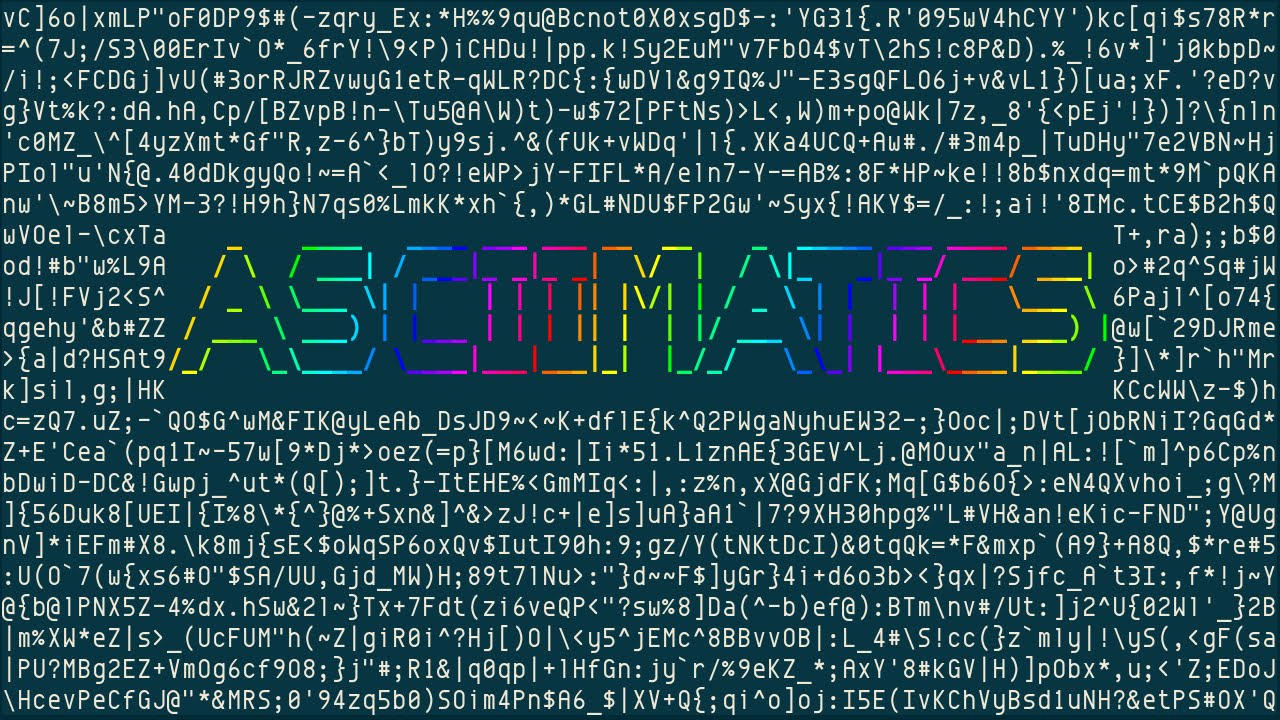
noise.py [1] displays RandomNoise effect with randomly chosen ASCII characters, the text "ASCIIMATICS" fades in (0:10) and out regularly. The noise is like w...
I like the sound of that.
just installed it with pip
i'm gonna have a lot of fun with this.
odd hamlet
does it work correctly on win for you?
because remember that thing in the video is a mac or linux terminal
no need to delete your stuff man
digital rose
well, ye don't need it anymore
it's actually working now
yeepee !
thanks for the help though !
 faint creek
 marble totem
Tkinter or, if you like QT, PyQT5 or PySide2
fallen oxide
I always recommend Pyside2
It's fully-featured and not all that hard, and I recommend it over PyQt5 because PySide2 is the official Qt for Python
it has better support, better docs
generally an all-around good idea ™
marble totem
and now PySide2 is even on pip, nice to know
oak basin
@obsidian lance yes.
obsidian lance
@oak basin qt allow sell the product only with license... you need pay first... keep it in mind
 upbeat spear
Do you need anything on the side to get PySide2 to be fully functioning as a GUI? Ive been trying to learn to do GUI, and I've done TKinter, but it hasn't really met the kind of functionality expectations I have wanted. Then again I might not be far enough in programming or Python in general to do some things I am hoping for
thin plover
I posted this earlier; http://catherineh.github.io/programming/2016/11/25/tkinter-and-pyside-side-by-side
A python GUI Rosetta Stone
I have converted to PySide2 and its far superior to tkinter. But one thing bothers me... the distinct lack of signals. It seems you have to subclass everything just to get a QObject to emit a decent signal.
Want a signal from QApplication when it resizes? Nope, gotta subclass it first. EDIT: Actually QMainWindow... but you get the idea
 odd mural
Hi there! I'm new on the server and I would like to know about what you guys think is the best library for simple 2D games?
odd mural
Thanks man
upbeat spear
Thanks @thin plover ill take a look through it
obsidian lance
@odd mural Best 2D library for python?
wind birch
@odd mural PyGame is, but python games are pretty terrible. you can do good things with the language, but they're both not easily portable and pygame seems to have lacking documentation from what I've heard people say. Kivvy might also be a shot because it exposes OpenGL bindings.
 crystal arch
reposting from #tools-and-devops, if anybody knows how to globally suppress GTK warnings in the terminal (globally as in for everything that uses GTK) please tag me, would highly appreciate
 craggy raptor
fast wave
craggy raptor
fast wave
hello, if i want to make some special key words bold face when they are shown in Text widget of tkinter what should i use? i used add_tag method on my widget but i guess they just use index to make changes to the text. but i want some words to change, not for example from 1.0 to END of the written text.
drifting sundial
Stack Overflow
I am using Paramiko in my python code (for sftp). Everything works fine except that everytime I import or call a paramiko function. This warning would show up:
C:\Python26\lib\site-packages\Crypto...
crystal arch
@drifting sundial this is unfortunately only a solution for programs that you control/develop, and I don't think this will have any effect on GTK warnings at all since I don't believe they originate from python 🤔
drifting sundial
It captures any warnings thrown during execution
crystal arch
in any case thank, I looked around and I don't think there's a way besides recompiling GTK with possibly appropriate flags or patches
crystal arch
to my knowledge GTK bindings throw warnings through their own whatever ways in C, not through pythons warnings module, so this filter won't be able to catch it
vital ravine
QT question, anyone got a suggestion on how to ignore a mouseMoveEvent/mousePress when using a QSizeGrip widget? I have a borderless window which is moved when left-mouse is pressed and moved while held down. Which is what happens when using the QSizeGrip, so it gets a bit confused poor thing.
vital ravine
Okay, think I solved it myself, by separating them into two separate widgets, so they don't share the same click-events. Just made a blank-dummy widget that I stacked between the overlapping QSizeGrip-widget and interface-widgets.
Sounds a bit dirty, but seems to work.
kind kraken
@vital ravine for a 'proper' solution it looks like what you need is WA_NoMousePropagation
 analog fog
hm, i wonder ... with visual studio code ... i can see changes made to git easily. is there a way i can have the same in pycharm?
sudden coral
@analog fog you mean like with git lens? If so, I don't think there's something quite like it - where it overlays stuff within the code editor
analog fog
ok thanks
sudden coral
but you can do VCS -> git -> Annotate to get a side panel that shows who modified each line and when
and there's also the log in the version control tab
 stiff pond
Is Kivy good for making apps on python
obsidian lance
@stiff pond is it question?
proud socket
hey~ #pyqt5 question
I wanna use slider to change MainWindows opacity
and here is the function code , Label is works, but i don't know how to connect the mian windows opacity
 def showValue(self,MainWin):
        value = str(self.opacity_slider.value())
        opacity = int(self.opacity_slider.value())
        self.opacity_label.setText(value + "%")
        MainWin.setWindowOpacity(opacity/10)
 inner jungle
BTW to everyone who is looking for libraries/Frameworks for GUI development in Python: I have found "enaml". The docs are on GitHub (just search for it). It should make it really easy to code a clean interface. I haven’t found out yet how to create an executable file though.
obsidian lance
@inner jungle do you try
pyinstaller --onefile --noconsole myscript.py?
may be it can't be exe... because qt based... or will giant
inner jungle
Yeah I am still looking for it. I can’t try right now though I will remember that, thanks @obsidian lance
What do you mean with the second part?
charred thunder
@inner jungle i believe cococore here is saying that .exe files will be massive when packaged with pyqt/pyside (and i believe that's correct)
obsidian lance
👌
charred thunder
not too sure about Enaml though, maybe that comes out as a relatively decent size
obsidian lance
@marble mantle popup?
 marble mantle
its a toplevel
obsidian lance
what mind openable once?
marble mantle
when i click the button the window opens
obsidian lance
you can show prompt dialog, but it need handmade coding of dialog class
 rapid kernel
def isOpen():
rapid kernel
Yeah
marble mantle
k
rapid kernel
In your main() function though
using an if statement
if isOpen:
button.config(sate=disabled)
marble mantle
i used a .protocol
rapid kernel
root.destroy()?
marble mantle
self.favwin.protocol("WM_DELETE_WINDOW", self.enablebutton)
rapid kernel
yeah
marble mantle
yh then added a .destroy in the function
rapid kernel
what are u programming btw
rapid kernel
You study computer science?
marble mantle
plus theirs barely any help for it online
digital rose

So I've created this menu that has a check list of all files in a certain directory. I want to take all files the user selects and put them in a table so I can get all the data from those files, is there a way to get all the selected objects in the list?
        menu_btn = tk.Menubutton(self, text="Choose a study set...", relief=tk.FLAT,  bg="#979AA1", fg="#fdfdfe")
        menu_btn.pack()
        menu_btn.menu = tk.Menu(menu_btn, tearoff=0)
        menu_btn["menu"] = menu_btn.menu
        for f in get_study_sets():
            f_var = tk.IntVar()
            menu_btn.menu.add_checkbutton(label=f, variable=f_var)
this is how i made the menu by the way
 midnight scroll
Depends, how does the user select their files?
I think youre using tkinter, so how about using the tk file dialogs ?
if so, this SO thread could help you out a lot
Stack Overflow
what I want to do is to select multiple files
using the tkinter filedialog
and then add those items to a list.
After that I want to use the list to process
each file one by one.
#replace.py
import
 dense whale
I want to make an application which lets users set a background for their computer. Which library would you guys recommend I use?
Maybe , PySide or wxPython or Tkinter?
 brisk sky
Most OS’s already allow you to do that @dense whale
Try thinking of something different
fallen oxide
I think that's a fine first project for learning how to use a GUI library, actually
it doesn't have to be useful
brisk sky
Then, I recommend PyQt
fallen oxide
We should really investigate that situation
because we have pyqt and now pyside2, which is the official Qt
I wonder if there's any pros or cons over either of them
brisk sky
PyQt would have an easy access to display the users directory
And they have the GUI builder
Does PySide have a GUI builder?
brisk sky
Make a simple application in each one and see which one you prefer
Personally, I prefer wxPython
 sudden olive
I just downloaded QT from the official site
I've never used it before, any reason to download anything other than QT 5.11.1?
It's a rather overwhelming list
digital rose
@midnight scroll I’ll read your reply when I get home from work
charred thunder
@untold granite the best way to do that i assume would be to create a function that constructs the widget given a master. i.e,
def create_special_treeview(master):
    # ... do stuff ...
    return treeview  # replace with actual treeview object obviously.
and then you can pass your different frames as an argument to the function when you need to make/copy it. it won't act like a copy by reference, so modifications to one will not apply to the other, but what i provided gives you a general idea; you can't directly copy a widget from one master to another, you've gotta create multiple.
 untold granite
why can I not pass variables into button pushes!
It's incredibly frustrating! I cannot create any frames outside of my init it feels like!
I just had to use lambda ty for listening to my rants.
charred thunder
you technically can pass variables into button pushes, using functools.partial functions. however, in most cases, lambda will suffice.
digital rose
@midnight scroll The user doesn't select their files the files are embedded in the program so file dialog wouldn't work
that menu is just a list created by looping through a folder in the program that only holds files meant for the program
midnight scroll
@digital rose Can you explain your target a bit more
So you have a checklist in tkinter?
I need to know a bit more
You could loop over menu_btn.menu.index and get all buttons
or you could save all the variables you put into the buttons in a dict or list, and check if they are set. If so, get the content from the corresponding button
 median maple
hm, I'm doing some tkinter stuff and weirdly
self.canv.itemconfig(self.gfx, state='hidden')
works perfectly and hides self.gfx but the suggested solutions for displaying hidden items again:
self.canv.itemconfig(self.gfx, state='normal')
self.canv.itemconfig(self.gfx, state=tk.NORMAL)
both do not work (the canvas items stay hidden). Does anyone know off the top of their heads what's going on?
median maple
Nevermind, found it, thanks!
digital rose
@midnight scroll Already found a solution thank you though
 forest island
Hi, I have got a question regarding pygame. I use piVirtualWire to send rf messages to my arduino and try to read ps4 controller input and send messages from these readings. PiVirtualWire itself is perfectly fine. I have a script, which sends 10/10 messages correctly. When I try to implement a simple sending in the main loop of pygame, it does not work anymore. Making a while true loop without pygame works however. I hope you can help me. Shall I send my script as a message or as a file?
#!/usr/bin/python3

import sys, pygame, os
import time
import piVirtualWire.piVirtualWire as piVirtualWire
import pigpio

pygame.init()
size = [500, 700]
screen = pygame.display.set_mode(size)

start_time = time.time()
# os.system('sudo /home/pi/PIGPIO/pigpiod')
pi = pigpio.pi()
tx = piVirtualWire.tx(pi, 4, 1000)

while 1:

    for event in pygame.event.get():
        if event.type == pygame.QUIT:
            tx.cancel()
            pi.stop()
            pygame.quit()
            sys.exit()

    if time.time() - start_time > 0.5:
        start_time = time.time()
        tx.put("12")
        print("Sending")
        tx.waitForReady()

pygame.display.flip()``` proven basinBOT
codeblock
Discord has support for Markdown, which allows you to post code with full syntax highlighting. Please use these whenever you paste code, as this helps improve the legibility and makes it easier for us to help you.
To do this, use the following method:
```python
print("Hello world!")
```
This will result in the following:
print("Hello world!")
those are forwardticks not backticks haha ``````````````````
theres a bunch, didn't actually mean to do that
forest island
yeah sorry haha
charred thunder
so you're sending "12" every half a second from what i can see, right?
forest island
yes, but I dont receive anything. And after I run the script, my simple transmit script also does not work anymore. Then I have to restart to make it work again.
charred thunder
what do you see in the console of your script if you put print("penis") in your loop? debug prints are the way to go :D
forest island
Well if I run the code like above, I already see "Sending" every half a second
charred thunder
oh I see
forest island
Also tried evdev for gamepad input. Running it in a while loop ther works. But evdev is not very responsive
charred thunder
could you send an example of some working tx code?
forest island
import piVirtualWire.piVirtualWire as piVirtualWire
import time
import pigpio

pi = pigpio.pi()
tx = piVirtualWire.tx(pi, 4, 1000)

msg = "42"

tx.put(msg)
tx.waitForReady()

tx.cancel()
pi.stop()```This is from piVirtualWire's github page. Works for me. My simple transmittion script is the same. Only difference, I use argv for custom input.
charred thunder
the only thing i can think of is the message itself being different causing problems
forest island
Wait a moment. I had a different idea to do it, which also did not work.
I called this script trans.py
import piVirtualWire.piVirtualWire as piVirtualWire
import time
import pigpio
import sys

def main(arg1):
    pi = pigpio.pi()
    tx = piVirtualWire.tx(pi, 4, 1000)

    tx.put(str(arg1))
    print("Sending: "+str(arg1))
    tx.waitForReady()

    tx.cancel()
    pi.stop()

if __name__ == "__main__":
main(sys.argv[1])```Then i did
import trans```
...
```python
if time.time() - start_time > 0.5:
        start_time = time.time()
        trans.main(2)```
in the first script I posted.Wait one more thing. I run it from a desktop shortcut on my rpi. Does this make any difference? I mean a .desktop file
charred thunder
i'd imagine not, but i'm only assuming.
forest island
nope does not work from command line.
Well thanks for your help. Any idea, where I could get any help on this or how to read joystick inputs from a controller?
charred thunder
i'm sure someone else here might be able to help. I'll let the other #helpers know, just wait patiently and hopefully someone will be able to give you a hand.
forest island
ok thanks
 mint ember
might be a long shot but try putting the joypad input in a thread, it feels like a blocking I/O issue
drifting sundial
@forest island I know Pygame has that functionality
It was pretty trivial for me to implement a few years back in a game
It just generates input events
Underneath, it uses SDL
So you could use Pygame directly, or write for SDL, which I'm pretty sure has Python bindings
digital rose
What size do I need to make an image to fit the default size of a button in kivy?
I can not seem to get the image to the size needed it gets stretched out every time i change the size
im using background_normal btw
if that matters
digital rose
what does code=3221226505 mean when my pyqt5 program crashes
kind kraken
googled it: 3221226505 0xC0000409 -1073740791 Stack buffer overflow / overrun. Error can indicate a bug in the executed software that causes stack overflow, leading to abnormal termination of the software.
 placid tapir
Is general consensus Kivy for desktop applications?
 boreal loom
fallen oxide
boreal loom
fallen oxide
Pyside2 actually
fallen oxide
pyside2 is the official distribution
pyqt is third-party
other than that, I have no idea
digital rose
oh ok
placid tapir
Isn’t pyside2 / pyQT more limited in its aesthetic potential?
I’ve yet to see a pyQT app I thought looked appealing. Maybe well designed layout but the overall look is basically “slightly modified native windows”
Kivy gives more control over aesthetics that I’ve seen
Granted from my limited exposure to GUI
fallen oxide
Qt is designed to look native
And that's really what you want
This isn't the 90s, making your application stand out that much is just annoying most of the time
That said, you can set up themes regardless
placid tapir
themes like mild color changes or can I have background images /custom buttons / modified borders / minimize/windowed-fullscreen/close buttons etc
obsidian lance
@placid tapir what python version you use? 2 or 3
placid tapir
3
dense whale
I'm quite new to PySide.
Can I use PySide with QT Creator? 
 tawny gust
designer is generally easiest
dense whale
Oh. Ok. Is that designer the same as the one that comes with PYQT?
dense whale
Oh. Ok. Thanks! 👍
digital rose
i have QWidget B which is a child of another QWidget A, how do i use paintEvent in QWidget B?
 timber vale
hi folks - any recommendations for a GUI module for scientific applications?
tawny gust
@timber vale What do you mean?
timber vale
i am looking for some kind of library to make a gui
for a scientific application
i'd like to change numerical fields, press a button, replot
and so on
tawny gust
if your plotting lib outputs an image, you can pretty easily use Qt
timber vale
it's matplotlib, ideally
tawny gust
Seaborn is a nice wrapper around matplotlib, it's pretty nice too
But yea, you should be able to use Qt
timber vale
👍
tawny gust
seaborn is basically mpl with nicer styles and a litte more friendly api
tawny gust
plotting/graphing, its just a matplotlib wrapper
charred thunder
https://docs.python.org/3/library/othergui.html never knew this was documented.
drifting sundial
charred thunder
👌
digital rose
        menu_btn = tk.Menubutton(self, text="Choose a study set...", relief=tk.FLAT,  bg="#979AA1", fg="#fdfdfe")
        menu_btn.pack()
        menu_btn.menu = tk.Menu(menu_btn, tearoff=0)
        menu_btn["menu"] = menu_btn.menu
        for f in get_study_sets():
            menu_btn.menu.add_command(label=f, command=create_dict(f))
how come this runs the command for the menu button upon creation of the menu button and not when the user selects the button
okay so i've found out its because im invoking the function not just passing it
but if i only pass it as reference how would I add the required parameter
digital rose
reading about it thanks
menu_btn.menu.add_command(label=f, command=ftools.partial(create_dict, f))
yup that fixed it 😄
tawny gust
😺
 meager mulch
 dense lance
Hey, in tkinter, I have an image attatched to a label, but when I display this label, the window won't show up. I have other buttons and stuff, and without the image label they display correctly but when I add the image label the window never appears. Is it because I'm converting a PIL image to tkinter?
actually regular label does the same thing
and canvas
obsidian lance
@meager mulch tkinter so old , that video should be at least on videotape )))
dense lance
so no
crimson spruce
@dense lance, there's a special class in PIL/Pillow for a Tkinter-compatible image. Are you using that?
dense lance
yes. My latest problem concerning this is in #help-grapes
crimson spruce
@dense lance, I wrote an image viewer awhile back that you might find helpful... the code isn't great, but it uses Pillow, since I needed to zoom-in/out.
https://github.com/DeflatedPickle/Quiver/blob/master/image_viewer.py
obsidian lance
what benefit uses Pillow in your case?@crimson spruce
crimson spruce
I think it was the zooming-in/out. I haven't messed with it for awhile but I don't think normal Tk images are that advanced.
obsidian lance
it will crossplatform?
crimson spruce
It probably will... I don't advise using the program, but it should work for multiple platforms. I've never had an OSX VM to test. 🤷
obsidian lance
as i remember , tkinter only can display image in widget... but it looks not especially good and flexible. For zooming etc try look at pmw(python mega wigdet) or any tkinter frameworks.
 warm heart
ok my guys
im completely new to ui dev in python
and i realllly need to finish this thing before my semester starts
has anyone used the page python gui builder thing before or is it easier/ more efficient to write it out
crimson spruce
@obsidian lance, don't even that with me... I know what to do, I've been using Tkinter/Tk for just about 4 years now. 🤷
What I do here, is I display it on a canvas and use Pillow to resize it when the user scrolls in or out.
crimson spruce
If you're looking for a quick to develop GUI, Tkinter is great. If you want something that'll be faster and look slightly better (only slightly 'cause Tkinter does have that TTK module), I'd recommend wxPheonix. If you want more configuration, I'd recommend PySide/PyQt.
Though, over-all, I don't recommend GUI development with Python. Unless you're using a faster interpreter like PyPy, they can really slow down.
I like to think I'm a decent source for UI questions... I am kinda writing a book comparing them all.
warm heart
what should i do instead of using python. My script is in python and i want to be able to build it all into a no downloads exe that anyone could use
crimson spruce
You could make a CLI interface for it, then you could query it from any other language.
obsidian lance
i remember shitty , places when i touch wxPheonix , becase on windows and linux the gui builder process is different(windows add back zaxis, linux addon front zaxis, for new button etc). and scrolling code for win/linux is different.... not fully crossplatformed... close to head pain... but support gtk default
if your linux system is dark then wxphenix app was dark too... it looks not bad
crimson spruce
All I will say, is that with using any other toolkit, I always miss the ease of creating UIs with Tkinter.
warm heart
my thing is cli rn but im working with doctors and they dont like scary terminals
obsidian lance
why you not use html + javascript? if your doctor scary cli?
crimson spruce
Then you should be able to pass in command-line arguments from any other language and do the UI in that other language.
obsidian lance
noobs don't see difference between html and tkinter)
and html is really nice look
crimson spruce
I've been using SWT and Kotlin the past couple days... it's no Tkinter in terms of placing widgets (to the point I want to write a wrapper), but its' expanded feature set and actual wrapper of OS widgets and features far out weighs that.
warm heart
but if its cross language will i be able to build everything all the packages everything into a no extra software downlad exe
i want to use tkinter
crimson spruce
You'd build the Python script, then query the built version with the other language.
warm heart
it doesnt have to be fancy and its not too complex the most complex thing i want is a scrolllist with checkboxes and their labels
can i do that with tkinter
crimson spruce
It's a shame I stopped writing my Tkinter guide, would have helped here... I can provide some links on where to get started and an example I wrote for my widget toolkit comparison if you want?
And of course you can do that!
obsidian lance
@warm heart with gui , for ubuntu x64 need pyinstaller --onefile --noconsole my.py inside ubuntu x64
under ubuntu x32 need pyinstaller --onefile --noconsole my.py inside ubuntu x32
for windows may be pyinstaller --onefile --noconsole my.py will work cross version
warm heart
yeah i have that
ive done it
i have the exe
sauce them links my guy
thanks
pyinstaller worked all good
obsidian lance
@warm heart if your doctor like cute buttons , then you can think about "eel" html/js bridge to python... face is html, back is python3, and you need chrome/chromium on the board... don't test without, may be firefox too will start
GitHub
Eel - A little Python library for making simple Electron-like HTML/JS GUI apps
crimson spruce
My example: https://deflatedpickle.gitbook.io/widget-toolkits-somewhat-of-a-round-up/toolkits/tk/python
TTK widgets: https://docs.python.org/3/library/tkinter.ttk.html
Tk docs: https://tkdocs.com/tutorial/index.html
Effbot: http://effbot.org/tkinterbook/
Tutorials Point: https://www.tutorialspoint.com/python/python_gui_programming.htm
 hollow horizon
@warm heart pyqt5 it has a designer thats a drag n drop then outputs python code
then hook up buttons and line edits with your program and ur set
warm heart
wow thanks @hollow horizon ill check it out rn
hollow horizon
works on 3.6 python not 3.7
and 2.7 but you wont be able to do a stable compile to exe
warm heart
its fine im using 3.6
hollow horizon
and not 64 bit
python
pip install PyQt5
pip install pyqt5-tools
tools give you the designer
this vid covers the basics well enough i think

This week, I cover the basic creation of a User Interface with Qt Designer, PyQt and Python! Please leave me a comment or question below! Like and Subscribe ...
warm heart
wow thanks i like this one
warm heart
oof
warm heart
everything seems really hard
everything ive used so far its really hard to make my searchable scrolllist of checkboxes
like this except columns of checkboxes on the right a select all and a select none
obsidian lance
@warm heart first remeber pyqt need pay that bay license if you planed to sell your python application with pyqt
obsidian lance
but if i right read incomments pyside2(last) no need license... and have builder too... but i am not test it
similar as pyqt , but not same
warm heart
stuff is weird i think i need to dumb it down and just try to get somthing really simple working
obsidian lance
simple is html/js(face) and python(backside) to work with db etc... but i don't know why you use python ... the reason should be something like numpy etc using... for math js worst then python
warm heart
trying eel now
warm heart
eel is acting up
my edits in the html r not showing up
@obsidian lance bro this makes no sense i have no clue what im doing wrong
i deleted all the .htmls it could possibly be pulling from and yet still somwhoe it still run
i get it when ur code dosent run from an error but im puposley trying to get it to fail it and wont
i dont understand
when i start eel then in my browser i go to localhost:8000/main.html
its there
but idk where
obsidian lance
@warm heart ha, eel start work when you run python script... not html.... run python , then html will opened automatically, or will empty html + js without python back
obsidian lance
you can pack eel as executable uses pyinstaller , but need chrome/chromium on the board
warm heart
with abosultely no .html anywhere to be seen
and somhow it finds an html on my localhost
where is that html and where can i find it
@obsidian lance what do
obsidian lance
usually
app/start.py
app/web/start.html
as example show
then run start.py and start.html will opened in chrome
warm heart
yes but what im saying is i run app/start.py
app/web/ is empty
and it still works and pulls an html with sttuff from womwhere
obsidian lance
)
warm heart
ill try
wow
wtf
that was the dumbest thing ive ever seen
im so mad
i cried for a solid 20 mins
how do i make sure that never happens ever again
obsidian lance
you need comfort strong fast memory without holes at least... which i have no
: |
warm heart
cri ok thanks tho
obsidian lance
ah, and.... try not do any massive projects uses javascript... it is real pain... because no compiler warnings and errors can be silently droped without any detected changes)))
haxe better... but web 3D at this moment have only javascript good way for using
 signal matrix
Okay, I made a project with flask, I need a non-web app gui
most people hate tkinter which is what I used in the past. Give me your recommendations everyone
I'm sure I could still use flask but it takes so much longer and its for personal use
as a sort of app rather than a website
placid tapir
I’ve been told pyside2 Qt is the way to go, but don’t have much experience myself
 low spire
hey im trying to write a small program that gets a filename through pyside2 by using getOpenFileName() once and then closing the gui. im not that experienced with guis and doing this because manually typing in a path cli sucks for an end user. ive been looking through stackexchange etc but havent had much luck
 bleak smelt
Anyone around to answer a few questions about PyQt/PySide? Specifically around resource files and mouse events for frameless windows.
 limber heron
Is it possible to make a tkinter entry date only?