#user-interfaces
1 messages · Page 18 of 1
 sleek hollow
 covert rock
Qt is fairly simple
it's just A LOT of boiler plate
which makes it even sadder that Designer is such dumpster fire
it's faster to literally just type your window design
than use Designer
and typing is already not fast at all lol
 agile glade
I made a subclass of tkinter canvas that lets you set a z-index for objects like you would in html, what do yall think?
# -*- coding: utf-8 -*-
"""
Created on Tue Sep 17 16:11:01 2024

@author: JTS
"""

from tkinter import *

class LayeredCanvas(Canvas):
    """A subclass of tkinter.Canvas that allows you to pass 'layer = #' as a
    keyword argument to any reference of self._create(). For example,
    self.create_rectangle(50, 50, 100, 100, fill = black, layer = 3). The
    higher a canvas object's layer, the closer it appears in the stacking
    order. """
    def __init__(self, master=None, cnf={}, **kw):
        Canvas.__init__(self, master = master, cnf = cnf, **kw)
        self._layers = []
    def _create(self, itemType, args, kw): # Args: (val, val, ..., cnf={})
        if 'layer' in kw.keys():
            layer = kw.pop('layer')
            if layer not in self._layers:
                self._layers.append(layer)
            tags = kw.setdefault('tags', [])
            tags.append('_layer %s' % layer)

        ref = Canvas._create(self, itemType, args, kw)
        self._reorder_layers()
        return ref
    def _reorder_layers(self):
        for layer in sorted(self._layers, reverse = True):
            self.lift('_layer %s' % layer)


if __name__ == "__main__":
    # Example Usage.
    root = Tk()
    canvas = LayeredCanvas(root, width = 200, height = 200, bg = 'blue')
    canvas.create_rectangle(50, 50, 100, 100, fill = 'black', layer = 4)
    canvas.create_rectangle(75, 75, 125, 125, fill = 'red', layer = 5)
    canvas.pack()
    print('Notice how the red rectangle is drawn behind the black one, even '
          'though they appeared in the other order in the code. Higher layer '
          'number = farther away. ')
    root.mainloop()
is it safe to star import Qt sub libs, like QtWidgets, QtCore, QtGui, etc?
I know it's not recommended
but is it safe?
 royal gull
covert rock
but is it safe?
royal gull
covert rock
but is it safe?
Tbf, given that most Qt objects have a Q at the start, it's probably okay. But yeah, it's better to just import the ones you need.
 digital rose
Using tkinter how do i get the x position of a button? For some reason winfo_x() or winfo_rootx() only return 0
sleek hollow
royal gull
Tbf, given that most Qt objects have a Q at the start, it's probably okay. But y...
I'd rather just import the full namespace and do QtWidgets.QLabel for example
 trim saddle
PySide6 have something like this?
 sleek hollow
trim saddle
PySide6 have something like this?
sleek hollow
trim saddle
PySide6 have something like this?
Not natively
you could create a custom painted widget for it though
trim saddle
sleek hollow
you could create a custom painted widget for it though
hmm
trim saddle
sleek hollow
you could create a custom painted widget for it though
Then I can customize it freely right?
sleek hollow
trim saddle
Then I can customize it freely right?
you can do whatever you want, yes
pyside and paint events are extremely customizable
trim saddle
sleek hollow
pyside and paint events are extremely customizable
Thanks!
trim saddle
sleek hollow
you can do whatever you want, yes
Can I add gradient?
sleek hollow
trim saddle
Can I add gradient?
"You can do whatever you want"
trim saddle
sleek hollow
"You can do whatever you want"
Ok sorry!
 celest pilot
I made a video showing the latest on my user interface journey:
https://rumble.com/v5fgzg1-smoothwave-interface-stuff-part-2.html
BitChute version: https://www.bitchute.com/video/2zG2F6X2hnFs

Big changes to be seen! https://buymeacoffee.com/carm3d http://www.carm3d.com/software/
 tender birch
index.jsx
const AuthForm = (props) => {
    const { fields } = props;
    console.log(fields)
    return (
        <div>
            {
                fields.map(field =>
                    <div key={field.label}>
                        <label htmlFor={field.label}> {field.label} </label>
                        <input id={field.label} type = {field.type}> </input>
                    </div>)
            }
        </div>
    );
};

export default AuthForm;
SignInPage.jsx
import AuthForm from "./AuthForm";

const SignInPage = () => {
    return <div>
        <AuthForm
            fields={[
                {
                    lebel: "username",
                    type: "text",
                },
                {
                    lebel: "password",
                    type: "password",
                },
            ]}
        />
    </div>
};

export default SignInPage;
SignUpPage.jsx
import AuthForm from "./AuthForm";

const SignUpPage = () => {
    return <div>
        <AuthForm
            fields={[
                {
                    lebel: "username",
                    type: "text",
                },
                {
                    lebel: "password",
                    type: "password",
                },
                {
                    lebel: "confirm password",
                    type: "password",
                },
            ]}
        />
    </div>
};

export default SignUpPage;
could any one pls tell me about the mistake in this code...

 tame dragon
I think #web-development would be better for this
This channel is

It seems you're having trouble with React (?)
There's a higher chance someone at #web-development will know React than in this channel
 mighty rock
digital rose
Using tkinter how do i get the x position of a button? For some reason winfo_x()...
mighty rock
digital rose
Using tkinter how do i get the x position of a button? For some reason winfo_x()...
Relative to what? winfo_x is relative to the parent, winfo_rootx is relative to the root window (usually the entire screen). Note that the button needs to be packed/gridded/placed before you can query this information, otherwise it doesn't make sense to think what its position is
 rare blaze
hello, i'm making a whiteboard app and i recently implemented the zoom and movement from an area, it doesn't seem to like the sheet type because it only puts it on the area where i was. idk if i was clear but i'm going to send a screenshot of it zoomed out

here is the code:
def choose_sheet_type(self, sheet_type):
    self.canvas.delete("all")
    self.sheet_lines = []

    if sheet_type == "righe":
        self.canvas.config(bg="white")
        for i in range(0, self.canvas.winfo_height(), 25):
            line = self.canvas.create_line(0, i, self.canvas.winfo_width(), i, fill="lightgray", tag="sheet")
            self.sheet_lines.append(line)
    elif sheet_type == "righe grandi":
        self.canvas.config(bg="white")
        for i in range(0, self.canvas.winfo_height(), 40):
            line = self.canvas.create_line(0, i, self.canvas.winfo_width(), i, fill="lightgray", tag="sheet")
            self.sheet_lines.append(line)
    elif sheet_type == "quadretti piccoli":
        self.canvas.config(bg="white")
        for i in range(0, self.canvas.winfo_height(), 10):
            line = self.canvas.create_line(0, i, self.canvas.winfo_width(), i, fill="lightgray", tag="sheet")
            self.sheet_lines.append(line)
        for i in range(0, self.canvas.winfo_width(), 10):
            line = self.canvas.create_line(i, 0, i, self.canvas.winfo_height(), fill="lightgray", tag="sheet")
            self.sheet_lines.append(line)
    elif sheet_type == "quadretti grandi":
        self.canvas.config(bg="white")
        for i in range(0, self.canvas.winfo_height(), 20):
            line = self.canvas.create_line(0, i, self.canvas.winfo_width(), i, fill="lightgray", tag="sheet")
            self.sheet_lines.append(line)
        for i in range(0, self.canvas.winfo_width(), 20):
            line = self.canvas.create_line(i, 0, i, self.canvas.winfo_height(), fill="lightgray", tag="sheet")
            self.sheet_lines.append(line)
    else:
        self.canvas.config(bg="white")
        self.canvas.delete("all")
        self.sheet_lines = []
I just realized that if the user holds the mouse button down, my toggle swith will go back and forth like a windshield wiper. It reminded me of this classic bit:
https://www.youtube.com/watch?v=baY3SaIhfl0

All credit goes to the talented actor, Alison Burke. Check out her TikTok: https://www.tiktok.com/@tired_actor/video/6912855387788102918
Dev meme via https://twitter.com/sanjazakovska/status/1352557733787152389
 sudden elk
someone here knows a library for CLI/TUI apps with tabs support? like in browsers or text editors (vim have it for example :tabnew thing)
sleek hollow
sudden elk
can say… even on irc more people than here :/
People are likely only going to chime in if they have an answer.
 dire barn
sudden elk
someone here knows a library for CLI/TUI apps with tabs support? like in browser...
dire barn
sudden elk
someone here knows a library for CLI/TUI apps with tabs support? like in browser...
!pypi textual probably has this
 proven basinBOT

Modern Text User Interface framework
Released on <t:1725121743:D>.
dire barn
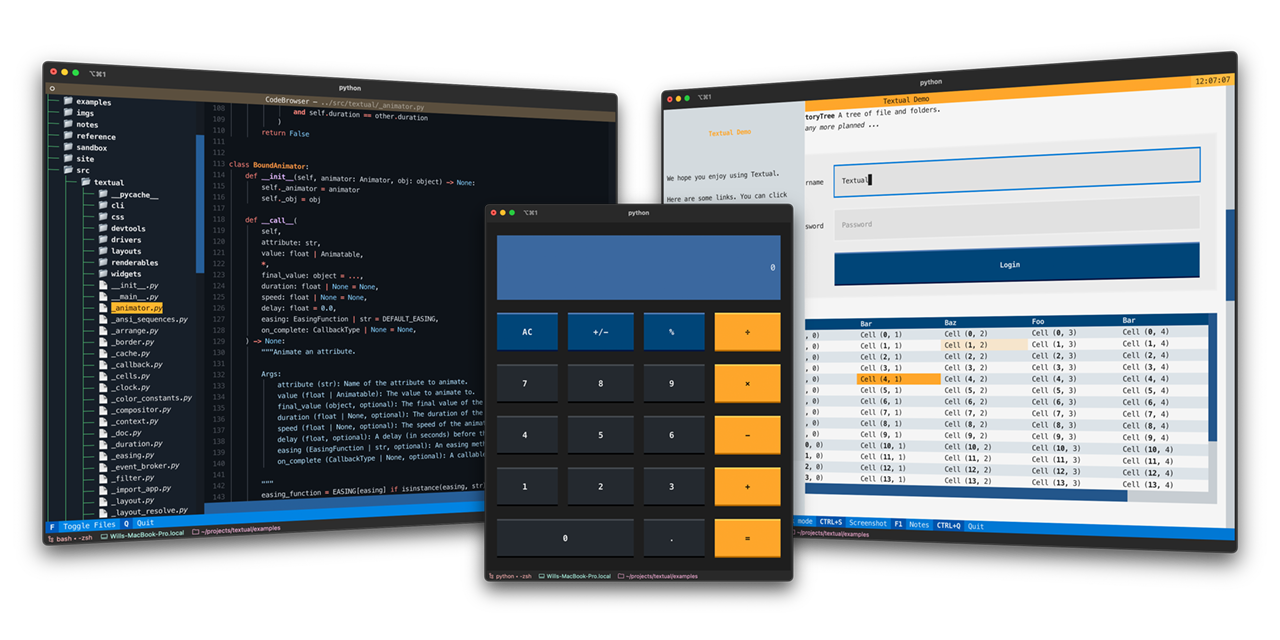
Textual Documentation
Textual is a TUI framework for Python, inspired by modern web development.
 plain gale
I should try textual, it seems pretty cool. Haven't gotten into TUI get
 arctic hedge
I have some problem with testing using pytest-qt. I want to simulate left click on QTableWidgetItem
https://stackoverflow.com/questions/79007211/qtablewidget-itemat-and-global-or-relative-position-item-click

Stack Overflow
I want to get QTableWidgetItem by position. I'm trying to get item by using QTableWidget.itemAt(point), but it doesn't work with neither global nor relative positions.
My goal is to simulate left c...
PySide6
sleek hollow
arctic hedge
I have some problem with testing using `pytest-qt`. I want to simulate left cli...
you want to simulate it by item or by position?
arctic hedge
actually any
sleek hollow
by item, you could just emit the itemClicked signal and pass it an item
self.table.itemClicked.emit(some_item)
arctic hedge
so
ok. i'll try it
this is what I finally want to test
   def mousePressEvent(self, event):
        if event.button() == Qt.LeftButton:
            item = self.itemAt(event.pos())
            if item and item.column() != CHECKBOX_COL and item not in (self.key_header, self.val_header, self.right_corner, self.left_corner):
                self.editItem(item)
                print("edit")
        super().mousePressEvent(event)
basiacally it's editing items by one left click
sleek hollow
arctic hedge
this is what I finally want to test
```python
def mousePressEvent(self, event...
why not just connect to itemClicked then?
sleek hollow
I'm testing it now
self.itemClicked.connect(self.edit_item)
def edit_item(self, item):
    self.editItem(item)
this works
trying to get the item from the mousePressEvent isn't necessary when the itemClicked signal already exists
obviously you can add some extra logic here to make sure the clicked item is in a specific column
arctic hedge
your solution is more elegant
arctic hedge
sleek hollow
I'm testing it now
and thank you!
sleek hollow
arctic hedge
and thank you!
np!
 rare blaze
 blazing sentinel
how does this ui look
blazing sentinel
how does this ui look
how did you even manage to do that 😮
plain gale
👀
 cloud path
rare blaze
how did you even manage to do that 😮
cloud path
rare blaze
how did you even manage to do that 😮
extensive theming prbly
btw why does tkinter on linux look so terrible
compared to on windows
celest pilot
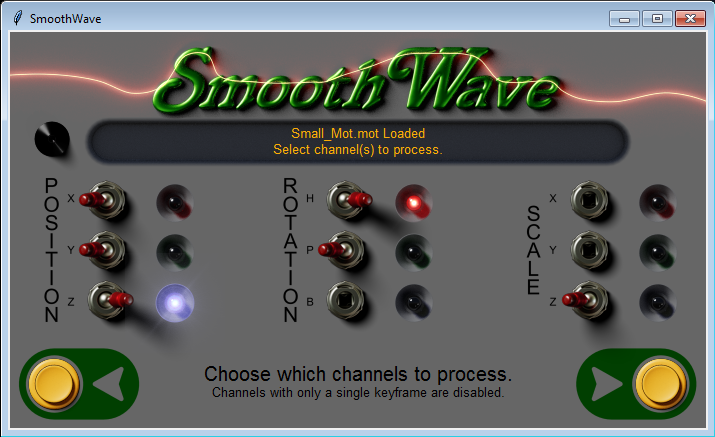
Sweet. If a channel only has 1 or 2 keyframes, it disables smoothing options and doesn't let you select it by pulling the handle off the toggle.
https://imgur.com/y8OF2Ti
 cloud path
tkinter question
how do i cut/copy selected text in a Text widget to the clipboard
and paste it
 royal cape
cloud path
tkinter question
how do i cut/copy selected text in a `Text` widget to the clipb...
royal cape
cloud path
tkinter question
how do i cut/copy selected text in a `Text` widget to the clipb...
i believe clipboard append is how tk does it, preceded by clipboard clear
https://tcl.tk/man/tcl8.6/TkCmd/clipboard.htm
https://github.com/thegamecracks/ollama-tk/blob/main/src/ollamatk/messages.py#L78-L80
proven basinBOT
src/ollamatk/messages.py lines 78 to 80
def _on_content_label_click(self, event: Event) -> None:
    self.clipboard_clear()
self.clipboard_append(self.content_label["text"])```ok
cloud path
does tkinter have tick event
I want to check if a textbook is modified to display a *
I'm thinking of checking the edit_modified every frame
celest pilot
My awesome new data visualizer!
mighty rock
cloud path
does tkinter have tick event
I want to check if a textbook is modified to displa...
If it's for filling in a password, I think there's an entry type for that
celest pilot
I made the data display larger, and scrolling is side-to-side only. It auto centers the display vertically.
mighty rock
cloud path
I want to show an `*` when the file is edited
Use the edit_modified method
I mean you can check it every KeyPress event of the text widget, not necessarily every frame
royal cape
tk dispatches the <<Modified>> event whenever their flag changes so you can bind to that instead:
https://tcl.tk/man/tcl8.6/TkCmd/text.htm#M87
The text widget can keep track of changes to the content of the widget by means of the modified flag. Inserting or deleting text will set this flag. The flag can be queried, set and cleared programmatically as well. Whenever the flag changes state a
<<Modified>>virtual event is generated.
for example: ```py
text = Text()
text.bind("<<Modified>>", lambda event: print("Is modified?", text.edit_modified()))
root.bind("<Control-s>", lambda event: text.edit_modified(False))
Implicitly triggers above bind```
cloud path
oh thanks
 solid wedge
Any good spot to find PyQT6 themes? I'm finding the default dark theme isn't quite as legible as I would like my form to be. Not sure if I should be tinkering with individual frames etc, I think I'd prefer to pick from some established themes from smarter people than me.
Found this link:
https://stackabuse.com/styling-pyqt6-applications-default-and-custom-qss-stylesheets/
so I can rotate through those three, just curious if there's a better library I can install somewhere. I'm finding some one-off themes in various states of support. This one seems nice:
https://pypi.org/project/qt-material/
Stack Abuse
In this guide we'll take a look at how to style a PyQt application using the default and custom QSS stylesheets.

I have "Windows11", "Windows", "Windowsvista", and "Fusion" available on my system currently. I think the "Windows11" is pretty flat and the frames are tough to see, "Windows" is more legible but more dated looking (Think PySimpleGUI), Fusion is nice but I don't love that the checkboxes are blue when other things aren't. "Windowsvista" is a decent compromise of legibile/modern but doesn't appear to have a dark mode
 barren lotus
is it really bad that I kinda like the idea of node and path IDEs
I am a designer not a programmer so I think more spacially. I think the concept is onto something, though the last time I saw something like that, it made essentially each element of the code its own node.
Rather I would like to group entire functions or objects into nodes so I can put them next to each other lol
 lucid python
Hey I've been having trouble with making tooltips on tkinter for a while and I was wondering if anyone could lend a hand.
My issue is that tooltips only reliably display when moving the mouse from below a widget to above it, and in some cases, if the widget is a button then clicking on the button won't do anything as I believe the tooltip that isn't being displayed properly is somehow blocking it (button is perfectly functional when the tooltip is being displayed btw)
this is how i've made my tooltip class:
class ToolTip:
    def __init__(self, widget, tooltip_text):
        self.widget = widget
        self.tooltip_text = tooltip_text
        self.tip_window = None
        self.widget.bind("<Enter>", self.enter)
        self.widget.bind("<Leave>", self.leave)

    def enter(self, event):
        if self.tip_window:
            return  # Do not create a new tooltip if one already exists
        self.show_tip(event.x_root, event.y_root)

    def leave(self, event):
        self.hide_tip()

    def show_tip(self, x, y):
        "Display text in a tooltip window"
        if self.tip_window or not self.tooltip_text:
            return
        x -= self.widget.winfo_width() // 2
        self.tip_window = tw = tk.Toplevel(self.widget)
        tw.wm_overrideredirect(True)
        tw.wm_geometry(f"+{x}+{y}")
        main_font = font.Font(family='Segoe UI', size=int(12)

        label = tk.Label(tw, text=self.tooltip_text, justify=tk.CENTER,
                    background="#ffffe0", relief=tk.SOLID, borderwidth=1,
                    font=main_font)
        label.pack(ipadx=1)

    def hide_tip(self):
        if self.tip_window:
            self.tip_window.destroy()
            self.tip_window = None
also the tooltip disappears when you hover over it as i imagine it's blocking the original widget then. like if i remove the x -= self... line, then the tooltip now reliably displays when moving ur mouse from below up, or from the right left
 frozen brook
Scroll Thumb does not move the scrollable frame
    #Scroll Frame
    scroll_frame = Frame(main_frame)

    #Canvas for decryption results
    scroll_canvas = Canvas(scroll_frame)
    scroll_canvas.pack(expand=1, fill="both",side="left")

    #Scrollbar
    scroll = Scrollbar(scroll_frame, orient="vertical", command=scroll_canvas.yview)
    scroll.pack(fill="y", side="right")
    scroll_canvas.configure(yscrollcommand=scroll.set)

    #"Any key" decryption result frame (will appear under the decrypt button)
    ak_decryption_frame = Frame(scroll_canvas)

    ak_decryption_frame.bind("<Configure>", lambda e:scroll_canvas.configure(scrollregion=scroll_canvas.bbox("all")))

    scroll_canvas.create_window((0,0), window=ak_decryption_frame, anchor="nw")

    scroll_canvas.configure(yscrollcommand=scroll.set)
Full code: https://pastebin.com/VrsiD3sy
Pastebin
Pastebin.com is the number one paste tool since 2002. Pastebin is a website where you can store text online for a set period of time.
 weary lichen
celest pilot
My awesome new data visualizer!
weary lichen
celest pilot
My awesome new data visualizer!
are you still using AI for it?
i remember someone building that and saying it earlier
its cool none the less tho lmao
celest pilot
weary lichen
are you still using AI for it?
If you mean ChatGPT, yes I still ask it questions here and there
weary lichen
nice
celest pilot
More interface stuff for my thing:
https://rumble.com/v5gio6l-smoothwave-smooth-update.html
https://old.bitchute.com/video/F3eySHqgKsz1/```
The first update showing the revamped SmoothWave doing the actual smoothing. Enjoy! https://buymeacoffee.com/carm3d www.carm3d.com/software/
 golden lintel
Could anyone of you please suggest me what can i improve in UI , currently it’s not looking good and not sure what needs to be fixed.
Please help !
Create your professional resume for free with CVResumeNest. No sign-up or credit card required. Effortless design to help you get hired faster.
 sacred nymph
golden lintel
Could anyone of you please suggest me what can i improve in UI , currently it’s ...
sacred nymph
golden lintel
Could anyone of you please suggest me what can i improve in UI , currently it’s ...
add animations if you can
just an opinion
 fickle coral
golden lintel
Could anyone of you please suggest me what can i improve in UI , currently it’s ...
fickle coral
golden lintel
Could anyone of you please suggest me what can i improve in UI , currently it’s ...
Feels abit too black and white without much deviation
lucid python
lucid python
Hey I've been having trouble with making tooltips on tkinter for a while and I w...
quick update on this, still haven't gotten it to stop bugging out and was wondering if anyone else has come across this tooltips problem with tkinter before?
sudden elk
someone here knows how to use qt? like idk how to start coding things AFTER i made ui in designer app…
sudden elk
nvm. found it :D
royal gull
sudden elk
someone here knows how to use qt? like idk how to start coding things AFTER i ma...
If you want to use the UI, Designer should allow you to export the .ui file and import it with Qt (and there's also pyuic for converting it to Python)
sudden elk
 royal gull
If you want to use the UI, Designer should allow you to export the .ui file and ...
royal gull
royal gull
If you want to use the UI, Designer should allow you to export the .ui file and ...
I strongly encourage however that you do not use Designer and instead write the components yourself. It allows for more flexibility.
sudden elk
no, ui will be big
(as you even see above)
wanted to just hijack some buttons and content and only automate that
like i made whole app in designer and now only scripts so if you type x somewhere it gets saved or toggles to toggle…
see yourself: https://drive.proton.me/urls/MQ511ESF4C#OCt9HKQlur0i

Securely store, share, and access your important files and photos. Anytime, anywhere.
(used cloud as can't file here)
royal gull
It's mainly a preference thing. Never really had a need for Designer in the time I've worked with Qt. Maybe it's worth it for the big UIs, but at that point, you might very well just start looking into QML.
 mighty frigate
royal gull
It's mainly a preference thing. Never really had a need for Designer in the time...
mighty frigate
royal gull
It's mainly a preference thing. Never really had a need for Designer in the time...
fun fact: Qt devs actually actively wants their users to use their Designer and refers to people that don't as "idiots"
mighty frigate
sudden elk
someone here knows how to use qt? like idk how to start coding things AFTER i ma...
please note: QtWidgets is slowly going to the deprecated realm. Recent projects nowadays use QtQuick.
sudden elk
another question. someone knows if it's ever possible to add a button to tab bar in qt designer? but like without code…
like this i mean: https://doc.qt.io/qt-6/qtabwidget.html#setCornerWidget
The QTabWidget class provides a stack of tabbed widgets.
royal gull
mighty frigate
fun fact: Qt devs actually actively wants their users to use their Designer and ...
I thought they'd want you to use QML...
royal gull
sudden elk
another question. someone knows if it's ever possible to add a button to tab bar...
Not too sure if this is possible in Designer sadly
digital rose
Hi everyone 👋
I like to create apps with a GUI interface anyone could you telle where to start?
sudden elk
digital rose
Hi everyone 👋
I like to create apps with a GUI interface anyone could you te...
tkinter or qt
digital rose
sudden elk
tkinter or qt
Tkinter
sudden elk
here we go with something: https://www.geeksforgeeks.org/python-tkinter-tutorial/

GeeksforGeeks
A Computer Science portal for geeks. It contains well written, well thought and well explained computer science and programming articles, quizzes and practice/competitive programming/company interview Questions.
digital rose
sudden elk
here we go with something: https://www.geeksforgeeks.org/python-tkinter-tutorial...
Thanks 🙏 a million
Umm any good video tutorial?
sudden elk
i don't watch video, so i don't know…
digital rose
sudden elk
i don't watch video, so i don't know…
Is it possible to learn just from documentation?
sudden elk
for very beginning i don't recommend but theoretically it can be possible…
(if someone understand docs ofc)
digital rose
I don't know much cause i am new in programming I hope i could handle this kind of stuffs.
digital rose
I know the basics of python
sudden elk
then link above
found this too: https://www.freecodecamp.org/news/learn-how-to-use-tkinter-to-create-guis-in-python/
freeCodeCamp.org
Do you want to create a graphic user interface for your Python program? You should learn how to use Tkinter! Tkinter is the most common way to add GUIs to Python programs. Tkinter provides an object-oriented interface to the Tk GUI toolkit that is bu...
there is vid at bottom
digital rose
My field is IT in university in Afghanistan is it a good idea to become GUI developer and web developer???
sudden elk
digital rose
My field is IT in university in Afghanistan is it a good idea to become GUI deve...
idk
digital rose
sudden elk
idk
?
sudden elk
?
digital rose
What's idk?
sudden elk
¯_(ツ)_/¯
digital rose
😄
 cosmic dove
May I ask a question?
cosmic dove
Is it possible to make a changing label like a countdown timer?
sudden elk
cosmic dove
Is it possible to make a changing label like a countdown timer?
which library?
cosmic dove
Tkinter
sudden elk
yes, just change text of that label in interval…
sleek hollow
you can use the after method to trigger a function call on a delay
cosmic dove
The way that I have it is it's in a definition which I don't know if it complicates anything
sudden elk
moment. gonna make a sample app
cosmic dove
To explain my apologies
cosmic dove
sudden elk
yes, just change text of that label in interval…
What do I need to change it by an interval
sudden elk
cosmic dove
So but what if it's in a definition and I call it out to be printed on label?
sudden elk
simplest code i could achieve:
import tkinter as tk

root = tk.Tk()
root.title("Countdown")
root.geometry("50x25")
text_var = 0
label = tk.Label(root, text=text_var)

def update_status():
    global text_var
    text_var += 1
    label["text"] = text_var
    root.after(1000, update_status)

label.pack(pady=20)
root.after(1, update_status)
root.mainloop()
*warning cause window may open very small and hard to close due to code simplicity
edit: fixed :)
cosmic dove
def D_timer(seconds):
         while seconds > 0:

              sleep(1)

              print(seconds)

              seconds -= 1

              print('exicuting program')

count_down = D_timer(seconds)

print(count_down)


print('exicuting program')

count_down = D_timer(seconds)

print(count_down)
I want to do to pack onto a label
sudden elk
i have that:
import tkinter as tk
from time import sleep

root = tk.Tk()
root.title("Countdown")
root.geometry("50x25")
text_var = 25 # example number
label = tk.Label(root, text=text_var)

def update_status():
    while text_var > 0:
        global text_var
        text_var += 1
        label["text"] = text_var
        sleep(1)
        update_status()

label.pack(pady=20)
root.after(1, update_status)
root.mainloop()
but gimme moment. got bugs
cosmic dove
I'm sorry thank you
sudden elk
just tried to port his code. buggy anyway
sudden elk
fixed code:
import tkinter as tk

root = tk.Tk()
root.title("Countdown")
root.geometry("50x50")
text_var = 25 #example number
label = tk.Label(root, text=text_var)

def update_status():
    global text_var
    if text_var > 0:
        text_var -= 1 #decrementing to zero
    label["text"] = text_var
    root.after(1000,update_status) #restart

label.pack()
root.after(1, update_status)
root.mainloop()
(also - 2 lines less than buggy code)
sudden elk
he is too new for experiments
 drowsy glen
sudden elk
he is too new for experiments
drowsy glen
sudden elk
he is too new for experiments
what experiments ?
sudden elk
custom modules out of existing known ones…
drowsy glen
sudden elk
custom modules out of existing known ones…
hmmmm, wanna create normal ui for your app or want to create new one?
i mean new library
sudden elk
what for? this guy learns basic tkinter. won't understand forks…
firstly basics, then forks/alternatives
drowsy glen
sudden elk
what for? this guy learns basic tkinter. won't understand forks…
oh
i got you
sudden elk
and changing label content in tk is quite simple
drowsy glen
sudden elk
and changing label content in tk is quite simple
👍🏻
good thing to start with
sudden elk
yep. that was the code i sent him in simplest way possible
so he can learn and build on it
drowsy glen
sudden elk
so he can learn and build on it
nice
sudden elk
yep
drowsy glen
so you know a lot about python yourself , true?
sudden elk
tkinter i used but it isn't possible to know every single library inside out…
so like something i know…
but i'm not God
drowsy glen
sudden elk
tkinter i used but it isn't possible to know every single library inside out…
i know
drowsy glen
sudden elk
but i'm not God
cool
celest pilot
Finally, all features functional.
https://rumble.com/v5h2kg2-smoothwave-a-very-corrected-update.html
https://www.bitchute.com/video/MSZ3yJSCvf8k```
A correct way to enjoy your smoothed data! https://buymeacoffee.com/carm3d www.carm3d.com/software/
 strong owl
PyQt5 is such an odd framework and very complex.
I am getting QObject: Cannot create children for a parent that is in a different thread.
But idk which one this message is coming from?
The even odd part is everything seems to be working fine?
sleek hollow
strong owl
PyQt5 is such an odd framework and very complex.
I am getting `QObject: Cannot ...
What are you threading?
I wouldn't thread anything gui related, that should all exist in the main thread
strong owl
I am running with QThreadPool
sleek hollow
only thread non-gui actions
yes but are you threading anything related to the actual gui?
strong owl
Yeah. I am running a socket based messenger UI, and I am running a threaded event-loop that captures messages
sleek hollow
yes but are any GUI tasks outside of the main thread?
strong owl
Yes
sleek hollow
you can't have that
only use thread signals to interact with the gui
the thread can emit a signal when started and when finished
and you can use those signals to update the gui
don't update the gui from a threaded action
strong owl
ahh that's true. There are many ways to do threading with PyQt5
There's one with QObjects and QThreads (I tried it there are no outputs could be error on my part) and the one I am using with QThreadPool rn.
I am still confused with QThreads tbh
sleek hollow
what I said holds true no matter the threading implementation
only modify the gui on the main thread
.rp qthread
 buoyant cometBOT
Here are the top 2 results:
Use PyQt's QThread to Prevent Freezing GUIs
Build a Bulk File Rename Tool With Python and PyQt
Click the links to go to the articles.
sleek hollow
this is a good intro to working with qthread if you're still new to them
strong owl
Right thanks
 pale sun
does anyone know if its possible to add a background to a PyQt5 gui?
sleek hollow
pale sun
does anyone know if its possible to add a background to a PyQt5 gui?
yes, you can use qpalette and set a textured brush
pale sun
is it possible just to import an image and then use it as the background?
sleek hollow
yes, with the steps I just mentioned
that's how pyqt allows the image to be used as a background image
pale sun
thanks
covert rock
I need an idea about PySide/Qt
about how to do something
say I have a list of entries I wanna display in rows. each of these entries have different characteristics that I wanna display in columns
I want those columns to be able to be resized
I want the display area to be able to be scrolled if the window is not wide or tall enough to display everything
and the are is only part of the layout

not the whole
it would be currently white area in the screenshot
anyone got any suggestions?
sleek hollow
covert rock
anyone got any suggestions?
QTreeWidget
pale sun
what do you guys think
 celest pilot
Latest update on my user interface
https://rumble.com/v5hjivu-smoothwave-post-smoothing-smoothing.html
https://old.bitchute.com/video/nhe3ruleHNxw/```
What could be smoother than smoothing again? Stay tuned for a fun SmoothWave song at the end. :) https://buymeacoffee.com/carm3d www.carm3d.com/software
 shadow carbon
 pseudo sparrow
Anyone have any recommendations for me: I'm building my first python app and already did the moderngl work to draw the spectrums I want that react in real time. Following a tutorial of course. So it's done with pyQT and moderngl. I decided to remove the titlebar and add a exit button which was simple enough because it overlays over the drawn spectrums. But then I decided to make rounded edges so I made the entire window transparent and then using QTwidget drew a rounded corner rectangle. But it overlays onto of the moderngl drawn spectrum. No matter where I place it. It's onto of it. I can't get it behind it. Anyone know of a simple way to force it behind?
 undone briar
automating QA for apps with natural language by using llms+computer vision
https://getautonoma.com/
Looking for our two last design partners to co-build it before GA!
AI-powered platform for building and running end-to-end tests—no coding required. Simply import your test cases and you are ready to go.
 sage vale
undone briar
automating QA for apps with natural language by using llms+computer vision
https...
sage vale
undone briar
automating QA for apps with natural language by using llms+computer vision
https...
!rule ad
no recruitment either
 quartz tartan
I am doing a calculator in tkinter and the entry from the textbox will be "1+2+3-4" How can i solve that
wait i just got the answer
 twin olive
build with coding or drag and drop
celest pilot
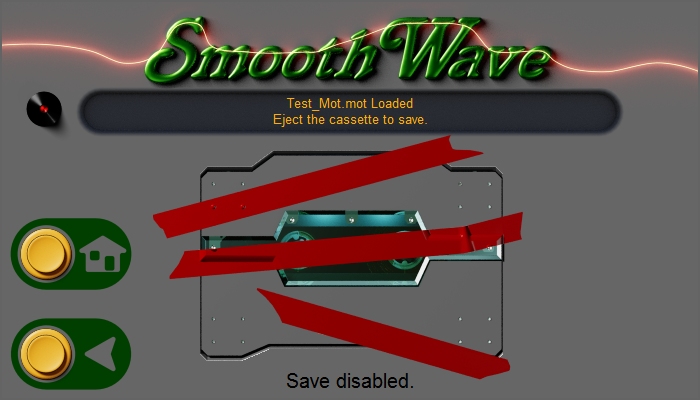
This is what it looks like if saving is disabled while my program is used in it's demo mode.
https://imgur.com/PbkK4o3
 celest pilot
 worthy fox
all in python
worthy fox
all in python
And Tkinter.. and pygame yes
pale sun

 hoary canopy
Does anyone have experience with using threading and tkinter?
 craggy swift
covert rock
I need an idea about PySide/Qt
craggy swift
covert rock
I need an idea about PySide/Qt
hello,there.
craggy swift
hoary canopy
Does anyone have experience with using threading and tkinter?
hello, there.
I wanna make a friend by developing together. Send me a DM if it's okay.
covert rock
<@&831776746206265384> spam
 heady crest
I'm building a web app with the streamlit library that should work as a music album rater.
Here's my code https://pastebin.com/Aa16GeEf
The app should show you the album and create a form with all the songs in an album, each followed by a slider with which you can set a rating. When you click submit, you should get two lists printed to the temrinal: 'ids' for each song identifier and 'ratings' with the floats for the rating value.
I get the id list correctly, but the rating values are always 0.0.
This is the 'library_tracks.csv' file: https://pastebin.com/yvzVTrtr
Please help :)
Pastebin
Pastebin.com is the number one paste tool since 2002. Pastebin is a website where you can store text online for a set period of time.
Pastebin
Pastebin.com is the number one paste tool since 2002. Pastebin is a website where you can store text online for a set period of time.
Let me know if this question belongs in another channel
sleek hollow
!pban 1291456316870758450 spam
proven basinBOT
:incoming_envelope: :ok_hand: applied ban to @craggy swift permanently.
 indigo crane
tkinter hotreload!
 mighty rock
pale sun
never heard of tinker, is it sort of like PyQt5?
mighty rock
pale sun
never heard of tinker, is it sort of like PyQt5?
PyQt5 lets you do Qt stuff in Python, tkinter lets you do Tk stuff in Python. I'd say PyQt5 is more fleshed out for Qt than tkinter is for Tk
solid wedge
I just spent months working on a project, learned some PyQt6 after PySimpleGUI went pay to play and just now realized that PyQt6 only supports up to Python 3.9. Is this a problem? Should I quit now and work on learning a GUI with more longevity? I’m concerned that since we are on python 3.13 now, I’m backing a dying platform.
I don’t make a lot of projects, but if I’m going to spend my time learning something, I want it to be around for a little bit.
sleek hollow
solid wedge
I just spent months working on a project, learned some PyQt6 after PySimpleGUI w...
use PySide6 instead of PyQt6
worthy fox
im working on GUI for yt-dlp, is it ok to share images of it here and code?
 cunning sundial
people who have experience with api keys and making not piratable software dm me
solid wedge
sleek hollow
use PySide6 instead of PyQt6
I’m sad to say I don’t know the difference between them… I’ll go google
 mighty rock
worthy fox
im working on GUI for yt-dlp, is it ok to share images of it here and code?
mighty rock
worthy fox
im working on GUI for yt-dlp, is it ok to share images of it here and code?
!yt
proven basinBOT
Our youtube-dl, or equivalents, policy
Per Python Discord's Rule 5, we are unable to assist with questions related to youtube-dl, pytube, or other YouTube video downloaders, as their usage violates YouTube's Terms of Service.
For reference, this usage is covered by the following clauses in YouTube's TOS, as of 2021-03-17:
The following restrictions apply to your use of the Service. You are not allowed to:

1. access, reproduce, download, distribute, transmit, broadcast, display, sell, license, alter, modify or otherwise use any part of the Service or any Content except: (a) as specifically permitted by the Service;  (b) with prior written permission from YouTube and, if applicable, the respective rights holders; or (c) as permitted by applicable law;

3. access the Service using any automated means (such as robots, botnets or scrapers) except: (a) in the case of public search engines, in accordance with YouTube’s robots.txt file; (b) with YouTube’s prior written permission; or (c) as permitted by applicable law;

9. use the Service to view or listen to Content other than for personal, non-commercial use (for example, you may not publicly screen videos or stream music from the Service)
They're both wrappers for Qt, but PySide6 seems to have "won out"
solid wedge
sleek hollow
They're both wrappers for Qt, but PySide6 seems to have "won out"
I’ll start reading up on it and converting my current project. Thanks!
proven basinBOT
:incoming_envelope: :ok_hand: applied timeout to @digital rose until <t:1728583591:f> (10 minutes) (reason: duplicates spam - sent 4 duplicate messages).
The <@&831776746206265384> have been alerted for review.
pale sun
yo i have a PyQt5 gui that plays songs, i was wondering if it is possible to change this icon that displays in taskbar
 worthy fox
Stack Overflow
I've been working on a very simple Python script using Tkinter. I am using Python 2.7.3.
How can I change its application icon (the 'file' icon shown at the explorer window and the start/all programs
royal gull
pale sun
yo i have a PyQt5 gui that plays songs, i was wondering if it is possible to cha...
If you mean the icon itself, then you'll have to do setWindowIcon on the window and give it a QIcon. If that doesn't show up, you'll have to pair it with a ctypes hack:
import ctypes
ctypes.windll.shell32.SetCurrentProcessExplicitAppUserModelID("[CompanyName].[ProductName].[SubProduct]?.[VersionInformation]?")
Technical reason why this is needed can be found here.
-# Note: for the string given for app user model id, [field] is something you have to replace. The ? after the brackets after means the field is optional.
indigo crane
this is windows specific
 fallow wren
I didn't know what channel use for my question but I have problem with bettercam library, I want to get only one app screen like discord screen sharing or obs
 lost valley
import matplotlib.pyplot as plt

def colored_text(format_string, x, y, fig, **kwargs):
    import re
    pattern = r"(\w+)\('([^']*)'\)"
    matches = re.findall(pattern, format_string)
    print(matches)
    current_x = x
    for color, text in matches:

        fig.text(current_x, y, text, color=color, **kwargs)
        current_x += None #idk what could be good here
Now in matplotlib you can not make multiple colors in one text except if you write fig.text over and over with the same y but change the x and it's very annoying hence why Im trying to make this, however I'm not able to find an algorithm that helps me add a right X value to make sure the spacing is fine.
 misty canopy
lost valley
```py
import matplotlib.pyplot as plt
def colored_text(format_string, x, y, fig...
misty canopy
lost valley
```py
import matplotlib.pyplot as plt
def colored_text(format_string, x, y, fig...
Hmm, my approach would be to use the latex support for colors, rather than specifying it for the entire line. E.g. like in this answer: https://stackoverflow.com/a/9185143
 pearl cloud
sleek hollow
use PySide6 instead of PyQt6
pearl cloud
sleek hollow
use PySide6 instead of PyQt6
Is Kivy better than PySide6?
sleek hollow
pearl cloud
Is Kivy better than PySide6?
Not sure, don't know much about Kivy
pearl cloud
sleek hollow
Not sure, don't know much about Kivy
Alright
 junior barn
yoo
 devout kettle
Is anybody here good at tkinter need some help
quartz tartan
Hey i wanted to learn tkinter and if someone is like good at tkinter maybe you and i can do a small projekt on vs code with live share. I wnat to learn more abt Tkinter
golden lintel
Can anyone please check my website landing page https://cvresumenest.com and give feedback regarding design ?
Would highly appreciate that .
Thank you ❤️
Create your professional resume for free with CVResumeNest. No sign-up or credit card required. Effortless design to help you get hired faster.
mighty frigate
Ok I need some philosophical advice here
from my experience there's 2 ways to make a QML application:
from bottom-to-top: the C++ has everything, and orchestrate everything, and QML is merely a view
from top-to-bottom: the logic is still in C++ but it's QML that orchestrate everything
I can't figure out what is the best way to make a QML app, and what's the pros and cons of both ways
 pearl trench
quartz tartan
Hey i wanted to learn tkinter and if someone is like good at tkinter maybe you a...
pearl trench
quartz tartan
Hey i wanted to learn tkinter and if someone is like good at tkinter maybe you a...
not tkinter but i found PyQt6 and read through multi books on it then started my own from there
recently I had just redid a old project of mine, a BTC Wallet Generator, using PyQt6!
 worthy fox
yor app looks like mine alot 😄
the colors heh
i thinkn im gonna swap from qt6 from qt5
pearl trench
No way; got a image? whats the reason for your swap @worthy fox
worthy fox
it has some nice features that the qt5 does not have
well does not look that but similar, but i love your outlooks and im gonna make mine look more like yours heh
pearl trench
its uploaded to github if you want to take a look at the stylesheet used; that required alot digging around and downloading a few books to for css properties
currently working on a password manager
mighty frigate
pearl trench
recently I had just redid a old project of mine, a BTC Wallet Generator, using P...
Congratz !
consider using PySide6 🙂
mighty frigate
worthy fox
i thinkn im gonna swap from qt6 from qt5
Qt5 has already reached its end of life. Please do not use it.
 proper rune
is qt or tkinter better for guis
 shell crystal
proper rune
is qt or tkinter better for guis
shell crystal
proper rune
is qt or tkinter better for guis
Tkinter is good for very small projects as it's very simple and easy to get running. But QT is better for bigger projects as it usually gets more performance, and works better for cross-platform projects.
proper rune
shell crystal
Tkinter is good for very small projects as it's very simple and easy to get runn...
oh ty but what better for a gui like a appstore whit link buttons whit a modern desing
shell crystal
Tkinter is hard to theme in my opinion, QT can use custom widget styles and color schemes.
proper rune
shell crystal
Tkinter is hard to theme in my opinion, QT can use custom widget styles and colo...
ok then i try qt
shell crystal
By default QT will use a theme that looks like this on Windows
 worthy fox
use QT, much better than tinker
im just reading the qt6 tutorials, not that much changes tbh but very nice 1's, ill start converting to 6 tomorrow
pale sun
i used qt for a music player i made and followed a tutorial for a snake game which used tk
pearl trench
Why PySide6 over PyQt6?
royal gull
pearl trench
Why PySide6 over PyQt6?
They're functionally similar but the main reason you'd want one over the other is the license as PySide6 uses the LGPLv3 rather than the GPL which, afaik, basically allows you to use PySide6 as long as you share whatever modifications you make to PySide (which you'll probably not do). The GPL is a bit more strict (both are available under commercial licenses though if you want).
PySide also comes from the Qt Company whereas PyQt comes from a third-party (Riverbank). Apart from like very subtle differences in how they're built and how some things are named, that's pretty much it.
pearl trench
I found pyside docs better though im not 100% on what the whole licensing thing means exactly
sleek hollow
pearl trench
I found pyside docs better though im not 100% on what the whole licensing thing ...
I would actually recommend the c++ docs. It's way better organized and all the class/method/signal names are the same anyways. I don't know any c++ and can read the docs
pearl trench
@sleek hollow I aspire to know, c++...
devout kettle
Hi how can i create tkinter buttons based on user inputs so user creates a set and it creates a button with that set name? Any vidoes i can learn for it
sleek hollow
devout kettle
Hi how can i create tkinter buttons based on user inputs so user creates a set a...
You can add buttons to the UI at runtime from a function. It's not really much different
hoary canopy
Should i be inherting tkitner into my app class? does it make that much of a difference over creating a root object in the class
sleek hollow
hoary canopy
Should i be inherting tkitner into my app class? does it make that much of a dif...
It depends really. If the UI you're making will always be the top most window, then you can just directly inherit Tk
if you think your UI might at some point be embedded into another program, you could inherit Frame instead
hoary canopy
Alright, thanks. I think thats the next thing im going to try. been working with notebooks to prevent the need of constantly swapping screens/frames, used a top level for a login window and loading screen. I think my next project will use inheriant and I will switch to either rel place or grid for dynamic layouts.
sleek hollow
hoary canopy
Alright, thanks. I think thats the next thing im going to try. been working with...
I'd really avoid place if possible
also if you're looking to build more robust UI, consider switching to pyside
hoary canopy
I want to eventually switch to PyQT6 or Kivy, but really need to get some projects off the ground so tkinter if functional. Also, so many people hate place but its been so easy and useful lol. I come from a visual script game dev software so its what im use to as well.
hoary canopy
!paste
@sleek hollow Heres an example of how i plan on using place moving foward. I still have to add an event function to adjust the fonts but it is functional as well as dynamic. https://paste.pythondiscord.com/6PLA
I also need to update some things so they arent hard coded e.g the rel calculations (need to pass the width and height variables from the App class to the dashboard class so they are updated in case I need to update the base window default size)
Well moving forward until I switch to something that’s cross platform.
 feral citrus
i want a to add the news head lines to it and the summary of the news in the summary box
which i am unable to add
here is the code
https://pastebin.com/kNR9U2XE
Pastebin
Pastebin.com is the number one paste tool since 2002. Pastebin is a website where you can store text online for a set period of time.
 plain shoal
pearl trench
recently I had just redid a old project of mine, a BTC Wallet Generator, using P...
plain shoal
pearl trench
recently I had just redid a old project of mine, a BTC Wallet Generator, using P...
ngl the colour scheme is kinda sus XD. Maybe changing it to something more appropriate would be better
pearl trench
@plain shoal Thats funny; what makes you say that. haha
 dark elk
I'm making an interface in PyQt5 and I need to be able to drag the QLabel widget into another window as a file
sleek hollow
dark elk
I'm making an interface in PyQt5 and I need to be able to drag the QLabel widget...
You need to implement your own drag on mousePressEvent
 cyan plaza
Does anyone know the best way to make a nice bootstrap website that works on all screen sizes. I am just looking for some tips
If this is the wrong place then please tell me
shell crystal
cyan plaza
If this is the wrong place then please tell me
#web-development would be a better place for this, #user-interfaces is for desktop app interfaces such at QT and GTK
pearl trench
Been working on a system for user authentication on application startup for PyQt6, link is https://github.com/ZoidEee/pyqt6-login-auth-app-template if anyone wants to take a look
first time running it will ask for password and 2nd is login; login failed wont bring the main application window up.
cyan plaza
@shell crystal Thanks for the suggestion
 shell oasis
i am trying to add a matplot graph to my grid system. so far no luck. i tried this here: https://stackoverflow.com/questions/59550783/embedding-a-matplotlib-graph-in-tkinter-grid-method-and-customizing-matplotl
but i get the error 'AttributeError: 'ThemedTKinterFrame' object has no attribute 'tk''
and now i am clueless.
the stackoverflow post is also almost 5years old, maybe it is different now?
the idea is that when i click a button that there is a sqlite3 query which feels the x and y with data and should show in the same video, no pop ups
shell oasis
i think the problem is my window is TKinterModernThemes.ThemedTKinterFrame and not tkinter.TK. but changing it causes other issues
hoary canopy
I’m only using tk and ttk but I think I managed to put a png from mat plot in a label using grid. The thing I’m iffy on is if I used the grid method.
shell oasis
hm alright, i guess i have to rewrite the whole thing to fit all of it in one
shell oasis
lol, i got it now with no chances^^
 near flame

What do I need to learn so I can make this project?
I can probably just do the last bullet point which is the custom syntax
But that's about it
I'm not sure how to make a painting app
Then machine learning that reads what's on the screen
And I'm planning on doing that by saving a pic of the program if the user stops drawing for a few secs
worthy fox
my gui for 1 nice app 🙂
 cosmic dove
I have a question on labels how can I make it pack a new one underneath the previous one
I had an image but discord won't let me send it sorry
mighty rock
cosmic dove
I have a question on labels how can I make it pack a new one underneath the prev...
That should be the default packing behavior unless you specified an argument for the side parameter
cosmic dove
I did use a side parimeter and it keeps on making up so that generates to the right side I wanted to generate underneath the previous label
shell oasis
here is what you need probably @cosmic dove
https://coderslegacy.com/python/tkinter-pack-two-frames-side-by-side/
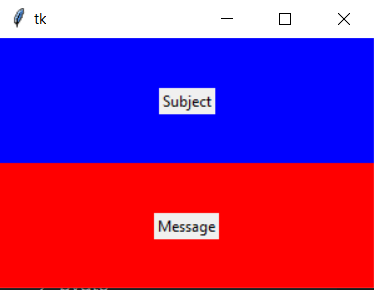
In this Tkinter tutorial we will explore how to use the pack() layout function to align two Frames side by side.
it is frames, but with labels it should work too
i have a question too. i have some prints in my main()
and i want the insides of those print messages in a textbox in my gui. i searched for displaying the terminal in a box, but i think that is too much. it sounds simple but i cant figure it out how to get the strings into my gui object
sleek hollow
shell oasis
i have a question too. i have some prints in my main()
and i want the insides of...
you can create your own class and as long as it has a write method, it can be used in place of print
shell oasis
yeah i have found those examples too but i dont get it how i can build that in
i will try smth out. thanks
cosmic dove

Here's what I was able to make but I don't know how to place it under the previous label and there supposed to be a box on the left for a neral network be
cosmic dove
shell oasis
here is what you need probably <@868137138091343925>
https://coderslegacy.com/p...
It has something similar to what I need
And thank you
shell oasis
do you use grid system or pack?
cosmic dove
e!
#===[imports]===#                              '#fdfcf3'
import tkinter as TK
#===============#

#===[def library]===#
def submit_click():

    inputdata = user_input.get()
    user_messege = TK.Label(interface, text=inputdata,bg='#eaf4ff', font=('arial',15))
    user_messege.pack(side='right', padx=10)
    user_input.delete(0,TK.END)


#===[interface window]===#
interface = TK.Tk()

interface.geometry("450x500")

interface.title('ember.AI')

icon = TK.PhotoImage(file= r'C:\Users\Willo\Desktop\ember ai folder\ember.gif')
interface.iconphoto(True, icon)

interface.config(bg='#fdfcf3')

#=================#

user_input_panel = TK.Frame(interface, bg='#fdfcf3')
user_input_panel.pack(side='bottom', pady=20)  # Anchor to the bottom of the window
#===[enter box]===#
user_input = TK.Entry(user_input_panel)

user_input.config( background= '#eaf4ff', font=('Century Schoolbook',20))

user_input.pack(side='left',padx=5)
#=================#

submit_button = TK.Button(user_input_panel,padx=10,pady=5,text='submit', command=submit_click).pack(side='bottom')


interface.mainloop()
`class TextRedirector(object):
def init(self, widget, tag):
self.widget = widget
self.tag = tag
def write(self, text):
    self.widget.configure(state='normal') # Edit mode
    self.widget.insert(tk.END, text, (self.tag,)) # insert new text at the end of the widget
    self.widget.configure(state='disabled') # Static mode
    self.widget.see(tk.END) # Scroll down
    self.widget.update_idletasks() # Update the console

def flush(self):
    pass`
@sleek hollow
I have this class now, i replaced the print with the TextRedirector.write(text) function but i get the error:"TextRedirector.write() missing 1 required positional argument: 'text'"
cosmic dove
shell oasis
do you use grid system or pack?
Pack sorry just wanted to
shell oasis
cosmic dove
e!
```py
#===[imports]===# '#fdfcf3'
import tkinter...
yeah i dont get pack(). i usally use the grid system with the rows and columns
you could try to replace every pack with grid()

those 3 buttons look like this:
 sleek hollow
shell oasis
`class TextRedirector(object):
def __init__(self, widget, tag):
self...
sleek hollow
shell oasis
`class TextRedirector(object):
def __init__(self, widget, tag):
self...
import sys
import tkinter as tk

class GUIPrinter:

    def __init__(self, textbox):
        self.textbox = textbox

    def write(self, text):
        self.textbox.insert(tk.END, text)

    def flush(self):
        pass


def on_print_clicked():
    print("Hello World")


root = tk.Tk()
print_box = tk.Text()
print_box.pack()

tk.Button(text='Print', command=on_print_clicked).pack()

sys.stdout = GUIPrinter(print_box)
root.mainloop()
here's an example of it in action
you MUST redirect sys.stdout to your new class instance
shell oasis
i did that
def redirect_sysstd(self):
# We specify that sys.stdout point to TextRedirector
sys.stdout = TextRedirector(self.console_text, "stdout")
sys.stderr = TextRedirector(self.console_text, "stderr"
proven basinBOT
Pasting large amounts of code
If your code is too long to fit in a codeblock in Discord, you can paste your code here:
https://paste.pythondiscord.com/
After pasting your code, save it by clicking the Paste! button in the bottom left, or by pressing CTRL + S. After doing that, you will be navigated to the new paste's page. Copy the URL and post it here so others can see it.
shell oasis
they are few files missing so it wont work probably
wait i am going send the whole thing
sleek hollow
tr.write(text)
you don't need to manually call write
the print handles that for you if you redirect sys.stdout
run my example and look at the code
sleek hollow
the simplest way is to probably create your own logging function instead of using print
and then just have it print to terminal and to the text box in the gui
shell oasis
alright, i will figure it out. thanks for your example. will help when i sleep over it^^ thanks a lot
cosmic dove
shell oasis
you could try to replace every pack with grid()
How would it be kept on the edge?
shell oasis
i believe it is the sticky parameter. read about that to figure out how it works. i just try different values until it looks good
fallow wren
how to add glow effect on button in customtkinter?
cosmic dove
shell oasis
i believe it is the sticky parameter. read about that to figure out how it works...
How can I make things touch the bottom of the window using the grid system sorry
shell oasis
you do that by adjusting the size of the window. geometry(400x400)
at least thats how i do it, when they buttons and fields are frames are in that order i wanted i change the resolution of the window there
but maybe you find there a solution that lets you stick them to the bottom
cosmic dove
I managed to get them to pack on to or go on to a grid but it's very lackluster per se it's directly in the center which is good for the entry bar but the cement button isn't doing too well
 fallow wren
how to add glow effect on button in customtkinter?
fallow wren
fallow wren
how to add glow effect on button in customtkinter?
I mean neon around button🙏
shell oasis
fallow wren
I mean neon around button🙏
you could do place it in a frame and change the background
cosmic dove
No I'm sorry for being a problem
shell oasis
dw^^ we are all here to learn
cosmic dove
I'm sorry for my window
fallow wren
shell oasis
you could do place it in a frame and change the background
that's look soo bad :cc

canvas will help?
shell oasis
i havent used canvas yet sorry
shell oasis
fallow wren
that's look soo bad :cc
maybe this will help to frame the button
https://pythonguides.com/python-tkinter-text-box/
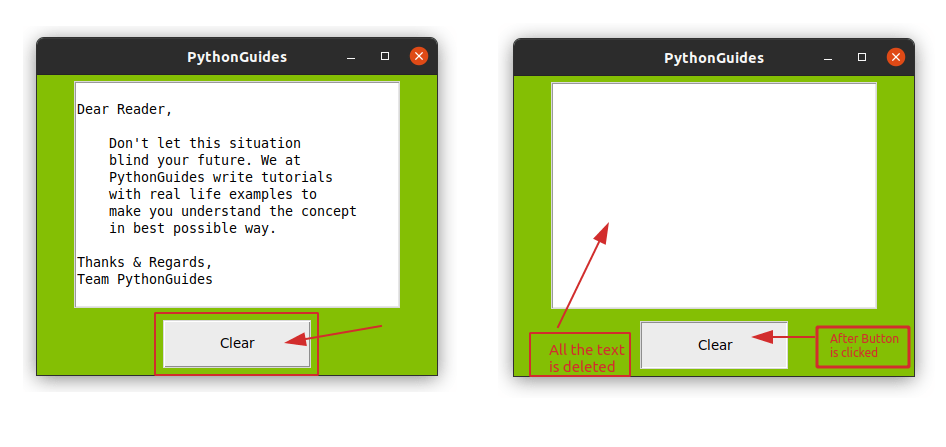
This Python tutorial explains everything about Python Tkinter Text Box Widget, Python Tkinter Text Box Clear, Python Tkinter Text Box Get Value, Python Tkinter Text Box Example, etc.
cosmic dove
shell oasis
maybe this will help to frame the button
https://pythonguides.com/python-tkinter...
That's what I use for my entry box and submission button and I'm trying to get it to print to the bottom so if anyone knows how to use the grid to get it to the bottom please let me know
mighty rock
cosmic dove
I managed to get them to pack on to or go on to a grid but it's very lackluster ...
Draw what you wanted and I'll be able to help. There's no need to stray away from packing as long as you use frames correctly
fallow wren
shell oasis
maybe this will help to frame the button
https://pythonguides.com/python-tkinter...
this is frame with button
im trying to do this 2 days
fallow wren
fallow wren
that's look soo bad :cc
this.
if I don't places it corect can I found working example?
worthy fox
planning to divide the downloadbutton area to 4 different download types, download, downloadplaylist, donwload the selected files from playlist, custom
 cosmic dove
mighty rock
Draw what you wanted and I'll be able to help. There's no need to stray away fro...
cosmic dove
mighty rock
Draw what you wanted and I'll be able to help. There's no need to stray away fro...
How I get it to pack underneath the previous message instead of packing it onto the side of the previous message
i don't no how to pack the new label under the previous
 mighty rock
cosmic dove
How I get it to pack underneath the previous message instead of packing it onto ...
mighty rock
cosmic dove
How I get it to pack underneath the previous message instead of packing it onto ...
If both are packed with side="top", which is the default, then simply make sure to pack the entry first before packing the button second. If both are packed with "side=bottom", make sure to pack the entry second after packing the button first
cosmic dove
I put it in the same frame in the entry button comes first and then it packs them submit button second
mighty rock
cosmic dove
i don't no how to pack the new label under the previous
You need a frame to separate the labels and the entry & button
cosmic dove
mighty rock
You need a frame to separate the labels and the entry & button
Do I have to make a new frame for each label itself ?
mighty rock
I don't really know how you want the widgets to be laid out so either a frame for the labels or a frame for the entry & button
cosmic dove
Would you like to see a screenshot of what I really want to try and get this to look like sorry
mighty rock
Using pack() is a game of managing frames and pack()'s parameters
There's more to it than what a screenshot can convey
Like resizing/repositioning
And distances
cosmic dove
I know I can resize the window it's just trying to use minimal space because if you work with space then you have you learn to become more efficient at packing things very nice and tidy Plus it's going to be attached to a network I'm just working on the interface so I know where everything's supposed to go sorry
cosmic dove
mighty rock
Like resizing/repositioning
I was going to make it so that the size is locked which I need to figure out how to make it so that's big enough to fit any amount of text to be converted for input
mighty rock
Just use a frame. You'll figure this out by tinkering
 wide inlet
These kinds of widgets are from Blender. They are used to create shaders. I would like to have similar widgets in my application for a different purpose. (They are also in Unreal Engine for scripting behavior etc.)
How would you approach creating something like this? Is there a package that does it already? Or does it make sense to create an OpenGL context and make the widgets from scratch?

I want an interactive canvas where I can add and remove the cards and connect them
sleek hollow
wide inlet
These kinds of widgets are from Blender. They are used to create shaders. I woul...
you could do it with pyside and qgraphics but it gets quite complex
 still valley
dows any one know tkinter
sleek hollow
still valley
dows any one know tkinter
There's plenty here who will, but it's best to just ask your question instead of waiting for someone
pearl trench
password manager in pyqt6 ive been working on

 wheat palm
Hi, someone can help me with a problem here with Tkinter? pls
wide inlet
wheat palm
Hi, someone can help me with a problem here with Tkinter? pls
Not unless you ask your question
wide inlet
sleek hollow
you could do it with pyside and qgraphics but it gets quite complex
Ok, i thought so, thanks
And there really isn't a package to create interactive canvas? Even like Excalidraw is? Sounds like an opportunity 😄
sleek hollow
wide inlet
Ok, i thought so, thanks
And there really isn't a package to create interactive ...
QGraphicsScene is an interactive canvas, but you need to build the functionality yourself
wheat palm
wide inlet
Not unless you ask your question
i did
 zinc hedge
hello, i have to make a project for school and i am using tkinter for it. Now my problem is that i want to know the value that is there in a combobox (ttk) the second the user makes his choice because there is another combobox and the options of that box depends on the choice from the first one.
now i cant manage to do this
i tried using delays and checking it evry 1 second but that messes with the mainloop i guess
def trainbookinglobby_function():
def Book_Tickets():

    def button_function():
        book_tickets.destroy()
        print(origin_option_value.get())

    trainbooking.destroy()

    book_tickets = t.Tk()
    book_tickets.geometry('400x400')

    f = open('C:\\Users\\Arun\\Desktop\\CompProject\\trains.csv')

    r = csv.reader(f)

    l= []

    for i in list(r):
        if i[0] not in l:
            l.append(i[0])

    origin_option_value = t.StringVar()

    origin_option = ttk.Combobox(book_tickets,values = l,textvariable = origin_option_value)
    origin_option.place(relx = 0.2, rely = 0.2, anchor = 'c')
    submit_button = t.Button(text='submit',command = button_function)
    submit_button.place(relx = 1-100/400,rely = 1-100/400, anchor='c')

    print(origin_option_value.get())


    book_tickets.mainloop()
Generally the idea of reacting to some action is known as event handling, and tkinter offers a lot of mechanisms for this, for example, given two combo boxes where the first one contains a numeric multiplier and the second box needs to show a list of numbers multiplied by the previous combo box: ```py
app = Tk()
var = IntVar(app, value=1)
combo_multiplier = Combobox(app, values=["1", "2", "3"], textvariable=var)
combo_multiplier.pack()
combo_numbers = Combobox(app)
combo_numbers.pack()
def update_numbers():
multiplier = var.get()
options = [str(i * multiplier) for i in range(10)]
combo_numbers.set(multiplier)
combo_numbers.configure(values=options)
update_numbers()
app.mainloop()One solution is to bind to the combo box's special `<<ComboboxSelected>>` event emitted whenever the user changes their selection:py
combo_multiplier.bind("<<ComboboxSelected>>", lambda event: update_numbers())
And another solution that works with all tkinter variables is to use the `var.trace_add()` method:py
var.trace_add("write", lambda name1, name2, op: update_numbers())```
Both will make the combobox update in real time:

See also these two pages in TkDocs:
https://tkdocs.com/tutorial/concepts.html#events
As with most user interface toolkits, Tk runs an event loop that receives events from the operating system. These are things like button presses, keystrokes, mouse movement, window resizing, and so on.
https://tkdocs.com/tutorial/widgets.html#combobox
A combobox will generate a<<ComboboxSelected>>virtual event that you can bind to whenever its value changes. (You could also trace changes on thetextvariable, as we've seen in the previous few widgets we covered. Binding to the event is more straightforward, and so tends to be our preferred choice.)
shell oasis
fallow wren
this is frame with button
maybe this will help you?
https://ultrapythonic.com/tkinter-frame/
cosmic dove
mighty rock
Just use a frame. You'll figure this out by tinkering
Would you like to see when trying to make it look like?

 half talon
What do I do to make Tkinter not look ugly
cosmic dove
How are you looking to make?
 austere sparrow
half talon
What do I do to make Tkinter not look ugly
austere sparrow
half talon
What do I do to make Tkinter not look ugly
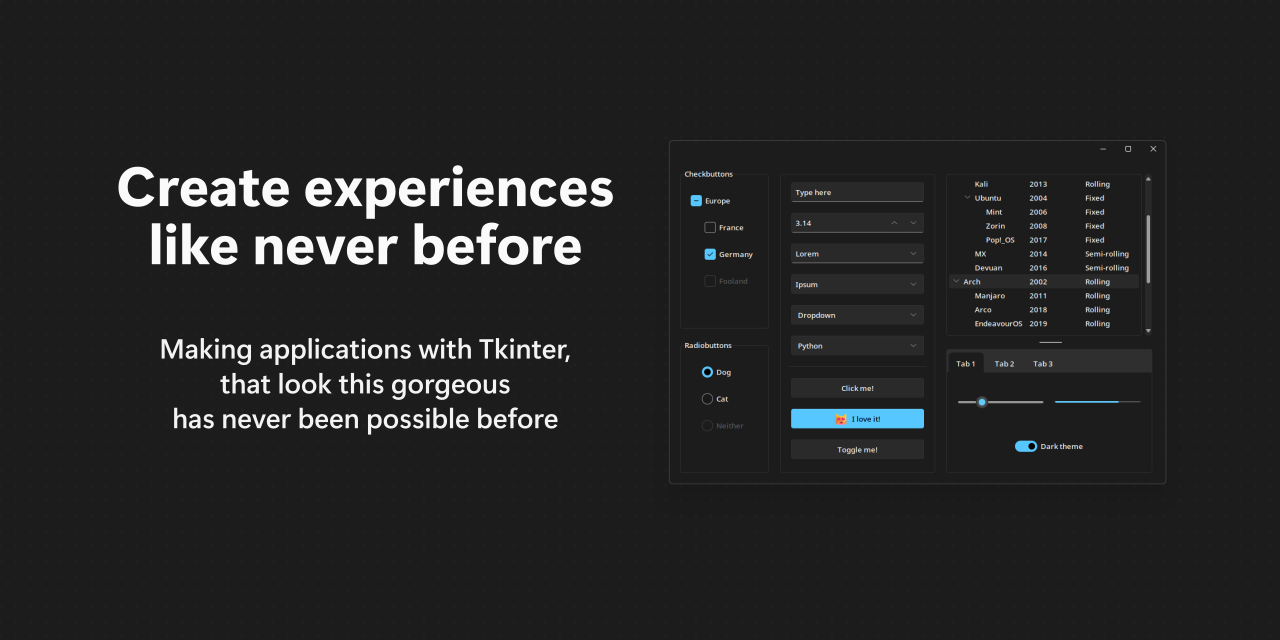
I built some tools with Tkinter to help me do my job and I found Rdbendes theme nice. They have a few other themes like Forest and Azure you can choose from too. https://github.com/rdbende/Sun-Valley-ttk-theme
GitHub
A gorgeous theme for Tkinter/ttk, based on the Sun Valley visual style ✨ - rdbende/Sun-Valley-ttk-theme
shell oasis
thanks, i certainly will use that.
cosmic dove
So should I make a frame for the labels?
And how do I put frames on each other sorry
pearl cloud
does anyone know how to remove that black thing on this customtkinter slider?
 pearl cloud
TTKBootstrap is cool
worthy fox
 worthy fox

 high ocean
which library is best for making some 'gui' feel in terminal just the way nvchad does
dire barn
high ocean
which library is best for making some 'gui' feel in terminal just the way nvchad...
!pypi textual
proven basinBOT
Modern Text User Interface framework
Released on <t:1729967855:D>.
pearl cloud
?
 solar bough
 sinful nacelle
has anyone used pyautogui?
I wanted to try and run it in headless mode, but it just doesnt work in wsl
 sour gazelle
austere sparrow
I built some tools with Tkinter to help me do my job and I found Rdbendes theme ...
sour gazelle
austere sparrow
I built some tools with Tkinter to help me do my job and I found Rdbendes theme ...
I'll take a look at your repo. I use customtkinter for interfaces. It looks pretty modern.
 honest copper
 past coyote
it doesn't look slow to me?
past coyote
honest copper
it doesn't look slow to me?
I timed the times, the "compiled" one does it in 7 seconds, the other one does it in 3 seconds
but I think this is just bothering me because I know how long it takes without compiling
honest copper
past coyote
I timed the times, the "compiled" one does it in 7 seconds, the other one does i...
try briefcase or nuitka as i said.
past coyote
the end customer will not know
past coyote
honest copper
try briefcase or nuitka as i said.
ok! thanks
devout kettle
Hi anybody know how to search a custom tkinter scrollable frame ?
 reef oxide
@pearl cloud
did you find a fix and do you think it would fix my resize or should I just leave it there?
I used a grip but something else down the road has managed to kill it!
from ctypes import windll

# Build "GLASS" effect
root = tk.Tk()
root.geometry("400x300")
root.overrideredirect(True)
root.attributes('-alpha', 0.95)
root.update_idletasks()

# Apply rounded corners to the window (I will have to do more research because this removes crossplat)
hwnd = windll.user32.GetParent(root.winfo_id())

def apply_rounded_corners():
    radius = 40
    windll.user32.SetWindowRgn(hwnd, windll.gdi32.CreateRoundRectRgn(0, 0, root.winfo_width(), root.winfo_height(), radius, radius), True)

apply_rounded_corners()

# Close button functionality
def close_app():
    root.destroy()

# Custom header and close button
header_frame = tk.Frame(root, bg="#444444", height=30)
header_frame.pack(fill="x")

title_label = tk.Label(header_frame, text="Rounded Edges GUI", bg="#444444", fg="white", font=("Helvetica", 12))
title_label.pack(side="left", padx=10)

close_button = tk.Button(header_frame, text="X", bg="#ff5c5c", fg="white", font=("Helvetica", 12, "bold"), bd=0, command=close_app)
close_button.pack(side="right", padx=10)

# Wingets
greeting_label = tk.Label(root, text="Hello, World!", font=("Helvetica", 16), bg="#FFFFFF")
greeting_label.place(relx=0.5, rely=0.4, anchor="center")

action_button = tk.Button(root, text="Click Me", font=("Helvetica", 14), command=close_app, bg="#DDDDDD")
action_button.place(relx=0.5, rely=0.6, anchor="center")

# Window dragging functions
def start_window_drag(event):
    root.drag_data = (event.x, event.y)

def drag_window(event):
    offset_x, offset_y = root.drag_data
    new_x = event.x_root - offset_x
    new_y = event.y_root - offset_y
    root.geometry(f'+{new_x}+{new_y}')

header_frame.bind("<Button-1>", start_window_drag)
header_frame.bind("<B1-Motion>", drag_window)

# Window resizing functions
def start_resize(event):
    root.resize_data = (root.winfo_width(), root.winfo_height(), event.x_root, event.y_root)

def resize_window(event):
    start_width, start_height, start_x, start_y = root.resize_data
    new_width = max(start_width + (event.x_root - start_x), 200)
    new_height = max(start_height + (event.y_root - start_y), 150)
    root.geometry(f'{new_width}x{new_height}')
    apply_rounded_corners()

# Resizing grip at the bottom-right corner
resize_grip = tk.Frame(root, bg="#444444", cursor="size_nw_se")
resize_grip.place(relx=1.0, rely=1.0, anchor="se", width=20, height=20)

resize_grip.bind("<Button-1>", start_resize)
resize_grip.bind("<B1-Motion>", resize_window)

root.mainloop()
 floral nexus
anyone aware of a way of doing flexbox like layouts in python?
reef oxide
should it not work the same?
make a container frame, configure the grid for what you want, create the boxes
        container = ttk.Frame(self.root, padding=20)
        container.pack(expand=True, fill='both')

        # Configure the grid for flexible layout
        self.configure_grid(container, columns=3, rows=1)

        # Create the boxes
        self.create_boxes(container, ["Box 1", "Box 2", "Box 3"])

    def configure_grid(self, container, columns, rows):
        for i in range(columns):
            container.columnconfigure(i, weight=1)
        for i in range(rows):
            container.rowconfigure(i, weight=1)

    def create_boxes(self, parent, texts):
        for idx, text in enumerate(texts):
            frame = ttk.Frame(parent, width=100, height=100, relief="raised", borderwidth=2)
            frame.grid(row=0, column=idx, padx=10, pady=10, sticky="nsew")
            label = ttk.Label(frame, text=text, anchor="center")
            label.pack(expand=True, fill='both')```

if you don't want it all clumped together you'll have to label the seperately grouped boxes
```        box1 = self.create_box(container, "Box 1")
        box1.grid(row=0, column=0, padx=10, pady=10, sticky="nsew")

        box2 = self.create_box(container, "Box 2")
box2.grid(row=0, column=1, padx=10, pady=10, sticky="nsew")```what I am trying to find is a way to make something like an ingame menu like those crazy old ass GUIs on win 7 and earlier
crazy shapes
honest copper
nice
past coyote
The speed has no comparison, because C# wasn't even compiled, now that I've compiled it, it does it in less than 2 seconds
honest copper
nice
 normal island
Does anyone know how is called the interface library that is often used in AI tools like stable diffusion1111 or sum ?
 lofty pond
normal island
Does anyone know how is called the interface library that is often used in AI to...
lofty pond
normal island
Does anyone know how is called the interface library that is often used in AI to...
OpenCV?
 summer thunder
Could someone help me with a question? I wanted to create 2 frames: 1 - Frame_bg that would occupy the entire window, and 2 - frame_login, which would have a fixed size and be centered in the window (overlapping Frame_bg). I tried to do it, but I’m really struggling... can someone shed some light?
this is mine

I wanted to do it like this.
 mighty rock
Is something not the right size or what?
I suppose the Senac image needs to take the size of the entire window area, in which case how are you displaying it on the window?
summer thunder
I had pasted it in a frame and that frame was in the window
Then I put a label in the jframe and then created the login frame so the image was in the login frame and the frame where the image was supposed to be turned green
normal island
lofty pond
OpenCV?
No ?
normal island
its not openCV
they use like interface that looks nice and i used pretty much in a lot of AI projects yk
lofty pond
normal island
they use like interface that looks nice and i used pretty much in a lot of AI pr...
Stable diffusion uses Gradio (https://github.com/gradio-app/gradio) it is as you said, meant for ai apps
GitHub
Build and share delightful machine learning apps, all in Python. 🌟 Star to support our work! - gradio-app/gradio
normal island
lofty pond
Stable diffusion uses Gradio (https://github.com/gradio-app/gradio) it is as you...
yes thats it thanks
normal island
I mean i just imlemented it in my AI script and its so good
 mossy forge
Not sure if this is the correct channel but I want to create a program that would be sort of an overlay using Tkinter and I was wondering if there is a way to take a screenshot of whatever is underneath the window
sleek hollow
mossy forge
Not sure if this is the correct channel but I want to create a program that woul...
I'm not sure if you can do this without hiding the window. I'm also not sure if tkinter has a built-in way to screenshot. PIL can do it with ImageGrab
mossy forge
sleek hollow
I'm not sure if you can do this without hiding the window. I'm also not sure if ...
I don't mean that I need to use only tkinter and I know that I can use PIL for screenshots, I just am wondering if there is a way of capturing what's behind a window without moving or hiding it
sleek hollow
mossy forge
I don't mean that I need to use only tkinter and I know that I can use PIL for s...
Not that I'm aware of. You would have to hide the window just for a split second before taking the screenshot
mossy forge
sleek hollow
Not that I'm aware of. You would have to hide the window just for a split second...
Not really an ideal solution because I would like to constantly refresh the content of the window, which would probably be annoying to look at if it would constantly flicker
 fervent shuttle
Has anyone worked with Qt in Python? Using PySide2?
sleek hollow
fervent shuttle
Has anyone worked with Qt in Python? Using PySide2?
It's quite popular. Did you have a specific question?
austere sparrow
Does anyone have some recommendation's for graphs in tkinter. I know matplotlib is an option but I was curious if anyone knows anything with better visuals out there I could try to use.
lofty pond
austere sparrow
Does anyone have some recommendation's for graphs in tkinter. I know matplotlib ...
Well, a canvas widget in tkinter can work with some finagling. Requires more initial work but it would be more flexible.
fervent shuttle
sleek hollow
It's quite popular. Did you have a specific question?
I am trying to run a GitHub repo that uses PySide2 but apparently it is missing requirements.txt and so i cannot install all the libraries
 frozen zealot
created this, any tips on how to make it more user friendly?

 unborn basalt
what are some alternatives to matplotlib? (line graphs specifically)
 bleak gazelle
frozen zealot
created this, any tips on how to make it more user friendly?
bleak gazelle
frozen zealot
created this, any tips on how to make it more user friendly?
Bigger text
frozen zealot
bleak gazelle
Bigger text
You know the code for that?
mighty frigate
frozen zealot
created this, any tips on how to make it more user friendly?
best advice I can give you is open the calc on your system and look at how they did it
on the top of my head:
- a border for the input field
- rounded corner for the input field
- bigger font for the buttons
- rounded buttons
- spaces between buttons
- rework the layout so the clear button isn't some huge things at the bottom
 somber stirrup
guys does anyone know a good GUI building library which is easy except pysimplegui
frozen zealot
mighty frigate
on the top of my head:
- a border for the input field
- rounded corner for the i...
thank you!!
pearl cloud
frozen zealot
You know the code for that?
font parameter in the button class
font=(Font Name, Size)```
Example:
```py
font=("Arial", 18)``` final hinge
wondering if anyone has any suggestions of a text-ui similar to Inquirer that has question callbacks?
for example, prompting file found; use file or refresh it? (y/N) and trigger a function of refreshing a file if answer is y
summer thunder
I imported the code from pyqt5designer and it doesn't run in vscode, I wanted to know what I can do to make it work, I'm kind of struggling to run it and I also tried to install pyqt5 but it gives an error about metadata. Does anyone know how to solve this?


 plain mesa
 old iris
yo
 vestal frigate
I made a discord bot for a server I moderate and I want to make a easy to use panel UI that I can distribute among the other mods to control the bot have yall got any tips or any designs that I can use for inspo
I made this mockup

I'm on mobile dont judge it 💀
worthy fox

 worthy fox
just grey image hmm

 mossy forge
Today, I've decided to take a look into using QT for my script but I'm having an annoying issue
I've tried to create a class that inherits from QWidget but for some reason when I try to use it it doesn't show up (even though when I use QWidget directly there is no problem)
here's code for that class and the class in which I'm trying to use it
class Resize(QWidget):
    def __init__(self, *args, **kwargs):
        super(Resize, self).__init__(*args, **kwargs)
        self.setStyleSheet('background-color: rgb(0, 0, 150)')


    def mousePressEvent(self, event):
        if event.button() == Qt.LeftButton:
            print(event.globalPos())


class Window(QMainWindow):
    def __init__(self):
        super().__init__()
        self.resize(804, 604)
        self.setStyleSheet("QFrame { border: 2px solid rgb(0, 150, 0); border-radius: 4px}")
        self.setAttribute(Qt.WA_TranslucentBackground, True)
        self.setWindowFlags(Qt.Window | Qt.WindowStaysOnTopHint | Qt.FramelessWindowHint)
        self.frame = QFrame(self)
        self.frame.setGeometry(0, 0, 804, 604)
        self.move_widget = QWidget(parent=self) # this one shows up
        self.move_widget.setGeometry(2, 2, 20, 20)
        self.move_widget.setStyleSheet('background-color: rgb(150, 0, 0)')
        self.resize_widget = Resize(parent=self) # this one does not show up
        self.resize_widget.setGeometry(self.size().width() - 2 - 20, self.size().height() - 2 - 20, 20, 20)
QWidget will draw when it is the window. Any background styling doesn't show up by default though when it's contained in another window. You can fix it by using self.setAutoFillBackground(True) in your QWidget class
 mossy forge
sleek hollow
QWidget will draw when it is the window. Any background styling doesn't show up ...
mossy forge
sleek hollow
QWidget will draw when it is the window. Any background styling doesn't show up ...
I already managed to bypass the issue by using QFrame instead of QWidget but I did just checked your suggestion and it still didn't show up properly
BTW, while I'm already here, is there anything specific I should do in PyCharm to use PySide6 efficiently? Asking because for some reason it shows unresolved attribute references (which does annoy me a little).
vestal frigate
I made a discord bot for a server I moderate and I want to make a easy to use panel UI that I can distribute among the other mods to control the bot have yall got any tips or any designs that I can use for inspo
The mockup i made on mobile

Also should I use ctk or pyqt6
worthy fox
pyqt6
sleek hollow
mossy forge
I already managed to bypass the issue by using QFrame instead of QWidget but I d...
Ahh that's because of the size policy. QFrame auto expands to fill space but qwidget will only expand with its contents
You can use QSizePolicy.MinimumExpanding
 modest dove
Is there any extension/site/software to visually see your tkinter project change in realtime as your coding?
mighty frigate
mossy forge
here's code for that class and the class in which I'm trying to use it
```
class...
stylsheets in custom widgets don't always work out, you can define the paintEvent explicitly to account for this
fyi I just tested in PySide6 and it does show up
 mossy forge
mighty frigate
fyi I just tested in PySide6 and it does show up
mossy forge
mighty frigate
fyi I just tested in PySide6 and it does show up
The one that is a custom widget was supposed to be a blue square in bottom right and it doesn't show up there
mighty frigate
mossy forge
The one that is a custom widget was supposed to be a blue square in bottom right...
which one ?
ah
 mossy forge
That's how I wanted it to look like (and like I said I already bypassed it by inheriting QFrame instead of QWidget)
 mighty frigate
from PySide6.QtCore import *
from PySide6.QtGui import *
from PySide6.QtWidgets import *
import sys

class Resize(QWidget):
    def __init__(self, *args, **kwargs):
        super(Resize, self).__init__(*args, **kwargs)
        self.setStyleSheet('background-color: rgb(0, 0, 150)')


    def mousePressEvent(self, event):
        if event.button() == Qt.LeftButton:
            print(event.globalPos())

    def paintEvent(self, paint_event):
        opt = QStyleOption()
        opt.initFrom(self);
        p = QPainter(self);
        self.style().drawPrimitive(QStyle.PE_Widget, opt, p, self);


class Window(QMainWindow):
    def __init__(self):
        super().__init__()
        self.resize(804, 604)
        self.setStyleSheet("QFrame { border: 2px solid rgb(0, 150, 0); border-radius: 4px}")
        self.setAttribute(Qt.WA_TranslucentBackground, True)
        self.setWindowFlags(Qt.Window | Qt.WindowStaysOnTopHint | Qt.FramelessWindowHint)
        self.frame = QFrame(self)
        self.frame.setGeometry(0, 0, 804, 604)
        self.move_widget = QWidget(parent=self) # this one shows up
        self.move_widget.setGeometry(2, 2, 20, 20)
        self.move_widget.setStyleSheet('background-color: rgb(150, 0, 0)')
        self.resize_widget = Resize(parent=self) # this one does not show up
        self.resize_widget.setGeometry(self.size().width() - 2 - 20, self.size().height() - 2 - 20, 20, 20)


app = QApplication(sys.argv)

window = Window()
window.show()

app.exec()
with the custom paintEvent to explicitly account for the stylesheet
this is a well known side effect when using stylesheets in a custom QWidget
mossy forge
Well, that's good to know though
mighty frigate
mossy forge
BTW, while I'm already here, is there anything specific I should do in PyCharm t...
I don't use PyCharm but I can take a look when I have a bit of time if you'd like. Can you show me the kind of problem you have so I can reproduce it ?
mossy forge
mighty frigate
I don't use PyCharm but I can take a look when I have a bit of time if you'd lik...

Attributes like these are highlighted and don't show up in code completion
mighty frigate
mossy forge
Today, I've decided to take a look into using QT for my script but I'm having an...
I hope you're not having too much of a bad time 🙂 You can ping me if you have other Qt questions.
yeah, they didn't show either in vscode. I'll take a look later
mossy forge
mighty frigate
I hope you're not having too much of a bad time 🙂 You can ping me if you have o...
Well, I don't plan on doing anything too complicated but I still do have few things to figure out for my app
For example, is there a way to create an opaque element that you can click through (so it clicks on whatever is behind the window instead)?
mighty frigate
mossy forge
For example, is there a way to create an opaque element that you can click throu...
It depends. A widget that refuses event, I'm sur you can. An event not captured by the app, I'm 'ot certain but I think you can' t. It has to do with how OS proccesses mousse events. If it's really how I think it is it's workable but you need to capture those events and resend them to the process underneath using another lib, like win32 if you're on Windows. That's not trivial.
mossy forge
mighty frigate
It depends. A widget that refuses event, I'm sur you can. An event not captured...
Well, the thing is I want to create something that would be an overlay of sorts and I don't want it to prevent you from using whatever is underneath it

 acoustic wave
browser GUI, i need help with a bug, dm me if u understand pyqt6, ty.
 mighty frigate
acoustic wave
browser GUI, i need help with a bug, dm me if u understand pyqt6, ty.
mighty frigate
acoustic wave
browser GUI, i need help with a bug, dm me if u understand pyqt6, ty.
Just ask whatever question you have
worthy fox
lookin nice
acoustic wave
wait for the video loading
see
i think the problem is the QSplitter: https://github.com/FrogPossibility/Navigo_Browser
GitHub
A Browser scripted in py based on PyQt6 Web Engine - FrogPossibility/Navigo_Browser
acoustic wave
mighty frigate
Just ask whatever question you have
are you able to help me?
worthy fox
forked the browser might come handy
mighty frigate
acoustic wave
are you able to help me?
not enough context
before even starting, making a browser is a bad idea
now with that said
chances are you're doing some calculus when moving the window
on the top of my head, I'd say those calculus are wrong
acoustic wave
oh
mighty frigate
where's the splitter you're talking about
acoustic wave
np
acoustic wave
thank god
mighty frigate
@acoustic wave ok so
you're basing your movement on the delta between now and the last move
the problem is: that value is too small and therefore not reliable, that's why your window is jumping around
the better way would be to memorize the position of the window at the start of the movement, and always move from that
in custom_titlebar.py:
def mousePressEvent(self, event):
    self.windowPos = self.parent.frameGeometry().topLeft()
    self.start = event.globalPos()
    self.pressing = True

def mouseMoveEvent(self, event):
    if self.pressing:
        if self.parent.isMaximized():
            self.parent.showNormal()
        delta = event.globalPos() - self.start
        self.parent.move(self.windowPos + delta)
nice work on the rest of the code, it looks legit
just a little something: please comment in english

 mossy forge
mighty frigate
I hope you're not having too much of a bad time 🙂 You can ping me if you have o...
mossy forge
mighty frigate
I hope you're not having too much of a bad time 🙂 You can ping me if you have o...
Hey, I have another question. If I have a function that takes noticeable amount of time to execute and I don't want it to freeze my window is multithreading my only option or is there something simpler I could use?
mighty frigate
mossy forge
Hey, I have another question. If I have a function that takes noticeable amount ...
yes, but there's multiple form of multithreading
I'm not familiar with QtConcurrent (even tho it looks fun)
I can show you the basics of QThread tho
mighty frigate
mossy forge
Hey, I have another question. If I have a function that takes noticeable amount ...
from PySide6.QtCore import *
from PySide6.QtGui import *
from PySide6.QtWidgets import *
import sys

class Worker(QObject):
    finished = Signal(str)

    def __init__(self):
        super().__init__()

    def exec(self):
        QThread.sleep(2)
        self.finished.emit("Hello, World!")

class Ctrl(QObject):
    work_finished = Signal(str)
    def __init__(self):
        super().__init__()
        self.in_progress = False

    def start(self):
        self.in_progress = True
        self.thread = QThread()
        self.worker = Worker()
        self.worker.moveToThread(self.thread)

        self.thread.started.connect(self.worker.exec)
        self.worker.finished.connect(self.on_finished)
        self.worker.finished.connect(self.thread.quit)
        self.thread.finished.connect(self.worker.deleteLater)
        self.thread.finished.connect(self.thread.deleteLater)
        self.thread.start()

    def on_finished(self, result):
        self.work_finished.emit(result)
        self.in_progress = False


def button_clicked(ctrl, btn, label):
    if ctrl.in_progress:
        return
    btn.setText("Loading...")
    label.setText("")
    ctrl.start()


def work_finished(result, btn, label):
    label.setText(result)
    btn.setText("Finished!")


app = QApplication(sys.argv)
window = QMainWindow()
root_widget = QWidget(window)
window.setCentralWidget(root_widget)
layout = QVBoxLayout(root_widget)
label = QLabel()
label.setText("No result")
layout.addWidget(label, 0, Qt.AlignCenter)
button = QPushButton("Start")
layout.addWidget(button, 0, Qt.AlignCenter)
window.show()

ctrl = Ctrl()
button.clicked.connect(lambda: button_clicked(ctrl, button, label))
ctrl.work_finished.connect(lambda r: work_finished(r, button, label))

app.exec()
 atomic panther
whats the best GUI library
mossy forge
mighty frigate
```py
from PySide6.QtCore import *
from PySide6.QtGui import *
from PySide6.QtWi...
Doesn't look too complicated but I do have one question. Is it possible to pass a more complex data structure with a signal (for example a numpy array)?
 elder acorn
atomic panther
whats the best GUI library
elder acorn
atomic panther
whats the best GUI library
Tkinter maybe
mighty frigate
mossy forge
Doesn't look too complicated but I do have one question. Is it possible to pass ...
signal/slots arguments in Qt relies on QVariant
whatever type you're prodiving must be convertible to and from QVariant
in C++ you go that by using the macro Q_DECLARE_METATYPE, I'm not sure how it's done in python
if you're lucky it will "just work"
mighty frigate
atomic panther
whats the best GUI library
the best idk but the most complete is Qt, by far
worthy fox
i would go for Qt instead Tinker
mossy forge
mighty frigate
if you're lucky it will "just work"
I was lucky and ndarray appears to just work out of the box, so that was a nice surprise
As for multithreading itself I did it slightly different to your solution (instead of creating a new thread every time there is a task I just keep one thread always ready to be used) but it appears to be working fine for me
 serene kiln
can someone who knows a good amount of tkinter and matplotlib help me with something (preferably in dms)
mossy forge
mighty frigate
It depends. A widget that refuses event, I'm sur you can. An event not captured...
Also, I've managed to find a flag that seems to be doing exactly what I needed here
 stoic plume
I'm using PySide6 and I'm creating a bunch of Widgets dynamically, but what I want seems simple yet I can't find the answer for it.
I've got QLineEdits and QLabels that are added in rows. I want some way that I can connect these so that when the user edits the QLineEdit value the QLabel is also changed.
I have this working in a static environment, but when I add the Widgets dynamically I need a way to track which ones are meant to be linked up. Is it possible to get the QLineEdit object that triggers the signal, or some easier way to make the connection?
 stoic plume
I'm using PySide6 and I'm creating a bunch of Widgets dynamically, but what I wa...
stoic plume
stoic plume
I'm using PySide6 and I'm creating a bunch of Widgets dynamically, but what I wa...
I figured this out. Somehow it never came up that I could get it using self.sender()
 pearl slate
Anyone here use kivy? What do you think of it
 ruby crystal
Hi
any GUI tool that would allow me to call async code?
i have some i/o done with httpx with trio and want to make a ui for it
 modern harness
so i was working with a library in python and it had settings?

is this a normal thing? + The app let you instal libraries from it and it makes programming simple and accessible for anyone
sorry if I'm in the wrong place bc it's an UI question after all
royal cape
ruby crystal
Hi
any GUI tool that would allow me to call async code?
i have some i/o done wit...
GUIs usually have their own event loops so you'll have to make your trio event loop cooperate with their event loop - in the case of Trio, you might be interested in their "Guest mode" feature to allow another event loop to power the Trio event loop:
https://trio.readthedocs.io/en/stable/reference-lowlevel.html#using-guest-mode-to-run-trio-on-top-of-other-event-loops
Alternatively if you want to go a harder route, you can run trio in a separate thread and use threadsafe methods like trio.from_thread.run() to talk between your GUI thread and trio thread
mighty frigate
ruby crystal
Hi
any GUI tool that would allow me to call async code?
i have some i/o done wit...
Qt has QThread and QtConcurrent.
 spiral apex
ruby crystal
Hi
any GUI tool that would allow me to call async code?
i have some i/o done wit...
spiral apex
ruby crystal
Hi
any GUI tool that would allow me to call async code?
i have some i/o done wit...
qtrio?
It's a wrapper around trio guest mode
ruby crystal
thanks 🙌
I'll look around
 stoic bough
alright guys. I am making a UI in python but it's going to be very simple. The biggest concern to me is speed. What UI framework should I use that would be very fast with low overhead?
please @ me if you have a suggestion
sleek hollow
stoic bough
alright guys. I am making a UI in python but it's going to be very simple. The b...
speed of what? Most UI is only limited by the underlying code it has to process. The UI itself shouldn't be standing in your way
sleek hollow
 west portal
is anyone online
west portal
is anyone online
If you have a question, simply ask it.
 hot sandal
sleek hollow
If you have a question, simply ask it.
hot sandal
sleek hollow
If you have a question, simply ask it.
That was their question and you did not answer
cosmic dove
May I ask a question?
stoic bough
sleek hollow
speed of *what*? Most UI is only limited by the underlying code it has to proces...
I'm making a remote desktop client for when im in school and it would have to be able to update images very fast
idrk too much about ui's and if that would ever be a speed issue
sleek hollow
stoic bough
I'm making a remote desktop client for when im in school and it would have to be...
How fast? How many images? What size?
stoic bough
sleek hollow
How fast? How many images? What size?
fast enough to be atleast 60 fps. 2560x1440
I wanted to use powershell as the thing that would run on my computer at home but I'm not sure it will be fast enough to do that with the screen capture
 shadow dragon
Hey I have a question Is it possible to change the icon app taskbar in Window on an app in Pyhon tkinter?
 rare sundial
shadow dragon
Hey I have a question Is it possible to change the icon app taskbar in Window o...
rare sundial
shadow dragon
Hey I have a question Is it possible to change the icon app taskbar in Window o...
Yes, According to my notes: under windows you want something like toplevel.wm_iconbitmap(bitmap=file) and under poxix you want
toplevel.wm_iconphoto(True, img)```I haven't tested the windows code but that's what I copied down when I saw it used.
On the other hand, knowing as much more about tcl image internals now than I did then, it seems like the wm_iconphoto should work on both and a call to wm_iconbitmap() first should only be necessary when the transparency isn't working correctly.
misty canopy
stoic bough
fast enough to be atleast 60 fps. 2560x1440
that'd be pretty hard indeed. i've seen frameworks that can render a video at such performance, though - take a look at #media-processing, I think I saw showcases of pyqtgraph doing that there.
(but also... consider, do you really need your own custom solution for that, instead of an existing client?)
stoic bough
misty canopy
that'd be pretty hard indeed. i've seen frameworks that can render a video at su...
I think I might try making it in c#
and use winforms
for the performance
stoic bough
misty canopy
(but also... consider, do you *really* need your own custom solution for that, i...
oh I'm just doing the project for fun
I could easily use chrome remote desktop or something
shadow dragon
Hi i have a question regarding retrieving class from another file and retrieving Functions that use class from the other file in tkinter
lofty pond
shadow dragon
Hi i have a question regarding retrieving class from another file and retrieving...
To import from another py files for a folder structure of
- Project
  - main.py
  - library.py
In python it goes like this:
main.py
from .library import FUNCTION, CLASS
FUNCTION()
variable = CLASS()
variable.something()
...
 lime karma
Hello I have a question on DearPyGui tables. How would i go about indexing through each cell row by row, then modifying the background color of specific cells?
I know the recursive looping part and all that, but documentation doesn't really say much on getting the children of the table
or modifying cells either
 surreal escarp
@light cairn you got a choice between textual and urwid for libraries
i mean TUIs can be made on console right?
 light cairn
surreal escarp
i mean TUIs can be made on console right?
light cairn
surreal escarp
i mean TUIs can be made on console right?
Yup. I like textual's look. I might use it for my projet. Thanks again bro.
surreal escarp
light cairn
Yup. I like textual's look. I might use it for my projet. Thanks again bro.
no problem good luck g
 obtuse trout
Hi, can any of you recommend some good resources to learn PySide, besides the docs?
 slim coral
surreal escarp
<@948872408880791562> you got a choice between `textual` and `urwid` for librari...
slim coral
surreal escarp
<@948872408880791562> you got a choice between `textual` and `urwid` for librari...
@RipNTear pyTermTk can be used for TUI as well.
light cairn
slim coral
@RipNTear **pyTermTk** can be used for TUI as well.
Okay I'll check it out, thank for letting me know🫂
 fallow bronze
Hello 🙂 Im quite new to Python. I have a script that creates a "login" window. You type your name in there and it when clicking on "start chat" it closes itself and the script that created the login window now creates a chatroom with the username you entered in the login window. However I cant figure out how to return the entered username to my main script. Is there something in Python like in Unreal Engine (c++) where you can define a dispatcher in a class , bind to it from another place and and pick up dispatcher calls from inside the class that defines the dispatcher to execute code?
 signal robin
Guys
i need help
i am using custom tkinter module to modernize and i wanted to remove title bar it worked but now ALT+Tab doesnt work on it nor is it in taskbar: from customtkinter import *
Create the main app window
app = CTk()
Set the appearance and color theme
set_appearance_mode("dark")
set_default_color_theme("blue")
Set the window geometry and title
app.geometry("1000x650")
app.title("Astreis")
app.resizable(False, False)
Remove the titlebar but keep the window on the taskbar
app.overrideredirect(True)
Main loop
app.mainloop()
 hybrid flint
Hello all,
I hope that i will find some answer here ^^ i make a python interface in kivy that have this tree in pj. Then i use buildozer in google colab to generate successfully an apk but when i try the apk on android studio it say that module "Pluviomètre" is not found. i'll send the buildozer.spec soon. how can i deal with this ?

may i have to complete this in the buildozer.spec :```python # (str) Custom source folders for requirements
Sets custom source for any requirements with recipes
requirements.source.kivy = ../../kivy```
cosmic dove
May I ask a question?
hybrid flint
yes
cosmic dove
I want with a 28 by 28 image look like for a canves
hybrid flint
?
cosmic dove
I'm trying to make a canvas that can allow me to make 28 by 28 images to put in files
cosmic dove
hybrid flint
?
I'm trying to make a canvas that is 28 by 28 pixels that I can say to a file sorry
sudden elk
someone know when tk will support var fonts/woff2? some things don't work atm… (app on right have same font as on website in bg)
 vestal frigate
Hi guys I have a friend with such bad dyslexia that at 13 he still can barely read and I want to make a chrome extension UI that he can use to help him read by changing the font via the UI to one that people with dyslexia find easier to read and more features but im clueless so has anyone got any tips on how i can start
cosmic dove
I have a question has anyone made any 3D printing software or do I need to go for pie game for that sorry sorry sorry sorry
 desert totem
Hi guys
digital rose
vestal frigate
Hi guys I have a friend with such bad dyslexia that at 13 he still can barely re...
I don't think you need an extension for this. Firefox should be able to handle it out of the box.
https://support.mozilla.org/en-US/kb/change-fonts-and-colors-websites-use
This article describes how to customize the way you see websites by choosing font styles and colors that will override those used by the websites.
vestal frigate
digital rose
I don't think you need an extension for this. Firefox should be able to handle i...
... its mainly for coding practice :/
 zenith wyvern
Hello everyone I have got a question. Can app in PyQt6 start with opening dialog ant then after clicking button it would open main_window?
sleek hollow
zenith wyvern
Hello everyone I have got a question. Can app in PyQt6 start with opening dialog...
sure
make a class that manages all the windows
zenith wyvern
Thanks
 vital canyon
Will something built with pyqt5 on windows automatically work on macos and linux too?
 strange fractal
vital canyon
Will something built with pyqt5 on windows automatically work on macos and linux...
strange fractal
vital canyon
Will something built with pyqt5 on windows automatically work on macos and linux...
Yes it should
spiral apex
vital canyon
Will something built with pyqt5 on windows automatically work on macos and linux...
No not necessarily
It depends what other features you're using
Also you probably want to upgrade to pyside6
 livid meadow
hello can someone help me on my simple GUI
 wanton apex
I don't see anything that can cause this
sleek hollow
wanton apex
I don't see anything that can cause this
you're importing pyqt5 and pyqt6. I don't think they share the same app
wanton apex
sleek hollow
you're importing pyqt5 and pyqt6. I don't think they share the same app
oh I forgot about it thnx

wanton apex
sleek hollow
you're importing pyqt5 and pyqt6. I don't think they share the same app
damn it worked thanks
 last hemlock
opinions? it's meant to be a watermelon-themed diary app

would love to hear reviews and feedback
shell crystal
last hemlock
opinions? it's meant to be a watermelon-themed diary app
It's cute, will it be themable?
last hemlock
shell crystal
It's cute, will it be themable?
probably not, since that means i'd need to design more themes
and i don't even have the thing made yet, this is just a prototype
but themes may be a good idea
shell crystal
last hemlock
probably not, since that means i'd need to design more themes
or let the user do it
last hemlock
shell crystal
or let the user do it
ah yes, "custom CSS here"
i'll add a menu after i make the whole thing
then you can edit the colours
shell crystal
I was thinking more of choosing colors
shell crystal
last hemlock
ah yes, "custom CSS here"
literally discord
Also maybe also give the option for server side decorations (native window buttons) Example below:

But that you can hold off on if even added at all
last hemlock
yeah that's what i was thinking
i made the text two levels thicker and and rearranged a few things. what do you think?

@shell crystal
shell crystal
last hemlock
i made the text two levels thicker and and rearranged a few things. what do you ...
A lot more readable, I like it
vestal frigate
last hemlock
i made the text two levels thicker and and rearranged a few things. what do you ...
was this made with PyQt6? or ctk
last hemlock
vestal frigate
was this made with PyQt6? or ctk
it was made with figma
it's a concept
vestal frigate
ahh ok
last hemlock
that's why it says at the bottom "the example text shown is AI generated"
vestal frigate
its a very good concept well done
 silver stump
how to make an interface with python? and i dont mean with kivy
 errant parcel
last hemlock
i made the text two levels thicker and and rearranged a few things. what do you ...
errant parcel
last hemlock
i made the text two levels thicker and and rearranged a few things. what do you ...
||Little late to the party but hey ho :p|| Not a bad UI concept - reminds me of the Apple Notes app a bit.
I recommend moving the "new entry" button to the top of your sidebar as a user with multiple entries would find it tedious to scroll down to the bottom each time. Adding it to the top would make it much more accessible as it won't move positions and it'll always be easily accessible.
 fickle musk
whats best library for UI? im new to python and looking to add some ui for some apps
vestal frigate
fickle musk
whats best library for UI? im new to python and looking to add some ui for some ...
PyQt6, CustomTKinter, Kivy, Tkinter, PyQt5
lofty pond
fickle musk
whats best library for UI? im new to python and looking to add some ui for some ...
Easiest one to learn is Tkinter, Python comes with it and it is great for beginner project. I say there is no best UI libraries, you can do just about anything with any library
 forest cloud
back to hobby projecting, anyone used Flet before? I'm looking for smth that can compile my app to both web and desktop.
 finite field
Full message: https://paste.pythondiscord.com/A4PQ
TL;DR: I would like to write my own _tkinter.c Python 3 package akin to tkinter.py, would this be relevant to others once I open-source it?
I attached a sample file in the pastebin above.
Dunno, there's just...a certain itch I can't seem to scratch when I look over the tkinter.py code.
 light vault
fickle musk
whats best library for UI? im new to python and looking to add some ui for some ...
light vault
fickle musk
whats best library for UI? im new to python and looking to add some ui for some ...
PyGObject?
 plucky furnace
I meant this bruh
i know its horrible
but i need to sell it
it's a badass product
ig
last hemlock
errant parcel
||Little late to the party but hey ho :p|| Not a bad UI concept - reminds me of ...
no idea how i missed this but yes, i'll probably move the "new" entry button to the very bottom.
do you think i should give the option for a compacted view? like how in vscode, each section is a thin rectangle that only displays the file name?
and another thing: could i make it so it inserts headings for things like "today", "yesterday", "last week", "last month", "last year", etc?
errant parcel
Yeah I think both of those would be good ideas. The compact view especially - I would definitely use that one lol
 fast urchin
Probably yea
 strong comet
Does anyone know how I could get x and y coordinates from mouse cursor on a tkinter canva
?
 long pond
strong comet
Does anyone know how I could get x and y coordinates from mouse cursor on a tki...
long pond
strong comet
Does anyone know how I could get x and y coordinates from mouse cursor on a tki...
Use pyAutoGUI and use update the pointer on every location it moves to
 mild granite
Hi, is it possible for sommeone to help me with a tkinter code problem? I put it in the help section but here is the code if you cant find it https://paste.pythondiscord.com/IFFQ
royal cape
@mild granite The problem is a bit complex to understand, but essentially your checkNum variable can only store one IntVar at a time, meaning that for every essential item that your for-loop goes through, it forgets the last IntVar you assigned to it - at the end, checkNum only has the IntVar you created for your "Rain Gear" checkbox since that's the last item in your essentials list, so your progress bar only increases if Rain Gear is checked:

Although in your actual program, your use of .place() is cutting off some of your buttons, hence why you can't see that "Rain Gear" checkbox:

Before you work on the IntVars, I suggest fixing the overflowing content first by:
- Replacing all three
.place()calls with.pack() - Removing
checklist_frame.pack_propagate(False)
When you use pack this way, Tkinter can automatically fit your content without needing to set the exact width/height, and it'll look like the first screenshot
mild granite
Oh ok, main main problem is getting the logic doen first though, the cosmetics I think is not as big of a priority. This is part of a larger program (I can really share due to an api key though). Thank you for your time though
royal cape
Well, it's easier to understand what I mean if you can click on Rain Gear and see how the progress bar only fills when you check that button
mild granite
I can see Rain Gear on my screen though
royal cape
Oh, in that case can you see what I'm talking about?
mild granite
Yh
royal cape
Look back at this explanation, am I helping you understand why only the Rain Gear checkbox works?
... essentially your
checkNumvariable can only store oneIntVarat a time, meaning that for every essential item that your for-loop goes through, it forgets the lastIntVaryou assigned to it - at the end,checkNumonly has theIntVaryou created for your "Rain Gear" checkbox since that's the last item in your essentials list, so your progress bar only increases if Rain Gear is checked ...
It's easier to discuss solutions if you know why checkNum variable isn't sufficient by itself
I have a couple in mind, but the one I think you'd want to try is storing all your IntVars in a single list
mild granite
royal cape
Look back at this explanation, am I helping you understand why only the Rain Gea...
Yh I get it. I thought of storing all of the .checkNums in list so that I can access them but I have to actually try it
royal cape
Yup, you're on the right path
mild granite
Ok but now I will need to access the index depending on which check box I click
I guess I could emunerate the for loop but idk if that will actualy help with anything
royal cape
I actually would sum up all the checked boxes instead, that way you don't need to worry about exactly which box they clicked on
mild granite
royal cape
I actually would sum up all the checked boxes instead, that way you don't need t...
huh?
Wait, do you mean to check every one each time, that actually might work
royal cape
passing the index to fill_progressbar() could work too, but there's a different quirk there to tackle, specifically ways to avoid late-binding variables closures (that seems to be more semantically correct)
mild granite
No clue what a late binding variable is but I think your way seems more logical
royal cape
royal cape
passing the index to `fill_progressbar()` could work too, but there's a differen...
most of the time you'll only encounter this gotcha when defining lambda/def functions inside loops, so generally if you avoid doing that, you don't need to worry about it
but if you're interested in understanding it, you can read about it here:
https://docs.python-guide.org/writing/gotchas/#late-binding-closures
mild granite
https://paste.pythondiscord.com/J2AQ this is what I have so far but it doesnt work as intended. The progress bar only starts to update after the number of ones checked exceeds 8(half way point). The order doest matter in selecting now though so I guess ! problem down?
mild granite
royal cape
most of the time you'll only encounter this gotcha when defining `lambda`/`def` ...
Thanks, I will
royal cape
mild granite
https://paste.pythondiscord.com/J2AQ this is what I have so far but it doesnt w...
since the variable list lets you calculate the total progress percentage each time, you don't need the global progress_fill variable to add/subtract from anymore, just start at zero and add up the variables that are checked
something like: py progress = 0 for choice in variable_list: if choice.get() == 1: progress += 6.25 (this could also be simplified further with some division math)
mild granite
royal cape
something like: ```py
progress = 0
for choice in variable_list:
if choice.ge...
This doesnt really help me, I have no clue what is happenning
royal cape
mild granite
This doesnt really help me, I have no clue what is happenning
hmm, think about what's happening to progresss_fill in your current code: py global progresss_fill for choice in variable_list: if choice.get() == 1: progresss_fill += 6.25 else: # When checkbutton is unchecked. if progresss_fill > 0: progresss_fill -= 6.25 what does the for-loop do if you have the first 2 out of your 16 essentials checked?
mild granite
Ok I get it now
royal cape
FYI @light cosmos proposed an alternative solution in your help thread which addresses the late-binding closures directly, if you want to try that out #1319080732773318696 message
 pure siren
Hi, does anyone know a nice library that I can use for interactive prompting. At the moment I'm using PyInquirer (https://github.com/CITGuru/PyInquirer) but that's not as flexible as I want (for example: I want a user to be able to press Q while in a selection prompt). prompt-toolkit isn't exactly what I want (that looks more of a library to use for editing larger prompts), and looking on the interwebz mostly comes up with command line argument parsing libraries, which isn't what I want (I need an interactive prompt, command line arguments are not used).
GitHub
A Python module for common interactive command line user interfaces - CITGuru/PyInquirer
 full hamlet
pure siren
Hi, does anyone know a nice library that I can use for interactive prompting. At...
full hamlet
pure siren
Hi, does anyone know a nice library that I can use for interactive prompting. At...
OpenWebUi?
Few others; I'm searching and curating things in this area; is that relevant?
full hamlet
Interactive Prompting
Is what led me to that consideration.
 timid vale
Hey @royal gull, im gonna continue here cause I can’t bother reopening a help channel each time it gets closed. To answer your question, no I didn’t put a # cause I made a QPushButton subclass called Button, and apparently you can just put the name of the class that way. But yeah, the style for the hover or pressed state wouldn’t seem to apply unless I put a border specification. Idk why, maybe something was wrongly set up with my class, I can’t show u rn, but maybe later
plucky furnace
why is programming
plucky furnace
i quit c++ guys
and i need help
fr
i am learning python
but i dont get it
why is there something called "def"
wth is that
pure siren
full hamlet
OpenWebUi?
Few others; I'm searching and curating things in this area; is that r...
Sorry no I don't need anything AI related. I mean prompting in the sense of prompting a user for input. Not a genAI prompt.
 junior tangle
Hello, I am struggling with getting a tkinter menu to work by using classes. I tried to make a filemenu class and create a basic filemenu. The code I believe I am running into a problem with is using [root].config(menu=menubar) < since now menubar I don't believe can be called by the main class.
Essentially, I have code that creates the filemenu, but my code isn't displaying the menu when I run
 rustic saffron
plucky furnace
why is there something called "def"
rustic saffron
plucky furnace
why is there something called "def"
def is short for “define”. It's a keyword that you need to define a function (aka method). All the code that you put between the def function_name(parameters) and end will be executed every time you call the function_name later.
royal cape
junior tangle
Hello, I am struggling with getting a tkinter menu to work by using classes. I t...
can you provide a minimal reproducible example? i've typically written my Menu subclasses like this: ```py
from tkinter import Tk, Menu
class MyMenu(Menu):
def init(self, parent):
super().init(parent)
self.add_cascade(label="File", menu=FileMenu(self))
self.add_command(label="About", command=lambda: print("Hello world!"))
class FileMenu(Menu):
def init(self, parent):
super().init(parent)
self.add_command(label="New...")
self.add_command(label="Open...")
self.add_command(label="Save")
self.add_command(label="Save As...")
self.add_separator()
self.add_command(label="Exit")
app = Tk()
app.option_add("*tearOff", False)
app.configure(menu=MyMenu(app))
app.mainloop()```
 junior tangle
royal cape
can you provide a minimal reproducible example? i've typically written my Menu s...
junior tangle
royal cape
can you provide a minimal reproducible example? i've typically written my Menu s...
Yes, this is what I was able to get working actually. I probably don't need to add any more complexity to it but I was trying to move it into a function: create_filemenu
then I wanted to call create_filemenu() in the init function. Probably overkill, but I was struggling specifically with your example: app.configure(menu=MyMenu(app)). When you put it in a seperate function and call that function in init I think it doesn't work because the create_filemenu function does not have the exact same self, parent references as in the init. If that makes sense. I am content with the way you put it, but was wondering how I'd do it the other way I was trying
cosmic dove
def submit_click():

    inputdata = user_input.get()
    user_messege = TK.Label(interface, text=inputdata,bg='#eaf4ff', font=('arial',15))
    user_messege.pack(side='right', padx=10)
    user_input.delete(0,TK.END)
how do i make is so i make a new lable underneathe the previous
 urban field
any free real estate apis
also does the api give pictures or is that not what Apis usually do?
cosmic dove
urban field
any free real estate apis
also does the api give pictures or is that not what Ap...
I depends on what you need for the API(s)
is this ok?

 tacit peak
hey guys, looking for some help with CSS. should be simple. can someone help me?
 somber hemlock
tacit peak
hey guys, looking for some help with CSS. should be simple. can someone help me?
somber hemlock
tacit peak
hey guys, looking for some help with CSS. should be simple. can someone help me?
yep
tacit peak
somber hemlock
yep
so uhm i want to make my chat go from the bottom to when the header starts. [stop when the header starts]. this is my header: .header {
position: fixed;
top: 0;
left: 0;
right: 0;
height: 90px;
display: flex;
align-items: center;
background: #131520;
padding: 15px 30px;
border-bottom: 3px solid #191d35;
z-index: 6;
box-shadow: 0 2px 8px rgba(0, 0, 0, 0.3);
} and this is my chat: .chat {
display: flex;
flex-direction: column;
height: 100%;
width: 24rem;
min-width: 18rem;
gap: 0.5rem;
background: #131520;
padding: 15px 30px;
border-left: 3px solid #191d35;
box-shadow: 0 2px 8px rgba(0, 0, 0, 0.3);
position: fixed;
bottom: -1;
right: 0;
overflow-y: auto;
transition: all 0.3s ease;
z-index: 5;
}
please also for all devices
urban field
cosmic dove
I depends on what you need for the API(s)
things like people listing there homes and pictures of those listings.
 odd glacier
can anyone tell why this doesnt go all the way down??
master.grid_rowconfigure(0, weight=0)  # Toolbar shouldn't expand vertically
master.grid_rowconfigure(1, weight=1)
master.grid_rowconfigure(2, weight=0)  # Status bar shouldn't expand vertically
master.grid_columnconfigure(0, weight=1)

self.toolbar_frame = ctk.CTkFrame(master)
self.toolbar_frame.grid(row=0, column=0, sticky="ew", padx=5, pady=5)

self.text_frame = tk.Frame(master)
self.text_frame.grid(row=1, column=0, sticky="nsew", padx=5, pady=5)

self.text_frame.grid_rowconfigure(0, weight=1)
self.text_frame.grid_columnconfigure(0, weight=1)

self.scroll_text = ScrollText(self.text_frame)
self.scroll_text.grid(row=0, column=0, sticky="nsew")
self.scroll_text.insert(tk.END, "Line 1\n" * 100)

self.status_bar = tk.Label(master, text="Ready", bd=1, relief=tk.SUNKEN, anchor=tk.W)
self.status_bar.grid(row=2, column=0, sticky="ew", padx=5, pady=5)
 odd glacier
done it lol, grid is shit

 brittle birch
I have a project I made with Python, but I want to make a desktop application for it. But I want to use beautiful animations and modernized design in this application. What technologies do I need to know to design a modern interface with these beautiful and effective animations? (I need to be able to use everything with Python (I said this because you may recommend web technology))
 cinder wagon
Tkinter with TKK
 grand zenith
How do I change the interval of a QTimer after it has started
for example ```py
timer = QTimer()
timer.timeout.connect(function)
timer.start(1000)
I tried doing ```py
timer.setInterval(100)``` later on in the code but it doesn't work!paste That should do it. Could you share the rest of the code?
proven basinBOT
Pasting large amounts of code
If your code is too long to fit in a codeblock in Discord, you can paste your code here:
https://paste.pythondiscord.com/
After pasting your code, save it by clicking the Paste! button in the bottom left, or by pressing CTRL + S. After doing that, you will be navigated to the new paste's page. Copy the URL and post it here so others can see it.
grand zenith
proven basin
the code is extremely long and its split into multiple files
grand zenith
royal gull
!paste That should do it. Could you share the rest of the code?
basically this timer is running inside of a QThread and when I change the interval OUTSIDE of the thread the timer just stops working, but if I change the interval INSIDE of the thread, it works
so basically a simple version of the code would be ```py
class SomeThread(QThread):
def init(self, *args, **kwargs):
super().init(*args, **kwargs)
def run(self):
self.timer = QTimer()
self.timer.timeout.connect(self.func)
self.timer.start(1000) # 1 second
def func(self):
print("Timeout")```
if I were to set the interval inside of the SomeThread class, it would work but outside the timer stops working, meaning I can't do something like ```py
some_thread_worker = SomeThread()
some_thread_thread = QThread()
thread logic
later on...
some_thread_worker.timer.setInterval(100)``` this doesn't work for some reason
royal gull
grand zenith
if I were to set the interval inside of the `SomeThread` class, it would work bu...
I'm not completely sure, but I'll assume it's probably because setInterval basically recreates the timer with said interval if it's already running and it might be doing that within your other thread so the timer becomes part of that thread instead. One way of fixing this would probably be through typical Qt signals.
So, your actual thread would have:
# i'll assume pyside, pyqt calls it "pyqtSignal"
class Thread(QThread):
  interval_changed = Signal(int)

  def __init__(self, ...) -> None:
    super().__init__(...)
    self.interval_changed.connect(self.set_interval)

  def set_interval(self, interval: int) -> None:
    ...
And where that thread is made:
some_thread = QThread()
# somewhere else, presumably
some_thread.interval_changed.emit(100)
i don't know why but this doesn't work either
the timer just stops like before
royal gull
grand zenith
the timer just stops like before
You can maybe also try making it a single-shot timer and restarting it manually. That might make a difference.
odd glacier
yum
 grand zenith
royal gull
You can maybe also try making it a single-shot timer and restarting it manually....
grand zenith
royal gull
You can maybe also try making it a single-shot timer and restarting it manually....
how do I do that? Isn't a single-shot timer non-blocking?
royal gull
grand zenith
how do I do that? Isn't a single-shot timer non-blocking?
With singleshot, you'd basically just have the timeout function call start again (practically as if it wasn't single shot). QTimer itself is non-blocking. I found something of note in the docs that backs up what I was saying earlier:
In multithreaded applications, you can use QTimer in any thread that has an event loop. To start an event loop from a non-GUI thread, use exec() . Qt uses the timer’s thread affinity to determine which thread will emit the timeout() signal. Because of this, you must start and stop the timer in its thread; it is not possible to start a timer from another thread.
You might need to explicity move the timer to the thread before restarting it.
grand zenith
royal gull
With singleshot, you'd basically just have the timeout function call start again...
You might need to explicity move the timer to the thread before restarting it.
How do I do that?
is it self.moveToThread(self.timer)?
royal gull
grand zenith
is it `self.moveToThread(self.timer)`?
timer.moveToThread(...)
grand zenith
royal gull
`timer.moveToThread(...)`
I tried this but it still doesn't work
        self.worker.timer.moveToThread(QApplication.instance().thread())
        self.worker.timer.setInterval(update_interval)
        self.worker.timer.moveToThread(self.thread)
self.thread is the QThread object the worker is running on where the timer is btw
it was made with py self.worker.moveToThread(self.thread)
royal gull
grand zenith
I tried this but it still doesn't work
```py
self.worker.timer.moveToTh...
Yeah... unfortunately I'm not sure how to proceed. If possible, I'd probably just move the timer to the same thread as where you're setting the interval. That would probably be better than the workarounds.
grand zenith
royal gull
Yeah... unfortunately I'm not sure how to proceed. If possible, I'd probably jus...
very weird problem. I ended up just using a recursive function and QTimer.singleShot ```py
class SomeThread(QThread):
def init(self, *args, **kwargs):
super().init(*args, **kwargs)
def run(self):
self.interval = 1000
self.func_loop()
def func(self):
print("Timeout")
def func_loop(self):
func()
QTimer.singleShot(self.interval, self.func_loop)```
brittle birch
I have a project I made with Python, but I want to make a desktop application for it. But I want to use beautiful animations and modernized design in this application. What technologies do I need to know to design a modern interface with these beautiful and effective animations? (I need to be able to use everything with Python (I said this because you may recommend web technology))
 tawdry wren
do u know how can i play a video in CTk?
 sudden lynx
tawdry wren
do u know how can i play a video in CTk?
sudden lynx
tawdry wren
do u know how can i play a video in CTk?
get video frame and display them by calculating timing
on a label
sudden lynx
brittle birch
I have a project I made with Python, but I want to make a desktop application fo...
you can use pyside but if you are good with webui you should use the webui
brittle birch
sudden lynx
you can use pyside but if you are good with webui you should use the webui
What is the webui?
silver stump
how can i make a gui in python without kivy? i use tkinter, but i think its just too hard or something like that...
sudden lynx
brittle birch
What is the webui?
that webtech you were mentioning
cosmic dove
Is it possible to make a gradient after you click button?
odd glacier
silver stump
how can i make a gui in python without kivy? i use tkinter, but i think its just...
use tkinter or you doing webgui
odd glacier
@viral hatch

tk looks so mid
i got working scaling and such, but i gotta fix that weird border issue


 viral hatch
odd glacier
i got working scaling and such, but i gotta fix that weird border issue
viral hatch
odd glacier
i got working scaling and such, but i gotta fix that weird border issue
Will you add a sidebar that shows the files?
odd glacier
viral hatch
Will you add a sidebar that shows the files?
possible that i could, but id need to maybe have a system of loading a folder
viral hatch
pathlib would be very nice for that if you're interested
odd glacier
does it list folders as well as documents?
proven basinBOT
Path.iterdir()```
When the path points to a directory, yield path objects of the directory contents...looks like it, based on the example output
odd glacier
viral hatch
looks like it, based on the example output
gonna have to make some themes i think

looks better like that
( stolen from VSC im not capper )
cosmic dove
How can I change the foreground using command
odd glacier
viral hatch
looks like it, based on the example output
added bracket colouring and auto bracket stepping

love it

 viral hatch
odd glacier
<@451477062327468033>
viral hatch
odd glacier
<@451477062327468033>
Nice!
That's most of the main components I'd say an editor should have
cosmic dove
Nevermind
 warm tide
Hi can someone help me to develop a UI and UX in python I want it for my DAW that I am creating
 gray owl
Hello if I'm using vscode and I wanted to use turtle how to use it in vscode
cosmic dove
How can I make a lane print underneath the label and not to the side of it?
#Ex:
Varible.Grid(row=12,colom=34)
Is this ok for a GUI?
 modest dove
cosmic dove
Is this ok for a GUI?
modest dove
cosmic dove
Is this ok for a GUI?
Looks a bit bland, what kinda style r you going for? And are you using tk?
 frank cedar
I am currently working on this project that enables designing UI for Python in GIMP. Short intro video here https://www.youtube.com/watch?v=TdpWYo3-Y6Y&t=11s and here is a demo application https://www.youtube.com/watch?v=WLU4F_n59yg&t=7s (seek to 11:16 to see how a UI designed in GIMP is mapped for use by Python libraries written for the purpose, seek to 15:15 to see how a UI designed in GIMP comes to life). The work is near completion so will be published on GitHub soon.
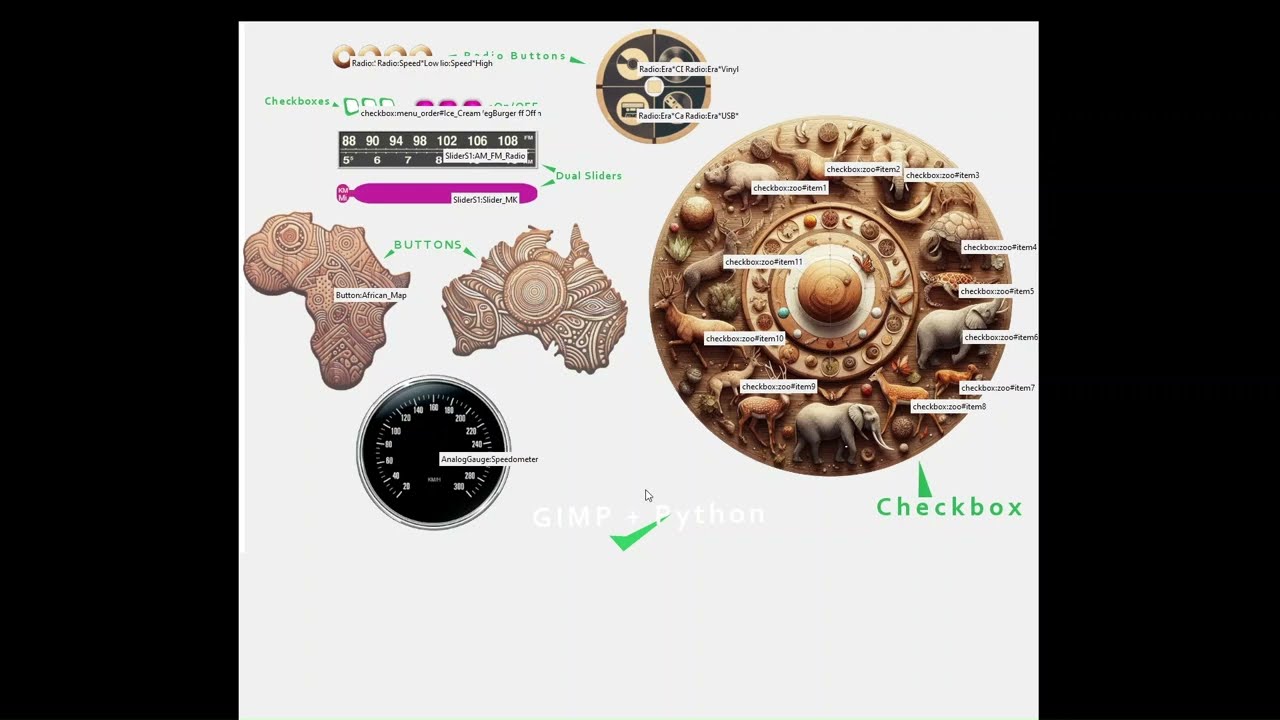
Design your UI for Python with GIMP, use TKinter for user interface that looks like Android and Iphone apps

Use button class style 1 to make a functional remote control user interface in Python. Learn how to use irregular shaped buttons for your Python User Interface that is otherwise not possible with Tkinter or similar libraries. You will also learn how to create a user interface for your Python application in GIMP.
brittle birch
What do you think about electron.js? I want to make an application. Do you think I should do it with electron.js?
cosmic dove
modest dove
Looks a bit bland, what kinda style r you going for? And are you using tk?
https://paste.pythondiscord.com/5DQA
Discord/chat gpt
odd glacier
 odd glacier
@viral hatch
 flat blaze
What is the best gui library in python?
cosmic dove
modest dove
Looks a bit bland, what kinda style r you going for? And are you using tk?
Yes
modest dove
cosmic dove
https://paste.pythondiscord.com/5DQA
Discord/chat gpt
If your going for a more modern way you could consider using CTK
cosmic dove
modest dove
Looks a bit bland, what kinda style r you going for? And are you using tk?
I might put this on the label

 runic latch
libc++abi: terminating due to uncaught exception of type NSException
anyone know why i got this error, i am on mac os
import lib.game_logic
from game_logic import main
import sys


import pygame


def show_menu():
    root = tk.Tk()
    button = tk.Button(root,name="Play",command=lambda: start_game(root))
    button.pack()
    root.mainloop()
def start_game(root):
    root.destroy()
    main()
No idea how to do pygame but I think you need to initialize it
runic latch
yeah i did in a different file
modest dove
It also seems that you aren't even runnign your functions?
Could you show the other file?
runic latch
 modest dove
Could you show the other file?
modest dove
modest dove
Could you show the other file?
^^
 icy trench
flat blaze
What is the best gui library in python?
icy trench
flat blaze
What is the best gui library in python?
i would say pyqt is probably the best one ive tried
this is one of the apps ive made with pyqt and in my opinion it looks pretty modern.
modest dove
icy trench
this is one of the apps ive made with pyqt and in my opinion it looks pretty mod...
How long did this take you god damn?
icy trench
a long time haha
modest dove
The way it looks like it belongs in a WIN 11 environment is amazing
Big inspiration from the task manager but i fuck with it
 sleek arrow
icy trench
modest dove
Big inspiration from the task manager but i fuck with it
sleek arrow
icy trench
modest dove
Big inspiration from the task manager but i fuck with it
yeah haha, when i made this i put hours and hours into making it look like a winui3 app, but it turns out there is literally an addon to pyqt that already had it all. https://github.com/zhiyiYo/PyQt-Fluent-Widgets
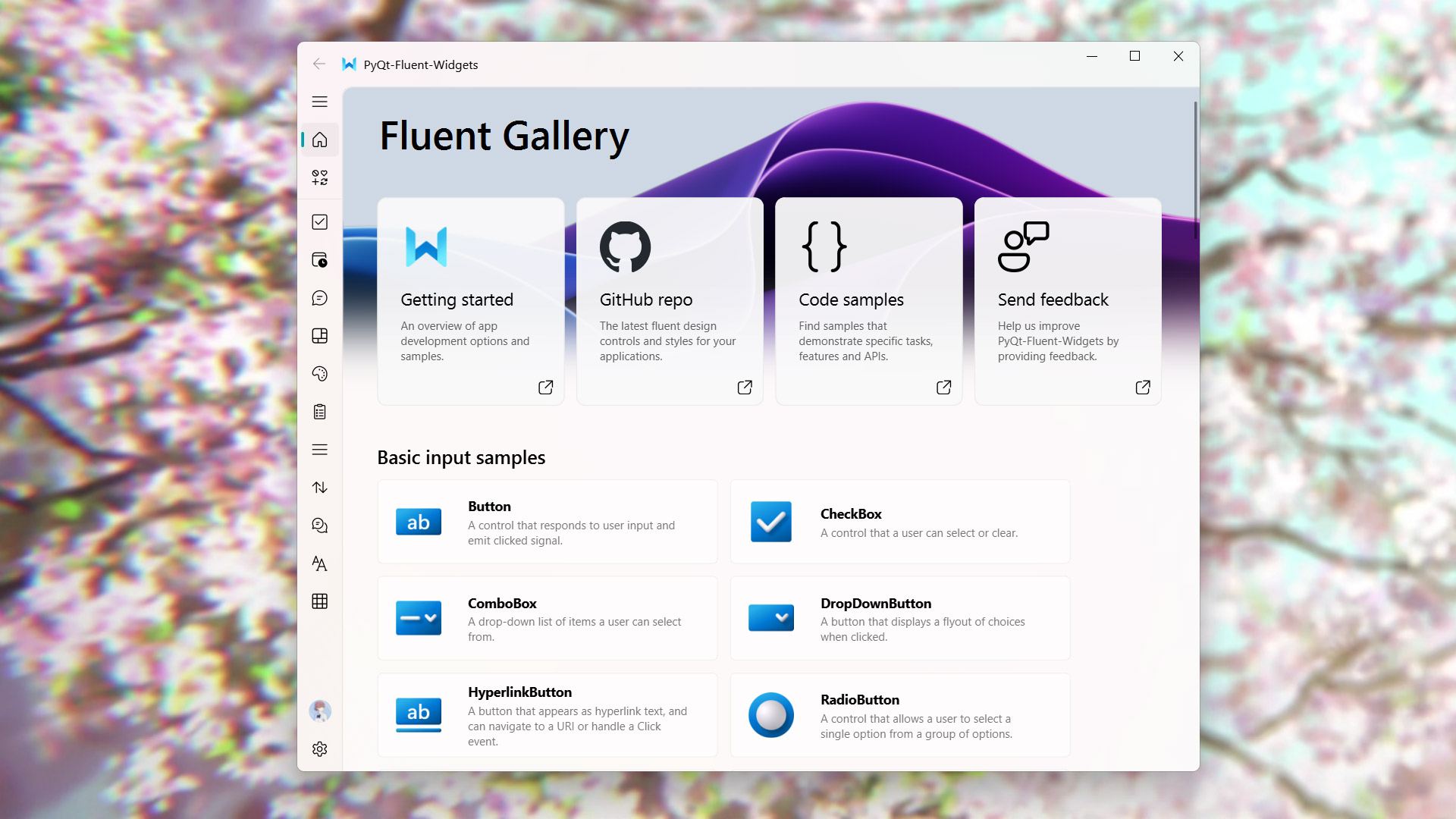
GitHub
A fluent design widgets library based on C++ Qt/PyQt/PySide. Make Qt Great Again. - zhiyiYo/PyQt-Fluent-Widgets
brittle birch
What do you think about electron.js? I want to make an application. Do you think I should do it with electron.js?
somber hemlock
brittle birch
What do you think about electron.js? I want to make an application. Do you think...
you should probably ask this on a javascript related discord

 pure zealot
Hello. I have a simple svg with a path, which I'm trying to virualize in a PyQt6's QIcon. A PNG works just fine, but I'd like to keep the svg file format because it's a systray icon and I want it to blend with the other icon color (which should be "currentColor" afaik). May you please help me? Here you can see the SVG: https://github.com/elegos/Linux-Arctis-ChatMix/blob/feature/systray-app/arctis_chatmix/images/steelseries_logo.svg
GitHub
A basic workaround for the lack of the proprietary Steelseries GG Software for the Arctis Nova Pro ChatMix modulator on Linux - elegos/Linux-Arctis-ChatMix
btw I call it like this:
        self.tray_icon = QSystemTrayIcon(QIcon(
            str(Path(__file__).parent.joinpath('images', 'steelseries_logo.svg').absolute().as_posix())
        ), parent=self.app)
How can I make it less bland?
shell crystal
cosmic dove
How can I make it less bland?
stop using tk, it's not really made to be themed
or at least add a background
cosmic dove
Is there a way of setting a border around labels
To style it
 cosmic dove
shell crystal
or at least add a background
cosmic dove
shell crystal
or at least add a background
I can configure a color theme def
modest dove
Really simplified but it's a prove of concept
cosmic dove
I thought of something similar to BioShock
modest dove
The game?
cosmic dove
modest dove
The game?
Yes and want something that feel fancy sorry
 modest dove
cosmic dove
Yes and want something that feel fancy sorry
modest dove
cosmic dove
Yes and want something that feel fancy sorry
No idea how to do that, but you go ahead & try bro. I'm curious to see how you would do it :)
cosmic dove
Is there something to configure something with a clear background on top of a label?
 hidden matrix
import random

pygame.init()

WIDTH, HEIGHT = 800, 600
WHITE = (255, 255, 255)
BLACK = (0, 0, 0)
BLUE = (0, 0, 255)

screen = pygame.display.set_mode((WIDTH, HEIGHT))
pygame.display.set_caption("Catch the Falling Object")
clock = pygame.time.Clock()

paddle_width, paddle_height = 100, 20
paddle_x = (WIDTH - paddle_width) // 2
paddle_y = HEIGHT - paddle_height - 10
paddle_speed = 7

obj_width, obj_height = 30, 30
obj_x = random.randint(0, WIDTH - obj_width)
obj_y = -obj_height
obj_speed = 5

score = 0
font = pygame.font.SysFont(None, 36)

running = True
while running:
    screen.fill(WHITE)
    for event in pygame.event.get():
        if event.type == pygame.QUIT:
            running = False

    keys = pygame.key.get_pressed()
    if keys[pygame.K_LEFT] and paddle_x > 0:
        paddle_x -= paddle_speed
    if keys[pygame.K_RIGHT] and paddle_x < WIDTH - paddle_width:
        paddle_x += paddle_speed

    ojb_y += obj_speed
    if obj_y > HEIGHT:
        obj_x = random.randint(0, WIDTH - obj_width)
        obj_y = -obj_height

    paddle_rect = pygame.Rect(paddle_x, paddle_y, paddle_width, paddle_height)
    obj_rect = pygame.Rect(obj_x, obj_y, obj_width, obj_height)

    if paddle_rect.colliderect(obj_rect):
        score += 1
        obj_x = random.randint(0, WIDTH - obj_width)
        obj_y = -obj_height

    pygame.draw.rect(screen, BLUE, paddle_rect)
    pygame.draw.rect(screen, BLACK, obj_rect)

    score_text = font.render(f"Score: {score}", True, BLACK)
    screen.blit(score_text, (10, 10))

    pygame.display.flip()
    clock.tick(60)

pygame.quit()```

Why it's not working anyone Please tell me and how I can fix it.TKinter
cosmic dove
hidden matrix
```import pygame
import random
pygame.init()
WIDTH, HEIGHT = 800, 600
WHITE = ...
 stiff flicker
A simple todo list made with python https://github.com/joemanuu3d/taskhub p.s.: Copliot is kinda annoying 😄


GitHub
Simple Todo List made with Python. Contribute to joemanuu3d/taskhub development by creating an account on GitHub.
proven basinBOT
:incoming_envelope: :ok_hand: applied timeout to @livid stream until <t:1735589061:f> (10 minutes) (reason: duplicates spam - sent 4 duplicate messages).
The <@&831776746206265384> have been alerted for review.
 regal cedar
would love to get some help at #1323382659816095794 from someone experienced enough to spot what i've done wrong here
odd glacier
cosmic dove
Is this ok for a GUI?
lemme do it
cosmic dove
odd glacier
lemme do it
?
odd glacier
cosmic dove
?
Lemme do it
I'll make your gui
Give me 7 hours I'm going bed
Do it tomorrow
cosmic dove
odd glacier
I'll make your gui
Why would you want to make my gui?
odd glacier
cosmic dove
Why would you want to make my gui?
Why not
It's called a doing a favour and b want something to do
Need nothing in return
 dry carbon
flat blaze
What is the best gui library in python?
dry carbon
flat blaze
What is the best gui library in python?
PyQt for advance. CustomTKinter for transistion from Tkinter. Flet for those with no Frontend background. Flet is our community's attempt to have Google's Flutter but not in Dart programming language but Python:
https://flet.dev/
Build multi-platform apps in Python powered by Flutter.


 dusk wraith
hidden matrix
```import pygame
import random
pygame.init()
WIDTH, HEIGHT = 800, 600
WHITE = ...
dusk wraith
hidden matrix
```import pygame
import random
pygame.init()
WIDTH, HEIGHT = 800, 600
WHITE = ...
You got to tell me how you seat and was able to write those.. i don't know how to code however, i did a lot of reading on python doc and automate boring stuff with python. Yet I don't know how to code..
 worthy folio
Hello, a question, does anyone know "Flet" (python framework)?
modest dove
Is there anything out there like Tkinter-Designer?
-# https://github.com/ParthJadhav/Tkinter-Designer
Tkinter Designer is great but i need more functionality

GitHub
An easy and fast way to create a Python GUI 🐍. Contribute to ParthJadhav/Tkinter-Designer development by creating an account on GitHub.
 oak hearth
I’ve been working on a GUI program for my CS50P final project, and I’m trying to add an OK button using customTkinter. However, it keeps throwing an error. I’ve tried handling it with try and except, but it doesn’t resolve the issue. Interestingly, when I use a standard tkinter button, it works fine, but it doesn’t match the theme of my application. On the out side it looks ok but it prints an error message on the terminal.
What’s confusing is that I’ve successfully implemented a Back button with almost identical syntax in another window of the same program, and it works perfectly. I’ve been stuck on this issue for two days now—any help would be greatly appreciated!


 magic ridge
oak hearth
I’ve been working on a GUI program for my CS50P final project, and I’m trying to...
magic ridge
oak hearth
I’ve been working on a GUI program for my CS50P final project, and I’m trying to...
Would you be able to share the code in this server's pastebin service?
oak hearth
ok
 static cove
!paste use this @oak hearth
proven basinBOT
Pasting large amounts of code
If your code is too long to fit in a codeblock in Discord, you can paste your code here:
https://paste.pythondiscord.com/
After pasting your code, save it by clicking the Paste! button in the bottom left, or by pressing CTRL + S. After doing that, you will be navigated to the new paste's page. Copy the URL and post it here so others can see it.