#user-interfaces
1 messages · Page 13 of 1
 pale rapids
You also need to change it from zval to check
 pale rapids
Do if self.check_var.get() == 1

 tribal path
Remove the lambda:
tribal path
Neither one should be there
 signal crown
bruh im gettin confused i got told to put it there
pale rapids
I ment just put it in the command
signal crown
OMG IT WORKS
i wann cry rn
hahaha
ok line 67 was wrong
so i put
self.check_var = customtkinter.IntVar(master= self.button4, value= 0)
and it workded
worked*
i gotta do research on what lambda does cuz like that was my first ever time of using it lol
i thank both of you
pale rapids
👍👍👍👍
signal crown
this seemed so simple looking back on it.. all i had to do was put the functions in the class..
pale rapids
Lmao I wouldnt even stress about it that’s just a part of coding sometimes the hardest problems we can’t figure out in our projects are the easiest ones to solve lol
signal crown
i found an unusual error..
when i launch an app with os.startfile and i put exit() after it so the program closes, the program that launched with it also closes...
like whaaa?
 magic aspen
When using place, can you place with the anchor point being north west?
As opposed to just north or just west
(Resizable window, stretching text box, need it to stay in same spot and just expand when it can)
Referring to tkinter btw
 edgy lodge
customtkiner > tkinter
 mighty rock
signal crown
this seemed so simple looking back on it.. all i had to do was put the functions...
mighty rock
signal crown
this seemed so simple looking back on it.. all i had to do was put the functions...
Object oriented programming is helpful when working with GUIs
mighty rock
signal crown
when i launch an app with os.startfile and i put exit() after it so the program ...
Subprocesses are terminated when the main process terminates
mighty rock
magic aspen
When using place, can you place with the anchor point being north west?
As oppos...
I'm pretty sure yeah
 astral spindle
signal crown
astral spindle
signal crown
Can someone like sorta judge my code on whether or not i should finish up and turn it into an executable or add to it before i finish
 wanton pulsar
Sure
 proven basinBOT
:incoming_envelope: :ok_hand: applied timeout to @quartz dust until <t:1700194327:f> (10 minutes) (reason: chars spam - sent 4268 characters).
The <@&831776746206265384> have been alerted for review.
 brazen imp
!unmute 850198226619072544
proven basinBOT
:incoming_envelope: :ok_hand: pardoned infraction timeout for @quartz dust.
brazen imp
!paste use this next time >.>
proven basinBOT
Pasting large amounts of code
If your code is too long to fit in a codeblock in Discord, you can paste your code here:
https://paste.pythondiscord.com/
After pasting your code, save it by clicking the Paste! button in the bottom left, or by pressing CTRL + S. After doing that, you will be navigated to the new paste's page. Copy the URL and post it here so others can see it.
 quartz dust
ty
Hey there, for a while now I've been trying to make my own file format, but I have an issue, while the grid itself is shown when I run the script no colours are shown at all it even shows that it knows what each colour is and where each colour should go to, but the program doesn't have an error and crash it just doesn't show any transparency or colour at all. This is the image viewer script here: ```py
from tkinter import filedialog
from PIL import Image
import pygame
pygame.init()
file = filedialog.askopenfilename(initialdir="", title="Open File", filetypes=(("Image Format File", ".if"), ("All Files", ".*")))
image_file = open(file, "r").readlines()[2].replace("\n", "")
image = f"({image_file})"
image = image.replace("(", "").replace(")", "")
image = image.split(", ", 1)
image[0] = int(image[0])
image[1] = int(image[1])
window = pygame.display.set_mode((image[0] * 10, image[1] * 10))
frame = pygame.time.Clock()
run = True
while run:
for event in pygame.event.get():
if event.type == pygame.QUIT:
run = False
window.fill("white")

frame = pygame.Surface((image[0] * 10, image[1] * 10), pygame.SRCALPHA)

#frame.set_alpha(128)

frame.fill((255, 255, 255, 128))

window.blit(frame, (0, 0))

block_size = 10

grid = []

with open(file, "r") as f:
    for x in range(image[0]):
        grid.append([])
        for y in range(image[1]):
            block = pygame.Rect(x * block_size, y * block_size, block_size, block_size)

            block_colour = pygame.Rect(block_size, block_size, block_size, block_size)

            pygame.draw.rect(window, (0, 0, 0), block, 1)

            for line in f.readlines():
                if ": " in line:
                    colour = f"{line}".split(": ")[1].replace("\n", "").replace(", ", "")

                    colour = colour.replace("(", "").replace(")", "")

                    pygame.draw.rect(window, (int(colour[0]), int(colour[1]), int(colour[2]), int(colour[3])), block_colour, 1)

pygame.display.flip()

pygame.display.update()
pygame.quit()```
 pale pulsar
Hey yall. For some reasons. I can't manage to retrieve the value of the dropmenu.
self.clicked = tk.StringVar()
self.clicked.set(self.options[3]) # where is options 0 ??? it doesn't show

self.drop = ttk.OptionMenu(self.tab[tab_index], ## eventuellement changer pour un combobox.
                           self.clicked,
                           *self.options,
                           command=self.show_wells) # try to show a plate by default
This is how I set up the drop menu. When it calls show_wells, it passes the argument "click" ( I don't uynderstand how or why, but it works". So I can work with this. However, I want to retrieve the value of the dropmenu, even when I don't actively change the value. I know I could add a self.var = click inside my function, but I'm guessing there's an integrated way ?
I have tried this (when I click on a button)
self.well_reset_button = ttk.Button(self.well_button_grid,
                                    text="Reset",
command= lambda var=self.clicked.get(): self.debug(var))```, but this ALWAYS return the same value, i don't know whyOtherwise, I hesitate to change my dropmenu to a combobox9 for aesthetics reasons) But Im un sure how to integrate functions like shown above. SHould I do this instead?
The idea, would be to reuse the self.show_wells function for the reset button, but I need that click variable.
mighty rock
pale pulsar
Hey yall. For some reasons. I can't manage to retrieve the value of the dropmenu...
Can't you use self.clicked.get()? It's the OptionMenu's variable
Wherever you need its value
/whenever
mighty rock
Anywhere you want to check the option menu's variable
You linked it to self.clicked, so you can just do self.clicked.get() to get it whenever
pale pulsar
it's just I wanted to reuse the same function taht is being used when using the drop menu, but yes, I could add a if condition
for now I have ```
self.well_reset_button = ttk.Button(self.well_button_grid,
text="Reset",
command= lambda var = 'Reset' : self.show_wells(var))
def show_wells(self, click):
    if click == 'Reset':
        click = self.clicked.get()

    self.selected_well_plate = click
....```
pale pulsar
let me test
mighty rock
pale pulsar
Hey yall. For some reasons. I can't manage to retrieve the value of the dropmenu...
!mutable-default-args
but this ALWAYS return the same value, i don't know why
proven basinBOT
Mutable default arguments
Default arguments in Python are evaluated once when the function is
defined, not each time the function is called. This means that if
you have a mutable default argument and mutate it, you will have
mutated that object for all future calls to the function as well.
For example, the following append_one function appends 1 to a list
and returns it. foo is set to an empty list by default.
>>> def append_one(foo=[]):
...     foo.append(1)
...     return foo
...
See what happens when we call it a few times:
>>> append_one()
[1]
>>> append_one()
[1, 1]
>>> append_one()
[1, 1, 1]
Each call appends an additional 1 to our list foo. It does not
receive a new empty list on each call, it is the same list everytime.
To avoid this problem, you have to create a new object every time the
function is called:
>>> def append_one(foo=None):
...     if foo is None:
...         foo = []
...     foo.append(1)
...     return foo
...
>>> append_one()
[1]
>>> append_one()
[1]
Note:
• This behavior can be used intentionally to maintain state between
calls of a function (eg. when writing a caching function).
• This behavior is not unique to mutable objects, all default
arguments are evaulated only once when the function is defined.
pale pulsar
Yes, okay, that works, but now I'm confused as to when you shouold use lamda var =smth : func(var)
Oh wow, I didn't know about the foo=[]. I would've thought that if nothing is passed, it would reset the list everytime
Just let me rephrase what this box says, and tell me if I understood correctly
2sec
mighty rock
Default arguments in Python are evaluated once when the function is
defined, not each time the function is called.
Solambda var = self.clicked.get(): self.show_wells(var)uses the same value fromself.clicked.get()as when it was defined
pale pulsar
sorry, I had a call>
So in pyhton, if an argument is of the type var =8. it will get the value assigned, and if none are passed, it will get 8. But if we set it to be a list, or a dict, it will be a "spare" variable, that will be retrieved everytime nothing is passed ?
mighty rock
It's the case with 8 as well, it's just that ints are immutable so you don't see any change in behavior
You can see change even in immutable types which hold references to mutable types, i.e. tuples
pale pulsar
okay, I clearly had a hard time understanding how lambda works, it's much better thanks. but what is the difference when using lambda: func(var). From what I understood, you can use lambda when you need to pass an argument to the function, without calling the ffunction when the widget is defined, right? And if you want to create a variable for this call, you set it before the : ?
woah, okay. I've programmed a lot in python in the last few month (like srsly a lot), but I never knew this. This is amazing
mighty rock
Lambdas in Python are function definitions as expressions instead of a series of statements
The bodies of either type aren't evaluated until the function is called
The parameters' default arguments are though
pale pulsar
wait
are yous ure? or did i misunderstand? Because I thought that: lambda var=x: func(x),x will be evaluated when you call this, so as def func(var=x), but lambda : func(var), var isn't evaluated at all when defined. It isn't keeping it's current value, but rather, the pointer to the value
Like I said, maybe that's what you said and I just misunderstood
mighty rock
lambda var=x: func(x)
is similar to
def _(var=x):
    return func(x)
The only difference is that Python treats the lambda snippet as an expression, whereas it treats the def function definition more like a statement
Additionally you can name def functions
pale pulsar
mighty rock
Additionally you can name `def` functions
what do you mean ?
pale pulsar
I have one last Issue, that I don't understand at all, regarding this tab. For somoe reasons, My options[0] shows as the default selection, but won't appear in the list. Any clue ?
self.options        = ["TPP6", "TPP12", "TPP24", "TPP48", "NUNC48", "FALCON48"]```
```python
self.clicked = tk.StringVar()
self.clicked.set(self.options[3])

self.drop = ttk.OptionMenu(self.tab[tab_index], ## eventuellement changer pour un combobox.
                           self.clicked,
                           *self.options,
                            command=self.show_wells)
And it doesn't show options 3 by default.
 mighty rock
I think you have to pass self.options[0], *self.options
The third argument is the default option. Maybe it isn't added to the rest of the options
pale pulsar
instead of self.clicked? It returns an error, because self.options[0] doesn't have an attribute set
what is weird, is even if i write self.clicked.set("") , the window will still show TPP6 as the default, and not in the list
mighty rock
pale pulsar
instead of self.clicked? It returns an error, because self.options[0] doesn't ha...
No, just insert self.options[0] between it and *self.options
pale pulsar
Hmm, okay, well, that worked haha, Thanks !
signal crown
ey.. errm..
is there anyway to like hide my program from windows defender?
it deleted the .exe of my ui program python file.. i have backup thank god but like is there any way to avoid this?
mighty rock
Running .py/.pyw files usually doesn't trigger Windows Defender
signal crown
na like i turned it into a executable with pyinstaller
tribal path
Tell defender to ignore it, the deleted copy should be in quarantine
 rocky dragon
With Qt's QPushButton how do I get it to be square and expanding to fill space? I tried playing around with setWidthForHeight and setHeightForWidth on its size policy but that got me nowhere
 hot path
is there a server that is more like for beginners ? this server seems advance to me
tribal path
What would that look like? (Plenty of beginners here)
 deft jolt
I'm doing a small software project using pytube to download Youtube videos - This all works great, but I want to create a nice looking UI. Currently, I started using tkinter, but it feels more like software from the 90s
Any recommendations for a UI solution?
mighty rock
deft jolt
Any recommendations for a UI solution?
You're probably going to get none here
!rule 5
proven basinBOT
5. Do not provide or request help on projects that may violate terms of service, or that may be deemed inappropriate, malicious, or illegal.
 wild oak
Anyone can help me with tkinter?
 digital rose
tribal path
What would that look like? (Plenty of beginners here)
digital rose
tribal path
What would that look like? (Plenty of beginners here)
for python?
like the basic commands
pale pulsar
Hey, I have an issue with tkinter. For some reasons, the spacing between the 3 servo columns is different...
def set_servo_control(self, tab_index):

        gui_x_pos = 0.75
        guy_y_pos = 0.5
        spacing = 20

        button_height = 8

        self.servo_gui_position = ttk.Frame(self.tab[tab_index])
        self.servo_gui_position.place(relx=gui_x_pos, rely=guy_y_pos, anchor=tk.CENTER)

        for i in range(3):
            self.servo_frame.append(ttk.Frame(self.servo_gui_position))
            self.servo_frame[i].grid(column=i, row=0, ipadx=spacing)

            self.servo_labels.append(tk.Label(self.servo_frame[i], text=self.servo_names[i]))
            self.servo_labels[i].grid(column=0, row=0, pady = 10)

            self.servo_buttons.append(ttk.Button(self.servo_frame[i], text="+", width=4))
            self.servo_buttons[2*i].grid(column=0, row=1, ipady=button_height)

            self.servo_buttons.append(ttk.Button(self.servo_frame[i], text="-", width=4))
            self.servo_buttons[2*i+1].grid(column=0, row=2, ipady=button_height)


            self.servo_values.append(tk.Label(self.servo_frame[i], text="0"))  ## to change for actual value, and hopes it get updated
            self.servo_values[i].grid(column=0, row=5, pady = 15)
Maybe this is due to the text of the third column being larger? But I don't really know how to overcome this.
 magic aspen
Probably a super dumb question
But how can you have a function that makes use of self to allow it to be used on many widgets without them interfering with each other?
(Refering to tkinter if that changes anything)
pale pulsar
magic aspen
Probably a super dumb question
But how can you have a function that makes use of...
I'm not sure I understand, but if you need to differentiate what widget is calling the function, for example for a different value on the same function, you can pass arguments using lambda
magic aspen
can you give an example
pale pulsar
well, in my code, I use a lot of loops to define buttons, because they are placed in a grid, with names depending on a list, and I append the button into a list ot keep a reference. However, each button, when pressed, will call the function, but using different values. So i've set the argument command with lambda do define a new variable
let me write a small code to show you the difference and benefits of using lambda
yike, my message just got deleted for being too long
so in short, when you set command, you can call a function. If you pass an argument like command=show_val(val[i]), you well call the function when defining the button.
If you want to pass a variable, you need to do it through lambda
command=lambda : show_val(val[i]) will work, but it will reuse the value of i, which is the maximum of the loop, as you are outside of the loop when you press the button
So the solution is defining a variable, through lambda, that will forever keep the same default value
import tkinter as tk
from tkinter import ttk

def show_button(var):
    print(var)


root = tk.Tk()

val = [1,2,3,4,13]
button_list = []
for i in range(len(val)):
    button_list.append(tk.Button(root, text=f'button{i}',command= lambda var = val[i]:show_button(var)))
    button_list[i].pack()

root.mainloop()
Try changing the command= to what I mentionned, and see the difference
mainly :
command= lambda :show_button(val[i])
command=show_button(val[i])
Is this what you were looking for ?
 desert cargo
Need someone to help me fix app from knowing ive already downloaded app before and also fix the app from knowing im running on a emulator so the app always thinks im a new user pay flexable
proven basinBOT
:incoming_envelope: :ok_hand: applied timeout to @tawdry barn until <t:1700463742:f> (10 minutes) (reason: duplicates spam - sent 4 duplicate messages).
The <@&831776746206265384> have been alerted for review.
 grand sequoia
what immediate mode gui libraries exist out there?
i found the following:
- pyimgui - thin wrapper around imgui, but lacks good type annotations and renderer support is pretty poor (imgui cant interact with cursor very well, for example), it also smells like python2
- imgui_bundle - set of random incompatible crap
- dearpygui - slow (really slow, cant handle 1k items) thick (up to the point where it is no longer an immediate mode gui) wrapper around imgui
i need the following gui library:
- immediate mode
- with type annotations
- good renderer support
- fast
but it looks like that there is no such library that satisfies all my requirements, or i just cant find one
pale pulsar
Hey,
I need to be able to edit entry in a treeview.
Do you know how to do this ?
import tkinter as tk
from tkinter import ttk

def populate_tree(tree, parent, dictionary):
    sub_name = ['x', 'y', 'z']
    for key, value in dictionary.items():
        if type(value) == dict:
            item = tree.insert(parent, 'end', text=key)
            populate_tree(tree, item, value)

        elif type(value) == list:
            item1 = tree.insert(parent, 'end', text=key)
            for i in range(3):
                item = tree.insert(item1, 'end', text=sub_name[i], values=[str(value[i])])
        else:
            item = tree.insert(parent, 'end', text=key, values=[str(value)])

def main():
    with open("../TEST.json", "r") as f:
        data = json.load(f)

    root = tk.Tk()
    root.title("Treeview Example")

    tree = ttk.Treeview(root, columns=('Value',))
    tree.heading('#0', text='Element')
    tree.heading('Value', text='Value', anchor='center')  # Center the value

    populate_tree(tree, '', data)

    tree.pack(expand=True, fill='both')

    root.mainloop()

if __name__ == "__main__":
    main()
 pale pulsar
Well, I couldn't find a fix for this, so I ended up adding an option menu with both level of dict on the side, and the user can enter the value

 quasi narwhal
possible to convert this tinker GUI to PyQt5? because I wrote my antivirus all in PyQt5 and if I change ☠☠ https://paste.pythondiscord.com/METQ
 hoary canopy
Does the option menu for tkinter work with bind and focus out?
pale pulsar
Okay, Maybe I'm just really tired, but I've programmed a lot in my gui already, and I'm stuck on something so stupid. One of my tabs is blank, no matter what I do
def set_tab_cameras(self):
    tab_index = self.tabs_name.index("Cameras")
    self.cameras_camera_frame = tk.Frame(self.tab[tab_index])
    self.cameras_camera_frame.pack()

    self.tesstLabel = tk.Label(self.cameras_camera_frame, text="test")
    self.tesstLabel.place(relx=0.1, rely=0.1)
    self.camera_feed_camera_0 = tk.Label(self.cameras_camera_frame, width=480, height=270)
    self.camera_feed_camera_0.place(relx=0.1, rely=0.1)
    self.camera_feed_camera_1 = tk.Label(self.cameras_camera_frame, width=480, height=270)
    self.camera_feed_camera_1.place(relx=0.5, rely=0.1)
The camera feed are updated with anoter function. This works with other tab, so there's no reasons why this shouldn't work here. I've added a test label, just to see, but it won't display either. I've added a print in this function, and I'm sure thsi function is being run. Any clue why my tab keeps being empty ?

I've set up every other tab the same way. For example, one that is relatively empty
def set_tab_mode(self):
    tab_index = self.tabs_name.index("Mode")
    self.mode_camera_frame = tk.Frame(self.tab[tab_index])
    self.mode_camera_frame.pack()

    self.mode_camera_button = ttk.Button(self.mode_camera_frame,
                                         textvariable=self.camera_displayed_text,
                                         command= self.show_camera_control)
    self.mode_camera_button.pack()
    self.camera_feed_mode = tk.Label(self.mode_camera_frame, width=480, height=270)
    self.camera_feed_mode.pack()
works perfectly fine
 late heron
How do I display video from dxcam in cv2?
pale pulsar
Okay, I managed to fix this finally.. For some reasons, the culprit was .pack(). I needed to instert .pack(expand=True, fill='both') for it to work properly...
digital rose
hey guys im making a grid game in tkinter and i need them to interact with diagonals i can show further what I mean if someone can help ;P (im really new to UI)
 solemn sparrow
Does anyone know how to create a UI window in maya python that allows you to select a nurbs curve then load them into the actual window??? (not asking for a friend) Any ideas or references is cool too
 sleek hollow
solemn sparrow
Does anyone know how to create a UI window in maya python that allows you to sel...
sleek hollow
solemn sparrow
Does anyone know how to create a UI window in maya python that allows you to sel...
What do you you mean by "load them into the window"? You want to select a curve from a UI and create that curve in scene?
like an animation control creator?
solemn sparrow
No. Basically you highlight or select the curves you want. Click on a button on the ui window to add the curves INTO the ui window. The goal is to allow the user to select multiple curves and add them to the ui. Then the user selects the curve that is highlighted red. This informs the user which frame has more than one key they need to delete. This is supposed to be a utility tool I am supposed to create for school. :/
sleek hollow
I'm still not quite sure what you mean by adding the curve to the window? Add it how? The name of it? An image? An actual nurbs that you can manipulate from the window?
solemn sparrow
Think of drag and drop. Instead I am trying to like select then add.
sleek hollow
That's still not clear. how is the curve represented in the ui?
Do you have a mockup image?
solemn sparrow
No I don't.....I'm a total noob at this programming stuff so its tough to explain what I am trying to do 😦 srry
sleek hollow
I can help you out, but it's hard without knowing exactly what it is you're trying to make. I'd really recommend drawing up a mockup image that shows what the UI should look like, and what exactly it's meant to do
 steady plover
can anyone help me with tkinter pls
 winter solstice
steady plover
can anyone help me with tkinter pls
winter solstice
steady plover
can anyone help me with tkinter pls
what do you need help with?
digital rose
Hi guys, when using Qt Designer, is it possible to change spinbox type to doublespinbox type within the code itself?
instead of placing the doublespinbox in the same place as spinbox and hiding it
digital rose
digital rose
Hi guys, when using Qt Designer, is it possible to change spinbox type to double...
when using PyQt5*
proven basinBOT
:incoming_envelope: :ok_hand: applied timeout to @vale eagle until <t:1700860435:f> (10 minutes) (reason: duplicates spam - sent 4 duplicate messages).
The <@&831776746206265384> have been alerted for review.
sleek hollow
digital rose
Hi guys, when using Qt Designer, is it possible to change spinbox type to double...
I think you could set the precision to 0
spin.setDecimals(0)
you'd have to start with double spin box though. Regular spin doesn't support decimals
digital rose
sleek hollow
I think you could set the precision to 0
so you mean like, i should just make a doublespinbox and change it's precision to 0 when i want to use a regular spinbox?
sleek hollow
digital rose
so you mean like, i should just make a doublespinbox and change it's precision t...
Exactly
digital rose
thing is, by now i've gotten extremely deep in using doublespinbox ontop of regular and hiding/showing each. Would have to re-wrtie a ton of code to change that by now
although if i do decide to change it to one doublespinbox, PyQT5 has setDecimals command? or only on PYQt6?
sleek hollow
definitely on pyqt5
 astral pike
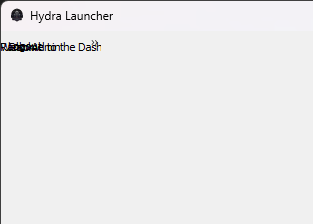
(can someone tell me why Rank: Admin is somewhat centered even tho i never set code to center it

"suppose to be top right"
sleek hollow
astral pike
(can someone tell me why Rank: Admin is somewhat centered even tho i never set c...
hard to say without seeing the code. What UI module is that?
astral pike
qt5
proven basinBOT
Pasting large amounts of code
If your code is too long to fit in a codeblock in Discord, you can paste your code here:
https://paste.pythondiscord.com/
After pasting your code, save it by clicking the Paste! button in the bottom left, or by pressing CTRL + S. After doing that, you will be navigated to the new paste's page. Copy the URL and post it here so others can see it.
astral pike
dont laugh at it though, im somewhat new to qt5
sleek hollow
No worries. Did you use qt designer?
astral pike
honestly i tried with qt designer, but confusing
sleek hollow
I actually recommend staying away from it when starting out
(and even once you're experienced too, haha)
astral pike
sleek hollow
(and even once you're experienced too, haha)
yea my friend has a thing for it always trying to get me to use it instead
sleek hollow
astral pike
yea my friend has a thing for it always trying to get me to use it instead
hmmm mine shows up ok
 astral pike
XD yea i semi fixed it already, just trying to figure out how to move it top right either on the menu or right under it
sleek hollow
astral pike
XD yea i semi fixed it already, just trying to figure out how to move it top rig...
By default, a QVBoxLayout will always space widgets equally within the layout (which stretches with the window)
if you want the widgets to instead align to the top (and not resize with the layout), you can use .setAlignment
mainLayout.setAlignment(Qt.AlignTop)
instead, you can always play with spacer items
mainLayout.addStretch()
add this line of code below where you add the rank label to the layout
and again after you add the dashboard label to the layout
this adds an invisible "spacer" item that will instead of "consume" the empty space between widgets
by adding two spacers, you're telling them to share the extra space evenly
astral pike
oh i see.
sleek hollow
layout and alignment and spacing definitely takes some practice to get used to
especially because all this space you're playing around with is invisible
astral pike
 yeah quite the pickle i put myself in, should have made it before making it invisible but oh well
sleek hollow
what do you mean? the space between widgets is always "invisible"
astral pike
yea no idea why i said that, kinda was just typing away
astral pike
let me try it first before you give me an example
dont ask me what i did wrong
still trying to find my error in it
well i fixed the issue, but still unsure id appreciate a small example from you good sir @sleek hollow
sleek hollow
astral pike
well i fixed the issue, but still unsure id appreciate a small example from you ...
Sure thing
open a new python file
from PyQt5 import QtWidgets
from PyQt5.QtCore import Qt


class Window(QtWidgets.QDialog):

    def __init__(self):
        super().__init__()

        main_layout = QtWidgets.QVBoxLayout(self)
        btn1 = QtWidgets.QPushButton("Button 1")
        btn2 = QtWidgets.QPushButton("Button 2")

        main_layout.addWidget(btn1)
        main_layout.addWidget(btn2)


app = QtWidgets.QApplication([])
win = Window()
win.show()
app.exec()
paste this in
astral pike
🤔 interesting
sleek hollow
2 buttons, and when the window resizes, the buttons always maintain their distance vertically
ignore that the buttons stretch in width, that's the default behaviour of buttons

there's always an equal amount of space though above, between, and below each button
astral pike
alright i think i can fix it
sleek hollow
when you don't tell the layout anything about spacing or alignment, this is the default behaviour
main_layout.addWidget(btn1)
main_layout.addStretch()
main_layout.addWidget(btn2)
if we put an addStretch though between the 2 buttons

now 100% of the empty space appears between the buttons
that "stretch spacer" will take on all the empty space as the window grows

this is what happens if we move the stretch above the buttons

or below the buttons
or above and below
 astral pike

sleek hollow
just by playing with stretch, we can easily decide where the buttons should end up as the window resizes
when there's more than 1 spacer, they equally share the new space
astral pike
well i need sleep as its almost 2am lol but here is what i got so far from your help.

better then what it was
sleek hollow
haha alright
digital rose
is there a way to make python code get affected by the openFileDialog thing?

i want a variable to change between true/false depending on which choice you pick in openFileDialog
so then the option you picked will be the first one the next time
magic aspen
digital rose
is there a way to make python code get affected by the openFileDialog thing?
openFileDialogue has "infinite" options. You can select any file you have (limited by file type if you decide that)
So a True False won't be enough information to start.
It looks like you might be using a dropdown or an optionmenu rather than file dialogue. I can't help much more because i cant tell what specifically you're using and what library.
digital rose
it's ok, i think i figured it out
also i'm using pyqt and openfiledialog dropdown for what file type to open
 solemn ferry
Hi I have created a program where I am opening a GUI window using a button. Well this works. But after I close the popped-up window the button remains highlighted. I don't want that. Can someone help?
https://paste.pythondiscord.com/JI7Q
 placid nebula
im trying to figure out how to run function from imported python file to get some data from entry boxes by clicking button and run - command
placid nebula
ok...found solution, looks not pro but it works
 charred knot
hi y'all i need help
i have this steering script that i got from a youtube tutorial, i want to make a ui for it, like a steering whell rotates to the side i steer to (i use the mouse to steer)
how do i do that?
 hollow coral
Guys, what's the best Python UI ( free license ) framework? ( No pyqt/pyside )
winter solstice
hollow coral
Guys, what's the best Python UI ( free license ) framework? ( No pyqt/pyside )
i like using customtkinter
magic aspen
hollow coral
Guys, what's the best Python UI ( free license ) framework? ( No pyqt/pyside )
There's no objective best, it depends on what you want
sleek hollow
digital rose
is there a way to make python code get affected by the openFileDialog thing?
you can use the filterSelected signal from QFileDialog
from PyQt5 import QtWidgets

class Window(QtWidgets.QDialog):

    def __init__(self):
        super().__init__()

        layout = QtWidgets.QVBoxLayout(self)

        btn = QtWidgets.QPushButton("Select File")

        self.last_selected_filter = None
        self.filter_label = QtWidgets.QLabel(f"Last selected filter: {self.last_selected_filter}")

        layout.addWidget(btn)
        layout.addWidget(self.filter_label)

        self.file_dialog = QtWidgets.QFileDialog()
        self.file_dialog.filterSelected.connect(self.set_last_filter)

        self.file_filters = [
            'PNG (*.png)',
            'JPEG (*.jpg *.jpeg)',
            'GIF (*.gif)',
        ]

        btn.clicked.connect(self.open_file)

    def set_last_filter(self, filter):
        self.last_selected_filter = filter
        self.filter_label.setText(f"Last selected filter: {self.last_selected_filter}")


    def open_file(self):
        self.file_dialog.setNameFilters(self.file_filters)
        self.file_dialog.selectNameFilter(self.last_selected_filter)
        self.file_dialog.exec()


app = QtWidgets.QApplication([])
win = Window()
win.show()
app.exec()
I made an example that shows this
hollow coral
magic aspen
There's no objective best, it depends on what you want
For moden applications ( no data scienze etc.. )
winter solstice
hollow coral
For moden applications ( no data scienze etc.. )
import customtkinter as ctk

class App(ctk.CTk):
    def __init__(self):
        super().__init__()
        self._btns = []
        self._frames = []
        self._lbls = []

    def set_size(self, resolution: str='600x600'):
        self.geometry(resolution)

    def set_title(self, title_text='App'):
        self.title(title_text)


    def add_button(self, parent=None, btn_text: str='Text Here', cmd=None, side_spacer=0, tb_spacer=0):
        _parent = parent if parent != None else self
        button = ctk.CTkButton(_parent, text=btn_text, command=cmd)
        button.pack(padx=side_spacer, pady=tb_spacer)
        self._btns.append(button)
        return self._btns[-1]

    def add_frame(self, parent=None, side_spacer=0, tb_spacer=0):
        _parent = parent if parent != None else self
        frame = ctk.CTkFrame(_parent)
        frame.pack(padx=side_spacer, pady=tb_spacer)
        self._frames.append(frame)
        return self._frames[-1]

    def add_label(self, parent=None, label_text='Text Here', side_spacer=0, tb_spacer=0):
        _parent = parent if parent != None else self
        label = ctk.CTkLabel(_parent, text=label_text)
        label.pack(padx=side_spacer, pady=tb_spacer)
        self._lbls.append(label)
        return self._lbls[-1]

    def run(self):
        self.mainloop()


if __name__ == '__main__':

    def say_hi():
        print('Hi')
    def say_bye():
        print('Bye')


    app = App()
    app.set_size('300x300')
    app.set_title('My App')
    frame = app.add_frame()
    app.add_label(frame, 'Easy UI', 10, 10)
    app.add_button(frame, 'button 1', say_hi, 10, 10)
    app.add_button(frame, 'button 2', say_bye, 10, 10)
    app.run()
 fresh parcel
recently i have been using pytkinter and its hard to design smooth interface. So what might be another good chise
choise
sleek hollow
fresh parcel
recently i have been using pytkinter and its hard to design smooth interface. So...
What do you mean by "smooth"?
Do you have an example of UI that you like that you'd like to be able to recreate?
 inland wedge
i will say gtk again because it is not in the server description but curses is >:)
might as well just put print();input() up there
 flat canopy
Hey
 swift halo
Hello @split citrus, please don't spam so many messages. If your question is not about user interfaces, try a different channel, like #python-discussion. Make your question more concrete
 austere acorn
hello i have doubt regarding this code
`import tkinter as tk
from tkinter import ttk
class App():
def init(self):
self.root = tk.Tk()
    self.root.mainloop()
    return
if name == 'main':
App()
`
 tribal path
@austere acorn rename your collections.py file
 quasi shell
austere acorn
hello i have doubt regarding this code
quasi shell
austere acorn
hello i have doubt regarding this code
be confident :)
 burnt hamlet
Hello, I am using Tkinter to make an interface. I put an image on the interface and now I want to put a text, but there is a white background on behind the text, and I want to remove it. I tried to remove -> background = "white". But it doesn't work. ( it's a school project )
label_evolution.place(x=730,y=470)
label_description=tk.Label(fenetre, text="Description:", font=maFont2, foreground="black", background="white")
 sleek hollow
burnt hamlet
Hello, I am using Tkinter to make an interface. I put an image on the interface ...
sleek hollow
burnt hamlet
Hello, I am using Tkinter to make an interface. I put an image on the interface ...
unfortunately tkinter doesn't support this
burnt hamlet
NOOOOOOOOOOOOOOO
sleek hollow
burnt hamlet
NOOOOOOOOOOOOOOO
You would have to do it with a Canvas instead
but yeah, labels don't support this
burnt hamlet
sleek hollow
You would have to do it with a Canvas instead
can i do it with tkinter ?
sleek hollow
Canvas is a tkinter widget
you create the Canvas widget, then add text to it with create_text
burnt hamlet


 patent forge
trying to use Tkinter for a Mock ATM program and for said program i need to have >= 2 buttons on the screen at all time and i can't find any good tutorials on how to do this can anybody help me or link me a tutorial that would show me how to achieve this
sleek hollow
patent forge
trying to use Tkinter for a Mock ATM program and for said program i need to have...
You shoulud be able to achieve this using Frames
sleek hollow
 rugged vortex
can anyone help me learn pyqt?
rugged vortex
can anyone help me learn pyqt?

Python GUIs
Take the first step in creating desktop applications with Python & Qt5 by creating your first window. Following this simple outline you can start building the rest of your app. In this tutorial we'll learn how to use PyQt6 to create desktop applications with Python.
This is a good introduction to pyqt
 ashen path
what is better for start this one or tkinter ?
sleek hollow
ashen path
what is better for start this one or tkinter ?
I'd say it depends how much python you know. How comfortable are you with OOP?
ashen path
Hmm Im fine with domestic Classes but cant rly do anything special with library ones
sleek hollow
ashen path
Hmm Im fine with domestic Classes but cant rly do anything special with library ...
I'd say give pyqt a go then, and if it's going way over your head, then maybe try tkinter
ashen path
so tkinter is more dummyfriendly
sleek hollow
ashen path
so tkinter is more dummyfriendly
yeah, but ultimately way more limiting
I don't think pyqt is that bad if you're comfortable with OOP. It just tends to be a bit more verbose
I guess it also depends on your GUI goals
 soft pike
anyone got ways i can display this more nicely ? if that is a word

im using custom tkinter
im creating multiple graphs to display data
using matplotlib
 lost scroll
Hello, I am making a chat application in python and I've come to a point where I don't think the terminal is enough for my interface. What GUI libraries are there that are suitable for this? I've only used tkinter once before, I think.
 blissful meteor
python dont have many great UI frameworks. tkinter is the best among available you can chekc PyQt5
 cerulean turtle
lost scroll
Hello, I am making a chat application in python and I've come to a point where I...
cerulean turtle
lost scroll
Hello, I am making a chat application in python and I've come to a point where I...
Tkinter. If you can't do what you want in Tkinter you probably aren't trying hard enough.
cerulean turtle
lost scroll
Oky
Welcome
 slim crown
Hey all, so I haven't done much GUI dev before - I am having no "problem" using Tk for my app, however, I just am not very knowledgeable about what type of UI widgets to use for different applications. For example, right now I am trying to show duplicate files and not sure which might be the best widget to show that
any tips on getting better at GUI design in Tk for example? Its funny, Ive been using GUIs nearly my whole life of course but not critically analyzing them
slim crown
blissful meteor
python dont have many great UI frameworks. tkinter is the best among available y...
I hated Qt when I tried because it's expensive to use unless the software is open source licensed.
soft pike
I have made this graph using tkinter and matplotlib but a problem I have is it is quite laggy

It updates the graph every second
Is there any solutions to make it less laggy
burnt hamlet
I have this ugly button, and I want to remove the white shit is there a way to do it ?

 mighty rock
slim crown
Hey all, so I haven't done much GUI dev before - I am having no "problem" using ...
mighty rock
slim crown
Hey all, so I haven't done much GUI dev before - I am having no "problem" using ...
What do you mean by trying to show duplicate files? Duplicate file paths don't exist on Windows
mighty rock
soft pike
Is there any solutions to make it less laggy
Make it update the graph at a rate higher than every second
mighty rock
burnt hamlet
I have this ugly button, and I want to remove the white shit is there a way to d...
relief="flat" if it's a tkinter.Button widget
 pallid badger
hi, is there a way to get rich.markdown to only render elements i specify and leave the rest untouched?
i tried to subclass Markdown but god is it hard to understand how rich.markdown works
cerulean turtle
soft pike
I have made this graph using tkinter and matplotlib but a problem I have is it i...
Are you using asyncio, threading, or just a .after() into mainloop()?
soft pike
cerulean turtle
Are you using asyncio, threading, or just a .after() into mainloop()?
threading
cerulean turtle
Are you running multiple threads or a single thread that updates a data set the mainloop displays?
soft pike
multiple
i have these classes to create new graphs

and in each class i have this thread

so at the moment i have 5 running threads
as well as this which updates the graph (per graph)
 cerulean turtle
soft pike
i have these classes to create new graphs
cerulean turtle
soft pike
i have these classes to create new graphs
Can you get away with running a single thread that continually loops over updating all 5 data inputs, reporting the data to the mainloop in a passive, scheduled way?
cerulean turtle
I bet 5 threads and file i/o is your bottleneck. Shared memory?
My immediate thoughts to try and solve would be: a single thread running a loop that sequentially updates the reporting of the sensory feedback via shared memory. Where the mainloop had an .after() schedule to then loop over the up to date shared memory information and update the graphs.
This way the processing overhead is minimized and even what is present is scheduled and limited. The graphing information doesn't seem to be anything that is critical on realtime, where a few millisecond delay shouldn't be noticeable.
cerulean turtle
It might not help. However, it most probably will. 5 threads just for reporting seems like the wrong road.
@soft pike How is the sensory information being gathered, i/o interfacing with a PLC or is the CSV file the reporting information you are given?
 digital granite
Does anyone know why my TwoByTwoLayout might not display when being displayed from openSearchMenu? I'm trying to use Jupyter Notebook for my project frontend.
The label seems to be updated fine, so I'm sure the function must be running, but either the display function isn't calling properly for some reason, or I'm doing something else wrong. Unsure what version of Jupyter I'm using, but I'm using Python 3.11.
The first image shows the notebook right after I run it, and the second is the notebook after I click "Search for Games". The same issue occurs when I run the notebook on Jupyter notebook, and not through PyCharm.
Does anyone know of a way I could get more information that might help with this?
I'm not allowed to change the version of Python, if that may be something you recommend I do.
Thank you for the help!
I've manged to get the behaviour working as intended now, but I've had to do this by removing the lambda, which now causes the method to run without me having to click the button. This is obviously problematic, as it means my main menu will no longer display, and it will move straight to the menu used by openSearchMenu. I have a feeling its to do with the lambda, but I'm not very experienced with using lambdas within Python, and I'm not sure what I should change in order to get the behaviour I want to achieve.
Does anyone have any ideas?
PyCharm also seems to be flagging Jupyter Javascript errors, but I'm not sure what those could mean, or where I can view more information about them. Does anyone know how I'm able to look at those?
digital granite
^ Solved the above, had to scrap my use of layouts, but I've got my achieved behaviour
cerulean turtle
What is everyone favorite data storage library for the backend? Sqlite3, XML, flatfile, etc.?
 full moss
a
signal crown

my first ever app built and i use it daily.. idk what to improve on tho someone help?
sleek hollow
signal crown
Maybe some buttons at the top for jumping to a specific category?
Or a search bar
signal crown
thats all the app launches theres no like others..
idek what to add tbh my game library is very slim and thats all ido
is adding a splash screen good? because when launched it flashes both themes and all layouts..
sleek hollow
signal crown
is adding a splash screen good? because when launched it flashes both themes and...
If my goal is primarily learning, then I often don't think about "is this actually a useful feature?", instead I'll think "Hmm I'm not quite sure how I'd implement that, I'll give it a try"
signal crown
good mindset damn
sleek hollow
Yeah, I'll implement features that might be seem onerous at the time but I usually learn a ton from it
cerulean turtle
@signal crown Create a slim, thumbnail launcher that takes up trivial space. In addition, create a frequently used section that displays your top 5-10 used apps.
 meager valley
turns out i can just label.setStyleSheet('color:blue;') so why chat gpt asked me to make it like label.setStyleSheet("QLabel { color: blue; }")?
sleek hollow
meager valley
turns out i can just `label.setStyleSheet('color:blue;')` so why chat gpt asked ...
In some cases it doesn't matter, but if your widget has any children, then the first example will colour all children as well which you might not want
The chatGPT snippet won't affect children of that widget
meager valley
oh
sleek hollow
A label is very unlikely to have children so it's fine here, but it could matter when setting the stylesheet of something like QWidget or QDialog
meager valley
took me 6 years just to understand how parameter works.
tutorials always gives examples like
def add_numbers(a, b):
    result = a + b
    return result
but never explain exactly how it works when there are different scenarios. and it clicked in my head when i did
def Custom_TextBox(parent):
    txt = QLineEdit("root", parent)
    txt.setPlaceholderText('username')
    txt.setStyleSheet('color:red; border-radius: 5px; height:30px')

name_txt = Custom_TextBox(parentlabel)
I'd still be very unlikely to directly parent a widget like this. You should almost always be using a layout
sleek hollow
meager valley
because i want to import image as the background
Using an image as the background shouldn't take any stylesheet or parenting. You can use .setPixmap
meager valley
sleek hollow
I'd still be very unlikely to directly parent a widget like this. You should alm...
im willing to. but does layout need qlabel to have image or can it use .setpixmap on its own?
sleek hollow
meager valley
im willing to. but does layout need qlabel to have image or can it use .setpixma...
A layout is simply a container that holds and arranges other widgets
A layout cannot have just an "image". To display an image, you have to create a label and set a pixmap on it, then you can add that label to the layout
 gaunt pecan
just got in and i already got the info i needed.
proven basinBOT
:incoming_envelope: :ok_hand: applied timeout to @winged prism until <t:1701935290:f> (10 minutes) (reason: duplicates spam - sent 4 duplicate messages).
The <@&831776746206265384> have been alerted for review.
 silent cedar
Does anyone know a platform independent solution to use external fonts in (custom)tkinter?
 wild kayak
can someonw tell me where did i go wrong https://paste.pythondiscord.com/ESIQ
cerulean turtle
@wild kayak I haven't saw any issues, but I pruned the MySQL code out. It ran fine for me, all your conditionals are in line.
 regal locust
idk where to ask guys... if you wanna test an app on various iPad / tablet devices for various reasons... is there a way to do it online? without having the devices physically?
 dry bay
I am messaging because I want to increase my message counter so I could be able to speak in the voice chat this
message number x.
wild kayak
cerulean turtle
<@1001850174714433536> I haven't saw any issues, but I pruned the MySQL code out...
so then why is it not working for me
File "c:\Users\RED\OneDrive - SORA\Desktop\Flight management\modules.py", line 2, in <module>
import mysql.connector
ModuleNotFoundError: No module named 'mysql'
PS C:\Users\RED\OneDrive - SORA\Desktop\Flight management>
this is the error
i also tried reinstalling my sql
wild kayak
Build with Visual Studio Code, anywhere, anytime, entirely in your browser.
u know what
ill just share the whole screen guide me
do u use ms teams
cerulean turtle
@wild kayak You don't have the MySQL module installed.
Run "pip install mysql" in a Command Prompt.
 misty canopy
!pypi mysql
proven basinBOT

Virtual package for MySQL-python
misty canopy
^ this isn't a very nice package to install; "Instead of depending on this package, please depend on the relevant package directly."
cerulean turtle
What would you suggest as an alternative?
I have never got the chance to use MySQL in Python.
misty canopy
cerulean turtle
What would you suggest as an alternative?
Instead of mysql you'd install mysqlclient unless you're on python 2 - but in fact, the import import mysql.connector is none of these I believe, it's mysql-connector-python

 sudden elk
any fix? using tkinter and editor is a textfield widget
  File "./code_editor.py", line 173
    print editor.index(INSERT)
               ^
SyntaxError: invalid syntax
someone?
mighty rock
Are you using Python 3?
sudden elk
yep
sudden elk
tried with .get but also broken and it literally shows it's broken in editor.index
mighty rock
Are you learning tkinter from a tutorial?
tribal path
What's on the previous line?
sudden elk
from stuckoverflow
mighty rock
That answer uses an outdated version of Python
sudden elk
tribal path
What's on the previous line?
generally thought of adding a feature showing current position in status bar...
like initially thought of making normal line numbers but when i saw that scrollbar mess decided to just show position in status
idk ¯_(ツ)_/¯
sudden elk
btw. any idea to optimize this?
while 1:
    current_line, current_position = editor.index(INSERT).split('.')
    all_lines = int(editor.index('end-1c').split('.')[0])
like right now it's that much unoptimized it can't even open....
 idle glen
Guess the GUI KIT used for this
 sudden elk
idle glen
Guess the GUI KIT used for this
sudden elk
idle glen
Guess the GUI KIT used for this
gtk ?
idle glen
sudden elk
gtk ?
nop
sudden elk
qt
idle glen
nop
sudden elk
same i'm using, yes?
idle glen
you using tkinter?
sudden elk
ye
idle glen
yea its tkinter
idle glen
sudden elk
eventually gpu-drawn ...
nop
sudden elk
css'ed, yeah
idle glen
no it includes python interpreter so its the min size
sudden elk
ah
idle glen
sudden elk
could fit it in one or 2 files xD
what.... i am saying ram
also it isnt gpu acc
sudden elk
ah, thought storage
sudden elk
idle glen
also it isnt gpu acc
ok
idle glen
for anyone needing a video player widget in tkinter(i made):
https://pypi.org/project/tkintervideo/
from tkintervideo import player
from tkintervideo.tools import Controls
import tkinter as tk
from tkinter import ttk
import sv_ttk
import time

class App(tk.Tk):
    def __init__(self,*args,**kwargs):
        super().__init__(*args,**kwargs)
        sv_ttk.set_theme('dark')
        self.m_widget = player.Player(self,height=200,width=300)

        self.rowconfigure(0,weight=1)
        self.rowconfigure(1,weight=0)
        self.columnconfigure(0,weight=1)

        self.m_widget.grid(column=0,row=0,sticky=tk.NSEW,padx=5,pady=5)
        self.m_widget.load('output.avi')

        self.controls = Controls(self,self.m_widget)
        self.m_widget.bind("<<Duration>>",self.controls.update_scale)
        self.controls.grid(column=0,row=1,sticky=tk.NSEW,padx=10,pady=10)
myApp = App()
myApp.mainloop()
Use this code...
note: Audio also included
sudden elk
lemme do that here. gimme 5 minutes
idle glen
for requirements(if any module errors):
pip install pydub moviepy Pillow imageio sv_ttk

pip install --no-binary just_playback just_playback
from tkinter import *
from tkinterweb import HtmlFrame
import sys

with open(sys.argv[1], 'r') as my_file:
    file = my_file.read()

viewer_html = """
<html>
<body>
<video src="{file}" height="1vh" width="1vw"></video>
</body>
""".format(file=file)

root = Tk()
root.title("video viewer")

frame = HtmlFrame(root)
frame.load_html(viewer_html)
frame.pack(fill="both", expand=True)

frame.pack()

root.mainloop()
(took me longer cause my wifi died)
if you're able to make it shorter - idk
gaunt pecan
    class_table.setColumnCount(3)
    class_table.setHorizontalHeaderLabels(['kelas','ip_kamera','ip_sensor_asap'])
    kamera_data = [
    ['kelas 1A', 'RTSP://192.168.1.1', 'RTSP://192.168.1.2'],
    ['kelas 2B', 'RTSP://192.168.1.3', 'RTSP://192.168.1.4'],
    ['kelas 3C', 'RTSP://192.168.1.5', 'RTSP://192.168.1.6'],
    ]

    for row, row_data in enumerate(kamera_data):
            for col, cell_data in enumerate(row_data):
                item = QTableWidgetItem(cell_data)
                class_table.setItem(row, col, item)```
there is table but there is no data poping up. sudden elk
👻
idle glen
sudden elk
```py
from tkinter import *
from tkinterweb import HtmlFrame
import sys
with op...
i dont think that will work
sudden elk
but tried. anyway. i also had question...
sudden elk
sudden elk
btw. any idea to optimize this?
```py
while 1:
current_line, current_positio...
here i had
sudden elk
👻
sudden elk
question was asked <t:1702126500:R>
😐
idle glen
sudden elk
btw. any idea to optimize this?
```py
while 1:
current_line, current_positio...
early optimization is not gud
sudden elk
i know
idle glen
also what is the objective of the code?
sudden elk
moment, will give more
editor = Text(frame).pack
while 1:
    current_line, current_position = editor.index(INSERT).split('.')
    all_lines = int(editor.index('end-1c').split('.')[0])
info = Label(root, text= 'current position:'+current_line+'/'+current_position+'all lines:'+all_lines+'press " CTRL + / " for help menu').pack(fill = BOTH,side = BOTTOM).pack
hangs on while true loop
idle glen
sudden elk
hangs on while true loop
are you using root.after(1,the function) ?
idle glen
sudden elk
no
then how are you triggering the loop?
idle glen
root = tk.Tk()
root.mainloop() # this is a loop
yeah
i have full working window
just feature broken
and not gonna put here whole code as code isn't in english (you rly wouldn't know from where i am)
idle glen
idle glen
```
root = tk.Tk()
root.mainloop() # this is a loop
```
does you code have root.mainloop() ?
idle glen
but i think the the reason why it lags is because its in a sinle thread
sudden elk
my laptop is outdated too xD
idle glen
the tkinter is a single thread gui
if you do:
root = tk.Tk()
root.mainloop() # this is a loop
while 1:
  ....... this wont be executed
```or if you do:
```py
root = tk.Tk()
while 1:
  ....... this will be executed
root.mainloop() # this will not be executed.
so if you have the second case then,the events arent being processed,so that maybe the reason why it lags.
sudden elk
it's between start and finish
idle glen
sudden elk
it's between start and finish
the second one right?
sudden elk
no
i use first one
literally in the middle of code
between part with setting up key combos and textfield generation
bug is just right in while true
idle glen
sudden elk
bug is just right in `while true`
if you arent use threading or async then your code would certainly lag
sudden elk
and because i already use few codes to get every keystroke i can't update variable after typing something
i have that in code:
root.bind("<Key>", append )
and tried to use this code : https://stackoverflow.com/a/68297036

Stack Overflow
I made a text editor in it I made an status bar but a problem I did not know how to get cursor position details like notepad
Please help me
sudden elk
idle glen
if you arent use threading or async then your code would certainly lag
i'm using it right in the center of code and no, i'm not doing any multi-processing...
 faint rampart
Hey guys i am unable to build apk file from kivy code using buildozer . The error goes like, Buildozer unable toexecute last command. Any expert here

 ember forge
Is there anyone tkinter professional? I need to ask something about the azure theme
 coarse steeple
ember forge
Is there anyone tkinter professional? I need to ask something about the azure th...
coarse steeple
ember forge
Is there anyone tkinter professional? I need to ask something about the azure th...
Probably better off just posting the question, I'm sure someone would be able to answer
gaunt pecan
have anyone ever tried to add button in every rows of pyqt5 table?
 brave pilot
anyone ever had the issue of pysimplegui crashing? What could cause that? (ping if you respond, thanks!)
it happens almost randomly, sometimes it crashes, other times it does not
idle glen
ember forge
Is there anyone tkinter professional? I need to ask something about the azure th...
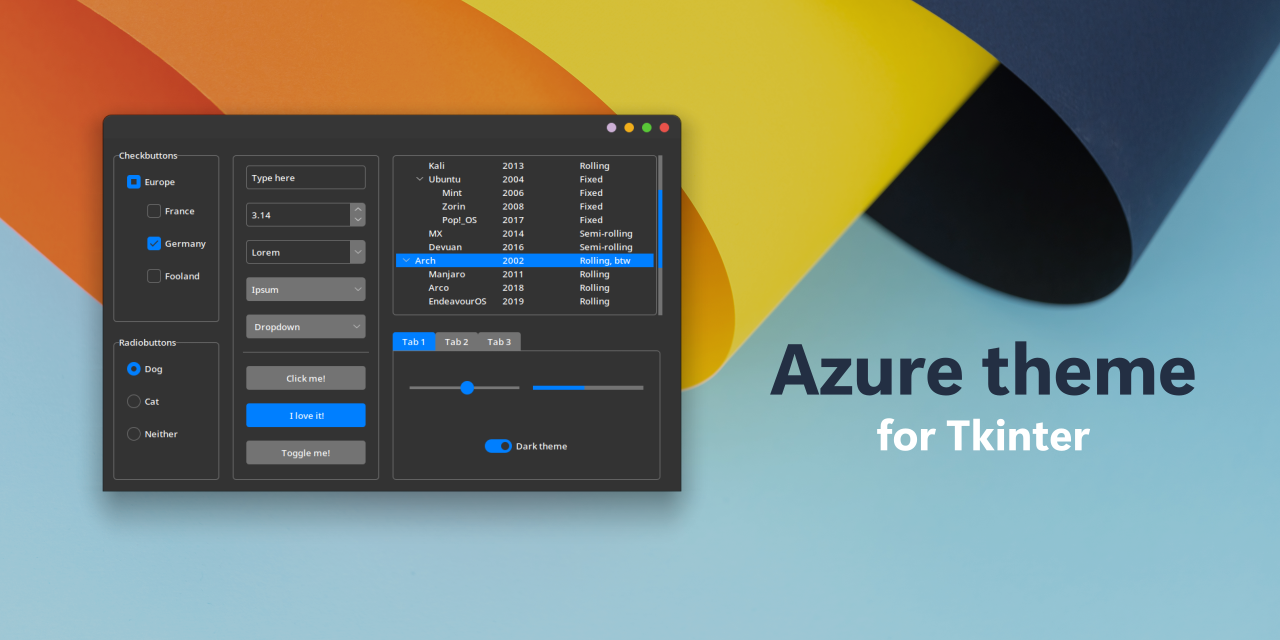
join tkinter discord,there's the creator of this:https://github.com/rdbende/Azure-ttk-theme
GitHub
A stunning modern theme for ttk inspired by Fluent Design 💠 - GitHub - rdbende/Azure-ttk-theme: A stunning modern theme for ttk inspired by Fluent Design 💠
idle glen
brave pilot
anyone ever had the issue of pysimplegui crashing? What could cause that? (ping ...
any error logs?
brave pilot
debug page crashes with it
idle glen
brave pilot
debug page crashes with it
you running an exe?\
brave pilot
yep
idle glen
run it in python
brave pilot
how do i achieve that?
idle glen
it maybe due to some error in your program logic
idle glen
brave pilot
how do i achieve that?
python your_program.py
 idle glen
brave pilot
via
idle glen
brave pilot
via
two windows?(is one a terminal?)
 idle glen
brave pilot
if one crashes, other one goes with it
idle glen
brave pilot
if one crashes, other one goes with it
yea it sure will,the python/gui is single threadded.
idle glen
brave pilot
sometimes it would crash, other times it works fine
what does vsc terminal show?
I think its not the issue with the gui-lib,the program may have issues,(eg:division by 0),it may cause the gui to close,so you should troubleshoot it yourself(there's nothing more i can do without seeing the code)
brave pilot
vsc terminal doesnt show anything
code just executes into those two windows
this is the only thing

like so

The crash is pretty random, making it impossible for me to troubleshoot
Sometimes, adding if statements would crash the gui immediately after launching
 static cove
@loud stag So doing some investigating, and my code is consistently breaking trying to load and read in the image from the filepath.
For some reason, pyqt is insistent the image does not exist, despite os.path.exists() saying it does.
I think it has something to do with how pyqt is trying to locate the images, but despite giving it absolute filepaths, it seems very unhappy. I'll try doing more digging, but I'm super unsure what's happening.
Ha, I spoke too soon. I was able to get it to work. I was just using a slightly janky image as the sample, so it was failing to read it.
So I guess my follow up question is, what isn't working for you right now. What do you need help with?
digital rose
anyone can help me this, I import resource_rc.py generated from PySide6 but when I compile main.py which import this file it tell no module named resource_rc although when I compile this file it working.
 idle glen
digital rose
anyone can help me this, I import resource_rc.py generated from PySide6 but when...
idle glen
digital rose
anyone can help me this, I import resource_rc.py generated from PySide6 but when...
import resource_rc```*you have a spelling mistake
meager valley
i tried to create a function that i didnt realize i duplicate from same previous function. for example:
insert_button.setGeometry(10, 180,130,50)
def insert_button_clicked():
    print('logframe insert button was clicked')
insert_button.clicked.connect(insert_button_clicked)```
and
```insert_button = customButton('Insert', menu_frame)
insert_button.setGeometry(10,class_table.pos().y(),180,50)
def insert_button_clicked():
    print('menu insert button was clicked')
insert_button.clicked.connect(insert_button_clicked)```
these two have exact same `insert_button_clicked()` function in it but somehow they know what they are doing despite being in the exact same py file. ngl i was expecting some kind of error. can anyone explain? im not  using any class or other fancy stuff.
 loud stag
static cove
So I guess my follow up question is, what isn't working for you right now. What ...
loud stag
static cove
So I guess my follow up question is, what isn't working for you right now. What ...
the thing is that as you can see, the images get displayed as images, thats okay. But i want them to behave like icons. For example, the filename should be displayed underneath the image and it should get this blue border as if you had your cursor on a folder for example. I could easily replicate this behaviour in C# but not in python
 little cypress
im beginning to learn tkinter but why isnt this working?
newtext = "Please enter your user and password"
def loginwindow():
    global newtext

    root.geometry("400x250")
    root.title("Login!")

    login.place_forget()
    signup.place_forget()
    title_l.config(text = newtext)


title_l = Label(root, text="Chat with others!",font=("Arial", 25)).place(x=75,y=0)
login = Button(root, text="Login!", bd=5, font=("Arial", 20), bg="grey", command=loginwindow)
signup = Button(root, text="Sign Up!", bd=5, font=("Arial", 20), bg="grey")

login.place(x=150,y=50)
signup.place(x=137.5,y=150)

root.mainloop()
The error is saying that title_l is None? If i try to define title_L before the function, it spews out the same error
sleek hollow
little cypress
im beginning to learn tkinter but why isnt this working?
```py
newtext = "Please...
Don't place on the same line you assign the variable
little cypress
i fixed it
but i have abither issue
another*
how do i disable tracing for a value after the callback happened only 1 time
this is to delete placeholder text
i inserted
def clear_user(*args):
    username.delete(0,END)


def clear_pass(*args):
    password.delete(0,END)


def loginwindow():

    root.geometry("500x300")
    root.title("Login!")

    login.place_forget()
    signup.place_forget()
    title_l.config(text = "Enter your username and password", font=("Arial bold", 15))

    username.place(x=125,y=50)
    password.place(x=125,y=100)

    username.insert(0,"Enter your username...")
    password.insert(0,"Enter your password...")

    username_var.trace_id = username_var.trace("w", callback=clear_user)
    password_var.trace_id = password_var.trace("w",callback=clear_pass)
```hmm I haven't really used trace, but you could probably have a global variable that checks if the placeholder text has already been cleared once
on the first callback, delete the text, then change the global variable to True
sleek hollow
I wouldn't either, but I would design this using a class
and then use an instance attribute to track that
if you aren't using a class, you're kinda at the mercy of globals to pass data around
little cypress
i dont understand how they work at all
i tried transferring from clear_user to login_window but its saying it isnt defined
sleek hollow
functions will always be able to access other functions defined in the same space. You need a separate global variable to keep track of if the callback has occurred
user_cleared = False
pass_cleared = False

def clear_user(*args):
    global user_cleared
    if not user_cleared:
        username.delete(0,END)
        user_cleared = True


def clear_pass(*args):
    global pass_cleared
    if not pass_cleared:
        password.delete(0,END)
        pass_cleared = True
this time it not spewing out any error
but
nothing is happening
my intention was to delete the placholder text on the Entry
when they user starts typing
but i cant type after that
even after doing this
sleek hollow
I think you still need to use trace to validate the input
I think you can simply put a return True at the end of the function to allow for all inputs
def clear_pass(*args):
    global pass_cleared
    if not pass_cleared:
        password.delete(0,END)
        pass_cleared = True
    return True
still doesnt allow me to type in the entry
sleek hollow
Can you share your full code?
little cypress
from tkinter import *
from tkinter import ttk


root = Tk()
root.title("Chatsedia")
root.geometry("400x250")

called_user = False
called_pass = False


def clear_user(*args):

    username.delete(0,END)
    global called_user
    if not called_user:
        called_user = True
    return True

def clear_pass(*args):

    password.delete(0,END)
    global called_pass
    if not called_pass:
        called_pass = True
    return True


def loginwindow():

    root.geometry("500x300")
    root.title("Login!")

    login.place_forget()
    signup.place_forget()
    title_l.config(text = "Enter your username and password", font=("Arial bold", 15))

    username.place(x=125,y=50)
    password.place(x=125,y=100)

    username.insert(0,"Enter your username...")
    password.insert(0,"Enter your password...")

    username_var.trace_id = username_var.trace("w", callback=clear_user)
    password_var.trace_id = password_var.trace("w",callback=clear_pass)

    if called_user:
        username_var.trace_vdelete("w",username_var.trace_id)
    if called_pass:
        password_var.trace_vdelete("w", password_var.trace_id)


username_var = StringVar()
password_var = StringVar()


username = Entry(root,  width=40, bg="light blue",textvariable=username_var)
password = Entry(root,  width=40, bg="light blue",textvariable=password_var)

title_l = Label(root, text="Chat with others!",font=("Arial", 25))
title_l.place(x=75,y=0)
login = Button(root, text="Login!", bd=5, font=("Arial", 20), bg="grey", command=loginwindow)
signup = Button(root, text="Sign Up!", bd=5, font=("Arial", 20), bg="grey")

login.place(x=150,y=50)
signup.place(x=137.5,y=150)

root.mainloop()
because you put the delete at the start of the function
look closely at my example
it's ONLY deleted inside the condition
little cypress
I can type now... But my intentions were to delete the placeholder
and the type is now like
 sleek hollow
you need to modify the stringvar, not the entry
username_var.set('')
the entry simply displays whatever value is set in the stringvar
@little cypress Did that work for you?
little cypress
little cypress
I can type now... But my intentions were to delete the placeholder
here
i can type but placeholder isnt deleted
i also tried deleting password
but same results
sleek hollow
little cypress
same results as here
show your updated function
little cypress
from tkinter import *
from tkinter import ttk


root = Tk()
root.title("Chatsedia")
root.geometry("400x250")

called_user = False
called_pass = False


def clear_user(*args):
    global called_user
    if not called_user:
        called_user = True
    return True

def clear_pass(*args):
    global called_pass
    if not called_pass:
        called_pass = True
    return True


def loginwindow():

    root.geometry("500x300")
    root.title("Login!")

    login.place_forget()
    signup.place_forget()
    title_l.config(text = "Enter your username and password", font=("Arial bold", 15))

    username.place(x=125,y=50)
    password.place(x=125,y=100)

    username.insert(0,"Enter your username...")
    password.insert(0,"Enter your password...")

    username_var.trace_id = username_var.trace("w", callback=clear_user)
    password_var.trace_id = password_var.trace("w",callback=clear_pass)

    if called_user:
        username.delete(0,END) #also tried set
        username_var.trace_vdelete("w",username_var.trace_id)

    if called_pass:
        password.delete(0,END) #also tried set
        password_var.trace_vdelete("w", password_var.trace_id)


username_var = StringVar()
password_var = StringVar()


username = Entry(root,  width=40, bg="light blue",textvariable=username_var)
password = Entry(root,  width=40, bg="light blue",textvariable=password_var)

title_l = Label(root, text="Chat with others!",font=("Arial", 25))
title_l.place(x=75,y=0)
login = Button(root, text="Login!", bd=5, font=("Arial", 20), bg="grey", command=loginwindow)
signup = Button(root, text="Sign Up!", bd=5, font=("Arial", 20), bg="grey")

login.place(x=150,y=50)
signup.place(x=137.5,y=150)

root.mainloop()
Did you read my recent messages?
sleek hollow
show what you tried
little cypress
just eh same thing but username.delete is replaced with username_var.set
and same for password
sleek hollow
Check out #❓|how-to-get-help
sleek hollow
little cypress
just eh same thing but username.delete is replaced with username_var.set
I have it working perfectly using that setup. We can't help correct code that we can't see
 dense thorn
okay, thanks, i just didn't think such problem is worth enough to open a topic on it
little cypress
from tkinter import *
from tkinter import ttk


root = Tk()
root.title("Chatsedia")
root.geometry("400x250")

called_user = False
called_pass = False


def clear_user(*args):
    global called_user
    if not called_user:
        called_user = True
    return True

def clear_pass(*args):
    global called_pass
    if not called_pass:
        called_pass = True
    return True


def loginwindow():

    root.geometry("500x300")
    root.title("Login!")

    login.place_forget()
    signup.place_forget()
    title_l.config(text = "Enter your username and password", font=("Arial bold", 15))

    username.place(x=125,y=50)
    password.place(x=125,y=100)

    username.insert(0,"Enter your username...")
    password.insert(0,"Enter your password...")

    username_var.trace_id = username_var.trace("w", callback=clear_user)
    password_var.trace_id = password_var.trace("w",callback=clear_pass)

    if called_user:
        username_var.set('')
        username_var.trace_vdelete("w",username_var.trace_id)

    if called_pass:
        password_var.set('')
        password_var.trace_vdelete("w", password_var.trace_id)


username_var = StringVar()
password_var = StringVar()


username = Entry(root,  width=40, bg="light blue",textvariable=username_var)
password = Entry(root,  width=40, bg="light blue",textvariable=password_var)

title_l = Label(root, text="Chat with others!",font=("Arial", 25))
title_l.place(x=75,y=0)
login = Button(root, text="Login!", bd=5, font=("Arial", 20), bg="grey", command=loginwindow)
signup = Button(root, text="Sign Up!", bd=5, font=("Arial", 20), bg="grey")

login.place(x=150,y=50)
signup.place(x=137.5,y=150)

root.mainloop()
the set should have gone exactly where the delete was in my first example
sleek hollow
sleek hollow
```py
user_cleared = False
pass_cleared = False
def clear_user(*args):
glob...
exactly this, but setting on the string var instead of deleting on the entry
digital rose
little cypress
I can type now... But my intentions were to delete the placeholder
Why not just do it in html and css
tribal path
Sounds like you just described it; call destroy on the window
signal crown

hey looking to maybe see if someone can help with an issue i have
trying currently to get it to close after app is selected
ive put exit() in the function but it also closes the app that was launched for some reason
signal crown
fixed if you have same issue just import os and kill the task
 royal cape
@wary jolt if you want resources for learning tkinter, you should look at https://tkdocs.com/ which i have found quite helpful, though i've only used tkinter a few times so i can't say im that knowledged about it (there are also more resources in this channel's pins)
as for #1185723139037085746 message , if you want to place the logo above your buttons, i would think the easiest choice is using the same geometry manager for both the logo and your buttons (see tkdocs, but basically .place(), .pack(), and .grid() are different geometry managers)
here's an example of that which also uses the modern "themed widgets" that you'll find in the tkdocs tutorial: https://paste.pythondiscord.com/UCVQ

 slate orchid
I am making a minesweeper game with pyqt5 and I am using a grid of buttons as my board. However when giving the board large dimensions (20x20) the buttons start turning to rectangles instead of squares.


 rough holly
Is it actually showing 20x20?
idle glen
slate orchid
I am making a minesweeper game with pyqt5 and I am using a grid of buttons as my...
the square width must be fixed
currently it expands to the layout
slate orchid
rough holly
Is it actually showing 20x20?
no just an example
slate orchid
idle glen
currently it expands to the layout
cell.setSizePolicy(
QtWidgets.QSizePolicy.Fixed, QtWidgets.QSizePolicy.Fixed
)
is what I have done
idle glen
slate orchid
> cell.setSizePolicy(
> QtWidgets.QSizePolicy.Fixed, QtWidge...
dont know since i havent used qt recently,but check the layout also
rough holly
Are they overlapping?
sleek hollow
slate orchid
> cell.setSizePolicy(
> QtWidgets.QSizePolicy.Fixed, QtWidge...
Is this with QGridLayout? Can you share the code?
hoary canopy
Did some testing with tkinter Notebook. I actually enjoy it. I forgot who suggested it a couple months ago but thank you, I will be remaking software for work using it.
 meager jackal
Is it no other way for tkinter to have transparent images over other images without using canvas? Using custom tkinter btw who support tranparant but it is not true tranpsant, it only steals the color from parent frame..
sleek hollow
meager jackal
Is it no other way for tkinter to have transparent images over other images with...
Unfortunately no, tkinter doesn't support that
quasi shell
Are there any ways to write a separate UI for example with CSS / Tailwind and then connect that to python. For example something like a Flask webapp with a Tailwind Frontend but as a software. This is not meant literally as connecting a Tailwind frontend to software but more about the concept, what would y'all recommend?
hoary canopy
quasi shell
Are there any ways to write a separate UI for example with CSS / Tailwind and th...
Using tkiner as an example, you want one python file that’s purely gui and one python file that purely functionality?
quasi shell
hoary canopy
Using tkiner as an example, you want one python file that’s purely gui and one p...
ive looked at tkinter but im really looking for an external solution, not python based
hoary canopy
I’m just trying to understand the question, sorry.


 final sundial
so
signal crown
complete


 signal crown
whoops was tryna see what i could do with the if statement lol
its not usually there
final sundial
does the new_appearance_mode detect the theme
final sundial
signal crown
user presses white or dark and bam
Stack Overflow
I want to build a tkinter app and I don't know how to set a dark mode theme to the window, Text, Button and ScrolledText.
Thanks in advance!
this also suggests to use a boolean
is_on
 burnt arrow
Hi, I am one of the co-founders of Slint (https://slint.dev) - an open-source graphical user interface toolkit to design, develop, and deploy native user interfaces on desktop and embedded systems. One of our goals is to support multiple programming languages and today we kicked off support for Python with an initial PR - https://github.com/slint-ui/slint/pull/4155.
We invite your suggestions, feedback, and contributions to achieve the initial milestone - https://github.com/slint-ui/slint/milestone/18.
This project has been made possible thanks to the NLNet Foundation - https://nlnet.nl/project/PythonicSlint/.
signal crown
ok so what variable am i setting to true/false
final sundial
anything you want
dark_mode = False / True
and you could do if dark_mode == False:
signal crown
ah confusing.. errm so my code snippets what wouyld you do?
final sundial
where you set apperance, so under self.appearance_mode_optionmenu have a boolean
so where the theme is set to dark also set a boolean , like is_darkto True
or under where you set it to light, is_dark = False
signal crown
k ima try dat
 languid cipher
inputentry = customtkinter.CTkEntry(master=frame, placeholder_text="Enter a Stock Name: ")
how would I retrieve whatever the user said here?
ex if the user entered "aapl", how would i like get that information
languid cipher
can any1 help plz
hoary canopy
I believe custom tkinter is built on tkinter so there should be a .get() method for entry widgets.
 inner marsh
Hi everyone,
I'm having trouble with a Tkinter application where the allowed voltage doesn't update when adjusting a slider for overall speed. Here are the key code snippets:
Update Function:
def update_voltage_range_labels_and_vars(*args):
    # calculates min_voltage and max_voltage
    voltage_range_text = f"{min_voltage:.2f} - {max_voltage:.2f} V"
    spool_motor_min_voltage_var.set(voltage_range_text)
    # similar updates for other motors
    settings_window.update_idletasks()
Label Linking with StringVar:
spool_motor_interval_label = Label(settings_window, textvariable=spool_motor_min_voltage_var)
# similar for other labels```
Slider Setup:
```python
overall_speed_scale = Scale(root, command=update_voltage_range_labels_and_vars)```
Main Loop:
```python
settings_window.mainloop()
The labels for voltage ranges don't update when the slider moves. I've tried forcing a GUI refresh. The full code is attached for more context. Any ideas why the updates aren't showing in the GUI?
(full code) : https://www.toptal.com/developers/hastebin

Hastebin
Hastebin is a free web-based pastebin service for storing and sharing text and code snippets with anyone. Get started now.
signal crown
hey is there a way to update the background colour of a frame and canvas in customtkinter?
tribal path
inner marsh
Hi everyone,
I'm having trouble with a Tkinter application where the allowed vo...
Print your args
hoary canopy
Am i not allowed to update labels after using mainloop in tkinter? I tried to use .config(text="Some random text") but it throws the error _tkinter.TclError: invalid command name ".!label"
sleek hollow
hoary canopy
Am i not allowed to update labels after using mainloop in tkinter? I tried to us...
it's possible the label you're trying to edit was destroyed already
hoary canopy
I got rid of the main loop. But now I can’t see the label because it instantly closes the window (which is what I want typically if the database connection test works).
sleek hollow
hoary canopy
I got rid of the main loop. But now I can’t see the label because it instantly c...
you need a mainloop for the UI to sustain. It's the process that listens for events in the UI. It's basically a big fancy while loop
hoary canopy
Hmm. I’ll keep working with it then. Maybe I need to call the main loop from my main class instead of my gui class.
 tribal lava
I have a python script creating windows with tkinter and a frame in this window contains a certain amount of sliders depending on some variables. To be able to see all sliders, i wanted to use a horizontal scrollbar to scroll through the sliders.
Here is my code :
slider_frame=Frame(master=advance_window,width=1000,height=200)
    slider_frame.pack(fill=BOTH,expand=1)

    number_of_sliders = len(advancerpms)

    myscrollbar=Scrollbar(slider_frame,orient=HORIZONTAL)
    myscrollbar.pack(side=BOTTOM,fill="x")

    for tempvar in range (number_of_sliders):
        slider = Scale(master=slider_frame,orient=VERTICAL,from_=90,to=-5,length=150)
        slider.place(anchor=NW,x=50*tempvar,y=10)
It creates the sliders as I want it to but i can't scroll through them :/ The scrollbar is there but doesn't work
Any ideas ?
Don't worry about the values of the sliders not being stored for now, it's a problem for later
tribal lava
||Ping me if you can help||
 balmy wren
You haven't put any functionality to the scrollbar
@tribal lava
Use Scrollbar(command=...) to do so when creating an instance of Scrollbar
tribal lava
balmy wren
Use `Scrollbar(command=...)` to do so when creating an instance of Scrollbar
What do I put in the definition of this command ?
balmy wren
The scrolling functionality @tribal lava
Okay so which programming language / framework should I go with if I wanted to make a desktop application that can do local file operations and display large amounts of data? The only programming language I know is basically Python and a little bit of C#.
 humble chasm
Does anyone know if wxPython's WebView has devtools?
There's a few scattered mentions of it, but I can't get it work
tribal lava
balmy wren
The scrolling functionality <@792456117132853279>
Uhhhh
Imma search on google wait
 feral quiver
any recommended readings for design of user interfaces?
signal crown
feral quiver
any recommended readings for design of user interfaces?
i use tkinter for gui in general but if your looking for more customization stuff in modern guis i would go with customtkinter
hoary canopy
Ive been playing around with this for a hour and still cant figure it out. https://paste.pythondiscord.com/BQSA My rows wont alternate colors.
The current style and treeview code has basically been copied from my last project where it worked

!paste
For reference, this is the code i copied https://paste.pythondiscord.com/FKSA that is displayed in the image.
tribal lava
Uhh could some1 help me implement a scrollbar with tkinter ?
hoary canopy
tribal lava
Uhh could some1 help me implement a scrollbar with tkinter ?
What’s up?
hoary canopy
hoary canopy
Ive been playing around with this for a hour and still cant figure it out. <http...
This actually has a scroll bar in it if you want to take a look at my code.
tribal lava
i have a frame
and i want it to be horizontally scrollable
this frame contains a certain amount of sliders and i need to fit them all in my frame so i thought about using a hoizontal scrollbar
here is the part of my code that does this for now
def open_advance_editor():
    advance_window = Toplevel(root)
    advance_window.title("Ignition Advance")
    advance_window.geometry('1000x600')
    advance_window.resizable(False,False)
    advance_window.iconbitmap("ressources\Icon.ico")
    graph_frame=Frame(master=advance_window,width=1000,height=400)
    graph_frame.pack()

    fig = Figure(figsize=(10, 4), dpi=100)
    axes = fig.add_subplot()
    line, = axes.plot(advancerpms,advancevars,'tab:blue',marker='o')
    axes.plot([0,(advancerpms[-1]+1000)],[0,0],'black',linewidth=0.5)

    axes.set_xlabel('Rpms')
    axes.set_ylabel('Ignition Advance')

    if advancevars[-1] >= 0:
        axes.set_xlim(xmin=0)
        if advancevars[0] > 0:
            axes.set_ylim(ymin=-5)
        else:
            axes.set_ylim(ymin=advancevars[0]-5)

    if advancevars[-1] <= 0:
        axes.set_xlim(xmin=0)
        if advancevars[0] < 0:
            axes.set_ylim(ymax=5)
        else:
            axes.set_ylim(ymax=advancevars[0]+5)
        axes.invert_yaxis()

    figure_canvas = FigureCanvasTkAgg(fig,master=graph_frame)
    figure_canvas.draw()

    figure_canvas.get_tk_widget().pack(side=TOP, fill=BOTH, expand=1)

    slider_frame=Frame(master=advance_window,width=1000,height=200)
    slider_frame.pack(fill=BOTH,expand=1)

    myscrollbar=Scrollbar(master=slider_frame,orient=HORIZONTAL)
    myscrollbar.pack(side=BOTTOM,fill="x")

    def update_graph():
        a=0#later

    number_of_sliders = len(advancerpms)
    slider_index=[]
    slider_vars=[]

    for tempvar in range (number_of_sliders):
        slider = Scale(master=slider_frame,orient=VERTICAL,from_=90,to=-5,length=145)
        slider.set(advancevars[tempvar])
        slider.place(anchor=NW,x=50*tempvar,y=20)
        slider_index.append(slider)

        rpmtag = Label(master=slider_frame,text=advancerpm[tempvar])
        rpmtag.place(anchor=CENTER,x=50*tempvar+27,y=12)
    print(slider_index)
Im on mobile but it seems like you need to comfigure the frame so it used the scroll bar.
tribal lava
hoary canopy
Im on mobile but it seems like you need to comfigure the frame so it used the sc...
i tried but how do i do that ?
tribal lava
hoary canopy
Im on mobile but it seems like you need to comfigure the frame so it used the sc...
i can't get the frame to be scrollable I tried tons of methods XD
hoary canopy
tribal lava
i tried but how do i do that ?
I believe the canvas has a configure method that has a xscrollcommand arguementt.
Thats how i configure the scrollbar to my treeview.
tribal lava
ye but the problem i have is
it's not a canvas x)
so i use one instead of a frame ?
i'll try that
hoary canopy
The frame should be placed in the canvas. When the canvas scrolls, its scrolling across the frame if that makes sense.
hoary canopy
Looking at this picture, imagine the entire image is the frame and the square is the canvas. The scroll bar moved the canvas across the frame to create a viewable area.
 tribal lava
soo
tribal lava
hoary canopy
Looking at this picture, imagine the entire image is the frame and the square is...
do i put my sliders in the frame or the canvas ?
hoary canopy
tribal lava
do i put my sliders in the frame or the canvas ?
I don’t think it really matters. I’ve never done it with a canvas before.
tribal lava
hoary canopy
I don’t think it really matters. I’ve never done it with a canvas before.
how were you doing it ?
hoary canopy
hoary canopy
Ive been playing around with this for a hour and still cant figure it out. <http...
Like this @tribal lava
tribal lava
I solved the issue but i still have 1 problem
when I pack my canvas to the left the scrollbar is displayed but very small in the bottom left corner
when i pack it to the top, i can't get the scrollbar to be displayed


@hoary canopy
hoary canopy
tribal lava
when I pack my canvas to the left the scrollbar is displayed but very small in t...
I don’t use pack so I’m not sure. I prefer precise control and use place for all my widgets.
tribal lava
ok ok i'll try with this then
languid cipher
does anyone know if it is possible to create 2 roots/windows in customtkinter
hoary canopy
languid cipher
does anyone know if it is possible to create 2 roots/windows in customtkinter
There's TopLevel
Case Study: IDLE Modernization: Part of a Modern Tk Tutorial for Python, Tcl, Ruby, and Perl
languid cipher
oo
languid cipher
hoary canopy
https://tkdocs.com/pyref/toplevel.html
the link says not found
hoary canopy
That was weird. Try now
languid cipher
thx
tribal lava
yo
    slider_index=[]

    for tempvar in range(len(advancerpms)):
        slider = Scale(master=slider_frame,orient=VERTICAL,from_=90,to=-5,length=145,command=lambda x=tempvar:getvar(x))
        slider.set(advancevars[tempvar])
        slider.grid(column=tempvar,row=1,sticky=N)

        rpmtag = Label(master=slider_frame,text=advancerpm[tempvar])
        rpmtag.grid(column=tempvar,row=0,sticky=N)

        slider_index.append((slider,rpmtag))

    print(slider_index)

    def getvar(tempvar):
        print(int(tempvar))
        #HERE I NEED TO TAKE THE VALUE FROM THE SLIDER I USED AND REPLACE THE OLD VALUE WITH THE NEW ONE IN THE ADVANCEVARS LIST
        #THE LIST LOOKS LIKE THIS : [0, 10, 15, 18, 20, 21, 21]
        line.set_data(advancerpms,advancevars)
        figure_canvas.draw()
I have a slider for each value in a list
I would like to make it so when I change the value of the slider, the corresponding value is changed in the list
I can get the value from the the slider but i don't know how to know what slider it comes from !
All I need is a way to get the index of the slider (which one it is (1st,2nd,..)) so I can edit the corresponding value in the list
 hoary canopy
tribal lava
```py
slider_index=[]
for tempvar in range(len(advancerpms)):
s...
hoary canopy
tribal lava
```py
slider_index=[]
for tempvar in range(len(advancerpms)):
s...
Look into widget focus out and bind and update function.
tribal lava
hoary canopy
Look into widget focus out and bind and update function.
uhh i don't really understand what u mean
can u developp x)
hoary canopy
tribal lava
uhh i don't really understand what u mean
Sorry, can’t really create an example atm.
tribal lava
hoary canopy
Sorry, can’t really create an example atm.
whenever you can just ping me if u have time
hoary canopy
I’m getting ready for Christmas and coding sparatically in my spare time. Probably won’t have time to make an example.
 sharp storm
Too long:
Lookin gndir cool gui lib/sdk that works with python
Im wanna make program to myself to play with text to image generation api, so i got thebapi working, made fee functions to generate image and add to "output" list, to get image by that list and cache it. So.
Now i want to make some gui for it, i imagine it as few panels one with tiles of images that are already generated, another is, i didn't come up yet, making the first one, and i want images to firstly display as gray, and then, when downloaded as minimized, i managed to do that with pysimplegui with one image, but maybe there is more documented and powerful library, or maybe on other laungages.
I have plenty of time, i just want it to be cool, and don't very want to make shh with tkinter because when i use it it feels slow..
And also if it will be similar or same as web front end it would b cool
misty canopy
You could maybe take one of the stablediffusion webuis and modify it to work with your API.
tribal lava
tribal lava
```py
slider_index=[]
for tempvar in range(len(advancerpms)):
s...
any1 could explain what captain quiail said ?
 wheat galleon
I was making a modern GUI library in Pygame for desktop applications, goal is to make things easier and accessible at the same time have a way to do advance stuff like custom widgets and stuff, it's still in a very very very early stage just wanted to know what people think at first glance at the code.
it does have api to create your gui multiple way, this is using the builder pattern but raw functional methods also work

 stoic helm
hi everybody! I am developing an app in PyQt5 and I am facing problems when trying to switch icons when user change theme from light mode to dark mode and viceversa. Anybody in here has done that before? thanks
 trim pewter

I found a good python library to make my GUI

idk how to keep the button in the middle though
 royal gull
trim pewter
idk how to keep the button in the middle though
royal gull
trim pewter
idk how to keep the button in the middle though
So PyQt (and many other frameworks) have the concept of layouts. Rather than positioning items based on coordinates, layouts allow you to put the items in an specific order -- you can read more about them here. I've made simple example that is written in the more OOP approach you'd typically see in PyQt, but the gist of it is that it's a window with a layout applied on it. QVBoxLayout is among one of the layouts available in PyQt. It positions items vertically.
To that layout you can add widgets (in this case, a label) which will responsively position themselves when the window is resized. self.main_layout.setAlignment(Qt.AlignCenter) is responsible for aligning the items so that they remain in the center (both horizontally and vertically). There's a few other alignments available. Of course, there's a bunch of other things you can do with a layout but now you know that they well... exist.
trim pewter
royal gull
So PyQt (and many other frameworks) have the concept of layouts. Rather than pos...
OOh so it applies to the window it's connected to.
royal gull
trim pewter
OOh so it applies to the window it's connected to.
To be more precise, the widget. But yes, as the window resizes, the widget will naturally resize and so the layout will respond to that and be redrawn.
trim pewter
royal gull
To be more precise, the widget. But yes, as the window resizes, the widget will ...
Problem
wait
trim pewter
royal gull
To be more precise, the widget. But yes, as the window resizes, the widget will ...
Pretty cool
Thanks for that
trim pewter
trim pewter
Problem
The problem was me btw 
 old ravine
I hate it when that happens
 sterile prawn
Is there a way to set the window icon in flet (the one next to page title)? Maybe I'm blind but I can't find it in the docs anywhere
tribal lava
tribal lava
any1 could explain what captain quiail said ?
any1 ?
languid cipher
is it possible to create 2 customtkinter roots/windows
sleek hollow
languid cipher
is it possible to create 2 customtkinter roots/windows
If you want a 2nd window, you do it with the Toplevel widget
 silver marten
wheat galleon
I was making a modern GUI library in Pygame for desktop applications, goal is to...
silver marten
wheat galleon
I was making a modern GUI library in Pygame for desktop applications, goal is to...
is there any documentation just for normal 'pygui' or is 'dearpygui' the better option?
wheat galleon
silver marten
is there any documentation just for normal 'pygui' or is 'dearpygui' the better ...
Oh sorry pygui was just a temporary name, it looks like theres already a existing library with that name and thats not mine and and dearpygui is different too.
My project is not even out in pypi or in github its very early stage
Its now renamed to pyezgui
Which i will be releasing after i get it to a usable state
languid cipher
sleek hollow
If you want a 2nd window, you do it with the Toplevel widget
thx
 somber hemlock
wheat galleon
I was making a modern GUI library in Pygame for desktop applications, goal is to...
somber hemlock
wheat galleon
I was making a modern GUI library in Pygame for desktop applications, goal is to...
It looks like you are trying to make the state handling like react but aren't quite successful at it yet
Why do you need builder pattern when you can use kwargs anyways
wheat galleon
somber hemlock
It looks like you are trying to make the state handling like react but aren't qu...
I am not entirely sure how the insides of react work but I feel like I am not actually i need to keep a reference to the object simply to modify it
The Ref object is just a wrapper to a value as classes are reference type the .ref function can just keep the Refs value, so u can just use any reference type object, so I feel like its more like flutter. And that ref part is basically done and works.
And for your other question, the library does support and has kwargs, but the builder pattern is just another way to write the GUI, and there will be an OOP method too, i just wanted to add all the ways to so everyone can use whatever they are comfortable with, it it has its drawbacks but i think abt that later.
 rose dirge
hey

was making this and got an error
can someone please help me
this is a python program with mysql connection
made with tkinter
 wooden nebula
you guys like the design, first time doing something "cool" on tkinter?
 slim crown
Folks, i need a hand with Tk
I have a progress bar that is updated by a callback and it is behaving very strangely
I am scanning in files into my program's data store, and I am trying to show progress of this long task via a progress bar and label expressing the number of files scanned. The behavior of the Tk app is a big mess and different across different Windows machines which is a bit bizarre. Im not sure what to do
for example, on my main production machine, which is very powerful, it actually causes "Not Responding" to occur until the entire scan is finished, then the app responds again just fine. So the business logic is fine, but the progress bar logic seems to be causing this.
But in my i3 laptop, this doesnt happen at all, and it seems to perform just fine
slim crown
I also tried calling the entire scan kickoff method in a new thread, and calling the callback like this: self.after(0, update_progress_bar) but same result
 unreal pike
How can i conver 8x4 flipbooks to 4x4
 leaden hound
hello, i am very new to PySide6 and i was wondering why we really need a palette and palette design just for coloring the background a QMainwindow widget.
like in tkinter, we use py window.config( background = " some color ") to change the background of most widgets, but here ( as i myself know ) need to create a palette and some ( not so ) long codings, and then we can change the bg of a QMainwindow.
why isn't there a shorter option, like a specific method to change the simple color properties of some non-complex widgets like windows? something like:
window = QMainwindow()

window.setWindowBackgroundcolor("red")
PyQt/PySide is quite verbose, but that also means it's highly customizable. It's much more OOP driven than tkinter is
You can also reuse palettes if you want things to share stylings which is very convenient
languid cipher
anyone know if it's possible to fit a plotly/matplotlib graph into a customtkinter window
 green cargo
Hi, i was creating an UI in PyQT5, i was creating the navbar and i wanted to add a action to this bar and to set it up in the top right corner. So far i had no luck with that, this is the best i got to the result i wanted (it is on the top right corner but it is under the nav bar)
Someone has any idea on how to do this?
 sleek hollow
green cargo
Hi, i was creating an UI in PyQT5, i was creating the navbar and i wanted to add...
sleek hollow
green cargo
Hi, i was creating an UI in PyQT5, i was creating the navbar and i wanted to add...
as far as I know, you can't create a gap in a qmenubar like you want. You'd have to build your own custom menu setup using a toolbar (which it looks like you're doing under it)
If you only want a light/night toggle button, you could use menubar.setCornerWidget instead to place a button there
 fallow geyser
how should i be sending data between the gui and the client?

the client object is what does most of the work, i want the gui to access a dict in there and display it
the issue is how do i tell the gui to update when it gets a new message or something?
wooden nebula
i don't know if this is the correct site to place my meme but.. i'll post it here guys
import tkinter as tk
from PIL import Image, ImageTk
import time

root = tk.Tk()
root.wm_attributes("-transparentcolor", "white")  # Set the transparent color
root.geometry("200x150+1720+900") # Fixed screen and position
root.overrideredirect(True) # No title bar/window border

file = "toothless-dancing-toothless.gif"
info = Image.open(file)

frames = info.n_frames  #important var for framing count later on loop

info = Image.open("toothless-dancing-toothless.gif")

#black magic loop
im = []
try:
    #Loop to go through each frame of the gif
    i = 0
    while True:
        info.seek(i)  #Move to next frame
        frame = ImageTk.PhotoImage(info.copy())  #Copy the frame and create a PhotoImage
        im.append(frame)  #Append to the list
        i += 1
except EOFError:
    pass  #Exit the loop when all frames are read (EOFError is raised)

count = 0
def animation(count):
    start_time = time.time()  # Start time of the loop

    im2 = im[count]
    gif_label.configure(image=im2)

    count += 1
    if count == frames:
        count = 0

    end_time = time.time()  # End time of the loop
    elapsed = end_time - start_time
    root.after(max(1, int(50 - elapsed*1000)), lambda: animation(count))

gif_label = tk.Label(root, image="", bg='white')  # Set background to the transparent color
gif_label.pack()

animation(count)  # Start the animation automatically

root.mainloop()
i am pretty sure you cannot do that, https://stackoverflow.com/questions/38426263/plotly-chart-at-tkinter-python, but there are similar solution such as converting it into image and more..
Stack Overflow
is it possible to show Plotly chart at Tkinter GUI? I have been trying to make this happens but to no avail.
Here is the code I have (the Plotly code is copied from the Plotly website):
from tkin...
languid cipher
wooden nebula
i am pretty sure you cannot do that, https://stackoverflow.com/questions/3842626...
Do you know if it is possible with matplotlib?
wooden nebula
i am not sure
 stoic yoke
hello I recently finished my UI using PyQt6 and im getting error 0x7e when i run it could you guys help me resolve this issue
this is screen shot of error
 leaden hound
sleek hollow
PyQt/PySide is quite verbose, but that also means it's highly customizable. It's...
leaden hound
sleek hollow
PyQt/PySide is quite verbose, but that also means it's highly customizable. It's...
thank you very much, sorry for late response
wooden nebula
stoic yoke
this is screen shot of error
pip install pipwin

pipwin install cairocffi
Basically, cairoffi is not build for windows,
see https://stackoverflow.com/questions/73637315/oserror-no-library-called-cairo-2-was-found-from-custom-widgets-import-proje
Stack Overflow
How to fix this error?
C:\Users\vanvl\OneDrive\Bureaublad\Progammeren\Project 1.02.2>python
Python 3.9.13 (tags/v3.9.13:6de2ca5, May 17 2022, 16:36:42) [MSC v.1929 64 bit (AMD64)] on win32
Type ...
stoic yoke
wooden nebula
```
pip install pipwin
pipwin install cairocffi
```
Basically, cairoffi is not ...
Thank you sir I will see if this works tomorrow
 weary star
so i know with qt the process of adding functionality is:
self.myButton.clicked.connect(self.doSomething)but what if we want to pass an argument to a function? like this:
self.sphere.myButton.clicked.connect(self.doSomething(foo))
ik that wont work so whats the proper way to do that?
tribal path
Lambda or a partial will get you a callable
idle glen
languid cipher
Do you know if it is possible with matplotlib?
no you cant add it directly,but there are still ways
languid cipher
Alright thx
stoic helm
weary star
so i know with qt the process of adding functionality is:
`self.myButton.clicked...
When you connect a signal to a handler or slot you only need to specify the name of the slot. Any argument must be passed to the method like any other function in Python
weary star
stoic helm
When you connect a signal to a handler or slot you only need to specify the name...
any good explainers on signals and slots?
stoic helm
weary star
any good explainers on signals and slots?
I will recommend to take a look to this book: create gui application with python and qt5 by Martin. It is a good starter in this framework
 astral wave
do i need graphic designing for windows 7 like control buttons (quit, fullscreen, minimize, etc) in python?
sleek hollow
astral wave
do i need graphic designing for windows 7 like control buttons (quit, fullscreen...
Those window elements are dictated by your OS theme. If you want something that isn't available in your themes, then yes, you'd have to create a custom solution
 frank robin
this is kinda a weird thought, but
if i have some running program -- as in, running in the background --, and it constructs a window (lets imagine glfw on windows os) and then destroys it and creates another
would that look like 'app A started' -> 'app A closed' -> 'new app B started'?
could i swap between creating these windows like this to get two seperate 'apps' showing up without, like, jankiness?
im thinking about how in league of legends, you open the so called 'league client', and when you've gotten into a game it seems to go away and then the 'league game app' opens as-if separately
then when the game is over (or if you exit out of the game on your own), the league client shows up again
frank robin
frank robin
if i have some running program -- as in, running in the background --, and it co...
i'd like to have something like that too, and im asking to hear if this^^^^ kinda thing is reasonable
i'd like to avoid having some third process keep track of them for me in the background
 tranquil plover
clean?
calculates a average out of the numbers provided


 earnest dagger
u can already create multiple windows in glfw right?
the idea behind that seems fine like one common use case is when some application opens an extra window for logging purposes
frank robin
earnest dagger
u can already create multiple windows in glfw right?
i think so, yeah
but, would they appear as seperate 'apps' -- per windows os (like, meaning they have seperate icons on the tray) -- or would it be more like when you have multiple chrome instances open at once, and they all collapse into the Chrome icon
i'm mostly thinking about this from a user interaction on windows perspective; it's all fine on linux from what ive seen
earnest dagger
no they don't atleast when i was playing with it in java
astral wave
sleek hollow
Those window elements are dictated by your OS theme. If you want something that ...
could u elobrate?
earnest dagger
hmm perhaps two instances of window objects that like closest you can probably get without windows collapsing them into 1 in taskbar
earnest dagger
not sure needs experimentation 🧪
frank robin
i'll try it out
earnest dagger
mhm
weary star
stoic helm
When you connect a signal to a handler or slot you only need to specify the name...
so havent checked out the book since it appears to be behind a paywall and I'm not an actual developer. but ive done some more reading. so the solutions i've seen are either using a lambda (a fairly hacky solution) or by making it a class method
the problem with that last approach is that the function im trying to connect is from another file (aka not a class method) . since this is a small tool i just have a main file with the ui and all the functions as seperate files. Which means i can either, 1. move the entire function into the main file, (which i dont want to do ) or write a short wrapper method that calls on that function with whatever self.var argument i want to pass
proven basinBOT
:incoming_envelope: :ok_hand: applied timeout to @tawdry barn until <t:1704631226:f> (10 minutes) (reason: duplicates spam - sent 4 duplicate messages).
The <@&831776746206265384> have been alerted for review.
 drowsy stratus
wheat galleon
I was making a modern GUI library in Pygame for desktop applications, goal is to...
drowsy stratus
wheat galleon
I was making a modern GUI library in Pygame for desktop applications, goal is to...
I loved this. Have you uploaded this on Github?
 sour fable
I am currently working on a Python GUI project that involves heavy networking and the development of an advanced chat system. The goal is to create a robust and user-friendly application that facilitates seamless communication while incorporating innovative features. The project is currently in its early stages, and your expertise could play a crucial role in its success.
What We're Looking For:
Python Developers: Familiarity with Python programming and GUI frameworks, especially PyQt, would be highly beneficial.
Networking Enthusiasts: Experience in implementing and optimizing networking solutions, ensuring the efficiency and security of data transmission.
Collaboration and Creativity: We value a collaborative spirit and creativity in finding solutions to challenges.
wheat galleon
drowsy stratus
I loved this. Have you uploaded this on Github?
nope still in a very early stage but will soon.
drowsy stratus
wheat galleon
nope still in a very early stage but will soon.
🙂, I would love to see this working!
 kind leaf
can u change bg frame in ttk bootstrap?
cause it seems like .Style just, doesnt work
styling= ttk.Style(main)
^^^^^^^^^^^^^^^
File "C:\Users\admin\AppData\Local\Programs\Python\Python312\Lib\site-packages\ttkbootstrap\style.py", line 474, in init
Style.instance.theme_use(theme)
File "C:\Users\admin\AppData\Local\Programs\Python\Python312\Lib\site-packages\ttkbootstrap\style.py", line 595, in theme_use
raise TclError(themename, "is not a valid theme.")
_tkinter.TclError: (<ttkbootstrap.window.Window object .>, 'is not a valid theme.')
import tkinter as tk
from tkinter import ttk
import ttkbootstrap as ttk
main = ttk.Window(themename="darkly")
styling= ttk.Style(main)
styling.configure("TFrame", background="#B85F5F")
Frame = ttk.Frame(main,style="TFrame" )
Frame.pack(anchor="center", pady = 320)
main.mainloop()```nvm who would have known the master was the themename not the window
 placid steeple
So, I have an issue with tkinter. I have a tkinter window that looks like this. I would like to display squares of equal size within the red square I drew and have text inside them. How would I go across doing this?
 weary star
why is it when I have a Qlineedit widget and a button widget in a row on a form layout(in that order) the lineedit width wont change at all with the window size

but if i reverse the order of the widgets it works just fine
 sleek hollow
weary star
sleek hollow
weary star
you generally don't add 2 widgets like this to a form layout. It's meant for a text label and a widget. The form's 2nd column likely holds the expanding stretch policy
 swift storm
img= ctk.CTkImage(dark_image= Image.open('assets/draggable_button.png'), size=(40, 40))
        self.y_attachable_button= ctk.CTkLabel(self, image= img, text= "", fg_color='transparent', bg_color='transparent')
        self.y_attachable_button.place(x=100,y=100)
why does this not load in as transparent image?
when it really is a transparent ****** image xd
using customtkinter
it works for every other image
 solemn cloud
captcha final boss
weary star
sleek hollow
you generally don't add 2 widgets like this to a form layout. It's meant for a t...
Got it so form layouts are just a label and then a functional widget. If so what layout should I use instead?
sleek hollow
weary star
Got it so form layouts are just a label and then a functional widget. If so what...
Create your own qwidget with a qhbox containing your button and qlineedit, and then add them to a vbox layout
 civic fox
any qt6 pros got any tips for this issue im experiencing? https://discord.com/channels/267624335836053506/1194403391854624909
languid cipher
(CTk)
languid cipher
anyone know how to get the value of this optionmenu... without using a function
because .get() doesn't get the updated value i think
my current code:
optvar = customtkinter.StringVar()

combobox = customtkinter.CTkOptionMenu(master=frame, variable=optvar,
                                   values=["yahoo", "nightclouds", "default", "blueskies", "binance", "charles", "classic"], hover=True, command=makeglobal)
combobox.pack(padx=20, pady=10)
combobox.set("Select Theme")
print(optvar.get())
What's in makeglobal? I'd presume you can get from in there. Otherwise how do you propose to determine when to get the value if not via a function call of some sort
languid cipher
tribal path
What's in makeglobal? I'd presume you can get from in there. Otherwise how do yo...
sorry, I forgot to remove the makeglobal part that isn't supposed to be included, it was something I was testing earlier.
I did a little bit of research and I came across this .StringVar() method I could use, however I believe I am using it incorrectly because the values are not updating on every new entry
tribal path
The var would be updated, but it's a matter of when the get is called. That needs to be adjusted, you can use .after on your root Tk object to call get/print after a set period of time... But functionality wise you're going to want a button/some meaningful trigger to call it
languid cipher
tribal path
The var would be updated, but it's a matter of when the get is called. That need...
hmm okay. I'm going to be using this value somewhere else later on, how would I get the most frequent updated value for this?
tribal path
Just have the .get() there
 left oar
Guys i have 2 files that must run in the main thread, 1st is tkinter gui and 2nd is something doing io operations, how can i make a communication between them, i want the gui file to start parallel with io file when i start
languid cipher
tribal path
Just have the .get() there
Do you have any idea what this would look like in code
tribal path
Later on there must a function/action of some sort that you intend to run? Would just be a case of option = optvar.get() at that point
 thorny karma
left oar
Guys i have 2 files that must run in the main thread, 1st is tkinter gui and 2nd...
thorny karma
left oar
Guys i have 2 files that must run in the main thread, 1st is tkinter gui and 2nd...
start gui thread with the i/o thread using threading and set the variables u need as global
 acoustic hull
Hi, what gui do you guys suggest I use for very small and simple project? I heard pyqt is a good option because of it's future use cases and how it looks
 mighty frigate
wdym by 'future use cases' ?
I'm a qt dev so I might be slightly biaised here
the only thing: if you're gonna use Qt, you probably should go for PySide
acoustic hull
It's more professional uses
Better than tkinter apparently, harder to learn but looks better
mighty frigate
it probably is one of the hardest to master
acoustic hull
mighty frigate
the only thing: if you're gonna use Qt, you probably should go for PySide
Please explain
acoustic hull
Would pysimplegui also be a good alternative?
mighty frigate
I'll let others answer to that, I'm not neutral on that subject
acoustic hull
Thank you for your input, I'll look into pyside
rough holly
Remember to skip 3, 4 and 5, and try PySide6 instead!
languid cipher
tribal path
The var would be updated, but it's a matter of when the get is called. That need...
wait so where do you think i should put the .get() again
 cosmic yew
ok i'm a little confused here, maybe someone could help me understand this - should we be using pyqt or pyside? i was under the impression that pyqt was the "official" binding and pyside is dead. but apparently its not?
the last UI library I used was wxpython, but everyone says QT is the way to go for desktop apps
weary star
should you set up your layouts or widgets first?
rocky dragon
cosmic yew
ok i'm a little confused here, maybe someone could help me understand this - sho...
pyside6 is alive and maintained by a team under Qt, pyqt5/6 is more widespread. Differences are mostly minimal but I had better luck with pyside support on bugs
 sudden lynx
Anyone knows why there is margin in corner (in white)

 toxic ember
sudden lynx
Anyone knows why there is margin in corner (in white)
toxic ember
sudden lynx
Anyone knows why there is margin in corner (in white)
could you send us the code?
languid cipher
languid cipher
anyone know how to get the value of this optionmenu... without using a function...
@sleek hollow do you know if this is possible
 sour valve
cosmic yew
ok i'm a little confused here, maybe someone could help me understand this - sho...
sour valve
cosmic yew
ok i'm a little confused here, maybe someone could help me understand this - sho...
They don't have many diffrences.

Python GUIs
What's the difference between the two Python Qt libraries? ...and what's exactly the same (most of it). If you start building Python application with Qt5 you'll soon discover that there are in fact two packages which you can use to do this — PyQt5 and PySide2.
 tulip kite
Anyone familier with tkinter/customtkinter please do help me out at #1195670981885313024
sudden lynx
toxic ember
could you send us the code?
i fixed it
for some reason there was margin on the stylesheet which was adding the margin
toxic ember
sudden lynx
i fixed it
👍
digital rose
sudden lynx
Anyone knows why there is margin in corner (in white)
this looks really clean. what package is used to make this?
sudden lynx
digital rose
this looks really clean. what package is used to make this?
Pyside6
digital rose
ty!
 hot solstice
someone want to build PySimpleSide with me?
it's a mix of PySimpleGUI and PySide
in other words, PySide with PySimpleGUI syntax
 scenic forge
Hello, I use Jython to write a script for ImageJ. Can somone help me?
I use:
saveOption = YesNoCancelDialog(I DONT KNOW WHAT TO PUT HERE)```

to create a dialog, but since I cant find the type of attributes the method wants I get
this error output:
`1st arg can't be coerced to java.awt.Frame` light vault
So I'm new to building gtk apps with pygobject and I'd love to know what the final meson build output is? (e.g. a binary executable or still a bash script that runs python code)
swift storm
cosmic yew
the last UI library I used was wxpython, but everyone says QT is the way to go f...
PyQt is not the way to go for desktop apps however
if its a product environment app, i lowkey advice java/c# or js (there's many desktop app frameworks for this which often use chromium )
light vault
swift storm
PyQt is not the way to go for desktop apps however
What's wrong with PyQt?
swift storm
light vault
What's wrong with PyQt?
extremely easy to decompile pyinstaller PyQt applications, Python is not made for desktop applications, performance, not as feature rich as other language's frameworks, limited support, bad documentation (requires you to understand c++), python is never the first choice in professional development for desktop apps, distribution
pyqt also has some cross platform issues (especially on macOS)
so while its fun for prototyping and such, if you want a skill for your working life as software engineer, dont learn PyQt for the sake of that
light vault
I don't agree with some of your points.
In terms of performance, Python is comparable to JS.
But I'd expect the PyQt app to have more access to OS functionalities cos of C++
I've not worked with PyQt so I can't talk about the cross-platform issues, but PyGObject is another suitable Python library and is cross-platform
And no, I don't think PyQt requires you to learn C++
It's basically a wrapper
So you're calling Python APIs.
And even for perf-critical stuff, Python is not a bad choice really
light vault
light vault
And even for perf-critical stuff, Python is not a bad choice really
To expand on this, there's Cython for PyGObject. I'm sure PyQt would have C++ transpilation support.
mighty frigate
The doc is PySide got really better, you don't really need the Qt C++ doc anymore, afaik. Still, Qt can be complex and it can be good to learn a bit of C++ to be able to read the source code. Sometimes, it helps.
and I do agree : to me Python isn't a good choice if the goal is to deploy binary to end users.
Learning Qt through PySide or PyQt would translate well in C++ tho
if it is what you aim for, please look into QtQuick and QML. In my experience, QtWidgets is loosing ground fast.
light vault
mighty frigate
and I do agree : to me Python isn't a good choice if the goal is to deploy binar...
You're not deploying binary to end users with Python though
Python is an interpreted language
light vault
mighty frigate
The doc is PySide got really better, you don't really need the Qt C++ doc anymor...
I don't know about PySide, but you don't need to know C++ using PyQt.
It's just a nice to have
mighty frigate
light vault
I don't know about PySide, but you don't need to know C++ using PyQt.
PySide and PyQt is arguably the same thing
and until recently the documentation was incredibly bad
which means you needed to look at the Qt documentation to properly use PySide or PyQt, which is in C++
mighty frigate
light vault
You're not deploying binary to end users with Python though
python is never the first choice in professional development for desktop apps, distribution
But I'd expect the PyQt app to have more access to OS functionalities cos of C++
For desktop application, which generally means binary deployement to end users, pthon isn't a good choice
this is what I meant
sleek hollow
mighty frigate
if it is what you aim for, please look into QtQuick and QML. In my experience, Q...
Do you mind expanding a bit on QtQuick and what's wrong with QtWidgets?
mighty frigate
sleek hollow
Do you mind expanding a bit on QtQuick and what's wrong with QtWidgets?
I don't think there's anything wrong with QtWidgets, it's my biaised experience and feelings.
digital rose
if there is anyone who is kind enough to spare me some time, i need some help in the #algos-and-data-structs
mighty frigate
sleek hollow
Do you mind expanding a bit on QtQuick and what's wrong with QtWidgets?
I am a C++/Qt dev, and from what I see around me, a lot of companies now are using QtQuick and not QtWidgets
I've changed job recently so I've had the opportunity to do some interviews, and all of them were about QtQuick
none about QtWidgets
sleek hollow
mighty frigate
I've changed job recently so I've had the opportunity to do some interviews, and...
Do you know why the shift? What does QtQuick/QML offer? I haven't really looked into it too much
mighty frigate
I have no clue
mighty frigate
sleek hollow
Do you know why the shift? What does QtQuick/QML offer? I haven't really looked ...
QtQuick is more mobile device and embedded oriented
while still being perfectly capable of doing desktop oriented app
and since C++ is used a lot in those fields, I guess that could be one of the reasons
sleek hollow
Makes sense! Thanks for the insight
mighty frigate
sleek hollow
Makes sense! Thanks for the insight
are you still using Qt ?
sleek hollow
Yeah!
mighty frigate
what are you doing with it
sleek hollow
Still mostly building pipeline tools within Autodesk Maya
mighty frigate
okok
sleek hollow
I never really deal with desktop deployment and I don't think Maya is going mobile anytime soon
so that's why I was wondering if it was worth learning qml
mighty frigate
it might if you're planning on keep using Qt with futur jobs
mighty frigate
oo sounds like a challenge
light vault
mighty frigate
which means you needed to look at the Qt documentation to properly use PySide or...
Fairs. I can't speak about Qt-based frameworks either. But I don't face these challenges with PyGObject.
light vault
mighty frigate
> python is never the first choice in professional development for desktop apps,...
How do desktop apps generally mean binary, I need to understand? If I'm building an app with Python, it doesn't magically convert to a binary executable
I think I understand what you mean in terms of "binary executable" which you don't mean in the traditional sense
languid cipher
languid cipher
anyone know how to get the value of this optionmenu... without using a function...
@sleek hollow do you have any idea if this is possible?
sleek hollow
languid cipher
<@143878644169834496> do you have any idea if this is possible?
.get() will absolutely get the correct value, but you need to call when you want to check what the current value is
languid cipher
sleek hollow
.get() will absolutely get the correct value, but you need to call when you want...
For calling it to get the current value, would the .get() go anywhere in that code snippet i sent
mighty frigate
light vault
How do desktop apps generally mean binary, I need to understand? If I'm building...
that's my entire point : a python app needs the python runtime to run, and lots of end users don't have python. Alternatively, python app can be bundled into binary but that comes with a lot of downside
light vault
mighty frigate
that's my entire point : a python app needs the python runtime to run, and lots ...
Bundled into an executable
Not binary
mighty frigate
potato potato
light vault
What are the downsides?
mighty frigate
functionnaly the same, especially for the purpose of this conversation
difficult to make, slow to run
well difficult for me I guess
mighty frigate
but I believe the bundled if some kind of archive
and it's really slow to prepare on launch, espaecially if you all lots of deps like Qt
I'm not talking about python being slow, I'm talking about bundled executable being slow to execute, as in to start
at least in my experience
mighty frigate
I'm biaised in that conversation
I'm paid to make C++/Qt app so that's what I've done the most, and since that's what I've done the most it's my preferred way
Just to clarify, I'm not saying Python isn't a good choice if you have to put a gui on something. What I'm saying is it's not a good choice for general public distribution.
if I had the time to try new things, I think I'd take a look to Kotlin and Rust/Tauri, and whatever C# gui framework is the most popular
light vault
Well, C# still has a runtime
mighty frigate
but most of the endusers computers run on Windows and a preinstalled C# runtime
and that changes everything
if python was installed by default on windows, distribution wouldn't be a problem
light vault
I still don't think that's a problem though
If runtime was an issue, vscode won't be popular
mighty frigate
if you have a reliaby way to bundle python app with small downsides it wouldn't be indeed, I don't think python is here yet
light vault
Oh wait, I should add that we're forgetting a whole bunch of the situation here
When you bundle python app, you won't need the interpreter
It includes the runtime
mighty frigate
yes indeed
light vault
That's how pyinstaller works
mighty frigate
but in my experience, the more deps you have the slower it gets to starts (which is expected). And from what I've seen, bundled Qt python app are really really slow to start