#user-interfaces
1 messages · Page 12 of 1

 rich salmon
yes there is a reason I asked this question. I am making a login system. I inserted an image icon and my text is now hidden under it. I want text to move to the right a little bit. Im also gonna do the same with Password Entry Field.

Thank you, that's exactly what I wanted. Unfortunately, you can't do this with customtkinter. I had to switch my entry widget to tk.
 dark crater
I use kivymd and get a KeyError: 'minute' when I try to read the text from a textfield, i can't figure out what the problem is
.kv
MDTextField:
            id: minute
            hint_text: "Minuten"
            mode: "rectangle"
            helper_text: "Maxmimal 59 Minuten"
            helper_text_mode: "on_error"
            input_type: "number"
            on_text: app.validate_input_min()
.py
    def validate_input_min(self):
        value = int(self.root.ids.minute.text)
        if int(value) > 59:
            print("Die Zahl ist zu groß")
        elif int(value) < -1:
            print("Die Zahl ist zu klein")
Thanks for helping
dark crater
I found out that the Textfield is in another class is, but when I try to print the Text I get this error message, AttributeError: 'kivy.properties.DictProperty' object has no attribute 'minute'
print(neueAufgabe.ids.minute.text)
 floral pine
please help me to resolve this error -> StreamlitAPIException: There are multiple identical forms with key='test-1'.
 tribal path
ids would only be populated within the rule they're defined in, regardless you can pass the value directly when calling the method
 hearty pumice
Greetings. I have a requirement to write a cross-platform desktop app based on some notebook prototypes. I'm looking at ElectronPython, PyQt, and Kivy as potential candidates. I've used PyQt in the past, package management used to be unwieldy for it. What would be a preferred choice? Green field on the GUI part. The app uses pandas for calculations. Targets include MacOS and Windows for now. Thanks in advance.
(The app is to replace the notebooks because the end users are science savvy but not computer savvy, notebooks and Jupyter Hub are a bit too much for their brain power.)
hearty pumice
It looks like Kivy is the way to go -thanks anyway.
 tropic coyote
hi, can you please help me with customtkinter?
when I run the file through the terminal , it shows no window at all

 frozen rampart
@tropic coyote Try this.
 tropic coyote
I tried it.
shows this

but there is no error on terminal or output
this is the complete window

this window was very difficult to screencap
it shows and goes away very fast
frozen rampart
Did you ever run a program using customtkinter on your pc
tropic coyote
no, this is first time.
however tkinter works fine.
tropic coyote
I appreciate your support! thank you.
so there is no way to fix it?
if not, I will look into Pyside
frozen rampart
look if you have darkdetect
it says there is no module named darkdetect
last line
tropic coyote
yes, there is no module with that name.
I downloaded customtkinter code as Zip (and extracted it) from github and my python file is in same folder
tropic coyote
this shows

I had already tried it with pip
but did not have any clue how to access it
so I tried as zip
frozen rampart
yeah i would move the zip somewhere else and then just run the program again
tropic coyote
ok, so I tried moving my file.py into this path

and now it worked!

isn´t it weird?
so I will have to do my whole proyect in that folder xD
 hoary canopy
Is there an easy way to stack letters in tkinter? So that a word strings virtically instead of horizontally
 sleek hollow
hoary canopy
Is there an easy way to stack letters in tkinter? So that a word strings virtica...
sleek hollow
hoary canopy
Is there an easy way to stack letters in tkinter? So that a word strings virtica...
Just add a newline between each letter
import tkinter as tk

root = tk.Tk()


label = tk.Label(text='\n'.join('Hello World'))
label.pack()

root.mainloop()
\
 hoary canopy
sleek hollow
```py
import tkinter as tk
root = tk.Tk()
label = tk.Label(text='\n'.join('He...
hoary canopy
sleek hollow
```py
import tkinter as tk
root = tk.Tk()
label = tk.Label(text='\n'.join('He...
Didnt think that would work. Thanks. I just had an issue of things being cut off so i assumed that it would get cut off.
 feral quiver
any sort of ready-to-go interface like the one that follows? it filters a list based on an input. I want the graphical CLI, and I want to be able to just program the logic

 spring otter
hi
 digital rose
hi
 next bay
How do I run a python code on command prompt Windows os
 mighty rock
It depends on how you installed Python, but it's either py your_script.py or python your_script.py
 flint igloo
I have a Listbox with TK in my Script but i can't get rounded corners on the listbox. Is there a way to do the same listbox with ctk or is it possible to make the corners from the tk listbox rounded
rich salmon
tropic coyote
hi, can you please help me with customtkinter?
when I run the file through the t...
Try this code, if you are using vs code. Make sure your directory folder length isn't too long. Make a new folder on desktop and create a new .python file. Don't put file name too long.
INSTALL CTK:
pip install customtkinter
import customtkinter as ctk
from customtkinter import *

root = ctk.CTk()
root.geometry("400x600")
root.title("Test Window")


btn = ctk.CTkButton(root, text="Click Me")
btn.pack(padx=10, pady=20)

root.mainloop()
this should work fine

 dense dove
I add the label to child of the frame how to remove the line


 sinful dew
could anyone help with with organising my tkinter grid? im trying to randomly arrange 4 buttons in a 2x2 grid
ref = [] buttons = [c, i1, i2, i3] for button in buttons: n = r.randint(0, 1), r.randint(0, 1) while n in ref: n = r.randint(0, 1), r.randint(0, 1) ref.append(n) ro, col = n print(ro, col) button.config(text=n) button.grid_remove() button.grid(row=ro, column=col)
this is the code i have
when i run this the buttons just seem to be in a random order
 red delta
sleek hollow
sinful dew
could anyone help with with organising my tkinter grid? im trying to randomly ar...
red delta
sleek hollow
sinful dew
could anyone help with with organising my tkinter grid? im trying to randomly ar...
You could shuffle the buttons
import tkinter as tk
import random

root = tk.Tk()
btns = []
for i in range(4):
    btns.append(tk.Button(text=str(i+1), width=6, height=2))

random.shuffle(btns)
for i, btn in enumerate(btns):
    btn.grid(row=i // 2, column=i % 2, padx=5, pady=5)

root.mainloop()
here's a basic setup
digital rose
I'm doing this using the example code but I'm not sure how to make the bar go all the way down
 sleek hollow
digital rose
I'm doing this using the example code but I'm not sure how to make the bar go al...
sleek hollow
digital rose
I'm doing this using the example code but I'm not sure how to make the bar go al...
We would need to see the code
digital rose
sleek hollow
We would need to see the code
        self.navigation_frame = customtkinter.CTkFrame(self, corner_radius=0)
        self.navigation_frame.grid(row=0, column=0, sticky="nsew")
        self.navigation_frame.grid_rowconfigure(4, weight=1)

        self.navigation_frame_label = customtkinter.CTkLabel(self.navigation_frame, text="  Image Example", image=self.logo_image, compound="left", font=customtkinter.CTkFont(size=15, weight="bold"))
        self.navigation_frame_label.grid(row=0, column=0, padx=20, pady=20)

        self.home_button = customtkinter.CTkButton(self.navigation_frame, corner_radius=0, height=40, border_spacing=10, text="Home", fg_color="transparent", text_color=("gray10", "gray90"), hover_color=("gray70", "gray30"), image=self.home_image, anchor="w", command=self.home_button_event)
        self.home_button.grid(row=1, column=0, sticky="ew")

        self.frame_2_button = customtkinter.CTkButton(self.navigation_frame, corner_radius=0, height=40, border_spacing=10, text="Frame 2", fg_color="transparent", text_color=("gray10", "gray90"), hover_color=("gray70", "gray30"), image=self.chat_image, anchor="w", command=self.frame_2_button_event)
        self.frame_2_button.grid(row=2, column=0, sticky="ew")

        self.frame_3_button = customtkinter.CTkButton(self.navigation_frame, corner_radius=0, height=40, border_spacing=10, text="Frame 3", fg_color="transparent", text_color=("gray10", "gray90"), hover_color=("gray70", "gray30"), image=self.add_user_image, anchor="w", command=self.frame_3_button_event)
self.frame_3_button.grid(row=3, column=0, sticky="ew")```Currently my frame is doing this

How can I make it only takeup this part

So then if I use anchor=tkinter.CENTER
It'll work
digital rose
@sleek hollow
 wary grotto
guys, an interesting tkinter doubt here...how can we use a for loop to create tk buttons, with each button performing a separate function
like for example, in my program, a food delivery app, i want to print buttons of all the food items, and if you click on the button of a specific food item, you get its cost n stuff
digital rose
wary grotto
like for example, in my program, a food delivery app, i want to print buttons of...
You wouldn't make a function for each thing. You'd make one function that grabs the data based off what the item is.
mighty rock
Might be interested in making a widget for items
So you'd just have to instantiate that widget
wary grotto
digital rose
You wouldn't make a function for each thing. You'd make one function that grabs ...
yeah exactly, i cant figure out how do do that
ive tried quite a few methods
sleek hollow
wary grotto
yeah exactly, i cant figure out how do do that
Do you have an example of what your UI looks like?
sleek hollow
digital rose
<@143878644169834496>
You can do it quite easily with pack
import tkinter as tk

root = tk.Tk()

main_frame = tk.Frame(bg='red')
main_frame.pack(expand=True, fill=tk.BOTH)

left_column = tk.Frame(main_frame, bg='#3333ff')
left_column.pack(side='left', fill=tk.Y)

right_side = tk.Frame(main_frame, bg='#aaaaff')
right_side.pack(side='left', fill=tk.BOTH, expand=True)

for i in range(5):
    tk.Button(left_column, text=f'Button {i+1}').pack(padx=10, pady=5)

root.mainloop()

the light-blue is a frame that you would add the rest of your widgets to
digital rose
sleek hollow
You can do it quite easily with pack
What if I'm using grid
sleek hollow
digital rose
What if I'm using grid
Use pack for the sidebar, and then grid for what goes inside the frame
wary grotto
sleek hollow
Do you have an example of what your UI looks like?
its pretty big tbh, ill try to srch through on of my projects
wary grotto
sleek hollow
```py
import tkinter as tk
root = tk.Tk()
main_frame = tk.Frame(bg='red')
mai...
thanks man, but what function have you used here?
sleek hollow
wary grotto
thanks man, but what function have you used here?
That example was for clingy
sleek hollow
wary grotto
its pretty big tbh, ill try to srch through on of my projects
If you just have an example image of the feature you're trying to implement, that's enough
 granite radish
hey guys! i'm using pyqt6 and i want to resize my main window with a push button called "resizer", i'm using the "event filter" method for the mouse event and when i use this method to resize, the window is clipping and flickering... here is my code : ```py
self.ui_main_window.resizer.installEventFilter(self)
def eventFilter(self, source, event):
    ##########################################################
    ## Window Resizer
    if source == self.ui_main_window.resizer:
        if event.type() == QtCore.QEvent.Type.MouseButtonPress:
            self.offset = event.pos()
        elif event.type() == QtCore.QEvent.Type.MouseMove and self.offset is not None:
            delta = event.pos() - self.offset
            new_geometry = self.geometry()
            new_geometry.setRight(new_geometry.right() + delta.x())
            new_geometry.setBottom(new_geometry.bottom() + delta.y())
            self.setGeometry(new_geometry)
            self.offset = event.pos()
        elif event.type() == QtCore.QEvent.Type.MouseButtonRelease:
            self.offset = None
You can see the red kinda poking through a bit
 humble chasm
Anyone know how to focus on a wxPython application when it launches?
I've been able to bring the window to the front, at least, but the application itself is still not focused on
humble chasm
I figured it out - I can use AppKit
Which seems like using a grenade to kill a fly - but its a start
 delicate hearth
Anyone know why this resizing thing doesn't seem to update the widget above?
in the output class: ```py
def mouseMoveEvent(self, event: QMouseEvent) -> None:
if event.buttons() == Qt.MouseButton.LeftButton:
if self.previous_position is not None:
poschange = event.position() - self.previous_position
newsize = QSize(self.size().width(), int(self.size().height() + poschange.y()))
print(newsize)
self.resize(newsize)
    self.previous_position = event.position()
    return super().mouseMoveEvent(event)

def mousePressEvent(self, event: QMouseEvent) -> None:
    self.previous_position = event.position()
    return super().mousePressEvent(event)
In the list class: ```py
class FlowList(QGroupBox):
def init(self, parent=None):
super().init(parent)
self._layout = QGridLayout()
self.items: list[FlowItem] = []
self.setLayout(self._layout)
self.scrollarea = QScrollArea(self)
self.scrollwidget = QWidget(self)
self.nametext = QLabel(self)
self.box = QVBoxLayout(self.scrollwidget)
self.scrollwidget.setLayout(self.box)
self.scrollwidget.setSizePolicy(QSizePolicy.Policy.Minimum, QSizePolicy.Policy.Maximum)
self.scrollarea.setWidgetResizable(True)
self.scrollarea.setWidget(self.scrollwidget)
self.addbox = QToolButton(self)
self.addbox.setText("+")
self.addbox.setPopupMode(QToolButton.ToolButtonPopupMode.InstantPopup)
self.addbox.hide()
self.addbutton = QToolButton(self)
self.addbutton.setText("+")
self.addbutton.hide()
self.addmenu = QMenu(self)
self.addbox.setMenu(self.addmenu)
self._layout.addWidget(self.addbox, 0, 0)
self._layout.addWidget(self.addbutton, 0, 0)
self._layout.addWidget(self.nametext, 0, 1)
self._layout.addWidget(self.scrollarea, 1, 0, 1, 3)
def add_item(self, item: FlowItem, idx=None):
    if idx is None:
        self.items.append(item)
        self.box.addWidget(item)
    else:
        self.items.insert(idx, item)
        self.box.insertWidget(idx, item)
    ...
    item.resized.connect(self.updateGeometry)
Git branch if you need more context: https://github.com/zeptofine/dataset-creator/tree/output-resizing (warning, it's sorta confusing!)
FIXED: ```diff
-
self.resize(newsize)
-
self.setMinimumSize(newsize)
feels wrong but hey idk
digital rose
# Main Frame
self.main_frame = customtkinter.CTkFrame(self)
self.main_frame.pack(expand=True, fill=tkinter.BOTH)
# Navigation Frame
self.nav_frame = customtkinter.CTkFrame(self.main_frame, bg_color="#222222")
self.nav_frame.pack(side='left', fill=tkinter.Y)
self.home_button = customtkinter.CTkButton(self.nav_frame, corner_radius=0, height=40, border_spacing=10, text="Home", fg_color="transparent", text_color=("gray10", "gray90"), hover_color=("gray70", "gray30"), image=self.home_image, anchor="w")
self.home_button.grid(row=1, column=0, sticky="ew")
self.frame_2_button = customtkinter.CTkButton(self.nav_frame, corner_radius=0, height=40, border_spacing=10, text="Profile", fg_color="transparent", text_color=("gray10", "gray90"), hover_color=("gray70", "gray30"), image=self.add_user_image, anchor="w")
self.frame_2_button.grid(row=2, column=0, sticky="ew")
self.frame_3_button = customtkinter.CTkButton(self.nav_frame, corner_radius=0, height=40, border_spacing=10, text="Stats", fg_color="transparent", text_color=("gray10", "gray90"), hover_color=("gray70", "gray30"), image=self.chat_image, anchor="w")
self.frame_3_button.grid(row=3, column=0, sticky="ew")
# Frame 1 (Home)
self.home_frame = customtkinter.CTkFrame(self.main_frame, bg_color="red")
self.home_frame.pack(side='left', fill=tkinter.BOTH, expand=True)```
This is my current code for some reason the `home_frame` is behind, I think? digital rose
@sleek hollow
 steady ginkgo
When I minimize my window with tkinter grid tiles and open it again, whole window gets black and Tiles are slowly getting back from black to normal. How can I avoid seening the black and instead see the window immediately how should it look?

 gentle salmon
hey guys is there any chance that i can turn my model into something that can fit into an AR for a smart glass?
 astral lake
i dont know if thats the right place for this but,
import keyboard

def listen():
    text = ""

    while True:
        event = keyboard.read_event()

        if event.name == "q":
            print("quit")
            break
        else:
            text = text + event.name

    return text
it doesnt print "quit"(break the loop) when i press q
this is so stupid
hoary canopy
I want to use a top level for tkinter but not sure how to transfer the information to the main window upon closure.
digital rose
astral lake
i dont know if thats the right place for this but,
```python
import keyboard
d...
remove break and try it again
 void condor
hey does anyone know how can i remove the corner black colors in the button
headingLabel = ctk.CTkLabel(headingFrame1, text="Welcome to \n DC Library", bg_color='transparent', fg_color='white', font=('Courier', 15), )
headingLabel.place(relx=0, rely=0, relwidth=1, relheight=1)
btn1 = ctk.CTkButton(root, text="Add Book Details", bg_color='transparent', fg_color='#6D49A6', command=addBook, hover_color='grey')
btn1.place(relx=0.28, rely=0.4, relwidth=0.45, relheight=0.1)
btn2 = ctk.CTkButton(root, text="Delete Book", bg_color='transparent', fg_color='#F83434', command=delete, corner_radius=8, hover_color='grey')
btn2.place(relx=0.28, rely=0.5, relwidth=0.45, relheight=0.1)
btn3 = ctk.CTkButton(root, text="View Book List",bg_color='transparent', fg_color='#FF9B2C', command=View, hover_color='grey')
btn3.place(relx=0.28, rely=0.6, relwidth=0.45, relheight=0.1)
btn4 = ctk.CTkButton(root, text="Issue Book to Student", bg_color='transparent', fg_color='#6BFF2C', command=issueBook, hover_color='grey')
btn4.place(relx=0.28, rely=0.7, relwidth=0.45, relheight=0.1)
btn5 = ctk.CTkButton(root, text="Return Book", bg_color='transparent', fg_color='#2CFFE8', command=returnBook, corner_radius=8, hover_color='grey')
btn5.place(relx=0.28, rely=0.8, relwidth=0.45, relheight=0.1)``` mighty rock
astral lake
i dont know if thats the right place for this but,
```python
import keyboard
d...
mighty rock
astral lake
i dont know if thats the right place for this but,
```python
import keyboard
d...
You should use keyboard.record
digital rose
void condor
hey does anyone know how can i remove the corner black colors in the button
```...
i think this might be the color of the background
 dawn oriole
digital rose
<#267624335836053506>
dawn oriole
digital rose
<#267624335836053506>
ok thanks
 warm condor
Hello
void condor
digital rose
i think this might be the color of the background
I tried making the BG transparent as it's given in the code, nothing changed
astral lake
mighty rock
You should use `keyboard.record`
i tried that but didnt work. i am using a different library rn
astral lake
np ill fix it
astral lake
mighty rock
You can tell what went wrong
i used pynput and keyboard libraries.
i have fixed it
it works
the problem was keyboard.wait()
mighty rock
You don't need keyboard.wait if you use keyboard.record
I believe it blocks until a key just like keyboard.wait
feral quiver
any sort of ready-to-go interface like the one that follows, prepackaged? it filters a list based on an input. I want the graphical CLI, and I want to be able to just program the logic

my best bet is probably taking a look at source code right? there's no library that works with "templates" or such, or no database of such templates, right?
 sick jetty
Can I get an easy to use template with:
buttons, toggles, tabs (prefering), text boxes, buttons that check the text boxes text (I probably know already how to do it), text labels, descriptions and would prefer to insert a youtube video (not like a video, but a youtube video so when someone clicks it counts as a view on youtube).
it may look like a mod menu
toggles need to run a loop when they are activated
steady ginkgo
When I minimize my window with tkinter grid tiles and open it again, whole window gets black and Tiles are slowly getting back from black to normal. How can I avoid seening the black and instead see the window immediately how should it look?
 wary grotto
steady ginkgo
When I minimize my window with tkinter grid tiles and open it again, whole windo...
wary grotto
steady ginkgo
When I minimize my window with tkinter grid tiles and open it again, whole windo...
I think it does take time for python to process all the information and execute line by lime
steady ginkgo
wary grotto
I think it does take time for python to process all the information and execute ...
The code Is running on the background. When I first open the program, I dont see this. When I minimize the app on the bar and open it again, this appears. Also I found out, that when I grab the window, those black tiles disappear instantly. My goal is to never see those black tiles. Any idea how to do it?
dense dove
using Tkinter example OpenGL in frame OpenGL not working in PyDroid
sick jetty
Can I get an easy to use template with:
buttons, toggles (need to run a loop when they are activated), tabs (prefering), text boxes, buttons that check the text boxes text (I probably know already how to do it), text labels, descriptions and would prefer to insert a youtube video (not like a video, but a youtube video so when someone clicks it counts as a view on youtube).
it may look like a mod menu
sleek hollow
sick jetty
Can I get an easy to use template with:
buttons, toggles (need to run a loop whe...
There's no way to do that youtube feature without breaking youtube ToS
sounds like you want to build a web browser
sick jetty
sleek hollow
There's no way to do that youtube feature without breaking youtube ToS
ah
then link as a text is good
or some redirect text
but yeah
gui is problematic for me
sleek hollow
sick jetty
gui is problematic for me
the best way to make it non-problematic is to start learning today 🙂
sick jetty
sleek hollow
the best way to make it non-problematic is to start learning today 🙂
thats why I need a template

I learn stuff from examples / templates
sleek hollow
sick jetty
thats why I need a template
Start by picking which GUI library you want to work with
humble chasm
I'm doubtful but - does anyone know how to disable the message "Devtools listening on..." when launching cefpython?
sick jetty
sleek hollow
Start by picking which GUI library you want to work with
Already picked one
Tkinter
because it doesnt seem to be sick
digital rose
hello, i have problem and i don t know how to search for it or even to ask. i am using tkinter and i have a toplevel and some spinbox, i want to get the data from spinbox after i clicked save not before.
```def save_function(self):
    total_time = self.hour_int.get() * 3600 + self.minute_int.get() * 60 + self.second_int.get()
    self.time_int.set(total_time)
    if self.time_int.get() > 0:
        self.destroy()
    return self.time_int.get()
```

but to not print in the same class. because that would be fine. i want to use on different one.

 errant lion
can anyone help me with Ctk (Custom tkinter)?
dark crater
If someone created an APK out of a Kivy file, pleased contact me, I use GitHub Action. I get an Error and I think, because of the Buildozer.spec file the requirments It would bei great If you coule Help me.
hoary canopy
digital rose
> ```def save_function(self):
> total_time = self.hour_int.get() * 3...
So you’re trying to grab data from the top level and use it in the spin box window? Pass the save function as a function to the top level when creating it. Use a class to create the top level.
frozen rampart
errant lion
can anyone help me with Ctk (Custom tkinter)?
just ask
digital rose
no, i have a main window and a button. when they play it it showes the toplevel window with the spinbox. (the user have to put a hour) and i want to grab that data from the toplevel(spinboxes) and to use it in another class( because i have a meter there)
errant lion
frozen rampart
just ask
my codes a little confidential so id prefer help from a singular person who could reach out to me
 steady dagger
void condor
hey does anyone know how can i remove the corner black colors in the button
```...
steady dagger
void condor
hey does anyone know how can i remove the corner black colors in the button
```...
What are you using for making these interface?
steady ginkgo
When I minimize my window with tkinter grid tiles and open it again, whole window gets black and Tiles are slowly getting back from black to normal. How can I avoid seening the black and instead see the window immediately how should it look?
 void condor
steady dagger
What are you using for making these interface?
void condor
steady dagger
What are you using for making these interface?
CustomTkinter for both widgets and background
 signal robin
 granite vortex
How could I create a desktop widget using Python that would display some info (a graph)? I'm kinda surprised I can't seemingly find any premade system/framework for simple desktop widgets...
 crisp rivet
plotly or matplotlib
granite vortex
not really related to creating a desktop widget, the plotting I can do 🙂
tribal path
Might need to expand on what you mean by widget in that case
digital rose
granite vortex
not really related to creating a desktop widget, the plotting I can do 🙂
Do you mean a desktop window? Maybe look at Tkinter/PyQt
granite vortex
no I mean desktop widgets like this

I guess I can make something like this with pywin32 bindings or something and creating some transparent window that has no titlebar or open/close buttons and cannot be moved or minimized etc. but that sounds pretty painful
mighty rock
granite vortex
I guess I can make something like this with pywin32 bindings or something and cr...
Does this look like something you can work with?
from tkinter import Tk
from tkinter.ttk import Button

root = Tk()
root.overrideredirect(True)
button = Button(root, text="Exit", command=root.destroy)
button.pack()
root.mainloop()
If you don't want to use tkinter, there has to be a way to do it with other frameworks without turning to platform-specific libraries
 steel flame
granite vortex
How could I create a desktop widget using Python that would display some info (a...
steel flame
granite vortex
How could I create a desktop widget using Python that would display some info (a...
I don't know about widgets specifically, but PySimpleGUI is pretty easy.
https://www.pysimplegui.org/en/latest/
None
 frigid ocean

 exotic onyx
Hoi, before i start with my question, point me to the right channel if this is the wrong channel to ask.
I want to use a addon meant for automatic1111 webUI, but i want to make a simpler program to simply preferably either GUI it in it's own contained field, which whill also incorporate automatic1111's "model browser" to simply just be a "standalone model manager/viewer" that doesn't load any models into memory, but just manages and browses it's image previews the exact same way as auto1111 does.
Where do i start doing that? As i learn on the go, just need keywords of what i'd need, and where to start as i do not know any keywords to use to properly ask gpt/google up how to do.
https://github.com/butaixianran/Stable-Diffusion-Webui-Civitai-Helper This is the main extension for automatic1111 i want to make a standalone of.
Image shows the menu from auto1111 i want to "extract" and use in this fork/tool
As i'm gonna either make/incorporate the same UI as automatic does for easiest use and familiarity of what's already there. Same top tabs as automatic1111 has for comfy, just will not have any of the machine learning and generation stuff. Just model tools


GitHub
Stable Diffusion Webui Extension for Civitai, to manage your model much more easily. - GitHub - butaixianran/Stable-Diffusion-Webui-Civitai-Helper: Stable Diffusion Webui Extension for Civitai, to ...
sick jetty
I need someone to help me here https://discord.com/channels/267624335836053506/1162721669815738491
 devout plover
granite vortex
I guess I can make something like this with pywin32 bindings or something and cr...
devout plover
granite vortex
I guess I can make something like this with pywin32 bindings or something and cr...
I need a w10 widget to show local IP address very discretely on Desktop. The scenario is a computer lab.
 burnt umbra
Hi can someone know what is :
Traceback (most recent call last):
File "tkinter_init_.py", line 1948, in call
File "customtkinter\windows\widgets\ctk_button.py", line 554, in _clicked
File "main.py", line 120, in deld
infos()
File "main.py", line 15, in infos
with open(filename, 'w') as file:
^^^^^^^^^^^^^^^^^^^
PermissionError: [Errno 13] Permission denied: 'save.json'
When I try to package my program using Inno Setup and then run it on another computer, I encounter this error.
 spare moss
What is best tkinter or pyside6 to create the best looking design
mighty rock
pyside6 will look better easier probably
 nova light
Hello
How would I "incorporate" a webcam / phones camera into the GUI but it should have a "skelleton" from yolo pose on top of it?
hoary canopy
I want to create an autosearch based on widget focus. The idea is when the user press enter, if the item being searched is value and the autocomplete combo box has focus it will run a function via the event handler thing ```py
def search_records(self, event):
do something```
Like is there a way to get a bool to compare against.
hoary canopy
Nvm. I realized focus out would work better.
 left mist
#1163528750718267393 anyone able to help?
hoary canopy
Hey.
 hallow wasp
hi
hoary canopy
What’s up?
hallow wasp
i need to make a student registration form but like i dont know how to make a system to save it
like the input given
idk if u understand
my code so far:
import tkinter
from tkinter import *
root = tkinter.Tk()
root.title("Student Registration Form")
root.geometry("300x500")
name_label = tkinter.Label(root, text="Your Name")
name_label.pack()
name = tkinter.Entry(root, width=30)
name.pack()
birth_date_label = tkinter.Label(root, text="Date of birth")
birth_date_label.pack()
birth_date = tkinter.Entry(root, width=30)
birth_date.pack()
gender_label = tkinter.Label(root, text="Gender")
gender_label.pack()
clicked = StringVar()
clicked.set("Select Gender")
gender = OptionMenu(root, clicked, "Male", "Female")
gender.pack()
email_label = tkinter.Label(root, text="Your Email")
email_label.pack()
email = tkinter.Entry(root, width=30)
email.pack()
nationality_label = tkinter.Label(root, text="Nationality")
nationality_label.pack()
nationality = tkinter.Entry(root, width=30)
nationality.pack()
phone_label = tkinter.Label(root, text="Your Phone Number")
phone_label.pack()
phone = tkinter.Entry(root, width=30)
phone.pack()
current_school_label = tkinter.Label(root, text="Current School")
current_school_label.pack()
current_school = tkinter.Entry(root, width=30)
current_school.pack()
Current_Grade_or_class_label = tkinter.Label(root, text="Current Grade/Class")
Current_Grade_or_class_label.pack()
Current_Grade_or_class = tkinter.Entry(root, width=30)
Current_Grade_or_class.pack()
Current_Academic_Year_Label = tkinter.Label(root, text="Academic Year")
Current_Academic_Year_Label.pack()
Current_Academic_Year = tkinter.Entry(root, width=30)
Current_Academic_Year.pack()
Name_Of_Parent_or_Guardian_Label = tkinter.Label(root, text="Name Of Parent/Guardian")
Name_Of_Parent_or_Guardian_Label.pack()
Name_Of_Parent_or_Guardian = tkinter.Entry(root, width=30)
Name_Of_Parent_or_Guardian.pack()
Why_Want_To_Join_School_Label = tkinter.Label(root, text="Why Do You Want To Join The Aga Khan")
Why_Want_To_Join_School_Label.pack()
Why_Want_To_Join_School = tkinter.Entry(root, width=30)
Why_Want_To_Join_School.pack()
Special_Talents_Or_Achievements_Label = tkinter.Label(root, text="What Special Talents Or Achievements Do You Have")
Special_Talents_Or_Achievements_Label.pack()
Special_Talents_Or_Achievements = tkinter.Entry(root, width=30)
Special_Talents_Or_Achievements.pack()
root.mainloop()
hoary canopy
Start small. First, learn how to get information from tk.Entry widgets. Move on to passing the information to functions. Once you can do that, learn sql to save the info into a database to recall later. Use SQLite3 as it comes packaged with python already.
hallow wasp
hoary canopy
Start small. First, learn how to get information from tk.Entry widgets. Move on ...
ok
tysm
just saying, i am not trying to make it look good
bye bye
hoary canopy
I would suggest using classes, it makes things easier and cleaner.
 meager whale
is their a better alternative to tkinter
mighty rock
Nothing simpler, but you can look into Kivy, PyQt, etc.
 lunar portal
can someone help me
i want to create a slide bar for my tkinter project but i can make it to work '
https://paste.pythondiscord.com/JJ6A here is the code
mighty rock
Do you know classes? It will make the code cleaner
 wicked tiger
Hello, i've joined this community server because i'm looking for people who already, at least, tried, to use pyside6 to create valid (meaning functionally) GUI softwares for at least windows, and preferibly android too, and if there is any way to have some kind of showcase, demo or similar, it would be great, thank you all
lunar portal
mighty rock
Do you know classes? It will make the code cleaner
yeah i was a vid with classes on yt i didnt understand a thing
but finally figured it out with some help
meager whale
@wicked tiger just look at the documentation
wicked tiger
meager whale
<@84046935169732608> just look at the documentation
the point of my message was not what to do if i want to do something but more like, what should i expect to be able to do? are there limits to what is achievable with pyside6 and pyqt6? how common is to use it? are kivy or beeware more common?
lunar portal
um i need help on my project
im getting a thing like this when i run my project

idk why
lunar portal
nvm i figured it out
 dire barn
!rule ad
 lethal idol
 proven basin
@steep ledge, I've deleted your post. Mind the rules of the server ^.
 analog blade
import tkinter as tk
import ttkbootstrap as ttk

window = ttk.Window(themename="journal")
window.geometry("1123x636")

add_student_frame = tk.LabelFrame(window, text="Enter details", font="Arial", padx=5, pady=5, background="lightgrey")
add_student_frame.pack()
add_student_frame.place(x=10, y=20, width=200, height=600)


base_frame = tk.LabelFrame(window, text="Data", font="Arial", padx=5, pady=5, background="lightgrey")
base_frame.place(x=300, y=20, width=800, height=600)
label = tk.Label(base_frame, text="")
label.pack()

#entry & labels
label_name = tk.Label(window, text="Name")
label_dName = tk.Label(window, text="Dad Name")
label_mName = tk.Label(window, text="Mom Name")
label_age = tk.Label(window, text="Age ")
label_country = tk.Label(window, text="Country")
label_phone = tk.Label(window, text="Phone")


label_name.place(x=10,y=20)
label_age.place(x=10,y=30)
label_phone.place(x=10,y=40)
label_country.place(x=10,y=50)
label_dName.place(x=10,y=60)
label_mName.place(x=10,y=70)


label_country.pack()
label_age.pack()
label_mName.pack()
label_name.pack()
label_age.pack()
label_phone.pack()
label_dName.pack()

btn = tk.Button(window, text="SAVE")
btn.place(x=80, y=570)

window.mainloop()

why code doesn't work
label_name.place(x=10,y=20)
label_age.place(x=10,y=30)
label_phone.place(x=10,y=40)
label_country.place(x=10,y=50)
label_dName.place(x=10,y=60)
label_mName.place(x=10,y=70)
doesn't work
mighty rock
You're using two types of geometry managers at the same time all over the place
It should probably look right if you get rid of the last .pack()s and let the .place(...)s do their thing
 sullen bay
anyone have any recommendations for writers or writings about user interface studies?
interested to know how the study of aesethics works alongside coding
because how we all code differently goes to our own idea of what is aesethics
tribal path

Material Design
Build beautiful, usable products faster. Material Design is an adaptable system—backed by open-source code—that helps teams build high quality digital experiences.
 kindred comet
What would be an acceptable (or best) way to build a touch screen interface for a Fish Collection system? We currently have an access database that has been used since forever -- users need changes but ... its access.
The interface is a simple touch screen with the fish species, sex, tag, count and tank (where that fish is sent).
What library could I use which also allows for extending if other features are needed in the future.
tribal path
Personally I'd say kivy, as that's my go to. What's the touch screen connect to/ run from?
kindred comet
Havne't decided yet; eventually it needs to get into Snowflake, but i'll probably stage the data locally incase of internet outages (since its in the middle of no where)
like a sqllite or something similar
would that work?
 oblique hornet
meager whale
is their a better alternative to tkinter
oblique hornet
meager whale
is their a better alternative to tkinter
I fell in love with pyside (PyQt) in the past month, used chatgpt to help me learn it, I made this
https://github.com/jbexta/OpenAgent

GitHub
A cross-platform desktop app to create, manage, and chat with AI agents, and manage their voices, personality, and actions. - GitHub - jbexta/OpenAgent: A cross-platform desktop app to create, mana...
tribal path
kindred comet
would that work?
Yea that works; but meant more on the hardware side.
kindred comet
Oh, it would be running on a desktop windows machine ... is that what you mean?
 bleak locust
Hello everyone. New to tkinter and trying to align different rows in a simple GUI with 3 rows. Anyone care to take a look ? I created a post sometime ago for it too : #python-discussion message
 noble nova
Can anyone help me make a GUI in turtle
 mighty sluice
Hi guys, does anyone know a good chat gui template with out sockets made in pyqt on GitHub?
 mighty frigate
... no but this sounds like a good project to learn @mighty sluice
mighty sluice
I am trying but it's really hard to work on the scroll view with resizable message boxes and all that
I need to see an advanced looking gui on pyqt or something and I'm not finding the correct thing
 ruby crystal
soo
PyQt6 is too weird
is that the best option or we have a better choice for advanced gui work?
mighty frigate
ruby crystal
soo
PyQt6 is too weird
is that the best option or we have a better choice for ad...
explain your problem
mighty frigate
mighty sluice
I am trying but it's really hard to work on the scroll view with resizable messa...
explain your problem
ruby crystal
am just asking what framework is good for using
mighty frigate
Qt
what's your problem
I've heard of ImGui but I've never had the opportunity to look deep into it
if QtWidgets isn't your thing, there's also QtQuick
I think ppl use Kivy too
ruby crystal
how about dearpygui?
mighty frigate
idk
mighty frigate
ruby crystal
how about dearpygui?
if you want help with your problem, chances are I can do just that
ruby crystal
i don't have a problem
am just looking for a framework to learn
mighty frigate
ruby crystal
i don't have a problem
am just looking for a framework to learn
be aware tho, if the backend is in pure python (or C++ depends on what's your thing), the front is a weird javascript like language
it's funny tho
 waxen thistle
mighty sluice
Hi guys, does anyone know a good chat gui template with out sockets made in pyqt...
waxen thistle
mighty sluice
Hi guys, does anyone know a good chat gui template with out sockets made in pyqt...
Try dash templates on GitHub. They have a chat component
 bright zephyr
sick jetty
Tkinter
bright zephyr
sick jetty
Tkinter
I know it's a little late but if you still need templates for Tkinter you can look here https://discord.com/channels/267624335836053506/1089466823885467658
 dire oyster
I'm just asking the doubt straight because code is big, how to stop QTimer
sleek hollow
dire oyster
I'm just asking the doubt straight because code is big, how to stop QTimer
timer_instance.stop()
dire oyster
sleek hollow
`timer_instance.stop()`
Problem was that, I was using singleShot
sleek hollow
dire oyster
Problem was that, I was using singleShot
ahh yeah I don't think that returns the actual QTimer instance
dire oyster
Yeah someone in StackOverflow mentioned it runs independently and ChatGPT said singleShot isn't probably the issue and so I struggled for hours trying to see what's wrong
mighty frigate
QTimer.singleshot is a static function indeed
you're supposed to create a QTimer and use the setSingleShot func if you want to do more than just starting a singleshot timer.
 toxic palm
Hi
I want make a autoclicker script for android is there any alternative of pyautogui for android
 tight ice
Android as in phone?
toxic palm
Yes
Pyautogui can automate pc with the help of win api but i want a solution for android
toxic palm
tight ice
Android as in phone?
So is you know any solution for it?
tight ice
Unfortunately not but it sounds interesting
dire oyster
    class SimulatedTaskLabel(QLabel):
        def __init__(self, task, removeTaskProcedure):
            super().__init__()

            self.task = task
            self.removeTaskProcedure = removeTaskProcedure
            self.isTaskRound = True
            self.taskTimer = QTimer(self)
            self.restTimer = QTimer(self)
            self.nextRound()


        def nextRound(self):
            if self.isTaskRound and self.task.schedule.taskRounds:
                self.displayTask(self.task.schedule.taskRounds.pop(0))
            elif not self.isTaskRound and self.task.schedule.restRounds:
                self.passTime(self.task.schedule.restRounds.pop(0))
            elif self.task.schedule.taskRounds:
                self.displayTask(self.task.schedule.taskRounds.pop(0))
            elif self.task.schedule.restRounds:
                self.passTime(self.task.schedule.restRounds.pop(0))
            else:
                self.close()
                self.removeTaskProcedure(self)


        def displayTask(self, roundTime):
            if roundTime.hour() == 0 and roundTime.minute() == 0 and roundTime.second() == 0:
                self.isTaskRound = False
                return self.nextRound()

            self.show()
            self.setText(f"{self.task.name} {self.task.duration.toString()}")
            self.task.duration = self.task.duration.addSecs(-1)

            roundTime = roundTime.addSecs(-1)
            self.taskTimer.timeout.connect(lambda: self.displayTask(roundTime))
            self.taskTimer.start(1000)


        def passTime(self, roundTime):
            self.hide()
            self.isTaskRound = True
            self.restTimer.timeout.connect(lambda: self.nextRound())
            self.restTimer.start(roundTime.msecdsSinceStartOfDay())
How do I setup QTimers in such a way that displayTask() will keep calling itself and when it is done, it'll call nextRound and passTime() will skip the roundTime (QTime class) and call nextRound()
toxic palm
Here's how you can setup the QTimers in such a way that displayTask() will keep calling itself and when it is done, it will call nextRound() and passTime() will skip the roundTime (QTime class) and call nextRound()
dire oyster
How
toxic palm
import sys
from PyQt5.QtWidgets import QApplication, QLabel, QTime
class SimulatedTaskLabel(QLabel):
def init(self, task, removeTaskProcedure):
super().init()
    self.task = task
    self.removeTaskProcedure = removeTaskProcedure
    self.isTaskRound = True
    self.taskTimer = QTimer(self)
    self.restTimer = QTimer(self)
    self.nextRound()

def nextRound(self):
    if self.isTaskRound and self.task.schedule.taskRounds:
        self.displayTask(self.task.schedule.taskRounds.pop(0))
    elif not self.isTaskRound and self.task.schedule.restRounds:
        self.passTime(self.task.schedule.restRounds.pop(0))
    elif self.task.schedule.taskRounds:
        self.displayTask(self.task.schedule.taskRounds.pop(0))
    elif self.task.schedule.restRounds:
        self.passTime(self.task.schedule.restRounds.pop(0))
    else:
        self.close()
        self.removeTaskProcedure(self)

def displayTask(self, roundTime):
    if roundTime.hour() == 0 and roundTime.minute() == 0 and roundTime.second() == 0:
        # Skip this round and call nextRound() immediately
        self.nextRound()
        return

    self.show()
    self.setText(f"{self.task.name} {self.task.duration.toString()}")
    self.task.duration = self.task.duration.addSecs(-1)

    # Keep calling displayTask() every second until roundTime is 0
    self.taskTimer.timeout.connect(lambda: self.displayTask(roundTime))
    self.taskTimer.start(1000)

def passTime(self, roundTime):
    self.hide()
    self.isTaskRound = True
Call nextRound() immediately
self.nextRound()
if name == 'main':
app = QApplication(sys.argv)
# Create a simulated task
task = {
    'name': 'Task 1',
    'duration': QTime(0, 0, 5),
    'schedule': {
        'taskRounds': [QTime(0, 0, 5)],
        'restRounds': [QTime(0, 0, 2)]
    }
}

# Create a simulated task label
taskLabel = SimulatedTaskLabel(task, lambda taskLabel: taskLabel.deleteLater())

taskLabel.show()

sys.exit(app.exec())
Combine those 2 parts
dire oyster
ChatGPT's solution didn't work, I tried
toxic palm
dire oyster
ChatGPT's solution didn't work, I tried
Then i not have any other solution 😅
dire oyster
Thanks for trying though, I'll wait for anyone else to see
dire oyster
Sure
toxic palm
Bro is simple you just have to use while loop
dire oyster
Isn't that expensive
toxic palm
It is same like last time i was made a telegram bot and and i did something same like that
See class nbot:
def init(self):
self.bot = telebot.TeleBot(BOT_TOKEN)
self.shell = None
def greet(self,message):
    self.bot.send_message(message.chat.id, "Hello! How can I help you today?")

def connected(self):
    self.bot.send_message(CHAT_ID, "Network connected. Restarting application...")

    try:
        # Send a message to the user asking for a command
        self.bot.send_message(CHAT_ID, "please give me a command")
        self.bot.message_handler(func=lambda message: True)
        def handle_message(self,message):
            self.command = message.text.lower()
        if command == "hi":
            self.greet(message)
        elif command =="hello":
            self.greet(message)
        else:
            self.bot.send_message(message.chat.id, "I don't understand your command.")
        self.bot.polling()


    # Handle connection disconnects
    except Exception as e:
        self.connected()

def run(self):
    while True:
        try:
            self.connected()
            break
        except Exception as e:
            continue
if name == 'main':
nbot = nbot()
nbot.run()
Check my run method
You will get your solution
dire oyster
This doesn't really talk much about calling right after one second though
dire oyster
Can I come after few minutes
 modern crypt
I'm trying to change the icon of the taskbar to the logo I have chocen, but It doesn't affect te taskbar, everything else works fine. I've searched on sites like stackoverflow, youtube video's and the tkinter documentation but they all use this and for them it works...
This line of python is in the init function off the class.
self.root.iconbitmap(default= r'./Logos_GC/GC_Logo_Icon.ico')```
I have no errors dire oyster
toxic palm
What you want to make
dire oyster
toxic palm
What you want to make
You have a task at hand, you split that task into parts and you work for a while and you rest for a while, then work then rest and so on
The above I sent updates a label in the output screen whenever the task is active and hides it whenever we're resting
 magic salmon
hello guys i am having a problem with my python tkinter not showing a image in tkinter
import qrcode; import tkinter as tk; from tkinter import *;from os import path; import os


def Qr_code_maker():
    Or_name = text.get(); Qr_link = Varf.get(); image_qr = qrcode.make(Qr_link); image_qr.save(f"Qrcode {Or_name}.png")
    global image_qr_real
    file_name = f"Qrcode {Or_name}.png"
    #abs_file_path = os.path.join(os.path.dirname(__file__), file_name)
    image_qr_real = PhotoImage(os.path.join(os.path.dirname(__file__), file_name))
    print(image_qr_real)
    b = Label(root,image= image_qr_real)
    b.image = image_qr_real
    b.pack()

root = tk.Tk(); root.title("QR  code maker "); root.geometry("500x750")

fram = tk.Frame(root);fram.pack(side= "top")

text_name = tk.Label(fram,text= "name qr code");text_name.pack(); text = tk.StringVar()

unput_qr_name = tk.Entry(fram, textvariable= text); unput_qr_name.pack()

text_name_1 = tk.Label(fram,text= "link qr code");text_name_1.pack(side= "bottom")

Varf = tk.StringVar(); unput_qr = tk.Entry(root, textvariable= Varf); unput_qr.pack(padx= 20)

buttion = tk.Button(root,text= "entry",command= Qr_code_maker); buttion.pack()

root.mainloop()
def Qr_code_maker():
    Or_name = text.get(); Qr_link = Varf.get(); image_qr = qrcode.make(Qr_link); image_qr.save(f"Qrcode {Or_name}.png")
    global image_qr_real
    file_name = f"Qrcode {Or_name}.png"
    #abs_file_path = os.path.join(os.path.dirname(__file__), file_name)
    image_qr_real = PhotoImage(os.path.join(os.path.dirname(__file__), file_name))
    print(image_qr_real)
    b = Label(root,image= image_qr_real)
    b.image = image_qr_real
    b.pack()
i am really having problem here
it's have the right path but still bot showing
tribal path
Is there a globally defined image_qr_real?
 untold marsh
magic salmon
```py
import qrcode; import tkinter as tk; from tkinter import *;from os import ...
untold marsh
magic salmon
```py
import qrcode; import tkinter as tk; from tkinter import *;from os import ...
I use CustomTkinter but this is what I'm doing in one of my apps (uses the pillow library):
from PIL  import Image
img = Image.open("single.png")
img2 = Image.open("single_light.png")
btn = CTkButton(master=app,
                text="Click Here",
                corner_radius=32,
                border_width=2,
                image=CTkImage(dark_image=img,light_image=img2),
                command=click_handler
                ) #fg_color="transparent"
btn.place(relx=0.5,rely=0.5,anchor="center")
Thanks 
dire oyster
font_db = QFontDatabase()
^^^^^^^^^^^^^^^
TypeError: QFontDatabase(a0: QFontDatabase): not enough arguments
Why does QFontDatabase take itself as an argument
And ChatGPT isn't giving any other solution
sleek hollow
dire oyster
font_db = QFontDatabase()
^^^^^^^^^^^^^^^
TypeError: QFontDatabase...
Where are you seeing this? It looks like QFontDatabase is never meant to be instantiated. You should be calling it's static methods
dire oyster
sleek hollow
Where are you seeing this? It looks like QFontDatabase is never meant to be inst...
I finally experimented and found that myself, ChatGPT kept giving it and so did Bing and the documentation didn't help much, for the code examples are in C++
sleek hollow
dire oyster
I finally experimented and found that myself, ChatGPT kept giving it and so did ...
The documentation is very clear that the class only contains static members

usually there's a section at the top of public functions about how the class is meant to be instantiated
(just using QColor as an example)
there's no public function section for QFontDatabase and it's all listed as static
(I also don't know any C++)
dire oyster
Static Public Members are Static Functions?
 dire oyster
My bad then, I didn't bother checking it because they both kept giving me QFontDatabase() so I thought it had something to do with it
sleek hollow
some other QColor examples, meaning it should be called QtGui.QColor.fromCmyk(...)
dire oyster
Yeah now it makes sense, Thanks for explaining
sleek hollow
I've honestly learned a lot about pyqt from chatgpt. It's great until it isn't.
It's great at pointing you in the right direction sometimes at least, and then it's up to you to do a bit more research beyond that
I should mentioned that these are the C++ docs I'm looking at. They're far better than the actual pyqt docs
dire oyster
sleek hollow
I've honestly learned a lot about pyqt from chatgpt. It's great until it isn't.
True and same, I wouldn't have written not even 10% of what I wrote so far without it
But yes, Thanks again
sleek hollow
np!
proven basinBOT
:incoming_envelope: :ok_hand: applied timeout to @timber cedar until <t:1698244811:f> (10 minutes) (reason: duplicates spam - sent 4 duplicate messages).
The <@&831776746206265384> have been alerted for review.
 calm robin
Are there anyway to get real-time key press inside terminal but not outside terminal (so I can use UP and DOWN key). [This is not a keylogger, just want something like in pygame to monitor keyboard input but instead of GUI, it use CLI]
Like getkey and pygetkey on pypi except I can install neither of those in python 3.12
dire barn
calm robin
Are there anyway to get real-time key press inside terminal but not outside term...
Windows or not Windows?
calm robin
Windows
dire barn
!d msvcrt.getch
proven basinBOT
msvcrt.getch()```
Read a keypress and return the resulting character as a byte string. Nothing is echoed to the console. This call will block if a keypress is not already available, but will not wait for `Enter` to be pressed. If the pressed key was a special function key, this will return `'000'` or `'xe0'`; the next call will return the keycode. The ``Control`-`C`` keypress cannot be read with this function.Thank you

 tribal path
.set() doesn't return anything
 fathom verge
hmm what i was being thought was that i can save a value of a tkinter variable in anothe temporary variable like this

but this doesnt work either
lets start here
tribal path
That prints "", I'd assume?
fathom verge

yes it prints "" ""
even if i put something into the text box i see nothing so i assume its prints ""
 digital rose
... command=lambda:print(variable_1_waarde)
Well when you .get there's nothing in the StringVar, try command=lambda: print(var_1.get()) or define a function to call, the key being to offset when you are getting the value
fathom verge
ok ill try to call function first, cause i wasnt thought the command=lambda: yet so i dont want to use that for now unless i have no other option
ok so you said there isnt anything in the StringVar()
but what does line 22 do?

because if i try it like this it works
 tribal path
With 22 you are making an entry and telling it to put the entered text into the Var, that 2nd setup is correct, the get() is called when the button is pressed so after text was entered
You can get directly from the Entry but using Vars is more flexible
fathom verge
i think i understand
but can you explain again why the first picture didnt work
like it returns ""
and how do i get it to return what i had in the textbox from line 22 when i press the button at line 29
fathom verge
?
tribal path
So the code is ran top to bottom, thus .get() gets the value at that time.
Getting it to return what you entered is via what you did there moved the get() into a function and set it as the command. The command is run when the button is pressed which calls () the command at that point
fathom verge
i think i undsstand
how do i get more space between these buttons?


i tried to create a space label with rowspan but it doesnt work
i want to get it llike this
this is mines vs how it should be

 fathom verge
tribal path
So the code is ran top to bottom, thus .get() gets the value at that time.
Gett...
fathom verge
tribal path
So the code is ran top to bottom, thus .get() gets the value at that time.
Gett...
hey man i think i understand now but one thing i still dont understand is
what is the point of
age = tkinter.Stringvar()
age_input = tkinter.Entry(window, textvariable=age)
age_temporary = age.get()
like why should i print (age_temporary) instead of (age.get())
because once age updates age_temporary also updates
sleek hollow
fathom verge
because once age updates age_temporary also updates
No it doesn't.
age_temporary is only the current value at that moment. It doesn't update as the StringVar updates
fathom verge
sleek hollow
No it doesn't.
hmm gonna test that later
can u show me a code witha button
so i can press age_temporary button and age.get() button to see the difference
cause i cant grasp the benefit of it
fathom verge
also do u know why my rowspan isnt working?
sleek hollow
Not without your code I don't
fathom verge
sleek hollow
I'm not certain why you're doing a temporary variable at all
i dont know bru my teacher said that im abble to place a age.get() into and another variable like age_1 = age.get()
idk whats the point of it but so far i havent used it
fathom verge
sleek hollow
Not without your code I don't
its the last picture i just sent
sleek hollow
yeah, using .get() makes sense when you click a button or something, but it doesn't make sense using it immediately after creating your widget
proven basinBOT
Pasting large amounts of code
If your code is too long to fit in a codeblock in Discord, you can paste your code here:
https://paste.pythondiscord.com/
After pasting your code, save it by clicking the Paste! button in the bottom left, or by pressing CTRL + S. After doing that, you will be navigated to the new paste's page. Copy the URL and post it here so others can see it.
fathom verge
sleek hollow
Send as text please
ok
fathom verge
sleek hollow
Send as text please
brother
its a lot
i prefer to select the specific part
cant u see from the image?
why my label isnt 2 rows long?
sleek hollow
fathom verge
why my label isnt 2 rows long?
just that chunk of code isn't enough to know what's wrong. Your code isn't only reading those lines
Pasting code is just as easy if it's 10 lines or 1000
Do you have 27 rows in your grid?
fathom verge
ow
bro
i really appreciate you for helping me
but i already submitted my assignment
ive been up for 13 hours
it works 99% only that extra space between the buttons
but i dont care anymore lol
thakss again @sleek hollow
dense dove
OpenGL Gizmo in Python?
proven basinBOT
:incoming_envelope: :ok_hand: applied timeout to @digital rose until <t:1698334580:f> (10 minutes) (reason: duplicates spam - sent 4 duplicate messages).
The <@&831776746206265384> have been alerted for review.
 brazen imp
@digital rose I'm going to let that mute stick, don't spam next time :p
mighty rock
Ironic as their ABOUT ME links to Discord's terms of service, which is about rules
 ocean dawn
does anyone here know anything that has drag and drop editor for GUI in Python?
I only find editors where the buttons and layout has 90s vibes in it. I want something modern looking like custom tkinter but has a drag and drop editor so that I could focus more on the design part and less worry on the complexity of manually doing it in plain texts hehe
sleek hollow
ocean dawn
does anyone here know anything that has drag and drop editor for GUI in Python? ...
Most GUI library will look like that without putting a bit of work into the styling
ocean dawn
May I know what are your suggested GUI library?
sleek hollow
ocean dawn
May I know what are your suggested GUI library?
I personally work with PyQt
It has a "drag and drop" editor but I honestly advise against it. You're better off learning how to properly build a UI through code
 honest wave
could anyone help me out? https://discord.com/channels/267624335836053506/1167500043247419562
I've been stuck with this issue for a long time now
 agile cloud
Hi everyone, I'm doing an app using PySide 6, and for the first time I'm trying to use Qt Designer to work faster than writing everything by hand.
I'm trying to import a widget that I did in Qt Designer as an item for a QListWidget, but I'm not sure how I should manage it since it's creating a object class with a setupUi().
Here a small example of what I'm usually doing :
import sys
from PySide6.QtWidgets import QApplication, QWidget, QListWidget, QVBoxLayout, QLabel, QListWidgetItem, QHBoxLayout

class CustomQWidget(QWidget):
    def __init__(self, parent=None):
        super(CustomQWidget, self).__init__(parent)

        lbl_cover = QLabel("Cover Picture")
        lbl_artist = QLabel("Artist")

        layout = QHBoxLayout()
        layout.addWidget(lbl_cover)
        layout.addWidget(lbl_artist)

        self.setLayout(layout)

if __name__ == '__main__':
    app = QApplication(sys.argv)
    window = QWidget()

    lst_widget = QListWidget()

    item = QListWidgetItem(lst_widget)
    item_widget = CustomQWidget()
    item.setSizeHint(item_widget.sizeHint())
    lst_widget.addItem(item)
    lst_widget.setItemWidget(item, item_widget)

    window_layout = QVBoxLayout(window)
    window_layout.addWidget(lst_widget)
    window.setLayout(window_layout)

    window.show()

sys.exit(app.exec())```But the python file that Qt Designer generate is like this:
from PySide6.QtCore import (QCoreApplication, QDate, QDateTime, QLocale,
    QMetaObject, QObject, QPoint, QRect,
    QSize, QTime, QUrl, Qt)
from PySide6.QtGui import (QBrush, QColor, QConicalGradient, QCursor,
    QFont, QFontDatabase, QGradient, QIcon,
    QImage, QKeySequence, QLinearGradient, QPainter,
    QPalette, QPixmap, QRadialGradient, QTransform)
from PySide6.QtWidgets import (QApplication, QHBoxLayout, QLabel, QSizePolicy,
    QWidget)

class Ui_qt_designer_widget(object):
    def setupUi(self, qt_designer_widget):
        if not qt_designer_widget.objectName():
            qt_designer_widget.setObjectName(u"qt_designer_widget")
        qt_designer_widget.resize(400, 300)
        self.horizontalLayout = QHBoxLayout(qt_designer_widget)
        self.horizontalLayout.setObjectName(u"horizontalLayout")
        self.lbl_cover = QLabel(qt_designer_widget)
        self.lbl_cover.setObjectName(u"lbl_cover")

        self.horizontalLayout.addWidget(self.lbl_cover)

        self.lbl_artist = QLabel(qt_designer_widget)
        self.lbl_artist.setObjectName(u"lbl_artist")

        self.horizontalLayout.addWidget(self.lbl_artist)


        self.retranslateUi(qt_designer_widget)

        QMetaObject.connectSlotsByName(qt_designer_widget)
    # setupUi

    def retranslateUi(self, qt_designer_widget):
        qt_designer_widget.setWindowTitle(QCoreApplication.translate("qt_designer_widget", u"Form", None))
        self.lbl_cover.setText(QCoreApplication.translate("qt_designer_widget", u"Cover PIcture", None))
        self.lbl_artist.setText(QCoreApplication.translate("qt_designer_widget", u"Artist", None))
# retranslateUi```(also I'm not used of Discord, so if I shouldn't publish message that long please tell me)
 long forum
My Application is crashing for a few users but only those users and at random times.
No traceback is generated so I assume its happening at a sub dependency level.
Was able to identify Qt5Core.dll as an identified crash point for one user. I assume this means I have a memory leak somewhere?
I think I "fixed" cross threaded UI updates but now Im starting to doubt my self
tight ice
sleek hollow
It has a "drag and drop" editor but I honestly advise against it. You're better ...
Whys that? Its boring and repetitive having to line up or style a certain element and then having to rerun it every 30 seconds to see if its correct. Am I missing something?
 rocky dragon
After a while you'll mostly know it's correct, most of the things I get wrong is just mixing stuff like HBox and VBox layouts
The drag an drop can be nice for the initial prototyping but you can also just do that on paper or something
sleek hollow
tight ice
Whys that? Its boring and repetitive having to line up or style a certain elemen...
Having to line things up and rerun comes from inexperience. If you're comfortable enough coding it all from scratch, you should be able to visualize something immediately
The underlying code also ends up way more organized since you aren't letting designer do it for you
 stable glade
I would like to save the contents of a canvas as an image file, using only python and tkinter... Is it possible with a script?
hoary canopy
This seems like the best place for this. Anyone familiar with report generation? I know my report looks extremely basic but I’m not a UI person, so I can’t think of a better format.
 hoary canopy
 signal crown
Hey starting to learn uis and erm is tkinter a good place to start?
signal crown
Hey starting to learn uis and erm is tkinter a good place to start?
Tkinter in my experience is the easiest for GUI. QT5 has a designer which is a benefit over Tkinter unless you have an alternative. I personally use Clickteam to design my gui and take the x,y, with and height from that and plug them into the place method for Tkinter.
signal crown
So u can combine them?
Im really new to ui lol
I've created a simple window with resolution of 1080p
hoary canopy
I don’t think so. You should stick to one gui anyway.
signal crown
Got ya
hoary canopy
I just Clickteam just for placement though. It’s a game engine, nothing to do with Python.
signal crown
Idek if python is worth learning tbh
I have a good understanding of it to an extent but im looking to be someday either an adnriod app developer or a games developer
So i should really be learning kotlin or the c languages
hoary canopy
signal crown
I have a good understanding of it to an extent but im looking to be someday eith...
You can use kivy for an Android gui, pygames and pandas3d for game development. It’s a really versatile language. Python is also similar to GDScript.
signal crown
Gdscript rings a bell
hoary canopy
It’s for Godot engine.
signal crown
Im really looking to be efficient with my time learning, im aged 17 no career formed yet..
Which is more beneficial?
hoary canopy
I’m currently learning c sharp. What I’ve learned from Python has been extremely helpful with switching to the new language. Instead of being overwhelmed with all the new stuff plus the basics, I understand the basics and only have to learn type casting, the void and other function type hinting(?) etc. everything else from@proven basin has transferred nicely.
Oops. Didn’t mean to ping.
signal crown
Python i understand helps you learn and understand how code is processed am i correct?
So that should be universal with most if not all languages
Assumption on par?
hoary canopy
For the most point. Once you learn to create variables in Python like name=Quail then transferring that to say C sharp is easy since it’s str name=Quail
signal crown
Damn i get you now..
Thats pretty cool, learn python for most things and its similar in other languages
hoary canopy
for x in range(0,5,1):
   print(x)```
For Python x is the current index and the range is start, end, step.
```csharp
for (int i = 0; i < 5; i++)
{
   Console.WriteLn(i)
}```
i=0 is the start value. i<5 is the end and i++ is the steps (by 1)@signal crown I’m on mobile so it may take me a while to reply lol
 red shuttle
I am going to send the key event to the wxpython dialog to input in the focued field.But can't
Please help me.
 stoic helm
signal crown
Hey starting to learn uis and erm is tkinter a good place to start?
stoic helm
signal crown
Hey starting to learn uis and erm is tkinter a good place to start?
try PyQt5! it is hard to learn but it gives you more beatiful guis than Tkinter
stoic helm
hoary canopy
This seems like the best place for this. Anyone familiar with report generation?...
what do you need? I've been doing some reports using reportlab. Maybe I can help you!
somebody familiar with QSqlRelationalModel and QTableView?
hoary canopy
stoic helm
what do you need? I've been doing some reports using reportlab. Maybe I can help...
Just format suggestions to make it look better.
dire barn
hoary canopy
This seems like the best place for this. Anyone familiar with report generation?...
I would either generate a LaTeX file, or fill a LibreOffice template (I believe there's a decent Python lib to interact with a headless LibreOffice)
hoary canopy
Would I have to package libreoffice with my software?
 formal oracle
can someone help me scraping? i am trying to scrape all rows from this website. https://www.screener.in/company/VBL/
issue is that some rows have a plus sign. i want all rows including those ones. but those dont show up in source until i click plus. can someone guide me how its working?
 somber hemlock
formal oracle
can someone help me scraping? i am trying to scrape all rows from this website. ...
somber hemlock
formal oracle
can someone help me scraping? i am trying to scrape all rows from this website. ...
There are tons of services offering free APIs for financial data. Do check them first
digital rose
how do I change the font for text input in tkinter (tk.Entry)
mighty rock
You pass an argument for the constructor's font parameter
formal oracle
somber hemlock
There are tons of services offering free APIs for financial data. Do check them ...
it offers 10 years data, for free. and its high quality. for indian stocks screener.in is the real deal.
somber hemlock
formal oracle
it offers 10 years data, for free. and its high quality. for indian stocks scree...
Upstox has some free APIs, you don't need to scrape.
 inner verge
anyones knows a bit of customtkinter?
formal oracle
somber hemlock
Upstox has some free APIs, you don't need to scrape.
can you send documentation to historical income statements part? i could find it
somber hemlock
formal oracle
can you send documentation to historical income statements part? i could find it
Historical Data
formal oracle
screener gives fundamental data not technical.
digital rose
formal oracle
can someone help me scraping? i am trying to scrape all rows from this website. ...
Try just hitting the websites backend API or clicking the +
 tardy prairie
from tkinter import *
from Acc import *

Users = {"Mohan":2435,
         "Rajesh":5873,
         "Rahul":2323}

def button_press(num):
    pass

def clear():
    pass

def create_account():
    name = UsernameEntry.get()
    if name.isalpha():
        global account1
        account1 = Addaccount(name)
        print(f"You're bank account was opened with {name} as the name")
        NewWindow()
    else:
        WrongNameLabel = Label(LoginWindow,font=("arial",13),text="The Username or Pin you entered was incorrect.")
        WrongNameLabel.place(x=75,y=300)

def NewWindow():
    pass

#FIRST WINDOW

LoginWindow = Tk()
LoginWindow.geometry("500x500")
LoginWindow.title("Login page")

Loginframe = Frame(LoginWindow)
Loginframe.place(x=100, y=150)

CreateAccLabel = Label(LoginWindow, font=("arial", 20), text="Enter a Username and Pin to login",)
CreateAccLabel.place(x=45,y=70)


UsernameLabel = Label(Loginframe,font=("arial",20),text="Username:")
UsernameLabel.grid(row=2,column=1,)

UsernameEntry = Entry(Loginframe, font=("arial", 20))
UsernameEntry.grid(row=2,column=2)

PinLabel = Label(Loginframe,font=("arial",20),text="Pin:")
PinLabel.grid(row=3,column=1)

PinEntry = Entry(Loginframe, font=("arial",20))
PinEntry.grid(row=3,column=2)

EmptySpace = Label(Loginframe,text="")
EmptySpace.grid(row=5,column=2)

Submitbutton = Button(Loginframe, font=("arial", 12), text="Submit", command=create_account)
Submitbutton.grid(row=6,column=1)


LoginWindow.mainloop()
I want to align the username thing and pin to the left side and the column of EntryBox isnt fitting into it, any ways by which i can align them?
 mighty frigate
For people familiar with Qt and QtQuick : I'm trying to use qmlpreview outside of QtCreator. Idk why but it doesn't reload on modifications, as it should.
my question : does qmlpreview requires qmljsdebugger to be started to reload on changes ?
 fading granite
anyone can help me convert my python code to flowchart diagram
 serene turret
uhh
can anyone help with pyqt5?
it is about table widget
at one point in code i disable table using
self.tableWidget.setEditTriggers(QtWidgets.QTableWidget.NoEditTriggers)
But now idk how to enable the table again
 elfin glacier
Hey you guys, I got an interesting problem with Tkinter
I hope you can be able of solving it, it's basically with the widget position and why does it not get updated after clicking on the apply button on settings
I provide you the code because I know you are capable of understanding it because of more experience. Thanks anyway! https://paste.pythondiscord.com/raw/4DVA
sleek hollow
serene turret
at one point in code i disable table using
```py
self.tableWidget.setEditTrigg...
Restore it back to the original edit trigger. Store it in an attribute beforehand

 mighty rock
- You're supposed to simply pass the function. It already uses the global variables correctly, it doesn't need them to be passed to it either.
- The or gatcha got you
!or
proven basinBOT
The or-gotcha
When checking if something is equal to one thing or another, you might think that this is possible:
# Incorrect...
if favorite_fruit == 'grapefruit' or 'lemon':
    print("That's a weird favorite fruit to have.")
While this makes sense in English, it may not behave the way you would expect. In Python, you should have complete instructions on both sides of the logical operator.
So, if you want to check if something is equal to one thing or another, there are two common ways:
# Like this...
if favorite_fruit == 'grapefruit' or favorite_fruit == 'lemon':
    print("That's a weird favorite fruit to have.")

# ...or like this.
if favorite_fruit in ('grapefruit', 'lemon'):
    print("That's a weird favorite fruit to have.")
very thanks
fixed
hoary canopy
If i put my tkinter widgets into a list after creating them, could i use a for look to manipulate them? So if i have" [label1, label2, label3] could i do for index, label in enumerate(labels): label.configure(text=f'Label {label}')?
mighty rock
Yes, and you don't need to enumerate
for label in labels:
    label.configure(text=f"Label {label}")
would work just fine
Unless you meant to use {index} instead of {label}
hoary canopy
I'll need to enumerate for data validation. And i need label to grab the correct widget. I have like 70 widgets currently i need to validate and don't want to do it manually. Would be easier to do groups of tens since each group of 10 widgets need the same validation before passing the information to a database.
proven basinBOT
itertools.batched(iterable, n)```
Batch data from the *iterable* into tuples of length *n*. The last batch may be shorter than *n*.

Loops over the input iterable and accumulates data into tuples up to size *n*. The input is consumed lazily, just enough to fill a batch. The result is yielded as soon as the batch is full or when the input iterable is exhausted...No, my version is 3.10.11
mighty rock
Are they random labels?
hoary canopy
No, they are manually created.
Ill grab a section of code
def create_batches(self):
        # Create variables
        x = 60
        y = 0
        i = 1
        o = 30
        w = 75
        h = 25
        # Create Batch Entries
        self.batch1 = ttk.Entry(self.frame).place(
            x=x, y=y+(o*i), width=w, height=h)
        i = 2
        self.batch2 = ttk.Entry(self.frame).place(
            x=x, y=y+(o*i), width=w, height=h)
        i = 3
        self.batch3 = ttk.Entry(self.frame).place(
            x=x, y=y+(o*i), width=w, height=h)
        i = 4
        self.batch4 = ttk.Entry(self.frame).place(
            x=x, y=y+(o*i), width=w, height=h)
        i = 5
        self.batch5 = ttk.Entry(self.frame).place(
            x=x, y=y+(o*i), width=w, height=h)
        i = 6
        self.batch6 = ttk.Entry(self.frame).place(
            x=x, y=y+(o*i), width=w, height=h)
        i = 7
        self.batch7 = ttk.Entry(self.frame).place(
            x=x, y=y+(o*i), width=w, height=h)
        i = 8
        self.batch8 = ttk.Entry(self.frame).place(
            x=x, y=y+(o*i), width=w, height=h)
        i = 9
        self.batch9 = ttk.Entry(self.frame).place(
            x=x, y=y+(o*i), width=w, height=h)
        i = 10
        self.batch10 = ttk.Entry(self.frame).place(
x=x, y=y+(o*i), width=w, height=h)```And i have 11 functions like this so 110 data points max.
mighty rock
This could've already been a for loop and you could have a list named self.batches
I'm just trying to understand what widget needs to have this functionality
hoary canopy
Didn't know that. Figured it would cause issues when trying to get data from the entry and autocomplete combo boxes.
mighty rock
mighty rock
This could've already been a for loop and you could have a list named self.batch...
self.batches.clear()
for i in range(1, 11):
    batch = ttk.Entry(self.frame)
    batch.place(x=x, y=y + (o * i), width=w, height=h)
    self.batches.append(batch)
I'm not a fan of using the place geometry manager by the way
I prefer pack
Do fill me in on why you chose it over packing
hoary canopy
I prefer exact placement over the widgets. Its easy to get the values i need since i use my game development software as a layout manager.
 mighty rock
Oh, and ttk.Entry(self.frame).place(...) returns None I believe
So your batches are None
hoary canopy
But i have these 10 records that will be intered into a database. but i need to check some things like if the batch is empty, the rest of the data doesn't need to be added.
Maybe i should switch to a add button so all 10 batches arent visible from the start.
hoary canopy
mighty rock
So your batches are `None`
Thanks for the heads up. Luckily i can alt shift and edit everything at once.
mighty rock
hoary canopy
I prefer exact placement over the widgets. Its easy to get the values i need sin...
I'm sensing an overlooked widget
At the very list you could've used grid instead of place and they'd align all nicely
With grid you specify rows and columns, and row and column spans and padding and whatever
Not keen on that geometry manager beyond this
Wait, this tkinter GUI is just for prototyping a game UI?
hoary canopy
Can you specify width and height? I see padding and span in the tkdocs tutorial
hoary canopy
mighty rock
Wait, this tkinter GUI is just for prototyping a game UI?
No, the game software prototypes the tkinter gui.
Since its drag and drop
hoary canopy
I never said place is the best lol. I just perfer it since it was easiest for me.
mighty rock
hoary canopy
Can you specify width and height? I see padding and span in the tkdocs tutorial
I think the width and height in place specify the boundaries a widget can expand into (in the terminology of pack)
Not sure what grid does
I think spanning controls the boundaries
mighty rock
hoary canopy
I never said place is the best lol. I just perfer it since it was easiest for me...
I'm thinking of replicating the GUI
If I'd done it
hoary canopy
It sets the widget size in pixels for place.
hoary canopy
mighty rock
If I'd done it
No, I have like 5 more columns and have to set up the horizontal scroll bar
hoary canopy
mighty rock
I know how that behaves
Sorry, misread your message then.
I just realized I messed up the headers. That’s fun.
signal crown
I want to maybe make a ui for this simple app and i have no experience could anyone direct me on where to start?

 misty canopy
Pick a GUI library of your choice and read tutorials on it, pretty much. For a small app, https://www.pysimplegui.org/en/latest/ isn't bad (though I'd say the docs for it are messy).
None
signal crown
ah i will look into it very much appreciated
agile cloud
Hey fellas, is there a way in PySide6/PyQt6 to create a custom sorting for a QTableWidget?
In this example, while sorting by the Artist column, I would like to sort by order of priority: Artist/Album/Disc/Track
Here the code of this example:
from PySide6.QtCore import Qt
from PySide6.QtWidgets import QApplication, QTableWidget, QTableWidgetItem, QVBoxLayout, QWidget

if __name__ == "__main__":
    app = QApplication([])
    window = QWidget()
    layout = QVBoxLayout()
    table_widget = QTableWidget()
    table_widget.setColumnCount(6)
    table_widget.setHorizontalHeaderLabels(['Title', 'Artist', 'Album', 'Album Artist', 'Track Number', 'Disc Number'])
    table_widget.setSortingEnabled(True)

    layout.addWidget(table_widget)
    window.setLayout(layout)

    data = [
        ["Song1", "Artist1", "Album 1", "Album Artist1", "1", "1"],
        ["Song5", "Artist1", "Album 1", "Album Artist1", "2", "1"],
        ["Song3", "Artist1", "Album 1", "Album Artist1", "3", "1"],
        ["Song1", "Artist1", "Album 1", "Album Artist1", "1", "2"],
        ["Song41", "Artist2", "Album 2", "Album Artist2", "1", "1"],
        ["Song32", "Artist3", "Album 2", "Album Artist2", "2", "1"],
        ["Song33", "Artist3", "Album 2", "Album Artist2", "3", "1"],
        ["Song1", "Artist4", "Album 4", "Album Artist4", "1", "1"],
    ]

    table_widget.setRowCount(len(data))
    for row, rowData in enumerate(data):
        for col, value in enumerate(rowData):
            item = QTableWidgetItem(value)
            print(f"{row}:{col} : {value}")
            table_widget.setItem(row, col, item)

    window.show()
    app.exec()
 serene haven
I am looking for a frontend guy who can make a website like scale.com and who knows how to make and animate 3d models for my Ai startup
humble chasm
Anyone here ever used wxpython.html2.webview?
I'm trying to force it to reload assets, such as stylesheets, whenever its relaunched
Or at least, which hotkeys to use XD
 mellow hemlock
Hello i installed pyqt5-tools but i dont seem to find the qt designer anywhere
 sleek hollow
mellow hemlock
Hello i installed pyqt5-tools but i dont seem to find the qt designer anywhere
sleek hollow
mellow hemlock
Hello i installed pyqt5-tools but i dont seem to find the qt designer anywhere
it should install into qt5_applications/Qt/bin
mellow hemlock
sleek hollow
it should install into qt5_applications/Qt/bin
Found it! Ig it was changed after Tech with tims video?
sleek hollow
mellow hemlock
Found it! Ig it was changed after Tech with tims video?
🤷
I never use designer
but that's where mine is installed
mellow hemlock
aight
mellow hemlock
sleek hollow
I never use designer
Why not? It seems to be very useful 🤔
sleek hollow
If you're new to pyqt, I also recommend staying away from designer
because I can setup UI quicker writing code from scratch than with designer
if you use designer, you'll have a much harder time grasping underlying PyQt code
mellow hemlock
oh shoot
sleek hollow
If you write everything from scratch, you'll learn pyqt way more thoroughly
sleek hollow
Haven't used it, but generally don't care for AI assistance
I'll bounce ideas off chatgpt if I'm really stuck, and it's good for pointing me in the right direction, but I'll never take what it says at face value
mellow hemlock
alrighty
just starting out with pyqt so wanted to get a viewpoint from a seasoned programmer
sleek hollow
I started with designer too and I think it did more harm than good
I've been working with pyqt around 4 years now though

Python GUIs
Learn how to Create Python GUIs with Python & PyQt.
This site is an excellent resource
Input regarding what?
for a UI?
You can always open your own help thread #❓|how-to-get-help
mellow hemlock
sleek hollow
https://www.pythonguis.com/
Awesome! Btw i want to incorporate what iv learnt from matplotlib and pandas into gui form where you input data to a table and it makes a graph of it with pyqt. What functions or concepts do i need to learn to be able to do that?
sleek hollow
mellow hemlock
Awesome! Btw i want to incorporate what iv learnt from matplotlib and pandas int...
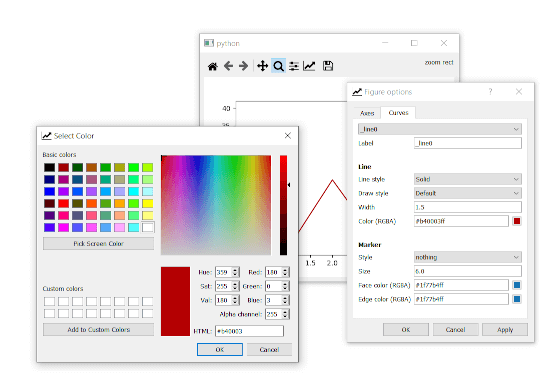
Python GUIs
Create Custom Plots in PyQt with PyQtGraph. One of the major fields where Python shines is in data science.
I haven't personally used this but this seems to be the go-to
mellow hemlock
Thank you!
mellow hemlock
sleek hollow
https://www.pythonguis.com/tutorials/plotting-pyqtgraph/
Wait so i wont be able to use matplotlib for this?
sleek hollow
Python GUIs
Create PyQt5 plots with the popular Python plotting library. In a previous tutorial we covered
looks like this version lets you
dense dove
anyone here help me to create a full 3d gizmo translate and rotate and scale using pyopengl .
humble chasm
WxPython
Specifically it's WebView component
Anyone know how to clear the browser cache?
 short timber
maybe you will find that in the settings
 kind raven
Hi everyone
I have just started programming Python, but I already have experience with Delphi. Please introduce about user interface and some resource fpr reading
 hexed spear
Hey Guys, I'm making a gui with tkinter.
I made the first window which is a login window and has the login button
The login button writes on a json and then should lead me to another window closing this one. How can I achieve this?
What I tried:
I tried making another py file with another gui but when I import the second gui, even before being triggered it comes on the screen.
I tried moving the import statement on the code that would trigger the second window but then the first one won't close.
I tried multiprocessing but it seems that the first window won't close anyway.
Do you have any suggestions on how to go about ?
mighty rock
I tried making another py file with another gui but when I import the second gui, even before being triggered it comes on the screen.
That's a good time to learn to use__name__
But I'd suggest having frames, the first for the login screen and the second for the other screen. Switching screens is as simple as pack_forgetting the current one and packing the other one. In this way, you won't have to enter a new window.
hexed spear
mighty rock
> I tried making another py file with another gui but when I import the second g...
Sorry I'm self taught and I'm learning step by step.
I'll take a look at main and then look at pack_forget
Thanks 👍
mighty rock
hexed spear
Sorry I'm self taught and I'm learning step by step.
I'll take a look at __main_...
!if-name-main
proven basinBOT
`if __name__ == '__main__'`
This is a statement that is only true if the module (your source code) it appears in is being run directly, as opposed to being imported into another module. When you run your module, the __name__ special variable is automatically set to the string '__main__'. Conversely, when you import that same module into a different one, and run that, __name__ is instead set to the filename of your module minus the .py extension.
Example
# foo.py

print('spam')

if __name__ == '__main__':
    print('eggs')
If you run the above module foo.py directly, both 'spam'and 'eggs' will be printed. Now consider this next example:
# bar.py

import foo
If you run this module named bar.py, it will execute the code in foo.py. First it will print 'spam', and then the if statement will fail, because __name__ will now be the string 'foo'.
Why would I do this?
• Your module is a library, but also has a special case where it can be run directly
• Your module is a library and you want to safeguard it against people running it directly (like what pip does)
• Your module is the main program, but has unit tests and the testing framework works by importing your module, and you want to avoid having your main code run during the test
mighty rock
@hexed spear You don't have to run two GUI programs for different screens
Ideally, you don't do that
GUI programming with tkinter widgets is object-oriented anyway, so it's a good idea to have different classes inheriting tkinter.Frame/tkinter.ttk.Frame for different screens
hexed spear
mighty rock
GUI programming with tkinter widgets is object-oriented anyway, so it's a good i...
That's a lot helpful I think I'll go down that route
Thanks for the read about main I didn't know what if name == 'main" meant before
 rancid basalt
I've asked a question in #1035199133436354600 to seemingly no response, so I'll pose my question here as well.
I've subclassed tkinter.Menu, and I want to know if theres a way to get the index of the current instance in the menu it is cascading from?
rancid basalt
I managed to find another solution to the delete method, using the object instance of the menu coption and its _name_.
 strong gulch
how do i change the "root.resizable(True, True)" in PAGE visually for root. i made my program and i noticed the elements inside is smaller then the window and thats fine they are size i want. i change the window manually and then the elments inside change dynamicly with it. i know its doable to change in the actual python code. but i want to resize the toplevel without affecting whats inside but in the actual PAGE IDE. how is this done ?
nvm i found it had to lock each item in tree
hm no it doesnt work 😄
 willow cypress
GUYS is it possible to make an OS in py? It only needs to have a cmd
 still jay
yeah its possible
 hollow sigil
I need some ideas for creating a user interface for a Voice assistant pls help me with some ideas... I couldn't work on GUI properly for a while...
digital rose
hello guys
how can i write a material design ui for my desktop python project?
i tested pyqt but there was some issue issue for showing it after i switched to pyside 6
any good alternatives?
sleek hollow
digital rose
hello guys
how can i write a material design ui for my desktop python project?
i...
What were the issues?
sleek hollow
There's loads, but they might not be commercially available. They're likely in-house tools built to help effeciencies for specific work tasks
I can't really share the internal tools I've created here. I work in game dev though and all of our asset management/artist automation tools are written in PySide2
Ok here's one example I can share

This is our animation exporter
mellow hemlock
After i import some data in tabular form from pyqt tablewidgets, how do i then use pandas to manipulate the datas?
 digital rose
what do you think about this kinda ui in desktop?
stupid or cool?
i will make simple system information and optimization tool
digital rose
digital rose
stupid or cool?
looks cool
is there a repo for this? id like to see the progress for it as it goes
digital rose
digital rose
is there a repo for this? id like to see the progress for it as it goes
i will share you
i am making this project for yt content
alright
i like the animations and the background glass effect
nicee
digital rose
digital rose
i like the animations and the background glass effect
animation is fairly simple move window position according to a lerp function and glass effect is special for windows 10 or above i use c++ extension
digital rose
digital rose
animation is fairly simple move window position according to a lerp function and...
i see
digital rose
How do I remove the white border when I click it?

 pine arrow
did you ever do transparent Tkinter stuff @digital rose
digital rose
digital rose
How do I remove the white border when I click it?
i never use tk stuff but looks like button has background-color some way maybe you can make transparent color it or you can use this trick if there is no such option use any color in hex format and give alpha channel 0 so it will be transparent . for example like this (#FF000000 - red but no opacity)
digital rose
pine arrow
did you ever do transparent Tkinter stuff <@456226577798135808>
i never use tk and do not recommend i tried once and it was literally the worst api i have ever seen just use QT if you wanna stick in python
 earnest carbon
does anyone know how to fix using PIL in pyqt I have laterally tried everything, using qthread, a seperate thread entirely, trying to get the bytes and convert it to base64 url (that one doesn't seem to work) I am currently making a system icon app
 mighty rock
earnest carbon
does anyone know how to fix using PIL in pyqt I have laterally tried everything,...
mighty rock
earnest carbon
does anyone know how to fix using PIL in pyqt I have laterally tried everything,...
Have you tried
from io import BytesIO

with BytesIO() as file:
    with ImageGrab.grab() as screenshot:
        screenshot.save(file, format="png")
    file.seek(0)
    res = requests.post(
        ...
        files={"image": file},
        ...
    )
I can try it but its the pesky save action it for some reason just kills the entire python application
earnest carbon
It kills the process instantly
all threads and subprocesses are imediately shut off once I call .save
mighty rock
mighty rock
You have a timeout of five seconds
Oh, it's 5000 seconds
mighty rock
earnest carbon
all threads and subprocesses are imediately shut off once I call .save
Maybe there's an exception?
I think there should be no exception for save to a file-like object
earnest carbon
idk but from what I am seeing it is all io operations like reading and writing to the file system it breaks
mighty rock
It's not a file
It's an in-memory object with a file-like interface
I'm talking about io.BytesIO
mighty rock
earnest carbon
idk but from what I am seeing it is all io operations like reading and writing t...
That's a bigger, unrelated problem you need to deal with
I/O is either blocking or nonblocking, not fatal
Your program would hang in the worst case scenario
earnest carbon
yeah I'm aware that io.Bytesio is not actual io but rather virtual io I sawa lot of other people having the same issue on reddits and stack overflow without really any fixes besides using a different version of pyqt
I have a hacky workaround for it now, thanks so much for your help I appreciate you taking the time to help me
mighty rock
One blocking I/O operation shouldn't bring down the whole application
earnest carbon
that's what I am saying lol I wish it weren't true
mighty rock
I guess you can schedule it in a thread and wait for it
earnest carbon
it already is in a thread lol
mighty rock
Makes sense because requests.post is another blocking I/O operation
earnest carbon
It's not the request.post I double check the only way I can make it shut down completely is using .save
also the open command works in regular threads not in QThreads but the .save works in neither type of threads
mighty rock
Both should work in every type of thread
I know for a fact that PIL.Image.save works in regular threads
earnest carbon
not with pyqt in the works
mighty rock
I don't think it magically takes control over regular threads
earnest carbon
I can show you the code and you can run it for yourself
mighty rock
I don't have PyQt
digital rose
earnest carbon
does anyone know how to fix using PIL in pyqt I have laterally tried everything,...
What is this font family pls
earnest carbon
Jetbrains mono with ligatures on
sleek hollow
earnest carbon
not with pyqt in the works
There must be something else going on because I use PIL + PyQt together all the time
earnest carbon
I'm not sure I can provide the file if you want to check
But yeah tis weird but I've found a work around so I'm good
 modest dagger
Is there a way to view a STEP model in a Tkinter window?
 ember forge
Hello
 ripe pewter
HI.
 surreal hull
 orchid sluice
there's some structure issue in tkinker app i'm making
anyone would help?? dm?
i want that to be on same pane
not upside down!!

 magic aspen
Is there a way to add an autofill of sorts into a tkinter element?
Nothing complex like full sentences. Its a direct matching thing, just see if the current word matches the first part of one of like 20 things and if it does allow you to press tab or something to fill it in
sleek hollow
magic aspen
Is there a way to add an autofill of sorts into a tkinter element?
Nothing comp...
Looks like there might be a AutocompleteEntry box you can import

Stack Overflow
I am trying to make a simple and personal IDE for python using tkinter. I have seen it done before and have everything form syntax highlighting to a built in terminal but have the problem of no aut...
You'll have to install that ttkwidgets module though
sleek hollow
Well there ya go then, haha
signal crown
please, please, please tell me there is a way to make a labels back ground transparent using tkinter and/or customtkinter
 glass cloak
what is the easiest tool for creating an extremely basic UI (just some rectangles that can move on an X/Y grid, and some buttons)?
 crystal pike
hello, i'm looking for some feedback for a page i made, it's based on google maps which will help customers locate the physical stores the company sells their products at, the feedback i'm looking for specifically is the user experience, are things in a layout where it's easy to understand what's what and does what, is it simple to use or complicated, are there anything that's visually neglected, etc... this is the page: https://alelo.vercel.app/find
glass cloak
glass cloak
what is the easiest tool for creating an extremely basic UI (just some rectangle...
purely from an ease of setup and learning perspective, I'm talking quick and dirty UI programming
crystal pike
glass cloak
purely from an ease of setup and learning perspective, I'm talking quick and dir...
quick and dirty would be tkinter and qt, slow and correct would be native implementations in other languages
glass cloak
alright thanks
 pale pulsar
Hey ! I am having issue with TKinter. Im still learning, so maybe it's something obvious? but I can't figure it out... I am writing a gui interface to control a robot for a project. For now, I just want to make the pannel for motor control. I am now designing 2 buttons for the servo motors, but the placement... is odd...
my function is as follow
row_offset = 1
col_offset = 20
self.servo_buttons = []
for i in range(3):
servo = ttk.Frame(self.tab[tab_index]).grid(column=i+col_offset, row=row_offset+1, columnspan=1, rowspan=3)
self.servo_1_down = ttk.Button(servo, text="-", width=5).grid(column=0, row=0)
self.servo_1_up = ttk.Button(servo, text="+", width=5).grid(column=0, row=1)```
but I get the following...
in case you missed it, one button (+) is in the middle, and the other is at the very top. I wanted a rowspan of 3 so it would be alligned with the 2 arrows for the z axis. Ive tried setting rowspan to 1, but it isn't fixing it mighty rock
pale pulsar
Hey ! I am having issue with TKinter. Im still learning, so maybe it's something...
mighty rock
pale pulsar
Hey ! I am having issue with TKinter. Im still learning, so maybe it's something...
Not sure if it'll solve your problem, but .grid(...) returns None for the record. You probably mean to do
servo = ttk.Frame(...)
servo.grid(...)
self.servo_1_down = ttk.Button(...)
self.servo_1_down.grid(...)
self.servo_1_up = ttk.Button(...)
self.servo_1_up.grid(...)
Okay, for some reasons, I changed the way my button are called and now it's much better... Im so confused
row_offset = 8
col_offset = 20
self.servo_buttons = []
for i in range(3):
servo = tk.Frame(self.tab[tab_index])
servo.grid(column=i+col_offset, row=row_offset+1, columnspan=1, rowspan=3)
self.servo_buttons.append(tk.Button(servo, text="-", width=5).grid(column=0, row=0))
self.servo_buttons.append(tk.Button(servo, text="+", width=5).grid(column=0, row=1))``` pale pulsar
mighty rock
Not sure if it'll solve your problem, but `.grid(...)` returns `None` for the re...
pale pulsar
mighty rock
Not sure if it'll solve your problem, but `.grid(...)` returns `None` for the re...
aah, that's actually very helpful. I think I've seen somewhere people using it one line, but maybe I remember wrong, or missed an information
mighty rock
The information you missed is that it's flawed programming
You need to keep a reference to the widget
pale pulsar
so self.tabs[index_name] in my case right?
Im still a bit lost with all these new terms
mighty rock
pale pulsar
so self.tabs[index_name] in my case right?
You must have had a typo
mighty rock
pale pulsar
Hey ! I am having issue with TKinter. Im still learning, so maybe it's something...
You spelled self.tab in here
pale pulsar
uh yes, tab, not tabs
mighty rock
pale pulsar
so self.tabs[index_name] in my case right?
self.servo_1_down and self.servo_1_up makes me believe they aren't in self.tab
And you're recreating buttons and assigning them to these instance variables
pale pulsar
so, I changed that in my code because I realised it was a mistake. Its now in a list called self.servo_buttons, and they are both part of the servo frame, inside self.tab
mighty rock
mighty rock
And you're recreating buttons and assigning them to these instance variables
Which means losing reference to the previous ones
pale pulsar
yes, thats why I changed it to a list, so I keep all references, just in case
    def set_servo_control(self, tab_index):
        row_offset = 8
        col_offset = 20

        self.servo_buttons = []
        for i in range(3):
            servo = ttk.Frame(self.tab[tab_index])
            servo.grid(column=i+col_offset, row=row_offset+1, columnspan=1, rowspan=3)
            self.servo_buttons.append(ttk.Button(servo, text="-", width=5).grid(column=0, row=0))
self.servo_buttons.append(ttk.Button(servo, text="+", width=5).grid(column=0, row=1))```I wouldn't rely on servo to be referenced by whatever widget self.tab[tab_index] is
pale pulsar
what do you mean ?
mighty rock
You're reassigning servo two times. That's forgetting about two servo frames which house your buttons
pale pulsar
Just for context: For now I am only designing the interface and this is my first time doing this ever. So I haven't linked any code to this, and I still don't know/understand the importance of keeping all the reference in self. I'm guessing it's to keep checking the status of the buttons ?
so I should keep a reference of EVERYTHING I create ?
or only the ones containing inputs ?
mighty rock
Python objects are deleted when their reference count drops to 0
pale pulsar
Because for now, it's displaying corrreclty
Well, i changed this every so I keep a reference of everything, just in case
mighty rock
What is self.tab?
pale pulsar
pale pulsar
Okay, for some reasons, I changed the way my button are called and now it's much...
in this picture, it's the 5 tabs at the top left
For now it's in the "mode" tab, but it's just to make the debugging easier, I will move it to the XYZ control tab
mighty rock
🤔
pale pulsar
As mentionned, this is my very first time working with tkinter, sorry if it's really inefficient or bad 😅
mighty rock
Have you considered using tkinter.ttk.Notebook?

Python documentation
Source code: Lib/tkinter/ttk.py The tkinter.ttk module provides access to the Tk themed widget set, introduced in Tk 8.5. It provides additional benefits including anti-aliased font rendering under...
It's basically a tabbing system
pale pulsar
it is a notebook
    def __init__(self):

        self.window = tk.Tk()

        self.window.geometry("1200x700")
        self.window.title("X-Plant control panel")

        self.tabs_name = ["Mode", "Cameras", "Parameters", "Well plate", "XYZ Control"]

        self.label = tk.Label(self.window, text="X-plant", font=("Arial Bold", 18))
        self.label.grid()

        # Create a style to configure the notebook
        self.style = ttk.Style()
        self.style.configure("TNotebook.Tab", padding=(15, 10))  # Adjust the padding values as needed


        self.tabControl = ttk.Notebook(self.window)

        self.tab = []
        for i in range(len(self.tabs_name)):
            self.tab.append(ttk.Frame(self.tabControl))
            self.tabControl.add(self.tab[i], text=self.tabs_name[i])
            self.set_tabs(i)
        self.tabControl.grid(row=1, column=0, padx=10, pady=10, sticky="nsew")  # Adjust as needed
        self.window.columnconfigure(0, minsize=400, weight=1)
        self.window.rowconfigure(1, minsize=400,weight=1)


self.window.mainloop()```so self.tab[tab_index] would be self.tabControl.tabs(tab_index)?
mighty rock
Remind me why you need to keep an index to use a specific tab like that
pale pulsar
Because that's how I found I could access each tabs. Name every tab and give it to a variable. Instead of having 5 variables, I put them in a list
https://www.pythontutorial.net/tkinter/tkinter-notebook/
I was looking at this. Here, they name each tab frame 1 and frame 2. Then, everytime they work on each, they have to call it. So I did a loop to name every tab, using a list of names, and a list of tabs, and that's also how I currently define each tab
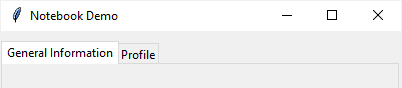
In this tutorial, you'll learn how to use the Tkinter Notebook widget to create tabs.
mighty rock
pale pulsar
Because that's how I found I could access each tabs. Name every tab and give it ...
Instead of having 5 variables, I put them in a list
I'm checking whether those same objects are the ones in the notebook's list
pale pulsar
quick questions, there's no arguments for settings the size of a ttk.Buttons ?

That's what Im seeing in vscode
pale pulsar
I want to make the buttons taller. I know I can with tk.Button, but for some reasons, there's no arguement height for ttk.Button
 mighty rock
Widget boundaries are configured, in your case, in `.grid(...)`
mighty rock
mighty rock
Widget boundaries are configured, in your case, in `.grid(...)`
With rowspan, columnspan, etc.
Although I guess you could use padding
pale pulsar
but the padding would be outside of the button,r ight ?
ohhh, that's where ipadx and ipady gooooooooooooooooooo
okay, thanks !
i was trying to put them inside of the button, and not the .grid
you, you are really helpful, thank you so much !!
mighty rock
mighty rock
> Instead of having 5 variables, I put them in a list
I'm checking whether those...
No, but you can get them with self.nametowidget(self.tabs()[i]) for example
As long as the tabs are the notebook's children, they shouldn't be deleted
magic aspen
is there a way to change the label for a command in OptionMenu()?
i dont wanna add a button but if i have to i will
if it helps, its a toggle option
at the start the option is called "disable auto"
after selecting it, it changed to "enable auto"
as well as also swapping the auto option it is referring to
magic aspen
or i guess alternatively can you add an option into a specific position?
because this is doable by deleting and readding the command, but that'll only place it at the bottom
pale pulsar
        self.well_plate_grid = tk.Frame(self.well_plate, width=300, height=480, bg="lightgray")
        self.well_plate_grid.grid()

        label_col = ["A", "B", "C", "D", "E", "F"]
        label_row = ["1", "2", "3", "4", "5", "6", "7", "8"]
        for i in range(layout[well_id][0]):
            self.well_plate_grid.grid_columnconfigure(i, minsize=well_dim_x/layout[well_id][0])
            for j in range(layout[well_id][1]):
                self.well_plate_grid.grid_rowconfigure(j, minsize=well_dim_y/layout[well_id][1])
                self.well_buttons.append(tk.Button(self.well_plate_grid, text=label_col[i]+label_row[j], width=5, relief="raised", command=lambda: (self.toggle_well(i,j, layout[well_id]))).grid(column=i, row=j))


    def toggle_well(self, i, j, layout):
        print("i is ",i)
        print("j is ",j)
        button = self.well_buttons[i*layout[0]+j]
        if button['relief'] == "sunken":
            button['relief'] = "raised"
        else:
            button['relief'] = "sunken"```
For some reasons, the function toggle_well ALWAYS return i = 2,j =1. Any clue why ?

EDIT: Okay, so here is how I understand it: When we press the button, we are outside of the loop, meaning every index is at its maximum.

But that also mean I don't know how to differentiate each button's command...Im not familiar enough with this yet, but if the option isn't included, you could create a pack/grid/place, and inside fit both the label and the drop menu. This way, they will always be together, and you can modify them
magic aspen
The label is something inside the menu, not a seperate thing
So like when you right click something and all those options show, its like that
I need to bassically change the name of one of those options
pale pulsar
ohh okay, I thought you were talking about the labels outside of the drop menu.
Sorry, I am too new to this to help 😅
magic aspen
Nah, its okay that's why i explained for you
 harsh thunder
Anyone with experience in Qt Creator?
pale pulsar
pale pulsar
```layout = [[2,3], [3,4], [4,6], [6,8], [6,8], [6,8]]
...
okay, I have managed to fix this with lambda idx = index, and then calling idx instead.
now my issue is: I want to change the relief. how do I retrieve the current relief of the button ? I've tried button[index]['relief'], but it doens't work
One issue i have is it keeps telling me my button is of Nonetype
 mighty rock
pale pulsar
One issue i have is it keeps telling me my button is of Nonetype
mighty rock
pale pulsar
One issue i have is it keeps telling me my button is of Nonetype
You're doing tk.Button(...).grid(...) again
grid(...) returns None
mighty rock
Well you taught me default arguments are a thing for lambdas
You might be able to just use lambda: self.toggle_wall(index) though
And you could do index += 1 instead of index = index + 1 but you do you
Oh it spells toggle_well
pale pulsar
Oh, I didn't know Zou could do this. I've always missed the index++ from c++. Thanks
And thanks for seeing me typo 😂😂😅
pale pulsar
mighty rock
You might be able to just use `lambda: self.toggle_wall(index)` though
I tried this but it didn't work either. It would always return the maximum value of index, as we are outside of the loop. It took me a lot of googling to find a fix to this
pale pulsar
Don't ask me why I have no clue, I'm just glad I didn't need any extra complicated fix just for this 😅
But to be fair, I feel like my code could be sooooo much cleaner, if I employed more classes, but I'm not too sure how to implement everything yet. I just feel like it's going to be a huge pain when I'll have to link everything to outside functions
For instance, here, I have a dynamic grid ( that depends on the input from the dropdown menu). I want to have AT MOST 6 button pushed. Well, I feel like I'm going to enjoy coding
pale pulsar
mighty rock
Oh it spells `toggle_well`
Oh wait, i thought I made this typo in the code. Were you talking about your message ?
mighty rock
Were you talking about your message
Yes
signal crown
with customtkinter im trying to get a button and checkbox to work together sorta and idk how


what am i doing wrong :/
error is self isnt defined
 pale rapids
Put your command in the button in a lambda
pale rapids
Python
signal crown
ima go watch a vid on it then
wait the button?
where in the line would i put lambda
pale rapids
Try this in the code lambda: zombie_button
Where the command is
That’s how it would look
signal crown
self.button1 = customtkinter.CTkButton(master=self.gameframe, text="Zombies", command=lambda: zombies_button)
that sorta thing?
pale rapids
Ye
signal crown
so it doesnt care that lambda is just sitting there? does it become like part of the variable name?
pale rapids
Nah tkinter kinda weird normally you need a lambda to call a function that has parameters but i always found even my command had parameters or not I always need to put my function inside a lambda
signal crown
huh so its just having trouble finding it?
pale rapids
Also lambda is a anonymous function so it can take any function in
I think so I haven’t really found an explanation for it my self
signal crown
well thank you..
pale rapids
For sure was I able to atleast get your code to work
signal crown
oh lemme try dat actually whoops
errm no ball
no text printed in the terminal when pressed and its checked
pale rapids
Is the code you showed in a class?
signal crown
yeah
pale rapids
I noticed you put self as a global you can just put as a parameter of the function
signal crown
ive never really worked with both functions and classes before now
pale rapids
That might be conflicting also
Basically functions in classes are just methods that have do with the class depends on how you use it and self is just a var that represents the objects in the class
Or instance of a class
signal crown
huh
errm when i actually check the box is the value changing to a 1?

this is what i got currently
pale rapids
Yea where it says global self put that self in the parameter of the function
pale rapids
Ye
signal crown
do i run and check that?
pale rapids
Yea
pale rapids
Is it possible to see the entire bc it’s kinda hard to find the problem with just a snippet
Entire code *
signal crown
okzz errm .py file?
pale rapids
Yea just like screen shot it or something
signal crown
i can send the code or like pastebin it
snipping it errm i cant get the entire conde on there
pale rapids
Pastebin works
signal crown
Pastebin
Pastebin.com is the number one paste tool since 2002. Pastebin is a website where you can store text online for a set period of time.
i think all of its there lol
pale rapids
Oh ok I see
You need to put the functions within the class
For it to be tied to class so you can use sled
Self*
signal crown
dang so i cant just have it outside the class like i thought
pale rapids
Sadly not
signal crown
i might have trouble with the indents so i just place all the functions before i function init()??
whoop
__
init
__
pale rapids
I think inside the class you can create a var and just put the function inside of the car
Var*
Like this zombie-btn = zombie_button()
signal crown
where i place that>
pale rapids
Inside the class
 pale rapids
Yea but it needs to in the init function
signal crown
so inside the function before the super()?
pale rapids
Nah after all of the initialization
 pale rapids
Yep it can be anywhere after the initialization
signal crown
how about just after i place the checkbox?
signal crown
hyphen dont work in variable name apprently lol
 pale rapids
I think it doesn’t work because it thinks your trying to subtract
Huh weird I stg u can
pale rapids
Try no parentheses
signal crown
nope still not
pale rapids
Huh do you still have the global inside the zombie button
signal crown
no
pale rapids
Well your just gonna have to put the functions within the class it’s self
I thought u could do what we just tried but I was wrong
signal crown
global self inside the zombie_button function?

 pale rapids
Yea but put the method after the init function
pale rapids
Need to indent it
signal crown
yeah thats solved but the zombie_button still isnt defined
signal crown
 pale rapids
Put self.zomebie_button
signal crown
so without the s in zombies
pale rapids
Keep the s I just spelt it wrong lol
signal crown
das how i did tho
signal crown
signal crown
.
can u sorta fix it with #commets tellin me what i did wrong
and pastebin it
pale rapids
No put the self.zombies_button where the command is you don’t need that var self.zombie_btn
signal crown
:/ what cammand
pale rapids
Inside your button
 pale rapids
Yea
signal crown
am i runnin it?
pale rapids
Yea get rid of line 70
signal crown

whoops too much left but like dat?
what if i changed in the command line, self.zval instead of zombies_btn
pale rapids
That wouldn’t work
I noticed you where using an int class from tkinter if what we did still doesn’t work try using a regular integer
pale rapids
Don’t use it
Use zombies_button
The method in the class
Also nah just set it to zero
signal crown
set what to 0, just self.zval = 0?

 pale rapids
Yep
signal crown
the functions needed are in the class after everything is placed
not in the init function
signal crown
ok ima run it the result im expecting is when box is checked and i press zombie button then it will print in terminal "cHECKED BOX."
whoops caps
pale rapids
Yea if I doesn’t print we can now assume that how we handle the condition is the problem
signal crown
yeah didnt print aha

could i get the result i want another way?
basically you can see by the os.startfile line that when the button is pressed then aombies with launch, but what i also want to happen is when checkbox is checked for controller then it will also launch a controller input app i have
pale rapids
I would just make another button for the controller input
Or just launch it at the same time as you launch a game you want it for
signal crown
theres certain other apps that have buttons that dont require a controller app so its like i just want a checkbox for it yeno?
also i would like the option just present cuz i play zombies and minecraft with kbm sometimes
pale rapids
U can just put a command inside the checkbox
signal crown
eh idk.. i kinda just wanted to change the state of an int to 1 or 0 representing checked and unchecked and dependant on what state it is wqhen the zombies button is pressed it will launch just zombies or both apps
ykwim?
pale rapids
U can also use check = StringVar(value=“off”) then inside of the check box use check as the var and then create two parameters inside of the checkbox called on value and offvalue
pale rapids
It doesn’t matter which one you pick
signal crown
im scared of messing it up for some reason aha
pale rapids
‘’’check_var = tkinter.StringVar("on")
def checkbox_event():
print("checkbox toggled, current value:", check_var.get())
checkbox = customtkinter.CTkCheckBox(master=root_tk, text="CTkCheckBox", command=checkbox_event,
variable=check_var, onvalue="on", offvalue="off")
checkbox.pack(padx=20, pady=10)’’’
Here is an example
How the f do I send a msg as code lol
signal crown
idk but like is it the same principle as int?
pale rapids
Yea
signal crown
obs it is but like exactly like that
does it matter that im using customtkinter maybe?
signal crown
ah kkz i did new variable check_var = customtkinter.IntVar(0)
pale rapids
Yea and you will need to do check_var.get() to get the actual value
signal crown
wait i need to put self. before it right?
signal crown
 pale rapids
Sorry lol
signal crown
this should work right?
pale rapids
You need to use the .get() in the if statement