#user-interfaces
1 messages · Page 11 of 1
 sleek hollow
you can use a grid then and set a fixed number of items per row
 sudden elk
i use pack
sleek hollow
it won't autosize but it's better than nothing
well then don't use pack
you're not forced to use pack
sudden elk
i use pack cause i can make more dynamic layout
sleek hollow
how is pack more dynamic?
you could use a frame to represent each row. After each widget, get the width of the frame. If it exceeds a certain threshold, create a new frame to act as a new row
It's not such a simple implementation though
sudden elk
sleek hollow
you could use a frame to represent each row. After each widget, get the width of...
no, like i have frame and non-wrapping items (buttons) inside
sleek hollow
I'm not really sure if it's possible to have it auto wrap based on window size
At least not in tkinter
sudden elk
like i have a structure:
app
- top frame
- - 2 buttons
- progressbar frame
- - progressbar
- left frame
- - items
- center frame
- - items
- right frame
- - another items
Ok yup, I can see it in the image above
You want the items in the left/center/right frame to wrap? So it's not 1 button per row?
sudden elk
yeah and if items in either frame exceed it resizes window instead of making a scrollable (even if i added scrollbars…), if i ever resized window back to normal it wasnt even scrollable
i just want a 3-column layout with possibility of infinite items in each
sleek hollow
I'm not sure that's possible with tkinter (at least not with some serious custom code)
sudden elk
like on text widget i was able to do it once…
sleek hollow
wrapping text in a text widget is very different
sudden elk
yeah…
sleek hollow
What do these buttons actually represent?
sudden elk
i want similar behavior as discord have with its chat so i can scroll up
sudden elk
sleek hollow
What do these buttons actually represent?
it will be a game template
sudden elk
sleek hollow
oh is it like a cookieclicker?
more of an alchemy/"doodle god" but rest of behavior i'll try to add by myself
sudden elk
sleek hollow
I'm not sure what that means
do you see all chat log at once? yeah…
sleek hollow
but why does the chat log need to be buttons?
sudden elk
its an example
 quasi narwhal
Can anyone help me create a gui?
sudden elk
quasi narwhal
Can anyone help me create a gui?
in which library?
quasi narwhal
sudden elk
in which library?
PyQt5 or tkinker
sudden elk
quasi narwhal
PyQt5 or tkinker
import tkinter
from tkinter import *

class App(tkinter.Frame):
    def __init__(self, master=None):
        super().__init__(master)
        self.pack()

root = tkinter.Tk()
myapp = App(root)
myapp.master.title("app")
myapp.master.minsize(500,400)
myapp.mainloop()
example window
quasi narwhal
sudden elk
```py
import tkinter
from tkinter import *
class App(tkinter.Frame):
def __...
Would it be possible to make this gui in PyQt5 or tkinker
 sudden elk
yep
as long as you can make a window with canvas yep
and canvas is supported in all (or almost) libraries
(brb)
sleek hollow
you can make pretty much anything in pyqt
quasi narwhal
I had already tried to facilitate this with such a tkdeshiner, but it did not work, it did not import the pngs and the corners were not rounded
sleek hollow
Rounded widgets are actually very tricky. Your best bet is to simply use an image that's just a plain rectangle with rounded corners, and then use it as a BG image
quasi narwhal
Why is it so complicated?
sleek hollow
because there's no native widgets that support rounded corners
you can create custom paint events in pyqt that will draw the widget with rounded corners
but that's a lot more involved
quasi narwhal
I wasted my whole day trying to use that
sleek hollow
You could also stylesheet a widget to round the corners
quasi narwhal
So can I create anything inside qt?
sleek hollow
How much experience do you have with qt?
quasi narwhal
sleek hollow
How much experience do you have with qt?
Bro 0,01%
sleek hollow
This won't be easy then without at least a basic understanding of how pyqt works
quasi narwhal
My course will address this together with qt designer but I prefer to do it in code
sleek hollow
Yeah, I really don't recommend designer, especially for a beginner
I can do an example, one sec
quasi narwhal
Ok
sleek hollow
quasi narwhal
Ok
from PyQt5 import QtWidgets, QtGui, QtCore


class RoundedWidget(QtWidgets.QWidget):

    corner_radius = (32, 32)

    def __init__(self):
        super().__init__()
        self.setSizePolicy(*[QtWidgets.QSizePolicy.Minimum] * 2)
        self.setAutoFillBackground(True)

    def paintEvent(self, evt):
        painter = QtGui.QPainter(self)
        painter.setRenderHint(QtGui.QPainter.Antialiasing)
        path = QtGui.QPainterPath()
        rect = QtCore.QRectF(0, 0, evt.rect().width(), evt.rect().height())
        path.addRoundedRect(rect, *RoundedWidget.corner_radius)
        painter.fillPath(path, QtCore.Qt.green)
        painter.drawPath(path)

        painter.end()


class MainWindow(QtWidgets.QDialog):

    def __init__(self):
        super().__init__()
        main_layout = QtWidgets.QGridLayout(self)
        for i in range(4):
            main_layout.addWidget(RoundedWidget(), i // 2, i % 2)
        self.setMinimumSize(400, 300)


app = QtWidgets.QApplication([])
win = MainWindow()
win.show()
app.exec()
You can try testing this. It unfortunately won't really mean much without understanding pyqt basics (and this is pretty far from basic)
quasi narwhal
sleek hollow
```py
from PyQt5 import QtWidgets, QtGui, QtCore
class RoundedWidget(QtWidgets...
😳 Bro
That looks like code for a nuclear bomb to me.
And what does it do?
sleek hollow
This is mostly just to say "It unfortunately isn't simple to have widgets with rounded corners"
quasi narwhal
sleek hollow
This is mostly just to say "It unfortunately isn't simple to have widgets with r...
💀
sleek hollow
quasi narwhal
And what does it do?
 quasi narwhal
It was hard enough to do even half of the antivirus backend
sleek hollow
The RoundedWidget class is a template that can be used for a widget with rounded corners
quasi narwhal
Is there a way to download widgets?
sleek hollow
if you can find the class for a widget that you want, you can just copy that class code if you want to use it
class RoundedWidget(QtWidgets.QWidget):

    corner_radius = (32, 32)

    def __init__(self):
        super().__init__()
        self.setSizePolicy(*[QtWidgets.QSizePolicy.Minimum] * 2)
        self.setAutoFillBackground(True)

    def paintEvent(self, evt):
        painter = QtGui.QPainter(self)
        painter.setRenderHint(QtGui.QPainter.Antialiasing)
        path = QtGui.QPainterPath()
        rect = QtCore.QRectF(0, 0, evt.rect().width(), evt.rect().height())
        path.addRoundedRect(rect, *RoundedWidget.corner_radius)
        painter.fillPath(path, QtCore.Qt.green)
        painter.drawPath(path)

        painter.end()
this is the important bit of my example
the rest was just to demonstrate it in action
quasi narwhal
I'm going to get a part of my code with the interface


I've been trying to make these boxes round
sleek hollow
quasi narwhal
You can set it with a stylesheet
from PyQt5 import QtWidgets, QtGui, QtCore


class MainWindow(QtWidgets.QDialog):

    def __init__(self):
        super().__init__()
        self.setMinimumSize(400, 300)
        main_layout = QtWidgets.QVBoxLayout(self)
        textbox = QtWidgets.QPlainTextEdit()
        textbox.setStyleSheet("border: 1px solid white; border-radius:16px; background-color: palette(base); ");
        main_layout.addWidget(textbox)
        self.setStyleSheet('background: #323232;')


app = QtWidgets.QApplication([])
win = MainWindow()
win.show()
app.exec()
Just be warned it won't move the write cursor so it can look a bit weird
 quasi narwhal
you write code so fast
quasi narwhal
sleek hollow
Just be warned it won't move the write cursor so it can look a bit weird
if that makes no difference
 sleek hollow
quasi narwhal
you write code so fast
sleek hollow
quasi narwhal
you write code so fast
I work with pyqt daily 😉
quasi narwhal
and that's what I'm going to see in my course
 sleek hollow
hard to really say what it's going to cover just from this
sleek hollow
quasi narwhal
what do you do daily with pyqt5?
I work in game dev and build tools for artists
quasi narwhal
sleek hollow
I work in game dev and build tools for artists
would it be easy to make that interface you had ordered?
sleek hollow
quasi narwhal
would it be easy to make that interface you had ordered?
which interface?
quasi narwhal
 sleek hollow
There's nothing necessarily "complex" about it but it would still be a lot of work. It's "easy" in the sense that I have years of experience behind me
Looks more like a website though
almost better off building it as an HTML page and displaying it in pyqt
The hardest things about this is the rounded corners. With regular widgets, it could be done in like...an hour or two
 tight ice
sleek hollow
I work with pyqt daily 😉
tight ice
sleek hollow
I work with pyqt daily 😉
Doing what if I may ask
quasi narwhal
sleek hollow
The hardest things about this is the rounded corners. With regular widgets, it c...
skull
sleek hollow
tight ice
Doing what if I may ask
tight ice
sleek hollow
https://discord.com/channels/267624335836053506/338993628049571840/1145706253780...
🤦♂️ sorry didn’t see that - what kind of game dev?
quasi narwhal
being without a team for projects and sad
I will learn first and then do this I don't want to depend on AI
and learn english
tight ice
sleek hollow
All good! Not sure what you mean though?
what kind of technologies? backend/frontend?
sleek hollow
tight ice
what kind of technologies? backend/frontend?
It's not really split up like that. A game has a ton of files being passed around between artists/game team. We need to make sure files are formatted correctly, named correctly, and well organized. We don't expect artists to be able to do this so we create tools that they use to help with this
For example if an animator finishes an animation, they should be able to just click a single button and it will automatically create data containing the animation file, the duration, the character name, the animation name, who animated it, how many versions there has been, etc
quasi narwhal
sleek hollow
There's nothing necessarily "complex" about it but it would still be a lot of wo...
Is it possible for me to create a python program that already does this, import the gui to my python pyqt5 program?
quasi narwhal
 noble forge
i am having a problem running pygame
noble forge
i am having a problem running pygame
what problem are you having?
noble forge
quasi narwhal
what problem are you having?
sry for replying late
ImportError: dlopen(/Library/Frameworks/Python.framework/Versions/3.10/lib/python3.10/site-packages/pygame/base.cpython-310-darwin.so, 0x0002): tried: '/Library/Frameworks/Python.framework/Versions/3.10/lib/python3.10/site-packages/pygame/base.cpython-310-darwin.so' (mach-o file, but is an incompatible architecture (have 'x86_64', need 'arm64e')), '/usr/lib/base.cpython-310-darwin.so' (no such file)
i am getting this error
i am using visual studio
quasi narwhal
Is your processor 32bit?
noble forge
mac
quasi narwhal
what model?
noble forge
Macbook pro 2022 model
quasi narwhal
ok, wait
source venv/bin/activate
pip install pygame
```Have you tried using a virtual environment?.
noble forge
One min
noble forge
quasi narwhal
.
Thnx it worked
quasi narwhal
noble forge
Thnx it worked
ok
sleek hollow
quasi narwhal
Is it possible for me to create a python program that already does this, import ...
Does what? Generally the UI layout and the actual thing that it does should be separate.
quasi narwhal
sleek hollow
Does *what*? Generally the UI layout and the actual thing that it does should be...
tkdeshiner is only improved
sleek hollow
?
quasi narwhal
wait
quasi narwhal
sleek hollow
?

GitHub
An easy and fast way to create a Python GUI 🐍. Contribute to ParthJadhav/Tkinter-Designer development by creating an account on GitHub.
This is what I tried and the result:
 sleek hollow
I've never really used tkinter-designer so I'm not really sure how the resulting code might look
quasi narwhal
sleek hollow
I've never really used tkinter-designer so I'm not really sure how the resulting...
yes te code is skull
sleek hollow
I really try and avoid any "GUI designer" programs. It's much better to understand the underlying code so you can create whatever you want
quasi narwhal
sleek hollow
I really try and avoid any "GUI designer" programs. It's much better to understa...
I tried several and the same result
sleek hollow
quasi narwhal
I tried several and the same result
If you're new to GUI, I would start small
Just do a simple UI with a simple layout to understand it. You have to walk before you can run
quasi narwhal
and what they told me 2 years ago "never use your right hand without knowing how to use your left"
sleek hollow
That's an odd expression. I personally think it's better to develop a strong understanding of an area before diving too deep
quasi narwhal
sleek hollow
That's an odd expression. I personally think it's better to develop a strong und...
yes

tight ice
sleek hollow
It's not really split up like that. A game has a *ton* of files being passed aro...
Is this what you're building?
This technology
sleek hollow
tight ice
Is this what you're building?
Yes. It's called a "Game pipeline"
 steady ginkgo
I want to have all tile borders same sized. Any idea how to do that without manually counting and adding spaces to each tile?
from tkinter import *

window = Tk()

Label(text="x", borderwidth=2, relief="solid", font=("Arial",50)).grid(row=0, column=0)
Label(text="xy", borderwidth=2, relief="solid", font=("Arial",50)).grid(row=0, column=1)
Label(text="123", borderwidth=2, relief="solid", font=("Arial",50)).grid(row=0, column=2)
Label(text="xy", borderwidth=2, relief="solid", font=("Arial",50)).grid(row=1, column=0)
Label(text="123", borderwidth=2, relief="solid", font=("Arial",50)).grid(row=1, column=1)
Label(text="123", borderwidth=2, relief="solid", font=("Arial",50)).grid(row=1, column=2)
Label(text="123", borderwidth=2, relief="solid", font=("Arial",50)).grid(row=2, column=0)
Label(text="123", borderwidth=2, relief="solid", font=("Arial",50)).grid(row=2, column=1)
Label(text="123", borderwidth=2, relief="solid", font=("Arial",50)).grid(row=2, column=2)

window.mainloop()```
 mint grove
I think using expand=True in a frame if ur using
steady ginkgo

 warped shuttle
Hi any idea on how i can create something like that im using tkinter

 woven wren
warped shuttle
Hi any idea on how i can create something like that im using tkinter
woven wren
warped shuttle
Hi any idea on how i can create something like that im using tkinter
you can try using comboboxes and entries
woven wren
steady ginkgo
I want to have all tile borders same sized. Any idea how to do that without manu...
maybe you can try columspan() and rowspan()??
sleek hollow
steady ginkgo
I want to have all tile borders same sized. Any idea how to do that without manu...
with grid, you need to use the sticky argument
woven wren
hi
lets say i have a Int value in an entry
how would i add it to another value in the same entry
so like the first entry is 1... i press + and now i want to type a new number to add
how would i do that ;-;
like... add it to a future entry
oh shit i got it
im so smart
 proven basinBOT
:incoming_envelope: :ok_hand: applied timeout to @digital rose until <t:1693387029:f> (10 minutes) (reason: duplicates spam - sent 4 duplicate messages).
The <@&831776746206265384> have been alerted for review.
 hexed horizon

woven wren
i love gui
mint grove
I just created this simple login page
 pastel lotus
I create an interface for an automation tool I created earlier. When I start the tool through my interface, the interface crashes because I'm not writing a seperate thread for the automation tool. Any tips for this? I did some googling and it tells me to just create a thread for the automation tool, but it can't be that simple right? Any tips for this? Before I start
Like should I write a new thread for the interface, or write a new thread for the tool. Or does that not matter?
sleek hollow
pastel lotus
I create an interface for an automation tool I created earlier. When I start the...
It kinda depends. What's the automation tool automating?
pastel lotus
Something that can take seconds, but also minutes.
So I probably do need a thread for that
sleek hollow
Yeah, since GUI is blocking event loop, any other process started on that same thread will lock up the GUI
ideally you would start the GUI first, then use the GUI to start whatever automation process it is on a separate thread (that way you can still use the GUI if needed)
but without more details about what you're trying to do exactly, that's about as much as I can offer
pastel lotus
I'm writing a simple tool that can scrape specific text from websites. That proces can take up a long time. Eventually I want to display data about the proces. Like the percentage of scraping completed, and something like a timer, and adding more analytical stuff.
So would I just be able to write 1 thread for the interface, and 1 thread for all the other stuff I mentioned
Or will I end up needing more threads
sleek hollow
one for the GUI, one for the scraping. I'm not certain about how the scraping integrates and updates the GUI though. It will be specific to whatever process you're using to scrape
and also which GUI library you're using
pastel lotus
I'm using TKinter
Startscrape = threading.Thread(target=ScrapeModule.Start())
startbutton = tk.Button(self ,text = "Start", font=('Bold',8),  width = 5, height = 0, command=lambda: Startscrape.start())
startbutton.pack(padx = 0, pady= 0, expand=False)
startbutton.place(x = 40, y = 260)
This is how I've set it up currently
I also want to pause and resume a thread. Looks like I have to use flag for that which I'll try now.
sleek hollow
I'm not sure about threading + tkinter unfortunately. I've only handled threading (and even still, very little) with pyqt
it has a special built QThread class that can handle it specifically to work with pyqt gui
pastel lotus
Well, wish I knew that before I wrote the entire interface with TKinter
It's fine though lol I'll figure it uot
 inland wedge
 restive fiber
What lib do you recommend?
restive fiber
What lib do you recommend?
( gtk) or ( qt using pyside)
inland wedge
both use css for theming
close to default gtk program: https://news.tuxmachines.org/i/2022/09/04-editor.png
close to default qt program: https://bablupc.com/wp-content/uploads/2021/03/qtcreator_demo-1024x582.png
 sudden elk
why im getting that error?
Traceback (most recent call last):
  File "/home/hacknorris/Muzyka/game/main.py", line 73, in <module>
    myapp = App(root)
  File "/home/hacknorris/Muzyka/game/main.py", line 35, in __init__
    scr1.config(yscrollcommand = left.yview)
  File "/usr/lib/python3.7/tkinter/__init__.py", line 1485, in configure
    return self._configure('configure', cnf, kw)
  File "/usr/lib/python3.7/tkinter/__init__.py", line 1476, in _configure
    self.tk.call(_flatten((self._w, cmd)) + self._options(cnf))
_tkinter.TclError: unknown option "-yscrollcommand"
code:
        fr1 = tkinter.Frame(master).pack(side=LEFT, fill=BOTH, expand=1)
        left = tkinter.Listbox(fr1, bg=config.get('default','frame_color'))
        left.pack(side = LEFT, fill=BOTH, expand = 1)
        left.pack_propagate(0)
        scr1 = tkinter.Scrollbar(left, orient="vertical", command=left.yview)
        scr1.config(yscrollcommand = left.yview)
        scr1.pack(side=RIGHT, fill=Y)
        left.config(yscrollcommand = scr1.set)
nvm. fixed
forgor scrollbar have different prarmeter 🤦♀️
(although still scrolling doesnt work…)
anyway - i think i will leave this project, i have enough of tk already…
 dire oyster
Do we have to disable the default title bar if we want to implement a custom title bar?
 dark goblet
 tribal path
There's many to choose from
 hoary canopy
Im working on an inventory system, specifically based currently. Can i get some feedback on the current layout im working on? The green area with black lines will be a table.

 raw drum
I wanted to make a simple password manager app as my first project in python.
Finished a good part of it but I was using subprocess.popen to switch between modules and it felt pretty slow and annoying since the app was jumping all over the screen. I rewrote the program using frames for modules but now the entire GUI is terrible and I cannot seem to edit it's size/location.
I tried frame.pack(expand=True) but for some reason it just centers it
I tried to use frame.pack(fill='y') , and it removed the empty space but didn't allow me to extend the sidebar
i tried frame.configure(width=600, height=400) , but it doesn't change nothing
Can anyone point me in the right direction, or at least give me an idea? I guess i'm looking for a way to make the frame stick to the app border or at least be 600x400
pastel lotus
I might be asking a dumb question so be prepared. https://nicegui.io/ uses the webbrowser to build a GUI. For my app I need to perform actions on the local PC of the user like write files, edit files, save files. Would I still be able to do that using https://nicegui.io/ ? I'm not sure because it's in the webbrowser, I don't know if it can. Also wonder if I am dependent of an internet connection if I use it
NiceGUI is an easy-to-use, Python-based UI framework, which shows up in your web browser. You can create buttons, dialogs, Markdown, 3D scenes, plots and much more.
I am in fact creating a desktop app, instead of a web app.
 chilly rock
hey guys so im making a custom titlebar for my PyQt app and im using the native win32 api for the resize dragging etc... handlers
the thing is i want when i maximize the window and drag it the window gets restored to its normal size and moved to the cursor with an X and Y offset thats based on where the user started dragging on the window so if the user started dragging from the titlebar label when the user is dragging the the window should be moved with some Y and X offset for the cursor to be above the label
so what i did was
# on the event win32con.WM_MOVE

QCURSORPOS = QCursor.pos()

self.setGeometry(QCURSORPOS.x(),QCURSORPOS.y(),self.oldGeomtry.width(),self.oldGeomtry.height())
how can i possibly calculate that offset to simulate the same windows behave
 viral stream
Hi all, I got a Phyton book from a colleague and wanted to start programming. I have done a bit of work but I can't get the white border to disappear or turn black. Can anyone help me ?

 frail creek
anyone here used custom tkinter? im having trouble creating layouts
im new to this, but i've worked in web development and was hoping to do similar styling using flex, but seems like its different here....
I just need a slight example as guidance, what ium trying to do is
In the winbdow this is how the UI goes
Left side and right side of the screen has a button taking full vertical space. And in between the button is an area which has an image and under that image there is a label. and both this image and label will be centered horizontally and vertically even if the window is resized.
can someone correct my code
import tkinter as tk
import customtkinter as ctk
from pystray import MenuItem as item
import pystray
from PIL import Image

# system settings
ctk.set_appearance_mode("dark")
ctk.set_default_color_theme("blue")

root=ctk.CTk()
root.geometry("700x350")

frame = ctk.CTkFrame(master=root, bg_color='black')

# Create label to display text and image/gif
listening_image = tk.PhotoImage(master=frame, file="./assets/email.png", width=50, height=50, )
stopped_image = tk.PhotoImage(master=frame, file="./assets/no-internet.png", width=50, height=50)      # Replace with your image or GIF
label = tk.Label(frame, text="Started")
label.pack(fill='both')

# Add the start and stop buttons to the frame
button1 = ctk.CTkButton(master=frame, text="Start Process", command=start_button_function, fg_color='green', hover_color='grey')
button2 = ctk.CTkButton(master=frame, text="Stop Process", command=stop_button_function, fg_color='red', hover_color='grey')

# Pack the buttons in the frame in different columns
button1.pack(fill='both')
frame.pack(fill='both')
button2.pack(fill='both')

# Pack the frame in the main window

# Set the weights of the rows so that all 3 widgets take up the full vertical space
root.rowconfigure(0, weight=1)

# Function to keep the script running
def run_gui():
    root.protocol('WM_DELETE_WINDOW', hide_window)
    root.mainloop()

run_gui()
try using a while True: loop
while True:
  height = root.winfo_screenheight()
  button1.config(height=height)
Maybe try this?
label_frame = tk.Frame(root)
label_frame.pack()
label_frame.configure(bg="black")
This way you're changing the background after you initialized the frame. You probably can make it black as soon as you initialize it somehow like
label_frame = tk.Frame(root, bg="black")
But I can't test it if you don't send me the code
with sending the code I mean send it in text, not an image
viral stream
how i copy the code here in phyton ?
pastel lotus
@viral stream Use three of these on each side of your code: `
like this:

You can also do specific parts withtin a sentence with one like this
viral stream
from tkinter import ttk

root = tk.Tk()
root.title("GUI")
root.geometry("200x320")
root.configure(bg="black")

label_Motor = tk.Label(root, text="Motor", font=["Helvetica", 16, "bold"], fg="white", bg="black")
label_Motor.pack(side="top")

#Linie unterhalb des Motor-Labels
line = tk.ttk.Separator(root, orient="horizontal")
line.pack(fill=tk.X, pady=5)


label_frame = tk.Frame(root)
label_frame.pack()

label_ÖLTEMP = tk.Label(label_frame, text="ÖLTEMP", font=("Helvetica", 10, "bold"), fg="white", bg="black")
label_ÖLTEMP.grid(row=0, column=0, padx=10, pady=10)

label_ÖLDRUCK = tk.Label(label_frame, text="ÖLDRUCK", font=("Helvetica", 10, "bold"), fg="white", bg="black")
label_ÖLDRUCK.grid(row=0, column=1, padx=10, pady=10)

root.mainloop() ```This works
import tkinter as tk
from tkinter import ttk

root = tk.Tk()
root.title("GUI")
root.geometry("200x320")
root.configure(bg="black")

label_Motor = tk.Label(root, text="Motor", font=["Helvetica", 16, "bold"], fg="white", bg="black")
label_Motor.pack(side="top")

#Linie unterhalb des Motor-Labels
line = tk.ttk.Separator(root, orient="horizontal")
line.pack(fill=tk.X, pady=5)

label_frame = tk.Frame(root, bg="black")
label_frame.pack()

label_ÖLTEMP = tk.Label(label_frame, text="ÖLTEMP", font=("Helvetica", 10, "bold"), fg="white", bg="black")
label_ÖLTEMP.grid(row=0, column=0, padx=10, pady=10)

label_ÖLDRUCK = tk.Label(label_frame, text="ÖLDRUCK", font=("Helvetica", 10, "bold"), fg="white", bg="black")
label_ÖLDRUCK.grid(row=0, column=1, padx=10, pady=10)

root.mainloop()
thanks ❤️
pastel lotus
Just changed label_frame = tk.Frame(root) to label_frame = tk.Frame(root, bg="black")
viral stream
Is it difficult to add a second or more pages ?
pastel lotus
Depends on your skill
You would need to make multiple frames. Then make a function that switches frames when a button is clicked.
Like this
import tkinter as tk

# Create a function to switch pages
def show_page(page):
    page.tkraise()

# Create the main tkinter window
root = tk.Tk()
root.title("Page Switching Example")

# Create a container frame to hold all pages
container = tk.Frame(root)
container.pack(fill="both", expand=True)

# Create Page 1
page1 = tk.Frame(container)
label1 = tk.Label(page1, text="Page 1")
button_to_page2 = tk.Button(page1, text="Go to Page 2", command=lambda: show_page(page2))
label1.pack(pady=10)
button_to_page2.pack()

# Create Page 2
page2 = tk.Frame(container)
label2 = tk.Label(page2, text="Page 2")
button_to_page1 = tk.Button(page2, text="Go to Page 1", command=lambda: show_page(page1))
label2.pack(pady=10)
button_to_page1.pack()

# Pack all pages into the container frame
for page in (page1, page2):
    page.grid(row=0, column=0, sticky="nsew")

# Show Page 1 initially
show_page(page1)

# Start the tkinter main loop
root.mainloop()
You can paste this in a new file, run it, and you'll see an example.
I made this code with chatGPT by the way
I highly suggest chatGPT if you want answer on easy questions like that
viral stream
try
 keen tartan
What is the fastest way to start learning python? I'm new to it and struggled with my 1st project.
 delicate hearth
How do you tell a Pyside6 widget to redraw or something? this keeps happening and I dunno how to stop it. only one widget is there, but multiple widgets have occupied that space

.
Here's the list class: ```py
class FlowList(QGroupBox): # TODO: Better name lmao
def init(self):
super().init()
self._layout = QGridLayout()
self.setLayout(self._layout)
self.scrollarea = QScrollArea(self)
self.scrollwidget = QWidget(self)
self.box = QVBoxLayout(self.scrollwidget)
self.scrollwidget.setLayout(self.box)
self.scrollwidget.setSizePolicy(QSizePolicy.Minimum, QSizePolicy.Maximum) # type: ignore
    self.scrollarea.setWidgetResizable(True)
    self.scrollarea.setWidget(self.scrollwidget)
    self.addbox = QToolButton(self)
    self.addbox.setText("+")
    self.addbox.setPopupMode(QToolButton.InstantPopup)  # type: ignore
    self.addmenu = QMenu(self)
    self.addbox.setMenu(self.addmenu)

    self._layout.addWidget(self.addbox, 0, 0)
    self._layout.addWidget(self.scrollarea, 1, 0)

def register_item(self, item: type[FlowItem]):
    self.addmenu.addAction(item.title, lambda: self.initialize_item(item))

def initialize_item(self, item: type[FlowItem]):
    instance = item(self)
    self.add_item(instance)
    instance.closebutton.clicked.connect(lambda: self.box.removeWidget(instance))

def register_items(self, *items: type[FlowItem]):
    for item in items:
        self.register_item(item)

def add_item(self, item: FlowItem):
    self.box.addWidget(item)

def remove_item(self, item: FlowItem):
    self.box.removeWidget(item)
Nvm. My solution was to resize it to 0, 0, 0, 0 and then hide it
chilly rock
pastel lotus
I might be asking a dumb question so be prepared. https://nicegui.io/ uses the w...
its not in the web browser its just making a web server for the gui to be rendered in the web browser but performing actions on the local pc is ofc can be done if the client is the same who is hosting the nicegui server but not if u deployed it as it will only happen in ur server not the client side
chilly rock
chilly rock
hey guys so im making a custom titlebar for my PyQt app and im using the native ...
anyone willing to help?
 light vault
Anyone has experience with PyGObject here? How would you compare to PyQT in terms of resources available and ease of integration/use?
light vault
keen tartan
What is the fastest way to start learning python? I'm new to it and struggled wi...
I'd say start with interactive sessions where you do short lessons as you learn new concepts. With that, you should be able to pick up on the fundamentals like control flow, classes, data types etc. You can then proceed to building pet projects, with the official python docs to support.
hoary canopy
I have two files, menu_gui.py and menu_commands.py. I need to enable and disable entries in menu_gui.py using menu_commands.py but also need to call menu_commands.py functions using buttons in menu_gui.py. How can i do this without creating a circular import? Do i just pass all the entries (I have 14-15 entries). Im using tkinter.
inland wedge
light vault
Anyone has experience with PyGObject here? How would you compare to PyQT in term...
i use pygobject a lot
resources available as in learning resources, library availablity or both?
also integration into what?
with gobject libraries, the c documentation is
the bindings for all other programming system-s like python are generated from the c library
so one can use the c documentation, there are also subtle differences, for autocomplete one can install:
https://pypi.org/project/PyGObject-stubs/
keen tartan
light vault
I'd say start with interactive sessions where you do short lessons as you learn ...
I'm in college for it, I'm about to just watch some videos.
light vault
inland wedge
resources available as in learning resources, library availablity or both?
learning resources mostly. Pygobject is already useful I guess
light vault
inland wedge
also integration into what?
Use mostly. Integration just meant using it to create stuff
light vault
inland wedge
with gobject libraries, the c documentation is
the bindings for all other progr...
So do I need to look at the C documentation to understand what's going on?
Also, when working with pygobject, did you have to rely on IDEs like Builder (GNOME) or regular vs code?
light vault
keen tartan
I'm in college for it, I'm about to just watch some videos.
While video tutorials aren't bad, try to also practice alongside them. Try to build demo projects on your own without the tutorials with the concepts you've learned. That way, you don't fall into the tutorial hell
inland wedge
light vault
So do I need to look at the C documentation to understand what's going on?
ok so yeah the main documentation is all for c but since gobject-c is object oriented, the api are almost always the same as in python so i use that,
you can use
- the websites: https://docs.gtk.org/
the typical documentation page is like this: https://docs.gtk.org/gtk4/class.Box.html - this is sort of like a hub for gnome devs: https://developer.gnome.org/
- then the pygobject docs for anything python specific: https://pygobject.readthedocs.io/en/latest/getting_started.html
- i also use a program called devhelp which has all the gnome docs: https://apps.gnome.org/en-GB/Devhelp/ ( probably a pain to get working on non-linux systems)
inland wedge
light vault
Also, when working with pygobject, did you have to rely on IDEs like Builder (GN...
i use pylsp with helix editor along with the pygobject typing stubs: https://pypi.org/project/PyGObject-stubs/
and then i have devhelp in the next workspace for reference
one thing to keep in mind is that one should always use the new classmethod when instanciating gobject object-s instead of using __init__
inland wedge
light vault
Also, when working with pygobject, did you have to rely on IDEs like Builder (GN...
you could use with vscode, to get completion just install the stubs mentioned in the link and completion should start working
if one ever runs into issues with gobject then the matrix channel: https://wiki.gnome.org/GettingInTouch/Matrix
is always active with gnome devs although one should probs only bother devs if the question isnt solved anywhere on the internet
the source code is all public and visible on: https://gitlab.gnome.org/explore/groups
light vault
Woah! This is a load of information. Thanks a lot :)
light vault
inland wedge
ok so yeah the main documentation is all for c but since gobject-c is object ori...
I thought C isn't object-oriented? Also, basically you're saying knowledge of C is important to be any productive with the pygobject library?
inland wedge
light vault
I thought C isn't object-oriented? Also, basically you're saying knowledge of C ...
no you dont need to know c, a little knowledge may come in useful but is not nescessary
gobject is a system built using c which allows for object oriented programming,
it allows one to create classes in c with inheritance and interfaces
it has a bunch of other features and has its own standard library called GLib
gobject can be used in languages which are not c as well
an old list is this one: https://gi.readthedocs.io/en/latest/users.html
the bindings are generated for the other languages ( either automatically or manually) and then these languages call the base compiled library
this base library is written in object oriented c ( using gobject)
so in python if you write:
from gi.repository import Gtk
b= Gtk.Button.new_with_label( "HI")
You are calling c code, the same can be done from javascript, c++, rust, even haskell ( although i dont know if haskell~s bindings are usable)
the haskell binding-s project looks active: https://github.com/haskell-gi/haskell-gi
light vault
Looks good then. Object-oriented C in this case still uses C language features like structs and (struct) inheritance under the hood I guess. I'm concerned because while looking at the official gtk documentation, I can see "class" and "implements" keywords, and I know those are not valid C keywords.
inland wedge
light vault
Looks good then. Object-oriented C in this case still uses C language features l...
oh yeah, so they still use structs sometimes
an example is this: https://docs.gtk.org/gtk4/struct.ScrollInfo.html
in python, you can instanciate a struct using: StructName()
light vault
Okay, that's cool
I had to go look at my project and I already have PyGObject-stubs installed but I still don't get completions
Gtk and Gio classes don't provide any method completion for instance

You can see it's white
I only get completions for the top-level gi package, as you can see with the require_version function
inland wedge
light vault
I had to go look at my project and I already have PyGObject-stubs installed but ...
im not sure how to fix that im afraid
light vault
So in your case, when you install pygobject, without any extra configs, you begin to get completions for the Gtk and Gio classes?
So after some tinkering with vs code, I'm getting completions now
Only that there's the little error from pylance: "Import "gi.repository.Gtk" could not be resolved from source"
I should be able to mostly ignore since it doesn't really affect the completions
One last question: for moderately complex applications (say a Reddit client), can I depend solely on gtk widgets, or I'd need to create my own custom UI with XML?
inland wedge
light vault
One last question: for moderately complex applications (say a Reddit client), ca...
ah hi so i think the bindings are dynamic so that error may be present, perhaps there is a solution online,
on the custom widgets question:
one can use purely code to create the ui,
one can use xml to describe the ui and then load that xml description in code, however the widgets created in xml are the same as those created using code,
one can also use a new approach called blueprints which is similar to the xml one but with a different syntax
there is also an additional widgets library called libadwaita which contains some nice modern widgets: https://gnome.pages.gitlab.gnome.org/libadwaita/doc/1-latest/
it has some widgets and a different look:

there are also demo programs for gtk4 and libadwaita which show off available widgets with examples
light vault
inland wedge
ah hi so i think the bindings are dynamic so that error may be present, perhaps ...
thank you
light vault
inland wedge
there is also an additional widgets library called libadwaita which contains som...
Will look into this
 shell crystal
So I am currently making a Unix like shell with Python and I wanted to know if the welcome screen looks good. Feel free to suggest improvements!
 pastel lotus
I think it would look better with a picture of a cute golden retriever in the middle, but with low opacity
 shell crystal
pastel lotus
shell crystal
pastel lotus
silly little doggo
pastel lotus
I would use your shell 4 sure
steady ginkgo
PROBLEM WITH PERFORMANCE
Hi, I have this program, but the problem is that it is VERY LAGGING. It takes up to one minute to open the GUI window and the values in tiles are updating very slowly. The app sometimes laggs that much, that the windows loading cursor appears. When I try to move the app window, it is very laggy. But when I try to move some other window on my PC while the app is open, it is smooth and PC is not lagging. Just the app lags. Any idea how to fix the lags?
Btw this is my first program so any advice or recommendations for my improvement would be appreciated.
Code:
from tkinter import *
from time import *
from binance import Client, ThreadedWebsocketManager, ThreadedDepthCacheManager

client = Client("mytoken1", "mytoken2")


def update():
    for index, price_prev in enumerate(prices):
        price_now = float(client.get_symbol_ticker(symbol=pairs[index])['price'])

        if price_now > float(prices[index].cget("text")):
            prices[index].config(text=price_now, fg="lime")
            if str(usdt_balance) != "0":
                amount[index].config(text=round((usdt_balance /price_now), 6), fg="lime")
        elif price_now < float(prices[index].cget("text")):
            prices[index].config(text=price_now, fg="red")
            if str(usdt_balance) != "0":
                amount[index].config(text=round((usdt_balance /price_now), 6), fg="red")

    window.after(1000,update)

global usdt_balance
usdt_balance = 0
def usdt_balance_click():
    global  usdt_balance
    usdt_balance = int(entry.get())
window = Tk()
window.title("Ten program co dělám")
Label(text="PAIR", borderwidth=2, relief="solid", font=("Arial",20), width=15).grid(row=1, column=0)
Label(text="PRICE", borderwidth=2, relief="solid", font=("Arial",20), width=15).grid(row=1, column=1)
Label(text="AMOUNT", borderwidth=2, relief="solid", font=("Arial",20), width=15).grid(row=1, column=2)
Label(text="USDT BAL =>", borderwidth=2, relief="solid", font=("Arial",20), width=15).grid(row=0, column=0)
entry = Entry(window, borderwidth=2, relief="solid", font=("Arial",20), width=16, justify="center")
entry.grid(row=0, column=1)
button = Button(window, text="<= CONFIRM", borderwidth=2, relief="solid", font=("Arial",14), width=21, command=usdt_balance_click)
button.grid(row=0, column=2)
pairs = ["BTCUSDT", "ETHUSDT", "ADAUSDT", "DOTUSDT", "UNIUSDT", "NEARUSDT", "MATICUSDT", "MKRUSDT", "OGNUSDT", "OPUSDT", "SNXUSDT", "WOOUSDT", "XTZUSDT", "ATOMUSDT", "CRVUSDT", "LDOUSDT"]
global prices
prices = []
global amount
amount = []
for index, pair in enumerate(pairs):
price = float(client.get_symbol_ticker(symbol=pair)['price'])
price = "{:.2f}".format(price)
Label(window, text=pair, borderwidth=2, relief="solid", font=("Arial", 20), width=15).grid(row=index+2, column=0)
l1 = Label(window, text=price, borderwidth=2, relief="solid", font=("Arial", 20), width=15)
l1.grid(row=index+2, column=1)
prices.append(l1)
l2 = Label(window, text=0, borderwidth=2, relief="solid", font=("Arial", 20), width=15)
l2.grid(row=index+2, column=2)
amount.append(l2)
update()
window.mainloop()``` stray cloak
hey, i'm very new to tkinter and am having some trouble creating a calculator i have to do for a school assignment. i have completed the GUI itself, but unsure how to retrieve the input and display it, when a button is pressed. can someone help?
hoary canopy
stray cloak
hey, i'm very new to tkinter and am having some trouble creating a calculator i ...
You can update labels via .configure(text=“”). Assign function to buttons using command=
stray cloak
hre is my codeL:
import tkinter as tk
win = tk.Tk()
def on_cal_click(event):
print(result["text"])
# OPTIONAL:
# CALCULATE THE RESULT
...
def on_btn_click(event):
# COMPLETE THE LINE BELOW
# Display the input
input = result.get()
text field
result = tk.Label(master=win, text = '')
result.grid(row=0, columnspan=4)
numpad
for i in range(3):
for j in range(3):
# COMPLETE THE LINE BELOW
# Create a button with the right text on it
btn = tk.Button(master = win, text = (i * 3) + (j +1), width = 5)
btn.grid(row=i+1, column=j)
btn.bind("<Button-1>", on_btn_click)
btn = tk.Button(master = win, text = 0, width = 15)
btn.grid(row=4, column=0, columnspan=2)
btn.bind("<Button-1>", on_btn_click)
btn = tk.Button(master=win, text='=', width=5)
btn.grid(row=4, column=2)
btn.bind("<Button-1>", on_cal_click)
operators
op = ['/', 'x', '-', '+']
for i in range(4):
# COMPLETE THE LINE BELOW
# Create a button with the right text on it
btn = tk.Button(win, text=op[i], width=5)
btn.grid(row=i+1, column=4)
btn.bind("<Button-1>", on_btn_click)
win.mainloop()
i have to complete def on_btn_click
hoary canopy
Does it have to be in that exact format?
stray cloak
yeah :/
so confusing, and the lecture they gave for it this week was only like 30mins.
hoary canopy
Im not familiar with using events in tkinter. I typically just assign my functions as commands. Look at line 138 for an example of what I mean by command https://github.com/msrogers2015/Wordle/blob/main/main.py
GitHub
Extremely simple wordle clone played in a terminal. - msrogers2015/Wordle
stray cloak
i'll have a look, and i'm sure you way is far easier. unfortunately, my course is very anal about how they want me to code - if they haven't shown me it, i can't use it.
@hoary canopy
hoary canopy
Gotcha. Yeah I haven’t learned event handling in tkinter, I’m self taught. I just started using the protocols in my current project.
stray cloak
that's all good, thank you anyways my man!
 turbid river
8
I am using PySide to make the user interface. I have set up a tab widget, and I want to trigger the event at such a time when a specific tab is selected. In other words, for example, I have tab A and tab B, and I want to execute the function every time user is switching from tab A to tab B.
QTabWidget have a currentIndex() that returns the index of current tab. So it should be that I find.
My question is because I'm not finding how set an event listener at time the user is clicking each tab, to get then the tab index.
Any help would be appreciate. Thanks!
sleek hollow
turbid river
8
I am using PySide to make the user interface. I have set up a tab widget, an...
QTabWidget has a signal called currentChanged that you can connect to (it even passes the newly selected tab's index as an argument)
turbid river
sleek hollow
QTabWidget has a signal called `currentChanged` that you can connect to (it even...
It works pretty fine. Thank you!
hoary canopy
Anyone familiar with tkk?
 lunar portal
im trying to create a singup page for my project and my code was running fine but now its showing this error idk why pls help
here is the error

here is the code
hoary canopy
lunar portal
here is the code
Is your image in the same folder as signup.py?
lunar portal
yes
tho why is it showing a attribute error
i have a similar program which is login and that works fine
tribal path
And the image is called bg.png?
viral stream
how i can add this bar in my gui ? for switch between the pages ?

 hoary canopy
viral stream
how i can add this bar in my gui ? for switch between the pages ?
hoary canopy
viral stream
how i can add this bar in my gui ? for switch between the pages ?
Looks like a menu seperator. https://github.com/msrogers2015/Just-Enough-Git/blob/main/commands/gui.py It's been a while since i worked on this project but iirc the menu function creates a similar menu with seperation for the git commands I included. The tk.Menu creates the different menus (so for you Action and Views) and the add_command adds the drop down to the menu and the ad_seperator adds a line grouping commands.
viral stream
hoary canopy
Looks like a menu seperator. <https://github.com/msrogers2015/Just-Enough-Git/bl...
thank you for answering me, I am completely at the beginning with the programming and I do not check what I need there ^^ can you villt tell me how it is called so I can google ?
hoary canopy
tkinter menu or tk.Menu. check out my code, the menu function is exactly what you need.
 steel island
I got a really dumb question, but how can I make a bordered and numbered grid in Python? Do I have to implement a certain function or something?
Everything I'm doing just makes a grid that consists of - - - - as the borders
Also, I'm trying to make it an output, not so much a user interface within itself
 sour fable
Pls anyone with interest in python guizero library??
viral stream
hoary canopy
Looks like a menu seperator. <https://github.com/msrogers2015/Just-Enough-Git/bl...
got it working somehow with the help of chatgpt but it spits out errors that chatgpt can't handle
hoary canopy
What’s the error message?
viral stream
Traceback (most recent call last):
File "C:\Users\Marce\AppData\Local\Programs\Python\Python39\lib\tkinter_init_.py", line 1892, in call
return self.func(*args)
File "C:\Users\Marce\PycharmProjects\pythonProject11\main.py", line 57, in show_motor
self.main_notebook.select(0) # Index 0 für die Registerkarte "Motor"
File "C:\Users\Marce\AppData\Local\Programs\Python\Python39\lib\tkinter\ttk.py", line 885, in select
return self.tk.call(self._w, "select", tab_id)
_tkinter.TclError: Slave index 0 out of bounds
Process finished with exit code 0
hoary canopy
I’m not familiar with ttk notebook but there’s an issue with selecting something from it.
viral stream
is there a way that the run in pycharm is always updated automatically without pressing a button ?
always annoying to press ctrl f10
hoary canopy
I think it had a play button that works if you open your project as a workspace or something.
viral stream
you don't happen to know where it is ? ^^
hoary canopy
No, I haven’t used pycharm in years. My main IDE is VS Code.
viral stream
ah ok
viral stream
is there a way to have all labels vertically on one level without moving each one individually with padx / pady
 hoary canopy
You can use place() to get pixel perfect accuracy. Only issue is without a visual editor it’s kinda sucks. I use Clickteam to get my values.
viral stream
have tried to make it with place but somehow fits there nix
hoary canopy
Just use x and y, not relx and rely. Adjust the height and width using height and width.
hoary canopy
Look at the start_game function https://github.com/msrogers2015/Wordle/blob/main/main.py
Specially line 53
viral stream
hoary canopy
Look at the start_game function <https://github.com/msrogers2015/Wordle/blob/mai...
thank you it helped and everything worked ❤️
how can i add another font ? the first one on the page digital-7 https://www.1001fonts.com/digital+clock-fonts.html

1001 Fonts
hoary canopy
You’d have to install the font but yeah. Make a font variable like py self.label_font = (“Times”, 18) so you don’t have to update multiple lines.
hoary canopy
viral stream
how can i add another font ? the first one on the page digital-7 https://www.1...
Replace times with the font name you want. You’ll also have to install the font on all devices running the code.
 lilac lily
Looking for feedback on the ui of the music player portion of my discord bot. Without explaining do some/most of the buttons make sense as to what they do? All criticism welcome.

 cerulean schooner
lilac lily
Looking for feedback on the ui of the music player portion of my discord bot. Wi...
cerulean schooner
lilac lily
Looking for feedback on the ui of the music player portion of my discord bot. Wi...
What's the green dot for? Why a red 'del' button in addition to a red 'trashcan' button? everything except the info button on the bottom line makes no sense, most media interfaces couple play and pause.
 warm compass
does anyone how to make button backgrounds appear in macos for tkinter?
i kinda wanna see if there is any other way than using tkmacosx because i want to be able to run the same code on my windows pc
for reference this is the ui rn

the buttons should be blue too
 jade mauve
hey guys, I'm tryna use PySimpleGUI and I want an Input text box to have default text but DISAPPEAR when I click on it. for example a text box with "Input your description here" and that original text will go away the moment you click it for editing, anyone know how to do this? the regulat default_text field on the Input box does not do that.
lilac lily
cerulean schooner
What's the green dot for? Why a red 'del' button in addition to a red 'trashcan'...
First, thank you for the feedback!
The green dot is for the bot to join, red dot is for the bot to leave.
DEL deletes a song from the queue (user inputs which position in the queue)
Trash can empties (deletes) the entire queue
The play/pause button is coupled, what you see is the bot current playing. The top row is the media interaction and that pause button turns into a play when the bot is paused/isn't playing.
At least the info button makes sense, pressing that will open a menu that explains all the buttons.
I did at one point have words instead of emojis but visually it looked a lot worse
 placid nebula
Hi. How to call function in tkinter from command on button click from another file storing all the functions?
sleek hollow
placid nebula
Hi. How to call function in tkinter from command on button click from another f...
import that module
command=some_module.function_name
cerulean schooner
lilac lily
First, thank you for the feedback!
The green dot is for the bot to join, red do...
Cool, the top 3 rows seem good, maby with the exception of the red/green dots, I thought the red dot was a 'record' button. Perhaps better to refactor so there is one join/leave button that displays depending the context, i.e show 'join' if bot is not a member else show 'leave'.
Assuming '+' adds a media, perhaps '-' in stead of 'DEL' to remove a media. Trashcan to clear all is good.
The first 3 on bottom row left are what's confusing for me, play +, plus info and play #, especially since the pause button on row1 will also play/pause. Perhaps a list icon to signify playlist operations as opposed to play methods like increase playback speed.
hoary canopy
placid nebula
Hi. How to call function in tkinter from command on button click from another f...
Use the file that’s storing the functions to load the gui. Then you can use the config command to update the button and attach the function to it.
hoary canopy
sleek hollow
import that module
I’d do it the other way around and import the gui into the command file. I recently ran into an issue where I needed information from the gui for the command and I would’ve had to pass 15 different variables to my fucntion.
placid nebula
Would You let me see an example?
hoary canopy
I’ll have to change my repo to public. Give me a second.
placid nebula
Well, no need just send me in pm part of that code which allows to use it in proper way
hoary canopy
No worries. It’s only private so my job doesn’t see it and steal it lmao.
https://github.com/msrogers2015/CIMS/tree/master/src
Besides, you’d need to see how it gets information from the main file and the folders. Check out functions/base_commands.py. I don’t have to go up a level when importing the gui because it’s grabbing the path from main.py which is already above both folders.

GitHub
Contribute to msrogers2015/CIMS development by creating an account on GitHub.
sleek hollow
hoary canopy
I’d do it the other way around and import the gui into the command file. I recen...
I would never do it this way. The GUI is the driver of the calls
if the functions needed data from the GUI, then those functions need parameters that the GUI can pass to it
hoary canopy
That’s a LOT of parameters to pass is a command= line, at least for me.
hoary canopy
Welp. Too late at this point 😅
sleek hollow
import some_module

def on_click_handled():
    #Get data/arguments that you need from gui
    some_module.some_function(arg1, arg2, arg3)

button(command=on_click_handled)
you should keep GUI and functionality as separate as possible
ideally the other module could still run even without the GUI by calling its functions from a command line
 mortal pasture
So I have this interface here as example, but does anyone know how to prevent customtkinter from adding a background color to every new Frame? like as you can see im trying to divide my main window 'frame', into some smaller frames so I can divide my interface into smaller grids to work with, but I dont like that it gives each frame a bit of a lighter background color

is there a way I can set the (background) color of frames to transparent, without making all its content/sub-widgets transparent?
hoary canopy
sleek hollow
ideally the other module could still run even without the GUI by calling its fun...
Im actually going to refactor my code like this because they will make testing easier now that I think about it. Thank you.
lilac lily
cerulean schooner
Cool, the top 3 rows seem good, maby with the exception of the red/green dots, I...
Reworked it so now there's a simplified/basic view that looks like this and still going to rework the "expanded" view with the extra buttons.
You're right though, the bottom row is a bit confusing, I'll try making some icons with a list character and see if they better represent what each button does.

 fringe sorrel
Sorry for replying really late. But I managed to solve the problem
- Updated tkinter
- Used the terminal instead of the run button in the IDE
 hexed horizon
fringe sorrel
Sorry for replying really late. But I managed to solve the problem
1. Updated t...
hexed horizon
fringe sorrel
Sorry for replying really late. But I managed to solve the problem
1. Updated t...
ok you didn't have to ping me it was 3 weeks ago but cool
 spring jacinth
Can anyone explain why "bimage.jpg" does not work as file location? It is in the same folder as the python file


This is the error I keep getting
 mighty rock
The supported image types are PGM, PPM, GIF, PNG
It isn't saying it doesn't work as a file location, it says it can't recognize the data within it

 hoary canopy
 spare plank
how do i reduce space between input boxes
spare plank
how do i reduce space between input boxes
My go to will always be .place() lmao
lilac lily
cerulean schooner
Cool, the top 3 rows seem good, maby with the exception of the red/green dots, I...
I've updated it a bit if you'd be willing to give me more feedback

"simple view" just omits the bottom 2 rows

 daring vine
If you are looking for some great interactivity in a terminal session utility (like over SSH), check out #textual. Here are side-by-side views of a log file merger that reads multiple log files for the same time period, and then creates a side-by-side merge of them by timestamp. The first is just pretty tabular ASCII output. The second is a screenshot from an SSH session with spreadsheet-like navigation, including mouse and scroll-wheel support, row highlighting, and non-scrolling header row and timestamp column (helpful if merging more than 2 log files, or very wide log files). Repo: https://github.com/ptmcg/log_merger Install using pip install log_merger The TUI-ization of the tabular display took about 60 lines of code, mostly because I took control of my own text wrapping within the cells of the textual DataTable.


GitHub
TUI utility to view multiple log files with merged timeline - GitHub - ptmcg/log_merger: TUI utility to view multiple log files with merged timeline
cerulean schooner
lilac lily
I've updated it a bit if you'd be willing to give me more feedback
What are the left and right arrows on the bottom row for?
mighty rock
spare plank
can sm1 tell me y i am getting this error
I think you meant to use Photo, not Background. Also, you need to keep a reference to the image or else it is garbage-collected
lilac lily
cerulean schooner
What are the left and right arrows on the bottom row for?
To navigate the pages of the queue. The magnifying glass icon is to go to a specific page. I was thinking about making a "PREV PAGE" emoji but I feel like it'd be too cluttered with words.
spring jacinth
mighty rock
It isn't saying it doesn't work as a file location, it says it can't recognize t...
thanks
it works now
 woeful tusk
Hello, I want to create a website like https://peggygou.com/ (the animation & musical components). Python is my primary language, though I have experience in others. How should I embark on this? Any advice would be tremendously appreciated.

Peggy Gou 페기 구 Official Website
 unkempt yacht
Is there any PyQT group here?
sleek hollow
unkempt yacht
Is there any PyQT group here?
Not specifically, but if you have any questions about pyqt you can ask it here
 digital rose
i have a question about pyqt
i heard its cross platform
isnt any python script cross platform?
tribal path
Qt itself isn't python, it's c++
sleek hollow
digital rose
isnt any python script cross platform?
It means the UI configuration is identical across all OS. If you build something in tkinter on windows, it's not likely to look the same on linux or macos
digital rose
ohhhh
digital rose
tribal path
Qt itself isn't python, it's c++
i didnt know that, thanks
sleek hollow
Yeah, PyQt (and PySide) are "wrappers" for the c++ code that allow python to make use of it
sleek hollow
yeah, there's basically some "middleman" code that handles all the "c++ to python" chatter that you don't need to concern yourself with
sleek hollow
digital rose
making a library compatible with another language?
it doesn't necessarily have to be another language
Do you know what an API is?
digital rose
yeah
sleek hollow
it's basically an API, but an API typically has the user as the end target
the wrapper handles all the nitty gritty so you don't have to
(which is also pretty much what an API is)
digital rose
thanks, i also have another question
im currently learning tkinter and im pretty deep into the whole thing
should i do pyqt after im done?
sleek hollow
Entirely up to you. What are your goals? Are you familiar with OOP/classes at all?
digital rose
yeah
my goal is to learn a few useful libraries
and make some cool stuff with them
currenlty i wanna do gui
sleek hollow
pyqt is far more powerful than tkinter, but a bit of a steep learning curve
there's also an insane amount of content in pyqt. I've been using it for a few years and I'm still constantly learning new features with it
digital rose
sleek hollow
there's also an insane amount of content in pyqt. I've been using it for a few y...
this is exciting
i think ill try it after a while haha
thanks 🙏
sleek hollow
digital rose
i think ill try it after a while haha
Good luck!
digital rose
im making an app for a school project rn, if anyone is good with tkinter and mysql i just have a small question on how i can transfer text input from tkinter textboxes to a mysql table
 ancient heron
digital rose
im making an app for a school project rn, if anyone is good with tkinter and mys...
ancient heron
digital rose
im making an app for a school project rn, if anyone is good with tkinter and mys...
whatsup
im fairly good with tkinter and using different themes with it
ancient heron
sleek hollow
pyqt is far more powerful than tkinter, but a bit of a steep learning curve
where do i even start tho its nowhere near as simple and easy as tkinter and from what ive seen it doesnt even look better
 untold jacinth
ancient heron
where do i even start tho its nowhere near as simple and easy as tkinter and fro...
untold jacinth
ancient heron
where do i even start tho its nowhere near as simple and easy as tkinter and fro...
learn pyside
im enjoying it so far
i use to use tkinter or ctk
ortkbootstrap because of themes
ancient heron
could you send me a screenshot of what sorta ui pyside has
ancient heron
untold jacinth
i use to use tkinter or ctk
i use tkinter with ttk themes
untold jacinth
ancient heron
could you send me a screenshot of what sorta ui pyside has
im transitioning from tkinter to pyside but im going though some demo projects
ancient heron
nice
this my nicest looking thing using tkinter

i think it looks quite modern for a tkinter project 🤣
untold jacinth
ancient heron
this my nicest looking thing using tkinter
decent
i think the tabs and stuff are nice
i mean a real simple tk app
ancient heron
untold jacinth
i think the tabs and stuff are nice
yeah thats mainly what i like
ancient heron
untold jacinth
i mean a real simple tk app
tbh i think they just look quite old and hard to look at
python just isnt the best language for guis
untold jacinth
ancient heron
python just isnt the best language for guis
agree
im busy but im trya show u a defualt demo
app
ancient heron
aw its ok you dont have to
untold jacinth

Watch this complete tutorial on creating a modern-looking desktop app interface with animated transition effects. This app writes and loads data from the SQL...
i like pyside
cuz f designer
ancient heron
untold jacinth
https://www.google.com/url?sa=i&url=https%3A%2F%2Fwww.youtube.com%2Fwatch%3Fv%3D...
that does look pretty sick but im assuming its hundreds of lines of code just for that 🤣
tbh i wanna learn that its like a cpp project it looks that good
untold jacinth
ancient heron
that does look pretty sick but im assuming its hundreds of lines of code just fo...
Qt designer drags n drop ui
just plug in code later
havent got to it yet
but it seems that how it works
ancient heron
hm alright i will try learn that
untold jacinth
aight peace man ttyl
ancient heron
just awkward to learn new things rn cos ive got my gcses to study for
ancient heron
yeahh cya later
digital rose
ancient heron
whatsup
im trying to get input in a textbox
basically the idea is
theres a menu with food items
and the user can enter a certain quantity they want of each food
and this is connected to a mysql table w the menu
i need the user input to transfer to the table of the menu i have in mysql
 sleek hollow
ancient heron
could you send me a screenshot of what sorta ui pyside has
sleek hollow
ancient heron
could you send me a screenshot of what sorta ui pyside has
just like tkinter, vanilla pyqt doesn't necessarily "look" better. There's way more widgets available, and you have far more control over every single aspect of them. You can override the "paint event" of any widget to create a 100% custom feature
 proven path
Is it normal that some tkinter widgets appear when i run the code from the actual python file but then they don't when i compile them to .exe?
Using pyinstaller
digital rose
proven path
Is it normal that some tkinter widgets appear when i run the code from the actua...
i dont think thats normal
proven path
digital rose
i dont think thats normal
Yeah but why wouldn't it work
I'm using a library called tkscrolledframe but i used it in another window and the same problem happens except that some of the same widgets appeared
wait i think i found the problem one second
digital rose
lol
proven path
digital rose
lol
i think it's because one of my libraries wasn't loading properly or something
i was watching tiktok and then realised the only widgets that didn't appear contained stuff from that library so they weren't packed
digital rose
how did you import it
digital rose
proven path
i was watching tiktok and then realised the only widgets that didn't appear cont...
ah i see
proven path
well i installed it using pip and included it in the hidden import
in pyinstaller
let me check
proven path
digital rose
ah i see
Yeah it was the problem
I think i was using tkcalendar
idk why it wasn't working with pyinstaller
digital rose
im glad you got it solved :)
digital rose
ancient heron
this my nicest looking thing using tkinter
looks good ngl how much hours of work did u spent?
untold jacinth
proven path
I'm using a library called tkscrolledframe but i used it in another window and t...
i had problem with scrollframe before...so i just never used it
everything else works when importing/converting
to exe right
proven path
untold jacinth
i had problem with scrollframe before...so i just never used it
Actually the problem was caused by tkcalendar
When i replaced the date entries with regular ones it worked fine
untold jacinth
proven path
Actually the problem was caused by tkcalendar
ahhh okay
proven path
But i still need tkcalendar for my app
untold jacinth
so it was a problem like appending it to scroll
proven path
No
It just wouldn't render
Probably because of some dependencies not being in the compiled verison
untold jacinth
proven path
Probably because of some dependencies not being in the compiled verison
oh i see!
but u did get this fixed now right?
proven path
no lol
if i want my app to work i can't use tkcalendar
so like rn i'm stuck between either not using it or remaking the whole app but on web
oh wait
ok i know what to do lol
untold jacinth
back...I see
proven path
@untold jacinth hey i have question is it possible to make comboboxes on tkinter like restricted to the options you give them
sleek hollow
proven path
<@1093253697523437598> hey i have question is it possible to make comboboxes on...
isn't that already how they work?
untold jacinth
have you thought about using
untold jacinth
proven path
<@1093253697523437598> hey i have question is it possible to make comboboxes on...
refer to fashoomp yeah thats what i thought
proven path
no but like you can write anything and it won't remove it if it's not in the values
proven path
sleek hollow
isn't that already how they work?
.
proven path
untold jacinth
refer to fashoomp yeah thats what i thought
what
sleek hollow
proven path
no but like you can write anything and it won't remove it if it's not in the val...
do state='readonly' in the combobox class arguments
proven path
sleek hollow
do `state='readonly'` in the combobox class arguments
yes ik
sleek hollow
then I'm not quite sure what you're asking
proven path
no like i just did it just let me finish one thing so i can try the code
sleek hollow
oh ok 🙂
proven path
i was about to quit this whole project because of this one bug lol
ancient heron
digital rose
looks good ngl how much hours of work did u spent?
well it doesnt rlly take too long cos all it is is a few tabs that display text and a message box and an enter button and with the themes its an extra letter to each button
import tkinter as tk
from tkinter import ttk
from ttkthemes import ThemedTk

window = ThemedTk(theme="equilux")
window.title("example")
window.geometry("600x400")

tab_control = ttk.Notebook(window)
tab_control.pack(fill="both", expand="yes")

tab1 = ttk.Frame(tab_control)
tab_control.add(tab1, text="new")

label_usage = ttk.Label(tab1, text="text input")
label_usage.pack()
entry_usage = ttk.Entry(tab1)
entry_usage.pack()

window.mainloop()```
simple gui for simple things
hoary canopy
ancient heron
this my nicest looking thing using tkinter
How’d you do the tabs? Thought about doing that for a project but didn’t want to figure out the frames and such so I’m just hiding and destroying windows.
ancient heron
hoary canopy
How’d you do the tabs? Thought about doing that for a project but didn’t want to...
you need the ttkthemes downlaoded i believe and its with the tab_control = ttk.Notebook(window) tab_control.pack(fill="both", expand="yes"
and then tab1 = ttk.Frame(tab_control) tab_control.add(tab1, text="new")
hoary canopy
I’ll have to look into that. I just started using ttk since I’m making software that other people will be using.
Thank you
ancient heron
ah nice, no worries
proven path
sleek hollow
oh ok 🙂
Hey so it worked so thanks about that but
When i disable it the text goes away
How do i make it so it still renders the text inside while disabled so they can't change it
Oh wait found it sorry for the ping
mighty rock
ancient heron
you need the ttkthemes downlaoded i believe and its with the ```tab_control = tt...
ttk is shipped on Windows so you don't have to download or install anything external
I mean with installing Python of course
hoary canopy
mighty rock
ttk is shipped on Windows so you don't have to download or install anything exte...
I think ttkthemes and ttkwidgets you have you install. I know for sure ttkwidgets you do because I had to on windows to do autocomplete.
ancient heron
hoary canopy
I think ttkthemes and ttkwidgets you have you install. I know for sure ttkwidget...
yeah ttkthemes you need to install using pip
 pallid cipher
does anyone know a generator for those text underline things ?

 viral stream
how can i do live coding in pycharm so that i can see this in an html and it updates constantly when i change something in the program
untold jacinth
any layou suggestions... yes im bad at ui
just trying to get good idea of where im heading
sleek hollow
untold jacinth
any layou suggestions... yes im bad at ui
It's hard to suggest without know what exactly your program needs are
untold jacinth
sleek hollow
It's hard to suggest without know what exactly your program needs are
Ai gen...
tab 2 would be output
but its empty for now ofc
sleek hollow
I'd consider using a group box or a larger label for the prompt/negative inputs
I'm not exactly sure what the dials are meant to represent
untold jacinth
sleek hollow
I'd consider using a group box or a larger label for the prompt/negative inputs
ty for feedback
dials are cfg scale and steps
just didnt label yet
ima of course set som default/max values for them as well
sleek hollow
I'd maybe consider connecting it to a box where you can also edit the value. I personally can't stand sliders/dials, they're too imprecise
untold jacinth
sleek hollow
I'd maybe consider connecting it to a box where you can also edit the value. I p...
true
but i wanted to make it look cool.....
i was gonna have just a spinbox
to pick cfg scale and steps
ty for your response. means alot : )
viral stream
hey, i have my gui ready so far, when i start it it takes a while until it turns on and when i go to the last page the data is updated every 3 seconds. and when i change the pages then it seems to lag. is there a way to program it so that only the displayed page is updated and the other pages are frozen ?
hoary canopy
I generate my windows upon calling for them and destroy them when they are closed. Monday recently showed me their app with tabs using notebook (iirc that’s what you’re using) but I haven’t got a chance to play with it yet. @viral stream
viral stream
ok
i'll try destroying the pages
 # Start with the "Motor" page open
        self.current_page = "Motor"
        self.main_notebook.select(self.pages[self.current_page])

    def switch_page(self, page_name):
        # Destroy the current page
        self.pages[self.current_page].destroy()

        # Create the new page
        self.pages[page_name] = self.page_classes[page_name](self.main_notebook)

        # Add the new page to the notebook
        self.main_notebook.add(self.pages[page_name], text=page_name)

        # Switch to the new page
        self.main_notebook.select(self.pages[page_name])

        # Update the current page
        self.current_page = page_name
@hoary canopy thanks for your help now it does not lag 🙂 ❤️
 vague mountain
Is there some discord server for Kivy? I am not able to find
tribal path
untold jacinth
vague mountain
Is there some discord server for **Kivy**? I am not able to find
u use kivy?
i tried it a little was not liking it
vague mountain
untold jacinth
u use kivy?
am studying kivy for desktop interface purposes. I use Electronjs for desktop apps, but it uses browser engine so it is heavy. I am looking lighter tool other than Electrojs.
untold jacinth
vague mountain
am studying kivy for desktop interface purposes. I use Electronjs for desktop ap...
ahh thats nice
i use to use electron when i was learning javascript and stuff
i transitioned to python after i finished learning js
but goodluck with it man 🙂
 coarse crane
def scale_triangle():

    # Deleting the previous triangle
    canvas.delete("triangle")

    # Retrieving entry data and creating variable for each side
    oppositeEntryData = oppositeEntry.get()
    adjacentEntryData = adjacentEntry.get()
    hypotenuseEntryData = hypotenuseEntry.get()

    # Converting data to integer and calculating the missing side
    if oppositeEntryData:
     oppositeEntryData = int(oppositeEntryData)
    else:
      oppositeEntryData = math.sqrt(int(hypotenuseEntryData)**2 - int(adjacentEntryData)**2)
    if adjacentEntryData:
     adjacentEntryData = int(adjacentEntryData)
    else:
      adjacentEntryData = math.sqrt(int(hypotenuseEntryData)**2 - int(oppositeEntryData)**2)
    if hypotenuseEntryData:
      hypotenuseEntryData = int(hypotenuseEntryData)
    else:
      hypotenuseEntryData = math.sqrt(int(adjacentEntryData)**2 + int(oppositeEntryData)**2)

    # Angle of elevation
    angleOfElevation = (numpy.arcsin([oppositeEntryData/hypotenuseEntryData]))* 180/numpy.pi


    # Defining triangle coordinates
    x1, y1 = canvasWidth/2, canvasHeight/2
    x2, y2 = x1 , y1 - oppositeEntryData
    x3, y3 = x1 + adjacentEntryData


    # Creating the triangle
    canvas.create_polygon(x1, y1, x2, y2, x3, y3, fill='black', tags='triangle')
How would I scale the triangle to fit into the size of the canvas if it's too big or it's small and can be scaled up
digital rose
Hello guys, i just want to know how can i make another little spacer under the buttons 1-5 so i can go on with the rest of the little cal i'm making. i'm having tons of fun making it
 sleek hollow
digital rose
Hello guys, i just want to know how can i make another little spacer under the b...
sleek hollow
digital rose
Hello guys, i just want to know how can i make another little spacer under the b...
I really recommend not using .place() for your buttons. It's going to make everything so much more painful as your UI grows
digital rose
sleek hollow
I really recommend not using `.place()` for your buttons. It's going to make eve...
oh hey there
for the x y placements?
i mean everything went so smooth so far

ok then, so may i know a good way to make it easier?
i really appreciate your help tho
sleek hollow
digital rose
for the x y placements?
Yes. place() definitely seems the most straight forward at first, but it's incredibly limiting if you want to make any changes, and it isn't reactive to your window size at all. If you wanted to move something, or insert something else between the buttons, then you have to manually move the position of every button again. This is a huge waste of time. Look into pack and grid, which are the two other methods of "geometry management" in tkinter
digital rose
sleek hollow
Yes. `place()` definitely seems the most straight forward at first, but it's inc...
i see but i tried the pack() method it just made the buttons disappear to some universe

see what i mean
digital rose
use grid() @digital rose
sleek hollow
digital rose
i see but i tried the pack() method it just made the buttons disappear to some u...
pack() will stack the widgets one on top of the other
but yes, you should be using grid here
They take a bit of understanding to get the hang of them. You can't just blindly use pack instead of place and expect everything to work out ok
digital rose
place is hard...
digital rose
sleek hollow
They take a bit of understanding to get the hang of them. You can't just blindly...
i see, well anyways i'll see to it, thanks!
ancient heron
digital rose
btw i dont think you need a 10 there its often just a 0
digital rose
ancient heron
btw i dont think you need a 10 there its often just a 0
yeah i know i'm just tryna make it look more uncommon
sleek hollow
If you'd like to bring an issue like this to the mods, send a message to @atomic obsidian
digital rose
mf chose my fav channel to talk abt this
 flint verge
hi is there a discord server for flet and pynecone/reflex ?
 ionic lynx
Hey there!
Im using customTkinter to build an UI, I'm kinda new to this so I wanted to get a little guidance.
First, is that I cant get the scrollable Frame in the left to work with mouse scroll wheel, just with dragging the bar, but in the CustomTkinter example it works fine.
Second, I did all the frame placements with .place, I know that is not the best practice but I'm not really getting how the grid works, can someone show me an example of how those three frames could be set with grids?
Thanks in advance!
 ionic lynx
Also, any design tips or suggestions for the UI are appreciated!
 shadow heron
Hey anyone familiar with tkinter here?
Im trying to get help over at #1152938133898407976
 gaunt abyss
shadow heron
Hey anyone familiar with tkinter here?
gaunt abyss
shadow heron
Hey anyone familiar with tkinter here?
hi
shadow heron
Hello
 umbral wigeon
Hello! Does anyone know a good method for layering multiple .png images on top of each other in PySide2? I've already attempted to use QGraphicsScene and QGraphicsView, but I'm encountering issues when trying to make QPropertyAnimation work with its objects (QGraphicsPixmapItems).
digital rose
how
digital rose
congrats @digital rose
whats a toga
sounds hard asf
lmao
ur in the code jam?
win what...
so you are in the code jam
...
why did you say you wont win if ur not even registered?
oh... im overthinking this
i have a question @digital rose
why did you choose toga
digital rose
blocked and reported
digital rose
i agree with the owner
stuff like this is usually made in teams
if you INSIST on doing it... then be ready for tons of sleepless nights lol
viral stream
how can i convert my program i wrote in pycharm to an .exe ?
 trail merlin
viral stream
how can i convert my program i wrote in pycharm to an .exe ?
trail merlin
viral stream
how can i convert my program i wrote in pycharm to an .exe ?
Pyinstaller
pip install pyinstaller
pyinstaller --onefile your_script.py
digital rose
honestly that sounds fun
but you gotta have some experience
working with teams
and i dont think people would do stuff like this for free lmao
good luck <3
 solemn edge
So i want a listbox in tkinter to show me two strings from all @dataclass objects in a filtered list, now after googling i was thinking about just throwing the list with objects at the listbox and overriding the__str__ method, any reason i shouldn't do this ?

i dont need __str__ anywhere else, and since it's anyway meant to return a "human readable" string
solemn edge
it's not, it's AFAIK the name given to unidentified bodies, in the US, and also commonly used as an example name
thanks
will probably be posing a lot of questions this week, i'm doing my own little codejam this week off work :D
oh no, i meant i'm off work this week, and i imposed myself the target to make a python notetaking app, with tags and categories, like a little private jam, participants: 1
i'm a (nearly) complete beginner, not up to do real jams
go on
37
or me old
digital rose
@digital rose i just wish you used tkinter
we couldve work together and make smth
ive always wanted to work on smth with someone lol
digital rose
do you use tkinter as OOP?
the way you wrote tkinter
was it with classes and objects
and all that
me neither BUT im going to
why
lists are better
yes of course
its because i said so
i wanna work on smth big...
the biggest thing i did was a calculator lmao
that sounds hard for one person
hes right
yes
since when did u start
learning toga
LMAO
AND YOU ALREADY WANNA MAKE A GUI MAKER
i can see myself making smth similar in tkinter... its possible
lmfao
it looks cool as hell
i wanna see the source code
this looks kinda object oriented
even though idk toga at all lolol
do you know about pyQT?
its another gui library
but i hear its much much harder
ill try it after tkinter
how old r u mf
 stuck pawn
can someone rate my school a 1 on gogole mpas

Verulam School · Verulam School, Brampton Rd, St Albans AL1 4PR, Wielka Brytania
★★★★☆ · Szkoła średnia dla chłopców
if so thx
digital rose
did you just dox yourself
stuck pawn
rate it a 1
digital rose
im gonna call mods
digital rose
<@&831776746206265384> help me
stuck pawn
bro cuz i have fuckign chool tommorow i want to get free day off if it have 0 rating fr
schols fina shut down
 sand warren
whats going on here
digital rose
idc mf this is user interfaces channel
stuck pawn
unfortunately
digital rose
guys rate his school a 1
sand warren
this is a python channel
digital rose
lmfao no way he sent his real school address
digital rose
sand warren
this is a python channel
okay?
stuck pawn
digital rose
lmfao no way he sent his real school address
its not rel just rate it a 1
digital rose
im coming for you
digital rose
python blyaddd
sand warren
!hushhhhh
stuck pawn
rusian tiktoker
digital rose
LOL
sand warren
!mute 1153431858491707483
proven basinBOT
:incoming_envelope: :ok_hand: applied timeout to @stuck pawn until <t:1695077289:f> (1 hour).
sand warren
!hush 1144931707326312468
proven basinBOT
digital rose
eivl struggling LOL
sand warren
nah. users leave before i can do anything
sand warren
no worries, thanks for letting me know
username, id, string, regex
i think
!help mute
proven basinBOT
 Command Help
!timeout <user> [duration] [reason]
Can also use: mute, tempmute
Timeout a user for the given reason and duration.
A unit of time should be appended to the duration. Units (∗case-sensitive):
y - years
m - months∗
w - weeks
d - days
h - hours
M - minutes∗
s - seconds
Alternatively, an ISO 8601 timestamp can be provided for the duration.
If no duration is given, a one-hour duration is used by default.
proven basinBOT
Command: timeout
Timeout a user for the given reason and duration.
Source Code
bot/exts/moderation/infraction/infractions.py:200
lilac lily
Hey guys, looking to get UI feedback on the music player portion of my discord bot. Off the bat does the interface make sense?
 digital rose
lilac lily
Hey guys, looking to get UI feedback on the music player portion of my discord b...
digital rose
lilac lily
Hey guys, looking to get UI feedback on the music player portion of my discord b...
looks great
you can put all the gray stuff in a button thats labeled "..."
it gets displayed when the button is pressed or smth :v
digital rose
lilac lily
Hey guys, looking to get UI feedback on the music player portion of my discord b...
looks clean
tight ice
lilac lily
Hey guys, looking to get UI feedback on the music player portion of my discord b...
what does the + and - and <- and -> do?
lilac lily
@tight ice adds songs, removes songs, and navigates pages of the queue.
lilac lily
digital rose
looks clean
Thanks!
lilac lily
digital rose
you can put all the gray stuff in a button thats labeled "..."
I do have a "basic" version that has just the first two rows but I like that ... to expand it as well!
digital rose
i see, it looks amazing btw :3
tight ice
lilac lily
<@298043305927639041> adds songs, removes songs, and navigates pages of the queu...
to me those 4 buttons (maybe the search as well) arent super self explanatory
lilac lily
tight ice
to me those 4 buttons (maybe the search as well) arent super self explanatory
Gotcha, what do you think would be a better way to represent them? I did have an ADD SONG and DEL SONG emoji but it does look a bit tacky. And using the full words makes the interface look bad on mobile since it shifts buttons down a row or two.
Pressing the info/help button explains what each button does
tight ice
lilac lily
Gotcha, what do you think would be a better way to represent them? I did have an...
i cant really say what may be better but just sharing my opinion
info is a useful button
lilac lily
tight ice
i cant really say what may be better but just sharing my opinion
Dang, I appreciate your feedback though it helps! I've been kinda stuck trying to find the right icons to represent each function (especially since multiple buttons have multiple functions)
Ui is definitely not my strongsuit
solemn edge
as should be clear from the screenshot, i'm no graphics desigern, but i would use something along those lines maybe
 solemn edge
is it possible that tkinter doesn't handle umlauts very well?
the listbox has problems with äöü even so i set it to a font that does support them
nevermind forgot to specify the format when reading the file with open(path, 'r', encoding="utf-8") as f:
ancient heron
i have just made a whole project and then i had the great idea i could install it to my phone and now ive found out that i either rewrite it in a different language, or rewrite it with kivvy and buildozer
what do i do:
- learn how to use kivvy
- learn java
or 3. use chatgpt
tribal path
What library is it currently written for?
 unreal grail
Anyone familiar with Custom TKinter? I've created a method that checks if items were selected in 2 option menus. I'm trying to have this method enable the state of a button to "normal" from "disabled". Im doing a check to see if the conditions have been met. I am printing to the console so I know im getting in the correct condition. The weird part is that i cannot set the state of the button but also am no getting any errors. Anyone know if this is the correct way of setting the state of a button?
    def connect_ctrl(self, widget):
        '''
        Mehtod to keep the connect button disabled if all the
        conditions are not cleared
        '''
        print("Connect ctrl")
        # Checking the logic consistency to keep the connection btn
        print(self.clicked_bd.get())
        print(self.clicked_com.get())
        if "-" in self.clicked_bd.get() or "-" in self.clicked_com.get():
            self.btn_connect["state"]= "disabled"
            print("options needs to be selected")
            print(self.btn_connect.cget("state"))
        else:
            self.btn_connect["state"]= "normal"
            print("PASSED!")
            print(self.btn_connect.cget("state"))
I've also tried setting state with self.btn_connect.configure(state="normal") but that throws an error
Thanks for any help in advance! 😄
unreal grail
NVM I think i figured it out..
self.btn_connect.configure(state="normal")
 tame dragon
ancient heron
i have just made a whole project and then i had the great idea i could install i...
tame dragon
ancient heron
i have just made a whole project and then i had the great idea i could install i...
Another option could be Flet. Lets you build Flutter apps with Python for desktop/web/mobile. Much easier to use than Kivy IMO. https://flet.dev
Build internal web apps quickly in the language you already know.
 trail loom
Has anyone used Tkinter Designer to make a UI using Figma? I was thinking about trying it out, but I'd like to know if it's worth it
 stoic moat
trail loom
Has anyone used Tkinter Designer to make a UI using Figma? I was thinking about ...
stoic moat
trail loom
Has anyone used Tkinter Designer to make a UI using Figma? I was thinking about ...
try
The first Python based UI I have ever seen in my life
 solemn edge
@digital rose got it working

 rough bolt
Guys please how can I draw non filled rectangle on screen ? Everything I tried will draw it in new window but how can I manage to draw it directly on screen?
solemn edge
rough bolt
Guys please how can I draw non filled rectangle on screen ? Everything I tried w...
would help if you specify what you're using.
tkinter, pygame, crayons, ... ?
and by non filled rectangle you mean like only a frame ? with the application underneath it being visible ? like this ?
 solemn edge
What? How? ... You can't tease use like that and then not share ...
 fathom arch
hi guys
i'm writing a simple GUI using tkinter
import tkinter as tk

fields = ('Number of simulations', 'short term volatility', 'long term volatility', 'mean reversion speed')

def market_button_cmd():
    print('good')

def simulation_cmd(entries):
    print(entries['Number of simulations'].get())

def makeform(root, fields):
    entries = {}

    for field in fields:
        row = tk.Frame(root)
        lab = tk.Label(row, width=22, text=field+": ", anchor='w')
        ent = tk.Entry(row)
        ent.insert(0,"0")
        row.pack(side=tk.TOP,fill=tk.X,padx=5,pady=5)
        lab.pack(side=tk.LEFT)
        ent.pack(side=tk.RIGHT, expand=tk.YES,fill=tk.X)
        entries[field] = ent

    return entries

root = tk.Tk()
root.title(" simulation")
root.geometry("300x200")

ents = makeform(root,fields)

market_button = tk.Button(root,text="Market quotations", command=market_button_cmd)
market_button.pack(side=tk.LEFT,padx=5,pady=5)

simulation_button = tk.Button(root,text="Launch simulation", command=simulation_cmd(ents))
simulation_button.pack(side=tk.RIGHT,padx=5,pady=5)

root.mainloop()
i just wanted to test if i was able to get the user's input from one entry widget using the launch simulation button
but it fails, when i input some number in the Number of simulation entry widget and press the Launch simulation button, nothing prints on the screen
can somebody help me ?
I'm a beginner with Tkinter, maybe i'm missing out something
sleek hollow
fathom arch
```py
import tkinter as tk
fields = ('Number of simulations', 'short term volat...
The command parameter of a button takes a function object. You're calling the function
fathom arch
ok but i need to pass the parameter ents to the function
ancient heron
tame dragon
Another option could be Flet. Lets you build Flutter apps with Python for deskto...
ah thank you i will have a look into it
ancient heron
fathom arch
ok but i need to pass the parameter ents to the function
well you need to save them to a variable first if you havent already
short=""
long=""
mean=""
def save():
    global sims, short, long, mean
    sims = simulations.get()
    short = short_term.get()
    long = long_term.get()
    mean = mean_value.get()
obviously dont just paste this in, need to adapt it to your code but ive slightly modified this from a project of mine and when they click the button you need the command to be save()
dont know if this helps at all your logic is a bit different to mine so its a bit confusing to read how your doing things 🤣
digital rose
Is there a software or something you can easily create interface visually and integrating your python code into it? Just like visual studio with tool called "Windows Forms" or something
I have a long code and I'm too lazy to redesign it one by one with tkinter. But of course, if there is no way to do this visually like windows forms from visual studio, that will be my only option.
ancient heron
digital rose
I have a long code and I'm too lazy to redesign it one by one with tkinter. But ...
i dont think there is a way to design a gui without coding it but i have just used tkinter all my life so if there is a way to do that, i havent been exposed to it yet
digital rose
ancient heron
i dont think there is a way to design a gui without coding it but i have just us...
they told me it is possible with qt or something
but chat gpt did it for me automatically
so i figured it out lol
ancient heron
digital rose
they told me it is possible with qt or something
ah yes pyqt if you have like £100 a month to spare then thats excellent (i havent used it i just tried signing up and it said something like $200 a month)
ancient heron
digital rose
but chat gpt did it for me automatically
yeah i was gunna suggest that but it does it in a really shite way and just looks dreadful
digital rose
ancient heron
ah yes pyqt if you have like £100 a month to spare then thats excellent (i haven...
jesus thats so much money im glad i didnt use it
ancient heron
yeah
digital rose
ancient heron
yeah i was gunna suggest that but it does it in a really shite way and just look...
yeah but it is working so i dont care about rest of it
ancient heron
fair enough
also may i recomend ttkthemes module to make it look better
i personally recommend Equilux theme as it looks fairly modern
from ttkthemes import ThemedTk
window = ThemedTk(theme="Equilux")
ttk.Button(window, text="Quit", command=window.destroy).pack()
window.mainloop()```
its fairly easy because chatgpt makes most guis with tkinter which is often "**tk**.Button()" sorta stuff so in short terms you can just add a letter to each time it says tk ie "**ttk**.Button()" hollow basin
btn = ttk.Button(text="Login",
                 bg="white")
btn.place(x=920, y=590)
Can someone please explain why its returning an error saying the bg isn't a valid option.
hollow basin
uhh, so do you have an official answer
digital rose
@hollow basin i know why
its cuz ur using ttk
im pretty sure ttk button doesnt have background option
if you want to add a color
you should try the ttk.Style()
ancient heron
digital rose
you should try the ttk.Style()
for example tk_window = ThemedTk(theme="equilux") window.title("") window.geometry("300x400")
well you set the theme when you start
idek tbh dont listen to me
im too tired to do stuff
cya
digital rose
bruh
 jagged karma
can tkinter be used for webui?
 frozen rampart
I don't think so. But you can open a widget with a web browser using tkinterweb. For web UI, I'd recommend you to learn html combined with CSS. It's not that difficult.
jagged karma
frozen rampart
I don't think so. But you can open a widget with a web browser using tkinterweb....
this is true
hollow basin
Can someone explain what a positional argument is in a style?
style.configure("Custom.login_btn",
                background="#1b1b1b",
                font="Robto")

login_btn = ttk.Button(text="Login", style="Custom.login_btn")
login_btn.place(x=1000, y=700)
Error:
TypeError: Style.configure() missing 1 required positional argument: 'style'
@ mention me when you reply.
digital rose
hollow basin
Can someone explain what a positional argument is in a style?
```py
style.confi...
this basically means
Style.configure("you should add something here which would he style")
i dont know anyth about style, but thats what they mean by positional argument
it goes inside of the ()
mighty rock
hollow basin
Can someone explain what a positional argument is in a style?
```py
style.confi...
What's the full error? This line from the error is not present in the snippet you gave us, so either you're not showing the right snippet of code, or you're not showing the full error
 knotty knot
can someone help me with a Customtkinter problem?
sleek hollow
knotty knot
can someone help me with a Customtkinter problem?
Your best bet is to simply ask the question instead of waiting for someone to specifically come along to help
digital rose
@sacred abyss hi
 sacred abyss
then i do Tk = tkinter.Tk()
digital rose
nope
sacred abyss
digital rose
i saw that you imported is like this
from tkinter import *
i tried that last time fro totutrial
digital rose
since you imported it as *
you just do root = Tk()
without the tkinter.
root is your main window
if you want to change the title youd do root.title()
sacred abyss
then i do mainloop?
sacred abyss
ok epic it works
digital rose
nice
 digital rose
you do
label = Label(root, text="text")
btw you should start using ttk
learn about it later :)
digital rose
what is bwr
sacred abyss
digital rose
what is bwr
boiling water reactor
digital rose
sounds exciting
sacred abyss
lol
sacred abyss
digital rose
btw you should start using ttk
so now i pack it?
digital rose
the label? yes
you can do pack(), grid(), place()
theyre very different but for now stick with pack
sacred abyss
doesnt seem to appear
 digital rose
there is a guy on youtube name atlas, he has a 40 video series about tkinter thats really good
sacred abyss
how do i make the windows size a constant?
sacred abyss
digital rose
there is a guy on youtube name atlas, he has a 40 video series about tkinter tha...
oh xd i cant right now
digital rose
sacred abyss
how do i make the windows size a constant?
root.resizable(False, False)
this makes it so you cant change the width OR the height
sacred abyss
nice
 digital rose
nice
sacred abyss
digital rose
root.resizable(False, False)
and how do i set it before that?
like 500x500 resulotion
sacred abyss
digital rose
dont forget the ' '
can it be possible with " "?
digital rose
yes
sacred abyss
digital rose
yes
this is out of context but is there a way to interrupt a while true loop without polling
digital rose
yeah
sacred abyss
how is it done
sacred abyss
digital rose
i think you add break at the end of it
no no i was like def quizstart():
while true:
sleep(1)
and when the user ends the quiz it breaks
without polling on if the user has done the quiz or not
sacred abyss
digital rose
it ends automatically?
nvm ill just poll it xd it seems impossible it
digital rose
what do you mean poll it
sacred abyss
digital rose
what do you mean poll it
checking each time if the user has done it or not and i want it like when he fisnishes it does like a system intterrupt on the while true loop
digital rose
i dont get it 😭
sacred abyss
lol nvm
digital rose
sorry
sacred abyss
and how do i add button
digital rose
i think you can use the threading library
you run the while loop in a different thread
and the condition in another thread
so if the condition changes the while loop breakd
digital rose
sacred abyss
and how do i add button
button = Button(root, text="Click Me")
you can add a command
so when the button is pressed something happens
sacred abyss
digital rose
so when the button is pressed something happens
its not giving any output
i guess its in inf loop
import threading
import time
from tkinter import *
timer = 0
userfisnished = False
def startquiz(timer):
    while True:
        time.sleep(1)
        timer = timer + 1
t1 = threading.Thread(target=startquiz(timer))

root = Tk()
root.title("Quiz")
root.geometry("500x300")
root.resizable(False, False)
label = Label(root, text=timer)
button = Button(root, text="Click Me", command=t1.start())
button.pack
label.pack()
root.mainloop()
how do i fix
digital rose
hi @sacred abyss
button.pack()
dont forget ()
also did you really just go and learn the threading library for this?
this is awesome LMAO
sacred abyss
digital rose
also did you really just go and learn the threading library for this?
yes
sleek hollow
I have a pyqt thumbnail viewer app for videos. I'd like to be able to drag from the thumbnail viewer into discord to share a video just like I would with a video file from explorer. Does anyone know how I could mimic this behaviour? I'm using QDrag and trying to set the mimedata but that doesn't seem to be enough
digital rose
sleek hollow
I have a pyqt thumbnail viewer app for videos. I'd like to be able to drag from ...
did you figure this out?
sleek hollow
digital rose
did you figure this out?
Nope, but the deeper I went, the more I realized it might use a special encoding that I'm not really able to reverse engineer
'application/x-qt-windows-mime;value="Shell IDList Array"', b''
'application/x-qt-windows-mime;value="UsingDefaultDragImage"', b''
'application/x-qt-windows-mime;value="DragImageBits"', b''
'application/x-qt-windows-mime;value="DragContext"', b''
'application/x-qt-windows-mime;value="DragSourceHelperFlags"', b''
'application/x-qt-windows-mime;value="InShellDragLoop"', b''
'application/x-qt-windows-mime;value="FileContents"', b''
'application/x-qt-windows-mime;value="FileName"', b''
'application/x-qt-windows-mime;value="FileNameW"', b''
'application/x-qt-windows-mime;value="FileGroupDescriptorW"', b''
These data types are what the mimeData contains when dropping a file into pyqt, but all the actual data is encoded
digital rose
this is hard
sleek hollow
I tried re-using the mime data that was packaged with the drop event and reinsert it into the qdrag but it causes pyqt to crash and I'm not really sure why
digital rose
good luck fashoomp :D
sleek hollow
I think I've hit a wall with it and it's not really worth the extra effort. I'll just have it open in explorer first and then drag/drop from there. Was just trying to save 1 step, haha
 dim shuttle
I wast advised to ask for help in here. I need an assist with a re-orderable tkinter canvas. My Help topic is HERE: https://discord.com/channels/267624335836053506/1156014467520401478
I have been stumped on it for a day and not really sure what my disconnect is.
sleek hollow
dim shuttle
I wast advised to ask for help in here. I need an assist with a re-orderable tki...
This is a huge pain in tkinter since it doesn't exactly let you insert a widget between others. You would have to calculate the new order, then unpack everything and repack in the new order that you want
dim shuttle
sleek hollow
This is a huge pain in tkinter since it doesn't exactly let you insert a widget ...
If you check out the video I posted... I actually have it working.
The issue is that I can't click on the widgets I want to move, but instead the canvas next to them.
sleek hollow
dim shuttle
If you check out the video I posted... I actually have it working.
The issue is ...
That I'm not sure about, but is there a reason you need to use canvas?
dim shuttle
No, That is just the way I found tutorials for online.
I wanted to move around a custom widget and ListBox only handled text widgets.
If you have a better option... I am all ears.
sleek hollow
You should be able to use a frame
just pack the buttons into the frame
having the actual visual of the widget and you click and drag is tricky though
sorry I don't actually use tkinter that much so I don't have a very definitive answer
dim shuttle
I don't strictly need it to be tkinter either, I just need it to work
Canvas let me do "Create_Window" which gave me a ui I could move with the mouse
it's what let me have the feeling of dragging around a widget.
sleek hollow
dim shuttle
I don't strictly need it to be tkinter either, I just need it to work
I have a similar structure that I use for a project but it's pyqt. It also doesn't visualize the widget as it's being dragged (but I don't think it would be that hard to implement on top, I just never needed it)


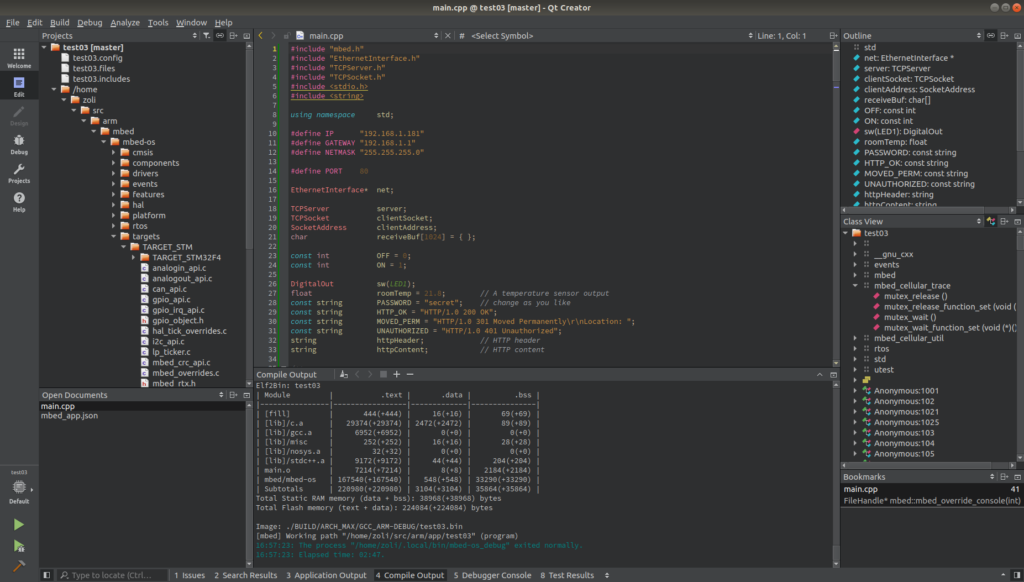
 haughty musk
Hello everyone, I have an issue regarding relative imports in my project:
In a nutshell, my workspace is a folder named "PIPELINE," which contains two directories: "LIBS" and "GUI." Within my "LIBS" directory, I have a subdirectory that contains the source code for "customtkinter" (I should mention that within this directory, as mentioned earlier, there are 4 or 5 files that are essential for the proper functioning of Ctk). In my "GUI" directory, I have a file named "gui.py" that utilizes functions from CTk, and I'd like to import the package (i.e., the entire directory) into my Python file to make use of it. (I need to do this because Ctk is not installed by default on all the computers where I need to deploy the project.)
So, when I attempt the import relatively, like this: "from pipeline.libs import customtkinter," everything works fine if my "gui.py" file is at the root of the project. However, if it's within the "GUI" directory, I encounter this error: "ImportError: attempted relative import with no known parent package."
I'm aware that I could use sys.path, but I find it a bit messy, having encountered some errors with it in previous projects. I'm looking for a cleaner method. Does anyone have any ideas? Thank you. I should note that I have __init__.py files in both "LIBS" and "customtkinter" directories.
 marble agate
how can i provide text input in the terminal for a rock, paper, scissors game
digital rose
in the terminal? so no gui?
 cold beacon
The most basic terminal input is the standard lib "input" function: https://www.geeksforgeeks.org/python-3-input-function/ - it shows a text prompt and returns whatever the user types as a string.
GeeksforGeeks
A Computer Science portal for geeks. It contains well written, well thought and well explained computer science and programming articles, quizzes and practice/competitive programming/company interview Questions.
digital rose
marble agate
how can i provide text input in the terminal for a rock, paper, scissors game
set input("text here") to a variable
and the answer will be stored in the variable
 blazing pine
for Qt based applications, how are different QWidgets/Windows typically stored? I'm talking about things like settings dialogs, or a log viewer, about dialog things of that nature...
Is it standard practice to store them as attributes of the "main" window, and just call the .show() method on them as needed, or do folks store them elsewhere?
marble agate
digital rose
set input("text here") to a variable
👍
 rocky dragon
blazing pine
for Qt based applications, how are different QWidgets/Windows typically stored? ...
rocky dragon
blazing pine
for Qt based applications, how are different QWidgets/Windows typically stored? ...
I don't store my windows and have the set up to delete on close, where they're all opened through a class that manages the interconnected signals between windows. If you want to re-use window instances and show/hide them I'd move things outside of the main window
No idea on best practices though, as I last worked with my app a couple years back and it was still a mess
blazing pine
in this case, it's a log-viewer so I probably want to have that running all the time, so when the user requests to see t he window, they can see past log entries?
well, ...perhaps I want the "model" for the logger running constantly, not necessarily the viewer...
anyway apprecaite the sanity check 👍
rocky dragon
Don't think it should be too different if you keep the window around (though may be unnecessary if it's only open ocassionaly), just have to figure out where to keep it. Just keep the cleanup or reuse in mind as I had to set the delete on close and I think something else for the gc to actually clean up stuff qt left behind even when not referenced by the app
sleek hollow
digital rose
did you figure this out?
Figured this out, it was actually way simpler than I thought. I had executed my QDrag using Qt.MoveAction. By changing it to Qt.CopyAction, it worked!
sleek hollow
It simply uses the path to the file on your computer
all the thumbnails represent existing files on my pc
sleek hollow
Not quite. It's a tool for logging bugs in a game. I can upload a video clip of a bug, and I can enter some text, and it will overlay the text onto the video. I then wanted to share the exported video directly from pyqt without having to browse to the file on my pc

I drag the bug file into Source Video
I type in some info and click "Process". The result appears in "Output Video", and I wanted to be able to drag from there into discord (and now I can)
 rich salmon
Hey everyone, I'm new to Python. I was reading Customtkinter documentation and I couldn't find how to add spacing inside the entry field. Someone told me to use ipadx for internal spacing but it doesn't add space instead it's making my entry widget bigger. What I want is shown in the screenshot. I want my text to start from the red line instead of the start. Any kind of help would be appreciated.
 sleek hollow
rich salmon
Hey everyone, I'm new to Python. I was reading Customtkinter documentation and I...
sleek hollow
rich salmon
Hey everyone, I'm new to Python. I was reading Customtkinter documentation and I...
Is there a specific reason you need this? The solution might involve setting a custom background to the entry to make it look like there's a padding
mighty rock
I don't know whether customtkinter uses tkinter.ttk, but I found a solution for tkinter.ttk:
from tkinter import Tk
from tkinter.ttk import Entry, Style


root = Tk()
style = Style(root)
style.configure("TEntry", padding="5 1 -3 1")
entry = Entry(root)
entry.pack()
root.mainloop()
It works by adding 4 pixels to the default left padding and subtracting 4 pixels from the default right padding. Credit goes to this answer on Stack Overflow.

Stack Overflow
How could I pad the entry widget so it does not start writing right at the border of the widget? Visually, having a little space from the entry widget border.
My progress:
entry_widget.bind('<
lunar portal
um i need help
i just have a doubt i want to clear
does the background image we set in a tkinter window change size if we run it in a screen that is smaller than the specified resolution for the window?
sleek hollow
lunar portal
does the background image we set in a tkinter window change size if we run it in...
Nope
lunar portal
hm so i ran my code in my frnds sytem and the placements of the buttons were not right
it was fine when i did it mine
@sleek hollow sry for the ping but can i dm u abt this?
sleek hollow
lunar portal
<@143878644169834496> sry for the ping but can i dm u abt this?
No need to DM. You can open a help thread on this server if you need help with something #❓|how-to-get-help
 limber shell
Hey, i'm using pygame to create pomodoro app. The gradient colors on loading screen and all app is working fine on linux vmware environment, but on windows no colors are displayed on loading screen and also the program automatically exits after loading screen. All dependencies are met, and libraries are upto date on windows, can't figure out what can possibly go wrong. Kindly help
lunar portal
hey i have an update the grid system is working but im getting those white thingy around the image any solutions? @sleek hollow
