#user-interfaces
1 messages · Page 6 of 1
 echo oracle
I only want the parent widget's children who are labels to be affected, not all labels recursively
 tidal chasm
Hello I watched this video for custom scroll bar : https://www.youtube.com/watch?v=ttBjf4bMDXY . The css for horizontal bar is left as a homework. I tried to write on my own but there the bar is not showing. Here's my css for horizontal scroll bar:

🔗 PATREON:
Many people asked me to create a Patreon (thanks to everyone, you are amazing ❤)!
If you can help me keep creating new videos about technology and that amount will not be missed for you this will help to share knowledge FOR EVERYONE!
https://www.patreon.com/WandersonIsMyName
🔗GitHub Download:
https://github.com/Wanderson-Magalhaes/Cu...

Can anyone help me out?
 fiery bison
how to be a ui/ux
 hidden cairn
echo oracle
I only want the parent widget's children who are labels to be affected, not all ...
hidden cairn
echo oracle
I only want the parent widget's children who are labels to be affected, not all ...
Not quite sure what you're asking, but I think one of these should help you.
.QLabel{ Pay attention to the period(.) at the start. That means any direct QtWidgets.QLabel() instances will be targeted by that selector but any class that enherits from QLabel will not. (it's a class selector that doesn't take the inheritance tree into account)
If you only want to apply the style to elements placed directly into another one (say QLabels placed directly in a QStatusBar)
QStatusBar>QLabel (in css that's referred to as a direct descendant selector)
hidden cairn
[Qt] Does anyone know how to get the colors etc from an element AFTER a stylesheet has been applied?
I'm writing a Macro for FreeCAD and I don't know what stylesheet a user might have applied. I'd like my own controls to match the color scheme the user has going on.
My best solution so far has been to use QWidget.grab() to get a screenshot and then iterate over the pixels to try and figure out what the background/foreground color is but it's not super reliable (and just plain silly tbh). I was hoping to just get a list of the styles applied to a QWidget but that seems to be impossible?
Exemplifies why my pixel grabbing is unreliable. I'm coloring the keyboard plate on the right (the big rectangle) based on the color of the QPushButton the arrow is pointing to. Rather than getting whatever the font color is (white or white'ish) I'm getting yellow instead. I'm trying to calculate it by using whatever color has the highest contrast versus the background color. I'm guessing I'm ending up with yellow instead of white'ish is because one of the 'font smoothing' pixels is yellow.

 steady hill
can someone help me plzz for installing ironpython ??😭
 onyx tusk
I'm stuck on an issue with PySimpleGui, I'm trying to update a Column, but nothing I do seems to modify it. If I update the visibility of the Column it indeed disappears, however I can't update the elements themselves. What am I missing?
    elif event.startswith("Buy-"):
        buy_item(event.split("-")[1])
        store_ui = sg.Column([[sg.Text("I don't work")]], key="-STORE-")
        window["-STORE-"].update(store_ui) # This does not work
        window["-STORE-"].update(visible=False) # This does work
Ignore the fact that visible wouldn't show the update, I comment it out during the test
I've also tried just passing sg.Text directly into the update, doesn't change anything
It just keeps ignoring my changes
Here's the update loop
while True:
    event, values = window.read()
    if event == sg.WINDOW_CLOSED:
        break
    elif event.startswith("Buy-"):
        buy_item(event.split("-")[1])
        store_ui = sg.Column([[]], key="-STORE-")
        window["-STORE-"].update(sg.Text("I don't work")) # This does not work
        window["-STORE-"].update(visible=False) # This does work
Showing what I mean, where not even sg.Text() works
hidden cairn
Is there any way to actually get the stylesheet though? I can apply my style just fine through QWidget.SetStyleSheet('border: 1px solid #fff') etc but getting anything back seems to be impossible. And I don't know which of the stylesheets (if any) is applied as the FreeCAD users can select their own themes in FreeCAD.
Oh loads, not for getting back a path to the active theme though afaik. Just to interact with the rest of the program
I was hoping .stylesheet() on a QWidget would give back everything that's been applied to it, but it always come back blank. Even after using .setStyleSheet myself first.
https://wiki.freecad.org/Interface_Customization#Themes
Well that's a cross platform way to get to the theme folder path at least, partway there. Still not sure how to get which theme is in use though
topLevelWidgets = QtCore.QCoreApplication.instance().topLevelWidgets()
for topLevelWidget in topLevelWidgets:
    FreeCAD.Console.PrintMessage(topLevelWidget)
Gives me a big list of mainly QMenu's
Don't know if you meant it quite this literally but
lbl = QtWidgets.QLabel()
lbl.setStyleSheet('background-color: palette(text)')
FreeCAD.Console.PrintMessage(lbl.styleSheet())
Just gets me back background-color: palette(text)
Although at least it's not blank for a change 😮
Ah, must have messed up something previously. I can get the styles I applied in my own code back as well, before and after show
d = UiDialog()  # Extends QDialog
FreeCAD.Console.PrintMessage(d.txtKeyboardLayout.styleSheet())
d.show()
FreeCAD.Console.PrintMessage(d.txtKeyboardLayout.styleSheet())
Does give me the double margin-bottom: 0;margin-bottom: 0;.
 unique garden
customtkinter
echo oracle
hidden cairn
Not quite sure what you're asking, but I think one of these should help you.
`.Q...
That doesn't work for me
I only want the options_info_widget stylesheet to apply for label_2 label_3 label_4 and label_5. Instead, it applies it to those labels AND the labels inside the subwidgets (label_6 and label_7) which is not what I want

here's the current stylesheet for the parent widget: css QLabel { border-width: 1px; border-style: solid; border-color: none gray none none; }
 solar stag
Hi. Any idea how could I use OpenGL with Python on MacOS 10.15? As far as I know OpenGL has became deprecated but I need to write a universal software working on either Mac, Windows and Linux hence I am not able to do it with pymetal...
hidden cairn
echo oracle
That doesn't work for me
QWidget#options_info_widget>QLabel{
    background-color: lime; /* Just direct descendants */
}
#options_info_widget is the object name of the QWidget that's the direct parent of the green labels (tried to match your naming in that screenshot you posted). The '>' is part that prevents it from being applied to labels further down the chain (grandchildren if you will)
 hidden cairn
solar stag
Hi. Any idea how could I use OpenGL with Python on MacOS 10.15? As far as I know...
hidden cairn
solar stag
Hi. Any idea how could I use OpenGL with Python on MacOS 10.15? As far as I know...
PySide6 (Qt)?
https://doc-snapshots.qt.io/qtforpython-6.2/PySide6/QtOpenGL/index.html
The QtOpenGL module is available on Windows, X11 and Mac OS X. Qt for Embedded Linux and OpenGL supports OpenGL ES (OpenGL for Embedded Systems).
I've no experience with openGL whatsoever, but sounds like it fits the bill? At least until Apple fully gets rids of OpenGL
Looks like vulkan/metal/opengl/d3d11 are in the works https://www.qt.io/blog/qt-quick-on-vulkan-metal-direct3d if you do need to switch over in the future
 buoyant fulcrum
Hi Guys!
I wrote an error message for an application i'm making.
Does anyone know of a better way to organise this, or a better way to display it?

(i'm using Tkinter btw)
I just think it looks a bit clustered
solar stag
hidden cairn
Looks like vulkan/metal/opengl/d3d11 are in the works https://www.qt.io/blog/qt-...
Hi. I need it to be universal and runnable either on Mac as well as Linux and Windows
hidden cairn
Combining the info from QtOpenGL I've mentioned before (Mac OS X bolded this time)
The QtOpenGL module is available on Windows, X11 and Mac OS X. Qt for Embedded Linux and OpenGL supports OpenGL ES (OpenGL for Embedded Systems).
and this arstechnica article about **Mac OS
https://arstechnica.com/gadgets/2019/10/macos-10-15-catalina-the-ars-technica-review/3/#h2
OpenGL and OpenCL were officially deprecated in Mojave last year, though that's a little misleading since it implies that Apple had been actively maintaining and updating its support for those standards. In Catalina, as in every macOS version going all the way back to Mavericks, the macOS OpenGL implementation is stuck at version 4.1 (2010), and the OpenCL version is stuck at 1.2 (2011). This means that apps that still rely on those APIs on macOS will continue to run, provided they've been updated to meet the 64-bit-only requirement. But you shouldn't be developing new Mac apps that rely on OpenGL or CL for anything important.
opengl should work for now.
The Qt blog link I posted previously stated that Qt will support other APIs in the future. So if you need a cross platform solution where you can handle all platforms the same that should work for you for now.
If Apple ever gets around to pulling the plug on OpenGL on Mac OS in a future version then hopefully Qt is ready by then to offer you Metal support when it is needed.
Ideally Vulkan would've been the cross platform replacement for OpenGL but Apple is not going to support it so there's nothing that can be done about that.*
So the long and short of it seems to be that OpenGL is the only thing that works crossplatform reliably at the moment. In the future you'll probably have to split your efforts between Vulkan and Metal
- There is 'MoltenVK' that translates Vulkan to Metal. So perhaps that's something you could utilise or perhaps that is how Qt will resolve it in the future 🙂
 sudden stone
is there a discord server specifically for pyqt? (not the qt discord server)
 distant sand
i just started using eel python for user interface. i rlly like it and now my command based code has an ipad attached to it 🤣
echo oracle
Is there a Qt way for a signal to call a slot with arguments? I searched online and got QSignalMapper but I just wanna verify this is right
I can do something like py self.button.clicked.connect(lambda *_: self.button_slot(arguments, *_)) but is there a proper way?
or should I just call the function and get whatever I need inside the slot
 sleek hollow
echo oracle
or should I just call the function and get whatever I need inside the slot
sleek hollow
echo oracle
or should I just call the function and get whatever I need inside the slot
I use this lambda approach all the time. You can also use functools.partial
echo oracle
Is there a way to make get requests with Qt?
on top of that is there a way to open a websocket with Qt?
I read this doc page but I'm not sure it answers my question https://doc.qt.io/qt-5/qtwebsockets-index.html
nevermind I got it
echo oracle
Does anyone know how to make a Qt post request with json data?
I searched online and it says I need QJsonObject, QJsonDocument, and QJsonValue but they're not implemented in PyQt5
trying to do the Qt version of requests.post(url, json=json)
 grim brook
Sorry if this might be off-topic, couldn't decide what chat to use.
I have a python script that will start a pysimplegui, I want to open the script from another application. The problem is that if my current directory isn't the same as the one containing the script pysimplegui won't find any images. Is there a way for the images to be found without changing my current directory and not have a absolute path to the images as this will be used on different computers?
 misty canopy
grim brook
Sorry if this might be off-topic, couldn't decide what chat to use.
I have a p...
misty canopy
grim brook
Sorry if this might be off-topic, couldn't decide what chat to use.
I have a p...
That's what the __file__ constant is for - it refers to the current file.
used like e.g.
from pathlib import Path
script_dir = Path(__file__).parent # __file__ is a constant that always is a path to the python file the code is in, so its parent is the directory the script's in
# and then, for example:
images_dir = script_dir / "images"
my_cool_image = images_dir / "image1.png"
 somber hemlock
echo oracle
trying to do the Qt version of `requests.post(url, json=json)`
somber hemlock
echo oracle
trying to do the Qt version of `requests.post(url, json=json)`
why? 
echo oracle
Because I don't want to depend on requests and it's better to use Qt's already built-in functionality rather than external modules
somber hemlock
well it might be in qt's extensions module, and if it is, its quite a big dependency by itself
Qt is a big unoptimized dependency itself
echo oracle
At least it's implemented by Qt and compatible to interface model and less prone to errors
why download another package when you already have a more compatible version built into the Qt interface
trust me it has it all, it's better, and it has to be Qt
somber hemlock
Maybe its available in PySide6 / PyQt6?
somber hemlock
What
echo oracle
Using these py from PyQt5.QtNetwork import ( QNetworkAccessManager, QNetworkReply, QHttpMultiPart, QHttpPart, QNetworkRequest, )
Making QNetworkAccessManager and sending a post request to it never finishes
the signal finished is never emitted
no idea what's going on there
here's some code ```py
self.manager = QNetworkAccessManager()
self.request = QNetworkRequest(self.url)
self.request.setRawHeader(b"Authorization", self.get_api_key())
self.reply = self.manager.post(
self.request,
json.dumps(json_data).encode("utf-8")
)
self.reply.finished.connect(self.__handle_reply)```
somber hemlock
maybe its the manager which emits finished
echo oracle
I tried connecting that too, didn't work
echo oracle
I also read somewhere that finished is emitted before it gets connected but I haven't found a way to test that out yet
Yes I have
 obtuse acorn
My clone of SQLiteStudio is coming along nicely :p
 somber hemlock
Maybe in C++ its like reply is already declared as a private variable and connected to its finished callback before calling manager.post
echo oracle
somber hemlock
Maybe in C++ its like reply is already declared as a private variable and connec...
I don't quite understand what you're trying to say here
are you trying to say that QNetworkReply should be declared and connected to its slots before calling the post request?
and then define it after the post request?
somber hemlock
echo oracle
I don't quite understand what you're trying to say here
C++ member variable are a bit different
The declaration and initialisation of them are different phases.
But I could be totally wrong whether its done in that manner for QNetworkReply, just find a C++ example of how its done and copy it to Python
echo oracle
That's exactly what I did
somber hemlock
Maybe in C++ QNetworkReply has a default constructor and the reply object was default constructed before hand? The callback was attached earlier to it maybe?
No such thing in Python
Maybe you are using the wrong method of QNetworkManager?
Since "post" looks like a synchronous method in Python land atleast
echo oracle
What do you mean
somber hemlock
too long to explain
maybe qt didn't implement QNetworkManager for Python properly?
echo oracle
That's very unlikely
somber hemlock
echo oracle
That's very unlikely
Looks like your problem is not new
Maybe finished is not getting called because some error occured?
Like the request failed, and it has a different signal?
echo oracle
I could check if the request goes through using wireshark
 idle otter
anyone aware of a gui library/addon that has nice model binding - about 15-20 years ago i used pgtkhelpers which mapped python objects to tree/list models as well as binding builder uis to python classes
it seems like todays tools have nothing comparable, or at least its not obviously visible
grim brook
misty canopy
used like e.g.
```py
from pathlib import Path
script_dir = Path(__file__).parent...
Thank you!
 storm dragon
Does anyone know good documentation / examples for tkinter?
 spring apex
storm dragon
Does anyone know good documentation / examples for tkinter?
spring apex
storm dragon
Does anyone know good documentation / examples for tkinter?
If you prefer video tutorials, then sure, here is the link https://youtube.com/playlist?list=PLCC34OHNcOtoC6GglhF3ncJ5rLwQrLGnV

YouTube
storm dragon
I'm mainly having trouble with circular dependencies when trying to navigate pages
I would think you need to import both pages to link them together but that doesn't work so I'm a bit lost rn
storm dragon
I also really don't understand how this is possible
 storm dragon
spring apex
If you prefer video tutorials, then sure, here is the link https://youtube.com/p...
storm dragon
spring apex
If you prefer video tutorials, then sure, here is the link https://youtube.com/p...
Checked some of his video but it seems he always puts everything into one big file which I don't want for maintainability reasons. The thing I'm struggling with is passing data and opening windows from within multiple files so this isn't much help for me
storm dragon
For future reference: use parent
 granite egret
hidden cairn
granite egret
hidden cairn
The big green thing on the right is technically a qsvgwidget. But the colours are from screenshottinga highlighted button and getting the highest contrast colours from it
echo oracle
Is there a better way to insert bold text in Qt? Other than doing py text_edit.insertText("<html><b>TEXT</b></html>") I don't like this way
I'd prefer not to deal with html and stuff with such basic formatting
or if there's a built-in Qt HTML library I can use to parse and make html
 amber igloo
I made a scrollable list of buttons with PyQt5 as you can see here. My problem is that the scroll stays on the left side in the middle of the window and I can't move it. Also when I remove the scroll.setWidgetResizable(True) it still stays resizable when I change the window size. If you can help me please @ me and thanks.

 sleek hollow
amber igloo
I made a scrollable list of buttons with PyQt5 as you can see here. My problem ...
sleek hollow
amber igloo
I made a scrollable list of buttons with PyQt5 as you can see here. My problem ...

Why do you have two assignments of window_layout?
Also how are the rest of the widgets placed?
 tough pewter
I creating an overlay for a VSRG. I have it set up, but I can't create lines of notes after root.mainloop(). When I have more than one, for example:
root.after(1000, create_falling_circle([0,1]))
root.after(2000, create_falling_circle([0,1]))
It just waits 3 seconds and then makes one line (maybe two overlapping? Not sure), instead of having one line consisting of two notes, waiting 1 second, then doing it again. Every other example of root.mainloop() or main.mainloop() doesn't have this problem. Basically; how can I create notes after root.mainloop()?
The Code:
import tkinter as tk
import time

# Define constants
WINDOW_WIDTH = 1920
WINDOW_HEIGHT = 1080
CIRCLE_RADIUS = 50
FALLING_SPEED = 1.5
LANE_X_POSITIONS = [660, 860, 1060, 1260]

# Define functions
def create_falling_circle(lane, **kwargs):
    for i in range(0,len(lane)):
        x = LANE_X_POSITIONS[i]
        y = CIRCLE_RADIUS
        circle = canvas.create_oval(x - CIRCLE_RADIUS, y - CIRCLE_RADIUS, x + CIRCLE_RADIUS, y + CIRCLE_RADIUS, fill="#f0f0f0")

def move_falling_circles():
    for circle in canvas.find_all():
        if canvas.type(circle) == "oval":
            canvas.move(circle, 0, FALLING_SPEED)
            if canvas.coords(circle)[3] >= WINDOW_HEIGHT:
                canvas.delete(circle)
    canvas.after(1, move_falling_circles)

# Set up the main window and canvas
root = tk.Tk()
root.geometry(f"{WINDOW_WIDTH}x{WINDOW_HEIGHT}")
root.wm_attributes("-topmost", 1)
root.wm_attributes("-transparentcolor", "white")
root.resizable(False,False)
root.overrideredirect(True)
canvas = tk.Canvas(root, width=WINDOW_WIDTH, height=WINDOW_HEIGHT, bg="white")
canvas.pack()

# Start creating random circles
move_falling_circles()
root.after(1000, create_falling_circle([0,1]))
# Start the main event loop
root.mainloop()```You aren't quite using after correctly. It expects a function object, not a function call
tough pewter
Like canvas.create_oval(args)?
sleek hollow
that's also a function call
create_falling_circle is a function object
no arguments, just the function's name
if you want to pass it arguments, you need to wrap it in something like functools.partial or lambda
if you want something to happen "once a second", I recommend defining a function called something like "second_tick" and putting all the logic into there
have the "second_tick" function handle calling the other functions
tough pewter
The every second was just a test for multiple lines being called, the endgame would be to have the timings and notes be read from a file.
And making them with a timer
sleek hollow
import tkinter as tk
import time

seconds = 0

def second_tick():
    global seconds
    print("Tick", seconds)
    seconds += 1
    root.after(1000, second_tick)

root = tk.Tk()

root.after(1000, second_tick)
root.mainloop()
Here's a simple example of how to create a function that gets called once per second
you can try running this code. It will print once per second
tough pewter
Maybe I could have a list outside the functions that has the next notes to be displayed, and create_falling_circle() can just read from it?
sleek hollow
yeah, that would be a good option
My example is just a template of delayed calls. What you do with it is up to you 🙂
tough pewter
Okay, thanks for your help, I appreciate it 👍
sleek hollow
np!
amber igloo
sleek hollow
Why do you have two assignments of `window_layout`?
I really don't know, but when I was testing with turning them on and off nothing really changed and I still couldn't change the scroll location. Removing the second assignment of window_layout = QVBoxLayout only put the widget in the center of the screen and I still couldn't change the location.
amber igloo
sleek hollow
Also how are the rest of the widgets placed?
If you mean the buttons you see on the background of my second photo they are just placed using
button = QPushButton("button", window)
amber igloo
I figured out that I can move the scroll by using window_layout.setContentsMargins(300, 0, 0, 0) but the window_layout / the scroll area still adjusts to its parent widget's size which is window = QWidget()
sleek hollow
amber igloo
If you mean the buttons you see on the background of my second photo they are ju...
parenting a widget directly to another widget makes it really tricky to position things accurately. You should try and make sure every widget is placed inside some sort of layout
amber igloo
Well yea I think each widget is placed inside a layout but luckily I just figured out how to position the scroll properly I had to use window.setContentsMargins instead
sleek hollow
that simply sets the padding around a layout
amber igloo
yep
sleek hollow
that's a very hacky solution to a problem that would be solved if it was placed in a layout
amber igloo
My scroll containing the buttons is* in a layout
sleek hollow
button = QPushButton("button", window) you have this for example
This is parenting the button directly to the window widget
as opposed to a layout
amber igloo
The problem with that was that I couldn't get the buttons to function like a scroll
sleek hollow
oh I thought you were concerned about the scroll appearing on top of the other widgets
amber igloo
Oh no haha but thanks for your time
sleek hollow
so the scroll area now scrolls correctly for the buttons?
hidden cairn
echo oracle
Is there a better way to insert bold text in Qt? Other than doing ```py
text_edi...
Not quite sure which class you're using there but QTextEdit does have a insertHTML method so then you can leave out the <html> tags at least.
https://doc.qt.io/qtforpython-5/PySide2/QtWidgets/QTextEdit.html#PySide2.QtWidgets.PySide2.QtWidgets.QTextEdit.insertHtml
For other elements than a textedit that works a bit different from other things. You could grab the original font, apply a different weight to it and apply it again.
        lbl = QtWidgets.QLabel()
        lbl.setText('So bold')
        font = lbl.font()
        font.setWeight(QtGui.QFont.Bold)
        lbl.setFont(font)
 proven basinBOT
 :ok_hand: applied mute to @late jackal until <t:1676991705:f> (10 minutes) (reason:
 duplicates rule: sent 4 duplicated messages in 10s).
The <@&831776746206265384> have been alerted for review.
 hazy nova
does the turtle.write method call screen.update? because I have the screen tracer set to 0,0 and I can still see it writing the things one by one, is there any way to stop it from updating every time I try to write something?
echo oracle
hidden cairn
Not quite sure which class you're using there but QTextEdit does have a insertHT...
It says insertHTML is not an attribute of QTextEdit
Using PyQt5
nevermind my bad
but if I call insertPlaintext after that, that text is bold
I don't want that
 sacred dirge
Making a GUI with PySide6, made my own MainWindow class that inherits from QMainWindow, and I have multiple checkboxes that I want to run a test when they are checked for the first time.
I figured I would reuse the same class function and loop over the checkboxes I have insde the QGridLayout by doing this:
for i in range(self.checkbox_gridlayout.count()):
    cur_box = self.checkbox_gridlayout.itemAt(i).widget()
    cur_box.stateChanged.connect(lambda checked: self.do_action(cur_box))
Problem is that for some reason all the checkboxes end up running the do_action function as though the last checkbox was checked, regardless of which one I actually checked
IE: I check the first box, and have do_action print out the name of the checkbox, and they all print out the name of the last one
Does using connect for signaling only allow you to map one function to a signal?
 rocky dragon
sacred dirge
Making a GUI with PySide6, made my own `MainWindow` class that inherits from `QM...
rocky dragon
sacred dirge
Making a GUI with PySide6, made my own `MainWindow` class that inherits from `QM...
The lambda will capture the value of cur_box at the time it's executed, so it'll be the same for all items. You can use partial or do a cur_box=cur_box default arg
sacred dirge
Ah that makes more sense, let me try it out with partial
Seems I was just doing things a little dumb
I created my own class to inherit from QCheckBox that implements a check_action function, so instead of cur_box.stateChanged.connect(lambda checked: self.do_action(cur_box)) I was also trying to do cur_box.stateChanged.connect(lambda checked: cur_box.checked_action()) which also didn't work since it's using a lambda
So I changed that to cur_box.stateChanged.connect(cur_box.checked_action) and it just works 🤦♂️
 mighty frigate
@sacred dirge sadly iterating over a layout is never good idea
In short, at the end it is Qt that decides what's in your layout, and you might have a lot more than just your components, even if you didn't explicitly add it
amber igloo
sleek hollow
so the scroll area now scrolls correctly for the buttons?
yes and the position of it is correct
sacred dirge
mighty frigate
<@224326807955046410> sadly iterating over a layout is never good idea
Is that the case even though I have this layout just for these check boxes, and I do that loop over the widgets in the layout right after I've created and added them?
I don't mind making a separate list to contain the check boxes and loop over that, I'm just wondering what could be added to the layout outside of what I put into it
 sonic badge
hi (I hope I'm not on the wrong channel),
I am currently learning python. I have a project due in 1 week. I decided to make a user interface for this project using the Tkinter module.
I have a problem with my buttons, they don't appear as I want them to appear (cf screens).


I would like the white borders in the corners that the module adds to make a button with rounded edges but I don't see what is blocking it.
here is my code
img0 = PhotoImage(file = f"img0.png")
b0 = Button(
    image = img0,
    borderwidth = 0,
    highlightthickness = 0,
    command = btn_clicked,
    relief = "flat")

b0.place(
    x = 875, y = 520,
    width = 390,
height = 180)```@sacred dirge tons of stuffs, it depends on what you're doing
spacers are a good example
sacred dirge
 silent river
what is a good tool to create modern looking ui?
silent river
what is a good tool to create modern looking ui?
tikinter if you're just starting out (it's built-into Python)
PySide6 / PyQt for Qt
Kivy is another one
Plenty others listed in this channel's description at the top
sonic badge
sonic badge
hi (I hope I'm not on the wrong channel),
I am currently learning python. I have...
⬆️ Can someone help me with this problem please ? In short, I don't know how to make Tkinter support "transparent" pixels in my images
echo oracle
Does anyone know in Qt when you do push_button.setMenu, is there a way to separate the menu and the button itself from doing different things?
right now I'm pressing the button and instead of the clicked signal, it just opens the menu

 sleek hollow
echo oracle
right now I'm pressing the button and instead of the `clicked` signal, it just o...
sleek hollow
echo oracle
right now I'm pressing the button and instead of the `clicked` signal, it just o...
You could use a button for this instead of QComboBox
Or you could attach the menu as a right click context so you can still use the button as a button with left click
echo oracle
sleek hollow
You could use a button for this instead of QComboBox
It's not a combo box, it's a push button
if you're referring to the images I posted
I'm just looking for a functionality where there's a button, and an arrow right next to the button that opens a drop down context menu to extend the original use case of the button
I'm sure you've seen something like that done before
sleek hollow
echo oracle
I'm just looking for a functionality where there's a button, and an arrow right ...
So the dropdown only appears when the right side of the button is clicked?
echo oracle
sleek hollow
So the dropdown only appears when the right side of the button is clicked?
Nope, when the whole button is clicked
sleek hollow
But why do you want the clicked signal then?
echo oracle
So clicking the button would do something
and the drop down menu would extend on the its functionality
sleek hollow
but how are you separating "clicking the button" from "showing the menu"
how does the button know what you want?
echo oracle
There's a button and a drop-down menu connected to the button
that's what I want
but right now there's either a button without a drop-down menu or just a drop-down menu and no button
The button to open the drop-down menu should be next to the push button (and connected to it)
sleek hollow
so why not use 2 separate buttons?
echo oracle
I could but I was just wondering if there's a built-in way (which there should) to extend a button to allow a drop-down menu
sleek hollow
sleek hollow
So the dropdown only appears when the right side of the button is clicked?
so then you do want this
a single button, but if you click the arrow, you get a dropdown?
echo oracle
Yes
exactly that
here's an example

(took it from https://stackoverflow.com/questions/5695313/qt-drop-down-button which says I need a QToolButton but I'm not sure where to go from there)

Stack Overflow
How can I create a "drop down button" in Qt?
For a non-Qt example, see:
Combination button/dropdown in office
The key point is that the widget needs an icon for the primary action, and a visually
sleek hollow
hmm let me play around with it for a sec
echo oracle
Sure take your time
sleek hollow
echo oracle
Sure take your time
so it looks like the menu popup behaviour of the qtoolbutton is a "press and hold", but it does have what you're after
from PyQt5 import QtWidgets, QtGui


class DropdownButton(QtWidgets.QToolButton):

    def __init__(self, parent):
        super().__init__(parent, text="Send")

        menu = QtWidgets.QMenu()
        action = QtWidgets.QAction("Click me", menu)
        menu.addAction(action)
        self.setMenu(menu)
        self.setFixedSize(100, 50)
        self.clicked.connect(self._on_click)

    def _on_click(self):
        print("Hello")


app = QtWidgets.QApplication([])

win = QtWidgets.QDialog()
btn = DropdownButton(win)
win.show()
app.exec()
you can try running this small example
if you click the button, the method is called, but if you press and hold, the menu is shown instead
echo oracle
sleek hollow
```py
from PyQt5 import QtWidgets, QtGui
class DropdownButton(QtWidgets.QToolB...
I mean that could work, but I've seen the example I've given above used so much before, it's really weird how there's not a built-in way to do something like that without having to make 2 separate buttons
sleek hollow
echo oracle
I mean that could work, but I've seen the example I've given above used so much ...
oh found it!
from PyQt5 import QtWidgets, QtGui

class DropdownButton(QtWidgets.QToolButton):

    def __init__(self, parent):
        super().__init__(parent, text="Send")

        menu = QtWidgets.QMenu()
        action = QtWidgets.QAction("Click me", menu)
        menu.addAction(action)
        self.setMenu(menu)
        self.setPopupMode(QtWidgets.QToolButton.MenuButtonPopup)
        self.setFixedSize(100, 50)
        self.clicked.connect(self._on_click)

    def _on_click(self):
        print("Hello")


app = QtWidgets.QApplication([])

win = QtWidgets.QDialog()
btn = DropdownButton(win)
win.show()
app.exec()

self.setPopupMode(QtWidgets.QToolButton.MenuButtonPopup)
this is the magic
echo oracle
sleek hollow
```py
from PyQt5 import QtWidgets, QtGui
class DropdownButton(QtWidgets.QToolBu...
Perfect, thanks!
 neat granite
hello, can anyone help me to make a GUI that can convert excel files to xml files.
hazy nova
does anyone know if there is a method to validate if a string is the name of a valid colour for turtle? if there isn't, what are all of the named colours? I can make it check for hex codes separately
somber hemlock
 livid robin
hey guys, what's the recommended TUI python library for Windows10+ ?
livid robin
hey guys, what's the recommended TUI python library for Windows10+ ?
textual, rich
both are cross platform
somber hemlock
hazy nova
does anyone know if there is a method to validate if a string is the name of a v...
look through the turtle source code all the possible values might be listed somewhere
 vocal kelp
im using pyqt5 and i have a sortable list [i am trying to make a mod manager] how can i find the order the items are in in that list? I need to know this so I can know the mod load order, as thats an essential feature of any mod manager

ignore the settings thing i was testing something
sleek hollow
vocal kelp
im using pyqt5 and i have a sortable list [i am trying to make a mod manager] ho...
When you sort them, I would just update an attribute alongside that notes down the sorting method. I don't think you can query how something is currently sorted
sleek hollow
in pyqt5, I have a vbox with groupboxes added to it, and those have hbox layouts. I've changed the size constraint so they don't stretch across the entire vbox, and they work perfectly when they have items added into them. However, if I have an empty groupbox (or a long name and few items), they shrink down so much that the text gets cut off. How can I at least set a minimum size? setMinimumWidth doesn't seem to work because the sizeConstraint trumps it. Is there a better approach to preventing the stretch than using a size constraint? Here's some example images

 sleek hollow
if someone wants a basic example to play around with https://paste.pythondiscord.com/ofoqacumer
 tidal totem
I am building UI using qml.
but not recognize Cell in Grid.
Hope someone help me.
App/UI/main.qml:16:2: Cell is not a type
 warped epoch
If someone working around tkinter and ctypes(or pywin32)
How can I change color of ExpandFrame that created by
ctypes.windll.dwmapi.DwmExtendFrameIntoClientArea
or hide or unfill or something that it will be disappear?
 vocal kelp
sleek hollow
When you sort them, I would just update an attribute alongside that notes down t...
vocal kelp
sleek hollow
When you sort them, I would just update an attribute alongside that notes down t...
the user sorts them not me, its sorted via the ui
vocal kelp
if i sort it via numerical order and have buttons that call a function to move them down and up and that changes the numbers on each of the items that seems like a really ineffiecent way but all i can think of
another thing is i dont think pyqt5 supports asynchronous functions so i dont even know how i would change things
 delicate hawk
        self.frameContCanvas.grid(row=2,columnspan=2)
        # Scrollbar orizzontale
        self.scrollbarH = tk.Scrollbar(self.frameContCanvas, orient=tk.HORIZONTAL)
        self.scrollbarH.grid(row=1, column=0, sticky="ew")
        # Canvas per FrameMaterie Container
        self.canvasFrameMateries = tk.Canvas(self.frameContCanvas,width=150,height=150)
        self.canvasFrameMateries.grid(row=0,column=0)
        # ------- Frames Materie -------
        for self.x in Studente.materie:
            StudenteFrame.materie.append(self.frameMateria(self.canvasFrameMateries,self.x,self.colonnaframe))
            self.colonnaframe += 1
            self.canvasFrameMateries.update_idletasks()
        # Canvas configure
        self.scrollbarH.configure(command=self.canvasFrameMateries.xview) ```

I have a problem with the horizontal scrollbar. The Horizontal scrollbar returns to his origin position when i try to scroll. Why?
can anyone help me with this thing?
vocal kelp
this is my modList class, i am trying to print the selected item, while debugging it seems that it always thinks modA is selected in the index, but still shows the rest of the items in the listview
class modList:
    View = ui.modList
    Model = QtGui.QStandardItemModel()
    View.setModel(Model)
    Items = ["modA", "modB", "modC", "modD", "modE"]
    for item in Items:
        i = QtGui.QStandardItem(item)
        Model.appendRow(i)
    def itemDown():
        print("downButton clicked, fired itemDown()")
        item = modList.View.selectedIndexes()
        print(modList.Model)
        print(getData(modList.Model))
        print(item)

anyone have any ideas?
somber hemlock
warped epoch
If someone working around tkinter and ctypes(or pywin32)
How can I change color...
Are you extending into client area just for the purpose of making a dark title bar?
echo oracle
Can anyone give me an example of QNetworkProxyFactory, I just can't understand how it works/how it's supposed to be used
I know it's supposed to be inherited from and have a function queryProxy be overridden (https://doc.qt.io/qt-5/qnetworkproxyfactory.html#queryProxy)
But I'm not sure of how a basic implementation of this class would look like
sleek hollow
vocal kelp
this is my `modList` class, i am trying to print the selected item, while debugg...
unfortunately moving items up and down with a model/view is a bit of a pain. This article is pretty thorough with a solution
 unreal copper
I'm using tkinter and i want to know how to stop a loop and start a new loop
 fiery mountain
unreal copper
I'm using tkinter and i want to know how to stop a loop and start a new loop
fiery mountain
unreal copper
I'm using tkinter and i want to know how to stop a loop and start a new loop
To stop a loop in tkinter, you can use the after_cancel method. This method cancels a previous after call, which is a method that schedules a function to be called after a given time delay.
 ebon heath
import customtkinter
``` I already did "pip install customtkinter" but still it doesn't recognize it (vscode) unreal copper
fiery mountain
To stop a loop in tkinter, you can use the after_cancel method. This method canc...
unreal copper
fiery mountain
To stop a loop in tkinter, you can use the after_cancel method. This method canc...
Thnx bro
 drifting temple
ebon heath
```py
import customtkinter
``` I already did "pip install customtkinter" but st...
drifting temple
ebon heath
```py
import customtkinter
``` I already did "pip install customtkinter" but st...
your vscode is using a diff python interpreter
somber hemlock
ebon heath
```py
import customtkinter
``` I already did "pip install customtkinter" but st...
I think the import name is slightly different
!pip customtkinter
proven basinBOT

Create modern looking GUIs with Python
hazy nova
for some reason when I hover over a widget I made a Hovertip for, nothing appears, is there anything I have to do before it will appear? do I have to make the tooltip before or after I pack/grid the widget?
oh wait I was underestimating the time I needed to hover over it
tidal totem
unreal copper
Thnx bro
can you do me a favor?
I am making ui using pyqt6
if someone has experience, please help me.
hello I am making UI using PyQt6, please help me.
there is blockers

 digital rose
Hi,
I ran my login screen and ended up getting “W/System (3768): Ignoring header X-Firebase -Locale because it’s value was null”. I am using flutter.
Found few solutions on the internet and tried them but didn’t find any luck.
Solutions tried:
- Checked and enabled all necessary firebase sign-in providers
- Emulator upgraded and connected to wifi
Any help would be appreciated.
Thank you
warped epoch
somber hemlock
Are you extending into client area just for the purpose of making a dark title b...
Custom titlebar, borderless window with drop shadow 🥹
somber hemlock
good luck
i dont think u will be able to use tkinter's widgets in the titlebar if u plan to do so
warped epoch
I got it
just apply CS_DROPSHADOW(0x00020000) style, but need to remove while dragging window(cause of laggy)

but the round corners are not working perfectly

 warped epoch
Just wan to share my work using tkinter 🙂
 cursive tapir
warped epoch
Just wan to share my work using tkinter 🙂
cursive tapir
warped epoch
Just wan to share my work using tkinter 🙂
That isnt customtkinter?
Or tkinter
warped epoch
My custom widget, just default tkinter 🙂
somber hemlock
warped epoch
Just wan to share my work using tkinter 🙂
So you did get the slider control working in titlebar?
Is it a tkinter control or a skinned native one?
warped epoch
somber hemlock
So you did get the slider control working in titlebar?
Its my custom titlebar, it is my SwitchButton using tkinter canvas
 void crane
warped epoch
Just wan to share my work using tkinter 🙂
void crane
warped epoch
Just wan to share my work using tkinter 🙂
Nice
 wheat obsidian
Does anyone knows how to use django here
 hard lake
wheat obsidian
Does anyone knows how to use django here
hard lake
wheat obsidian
Does anyone knows how to use django here
yeah used it in my couple of project
btw if need help ask in web development channel
somber hemlock
warped epoch
Its my custom titlebar, it is my SwitchButton using tkinter canvas
Hmm canvas uses gdi so yea that's possible
unreal copper
So i used a loop to display an array by using only one label, and i dont know how to update the label with new values that have been added/changed in the array
unreal copper
warped epoch
Just wan to share my work using tkinter 🙂
Bro that's actually sick, props to you
 mighty rock
@burnt lotus regarding the first question, the problem is maybe with the lines above that line
 torn shadow
hi guys
i need help
i using tkinter
for my program
and this is my problem
def title():
        global kvanker_lable
        kvanker_lable["text"] = Edit_name_title["extvariable"]

    Edit_name_title = Entry(windowedition
        ,bg = "#2c2c2c"
        ,fg = "white"
        ,width = 33
    )
    Edit_name_title.place(x=70,y=20)


    Save_btn = Button(windowedition,text="Save"
        ,font = "fixedsys 20"
        ,bg = "#2c2c2c"
        ,fg = "orange"
        ,width=50
        ,height=2
        )
    Save_btn.place(x=-250 , y=300)
    Save_btn.config(command=title)
    windowedition.mainloop()
I want to change the name of kvanker using what I write in the textbox

i cant choose name

 burnt lotus
@mighty rock i have fixe that it´s good now but gote more problemes now
somber hemlock
@torn shadow What you can do is, assign a textvariable to your label and modify its contents as text is typed in the entry on the right side
Or you can probably use the same textvariable for both the label and entry, I think this will work
 warm bay
Who can help with pyqt
torn shadow
somber hemlock
<@846712077523615776> What you can do is, assign a textvariable to your label an...
thanks man
its worked
digital rose
someone speaks frensh ?
delicate hawk
warped epoch
Just wan to share my work using tkinter 🙂
how did u do custom widgets?
 ionic nacelle
How do I get data from hidden column when using table widget?
warped epoch
delicate hawk
how did u do custom widgets?
As you can see, every widget has a Frame or Canvas as a background (Super class), which is the area of the widget. We will bind various events to define its functionality within its class.
We will send various parameters to create it, such as root (required), width, height, color (optional) blah blah, and place it like a default tkinter widget.
warped epoch
Here is my switch button parameter, and value setter with animation process
(sorry for wwwww shape 🥹🥹🥹)


and this is how to use it
 cursive tapir
warped epoch
and this is how to use it
cursive tapir
warped epoch
and this is how to use it
With that library, you cam use while True?
With tkinter no
warped epoch
hm?
torn shadow

can't open/read file: check file path/integrity
def filedlog():
    file = filedialog
    file.askopenfilename()
    image = cv2.imread(f"{file}")
?
 hasty karma
In PyQt5, I want to resize an Image to the size of an QLabel to display it, but it is always cut off or too small. How can I achieve this?
warped epoch
maybe 🤔
image = cv2.imread(r"{}".format(file))
they are using file everywhere for some reason, why not use some other names?
askopenfilename() returns the path to file(s), here it is not saved in a variable
torn shadow
somber hemlock
they are using `file` everywhere for some reason, why not use some other names?
...
Because it is more common
somber hemlock
what?
torn shadow
somber hemlock
they are using `file` everywhere for some reason, why not use some other names?
...
they are using file everywhere for some reason, why not use some other names?
Because it is more common
 hollow pivot
hey
I have wrote a code to generate a unique entry for every value in a list variable and it's likes this:
root = tk.Tk()
grades = [[id, {grade_id: int(grade_id), student_id:int(student_id), course_id: int(course_id), grade: int(grade)}], [id, {grade_id: int(grade_id), student_id:int(student_id), course_id: int(course_id), grade: int(grade)}], [id, {grade_id: int(grade_id), student_id:int(student_id), course_id: int(course_id), grade: int(grade)}]]

for grade in grades:
     entry = tk.Entry(root)```
in this bite of code I wanted to create a unique entry for each grade in the list, but the only entry that my code returns value of it in submit function is the entry of last value in the list. how can I make them seprate from each other and make it to return entry of all grades?Hi there! I'm looking to fill paid feedback surveys for anything related to #user-interfaces
sleek hollow
hollow pivot
I have wrote a code to generate a unique entry for every value in a list variabl...
Pack them after you make them. I recommend storing the new entries in a list as well
hollow pivot
sleek hollow
Pack them after you make them. I recommend storing the new entries in a list as ...
I've done it but in a more cool way
sleek hollow
hollow pivot
I've done it but in a more cool way
and what way is that?
 waxen ruin
I'm looking to make a TUI for my app. I want it to work via SSH in powershell or unix terminal. It's really hard for me to figure out exactly what colors and ANSI escape codes are cross platform. Are there any good resources on or cheat sheets for making cross platform CLI/TUI?
mighty frigate
@hasty karma it depends on what you're are doing and how you're doing it
@hasty karma Qt will take all the space it can
to illustrate, the default behavior wil lresize the app if the image is too big
example :
import sys
import os

from PyQt5.QtCore import *
from PyQt5.QtGui import *
from PyQt5.QtWidgets import *

class MainWindow(QMainWindow):
    def __init__(self):
        super().__init__()

        central_widget = QWidget()
        self.setCentralWidget(central_widget)

        img_path = "some/path/to/images.png"

        label = QLabel(central_widget)
        label.setPixmap(QPixmap(img_path))

        central_widget.setLayout(QVBoxLayout())
        central_widget.layout().addWidget(label)
        central_widget.layout().addWidget(QPushButton("Ok"))
        central_widget.layout().addWidget(QPushButton("Cancel"))

app = QApplication(sys.argv)
window = MainWindow()
window.show()
app.exec()

things changed when you starts to limit the size things can have
hasty karma
I already found the solution myself but thanks fo helping 👍
mighty rock
The escape sequences are the same on all main terminal applications with the exception of the interpretation of some of the first few ones @waxen ruin
And colors may be a bit off
 glossy urchin
Hi, I need help to convert my desktop
app (Inventory) from .py to .exe .
there is in total 3 .py files.
I did convert the whole script with:
- auto-py-to-exe
-PyInstaller
and InstallForge
everything is fine during the compiling
process. But when I click on the
main .exe file. its open a close in a second
with out any message.
can somebody please guide me through
this process.
somber hemlock
waxen ruin
I'm looking to make a TUI for my app. I want it to work via SSH in powershell or...
!pip textual
proven basinBOT
Modern Text User Interface framework
somber hemlock
!pip rich
proven basinBOT
Render rich text, tables, progress bars, syntax highlighting, markdown and more to the terminal
 inland wedge
!pip poop
proven basinBOT
No summary provided.
 echo cypress
interesting
 bleak gazelle
Fascinating
proven basinBOT
:incoming_envelope: :ok_hand: applied mute to @hearty tree until <t:1677932305:f> (10 minutes) (reason: discord_emojis rule: sent 24 emojis in 10s).
The <@&831776746206265384> have been alerted for review.
 slim cairn
Do someone knows the resource to get familiar with the PyQt6 framework. The most of time i am looking is that how to do this and that. I am looking for some resource which can serve me this requirement
I am also looking other peoples project to know more about the working system. since most of time i find other projects using other than PyQt5 and I struggle to find that which the objects are belonging to which sub-module of the framework to import from. I find a drastic change of importing components from PyQt5 to PyQt6.
digital rose
Just wanted to share a quick experience with y'all, Spent SO long trying to figure out why the text wont line up like I want and realized its because in different font families the length of different characters vary 🗿
digital rose
Made a grep gui
digital rose
I am on windows 11 what VisualStudio plugin allows me to make a GUI graphically?
somber hemlock
slim cairn
Do someone knows the resource to get familiar with the PyQt6 framework. The most...
make yourself familiar to Qt's C++ docs
they're the best you can get
somber hemlock
digital rose
I am on windows 11 what VisualStudio plugin allows me to make a GUI graphically?
which lib are u using?
there are no vs plugins for making python UIs
digital rose
@somber hemlock Nevermind I decided to go with Windows Form
somber hemlock
lmao
digital rose
somber hemlock
lmao
why?
somber hemlock
don't use winforms
digital rose
somber hemlock
don't use winforms
why...
somber hemlock
i could argue tkinter is better than it
digital rose
somber hemlock
i could argue tkinter is better than it
how...
somber hemlock
cross platform, and canvas
u can actually make cool uis with tkinter if that's what u are looking for
winforms at best is meh
mighty rock
somber hemlock
cross platform, and canvas
The internet says you can create your own control have it use its own Graphics instance which you can freely use to draw anything in the control's OnPaint event handler
 low pilot
Hi,
Please help, very new to Tkinter, I want Text widget, but when I use it instead of Label layout changes.
    label = tk.Label(root, text="initial text", font=('Merriweather', 24), bg='#F7ECCF', fg='#77614F', wraplength=2500)
    label.grid(row=0, column=0, rowspan=5, columnspan=5, sticky="nsew", padx=10, pady=10)
    frame = tk.Frame(root)
    frame.grid(row=5, column=0, columnspan=5, sticky="nsew")
    show_word = tk.Text(frame, font=('Merriweather', 60), bg='#F7ECCF', fg='#77614F')
    show_word.insert("1.0", "initial word")
Above code is not working as expected
This is working as expected,
    label = tk.Label(root, text="initial text", font=('Merriweather', 24), bg='#F7ECCF', fg='#77614F', wraplength=2500)
    label.grid(row=0, column=0, rowspan=5, columnspan=5, sticky="nsew", padx=10, pady=10)
    show_word = tk.Label(root, text="initial word", font=('Merriweather', 60), bg='#F7ECCF', fg='#77614F')
    show_word.grid(row=5, column=0, columnspan=5, sticky="nsew")
How do I change first code to have the same layout
In the first case when I am using Text widget, whole window is occupied.
What I am doing wrong, please help
I tried without frame, but that is also not working,
    label = tk.Label(root, text="initial text", font=('Merriweather', 24), bg='#F7ECCF', fg='#77614F', wraplength=2500)
    label.grid(row=0, column=0, rowspan=5, columnspan=5, sticky="nsew", padx=10, pady=10)
    show_word = tk.Text(root, font=('Merriweather', 60), bg='#F7ECCF', fg='#77614F')
    show_word.grid(row=5, column=0, columnspan=5, sticky="nsew")
    show_word.insert("1.0", "initial word")
huh
what are u talking about
mighty rock
WinForm's improvision of tkinter.Canvas
somber hemlock
winforms is just a win32 wrapper
u get all the same problems u get with tkinter but in a different language
mighty rock
tkinter abstracts the API differently and in my opinion it does a meh job of it compared to WinForms. WinForms also utilizes all of the API and lets you use all of it theoretically I think
In tkinter these stuff are a lot more verbose because it's so abstracted away from the API
hasty karma
Im trying to color the background of an QScrilkArea in PyQt5 through qss but there are always these little uncolored gaps around the elements in the scroll area. What im a doing wrong
 midnight siren
I have a question, i want to make that kind of selection in Tkinter, is it possible to style multiple selection in that way?

can you please help, if you know
im working on accounting application, it looks next way, why it has poor quality, anyone knows?

 drifting zephyr
Can anyone help me with my program not being able to run more than 3 times
 young sedge
drifting zephyr
Can anyone help me with my program not being able to run more than 3 times
young sedge
drifting zephyr
Can anyone help me with my program not being able to run more than 3 times
When you ask for help, make sure you provided goal you wish to achieve, provided real goal what you are trying to achieve also.
Code examples you made so far, most important in text format (screenshots are very bad, and should not be used unless absolutely necessary). If it has errors, provide errors too.
Basically show what you already tried so far, that you already Googled your problem and not knowing how to find solution for sure.
Then ask for help with explaining what exactly you struggle with moment
see this guide for more information: https://pythondiscord.com/pages/resources/guides/asking-good-questions/
A guide for how to ask good questions in our community.
 quartz dust
So, I want to be able to rotate the cube by the mouse being clicked and dragged anywhere on the screen where the cube is it will then change the rotation of the cube until the script is closed, then the rotation will go back to how it was before that. I have a variable that gets the mouse position, I have a variable that gets the mouse in general, I just don't really know how to do this right now. Any help would be appreciated. Here is the script: https://paste.pythondiscord.com/qufigezofo.
unreal copper
im using tkinter and im having problems with how labels and buttons interact when using grid to make a layout
i made a label that goes below a group of buttons and i made its width more than the buttons
but now the buttons are wierdly spaced out
is there a way to make it so wigets width doesnt affect other widgets in the same column?
 sage oxide
midnight siren
im working on accounting application, it looks next way, why it has poor quality...
sage oxide
midnight siren
im working on accounting application, it looks next way, why it has poor quality...
is that for phones ?
sleek hollow
unreal copper
is there a way to make it so wigets width doesnt affect other widgets in the sam...
No, the column's width is always as wide as its widest widget
unreal copper
sleek hollow
No, the column's width is always as wide as its widest widget
is there anyway to change that
sleek hollow
Depends on the type of layout you're trying to achieve. Maybe grid isn't what you want
@unreal copper
unreal copper
is it the same for place()
sleek hollow
no, place is absolute, and I highly recommend not using it
pack is the alternative
you can mix and match pack and grid with the use of Frames
unreal copper
sleek hollow
you can mix and match pack and grid with the use of Frames
hmmm, thnx for the help
 kind chasm
Ayo are there any good alts to tkinter. It looks junky and old. I want my app to be fresh looking 🤓
Also yeah i Heard abt ctkinter but idk if it is safe or reliable
young sedge
kind chasm
Ayo are there any good alts to tkinter. It looks junky and old. I want my app to...
Probably the best looking for some electron based stuff 🙂
It worked for Discord and vscode at least
kind chasm
young sedge
Probably the best looking for some electron based stuff 🙂
Ok thanks <3 will look through online resources but it sounds good
mighty frigate
is electron really that good ?
am I the only one to think that building a dektop app with web techs is not a good idea ?
bleak gazelle
I have a question about PyQt5. There is a method insertAction that allows you to insert QAction in QWidget before a certain widget. But is there a way to add same thing but with a QToolButton or QPushButton?
young sedge
mighty frigate
am I the only one to think that building a dektop app with web techs is not a go...
it is not good idea. But if you know only Python and Javascript (and probably all other interpreting languages)... you don't have a lot of choices.
Not sure about JS, but Python desktop solutions all straight suck, or having overcomplicated expensive licenses
On this ground, using electron is least evil out of available choices
young sedge
mighty frigate
am I the only one to think that building a dektop app with web techs is not a go...
Better solution would be using more appropriate for desktop development language.
Java, Golang, or even C#
i am quite strongly eyeing Java choice. Minecraft was made with this, and cross platform by design for any OS 🤔 quite temptful choice
C# is very easy to use for desktop dev with Visual Studio
Golang? I saw at least wireguard made with this, should be good choice at least from the point of cross platform easy compilability
Probably Rust can be a very very good choice for desktop dev too
mighty frigate
@young sedge QtQuick (available in PySide afaik) is probably a good fit in that case.
@bleak gazelleplease elaborate on exactly what you're trying to achieve
as you wouldn't typicaly add actions to widgets
young sedge
mighty frigate
<@370435997974134785> QtQuick (available in PySide afaik) is probably a good fit...
PyQT stuff is having expensive licenses, is it applied to Qt Quick as well?
mighty frigate
I believe so, yes
PyQt*
even tho there's an opensource license, the commercial license is arguably expensive
also I never quite understood the difference between PySide and PyQt
quartz dust
Can someone help ,me here: Can some please help me here: https://discord.com/channels/267624335836053506/1082343666682703932.
Discord
Discord is the easiest way to communicate over voice, video, and text. Chat, hang out, and stay close with your friends and communities.
somber hemlock
mighty frigate
is electron really that good ?
Electron is just your chrome browser
Packaged with your app's code
somber hemlock
mighty frigate
also I never quite understood the difference between PySide and PyQt
Different licensing
 rough mango
kind chasm
Ayo are there any good alts to tkinter. It looks junky and old. I want my app to...
rough mango
kind chasm
Ayo are there any good alts to tkinter. It looks junky and old. I want my app to...
You can go with Qt; stylesheets and paintEvents go a long way
rough mango
bleak gazelle
I have a question about PyQt5. There is a method `insertAction` that allows you ...
So you want a button nested within a button?
mighty frigate
@somber hemlock exactly, it's like a huge tech stacks for no reason.
bleak gazelle
rough mango
So you want a button nested within a button?
No. For example, we have two buttons: a and b. And I want to insert new button c after button a.
rough mango
oh
rough mango
bleak gazelle
No. For example, we have two buttons: a and b. And I want to insert new button ...
prob doesn't work for grid layouts though
 scarlet sage
hey does anyone has experience/projects made with customtkinter package? i really like the premade styling and the easy json design integration on this one...
 wide gorge
i have a ui with tkinter i want to convert it to custom tkinter, converted some buttons but the arguments of it doesn't change and doesn't count.
somber hemlock
wide gorge
i have a ui with tkinter i want to convert it to custom tkinter, converted some ...
look at customtkinter's docs
wide gorge
somber hemlock
look at customtkinter's docs
already
somber hemlock
what exactly is the problem
wide gorge
somber hemlock
what exactly is the problem
like the radius and fonts doesn't change
idk why
it doesn't give an error
somber hemlock
And you are trying to change them how?
wide gorge
somber hemlock
And you are trying to change them how?
customtkinter.CTkButton(root, text="Save", command=name, width=10, height=0, corner_radius=8, font=customtkinter.CTkFont("MOTHEM_Black", 20)).place(x=675, y=150)
 agile warren
is there a way to make u click in python other than pyautogui please help
misty canopy
mouse or pynput can do it too, but why not pyautogui?
 unkempt fossil
I wanted to work on a project, i planned to use tkinter earlier but then i realized that it can be bad... so i found PyQT (on reddit) then i saw it has shit gpl, so i switched to PySide
Is there any better lib?
 undone ginkgo
suppose you're using tkinter and you're making a Treeview:
tree = ttk.Treeview(columns = ('abc', 'xyz'))
is there any way for a user to toggle a column?
i want what the image shows, it comes from 7-zip, there you can toggle whether or not certain columns are present, but unfortunately i can't find anything at all that could help me accomplish this with a Treeview

i've gotten fairly close, but i just can't get rid of those empty columns on the right

i just found out on my own that you can assign a new tuple of column ids to tree['columns'], though this breaks existing header text for some reason, so i'll need to experiment and find out how i can account for that... i'll keep listening if someone has a better idea
edit: it works, you just have to rewrite all the headings each time
 supple cliff
digital rose
Made a grep gui
supple cliff
digital rose
Made a grep gui
Looks Awesome 👍
digital rose
Thanks
mighty frigate
@unkempt fossil define "better"
somber hemlock
unkempt fossil
I wanted to work on a project, i planned to use tkinter earlier but then i reali...
GPL is not shit. If its not for you, buy a commercial license
unkempt fossil
somber hemlock
GPL is not shit. If its not for you, buy a commercial license
brudda $500
i will stick to pyside
unkempt fossil
mighty frigate
<@983948224836538400> define "better"
better = superior
mighty frigate
Qt is one of the best UI framework out there.
because of its maturity, its documentation and its huge amount of features
so unless you're able to specify your needs more precisely
then no, there's isn't one.
@unkempt fossil
p.s: PyQt and PySide are functionnaly the same afaik.
mighty frigate
do you want to sell your program
mighty frigate
Qt has a opensource licence, which is free
unkempt fossil
also 2nd option is to share your code
open soruce
or something
then it will be free
unkempt fossil
mighty frigate
Qt has a opensource licence, which is free
yes
mighty frigate
yes, you need to take a look at the Qt licensing
the license specific to PySide I do not know, but it would be weird to be different from the C++ Qt lib
unkempt fossil
its lgpl
last question, is it fine to use pyside then?
pyqt has more to offer
larger community, more updates and stuff
mighty frigate
I've never seen any significant difference between the 2
unkempt fossil
and pyisde has lgpl
unkempt fossil
mighty frigate
I've never seen any significant difference between the 2
true
mighty frigate
now there's loads of other UI lib out there
unkempt fossil
QT wrappers are 🔥 so...
mighty frigate
Qt
unkempt fossil
dunno about other ui libs
mighty frigate
well
yes indeed 🙂
Qt (pronounced "cute"[7][8][9]) is cross-platform software for creating [...]
with a bigger list here:
mighty frigate
I've used Qt for years so I'm not the best person to help you pick one
but if I were to try something else I would probably look into flet, it looks pretty
unkempt fossil
mighty frigate
but if I were to try something else I would probably look into flet, it looks pr...
broo
i just looked it up
and u can develop mobile apps!?
i thought i need learn something for many horus
hours
mighty frigate
apparently it's cross-platform
unkempt fossil
mighty frigate
apparently it's cross-platform
yes!
unkempt fossil
unkempt fossil
i thought i need learn something for many horus
to leanr/
idk why i miss words while typing
unkempt fossil
mighty frigate
apparently it's cross-platform
i never learned much about mobile apps
mighty frigate
it also looks pretty young, and there's 200 tickets opened as we speak so
unkempt fossil
can you make both apps with it? ios and apk
mighty frigate
probably not ready for production
unkempt fossil
mighty frigate
it also looks pretty young, and there's 200 tickets opened as we speak so
by tickets, you mean support?
unkempt fossil
unkempt fossil
can you make both apps with it? ios and apk
like you need to learn swiyft for ios and something else for apk
unkempt fossil
mighty frigate
their bugtracker in github has 200 tickets in progress
ehh
midnight siren
sage oxide
is that for phones ?
currently, I'm just creating that for pc
mb in the future, i will do a version for phone
 plain oasis
Hi I want to get data from user via file browser. I need to get the path of the selected data and add the paths into an array. Is there any way? Pls help.

 somber hemlock
plain oasis
Hi I want to get data from user via file browser. I need to get the path of the ...
somber hemlock
plain oasis
Hi I want to get data from user via file browser. I need to get the path of the ...
you will need to check pysimplegui docs if it offers file open / save dialogs or you can use the ones provided in tkinter.filedialog
 viral stream
# Zeile 1
row1 = ctk.CTkFrame(window)
row1.pack(side=tk.TOP)

# Label für Öltemperatur
öltemp_label = ctk.CTkLabel(row1, text="ÖLTEMP", font=("Arial Black", 15, "bold"))
öltemp_label.pack(side=tk.LEFT, padx=5)

# Label für Öldruck
öldruck_label = ctk.CTkLabel(row1, text="ÖLDRUCK", font=("Arial Black", 15, "bold"))
öldruck_label.pack(side=tk.LEFT, padx=5)

# Zeile 2
row2 = ctk.CTkFrame(window)
row2.pack(side=tk.TOP)

# Label für Öltemperatur-Wert
öltemp_wert_label = ctk.CTkLabel(row2, text="", font=("Arial", 15))
öltemp_wert_label.pack(side=tk.LEFT, padx=5)

# Label für Öldruck-Wert
öldruck_wert_label = ctk.CTkLabel(row2, text="", font=("Arial", 15))
öldruck_wert_label.pack(side=tk.LEFT, padx=5)

# Zeile 3
row3 = ctk.CTkFrame(window)
row3.pack(side=tk.TOP)

# Label für Kühlwassertemperatur
kühlw_label = ctk.CTkLabel(row3, text="KÜHLW.", font=("Arial Black", 15, "bold"))
kühlw_label.pack(side=tk.LEFT, padx=10)

# Label für RPM
rpm_label = ctk.CTkLabel(row3, text="UMW.", font=("Arial Black", 15, "bold"))
rpm_label.pack(side=tk.LEFT, padx=5)

# Zeile 4
row4 = ctk.CTkFrame(window)
row4.pack(side=tk.TOP)

# Label für Kühlwassertemperatur-Wert
kühlw_wert_label = ctk.CTkLabel(row4, text="", font=("Arial", 15))
kühlw_wert_label.pack(side=tk.LEFT, padx=5)

# Label für RPM-Wert
rpm_wert_label = ctk.CTkLabel(row4, text="", font=("Arial", 15))
rpm_wert_label.pack(side=tk.LEFT, padx=5)

#Linie unterhalb von allen Sensorwerte
line = tk.ttk.Separator(window, orient="horizontal")
line.pack(fill=ctk.X, pady=5)
I need help with my program, the problem is that I can't get the description in the third line to be the same as the first line.
ionic nacelle
in pyqt5 how would I unselect records when the user clicks outside the qtable widget?
rough mango
ionic nacelle
in pyqt5 how would I unselect records when the user clicks outside the qtable wi...
?
it should automatically de-select when you click off the tabls
 stray jackal
i call it cutie....
low pilot
Hey guys,
I have multiple lines, with highlight_index like following:
[('map is all about navigating the', 15), ('Map : Learning the Terrain The ', 18), ...]
I want to display it in text widget tkinter such that highlight_index always display in same x position in the screen.
Any way to do that?
 true gust
Hi all!
I've got the code in the pastebin posted below.
On line 77, I bind pressing Tab on the keyboard while in the message text to a function called message_change_focus
It is supposed to print test, then change the focus to the __address_box widget
However, in practice, it prints test, then does nothing else
Is there something obvious I'm missing?
digital rose
hi how do i make these buttons function?
 digital rose
ah then how do you install and launch qt designer?
digital rose
digital rose
hi how do i make these buttons function?
pyqt6
i tried but i kept getting error
if i installed pyqt6 but not via pip then i tried to install pyqt6-tools using pip
will it work?
ah nvm
i did install it using pip
then why does pyqt6-tools not install
i keep getting error

and how did you fix the issues?
is that the official website?
when i first saw it in google when searching, it seemed like sus
digital rose
i may have gotten the same error when i tried installing pyqt5-tools just now
because you said this

so i thought it was a known bug or smthg
i'll check
also i installed pyqt5 first before installing the tools
somber hemlock
digital rose
is that the official website?
You can download Qt from its official website qt.io
It comes with an installer, use it to install qt designer
digital rose
somber hemlock
It comes with an installer, use it to install qt designer
thank you, i'll check it!
somber hemlock
or you can check it out on chocolatey if you have it
digital rose
somber hemlock
You can download Qt from its official website qt.io
i can't find qt designer there
i see qt design studio which is money
somber hemlock
digital rose
i can't find qt designer there
Qt has an installer did you download it?
digital rose
somber hemlock
Qt has an installer did you download it?
i can't find the installer
digital rose
somber hemlock
Qt has an installer did you download it?
ah this?
 digital rose

this error happens in qt installer
i'm thinking of just using tkinter at this point
i mean bruh how many things do i have to go through?
and had to make an account and signing in, etc
 sinful pendant
I use pyqt6 which i installed using pip
And as per my knowledge for pyqt designer you dont need all that, you can pip install that too
digital rose
sinful pendant
And as per my knowledge for pyqt designer you dont need all that, you can pip in...
when i use pip install pyqt6-tools
sinful pendant
It says issue with package
sinful pendant
Looked up for this in stackoverflow but i wasnt satisfied with the answer
I suggest you to use older version unless the problem is fixed
digital rose
sinful pendant
I suggest you to use older version unless the problem is fixed
i also tried installing pyqt5-tools and got what seemed to be same error
using pip
sinful pendant
😐 dont have answer for that. searching on google seems like it has been problem before also.
https://stackoverflow.com/questions/74212597/metadata-error-when-installing-pyqt6-tools
Found this one.
Stack Overflow
I'm using Python 3.11. I'm trying to install pyqt6-tools using pip install pyqt6-tools command but the following error is occurred during installation:
C:\Users\Alex>pip install pyqt6-tools
 shell delta
I have a couple of tkinter frames that are gridded to another frame
However the subframes don't take up the whole space that they could do
is there any way so that they use all of the space in the larger parent frame?
I can share some code if helps
digital rose
sinful pendant
https://stackoverflow.com/questions/74212597/metadata-error-when-installing-pyqt...
bruh all this for the tools?
alright i'll try later
somber hemlock
shell delta
is there any way so that they use all of the space in the larger parent frame?
can u share a pic of what you want?
 royal cape
digital rose
alright i'll try later
royal cape
digital rose
alright i'll try later
to my knowledge pyqt5 and pyqt6 only have prebuilt wheels up to python 3.9, so downgrading python should make the tools install seamlessly
digital rose
royal cape
to my knowledge pyqt5 and pyqt6 only have prebuilt wheels up to python 3.9, so d...
I have both 3.9 and 3.10
Cant i specify in cmd that I want to pip install it for 3.9
somber hemlock
digital rose
Cant i specify in cmd that I want to pip install it for 3.9
py -3.9 -m pip install YOUR_PACKAGE_NAME
 cyan relic
.
 dreamy gyro
hi guys , wrote a pop it(that toy) clone on tkinter

GitHub
A Pop It game written in tkinter. Contribute to sontaimnt/Pop-It development by creating an account on GitHub.
digital rose
does anyone know how people can make tools such as this for example using python?
https://github.com/LagoLunatic/GCFT
GitHub
GameCube File Tools, a GUI tool for modifying some common file formats used by GameCube games - GitHub - LagoLunatic/GCFT: GameCube File Tools, a GUI tool for modifying some common file formats use...
would pyqt be capable of making something like that that has gui and can view textures
etc
digital rose
somber hemlock
`py -3.9 -m pip install YOUR_PACKAGE_NAME`
thx, i'll try
digital rose
somber hemlock
`py -3.9 -m pip install YOUR_PACKAGE_NAME`
when i do that, i don't have qt designer inside pyqt6_tools, it's instead inside here site-packages\qt6_applications\Qt\bin
is that normal?
because in this video from 3 years ago, he had it inside qt5 tools folderhttps://www.youtube.com/watch?v=FVpho_UiDAY
This pyqt5 tutorial will show you how to use Qt Designer with python. The first steps to using QtDesigner is to download and install pyqt5-tools (this can be done through pip). Next you need to locate the designer application. This can be found in your python install locations Lib/sit-packages/pyqt5-tools folder. It is named "designer".
Comman...
 red junco
danke
digital rose
danke?
red junco
oh i mean thx
digital rose
pyuic6 command doesn't work for me https://youtu.be/FVpho_UiDAY?t=564
This pyqt5 tutorial will show you how to use Qt Designer with python. The first steps to using QtDesigner is to download and install pyqt5-tools (this can be done through pip). Next you need to locate the designer application. This can be found in your python install locations Lib/sit-packages/pyqt5-tools folder. It is named "designer".
Comman...
does anyone know what i can do?
 somber hemlock
digital rose
when i do that, i don't have qt designer inside pyqt6_tools, it's instead inside...
somber hemlock
digital rose
when i do that, i don't have qt designer inside pyqt6_tools, it's instead inside...
i am not really familiar with pyqt6, i tried pyside6 some time ago and i could use all the tools correctly
and idk if both of them follow a different structure or it changed over the years
somber hemlock
digital rose
does anyone know what i can do?
Its nice to have Everything installed when u want to find a particular file
digital rose
somber hemlock
i am not really familiar with pyqt6, i tried pyside6 some time ago and i could u...
by the way, is there a way to convert a .py file to .ui?
somber hemlock
no
it always works the other way round
why would u want to convert a python file to .ui?
digital rose
somber hemlock
it always works the other way round
yes but if i converted the .ui to .py, then i added a few more stuff to the .py, i can'
t go back?
somber hemlock
You don't add stuff directly to the py file created from the .ui file
It is an autogenerated file
digital rose
somber hemlock
Its nice to have Everything installed when u want to find a particular file
actually i found a workaround python -m PyQt5.uic.pyuic test.py -o test.ui -x
somber hemlock
What you can do is import the generated py file in another module and do what you need there
any reason why you are using qt5?
digital rose
somber hemlock
You don't add stuff directly to the py file created from the .ui file
what do you mean?
after i genrated the .py from the .ui file, i modified it via idle, and i added some pretty dope features, but idk how to revert the file format to continue working on it in qt designer with the added features
digital rose
qt designer is from qt6
but the command is from qt5
because when i change the command to qt6, error
somber hemlock
there might be incompatibilities if you mix qt5 and 6 tools
digital rose
so i don't mind the qt5 in the command bcuz works
digital rose
somber hemlock
there might be incompatibilities if you mix qt5 and 6 tools
well maybe the qt developers should've thought about that a bit more
i mean they didn't make the tool compatible with 3.10 from what i heard so i have to jump across
from python 3.9
and qt5 for converting ui to .py and i use qt6 version of qt designer
somber hemlock
the tool itself is a compiled EXE, it doesn't require python
But somewhere in the wrapping and packaging to python wheels it seems to get messed up
That's why I told you to use the Qt installer
but it unfortunately didn't work for u
digital rose
somber hemlock
That's why I told you to use the Qt installer
the one where i need an email?
somber hemlock
Yes
digital rose
yea it didn't work eventually
even though i finished creating email and stuff lel
bruh
also
why are you using pyside
and not qt designer
somber hemlock
Pyside and qt designer are 2 different things
digital rose
yea
somber hemlock
PySide includes designer
And all the tools you need
like pyuic6 etc
PySide is also licensed under a much less restrained license
digital rose
ah ok
i'm a little tempted to try to install it, but considering all the trouble i had to go through to get qt designer, not sure if i wanna risk it
also this guy apparently used pyside too https://github.com/LagoLunatic/GCFT
GitHub
GameCube File Tools, a GUI tool for modifying some common file formats used by GameCube games - GitHub - LagoLunatic/GCFT: GameCube File Tools, a GUI tool for modifying some common file formats use...
somber hemlock
PySide is a python binding for Qt. qt designer can be used independently regardless from where Qt is used
digital rose
i know, i just don't know if i'll get error whe n itry to install it
and then have to go through wacky goofy adventures
to get it to work
somber hemlock
I think PySide does have 3.10 wheels
digital rose
ah nice
proven basinBOT
Python bindings for the Qt cross-platform application and UI framework
digital rose
how do i uninstall the current version of qt6-tools so then i don't have duplicate applications
i don't want 2 qt designers
i'll try installing pyside
somber hemlock
I'd suggest using virtual environments
You can isolate deps and get rid of all this dependency hell
 somber hemlock
digital rose
wut
somber hemlock
digital rose
wut
That's why its suggested to avoid MS Store python
what it means is you can't invoke those tools directly from the cmd line
but you can maybe invoke them with py -m YOUR_TOOL_NAME
somber hemlock
digital rose
And you got the designer, its called "pyside6-designer.exe"
digital rose
somber hemlock
but you can maybe invoke them with `py -m YOUR_TOOL_NAME`
what do i replaceyour_tool_name with?
do i have to do it with each one?
like with pyside designer
and then repeat with other?
digital rose
somber hemlock
And you got the designer, its called "pyside6-designer.exe"
nice, thx
somber hemlock
digital rose
what do i replaceyour_tool_name with?
for the designer it might be pyside6-designer
somber hemlock
digital rose
do i have to do it with each one?
Yes, since none of the mentioned exes are in your environment's PATH variable
As I earlier said, better use venvs
Don't touch the global python installation at all
digital rose
somber hemlock
but you can maybe invoke them with `py -m YOUR_TOOL_NAME`
i tried that, didn't work

i think i may have 2 pythons, one in D drive and another in C drive, but not sure
this one that can't find is in d drive
somber hemlock
Try it without the .exe extension, else locate the path of the exe and add that folder to your PATH environment variable
digital rose
 digital rose
somber hemlock
Try it without the .exe extension, else locate the path of the exe and add that ...
digital rose
somber hemlock
Try it without the .exe extension, else locate the path of the exe and add that ...
how do i add anything to PATH?
i keep seeing people mentioning PATH
like do i right click it and choose a certain option?
or
somber hemlock
digital rose
how do i add anything to PATH?
Search the world's information, including webpages, images, videos and more. Google has many special features to help you find exactly what you're looking for.
digital rose
tbh i prefer firefox overall, it doesn't consume as much energy
digital rose
ok nvm
dreamy gyro
i wrote the pop it toy on tkinter
1st one :- 5x5
2nd one:- 3x3
4th one:- 4x4


GitHub
A Pop It game written in tkinter. Contribute to sontaimnt/Pop-It development by creating an account on GitHub.
please feel free to check it out
 velvet seal
Hi! So I'm working on a python project with kivy, and it keeps sending me an attribute error, even though this tutorial im following says to do that
line 15, in btn
print("name:", self.name.text, "email:", self.email.text)
AttributeError: 'NoneType' object has no attribute 'text'
class MyGrid(Widget):
    name = ObjectProperty(None)
    email = ObjectProperty(None)

    def btn(self):
        print("name:", self.name.text, "email:", self.email.text)
 tribal path
the example likely has some kv thats loaded
velvet seal
like a .kv file?
tribal path
file or string yea
velvet seal
i have one so im not sure why i keep getting the errow :(
tribal path
are you sure the kv file is loaded?

 tribal path
MyGrid
    name: name
    email: email
    TextInput:
        id: name
    TextInput:
        id: email
    Button:
        on_release:
            root.btn()
yea those commented bits shouldn't be there
and remove the quotes on the ids
velvet seal
what do u mean the commented bits
tribal path
name and email
velvet seal
oh okay thank you i got it to work :)
wait nevermind it just crashed D:
wait nvm i forgot to take the quotes off lmao
 spice monolith
Is there a tkinter expert here? I would be very grateful if you could help me with something.
sleek hollow
spice monolith
Is there a tkinter expert here? I would be very grateful if you could help me wi...
Your best bet is to just ask the question you have or open a help thread
spice monolith
Actually, I opened a topic for help, but when no one answered, I thought I'd write it here, maybe someone will see it.
digital rose
spice monolith
Actually, I opened a topic for help, but when no one answered, I thought I'd wri...
Ok but you haven't even began asking the actual question
What's the point if a tkinter expert sees this comment if they have to say "I'm an expert" then wait for maybe even hours or days before you reply
spice monolith
Oh sorry. You're right about that. My fault.
sleek hollow
Also most people won't generally offer help to unknown questions
spice monolith
yeah you are right =(
i just wanted to find the solution right away so i didn't think about it
thank you anyway
and now i found the solution already
 arctic prairie
how do i make an entry with tkinter that once i click on it the text inside disappears immediately?
I am trying to learn how to use tkinter…
mighty frigate
@sleek hollow so how are you doing ? It's been a while since you ask a Qt question, still playing around with it ?
somber hemlock
arctic prairie
how do i make an entry with tkinter that once i click on it the text inside disa...
You can do it, but why do you want this behaviour? It can get super confusing for an end user
 brave palm
from kivy.app import App
from kivy.uix.label import Label

# Replace this with your
# current version
kivy.require('1.11.1')


# Defining a class
class MyFirstKivyApp(App):

    # Function that returns
    # the root widget
    def build(self):
        # Label with text Hello World is
        # returned as root widget
        return Label(text="Hello World !")


# Here our class is initialized
# and its run() method is called.
# This initializes and starts
# our Kivy application.
MyFirstKivyApp().run()
code
[INFO   ] [Logger      ] Record log in /home/iam/.kivy/logs/kivy_23-03-13_50.txt
[INFO   ] [Kivy        ] v2.1.0
[INFO   ] [Kivy        ] Installed at "/usr/lib/python3/dist-packages/kivy/__init__.py"
[INFO   ] [Python      ] v3.11.2 (main, Feb  8 2023, 14:49:25) [GCC 11.3.0]
[INFO   ] [Python      ] Interpreter at "/usr/bin/python3.11"
[INFO   ] [Logger      ] Purge log fired. Processing...
[INFO   ] [Logger      ] Purge finished!
[ERROR  ] [Clock       ] Unable to import kivy._clock. Have you perhaps forgotten to compile kivy? Kivy contains Cython code which needs to be compiled. A missing kivy._clock often indicates the Cython code has not been compiled. Please follow the installation instructions and make sure to compile Kivy
 Traceback (most recent call last):
   File "/home/iam/Documents/Python Files/Kivy/1.py", line 2, in <module>
     from kivy.app import App
   File "/usr/lib/python3/dist-packages/kivy/app.py", line 416, in <module>
     from kivy.base import runTouchApp, async_runTouchApp, stopTouchApp
   File "/usr/lib/python3/dist-packages/kivy/base.py", line 28, in <module>
     from kivy.clock import Clock
   File "/usr/lib/python3/dist-packages/kivy/clock.py", line 466, in <module>
     from kivy._clock import CyClockBase, ClockEvent, FreeClockEvent, \
 ModuleNotFoundError: No module named 'kivy._clock'

Process finished with exit code 1
error
dreamy gyro
GitHub
A Pop It game written in tkinter. Contribute to sontaimnt/Pop-It development by creating an account on GitHub.

please check it out
arctic prairie
somber hemlock
You can do it, but why do you want this behaviour? It can get super confusing fo...
i am just trying to learn how to use tkinter… idk what’s best to use it for and stuff, haven’t found any useful guides so just going along with my thoughts for now
sleek hollow
mighty frigate
<@143878644169834496> so how are you doing ? It's been a while since you ask a ...
Oh yeah I use it every day for work
brave palm
brave palm
```/usr/bin/python3.11 /home/iam/Documents/Python Files/Kivy/1.py
[INFO ] [Lo...
help me pleaseeeeeeeee
brave palm
guys please help me
 sly topaz
Hello guys I want to learn how to create GUI should I start with PYQT5 or PYQT6?
sleek hollow
sly topaz
Hello guys I want to learn how to create GUI should I start with PYQT5 or PYQT6?
Nice article illustrating the differences and which to choose

Python GUIs
What are the differences, and is it time to upgrade?. If you are already developing Python GUI apps with PyQt5, you might be asking yourself whether it's time to upgrade to PyQt6 and use the latest version of the Qt library.
sly topaz
Thanks
 hushed gulch
Hey all! Anyone been using pyautogui successfully on macbook?
I used it on my computer a few months ago and everything was perfect, but on my girlfriends mac everything ( pixel rgb values, x : y click() function coordinated and locateonscreen accuracy ) is broken (edited)
I am currrently on 12.0 macos Monterey
and I have installed all the dependencies as well as given my ide admin perms ( pycharm )
after testing on this site, I have discovered for some reason it gravitates towards the color purple


no matter what color I have it wants to make it into a puple one
Just semi-fixed my own issue
well I didn't fix it
I found the reason
it took me so long
but the screenshots made for some reason are only of my background
nothing else

Even though it doesn't get the VERY EXACT pixel it works now with this simple change in security settings.

So yeah.. if anyone in the future is searching here for the macos fix for pyautogui macos not taking proper screenshots
know that it took me like 4 hours and begging on here ( no one answered yet 😄 ) to find the cause
Now a new issue.. if anyone has an idea why it returns a slightly lower value every time, then Id be happy to know! 😄
 supple cliff
Anyone know of a way to make tkinker ui better
sly topaz
Pyqt5 Im am trying to display a plot on an existing widget object can someone help me out?
 kindred thorn
I wrote smth that installs VM automatically
@echo off
echo Installing Oracle VM VirtualBox...
start /wait https://download.virtualbox.org/virtualbox/6.1.26/VirtualBox-6.1.26-145957-Win.exe
echo.
echo Installing Linux...
start /wait https://releases.ubuntu.com/20.04.3/ubuntu-20.04.3-desktop-amd64.iso
echo.
echo Creating a new virtual machine...
VBoxManage createvm --name "Linux Machine" --ostype "Ubuntu_64" --register
VBoxManage modifyvm "Linux Machine" --memory 2048 --vram 128 --acpi on --boot1 dvd --nic1 nat
VBoxManage storagectl "Linux Machine" --name "IDE Controller" --add ide
VBoxManage storageattach "Linux Machine" --storagectl "IDE Controller" --port 0 --device 0 --type dvddrive --medium "ubuntu-20.04.3-desktop-amd64.iso"
echo.
echo Starting the virtual machine...
VBoxManage startvm "Linux Machine"
.
.
remember to run this on CMD with admin enabled
 waxen spindle
https://github.com/Neefs/flask-gui-test
how do I compile src folder
back-end/gui is main file

GitHub
Contribute to Neefs/flask-gui-test development by creating an account on GitHub.
somber hemlock
why does pyside6 not have stubs for the signal / slot mechanism
!pypi IceSpringPySideStubs-PySide6
proven basinBOT
PySide6 stubs with Qt signals and Qt documentations and more
somber hemlock
found this instead
dreamy gyro
supple cliff
Anyone know of a way to make tkinker ui better
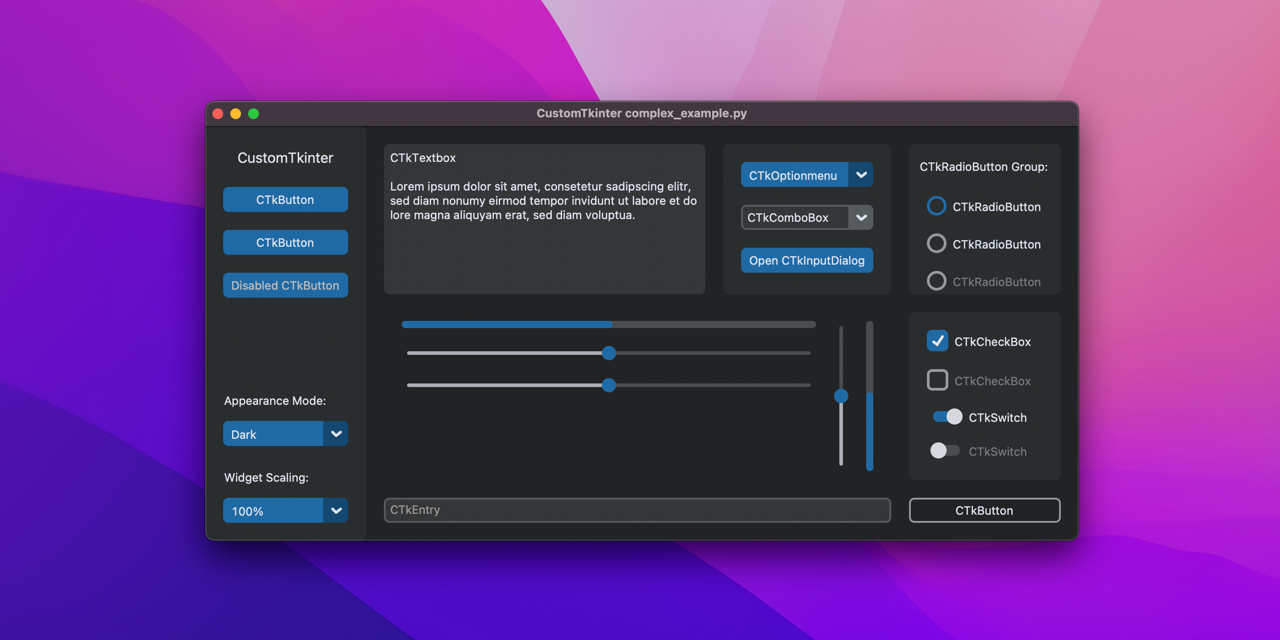
GitHub
A modern and customizable python UI-library based on Tkinter - GitHub - TomSchimansky/CustomTkinter: A modern and customizable python UI-library based on Tkinter

GitHub
A supercharged theme extension for tkinter that enables on-demand modern flat style themes inspired by Bootstrap. - GitHub - israel-dryer/ttkbootstrap: A supercharged theme extension for tkinter th...
 vivid shard
dreamy gyro
https://github.com/sontaimnt/Pop-It
vivid shard
dreamy gyro
https://github.com/sontaimnt/Pop-It
How get it ?
dreamy gyro
vivid shard
How get it ?
means?
in order to get it you have to make a folder named PopIt
vivid shard
Ok
vivid shard
after that ?
somber hemlock
@sleek hollow hi i need to make a treeview in qt which looks like the one in Qt designer's widget picker. How can i get those vertical headers? I am using a QStandardListModel subclass as the model
proven basinBOT
Hey @vocal viper!
It looks like you tried to attach a Python file - please use a code-pasting service such as https://paste.pythondiscord.com
 vocal viper
Hello, I'm trying to run an external Tkinter code using the "exec" function.
The code to be executed successively modifies (every 0.1 seconds) the text displayed on a secondary window that it opens (it does this 100 times, i.e. a total of 10 seconds), the problem is that instead of displaying the successive modifications to me, the window appears after 10 seconds with the last value that was supposed to be displayed, I then have two questions:
(1) How can I make the window open immediately and the successive changes to the label be visible to the user?
(2) I had to add the following lines to the "change_label" function of the "code_a_execute.py" script to make my code work:
{
global label
global fenetre_secondaire
global change_label
}
Normally I don't think this is necessary, why is it here? Is it because of the way the "exec" function works?
Principal script - > https://paste.pythondiscord.com/ceperovusu
Secondary script - > https://paste.pythondiscord.com/edodazuwoc


 sudden thunder
i have made a python code that downloads the youtube video you have chossen into a mp3 or mp4 but it is without a user interface how can i make a user interface for it
should i make a whole new code or add it to the existing one
 brazen basalt
sudden thunder
i have made a python code that downloads the youtube video you have chossen into...
brazen basalt
sudden thunder
i have made a python code that downloads the youtube video you have chossen into...
you can use tkinter or pyqt6/pyqt5
brazen basalt
sudden thunder
should i make a whole new code or add it to the existing one
totally depends on you. but making it from scratch won't be difficult unless the interface in your mind is a very difficult one
sudden thunder
brazen basalt
totally depends on you. but making it from scratch won't be difficult unless the...
thx mate
brazen basalt
sudden thunder
thx mate

 shell mirage
Good day people! I have 2 keyboards plugged into my PC and i want my Python program to be able to receive input only from one of them. So either i need to somehow tell the program to read only from one device or block input from all unwanted devices. What would be the proper way to make either of these work?
mighty frigate
what's your opinion on QtQuick with Python ?
rocky dragon
to me it looked like you may be better off using kivy if it's just for the gui
mighty frigate
could you elaborate ? @rocky dragon
wide gorge
hello i am using ctkinter for my desktop application i get an error related to update the widget i think if you can help me :
gui.py
root = customtkinter.CTk()
cmd = Text(root, width="120", height="17", wrap=WORD, bd=0, bg="#292929")
cmd.place(x=65, y=430)
cmd.tag_config("green_tag", foreground="green")
cmd.tag_config("red_tag", foreground="red")
from gui import cmd
def link():
    print("started")
    cmd.insert(END, "   inserted text    \n", "green_tag")
    cmd.see("end")
here is the error :
Traceback (most recent call last):
  File "c:\users\asus\appdata\local\programs\python\python39\lib\site-packages\flask\app.py", line 2528, in wsgi_app
    response = self.full_dispatch_request()
  File "c:\users\asus\appdata\local\programs\python\python39\lib\site-packages\flask\app.py", line 1825, in full_dispatch_request
    rv = self.handle_user_exception(e)
  File "c:\users\asus\appdata\local\programs\python\python39\lib\site-packages\flask\app.py", line 1823, in full_dispatch_request
    rv = self.dispatch_request()
  File "c:\users\asus\appdata\local\programs\python\python39\lib\site-packages\flask\app.py", line 1799, in dispatch_request
    return self.ensure_sync(self.view_functions[rule.endpoint])(**view_args)
  File "C:\Users\asus\Desktop\LvvzRYBot\backend.py", line 368, in index
    return json.loads('{"value":' + str(start()) + '}')
  File "C:\Users\asus\Desktop\LvvzRYBot\backend.py", line 353, in start
    link()
  File "C:\Users\asus\Desktop\LvvzRYBot\backend.py", line 72, in link
    cmd.insert(END, "____Downloader____\n", "green_tag")
  File "c:\users\asus\appdata\local\programs\python\python39\lib\tkinter\__init__.py", line 3743, in insert
    self.tk.call((self._w, 'insert', index, chars) + args)
RuntimeError: main thread is not in main loop```its good but its not for every purpose out there
but it helps you achieve that mvc separation more easily
vocal viper
vocal viper
Hello, I'm trying to run an external Tkinter code using the "exec" function.
The...
Nobody know ?


 digital rose
digital rose
digital rose
the first line here in this screenshot is to connect the def show_pic(self)
line 90 is the fname = QtWidgets....
somber hemlock
digital rose
does anyone understand this error?
You need to escape backslashes
D:\\...\\... like so
somber hemlock
digital rose
does anyone understand this error?
It looks like you are adding your own code in the generated class, don't do that!
any and all changes you do get lost when you rerun designer with your .ui file
digital rose
somber hemlock
It looks like you are adding your own code in the generated class, don't do that...
I converted the .ui to .py, which means I can't use it in qt designer anymore
Second, if I don't add my own code in there then how will I make the buttons I added in qt designer have any function?
Afaik, you can't give buttons functions in qt designer, only add, resize and position them
somber hemlock
digital rose
I did add \
I don't see two backslashes in your pic above, do you get the same error after you add them?
digital rose
Where am I supposed to have the 2 backslash, I'm confused
somber hemlock
digital rose
I converted the .ui to .py, which means I can't use it in qt designer anymore
Se...
The correct way would be to make a separate QMainWindow subclass and use the UI_MainWindow class inside it. Its given in pyside's docs
You can connect signals to slots in Designer but that's it
somber hemlock
digital rose
Where am I supposed to have the 2 backslash, I'm confused
In the location, e.g. D:\\Program Files\\my subfolder
where you call QFileDialog.getOpenFileName
 swift cave
in my tkinter code, I have a field like Latitude: <some value>
How can I change it to
Latitude:
<value here
digital rose
somber hemlock
where you call QFileDialog.getOpenFileName


still doesn't open a window to select file from file explorer when i press the picbutton button
i was watching this videohttps://www.youtube.com/watch?v=pXdTedPk7VA
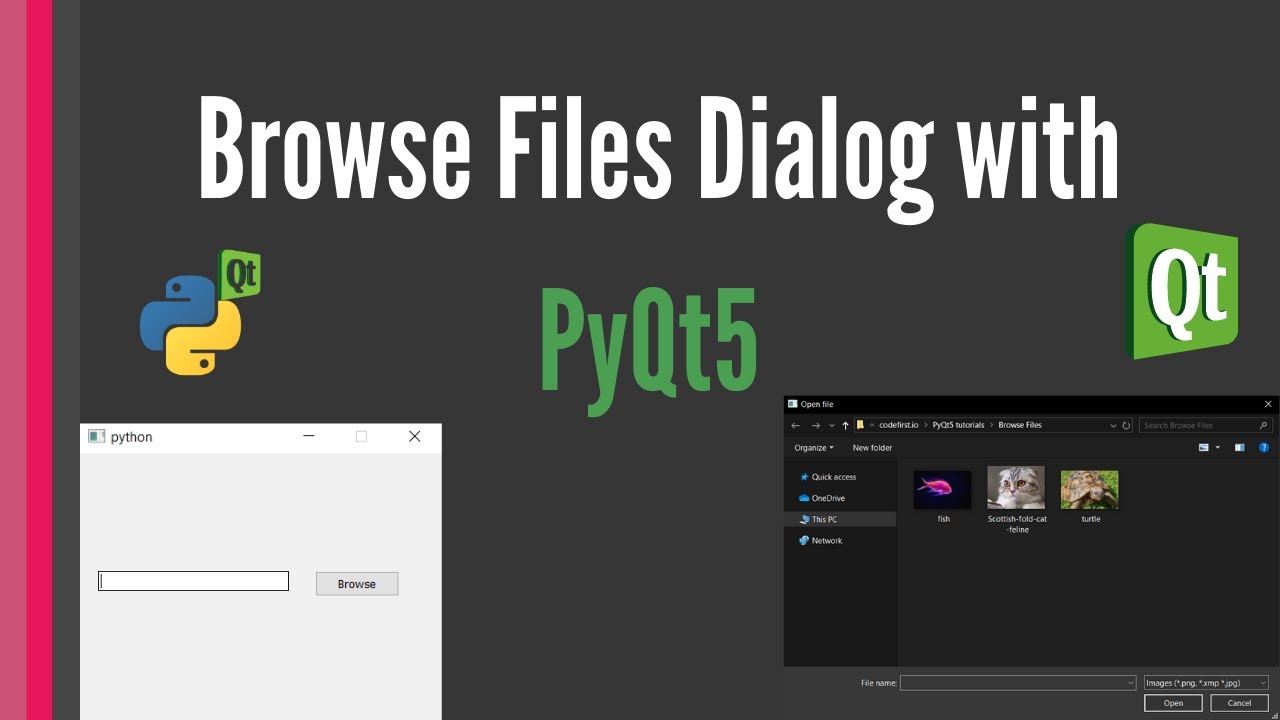
Learn how to open file explorer dialog to browse files with PyQt5. Create a PyQt5 GUI with Python with a button and line edit to get a file from a browse files dialog.
Install and Setup PyQt5 and QtDesigner: https://youtu.be/kxSuHyQfStA
PyQt5 QtDesigner Login and Signup Forms tutorial: for COMPLETE beginners https://youtu.be/RL9nGmv3uSU
Source...
i tried to do it with a seperate gui.py file and it loading the gui.ui file, but didn't help
 digital rose
digital rose
digital rose
this one doesn't even boot up the application
swift cave
what error does it show
digital rose
swift cave
what error does it show
for which version?
swift cave
many a times window opens in the background
have you tried changing window/tabs and then check if the window has opened or not
swift cave
simple diagnosis I've faced a lot of times during tkinter
somber hemlock
I think you MainWindow class should subclass QMainWindow not QDialog
digital rose
and other doesn't do anything when clicking button
digital rose
somber hemlock
I think you MainWindow class should subclass QMainWindow not QDialog
what do you mean by subclass?
you mean i indent it inside the original class?
swift cave
swift cave
in my tkinter code, I have a field like `Latitude: <some value>`
How can I chan...
my question got flooded up so lmk if someone has an answer or not
somber hemlock
class MainWindow(QDialog)
Here MainWindow is subclass of QDialog
Try making it QMainWindow instead
swift cave
in my tkinter code, I have a field like Latitude: <some value>
How can I change it to
Latitude:
<value here
should I create another label for <some value>
digital rose
somber hemlock
class MainWindow(QDialog)
Here MainWindow is subclass of QDialog
Try making it...
ah ok
digital rose
somber hemlock
class MainWindow(QDialog)
Here MainWindow is subclass of QDialog
Try making it...
class MainWindow(QMainWindow) doesnt allow app to boot
i keep it Qdialog and it boots
digital rose
somber hemlock
Why are you doing MainWindow = QtWidgets.QMainWindow() in your code?
where?
ah i think that's by default from qt designer
maybe
somber hemlock
below the __main__
somber hemlock
digital rose
ah i think that's by default from qt designer
I don't think so
Because then your class MainWindow is no use
you should also use snake_case for variables and CapitalCase for class names
to reduce confusion
digital rose
somber hemlock
I don't think so
it is from qt designer
i compiled the .ui file again and yea it's there
(don't worry i didn't overwrite the original .py file)
digital rose
somber hemlock
you should also use snake_case for variables and CapitalCase for class names
well the original class name was made by qt designer
and "snake_case"?
anyways why does the window not pop up?
when clicking the button
somber hemlock
Because as I said, you are creating a new blank MainWindow and setting up all the controls inside it
The class MainWindow you create is getting called no where
replace the line
MainWindow = QtWidgets.QMainWindow()
with
mainwindow = MainWindow()
@digital rose
digital rose
somber hemlock
replace the line
```
MainWindow = QtWidgets.QMainWindow()
```
with
```
mainwind...
ok
digital rose
somber hemlock
replace the line
```
MainWindow = QtWidgets.QMainWindow()
```
with
```
mainwind...
i can't boot up the application
when i return it to the original, it boots
digital rose
somber hemlock
replace the line
```
MainWindow = QtWidgets.QMainWindow()
```
with
```
mainwind...
wait a sec
is that mainwindow a typo?
did you mean MainWindow?
in second code line

i just kept it regular, with upper case
but i just noticed the lowercase
was that intenional
well i guess it doesn't matter because either way:
mainwindow = MainWindow()
and
MainWindow = MainWindow()
both make app not boot
somber hemlock
judging from your questions i think you should take some time to learn python first
somber hemlock
digital rose
well i guess it doesn't matter because either way:
mainwindow = MainWindow()
and...
the second will never work in python
Because both the names are same
so you need to use a different name
digital rose
somber hemlock
judging from your questions i think you should take some time to learn python fi...
i did take quite a lot of time (months) learning python, from a paid course via Jupyter
The problem is that jupyter doesn't have def and class afaik
so
somber hemlock
this
digital rose
also i used python in a game engine before the course
digital rose
well the basics for making an application via python sure
somber hemlock
realpython has some really high quality free content
digital rose
somber hemlock
class declarations, instances, variable names etc.
yea i know how to make variable names
in the game engine each script started with the line mentioning the class so i don't create multiple classes per script
aka i don't have class creating experience
i mainly worked on pre made classes
somber hemlock
u should learn about the syntax then
digital rose
somber hemlock
u should learn about the syntax then
you mean when to indent, how use while loops, for loops, make variables, etc?
because i learned that through the jupyter course
there was an entire quiz dedcated to error types
syntax error, value error, typeerror, index error, indentation error
etc
i also learned about lists, etc
digital rose
somber hemlock
you should learn about OOP then
ancronym?
somber hemlock
object oriented programming
digital rose
somber hemlock
object oriented programming
yea that's what i did with the game engine
each object had a script
andf i used signals to connect them
digital rose
can just help me figure out how to make this open file explorer?
the python in the game engine wans't entirely pure python and jupyter doesn't allow you to do stuff like opening a new window to select a fgile from file explorer
also the game engine is godot, so when i say wasn't entirely pure python, it's because it's called gdscript, but a lot of the main functions are based on python. The scripting language itself is based on python
and after i took the jupyter course, i see
somber hemlock
your code is correct, somewhere u missed something which causes it to not work. its hard to say what
wide gorge
wide gorge
hello i am using ctkinter for my desktop application i get an error related to u...
someone can maybe help ?
digital rose
for example:
for commenting
: after if statement, and you have to indent, not curly brackets
you use lists the same way (i actually first used lists in the engine after i learned how to use them in jupyter, was cool to see it work)
even the connect(self,... stuff seem basically nearly the same as python
but instead of def, it's func
digital rose
somber hemlock
your code is correct, somewhere u missed something which causes it to not work. ...
ah ok
digital rose
somber hemlock
your code is correct, somewhere u missed something which causes it to not work. ...
Update: When i modified the code inside the __ main __ thing, i got the application to open, but the button for opening the file explorer dissapeared


this is how it's supposed to look like

the image selector is the button that should open file explorer
digital rose
ok nvm, i just had to expand the fixedwidth and fixed height
now the button appears, but it doesn't do anything
at least app works now
still button doesn't work
digital rose
i changed this from (object) to (QDialog) and it now finally works, and the button opens file explorer


Also i'm not sure if i mentioned it before but, now i only have that class
the other class i removed it, and i just put some of the defs from there on the original class

Also i did a sussy or smthg
digital rose
Ok so now i'm trying to make it so when i select a png file, it would display the PNG in the application
I already know how to make it display an image when i click on the button (1st screenshot), but the thing is, is that i only know how to do it when it's already determined inside the code, the path
what i want to try to do is make it so you click the button, go to file explorer and choose the image, then it appears, that way it isn't pre determined in code (2nd screenshot), but i got an error when trying to do it (3rd screenshot)


 sleek hollow
digital rose
Ok so now i'm trying to make it so when i select a png file, it would display th...
sleek hollow
digital rose
Ok so now i'm trying to make it so when i select a png file, it would display th...
QFile Explorers' return a tuple of selected items, even if only one thing is selected. You need to access the inner element of the returned tuple if you want the filename
digital rose
sleek hollow
QFile Explorers' return a tuple of selected items, even if only one thing is sel...
What would be the proper way of writing it?
In the Jupiter course, when we learned about lists, we also learned about the kinds of lists that are tuple. Basically, if a list had parenthesis rather than square brackets, then that meant it was tuple, and when a list is tuple, you can't modify it, only append it and stuff onto other lists that aren't tuples
sleek hollow
yes, but you're only interested in reading the data inside it
selected_files[0] would be getting the selected file (assuming that's your variable name)
digital rose
sleek hollow
yes, but you're only interested in reading the data inside it
I don't really know how to do that outside of jupyter
sleek hollow
python syntax is the same everywhere
digital rose
digital rose
So is fname[0] QtGui in this case?
sleek hollow
I don't know your variable names
digital rose
digital rose
The variable (list in this case) name is in this screenshot
fname =...
 digital rose
Ok, thx
digital rose
sleek hollow
I don't think you need self here as an argument
i need self
when i remove it, then it does't open file explorer
digital rose
how
sleek hollow
do the getopenfilename above and then pass in the result below
result = getfilename()
pixmap = QtGui.QPixmap(result[0])
roughly like this
digital rose
do you mean
result = getOpenFileName()?
sleek hollow
the idea is important, not the exact function names
digital rose
ah ok
digital rose
sleek hollow
```py
result = getfilename()
pixmap = QtGui.QPixmap(result[0])
```
tbh, i don't get it
i mean i know you can't add stuff to tuples, but i'm trying to figure out what's going on here
and also where i would use "pixmap" in
so are you basically creating a new list and adding stuff in it?
sleek hollow
no, when you use getOpenFileName(), it returns a tuple of strings representing the files you had selected
you can't create a pixmap from a tuple
so you need to access the string inside the tuple to create the pixmap
digital rose
ah ok
sidenote, the way i display the images is through a label object
so instead of pixmap, should i say the name of the label object = (the the string inside tuple)
sleek hollow
you need to create the pixmap and then apply it to your label
digital rose
ah ok
sleek hollow
self.label.setPixmap(QtGui.QPixmap('path/to/image'))
you're already using that method correctly in your code. The issue is the data you're passing to the pixmap
somber hemlock
sleek hollow
no, when you use getOpenFileName(), it *returns* a tuple of strings representing...
getOpenFileName returns a tuple of (file_name, selected_filter), not a tuple of file names
To allow multi-selection, getOpenFileNames is used
sleek hollow
sorry yes, but the overall issue was still that it was returning a tuple and not just the string

 somber hemlock
sleek hollow
sorry yes, but the overall issue was still that it was returning a tuple and not...
somber hemlock
sleek hollow
sorry yes, but the overall issue was still that it was returning a tuple and not...
How do I convert a glyph from a font icon to a QIcon using QtWidgets
sleek hollow
digital rose
what about this error?
why do you have [] in there?
digital rose
sleek hollow
why do you have `[]` in there?
so then i don't get tuple error
sleek hollow
🤨
digital rose
so then it's not a tuple
sleek hollow
() isn't what makes it a tuple
() is also used for function calls and execution order
sleek hollow
somber hemlock
How do I convert a glyph from a font icon to a QIcon using QtWidgets
🤷
digital rose
sleek hollow
`()` is also used for function calls and execution order
i know but in this situation, it makes it a tuple
sleek hollow
no it doesn't
digital rose
if you have { instead of [
i mean (
that's what i learned from the jupyter course
sleek hollow
that's not correct
digital rose
literally what the professor said
somber hemlock
sleek hollow
🤷
I mean QML supports this, can I use some QML API to get it working on QtWidgets?
sleek hollow
your professor is wrong
digital rose
well then why don't i get the error
sleek hollow
somber hemlock
I mean QML supports this, can I use some QML API to get it working on QtWidgets?
No clue, but worth looking into. I've never used QML
digital rose
for tuple
sleek hollow
you never separated the getFileOpen like I mentioned above
somber hemlock
digital rose
so then it's not a tuple
the tuple is in the return value, passsing [] in the arguments won't make a difference
sleek hollow
I told you what the solution was and you tried your own thing and then are wondering why it isn't working still
digital rose
sleek hollow
you never separated the getFileOpen like I mentioned above
i tried, but i never figured out what you wanted me to do, so i kept getting errors and crashes
sleek hollow
then show us what you tried so we can help
digital rose
ok, i'll recreate it
sleek hollow
If you're unsure of basic data types and how function calls work, you're going to have a really hard time with PyQt