#user-interfaces
1 messages · Page 5 of 1
 outer fossil
i will be making a database instead of using a txt document dont mind that just skip over that really
 sleek hollow

def show_menu():
  user = username_entry.get()
  job = job_number_entry.get()
  design = design_number_entry.get()
  ujd ='Operator: ' + username_entry.get() + '\n\n Job number: ' + job_number_entry.get() + '\n Design number: ' + design_number_entry.get()
  username_job_design_info.config(text=ujd)

  job_frame.pack_forget()
  menu_frame.pack()
this was all I changed
outer fossil
oh so you just put it in the function
sleek hollow
just stored variables for the entry.get values, and then config'd the label with the new text string
yes
so when you click the button, it updates
outer fossil
SO SIMPLE IM DUMB
thank you so much
i literally started coding a week ago
alot to learn
sleek hollow
It's a lot to dive into UI this early then, haha
outer fossil
the main reason had an objective so i decided to use that personal project as the main way to learn on top of courses
thank you again
sleek hollow
np!
 vale wadi
guys i can do what i want

when i clicked add a new lineEdit e plainTextEdit

but my problem is how i will save the new fields on database?
 somber hemlock
vale wadi
but my problem is how i will save the new fields on database?
somber hemlock
vale wadi
but my problem is how i will save the new fields on database?
Do you have an existing database?
sleek hollow
vale wadi
but the question is how i will discovery what text is in each line
You will need some way to access those QTextEdits when they are created. You should store them in a list somewhere, and then iterate through that list to access the QTextEdit and get the text
 sacred solar
anybody know why text widgets in TKinter wouldnt be accepting input until a button is pushed on the window? It's really weird, when I start my program the text boxes do not allow the user to type in them, but when any of the many buttons are pushed they suddenly accept input
I'm not sure what part of the code to show, if any
vale wadi
TypeError: addWidget(self, QWidget, stretch: int = 0, alignment: Union[Qt.Alignment, Qt.AlignmentFlag] = Qt.Alignment()): argument 1 has unexpected type 'CriarWidget'```what i fix this?
outer fossil
vale wadi
```
TypeError: addWidget(self, QWidget, stretch: int = 0, alignment: Union[Qt.Al...
you need to add the subclass to the widget
 craggy cloud
How do i improve this?

 fervent veldt
Using Kivy and KivyMD how am i able to make textfields scale with the screen res
for example lets say my window is 360,640
and when i want to scale it up to 720,1280
everything else gets bigger as well
vale wadi
guys i am with a problem
i create a MainWindow and Other Widget

when i click "more info" shows other page like this:
there is a vertical layout and a scroll area within this page

and I created a class with a widget that contains lineEdit and plainTextEdit like this:

but when i clicked in other page stay accumulation, i wanted to delete when exit this screen
how i do that?
 dusk herald
fervent veldt
Using Kivy and KivyMD how am i able to make textfields scale with the screen res
dusk herald
fervent veldt
Using Kivy and KivyMD how am i able to make textfields scale with the screen res
I always thought it scaled automatically
fervent veldt
dusk herald
I always thought it scaled automatically
i did too
but apparently with kivyMD it doesnt
dusk herald
fervent veldt
but apparently with kivyMD it doesnt
You can use the TextField widget from the kivymd module and set the hint_text_scale attribute to a value larger than 1 to increase the size of the hint text.
dusk herald
fervent veldt
but apparently with kivyMD it doesnt
Ive only made like 2 or 3 apps with kivy...So im still learning too
fervent veldt
i just want it to scale up with whatever screensize the user is using
cause its gonna be a phone app
fervent veldt
dusk herald
Ive only made like 2 or 3 apps with kivy...So im still learning too
haha i haven't made any 😎
only some tests
dusk herald
yea same same
dusk herald
fervent veldt
haha i haven't made any 😎
I have yet to build something that is portfolio worthy
fervent veldt
dusk herald
How can I get good at backend?
wym
fervent veldt
dusk herald
I was just curious what a back end looks like for a kivyapp
the backend is completely seperate
i made it using tornado
so its essentially making api calls
dusk herald
fervent veldt
i made it using tornado
Ahh okay Im going to look into this.
fervent veldt
dusk herald
Ahh okay Im going to look into this.
very useful to turn everything into a api that way u can just scale with nginx
 tawny creek
Hello guys can i find free courses of kivy ??
somber hemlock
tawny creek
Hello guys can i find free courses of kivy ??
That tkinter.com guy has a playlist
Codemy
 mint umbra
Guys i have a error in tkinter module, no luck at fixing it, can you guys help?
 proven basinBOT
:incoming_envelope: :ok_hand: applied mute to @torn pecan until <t:1672916186:f> (10 minutes) (reason: duplicates rule: sent 4 duplicated messages in 10s).
The <@&831776746206265384> have been alerted for review.
somber hemlock
mint umbra
Guys i have a error in tkinter module, no luck at fixing it, can you guys help?
What is the error?
mint umbra
somber hemlock
What is the error?
Thanks bro, for the error got solved.
 dark ibex
im trying to setup gtk with python so i can build a good looking gui but its giving me this error when i try to run it
in msys mingw64 terminal with
python3 gtkpy.py
** (process:6664): WARNING **: 21:57:28.331: Failed to load shared library 'libgdk-3-0.dll' reed by the typelib: 'libgdk-3-0.dll': Impossível localizar o procedimento especificado.
Traceback (most recent call last):
  File "C:\msys64\home\tnsousa\gtkpy.py", line 3, in <module>
    from gi.repository import Gtk
the part in a different language is saying "impossible to find the specified procedure" (idk if thats a very accurate translation)
im just trying to run a simple blank window, i also have some questions about gtk with python so if anyone here know alot about it please ping me
 inland wedge
dark ibex
im trying to setup gtk with python so i can build a good looking gui but its giv...
inland wedge
dark ibex
im trying to setup gtk with python so i can build a good looking gui but its giv...
Hey i use gtk a lot in python i use gi alot too its been a while since on windows
gdk isnt installed on your system
I think you want this through msys
dark ibex
inland wedge
Hey i use gtk a lot in python i use gi alot too its been a while since on window...
Hey! Unfortunatelly its quite late here i managed to get it working by unninstalling and reinstalling it through msys
inland wedge
dark ibex
Hey! Unfortunatelly its quite late here i managed to get it working by unninstal...
Oh sweet 🙂
dark ibex
But i still dochave some questions, could i add you and maybe ask in a better time?
 inland wedge
dark ibex
But i still dochave some questions, could i add you and maybe ask in a better ti...
inland wedge
dark ibex
But i still dochave some questions, could i add you and maybe ask in a better ti...
Yes for sure, nice to see another gtk dev here
dark ibex
Not sure you can call me a gtk dev, but maybe in a few months
dusk herald
@zinc bolt yo let’s build something!
 fierce spear
 blissful fulcrum
Hey guys
Im working on a small window that has two entries field for a first name and a last name, and when clicking the "search" button it displays all the information related to the person.
The people in question are landlords and the information given is the list of the houses they own followed by the list of the students in each accommodation
What would be the easiest and best way to display such a list?
The goal is to have something similar to this:

Forgot to mention this is about tkinter
inland wedge
Just dispay 0 for all
sleek hollow
I have a QVBoxLayout that I want to dynamically add/remove "rows" from. Whenever I add a row (hbox), I add a custom qwidget, and a "delete this row" button. The delete button works perfectly unless I'm trying to delete the most recently added row. Is there something about deleteLater that might cause this behaviour? If I click the trash button twice on the last row, the 2nd time I get an error that the C++ internal object has already been deleted. Then why wasn't it removed from the layout?
def add_new_clip(self):
    '''
    Adds new row to vbox
    '''
    clip_row = QtWidgets.QHBoxLayout() #layout to hold trash button, animclip widget

    delete_btn = ui_utils.ImageButton(':/trash.png')
    delete_btn.setFlat(True)
    delete_btn.scale(1.5)

    anim_clip = AnimClip()

    clip_row.addWidget(delete_btn)
    clip_row.addWidget(anim_clip)
    clip_row.addStretch(1)

    delete_btn.clicked.connect(partial(self.delete_row, clip_row))

    self.anim_row_layout.addLayout(clip_row)
    self.rows += 1

def delete_row(self, row):
    row.deleteLater()
    self.rows -= 1
 zinc bolt
dusk herald
<@859941274425753610> yo let’s build something!
zinc bolt
dusk herald
<@859941274425753610> yo let’s build something!
what
dusk herald
zinc bolt
what
What kind of projects do you make?
zinc bolt
dusk herald
What kind of projects do you make?
I do not do projects I'm still learning pylon
dusk herald
zinc bolt
I do not do projects I'm still learning pylon
Ok
zinc bolt
what are you working on
fervent veldt
@dusk herald if you do
window_manager = """
ScreenManager:
    ScreenOne:
    ScreenTwo:

<ScreenOne>:
    name: "screen1"
<ScreenTwo>:
    name: "screen2"
"""

class ScreeOne(Screen):
    def __init__(self, **kwargs):
        super(ScreenOne, self).__init__(**kwargs)
        # You can add widgets here like this
        self.add_widget(xyz)

class ScreeTwo(Screen):
    def __init__(self, **kwargs):
        super(ScreenTwo self).__init__(**kwargs)
        # You can add widgets here like this
        self.add_widget(xyz)

class app(MDApp):

    def build(self):
        # Init Screen Manager
        sm = ScreenManager()
        # Add the screens
        sm.add_widget(ScreenOne(name="screen1"))
        sm.add_widget(ScreenTwo(name="screen2"))
        screen = Builder.load_string(window_manager)

        self.theme_cls.theme_style = "Dark"

        return screen
it will be easier to assemble all the pieces together
and split different areas into classes
instead of clusters like kivy files
 fading glacier
can anyone help me with Tkinter?
somber hemlock
fading glacier
can anyone help me with Tkinter?
Ask.
 zealous roost
I want to create like a background video with kivy
how would i be able to do that?
 viral minnow
I need to make a scrollable frame and I found out you can do it by using frame encapsuled within a canvas, why not just use the canvas itself as a frame? Is that a bad thing?
 cinder steppe
fading glacier
can anyone help me with Tkinter?
cinder steppe
fading glacier
can anyone help me with Tkinter?
Yes
proven basinBOT
:incoming_envelope: :ok_hand: applied mute to @digital rose until <t:1673139764:f> (10 minutes) (reason: duplicates rule: sent 4 duplicated messages in 10s).
The <@&831776746206265384> have been alerted for review.
 tranquil basin
anyone understand how to line up buttons on a tk import ?
 tulip venture
hey im building an app (basically a movie review finder app) and I was wondering if i can get any feedback on the info cause in the second picture u can see little info about the movie
what other things can i add

 tulip venture
tulip venture
tulip venture
for this what other things can i add
was thinking like a similar movie list at the bottom
 sacred dust
I need some help with kivy can somebody tell me how to add a pic as your background
dark ibex
is anyone here knowledgeable in gtk and knows how to set a windows opacity? (set_opacity) has been deprecated
 harsh lotus
I am looking for anything that could help - I want to make a secure sing up and log in using pyqt5. does anyone have experience with something like this?
tulip venture
harsh lotus
I am looking for anything that could help - I want to make a secure sing up and ...
yes i can help u with it
do u mean sign up?
 digital rose
theysaid sign up and login using pyqt5
@harsh lotus i can help u np if still needed
 rugged igloo
ui/ux is done via code?
proven basinBOT
:incoming_envelope: :ok_hand: applied mute to @frozen umbra until <t:1673250723:f> (10 minutes) (reason: duplicates rule: sent 4 duplicated messages in 10s).
The <@&831776746206265384> have been alerted for review.
tulip venture
I was wondering if someone can help me ( i am finishing up my movie app review using pyqt ) but i was wondering if anyone have any recommendation to improve the speed when requesting api and data.
like on youtube for example how do they get that much data/img/title in a webpage without lagging or taking time to load.
similar to that how can i improve my load quality on qlistwidget or listwidgets idk
let me know if someone can help
tulip venture
tulip venture
this is my app.
proven basinBOT
:incoming_envelope: :ok_hand: applied mute to @coarse gust until <t:1673290011:f> (10 minutes) (reason: duplicates rule: sent 4 duplicated messages in 10s).
The <@&831776746206265384> have been alerted for review.
proven basinBOT
:incoming_envelope: :ok_hand: applied mute to @mental laurel until <t:1673328874:f> (10 minutes) (reason: duplicates rule: sent 4 duplicated messages in 10s).
The <@&831776746206265384> have been alerted for review.
 vestal current
tulip venture
hey im building an app (basically a movie review finder app) and I was wondering...
vestal current
tulip venture
hey im building an app (basically a movie review finder app) and I was wondering...
can i get the source code?
if its open source.
tulip venture
@vestal current hey yes although i am almost done with it, u can just check my github

GitHub
Contribute to oviozz/movie_review_app development by creating an account on GitHub.
@vestal current let me know how it is
vestal current
Yeah@tulip venture
inland wedge
dark ibex
is anyone here knowledgeable in gtk and knows how to set a windows opacity? (set...
hi, for me set_opacity on the window is working
are you using gtk4 and what is the error you get?
window inherits from widget and widget has a set_opacity method
Reference for Gtk.Widget.set_opacity
it says that it should work on windows
inland wedge
GitHub
GTK4 + Python tutorial with code examples. Contribute to Taiko2k/GTK4PythonTutorial development by creating an account on GitHub.
 celest basin
Hey ! im quiet new to python and currently im writing a Calculator for DnD.
the thing is i i would love to use a GUI that uses drop down menus to display contents of a Dict with Parts / Items.
And Calculate some stuff. The Calculation is done. But i cant seem to find any helpful documentation or information how to write such a GUI.
does anybody have a good tip for me or could explain it to me ? 😄
Thanks in advance !
 ebon cairn
celest basin
Hey ! im quiet new to python and currently im writing a Calculator for DnD.
the ...
ebon cairn
celest basin
Hey ! im quiet new to python and currently im writing a Calculator for DnD.
the ...
This example creates a drop-down menu that displays the keys of a dictionary:
import tkinter as tk
from tkinter import ttk

root = tk.Tk()

parts_dict = {'Part 1': 'Item 1', 'Part 2': 'Item 2', 'Part 3': 'Item 3'}
combobox = ttk.Combobox(root, values=list(parts_dict.keys()))
combobox.pack()

root.mainloop()
left_frame.pack(side = LEFT)

label = Label(left_frame, bg="red",width=10,height = 5)
label.grid(row=0, column=0)

label2 = Label(left_frame,bg="blue",width=10,height=5)
label2.grid(row=1, column=0)```This will position the labels insidee the left_frame, with the red label at the top and the blue label at the bottom @digital rose
tulip venture
anyone here good with pyqt? let me know
 timber vale
hi folks,
i'm trying to capture a file path in a data structure with QFileDialog thusly:
def select_file(input_file_path):
  input_file_path = QFileDialog.getOpenFileName(gui, "Open Config File", "/home/username", "")

# Button to initiate the file search
gui.btn_load_config.clicked.connect(
  lambda: select_file(config_data.config_file))

# Button to check the result
gui.btn_check_result.clicked.connect(
  lambda: print(config_data.config_file))
If I dump the string in select_file, i can see that it works and has captured the string, but when i press the CheckResult button I just get back the default string
sleek hollow
timber vale
hi folks,
i'm trying to capture a file path in a data structure with `QFileDial...
Why is your parameter the same name as the returned file?
 timber vale
i'm trying to modify the contents of that string
sleek hollow
can you elaborate?
timber vale
config_data.config_file
sleek hollow
but you're calling the function again and then immediately overwriting that name
timber vale
huh?
sleek hollow
your parameter is pointless
it does nothing
you immediately overwrite it
def foo(x):
    x = 10

foo(5)
what's the point of parameter x if the function immediately sets it to 5?
that's what yours is doing
timber vale
the point is the change the value of the parameter
sleek hollow
but you aren't
timber vale
go on
sleek hollow
the parameter is doing absolutely nothing in the scope of your function
Right now your function says "Hey, give me a file name. Ok, now pick a new file using this file dialog. I've now discarded your original file name in place of the newly selected file name"
So why even bother with that original file name? It has no impact
sleek hollow
but why even have the argument at all?
Can you explain what your expected end result is?
sleek hollow
...?
tulip venture
does anyone wanna partner up to build something amazing, preferablly a gui
let me know

here's all my gui's i have made
proven basinBOT
@dark karma Per Rule 6, your invite link has been removed. If you believe this was a mistake, please let staff know!
Our server rules can be found here: https://pythondiscord.com/pages/rules
 dreamy gyro
hi i need help
i am making a minimal image viewer
so how do i do this.. after when i open a new image the geometry to reset....
ebon cairn
dreamy gyro
so how do i do this.. after when i open a new image the geometry to reset....
You can call setGeometry after you load the image
dreamy gyro
i did it
ebon cairn
dreamy gyro
i did it
It works fine here
import sys
from PyQt5.QtCore import Qt
from PyQt5.QtGui import QImage, QPixmap
from PyQt5.QtWidgets import QApplication, QLabel, QMainWindow, QMenu, QMenuBar, QAction, QFileDialog


class ImageViewer(QMainWindow):
    def __init__(self):
        super().__init__()
        self.label = QLabel(self)
        self.setCentralWidget(self.label)
        self.create_menu_bar()

    def create_menu_bar(self):
        menubar = self.menuBar()
        file_menu = menubar.addMenu('File')
        open_action = QAction('Open', self)
        open_action.triggered.connect(self.open_image)
        file_menu.addAction(open_action)

    def open_image(self):
        options = QFileDialog.Options()
        options |= QFileDialog.ReadOnly
        file_name, _ = QFileDialog.getOpenFileName(self, "Open Image", "", "Images (*.png *.xpm *.jpg *.bmp);;All Files (*)", options=options)
        if file_name:
            image = QImage(file_name)
            pixmap = QPixmap.fromImage(image)
            self.label.setPixmap(pixmap)
            self.label.setAlignment(Qt.AlignCenter)
            self.label.setScaledContents(True)
            self.setGeometry(100,100,pixmap.width(),pixmap.height())
            self.setWindowTitle(file_name)

if __name__ == '__main__':
    app = QApplication(sys.argv)
    viewer = ImageViewer()
    viewer.show()
    sys.exit(app.exec_())
self.setGeometry(100,100,pixmap.width(),pixmap.height())
dreamy gyro
skill issue
from PIL import Image , ImageTk , UnidentifiedImageError
from tkinter import Label , Tk , Scrollbar
from tkinter.filedialog import askopenfilename
from tkinter.messagebox import showerror
from requests import get
root = Tk()
root.title("arnix-imgview")
imagerender = False
def open(event):
global image , img , imagerender
file = askopenfilename(multiple=True)
for f in file:
    try:
        img = Image.open(f)
    except UnidentifiedImageError:
        showerror("Error" , f"Cannot identify {f}")
        break

    root.title(f"{f} - arnix-imgview")
    image = ImageTk.PhotoImage(img)
    if imagerender == False:
        imagerender = Label(image=image)
        imagerender.pack()
    else:
        imagerender.configure(image=image)
#def open_from_url(url: str):
root.bind("<Control-o>" , open)
if name == "main":
root.mainloop()
ebon cairn
I don't see where you're setting the geometry
proven basinBOT
:incoming_envelope: :ok_hand: applied mute to @umbral echo until <t:1673627386:f> (10 minutes) (reason: duplicates rule: sent 4 duplicated messages in 10s).
The <@&831776746206265384> have been alerted for review.
proven basinBOT
:incoming_envelope: :ok_hand: applied mute to @thorn island until <t:1673652529:f> (10 minutes) (reason: duplicates rule: sent 4 duplicated messages in 10s).
The <@&831776746206265384> have been alerted for review.
dark ibex
im working with PyQt5 and i am trying to make a tab with some css
however, the tab does not show in the main window
how can i fix this?
self.tab_widget = QtWidgets.QTabWidget()

        # Add tabs to the tab widget
        self.tab_widget.addTab(QtWidgets.QWidget(), "Tab 1")
        self.tab_widget.addTab(QtWidgets.QWidget(), "Tab 2")

        self.tab_bar = self.tab_widget.tabBar()
        self.tab_bar.setStyleSheet(
            '''
            QTabBar::tab:first {
            background-color: #333333;
            border:5px solid #404040;
            border-radius: 10px;
            }
            '''
        )


        self.show()
that is just a snippet of the code if you want i can send it all
 vague parcel
You need to add the widget to the main window or to a layout which as the main window as parent.out of curiosity why are you using pyqt5 and not pyqt6 or pyside6?
proven basinBOT
:incoming_envelope: :ok_hand: applied mute to @jovial bronze until <t:1673772273:f> (10 minutes) (reason: duplicates rule: sent 4 duplicated messages in 10s).
The <@&831776746206265384> have been alerted for review.
ebon cairn
vague parcel
You need to add the widget to the main window or to a layout which as the main w...
pyqt5 has more tutorials and example code
 rocky trellis
dark ibex
rocky trellis
dark ibex
i am using pyqt5, how do i make the tab header (the part where it says tab 1 tab 2) be on the let side instead of the right?

and also why does the tab window look like that? i have no css for it but it is looking like that, is it inheriting from the main window?
heres my code
class Window(QMainWindow):
    def __init__(self):
        super().__init__()

        self.WIDTH = 900
        self.HEIGHT = 550

        self.resize(self.WIDTH, self.HEIGHT)
        self.setWindowTitle("Artemis (v0.1)")
        self.setWindowFlags(Qt.FramelessWindowHint)
        self.setAttribute(Qt.WA_TranslucentBackground)
        QFontDatabase.addApplicationFont("./assets/CodeBold.ttf")

        # ===UI Starts here===

        # radius in corners
        radius = 10


        self.master_frame = QWidget(self)
        self.master_frame.resize(self.WIDTH, self.HEIGHT)
        self.master_frame.setStyleSheet(
            """
            background-color: #333333;

            border-bottom:3px solid #404040;
            border-top:3px solid #404040;
            border-left:3px solid #404040;
            border-right:3px solid #404040;

            border-top-left-radius:{0}px;
            border-bottom-left-radius:{0}px;
            border-top-right-radius:{0}px;
            border-bottom-right-radius:{0}px;
            """.format(radius)
        )

        self.ArtemisLabel = QLabel("Artemis (0.0.1)", self)
        self.ArtemisLabel.setStyleSheet("""color: #bbbbbb;""")
        self.ArtemisLabel.setFont(QFont("Code Bold", 20))
        self.ArtemisLabel.adjustSize()
        self.ArtemisLabel.move(10, 5)
        self.tab_widget = QTabWidget(self.master_frame)
        self.tab_widget.resize(self.WIDTH, self.HEIGHT)
        self.tab_widget.move(0, 0)
        self.tab_widget.addTab(QtWidgets.QWidget(), "Tab 1")
        self.tab_widget.addTab(QtWidgets.QWidget(), "Tab 2")

        self.tab_widget.setStyleSheet(
            """
            background-color: #333333;
            """
        )
        self.show()
# ===End Code===```:incoming_envelope: :ok_hand: applied mute to @brazen glade until <t:1673823342:f> (10 minutes) (reason: duplicates rule: sent 4 duplicated messages in 10s).
The <@&831776746206265384> have been alerted for review.
ebon cairn
dark ibex
i am using pyqt5, how do i make the tab header (the part where it says tab 1 tab...
in the picture, the tabs are already on the left side
dark ibex
Right side not left, sorry
tulip venture
has anyone used pyqtdeploy to build pyqt app for andriod?
dark ibex
dark ibex
and also why does the tab window look like that? i have no css for it but it is ...
anyone here knows PyQt5? if yes can you answer this question?
 karmic stratus
Hey guys, is anyone good in tkinter? I have a task and I need to establish rather tkinter can do it or I should searxh something else.
Basically I have database with car plates.
I have a frame in tk, and I want for each plate in database (that will be list probly) create button or widget that will react on click. I want specific size an font for the button, and i want it to orginize in 1, 2, 3 column, as long as they fully fit by space in frame. Is it possible to accomplish with tkinter?
 novel forge
karmic stratus
Basically I have database with car plates.
I have a frame in tk, and I want for ...
novel forge
karmic stratus
Basically I have database with car plates.
I have a frame in tk, and I want for ...
I'm thinking of a somewhat similar organizational system for my project for school. Current am using tkinter but haven't gotten this far so I too would like the answer to this question. I probably need a real tutorial one on one with someone actually. Consequently, this is my first time messing with programming User Interfaces..
karmic stratus
novel forge
I'm thinking of a somewhat similar organizational system for my project for scho...
Same here bro, same here. Though I a bit watched tutorial on utube about tkinter. But its quite surface info, i need something deeper. Yet, I heard of PyQT5 that its more professional. Wonder if tkinter can do what i need or i should rewrite all code on QT
novel forge
karmic stratus
Same here bro, same here. Though I a bit watched tutorial on utube about tkinter...
It's a sour taste to rewrite your own code cause of a change in system I know. I usually try to refrain from that but I'm not opposed to learning a new system either, for me I just wanna learn one before I learn any more.
karmic stratus
There is lot to learn in the python. Thats pretty much a reason i pick it up. From stupid web pages to AI. Lot to learn...
sleek hollow
karmic stratus
Same here bro, same here. Though I a bit watched tutorial on utube about tkinter...
tkinter or pyqt5 will be able to handle this no problem
but yes, pyqt5 is much deeper, so if you do want to commit time to learning one of them, and plan on doing a lot of UI work, then it's probably wiser to choose pyqt
sleek hollow
import tkinter as tk

class Plate(tk.Frame):

    def __init__(self, master, plate_num):
        super().__init__(master)
        self.config(highlightbackground="black", highlightthickness=1)
        self.plate_num = plate_num
        self.plate_label = tk.Label(self, text=plate_num)
        self.plate_label.grid(row=0, column=0, pady=10, padx=5)

        self.plate_button = tk.Button(self, text='Click')
        self.plate_button.grid(row=0, column=1, pady=10, padx=5)

plates = ['ABC 123', 'XYZ 789', 'FFF 555']
root = tk.Tk()
root.geometry('150x300')
plate_frame = tk.Frame(root)
plate_frame.pack(anchor='nw', pady=10, padx=10)
tk.Label(plate_frame, text='PLATES').pack()
for plate in plates:
    new_plate = Plate(plate_frame, plate)
    new_plate.pack(pady=5)
root.mainloop()
Here's a basic example of getting started with dynamically creating the license plate frames. The button doesn't do anything, but it's there to show how it can be created
 dark ibex
any one here knows pyqt? if yes im trying to set the text colour in a tab widget, how can i do that?
and please ping me if you know pyqt
sleek hollow
dark ibex
any one here knows pyqt? if yes im trying to set the text colour in a tab widget...
you can use setTabTextColor
it's a method of the tab bar which you can access through the tab widget
tab_widget.tabBar().setTabTextColor(tab_index, colour)
where tab_widget is your QTabWidget, tab_index is the index of the tab you want to recolour, and colour is a QColor object
sleek hollow
from PyQt5 import QtWidgets, QtGui

class Window(QtWidgets.QDialog):

    def __init__(self):
        super().__init__()
        self.layout = QtWidgets.QVBoxLayout(self)

        self.tab_wdg = QtWidgets.QTabWidget()
        self.layout.addWidget(self.tab_wdg)
        for i in range(1, 4):
            tab = self.tab_wdg.addTab(QtWidgets.QWidget(), f'Tab {i}')
            self.tab_wdg.tabBar().setTabTextColor(tab, QtGui.QColor('#ff0000'))


app = QtWidgets.QApplication([])
win = Window()
win.show()
app.exec()

This creates red tabs
 sleek nexus
Hi! Anyone know a simple fix for these bugs in my PySide6 app? The scroll area correctly increases the number of posters per row, but the flickering is bad and even worse is the old buttons and posters not disappearing even though they were deleted with
while child := self.layout.takeAt(0):  # noqa: F841
    del child
I tried using update() and repaint() on the widget in the scroll area, and qApp.processEvents(), but they didn't help.
It's a QVBoxLayout of QHBoxLayouts, but I'm going to try a QTableWidget to see if that works better

 spring sinew
I have some problems finding the position of QGraphicsRectItem instances.
I initialise it as e.g. item = QGraphicsRectItem(x=100, y=100, w=150, h=150) and add it to my scene.
This works properly. When I then want to find out its position as stated during initialisation, namely (100, 100) in this case, I fail to obtain it.
Neither item.pos(), item.scenePos() nor self.mapToScene(item.pos()) seem to work as desired. The latter doesn't even return anything because mapToScene expects int values but gets float values.
I had a look at https://doc.qt.io/qtforpython/overviews/graphicsview.html but still couldn't wrap my head around it
dark ibex
i have these tabs and i am trying to push the tab "home 2" a bit to the left so they look like they are together,
to do this i can use CSS but how can i modify only the css of Home 2 and not home?
if anyone can help please ping me

 jovial palm
Hi what is the use of substitution codes like %p in tkinter entry field validation? Can somebody please guide me?
 lean orbit
What are some of the ways I can localize my tkinter app
sleek hollow
jovial palm
Hi what is the use of substitution codes like %p in tkinter entry field validati...
In this tutorial, you'll learn how to use the Tkinter validation mechanism to validate user inputs.
%P is what the value will be if the accepted string is allowed
 quartz dust
I'm making a web browser in pyqt5 and I'm trying to make it so that you can open a local html file into the web browser window; this is a feature that most web browsers have so I wanted to add it. I wanted it to simply open like a regular web page, with the title and icon set to what it says to be in the html file. Basically, it should just follow the rules the web browser has when opening a web browser. But, when I try to actually open a file I get this error.
RuntimeError: wrapped C/C++ object of type QWebEngineView has been deleted
This is the function that is attached to a button that should work with it.
def open_file(self):
    filename, _ = QFileDialog.getOpenFileName(self, "Open file", "",
            "Hypertext Markup Language (*.htm *.html);;"
            "All files (*.*)")

    self.view = QtWebEngineWidgets.QWebEngineView()

    if filename:
        with open(filename, "r") as f:
            html = f.read()

        self.view.load(QtCore.QUrl().fromLocalFile(
            fr"{html}"
        ))

        self.browser.setHtml(html)
        self.urlbar.setText(filename)```

I have tried loading the file from the file location, from the actual file contents. I have tried to use the documentation and I have tried many of the built in functions that are meant for similar functions then what I want to do. I have even tried to look at posts on here and other websites as well. But, most of these ended in a different error in the script or just nothing happening in the script at all. Any help would be appreciated.Thank you so much
lean orbit
quartz dust
I'm making a web browser in pyqt5 and I'm trying to make it so that you can open...
is your web browser project on github?
karmic stratus
I need help.
I have scrollbar that contain labels. I made some functions to change color when mouse hover the label. I also made change color back when its unhover. But i wanna keep color when label been clicked
I did it too, but i cannot change back color when clicked other label.
quartz dust
lean orbit
is your web browser project on github?
Not at the moment but I was going to upload it soon once I fixed a few issues with it, like the one above. So, yeah.
 obtuse acorn
dreamy gyro
i have a question dedicated to tkinter....
obtuse acorn
dreamy gyro
i have a question dedicated to tkinter....
https://github.com/AndrewSpangler/py_simple_ttk/blob/main/src/py_simple_ttk/widgets/ScrolledCanvas.py
https://github.com/AndrewSpangler/py_simple_ttk/blob/main/src/py_simple_ttk/widgets/Scroller.py
GitHub
TTK Themes don't have to be hard. Contribute to AndrewSpangler/py_simple_ttk development by creating an account on GitHub.
GitHub
TTK Themes don't have to be hard. Contribute to AndrewSpangler/py_simple_ttk development by creating an account on GitHub.
sacred solar
TKinter showinfo messagebox is pushing the root window above everything else (other than the showinfo itself). What's happening is I have a button on a toplevel widget that displays information through a showinfo popup. The toplevel widget should stay above the root window from which it was requested, but instead when the showinfo is triggered the root window is pushed above the toplevel.. I don't know what to do
somber hemlock
sacred solar
TKinter showinfo messagebox is pushing the root window above everything else (ot...
messagebox needs to be passed a parent window as an argument, by default its assumed to be the root window

 remote rampart
Is tkinter the best for making GUI in python?
 native gale
remote rampart
Is tkinter the best for making GUI in python?
native gale
remote rampart
Is tkinter the best for making GUI in python?
but it is a little complicated
sacred solar
somber hemlock
messagebox needs to be passed a parent window as an argument, by default its ass...
it says it takes 0 to 2 arguments
i have 2, one is the title and the other is the body text
tk.messagebox.showinfo
remote rampart
native gale
but it is a little complicated
Okay
sleek hollow
remote rampart
Is tkinter the best for making GUI in python?
pyqt is the most powerful option
remote rampart
sleek hollow
pyqt is the most powerful option
Yeah my current plan is to use pyqt
 elder terrace
how can i make a front-end for my python script so all the variables and class instances are displaed there all the time
 steel spoke
are you supposed to use the .ui file and link it to a .py or convert the .ui to .py and merge the code?
(pyqt5)
ping me please if you reply
novel forge
I'm currently trying to learn how to design a UI, but from what I've seen here I have a few options available to me. My current Project is a Blackjack card game. Really simple game logic in my mind, but having never programmed UI. I've achieved limited success and have loads of questions. Currently using tkinter... but not sure I'm going to stick with it. Really struggling with UI atm and am hoping to find someone willing to tutor me a bit so I can understand either tkinter or pyqt. Usually a quick learner.. My project is on github but access is restricted as it is for a grade. Not looking for you to do the work.
sleek hollow
steel spoke
are you supposed to use the .ui file and link it to a .py or convert the .ui to ...
either way, but simply importing the .ui file is generally good enough. No real reason to convert to py
sleek hollow
novel forge
I'm currently trying to learn how to design a UI, but from what I've seen here I...
The main thing to keep in mind when designing a UI (or really just coding in general) is to isolate as much logic as possible. Don't write one function that handles 10 different things. Every little task should be broken out into individual parts
it should also ideally be broken out into classes if you're familiar with OOP
somber hemlock
sacred solar
i have 2, one is the title and the other is the body text
Then you need to call a less abstracted version of messagebox
On Windows you can directly call MessageBoxW from user32 and pass your tkinter widget's .frame attribute as the hwnd parameter.
steel spoke
sleek hollow
either way, but simply importing the .ui file is generally good enough. No real ...
thanks, researched bit more on this.
apparently pyuic has a lil bit faster runtime but loadui is dynamic
i want to convert it to a .exe so which one do you think will give me lesser problems
proven basinBOT
:incoming_envelope: :ok_hand: applied mute to @quaint linden until <t:1674289688:f> (10 minutes) (reason: duplicates rule: sent 4 duplicated messages in 10s).
The <@&831776746206265384> have been alerted for review.
 ashen rover
native gale
I made my python currency game's GUI!
ashen rover
native gale
I made my python currency game's GUI!
Does it respond favors to resizing?
native gale
ashen rover
Does it respond favors to resizing?
yes!
novel forge
sleek hollow
The main thing to keep in mind when designing a UI (or really just coding in gen...
Right yes, learned this in school. The problem with what I learned in school is that we never learned how to generate UI in any of my 5 programming classes. ever. Not Java 1, Java 2, C#, C++, Python. So again.. Really struggling with UI atm and am hoping to find someone willing to tutor me a bit so I can understand either tkinter or pyqt.
This is about as far as I got, displaying the hands on the screen, however this is running the whole game and just displaying the results of the up to 4 hands a player can have. Trying to replace the simulated hit logic with actual player input on the hit, double, split, and stand options. In this picture the K and Q were dealt together, but the simulated hit logic moved the queen into a new hand, and then it hit the king, resulting in a total of 18 which is greater than 17 so the hit logic said to stand. where it went onto the next hand if the length of the hand is greater than 0. The problem here is there is NO player input for these games. I need to change that and need someone to show me how to integrate my UI with the ability for the player to make these decisions. After that I need to figure out how to space apart a grid layout so that is doesn't auto-collapse. Any help is greatly appreciated.

 wide harness
my question is how can i put buttons and labels and make it so they can scroll
just like a frame and inside it i have have like 100 buttons and i can scroll though all the buttons but i would only be like 3 buttons long not 100 buttons long
but not a frame cause frames dont support tk.scrollbar
somber hemlock
wide harness
my question is how can i put buttons and labels and make it so they can scroll
...
Use a ScrolledFrame
Its in a 3rd party lib can't remember
novel forge
novel forge
Right yes, learned this in school. The problem with what I learned in school is ...
still looking for help. this hasn't changed in three posts
sacred solar
somber hemlock
On Windows you can directly call MessageBoxW from user32 and pass your tkinter w...
Thank you
quartz dust
Can someone please help me with an issue related to loading local files in a python web browser. This has been an issue I've had for quite a while and any help would be appreciated. https://discord.com/channels/267624335836053506/1066510956454219856
 weary star
how come when i put the same xpad value for the grid layout they're spaced out differently
ive deduced that its because spAtk and spDEf have more characters leading to more padding but how should i fix this
lable_hp = tk.Label(evs_frame, text = "Hp",bg = "#686868")
lable_atk = tk.Label(evs_frame, text = "Atk",bg = "#686868")
lable_def = tk.Label(evs_frame, text = "Def",bg = "#686868")
lable_spatk = tk.Label(evs_frame, text = "SpAtk",bg = "#686868")
lable_spdef = tk.Label(evs_frame, text = "SpDef",bg = "#686868")
lable_spd = tk.Label(evs_frame,text = "Spd",bg = "#686868")
#placing label widgets
lable_hp.grid(row=1,column = 1,padx =10)
lable_atk.grid(row=1,column= 2,padx =10)
lable_def.grid(row=1,column= 3,padx =10)
lable_spatk.grid(row=1,column = 4,padx = 10)
lable_spdef.grid(row=1,column= 5,padx =10)
lable_spd.grid(row = 1,column = 6, padx = 10)
#creating entry widgets.
enter_hp = tk.Entry(evs_frame,width =3)
enter_atk = tk.Entry(evs_frame,width =3)
enter_def = tk.Entry(evs_frame,width =3)
enter_spatk = tk.Entry(evs_frame,width =3)
enter_spdef  = tk.Entry(evs_frame,width =3)
enter_spd = tk.Entry(evs_frame,width =3)
#placing entry widgets
enter_hp.grid(row=2,column = 1)
enter_atk.grid(row=2,column= 2)
enter_def.grid(row=2,column= 3)
enter_spatk.grid(row=2,column = 4)
enter_spdef.grid(row=2,column= 5)
enter_spd.grid(row = 2,column = 6 )

 zinc sage
Hi there, friends! Anyone know why loading a QUrl keeps crashing?
it runs the timer, blinks but doesn't show the new page, and hits an exception when trying to run load(). I've looked over docs and examples, tried it several ways and am now clueless. I must be missing something
 somber hemlock
zinc sage
it runs the timer, blinks but doesn't show the new page, and hits an exception w...
somber hemlock
zinc sage
it runs the timer, blinks but doesn't show the new page, and hits an exception w...
The IDE shows that to you too that an str is the wrong type of argument you pass.
Read the docs
zinc sage
Im passing a string as a QUrl, is that not how youre supposed to change url?
have also tried setUrl and passing it as a QString
I have read documentation, must be missing something, it's not my intention to be ignorant or have other people do the work for me.
zinc sage
somber hemlock
The IDE shows that to you too that an str is the wrong type of argument you pass...
the IDE squiggle is because the line was too long, I've since separated it and no difference.
 tribal path
!trace
proven basinBOT
Please provide the full traceback for your exception in order to help us identify your issue.
While the last line of the error message tells us what kind of error you got,
the full traceback will tell us which line, and other critical information to solve your problem.
Please avoid screenshots so we can copy and paste parts of the message.
A full traceback could look like:
Traceback (most recent call last):
  File "my_file.py", line 5, in <module>
    add_three("6")
  File "my_file.py", line 2, in add_three
    a = num + 3
        ~~~~^~~
TypeError: can only concatenate str (not "int") to str
If the traceback is long, use our pastebin.
novel forge
novel forge
This is about as far as I got, displaying the hands on the screen, however this ...
Still waiting for help, not looking for a hand-clap reaction or a pat on the back. looking for REAL help.
zinc sage
There is no further information. I do not have a traceback error.
If it threw a traceback error I could probably solve the issue. That's why I'm here.
tribal path
remove the try/except or print with exception; you're masking the traceback
novel forge
` def dealHands(self):
for index in range(self.maxHands):
stay = False
if not self.playerHands.get(index) is None:
while not self.playerBustCheck(index) and not self.playerHands.get(index).numberOfCards == 0 and not stay:
if self.playerHands[index].numberOfCards == 1:
self.playerHands[index].setCard(self.gameShoe.hit())
if self.playerHands[index].numberOfCards == 2:
if self.playerHands[index].handValue >= 3:
if self.doubleCheck(self.playerHands[index].numberOfCards) and (self.playerHands[index].handValue == 10 or self.playerHands[index].handValue == 11):
##Enable Double Down button.
pass
if self.splitCheck(self.playerHands[index]):
##Highlight cards that can be split.
cardToSplit = self.splitCards(self.playerHands[index])
for cardIndex in range(self.playerHands[index].numberOfCards):
card = self.playerHands.get(cardIndex)
if card == cardToSplit:
if self.playerHands[index].removeCard(cardToSplit):
self.playerHands[len(self.playerHands)] = Hand.Hand(self.bet)
self.playerHands[len(self.playerHands)-1].setCard(cardToSplit)
                ##This section here is to be replaced by user input on their choice to hit, stand, split, or double down.
                if self.simulateHitChoice(index):
                    self.playerHands[index].setCard(self.gameShoe.hit())
                else:
                    stay = True
                ##End of Section`
Above is my procedure through my player hands. Below is my simulateHitChoice
def simulateHitChoice(self, index): if self.playerHands[index].handValue >= 17: return False elif self.playerHands[index].handValue > 21 and 14 in self.playerHands[index].cardsInHand.values(): for card in self.playerHands[index].cardsInHand.values(): if card.face == 14 and card.value != 1: card.aceFlip(card.value) if self.playerHands[index] >= 17: return False else: return True else: return True
I need to integrate my UI at this juncture. Somewhere. Somehow. Can someone please help?
steel spoke
hi, i'm using pyqt5 to make my gui. this is supposed to a browse file button to select a file. how do i make it a mandatory field? or is there some way if this linedit is empty then when i click submit button then it gives field is empty error box
 vague parcel
You can use https://doc.qt.io/qt-6/qvalidator.html or add a signal on the submit button that checks the lineedit and returns an error if empty
sleek hollow
novel forge
Still waiting for help, not looking for a hand-clap reaction or a pat on the bac...
The issue with getting help on this is there's so many ways to approach it, you should try asking specific questions instead of "how to implement this feature?". Programming is about solving micro problems, so sometimes you just need to attempt something and fail so you know what works and what doesn't, and then you can form questions about what went wrong
novel forge
sleek hollow
The issue with getting help on this is there's so many ways to approach it, you ...
And try and eliminate what you don’t know though
sleek hollow
novel forge
And try and eliminate what you don’t know though
This is also admittedly not an easy task if you're new to GUI
a static UI with some basic buttons and other widgets is a good beginner program
something with dynamic adding/removing widgets and turn order/game states and specific placement gets real complex, real quick
novel forge
sleek hollow
something with dynamic adding/removing widgets and turn order/game states and sp...
This is exactly what I’m trying to do and I barely grasp the basics
sleek hollow
what's the first "micro problem" you're encountering?
novel forge
I guess it would be breaking down one of my functions further. But I cannot see it being done by my own knowledge. Have a dealGame function which enables the players fly and and dealers hand to be dealt. After that we move to another function which iterates through the hand dictionary and compares the card values to see if they can be split and the number of cards to see if the double button is active
But that’s where my knowledge ends is how to interact the young with this step cause currently for testing I implemented a simple logic to test the functions
sleek hollow
so every game of blackjack always starts off the exact same way. Deal every player 2 cards, and deal the dealer 2 cards but 1 facedown
so this can all be compartmentalized into a single function
novel forge
Yes
sleek hollow
maybe something like deal_start_game
novel forge
Yea got that already
sleek hollow
are you using classes for the players?
novel forge
So I have a hand class which is instantiated in a dictionary for player hands as they can have more than one but only instantiate it if the logic says to split
Dealer hand is another instance of hand class
sleek hollow
does your game care about betting?
novel forge
Not primarily but the option is there
sleek hollow
I would separate out the logic then for the hands and players
have a separate player class
novel forge
The wins conditions are cataloged and ready for determining wins if betting is implemented
sleek hollow
the player can hold money as an attribute
novel forge
It’s part of the hand
sleek hollow
and that way, the player's hands can be a list of hands (for splitting)
so is all the game logic worked out already? The only issue is converting to GUI?
novel forge
Yes
Nothing wrong with logic
Just need to integrate ui
That’s been the issue since I asked for that help
sleek hollow
do you know how to pass values through button presses? Using things like lambda/partial?
novel forge
Nope, not do I know where I’m supposed to be building this yo either is it supposed to be part of my blackjack class or is it separate.
Nor
sleek hollow
the ui should be its own class
you should ideally have a Blackjack class that handles all of the game logic (setting up the deck, players, betting, dealer, hitting, stand, etc)
novel forge
Yep good right so far
sleek hollow
The instance of that class should be an attribute of the UI
so the ui can tell the game to do things
for example, pressing a button tells the game to deal
the UI should still have its own related methods though so it can keep the UI in sync with the actual game
novel forge
How would I do that?
`import Blackjack
import tkinter as tk
from PIL import Image, ImageTk
import time
blackjack = Blackjack.Blackjack(8, 0) #initializes blackjack
root = tk.Tk(className="Blackjack Simulator")
canvas = tk.Canvas(root, width=root.winfo_screenwidth(), height=root.winfo_screenheight(), bg="green")
index = 0
while index < 1:
for ele in root.winfo_children():
ele.grid_forget()
index += 1
blackjack.dealGame(100) #plays a game with X amount of decks in play, using Y for card backs
blackjack.whatNext()
blackjack.finishGame()
blackjack.catagorizeHands()

row = 0
for hand in blackjack.playerHands.values():
    canvas.grid(columnspan=13, rowspan=8 * 52)
    root.update()
    column = 0
    for card in hand.cardsInHand.values():
        cardToShow = Image.open(card.image)
        cardToShow = cardToShow.resize((80, 120)) #card size for game
        cardToShow = ImageTk.PhotoImage(cardToShow)
        cardToShowLabel = tk.Label(image=cardToShow)
        cardToShowLabel.image = cardToShow
        canvas.grid(columnspan=13, rowspan=8 * 52)
        cardToShowLabel.grid(column=column, row=row)
        column += 1
        root.update()
        time.sleep(.5)
    row += 1
root.mainloop()`
that's my current UI
sleek hollow
class UI:

    def __init__(self, game):
        self.game = Blackjack()
        self.deal_btn = tk.Button(text='Deal', command=self.on_deal_btn_pressed)

    def on_deal_btn_pressed(self):
        card = self.game.deal_card()
        self.game.current_player.add_card(card)

        #Update UI to reflect card just drawn
this is roughly pseudocode
but pressing the deal button calls its own method
where it can then get information from the game object (your blackjack instance)
and then based on that, update whatever you need to
assuming your blackjack class is well abstracted, the UI should be able to plug into whatever methods it needs to make the game run
and if it's not, then you should go back and tidy up the blackjack class to expose more data that the UI might need to connect to
so if it all worked properly from command line before, then instead of text input from the user for hit/stand, it would just be triggered from button presses instead
sleek hollow
even if simulated, it's still a form of "input"
novel forge
True/False based on the dealer's rules in casino. There is no input to split or double. simulated logic is "if i can, then do it"
zinc sage
@tribal path without try: except all I get is exit code -1073741819 (0xC0000005), throwing an access violation
novel forge
def simulateHitChoice(self, index): if self.playerHands[index].handValue >= 17: return False elif self.playerHands[index].handValue > 21 and 14 in self.playerHands[index].cardsInHand.values(): for card in self.playerHands[index].cardsInHand.values(): if card.face == 14 and card.value != 1: card.aceFlip(card.value) if self.playerHands[index] >= 17: return False else: return True else: return True
` def whatNext(self):
for index in range(self.maxHands):
stay = False
if not self.playerHands.get(index) is None:
while not self.playerBustCheck(index) and not self.playerHands.get(index).numberOfCards == 0 and not stay:
if self.playerHands[index].numberOfCards == 1:
self.playerHands[index].setCard(self.gameShoe.hit())
if self.playerHands[index].numberOfCards == 2:
if self.playerHands[index].handValue >= 3:
if self.doubleCheck(self.playerHands[index].numberOfCards) and (self.playerHands[index].handValue == 10 or self.playerHands[index].handValue == 11):
##Enable Double Down button.
pass
if self.splitCheck(self.playerHands[index]):
##Highlight cards that can be split by changing cell color in .grid().
cardToSplit = self.splitCards(self.playerHands[index])
                ##This section here is to be replaced by user input on their choice to hit, stand, split, or double down.
                if self.simulateHitChoice(index):
                    self.playerHands[index].setCard(self.gameShoe.hit())
                else:
                    stay = True
                ##End of Section`
this is where i currently am. The comments indicate what i'm trying to do at each spot. so doubleCheck and splitCheck don't take input they give output for the user to be able to give input. Do i need to duplicate this method and split the doubleCheck and splitCheck references into two separate functions?
sleek hollow
you can only split on your first turn. It can just be a condition (if cards in hand == 2), then check if you want to split
you'll likely need some sort of recursion for your splitting logic
novel forge
sleek hollow
you can only split on your first turn. It can just be a condition (if cards in h...
i know this
novel forge
sleek hollow
you'll likely need some sort of recursion for your splitting logic
i moved it for a test one sec
if self.splitCheck(self.playerHands[index]): ##Highlight cards that can be split. cardToSplit = self.splitCards(self.playerHands[index]) for cardIndex in range(self.playerHands[index].numberOfCards): card = self.playerHands.get(cardIndex) if card == cardToSplit: if self.playerHands[cardIndex].removeCard(cardToSplit): self.playerHands[len(self.playerHands)] = Hand.Hand(self.bet) self.playerHands[len(self.playerHands)-1].setCard(cardToSplit)
novel forge
sleek hollow
you can only split on your first turn. It can just be a condition (if cards in h...
just like you can only double on your first turn
and no if cardInHand == 2 then highlight the cards to show th user they can split and if they hit the split button. call the split cards functions
sleek hollow
I thought it's all simulated?
novel forge
it is i'm trying to tell you what i need to convert it to
sleek hollow
if you already have a function that receives the True for hit and False for stand, you can just plug in the hit and stand buttons to emit those values
if the user presses hit, call the function with True
if they press stand, call the function with False
novel forge
the true false goes to an if/else, not a function
sleek hollow
then why does the function return True or False?
novel forge
the function for hitting is dependent on the true false but does not receive the value true/false itself. hit returns a card face, and value which get passed to the playerHand.setCard() function
novel forge
novel forge
the true false goes to an if/else, not a function
IT GOES TO AN IF ELSE
sleek hollow
ok, so have the button press go to that if/else...
sleek hollow
I'm saying instead of simulating the hit stand and returning true/false
sleek hollow
🤨
sleek hollow
and this is what I'm saying
make a button
and connect the command of that button to that logic
sleek hollow
how are you going to integrate UI without widgets?
novel forge
display data for the user to gather before they make a decision
otherwise they are making a choice without knowing their options
sleek hollow
I would set up the buttons first so you can more easily test your logic and do prints while you make sure it's working as intended
Then, instead of printing, you can eventually update labels instead
novel forge
 sleek hollow
when I design my UI, I almost always use prints to make sure things are working as intended, and then eventually add my labels and integrate them
sleek hollow
so are you asking how to update a label?
sleek hollow
then I'm really not sure what you're asking then
sleek hollow
Ok, then lets not blame the receiving end for not understand
sleek hollow
If all the logic works, and you're not asking about logic, and none of the ui is being displayed, but you're not asking how to display ui...?
sleek hollow
I meant the info that you're asking about
tribal path
zinc sage
<@275959603907264512> without try: except all I get is exit code -1073741819 (0x...
often that's a memory issue, are you getting any prints
zinc sage
last priint is loading Qurl
@staticmethod
def change_page(app, url):
print("evaluating browser state")
if app.app.browser_state == 0:
print("changing browser state")
app.app.change_browser_state(1)
print("loading QUrl")
# web = QWebEngineView()
        # QtCore.QTimer.singleShot(2 * 1000, partial(app.app.web_browser.browser.load,
        #                                            QtCore.QUrl('https://youtube.com')))
        # app.app.web_browser.browser.setUrl(QUrl(app.app.web_browser.txtUrl.text(url)))
    app.app.web_browser.browser.load(QUrl(url))
    app.app.web_browser.browser.show()
    print("showing page")
    # except Exception:
    #     print("loading error")
ignore the comments sorry
novel forge
novel forge
` def whatNext(self):
for index in range(self.maxHands):
...
Do I need to duplicate this method and split the doubleCheck and splitCheck reference into two separate functions?
zinc sage
just trying to get a new page loaded in
sleek hollow
novel forge
this is pulled from a completed game
?
novel forge
see
zinc sage
@tribal path
evaluating browser state
changing browser state
loading QUrl
Process finished with exit code -1073741819 (0xC0000005)
novel forge
novel forge
@sleek hollow this is a completed game. the game is already done it's displaying the hands. there is UI.. i'm asking how to influence and get user input while the game is in motion. currently there are no options available that image is post game. just displaying the hands cards
sleek hollow
novel forge
<@143878644169834496> this is a completed game. the game is already done it's d...
And I was saying to add buttons and connect them up to hit and stand, but you said you already knew how to do that
import tkinter as tk
import random


def hit():
    print(deck.pop())

def stand():
    hit_btn['state'] = 'disabled'

deck = list(range(1, 53))
random.shuffle(deck)

root = tk.Tk()

hit_btn = tk.Button(text='Hit', command=hit)
stand_btn = tk.Button(text='Stand', command=stand)
hit_btn.pack()
stand_btn.pack()

root.mainloop()
here's a hit/stand simulator
it draws a card whenever you click hit, and ends the turn when you hit stand
All players can share the same set of buttons
novel forge
novel forge
Do I need to duplicate this method and split the doubleCheck and splitCheck refe...
but what i do not know is how to bisect this function so that it can display the info i need. i've posted and asked if i needed to duplicate the function and have one for double and split. still after two separate times, you haven't answered. and now for a third time asking the same question to you. Do I need to duplicate this method and split the doubleCheck and splitCheck reference into two separate functions?
sleek hollow
novel forge
but what i do not know is how to bisect this function so that it can display the...
and I was telling you not to do that. You need to abstract the methods so that the UI class can retrieve the information
the logic should be untouched
novel forge
okay
sleek hollow
there's many ways to go about it. If you're playing "a turn", then maybe it returns a dictionary of all that happened and the UI can plug that data into its widgets
sleek hollow
but you know how to create UI, and you already have the data
so then I'm really not sure what you're confused about
I'm done too
novel forge
sleek hollow
I'm done too
finally
zinc sage
...
zinc sage
@tribal pathok so new development, I ran a browser example in a scratch file and it worked but threw an error immediately, perhaps its related? seems to be a 0x5 error
[17652:13224:0122/132726.138:ERROR:cache_util_win.cc(21)] Unable to move the cache: Access is denied. (0x5)
[17652:13224:0122/132726.138:ERROR:cache_util.cc(139)] Unable to move cache folder C:\Users\mihal\AppData\Local\Geek Browser\QtWebEngine\Default\GPUCache to C:\Users\mihal\AppData\Local\Geek Browser\QtWebEngine\Default\old_GPUCache_000
[17652:13224:0122/132726.138:ERROR:disk_cache.cc(184)] Unable to create cache
[17652:13224:0122/132726.138:ERROR:shader_disk_cache.cc(606)] Shader Cache Creation failed: -2
tribal path
does running from an admin elevated prompt change anything
zinc sage
let me try restarting pycharm with admin priveleges
it may be because project is in user/ folder?
Im going to sh*t someone's pants if thats all it was
nope
same issue
upon further inspection Im not sure the two are related. Using the project outside of the user folder fixes the issue with the scratch, but not the original code.
steel spoke
is there something better than pyqt? it uses qss which is based on css2.1 so doesn't have properties like animate transition etc.
 low badge
i have a terminal app where im using the rich library and its live mode. i have an issue where live crashes in certain terminal sizes. when it happens i see the beginning of a thread traceback, but it gets cut off when rich paints to the screen. i have no idea how i can capture the full traceback and it's driving me nutts
steel spoke
self.button.clicked.connect(self.browse)
self.button1.clicked.connect(self.browse1)
def browse(self):
  fname=QFileDialog.getOpenFileName(self,'Open File',os.getcwd())
  self.lineEdit.setText(fname[0])
def browse1(self):
  fname=QFileDialog.getOpenFileName(self,'Open File',os.getcwd())
  self.lineEdit1.setText(fname[0])
with the self parameter, im not sure that what i know about functions stands true anymore. like is something like this allowed in pyqt5?
def add(x,y):
  a=x
  b=y
  print(a+b)

add(1,2)
if you want full fledged css, use a browser (based framework)
sleek hollow
steel spoke
```py
self.button.clicked.connect(self.browse)
self.button1.clicked.connect(self...
Can you elaborate?
What about it are you trying to make dynamic?
steel spoke
I meant i wanted to make the browse function reuseable
Instead of having to declare another function browse1
sleek hollow
why can't you reuse it?
steel spoke
Since i have to replace lineedit with lineedit1
sleek hollow
so it's identical but just with a different lineedit?
sleek hollow
you can use lambda or partial to provide extra arguments when connecting the method
steel spoke
Oh ok I will have to look how to do that
sleek hollow
the other option (and one that I implement in my own ui) is to subclass that functionality
and then instance it each time you want it
steel spoke
Also can you please teach me how to use QValidator
I saw two YouTube videos with login form but both are asking money for source code
sleek hollow
What are you trying to validate?
steel spoke
Just want to check it Lineedit is empty or not after clicking submit button
steel spoke
Oh
sleek hollow
a validator will validate every keystroke you try and type into the line edit
so only allowing digits, or only uppercase, etc
steel spoke
Thank u very much
sleek hollow
np!
steel spoke
hi @sleek hollow could u kindly help me again
from PyQt5 import QtWidgets
from PyQt5.QtCore import Qt
from PyQt5.QtWidgets import QMainWindow, QApplication, QFileDialog
import sys, os
from PyQt5.uic import loadUi
from BlurWindow.blurWindow import blur

class MainWindow(QMainWindow):
  def __init__(self):
    super(MainWindow, self).__init__()
    loadUi(r'D:\Workspace\Qt Designer\blur bg\blurtest.ui',self)
    self.setAttribute(Qt.WA_TranslucentBackground)
    blur(self.winId())
    self.setStyleSheet("background-color: rgba(0, 0, 0, 0)")

    self.browse1.clicked.connect(self.browsefile1)
    self.browse2.clicked.connect(self.browsefile2)
    self.submit.clicked.connect(self.submit1)
    self.setAttribute(Qt.WA_TranslucentBackground)
    blur(self.winId())
    self.setStyleSheet("background-color: rgba(0, 0, 0, 0)")

  def browsefile1(self):
    fname=QFileDialog.getOpenFileName(self,'Open File',os.getcwd())
    self.lineEdit1.setText(fname[0])
  def browsefile2(self):
    fname=QFileDialog.getOpenFileName(self,'Open File',os.getcwd())
    self.lineEdit2.setText(fname[0])
  def submit1(self):
    c=0
    if self.lineEdit1.text()=='':
      self.lineEdit1.setStyleSheet('''
      QLineEdit{font: 15pt "Yu Gothic"; border-style:none; border-bottom:1px solid rgba(255,0,0,0.6); color:white;
      }
      QLineEdit:focus {
      background-color:rgba(255,255,255,0.5);
      } ''')
    else:
      c+=1
    if self.lineEdit2.text()=='':
      self.lineEdit2.setStyleSheet('''
      QLineEdit{font: 15pt "Yu Gothic"; border-style:none; border-bottom:1px solid rgba(255,0,0,0.6); color:white;
      }
      QLineEdit:focus {
      background-color:rgba(255,255,255,0.5);
      } ''')
    else:
      c+=1
    if c==2:
      pass

app=QApplication(sys.argv)
mw=MainWindow()
mw.show()
sys.exit(app.exec_())
this is how it looks

so when it's empty and i click submit, the linedit turns red
but after i place something and click submit again, how can i make it back to normal
sleek hollow
have 2 stylesheets and swap between them
steel spoke
can i get an example please
sleek hollow
if self.lineEdit2.text()=='':
      self.lineEdit2.setStyleSheet('''
      QLineEdit{font: 15pt "Yu Gothic"; border-style:none; border-bottom:1px solid rgba(255,0,0,0.6); color:white;
      }
      QLineEdit:focus {
      background-color:rgba(255,255,255,0.5);
      } ''')
well you have this
in the else, do the exact same thing, but instead of (255, 0, 0, 0.5), use the colour that you want
steel spoke
how should i check again after clicking submit, should i use another counter
sleek hollow
what's the counter for?
steel spoke
if both are not empty then it will process
currently set as pass
if i dont set counter it will execute the code no matter if it's empty or not
is there some way to interrupt that, i just learned about qmessagebox
steel spoke
how do i check for property in stylesheet like the color
sleek hollow
def validate_input(self, lineedit):
    if self.lineedit.text() == '':
        #Set stylesheet to red
        return False
    else:
        #Set stylesheet to normal
        return True
do something like this
steel spoke
oh wow this seems much better, thanks again
sleek hollow
def validate_input(self, lineedit):
    if self.lineedit.text() == '':
        #Set stylesheet to red
        return False
    else:
        #Set stylesheet to normal
        return True


def submit(self):
    if not self.validate_input(self.lineedit1) or not self.validate_input(self.lineedit2):
        return
    #Rest of submit code
then your submit code can just look like this
this is also why I recommended creating a class for this button/lineedit combo
it's much simpler to create methods to modify them
steel spoke
uhm :p i dont know how to
sleek hollow
Good time to learn 🙂
steel spoke
just been a day since i started watching tutorial on pyqt and picking up whatever
sleek hollow
I honestly recommend avoiding qt designer as a beginner
better to learn and understand how widgets are created and placed
steel spoke

steel spoke
sleek hollow
this is also why I recommended creating a class for this button/lineedit combo
from this do you mean making a class for storing methods which modify stuff?
sleek hollow
It's always good to break up as much as possible into separate classes
so the "button/lineedit" combo could be it's own separate class
and that way, all the logic for those can go in that class (updating lineedit from file browse, changing colour, etc)
steel spoke
ahh so one class for logic which modifies stuff and one class for the running process
sleek hollow
Most of my UIs end up being a collection for 4-5 classes
steel spoke
as in what button does what
sleek hollow
steel spoke
ahh so one class for logic which modifies stuff and one class for the running pr...
You can do this too, and separate out the logic from the UI
this is known as MVC
steel spoke
do you have a basic one i can look at
sleek hollow
"Model View Controller"
sleek hollow
steel spoke
do you have a basic one i can look at
hmm let me check
most of them are tied to work stuff so I can't really share
but any time I create a custom widget that I know I'll want to reuse, I place it into a separate file so I can use it in all my projects
so I have a ui_utils file that I import into all my projects
class NumberLine(QtWidgets.QLineEdit):

    def __init__(self, value=''):
        super().__init__()
        reg_exp = QtCore.QRegExp(r"-?\d+")
        self.setValidator(QtGui.QRegExpValidator(reg_exp))
        self.setAlignment(Qt.AlignRight)
        self.setValue(value)

    def setValue(self, value):
        self.setText(str(int(value)))

    def value(self):
        return int(self.text())
for example, this NumberLine class, which is just a QLineEdit that only accepts numbers
steel spoke
class MainWindow(QMainWindow):
  def __init__(self):
    super(MainWindow, self).__init__()
this is all i have been using till now so was wondering what are your parameters doing
i get the parameter in your class
sleek hollow
I still use a MainWindow class where I instance and assemble my other widgets
steel spoke
then in init function im guessing value='' for an empty lineedit
but then about super().init() idk
sleek hollow
yes, you can set the value of the lineedit when you instance it, or leave it empty
super().__init__ will initialize the parent class
If you read up on classes/OOP and inheritance, it will start to make a bit more sense
steel spoke
yes ive forgotten about super, havent really had to use inheritance/polymorphism in basic projects
thank u so much for taking time to teach me silly basic stuff haha
sleek hollow
steel spoke
yes ive forgotten about super, havent really had to use inheritance/polymorphism...
from PyQt5 import QtWidgets, QtCore, QtGui
from PyQt5.QtCore import Qt


class NumberLine(QtWidgets.QLineEdit):

    def __init__(self, value=''):
        super().__init__()
        reg_exp = QtCore.QRegExp(r"-?\d+")
        self.setValidator(QtGui.QRegExpValidator(reg_exp))
        self.setAlignment(Qt.AlignRight)
        self.setValue(value)

    def setValue(self, value):
        self.setText(str(int(value)))

    def value(self):
        return int(self.text())


class Window(QtWidgets.QDialog):
    def __init__(self):
        super(QtWidgets.QDialog, self).__init__()
        self.main_layout = QtWidgets.QVBoxLayout(self)
        for i in range(1, 6):
            line = NumberLine(i)
            self.main_layout.addWidget(line)


app = QtWidgets.QApplication([])
win = Window()
win.show()
app.exec()
so here's an example of making your own class, and using it as part of mainwindow

if you test this, it will create 5 lineedits with numbers in them, and those lineedits will only accept numbers
it will also accept a - in front (for negative numbers)
sleek hollow
If you want to make a class that's made up of a few components (like lineedit/button combo), you should have your class inherit from QtWidgets.QWidget
steel spoke
thanks for that pointer
i wonder why people avoid questions related to pyqt5 in #1035199133436354600
you're really a godsend
sleek hollow
steel spoke
thanks for that pointer
from PyQt5 import QtWidgets, QtCore, QtGui
from PyQt5.QtCore import Qt


class NumberLine(QtWidgets.QWidget):

    def __init__(self, value=''):
        super().__init__()
        reg_exp = QtCore.QRegExp(r"-?\d+")
        self.layout = QtWidgets.QHBoxLayout()
        self.setLayout(self.layout)
        self.line = QtWidgets.QLineEdit()
        self.line.setValidator(QtGui.QRegExpValidator(reg_exp))
        self.line.setAlignment(Qt.AlignRight)
        self.setValue(value)
        self.btn = QtWidgets.QPushButton('+')
        self.btn.setFixedWidth(40)
        self.layout.addWidget(self.line)
        self.layout.addWidget(self.btn)
        self.btn.clicked.connect(self.increment)


    def setValue(self, value):
        self.line.setText(str(int(value)))

    def value(self):
        return int(self.line.text())

    def increment(self):
        self.setValue(self.value() + 1)


class Window(QtWidgets.QDialog):
    def __init__(self):
        super(QtWidgets.QDialog, self).__init__()
        self.main_layout = QtWidgets.QVBoxLayout(self)
        for i in range(1, 6):
            line = NumberLine(i)
            self.main_layout.addWidget(line)


app = QtWidgets.QApplication([])
win = Window()
win.show()
app.exec()
here's a modified example
It now includes a button that if you press, increases the value in the line by 1
just showing how you can modify classes, and reuse functionality
sleek hollow
steel spoke
i wonder why people avoid questions related to pyqt5 in <#1035199133436354600>
...
Not sure 🤷
steel spoke
even the qt discord server was dead
sleek hollow
I think most external modules are more niche and have a harder time finding someone familiar with it
steel spoke
but isnt pyqt like the most go to for gui
sleek hollow
steel spoke
even the qt discord server was dead
Yeah, that was my struggle when I started pyqt
steel spoke
how many years have you been working on pyqt
sleek hollow
steel spoke
but isnt pyqt like the most go to for gui
Yeah, but most working professionals aren't here offloading their advice for free 😉
sleek hollow
steel spoke
how many years have you been working on pyqt
I started slowly about 2 years ago, but have heavily been in it since last year
I use it every day for work now
steel spoke
sleek hollow
Yeah, but most working professionals aren't here offloading their advice for fre...
that is why i am really grateful haha
steel spoke
sleek hollow
```py
from PyQt5 import QtWidgets, QtCore, QtGui
from PyQt5.QtCore import Qt
c...
if my mainwindow inherits from mainwindow then what should the class containing my lineedit/button combo inherit from? or should my mainwindow not inherit from mainwindow in the first place and rather a qtwidget
i tried implementing what you suggested so the first issue is that it says i passed two arguments instead of one
then i tried passing lineEdit as a parameter in the init constructor but since the lineeditbutton combo class is inheriting from mainwindow, it cannot find any attribute named lineEdit
hmm maybe im going about it in the wrong way
im only using the class for checking input unlike your example where the whole lineedit is created
if i try to use it as a function in the same class it says not defined
and if put the function outside the class so it becomes global then it says missing 1 positional required argument
novel forge
steel spoke
this is how it looks
not gonna lie, that looks tight!
 mossy geyser
how would you calculate the amount of time it took for the user to enter an input
wrong channek
 next grove
Oh sorry
steel spoke
https://hastebin.com/libavopohe.py
i couldn't proceed with the logic you told me so i tried something else. now when i click browse and add something to the lineedit, i want the red to go back to normal without having to click submit button ( right now it stays red even after adding a file )
if i remove the checks in line 51 and 53, i get error saying if x.text() == '': AttributeError: 'str' object has no attribute 'text'
i think if i could invoke the input_validate function after browse button has been clicked and file is selected then that would solve the problem.
i did try adding self.lineEdit1.textChanged.connect(self.input_validate) to the browse button but it did not have any effect.
Hastebin is a free web-based pastebin service for storing and sharing text and code snippets with anyone. Get started now.
sleek hollow
steel spoke
if my mainwindow inherits from mainwindow then what should the class containing ...
MainWindow inheriting from QMainWindow makes sense (I use QDialog since it's a bit more compact and I don't need all the mainwindow features). QWidget is basically a blank slate that you can add layouts and widgets to, so any sort of custom widget made up of more than 1 other widget should generally inherit from QWidget
@steel spoke here's a snippet of classes from an old project of mine. Look how many inherit from QWidget
 sleek hollow
steel spoke
https://hastebin.com/libavopohe.py
i couldn't proceed with the logic you told me...
sleek hollow
steel spoke
https://hastebin.com/libavopohe.py
i couldn't proceed with the logic you told me...
from PyQt5 import QtWidgets, QtCore, QtGui
from PyQt5.QtCore import Qt

class BrowseLine(QtWidgets.QWidget):

    def __init__(self):
        super().__init__()
        self.layout = QtWidgets.QHBoxLayout()
        self.setLayout(self.layout)
        self.line = QtWidgets.QLineEdit()
        self.btn = QtWidgets.QPushButton('O')
        self.btn.setFixedWidth(40)
        self.layout.addWidget(self.line)
        self.layout.addWidget(self.btn)
        self.btn.clicked.connect(self.browse_file)

    def update_colour(self, valid):
        if not valid:
            self.line.setStyleSheet('border: 2px solid #dd0000')
        else:
            self.line.setStyleSheet('border: 2px solid #ffffff')

    def validate(self):
        if self.line.text() == '':
            self.update_colour(False)
            return False
        else:
            self.update_colour(True)
            return True

    def browse_file(self):
        #Browse file logic goes here
        if self.validate():
            self.update_colour(True)
        else:
            self.update_colour(False)

class Window(QtWidgets.QDialog):

    def __init__(self):
        super(QtWidgets.QDialog, self).__init__()
        self.lines = []
        self.main_layout = QtWidgets.QVBoxLayout(self)
        for i in range(5):
            line = BrowseLine()
            self.lines.append(line)
            self.main_layout.addWidget(line)

        self.submit_btn = QtWidgets.QPushButton('Submit')
        self.main_layout.addWidget(self.submit_btn)
        self.submit_btn.clicked.connect(self.on_submit_clicked)

    def on_submit_clicked(self):
        invalid = False
        if not all([line.validate() for line in self.lines]):
            print("One of your lines is invalid")
            return
        else:
            print("All of your lines are valid!")


app = QtWidgets.QApplication([])
win = Window()
win.show()
app.exec()
Here's a pretty solid working example that mirrors what you're trying to do
The buttons next to the lineedits simulate browsing to a file in this example.
If you click the button when there's no text in the lineedit, it will highlight red, if you click it again with text, it will clear back to white
if you click the submit button, it validates all the line edits at once
 steel spoke
whoa thanks a lot let me check it out
steel spoke
thanks fashoomp, ur code is beautiful and very clear to read
sleek hollow
steel spoke
thanks fashoomp, ur code is beautiful and very clear to read
hope that helps!
obtuse acorn
I got full pygments lexing support working in my project manager / file browser
Also supports:
Displaying most PIL compatible static images
Displaying most PIL compatible animations (gif, tiff, webp)
Text editing
Json editing
Displaying a list of zip file contents
Creating and managing projects including building and pushing to pypi (uses pyproject.toml)
Not sure what else I should add, lmk if you have ideas
steel spoke
how do i implement a popup progress bar?
i want it to be controlled by setting a start and stop at the lines of my code
i am aware of Qprogressbar but no idea how do i increment it, do i manually setvalue after each line? no idea how do i implement a for loop in that case to increment slowly
i created a qmessagebox like this to appear at the end
    def message_success(self):
      msg = QMessageBox()
      msg.setIcon(QMessageBox.Info)
      msg.setText('Success')
      msg.setInformativeText('Your file has been created!')
      msg.setWindowTitle("success")
      msg.exec_()
is there a way similar to this? or do i have to create a seperate widget in another class for this?
steel spoke
also for the above QMessageBox, how do i check if it is open or not?
tried doing this:
    if not(self.msg.isVisible()):
        self.submit1.setEnabled(True)
        self.browse1.setEnabled(True)
        self.browse2.setEnabled(True)
i had set it to false before this so that after clicking submit button, the processing starts and qmessagebox pops up. in that interval i dont want submit button to be clickable. after msg is closed i want to return it back to enabled.
but im unable to run this check because it gives me an error saying mainwindow has no attribute msg
 latent breach
If you were to display a list of custom widgets in pyqt6 would you use a QListView? Or should i just inherit QVBoxLayout and use that and put all my widgdets in it? (Custom widget will have thumnail, label, label and a link.)
I now have a list with names. But looks bit dull so i want it to look more like there's 1 tile per user with some base info. Will look nicer.
latent breach
Okay i finsihed my custom widget. Gonna go with plan B. just make a control that populates itself with tons of child widgets and hope a scrollbar appears at some point. (I am confident it does. )
latent breach
I get this when i add my custom widgets. Any clues? https://i.imgur.com/FxlRjxN.png
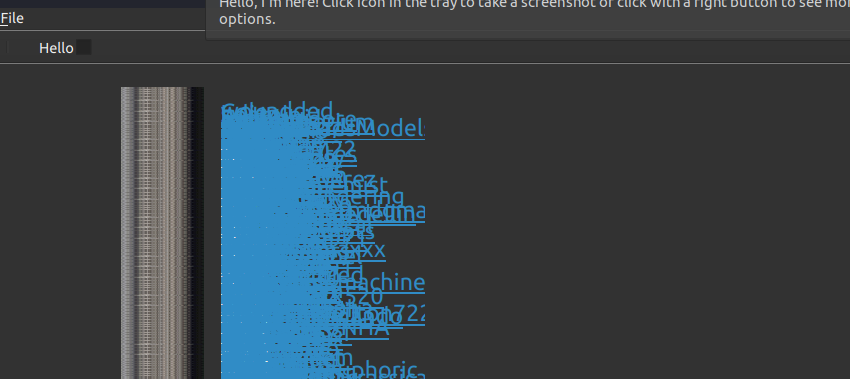
After more googling it seems i need QListWidgetItem and QListWIdget. 😛
 old ravine
from tkinter import *

root = Tk()
root.geometry("500x500")


frame = Frame(root)
frame.pack()
label1 = Label(frame, text="Text", fg="black", font="Arial 36")
label1.pack(pady=25)

rainbow_colors = ['red', 'black']
color_iterator = iter(rainbow_colors)


def labelupdate():
    try:
        color = next(color_iterator)
        label1.config(fg=color)
    except:
        return
    root.after(500, labelupdate)


labelupdate()

root.mainloop()
how would i make the color changing part loop indefinitely?
somber hemlock
!d itertools.cycle
proven basinBOT
itertools.cycle(iterable)```
Make an iterator returning elements from the iterable and saving a copy of each. When the iterable is exhausted, return elements from the saved copy. Repeats indefinitely. Roughly equivalent to:

```py
def cycle(iterable):
    # cycle('ABCD') --> A B C D A B C D A B C D ...
    saved = []
    for element in iterable:
        yield element
        saved.append(element)
    while saved:
        for element in saved:
              yield element
```...@old ravine
old ravine
🙏🏾
 lunar iron
please give suggestion to improve this ui

 cursive tapir
lunar iron
please give suggestion to improve this ui
cursive tapir
lunar iron
please give suggestion to improve this ui
What library do you used?
sleek hollow
steel spoke
how do i implement a popup progress bar?
i want it to be controlled by setting a...
A progress bar needs to be given a start value and target value. You typically use it with a loop, so if you have 1000 files to process (as an example), your start would be 0 and your end would be 1000, and after processing each file, you would increase the progress bar's value by 1. When the files are done processing, your progress bar will be full
steel spoke
no loop in my code unfortunately
im trying to implement it using qtimer now
sleek hollow
steel spoke
no loop in my code unfortunately
im trying to implement it using qtimer now
What do you need a progress bar for?
 clear bramble
this is cool ma\n
somber hemlock
steel spoke
no loop in my code unfortunately
im trying to implement it using qtimer now
Use an indeterminate progress bar if you don't have any progress reports
lunar iron
cursive tapir
What library do you used?
pyqt
tulip venture
lunar iron
please give suggestion to improve this ui
is it only ui?
steel spoke
sleek hollow
What do you need a progress bar for?
So when i click submit button after selecting two files, it starts performing function process and then at the end it calls a Qmessagebox saying success
There's a gap between the click of the submit button and the appearance of the Qmessagebox so i thought i can fill it with a progress bar in between
Is there some better alternative
steel spoke
somber hemlock
Use an indeterminate progress bar if you don't have any progress reports
Oh had to Google but yes that seems like a better idea
 cursive ravine
lunar iron
please give suggestion to improve this ui
cursive ravine
lunar iron
please give suggestion to improve this ui
B L O A T
 earnest dagger
prolly better to get some linux distro and design it to suit ur needs
cursive tapir
Anyone knows how to return the index of a text in a text widget tkinter?
obtuse acorn
Does anybody have a good example of a tkinter or qt gui implementation of audio playback with a dragable bar and start/stop buttons?
vale wadi
I'm creating a form, with a button to add a field, and inside the field contains a dynamic id every time the function is called an incrementing id is created, but when I remove it I want to reorganize the id values how can I do it that?
With jquery
 cosmic mesa
help please #1068606645439037510 message
 past canyon
is it possible to do a sidebar menu that opens when is clicked? I know it's possible with tkinter but if i would do it with tkinter, how would i get the same design and theme to the menu when customtkinter widgets has own designs.?
lunar iron
tulip venture
is it only ui?
no it is fully functioned
tulip venture
lunar iron
no it is fully functioned
link?
lunar iron
tulip venture
link?
what kind of?
lunar iron
tulip venture
i meant can i see how u implement it
actually the application is not public right now
tulip venture
alright no worries
digital rose
Does anyone know a good Video about Graphics User Interfaces in Python?
somber hemlock
digital rose
Does anyone know a good Video about Graphics User Interfaces in Python?
For tkinter there's the codemy guy
 wanton pulsar
cursive tapir
wanton pulsar
cursive tapir
Why the entries doesnt admit .get()?
def suma():
    def sumar():
        x = entry_x.get()

    resul_suma_button = ttk.Button(frame_operación, text= "Sumar", command= sumar).place(x= 10, y= 10)
    label_x = tkinter.Label(frame_operación, text= "Valor x:").place(x= 10, y= 10)
    entry_x = tkinter.Entry(frame_operación, width= 30).place(x= 10, y= 30)
    label_y = tkinter.Label(frame_operación, text= "Valor y:").place(x= 10, y= 50)
    entry_y = tkinter.Entry(frame_operación, width= 30).place(x= 10, y= 70)
    label_z = tkinter.Label(frame_operación, text= "Resultado:").place(x= 10, y= 90)
    entry_z = tkinter.Entry(frame_operación).place(x= 10, y= 110)
pls help
tribal path
split the place into their own lines
tribal path
entry_x = Entry(...)
entry_x.place(...)
tkinter.Entry()
(I am on VSCode)
I say, that the .get() value worked with others projects, but with this no
Idk if it is a problem by me
obtuse acorn
import tkinter as tk
from typing import Callable

class ActiveEntry(tk.Entry):
    """tk.Entry with added features"""

    def __init__(
        self,
        parent: tk.Frame,
        command: Callable = None,
        default: str = "",
        command_on_keystroke: bool = False,
        command_bind_enter: bool = True,
        bind_escape_clear: bool = True,
        **kw,
    ):
        self.var = tk.StringVar(value=default)
        tk.Entry.__init__(self, parent, textvariable=self.var, **kw)
        self._command, self.default = command, default
        if command_on_keystroke:
            self.bind("<KeyRelease>", self._on_execute_command)
        if command_bind_enter:
            self.bind("<Return>", self._on_execute_command)
        if bind_escape_clear:
            self.bind("<Escape>", self.clear)

    def enable(self) -> None:
        """Enable Entry. `Returns None`"""
        self["state"] = tk.NORMAL

    def disable(self) -> None:
        """Disable Entry. `Returns None`"""
        self["state"] = tk.DISABLED

    def get(self) -> str:
        """Get Entry value. `Returns a String`"""
        return self.var.get()

    def set(self, val) -> None:
        """Set Entry value. `Returns None`"""
        self.var.set(str(val))

    def clear(self) -> None:
        """Set Entry value to default, empty unless default set. `Returns None`"""
        self.var.set(self.default)

    def _on_execute_command(self, event=None) -> None:
        """Calls the provided "command" function with the contents of the Entry. `Returns None`"""
        if self._command:
            self._command(self.get())
@cursive tapir
cosmic mesa
help pls #1069031056751218688 message
 elfin stirrup
@wispy stone well, it depends on your needs, there's everything. check the pinned message here.
past canyon
past canyon
is it possible to do a sidebar menu that opens when is clicked? I know it's poss...
??
wide harness
guys in tkinter i made perfect math for the x y cords and the height and width of the widget but still! when i run it its weird
so i made a scratch file to see if its the same in the scratch file and yes! it is.
heres the scratch file
import tkinter as tk
root = tk.Tk()
root.geometry('700x320')
bakerycookieprofilename = tk.Label(root, height=6, width=30, text="mikes bakery")
labelcookienumber = tk.Label(root, height=6, width=30, text='you have 3 cookies')
cookieclick = tk.Button(root, text="cookie", height=20, width=30)
shoptxt = tk.Label(root, height=6, width=40, fg="white", text='shop')
infolbl = tk.Label(root, height=6, width=40, borderwidth=2, relief=tk.RAISED, text='infolbl')
shop = tk.Label(root, height=20, width=40, borderwidth=2, relief=tk.RAISED, text='the shop')


bakerycookieprofilename.place(x=0, y=0)
labelcookienumber.place(x=0, y=6)
cookieclick.place(x=0, y=12)
shoptxt.place(x=30, y=0)
infolbl.place(x=30, y=6)
shop.place(x=30, y=12)

root.mainloop()```i did in illustrator to show u what i expected but what i get is a bunch of random shit

 fervent sparrow
Hi guys I have(probably) a simple question that google cannot help me with.
I'm starting to create an app that could be maximized from tray and to install library that let me use global shortcuts(PyQxtGlobalShortcut) I need to have Qmake.
Soo I've installed QT Unified to get it and installed bare minimum for it but still when I want to install the module it still says that I QMake is not found.
Can you help me with finding what i need to install to have it?

 undone badger
u should do
 fervent sparrow
Thank you ❤️
obtuse acorn
wide harness
i did in illustrator to show u what i expected but what i get is a bunch of rand...
your heights and widths should be in your .place calls
a height of 6 is way too small
eg, most text is like 10 pixels tall
cosmic mesa
can anyone help pls #1069390969138597938 message
 grand prairie
hi,
what is the most convenient to use for making UI in python?
nicegui/customtkinter/flet?
somber hemlock
grand prairie
nicegui/customtkinter/flet?
customtkinter is still tkinter but looks very modern thankfully.
flet is still new but its based on flutter, which is way better than anything tkinter based.
idk nicegui.
grand prairie
nicegui to me seems the newest since I see weekly updates
so, I think I will consider building on flet
past canyon
umm how do i fill a button with a photo
i have it like this and i would like that the white part is filled with the button and the image size seems do not change a thing.?
 cursive tapir
I want to make a UI like Dev C++, anyone knows a library that can make that UI?
 iron jacinth
can anyone here be a mentor
i really wanna get started and if you do youd have one more person for any personal projects your working on
just add and or message me if you see this
tulip venture
iron jacinth
can anyone here be a mentor
i really wanna get started and if you do youd have ...
@iron jacinth dm
 crystal tide
hello
I'm currently on a notepad project and im trying to figure out something. Here's the code first
text_entry.insert(customtkinter.END, "(Nothing found in clipboard)")
time.sleep(2)
text_entry.delete(1.0, customtkinter.END)
so there's a paste button in my app right and so if there's nothing in the clipboard i display a message saying there's nothing there, and then remove the message after a few sec,
However, as you can see, it seems to delete all the text from the text entry - though i only want the "Nothing found in clipboard" text to delete. How can i do it?
 lean hinge
crystal tide
I'm currently on a notepad project and im trying to figure out something. Here's...
lean hinge
crystal tide
I'm currently on a notepad project and im trying to figure out something. Here's...
One way would be to save the text to a variable before you call the insert method. Then after you delete the text, insert the value of the variable:
tmp = text_entry.get(1.0, customtkinter.END)
text_entry.insert(customtkinter.END, "(Nothing found in clipboard)")
time.sleep(2)
text_entry.delete(1.0, customtkinter.END)
text_entry.insert(tmp)
ayy it works
nice idea thanks
crystal tide
karmic stratus
How to make width parapeter in tk widgets work?
like Button(width=5) ?
karmic stratus
crystal tide
like Button(width=5) ?
Yeah, it doesnt work. I have Main fraim, it contain 5 subframes. Each of the subfraims has label that has rilief.
I want 4 of subframes be exact size, for example 100, and the last one extand on the rest of the screen. And I want them static, no matter if label has something to display or not. So basically its 5 relief frames that always stay on same position and sometimes display info.. But on practice is total mess. If i set expan one of frames it squeez rest to zero. If i set all of them extand 1, they all same size, but once data appears they reshape due to length of text. And if all of them expand 0, they all minimul size. And parameter width no matter where i put frame, label or both been complitelly ignored. How to fix it?
crystal tide
karmic stratus
Yeah, it doesnt work. I have Main fraim, it contain 5 subframes. Each of the sub...
could you provide the part of the code?
karmic stratus
import tkinter as tk

root =tk.Tk()

main=tk.Frame(root, bg="red")
main.pack(fill=tk.BOTH, expand=1)
Subframe1 = tk.Frame(main, width=100, bg="yellow")
Subframe1.pack(fill=tk.BOTH, expand=0)
Subframe2=tk.Frame(main, bg="blue")
Subframe.pack(fill=tk.BOTH, expand=1)
Label1=tk.Label(Subframe1, width=100,relief=tk.GROOVE)
Label1.pack(fill=tk.BOTH, expand=1)
Label2=tk.Label(Subframe2, relief=tk.GROOVE)
Label2.pack(fill=tk.BOTH, expand=1)

root.mainloop()
Well this is example with 2 frame. What I want 1 frame be 100, and rest is second frame. But in this particular case we just see only 1 frame.
Label do not contain anything so expand of subframe2 totally suppress subframe1 ignoring width.
crystal tide
karmic stratus
```py
import tkinter as tk
root =tk.Tk()
main=tk.Frame(root, bg="red")
main.pa...
looking into it one sec
crystal tide
karmic stratus
Label do not contain anything so expand of subframe2 totally suppress subframe1 ...
honestly imo looking at all the complications i feel like gridding your frames and labels would be much easier
i am a little inexperienced with packing method in tkinter in general
But if anyone else can help that's great
 paper barn
Which library is okay for beginners for learning user interface?
sleek hollow
paper barn
Which library is okay for beginners for learning user interface?
tkinter is fairly beginner friendly
.rp tkinter gui
 buoyant cometBOT
Here are the top 5 results:
Python GUI Programming With Tkinter
Build a Tic-Tac-Toe Game With Python and Tkinter
Python import: Advanced Techniques and Tips
Arduino With Python: How to Get Started
Python Community Interview With Russell Keith-Magee
Click the links to go to the articles.
sleek hollow
The top link here is a great intro
 opal estuary
Any1 know of a way to use a remote URL for a background image in Tkinter
.rp how to use a remote URL for a background image in Tkinter
 chilly lake
Hi i need Help Regarding GUI Development
elfin stirrup
chilly lake
Hi i need Help Regarding GUI Development
Just fire away
somber hemlock
opal estuary
Any1 know of a way to use a remote URL for a background image in Tkinter
download the image locally, then use it normally
 steep perch
how to chance the color of title bar in tkinter?
somber hemlock
steep perch
how to chance the color of title bar in tkinter?
on windows?
cause linux and mac already do it ig
somber hemlock
to black right?
sleek hollow
steep perch
how to chance the color of title bar in tkinter?
It's directly tied to your windows theme
steep perch
yes i now
sleek hollow
You would need to hide the tkinter title bar and create your own custom one
steep perch
yes to black
sleek hollow
Meaning you can't change it, because the colour is always whatever your windows theme is
steep perch
@sleek hollow the windows the is grey and i like black many black (#000000) i can chance this to black
sleek hollow
sleek hollow
You would need to *hide* the tkinter title bar and create your own custom one
.

Stack Overflow
I'm using Tkinter as GUI for my program, but as I see, many programs don't have standard look as Tkinter does. By standard look I mean standard title bar, borders, etc.
For example, Tkinter's titl...
This link talks about how you can do this
steep perch
no no i don't like making own title bar
somber hemlock
Use DWMWA_USE_IMMERSIVE_DARK_MODE = 20 as argument to the DwmSetAttribute command to get a dark title bar
somber hemlock
steep perch
no no i don't like making own title bar
You dont need to
somber hemlock
import ctypes as ct


def dark_title_bar(window):
    """
    MORE INFO:
    https://learn.microsoft.com/en-us/windows/win32/api/dwmapi/ne-dwmapi-dwmwindowattribute
    """
    window.update()
    DWMWA_USE_IMMERSIVE_DARK_MODE = 20
    set_window_attribute = ct.windll.dwmapi.DwmSetWindowAttribute
    get_parent = ct.windll.user32.GetParent
    hwnd = get_parent(window.winfo_id())
    rendering_policy = DWMWA_USE_IMMERSIVE_DARK_MODE
    value = 2
    value = ct.c_int(value)
    set_window_attribute(hwnd, rendering_policy, ct.byref(value),
                         ct.sizeof(value))
@steep perch
steep perch
yes i have win11
somber hemlock
how are u calling this function?
somber hemlock
did you look at the function?
u need to pass it your tkinter window
That is your tk.Tk instance
steep perch
i need to add import tkinter?
somber hemlock
import ctypes as ct


def dark_title_bar(window):
    """
    MORE INFO:
    https://learn.microsoft.com/en-us/windows/win32/api/dwmapi/ne-dwmapi-dwmwindowattribute
    """
    window.update()
    DWMWA_USE_IMMERSIVE_DARK_MODE = 20
    set_window_attribute = ct.windll.dwmapi.DwmSetWindowAttribute
    get_parent = ct.windll.user32.GetParent
    hwnd = get_parent(window.winfo_id())
    rendering_policy = DWMWA_USE_IMMERSIVE_DARK_MODE
    value = 2
    value = ct.c_int(value)
    set_window_attribute(hwnd, rendering_policy, ct.byref(value),
                         ct.sizeof(value))

import tkinter as tk
root = tk.Tk()
dark_title_bar(root)
root.mainloop()
@steep perch
steep perch
 somber hemlock
good
 somber hemlock
focussed and non-focussed colors are different
somber hemlock
yes
steep perch
Where are you from?
somber hemlock
i am from earth
somber hemlock
why
steep perch
I'm curious
somber hemlock
cannot tell
steep perch
why?
somber hemlock
why not?
steep perch
ok if you dont want
I won't force you
@somber hemlock How do I make a button not scroll down when I click on it?
somber hemlock
that's not supposed to happen
steep perch
why?
somber hemlock
u meant the page scrolls down when u click a button?
or the button itself scrolls down?
steep perch
no
the button is going down 1,2 pixels when i click on it
that's is photoimage button
somber hemlock
can't do anything about it
or you can manually reposition the button once its gets clicked
steep perch
@somber hemlock how to do this?
steep perch
somber hemlock
or you can manually reposition the button once its gets clicked
this
@somber hemlock
 slate skiff
Does someone know how to change Frame inside a Tk window using OOP with each Frame class definition in a separate file?
Like a project with the following structure:
main.py has a big class App which inherit from Tk
home.py has a big class HomeClass which inherit from Frame
page-1.py has a big class PageOneClass which inherit from Frame
page-2.py has a big class "PageTwoClass" which inherit from Frame
Inside of the main.py I initialize/call HomeClass
Inside the home.py I need to use the PageOneClass
Inside the page-1.py I need to use the PageTwoClass
sleek hollow
slate skiff
Like a project with the following structure:
**main.py** has a big class *App* w...
Are you positive this is the structure you need? Typically you would write your separate files/classes and assemble it all into some sort of main
 wise dome
Right room for pyqt?
Very strange thing. I query users from active directory and then I want to display the users with their attributes in a qtablewidget with 3 columns. It works but sometimes many cells are empty. For troubleshooting i have already printed the data to display out to console parallel and they are there. So the problem is the handling with the table
 fervent minnow
anyone know if it's possible to specify an argument in argparse that captures, say, any flags that match a particular regex pattern?
for example, i want to capture all flags that look like --params.foo or --params.bar or --params.hello, for any string after params.
digital rose
How do you guys usually make gui. Do you - Code and the run, "doesnt look good", then code again and then run again to check? Is this what you do?
As I have seen others make very good looking GUIs and I dont think they use some WYSIWYG editor.
 vague locust
I'm getting started with the Tkinter library and I am having some issues with Labels not appearing on the window, I'm developing on macos. I attached a small piece of code which should generate a window with text, but instead the window remains blank. I did some research looks like some people are suggesting it could be that the way python was installed on my machine, but I'm trying to rule out any other possibilities.


 glossy urchin
vague locust
I'm getting started with the Tkinter library and I am having some issues with La...
glossy urchin
vague locust
I'm getting started with the Tkinter library and I am having some issues with La...
Check if the font color is the same as the back ground color. By default the font color is black, change it to white!
wise dome
digital rose
As I have seen others make very good looking GUIs and I dont think they use some...
I work with pyqt designer. First
I design the GUI und then I do the logic stuff in vs code. If I need to change something then I can still easily do graphical changes in the designer app
sleek hollow
digital rose
How do you guys usually make gui. Do you - Code and the run, "doesnt look good",...
Pretty much
Once you have a good sense of nesting layouts and widgets, you can pretty easily visualize your UI and it should be coded
wise dome
vague locust
I'm getting started with the Tkinter library and I am having some issues with La...
I have never used grid. I have used place with coordinates oder... Was it pack? I think so
Anyone experience with the pyqt5 qtablewidget??
sleek hollow
wise dome
Anyone experience with the pyqt5 qtablewidget??
Very little
wise dome
Place and grid *
sleek hollow
vague locust
I'm getting started with the Tkinter library and I am having some issues with La...
Try expanding your window, the label might be out of the current window bounds
wise dome
sleek hollow
Very little
Either it don't render my content wrong or I'm to stupid to use it...
Right*
sleek hollow
Hard to say without seeing your code
 languid thorn
Hey I want to create a tray application for Linux that looks similar to this

this is a GNOME extension but I want this as a non-GNOME extension. I have yet to find a good library that would allow me to do this
any recommendations or is this even possible in a tray application?
inland wedge
digital rose
How do you guys usually make gui. Do you - Code and the run, "doesnt look good",...
sometimes when first approaching a large design problem i draw it or i use a designer tool but when i do it actually i code the layout in python
inland wedge
languid thorn
Hey I want to create a tray application for Linux that looks similar to this
i think the standard across desktops is appindicator/ ksystemnotifier
i would ask around on the kde and gnome matrix channels if youre stuck i think they may be of use
languid thorn
inland wedge
i think the standard across desktops is appindicator/ ksystemnotifier
these can only do basic tray menus
i don't think one like i posted is possible in a tray, so I'm probably just gonna make a standalone GTK app that has a tray icon
 main compass
Can anyone help with getting scrollable frames using canvass??
proven basinBOT
Hey @main compass!
It looks like you tried to attach a Python file - please use a code-pasting service such as https://paste.pythondiscord.com
main compass
Thats my code, the results look like this. Theres 100 labels on this frame but the scroll bars dont let you move about
 sleek hollow
main compass
Can anyone help with getting scrollable frames using canvass??
sleek hollow
main compass
Can anyone help with getting scrollable frames using canvass??
Can you share the code to a pastelink?
main compass
main compass
https://paste.pythondiscord.com/raw/oyehexadag
think link?
sleek hollow
oh shoot, missed that above
main compass
ah thats ok! 🙂
sleek hollow
main compass
ah thats ok! 🙂
Is there a reason you need to use canvas?
main compass
ah apprently its the only way to get a frame to scroll
apprently you need to wack a frame in a canvas and then use canvas functionality to scroll
sleek hollow
oh interesting
main compass
if theres another way to make scrollable fames without canvasa then that works even better!
sleek hollow
I unfortunately don't know enough about scrolling in tkinter 😦
main compass
its seems to fairly difficult i've always struggled with it
sleek hollow
any reason you need to use tkinter? 😉
main compass
its just the GUI package that I know the most about really
sleek hollow
Stack Overflow
Relatively new to Tkinter and Python. So kindly bear with me.
I am trying to display the following GUI and want to have a scrollbar in Frame2 to display only 5x5 buttons at a time. Looks like Tkin...
main compass
i what i was taught in school and i suppose i haven't really ventured out
sleek hollow
This seems to talk about tkinter and grid and scrolling
main compass
ah ok I'll have a look, thank you! 🙂
sleek hollow
main compass
ah ok I'll have a look, thank you! 🙂
Also if you have any interest in learning pyqt5, here's a working example of what you're trying to achieve in tkinter
from PyQt5 import QtWidgets, QtCore

app = QtWidgets.QApplication([])

win = QtWidgets.QDialog()
main_layout = QtWidgets.QVBoxLayout(win)

wdg = QtWidgets.QWidget()
layout = QtWidgets.QGridLayout()
layout.setHorizontalSpacing(20)
layout.setVerticalSpacing(20)
wdg.setLayout(layout)
for i in range(10):
    for j in range(10):
        label = QtWidgets.QLabel(f'Label\n({i}, {j})')
        label.setStyleSheet("border: 1px solid black; padding: 10px;")
        label.setAlignment(QtCore.Qt.AlignLeft)
        layout.addWidget(label, i, j)

scroll = QtWidgets.QScrollArea()
main_layout.addWidget(scroll)
scroll.setWidgetResizable(True)
scroll.setWidget(wdg)

win.show()
wdg.resize(100, 100)
app.exec()
 digital rose
The best advice i can give is: stop using vscode.
main compass
Ah awesome I appreciate that! I'll have a certainly have a look at pyqt5. Just out of curiosity would anyone know anyway of doing the same think in tkinter. The code is for a project that's already written in tkinter. I juts thought it would be cool to get the window to be scrollable
I do appreciate the pyqt5 version. It's seems in future I'll have to make GUIs with that instead of tkinter
Also how did you manage to make that gif?
somber hemlock
main compass
Also how did you manage to make that gif?
u can record screen and make it as a gif with ScreenToGif
main compass
Ah sweet thanks!
 merry gale
Hi, I have this code. Neither errors come nor displays anything
import tkinter

#create the main window
root = tkinter.Tk()
root.title("Arsenal")
root.geometry("800x600")

#create the canvas
canvas = tkinter.Canvas(root, width = 800, height = 600)
canvas.pack()

#create the background
background_image = tkinter.PhotoImage(file = "background.gif")
canvas.create_image(400, 300, image = background_image)

#create the player
player_image = tkinter.PhotoImage(file = "Iron-Man.png")
player = canvas.create_image(400, 500, image = player_image)

#create the enemies
enemy_image = tkinter.PhotoImage(file = "terminator.png")
enemies = []
for i in range(3):
    enemies.append(canvas.create_image(50 + i * 200, 50, image = enemy_image))

#variables to control the game
is_game_over = False
score = 0

#create the score label
#create the score label
score_label = tkinter.Label(root, text = "Score: 0", font = ("Helvetica", 20))
score_label.pack()

#create the game loop
def game_loop():
    if is_game_over == False:
        #enemy movement
        for enemy in enemies:
            canvas.move(enemy, 0, 5)
            pos = canvas.coords(enemy)
            if pos[1] >= 500:
                is_game_over = True

        #player movement
        if canvas.coords(player)[0] > 0 and canvas.coords(player)[0] < 800:
            canvas.move(player, 0, 0)
        elif canvas.coords(player)[0] <= 0:
            canvas.move(player, 5, 0)
        elif canvas.coords(player)[0] >= 800:
            canvas.move(player, -5, 0)

        #call the game loop again
        root.after(50, game_loop)
    else:
        canvas.create_text(400, 300, text="Game Over")
ah good luck, whats the program doing?
sleek hollow
somber hemlock
u can record screen and make it as a gif with ScreenToGif
exactly what I used 🙂
languid thorn
inland wedge
ah good luck, whats the program doing?
I’m creating a GUI for auto-cpufreq
GitHub
Automatic CPU speed & power optimizer for Linux. Contribute to AdnanHodzic/auto-cpufreq development by creating an account on GitHub.
inland wedge
aaaa neat
main compass
merry gale
Hi, I have this code. Neither errors come nor displays anything
```py
import tki...
end it with root.mainloop()
 stuck saffron
Okay. i have a function here that setups the canvas where i embed my graphs:
def embeded_plot(figure):
        canvas = FigureCanvasTkAgg(figure,
                               master = master)

        canvas.get_tk_widget().pack()

        # creating the Matplotlib toolbar
        toolbar = NavigationToolbar2Tk(canvas,
                                   master)
        toolbar.update()

        # placing the toolbar on the Tkinter window
        canvas.get_tk_widget().place(x=250, y= 450, width=1400, height=450)
To embed a plot, i have a function which creats the plot, which is binded to a button, to now embed a graph i Use the following
figmonthsum_lennard, ax= plt.subplots()
        data_hours_L_sum_month.plot(kind='bar',legend=True, label="Lennard", title= 'Total Watchtime per Month', figsize=(16,6))
        embeded_plot(figmonthsum_lennard)
SO the question is: Why does matplotlib create multiple graph editing tools in my GUI which stack up the more graphs i load in?

its pretty bugged
if anything interests this... i was trying to build an netflix analyzing tool
there is one on the web but it wasnt very detaileled
so i put in twice as much work
and im currently working on the GUI
proven basinBOT
:incoming_envelope: :ok_hand: applied mute to @digital rose until <t:1675531138:f> (10 minutes) (reason: duplicates rule: sent 4 duplicated messages in 10s).
The <@&831776746206265384> have been alerted for review.
:x: failed to apply.
 raw narwhal
Hi, I don't know if this is the right place to ask, but I'm going to ask anyway as I have run out of ideas. Basically, I have made a simple PySide6 (Qt) app that has a background thread. The thread's code looks something like this:
def worker() -> None:
    while True:
        time.sleep(1)
the issue is that sometimes the thread sleeps for up to 10 seconds. I've tried using Qt's native QThread as well as python's multiprocessing module, and everytime I'm getting similar results. If you have any ideas let me know
Thanks.
 feral folio
raw narwhal
Hi, I don't know if this is the right place to ask, but I'm going to ask anyway ...
feral folio
raw narwhal
Hi, I don't know if this is the right place to ask, but I'm going to ask anyway ...
try adding logging statements to the worker thread to see what it is doing
you can also try using a different python implementation, since they do not have a GIL and they might give you better performance for this
if its still an issue you can also try profiling the app to identify which parts of the code are taking the most time and correct those areas
proven basinBOT
:incoming_envelope: :ok_hand: applied mute to @fringe shuttle until <t:1675594707:f> (10 minutes) (reason: duplicates rule: sent 4 duplicated messages in 10s).
The <@&831776746206265384> have been alerted for review.
digital rose
Hi,
I have a project to create a GUI. I want to monitor several sensors, each sensor is in QTabWidget. It works for two sensors but it doesn’t work if I increase the number of device.
I should use threading but I don’t known what is the best way QThread or QThreadPool or another way ? Thx
glossy urchin
merry gale
Hi, I have this code. Neither errors come nor displays anything
```py
import tki...
HI, you probably need to add and the end of your code : root.mainloop() to run your script.
 half hamlet
PyQt5 is better
digital rose
And PyQt6 ?
half hamlet
it is even exist?
half hamlet
I only knew that 5 version is exist
digital rose
Y it exists
half hamlet
..
 vapid remnant
yo, I would like to send an HTML Site as the content of my email. This site includes a lot of design done by bootstraps and I finally managed to send the whole html struct via mail. It also gets displayed as HTML but the whole design stuff from bootstraps does not work and everything looks like rubbish, what can I do against that?
raw narwhal
feral folio
try adding logging statements to the worker thread to see what it is doing
you ...
I've added logging and I can see that for the first 2-3 minutes it works fine, however after that instead of sleeping for 1 second, it sleeps for 3-10 seconds.
feral folio
raw narwhal
I've added logging and I can see that for the first 2-3 minutes it works fine, h...
profile the app so you can see which parts of the code are taking the most time
proven basinBOT
Hey @rose portal!
It looks like you tried to attach a Python file - please use a code-pasting service such as https://paste.pythondiscord.com
Hey @rose portal!
You either uploaded a .txt file or entered a message that was too long. Please use our paste bin instead.
slate skiff
Hello dear fellows,
I have this code, which basically make possible changing frame:
try:
    import tkinter as tk                # python 3
    from tkinter import font as tkfont  # python 3
except ImportError:
    import Tkinter as tk     # python 2
    import tkFont as tkfont  # python 2

class SampleApp(tk.Tk):

    def __init__(self, *args, **kwargs):
        tk.Tk.__init__(self, *args, **kwargs)

        self.title_font = tkfont.Font(family='Helvetica', size=18, weight="bold", slant="italic")

        # the container is where we'll stack a bunch of frames
        # on top of each other, then the one we want visible
        # will be raised above the others
        container = tk.Frame(self)
        container.pack(side="top", fill="both", expand=True)
        container.grid_rowconfigure(0, weight=1)
        container.grid_columnconfigure(0, weight=1)

        self.frames = {}
        for F in (StartPage, PageOne, PageTwo):
            page_name = F.__name__
            frame = F(parent=container, controller=self)
            self.frames[page_name] = frame

            # put all of the pages in the same location;
            # the one on the top of the stacking order
            # will be the one that is visible.
            frame.grid(row=0, column=0, sticky="nsew")

        self.show_frame("StartPage")

    def show_frame(self, page_name):
        '''Show a frame for the given page name'''
        frame = self.frames[page_name]
        frame.tkraise()
class StartPage(tk.Frame):

    def __init__(self, parent, controller):
        tk.Frame.__init__(self, parent)
        self.controller = controller
        label = tk.Label(self, text="This is the start page", font=controller.title_font)
        label.pack(side="top", fill="x", pady=10)

        button1 = tk.Button(self, text="Go to Page One",
                            command=lambda: controller.show_frame("PageOne"))
        button2 = tk.Button(self, text="Go to Page Two",
                            command=lambda: controller.show_frame("PageTwo"))
        button1.pack()
        button2.pack()

class PageOne(tk.Frame):

    def __init__(self, parent, controller):
        tk.Frame.__init__(self, parent)
        self.controller = controller
        label = tk.Label(self, text="This is page 1", font=controller.title_font)
        label.pack(side="top", fill="x", pady=10)
        button = tk.Button(self, text="Go to the start page",
                           command=lambda: controller.show_frame("StartPage"))
        button.pack()

class PageTwo(tk.Frame):
    def __init__(self, parent, controller):
        tk.Frame.__init__(self, parent)
        self.controller = controller
        label = tk.Label(self, text="This is page 2", font=controller.title_font)
        label.pack(side="top", fill="x", pady=10)
        button = tk.Button(self, text="Go to the start page",
                           command=lambda: controller.show_frame("StartPage"))
        button.pack()
I want to define PageOne and PageTwo classes in separate files like:
pageOne.py, pageTwo.py with their respective class. What is the proper way to do it.
I tried this way but get an error:
saying

Could anyone bring me some help here.
digital rose
class LivePlot:
def __init__(self):
self.plot = pyqtgraph.PlotWidget()
self.plot.setTitle('Serial Data Plot')
self.plot.setLabel('left', text="some y axis label", units='units')
self.plot.setLabel('bottom', text="some y axis label", units='units')
self.plot.showAxis('right')
self.plot.getAxis('right').setStyle(showValues=False)
self.plot.showAxis('top')
self.plot.getAxis('top').setStyle(showValues=False)
self.plot.showGrid(x = True, y = True, alpha = 255)
self.plot.setBackground("w")
# Initialize the time and value arrays for the plot
self.time = [0]
self.value = [0]
self.pen = pyqtgraph.mkPen(color='r', width=3)
self.plot.plot(self.time, self.value, pen=self.pen)
def update(self, value):
# Update the time and value arrays with the new data
self.time.append(self.time[-1] + 1)
self.value.append(value)
self.plot.plot().setData(self.time, self.value)```
I have this problem :
TypeError: arguments did not match any overloaded call:
drawLines(self, PyQt6.sip.array[QLineF]): not enough arguments
drawLines(self, QLineF, *): not enough arguments
drawLines(self, PyQt6.sip.array[QPointF]): not enough arguments
drawLines(self, QPointF, *): not enough arguments
drawLines(self, PyQt6.sip.array[QLine]): not enough arguments
drawLines(self, QLine, *): not enough arguments
drawLines(self, PyQt6.sip.array[QPoint]): not enough arguments
drawLines(self, QPoint, *): not enough arguments
printExc('Ignored exception:')
But when i remove the width parameter it works. Do you have any issues ? thanks slow star
anyone know whats wrong with this
def openNewWindow():
    global root
    global root2
    root.destroy()
    root2 = Tk()
    root2.geometry("750x500")
    root2.mainloop()
def main():
    openNewWindow()
    label = Label(root2, text="""Press "roll" to roll the slots machine""", font=("Courier 22 bold"))
    label.pack(padx=0, pady=10)
the new window appears epmty
empty
 latent gust
Have three files in PyQt5.
1 is a main window
2 is the screen after main window
3 is the screen after 2nd window.
After I press the next button in the main window, it goes to screen 2. I also close the Screen 1 (Mainwindow), so that there is only 1 screen window running. This is done by bgWidget.hide(), where bgWidget is bgWidget = QtWidgets.QMainWindow() of Screen 1. This is executed in the right way. I do the same for Screen 2 as well, where I move on to Screen 3 and hide the Screen 2.
However, this generates an error when I'm running the Main window python file. When I run the Python file of the 2nd window, it moves on to the 3rd window and hides itself, whereas when I run the main file, it doesn't work and gives me an error saying Background not defined, where Background = QtWidgets.QDialog() of the 2nd Screen.
So, in a nutshell, the workflow is fine when I'm executing the files separately but not when I do it on the whole (that is from Screen 1).
obtuse acorn
https://github.com/AndrewSpangler/py_simple_image_editor/
or alternatively
pip install py_simple_image_editor
followed by
python -m py_simple_image_editor What should I add? Currently it can do pixel art and images/gifs with multiple frames and layers
GitHub
A basic pixel art / pixel gif editor written in python - GitHub - AndrewSpangler/py_simple_image_editor: A basic pixel art / pixel gif editor written in python
It can load gifs in as frames btw
obtuse acorn
The module can also be used to add image editing to any tk / ttk project (I wrote it to integrate with my project manager as a file type handler)
native gale
I made a UI based game what modules should I add for multiplayer support??
native gale
latent gust
Have three files in PyQt5.
1 is a main window
2 is the screen after main window...
why dont you make a single window??
just add the components
and make window's component close() or show()
def backbuttonfunc():
    sadbutton.close()
    phodasdasanewebbutton.close()
    prodsadsafisadebutton.show()
    Inventadybutton.show()
    taskasdasdbutton.show()
    phutton.show()
    PROPdasdaSbutton.show()
EXITbutton.show()```Like this@latent gust
 violet nymph
Please only post every 7 days. Your last post here was only 1 day(s) ago. Your post:
[HIRING]
Am the product manager at ENOCH
The company i work are in need of frontend developer experience in nextjs Typescript grapghql and api intergration
https://www.linkedin.com/company/enoch-socialmetacommerce/mycompany/verification/
any one with Typescript grapghql and api intergration experience that is Available for work with the team currently working on
Can reach me on Discord with ID Godwin#6583
The job is for candidate from india, paskistan and bangladesh only
300$ per month
Enoch
latent gust
native gale
why dont you make a single window??
My requirement needs multiple screens/windows.
native gale
latent gust
My requirement needs multiple screens/windows.
Can I see the code??
proven basinBOT
Hey @latent gust!
You either uploaded a .txt file or entered a message that was too long. Please use our paste bin instead.
obtuse acorn
Cleaned up the interface a bit
 remote birch
Hello guys
 austere plaza
hi
remote birch
Based on experience, what would you recommend as GUI framework for developing mobile apps (just to try), kivy or pyqt/pyside?
Or maybe beeware?
somber hemlock
remote birch
Based on experience, what would you recommend as GUI framework for developing mo...
don't use python for mobile apps
tribal path
personally; kivy but whatever you're comfortable with
slow star
can't be asked to write question again so here's the linkhttps://stackoverflow.com/questions/75399274/tkinter-tclerror-bad-window-path-name-frame2
Stack Overflow
I am making a project which is supposed to close the first window and open a new one, but I get this error in line 101 which says "d2.pack()" in the roll() function. I want to make it so
somber hemlock
@slow star
new_frame = d2
if d2 is not None:
    d2.destroy()
d2 = new_frame
d2.pack()
you are trying to pack an already destroyed frame
Its very likely that you are assigning the wrong frame to new_frame
slow star
somber hemlock
<@541955568940875786>
```py
new_frame = d2
if d2 is not None:
d2.destroy()
d...
doesn't a new d2 spawn when I do d2 = new_frame
somber hemlock
slow star
doesn't a new d2 spawn when I do d2 = new_frame
no
slow star
ah
slow star
somber hemlock
no
so if i rename it to d3 or whatever will it work as an infinite loop of frames getting removed and a new one appearing everytime i pres the button?
glossy urchin
PART I
Hi,
I have trouble with Tkinter to open a new window(another module).
**1 . In Log.py **module have my code to catch the Name
and Id from the User.
**2. **and the entered data is send to db.py. And checked.
**3. **If the User Name and Id exist in the DB db.py will return True
To ** Log.py **module and with the result from the callback function will open the **test_win.py **.
My trouble is in the point 3.( point 1 and 2 have been tested and without point 3 they work well). When I add function
that if the result from the callback function is True, it does not work as expected.
When I run the script with def open_inventory Opens first the **test_win.py **and once is close the **test_win.py **it's open
Log.py when should be the oposite.
If some one can let me know how I can fix it, please let me know.
PART II
** - Here the code from Log.py**
`import tkinter
import tkinter as tk
from tkinter import ttk, messagebox, PhotoImage
from unittest import result
from _userDB import *
import test_win
db = UserDb()
class Login:
def __init__(self, window):
    self.window = window
    self.window.geometry("300x300")
    self.window.title("Inventory")
    self.window.eval("tk::PlaceWindow . center")
    # Icon at the top left corner of the window
    # icon = PhotoImage(file="yield.png")
    # self.window.iconphoto(False, icon)

    title1 = ttk.Label(window, text=f"Inventory\n", font=('helvetica', 18, 'bold'))
    title1.pack()
    subtitle1 = ttk.Label(window, text=f"Log in\n", font=('helvetica', 16, 'bold'))
    subtitle1.pack()
    login_name = ttk.Label(window, text=f"Name: ", font=('helvetica', 12, 'bold'))
    login_name.pack(anchor='center')
    self.log_name_entry = ttk.Entry()
    self.log_name_entry.pack()
    login_id = ttk.Label(window, text=f"ID:", font=('helvetica', 12, 'bold'))
    login_id.pack()
    self.log_id_entry = ttk.Entry()
    self.log_id_entry.pack()
    enter_btn = tk.Button(window, text=f"Log in", font=('Helvetica', 14, 'bold'), bg='#A9A9A9', cursor="hand2",
                          activebackground="#696969",
                          command=lambda: self.check())
    enter_btn.pack(pady=15)`
PART III.
` # here send data to the db.py module to check in the DB if the User name and id exist
def check(self):
    user_name = self.log_name_entry.get()
    user_id = self.log_id_entry.get()
    print(user_name, user_id)
    if user_name == "" and user_id == "" or user_name == "" or user_id == "":
        messagebox.showwarning("ERROR", 'All tha cases most be filling')
    else:
        db.user_check(user_name, user_id, self.open_inventory())

# If result from db.py is True open the new window(test_win.py)
def open_inventory(self, result):
    if result:
        ne_win = tkinter.Toplevel(self.window)
        win = test_win(ne_win)
    else:
        print("Data does not exist")
        messagebox.showerror("ERROR", f'The user name or the id no exist \n   Try again!')
def page():
window = tk.Tk()
Login(window)
window.mainloop()
if name == 'main':
page()
`
PART IV.
-** Test.py module code:**
`from tkinter import *
win = Tk()
win.geometry("300x300")
win.title("new window")
label1 = Label(win, text='Welcome')
label1.pack()
win.mainloop()`
 steel thunder
obtuse acorn
https://github.com/AndrewSpangler/py_simple_image_editor/
or alternatively
`pip...
steel thunder
obtuse acorn
https://github.com/AndrewSpangler/py_simple_image_editor/
or alternatively
`pip...
Very cool, you should pad out the README with some of the features & video demos
obtuse acorn
Yeah, I'll do that when I release the full pyproject manager app this is incorporated in
 quasi prism
does someone use QML?
do i have to pip install something? i use VSCode, and i searched on google this question, but people say that we have to install an extension
there's no way to get this officially? only through third-party extensions?
somber hemlock
quasi prism
does someone use QML?
do i have to pip install something? i use VSCode, and i se...
You can use the Qt IDE for QML features
quasi prism
somber hemlock
You can use the Qt IDE for QML features
oh can i?
is it free tho? i have no idea how to browse on that website lol
somber hemlock
quasi prism
oh can i?
is it free tho? i have no idea how to browse on that website lol
Yea its free, its licensed under GPL3
The qt website is kinda hard to navigate
You need to make an account, download their online installer
And then install QML studio
quasi prism
is it here? https://www.qt.io/product/development-tools on "Download Qt"
somber hemlock
quasi prism
is it here? https://www.qt.io/product/development-tools on "Download Qt"
Download Qt, an open source development tool containing everything you need for your entire software development life cycle. Install Qt today.
quasi prism
somber hemlock
https://www.qt.io/download-qt-installer
thank you :)
so weird the need of an account tho lol
somber hemlock
You need it to install stuff from the installer
quasi prism
i see, thank you again :)
 quaint stump
🙂
 solar rapids
How do I build my adobe xd design in Kivy?
 subtle bloom
just been scrolling thru textual api docs and tutorial and i couldnt find any mention if it would be possible to just show a short of dialog on top of existing console output eg, not having full layer on top of everything ?
somber hemlock
If you are not going to separate the model and the view, i.e. appending to the tree directly then the widget would be simpler
Separating the model and view is a better idea in the long term, although it needs a bit more time to understand the data flow
obtuse acorn
I'm working on adding a db viewer to my personal project management software, does somebody have a good example of a database I could download with images and other files as BLOBs to test with? I want to try to make it automatically recognize common file types (like PNG etc) with an option to extract them to a tempfile for viewing
(App I'm working on)
cursive tapir
obtuse acorn
I'm working on adding a db viewer to my personal project management software, do...
What library do you used?
obtuse acorn
GitHub
TTK Themes don't have to be hard. Contribute to AndrewSpangler/py_simple_ttk development by creating an account on GitHub.
@cursive tapir
 warped terrace
whats the best drag and drop builder?
somber hemlock
warped terrace
whats the best drag and drop builder?
For tkinter?
warped terrace
somber hemlock
For tkinter?
for any atp
somber hemlock
warped terrace
for any atp
atp?
 unique garden
hey, does anyone know how to add a tabview inside another tabview with customtkinter?
this is what i'm trying but it doesn't work i also tried doing it as self.tabview.invoices = customtkinter.CTkFrame(self.tabview.tab("Invoices"), width=140, corner_radius=25) but that does not work either

and this is the error

lol nvm i just realized my mistake
line 39 needed to be
not
self.invoices_tabview = customtkinter.CTkFrame(self.tabview.tab("Invoices"), width=450, height=450, corner_radius=25)
:incoming_envelope: :ok_hand: applied mute to @bronze rover until <t:1676565186:f> (10 minutes) (reason: duplicates rule: sent 4 duplicated messages in 10s).
The <@&831776746206265384> have been alerted for review.
 rugged marten
Could someone help set me on the right path for making my flask app user friendly? I can provide my site link you if want to see it as well
 hazy shore
hello! can i use pyqt5 to buid a GUI which can display both opencv video feed and matplotlib graph side by side in a single window?
unique garden
hazy shore
hello! can i use pyqt5 to buid a GUI which can display both opencv video feed an...
i don't see why you wouldn't be able to you'd just be adding 2 widgets to the same window
unique garden
anyone might be able to help me out with an issue i'm facing
this is a combobox from customTkinter
        self.pricing_combobox = customtkinter.CTkComboBox( self.tabview.tab("Pricing"), width= 140, values = ["Lake County", "Lake Tax", "Lake Clerk"], command = lambda: self.pricing_aggregate(store_var), variable = store_var)
        self.pricing_combobox.grid( row = 0, column= 0 )
        self.pricing_combobox.set("Lake County")
this is my error
Traceback (most recent call last):
  File "C:\Users\kyle\AppData\Local\Programs\Python\Python310\lib\tkinter\__init__.py", line 1921, in __call__
    return self.func(*args)
  File "C:\Users\kyle\AppData\Local\Programs\Python\Python310\lib\site-packages\customtkinter\windows\widgets\core_widget_classes\dropdown_menu.py", line 101, in <lambda>
    command=lambda v=value: self._button_callback(v),
  File "C:\Users\kyle\AppData\Local\Programs\Python\Python310\lib\site-packages\customtkinter\windows\widgets\core_widget_classes\dropdown_menu.py", line 106, in _button_callback
    self._command(value)
  File "C:\Users\kyle\AppData\Local\Programs\Python\Python310\lib\site-packages\customtkinter\windows\widgets\ctk_combobox.py", line 384, in _dropdown_callback
    self._command(value)
TypeError: App.__init__.<locals>.<lambda>() takes 0 positional arguments but 1 was given```
I still don't understand the lambda method clearly i guess as i have other commands structured the same way and they work no problem, anyone know what might be causeing the issue?very nice work guys
 peak cove
thoughts on GTK 5 potentially removing X11 support?
 distant sand
tkinter and pyqt both makes rather ugly guis (well based on i saw on tutorials) compared to html codes and linking it to python with eel
thing is im trying to make my app independent and not relying on the browser
any suggestions?
somber hemlock
distant sand
tkinter and pyqt both makes rather ugly guis (well based on i saw on tutorials) ...
you can make just as cool with tkinter and pyqt (way easily in pyqt)
Do you know about Qt style sheets?
 whole bison
Anyone here use java swing
distant sand
also. is there a way to slap a matplotlib plot() into pyqt
somber hemlock
distant sand
also. is there a way to slap a matplotlib plot() into pyqt
if matplotlib has a backend for pyqt like it has for tk (refer docs, idk) then yea
distant sand
ah ic ic
somber hemlock
distant sand
no can u point me into some direction?
what do u want
somber hemlock
For tkinter?

 somber hemlock
 steady hill
is there something like this available for python too?
steady hill
is there something like this available for python too?
No
somber hemlock
distant sand
u were talking about qt style sheets
I don't know a lot about them besides their existence and that its pretty much a CSS clone
 echo oracle
Does anyone know how to set a stylesheet for all labels within a widget without applying said stylesheet to any subwidgets? (Qt)