#user-interfaces
1 messages · Page 4 of 1
 mighty frigate
that might work too yes, you know your needs better than me
 sleek hollow
ok, this is definitely a lot to take in
mighty frigate
but I wouldn't stitch images together
sleek hollow
I've pretty much never dealt with painting in qt (other than that stitching example)
mighty frigate
It's very painful 😄
that's why you want the default implementation to draw most of it itself
ah, I probably need to go
sleek hollow
I'm at the point where I only have the 2 bools to worry about, so it's not that bad doing it with 1 icon, and coloured text, but yeah, if I need to implement more bool indication, it would get real messy
mighty frigate
yep
sleek hollow
mighty frigate
ah, I probably need to go
No worries, this has been a massive help as always!
mighty frigate
related to this
because I actually had that needs a few weeks ago
I also have a bit of code for delegates to return a sizeHint for each model role, and another func to return a role at a given position
together, it can be used by the view to know on which role the user is clicking
and then trigger an action
sleek hollow
mighty frigate
together, it can be used by the view to know on which role the user is clicking
I can see that being super useful!
mighty frigate
yep
sleek hollow
I really wish there were better model/view tutorials out there for pyqt
I found one a few weeks ago and it's basically become gospel to me
mighty frigate
anyway I'll go home now, hit me up if you need something
best I've found is the Qt example
sleek hollow
but not python 😦
mighty frigate
idk how it's shipped with PyQt, but it's by default when you install Qt (C++)
yeah :/
sleek hollow
This is pretty much what I've been following. There's a great tableview one too that I haven't got to yet
sleek hollow
Yeah that's what I'm saying. This is the best I can find. It was excellent to get me started though to understand how to inherit the list model and what methods were required
 fossil copper
Hello,
I try to do an action on Mongo and I get this error from Tkinter (Ik this is a poorly formed question but I'm in a bit of a rush)
bson.errors.InvalidDocument: cannot encode object: <customtkinter.widgets.ctk_entry.CTkEntry object .!ctkframe.!ctkentry>, of type: <class 'customtkinter.widgets.ctk_entry.CTkEntry'>``` fresh cypress
I have 2 questions about tkinter python:
-
how do I build and publish my desktop app?
-
windows are opened with a loop, what if I want to pass data that is updating everytime? I just can pass it before the window open, when the window opens everything will get blocked due to the mainloop
fossil copper
fresh cypress
I have 2 questions about tkinter python:
1) how do I build and publish my deskto...
You need to use a button
If my UI shows "Hello" as text
and I want to change that to "Hi"
I have to press a button to update that
as I can pass in a fucntion
docs make more sense than i do
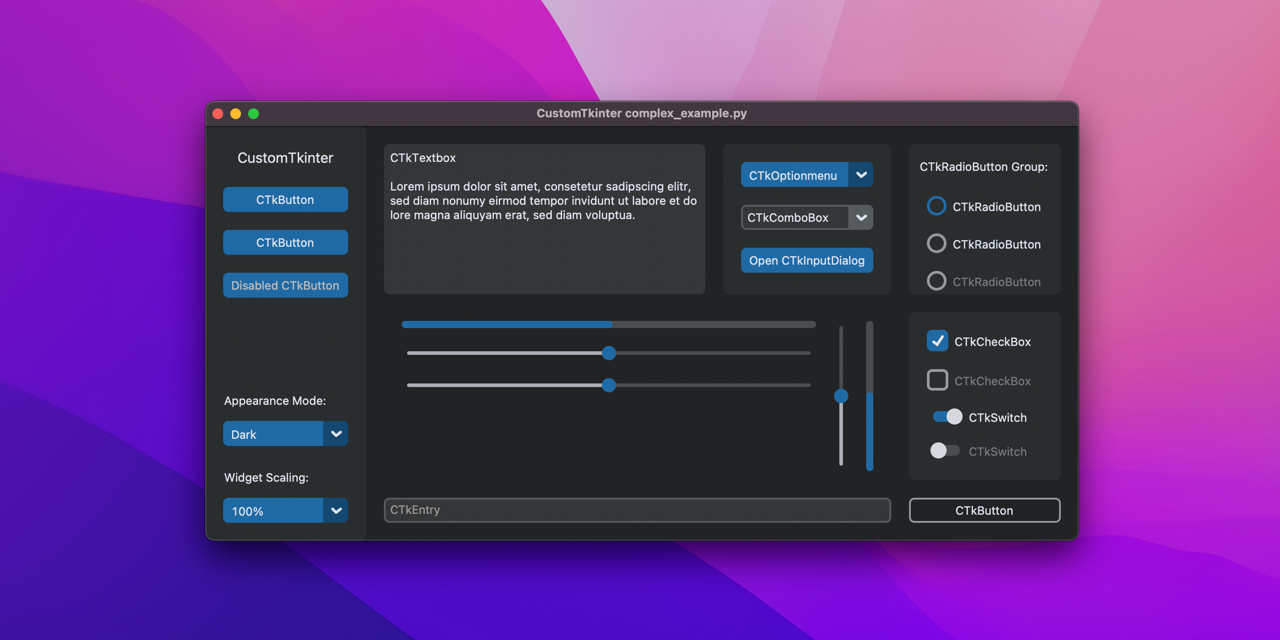
GitHub
A modern and customizable python UI-library based on Tkinter - Home · TomSchimansky/CustomTkinter Wiki
sleek hollow
fresh cypress
I have 2 questions about tkinter python:
1) how do I build and publish my deskto...
Yes, you need to use events of your UI to trigger things happening
fossil copper
basically yh
fresh cypress
What If i want the UI to update synchronously with the data without tge need to click a btn?
fresh cypress
fossil copper
not possible
Isnt that a solution or it doesnt fit for my situation?
https://stackoverflow.com/questions/27123676/how-to-update-python-tkinter-window

Stack Overflow
I'm currently trying to update a TKinter window every second. So the idea is that is should open a window, let python updates the field, show updated window. The situation right now is that the sec...
fresh cypress
Yes Ive read and I saw that its good but I thought uve already tried before thats why u said not possible
fresh cypress
fossil copper
try it
Okay, thanks tho
fossil copper
i can also just know stuff
 hasty meadow
how do i make pysimplegui look better, its the only ui lib which has made sense so far
 short badger
in tk can you just make a variable that holds all the formatting stuff for a type of widget then just throw that on instead of typing every detail out for each individual button
like xyz=(bg='blue', bd=2, fg='white', font=('calibri', 20)
sleek hollow
short badger
in tk can you just make a variable that holds all the formatting stuff for a typ...
I would do it with a dictionary and then you can unpack it
import tkinter as tk

btn_style = {'bg':'red', 'fg':'blue', 'font':('impact', 14)}

root = tk.Tk()

tk.Button(text='Hello', **btn_style).pack()
tk.Button(text='World', **btn_style).pack()

root.mainloop()
ty
 somber hemlock
short badger
like xyz=(bg='blue', bd=2, fg='white', font=('calibri', 20)
somber hemlock
short badger
like xyz=(bg='blue', bd=2, fg='white', font=('calibri', 20)
The proper solution for this would be to use styles with ttk widgets, but they are a PITA to work with
 spring sinew
Can someone help me with understanding .parent() in PyQt? I read that it references the object from which the object whose parent I want is instantiated. Originally, I thought it would be like the relationship between parent and child class.
What if I instantiate the object from within several different classes? What does .parent() reference then?
 rocky dragon
the parent is some specific instance of a qobject/qwidget, you usually pass them to the object when instantiating it
 light cobalt
class GuiModel():
    def start(self):

        root = tk.Tk()

        root.configure(background='black')
        root.title('ImageLabel Demo')
        bg = ImageLabel(root)
        bg.configure(borderwidth=0)
        bg.place(x=0, y=0, relwidth=1, relheight=1)
        bg.pack()
        bg.load('Jarvis/utils/images/live_wallpaper.gif')
        img = ImageLabel(root)
        img.load('Jarvis/utils/images/initiating.gif')
        img.pack()
        img.configure(borderwidth=0)
        img.place(x=0, y=0)
        txt1 = tk.Label(root, text=time.strftime("%A, %d %B "),
                        font=('Helvetica', 20), bg='black', fg='white', borderwidth=0).place(x=1050, y=500)
        txt2 = tk.Label(root, text=time.strftime("%H:%M:%S "),
                        font=('Helvetica', 20), bg='black', fg='white', borderwidth=0)
        txt2.place(x=1050, y=550)
        mytext = tk.StringVar()
        textbox = tk.Entry(root,  width=20, borderwidth=2, font=(
            'Helvetica', 20), background='black', foreground="white", textvariable=mytext)
        textbox.place(x=1050, y=600, height=35)
        textbox.focus()
        textbox.bind('<Return>', lambda x: self.callback(textbox.get()))
        root.mainloop()
    def run(self):
        self.start()
    def runjarvis(self):

        print("say wakeup jarvis to start")
        while True:
            takecmd = brain.Jarvis().wakeup()
            if 'wake up' in takecmd or 'jarvis' in takecmd:
                brain.Jarvis().wish()
                while True:
                    command = brain.Jarvis().mic_input()
                    out = brain.Jarvis().execute(command)
                    if out == 0:
                        break

            elif 'shutdown' in takecmd:
                h.Workers().speak("Shutdowning systems!")
                sys.exit()
```if i do self.runjarvis()
in run method
after the start method
it doest invokes
sleek hollow
light cobalt
```py
class GuiModel():
def start(self):
root = tk.Tk()
...
Because once mainloop triggers, it blocks all following code
you'll need to trigger runjarvis another way. Either a delayed method call, or some sort of gui event like a button press
mighty frigate
@sleek hollow I was wondering, any though on what's the "best" python UX lib ?
since you're using Qt and you seems to also know tkinter
sleek hollow
mighty frigate
since you're using Qt and you seems to also know tkinter
Not sure what the "best" is, but I really wouldn't recommend tkinter for anything even moderately advanced
I don't know a whole lot of tkinter though. Just the basics of connecting events to functions
I'd say PyQt/PySide is best for documentation alone
 chilly needle
sleek hollow
Not sure what the "best" is, but I really wouldn't recommend tkinter for anythin...
chilly needle
sleek hollow
Not sure what the "best" is, but I really wouldn't recommend tkinter for anythin...
i second this. use tkinter for like a quick test of gui and maybe learning but dont make any decent project on it. use pyqt5 for bigger projects
 lucid yarrow
Yo what is a easy and Modern looking library for python?
I have used Tkinter but it looks kinda old for me, I have read about CustomTkinter but idk if its good.
somber hemlock
lucid yarrow
Yo what is a easy and Modern looking library for python?
Use customtkinter if good looks are only what you want, its the same tkinter under the hood and all the shit it comes with
somber hemlock
What is the closest widget or QML type to a Windows property grid in Qt?
Should I use QML types instead of classic widgets?
The QT widgets palette looks pretty small in Designer tbh
 karmic stratus
Hey, i am studdin tkinter on tutorial, and this code gives me an error in pycharm, can someone tell why?
import tkinter as tk

def increase():
    value = int(lbl_value["text"])
    lbl_value["text"] = f"{value + 1}"

def decrease():
    value = int(lbl_value["text"])
    lbl_value["text"] = f"{value - 1}"

window = tk.Tk()

window.rowconfigure(0, minsize=50, weight=1)
window.columnconfigure([0, 1, 2], minsize=50, weight=1)

btn_decrease = tk.Button(master=window, text="-", command=decrease)
btn_decrease.grid(row=0, column=0, sticky="nsew")

lbl_value = tk.Label(master=window, text="0")
lbl_value.grid(row=0, column=1)

btn_increase = tk.Button(master=window, text="+", command=increase)
btn_increase.grid(row=0, column=2, sticky="nsew")

window.mainloop()
Error on the line: btn_decrease = ...
My guess that compiller is tryin to identify lvl_value that is defined only after calling a function, and i was trying to put that line hire of btn_decrease, yet still get same error.
 leaden crag
That looks a little terrifying
karmic stratus
Im so sorry i found a mistake. I putted extra m in word command. So stupid mistake
😫
karmic stratus
leaden crag
That looks a little terrifying
Dont look at me. Its tutorial 😜
 slender fern
-x-posting from software design-
Hello! I'm looking for some help in making a guitar tab program, I'm trying to figure out how have a scalable 6-line text input. I thought tables would be good but from my Google searches this is getting difficult to make in a GUI
somber hemlock
slender fern
-x-posting from software design-
Hello! I'm looking for some help in making a gu...
Can you show an example of what you want in a GUI
 toxic glade
how to make this image automatically resize to fit the frame? (tkinter)
# The image
prevtest = ImageTk.PhotoImage(PILImage.open("test.jpg"))
# Frame
image = Frame(app, borderwidth=2, relief=GROOVE, bg=theme['dark'])
# The label to set the image in
img = Label(master=image, text="", image=prevtest)
img.pack()

 river current
I think it's better to resize image with an other function and call it here
Prolly there's a module for that
 proven basinBOT
:incoming_envelope: :ok_hand: applied mute to @humble grail until <t:1669899178:f> (10 minutes) (reason: duplicates rule: sent 4 duplicated messages in 10s).
The <@&831776746206265384> have been alerted for review.
spring sinew
import random
import sys
import time
import uuid

import pyqtgraph as pg
from PyQt5.QtCore import QObject, QRunnable, QThreadPool, pyqtSignal, pyqtSlot
from PyQt5.QtWidgets import QApplication, QMainWindow, QPushButton, QVBoxLayout, QWidget


class WorkerSignals(QObject):
    data = pyqtSignal(tuple)


class Worker(QRunnable):
    def __init__(self):
        super().__init__()
        self.worker_id = uuid.uuid4().hex
        self.signals = WorkerSignals()

    @pyqtSlot()
    def run(self):
        pass


class MainWindow(QMainWindow):
    def __init__(self):
        super().__init__()

        self.threadpool = QThreadPool()

        self.x = {}
        self.y = {}
        self.lines = {}

        layout = QVBoxLayout()
        self.graph_widget = pg.PlotWidget()
        self.graph_widget.setBackground("w")
        layout.addWidget(self.graph_widget)

        button = QPushButton("Create New Worker")
        button.pressed.connect(self.execute)

        layout.addWidget(button)

        w = QWidget()
        w.setLayout(layout)

        self.setCentralWidget(w)

        self.show()

    def execute(self):
        pass

    def receive_data(self, data):
        pass

app = QApplication(sys.argv)
window = MainWindow()
window.show()
app.exec()
I am trying to follow an example from a book. Whenever I run the above, I get QWidget: Must construct a QApplication before a QWidget. I can't pinpoint where I am constructing a QApplication before a QWidget though.
It has something to do with self.graph_widget = pg.PlotWidget() because the program runs if I remove that line.
short badger
is it bad practice not to use frames in tkinter
or does it not matter because tkinter sucks anyway
 tropic valley
karmic stratus
Hey, i am studdin tkinter on tutorial, and this code gives me an error in pychar...
tropic valley
karmic stratus
Hey, i am studdin tkinter on tutorial, and this code gives me an error in pychar...
NSWE this way
make functions after making window.
make sure to check the functions,
must add window not master=window, it can't be variable and the first thing in the function is var.
do
something = tk.whatever(window, other stuff)
nswe is from ttk not tk
add
from tkinter import ttk
 digital rose
im want put ui
digital rose
im want put ui
what do you need?
digital rose
I want to program the game Hangman and now I have the problem that my interface does not react or is connected to my game code. Since I'm doing this for the first time, it would be great if someone could briefly fix the code for me - thanks!
proven basinBOT
Hey @digital rose!
It looks like you tried to attach file type(s) that we do not allow (.ipynb). We currently allow the following file types: .gif, .jpg, .jpeg, .mov, .mp4, .mpg, .png, .mp3, .wav, .ogg, .webm, .webp, .flac, .m4a, .csv, .json.
Feel free to ask in #community-meta if you think this is a mistake.
digital rose
from tkinter import *
Create a window
window = Tk()
Set the window title
window.title("Hangman Game")
Create labels
lbl_name = Label(window, text="Please tell me your name:")
lbl_name.grid(row=0, column=0)
lbl_category = Label(window, text="Choose a category:")
lbl_category.grid(row=3, column=0)
lbl_guess = Label(window, text="Guess a character:")
lbl_guess.grid(row=6, column=0)
Create entry boxes
txt_name = Entry(window, width=20)
txt_name.grid(row=0, column=1)
txt_guess = Entry(window, width=20)
txt_guess.grid(row=6, column=1)
Create a listbox
lst_category = Listbox(window)
lst_category.grid(row=3, column=1)
Insert items in the listbox
lst_category.insert(1, "Super Heroes")
lst_category.insert(2, "Countries")
lst_category.insert(3, "Sports")
Create a button
btn_start = Button(window, text="Start Game")
btn_start.grid(row=9, column=1)
Create a text area
txt_output = Text(window, width=20, height=5)
txt_output.grid(row=12, column=0, columnspan=2)
Run the window
window.mainloop()
import time
import random
name = input("please tell me your name 😊
time.sleep(1)
print ("Hello, " + name, "let's play hangman")
time.sleep(1)
print (" ")
super_heroes=("antman","iron man","thor","hulk","spider man","captain america","dr strange","batman","aquaman")
countries=("india","australia","japan","china","russia","america","denmark","south africa")
sports=("tennis","basketball","badminton","cricket","football","hockey","baseball")
print("enter 1 for category SUPER HEROES\n")
time.sleep(1)
print('Enter 2 for category COUNTRIES\n')
time.sleep(1)
print('Enter 3 for category SPORTS\n')
time.sleep(1)
choice=int(input("Enter your choice:"))
time.sleep(1)
if(choice==1):
print("you have chosen super heroes as your category")
word=random.choice(super_heroes)
if(choice==2):
print("you have chosen countries as your category")
word=random.choice(countries)
if(choice==3):
print("you have chosen sports as your category")
word=random.choice(sports)
time.sleep(1)
print ("Start guessing the word below")
time.sleep(1)
guesses = ''
attempts = 15
while attempts > 0:
failed = 0

for char in word:

    if char in guesses:

        print (char)
    else:
        time.sleep(0.2)
        print("____")
        failed += 1


#if coubt is still 0 then win
if failed == 0:
    print ("You won..WELL DONE!!" )
    print("The word is ", word)
    break
#end of while script


guess = input("guess a character:")


guesses = guesses + guess


if guess not in word:


    attempts -= 1
    time.sleep(1)
    print ("Wrong guess" )
    time.sleep(2)
    print( "You have", + attempts, 'more chances' )
    time.sleep(1)


    if attempts == 0:


        print ("OOPS...you lost/n betterluck next time")
        print("The word is ", word)
Is Curses available on Windows? How could I get started with that
And does curses offer any mouse event functionality for console? I see applications with basically buttons on the terminal
lucid yarrow
somber hemlock
Use customtkinter if good looks are only what you want, its the same tkinter und...
or should I learn C# to do GUI? some people have told me C# its better for GUI
short badger
c# you just drag the stuff onto window change properties there and it generates most the gui code for you @lucid yarrow
lucid yarrow
like visual basic.net
Im using that one for my programming class
I might use C# but I don't know which framework to use
short badger
you can use visual studio same as with vb
lucid yarrow
alright
light cobalt
sleek hollow
Because once mainloop triggers, it blocks all following code
if i make a button and do that it starts but then gui stops responding
sleek hollow
light cobalt
if i make a button and do that it starts but then gui stops responding
Not sure what you're running exactly
You can't have an infinite while loop running while the UI is running
mainloop IS essentially a form of while loop
so if you have a while loop running, now you've blocked the mainloop (event loop)
light cobalt
hmm
 misty canopy
In textual, what's a good way to do cleanup (e.g. close database connection) when the app exits?
misty canopy
ended up doing
    async def _on_shutdown_request(self, event) -> None:
        self.client.disconnect()
        return await super()._on_shutdown_request(event)
no idea if that's the right shutdown-related method 🥴
short badger
if i have these most likely horribly set up buttons how would i go about making a method that calculates and returns something to label
 somber hemlock
misty canopy
In `textual`, what's a good way to do cleanup (e.g. close database connection) w...
somber hemlock
misty canopy
In `textual`, what's a good way to do cleanup (e.g. close database connection) w...
!d atexit always an option
proven basinBOT
The atexit module defines functions to register and unregister cleanup functions. Functions thus registered are automatically executed upon normal interpreter termination. atexit runs these functions in the reverse order in which they were registered; if you register A, B, and C, at interpreter termination time they will be run in the order C, B, A.
Note: The functions registered via this module are not called when the program is killed by a signal not handled by Python, when a Python fatal internal error is detected, or when os._exit() is called.
Changed in version 3.7: When used with C-API subinterpreters, registered functions are local to the interpreter they were registered in.
somber hemlock
lucid yarrow
or should I learn C# to do GUI? some people have told me C# its better for GUI
Learn MVVM and WPF / Avalonia, if you go on to learn Windows Forms its basically the same as tkinter with some more widgets
proven basinBOT
:incoming_envelope: :ok_hand: applied mute to @twilit coyote until <t:1670036807:f> (10 minutes) (reason: duplicates rule: sent 4 duplicated messages in 10s).
The <@&831776746206265384> have been alerted for review.
 earnest quest
Does anyone else use the Model-View-Controller model for designing Tkinter apps? After learning about it, I found it to be incredibly useful for a project where I need to make multiple frames interact with one another
proven basinBOT
:incoming_envelope: :ok_hand: applied mute to @rancid vine until <t:1670062375:f> (10 minutes) (reason: duplicates rule: sent 4 duplicated messages in 10s).
The <@&831776746206265384> have been alerted for review.
somber hemlock
earnest quest
Does anyone else use the Model-View-Controller model for designing Tkinter apps?...
Tkinter (or tk rather) isn't made with any such pattern in mind. The most you get is virtual events, which you can use for dispatching commands from one frame to another and stringvar, intvar (used for data binding with controls like text labels etc.)
However, advanced widgets like treeview have no "data model" and "presentation" layer. Its all mixed into one. Honestly, just use PyQt its the best you can possibly get
somber hemlock
import pathlib
import sys

from PySide6.QtGui import QGuiApplication
from PySide6.QtQml import QQmlApplicationEngine

curdir = pathlib.Path(__file__).parent

if __name__ == "__main__":
    app = QGuiApplication(sys.argv)
    engine = QQmlApplicationEngine()

    engine.load(curdir / "views" / "mainwindow.qml")  # type: ignore
    sys.exit(app.exec())
No output, no window, no errors, just a stuck console
short badger
eyo, in tkinter how do you go about resetting radio buttons with button
am i on the right track here or probably not?

but it tells me i cant set ints
digital rose
anyone help me with kivy map ui?
 toxic plaza
Hello everyone, I'm new to python. I created a complex application application with kivymd, kivy and pyttsx3. Everything works well in development but when I generate my exe file sometimes it opens the console and after that it hangs and sometimes it loads but nothing happens. It's been 2 days now I'm on it.
I watched a lot of tutorials on youtube and I checked a lot of documentation but I still encounter the same problem. however I created a demo application for testing but nothing has changed. I uninstalled and installed many versions of python and pyinstaler and auto-py-to-exe and kivymd, I modified the spec file several times but still the same problems. please help me please, i have been unable to do anything for 2 days now.
I send you the little demo project.
I am using windows 10 pro.
please help me to generate the exe file
toxic glade
how to create a UI framework from scratch?
earnest quest
somber hemlock
Tkinter (or tk rather) isn't made with any such pattern in mind. The most you ge...
Do most people prefer PyQt now rather than Tkinter? What's the advantage of using it anyways?
somber hemlock
toxic glade
how to create a UI framework from scratch?
||Don't, it will end up like Kivy.||
somber hemlock
earnest quest
Do most people prefer PyQt now rather than Tkinter? What's the advantage of usin...
Qt (of which PyQt / PySide is a port of) is a C++ UI framework used by tons of devs and apps. Tkinter (a port of tcl/tk) on the other hand is used by close to nobody, its barely maintained and has tons of unfixed bugs and performance problems.
Just browse through Qt's (not PyQt) docs once, you will know how much you can have / use
earnest quest
somber hemlock
Qt (of which PyQt / PySide is a port of) is a C++ UI framework used by tons of d...
I'll keep that in mind
somber hemlock
PyQt is rather bloated but for the advantages it has, its rather negligible
earnest quest
somber hemlock
PyQt is rather bloated but for the advantages it has, its rather negligible
What do you mean by bloated?
somber hemlock
Its close to 80MB wheel
earnest quest
somber hemlock
Its close to 80MB wheel
What does that mean?
somber hemlock
Have you ever installed anything from pip?
earnest quest
somber hemlock
Have you ever installed anything from pip?
Yes
proven basinBOT

Python bindings for the Qt cross-platform application and UI framework (Essentials)
somber hemlock
PyQt /PySide is not very Pythonic though
 toxic glade
somber hemlock
||Don't, it will end up like Kivy.||
toxic glade
somber hemlock
||Don't, it will end up like Kivy.||
Nah just for educational purposes
I want to try and make a framework that allows responsitive designs, and nice styling
somber hemlock
toxic glade
I want to try and make a framework that allows responsitive designs, and nice st...
qml already does that
toxic glade
toxic glade
Nah just for educational purposes
..
 modest iris
 carmine orchid
What's the error in it?
carmine orchid
What's the error in it?
\there is no button widget called login
modest iris
np
carmine orchid
modest iris
np
Schrodinger's experiment?
modest iris
carmine orchid
Schrodinger's experiment?
yea
carmine orchid
modest iris
yea
 modest iris
carmine orchid
modest iris
carmine orchid
lol that 50% chance u got
carmine orchid
modest iris
lol that 50% chance u got
meme is meme tho
somber hemlock
PyQt / PySide users, how's your experience with QML? What are your opinions on Python QML integration? Seems a bit messy imo
rocky dragon
I think for a lot of QML uses you'd be better off with kivy in Python
somber hemlock
I tried kivy
Its layout is really weird
Plus there's no menubar
Its like the first thing I automatically setup, menubar and statusbar
I tried both classic QtWidgets and QML, both have their disadvantages, neither was made with python in mind so its a bit of work to get them to work with python code
short badger
how would i make this squirt out the last 5 lines of txt doc into label
 digital rose
Hey guys, I'm kinda new to visual studio code and github and I need some help. Basically, I moved one folder which was connected to a github repo to another folder on my desktop. (I wanted to organize it better). Now I don't know how to connect back that same folder to the same repo. I have no idea how to do it. Can someone please help? Don't hesitate to ask for an image or more details if you are confused.
Oh wait I figured it out.
there is a hidden folder called .git or something, I need to go inside the exact folder where the repo is and select it and remove all of the rest which are not from that repo.
lol
modest iris
short badger
how would i make this squirt out the last 5 lines of txt doc into label
s=''
for i in range(-5,0):
s+=str(file_results[i])+' '
self.labelText=s
short badger
modest iris
s=''
for i in range(-5,0):
s+=str(file_results[i])+' '
self.labelText=s
ty much
 tulip notch
I thought of something like this, can anyone guide me to the result?
short badger
modest iris
s=''
for i in range(-5,0):
s+=str(file_results[i])+' '
self.labelText=s
so ive got the list i want to display now but im having trouble with getting it to display (either on label or messagebox, messagebox would probably be easier eh?
 tulip notch
How can I delete a specific item from a ListBOX??
proven basinBOT
:incoming_envelope: :ok_hand: applied mute to @digital rose until <t:1670265764:f> (10 minutes) (reason: duplicates rule: sent 4 duplicated messages in 10s).
The <@&831776746206265384> have been alerted for review.
tulip notch
How can I delete a specific item from a ListBOX?? MyCode```py
import tkinter as tk
from tkinter import ttk
from tkinter import *
janela = tk.Tk()
janela.title('Pedidos online - Point')
janela.geometry("530x500")
Comanda = Listbox(janela)
Comanda.grid(row=2, column=2, padx=1, pady=1)
I would like to take specific items that are inside the listbox
sleek hollow
tulip notch
How can I delete a specific item from a ListBOX?? MyCode```py
import tkinter as...
How do you want to indicate which should be removed?
tulip notch
sleek hollow
How do you want to indicate which should be removed?
I wanted to remove those with the same name, and group them

I wanted to make it like this
 sleek hollow
tulip notch
I wanted to remove those with the same name, and group them
sleek hollow
tulip notch
I wanted to remove those with the same name, and group them
You can loop through everything in the listbox
the logic behind grouping them like that has nothing to do with listboxes
['apple', 'orange', 'apple']
how would you do it if you had a list like this?
tulip notch
caches_produtos = {"pizza": 0,"beirute": 0,"x-tudo":0}

def add():
    n= entry_Pizza.get()
    if n == "Escolha seu pedido":
        return
    elif caches_produtos[f'{n}'] >= 1:
        quantidade = caches_produtos[f'{n}']
        Comanda.delete(0, END)
        Comanda.insert(END, f"({quantidade}){n}")
        indexs[f'{n}'] = 0
        cache_name = n

    else:
        Comanda.insert(END, n)
    caches_produtos[f'{n}'] += 1``` this is the code of my current command, it works to group only 1 type of product, I wanted to expand it to group all items
class collections.Counter([iterable-or-mapping])```
A [`Counter`](https://docs.python.org/3/library/collections.html#collections.Counter "collections.Counter") is a [`dict`](https://docs.python.org/3/library/stdtypes.html#dict "dict") subclass for counting hashable objects. It is a collection where elements are stored as dictionary keys and their counts are stored as dictionary values. Counts are allowed to be any integer value including zero or negative counts. The [`Counter`](https://docs.python.org/3/library/collections.html#collections.Counter "collections.Counter") class is similar to bags or multisets in other languages.

Elements are counted from an *iterable* or initialized from another *mapping* (or counter):

```py
>>> c = Counter()                           # a new, empty counter
>>> c = Counter('gallahad')                 # a new counter from an iterable
>>> c = Counter({'red': 4, 'blue': 2})      # a new counter from a mapping
>>> c = Counter(cats=4, dogs=8)             # a new counter from keyword args
But I'm showing this to the client in the graphical interface, I'm showing in real time which products he's going to get, I want if he chooses the same product +1 time, it's grouped inside the ListBox and for that I need to delete it of the ListBox and add it again grouped
tulip notch
tulip notch
As you can see in the image, I have 2 repeated items, these items could be converted into just 1, but for that I need to know its INDEX, and that's my question
sleek hollow
You would need to get a list of everything in the listbox, and then check the count of those items in the list
honestly my approach would be:
Get a list of everything in the listbox
Delete everything in the listbox
Use the Counter to get the number display required
Add everything back to the listbox with the number
You would need some sort of way to parse items that have a (#) in them though
sleek hollow
tulip notch
As you can see in the image, I have 2 repeated items, these items could be conve...
Try running this standalone example
import tkinter as tk
from collections import Counter

def organize():

    size = lb.size()
    items = lb.get(0, size)
    counter = Counter(items)
    for i in reversed(range(size)):
        lb.delete(i)
    for i, pairs in enumerate(counter.items()):
        k, v = pairs
        if v > 1:
            lb.insert(i, f"{k} ({v})")
        else:
            lb.insert(i, k)


root = tk.Tk()
root.geometry("500x500")

lb = tk.Listbox()
lb.pack()

for i, item in enumerate(['apples', 'apples', 'bananas', 'pears', 'apples', 'apples', 'bananas']):
    lb.insert(i, item)

tk.Button(text='Organize', command=Organize).pack()

root.mainloop()
import tkinter as tk
from tkinter import ttk
from tkinter import *
lista_pratos = ["pizza","beirute","x-tudo"]
def add():
n= entry_Pizza.get()
if n == "Escolha seu pedido":
return
elif caches_produtos[f'{n}'] > 1:
size = Comanda.size()
print(size)
items = Comanda.get(0, size)
print(items)
counter = Counter(items)
for i in reversed(range(size)):
Comanda.delete(i)
for i, pairs in enumerate(counter.items()):
k, v = pairs
if v > 1:
Comanda.insert(i, f"{k} ({v})")
else:
Comanda.insert(i, k)
else:
Comanda.insert(END, n)
janela = tk.Tk()
janela.title('Pedidos online - Point')
janela.geometry("530x500")
entry_Pizza = ttk.Combobox(values=lista_pratos,width=40)
entry_Pizza.set('Escolha seu pedido')
entry_Pizza.grid(row=6, column=1, padx=5, pady=5)
Comanda = Listbox(janela)
Comanda.grid(row=2, column=2, padx=1, pady=1)
```it is only grouping 2 items from each group wide gate
hi i really need some help, i'm trying to learn how to change the interface with QTdesigner but when i compile the ui to py all the interface gets stacked and it doesnt load the pics. since i'm a newbie i have no clue what im doing wrong, can someone help me with that?
sleek hollow
tulip notch
```py
import tkinter as tk
from tkinter import ttk
from tkinter import *
lista_...
Can you give me an example I can test with?
My example should work perfectly
short badger
is it considered bad form not to use frames in tkinter
sleek hollow
short badger
is it considered bad form not to use frames in tkinter
It's generally simpler to organize your layout with frames, especially if you're also working with classes
it depends on the complexity of your UI, but for something more advanced, you'd just be making more work for yourself by not using frames
short badger
i just cant figure em out so i was using coords, im only gonna be using tkinter for this class assignment though so i should be alright
short badger
oh well dang
sleek hollow
you should really get used to using pack or grid
you don't need frames for it though
tulip notch
sleek hollow
Can you give me an example I can test with?
Try to run my code and see what happens, for some reason there are only 2 items
sleek hollow
tulip notch
Try to run my code and see what happens, for some reason there are only 2 items
No items show up with your example
tulip notch
whats
proven basinBOT
Hey @tulip notch!
You either uploaded a .txt file or entered a message that was too long. Please use our paste bin instead.
tulip notch
@sleek hollow mycode complete https://paste.pythondiscord.com/riducabiru
sleek hollow
I can't really follow it if it isn't in english 😦
short badger
i have been stuck on what should be simple for like 2 hours pls help. i just want to put the list vertically into message box, i can do that right
 tulip notch
sleek hollow
I can't really follow it if it isn't in english 😦
tulip notch
sleek hollow
I can't really follow it if it isn't in english 😦
one moment
janela = tk.Tk()
janela.title('title')
janela.geometry("530x500")

list_food = ["pizza","xburguer","apple"]

def add():
    n= entry_Pizza.get()
    if n == "Escolha seu pedido":
        return
    elif caches_produtos[f'{n}'] >= 1:
        size = Comanda.size()
        print(size)
        items = Comanda.get(0, size)
        print(items)
        counter = Counter(items)
        for i in reversed(range(size)):
            Comanda.delete(i)
        for i, pairs in enumerate(counter.items()):
            k, v = pairs
            if v > 1:
                Comanda.insert(i, f"{k} ({v})")
            else:
                Comanda.insert(i, k)

    else:
        Comanda.insert(END, n)

entry_Pizza = ttk.Combobox(values=list_food,width=40)
entry_Pizza.set('Escolha seu pedido')
entry_Pizza.grid(row=6, column=1, padx=5, pady=5)

Comanda = Listbox(janela)
Comanda.grid(row=2, column=2, padx=1, pady=1)

botao_itens = tk.Button(text='adicionar a comanda', command=add)
botao_itens.grid(row=7, column=1, columnspan=1, padx=5, pady=5,ipadx=2,rowspan=1)
janela.mainloop()
 pallid lagoon
Pysimplegui (tkinter) doesn't render with windows scale&layout scaling set to 250%
Are there any known fixes?
 jovial lake
can I remove a tag from a .create_image (Tkinter) ? because i use one for my background without specified a tag , but when i use find_all() , he is in the list
short badger
trying to put a list out into a label but it comes out with these brackets why is that
 slender fern
somber hemlock
Can you show an example of what you want in a GUI
slender fern
somber hemlock
Can you show an example of what you want in a GUI
Sorry for the late reply, I had a friend pass away and hadn't been on my Discord since. But now I'm getting back to me normal routine and gonna try to get back into this project.
In my original post I made a console version of what I'm trying to do in a GUI. I do have a program that I am trying to replicate that could be a better example. Should I just post a screenshot of it?
tulip notch
tulip notch
```py
janela = tk.Tk()
janela.title('title')
janela.geometry("530x500")
list_f...
someone my help-me?
proven basinBOT
:incoming_envelope: :ok_hand: applied mute to @digital rose until <t:1670326950:f> (10 minutes) (reason: duplicates rule: sent 4 duplicated messages in 10s).
The <@&831776746206265384> have been alerted for review.
 pulsar breach
Upon entering the directory and clicking on "Enter Directory", the image does not show up. Can anyone tell me why this happens and how can I fix it?

 sleek hollow
pulsar breach
Upon entering the directory and clicking on "Enter Directory", the image does no...
sleek hollow
pulsar breach
Upon entering the directory and clicking on "Enter Directory", the image does no...
local image variables that get destroyed will also destroy the image with it. I usually keep a global dict/list that simply holds all my images in view
Can you share the code as text and not screenshot?
pulsar breach
sleek hollow
Can you share the code as text and not screenshot?
yea sure one sec
from tkinter import *
from PIL import ImageTk, Image
root = Tk()
root.title("Image Viewer")
root.iconbitmap('c:/Programming Stuff/pyico.ico')
def showpic():
direct = str(input_directory.get())
input_directory.delete(0, END)
my_img = ImageTk.PhotoImage(Image.open(direct))
my_label = Label(image=my_img)
my_label.pack()
exit_button = Button(text="Exit Program", command=root.destroy)
exit_button.pack()
input_directory = Entry()
input_directory.pack()
enter_button = Button(text="Enter Directory", command=showpic)
enter_button.pack()
root.mainloop()
sleek hollow
pulsar breach
yea sure one sec
yup, just as I thought
from tkinter import *
from PIL import ImageTk, Image

root = Tk()
root.title("Image Viewer")
all_images = [] #Add this new line
add a new global list like so
def showpic():
    direct = str(input_directory.get())
    input_directory.delete(0, END)
    my_img = ImageTk.PhotoImage(Image.open(direct))
    all_images.append(my_img) # Add this line as well
    my_label = Label(image=my_img)
    my_label.pack()
and then add this line to your showpic function
if you only need to show 1 pic at a time, you can clear the list first so you don't hold onto data you don't need anymore
it's a weird quirk of tkinter
 dull sage
Hey, so I made this thing in python using tkinter and canvas.create_line() and I want to make another 1 facing left. Is there any way how I can "mirror" it without making another 1 from scratch?
 somber hemlock
sleek hollow
local image variables that get destroyed will also destroy the image with it. I ...
somber hemlock
sleek hollow
local image variables that get destroyed will also destroy the image with it. I ...
That's a known tk bug
While using OOP, the solution is to make the images instance attributes
proven basinBOT
:incoming_envelope: :ok_hand: applied mute to @digital rose until <t:1670373367:f> (10 minutes) (reason: duplicates rule: sent 4 duplicated messages in 10s).
The <@&831776746206265384> have been alerted for review.
 serene jay
Hey guys how i can deploy my tkinter application
I developed a data entry app using tkinter and need to share it to others
pulsar breach
sleek hollow
and then add this line to your showpic function
thank you very much! it works now : )
tulip notch
How do I run a window when it's inside a class?(TKInter)
somber hemlock
serene jay
Hey guys how i can deploy my tkinter application
Make it into a package and expose its entry point, upload it to pypi, it can be installed on client PC with pip
somber hemlock
tulip notch
How do I run a window when it's inside a class?(TKInter)
If your class inherits from tkinter.Tk you can call MyGUI().mainloop() directly
 dreamy gyro
hi guys
made this

GitHub
A tierlist GUI program in tkinter. Contribute to sontaimnt/TierlistTK development by creating an account on GitHub.

 vernal shuttle
I don't get it
 fervent tangle
Good evening, is someone here with QT / pyside2 experience in QAbstractModelItems, QTreeView and QListViews?
slender fern
Hello! I'm trying to learn Python by creating my own Guitar Tab program. I'm currently trying to figure out a way to create something like this for a GUI. I created a mockup using Prettytables. I have the code I used in my original post here
I've tried to take the idea from Prettytables and recreate with it tkinter
from tkinter import *
xwidth = []
class Table:

    def __init__(self,root):

        for i in range(total_rows):
            for j in range(total_columns):
                global xwidth
                self.e = Entry(root, width=1, fg='blue',
                            font=('Arial',16,'bold'))

                self.e.grid(row=i, column=j)
                self.e.insert(END, lst[i][j])

# take the data
lst = [('e','','','','','','','','','','','','','','','',''),
    ('B','','','','','','','','','','','','','','','',''),
    ('G','','','','','','','','','','','','','','','',''),
    ('D','','','','','','','','','','','','','','','',''),
    ('A','','','','','','','','','','','','','','','',''),
    ('E','','','','','','','','','','','','','','','','')]

# find total number of rows and
# columns in list
total_rows = len(lst)
total_columns = len(lst[0])

# create root window
root = Tk()
t = Table(root)
root.mainloop()
Can anyone point me in a better direction how I can best recreate the pictures shown?


 lyric mist
anyone who knows tkinter and socket, i wonder if it’s possible to send a list of tkinter buttons to another program via socket
somber hemlock
lyric mist
anyone who knows tkinter and socket, i wonder if it’s possible to send a list of...
Buttons?
Why?
somber hemlock
slender fern
Hello! I'm trying to learn Python by creating my own Guitar Tab program. I'm cur...
Looks like you need to use canvas
tulip notch
I'm deleting elements from a window (TKINTER), is there a better way to delete everything?```py
self.Entry1.destroy()
self.Entry2.destroy()
self.Entry3.destroy()
self.Entry4.destroy()
self.Entry5.destroy()
self.Entry6.destroy()
self.Message1.destroy()
self.Message2.destroy()
self.Message3.destroy()
self.Message4.destroy()
self.Message5.destroy()
self.Message6.destroy()
self.Message7.destroy()
self.Message8.destroy()
self.Message9.destroy()
self.Message10.destroy()
 mighty rock
for child in self.children.values():
    child.destroy()
Might as well delete them from self somehow
I would simply store them in a list
slender fern
somber hemlock
Looks like you need to use canvas
Thanks for the direction, my understanding of canvas is that it draws on the screen which would give me the music staff. How would I get the table-like input for the frets?
proven basinBOT
:incoming_envelope: :ok_hand: applied mute to @dusty leaf until <t:1670516201:f> (10 minutes) (reason: duplicates rule: sent 4 duplicated messages in 10s).
The <@&831776746206265384> have been alerted for review.
somber hemlock
slender fern
Thanks for the direction, my understanding of canvas is that it draws on the scr...
Well canvas is just a screen where you custom draw stuff, so its entirely upto you
You could create an Entry based on where a mouse click or a similar trigger occurs
Pressing enter would close it
The grid lines they can ge drawn
lyric mist
somber hemlock
Buttons?
its a tic tac toe
lyric mist
somber hemlock
Just send the button number
could you elaborate a bit? i was asking if its possible to send tkinter buttons to another program via socket
tulip notch
mighty rock
```py
for child in self.children.values():
child.destroy()
```
I did not make it
 marble ruin
self.first_frame = tk.Frame(self.main_window, bg='red')
self.first_frame.grid(row=1, column=0, sticky="nswe")

#self.first_canvas = tk.Canvas(self.first_frame, bg='green')
#self.first_canvas.pack(side=tk.LEFT, fill=tk.BOTH, expand=tk.TRUE)


Hello, the first picture is before and the second picture is when I take off the comments for the canvas. I'm not sure why the canvas would just expand so much, it should stay within the frame. Could someone explain please. Thank you
lyric mist
marble ruin
Hello, the first picture is before and the second picture is when I take off the...
what do you mean it should stay within the frame
somber hemlock
lyric mist
could you elaborate a bit? i was asking if its possible to send tkinter buttons ...
When a button gets clicked you need to just send its index via the socket. The receiving application will use the index to draw the button as required with a cross or circle
lyric mist
somber hemlock
When a button gets clicked you need to just send its index via the socket. The r...
i understand and knew that, and your statements seem showing me that sending tkinter buttons to another program via socket is impossible
 untold charm
Hello, I would like to check the CustomTkinter library if the checkbox is checked and only start a thread if this checkbox is checked, but if it is unchecked, the thread should be stopped
somber hemlock
lyric mist
i understand and knew that, and your statements seem showing me that sending tki...
I didn't ever say its impossible, although I am pointing you to a simpler and an ideal method.
You should know the internal wire representation of the data you send, do you know how a tkinter button class is internally laid out?
somber hemlock
Any kivy experts here? I want a property grid like widget in kivy, the closest I find is kivymd's MDDataTable. Although I am not sure if it would allow me to bind the internal state with the view and handle events like text edits and stuff.
With kivy, recycleview is my only option and it seems a bit too complicated
digital rose
Hey there,
how can I create a dark mode GUI which looks like native Windows 11?
The screenshot is taken from "Project Reboot", but it's been written in C/C++ or similar as far as I know.
Thanks in advance <3

 wary kelp
can someone help me with pysimplegui?
 ripe shuttle
Anyone tried out flet yet?
proven basinBOT
:incoming_envelope: :ok_hand: applied mute to @glossy quartz until <t:1670686802:f> (10 minutes) (reason: duplicates rule: sent 4 duplicated messages in 10s).
The <@&831776746206265384> have been alerted for review.
 rugged gulch
guys anyone know how to change the window titlebar color to darkmode with pyqt5 ?
sleek hollow
rugged gulch
guys anyone know how to change the window titlebar color to darkmode with pyqt5 ...
It follows the theme of your OS
If you want a custom titlebar, you could implement your own
rugged gulch
sleek hollow
It follows the theme of your OS
my system in darkmode but the titlebar is lightmode
there is another apps using the defult titlebar and it's dark
 cobalt musk
anybody know how to let a widget span 2 rows

rowspan = 2 doesnt work for some reason
id like Request Donor button to be 2 column wide and 2 rows high
sumn like this

 frail lava
Is there a way I can add a new road in Google maps by code ?
somber hemlock
rugged gulch
my system in darkmode but the titlebar is lightmode
Then you are on Windows. You need to do some Win32 API calls dealing with the DWM
somber hemlock
digital rose
Hey there,
how can I create a **dark mode GUI which looks like native Windows 1...
Windows has no documented dark more for native Win32 widgets which are the ones all native look-and-feel UI frameworks use. Qt Quick's universal theme is quite close to Win10
rugged gulch
guys how can i make a statement if button is clicked
i tried this
self.upd = self.findChild(QPushButton, "pushButton_3")
if self.upd.clicked():
  print("hi")
but it's not working
 austere coral
 viral minnow
What am I doing wrong? It should extend till the end of the sidebar frame(orange part) right?

Oh wait I think I see how it works
 marble bolt
 digital rose
marble bolt
digital rose
marble bolt
Click More info
marble bolt
digital rose
Click __More info__
i know
i want to know if that means its a virus or not
digital rose
marble bolt
i want to know if that means its a virus or not
This could mean that it's a virus.
But generally, this also quite often appears on unpoplar software where the devs can't sign the EXE
marble bolt
how do i sign an .exe
digital rose
marble bolt
how do i sign an .exe
Only the devs can sign the exe afaik
digital rose
marble bolt
how do i sign an .exe
Just a reminder: Google has more answers to your questions than you think ;)https://stackoverflow.com/questions/252226/signing-a-windows-exe-file
Stack Overflow
I have an EXE file that I should like to sign so that Windows will not warn the end user about an application from an "unknown publisher". I am not a Windows developer. The application in question ...
proven basinBOT
:incoming_envelope: :ok_hand: applied mute to @snow prism until <t:1670803307:f> (10 minutes) (reason: duplicates rule: sent 4 duplicated messages in 10s).
The <@&831776746206265384> have been alerted for review.
 sacred solar
hey, I'm looking to make a password generator that displays a password returned from a function each time a button is pressed and is able to be copied to the clipboard with one click. I have gotten to the point where it can generate one password in TKinter but I can't figure out how to update a label nor a textbox, what do I do?
 tight hill
You can use: label.config(text="newText")
sacred solar
tight hill
You can use: label.config(text="newText")
I do that inside of the function which generates the new text but it does not display a new one
Weirdly it will display the label with text even if i put it inside of the function which does not run at startup
wait, is it .pack() or .Pack()?
nevermind, .Pack() lit up in orange but produces an error
sleek hollow
sacred solar
I do that inside of the function which generates the new text but it does not di...
Can you share the code that is causing issue?
sacred solar
import random as r
import subprocess, sys
from tkinter import *

root = Tk()
root.geometry('400x200')

lbl = Label(root, text="")

lowers = ["a", "b", "c", "d", "e", "f", "g", "h", "i", "j", "k", "l", "m", "n", "o", "p", "q", "r", "s", "t", "u", "v", "w", "x", "y", "z"]
uppers = ["A", "B", "C", "D", "E", "F", "G", "H", "I", "J", "K", "L", "M", "N", "O", "P", "Q", "R", "S", "T", "U", "V", "W", "X", "Y", "Z"]
nums = ["1", "2", "3", "4", "5", "6", "7", "8", "9", "0"]
symbols = ["!", "@", "#", "$", "%", "^", "&", "*"]
def generate():
    global pw
    pw = ""
    for i in range(16):
        if r.randint(0,4) == 1:
            pw += lowers[r.randint(0,len(lowers) - 1)]
        elif r.randint(0,4) == 2:
            pw += uppers[r.randint(0,len(uppers) - 1)]
        elif r.randint(0,4) == 3:
            pw += nums[r.randint(0,len(nums) - 1)]
        else:
            pw += symbols[r.randint(0,len(symbols) - 1)]
    lbl.config(text=pw)
    lbl.pack()

button = Button(root, text="Generate New", command=generate())
buttonexit = Button(root, text="Exit", command=lambda:root.quit())
button.pack()
buttonexit.pack()
root.mainloop()
I'm really inexperienced with tkinter so I may have just ordered things wrong
sleek hollow
the command parameter takes a function as its argument
so it should be command=generate instead of command=generate()
the lambda isn't even needed for the buttonexit command either
it could just be command=root.quit
tight hill
sleek hollow
so it should be `command=generate` instead of `command=generate()`
Agreed
@sacred solar if you want to give arguments to the function then
command = lambda:func(a,b))
And if function doesn't takes any arguments then
command=func
That's it
sacred solar
generate()?
It doesn't take arguments but I just applied lambda to it and now it works
sleek hollow
sacred solar
generate()?
yes, because lambda is a function object
but you're basically solving a problem you made for yourself
instead of command=lambda: generate(), just do command=generate
sleek hollow
sleek hollow
so it should be `command=generate` instead of `command=generate()`
which is what I was saying here
sacred solar
thank you I knew it would be something simple
 deft sierra
Hello, does someone know how to make in tkinter two windows where the secondary window is always at the front of the primary window even though you are interacting with the primary?
somber hemlock
deft sierra
Hello, does someone know how to make in tkinter two windows where the secondary ...
Generally its the opposite. For example if an about box is created by a window, it grabs the focus disallowing any actions to its parent until its closed.
deft sierra
but is there a way to make something like this?
 somber hemlock
deft sierra
but is there a way to make something like this?
somber hemlock
deft sierra
but is there a way to make something like this?
Yea its a window style
I forget the exact name
I think its the toolwindow option
Pass toolwindow = True when creating the window
deft sierra
Oh yeah but how can i make the toolwindow stay at front while you can interact with the window under it?
somber hemlock
deft sierra
Oh yeah but how can i make the toolwindow stay at front while you can interact w...
your_tool_window.grab_set()
Or is it grab_get idk
deft sierra
somber hemlock
your_tool_window.grab_set()
I used grab_set() but i cant interact with the window that is under (i am trying to make a chat that is always at top while you can interact with the main window)
somber hemlock
deft sierra
I used grab_set() but i cant interact with the window that is under (i am trying...
then don't call grab_set?
Tkinter's default behaviour is to not grab focus exclusively
deft sierra
deft sierra
but is there a way to make something like this?
Yeah i know but i wanna make something like in the image, where you can click in the window that contain the colors and interact with the main window where you can paint without making the window that contain the colors going behind the main window, i tried using grab_set() but it disable the main window making impossible interact with it unless you close the secondary window but i wanna make you can interact with both windows without closing one or moving constantly the second window at front
sleek hollow
deft sierra
Yeah i know but i wanna make something like in the image, where you can click in...
import tkinter as tk


root = tk.Tk()
root.geometry('500x500+100+100')
tk.Label(root, text='MAIN').pack()
mini = tk.Toplevel(root)
mini.geometry('100x200+150+150')
tk.Label(mini, text='POPUP').pack()
mini.wm_transient(root)

root.mainloop()
I think a tk.toplevel window
sleek hollow
Use wm_transient on a toplevel window
 sleek hollow
this is default behaviour in pyqt if you set the window's parent
deft sierra
sleek hollow
```py
import tkinter as tk
root = tk.Tk()
root.geometry('500x500+100+100')
tk...
Thanks a lot, it worked!
 low egret
Question about PyQt5, drawing in a QPixmap with a QPainter. Why is it that constructing QPainter using QLabel.pixmap() works but from the original constructor QPixmap(w,h) kept in a variable does not work? In the following source, set the "if" statement to True to see a yellow line. False, nothing shows. Simple problem to fix - just always use QLabel.pixmap(), duh. But why? What is going on under the hood here?
#!/usr/bin/env python
play w 2d graphics in QCanvas
import sys
from PyQt5 import QtWidgets
from PyQt5.QtWidgets import QApplication, QMainWindow, QLabel
from PyQt5.QtGui import QPainter, QPixmap, QPen, QColor
app = QApplication(sys.argv)
win = QMainWindow()
turf = QLabel()
pm = QPixmap(444,222)
turf.setPixmap(pm)
win.setCentralWidget(turf)
if True:
painter = QPainter(turf.pixmap()) # THis works fine
else:
painter = QPainter(pm) # This does not show anything
pen = QPen()
pen.setWidth(5)
pen.setColor(QColor('yellow'))
painter.setPen(pen)
painter.drawLine(80, 10, 110, 200)
painter.end()
win.show()
r=app.exec()
sys.exit(r)
 arctic elk
low egret
Question about PyQt5, drawing in a QPixmap with a QPainter. Why is it that cons...
arctic elk
low egret
Question about PyQt5, drawing in a QPixmap with a QPainter. Why is it that cons...
!code
proven basinBOT
Here's how to format Python code on Discord:
```py
print('Hello world!')
```
These are backticks, not quotes. Check this out if you can't find the backtick key.
 leaden marten

 manic jay
If I have a question about Django frontend UI dev, would I post it here or under web-development? I know web-development says "django" in the channels about section, but still asking 🙂
somber hemlock
manic jay
If I have a question about Django frontend UI dev, would I post it here or under...
Web dev
This channel is for python UI libs
 atomic yew
anyone know why thats happening
 somber hemlock
atomic yew
anyone know why thats happening
somber hemlock
atomic yew
anyone know why thats happening
You don't have it installed
atomic yew
somber hemlock
You don't have it installed
I installed it
somber hemlock
Have you selected the correct location and python version of the interpreter in VSCode from the bottom right?
atomic yew
I switfched it from the reccomended to the one on the bottom and it works now

thank you
 teal fable
with so many options for gui's, how does one choose? I mean, what are things more generally one might think about or consider to pick one over another?
teal fable
are there any good sites or articles that compare those things? I mean, time to production is probably based a little on me (and my lack of skill coding a gui) but some of those other things should be more measurable
 reef solstice
Been searching for one to link you but none of them seem comprehensive enough 😅
But some popular choices to consider: GTK Qt Tauri Electron (not exhaustive)
teal fable
ha! fair enough. Sometimes python simply has too many options! lol
reef solstice
If your expertise lies in Python, Qt and GTK are your best bet (ymmv)
teal fable
gotcha. Thanks! So far, I've been exploring (TKinter, Kivy, DearPyGui, PySimpleGui and Textual) When I looked at QT, I got a bit confused with the seemingly several different versions
but I'm not sure how even the ones I'm looking at really compare (except that Textual is for the console)
reef solstice
If we take a step back and think about what the GUI app will be doing, what things it will offer, and the scope of audience (level of technicality, operating systems) we could narrow down or leave out a couple options based on that assessment
I'm probably only saying this because I teach CS units and make students think about the overall scope of their dev projects before they dive in
teal fable
basically looking to build an interface to allow end users to clone content from one GIS system to another. I have most of the clone code written, but it's made for me. I'd like the end user to be able to connect to 2 systems and I'll list the items and they can select and clone. They may be running Windows or Mac. I have written (or already know how to write the backend part of all that) but picking a front-end framework is new to me. But, I'm also hoping to learn more about classes in this process. Though that last bit is for me and not entirely necessary 🙂
I also don't NEED mobile support for this (in case that factors in)
somber hemlock
atomic yew
I switfched it from the reccomended to the one on the bottom and it works now
You should use the recommended i.e. the venv instead and install your dependency to the venv
Venvs are very helpful at isolating deps required by a particular project
carmine orchid
modest iris
\there is no button widget called login

anyone have idea what all libraries are need for this ?
Setup Documentation ...
 atomic yew
somber hemlock
You should use the recommended i.e. the venv instead and install your dependency...
atomic yew
somber hemlock
You should use the recommended i.e. the venv instead and install your dependency...
How do I install my dependency to the venv?
dreamy gyro
TierlistTK 1.0-Stable is now available in :- https://github.com/sontaimnt/TierlistTK


GitHub
A remake of TierMaker in python tkinter. Contribute to sontaimnt/TierlistTK development by creating an account on GitHub.
 blazing sinew
Can someone explain to me how grid works in tkinter, I'm just struggling to get it to do what I want and I can't find much online to help.
spring sinew
I want to implement "save project" via PyQt5. It should take all project relevant files and export them into a folder.
How should I best implement that?
Let the user choose a directory via .getExistingDirectory and then put all files in that directory, letting the user handle creation of the directory.
Use .saveFileName to let the user specify a folder name, create that folder and save everything in there.
spring sinew
The latter would probably be quite a bit of fiddling around to cover cases where the user does not choose a directory but a file etc.
I think the former seems like a best practice
 shy torrent
spring sinew
I want to implement "save project" via PyQt5. It should take all project relevan...
shy torrent
spring sinew
I want to implement "save project" via PyQt5. It should take all project relevan...
Use get existing folder, because if the user wants to save to a place were the interim folders do not exist he can just create them by right click in the folder selection screen. At least in windows.
proven basinBOT
:incoming_envelope: :ok_hand: applied mute to @quasi radish until <t:1671220885:f> (10 minutes) (reason: duplicates rule: sent 4 duplicated messages in 10s).
The <@&831776746206265384> have been alerted for review.
spring sinew
shy torrent
Use get existing folder, because if the user wants to save to a place were the i...
Now I wonder if it would be a good idea to let the user choose a directory and then
a) dump all files into the directory chosen by the user
or
b) create a folder containing the project files inside the directory the user chose
sleek hollow
spring sinew
Now I wonder if it would be a good idea to let the user choose a directory and t...
Why not have a checkbox to let the user decide?
shy torrent
spring sinew
Now I wonder if it would be a good idea to let the user choose a directory and t...
I would let them choose a general save direcrory and for each save create a subfolder named after the project which contains all the files.
This makes it easy to have multiple saves, but still lets the user choose the general directory (and more importantly the drive).
You could even go one beyond and save each project as an sqlite database(one db file for each new save). Essentially using sqlite as a save file format.
Many applications do that, but it is somewhat more advanced and requires more work https://sqlite.org/appfileformat.html
 vale wadi
Guys for create software that draw in screen what i need study?
For example Figma, how i can do equals?
proven basinBOT
:incoming_envelope: :ok_hand: applied mute to @digital rose until <t:1671233052:f> (10 minutes) (reason: duplicates rule: sent 4 duplicated messages in 10s).
The <@&831776746206265384> have been alerted for review.
somber hemlock
If I am using MVC with Tkinter, where would I declare control variables? View or controller?
Or should both have their own set?
 patent dome
somber hemlock
If I am using MVC with Tkinter, where would I declare control variables? View or...
patent dome
somber hemlock
If I am using MVC with Tkinter, where would I declare control variables? View or...
In an MVC (Model-View-Controller) architecture, control variables should typically be declared in the controller. The controller is responsible for managing the data and the interactions between the model (which represents the data and the business logic) and the view (which presents the data to the user and handles user input).
In a Tkinter application, the control variables could be declared as instance variables of the controller class. This would allow them to be accessed and modified by various methods in the controller as needed to manage the state of the application and to update the model and the view as necessary.
The view, on the other hand, should not typically have its own set of control variables. Instead, it should simply display the data provided to it by the controller and pass user input back to the controller for handling.
It is important to keep the separation of responsibilities between the model, the view, and the controller clear in an MVC architecture to ensure that the application is well-organized and maintainable.
proven basinBOT
:incoming_envelope: :ok_hand: applied mute to @digital rose until <t:1671290353:f> (10 minutes) (reason: duplicates rule: sent 4 duplicated messages in 10s).
The <@&831776746206265384> have been alerted for review.
somber hemlock
patent dome
In an MVC (Model-View-Controller) architecture, control variables should typical...
Yes, I have been successful with it for the most part till now. Should I favour events and the control variable listeners over views calling controller methods?
patent dome
somber hemlock
Yes, I have been successful with it for the most part till now. Should I favour ...
It is generally a good idea to favor using events and control variable listeners over views directly calling controller methods. This is because it can help to decouple the various components of your application, making it easier to change or modify one component without affecting the others.
Using events and control variable listeners can also make it easier to test your application, as you can more easily isolate the various components and test them in isolation.
However, it is ultimately up to you to decide how to structure your application and which approach is best suited to your needs. It is worth considering the trade-offs between different approaches and choosing the one that works best for your particular use case.
somber hemlock
patent dome
It is generally a good idea to favor using events and control variable listeners...
Where should I bind views to their controllers? I have this directory structure:
app (top level directory)
---> __init__.py
---> __main__.py
---> views
-------> __init__.py
-------> app.py
-------> tree.py
-------> menu.py
---> controllers
-------> __init__.py
-------> app.py
-------> tree.py
-------> menu.py
Instead of making my app.views.app.App a tk.Tk instance, I have made it a Frame and do all the windowing work in __main__.py
The main controller is (ofc) bound in __main__.py but what about tree's controller? or menu's controller?
 dusk shell
looking for help with correct implementation of this..
I want to create a webased gui for allowing users to run my scripts, i am playing with docker atm, and would need new containers created and shutdown per script... just not sure if this is feasible or the correct solution
proven basinBOT
:incoming_envelope: :ok_hand: applied mute to @ivory path until <t:1671417740:f> (10 minutes) (reason: duplicates rule: sent 4 duplicated messages in 10s).
The <@&831776746206265384> have been alerted for review.
ripe shuttle
#kivy #kivymd
Looking for a way to make search results in a list form in a quick manner. Search is very fast. Display of results is slow. During display of results, the screen hangs and freezes.
Any help will be appreciated.
somber hemlock
ripe shuttle
#kivy #kivymd
Looking for a way to make search results in a list form in a quick...
Recycleview
That's the only virtualisable widget in kivy afaik
spring sinew
Are there any (Python-only) alternatives to using QResourcees for bundling icons? I am building my application with PyQt5 and I want to use PyInstaller to package the application if that's relevant.
somber hemlock
spring sinew
Are there any (Python-only) alternatives to using QResourcees for bundling icons...
would windows-only would be okay?
spring sinew
somber hemlock
would windows-only would be okay?
Yes
somber hemlock
spring sinew
Yes
Check the -r option https://pyinstaller.org/en/stable/usage.html#windows-specific-options
A more generic solution would be to make a resource only DLL https://learn.microsoft.com/en-us/cpp/build/creating-a-resource-only-dll?view=msvc-170
You can use it from ctypes (the DLL), although it won't remain Python only

How to create a resource-only DLL in Visual Studio.
However if you are using Qt already, why not stick to its own (cross platform) resource system?
Kivy has a similar ultra-basic resource system just for images its called an atlas
spring sinew
I was just curious. QResources didn't feel pythonic
somber hemlock
spring sinew
I was just curious. QResources didn't feel pythonic
qt in its entirety is extremely non-pythonic
spring sinew
Well
somber hemlock
just the fact that python's descriptor protocol isn't used anywhere is a big one
its a port after all
spring sinew
That's true as well. Might just go with QResources after all.
 ebon oracle
is it possible to turn a python file that contains customtkinter into a .exe?
spring sinew
I think you should look at PyInstaller or py2exe
ebon oracle
spring sinew
I think you should look at PyInstaller or py2exe
Yea i have tried, but it doesnt seem to work entirely. The terminal pops up for a sec but it just closes again
i got it to work. pyinstaller and auto-py-to-exe didnt include the folders for customtkinter even tho i specifically asked it to
spring sinew
I created a small canvas by subclassing QGraphicsView. I am able to create rectangles on it by clicking on the canvas. I can also turn the rectangles movable by setting .ItemIsMovable.
The problem is that it's very hard to grab onto a rectangle if I redefine the mousePressEvent method since I pretty much need to grab onto the pixel on which I created the rectangle.
Is there some way where I can create rectangles just by pressing onto the canvas while keeping the original behaviour of .ItemIsMovable?
from PyQt5.QtCore import Qt
from PyQt5.QtGui import QBrush, QMouseEvent, QPen
from PyQt5.QtWidgets import (
    QApplication,
    QGraphicsItem,
    QGraphicsRectItem,
    QGraphicsScene,
    QGraphicsView,
)


class RectangleItem(QGraphicsRectItem):
    def __init__(self, x: float, y: float, width: float, height: float):
        super().__init__(x, y, width, height)

        self.setBrush(QBrush(Qt.red))
        self.setPen(QPen(Qt.black, 20))

        self.setFlags(QGraphicsItem.ItemIsMovable | QGraphicsItem.ItemIsSelectable)


class GraphicsView(QGraphicsView):
    def __init__(self, scene: QGraphicsScene):
        super().__init__(scene)

        # rectangle = RectangleItem(0, 0, 100, 100)
        # self.scene().addItem(rectangle)

    # FIXME: Overriding mousePressEvent likes this makes the rectangles very very hard to grab and move
    def mousePressEvent(self, event: QMouseEvent):
        scene_position = self.mapToScene(event.pos())
        rectangle = RectangleItem(scene_position.x(), scene_position.y(), 100, 100)
        self.scene().addItem(rectangle)


app = QApplication([])
scene = QGraphicsScene()
view = GraphicsView(scene)
view.show()
app.exec()
:x: failed to apply.
digital rose
does anybody know if there is are notebooks within customtkinter? im trying to combind multiple applications through notebooks but it doesnt look very clean, so i want to try do it through customtkinter
spring sinew
I was able to solve this: I check whether an item exists at the location and pass the event to the superclass if it does.
item = self.itemAt(event.pos())
if item:
    return super().mousePressEvent(event)
# generate rectangle
can anyone hear help me with customtkinter
ive made an entry and ive made the fucntion to check if the entry is valid or not
it will specifiy if the entry is valid by changing the button text to Valid Input
how can i reset it to the original text that says check input
arctic elk
digital rose
how can i reset it to the original text that says check input
Isn't that just button.config(text="Valid Input") or something?
arctic elk
digital rose
how can i reset it to the original text that says check input
button.config(text="Check Input")?
 dark ibex
im trying to make a good looking tab sistem in PyQt5^
for now they are just frames texts and icons but how do i go about actually changing these into clikcable tabs? (please ping if you have got any answers)
 sleek hollow
dark ibex
im trying to make a good looking tab sistem in PyQt5^
for now they are just fra...
sleek hollow
dark ibex
im trying to make a good looking tab sistem in PyQt5^
for now they are just fra...
You would need to implement some sort of click event on them
I personally like to use QStackedWidget instead of QTabWidget for things like this
dark ibex
hmmm
sleek hollow
They're similar in behaviour, but you can use whatever you want to trigger the "tabs" changing
the stacked widget holds all the "pages" you want to display, and then you trigger an event to switch to a different "page" in the stack when you click those buttons
dark ibex
ill look into that
im still pretty new to this
but can i just make a click event of the frame?
sleek hollow
yes
I would make it a custom class if you haven't already
that makes it much easier to connect the stack widget to an attribute of your "tab buttons"
dark ibex
right now they arent really buttons, its 3 different objects. a frame a icon and a label, is there a way to sort of, group them together?
sleek hollow
any sort of layout can group them together
dark ibex
yea you gotta explain a bit more
sleek hollow
one sec I can do an example
dark ibex
as i said i know nothing about this lol
sleek hollow
but there's a lot that needs to go into this
dark ibex
im all ears
sleek hollow
dark ibex
im all ears
from PyQt5 import QtWidgets

class TabButton(QtWidgets.QLabel):

    def __init__(self, name):
        super().__init__(name)

class TabHolder(QtWidgets.QWidget):

    def __init__(self):
        super().__init__()
        self.main_layout = QtWidgets.QHBoxLayout()
        self.setLayout(self.main_layout)

    def addTab(self, btn):
        self.main_layout.addWidget(btn)

app = QtWidgets.QApplication([])
win = TabHolder()

for name in ['Apple', 'Orange', 'Mango']:
    new_tab = TabButton(name)
    win.addTab(new_tab)

win.show()
app.exec()
so to start things off

these represent your "tabs"
the TabButton class is where you can do any styling you want
right now it's just a QLabel
but you can make it whatever you want (like a qWidget, frame, etc)
Does this make sense so far?
sleek hollow
dark ibex
yea it does
Ok, now here it is with all the stackwidget logic
from PyQt5 import QtWidgets

class TabButton(QtWidgets.QLabel):

    def __init__(self, name):
        self.name = name
        super().__init__(name)

    def mousePressEvent(self, evt):
        self.stack.setCurrentWidget(self.page)

    def setStack(self, wdg):
        self.stack = wdg

    def setPage(self, page):
        self.page = page

class TabHolder(QtWidgets.QWidget):

    def __init__(self):
        super().__init__()
        self.main_layout = QtWidgets.QHBoxLayout()
        self.setLayout(self.main_layout)

    def addTab(self, btn):
        self.main_layout.addWidget(btn)

class TabPage(QtWidgets.QWidget):

    def __init__(self, data):
        super().__init__()
        self.main_layout = QtWidgets.QVBoxLayout()
        self.setLayout(self.main_layout)
        self.label = QtWidgets.QLabel(f"This is the page for {data}")
        self.main_layout.addWidget(self.label)


app = QtWidgets.QApplication([])
win = QtWidgets.QDialog()
layout = QtWidgets.QVBoxLayout(win)

tab_holder = TabHolder()
stack = QtWidgets.QStackedWidget()
layout.addWidget(tab_holder)
layout.addWidget(stack)

for name in ['Apple', 'Orange', 'Mango']:
    new_tab = TabButton(name)
    page = TabPage(name)
    stack.addWidget(page)
    new_tab.setStack(stack)
    new_tab.setPage(page)
    tab_holder.addTab(new_tab)

win.show()
app.exec()
The last bit should probably be in some sort of main window class, but I was just trying to demonstrate the connections
If you try testing this code, you'll have 3 "tab buttons"
if you click those tab buttons, the widget being displayed below will change
dark ibex
yes i see
 sturdy cypress
qaardvark — Today at 7:55 PM
someone help me with my tk window, i want to remove the X button, the - button and the window button https://discord.com/channels/267624335836053506/1055257072423424080
 drowsy mortar
Hey do y’all know if tkinter works with asyncio as im try to call an async function with a buttion
dreamy gyro
@sturdy cypress
in order to disable the maximise button
on your code
import tkinter as tk
rt = tk.Tk()
rt.resizable(False , False)
rt.mainloop()
 long sedge
Does custom tkinter work on all pc os options? I'm making a desktop app but don't want it to be incompatable with anything and I'm not sure if kivy would be more suited for this (I would have to learn kivy but that's fine)
dark ibex
how do i customize my tab widget? it currently looks like a default tab but i would like to change it a bit a make it look a bit more like the other one (the darker one) i have the style sheet code but how do i actually change the tab style?


(please ping me if you have any ideas)
sleek hollow
dark ibex
how do i customize my tab widget? it currently looks like a default tab but i wo...
What was wrong with my example from yesterday?
dark ibex
sleek hollow
What was wrong with my example from yesterday?
i tried to implement it but i found it a little too confusing
so i was hoping i could do it another way
sleek hollow
If you want full control over the visual, you'll really need something like my setup
it lets you use any widget you want as the tab
unfortunately styling things in pyqt isn't always easy
or beginner friendly
dark ibex
ohh
then ill try that way
@sleek hollow but then how do i actually style stuff your way?
sleek hollow
dark ibex
<@143878644169834496> but then how do i actually style stuff your way?
it's the TabButton class that you need to style
I think having an understanding of widgets and subclassing first is important before you can really proceed
but any styling you applying in the TabButton class will be applied to all your tabs
dark ibex
sleek hollow
it's the TabButton class that you need to style
Aight thx
Yea i need to understand this better thats why i took on this project in the first place
dark ibex
@sleek hollow sorry for the ping but i have a question, how do i implement your code into my already existing code? because it generates another window or something doesnt it? idk please explain how i could implement that into my coder
somber hemlock
drowsy mortar
Hey do y’all know if tkinter works with asyncio as im try to call an async funct...
No it doesn't
Use threading with queues for sending / receiving data and propagating exceptions and .after() in UI thread to poll the queue
sleek hollow
dark ibex
<@143878644169834496> sorry for the ping but i have a question, how do i impleme...
I needed to generate a window so I could display my example. You would just apply my widgets to your already existing window
 true wolf
How in tkinter disable/enable spinbox input? To indicate use he can or can't use that option.
# "Short example"
        def validate_spin():
            val = int(var.get())
            if val == 4:
                return False
            else:
                return True

        for num, text in enumerate(["Pipe step", 'Layer input', 'Layer output', "Output"], 1):
            rad1 = tk.Radiobutton(
                    fr, variable=var, text=text, value=num,
                    # validatecommand=validate_spin,
                    # command=toggle_spin,
            )
            rad1.config(validatecommand=validate_spin)
            rad1.pack(side='top', anchor='c')
oh F, I have put this to button xD
digital rose
does anyone here knows pyside6 with qml ????
spring sinew
Is .setPlaceholderText() broken in some version of PyQt5? I set it, I checked that it is set but when I check my combobox, the only thing that changes is that the width of my combobox changes depending on the length of the placeholder string. The actual string isn't displayed. It's just empty.
Apparently there was a bug at some point in Qt: https://stackoverflow.com/a/65830989/20818020
I am on PyQt5 v5.15.7. Does the bug still exist or am I doing something wrong?
Stack Overflow
In Qt 5.15 the placeholderText property was introduced - link to documentation
However using setPlaceholderText doesn't do anything for me. When running the code below i don't get any text in the
drowsy mortar
somber hemlock
Use threading with queues for sending / receiving data and propagating exception...
Do u know if there’s a ui library that supports async await
 wind scroll
Anyone know if U need to install Msys If you are gonna pip PyGTK in VSC ? Couse I get this error error: metadata-generation-failed When Pip install PyGTK even if I got everything else I need.
proven basinBOT
:incoming_envelope: :ok_hand: applied mute to @mental oasis until <t:1671826895:f> (10 minutes) (reason: duplicates rule: sent 4 duplicated messages in 10s).
The <@&831776746206265384> have been alerted for review.
long sedge
is it possible to run a pygame window within a tkinter or customtkinter frame or widget?
i want to use customtkinter for menu functions but then pygame for its versitility with game making, can i have a pygame window show visuals within a tkinter window?
somber hemlock
long sedge
is it possible to run a pygame window within a tkinter or customtkinter frame or...
Some old answers on SO suggest it is. Its a bit harder on Windows tho.
long sedge
Is there a name for like nesting gui types like that?
Because I don't know what to search to find it lol
somber hemlock
long sedge
Is there a name for like nesting gui types like that?
I don't understand this question
Oh
Let me link u
long sedge
Alright thanks
somber hemlock
Stack Overflow
I am trying to execute a compiled Pygame Graphical application from a Tkinter interface. However, I want the pygame interface to launch into a 800x600 Graphical frame. In the same root window below...
Stack Overflow
A friend and I are making a game in pygame. We would like to have a pygame window embedded into a tkinter or WxPython frame, so that we can include text input, buttons, and dropdown menus that are
You need to be absolutely sure that your pygame window is not calling any UI functions directly, because it runs in its own thread
long sedge
This seems like what I'm looking for thanks
wind scroll
Guys.. I am so tired.. Why do I get this stupid " You must select a Qt Version to use for development" and there is no Qmake.exe ANYwhere.. I use VIsual Studio.
somber hemlock
wind scroll
Guys.. I am so tired.. Why do I get this stupid " You must select a Qt Version t...
where?
wind scroll
on top of the program after I download the QT design and QT vs Tools. " Qt Visual Studio Tools " you must select a Qt version to use for development"
I mean. I understand that the program wonder what is going on.. " There is no .exe for the QT... I have been trying to fix this for 2 days now..
somber hemlock
wind scroll
on top of the program after I download the QT design and QT vs Tools. " Qt Visua...
Yea qt installer is shit
Its super unclear
wind scroll
Do you know how to fix this stuff?.. I am so damn sad.. I have tried now. 3-4 diffrent GUI interface "WUSISWUG" .. PyGTK dosent work.. I get error .. specific when I install PyGTK.. And same with the rest. And this one is like this..
somber hemlock
Why are you even using Qt tho?
Try .net maui
Gtk and all are based on 30 yrs old legacy ideas and concepts
No wonder they always turn ideas to shit
wind scroll
Looking up net maui now. be right back. X_X !
somber hemlock
If you have vs, you can download the .net maui workload rightaway
wind scroll
How do I get the interface to be shown and I can move buttons and layers and stuff? @somber hemlock :o Or is it only code ?
 inland wedge
added a terminal 🙂
 iron aspen
I need a somewhat basic app developed within less than a month. I have a python classification model programmed and ready but need an app UI to apply it on. Please contact ASAP
 granite acorn
Can someone tell me how to print name of the file loaded using button kivymd?
somber hemlock
wind scroll
How do I get the interface to be shown and I can move buttons and layers and stu...
Wdym?
You should begin watching some tutorials first
proven basinBOT
:incoming_envelope: :ok_hand: applied mute to @supple geyser until <t:1671907544:f> (10 minutes) (reason: duplicates rule: sent 4 duplicated messages in 10s).
The <@&831776746206265384> have been alerted for review.
 acoustic wind
I am developing a web app with flask. When I press the submit button in the form I use on the html side, I send the selected data to the database. but since I have about 100 rows of data on my page, the remaining 99 rows are reloaded every time I submit. How can I prevent page reloads? I tried using AJAX and using the onsubmit functions, but this way the data never reached the database.
 tawny tapir
A couple weeks ago, I searched for what is out there to make gui's. I saw kivy as one of the options, and it says that is possible to make android apps for it. So, u make an app, upload to store and thats it? Or does the user has to download some background stuff to be able to use kivy apps?
somber hemlock
tawny tapir
A couple weeks ago, I searched for what is out there to make gui's. I saw kivy a...
Don't use kivy (python at all) to make android apps
 tribal path
In order to build for android it is compiled for the platform. and with python not being a native language, an interpreter is built in the process
 sacred dust
can anybody help me out with kivy
proven basinBOT
:incoming_envelope: :ok_hand: applied mute to @digital rose until <t:1671995369:f> (10 minutes) (reason: duplicates rule: sent 4 duplicated messages in 10s).
The <@&831776746206265384> have been alerted for review.
dreamy gyro
how to use pygments on a Tkinter text widget????
 meager elbow
acoustic wind
I am developing a web app with flask. When I press the submit button in the form...
meager elbow
acoustic wind
I am developing a web app with flask. When I press the submit button in the form...
I've done something similar for editing a comment section on a page without changing other fields. I save all the data and then reuse it as the default values after the page submits.
Might not help if you really don't want to reload the page.
 manic shore
Which is the best easy-to-learn, gui framework I can use for competitive programming? I want to make a calculator.
somber hemlock
dreamy gyro
how to use pygments on a Tkinter text widget????
!d tkinter.Canvas
proven basinBOT
Not gonna happen.
No documentation found for the requested symbol.
somber hemlock
Wha
sturdy cypress
dreamy gyro
in order to disable the maximise button
on your code
```py
import tkinter as t...
i want to disable all of these
 dreamy gyro
sturdy cypress
i want to disable all of these
dreamy gyro
sturdy cypress
i want to disable all of these
you need to remove the tittle bar...
that uses some custom wm_attribures
dreamy gyro
somber hemlock
!d tkinter.Canvas
pygments is a syntax highlighter and i want to use it with tkinter...
somber hemlock
dreamy gyro
pygments is a syntax highlighter and i want to use it with tkinter...
Oh its better to use a text label with color tags obtained from pygments. Tkinter Label widget has a tag field for this. You can then define custom styling for different tags, like keywords, variables etc. That is how IDLE for example does it
There's a code editor written purely in tkinter called porcupine. You should check out its implementation. Any solution will suck performance-wise speaking. Scrolling won't be smooth for bigger files (anything higher than 5-10 kb I guess)
inland wedge
blooby
arctic elk
somber hemlock
There's a code editor written purely in tkinter called porcupine. You should che...
Can i see the source code?! I'm been struggling to code my scrollbar. All that's left is for it to auto hide when not needed and it just won't work. Does this code editor autohide the scrollbar? Or does it scroll without a scrollbar
 dense lion
hi is there a way that i crate a tkinter app which contains nothing at the beginning but wherever user clicks, app automatically puts a button in there?
somber hemlock
arctic elk
Can i see the source code?! I'm been struggling to code my scrollbar. All that's...
Hiding the scrollbar is easy
somber hemlock
Look it up on SO its like the first result when you google "auto hiding scollbar tkinter"
somber hemlock
arctic elk
It didn't work
What exactly didn't work?
arctic elk
Maybe it would be faster if I showed you
somber hemlock
Yea a pic would work
arctic elk
I kinda deleted the original code tho- and I did my own thing which brought me closer than the original-
Hold on getting food
 slate kernel
Hello friends to say how delete virus with computer.To say please
somber hemlock
Are you using a translator?
arctic elk
@somber hemlock Okay I rewrote the code but left out the raise exception thingy cuz it's pointless to show. I'll walk you through my disaster. It would be much easier if I could share my screen tho but here we go

First of all, I'm coding on my phone so lol
Second-, you see line 6? Yeah idk if that cget() function is broken or what but, that whole if statement always returns False even tho I have orient set to HORIZONTAL for the instance. So it always gets sent to the else statement regardless of orient and both scrollbars (horizontal and vertical) gets packed to the right of the screen in a weird glitchy way.
But I found my own solution to this problem. Just ditch the "single class 2 instances" problem and make 2 dedicated scrollbar classes for horizontal and vertical

Which brings about the birth of this madness
This way I don't have to use the broken cget() function
And it actually works better but now there's a new problem
The horizontal scrollbar does NOT span the whole bottom of the screen as it should
It still works tho... weirdly enough
In the single class version it didn't even work so it's an improvement and this was actually when I asked for help. Now I just need help to pack it on the screen properly

That "wtf" is pointing to the horizontal scrollbar
Because wtf
I look at my code and I don't see why it does this


The above screenshot is to confirm that they're both in a frame called canvas_frame and thus should be packed on the screen in different positions in the canvas_frame
I know this works because before I tried doing the auto hide scrollbar, it was perfectly placed on the screen. Now idk what the difference is
And that's all
arctic elk
dense lion
hi is there a way that i crate a tkinter app which contains nothing at the begin...
Idk how to do click events in tkinter yet sorry. Or rather, I don't remember cuz I did see it one time
arctic elk
@ me whenever you respond @somber hemlock
somber hemlock
I'd rather use grid geometry manager here, but I am getting similar results using grid too when I tried
Very much seems like a tkinter bug, because I can clearly remember this same pack / grid example working once
Fuck tkinter honestly its the brainfuck equivalent of GUIs
@arctic elk
arctic elk
somber hemlock
Fuck tkinter honestly its the brainfuck equivalent of GUIs
LMAO
That's crazy. What do I do now 💀
arctic elk
I've done it. I've finally defeated tkinter. As it turns out, cget() returns a class tkinterobj(can't remember exact name) while VERTICAL and HORIZONTAL returns a string. So if you do self.cget('orient') == HORIZONTAL , it will always return False no matter what because they're not the same type. But my big brain figured it out. The type() function ain't half bad. All that's left is to pass the obj into the str() method and boom. Suddenly everything works with only 1 class needed and grid geometry
@somber hemlock
class AutoScrollbar(ttk.Scrollbar):
	def set(self, low, high):
		if float(low) <= 0.0 and float(high) >= 1.0:
			self.grid_forget()
		else:
			if str(self.cget('orient')) == VERTICAL:
				self.grid(row=0, column=1, sticky="ns")
			else:
				self.grid(row=1, column=0, sticky="we")
		ttk.Scrollbar.set(self, low, high)
I've been trying to get this to work for a week
Smh I can finally move on
proven basinBOT
:incoming_envelope: :ok_hand: applied mute to @oak lantern until <t:1672222970:f> (10 minutes) (reason: duplicates rule: sent 4 duplicated messages in 10s).
The <@&831776746206265384> have been alerted for review.
vale wadi
    def pagina_admin(self):
self.ui.pushButton.clicked.connect(lambda: self.ui.pg.setCurrentWidget(self.ui.pg_home_admin))``` Why dont works?Even tho this not a lot of code, it is still hard to read. Even if I were able to read it, I don't know anything about whatever module you're using
inland wedge
vale wadi
``` self.ui.pushButton.clicked.connect(self.pagina_admin)
def pagina_admi...
The pagina_admin function needs to be defined on self. Tbis probably wont run as the function is defined after the first time its referenced and it shouldnt be indented either.
i dont think the way youve written the lambda function is correct either, if you want it to run the setCurrentWidget function then then just pass that without arguments. You are also connecting the button twice
vale wadi
oh yes, but its works, but the button need be clicked two times for work
inland wedge
Ah ok
proven basinBOT
@near tide Per Rule 6, your invite link has been removed. If you believe this was a mistake, please let staff know!
Our server rules can be found here: https://pythondiscord.com/pages/rules
 limpid girder
Im using the module turtle, i need the turtle that i made to face a certain direction when a function is called. How would i do that?
sleek hollow
QCalendarWidget in PyQt displays the week number. Is there any way to remove it?
 sleek hollow
Figured it out! Need to find the tablewidget child first and then you can hide column 0
 tulip venture
is anyone familier with flet, if so how good is it to start building apps, cause right now I have been using pyqt for some time now and kinda want to move on to "something better hopefully", although pyqt is good it's just that there's limitation to making good ui designs aswell as functionaly, mainly i wanna move into building apps for andriod and ios aswell not just desktop
somber hemlock
tulip venture
is anyone familier with flet, if so how good is it to start building apps, cause...
Python isn't ready for android / ios apps yet. No good stable libs exist. Flet is too new. Kivy is ignored. Don't use Python if you want to target mobile devices.
tulip venture
somber hemlock
Python isn't ready for android / ios apps yet. No good stable libs exist. Flet i...
how about desktop app,
no cause i saw flet and i was curious cause i saw they are starting to allow ios and andriod apps
since flutter is good i assumed it's the same
but for python
somber hemlock
Flet is good although new. Its definitely more pythonic than pyqt if that matters to you
Plus the distribution size of flet is smaller, pyqt packs in a shit ton of crap the end user will never need
You might run into situations where there isn't simply a widget you'd need in flet. That won't happen in pyqt
tulip venture
somber hemlock
Plus the distribution size of flet is smaller, pyqt packs in a shit ton of crap ...
yea def that's why also pyqt is quite basic although they got the designer which i would say is quite helpful, it's still no match with flet
tulip venture
somber hemlock
You might run into situations where there isn't simply a widget you'd need in fl...
yeah there's alot of projects i had planned to do but legit it's no possible with pyqt
also pyqt don't got ios and andriod i think
that's also why
somber hemlock
tulip venture
yea def that's why also pyqt is quite basic although they got the designer which...
Pyqt isn't basic by any means. Infact flet can be called basic, its just an http server wrapping flutter
tulip venture
somber hemlock
Pyqt isn't basic by any means. Infact flet can be called basic, its just an http...
well yeah i guess it's good
like im still gonna use pyqt
it's good i have build many cool apps with it

i just finished building this
using pyqt
and it's quite good
just wanna start bulding for ios and andriod
somber hemlock
You cannot seprate UI into separate files in Flet but that's not a good idea anyway in Python. It requires good IDE support (like .NET UI frameworks have for example)
tulip venture
somber hemlock
You cannot seprate UI into separate files in Flet but that's not a good idea any...
yeah i noticed when i was playing with it, the code looks quite clustered with both ui and functions
somber hemlock
tulip venture
it's good i have build many cool apps with it
Is that a webview? The main news content?
tulip venture
somber hemlock
Is that a webview? The main news content?
no it's a news content
i used the api to get images adn title
and made a listwidget
GitHub
Contribute to oviozz/newsapp_desktop development by creating an account on GitHub.
u can view it here
somber hemlock
Good
tulip venture
like pyqt is good it's just cause i was playing around with flet and saw that it's a good pacakge to build apps, although new
if i get to know more about flet earlier once they start adding new things i can be ahead and start making cool things
somber hemlock
Honestly not a lot of people give a shit about Python for non AI/ML tasks. Its still got that LUA status as "just another scripting language that can be embedded in a proper desktop app"
tulip venture
oh yea that's why im learning c++ also
just cause it's way faster, also cause i wanna look into building games aswell
- flutter uses c++ i think
well dart but c++ aslo
somber hemlock
C++ isn't the best option, Flutter can use C++ but Dart is a much better choice
tulip venture
somber hemlock
C++ isn't the best option, Flutter can use C++ but Dart is a much better choice
oh really
tulip venture
true
tulip venture
yeah i might look into dart later on right now im just playing around with gui apps
like legit i find myself curious to build more off gui apps than websites idk why lol
btw do u got any idea on apps i can build legit it can be anything
somber hemlock
C++ GUI libs are stable and mature, but only Qt can look modern enough.
tulip venture
i've been looking for a app to build but haven't found any good ideas
tulip venture
somber hemlock
C++ GUI libs are stable and mature, but only Qt can look modern enough.
yeah qt got the designer which is so helpful
somber hemlock
If you are out of ideas and good enough at what you do, you can drop a listing at fiverr. Get some paid work instead.
tulip venture
somber hemlock
If you are out of ideas and good enough at what you do, you can drop a listing a...
lol i don't got that long time to wait for soemone to tell me what to build aha
somber hemlock
Use your github as a resume of sorts
tulip venture
just wanted to build few things for my winter breaks
tulip venture
somber hemlock
Use your github as a resume of sorts
wym
somber hemlock
For fiverr i meant
tulip venture
oh it's quite competitive though, like i don't wanna work for someone although i don't mind making a app for someone for free
idk fiverr is too much hassle
if u got any idea let me know pls 🙂
i can build something for u idk
tulip venture
somber hemlock
You can make a gui for pip
to install packages?
somber hemlock
Idk how useful that will be, but its a good idea either way
somber hemlock
tulip venture
to install packages?
yes
You can add stuff like venv creation and autoupdater as well. Lots of tools you can integrate
 clear crown
soo im using PySimpleGUI and i wanna know if its possible to only allow the user to put a single character in an input
tulip venture
somber hemlock
You can add stuff like venv creation and autoupdater as well. Lots of tools you ...
i guess i wil have to take a look
any other ideas aha
tulip venture
clear crown
soo im using PySimpleGUI and i wanna know if its possible to only allow the user...
um i don't see why not
somber hemlock
tulip venture
any other ideas aha
A download manager? Like JDownloader for example
clear crown
tulip venture
um i don't see why not
how, that is my question
tulip venture
clear crown
how, that is my question
just check if ur len of the userinput/textbox is >=1 if so just set the text value to [0]
that's one approach
tulip venture
somber hemlock
A download manager? Like JDownloader for example
ok i will take a look
clear crown
tulip venture
just check if ur len of the userinput/textbox is >=1 if so just set the text val...
hmm, good idea, let me try that
i thought it had a built in thing
it has one for password chars
tulip venture
clear crown
i thought it had a built in thing
it may i haven't used pysimplegui so im not too sure
tulip venture
somber hemlock
A download manager? Like JDownloader for example
alright
somber hemlock
The real deal is with SaaS tho. Make something which runs with a cloud backend.
clear crown
tulip venture
it may i haven't used pysimplegui so im not too sure
i didnt find it in the docs or the source code (i usually just look into the source code to figure out the library lmao)
tulip venture
clear crown
i didnt find it in the docs or the source code (i usually just look into the sou...
if they don't just make a function that checks for len of the text field value
tulip venture
somber hemlock
The real deal is with SaaS tho. Make something which runs with a cloud backend.
um tbh i haven't played with anything related cloud based backend
so i might not be able to do that
aha
clear crown
tulip venture
um tbh i haven't played with anything related cloud based backend
front-end dev?
tulip venture
no im not front end dev, i just haven't made any cloud system so prob gotta look into that, although i have played with google cloud firebase
tulip venture
clear crown
front-end dev?
why u asking aha
btw what r u building using pysimplegui
clear crown
tulip venture
why u asking aha
just curious
clear crown
tulip venture
btw what r u building using pysimplegui
i made an auto clicker not so long ago and with the new 3.11 update its alot faster, (this is the speed of it now compared to the 65CPS on older versions) so im adding a GUI to it, and im too lazy to do it with tkinter, too much work for just a small GUI
 tulip venture
clear crown
i made an auto clicker not so long ago and with the new 3.11 update its alot fas...
tulip venture
clear crown
i made an auto clicker not so long ago and with the new 3.11 update its alot fas...
if u don't like coding gui u should've used pyqt
can i see how the gui is turning out
clear crown
tulip venture
if u don't like coding gui u should've used pyqt
i didnt say i didnt like it
just lazy
and i just wanted to make it as small as possible
tulip venture
clear crown
just lazy
naa i get , i ment to say that it's better and good to make gui using pyqt
well nvm i haven't used pysimplegui
so idk aha
clear crown
tulip venture
can i see how the gui is turning out
this is not finished btw
 tulip venture
clear crown
this is not finished btw
tulip venture
clear crown
this is not finished btw
oh that's good and simple
i like it
btw did the function work
clear crown
tulip venture
naa i get , i ment to say that it's better and good to make gui using pyqt
believe it or not i have never used that lib
tulip venture
for character
clear crown
tulip venture
for character
havent tested it but i think it might
tulip venture
clear crown
believe it or not i have never used that lib
u should look into it, they got a ui designer aswell
what other apps have u made, just curious
was looking into making some apps aswell for myself just want to look for ideas
aha
clear crown
tulip venture
oh that's good and simple
really? thank you!
clear crown
tulip venture
u should look into it, they got a ui designer aswell
oh damn
good for when im too lazy
tulip venture
clear crown
oh damn
yeah

just got done making this
i didn't have to bother coding in the gui


i made this using pyqt
clear crown
tulip venture
what other apps have u made, just curious
nothing useful tbh, the biggest one i ever made was a Math Game for idk why i made it reason, i called it "totally accurate Math SIM"
tulip venture
clear crown
nothing useful tbh, the biggest one i ever made was a Math Game for idk why i ma...
can i see

i made this aswell it's quizlet content grabber and u can test urself with it
and stuff
tulip venture
clear crown
wait brb
okie
clear crown
tulip venture
oh damn thats actually cool, i just looked it up
clear crown
tulip venture
i made this aswell it's quizlet content grabber and u can test urself with it
oooo
 clear crown
i will
clear crown
tulip venture
made this using pyqt?
tulip venture
clear crown
made this using pyqt?
yup
u can look over the code
it's under quizzerr
clear crown
hmmmmmmm, is this what i think it is
 tulip venture
clear crown
a PyQt for PySimpleGUI
tulip venture
clear crown
a PyQt for PySimpleGUI
not sure
clear crown
HMM
clear crown
well idc if PyQt5 is better then, that it is
its basically a simplified Tkinter
more options and more starter-friendly too
tulip venture
if anyone got any projects ideas preferbally a GUI app ( or even if someone want me to build you a app just for fun for free ) let me know ideas on what to build: ( am doing it to improve i guess )
proven basinBOT
Kindling Projects
The Kindling projects page on Ned Batchelder's website contains a list of projects and ideas programmers can tackle to build their skills and knowledge.
vale wadi
TypeError: setWindowIcon(self, QIcon): argument 1 has unexpected type 'PySide2.QtGui.QIcon'```how i fix this?
sleek hollow
vale wadi
```
TypeError: setWindowIcon(self, QIcon): argument 1 has unexpected type 'PySid...
you likely called something from the class instead of the instance
Can you share the line of code that caused the error?
vale wadi
sleek hollow
Can you share the line of code that caused the error?
yeah
class Ui_MainWindow(object):
    def setupUi(self, MainWindow):
        if not MainWindow.objectName():
            MainWindow.setObjectName(u"MainWindow")
        MainWindow.resize(1200, 800)
        self.centralwidget = QWidget(MainWindow)
        self.centralwidget.setObjectName(u"centralwidget")
        self.centralwidget.setStyleSheet(u"border:none;")
        self.horizontalLayout = QHBoxLayout(self.centralwidget)
        self.horizontalLayout.setSpacing(0)
        self.horizontalLayout.setObjectName(u"horizontalLayout")
        self.horizontalLayout.setContentsMargins(0, 0, 0, 0)
        self.frame = QFrame(self.centralwidget)
        self.frame.setObjectName(u"frame")
        self.frame.setFrameShape(QFrame.StyledPanel)
        self.frame.setFrameShadow(QFrame.Raised)
``` This is file uifrom PyQt5.QtWidgets import QApplication, QMainWindow, QMessageBox
import PySide2
from PySide2 import QtGui
import sys
from banco import DataBase
from interface.ui_tela_login import Ui_MainWindow
class Test(QMainWindow):
def __init__(self):
super().__init__()
self.ui = Ui_MainWindow()
self.ui.setupUi(self)
if __name__ == "__main__":
app = QApplication(sys.argv)
w = Test()
w.show()
sys.exit(app.exec_())
``` This is main.pywhen i run main.py show this error
sleek hollow
vale wadi
yeah
I don't see setWindowIcon anywhere
vale wadi
    self.centralwidget = QWidget(MainWindow)
TypeError: 'PySide2.QtWidgets.QWidget' called with wrong argument types:
  PySide2.QtWidgets.QWidget(Test)
Supported signatures:
  PySide2.QtWidgets.QWidget(typing.Optional[PySide2.QtWidgets.QWidget] = None, PySide2.QtCore.Qt.WindowFlags = Default(Qt.WindowFlags))
this error that are show
sleek hollow
vale wadi
``` File "c:\Users\leopa\Documents\Código sistema controle refaturado\interface...
why are you importing from PyQt5 AND PySide?
vale wadi
sleek hollow
why are you importing from PyQt5 AND PySide?
No only Pyqt5
I remove Pyside2
sleek hollow
 vale wadi
this is last version
its because i remove when you talk
now its yet
from PyQt5.QtWidgets import QApplication, QMainWindow, QMessageBox
import sys
from banco import DataBase
from interface.ui_tela_login import Ui_MainWindow

class Test(QMainWindow):
    def __init__(self):
        super().__init__()
        self.ui = Ui_MainWindow()
        self.ui.setupUi(self)

if __name__ == "__main__":
    app = QApplication(sys.argv)
    w = Test()
    w.show()
    sys.exit(app.exec_())
so i was creating a gui with qtdesigner
and was have this error
in every windows that i was creating
sleek hollow
did you convert the .ui file into a .py file?
vale wadi
yeah
sleek hollow
you end up with really messy code when you do that
you're better off just leaving it as a .ui file and loading it
sleek hollow
yes of course
vale wadi
ok i will try here
sleek hollow
just make sure you name the objects in designer so you can access them from code
they'll automatically be created as instance attributes for whatever class you load them into
sleek hollow
Even though designer makes things easier to create a ui, I highly recommend at least learning the basics of pyqt first. You should be able to build a simple ui on your own without designer
it will make everything so much easier to understand
sleek hollow
no
from PyQt5 import QtWidgets, uic

class Ui(QtWidgets.QMainWindow):

    def __init__(self):
        super().__init__()
        uic.loadUi('tela.ui', self)
since self is an argument of .loadUi, your Ui instance will hold all the attributes of the ui objects
so if you made a button in your ui and named it my_button, then you can now access it from this class with self.my_button
vale wadi
oh right
thanks i will test here
it worked, I didn't know it was possible to load .ui like that, thank you very much my friend for your help and patience.
sleek hollow
np 🙂
vale wadi
my friend other question
before i was acessing its using self.ui.pushButton for example
now how i do?
sleek hollow
vale wadi
before i was acessing its using self.ui.pushButton for example
should still work. Are you naming your objects inside designer?
vale wadi
yeah
sleek hollow
can you show the full code?
vale wadi
ok
class Login(QtWidgets.QMainWindow):
    def __init__(self):
        super().__init__()
        uic.loadUi('interface/tela_login.ui', self)


    def login(self):
        caracteres = "[']')(\|,<.>;:/?~^}][{=+-_*&¨%$#@!"
        usuario = self.ui.lineEdit_login_usuario.text()
        senha = self.uic.lineEdit_login_senha.text()
        lembrar = self.ui.checkBox_login_lembrar.isChecked()
this is my new code, using .ui but self.ui.lineEdit dont works
vale wadi
sleek hollow
you've completely changed your class names
from PyQt5.QtWidgets import QApplication, QMainWindow, QMessageBox
import sys
from banco import DataBase
from interface.ui_tela_login import Ui_MainWindow

class Test(QMainWindow):
    def __init__(self):
        super().__init__()
        self.ui = Ui_MainWindow()
        self.ui.setupUi(self)

        self.ui.btn_login_entrar.clicked.connect(self.verificar_login)

        # Página home
        self.ui.btn_excluir_usuario.clicked.connect(self.excluir_usuario)
        self.ui.btn_editar_usuario.clicked.connect(self.editar_usuarios)
if __name__ == "__main__":
    app = QApplication(sys.argv)
    w = Test()
    w.show()
    sys.exit(app.exec_())
this is my old code using the ui in .py
sleek hollow
ok but you don't have a Ui_MainWindow class anymore
vale wadi
yes
sleek hollow
when you load the .ui file, the attributes attach themselves to whatever class instances loads the file
self.ui = Ui_MainWindow()
you're still trying to load in Ui_MainWindow, which doesn't seem to exist anymore
sleek hollow
they will exist in whatever class loads the ui
senha = self.uic.lineEdit_login_senha.text()
also you have self.uic here
which is a typo
it should be self.ui
vale wadi
i cant acess using self
clear crown
hey so im having some problems installing pyqt5 tools if anyone know what the hell this means i would love to get some help
proven basinBOT
Hey @clear crown!
You either uploaded a .txt file or entered a message that was too long. Please use our paste bin instead.
clear crown
okay?
proven basinBOT
Hey @clear crown!
You either uploaded a .txt file or entered a message that was too long. Please use our paste bin instead.
vale wadi
anyone can help me?
vale wadi
    def __init__(self):
        super(Login,self).__init__()
        loadUi('tela_login.ui', self)


if __name__ == '__main__':
    app = QApplication(sys.argv)
    w = Login()
    w.show()
    sys.exit(app.exec_())```

Guys how i acess the elements of my .ui? I try use self., self.uic, but dont worksif you're new, save yourself the trouble and just learn tkinter or PySimpleGUI (if your fully new to python i recommend learning tkinter first then PySimpleGUI so you can have a better understanding of how things work but if you want it simple, just go for PySimpleGUI, super ez and user-friendly)
dreamy gyro
clear crown
if you're new, save yourself the trouble and just learn tkinter or PySimpleGUI (...
tkinter is also nice.. PySimpleGUI is based on tkinter only...
somber hemlock
vale wadi
```class Login(QMainWindow):
def __init__(self):
super(Login,self)._...
You can call parent class constructor with just super().__init__()
vale wadi
clear crown
if you're new, save yourself the trouble and just learn tkinter or PySimpleGUI (...
right, thanks for you help
vale wadi
somber hemlock
You can call parent class constructor with just `super().__init__()`
thanks so much
clear crown
dreamy gyro
tkinter is also nice.. PySimpleGUI is based on tkinter only...
not only tkinter, its based off some other things too, that is related to tkinter xd
dreamy gyro
i am thinking to move to PyGObject... or PyQt
1 year wasted in tkinter....
https://github.com/sontaimnt/TierMakerTK
https://github.com/sontaimnt/AppImage-Manager-GUI
https://github.com/sontaimnt/Sticky-Notes
https://github.com/sontaimnt/Magic-Squares
https://github.com/sontaimnt/PyCalcTK

GitHub
A remake of TierMaker in python tkinter. Contribute to sontaimnt/TierMakerTK development by creating an account on GitHub.

GitHub
A simple tool for AppImage Management. Contribute to sontaimnt/AppImage-Manager-GUI development by creating an account on GitHub.

GitHub
A sticky notes program in tkinter.. Contribute to sontaimnt/Sticky-Notes development by creating an account on GitHub.

GitHub
A game of magic squares written in python tkinter.. - GitHub - sontaimnt/Magic-Squares: A game of magic squares written in python tkinter..

GitHub
A simple calculator in tkinter. Contribute to sontaimnt/PyCalcTK development by creating an account on GitHub.
feel free to check out and star..
 cursive tapir
Why the menu isnt showing?

I dont get any error
The program runs without any problem but the menu isnt showing
cursive tapir
Pls help
 light narwhal
hard to help you in this scenario :)... you could submit it here and someone code try and test the code
@cursive tapir
inland wedge

The GTK Team
GTK is a free and open-source cross-platform widget toolkit for creating graphical user interfaces.
Gtk python is very good
digital rose
im having some problem using pysimplegui, if someone can give me some tips it will be so much appreciated. this is the stack overflow link : https://stackoverflow.com/questions/74963770/pysimplegui-checkbox
Stack Overflow
Idk why, but when i check a checkbox in the menu nothings, happens, but if i close the menu the cheat start. I think that i made some mistakes setting up the checkboxes, but im trying to fix this p...
proven basinBOT
:incoming_envelope: :ok_hand: applied mute to @silver zinc until <t:1672493692:f> (10 minutes) (reason: duplicates rule: sent 4 duplicated messages in 10s).
The <@&831776746206265384> have been alerted for review.
digital rose
I failed my final assignment to complete programming 2 in python, was such struggle with TKinter / SQL ... lost my mind all over it, but still wanna try finish it and start all with TK. but tbh think all the guides out there is just so weird?
sleek hollow
digital rose
I failed my final assignment to complete programming 2 in python, was such strug...

In this tutorial, you'll learn the basics of GUI programming with Tkinter, the de facto Python GUI framework. Master GUI programming concepts such as widgets, geometry managers, and event handlers. Then, put it all together by building two applications: a temperature converter and a text editor.
Pretty solid guide to introduce tk
proven basinBOT
:incoming_envelope: :ok_hand: applied mute to @autumn topaz until <t:1672509465:f> (10 minutes) (reason: duplicates rule: sent 4 duplicated messages in 10s).
The <@&831776746206265384> have been alerted for review.
 tepid shoal
digital rose
I failed my final assignment to complete programming 2 in python, was such strug...
tepid shoal
digital rose
I failed my final assignment to complete programming 2 in python, was such strug...
what kind of sql engine were you using?
 hard ice
Good Day. Is it common for the app to crash whenever we download or upload in firebase? I'm using PYQT5 and when I click my download button it crashes for like 60% of the time if I touch the screen. Same when I click the upload button to firebase. (Happy new year btw)
tulip venture
hard ice
Good Day. Is it common for the app to crash whenever we download or upload in fi...
it shouldn't crash, it's most likely cause of backend issue
arctic elk
cursive tapir
Why the menu isnt showing?
You have to pack/grid it on the screen
 velvet fossil
on tkinter a new window opens every time i click a certain button, whats the command to close a window?
somber hemlock
velvet fossil
on tkinter a new window opens every time i click a certain button, whats the com...
window.quit()
velvet fossil
somber hemlock
window.quit()
but i want to choose a specific window
how do i do that
somber hemlock
When you create a new window you save it to a variable. Use that variable later to call quit() in it
velvet fossil
oh yeah, okay thanks
 wanton pulsar

GitHub
Introducing SkyOS, a fake OS made in python and tkinter - GitHub - VelikiFeniks0/SkyOS: Introducing SkyOS, a fake OS made in python and tkinter
My first post on github :)
 ornate wraith
Do anyone know a good example or tutorials for PySide6 ?
vale wadi
guys i am with duvide is better use pyside6 or qt designer for make gui, in this case i need use backend for create a new lineedit if clicked on button, i can do with qtdesigner?
sleek hollow
vale wadi
guys i am with duvide is better use pyside6 or qt designer for make gui, in this...
you can still add more logic to your code even if you create the UI with qtdesigner
vale wadi
yeah
in this case i am using pyside6 for make the base of my pages, like menu, footer and header
and qt designer for pages
but i have a question
do you can help me?

when I click on the button selected in red I need to duplicate the fields above, how do I do this so that the user can view the fields and then save?
in the case when adding the button you must keep the top buttons and duplicate the fields below it
sleek hollow
I honestly don't really use qtdesigner all that much
I would do it all myself in code
It would be much simpler if you made a class for the fields, and then simply instance a new one into the layout above whenever you click the button
sleek hollow
you can use a scrolling layout then
 outer fossil
interesting
am i not concatinating right or something


when i input the entries it doesnt take what i took and put it on the screen
just the strings and but the values are also strings
sleek hollow
outer fossil
am i not concatinating right or something
The strings are not dynamically modified as the ui data changes. You need to update the string each time
job_value.get() doesn't automatically change as the entry text changes
outer fossil
oh okay
so i get the job_value.get() inside a function and that will fix it
or no
sleek hollow
outer fossil
so i get the job_value.get() inside a function and that will fix it
you need some sort of event to happen to update the text. Maybe when you press a button, all the fields get updated
 sleek hollow
well, you aren't doing anything with the value
.get() simply returns what value is in the entry
you need to take the result and use it to update the label
outer fossil
hmmmmm
outer fossil
i mean once i put the user and and job and design in it goes to that screen so it should have to update on the show menu button
i really appreciate the help by the way
sleek hollow
outer fossil
i mean once i put the user and and job and design in it goes to that screen so i...
Hard to get a good sense of what exactly you mean. Some screenshots would help here
sleek hollow
outer fossil
i really appreciate the help by the way
np


 sleek hollow
what does the sign_in function do?
outer fossil
these are the 3 screens and then i have a 4th that creates a txt file and then pulls from it and turns into a exel sheet
sleek hollow
is it removing the old entries?
outer fossil
 sleek hollow
ok yeah, pack_forget. Should still be able to access the text that was in them though
Would you be able to paste the code into this paste link?
!paste
proven basinBOT
Pasting large amounts of code
If your code is too long to fit in a codeblock in Discord, you can paste your code here:
https://paste.pythondiscord.com/
After pasting your code, save it by clicking the floppy disk icon in the top right, or by typing ctrl + S. After doing that, the URL should change. Copy the URL and post it here so others can see it.
Hey @outer fossil!
You either uploaded a .txt file or entered a message that was too long. Please use our paste bin instead.