

24 messages · Page 1 of 1 (latest)
 crude mango
I was trying to update my forge to the newest version, but this happened. I'm just trying to figure out what's going on so I can fix it. Thanks!
crude mango
There's a new problem alongside this. I tried downloading the newest forge update, when these things occured. Does anyone know what's going on and how to fix it? Thanks!

 crude mango
I actually think the problem is caused by a change in the update types here. I'd like some help getting it set up if anyone's available. Thanks!

@narrow meteor Hey Friar, I'd like some help figuring out what to do to download the newest forge update since I think you changed some of the forge download ways.
 narrow meteor
Nope wasn't me.
crude mango
@narrow meteor Ok, but I usually use forge.sh to update forge on my macbook, and I'm not seeing it now.
 sacred leaf
either try this https://iboysoft.com/howto/cannot-be-opened-because-the-developer-cannot-be-verified.html or open the jar with 7zip or any extractor, extract the pack , rename and extract some packed files from the jar. the jar is now install wizard see here: https://github.com/Card-Forge/forge/wiki/User-Guide#install-wizard-jar
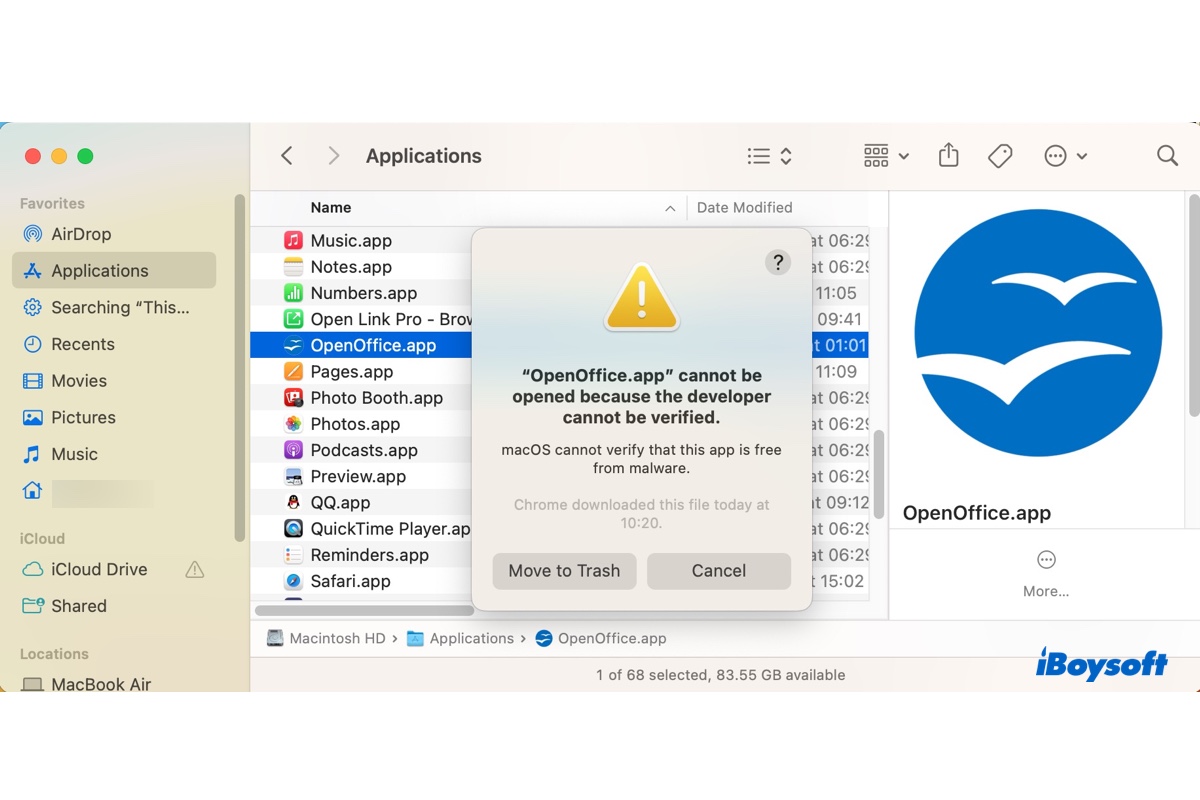
Trying to install an app but failed with the message, 'App cannot be opened because the developer cannot be verified?' Learn 4 ways to fix the unverified developer error on Ventura and earlier.
 crude mango
@sacred leaf I may need some guidance through this. Can I chat with you via a friend request call? I'm just so used to forge.sh that I'll need a list of steps to get it done.
crude mango
@sacred leaf Never mind, my sister's husband took care of it.
 potent lagoon
Does it mean that https://github.com/Card-Forge/forge/wiki/User-Guide#manual-extraction-tarbz2 is gone? No tarballs anymore?
 sacred leaf
potent lagoon
Does it mean that https://github.com/Card-Forge/forge/wiki/User-Guide#manual-ext...
sacred leaf
potent lagoon
Does it mean that https://github.com/Card-Forge/forge/wiki/User-Guide#manual-ext...
Try downloading release version
potent lagoon
sacred leaf
Try downloading release version
Release version works fine. I also have older snapshot not removed from my hard disk yet, file called forge-gui-desktop-1.6.58-SNAPSHOT-09.20.tar.bz2 and this also works fine.
I would like to know whether .tar.bz2 snapshots have been removed forever or is this a temporary issue - should I wait few hours and then refresh dailysnapshots?
https://downloads.cardforge.org/dailysnapshots/forge-desktop-1.6.59-SNAPSHOT-10.11-installer.jar does not work. @crude mango if you managed to fix this, please share the solution 😄 in my case, I get:
~/mtg which java; java --version ✔
/usr/bin/java
openjdk 20.0.2 2023-07-18
OpenJDK Runtime Environment (build 20.0.2+9)
OpenJDK 64-Bit Server VM (build 20.0.2+9, mixed mode, sharing)
~/mtg java forge-desktop-1.6.59-SNAPSHOT-10.11-installer.jar ✔
Error: Could not find or load main class forge-desktop-1.6.59-SNAPSHOT-10.11-installer.jar
Caused by: java.lang.ClassNotFoundException: forge-desktop-1.6.59-SNAPSHOT-10.11-installer.jar
@potent lagoon Sorry, I'm not very knowledgeable in forge coding, so you might want to ask the others. My sister's husband helped guide me through the new installation process.
potent lagoon
By trial and error I managed to fix this.
The correct command is **java -jar forge-desktop-1.6.59-SNAPSHOT-10.11-installer.jar **
Double clicking was not working, even after I executed chmod +x on the .jar file.
sacred leaf
Weird, could be how your java path file was setup, works here and I check the manifest.mf the correct main class is specified.. what's your OS