#support
1 messages · Page 673 of 1
 sturdy swan
 wild stoneBOT
The average up-to-date approval times are stated [here](#support message).
This does not mean it will take the same amount of time someone else's bot took to be reviewed and does not mean your bot is guaranteed to be reviewed within that time frame.
There is no exact time for how long bot approval will take.
There is a queue and you're not first, nor are you last.
Read more about our reviewal process here
sturdy swan
okee
 glass hedge
Idk why but for a couple weeks, top.gg doesn't show my bot's avatar anymore. Neither on my devices nor on others. Does anyone know why?
 stoic socket
You need to use the "Refresh Data" button, and after 30ish minutes the profile picture should return
 dreamy abyss
-refreshdata
wild stoneBOT
 Fetching Your New Bot Data
To fetch your bot's new name or avatar, please follow these steps:
 Click the Refresh Data button in the sidebar on the right.
Click Edit on your bot page and then Save.
💡 Please note: If it still doesn't seem to change, make sure you actually changed the bot avatar / name on your Discord Developer Portal and not the application icon / name.
 glass hedge
stoic socket
You need to use the "Refresh Data" button, and after 30ish minutes the profile p...
glass hedge
stoic socket
You need to use the "Refresh Data" button, and after 30ish minutes the profile p...
I already did that a couple times but nothing changed
stoic socket
Cache can take time to clear
glass hedge
Ima wait 30 minutes and then try again I guess 🤷♂️
sturdy swan
Right, then you should wait some time and it should be good
sturdy swan
how do i appeal a bot submission? it got declined for being offline at the time of testing but i havent seen any outages for my bot and i just readded it and its online and working fine
stoic socket
You can resubmit your bot and it will be readded to queue
Discord
Discord is the easiest way to communicate over voice, video, and text. Chat, hang out, and stay close with your friends and communities.
sturdy swan
i cant believe they delete your entire submission when it declines. now id have to rewrite my description and everything
stoic socket
Feel free to submit a suggestion for this to be changed at https://feedback.top.gg

Let us know how we can improve. Vote on existing ideas or suggest new ones. If you require support or would like to report a bug, please go to our Support Page · Make a suggestion · Top.gg
 winter tide
 cerulean ember
winter tide
Hello.
I want the top.gg bot send msg in a channel and give them a role when a...
cerulean ember
winter tide
Hello.
I want the top.gg bot send msg in a channel and give them a role when a...
Go to server edit page and there you can see reward role button. Make sure to give @small lantern bot proper permission i.e- manage_role and keep it's tole above the role you want to reward users with.
 boreal cliff
Is there a reason people cant leave reviews for our server posting that we just made? https://top.gg/servers/365336637174972446

Top.gg
Twenty First Knights is a multi-gaming, friendly, and mature community. "Come for the games, stay for the people."
winter tide
cerulean ember
Go to server edit page and there you can see reward role button. Make sure to gi...
Thank you
I'll give it a try
 dim hinge
Their ID: 984603244150030346


 cobalt sleet
-b 984603244150030346 carding scam
wild stoneBOT
 moq#0956 was successfully banned.
 willow fox
Hi
cobalt sleet
-refreshdata @sturdy swan
wild stoneBOT
@sturdy swan
Fetching Your New Bot Data
To fetch your bot's new name or avatar, please follow these steps:
Click the Refresh Data button in the sidebar on the right.
Click Edit on your bot page and then Save.
💡 Please note: If it still doesn't seem to change, make sure you actually changed the bot avatar / name on your Discord Developer Portal and not the application icon / name.
 sharp frigate
Hey when will my bot be aproved? It's been about a week. :(
Please also let me know if it's declined
wild stoneBOT
@sharp frigate
The average up-to-date approval times are stated [here](#support message).
This does not mean it will take the same amount of time someone else's bot took to be reviewed and does not mean your bot is guaranteed to be reviewed within that time frame.
There is no exact time for how long bot approval will take.
There is a queue and you're not first, nor are you last.
Read more about our reviewal process here
Bot Review Notifications
If your bot is approved:
You'll get a DM from @wild stone, a ping in #logs and you'll be assigned the <@&265125253443878912> role here.
If your bot is declined:
You'll get a DM from @wild stone and you'll also get a ping in #mod-logs.
💡 Please make sure you have your DMs activated for this server.
dreamy abyss
sharp frigate
Hey when will my bot be aproved? It's been about a week. :(
Please also let me k...
Looking at the logs, you don’t have any bots in queue at the moment.
What’s the bot ID?
Last bot I see you submitted was declined #mod-logs message
Feel free to submit it again if you have fixed the issue
 simple wadi
Hey, I have little question. How works comments on the site, I mean, they are moderated or no?
 long ferry
they are moderated through reports, though the corresponding buttons are not visible right now due to issues
if a certain review is heavily breaking our guidelines, feel free to contact a moderator
 wild violet
Hey idk why i am not able to vote any bot it showed me that pls login to vote i logined with correct I'd and pass i clicked on login and it showed me that Interface again and again
long ferry
which interface? Screenshot please
 long ferry
we cannot help with it, thats related to discord
you'd need to reach out to discord for that
wild violet
K
simple wadi
long ferry
if a certain review is heavily breaking our guidelines, feel free to contact a m...
To whom then, I can write about my problem?
sturdy swan
simple wadi
To whom then, I can write about my problem?
As Aurel said
Feel free to contact a moderator
You send them a DM about your report and they will take a look at it.
simple wadi
sturdy swan
You send them a DM about your report and they will take a look at it.
I mean on Discord or submit ticket on the website?
sturdy swan
Discord is better
simple wadi
Is somewhere something like moderators list?
sturdy swan
On the right, the Moderator roles
 idle cedar
hey i cant invite your bot and also cant list my server in your website
stuck here, no matter how many times i refresh the page or switch pc
 cobalt sleet
Try clicking "refresh servers" on the right
idle cedar
yep done that like some 15 times
cobalt sleet
Try logging out, clearing your cache and logging back in.
 shell sand
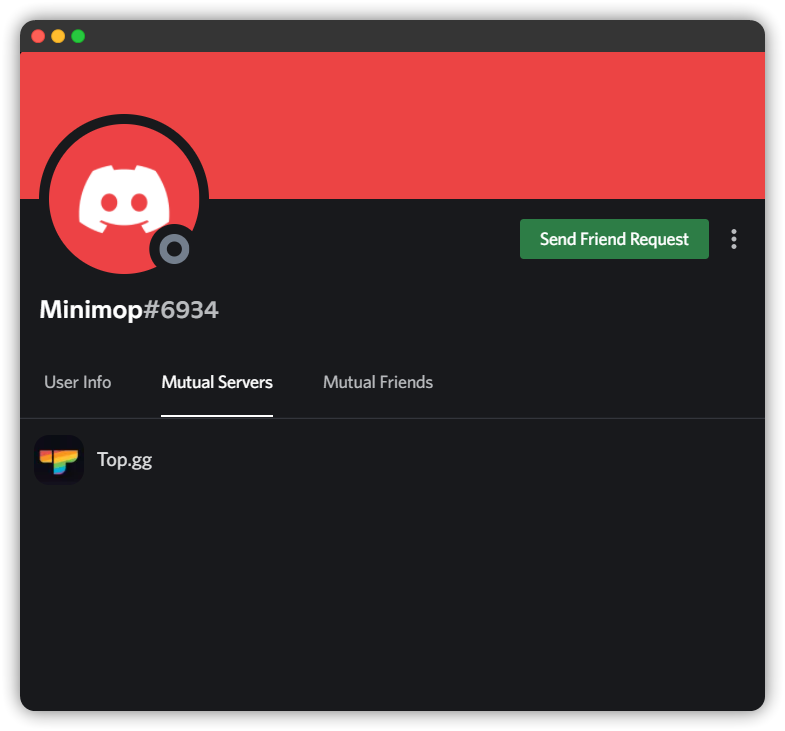

 winter walrus
-b 960522018766348298 Carding scam
wild stoneBOT
Minimop#6934 was successfully banned.


 magic sundial
Can we please ban this guy?
magic sundial
magic sundial
Can we please ban this guy?
^^^
 proven oasis
winter walrus
magic sundial
^^^
proven oasis
winter walrus
magic sundial
^^^
Hey! Could you please send the ID of the person?
magic sundial
winter walrus
Hey! Could you please send the ID of the person?
985741544441122876
winter walrus
-b 985741544441122876 Carding scam
wild stoneBOT
aneI#1381 was successfully banned.
 light salmon
yes
sturdy swan
Any way to see your pending bot?
Already awnsered
 slender falcon
@zinc oracle ^^
 red lance
and yes, its a valid token

 zinc oracle
red lance
and yes, its a valid token
zinc oracle
zinc oracle
red lance
and yes, its a valid token
zinc oracle
api questions are for our api support channel, I'll see If I can help you there
 boreal tangle
Hey, is it a known issue that I can't reply to any reviews of my bot & are not able to report certain reviews? I remember a time in which this was possible
long ferry
Yes it is known
 sour nest
960770048325214222
 long ferry
-b 960770048325214222 carding scam
wild stoneBOT
tmxmii#0679 was successfully banned.
 young fractal
Can I shift ownership of my bot from this id to another id?
ownership: like the creators one
 minor robin
boreal tangle
long ferry
Yes it is known
minor robin
boreal tangle
long ferry
Yes it is known
Am I able to somehow report a review manually to you or will this be fixed very soon?
 high egret
When is the ability to reply to reviews fixed???? Because this is just stupid for how long it has been broken. It's better to disable reviews if we can't even reply to them.
 shell inlet
please be patient while our team works on it, we can't provide any ETA at the moment for that. Sorry for the inconvinience
 last bloom
 young fractal
Can I shift ownership of my bot from this id to another id?
young fractal
young fractal
Can I shift ownership of my bot from this id to another id?
anyone?
long ferry
Only by deleting the bot and resubmitting it on the new account
 obtuse jacinth
I suddenly need to verify my email and it doesn't work. And now the auctions are finished. Not great.
Can someone help me with this please?
 fervent sparrow
I changed my bot's pfp a month ago and it won't show on top.gg does anyone know why?
 limber yew
My bot has stayed in Top.gg Verification Center for more than 26 hours, I don't know what's going on. Please explain about this (bot: 826343609824575504)
glass hedge
fervent sparrow
I changed my bot's pfp a month ago and it won't show on top.gg does anyone know ...
Yes you need to hit "Refresh data"
stoic socket
fervent sparrow
I changed my bot's pfp a month ago and it won't show on top.gg does anyone know ...
Click the "Refresh Data" button on the bot page, under "Creator Controls"
glass hedge
Then hit "edit" and save changes
stoic socket
limber yew
My bot has stayed in Top.gg Verification Center for more than 26 hours, I don't ...
There might be something on your bot that needs extra time to check. You'll be notified of the outcome when the checking has been completed
glass hedge
I also have a question: Did replying to bot reviews get disabled? I can't reply to users' reviews anymore
stoic socket
Yeah, its temporarily disabled as it is broken
glass hedge
But only temporarily?
stoic socket
Yeah
fervent sparrow
Thanks!

 unkempt solstice

How did a banned server manage to get on top.gg again?
It was banned for vote botting.
 normal narwhal
 noble vine
How do I add this to my bot’s top.gg page?
noble vine
How do I add this to my bot’s top.gg page?
iirc it’s added automatically if a large server is using your bot
 polar wind
shell inlet
noble vine
How do I add this to my bot’s top.gg page?
polar wind
shell inlet
noble vine
How do I add this to my bot’s top.gg page?
you cannot add that to your bot's page, it's something which is default
shell inlet
polar wind
I just joined but I got a question so I'm trying to set my server up on top.gg b...
refresh your website or clear cache and try again
-cacheclear
wild stoneBOT
In order to clear your cache for the site, press CTRL+F5.
If this does not work, try one of these resources below:
Instructions on Microsoft Edge
Instructions on Google Chrome
Instructions on Mozilla Firefox
Instructions on Safari
Instructions on Opera
Instructions on Brave
shell inlet
wait, you mean @small lantern bot doesn't have it's role?
polar wind

it only shows this
the role doesn't pop up which makes it where I can't put my server on the website
normally it pops up but it won't
 lone ether
Did you add the bot with no perms to it
Re-add the bot but don't tick off the "manage roles" permission
polar wind
when I invite the bot it won't give me the perms at all
 polar wind
I'll ss what I get

all I get
I've alr signed in and done everything
but it won't show that one thing
lone ether
Click on a server and show what it says
polar wind
it says "this requires you to have 'manage server permission' in this server"
lone ether
polar wind
idk what thar means
lone ether
polar wind
it says "this requires you to have 'manage server permission' in this server"
You need this permission
 polar wind
So members need the role?
lone ether
Give yourself the owner role or ask the owner to give it to you
Or make a new role and give that permission to it
polar wind
lemme try that
it still doesn't work, can i invite you to my server and see if u can help me that way? idk what I'm doing wrong
lone ether

https://support.discord.com/hc/en-us/articles/214836687-Role-Management-101
https://support.discord.com/hc/en-us/articles/206029707-Setting-Up-Permissions-FAQ
Discord
This article will serve as your go-to reference for how Discord's roles and associated permissions work. In here we'll cover:
Role Colors
Role Hierarchies
Channel Permissions
Part One: Role Colo...
Discord
One of the great things about creating communities on Discord is our permission system! In this Help Center article, you'll learn more about permissions, how to create and customize permissions bas...
@polar wind read these
polar wind
which one out of the three should i focus on reading?
lone ether

First link is just info, second link has what you need
Err
Lol
I'll review it now cuz why not 
 spare root
hiya, ive given my bot permissions but it's giving me 🚫 [Missing Permissions]: I don't have the Manage Messages permission!
lone ether
spare root
hiya, ive given my bot permissions but it's giving me 🚫 [Missing Permissions]: ...
lone ether
 hoary glen
After 2 week i still can't vote on my phone
hoary glen
After 2 week i still can't vote on my phone
Did you try logging in thru the browser?
spare root
i believe i did but I will check real quick
hoary glen
lone ether
Did you try logging in thru the browser?
I've try everything n it still won't working
lone ether
Can you show a screenshot when you click on vote for any bot
hoary glen
Fr it won't work I've try everything what staff say
The thing is that it won't work only on my phone
lone ether
I don't know what you've tried
hoary glen
Besides that like example my pc i can vote in there
hoary glen
lone ether
I don't know what you've tried
Other browser, other device, other bot
hoary glen
lone ether
Do you happen to have a recording
No
lone ether
What are the options when you click on top 3 dots
hoary glen
Where
lone ether
Top right
 lone ether
Click open in chrome
spare root
hey Ixz im confused by your response. sorry.
spare root
they sent me back here
lone ether
🗿
spare root
unless im in the wrong support channel idk
lone ether
What exactly was your issue
 hoary glen
Believe me I've try everything
lone ether
Clear cache then
 placid trail
lone ether
🗿
placid trail
lone ether
🗿
#development is not the right place. He's asking for help with someone else's bot, not his
placid trail
It's a job for that bot's support discord I'd say lol
lone ether
Thought they were talking about their own bot oof
placid trail
Yeah I saw the message, makes sense
lone ether
You're in the wrong server my guy @spare root
spare root
the pokemeow bot?
lone ether
Yes this is not that bots support server
wild stoneBOT
Hey! We think you have our server mistaken. We do not provide support, help, or advice for any bot. You need to click on the "Discord Support Server" button on the bot's page of the bot you need support for. If there isn't a button that says "Discord Support Server" or nothing else mentioned about a support server, the server invite is invalid or you were banned from the bot's support server, then we can't help you. Sorry :(
 spare root
well rip it was on the website XD
hoary glen
I give up
spare root
must have hit the wrong link. mb. have a great afternoon!
placid trail
spare root
the pokemeow bot?
https://top.gg/bot/664508672713424926 this bot? If so, there's a support server in the page
 hoary glen
lone ether
<@955320734262112267> did you try clear cache
hoary glen
lone ether
<@955320734262112267> did you try clear cache
Y e s
lone ether
Well then idk get a new phone 💀
hoary glen
Dw lmao
 clear raft
Hello, I had a question
Recently(5-6 days ago) my bot was added to your verification center. Nor my bot isn't vote-able yet neither I got any notification about the verify part.
shell inlet
-upto
wild stoneBOT
The average up-to-date approval times are stated [here](#support message).
This does not mean it will take the same amount of time someone else's bot took to be reviewed and does not mean your bot is guaranteed to be reviewed within that time frame.
There is no exact time for how long bot approval will take.
There is a queue and you're not first, nor are you last.
Read more about our reviewal process here
 dense sparrow
 hoary glen
Can't any staff or someone log me in, I'm suffering </3
 weak willow
💀
long ferry
hoary glen
-wrongserver
wild stoneBOT
@hoary glen
Hey! We think you have our server mistaken. We do not provide support, help, or advice for any bot. You need to click on the "Discord Support Server" button on the bot's page of the bot you need support for. If there isn't a button that says "Discord Support Server" or nothing else mentioned about a support server, the server invite is invalid or you were banned from the bot's support server, then we can't help you. Sorry :(
 bronze totem
Can’t login after this nothing appears and it’s not net issue
 long ferry
thats related to discord, reach out to them through https://dis.gd/contact
bronze totem
Oki
 pastel lark
is this something top.gg does on its own?

or is it something the devs have to setup
long ferry
That's something Top.gg does. Feel free to give your feedback about that section on https://feedback.top.gg/137 if you feel like it should be editable
Currently it's impossible to manually set a list of servers using your bot. I heard that this is done "automatically" now. The problem is, the servers shown on my bots page are not the biggest by far, and it isn't even filling up the 10 slots that are available, the 5 biggest servers using my bot are all listed on top.gg, yet they won't show up ...
 severe scaffold
can any mod reset my name someone changed it xd
long ferry
unhoist your username, then sure
hoary glen
long ferry
-wrongserver
it's just for examp lol, i tried like every bot
long ferry
Unrelated to us nonetheless
long ferry
Screenshot
hoary glen
 long ferry
Use a different browser, don't click on a top.gg link through discord but go directly to your browser
 eternal knot
hoary glen
long ferry
Use a different browser, don't click on a top.gg link through discord but go dir...
eternal knot
hoary glen
long ferry
Use a different browser, don't click on a top.gg link through discord but go dir...
i can't
still the same
sturdy swan
A question, I was adding tags to my server but anything I wrote it said No results found. What should I do?
dreamy abyss
sturdy swan
A question, I was adding tags to my server but anything I wrote it said `No resu...
You can click the enter key on your keyboard after you have entered the tag in the input box, it will then add it
sturdy swan
dreamy abyss
You can click the enter key on your keyboard after you have entered the tag in t...
Alright, thanks
 scenic dawn
I will add it to my bot but I can't add a category can you help me
severe scaffold
how to show that on my bot ;-; void music?
 long ferry
-servercount
wild stoneBOT
To have your bot's server count displayed on Top.gg, please read the documentation on server/shard posting.
severe scaffold
how i don't understand
long ferry
read the message above
 dreamy abyss
severe scaffold
i did not found anything here
dreamy abyss
severe scaffold
i did not found anything here
What language are you writing your bot in?
JavaScript?
 dreamy abyss
That was not my question. What programming language did you write your bot in?
dreamy abyss
Then read this: https://docs.top.gg/libraries/javascript/#posting-bot-stats
Further questions about our API should go in #topgg-api

 north helm
I can't verify my account
dreamy abyss
north helm
I can't verify my account
On Discord or Top.gg?
north helm
on karuta
dreamy abyss
north helm
on karuta
-wrongserver
wild stoneBOT
@north helm
Hey! We think you have our server mistaken. We do not provide support, help, or advice for any bot. You need to click on the "Discord Support Server" button on the bot's page of the bot you need support for. If there isn't a button that says "Discord Support Server" or nothing else mentioned about a support server, the server invite is invalid or you were banned from the bot's support server, then we can't help you. Sorry :(
north helm
sorry my bad
dreamy abyss
Np 🙂
 pearl wraith
hi
long ferry
Hello, need anything?
pearl wraith
I can't add my server to the site
long ferry
What exactly are you experiencing when trying to add it? Do you see any errors?
 long ferry
Are you perhaps an administrator trying to add the guild?
We're experiencing issues with admins trying to submit a server, could you try having the owner submit it instead?
pearl wraith
yes i am administrator
long ferry
Have the owner submit it then
noble vine
shell inlet
you cannot add that to your bot's page, it's something which is default
I don’t have it on my bot’s page tho
severe scaffold
so i need someone who is own verified bot to verify my bot coz i am doing this for 1st time i don't how to ans the questions 🙂 dm me if you can help
sturdy swan
severe scaffold
so i need someone who is own verified bot to verify my bot coz i am doing this f...
Not related to Top.gg, you can join the Discord Developers server to get more information on how to proceed.
 long ferry
-verifybot
wild stoneBOT
Hi! It seems like you are looking for information on how to get your bot verified.
Once your bot reaches 75 servers or more, you are eligible for bot verification. Since October 7, 2020, bots that reach 100 servers will not be able to be invited to any more servers. You verify your bot on your bot's application page, under the "Bot" section in the sidebar.
If you need more information, check out this article written by Discord about The Future of Bots on Discord and you can ask questions in the Discord Developer Server.
Please note:
- We cannot provide support on how to get your bot verified.
- We are not affiliated with discord's bot verification system.
- Getting your bot verified on top.gg (approved through our queue), does not mean you will also get verified by discord. Top.gg's queue has no correlation to discord's verification system whatsoever.
sturdy swan
https://discord.gg/discord-developers would be where to ask, this is for Top.gg support
sturdy swan
i added my server on top.gg and i added the bot but when i do *vote it does not show the link to vote anyone knows how i can make it happen
cobalt sleet
The bot doesn't have any commands
sturdy swan
ok thank u
 wintry pewter
Plz give me mongo uri
cobalt sleet
-support @wintry pewter
wild stoneBOT
@wintry pewter
This channel is for support/help with top.gg. It is not for general conversation (move to #general) or development support (move to #development). Please keep this channel on topic!
cobalt sleet
Probably #development. I don't know what your question really is.
 amber patrol
So...I messaged Discord and they told me it was a Top.GG issue. And they can’t do anything to help.
Cause the login screen for Top.GG isn’t popping up.
cobalt sleet
The login issue is on the Discord oauth page. It doesn't load for you. We don't host that, Discord does.
sturdy swan
Hi when i vote in top.gg for my bot i dont get rewards but everything is fine even token but idk wht to do for auth
sturdy swan
sturdy swan
Hi when i vote in top.gg for my bot i dont get rewards but everything is fine ev...
@cobalt sleet
cobalt sleet
sturdy swan
Oki
weak willow
cobalt sleet
The login issue is on the Discord oauth page. It doesn't load for you. We don't ...
discord do be high 😔
long ferry
Using the delete button on your bot page
 lethal cargo
nvm
lethal cargo
long ferry
Using the delete button on your bot page
thanks, just saw it
sturdy swan
hi, how do i use this bot.channels.cache.get("id").send("Message") sending an embed and not a normal message?
long ferry
dreamy abyss
You can ask your question here, or open a support ticket
wild stoneBOT
Need more advanced support?
Open a support ticket
 solemn hull
dreamy abyss
solemn hull
I deleted my bot on Discord and what should I do to remove that bot from top.gg ...
solemn hull
dreamy abyss
solemn hull
I deleted my bot on Discord and what should I do to remove that bot from top.gg ...
On top.gg, go to your bot page. On the right side there is a delete button
On mobile it is under the info tab on the top of the bot page
solemn hull
dreamy abyss
On top.gg, go to your bot page. On the right side there is a delete button
where
 dreamy abyss
solemn hull
where
dreamy abyss
solemn hull
where
Not in settings, the main Top.gg page
Where you got your description and stuff
Please move on to a different topic. It has been discussed in #general
This is a support server, not a server for advertisement
I told you in my message above
 torn aurora
when creating a vote webhook for a bot, there is an option to set a password/authorization value
will this be sent as the "query" key when testing the webhook?
dreamy abyss
We are a support server, not a server to advertise. Please keep this channel for support.
If you want to suggest a new channel suggest it at https://feedback.top.gg/
dreamy abyss
torn aurora
when creating a vote webhook for a bot, there is an option to set a password/aut...
Heyo, it will be sent as a Authorization header 🙂
See more here https://docs.top.gg/resources/webhooks/#security
torn aurora
oh, it isnt in the request body?
dreamy abyss
No, just in the headers
 nimble tartan
Can I search for a server with an ID instead of name?
dreamy abyss
nimble tartan
Can I search for a server with an ID instead of name?
You could go to https://top.gg/servers/:id (replace :id with the server id)
nimble tartan
dreamy abyss
You could go to https://top.gg/servers/:id (replace :id with the server id)
Okay thanks
dreamy abyss
Final warning. Keep this channel related to support questions
cobalt sleet
Which is precisely why we don't have a channel for it. Please stop discussing this in support.
Bye
 chrome pendant
Noticed the adult server update, are we free to add back emotes now if we have that status?
Are we still eligible to attempt to participate in the auctions for promotion or would it be a waste of
time?
The difference in visibility is very noticable since top.gg locked for nsfw emotes. Our member votes have remained the same or increased but our server members have plateaued and joins have been greatly decreasing. Currently at 1805...
 long ferry
Emotes still fall under the no nsfw content guidelines
Same goes to embedding nsfw content on your server page. You are allowed to mention that your server has nsfw content, but not display such content
Also to note: since it seems like your server did remove nsfw emojis, your server still falls under the mature guidelines, aka what we flag a server/bot as mature. Users are still able to discover your guild by disabling the safety feature
Are we still eligible to attempt to participate in the auctions for promotion or would it be a waste of time?
Mature guilds cannot participate in auctions.
chrome pendant
long ferry
Also to note: since it seems like your server did remove nsfw emojis, your serve...
This is beacuse of my description?
chrome pendant
chrome pendant
This is beacuse of my description?
Wouldn't it make sense to only talk about the sfw stuff on the sever page and avoid the mature server penalty? I would rather remove those words and tags and appear in main list and auctions.
long ferry
Your server still falls under the specifications for being an adult-oriented community, thus still being flagged as mature
chrome pendant
I'm asking how it is flagged?
 flat tiger
Shows no categories found
 sturdy swan
lol
flat tiger
sturdy swan
lol

flat tiger
A mod please help me
 analog nest
is there a reason why i cant see my bots picture at all?

 stark owl
-refreshdata
wild stoneBOT
Fetching Your New Bot Data
To fetch your bot's new name or avatar, please follow these steps:
Click the Refresh Data button in the sidebar on the right.
Click Edit on your bot page and then Save.
💡 Please note: If it still doesn't seem to change, make sure you actually changed the bot avatar / name on your Discord Developer Portal and not the application icon / name.
analog nest
wild stone
thank you
flat tiger
stark owl
-refreshdata
Can u help me please
 nimble plover
Uff it's being 3months since it is not on search result(my bot)
long ferry
Have you perhaps tried making an edit?
nimble plover
Yep
long ferry
Last edit was back in April, try again
nimble plover
Ohk
long ferry
Your bots name is also pretty common, that would cause it to show up in search pretty far away from the top
nimble plover
Uff
willow fox
Hi
long ferry
Your bot has 2 common terms, bot and inviter
It will likely show up there, but probably way more deep into search
sturdy swan
Hello, is there support for the Vote Bot API for python? 
long ferry
The documentation should Include the python-based API too: https://docs.top.gg


 zealous heath
My bot doesn't appear in some categories. Why?
 novel niche

 dull sable
<@&817055174613794826> (sorry for ping)
Hi there. I have updated my bot's avatar, but it doesn't update on the site. Now i know that i've accidentally updated application avatar. What should I do?
wild stoneBOT
@dull sable
Fetching Your New Bot Data
To fetch your bot's new name or avatar, please follow these steps:
Click the Refresh Data button in the sidebar on the right.
Click Edit on your bot page and then Save.
💡 Please note: If it still doesn't seem to change, make sure you actually changed the bot avatar / name on your Discord Developer Portal and not the application icon / name.
dull sable
i know
Now i know that i've accidentally updated application avatar. I'm having this problem. <@&817055174613794826>
sturdy swan
What do you mean with application avatar?
Also, no need to ping the support team for every message.
dull sable
sturdy swan
What do you mean with application avatar?
Also, no need to ping the support tea...
sorry
It's app icon at the General Information page
I changed the icon there instead of Bot page
sturdy swan
Then change in the bot page now
dull sable
changed
sturdy swan
wild stone
<@898174846423433246>
Then do the steps above again
Can take some time, around like 30 minutes, to be fully updated due to caching.
dull sable
ok thanks
sturdy swan
So once you've updated and refreshed the data wait around that time and see if it worked
dull sable
sturdy swan
So once you've updated and refreshed the data wait around that time and see if i...
it works, thanks
sturdy swan
No problem 
limber yew
can you tell me the verification status of 826343609824575504
it has stayed in verification center for more than 2 days
sturdy swan
The entire process from uploading your bot to the website until having it verified takes 1-3 weeks.
The bot being in the verification center is included in that time.
So consider it being in queue
long ferry
Seem like that's either opera or brave
Use Chrome instead, the other 2 browsers are known to cause that issue
 eager parcel
I'm having a little trouble with categories, none of them are showing up and i know there categories exist because I've used them before
eager parcel
limber yew
can you tell me the verification status of 826343609824575504
it has stayed in v...
Takes about a week
sturdy swan
Hi, I submitted my bot to top.gg three days ago and it still hasn't checked if the queue is still too big?
cerulean ember
sturdy swan
Hi, I submitted my bot to top.gg three days ago and it still hasn't checked if t...
It's one week or more rn
sturdy swan
cerulean ember
It's one week or more rn
Ohhhhh ok
sturdy swan
sturdy swan
Hi, I submitted my bot to top.gg three days ago and it still hasn't checked if t...
On the page if your bot it should be written 1-3 weeks waiting time, unless that's gone
 pulsar fulcrum
So do I need to add my server before I add my bot? It seems like I can add my bot, but where it lists top.gg for my server, I cant physically add my server yet. It just doesnt give me an add button or anything.

Im going to try with a dif browser first. One sec.
BOOM chrome just sucks 😄
 round berry
Is there a way that we can check how many people are in the bot reviewing queue?
wild stoneBOT
The average up-to-date approval times are stated [here](#support message).
This does not mean it will take the same amount of time someone else's bot took to be reviewed and does not mean your bot is guaranteed to be reviewed within that time frame.
There is no exact time for how long bot approval will take.
There is a queue and you're not first, nor are you last.
Read more about our reviewal process here
torn aurora
i have a bot that i recently changed the name of
however when i search up the old name, the bot shows up, and when i search up the new name the bot is nowhere to be found
does it just take a while to update or is this intentional design?
dreamy abyss
dreamy abyss
torn aurora
i have a bot that i recently changed the name of
however when i search up the ol...
-refreshdata
wild stoneBOT
@torn aurora
Fetching Your New Bot Data
To fetch your bot's new name or avatar, please follow these steps:
Click the Refresh Data button in the sidebar on the right.
Click Edit on your bot page and then Save.
💡 Please note: If it still doesn't seem to change, make sure you actually changed the bot avatar / name on your Discord Developer Portal and not the application icon / name.
torn aurora
thats what i did
dreamy abyss
After you have done the refresh and made a edit. It may take 1-3 days
torn aurora
to update in search results?
dreamy abyss
Yeah
wild stoneBOT
@verbal cloud
Your bot was likely declined because it went against our bot guidelines.
To find out why your bot was declined and by who, use the search feature in #mod-logs :

 surreal marlin
How do i add my server
stark owl
surreal marlin
How do i add my server
-addserver
wild stoneBOT
@surreal marlin
Adding Your Server To Top.gg
So you want to list your server on Top.gg? We have a support article to help guide you through the process! If you need more help please contact us in #support!
Click here to follow our guide!
surreal marlin
stark owl
-addserver
Is there a way to promote my server on the websote
Like disboard or theres no need to
stark owl
surreal marlin
Is there a way to promote my server on the websote
Yep. If you want to promote your server, you could use our paid auction system or you could ask people to vote, and you will rank higher in the search list
 quasi cipher
When I hit login on the top.gg website, this is all that appears. There is no way for me to login.
 surreal marlin
stark owl
Yep. If you want to promote your server, you could use our paid auction system ...
surreal marlin
stark owl
Yep. If you want to promote your server, you could use our paid auction system ...
Whatws the command to vote
stark owl
Users can vote your server at https://top.gg/servers/[your serverid here]/vote.
stark owl
yes
surreal marlin
Im assuming scripts to auto vote is not allowed
cobalt sleet
surreal marlin
Im assuming scripts to auto vote is not allowed
That would be against our TOS
long ferry
quasi cipher
When I hit login on the top.gg website, this is all that appears. There is no wa...
related to discord, not top.gg
 edgy drift
is there any way to report reviews, i just checked my bot’s reviews and there’s a lot of fake, low effort or advertisement ones https://top.gg/bot/925836652558057552

Top.gg
a discord bot to move messages between channels
dreamy abyss
edgy drift
is there any way to report reviews, i just checked my bot’s reviews and there’s ...
The review report functionality is broken atm. You can contact any online moderators in a DM with the reviews you want to report 🙂
edgy drift
okay thank you
dreamy abyss
 green salmon
top.gg not showing tags after typing tag name if I try to add my server in top.g...
green salmon
top.gg not showing tags after typing tag name if I try to add my server in top.g...
You can ignore the nothing found message. Just click enter on your keyboard in the input box when you want to add it
green salmon
green salmon
top.gg not showing tags after typing tag name if I try to add my server in top.g...
How to add tags when adding a server in top.gg? I'm on mobile and can't even put tags because of no enter buttons while adding the server.
dreamy abyss
green salmon
How to add tags when adding a server in `top.gg`? I'm on mobile and can't even p...
What phone do you have? In the bottom right of iPhones there is a return button that allows you to add the tag
 green salmon
dreamy abyss
What phone do you have? In the bottom right of iPhones there is a return button ...
green salmon
dreamy abyss
What phone do you have? In the bottom right of iPhones there is a return button ...
Realme. (Android)
dreamy abyss
Mind taking a screenshot when you have typed something in with the keyboard? Maybe try a different keyboard?
Like gboard maybe
green salmon
dreamy abyss
Mind taking a screenshot when you have typed something in with the keyboard? May...

I tried, not worked.
sturdy swan
green salmon
How to add tags when adding a server in `top.gg`? I'm on mobile and can't even p...
I have the same problem as you.
dreamy abyss
green salmon
What happens if you enter the tag, then click this button?
 dreamy abyss
sturdy swan
I have the same problem as you.
dreamy abyss
sturdy swan
I have the same problem as you.
We have notified the devs about the issue. As a workaround, just enter the tag, then click the enter/submit/next key on your keyboard
sturdy swan
dreamy abyss
We have notified the devs about the issue. As a workaround, just enter the tag, ...
It still won't work and it will say Choose atleast 1 tag
But alright
dreamy abyss
So in when you type for example "moderation" into the Category input, then click the enter button on the keyboard, it gives you that error?

 coarse ocean
 sturdy swan
dreamy abyss
So in when you type for example "moderation" into the Category input, then click...
sturdy swan
dreamy abyss
So in when you type for example "moderation" into the Category input, then click...
Yes
 spiral lake
I need help. I'm trying to list My server but I can't seem to add categories. It says I must have one but anything I search comes back with no results found

 cunning owl
Try to search tags without a hashtag in front of it
green salmon
dreamy abyss
What happens if you enter the tag, then click this button?
It jumps to the next box. (Language box)
 versed summit
why it doens't show my discord server?
 wild stoneBOT
@sharp frigate
Your bot was likely declined because it went against our bot guidelines.
To find out why your bot was declined and by who, use the search feature in #mod-logs :
long ferry
seems like you werent notified due to you not being on the server on the point of reviewing
or had direct-messages disabled
sharp frigate
Oh ok
Ty
Can I know exactly why my bot was declined. I mean the specific reason.
Please?
long ferry
@young marsh first, this isnt the correct support server
second, this isnt the server to discuss cheats either
long ferry
sharp frigate
Can I know exactly why my bot was declined. I mean the specific reason.
read above
 young marsh
Where do I go to discuss this because this is a problem
 full locust
does not show me the servers in the list
long ferry
press refresh servers, logout and back in, then look if you see it in the list
full locust
Okay
full locust
long ferry
press refresh servers, logout and back in, then look if you see it in the list
I do not see
Sorry for ping
I forget to off
wild stoneBOT
In order to clear your cache for the site, press CTRL+F5.
If this does not work, try one of these resources below:
Instructions on Microsoft Edge
Instructions on Google Chrome
Instructions on Mozilla Firefox
Instructions on Safari
Instructions on Opera
Instructions on Brave
full locust
So what to do?
 noble talon
I want reply button back it's a white a long while it's disabled any leaks when it will come back?
Or never ever?
long ferry
full locust
So what to do?
as I said above, did you properly clear the cache?
full locust
So what to do?
full locust
long ferry
as I said above, did you properly clear the cache?
Yes, I did
long ferry
Did you use ctrl+f5 to clear it?
full locust
Well, I'm using mobile
sturdy swan
help pls
I have been banned in the discord server in the main account : [𝗔𝗭𝗜𝗭 𝗞𝗔𝗠𝗠𝗢𝗨𝗡]#7812 id: 604041543485227009
because i am running a selfbot Im really sorry I didn't know this is illegal And i need to upload my discord bot to top.gg
i send email to Top.gg but My apology was not accepted Pls mod unban me I have been banned for more than a year
long ferry
-appeal
wild stoneBOT
If someone you know has been banned here, then direct them to open a support ticket (select Account/Login issues and then Ban Appeals).
Here's more resources to read through regarding appeals: Ban Appeals
long ferry
if you wish to be unbanned, please refer to that
though note that you're ban evading right now, thus will have to remove you from this server again
coarse ocean
coarse ocean
any one help me
long ferry
if you have any questions for that above, please state so
long ferry
coarse ocean
any one help me
edit it, it may show up like that for non-owners, but admins
-b 604041543485227009 ban evasion from 604041543485227009 banned in case #35104, asking about appeal
wild stoneBOT
 Something went wrong when trying to ban this member
long ferry
-b 463377293839040513 ban evasion from 604041543485227009 banned in case #35104, asking about appeal
wild stoneBOT
aziz1919#2406 was successfully banned.
coarse ocean
long ferry
edit it, it may show up like that for non-owners, but admins
i edit 2 time
long ferry
What's the server ID of the server you're trying to edit?
coarse ocean
long ferry
What's the server ID of the server you're trying to edit?
985604376032862349
long ferry
Yup, seems like that server was not added to our site yet:
We're experiencing issues with users having administrator within the server not being able to add their server. You'd need to ask the owner of the server to submit it for now
coarse ocean
long ferry
Yup, seems like that server was not added to our site yet:
We're experiencing i...
i am the owner of this server
coarse ocean
long ferry
Yup, seems like that server was not added to our site yet:
We're experiencing i...
 full locust
when I want to add a tag and click "Next" it switches to languages, what should I do?
 vernal veldt
Hey are we still giving out 15$ credits for 100 votes?
long ferry
That is still a thing
sturdy swan
Why is this happening?

Got it too. The search response from the API is an empty array
 dreamy abyss
sturdy swan
Got it too. The search response from the API is an empty array
dreamy abyss
sturdy swan
Got it too. The search response from the API is an empty array
Known issue atm. Enter the tag you want then click on the enter key on your keyboard to submit it
sturdy swan
Also, why is theree no Server icon on website, but the server has one 🤔
dreamy abyss
sturdy swan
Also, why is theree no Server icon on website, but the server has one 🤔
Do you have the Top.gg bot on your server?
It should update the Top.gg icon when the server icon change. It may lag a bit behind
 foggy granite
Is there a way to make vote rewards temporary?
 lethal rain
can’t seem to load the login page
foggy granite
long ferry
12 hours
thanks ❤️
noble talon
noble talon
I want reply button back it's a white a long while it's disabled any leaks when ...
Someone knows estimates date?
long ferry
theres no eta
lethal rain
lethal rain
can’t seem to load the login page
Any help I tried on different internet connections
stoic socket
What device are you on?
long ferry
also, what exactly are you seeing?
if you're on discord.com and seeing a gray screen, thats an issue on discords end, not us
 prime ether
Hey guys currently my main bot gets some reviews that includes false informations and that makes my review points low what can I do against this?
lethal rain
long ferry
if you're on discord.com and seeing a gray screen, thats an issue on discords en...
Oh any any idea how I can fix that
When I click login to vote it tries loading then goes to a gray screen ig
prime ether
check your ad blocker
 covert field
try using an incognito tab @lethal rain. lmk how that goes
cobalt sleet
-support @sturdy swan
wild stoneBOT
@sturdy swan
This channel is for support/help with top.gg. It is not for general conversation (move to #general) or development support (move to #development). Please keep this channel on topic!
lethal rain
covert field
try using an incognito tab <@727214644388954154>. lmk how that goes
When on incog opened the website still same thing I’ll try see all what I can do later
covert field
lethal rain
When on incog opened the website still same thing I’ll try see all what I can do...
chrome?
lethal rain
covert field
chrome?
Will do👍
covert field
oh what are u using right now
lethal rain
covert field
oh what are u using right now
Yeah that’s the thing only tried on phone
lethal rain
Understandable
covert field
discord bad at mobile stuff tbh
lethal rain
Fair
 gaunt canyon
how much time would it take to review my bot
Any mod pls reply just a doubt
prime ether
prime ether
Hey guys currently my main bot gets some reviews that includes false information...
?
cerulean ember
-upto @gaunt canyon
wild stoneBOT
@gaunt canyon
The average up-to-date approval times are stated [here](#support message).
This does not mean it will take the same amount of time someone else's bot took to be reviewed and does not mean your bot is guaranteed to be reviewed within that time frame.
There is no exact time for how long bot approval will take.
There is a queue and you're not first, nor are you last.
Read more about our reviewal process here
gaunt canyon
cerulean ember
-upto <@812661000888909845>
hm thanks
sturdy swan
https://top.gg/user/2353186477106921472 How can I find this person's discord id?

Top.gg
Farmer Bob likes Carrots's Profile
stoic socket
Deleted User fd0b07d3#8816, so you won’t be able to find them
sturdy swan
I just need to find the id. this is my account
and i lost the id. This is the only place I can find.
probably our developer friends can fix this. I really need the ID.
stoic socket
820078943268110376
gaunt canyon
hello I need help,
just now my bot reached 100servers and i have a doubt that how will bot reviewer add my bot (if you want to add to a server I make my bot leave a server)
long ferry
if your bot is not invitable, it will be declined
you can try to whitelist the verification center and kick other servers till then
-verification
wild stoneBOT
The only guilds we might invite your bot to regarding Top.gg-related things such as verification or polls are:
333949691962195969- Top.gg Verification Center264445053596991498- Top.gg- any guild owned by a user with the role <@&767389896133443625> in this server.
Any other guild claiming to be affiliated with Top.gg's verification is very likely false.
gaunt canyon
long ferry
if your bot is not invitable, it will be declined
how many server should I leave (I am mean my bot)
long ferry
-b @sturdy swan homophobic and nazist content
wild stoneBOT
تقطر#4894 was successfully banned.
 feral frost
Is there an ETA on the next release of topggpy to pypi
 mossy crater
Hello guys,
My bot creates 2 channels when inserted, I realized that there should be only a button and some kind of text that should exist when a bot is invited to channel and to create channels via that button, if the channel admin wants it.
Can anyone tell me if I'm right? And should that text and button be on the default channel? If there is no default channel where should it say that? (first textable channel?)
sturdy swan
mossy crater
Hello guys,
My bot creates 2 channels when inserted, I realized that there sho...
Are you talking about the development of your bot?
mossy crater
sturdy swan
Are you talking about the development of your bot?
Yes, I want to pass the verification of top.gg, did I miss the channel?
sturdy swan
If it's for development questions feel free to ask in #development
You will likely get a faster response
 long ferry
bronze totem
Still not solved I mailed DC support they told its top.gg issue
long ferry
bronze totem
Still not solved I mailed DC support they told its top.gg issue
thats their site, we do not own discord.com
bronze totem
long ferry
thats their site, we do not own discord.com
Both are saying its opposite side issue I am suffering 😪
long ferry
Not sure what we're supposed to do there, the page you're on is called discord.com, the title says "authorize your discord account", it does not say top.gg
discord might be confused on what you're referring to then
bronze totem
long ferry
discord might be confused on what you're referring to then
Nah I sended them video clip too what happens to me
long ferry
not sure what to tell you then 
bronze totem
Uh
stark owl
 dire tendon
How to refresh bot avatar is not updated ?
dire tendon
How to refresh bot avatar is not updated ?
-refreshdata
wild stoneBOT
@dire tendon
Fetching Your New Bot Data
To fetch your bot's new name or avatar, please follow these steps:
Click the Refresh Data button in the sidebar on the right.
Click Edit on your bot page and then Save.
💡 Please note: If it still doesn't seem to change, make sure you actually changed the bot avatar / name on your Discord Developer Portal and not the application icon / name.
dire tendon
Ok
bronze totem
long ferry
discord might be confused on what you're referring to then
Thank you for keeping me updated and for sending the video clip! I appreciate your cooperation.
It looks like you need to be logged in at top.gg based on the video clip.
On the other hand, our app is not affiliated with the Karuta bot and with top.gg, so sadly we won't be able to provide support for this issue, and you may want to directly ask their support team about this issue.
Their reply
long ferry
Yeah nah, am not sure why they're stating that it is either karuta or top.gg, the site you're on is clearly discord.com, the title of that tab refers to the oauth screen, aka the site you're on while trying to authorize a bot, an application etc
one second
bronze totem
Hm lm send again I might get some help
long ferry
what happens when you invite karuta directly through here https://discord.com/oauth2/authorize?client_id=646937666251915264&permissions=379969&scope=bot
bronze totem
Oki wait
long ferry
If you're getting that same page, then its 101% an issue on discord, not karuta, not top.gg, not anyone else
and am pretty certain on that then
long ferry
what exactly are you doing when clicking on invite then?
coarse ocean
😢 plz help me thoe loding page is stuck since 30 min
plz help me hoe to approved my server
 long ferry
theres an issue with submitting servers as an admin, ask the owner to submit it
bronze totem
long ferry
what exactly are you doing when clicking on invite then?
It just says u gonna invite to which server and invite
dreamy abyss
bronze totem
It just says u gonna invite to which server and invite
But that’s in the discord client, right? What happens if you copy the link to your browser
bronze totem
long ferry
And what do you get when pressing invite on top.gg?
Nah when I open any voting site link it says to login and when I click on login ntg appears after discord.com
I can dm the clip if u want
long ferry
and what exactly are you doing? Do you press "authorize" or does the site not load at all?
bronze totem
Yeh when I click on it nothing appears
bronze totem
long ferry
and what happens when you go through https://discord.com/oauth2/authorize?scope=...
Finally it got fixed
After clicking on authorisation
long ferry
how does that work, but not through the site itself
bronze totem
I directly got logged in
bronze totem
long ferry
how does that work, but not through the site itself
Idk that
long ferry
the only thing the login button does is redirect you to discords oauth, then you press authorize, and sends you back to top.gg
discord moment
if thats the same on other botlists as you mentioned
bronze totem
Hmm will check if it happens again or not tomorrow while voting time
ATM its working
coarse ocean
@long ferry i edit some this and it show it all done but if i click on it it like this 😢

plz can u check this
long ferry
-cacheclear
wild stoneBOT
In order to clear your cache for the site, press CTRL+F5.
If this does not work, try one of these resources below:
Instructions on Microsoft Edge
Instructions on Google Chrome
Instructions on Mozilla Firefox
Instructions on Safari
Instructions on Opera
Instructions on Brave
coarse ocean
u tell i clear my all data
 vale minnow
ummm, thats not Legend Bot's ID
 long ferry
Could be a different bot, named the same
vale minnow
I don't think but I think thats a glitch
long ferry
Pressing vote on your bot brings me to https://top.gg/bot/857935418993410049/vote
Top.gg
Spice up your Discord experience with our diverse range of Discord Bots and Servers as well as other spaces to discover DAOs.
Not sure what page you're on
vale minnow
uhh yes different bot
 vale minnow
long ferry
Pressing vote on your bot brings me to https://top.gg/bot/857935418993410049/vot...
vale minnow
long ferry
Pressing vote on your bot brings me to https://top.gg/bot/857935418993410049/vot...
yes thats my bot
 bitter gust
So can someone explain to me how does the search engine work?
 long ferry
According to discord, that's not an error on their end. As that's not top.gg's either as that page you're on is clearly discord, can't help you
 trim nimbus
So im not the only one with this problem?
long ferry
Correct
Nor do we know any solution, nor can Top.gg help in the technical aspects
As that's again, something on discord
trim nimbus
Ah i see ty
 kind ether
is it possible to setup notifications if somebody posts a comment on the bot page?
long ferry
Not possible, no
 lofty musk
I opened a ticket on the website 2 days ago and don't have a response yet
 dusk isle
Hey I Need Help I Have A Account Before With That I Created Bot That Bot In That Acc And Applied To Top.gg And I Lost That Acc Now I Applied Again With The Same Name? any Problem?
I hope u will give replay soon
sturdy swan
dusk isle
Hey I Need Help I Have A Account Before With That I Created Bot That Bot In That...
That is not a problem, all good.
dusk isle
@sturdy swan ok thanks
 drowsy furnace
Which bot would be the best for preventing a server nuke/raid ?
wild stoneBOT
@drowsy furnace
To find a bot that you need, please try searching for it on our website.
You may need to refine your search term, but with just a little effort you can find the bot that you need. Read our Quick Start Guide to Top.gg support article for more information on how to best use our search.
If you still haven't found a bot that suits your needs, then try searching on Google for it.
 drowsy furnace
Thanks
sturdy swan
Hi, I'm trying to add my bot to top.gg, but when I select the category it appears that it didn't find any category <@&817055174613794826>
 kind ether
Did you removed the ability to answer to comments?
long ferry
It's currently unusable due to a site issue
kind ether
OK
kind ether
long ferry
It's currently unusable due to a site issue
When do you think the issues will be resolved?
long ferry
No ETA as of now
 compact mist
"Chess Statbot" was declined due to lack of an obvious !help entry point (or documentation?)... and if I wish to challenge I'm supposed to PM reviewer @shell inlet (sorry for the ping, I'll DM next once I can right-click your username). #mod-logs message
 stark hornet
Most users invite my bot from top.gg but still it is showing 0 server count. <@&817055174613794826>
long ferry
-servercount
wild stoneBOT
To have your bot's server count displayed on Top.gg, please read the documentation on server/shard posting.
long ferry
It is not automatically fetched, you need to post it yourself
stark hornet
long ferry
It is not automatically fetched, you need to post it yourself
How?
long ferry
Read above
stark hornet
long ferry
Read above
Not clear in docs
long ferry
It mentions the http endpoints you can post your stats to. If you need further help ask in #topgg-api
stark hornet
Ok thanks
 ionic matrix
I have my Weebhook not working even though I have configured it correctly
stoic socket
magic sundial
Hey i changed my Bot's pfp a day ago and it hasn't been updated on the site.
Any idea when it gets refreshed?
wild stoneBOT
Fetching Your New Bot Data
To fetch your bot's new name or avatar, please follow these steps:
Click the Refresh Data button in the sidebar on the right.
Click Edit on your bot page and then Save.
💡 Please note: If it still doesn't seem to change, make sure you actually changed the bot avatar / name on your Discord Developer Portal and not the application icon / name.
magic sundial
Alright thanks
 inland tulip
hi! I am trying to set up a Top.gg account for my server but I am getting this message even if the bot and its roles has all needed permissions.

 stoic socket
I believe its broken

 frigid solar
Yes
stoic socket
@zinc oracle known issue?
frigid solar
Wish someone helps me
frigid solar
frigid solar
Pls help me
zinc oracle
I'm not having an issue adding tags.
cobalt sleet
Try just pressing enter after typing your tag?
stoic socket
yeah that fixes it
frigid solar
cobalt sleet
Try just pressing enter after typing your tag?
For me, me on mobile
Not working bruh
zinc oracle
Its possible tag search isn't working right now which prevents adding tags on mobile.
Try again later
inland tulip
inland tulip
hi! I am trying to set up a Top.gg account for my server but I am getting this m...
is this an issue or can i just ignore that? Its working fine with an own generated link
 rose goblet

zinc oracle
inland tulip
is this an issue or can i just ignore that? Its working fine with an own generat...
if you've used your own link you dont need to worry about that.
rose goblet
stoic socket
I believe its broken
Having this same issue too
stoic socket
Try clicking enter on your keyboard when adding a tag
rose goblet
Yeah, that adds a tag, but it's still an issue
cos before it let me see tags similar to what I wrote
stoic socket
Yeah I believe thats been noted down
 inland tulip
zinc oracle
if you've used your own link you dont need to worry about that.
inland tulip
zinc oracle
if you've used your own link you dont need to worry about that.
okay lovely thank you!
sturdy swan
It been 2 weeks and my bot still not reviewed, what still i do?
 compact glade
Hi i won this auction and i payed it also and I recieve this email on 7th June (Tuesday) and there was written that my server will see on front page slot 2 after 1 week
So 1 week is completed and I can't see my server on front page slot 2

@somber parcel
lofty musk
I opened a ticket 3 days ago and still no response. <@&817055174613794826>
 regal bluff
My Bot was approved 5 days ago and didn't appear in search results. 
shell inlet
sturdy swan
It been 2 weeks and my bot still not reviewed, what still i do?
please wait patiently until it is
-upto
wild stoneBOT
The average up-to-date approval times are stated [here](#support message).
This does not mean it will take the same amount of time someone else's bot took to be reviewed and does not mean your bot is guaranteed to be reviewed within that time frame.
There is no exact time for how long bot approval will take.
There is a queue and you're not first, nor are you last.
Read more about our reviewal process here
shell inlet
compact glade
Hi i won this auction and i payed it also and I recieve this email on 7th June (...
-ticket
wild stoneBOT
@compact glade
Need more advanced support?
Open a support ticket
shell inlet
lofty musk
I opened a ticket 3 days ago and still no response. <@&817055174613794826>
Please wait until you get a response, we cannot provide any ETA towards it currently. Sorry for the inconvinicence being caused
shell inlet
regal bluff
My Bot was approved 5 days ago and didn't appear in search results. <:weirdsip:5...
-botlive
wild stoneBOT
@regal bluff
If your bot was recently approved, it may take 1 - 3 days to get indexed in search. Please try searching again later.
💡 If your bot was approved over 3 days ago, you can safely ignore this notification!
 shell inlet
my suggestion is wait for atleast 2 or 3 more days. We can't say it precisely that it's upto 3 days
regal bluff
Okay Thx ♥
prime ether
Guy i asked that yesterday and didnt got a reply... Can I do anything against that I get reviews with false informations? that rate my bot bad... I dont really want to remove the bot from top.gg..
stoic socket
Removing your bot doesn't remove the reviews
You can usually reply to them, but that feature is broken at the moment
prime ether
stoic socket
You can usually reply to them, but that feature is broken at the moment
Yeah and thats the problem
And I can't let my bot on a site where users can write reviews with wrong informations
Its now the 5th review with false informations
stoic socket
You could DM a mod and report the review if it goes against the review guidelines (https://support.top.gg/support/solutions/articles/73000502504-review-guidelines)
Top.gg
Do abide by Top.gg's Terms of Service. You can find our full Terms of Service at https://top.gg/terms. Do not include any spam, offensive, or unrelated content in your reviews. Nobody likes reviews that are meant to offend people. Make sure ...
long ferry
prime ether
And I can't let my bot on a site where users can write reviews with wrong inform...
The only reviews that you may be referring to is on your bot Betty referring to requiring users to vote
prime ether
And thats wrong
long ferry
This is the case as I've just checked. That's a legitimate review that is not wrong
prime ether
thats what I'm saying
long ferry
Thats not against our review guidelines
prime ether
long ferry
This is the case as I've just checked. That's a legitimate review that is not wr...
"You need to vote to use commands wich is kinda sad of the owner. The bot itself is alright i guess"
No you dont
long ferry
Thats not against our review guidelines. Users express their opinion about the bot developer implementing vote-locking onto their bot. It does not indicate any violation of our review guidelines and thus not removable
prime ether
Okay when you think like that I really need to remove the bot...
I dont let that like this...
long ferry
If you disagree with our current review guidelines, then feel free to suggest changes to https://feedback.top.gg, but thats not a review we remove as it is:
- referring to your bots features
- does not promote any violations
- expresses the opinion of said user about your bot
long ferry
Alrighty no worries. Feel free to come back once you understand our review guidelines 
prime ether
I understand them
But I added Vote locked cmds cuz I dont want to be Mee6, Rythm 2.0 where you need to pay for recource used cmds
Thats the reason and the main functions of the bot are still usable
its just cmds that need some recources of the bot
and If I can't even reply thats just bad.
long ferry
We're aware of the replying issue, thats something that needs to be fixed, but again is not a review we'd remove
cobalt sleet
Usually you are able to reply but unfortunately the replies feature is having some issues at the moment. I understand your frustration, but we still wouldn't remove it since it does reflect a user's true experience of your bot.
prime ether
cobalt sleet
Usually you are able to reply but unfortunately the replies feature is having so...
All good I already removed the bot I now use other botlists
Where I can reply at reviews (btw thats now since over a half year)
long ferry
We're aware that it may have been a longer time until then, though we still do not have any ETA on that
cobalt sleet
In the meantime you could ask your users to leave a review if they're enjoying your bot. That might help increase your rating.
prime ether
Nah All good I remove vote locks and Made a rythm 2.0 move where you need to pay 5$ for 1 guild and 1 month if users want that more then vote its okay
Its not your fault that my users dont see that the play cmd have sub cmds but the review thing is really needed
But there is no ETA when i add betty back to your list cuz I can't let you do that like now...

 stone grove
sturdy swan
What is this ?
stone grove
sturdy swan
What is this ?
that are tags, which you can use to create or even use premade tags
shell inlet
sturdy swan
What is this ?
It's a known issue currently. Our team will look into it soon, sorry for the inconvenience. Current fix probably is trying a different browser
sturdy swan
 sturdy swan
shell inlet
It's a known issue currently. Our team will look into it soon, sorry for the inc...
sturdy swan
shell inlet
It's a known issue currently. Our team will look into it soon, sorry for the inc...
Ok faster 🙂
I need more browsers🙂

 spiral cradle
The login wont load on mobile?
long ferry
Removing due to screenshots on said ticket containing personal details
please be patient,thanks
long ferry
spiral cradle
The login wont load on mobile?
screenshot?

 long ferry
Smh
feral frost
How come whenever I try to publish an annoucement on my bot, It says that it has been saved, but then when I navigate to the announcements page, its not there?
zinc oracle
it can take awhile for it to show up
spiral cradle
 spiral cradle
lone ether
here you go
spiral cradle
lone ether
here you go

spiral cradle
long ferry
screenshot?
But yea its stuck on the grey screen that I screenshotted above
 ancient blaze
yo do i get help here?
zinc oracle
spiral cradle
looks discords authorization page isnt loading, we cant really help with discord issues.
spiral cradle
zinc oracle
looks discords authorization page isnt loading, we cant really help with discord...
Gotcha I guess I'll reach out to discord then thank you!
ancient blaze
why is my server not coming up
 sturdy swan
I can't choose a category, it says no results were found no matter what I type.
@zinc oracle
 zinc oracle
sturdy swan
I can't choose a category, it says no results were found no matter what I type.
...
zinc oracle
sturdy swan
I can't choose a category, it says no results were found no matter what I type.
...
on mobile?
categories cannot be added on mobile currently due to a bug.
if you're on desktop just hit "enter" to add it
zinc oracle
ancient blaze
why is my server not coming up
are you the owner of the server?
admins cannot add servers
sturdy swan
zinc oracle
on mobile?
categories cannot be added on mobile currently due to a bug.
When will the bug be fixed?
ancient blaze
zinc oracle
are you the owner of the server?
admins cannot add servers
oh okay
zinc oracle
replying to reviews?
they currently dont work.
zinc oracle
We dont have bumps, we use a voting system
https://support.top.gg/support/solutions/articles/73000548596-what-is-voting-
Top.gg
What is voting? When looking for bots, servers, or DAOs on Top.gg, they are sorted by the amount of upvotes they have received from people who use our site. The more upvotes a page has, the more that users have liked that bot or community! This ...
noble talon
How to claim vote credits? I hav 102 votes and when i go in bot > votes it shows nothing how to claim it?
Is it that you only calim it on next month first day?
 blissful wasp
you get it first day of the month i believe
 undone skiff
Is this the appropriate way to add images [Imgur](https://imgur.com/generatedTXT)
oh nvm i got it
 deft yarrow
 trail crown
i've changed my bot avatar but it doesn't show on the website even when i refresh the data .
sturdy swan
shell inlet
please wait patiently until it is
ok thanks
cerulean ember
deft yarrow
Why does it blink at me and not let me actually log in on my phone but I can log...
Can u share ss of error?
cerulean ember
trail crown
i've changed my bot avatar but it doesn't show on the website even when i refres...
It takes 1-2h to update after using refresh data button
 lone night
hey guys this reason
i tried this commands after i see this log i get no rate limit and no api abuse so if anyone can test all my bot so i know all problems in my bot so i can fix ♥️

@zinc oracle
 naive turret
you didn't get ratelimited, because you tested it on a server with not enough members
you can do it like that, the bot will add the role every second, this won't ratelimit your bot on big servers
 heavy stream

Hello, im getting this error in setting categories for my discord server. Can anyone help me?
 sleek jay
wild stoneBOT
sleek jay
wild stoneBOT
@sleek jay
Fetching Your New Bot Data
To fetch your bot's new name or avatar, please follow these steps:
Click the Refresh Data button in the sidebar on the right.
Click Edit on your bot page and then Save.
💡 Please note: If it still doesn't seem to change, make sure you actually changed the bot avatar / name on your Discord Developer Portal and not the application icon / name.
 obtuse ruin
Hello, can I have details concerning the refusal of my robot?
dreamy abyss
obtuse ruin
Hello, can I have details concerning the refusal of my robot?

If you want more details you would need to DM the reviewer
sleek jay
wild stone
<@415625804907675648>
Yeah, but I don't have "Refrash Data" button on sidebar.. I have Request Data
Or is not the right sidebar..?
Ah, my bad, sorry
I found, thanks
obtuse ruin
dreamy abyss
If you want more details you would need to DM the reviewer
I'll do it
 lofty tinsel
Is it possible to remove my bot from top.gg
But here is the issue that that I'd is Scammed and no acess to it
dreamy abyss
lofty tinsel
Is it possible to remove my bot from top.gg
But here is the issue that that I'd ...
If you go to the bot page. On the right side there is a delete button. On mobile the delete button is under the info tab
If the bot is under another account, you would need to contact a online mod with proof of ownership
heavy stream
heavy stream
<@&817055174613794826> sorry for ping, but i think the site is down.
 junior pebble
Is it possible to modify the server IDs of the top servers that used such said bot?
https://cdn.hamoodihajjiri.com/RDYYs4wqTI

Content Delivery Network
dreamy abyss
junior pebble
Is it possible to modify the server IDs of the top servers that used such said b...
It’s automatic. So unfortunately not able to be changed
lofty tinsel
dreamy abyss
If the bot is under another account, you would need to contact a online mod with...
Ya i can provide proofs
dreamy abyss
junior pebble
Is it possible to modify the server IDs of the top servers that used such said b...
Feel free to suggest it at feedback.top.gg
dreamy abyss
lofty tinsel
Ya i can provide proofs
Please contact any online mod. I’m not free until late next week, so I won’t be able to look at it atm
junior pebble
dreamy abyss
It’s automatic. So unfortunately not able to be changed
Automatic? How is it automatic, I remember being able to modify such.
dreamy abyss
junior pebble
Automatic? How is it automatic, I remember being able to modify such.
It was changed some time ago
lofty tinsel
@dreamy abyss can i provide u the mods chat from adding to removal the mods are busy so if u could give ma a min
dreamy abyss
lofty tinsel
<@98172944773029888> can i provide u the mods chat from adding to removal the mo...
I can’t have a look at it. I’m extremely busy. Feel free to contact any other mod when they come online
 robust sparrow
how can i fix this err Error: 401 Unauthorized (You need a token for this endpoint) at Api._request (C:\Users\schad\OneDrive\discord bot\VScode\New folder\dbot\node_modules\@top-gg\sdk\dist\structs\Api.js:76:19) at runMicrotasks (<anonymous>) at processTicksAndRejections (node:internal/process/task_queues:96:5) i used this token
 dreamy abyss
robust sparrow
how can i fix this ```err
Error: 401 Unauthorized (You need a token for this en...
dreamy abyss
robust sparrow
how can i fix this ```err
Error: 401 Unauthorized (You need a token for this en...
You can ask in #topgg-api
robust sparrow
okay
lofty tinsel
dreamy abyss
I can’t have a look at it. I’m extremely busy. Feel free to contact any other mo...
Ok
Ty for your time 
 naive compass
why i can't vote😭
1week from now


this is all happen when i am voting
when i logging in to vote
help please😭
cerulean ember
naive compass
this is all happen when i am voting
You facing problem in logging in, as i can see in second ss it's discord.com so not related to top.gg, will recommend you using different browser
naive compass
cerulean ember
You facing problem in logging in, as i can see in second ss it's discord.com so ...
i've done trying using other browser but still not working
i've try to ask them also and they say that i will contact top.gg🥺
robust sparrow
i use edge and it works fine for me
cerulean ember
naive compass
i've done trying using other browser but still not working
It's probably device issue then? Can't say for sure but the site your trying to access is "discord.com" which is not in our hands
naive compass
cerulean ember
It's probably device issue then? Can't say for sure but the site your trying to ...
i've try to download on my ipad and my wife's android then i log in to them but it will the same problem🥺
cerulean ember
I just tried logout and login and worked fine in chrome
lone ether
try clear cache on ur app
cerulean ember
Yep^^
naive compass

i can log in to discord
but

when i go to top.gg and i will click log in

this wiil be gonna appear🥺
naive compass
lone ether
try clear cache on ur app
i've done trying that also
lone ether
Got any other devices?
naive compass
lone ether
Got any other devices?
yeah i've tried that too
lone ether
must be a problem with discord, contact them
cerulean ember
naive compass
yeah i've tried that too
Try login by this link https://top.gg/login
Discord
Discord is the easiest way to communicate over voice, video, and text. Chat, hang out, and stay close with your friends and communities.
 rough holly
how i can add a image in a bot Deskription
cobalt sleet
-htmldesc
wild stoneBOT
You can achieve this using Markdown or HTML in your bot's description. You can ask in #development for help or use this HTML and Markdown cheatsheet for more resources.

 sly nacelle
Hey 👋
The server stats for my bot seem to have frozen on 625 despite my logs showing that it successfully updated 
Successfully Connected to the Database!
Word Game#8924 is now Online in 669 servers!
Posted stats to Top.gg | 669 servers
 sturdy swan
sly nacelle
Hey 👋
The server stats for my bot seem to have frozen on 625 despite my logs s...
sturdy swan
sly nacelle
Hey 👋
The server stats for my bot seem to have frozen on 625 despite my logs s...
It's caching, can take some time to update - see now if it's updated
naive compass
cerulean ember
Try login by this link https://top.gg/login

this will appear when i click that
sly nacelle
sturdy swan
It's caching, can take some time to update - see now if it's updated
it's updated now, thanks 🙏
long ferry
rough holly
Could happen when trying to use a widget from either a bot that's not approved, or your bot having an invalid avatar on the site
-refreshdata
wild stoneBOT
Fetching Your New Bot Data
To fetch your bot's new name or avatar, please follow these steps:
Click the Refresh Data button in the sidebar on the right.
Click Edit on your bot page and then Save.
💡 Please note: If it still doesn't seem to change, make sure you actually changed the bot avatar / name on your Discord Developer Portal and not the application icon / name.
long ferry
naive compass
Yeah this is like we had with other people, something from discord
Can't really do anything about it, sorry
naive compass
🥺
long ferry
naive compass
🥺
what about using a different browser? Seeing previous reports it seems to mostly be related to safari on ios
 maiden kayak
 long ferry
please try the above
maiden kayak
Keep having this issue as everyone else it seems, and yes I tried different browsers and links. And devices
long ferry
thats an issue on discord nonetheless
maiden kayak
Idk what else to try
long ferry
oh is it happening on chrome too?
maiden kayak
Yeah
long ferry
Welp, yeah thats an issue on discords end, some people have already tried reaching out to them with no avail
long ferry
We cant really help with it, its something related to discord, you can try reaching out to them
 lone night
Why this

 stoic socket
Click enter on your keyboard and it will add the tag
lone night
stoic socket
Click enter on your keyboard and it will add the tag
I did nothing appeared
 magic garnet
lone night
Why this
magic garnet
lone night
Why this
Same problem here, how to fix
deft yarrow
cerulean ember
Can u share ss of error?
I was asleep but sure
deft yarrow
cerulean ember
Can u share ss of error?
 cerulean ember
Can you try using different browser?
 earnest tartan
My server was removed from top.gg for a possible false reason, how do I go about resolving this? <@&817055174613794826>
cerulean ember
earnest tartan
My server was removed from top.gg for a possible false reason, how do I go about...
Hey your server is not removed from site, it's locked because it violates discord's TOS and our guidelines.
You can see the lock reason when you visit server page from your account.
earnest tartan
cerulean ember
Hey your server is not removed from site, it's locked because it violates discor...
My discord server does not violate discord's TOS, my server is just a business/support/community server.
Are you able to tell me which Top.gg guideline my server violates?
My Tog.gg server ID is 935329935625707650
deft yarrow
cerulean ember
Can you try using different browser?
Uh idk if I have more than one on my phone
cobalt sleet
earnest tartan
Are you able to tell me which Top.gg guideline my server violates?
Your server description mentions selling Discord services and followers on other platforms.
 earnest tartan
cobalt sleet
Your server description mentions selling Discord services and followers on other...
earnest tartan
cobalt sleet
Your server description mentions selling Discord services and followers on other...
My server does not sell anything, its just a support/community server for our website.


 drowsy furnace
@visual stream
cobalt sleet
Thanks for reporting!
drowsy furnace
cobalt sleet
Banned
Thanks
drowsy furnace
cobalt sleet
Thanks for reporting!
Np ,
cobalt sleet
earnest tartan
My server does not sell anything, its just a support/community server for our we...
Your server description promotes selling Discord services and followers on other platforms.
It is also against rule 3 of our own guidelines. https://support.top.gg/support/solutions/articles/73000502503-server-guidelines
Top.gg
Must not show NSFW content (mentioning of NSFW in description, icons, announcements and emojis) Your server must not present any content on Top.gg that is against Discord's Terms of Service, this includes but not limited to: Discriminatory/Der...
earnest tartan
We don't sell discord services and I am explaining our services on our website, am I not allowed to do that?
cobalt sleet
Not the services that you're offering at least
earnest tartan
cobalt sleet
It is also against rule 3 of our own guidelines. https://support.top.gg/support/...
The server does not break rule 3 as we do not sell accounts or scam.
cobalt sleet
You're generating accounts for paid services
earnest tartan
There is nothing illegal about what we do.
earnest tartan
cobalt sleet
You're generating accounts for paid services
May I ask why this is not allowed?
And why was my server targeted over other bigger servers on Top.gg that do the exact same thing?
cobalt sleet
Feel free to report any other servers you feel are also breaking our guidelines using the "Report" button on the server page
earnest tartan
earnest tartan
May I ask why this is not allowed?
^^
Its not against Discord's TOS.
cobalt sleet
It's spammy and scammy, and you're selling fake followers etc. using generated accounts.
earnest tartan
Okay, and?
We always say they are botted, its up to the users if they want fake followers.
cobalt sleet
cobalt sleet
It is also against rule 3 of our own guidelines. https://support.top.gg/support/...
^^
earnest tartan
That is not a valid answer to my question.
My question is about why that rule exists, you can't just link to the rule for an answer 😂
cobalt sleet
I don't see how I can be more clear. It's to prevent abuse on the platform. Generating fake accounts to sell followers is abusing the platforms you're doing it on. Generating accounts for paid services is against our guidelines.
earnest tartan
Okay but why would my discord server be removed?
There is no generating accounts, buying and selling followers, etc done in our discord server.
Your removing a support discord server because of our website?
cobalt sleet
Your server promotes those services, therefore is against our guidelines.
earnest tartan
So there is no way around the guideline?
cobalt sleet
You're asking a CM if there's a way around the guideline?  No there isn't.
earnest tartan
Alright, thanks for your time.
I don't have time to report these 29 servers but all of these break the same guideline, https://top.gg/servers/search?q=smm
 misty sparrow
earnest tartan
I don't have time to report these 29 servers but all of these break the same gui...
misty sparrow
earnest tartan
I don't have time to report these 29 servers but all of these break the same gui...
I am reporting the servers so that the team will know which is not ok
sturdy swan
misty sparrow
I am reporting the servers so that the team will know which is not ok
Backup Bot Is Allowed In Top.gg?
misty sparrow
wdym
sturdy swan
sturdy swan
Backup Bot Is Allowed In Top.gg?
As long as it follows the guidelines, any bot is allowed
-guidelines
wild stoneBOT
sturdy swan
First link
sturdy swan
sturdy swan
As long as it follows the guidelines, any bot is allowed
Bro Please Say Backup Bot Is Allowed In Top.gg?
I just informed you that any bot following the guidelines is allowed.
Go to the guidelines, read them and see if your bot follows them. If it does, it's allowed.
sturdy swan
sturdy swan
Go to the guidelines, read them and see if your bot follows them. If it does, it...
kk
misty sparrow
hmm I'm tired of reporting every servers of https://top.gg/user/3748036170533765120 can someone bulkdelete all of these?
cobalt sleet
I'm already dealing with those reports
misty sparrow
you are fast!
cobalt sleet
sturdy swan
Go to the guidelines, read them and see if your bot follows them. If it does, it...
You got your answer already. Please don't DM staff members about it. @sturdy swan
 deft leaf
How long does it take for server stats to update after posting?
sturdy swan
Around 30 minutes
deft leaf
sturdy swan
Around 30 minutes
Awesome thanks 🤝
sturdy swan
Hello I changed the avatar of my bot but it did not update on the site
stark owl
-refreshdata
wild stoneBOT
Fetching Your New Bot Data
To fetch your bot's new name or avatar, please follow these steps:
Click the Refresh Data button in the sidebar on the right.
Click Edit on your bot page and then Save.
💡 Please note: If it still doesn't seem to change, make sure you actually changed the bot avatar / name on your Discord Developer Portal and not the application icon / name.
 silent gull
hello How do I use the secure search feature in my music bot?
cobalt sleet
silent gull
hello How do I use the secure search feature in my music bot?
-support
wild stoneBOT
@silent gull
This channel is for support/help with top.gg. It is not for general conversation (move to #general) or development support (move to #development). Please keep this channel on topic!
silent gull
cobalt sleet
-support
I am asking for help now Do you know how to use safe search in bot discord????
cobalt sleet
You need to look at your API's documentation. This is not the place to ask for help. This channel is for support with top.gg issues. You should ask in #development.
silent gull
okay
 terse lark
ok i need a bot that can make a command that will take away roles, and add another muted role that will go away in 3 days. is there a bot like that?
long ferry
-how2search