#topgg-api
1 messages · Page 174 of 1
 jagged nimbus
 tidal idol

 restive otter
How do you make it?
tidal idol
restive otter
How do you make it?
restive otter
tidal idol
https://docs.top.gg/
Can you send me an exact link pls?
tidal idol
what language
restive otter
tidal idol
what language
Romania if you can pls if not english
tidal idol
coding language
tidal idol
 restive otter
Thx
 winged parrot
Java script Pls @tidal idol
tidal idol
winged parrot
Java script Pls <@471409054594498561>
^
 patent cloak
not sure why this is happening, but i looked through this channel and haven't seen anyone else with this error 
const webhook_server = express();
const webhook = new Topgg.Webhook(`${process.env.WEBHOOK_AUTH}`);
webhook_server.post(
    '/dblwebhook',
    webhook.listener((vote) => {
        console.log(`${vote.user} has voted for + on top.gg`);
    })
);

webhook_server.listen(WEBHOOK_PORT);
error:
TypeError: Cannot read properties of undefined (reading 'Webhook') any idea?
patent cloak
yes lmfao, its not in this snippet
this isn't the full code, but its everything related to the topgg api
 plucky lance
And you’re sure you import the package as "Topgg", for example not with a lower t
Probably a typo?!
patent cloak

🤷♂️
ill try lowercase
i just know in the docs for the library it has a capital T
yeah same issue no matter the casing
plucky lance
Hmm really weird, I can only suggest to remove and reinstall the package "a few times"
It’s worth trying at least
patent cloak
ill try, just kinda annoying since i've tried this on 2 separate computers, thanks for trying!
 jaunty plank
does the lib even support ES6?
patent cloak
i fixed it, just had to deconstruct the Webhook from @top-gg/sdk
oops, sorry to that user
 willow sphinx
typescript would've caught that
jaunty plank
ah
 proud acorn

 knotty gale
jaunty plank
does the lib even support ES6?
knotty gale
jaunty plank
does the lib even support ES6?
tsc will compile it to common js basically the require syntax
restive otter
ok
tidal idol
Bot ID and Client ID are usually the same
 wispy ice
owh lol didn't know that! thanks!
tidal idol
Bot ID and Client ID are usually the same
tidal idol
 shy vortex
unless ur ouath application is ancient
shy vortex
unless ur ouath application is ancient
That’s what I was thinking
 amber cave
Was the Python SDK recently restructured? My docs are breaking for topgg.DBLClient. (pointed to /latest)
amber cave
i see
 acoustic lark
What should bot s attribute be for automatically posting the bots server count in discord.py

 tribal hazel
CreeperBOT when will it be accepted
 sullen nymph
One day
tribal hazel
._. clever
sullen nymph
It is what it is. #502193464054644737 and #support pins may help you answer your question
Try using appropriate channels and you may get more appropriate responses
tribal hazel
Ok
sullen nymph
acoustic lark
What should `bot` s attribute be for automatically posting the bots server count...
Show the code you're using
 vivid geyser
هلا
acoustic lark
sullen nymph
Show the code you're using
Just the top.gg token part?
tidal idol
tribal hazel
CreeperBOT when will it be accepted
I said in #support
I told the other person to come here
vivid geyser
كيف اخلي الي يصوت البوت يعطيه عملات البوت
sullen nymph
acoustic lark
Just the top.gg token part?
All the code that's related to topggpy
acoustic lark
Ofc I need the token and i've imported it ( topgg )
 tidal idol
acoustic lark
Ofc I need the token and i've imported it ( `topgg` )
tidal idol
acoustic lark
Ofc I need the token and i've imported it ( `topgg` )
are you using client = ...
if so then change where it says bot to client
acoustic lark
okay ty
 fast gyro
is there any basic code framework for vote-listening in javascript? i'm looking for something quick and easy. nothing complex of the sort
 rain heart
 stable cargo
Hi, i'm having an issue with autoposter.
TopGGAPIError: 401 Unauthorized (You need a token for this endpoint)
    at Api._request (/usr/src/app/node_modules/@top-gg/sdk/dist/structs/Api.js:76:19)
    at processTicksAndRejections (node:internal/process/task_queues:96:5)
    at async Api.postStats (/usr/src/app/node_modules/@top-gg/sdk/dist/structs/Api.js:99:9) {
  response: Response {
    size: 0,
    timeout: 0,
    [Symbol(Body internals)]: { body: [PassThrough], disturbed: true, error: null },
    [Symbol(Response internals)]: {
      url: 'https://top.gg/api//bots/stats',
      status: 401,
      statusText: 'Unauthorized',
      headers: [Headers],
      counter: 0
    }
  }
}```
I checked, the token is valid and defined. I'm getting this error since I used the same token in an other app (I think)try regenerating token
that fixed it for me
stable cargo
k
ddn't worked
same issue in both apps now
;-;
My tokens aren't working
but the old one is

tidal idol
stable cargo
<:elmohell:839056860505047080>
just noticed something
you have put /api//bots/stats
try removing one of the / from the double //

 ashen phoenix
stable cargo
Hi, i'm having an issue with autoposter.
```
TopGGAPIError: 401 Unauthorized (Y...
ashen phoenix
stable cargo
Hi, i'm having an issue with autoposter.
```
TopGGAPIError: 401 Unauthorized (Y...
getting the same error
even if the token is right
idk why
jaunty plank
ashen phoenix
even if the token is right
did you try regenerating it?
ashen phoenix
many times
rain heart
stable cargo
Hi, i'm having an issue with autoposter.
```
TopGGAPIError: 401 Unauthorized (Y...
are you by any chance passing the token through a env variable?
rain heart
Can you try passing it without the env variable
stable cargo
rain heart
Can you try passing it without the env variable
It worked. But the thing is that until ~3 weeks ago (or less) I ddn't had this issue
rain heart
Something wrong with your env Variable then
Have it print out in your console for testing
stable cargo
Already tried, it shows normally
stable cargo
apparently docker don't update the env var from an env file on restart, I think that was the reason why it wasn't working
restive otter
how long does it take for stats updates to display?
 potent comet
How can I when I vote for the bot get a reward
 mystic yew
Oh 😕

 keen ice
ummm hi
i would like some help with this error {'error': 'Unauthorized'}
whats the fix? https://top.gg/api/bots/854845827109486623/check?userId=id
rain heart
are you passing the token with it aswell?
keen ice
    async def vote(self, ctx):
        member = ctx.author.id
        url = f"https://top.gg/api/bots/854845827109486623/check?userId={member}"

        async with request("GET", url, headers={}) as response:
            data = await response.json()

await ctx.send(data)```You don’t pass an auth key
rain heart
You're not passing a authorization header with the token
The request requires the Authorization Header to contain your top.gg api token
refer to the docs for that
keen ice
{
"Authorization": "your-topgg-token-here"
}
this
rain heart
in the header, yes
keen ice
i will go try that
Command raised an exception: TypeError: CIMultiDict takes either dict or list of (key, value) pairs
@rain hearti got this error
rain heart

Kite is a free autocomplete for Python developers. Code faster with the Kite plugin for your code editor, featuring Line-of-Code Completions and cloudless processing.
tidal idol
    async def vote(self, ctx):
        response = requests.get(f"https://top.gg/api/bots/854845827109486623/check?userId={ctx.author.id}", headers={"Authorization":"topgg-token-here"})
        data = await response.json()

        await ctx.send(data)
not trying to spoonfeed btw, just giving the easier method of get requests
keen ice
i shall try
restive otter
tidal idol
```py
async def vote(self, ctx):
response = requests.get(f"https://t...
It's blocking and why'd you await a dict
restive otter
keen ice
```py
async def vote(self, ctx):
member = ctx.author.id
url ...
Assuming it's aiohttp, it's correct. How did you pass the token though?
sullen nymph
Regenerate token
 tardy apex
https://top.gg/api/bots?search requires authorization, right?
rain heart
yes
 kindred mountain
which one to put?
since it's nor working


const Topgg = require("@top-gg/sdk")
const express = require("express")
const client = require('../index');
const app = express()
const {
    MessageEmbed
} = require('discord.js')
const webhook = new Topgg.Webhook("")

app.post("/dblwebhook", webhook.listener(vote => {
    function getAvatar(id) {
        client.users.fetch(vote.user).then(myUser => {
            return myUser.avatarURL()
        });
    }
    if (client.users.fetch(vote.user)) {
        const channel = client.channels.cache.find(channel => channel.id == "917426748612825089")
        const embed = new MessageEmbed()
            .setTitle("Thank you for voting for Flame Bot#6221")
            .setThumbnail(getAvatar(client.users.cache.find(user => user.id == vote.user)))
            .setDescription(`ty`)
            .setColor("RED")
        channel.send({ embeds: [embed] })
        vote.user.send({ embeds: [embed]})

    }
    console.log(vote.user)
    vote.user.send('ty')
}))

app.listen(some number)```why isnt this working
i clicked send test
 jaunty plank
kindred mountain
which one to put?
since it's nor working
jaunty plank
kindred mountain
which one to put?
since it's nor working
"your webhook auth" goes in authorization.
the webhook url is the url to your webhook listener
kindred mountain
jaunty plank
"your webhook auth" goes in authorization.
the webhook url is the url to your we...
ohk
and for app.listen() can i put any number?
jaunty plank
any number that is a valid port(1000-60000)
it may depend on your host, or other programs
kindred mountain
jaunty plank
any number that is a valid port(1000-60000)
it may depend on your host, or other...
mhm
@jaunty plank
 still wont work
i clicked send test
why
@jaunty plank shall i send my code with my auth in dms?

it sends this though
jaunty plank
kindred mountain
Looks like the url you added is for vote tracker, not the code above. You can only do one at a time

 thorny bane
It is not uploading the full server count
thorny bane
thorny bane
It is not uploading the full server count
it uploading half of the server count
 calm reef
plucky lance
calm reef
plucky lance
To get the current timestamp to calculate it with +12 h you have to use webhooks to receive the vote event live
There’s no other way to know the time an user can vote again
 supple garnet
how can i make a vote listener (for server) on python?
supple garnet
tidal idol
https://docs.top.gg
ye but the thing i saw about voting is for bot votes not server
tidal idol
supple garnet
ye but the thing i saw about voting is for bot votes not server
Still works
The vote listener is the same
supple garnet
tidal idol
Still works
where do i get the dbl webhook and password from
 tidal idol
keep /dblwebhook the same
password is something you make up
and make sure the password is the same on both the webhooks page and that bit there
kindred mountain
if i am hosting from pc then what should the link be?
 haughty peak
kindred mountain
if i am hosting from pc then what should the link be?
haughty peak
kindred mountain
if i am hosting from pc then what should the link be?
modt prob u cant
tidal idol
kindred mountain
if i am hosting from pc then what should the link be?
Not an api question
kindred mountain
haughty peak
modt prob u cant
??
kindred mountain
tidal idol
Not an api question
wait wrong pic
kindred mountain
kindred mountain
if i am hosting from pc then what should the link be?
@tidal idol @haughty peak that was the wrong pic
 haughty peak
kindred mountain
<@!471409054594498561> <@!859996173943177226> that was the wrong pic
haughty peak
kindred mountain
<@!471409054594498561> <@!859996173943177226> that was the wrong pic
well u can, if u have a static ip
if u have a dynamic ip, it eill be a pain in the ass, u will have to manually update it every time it changes
kindred mountain
tidal idol
do you have a static or dynamic IP?
idk
kindred mountain
tidal idol
do you have a static or dynamic IP?
how to chec
tidal idol
lgo to https://whatismyipaddress.com/ then click "Show complete IP details"
kindred mountain
tidal idol
lgo to https://whatismyipaddress.com/ then click "Show complete IP details"
then?
kindred mountain
tidal idol
it should say
its saying IPv4: ip number
tidal idol
scroll down then
kindred mountain
tidal idol
scroll down then
isp
kindred mountain
 kindred mountain
tidal idol
look for "Assignment"
kindred mountain
tidal idol
look for "Assignment"
ok
kindred mountain
tidal idol
look for "Assignment"
likely static ip
tidal idol
then ok
kindred mountain
 tidal idol
that should be static
kindred mountain
ok then what?
tidal idol
on the top.gg webhook page it would be http://IPADDRESS:PORT/dblwebhook
remove port if you are using port 80
kindred mountain
tidal idol
on the top.gg webhook page it would be `http://IPADDRESS:PORT/dblwebhook`
i can put any port?
tidal idol
yeah as long as it matches the port you put in your code
kindred mountain
tidal idol
yeah as long as it matches the port you put in your code
tysm! ❤️
tidal idol
no problemo 🙂
kindred mountain
tidal idol
no problemo 🙂
uh.. its not working..
const express = require('express');
const Topgg = require('@top-gg/sdk');
const app = express();
const webhook = new Topgg.Webhook('mypassword');
const { MessageEmbed } = require('discord.js');
const client = require('../index');

app.post('/dblwebhook', webhook.listener(vote => {
    console.log(vote.user + ' just voted')
    function getAvatar(id) {
        client.users.fetch(vote.user).then(myUser => {
            return myUser.avatarURL()
        });
    }
    const channel = client.channels.cache.find('917426748612825089')
    const Embed = new MessageEmbed()
        .setTitle('Thank You for Voting for Me')
        .setDescription(`➜ **User:** ${client.users.cache.find(user => user.id == vote.user).tag} \`${vote.user}\n> Thanks for voting today! You vote on top.gg [here](https://top.gg/bot/796279185080582185/vote) every 12 hours`)
        .setThumbnail(getAvatar(client.users.cache.find(user => user.id == vote.user)))
        .setColor('RED')
        .setAuthor(client.user.tag, client.user.displayAvatarURL({dynamic: true}))
    channel.send({embeds: [Embed]})
}))

app.listen(myportnumber)```
i clicked save then test
then nothing happened
help pls
kindred mountain
HELP PLSS
tidal idol
kindred mountain
HELP PLSS
what needs help
kindred mountain
kindred mountain
```js
const express = require('express');
const Topgg = require('@top-gg/sdk');
...
@tidal idol here
tidal idol
what issue are you having
kindred mountain
it doesnt say i voted...
tidal idol
oh
kindred mountain
even though everything is correct
i watched all the yt vids
read the docs
saw examples
everything is perfect
the pass/auth is same
port is same
the only thing i think is the ip
the url
tidal idol
try ```js
const Topgg = require("@top-gg/sdk")
const express = require("express")
const app = express()
const webhook = new Topgg.Webhook("mypassword")
const { MessageEmbed } = require('discord.js');
const client = require('../index');
app.post("/dblwebhook", webhook.listener(vote => {
// vote will be your vote object, e.g
console.log(vote.user) // 395526710101278721 < user who voted
function getAvatar(id) {
client.users.fetch(vote.user).then(myUser => {
return myUser.avatarURL()
});
}
const channel = client.channels.cache.find('917426748612825089')
const Embed = new MessageEmbed()
.setTitle('Thank You for Voting for Me')
.setDescription(➜ **User:** ${client.users.cache.find(user => user.id == vote.user).tag} \${vote.user}\n> Thanks for voting today! You vote on top.gg here every 12 hours`)
.setThumbnail(getAvatar(client.users.cache.find(user => user.id == vote.user)))
.setColor('RED')
.setAuthor(client.user.tag, client.user.displayAvatarURL({dynamic: true}))
channel.send({embeds: [Embed]})
}))
app.listen(5000)```
 tidal idol
refresh page
 tidal idol
make sure the port is 5000
kindred mountain
 kindred mountain
tidal idol
make sure the port is 5000
kindred mountain
tidal idol
make sure the port is 5000
it is
tidal idol
http://ipadress:5000/dblwebhook
kindred mountain
tidal idol
`http://ipadress:5000/dblwebhook`

@tidal idol why is the happening bro
tidal idol
you might not have a static ip then
kindred mountain
tidal idol
you might not have a static ip then
 pls help to make this work
tidal idol
are you planning to just send a thank you message?
kindred mountain
tidal idol
are you planning to just send a thank you message?
as of now yes.
tidal idol
https://webhook-topgg.com might be good for you then
kindred mountain
later im add rewards
kindred mountain
tidal idol
https://webhook-topgg.com might be good for you then
let me check
kindred mountain
tidal idol
https://webhook-topgg.com might be good for you then
well if i use this i cant add rewards..
rip me
kindred mountain
tidal idol
You may need to consider hosting the bot NOT on your PC
i will later host it on heroku
tidal idol
Well I wouldn't recommend it
kindred mountain
since the bot needs to be completed
kindred mountain
tidal idol
Well I wouldn't recommend it
heroku?
kindred mountain
tidal idol
Keep hosting locally for nwo
yes for now i am
kindred mountain
tidal idol
Then move to a paid host
😅 i dont have money
tidal idol
Either a VPS or some bot hosting
kindred mountain
tidal idol
Either a VPS or some bot hosting
heroku can host bots
and it is trusted
tidal idol
kindred mountain
heroku can host bots
Heroku isn't really designed to tho
kindred mountain
:>
kindred mountain
tidal idol
Heroku isn't really designed to tho
well yea
kindred mountain
tidal idol
somehost.xyz is good
i used to use it but it needs credits to run
tidal idol
Is something like £1.50 a month not something you can afford? ||not trying to sound rude lmao||
kindred mountain
tidal idol
Is something like £1.50 a month not something you can afford? ||not trying to so...
well im still small... and my parents wont allow me to spend any money sadly..
kindred mountain
@tidal idol ok i am using heroku now..
so what should the port number be? more like from where to get it?


 frigid shell

 robust halo
kindred mountain
<@!471409054594498561>
robust halo
kindred mountain
<@!471409054594498561>
Try create a file with name Procfile and write
web: startingCodeHere
 icy mulch
 modern crest
nvm whole site is down
modern crest
nvm whole site is down
site is up
modern crest
icy mulch
site is up
not for me, infinite loading and error request when trying to access api
 hollow abyss
same
icy mulch
 icy mulch
what?
modern crest
ok blocked lol
icy mulch
ok
 oblique vector
So I've read the documentation on the API like a billion times... I was just wondering if there is an API that deals with who votes for your server
Cause all I've seen is for voting for a bot
Figured it out!
 alpine pond
How does bot.topggpy.post_guild_count() acctually work i mean i know how to use it but how does it work from your side do you use discord's API to fetch how many server's a bot is in??
 pastel raptor
probably grabs bot server count via discord.py then just sends it to top.gg
unless it takes an arg
restive otter
alpine pond
How does `bot.topggpy.post_guild_count()` acctually work i mean i know how to us...
In v1, the arguments are optional and if not provided, the stats will be fetched from the cache as Neko said. In v2, the arguments are required
 obtuse narwhal
tidal idol
obtuse narwhal
Not exactly sure if this is where I’m supposed to go, but my invite link for cre...
obtuse narwhal
tidal idol
obtuse narwhal
Not exactly sure if this is where I’m supposed to go, but my invite link for cre...
Ask in #support
alpine pond
pastel raptor
probably grabs bot server count via discord.py then just sends it to top.gg
but i didnt find any way (of discord's api) to fetch how many guilds the bot is in.
tidal idol
alpine pond
but i didnt find any way (of discord's api) to fetch how many guilds the bot is ...
len(client.guilds) or len(bot.guilds)
alpine pond
tidal idol
`len(client.guilds)` or `len(bot.guilds)`
but thats for your own bot and not for any other bot right
tidal idol
Yeah
To post data, the module gets your server count (using the len(client.guilds) bit) and posts it to top.gg
You can only post the data for your bot
alpine pond
tidal idol
To post data, the module gets your server count (using the len(client.guilds) bi...
so you mean top.gg's client ultimately connects with the main client
maybe the post guild method takes in the discord bot (discord.py's class) as an argument and fetches the info
tidal idol
Doesn't really connect, rather it peridocally gets your server count from the client object
Top.gg doesn't get access to your bot client
Only the literal server number
alpine pond
tidal idol
Doesn't really connect, rather it peridocally gets your server count from the cl...
exactly , thats what i said
alpine pond
tidal idol
Top.gg doesn't get access to your bot client
oh ok got it thanks for your help !
tidal idol
no problemo 
restive otter
alpine pond
maybe the post guild method takes in the discord bot (discord.py's class) as an ...
The DBLClient instance the method bound to has access to the bot instance, at least in v1
alpine pond
restive otter
The DBLClient instance the method bound to has access to the bot instance, at le...
oh ok thank you
restive otter
i need help
how can i make bot server count display on top.gg page?
im using nextcord.py btw
rain heart
-servercount
 abstract mothBOT
To have your bot's server count displayed on Top.gg, please read the documentation on server/shard posting.
 haughty nexus
How could i check if a user has voted in the past 12h.. basically make a vote required command
haughty nexus
Ok ill look into it
Thanks found the solition
I found the way i could get someones votes but how do i check if they have voted in the past 12 hours (if they can vote again)
rain heart
If it returns 1, they voted in the last 12 hours
haughty nexus
Ok thanks
jaunty plank
 tardy field
How can i my bot stats to top.gg? I don’t see an example for eris
tardy field
How can i my bot stats to top.gg? I don’t see an example for eris
The autoposter supports eris.
https://docs.top.gg/libraries/javascript/#posting-bot-stats
 tardy field
jaunty plank
The autoposter supports eris.
https://docs.top.gg/libraries/javascript/#posting-...
tardy field
jaunty plank
The autoposter supports eris.
https://docs.top.gg/libraries/javascript/#posting-...
But is for d.js not how eris is coded
jaunty plank
You just put your eris client, not djs
I believe the comments mention that in the code example
tardy field
Oh ok
haughty nexus
haughty nexus
I found the way i could get someones votes but how do i check if they have voted...
Its me again.. when i try to fetch the data it returns ```js
{ error: "Unauthorized" }
How could i fix this problem? I havent worked with authorizations before

Im fetching from this URL : `https://top.gg/api/bots/:bot_id/check`Using the topgg library or just fetching using something else?
haughty nexus
jaunty plank
Using the topgg library or just fetching using something else?
im fetching with the function fetch() am i doing it wrong?
jaunty plank
You'll need to provide an authorization header
haughty nexus
jaunty plank
You'll need to provide an authorization header
Could you provide me with an example or docs?
jaunty plank
I never have used the fetch library, best to Google it.
haughty nexus
jaunty plank
I never have used the fetch library, best to Google it.
Could you suggest any "official" way of doing it
jaunty plank
haughty nexus
jaunty plank
https://docs.top.gg/libraries/javascript/
I didnt really find any way to do what i needed
jaunty plank
You are looking to get if someone has voted right?
haughty nexus
jaunty plank
You are looking to get if someone has voted right?
Yeah thats the thing
jaunty plank
Using js?
haughty nexus
Yeah
jaunty plank
haughty nexus
thx
restive otter
Hello I need a little help, basically when I try to make a post with axios on my bot's server_count, I get a 401 error (Unauthorized), but the token is correct and is passed in the axios headers
postStats(botID) {
  return axios.post(`https://top.gg/api/bots/${botID}/stats`, {
    data: { server_count: this.client.guilds.size },
    headers: { Authorization: process.env.TOPGG_TOKEN }
  });
}
Any suggestions on how to fix this?
restive otter
Thank you
tidal idol
        async with aiohttp.ClientSession(headers={"Authorization":self.token}) as session:
            async with session.get(f'https://top.gg/api/bots/{self.clientid}/check?userId={userid}') as response:
print(response)```that returns 403, not sure where i've gone wrong
rain heart
self.token is what?
tidal idol
rain heart
self.token is what?
the top.gg api token
tidal idol
Yep seems to be down
restive otter
Alright, thanks
 desert talon
I wonder why the api is so unstable
rain heart
it isn't, the site is just having issues right now
You should nonetheless catch unexpected error codes aswell
restive otter
Hello, here I am again, I made some changes in my code, but I still get error 401, any suggestions?
postStats (botID) {
return axios.post(`https://top.gg/api/bots/${botID}/stats`, {
data: { "server_count": this.client.guilds.size },
headers: { "Authorization": process.env.TOPGG_TOKEN }
});
}
try passing your topgg token without a env variable
plucky lance
You’re sure your token is correct?
plucky lance
If you don’t need it anywhere else then try to regenerate it a few times, not only once
restive otter
Ok, I'll try to regenerate
restive otter
I have regenerated more than 3 times and the error still persists, I am losing hope 😢
plucky lance
The bot ID is correct?
restive otter
plucky lance
The bot ID is correct?
Yes
I run the function directly on the bot that is in topgg, and the property returns the bot's id, without any error
plucky lance
I’m not sure then.
I remember a few people having trouble with axios.
Just for fun, please try node-fetch (v2.5.x)
fetch(`https://top.gg/api/bots/${client.user.id}/stats`, { method: "POST", headers: { "Content-Type": "application/json", "Authorization": "dbl_token" }, body: JSON.stringify({ "server_count": 99 }) }).catch((error) => console.error(error));```Don’t install the latest version of node-fetch
Get 2.5.x as I mentioned above for testing this
 sand goblet
.\
icy mulch
How to get web hooks to show your servers and upvotes?
jaunty plank
icy mulch
How to get web hooks to show your servers and upvotes?
Depends on the programming language.
 storm sapphire
jaunty plank
the old one doesnt iirc, the current ones do.
storm sapphire
jaunty plank
the old one doesnt iirc, the current ones do.
No. i just use it for the command needed for voting but the bot is not responding
jaunty plank
Any errors?
storm sapphire
jaunty plank
Any errors?
No. I am not getting any error.
jaunty plank
what are you using? webhooks, or the api?
storm sapphire
I am using Top.gg version 2.3.2 module. I'm checking if users have voted for the bot
storm sapphire
I think I found the problem.
Because I wrote the hasVoted code snippet wrong, the bot can't check, but for some reason it doesn't log in the console.
Fixed!
 steep island
Suggestion: An option to search for a role which should be the reward role in the settings of a server on the top.gg site. It would really decrease some problems I currently have. Because off a lot of roles I can't add the role I want for the reward role, it doesn't show up when I scroll
rain heart
I could probably add that onto the ongoing issue with not being able to view all roles 
Feel free to also drop that into https://github.com/top-gg/issues
GitHub
Report bugs and give feedback regarding the Discord Bot List and Discord Server List - GitHub - top-gg/issues: Report bugs and give feedback regarding the Discord Bot List and Discord Server List
steep island
Alright, I did. Thank you!
icy mulch
jaunty plank
Depends on the programming language.
discord.js
jaunty plank
icy mulch
Ty
ashen phoenix
I keep getting 401 Unauthorized
even tho the token is correct
and regenerate token isn't working
 proud hatch
 true pilot
Would this work?
I don't know my repls ip adresss
I am hosting my bot on replit and I can't know my ip of repl
restive otter
You can use the repl URL
You don't specify the port though 'cuz I believe it's a proxy, correct me if I'm wrong
true pilot
restive otter
You can use the repl URL
means?
true pilot
I cant get console logged If someone votes?
restive otter
Never did I say that
true pilot
And also can auth be anything I want?
restive otter
Sure
true pilot
vote.user will give the voters I'd right?
restive otter
Assuming vote is the webhook payload, yes
restive otter
Your URL is gonna be https://X.Y.repl.co/dblwebhook with X being the project name and Y being your repl name I guess (haven't actually used repl)
I don't know what port to bind though cuz IDK how repl works
restive otter
Ay nice
restive otter
 you too
true pilot
:)
 valid fiber
.
 hearty lance
k
 vale panther
Top gg package?
tidal idol
vale panther
Top gg package?
Which language
vale panther
javascript
 scarlet cobalt
One message removed from a suspended account.
One message removed from a suspended account.
vale panther
const express = require('express')
const { Webhook } = require('@top-gg/sdk')

const wh = new Webhook('mypasss')
const app = express()

app.post('/dblwebhook', wh.listener(vote => {
  console.log(vote.user)
}))
app.listen(3000)```don't work
jaunty plank
did you fill in the webhook url and auth?
vale panther
yes
jaunty plank
whats your hosting provider? repl, vps, heroku, home
jaunty plank
youll need to port forward if its being done from home
Port Forward
A port forward is a way of making a computer on your home or business network accessible to computers on the internet even though they are behind a router. It is commonly used in gaming security camera setup voice over ip and downloading files.
 obtuse rain
where i can get my topgg token?
tidal idol
obtuse rain
where i can get my topgg token?
restive otter
How to use top gg
rain heart
through https://top.gg

 sharp kayak
how long is a vote from a user valid? one month?
tidal idol
sharp kayak
how long is a vote from a user valid? one month?
votes reset once a month
always on the first
apart from this month
sharp kayak
tidal idol
votes reset once a month
perfect ty🤙 😎
 frosty shell
 real dune
Has anyone successfully setup topgg vote webhooks in an oracle vm instance? (ubuntu)
It just doesnt work for me idk why, it works fine in my other vps tho
Im using port 8053 with these security rules
 real dune
Nvm got it working now, i had to configure the iptables
 brave haven
Am I blind or does there seem to be missing information regarding rate limits for the TopGG API. More specifically, I'm curious if the api is perfectly ok with me posting server_count stats every time guildCreate / guildDelete events are emitted or if I should instead be doing it daily at scheduled time
restive otter
You'd better have it scheduled. Read more here https://docs.top.gg/resources/ratelimits/
brave haven
Cheers 👍
tidal idol
brave haven
Am I blind or does there seem to be missing information regarding rate limits fo...
Probably better doing a post every 30 mins
 zenith pewter
hey so im using topggpy module with pycord in my bot
when i use get_user_vote function on a DBLClient instance i get a forbidden 403 error
sullen nymph
What's your topggpy version?
 summer kernel
how can i get my API Key?
tidal idol
summer kernel
how can i get my API Key?
summer kernel
ty
 woeful orbit
how long does an individuals vote stay registered when you check in the API. I know you can vote every 12 hours on the site, does it just switch back to 0 every 12 hours, and then back to 1 if the user has voted in the 12 hour period?
refering to:

Ah for a vote reward system I'm assuming I should be using the vote listener as shown here https://docs.top.gg/libraries/javascript/#webhooks
Nevermind i suppose!
rain heart
woeful orbit
how long does an individuals vote stay registered when you check in the API. I ...
Resets back to 0 after 12 hours
 lost thorn
I'm not sure if I'm supposed to update server count at regular intervals but does this look correct?
 rain heart
seems fine yeah
 slate scarab
Hi, i have a little issue:
bot.topggpy = topgg.DBLClient(bot, f"Top.gg {my token}")```

I don't understand the issue 😂

Unauthorized: Unauthorized (status code: 401)
same thing
slate scarab
i try without the top.gg but it's the same
bot.topggpy = topgg.DBLClient(bot, "my token")``` it's the same without "Top.gg"it doesn't work 😭
when i click in the button, nothing
ok, it's working i'm just so stupid
 candid urchin
const getDiamonds = await
client.db.get("main", `diamonds_${u}`).then(d=>d ? d.value : 0);
client.db.set("main", "diamonds_" + u, Number(getDiamonds)+15)
})()
 })
serverApp.listen('ur port');
How do I get my Port?
rain heart
you define that yourself
also not related to #topgg-api use #development
unless thats webhooks
candid urchin
Someone told me to come here
You want me to give you full code?
const express = require('express);
const Serverapp = express();
const Topgg = require('@top-gg/sdk')
const webhook = new Topgg.Webhook('auth key')
serverApp.post('/dblwebhook', webhook.middleware(), (req,res) => {
const client = bot.client;
const u = req.vote.user;
client.channels.cache.get('920272875431288882').send('User ' + client.users.cache.get(u).tag + ' voted for me in top.gg!');
client.users.cache.get(u).send('Thanks for upvoting NebbyBot in top.gg, as a reward we will give you **<917140768215416875>15**.');
@rain heart
And the code before should be under this code
candid urchin
candid urchin
```js
const getDiamonds = await
client.db.get("main", `diamonds_${u}`).then(d=>...
Problem is that idk what to add to 'ur port'
rain heart
Your code seems to be entirely broken as you can see from the formatting
candid urchin
Not my code
rain heart
In computer networking, a port is a communication endpoint. At the software level, within an operating system, a port is a logical construct that identifies a specific process or a type of network service. A port is identified for each transport protocol and address combination by a 16-bit unsigned number, known as the port number. The most comm...
I suggest reading through that
jaunty plank
your host may also have some requirements on what ports are allowed in some cases.
 drifting trench
candid urchin
Problem is that idk what to add to `'ur port'`
drifting trench
candid urchin
Problem is that idk what to add to `'ur port'`
jump into my dms and I can help you
candid urchin
Thanks
 jaunty plank
mystic yew
jaunty plank
mystic yew
Sometimes the api may go down temporarily, probably best to check for timeout errors and filter them out.
 shut hornet
help webhook send 1 vote

 sullen nymph
shut hornet
help webhook send 1 vote
sullen nymph
shut hornet
help webhook send 1 vote
You only return a response when auth matches
- I don't remember if it's valid to do that. Try returning
200, ''outside of the if branch
or a web.Response altogether
restive otter
Might it be related to timeout, shiv?
IDK whether or not it's timeout before connecting to it or before getting any response
If it's the latter, then topggpy v2 needs to get fixed too 
it seems to be the case
restive otter
shut hornet
help webhook send 1 vote
Try wrapping the message sending into a task so that you return 200 first before sending the message
sullen nymph
Yeah it's timeout causing multiple requests
I don't think that should be causing it?
Sending a message shouldn't take longer than 3-5 seconds
restive otter
Right... still need to fix the SDK regardless
sullen nymph
You're the boss, boss 
rain heart
 floral shoal
is there sample code for vote check?
rain heart
floral shoal
what is webhooks
import topgg

# This example uses topggpy's webhook system.
bot.topgg_webhook = topgg.WebhookManager(bot).dbl_webhook("/dblwebhook", "password")

# The port must be a number between 1024 and 49151.
bot.topgg_webhook.run(5000)  # this method can be awaited as well


@bot.event
async def on_dbl_vote(data):
    """An event that is called whenever someone votes for the bot on Top.gg."""
    if data["type"] == "test":
        # this is roughly equivalent to
        # `return await on_dbl_test(data)` in this case
        return bot.dispatch("dbl_test", data)

    print(f"Received a vote:\n{data}")


@bot.event
async def on_dbl_test(data):
    """An event that is called whenever someone tests the webhook system for your bot on Top.gg."""
    print(f"Received a test vote:\n{data}")
```this is the vote check right?(its from api)bot
rain heart
then just use the check endpoint
 jaunty plank
floral shoal
which one
floral shoal
jaunty plank
floral shoal
which one
floral shoal
async def get_user_vote(self, user_id: int) -> bool:
        """This function is a coroutine.

        Gets information about a user's vote for your bot on Top.gg.

        Parameters
        ----------
        user_id: int
            ID of the user.

        Returns
        -------
        vote status: bool
            Info about the user's vote.
        """
        await self._ensure_bot_user()
        data = await self.http.get_user_vote(self.bot_id, user_id)
        return bool(data["voted"])
```this will do right?That looks like the source code, not sure if that will work as it appears to depend on other functions/classes which you likely don't have.
You'll probably just want to use the method given above on your dblClient.
jaunty plank
 fresh skiff
i mean, top.gg
fresh skiff
i mean, top.gg
your bot page > edit > webhooks > refresh token
fresh skiff
jaunty plank
your bot page > edit > webhooks > refresh token
Click here to regenerate this token

optional
i cant click the button
jaunty plank
try refreshing the page, logging out and back in, and/or another browser
fresh skiff
jaunty plank
try refreshing the page, logging out and back in, and/or another browser
i tried it
 jaunty plank
seems resetting tokens is not working currently
fresh skiff
jaunty plank
seems resetting tokens is not working currently
oh
 gaunt steeple
I'm thinking of making a top.gg API add-on for DPP
separate repository, but just #include it
tidal idol
dpp?
gaunt steeple
https://dpp.dev
^ DPP

A lightweight C++ Discord API library supporting the entire Discord API, including Slash Commands, Voice/Audio, Sharding, Clustering and more!
tidal idol
ah
gaunt steeple
what parts of the API are expected to be supported?
generally C++ devs don't embed web servers in their programs 
so that'd generally exclude webhooks
tidal idol
I mean I'm working on another module for python
all I've included atm is getting if a user has voted, bot details etc
most get endpoints realistically
gaunt steeple
yeah, in my own bots webhooks aren't part of the bot core, a script on the website updates or inserts rows into a db with a timestamp when someone votes and the bot checks the table
I was planning to encourage the same behaviour
and avoid getting users into the JavaScript habit of making everything into one huge app that does the full stack
tidal idol
 cerulean plaza
and mn top.gg
cerulean plaza
and mn top.gg
?
cerulean plaza
me bot verivay@tidal idol
tidal idol
Verify?
cerulean plaza
ok thankeo
floral shoal
jaunty plank
That looks like the source code, not sure if that will work as it appears to dep...
what does dblClient means
floral shoal
i dont have any codes related with top.gg
i just want to add a vote check for my bot
every 5 or 10 seconds
jaunty plank
you want to check every vote you have every 5 or 10 seconds?
also, you must add code related to topgg to use our api.
floral shoal
jaunty plank
also, you must add code related to topgg to use our api.
;-; thats the part im messed up with
@bot.event
async def on_dbl_vote(data):
    print(data)
```is this the one?the check vote
jaunty plank
You probably dont want to use the api to check all your votes that frequently.
it would be more efficient to use webbooks, store the votes in a database then check the database every 5-10 seconds.
jaunty plank
floral shoal
```py
@bot.event
async def on_dbl_vote(data):
print(data)
```is this the one...
that one just checks for one user vote.
aka if you voted
floral shoal
jaunty plank
that one just checks for one user vote.
oo
import topgg

# This example uses topggpy's webhook system.
bot.topgg_webhook = topgg.WebhookManager(bot).dbl_webhook("/dblwebhook", "password")

# The port must be a number between 1024 and 49151.
bot.topgg_webhook.run(5000)  # this method can be awaited as well


@bot.event
async def on_dbl_vote(data):
    """An event that is called whenever someone votes for the bot on Top.gg."""
    if data["type"] == "test":
        # this is roughly equivalent to
        # `return await on_dbl_test(data)` in this case
        return bot.dispatch("dbl_test", data)

    print(f"Received a vote:\n{data}")


@bot.event
async def on_dbl_test(data):
    """An event that is called whenever someone tests the webhook system for your bot on Top.gg."""
    print(f"Received a test vote:\n{data}")
```this?Yep, youll also need to fill in the webhook section on your bots edit page.
You'll need to wait for approval just like for the api.
floral shoal
i cant import topgg
jaunty plank
I dont know replit, cant help you with that.
sullen nymph
Install it in the Packages tab
The package's name is topggpy, the module's name is topgg
sullen nymph
If you're using replit, you don't need shell
sullen nymph
sullen nymph
Install it in the Packages tab
 floral shoal
oo ok
sullen nymph
 floral shoal
i only need topggpy right?
sullen nymph
I'd assume so
restive otter
Does 0.0.3 even exist 👀
sullen nymph
Something tells me it doesn't
Not with topggpy at least
dblpy never had such a version iirc
restive otter
It started with like 0.1.2 ig
sullen nymph
Somewhere around that yeah
floral shoal
help
 sullen nymph
Which package did you install?
floral shoal
 sullen nymph
Yes
floral shoal
but still undefined
so how

alright
i fixed it
# This example uses topggpy's webhook system.
bot.topgg_webhook = topgg.WebhookManager(bot).dbl_webhook("/dblwebhook", "password")

# The port must be a number between 1024 and 49151.
bot.topgg_webhook.run(5000)  # this method can be awaited as well


@bot.event
async def on_dbl_vote(data):
    """An event that is called whenever someone votes for the bot on Top.gg."""
    if data["type"] == "test":
        # this is roughly equivalent to
        # `return await on_dbl_test(data)` in this case
        return bot.dispatch("dbl_test", data)

    print(f"Received a vote:\n{data}")


@bot.event
async def on_dbl_test(data):
    """An event that is called whenever someone tests the webhook system for your bot on Top.gg."""
    print(f"Received a test vote:\n{data}")
```the bot is runningsomeone vote
jaunty plank
We cannot, the bot isnt approved
floral shoal
ooo
jaunty plank
nor do webhooks work before approval
jaunty plank
Youll also need to fill in the webhook url and auth on top.gg in your edit page after approval
floral shoal
ok
 vivid talon
Hi, is there a server vote API available here?
Just like a bot vote API?
@golden adder
tidal idol
No need to ping a community manager
vivid talon
Oh, sorry.
tidal idol
There is no API token for servers
You can use Webhooks and bots to give rewards tho
Webhook - just sends a message
Bots - sends a message and can give a role
vivid talon
I asked for a server vote API.
vivid talon
tidal idol
What do you need from the API
I mean, this would give some reward to the user once he/she has voted a particular server.
I code my bots in Bot Designer For Discord (BDFD).
tidal idol
Like I said, there is no API for servers, only the option of using webhooks for sending vote messages
Ok
vivid talon
tidal idol
Like I said, there is no API for servers, only the option of using webhooks for ...
Hmm, so would webhooks work?
jaunty plank
vivid talon
If it's the case of rewarding a user when he/she has voted the server?
tidal idol
Use a vote tracker bot
jaunty plank
well depends on the reward
tidal idol
Top.gg
Track votes for your own Servers or Bots! Vote Reminders & Reward voting users with a custom role + remove the role after X days again
Role rewards, bot
Other rewards, code a solution
vivid talon
jaunty plank
well depends on the reward
It's just some crates.
jaunty plank
vote tracker wont help for that
tidal idol
You can't give rewards on your bot for voting for a server iirc
theres a rule against that
tidal idol
You can give User a reward from Bot A for voting for Bot A, but you shouldn't give User a reward from Bot B if they vote from Bot A
same logic applies with servers iirc
restive otter
Hey is this correct for vote webhook url in heroku?
https://myapp.herokuapp.com/dblwebhook
rain heart
if dblwebhook is your endpoint, yes
restive otter
cool ty
restive otter
how can i get token for server?
tidal idol
nope
 silver bolt
Hey, how can I begin to recieve topgg vote webhooks for vote rewards?
i use python, is that relevant?
i know nothing about this side of dev
silver bolt
nothing yet, i thought it would be best to start getting the webhooks working first
if i cant do that then no point in making voting system
silver bolt
thanks dude ill have a look 🙂
ok so i replace ```py
client.topgg_webhook = topgg.WebhookManager(client).dbl_webhook("/dblwebhook", "password")
with `myIP/dblwebhook`?that doesn't seem to work
i also tried /dblwebhook and then made the webhook url on top.gg to
none worked
i think its doing it on my localhost not my main ip
silver bolt
ik but it does it on there automatically
rain heart
which means:
- allow connections inside network
- allow connections outside network
- allow local connections
If you're hosting it on your own pc, you need to portforward on your router
tidal idol
I thought you need a static IP
silver bolt
i have a static IP on my router
but im running my test bot on my PC and it runs the webserver on localhost
my main bot runs on my rpi
also on my home network
rain heart
you need to portforward on your router then
to allow outside connections to reach your rpi
silver bolt
frick..
is that easy to do
ok i think i found it

should all the ports be the same?
if i visit http://myip:5000/dblwebhook it says method not allowed so it is port forwarded successful, however if i test the webhook nothing comes through
NVM! i spelt it wrong
i typed webook
thanks!
silver bolt
is it possible to get total votes on topgg?
so i can output in my vote message how many votes i have
jaunty plank
 sullen nymph
silver bolt
ok so i replace ```py
client.topgg_webhook = topgg.WebhookManager(client).dbl_we...
sullen nymph
silver bolt
ok so i replace ```py
client.topgg_webhook = topgg.WebhookManager(client).dbl_we...
 leave it like that
Only change the password is you want it to be different. The route does not include your IP address
restive otter
hi
||why does everyone don't care about me||
@silver bolt lemme try dat code
not link, sry
tidal idol
@restive otter ???
What do you need help with
You’ve not asked a question before and your saying “why does nobody care about me”
 tidal idol
Poor xiuh just wants to sleep
rain heart
Do it again and you're muted
tidal idol
…
restive otter
uhh
restive otter
restive otter
!ban <@456226577798135808>
bro just stop what are you doing
? @restive otter
uhh okay
!dont_ban @restive otter
pls help
there's no dank memer?
dang it
restive otter
tidal idol
Move out of the api channel, this is reserved for questions about the Top.gg api
this
what
gtw bye
damn, this server uses boost
rain heart
-api
abstract mothBOT
This channel is ONLY for the Top.gg API!
This channel is only for: suggestions/help/bugs to do with official API libraries and API docs found at: https://docs.top.gg
Any Off-Topic conversation may get deleted and muted.
If you need help with development about your bot or development in general, feel free to use #development.
restive otter
I am getting api error like "request to https://top.gg/api//bots/check?userId=<userid> failed, reason: connect ETIMEDOUT 104.16.173.56:443"
Thats weird
i am using topgg sdk btw
rain heart
Sounds related to your server
silver bolt
jaunty plank
sure, https://docs.top.gg/api/bot/#example-structure
<https://docs.top.gg/api/bo...
ty c:
silver bolt
sullen nymph
<:izi_sip:881613938452754433> leave it like that
ty c:
restive otter
rain heart
Sounds related to your server
hmm maybe
 oak vine
const express = require('express')
const { Webhook } = require('@top-gg/sdk')

const wh = new Webhook('https://discord.com/api/webhooks/no')
const app = express()

app.post('/vote', wh.listener(vote => {
  console.log(vote)
  const guild = client.guilds.cache.get("828966654721130497")
  const channel = guild.channels.cache.get("844994322839371834")
  channel.send(`${vote.user} vient de voter Synapse sur Top.gg !`)
}))
app.listen(2719)
```why dosen't works? restive otter
oak vine
```js
const express = require('express')
const { Webhook } = require('@top-gg/sd...
restive otter
oak vine
```js
const express = require('express')
const { Webhook } = require('@top-gg/sd...
whoa, what the heck is this
oak vine
restive otter
whoa, what the heck is this
my code :/
I want to know when a user votes my bot
oak vine
😦
tidal idol
restive otter
whoa, what the heck is this
Stop talking in here, go to #general
This channel is reserved for Top.gg API questions, and for people actually answering them. Try not to make general conversation here, there’s #general and #general-int for that
rain heart
-m @restive otter
abstract mothBOT
 kappa5#6178 was successfully muted
tidal idol

oak vine
How can I get votes without discord webhooks?
jaunty plank
oak vine
How can I get votes without discord webhooks?
Top.gg webhooks don't work with discord webhooks anyway.
jaunty plank
oak vine
```js
const express = require('express')
const { Webhook } = require('@top-gg/sd...
The main issue with this code above is you put a discord webhook url in the place you should put the authorization(like a password) to your webhook.
oak vine
jaunty plank
The main issue with this code above is you put a discord webhook url in the plac...
yes but I found, np
 jagged sky
why does topgg install discord.py when installing
rain heart
It uses certain elements of discord.py iirc
sullen nymph
Used to
If you slap yourself the LATEST latest verison aka 2.0.0a then it won't
But that'll require using the GH repo
 maiden gorge
who can help me ?
sullen nymph
I don't know
restive otter
-api
tidal idol
restive otter
-api
Staff only command
restive otter
ok
 robust thorn
-api
jagged sky
What could be causing this?
https://cdn.discordapp.com/attachments/667820175134818325/921661281080066078/IMG_20211218_025407.jpg
 restive otter
jagged sky
What could be causing this?
https://cdn.discordapp.com/attachments/6678201751348...
restive otter
jagged sky
What could be causing this?
https://cdn.discordapp.com/attachments/6678201751348...
Replit detected
jagged sky
i dont use replit
basically i switched from dbl to topggpy and getting this error now
been using dbl for a long time
does topggpy not work with discord.py forks cuz i also noticed while installing topggpy, it installed discord.py
rain heart
sullen nymph
Used to
this
jagged sky
so what should i do
any version of topggpy works with 2.0.0a
?
do i need to create a separate webbook receiver on the server now ?

rain heart
I don't think you understood the message from shiv
2.0.0a is the one that doesn't require discordpy
jagged sky
ah i thought he meant the 2.0.whatever version of discord.py
He meant topggpy
i see thank you, i'll need to get the gh repository for it 
 mortal swallow
const Topgg = require('@top-gg/sdk')
const webhook = new Topgg.Webhook(process.env.webhookPW)
const W = require("discord.js")
const votehook11 = new W.WebhookClient({url:process.env.votehook1})
const votehook22 = new W.WebhookClient({url:process.env.votehook2})
app.post('/votethebot', webhook.middleware(), (req, res) => {
  console.log(req.vote)


  votehook11.send({embeds: [new MessageEmbed().setTitle("**Vote Logs**").setColor(client.colors.green).setDescription("Thanks for the vote!").setTimestamp()
  .addFields(
    {
      name:"User",
      value: `\u200b<@${req.vote.user}>`,
      inline:true,
    },
    {
      name:"Id ",
      value: `\u200b${req.vote.user}`,
      inline:true,
    },

    {
      name:"Add your vote!",
      value: `\u200bhttps://top.gg/bot/${client.user.id}/vote`,
      inline:true,
    },

  )]})
    votehook22.send({embeds: [new MessageEmbed().setTitle("**Vote Logs**").setColor(client.colors.green).setTimestamp().setDescription("Thanks for the vote!")
    .addFields(
    {
      name:"User",
      value: `\u200b<@${req.vote.user}>`,
      inline:true,
    },
    {
      name:"Id ",
      value: `\u200b${req.vote.user}`,
      inline:true,
    },

    {
      name:"Add your vote!",
      value: `[Click here](https://top.gg/bot/${client.user.id}/vote)`,
      inline:true,
    },

  )]})
  try{
    client.users.cache.get(req.vote.user).send({embeds:[new MessageEmbed().setTitle("Thanks for voting!").setDescription("You can vote every 12 hours on [here](https://top.gg/bot/"+ client.user.id+ "/vote)").setColor(client.colors.yellow)]})
  } catch (err) {
    return;
  }
})
is this having an problems or defects
coz this aint posting now
its like 30 min slow
it posts on console
but for my discord webhooks it doesnt work fast
 spare wing
how to use widget
it's not showing anything
 warm pelican
I’m thinking of makeing a vote thing with the topggpy library and I heard that you have to do something with the webhook url?? Could some help out
rain heart
read pins
candid urchin
rain heart
read pins
Is it the token?
candid urchin
Authorization key = token?
rain heart
in what context
candid urchin
Sorry, my phone is kinda bugged rn
candid urchin
rain heart
thats something you define yourself
?
rain heart
it is like a password
you create it yourself, it has to be the same as on your webhook settings on top.gg
candid urchin
Oh, lemme check that
 candid urchin
 candid urchin
rain heart
it is like a password you define yourself
candid urchin
rain heart
it is like a password you define yourself
This?
candid urchin
Oh, ok
Let me try it
const express = require('express');
const serverApp= express();
const Topgg = require('@top-gg/sdk')
const webhook = new Topgg.Webhook('password')
serverApp.post('/dblwebhook', webhook.middleware(), (req,res) => {
const client = bot.client;
const u = req.vote.user;
client.channels.cache.get('920272875431288882').send('User ' + client.users.cache.get(u).tag + ' voted for me in top.gg!');
client.users.cache.get(u).send('Thanks for upvoting NebbyBot, as a reward we will give you 15!');
 shut hornet
{"error":"Forbidden"}
 spare wing
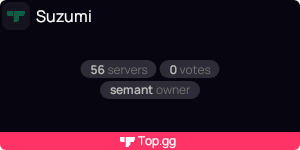
why is it not showing
https://top.gg/api/widget/858565390615707668.svg
 night current
Hey, what should I put in the webhook url in the server page so I can send requests to my bot whenever someone votes for the server ?
restive otter
candid urchin
```js
const express = require('express');
const serverApp= express();
const Topg...
its webhook.listener
candid urchin
restive otter
its `webhook.listener`
Instead of webhook.mkddleware?
restive otter
candid urchin
Instead of webhook.mkddleware?
yes
 quartz star
EN текст
 cursive iris
where do i get the app.listen number?
rain heart
thats the port you wish to listen on
cursive iris
but how do i get it? (I'm doing it in vsc)
rain heart
In computer networking, a port is a communication endpoint. At the software level, within an operating system, a port is a logical construct that identifies a specific process or a type of network service. A port is identified for each transport protocol and address combination by a 16-bit unsigned number, known as the port number. The most comm...
or well, https://www.cloudflare.com/en-gb/learning/network-layer/what-is-a-computer-port/ is probably explained better
cursive iris
This is good?

 paper grotto
How i create a webhook url with a domaine name ?
jaunty plank
Do you own a domain name? And does that domain have a record pointing to the ip of your server hosting the webhook?
candid urchin
const express = require('express');
const serverApp= express();
const Topgg = require('@top-gg/sdk')
const webhook = new Topgg.Webhook('password')
serverApp.post('/dblwebhook', webhook.listener(), (req,res) => {
const client = bot.client;
const u = req.vote.user;
client.channels.cache.get('920272875431288882').send('User ' + client.users.cache.get(u).tag + ' voted for me in top.gg!');
client.users.cache.get(u).send('Thanks for upvoting NebbyBot, as a reward we will give you 15!');
 candid urchin
Ok
candid urchin
rain heart
go through your code
const express = require('express');
const serverApp= express();
const Topgg = require('@top-gg/sdk')
const webhook = new Topgg.Webhook('androproador123469')
serverApp.post('/dblwebhook', webhook.listener(), (req,res) => {
const client = bot.client;
const u = req.vote.user;
client.channels.cache.get('920272875431288882').send('User ' + client.users.cache.get(u).tag + ' voted for me in top.gg!');
client.users.cache.get(u).send('Thanks for upvoting NebbyBot, as a reward we will give you <917140768215416875>15!');
const getDiamonds = await
client.db.get("main", `diamonds_${u}`).then(d=>d ? d.value : 0);
client.db.set("main", "diamonds_" + u, Number(getDiamonds)+15)
serverApp.listen('8080');
})
Variable is called "diamonds"
There are no errors but the bot doesn't send dms or send message in.mentioned channel ID nor add value to the user var.
rain heart
cant help with it, am not coding in js
candid urchin
Which support staff codes with js?
rain heart
just wait for someone who can help
candid urchin
Alr
 jaunty gorge


 plucky lance
candid urchin
```js
const express = require('express');
const serverApp= express();
const Topg...
plucky lance
candid urchin
```js
const express = require('express');
const serverApp= express();
const Topg...
Did you already check if you actually receive votes?
Is port 8080 opened up for incoming requests from topgg?
 marble kayak
Getting this error

 tardy blaze
i wanted to post the server count but the response just seemed like a get request

 jaunty plank
tardy blaze
i wanted to post the server count but the response just seemed like a get reques...
jaunty plank
tardy blaze
i wanted to post the server count but the response just seemed like a get reques...
I think we return the updated data on post requests, but cannot remember to be honest.
jaunty plank
marble kayak
Getting this error
Looks like you sent too many requests and got ratelimited.
https://docs.top.gg/resources/ratelimits/
 tardy blaze
jaunty plank
I think we return the updated data on post requests, but cannot remember to be h...
tardy blaze
jaunty plank
I think we return the updated data on post requests, but cannot remember to be h...
maybe it didnt get updated coz it returned the old stats with no error
lemme try again ._>
 brazen kelp
I got this error:
403 Forbidden (You don't have access to this endpoint)
Here's my code:
const ap = AutoPoster(topGGToken, client)
client.setInterval(async () => {
    ap.on('posted', () => {
        console.log('Posted stats to Top.gg!')
    })
}, pushDBLAfter)
i got no response now
but stats got posted... thanks 
 marble kayak
jaunty plank
Looks like you sent too many requests and got ratelimited.
https://docs.top.gg/r...
marble kayak
jaunty plank
Looks like you sent too many requests and got ratelimited.
https://docs.top.gg/r...
how to fix
jaunty plank
brazen kelp
I got this error:
```403 Forbidden (You don't have access to this endpoint)```
...
Double check your token is the one for the bot you are posting to.
jaunty plank
marble kayak
how to fix
Ratelimits expire after an hour. Try to limit the number of requests you make to prevent this in the future.
jaunty plank
tardy blaze
i got no response now
but stats got posted... thanks <:thumbsup:8869974424642150...
Strange!
I wonder what happened
tardy blaze
jaunty plank
Strange!
I wonder what happened
i removed the "/" after stats
so its /stats not /stats/
didnt know thet would make a difference tho
marble kayak
jaunty plank
Ratelimits expire after an hour. Try to limit the number of requests you make to...
i use Autoposter using eval cmd 3 to 4 time
jaunty plank
tardy blaze
i removed the "/" after stats
so its /stats not /stats/
didnt know thet would ma...
Didn't think it would either.
Good to know
jaunty plank
marble kayak
i use Autoposter using eval cmd 3 to 4 time
Sounds like you may have setup the autoposter multiple times then, and it's autoposting multiple times each, then hitting the ratelimit.
marble kayak
jaunty plank
Sounds like you may have setup the autoposter multiple times then, and it's auto...
so what to do next ?
jaunty plank
Wait for it to expire, only run the autoposter once.
marble kayak
okay but i am getting this error form yesterday
jaunty plank
Sounds like you may have hit the ratelimit multiple times then
marble kayak
i need to regen token ?
marble kayak
ohk
marble kayak
jaunty plank
Nope, youll still be ratelimited
see this

 marble kayak
jaunty plank
Are you only using post stats? Any other api stuff?
marble kayak
jaunty plank
Are you only using post stats? Any other api stuff?
post stats and vote required cmd also
jaunty plank
Ah, sounds like too many vote required commands then
You'll want to swap to webhooks and a database
marble kayak
jaunty plank
Ah, sounds like too many vote required commands then
no only 10
jaunty plank
Sure but each time a user runs one its accessing the topgg api right?
marble kayak
yup
jaunty plank
Are your users running those 10 commands all together more than 60 times a minute?
marble kayak
no
jaunty plank
Hmm
marble kayak
after posting stats then i got rate limited
jaunty plank
And it's only posting stats? 
marble kayak
yes
jaunty plank
I have no idea then.
marble kayak
okay so i am waiting 1 day after that if not fixed i will contact mods
jaunty plank
Maybe a github issue could help.
GitHub
Report bugs and give feedback regarding the Discord Bot List and Discord Server List - GitHub - top-gg/issues: Report bugs and give feedback regarding the Discord Bot List and Discord Server List
 patent owl
hey
I use aoi.js for coding
and can I ask if there is any way to do like voting callback
so when user votes it will reply
restive otter
Hey how do I setup vote webhooks for heroku? I have tried many ways but none of them worked
marble kayak
jaunty plank
Maybe a github issue could help.
https://github.com/top-gg/issues
thnx bro fixed
cursive iris
god?
 restive otter
I see no god in it
sullen nymph
That's proof that God doesn't exist
restive otter
can i make a post request from bot A to update stats on bot B?
 vast umbra
so im trying to use the python wrapper for the topgg api
import topgg
import discord


# this can be async too!
@topgg.endpoint("/dblwebhook", topgg.WebhookType.BOT, "youshallnotpass")
def endpoint(
    vote_data: topgg.BotVoteData,
    # uncomment this if you want to get access to client
    bot : # what do i put here?,
):
    # this function will be called whenever someone votes for your bot.
    print("Received a vote!", vote_data)

    # do anything with client here
    bot.dispatch("dbl_vote", vote_data)
what would i put instead of discord.Client if i use commands.bot?
restive otter
vast umbra
so im trying to use the python wrapper for the topgg api
```py
import topgg
impo...
Put exactly the class type of your bot there. In the future it might support covariance types, so you could put the base class there which is discord.Client (assuming it's d.py or similar)
marble kayak
jaunty plank
Maybe a github issue could help.
https://github.com/top-gg/issues
sir why i am getting too much rate limited i didn't even use api too much idk why
i am using api max 60/per hr to 100/per hr
paper grotto
heyy, I have my website https://xelia.tk
but what i have to put in the webhook url ?

i want to send a message in my discord server when someone vote for the bot.
I don't know how to create a webhook on my website
rain heart
You cant use a discord webhook there

Yeah, thats why https://webhook-topgg.com/ is there until then
but mainly it is for getting vote data for rewards etc, its intention is not for logging
@paper grotto if you only want logs, consider using that above
paper grotto
rain heart
but mainly it is for getting vote data for rewards etc, its intention is not for...
yes, i want to save data in database, so the discord webhook will not be able to do thaht ?
paper grotto
rain heart
that cannot be done by discord webhooks
i have to read this part https://docs.top.gg/resources/webhooks/ ?

because it's written, if we don't know how do that, we can ask you on the support 🙂
 rain heart
You'll have to wait for someone who can help then
the docs provide the fundamentals of getting started
you will need a webserver to handle these requests (most commonly through express done on the bot that listens for requests)
paper grotto
rain heart
you will need a webserver to handle these requests (most commonly through expres...
yes, but one week ago, when i put https://VPS_IP:1065/dblwebhook, it works. But now, i have a domain name and when I put https://xelia.tk:1065/dblwebhook, it doesn't work.
rain heart
remove the https
use http
as you're not calling to a https port (443) but a entirely different port, which is 1065
paper grotto
ok but on my VPS with my certification SSL, i put the option redirect to the link https
i don't know if it change something
rain heart
https -> Secure http
http -> insecure http
https will always make a request to 443 aswell, which does not allow you to use other webserver ports then
If you wish to use different webserver ports, you have to use http
paper grotto
ok
🙂
but the problem is still there

here is my webhook url
and when i send a test
it doesn't work
rain heart
then send your code and wait for someone who can help about that