
#topgg-api
1 messages · Page 167 of 1
 restive otter
help plz anyone....
 plucky lance
 deft helm
Your headers include { "Content-Type": "application/json", "Authorization": "your-topgg-token" } ?
And the bot you wanna post stats for is already approved?
 jovial kiln
What language are you using wumpus
deft helm
plucky lance
Your headers include `{ "Content-Type": "application/json", "Authorization": "yo...
yeps
deft helm
plucky lance
And the bot you wanna post stats for is already approved?
I dont wanna post
I am making a get request
restive otter
jovial kiln
What language are you using wumpus
means english?
restive otter
js
jovial kiln
 deft helm
It shows the json data just with the link! then why do I still need the auth token?
restive otter
jovial kiln
https://docs.top.gg/libraries/javascript
?
jovial kiln
It explains how to use them there
jovial kiln
Is the bot you are trying to get approved
deft helm
jovial kiln
Is the bot you are trying to get approved
yess
plucky lance
deft helm
It shows the json data just with the link! then why do I still need the auth tok...
Yeah I see the resource doesn't require an authentification
jovial kiln
Yeah no that doesn't require a auth
restive otter
@jovial kiln in code what is your Top.gg token ?
deft helm
jovial kiln
Yeah no that doesn't require a auth
then why Am i getting 401? 😅
 plucky lance
Still the same error?
 plucky lance
You're still missing the header
content type
just to make sure, define the method as well
deft helm
plucky lance
content type
it gave the same error with that too
restive otter
restive otter
<@!300438546236571658> in code what is `your Top.gg token` ?
fake can u say?
plucky lance
{ method: "GET", headers: { "Content-Type": "application/json" }
deft helm
plucky lance
just to make sure, define the method as well
yeps trying that now
jovial kiln
wdym
plucky lance
Well your topgg token you can find editing one of your approved bots.
restive otter
plucky lance
Well your topgg token you can find editing one of your approved bots.
my bot is approved on top.gg
what should i do??
plucky lance
you can find editing one of your approved bots
restive otter
plucky lance
> you can find editing one of your approved bots
means how bro?
plucky lance
Do you even read what I write?
Go to topgg, edit your bot, take a look at the left menu, choose Webhooks
restive otter
ya i looked
plucky lance
You will find your token there
Token for this bot:
If you haven't generated one, then click the button
 restive otter
Token
You will need a token to perform certain actions with the API such as posting your bot's server count and checking who has upvoted your bot.
API documentation can be found here
Generate token
Show token
Webhook
Don't rustle your feathers for no reason, if you're lost you can read more about our webhooks here
Webhook URL
We will attempt to perform a POST request to this URL when sending you webhook data.
https://web.hook
Authorization
You can use this value to verify the requests are coming from us.
^
deft helm
does it not work on http?
plucky lance
Well CORS is blocking your (external) request
deft helm
plucky lance
Well CORS is blocking your (external) request
brb stack overflow time
deft helm
plucky lance
err I'm not sure about your package tbh
me?
plucky lance
I'm running real webservers tho, not using JS
There are no limitations
But you can adjust your CORS policy
You're using JS fetch in your index html?
deft helm
plucky lance
You're using JS fetch in your index html?
yeps
If it was nodejs I would have been done and dusted by now
plucky lance
Well this fetch is "supposed" to fetch local files only, not external sources for security reasons
But as I said you can allow cross-site requests
 plucky lance
restive otter
Token
You will need a token to perform certain actions with the API such as post...
plucky lance
restive otter
Token
You will need a token to perform certain actions with the API such as post...
Authorization
You can use this value to verify the requests are coming from us.
The authorization (code) for webhooks is a secret you can define, not you have to define.
It's like a password you can set but not need to.
plucky lance
deft helm
now getting 401 again
Probably because your user-agent will be empty
You could try to send a user agent string within the request as header
Still with mode no-cors
deft helm
what If I use nodejs and then just render the html template 😅 🤦♂️
plucky lance
fetch(...,
{
   method: "GET",
   mode: "no-cors",
   headers:
   {
      "Content-Type": "application/json",
      "User-Agent": "Mozilla/5.0 (X11; Linux x86_64) AppleWebKit/537.36 (KHTML, like Gecko) Chrome/51.0.2704.103 Safari/537.36"
   }
}```Try this.
deft helm
plucky lance
```js
fetch(...,
{
method: "GET",
mode: "no-cors",
headers:
{
...
yeps
nopes
same error
plucky lance
well then idk anymore 
deft helm
plucky lance
well then idk anymore <:freerealestate:786821920787136514>
lets try XML directly
plucky lance
Try node-fetch just for fun
deft helm
plucky lance
Try node-fetch just for fun
lol
plucky lance
Works for me tho
deft helm
plucky lance
Works for me tho
401 with xml too
 plucky lance
Can u send me the link, please? Don't wanna type the bot ID
deft helm
plucky lance
Can u send me the link, please? Don't wanna type the bot ID
it shows the results directly on the browser
plucky lance
yeah ik that's why I suggested to use the user-agent
deft helm
 plucky lance
It somehow block your request for a specific reason, thought it is the user-agent
deft helm
it gave the same using httpie too
plucky lance
actually can't tell you why cloudflare is blocking ur request
somehow still think it's an issue with the user-agent
deft helm
plucky lance
actually can't tell you why cloudflare is blocking ur request
do u have httpie?
or any cli for api testing?
plucky lance
gimme a second, testing rn
deft helm
k
plucky lance
will send u the link in a few seconds
deft helm
ohkk
 deft helm
plucky lance
hmm getting the same error lol
deft helm
plucky lance
hmm getting the same error lol
Lol! Np! Thanks for the efforts
deft helm
which options?
 sullen nymph
Wtf is going on
Dude
Read the docs
You need to authorize your requests with a token
It's not related to Cloudflare
deft helm
@sullen nymph read the whole chat buddy
sullen nymph
What are you doing
deft helm
It gave the same error with the auth header too
sullen nymph
Now you're getting a 401. Try regenerating the top.gg token you're using
Repeat until it works
deft helm
@sullen nymph it's not because of the top.gg token, how does it show the json data in the browser with just the url then?
sullen nymph
Because you're logged in
sullen nymph
Takes a session hash and uses it instead of Auth token
Good luck reverse engineering that if you feel like Auth header isn't convenient enough
deft helm
sullen nymph
Takes a session hash and uses it instead of Auth token
Is there an issue with login?
I am just being redirected to the home page
plucky lance
Sorry I’ve got no luck
deft helm
sullen nymph
Iirc yes
This is what I get with auth token too
 plucky lance
Cloudflare is blocking my requests as well
deft helm
sullen nymph
Are you sure you're copying the top.gg token properly
yes sirr
sullen nymph
From the /webhooks page of your bot?
plucky lance
Manipulating the user agent etc will not even result in a response
sullen nymph
Suckss
deft helm
sullen nymph
From the /webhooks page of your bot?
yess sirrrr
sullen nymph
Regenerating tokens isn't gonna make CF bitch about you
You won't do it fast enough to get ratelimited
deft helm
I made a new token for this now, but now My bot will get errors!😅 🤦♂️
deft helm
still same error after regen too
plucky lance
The JS fetch method is the issue
sullen nymph
How is it the issue
deft helm
tried xmlhttprequest too
plucky lance
As I said using node-fetch for example will work
sullen nymph
Use reqbin or Postman
plucky lance
sullen nymph
How is it the issue
Maybe it sends a fucking user agent Cf has blocked god damn
These questions
sullen nymph
You wouldn't be getting the response he's getting from top.gg
It's top.gg bitching about its own tokens
Which isn't new
plucky lance
He’s not getting a response from topgg but CF
sullen nymph
deft helm
This is what I get with auth token too
The JSON received here isn't from CF
plucky lance
Tested it out a few minutes ago, same issue
sullen nymph
CF doesn't respond with JSON, does it
plucky lance
Idk
sullen nymph
Which isn't the case here
deft helm
<p>something here</p>
plucky lance
Well then we’re both unlucky and topgg is fucked up once more
Did expect this as CF error
deft helm
😆
sullen nymph
Gizmo can you confirm that you're copying the token one-to-one without any newlines or spaces?
deft helm
yess sirrrr
sullen nymph
This has been an issue for months now
🤷♂️
No fucking clue what causes it
@craggy sentinel if you don't mind helping us out with this
plucky lance
Great that proves devs are working "hard" on it
deft helm
I copied a working token which I use in the main bot too
plucky lance
As I said I tried the authorization token too with the same result
sullen nymph
It's probably not a priority, can't remember if anyone bothered to report it even
plucky lance
Even if I expected this to be a CF error it doesn’t matter at this point
sullen nymph
Nah CF ain't the bad guy here
plucky lance
deft helm
The same token is able to post data to top.gg
Yes works for me too without any issues
deft helm
I was looking for a way to post bot stats on the web page, Thought top.gg would do the job in minutes! It took hours instead😅
sullen nymph
It's usually fucking you over when you use non-/api endpoints specifically
Wonders of technology...
deft helm
If I dont get a solution then I'll just use node and render the html template
plucky lance
Well I’m sure not if tested POST or GET event
Might be POST which seems to work anyways it seems
I mean you can test it tho, pretty much the same syntax
If you init the lib as fetch
(Var name)
deft helm
it works for post in my bot
plucky lance
Yeah should have tested the GRT method too in node fetch
Thank you auto correct
Whatever grt means
deft helm
I have been using post for a long time
never tried get
nvm I'll just use express , pug, and djs tomorrow and get this done
deft helm
+1
 raw kettle
i want make code if one vote my bot send in the channel message thanks or user name voted me
plucky lance
About webhooks
 hasty crag
 raw kettle
i'm saved things in weebhok . but i'm try to open weebhook agien no can't fined any thing !
raw kettle
help ?!
restive otter
How i get webhook url
 jaunty plank
restive otter
How i get webhook url
jaunty plank
restive otter
How i get webhook url
like for your code?
you have to make it
https://en.wikipedia.org/wiki/URL#Syntax
raw kettle
what write here ?
 raw kettle
what write here ?
raw kettle
raw kettle
what write here ?
webhook url > my name in the project repl
authoriz my passowrd and i'm saved and try refresh the page can't find any thing please help
jaunty plank
your repl url with the path at the end, auth is the auth for the webhook
jaunty plank
you should really focus on getting the webhook working and getting logs working before sending messages in channels
restive otter
jaunty plank
like for your code?
you have to make it
<https://en.wikipedia.org/wiki/URL#Synta...
i want to get webhook url at top.gg
to make a vote system for my bot
jaunty plank
top.gg does not provide webhook urls, you need to format them depending on your hosting for the webhook
raw kettle
jaunty plank
you should really focus on getting the webhook working and getting logs working ...
i can't make it please help me or sending video to try!
restive otter
[dblapi.js] Warning: No DBL token has been provided.
raw kettle
You can speak arabic?
restive otter
no
plucky lance
Your endpoint, it’s IP or domain name and port
As valid URL (and the path your webhook is listening to)
raw kettle
 plucky lance
Looks accurate
raw kettle
 raw kettle
raw kettle
raw kettle
this code is right?
plucky lance
No the path is not the same as the one you entered on topgg
raw kettle
plucky lance
No the path is not the same as the one you entered on topgg
i'm need only < any ony vote bot send message thanks in room only need it
plucky lance
URL …/dblwebhook
Code /webhook
raw kettle
here what i write ? link in top gg webhook
 plucky lance
/dblwebhook not /webhook
raw kettle
how?
plucky lance
Btw. did you import discordjs and init the client? If not your code will return an error
plucky lance
raw kettle
how?
Change it?!
raw kettle
 raw kettle
 plucky lance
Change this
raw kettle
to :?
plucky lance
To the same path you entered on topgg
raw kettle
here write my password in top gg authroize?
 raw kettle
 plucky lance
Btw. did you import discordjs and init the client? If not your code will return an error
raw kettle
plucky lance
> Btw. did you import discordjs and init the client? If not your code will retur...
how i solve it i cannnnnnt make it
plucky lance
Hmm you need somebody speaking your language I guess
raw kettle
im need video !
raw kettle
raw kettle
this code is wrong
plucky lance
Not wrong but not complete
 raw kettle
 raw kettle
raw kettle
raw kettle
@plucky lance imake one and write it .
raw kettle
raw kettle
now code is solve?
plucky lance
client does not exist
raw kettle
 plucky lance
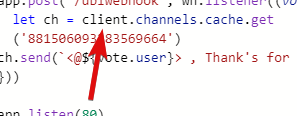
const client = ???
raw kettle
there but in the top

 raw kettle
jaunty plank
you added code that wasnt there
raw kettle
jaunty plank
you added code that wasnt there
i'm add code to send in room
raw kettle
can you send me client .
plucky lance
You need to require your discordjs
jaunty plank
using discordjs?
plucky lance
Obviously 
raw kettle
 jaunty plank
https://discordjs.guide/ can help you with using discordjs

 plucky lance
I wonder if replit can even listen to the port 80.
Don’t think so.
@jaunty plank enjoy explaining him tho, I’m off the highway, no more phone
jaunty plank
I dont know either tbh, not a repl user
 plucky lance
Puh 👍
sullen nymph
plucky lance
I wonder if replit can even listen to the port 80.
Don’t think so.
<@13658353297...
Possible iirc
If not, just use another port
 sullen nymph
See pinned messages
restive otter
sullen nymph
See pinned messages
ty
 flint summit

in node.js where do i put the params?
const topggapiAuth = await fetch('https://top.gg/api/bots/823063174378029096/check', {
      method: 'post',
      headers: { "Authorization": "token" }
    })
this is what i have so far
@sullen nymph would you be able to help by any chance?
flint summit
oh right
flint summit
sullen nymph
The method is GET not POST
am i doing everything else right?
sullen nymph
My cookie says "probably"
But I already ate it so all I can do is suggest trying it out
The uh
Oh params
restive otter
flint summit
in node.js where do i put the params?
You can just append ?userId=<user ID> to the URL
sullen nymph
No idea if there's another way
restive otter
sullen nymph
No idea if there's another way
Encode the numbers kekw
sullen nymph
make a reverse string with reversed ID in the URL and then reverse them back when sending a request
restive otter
 why make it simple when you can complicate it
sullen nymph
Obviously
restive otter
dblhelp
restive otter
with webhooks (not discord webhooks)
 remote stag
restive otter
with webhooks (not discord webhooks)
remote stag
restive otter
with webhooks (not discord webhooks)
Can you explain further?
restive otter
remote stag
Can you explain further?

 gusty solar
Pls help
restive otter
 cedar arch
Discord.py (lib) like this
cedar arch
Discord.py (lib) like this
read the docs
restive otter
gusty solar
Pls help
what help do you need
 uncut kelp
@smoky marten sorry, i want to ask about heroku, default memory is 256MB. can i increase for free?
restive otter
its 512mb max and its off topic
 thick flint
Is there a support?
My vps ip got banned by cloudflare, i don't know why
So i'm coming here to ask if you can unban it
 smoky marten
uncut kelp
<@!584309117380853770> sorry, i want to ask about heroku, default memory is 256M...
smoky marten
uncut kelp
<@!584309117380853770> sorry, i want to ask about heroku, default memory is 256M...
512 mb
It expands upto 1024 before they kill the app
#development
smoky marten
thick flint
My vps ip got banned by cloudflare, i don't know why
You sent too many requests
 eager remnant
can i, with the topgg api, get how much times people pressed to the invite the bot button?
smoky marten
eager remnant
can i, with the topgg api, get how much times people pressed to the invite the b...
First of all,
You don't have a bot so you can't
Second,
It's not in the api docs so probably you can't.
eager remnant
smoky marten
First of all,
You don't have a bot so you can't
Second,
It's not in the api docs...
i have a bot but it's in the starter phase where the bot need an acceptation from moderators to be added to the list
smoky marten
eager remnant
i have a bot but it's in the starter phase where the bot need an acceptation fro...
You can use the api after the bot have been approved
And no, I checked again the addBotButtonPressCount dosen't exist in the api docs :(
restive otter
its in the anlytics
 sacred olive
hi , haw i can create vote log system !
jaunty plank
with webhooks?
receive http requests with vote data.
you can see what data on the docs
sacred olive
i need creat system, when the user voted bot send a message in his DM
restive otter
and you need webhooks to receive votes
sacred olive
const client = new Discord.Client() // Your discord.js or eris client (or djs ShardingManager)
const { AutoPoster } = require('topgg-autoposter')

const ap = AutoPoster('Your Top.gg Token', client)

ap.on('posted', () => {
  console.log('Posted stats to Top.gg!')
})```what the next !
restive otter
you need to use @top-gg/sdk for webhooks
jaunty plank
you dont need a token for webhooks
but its found on your bots page in the webhook section
sacred olive
sacred olive
```js
const client = new Discord.Client() // Your discord.js or eris client (or ...
🤨 @jaunty plank
const ap = AutoPoster('Your Top.gg Token', client)
restive otter
^
sacred olive
please link of that
jaunty plank
sacred olive
jaunty plank
<https://docs.top.gg/libraries/javascript/#webhooks>
whare i can find (webhook auth)
jaunty plank
auth you make
 fringe glen
gift
 wispy night
I don't have Authorization of api and can't get now
 graceful urchin
 steady steeple
import json

import dbl
from discord.ext import commands


class TopGG(commands.Cog):

    with open("token.json") as json_file:
        data = json.load(json_file)

    def __init__(self, client):
        self.client = client
        self.token = self.data["top_gg_token"]
        self.dblpy = dbl.DBLClient(
            self.client, self.token, autopost=True
        )

    async def on_guild_post(self):
        print("Server count posted successfully")


def setup(bot):
    bot.add_cog(TopGG(bot))
Has topgg dbl libary been discontinued/replaced? Can i still use the old version?
 strong forge
does topgg allow servers to have webhook votes like bots?
ex. can i check if someone voted for the server
 fluid violet
i couldnt find a wrapper for my language
restive otter
steady steeple
```py
import json
import dbl
from discord.ext import commands
class TopGG(com...
Kinda, it's better to use topggpy instead since it supports Python 3.9
steady steeple
okay thanks!
restive otter

uncut kelp
smoky marten
512 mb
It expands upto 1024 before they kill the app
<#272764566411149314>
so how to increase that? with free service
 balmy wharf
What am i missing at await
 restive otter
balmy wharf
What am i missing at `await `
restive otter
balmy wharf
What am i missing at `await `
read the channel name and #development
restive otter
how do i get how many times someone voted my bot
use webhooks and save it to your db when the user votes
strong forge
is the same true for servers?
sullen nymph
Yup
 plucky inlet
hi added the top.gg server count posting code to my bot and it seems to be not working, this is the code i used, is this wrong? js const topgg = new top.Client('token'); setInterval(() => { topgg.post({ servers: client.guilds.cache.size }); }, 3600000);
 chrome carbon
help
 restive otter
plucky inlet
hi added the top.gg server count posting code to my bot and it seems to be not w...
restive otter
plucky inlet
hi added the top.gg server count posting code to my bot and it seems to be not w...
you need to wait 30 mins
plucky inlet
i deployed tht like almost 20 hours ago
 vast umbra
is there no way to use discord webhooks for the votes?
restive otter
plucky inlet
well it says its not a constructor
which module are you using
plucky inlet
top.gg-core
restive otter
plucky inlet
top.gg-core
thats not the offical module...
plucky inlet
oh damn i thought it was
restive otter
use @top-gg/sdk or topgg-autoposter
plucky inlet
oh ok tysm for the info
 restive otter
what do you need help with
restive otter
did you set up the webserver correctly
and is the pass and link is correct on top.gg
chrome carbon
ye i think so
chrome carbon
wait
chrome carbon
restive otter
can you show what did you entered to top.gg
 restive otter
its not discord webhooks
chrome carbon
huh
chrome carbon
restive otter
its not discord webhooks
what webhook
restive otter
you need to enter the webserver link
chrome carbon
what ???
restive otter
http://SERVER_IP:PORT/dblwebhook
or if you have a domain, http://domain/dblwebhook
restive otter
where do you host your bot
chrome carbon
heroku
restive otter
do you host the webserver seperately or with the bot
restive otter

restive otter
the server where you host your webhook server
chrome carbon
 ?
?
chrome carbon
jaunty plank
how are you hosting your bot?
am host in heroku
jaunty plank
your url will be your heroku project url with the webhook path at the end
youll also need to use the port env variable for the webhook
chrome carbon

jaunty plank
https://devcenter.heroku.com/articles/runtime-principles#web-servers
^ heroku's guide on ports
then the url is just
YOURHEROKUPROJECTURL/dblwebhook
chrome carbon
@jaunty plank this link ?
 jaunty plank
Nope that's just the dashboard.
It's something like
[name of app].herokuapp.com
chrome carbon
jaunty plank
Nope that's just the dashboard.
It's something like
`[name of app].herokuapp.co...

ughh
🙂
jaunty plank
you dont visit it in your browser, its a webhook not a website
restive otter
@jaunty plank hes prob not even hosting the webhook
jaunty plank
chrome carbon
https://cdn.discordapp.com/attachments/719802347902992406/882624355023077396/unk...
👀 ?
restive otter
so thats why i gave up da help
restive otter
jaunty plank
👀 ?
his web dyno isnt even on
restive otter
kek
jaunty plank
I dont use heroku so cant really help with explaining how to enable web dyno's, but here is the pages which explains it.
https://www.heroku.com/dynos/configure
https://devcenter.heroku.com/articles/dynos#dyno-configurations
also heroku provides the port in an env variable,
process.env.PORT rather than just 80.
or even
process.env.PORT || 80
chrome carbon
jaunty plank
also heroku provides the port in an env variable,
`process.env.PORT` rather than...
where to put the process.env.PORT
jaunty plank
 chrome carbon
jaunty plank
https://i.imgur.com/Vvrvta8.png
chrome carbon
jaunty plank
https://i.imgur.com/Vvrvta8.png
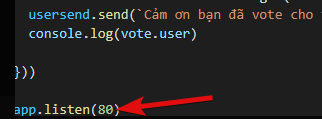
app.listen(80) to process.env.PORT ?
jaunty plank
app.listen(process.env.PORT)
smoky marten
uncut kelp
so how to increase that? with free service
I don't think you can
Not when you're free
If you could increase RAM without paying Salesforce would go bankrupt
 desert ginkgo
What should I receive when I use the test button?
 jaunty plank
a webhook to the supplied url
desert ginkgo
I didn't get anything.
jaunty plank
well, wheres your webhook being hosted?
desert ginkgo
Uh can I share the link?
jaunty plank
if you wanna dm it to me sure
desert ginkgo
kk
desert ginkgo
I can't find the documentation of a vote object, is there one?
jaunty plank
desert ginkgo
ah ty
restive otter
😐
 silent summit
Do you need to supply an address, or will a Webhook object set it for you?
jaunty plank
an address? like a url?
silent summit
Yeah, sorry.
silent summit
Ah, ok. Thanks!
 grim igloo
how do i make it so that when i vote for my bot it dms
jaunty plank
youll need a webhook for that https://docs.top.gg/resources/webhooks/
 proven jasper
Anyone know of a vote listener event for java
jaunty plank
You can just make a webhook listener using httpServer
 weary flicker
steady steeple
```py
import json
import dbl
from discord.ext import commands
class TopGG(com...
weary flicker
steady steeple
```py
import json
import dbl
from discord.ext import commands
class TopGG(com...
Here all I find is js
 tropic halo
jaunty plank
youll need a webhook for that <https://docs.top.gg/resources/webhooks/>
tropic halo
jaunty plank
youll need a webhook for that <https://docs.top.gg/resources/webhooks/>
Hey woo, does the webhook sandbox not support localhost for testing? how am i going to test it out lol
sullen nymph
@pastel raptor
steady steeple
weary flicker
Here all I find is js
?
weary flicker
steady steeple
?
all i find is code for javascript
not for python
docs have somrthing tho
steady steeple
There is code for python on the docs
 void dirge
i think dbl api to post servers is failing with 504 from cloudflare
 tulip jolt
Do i need to put it in guildCreate and guildDelete event or ready is good ?
 void dirge
only ready and you can also set up an interval to keep it updated
tulip jolt
okay thx !
tulip jolt
void dirge
only ready and you can also set up an interval to keep it updated
like that ?
 void dirge
oh sorry i didn't notice it was the autoposter and not the top gg api manually
you should create the autoposter on the ready event or wherever you want but make sure it's called only once
you don't need the interval as it posts stats every 30 min
sullen nymph
The ready event is not reliable
restive otter
vast umbra
is there no way to use discord webhooks for the votes?
Nah! Create a webserver
vast umbra
ima use your vote thingy
restive otter
how do I link top.gg webhook to my discord channel, I provided a discord webhook , clicked test and nothing happened, am I missing something?
plucky lance
Yeah indeed that’s not how it works.
You will receive webhook events from topgg (if somebody votes) and need to deal with it yourself.
For example sending a message via your bot to a channel.
plucky lance
You will receive webhook events from topgg (if somebody votes)
restive otter
yeah I get that
plucky lance
What’s the issue then?
restive otter
I am asking what webhook do we put there is it doesn't work with a discord webhook..
 restive otter
ahh ok, thank you for the clarification
I thought it was similar to how github to discord webhooks work but I guess not
restive otter
so a normal discord webhook url should work with it then, no?
jaunty plank
no its to your bot.
if you want top.gg to discord you can use this.
https://webhook-topgg.com/
restive otter
if you want top.gg to discord you can use this.
https://webhook-topgg.com/
This is more what I need thank you
 golden adder
jaunty plank
no its to your bot.
if you want top.gg to discord you can use this.
<https://web...
golden adder
jaunty plank
no its to your bot.
if you want top.gg to discord you can use this.
<https://web...
Ads 👀
jaunty plank
golden adder
Ads 👀
yes smh 😔
golden adder
Jk i've recommended it to people here before too 
 safe comet
how to check if someone has recently voted my bot?
 snow panther
So after doing this still when I try to use the widget in top.gg widgets the server counts show undefined

 safe comet
snow panther
So after doing this still when I try to use the widget in top.gg widgets the ser...
safe comet
snow panther
So after doing this still when I try to use the widget in top.gg widgets the ser...
what is "bot"?
and show me how u defined it
jovial kiln
safe comet
what does bot a random number means?
What endpoint is that?
jovial kiln
safe comet
what does bot a random number means?
Don't think you can get a single user vote per 12h
safe comet
i received ir when i tested mt wh
jovial kiln
It shows a total but not if it has been 12h or not
jovial kiln
safe comet
i received ir when i tested mt wh
Do you know what the endpoint was though
snow panther
safe comet
and show me how u defined it
 safe comet
idk what ur talking about "endpoint"
jovial kiln
snow panther
So after doing this still when I try to use the widget in top.gg widgets the ser...
where does it show undefined
jovial kiln
safe comet
idk what ur talking about "endpoint"
Where are you logging that from
safe comet
snow panther
not related to the api but u can destructure the properties all in one line
safe comet
jovial kiln
Where are you logging that from
from my code?
route.post("/topgg",wh.listener....)
so the API is returning that?
safe comet
im using an api wrapper
jovial kiln
I am aware of that
snow panther
jovial kiln
where does it show undefined
Umm like when I try to create widget in top.gg widget page while editing my bot , at that place it's shows the server count is undefined most probably I didn't define the "bot"
jovial kiln
node-sdk?
snow panther
So that's why it's not show the count ig
jovial kiln
snow panther
Umm like when I try to create widget in top.gg widget page while editing my bot ...
No that isn't the issue, try refreshing your cache
snow panther
K leme try
safe comet
const express = require("express")
const route = express.Router()
const {wh} = require(`../class/top.gg.js`)
route.post("/topgg",wh.listener((vote)=>{
    console.log("vote")
    console.log(vote)
}))

route.get("/topgg",(req,res)=>{
   res.send("pog")
})

module.exports = route

thats the code and the full object
 safe comet

jovial kiln
Basically useless
snow panther
Umm so I was changing the types of widgets available in the widget page of the bot so when I choose the "small servers" or "bot owner" it doesn't give the edited code in html like https://top.gg/api/widget/bot id.svg is the only type of image it give even if I choose other than the large type of widget. Like it should show https://top.gg/api/widget/servers/bot id.svg but still it show only the one for the large pic
 snow panther
Small servers
snow panther
Like ik how to edit that https://top.gg/api/widget/servers/868900571183185932.svg and that image will come but still like its an issue who doesn't know.
jovial kiln
Oh the issue is the undefined thing?
snow panther
Kinda 2 different issues
jovial kiln
Did you refresh your cache?
snow panther
jovial kiln
Did you refresh your cache?
Not yet I was testing these in the webpage but I saw this problem so told here like in html it doesn't edit the code there to /server or /owner but in markdown it's edits it
jovial kiln
It's a known issue
Refresh your cache to fix the servers undefined issue if they were already posted
snow panther
I tried clearing the cache but still it's showing undefined
jovial kiln
Try manually posting
snow panther
K
safe comet
jovial kiln
Don't think you can get a single user vote per 12h
so ill just have to use my own db?
jovial kiln
safe comet
so ill just have to use my own db?
Yeah just cache it when people vote and remove after 12 hours
snow panther
jovial kiln
Try manually posting
Posted through eval but still

 jovial kiln
snow panther
Posted through eval but still
jovial kiln
snow panther
Posted through eval but still
that's not what I mean
Post without the lib
 snow panther
Ok
 lavish shell
Hii how can I make webhook to post message in #voters
Another Lovely Vote By UserName and tag of the user who voted thanks for voting
How to make this ^ message
I didn't understood the docs
 night matrix
So I'm using the top.gg autoposter and it's posting the wrong amount for server count.
My bot started sharding as I hit 1.5k guilds so I'm assuming that's the cause and wondered if I need to do anything special to make it count correctly?
Discord and my DB agree on 1,540 guilds, autoposter sends 1,563...
(Note, using discord.js v13)
sullen nymph
Make sure your guild cache isn't getting fucked somehow
night matrix
I'm not sure how it would other than if discord.js is doing something - I don't touch the cache at all
 graceful lily
const fetch = require('node-fetch');
const key = config.site.topgg;
setInterval(() => {
  fetch(`https://top.gg/api/bots/${client.user.id}/stats`,
  {
    method: 'POST',
    body: JSON.stringify({
      server_count: client.guilds.cache.size,
    }),
    headers: {
      'Authorization': key,
      'Content-Type': 'application/json',
    }
  })

}, 3600000);```

hey for some reason this code doesn't post the stats for my botand it says its posted

 echo sequoia
help pls im getting this error often ``` topgg.post({
^
TypeError: topgg.post is not a function```
 jagged kiln
hey where i put the api code in a form of event or a command??
const fetch = require('node-fetch');
const key = config.site.topgg;
setInterval(() => {
  fetch(`https://top.gg/api/bots/${client.user.id}/stats`,
  {
    method: 'POST',
    body: JSON.stringify({
      server_count: client.guilds.cache.size,
      shard_count: client.shardCount
    }),
    headers: {
      'Authorization': key,
      'Content-Type': 'application/json',
    }
  })

}, 3600000);``` this code where i put itok i am getting problem in it
can plz anyone provide full code ??
jaunty plank
We have a library for it, can just use that.
https://docs.top.gg/libraries/javascript/#posting-bot-stats
jagged kiln
ok
 versed scroll
Ok
jaunty plank
once your bot is approved, https://docs.top.gg/resources/webhooks/ can help with how to do it
versed scroll
Thx
 fading phoenix
const { AutoPoster } = require('topgg-autoposter')
const stats = AutoPoster(process.env.api, client)
stats.on('posted', () => {
console.log('Posted stats to Top.gg!')
})``` its not working for me 🥺 willow valve
did u put the right top.gg token?
fading phoenix
willow valve
`did u put the right top.gg token?`
Token from Webhook??
versed scroll
Hi
fading phoenix
versed scroll
Hi
Hey
smoky marten
fading phoenix
Token from Webhook??
What did you put in process.env.api ?
fading phoenix
smoky marten
What did you put in `process.env.api` ?
Environment variables
smoky marten
fading phoenix
Environment variables
what's the environment variable api contain ?
fading phoenix
smoky marten
what's the environment variable `api` contain ?
Token from top.gg webhook
smoky marten
fading phoenix
Token from top.gg webhook
webhook auth key or api token ?
fading phoenix
smoky marten
`webhook auth key` or `api token` ?
api token
smoky marten
fading phoenix
api token
Does it show Posted stats to Top.gg! in console ?
fading phoenix
smoky marten
Does it show `Posted stats to Top.gg!` in console ?
No
Thats my problem
smoky marten
fading phoenix
Thats my problem
Last question,
How long has that code been running ?
Normally autoposter should post stats every 30 minutes or something
 smoky marten
I'm looking at docs
fading phoenix
😁 okay
smoky marten
Couldn't find anything (your code seems good)
Can you try this
const Topgg = require(`@top-gg/sdk`)
const api = new Topgg.Api(process.env.api)

api.postStats({
  serverCount: client.guilds.cache.size,
  shardCount: 1
}).catch(console.error)
@fading phoenix ^^
fading phoenix
Okay ty >_<
smoky marten
Also that posts the stats once. It's for getting what's wrong. Add a setInterval in production
 paper sentinel
D
jaunty plank
what language @pliant pewter
 pliant pewter
javascript
jaunty plank
you need to use webhooks https://docs.top.gg/libraries/javascript/#webhooks
library does most the work for you
pliant pewter
alr
 pulsar wagon
jaunty plank
pulsar wagon
jaunty plank
2 messages above yours i linked it
 pliant pewter
@jaunty plank sorry for bothering you and being the idiot i am (since i took a break from coding for school), where exactly do i put in those codes?
i downloaded the topgg autoposter thing
and i put in the topgg token
but it always says something like' "express" has already been declared
jaunty plank
@restive otter what programming language?
restive otter
discord.js v12.5.3
jaunty plank
restive otter
thanks
 turbid narwhal
what i have to put here ?
 jaunty plank
The url to your webhook listener
turbid narwhal
jaunty plank
The url to your webhook listener
idk how to do that 
jaunty plank
What programming language?
 pliant pewter
jaunty plank
are you already using express?
pliant pewter
jaunty plank
are you already using express?
i already have const express in my code
do i remove the one on the api, or the other one that i already had
jaunty plank
Keep the one which is first in your code
jaunty plank
turbid narwhal
but i use discord bot builder
I dont know how to use discord bot builder. Your probably best off seeing if they have a support discord or something to see if express or any form of http server can be used
turbid narwhal
jaunty plank
I dont know how to use discord bot builder. Your probably best off seeing if the...
i know that i can request an api

 radiant copper
turbid narwhal
i know that i can request an api
radiant copper
turbid narwhal
i know that i can request an api
you could try using this api https://docs.top.gg/api/bot/#individual-user-vote
jaunty plank
Will only tell if someone voted not when
 fringe edge
const mmLol = await fetch(`https://top.gg/api/bots/861084943794438165/check?userId=${interaction.user.id}`,
            {
              method: 'GET',
              headers: {
                'Authorization': 'token',
                'Content-Type': 'application/json',
              }
            })
            console.log(mmLol);
i get this response
Response {
  size: 0,
  timeout: 0,
  [Symbol(Body internals)]: {
    body: PassThrough {
      _readableState: [ReadableState],
      _events: [Object: null prototype],
      _eventsCount: 2,
      _maxListeners: undefined,
      _writableState: [WritableState],
      allowHalfOpen: true,
      [Symbol(kCapture)]: false,
      [Symbol(kCallback)]: null
    },
    disturbed: false,
    error: null
  },
  [Symbol(Response internals)]: {
    url: 'https://top.gg/api/bots/861084943794438165/check?userId=749732650209640529',
    status: 200,
    statusText: 'OK',
    headers: Headers { [Symbol(map)]: [Object: null prototype] },
    counter: 0
  }
}
is this alright?
 grand wave
const express = require("express")

const app = express()

  const mySecret = process.env['Token']
const webhook = new Topgg.Webhook(mySecret)

app.post("/dblwebhook", webhook.listener(vote => {
  // vote will be your vote object, e.g
  console.log(vote.user) // 395526710101278721 < user who voted\

  // You can also throw an error to the listener callback in order to resend the webhook after a few seconds


    client.channels.cache.get('883766764490592266').send('I am Voted by <@' + req.vote.user + "> ( " + req.vote.user + " ) ")

}))

app.listen(80)``` Can Anyone Say Doesnt this work?why this*
restive otter
its vote.user, not req.vote.user
grand wave
oh ok
fringe edge
is this how my url should be structured? (im currently self hosting my bot on my computer)
 plucky lance
As long as you don't use localhost, yes
fringe edge
plucky lance
As long as you don't use localhost, yes
wym by "As long as you dont use localhost"?
plucky lance
Because localhost is an alias for your local host, your system and no public address.
fringe edge
plucky lance
Because localhost is an alias for your local host, your system and no public add...
ah i c
should i just use my wifi ip instead?
plucky lance
Hosting at home will also require to configurate your local firewall and your router to allow incoming connections on the specified port
It will get even more complicated if you don't own a static IP address
(public IP address)
fringe edge
const res = await fetch('https://top.gg/api/bots/861084943794438165/stats', {
            method: 'GET',
            headers: {
                'Authorization': 'tokeb',
                'Content-Type': 'application/json',
            },
        }).then((r) => r.json());

        console.log(res);
why does this only log object with an array of shards, it doesnt display server count or shards count
{ shards: [] }
// the object logged
Visiting https://top.gg/api/bots/861084943794438165 will show you why
guilds and shards are empty arrays
Do you actually post your server count to topgg?
(frequently)
fringe edge
plucky lance
Do you actually post your server count to topgg?
how would i do that?
fringe edge
plucky lance
(frequently)
no ive never posted it frequently or at all
plucky lance
It's basically not much different than ur prev used method
Instead of using GET as method you gonna POST your stats
Including the body
fringe edge
👌
 oblique lance
hey how can i make it so when someone votes for bot the bot add some items
oblique lance
can i do from api
jaunty plank
Nope. or well from the api you can only check if they have, not get notified when they do
restive otter
How to get top.gg vote api
im a nub in apis so can anyone help
my bot got a approved recently,i wanted to make vote rewards,i have made the code,now i need a api key for my discord bot
smoky marten
restive otter
my bot got a approved recently,i wanted to make vote rewards,i have made the cod...
For vote rewards you need the webhook auth key not the api key/token
also you can't get it, you have to set it
 lime edge
Is there a function for Java to register when a user vote on your bot?
(or some way to get votes & who have voted?)
 covert wraith
hii there, does this api include getting votes for servers too?
covert wraith
restive otter
no
umm
restive otter
servers dont have api
covert wraith
restive otter
servers dont have api
...
i mean like using the bot api
to get server votes
etc
server lb position
top server votes
restive otter

 rare fossil
ok
fringe edge
covert wraith
server lb position
don’t think so
only users and bots related stuff are sectioned in the api docs
restive otter
where to go to hget api key
jaunty plank
Dblpins
 celest pierBOT
Your question is likely answered by one of pinned messages. Please take time to read the pinned messages by clicking on this icon.
 restive otter
whow would i check the response text for user voting
if r.text == "voted":
doesnt work
jaunty plank
restive otter
whow would i check the response text for user voting
if r.text == "voted":
The response isn't text, it's json.
https://docs.top.gg/api/bot/#individual-user-vote
restive otter
jaunty plank
The response isn't text, it's json.
https://docs.top.gg/api/bot/#individual-user...
i fixed it
 hollow jetty
can someone help me out with the webhooks?
right now, i currently have this
and i'm not reciving any votes
jaunty plank
hollow jetty
right now, i currently have this
What's your hosting location?
Did you fill in the webhook url and auth on top.gg?
hollow jetty
jaunty plank
What's your hosting location?
Did you fill in the webhook url and auth on top.gg...
my home server,
and yes
jaunty plank
Did you port forward?
Home networks have firewalls in place and need to be told which device to send requests to
hollow jetty
ye
jaunty plank
Did you provide a public ip not internal in the url?
hollow jetty
95% sure i did
jaunty plank
Double check just in case.
You'll also probably want to do some postman request tests
hollow jetty
let's just say, for me to connect to my home server, the ip is 123.456, and the public ip is 987.654, i put it 987.654
hollow jetty
aight
jaunty plank
Also since your doing ip you'll not have ssl so the protocol is http not https
http://ip:port/path
jaunty plank
Few seconds
hollow jetty
k
jaunty plank
Also it's a webhook, should only support post
hollow jetty
i'm getting nothign
jaunty plank
Postman getting connection time out? Or refused?
hollow jetty
timeout
restive otter
How to make vote rewards ?
 woeful merlin
How to make vote ?
 smoky temple
import topgg

# This example uses topggpy's webhook system.
bot.topgg_webhook = topgg.WebhookManager(bot).dbl_webhook("/dblwebhook", "password")

# The port must be a number between 1024 and 49151.
bot.topgg_webhook.run(5000)  # this method can be awaited as well


@bot.event
async def on_dbl_vote(data):
    """An event that is called whenever someone votes for the bot on Top.gg."""
    if data["type"] == "test":
        # this is roughly equivalent to
        # `return await on_dbl_test(data)` in this case
        return bot.dispatch("dbl_test", data)

    print(f"Received a vote:\n{data}")


@bot.event
async def on_dbl_test(data):
    """An event that is called whenever someone tests the webhook system for your bot on Top.gg."""
    print(f"Received a test vote:\n{data}")
where do i get the password?
is it the token?
smoky temple
and what about the /dblwebhook part?
 rocky bough
the path for the webhook
Must be the same one you set on the site
it should ask you for the webhook URL in the website, you put http://<your VPS IP>:5000/dblwebhook
smoky temple
??
 rocky bough
Authorization would be the password
Must match the one you have in your code and vice versa
smoky temple
umm i'm new to these , didn't get it
i use heroku currently
rocky bough
oh
smoky temple
can i use a discord webhook?
@rocky bough sorry for the ping, can you show me an example?
smoky marten
@smoky temple if you're on heroku you can do it like this

 primal spindle
@restive otter
restive otter
why my bot vote required command is not working is any changed in const @top-gg/sdk
 calm reef
restive otter
why my bot vote required command is not working is any changed in const `@top-gg...
calm reef
restive otter
why my bot vote required command is not working is any changed in const `@top-gg...
show code
 winged basin
restive otter
why my bot vote required command is not working is any changed in const `@top-gg...
winged basin
restive otter
why my bot vote required command is not working is any changed in const `@top-gg...
show code error brother
 charred steeple
Hey can we get uer total votes through any methods?
 real yew
charred steeple
Hey can we get uer total votes through any methods?
real yew
charred steeple
Hey can we get uer total votes through any methods?
You have to use databse to store the votes of each voter and then make a command with it
charred steeple
real yew
You have to use databse to store the votes of each voter and then make a command...
Hmm ok
grand wave
can anyone say why doesnt the invite link get edited?
like i am tryna put a new invite link
put it just keeps on showing the old invite link
 abstract nacelle
I'm getting this error while using the topgg-autoposter for JS:
1|promobot | TypeError [SHARDING_INVALID_EVAL_BROADCAST]: Script to evaluate must be a function
1|promobot |     at ShardingManager.broadcastEval (/home/maxim/promobot/node_modules/discord.js/src/sharding/ShardingManager.js:249:61)
1|promobot |     at DJSSharderPoster.<anonymous> (/home/maxim/promobot/index.js:32:16)
1|promobot |     at DJSSharderPoster.emit (node:events:394:28)
1|promobot |     at /home/maxim/promobot/node_modules/topgg-autoposter/dist/structs/BasePoster.js:65:34
1|promobot |     at processTicksAndRejections (node:internal/process/task_queues:96:5) {
1|promobot |   [Symbol(code)]: 'SHARDING_INVALID_EVAL_BROADCAST'
1|promobot | }
I'm using discord.js v13 and I'm passing the Sharding manager to autoposter like this:
const manager = new ShardingManager('./bot.js',
    {
        token: process.env.promobot_token,
        totalShards: 2
    }
);

const ap = AutoPoster(process.env.topgg_token, manager);
 copper elk
abstract nacelle
I'm getting this error while using the topgg-autoposter for JS:
```cmd
1|promobo...
copper elk
abstract nacelle
I'm getting this error while using the topgg-autoposter for JS:
```cmd
1|promobo...
that's OK
 wide herald
copper elk
that's OK
wide herald
copper elk
that's OK
That is not ok.
 distant oak
charred steeple
Hey can we get uer total votes through any methods?
distant oak
charred steeple
Hey can we get uer total votes through any methods?
You can do it with the top.gg api https://docs.top.gg/
charred steeple
distant oak
You can do it with the top.gg api https://docs.top.gg/
Huh how exactly
smoky marten
charred steeple
Huh how exactly
You can't fetch how many times a user has voted your bot
You can fetch how many times your bot has been voted by all users tho
distant oak
Oh I didnt understand sorry, I haven't sern the "user"
 jovial gazelle
Hello
Using topggpy when checking if user has voted with get_user_vote, i am getting Forbidden (403) error
What could be the reasons for the 403 to happen ? Tried to regenerate a token in top.gg and i'm still getting that snif
 shell gazelle
What is the use of top.gg api?
??
Oo
Like
??
Data of number of servers and more?
What is shards?
@shut flume
distant oak
jovial gazelle
Hello
Using __topggpy__ when checking if user has voted with `get_user_vote`, i ...
I'm using the old dblapi.js and I don't have the 403 errors
jovial gazelle
The canonical code:
await topgg.DBLClient(self.bot, DBLTOKEN).get_user_vote(ctx.author.id)
python 3.9 btw
distant oak
Why did you not store your dblclient un a variable 
jovial gazelle
it's stored i just showed a canonical example
since it's not related to the variable storing
distant oak
Oh ok lol
 whole night
Can someone help me out?
I want to trigger some code when someone votes
this is the currently code:

and this is the values in top.gg
 plucky lance
Where do you host the webserver (webhook service)?
whole night
at the same file as my bot
plucky lance
Meant at home, on a server etc.?
whole night
currently I am checking it on my computer
with my public ip
but I tried doing it in my vps and it didn't work either
plucky lance
Well first of all, your firewall blocks incoming requests on that port, secondly your router does, 3rd maybe your ISP does as well.
You would make sure to allow incoming connections on the specified port for each instance I mentioned
whole night
oh crap
plucky lance
That doesn't automatically mean you got a publically accessable IP address
whole night
and in the vps, I just need to open it?
plucky lance
It would just require to open the port in the firewall, yes, if the default policy is to drop incoming connections (generally or on that port)
Make sure to press the save button before hitting test.
topgg has a lot of issues atm with it's site
plucky lance
Depends on the firewall your server uses
whole night
how can I know?
plucky lance
sudo iptables -A INPUT -p tcp -m tcp --dport 5000 -j ACCEPT
To allow inbound connections for the port 5000 (TCP)
The ufw syntax should look something like:
sudo ufw allow 5000/tcp (with or without /tcp, you need to try it)
plucky lance
whole night
how can I know?
Just execute sudo iptables --list-rules
Or just sudo iptables --list
whole night
it just doesn't do anything
 plucky lance
Doesn't look like native shell access tho
whole night
so where can I find it?
plucky lance
Is that even a "real" virtual server?
plucky lance
Do you rent the server from an actual provider?
plucky lance
Never heard in my life... but I'm sure you can find your server address somewhere in your dashboard then
 plucky lance
The address you painted in your hostname, you can use that, too
Well that's no server, that's just a virtual node environment it seems
Not sure if your provider allows incoming connections
whole night
plucky lance
The address you painted in your hostname, you can use that, too
but where should I use it?
plucky lance
It's part of your webhook URL
https://xxx.oxide.systems.xxx:5000/yourpath
(still not sure if you're able to allow incoming connections for a specific port you specified)
plucky lance
dude, you painted the hostname, I can't know 
It's just an example to give an idea how it should look like
copper elk
whole night
Switch to .py
smoky marten
copper elk
Switch to .py
Yeah sure, learn a new language + 69 framework just cuz you can't fix a bug
copper elk
No it's just better
smoky marten
What're you doing here you should go find cure or cancer ir something
smoky marten
copper elk
No it's just better
If you wanna switch to "better" there are go, rust, C# and Java
wrong channel btw
plucky lance
lol telling somebody "py" is a better choice... god damn, what's wrong with the world
copper elk
I don't come in here for help cause the errors are easy to fix
But okay wrong channel
smoky marten
copper elk
I don't come in here for help cause the errors are easy to fix
If you ever think "Python errors are easy to fix" that means you never learnt R
 sour sequoia
vote.user shows the id. how can it show the username?
smoky marten
sour sequoia
vote.user shows the id. how can it show the username?
Which language ?
sour sequoia
js
sour sequoia
?
smoky marten
sour sequoia
js
client.users.fetch(vote.user).then( u => {
  console.log(user.username)
}).catch(console.error)
client is your eris / djs client
sour sequoia
ty
plucky lance
sour sequoia
?
Not sure if you're speaking about the API or webhooks
sour sequoia
web
plucky lance
Webhooks won't the API does
smoky marten
plucky lance
The API doesn't provide the user name.
He can fetch it from discord api
 night shadow
w!videos
jovial kiln
night shadow
w!videos
jovial kiln
 hushed path
which event I have to use when someone upvote for my bot?
hushed path
which event I have to use when someone upvote for my bot?
read the docs for your lib
 potent flax
why does https://top.gg/api/bots?search=<query> always return a bot called tink
also what is A search string in the format of field: value field2: value2
 short glen
const Topgg = require('@top-gg/sdk');

const express = require('express');
const app = express();

const webhook = new Topgg.Webhook('password');

app.post('/dblwebhook', webhook.listener((vote) => {
    console.log(vote.user);
  })
);

app.listen(process.env.PORT || 80);
someone can tell me what im doing wrong?
it just doesnt work
im using heroku

webhook url

response
i need help 
 rain heart
potent flax
why does https://top.gg/api/bots?search=<query> always return a bot called tink
rain heart
potent flax
why does https://top.gg/api/bots?search=<query> always return a bot called tink
Are you specifically using <query> as the search parameters
smoky marten
short glen
403: Unauthorized
Are you using the correct auth token ?
potent flax
rain heart
Are you specifically using <query> as the search parameters
no
i put something like dyno
 analog igloo
@everyone
 tidal idol
analog igloo
@everyone
tidal idol
analog igloo
@everyone
…
 versed junco
How do they make sure that whatever parameter is passed for the server count api is the actual count?
restive otter
analog igloo
@everyone
smart
 karmic veldt
Did anything change with voting webhooks recently? My bots one has just randomly stopped working
 wooden dagger
how do i run a test vote to test my bot's voting system?
 coarse rune
wooden dagger
how do i run a test vote to test my bot's voting system?
coarse rune
wooden dagger
how do i run a test vote to test my bot's voting system?
Go to your bot's webhook page > webhooks > click on test > Done
wooden dagger
thanks
restive otter
I get stuck in the cloudflare ddos protection when trying to see the docs
rain heart
Nothing we can do about it
Make sure you're not using a VPN or try a different browser
smoky temple
from discord.ext import tasks

import topgg

# This example uses tasks provided by discord.ext to create a task that posts guild count to Top.gg every 30 minutes.

dbl_token = "Top.gg token"  # set this to your bot's Top.gg token
bot.topggpy = topgg.DBLClient(bot, dbl_token)


@tasks.loop(minutes=30)
async def update_stats():
    """This function runs every 30 minutes to automatically update your server count."""
    try:
        await bot.topggpy.post_guild_count()
        print(f"Posted server count ({bot.topggpy.guild_count})")
    except Exception as e:
        print(f"Failed to post server count\n{e.__class__.__name__}: {e}")


update_stats.start()```
can i use this script inside another bot's script will it post my main bot's servercount?or the bot I'm using to run this?
sullen nymph
It will use guild count of whichever bot you run it on
restive otter
hi
How do I get the hand of someone who I voted for, a bot, to sign him and thank him?
how do i do it
Can you explain to me the way?
Node.js
I explain and code
@orchid linden
const Topgg = require('@top-gg/sdk')
const webhook = new Topgg.Webhook('topggauth123')


app.post('/vote', webhook.listener(vote => {
    console.log("User with id - * + vote.user + * Voted !")
    let value = JSON.stringify({
        embeds: [
            {
            title: "Top.gg - Votes",
            description: `:Th_rank_up: <@${vote.user}> a voté pour Eclix, merci à lui !

[Vote toi aussi !](https://top.gg/bot/870653313559957504/vote)`,
             color: "BLUE"
            }
        ]
    })
    fetch("my webhook", {
        method: 'POST',
        headers: {
            'Content-type': 'application/json',
        },
        body: value
    }).catch(e => console.log('Error occured while posting webhook : ' + e))
}))
app.listen(2039)
console.log("Your app is ready to log vote :D")
What does this code do?
 sonic anchor
copper elk
sonic anchor
copper elk
does a bot need to be approved for the api key or nah
 drowsy flame
So I tried the dbl stats api/bots , what timestamp is this?

 old kernel
root@ip-172-31-45-249:/home/ubuntu/real# npm i discord.js
npm ERR! code 128
npm ERR! An unknown git error occurred
npm ERR! command git --no-replace-objects ls-remote ssh://git@github.com/distubejs/prism-media.git
npm ERR! git@github.com: Permission denied (publickey).
npm ERR! fatal: Could not read from remote repository.
npm ERR!
npm ERR! Please make sure you have the correct access rights
npm ERR! and the repository exists.

npm ERR! A complete log of this run can be found in:
npm ERR!     /root/.npm/_logs/2021-09-10T15_41_32_696Z-debug.log
?
old kernel
no one can help me ?
restive otter
drowsy flame
So I tried the dbl stats `api/bots` , what timestamp is this?
Looks like unix
potent flax
potent flax
why does https://top.gg/api/bots?search=<query> always return a bot called tink
help?
 worldly knoll
When I try to use the vote check it just responds my bot's authorization token with some other stuff i added to it
 vale arrow


