#topgg-api
1 messages · Page 119 of 1
 nocturne magnet
yea
 acoustic dove
Not sure if it runs on start
nocturne magnet
same :/
wait
maybe support knows
does the server count run every 30 mins after the bot starting?
acoustic dove
Yeah I'm pretty sure it runs on start after looking at the code
acoustic dove
what's your code?
nocturne magnet
the
i mean i load the extension
import dbl
import discord
from discord.ext import commands


class Topgg(commands.Cog):
    """Handles interactions with the top.gg API"""

    def __init__(self, client):
        self.client = client
        self.token = 'token that i dont want leaked' # set this to your DBL token
        self.dblpy = dbl.DBLClient(self.client, self.token, autopost=True) # Autopost will post your guild count every 30 minutes

    @commands.Cog.listener()
    async def on_guild_post(self):
        print("Server count posted successfully on DBL")

def setup(client):
    client.add_cog(Topgg(client))
@acoustic dove
acoustic dove
Perhaps you aren't loading it in correctly?
nocturne magnet
i dont know
extensions = ["fun", "misc", "mod", "space", "us", "emoji", "events", "help","topgg"]
the file is lower case
acoustic dove
And all the other ones work?
nocturne magnet
yep
acoustic dove
Idk then
 upbeat tusk
F
 idle oasis
where can i find the api docs? i have to do my own client bc there is no one availavle on the lang i used
 willow spindle

Spice up your Discord experience with our diverse range of Discord bots
 restive otter
idle oasis
where can i find the api docs? i have to do my own client bc there is no one ava...
restive otter
idle oasis
where can i find the api docs? i have to do my own client bc there is no one ava...
which language?
 jade moss
How do I post shard count? (I'm not using the library, I'm using requests in python)
I currently have this for my body:
{
  'users': num_users,
  'guilds': num_guidls
}
To add shard count, do I just add 'shards': num_shards to the body?
willow spindle
read the docs
jade moss
willow spindle
read the docs
The docs only offer support for the official libraries
If not, then I just couldn't find it, and if you could give me a link that would be great
willow spindle
ok gimme a sec
Spice up your Discord experience with our diverse range of Discord bots
jade moss
thanks
 elfin lichen
can i enter the address given in the webhook ready event in the Webhook url box on the website or is that 2 different things?
bcus im not receiving any response when doing a vote test
 rain heart
0.0.0.0 is the one you're using, right?
use your public server address
0.0.0.0 is just another meaning of "being able to connect to it from anywhere", like a domain, or localhost or your public ip address
elfin lichen
rain heart
use your public server address
where can i find that
rain heart
that is most likely the ip your bot is on
if it's on repl or something, then the project url afaik
elfin lichen
can i eval and console.log that?
rain heart
somehow probably
elfin lichen
like console.log(client.env.ipaddress)
 elfin lichen
oop ok
ok im hosting on my home computer, and its ip4 address doesnt work

oh the public address is ipv6
nvm there are 2
welp doesnt work either
restive otter
You can disable ipv6 in your adapter settings so it only allows ipv4
nocturne magnet
ok so this is my code for the server count cog and i am just unable to make it send the count or send something in the terminal ```py
import dbl
import discord
from discord.ext import commands
class Topgg(commands.Cog):
"""Handles interactions with the top.gg API"""
def __init__(self, client):
    self.client = client
    self.token = 'token i dont want leeked' # set this to your DBL token
    self.dblpy = dbl.DBLClient(self.client, self.token, autopost=True) # Autopost will post your guild count every 30 minutes

@commands.Cog.listener()
async def on_guild_post(self):
    print("Server count posted successfully on DBL")
def setup(client):
client.add_cog(Topgg(client))
help
 autumn pendant
hi
    const vote = req.vote; //this is your vote here
    console.log(vote)


    let boxs = db.fetch(`${vote.user}boxs`);
    var newbox = parseInt(boxs) + 1
    if (isNaN(boxs) || boxs === null) {
        db.set(`${vote.user}boxs`, 0);

    }

    db.set(`${vote.user}boxs`, newbox);

    boxs = db.fetch(`${vote.user}boxs`);


})``` this only works when a test is runbut when someone actually votes it wont work
 mortal ore
Can someone help me. I tried the get_user_vote() function in my bots code but it is returning False instead of True even though i have voted?
 sullen nymph
It'll probably take some time to be processed since the value is fetched from the API
 pallid hinge
I am getting this error
dbl is installed in my system and VPS too
the same dblclient works in my other cogs idk why
sullen nymph
Don't call your files or folders dbl
mortal ore
sullen nymph
It'll probably take some time to be processed since the value is fetched from th...
it has been 3 hrs since i voted.
still giving false
sullen nymph
poggers
mortal ore
can someone tell me wht to do if the get__user_vote function is returning false even if the user has voted?
i m using python
 green sluice
@mortal ore do you have a snippet/example of the code you're using to call the function?
mortal ore
yes wait for a sec
@green sluice
the function returns false even if the user has voted
 spare tangle
guys can anyone help me as to what this place is , for starters, which thread do i ask dumb doubts like this one, i know i cant do it here and this will probably be deleted
green sluice
@mortal ore I don't see any glaring problems with the code, so there is something failing outside of that. I would start debugging. verify ctx.author.id, verify other dblpy functions are working like get_user_info(ctx.author.id)
willow spindle
@left egret ads 
rain heart
spare tangle
guys can anyone help me as to what this place is , for starters, which thread do...
 left egret
@lethal oriole seni banlı görmek isteyen dm atsın mı
reklam yapma lütfen
Teşekkürler
mortal ore
ok thanks
spare tangle
rain heart
<#502193464054644737>
thanks
 small raven
In the API tab of the docs in DBL, my bot doesnt show up. Is this something to do with it being verified?
willow spindle
it has to be approved, yes
 jade pecan
npm install dblapi.js is that still correct?
 glacial sleet
hey there, trying to post the shard count so that the number of servers my bot is in is displayed. could somebody help me with that? specifically I need to know what auth I need
rain heart
the auth (API token) can be aquired from https://top.gg/api/docs
Spice up your Discord experience with our diverse range of Discord bots
there's also more stuff about how to use the api
 dark yarrow
const dbl = new DBL(yourDBLTokenHere, { webhookPort: 5000, webhookAuth: 'password' });
dbl.webhook.on('ready', hook => {
  console.log(`Webhook running at http://${hook.hostname}:${hook.port}${hook.path}`);
});
dbl.webhook.on('vote', vote => {
  console.log(`User with ID ${vote.user} just voted!`);
});```what do i put in webhook port and webhook Auth :/
rain heart
your webhook password you can define yourself
it has to be the same there and on your top.gg bot page settings under "Webhooks"
dark yarrow
in Authorization?
rain heart
yes
willow spindle
do you know what is port
dark yarrow
a port is a communication endpoint.
 rare flame
I am vorking with top.gg api and test on_dbl_vote event. But I can vote only 1 time in 12 hours. Is it possible to send test vote or something like that?
sullen nymph
on_dbl_test is fired when the Test button is pressed
Same section where you enter webhook settings on the website
rare flame
sullen nymph
on_dbl_test is fired when the Test button is pressed
Where is that button?
sullen nymph
See my last message
rare flame
Oh ok
rare flame
How I can setup webhooks? I don't own any website to send data to it.
sullen nymph
You have a webserver with an Internet connection, therefore it has an IP
rare flame
sullen nymph
You have a webserver with an Internet connection, therefore it has an IP
Ok, so https://myip. And what is webhook_path and port? (It's my first time working with webhooks)
sullen nymph
http://ip:port/path
webhook_path is the route that comes after the IP and port
(Must start with /)
rare flame
ok, thanks
dark yarrow
dbl.webhook.on('test', test => {
  console.log(`User with ID ${test.user} just voted!`);
  db.add(`money_${test.user}`, 1000)
});```y wont this work :/
jade pecan
willow spindle
use https://npmjs.com/@top-gg/sdk
is there any docs for that?
willow spindle
check their page
 jade creek
is there anyway I can dev and test webhook on local enviromen
willow spindle
there is test button btw
for receiving requests you can use https://pipedream.com

Pipedream
Pipedream is a serverless integration and compute platform that makes it easy to connect apps and develop event-driven workflows.
rare flame
self.dblpy = dbl.DBLClient(self.bot, self.token, webhook_path='/dblwebhook', webhook_auth='password', webhook_port=5000) I need to change something here?
restive otter
wodefok
sullen nymph
rare flame
`self.dblpy = dbl.DBLClient(self.bot, self.token, webhook_path='/dblwebhook', we...
webhook_auth to, well, a password of your choice
rare flame
Why it is not working?
import discord
import dbl
from cogs.helpers.Bot import Lebby
from discord.ext import commands

class TopGG(commands.Cog):
    def __init__(self, bot: 'Lebby'):
        self.bot = bot
        self.token = 'my token'
        self.dblpy = dbl.DBLClient(self.bot, self.token, webhook_path='/dblwebhook', webhook_auth='auth password', webhook_port=5000)

    @commands.Cog.listener()
    async def on_dbl_test(self, data):
        channel = self.bot.get_channel(725029189585207316)
        await channel.send(f"Test")

def setup(bot: 'Lebby'):
    bot.add_cog(TopGG(bot))
Webhook url in top.gg: http://myip:myport/root
sullen nymph
http://ip:port/dblwebhook
rare flame
sullen nymph
`http://ip:port/dblwebhook`
doesn't work too
 tawdry bone
hey guys i have a qustion.....i want to post a msg to a particular channel in a particular server when somene votes it....how to do so???
i don't want to use the dbl module
i use python
rare flame
@tawdry bone I have same problem. And without dbl module it is impossible to do.
tawdry bone
can't we use requests?
rare flame
tawdry bone
can't we use requests?
Maybe you can... But code will be too long and much slower than with module.
tawdry bone
well
then hwo to do with the module??
maybe
cause i saw the docs andthere wree examples bout posting server count
but tht's not what i want
rare flame
I try to do the same feature that you - on vote message. DBL module have on_dbl_vote event. But it needs webhooks. I have some problems with it so I asked questions here.
sullen nymph
@rare flame are you sure your server doesn't have a firewall running on port 5000?
rare flame
sullen nymph
<@600281115676114964> are you sure your server doesn't have a firewall running o...
I use vps host with ssh port 22
restive otter
You need TCP port
rare flame
Can I use on_dbl_vote without webhooks?
 young haven
I'm trying to get the bot to thank when it is voted, the first shard calls successfully but the others say that the door is already being used, what to do?
jade pecan
Yeah, i have some troubles. Everything is fine, when i checking my link in req bin everything look fine, but when i use 'test' in top.gg that i have no results
is that something broken with top.gg api?
 fiery cedar
How do I get a webhookAuth?
jade pecan
fiery cedar
How do I get a `webhookAuth`?
Go to Your profile on top.gg, select your bot, press edit and select webhooks
jade pecan
{
    "error": "Unauthorized"
}
``` i still cant get it..rust
restive otter
never heard of it
restive otter
Rust
 narrow lava
 quaint tinsel
hello. how to create webhook on top.gg ?
quaint tinsel
hello. how to create webhook on top.gg ?
Are you using discord.py or discord.js
??
quaint tinsel
narrow lava
Are you using discord.py or discord.js
i use discord.js
narrow lava
Uhh ok i don't know I use discord.py i'm sorry, but you can read #topgg-api to learn something.
narrow lava
Go into your develop server -> settings and -> interaction and click create webhook
then click copy webhook url and past it there
The link is this: https://discord.com/api/webhooks/YOU_BOT_ID/YOUR_AUTH_TOKEN
quaint tinsel
Here it is
narrow lava
you have to copy YOUR_AUTH_TOKEN to the Authorization BOX in the form.
narrow lava
quaint tinsel
Here it is
Click Create a webhook
quaint tinsel
okay i try it
narrow lava
Then click copy webhook link (or url, it depends from the language)
narrow lava
Now go to you bot edit page on top.gg
and select Webhooks from the left navigation menu
And past the link you copied from discord
In the first box of the form.
quaint tinsel
you mean like this
 mellow plank
dbl.webhook.on('vote', vote => {
  const channel = client.channels.cache.get('<id here>');
  if (vote.isWeekend) {
    return channel.send(`<@${vote.user}> has just upvoted @modest parcel 2x on top.gg!`);
  }
  else {
    return channel.send(`<@${vote.user}> has just upvoted @modest parcel on top.gg!`);
  }
});```

I had this working for over a week but now it suddenly stopped and says "TypeError: Cannot read property 'send' of undefined".... any idea what happened? no code changedokay bro
narrow lava
mellow plank
```js
dbl.webhook.on('vote', vote => {
const channel = client.channels.cache.g...
I don't know, I use discord.py
quaint tinsel
Is that done?
narrow lava
No, now you've to copy the last part of the link (te long code after the last /) in the Authorization box in the form
then click save and you've done. After you have to write the code for send datas to the webhook, but I don't know how to because you use Node.js and i use Python.
quaint tinsel
you mean like this
quaint tinsel
hmm
Do I have to re-enter the above code into Webhook URL and Authorization? I thought save was over
narrow lava
Wait, I send a photo
quaint tinsel
okay
rain heart
narrow lava
The link is this: https://discord.com/api/webhooks/YOU_BOT_ID/YOUR_AUTH_TOKEN
This is wrong
Definitely wrong
That is not how webhooks work
narrow lava
rain heart
These are Discord webhooks, that is not what that is fir
for
You have to make your own Webhook
Not a Discord one
narrow lava
Ahhhhh ok i didn't know this I say that because for me it works fine!
quaint tinsel
hmm how do create it, i don't understand
rain heart
It's not supposed to work with discord webhooks as these are different things, or did i miss something @signal hawk
 jaunty plank
Your getting vote events through a discord webhook @narrow lava?
rain heart
I'm most likely sure that this is not what they're supposed to be used for
 signal hawk
Servers dont work through discord webhooks
You have to have the webhook hosted on a server that's accepting post requests iirc
rain heart
Exactly, no clue how discord webhooks are working for you
narrow lava
jaunty plank
Your getting vote events through a discord webhook <@776713998682292274>?
No i'm getting the number of servers my bot is in
jaunty plank
Thats not what top.gg webhooks are for
They are exclusively for getting vote events
Its their only feature.
narrow lava
jaunty plank
Thats not what top.gg webhooks are for
I didn't know that.
quaint tinsel
So will I have to create a webhook through my bot?
rain heart
Yes
jaunty plank
The new library is this one.
https://github.com/top-gg/node-sdk
 quaint tinsel
okay i try it
 tawdry flax
hey anyone please help me with role rewards for voting my bot
If anyone know
jaunty plank
sure, what library
tawdry flax
Javascript?
jaunty plank
this is the new library for the webhook receiver to receive vote events https://github.com/top-gg/node-sdk#webhook-server
tawdry flax
Without api role rewards aren't possible?
jaunty plank
well, the webhook isnt really the api. the api is more making requests, the webhook is receiving requests.
but yes, this is the only way
 fringe cove
I mean isnt this event suppose to show the bot's guild count other than showing N/A?
      dbl.postStats(this.client.guilds.cache.size)

}, 1800000);``` but it doesnt work (my bot isnt approved yet)@jaunty plank
jaunty plank
you need a token to post your stats, which you get after approval.
jade pecan
{
    "error": "Unauthorized"
}
``` anyone pleaseare you using your token?
 bold gulch
Is there a token for the discord server list portion or how do i setup rewards with that?
can i still use the dblapi.js api?
jaunty plank
there is no tokens for servers afaik, but you can use dsl for role rewards, or setup a webhook receiver/server
jade pecan
jaunty plank
are you using your token?
how should i use token? Actually im using https://www.npmjs.com/package/@top-gg/sdk and theres no token needed for votes updating on discord channel
 jaunty plank
you mean the webhooks?
jade pecan
yeah
jaunty plank
youll need authorization for the webhooks
const webhook = new Topgg.Webhook('topggauth123') // add your top.gg webhook authorization (not bot token)
jade pecan
yeah i had that
jaunty plank
in your webhook dashboard and the code?
jade pecan
yeah
jaunty plank
if (this.auth && req.headers.authorization !== this.auth) return res.status(403).json({ error: 'Unauthorized' })
Then you probably didnt make them the exact same, as this is the error for that.
https://github.com/top-gg/node-sdk/blob/master/src/structs/Webhook.ts#L37
jade pecan
i will try that one
wait
nah, them are exactly same
i just copied from dashboard to code
im really dont know whats goin on with that
jaunty plank
so, thats the only line that logs that.
jade pecan
maybe its something wrong with mine hosting
nocturne magnet
import dbl
import discord
from discord.ext import commands, tasks

import asyncio
import logging


class Topgg(commands.Cog):
    """Handles interactions with the top.gg API"""

    def __init__(self, client):
        self.client = client
        self.token = 'mytoken'
        self.dblpy = dbl.DBLClient(self.client, self.token)

    @tasks.loop(minutes=30.0)
    async def update_stats(self):
        """This function runs every 30 minutes to automatically update your server count"""
        logger.info('Attempting to post server count')
        try:
            await self.dblpy.post_guild_count()
            logger.info('Posted server count ({})'.format(self.dblpy.guild_count()))
        except Exception as e:
            logger.exception('Failed to post server count\n{}: {}'.format(type(e).__name__, e))

        await asyncio.sleep(1800)

def setup(bot):
    global logger
    logger = logging.getLogger('bot')
    bot.add_cog(Topgg(bot))
``` any one able to help it doesn't post a server count :/?
sullen nymph
@nocturne magnet self.update_stats.start() in the __init__
 woven yoke
Hi
jade pecan
hmm
jade pecan
 shrewd crane
this is normal, right?
shrewd crane
this is normal, right?
which module you using?
shrewd crane
straight from right here:
young haven
I'm trying to get the bot to thank when it is voted, the first shard calls successfully but the others say that the door is already being used, what to do?
rain heart
shrewd crane
straight from right here:
Your code is doing what it is supposed to
I don't see the problem
shrewd crane
I just wanted to make sure that like the spam of 'Server count posted to DBL' wasn't like my code somehow spamming an api or anything
but good, good
nocturne magnet
sullen nymph
<@!588149176349753344> `self.update_stats.start()` in the `__init__`
what do you mean?
like do i have to add something like that?
sullen nymph
Yeah
nocturne magnet
oh
so
do i need to put anything in the ()
@sullen nymph ```py
def init(self, client):
self.update_stats.start()
self.client = client
self.token = 'mytoken'
self.dblpy = dbl.DBLClient(self.client, self.token)
start it after declaring self.dblpy
nocturne magnet
ok
let me try that
i put that but i still dont get a message in the terminal
or
am i missing something
sullen nymph
Put a print instead of all the logger stuff I guess
 fast meteor
so dblpy isn't compatible with python 3.9?
nocturne magnet
what waht
nocturne magnet
fast meteor
so ``dblpy`` isn't compatible with python 3.9?
for real
fast meteor
well it doesnt work and someone mentioned something about the problem being the fact that i use python 3.9
nocturne magnet
well shiz
fast meteor
but they never replied when i asked for more information
nocturne magnet
Spice up your Discord experience with our diverse range of Discord bots
thats the doc
fast meteor
nice thx
nocturne magnet
thankful they allow us to send links
fast meteor
def __init__(self, bot):
        self.bot = bot
        self.token = "token"
        self.dblpy = dbl.DBLClient(self.bot, self.token, webhook_path='/dblwebhook', webhook_auth='auth', webhook_port=5001)

    @commands.Cog.listener()
    async def on_dbl_test(self, data):
        print(data)
        return
```ive gone to the web portal and filled in my ip, with the right port and endpoint. (also the right auth) and yes, i have port forwarded port 5001however nothing happens
or might this be another consequence of having python 3.9
nocturne magnet
yea
nocturne magnet
i figured with even the simple auto post
fast meteor
meme man
nocturne magnet
cool
fast meteor
 nocturne magnet
spacey boi
nocturne magnet
ill vote him

Discord Bot List
This is Spacey boi! He is an all-around moderation and fun bot with cool commands! (made by PANDA#0011 and Moi#8112)
 fluid cobalt
https://top.gg/bot/681875101020454930#/
Webhook is not updating, my bot is stuck at 1971 Servers.
This is my code I use on my shard.js
const DBL = require("dblapi.js");
const dbl = new DBL('xxx', client);
// Optional events
dbl.on('posted', () => {
  console.log('Server count posted!');
})

dbl.on('error', e => {
 console.log(`Oops! ${e}`);
})
There is no error

Discord Bot List
Anti Raid & Spam. Bot tries to filter nsfw links. It also mutes spamers. Besides, it is also a levelsystem bot.
willow spindle
@fluid cobalt use https://npmjs.com/topgg-autoposter instead
rain heart

 vagrant hollow
rain heart
vagrant hollow
rain heart
what?
 inner juniper
is there any way to get like an "API Key"?
I want to fetch a bot via the /bots/:id endpoint but it throws unauthorized
only way currently to get it to work is to include my own auth cookie in the request which I don't think is how its supposed to be used
inner juniper
no like I want to access the API to fetch stats on other bots

 waxen ridge
Is there a way to make a post request to post an announcement, or is this a new thing and you can't do that?
rain heart
not a thing, but i think it's planned to be able to post request announcements
inner juniper
rain heart
then what is the purpose of fetching the bots?
an integration with something
rain heart
Yeah but what?
 regal creek
w
 fringe drift
jaunty plank
fringe drift
jaunty plank
well, it depends on your lib/language/hosting location
 trail gazelle
Hey, would anyone be able to tell me where I can clearly find how to use top.gg's API to connect with my bot in python whenever a user upvotes the bot?
jaunty plank
 fast agate
jaunty plank
<https://top.gg/api/docs>
<https://github.com/top-gg/python-sdk>
<https://dblpy....
fast agate
jaunty plank
<https://top.gg/api/docs>
<https://github.com/top-gg/python-sdk>
<https://dblpy....
brooo
it doesnt woork
🥲
fast agate
why if I try this:
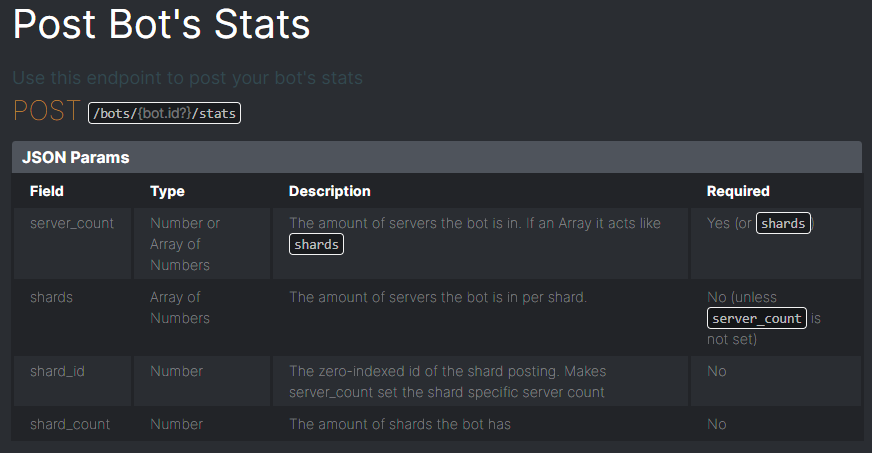
url = "https://top.gg/api/bots/(top.gg bot id)/stats"
data = {'server_count': '0'}
headers = {'Authorization':'token authorization'}
r = requests.post(url, headers=headers, data=json.dumps(data))
<response [400]>
?
jaunty plank
It might be authorization not Authorization
 gentle glen
My bot is discord.js and i want to make it so when someone executes a bot command, discord shows that my bot is typing.
So lets say i do " !help "
discord says:
CoolBot is typing...
regal creek
@wild lantern
@wild lantern reply to me if you are not gay, if you dont reply u are gay
ill give u 5 mins to reply
restive otter
discord.js
 gaunt steeple
@regal creek (1) dsl is a bot and (2) stop being so immature
 restive otter
does this need to be replaced with something?
sullen nymph
Not if you don't change default webhookPath in our official libraries
tawdry bone
i want to do something like this
the problem is
i don't know how to do "something like this"
 leaden obsidian
is there any reason why a user vote does not get counted?
im mean it does not send anything back to the webhooks
 ancient light
hi
tawdry bone
@leaden obsidian means?
rain heart
tawdry bone
i want to do something like this
Spice up your Discord experience with our diverse range of Discord bots
rain heart
then you should know what to do
leaden obsidian
rain heart
then you should know what to do
go you have any info regarding my case ?
rain heart
leaden obsidian
is there any reason why a user vote does not get counted?
it gets counted, it's probably caching
@tawdry bone what library?
rain heart
 hybrid berry
Can a bot send larger attachments then 8mb if the server is boosted?
sullen nymph
tawdry bone
i want to do something like this
Use the webhook system
rain heart
remember that you need to remember what the documentation says about initialising the client
if you wish to use webhooks like you do
rain heart
what wrapper are you using?
rain heart
What exact package are you using for the dbl api
restive otter
I'm hosting on heroku and trying to receive votes. But I'm not sure what to put here. In the example i saw it should be something like https://IP_ADDRESS:PORT/dblwebhook but i don't have ip of my heroku app.
 crude elm
dblapi.js
rain heart
restive otter
I'm hosting on heroku and trying to receive votes. But I'm not sure what to put ...
your heroku project url afaik
https://www.npmjs.com/package/@top-gg/sdk use this, the dblapi.js is old
restive otter
rain heart
your heroku project url afaik
so like https://myAppName.herokuapp.com:5000/dblwebhook ?
crude elm
Is other things are same ?
rain heart
restive otter
so like `https://myAppName.herokuapp.com:5000/dblwebhook` ?
probably yeah
rain heart
crude elm
Is other things are same ?
wdym?
restive otter
alr ill try that.
crude elm
rain heart
wdym?
The other things like const dbl things from docs
rain heart
it should, if the documentations is correct
restive otter
restive otter
so like `https://myAppName.herokuapp.com:5000/dblwebhook` ?
Nope. Doesn't seem to work... I set the url saved and pressed the test button nothing happened. Here is my code if anything is wrong 
rain heart
it does say it has been started though, right?
restive otter
u mean the ready event?
rain heart
nah, the webhook running at etc
restive otter
it did
crude elm
Pls update the documentation oof
restive otter
const DBL = require('dblapi.js');
const dbl = new DBL(yourDBLTokenHere, { webhookPort: 5000, webhookAuth: 'password' });
Does it matter if i don't give the options (ik they r optional but will that affect the voting and webhook ready events or not?)
sullen nymph
Auth optional path optional port required in order to run the webhook
restive otter
nvm if i use the 5000 number that won't error right?
 restive otter
thx
tawdry bone
is this code finished or do i need to put somethign in it??
got it from dbl.py github
i want just like this (a feature)
rain heart
shivaco boutta lose it i bet
sullen nymph
Read the docstring attached to the class itself
Other than that it's pretty much ready to use
Other than crap like firewalls and port forwarding
 glass plover
Can someone help me? What am I doing wrong 
https://i.imgur.com/JqLhapf.png
I wanted to get the voting information, but for some reason only the ready runs, and every time I try to test the vote event, nothing comes of it.
 rain heart
make sure to press "save" on the bot page settings before testing it
tawdry bone
tawdry bone
is this code finished or do i need to put somethign in it??
guys over here what is the webhook_path means and how to get it??
meowwww
everythings going over my head since my short test is tomorrow
help
!
sullen nymph
tawdry bone
guys over here what is the webhook_path means and how to get it??
Nyan.
It's a route that comes after domain or ip:port in the webhook URL
sullen nymph
yeah, just any address that points to your server
tawdry bone
discord server or like wifi server?
(ik im talking like noob cause i've got exam tomorrow...sorry for that)
but im addicted to programming....
lol
 lucid rock
sa
tawdry bone
another qustion....what will be the webhookAuth?
lucid rock
efendiler botu niye olnine değil bi arkın sunucu dizicemde
why not the masters bot, but an arc in my server array
tawdry bone
tawdry bone
another qustion....what will be the webhookAuth?
meooww
lucid rock
?
lucid rock
pleas bro help
tawdry bone
same here
tawdry bone
lucid rock
why not the masters bot, but an arc in my server array
means?
 gaunt quail
can som1 give me example for how can i call the api in webpage
lucid rock
so when does it open
sullen nymph
tawdry bone
another qustion....what will be the webhookAuth?
A password of your choice
tawdry bone
kk
has anyone before done this thng in discord.py???
can i use this https://Zeta-Z.xcelsiorbusines.repl.co as my webhook?
tawdry bone
thnx
can i use a discord webhook also??? channel specific?
if u r bored....obscure then can u answer my q?
sullen nymph
tawdry bone
can i use a discord webhook also??? channel specific?
No, you have to use a webserver and handle requests whichever way you want
Wrong channel
 grim cave
sullen nymph
Wrong channel
grim cave
sullen nymph
Wrong channel
where do i ask it then?
sullen nymph
grim cave
cut & paste mode on
rare flame
I can't setup webhook. I have VPS host with ssh port 22 (I don't have any other ports!). What I need to write it top.gg webhook url? What I need to write to connect it in code? I use dblpy library, python.
tawdry bone
only?
sullen nymph
Yes
sullen nymph
No
sullen nymph
Yeah
rare flame
Oh not, thats not working.
It top.gg I write http://myip/dblwebhook it webhook url. It's not working.
And in code webhook_path='/dblwebhook'
jaunty plank
you need the port aswell.
rare flame
Thats the same thing that computer. But remote and works everytime) Vitrual Private Server
jaunty plank
http://myip:port/dblwebhook
rare flame
jaunty plank
`http://myip:port/dblwebhook`
It doesn't meter that i have ssh port 22?
jaunty plank
not ssh port, the port of the receiver.
tawdry bone
and what to do if i don't have any vps?
sullen nymph
You don't use port 22 for your webhook
restive otter
@rare flame Which VPS
jaunty plank
depends on where you are hosting @tawdry bone
rare flame
restive otter
<@!600281115676114964> Which VPS
Name of VPS?
sullen nymph
tawdry bone
and what to do if i don't have any vps?
restive otter
Yeah
sullen nymph
with /dblwebhook
rare flame
restive otter
Yeah
GalaxyGate
crude elm
Aaaa my brain
restive otter
rare flame
GalaxyGate
There should be a panel something related to firewall or port, no?
crude elm
Can you please pin a tutorial vid so no one can get their brain rekt lol
rare flame
Why it's not working? http://myip:22/dblwebhook
tawdry bone
in .py
crude elm
Just a opinion
crude elm
Ya
restive otter
rare flame
Why it's not working? `http://myip:22/dblwebhook`
That will not work because you need a TCP port not SSH.
tawdry bone
the community demands a video!!!!!
rare flame
restive otter
That will not work because you need a TCP port not SSH.
I don't have TCP port!! It's the only port I have!!
crude elm
Idk his username aaa
restive otter
rare flame
I don't have TCP port!! It's the only port I have!!
That's what am saying dear, There should be a panel for ports related. Search your VPS Settings, Explore it.
jaunty plank
You can use any port on galaxygate
restive otter
ooh
tawdry bone
i did this
rare flame
Ok
tawdry bone
is it correct?
rare flame
I will try
restive otter
does that means, all the ports are opened?
crude elm
tawdry bone
i did this
Oh tell me the repl webhook url
Now
Or I'll slap u
Tell me the template
jaunty plank
Yeah galaxygate doesn't restrict any ports by default
crude elm
Not urs
tawdry bone
 restive otter
That's simple then, Use 5000 default port both in the script and website. It'll work @rare flame
rare flame
Ok
crude elm
I actually did everything that the people said and even now I can't access the vote id
Oof
crude elm
sullen nymph
Leaked your top.gg token
LOL
YA
TRUE
@tawdry bone REGEN UR TOKEN
LOL
tawdry bone
kk
sullen nymph
Also
crude elm
Delete that pic
sullen nymph
@tawdry bone don't set the port in the URL in webhook settings on the website
repl.it will reverse proxy requests from port 443 (default for HTTPS) to 8080
tawdry bone
kk
sullen nymph
So you just use the link but host the webhook on port 8080
tawdry bone
can u like simplify?
restive otter
rofl
tawdry bone
someone kill me pls
rare flame
Wait I have SSH and VNC ports in my VPS.
rare flame
Is VNC normal?
jaunty plank
Galaxygate gives you all ports
restive otter
rare flame
Wait I have SSH and VNC ports in my VPS.
bruh, just do what I wrote above. Don't touch anything, Just use any port.
jaunty plank
From 0 to 25565 or whatever
rare flame
jaunty plank
Galaxygate gives you all ports
Really?
sullen nymph
I swear to fucking God
sullen nymph
tawdry bone
can u like simplify?
webhook_port=8080
On the website:
https://xx-xxx.repl.co/dblwebhook
sullen nymph

rare flame
@jaunty plank Where can I see that ips?
tawdry bone
just type whree?
sullen nymph
In your code
sullen nymph
set webhook_port to 8080
Then, when ENTERING your repl.co URL on the WEBSITE
You don't set the port to 8080 in the URL
tawdry bone
okay?
sullen nymph
No...
tawdry bone
bruh
crude elm
My brain - 
sullen nymph
webhook_path is literally supposed to be /dblwebhook
crude elm
?
restive otter
rare flame
<@!136583532972605440> Where can I see that ips?
what IPS
sullen nymph
Just edit your already existing one?
tawdry bone
f my brain
crude elm
F
rare flame
restive otter
what IPS
Oh, ports. Not ips
crude elm
My brain hurts
sullen nymph
The thing AFTER your DOMAIN
crude elm
tawdry bone
tht's what i edited
PATH NOT PORT IG
crude elm
O
restive otter
rare flame
Oh, ports. Not ips
My Lovely Bruh, You can use any port since none of them is blocked by your firewall.
Do one thing, Use 5000 PORT in the script and your website both. It'll work out, Okay?
sullen nymph
Remove anything that isn't /dblwebhook in your webhook_path kwarg
As in
Literally
tawdry bone
kk
sullen nymph
webhook_path="/dblwebhook"
crude elm
Shivaco is damn ded
rare flame
restive otter
My Lovely Bruh, You can use any port since none of them is blocked by your firew...
Wait, VPS don't block some ips???
tawdry bone
so is this okay?
crude elm
Nice
sullen nymph
There we fucking go
crude elm
Oof
restive otter
rare flame
Wait, VPS don't block some ips???
They do, But yours doesn't
tawdry bone
tis also okay??? np right?
rare flame
Ok, I gona try it
crude elm
Idk about that one
tawdry bone
crude elm
Ahh.. the good old 404
rare flame
YES!!!! IT WORKS! 🎉🎉
crude elm
Oof
restive otter
Congrats firecracker
sullen nymph
Sofia please help, my braincells and nerves are about to give up
tawdry bone
crude elm
Ok hoister is having a hard time
crude elm
sullen nymph
Sofia please help, my braincells and nerves are about to give up
It's ded.. simple words
tawdry bone
the best frnd of a progamer
sullen nymph
Are you loading your cog
rare flame
data is returning like dict?
restive otter
yeah
rare flame
ok
sullen nymph
Yes
crude elm
Ig that webhook URL is not correct ig
sullen nymph
It's correct
crude elm
O
sullen nymph
Trying to blindly guess when helping someone who's shit out of clue doesn't help
you know
tawdry bone
crude elm
Ngl it will relief u guys
jaunty plank
Typically in the developer world documentation is enough.
sullen nymph
I'm really surprised people struggle with this
tawdry bone
ehh
crude elm
jaunty plank
Typically in the developer world documentation is enough.
But people here says its ancient old
jaunty plank
The docs are up to date afaik
crude elm
Oh
tawdry bone
i gtg....sorry.....thanks for ur time.....
maybe help me tomorrow
i need to study now
bye
sullen nymph
Cya
crude elm
O
sullen nymph
But yes, use the sdk package for node.js
crude elm
O
sullen nymph
The rest hasn't changed significantly enough at least
crude elm
O
sullen nymph
Possibly something changed ✨
crude elm
Btw thank you for spending time lol I can feel ur pain so get rest
fast agate
please I will pay 2$ (paypal) if someone explains me how to put guild count, webhook with Python on my top.gg bot page

rain heart
Spice up your Discord experience with our diverse range of Discord bots
where's my 2$ now
 fast agate
wait 10 minutes >~<
fast agate
rain heart
what doesn't work
okie
see
top.gg page has this
but
from discord.ext import commands

import dbl


class TopGG(commands.Cog):
    """
    This example uses dblpy's autopost feature to post guild count to top.gg every 30 minutes.
    """

    def __init__(self, bot):
        self.bot = bot
        self.token = 'dbl_token'  # set this to your DBL token
        self.dblpy = dbl.DBLClient(self.bot, self.token, autopost=True)  # Autopost will post your guild count every 30 minutes

    @commands.Cog.listener()
    async def on_guild_post(self):
        print("Server count posted successfully")


def setup(bot):
    bot.add_cog(TopGG(bot))
but in my code have this
sullen nymph
Does it print anything?
fast agate
(Top.gg)from discord.ext import commands (my code) from discord.ext import commands as command
Do you load the file as an extension?
fast agate
Client = discord.Client()

def setup(client):
    bot.add_cog(TopGG(client))
I dont know if I have to put
fast agate
sullen nymph
Where did you put the example code?
wai I will put it
fuck
wait
import discord
from discord.ext import commands as command
from discord.ext import tasks
import dbl

Client = discord.Client()

url = "https://top.gg/api/bots/761359894791192596/stats"
data = {'server_count': '15'}
headers = {'authorization':'bot token'}
r = requests.post(url, headers=headers, data=json.dumps(data))

print (r)

class TopGG(command.Cog):

    """
    This example uses tasks provided by discord.ext to create a task that posts guild count to top.gg every 30 minutes.
    """
    def __init__(self, Client):
        self.bot = Client
        self.token = 'bot token'  # set this to your DBL token
        self.dblpy = dbl.DBLClient(self.bot, self.token, autopost=True)


def setup(client):
    bot.add_cog(TopGG(client))
What does that tell me
fast agate
import discord
from discord.ext import commands as command
from discord.ext import tasks
import dbl
imports xd
then
Client = discord.Client()
init discord client
url = "https://top.gg/api/bots/761359894791192596/stats"
data = {'server_count': '15'}
headers = {'authorization':'bot token'}
r = requests.post(url, headers=headers, data=json.dumps(data))

print (r)
test?? try to use this code to put manual like
class TopGG(command.Cog):

    """
    This example uses tasks provided by discord.ext to create a task that posts guild count to top.gg every 30 minutes.
    """
    def __init__(self, Client):
        self.bot = Client
        self.token = 'bot token'  # set this to your DBL token
        self.dblpy = dbl.DBLClient(self.bot, self.token, autopost=True)


def setup(client):
    bot.add_cog(TopGG(client))
and I have made this up, because I dont use cogs to programing my discord bot
sullen nymph
And?
fast agate
my code be like
client = commands.Bot(command_prefix='//', intents=intents)
prefix = "//"
Client = discord.Client()


@client.event
async def on_member_join(user):
bla bla bla

@client.event
async def on_ready():

@client.command()
async def lang(ctx, lang=None):

@client.command(aliases=['helpme'])
async def help(ctx):
    guild_id = ctx.author.guild.id

@client.command(aliases=['8ball'])
async def _8ball(ctx, *, question = None):


client.run('dasdasdadas')
I'll just rewrite the examples not to use the fucking cogs 😔
Just
Do something like Client.dblpy = dbl.DBLClient(...)
fast agate
mi code:
token = 'fcking cogs'
Client.dblpy = dbl.DBLClient(Client, token, autopost=True)
hmm
crude elm
fast agate
it doesnt work
If it is not.. ur below 13
fast agate
crude elm
If it is not.. ur below 13
it works for u?
fast agate

crude elm
Lol
 crude elm
Lol
crude elm
Ya
fast agate
crude elm
Ya
python version u use?
crude elm
Just modify some things like pasting dbl token and some thing
fast agate


 crude elm
fast agate
```python
class TopGG(command.Cog):
"""
This example uses tasks pro...
crude elm
fast agate
```python
class TopGG(command.Cog):
"""
This example uses tasks pro...
Just paste ur dbl token
U stoopid
fast agate
?
sullen nymph
Welp
crude elm
self.token = 'your dbl token'
sullen nymph
Time to use your on_ready
crude elm
Do it
crude elm
It is like 1000 characters shoot
quaint tinsel
I tried many ways but when I voted bot, my console.log still doesn't show anything. Am I doing anything wrong?
willow spindle
maybe show the code?
quaint tinsel
const Discord = require('discord.js');
const { tl, logger, text, escapeMarkdown } = require('cat-utils/autoloader');
const client = new Discord.Client();


const DBL = require('dblapi.js');
const dbl = new DBL('eyJhb....Eff8gTBEDYA', { webhookPort: 3019, webhookAuth: 'p....k' });
dbl.webhook.on('ready', hook => {
  console.log(`Webhook running at http://${hook.hostname}:${hook.port}${hook.path}`);
});
dbl.webhook.on('vote', vote => {
  console.log(`User with ID ${vote.user} just voted!`);
});
I do as in docs
"Webhook running at .. "log is displayed
but user id just voted is not displayed
@willow spindle
willow spindle
use https://npmjs.com/@top-gg/sdk instead. dblapi.js is deprecated
jaunty plank
also, make sure the url your using uses the actual ip, not 0.0.0.0
quaint tinsel
jaunty plank
also, make sure the url your using uses the actual ip, not 0.0.0.0
I think so. But when I see "Webhook running at ..." I'm not sure
quaint tinsel
willow spindle
use https://npmjs.com/@top-gg/sdk instead. dblapi.js is deprecated
thank u
quaint tinsel
okay maybe i should reuse my server's root ip
fast agate
@sullen nymph sorry for ping, but If I try to post server count with java file and try to do a weird fusion?

crude elm
quaint tinsel
I tried many ways but when I voted bot, my console.log still doesn't show anythi...
Ya that's a problem for me too
quaint tinsel
So what is your solution? I still can't find a way to log my bot voters @crude elm
 regal harbor
listen if you want to make a webhook you need to be sure that u have the port open,
if you have a host like vps cloud etc you need to find the firewall rules and open the port u will use.
if you are hosting the bot in your pc you need to go to your router config and open the port there.
next you need to use the public ip of the vps or your pc public ip Followed by the port you have opened
Knowing that and confirming that they already have set up their webhook simply have to be accessed by
http://yourpublicip:yourport/yourroute
if there's any more doubt ping me
jaunty plank
if your using a platform like, heroku, glitch, repl youll also need to comply with their port rules, which you can find on their documentation.
 hearty lintel
Node.js Library has been updated
dblapi.js, now known as node-sdk or @top-gg/sdk has been remade.
Here's some info:
The new name for the npm package is @top-gg/sdk and can be installed like npm i @top-gg/sdk
https://npmjs.com/@top-gg/sdk
What changes have there been
Auto-Posting
First, one of the bigger changes, is autoposting is no longer supported directly in the package
This package now serves the purpose of creating interaction between you and the API.
If you want to autopost we suggest using this external package:
https://npmjs.com/package/topgg-autoposter (npm i topgg-autoposter)
Here's an example of usage
const AutoPoster = require('topgg-autoposter')

const poster = AutoPoster('topggtoken', client) // your djs client/shardingmanager or eris client
Api#postStats() is still a method on the main package, so if you're interested in manually doing it yourself without this package, you absolutely still can!
Webhooks
Another big change is to how webhooks are presented, these, unlike auto-posting are still built into the main package.
The webhooks now act as an express middleware, and here's an example of usage:
const express = require('express')
const Topgg = require('@top-gg/sdk')

const app = express() // Your express app

const webhook = new Topgg.Webhook('topggauth123')

app.post('/dblwebhook', webhook.middleware(), (req, res) => {
  // req.vote is your vote object e.g
  console.log(req.vote.user) // 121919449996460033
}) // attach the middleware

app.listen(3000) // your port```

The GitHub repo has also been changed from dblapi.js to node-sdk
https://github.com/top-gg/node-sdk Contributions are absolutely appreciated!
I'm the new maintainer for this package, and if you have any questions or concerns, feel free to DM me!
 vital anvil
hearty lintel
__**Node.js Library has been updated**__
dblapi.js, now known as node-sdk or `@t...
crude elm
vital anvil
hearty lintel
__**Node.js Library has been updated**__
dblapi.js, now known as node-sdk or `@t...
crude elm
👍
jaunty plank
Guessing since the lib was changed the docs will be updated soon?
I was waiting to suggest the new one until the docs where updated.
hearty lintel
there are new docs in progress right now and the new library will be officially documented in that, old docs will likely not be updated
 karmic lark
My bot seems to have 99 votes on the site, but the apide is 100
willow spindle
does 1 vote really matters
karmic lark
Yes. Because there will be 100 votes :D
willow spindle
probably related with cache. Try refreshing page
karmic lark
And I know there is a prize
willow spindle
what prize
karmic lark
First 100 votes
willow spindle
🤨
jaunty plank
what endpoint are you requesting from to get your 100 vote count?
karmic lark
what
 karmic lark
points
jaunty plank
the vote rewards and whats displayed on the website is monthly points
karmic lark
but accept my bot 7 days ago



 jaunty plank
🤷♂️
 queen current
Hi everyone,
I need some help please
the event ready for dbl connection is working but the the vote one
please ping me when you answer
mellow plank
Is there a way to get vote total for previous month or is that something i'd have to track on my own?
sullen nymph
The latter
queen current
please help me 😢
mellow plank
ty
 civic beacon
Can we sort the top rated ${vote.user.top} like <@${vote.user}> ?
hearty lintel
wdym top rated?
civic beacon
yes
 rapid kettle
hmm
hearty lintel
?
hearty lintel
oh no
hearty lintel
yeah
civic beacon
like this
hearty lintel
use webhooks and store when a user votes
top.gg doesnt store the amount of votes a user has given
civic beacon
👍
 keen ermine
will top-gg dotnet-sdk get an update soon (last update feb 2020, many dtos arent working anymore)? or is it deprecated?
rain heart
It's probably not maintained anymore
I kinda suggest you to make your own wrapper/sdk if it doesn't work
restive otter
For some reason the API isn't posting the server count on my bot's page. It works, it posts messages in the console such as what webhook it's running on. But when I check it doesn't post anything.
jaunty plank
posting counts is not the webhook.
restive otter
I mean, I have ```dbl.on('posted', () => {
console.log('Server count posted!');
})
dbl.on('error', e => {
console.log(Oops! ${e});
})
those are just the events for posting, and only fire after posting happens or if an error happens.
the autoposter for the dblapi lib needs these lines
const Discord = require("discord.js");
const client = new Discord.Client();
const DBL = require("dblapi.js");
const dbl = new DBL('Your top.gg token', client);
Discord and client being the bots stuff you should already have.
restive otter
Yeah I have those lines within the file already.
restive otter
So errr
https://top.gg/api/docs is stuck in an endless cloudflare ddos protection loop
I dont know if this is just me or in general
Spice up your Discord experience with our diverse range of Discord bots
it is just me nvm-
restive otter
fast agate
YES
is it working now?
 wispy turret
hey
im look at the api docs
const dbl = new DBL(yourDBLTokenHere, { webhookPort: 5000, webhookAuth: 'password' });```how do i see my webhook porn?
*port
do i scan top.gg?
regal harbor
@wispy turret the port is whatever you want