#topgg-api
1 messages · Page 50 of 1
 plain timber
 crude sandal
yeah but it doesn't work 😕
I use the python library like this:
client 1: await self.dbl.post_server_count(shard_count=self.shard_count, shard_no=0)
client 2: await self.dbl.post_server_count(shard_count=self.shard_count, shard_no=4)
but it it doesn't add the server counts up
It's just like client 1 posts server count 2966 and client 2 posts 1428, but on the website it just displays the last one that was posted. Like either the first one or the last one, but not those 2 added together . . .
@plain timber
 indigo shoal
can i remove my server count once i put it on dbl?
 tidal burrow
it has to be removed by a website admin
 tender citrus
Exists triggered gif api?
 sly ledge
oml ok can can someone help me here
for the life of me i cannot find anything online about this damn api, the website is no help, it directs me to some page that says hello world and some page that says it doesnt exist, so i need someone to tlel me how the hell im supposed to get this server count logger thing to work
 mighty shuttle
I suggest if its not related to dbls api you ask in development
sly ledge
it has to do with the api technically, cuz idk what the hell im supoed to do wiht this things API but alrigght if someone could help thatd be nice
mighty shuttle
So you want to post your bots server count on the site?
sly ledge
yes
on the website the only bit of code or api at all is the example on the api tab and ive tried so much but i cant figure out what i need to do to call the setup() function and not get an error
mighty shuttle
What library?
 spiral steeple
No
mighty shuttle

GitHub
A simple API wrapper for discordbots.org written in Python - DiscordBotList/DBL-Python-Library
sly ledge
ok so is there any specific thing i need to look at in there
or like
just lok around until i find what i need
mighty shuttle
GitHub
A simple API wrapper for discordbots.org written in Python - DiscordBotList/DBL-Python-Library
sly ledge
ok so that readme is the same thing thats on the website right and ive looked at it and i gave it my token and all, but the issue it that i need to vall that setup function, but it requires the bot variable, but
alright ill try my best
its too hard to explain
i think i have an idea
sly ledge
@fringe glen thanks bro sorry it is python i just saw those curly brackets and assumed it was js, imma try that cuz i alrady had the library and shit, do u have any advice on where to put that in my code like before or after everything else or what
sly ledge
in python theyre not nearly as common
sly ledge
ok so i put that code(with my token) and its giving me an error for async and shit its not recognizing them?
even tho i have them imported
and i use async and await in like a million other places
i put it in the begging hold on lemme moveit thats smart
still getting errors
oh i fucked up the indednts im rarted that makes sense
sly ledge
well in python u dont use the curlys its all whitespace based
it really is a much more modern looking langauge but its from the 90s
and 200s
2000s*
not 200
of python in general?
spiral steeple
Python was created before JS 
sly ledge
Ok can we say that java is such a bitch to code in, not js just java but fr
its like taking a tank to the supermarkety
spiral steeple
Java itself is a bitch
sly ledge
oml yah its so ass
spiral steeple
too bulky for no reason
spiral steeple
Wrong chat tho
sly ledge
oh aha
spiral steeple
I knew it wasnt, just good conversation
sly ledge
question again
@fringe glen
ok so that code isnt giving me errors but i wanted to make sure it was workingm so i added a print("shits happening") to the inside so it looks like this
    url = f'https://discordbots.org/api/bots/{self.user.id}/stats'
    headers = {'Authorization': TOKEN}

    payload = {
        'server_count': len(self.guilds)
    }
    async with aiohttp.ClientSession() as session:
        await session.request('POST', url, json=payload, headers=headers)
print("Stuff happened")```so i have a print thing right
so when i added it to my test server it would tell me
but i tired like a million times
ok so i tried at the begging and the end(middle is the on_message so that wont work) and it no work, so i tried it underneath a @client.event too, im really new to the discord.py library and the dbl library so thanks for all the help
yeah thats what i did i mean
do u want my code?
the whlething rn
ok its like 200 lines so its not gonna fit but ill put the necesary bits
import discord
import aiohttp
import dbl
import asyncio
import logging

TOKEN = 'blah'

client = discord.Client()


def level(aut, name):
    f = open("levels.txt", "r+")
    pos = f.read().find("%s" % aut)
    if pos >= 0:
        f.seek(pos)
        if aut == f.readline(18):
            f.seek(pos+18)
            lvl = int(f.readline(5))
            if lvl <= 99994:
                f.seek(pos+18)
                f.write(str(lvl + 5))
                if lvl % 625 == 0:
                    client.send_message("Congrats <@" + str(aut) + ">, You are now level " + str(lvl/625) + ".")


    else:
        f = open("levels.txt", "a")
        f.write(aut + "10000")
        print("added %s to the registry." % name)


def levelcheck(aut):
    f = open("levels.txt", "r")
    pos = f.read().find("%s" % aut)
    f.seek(pos + 18)
    lvl = int(f.readline(5)) - 10000
    return lvl

@client.event
async def on_guild_join(self, guild):
    url = f'https://discordbots.org/api/bots/{self.user.id}/stats'
    headers = {'Authorization': TOKEN}

    payload = {
        'server_count': len(self.guilds)
    }
    async with aiohttp.ClientSession() as session:
        await session.request('POST', url, json=payload, headers=headers)
    print("Stuff happened")
ok
i hope u can understand that
theres a lot of comments
ok
fized it
so thats whats before it
the rest is pretty much just using those functions and client.run(TOKEN) to start it off
thx again for helping me i know this isnt the most fun thing in the world @fringe glen
is that f suppoed to be htere
there
in the ur;
url
class?
also how u get those colors
ah
so the f before the url is supposed to be there
ok ok just making sure
 restive otter
@sly ledge it should be on_server_join(server)
since you are using async
Code: ```js
const express = require('express');
const http = require('http');
const app = express();
const server = http.createServer(app);
const { RichEmbed, Client } = require('discord.js');
const { get } = require('superagent');
const client = new Client();
const DBL = require("dblapi.js");
const dbl = new DBL(process.env.DBL_TOKEN, { webhookPort: 5000, webhookAuth: 'myPass' });
dbl.webhook.on('ready', hook => {
console.log(DBL Webhook running with path http://${hook.hostname}:${hook.port}${hook.path});
});
dbl.webhook.on('vote', async vote => {
const { body } = await get(https://hd-development.glitch.me/api/fetchUser?id=${vote.user});
let embed = new RichEmbed()
.setColor('RANDOM')
.setThumbnail(body.avatarURL)
.setAuthor('Hasuki DBL Webhooks', 'https://cdn.discordapp.com/emojis/338808864352763904.png')
.setDescription(***${body.tag}*** Just voted Hasuki\nWith ID: ${vote.user})
.setTimestamp();
client.channels.get('528781217274003470').send(embed);
console.log(User with ID ${vote.user} just voted!);
});
client.login(process.env.TOKEN);
client.on('ready', () => {
console.log(client.user.username + "online");
})
Not work, no error and course I have set at bot edit page like: `https://mydomain/dblwebhook` and pass. just won't work :/
Help delicate glacier
Some quick stupid questions.
How often should I post the server count? Is 30 sec ok?
Is it alright if I use the same token for my dev bot (will stop using it once I release dbl integration)
 finite ridge
30 sec is too quick imo
delicate glacier
I'll change it to like 5 minutes because it rarely updates anyway. But I still need an answer to the second question because idk if the api will get mad if the server count just goes from 2 to 50
Or not. I have a better idea. I should just update it when it changes 
 loud gulch
bad idea
delicate glacier
Why though?
loud gulch
lets say you have like 500 guilds
the discord api goes down and most of your guilds become unavailable
delicate glacier
Makes sense. I'll stick to the 5 minute idea then.
plain timber
Be more specific pls
restive otter
str(len(client.servers))
lol
@restive otter do u mean this?
@restive otter post server count to DBL API
I use JS
oof
restive otter
and btw how do u markdown python?
plain timber
Huh
 desert hedge
Same as you would do it in your client?

 wild zinc
How can we have our token?
 limpid shard
@wild zinc bot token?
wild zinc
For api
desert hedge
@wild zinc https://discordbots.org/api/docs#mybots

Spice up your Discord experience with our diverse range of Discord bots
Going here, and then clicking on your bot name will show you the token for dbl
Assuming you are already logged in
wild zinc
Thank
restive otter
no u
restive otter
doesn't your bot need to be approve to get an api token
 inner venture
What's the max amount of entities DBL lets you retrieve in one request?
restive otter
Is there a way to make a webhook that sends if people upvoted of someone other's bot ( with his permission )?
Like logging votes
 tardy burrow
restive otter
tardy burrow
restive otter
Even with permission of the bot owner?
plain timber
uh
restive otter
I mean you upvoted for example lucas and tonkku allowed to me to check who upvoted for luca since he owns the bot ( I hope )
plain timber
@restive otter you'll need to ask the owner to add the webhook settings
restive otter
and it sends a webhook that Joyiscold#2552 has upvoted to luca.
plain timber
also its luca not lucas
restive otter
yes with owner permission
plain timber
yes the owner will need to change the settings
but it doesn't matter where its set to go to
restive otter
so it's not against the ToS
plain timber
i dont think joyiscold knows what you are talking about, its not
plain timber
yw
restive otter
Code: ```js
const express = require('express');
const http = require('http');
const app = express();
const server = http.createServer(app);
const { RichEmbed, Client } = require('discord.js');
const { get } = require('superagent');
const client = new Client();
const DBL = require("dblapi.js");
const dbl = new DBL(process.env.DBL_TOKEN, { webhookPort: 5000, webhookAuth: 'myPass' });
dbl.webhook.on('ready', hook => {
console.log(DBL Webhook running with path http://${hook.hostname}:${hook.port}${hook.path});
});
dbl.webhook.on('vote', async vote => {
const { body } = await get(https://hd-development.glitch.me/api/fetchUser?id=${vote.user});
let embed = new RichEmbed()
.setColor('RANDOM')
.setThumbnail(body.avatarURL)
.setAuthor('Hasuki DBL Webhooks', 'https://cdn.discordapp.com/emojis/338808864352763904.png')
.setDescription(***${body.tag}*** Just voted Hasuki\nWith ID: ${vote.user})
.setTimestamp();
client.channels.get('528781217274003470').send(embed);
console.log(User with ID ${vote.user} just voted!);
});
client.login(process.env.TOKEN);
client.on('ready', () => {
console.log(client.user.username + "online");
})
Not work, no error and course I have set at bot edit page like: `https://mydomain/dblwebhook` and pass. just won't work :/
Helpyes
 plain timber
that code can't work with glitch
plain timber
wdym
restive otter
yeah make that on vps
then in bot edit page like http://my.ip.here:port/dblwebhook
plain timber
yeah
restive otter
This is my code of posting server count. It isn't working.
bot.on('ready', () => {
dbl.postStats(bot.guilds.size, bot.shards.Id, bot.shards.total, bot.serverCount);
}, 5);
});
Language: JavaScript
Library: discord.js Commando
Version: 0.10.0
@plain timber
 bold edge
@restive otter I'm not sure if it's the same on commando but for discord.js I use this ```js
// POST SERVER COUNT TO DBL
const DBL = require("dblapi.js");
const dbl = new DBL(${cfg.dblapiKey}, bot);
dbl.on('posted', () => {
console.log('MarksBot Guild count posted! - Bot Ready');
})
dbl.on('error', e => {
console.log(Oops! ${e});
})
//END POST SERVER COUNT TO DISCORD BOT LIST```
You'll need to npm i dblapi.js if you've not already done it and change cfg.dblapiKey to your token etc
bold edge
Show your code
spiral steeple
Well did you get an error?
bold edge
I'm going to guess it was a copy/paste job @spiral steeple 😛
 latent ocean
how would I get the users who upvoted my bot in discord.py?
plain timber
@latent ocean you can either use the http api directly, or you can use dblpy
iirc dblpy is outdated and partially broken
 lean thunder
what is password in webhookAuth
lean thunder
nvm
 distant dove
I do not know if Discord currently supports POST requests from websites' links embeds and I don't think so. But if it's the case here is a suggestion:
The Embed for https://discordbots.org/bot/:ID/vote would contain a discord button <vote> which would make the discord User who clicked vote automatically, without having to visit the page / quit Discord.
indigo shoal
what about oauth ?
distant dove
@indigo shoal what do you mean?
indigo shoal
you have to login to vote, you login with oauth
otherwise how does it know its you?
distant dove
yes but this happens outside of discord
Whereas if a discord user clicks on a button from discord, you would already know it's him 🙃
Question:
Everywhere in the documentation, it is written that "Users can vote every 24 hours for each bot". However it's been a while and I'v always read on the website and tested with success that it is now 12 hours.
So I'm wondering, does the individual UserID voting check (GET /bots/{bot.id?}/check?userId=user.id?) is still checking for 24 hours or now only 12 hours?
restive otter
Am I supposed to know if the DBL webhook is working
like by visiting the page
I get a 404 when I try to go to the page and I've opened the port & everything
 arctic arch
when you open your webhook url in the browser it makes a GET request, the webhook uses a POST request
if you get a 404 that means it does work tho
restive otter
The test button doesn't seem to return anything when logging on vote, not sure if the test is supposed to trigger on vote
latent ocean
does get_upvote_info return the list of everyone who voted or only the new voters since the last call?
 sand hazel
Everyone
latent ocean
rip
plain timber
@restive otter this channel is only got asking for help with the DBL api
Also don't tell people to DM you, just ask your question in the server
Oh u deleted ur message
latent ocean
Is there a way to only get the new peeps who voted and not the other ones?
@sand hazel @plain timber
sand hazel
webhook?
latent ocean
with that get_upvote_info
sand hazel
no
latent ocean
So theres no way to get the new voters id?
latent ocean
Well I don't know how to use webhook :l
sand hazel
well shit, too bad
latent ocean
Darn couldn't you make the basic? Just getting the list? I'd probably be able to do what I need it to do
sand hazel
Webhook is pretty basic
latent ocean
Eh
plain timber
cant you just compare the old list and the new list @latent ocean
latent ocean
True, but what if the application turns off and back on, will it keep the old list saved? And what if someone votes twice (2 different day)
plain timber
just store it in a db??
 proud sphinx
@latent ocean make a gateway that receives a vote and puts it in a database then fetch from the database whenever needed
 tender pine
is there a way to add more than 1 reaction of the same type to a message?
limpid shard
use custom reaction
tender pine
thanks, is that in the official api?
 median cairn
Is the api usable even if your bot isn't registered on the list?
plain timber
@tender pine he means just react with a custom emoji
tender pine
i see. I meant to add more than one exact same emoji to a message (bad wording on my part), but i dont think its possible
@plain timber thanks for the answer tho!
 lyric wasp
Is DBL going to yell at me for querying /bots/bot_id for every bot displayed on the page?
restive otter
Isn't that api abuse
lyric wasp
How is that API abuse?
restive otter
Over requesting using the api
lyric wasp
I mean I'll happily use an API endpoint that will return data for multiple bots if we are provided one
The thing I'm doing is if server is in cache it will display top 3 bots from the server. So it's max 3 requests per server page
Basically data I need is URL to DBL, avatar, username and short description
restive otter
If those only I guess ok since other bots are using it too
lyric wasp
I'd suggest adding returning multiple bots from /api/bots/bot_id so we could use it like this api/bots/123,456, that would return data for bots with IDs 123 and 456.
It would reduce amount of GET requests going to the API and could be found useful by some members.
Not sure if this is already supported through /api/bots as I couldn't manage to get data for 2 separate bots searching by their ID.
 grand plaza
@lyric wasp what are you going to do with the data?
lyric wasp
Lemme get you screenshot
Easier to explain

Bot I'm working on has some kind of server list integrated in it
(If guild owner allowed their server to be cached)
I could cache bot data myself but why reinvent the wheel when I can give traffic (Humans browsing the site not API calls of course) to DBL as well and use their data /shrug
grand plaza
That's a bad idea.. but alrighty
lyric wasp
What is?
Give me feedback so I don't work on features that will be deprecated in few weeks
 slate merlin
You could just use the bots endpoint and filter for the bots you're looking for
lyric wasp
Isn't bots endpoint going to return random 50-500 bots
Note that I only have bots ID stored
Only way to find the bots is to query /bots endpoint until I find all bots I need which is extremely API abuse
lyric wasp
"Not sure if this is already supported through /api/bots as I couldn't manage to get data for 2 separate bots searching by their ID."
Also isn't querying /bots and searching essentially same as /bots/bot_id
slate merlin
I mean this
id: botId id: botId
not sure if it works like that never actually tried
but worth a try
lyric wasp
I tried http://discordbots.org/api/bots?serach=id: 264811613708746752
slate merlin
no space
lyric wasp
Same response
Do website admins hate being pinged
Because I think this is something only they could answer (If it counts as API abuse)
slate merlin
Not exactly sure how you even query it for 2 results because you can't have spaces in links, tried + and , to split it doesn't seem to work
lyric wasp
%20?
I tried %20, ',', space nothing works
Querying this for all the IDs is same as /bots/bot_id tbh
It's /bots/bot_id but just different endpoint and different way of doing it
slate merlin
It's probably more aimed for searching for other fields like username for example then
lyric wasp
Yup
{
    "status": "success",
    "data": {
        "id": "235088799074484224",
        "name": "Rythm",
        "description": "Ever wanted a bot specially made for music? A fully functional, stable music bot? Rythm does it all",
        "page": "https://discordbots.org/bot/235088799074484224",
        "avatar": "https://images.discordapp.net/avatars/235088799074484224/16c197c4c3f0eb808f9bceb6e1075e71.png"
    }
}```Just finished this endpoint in my API, just need greenlight from admins
slate merlin
spiral steeple
So what if 61 people use the same command at once are you fucked?
 civic gorge
anyone know why I am getting a Unhandled Exception: System.NullReferenceException: Object reference not set to an instance of an object. at DiscordBotsList.Api.DiscordBotListApi.<GetBotAsync>d__6`1.MoveNext() --- End of stack trace from previous location where exception was thrown ---
(.NET, C#)
when ran via Visual Studio I get
 rustic torrent
How is it decided which bots are trending?
plain timber
its just new bots that get a lot of votes
restive otter
MHM
restive otter
MHAHAHAHAH
 undone mauve
I need help with Craig bot
 craggy sentinel
@undone mauve
a) Wrong channel, this is the support channel for the Bot List's API
b) Try asking in Craig bot's support server
 little harbor
@spiral steeple that’s why you use webhooks or cooldowns (or caching where applicable)
if your users rate limit you, that’s your fault
spiral steeple
Is it 60/guild/min?
 sudden rampart
60/minute/ip
spiral steeple
Oh
sudden rampart
ip = your machine
spiral steeple
Everytime you make a request it returns what you have left and when it resets right?
Rate limit remaining i mean
restive otter
can someone help me with this ipstack API?
atleast help me enough so i can get a basic understanding
plain timber
@restive otter this channel is only for the DBL api, as you would know if you read the channel topic -.-
restive otter
but its discord related and i rlly need help :<
plain timber
Well it doesn't belong in this channel
You can ask in #development but idk if anyone will know the answer
Try just looking at their docs?
Or asking them for help
Instead of people who have no idea what you're talking about
latent ocean
@lyric wasp might be late, but I doubt you can "serach" a bot (msg sent yesterday 3:07 pm EST)
latent ocean
Oooo
restive otter
Remember?
latent ocean
teddyfit GAR?
 humble bison
 sullen egret
@humble bison thx more making me think my bot got acepted
bold edge
@restive otter I tried to help you via dm and you blocked me 🙄
 low ginkgo
Smh
bold edge
Yep
restive otter
bois
 lean plume
guys im an idiot and cant figure api out
im working with js
how do i check how many servers my bot is in
and how should i run the api
like through visual studio
lean plume
someone please help
ive been going down a rabbit hole of api nonsense
i really need help
i just want to see how many servers my bot is in
i can understand any of this
please ping me if anyone can help
please someone
help
 untold sparrow
Have you tried googling it? @lean plume
 wintry plover
 vital anvil
@civic gorge Ill help you in a bit okido?
Did you use Nuget to download the dependency?
Because if it can't find the only sub-dependency I'm worry
 shrewd burrow
i assume im not allowed to @ roles
or @ random staff members
even if theres something i think needs looking into
 mossy scarab
dbl votewebhookk???
tender pine
I have an issue with "discord.on_reaction_remove(reaction, user)":
Parameters:
reaction – A Reaction showing the current state of the reaction.
user – A User or Member of the user who removed the reaction.
However, for me, if the bot (client) removes a reaction, the user parameter will not be the client.user but the reaction.message.author (the user who originally added the reaction).
Is this behaviour intended? And is there a way to get the user who actually removed the reaction?
civic gorge
@vital anvil yeah I used nuget
plain timber
@shrewd burrow that's correct, what do you need?
@mossy scarab what about it
@tender pine this channel is only for the DBL api (as it says in the channel topic), for that go to #development and make sure you say the lib and version
shrewd burrow
@plain timber two people were able to vote multiple times, without incrementing the vote count but triggering the webhook
spiral steeple
Yeah, that happens often
 pale vessel
.
 willow fiber
How to use the dbl api
tidal burrow
you need general knowledge about how to use an api
willow fiber
I mean discordbotslist api not general api
plain timber
@willow fiber https://discordbots.org/API/docs
Spice up your Discord experience with our diverse range of Discord bots
willow fiber
How to setup a DBL Webhook
plain timber
@willow fiber what language
willow fiber
Node.js. I already put the Webhook's code but how to activate the webhook in a channel on my server
plain timber
It has nothing to do with discord webhooks
If you want you can code your bot to send a message in your server
willow fiber
I mean how to alert when someone voted my bot
willow fiber
How
plain timber
In the on vote function change the console.log code to whatever you want to do when they vote
spiral steeple
Did you set it up on the page?
willow fiber
yeah
vital anvil
@civic gorge I'll see if I can reproduce it
civic gorge
Alright
mossy scarab
host name what webhook id ??? @plain timber
 toxic hazel
Python
I get this everytime i run the cog/extension.
I have put the right token but still i get this forbidden error
What am i doing wrong?
I think the python example is outdated
Where can i find the new one
Nvm, i found it
 sullen nymph
(dblpy is kinda outdated, either way)
spiral steeple
Kinda?
plain timber
@mossy scarab can you talk in actual English so people can understand you
restive otter
@toxic hazel you would be better just using aiohttp to post it
toxic hazel
Do you have like a working example of it @restive otter?
sullen nymph
You could check source code of dblpy
plain timber
@smoky stream English pls
plain timber
Well one of the rules is to speak English
If you want, use Google translate
https://goo.gl/bpNbU
Google Translate
Google's free service instantly translates words, phrases, and web pages between English and over 100 other languages.
 smoky stream
I have a problem with this code there, I put it in my main.js but it still does not work.
It shows me the ready but it's written to me nothing in the console when a person votes
@plain timber
plain timber
Did you add the webhook settings in your bot's edit page
smoky stream
I don't no
I just found, I have to put it like this?
https://discordbots.org/bot/459470182855737366/edit
@plain timber
plain timber
Yes there are two webhook setting fields at the bottom
The url and the authorization (password)
smoky stream
The second is mandatory?
sand hazel
yeah, unless you want people to make unauthenticated call to the endpoint
smoky stream
Ok
smoky stream
I just did everything you told me to do but nothing works yet: x
@sand hazel
I'm sorry but I will have to sleep but we will resume the conversation tomorrow because I still have not solved my problem: x
plain timber
Ghost ping 
untold sparrow
What
restive otter
@untold sparrow best profile picture
 drifting nebula
So i keep getting this error, I installed dbl and inputed my token```
Oops! Error: 401 Unauthorized
@drifting nebula are you using a dbl api lib? 401 means no or invalid token
plain timber
That's the url to the webhook endpoint on your webserver @restive otter
Did you code the webhook yet?
restive otter
nope, xd
plain timber
Well do that first
 summer pine
Can anyone help me with how to listen for votes with C#
plain timber
@summer pine you want to run code when someone votes?
summer pine
Yes
plain timber
Set up a webserver and use DBL webhooks
 tidal steppe

restive otter
I setup everything regarding the webhook on vps & dbl bot site.
I put the IPv4 of the VPS on DBL, connected it to the bot with the authorization
But testing doesnt work at all
ping me when you reply
sand hazel
gonna need more info than that
 faint sleet
how can i vote lock 🤔
plain timber
just check if they have voted when they run the command
 errant echo
anyone selling an OVH
plain timber
??
errant echo
ovh??
low ginkgo
?
errant echo
anti ddos
plain timber
ovh is a vps company

OVH supports your development by offering you the best in web infrastructure: dedicated servers, virtual servers, Cloud, Big Data...
low ginkgo
Oohhh
spiral steeple
?
errant echo
ovh
sand hazel
w h a t
spiral steeple
Yes
ovh
OVH supports your development by offering you the best in web infrastructure: dedicated servers, virtual servers, Cloud, Big Data...
We cant sell it because its theirs
low ginkgo
@errant echo more info plz!
rustic torrent
do we have to use a lib or can we do it our self (updating guild count)
plain timber
however its better to use a lib since the lib will be updated if the api is
otherwise your things using the api will break
 restive otter
LMAO
 mystic wing
@faint sleet what u set it on the site
faint sleet
?
mystic wing
In your bot's edit page there is a password field
mystic wing
Yeet
faint sleet
can you test for me?
mystic wing
How?
mystic wing
Send me your bot
faint sleet
unless i can emit
mystic wing
yeah basically
faint sleet
const dbl = new DBL(client.config.dbltoken, { webhookPort: 8080, webhookAuth: client.config.dbltoken });
faint sleet
wait..
the default one is /dblwebhook
Hm its not working
will options.webhookServer: (ip) be correct?
mystic wing
?
faint sleet
this makes no sense...
mystic wing
Wait fam just gonna make sure dbltoken is not your DBL token
faint sleet
i just set my password to dbl token cause im lazy .-.
mystic wing
Not recommended but aight
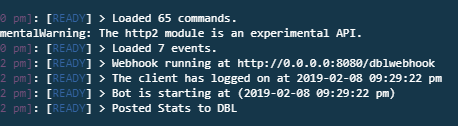 mystic wing
That's normal
faint sleet
o
mystic wing
:wesmart:
faint sleet
now how could i votelock 🤔
mystic wing
Store votes in a db
When a command is run check if their id is in the db
Make the DB entry expire after x time
faint sleet
and after 12 hours remove it?
mystic wing
Yuh
faint sleet
ah seems ez
mighty shuttle
@errant echo Please don't ask here
errant echo
where do i ask then
tidal steppe

restive otter
Is there any other ways to sort bots other than points?
errant echo
@little harbor thanks
summer pine
How can I get when a user votes without a webhook?
 digital linden
u cant
thats how u make a webhook right js dblvote.webhook.on('ready', hook => { console.log(`Webhook running at http://${hook.hostname}:${hook.port}${hook.path}`); });
summer pine
so why does it say you have to use a webhook if you have over 1k votes/month, that implies there is another way of doing it?
digital linden
?
 light crag
If you really wanted to, you could run a loop that makes a request to the vote endpoint. Would be way better and more efficient to just use webhooks.
light crag
Basically make a webserver that accepts POST requests to an endpoint and interpret the body
summer pine
Ok
digital linden
const listener = app.listen(process.env.PORT, function() {
  console.log('Your app is listening on port ' + listener.address().port);
});
 const DBL = require('dblapi.js');

 const dblvote = new DBL(process.env.DBLTOKEN, { webhookPort: 3000, webhookAuth: process.env.DBLAUTH });

 dblvote.webhook.on('ready', hook => {
   console.log(`Webhook running at http://${hook.hostname}:${hook.port}${hook.path}`);
 });
 dblvote.webhook.on('vote', vote => {
  console.log(`User with ID ${vote.user} just voted!`);
});
```Im starting webhooksits wrong
sand hazel
What's wrong
 runic grove
its wrong but are you actually going to give us the error or do we just have to guess
digital linden
lol
error isnt catched
i mean unhandled
const express = require("express");
const app = express();

app.get("/", (request, response) => {
  console.log("Ping received!");
  response.sendStatus(200);
});

// listen for requests :)
const listener = app.listen(process.env.PORT, function() {
  console.log('Your app is listening on port ' + listener.address().port);
});
const DBL = require('dblapi.js');

const http = require('http');


const server = http.createServer(app);
const dbl = new DBL(process.env.DBLTOKEN, { webhookAuth: process.env.DBLAUTH, webhookServer: server });

dbl.webhook.on('ready', hook => {
  console.log(`Webhook running with path ${hook.path}`);
});
dbl.webhook.on('vote', vote => {
  console.log(`User with ID ${vote.user} just voted!`);
});

app.get('/', (req, res) => {
  // ...
});

server.listen(3000, () => {
  console.log('Listening');
});```thats what im running on
what
const express = require("express");
const app = express();

app.get("/", (request, response) => {
  console.log("Ping received!");
  response.sendStatus(200);
});

// listen for requests :)
const listener = app.listen(process.env.PORT, function() {
  console.log('Your app is listening on port ' + listener.address().port);
});
const DBL = require('dblapi.js');

const http = require('http');


const server = http.createServer(app);
const dbl = new DBL(process.env.DBLTOKEN, { webhookAuth: process.env.DBLAUTH, webhookServer: server });

dbl.webhook.on('ready', hook => {
  console.log(`Webhook running with path ${hook.path}`);
});
dbl.webhook.on('vote', vote => {
  console.log(`User with ID ${vote.user} just voted!`);
});


server.listen(5000, () => {
  console.log('Listening');
});```it doesnt work
no error
runic grove
does anything appear in the console
digital linden
other then my regular things
no
Bot is online!
Server count posted!
Ping received!
- abunch of other commands loaded
arctic arch
you're not getting listening! ?
digital linden
yeds tonkku
arctic arch
then your http server isnt listening successfully
 ebon dragon
Hi, i have a bot on DBL, how can i post the servercount to its page?
runic grove
@ebon dragon read the docs
spiral steeple
I love how the docs tell people to come here if they have questions and then we tell them to read the docs
runic grove
I love how the docs even provide examples for posting server count
restive otter
@sand hazel what info do you need
I need someone to help me with the webhook tbh. Everything is connected but testikg doesnt work
 polar mirage
Did you save
restive otter
yo, I need help
is the webhook url really supposed to be http://0.0.0.0:5000/dblwebhook
also, if I vote, nothing happens
 frosty pond
it returns Unable to connect
frosty pond
pretty sure you need to have it pointed to a website or discord but I could be wrong
because https://0.0.0.0 isn't a website
 clever rock
@restive otter 0.0.0.0 is local host
clever rock
basically you are trying to send a webhook to dbl local host
and thats not what you want because why would you send it to dbl local host lmao
what you need to put there is <ip of your server:port opened for it>/blabla
clever rock
yes
restive otter
ipv4?
clever rock
well its fine even ipv4
indigo shoal
it has to be your public ip
restive otter
ok
it doesnt work rip
http://ip.ipi.pip.ipi:5000/dblwebhook is my webhook link
nothing happens in my console either
 hoary timber
I have a weird issue, where one vote of a user, that is on my guild is counted as an anonymous vote, which would only be when he's not on the guild.
He made sure he's logged in with the right account (Also has only one account so that's that.)
Any ideas why that could be the case?
restive otter
help me setup vote logging xD @hoary timber
hoary timber
What API/Library?
restive otter
javascript
hoary timber
Can't help with that
restive otter
oh
wait
how does your weebhook url look like
is it like the one i sent earlier?
restive otter
hm
hoary timber
I don't say my port for reasons
restive otter
yeah i get it
hoary timber
But my bot listens for it and gets the info with help of DBLs vote-library
And then performs actions depending on if user is on guild or not
restive otter
hm
hoary timber
But this issue really bugs me right now....
restive otter
My bot doesn't see any votes even if I (hopefully) did everything correctly.
My webhook URL is https://public.ip.that.starts.with.83:5000/dblwebhook and my password there is the same as in webhookAuth in my index.js file
hoary timber
I have my listener setup with a simple API that allows you to create a webserver-thing....
clever rock
if you are hosting in a home network you need to configure your router @restive otter
on how to do that, well just google it
 glass solar
Err hi. I get a Forbidden (status code: 403) whenever I try to post the servercount
I am using the github example with the correct token
It worked once
and has now stopped updating
glass solar
dont know what happened but its now sporadically working again
restive otter
use the dbl token
sand hazel
If it's the py lib, it has some issues
 blazing umbra
If I'm running my bot on glitch, should I get the IP of it and put it on the webhook?
If I want to use webhook.
plain timber
@blazing umbra use https://projectname.glitch.me/dblwebhook
blazing umbra
Oh. I see.
plain timber
but if you are using express (or another webserver) and dblapi.js in the same project, you must connect them to each other using dblapi's webhookServer option
restive otter
@plain timber what should I do if I host it at home
plain timber
or dblapi.js won't work
blazing umbra
Okay okay. Thankss.
plain timber
@restive otter use your public ip
restive otter
is it the one that shows up when I write what's my ip?
restive otter
hm
plain timber
but make sure its exposed or whatever
you'll probably need to modify your firewall settings
restive otter
Is there any other ways to sort bots other than points?
 dark pine
Does it take time for the voting webhook to take affect if I change the webhook url?
or should it take place immediately?
ah nvm, tried updating once more did the trick
restive otter
@clever rock its my home network on my plex server thats online 24/7
clever rock
then you need to route it where you want in your home network
 lilac ember
arctic arch
lilac ember
arctic arch
scroll down
restive otter
const DBL = require('dblapi.js'); const dbl = new DBL(yourDBLTokenHere, { webhookPort: 5000, webhookAuth: 'password' });
Where is the password?
restive otter
finite ridge
🙃
blazing umbra
Anyone here have their bot on glitch and uses webhook?
 calm zealot
hey guys can you tell me why theres three question marks for my online status? this bot got approved yesterday and with my other bot everything is working fine.
plain timber
@calm zealot the bot isn't in the server, it might have been kicked (see #mod-logs)
@blazing umbra if you use express and dblapi.js you will need to connect them using the webhookServer option, and the url is https://projectname.glitch.me/dblwebhook
blazing umbra
You mean by using express is this?
const http = require('http');
const express = require('express');
const app = express();```Yes if you use an express webserver and you want to also use dblapi.js you have to connect them
calm zealot
I am sorry i cannot find any ban or kick information in mod-log. what can i do?
blazing umbra
@plain timber How?
tender pine
I am having an issue with my API connection:
dbl.errors.Forbidden: Forbidden (status code: 403): {"error":"Forbidden"}
using the standard python code from the website:
class DiscordBotsOrgAPI:
    """Handles interactions with the discordbots.org API"""

    def __init__(self, bot):
        self.bot = bot
        self.token = SETTINGS.dbl_token
        self.dblpy = dbl.Client(self.bot, self.token)
        self.bot.loop.create_task(self.update_stats())

    async def update_stats(self):
        """This function runs every 30 minutes to automatically update your server count"""

        while True:
            logger.info('attempting to post server count')
            try:
                await self.dblpy.post_server_count()
                logger.info('posted server count ({})'.format(len(self.bot.servers)))
            except Exception as e:
                logger.exception('Failed to post server count\n{}: {}'.format(type(e).__name__, e))
            await asyncio.sleep(1800)
 graceful turtle
Ada apa ini
spiral steeple
Forbidden means incorrect authorization
 narrow zenith
the server administrator for that website doesn't allow the action you're trying to make it do, so it will come back with 403: forbidden authorization
sudden rampart
@restive otter use a domain so you can update the ip on the dns
restive otter
im using noip
sudden rampart
eg with cloudflare's api
restive otter
is cloudflare free
sudden rampart
yes
sudden rampart
you'll need to tell it that
restive otter
Could anyone help me with the connection for webhooks? (voting)
I believe I have everything setup correctly, but the test doesn't seem to be working
restive otter
Fixed finally^^
blazing umbra
@restive otter you on discord.js?
restive otter
mhm
@blazing umbra if I were to use bot.users.get(vote.user).tag to get the users tag
That'd work right?
Need to be sure cause multiple restarts would f some things up rn
And how would I use the persons tag in the msg
(I don't code with discord.js normally only using for dbl)
blazing umbra
I'm not sure tho.
bold edge
What is supposed to happen if you setup the webhook correctly and press test?
tidal burrow
iirc nothing for you to notice, it like pings your webhook checking if it even exists or something
bold edge
So how can I test it works?
tidal burrow
ask someone to vote or something
bold edge
Okay thank you
bold edge
It says webhook is running but nothing happened when someone voted
This is what I used where xxx is where my password is js const dbl = new DBL(`${cfg.dblapiKey}`, { webhookPort: 6275, webhookAuth: 'xxx' }); dbl.webhook.on('ready', hook => { console.log(`Webhook running at http://${hook.hostname}:${hook.port}${hook.path}`); }); dbl.webhook.on('vote', async vote => { bot.channels.get('544641898900619265').send(`${vote.user} just vote for MarksBot`); console.log(`User with ID ${vote.user} just voted!`); });
restive otter
I get this in the console
Webhook running at http://0.0.0.0:80/dblwebhook
and im using noip to use my ip as a subdomain to use in dbl.
the link is myepicnoip.noipwebsite.net:80/dblwebhook
What am I doing wrong?
thats not the actual link, but you get what i mean*
arctic arch
do you have http://
restive otter
How do I get the total votes of my bot?
@bold edge did you edit your bot page and enter the link? also, is port 6275 open?
bold edge
@restive otter Yes the port is open and the correct link is in the bot page.
bold edge
its literally my domain http://mydomain.com:6275/dblwebhook
restive otter
hm
bold edge
Does dblwebhook have to exist on the server?
clever rock
if you want I made a little handler for the webhook voting process and parses the votes for you
basically you just start it as a different process
bold edge
Can you send it my way , it's worth taking a look @clever rock
clever rock
https://github.com/Deivu/Haruna
its an api on its own that takes votes from dbl via webhook, and stores it via enmap so that its not a pain to set it up @bold edge

GitHub
Simple webhook vote handler for Discord Bot List https://discordbots.org/ - Deivu/Haruna
bold edge
Thank you @clever rock
plain timber
@quartz heron the password is whatever you set, it just has to be the same password that you set in your bot's edit page
The port can be any open port on your server
narrow zenith
stop
plain timber
what
narrow zenith
sorry, spam bot advertising in channels earlier
plain timber
k
plain timber
@restive otter DBL webhooks are not related to discord webhooks. You will need to receive the vote webhook post request on your webserver.
If you use JavaScript you can use the dblapi.js package which will handle it for you.
 empty yarrow
Hi all, how can I do that when someone votes for a bot it sends a message to a specific discord channel
 smoky plover
dbl.webhook.on("vote", vote => {
  console.log(`User with ID <@${vote.user}> just voted!`);
  client.channels.get(channel.id).send(`User <@${vote.user}> just voted!`);
});
have fun!
literally the code above you, with just an extra simple line of code
runic grove
uh whats the error
restive otter
undefined
runic grove
..what is undefined? @restive otter
restive otter
votes.size undefined
restive otter
🤦
sullen nymph
Is votes an array? 
runic grove
because we have no idea what youre trying to do and how
 rocky fossil
Objects don't have a size property.
https://npmjs.com/dblapi.js

 shut ibex
use the official api wrapper
plain timber
@rocky fossil the official api package is https://npmjs.com/dblapi.js
rocky fossil
ah, mb. Thanks. Corrected my mistake
plain timber
and uh what are you expecting to have a size property @rocky fossil
and why is it an issue that it doesnt have one
rocky fossil
I was answering Xention's question
plain timber
oh
 hoary hill
i'm posting the bot server count now
but it says two servers which is wrong
https://discordbots.org/bot/522866622407376948 my bot count isn't two servers 🤔

Discord Bot List
A fun growing bot that has many features such as moderation, 8ball and much much more!
frosty pond
It took my bot a little while for it to update the count.
idk if that is the problem though
hoary hill
but it started and the first time it said it was 2
frosty pond
🤔 Was the code added after the bot was in the added servers?
that part took my bot a little bit to update.
hoary hill
yeah my bot didn't jump from 2 to 45


 frosty pond
ah that will do it 😄
hoary hill
much better ty
restive otter
Ehh how do we actually make it so when someone votes the bot sends a message on a text channel saying who voted .. like what do we do with the api?
 short glade
@restive otter #development
short glade
He literally asked "how do we actually make it so when someone votes the bot sends a message on a text channel saying who voted"
Without development that wont work
spiral steeple
Using the api
short glade
He is coding a bot
spiral steeple
With the API
short glade
And he is wondering how he can make such command
runic grove
with the api, so he is in the right place
short glade
🤦 fine
spiral steeple
Its litterally not a command.
short glade
@restive otter stay in there then, sorry for multiple pigns
@spiral steeple if its not a command how is he gonna trigger the code wtf
restive otter
So how do we do it
restive otter

spiral steeple
Listens to a server
restive otter
Wut
spiral steeple
Do you have the dblapi.js lib installed?
restive otter
Yes
restive otter
Vps
spiral steeple
Alright, so you know it's ip, yes?
You're going to want to make sure the port you're listening on is open aswell
restive otter
Aight
spiral steeple
Head over to your bot's page and hit edit
scroll all the way down
Theres a place for webhooks
restive otter
✅
spiral steeple
Alright, so in url
you'll want to put http://YOUR-IP:PORT/dblwebhook
iirc the default port is 5000
restive otter
Aight
spiral steeple
it's what I use anyways
Authorization can be whatever you want, but you'll need to remember it for later
restive otter
I haven't changed anything for the port so mine should be 5000 as well
http://myip:5000/dblwebhook like this ?
spiral steeple
if myip is the vps's ip, yes
restive otter
 ✅
✅
short glade
or he just cencored it
spiral steeple
I know
Some people dont always understand
So you just have the basic
  console.log(`Webhook running at http://${hook.hostname}:${hook.port}${hook.path}`);
});``` in your actual file?You'll want to go on the docs https://discordbots.org/api/docs#jslib
Spice up your Discord experience with our diverse range of Discord bots
restive otter
Line
spiral steeple
This is basically all that it will event to, but instead of logging, send to a channel
restive otter
✅
spiral steeple
webhookAuth is what you made it as on the bot page, correct?
restive otter
(F me. .. I need to figure out how to use broadcast Eval the right way re in order to get all the channels probs pass a function )
And yes I think so
spiral steeple
well all you have to change if the auth is right, is the vote event
 willow ruin
Does voting not work on the site?
 split sapphire
Hey
restive otter
so i am trying to make it so the bot posts a message on a text channel whe it gets voted
const DBL = require('dblapi.js');
const dbl = new DBL(re, { webhookPort: 5000, webhookAuth: 'webhookAuth' });
dbl.webhook.on('ready', hook => {
  console.log(`Webhook running at http://${hook.hostname}:${hook.port}${hook.path}`);
});
dbl.webhook.on('vote', vote => {
  bot.channels.get('521253781254701058').send(`User with ID ${vote.user} just voted!`)
});
``` and it doesnt work@restive otter error?
restive otter
@short glade is there a way to test the webhook without having someone to reallyvote?
short glade
yeah, there is a event for such thing but i dont remember the name, lemme see if i can find it

Scroll down to Testing Events @restive otter
short glade
lel
clever rock
yes it is on site
restive otter
it says test webhook
is there a way to make it so u get the users name , avatar etc?
clever rock
the object the webhook returns contains a property called user
user is the user_id of someone who voted
clever rock
I already say that user contains the user_id of someone who voted, and you said You know, yet you asked again that you want the name?
restive otter
is it this https://discordbots.org/api/docs#bots
Spice up your Discord experience with our diverse range of Discord bots
restive otter
I do realise that vote.user shows the id of the user who voted but i want to get the guys name
@name
clever rock
then you should have realized client.users contains the ID of users that may contain that ID
 stable elbow
he wants username
clever rock
yes Im just not spoon-feeding the answer directly
short glade
user has a tag property
stable elbow
@restive otter You can by in <@!id>
clever rock
yes but that wont show properly if the user isnt cached
restive otter
i just did
and it will say invalid user i know
i was just trying to find a way for it say the Username and discrim but ok
clever rock
sighs.
client.users.get(USER).tag
how can you not realize that
restive otter
dude
stable elbow
:V
clever rock
I already said ID of the user who voted, and client.users contains the users in your bot.
all you need to do is try to get the user from client.user using the value you obtained from the vote. Done
stable elbow
Webhook is working perfect just need to get the name as Saya said
mossy scarab
hi
short glade
@mossy scarab s.a, hi
mossy scarab
aa türk
restive otter
@stable elbow iae
 foggy lava
@restive otter ```js
funo.guilds.get(config.logServerID).channels.find("name", config.logChannelName).send(new Discord.RichEmbed()
.setDescription(User ${await getUsername(vote).username}#${await getUsername(vote).descriminator} just voted!)
.setColor('BLUE')
.setTimestamp()
)
name 
restive otter
@short glade naber Türk.dd
short glade
@restive otter Iyidir knk, sen?
Aslinda, turk sayilmam, isvecliyim, ama turkce biliyorum
 vast basalt
Hi!
 ripe linden
Does .hasVoted(id) fully work or is it worth storing votes in a database?
plain timber
@ripe linden it works but iirc it can take a while to update
It's best to use webhooks
ripe linden
Ah ok thanks
 plush ore
regarding the vote webhook, how the heck do i even set it up
plain timber
@plush ore you need to set up a webserver to accept a POST request DBL will send to the specific URL. If you are using JavaScript then you can use dblapi.js: https://discordbots.org/api/docs#jslib
for other languages you will need to set up the webserver yourself
plain timber
@toxic narwhal you only send shards and servers to DBL
There's no point in showing cached users, it's a useless stat
 toxic narwhal
okay
plush ore
i set the server myself because the js wrapper wasn't working. the requests go through fine. i also parse the request into a json format.
but my question is, if weekend double vote thing is active, would the post request of "type": be is_weekend
ripe linden
true probably
restive otter
so
dbl.webhook.on('vote', vote => {
  client.channels.get('545963588251156480').send(new discord.RichEmbed()
      .addField("New vote on", "DBL")
      .setColor('RANDOM')
      .addField("User ID:", `${client.users.get(vote.user).id}`)
      .setTimestamp()
      .addField(`Attempt to mention `, `<@${vote.user}>`)
      .addField(`Tag`, client.users.get(vote.user).tag )
      .setThumbnail(client.users.get(vote.user).displayAvatarURL)
    )
});
``` this is my code and .. by default when someone votes for 1 of ur bots it will post it now what i want is to make it so it says the name of the bot the user voted for .. cuz if someone votes for 1 of ur bots it will still be logged .. not sure if u get what i meanbasically it doesnt really matter for which bot people vote for it stillposts it .. thats not treally my problem.. i just want to make it so it says name of the bot it voted for
clever rock
client.user.username?
Im not sure on what you want
so Im assuming the bot where that vote is from
restive otter
yes thats what i want but client.user.username gives the name of the bot the message is sent by
restive otter
so Im assuming the bot where that vote is from
clever rock
yes considering you are running that server in your bot's code
restive otter
i got one bot which is votes manager and then 2 other bots which are on the list.. i have made it so when somoene votes my manager votes bot [posts a message
but it doesnt clarify for which bot the person voted
clever rock
you can create 2 api listeners then
that isnt running on your bot
one will handle one bot
restive otter
hah?
clever rock
basically make 2 api servers (webhook listener) in other ports so you wont get problems sorting votes for each
restive otter
aight
i keep the url of the webhook the same but i just change the tokenn on the webhook ?
clever rock
you have 2 bots right?
restive otter
yes
clever rock
basically change the port only.
1st bot http://blabla.com:3000/
2nd bot http://blabla.com:3001/
1st bot listens to 3000
2nd one listens to 3001
restive otter
i did that ... so now how do i make it so it says for which bot the vote was
witht eh cleient username it just says VotesManager
sudden rampart
or just http://whatever.com/<bot id>
so you can use the path to know which bot it is
clever rock
on your votemanager
try to see what port the vote is from
so for example its from port 3000, and u put port 3000 on your bot 1, then its from bot 1
arctic arch
you can use the same url and the request body has the bot variable
restive otter
wut