#development
1 messages · Page 1504 of 1
 lusty quest
if you mention the channel you can get the channel id from the mentioned channel
 lament rock
Like they mentioned, GuildChannelManager.delete isn't a function. get the instance from cache and call instance.delete
 solemn leaf
now I get thic
(node:15968) Warning: Accessing non-existent property 'func' of module exports inside circular dependency
(Use node --trace-warnings ... to show where the warning was created)
 slender hamlet
lament rock
Like they mentioned, GuildChannelManager.delete isn't a function. get the instan...
slender hamlet
lament rock
Like they mentioned, GuildChannelManager.delete isn't a function. get the instan...
precisely
you'd probably do message.guild.channels.cache.get(msgArgs[0])
itll return a promise of a channel
 earnest phoenix
hey hello can you put the shard in discord.py and you can explain me how to put them
lament rock
get the channel from cache and call channel.delete
slender hamlet
then once the promise is resolved, itll return a channel
lament rock
slender hamlet
itll return a promise of a channel
cache get does not return a Promise
lusty quest
but there is no need to fetch
lament rock
Collection<string, GuildChannel>.fetch is not a function
slender hamlet
youll have to iterate through the cache
lament rock
Looks good
lusty quest
i mean you probably could wrap the get into a Promise function and then call the function, but its stupid
earnest phoenix
HELP ME PLS
lament rock
Making a Map based cache op async is stupid
slender hamlet
lusty quest
i mean you probably could wrap the get into a Promise function and then call the...
well thats just .get with extra steps
lol
slender hamlet
ik thats what you were saying
earnest phoenix
THIS IS SHARDS?
hey hello can you put the shard in discord.py and you can explain me how to put them
lusty quest
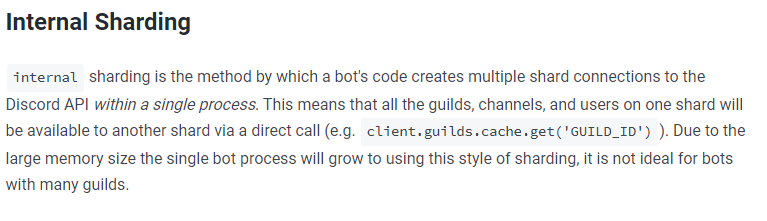
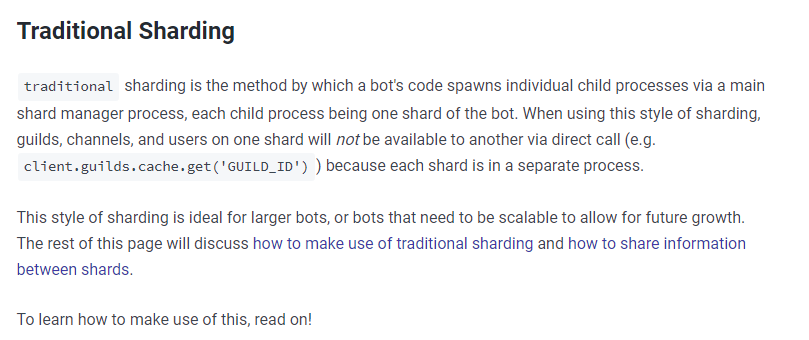
there are 2 ways to shard your client @earnest phoenix
solemn leaf
ok
lusty quest
this will spawn a new Process with the shard running on it
solemn leaf
so its not my node
earnest phoenix
lusty quest
there are 2 ways to shard your client <@456226577798135808>
why
lusty quest
the other method will use a worker to spawn more shards
solemn leaf
URL = match ? `https://cdn.discordapp.com/emojis/${match[2]}.png` : emojiMap.emojiDefinitions.find(x => x.surrogates === mB[1]).assetUrl || message.attachments.first().url || mB[1];
the last or of the thing should be running
slender hamlet
you could probably do a message.guild.channels.cache.resolve(msgArgs[0])
solemn leaf
not the emojimap
solemn leaf
@pale vessel
lusty quest
earnest phoenix
why
where did you placed this code?
 pale vessel
?
lament rock
lusty quest
this will spawn a new Process with the shard running on it
The ShardManager by default uses worker_threads. The image they showed uses worker_threads and all shards share the same memory space on different threads if there is more than one logical processor
earnest phoenix
is this shard okay?
pale vessel
you removed the ? i added
lusty quest
lament rock
The ShardManager by default uses worker_threads. The image they showed uses work...
depends if you use the Manager or Internal sharding
solemn leaf
i dont think I did
lusty quest
earnest phoenix
is this shard okay?
code looks fine
solemn leaf
show me where it was
earnest phoenix
lusty quest
where did you placed this code?
index.js as the tutorial said and bot.js whole script of my bot
pale vessel
lusty quest
did you placed the shard manager in a different file from your bots main file?
earnest phoenix
yes
lusty quest
ok and inside the new ShardingManager set the path to your bots main file
lament rock
I suggest looking at the source. iirc, there is no distinction from internal sharding and ShardingManager. ShardingManager uses internal sharding. The easiest way to test this is if both shards can log to the same console
solemn leaf
ok
earnest phoenix
lusty quest
ok and inside the new ShardingManager set the path to your bots main file
dont understand
lusty quest
iirc there is a difference between Internal Sharding and the Sharding Manager
lament rock
internal and via IPC is only distinct in Eris
earnest phoenix
lusty quest
iirc there is a difference between Internal Sharding and the Sharding Manager
why
lusty quest
earnest phoenix
dont understand
replace ./bot.js with the path to your bot main file
lament rock
They were talking to me about that statement
lusty quest
if your bot main file is called index.js change bot.js to index.js
solemn leaf
ah ok
earnest phoenix
lusty quest
replace ./bot.js with the path to your bot main file
this?
lusty quest
Internal sharding is on the Same process and Sharding manager uses Worker threads.
lusty quest
earnest phoenix
this?
?
earnest phoenix
client.shard
 lusty quest
earnest phoenix
client.shard
lusty quest
earnest phoenix
client.shard
how is your main file called?
earnest phoenix
bot.js
lusty quest
how is your sharding manager file called?
lament rock
worker_threads is within the same process. There is no "cluster" based sharding where events from all shards are forwarded to a single client to manage the cache and worker tasks.
earnest phoenix
lusty quest
how is your sharding manager file called?
index.js
lament rock
Also, is that Eris docs?
solemn leaf
How can I make an image transparent on canvas
earnest phoenix
lusty quest
ok and they are in the same folder?
yes
 solemn latch
the same basic idea of internal and external sharding is true for all libs
lusty quest
ok if you want to start the bot with shards start index.js without sharding use bot.js
lament rock
I don't believe that's up to date with how discord.js manages sharding unless I missed something when I read through the ShardManager code
lusty quest
if you want to set a certain amount of shards pass the totalShards: "auto or number of shards" in your Sharding Manager constructor
discord suggest to start sharding at 1k guilds
earnest phoenix
lusty quest
if you want to set a certain amount of shards pass the totalShards: "auto or num...
created script pls?
lusty quest
    // for ShardingManager options see:
    // https://discord.js.org/#/docs/main/v12/class/ShardingManager
    totalShards: 'auto',
    token: 'YOUR_TOKEN_GOES_HERE'
});```I just wanted to test I deactivate it now and activate it soon
lusty quest
it requires some other modification on certain stuff tho
bcs not all things are shared between the shards
https://anidiots.guide/understanding/sharding read this page for more informations
 lament rock
Oh. I guess the default is still using worker_threads but shards having separate caches. I didn't realized there was a mode specification
So I guess we were both correct in our own regards
lusty quest
probably
if i would hit the region of the need to shard i would probably Modify the lib i use to have a shared cache for all shards
earnest phoenix
lusty quest
```const manager = new ShardingManager('./YOUR_BOT_FILE_NAME.js', {
// for S...
pass me the script with .env since I work with repl.it
sorry
lament rock
That's what I do currently. Sort of. I just have one logical processor for all gateway events for all shards within a cluster
lament rock
Discord object caching is still handled in Redis though
solemn leaf
How can I make the background be transparent
lament rock
Redis caching is stronk
solemn leaf
ctx.fillStyle = "white";
lusty quest
sure will be a bit slower than directly in memory but still less headache then using Brodcast eval
earnest phoenix
okay i'm only left with one shards
lament rock
solemn leaf
How can I make the background be transparent
creating a new Canvas(width, height) will have a transparent background by default. If you want to remove pixels from an image you're compositing onto the base layer, you'll have to use masking
You should check to make sure you're sending the file to Discord or wherever as a png since discord.js defaults to jpg
lament rock
What are you drawing onto the canvas?
solemn leaf
    let invertCanvas = canvas.createCanvas(image.width, image.height);
    let ctx = invertCanvas.getContext("2d");
    ctx.drawImage(image, 0, 0, ctx.canvas.width, ctx.canvas.height);
    ctx.globalCompositeOperation = "difference";
    ctx.fillStyle = "white";
    ctx.fillRect(0, 0, ctx.canvas.width, ctx.canvas.height);
its invert
lament rock
Does the input image you're drawing onto the ctx have transparency
solemn leaf
yes
pale vessel
loop through the image data, invert the color and put the new image data
lament rock
Ah. The svg should have transparency then
lament rock
Try flaze's suggestion. Perhaps it's a lower level issue when it comes to decoding SVGs
lament rock
@pale vessel ?
solemn leaf
I was gonna do buffer
lament rock
For context, I don't use node-canvas
lament rock
so I can only help so much
pale vessel
i'm not sure if it works for inverting, i only used it for recoloring the entire image
solemn leaf
what did you do>?
lament rock
If they shut you down for being too much of a noisey neighbor, you should probably not use image manipulation.
lament rock
Oh. I thought volt was some provider or something
solemn leaf
voltron
lament rock

solemn leaf
voltrex
lament rock
Ah. Now that name rings a bell
solemn leaf
master mobile developer
well
imma work on decompiling gifs
imma do switch
@pale vessel
can I do this
URL = match ? `https://cdn.discordapp.com/emojis/${match[2]}.png` || `https://cdn.discordapp.com/emojis/${match[2]}.gif` : ...
Nope
 open flicker
how can you exclude 0 from the loop when there are two 0 and 1 in the array
module.exports.fetchAPI = async function (url) {
    const response = await axios.get(url)

    let image = response.data

    const count = Object.keys(image).length

    for (let i = 0; i < count; i++) {
        return Object.values(image)[i]
    }
}```you need :
lament rock
decoding gifs is a cheap task, but if you wanna encode, good luck lol
pale vessel
i misread
solemn leaf
@lament rock I found a good npm
pale vessel
aaa never mind
solemn leaf
I can just loop it
pale vessel
it works, but not the way you intend it to
solemn leaf
how do I make it work the way I intend it to
pale vessel
Check if the regex matched a before the first :
if so, change png to gif
you can't use ||
that makes no sense and it will never fallback to that since the first string will always be truthy
solemn leaf
I mean if the custom emoji was a gif
pale vessel
yes
lament rock
open flicker
how can you exclude 0 from the loop when there are two 0 and 1 in the array
```...
If whatever is 1 or 0 is in the for loop and you want to exclude 0, you can do something similar to
if (thing === 0) continue
obviously replace thing with whatever can be 0 or 1
solemn leaf
goes a mean soemthing?
lament rock
animated
solemn leaf
ok
open flicker
lament rock
If whatever is 1 or 0 is in the for loop and you want to exclude 0, you can do s...
ok thx
pale vessel
you can wrap the a with ()
lament rock
the same concept applies for user avatars btw, avatars which have gif formats start with a_
solemn leaf
doesnt the format for the avatar webm
lament rock
discord.js defaults to webp
solemn leaf
so I cant really do much to check if it is a gif or png
lament rock
webm is not a supported file extension for avatars
solemn leaf
ok
message.author.displayAvatarURL({
        dynamic: true,
        size: 1024,
        format: 'png'
    });
if the user has an animed pfp
lament rock
if (message.author.avatar.startsWith("a_")) // user has animated avatar
pale vessel
so something like ```js
URL = match ? https://cdn.discordapp.com/emojis/${match[2]}.${match[1] ? "gif" : "png"} : a || b || c;
? and : is a ternary expression.
boolean value ? code to do if boolean is true : code to do if boolean is false
solemn leaf
o
solemn leaf
okay well that helps
how do I check if its a gif
Imma use a switch to switch between gif and png
lament rock
match[1] is the result of the first capture group if the a is in the emoji. If a was not present in the string between the < and : then it will be undefined
 wheat mesa
Ok so I've been testing some code recently for a test bot I'm messing around with, and I can't seem to properly make a json file. I can get my code to read from it and write to it, but every time I want to add something to the json file it just rewrites the old json file with the new content. Here's my code: ```js
if(command == 'new') { // w!new
commandArg = message.content.indexOf(' ', 7)
commandStr = message.content.substring(6, commandArg)
commandSay = message.content.slice(commandArg+1)
  var dataobj = {}
  dataobj.CustomName = commandStr
  dataobj.CustomPhrase = commandSay
  const JSONString = JSON.stringify(dataobj, null, 2)
  fs.writeFile('CustomCommands.json', JSONString, (err) => {
    if (err) {
      throw err
    }
    console.log('JSON successfully saved')
  }
)
}
fs.readFile('CustomCommands.json', (err, jsonStringlocal) => {
if(err) {
throw err
}
const CustomNameCommand = JSON.parse(jsonStringlocal)
if(command == CustomNameCommand.CustomName) {
message.channel.send(\``${CustomNameCommand.CustomPhrase}````)
}
}
)
the ternary expression is for if the result of that capture group is not undefined, then its a gif
You need to assign new data to the Object you parse, then stringify the Object and write the string back to the JSON
wheat mesa
So parse the JSON and add what I need in the variables and then stringify it back into a json?
lament rock
Also, I think your code might be susceptible to race conditions if you're writing and it does properly write but the read doesn't show that new data. You might wanna use the sync methods which don't take callbacks or you put subsequent code within the callbacks
wheat mesa
So use readFileSync and writeFileSync instead
solemn leaf
so
lament rock
Yeah. That'll pause the thread until those IO ops finish
solemn leaf
if (message.author.avatar.startsWith("a_") || URL.endsWith(".gif)) {.}
slender hamlet
I'm not sure if this is practical, but you might want to consider using a database if you want to regularly read and write to and from something
Again, that's up to you
Talking to Waffle, FYI
lament rock
solemn leaf
if (message.author.avatar.startsWith("a_") || URL.endsWith(".gif)) {.}
That would return true if the author's avatar is a gif OR if the emoji url ends with gif
solemn leaf
if (message.author.avatar.startsWith("a_") || URL.endsWith(".gif)) { type = "gif" }
 snow urchin
lament rock
snow urchin
lament rock
fun fact, you don't need curly braces after if statements unless you're doing multiple lines if a condition a met
slender hamlet
yeah
if you just want to do one line it can literally be
if (condition) doMyStuff()
doesnt have to be a method
 ornate otter
@lament rock would you mind if i dm'ed you
lament rock
Why would that be necessary
ornate otter
its about your bot i wanted to ask a question about it
wheat mesa
slender hamlet
I'm not sure if this is practical, but you might want to consider using a databa...
Oh, this is just a bot for my friends and I to mess around with, nothing that's going to be used by more than 5 or 6 people
slender hamlet
alrighty
lament rock
Okay
slender hamlet
still an option, up to you
 drifting wedge
guys, this is good? py memberCount = 0 for g in self.client.guilds: for user in g.users: memberCount += 1
it wont break anything?
solemn leaf
https://www.npmjs.com/package/gif-frames Can I use this to encode gifs
 slender hamlet
self.client.guilds returns a guildmanager
you could do self.client.guilds.forEach((g) => { //do stuff })
pale vessel
Pretty sure it returns a list of guilds the clientis in
lament rock
That's Python isn't it
pale vessel
it is
drifting wedge
YEEE
pale vessel
why not g.member_count?
drifting wedge
ig i dont have member intent
pale vessel
you don't need it
solemn leaf
How do I loop throu an array
slender hamlet
js?
solemn leaf
yes
lament rock
member_count is always sent over GUILD_CREATE. It's an approximate
drifting wedge
            for g in self.client.guilds:
memberCount + g.member_count```+=
slender hamlet
for (let i = 0; i < array.length; i++) {}
 lethal ginkgo
so i have this little image problem ^^" my long discription is approximately
<div>
<div class = "image"> </div>
</div>
earnest phoenix
sum exists
slender hamlet
either works @solemn leaf
drifting wedge
wait why not just +?
pale vessel
you're not doing anything to memberCount
lament rock
- doesn't mutate the state of a variable
slender hamlet
let x of array gives you an x which is the item at any particular index
drifting wedge
drifting wedge
``` memberCount = 0
for g in self.client.guilds:
...
this is good then?
solemn leaf
for (var i = 0; i < frameData.length; i++) { }
slender hamlet
ok
that should be fine
i'd recommend let instead of var in a for loop initializer
pale vessel
like cry said, you can use sum() and [g.memberCount for g in client.guilds]
i think that's the syntax
drifting wedge
drifting wedge
this is good then?
THIS IS GOOD??!?!
slender hamlet
otherwise if you uses a var called i earlier on it can mess with it
and its generally good practice
pale vessel
drifting wedge
``` memberCount = 0
for g in self.client.guilds:
...
No, what you're doing is evaluating memberCount, which is zero plus the guild member count
you're not modifying the variable
a one liner would be better though
slender hamlet
yeah you have to do += to actually update the value of the variable
solemn leaf
idk
drifting wedge
i did it as +=
lament rock
use const over let if you don't reassign the value of the variable. That's practically the only way to get "statically typed js". With that comes it's own performance benefits. let implies type reassertion
solemn leaf
            let images = []
            gifFrames({ url: URL, frames: 0 }).then(function (frameData) {
                //frameData[0].getImage().pipe(fs.createWriteStream('firstframe.jpg'));
                for (var i = 0; i < frameData.length; i++) {
                    let image = await canvas.loadImage(frameData[i]);
                    let invertCanvas = canvas.createCanvas(image.width, image.height);
                    let ctx = invertCanvas.getContext("2d");
                    ctx.drawImage(image, 0, 0, ctx.canvas.width, ctx.canvas.height);
                    ctx.globalCompositeOperation = "difference";
                    ctx.fillStyle = "white";
                    ctx.fillRect(0, 0, ctx.canvas.width, ctx.canvas.height);
                    images.push(ctx.canvas.toBuffer())
                }
            });
const can tbe cahnged
what you mean
lament rock
I know. If you don't reassign the value of a const, use it over let
slender hamlet
lament rock
use const over let if you don't reassign the value of the variable. That's pract...
yeah, when iterating with of, you should do const xyz not let xyz, my bad
obv with i = 0; i++; you're modifying i so that will be let
lament rock
getting as close as possible to statically typed is good
solemn leaf
wait
do I just remove the await
let image = await canvas.loadImage(frameData[i]);
^^^^^
SyntaxError: await is only valid in async function
lament rock
make the function you're calling that in async
function thingy(params) {
const thing = await code(params); // not valid
}
async function thingy(params) {
const thing = await code(params); // valid
}
solemn leaf
gifFrames({ url: URL, frames: 0 }).then(async function (frameData) {
lament rock
sure
solemn leaf
is it wrong?
lament rock
No
That is valid syntax
I would have use arrow functions, personally, but we all have our own styles
lament rock
thats fine
arrow functions are es6. If a lib supports node versions earlier than when arrow functions were added, they would have to use that
pale vessel
are you going to loop through the frames and use gifencoder
lament rock
Passing it an Array of all the frames can cause the heap to run out of free space depending on the size of the gif
slender hamlet
basically all that's different is that instead of it being function (abc) {} it would be (abc) => {}
regarding arrow functions
pale vessel
you can't access this in anonymous functions
solemn leaf
?
pale vessel
and no arguments
pale vessel
sure
pale vessel
doesn't matter in this case
pale vessel
not like that]
lament rock
@pale vessel
If I regularly evaluated this, that would be the return value as well
Well. Amanda handles Promises, so I shouldn't have added the async, but whatever
wheat mesa
So I've been trying to fix this code, but I just can't get it to work
I started using fs.appendFile and it's getting close, but it's still improper
lament rock
,\n
slender hamlet
right
wheat mesa
How would I do that?
lament rock
commas are important in JSON
solemn leaf
how should I encode the gif
lament rock
that's the error causing the parsing to fail
pale vessel
it seems to depend on how you call it
lament rock
PLEASE JSON.stringify the Object before you write. JSON.stringify handles the commas for you. Improperly managing commas can be catastrophic
lethal ginkgo
could someone pls help me with html/css for long bot description? qwq
pale vessel
slender hamlet
speaking of which, I used bootstrap for my bot description but I want to force dark theme, what do I do?
it's not recognizing it as "advanced css" or whatever it said
pale vessel
this in that context is the global object and not an instance of CanvasRenderingContext2D
lament rock
assigning to the prototype implies it's a static method. this would not be defined in context to the class
lethal ginkgo
;-; how could i make this image in the description field? qwq
solemn leaf
https://cdn.discordapp.com/emojis/sungl.png
(node:19000) UnhandledPromiseRejectionWarning: Error: Server responded with 404
pale vessel
while this works
slender hamlet
lethal ginkgo
;-; how could i make this image in the description field? qwq
which image?
the one you sent?
i'd assume its a simple <img src="url_to_image"> like any other image
lethal ginkgo
the one which is at bottom of the site for no reason qwq
slender hamlet
I'm confused... which one? Sorry if this is annoying I just don't know what image you mean
regardless, it should be as simple as an img tag
pale vessel
slender hamlet
ah
slender hamlet
wheat mesa
After putting in ", \n" the comma is still wrong
try a test of the length
lament rock
use JSON.stringify like I mentioned
slender hamlet
ah right
lament rock
not adding content after a comma is improper management
JSON.stringify handles commas for you
lament rock
Then don't add the ,\n
 formal ridge
solemn leaf
formal ridge
solemn leaf
why didnt it work
it didnt do the gif
when this is a gif
@pale vessel this no workie
URL = match ? `https://cdn.discordapp.com/emojis/${match[2]}.${match[1] ? "gif" : "png"}` : emojiMap.emojiDefinitions.find(x => x.surrogates === mB[1])?.assetUrl || message.attachments.first()?.url || mB[1];
log the url
 quartz kindle
wheat mesa
quartz kindle
wheat mesa
you cant append to json
lethal ginkgo
slender hamlet
regardless, it should be as simple as an img tag
it doesnt change anything if i take the image tag or put it as div background image qwq everytime its down there qwq
pale vessel
log URL
solemn leaf
https://cdn.discordapp.com/avatars/485987127809671168/80ee36ca4f5d6959cbf6b14176908a2f.png?size=1024
 wheat mesa
quartz kindle
you cant append to json
wheat mesa
quartz kindle
you cant append to json
Whenever I try to use writeFile, it just overwrites the previous data, and I'm having a hard time figuring out how to just add data
solemn leaf
that was url
slender hamlet
message.attachment.first().attachment seems to give a url
quartz kindle
wheat mesa
Whenever I try to use writeFile, it just overwrites the previous data, and I'm h...
json has to be overwritten, thats why its so innefficient
lament rock
I was mentioning earlier that you need to assign data to the old object then stringify the old object with the new data and write that
solemn leaf
they both give one
pale vessel
slender hamlet
message.attachment.first().attachment seems to give a url
not seeing that property https://discord.js.org/#/docs/main/stable/class/MessageAttachment
quartz kindle
you need to read the json file, convert it to object, add the data to the object, stringify it again, and save the full file again
solemn leaf
I used .url bcs doc
wheat mesa
ugh
slender hamlet
whoops i meant url
solemn leaf
flaze
quartz kindle
thats why json is heavily not recommended for usage as a database
 lament rock
ENOMEM waiting to happen
earnest phoenix
🗿 Memory leak
quartz kindle
voltrex leak
lament rock
JSON is memory leak confirmed
wheat mesa
quartz kindle
thats why json is heavily not recommended for usage as a database
Is there a better file type or since this is a small thing should I still use json
lament rock
Since it's so small, JSON is fine
wheat mesa
Alright
solemn leaf
@pale vessel can you fix the attachments one
slender hamlet
I think regardless of size you should still maybe use a db, but again up to you
quartz kindle
if its something small, you can use json, but keep it also loaded in memory
only write when you need to change it
and only read once at startup
slender hamlet
any specifics on what i need to do?
lament rock
You need to put CSS in your long description
slender hamlet
I would like to force a theme but I'm using bootstrap
solemn latch
use css if you want a forced theme
pale vessel
adds the word CSS in description
pale vessel
pretty sure it checks for style tag
slender hamlet
wonder if itll work
pale vessel
probably
solemn leaf
flaze
pale vessel
i asked xetera and he said he checked for that
solemn leaf
attachments broke
solemn latch
yeah it just checks for style tags
 limpid bear
how do i get it. where a command will have reactions, and if the user his one of them, it will change the message
slender hamlet
LMAO it worked
slender hamlet
limpid bear
how do i get it. where a command will have reactions, and if the user his one of...
message.awaitReactions
be sure to react to the message before awaiting reactions via message.React(emoji)
limpid bear
thanks
slender hamlet

Discord.js is a powerful node.js module that allows you to interact with the Discord API very easily. It takes a much more object-oriented approach than most other JS Discord libraries, making your bot's code significantly tidier and easier to comprehend.
 fervent goblet
anyone know how to get the current position a track is in using the spotify presence?
slender hamlet
as in viewing a user's status and seeing what pos they're at?
fervent goblet
yes
solemn latch
probably just regex it
slender hamlet
yeah
solemn latch
i didnt realize they gave a timestamp, thought it was a string 
fervent goblet
does the start time start where they are in the song or is it the beginning of the song tho?
 pastel horizon
eyo! I would like know how to do modif for doing a bot to a public bot
Can someone help me ?
You know, I did an bot but it's like if their is the mute command.... The client will can't have the command. So ,I'm trying to know how to put my bot with the modif ...
pastel horizon
Nah
solemn latch
@fervent goblet looks like the start time
fervent goblet
so what would i need to use to calculate the current pos?
pastel horizon
...for the welcome message...
slender hamlet
fervent goblet
so what would i need to use to calculate the current pos?
you would get the current timestamp and convert it to a number
do the same for the starttimestamp
then subtract
slender hamlet
to convert to a number, use the date library
i think you can say const start = new Date(usrActivity.timestamps.start);
otherwise just look up the format
im fairly certain tho
limpid bear
i been messing around with the add reaction code. but i cant get it to react to the bot message, it only reacts to the users
solemn latch
you're reacting to your input message, not the message you sent
save the sent message in a variable(with the promise awaited) then react to that message
slender hamlet
you would say const botMessage = await message.channel.send("xyz");
then to react you'd do botMessage.react('👍');
lament rock
mood
lament rock
 trim saddle
<@!320067006521147393> fecking
trim saddle
<@!320067006521147393> fecking
What happened?
trim saddle
package stopped importing right
earnest phoenix
slender hamlet
then to react you'd do `botMessage.react('👍');`
Or:
message.channel.send("xyz").then(m => {
m.react("😁")
});
Ok
earnest phoenix
slender hamlet
- I'll do it tomorrow
 gilded olive

earnest phoenix
-1. I'm too tired rn
 mellow kelp
-2. I'm not being paid enough
slender hamlet
-3. OH MY GOD I AM AN IDIOT I FORGOT TO PUT COMMAS
earnest phoenix
-4. welp, stack overflow here i come
 sinful belfry
this is not the channel for memes....
earnest phoenix
sinful belfry
this is not the channel for memes....
Tis not a meme my good sir
slender hamlet
feelsbadman
slender hamlet
yeah starman's right
 regal creek
npmjs.com/package/to-date be like:
return new Date(value)
wrong one
Do y'all know when discord is actually going to properly implement slash commands for bots?
gilded olive
never
regal creek
earnest phoenix
Do y'all know when discord is actually going to properly implement slash command...
Gives no sense for bots to have that
What
gilded olive
probably in a few months
but for anyone to actually use it
eh maybe a year
unless they fix it fast
regal creek
Wtf will slash commands help with
pale vessel
Properly? You can already implement it
earnest phoenix
pale vessel
Properly? You can already implement it
i know, my mate has implemented it on his bot, but he says it's still buggy
pale vessel
You mean like a UI for it?
earnest phoenix
he's using it for a translate command
pale vessel
I see
gilded olive
Not just becaue it can be used means it's good
 swift cloak
Set Channel Command: https://srcb.in/TdywOoeXjn
Suggest Somehing: https://sourceb.in/tu09nvR2Yd
Schema: https://sourceb.in/l1Qu2YUMpX
help. no work. i will set the channel then it will be undefined
trim saddle
although discord hasn't made a way to fetch members
so it's just best that you use id
pale vessel
What
trim saddle
you can't get members like you could with a regular command handler
pale vessel
Compare the bits
trim saddle
how
earnest phoenix
hi hi
 misty sigil
using a bit comparison machine
earnest phoenix
trim saddle
trying to figure out how to get member permissions
member.hasPermission()
earnest phoenix
oh lol
trim saddle
i'm making my own lib
earnest phoenix
my bad
solemn leaf
I need help with this https://www.npmjs.com/package/gifencoder
 sudden geyser
You could see Discord.js' implementation.
sudden geyser
Not you.
solemn leaf
oh
solemn leaf
here is my code
            gifFrames({ url: URL, frames: 0 }).then(async function (frameData) {
                console.log(frameData[0].frameInfo)
                const encoder = new GIFEncoder(frameData[0].frameInfo.width, frameData[0].frameInfo.height);
                encoder.start();
                encoder.setRepeat(0);   // 0 for repeat, -1 for no-repeat
                encoder.setDelay(frameData[0].frameInfo.delay);  // frame delay in ms
                //frameData[0].getImage().pipe(fs.createWriteStream('firstframe.jpg'));
                frameData.forEach(async function (frame) {
                    let image = await canvas.loadImage(frame.getImage());
                    let invertCanvas = canvas.createCanvas(image.width, image.height);
                    let ctx = invertCanvas.getContext("2d");
                    ctx.drawImage(image, 0, 0, ctx.canvas.width, ctx.canvas.height);
                    ctx.globalCompositeOperation = "difference";
                    ctx.globalAlpha = 1.0;
                    ctx.fillStyle = "white";
                    ctx.fillRect(0, 0, ctx.canvas.width, ctx.canvas.height);
                    encoder.addFrame(ctx);
                });
                encoder.finish()
                const buf = encoder.out.getData();
the buffer is right
but when I send it
supposed to be a gif there
solemn leaf
sudden geyser
*What* about the package.
the package compiles images into a gif
 neon condor
how do you dashboard a discord bot?
earnest phoenix
neon condor
how do you dashboard a discord bot?

you just make a dashboard and code it into your bot
 twilit geode
is there a way to see when a bot was uploaded to topgg
I think someone stole my bot's identity
earnest phoenix
F
twilit geode
I want to see when they posted their bot
twilit geode
earnest phoenix
F
nice pfp lol
earnest phoenix
twilit geode
I want to see when they posted their bot
just search the pings in #logs
twilit geode
im looking rn
earnest phoenix
How did you find out about this identity thief
twilit geode
I was getting the link to my bot for a url shortener
and I just searched for it on topgg
and there were two...
just one was a white avatar instead of an orange one
mmhmm
neon condor
give me a hand to make my dashboard for my bot there any videos on yt?
neon condor
give me a hand to make my dashboard for my bot there any videos on yt?@misty sigil
misty sigil
bRo?
gilded olive
not how it works
neon condor
Ma ce qualcuno italiano o devo usare google XD
neon condor
how do you dashboard a discord bot?
earnest phoenix
Bruh google it if no body answers
@neon condor https://www.youtube.com/watch?v=qujpBixCjIk

#webdev #javascript #discordbot
In this series, we are going to build a Discord Bot Dashboard. We will be using React, Express, MongoDB, and Node.js, aka MERN stack.
Part 2: https://www.youtube.com/watch?v=DomtnrQ4f3Q&feature=youtu.be
Want to support me and the channel? Donations are not required but greatly appreciated!
Become a Patreon: h...
neon condor
Gz
earnest phoenix
^^^^^^^^^^^
misty sigil
it requires extensive knowledge of
- http requests
- web frameworks
- frontend development
- db interactions
and a shit ton more
gilded olive
you don't have to use a framework
earnest phoenix
tldr most of things listen on this roadmap https://github.com/kamranahmedse/developer-roadmap

GitHub
Roadmap to becoming a web developer in 2021. Contribute to kamranahmedse/developer-roadmap development by creating an account on GitHub.
misty sigil
eh you'd be best to
gilded olive
true
gilded olive
o
solemn latch
using gif encoder 1 🤔
solemn leaf
?
solemn latch
gifencoder 2 is so much better
solemn leaf
what
solemn latch
gifencoder is slow
gifencoder 2 can be several times faster
also, looks like your foreach is async, which means its not running until after you do encoder.finish
misty sigil
make foreach sync
solemn leaf
what im confused
earnest phoenix
for best performance you can also avoid forEach and do a normal for loop
quartz kindle
still a bad idea
does the gif encoder know which frame is supposed to go where? do frames have indexes or something?
quartz kindle
or does it just push frames like you would push items into an array?
solemn leaf
1 sec
solemn latch
you push frames
solemn leaf
frameData[x].frameIndex
quartz kindle
because if you push frames, you have to do it sequentially
doing it concurrently will not guarantee frame order
async forEach is concurrent, not sequential
Promise.all() is also concurrent
solemn leaf
I needed async for the await
solemn leaf
how should I do the loop
I was doing this
but I didnt think it worked
for (var i = 0; i < frameData[i].getImage().data_length; i++) {
quartz kindle
isnt that for getting frames? not for adding them?
quartz kindle
Pure JavaScript tool for extracting GIF frames and saving to file
thats only for reading gifs, not creating them
solemn latch
yeah hes using gif-encoder
solemn leaf
that is why I have the encoder
solemn latch
why does promise.all not work for loading the images?
quartz kindle
so you're reading from one gif and enconding it in another? like a gif transformer
there is a way to do it concurrently
solemn leaf
yes
quartz kindle
but you need to change your code a bit
quartz kindle
you can use an async map
with Promise.all()
but you cant use encoder.add() inside it
you have to use encoder.add() in the end, after all frames are done
solemn leaf
ok
solemn latch
yeah, all editing and adding of frames after loading them with promise all.
solemn leaf
what
quartz kindle
promises = frames.map(async frame => {
  // do async transformation here
});
transformed = await Promise.all(promises);
transformed.forEach(frame => {
  encoder.addFrame(frame)
});
frames is whatever you get your frames from
solemn leaf
frameData
quartz kindle
frameData
solemn leaf
so I could put the canvas stuff in there?
quartz kindle
let me look at your code again
solemn leaf
promises = frameData.map(async frame => {
  // do async transformation here
        let image = await canvas.loadImage(frame.getImage());
        let invertCanvas = canvas.createCanvas(image.width, image.height);
        let ctx = invertCanvas.getContext("2d");
        ctx.drawImage(image, 0, 0, ctx.canvas.width, ctx.canvas.height);
        ctx.globalCompositeOperation = "difference";
        ctx.globalAlpha = 1.0;
        ctx.fillStyle = "white";
        ctx.fillRect(0, 0, ctx.canvas.width, ctx.canvas.height);
});
transformed = await Promise.all(promises);
transformed.forEach(frame => {
  encoder.addFrame(frame)
});
tim died
solemn latch
hes a busy man
solemn leaf
ik
quartz kindle
dont forget the consts and lets
i didnt write them because they are fairly obvious
solemn leaf
wdym
solemn leaf
return ctx;
quartz kindle
so the variable promises is an array of promises that return ctx
[Promise<ctx>,Promise<ctx>,Promise<ctx>] etc
solemn leaf
then encoder.finished() before I buffer it
quartz kindle
then you can await all of them at once with await Promise.all()
that will give you an array of results, like this [ctx,ctx,ctx]
so then you can forEach them and addFrame(ctx)
solemn leaf
you called it frame
quartz kindle
for simplicity
solemn leaf
should I change it to ctx
solemn leaf
ikay
solemn leaf
gifFrames({ url: URL, frames: "all", outputType: "png" }).then(async function (frameData) {
                console.log(frameData[0].frameInfo)
                const encoder = new GIFEncoder(frameData[0].frameInfo.width, frameData[0].frameInfo.height);
                encoder.start();
                encoder.setRepeat(0);   // 0 for repeat -1 no-repeat
                encoder.setDelay(frameData[0].frameInfo.delay);  // frame delay ms
                const promises = frameData.map(async frame => {
                    // do async transformation here
                    let image = await canvas.loadImage(frame.getImage());
                    let invertCanvas = canvas.createCanvas(image.width, image.height);
                    let ctx = invertCanvas.getContext("2d");
                    ctx.drawImage(image, 0, 0, ctx.canvas.width, ctx.canvas.height);
                    ctx.globalCompositeOperation = "difference";
                    ctx.globalAlpha = 1.0;
                    ctx.fillStyle = "white";
                    ctx.fillRect(0, 0, ctx.canvas.width, ctx.canvas.height);
                    return ctx;
                });
                const transformed = await Promise.all(promises);
                transformed.forEach(ctx => {
                    encoder.addFrame(ctx)
                });
                const buf = encoder.out.getData();
                const buf = encoder.out.getData();
then I can send the buffer in an attachment
solemn leaf
how long you think it would take to load
quartz kindle
should be pretty fast
earnest phoenix
how can it so the bot picks up what a user says in discord and makes it a variable in python?
solemn leaf
@quartz kindle It could be getting stopped on the await
ok its stopped on the await
the image type is unsupported
earnest phoenix
earnest phoenix
how can it so the bot picks up what a user says in discord and makes it a variab...
Assuming you're using d.py, either use the event or listen(er) decorator, or even wait_for. Depending on what you want to do.
solemn latch
solemn leaf
the image type is unsupported
a fun
earnest phoenix
i have no idea what i was just told, my iq is not that high
solemn leaf
gifFrames({ url: URL, frames: "all", outputType: "png" }).then(async function (frameData) {
This does have nothing to do with iq doe kekw, can you explain what you want to do more then?
what im trying to do is number = input("please input number")
except make it so people can do it through discord
Aha, wait_for suits more then
thanks
solemn leaf
ContentStream {
  _readableState: ReadableState {
    highWaterMark: 16384,
    buffer: [],
    length: 0,
    pipes: null,
    pipesCount: 0,
    flowing: false,
    ended: false,
    endEmitted: false,
    reading: false,
    calledRead: false,
    sync: true,
    needReadable: false,
    emittedReadable: false,
    readableListening: false,
    objectMode: false,
    defaultEncoding: 'utf8',
    ranOut: false,
    awaitDrain: 0,
    readingMore: false,
    decoder: null,
    encoding: null
  },
  readable: true,
  _events: [Object: null prototype] {},
  _eventsCount: 0,
  _maxListeners: undefined,
  _obj: <Buffer ff d8 ff e0 00 10 4a 46 49 46 00 01 01 00 00 01 00 01 00 00 ff db 00 84 00 10 0b 0c 0e 0c 0a 10 0e 0d 0e 12 11 10 13 18 28 1a 18 16 16 18 31 23 25 1d ... 2764 more bytes>,
  [Symbol(kCapture)]: false
}
@quartz kindle epic
earnest phoenix
not loading, epic
solemn leaf
yep exactly
its 1 frame
wait
nvm
its the full thing
discord is having troubles rendering it
earnest phoenix
ok i still have no idea what to do, this is what i get for trying to do this while knowing little about python
solemn leaf
open it in browser
earnest phoenix
send your code ig
this is gonna be cheesy code kekw
import discord
import time
from discord.ext import commands

client = commands.Bot(command_prefix="!")


@client.event
async def on_ready():
    print("Bot is ready")

@client.command()
async def sos(ctx):
    await ctx.send("The bot needs the following permissions to work in special channels")
    await ctx.send("https://cdn.discordapp.com/attachments/786890463834538006/795771449432473670/unknown.png")
    await ctx.send("https://cdn.discordapp.com/attachments/786890463834538006/795771603534741594/unknown.png")
    await ctx.send("https://cdn.discordapp.com/attachments/786890463834538006/795771705234686002/unknown.png")


@client.command()
async def start(ctx):
    repeat = 0
    number = 0
    while repeat == 0:
        number = number + 1
        time.sleep(1)
        await ctx.send(number)
i forgot that i did not fix the counting on this
```py
code
```
solemn latch
its probably not a good idea to make a py bot without knowing py
earnest phoenix
yeah this tbh
earnest phoenix
earnest phoenix
i forgot that i did not fix the counting on this
you set number to be 0 in every loop
solemn leaf
woo
earnest phoenix
i know
solemn latch
you should probably not change the frame delay
earnest phoenix
i also forgot to add the wait
solemn leaf
encoder.setDelay(frameData[0].frameInfo.delay); // frame delay ms
solemn latch
didnt you say the format isnt supported @solemn leaf ?
solemn leaf
I changed to jpg
earnest phoenix
DABOSS, don't use time.sleep, it's blocking. Use asyncio.sleep instead, it's a coroutine btw, needs to be awaited
solemn leaf
but now Im having troubles with delay
earnest phoenix
ok
solemn leaf
earnest phoenix
also, you're doing nothing with the repeat value, so it's gonna be an infinite loop
earnest phoenix
earnest phoenix
also, you're doing nothing with the repeat value, so it's gonna be an infinite l...
yeah, i just made it so the bot keeps counting non stop
then the repeat var isn't needed, just do while True
ok
though, why would you want to do that
 cinder fulcrum
How to make a dashboard for my bot?
 silver lintel
so i have message.client.guilds.cache.filter(g => g.member('id')) to get all the guilds which the user and client share but how to i put all of the guilds' id into an array
earnest phoenix
Well I'd just set the number as the client attribute, so there's another whole command that send the number attribute. That way you don't send it in every loop
# start command
client.number = 0
while True:
  client.number += 1
  # sleep

# some another command
await ctx.send(client.number)
Also to add to what norizon is saying
 rose warren
silver lintel
so i have `message.client.guilds.cache.filter(g => g.member('id'))` to get all t...
rose warren
silver lintel
so i have `message.client.guilds.cache.filter(g => g.member('id'))` to get all t...
Do a for loop and add the ids to an array.
solemn latch
rose warren
Do a `for` loop and add the ids to an array.
probably better to just map them rather than looping
earnest phoenix
i just wanna know how i can make it so the user can choose what the variable number is so they can start off on a number other than 0, because if the bot goes down its just gonna start from 0 again
Have you looked at the link I sent? There's example there
silver lintel
solemn latch
probably better to just map them rather than looping
how would i map it?
that.map(i => i.id)?
earnest phoenix
the gif is a lie
solemn latch
when you view it on your pc, does it also go transparent on the second frame?
solemn latch
honestly, potential discord bug then 🤷♂️
solemn leaf
just not on the client
solemn latch
or your encoding settings are not discord compatible, discord does have a list of supported formats somewhere.
silver lintel
console.log([...message.client.guilds.cache.filter(g => g.member(message.author.id))]); its makes an array length 2, even though im in like 5 mutual servers, someone told me that g.member uses cache but i dont know what that means or how to do it now
rose warren
silver lintel
`console.log([...message.client.guilds.cache.filter(g => g.member(message.author...
You might need intents?
silver lintel
i have guild member intent but not presence
silver lintel
oof
earnest phoenix
i actually have no idea how to do this, i tried but it just killed my whole bot somehow
silver lintel
so is there like a way to fetch them?
solemn latch
dont think fetch can do that in one api call 🤔
earnest phoenix
earnest phoenix
Try doing it on your own first, then we'll help you
i tried and i failed miserably, i still cannot really understand user input
silver lintel
solemn latch
dont think fetch can do that in one api call 🤔
uhh so is it possible?
earnest phoenix
earnest phoenix
i tried and i failed miserably, i still cannot really understand user input
send what you've got
@client.event
async def on_message(message):
    if message.content.startswith('number'):
        channel = message.channel
        await channel.send('Please input number you would like to start on')

        def check(m):
            return m.content == 'hello' and m.channel == channel

        number = await client.wait_for('message', check=check)
        await channel.send('Hello {.author}!'.format(msg))
oh god
this is my pathetic attempt
why do you copy the whole thing
solemn leaf
god appears* "yes?"
earnest phoenix
you just need the check and the wait_for
oh
for instance, if you only want it to wait for your message, you can do something like
def check(m):
    return m.content.isdigit() and m.author.id == your_id  # could be m.author == ctx.author if you want it to wait for the message from whoever invoked the command

msg = await client.wait_for('message', check=check)
number = int(msg.content)  # cast it to int since it returns Message object and the content attribute is str
thanks
solemn latch
silver lintel
uhh so is it possible?
well, if you use fetch, youd have to fetch from each guild, which if you have 100 guilds with your bot, thats 100 api requests. https://discord.js.org/#/docs/main/stable/class/GuildMemberManager?scrollTo=fetch which easily becomes api abuse.
solemn latch
your best bet is using oauth iirc.
silver lintel
whats oauth
solemn latch
its a way for your bot to make user specific api requests, such as all their guilds.
silver lintel
Is it this? https://discordjs.guide/oauth2/#a-quick-example

A guide made by the community of discord.js for its users.
earnest phoenix
my brain hurts from this
solemn latch
its generally a bad idea making a bot in a language you dont know
discord bots are not really the best first or first few projects.
earnest phoenix
True, my bot is my first project and it was awful
 dusky sundial
That's like writing a book in a language you don't understand. It's better to start with the basics or you're gonna mess a lot of things up.
It might work, but you're probably not gonna understand why lol
earnest phoenix
devs be like: as long as it works™️
i can make it work without any user input but i want the user to choose what number they start on
and i have no idea why its not working, its probably really dumb
solemn latch
your using dpy right?
earnest phoenix
I've literally spoon-fed you though
solemn latch
they have a whole thing already for it afaik.
in the docs
the new py docs are so clean
solemn latch
canvas is really simple, read the npm page for canvas
solemn leaf
to like detort
 inner roost
solemn latch
the new py docs are so clean
inner roost
solemn latch
the new py docs are so clean
i cant find anything un the new docs lol
solemn leaf
distort
earnest phoenix
i cba to figure this out, im just gonna make a bot that obnoxiously keeps counting
earnest phoenix
earnest phoenix
i cba to figure this out, im just gonna make a bot that obnoxiously keeps counti...
kekw, just learn python and you'll understand the d.py docs
one day
solemn latch
inner roost
i cant find anything un the new docs lol
the doc changes seem to mostly be css changes though
earnest phoenix
but for now i'm happy with an obnoxious discord bot that repeatedly counts
my useless little curb stomped baby
imo it's easier to look for class attributes on the new docs
 sick cloud
what would be the most 'non messy' way to format a Date object as DD/MM/YYYY at HH:MM TT but inline
doing it in vue so it has to go inline in {{ }}
earnest phoenix
can someone help me rq?
what's the issue
so
I'm trying to mention a role
and I don't think message.guild.roles exist
you could just do message.guild.get_role(id) btw
OH
thanks ❤️
earnest phoenix
earnest phoenix
and I don't think message.guild.roles exist
it does
Oh wait
can I mention the role with that?
solemn latch
i think you want to use mentions
earnest phoenix
<Guild>.roles returns list of role
solemn leaf
message.guild.roles.get
earnest phoenix
stfu js
solemn latch
oh snap its py
solemn leaf
yep its ez
solemn latch

solemn leaf
py bad bcs based off everything else
earnest phoenix
so by doing get(message.guild.roles, id=id) you're getting an element from the list which has given attribute
but that's redundant as you can just do, message.guild.get_role(id). This is faster as getting a value from a dict is faster than iterating and finding an element in a list
solemn latch
what are you having trouble with?
solemn latch
your not using gif encoder in this example are you?
solemn latch
whats the code look like
solemn leaf
this is what draws on ther image
ctx.drawImage(image, wide, y, ctx.canvas.width / 2 - wide * 2, yh, 0, i * cH, canvas.width, step * cH);
unless if you want the whole thing
solemn latch
with canvas you kinda need the whole thing.
solemn leaf
let image = await canvas.loadImage(URL);
            let invertCanvas = canvas.createCanvas(image.width, image.height);
            let ctx = invertCanvas.getContext("2d");
            var easeInOut = function (x, pow) {
                x = x < 0 ? 0 : x > 1 ? 1 : x; // clamp x
                var xx = Math.pow(x, pow);
                return xx / (xx + Math.pow(1 - x, pow));
            }
            ctx.setTransform(1, 0, 0, 1, 0, 0); // reset transform
            ctx.globalAlpha = 1; // reset alpha
            ctx.clearRect(0, 0, ctx.canvas.width, ctx.canvas.height);
            var step = 1 / canvas.height;;
            var y = 0, yh = 0, cH = canvas.height / 2;
            var curve = Math.sin(Date.now() / 1020) + 1.2, curve2 = Math.sin(Date.now() / 2217) + 1.4, curve3 = Math.sin(Date.now() / 533) * Math.PI, curve4 = (Math.sin(Date.now() / 731) + 1.1) * Math.PI;
            var wave = 4 / (Math.PI * 1), wave1 = curve4 / (Math.PI * 1);
            for (var i = 0; i < 1; i += step) {
                var wob = Math.sin(i * wave);
                var wide = (Math.sin(i * wave1 * 3 + curve3) + 1.0) * 100;
                y = easeInOut(easeInOut(wob, curve), curve2);
                yh = easeInOut(easeInOut(wob + step, curve), curve2) - y;
                y *= ctx.canvas.height;
                yh *= ctx.canvas.height;
                ctx.drawImage(image, wide, y, ctx.canvas.width / 2 - wide * 2, yh, 0, i * cH, canvas.width, step * cH);
            }
woo?
solemn latch
sorry in the middle of a game :p
solemn leaf
what game
solemn latch
its kinda hard to tell whats going on, but it could be placing the images at a height outside the height of the canvas
y *= ctx.canvas.height;
if y > 1 it will just place it off the canvas, right?
solemn latch
this is why copy pasting code is considered a real bad idea 😛
op, x is being clamped
x = x < 0 ? 0 : x > 1 ? 1 : x; // clamp x
solemn leaf
lol didnt see that
I didnt know the math for it
I know how to do the bytes
but not in canvas
solemn latch
yeah, ive moved off canvas awhile back
solemn leaf
ok
solemn latch
might be easier if you tried writing it yourself.
reading this is kindof a pain not really writing it myself
and since its not commented its even harder to tell.
 crimson vapor
solemn latch
`x = x < 0 ? 0 : x > 1 ? 1 : x; // clamp x`
crimson vapor
solemn latch
`x = x < 0 ? 0 : x > 1 ? 1 : x; // clamp x`
what the fuck is this
 cursive spire
DM me if you know how to make a music bot with discord.py
 oak cliff


 crimson vapor
im pretty sure they are asking for someone to code them something
solemn leaf
profiling illegal
 astral plank
can someone help me?
crimson vapor
whats your language, lib, and issue
astral plank
i don't understand the .env file type
crimson vapor
sorry idk env yet
 heavy anchor
What part do you not understand?
astral plank
how do i put the token in
heavy anchor
TOKEN="token"
astral plank
ok thanks!
heavy anchor
This explains a lot about the .env file

freeCodeCamp.org
Environment variables are a fundamental part of Node development, but for some reason I never bothered with learning how to properly use them. Maybe because they are called “Environment Variables.” Just the words “Environment Variable” trigger a PTSD-laced flashback in which I am trying to add the correct path to
astral plank
heavy anchor
https://www.freecodecamp.org/news/heres-how-you-can-actually-use-node-environmen...
ok
 woeful minnow
Hio! Someone can help me with discord Oauth2?
solemn latch
@crimson vapor its someone clamping
not sure why math.clamp wasnt used, but it works so 🤷♂️
crimson vapor
its scary
earnest phoenix
Can someone help me rq 👁️ e
    async def leaderboard(self, ctx):
        rankings = levelling.find().sort("xp", -1)
        i = 1
        embed = discord.Embed(title="Leaderboards")
        for x in rankings:
            temp = ctx.guild.get_member(x["id"])
            tempxp = x["xp"]
            embed.add_field(name="{}:".format(temp), value="{} xp".format(tempxp), inline=False)
            if i == 6:
                break
            i+=1
await bot_channel.send(embed=embed)```NameError: name 'leaderboard' is not defined```