#development
1 messages · Page 215 of 1
 sharp geyser
ic
also
validating /opt/postgres/docker-compose.yml: services.postgres.volumes must be a list
wtf does this mean
I copied it 1:1 how it was before
 sharp geyser
not necessarily
I dont have any existing data
Error response from daemon: invalid mount config for type "volume": invalid mount path: 'pg_data' mount path must be absolute

What am I doing differently
then what they were doing
 sharp geyser
 neon leaf
just do this
neon leaf
just do this
Right, so how can I use like psql if its behind docker?
or can I not
neon leaf
docker exec -it <the resulting container name> bash
sharp geyser
zipline-1  | 2024-06-04 06:08:23,161 PM info  [datasource] using Local(./uploads) datasource
zipline-1  | 2024-06-04 06:08:23,278 PM info  [database::migrations] establishing database connection
zipline-1  | 2024-06-04 06:08:23,280 PM info  [database::migrations] ensuring database exists, if not creating database - may error if no permissions
zipline-1  | 2024-06-04 06:08:23,474 PM error [database::migrations] Failed to migrate database... exiting...
zipline-1  | 2024-06-04 06:08:23,527 PM error [database::migrations] Error: P1000: Authentication failed against database server at `172.22.1.1`, the provided database credentials for `postgres` are not valid.
zipline-1  |
zipline-1  | Please make sure to provide valid database credentials for the database server at `172.22.1.1`.
zipline-1  |     at Object.ensureDatabaseExists (/zipline/node_modules/@prisma/migrate/dist/utils/ensureDatabaseExists.js:137:11)
zipline-1  |     at process.processTicksAndRejections (node:internal/process/task_queues:95:5)
zipline-1  |     at migrations (/zipline/src/server/util.ts:13:5)
zipline-1  |     at prismaPlugin (/zipline/src/server/plugins/datasource.ts:12:3)
ripppppp

 sharp geyser
there is nothing at /var/lib/postgresql/data
sharp geyser
what
neon leaf
relative to where you ran the command to start the compose
neon leaf
docker ps
sharp geyser
ty
sharp geyser
neon leaf
to allow all hosts / that subnet
so
host all all 177.22.0.0/16 trust
```?sure if you changed the subnet to that
neon leaf
mine was 172
neon leaf
yes thats 172
sharp geyser
yea
my bad
😭
its been a long day and its not even 3pm
well
I changed the hba to allow that subnet
and restarted the container
then I restarted the zipline container
and still not working
neon leaf
same error ?
sharp geyser
actually maybe not how do I clear docker logs so I can start it again with fresh logs
I think it may be using old logs and not updating for some reason
sharp geyser
:D
IT WORKS
It connects
aaron@vmi1835760:~/zipline$ docker exec -it 8cc540479c41 bash
root@8cc540479c41:/# psql
psql: error: connection to server on socket "/var/run/postgresql/.s.PGSQL.5432" failed: FATAL:  role "root" does not exist
well rip
still gotta figure this out
but other than that
it seems to work
 green kestrel
check out this slice of awesome

 lyric mountain
...brain
green kestrel
i made an AI script to linguisitically analyse each game location and produce a standarised json for each, indicating probability of successful hunting, and why it is or isnt a good idea to hunt there, also list of possible animals and loot drops each sorted by commonality
this will be the basis of hunting in my bot 😄
when its done, i'll feed the loot list back into another script and ask it to produce possible recipies
lyric mountain
are u trying to make a rimworld-like storyteller?
lyric mountain
hm, dwarf fortress?
green kestrel
nah
lyric mountain
hard to exemplify then
green kestrel
its a story based RPG with multiplayer elements, im adding hunting for replay value and for something to let people grind
sharp geyser
server {
        listen 443;
        listen [::]:443;

        client_max_body_size 100M;
        server_name files.aarondye.dev;

        ssl on;
        ssl_certificate /etc/ssl/certs/aarondye.dev.pem;
        ssl_certificate_key /etc/ssl/certs/aarondye.dev.key;
        location / {
                 proxy_pass http://localhost:3000;
                 proxy_set_header Host $host;
                 proxy_set_header X-Real-IP $remote_addr;
                 proxy_set_header X-Forwarded-For $proxy_add_x_forwarded_for;
                 proxy_set_header X-Forwarded-Proto $scheme;
        }
}
there's nothing wrong with this right?
It passes nginx -t
I set nginx to only allow https stuff which is why im not using port 80 here
and only 443
if I visit files.aarondye.dev it errors out

I don't need to do the files subdomain in my DNS settings do I?
I am using cloudflare origin certs


 quartz kindle
sharp geyser
I don't need to do the files subdomain in my DNS settings do I?
quartz kindle
sharp geyser
I don't need to do the files subdomain in my DNS settings do I?
yes you do
subdomains can point to different ips
 sharp geyser
it is
quartz kindle
then its not propagated yet
sharp geyser
 quartz kindle
since the error is dns not found
sharp geyser
@neon leaf actually wait
since I setup that subnet or whatever would zipline be on the main ip?
tho ig if I am reverse proxying it with nginx it would
quartz kindle
 surreal sage
what is wrong with my next lint
surreal sage
what is wrong with my next lint
thats a ts error not an eslint error
sharp geyser
quartz kindle
since the error is dns not found
how long does this usally take?
surreal sage
quartz kindle
thats a ts error not an eslint error
said eslint when i hovered thoughhhh
oh wait

quartz kindle
sharp geyser
how long does this usally take?
usually from a couple hours to a couple days
 quartz kindle
check nginx logs
sharp geyser
ermmmm
I will figure out how
one sec
2024/06/04 12:18:32 [notice] 3168738#3168738: using inherited sockets from "6;7;"
2024/06/04 13:30:55 [warn] 3179598#3179598: the "ssl" directive is deprecated, use the "listen ... ssl" directive instead in /etc/nginx/sites-enabled/aarondye:8
2024/06/04 13:30:55 [warn] 3179600#3179600: the "ssl" directive is deprecated, use the "listen ... ssl" directive instead in /etc/nginx/sites-enabled/aarondye:8
2024/06/04 13:32:23 [warn] 3179760#3179760: the "ssl" directive is deprecated, use the "listen ... ssl" directive instead in /etc/nginx/sites-enabled/aarondye:8
only errors
quartz kindle
sharp geyser
```
2024/06/04 12:18:32 [notice] 3168738#3168738: using inherited sockets from "...
try removing the proxy pass
and test it with a static return
ie
location / {
  return "hi";
}
you mustn't declare ssl on

I keep it there just because, but no need to even include it
quartz kindle
yeah the ssl should be in the port
sharp geyser
I already removed that
lyric mountain
now put it here
 sharp geyser
server {
        listen 443 ssl http2;
        listen [::]:443 ssl http2;

        client_max_body_size 100M;
        server_name files.aarondye.dev;

        ssl_certificate /etc/ssl/certs/aarondye.dev.pem;
        ssl_certificate_key /etc/ssl/certs/aarondye.dev.key;

        ssl_verify_client on;
        ssl_client_certificate /etc/ssl/certs/cloudflare.crt;

        location / {
                 proxy_pass http://localhost:3000;
                 proxy_set_header Host $host;
                 proxy_set_header X-Real-IP $remote_addr;
                 proxy_set_header X-Forwarded-For $proxy_add_x_forwarded_for;
                 proxy_set_header X-Forwarded-Proto $scheme;
        }
}```
this is my full config nowur not using origin cert?
sharp geyser
I am?
sharp geyser
no
lyric mountain
what error?
sharp geyser
which is why im still here 😭
same error
connection timed out
error happens on the host aka files.aarondye.dev
lyric mountain
check nginx logs
lemme get the path
/var/log/nginx/access.log
see what's the error for the connection
quartz kindle
did you try a static response without the proxy pass? just to make sure the problem is nginx and not node
also run nginx -V and check if it has SNI enabled
sharp geyser
TLS SNI support enabled
sharp geyser
quartz kindle
did you try a static response without the proxy pass? just to make sure the prob...
same problem
sharp geyser
lyric mountain
`/var/log/nginx/access.log`
the access log has ips
idk if its ok to share that
quartz kindle
yes i will hack you
sharp geyser
huh
quartz kindle
/s
quartz kindle
dafuq lol
quartz kindle
it looks like your access logs are gzipped lol
check your logs configuration in nginx.conf
sharp geyser
wheres that
cause I could never find it
I assumed it was in /etc/nginx
but guess not

 quartz kindle
yeah thats for responses, not for logs
quartz kindle
sharp geyser
thats the only place gzip is mentioned
is there any log_format setting?
sharp geyser
from what I can see no
sharp geyser
so just rm it
neon leaf
yes
quartz kindle
set your error logs to debug level
then read the error log instead
error_log /var/log/nginx/error.log debug;
sharp geyser
well I nuked the logs and restarted nginx
tried visiting the site again and logs are empty
quartz kindle
sharp geyser
```nginx
server {
listen 443 ssl http2;
listen [::]:443 ssl http...
set one of these on port 80 without ssl, check if it works
also check if it works if you disable cloudflare proxy
lyric mountain
I use this, if u wanna try

server {
        listen 80;
        listen [::]:80;

        server_name YOUR_URL_HERE;
        return 302 https://$server_name$request_uri;
}
just replace the url obviously
quartz kindle
ye but if cf proxy is enabled, you will probably only be able to access that via IP
cloudflare will likely refuse to connect there without ssl
quartz kindle
so basically, checklist:
- set up port 80, try to access via direct ip
- setup ssl, disable cf proxy, try to access via domain
- enable cf proxy, try to access via domain
and check error logs
sharp geyser
 sharp geyser
quartz kindle
so basically, checklist:
1. set up port 80, try to access via direct ip
2. setu...
sharp geyser
quartz kindle
so basically, checklist:
1. set up port 80, try to access via direct ip
2. setu...
Do I need to allow port 3000 on my firewall?
or does it not matter when nginx is involved
sharp geyser
To                         Action      From
--                         ------      ----
Nginx HTTPS                ALLOW       Anywhere
Nginx Full                 ALLOW       Anywhere
Nginx HTTPS (v6)           ALLOW       Anywhere (v6)
Nginx Full (v6)            ALLOW       Anywhere (v6)
 frosty gale
quartz kindle
ye but if cf proxy is enabled, you will probably only be able to access that via...
frosty gale
quartz kindle
ye but if cf proxy is enabled, you will probably only be able to access that via...
i dont think cloudflare cares about ssl
it depends on your settings
lyric mountain
sharp geyser
check browser console
frosty gale
you can configure it so the connection between cf and server is unencrypted
and cf does the rest with cf and client
sharp geyser

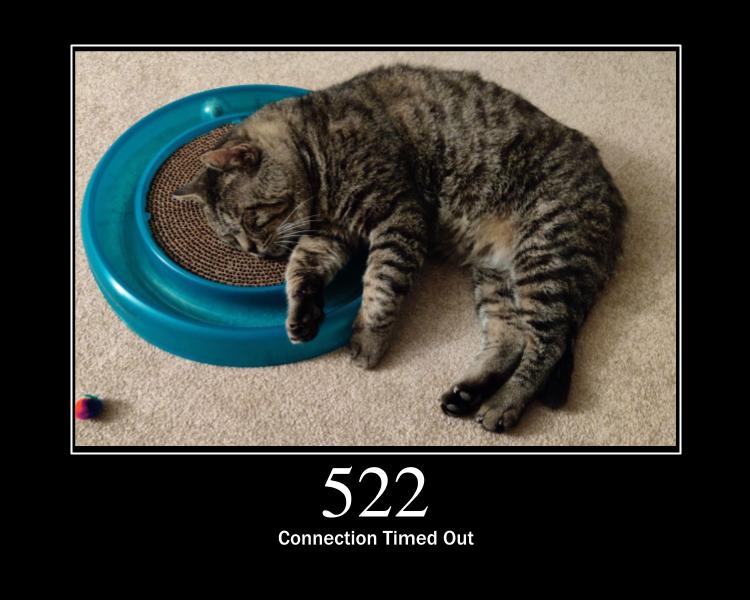 sharp geyser
man this becoming some bullshit
its always when I fuck with nginx do I have problems
😔
lyric mountain
what happens if u nginx -t?
sharp geyser
passes
nginx: the configuration file /etc/nginx/nginx.conf syntax is ok
nginx: configuration file /etc/nginx/nginx.conf test is successful
if it appeared on the log then nginx did receive the request
but it stopped between it and the files
what files are u serving?
or is it an api?
sharp geyser

GitHub
A ShareX/file upload server that is easy to use, packed with features, and with an easy setup! - diced/zipline
this is what I am trying to do
sharp geyser
huh
lyric mountain
like, the server config
lyric mountain
sharp geyser
```nginx
server {
listen 443 ssl http2;
listen [::]:443 ssl http...
this file
where is it?
sharp geyser
oh
lyric mountain
the path
sharp geyser
/etc/nginx/sites-available/aarondye
lyric mountain
did u make a symlink on sites-enabled?
sharp geyser
yup
lyric mountain
no, try it
lyric mountain
still the same thing in the logs?
 lyric mountain
nah, same thing, bottom is just favicon
sharp geyser
sharp geyser
this was all that was in the console before
so I assume now its actually pointing to the right place no?
frosty gale
is cloudflare giving that 522?
sharp geyser

frosty gale
sharp geyser
you can check by looking at the response headers of that request
sharp geyser
there is no response headers
or ig there is my browser is just fucking slow
one sec
yea it appears to be coming from cloudflare
lyric mountain
how did u declare ur addresses?
 lyric mountain
first one should be a cname
sharp geyser
so a cname with an alias to aarondye.dev?
lyric mountain
yes
frosty gale
yeah A records i think is for ip addresses, for another domain name you use cname
lyric mountain
else your url would be smth like https://files
sharp geyser
well lets see if that fixes it
lyric mountain
it wouldn't prefix the base url
frosty gale
cloudflare is usually pretty fast when you change their internal dns settings
frosty gale
can you try route it to some other url/ip to make sure its even working
like google for example
rule out any cloudflare issue
sharp geyser
like proxy pass my nginx stuff to google?
frosty gale
sharp geyser
this is my DNS settings
no change these to route to google or some other test ip
sharp geyser
uhm
idk google's ip
well
files.aarondye.dev routes to google
so its not a cloudflare issue by the looks of it
note here is the updated dns settings

I hope i did this correctly
and im not brain dead
 wispy crescent
Does anyone know any good hosting providers like i.e. railway.app that have capped monthly payments?
I'm currently only using the free tiers anywhere I host.
I just don't want hoting to bite me in the a if for some unexpected reason the cost rises and I pay a couple of houndred dollars instead of the intended fixed price.
lyric mountain
sharp geyser
so its not a cloudflare issue by the looks of it
try to serve a static file to check
sharp geyser
bro im honestly getting tired of this
it's not even that important for me to have a file host
😔
lyric mountain
there's a placeholder index at /var/www/html
sharp geyser
how do I serve this
frosty gale
sharp geyser
bro im honestly getting tired of this
wait until you have to debug something for a week straight
sharp geyser
cause im really not trying to spend more time on this ngl
neon leaf
@sharp geyser
lyric mountain
use the default nginx config
sharp geyser
server {
        listen 80;
        listen [::]:80;

        server_name files.aarondye.dev;

        return 302 https://$server_name$request_uri;
}
server {
        listen 443 ssl http2;
        listen [::]:443 ssl http2;

        client_max_body_size 100M;
        server_name files.aarondye.dev;

        ssl_certificate /etc/ssl/certs/aarondye.dev.pem;
        ssl_certificate_key /etc/ssl/certs/aarondye.dev.key;

        ssl_verify_client on;
        ssl_client_certificate /etc/ssl/certs/cloudflare.crt;

        location / {
                 proxy_pass http://localhost:3000;
                 proxy_set_header Host $host;
                 proxy_set_header X-Real-IP $remote_addr;
                 proxy_set_header X-Forwarded-For $proxy_add_x_forwarded_for;
                 proxy_set_header X-Forwarded-Proto $scheme;
                 proxy_set_header X-Forwarded-Port $server_port;
        }
}
thats not how docker works
assign your zipline container a subnet ip too
and use that
frosty gale
shouldve probably messed with the nginx stuff before actually setting up cloudflare to make sure it works
sharp geyser
neon leaf
assign your zipline container a subnet ip too
well I was following the zipline docs
so idk
frosty gale
sharp geyser
note here is the updated dns settings
im getting too long to respond with the ip you have here, not sure if thats intentional
but that points to an issue on your end
(the server)
frosty gale
so cloudflares working just fine
neon leaf
is the port open?
sharp geyser
so like this?
 sharp geyser
and then in nginx proxy_pass http://172.22.1.2:3000?
neon leaf
and remove ports:
sharp geyser
why remove ports?
neon leaf
sharp geyser
why remove ports?
so its only in the subnet
sharp geyser
it needs a port to listen on?
neon leaf
and not on your host
neon leaf
sharp geyser
it needs a port to listen on?
that doesnt make it listen
that binds it to your host
neon leaf
nope
sharp geyser
ok
neon leaf
but for nginx, is it in docker or standalone
neon leaf
k, did you make sure to open port 80 and 443
neon leaf
what host do you use? contabo?
sharp geyser
contabo
sharp geyser
alright
neon leaf
and try reloading nginx to see if it works
sharp geyser
and is it proxy_pass http://172.22.1.2 or do I include :3000?
neon leaf
include 3000
 sharp geyser
still times out
neon leaf
ufw status
sharp geyser


 neon leaf
did you enable some sort of firewall on contabos side ?
sharp geyser
idk how
neon leaf
netcat -l -p 52944
and leave it running until it closes
sharp geyser
I havent done anything other than install nginx and allow Nginx FULL
and accidentally Nginx HTTPS
neon leaf
do you see anything in netcat?
sharp geyser
Nothing yet
neon leaf
very weird
I tried connecting to the port
so it seems everything is closed
for some reason
sharp geyser
How do I remove everything
sharp geyser
not yet
neon leaf
try doing it
sharp geyser
I did ufw disable ufw reset ufw allow 'Nginx Full' ufw enable
neon leaf
lyric mountain
just remember to disable it first, else you'll be locked out
you know what i just noticed
ssh is not in his ufw list
I think ufw is not doing anything
lyric mountain
sharp geyser
I did `ufw disable` `ufw reset` `ufw allow 'Nginx Full'` `ufw enable`
ufw allow ssh
lyric mountain
neon leaf
I think ufw is not doing anything
hm, makes sense
sharp geyser
maybe its a contabo thing
neon leaf
I mean my contabo vps works fine
sharp geyser
well what i mean is maybe it was an issue with contabo setting it up
neon leaf
iptables -L
sharp geyser
because it was never enabled until I installed nginx and I enabled it
lyric mountain
ufw comes disabled yeah
sharp geyser
neon leaf
may sound like an apple response but, did you try restarting yet?
sharp geyser
like rebooting the vps?
neon leaf
yea
sharp geyser

neon leaf
and snow appears
sharp geyser
Bro its doing the same shit here
neon leaf
and despawns after 5min
sharp geyser
maybe im also in germany
neon leaf
we all are
sharp geyser
It rains, gets hot asf, stops
then 10m later rains again
alright it rebooted
what now
neon leaf
did it fully start
sharp geyser
looks like it yea
neon leaf
hm
quartz kindle
neon leaf
i've never seen port checker work lol
to me it always shows closed even when its actually open
sharp geyser
I've never seen any of my nginx shit work either
neon leaf
yeah netcat does work though
quartz kindle
sharp geyser
I've never seen any of my nginx shit work either
did you setup a basic port 80 static return and tested with direct ip access?
sharp geyser
Idek how
neon leaf
quartz kindle
did you setup a basic port 80 static return and tested with direct ip access?
sir
all of his ports are blocked
quartz kindle
sharp geyser
Idek how
i showed you how
neon leaf
I tried making him open a netcat server
and making me connect
and he never got the connection
 sharp geyser
wtf is that
neon leaf
proxmox
quartz kindle
neon leaf
netcat -l -p 52944
and leave it running until it closes
does that bypass ufw?
just tested here and nothing shows for me either
neon leaf
quartz kindle
does that bypass ufw?
ufw never worked in the first place
ssh was not in ufw and still worked
(yes ufw was on)
quartz kindle
well i tested netcat on my own server and nothing shows either, and my nginx works
sharp geyser
I didn't enable ufw until I installed nginx and allowed it
neon leaf

 neon leaf
did you start netcat
sharp geyser
yup
neon leaf
 sharp geyser
maybe tim's system is bricked to
quartz kindle
my nginx works lol
sharp geyser

neon leaf
quartz kindle
i even allowed the port in ufw
both ways?
 quartz kindle
neon leaf
both ways?
quartz kindle
neon leaf
both ways?
only on the receiving end


 sharp geyser
what is this payment stuff
neon leaf
just select free
sharp geyser
 sharp geyser
neon leaf
just select free
sharp geyser
neon leaf
just select free
What does this mean
 tardy tree
guys is uptime robot the best hosting website?
neon leaf
did you restart zipline for the ip changes?
sharp geyser
I did indeed
quartz kindle
tardy tree
guys is uptime robot the best hosting website?
its not a hosting site lol
tardy tree
quartz kindle
its not a hosting site lol
ok
sharp geyser
OH THERE WEGO
\
tardy tree
quartz kindle
its not a hosting site lol
wher can i host my bot well
sharp geyser
let me try and remove the tunnel
neon leaf
sharp geyser
let me try and remove the tunnel
why
sharp geyser
Cause maybe that was the issue all along
neon leaf
its basically making a reverse connection
 pine nova
tardy tree
wher can i host my bot well
pine nova
tardy tree
wher can i host my bot well
buy a good vps 
neon leaf
thats why it works
sharp geyser
I just did docker compose restart
neon leaf
your ports are gone
sharp geyser
Still doesn't hurt to try
neon leaf
sharp geyser
Cause maybe that was the issue all along
its not
sharp geyser
neon leaf
522 is no connection
tardy tree
pine nova
buy a good vps <:weirdsip:585884223441862656>
did i talk to you im not talking with you im talking with @quartz kindle
quartz kindle
wow
neon leaf
bruh
pine nova

quartz kindle
tardy tree
did i talk to you im not talking with you im talking with <@180112943612952577>
what if i was gonna say exactly the same thing?
neon leaf
@sharp geyser well im going to sleep now, if you cant find a way to fix your ports you know what to use instead
tardy tree
quartz kindle
what if i was gonna say exactly the same thing?
im gonna say
shut the fuck up
quartz kindle
sharp geyser
<:shrug:332268181517238272>
if you still wanna try making nginx work, let me know lol
quartz kindle
tardy tree
im gonna say
shut the fuck up
lmao are you going for a ban speedrun?
pine nova
 craggy pine
😂
sharp geyser
quartz kindle
if you still wanna try making nginx work, let me know lol
I would like to
cuz I can't use tunnels on cloudflare all the time
it makes no sense
neon leaf
if you dont need unproxied sites its fine
neon leaf
sharp geyser
I'd rather have my system not be bricked?!?!?!
yeah makes sense lol
quartz kindle
post your whole nginx conf file, and all files in sites-available and sites-enabled
neon leaf
Btw @sharp geyser
Are you sure that was the IP of your vps
Ssh also didn't respond on it
neon leaf
...
neon leaf
..,...,.......
quartz kindle
LMAO
quartz kindle
check your ifconfig
neon leaf
;;;::::::::
sharp geyser
BRO WHY WOULD CONTABO CHANGE THE IP
neon leaf
@sharp geyser may I ask how U we're using ssh
sharp geyser
same ip
neon leaf
Mm
 quartz kindle
sharp geyser
89.117.144.210
quartz kindle
sharp geyser
89.117.144.210
 neon leaf
Contabo moment
quartz kindle
misty's bizarre adventures
neon leaf
Idk why I didn't think of this sooner tbh
Like, not even ssh worked
I thought U did like an Ip whitelist
Or something
 spark flint
sharp geyser
ig contabo changed my fucking ip
spark flint
spark flint
sharp geyser
ig contabo changed my fucking ip
spark flint
lol
sharp geyser
Well I have zipline
now to figure out how to automatically upload my screenshots to it
lyric mountain
sharp geyser
Now I have another reason not to use contabo for prod
I mean, I do and never happened with me lmao
Iirc u need to explicitly request an ip change
lyric mountain
Did u rent it just today?
Maybe it was still finishing setup and gave u a temporary ip meanwhile

 sharp geyser
lyric mountain
Maybe it was still finishing setup and gave u a temporary ip meanwhile
sharp geyser
lyric mountain
Maybe it was still finishing setup and gave u a temporary ip meanwhile
rented it over a month ago
frosty gale
sharp geyser
well changing the IP in cloudflare to the correct one works
the rookiest of rookie mistakes
quartz kindle
i dont fucking understand mathematical formulas @_@
like how the fuck do i convert this to code
 sharp geyser
quartz kindle
i dont fucking understand mathematical formulas @_@
sharp geyser
quartz kindle
i dont fucking understand mathematical formulas @_@
I dont understand anything either
sharp geyser
frosty gale
the rookiest of rookie mistakes
I am the professional rookie
 eternal osprey
quartz kindle
eternal osprey
quartz kindle
In such complex formulas try to part it
Implement one formula first in a variable, then the second etc etc
Can help a lot
quartz kindle
eternal osprey
Implement one formula first in a variable, then the second etc etc
i tried but i keep getting wrong results
anyway my internet is gonna die because some transformer nearby just blew up and i have no power now
 wheat mesa
quartz kindle
wheat mesa
quartz kindle
This is newton’s law of gravity, I’d suggest looking up a YouTube video on it. I think you’d get it pretty quick
frosty gale
quartz kindle
anyway my internet is gonna die because some transformer nearby just blew up and...
get that handy man to fix it for $200
sharp geyser
I dont use flameshot, I use the built in macos tool for taking screenshots
I still use jq to grab the files property tho I likely dont need to
and I use pbcopy to copy it to the clipboard
huh
there is no issue!
:p
Earlier it was because that domain wasn't routing to zipline properly
tho the problem was a faulty cloudflare config
I need to modify my code tho as its a little slow
I upload it to zipline in a janky way
import requests
import subprocess
from requests_toolbelt.multipart.encoder import MultipartEncoder

# Configuration
ZIPLINE_URL = "https://files.aarondye.dev/api/upload"
ZIPLINE_KEY = "key"

def upload_file(filepath):

    multipart_data = MultipartEncoder(
        fields={
            'file': (filepath, open(filepath, 'rb'), 'image/png')
        }
    )

    headers = {'Authorization': f'{ZIPLINE_KEY}', 'Format': 'uuid', 'Embed': 'true', 'Content-Type': multipart_data.content_type}

    response = requests.post(ZIPLINE_URL, data=multipart_data, headers=headers)

    if response.status_code == 200:
        try:
            result = subprocess.run(['jq', '-r', '.files[0]'], input=response.content.decode(), text=True,capture_output=True,check=True).stdout

            subprocess.run(['pbcopy'], input=result, text=True,check=True,capture_output=False)
        except subprocess.CalledProcessError as e:
            print(f'Failed to process response with jq. Error: {e}')
            print(f'jq stderr: {e.stderr}')
    else:
        print(f"Failed to upload {filepath}. Status code: {response.status_code}")

if __name__ == "__main__":
    import sys
    if len(sys.argv) != 2:
        print("Usage: python upload_screenshot.py <path_to_file>")
    else:
        upload_file(sys.argv[1])
Say hello to my janky py script
💀
lyric mountain
if __name__ == "__main__": lovely
sharp geyser
ngl
chatgpt generated part of this
I just modified it to work with jq and pbcopy
I was too lazy to write it myself
which is probably why its slow asf
frosty gale
lyric mountain
`if __name__ == "__main__":` lovely
thought that was good practice
frosty gale
pythonists still recommend you place one there even if thats the case so i think youre fine
but it doesnt really amtter
lyric mountain
frosty gale
thought that was good practice
it is, the funny part is how python doesn't have an actual entrypoint
sharp geyser
the problem is
its slow
it takes like 2s to upload the image and then like another 2s to copy to clipboard
frosty gale
python isnt known for its blazingly fast performance
but its probably because youre spawning 2 processes just to do that so its gonna be slow
sharp geyser
This took 10s to generate
https://files.aarondye.dev/u/aa594ce0-f440-4489-b4fc-a73fe57fd766.png


frosty gale
yeah thats gonna be incredibly slow
youre gonna have to do something else
like some library
sharp geyser
I mean
I don't necessarily need jq
I just need to grab the url from
b'{"files": ["someurl"]}'
frosty gale
what is jq and pbcopy doing
sharp geyser
jq grabs the url from the json response, and pbcopy copies it to the clipboard
its what the sh script does
I was converting it to a python script tho
cuz idk how to modify the sh script to do what I need
I mean if possible i'd love to just use curl
#!/bin/bash
curl -H "authorization: asdad" https://files.aarondye.dev/api/upload -F file=@/tmp/ss.png -H "Content-Type: multipart/form-data" -H "Format: uuid" -H "Embed: true" | jq -r '.files[0]' | tr -d '\n' | pbcopy;
my issue is, idk how to give it the file from watchman
frosty gale
bro is using a whole shell script just to grab a url and copy some data to clipboard
sharp geyser
what
What are you on about?
How else am I going to upload the screenshot to the file host, then grab the viewable url
you expect me to do this manually
Its meant to be like sharex except sharex is on windows not mac
so I have to find my own way
quartz kindle
pine nova
chatgpt
that was unironically a good suggestion, except that it keeps generating code that doesnt work, but i think i can take it from there
frosty gale
sharp geyser
What are you on about?
you said jq grabs the url from the json, you can do that purely in python? pbcopy you can also replace for a Windows api call or whatever os you're using
but shell is fine for that too ig
although those combined shouldn't be 10 seconds slow so something else is probably going on too
sharp geyser
frosty gale
you said jq grabs the url from the json, you can do that purely in python? pbcop...
Well I figured out how to use a shell script over a python script
#!/bin/bash
curl -H "authorization:sdfsdf" https://files.aarondye.dev/api/upload -F file=@$1 -H "Content-Type: multipart/form-data" -H "Format: random" | jq -r '.files[0]' | tr -d '\n' | pbcopy
Problem is, for some reason when watchman runs this, nothing happens
but if I run it manually it works fine

sharp geyser
lyric mountain
it is, the funny part is how python doesn't have an actual entrypoint
Hey haku, have you ever used watchman before?
lyric mountain
nope
pine nova
quartz kindle
that was unironically a good suggestion, except that it keeps generating code th...
i mean its good for getting an idea or for reference
sharp geyser
lyric mountain
nope
rip 😔
I am trying to google my problem but it seems like google wants me to watch a movie instead
sharp geyser
Its a file/folder watcher that can also perform triggers when it changes
pine nova
GitHub
Watches files and records, or triggers actions, when they change. - GitHub - facebook/watchman: Watches files and records, or triggers actions, when they change.
lyric mountain
and it'll be easier to find answers on internet
sharp geyser
Well, I need to watch the ~/Pictures folder for new screenshots and then call my sh script that takes in the file path to upload it to zipline
Watchman for some reason tho is sending over the placeholder string %f instead of the path
😔
so it can't find the file its looking for since its literally %f
sharp geyser
lyric mountain
hm, why not try pm2?
I dont think I can use pm2 here no?
lyric mountain
it can also listen to file changes
sharp geyser
It wont give me the filepath of any new files added to the ~/Pictures dir right?
lyric mountain
people use it all the time to hotswap code
sharp geyser
I am looking to listen to the changes in a dir, and call an sh script when that change happens passing in the filepath to the newly added file
I've never seen pm2 have that ability
basically ./somescript.sh filepath is what I need to be called
and that filepath is the path of the newly added file to ~/Pictures dir
lyric mountain
also u dont need watchman to give u the paths technically
u can just use find with creation filter
sharp geyser
watchman is just a way to listen to the changes and call a trigger
sharp geyser
lyric mountain
u can just use `find` with creation filter
How
How am I going to automate this on a new file being added. This is the problem I am facing
lyric mountain
find /to/target/directory/* -msec 2
will show all files lastly modified 2 seconds ago
sharp geyser
Ok
lyric mountain
unless u spam printscreen key, it should give u correct results
u can get it even lower if u have the average time between file being created and watchman triggering
optionally, store the find . in a txt file and cross-compare when watchman triggers
the missing entries would be the newly added files
sharp geyser
-msec is not a valid thing
lyric mountain
well, I thought it was valid since -mmin is for mins
there's prolly one for seconds
oh, in fact
find /path/to/directory/* -newermt '2 seconds'
sharp geyser
it returns nothing
Just took a screenshot

and it logs nothing
im honestly too tired to continue working on this
😔
It's dumb watchman was working when I was executing a python script
but as soon as I swapped to a sh script it was to complain and send over an incorrect value
eternal osprey
@lyric mountain gimme a nice project to do in java
I want to practice my skills more


 past field
random update, i got my confessions game finished!
 deft wolf
Good job
 opaque acorn
hello, how should I notify that Im going to do maintenance on the bots computer?
lyric mountain
eternal osprey
<@350836145921327115> gimme a nice project to do in java
An opengl implementation of graphics2d
I started it once, things were getting complicated halfway
Bonus if u can beat regular graphics2d times
 civic scroll
surreal sage
<:BocchiDeathStare:1152075266408063127>
civic scroll
surreal sage
<:BocchiDeathStare:1152075266408063127>
check console
tip: some browser apis can be blocked from cookie policies, thus will be made unavailable (runtime error if used) eg. localStorage
eternal osprey

What is graphics2d?
Kuu don’t worry. Give me a few weeks and I got it done
Will publish it onto GitHub for you to track lmao
civic scroll
eternal osprey
What is graphics2d?
2d graphics
eternal osprey
Hell nah I ain’t doing all that
Can I reroll? Gimme another project lmao tf is this
you expect me to control graphics etc 😭
surreal sage
civic scroll
check console
ehh in the end it was that next-intl was trying to get non-existent keys because i was feeding it indexes and not values in a language select component
civic scroll
eternal osprey
you expect me to control graphics etc 😭
you used matrix to solve Fibonacci
there, use matrix to render graphics
civic scroll
surreal sage
ehh in the end it was that next-intl was trying to get non-existent keys because...
ah
surreal sage
i pushed to prod thinking my thing works but after i checked... quick rollback
civic scroll

eternal osprey
civic scroll
there, use matrix to render graphics
No shit but it’s more complicated than that
civic scroll

sharp geyser
eternal osprey
Deadass what’s a fun project to do guys?
do you have an android phone?
sharp geyser
oh same
but uh
GitHub
Master programming by recreating your favorite technologies from scratch. - codecrafters-io/build-your-own-x
check this out
sharp geyser
eternal osprey
Fully representing iOS 🗣️
Make a browser in java /j
fully autonomous browser
it searches what you want before you even know what you want
💀
 solemn latch
Do you like dbeaver?
eternal osprey
sharp geyser
it searches what you want before you even know what you want
Cant lie that shouldn’t be too hard
I already created a gui version of a browser it was pure shit. It would display the web contents on your console lmao. It was fully interactive as well though
sharp geyser
solemn latch
Do you like dbeaver?
I use it often
solemn latch
yeah just installed it, it seems like its just pgadmin. Which is fine with me ^-^
But it supports more than just pg
solemn latch
Yeah, that was kinda cool to see
 sharp geyser
hm?
solemn latch
I cant close it ^-^
sharp geyser
never had that issue
 sharp geyser
neat
sharp geyser
@neon leaf
I have a question about what we did yesterday. We made a subnet 172.22.0.0/16 but how exactly is this possible?
If this is a thing, why do people buy additional ips from the service providers?
sharp geyser
How does it work though?
If I might ask
I tried googling but the answers I received were a little over my head 
neon leaf
what exactly do you want to know
it just tells your system to route ips starting with 172.22 to your system instead of the outside world
sharp geyser
sudo docker network create Internal --driver=bridge --gateway=172.22.0.1 --subnet=172.22.0.0/16 --label=Internal
So this is the command I ran right.
I am not all too used to docker just yet, so docker network is something i've not run into.
From my understanding the way the command works is
docker network create Name
--driver=bridge (meaning bridge the connection from docker to the system making it inaccessible from the outside world?)

--gateway=172.22.0.1 (I assume we have to assign a ip in the subnet as the main ip of the internal network?)

--subnet=172.22.0.0/16 (you told me yesterday what this did but I forgot)

--label=Internal (I assume this just lets us keep track of our networks)```bridge makes the subnet run over the same connection as the host, so you have internet instead of just nothing
subnet is just notation for what ips are affected basically
gateway yes
label yes
sharp geyser
Hm
So docker is able to create internal networks separate from the main ip
allowing it to isolate it's connections?
Though it will all still be run over the same network as the host in the end right?
neon leaf
yes
sharp geyser
Which is why zipline was able to work
despite having a connection to the internal network
hm I see
So any docker containers I run here on out, I should assign its own ip part of the subnet?
So long as it needs it ofc
 neon leaf
well you dont
if it works and you know how to replicate the working state you probably know enough
(unless you actually need to KNOW how it works)
sharp geyser
I mean
I don't know if I need to know how it works
but it likely will be helpful
Since im trying to setup a large scale e-commerce platform
neon leaf
mmm
sharp geyser
Networking will be cruicial to know I feel like
Without knowing how to set it up, and how it works I won't be able to make it stable no?
Let alone secure
neon leaf
uh no
this is enough to protect all containers
so only processes ON the vps can access them directly
sharp geyser
oh ok
nice
That's cruicial for me
ory kratos should only be accessed inside the vps from my understanding (I think)
We have Ory Kratos up and running, but we need to configure a reverse proxy to make the Kratos Admin API inaccessible via the public internet. We need to set serve.public.host and serve.admin.host to 127.0.0.1 to ensure Ory Kratos is listening on the loopback interface.
Unless I am misunderstanding this part
they are setting up Ory Kratos to only listen to internal connections right?
neon leaf
uh I dont have any context but thats what they are doing I guess ?
sharp geyser
I would link the docs but idk if you'd want to read it to figure out
cuz my ass can't understand a lick of it
Though it seems like that's what they are trying to accomplish
ima just go for it
eternal osprey
@sharp geyser are you in cs rn or a diff major?
sharp geyser
neon leaf
uh I dont have any context but thats what they are doing I guess ?
I am writing a docker-compose file to better manage ory kratos, they also have their own config file of variables defined to make kratos work. Is there an easy way to pass it to compose? The way i've seen people talking about is mounting the config directory where the file is at, but that doesn't necessarily pass the config file to compose
 soft pagoda
Hello.
sharp geyser
eternal osprey
<@957347862314905610> are you in cs rn or a diff major?
I am not in college atm
I am thinking of going for CS though
neon leaf
sharp geyser
I am writing a docker-compose file to better manage ory kratos, they also have t...
what
soft pagoda
Can I please get help for the .py sdk?
sharp geyser
neon leaf
what
The normal way to use kratos with docker is to
docker pull oryd/kratos:v1.1.0
docker run --rm -it oryd/kratos:v1.1.0 kratos.yml
I am making a compose file though instead to make it easier to manage running kratos in docker
I still need to be able to pass that kratos.yml file to it tho
sharp geyser
soft pagoda
Can I please get help for the .py sdk?
#topgg-api is the best place to ask
neon leaf
version: '3.8'

services:
  kratos:
    image: oryd/kratos:v1.1.0
    command: kratos.yml
hm
I wonder why people were talking about mounting the config dir then
if it was that easy
neon leaf
sharp geyser
I wonder why people were talking about mounting the config dir then
to save it
sharp geyser
save it?
neon leaf
this is just your command translated 1:1
neon leaf
sharp geyser
save it?
well
in this case kratos wil lcreate a new dir
and since its not mounted manually
that will create a volume
sharp geyser
I see, I have a lot to learn about docker 
I assume this is what you essentially meant tho right?
 neon leaf
version: '3.8'

services:
  kratos:
    image: oryd/kratos:v1.1.0
    command: /mnt/config/kratos.yml
    volumes:
      - ./config:/mnt/config
this would mount
unless kratos does not auto create missing dirs
then it will error
sharp geyser
What's the point of mounting it though
neon leaf
so you can edit it
sharp geyser
Is it just to make it entirely accessible to the container?
would doing
services:
  kratos:
    image: oryd/kratos:v1.1.0
    command: /opt/kratos/config/kratos.yml
    volumes:
      - ./config:/opt/kratos/config
mess anything up? as ./config would be the already made dir /opt/kratos/config since the docker-compose file is at the root of /opt/kratos
sharp geyser
also
networks:
  default:
    name: Internal
    external: true
``` does external make it accessible outside of the subnet if its true?external means the network is already created and compose does not need to make it again
neon leaf
is this command peak creativity?

 pale vessel
sharp geyser
neon leaf
is this command peak creativity?
pale vessel
sharp geyser
neon leaf
is this command peak creativity?
love it
kratos-migrate-1 | migrator: problem creating schema migrations: unable to execute statement: CREATE TABLE schema_migration (version VARCHAR (48) NOT NULL, version_self INT NOT NULL DEFAULT 0): ERROR: permission denied for schema public (SQLSTATE 42501)
Right guys, I don't know if its failing to connect because of how my compose file is setup or not, but something is happening here.
THe password is definitely correct i've checked like 20 times
sharp geyser
version: '3.7'

services:
  kratos-migrate:
    image: oryd/kratos:v1.2.0
    command: migrate sql -e -y
    environment:
      - DSN=postgres://kratos:no@172.22.1.1/kratos?sslmode=disable
  kratos:
    image: oryd/kratos:v1.2.0
    command: serve --config /opt/kratos/config/kratos.yml
    volumes:
      - ./config:/opt/kratos/config
    environment:
      - CONFIG_FILE=/opt/kratos/config/kratos.yml
    depends_on:
      - kratos-migrate
    networks:
      default:
        ipv4_address: 172.22.1.3

networks:
  default:
    name: Internal
    external: true
ALTER DATABASE kratos OWNER TO kratos;
sharp geyser
I basically followed this
 neon leaf
ALTER DATABASE kratos OWNER TO kratos;
neon leaf
neon leaf
ALTER DATABASE kratos OWNER TO kratos;
do this
connect isnt enough to migrate
sharp geyser
idk what the fuck just happened
but my logs got spammed
It seems to have worked ig....
deft wolf
neon leaf
is this command peak creativity?
Cookie clicker on Discord 
lyric mountain
sharp geyser
```
kratos-migrate-1 | migrator: problem creating schema migrations: unable to ...
you should not be using public
 lyric mountain
well damn
 neon leaf
dam
 pine willow
@lyric mountain what do you think about these stats? Looks good or bad?
 lyric mountain
well, any number is good tbh
 urban delta
okay @lyric mountain descobri um metodo melhor pra pegar transformar os espaços em branco em \\0, usando esse algorítimo, porém Match não pode ser usado em for, n sei qual o jeito correto de o usar em for
pine willow
lyric mountain
well, any number is good tbh
Alr
urban delta
### This part is making use of space easier to handle, so there is no need to always type \0
    ### forhandling wise
    pattern = r"\[(.*?)\]"
    pivots = re.search(pattern, macro)
    for num, i in enumerate(pivots):
        piv = i
        macro = macro.replace(f"[{i}]", f"[{num}]")
        piv = piv.replate(" ", "\\0")
        piv2 = re.search(piv, r"{.*?}")
        for num2, j in enumerate(piv2):
            piv3 = j
            note = ["{", "}"]
            piv = piv.replace(f"{note[0]}{j}{note[1]}", f"{note[0]}{num2}{note[1]}")
            piv3 = piv3.replate("\\0", " ")
            piv = piv.replace(f"{note[0]}{num2}{note[1]}", f"{note[0]}{piv3}{note[1]}")
        macro = macro.replace(f"[{num}]", f"[{piv}]")
-142 too?
sharp geyser
WTF does this mean
 sharp geyser
neon leaf
what even is kratos
sharp geyser
neon leaf
what even is kratos
Its an auth api
It helps manage user registration and login as well as session management, verification, account recovery
neon leaf
why not diy it
sharp geyser
Because I would rather let something meant to do tis job do it
I don't trust myself to DIY it in such an important project
neon leaf
well its also a good chance to learn auth
sharp geyser
While it's a good chance to learn auth idrc to learn it atm
I'd rather let someone much smarter than me handle that kind of stuff.
frosty gale
neon leaf
https://tenor.com/view/kratos-heart-kratos-heart-god-of-war-god-of-war-ragnarok-...
kratos has turned femboy
i still need to finish god of war
lyric mountain
urban delta
okay <@350836145921327115> descobri um metodo melhor pra pegar transformar os es...

Stack Overflow
I want to turn a string that looks like this:
ABC12DEF3G56HIJ7
into
12 * ABC
3 * DEF
56 * G
7 * HIJ
I want to construct the correct set of loops using regex matching. The crux of the issue is t...
urban delta
lyric mountain
https://stackoverflow.com/questions/12870178/looping-through-python-regex-matche...
eh eu tinha pesquisado aqui

mas n consigo entender por que o regex não acha os argumentos dentro de chaves
tipo, piv2 n era pra ser uma lista vazia
esse negócio é um saco
tipo, dou a instrução pra pressionar a faca contra a maçã
e o bagulho diz que não existe maçã
sendo que ela ta ali na frente
    ### This part is making use of space easier to handle, so there is no need to always type \0
    ### forhandling wise
    pattern = r"\[(.*?)\]"
    pivots = re.findall(pattern, macro)
    for num, i in enumerate(pivots):
        piv = i
        print(f"{piv = }")
        macro = macro.replace(f"[{i}]", f"[{num}]")
        piv = piv.replace(" ", "\\0")
        piv2 = re.findall(piv, r"\{(.*?)\}")
        print(f"{piv2 = }")
        for num2, j in enumerate(piv2):
            piv3 = j
            note = ["{", "}"]
            piv = piv.replace(f"{note[0]}{j}{note[1]}", f"{note[0]}{num2}{note[1]}")
            piv3 = piv3.replace("\\0", " ")
            piv = piv.replace(f"{note[0]}{num2}{note[1]}", f"{note[0]}{piv3}{note[1]}")
        macro = macro.replace(f"[{num}]", f"[{piv}]")
eu detesto quando acontece uns bagulho desse
lyric mountain
urban delta
mas n consigo entender por que o regex não acha os argumentos dentro de chaves
piv2 = re.findall(piv, r"\{(.*?)\}") esse?
lyric mountain
oq é re?
urban delta
lyric mountain
oq é `re`?
é da biblioteca imbutida de regex
re
usa biblioteca de regex
lyric mountain
ta, printa print(piv)
urban delta
eu já printei
lyric mountain
cade
urban delta
urban delta
aqui
lyric mountain
ata n, n ai
printa antes do piv2
o problema provavelmente é aquilo q to te falando faz tempo
n se deve usar barra-numero

 lyric mountain
s, é isso msm