#bug-discussion
1 messages · Page 127 of 1
 patent relic
 austere coral
Here's three things to try for that.
Clear steam download cache
Run a CHKDSK on both your C drive and whichever drive the game is installed on
Temporarily disable your AV and firewall
 velvet tusk
 patent relic
hopefully that's it
 gray quiver
@mossy breach that’s what happens when you press the center button on your controller
To stop it from showing up, launch the game in big picture mode. That also holds true for any other game.
 round trellis
stop discussing bugs, that's exactly what they want you to do, once you stop talking about them they will just jump off to another game. Make DRG bug free!
 spice trail
Has anyone reported Lloyd uninteractivity?
Oh, yes.
I just changed my language right after talking to Lloyd, wasn't able to talk to it until disbanding team
 lime quartz
Have anyone who had problem with the game crashing with "Not enough memory to allocate texture" error when hitting the ESC key twice?
I suppose this could be a one-off
spice trail
Was messing around with pressing E and Esc at changing class terminal at the same time. Got an image without UI
Being like this in menu
And also while E is cycle classes and Esc is exit terminal, I managed to change class using these two buttons. Unsure if bug.
 swift solstice
is the new ebonut being able to be destroyed by axe power attack a feature?
we accidentally destroyed a few and the secondary cannot be completed
 edgy hull
This shadow seems too dark
 digital veldt
Hold up
 light salmon
 blazing zephyr
Hello sorry my english is doesnt perfect we got a problem in game can someone help me ?
We playing as for when one of us shutdown, after is computer restart he lost all this progression in the game.
Thanks for your time ! 🙂
ps synchro with steam doesnt work
 marble remnant
I posted in the wrong channel  SORRY
SORRY
 dreamy quail
@blazing zephyr there is a restore save button in settings. Look there and pick the most recent save
 barren sonnet
Hi
I've had this problem for a while now when I play with my friend.
Playing singleplayer will not cause these glitches:
I am unable to access the KPI station unless I spam the interact button over 10 times. I also cannot access the bar menu. I get the option to open the bar but the menu does not appear, I am able to move normally and it disables the menu for my friend, however the game is still playable with some minor teleportation issues. I have unistalled and reinstalled the game (making sure files were erased) and this has not fixed the issue>
Thanks.
dreamy quail
What platform are you playing on?
dreamy quail
Ah, then I'm not sure how to help, but you could ask around in #xbox-and-windows-store
Microsoft versions are quite unstable at the moment
barren sonnet
It is a steam version
 lapis dust
@sonic river I took a look at it and I think I managed to fix it! That should have been fixed a long time ago, its good get kicked into gear once in a while 🙂
blazing zephyr
@dreamy quail ok i will give the info ty !
 placid musk
my savegames keep going bad at random intervals. It would just show a black screen after "click to continue" I have the community screen disabled. Deleting the save file lets me start the tutorial again 🤔 My ancient Core2Duo might be severly underpowered, but why does it work like a charm in the tutorials?🤔
dreamy quail
@barren sonnet I've looked through some steam posts and your best bet would be to disable ipv6
 fallen hill
@placid musk Do you have the game installed on a seperate hard drive?
gray quiver
Other games too or just deep rock?
 near finch
Since the last update i can't connect to any game, when i check the server browser for open matches to join it just seems to infinitely load, even after waiting 10+ minutes, is there a fix?
dreamy quail
Pretty sure thats intended
spice trail
That is. Check changelog
 pseudo fjord
oh my bad
 broken obsidian
I am not sure if this is the correct channel for this issue? If not go ahead and delete it if you like
I was wondering if anyone could help me out with this? My game runs perfectly fine, buttery smooth framerate on high settings but every now and then I get massive stuttering issues. At first I thought it was caused by dark areas for whatever reason but that isn't the case. It is seemingly random. I have tried everything. Messed around with game settings, reinstalled, verified files, tinkered with nvidia control panel... nothing is working! Does anyone have a fix? I love this game but this issue is causing me enormous frustration 😦
 cloud compass
There appears to be a typo in one of the achievements. "Darwin Award" was clearly meant to be "Dwarvin' Award"
 tired helm
i dont know if it fits here but i cant connect to the servers or something like that and my server list is completely empty all the time
can someone please help me?
 dense kettle
When Steeve is nearby a transportable object like jadiz, aquark or volatile kursite the game can't decide what you should do between picking up the object or petting steeve. The item generally gets teleported a few meters from you and your character will pet Steeve. It's even worse when you try to deposite at the mule.
 stone crypt
i keep getting a black screen when i try to start the game
after the initial loading screen
task manager says Not Responding
 cerulean knoll
One message removed from a suspended account.
 hollow latch
@cerulean knoll Just need to restart the game
cerulean knoll
One message removed from a suspended account.
One message removed from a suspended account.
hollow latch
The invite friends doesn't work now ?
cerulean knoll
One message removed from a suspended account.
One message removed from a suspended account.
hollow latch
That one i don't remember on how to solve it
Something about using the disband group option
And trying to see if the others can't do it too
cerulean knoll
One message removed from a suspended account.
 mossy breach
funny
 elfin perch
I think the grabbing range of the Gunk Seeds are to low.
 zinc gull
Having a weird issue with using a controller. I checked other games to make sure it was not the controller and it works fine. But in DRG I only have controller functionality for bring up and overlay and to move around the menus. besides that the nothing.
 restive mountain
My cousin has a huge issue on xbox one where all the UI and most textures dark red, everything’s super dark too in terms of shadows
 molten osprey
hello guys, I've got the same problem as @cerulean knoll : my daily affectations are blocked with the mention "servor error". Some people have the same problem, and the only one solution was to disable the fire-wall but this one doesn't working for me. I've got this problem since my first day on this game, and thought updates would fix it but not yet
 cobalt badger
Since earlier this morning my game has no sound whatsoever. the GSG logo plays sound when launching, but as soon as I spawn into the game world all sound suddenly disappears. The game isn't muted, my speakers work fine, and I've tried everything I can find using a google search, nothing works.
 gloomy schooner
cobalt badger
gloomy schooner
cobalt badger
I don't think that's a bug.
gloomy schooner
so a new error named thing?
cobalt badger
Mhm, seems like it
it's formatted exactly the same as the cube so i think it's related
 white girder
Since the last update i can't connect to any game, when i check the server browser for open matches to join it just seems to infinitely load, even after waiting 10+ minutes, is there a fix?
@near finch Has anything changed with respect to your machine's configuration (Windows Updates, as an example)?
near finch
I managed to get it sorted, it was an issue with my firewall blocking DRG
just happened to line up with the update
 tired spindle
Hello, I'm encountering the same weird bug again, can't join close server, it's really annoying :/
 viral gate
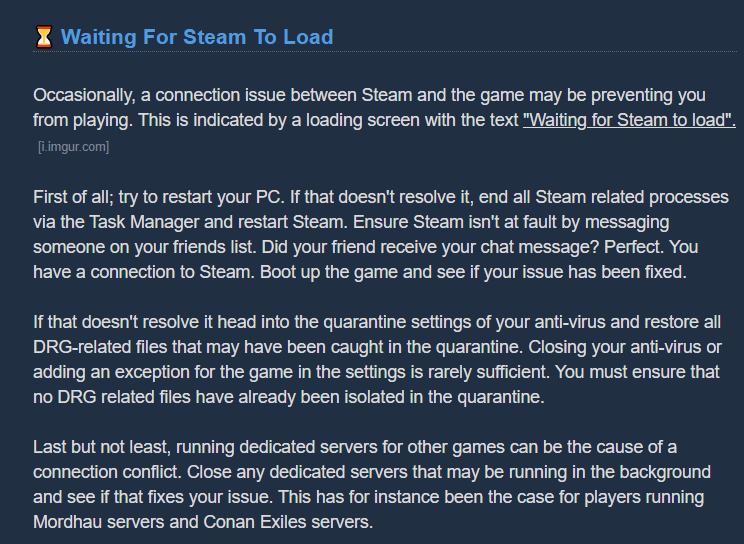
hey my friend just bought the game and its giving him the "steam not loading" error upon launch
weve turned off firewall, restarted game and computer, validated files, any suggestions?
 hexed totem
Not sure if this is the right format, but I can't play two dives in a row. Every time i run the second dive the game crashes and
LowLevelFatalError [File:Unknown] [Line: 127]
ExpandingArray out of range (MAXSIZE 134217728).
austere coral
What are your system specs? @hexed totem
Also is there any chance you could take a screenshot of the entire error log?
 steep cedar
Sometimes drones from machine event tower is invisible and after you fail the mission DRG just freeze dead.
austere coral
@molten osprey @cerulean knoll Verify windows date and time settings are set to automatic and restart your game.
@cobalt badger try this https://steamcommunity.com/app/548430/discussions/2/1729827777339086202/
@restive mountain See pinned messages in #xbox-and-windows-store, a fix is coming, but it'll take time.
@broken obsidian try this as well https://steamcommunity.com/app/548430/discussions/2/1729827777339086202/
broken obsidian
thanks mate! that worked, someone on the sub also linked me that
no stutters now ❤️
molten osprey
did it without any sucess
hexed totem
@austere coral Here's the output of dixdiag
I'll try and get a screenshot out tomorrow. It's a bit late here now.
austere coral
@hexed totem Verify that your dedicated gfx card is being used instead of your integrated graphics from your cpu. Update your video drivers.
 worthy matrix
 austere coral
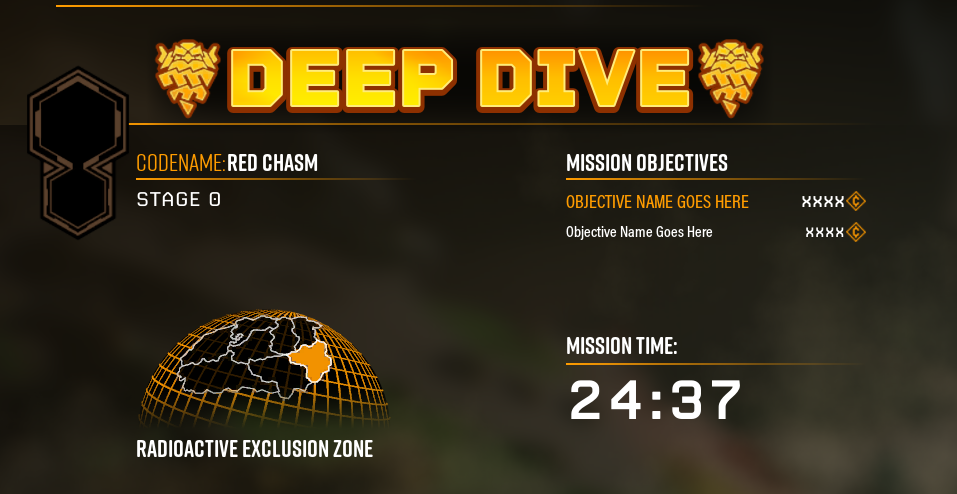
That's typical of a Thursday. Someone, likely the host, didn't restart their game prior to launching the deep dive. That was Red Chasm which was last weeks dive. Likely your game thought you were in this week and the host still hadn't ticked over yet.
viral gate
any help with "steam loading error" on my friends computer?
austere coral
 wheat silo
Got a strange bug last night. Was doing a mini mule mission. we got as far as the stage where the timer is counting down before we could get into the drop pod. some of our members were still alive - two i think. but when it hit 0 it said we failed the missing for not getting inside. I am pretty sure that we didnt missing the launch - the cage was shut - we weren't at the 'get inside the drop pod' stage. potentially three members of the team was down and one was up with iron will reviving a fallen player; though I'm not 100% on that point. either way it seems like an odd bug. the error message seemed to imply we failed for not getting into the drop pod.
 glass plaza
ok so I have been playing the game for the past few months with no problems and ever since the new recent update the game just randomly freezes and goes down below 20 fps out at random times quiet frequently 😦
austere coral
system specs? @glass plaza
glass plaza
amd ryzen 2600 gtx 1660ti 8gb ram
austere coral

Hi all Some users are experiencing stuttering/low fps/freezes and Alt+Tab issues when using a combination of AMD FX Series CPU's and Realtek Audio sound, it has also been observed on other combinations, f.eks Intel and Realtek Audio. If you are having issues as described above...
glass plaza
i've done tried it nothing
austere coral
then go through the troubleshooting in pinned messages
 glacial terrace
Did you try uninstall grapich driver?
austere coral
I'd recommend using notepad++ to do edits to those config files. It's a lot easier to maintain formatting.
but it looks correct to me
 muted chasm
When are you going to fix the low GPU usage with UE4? the -dx12 command fixes it but there is lots of flashing and pop-in due to instability with DX12 in UE4, its been like this for months with 0 fix from devs
The same thing happens in insurgency sandstorm and thats uses UE4 aswell
 spare owl
My weekly assignments have gone back to none completed twice today. After finishing the second mission i went to mission select & had no icon for next assignment. I checked the board to see it had none completed, I selected it again & cleared one mission.
I’ve just loaded back & again my weekly assignment is back to none completed/needs to be selected again
This is on Xbox one x
muted chasm
3 of my friends report getting alot of frame drops going from 120 to 20 just after this large update. anyone else having this issue?
is it true the windows store version uses dx12?
why is the steam version till dx11???
...............
austere coral
I don't know for certain (and could be entirely incorrect), but I doubt the xbox and windows store version are using dx12. As far as I'm aware the version of UE4 they're (the devs) using doesn't fully support dx12 without introducing bugs and updating to a new version of UE4 is a massive undertaking for a small team. The issues arising on the xbox version have to do with a plugin between UE4 and UWP that's no longer supported.
 delicate glen
hello, since a few days, before the Update, I had a display problem. After launching the games (on my main screen on the left), my right screen freeze and the steam interface (shift + tab) not work. if I put the games in window - full screen, it goes to my right screen and impossible to put it back on the left. Help Me Please !
muted chasm
Well i cant even stand in the lobby without getting low usage

reddit
6 votes and 17 comments so far on Reddit
And in combat its even worse
reddit
40 votes and 28 comments so far on Reddit
but it all gets fixed with the -dx12 command but lots of flickering and pop in....
austere coral
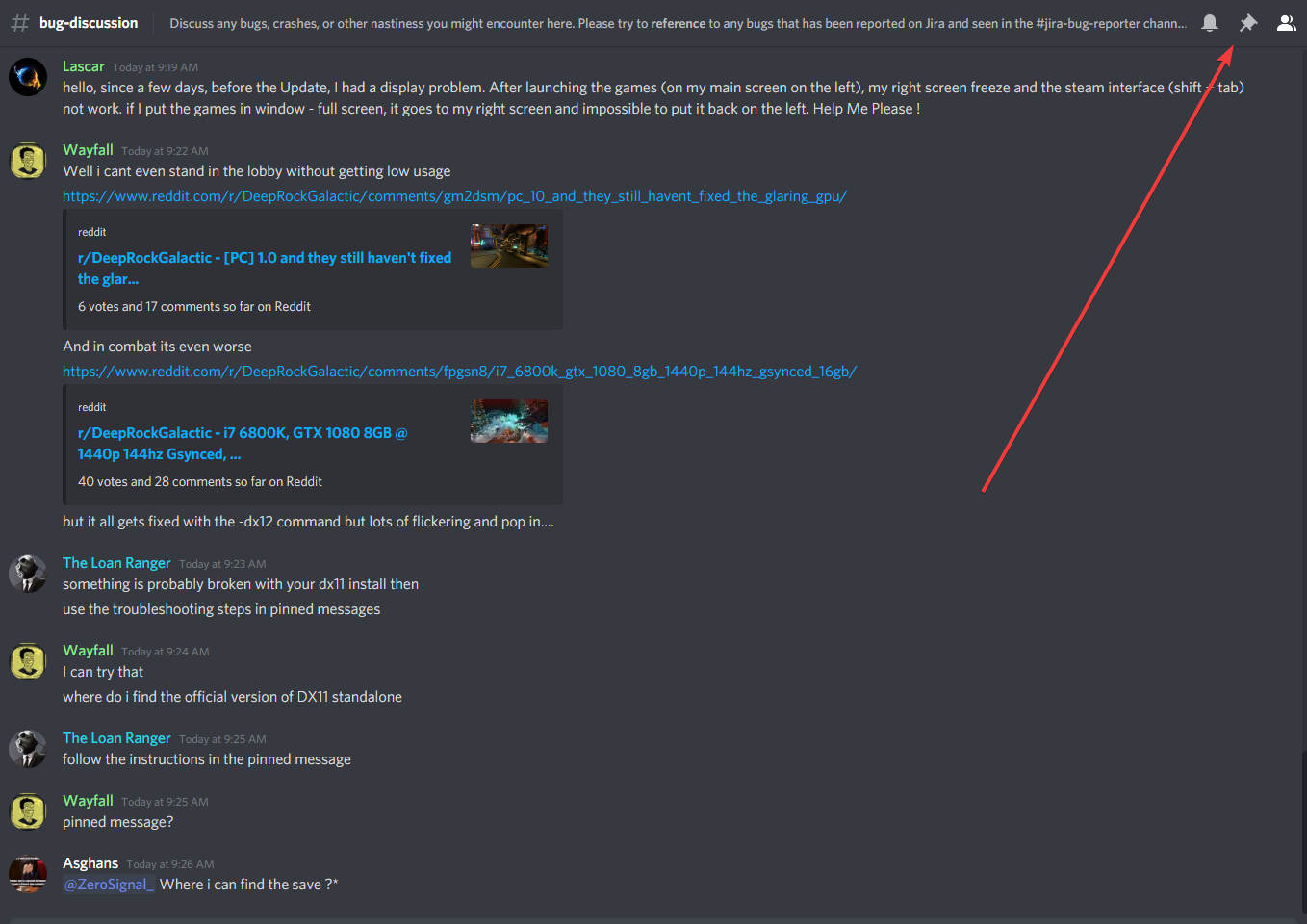
something is probably broken with your dx11 install then
use the troubleshooting steps in pinned messages
austere coral
follow the instructions in the pinned message
muted chasm
pinned message?
blazing zephyr
@dreamy quail Where i can find the save ?*
austere coral
steam save files are located here \steamapps\common\Deep Rock Galactic\FSD\Saved\SaveGames
muted chasm
Which step am i following for DX
austere coral
 remote flume
Full ammo on engineer turret after going towards the next deepdive
I let the turret stay on the map, go into the drop pod, next deep dive mission the ammo of the turret is full. happens 100% of the time in about 4 tests (last week i noticed it and today i actually payed attention)
muted chasm
@austere coral just reinstalled dx and it say a the same or newer version is installed. restarted and my pc locked up. disabled my overclock to let me back in. dunno odd. i will load up the game and see if its fixed but im guessing now
Nope still does it. tanks to 60-70% still so no matter if i have an overclock or not. With the DX12 i still got 99% even without an overlock.
The engine has got to be the issue here
on the matter of reinstalling DX i think this may a good link to add to your current

I have a Linx tablet running Win10. it was upgraded from Win8 the day Win10 was released. On Windows 8, I had a number of older games I played without issue. however, after upgrading to Win10. These
going to restart and see if thats fixes my issue
Nope, doesnt work
guess im just going to have to wait another year till you update the engine to dx12 if ever. Will just have to be a dead game in my library for now
austere coral
I'm not a dev, just a community member. It's unlikely the game will see a major UE4 update. Typically you don't update engine versions on existing games. All it does is usually just creates more bugs and takes a long time.
 dire gull
@muted chasm You don't have a frame limiter on do you? See see both your pics, one is 98 fps, the other 99
 brittle mulch
Right now had an awful bug during elite deep dive. I was killed by these flying guys that do electric damage while being on a zipline. However I hadnt fallen of it, instead I got stuck on it while still considered to be alive and without any ability to do anything. This costed us EDD, plese solve shortly. Screenshot below.
dire gull
@muted chasm Also try updating Nvidia drivers
I remember when I tried to play Astroneer after ages of not playing, frame rate was awful, updated nvidia drivers then it was fine
austere coral
pots o gold only works on the pickaxe of the person who drank it. Mining with bosco, c4, TCF, or bulk explosions won't increase your gold mined.
tired helm
can somebody please help me with a problem i have?
austere coral
can't help if no one knows your issue
 outer plaza
I've encountered an issue with 2 of the new side objectives and I'm not entirely sure if it's a bug, but I don't know exactly where to post about this. I'm having issues finding gunk seeds and ebonuts. It seems like the spawn rate is extremely low, unlike apoca blooms and boolo caps which can be found in surplus. Last night I was doing a solo mining expedition with the gunk seed side objective in Magma Core and I made to the end of the cave network after meticulously checking the ceiling for gunk seeds. I only had 9 out of 12, and there was no where else to go, so I headed back the way I came, and still, no more gunk seeds. Today on a point extraction with a full group, we had the ebonuts side objective. After 40 minutes in and having checked the map top to bottom, we ultimately decided to call for extraction when a massive fissure killed half of our group. It was only after we called the drop pod that we found our 11th nut because the pod landed right next to it. At this point I asked if anyone else had experienced this lack of new objective spawns prior as well. One of my teammates said they were also encountering ridiculously low spawns for the new objectives and that the only one they were able the fleas one.
TL;DR Gunk Seeds and Ebonuts have such low spawn rates that there isn't even enough in the mission to complete the side objective
remote flume
The Gunk Seeds tend to spawn inside walls, which is annoing to get at and tends to destroy them while the seed itself dissapears into the void i lost 5 of them while doing a normal mission
 jagged mirage
Hey
Do you know if there's any fix for no "Join" button in Steam? I cannot join my brother's games from Steam App / DRG itself. However, when I open go to Steam community page, find his profile, there's a working Join button
 crisp pewter
The equipment that leavers drop, is very difficult to pick up. Is there something with the hitbox of it♠
restive mountain
Anyone have any experience of the entire screen and UI permanently turning red/dark. On xbox one and even reinstalling doesn’t help
austere coral
restive mountain
@austere coral never saw the earlier reply, thanks
crisp pewter
died on zipline bug is still there... I remember someone posting about it earlier. Does the devs know its a problem
 blazing locust
Anyone else have that framerate screen flickering bug?
ok, it's caused by having DX 12 active
shame
tired helm
i have a problem where my server list is completely empty and i dont know why
 haughty mauve
did u see my trick?
 keen glen
Whole team was getting massive frame drops during an Elimination mission in the ice region. Might be the wind tunnels.
 wet pike
if you shoot the ground in crystalline caverns it shows the wrong material/ color particles
muted chasm
I just wish devs would concentrate on fixing the performance over contents. I'm sitting here wanting so much to play and enjoy the game but the games DX11 cant use my components correctly. DX12 everything runs great but everything flickers and there is pop-in. Please make the next update to implement DX12 finally or at the very least optimize DX11
wet pike
turns out this bug effects all biomes
hexed totem
@austere coral still getting crashes after updating nvidia drivers. I launched the game from the geforce experience and set the 3d settings for the game to use the dedicated graphics card
LoginId:-
EpicAccountId:-
Assertion failed: [File:Unknown] [Line: 127] ExpandingArray out of range (MAXSIZE 134217728).
FSD_Win64_Shipping
FSD_Win64_Shipping
FSD_Win64_Shipping
FSD_Win64_Shipping
FSD_Win64_Shipping
FSD_Win64_Shipping
FSD_Win64_Shipping
FSD_Win64_Shipping
FSD_Win64_Shipping
FSD_Win64_Shipping
FSD_Win64_Shipping
FSD_Win64_Shipping
FSD_Win64_Shipping
kernel32
ntdll
 vague pivot
Only the host can get the Car Pool achievement?
wet pike
it also happens with the drills but NOT with the pick
 finite umbra
Probably already reported. Not all players in the same game are on the same assignment mission even though everyone clicked at the same time.
muted chasm
Stop adding content and fix the engine!
 gentle linden
My buddy is having problems launching on steam. His game instantly crashes upon starting up. We've scrounged through his anti-virus, verified integrity of game files, re-installed steam & DRG, checked dxdiag. Can't find a resolve. Anyone have any other recommendations? There is no crash log btw.
Also reinstalled gpu drivers
austere coral
@hexed totem run through the troubleshooting steps in pinned messages
@finite umbra This depends on the assignment they have selected. If everyone has the same assignment selected and it still isn't being reflected then they need to verify that windows date, time, timezone, and daylight savings are all set to automatic in settings.
@gentle linden Have you buddy follow the troubleshooting steps in pinned messages
specifically the one about launching FSD.exe as admin. That'll pop up an error for a .dll. It'll let me know if it's audio driver related or directx related.
gentle linden
yes it did

sounds like its directx related right? from what I looked up online
Only thing is I don't know where to go from here exactly
austere coral
@muted chasm A couple of things.
- Stop spamming, devs read this channel.
- Artists that create new models are not the same that do the core coding.
- It's unlikely this late in the games existence that it'll receive full dx12 support. The majority of players do not have issues. Something is wrong with your hardware/software. There's a pinned troubleshooting guide for dealing with it. If that doesn't work then see DRG-1494
@gentle linden looks like an audio issue, do you have realtek audio drivers?
gentle linden
Seems like he did something with direct x, but it is finally running after an hour and a half.
He had direct x 12, but he ran the end-user runtime installer, maybe he was missing a file somewhere.
austere coral
was his windows install original or did he upgrade from a previous install of windows?
gentle linden
All I know is that his PC was bought used, so I don't think he would know for sure
This is the first game he's downloaded and played on it as well
austere coral
I'm trying to narrow down the cause of the directx issue for others. Haven't made any headway with it. Just know for some reason some installs of windows 10 lack necessary files for dx9.
gentle linden
and it was through dx9 as well. He went through this link: https://www.microsoft.com/en-us/download/details.aspx?id=35

Microsoft Download Center
The Microsoft DirectX® End-User Runtime installs a number of runtime libraries from the legacy DirectX SDK for some games that use D3DX9, D3DX10, D3DX11, XAudio 2.7, XInput 1.3, XACT, and/or Managed DirectX 1.1. Note that this package does not modify the DirectX Runtime instal...
austere coral
yup, seems to work for most people
 timber vine
Game crashed to desktop when killing the healing plant for the new boss event with the cryo cannon
 honest rock
hi, i wanted to report another bug but my account on the bug reporter was disabled for inactivity, can i have it reactivated?
i am not allowed to do it myself
 gusty abyss
On the end game screen, if the first click is anywhere except the continue button, the mouse gets centered
austere coral
Are you sure you're on the latest version of the game? Because if you are then the fix in U31 didn't work. @gusty abyss https://discordapp.com/channels/257785731072786435/367226824721301504/720260996060676107
gusty abyss
Before U31 it was centered when the end game screen first appeared, now it's on first click except clicking the continue button
 muted ore
Anyone experiencing a lot of game crashing on Xbox one today I am
 real cargo
I just encountered my first korlok. It's up on an island floating in the sky, can't reach it.
 formal saddle
Just here to formally report this bug since it escalated since the last time I sent a message about it. It's a sort of clipping/flashing bug.
It started a few days ago when only in customization screens (like the equipment screen or the shop), the screen behind my dwarf would flash white in an inconsistent manner (as if things were clipping into each other in the background). And today, it started doing the same but while in normal gameplay, which throws me off a lot and prevents me from playing normally.
Some PSs:
Direct X 12 is installed and updated.
My graphics card has been updated for about a week and there's no new updates.
I've verified the game's files, and they're fine.
I've had a clean reinstall of the game.
Have restarted the game and it's been happening over multiple consecutive days, after the computer has been off for at least 8 hours a day.
I use the "-dx 12" on the game launch options because I had an issue before where the game would crash on launch, and this is the only thing that fixed it.
I've just updated Windows as well a few minutes ago and it's still doing the same stuff.
Forgot to add, my specs:
gtx 750 ti
i5 3330
windows 10 pro
austere coral
that -dx12 is what's causing your issue
the version of UE4 that's used doesn't fully support dx12 and as a result it introduces graphical bugs
remove the -dx12 and launch FSD.exe as admin and list the error message. It's likely a dx9 issue. There should be a troubleshooting guide in pinned messages that should walk you though resolving it.
the idea behind putting -dx12 into launch options is to further identify what kind of issue it is. Typically it'll let you know if it's a directx related issue if it resolves your crashing. For some reason windows 10 has issues fully installing dx9 files and some are required to run the game.
formal saddle
"Unreal Engine is exiting due to D3D device being lost."
I tried all the fixes from the "common crashes and freezes" thing on the community tab
glass plaza
ok so I tried a lot of things to try and stop the freezing and I am almost certain that it's because of a new windows update that I did, just trying out codbo3 custom zombies and never had any issues before and now it happens in it too going to try other games and see
I never thought about seeing if it happens on other games just because I've been wanting to play since the new update
austere coral
@formal saddle are you manually launching FSD.exe as admin or are you launching it through steam?
@glass plaza if you think it's a windows update then uninstall the latest one in settings
formal saddle
I launched manually as admin.
austere coral
follow the pinned troubleshooting steps, likely a dx9 install/repair
formal saddle
I've already done those as mentioned. I'll try the repair again.
Whelp now it's telling me I have to be running w98, 2000, XP, Millenium or 2003 to install dx9
 spare echo
I have experienced a bug where two people are knocked out from blackout stout. And the other person kills themselves in the barrel hoop and then is stuck in ceiling in med bay as a giant. Me, my Dad, and his friend discovered this
 winter obsidian
My friend is unable to launch the game from steam, he verified that the integrity of the files. Not sure what the issue is, checked on reddit there was no clear answer
austere coral
do the troubleshooting guide in pinned messages
 kind night
Does this count as a bug?
austere coral
xbox/windows store?
kind night
steam
austere coral
are you usng -dx12 in launch options?
kind night
yes
austere coral
remove it, it causes graphical bugs like that
 snow kelp
The mission started to glitch out with missing textures, random green and white flashes, and when I got back into the station, I got this:
glass plaza
so it wasn't windows could it be the Nvidia control panel settings I have them set to?
the 3d settings that is
austere coral
AMD gpus have an issue with anti lag, you could verify that's disabled in the nvidia control panel. Other than that I'd recommend going through the troubleshooting checklist in pinned messages
glass plaza
but even still I never had this problem after 266 hours
glacial terrace
Are you using the windows 10 2004 version?
glass plaza
how can I check?
 glacial terrace
Okay, install HDTune and make full scan from error scan tab, it can take an average of 2 hours. If you see red square, there is a bad sector in the disk and this causes the game to freeze (scan where the game is installed)
formal saddle
I've done all of the pinned message's troubleshooting things and still no go.
(Getting the "Unreal Engine is exiting due to D3D device being lost" error while the game crashes at launch.)
I'll try a clean reinstall again
glacial terrace
can you send screenshot? @formal saddle
formal saddle
I just uninstalled it so can't rn.
It just instantly gives me the crash thing with that message.
glass plaza
can I do anything while this is going on?
I did a quick scan and it was all green is it better just to wait I'm asumming
glacial terrace
Yeah you can do, I don't recommend quick scan
glass plaza
ok
glacial terrace
Did you try max fps limit? Looks you didn't use fps limit, maybe you can set fps limit to 120 and look for any freeze
glass plaza
wait am I supposed to be in the game while it's scanning?
I usually play with vsync but was seeing if not capping the fps would not freeze
glacial terrace
No, I just wondered if you were using the fps limit.
glass plaza
nope
glacial terrace
Have you set the default settings for the graphic card?
glass plaza
for the openGL render?
glacial terrace
For nvidia control panel
 glacial terrace
Load default settings from top right corner
glass plaza
so restore them
 fallen hare
I late joined into a match with two downed players, however they did not appear downed and henceforth, I could not pick them back up, this is the first time this has ever happened to me, so I'm assuming its a bug.
glacial terrace
so restore them
@glass plaza Last, try troubleshoot in pinned massages for freeze
glass plaza
ok so scan just finished and it was all green
glacial terrace
There's no bad sector on disk nice, try solutions in pinned massages and try again
 hasty garnet
So I found a new way to break the loading screen...
glacial terrace
I guess you have issue with graphic card
hasty garnet
I’m on Xbox
You just spam B in the loading screen and it duplicates the players logos until it breaks the game
 formal saddle
Same here
 pale valve
Anybody run into an issue when walking in any direction for a second you suddenly slow down to a crawl? Switched around the polling rate on my keyboard thinking that might be the issue but it remained the same. Verify game files and restarted my computer but the issue remains. Issue appeared after the latest patch. https://streamable.com/gfar2t

 misty steeple
The way the drop pod Ramp extension is now halved/slowed can be dangerous! Or you can say I was unlucky! But still it's dangerous!
Scenario: Elite Deep Dive!
Was returning to the drop pod, I checked the map and ran ahead to the direction of the pod which was still landing!
It landed in a cave above me and as I was running the ramp unfolded ontop of me getting me trapped inside of it!
All I could see was a thin line going across my screen having no idea what it was!
I could not dig, or escape, my team had to dig me out with a horde of enemies chasing us!
Maybe add some type of collision to the Drop Pod Ramp? Stopping it from extending if It hits terrain and will further extend to its max if that terrain is removed! Thanks!
fallen hare
I late joined into a match with two downed players, however they did not appear downed and henceforth, I could not pick them back up, this is the first time this has ever happened to me, so I'm assuming its a bug.
Cool, they fixed it
 toxic meadow
So I did a quick search and didn't find anything on it. I can't currently post the bug due to the account being deleted, but I can't get over the wardrobe paintjob bug. Every single time I get a new armor paintjob it shows something new, but after I look at the new paintjob the wardrobe notification still stays on the dang thing until I restart the game.
crisp pewter
If you are reloading when you die, you finish the reloading before you actually die. I mean you cant die with an empty gun of course 🙂
 raw path
I late joined into a match with two downed players, however they did not appear downed and henceforth, I could not pick them back up, this is the first time this has ever happened to me, so I'm assuming its a bug.
@fallen hare I've encountered this bug many times, imagine it being three players instead of two
fallen hill
That's fixed in the latest hotfix.
 slender pulsar
Opening and closing the promotion screen in the memorial hall should not restart ode to the fallen. That song takes so long to build up and its so good. Pls fix
mossy breach
I hope this is the right place to post this but I've been having trouble launching the game through steam. It shows that I'm in game for about 2 seconds before reverting back to the online status. I've tried everything from restarting my PC to verifying integrity of game files and setting launch options to -dx12 and still no fix. Any suggestions?
glacial terrace
It's crashing on start up? @mossy breach
mossy breach
Yeah it could be that.
glacial terrace
Try disable antivirus and open game as administrator from where the game is installed
 topaz flame
Anyone else seem to get a noticible performance drop after this morning's hotfix? I used to get between 45 to 60 FPS in the space rig, no I'm hitting 15 to 20 just walking around!
Dropped everything to low and still there.
Seems to be when I'm looking at the map orb...
Weird.
glacial terrace
Try uninstall your graphics card driver @topaz flame
mossy breach
So I did try to run the game as administrator and I got these two error messages
And before you ask I did exactly what it told me to do and I still got these messages.
 vivid jackal
after I did a google, it says install/reinstall Microsoft's DirectX
glacial terrace
@mossy breach Try install these: https://www.microsoft.com/en-ca/download/details.aspx?id=35 and https://www.microsoft.com/en-us/download/details.aspx?id=34429

Microsoft Download Center
The Microsoft DirectX® End-User Runtime installs a number of runtime libraries from the legacy DirectX SDK for some games that use D3DX9, D3DX10, D3DX11, XAudio 2.7, XInput 1.3, XACT, and/or Managed DirectX 1.1. Note that this package does not modify the DirectX Runtime instal...
Microsoft Download Center
Microsoft DirectX® 9.0c End-User Runtime will update your current version of DirectX — the core Windows® technology that drives high-speed multimedia and games on the PC.
mossy breach
It looks like it's working now. Thank you both for the help.
glacial terrace

glacial terrace
You're welcome Mark 🙂
austere coral
@mossy breach do you know how windows 10 was installed on your computer? Was it fresh, from an OEM, or did you upgrade from a previous version of Windows?
fallen hill
All details are very much welcome so we can help other players with the same symptoms.
mossy breach
It was freshly installed and @fallen hill it was DirectX that fixed it. For some reason I didn't have it installed.
fallen hill
Reports like yours have unforuntately increased in frequency lately.
Cool! Thanks, @mossy breach! Happy you managed to fix it.
glacial terrace
Maybe you forgot to download this, now I'm glad it's resolved
honest rock
hi i still need an admin to reactivate my account on the bug tracker so i can report another bug
spice trail
The bug reported about players standing while downed is literally the same I reported a while ago. Three of us were downed at space rig (One was afk), then one rejoined and couldn't revive us as we were standing still.
 warped nacelle
Anyone else run into immobile Wardens?
austere coral
@honest rock you can report it here. Devs check this channel too.
crisp pewter
After droppod had taken off (mission beginning), Molli walked up an empty droppod and sat there in the air.
hexed totem
@austere coral My issue has been resolved by Patch 31 hotfix 1
honest rock
are u sure? i develop some stuff and i personally really would not want to look through a discord channel to get properly formatted and well typed bug reports
that don't just get lost in the sauce
austere coral
it's all seen
honest rock
okay, i found two issues with the diegetic ammo UI (that I really like and do want to use by itself) in that here, the neon band mesh for the BRT-7 covers over the ammo counter
and also, the shield generator & C4 do not have an ammo counter on them, which means you cant know how many you have if you have ammo counter turned off
i like the diegetic ammo counters a lot and i do want to play without ammo counters so i can thin down the ui, but yeah theres just some small issues like this stopping me
 ancient fulcrum
Hi ! , i get blocked in the bridge on my solo mission i was just waiting in front of the door to escape and the bridge deploy in my body 😦
hasty garnet
WE NEED THE GLITCH WHERE ASSIGNMENTS QUIT THEMSELVES TO BE FIXED. I HATE DOING TWO MISSIONS AND IT QUIT BY ITSELF
vivid jackal
@hasty garnet Did you start the assignment before thursday and then it quit on/after thursday?
If not there was also an update in the latest hotfix for this
- Killed a bug that caused Weekly Assignments to sometimes reset progress if you quit the game mid assignment
austere coral
it should've been fixed it todays update
are you doing the haz 5 lethal assignment by any chance?
hasty garnet
Yes @vivid jackal
But I’m on Xbox so that update isn’t out yet
But it’s cool that it is fixed👍
austere coral
assignments like the weekly assignments reset on Thursdays
hasty garnet
I know that
At 9AM EST for me
This was last night
We played a mission on like Monday that just reset for all of us
glacial terrace
The danger level screen is too small. Can't read what the danger level is. (I know the dangers, but it's hard for the new miners)
 undone pebble
Hello guys, since 31, Quick Join doesn't work at all for me and when I host myself I feel like people join me way less (I'll end 3/4 of my public games solo). Anyone having these kind of issues ?
Could it be that people don't join me because quick join is broken ?
glacial terrace
Most players enter rooms with anomalies or warnings. Quick join is broken for all I guess. Your room is on the server list, don't worry. If your room broken, try disband team from esc menu top of right corner
 slate ridge
Bluetooth bug still exist in u31 https://steamcommunity.com/app/548430/discussions/2/1744483505466585093/
Sound is present in menu and tutorial mission, and disappears after entering lobby. After that, sound is not working even in other apps until the game is closed. Note: this problem was discussed, but no solution was found, and it was not reported. https://steamcommunity.com/ap...
 neon mantle
Bug with multiple swarms occurring during machine events, got a triple swarm during a ebonite infection
Pre 15 minutes on a PE
 azure ibex
Every single time someone sends me a dm or joins/leaves a discord call im in my game crashes, my game hasnt crashed for any other reason than something happening in discord and im so confused
austere coral
now that's one I've never heard before
my best and only guess is it's possibly an audio issue, but I'm shooting in the dark here.
Maybe this will work, maybe it won't. In this case I've got no clue. But it can't hurt to try it out. https://steamcommunity.com/app/548430/discussions/2/1729827777339086202/
Hi all Some users are experiencing stuttering/low fps/freezes and Alt+Tab issues when using a combination of AMD FX Series CPU's and Realtek Audio sound, it has also been observed on other combinations, f.eks Intel and Realtek Audio. If you are having issues as described above...
azure ibex
Thanks for the help ill check it out
austere coral
are you getting any crash log popping up when the game exits?
or is it just straight to desktop?
azure ibex
I get a crash log
austere coral
what's listed?
azure ibex
Unhandled exception
MMDevAPI
MMDevAPI
MMDevAPI
ntdll
ntdll
kernel32
ntdll
austere coral
now that I've seen before
alright
I've got a potential fix for you
in pinned messages there's a troubleshooting guide. Do steps 7-10, 11 if none of those work.
azure ibex
Thanks!
 paper steeple
After selecting a mission I went to check what perks I had on and it loaded up my scout avatar but on the gunner page. I could select and access all weapons and gadgets for the gunner and change his perks. As soon as I selected the next class it was fine. When I left the terminal and went back on it loaded up the Scout loadout like normal. Idk what happened here
dreamy quail
Fairly old bug
paper steeple
ah right cool, im new to the game so wasnt sure
not like its big anyway, just wanted to check
 fading owl
 austere coral
what are your full system specs?
 bronze warren
not sure what happened, I ws doing a mission as host, everyone but me lost connection / left right before we launched the mine head, and when I finished the mission it reported the xp earned but I received none of it.
does anyone know what happened?
 icy lake
https://youtu.be/iQPnXnxZdQ4 this might not be a bug but I wanted to bring it up just in case.

 pulsar parrot
@icy lake It's intended feature to make the beard change the front armor look, because before, the beard would clip through the armor and didn't look good. So that's why it is now.
@bronze warren Could be a internet interruption that could've happened? Also receiving no exp from it, was your character already at its max red level (25)?
topaz flame
Try uninstall your graphics card driver @topaz flame
@glacial terrace
Worked like a charm. Simple one. Shoulda thunk 🙂
Updated to latest driver + a handful of Windows updates that the installer needed
bronze warren
@pulsar parrot yeah couldve been internet, and no, Im aware you cant exceed level 25, this was at level 14
glacial terrace
Worked like a charm. Simple one. Shoulda thunk 🙂
@topaz flame I'm glad to it's work.
 thin cove
Ok Engineer platforms crashed my pc once again
I removed the piece of terrain that the platform was attached to, thus removing the engineer platform and bam pc crashed again.
I dont know if this only happens to me
glacial terrace
Can you send screenshot of crash? @thin cove
thin cove
My Pc just blackscreens and restarts as usual when this game or my pc fck up something so sadly cant provide any screenshots here.
glacial terrace
What's your pc specs?
thin cove
Ryzen 5 2600x, Rx 580 8gb VRAM, 16gb ddr4 2800mhz ram, running on windows 10
glacial terrace
That's weird if it just happening for platform. Are you using fps limit? and did you do any overclock to your pc?
thin cove
No fps cap no overclocking.
glacial terrace
Check your cpu and gpu temperature in game then tell me results
thin cove
Current temps for cpu and gpu in the space rig are: 64 degrees for cpu and 70 for gpu so nothing out of the ordinary.
 lavish sonnet
glacial terrace
lavish sonnet
glacial terrace
So did you verify your game files?
thin cove
@glacial terrace I did it a couple of times never found any problems. I even moved the game from my ssd to my hdd but that didnt fix the issue
glacial terrace
Weird issue... If your internet is good try reinstall game and lower the graphic settings in game. I have no idea for this
thin cove
The issue even occurs in solo sessions, reinstalling didnt fix it so I dont know either, thanks for the help tho 😄
austere coral
It may be corruption of some directx files. Go through the troubleshooting checklist in pinned messages. Later steps will have you install directx 9 and conduct a repair on an existing install.
thin cove
I still dont know if I am the only one having this issue tho. It seems to be easy to reproduce. Simply attach the engineer platform to an ice spike for example. Break the ice from below thus breaking the spike and the platform and thats when my pc crashes. I didnt always have this issue. Only since they introduced the advanced terrain breaking.
austere coral
Real quick. Is your install of windows fresh, from an OEM, or did you upgrade from a previous version of Windows?
thin cove
I didnt upgrade, Ive had this pc with Windows 10 for two years now *corrected a spelling mistake.
glacial terrace
I think I found a bug. When I throw a platform on the ice, the platform doesn't attach to the ice. Passing behind the ice.
hollow latch
@glacial terrace I think that's because they aren't terrain but rather something simial to deeptora and such
austere coral
@thin cove In that case I suspect that you either don't or have an incomplete install of directx 9. Go ahead and complete steps 7-10
hollow latch
They are an entity with an hurtbox where the terrain doesn't have any
thin cove
If I were to break the ice connected to the platform thus removing it, it would crash my pc.
glacial terrace
They are an entity with an hurtbox where the terrain doesn't have any
@hollow latch Yeah I know but maybe the platform will attach to the ice and the ice will fall to the ground. It sounds good for me
hollow latch
I don't have any experience in game design (i am more of an automation guy) but making an interaction like that would probably require a lot of special interactions and model animations
glacial terrace
Yeah, I think so too
thin cove
@austere coral Ok I tried all of the fixes mentioned above and it still hasnt fixed the problem. At this point im fairly certain that the issue lies within my pc because i have had issues with it in the past and buying a new Pc isnt really a option for me. I cannot confirm that however, because noone else has tried recreating the issue. I guess the only viable option is to maybe reset Windows wich I dont want to go through again just because of one game that deciedes to fuck my pc. I still thank you for all the help and I will still play the game becasue its just really awesome. So thank you all for your help. Cheers.
austere coral
If you've got the time and a spare USB stick you can complete a windows repair using the install media.
thin cove
It may even be that windows isnt even the issue here. I had a few times where I would turn on my pc with the keyboard and mouse on but I would just have a blackscreen and would need to restart the pc again. So Its very likely something is broken. Could be virtually anything from Motherboard to CPU, GPU and so on.
 restive stream
unable to equip mk5 armor on driller. i equip it in the menu, but the second i look at a different character or exit the menu, mk3 is equipped. when i return to the driller page, it says mk5 is equipped even though it clearly isnt.
also unable to equip mk1
austere coral
a workaround to that is to select a paintjob that isn't the default one
restive stream
chocolate reign isnt default
austere coral
I have no idea what you're referring to. There's nothing in the game called chocolate reign.
glacial terrace
MK5 is working fine to me
pulsar parrot
Chocolate Reign is one of the paintjobs for Driller. Also not seeing an issue while equipping the MK5 and replicating the steps.
 worthy gorge
So, you know you guys "Fixed a bug that caused the mouse cursor to forcefully center in the Mission Complete screen when the 'Continue' button appears". Since the update, whenever I click on continue my mouse is forcibly placed in the middle of the screen; and I have to click continue a second time to ... well ... continue.
@thin cove - next time I start up DRG I'll try and reproduce your issue. It never occurred to me to try. Is it just ice spikes, or all terrain?
thin cove
All terrain
 shut hinge
Anyone started getting crashes loading into missions today?
thin cove
I had a crash today
worthy gorge
Going to go try it now. brb
glacial terrace
All terrain
@thin cove I tried your platform issue and there's no crash for me.
worthy gorge
@thin cove - Nope. Didn't crash. Destructed the platform as expected. Weird bug. Given you are seeing odd issues with your PC, have you run a RAM test on it?
thin cove
@worthy gorge no I havent ran a RAM test on it since there was never the need for one, becuase DRG is the only game that screws with my pc
glacial terrace
Did you reinstall graphic card driver?
thin cove
Yes I tried reinstalling GPU Drivers as well, but it didnt help either.
glacial terrace
which drive of the game is also installed?
thin cove
@glacial terrace what do you mean by that?
glacial terrace
I mean, where is the game installed? C: driver or other?
thin cove
As mentoined before I had the same problem on my ssd which is my C: so I uninstalled it and reinstalled it on my HDD (D:) but the issue was still there
worthy gorge
Mine's on S: 🙂
glacial terrace
Go to windows search bar and write "cmd" open as administrator and write these commands one by one and wait for each command to finish, if cmd asks you no or yes, write yes then restart computer and open game again.
Commands:
sfc /scannow
DISM /Online /Cleanup-Image /CheckHealth
chkdsk /f /r D:
thin cove
Already did it no problems were found
glacial terrace
😦
thin cove
Guess im just going to play Solo without any Engineers that could crash my Pc then xD
worthy gorge
Given that I actually didn't know platforms would vanish if you mined the terrain out from under them, even with ... a few hundred hours (oh. my. goodness) of game time I feel like it's going to be a rare occurrence.
thin cove
The most time it happened to me when I was playing scout and accidentaly hit a platform, removing it and crashing my pc very nice experience 😄
glacial terrace
Maybe try to reset bios to defaults?
 glass lance
I have had that happen to me where somebody accidentally separated the platform I was standing on from the wall and it destroyed the platform. It didn't crash the game though
austere coral
one last thing to try. Do step 9 https://discordapp.com/channels/257785731072786435/258990272967475200/604162193474453504
glass lance
also, I found a coloring mistake today
the Breach Cutter shows as a weird color when the "Custom Engineered" skin is combined with the "Metallic Vintage" paintjob
stock, glyphid trophy hunter, and fourth relic all match the grey + blue color scheme, but this one turns orange-ish for some reason
 ripe tinsel
So, apparently, if someone is pressing a button to activate an event and disconnects whiles doing so, the button becomes bugged and the event can't be activated
swift solstice
seems like the union selection is bugged and does not appear if you click on the join union/discord in the game and join the discord but doesn't select a chapter
 ocean marlin
My friend and I both got this game today, him on Xbox and I on Windows 10, thinking we could play together, but whenever I try to join his game I get a dialog box that says "Multiplayer session ended". Tried to join him from quick join and that didn't work either
austere coral
see pinned messages in #xbox-and-windows-store
pulsar parrot
@swift solstice So you first joined the Union/Discord in game before joining in Discord first, which bugs it from preventing selecting a chapter? Am I reading that right?
swift solstice
i think so. it did ask me to join a chapter when i first got to this discord months ago but i couldn’t decide and didn’t select one
so now there doesn’t seem to be an option for that unless i missed something somewhere
patent relic
It may even be that windows isnt even the issue here. I had a few times where I would turn on my pc with the keyboard and mouse on but I would just have a blackscreen and would need to restart the pc again. So Its very likely something is broken. Could be virtually anything from Motherboard to CPU, GPU and so on.
@thin cove the steps that @austere coral led you through are essentially troubleshooting a hard drive issue given the error message was a write error. Some of the stuff you've described seem congruent of a HDD failing. You say you have installed DRG on D drive but your windows is on C? Are they just partitioned on the same HDD or are actually two different HDDs? (are they HDD or SSD?)
pulsar parrot
@swift solstice On my side, I'm able to change chapters within 1 Days, 11 hours and 5 minutes. After that, then you won't be able to change chapters. Wondering if it's something to do with region or Windows timezone is off
austere coral
@swift solstice steam and discord have to be launched with the same permissions (admin).
swift solstice
interesting, how do you change chapter? I wonder if it's because i missed the initial prompt and it wont prompt again after that
also if there's no such option if you never joined any chapter
austere coral
access the miners union terminal directly to the left of the pickaxe customization station.
this only works with the client version of discord
not the browser based one
swift solstice
hmm i wonder if this is it
the terminal left of the pickaxe customization just launches this discord channel for me :v
thin cove
@patent relic Windows is installed on the SSD so C:, and DRG is installed on a HDD so D:, but was previously installed on the SSD which didn't fix the crashing problem
 tall stump
Can someone help me please? I just bought this game from the microsoft store and I can't get past the "press any key to continue" screen
pulsar parrot
@swift solstice But Discord from the site (chrome, firefox etc.) or the desktop app?
swift solstice
desktop app
tall stump
when i click, a blank pop up window appears for a split second and then disappears, never letting the game to detect a click so i can't even get to the main menu
pulsar parrot
@swift solstice then you probably still have to run Discord and/or DRG as admin if havent yet. Sorry if that was already mentioned.
swift solstice
ok let me try as admin for discord
patent relic
@patent relic Windows is installed on the SSD so C:, and DRG is installed on a HDD so D:, but was previously installed on the SSD which didn't fix the crashing problem
@thin cove I didn't read all the things you mentioned before but only the game crashes or does windows also crash? I vaguely remember seeing something about blackscreen
swift solstice
@pulsar parrot is the panel left of the pickaxe customization bench still the union panel after the latest update? it's showing as information channel now, unless that's it
dreamy quail
yes it is
thin cove
My Pc blackscreen and then restarts
patent relic
Any error messages?
swift solstice
that seems like a hardware problem, have you tried any other stress tests on the cpu/gpu
pulsar parrot
@swift solstice Revert it back 😅 if it's not showing the Union layout anymore on the terminal next to the pickaxe customization bench
thin cove
@patent relic nope nothing
pulsar parrot
@tall stump I'm trying to reproduce it, but I'm not seeing that windows pop up. But you're saying you can't click anymore and not sending you to the game lobby?
patent relic
My Pc blackscreen and then restarts
@thin cove tbh this does sound like a drive failure; if it happens outside the game and happens when you run it on C drive, it would make C drive the culprit - your system files exist on it after all
austere coral
may be the xbox game bar popup, I'm uncertain though
swift solstice
@pulsar parrot yessss, now i see the union chapter join option screen
interesting that it can detect the discord being ran as admin
thx for the fix 😄
tall stump
@urban hinge yeah, I can reduce the screen from fullsize to windowed, but that's about it. I can't actually get any key presses to register the gray pop up window goes away 1/10th of a second after i click
I used to have the game for steam and it worked fine
thin cove
@patent relic I've had a similar issue on an older pc some time ago where I had to reinstall windows and it worked again. But back then I was still able to see my mouse cursor on the screen in this case the screen is just blank with nothing on it and my Monitor is just cycling through different inputs
patent relic
@patent relic I've had a similar issue on an older pc some time ago where I had to reinstall windows and it worked again. But back then I was still able to see my mouse cursor on the screen in this case the screen is just blank with nothing on it and my Monitor is just cycling through different inputs
@thin cove given I'm not there in person, not much I can say about what happened there.
I'd start backing things up for safe measure though
thin cove
@patent relic also one important thing to note is that my pc also does a weird noise when its turned off, like its about to short circuit or something
I've also had my gpu just turn off on me once and my front usb ports are not working so the Motherboard is definitely flawed
patent relic
It's a good observation; HDDs are loudest though we think the culprit is SSD
tall stump
I turned on the xbox game bar and recorded the game, the dark gray pop up window doesn't appear in the recording
thin cove
It might be a Voltage issue because when I use a USB drive on my pc it is noticeably hot when I pull it out
pulsar parrot
@tall stump Managed to get a pop up screen. For me, it was pop up about syncing data, and then went away less than a second.
tall stump
could it be having trouble connecting to the internet?
patent relic
not to refute, but USBs can get pretty hot; SSD replacement is an easier/safer replacement attempt - can be kept as external drive or used as replacement backup; I can't comment on the GPU turning off - I'm an IT who likes seeing things in person
pulsar parrot
@tall stump Possibly. I don't have much knowledge and strong credibility about Windows/Xbox with DRG. I'd try asking around in #xbox-and-windows-store channel, unless someone from here can you help you out more.
glacial terrace
What kind of weird noise is?
thin cove
Lastly a important thing that might be notable is that I have slightly undervolted my GPU in the Radeon settings which in turn lowers performance a bit but helps with temperatures
austere coral
pinned messages in #xbox-and-windows-store may be able to help. @tall stump
tall stump
Hmm, I tried disable my internet connection to see if it would act differently, and no noticable difference
thanks for the advice loan ranger
glacial terrace
Lastly a important thing that might be notable is that I have slightly undervolted my GPU in the Radeon settings which in turn lowers performance a bit but helps with temperatures
@thin cove I don't think this will be a problem
patent relic
err... probably best to note to an in person repair you bring your PC
 gentle violet
so would the lack off ammo to complete a mission be considered a bug? its the first time so idk tbh it was really strange
thin cove
The problem being that it isn't really "my" pc it belongs to my brother who literally doesn't give a single frick about it. He bought it turned down the GPU fans that were too loud because its AMD and because the airflow is shit anyway so he almost melted a GPU fan in the process. That's why I remove the front cover of the PC case which literially Drops gpu temps by, I Kid you not 15 degrees Celsius so I wasn't able to play any game without V-Synch before or the GPU would overheat. But thanks for your help anyway.
patent relic
oof, PCs don't like too much heat; best of luck to you
If the case is able and the room temp can be cooler, a couple fans in the right places should help
(which are cheap replacements)
thin cove
The problem being the front cover of the Case with already two 180 mm fans doesn't let almost any air into the case. On top of that the Motherboard is Mini Itx which also only has two fan ports so I had to fiddle around with pin splitters etc
glacial terrace
I don't know what is going on but the keep has been crashing for days
@mossy breach Check pinned massages and try solutions
thin cove
That's why I want my own pc so I dont have to fiddle around with this bs anymore. But thanks for all the help anyway! And sorry that I had to bother you all with my garbage.
patent relic
naw, I don't mind it - but yeah, you should get your own PC
glacial terrace
That's why I want my own pc so I dont have to fiddle around with this bs anymore. But thanks for all the help anyway! And sorry that I had to bother you all with my garbage.
@thin cove Try remove and then plug the ram again maybe?
thin cove
Already tried that too
tall stump
@urban hinge Updating windows now, but it's looking like the issue is that I need a special xbox companion app, and the didn't feel the need to give me a descriptive error
glacial terrace
Already tried that too
@thin cove Everything seems normal but where's the problem hm...
thin cove
Im honestly out of options at this point
glacial terrace
I guess you need contact with Bjorn tomorrow
 tawny berry
i hate the magma core so much, i was supposed to get a korok and fight it but the cave generation where it spawned was so bad that it wasn't able to spawn in, there is evidence it was there cause the roots that spawn with it that are around the area you fight it were there.
glacial terrace
Nothing works for me
@mossy breach Did you try all of them?
tawny berry
i would say how to recreate what happened but i don't think its possible, the only possible way i can think of reproducing the bug is complete luck of the boss spawning in the same cave that it generated in for me and it breaking the same way it did, which is the cave that is nothing but a cylinder that you can easily die of fall damage in.
spice trail
If you get grabbed while reviving your animations don't cancel properly
Something came wrong in temperature mechanics after freezing spitballer with grenade and then burning with flamethrower
tawny berry
i've noticed that first bug but when you go down, sometimes, i use up all the ammo in a clip and die at the same time, when that happens, i reload and then it shows the animation of going down.
spice trail
Being affected by geyser while being grabbed by cave leech gives you controls of your character back. P.S. I used opportunity and shoot cave leech myself
glacial terrace
Didn't work right?
So maybe reinstall game if your internet is good?
This crashes started after update 31?
I understand, I hope reinstall will resolve the crash
Try again after download and write the result
 winged orbit
Anyone having trouble joining others? Both me and my friend try to join each other, neither are on solo, and as soon we try joining, it says Multiplayer Session Ended and boots us back to our own pods
pulsar parrot
@winged orbit Windows store version?
winged orbit
Nope, steam
pulsar parrot
Try disbanding team first, from both you and your friend. Then try it on windowed mode if that doesn't work.
winged orbit
wasnt it, steam was being dumb and didnt auto update for him, fixed it
 dense kettle
the water leaking in the space rig must have a bug and doesnt respond no gravity
 toxic copper
I'm in sandblasted rn, a modular exterminator spawned in the ground with only the top poking out
my three teammates can see it but I can't\
it has collission for me and I can see it marked, but it's completely invisible
I'm the host btw
 lilac glacier
Not sure if this is a bug or not but I've had issues with acid spitters, menaces, and mactera spawns occasionally being able to shoot through various objects (molly, the supply pod, occasionally walls, through other hostiles) I'm also wondering if it is a bug that allows all ranged enemies to shoot through entire swarms of enemies? I can't tell you how often I go down to a ranged enemy who can shoot me but I can't shoot because they are in a tunnel and there are 5 grunts blocking my line of fire but not it's own.
 grizzled orchid
 quasi bear
I've run into a bit of an odd issue. I've lost my Neon bands skin for the Gunner's pistol. It just vanished when I unlocked "The Company Special" skin and it hasn't reappeared.
Idk if it happened on stream or not, so I might need to go back and look, but even after restarting and updating and verifying my game files, it hasn't reappeared
pulsar parrot
@acoustic sundial It has happened to everyone who had/had not owned it. The devs had to reset only the neon band skin because when people purchased the DLCs, they got the neon band for free.
 cloud temple
the ghostship games website isn't letting me create a bug report, will it get noticed if i post one in here?
pulsar parrot
@cloud temple The atlassian jira reporter site?
cloud temple
i went to the first link https://ghostshipgames.atlassian.net/secure/Dashboard.jspa
i read the readme too quick, i thought i could post a bug without signing up, it's most likely simply not having an account
pulsar parrot
Usually, you will need an account first to create the report, but you have to check first if it's already been reported before, by searching keywords of it. But posting it here, the devs will notice it or I can repost for it
cloud temple
thanks for the help, i just signed up so i should be able to do it now
 primal hazel
I've noticed on a few models such as the crystals in the crystal caverns and the smoke vents, there are small spikes of geometry sticking out from the model. These spikes have collision and it is possible for the player to get stuck on them. Not sure if this counts as a bug so I thought I'd share it here.
So far only the white crystals and smoke vents have displayed this model glitch.
 stone quarry
Just open my account and i lose the half of my progression 😦
pulsar parrot
@stone quarry Escape menu, options, should see a "restore save" button and check your latest backups
snow kelp
Uh, I don't know how to describe this, but the textures of all plant objects started to float, and became 2 dimensional, flattening out and floating around as I moved around it, and the models became a black textureless blob.
ack, it's starting to happen to lootbugs too.
stone quarry
@pulsar parrot thank you god
 bright schooner
The Drop Pod ramp landed directly on top of me as the Drop Pod landed - I got clipped into the ramp and couldn't move at all. Died and teammates tried reviving me, revived in exact same clipped spot and still couldn't move. Teammates digging around me didn't enable me to move either:
 small gate
yep)
 wet magnet
Anyone else been see way less machine events in mission, I've done 30 with no spawn.
 quiet jewel
Anyone have a mission where you cant find enough enbonuts?
I have explored the whole map three times and I must be blind because I cant find the last one
I though they were only on the ground...right?
 balmy ocean
These are the two instances where, for some reason, the strings to not like to have accented letters.
The total hazard bonus string in the mission completion screen and the characters' names in the screen Deep Dive stages.
 thin sinew
this Handle have space with many Pommel
glacial terrace
@glacial terrace 🙁
@mossy breach What happened?
On startup or joining on mission?
Try solution on pinned message steps 8-9-10, reinstall these programs
 drifting quartz
I'm desperate for help.. I've done soo much troubleshooting to play this game. I've even formatted my HDD and reinstalled windows fully updated and i still get the same errors.. https://steamcommunity.com/app/548430/discussions/2/2299597907739645722/
This happens in the lobby and while in missions randomly. Within 5 minutes of the game being loaded. I have followed the thread " Common Crashes, Freezes & How To Fix Them " and done my own troubleshooting and cannot fix the problem. I have tried these methods so far: Verified...
 wooden valley
So my friends and I just had a game where none of the minerals were visible to anyone other than the host. It was gold rush, and when all of us mined veins, we'd get nothing, and the host would tell us there was nothing there. We would all frequently fall through the map to our deaths. I'm assuming this is similar to the bug where the machine event spawns, but is only visible to everyone but the host, and the key slot is missing.
I have video footage if any devs want to see what it was like.
glacial terrace
Bjorn will help you next week, contact with him
drifting quartz
'Mark GSG' and 'Pedro - Goodbye Coder' has helped me already and my problem still occurs. Hopefully next week Bjorn can suggest something they have not. I'm just trying to get new ideas because I've tried everything by the sounds of it.
 crimson coyote
@mossy breach @drifting quartz look at first pin. Try those steps and give me an @ if it works or not
Oh dang
Did that do it?
You on windows or linux
Alright
I'm gonna get you someone who might be able to help you
@austere coral
They might be offline
Cool
It's interesting that it's a systemwide thing
Were you having issued before the update?
Hm
Just checking have you tried validating game files
Dang that sucks big time
glacial terrace
Hey have you tried restoring an older save?
glacial terrace
I'm not sure but back up all your saves and restore an old save. it's a little risky, but I think it would be better if someone with more experience could help.
drifting quartz
I have tried all of them during my troubleshooting yesterday before my format and re done them all today and still not worked.
@crimson coyote
crimson coyote
Alright well
drifting quartz
https://steamcommunity.com/app/548430/discussions/2/2299597907739645722/ you can see everything i have tried there.
This happens in the lobby and while in missions randomly. Within 5 minutes of the game being loaded. I have followed the thread " Common Crashes, Freezes & How To Fix Them " and done my own troubleshooting and cannot fix the problem. I have tried these methods so far: Allowed ...
crimson coyote
I'm gonna see if loan can help you out
It seems like the update introduced some new rare bugs
Of course
drifting quartz
This has happened since i bought the game before 2 updates ago. I can barely do any mission.
austere coral
@mossy breach @drifting quartz do either of you have valorant (or however it’s spelled) installed by any chance? Their anti cheat tends to not like how DRG interacts with files.
drifting quartz
Nope
austere coral
Did you by any chance try lowering the rendering scale?
 wraith mango
ello so after the update i have a bug on my engineer
turret indicator on the HUD totally disappears so i cant tell how much ammo is left or turret status
drifting quartz
@austere coral Yes. https://steamcommunity.com/app/548430/discussions/2/2299597907739645722/ this will answer most of your future questions probably.
This happens in the lobby and while in missions randomly. Within 5 minutes of the game being loaded. I have followed the thread " Common Crashes, Freezes & How To Fix Them " and done my own troubleshooting and cannot fix the problem. I have tried these methods so far: Allowed ...
wraith mango
do i submite bug report here or use some kind of form on discord?
austere coral
I’ve got no idea what could be causing it. You’ve got gremlins in your system.
vivid jackal
@wraith mango #420195388675588096
austere coral
I don’t think you mentioned trying the experimental branch. It’s a hot fix out of date at this point though. But that’s my last suggestion.
Outside of that you might be able to get other suggestions by PMing Bjorn, but you probably won’t hear back till Monday.
tawny berry
i'm starting to get frustrated at two different bugs, the first bug is an issue where if you throw down a sachel charge, it will go through the ground, which leads to two problems 1. you can't pick it up again, which means you are forced to detonate it, which leads to you wasting it and 2. it explodes and causes a random crater in the middle of the ground somewhere completely random, the same issue happens with shields where you throw them down and they disappear without putting down a shield, leading to a lot of stupid and unfortunate deaths, it nearly killed a elite deep dive run i had because it did this twice in a row, the shield does recharge but you can't see the recharge meter with this glitch happening, its hard to replicate this bug as its complete chance of whether it will happen or not, the second bug that is starting to annoy me is with minerals, any minerals that are mined if they fall a high enough distance will have a chance of going through the ground and that will lead to you never being able to grab them at any point, all you need to do to replicate this bug is mine anything and have it fall a very large height, the kind of height that would either take half of your health in one go or straight-up kill you and at that point, its up to luck whether the mineral goes through the ground or not, the same issue can happen with gunk seeds but at least the gunk seed gets teleported back in at the lowest area of the map similar to what happens with dwarves if they fall through the map and none of the other carriable objects are affected by this bug from what i have tested.
 sturdy drum
My computer froze for the 3rd time when advancing a stage in a deep dive
Audio glitches and rapes my ears, until the computer restarts itself
Its rare but they all happen exactly the same
austere coral

Hi all Some users are experiencing stuttering/low fps/freezes and Alt+Tab issues when using a combination of AMD FX Series CPU's and Realtek Audio sound, it has also been observed on other combinations, f.eks Intel and Realtek Audio. If you are having issues as described above...
@tawny berry https://i.imgur.com/zsu4lhj.png this'll likely resolve your first problem with networking. won't resolve clipping minerals.
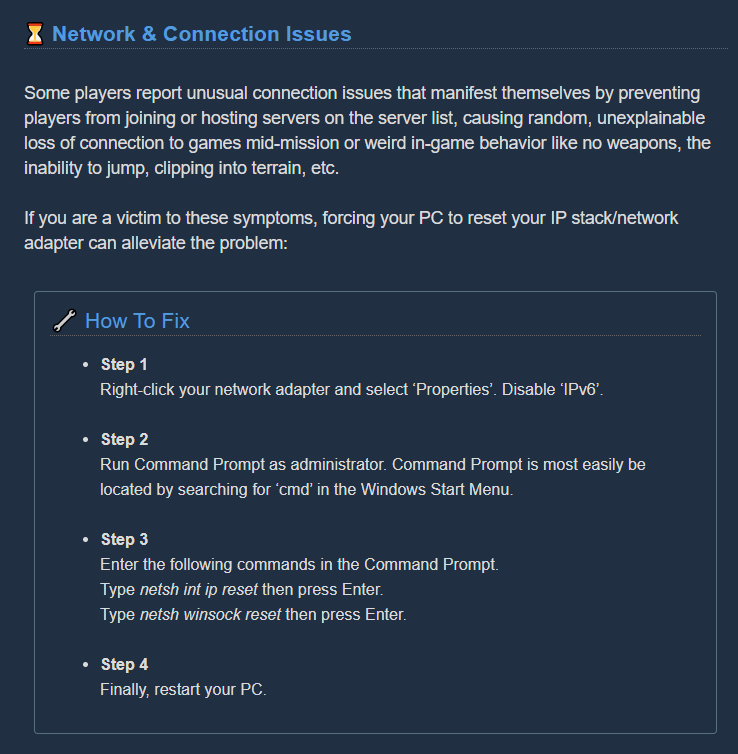
@wet magnet Machine events have a 1/4 chance of spawning (slightly lower on salvage, but we won't get into that). It's just bad RNG for you.
@snow kelp Do you have -dx12 in launch options? If so remove it.
sturdy drum
@austere coral thanks!
honest rock
a weird bug ive noticed with the new gunk seeds: sometimes when you try to throw them they just drop in front of you
glacial terrace
Dear Devs, I found really weird shadow bug. First: When I just opened the game, some shadows disappeared as in the video, but after choosing 2 overclocks from the forge and then leaving from the forge, these shadows come back. Second: Shadows come back when the character changes. Third: Shadow come back when I forge one overclock. Fourth: Shadows come back when looking at skins and pickaxe parts from pickaxe customization. My shadow setting is High, this problem only happens in medium and high settings. There's no problem on ultra setting
You can see the difference in the photos.
 eager socket
Hey all, I've been having some awful disconnecting issues with friends and wondered if anyone could point me in the right direction. I'm on Windows 10 1903 using the Microsoft Store variant for crossplay reasons, I see DRG allowed through my firewall In and Out without any restrictions, I forwarded all of the ports that I could find associated with XBox Live and Start Menu->Settings->Gaming->Xbox Networking reports all open and functional. I get a few minutes in with friends and then they drop and the same thing happens over and over. I drop the same way in the same timeframe when I connect to their hosted games.
austere coral
@eager socket do this https://i.imgur.com/zsu4lhj.png and also see pinned messages in #xbox-and-windows-store
eager socket
once in awhile I can get unbroken play, but it has been rare and usually after a lot of tearing out our hair restarting the game, restarting computers and XBoxes, restarting routers, getting nowhere, and then sometimes after all that it works
okay I'll do that
loving the game, makes me so sad
is there a way to test this as successful besides in game? I'm baffled to be able to diagnose this, wish I had some way to check that its functional.
restarting brb
generally my only way to tell that all is well was to check the Xbox Live service setting and send some pings to test connection quality
though perhaps that instruction solves the problem going forward?
austere coral
the networking solution for the UWP version of the game has a tendency to dislike IPv6 for some reason
that will resolve a lot of your networking related issues
eager socket
I see, thanks for your help. I hope it's all good now.
drifting quartz
Regarding https://steamcommunity.com/app/548430/discussions/2/2299597907739645722/ I managed to do 1 mission fully. I updated to Windows 10 version 2004 that came out just few days ago, i just got the update now. That might of fixed it? i will do more mission later.
This happens in the lobby and while in missions randomly. Within 5 minutes of the game being loaded. I have followed the thread " Common Crashes, Freezes & How To Fix Them " and done my own troubleshooting and cannot fix the problem. I have tried these methods so far: Allowed ...
glacial terrace
If I remember correctly, the 2004 version was problematic
Maybe they fixed it later
 stuck roost
I noticed that bonus defense from "Veteran Depositor" doesn't apply correctly when in range from the Mule.
Cheers.
 agile topaz
Just had a game where we were clipping through the floor of the drop pod
austere coral
do this https://i.imgur.com/zsu4lhj.png
tawny berry
a friend of mine has this weird issue where sometimes when they click or press a key on their keyboard, it doesn't do anything, any idea whats causing it, my theory is that its a problem with the fact that the person that hosts whenever she plays has terrible internet and due to this, it causes issues where her inputs get eaten up by the lag.
austere coral
to minimize that run the game in fullscreen at your native resolution
glacial terrace
Ebonut stands in the air
Music doesn't play when swarm comes, I thought this was fixed
pulsar parrot
They fixed a lot of things they thought they fixed.
austere coral
as is the curse with game development.
glacial terrace
I hope they will fix the shadow bug
 frozen raptor
tossing the nuts while running usually drops the nuts instead of throwing them
 tawdry spoke
I had an issue with the little text reminder of how you 'need 80 nitra' for a supply drop disappeared
restive stream
unable to equip any suit other than mk3. any attempt to equip it ends up with mk3 equipped even if the game claims that mk5, 4 or 1 is equipped
austere coral
@restive stream the temporary workaround is to select a paintjob that isn't the default
restive stream
that doesnt work, but my workaround was to select a skin color that wasnt mk3 drill suit.
yes, i said SKIN COLOR
austere coral
there's no skin color defaulted to any armor. Are you confusing the paintjob that gets applied to the armor? The middle selection on the left column.
@mossy breach The other guy mentioned he had some luck updating to windows 10 version 2004. I've heard that it has been causing issues with drg. You may want to give that a try.
restive stream
nope it literally was skin color
austere coral
in that case you may want to look into uninstalling that update and going back to 1909
 sullen pendant
anyone running into issues where when you look at the missions you dont see the population on each zone?/
restive stream
@austere coral proof in the form of the bug on another character
austere coral
something is broken with your game
in order from top to bottom it should be headwear, armor, paintjob, skin color (for the dwarfs skin), and victory moves. For some reason it's showing your armor image in skin color
you may want to validate game files. If that doesn't work then make a backup of your saves, uninstall the game, delete any residual files, then reinstall.
sullen pendant
yea, looks odd, try verifying the files
austere coral
you can, but if you've done it before with no success then it likely isn't the game.
all validating does is compare your installed files to those found on the steam servers. If something is missing it'll redownload it.
 fickle socket
anyone else having a problem getting cosmetics from the cargo or the helmet/backpack?
 naive knot
this game really doesnt like to be shipped
guess tabbing out and resuming a Amazon-prime-video while starting to load a mission in DRG is ...reason enough to crash DRG..^^
austere coral
what was listed at the beginning of the crash log?
glacial terrace
anyone else having a problem getting cosmetics from the cargo or the helmet/backpack?
@fickle socket like what?
naive knot
dont know, I didnt scroll up that far since most of it was just the shipping thing. Anyways its the first time it happened so I guess I will just let it be
austere coral
it may just be a one off thing. If it happens again anytime soon, get a screenshot of what's listed at the beginning. The first several lines should be enough if the main body is just FSD_Win64_Shipping
fickle socket
@glacial terrace I would grab backpack and after the audio cue that you grabbed it, I would get nothing
glacial terrace
Doesn't the item you received appear on top?
fickle socket
That’s the thing nothing appeared and when I looked at all my guns my pick axe and my characters nothing appeared
 river plank
 midnight robin
do your scout happen to have a long beard?
certain beards changes the chest area of the suits
midnight robin
try long and short ones, they should change the chest armor
river plank
ahhh yea. Thx a lot
midnight robin
no problem
glacial terrace
That’s the thing nothing appeared and when I looked at all my guns my pick axe and my characters nothing appeared
@fickle socket Yeah it's nothing appeared for me too. I think cargo and lost gear are again bugged
fickle socket
Yeah it's nothing appeared for me too. I think cargo and lost gear are again bugged. @glacial terrace I went to steam discussions and someone gave me an answer and hopefully it’s right. Supposedly, according to this guy when you get nothing from the cargo or the helmet/backpack you have obtained everything in that pool.
 limber lynx
This might have already happenned to other people but it's a fun story.
One of my teammates got stuck in the drop pod chair. Of course the drop pod never took off.
I c4'd him to death and revived him and that got him out.
The instant he left the drop pod, the doors locked behind him, trapping me inside.
It took me all the way up the shaft before I clipped through the bottom and fell to my death.
"Drop Pod took me straight to heaven guys."
 thin fog
please do something about these hackers. whats the point of grinding when i just saw a dude level 612 with 9 hours of gametime. Not to mention theres 3 lobbys of the 9 close to me for haz 5 that are literally listed as modded. This game is turning into payday 2.
austere coral
you can host your own game?
winged orbit
So weirdly enough, he can't see it, but I see the tower tritilite fight, he can have contact with it, but can't see it. I fully see it but don't see the tritilite key stone or the platforms. He's host and im the client
 still pelican
austere coral
still pelican
austere coral
is there collision or is it solely a graphical bug?
winged orbit
Both of us have collision
the entire thing was buried in the ground, so i dug it out
austere coral
I'm going to take a guess that you were playing salvage?
winged orbit
yea
austere coral
Machine events have a tendency to spawn close to the drop pod on salvage. A few updates ago machine events were set to explode when the drop pod was near them to prevent the machine event from blocking players entering the pod on exit (was also for other maps and mainly the tritalite deposit). The Omen event seems to have some leftovers after it explodes and isn't as seamless as the other three.
winged orbit
okay, trippy
 next ember
I just had the following glitch; I selected driller, but I ended up loading into the mission as engineer. Anyone else had this bug?
 mental lodge
was it a mission from someone else ?
next ember
No I was hosting
mental lodge
when did you notice you had engineer ? only when the mission loaded or during the load as well ? did you get it to happen again after that ?
finite umbra
The bug extermination wave after the sprinkler event triggered the dreadnaught egg in an adjacent room
 white gazelle
hey, I have a recording of a bug with Molly's pathing in a dreadnaught mission, but I'm assuming I can't just post youtube links here?
austere coral
I don’t think there’s any issue with that if it’s bug related.
white gazelle
thought I'd ask first, thanks. https://youtu.be/sVL0xMmMF_0

she just doesn't wanna go that way for some reason
lol, I thought she was actually gonna cross that threshold during the escape but no
 sage verge
Im still having an issue where our weekly core hunt progress is not saving. Playing on xbox one S and my wife on xbox one x. Its been happening for the last two weeks. Never had the issue before. Sometimes we will complete the first stage of the weekly core hunt, abd next game it will not have registered and the core we gained will disappear. We will attempt the mission again but then no core is given. Continues to reset itself. Thank you.
 cyan cargo
I guess I'll live with the crashes for now
@mossy breach I had a ton of crashes today. After I let my Win10 machine run the recent update, they went away.
drifting quartz
My crashes still happen even after win10 v2004 update :/ https://steamcommunity.com/app/548430/discussions/2/2299597907739645722/
This happens in the lobby and while in missions randomly. Within 5 minutes of the game being loaded. I have followed the thread " Common Crashes, Freezes & How To Fix Them " and the pinned post in Discord DRG and done my own troubleshooting and cannot fix the problem. I have t...
 static dust
kicking/leaving a game with the turret arc leaves the arc permanently.
(engie was bein' a troll, so he got booted, but hey, found a bug)
 thorn star
https://gyazo.com/ae9173d10df8c927f502986ec1810d3f
Armor on the scout is not equipping properly.
 edgy marten
All the missions are locked.
dreamy quail
happens very rarely, it fixes itself once everybody loads in
 sonic river
Still happens sometimes. Maybe they should have events spawn like the escape pod does, clearing all dirt around it or something. It was also missing the bottom plate. Only the 3 modules spawned when we dug around it.
 gusty barn
When I land, sometimes there is a wall texture that you can walk through and when I look in different parts of the screen is dissapears and reappears when I look back...sorry if I didn't explain that very well.
 eager sable
weird having such a black shadow cast over the whole place.
 urban spade
i uh, dont think im meant to be up here, i rode the minehead to the heavens
 leaden sapphire
Wasn't sure if anyone has reported this or not, but the Mini-Mules Objective during Deep Dives is still using the Outdated Icon.
Wanted to ask if the regular Salvage Op had the new one or not.
 mossy raven
Anyone else experienced the bug where the drillship phases through the team, leaving everyone behind, resulting in the success walk, with the failure background, and objectives failed?
 dawn ibex
I have experienced one when you start the mission, going down the characters phases through the drill ship, and you end in the top. You have to jump quick to the ground because the ship is going up again whit you on top :/
 chilly grail
We called the mule to the drop pod, but once it got to it, it started going back and forth in place over and over instead of attaching to the pod. Thankfully, at the end with 7 seconds left it stopped, but you can see how many markers it put down on it. Idk if it was the platforms I put down that got them unstuck or not, but just figured id report this.
austere coral
@gusty barn are you on the xbox/windows store version or are you using -dx12 on the steam version?
 quick hawk
Has anyone noticed some mineral chunks and even Gunk Seeds falling through the ground with no tunnel beneath to possibly catch them? I've lost a Gunk Seed and some minerals to that, because they move too fast and clip through the ground. I play by myself and I tend to be afraid to send Bosco to mine a vein so high up the wall or ceiling, knowing that some will be lost because of the floor clipping issue. I wished they had a max falling speed to prevent that.
glacial terrace
Wasn't sure if anyone has reported this or not, but the Mini-Mules Objective during Deep Dives is still using the Outdated Icon.
Wanted to ask if the regular Salvage Op had the new one or not.
@leaden sapphire Deep dives mule icon is bugged yeah, I caught with photo.
leaden sapphire
Seems to be bugged for normal Salvage Operations too. At least from what I saw earlier, will attempt to grab a photo.
gusty barn
@austere coral xbox
glacial terrace
Seems to be bugged for normal Salvage Operations too. At least from what I saw earlier, will attempt to grab a photo.
@leaden sapphire Yes normal Salvage operation mule icon is bugged too
honest rock
i can say +1 to the reports of ebonuts spawning mid-air or generally in weird places, happens a lot
austere coral
@gusty barn See pinned messages in #xbox-and-windows-store they're currently working on a fix, but it'll be a while
lilac glacier
I don't know if this has been mentioned before, but the parkour system needs some tweaking. It's very common to go to vault up a ledge only to vault backwards instead of up and over. Given how often it happens it should be a fairly common experience and one that is incredibly frustrating when it launches you backwards into the swarm of bugs you are trying to escape from while running a haz 5 mission. I love the system, when it works, and it often does, but it also often doesn't that can be very frustrating.
quick hawk
In terms of Vaulting, my first thought is to limit it to only work when you're moving slow enough in mid air, to make it more useful in a more timely pace.
pulsar parrot
@Octavian Clef#2277 Your game may need a file validation through Steam. Try that and if still the same problem, could try backing up your savefiles and uninstalling the game completely.
@edgy marten Missions get locked because someone in your lobby hasn't fully joined in yet.
 eternal patrol
you can get stuck between the drop pod and its ramp, not letting you dig out and its guaranteed mission failure as solo
(if the ramp spawns inside you or on top of your head and you were standing on the drop pod)
maybe add a bounce to the corpses in that area, or have them teleport to the ramp
 vital junco
Not sure if this is a bug
My party killed a Glyphid Bulk Detonator which it’s explosion killed a Glyphid Crassus Detonator which cause it to explode, but with no gold for its death
 valid python
Someone tried to late join a salvage mission? I joined one mission after the refuel and I couldn't see the time left to restart the pod.
pulsar parrot
@vital junco Just tested it out. It could be that the regular Bulk's smaller ball explosions destroyed most of the gold when Crassus first explodes. Or possibly the Crassus's gold didn't appear much because of the - already made crater - from the first Bulk. Could also be the Crassus' spherical radius wasn't touching close to the terrain. Gonna test it more.
vital junco
Let me know how it turns out
 last jackal
Hey im not able to use the recruitment board in game is there any way i could get put into the mighty miners or get the issue fixed?
austere coral
steam and discord have to be launched with the same permissions (admin).
you also can't use the web based version of discord
last jackal
I use the ripcord app for discord so ill try downloading stock app now ill lyk if that works
 last jackal
Ty so much that fixed it @austere coral
austere coral
 azure charm
k, we didnt get to do it though
austere coral
yeah you're seeing leftovers from the exploded event, was the host able to view it or was it invisible to them?
azure charm
they could see it, too, was it supposed to explode after it was finished?
or "it spawned to close so exploded"
austere coral
the machine event and pod spawned too close together so the machine event exploded.
azure charm
ah ok
austere coral
this tends to be most common on salvage missions
azure charm
gotcha
edgy marten
Went down from lag. I'm seeing minerals that have already been mined.
Lag was so bad, we all went down.
 mystic citrus
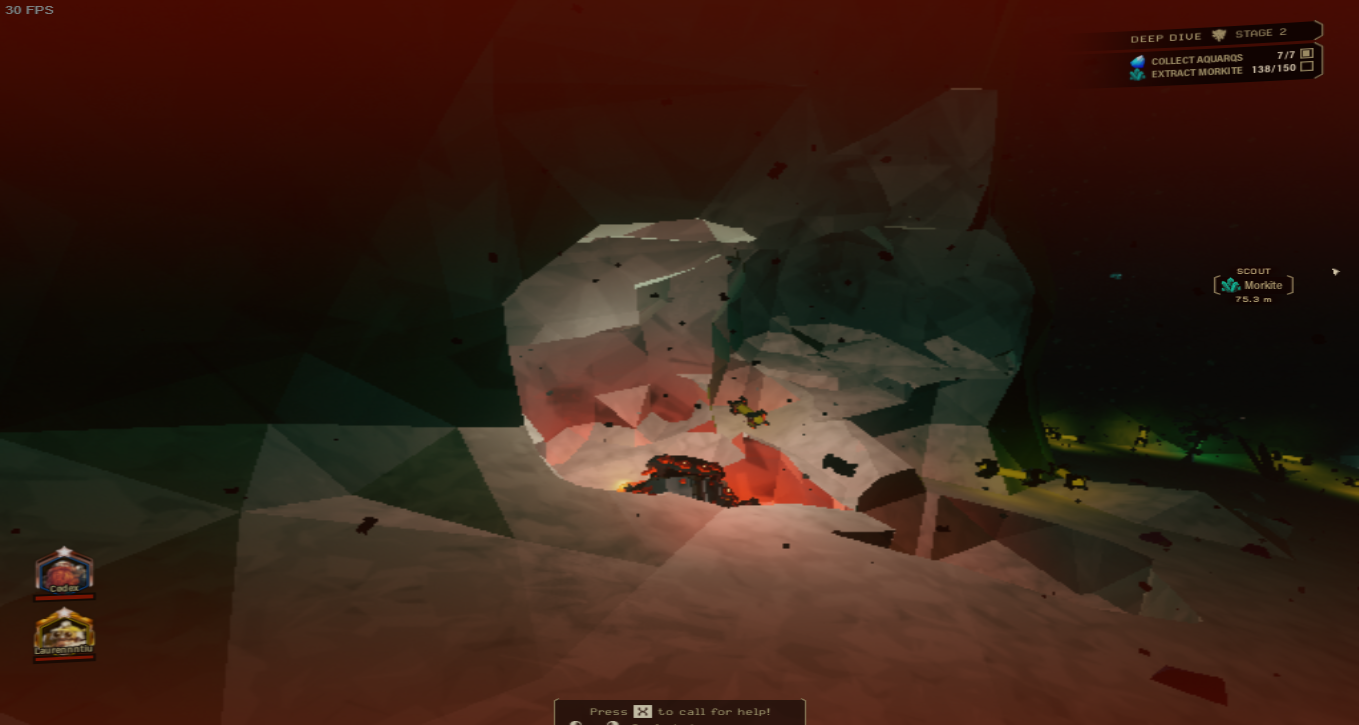
stuck like this , keyboard refuses to respond in game
mouse refuses to respond in game
only thing that works is alt tab
austere coral
are you running the game fullscreen at your native resolution? That tends to mostly resolve that issue
mystic citrus
i am running it fullscreen , and it usualy has no problem
after , i think at least , quickly switching onto steam overlay and pressing esc
i think it bugged
not 100% sure
my mouse also looks like y know
menu mouse
but refuses to respond at all on clicks
valid python
Went down from lag. I'm seeing minerals that have already been mined.
@edgy marten Today I was playing with a party far from me, I died but I was frozen with no life, I could only shoot, couldn't move, jump, switch weapon. I need to rejoin the game to unfreeze.
pulsar parrot
@vital junco CORRECTION: seems to be Crassus' bulk gold explosion radius didn't get contact to the terrain (touching side by side), so the Bulk's crater destroyed most the terrain for the crassus to contact the terrain. Plus, the regular Bulk's smaller explosions probably destroyed the gold, but should likely mine the gold into small chunks to grab. Gonna still talk about it to the devs.
vital junco
Ok, thanks for the info
glacial terrace
Hey Tony, can you check my shadow bug case?
 red roost
There is no 'last grenade' voiceline for engineer, however gunner, driller, and scout have it.
Ammo counter (the percentage) on minigun does not update when you take a resupply, it only updates when you shoot it
pulsar parrot
@glacial terrace I checked your report. I'm getting the same issue. I've always known the barrel shadow bug, but devs never got to it yet. I've always had my Shadow quality to med, but doing the same replication still happens. Something with interacting with any terminal, clicking around, then exit out changes the shadows. Even going to menu to change the setting happens.
The shadow of the floor above doesn't seem to load up the first time in the SpaceRig, but does after interacting with something. Overall, shadow quality option has been broken at the start. I can forward it directly, but that's much I can do and hopefully they find time to work on it.
glacial terrace
Thank you for taking care of the report 🙂
crisp pewter
suddenly disconnected from the game, no usual disconnect message or kick message!
 loud sand
are machine events broken? haven't found a single one in like 40 missions
glacial terrace
I found many times, maybe you have bad luck
 tranquil forge
I am experiencing open issue DRG-1510, where the neon band skin is missing for the Gunner's Heavy Revolver. I own and have installed the Supporter Upgrade, Dark Future Pack, and MegaCorp Pack. I found it in a crate and previously equipped it, but it is no longer in my revolver skins.
 narrow axle
I dont know if its a bug or an exploit but in one of my game an scout pass from 1 to 25 in just one game. He's was shooting the wall all game long at nothing, Anyone as any idea of what happen. (On PC with last update)
Also he was shooting like he had infinite ammo (dont know if its a overclock)
glacial terrace
I am experiencing open issue DRG-1510, where the neon band skin is missing for the Gunner's Heavy Revolver. I own and have installed the Supporter Upgrade, Dark Future Pack, and MegaCorp Pack. I found it in a crate and previously equipped it, but it is no longer in my revolver skins.
@tranquil forge Check pinned messages
 dusk jewel
Switched profiles on Xbox and my profile became a copy of the one that I had switched from. No way to get my profile back and I’m sitting here with an exact copy of my brother’s account
I logged in from a different Xbox to see if it was permanent, and it is
pulsar parrot
@narrow axle A cheater. Those are the common ways to know if the player is using some sort of cheat engine.
narrow axle
I got a screen cap if needed
pulsar parrot
If meaning to ban the person, there's no actual system for it, but could just have a blacklist to avoid the person. Sharing the person's name is also not allowed here (Idk the legitimate reason for it). Likely could spam resources and ruin your progress save file.
tranquil forge
@glacial terrace I see now, thanks. Closing DRG-1510 with that explanation would be helpful. https://ghostshipgames.atlassian.net/browse/DRG-1510
glacial terrace
You're welcome
austere coral
@loud sand Pure and simple RNG. There's a 1/4 chance of getting one per mission. Although if you play a lot of salvage you reduce your chances of getting a ME. This is because they have a tendency to spawn close to the drop pod and get destroyed.
 fickle moth
On a mission right now, there's a bugged Omen Modular Exterminator that appears for me: https://cdn.discordapp.com/attachments/117227082529898504/721867355763900449/unknown.png

But not my fellow dwarf: https://cdn.discordapp.com/attachments/117227082529898504/721867317964701773/unknown.png
 pulsar parrot
@fickle moth Machine events, especially the Omen Guntower, will supposedly explode when it spawns near too close to the Droppod. It also tends to visually bug out, which is something the devs need to fix.
Did the host saw the same thing you did?
tawny berry
speaking of what i said in the suggestions, one bug issue i always find is specifically with pratorians, oppressors and dreadnaughts, enemies that have moves that makes them unable to turn but they still turn anyway, the best examples for each enemy is the pratorian with its bile attack, even when it attacks in one direction, you get behind it and it turns as its doing the attack to where you are and hits you, oppressors have the issue with their headbutt where they can turn as they are performing the headbutt, whether its intended or not, i don't know and dreadnaughts are the worst with this, its especially noticeable and more frequent if you fight dreadnaughts solo but they can turn as they are growling at you or using their shockwave attack, this makes fighting dreadnaughts a pain most of the time as they will turn to make sure you can't damage them as they are doing these moves, its even worse that the fact they can do this with their bite attack and digging attack as well so that its always a guarenteed hit if you are too close similar to the oppressors headbutt attack, i really hope these are all bugs and not some sick joke.
pulsar parrot
I'm pushing that report of the Dread's annoying auto turn issue to the devs as well. Haven't gotten a confirmation if it's intended to stretch the boss fight or not intended. Super annoying especially in solo.
austere coral
Oh it's quite frustrating on every difficulty. ||Its turning tendency alone has kept me from doing a sub 3 minute haz 1 elimination. ||
pulsar parrot
I mean, you can still shoot it from the front (plus driller's primaries or penetration mods I think), when it roars or about to do the groundpound, Dread shows his behind a little bit, being a small target to hit. The auto turning just doesn't fit. Can definitely find other ways.
fickle moth
@pulsar parrot The host did not see it, I did
austere coral
set a framerate limit in settings and turn on vsync that should help with your gpu overheating
67C is well within thermal limits of both the cpu and gpu
when it starts getting into the 80's you need to look into improving cooling or lowering the load
round trellis
is streamer armour bugged on engineer? I don't have it myself but someone in chat who does said they can't change armour paint with it
austere coral
that was an intentional change
round trellis
only on engineer?
austere coral
can't change paintjob on the streamer armor
round trellis
they did specify that it's bugged on engi only
austere coral
I don't think they're supposed to be able to change it on any class.
round trellis
alright thanks
 vocal wyvern
mule auto pathing got pooped on a level
mule got stuck walking back and forth and countdown went to ~15 seconds before doors automatically opened without mule docking
the green cluster of pathing dots is the mule's movement history for the last 2 minutes or so
last 2 screenshots show mule outside the drop pod after liftoff
glacial terrace
last 2 screenshots show mule outside the drop pod after liftoff
@vocal wyvern We still got a mule bug, maybe this will be fixed in future
 spark dust
the game had enough of my lag shenanigans
oh and it happened a 2nd time shortly after I messed up the recording of, and it blacked my entire screen except the hud and bosco reviving me didnt fix it, so I gave up the crassus crater because of the bug
 little patio
uh guys my game decided to reset my progress after i deleted it and loading prev save files did not work because they r all at 20 instead of my prev 80 levels
any ways to fix it
pulsar parrot
@spark dust Possibly some pc specs had trouble processing all those gold chunks on the ground? Or high graphic settings was too much for it. What's your pc specs and graphic settings?
@little patio Windows store or Steam version?
little patio
steam ver\
spark dust
@pulsar parrot console, I was jokingly mentioning the lag causing the world to break, but that might actually be a possible culprit along with the weird geometry of the slag craters I was in (used bosco rockets to carve a hole in a wall to stand in), The strange thing about the lag was just looking at it didnt do much, only dropped fps by 20 when nearby. But whenever anything caused more gold to be dropped in or mined (such as bosco) it cratered to single digits. My guess is the sticky out bits from the slag craters, with the heavy lag, caused the character to get flung from the map.
pulsar parrot
@little patio And all savefiles and backups are at level 20?
spark dust
If i get some time and another chance, i'll see if I can trigger it again, but for now there isnt much to go off on
little patio
yeah
pulsar parrot
Noticed if your username in game was shown correctly as your steam profile, and not your computers name?
pulsar parrot
And I assume you loaded each one to make sure they are what they say?
little patio
no not yet
yeah they all just say i purchased the supporter pack and still at lvl 20
cuz i started playing again at may
pulsar parrot
Not much else I can think of besides restarting Steam once more. After that, I can give you an option but through private message.
 crystal rampart
I keep getting a black screen that I can back out of with ESC when I try to join a deep dive
I pick a server, it goes to black, and never loads.
fallen hill
@drifting quartz Did Windows update resolve your issue?
 zinc shadow
Apparently, if you get downed by a detonator while on the Gunner's zipline, you will we in this dead, but not dead state
kinda like iron will
but you can't move or switch weapons
im dead, in midair, can shoot (no damage tho) and stuck
can't be revived by my teammates
fallen hill
That is a recurring issue we're still trying to resolve.
 strange lance
When I use steam to start DRG, the computer will be very lag. After a period of time, DRG will be forced to shut down my computer. I had no problems playing this game before updating it, I can't play since updating the game, HELP ME PLEASE~🙏
fallen hill
What is your specs?
strange lance
When I press the continue button, it will automatically shut down computer
white girder
Oof, that is not a good sign. The most obvious cause of something like that would be overheating or issues with the power supply. Download something like MSI Afterburner and monitor your CPU/GPU temperatures.
dreamy quail
Does anything unusual happen on the graph below when you try to get into the game
strange lance
The temperature will increase immediately after I start the game
Before this interface, it is the same as the interface that normally opens the game
 frail ingot
Hi, I noticed a voice chat bug several times in the past 2 weeks.- Voicechat is active, push to talk is selected, button is NOT pressed, but voice gets transmitted sometimes. This is kind of a huge privacy issue. It happened to me 2-3times myself and I also heard several people talk and when I responded they were totally confused.
 compact turtle
noticed a few bugs relating to the lazer pointer, mini mules and saluting your fellow dwarves and made a post about it, if you guys could check it out i'd apreciate it
https://www.reddit.com/r/DeepRockGalactic/comments/h9bodf/bugs_to_squash_salute_and_laser_pointer/?utm_source=ifttt

reddit
0 votes and 0 comments so far on Reddit
fallen hill
@strange lance Try to limit your FPS to 60
 proud mango
drg can be very laggy
white girder
@strange lance - temperature is expected to rise, but if it's reaching something like 90C on the CPU or GPU, your machine will automatically shut down to prevent damage (actual temps that it shuts down at vary machine to machine). If it's a desktop PC and the CPU is overheating, it can be as easy as applying new thermal paste and reseating the heat sink, if it's the GPU, replace it. I would also ensure your fans or pumps are working as expected and check airflow is not restricted.
If it's a laptop, things get more difficult.
as an aside, an idle temperature of 34C is pretty healthy.
glacial terrace
I keep getting a black screen that I can back out of with ESC when I try to join a deep dive
I pick a server, it goes to black, and never loads.
@crystal rampart Try to change your video resolution
drifting quartz
@drifting quartz Did Windows update resolve your issue?
@fallen hill Nope
fallen hill
Is your PC overclocked?
drifting quartz
This happens in the lobby and while in missions randomly. Within 5 minutes of the game being loaded. I have followed the thread " Common Crashes, Freezes & How To Fix Them " and the pinned post in Discord DRG and done my own troubleshooting and cannot fix the problem. I have t...
This should answer majority of your questions if you have more
Also no.
I still need to try these people methods on my reddit thread. https://www.reddit.com/r/DeepRockGalactic/comments/h8nqgy/ive_tried_every_method_and_still_have_d3d_device/

reddit
3 votes and 8 comments so far on Reddit
fallen hill
One of the crash logs is memory related, another is related to your GPU
Please keep me updated when you do find a solution. I'm curious to know what ends up being the reason.
white girder
the d3d device lost issue is an Nvidia/Unreal Engine incompatibility issue, usually
UE4 has had that issue for years and it has never been solved
drifting quartz
I doubt i'd find one. I've already formatted the pc and reinstalled windows. that should fix most problems but it did not. I've had days of troubleshooting and its too frustrating lol.
fallen hill
Updating GPU drivers resolves it for most, but you have already tried everything in that avenue.
drifting quartz
Maybe when DRG goes to UE4.25 it might fix it. if it ever does
white girder
rolling back to older drivers may do the trick sometimes too
drifting quartz
I've tried many legacy drivers. 5+ different versions from 300's to 400's
All in my thread. ^
tawny berry
the resupply pod is weird with collision, steve wasn't anywhere near the supply pod but it killed him anyway, either the hitbox for the resupply needs to be readjusted so steve doesn't get hit by it or it needs to work similar to the hitboxes of the dwarves so stuff like this can't happen.
white girder
but sometimes there's feck all you can do - I recall one studio I worked at where the issue spontaneously appeared on multiple machines over the course of a few weeks. We had to replace all the affected machine's GPUs
I really wish Epic had pulled their finger out of their ass on that one, because it's affected so many people and games
fallen hill
More often than not it is out of our hands and caused by UE weirdness.
drifting quartz
Out of my 1.5k steam games and endless amount of gaming off steam I've never ran in to this amount of problems.
Been bored and stuck with games it's all the same. DRG was one of the few i would proper play
Broken dreams lol
white girder
it's rare, but affects just about everthying running on UE4, so countless people have been affected for a while :/
fallen hill
Can you try to provoke a crash real quick and copy and paste the log to me immediately after getting it? I'll take a look at our internal crash reporter. @drifting quartz
drifting quartz
Okay
Is it possible to get older updates on DRG? I would like to try version (v1.30.40104.0) on steam since that version does not crash for me when i try the pirated version which is obviously not run via steam.
I even went that far to troubleshoot to see.
glacial terrace
Did you try experimental version of the game?
drifting quartz
I cannot opt in the beta via steam if that is what you mean? Do i need a code?
fallen hill
Is your game running?
fallen hill
You can't access the drop down menu if you have a Steam game open in the background.
drifting quartz
SPace engineers opt works fine. DRG has never worked for me.
Using my arrows work. Weird how that spesific game BETAS drop down don't work lol
I will get a crash on normal version then load up the experimental version after.
fallen hill
Sounds good. Thanks.
drifting quartz
Okay normal version crashed. Sent crash report with note "I'm Deadlee6"
EpicAccountId:

Assertion failed: [File:Unknown] [Line: 198] Unreal Engine is exiting due to D3D device being lost. (Error: 0x887A0006 - 'HUNG')

FSD_Win64_Shipping
FSD_Win64_Shipping
FSD_Win64_Shipping
FSD_Win64_Shipping
FSD_Win64_Shipping
FSD_Win64_Shipping
FSD_Win64_Shipping
FSD_Win64_Shipping
FSD_Win64_Shipping
FSD_Win64_Shipping
FSD_Win64_Shipping
FSD_Win64_Shipping
FSD_Win64_Shipping
FSD_Win64_Shipping
FSD_Win64_Shipping
FSD_Win64_Shipping
FSD_Win64_Shipping
kernel32
ntdll```I found it
My best bet would be that it's somehow caused by an instability in your GPU.
drifting quartz
I wish i bought the game back on version v1.30.40104.0 to see if it would of crashed via steam. That would of truly pin pointed the problem.
would seeing the process explorer dlls show anything of interest? comparing 2 version one that does work and one that does not
if i get a crash on exp ill send it, i will turn PC off and plug in my GTX 970 since you are currently active
 limber ember
any idea why all of a sudden i cant get any audio (except the occasional click or two) into my headset unless i turn off the master eq?
drifting quartz
@fallen hill Did a full mission on experimental mode without crashing o.o i will keep playing and see
austere coral
@limber ember any number of reasons ranging from amd processors to Realtek audio drivers or just bad luck. Luckily master EQ doesn’t do a whole lot to diminish the audio experience.
limber ember
ok, im not sure if i had it off all this time or not to be honest but it just start happening a few days ago
drifting quartz
@fallen hill 2 missions with no crash. Experimental version might of done the trick? hopefully
austere coral
@mossy breach your issue is likely audio related. Try this https://steamcommunity.com/app/548430/discussions/2/1729827777339086202/ if that doesn't work then go through the troubleshooting steps in pinned messages
Hi all Some users are experiencing stuttering/low fps/freezes and Alt+Tab issues when using a combination of AMD FX Series CPU's and Realtek Audio sound, it has also been observed on other combinations, f.eks Intel and Realtek Audio. If you are having issues as described above...
austere coral
This'll probably fix that https://i.imgur.com/ZFMA4JF.png
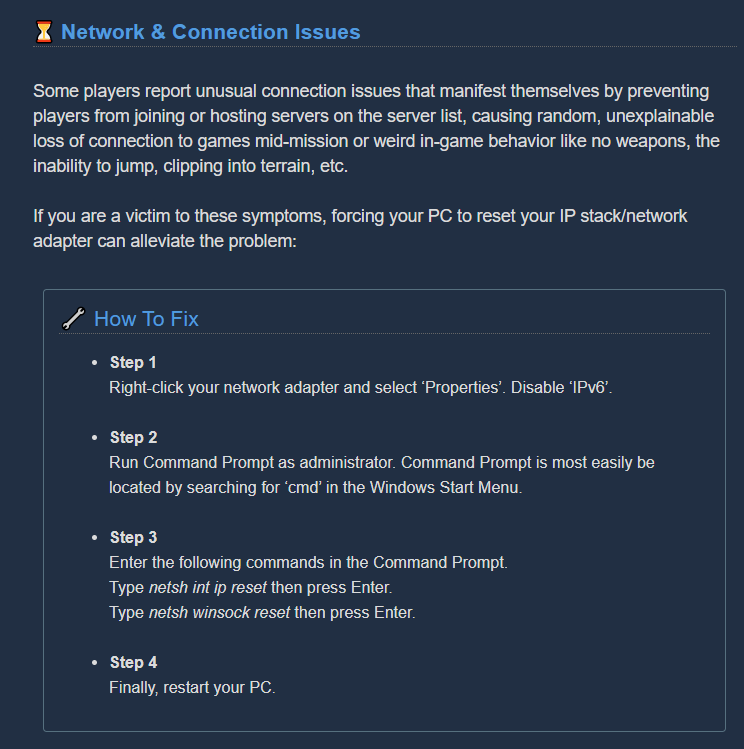


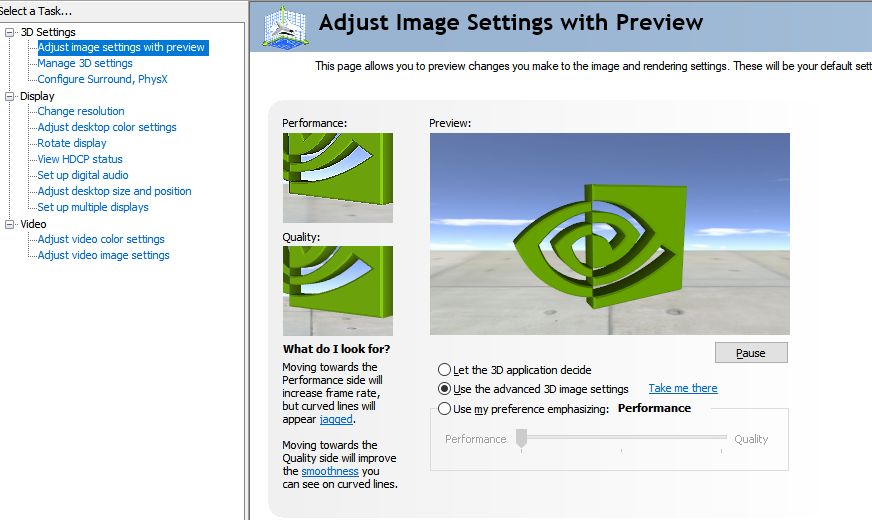



 zealous spoke
Anybody else having matchmaker problems with Windows 10 version?
 drowsy mulch
Has anyone had a problem where clicking is sometimes unresponsive? Sometimes when I am furiously backpedalling and trying to shoot, my weapon does nothing until I have clicked several times
zealous spoke
I noticed the same thing but only when I'm sprinting
austere coral
To minimize that you need to play in fullscreen at your native resolution (not windowed borderless).
drowsy mulch
Ok, thanks I will try change my settings up next time
I just assumed I was in fullscreen
 primal cove
I had hoped we would say goodbye to this bug in this update.
austere coral
xbox/windows 10 version?
Either way, if it's the xbox/windows 10 version a fix is coming in a few months. They have to update the .Net framework and fix the bugs that creates. It'll be a few months. If it's on steam then remove -dx12 from launch options. @primal cove
glacial terrace
Has anyone had a problem where clicking is sometimes unresponsive? Sometimes when I am furiously backpedalling and trying to shoot, my weapon does nothing until I have clicked several times
@drowsy mulch I'm not sure but sometimes happened to me, try change your weapon
zealous spoke
Okay, how about -- Does anybody NOT have a problem with Windows 10 matchmaker ?
Trying to figure out if this is client side or a bug.
austere coral
You may have better luck resolving issues pertaining to the win 10 version in #xbox-and-windows-store Disabling ipv6 may help.
zealous spoke
Oh! Thanks!
austere coral
68c is fine for those components
well within thermal tolerances
temps are still fine. You don't need to start worrying about them until they start hitting early-mid 80's
even then the newer nvidia cards will throttle to prevent overheating
If you're really worried, you can reduce some graphical settings (shadows first) and turn on a framerate cap.
what's your cpu and gpu?
Those are laptop components. High temperatures are normal since the cooling solution ain't the best on laptops. That's a low-mid range chip from 4 years ago. I'd say your performance ingame is to be expected. If you really want that extra performance you could lower your resolution scale to 80% or so. You won't really notice the drop.
I misread your earlier comment. Thought the res scale wasn't touched.
 hazy salmon
Hey all, is this the section to report bugs for Xbox please?
Just read up top it is.
glacial terrace
Hey all, is this the section to report bugs for Xbox please?
@hazy salmon Yeah
hazy salmon
I have just purcashed DRG a few days ago for Xbox and seem to be running into a bug that sees my world and other players glitch out, like they are stretched out, I have done 2 very short clips and uploaded them to YT for you guys to see, I wondered if anyone esle was running into this problem? I am running on a Xbox One X.https://www.youtube.com/watch?v=71KV-S6O8ho&feature=youtu.be
https://www.youtube.com/watch?v=d1w6lB4-bYU&feature=youtu.be

Found this bug today during my gameplay in Magma Core, I have been getting this the last few days since I purchased the game.

This happened inside the drop pod with my Daughter as the second player.
mossy breach
A reminder about 2 broken weapon mods that have never been fixed since update 25.
Minigun mod - Magnetic Bearings
It should increase the spindown time from 3s to 6s, but it doesn't do anything. (Hosts and client)
Boomstick overclock - Shaped Shells
There is a high chance that this OC won't apply the spread reduction when you play as a client.
austere coral
@hazy salmon A fix is coming in a few months. They have to update the .Net framework and fix the bugs that creates. It'll be a few months.
mossy breach
my game crashes everytime i get kicked out of a lobby while i'm in the loading screen between Result Screen and getting ported in your room
happend now 2 times
glacial terrace
Can you send screenshot of crash? @mossy breach
hazy salmon
@austere coral Thank you for your reply. Look forward to that update as quitting and restarting can be a pain.
zealous spoke
I still seem to be having issues connecting to other parties using Windows 10 version. I have attempted the Winsock and IP reset and disabled IPV6 as well with no change.
Trying to figure out if it's client side or something wrong with the Microsoft service
 solar berry
So ive run into the issue on the steam ver. where sound just doesnt exist on my headphones, i swap audio to my speakers and the games audio is fine but swapping back its still nothing. verified files and did a reinstall and hasnt fixed. :/
pulsar parrot
@zealous spoke You can try setting to windowed mode for now, see if it works. Pinned messages at #xbox-and-windows-store channel has more details about this common issue.
zealous spoke
@pulsar parrot thanks much. I'll try it out
austere coral
@solar berry I’m on my phone at the moment so the quality of my replies are limited. I’m pinned messages there should be a link for amd FX or Realtek audio fixes. Do that. In windows settings make sure your headset is set to the default and default communication device. Double check that in steam settings.
pulsar parrot
This is one right, @austere coral
https://steamcommunity.com/app/548430/discussions/2/1729827777339086202/
Hi all Some users are experiencing stuttering/low fps/freezes and Alt+Tab issues when using a combination of AMD FX Series CPU's and Realtek Audio sound, it has also been observed on other combinations, f.eks Intel and Realtek Audio. If you are having issues as described above...
austere coral
Yup
solar berry
ey, that fixed it. thanks a bunch
drifting quartz
@fallen hill Crashed on experimental version, same note as before. LoginId:c1a3c5b94d6fa88d13d09fb4f224577f EpicAccountId: Assertion failed: [File:Unknown] [Line: 1121] GameThread timed out waiting for RenderThread after 120.00 secs FSD_Win64_Shipping kernel32 ntdll and LoginId:c1a3c5b94d6fa88d13d09fb4f224577f EpicAccountId: Assertion failed: [File:Unknown] [Line: 198] Unreal Engine is exiting due to D3D device being lost. (Error: 0x887A0006 - 'HUNG') FSD_Win64_Shipping kernel32 ntdll again
glacial terrace
Do you receive message "Video driver crashed and was reset!"? @drifting quartz
 urban tendon
I did an Elite Deep Dive and didnt get the achievement
 rocky quail
DRG reinstalled on the Windows 10 Store and all of my progress has been reset. Any similar issues, or a fix?