#bug-discussion
1 messages · Page 125 of 1
 spice trail
 fickle nacelle
we were having a great time @noble dawn we all started dancing in the bar after and just haveing a genuine good time
 spiral bridge
Re-bumping this issue from ErektGonzo, when on scout if you choose both ranged perks or the faster wench speed options for your grappling hook the grapple will fail to activate effectively misfiring. Or, will cause a screen glitching animation that you have to melee or wait for grappling hook cooldown to clear. This does not happen if you chose to use only one ranged perk and faster scout speed perk options in the teir 4 tree of the scout class.
 noble dawn
@spice trail I sent by twitch clips marked as "Helping Devs" that's another great idea or rec. (maybe it have some option to make it as private clip) or with Nvidia Experience
Noice 😄 @fickle nacelle Cheers to everyone then
spice trail
Yes, I have good 1080p videos on my PC captured with Nvidia, but youtube algorithms almost don't allow to make them mostly quality ones.
noble dawn
@spiral bridge that was my first thoughts on that which could cause this "you was right on that point" Fire rates makes it hard tough to fix those issues on that Grappling freaking Hook
spice trail
In fact because Nitro cap is now 100 instead of 80 and 40 mb... Oh wait, 100 mb cap is for all members of the server
Sweet
 wary mirage
Shows my Engineer's 3D model but it's Driller equipment. Has it ever happened to one of you?
spice trail
Too fast propelling mactera bomber. Never seen that speed before. Can't say what leaded to that.
Enor pearl strange breaking properties.
a) Some sounds vanished from game while the window was alt-tabbed, that happened after a bit of drop pod's sounds while it was driving us to mission (When loading was already over)
b) We had a wave during kursuite, and then it summoned a wave right after kursuite event ended.
Leech strange grab animation. Happened only on zipline, bugged both when I was host and when I was client. Following is me hosting
Hammer lags in space rig in forge terminal
Unsure what exactly happened, elise said DRG image froze. Tried to rejoin, failed a few times. Another player tried to also join me, also failed, also a few times. While other two encountered no problems.
Another two, don't want to spam videos without need but want to note that glyphid blood is bound to coordinates and some objects they paint aren't static, resulting in potato nexus having its "paint" moving.
Also noticeable on drop pod and magazines (Has footage of it on autocannon magazine, unsure about others)
 austere coral
@crimson flax is rng. A quarter has a 50% chance of landing on either side. It’s entirely possible to flip it 100 times and have it land on one side 100 times. You’re just having a string of bad luck finding machine events.
 strong dock
SO uh, my entrie game froze after calling the drop pod. I noticed that in general this game having serious problems with freezing and lagging, but now i lost entire fucking progress in that mission xD
austere coral
What are your system specs and is your main audio driver Realtek?
austere coral

Hi all Some users are experiencing stuttering/low fps/freezes and Alt+Tab issues when using a combination of AMD FX Series CPU's and Realtek Audio sound, it has also been observed on other combinations, f.eks Intel and Realtek Audio. If you are having issues as described above...
There seems to be an issue with how Realtek audio drivers interact with the game.
austere coral
It should smooth things up
noble dawn
Found the right "Bug" which caused the Grappling Hook to stuck
Try out after when you jump and before land press for grappling it will break instantly so "it could be good idea just to increase the time of grappling." Before land and grappling within a sec it will break the rope instantly.
austere coral
@weak hill What are your specs are which store version of the game do you have?
 weak hill
@austere coral xbox one x and version 30
austere coral
Unfortunately I'm unfamiliar with the xbox version and don't know many troubleshooting steps. If the xbox has any form of file verification, run it. Aside from that it looks like your issue may be a shader issue.
weak hill
unfortunately no but I haven't had the issue again yet
 nova oyster
I know technically can't be considered a bug but as you can see the dispenser spawned in a place where it is unreachable in a timely manner: there were no directly linked caves between the vein and it. Is it worth reporting as a bug? If so, how should I do it?
 placid scaffold
 glacial terrace
@placid scaffold Try restart your game
austere coral
Verify your date, timezone, time, and daylight savings are all set to automatic in windows settings.
 vital junco
Victory Moves: Crystal Lover
Was in a game with a player who used this victory move & I left the game to play some missions solo. His crystal is still here.
(yes i know, I can just restart the game if it bugs me that much lol)
 hollow latch
I really don't want them to patch this bug tbh
It's funny as hell
The idea that some dwarves don't even clean behind them
spice trail
Bug with some heads is still there. I encountered it, then went to weapons terminal, hovered over autocannon, then went back and encountered it again.
(Top left corner)
(Between encountering it was normal)
 dreamy quail
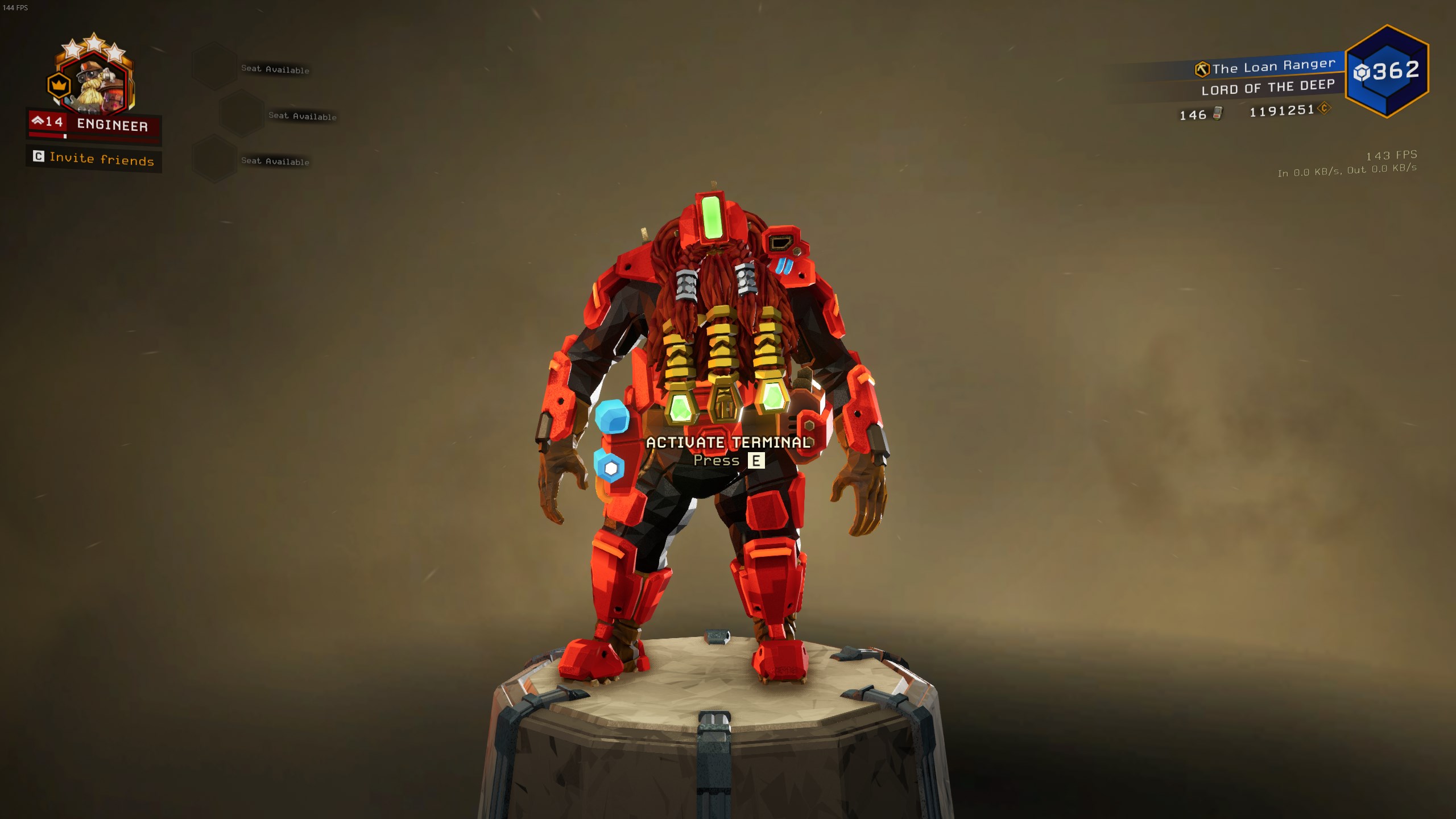
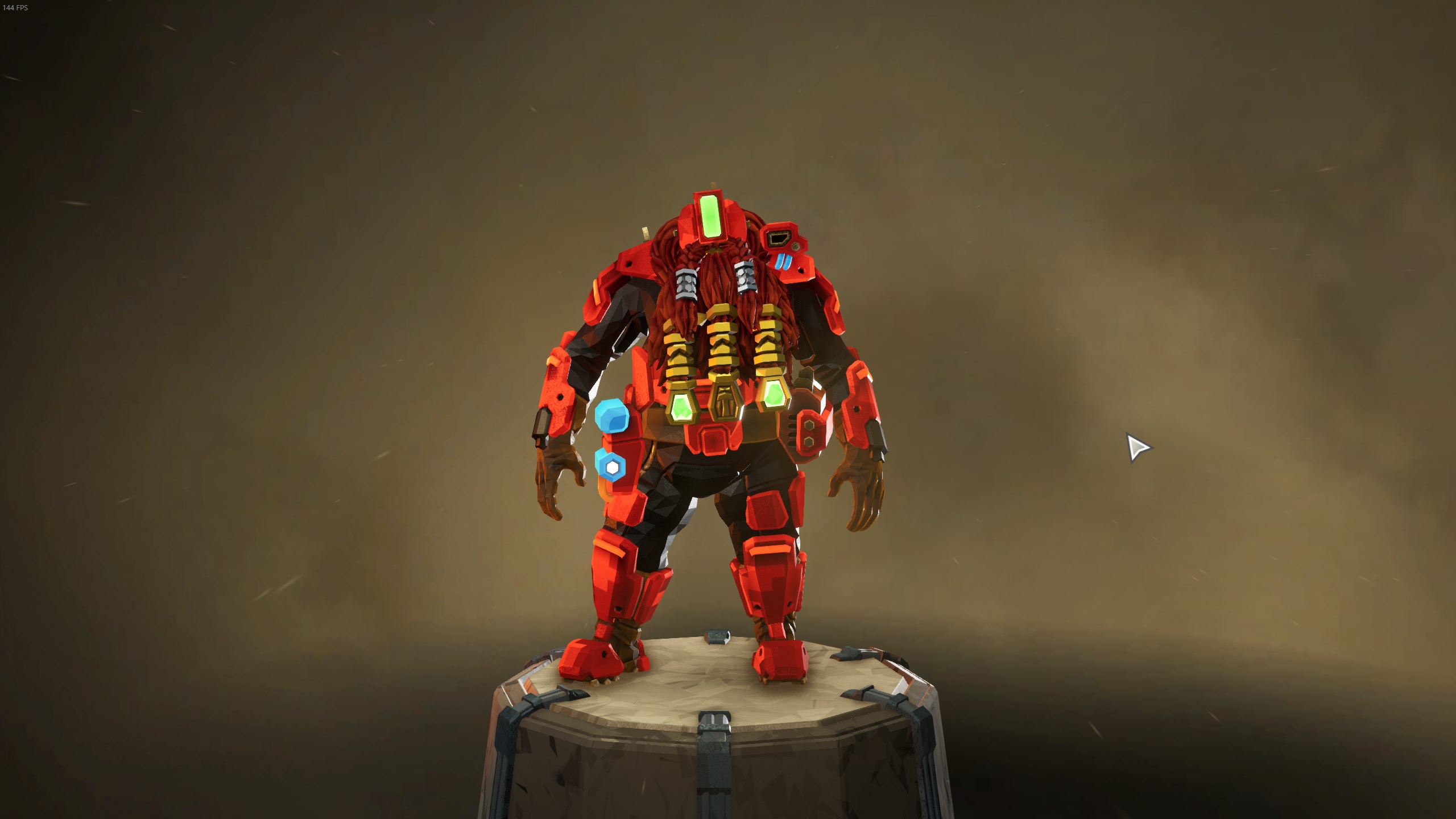
Fun fact: if you don't have anything to do and for some reason try to click E on the equipment terminal and ESC at the same time you can end up with this
austere coral
https://i.imgur.com/sytMorR.jpg https://i.imgur.com/POOeaa1.jpg I was able to reproduce it. It's fairly easy to do. Needs to be attempted from outside of the terminal for it to work.
 dreamy quail
It really is easy to do, though it's unlikely somebody will actually stumble upon it by accident
It's quite funny though
I often find myself clicking random buttons just to see what happens 😅
 glacial lynx
uhh...
I got consumed by the void
i just went into the medbay and that happened lol
ok, I thought it was a bug
its ok
but a bug only on xbox?
ok, I didnt know
my bad
thanks, at least I know now
 muted chasm
How long till DX12 is officially support?
 thin cove
Wth the engi platforms just crashed my pc again
I removed a piece of terrain that a platform was attached to the terrain dissapeard and so did the platform and then the game killed my pc again
like what is wrong with this game
I feel like it hates my pc
Same thing used to happen with resupply pods. They would land bug out my game and bam pc is dead again. Glad they fixed that at least.
I played for 3 hours today. Everything ran without any issues, did all my asignments all good. Then I go to play some Borderlands and Modern Warfare come back to DRG and this shait happens again.
 cold hemlock
So the whole pc crashes and you need to restart?
cold hemlock
Usually that points to a hardware issue but its strange it doesn’t affect you in other games
 shy fern
@dreamy quail good job on finding the bug that I have been using for getting screenshots, haha.
Didn't report that one on purpose.

 mossy breach
So we did something by accident
dreamy quail
good old 5 man squad
 mossy plaza
Been having some trouble with the server list for specific missions, ive been trying to look around for solutions but all I can find is people having trouble with ALL server lists. Its not like that for me.
I have it where I can click "Full server list" and see all servers, but when I try and search for a specific one, no servers pop up. Its been like this for a while and puts me off from the game because I cant find a proper match without having to host it myself, or search through the whole server list.
Ive tried making my Search Distance to world even, and nothing pops up. Anyone else having this issue or know any solutions?
dreamy quail
platform?
mossy plaza
PC, sorry I didnt specify
dreamy quail
I mean, there is a chance that there are just no available games within those search parameters, but if it happens with every mission then there's probably something going on
shy fern
World, all hazards, open, no games. My guess is that you might need to restart Steam or maybe go online since you can get signed out or appear offline easily.
austere coral
I think I know what you're doing
you're opening up the mission selection terminal, clicking on a specific mission, then selecting join.
Doing that significantly narrows down the amount of lobbies for your search parameters and it's not uncommon to have no active servers for that specific mission with your search parameters.
So if there aren't any missions showing up then it's likely no one is hosting that mission that fits your search criteria. You can either expand your criteria or host one yourself.
mossy plaza
Ive checked every possible mission before, and these are usually the weekly missions too, so to see no one playing them is odd. Ive never had a problem with it before until recently, also ive done World for the search distance and All Hazards for the hazard level.
I could just be unlucky and play at the worst times, but I feel like something else is happening
 modern crag
Any idea why DRG crashes upon startup if I have Red Dead Redemption installed? Both on separate drives.
 grave lichen
I'm on the windows version on my PC. Anytime i try to join a game either through the server list or quick join, i get an error saying "mission not available"... anyone have that issue?
austere coral
@modern crag What are your system specs, which version of the game do you own, and do you have realtek audio drivers?
grave lichen
"multiplayer session ended" is the error
austere coral
modern crag
@austere coral i9-9900k, 2070 GPU, and yes to the audio drivers
austere coral
Do this then give the game a try. Hopefully that'll resolve said issue. https://steamcommunity.com/app/548430/discussions/2/1729827777339086202/
Hi all Some users are experiencing stuttering/low fps/freezes and Alt+Tab issues when using a combination of AMD FX Series CPU's and Realtek Audio sound, it has also been observed on other combinations, f.eks Intel and Realtek Audio. If you are having issues as described above...
modern crag
Thanks, I’ll give it a try!
@austere coral THANK YOU!! I've been dealing with that for over a week.
 hoary crown
Hey me and my friend whom I just bought the game for have a severe problem
When I try to join his game I just have black screen the entire time and can't do anything
 acoustic bolt
BUG: Main chat channel is on 6 HOUR delay
hoary crown
and when he tries to join my game he just lags so much thats he is in one place for me and can't open doors etc. for him
so basically we can't do anything
I'd really appreciate help
its internet lag not normal lag btw
so not fps drops or anything
glacial terrace
@hoary crown Go windows search and write "cmd" open as administrator, write these commands one by one then restart pc and join game
netsh int ip reset
netsh winsock reset
hoary crown
@glacial terrace thank you very very much dude it works now
could you tell me what might've caused it?
glacial terrace
There was a problem with a service software such as network access I guess, you're welcome and enjoy your game 🙂
grave lichen
just refunding the xbox version, bought the steam version and i'm not getting any audio, anyone else have this audio issue?
spice trail
So, previously I reported a wave which comes with cursuite event success if there's a wave. It turns out it can do double wave even without success
It actually summoned 3rd wave after 2nd one
grave lichen
@modern crag i had the same audio issue as you, inserted the script and now am getting audio
but it's all out of my left ear headset
do you have the same issue?
spice trail
Also some bugs vanish. Have seen this problem like twice this month and the month before.
grave lichen
checked my sound settings and it's split evenly.. only issue for in game audio
dreamy quail
For me enemies despawn when there are already many, many other enemies spawned, that often goes along with enemy AI breaking somewhat and bugs just walking back and forth. This looks bit different but who knows
 fallow ore
Is there a setting that would lower CPU usage?
My rig is pretty decent, but my CPU is the bottleneck in the machine. About six or so month ago, after a patch was introduced, my game started hitching and even after the new performance pass I get the same hiccups. I have some telemetry on my other monitor, and it's CPU usage spikes from DRG that seem to cause them. As for in-game, I'm not sure what's doing it. It even happens in the space rig sometimes, and up to five times in a row. Anyone else have luck solving a similar problem?
For context, I've got an Intel i5-7500.
 rotund python
So, is task manager showing that drg is what's capping your CPU usage?
There's a lot of cpu intensive background tasks that can interfere with gaming, especially on Win10
rotund python
Have you tried capping your fps? i thought I saw a slider in the gaming settings
modern crag
@grave lichen not an audio issue on my end per se, just freezing on startup
@grave lichen more so interference with Epic launcher
rotund python
And if you're using AMD or nvidia's gaming overlay; are your temps ok?
grave lichen
Gotcha @modern crag I might just uninstall and reinstall
fallow ore
It's capped at 60fps.
I don't use any overlays tho.
I just have some telemetry stuff on my other monitor and nothin' else.
rotund python
is it just this game that suffers?
this is extreme, but if your cpu temps are high along with high usage, it might be burning off the layer of thermal paste sandwiched between your processor and heatsink/fan
I had issues a few years back where I was playing a poorly optimized game that caused my cpu to heat to the point of shutting my PC down entirely
rotund python
how old is the rig?
rotund python
Might be a good idea to look, not only for the sake of this game, lol
Otherwise, outdated drivers; even on gpu-side could cause high cpu usage as your processor works even harder to generate the pathing
fallow ore
I update my drivers pretty regularly, so I don't think that's it.
HWMonitor is downloaded so I'm gonna give it a shot
rotund python
for sure, keep an eye on your CPU/GPU temps
fallow ore
The hitching is super inconsistent so sometimes I can go a while without getting them, but when I do it usually almost kills me.
Like mid-wave or while I'm approaching a ledge.
It's hovering in the 65C range in the space rig.
austere coral
@fallow ore What are your system specs, version of the game, and do you have realtek audio drivers?
rotund python
That temp is completely normal?
austere coral
65C may be fine, depends entirely on ambient.
rotund python
65 c or degrees?
dreamy quail
My last advice I can think of at 3 am is disabling ansel. Now im off to bed
fallow ore
I don't use Ansel
I believe I've turned it off, along with most of Nvidia's app stuff
austere coral
those parts go up to around 95C before throttling and the hardware can easily handle 100C.
fallow ore
It's on high
Turning it to low hasn't stopped the hitching for me
It was the first thing I tried.
Just had a hitch
CPU temp didn't move
rotund python
i5 chipsets shouldn't be idling that high in the space rig
fallow ore
It's not any higher in mission either btw
rotund python
Temp doesn't rise while playing?
fallow ore
62 right now
fallow ore
You can see the hitches
It's that little spike
¯_(ツ)_/¯
I don't think the temp is the issue, in any case. It hasn't shown any change in pattern during hitches. Seems consistent.
Also temp seems higher in the rig than in the game. 🤔
maybe because of all the barrels
That's not really relevant. I have a lot of hours in this anyways.
austere coral
Ideally yes, but the parts handle heat just fine. also just listing a temperature says absolutely nothing. You need to know the temperature delta. That's the difference from your ambient temperature to your cpu temperature. Otherwise a part at 50C with an ambient at 30C is a lot different from a part at 40C with the ambient at 10C.
fallow ore
Should I turn DRG off and monitor?
austere coral
I need to know if you have realtek audio drivers or not. The game has issues with them.
fallow ore
That could be it. I'm pretty sure I do, but I'll double check.
Huh. I guess not.
I was mistaking "High Definition Audio Device" for Realtek, but it's Microsoft.
Both friends I play with have Realtek drivers and they run fine, which is ironic.
austere coral
Try this anyways. I've seen it affect people with intel chips and without realtek drivers. https://steamcommunity.com/app/548430/discussions/2/1729827777339086202/
Hi all Some users are experiencing stuttering/low fps/freezes and Alt+Tab issues when using a combination of AMD FX Series CPU's and Realtek Audio sound, it has also been observed on other combinations, f.eks Intel and Realtek Audio. If you are having issues as described above...
austere coral
yes
fallow ore
Is it any different from the in-game setting to do that?
austere coral
nope
fallow ore
Ah. Then this won't help, unfortunately.
Unless it doesn't apply until restart, I guess. I might as well try it.
austere coral
Reboot into bios and check that your ram is running at its advertised frequency
fallow ore
My PC takes a while to restart. I'd rather reserve that for later.
I'm a ding-dong and didn't install windows to my SSD.
Disabling EQ still hitches me, yeah. 😔
The hitches seem to last for less time, unless that was just a one-off.
austere coral
Your other option is to add -dx12 into launch options. Keep in mind that it isn't officially supported and may introduce other bugs.
which gpu model did you have again?
fallow ore
1060 6gb
austere coral
The other guy mentioned it, but make sure Ansel is disabled.
fallow ore
It's in GeForce experience iirc, yeah?
DRG only adds around 5C to my CPU temp, it seems like.
austere coral
it'll be in your ingame overlay.
fallow ore
I have the overlay turned off.
Oof, I have to update GeForce to even check, lmao.
Not a fan of this program tbh.
Well, that's not entirely fair. I like how easy it makes to update drivers, but I dislike everything else.
I'm not sure where to check if it's even turned on. It says it's ready, but that's it.
austere coral
I think it's alt+z for the overlay then it'll be in settings and photo mode/game filter
fallow ore
It's kept me stumped for a while too. I appreciate all the help though.
Just got another big hitch. No dice, it seems.
My CPU hasn't had time to heat up either.
Another thing i tried was moving it to my SSD, since I thought access speed might have had something to do with it.
Is there a place I could send my DxDiag? 🤔
I'm gonna try checking my RAM speed first thing in the morning tomorrow.
 hollow tartan
So uh, is it normal to install the game on another computer and end up losing all of your progress? Or like 99% of it?
Because I've just installed the game on my new pc and I've been dropped from a promoted engie to a level 7 engie with 4 stages of progress in the conquer Hoxxes setup and uh... nothing else.
Should I go back to my old pc and thumb drive my old player profile over?
hollow tartan
Good point, thanks for the confirmation!
 kind lagoon
Finding that I need to press a button on my mouse several times for the associated action to trigger (firing, mining)
 static dust
locked in unrezable t-pose @glacial phoenix
 gentle atlas
So.. guys, it seems that the electricity crystals kinda makes my game go clanky (micro-stutters), anyone knows wich setting i should lower for this to stop or at least be less A$$ XD
 vapid halo
I've found a large bug in the past couple days. I've had large crystals (first Aquarq, and then a large gold nugget) that I carry through tunnels, either player made or natural, suddenly disappear from existence. My character will still be slow and will keep weapons put away as though carrying the item, and it can still be turned into the MULE so long as I hold onto it, but if I drop the thing during this status then it ceases to exist and cannot be recovered. EDIT: Playing on Xbox One
austere coral
@kind lagoon Run the game in full screen and your native resolution. That'll minimize your issue.
 errant tinsel
FYI, after my Microsoft Store updates, I am unable to connect with Xbox players anymore 😦
 graceful yarrow
I am currently using keyboard and mouse on Xbox for this game and when my controller turns off it does not let me continue playing the game unless my controller is turned back on.
@loud path
 mortal elk
Spawned like this, couldn't leave the inside of the pod and its killed me when the pod left. No idea of how to reproduce.
(pc steam)
 dim dock
PC Steam. I've got a simple issue. I bought Mk4 armor for the gunner a few days ago but whenever I equip it, the armor switches back to 1 or 2. It only seems to happen for the gunner class.
 fervent field
https://streamable.com/t33oha the only time i wished a game would push you off a platform 😄 (bug stuck in drop pod from start of game)

 granite epoch
 fair tide
I just had a mission that i joined glitch for me. it was like i was still in the drop pod even when it left. I couldn't turn around and my hud wasn't active. i could salute and type in chat even though i didn't see the animations or the chat box.
austere coral
It's likely a one off network issue. If it persists then complete the steps listed here. https://i.imgur.com/sA62nYz.png
 fair tide
thanks, its working normally agian
 tawny spindle
Secret 5 man mission
Update: Mission completed and I did get credit, except our other scout was stuck as a result
 tight ginkgo
tawny spindle
tight ginkgo
tawny spindle
So. The three engi's were originally in the mission by themselves, I joined and the loading screen showed me and another scout. Maybe we clicked at the exact same time? Freak accident? No idea how the hell it happened
 craggy pecan
that was interesting. Lol 

 twin socket
my wife just upgraded her pc and Now DRG runs far worse than before while all other games run much better than before strange
tawny spindle
try updating drivers
and if new ram was installed make sure you set the correct speed in BIOS
 lusty pecan
 smoky breach
something seems wrong here
twin socket
Ram speed is fine and her gpu drivers and bios are current
austere coral
is her new computer running realtek audio drivers by any chance?
 viscid gull
I get a similar load out screen but constantly. Where it will display different icons than the dwarf in the middle. But it seems purely visual for me and switching classes fixes it for me every time
twin socket
not sure
sound driver wise
i know she uses the same brand and model of headset i use
Razer Nari
austere coral
search for device manager in windows search
click the carrot for Audio inputs and output
see if anything in there is a realtek based
 solemn cairn
Not sure if it is a bug in procedural generation but in Salvage mission. The uplink spawned in some small tunnel way below the drop pod. Took us like 20 minute to find it.
twin socket
Creative
not realtek
so it should not be the audio drivers
she can hardly manage 40 ish fps
austere coral
two things to try
Place -dx12 in launch options. Keep in mind that this setting isn't officially supported and can introduce other bugs.
The second one is, despite her not having realtek drivers, is to use this workaround. I've seen the solution resolve issues with other hardware that isn't specifically listed. https://steamcommunity.com/app/548430/discussions/2/1729827777339086202/
Hi all Some users are experiencing stuttering/low fps/freezes and Alt+Tab issues when using a combination of AMD FX Series CPU's and Realtek Audio sound, it has also been observed on other combinations, f.eks Intel and Realtek Audio. If you are having issues as described above...
twin socket
OK np will try
she is using a 3700x and a 5700xt now
compared to her other pc which was a 7600 i5 with a 1060
austere coral
okay check the AMD radeon software
you're looking to make sure thatAnti-lag is disabled
 half rune
So the assigments are broken. I did the first and second mission for the weekly priority assignment and when I got off for the night and came back on. It’s making me redo the entire assignment.
twin socket
ok i will double check that in her radeon software
austere coral
when did you start the assignment. If you started it on Wednesday, they reset on Thursday.
if you started it after Thursday then check your backup saves in options ingame.
 glad lava
There's still a bug with multiple waves spawn at the same time/very short period of time.
 tulip sentinel
Hello! I got a Victory Move from a Cargo Crate, successfully completed the mission, and it isn't showing up in my Wardrobe even after I've restarted the game. I'm concerned that Cargo Crate rewards just won't come through for me? Any help appreciated!
Ah. After further exploring, it seems that the Victory Move is only unlocked for one character, and not the one I was playing at the time! At least that answers that question...
mossy breach
Encountering a bug where the quick join feature isn't putting me into the mission i want to be in.
glacial terrace
Encountering a bug where the quick join feature isn't putting me into the mission i want to be in.
@mossy breach It's working fine for me, try restart steam and try again
Ah. After further exploring, it seems that the Victory Move is only unlocked for one character, and not the one I was playing at the time! At least that answers that question...
@tulip sentinel you can just unlock Victory Move for 1 character, you can't unlock for all characters 🙂
 fervent nest
with gemini setup for engineer on the deep dive only one of my turrets shows up on the right hand side of the hud when I clearly had both fully setup
I could still refill the second one and it was shooting it just isn't on the hud
fervent nest
when I'm in the forge I just noticed the xp is completely wrong
This is what it is in every other menu
 floral badge
Anybody else having a bug where the Engineer MK2 armour is always shown instead of whats equipped?
floral badge
Yes!
floral badge
The tiny gap makes me ree
 zenith mauve
like ReEeEeE
or
REEEEEEE
it just
well
its there
and now i cant really unsee it
wanted to have some nice combinations but now the bottom part is kinda just floating
New DRG tech LUL
floral badge
each time i swing with a pick that has a part a teeny bit wonky im like "no i cant use this"
 wind basin
- Drink a Blackout Stout. 2. Immediately drink a Leaf Lover Special before you pass out. You'll be holding an empty mug when you spawn in the medbay. When you try to throw the mug, it despawns. I was also able to pass out standing up doing this. haha
 burnt arch
austere coral
burnt arch
austere coral
pinned messages
 neon pumice
I bought a support edition, used it a little and reimbursed it, but then I bought it again, but I didn't get the golden mug and golden paint, both in weapons and armor
like that happend
 sullen pendant
- Drink a Blackout Stout. 2. Immediately drink a Leaf Lover Special before you pass out. You'll be holding an empty mug when you spawn in the medbay. When you try to throw the mug, it despawns. I was also able to pass out standing up doing this. haha
@wind basin
is that a bug?
I find it amusing to jump onto the ring of fire (beer kicking game) then drinking a epic or legendary beer and proceeding to pass out, it then leaves you floating in mid air when the ring moves away from you. Effects are worse when u lower gravity and pass out in the middle of nowhere.
floral badge
Well i found out how to fix the engineer bug i was talking about
Strange fix for some reason your skin tone becomes the MK2 so you just swap you skin tone
 deft violet
I just had what The_Magik_Waffle had other then my Neon Band is gone completely. From all loadouts.
austere coral
Did you check pinned messages?
deft violet
I don't see it in the pinned messages other then one saying that is was unlock to everyone by mistake awhile ago and to go find it in a loot crate
but I got mine in a loot crate just yesterday
and now it's gone.
 glacial wind
anyone else been having really nasty bugs recently? just had a mission where i kept falling through the floor of the drop pod, preventing me from finishing the mission, and a friend just told me his game has been crashing all day. has there been a new patch or something that destabilized the game?
 sweet zodiac

 wise fractal
If I want to return the game because even after the update I can't join an online session where do I go? Windows store doesn't give me the option
 torpid zinc
our mule got bugged and we failed....
grave lichen
@glacial wind i've been having some crashes on the windows version
it's here and there, but still annoying nonetheless. i was having worse connection issues before updating, but yes... this patch seems more unstable
 simple coral
Dear administrators and developers, the modules I received disappear after I exit the game, I also noticed this with deep immersion.
 tender bone
@simple coral what Modules do you mean?
simple coral
@tender bone flawless on scout on double pistols, I got free after work, I wanted to try it out, it just disappeared... the day before, we went with a partner deep dive (ordinary), The next time I went into the game I don’t have.
 gusty hill
my loadout setups are not "sticking" I check them and things are not selected. re-select, go on mission, come back, not set again. and not confusing A B or C.
also had a weird thing happen where the label of a thing pointed at with the tool was displayed like 30 degrees below what I was pointing at.
 mental leaf
Hey guys, I have a friend who used to be able to run DRG with a great performance. After more recent updates, his game has a bunch of frame drops and has gone significantly down in performance, even in the space station. He already turned down the graphic options, but that doesnt seem to make a difference. Is there a solution to this?
 river canopy
my invites recently bugged, when i invite it says already "game ended" (in the spacerig)
also i see different missions/biomes of other players, like he saw mission in dense biozone, but for me it was closed (out of scanners range)
any fix?
if it helps, my version, maybe there was a patch and steam didn't update the game
 vivid shore
Placement seems to struggle with ice
river canopy
@rancid sorrel how? tried unistalling and reinstalling, but still happens
austere coral
@river canopy the game won’t let people play with each other if their version is out of date. You and your friend need to check windows date and time settings. The time, time zone, date, and daylight savings should be set to automatic.
@limpid carbon what are your system specs, which store did you buy the game on, and do you have Realtek audio drivers?
 limpid carbon
RX 580 GPU, Ryzen 5 1400 CPU, 12GB DDR4 RAM, bought it on Steam, yes it uses Realtek
glacial terrace
RX 580 GPU, Ryzen 5 1400 CPU, 12GB DDR4 RAM, bought it on Steam, yes it uses Realtek
@limpid carbon Did you try common crashes solutions?
austere coral
Alright you’ve got the trifecta of things that can cause issues.
Hi all Some users are experiencing stuttering/low fps/freezes and Alt+Tab issues when using a combination of AMD FX Series CPU's and Realtek Audio sound, it has also been observed on other combinations, f.eks Intel and Realtek Audio. If you are having issues as described above...
limpid carbon
It didn't crash with a tabout, but I'll try that
@austere coral nope, still crashes
glacial terrace
@austere coral nope, still crashes
@limpid carbon Try place this command on your steam deep rock galactic launch option "-dx12"
 dire gull
XBOX/Windows version is way worse then any crash issues you get on Steam
Tragic
How do you have 12 GB of RAM? using mismatched ram?
Shouldn't do that
Should replace that 4GB stick with a 8GB
DDR4 right?
yeah should be
glacial terrace
I don't think that's gonna be a problem, you can use all the Ram you want
dire gull
Can be really bad if different speeds or timings
Never recommended
So yes it can be a problem
A bunch of people are saying "the performance is worse", but not explaining why. There are two main things that can happen that would affect performance. 1. Speed of the modules might not match. Generally the memory controller has to run all the ...
Should really look into getting a matched modue with your 8GB and I mean 100% match or just get a whole new kit of 2x8GB, maybe sell old pair
glacial terrace
If you have fast memory, it already works at low memory speed or you should lower your memory speed
 wintry cosmos
last stage of the weekly Deep Dive... my last Egg just disappeared, sent Bosco to fetch he stops after the first strike and no more egg. fml.
sullen pendant
@limpid carbon just search steam discussion boards, there's a dev post regarding the FSD_ error
there are usually more egg locations than required eggs on missions, tho some may require an engineer and scout combos
@limpid carbon basically says :
Step 1
First of all update your Intel HD graphics drivers, directly from Intel[downloadcenter.intel.com]. If you find that the versions of the latest driver on the website and that of the driver installed on the computer are the same, I would suggest you uninstall and reinstall the current version of display driver to try and fix the issue.
Step 2
Restart your PC and boot up the game again. Are the crashes still occurring? If not; fantastic! If the crashes have not been resolved, resume with step 3.
Step 3
Uninstall Intel HD graphics drivers and use normal drivers instead.
re memory types and not using matched pairs, it's meh.. It makes some difference when gaming, defo will be a difference in performance if using different speed memory, tho mostly depends if your overclocking a system.
as a ball park figure most peeps for gaming on pc should be hoping for 16gb ram. tho 8 is normally fine. anything above is only useful to content creators etc
limpid carbon
Wouldn't that do nothing because I'm not using an Intel GPU
sullen pendant
hmm
well if u google search the FSD_ etc bit there's a dev post on steam discussion posts regarding erros,
u could try going to bios and disabling the intel HD option (its under graphics interface, i think)
hmm nope
looking over google suggests other culprits tho no obvious fixes
mossy breach
[Reproduction rate:] 1 out of 1 times (just happened to me, i'll try to reproduce it but it's not easy)
[Steps to reproduce:]
- Call the drop pod after completing your objectives
- Before the M.U.L.E arrives to the drop pod, start an event. In my case, a Kursite infection
- Play the event and just realize you're probably stuck on the planet forever.
[Expected Results:]
(What is supposed to happen, if the bug had not occurred.)
If the bug hadn't occured, the M.U.L.E should've just kept going in the drop pod and allow you to leave at any time.
[Actual results:]
(What actually happens, because the bug does occur.)
What happens with the bug is that the M.U.L.E stays stuck wherever it was when the event starts, it could even be in mid-air. The M.U.L.E will also keep placing beacons, stacking them. If you approach them, you will start lagging and also it's getting louder and louder. The drop pod's gates force open when around 10 seconds are left before it leaves.
[PC Specifications:] (Hardware, Software): I'm on pc, but i have no idea what my components are-
(did I fill it right? I'll try to report it on jira as well)
limpid carbon
A bunch of games have been crashing for me lately
Black Mesa and Doom Eternal did once or twice
sullen pendant
not running cheatengie are u? dunno if game scans for it (I've got it installed tho not running) just seeing some simular errors and referencing the software..
limpid carbon
No, I have no cheat software on this PC
sullen pendant
oh you should it's great if ur really crap at gaming like me.. Tho never online.. that's for peeps who want insta-ban's
No, I have no cheat software on this PC
@limpid carbon
going to re-check ur comments when its occuring etc (im not much help atm)
u have any windows updates prior to this occuring?
is it a little black box and green sides (i think) when it appears on screen?
mossy breach
can anyone tell me if I filled mine right plz?
sullen pendant
this is just community members trying to help others out that info would be sent to devs
wintry cosmos
@sullen pendant in over 750hrs of play, never have i seen egg locations number more than the required number of eggs to be collected,
sullen pendant
if in mid air if u have an engineer put platforms under it, sounds like the mule got stuck on a path
austere coral
there are usually more egg locations than required eggs on missions, tho some may require an engineer and scout combos
@sullen pendant This is incorrect. There are an exact number of eggs on the map to complete the objective. You're probably thinking of PE where there's extra aquarqs.
mossy breach
i was playing alone as driller, no matter what i did it was stuck right next to the pod
wintry cosmos
@austere coral this.
sullen pendant
@sullen pendant in over 750hrs of play, never have i seen egg locations number more than the required number of eggs to be collected,
@wintry cosmos
Oh, i've seen a couple of locations that were untouched (as far as i could tell) tho was engineer class and couldn't see if someone had drilled or scouted to
mossy breach
i've never seen any untouched eggs in missions
austere coral
As for FSD crashes. It's a vague crash report that can be caused by any number of things. I've seen corrupt or missing directx files causing it and realtek audio drivers causing it.
use tab to check, you can see undeposited eggs on the map
@limpid carbon Navigate to E:\Steam Games\steamapps\common\Deep Rock Galactic
Right click FSD.exe and run as admin.
See if any error messages pop up.
If the game launches fine, it'll launch into a window saying it's trying to connect to steam, just close it.
Place -dx12 into your launch options. Keep in mind that this is unofficially supported and may introduce further bugs.
If that fails then go here and follow the instructions listed by BossDweeb on repairing Directx. https://answers.microsoft.com/en-us/windows/forum/windows_10-hardware/how-do-i-unistallreinstall-directx-on-windows-10/f703b4ef-74e1-434e-8fce-1e84743301a6

I have a Linx tablet running Win10. it was upgraded from Win8 the day Win10 was released. On Windows 8, I had a number of older games I played without issue. however, after upgrading to Win10. These
 rare thorn
Mule stuck and does not move
It did not move, but when 10 seconds were remaining, it magically teleported and the doors opened
austere coral
The solution to it not moving is to dig out the terrain at the points where it turns around. Although as you observed, this isn't necessary if you can make it to the pod since the doors automatically open.
mossy breach
hey you did the exact same thing as me @rare thorn
did you also activate the event during the escape phase?
limpid carbon
I'm going to check the directx thing, it's caused me issues in the past
Maybe a Windows update will help
I mean, when has a Windows update ever worsened a problem
austere coral
All those times when updates caused files to be permanently deleted. You should still almost always keep your OS up to date, but after a couple of weeks. Let other people test the update first.
 crisp plinth
I got disconnected from a public session and started forging and my character model wasn't ther
also when you do this the menu bugs out and you can't exit the forge screen
austere coral
Are you missing any other progress like dwarf levels or credits or is it just the assignment?
 misty valve
weird glitch with terrain generation that causes crystals to spawn upside down
rare thorn
hey you did the exact same thing as me @rare thorn
@mossy breach nah, did not even activate the event
 sinful granite
While trying to revive a passed out teammate at the Space Station (We had both drank Blackout Stout) I was reviving him while I "passed out" but I never actually passed out and I just lost the visual effects of the drink and was able to finish reviving him
vivid shore
Event again struggling with ice
 sick stag
Driller was not promoted.
[Reproduction rate:] 1 out of 1 times
[Steps to reproduce:]
- Complete Promotion Assignment
[Expected Results:]
Driller gets promoted.
[Actual results:]
Driller remains at level 25 and unpromoted, and there is a message below saying "up for promotion". assignment is gone
[PC Specifications:] (Hardware, Software): PC, Nvidia 1080 TI, Win 10, Intel i7-4790
austere coral
Are you aborting the assignment and selecting another? Progress is lost when you abort an assignment and select another.
So just to clarify. You're doing the weekly priority assignment. Completing 2 missions in the assignment. Quitting the game. Then it's saying no progress has been made when you reboot. Sound about right?
Can you navigate to the following directory and verify that your save file isn't set to read only? It'll-be-a-long-string-of-numbers_Player.sav
\steamapps\common\Deep Rock Galactic\FSD\Saved\SaveGames
 fading dagger
Xbox
austere coral
oh
That's outside my realm of knowledge. You may have better luck asking around for solutions in #xbox-and-windows-store.
yeah I can't say I've heard of this before the way you describe it.
fading dagger
Progression loss - Xbox one
Weekly Core Hunt Assignment!
3 missions needed to complete it.
Today I finished one of the 3 missions and closed the game, few hours later I came back and I had no active assignment.
I did the first one and quit the game again, than when I got back I had no active assignment again.
After this, I did it for the 3rd time on purpose to see, if it's a consistent bug or not, unfortunately it is. Happened 3 times out of 3.
Sidenote: I do keep all the rest of the progress I'vemade, like experience gained, credits and minerals. (Only exception is the assignment rewards, I only got it once, the first time.) Just the assignment is "lost".
Also I've found out the Assignment board is glitchy.
As you can see it on the clip, the bottom of the screen doesn't show the "progression bar" .. mission icons or anything under the empty space on the Assignment Board.
limpid carbon
@austere coral Windows update fixed crashes, your comment on directx tipped me off that it was tied to the OS updating so cheers

 cerulean knoll
One message removed from a suspended account.
 modest forge
Golldarn game keeps eating my shields
3 shields eaten in the past ammo, consumes the ammo and charge time, but doesn't deploy
 round crown
Hey guys! I'm having a strange mouse drifting bug when I alt tab, it's only when I play DRG, what should I do?
 vivid jackal
@round crown If you have a controller connected, there's a possible chance that could cause some kind of problem where the analogue sticks are pulling it, but that's just a guess
alternative solution might be try setting the game to windowed borderless if the issue is being caused by alt tabbing
 toxic copper
random OC typo, the Hipster OC for M1000 adds +3 fire rate but doesn't say it
round crown
@vivid jackal Yes, I have a controller connected, I tried all types of window combinations and it still happens. The only thing that works temporarily is restarting the game.
austere coral
unplug your controller
vivid jackal
I think steam also has a dead zone option for controllers (is that what it's called? idk)
It takes into account that an analogue stick might be stuck in a direction very slightly so it requires a larger input before it pulls your cursor
 compact flint
Anyone have an issue on console where sometimes object act weird and block portions of the screen. Doesn't happen all the time though. Don't see this on the PC
round crown
@austere coral Wow! Why didn't I think of that before? 👌 😩
@vivid jackal Okay I will play with those numbers and get back to you
mortal elk
Is lv 1800 can be legit?
austere coral
yes, but it's unlikely
mortal elk
Nevermind found the steam account, there two with the same name and both have ban recorded so
😂
the damn coincidence. 😂
sullen pendant
that steam level or corp level?
mortal elk
drg level.
glacial wind
@sick stag once you complete the promotion QUALIFICATION assignment, you have to then go to the promotion terminal in the memorial hall to promote the dwarf.
sick stag
Thanks I eventually figured that out 😆
 silent lintel
hey guys. i have a buddy that i'm trying to get to play this game that's getting a crash on startup, like even before the game starts at all. pressing play on steam just turns the button to say "Cancel" and then about 10 seconds go by and it turns back to "Play". nothing else appears to happen. granted he's on a compact box with a GT 1030. (not GTX). he hits min specs everywhere else. anyone else seen this?
he's tried reinstalling from scratch and disabling antivirus already
and graphics drivers confirmed to be latest
austere coral
Have him navigate to this folder and attempt to run FSD.exe as admin. List the error message he receives (if it launches then the game will say connecting to steam, just close it at that point). \steamapps\common\Deep Rock Galactic
also are his audio drivers realtek?
silent lintel
i'll give those two things a shot. we've missed our play window for tonight but next time 🙂 thanks guys, and if anyone else has any insight, please give us more things to try
@austere coral what can we do if his drivers are in fact realteak?
austere coral
one moment
If he's using realtek audio drivers then have him do this. Although since the game isn't even booting up it's likely to be a directx issue, but I need to see the error message first. https://steamcommunity.com/app/548430/discussions/2/1729827777339086202/
Hi all Some users are experiencing stuttering/low fps/freezes and Alt+Tab issues when using a combination of AMD FX Series CPU's and Realtek Audio sound, it has also been observed on other combinations, f.eks Intel and Realtek Audio. If you are having issues as described above...
silent lintel
👍
 livid talon
Hi not sure if this is the right place to report a bug, but here is my bug report
[Title]: Stuck on one Gunner armor
[Reproduction rate:] Every time I've logged in for about the past 2 months.
[Steps to reproduce:]
- Log in and go to Wardrobe as Gunner.
- Try to change the Gunner's armor equipped (the new armor is shown in the selection screen).
- Examine equipped armor (either go to jukebox to get to 3rd person or have friend tell me).
[Expected Results:]
The armor displayed on my character is the selected armor.
[Actual results:]
The armor displayed on my character is MK3 Gunner Suit. It's stuck on that one and I can't change
[PC Specifications:] (Hardware, Software): I'm running Windows 7 if that could be relevant.
austere coral
I believe briefly switching paintjobs is a workaround
 vast oar
Hello,
I found somes matrix core playing while playing with a friend. Both of us didn't had our promotion. When i unlocked my promotion later, i didn't had my matrix core in the forge.
 hybrid oak
I had a weird bug just now. Yesterday I did the elite deep dive but my entire team ragequit on the third mission so I didn't complete it so I thought I'd finish today. I joined an Elite Deep Dive and when we started the deep dive the missions were completely different from the ones that I did yesterday even though it was displaying the same codename and that I had completed 2/3. When we completed the first mission I received a matrix core but not for the second two and when the deep dive was done it started loading me into the real deep dive for this timer showing 0/3 progress. When the loading was done I was back in the space rig. Also when I pressed escape in the mission it would display a null screen for the mission data (https://imgur.com/cIpIHL8). And another weird glitch is in the second mission the gunner put down his shield and it was seriously so large it covered the entire chamber where we landed with the drop pod
I was also not awarded any XP or gold for the completion
austere coral
I think you're the first person to report this not on a Thursday. (you did do the EDD not on Thursday correct?)
hybrid oak
It would have been Saturday, the night to Sunday when I did it
sorry I'm a night shift worker so the days kinda blend together but it was definitely not a thursday
austere coral
and just to confirm, you weren't host right?
hybrid oak
I was not host
austere coral
I suspect the host didn't have his date and time setup correctly. Maybe he rolled them back or advanced them forward. I don't know. But his game likely thought it wasn't this weeks dive. Yours did. Either way something happened and your game wasn't synced with his.
Typically this happens most often on Thursday right around reset time.
hybrid oak
Ah because of timezones I guess
 storm vigil
Hiya, I don't know if this is the right chat to report a bug but me and my friends are trying to play but they keep lagging out and all of our connections are great.
austere coral
on steam, windows store, or xbox?
storm vigil
On xbox one
The most recent game we tried, kicked all of us out to the "press Y to continue" screen
austere coral
yeah there's network connectivity issues right now with the xbox version of the game. Devs are working on it though.
storm vigil
Okay, thank you so much, I just didn't know if it was me or everyone having the same problem
austere coral
you may have some luck checking out the pinned messages in #xbox-and-windows-store there's a paragraph that goes into detail on how to minimize disconnects and connection issues. You may have some luck with that.
storm vigil
Okay thank you 😁
mortal elk
So i just started a EDD it was a aquarq mission. . Since there like three day left they switched hours on purpose to make it happens? Felt weird in first place not the same mission.
 rose bone
Does anyone know if it is intended that the Zhukov overclock embedded detonators does not apply to drednaughts with armor? Meaning it can deal damage to dreadnaughts in both phases but only when shooting dreadnaughts in the phase without armor the detonators are applied.
 keen charm
Think wrong voicelines are playing when pressing X while descending in the droppod in the beginning of a mission. That or it just plays the lobby voicelines at the same time as the grunts and coughs when it shouldn't.
 halcyon hedge
sometimes the drills stop doing the animation and doesnt, well, drill, but it still heats up.
noble dawn
| Main Bug, causing grappling hook to break |

 vital egret
Bought the game yesterday and something weird happened at the tutorial. The drill pod stopped and they gate opened but the announcer didn't say anything at first so I walked back in the pod. At that point the gate closed and the pod took off with me in it. After a few seconds I fell through the floor and died. I respawned in the base.
 vestal holly
was in a lobby not too long ago and at the first half things were normal (outside of getting a really good amount of nitra )
one guy just dropped like 8 pods down on the same spot and after a bit we also noticed that the entire team had infinite grenades
could is the raw amount of supply pods related to the grenade bug?
shy fern
No, just the host cheating.
vestal holly
Host wasnt cheating though as far as I know , he's a friend we've been playing all night and this bug occured during a match , we were using our resources like normal then we noticed them not using the counter
It was especially wierd because I ran out of bases a few times before the mass resupply spam from overabundance of nitra
 vapid swan
Does anyone know how to get rid of this bug on the Gunner, where I selected the "accuracy" mod for the "Lead Storm" Minigun but every time I go into a mission the spread of the weapon is the same as without it. Changing back and forth doesn't do anything 🤷🏻
vestal holly
Uhh that mod makes it more accurate the longer you fire
vapid swan
it reduces the base spread and when I played with it before the indicator for the spread was smaller, but since yesterday it just didn't work
vestal holly
Hmm
vapid swan
hmm then maybe it just seemed smaller to me yesterday
I am sorry for the time wasted
thanks anyway
 bright wraith
Anyone else has the game not responding on start?
 worn quartz
Did anyone noticed, that if you over a weapon with cursor and use the right stick up or down, the weapon changes dramatically fast?
 pseudo ridge
any idea ?
 winter cosmos
Noob question, not sure if it is a bug. Is it valid for the pod not to drop a platform? I just played a level where I walked around the pod and there was no platform to be seen. I was the engineer and did not have time to build my way up 😦
pseudo ridge
u cant place plat from on certain thing
pod
omen machine event
and somtime resuply pod
hollow latch
It's a restriction put in place to prevent players from grefing each others
bright wraith
I cant launch my game, i see black screen and the process in task manager not responding. I submited bug report on steam forum and on jira. Really hope to get some help 😟
austere coral
What are your system specs and do you have Realtek audio drivers?
@vestal holly host was using a trainer aka cheating.
 gusty fable
I’ve been having the stuttering/freezing issue in-game for a little bit now. Maybe started in the past 2 weeks. Did not have the problem when I first started playing the game.
CPU: 8700k (no OC)
GPU: 1080 Ti (no OC)
RAM: 3200mhz (confirmed in bios)
OS: Windows 10
I’ve tried what seems like every solution I can find searching online and in this channel. I am running Realtek Audio drivers. I’ve disabled the MasterEQ option in the game and checked the engine.ini file to make sure it’s disabled there. I’ve updated the Realtek drivers, and tried disabling them. Tried various combinations of framerate caps, lower graphical settings, changing settings in the Nvidia control panel for DRG specifically based off some suggestions found, turned off gsync, verified the game via steam, completely reinstalled DRG, clean install of Nvidia drivers. That’s all I can think off right now.
Is there any other things I can try for the stuttering/freezing in game?
austere coral
You can try placing -dx12 in launch options. It’s unofficially supported and may introduce other bugs.
gusty fable
Oh sorry. I did try that too. It didn't help the stuttering and it had graphical issues haha. It's definitely something to do with my PC because I tried playing over GeForce Now and it was fine aside from some latency issues.
austere coral
Look into running a surface scan to see if any directx files are corrupted on your machine. Monitor your cpu and gpu frequency spikes and dips. I’m wondering if it may be an overheating issue. Frequency movement will help identify that.
gusty fable
I have been watching my temps on CPUID HWMonitor. GPU gets a little high 68-71c, but that's still not terrible temps. CPU is usually around 40c.
Reinstalling directx files might be worth a go though. Haven't tried that yet.
gusty fable
Ok so watching my GPU usage in performance monitor, the usage just drops to 0% during the stutter. I'm not sure what to make of that though.
austere coral
That may be a power delivery issue. Although usually bios won't let you boot without a warning. What that looks like to me is it's doing a hard drop then going back up to a lower frequency. If you're up for it, download EVGA Precision X1 (or whatever your preferred overclocking software is) and underclock your gpu just a hair. What we're trying to do is lock the frequency of the card to see if it's also a cpu issue.
I suggest an underclock to prevent any kind of thermal throttling
gusty fable
Yeah I can try. Did googling and saw some comments about running a memory test so it's doing that right now. I'll give underclocking a try once this is finished.
solemn cairn
Just got a weird bug where all my turret ammo disappeared and eh ... my grenade ammo seems to be unlimited
If i resupply, the turret ammo came back but the moment i build the turret, the ammo count just goes into 0 and the built turrent only have 10 ammo in it.
However my grenade count is 9 and yet when i throw them, it doesn't go down. It seems to be unlimited or a lot of grenade since i noticed that i can toss tons of them while i was in the drop pod
austere coral
your host was using a trainer and cheating
solemn cairn
ohh the host is cheating and it effected me ?
solemn cairn
oh boy. good thing i left the lobby right after the match
austere coral
that's really all you can do
bright wraith
hey @swift horizon . My game doesn't launch and I was wondering if you could help.
I tried verifying integrity, deleting steam cache, reinstalling the game and steam, updating nvidia drivers, reinstaling DirectX and redist, switched off my antivirus and firewall, ran the game and steam in compatibility with windows 7, also tried deleting save file in FSD/Saved/SaveGames and running the game after it. Nothing helped.
More info on the issue:
My pc shut down due to power shutdown in the house while i was launching DeepRockGalactic. I started pc again, it repaired the disk E and after that every time I launch DRG, i see the logo and running man, but after that its just black screen and nothing happens. In task manager it says my Deep Rock Galactic process is not responding.
Please help 😟
p.s. Other games on steam work
glacial terrace
@bright wraith What's your pc specs?
bright wraith
@glacial terrace
intel i7 5820k
NVIDIA GeForce GTX 970
16 gb RAM
Windows 10 , x64
glacial terrace
Try to place "-dx12" command on your launch option for drg steam settings and open game again
bright wraith
will try now
 granite bear
been experiencing a bug where everyone falls through bottom of drop pod and gets stuck in drill but still able to be hit by glyphids
bright wraith
Its still the same, running man, black screen, process not answering 😦
glacial terrace
Go to windows search bar and write "cmd" open as administrator and write these commands one by one and wait for each command to finish, if cmd asks you no or yes, write yes then restart computer and open game again.
Commands:
sfc /scannow
chkdsk /f /r E:
austere coral
If the game isn’t launching it is probably something corrupted with directx.
A surface scan should rectify that
bright wraith
🤔
austere coral
Run cmd as admin or it won’t work
glacial terrace
Good, don't forget the second command after finish
 north ore
Our driller got stuck in the Mine rocket on a point extraction mission
We hit him with a bulk detonator and it freed him

 silent vine
It'll open at 15 seconds dont worry
 rocky heron
?
rocky heron
i was waiting for like 8 minuts
rocky heron
ya
tender bone
Is this a bug? Anyways, it's amazing
Driller (client) just drilled down, dunno how that happened.
More in #drg-gallery
@rich beacon bugreports go here
 rich beacon
No platform, no activators, no keyhole. My guess is: the event spawned, but was later deleted because it overlapped with the droppod, but this part remained. The weird part is that the host could not see it (but he still could collide with it), and everyone who joined after (including me) could see it.
 onyx trellis
my game refuses to come back to life once i press escape. i tried an engine.ini fix and no amd antilag as proposed on steam forums but that doesnt work
i can press esc in game chat but not in the hub. if i go to pause menu it just stops responding immidately
amd ryzen 5 2600
asus prime x370-pro
amd radeon rx 580
my specs
glacial terrace
Where is your game installed? C: disk or other? @onyx trellis
 meager agate
had an interesting bug today where I collected a weapon skin for the gunner magnum from a loot box that I thought I already had. I go to see the skin and now there is not only no new one but the other one is gone as well
onyx trellis
@glacial terrace yes its on C:
ill move its location then
hm. it's on D: now and the game still freezes instantly on menu
glacial terrace
hm. it's on D: now and the game still freezes instantly on menu
@onyx trellis it still stops responding?
 rancid sorrel
The med bay says I been downed 41 times. But my mate Owen is proper rubbish and always goes down but his only says 37? Must be a bug you should look into it
vital junco
Irrelevant bug but that’s not the host’s tag (i doubt I can replicate it)
onyx trellis
@glacial terrace yes it stops responding immidiately upon going into menu
 coral flax
Not sure if this is a bug or not but I was playing by myself last night and I was fooling around with the cosmetics and color types for the Gunner's revolver, I swapped over from neon band to mechanical and it then disappeared from the choices I can pick from, did the development team remove neon band for the revolver?
glacial terrace
Not sure if this is a bug or not but I was playing by myself last night and I was fooling around with the cosmetics and color types for the Gunner's revolver, I swapped over from neon band to mechanical and it then disappeared from the choices I can pick from, did the development team remove neon band for the revolver?
@coral flax Check pinned massages
coral flax
Alright thanks
glacial terrace
@glacial terrace yes it stops responding immidiately upon going into menu
@onyx trellis Go to windows search bar and write "cmd" open as administrator and write these commands one by one and wait for each command to finish, if cmd asks you no or yes, write yes then restart computer and open game again.
Commands:
sfc /scannow
chkdsk /f /r C:
austere coral
@onyx trellis There was one other person in the recent search history that has your exact same issue. His was not resolved as far as I'm aware. I want to say something is corrupted, but without knowing exactly what's being accessed when the esc menu is opened, I can't tell you what's wrong or how to fix it. It may be an issue with your game or it may be a really messed up directx file. I can't say.
Best I can say is to do the sfc scan that VasqueZ has recommended.
You may also want to look into repairing directx by using the install here (since a surface scan only restores files from backups on your own machine). https://answers.microsoft.com/en-us/windows/forum/windows_10-hardware/how-do-i-unistallreinstall-directx-on-windows-10/f703b4ef-74e1-434e-8fce-1e84743301a6
I have a Linx tablet running Win10. it was upgraded from Win8 the day Win10 was released. On Windows 8, I had a number of older games I played without issue. however, after upgrading to Win10. These
coral flax
Hm, could've sworn I unlocked it myself. As long as it's possible that I can find it again in a cargo crate then it'll be alright. Thanks 👍
 median zenith
how do I get my mic to work with DRG in win10?
i have tried quite a few things
which worked for others
pretty sure it's borked on the game's end
shy fern
It should be enabled by default but there is no indicator of it being on and it is not press to talk with Z but always active unless you have another way of muting like lifting up your mic.

You can check these settings and see if it is set to off.
rancid sorrel
@median zenith steam or Microsoft store?
 topaz schooner
is anyone having issues withe Beast Master? i grabbed it from the perks and when i try to hold E when im in the grunt's face, it wont tame it
 round carbon
Not sure if this is the place but I'm having a weird issue I'm sure no one else has had before. Me and my friend play games on the same pc at the same time, we set it up using a program we've been using for a while. Most games work when playing together. On steam, we've had to use a work around program called sandboxie to seperate instances, but other steam games still work using this method. For some reason, whenever we use this method with DRG, the second person who launches the game experiences the error "Waiting for steam to load" "Your steam session appears to be having some loading issues"
We tested it for both of us, and we both get the error. If I launch it first, or if he does
 finite umbra
Apparently aborting a mission at the right time when a player is joining causes them to drop pod into the space rig
austere coral
There's probably something funky going on with your networking when doing that. You can try the troubleshooting steps listed here, but outside of that I don't know where to begin with your setup. @round carbon https://steamcommunity.com/app/548430/discussions/2/1642039362993864094/
Attention, Miners! Games that crash, won’t launch or suffer from stability issues are undoubtedly the most frustrating part of PC gaming. Although we strive to deliver a flawless gaming experience in the depths of Hoxxes IV, we can’t guarantee you won’t encounter a crash or st...
gusty fable
@austere coral It seems like the surface scan might have been my fix for the stuttering in game. Played for an hour or so with no problems. Buttery smooth 120fps 🙂 Thanks for the help
round carbon
@austere coral If this doesn't work do you think Id be able to contact the developers somehow to see about fixing the issue? Not sure wwhere to go from there
 viral dust
I seem to be running into an audio bug - sometimes the Engineer turrets don't stop their firing noise. It can be extremely loud, and stays on through the rest of the mission.
toxic copper
Bullets of Mercy OC for the Deepcore GK2 says it boosts damage on enemies that are on fire, poisoned, etc. but when I equip it the stat sheet doesn't show any difference for it, only for the decreased mag capacity.
austere coral
@round carbon Some of the devs do check this channel regularly. If they have any ideas on fixes then they'll ping you with a potential solution. I wouldn't ping them normally. What you're trying to do is far outside the scope of intended use. If it works using the fix in the above link then go for it. If it doesn't, I don't know if they'll be able to help you. You may just be out of luck there.
 swift solstice
just had a bug where i freshly joined and the downed person shows as standing
and cant be revived
 arctic hawk
So each new Deep Dive stage refills satchel charges completely
this works at least for non-host players
(also this isnt a bug but satchels are the one inconsistent ammo refill thing in the game bc it takes 3 or 4 to fully refill and that really bugs me)
 lone spruce
I just played a match where everyone was invincible and we all had infinite grenades
shy fern
Not a bug, just cheats.
lone spruce
Thats so lame
austere coral
it sucks, your only real options are to either host or leave when joining a cheaters lobby
 golden wing
I lost all my progress on xbox one/windows store
 pulsar parrot
@golden wing You've tried the "restore save" button Menu Options?
 digital citrus
i dont know if this is the place but i keep getting a crash talking about an unhandled exception and game overlays, anyone having something similar
pulsar parrot
@digital citrus Have the full report log by chance?
digital citrus
im trying to get it again rn, happens every 5 minutes or so, would be the 5th time
i do have the .txt file from the logs but thats a bit lengthy
pulsar parrot
A screenshot would work, but I'm gathering solutions right now as well
austere coral
(On my phone so limited search and solution gathering) looks like the gameoverlayrenderer64 is a steam dll
Temporarily disable the steam overlay and see if the crashing persists
digital citrus
yeah, i found a Shadow of the Tomb Raider post from 2 years ago about it, no solution found they just renamed the file so it wouldn't run.
pulsar parrot
That or restarting GameOverlayUI.exe. Not sure
Found a site with some info, basic and advanced troubleshooting for it. Hope it helps.
https://support.steampowered.com/kb_article.php?ref=9394-yofv-0014
Article "Steam Community Overlay"
digital citrus
disabling it seemed to fix it but now i cant join or play with friends lol
 subtle olive
Carried my save over from my other computer and now whenever I try to join a union, I get brought here
Fixed it: Just left the server and came back
 tacit heart
@digital citrus A lot of steam bugs on windows 10 are caused by the steam service being in manual mode instead of automatic. It causes all sorts of weird things to happen when its on manual including contributing to stuttering problems with overlay and lag. If you stop the service, put it to automatic and then restart the service it will sort most Steam win 10 bugs. I did hours of reserch into this a few weeks ago to help solve a problem a friend was having. I found doing this actually very effective. Hope this helps .
golden wing
@pulsar parrot tried to do restore save but both local and cloud were from today and loaded into me being a greenbeard :(
Also everyone but host disconnected when loading into the drop pod at the start of the mission
bright wraith
@glacial terrace its me again. sfc /scannow and chkdsk /f/r E: finished scanning. it found no problems and DRG is still not responding on launch 😦
 chilly walrus
I always had a sinking suspicion that Radioactive Exclusion Zone Praetorians start doing damage with their AoE attack before the actual animation starts. I've been playing a lot, and my observations are as follows: you take 1 tick of damage BEFORE the Praet spreads his legs to rain a (unhealthy) dose of radiation on you. As such, anims don't accurately reflect the time when the attack starts.
bright wraith
@glacial terrace btw, im not sure if its relevant, but when i start from FSD.exe i see this message. the process in Task manager doesnt respond for a short while, then when the message appears it starts responding again, but nothing happens
 fallen hill
@bright wraith Try the solution described here under "Waiting for Steam to load": https://steamcommunity.com/app/548430/discussions/2/1642039362993864094/
Attention, Miners! Games that crash, won’t launch or suffer from stability issues are undoubtedly the most frustrating part of PC gaming. Although we strive to deliver a flawless gaming experience in the depths of Hoxxes IV, we can’t guarantee you won’t encounter a crash or st...
 ocean token
I dont know if this is the right place to post it. I looked for a report-tool ingame but did not find any. Today I joined a game for my weekly Core-Assignment 3/3. The Host seemed to be a Player with name "666" an engineer. The game felt suspicious to me. We found 2 lost equipments, 2 supply crates and a tritilite deposit. The Player 666 seemed to have infinite Turrets and Platforms he just spawned them almost everywhere. When using his pickaxe tool the wall instantly vanished like being a driller using his tool. Maybe he was a GameMaster or something. He had a total level of 850+ or so and 3 stars in his potrait. But if not this player might found a way of cheating. He had an above average map knowledge. He was digging threw walls like he could see every tunnel behind them. There was another funny thing while playing. My character (gunner) got stuck at every small bumpy rock on the ground while running. Only jumping helped me to get forward. In other games ive played so far I have never noticed this way of getting stuck on the ground.
shy fern
No way to report besides through Steam. Best to just leave or kick if you notice that kind of stuff.
 frail sphinx
median zenith
frail sphinx
median zenith
@shy fern where do I find that screen?
I have allowed it through the windows settings menu, but that screen shows all the apps in a list
@rancid sorrel you mean DRG? I got it through Steam.
mossy breach
i noticed that there are sometimes moments where i cant dig through a certain place for example
i was playing singleplayer and i couldnt dig out the last egg. the ground was indestructeble.
it happens often lately
edit: it happens only when digging out heavy objects.
median zenith
yes, i have seen it happen to someone yesterday as well
it didn't apply to other players in the group
bright wraith
@fallen hill thank you for your answer!
I restarted my pc, ended Steam from task manager and started it again. I sent a message to a friend in steam, he received it and replied. Still unable to launch DRG.
I use Avast AV and in its quarantine there are no DRG files. the last file that was detected and put there was in February, before I bought DRG.
And as far as i know I am not running any dedicated servers for other games
Today i updated my windows, re installed steam again, still didn't help. 😭
fallen hill
@bright wraith Try to install DirectX manually via Microsoft's own website
bright wraith
@fallen hill
I downloaded dxwebsetup.exe from here https://www.microsoft.com/en-us/download/details.aspx?id=35 and ran it.
it said i had newest version of DirectX already. Is there a way to force a re-installation?

Microsoft Download Center
The Microsoft DirectX® End-User Runtime installs a number of runtime libraries from the legacy DirectX SDK for some games that use D3DX9, D3DX10, D3DX11, XAudio 2.7, XInput 1.3, XACT, and/or Managed DirectX 1.1. Note that this package does not modify the DirectX Runtime instal...
 pseudo lance
were the dx12 crashes ever fixed?
pulsar parrot
@golden wing Then your save is likely gone forever. Microsoft win 10/ Xbox has been getting way too many of this common issue. For Xbox, not sure if theres a way, but for Win 10 version, I can help you out. I will need to private message you.
 feral torrent
- I lost at least one gun cosmetic (just noticed so far neon band for my buldog)
- All Megacorp color paletes are whichout icon
glacial terrace
- I lost at least one gun cosmetic (just noticed so far neon band for my buldog)
- All Megacorp color paletes are whichout icon
@feral torrent check pinned massages
feral torrent
thanks but for which one i should look for?
glacial terrace
For your neon band cosmetic
feral torrent
oh so it was older bug. Thanks. i will serach for fix
kinda doesnt looks like there was fix for that. or i just missed it
if its pin with "everyone had it whichout unlocking" Then kinda missed shot becasue i definitely unlocked it and now its gone
dreamy quail
Pretty much everyone who had it has to find it again. It was accidentally a part of the supporter upgrade
feral torrent
well. shame but fine
also waderobe player model conistantly changes from slightly facing foward and standing straight
 queen frigate
Xbox achievements still aren't updating since the hotfix. Only the number of completed missions ones are. Kianda annoying.
austere coral
@mossy breach What are your specs, what version of the game do you own, and do you have realtek audio drivers?
glacial wind
is anyone ele having issues with just about everything phasing through the ground? satchel charges, chunks of minerals, actual players... it's getting to be enough to keep me from playing much more
austere coral
@glacial wind https://i.imgur.com/XDTqf86.png
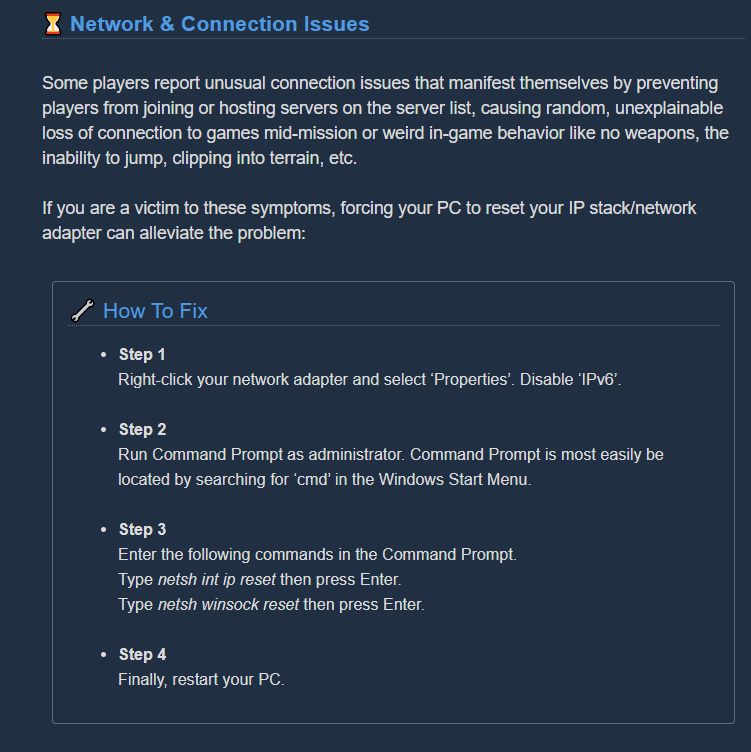
 umbral nacelle
idk if this is a bug but has anyone been unable to shoot even when clicking?
takes 3 or 4 trigger pulls to start up which sucks when i'm using minigun
running in full screen, idk about native resolution
glacial wind
i've had the same thing
last time i asked the only thing i got was that someone else had the problem with a broken mouse, so good luck
austere coral
The only potential solution is to run the game in fullscreen with it set to your native monitor resolution.
 placid lance
welp... my M.U.L.E just got stuck and it's a salvage mission, i don't know anything to recover from it, i have a lot of extra resources but i think it's not worth the time to figure out how to solve it i just exit the game 😦
austere coral
@placid lance Your only options on salvage are to wait for the mule to fix herself, build a platform bridge from the side to the drop pod in an attempt to disrupt her pathfinding, or exit the game.
placid lance
i'm a scout and i believe platform is only made by engineer which i can't it's solo... however yeah, that's kinda annoying. Plus, i have opened the loot chest that needs 2 battery (i am a person that doesn't remember any mechanic name in the game) and it gives me tons of additional resources. I just take that as bad luck that's all
austere coral
you'll keep the cosmetic you got from the crate, but you're just out of luck on everything else.
placid lance
what i need is the "everything else" LOL... that's Ok, i can deal with some bugs, at least it doesn't happened frequently
glacial wind
@austere coral kinda get bunged up on step one of that list. There's no IPv6 listed on the adapter i'm using
nvm, i'm just looking in the wrong places.
 turbid star
Hi dev
I've encountered a some-kind-hacked game
and It made my chaacter and credits just crazy high
how can I re-do that?
turbid star
you mean I game? or in steam page?
dreamy quail
In game yes
turbid star
Ok Ill have a try. thank ya 😄 rock and stone
dreamy quail
glacial wind
I think something is wrong with my resolution
glacial wind
just did, didn't say it had to fix anything, but i'm gonna check anyways
austere coral
You could always delete GameUserSettings.ini if it persists, launch the game, and let it generate a new file.
\steamapps\common\Deep Rock Galactic\FSD\Saved\Config\WindowsNoEditor
glacial wind
looks like that's what i'm gonna have to do
austere coral
if that continues to not work, consider doing a reinstall
it's only about a 3GB game so it shouldn't take long at all
glacial wind
will i have to do anything special to get my save back? i've never had to look into restoring saves with this game
austere coral
if you've got steam cloud enabled then you shouldn't have any issues. If you're worried about your save then make a backup of this folder.
\steamapps\common\Deep Rock Galactic\FSD\Saved\SaveGames
glacial wind
ah, i think i disabled steam cloud, something about it was causing several of my games to get wiped clean when i closed them
austere coral
I'd make a backup then
glacial wind
just paste that folder over the new one, correct?
golden wing
Is there a similar saved games folder for Windows 10 store? My progress was wiped yesterday for some reason
glacial wind
well that's interesting. it didn't delete my save, and it kept my video settings as they were. might have to try a more intense unnstall
austere coral
yes to pasting the backup folder over the newly generated one.
as for the saves on the windows store. Go into the esc menu then check options and restore save. If you save isn't listed then there's nothing else that can be done. @golden wing
golden wing
The only saves listed are from yesterday and have wiped my progress back to greenbeard. It was fine the day before so wtf happened?
This sucks so much. Just promoted my 2nd dwarf at the same time as 2 friends and their progress wasnt lost.
glacial wind
well, reinstalled twice and still have the hazard level resolution
pulsar parrot
@golden wing Let me DM you on how I can get your progress back
austere coral
@pulsar parrot can you PM me the steps to that so I can better assist folks with that particular issue in the future?
 amber quiver
This string for the glyphid warden when looking at it and on the laser pointer are missing. @worn nacelle
shy fern
That's like one of the few readable things there, which I suppose is the point. Just interesting to see, haha.
 tacit plinth
Glitched out and stuck in mid round drop pod
 slate nacelle
Hello! I bought the upgrade pack on Xbox and I am missing the dark future paint job on my engineer. Is there any way to fix this?
shy fern
Probably just need to relaunch the game, restart the console or reinstall the dlc?
tender bone
@worn nacelle These Strings are missing. Everything not in our DRG-Testing-Language (not a number) has no string on crowdin. Thank you 🙂
@worn nacelle These Strings are missing. Everything not in our DRG-Testing-Language (not a number) has no string on crowdin. Thank you 🙂
 forest merlin
I usually close deep rock via alt+f4. However, it almost always does not register closing the app on steam (and also discord) and showing im in game until I kill app manualy via task manager (but the app is not visible in task bar, I can not alt+tab into it)
 ripe sinew
Found a bug, the mule for about 30 minutes could not enter the ship.@worn nacelle
tender bone
@ripe sinew Uhm that may be my fault, but normally pinging devs is not really a thing to do on this discord. (My ping above was as Fran is the main contact for us community translators 🙂 )
Devs read through it all anyways, so Ping is not necessary (above is a special case translators were told to do)
slate nacelle
@tender bone Hello! I purchased the upgrade pack and have not received everything in it. I need to talk to somebody to get access to my digital goods
tender bone
@slate nacelle I'm just a normal community member, but what do you miss from the DLC you bought?
slate nacelle
@tender bone sorry! I’m missing the dark future paint job from my engineer
My friend is missing it from the Gunner and Scout
tender bone
You mean for Armor or Guns?
slate nacelle
Armor
tender bone
@slate nacelle there's a misleading catch on that one. If you equip the Armor FRAMEWORK Dark future, the PAINTJOB will be 'missing' as symbol to pick, but be the top right icon for 'default paintjob' as it belongs to the framework itself
So 'Dark future' as PAINTJOB only shows up on ALL ARMORS except Dark future
errant tinsel
I'm curious if there is anyone, who has been able to connect via crossplay (Microsoft Store -> XBOX) to their friends. Ever since hotfix the last hotfix, about a week ago, I have not been able to connect with my friends who are the only ones i've been playing with.
I've gone through all the networking troubleshooting steps, and nothing seems to work. Them connecting to me, or me connecting to them.
(Previous to the hotfix, we connected 100% of the time, with the rare drop-out)
tender bone
@slate nacelle is it solved?
 grizzled charm
 indigo sierra
maybe not a bug? just a wonky pathing issue but...

molly got stuck in this one spot on the drop pod for like 5 minutes
 subtle nymph
please i need help,jus bought the game,but when i'm starting the tutorial i get to play 1 or 2 minutes and the screen freezes, the game is still running,but the screen is freezed in that last frame,i can't do anything,i tried alt+tab,i tried playing windowed,but it's always freezing,i can't even go to options to change thing cuz it freezes so fast i can't even go to the graphics settings. i just upgraded my drivers and it still doing the same, i even tried adding the line in the game.ini (i saw that fix in the steam hub) still can't play
slate nacelle
@tender bone just got home to check.. thank you! I was being a little hard headed 😂😪
 empty quail
I'm having issues joining games atm, is this happening to anyone else?
subtle nymph
nevermind,i think i fixed it,i disabled the "anti lag" option in the amd settings and i think now works
graceful yarrow
Steam is doing server maintenance right now, so if you're having issues joining games, that's probably why.
empty quail
Ah, that would handily explain it, thanks!
austere coral
Maintenance is every Tuesday. You can use https://steamstat.us/ to monitor its status.

Steam Status
Displays status of Steam client, Steam store, Steam community, Dota 2, TF2 and CSGO
empty quail
Wasn't aware of that
mossy breach
derp, i was about to come in and ask about that
 royal robin
i was wondering if the keyboard/mouse light interactions dont work anymore? the lights stopped changing today for me
 dry dome
molly broke
we had to bail the mission because she was being dumb and there was legit nothing that could be done about her
grave lichen
every other day my voice chat works for the Windows version on PC. I'm not changing any settings day over day - it's really frustrating. I haven't found a consistent fix either. Sometimes i have to reinstall xbox game bar and that works for one day, i do it the next and no dice. Anyone have similar issues?
 shut cliff
I see Im not the only one whose had this issue recently- all of my progress has been wiped?
shy fern
On Steam, nish?
shut cliff
yup. did some digging, found the way to get a backup save
But still- dang. A little alarming
 unreal sparrow
I've also had some trouble with molly not returning to the drop pod
glacial wind
@austere coral hey, it's me again. not sure if it means anything, but i've just noticed that upon loading the game and looking at my texture resolution, it defaults somewhere around 5 quintillion until i attempt to change the value, then the slider snaps back to normal.
 stiff holly
Had a wonky thing on Xbox I didn’t get pictures of. Morkite texture was pasted over crystals in radioactive exclusion zone, and at start of mission there were giant walls of ether nitra or red sugar texture that I could walk through. Didn’t wanna do an official bug report because the game sometimes acts wonky if I don’t close it out and reopen after putting Xbox to sleep. I had turned on Xbox to running game and just started playing, and wasn’t sure if that was a known thing that you shouldn’t do. It resolved when I closed and reopened but happened for a couple missions before that.
shy fern
Known issue, just texture stretching with pretty much any material in the game (seems to be a Xbox and Windows Store exclusive issue). It can ruin a run easily if it happens to something attached to you. Mining something like nitra and seeing morkite pop out is also an old bug that stems from late joining afaik.
tacit heart
@grave lichen My advice would be disable the Xbox game bar if you can..or at the very least have a look at and disable the streaming settings . Could it be somthing recording your sound for streaming in the background? Even though you might not be one for uploading clips etc...things like Nvidia Experience and the gamer bar on win 10 have settings to be able to record a clips on the fly. Also as a last resort , you could try reinstalling your sound drivers . Hope this helps .
 potent nymph
we are working on changing the net framework for the windows version, which will also allow us to fix the texture bug. eta 1/2 months, it depends if there are additional bugs we need to fix
placid lance
Hi is it a bug where i cannot find any single enor pearl? it seems like soloing salt pits are not spawning those
potent nymph
havent heard of any bugs with that
placid lance
I am in the salt pits right now and cannot find any enor pearl, i have checked carefully though. I believe salt pits has the most spawn than any other places
And i have suggestion though, to change enor pearl appearance same as the other unique resources... i can find other materials but enor itself and it has unique shape than others which is confusing for me at least
The only way i can farm enor pearl is through loot chest that randomly spawn on map
 zenith horizon
Hi. Any news about Xbox graphics issues? I get flickering triangles and squares quite often and sometimes I get a full wall of a single texture every few steps in front of me. 🥺
potent nymph
i literally wrote a status 4 posts up
potent nymph
ya we can look at it
austere coral
@placid lance Are you sure you know what you're looking for or just bad rng? You gotta dig out enor just like jadiz or aquarqs and they don't really glow. https://deeprockgalactic.gamepedia.com/File:Enor_Pearl_markings.jpg

Deep Rock Galactic Wiki
 gentle hazel
also, is the map you are on one that spawn pearls at all? some maps with "rare" crafting, I just don't see them due rng
placid lance
Now that is a new information... but i think i am not seeing them in salt pit, you can say bad RNG, but in a abundant plantary? I dont know... i'm just having issue...
In my case i want them to be more obvious
austere coral
they won't be easy to identify if the cave is dark
placid lance
Well the game is always dark and you have flare for that... but the flare also not pointing anything... I really want to provide video as proof but my rigs is limited to recording gameplay so i am so sad to not provide those
It might be my bad but I don't know...
ya we can look at it
@potent nymph thank you...
pulsar parrot
They glow in the dark. That makes them easier to spot. I could check on it about the graphic settings, or your luck is just not in your favor.
zenith horizon
I found no graphics settings on Xbox (One X)
 valid python
Hey guys, did anyone report ghost sprites after breaking umanite or holomite spikes?
graceful yarrow
If you're seeing a tiny piece you can't mine that floats in the air in front of you but you can walk through, it's almost always caused by there being the tiiiiiiniest chunk of terrain that still has mineral unmined on the floor/wall nearby
zenith horizon
Sorry, didn't know it was for Xbox too (mentioned windows version).
 paper swallow
hey quick question i just had a match that.....well screenshots convey it best
dont know if this is the right chat for this but
i just joined a match and i dont wanna be banned
but im more than ok with those items beeing taken from me
 cedar rune
first thing, theres no ban in this game, you wont and cant be banned
second thing, you can reload a previous save if you dont want to keep what you just got
its in options
dreamy quail
Matjoy is a fairly well known cheater
paper swallow
if theres any logs that might be useful just dm me
dreamy quail
I advise leaving his games immediately
 stiff rampart
Problem encountered. Running out of O2 on gunners zipline will cause the player to be non-revivable
sullen pendant
i was pretty surprised to see this appearing on wemod. (free trainer) I was even more surprised to see most of the discussions (on steam) regarding cheating to be mostly ok with it.. suppose in a pve environment i guess it makes sense tho i've always been against cheating in multiplayer games. That and i'm actually enjoying this game and know full well that cheating in it would just turn me off playing it.
 stuck salmon
My friend and I have been trying to play for awhile but we keep getting an error message saying "Multiplayer Session Ended" I've looked everywhere online and tried every solution I've found but nothing has worked. Does anyone know how to solve?
 ruby pewter
This seems to be the most fitting chatroom to ask that.
I played with a friend on haz 3. We had to wipe out dreadnoughts so we wanted to go for the achievement to pop a dreadnought cocoon while you have no ammo left. We emptied all we had on us and startled the dreadnought. No achievement. We even killed it without any ammo on us, still nothing. Were we doing something wrong?
dreamy quail
did you expend all equipment and tool ammo too?
 quaint ore
i dont know if thats true but doesnt the achiement also require to be the last man standing?
dreamy quail
it does
ruby pewter
so i should have been gunning down my friend first?
sullen pendant
some friend / thats a brutal achevement if it does
ruby pewter
If i try it on solo, does it still count if i take Bosco with me then?
sullen pendant
technically yes, however last man standing implies you'd be part of a grp.. i dont know how dev's have coded that requirement
ruby pewter
ugh... this is a hard to reach achievement... perhaps describe what you have to do a bit better. "Trigger a dreadnought as last man standing in a multiplayer game while you have no ammo at all on you". Would it be hard to change it into that?
sullen pendant
check steam discussion boards they might be better source of advice
stuck salmon
Sorry for asking again but I got the game yesterday and I really want to play so I'm going to ask again;
My friend and I have been trying to play for awhile but we keep getting an error message saying "Multiplayer Session Ended" I've looked everywhere online and tried every solution I've found but nothing has worked. Does anyone know how to solve?
quaint ore
not really hard just got it. choose to not take bosco go to a elimination mission deplete alll ammo after finding cocoon the destroy it, boom achievement
shy fern
If you go for that achievement in solo you cannot bring Bosco.
 acoustic falcon
Bittergem from victory move on multiplayer endgame screen persists on end screen for solo missions
Steps to reproduce: 1. join a multiplayer game with another player who has the bittergem victory move, 2. start a solo game, 3. bittergem(s) persist on solo end screen
austere coral
@stuck salmon which version of the game do you own? This depends a lot on the troubleshooting steps that can be provided.
@ruby pewter Only your primary and secondary ammo has to be emptied. If you're doing it with a friend then that friend has to be down. Can't do it with bosco.
ruby pewter
okay, do i have to be haz 3+ or any haz level?
austere coral
any hazard will work. I did it on haz 1
ruby pewter
okay thank you
 crimson coyote
OMEN machine event buried and kinda weirdly glitched out
It obviously didn't have the place to put the key
stuck salmon
@austere coral v.1.30.40449.0
austere coral
I mean which store version. Do you own it on steam or windows/xbox?
stuck salmon
windows
austere coral
check the pinned messages in #xbox-and-windows-store as they'll be the most likely bet to resolving your issue. You can also do these steps. https://i.imgur.com/Q8C9gSY.png
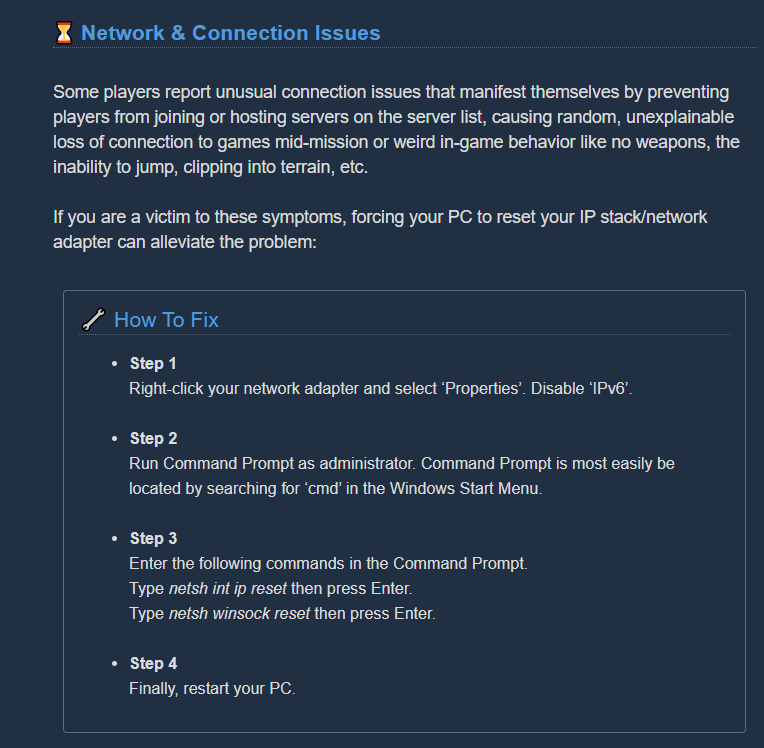 stuck salmon
ok will do thanks!
 unique mica
Interesting bug, can't buy bear from the Abyss Bar. The button prompt doesn't appear, nothing happens. Same for everyone on the team.
 patent relic
Has anyone noticed that the sound effects are coded a little ineffective? When theres no swarm, I can usually hear praetorians and oppressors. But when there’s tons of things everywhere, you could be next to and facing those large things and their sounds are completely missing (so you hear nothing). I don’t believe this is a bug, more likely funky algorithm rules. Also I don’t think I’ve heard detonators not sure if because of situation above. Ideally, their sounds should be more apparent than the little stuff
 opaque wolf
I got a discord message again for joining a team but this time it did not have a team or emotes
 delicate void
Anyone else having problems with their characters absolutely wilding out like true gamers
vibing
shy fern
Xbox or Windows version, Jordan?
delicate void
This is windows
shy fern
Known.
delicate void
Cool cool
austere coral
The fix for that is a few months out.
delicate void
Cool haven't played in a while so thought my GPU was dead or something
 novel cargo
@austere coral I have the same problem as NotJohnDoe. Windows store, can’t connect online. Every time I try to join a friends game I get “Multiplayer Session Ended”. I’ve tried all of the fixes you listed and what’s pinned in the other channel. Anything else I can do?
To summarize: I turned off IPv6 on my Ethernet adapter, ran the appropriate command prompt instructions, confirmed that windows defender is indeed on
Restarted
If I try to join via quick join it just loads forever, if I try through the server list it says joining then the prompt just goes away, it never actually connects
austere coral
Unless anyone else has other ideas you've got three choices as I see it. You can either wait for a fix, play solo, or refund the game. The good news is the devs are aware of the issues on the xbox/windows version. For the graphical bug above they're going to update the .net framework used in the game. Whether that has any effect on network performance is beyond me. The core issue is the plugin used between UE4 and UWP is no longer maintained.
novel cargo
Unfortunately Microsoft won’t refund it so I guess I’ll wait
austere coral
it'll take a couple months for that update to land. Just watch the patch notes and it'll probably be there eventually.
 latent spire
Ok, so it isn't just me so has the problem where it won't let me join my friends when I click, join game in the steam overlay
austere coral
the steam version of the game is more stable network wise since steamworks is utilized for connecting players to each other.
but those networking steps I screenshotted above should still work as a potential fix for the windows or steam version.
 native mesa
Anyone else noticed how in the weapon terminal when scout holds his pheremone and engie holds his plasma granade those granades just float between their fingers? What star wars magic is that?
patent relic
@native mesa the kind that driller and gunners don't have lol
tender bone
Wait they pinned that to Xbox?  well
well
 true topaz
Dear deep rock galactic
I have lost my save file 3 times first I was level 18 gunner basic weopan, and 115 thousand hole but Yday I woke up and it was all gone back to level 1,1 I got to maybe level 5 and went to bed AGAIN I'm back to level 1,1 can you please help me I lose my save every time I quit
On pc brought by Microsoft store
tender bone
@austere coral where is that screenshot / howto posted?
austere coral
for the connection troubleshooting?
this has that and pretty much everything else https://steamcommunity.com/app/548430/discussions/2/1642039362993864094/

Attention, Miners! Games that crash, won’t launch or suffer from stability issues are undoubtedly the most frustrating part of PC gaming. Although we strive to deliver a flawless gaming experience in the depths of Hoxxes IV, we can’t guarantee you won’t encounter a crash or st...
 young nova
@signal kernel - Goodbye Coder I'm having an issue with crossplay where even when using the xbox app on my PC whenever I join my friends game I get "Multiplayer Session Ended" message and whenever he joins mine he loads forever
crimson coyote
Interesting bug, can't buy bear from the Abyss Bar. The button prompt doesn't appear, nothing happens. Same for everyone on the team.
@unique mica this happens every once and a while for me as well. Disbanding/leaving the team will fix it
austere coral
@true topaz no idea but you can restore your save by going into options then restore save
crimson coyote
@young nova don't ping the devs for no reason 
stiff rampart
young nova
I'm having an issue with crossplay where even when using the xbox app on my PC whenever I join my friends game I get "Multiplayer Session Ended" message and whenever he joins mine he loads forever
ok
stiff rampart
Dying on gunner zip line means no rezz ;-;
austere coral
scroll up and someone else had your issue. Use the solution I posted. @young nova
crimson coyote
Wait lol you didn't even ping a dev
true topaz
@true topaz no idea but you can restore your save by going into options then restore save
@austere coral
I cannot it is blanked out
crimson coyote
lmao you pinged some random guy
@stiff rampart this is a known issue. They did some fixing on it so it's really rare now. You usually just fall off
stiff rampart
huh
 earnest frigate
pulsar parrot
earnest frigate
pulsar parrot
@young nova Just lay your issue statement here and likely one of us will help you out, Devs are especially busy and it's late time for them. Try this, but I would also check #xbox-and-windows-store channel since they focus more on this particular issue.
 blazing locust
I'm currently having an issue where my screen constantly flickers while in menu's like the equipment and wardrobe, sometimes there are graphical things flickering in game. I should mention that it's only deep rock galactic. I play plenty other demanding games and I don't get this issue.
After further testing, It's independent as to whether or not I have it in fullscreen or borderless. It's entirely dependant on the framerate. I have a 144hz monitor, but if I lock the FPS at 120, the issue goes away
valid python
If you're seeing a tiny piece you can't mine that floats in the air in front of you but you can walk through, it's almost always caused by there being the tiiiiiiniest chunk of terrain that still has mineral unmined on the floor/wall nearby
@graceful yarrow no, I mean, like this.
 sonic hazel
Just encountered a bug after joining a mission midgame as engineer. Placing a turret would wipe my turret ammo reserve to 0 and only leave 10 shots in my turret. Any ammo resupply would be wiped out if I recalled the turret and replaced it
austere coral
Did you have infinite grenades (they’d show up as you having 9 grenades)?
@sonic hazel
sonic hazel
Hmm I didnt try that or notice if they were infinite
austere coral
They probably were. Your host was likely cheating.
 sullen flax
Just ran into a bug while playing Engineer -- when recalling my turrets, the bar only fills up about 15-20% and then just stops. My gun then spins as if I were trying to reload my weapon. There's also been a few instances where my turrets are out of ammo but I am unable to refill them unless I reposition them.
And yes, I was holding down the R key, not just tapping it. Tried for several games now with no luck.
 weary marten
has anyone had some really bad mouse delay? I will sometimes click and it doesnt register. Only happens in deeprock though. Anyone have any ideas?
 cunning anvil
Anyone else have the issue when trying to join a server where it says "Joining..." for a split second then goes away and nothing happens?
Can't seem to join any server right now.
 hallow crow
Had a bit of a funny bug. If you grappling hook and hold in the escape pod extraction and let go of the grappling as the last person starts the extraction, you're allowed to free roam in the cabin, or even walk outside and be stranded. If you go outside you lose the Miners Alive bonus for that player.
glacial wind
@weary marten several people, myself include have mentioned this, but nothing has managed to solve it for me. Someone mentioned that playing in fullscreen mode and making sure your resolution is set to your screens native resolution might help, but alas, my game is apparently full of bugs and I can't try that myself. Hope it helps you though
tacit heart
@weary marten @glacial wind Forgive my question but, are you useing a wireless mouse? Or a gaming headset by any chance? I may have a solution if either are true, feel free to message me
weary marten
@tacit heart yep. Wireless mouse and headset
tacit heart
@weary marten do use any of these Steelseries Audio + SteelSeries Engine Sonic Studio (provided by ASUS) or HyperX Cloud
for your head set?
weary marten
Nope. Razer stuff
tacit heart
ok there could be 2 issues in particular...one are head set sound drivers that cause lag (beleive it or not) and also power supply to your usb
if you open the device manager and then expand "universal serial bus controller" option.Then right click on usb hub or "usb root hub usb3.0) and click on properties .Click power management and unmark "allow computer to turn off this device" and clock ok to plly
weary marten
I'll mess with that tomorrow. The funny thing is though it does it when using USB and Bluetooth as well. Also it only happens in this game. But I'm gonna try that. Thanks for the help
tacit heart
nps blue tooth also causes same issue..if you specifically search for mouse gaming lag bluetooth...you will likley find the solution if that doesnt work , its prolly your head set drivers , good luck!
 echo crown


An object called "Waypoint" with no physical object, and nothing that I created in the level
Possible bug?
tacit heart
no way point is when u click control (pointer( and E)
tacit heart
if you press the pointer in game...and press E instead of clicking it sets a way point
usefull in co-op
tacit heart
i only found it myself a few days ago tbh ive not been playing long though
echo crown
New bug, no discernable way to remove the waypoint other than placing a new one
 rich schooner
Anyone know why Steam might not be tracking recent players for DRG?
 sharp rain
Hey I'm having some serious connection issues in game today for some reason. Played the past two days with no issue but today I can barely move in game, even when hosting my own game. Other games work just fine
 odd sigil
I'm also having serious connection issues but mine are all in the disconnect category
4 out of the 7 games ive played i either got disconnected out of or my computer just shut down entirely
sharp rain
Yea I'm like barely able to connect my game just loads for like 4 or 5ish minutes then I get the "unable to connect to server" error
That's whenever I select a mission I mean
odd sigil
mm
i get mine half way through my games
always
its rather annoying since i really do love this game
tacit heart
have a look at your steam service and see if its on manual...if so make it automatic
potent nymph


 odd sigil
hello back
unfortunately a hello is not exactly what im looking for
sorry
assistance would be lovely though if you provide it?
rich schooner
When your PC shut down mid-game, did it report any errors on startup?
rich schooner
It's Windows, I presume?
odd sigil
yes
rich schooner
Do you know how to get to the event log?
odd sigil
no
rich schooner
Press the Windows key and R at the same time, should give you a "run" menu. Type in "eventvwr.msc" and press enter.
rich schooner
In there, expand the "windows logs" category and find the "system" log.
There will be hundreds or thousands of entries, look for a red ! around the time that you had the last crash.
potent nymph
normally if your pc shuts down, its due to hardware or driver failure, does your pc run hot?
odd sigil
no
well
idk
i got a new computer today
but when i checked after the crash
is was rather cool
also i found 4 errors (red !) in a row
potent nymph
gz on the new pc 🙂 perhaps look at updating your gfx driver, and cap frames if you havent
potent nymph
graphics drivers