#bug-discussion
1 messages · Page 46 of 1
 fast torrent
but i had mods installed yesterday
first time seeing this bug
how can i fix that?
 mossy breach
Huh? Anyways I was playing to unlock the Colette wave cooker. when I joined in I selected driller. When I arrived It said I playing engineer and gunner at the same time. Only happened once. I play on a steam deck (took the photo with my phone) engi isn't even promoted it's gunners promotion stars. Edit: I think I selected gunner...

Also the weapons where engineer's
 past wigeon
Is anyone here willing to check if your Chillaxe parts/skin has dissapeared from the terminal if you know you have unlocked it? I had been using it since I unlocked it from this previous Yuletide but when I logged on today it was missing from the terminal 😦
 rugged void
past wigeon
Is anyone here willing to check if your Chillaxe parts/skin has dissapeared from...
rugged void
past wigeon
Is anyone here willing to check if your Chillaxe parts/skin has dissapeared from...
Just checked, all the parts are there
 round plume
For whatever reason my steam DRG doesn't acknowledge me being a part of the union anymore. Is there a way to fix this? It just keeps telling me to join the discord, when well I'm clearly here
 storm tendon
round plume
For whatever reason my steam DRG doesn't acknowledge me being a part of the unio...
storm tendon
round plume
For whatever reason my steam DRG doesn't acknowledge me being a part of the unio...
#drg-chat pinned messages
 wet anchor
 urban perch
Hey, is it just me or are the missions not cycling even when the game is closed.
past wigeon
rugged void
Just checked, all the parts are there
Thank you so much
 proud arrow
ok
 potent nymph
the bot is actually fixed, but it is still designed for a much smaller discord, so it might still have some issues
proud arrow
potent nymph
the bot is actually fixed, but it is still designed for a much smaller discord, ...
can confirm, am part of the union and the board is not bugging out.
 fervent marlin
what am i looking at here
 twilit raven
potent nymph
the bot is actually fixed, but it is still designed for a much smaller discord, ...
twilit raven
potent nymph
the bot is actually fixed, but it is still designed for a much smaller discord, ...
It is what it is
 steep bridge
Hello there.
Steam version of the game.
Insane lag spikes occurring on enemy spawns.
Both in solo or multiplayer.
The game literally turns into a power point presentation.
storm tendon
steep bridge
Hello there.
Steam version of the game.
Insane lag spikes occurring on enemy spa...
what's your hardware specs ?
steep bridge
It's so bad I have to get to the task manager and kill the game from there.
 steep bridge
AMD Radeon HD 8950.
It runs just fine, but when enemies start spawning, it's unplayable.
storm tendon
steep bridge
AMD Radeon HD 8950.
your GPU is under the minimum required, which might be the problem
any fixes you've tried so far ?
steep bridge
I tried editing a config file (which in returned turned a certain audio setting off).
Lemme check its name again.
Turned off the main equalizer.
Yeah.
That's all I was able to find.
storm tendon
Try launching in dx11, might be better with performances
steep bridge
Sadly the GPU has always been a bottleneck of my laptop.
If it turns out to be a culprit again, I might start thinking about swapping it for something else.
storm tendon
it is a weak GPU, not gonna lie
steep bridge
The laptop has been kept alive this long cause it has a swappable CPU.
It's actually a fossil, lol.
 fallen plinth
Anybody experiencing any hiccups or crashes related to firing the Lithofoamer for the first time in a mission?
steep bridge
I tested the game with DX11, and although it's been much better, it's still lagging. Thanks for the help though.
storm tendon
fallen plinth
Anybody experiencing any hiccups or crashes related to firing the Lithofoamer fo...
Updated your GPU drivers/use dx11
storm tendon
steep bridge
I tested the game with DX11, and although it's been much better, it's still lagg...
at least it's a start but consider upgrading soon 
storm tendon
 neon bone
https://medal.tv/games/deep-rock/clips/1QRDs8H3XeMxaN/d1337v5vBqY6?invite=cr-MSx...
neon bone
https://medal.tv/games/deep-rock/clips/1QRDs8H3XeMxaN/d1337v5vBqY6?invite=cr-MSx...
that's your personal way point
control+e to place it
fallen plinth
storm tendon
Updated your GPU drivers/use dx11
Been using DX11.
neon bone
storm tendon
that's your personal way point
which is for?
storm tendon
neon bone
which is for?
navigating the caves
neon bone
aight
storm tendon
fallen plinth
Been using DX11.
update your GPU drivers/make sure the game is using the right GPU/do a clean driver install using DDU
fallen plinth
storm tendon
update your GPU drivers/make sure the game is using the right GPU/do a clean dri...
How do I check if it's using the right GPU?
fallen plinth
Ah ok.
For the record, I only get a brief hiccup when it happens.
A friend, however, uses a less powerful laptop and it will crash for him.
It's not a gaming laptop, so I don't think he'll have another GPU upon wich he can fall back.
 cloud warren
steep bridge
I tested the game with DX11, and although it's been much better, it's still lagg...
cloud warren
steep bridge
I tested the game with DX11, and although it's been much better, it's still lagg...
There's a few performance related mods that you might try as well which may help. For example, search mod.io for "Remove All Particles" (if it helps, you probably want the variant that keeps the weapons/tools particles)
 vapid kiln
I don't know if this has been reported yet, but it seems stingtails often ignore their 15 second cooldown upod successful grab
got grabbed 3 times back to back by the same stingtail earlier
storm tendon
been reported on PleaseFix if I recall
feel free to contribute to the existing reports
vapid kiln
I figured someone had reported it, good to know i'm not seeing things
 native mesa
Hello lads, been a while. Anyway, Trying to join lobbies but this pops up every single time and every time I retry the blue part keeps getting longer.
 mossy breach
native mesa
Hello lads, been a while. Anyway, Trying to join lobbies but this pops up every ...
mossy breach
native mesa
Hello lads, been a while. Anyway, Trying to join lobbies but this pops up every ...
try different rooms
proud arrow
native mesa
Hello lads, been a while. Anyway, Trying to join lobbies but this pops up every ...
Steam Datagram Relay has a hickup. Restart both Steam and DRG before trying again.
proud arrow
native mesa
Hello lads, been a while. Anyway, Trying to join lobbies but this pops up every ...
Also, i recommend following these instructions for better connectivity, especially if you have a dedicated IPv4 address: #1046798439016583178 message
 fathom flicker
not sure how I'm supposed to report bugs, but I can't change lenses on the microwave gun while standing on a pipe from on-site refining
 grim isle
fathom flicker
not sure how I'm supposed to report bugs, but I can't change lenses on the micro...
grim isle
fathom flicker
not sure how I'm supposed to report bugs, but I can't change lenses on the micro...
This is a known issue
https://drg.pleasefix.gg/projects/DEEP-ROCK-GALACTIC/issues/DRG-1779
fathom flicker
cool 👍
 bitter sage
hey if I found two bugs in a single mission can I report them together or do I need to post them separately
storm tendon
bitter sage
hey if I found two bugs in a single mission can I report them together or do I n...
separately
 vague basin
hello lads. i have an issue with my game. ive been sent to this channel so sorry if this is wrong channel and thanks for your patience.
anyway ive been testing verified and approved mods. audio mods ended up breaking my game. i deleted all game files, redownloaded the game fresh, deleted all game files from appdata, my documents and steam folder. upon booting game fresh all previous mods are active despite them not being even active or on my mod list. in effect i have messed up audio and karl lost his voice / chat box. as per attached picture.
Can you give me a step by step how to reinstall drg fresh removing all mods both from in game and on my pc, please. thanks in advance

 earnest jackal
does anyone know why my settings arent saving? i set everything to medium but it keeps going back to custom everytime i launch the game
 wide echo
Yo uh

Any idea on what to do? I've tried restarting my game twice now
What
Why can I join someone now
eh ¯_(ツ)_/¯
proud arrow
wide echo
Yo uh
- try restarting Steam as well. Steam Datagram Relay can be buggy sometimes.
- to avoid/reduce the frequency of this issue in the future, try this: #1046798439016583178 message
Also, Steam is under maintenance at about 23:59 CET on tuesdays
 austere coral
earnest jackal
does anyone know why my settings arent saving? i set everything to medium but it...
austere coral
earnest jackal
does anyone know why my settings arent saving? i set everything to medium but it...
Windows breaking permissions again. Go to steamapps/common/Deep Rock Galactic/FSD/Saved/Config/WindowsNoEditor and ensure under properties for the WindowsNoEditor folder that read only is unchecked.
 upbeat stump
I got a “let’s the the heartstone to molly” subtitle as engineer on the escort mission i’m playing rn
This the place for that?
 harsh pagoda
Hello, I played a refinery mission solo and ended up getting stuck on the refinery platform next to the mineral dispatch point and couldn't get unstuck, tried blowing myself up, going down and getting revived by Bosco but nothing worked and had to abort mission when at approx 80% through the mission, really annoying
Has anybody had this issue and if so is there a way to get unstuck? I really dont want to have to deal with that issue again
proud arrow
upbeat stump
I got a “let’s the the heartstone to molly” subtitle as engineer on the escort m...
 glass acorn
Hello, I have a problem with deep rock. Every time I start the game the "crash" message appears. I've tried searching for various solutions on YouTube but everything was in vain, I've reinstalled the game, Steam, updated drivers, operated as administrator, formatted the PC and nothing. However, if I change the game's properties and start the game with the "-regenerateinis" command, it starts normally, but with all my in-game settings reset, such as ultra graphics, etc. Can someone help me? (Forgive me for any English mistakes, I'm using Google Translate). 
 granite steppe
glass acorn
Hello, I have a problem with deep rock. Every time I start the game the "crash" ...
granite steppe
glass acorn
Hello, I have a problem with deep rock. Every time I start the game the "crash" ...
What are your specs?
glass acorn
granite steppe
What are your specs?
AMD A6-7480 Radeon R5, 8 Compute Cores 2C+6G 3.50 GHz
8,00 GB RAM
System 64 bits
Windows 10
storm tendon
glass acorn
AMD A6-7480 Radeon R5, 8 Compute Cores 2C+6G 3.50 GHz
8,00 GB RAM
System 64...
the radeon R5 is your GPU ?
because if so, it's massively under the minimum requirement
glass acorn
storm tendon
the radeon R5 is your GPU ?
yes
glass acorn
storm tendon
because if so, it's massively under the minimum requirement
Now I started the game with Direct X 11 to test, and it didn't crash
it's 40-45 fps without mods
 supple cedar
Does anyone know how to get more info for the "waiting for steam to load" to help the helpers? What other info do I have to give? I have disabled window fire wall and defender, added exclusions to firewalls
storm tendon
supple cedar
Does anyone know how to get more info for the "waiting for steam to load" to hel...
Try restarting the Steam client and background services.
You can also fix the "waiting for steam to load" by installing the game into another folder (steam library), or another drive.
I also got that
supple cedar
storm tendon
> Try restarting the Steam client and background services.
>
> You can also fix...
Can you elaborate on the * another file?
Folder*
granite steppe
 mystic dagger
grappling hook sometimes lets go
mystic dagger
mystic dagger
grappling hook sometimes lets go
mystic dagger
anyone experienced this before?
 silk ivy
I play a lot of solo, the AI for Bosco has been on the fritz lately:
-Freezes/doesn't move when asked to fire rocket, needs to be called back; often delayed in doing so, might randomly fire rocket after doing so
-Low aggro range, takes a while for him to start shooting enemies that are quite close
-When asking him to fire a missile, he used to keep shooting at/engage enemies left alive (especially if a Pretorian that survives the missile). Will just fire the missile then aimlessly make his way back to you with no interaction with enemies in between
-Will wander off really far, targeting random enemy, leaving you without support
-You will almost definitely die to a ceiling leech, even if Bosco is literally right beside you, is not aggro'd to anything, and you hit "X" to call him to you
I hit enter a little too early, but those are the main ones
no mods or alterations to the game
 tender sphinx
The minehead seems to have mostly lost its collision in my Point Extraction mission, which is making it rather difficult to get to the deposit point.
 trim plinth
lost all of my data for no reason upon my game seeming to crash, reset all classes to lvl 1 n such
 elder perch
silk ivy
I play a lot of solo, the AI for Bosco has been on the fritz lately:
-Freezes/d...
elder perch
silk ivy
I play a lot of solo, the AI for Bosco has been on the fritz lately:
-Freezes/d...
Normal bosco activities, he does all of those things very regularly, and always has
 elder perch
Fixing what? Your game crashed
elder perch
Run it in safe mode
elder perch
Right click on the game, go to settings, then launch settings iirc
trim plinth
all fixed
 river furnace
elder perch
Right click on the game, go to settings, then launch settings iirc
river furnace
elder perch
Right click on the game, go to settings, then launch settings iirc
wdym
elder perch
Literally what I just said
Right click on the game in your steam library, then go to settings, then launch settings
Then select safe mode
river furnace
elder perch
Right click on the game in your steam library, then go to settings, then launch ...
what kind of setting??
 elder perch
sorry, its properties
river furnace
guh
elder perch


 elder perch
jesus
elder perch
okay still, go back into that same menu, and at the bottom there should be a box that allows for advanced options
type into that box --disablemodding

 warm flame
river furnace
warm flame
river furnace
are you playing on an older gen ryzen cpu?
river furnace
mm wait
warm flame
there was a bunch of patches for unreal render crashes which that looks like
river furnace
idk how do i check it
like i just left when i had to go
it was working perfect
no bugs
but when i had to eat
it just started crashing when i tried opening it again

yea idk what do i do
is there anything to do
or do i just refund the game
warm flame
did you verify game file integrity or try to reinstall?
warm flame
and your cpu should show up if you search my pc
river furnace
i did
im using dell
i dont see my cpu
this is what happens when i try opening up drg
oh my recording isnt working
what it is supposed to record
is this crashing thing
river furnace
help
river furnace
river furnace
.
 lilac compass
river furnace
lilac compass
river furnace
what dat
proud arrow
please do the following inside Steam:
Help -> System information
Copy everything and paste it here.
 leaden nebula
https://drive.google.com/file/d/1qGG-vixeVjLTGfoTo66DuNC6p_HByDe-/view?usp=sharing
since the error forum is closed, I'll leave it here.:
Achievement "
A non-stop roller coaster ride in the subway for 120 seconds." not completed. I demand compensation for the time spent! (used a translator)
granite steppe
leaden nebula
https://drive.google.com/file/d/1qGG-vixeVjLTGfoTo66DuNC6p_HByDe-/view?usp=shari...
 scenic onyx
river furnace
this is what happens when i try opening up drg
scenic onyx
river furnace
this is what happens when i try opening up drg
What happens if you open FSD.exe directly?
To find it use the Browse Local Files in steam 🙂
 mossy breach
what happens if you're suddenly level 65536
no one wants to play with me at all. I've tried DMing the mods / devs and no one has responsded.
im not a hacker - just trying to ask someone to help and have a look before I get bant
dumb game. gonna get a refund before i get banned and get a VAV
VAC
proud arrow
restore your save, you got into a cheater lobby
also, the game has no anti-cheat
🤷
storm tendon
mossy breach
im not a hacker - just trying to ask someone to help and have a look before I g...
you're not gonna get banned for cheating
options => save => restore save and check if you can get a save from before you got all those levels.
the devs don't care what you do with your save as long as you don't break other people's save and you're not spreading cheats
 tribal salmon
Hey,
My friend bought DRG and is loving it. We tried to play multiplayer but face an unsolvable sync issue (host and client don't see the same minerals veins among other stuff).
No mod, same game version, both using win11 with the same timezone and the same sync server address, tried checking files/reinstalling, both good computers, fast and stable networks.
I don't have a clue what we can test more.
She tried on another computer on the same network and we didn't come across the issue, but she needs to fix the issue on her own computer and I'm out of ideas. 😦
storm tendon
tribal salmon
Hey,
My friend bought DRG and is loving it. We tried to play multiplayer but fa...
Got a few questions :
- Are you absolutely sure none of you is using mods, even verified ones ?
- if you both were to make a new save (can be done in options => save), does the issue persist ?
- did you finish the pass and opted out of the current season ?
tribal salmon
- yes
- didn't try this, I'll do
- I finished it and didn't opt out the current season
storm tendon
tribal salmon
1) yes
2) didn't try this, I'll do
3) I finished it and didn't opt out the curre...
Are you both using windows 11 ?
nvm I'm dumb and can't read

you already answered that
When you say synced server address, do you mean you both used the automatic syncing system from windows ?
storm tendon
storm tendon
~~Are you both using windows 11 ?~~
I do wonder though : are you both using
- the same steam version
- the same windows version
I doubt this could be the issue but better safe than sorry
tribal salmon
storm tendon
When you say synced server address, do you mean you both used the automatic sync...
Yes, and the sync server address as well (time.windows.com)
tribal salmon
storm tendon
I do wonder though : are you both using
1) the same steam version
2) the same w...
I'll check that
 dim prawn
does anyone know why when i join a game it just says "JOIN FAILED, failed to join server" and then just spam text like if you mashed your keyboard
 neon raft
dim prawn
does anyone know why when i join a game it just says "JOIN FAILED, failed to joi...
neon raft
dim prawn
does anyone know why when i join a game it just says "JOIN FAILED, failed to joi...
Restart game & steam, sometimes the P2P network gets all jumbled
neon raft
dim prawn
does anyone know why when i join a game it just says "JOIN FAILED, failed to joi...
And if you are still having problems here is the thread. Follow the steps and you might get help.
https://discord.com/channels/257785731072786435/1046798439016583178
 stark tusk
need help with lobby issue, me and friend can't join each other lobby even though we live in same country
we used trying same dns and vpn still dosent work properly, upon joining each other it says session closed
can't even find each other in the lobby list or DD/EDD list
storm tendon
tribal salmon
I'll check that
any news on that btw ?
checked around a bit with someone who knows more about those issues. How's the connection between you two ?
tribal salmon
My friend couldn't test yet. Both our internet connection are stable and fast (optic fiber)
I add that I never had any such sync issue in multiplayer before, the issue is 99% sure on her computer
somehow
stark tusk
stark tusk
can't even find each other in the lobby list or DD/EDD list
Managed to join his lobby after restarting steam a lot and even though the ping was good, I had 10/15 second delay on all of my actions, interacting with objects, even enemies taking damage sourced by me with 15 second delay unless it was engies turret and drones.
Again we are both fine separately this issues only arise when we try to join each others lobbys
proud arrow
stark tusk
Managed to join his lobby after restarting steam a lot and even though the ping ...
Did you both try setting Steam Networking to always share (sharing as in disclosing) your IP address with other players? If you are more in the know about router specifics and know that you have a public IPv4 address (usually dynamic), you can try the port forwarding method as well, though that will not work with connections that share a IPv4 address with multiple customers.
It'd also be helpful to know which type of connection you use (A/VDSL, cable, fiber, 4G, 5G, ...)
storm tendon
tribal salmon
somehow
btw, did any of you ever use mods but just turned them off or that's also a no ?
tribal salmon
Yes, but I also tried with a different steam account lvl 1 on DRG which never had mods
So it can't come from here
tribal salmon
proud arrow
It'd also be helpful to know which type of connection you use (A/VDSL, cable, fi...
fiber, both
tribal salmon
proud arrow
Did you both try setting Steam Networking to always share (sharing as in disclos...
I'll have a look, I don't think she tweaked any of these settings, it's a dynamic ip v4 and there are two computers at her house. It would be weird it comes from port forwarding, but who knows
(DRG on the other computer works without any sync issue)
proud arrow
Is Steam active on both computers?
tribal salmon
I don't know how it works, I guess when you log into an account, it automatically logs off on the other computer?
But she used the same steam account on both computers at her house
proud arrow
no, you can be logged in on both computers at the same time, but not play games on both
tribal salmon
Oh, you mean, like, steam multiplayer would use some ports on a computer and block on the other, something like this?
proud arrow
yes, because each port can only be forwarded (manual or by UPnP) to one device
tribal salmon
I'll go to her house saturday, I'll have a look at this
It sounds a bit weird something like this could cause an DRG sync issue as many people use steam on multiple computers at home and I never heard about a related issue
proud arrow
i suggest forwarding the ports i list here: #1046798439016583178 message
some routers, especially the simpler ones, can cause such issues
(obviously, port forwarding will not work with CGNAT and Dual Stack Lite)
tribal salmon
I'll try this, thanks. She use the router given by her ISP, like pretty much everybody in France (I don't know how other countries' ISP do, if they ask customers to buy a random router or anything… 🤷♂️ )
proud arrow
Germany made router choice a legal requirement
if you do forward ports, do it to the system she plays on

 proud arrow
 sick stag
Um?
sick stag
Um?
Try restarting both Steam AND DRG.
proud arrow
yeah, Steam Networking can sometimes do very funny things
sick stag
gave up+keysmashed
yeah nope that didnt work lol
every time i try to join a server the error message gets longer
proud arrow
can i try something with you?
sick stag
i just kept trying until the error message went across the whole screen and now it works
technology at its finest
ty for helping
proud arrow
oh, okay
 mystic sonnet
good evening miners . I play drg on console (Xbox) . I'm having an issue with what I could only describe as aim acceleration on my right analogue stick .
When I'm moving the stick my sensitivity feels normal but then when I move the stick past the half way point of the full axis it feels like my sensitivity doubles .
Does anybody know what I'm talking about there & if so, please tell me there's a way to fix it 🤞ideally I want my sensitivity to feel exactly the same no matter how little or much im moving the stick .
Thanks
granite steppe
proud arrow
oh, okay
Congrats on getting community tester!
river furnace
scenic onyx
What happens if you open FSD.exe directly?
To find it use the Browse Local File...
after that
plz tell
i really want to play this game

this is what happen when i open files
granite steppe
river furnace
this is what happen when i open files
Have you started the application?
granite steppe
You might have to wait a few days for Jesper to respond again since the weekend is about to start
granite steppe
river furnace
the fsd
#bug-discussion message Have you done this?
granite steppe
click help, then click system information
 river furnace
granite steppe
click help, then click system information
river furnace
granite steppe
click help, then click system information
and then
granite steppe
Copy and paste the info here
 storm tendon
river furnace
storm tendon
river furnace
now you copy and paste all those info in here.
river furnace
Computer Information:
Manufacturer: Hewlett-Packard
Model: HP EliteBook Folio 1040 G1
Form Factor: Laptop
No Touch Input Detected
Processor Information:
CPU Vendor: GenuineIntel
CPU Brand: Intel(R) Core(TM) i5-4300U CPU @ 1.90GHz
CPU Family: 0x6
CPU Model: 0x45
CPU Stepping: 0x1
CPU Type: 0x0
Speed: 2494 MHz
4 logical processors
2 physical processors
Hyper-threading: Supported
FCMOV: Supported
SSE2: Supported
SSE3: Supported
SSSE3: Supported
SSE4a: Unsupported
SSE41: Supported
SSE42: Supported
AES: Supported
AVX: Supported
AVX2: Supported
AVX512F: Unsupported
AVX512PF: Unsupported
AVX512ER: Unsupported
AVX512CD: Unsupported
AVX512VNNI: Unsupported
SHA: Unsupported
CMPXCHG16B: Supported
LAHF/SAHF: Supported
PrefetchW: Unsupported
Operating System Version:
Windows 10 (64 bit)
NTFS: Supported
Crypto Provider Codes: Supported 311 0x0 0x0 0x0
Video Card:
Driver: Intel(R) HD Graphics Family
DirectX Driver Name: igdumdim32.dll
Driver Version: 20.19.15.5126
DirectX Driver Version: 20.19.15.5126
Driver Date: 1 21 2020
OpenGL Version: 3.2
Desktop Color Depth: 32 bits per pixel
Monitor Refresh Rate: 60 Hz
DirectX Card: Intel(R) HD Graphics Family
VendorID: 0x8086
DeviceID: 0xa16
Revision: 0xb
Number of Monitors: 1
Number of Logical Video Cards: 1
No SLI or Crossfire Detected
Primary Display Resolution: 1600 x 900
Desktop Resolution: 1600 x 900
Primary Display Size: 12.20" x 6.85" (13.98" diag), 31.0cm x 17.4cm (35.5cm diag)
Primary Bus Type Not Detected
Primary VRAM: 1024 MB
Supported MSAA Modes: 2x 4x 8x
Sound card:
Audio device: Speakers (High Definition Audio
Memory:
RAM: 8089 Mb
VR Hardware:
VR Headset: None detected
Miscellaneous:
UI Language: English
Media Type: Undetermined
Total Hard Disk Space Available: 243570 MB
Largest Free Hard Disk Block: 129550 MB
OS Install Date: Jun 08 2023
Game Controller: None detected
MAC Address hash: e42688f5e381e37eea1b2eee35702a57d612743d
Storage:
Disk serial number hash: c5fd345e
Number of SSDs: 1
SSD sizes: 256G
Number of HDDs: 0
Number of removable drives: 0
storm tendon
The GPU is under the minimum recommendation. I think the CPU might be, too. That's probably the issue.
river furnace
storm tendon
The GPU is under the minimum recommendation. I think the CPU might be, too. That...
do i refund the game or
granite steppe
river furnace
do i refund the game or
You probably should
Until you get a better pc
 low nimbus
Anyone know whats up with my game? Wont start in any of the versions (Directx 11, 12, normal, or safe mode)

LoginId:db4df51f41a76c1a619d15a2547ea80c
EpicAccountId:

Fatal error: [File:Unknown] [Line: 684] pResource->Map(Subresource, pReadRange, reinterpret_cast<void**>(&pData)) failed at C:\BuildAgent\work\DRG-release\UnrealEngine\Engine\Source\Runtime\D3D12RHI\Private\D3D12RHIPrivate.h:1181 with error DXGI_ERROR_DEVICE_REMOVED with Reason: DXGI_ERROR_DRIVER_INTERNAL_ERROR

FSD_Win64_Shipping
FSD_Win64_Shipping
FSD_Win64_Shipping
FSD_Win64_Shipping
FSD_Win64_Shipping
FSD_Win64_Shipping
FSD_Win64_Shipping
FSD_Win64_Shipping
FSD_Win64_Shipping
kernel32
ntdll
Ive read it and messed around with my drivers but nothing happened.
 grizzled maple
Is there a quick way to fix the bug that shows the forge when you go into the wardrobe? Before I just restart my game
storm tendon
low nimbus
```
LoginId:db4df51f41a76c1a619d15a2547ea80c
EpicAccountId:
Fatal error: [File:...
update your GPU drivers/use dx11 launch option/make sure the game is using the right GPU/do a clean driver install using DDU
storm tendon
grizzled maple
Is there a quick way to fix the bug that shows the forge when you go into the wa...
that's usually a bug coming from mods
low nimbus
storm tendon
update your GPU drivers/use dx11 launch option/make sure the game is using the r...
the thing is I just uninstalled old + reinstalled new drivers, you dont think theres a steam launch addon to fix? Ik there was for some others
storm tendon
can't say I've ever heard about steam launch addon, sorry
river furnace
granite steppe
You probably should
Thanks for telling me
 exotic fossil
Anyone know why steam just popped out in fullscreen mode randomly? Never had it happen. Just happened after I fixed some tech problems.
grizzled maple
storm tendon
that's usually a bug coming from mods
I have like 2 mods on at the moment. It doesn't happen too often so i'll just restart whent it happens
 plain ocean
not sure what this would e considered but HDR support is like super buggy, it does say expirmental i guess but thought id throw my experienve out there. theres no calibration screen, the hdr output doesnt save with loading screens and other menus itll just shut off, it makes the caves pitch black nothing and the engineer turret light eye searing bright. not sure if thiss is bug or suggestion but yes hdr no work very well
storm tendon
so you went from this to the driver error, right ?
do you get that error again when launching in safemode ?
low nimbus
I restarted my pc and did D11 and it started to work so idk
storm tendon
simple thing but you tried verifying the game's files already ?
other question : did you ever mod your game ?
possible but not entirely sure
those error you get specifically when you launch in safemode got me puzzled
hold on
Check in C:\Users\ [user name]\AppData\Local\mod.io if you got mod files left over.
And delete the files in the mod folder in C:\Program Files (x86)\Steam\steamapps\common\Deep Rock Galactic\FSD\Saved\SaveGame
then verify the game's files and try launching again

@scenic onyx Sorry for the ping on week-end, but hopefully you can maybe help this person out when you got some spare time on the next week ?
Don't know much more on how I can help them, personally.
 distant plover
I play on PlayStation, and I've run into a visual bug I've been able to reproduce many times. While playing driller, one can press the button to begin the "Reload" animation while holding the power drills, and at the same time, switch to the driller's flamethrower. This will cause the driller to hold the flamethrower in a rather... uncomfortable position and sparks will proceed to fly off the flamethrower
This bug has no real effect to any of the gameplay, it is just a bit silly to look at. I haven't replicated it on any other weapons or classes, for I did not try
 naive bridge
My game keeps crashing every few minutes. sudo journalctl -r always shows
gameoverlayui[2288524]: g_object_unref: assertion 'G_IS_OBJECT (object)' failed
 latent magnet
I lost 100 hours, my save got wiped. Can anyone help ?
 mystic tapir
latent magnet
I lost 100 hours, my save got wiped. Can anyone help ?
mystic tapir
latent magnet
I lost 100 hours, my save got wiped. Can anyone help ?
have you gone to pause menu > options > save menu > restore save?
latent magnet
mystic tapir
have you gone to pause menu > options > save menu > restore save?
Yes, I had to wipe my PC due to a hard ware malfunction, I figured steam cloud had the saves so I didn't think to manually back up before wiping my PC
storm tendon
latent magnet
Yes, I had to wipe my PC due to a hard ware malfunction, I figured steam cloud h...
steam cloud should have the save yes, and that's why you check the restore save function
it can take some time to load completely
latent magnet
storm tendon
steam cloud should have the save yes, and that's why you check the restore save ...
So I should load and unload the game a few time and wait?
storm tendon
no ?
you go into options (in the game) => save => click on restore save
storm tendon
latent magnet
It's empty
then check the FAQ in the pinned messages, it has more solutions
 quick ice
facial hair physics totally gone in my game is this known bug ?
to be more detailed physics gone in wardrobe and gun select screen

in esc or pause menu shows it accurate tho
 storm tendon
quick ice
facial hair physics totally gone in my game is this known bug ?
storm tendon
quick ice
facial hair physics totally gone in my game is this known bug ?
are you using mods ?
 sick wadi
Recently, I was playing Industrial Sabotage with another players and had a game breaking issue.
We decided to cross-conect the hacking bots to the opposite power station.
So, Hacksy A got connected to power station B. That worked fine. The progress bar showed red with "reestablish connection" warning (or whatever it is in the English language. I play in Slovenian.).
But, instead of Hacksy A leaving once it was done, Hacksy B left instead.
We then connected Hacksy A to power station A. The hacking started, but there was no progress bar at all, and it just kept hacking indefinitelly.
We had to abandon and restart the mission.
quick ice
storm tendon
are you using mods ?
Yes but none of my mods should effect this
Like i have hp shield numbers + mission stats
granite steppe
quick ice
Yes but none of my mods should effect this
Try launching in safemode
storm tendon
quick ice
Yes but none of my mods should effect this
any mod affect this
quick ice
storm tendon
any mod affect this
wait activating any mod just causes this ?
but why ? lol i would understand if i had fps mods but
let me try without mods
 rancid idol
i’ve been having this issue for a month now, its not letting me open the game on steam, as it always crashes on the logo screen, even when i changed to dx/11 and dx12, the same issue persisted. I’ve tried to fix it but i coulden’t, so some help would be appreciated
storm tendon
rancid idol
i’ve been having this issue for a month now, its not letting me open the game on...
do you have any error ?
what fixes did you try outside of launching with dx 11 ?
and lastly : what are your hardware specs ?
rancid idol
give me a sec, getting the image
rancid idol
storm tendon
and lastly : what are your hardware specs ?
Ryzen 7 4600 pro
A 3060
16 gigs of ddr4 ram
512 ssd space
520b motherboard (Idr the exact specs for the motherboard)
A amd cooler
3 fans
 rancid idol
storm tendon
what fixes did you try outside of launching with dx 11 ?
rancid idol
storm tendon
what fixes did you try outside of launching with dx 11 ?
Checking file integrity, disinstalling the game and resintalling it several times, tried to delete my save file
storm tendon
rancid idol
Checking file integrity, disinstalling the game and resintalling it several time...
- Disable your mods (can do so by using the Safe mode launch option)
- Update your GPU drivers
- Reinstall your drivers using DDU so all leftovers are properly removed
- Try launching with dx11 (Steam only)
- Verify the game's files
- Try to install the game on another drive
- Make sure your save is not corrupted (back it up somewhere, then delete it from the game's folder)
- For more troubleshooting, see the FAQ : https://steamcommunity.com/sharedfiles/filedetails/?id=2559182673
(ignore the fixes you've tried already)

A simple troubleshooting guide built to cover common technical issues surrounding Deep Rock Galactic. The content in this guide was pulled directly from my troubleshooting guide on the DRG discord ser
rancid idol
The only one i could do is the DDU one, as i dont have another drive (i only use the SSD)
I’ll see what i can do and i’ll report back
exotic fossil
I request drop pod and mission control gave a wave warning so when the wave came, while the drop pod dropped, there was no music for the wave wtf
also I had no fall damage if I landed on the lithophage that the corrupter shot out. like if you fall onto the patch I didn't take fall damage. anyone else?
anyone know what if these are intended?
plz @ me in the server if you know the answer
 verbal bramble
anyone else have the issue where you get stuck in the side of the on site refinery?
this has happened to me like 3 times
rancid idol
Okay so
i got it to open by opening it directly from my steam common folder, though now its saying that it is trying to connect to steam
rancid idol
storm tendon
- Disable your mods (can do so by using the Safe mode launch option)
- Update yo...
okay so, i succesfully opened the game, though now its saying that it needs steam to load
rancid idol
okay ive tried everything and it still doesnt work
 merry iron
unsure if this is a bug or not but the walking sound seems a bit fucked in the rig or anywhere else. not running, just walking.
instead of going step, step, step, step, it goes,
step, stepstepstep, step, stepstepstep, step, stepstepstep, etc
not a big issue but annoying
 opal dew
Idk what to screenshot
 rocky dirge
the save menu
urban perch
You're still in the mission, right?
 frail narwhal
He's on the space rig
opal dew
I went back to my save
urban perch
ok.
frail narwhal
opal dew
I went back to my save
Everything went back to normal? You have your things back?
urban perch
Things fixed now?
opal dew
Yeah, my dwarves are like a few levels lower but it’s fine now
frail narwhal
Problem solved then
opal dew
Any way I can change my fov though?
urban perch
Options!
opal dew
Found it nvm, I was struggling looking for it.
 wispy dagger
has anyone experienced Scout Flares lasting 2 seconds before they just turn off?
example
past wigeon
rocky dirge
the save menu
Thank you so much for this! Helped me as well. I had no idea there was a backup save menu. I recalled getting the chillaxe and equipping it and playing a few games with it back in december, but I logged in like 2 weeks ago and it was gone. I was starting to question if I had dreamed it all up. Very strange thing
 rocky dirge
oh well I'm glad we manage to shoot down 2 birds with 1 stone XD
storm tendon
wispy dagger
example
it's usually tied to the connection, no idea why it turns off though but it happens
storm tendon
rancid idol
okay so, i succesfully opened the game, though now its saying that it needs stea...
did you start steam and the game on admin ?
rancid idol
storm tendon
did you start steam and the game on admin ?
The time it worked i opened directly from the FDR folder
I opened FDR.exe
storm tendon
rancid idol
The time it worked i opened directly from the FDR folder
are you usually trying to lunch through steam ?

 red egret
Union board doesn’t work half the time
 merry orchid
yoo thats crazy
storm tendon
 bright hare
Mine doesn't work at all
bright hare
Mine doesn't work at all
same as above
 whole blade
Sorry, couldn't find an FAQ. Asking if anyone in West NA is having problems finding hosts to join from anywhere but far East (Australia, China, Korea, Russia)
merry orchid
storm tendon
<#257785731072786435> pinned messages
do I really have to unmute the server
😭
austere coral
No, you don't. But you were provided a list of fixes and that was one of them.
storm tendon
merry orchid
do I really have to unmute the server
yes
merry orchid
i blame the 40 fart mods i have installed
rancid idol
storm tendon
are you usually trying to lunch through steam ?
okay ive done everything possible and its still not letting me open
'the game just hates my pc apperently lol
rancid idol
the only thing i didnt do is try to use DDU, as it feels too risky
 old goblet
storm tendon
<#257785731072786435> pinned messages
old goblet
storm tendon
<#257785731072786435> pinned messages
I honestly tried every single one, none worked. I guess mine just can't be fixed.
 onyx plank
Has anyone else experienced industrial sabotage with regenerative bugs and had the patrol bots regenerating immediately after taking damage?
twilit raven
I’ve played another 50-60 hrs more recently (yes I play that much) and I have not crashed since
???
No changes to anything
I didn’t even update drivers
Cuz there are new ones now
twilit raven
neon raft
It’s wonderful how computers sometimes solve themselves
I only have some graphical issues with crystals
The white ones
Sometimes the tops they pet rude one pixel wide lines 1-3
I think they’re part of the crystal cuz they are breakable
Idk might be DLAA
twilit raven
Idk if it’s prettier or uglier than FXAA I did reading and FXAA did sound inferior so even tho I’m an a native purist I pick what looks nicer
neon raft
Dm me a screenshot, at work rn cant get to pc
twilit raven
twilit raven
Idk if it’s prettier or uglier than FXAA I did reading and FXAA did sound inferi...
Only use dlss for mc rtx cuz yknow at 1440p it doesn’t matter for Minecraft and it makes the shadows load in so much faster
twilit raven
neon raft
Dm me a screenshot, at work rn cant get to pc
Same gonna google hold
 neon raft
Maybe look at your bloom settings?
twilit raven
neon raft
Maybe look at your bloom settings?
Arl but I remember reading on it and it’s important for rasterization
They don’t all are bugged
neon raft
Could be something messy with HDR if you have them enabled
twilit raven
neon raft
Could be something messy with HDR if you have them enabled
Hdr is as messy as sleep on windows, I don’t have it
neon raft
Sorry what was the issue again? The tops dont look right?
twilit raven
Unfortunately my next laptop will  small price to pay for ips with multiple back lights
twilit raven
neon raft
Sorry what was the issue again? The tops dont look right?
I just found an image of them this isn’t my machine
I’d need to dig through my screen shots when I get home
twilit raven
twilit raven
I just found an image of them this isn’t my machine
Mine is 1440p so yeah it’s a graphical bug not low res stuff*
 icy cipher
I got a bug where if u die riding the pipe you glitch out and start cliping in and out of pipe
And its hard to revive a teammate if he glitched
Also a visual bug where satchel crarge sticks to pickaxe when you "rock and stoning" while leaving in drop pod
neon raft
twilit raven
Mine is 1440p so yeah it’s a graphical bug not low res stuff*
Could be something fucky wucky with aliasing or whatevs ¯_(ツ)_/¯
twilit raven
neon raft
Could be something fucky wucky with aliasing or whatevs ¯\_(ツ)_/¯
Thinks it’s dlaa dunno
distant plover
Has anyone had an occurrence of meteors falling directly on a pipeline, and cracking instantly? I don't know if this is intended or not, but it happened just recently.
Meteor didn't even leave behind cracked "Remains", but instead just left it's plaguehearts on the ground
Only way I could tell a meteor hit was the hole created in its wake.
storm tendon
distant plover
Has anyone had an occurrence of meteors falling directly on a pipeline, and crac...
that's intended
distant plover
Good to know, thank you
 brisk hemlock
my game might be bugged, i cant change the difficulty when hosting a game
 candid minnow
i've been having some trouble with this game since i began playing yesterday, i'm not sure exactly what is causing this but this causes the screen to flash a great deal sometimes, effectively rendering it impossible to play normally. i think it may have to do with particle effects or something along those lines, but i'm not sure. it's not a directx12 issue as i cannot launch the game with dx12, and all other options don't appear to make this issue any better. all gfx options are as low as possible. could someone point me in the right direction?
(photosensitivity warning)
storm tendon
candid minnow
i've been having some trouble with this game since i began playing yesterday, i'...
update your GPU drivers/use dx11 launch option/make sure the game is using the right GPU/do a clean driver install using DDU
 foggy heath
Earlier today I killed a Dreadnought by shooting the Cocoon from really far away and it spawned AI Dead with no ability to move or defend itself I killed it without it ever moving
 novel yacht
Literally cannot get bosco to res me
I just wasted half an hour on a double xp mission just for bosco to not be fast enough for a res
 zinc dagger
Ever since the first rockpox update I can't join a party for more than about 5 minutes before being disconnected.
I have next to no issues for friends and strangers when I host myself. Getting really tired of not being able to join others. :/
granite steppe
zinc dagger
Ever since the first rockpox update I can't join a party for more than about 5 m...
 ember prism
Got an unpleasant bug on the last mission - couldn't activate the core infusor, though had 4 or 5 blank cores 😢
 naive wren
I've just got spat through a wall and out of the map during a multiplayer game... I ended up watching a black screen while my team mates were in need of help and no option to do anything about it 😱
neon raft
naive wren
I've just got spat through a wall and out of the map during a multiplayer game.....
Did you take a screenshot of your full pause screen?
neon raft
Yes, so that they can re-create the mission. I didnt do it the first time i submitted a report so they werent able to help me :(
They need the full screen, not just the mission seed. Hazard level, mission length, and cave complexity are required to properly reconstruct
naive wren
Ah well at least I know for next time, thanks for letting me know
neon raft
No problem, happy to point folks in the right direction
 torpid mortar
hi I recently got a pc but I'm a bit dissapointed with this games performance on a 1660 ti I know its not the best specs in the world but I was at least hoping I could do haz 5 swarms without it dropping from 140 to 50
is there anything I can do? besides the regular update drivers and all that shit
and I've tried mods that help with optimisation too of course
granite steppe
torpid mortar
hi I recently got a pc but I'm a bit dissapointed with this games performance on...
Try launching with dx11
 jagged drift
can i report bug here?
storm tendon
jagged drift
can i report bug here?
yes
jagged drift
okay i win a machine event, but i cant take a reward
storm tendon
jagged drift
okay i win a machine event, but i cant take a reward
do you have any blank core left ?
jagged drift
here screenshot

 stark estuary
Hello, during a "salvage 2 mules mission", one of them was stuck in the "drilling part" of the drop pod, it eventually fell after digging a lot around it but I could not access it before that 🙂

 hybrid creek
i have a weird bug, my game ALWAYS crash my GPU driver, when loads mission
 at C:/BuildAgent/work/DRG-release/UnrealEngine/Engine/Source/Runtime/D3D12RHI/Private/D3D12Texture.cpp:696
 with error DXGI_ERROR_DEVICE_REMOVED,
 Size=128x128x1 Format=(0x0000004C), NumMips=8, Flags=
[2024.02.01-14.33.28:553][480]LogD3D12RHI: Error: [GPUBreadCrumb] Last tracked GPU operations:
[2024.02.01-14.33.28:553][480]LogD3D12RHI: Error: No Valid GPU Breadcrumb data found. Use -gpucrashdebugging to collect GPU progress when debugging GPU crashes.
[2024.02.01-14.33.28:553][480]LogD3D12RHI: Error: DRED: No PageFault data.
[2024.02.01-14.33.28:553][480]LogD3D12RHI: Error: GPU Crashed or D3D Device Removed.```

GPU: AMD Radeon RX 6600
CPU: AMD Ryzen 5500
32 GB DDR4 3600MHz
motherboard: ASUS B550-F Gamingupdate your GPU drivers/use dx11 launch option/make sure the game is using the right GPU/do a clean driver install using DDU
hybrid creek
storm tendon
update your GPU drivers/use dx11 launch option/make sure the game is using the r...
the newest gpu driver i have
storm tendon
hybrid creek
the newest gpu driver i have
could very well be a corrupted install, hence why it's better to reinstall them with DDU to make sure the install is clean
granite steppe
stark estuary
Hello, during a "salvage 2 mules mission", one of them was stuck in the "drillin...
Report it on pleasefix, preferably with a screenshot of the escape menu
hybrid creek
hybrid creek
so i remove all gpu drivers using DDU
now thats weird
I launch game in safe mode
and i got black screen
storm tendon
did you ever use mods ?
hybrid creek
without and using mods, no changes
rancid idol
rancid idol
the only thing i didnt do is try to use DDU, as it feels too risky
ok so
Me and some freinds possibly found it issue
Has to due to the gpu possibly
neon raft
DDU aint risky
 chilly verge
uhh how to fix

 sweet sleet
i somehow fully skip meteor creac event (at that moment i stood on top of the meteor AND i play solo)
cloud warren
that's intended behavior, it's a failsafe mechanism if the meteor spawns someplace where the game thinks it wouldn't be possible to complete it
(might be a small bug in whether the game triggers that failsafe too frequently, but that is already on pleasefix and probably won't get priority)
 covert sail
DRG has been causing my PC to crash early to mid mission every single time. I have been excited to run all these new missions and I'm hoping someone can help
 zinc vault
I got this weird bug where I hopped on top of the mission terminal (or near it) and began spinning in place, looking up at the ceiling.
After disbanding the team (when I was by myself), it seemed to go away.
 past abyss
hey wanted to ask but did anyone else get a bug where you go back to a previous save or something? i was silver 1 with all my dwarves but now they are back to bronze? i lost all my other stuff as well like overclocks and what have you and was wondering if anyone else ran into this same problem
storm tendon
past abyss
hey wanted to ask but did anyone else get a bug where you go back to a previous ...
options => save => restore save
past abyss
i love you thank you so much
 vital pine
Hi guys, i remember clicking on "Join dirt diggers" in game and never could see that ui again, is it bug or it's alr?
Whenever i want to open ui it just says "Join union on discord"
granite steppe
vital pine
Hi guys, i remember clicking on "Join dirt diggers" in game and never could see ...
Check out the pinned message in #drg-chat
 pine basin
UHH
 austere coral
it's known
 wide finch
 mighty pollen
Ive ran into a problem when ive gotten a new pc, the game keeps crashing at like around the end of the game (or in the middle, its inconsistent). Im currently reinstalling the game to see if that will work. But im still wondering if the crash may be something up with the game or something else.
 wheat cairn
pine basin
UHH
wheat cairn
pine basin
UHH
the loot bug spectates from above
all hail
so uh, I was doing a escort duty mission in a public lobby of dwarves all playing on haz 5
and after the first layer was broken it relleased a blast as per usual that deletes stuff
but
it deleted a small portion of under the heartstone
a swarm spawned under there, and an oppressor drilled up to us along with the swarm
this is a vid of the area down there
its a perfect sphere, never ever seen anything like this before in my abt 600 hours
non modded lobby
mighty pollen
Nevermind, it didint work.
Another odd thing, the screen seems to just. Freeze, with the sounds still there.
austere coral
wheat cairn
normal behavior minus enemies spawning down there
neon raft
mighty pollen
Ive ran into a problem when ive gotten a new pc, the game keeps crashing at like...
Try running dx11
mighty pollen
I did, didint work either
neon raft
Hmmm
Are you getting any crash messages (usually opens up an unreal window telling you what happened)
mighty pollen
Yeah, it doesent really tell anything though. Unless its the bunch of file things thats the exact same name
storm tendon
mighty pollen
Yeah, it doesent really tell anything though. Unless its the bunch of file thing...
what error message are you getting ?
mighty pollen
Hm, havent checked it. I'll get on the game and look through the message more. Its an unreal thing that shows up
mighty pollen
mighty pollen
Another odd thing, the screen seems to just. Freeze, with the sounds still there...
Oh and i cant close the window, so i'd have to restart the pc

 storm tendon
mighty pollen
heres the error messages
storm tendon
mighty pollen
heres the error messages
yeah that's an issue with the GPU/drivers
update your GPU drivers/use dx11 launch option/make sure the game is using the right GPU/do a clean driver install using DDU
also send your hardware specs
mighty pollen
Im guessing by updating the gpu drivers is to buy a new one?
neon raft
No no, drivers are free
storm tendon
mighty pollen
Im guessing by updating the gpu drivers is to buy a new one?
Learn how to update drivers in Windows using Device Manager to update or reinstall a driver.
mighty pollen
alright
storm tendon
if you got NVIDIA Geforce, it's even easier
mighty pollen
I do yes
storm tendon
mighty pollen
I do yes
Updating your graphics driver — and updating your Windows drivers as well — can give you a speed boost, fix problems, and sometimes even provide new features.
mighty pollen
Alrighty
 jagged mountain
I need some help I had a couple of Bosco skins but now they are gone and idk what to do to fix it
Like my current selected skin for Bosco is a a skin I had but if i change it I think it won't let me select it again bc it isn't in my menu
jagged mountain
Like I lost my Christmas Bosco skins and the ice pickaxe parts among other things I'm kind of freaking out
I tried reloading a save and nothing
I have pictures


I play on steam deck if that makes any difference
 cunning sundial
wheat cairn
non modded lobby
cunning sundial
wheat cairn
non modded lobby
they said with mods in the video
wheat cairn
cunning sundial
they said with mods in the video
?
what
oh
all mods are verified
that means I can join vanilla lobbies with mods
the server itself is unmodded
cunning sundial
fair enough
 wintry mica
Why is the advancemt not working, is it bugged? (i don't know if this is the right channel for this, sorry)

 storm tendon
wintry mica
Why is the advancemt not working, is it bugged? (i don't know if this is the rig...
storm tendon
wintry mica
Why is the advancemt not working, is it bugged? (i don't know if this is the rig...
are you using approved mods ?
wintry mica
i'm using verified mods
but i think i used approved ones when i got them
still, i think i got the last ones with only verified, idk if it should've updated
storm tendon
that's a lot of crashes 🤔
I'm thinking you should check your PSU and make sure every piece of hardware has its drivers up to date
 cold briar
i'm having issues with Total Makeover on steam. Things I have tried:
- Customize All character options
- Customize Bosco
- Customize Weapons
- Customize Loadouts
 digital hawk
anyone else getting no gpu usage with dx12?
3060ti
but i was still running 90fps easily which my cpu shouldnt have been able to do
mighty pollen
So ive updated the drivers using geforce expierence, still crashed mid-game. Verified the files through steam, didint help either. Though it seems like ive gotten an other error. Which is just the message on the top.


Does the number of files also include in the problem?
 granite steppe
digital hawk
3060ti
granite steppe
digital hawk
3060ti
Do you have an integrated GPU?
digital hawk
no
 quiet frigate
does anyone else randomly have the issue of being unable to interact with the miner community panel on the rig?
storm tendon
quiet frigate
does anyone else randomly have the issue of being unable to interact with the mi...
#drg-chat pinned messages
mighty pollen
mighty pollen
So ive updated the drivers using geforce expierence, still crashed mid-game. Ver...
Anyone who can help?
 lament vector
I got 100 solo missions done after a long time and i still have yet to get the achievement... anybody have the same problem?
exotic fossil
i know minerals in inventory get deposited at the end of the mission but what if im playing solo and i abort mission? will i get anything that i hadn't deposited if i abandon quickly
storm tendon
lament vector
I got 100 solo missions done after a long time and i still have yet to get the a...
are you using mods ?
storm tendon
lament vector
approved only
approved mods disable achievements
storm tendon
lament vector
but theyre approved 😫
That's what happens when you use mods without reading the guidelines first 
storm tendon
just turn the approved mods off, do one mission and it should pop up
lament vector
sounds good, thanks
jagged mountain
storm tendon
approved mods disable achievements
Do the also stop u from getting cosmetics???
storm tendon
jagged mountain
Do the also stop u from getting cosmetics???
No, why ?
jagged mountain
storm tendon
No, why ?
Bc I recently lost a bunch of cosmetics I talked about it on Friday
storm tendon
jagged mountain
Bc I recently lost a bunch of cosmetics I talked about it on Friday
did you try to restore your save ?
jagged mountain
storm tendon
did you try to restore your save ?
I tried restoring from like a day before but the weird thing is the gun or thing still shows the cosmetic but if i were to change it it would disappear completely
storm tendon
jagged mountain
I tried restoring from like a day before but the weird thing is the gun or thin...
which cosmetic did you lose ?
jagged mountain
jagged mountain
I have pictures
Look
jagged mountain
storm tendon
which cosmetic did you lose ?
2 bosco skins a couple gun skins and all of my pickaxe skins
storm tendon
jagged mountain
2 bosco skins a couple gun skins and all of my pickaxe skins
How long it's been since you last played btw ?
jagged mountain
Last I played wad this past Friday
jagged mountain
storm tendon
did you had a long break from the game ?
No not at all
I've been playing pretty consistently recently
storm tendon
What mods are you using ?
jagged mountain
Lemme check
I wanna take a break bc if this whole issue yk
Like I wouldn't have cared if I hadn't lost event cosmetics
Ok so my mods are making me crash fun
storm tendon
jagged mountain
Ok so my mods are making me crash fun
time to turn them off
jagged mountain
Just did, ill send a picture of the list tho
jagged mountain
storm tendon
time to turn them off
Here is the list of mods

 distant plover
circular divots that are very slight in depth cause dwarves to fall through the map much easier it seems. I don't know if it's map geometry or what, but I had a map with a wide, but not very deep circular hole. Whenever I walked into it, I'd fall through the map and would be needed to be dug out.
I could be ressed, but I'd immediately fall again
Only stopped after my team dug out half the area
jagged mountain
storm tendon
time to turn them off
I loaded an older save and it has the stuff I lost Ig I didn't go bcak far enough
How to I make it so that the save im currently playing on is the main save
storm tendon
distant plover
circular divots that are very slight in depth cause dwarves to fall through the ...
that's just some desync
distant plover
I wasnt even lagging
And it was only in that area
It's possible it was simply connection error
storm tendon
distant plover
I wasnt even lagging
doesn't always have to do with lag, it can simply be mismatching version, mods, packet loss, loading error
distant plover
Maybe
storm tendon
or a weaker hardware
distant plover
But when I patched over it with platforms I didn't fall through
Removed the platform, I went bye bye again
storm tendon
distant plover
Removed the platform, I went bye bye again
normal
distant plover
It is possible that I couldn't load the collision ior something though.
storm tendon
basically what happened is that the host version and yours were differing, with the host's version having a hole where there was none for you. Since it is the host that has priority, you were falling through the floor to account for the hole you didn't see.
it can creates some very weird situation
distant plover
Huh
storm tendon
jagged mountain
How to I make it so that the save im currently playing on is the main save
do you know where the saves are located ?
distant plover
And that would cause me to die and vibrate in the ground too?
That's very interesting
jagged mountain
storm tendon
do you know where the saves are located ?
I figured it out and thanks for the help u made my birthday its in 30 min but still thanks so much
storm tendon
distant plover
And that would cause me to die and vibrate in the ground too?
yeah, because the game will try to make both version match (which is impossible), causing the "vibration" and eventually leading to death due to fall damage, because for the game's physic, you were falling during all that time. It can sometimes lead to you just straight up falling out of the map.
storm tendon
jagged mountain
I figured it out and thanks for the help u made my birthday its in 30 min but st...
oh, it's your birthday ?
jagged mountain
storm tendon
oh, it's your birthday ?
In 30 min but yeah
storm tendon
jagged mountain
In 30 min but yeah
Well, here, enjoy the birthday role with an extra 30 min
happy birthday 🥳
storm tendon
distant plover
Ok. That clears everything up. Thank you very much
no problem
jagged mountain
storm tendon
Well, here, enjoy the birthday role with an extra 30 min
Thanks man
distant plover
It's always very interesting to learn how these problems happen
storm tendon
distant plover
It's always very interesting to learn how these problems happen
yeah
programming is weird as hell
and once you take into account network, it's even funkier
distant plover
Reminds me of desync in Mario kart and Pvp in souls games
Two peoples games will be completely different, so the game prioritizes one of them. Causing the other to be struck by invisible things and whatnot
Didn't expect it to really show up in a game like drg though. Can't see why it wouldn't ig
 polar charm
I’ve been having problems with using resupply’s and depositing in the mule. I’ve had to leave many games so I’m not just a waste to the rest of the team. Anyone else ever had this problem?
storm tendon
polar charm
I’ve been having problems with using resupply’s and depositing in the mule. I’ve...
we'll need more details about what you got trouble with.
polar charm
I couldn’t grab ammo from the resupply’s and couldn’t deposit. That’s really it
storm tendon
polar charm
I couldn’t grab ammo from the resupply’s and couldn’t deposit. That’s really it
like, the prompt was not appearing ?
polar charm
Exactly yeah
granite steppe
<@&296918282403840000> Nsfw message in #1046798439016583178
I pinged in here because I am not sure if it pings all the mods if I send it in there
 plucky marlin
I dunno if this is bug or not but I got picked up with the drop pod after start of the missio. And then fell after it despawned and I died
 scenic rapids
plucky marlin
I dunno if this is bug or not but I got picked up with the drop pod after start ...
scenic rapids
plucky marlin
I dunno if this is bug or not but I got picked up with the drop pod after start ...
Nah, that’s normal
plucky marlin
Ok thanks
mighty pollen
So ive tried safe mode on, it lasted longer. But it still crashed mid game. And ive noticed that the error message is quite long. Im not sure what it means, but is there someone who does know?

 shut prawn
@mighty pollen I too have been constantly crashing and get the same error message. I've updated drivers, run malware scans, run windows memory diagnostic, all updates installed, verified game cache, reinstalled, moved and deleted saved games file, even looked on forums for altering in game settings, tried a few suggestions. Nothing has worked.
Seems like a lot of people have had the same FSD_Win64_Shipping issue recently according to discord, reddit and steam forums.
mighty pollen
Huh, odd.
storm tendon
mighty pollen
Huh, odd.
try to install vc_redist.x64.exe from microsoft website
mighty pollen
and how will that help?
exotic fossil
i know minerals in inventory get deposited at the end of the mission but what if im playing solo and i abort mission? will i get anything that i hadn't deposited if i abandon quickly
shut prawn
exotic fossil
i know minerals in inventory get deposited at the end of the mission but what if...
Maybe do a little test? 30 second mission then abort? Make a note of your deposited minerals and carried minerals and check when you abandon? Would be interested to see your findings
mossy breach
Is anybody else having trouble getting the game to save? No matter what I do the progress is wiped after I quit. Any ez fix?
I should note I don't mean ALL of my progress, it just resets to the start of the lunar event which I guess is the last time it was able to successfully save (prior to the event going live)
Just means I have no way of playing the game right now because nothing sticks.
mystic tapir
mossy breach
Is anybody else having trouble getting the game to save? No matter what I do the...
see if your save folder is set as readonly, and unckeck that flag if so
mossy breach
yeah checked it
isn't set as read only, not the file anyway
I'll check the actual folder now though
mossy breach
well whaddaya know
folder set as read only
not sure why that just happened on its own volition but whatever, will chock it up to typical windows BS
thanks chief
mystic tapir
happens lol
austere coral
mystic tapir
happens lol
It really shouldn’t. Random system updates should not be resetting directory permissions.
mystic tapir
not saying it should, just saying this isnt the first time happening
not really fond of a random permission reset either
austere coral
Alright, because I don't have a windows computer I need a guinea pig to follow this guide and provide me with the crash log when it doesn't work. Assuming the people saying it doesn't work followed the instructions word for word exactly as described. https://steamcommunity.com/sharedfiles/filedetails/?id=2592084057
mossy breach
mossy breach
not sure why that just happened on its own volition but whatever, will chock it ...
well yikes, went back into the game, set an assignment, quit, come back and no assignment set
so evidently still not working
austere coral
in properties uncheck the read only box entirely for the savegames and windowsnoeditor folders
mossy breach
austere coral
in properties uncheck the read only box entirely for the savegames and windowsno...
where's the latter folder located
austere coral
FSD/saved/config/windowsnoeditor
mossy breach
Okay explain this
why is it
I set it to off completely
apply
select ok
close box
reopen properties
and boom
read only again
I hate windows
austere coral
Don't know what to tell you. Haven't touched windows in years and that's just one of the many reasons why.
mossy breach
Yeah every time I boot up my PC it just makes me want to give linux another chance
so tired of dealing with microsoft bs every other day
especially when it gets in the way of doing such trivial things like
literally just playing a game
storm tendon
funnily enough
my folders for saves are on read only too but never got issues with saves myself
so the issue might be somewhere else
mossy breach
Hey, I was getting some weird electric effects all throughout the magma core. Just wanted to check to make sure this wasn't a bug, or if i needed to submit a vid so devs can recreate it and find the problem.
(I don't do missions in magma core that often because it's literally hellish so idk if it's normal)
storm tendon
mossy breach
Hey, I was getting some weird electric effects all throughout the magma core. Ju...
we're gonna need more details on those
austere coral
was it shield disruption?
mossy breach
austere coral
was it shield disruption?
Yeah there was
storm tendon
mossy breach
Yeah there was
then that's normal
austere coral
not a bug, those particle effects are part of it
 fading zodiac
Hello, I'd like to report an issue with the LOK-1 Explosive Chemical Rounds overclock, or rather get information on whether or not this is an intended mechanic.
When paired with super blowthrough rounds, it is very inconsistent, for example explosions do not get triggered on swarmers, some regular glyphids etc. Someone suggested that this is because the explosion gets triggered only on the last hit of the bullet, and since swarmers get killed in one shot the bullet travels further not causing an explosion despite 3 locks being present.
Existing report on the bug report website: https://drg.pleasefix.gg/projects/DEEP-ROCK-GALACTIC/issues/DRG-1306
Relevant steam thread: https://steamcommunity.com/app/548430/discussions/1/3812910932507084229/#c3812910932507294090
twilit raven
neon raft
Could be something fucky wucky with aliasing or whatevs ¯\_(ツ)_/¯
Destroyable


Right ss is before
storm tendon
twilit raven
Destroyable
those are issues with the crystal's models
twilit raven
storm tendon
those are issues with the crystal's models
I see thanks for info
 steel acorn
Audio on PS4 deeprock broken for me. All audio settings are on 100 percent, but no sound. The weird thing is, multiple minutes later, all audio that should have played was outputted all at once (lots of rock and stones) and then my audio went back to silent. I've tried resetting deep rock, and the device, but to no avail.
 tough matrix
Anyone else have this bug before? Mission loaded into the droppod but it wasn't going anywhere, lasted about 30 secconds.
warm flame
tough matrix
Anyone else have this bug before? Mission loaded into the droppod but it wasn't...
it's when someone joins at a weird time during loading and also has a slow connection
once the 4th person loaded i assume they landed in a personal drop pod
 gleaming hull
Anyone else getting the bug where you fall through the map or just me? Its really annoying and can ruin a mission entirely
 brazen path
https://www.reddit.com/r/DeepRockGalactic/comments/1aj78cx/knowledge_pebbles_from_a_graybeard_if_you_bind/?utm_source=ifttt can someone report this exploit to pleasefix
warm flame
was already reported and iirc not being fixed anytime soon
something to do with how depositing works
warm flame
or thank them for saving you from the excruciating pain of kursite, but yes
brazen path
true but if we make drg easier than it already is then there's no fun in playing it
 eternal bramble
Hey not sure if this is even a problem but, I noticed some members have their team as a role. (Mighty Miner and other teams) However when I signed up for my team it never gave me a role. Did I do something wrong?
granite steppe
eternal bramble
Hey not sure if this is even a problem but, I noticed some members have their te...
Pinned messages #drg-chat
eternal bramble
granite steppe
Pinned messages <#257785731072786435>
I've tried everything in that message and nothing has changed.
granite steppe
 mighty pollen
Ive tried doing dx11 and no mods, it has lasted all the way to the end. Till the part where doretta dies. The screen went black and i can still hear the ambience. I cant close off the window nor pull up any other windows.
So i have resorted to restarting the pc.
Couldent see the error message either since, as i said before. Couldent see any other windows even when i tried opening them.
 rocky moon
does running the game on Safe Mode even do anything? I crash just as much (if not more) as when i run it DX11 mode
 civic musk
this just started happening all of the sudden, anybody know why? it only happens when I leave the drop pod (game run with Vsync + safe mode)
seizure warning, its very intense
storm tendon
civic musk
this just started happening all of the sudden, anybody know why? it only happens...
update your GPU drivers, and launch the game using dx11
also, the FoV looks a bit weird, might have to do with that.
civic musk
storm tendon
update your GPU drivers, and launch the game using dx11
also, the FoV looks a b...
It is in safe mode so my FOV mod is disabled. its limited to 120 atm
also thanks, I should update my drivers, wish they did that automatically.
storm tendon
civic musk
It is in safe mode so my FOV mod is disabled. its limited to 120 atm
also thanks...
I can tell you for sure that this isn't base FOV though, because I play at max base FOV and it looks nothing like that 😄
doubt that's the issue though
but if all else fail, maybe take a look at that
neon raft
Updating drivers should help, could just be a monitor with a wicked curve pounce but that doesnt look like vanilla FOV to me either
civic musk
drivers updated, all fixed. Thanks!
 crisp vigil
Whenever I try to join a game in #lfg-steam , the joing button stalls with three dots and never puts me into the game. Has anyone seen this behavior before?
hybrid creek
mighty pollen
So ive tried safe mode on, it lasted longer. But it still crashed mid game. And ...
same problem with 2 different hardware
 upbeat forge
question, the in game monitor tells me im not part of this discord, how do i fix that?
it used to show i joined, but today changed back to that first screen
storm tendon
upbeat forge
question, the in game monitor tells me im not part of this discord, how do i fix...
#drg-chat pinned messages
upbeat forge
storm tendon
<#257785731072786435> pinned messages
thankies, it worked, sad that i have to have the server unmuted though, i hate the discord notification sound
storm tendon
upbeat forge
thankies, it worked, sad that i have to have the server unmuted though, i hate t...
you can turn the sound off though
in the discord options
you can turn off everything about notification
upbeat forge
fair
 worldly knoll
hey guys, I've getting this weird glitch were my dwarf character model beards and hats will wig out and twitch rapidly when I go to the wardrobe to change them out. Also, when I go an do anything that with the wardrobe and the forge it will do this in the pic. Any help as to why this is happing?
 storm tendon
worldly knoll
hey guys, I've getting this weird glitch were my dwarf character model beards an...
storm tendon
worldly knoll
hey guys, I've getting this weird glitch were my dwarf character model beards an...
turn off your mods
worldly knoll
I did, it's still doing that
I'm also playing with a friend who is also experiencing this and he doesn't have mods installed
storm tendon
worldly knoll
I did, it's still doing that
did you restart the game afterward ?
worldly knoll
yes
I was thinking of uninstalling it to see if that would fix it but I'm not sure if that would do it
civic musk
worldly knoll
hey guys, I've getting this weird glitch were my dwarf character model beards an...
itll go away, it happens.
 outer pond
wha?

 tepid mirage
Anyone ever have this: An error occurred while launching this game : disk write error -
D:\Programs\Steam\steamapps\common\Steamworks
Shared_CommonRedist\DotNet\4.5.2\installscript.vdf
 rigid yarrow
tepid mirage
Anyone ever have this: An error occurred while launching this game : disk write ...
rigid yarrow
tepid mirage
Anyone ever have this: An error occurred while launching this game : disk write ...
did you try verifying integrity of game files
 restive pumice
Hello everyone
After updating the game, the sound completely lost its volume. It became quiet and muffled.
Reinstalling the game didn't help.
"Disable Master EQ" didn't help.
I completely removed all mods, as written in the guide https://steamcommunity.com/app/548430/discussions/1/3044985412487214673/ , didn't help.
Have you any idea how to fix it?
mighty pollen
rocky moon
does running the game on Safe Mode even do anything? I crash just as much (if no...
Safe Mode doesent seem to help me
rocky moon
mighty pollen
Safe Mode doesent seem to help me
Me neither...for me DX 11 has less crashes
scenic rapids
rocky moon
Me neither...for me DX 11 has less crashes
Safe mode just disables modding support from what I can remember
But DX11 is likely more compatible/stable on older systems
 weary atlas
Hi everyone, I can't seem to get any wardrobe paintjob. Every time I get a new armor paintjob, it shows something new, but theres nothing. Tried to restart, but it also doesn't show up. Happened to me 3x already 🥲 Any way to fix this?
 odd hemlock
Guys what do i do? my ingame effects are bright as flashbangs, the game isnt by itself, just like fire and such
a driller is ripping my eyes out with the flamie
storm tendon
odd hemlock
Guys what do i do? my ingame effects are bright as flashbangs, the game isnt by ...
use dx11 launch option or update your GPU drivers
odd hemlock
tried both its still same
storm tendon
what's your GPU model ?
odd hemlock
rtx 4060
storm tendon
odd hemlock
rtx 4060
do you have an integrated GPU ?
odd hemlock
no
storm tendon
what's your CPU ?
odd hemlock
ryzen 5 5600x
storm tendon
odd hemlock
ryzen 5 5600x
pick a role in #welcome-and-rules
so you can post images in there
if you got one
odd hemlock
ill screen it as soon as ill play
mighty pollen
So i did a driver reinstall (also got rid of some really old ones), the game still crashes. The error is slightly diffrent though.
 storm tendon
mighty pollen
So i did a driver reinstall (also got rid of some really old ones), the game sti...
storm tendon
mighty pollen
So i did a driver reinstall (also got rid of some really old ones), the game sti...
that's a driver issue 🤔
but didn't we go through that already ?
mighty pollen
Theres also another crash error that i got when i closed the game (i got back in the game then closed it)
 mighty pollen
storm tendon
but didn't we go through that already ?
mighty pollen
storm tendon
but didn't we go through that already ?
We did?
storm tendon
mighty pollen
We did?
well, if we didn't :
update your GPU drivers/use dx11 launch option/make sure the game is using the right GPU/do a clean driver install using DDU
storm tendon
mighty pollen
Oh what GPU should drg run on?
well, the most powerful one, usually
storm tendon
mighty pollen
seems to be using 1070
do you have an integrated GPU ?
mighty pollen
Nope, i dont think so
 wintry sky
js fell out of the map casually


i was fighting nemesis
it died and i got up on their body
storm tendon
wintry sky
i was fighting nemesis
let me guess : you walked into its dead body
wintry sky
yes.
storm tendon
yeah that's a known issue 😄
storm tendon
wintry sky
is there any was i can get out of it?
I honestly have no idea
never happened to me
 robust bridge
i suddenly only can load in as a scout ingame after in lobby when im engi or gunner it goes auto scout
granite steppe
robust bridge
i suddenly only can load in as a scout ingame after in lobby when im engi or gun...
Does the lobby you're joining have no dupes enabled?
also you can't switch classes during a mission in progress by leaving and rejoining
robust bridge
i close game set to gunner and go in drop ship and i then spawn in as scout
also when joining randoms
ima wait a day
granite steppe
Do you have mods installed?
 viral birch
Yo guys. I'm having this really weird bug that causes my character's armor to regain its sleeves at the end of a mission. It only happens with the mk4 driller suit afaik, and i was wondering if anyone else has had a similar issue before


 echo zenith
kinda hard to show something without setting up OBS and finding a way to post it here- but is anyone else dealing with some weird visual bug after the recent update where beards and hats just violently jitter over and over while in the wardrobe?
austere coral
use the search bar and/or turn your mods off
viral birch
austere coral
use the search bar and/or turn your mods off
didn't find any mentions of this glitch with the search bar + i have no mods installed
granite steppe
viral birch
Yo guys. I'm having this really weird bug that causes my character's armor to re...
It's a known bug
 unique flame
Now im not so sure its a bug however just as a question, i can load the game up i get to the spacerig, and the literal millisecond i click W to move the game crashes XD anyone got any ideas on what this could be? ive verified, uninstall reinstalled still go no idea
 lean seal
try waiting for a solid few seconds before pressing W
or, restart your computer
if that doesn't work, get an exorcist
unique flame
lean seal
try waiting for a solid few seconds before pressing W
i will be 100% honest ive given it up to 5 minutes just to settle make sure everythings okay, tried over the course of multiple days, only started happening after the Lunar update
unique flame
lean seal
if that doesn't work, get an exorcist
xD
shut prawn
mighty pollen
Nope, i dont think so
Have you fixed your crash issue? I still can't play, all but given up now.
mighty pollen
I switched the 1070 to an older one, apparently the 1070 was causing the problems
shut prawn
So no more crashes??
mighty pollen
Ye no more crashes


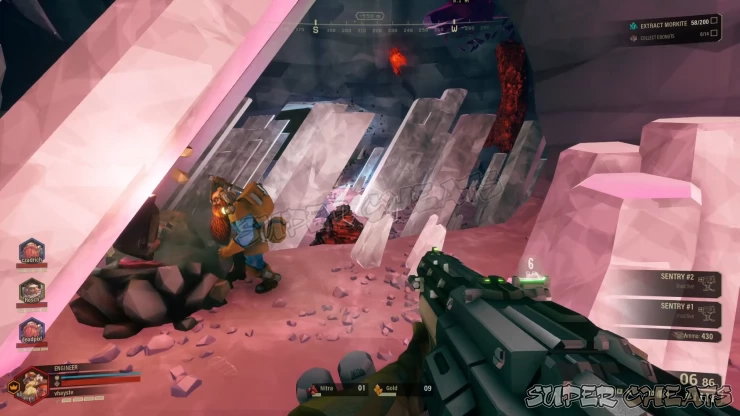 storm tendon
 wild vigil
what's your GPU model ?
wild vigil
storm tendon
what's your GPU model ?
evga 3070
storm tendon
wild vigil
evga 3070
update your GPU drivers/use dx11 launch option/make sure the game is using the right GPU/do a clean driver install using DDU
can't say I've ever seen this though
wild vigil
ikr?
well it started happening when I reinstalled my geforce experience due to a different issue
I'll try a clean driver reinstall
storm tendon
might definitely be related to driver then
 stone fable
Whenever me and my friend try to start the caretaker fight it disconnects him and when they attempt to join back it says that the team might be on the final stretch even though I haven't called the drop pod yet
No clue as to how it happens
And I can't find any info on how to fix it
 near forge
That's a new one to me also, have you both done the usual disable mods/verify integrity of games files et cetera? If so, does it persist with other hosts?
 hollow egret
I live in the US. Yet DRG appears to think I live in Asia. I can't speak Chinese (not really the games fault) and have terrible ping when I try to join any server that's "close". How can I set my region to where I actually am?
 scenic tartan
do you have a vpn?
red egret
I’ve had that happen too, and I don’t use a VPN. I suspect the Chinese players are the ones using a VPN.
hollow egret
No VPN here. Any my computer has never been to Aisa. This never happens on other games.
 jovial dust
hey i am part of a union but the game doesnt think so? I have tried rejoining but this hasnt helped
storm tendon
jovial dust
hey i am part of a union but the game doesnt think so? I have tried rejoining bu...
#drg-chat pinned messages for list of fixes
jovial dust
dont worry it fixed itself
 remote jasper
been having an issue the past week or so where missions sometimes don't count toward assignment completion. doing the same mission a second time then progresses the assignment (multiplayer, I'm the host, the missions/assignments are my friends' not mine)
 cursive crater
Ive had an issue where my Lunar assingments reset when i leav and join
granite steppe
remote jasper
been having an issue the past week or so where missions sometimes don't count to...
Make sure both of your system clocks are synced
 main crag
So you can get stuck in pumpjacks
 umbral epoch
I seem to have a bug where i have 147 out of 148 overclocks
missing the explosive reload with the subata
but I seem to be uncapable of obtaining it
When I use a matrix core from a machine event it only offers cosmetic ones
it isn't in my forge or forge history and i seem unable to get the last overclock, is there any way to like fix this up?
 west bone
Has anyone been able to join the Interplanetary Miners Union as of late?
I followed the steps in those pins, none of em seem to work or recognize that I joined the server
remote jasper
granite steppe
Make sure both of your system clocks are synced
the OS clock? there are three of us - in different time zones...
remote jasper
west bone
I followed the steps in those pins, none of em seem to work or recognize that I ...
the last I read, the dev who was doing the unions left some time ago and the feature wasn't being supported. I'd love to be wrong about that. Unions haven't worked for me and my friends for months now
west bone
Dang, well crap, it still seems like something is running? Idk, I keep seeing it pop up whenever I pass by that pair of terminals
Server is still there, I guess until someone fixes it or makes a whole new one, it's probably just gonna sit there huh...
mystic tapir
remote jasper
the OS clock? there are three of us - in different time zones...
Yes. Timezones don't matter, as long as each one is synced with the correct time server
red egret
remote jasper
been having an issue the past week or so where missions sometimes don't count to...
do either of you have the Seasonal content switched off?
 lone basin
I struggle with this bug "the bug is a weapon selection" and, i don't know how to fix it and is been like this for a while.

 austere coral
probably a mod related issue
lone basin
austere coral
probably a mod related issue
okay never mind it is a mod problem and, i might have play with someone that use mod.
 karmic sphinx
Maybe not necessarily a bug, but I keep getting this message when I try to boot up the game.
 remote jasper
red egret
do either of you have the Seasonal content switched off?
remote jasper
red egret
do either of you have the Seasonal content switched off?
That was it - thanks @red egret !
storm tendon
karmic sphinx
Maybe not necessarily a bug, but I keep getting this message when I try to boot ...
make sure the game is running with the right GPU and update your GPU drivers
karmic sphinx
storm tendon
make sure the game is running with the right GPU and update your GPU drivers
Is AMD stuff good?
 broken beacon
hey there, reddit threads couldnt help so ive decided to come here
i recently made a quick switch from the steam version to the microsoft store version so i could play with my brother crossplay to his xbox
when i try to invite people, no prompt comes up and i cant accept invites or join any servers from the browser

i have tried a reinstall, and a restart of my pc
nothing works
i should also mention online worked 2 days ago with my brother
 young tide
hello, I have been unable to promote my dwarf anymore, is it a new feature or a current bug?

 cloud warren
Make sure you don’t have a promotion to pay for already in the memorial hall?
young tide
cloud warren
Make sure you don’t have a promotion to pay for already in the memorial hall?
after 1900 hours on DRG I totally forgot the basics, thx for remembering me, not a problem is now fixed 😅
 lunar snow
Just got a bug where in a 4 egg hunt mission i got a meteor fragment, and deposited the samples in quick succesion and called the drop pod imediatly and i got a permanent rockpox infection status effect
exotic fossil
just stood inside a meteor shower on doretta as she was driving and somehow took no damage from the meteors while im in the center of the shower wtf
 clear jay
Was doing a Doretta mission, and after the stone was done, came back to find this in the area where a corruptor was defeated. Nothing really bad happened, but I thought this was weird.
 exotic fossil
i had 24 enor pearls and finished the mission with 120% haz bonus but i got 54 enor. how does that work
karmic sphinx
storm tendon
make sure the game is running with the right GPU and update your GPU drivers
I checked all I could and it's still bot working.
cloud warren
exotic fossil
i had 24 enor pearls and finished the mission with 120% haz bonus but i got 54 e...
the haz bonus is on top of 100%, so you get 24 + (24 * 1.20) which is fairly close to 54. MC isn't great at math
warm flame
probably rounded up some small amount of enor pearl
exotic fossil
anyone else hear nemisis even if its super far? also I had molly just clip through a wall to get to me and i looked at terrain scanner and there wasn't anything behind the wall either
 granite hearth
Scale Brigade paintjob isn't selectable when wearing Scale Brigade armor
though if you already have the paint selected it can still be applied to the armor


even if this is intentional for some reason, it feels very weird and is definitely confusing people
warm flame
the second one is probably an oversight
scale brigade armor comes with scale brigade paint by default which is why you can't select it
nvm i wasn't looking at the full screenshot, that's just how applying paints work
granite hearth
yeah I'd personally say make the Scale Brigade armor use a generic default color so it doesn't do this weirdness
a lot of people are putting it on and then looking for the Scale Brigade paintjob, not seeing it, and wondering if the game lied to them
really cool set once you get past all that though, really fits well with the 4th Relic cosmetics
 manic gust
granite hearth
yeah I'd personally say make the Scale Brigade armor use a generic default color...
manic gust
granite hearth
yeah I'd personally say make the Scale Brigade armor use a generic default color...
It's pretty consistent with the way skins work in the rest of the game
granite hearth
huh...
manic gust
particularly DLC skins
odd hemlock
guys the flame effects in my game are so bright it literally flashbangs, ive tried numerous fixes like playing in dx11 but it didnt work
unique flame
dont suppose anyone else is getting this when attempting to move once loading into the space rig? xD
 austere coral
That's not a bug with the game. Go disable the overlay in MSI Afterburner.
unique flame
austere coral
That's not a bug with the game. Go disable the overlay in MSI Afterburner.
is that really whats causing this?
austere coral
RTSS is the riva tuner stat server
unique flame
i'll give it a crack, thanks for the Idea, never thought to even try it seeing as for a good 2 years its never had any issues
unique flame
austere coral
RTSS is the riva tuner stat server
yeah just quit out of MSIA and I can now move around without it crashing, muchly appreciated fella 😄
austere coral
odd hemlock
guys the flame effects in my game are so bright it literally flashbangs, ive tri...
Do you meet the minimum system requirements?
austere coral
granite hearth
Scale Brigade paintjob isn't selectable when wearing Scale Brigade armor
though ...
Not a bug. Default paintjob for the armor is the scale brigade paintjob.
odd hemlock
austere coral
Do you meet the minimum system requirements?
I meet the max requirements
 median timber
anybody else have a light bug involving armour that's selected sleeveless on the final results screen?
my scout has the Mk4 armour equiped with no sleeves and I think that's cool
though, on the final results with the rest of my team, my sleeves are back!
and this happens to my other dwarves if I have them with the standard armour + sleeveless.
also would like to point out sometimes the Gunner's front-facing face shield sometimes bugs out when it comes to heads and beards ands tuff, can't really explain it all that well
wintry sky
hey was playing a point extraction and made bosco carry a gunk seed. i wanted it to throw the seed at me but he was a bit near the ground. it threw the seed below surface and now its stuck not a big gamechanger but js wanted to send it out
 wintry sky
median timber
anybody else have a light bug involving armour that's selected sleeveless on the...
wintry sky
median timber
anybody else have a light bug involving armour that's selected sleeveless on the...
yeah saw that bug before idk why
wintry sky
wintry sky
hey was playing a point extraction and made bosco carry a gunk seed. i wanted it...
oops. the seed disappeared now
exotic fossil
just had a resupply drop and there was some nitra next to it. but there wasnt any nitra veins along the path it took down so idk what nitra it mined when it travelled down? anyone know?
then with croppa but that was kinda closeish. then as i was exiting in the droppod at the end i heard the mineral pickup sounds
broken beacon
repost because of no response

 knotty scaffold

 stone river
Does anyone know why sometimes, installed mods disappear and they all have to be redownloaded?
 soft willow
unique flame
dont suppose anyone else is getting this when attempting to move once loading in...
soft willow
unique flame
dont suppose anyone else is getting this when attempting to move once loading in...
O had this one time, I just booted up the game 1 more time, and it works!
Never had this thing anymore
umbral epoch
unique flame
dont suppose anyone else is getting this when attempting to move once loading in...
i usually get this when i alt f4 the game
 tender veldt
was playing today and found the following bug
Plasma burster missle insta killing rocks during escort boss phase
anyone else experienced this
austere coral
It’s known.
 tepid hamlet
For the past several weeks after an update (don't remember which one) my game has been suddenly crashing after exactly thirty minutes, on the dot, no matter what I do. Nothing is overheating and my memory is fine. Is anyone else experiencing this?
 hardy scroll
Yo picking up hacking nodes stole my guns and crippled me in this game while i got into someone’s game, it decided to stop existing and crippled me

 red monolith
I think there's something wrong here.
I picked up a firecracker and then threw it, and while doing so my friend started the Jukebox and the animation of holding the firecracker stayed during the dance even without the dance 

 exotic fossil
just had a resupply drop and there was some nitra next to it. but there wasnt any nitra veins along the path it took down so idk what nitra it mined when it travelled down? anyone know?
red egret
¯_(ツ)_/¯
 sturdy mason
Think I found a minor bug involving the camera, I can't add to #1037308906516521010 + I thought someone should reproduce, but basically drink a Blackreach Blonde and then use the barrel hoop to die. camera glitches out a bit and becomes funky
storm tendon
sturdy mason
Think I found a minor bug involving the camera, I can't add to <#103730890651652...
pinned messages for bug report
sturdy mason
storm tendon
pinned messages for bug report
Sorry just wanted to make sure what you were wanting to point out, the pleasefix link right?
storm tendon
sturdy mason
Sorry just wanted to make sure what you were wanting to point out, the `pleasefi...
yes
exotic fossil
just had a resupply drop and there was some nitra next to it. but there wasnt any nitra veins along the path it took down so idk what nitra it mined when it travelled down? anyone know?
 keen quarry
Possibly from when you had the resupply drop come down the drill where it mines probably got some on the way down
It’s not a bug I assure you
 dawn slate
I joined a session, and tried using chat while dropping in, and it completely disabled all inputs. I couldn't move, shoot, or use chat.
 stark dust
Found some flying ''Booloo Caps''
(The flare is mid air because I threw it so the caps are visible
 scenic onyx
stark dust
Found some flying ''Booloo Caps''
(The flare is mid air because I threw it so t...
scenic onyx
stark dust
Found some flying ''Booloo Caps''
(The flare is mid air because I threw it so t...
They probably were on the terrain that got carved out as the refinery platform landed. At least they stick around instead of despawning? It would be nice if they dropped or just didn't spawn above a rig location.
stark dust
Would've reported as a bug but don't have permission, so thought I'd just leave this here
They can't be collected tho
scenic onyx
stark dust
Would've reported as a bug but don't have permission, so thought I'd just leave ...
bug reports are done here now: https://drg.pleasefix.gg/projects/DEEP-ROCK-GALACTIC 🙂
stark dust
stark dust
They can't be collected tho
Nvm, they can. My bad
stark dust
scenic onyx
bug reports are done here now: https://drg.pleasefix.gg/projects/DEEP-ROCK-GALAC...
Thank you
 patent storm
DRG Survivor install get's stuck around 92%. It's the supporter edition if that makes a difference. I've uninstalled and reinstalled. Is there a more appropriate channel to report this?