Hi there, I am new to rigging and have been following along with some videos over the last few days. I have finally gotten an eyelid to close for the first time. I actually had to go in and separate the eyelids themselves because they were initally attached (top and bottom) on both eyes! Why are my eyelashes looking this way when I close the eyes? The actual lashes stay up and look wonky? I used a mesh deformer, and a deform path edit on the lid/lashes itself. I don't know where to begin to even try and fix it D: Any tips and help is so much appreciated!
#New to Rigging!
49 messages · Page 1 of 1 (latest)
 ornate bough
And if you can help me fix the little break between the lashes, that would be awesome also ❤️
 opaque sigil
So your separation is still not quite optimal
I'd also guess based on the movement that your meshing isn't optimal either
Here's a great free PSD reference for learning cutting basics
https://ko-fi.com/s/850f9c92af
Generally doing manual meshing rather than auto meshing will provide better results. It is especially important on the eyes and mouth
Here is an example of meshing for eyes
#archived-live2d-resources message
Ko-fi
Example PSD for Live2d learning purposes.
- Link back to shop when posting to social media (optional)
- Please do not repost or redistribute the fil...
ornate bough
opaque sigil
So your separation is still not quite optimal
I'd also guess based on the movem...
I used manual mesh for this one, but I think I may have made it too large? The eyelashes are staying in an upright position when the eye closes, and I have no idea how to fix that haha, should I re-seperate the lashes first? ❤️
Thank you so much for your help. Rigging is NOT easy, but I am determined to learn ❤️
oh, I just realized it wasn't a video you sent, it was a PSD ❤️
I could learn on that PSD for sure. The one I am using in the video is my personal vtube model. I was trying to re-rig her and add additional things like the bouncing eyes, pupils, more movement, etc ❤️

welcome back to our simple model series on making a DND/trpg model! in the last video we went over all of the steps that go into making a model in live2d, as well as how the art needs ...
opaque sigil
Yeah the PSD is really helpful for understanding basics bc you can literally open it up and look at things like overlap up close. Videos are great but I feel like raw files give info that's just real difficult to convey in video
As for the meshing - can you take a screenshot of your mesh?
ornate bough
This is the video I was following along to, but their lashes/eyes are a bit different than mine are!
I have no clue why it looks like that now lol.
 opaque sigil
It's bc you hit the onion skin button, hold on I'll show how to turn it off
ornate bough
LOL
 cosmic nimbus
 ornate bough
It sure is on
opaque sigil
Kibu too fast for me lmao
cosmic nimbus
i cassually had a screenshot on paint xD
 opaque sigil
So I would def say your meshing here is part of the problem
Couple points to keep in mind with meshing
- You want the mesh triangles as close to an equilateral triangle as possible (so like this ⚠️)
- You want the edge of the mesh to be close to the edge of the art (tons of empty space between art and mesh = not good)
- The more detailed the art + the more you need to change the shape, the more heavy meshing you need (so you are trying much bigger shape change than the video, so meshing from video won't work)
opaque sigil
opaque sigil
So your separation is still not quite optimal
I'd also guess based on the movem...
If you go to the archived resources link I provided here the meshing example should be much better for what you're doing
ornate bough
Okay, thank you so much. That all makes perfect sense. I didnt know how to elimiate that space (or move the mesh closer to the lid and further from her forehead area). Is there a way to manipulate the mesh to form around the points of the eyelashes, or does the mesh have to stay in the "worm" shape to function properly?
opaque sigil
If you're using stroke mesh mapping then Ctrl+click+drag around the circles and it will make it narrower/wider
Also it'll be easier if you separate the lashes from the lash line as well
ornate bough
I looked at the twitter post you linked, and I didnt really understand. I do better when I am able to watch a video on how someone does it. Do you happen to have a reference for one?
Oh, okay! I have been using Photopea to seperate items and create layers. I dont have Procreate, although I may end up getting it in the future lol.
When you say I should seperate the actual lashes from the lash line also, should I include part of the line itself, or just the tips of the lashes?
opaque sigil
If you end up getting procreate just be aware that all procreate PSDs need to be imported to another program and re-saved before importing to live2d as the way procreate saves files causes issues
ornate bough
ooo, then I probably wont be using that software haha
What software do you like to use?
opaque sigil
I use CSP currently. However krita is a great free program you could try
ornate bough
Awesome!! Thank you so much for all of your help. Do you happen to have any reference videos for how I should rig my eyes with my eyelashes? ❤️
And how I should cut the lashes? ❤️
opaque sigil
Yeah gimmie a moment I'm grabbing some videos
ornate bough
You are the BEST.
Thank you so much.
Do you offer any tutorials or anything? Cause at this point I am willing to pay someone for educational classes on it lol.
opaque sigil
I do offer classes but personally my recommendation is utilizing free educational materials and asking questions in this server
Most rig techs will happily answer questions in their free time so I really think paying for classes only makes sense if you really want the 1-on-1 time and also just have money to burn lmao
ornate bough
Thank you for your honesty. I have really enjoyed trying to learn the rigging process. This is technically day 2 1/2 of trying to learn it more in depth, and I have learned how to set up my deformers and group things LOL. Today is the first day I have actually gotten into the meshing and parameters part of rigging. If I can watch videos on it, I will definitely be able to catch on with practice haha!
opaque sigil
Free eye cutting PSD ref with lots of different examples:
https://ko-fi.com/s/b6b0aa4574
Meshing tips:
https://www.youtube.com/watch?v=LpHm0bX4ocU
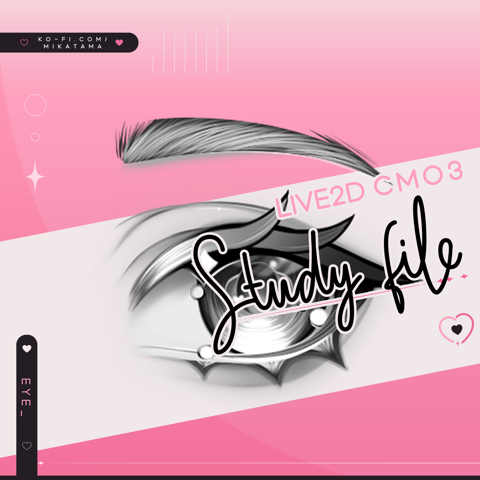
Free eye study file:
https://ko-fi.com/s/3bc7f08695
Full eye breakdown (these eyes are more similar to yours so should work better):
https://youtu.be/uc5h-fXCTmQ?si=e0RdU9wqsJzrp2Y_

Ko-fi
Example PSD for Live2d learning purposes.
- Please do not repost or redistribute
- Link back to shop when posting to social media
- Rigging and/or us...

◆Live2Dマスターへの道 再生リスト https://www.youtube.com/watch?v=R5ztWA-z8Mk&list=PLIe2XSKhVeVVhCBJpomjUavOMc4CmSf8b
◆ご紹介したVtuberさん・クリエイターさん
18号
https://twitter.com/_18go
https://www.youtube.com/channel/UCxqB40OYroYH2s1xxf_3Plw
三日月ミカ
https://twitter.com/ayamalimas
...
Ko-fi
Hello guys!! As promised, here is the rigged version! ʚ♡⃛ɞ(ू•ᴗ•ू❁)
You can check my parameters and how I set the eye up in VTS! This is for guidance! ...

As requested, i made an eyes tutorial!
I know it's long but eyes really take a lot of time to make, since they are so detailed ^_^ Stay tuned for part two!
Layer division reference: https://twitter.com/Yoshino_art_d/status/1402984830527172614?s=20
Commissions: https://info.yoshinoart.net/
00:00-00:40 Intro
00:00-02:40 Illustration: Layer divi...
opaque sigil
ornate bough
Thank you for your honesty. I have really enjoyed trying to learn the rigging pr...
You're not even 3 days into it, I promise it gets much easier with time
Also if you end up feeling overwhelmed or burnt out I recommend putting the full body model on pause and trying a much simpler project
CutieDragon has a great simple note emote tutorial/rig along that helps with the basics
https://youtu.be/BY50QfazRsY?si=o_qDLJBr-ZXIA6q-
There's also a cute lil duck model tutorial/rig along
Join the Shiny Treasure Ko-fi Membership (Much like Patreon) today!
⇉ https://ko-fi.com/cutiedragon/tiers ⇇
FREE Animated Emote Tutorial Asset: https://ko-fi.com/s/9b92791c04
A great entry point to anyone wanting to learn Live2D: Animated Emotes!
Recorded LIVE on Twitch! Part 1 of how to make an animated emote using Live2D! I cover how t...

This video quickly goes over the fundamentals of Live2D: ArtMeshes, Deformers, and Parameters. I also show how to quickly customize the UI before you start rigging PLUS the whole rigging process from facial features, physics, and body + face angles.
I hope this video helps you get a better grasp of rigging, I made this tutorial to be FREE VERSI...
ornate bough
Thank you SO much, you've given me so much information, I really really appreciate it! I am going to watch these and them out! I'll check back in once I have HOPEFULLY become more proficient haha ❤️ Thank you again!
ornate bough
I downloaded CSP and I really really like it so far! Is there anything special I am going to need to do when I save and export as PSD into Live2D? ❤️
opaque sigil
The biggest thing to know with CSP is that the symmetry tool is not automatically perfectly centered and you want everything to be perfectly centered
A common issue I see with CSP models is that everything is along symmetry lines that are sliiiiightly different from each other, so you can't even re-center the entire model easily in live2d
So to entire the symmetry line is properly centered, follow these steps:
- Create symmetry line
- Use the "object" tool to click on the symmetry line
- Align/distribute palette > click the button marked 2 in this image
That being said though I really don't recommend CSP for people just starting out with digital art programs
A lot of the tools are really hard to find and the tutorials/help forums aren't particularly helpful
If you decide you wanna stick with it I highly recommend looking into videos explaining what all the tools are and where they can be found
 ornate bough
I tried to export the model out, it exported it, but it didnt save any of the layers ):
cosmic nimbus
ornate bough
I tried to export the model out, it exported it, but it didnt save any of the la...
you probably used "export (one layer)" option
use save as instead