47 messages · Page 1 of 1 (latest)
 agile swallow
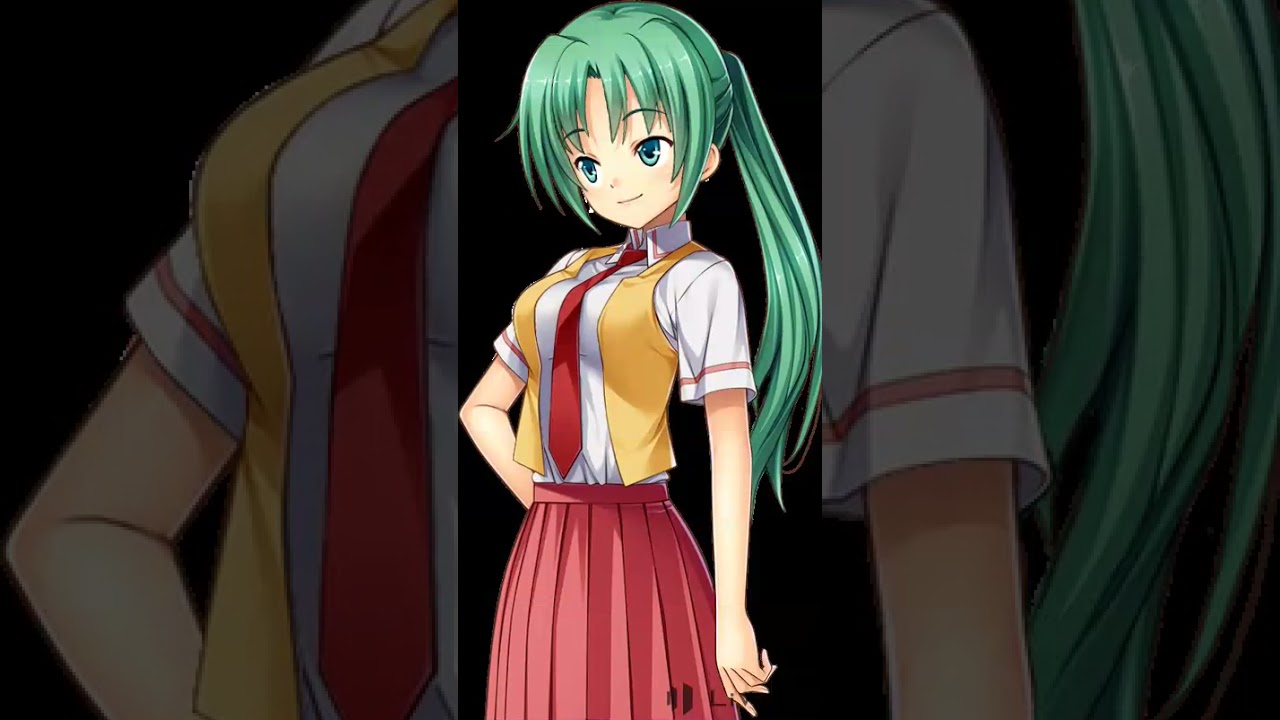
I get this weird pixel outline when I try to export a video. I thought that maybe I didn't notice it before, but it only happens when I try to make it into a video. This was a while ago but I tried again and had the same issue.
https://youtube.com/shorts/eDf9m7OkqDA?si=CIWwQqye4pn4qaoD
Character from Higurashi no Naku Koro Ni.
agile swallow
It looks normal
 dapper iris
witch format are you using for the video?
dapper iris
ok... that is not psd
but
i can see te outlines in some parts as the video
agile swallow
dapper iris
ok... that is not psd
but
i can see te outlines in some parts as the video
I don't have photoshop
dapper iris
what do you use to check the psd's then?
agile swallow
I used clip studio
dapper iris
ok, how does it looks there
[when we ask how the psd looks like, we refer to the file, not exactly the software just as a note]
did you made the sprite?
here for example even in the live2d, there is visible that in the same areas that you get an effect in the video
there are some outline color too [it looks like the video just intensified those areas]
 agile swallow
I did, but it was quite a while ago
This is a bit of the texture atlus if that helps at all
 dapper iris
mm my theory is that there are some uncleaned areas, and the video is just making them a lot obvoius
dapper iris
agile swallow
This is a bit of the texture atlus if that helps at all
are the pieces 100% scale?
that mouth mesh.... is this made in procreate???
agile swallow
It was made in ibispaint but I learned how to fix the meshes from looking like that by running in through clip studio first.
dapper iris
but... you didnt fixed it...
agile swallow
I must've had to import that after and didn't go throught the process
All the other ones are fixed
dapper iris
at least all the ones in that screenshot are not fixed
 agile swallow
Why do you say that?
dapper iris
do you see how the preview of the pieces are tini tiny?
dapper iris
dapper iris
at least all the ones in that screenshot are not fixed
here
agile swallow
Yeah, but I don't understand how that deals with my problem now. I know my model is a bit of a mess, its pretty old
dapper iris
ok let me explain to you why this is important in any project in live2d
agile swallow
For the image quality, I know
dapper iris
softwares that create layers the size of a canvas, create "empty pixels of information"
this information affects how everything works to that layer, meshing, automeshing, generation of atlas, the fact that it will not calculate correctly the space and if you have not a proper set of scale to 100% it can create a lot of holes in your atlas that may scale down your pieces
why this scale down is important in your problem?
you have a lot of not cleaned pixels around some areas, that the video is making even more visible than normal
and because you scaled down or because each layer information is huge, every problem is gonna be more visible and more noticeable
if the model is scaled down, those areas uncleaned will be bigger and bigger due to the antialing that happends when you reduce a picture in pixels trying to calculate areas around
you also have a small atlas wich doesnt help when you look something close
is not only image quality, if that was the case it would not be that important to fix it before any rig done
agile swallow
Alright, I'll see if I can fix my atlas and how well that works for me.
dapper iris
suggest to fix the psd first so you can fix the atlas better
agile swallow
It is not just the mouth piece that needs fixing?
agile swallow
Also do you know how to make these take up the whole space? I realized how small my atlas was and increased the size but this just happened
 dapper iris
select them all [the same way you would select multiple files on your computer]
and on the top you should see "Scale" write 100 there
100 = Real size
agile swallow
Thank you
dapper iris
yw
agile swallow
One more question. Will importing the new psd file mess with anything? Like how will the system know which new part correlates to the old one?
dapper iris
agile swallow
One more question. Will importing the new psd file mess with anything? Like how ...
it should be fine as much as you dont chanve canvas size or pieces position
agile swallow
But wont I have to add new meshes to each piece?