Since it's recommended to start my own post I decided to create one. I've been having random crashes to desktop occasionally since the last 2 patch or so. I tried the common suggestion of turning off particles in settings but the crashes still happen for me. I had done limited testing with DXVK (Vulkan) launch option and so far there's no crashes yet. Attached are my crash dump file and logs.
#Game crashes randomly with "fatal error" or "0xc000005" error code or full system crash/BSOD
208 messages · Page 1 of 1 (latest)
 winged thunder
 tribal oracle
Hi! I checked your dmps in main thread, and it's not particle related in your case, but rendering. So if dxvk works for you, keep using that
winged thunder
Are there any permanent fixes coming up to solve my problem? I wish I could use the DX9 mode just as before.
 upbeat cairn
@winged thunder pls stop writing in every single thread u can find 😄
winged thunder
upbeat cairn
<@542360673892696064> pls stop writing in every single thread u can find 😄
That is why I created my own thread/post here.
winged thunder
@tribal oracle any permanent solution for my problem? I am a loyal player for Raceroom and these crashes are really getting on my nerves. I see I am not the only one suffering these 0xc000005 crashes. This problem only happened to me these recent few updates, only started in the last few months. It did not happened to me earlier this year and certainly not last year.
tribal oracle
No permanent solution as of yet, no
winged thunder
I went into Simbin folder in my documents/my games and deleted shader cache and graphics setting xml. I also turned off steam overlay. I then test run the game. The game ran fine for a few car + circuit combination at first and I really thought I might have found the solution. Then it crash again as i switch to another car + circuit combination, this time just a few sec after loading into the circuit.
@tribal oracle can you look at my files above and determine the cause of the crash? Is DXVK the only solution? I prefer staying DX9 if possible because it's how I ran it for years.
tribal oracle
yes same fail, go with dxvk for now. should be no downsides and possibly higher fps
winged thunder
I tried DXVK and it crashes for me again. I was running in windowed mode as borderless fullscreen doesn't work well with alt-tabbing. @tribal oracle please take a look, why DXVK still crashes for me? I must use fullscreen mode only?
tribal oracle
Ok so this was with dxvk? Identical crash.
winged thunder
tribal oracle
Ok so this was with dxvk? Identical crash.
@tribal oracle Yes, DXVK windowed mode. Happened just after loading into the circuit.
winged thunder
@tribal oracle @upbeat cairn Game crashed for me again. This time in DXVK fullscreen mode. I am quite fed up to be honest. I just bought your DTM 2025 and DTM 2002 pack and I only just wanted to do some consistent hotlap sessions. I had put 618 hours into Raceroom and I wouldn't stay here for this long if this game aren't enjoyable for me. But these crashes, which only started since the last few updates and patches is really damaging my experience with the game. I sincerely hope you guys can fix this asap, coming from a loyal Raceroom supporter since 2015.
@tribal oracle @upbeat cairn Note: I play other racing sims too (AC Evo, AMS 2, Dirt Rally 2.0, EA WRC) and none of them crash or shows signs of instabilty, so the problem is NOT on my end. FIX YOUR GAME.
 ruby laurel
What GPU do you have?
winged thunder
ruby laurel
What GPU do you have?
RTX 2070 super, and on the latest Nvidia drivers.
winged thunder
@tribal oracle @upbeat cairn Another day, another crash. I am getting really fed up. I already did a clean DDU Nvidia driver reinstall and a full reinstall of Raceroom. I swear these crashes are getting worst the more updates and content you guys releases. If I knew how often I would have these crashes I would have refrained from buying your DTM 2002 and 2025 packs. I DID NOT suffer any crashes with other games (AMS2, AC Rally, AC Evo, ACC, F1 25, EA WRC, DR2.0) so the problem is not with my PC. It is YOUR game that's broken. And NO, DXVK mode doesn't help, it STILL crashes. If it helps, I noticed the game crashes most often when paused. I never crash when I was driving or when I am browsing the menu. I've been a loyal supporter since the old days of DTM 2013 2014 Experience packs, and the game has been stable from my previous old gaming laptop to my current gaming PC until these few months. Could you listen to an old supporter of yours and fix your game?
winged thunder
@tribal oracle @upbeat cairn Another day, another crash. Was just doing hotlaps on my DTM 2002 Mercedes on Motegi.
winged thunder
@tribal oracle <@&255311338992173057> I just suffered a BSOD while playing Raceroom. Error code : KMODE_EXCEPTION_NOT_HANDLED. I was running on DXVK and Borderless windowed mode. I was doing hotlaps on Audi TT RS at Motegi. Please advice a solution for me. I am asking nicely and not venting. Should I stop playing Raceroom for a while until you devs fix the game?
winged thunder
@tribal oracle <@&255311338992173057> Switching back to DX9 mode, the familiar crash happened when I pause the game for more than 10 sec.

 real stag
Unfortunately Moderators can not help other than passing on the information. Being as you have already pinged @tribal oracle there is nothing further for us to do.
winged thunder
@real stag I sincerely hope the devs will look on my case seriously. Raceroom is my favorite sim to do hotlaps in and I had owned pretty much all the contents in the game (which cost alot). I personally put over 628 hours in this game, and I wouldn't have played this much since 2015 if I don't like the game. I understand my words might sound harsh above but it's pure frustration coming from a decade old fan of the game.
real stag
I am pretty sure that the @tribal oracle will see this and respond once the holidays are over.
winged thunder
real stag
I am pretty sure that the <@511520169303212032> will see this and respond once t...
@real stag Hopefully so. I don't know I can support this game moving forward if this game always crashes for me like this. It's not that I don't like the game, but the game crashes for me too often to even enjoy it in peace. @tribal oracle For now I have to stop playing this game reluctantly and spend time elsewhere with other race sims. I do have AMS2, ACE and ACC, but as a gamepad player, Raceroom has the most natural gamepad feeling of all the sim games out there, which is why I spend so much time in this game alone. ACC always feel janky on a gamepad, and AMS2's handling felt loose for some reason. Raceroom's handling always feel tight and natural, which makes it so addictive to drive for me in the first place.
 stable briar
Oh cmon, stop tagging him in every sentance. I think once was enough.
 agile light
What are the temps of your system when playing?
Did you already did stress tests?
winged thunder
agile light
What are the temps of your system when playing?
Did you already did stress test...
Normal temps, room temperature. Runs other games all fine with no crashes (AMS, AMS2, EA WRC, Dirt Rally 2.0, F1 23, F1 25, Assetto Corsa Rally, Assetto Corsa Evo, Assetto Corsa Competizione, Grid Legends, Dirt 5, The Crew Motorfest, Forza Horizon 5 and many many more). If I crash running other games, I wouldn't have complained here.
winged thunder
Well, it had gotten worst for me. Just suffered a full PC hard crash that forced a restart. No idea what happened. No crash dump files so I can only give logs. Since I cannot tag anyone, I hope someone sees my post. I am literally afraid of playing Raceroom now. It's as if the game itself is telling me to stop playing it.
upbeat cairn
check windows event viewer, if anything showed up when crash happened
winged thunder
Provider
[ Name] Windows Error Reporting
- EventID 1001
[ Qualifiers] 0
Version 0
Level 4
Task 0
Opcode 0
Keywords 0x80000000000000
- TimeCreated
[ SystemTime] 2026-01-13T13:50:22.1458468Z
EventRecordID 357199
Correlation
- Execution
[ ProcessID] 0
[ ThreadID] 0
Channel Application
Computer DESKTOP-OBKAJEE
Security
-
EventData
0
AppHangTransient
Not available
0
RRRE64.exe
0.9.7.46
694ba2c9
unknown
unknown
unknown
unknown\?\C:\ProgramData\Microsoft\Windows\WER\Temp\WERD967.tmp.WERInternalMetadata.xml \?\C:\ProgramData\Microsoft\Windows\WER\Temp\WERD9A7.tmp.xml \?\C:\ProgramData\Microsoft\Windows\WER\Temp\WERD9A6.tmp.csv \?\C:\ProgramData\Microsoft\Windows\WER\Temp\WERD9C6.tmp.txt
0
0147a5b9-a4e4-42ef-a576-33f17e273222
20490
There are no other notable events pointing to Raceroom other than the one above
 random mulch
https://appuals.com/how-to-fix-event-viewer-error-0x80000000000000/ i clicked google
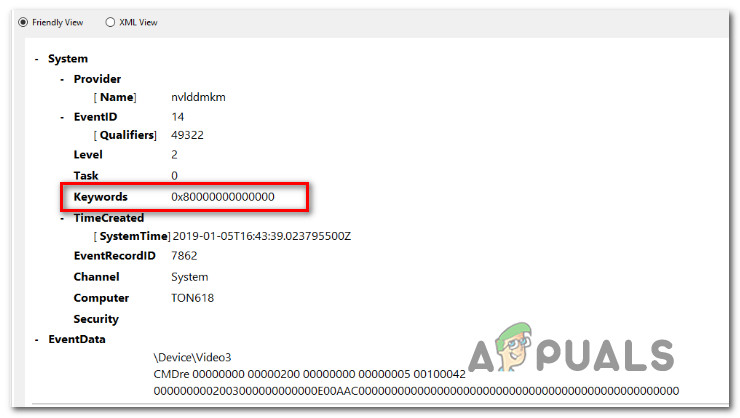
Appuals
Several users have been reaching us with questions after checking the Event Log with the Error Code 0x80000000000000 after an application or BSOD crash.
maybe try whats suggested
winged thunder
random mulch
maybe try whats suggested
Sorry for the late reply. I didn't check discord for days. I just tried your suggestion above and no luck. It still crashed. Tried uninstalling all Visual C++ and install back (with 2 reboots) and SFC Scannow + DISM. The crash happened when I paused the game mid driving, just like always.
winged thunder
I just suffered yet another hard crash again. Windows Event Viewer shows the same 0x80000000000000 code. I was doing the latest competition (WTCR 2022 + Macau) and as I was starting my 2nd lap, the game hard crashed. I am running out of ideas. Do I really need to have a clean reinstall of windows? But Raceroom is the only game that's crashing for me. None of my dozen other games has any stability issues. I am not prepared to do a fresh windows install just for one game, but what else can I do besides waiting and hoping for devs to fix this? 😢
winged thunder
Can anyone from the dev team tell me, is my case being looked at? I've been suffering this since late 2025. I reluctantly had to put Raceroom on hold and play other games just because of these crashes. Will these crashes be fixed? When?
 grave dagger
winged thunder
Can anyone from the dev team tell me, is my case being looked at? I've been suff...
grave dagger
winged thunder
Can anyone from the dev team tell me, is my case being looked at? I've been suff...
Hello,
I have pushed a special build for you to try. It includes a potential fix for your crash.
The build is on the open beta branch of the game, the branch is called "Preview".
You can access it this way:
- Right click RaceRoom in your Steam Library
- Select Properties
- Select "Game versions and Betas"
- Pick the "Preview" version
- Let Steam download the files from that build
- Test if you still can reproduce your issue
winged thunder
grave dagger
Hello,
I have pushed a special build for you to try. It includes a potential fi...
Hello, I tested out this preview build. Before testing I even ran steam's verification check just to be safe. Unfortunately, while it did not result in a hard crash reboot like before, it now result in a hard freeze instead. I was doing the latest competition (Lmdh + Indianapolis). Things runs smoothly initially, and then I purposely paused the game occasionally just to see will it crash, because in my experience it always crashes when I pauses the game mid driving. Around the 6-7 time I paused the game again and this time the game just froze. No menu UI came. I cannot alt-tab out to force close. Mouse cursor no response. I had to hit reset button on my PC. I checked event viewer and it's the same 0x80000000000000 code.
grave dagger
can I get a game.log file from that freeze event?
winged thunder
These are the log files. There's no crash dump file as this is a hard freeze, not crash to desktop.
grave dagger
the last thing the game appears to do is to stop the FFB signals to your device.
could you do a quick test without the wheel? like switch to keyboard controller profile for example
winged thunder
my device is Logitech F710, which I had been using for the last 10 years with Raceroom. I am a gamepad user fyi.
grave dagger
Controller Wireless Gamepad F710
I see now
still could be interesting to switch to keyboard and see if it still happens, then we know it's controller related
winged thunder
Why does the game always crashes when I pauses the game mid driving?
any possible reason for that?
I'll try with keyboard now, something I haven't done before
grave dagger
winged thunder
Why does the game always crashes when I pauses the game mid driving?
well if this game.log is anything to go by, the last thing it does is tries to communicate with the gamepad to stop FFB
winged thunder
I run Raceroom without steam's controller input. Could turning that on help prevent these crashes?
grave dagger
winged thunder
I run Raceroom without steam's controller input. Could turning that on help prev...
I do not know at this point, sorry
winged thunder
This issue only happened to me around Q4 2025, around the time your big update to the graphics.
I think it's around the time those supertouring cars were added into the game
Oops, it crashed just when I paused mid driving to rebind my keyboard settings

Logs and crash dump files
I unplugged my F710's usb receiver from my PC before running Raceroom, I think it's pretty clear my F710 isn't the cause.
Just to recap, I had done all these so far, but the crashes still remain for me.
-full uninstall and reinstall of Raceroom
-installing Raceroom to a difference SSD
-deleting ShaderCache.bin in Userdata folder
-Removed completely and reinstalling Visual C++
-Running in DXVK mode (which results in more hard crash reboots than crash to desktop in DX9 mode)
-Turning graphics settings all the way down to minimum
-Update Nvidia drivers to the latest version
-Running preview early access build you introduced earlier
-Running with keyboard as controller
Raceroom remains the only game on my PC that crashes this much unfortunately.
upbeat cairn
u didnt delete/rename entire folder in my documents? try that (restore if theres no change)
common step in troubleshooting
winged thunder
upbeat cairn
u didnt delete/rename entire folder in my documents? try that (restore if theres...
Will that help? I fear I need to reset all the settings again if I delete the whole folder. I think I'll backup my settings first before deleting.
upbeat cairn
if u delete then u can restore from bin, if you rename then you can rename it back later or copy paste files back
as for helping part, no idea but wont hurt to try
winged thunder
I'm booting up Raceroom, take pictures of my settings, then delete. I think that's the cleanest way to transfer settings back
upbeat cairn
u can simply back up config files
or copy and store entire folder somewhere
!path
 noble kettleBOT
upbeat cairn
!path
noble kettleBOT
upbeat cairn
!path
All RaceRoom user files (not game files!) are in
Documents\My Games\SimBin\RaceRoom Racing Experience- Replays:
Documents\My Games\SimBin\RaceRoom Racing Experience\ReplayData - Log files:
Documents\My Games\SimBin\RaceRoom Racing Experience\UserData\Log - Setup files:
Documents\My Games\SimBin\RaceRoom Racing Experience\UserData\CarSetups - Controller files:
Documents\My Games\SimBin\RaceRoom Racing Experience\UserData\ControlSet - Crash dumps:
Documents\My Games\SimBin\Crash Dumps
grave dagger
@winged thunder can you try turning off reflections and see if it starts working for you?
winged thunder
I am in the midst of resetting all my setting, following the suggestion above. I will try it as soon as I finished setting.
winged thunder
grave dagger
<@542360673892696064> can you try turning off reflections and see if it starts w...
Just checked that there's no "off" only "low". I'll be using low for car reflections then
grave dagger
low only has a simple cubemap, hopefully it's something to do with real time reflections of the various objects, and that's definitely switched off on low setting
winged thunder
Testing with a fresh my documents folder + low car reflections, and I found an old problem. Just finished testing competition (LMDH + Indianapolis) which thankfully did not crash, and now I switched to another competition (DTM 1995 + Hungaroring), and it's stuck in an infinite loading screen. I found this problem before, but solved it with a clean game reinstall. Not sure do I need to do that now.
Stuck here, but at least the progress bar moves

But it just never loads into the track
I'll had to force close it in task manager
Yep, same issue. Ran Raceroom again, did 1 lap in competition (Supertourer + Shanghai), then switched to FR90 + Interlagos, now it's in infinite loading screen again. Although this is not related to my crashes, it's also another nagging issue with the game for me.
Infinite loading screen

I'll stick to practice mode + low car reflection for now to try and see will the game still crash for me
winged thunder
It happened again unfortunately. I tested for a while and no crashes. I really believe this time things changed. But nope, sadly. just when I loaded into this track and idled for a minute, it crashed

This is with reflection at low + fresh my documents folder
winged thunder
Today I did a clean uninstall and reinstall of the preview build. I then tried practice mode, DTM 2013 + Motegi. After loading into the track for 5 seconds my PC had a hard crash reboot. No crash dump file, only logs. Looks like preview build + low reflection doesn't change anything ☹️
grave dagger
Your pc rebooted? Can you check windows event viewer?
winged thunder
grave dagger
Your pc rebooted? Can you check windows event viewer?
System
- Provider
[ Name] Microsoft-Windows-WER-SystemErrorReporting
[ Guid] {ABCE23E7-DE45-4366-8631-84FA6C525952}
[ EventSourceName] BugCheck
- EventID 1001
[ Qualifiers] 16384
Version 0
Level 2
Task 0
Opcode 0
Keywords 0x80000000000000
- TimeCreated
[ SystemTime] 2026-02-18T02:02:24.5451994Z
EventRecordID 465062
Correlation
- Execution
[ ProcessID] 0
[ ThreadID] 0
Channel System
Computer DESKTOP-OBKAJEE
Security
-
EventData
param1 0x0000000a (0x0000000000000000, 0x0000000000000002, 0x0000000000000000, 0xfffff804823435f2)
param2 C:\WINDOWS\Minidump\021826-8640-01.dmp
param3 4a059d6f-246b-4772-b949-4fe7f897cf75
This is what I saw in event viewer
System
- Provider
[ Name] Windows Error Reporting
- EventID 1001
[ Qualifiers] 0
Version 0
Level 4
Task 0
Opcode 0
Keywords 0x80000000000000
- TimeCreated
[ SystemTime] 2026-02-18T02:02:32.2363082Z
EventRecordID 363871
Correlation
- Execution
[ ProcessID] 0
[ ThreadID] 0
Channel Application
Computer DESKTOP-OBKAJEE
Security
-
EventData
0
BlueScreen
Not available
0
a
0
2
0
fffff804823435f2
10_0_19045
0_0
256_1\?\C:\WINDOWS\Minidump\021826-8640-01.dmp \?\C:\WINDOWS\TEMP\WER-10171-0.sysdata.xml \?\C:\ProgramData\Microsoft\Windows\WER\Temp\WER44AA.tmp.WERInternalMetadata.xml \?\C:\ProgramData\Microsoft\Windows\WER\Temp\WER4518.tmp.xml \?\C:\ProgramData\Microsoft\Windows\WER\Temp\WER4546.tmp.csv \?\C:\ProgramData\Microsoft\Windows\WER\Temp\WER4566.tmp.txt
\?\C:\ProgramData\Microsoft\Windows\WER\ReportQueue\Kernel_a_1c4dd527a9814ed7b18894376a78ddff8c1f6d2_00000000_40305bb7-22c8-421d-be18-9e41a3ac35830
4a059d6f-246b-4772-b949-4fe7f897cf75
40
Another one that might help
grave dagger
Windows Error Reporting logs Event 1001 after a system crash and restart.
So the reboot is almost certainly caused by:
A driver crash
Hardware instability (GPU/CPU/RAM/PSU)
Overheating under load
Kernel-level software (anticheat, overlays, drivers)
I'd try and make sure all drivers are up to date
and run a RAM diagnostic
and monitor temperatures of cpu and gpu
Considering your issues before the bluescreen event, I'd be tempted to point the finger at the ram maybe?
winged thunder
I had done RAM dianostic before, the windows one (forgot name). It came clean with no issues
Like I said before, this problem happened to me around the time Raceroom got the big graphics update. The "old" graphics client runs just fine
Around the time Supertouring cars or DTM 1995 was added
Only recently it got worst with these hard crash reboots
Raceroom remains the only game that runs unstable in my PC
grave dagger
yes, but it used a lot less gpu back then, so it still could be consistent with what AI suggested above, what do the gpu temps look like
winged thunder
My GPU temps are very normal, around 60c. I do hotlaps mostly anyway so it's nowhere stressed
Also my GPU is RTX 2070 Super, I think it's more than enough for Raceroom
If this helps, these are my PC specs
grave dagger
for sure, just trying to find what could be causing this
if temps are normal, ram is ok, then that leaves us with drivers?
winged thunder
AMD Ryzen 5 3600
RTX 2070 Super
16gb DDR4 ram (8x2)
Windows 10 latest build
Latest Nvidia Drivers
Corsair MP510 NVME SSD
winged thunder
grave dagger
for sure, just trying to find what could be causing this
Yes but which drivers exactly? I am out of ideas. I had done reinstalling my gamepad drivers, AMD chipset drivers, a fresh DDU reinstall of Nvidia drivers
grave dagger
hmm
winged thunder
If other games crashes just like Raceroom, then I can accept the fault is on my side.
But of all the dozens of games I play on my PC, only Raceroom crashes like this
I played other much more demanding games on my PC, all ran fine
Moments ago I done my dailies in EA WRC and Dirt Rally 2.0
grave dagger
@tribal oracle will try and take a look today at your most recent dmp above, see if it's still in the same area of the code
fyi the earlier crash was in rendering, so that's why we had you try on low reflections.
While we wait for Robert's investigation, if you still have the time and patience, I'd be curious to lower gfx settings and test again, in ugly mode, for science.
Also just thought as I typed this, maybe you are forcing some rendering settings through nvidia driver? can you check that it's set to "let application decide" ?
maybe you have one forced thing that causes an issue somewhere
winged thunder
Ok I have a look at my Nvidia control panel settings
I do have Max Frame Rate locked at a certain figure. This is because I use a Gsync monitor and it's adviced to lock FPS
Gsync enabled
Vsync ON
These settings I had been using for years, not recent changes
Been using way before the crashes started
winged thunder
grave dagger
<@511520169303212032> will try and take a look today at your most recent dmp abo...
I'll try to run it on all graphics settings off or minimum, albeit still in 1920x1080 resolution.
Don't think I need to drop my resolution to 800x600 right?
Do I need to disable Gsync and uncap my frame rates in Nvidia control panel just for Raceroom?
winged thunder
So don't need to change my Nvidia control panel settings? leave it as it is?
 winged thunder
I just checked mine and it's on the 2nd one
Use the advanced 3D image settings (Take me there)
I have no idea why it's checked
grave dagger
ok let's try that first
winged thunder
Owh I see, choosing the first one effectively uses default settings?
grave dagger
it just lets the application decide, instead of forcing effects like aliasing and all
winged thunder
I'll give this a test, low reflections only, other graphics settings are maxed
grave dagger
crossing my fingers
winged thunder
Unfortunately, it crashed again on an extended pause. I was testing and everything seems fine. Then I paused for a bathroom break. When I came back I was presented with this

Crash dump and logs attached
Running on preview build + low car reflections + "let the 3d application decide" in nvidia control panel
GPU temps around 50c
winged thunder
I went ahead and tried updating my motherboard bios. It's one of the few remaining things I haven't tried yet. But I cannot verify as my PC kept getting BSOD and unable to POST.
My current Bios for my X570 motherboard is untouched since I first bought my PC, so the version is way back in 2019. I tried updating it to the latest version from 2025. But as mentioned above I cannot go past POST and kept getting BSOD. I had to go back to my previous safe version, which I thankfully had a backup.
Therefore I am unable to confirm is my old motherboard Bios the cause for Raceroom's crashes. Sorry about that.
The only remaining thing left is reinstalling Windows, which I am not prepared to do for just 1 malfunctioning game ☹️
To be honest, all this troubleshooting has seriously soured my experience with Raceroom. It was my favorite race sim in the market. I put serious money into this game and owned almost everything. I had put over 600 hours in it. But in recent months I spent more time crashing, troubleshooting than enjoying the game itself. And it's not even my fault to begin with. The game ran smoothly for years. Crashes only started around the big graphics update and had gotten worst since. I'm at my wit's end on what I can do a try at this point. I can only hope you devs can magically come up with a patch that changes the game's code to stop these crashes.
635 hours to be exact. Been playing since 2015, where DTM experience packs are still a thing.
 grave dagger
winged thunder
I went ahead and tried updating my motherboard bios. It's one of the few remaini...
grave dagger
winged thunder
I went ahead and tried updating my motherboard bios. It's one of the few remaini...
do you know what it complained about with new bios? could be that the update resets some settings, like RAM timings, cpu voltage etc.
Hmm X570 seems prone to ram instability ? RR is indeed pretty sensitive to that.
sounds similar?
I get random BSOD and game crashes within a few mins with DOCP enabled.
I understand how you feel though, I'd have given up way before you did. I hate fiddling
winged thunder
I didn't touch my RAM settings other than turning on XMP which is at 3000mhz
I did tried turning off XMP and running on just 2133mhz JEDEC speeds some time ago. Raceroom still crashes regardless
I understand ram instability is a plausible cause, but Raceroom is the only game that suffers crashes on my PC. Is Raceroom really that sensitive to the point of being the only one of the dozens of games on my PC to suffer crashes? Moreover, it only crashes since the big graphics update, not before the with old "bland" graphics.
Just for comparison, I had these racing games installed on my PC and none of them had crashes or instabilities.
EA WRC, Dirt Rally 2.0, Dirt Rally 2015, Dirt 5, F1 2019, F1 23, F1 25, Grid Legends, AC, ACC, ACE, AMS & AMS2, Classic Simbin titles GTR2 and Race 07, Project CARS 2 & 3, Forza Horizon 3 4 5, Forza Motorsport 7, The Crew Motorfest, as well as other non racing games. Hope you understand where I am coming from. Raceroom is literally the only one game on my PC that crashes this way.
winged thunder
grave dagger
do you know what it complained about with new bios? could be that the update res...
No idea, just that my PC refuse to POST into windows after Bios. Kept getting BSOD. I reused the same settings as before. Got fed up and tired with the BSODs so I quickly reverted back to the previous old Bios. Fortunately my windows is intact and not corrupted. Now back as before.
I'm not very well versed into the technical bits of PC, I only know surface level stuffs so I don't know the causes of BSOD. And yes I hate fiddling myself. This bios update is already a risky move I took in attempt to try to fix the crashes on my end.
winged thunder
Small update. My GPU has small overclock and I thought why not reset back to stock clocks. No it didn't work. Crashed again on extended pause. I'll try again tomorrow with all overlays disabled.
winged thunder
Today I tested with Nvidia overlay, steam overlay, discord overlay, RTSS all turned OFF. Yep it still crashed. Crashed 3 seconds in when I put the game on pause mid driving.
 winged thunder
Another day, another crash. Took a week plus break from Raceroom. Hopped in today to do some competition, did the first one (GT3+Bathurst). Did 2 laps, pressed Esc to leave and the game crashes immediately like that.


Getting really fed up
winged thunder

Its been 2 weeks since I last touched the game. I went in, did 2 laps, paused the game just to drink water, and the game just crashed
 marble saddle
Bumped report 21969 again.
winged thunder
Since there's a new update with the game, I went in to tryout. I went into competition and do the first one, Alpine GT4 at Spa. After 2 laps I paused the game deliberately to see will it crash. It did crashed but the message was just "Fatal Error" and not the usual 0xC0000005 error code. I checked and there's no crash dumps. Instead I found a new folder "sentry errors", and under the reports folder I found this attachment. Not sure is this a replacement for the old crash dump but I'll dump here anyway. Also attached are the usual logs.
winged thunder
Ok this is the second time the game crashed for me. Did the same thing (Alpine GT4 + Spa), paused the game to look at my FFB settings and it crashed like this.


Please fix this. I can't play the game constantly fearing the game will crash on the next pause
marble saddle
Info for the last crashes you had, it seemed to all have to do something with rendering.
Now bumped again with the new crashes.
winged thunder
Which exactly fits to what I had been saying all along. In previous years (before 2025) I had been playing Raceroom for many many years (since DTM Experience 2013 is still a thing) without any sort of major issues. You can see my in game hours above in the picture. Raceroom was one of the most stable game for me. It's my go-to game for my hotlapping. I love doing hotlaps while listening to youtube videos on the background. This made me pause and alt-tab the game frequently, and the game was rock stable. The crashes only started with the major graphics update in 2025, released somewhere alongside the DTM 1995 pack, and the crashes has been getting worst since. I am inclined to believe the major graphics update changed something with the game's rendering.
winged thunder
I went in game and did a few competitions, and the game didn't crash. What I did was I keep my time in the pause menu as short as possible. When I loaded into the track I hit drive as soon as possible. I try not to pause the game, and when I had to leave, I pause and quickly hit exit. Only through this I didn't suffer any crashes. The game is barely playable like this though and I always have a constant psychological fear it might crash on my next pause.
This also means I cannot touch the car setup in any meaningful way because I had to keep my time short in that menu screen
 ripe dock
Crashroom 😢
winged thunder
ripe dock
Crashroom 😢
At this point I much prefer the old graphics build, at least it was rock stable for me compared to this new overhauled graphics build. If I want eye candies, I can just go play other games like AMS2, that one looks far better, but the cars feels weird to drive
ripe dock
Yes same for me, I love raceroom but so many weirds bugs
winged thunder
Today I saw there's a new patch for Raceroom. I updated the game and jumped in, hoping this might be the patch that solve the game's crashes for me. I did a few laps of competition DTM 2015 + Suzuka. When I started my 4th lap, I was greeted with a hard crash reboot that matches how a BSOD looks like, minus the BSOD screen. Since it's a hard crash so no crash dump file.
This game is literally forcing back to AMS2
This is what I found in event viewer:
System
- Provider
[ Name] Microsoft-Windows-WER-SystemErrorReporting
[ Guid] {ABCE23E7-DE45-4366-8631-84FA6C525952}
[ EventSourceName] BugCheck
- EventID 1001
[ Qualifiers] 16384
Version 0
Level 2
Task 0
Opcode 0
Keywords 0x80000000000000
- TimeCreated
[ SystemTime] 2026-04-07T15:56:12.7719157Z
EventRecordID 474582
Correlation
- Execution
[ ProcessID] 0
[ ThreadID] 0
Channel System
Computer DESKTOP-OBKAJEE
Security
-
EventData
param1 0x0000001e (0xffffffffc0000005, 0xfffff807a41937cf, 0x0000000000000000, 0xffffffffffffffff)
param2 C:\WINDOWS\Minidump\040726-8875-01.dmp
param3 ab6a790c-d3c0-408d-942e-4b2887311dd2
winged thunder
Can I know are there any planned fixes for the crashes I'm facing? Or this game is doomed for me forever and I should quit altogether?
My patience is wearing thin and the silence is not helping
winged thunder
Do I need to tag a dev here to get some replies?
winged thunder
@grave dagger Excuse me but may I know are my issues and crashes being actively looked upon by the dev team? The game has been broken for me for close to a year now, and it had gone worst in the last few months.
If the crashes is widespread for me over multiple games, then I can accept it's my PC's fault. But Raceroom remain the only game on my PC that's having these random crashes, and it only really started after the massive graphics update last year.
I've been playing Raceroom since 2014, and it is my number 1 most played racing game in Steam with over 600 hours on record. I had sunk in good money and owned almost all the contents in game. I really don't want to quit the game, but the issues and crashes is forcing me to move to other sims like AMS2.
marble saddle
I bumped report 21969 again with infos from 7th april. i can't do anything else. no new infos so far.
winged thunder
@marble saddle I appreciate your attention, but I would like to see a dev to officially acknowledge my issue is being looked and worked on. I had been waiting for months now and there's no real progress other than multiple attempts to troubleshoot the game. The game at it's current state is unplayable for me and that's what frustrates me. The game can simply and randomly hard crash my whole system at any given moment, just like what I had experienced yesterday when I did that competition (DTM2015+Suzuka). I just started my 4th lap and when I hit the first corner the game hard crashes with audio looping and black screen. I immediately know what happened, set down my gamepad and let my PC reboots itself. Honestly I am now afraid to even run the game.
upbeat cairn
@dense python pls dont post in random threads with different issues than yours; if needed, make a new thread, add crash file and logs from the session
winged thunder
I fully uninstalled the game, then reinstalled the game. Since I am out of ideas what to tweak, and I remember J-F or someone else mentioned my previous crashes relates to my gamepad FFB, I lowered the FFB minimum force from max +15% to default 0. I went and loaded into a track, and the game froze with black screen but I can still clearly hear the game's ambience sounds. It's a sign the game crashed, but didn't crash fully resulting in a CTD with fatal error message, or a hard BSOD crash. As the game froze I can't do anything but alt tab out and force close via task manager. Since it's not a CTD so no crash dumps, only logs.
winged thunder
Tada! Yet another crash

Happened when I loaded into a track
Fix your game 👎
Game crashes randomly with "fatal error" or "0xc000005" error code or full system crash/BSOD
winged thunder
Yet another crash.....

Turned off all overlays, including steam overlay, Nvidia overlay, RTSS, Xbox game bar overlay.
Paused mid driving, check graphics settings, this happened....
I am truly out of ideas on what I could try next 😔
winged thunder
Bump