
#Plane for Potato's clockwork competition
1 messages · Page 1 of 1 (latest)
 soft coral
how did you get it?
 glossy cypress
no, this is for a competition to get clockwork
first person to build a plane
without clockwork gets clock work
soft coral
sad i didnt hear about this
glossy cypress
though who knows if he will actually follow through with that 
soft coral
well anyway good luck C:
 lavish vessel
Wait what I made a plane without c*ockwork where’s my clockwork
 terse kayak
glossy cypress
first person to build a plane
terse kayak
glossy cypress
first person to build a plane
I’m pretty sure a shit ton of people already made those by now
i remember seeing one a while back
actually
i remember seeing one almost as soon as VS wings became public
 orchid spear
schmatic?
glossy cypress
orchid spear
schmatic?

GitHub
Contribute to 1-creare-1/Minecraft-Plane-Schematics-ValkyrienSkies2 development by creating an account on GitHub.
orchid spear
how do i download
orchid spear
glossy cypress
https://github.com/1-creare-1/Minecraft-Plane-Schematics-ValkyrienSkies2
?
glossy cypress
orchid spear
how do i download
 glossy cypress
I mean yeah, it is my plane after all https://youtu.be/epQdHJIzJz4
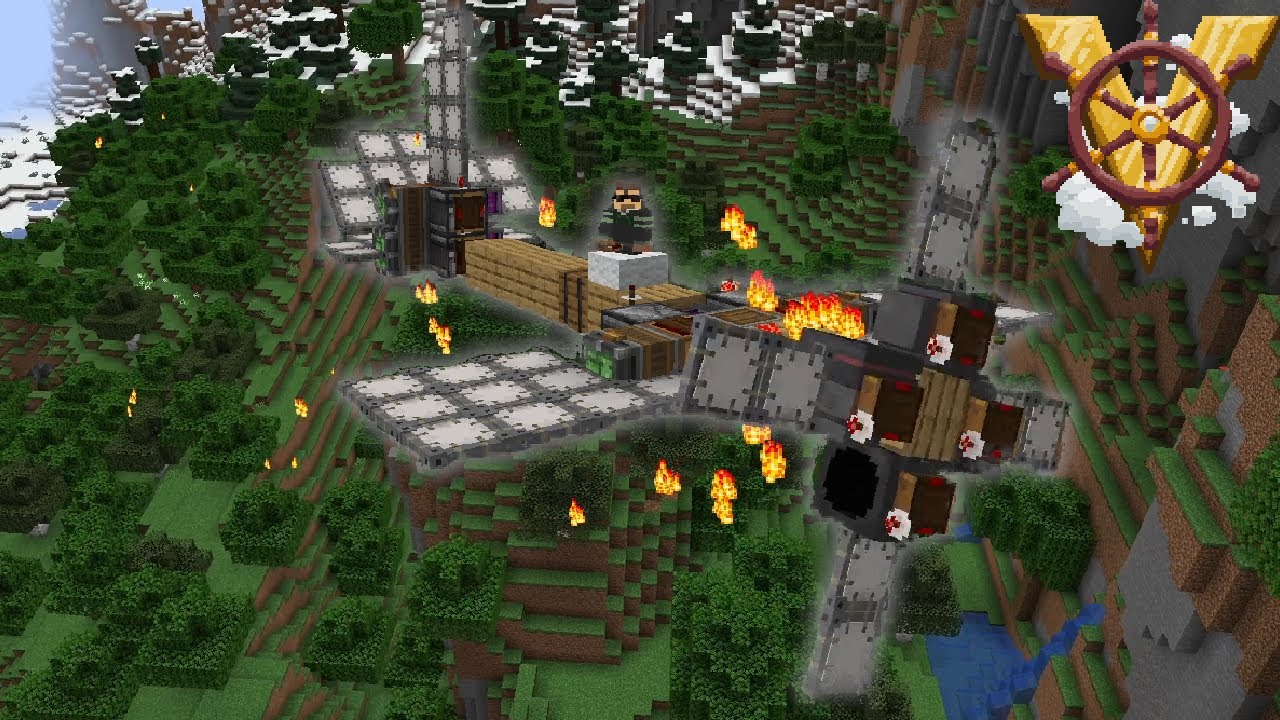
Schematics: https://github.com/1-creare-1/Minecraft-Plane-Schematics-ValkyrienSkies2
If you need help installing the mods, go to the Discord server.
Valkyrien Skies Discord: https://discord.gg/2vRt6sXJgT
Minecraft Version: Forge 1.18.2
Mods used:
Valkyrien Skies 2 - https://www.curseforge.com/minecraft/mc-mods/valkyrien-skies
VS Takeoff - htt...
I dont have a tutorial on how to download the schematics if thats what you meant
although it tells you how in the readme
 frosty shale
glossy cypress
I mean yeah, it is my plane after all https://youtu.be/epQdHJIzJz4
frosty shale
glossy cypress
I mean yeah, it is my plane after all https://youtu.be/epQdHJIzJz4
Yo I’m trying to build this
How did you attach the propeller to the plane
frosty shale
glossy cypress
It flies well
I will make a video in a bit
What block did you use to connect the plane to the propeller
glossy cypress
frosty shale
How did you attach the propeller to the plane
Takeoff bearings will attach to physics enabled blocks in front of them when they are placed
glossy cypress
frosty shale
What block did you use to connect the plane to the propeller
a bearing from the takeoff mod
frosty shale
glossy cypress
Takeoff bearings will attach to physics enabled blocks in front of them when the...
Where to get that
glossy cypress
look in description of video
it has all the mods you need
optionally I suggest you also get eureka to make it easier to assemble them
frosty shale
Ah ok
frosty shale
glossy cypress
a bearing from the takeoff mod
Does the schematic show how to place the bearing
glossy cypress
yes, it contains the bearing base and the bearing head
although you should remove the bearing head as its not needed
frosty shale
Ah so prob I didn’t see it bc I didn’t download takeoff
glossy cypress
yeah
frosty shale
glossy cypress
although you should remove the bearing head as its not needed
Which file is it
Do I download from github
glossy cypress
frosty shale
Which file is it
its on the propeller schematic
you dont need the head to attach the bearing
frosty shale
glossy cypress
its on the propeller schematic
O I mean like download takeoff mod
Like I’m on the page but there’s so many files
frosty shale
Yea I did
glossy cypress
then scroll to the bottom and click this one
 frosty shale
The lowest one ?
glossy cypress
yes
frosty shale
Alr
@glossy cypress ok now how do i connect it, i placed the two schematics toegether

i pressed on the thrusters its not spinning
 glossy cypress
is everything assembled?
you forgot to assemble everything
and you have to connect the prop post assembly
since assembling doesnt keep connected constraints, eg hinges
frosty shale
glossy cypress
you forgot to assemble everything
ok
frosty shale
glossy cypress
and you have to connect the prop post assembly
how do i connect it
glossy cypress
when you place the bearing on the front of the plane it will do one of two things:
If there is no block in front of it, it will make one
If there is a block in front, it will connect to that block
you want the 2nd option
so position the plane and prop so they are properly lined up
frosty shale
k
glossy cypress
the prop should be 1 block from the plane
then place the bearing on the front of the plane and it will connect to the prop
frosty shale
alr i did that now what
well now i pressed on the thrusters and its just titling the whole ship with it
frosty shale
glossy cypress
in the forward direction
Yea it produces thrust
frosty shale
glossy cypress
is it producing any thrust?
I figured I must have assembled it to the ground lol
wait no
frosty shale
glossy cypress
is it producing any thrust?
yes, the props aint moving, just titling the ship still
@glossy cypress
glossy cypress
did you remove the ship helms?
glossy cypress
send a picture of the plane
frosty shale
alr

did i glue something wrong or smth
i just glue the props, am i suposed to glue it to the plane
frosty shale
ok
frosty shale
glossy cypress
assemble it
so i assemble both prop and plane separately
frosty shale
glossy cypress
you assembled the prop
how to de assemble the plane
@glossy cypress i did that
 glossy cypress
ok good
now remove the hinge head from the prop
and place a new hinge on the front of the plane
frosty shale
ok
frosty shale
glossy cypress
and place a new hinge on the front of the plane
by hinge do you mean the takeoff rotor
glossy cypress
yes
 glossy cypress
yes that looks right
frosty shale
now what
frosty shale
glossy cypress
yes that looks right
how do i assemble it
orchid spear
how to mkae squence gearshift move only 25 degree