#support-2
1 messages · Page 107 of 1
 tardy glacier
 prisma hinge
Hello, I have a Ironman gamemode but also seven different ranks for the player to choose what to play as, is there a way for me to structure such thing without making a million groups? Something with permissions that checks if a player has a certain permission, then it will inherit a certain prefix or something? Or should I just make a bunch of ranks for each parameter the player has (donator rank + ironman status + staff)?

I tried illustrating it with a table lol
 open adder
when i leave the server and join back i get this error

 mighty yarrow
Do not cross-post
tardy glacier
Ok sorry
mighty yarrow
it ok aber

 void verge
dont cross post
 clever cedar

 prisma hinge
Is there a significant difference between using /lpb and /lp when using the plugin on both Bungeecord and Spigot servers? They are all connected to the same database, so I can't see any difference except for access to Bungeecord-related data things when using /lpb?
void verge
prisma hinge
Is there a significant difference between using ``/lpb`` and ``/lp`` when using ...
if they are all syncing, no
its useful if you decide to not sync bungee to all other servers because that part isnt really required
prisma hinge
Ah, I see - perfect, I needed to execute a console command and it couldn't reach the lpb, so this is great! Thanks!
void verge
yeah the only difference is the suggestions i think, which are just that, suggestions
 full flume
posting the same thing in multiple spots
 spice wren
Can you tell me what the problem is?
https://pastebin.com/QqET2JVi
Pastebin
Pastebin.com is the number one paste tool since 2002. Pastebin is a website where you can store text online for a set period of time.
 lost blaze
Reading from nio:/home/user/bunge/plugins/LuckPerms/luckperms-h2.mv.db failed; file length 12800000 read length 4096 at 25087597 [1.4.199/1]
afaik that means you have a corrupt database
 untold temple
full flume
posting the same thing in multiple spots
untold temple
full flume
posting the same thing in multiple spots
How to fix this
lost blaze
Fix what? cross posting?
untold temple
Yes he say its à problème
lost blaze
Basically, crossposting is when you post your issues in multiple channels
It's discouraged for multiple reasons
To fix it, just don't do it
untold temple
Ok because i have beeterteam and when i want create a teams for exemple pablooo i cant because je is long so he have error
This

 molten burrow


 sour gorge
permissions never start with a slash
ever. slashes indicate commands
if you do not have any plugin/mod overwriting the give command, https://bukkit.fandom.com/wiki/CraftBukkit_Commands

BukkitWiki
The following are all the server commands either a server administrator or admin in-game can enter with CraftBukkit out-of-the-box. In addition to the original vanilla SMP commands there are 4 additional commands which are specific to CraftBukkit. CraftBukkit provides built-in permissions which can be used in a permissions manager. Defaults are ...
 prisma crane
bruh thank you a lot
prisma crane
sour gorge
ever. slashes indicate commands
it worked thank you ❤️
 dense kite
sour gorge
permissions never start with a slash
dense kite
sour gorge
permissions never start with a slash
I wonder what would happen if you did that 🧐
 spare stratus
I'm using fabric version of LuckPerms. But server failed to start and here is the full log:
https://pastebin.com/z8mb7j10
Pastebin
Pastebin.com is the number one paste tool since 2002. Pastebin is a website where you can store text online for a set period of time.
sour gorge
!libsdir give this a try although its rather a guess
 wintry cloudBOT
LuckPerms dependencies
LuckPerms requires several libraries in order to operate. If you're getting a startup error such as NoClassDefFoundError, ClassNotFoundException or "Unable to load dependency...", stop your server, delete the /plugins/LuckPerms/libs/ directory and start it up again.
spare stratus
I belive fabric api for 1.18.2 does not include command api v2
But log says LuckPerms accidentally uses it
I'll give it a try
No, not working
sour gorge
'accidentally'
spare stratus
I read through issue page on GitHub, seems LP v5.4.25 still works. I'll go try rolling back to that version
sour gorge
i just tested this, can confirm the error. its odd. but you should report this on github so it can get fixed rather than staying on outdated versions
 frozen coral
spare stratus
frozen coral
spare stratus
Issue created
 spare stratus

GitHub
Description Server failed to start up with LuckPerms v5.4.30 installed. Reproduction Steps Install fabric loader 0.14.8 for Minecraft 1.18.2 Install fabric api 0.56.0+1.18.2 Install LuckPerms v5.4....
sour gorge
you got an answer by moderator and then opened the same issue?
spare stratus
Bad internet condition, sorry
It turns out I was misled by wrong info on website. Only English, Greek, Norwegian, Persian and Serbian website display correct version info, it is wrong for other languages.
void verge
seems quite counter intuitive to me that you cant easily find a version of luckperms that works on 1.18.2. most of the other lp targets support many minecraft versions
untold temple
untold temple
Ok because i have beeterteam and when i want create a teams for exemple pablooo ...
so @lost blaze
 swift blade
Getting a ton of java exception errors after updating to 1.19, its probably 1.19 causing the problem but just wanted to check and see if anyone else was getting console spam after update?
Everything seems to be working fine and not having any permissions issues so far, just the exception errors.
sour gorge
We would need to see them.
swift blade
Theres a lot, it throws them for various reasons and they all seem to be different. I can force one by switching gamemodes and show you that one if that works?

Its not all that specific event but it all seems to come from different people running various commands?
 viscid tinsel
How do I migrate the rank from luckperms to bungee luckperms?
lost blaze
!switch
wintry cloudBOT
If you wish to change your storage type (e.g. to YAML or MySQL) you may need to follow these instructions to ensure your groups and permissions are migrated to the new storage type.
Read more about the Storage types
 LuckPerms wiki
void verge
viscid tinsel
How do I migrate the rank from luckperms to bungee luckperms?
LuckPerms wiki
void verge
viscid tinsel
How do I migrate the rank from luckperms to bungee luckperms?
!network or this if you want them to sync
wintry cloudBOT
If you run a BungeeCord network, learn how to correctly setup LuckPerms on all server instances (including Bungee).
Also read:
Syncing data between servers
LuckPerms wiki
viscid tinsel
void verge
!network or this if you want them to sync
I connected them to the same mysql database but they don't appear in bungee luckperms
 mortal dragon
do u know why lucky perms block my vps launching?
 lofty onyx
Hello. After install LP on server and connect to mysql plugin dont generate tables to database but plugin connected successfully
any idea?
viscid tinsel
How do I make it so that when I change a rank in bungee luckperms it also changes in the other servers and vice versa?
I already connected everything to the same MySQL database
viscid tinsel
😒
 wild ivy
hello i have problem with global ranks, when i set admin rank in lobby i didnt have it on survivalgames, and when i set in survivalgames didnt have on lobby, i have in console info about ip forwarding, i using mysql in all servers, but i don't know where i must add it
sponge {
bungeecord {
ip-forwarding=true
}
}
void verge
wild ivy
hello i have problem with global ranks, when i set admin rank in lobby i didnt h...
!network
wintry cloudBOT
If you run a BungeeCord network, learn how to correctly setup LuckPerms on all server instances (including Bungee).
Also read:
Syncing data between servers
LuckPerms wiki
void verge
are you using sponge on your backend servers?
 formal pagoda
Hello, could someone PM me, dont want to clog this server up i got an issue with the luckperms / spongeform files
void verge
formal pagoda
Hello, could someone PM me, dont want to clog this server up i got an issue with...
!ask
wintry cloudBOT
Please ask your question!
Please ask the question you have. Don't ask to ask, or ask to DM someone. There are people here to help you, but we need to know what to help you with, so please just ask the question you want to in as much detail as possible!
Or, try here first:
Why shouldn't I ask to ask?
formal pagoda
oh my bad
so im on the 1.16.5 pixelmon server, using Luckperms-sponge-5.43 & spongeforge 1.16.5 - 36.2.5 8.0.0

when i get rid of the spongeforge mod from the folder all of the warnings dissapear
void verge
i believe there is currently some issue between sponge and pixelmon
formal pagoda
ahhh
void verge
formal pagoda
https://gyazo.com/f836df423d5f560713fd22d1b68a7e44
also are you putting sponge and lp on your client?
sponge is server side
void verge
and although it technically should work, its not really the intended way to use them
formal pagoda
ahh fair enough
yeah thought it would be quicker to test instead of having to wait for server to shut down / turn on 🙂
okay brilliant, ill leave it for now then and check it out soon thankyou pal
void verge
starting a server is probably faster than starting a client and opening a world
because the server doesnt have to load graphics or menus or anything, and it just skips directly to loading the world
formal pagoda
maybe if you include opening a world but i didnt even get to the stage of world lol
void verge
well you would need to open a world to test anything with sponge
formal pagoda
correct, but my issue was those warnings that was stopping me in the first place and also the exit code : 1
if that is fixable?
the exit code 1 showed up on the server side
void verge
void verge
i believe there is currently some issue between sponge and pixelmon
and again, this
void verge
yeah afaik pixelmon 1.16 isnt really stable yet
like yes it works, but not very well. give it time to be in a more finished state
mighty yarrow
formal pagoda
https://gyazo.com/f836df423d5f560713fd22d1b68a7e44
this isn't a Pixelmon error fwiw
LP/Sponge is the issue here (Probably, as mentioned, cause you're tryna run it on the client :P )
But yes, we're (Pixelmon) are not entirely recommending Sponge
Shouldn't be stopping you from running a server completely, but Sponge is heavily in beta and will not be ready
viscid tinsel
viscid tinsel
How do I make it so that when I change a rank in bungee luckperms it also change...
.
void verge
viscid tinsel
.
if they arent syncing then you didnt set it up correctly
 latent quartz
void verge
i believe there is currently some issue between sponge and pixelmon
latent quartz
void verge
i believe there is currently some issue between sponge and pixelmon
there is, i had to chuck sponge
viscid tinsel
void verge
if they arent syncing then you didnt set it up correctly
It is well setup, the log and the pin appear when changing, giving or removing the rank to a player but it is not changed in the other part
void verge
can you show /lpb info?
viscid tinsel
void verge
can you show `/lpb info`?
 void verge
can you show /lp info on one of your backend servers?
 void verge
well 2 problems
your luckperms versions are not matching. should be fine, but ideally you should be using the same version
viscid tinsel
in bungee they didn't even load the data I had to migrate
0 groups appeared
void verge
and you have a table prefix configured on the proxy, and not on the backend server
so itll be looking at ECNwhatever in your db on the proxy, and just whatever on the backend
so youll either want to remove that on the proxy, or add it to all backend server configs
sidenote, using sql over pluginmsg as the messaging service is recommended
viscid tinsel
void verge
and you have a table prefix configured on the proxy, and not on the backend serv...
thanks, the 2 table prefixes were there but a letter was missing in bungee
Another problem I have is that I disable OP players from being able to use luckperms but they are still able to use it.
void verge
i think there is a config option for that
void verge
viscid tinsel
Another problem I have is that I disable OP players from being able to use luckp...
just try searching for "op" in the config
viscid tinsel
 viscid tinsel
void verge
was it already set to that?
viscid tinsel
void verge
was it already set to that?
set to false but they are still able to use the commands
void verge
id say the best option is to just not use op
you could probably make a group that has ```
-
- true
luckperms.* - false``` and give that instead of op
- true
viscid tinsel
Are you saying to set the "enable-ops" option to false?
void verge
that just effectively disables the /op and deops everyone, but you can also just not use /op
viscid tinsel
I did not want to give them permission by permission of each plugin
I just wanted them not to be able to use luckperms commands like pex that had to be given "*" so they could use his commands
void verge
- is all the permissions
sour gorge
dont cross post, stick to one channel
yea and as soon as someone answers you here, the next person will see it in the other channel and also take time to answer there, you're wasting other peoples time by doing that
 frozen barn
can i ask about the command processor what is it?
Context: (dimension-type=overworld) (essentials:afk=false) (essentials:jailed=false) (essentials:muted=false) (essentials:vanished=false) (gamemode=creative) (world=world)
[22:14:15 INFO]: [LP] Permission check for essentials.msg:
[22:14:15 INFO]: [LP] Result: undefined
[22:14:15 INFO]: [LP] Processor: None
[22:14:15 INFO]: [LP] Cause: None
[22:14:15 INFO]: [LP] Context: (dimension-type=overworld) (essentials:afk=false) (essentials:jailed=false) (essentials:muted=false) (essentials:vanished=false) (gamemode=creative) (world=world)
 quartz token
I need a hand with something
lost blaze
!ask
wintry cloudBOT
Please ask your question!
Please ask the question you have. Don't ask to ask, or ask to DM someone. There are people here to help you, but we need to know what to help you with, so please just ask the question you want to in as much detail as possible!
Or, try here first:
Why shouldn't I ask to ask?
quartz token
I put all the permissions I wanted the default role group to have in the default category with the editor and saved changes. I am in the default group but when I deop myself I still have no perms to any commands
void verge
can you send output of /lp info and /pl?
quartz token
Like send pictures of what those commands do?
lost blaze
Yeppers
quartz token

A bunch of different plugins that I have for my server.

So yea I'm not sure what is up...
void verge
well it doesnt look like you have another permissions plugin
 void verge
quartz token
Those are a bit of the perms
void verge
quartz token
Those are a bit of the perms
can you send an editor link?
void verge
quartz token
wait are you using essentials or essentialsx?
i forget if essentialsx actually shows up as essentialsx in /pl lol
quartz token
im using essentialsx
void verge
ok good
quartz token

LuckPerms - A permissions plugin for Minecraft servers.
LuckPerms is a permissions plugin for Minecraft servers. It allows server admins to control what features players can use by creating groups and assigning permissions.
void verge
quartz token
https://luckperms.net/editor/zxqnfMK4pA
can you send output of /lp user evbattler permission check essentials.back
quartz token
 void verge
ok so does /back work?
quartz token
when I am an op, yes
void verge
when you are not opped
quartz token
When I try to do it as a non-op it says that I do not have access to it.
void verge
quartz token
did you do this while you were op?
quartz token
Yes
void verge
dont lmao
quartz token
void verge
can you send output of `/lp user evbattler permission check essentials.back`
When I do this as a non-op it shows this
 void verge
run it from console then
lost blaze
quartz token
This just means you don't have permissions to use LuckPerms commands
quartz token
mhm but I shouldnt when I am not an op, right?
quartz token
void verge
run it from console then
 lost blaze
quartz token
mhm but I shouldnt when I am not an op, right?
lost blaze
quartz token
mhm but I shouldnt when I am not an op, right?
You can give yourself permissions when not opped, but you currently don't have perms, no
void verge
this looks like the same issue as sabinno in #support-1 
quartz token
so what does that mean I need to do?
void verge
/lp user <name> parent set <group> to remove all their groups and add the one you want, or /lp user <name> parent add <group> if you just want to add it
 torpid crater
hey, is there a way to use this plugin or with this plugin and with another compatible one to give the power to use command blocks to a player without having to give them admin powers?
void verge
ok then use one?
torpid crater
essentials group manager
i am not admin and downloading an entire other perms is a little inconvenient for them because they are not compatible
is this achievable through this plugin?
if none of you know, could you do me the favor of telling me some compatible perm plug ins?
void verge
there are no permission plugins that are compatible with luckperms
torpid crater
thats not true
void verge
it is true
torpid crater
im 99% sure that essentialX and this plug in are compatible
void verge
essentialsx is not a permission plugin
torpid crater
yes it is
torpid crater
void verge
yeah ok bud
 void verge
how am i not competent?
void verge
torpid crater
https://essinfo.xeya.me/permissions.html
this is a list of permissions that essentialsx checks for
torpid crater
you obviously have no idea what you are talking about
quartz token
void verge
yeah ok bud
damn bro I want somee essential spa oils
torpid crater
The essential plugin for Spigot servers.
you cannot deny that this plugin gives admins the option to give permissions, so stfu please
"EssentialsX includes permissions that let you control the individual formatting codes players can use in some commands."
void verge
The essential plugin for Spigot servers.
If you don't already have a permissions plugin, we recommend that you install LuckPerms to control ranks, permissions, prefixes and suffixes for your players. This is optional but recommended.
torpid crater
This is optional but recommended.
you didn't really think about that when you wrote it down, did you?
void verge
yeah, i really dont know anything about the project that i contributed to https://github.com/LuckPerms/wiki/commits?author=LeotomasMC
GitHub
Source markdown files for the LuckPerms wiki. Contribute to LuckPerms/wiki development by creating an account on GitHub.

 torpid crater
how do you explain why it says it is though?
void verge
please tell me where it says "essentialsx is a permission plugin"
torpid crater
torpid crater
"EssentialsX includes permissions that let you control the individual formatting...
here
void verge
"includes permissions" does not mean "handles permissions"
luckperms handles permission checks
essentialsx only makes permission checks
torpid crater
maybe we just have different definitions of a permission plugin
void verge
what is and what is not a permissions plugin is not a matter of opinion
torpid crater
i am sorry for not knowing what a permission plugin.... i guess. like everyone knows what that is? im still pretty sure that essentialsX is a permission plugin
and that is not what i came here to talk about
void verge
and your question is how do you allow people to use command blocks and the answer is op them
torpid crater
no, its not, because obviously you can with other plugins
void verge
 mighty yarrow
Idk about spigot, I know Sponge has perms to edit a command block  May not be possible on spigot without just reducing the permission level
And no, EssX is not a permissions plugin.
mighty yarrow
Friendly reminder; don't be a twat to people trying to assist you who know what they're talking about.
Asking for someone competent when you already have someone assisting you is not how you receive support.
void verge
🙏
torpid crater
thats strange because he did not give me the answer that you said.
maybe its because he wasn't helping me
mighty yarrow
Because not everyone knows about everything
I only know that because I've used Sponge
torpid crater
yes you're right, thats why i was asking for someone else
torpid crater
torpid crater
okay...? who tf cares. can someone that is ranked helpful, please?
what is this?
and what i said was true
mighty yarrow
That's a replied message
torpid crater
he was not compentent
because he did not know
it was not an insult it was the truth
mighty yarrow
That's.. not how that works
torpid crater
than explain to me what competent means, please?
mighty yarrow
I don't know how to make a space ship
That doesn't make me not competent lol
No
You've received your answer
torpid crater
having the necessary ability, knowledge, or skill to do something successfully. definition
he did not have that
that is actually exactly what competent means
mighty yarrow
So you yourself are not competent?
torpid crater
thats why i am on the support channel
dense kite

torpid crater
i was being as respectful as he was to me
dense kite
@void verge Just a little bit of clarification. Seems like you were both wrong, and right. Jwest said "Essentials Group Manager" which was part of the Essentials Suite years ago. current day EssentialsX is not a permission manager, nor does it include any permission management, with the exception of player-commands, which is for all players.
The confusion likely came from the word "Essentials" being thrown in there, it's referred to as "Group Manager" 99.9 percent of the time
void verge
well i never said essentials group manager wasnt a permissions plugin
lost blaze
mighty yarrow
Idk about spigot, I know Sponge has perms to edit a command block <:luckythonk:7...
So, if they have perms to edit them couldn't they make it run a command to op them?
And therefore my point of taking the shortcut is still valid?
mighty yarrow
OP has no effect on sponge with a permissions plugin
lost blaze
oooh
 vagrant sedge
Hello, there is a problem with LuckPerms. LuckPerms is connected to MariaDB and 3 servers are connected to the database.
Sometimes an error occurs: "[me.luck o.luckperms.lib.hikari.pool.PoolBase] luckperms-hikari - Failed to validate connection me.lucko.luckperms.lib.mariadb.MariaDbConnection@533f6c7a ((conn=2431959) Connection.setNetworkTimeout cannot be called on a closed connection). Possibly consider using a shorter max Lifetime value."
Because of it, players kick on the server, and this happens at least 2 times a day. I tried using the instructions on the website to solve the problem by reducing the maximum-lifetime, but nothing helps - there is no result, even reducing it to 28125, it continues to give errors.
At least 3 more plugins are connected to the database, and they work stably and there are no errors, so there are no problems with the database. What to do?
lost blaze
lost blaze
oooh
But they could run the permissions plugin's commands
 wind fiber
vagrant sedge
Hello, there is a problem with LuckPerms. LuckPerms is connected to MariaDB and ...
wind fiber
vagrant sedge
Hello, there is a problem with LuckPerms. LuckPerms is connected to MariaDB and ...
Please don't cross post :)
vagrant sedge
wind fiber
Please don't cross post :)
I have been writing this message for more than 4 times a week and I am being ignored, help me
void verge
vagrant sedge
Hello, there is a problem with LuckPerms. LuckPerms is connected to MariaDB and ...
!paste can you send a full log that contains the error and your config with the db auth info removed
wintry cloudBOT
Please use pastebin!
Seeing a paste of the problem makes everything so much easier! Use https://pastes.dev/ for easy pasting!
For console errors:
Pastebin any relevant segments of the console log. If it's a startup error, this includes the entire startup log!
Other errors:
Pastebin the entire LuckPerms config file (passwords removed) as well as any other relevant files!
vagrant sedge
void verge
!paste can you send a full log that contains the error and your config with the ...
do I need to send the full server log? and what else?
void verge
vagrant sedge
do I need to send the full server log? and what else?
a full log that contains the error and your config with the db auth info removed
frozen barn
how to truncate command that i can't access?
 daring stirrup
don’t cross post
vagrant sedge
void verge
> **a full log that contains the error** and your **config with the *db auth inf...
how do I find out 2?
 fringe elk
whats the command to trace a command and what perms that command is using?
dense kite
!verbose
wintry cloudBOT
LuckPerms provides a verbose command to help you find out what permissions a command/plugin is checking.
Read more
LuckPerms wiki
fringe elk
guess I bigger problems then I thought https://paste.helpch.at/xunorobuvi.bash
dense kite
Are you reloading your server with /reload or using a plugin like Plugman/ServerUtils?
fringe elk
I never use reload
dense kite
that was 1 part of my question
fringe elk
or plugman
dense kite
!paste send your full latest.log
wintry cloudBOT
Please use pastebin!
Seeing a paste of the problem makes everything so much easier! Use https://pastes.dev/ for easy pasting!
For console errors:
Pastebin any relevant segments of the console log. If it's a startup error, this includes the entire startup log!
Other errors:
Pastebin the entire LuckPerms config file (passwords removed) as well as any other relevant files!
fringe elk
yes I know you need to get info to solve my issue

A paste containing 944 lines of plaintext.
I see the issue I think
dense kite
config related...?

sour gorge
who uses the default assignment extension these days
fringe elk
no defaultassignments extension
dense kite
wtf is that
fringe elk
I forgot to remove it forgot it was there,
sour gorge
LuckPerms - A permissions plugin for Minecraft servers.
LuckPerms is a permissions plugin for Minecraft servers. It allows server admins to control what features players can use by creating groups and assigning permissions.
fringe elk
Thanks for the help
 fallow pine
is there any chat formats for fabric
 drifting mirage
anyone have the fabric version for luckperms for 1.18.2 the version that has 1.19 support does not work for my fabric server
 vagrant geode
Is it possible to disable context like world: world?
vagrant sedge
void verge
what do you mean disable?
how do I find out 2?
void verge
2 what?
vagrant sedge
config with the db auth info removed
void verge
you use a db right?
vagrant sedge
yes, mariadb
void verge
and it has a password right?
vagrant sedge
need to give the mariadb config right?
vagrant sedge
yes\
void verge
and you put that in luckperms config, correct?
vagrant sedge
yes
void verge
so take it out of the config before sending it here so nobody can access and modify the contents of the database
void verge
yeah, but like i said remove the password before you send the config
vagrant sedge
can I send you in private messages?
void verge
why?
vagrant sedge
I don't know, I think it would be safer this way
void verge
if you remove the password its fine
 earnest leaf
Hi.
I just installed LuckPerms to my Bungee server and configured the database. In the console it said everything went succesful, but when i try to use /lp or /luckperms in the proxy console, nothing is working.
void verge
/lp only works on non-proxy versions of LP
vagrant sedge
wintry cloudBOT
Please use https://pastes.dev to send files in the future. I have automatically uploaded config.yml for you: https://pastes.dev/wuoqC1sgyO
A paste containing 666 lines of yaml.
void verge
earnest leaf
Hi.
I just installed LuckPerms to my Bungee server and configured the database. ...
youll want to use /lpb on bungee or /lpv on velocity
vagrant sedge
I sent the server log to you in private messages
earnest leaf
void verge
youll want to use `/lpb` on bungee or `/lpv` on velocity
Thank you!
void verge
vagrant sedge
I sent the server log to you in private messages
!paste please use this and paste the link here
wintry cloudBOT
Please use pastebin!
Seeing a paste of the problem makes everything so much easier! Use https://pastes.dev/ for easy pasting!
For console errors:
Pastebin any relevant segments of the console log. If it's a startup error, this includes the entire startup log!
Other errors:
Pastebin the entire LuckPerms config file (passwords removed) as well as any other relevant files!
vagrant sedge
void verge
!paste please use this and paste the link here
A paste containing 666 lines of plaintext.
void verge
i meant the server log, not the config again
[05:00:28] [Server thread/WARN]: **** SERVER IS RUNNING IN OFFLINE/INSECURE MODE!
!offline
wintry cloudBOT
Offline mode/cracked servers
Running a Minecraft server in offline mode can cause a lot of issues, particularly with UUIDs and security vulnerabilities. Some people also view it as unethical (piracy). We understand that some people need to run their servers in offline mode. However, due to the reasons mentioned, some users will choose to not support those running a server in offline mode (this does not apply to those running in a Bungeecord network). Please respect their decision, you may continue to seek help for your issue but in most cases, it can be resolved by setting online-mode=true in server.properties.
void verge
also it looks like "ProjectKorra" is causing a lot of issues
also you have plugman, dont use plugman
vagrant sedge
void verge
also you have plugman, dont use plugman
what should I do about my problem?
void verge
dont use plugman, and dont use offline mode
vagrant sedge
why not use plugman?
void verge
https://madelinemiller.dev/blog/problem-with-reload/ plugman causes all the same issues as /reload

The reload command in Bukkit is fundamentally broken and flawed, here's why, and what you should be doing instead.
being honest, i dont see any reason you would need plugman in a production server
like even if it didnt cause problems, why would you need to load/unload plugins once you already have your plugins setup
vagrant sedge
I think the problem is not related to plugman, because I have never used plugman on luckperms.
void verge
if you remove it and set online-mode to true then we can see if the issue still happens
vagrant sedge
unfortunately, it is impossible to set online-mode to true, because this is how the server works.I am sure that the problem will persist and it is not in these 2 reasons.
because there was no such mistake before\
she appeared recently
void verge
"this is how the server works"?
vagrant sedge
in offline mode, the server was originally conceived
void verge
well again
Running a Minecraft server in offline mode can cause a lot of issues, particularly with UUIDs and security vulnerabilities. Some people also view it as unethical (piracy).
there is nothing stopping you from changing "false" to "true" in server.properties
full flume
void verge
there is nothing stopping you from changing "false" to "true" in server.properti...
File was locked and encrypted after setting to false, sorry
void verge
full flume
File was locked and encrypted after setting to false, sorry
🗿
dangm i wish i could just tell discord i want dont want to ping by default
 main pebble
Is there a way to toggle a prefix type but keep the same rank?
If im in group "TestGroup" and my prefix is [test] could I use a command to toggle the prefix to [Group] then back to [test]
 keen zinc
main pebble
If im in group "TestGroup" and my prefix is [test] could I use a command to togg...
keen zinc
main pebble
If im in group "TestGroup" and my prefix is [test] could I use a command to togg...
yes, though not using luckperms by itself. youll need to use a different plugin for an easy toggle like that
main pebble
keen zinc
yes, though not using luckperms by itself. youll need to use a different plugin ...
I just meant within LP
keen zinc
the only way to 'switch' between prefixes like that is by doing the lp command to set prefixes
 craggy torrent
hey, i need help : My server can't use luckperms i dk why. Im using spongeforge
i tried with the plugin GriefPrevention and he is saying "Unable to initialize plugin. GriefPrevention requires a permissions plugin such as LuckPerms." but i already have the plugin
sour gorge
craggy torrent
TY!
 fervent smelt
what files are the permissions stored at?
void verge
they are stored in a single binary file if your using H2 (the default)
you cant easily edit the H2 file
if you want to edit permissions, try the editor
fervent smelt
is it luckperms-h2.mv?
void verge
yes
fervent smelt
ok ty!
void verge
may i ask why you need it?
fervent smelt
im trying to remake a server but not go through setting up perms again
void verge
/lp export in game
fervent smelt
oh
void verge
itll make a zip file i think with a name that you give
and then you can copy that to the same place on your other server, then do /lp import
or you can do /lp export --upload and itll give you a single command to run on the other server without moving any files
fervent smelt
thank you!
 lusty ravine
Hello, connected to the database, gives the following error: [LuckPerms] Failed to initialize the storage implementation.
 quaint idol
Don't crosspost please
lusty ravine
Okey
full flume
void verge
dangm i wish i could just tell discord i want dont want to ping by default
Shift+click reply turns it off, but yeah automatic would be nice.
 tame hollow
no crossposting
fervent smelt
/lp user <player name> group add <group name>
 distant horizon
Hi is this also for LPC or is that plugin not from original luckperms?
 distant horizon
OH okay thx, where can I find support from it?
mighty yarrow
Check their spigot site maybe
 raven bolt
Since #support-1 looks ridiculously busy, can someone help me with this. apparently the I have all the plugins up to date including luck perms as I downloaded the newest update and installed and restarted my server yet it still won’t show the group prefixes.
lost blaze
!prefix
wintry cloudBOT
You can set prefixes, suffixes and other meta data in LuckPerms for players and groups. Note that LuckPerms does not manage chat. You need to use another plugin to show prefixes/suffixes in chat.
LuckPerms wiki
void verge
raven bolt
Since <#241667244927483904> looks ridiculously busy, can someone help me with th...
!chat
wintry cloudBOT
LuckPerms does not perform any chat/tablist formatting of its own!
LuckPerms only acts as the source for prefixes / suffixes, it doesn't actually apply them. You need an appropriately configured chat/tablist formatting plugin for them to be displayed. If the values appear correctly when you run /lp user <user> info, LuckPerms is doing its job!
FAQ answer: Prefix isn't showing?
List of chat/tablist formatting plugins that work with LuckPerms
void verge
no
lost blaze
Nope, vault stores them
Where do you want to show the prefix
in chat, tab or nametag?
raven bolt
In chat.
lost blaze
So checkout the link in the embed 
raven bolt
But I ask essentialsx and they said to ask luckperms.
lost blaze
Ah
raven bolt
Ok.
lost blaze
Use essentials chat
Run /lp user <you> info and check what prefix is set to
You also need vault
raven bolt
That’s the problem I did /lp user my username info in game chat and it said invalid username.
 raven bolt
Yes bedrock but the thing is it’s worked before on bedrock.
Oh ok.
This is what I’m getting from doing /lp user my username info.
 lost blaze
You don't have a prefix set
lost blaze
No worries :)
prisma hinge
Luckperms its not setting me the rank when i set the rank on hub, its not setting me the rank on all server, using redis has message sender and mongo has uuid, log, track, group and user saving
 vapid herald
I heard that bungeeguard is vulnerable
Is this true?
https://www.spigotmc.org/resources/safenet-securednetwork-1-8-1-19-protect-your-network-from-ip-forward-bypass-exploit.65075/updates this guy said this

SpigotMC - High Performance Minecraft
void verge
not really the right server for this, but without knowing what the actual exploit is theres no way to know for sure. i would hope the author of that plugin would inform luck, but i doubt luck will say anything until its fixed if he has been informed
vapid herald
okay
quaint idol
skimming the code I don't see anything at all that looks like it could be relevant in the commits between 3.5 and 3.6 (which "fixes" the exploit)
there's barely any code changes, renamed the project, some readme stuff, updating protocollib dependency, and fixing a resource leak
dense kite
i don't see where they're saying BungeeGuard has an exploit though. Seems like they're saying their own plugin has an exploit. in-fact, they say Bungeeguard is fine
 quaint idol
flip to the updates page, their most recent update patches an exploit that allegedly also affects bungeeguard
I don't see any evidence of that though, as far as I can see skimming the GH for changes between the previous version and the commit that bumped the version number, there was 2 lines of actual code changed (properly closing a resource)
dense kite
Ah, gotcha.
Definitely missed that.
 fallow sentinel
seem to be having an issue or 2 with luckperms bungee, it loads fine no issues there but commands like /lpb editor displays as an actionbar which cannot be clicked on to follow the link. i also for some reason dont have the ability to display prefixes.
fallow sentinel
:BungeeCord-Bootstrap:1.19-R0.1-SNAPSHOT
dense kite
Version numbers would make too much sense for Md_5, eh?
update your proxy, there was a commit to fix that recently.
 fallen wasp
how do i get rid of user nodes permanently, they keep coming back and instead of appearing as the username they appear as user IDs?
 abstract osprey
Hi, anyone plz help, I typed the commands in console, but nothing appeared, not even the invalid input error.
The command is /lp bulkupdate users update server rpgx "permission ~~ meta.griefdefender.accrued-blocks.%"
using 5.4.30, paper 1.18.2 + mysql database
I could not get output from any of my 5 servers. Thx in advance!
 hasty creek
hello, how do you show ranks on the scoreboard?
they show up in the chat
sour gorge
the same way you did with chat. you need a plugin that puts them there
sour gorge
essx does not have a scoreboard feature
unless they recently added that and i dont know lmao but last time i checked it doesnt
 midnight acorn
i downloaded plugin called TAB that i used to show ranks with luckperms
essx doesn't have one, i tried
but TAB worked for me
hasty creek
also vault
midnight acorn
also that
hasty creek
how do I make it work with vault then?
sour gorge
generally speaking, you need a scoreboard plugin, and either you use vault placeholders in it or the original luckperms ones
to use them, you need papi and the respective expansion
I know TAB also has internal placeholders for people who rather not use papi. Theres no reason to not use it as many ppl have it already for other things but ye, you would find them on TAB's wiki if you have it
 wary iron
Hello, what is the command for translate en at fr please ?
sour gorge
!locale
wintry cloudBOT
Learn how to change all the message from LuckPerms.
LuckPerms wiki
wary iron
I don't have the .properties file
sour gorge
you dont have to change the english one
download the translations and then change your mc language
 uneven quarry
Im going to need a staff to open dms with me, very strange issue nobody in the community has seen yet, may contain sensitive server info and this large channel is just not going to work.
 mighty spear
uneven quarry
Im going to need a staff to open dms with me, very strange issue nobody in the c...
mighty spear
uneven quarry
Im going to need a staff to open dms with me, very strange issue nobody in the c...
Ah, didn't see the conversation was here too. See #general for why we don't really do DM support or private tickets. If possible, you could redact the information and post here - or reproduce the issue on a separate, fresh server, to demonstrate the problem.
If those options wouldn't work for you, then you may need to look at hiring somebody to look into the issue instead. MC-Market, or similar platforms, may be a good place to start
 loud swan
Hi, I would like to understand how to change the language, because I have all the files in translations but I do not understand how to select one
Can you help ?
sour gorge
Luckperms applies the language based on your minecraft client language
loud swan
Oh okay thx ^^
void verge
youve asked this like 4 times and youve been answered
if the answer was confusing, then say that instead of asking the same question again which will only get you the same answer
 glad idol
Do i need to install luckperms on both my bungee and slave server to work?
void verge
you only need LP on bungee if you want to setup permissions for bungee commands
but you dont need it on bungee if you only want to do permissions on your backend server
glad idol
What placeholder to use in scoreboard to display the rankl of default player?
i've set %luckperms_prefix% but because Default doesnt have a prefix it is blank in scoreboard
I tried %luckperms_primary_group_name% but there is no color
 sly plover
Hi, i have a error, i'm place luck perms in the plugins folder and my server is crash, i'm remove this and my server start correctly
void verge
glad idol
i've set %luckperms_prefix% but because Default doesnt have a prefix it is blank...
give it a prefix then?
you could also use a meta value if you dont want default to have a prefix
void verge
sly plover
Hi, i have a error, i'm place luck perms in the plugins folder and my server is ...
!paste please send a full startup log while you have luckperms in your plugins folder
wintry cloudBOT
Please use pastebin!
Seeing a paste of the problem makes everything so much easier! Use https://pastes.dev/ for easy pasting!
For console errors:
Pastebin any relevant segments of the console log. If it's a startup error, this includes the entire startup log!
Other errors:
Pastebin the entire LuckPerms config file (passwords removed) as well as any other relevant files!
glad idol
void verge
you could also use a meta value if you dont want default to have a prefix
I'll try that
what is it exactly?
void verge
meta is just values stored and inherited like permission nodes
prefixes and suffixes are special meta, but you can also create your own
LuckPerms - A permissions plugin for Minecraft servers.
LuckPerms is a permissions plugin for Minecraft servers. It allows server admins to control what features players can use by creating groups and assigning permissions.
look at the commands without "prefix" or "suffix"
void verge
sly plover
https://pastes.dev/xf3qrSMVYG
is your server part of a bungee network?
sly plover
no
void verge
!offline
wintry cloudBOT
Offline mode/cracked servers
Running a Minecraft server in offline mode can cause a lot of issues, particularly with UUIDs and security vulnerabilities. Some people also view it as unethical (piracy). We understand that some people need to run their servers in offline mode. However, due to the reasons mentioned, some users will choose to not support those running a server in offline mode (this does not apply to those running in a Bungeecord network). Please respect their decision, you may continue to seek help for your issue but in most cases, it can be resolved by setting online-mode=true in server.properties.
 sly plover
The server was previously in online-mode=true and crashed
void verge
that doesnt just happen
it looks like a lot of your plugins are having problems loading, not just luckperms
sly plover
what surprises me is that it only happens with the luck perms, if I delete it, it doesn't crash
sly plover
void verge
it looks like a lot of your plugins are having problems loading, not just luckpe...
incompatibility?
void verge
remove authme and set online-mode to true
and then try it
and if it still doesnt work, send another log
sly plover
okay, wait me
void verge
and keep luckperms
mighty yarrow
the issue is authme, it can be fixed by changing a config setting
tho online mode is always a better solution :P
void verge
thats why i said delete it 🙃
 glad idol
void verge
https://luckperms.net/wiki/Meta-Commands
glad idol
void verge
https://luckperms.net/wiki/Meta-Commands
I don't seem to understand how that will help me acquire the right placeholder for my needs
void verge
glad idol
I don't seem to understand how that will help me acquire the right placeholder f...
after setting the meta, you can use a placeholder to display it
%luckperms_meta_<key>%
sly plover
Thank you!! It already works, it must be an incompatibility error between AuthMe and LuckPermws
void verge
did you have authme before setting online-mode to false?
sly plover
yeah
void verge
why 
sly plover
I tried it in two ways, with online-mode=true and online-mode=false and both work
sly plover
void verge
why <:tharpyWah:951708270547062814>
it's for a future network
i'm working in my server for create a full KitPvP
void verge
are you keeping online-mode false
sly plover
yes
void verge
doesnt make it ok to pirate
sly plover
minecraft here is worth 27 dollars, which in my country is more than 4000 pesos (in my country we handle the peso currency)
The ex-creator known as Notch, was asked a question: What if I don't have money for minecraft? and he replied: Piraty it, it is so that you can have fun, and although it is not entirely legal, minecraft does nothing to avoid it
lost blaze
is notch the ex-creator?
sly plover
yeah, he sell minecraft to Microsoft
lost blaze
wouldn't he still be the creator
sly plover
I mean, he is the creator, but he is no longer the owner of minecraft
sly plover
es ip numerica
 fallen lily
hello! I have a problem, but I can't describe the problem clearly in English, is there any Chinese who can help me.
void verge
google translate
lost blaze
Enable command blocks in your server.properties
glad idol
void verge
after setting the meta, you can use a placeholder to display it
Got it working
sour gorge
can you not cross post
it only gets you that people get angry and will not help you
then ask what you are unsure about, dont repost the exact sam question
makes me feel like you didnt give a shit about my initial answer
ask about what exactly is confusing you
wintry cloudBOT
Here's a guide to help users understand and use LuckPerms for the first time.
Read more
LuckPerms wiki
sour gorge
do you need a step by step guide
no shame in saying that, i can give you a rundown if need. just gotta say
okay so. ingame do /lp editor - follow/open the link it gives you. on the left on that page you see 'GROUPS'. Open that tab, click on 'default'. Now here you see all permissions the default group has, so you'd look there if you have any warp permissions in there or not. If not, use https://essinfo.xeya.me/permissions.html and at the top search for 'warp'. You will see it gives you a list of warp permissions. Read about what each perm does, and decide what you want to give to default. Once you decided, copy the permission, paste it in your editor in the bottom bar where it says 'Enter permissions or paste many', then either click the popup to verify your permission or hit enter key on your keyboard. Now you can click the big button on the bottom right and the permission will slide into the group. Now the last step is to hit 'Save' or 'Apply' at the top right. If you get a popup there, giving you a command that says /applyedits <some code> then you need to copy and paste that into your game chat. If you do applyedits, you MUST close the editor, do not reuse the same window. And thats it
which part
not a valid answer
we will not set up your server for you. put in the effort, read, and ask specifics
which part about ingame do /lp editor did you not get
how is that hard?

 stoic shale
lost blaze
Also pay attention to this
https://share.boredman.net/mFQ445y3.png
stoic shale
lost blaze
Also pay attention to this
https://share.boredman.net/mFQ445y3.png
for me isnt working
 fickle pike
isn't it for sorting players in the priority number TAB plugin here?

this is not working for me
void verge
nope
if a player inherits multiple prefixes, the one with the highest priority set there is used
fickle pike
Oh i understand
sour gorge
Nez even wrote a guide about setting weights in luckperms
fickle pike
thanks 🙂
void verge
dont crosspost, especially after getting a response
glad idol
how to change chat color per rank luckerpms
stoic shale
glad idol
how to change chat color per rank luckerpms
Lp group name meta setprefix "&7 (&and color here)
sour gorge
That doesn't work with every chat plugin.
glad idol
I have multichat
that command changed my players name color
I want to change my text color when i type
 queen elbow
How do I set a prefix to a specific user?
 weary nimbus
you can set prefixes for players by using /lp user [name] meta setprefix
 quartz portal
hi guys, i have problem luck perms plugin randomly deletes itself database is empty can i somehow fix it and where i can send error log
 hard mirage
I installed luckperms bungee plugin in my bungee sever and when type lpb user <MY ID> permission set lockperms.* true
in to the bungee sever console I get [LP] Set lockperms.* to true for shayan1111 in context global. but I still get message in the game that I don't have the permission and i have to get in to my self in console.
quaint idol
well that would be because it's luckperms, not lockperms
 bitter leaf
How to put more than 1 range in contexts.json?
hard mirage
quaint idol
well that would be because it's `luckperms`, not `lockperms`
I'm an idiot
thanks
quaint idol
uh that question doesn't make sense
bitter leaf
quaint idol
uh that question doesn't make sense
How does contexts.json work? I tried many times and the permissions are not granted.
{
"static-contexts": {
"server-type": "auth"
},
"default-contexts": {}
}
void verge
!context
wintry cloudBOT
You can set a permission or group on a per-world/per-server basis, through what we call "contexts".
Read more
LuckPerms wiki
bitter leaf
I was doing that but it still doesn't give the range

 frigid quartz
how do i add more than 1 group to a user?
 west tangle
you just give them "group.groupname" as many times as you'd like, or with the web gui just hit the + to add multiple groups
mighty yarrow
Please don't cross post
 sterile bison
!paste
wintry cloudBOT
Please use pastebin!
Seeing a paste of the problem makes everything so much easier! Use https://pastes.dev/ for easy pasting!
For console errors:
Pastebin any relevant segments of the console log. If it's a startup error, this includes the entire startup log!
Other errors:
Pastebin the entire LuckPerms config file (passwords removed) as well as any other relevant files!
sterile bison
A paste containing 17 lines of plaintext.
sour gorge
Ok lemme see
Looks ok from what i can tell. Did you since changing this restart your server?
sterile bison
So, I just changed that because for some reason copying it from the wiki and pasting it messed up the indedtation but I just edit it and restarted server about to check if that worked
sour gorge
Okay yea thats what i was saying. I painfully know that situation lol
sterile bison
ha! it works. Crazy how one little space can mess you up
Been struggling since last night kind of gave up
sour gorge

sterile bison
thank you
 wheat flicker
hello guys can you help me ? I made this and made a meta with color for the rank but when I put thus, it writes null in tablist```LuckPerms luckPerms = LuckPermsProvider.get();
                User user = luckPerms.getUserManager().getUser(p.getUniqueId());

                p.setPlayerListName(user.getCachedData().getMetaData().getPrefix() + " " + p.getName());```
why are you doing getCachedData()?
void verge
i believe i already gave you this which shows exactly how to get the prefix https://github.com/LuckPerms/api-cookbook/blob/master/src/main/java/me/lucko/lpcookbook/commands/GetPrefixCommand.java

GitHub
Tasty recipes (sample usage) for the LuckPerms API. - api-cookbook/GetPrefixCommand.java at master · LuckPerms/api-cookbook
wheat flicker
already try but do the same
maybe it doesn't work because I'm with luckpermsbungee
 thorn hinge
friends what to do on my site is false and the command does not work on the server
sterile bison
thorn hinge
friends what to do on my site is false and the command does not work on the serv...
If you make a command false then yeah it will not work on server.. you can do this for things like if you don’t want players to access your /pl or even say you had someone as a /OP you can take away /reload or /stop by making that command you add as false
The value has to be true for said permission to be true and it will work on server
wheat flicker
Hi back, so is there something to do if I use Luckpermsbungee ? to get show the prefix in tablist ? it still writes "null" to me
 proven umbra
on the spigot page of LuckPerms it says that I can use it on 1.7, BUT it doesnt work.
can you please FIX IT?
thorn hinge
sterile bison
If you make a command false then yeah it will not work on server.. you can do th...
I was wrong, I wrote true and on the server this command does not work, it works only when the player has / op
thorn hinge
thorn hinge
I was wrong, I wrote true and on the server this command does not work, it works...
Help please
sour gorge
i dont get the problem
sterile bison
thorn hinge
I was wrong, I wrote true and on the server this command does not work, it works...
What’s the permission you added on the site? Make sure you wrote it right
If you want to send a screenshot of what you’re talking about
You also need to check your group weights
And parents
If one of those is off it’ll mess up your groups
thorn hinge
help

 thorn hinge
sterile bison
What’s the permission you added on the site? Make sure you wrote it right
thorn hinge
sterile bison
What’s the permission you added on the site? Make sure you wrote it right
help please
sterile bison
Do you have essentials installed? In /pl
thorn hinge
sterile bison
Do you have essentials installed? In /pl
what is it
void verge
thorn hinge
what is it
send a screenshot of /pl
sterile bison
The plugin EssentialsX for /balance
thorn hinge
sterile bison
The plugin EssentialsX for /balance
installed
 compact sundial
Will turning on the cache setting that allows username lookups mess with performance?
 orchid dagger
When I restart my server, I always see these errors and idk whats up with it https://bin.birdflop.com/ipemegawuw.rb
One restart corrupted my lp database so Im thinking theres a chance it could be related
Let me try updating worldedit, it looks like thats whats making permission requests on shutdown. But if someone else could provide any insight, i'd appreciate it
prisma hinge
One question, is it possible to add a prefix and suffix with 2 different roles?
because its not working for a friend
well because it worked for me tho. Could it be a config setting?
at least just in the tablist
quaint idol
Like have a user have multiple prefixes/suffixes at once?
prisma hinge
yea like this [prefix]name[suffix]
with 2 different roles, cuz as i said apparently it worked for me on my server but not for my friend on the other server
quaint idol
So walk me through what exactly isn't working? Does your friend not have anything displaying? The wrong thing displaying? I'm not sure what you're saying about 2 different roles
prisma hinge
yeah the wrong thing
lost blaze
[prefix from group one]name[suffix from group two]?
prisma hinge
lost blaze
[prefix from group one]name[suffix from group two]?
yes
but for him it only shows prefix or suffix, not both at the same time
lost blaze
No idea what the fix is, but I hope that cleared things up
quaint idol
ok this sounds like possibly a weight thing
/lp user <affected user> meta info please
prisma hinge
1 sec
okay, so we cleared every tag from him
but its still nto working
does the suffix need more weight to show up with both maybe?
quaint idol
Prefix and suffix weights are completely independent. But if the suffix weights are incorrect, then yes that would cause the wrong suffix to appear
if I could get the output from that command I could help debug better

 gentle lichen
Hello, I wanted to know if there is a way I can put a group to have the same permissions as another and then add more. Has as?
lost blaze
!inheritance
wintry cloudBOT
Learn about inheritance.
LuckPerms wiki
gentle lichen
?
lost blaze
That is how
lost blaze
gentle lichen
But in what part? Can you send me a print?
🖨️
gentle lichen
A print of the part that says how to do it.
quaint idol
Why the friend request FakeTop?
gentle lichen
gentle lichen
Hello, I wanted to know if there is a way I can put a group to have the same per...
.
quaint idol
no support via DMs. This is the correct support channels
 hybrid anchor
I am switching servers and was wondering if there was a way to import the permissions from my old server into the new one?
hybrid anchor
ty
 acoustic tiger
does luckperms not work with 1.19?
lost blaze
it works fine
hybrid anchor
took me a bit but i figured it out thanks
wintry cloudBOT
Please use https://pastes.dev to send files in the future. I have automatically uploaded message.txt for you: https://pastes.dev/FagQUOtuic
A paste containing 21 lines of plaintext.
lost blaze
What's the earlier error
acoustic tiger
A paste containing 40 lines of plaintext.
lost blaze
java.lang.NoClassDefFoundError: me/lucko/luckperms/lib/adventure/platform/bukkit/BukkitAudiences
!libs
wintry cloudBOT
LuckPerms dependencies
LuckPerms requires several libraries in order to operate. If you're getting a startup error such as NoClassDefFoundError, ClassNotFoundException or "Unable to load dependency...", stop your server, delete the /plugins/LuckPerms/libs/ directory and start it up again.
acoustic tiger
awesome, thanks so much!!
 raven pebble
Hi sorry i need help to set ranks on my aternos serverù
can anyone help me?
 merry kestrel
How I can give player parent when he is offline?
 frank ruin
when i open a new editor with /lp editor, and try to save perms i added, the save button says "apply" and when i click it, it dont give me an update link
anyone know what im doing wrong?
 slim lotus
Is there a way I can get an older version of luckperms for forge?
Im using forge version 36.2.35 and the latest luck perms requires 40.1.20
daring stirrup
what mc version is that
slim lotus
1.16.5
daring stirrup
no
void verge
luckperms forge does not exist for 1.16.5
tame hollow
@void verge does the ❌ mean they cross posted?
void verge
yeah

 stone arrow
 sour gorge
!chat
wintry cloudBOT
LuckPerms does not perform any chat/tablist formatting of its own!
LuckPerms only acts as the source for prefixes / suffixes, it doesn't actually apply them. You need an appropriately configured chat/tablist formatting plugin for them to be displayed. If the values appear correctly when you run /lp user <user> info, LuckPerms is doing its job!
FAQ answer: Prefix isn't showing?
List of chat/tablist formatting plugins that work with LuckPerms
stone arrow
 sour gorge
maybe prefix has context?
stone arrow
why
 sour gorge
not what i meant
prisma hinge
What's the cmd for all survival player gets in mc?
sour gorge
what
prisma hinge
Like /msg,/whisper cmds of mc can be added in group with which name?
stone arrow
 prisma hinge
I mean what we have to type to get those
sour gorge
stone arrow
luckperms does not add your prefix to chat. you need a chat plugin and vault
stone arrow
which one?
sour gorge
any chat plugin you like that supports vault or placeholder api https://i.imgur.com/8veNxaH.png
 prisma hinge
sour gorge
https://bukkit.fandom.com/wiki/CraftBukkit_Commands
prisma hinge
sour gorge
https://bukkit.fandom.com/wiki/CraftBukkit_Commands
No I mean in a group I want to give cmd permission then one option has the cmds of all mc survival(cmds every person in mc gets in survival) so what do you have to type to find that code ig
sour gorge
code? what?
stone arrow
which one is better to put?
sour gorge
your choice
sour gorge
if you have essentials, getting essentials chat addon makes sense. personally i like lpc better
lost blaze
I'm a VentureChat fanboy personally
But Zero is right ||like always :)|| if you have essentials essChat is easiest
sour gorge
too complex for just a small server
i myself use chat manager/chat control red
but aye 20 configs
stone arrow
you don't need to put it on a proxy server, do you?
and there is a Russian community ?
 sour gorge
not needed on the proxy no. do /plugins. you need essentials + essentials chat + vault
and no, there is no russian community. i tried getting volunteers to translate my wiki discord to russian but apparently they all want money for it
so thank your folks xD
stone arrow
I can help if you need
sour gorge
nah i gave up on that
its over 20 channels which need translation. usually people give up after the first or second
 sour gorge
yes
version of chat needs to be same as essentials
and this too https://www.spigotmc.org/resources/vault.34315/
SpigotMC - High Performance Minecraft
stone arrow
Vault I kind of already use
sour gorge
ok good
stone arrow
is there a plugin for reloading plugins and downloading them so that the server is not constantly rebooted?
sour gorge
there is but those plugin break other plugins
stone arrow
:0
 sour gorge
there is no option other than restart if you want to not break your server
stone arrow
I installed it but the prefix never appeared
sour gorge
please show us /plugins
stone arrow
I'm stupid I edited the wrong thing
stone arrow
and what kind of plugins for the server that support the mysql postgresql database would you recommend for interest

 sour gorge
^_^
stone arrow
only how to change the display?
sour gorge
config of essentials
 sour gorge
your choice
stone arrow
:c
prisma hinge
Umm can LuckPerms also accept the commands of grief prevention and register stuff?
prisma hinge
I was able to open it from another device and out the trust cmd but....

I don't understand;-;
void verge
if your on mobile, your OS likely kills any open sockets in your web browser if its in the background
prisma hinge
I used my laptop by entering that editor code ( ik I can just do it in laptop but my laptop can't handle game ToT)
prisma hinge
prisma hinge
Umm can LuckPerms also accept the commands of grief prevention and register stuf...
Also what about this?
void verge
prisma hinge
Also what about this?
luckperms doesnt "accept commands"
it handles permission checks
prisma hinge
Oh so I can't add in groups the cmds of other plugins then essential?
void verge
as long as a plugin makes permission checks, you can use luckperms to manage them
and most plugins do make permission checks
prisma hinge
prisma hinge
I used my laptop by entering that editor code ( ik I can just do it in laptop bu...
Also you have an idea about this?
void verge
just use the applyedits command
prisma hinge
?
void verge
if you click save/apply/whatever it is, it should give you a command to run
/lp applyedits <code>
just make sure to make a new editor session after doing that
prisma hinge
I did /lp editor
prisma hinge
void verge
if you click save/apply/whatever it is, it should give you a command to run
Would you please elaborate a little more please also what it does.
 native wharf
How would one go about creating an "admin perms toggle" - where a admin with the given permission would have the same permissions as a normal player until they needed to do whatever moderation thing and run /elevate, then go back to /normal once whatever is done?
void verge
native wharf
How would one go about creating an "admin perms toggle" - where a admin with the...
unless your admins are ops, you would need a plugin to do that
if they are ops, you can give them minecraft.command.op and minecraft.command.deop and then they could freely op and deop themselves
native wharf
currently im just giving whoever group.admin and then a group.godmode permission with /elevate, but it feels really convoluted
where group.godmode has all needed admin permissions
prisma hinge
void verge
if you click save/apply/whatever it is, it should give you a command to run
What does this do? Sorry for the trouble.
void verge
prisma hinge
What does this do? Sorry for the trouble.
clicking save will bring this up
 dense kite
It saves the edits you make.
void verge
you paste that in game, and it makes the changes you made in the editor
prisma hinge
void verge
clicking save will bring this up
I got something' like that but from /lp editor
So this time I have to use /applyedits?
prisma hinge
prisma hinge
I got something' like that but from /lp editor
Which showed socket problem or something like that.
dense kite
No, you run /lp editor to make your edits, and then when you click the “save” button (if you don’t have web sockets enabled) it will give you a command to apply the edits in game.
prisma hinge
dense kite
No, you run /lp editor to make your edits, and then when you click the “save” bu...
By the way how to enable web socket on phone?
@dense kite Hello sir?
wintry cloudBOT
Hey The End! Please don't tag helpful/staff members directly.
prisma hinge
Oh my bad sorry
 twin olive
how to the save my content and next i can edit my commands (how to generate another url)
prisma hinge
can some one help me with <> and %
 prisma hinge
Preety sure <> this is not an LuckPerms thing so ❌
lost blaze
prisma hinge
Preety sure <> this is not an LuckPerms thing so ❌
The ❌ means they crossposted, just tells other people not to help them here and instead go to the other channel
prisma hinge
Oh ok ty and sorry
prisma hinge
Somebody know how to change a name of default group (/lp group defalut rename dont work, it just makes another group) Or just make a group for every new player on the server to have it?
 wintry cloudBOT
LuckPerms provides a group that every player is added to upon joining the server, called default. You can use multiple methods to change the default group or change the name of it.
LuckPerms wiki
mighty yarrow
Why do you want a new group?
prisma hinge
because I don't want everyone who plays to have "default" next to their nickname in the chat
 quaint idol
!context
wintry cloudBOT
You can set a permission or group on a per-world/per-server basis, through what we call "contexts".
Read more
LuckPerms wiki
quaint idol
so those are contexts provided by DiscordSRV, so like if a user has a specific role and is linked then the context discordsrv:role_id=<that role's ID> would be true
stone arrow
like give out a role on the discord server and he will have these rights?
quaint idol
Yeah that's the rough idea
 upbeat heart
hi, i figured out how to set a roles prefix and color, but how can i set the actual color of the name of the person who has the role?
void verge
!chat
wintry cloudBOT
LuckPerms does not perform any chat/tablist formatting of its own!
LuckPerms only acts as the source for prefixes / suffixes, it doesn't actually apply them. You need an appropriately configured chat/tablist formatting plugin for them to be displayed. If the values appear correctly when you run /lp user <user> info, LuckPerms is doing its job!
FAQ answer: Prefix isn't showing?
List of chat/tablist formatting plugins that work with LuckPerms
upbeat heart
ok, thanks
 sonic iris
Hey, I've got luckperms and worldedit, what do i need to do so that lower ranks can use a wooden axe as normal instead of when they try getting "you do not have permission to use this"
sour gorge
 cerulean linden
um,,, this is? Bukkit?
sour gorge
change the language to english
cerulean linden
 sour gorge
the version numbers are part of the translations and have not been adjusted yet
crtl +f5
cerulean linden
Is it okay to use it?
void verge
yes
sour gorge
yes
cerulean linden
ty ty very ty 🥰
 twilit rune
Any idea when minecraft-command-permissions-fabric will be updated? It's the only mod we're waiting on to update our server to 1.19.
void verge
twilit rune
Any idea when minecraft-command-permissions-fabric will be updated? It's the onl...
you can force it to work with these steps
- rename the file to have a
.zipextension instead of a.jarextension - extract the zip file
- open the
fabric.mod.jsonand replace the part that references 1.18.2 or whatever with 1.19 - save the file
- re-zip the files
- rename the new zip to have a
.jarextension instead of a.zipextension
you should now have a version of the mod that works on 1.19. any new commands added in 1.19 wont have permission checks added and some old ones might have broken (the command will still work, i just mean it might not have permission checks), but most of the commands you would likely want to give should work just fine
quaint idol
(depending on your zip extractor, you may not need to rename it, i.e. winrar works with .jar)
void verge
windows 10 on its own can extract .zips though
quaint idol
yeah...idk I never really liked it, and winrar lets me open other crap i.e. jars easily
void verge
7zip 
 rare sierra
I don't know if this is where this goes or even if I'm allowed to ask this here. Delete if it's not. I'm planning on a server that has voter ranks, staff ranks & donor ranks with voting being (respectfully the only way to rank up besides donating). To get to the point, how do I set perms to where it auto ranks up with certain # of accumulative votes?
void verge
you would need your voting plugin to keep track of the number of votes, and it either having a way of giving groups based on that or use another plugin that can get that number and assign groups based on that
rare sierra
use another plugin in addition to using VotingPlugin and Nuvotifier to keep track? have an idea of which one?
 dense urchin
Heyo, would anyone know how you can give groups permission to place and use structure blocks?
I understand luckperms isn't preventing anyone from using structure blocks, but verbose can't find anything that's preventing them from using the blocks and neither does worldguard's debug commands
 burnt lance
dense urchin
Heyo, would anyone know how you can give groups permission to place and use stru...
burnt lance
dense urchin
Heyo, would anyone know how you can give groups permission to place and use stru...
Do you have essentials antibuild/grief?
dense urchin
burnt lance
Do you have essentials antibuild/grief?
Nope, I have essentialsXchat, Protect, spawn and the core plugin
burnt lance
try removing protect and try again
dense urchin
Ok, sure
burnt lance
or do you want specific players or everyone to destroy/build @dense urchin ?
dense urchin
Specific players/group
burnt lance
ah
void verge
dense urchin
Heyo, would anyone know how you can give groups permission to place and use stru...
vanilla clients require op to place, break, or interact with structure blocks or command blocks
 gaunt current
A paste containing 264 lines of plaintext.
wintry cloudBOT
LuckPerms cannot connect to your MySQL server
Read More
Caused By
java.sql.SQLTransientConnectionException: luckperms-hikari - Connection is not available, request timed out after 5000ms.
https://pastes.dev/0kdgfWTi66 | Sent by Wl3ed
prisma hinge
hi why do i have two prefixs IG please
 void verge
prisma hinge
hi why do i have two prefixs IG please
void verge
prisma hinge
hi why do i have two prefixs IG please
!chat
wintry cloudBOT
LuckPerms does not perform any chat/tablist formatting of its own!
LuckPerms only acts as the source for prefixes / suffixes, it doesn't actually apply them. You need an appropriately configured chat/tablist formatting plugin for them to be displayed. If the values appear correctly when you run /lp user <user> info, LuckPerms is doing its job!
FAQ answer: Prefix isn't showing?
List of chat/tablist formatting plugins that work with LuckPerms
 oblique galleon
anyone know the issue?
wintry cloudBOT
Please use https://pastes.dev to send files in the future. I have automatically uploaded message.txt for you: https://pastes.dev/CpocnYy7AO
A paste containing 75 lines of plaintext.
oblique galleon
A paste containing 75 lines of plaintext.
 cerulean osprey
is there any way to give a player two suffixes that would show up at the same time?
void verge
!stacking
wintry cloudBOT
Display multiple prefixes/suffixes alongside a player's name.
LuckPerms wiki
prisma hinge
someone please help i tried to make a group i set everything right i was able to get the groups to work in chat but i ran into a problem with tab it will not show the prefix in tab it keeps saying default-i switch default to member in tab, when i take away the group default from a user in luckyperms it fixes my problem but i would cant make it were people loose default group when they get a higher group maybe im useing lp wrong im not sure someone please help

this is the group i made

Lp editor

this also TAB https://gyazo.com/af2bfc1e7f2864a87db553e192739af8
 sour gorge
Why is default capitalized there
prisma hinge
thats a good question
sour gorge
also why do you have multiple of the same formats for tab? if they're all the same, why not just make 1 format, which is called _DEFAULT_
thats what its for, a global format
prisma hinge
it keeps reading every rank is default when i switch there groups
sour gorge
Make sure prefix weights are right
prisma hinge
prefix weights
oh
maybe thats what im doing wrong
is the something considered a group or number
so prefix.weight.overlord
sour gorge
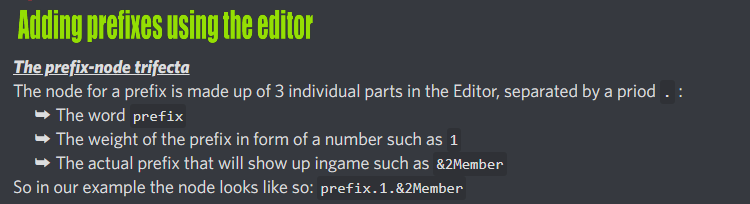


Consider using %luckperms-prefix% instead of setting every tab prefix in tabs config
currently, you let chat take prefixes from luckperms
but not tab, so why double your work?
prisma hinge
it was already set up like this im just trying to understand it because its hella confusing we bought a server from a kid and we are trying to remake it
so ur saying i should remove the prefixes from tab and let luckyperms do its thing
sour gorge
the setup seems more complex than needed
if all tablist and tags prefixes are supposed to be taken from luckperms and are all the same then use tabs default format so you dont need one for each single group
and yes, you can use placeholders so tab takes them from luckperms rather than setting them in the config egain
prisma hinge
ok thank u
 zinc iron
Apologies for the bad questions incoming, it's been almost 6 years since I last ran a server. I'm looking to use Luckperms, but I am used to using mcmmo for economy, but that plugin is not updated for 1.19. What economy plugin works for 1.19 that also works well with luck perms
sour gorge
sorr,y what does luckperms have to do with economy?
zinc iron
I guess I didn't know if there were any plugins that conflict with Luck perms to be aware of or what not.
sour gorge
there are only a few lp doesnt work with. that includes any other permission plugin such as powerranks, bpermissions etc, as well as plugman, the /reload command (both break tab complete) and per-world-plugin as it chokes luckperms events which need to fire for it to work, but pwp doesnt know that lol
zinc iron
Got it! I think that's where my confusion started. Looking through shop plugins to create static in game shops, I see things like signshop, or some economy plugins and it requires Vault (doesn't have support past 1.16) and that, I believe would F with luckperms since it also does something similar.
sour gorge
its actually the other way around
vault is still the leading economy and prefix/suffix communicatior. remember vault is just an api, not actually a plugin in the sense youd think it is. i use it on my 1.19 server with no issues at all
zinc iron
ahhhhh I see. That makes way more sense. Thanks!
sour gorge
x)
 grim hearth
how do i get to have a group for a certain amount of time? im trying to setup a monthly subscription but dont know how to make a group stay on temporarily
sour gorge
https://luckperms.net/wiki/Parent-Commands#lp-usergroup-usergroup-parent-addtemp-group-duration-temporary-modifier-context read about the modifiers too please as you will need at least one of them
LuckPerms - A permissions plugin for Minecraft servers.
LuckPerms is a permissions plugin for Minecraft servers. It allows server admins to control what features players can use by creating groups and assigning permissions.
 plush gate
how do i make it so overtime players get ranks
 visual flax
Another plugin
void verge
void verge
you can force it to work with these steps
- rename the file to have a `.zip` ext...
@sweet sparrow
 sweet sparrow
thank you. i will try that
sweet sparrow
void verge
<@312711202721759242>
hey it didn't work. followed the steps but i may have done something wrong. are there any common errors people do that i may have done. also i am doing /lp group default permission set minecraft.command.say true so. there may just be something wrong in my execution. very sorry if this is obvious and i am just a fool.
void verge
sweet sparrow
hey it didn't work. followed the steps but i may have done something wrong. are ...
did the mod load correctly or is there an error in the log?
sweet sparrow
i didn't see any errors but i did skim it. let me give it a more in-depth look
void verge
!paste if you see anything send the full log
wintry cloudBOT
Please use pastebin!
Seeing a paste of the problem makes everything so much easier! Use https://pastes.dev/ for easy pasting!
For console errors:
Pastebin any relevant segments of the console log. If it's a startup error, this includes the entire startup log!
Other errors:
Pastebin the entire LuckPerms config file (passwords removed) as well as any other relevant files!
sweet sparrow
sick
would the list of mods loaded include it as something like "minecraft-command-permissions"
because if so it is not in the list of mods loaded
void verge
it should show minecraft-command-permissions i think
thats the id in the fabric.mod.json file
sweet sparrow
yeah it does not. alright let me see why it isn't loading
void verge
you only replaced the 1.18.x with 1.19 right?
sweet sparrow
oh i replaced some other things like the fabric loader version. i assume that is what the issue is?
let me try starting over and only replacing 1.18.x with 1.19
void verge
only the fabric.mod.json and only replace the 1.18.x with 1.19 (or 1.19.x might work too)
sweet sparrow
that is very likely what the problem is then. let me address that and then i will see if that is all that was the issue.
it is still not working despite this change
going to skim through the log and look for errors. not seeing any. also still not seeing the minecraft-command-permissions in the logs.
void verge
and you did re-zip the files and everything, right?
sweet sparrow
yeah
looks like this
stuck it in the mods folder. as i am assuming one should
-squinting- not sure what else might bewrong with it
lost blaze
!paste send your server logs
wintry cloudBOT
Please use pastebin!
Seeing a paste of the problem makes everything so much easier! Use https://pastes.dev/ for easy pasting!
For console errors:
Pastebin any relevant segments of the console log. If it's a startup error, this includes the entire startup log!
Other errors:
Pastebin the entire LuckPerms config file (passwords removed) as well as any other relevant files!
lost blaze
See if it's trying to load it atleast
sweet sparrow
it is not,. no errors, not even tryin' to load it in with the rest of the mods. that has been pointed out already but to be fair it does deserve another go through.
i am going through the logs to see if there is anything that could even potentially be relevant and i am coming up empty handed
void verge
usually fabric yells at you if it finds an issue with a mod
it ususally doesnt just fail silently
sweet sparrow
i am hoping i am missing that yelling because otherwise it is going to be a lot more frustrating
hm. i am not seeing anything but i may be missing something. i have been hesitant abotu sending the link out of fear it may leak some information but through this search of the logs i have determined there is Probably nothing dangerous to be leaked. here it is https://mcpaste.io/148dc0785b3d9664
A easy to use Paste site for Minecraft Server logs.