
#support-2
1 messages · Page 98 of 1
 lapis monolith
 mighty yarrow
!paste your latest.log file from the logs folder please
 wintry cloudBOT
Please use pastebin!
Seeing a paste of the problem makes everything so much easier! Use https://paste.lucko.me/ for easy pasting!
For console errors:
Pastebin any relevant segments of the console log. If it's a startup error, this includes the entire startup log!
Other errors:
Pastebin the entire LuckPerms config file (passwords removed) as well as any other relevant files!
 sudden harness
hey, can i set lp to use only one language file?
 daring stirrup
No
 cerulean terrace
How can I make rank before name on the player?

 tidal blade
Get a plugin that allows for that
 mental marsh
cerulean terrace
How can I make rank before name on the player?
mental marsh
cerulean terrace
How can I make rank before name on the player?
TAB plugin can do that
 terse arch
hello i have question how does expire time work on mysql like 3days is 1640797422
what is this seconds or miliseconds?
mighty yarrow
lapis monolith
https://paste.lucko.me/zQvamRWeg1
Im not seeing any LP related errors, you definitely entered the right permissions for your commands?
and no errors in chat?
terse arch
terse arch
hello i have question how does expire time work on mysql like 3days is 164079742...
can someone help me with this?
 sour gorge
Mysql wait_timeout is seconds
 hazy tulip
Is it possible to add a temp rank with a single command so it does this?
- Player is "ADMIN" rank
- (some command)
- Player is "VIP" rank
- 15 seconds later, Player is back to "ADMIN" rank
(parent set, not parent add)
sour gorge
Luckperms itself does not have a function for timed commands, you'd need another plugin for the time management
 gilded coral
i need help with making the ign names in the chat a certain color with the rank they get
idk how to do that
 solid gull
Do u know how to set the default world in a server
 charred sky
https://mcpaste.io/e96718e72c173a5e
pls help
A easy to use Paste site for Minecraft Server logs.
 runic crest
Is it possible to show the remaining time for a permission as Placeholder?
tidal blade
runic crest
Is it possible to show the remaining time for a permission as Placeholder?
%luckperms_inherited_expiry_time_<permission>% - If permission is from group
%luckperms_expiry_time_<permission>% - If pemission is directly applied to the user
runic crest
Thank you
tidal blade
charred sky
https://mcpaste.io/e96718e72c173a5e
pls help
!errors
wintry cloudBOT
Here's a page with some common storage system errors.
 LuckPerms wiki
tidal blade
solid gull
Do u know how to set the default world in a server
LuckPerms wiki
tidal blade
solid gull
Do u know how to set the default world in a server
#general Not Luckperms related.
tidal blade
gilded coral
i need help with making the ign names in the chat a certain color with the rank ...
Either do it in your chat plugin or add the colour code at the end of the prefix.
gilded coral
Ok
 harsh glacier
I have an error with the prefix of the vip range I do not see the prefix in the chat and I have connected with mysql the lobby and bungeecord, the permissions work fine but the prefix does not appear.
 wanton helm
harsh glacier
I have an error with the prefix of the vip range I do not see the prefix in the ...
wanton helm
harsh glacier
I have an error with the prefix of the vip range I do not see the prefix in the ...
!chat
wintry cloudBOT
LuckPerms does not perform any chat/tablist formatting of its own!
LuckPerms only acts as the source for prefixes / suffixes, it doesn't actually apply them. You need an appropriately configured chat/tablist formatting plugin for them to be displayed. If the values appear correctly when you run /lp user <user> info, LuckPerms is doing its job!
FAQ answer: Prefix isn't showing?
List of chat/tablist formatting plugins that work with LuckPerms
tidal blade
!usage
wintry cloudBOT
Here's a guide to help users understand and use LuckPerms for the first time.
Read more
LuckPerms wiki
tidal blade
!tut
wintry cloudBOT
YouTube Tutorial
If you would like a video tutorial for setting up LuckPerms, try:
https://www.youtube.com/watch?v=l4anE2wOLdc
tidal blade
Either of those two links will help
 latent folio
Thanks
 cold cloud
Hello, when I try to assign me a rank only on a particular server (because I have a bungeecord) I do the command "/lp user Ravngp group set Youtubeur server=Faction" it does not work how it is done? Thanks in advance.
 tall veldt
Use /lp user Ravngp parent add/set <rank>
 wind fiber
tall veldt
Use /lp user Ravngp parent add/set <rank>
wind fiber
tall veldt
Use /lp user Ravngp parent add/set <rank>
That’s not what they want, they are trying to use contexts
wind fiber
cold cloud
Hello, when I try to assign me a rank only on a particular server (because I hav...
Have you defined the server name in the config?
cold cloud
wind fiber
Have you defined the server name in the config?
Yes but I did it but there are some ranks like administrator, moderator, vip that should be common and others not
 worthy granite
solid gull
Do u know how to set the default world in a server
worthy granite
solid gull
Do u know how to set the default world in a server
server.proprietis
 steel forge
Hello. Today I did some changes in webeditor and didnt open new session but applied at the previous one even when it warned me to not.. Now I have problem with strange colors being displayed at suffix. Can I do anything about it or should I reinstall the whole plugin?
I know it is my fault, but didnt think it would do any harm as I just added few permissions.
wanton helm
steel forge
Hello. Today I did some changes in webeditor and didnt open new session but appl...
Open a new editor link and look through the mess
steel forge
Everything looks as it was
wanton helm
See if anything got messed up
steel forge
Nothing strange
steel forge
I even tried recreating the group but it is still the same
wanton helm
Hmm
Do /lp info [user] on a user that has the messed group
And screenshot the response to here
steel forge

 wanton helm
Oh
 dense kite
That’s just because it’s supplied by the tab plugin. Are you using TAB?
steel forge
Yes, but other groups are displayed correct
wanton helm
You will have to set your formatter to use lp prefixes/suffixes
steel forge
Just the admin and owner groups have strange colors
dense kite
steel forge
Yes, but other groups are displayed correct
Other groups will be displayed correctly, only ones that match the preset names will be different
Check the TAB config
steel forge
Ok one sec
That worked, thank you! It was strange because it worked fine till now, I probably forgot I updated it
Phew I thought I messed smth up
 opaque ore
How to export h2 to mariadb?
dense kite
!switch
wintry cloudBOT
If you wish to change your storage type (e.g. to YAML or MySQL) you may need to follow these instructions to ensure your groups and permissions are migrated to the new storage type.
Read more about the Storage types
LuckPerms wiki
opaque ore
Thank you
 forest vault
Does anyone knos where would I can find a list of permissions to give for commands like "/datapack list"? I am running a PaperMC server
 prisma hinge
minecraft.command.datapack? keep in mind that for vanilla commands you can only give permission to either the whole command or none of it, bukkit/spigot/paper does not add permissions for each subcommand
forest vault
prisma hinge
`minecraft.command.datapack`? keep in mind that for vanilla commands you can onl...
That is stupid that it has to be the whole command. Is there a plugin or some way to restrict it to just allow list and not enable and disable? Like one that reads the chat and if it sees /datapack enable/disable from the default group it ignores it or runs list instead?
prisma hinge
that's just how spigot is ¯\_(ツ)_/¯ i wouldn't say it's stupid, it's just that the vanilla commands structure are too complex for anyone to put the necessary effort of adding tree node-specific permissions
maybe there is a plugin that adds them but not that I know of
 olive wasp
I cant see the suffix of a rank
 winged forge
Hi, it's possible to add custom rgb color for rank prefix in luckperms ? (With 1.16)
 lilac tangle
I want to know if LuckPerms have the ability to know the previous rank set to?
I am dealing with the automatic ranks system, which wants to know if that can be make ?
olive wasp
can you help me in a call
im not good at writing in english
sour gorge
olive wasp
I cant see the suffix of a rank
Does the suffix show up when you do the command /lp user <yourname> info? If it does, but it doesn't show in chat or tablist, you might have to add it to that plugin's config, depending on what you use. For essentials as chat handler for example, you would need to open the config of essentials, find the chat settings section and add {SUFFIX} to your chat format. This is different for other chat plugins though so you will have to look up your options on that plugin's wiki or documentation. If the suffix shows in the info command i mentiones, then luckperms is doing it's job. Remember that lp doesn't add that stuff to your chat or tablist by itself
sour gorge
winged forge
Hi, it's possible to add custom rgb color for rank prefix in luckperms ? (With 1...
Luckperms itself will take anything you put as prefix or suffix. The display of those is not done by luckperms, but rather by your chat and/or tablist formatter. So, if, and what format it can take, really depends on if those plugins you are using support it or not.
 knotty sluice
sour gorge
Luckperms itself will take anything you put as prefix or suffix. The display of ...
knotty sluice
sour gorge
Luckperms itself will take anything you put as prefix or suffix. The display of ...
OHHH this may help for why the colours aren’t working ty
sour gorge
lilac tangle
I want to know if LuckPerms have the ability to know the previous rank set to?
I...
There is a promote and demote command, however, you will need to set up tracks to be able to do that first.
XD
!tracks
wintry cloudBOT
Tracks provide a method for you to promote/demote players along a track (or ladder) of groups.
Read more
LuckPerms wiki
olive wasp
Can i do that some of the tracks will show on chat but not on tab and some on both?
sour gorge
Yes, you can use placeholders to show prefixes from different tracks and choose which onee
Youd then use %luckperms_prefix_element_highest_on_track_<trackname>%
cold cloud
Hello, someone who knows about a bungeecord server could inform me about the common server grades and exclusive server grades? I want to have the common mod, admin and for example Warrior on one server and Adventurer on another.
I was told to use context but when I use it it doesn't work.
Thanks in advance for your help
sour gorge
olive wasp
how i remove it from the tab
In the config of your tablist. Luckperms does not add prefixes to tablist. Your tablist plugin does
sour gorge
cold cloud
Hello, someone who knows about a bungeecord server could inform me about the com...
Did you maybe forget to set the server names in config of luckperms?
cold cloud
sour gorge
Did you maybe forget to set the server names in config of luckperms?
Line 34 -> server:
I list all my bungeecord server ? like "server : faction, hub, skyblock, ..."
sour gorge
Not a list
One config - one name
On factions server, put factions. On bungee, keep bungee as name
olive wasp
sour gorge
Youd then use `%luckperms_prefix_element_highest_on_track_<trackname>%`
it not work stil the same
cold cloud
sour gorge
On factions server, put factions. On bungee, keep bungee as name
I will try this, thanks in advance.
sour gorge
olive wasp
it not work stil the same
Did you set up tracks?
 sour gorge
Do you have placeholder api installed?
 runic crane
how do i add the group tag over tab not only near someone name in chat?
sour gorge
/papi ecloud download luckperms
/papi reload
sour gorge
runic crane
how do i add the group tag over tab not only near someone name in chat?
You need a tablist plugin for that then.
I suggest TAB by neznamy
runic crane
can you provide me with its link?
sour gorge
Sure, one second
Here is the download https://github.com/NEZNAMY/TAB/releases/
This is the wiki so you know how to do stuff https://github.com/NEZNAMY/TAB/wiki/Installation
and here is their discord if you need help with it https://discord.gg/EaSvdk6
olive wasp
it workint tnx!
sour gorge
^_^
runic crane
oh ty zero 😄
runic crane
how do i add a player to a group?
sour gorge
/lp user <their name> parent add <group>
steel forge
Hey. If I use velocity I have to install luck perms on every server or just velocity proxy?
And if so, I install bukkit version on my paper server?
sour gorge
1st one and yes
steel forge
I did that but now strange error shows in the log
steel forge
No probs, I guessed by the answer on the second one haha
What is the website called where I can paste logs?
sour gorge
!paste
wintry cloudBOT
Please use pastebin!
Seeing a paste of the problem makes everything so much easier! Use https://paste.lucko.me/ for easy pasting!
For console errors:
Pastebin any relevant segments of the console log. If it's a startup error, this includes the entire startup log!
Other errors:
Pastebin the entire LuckPerms config file (passwords removed) as well as any other relevant files!
sour gorge
Its complaining about database tables.
The cause could be for instance that db tables were made in the past, but they werent finished - a hard crash or choking the server while stating could potentially cause it
steel forge
I am doing new setup with velocity and purpur
I tried deleting everything and doing fresh install but getting this now
I am hosting mysql on localhost
sour gorge
You yeeted the entire db for lp already?
steel forge
I just deleted it 😛
sour gorge
Check if you have lp twice on the server where the log came from you pasted please
Meaning the lp jar file
steel forge
Nope, just one
sour gorge
Ok
steel forge
The thing is
I finished work yesterday, everything worked. Today in morning I came on and bunch of errors were with mysql, so I decided to reinstall everything
Must be something with that, as all plugins that use mysql report errors
I just noticed that
 kind dust
How would i make that red
 kind dust
 steel forge
That looks good
steel forge
Zero I deleted all the data from mysql data and now it works. Must of been some kind of conflict or I did something wrong in first place 😮
If I want my old groups and data I can just paste the old data to mysql file?
steel forge
kind dust
is there a faster way to add all perms?
I would go plugin by plugin depending on what permission you want to add.
Check the perms wiki for each plugin and add
sour gorge
Hm well, if you can go table by table yea, but if the db is corrupted and you import the whole thing, it will happen again
steel forge
Ok, thanks
wanton helm
Kekw
 alpine ingot
Hello, trying to get prefixes to work on our fabric server. The chat formatting plugins listed on https://luckperms.net/wiki/Prefixes,-Suffixes-&-Meta seem like they stopped updating at 1.16. Do you know of any plugins that work for 1.18 that provide this functionality?

LuckPerms - A permissions plugin for Minecraft servers.
LuckPerms is a permissions plugin for Minecraft servers. It allows server admins to control what features players can use by creating groups and assigning permissions.
 mint arch
when ever i create a new group and try to make it display on players names and in tab it doesnt work
i think this is a luckperms issue but it might be my tab plugins as well
tidal blade
!chat
wintry cloudBOT
LuckPerms does not perform any chat/tablist formatting of its own!
LuckPerms only acts as the source for prefixes / suffixes, it doesn't actually apply them. You need an appropriately configured chat/tablist formatting plugin for them to be displayed. If the values appear correctly when you run /lp user <user> info, LuckPerms is doing its job!
FAQ answer: Prefix isn't showing?
List of chat/tablist formatting plugins that work with LuckPerms
mint arch
i changed the weights for my prefixes but nothing changed. does the prefixes weights change require a server restart
tidal blade
Nope
mint arch
my "beta" prefix still doesnt show in tab after changing the weights
tidal blade
!tab
wintry cloudBOT
LuckPerms does not perform any chat/tablist formatting of its own!
LuckPerms only acts as the source for prefixes / suffixes, it doesn't actually apply them. You need an appropriately configured chat/tablist formatting plugin for them to be displayed. If the values appear correctly when you run /lp user <user> info, LuckPerms is doing its job!
FAQ answer: Prefix isn't showing?
List of chat/tablist formatting plugins that work with LuckPerms
mint arch
i've read throught it and changed what ive needed to but the prefix is still not working in tab
tidal blade
Do you have a plugin that handles your tablist
mint arch
tab by neznamy
tidal blade
Does the prefix display in /lp user <name> info
mint arch
yes
tidal blade
Then the issue is with your tab plugin
mint arch
how can that be if all of my other prefixes are working
tidal blade
Because if the prefix displays in the user <name> info command then luckperms is doing it's job
If it is an issue with it not displaying somewhere, then it is upto the plugin displaying it
 brave edge
I use grief prevention for land claim and i want that if a player in his claim then he has permission to a specific permission, how can i make this idea work?
sour gorge
You would need a custom context for that such as 'griefprevention_is_in_own_claim'. It would be on grief preventions side to provide this context
If they dont, then you can't.
!extracontext
wintry cloudBOT
Add contexts not supported by stock LuckPerms.
LuckPerms wiki
sour gorge
There's only this i know of
brave edge
thanks for helping
brave edge
wintry cloud
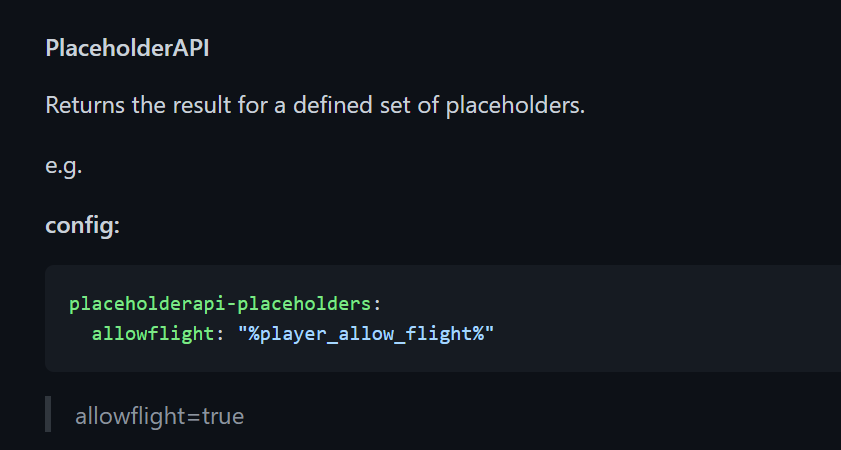
can i compare 2 placeholders in this?
 brave edge
like "%griefprevention_currentclaim_ownername%==%player_name%"
brave edge
can i do something like this?
sour gorge
Youll have to test that
If that doesnt work, you can use javascript expansion and check this first, then use the javascript placeholder there
brave edge
hmm also when i do /afk then also i find essentials:afk=False
brave edge
sour gorge
If that doesnt work, you can use javascript expansion and check this first, then...
idk javascript
sour gorge
What
brave edge
hmm i can't see extra context plugin context in /lp user info
meow please come here help me
tidal blade
brave edge
hmm i can't see extra context plugin context in /lp user info
ExtraContext plugin requires you to enable the contexts you want to use in the config.yml for it and then to restart the server.
 torn siren
wintry cloudBOT
torn siren
wintry cloudBOT
Hey plenguin! Please don't tag helpful/staff members directly.
wanton helm
Ty
 mighty spear
Nw 🙂
wanton helm
mighty spear
Nw 🙂
I think you should add an @mods ping

 tame hollow
can you imagine how annoying that would be in the hands of a regular user? lol
tidal blade
A certain @wanton helm would never stop using it...
 tardy glacier

dense kite
tidal blade
A certain <@495937933698924545> would never stop using it...
That sounds kinda specific
 coral portal
Suddenly luckperms is completely unresponsive on one of my servers. No commands return any messages or do anything, no errors in console
version 5.3.89
tidal blade
Restart the server
coral portal
is that really a solution or diagnosis
prisma hinge
I guess we will see.
tame hollow
Always restart if something funky is happening lol
 quartz lichen
 dense kite
this is LuckPerms support.
prisma hinge
[05:36:27 INFO]: Archer issued server command: /lp editor
[05:36:37 WARN]: [LuckPerms] Command execution [editor] has not completed. Trace:
  sun.misc.Unsafe.park(Native Method)
  java.util.concurrent.locks.LockSupport.park(LockSupport.java:175)
  java.util.concurrent.CompletableFuture$Signaller.block(CompletableFuture.java:1707)
  java.util.concurrent.ForkJoinPool.managedBlock(ForkJoinPool.java:3323)
  java.util.concurrent.CompletableFuture.waitingGet(CompletableFuture.java:1742)
  java.util.concurrent.CompletableFuture.join(CompletableFuture.java:1947)
  me.lucko.luckperms.common.webeditor.WebEditorRequest.lambda$findMatchingOfflineUsers$9(WebEditorRequest.java:260)
  me.lucko.luckperms.common.webeditor.WebEditorRequest$$Lambda$1992/2017662697.accept(Unknown Source)
  java.util.stream.ForEachOps$ForEachOp$OfRef.accept(ForEachOps.java:183)
  java.util.stream.ReferencePipeline$3$1.accept(ReferencePipeline.java:193)
  java.util.stream.SliceOps$1$1.accept(SliceOps.java:204)
  java.util.stream.SortedOps$RefSortingSink.end(SortedOps.java:400)
  java.util.stream.Sink$ChainedReference.end(Sink.java:258)
  java.util.stream.AbstractPipeline.copyIntoWithCancel(AbstractPipeline.java:500)
  java.util.stream.AbstractPipeline.copyInto(AbstractPipeline.java:486)
  java.util.stream.AbstractPipeline.wrapAndCopyInto(AbstractPipeline.java:472)
  java.util.stream.ForEachOps$ForEachOp.evaluateSequential(ForEachOps.java:150)
  java.util.stream.ForEachOps$ForEachOp$OfRef.evaluateSequential(ForEachOps.java:173)
  java.util.stream.AbstractPipeline.evaluate(AbstractPipeline.java:234)
  java.util.stream.ReferencePipeline.forEach(ReferencePipeline.java:485)
  me.lucko.luckperms.common.webeditor.WebEditorRequest.findMatchingOfflineUsers(WebEditorRequest.java:259)
  me.lucko.luckperms.common.webeditor.WebEditorRequest.includeMatchingUsers(WebEditorRequest.java:221)
  me.lucko.luckperms.common.webeditor.WebEditorRequest.includeMatchingUsers(WebEditorRequest.java:202)
  me.lucko.luckperms.common.commands.misc.EditorCommand.execute(EditorCommand.java:90)
  me.lucko.luckperms.common.command.abstraction.SingleCommand.execute(SingleCommand.java:56)
  me.lucko.luckperms.common.command.abstraction.SingleCommand.execute(SingleCommand.java:48)
  me.lucko.luckperms.common.command.CommandManager.execute(CommandManager.java:263)
  me.lucko.luckperms.common.command.CommandManager.lambda$executeCommand$1(CommandManager.java:167)
  me.lucko.luckperms.common.command.CommandManager$$Lambda$1976/80447398.run(Unknown Source)
  java.util.concurrent.CompletableFuture$AsyncRun.run(CompletableFuture.java:1640)
  java.util.concurrent.ThreadPoolExecutor.runWorker(ThreadPoolExecutor.java:1149)
  java.util.concurrent.ThreadPoolExecutor$Worker.run(ThreadPoolExecutor.java:624)
java.lang.Thread.run(Thread.java:748)```this error keeps happening
only with mysql I think

 raw rapids
How to lp migration?
sour gorge
!migrate
raw rapids
 wintry cloudBOT
Learn about the process of migrating from another permission plugin.
Read more
LuckPerms wiki
raw rapids
I can't tell even from that.
It used to be the lpmigrate command, but when I tried again, the lpmigrate command disappeared.
tidal blade
Did you read the page and follow the instructions.
sour gorge
You need the migrating jar
raw rapids
ah ok
sour gorge
Please don't make us repeat what's on the wiki...
tidal blade
Make sure you install the correct migration tool as well.
raw rapids
ok
tidal blade
And still have the old perm plugin installed and enabled.
tidal blade
What storage method are you using for lp
raw rapids
yml
tidal blade
Ew...
Anyway...
Single server or network?
tidal blade
Huh? Is It a single mc server or a bungee network
raw rapids
single
tidal blade
What do you have messaging-service set to in the config
 tidal blade
Looks good. Do you still have pex installed and enabled?
 tidal blade
Start server then in console do /migrate-permissionsex
raw rapids
ok
tidal blade
prisma hinge
how do I fix
Lp version
opaque ore
Does luckperms prefix support RGB?
mighty yarrow
Lp does not format your chat. Whether or not you can use RGB is up to your chat plugin
 vagrant moon

opaque ore
Mhh
 ionic geyser
tardy glacier
ionic geyser
tardy glacier
🤨
wanton helm
sour gorge
Please don't make us repeat what's on the wiki...
I mean you could use ctrl A, ctrl C, ctrl V
prisma hinge
tidal blade
Lp version
same thing on latest version
 tight river
Does anyone have a list of all the commands?
dense kite
LuckPerms - A permissions plugin for Minecraft servers.
LuckPerms is a permissions plugin for Minecraft servers. It allows server admins to control what features players can use by creating groups and assigning permissions.
tight river
Alrighty thanks
 vagrant sedge
 dapper anvil
hey, who can i ask for help?
sour gorge
Just state your question, staff or other helpful members will reply when they can
dapper anvil
umm.. so i have luckperms storage setup on h2(an error occurred because of storage) and my server suddenly crashed and kicks me whenever i join.
my questions is i have 2 files called luckperms-h2.mv ~~~.trace can recover anything from them?
sour gorge
I know there is software that attempts to visualize slqite databases. You can try finding one and seeing if you can fix it.
do you not have a regular zipped export or a recent editor session from the past 7 days that worked?
sour gorge
From before the corruption happened? :o
dapper anvil
im pretty sure, as i couldent access the console after!
sour gorge
Okay. If you want to backup your current setting, if you can even, you should first do /lp export <some file name> (creates a zip file in your luckperms folder) just in case what we are going to do now messes it up even further.
Once you have that, you can try /lp import <10 digit code> --upload
The 10 digit code is this part of the editor you have: https://i.imgur.com/xjVjSWk.png

It may or may not work. But it's worth a try. You can try importing it on top of your setup, or, delete the broken ones first (id prefer that), restart, and then try this
dapper anvil
sour gorge
Okay. If you want to backup your current setting, if you can even, you should fi...
wait .. am i exporting just to create a folder?
sour gorge
/lp export will creade a ZIP FILE in your luckperms folder
Then delete the h2 database like i said, then import your editor session and pray
dapper anvil
thankyou brother!
sour gorge
I'm taking that as 'it worked' i guess? Lol
dapper anvil
it is actually, thanks. One more thing, so is this basically a backup or should i keep a fresh editor up every now and then.
sour gorge
For safety reasons, you should take a backup using lp export every now and then
 hollow leaf

Hi, I'm facing this error spammed whenever I try to join
I'm using LuckPerms 5.3.92

This is the affected commit
that is causing the above issue.
@soft cosmos ^ important, thanks.
wintry cloudBOT
Hey DynamicRed! Please don't tag helpful/staff members directly.
 soft cosmos
oops
just pushed a fix, thanks for bringing it to my attention
let me know if that sorts it :)
should be on luckperms.net in a couple of mins
prisma hinge

hollow leaf
@soft cosmos
wintry cloudBOT
Hey DynamicRed! Please don't tag helpful/staff members directly.
hollow leaf

didn't fix it 🙂
It's a new problem now.
Is there a way to download older builds?
5.3.89 worked for me, any way to download it without compiling?
https://ci.lucko.me/job/LuckPerms/ found it 🙂
soft cosmos
yea - you can download from there :)
I've just pushed another fix, would appreciate it if you could give that a try tho!
hollow leaf
soft cosmos
I've just pushed another fix, would appreciate it if you could give that a try t...
sure.
@soft cosmos Issue fixed 🎉 🙂
wintry cloudBOT
Hey DynamicRed! Please don't tag helpful/staff members directly.
soft cosmos
awesome :D
tame hollow
testing in prod 
dense kite
i see no issues with that.
tidal blade
Neither
tame hollow
just send it
tidal blade
I've done that a couple times 😛 Did an update for one of my plugins and just released it, let others test it cos i couldn't be bothered
 glad glacier
Hi all, happy new year.
I must be missing something really obvious, but cannot see it. When a player uses the rankup plugin, once it is executed context is added to the rank. There is only 1 track, default. There are two servers linked to the DB. Before the rankup, the parent group was only 9, what am I missing?
https://gyazo.com/39db01ad9e4c8e4da2619391306cad4c
 tidal blade
glad glacier
Hi all, happy new year.
I must be missing something really obvious, but cannot s...
tidal blade
glad glacier
Hi all, happy new year.
I must be missing something really obvious, but cannot s...
Wait, so what's the exact issue?
glad glacier
when the player runs the rankup, from say 9 to 10, the 9 stays there and 10 is added with the context, rather than just 10
tidal blade
So you want it to remove the previous rank?
glad glacier
I want to know why the context has now been added, before it wasn't
tidal blade
Show the commands that the rank up plugin is using
glad glacier
not in the config so can't see the command
tidal blade
Well, i can't really tell you unless I see the command. Are you able to see the logs file or console?
If so, do a rankup then show the console or log
glad glacier
[04:28:57] [Server thread/INFO]: Blazerunner_127 has ranked up to: 3```Hmm okay, not what i was expecting haha. I'll need to see the actual commands that your rankup plugin is running
glad glacier
yeh I tried rankup verbose and that didn't give me the command - lol
tidal blade
You'll have to check the files for that plugin then
glad glacier
yeh, I am off to the discord and wiki to see if I can find out
tidal blade
glad glacier
yeh, I am off to the discord and wiki to see if I can find out
It should be in the config.yml or something like that for the plugin, where you setup the rankups
glad glacier
looks like the groups are changed with vault if that makes sense
tidal blade
So you didn't set any LP commands in any of the files for that plugin
glad glacier
nope, it runs it through vault
tidal blade
Link to rankup plugin
glad glacier
tidal blade
!paste can you please paste the rankups.yml
wintry cloudBOT
Please use pastebin!
Seeing a paste of the problem makes everything so much easier! Use https://paste.lucko.me/ for easy pasting!
For console errors:
Pastebin any relevant segments of the console log. If it's a startup error, this includes the entire startup log!
Other errors:
Pastebin the entire LuckPerms config file (passwords removed) as well as any other relevant files!
glad glacier
tidal blade
Go to that plugins discord and ask the dev about and see what they say
glad glacier
I am
I appreciate the help Omega as I cannot see why the context is there, as when the players are on the other linked server, it shows their standard rank, when on the main server it shows the context server rank, which makes sense, but i cannot see why it is doing it now
tidal blade
glad glacier
I appreciate the help Omega as I cannot see why the context is there, as when th...
Does it happen if you try to apply a group manually or only if the rankup applies the group
tidal blade
Then it's purely because of the rankup plugin. See what the devs say about it
glad glacier
I will thank you
 tulip trench
https://paste.lucko.me/8ZKSBmBBPQ
Anyone know a Solution for the Editor Bug (Editor is not showing in the Chat or Console)
tidal blade
tulip trench
https://paste.lucko.me/8ZKSBmBBPQ
Anyone know a Solution for the Editor Bug (Edi...
Lp version?
tulip trench
Newest
But the Version don't matter, because it is broken since a Month (and maybe even Longer) and it even broke on my Backups that are 1 year old
tidal blade
Newest is not a versuon number.
tulip trench
 tidal blade
!bugreport
wintry cloudBOT
Suggestions and Bug Reports
If you would like to request a feature for LuckPerms, or report a bug, feel free to open an issue on GitHub!
Issue Tracker:
sour gorge
You are aware that you need luckperms on all your servers if you want to handle permissions there, right? The bungee version does not handle all servers, it only takes care of bungee commands and permissions such as bungee.command.whatever but not permissions from plugins on your backend servers if you dont have it installed there too
 slate gust
I need some privat support caused of a big 1.18.1 paper bug on LuckPerms
Server Crashed By Packet use
wintry cloudBOT
Here's a page with some common storage system errors.
LuckPerms wiki
wanton helm
Wrong cmd
wanton helm
Also, are you in offline/cracked mode?
slate gust
No we are using a Proxy Server
wanton helm
Mkay
 loud wasp
i have a mysql connection problem the connection drops , logs is here :https://mclo.gs/vdyeYMo
123 lines
 static hull
Hey I need to make ranks work for bedrock users how do i do that
dense kite
already answered
 south geyser
Can I add luckPerm to pixelmon hosted by apex hosting? if so how do i do this. (btw im new to server hosting)
 languid charm
Hey
One question
How do I make the ranks appear in tab list?
Cuz they dont appear
 velvet mantle
@soft cosmos i need some help, how do i connect the voting plugin to the luckperms plugin?
wintry cloudBOT
Hey Wall_Street101! Please don't tag helpful/staff members directly.
languid charm
south geyser
Can I add luckPerm to pixelmon hosted by apex hosting? if so how do i do this. (...
Guess so
south geyser
languid charm
Guess so
how do i do this tho
languid charm
Just add it and add permissions of the pixwlnmon to ranks
tame hollow
velvet mantle
<@!241666402639937538> i need some help, how do i connect the voting plugin to t...
please don't tag luck, #rules
languid charm
Do /luckperms editor
And there create the ranks and then open a new tab after u created the ranks
And search pixelmon mod permissions
And add that to the rank that u want to have that perms
@south geyser
south geyser
languid charm
And add that to the rank that u want to have that perms
First idk how to even add it to apex hosting
languid charm
Pixelmon?
south geyser
I want it for pixelmon
south geyser
languid charm
I dont remember if is a plugin or a mod
pixelmon is a mod
languid charm
Ok so as far as ik u cant use mods and plugins at same time
tame hollow
you need spongeforge and the sponge version of luckperms
south geyser
tame hollow
you need spongeforge and the sponge version of luckperms
could I get a video for this
Im dont understand any of this
languid charm
Wiki can u answer my question at any moment u can?
Go ytbe
And search how to use spongeforge on apexhosting
languid charm
languid charm
One question
Wiki
tame hollow
you are really jumping in the deep end with modded servers if you haven't done servers before
languid charm
Yeah @south geyser
south geyser
yeah the support is kind of poopy
languid charm
But how to use luckperms there nah
languid charm
south geyser
yeah the support is kind of poopy
Just create a live chat
south geyser
tame hollow
google/youtube is your best bet there
I tried
languid charm
Ig u get lucky smn will help u
languid charm
south geyser
I tried
Not much then
languid charm
languid charm
How do I make the ranks appear in tab list?
READ THE WIKI plz answer this 🙃
I dont want to ping u 😂
tidal blade
languid charm
READ THE WIKI plz answer this 🙃
With a tablist plugin
languid charm
Thats the thing it shows at the right of screen?
I mean when u press tab on ur keyboard
tidal blade
Yes
tidal blade
tame hollow
Try it and see
languid charm
Okay thks
opaque ore
is there a permanent web editor?
opaque ore
https://github.com/LuckPerms/web-installer
does this edits my permissions directly? without /lp editor

GitHub
Install scripts for self-hosting LuckPermsWeb. Contribute to LuckPerms/web-installer development by creating an account on GitHub.
 lilac sequoia
how to disable plugin so other ppl cant use commands
mighty yarrow
Just don't give them perms?
 untold valve
Hello everyone! I have a problem: I cannot find permission to open the case in the crazy crates plugin
если что я русский
wanton helm
untold valve
Hello everyone! I have a problem: I cannot find permission to open the case in t...
You can use the verbose command to find the permissions
wintry cloudBOT
LuckPerms provides a verbose command to help you find out what permissions a command/plugin is checking.
Read more
LuckPerms wiki
wanton helm

 hazy mirage
This is more of a hypothetical, but if I had two entries for a permission for a player, one with a value of true and one with a value of false, each with different contexts, but the player satisfies both sets of contexts, how does LuckPerms decide whether or not the player has the permission?
soft cosmos
in other words, if one of the sets has a "server" context - that one, then "world" contexts, then whichever it largest, after that there is no defined order
hazy mirage
I literally looked at that file and didn't realize that was what it was doing, thanks!
soft cosmos
no worries
the take-away is that in your hypothetical - the outcome will be deterministic (it'll return the same result each time) - but figuring out which it'll return is trickier
easiest way is to just try it out :D
hazy mirage
That's the plan 😅
tidal blade
Things like that, trial and error is always the best way forward xD
hazy mirage
Yeah, I'm just in admittedly a bit of a weird spot. I'm writing a caching layer for permissions in Python for my server's website which pretty much means reverse engineering a lot of how LP stores and calculates permissions. I originally was going to do it in Java as a standalone program with the LP API but I've never done web-dev in Java and the rest of the site is in Python. All this to say, sometimes trial and error is a bit challenging lol
Honestly, a standalone LP service would be really helpful to have but it's probably a bit too niche to spend resources supporting
#luckperms-api message Of course, had I just looked up the word "standalone," I would have found this, which I might end up doing instead
 charred nymph
Hello, in Luckperms for fabric, How I do to give permissions to a player to use commands as like: /gamemode spectator, or /whitelist add?
dense kite
charred nymph
Hello, in Luckperms for fabric, How I do to give permissions to a player to use ...
 azure pilot
I tried using %luckperms_expiry_time_command.event1% in a command to give time information of an assigned permission and it doesn't show it. I have the plugin api downloaded from PAPI.
 waxen coral
How would I use LuckyPerms to allow people to MVTP? like /mvtp world etc. etc. (multiverse for bukkit)
@soft cosmos ?
wintry cloudBOT
Hey Evesis! Please don't tag helpful/staff members directly.
waxen coral
wintry cloud
Hey Evesis! Please don't tag helpful/staff members directly.
oh sry
tardy glacier
waxen coral
How would I use LuckyPerms to allow people to MVTP? like /mvtp world etc. etc. ...
!usage
wintry cloudBOT
Here's a guide to help users understand and use LuckPerms for the first time.
Read more
LuckPerms wiki
tardy glacier
Did they leave or is my internet really bad
wind fiber
they left but they've also already been answered in #support-1 because they crossposted
tardy glacier

glad glacier
hi all, was using .89 and updated to .98 and got this error from one of my servers:
https://pastebin.com/9ubQnc1a
This is DB linked and i can use the same command on other server fine? Confused
daring stirrup
Can you send your full log?
glad glacier
full startup log?
wintry cloudBOT
Suggestions and Bug Reports
If you would like to request a feature for LuckPerms, or report a bug, feel free to open an issue on GitHub!
Issue Tracker:
glad glacier
thanks, that was the link I was looking for
do you want the logs here or on the github?
daring stirrup
Both
glad glacier
daring stirrup
Try redownloading LP?
glad glacier
yeh I hoped updating from .89 to .98 would fix it. It works fine on all the other servers it is installed on
cold cloud
Hi, the command "/lp user Ravngp group set administrateur server=hub" doesnt work for a bungeecord?
waxen coral
I got an error message whenever I try to type a command
But everything else/every other plugin works

help
Can someone please help
 nocturne wyvern
your console probably has an error message in it when you run whatever command that is. or look for errors when restarting the server
i have a question of my own.
is it possible to give a player a permission only in specific worlds using luckperms? specifically im trying to allow some players worldedit in plot world
actually i think i found my answer:
/lp group architect permission set worldedit.* true world=plots
for anyone else who might be in a similar situation
tidal blade
!chat
wintry cloudBOT
LuckPerms does not perform any chat/tablist formatting of its own!
LuckPerms only acts as the source for prefixes / suffixes, it doesn't actually apply them. You need an appropriately configured chat/tablist formatting plugin for them to be displayed. If the values appear correctly when you run /lp user <user> info, LuckPerms is doing its job!
FAQ answer: Prefix isn't showing?
List of chat/tablist formatting plugins that work with LuckPerms
 gritty light
why do all my members but one have member and the other has default?
tidal blade
Idk, give them default?
tidal blade
/lp user <name> info for that player
 distant pilot
Hello, help me when I want to add commands to a group, I get an error, what should I do?
please help
 mighty yarrow
Don't cross post please
 wild scaffold
Hi 😄 it's possible to show a player how much time remain on their vip rank?
thru placeholder maybe?
tardy glacier
!placeholders yes!
wintry cloudBOT
Display data such as user prefixes and groups from LuckPerms in other plugins.
Read more
LuckPerms wiki
wild scaffold
but if I have several ranks, how can show exactly the rank that the user have!
tardy glacier
look at the page i just linked ^^
wild scaffold
Okey, i think is this: %luckperms_group_expiry_time% but dont return nothing on me

I have installed Papi extension for luckperms
 ruby lotus
you have to do %luckperms_group_expiry_time_GROUPNAME%
wild scaffold
ruby lotus
you have to do `%luckperms_group_expiry_time_GROUPNAME%`
Ah okey but if I have several ranks in the server... how can resolve what group have a player?
for example if I set %luckperms_group_expiry_time_admin%, it don't show VIP players the time remaining of their ranks, right ?
pd: I'm creating a menu for my players where they can check their rank and the time remaining
 lapis tree
With Luckperms Bungee can I have the same ranks on all servers but have players have different ranks on different servers
tardy glacier
!contexts yep, you can use contexts:
wintry cloudBOT
You can set a permission or group on a per-world/per-server basis, through what we call "contexts".
Read more
LuckPerms wiki
wild scaffold
The situation that i explained is possible Aberdeener?
lapis tree
Ok, can I transfer my data from a local to external database
wild scaffold
to create a menu where players can check their rank and the time remaining? I tried but i don't get the way to use
lapis tree
And also how do luckperms bukkit and bungee work together? I should be using /lpb right?
 barren fable
wild scaffold
to create a menu where players can check their rank and the time remaining? I tr...
barren fable
wild scaffold
to create a menu where players can check their rank and the time remaining? I tr...
well, if you can have their rank names I think you can just add it as a variable, couldn't you?
wild scaffold
barren fable
well, if you can have their rank names I think you can just add it as a variable...
Yes, but not all players have the same rank!, its possible to show a player only his/her rank?
for example a player can have VIP and other have VIP+
I want to show only for the player that is viewing !
I tried this example
You have rank: %luckperms_prefix%
Time remaining: %luckperms_expiry_time%
but don't work as espected
barren fable
maybe you can use a placeholder in the placeholder? something like %luckperms_group_expiry_time_%luckperms_primary_group_name%%
I don't know if this would be possible, maybe ask PAPI about that
wild scaffold
😮
It should work like this
%luckperms_group_expiry_time_{%luckperms_primary_group_name%}%
but.. don't work
 dense kite
there is a permission for the main command as well.
 white delta
essentials.kits no?
white delta
god thank you
 wind fiber
!chat
wintry cloudBOT
LuckPerms does not perform any chat/tablist formatting of its own!
LuckPerms only acts as the source for prefixes / suffixes, it doesn't actually apply them. You need an appropriately configured chat/tablist formatting plugin for them to be displayed. If the values appear correctly when you run /lp user <user> info, LuckPerms is doing its job!
FAQ answer: Prefix isn't showing?
List of chat/tablist formatting plugins that work with LuckPerms
 opal meadow
is there a possibility, if a player already has a rank for another 2 days, that you can then make another 30 days on it?
tidal blade
opal meadow
is there a possibility, if a player already has a rank for another 2 days, that ...
LuckPerms - A permissions plugin for Minecraft servers.
LuckPerms is a permissions plugin for Minecraft servers. It allows server admins to control what features players can use by creating groups and assigning permissions.
 rancid fjord
 frail linden
Same happening to me
wanton helm
Same answer
 vagrant mason
Hi, I'm trying to re-write my meta-formatting to have it display multiple prefixes (the highest from 4 different tracks), however I keep running into errors as I can't get the syntax right.
I'm using Fabric, and the file is a .conf so I believe that means it's in the HOCON format.
This is what I have:
meta-formatting {
  prefix {
    format = {
      "highest_on_track_admin"
      "highest_on_track_karma"
      "highest_on_track_support"
      "highest_on_track_trust"
    }
    duplicates = "first-only"
    start-spacer = ""
    middle-spacer = " "
    end-spacer = " "
  }
  suffix {
    format = "highest"
    duplicates = "first-only"
    start-spacer = ""
    middle-spacer = ""
    end-spacer = ""
  }
}
and the part I need to know how to write out properly is this:
format = {
      "highest_on_track_admin"
      "highest_on_track_karma"
      "highest_on_track_support"
      "highest_on_track_trust"
    }
Any help is greatly appreciated 🙂
prisma hinge
for the format it'd be something like
format = [
  "..."
  "..."
  "..."
]
i'm not particularly well-versed with hocon but it may not need the =
vagrant mason
prisma hinge
for the format it'd be something like
```
format = [
"..."
"..."
"..."
]
`...
Thank you so much, that sorted it!!! (with the equals, it crashes without)
wanton helm
Emiloy magic
 dark mortar
hi, why LuckPerms is so slow with mysql?
then.. error
Failed to validate connection me.lucko.luckperms.lib.mysql.cj.jdbc.ConnectionImpl@49e9e133 (No operations allowed after connection closed.). Possibly consider using a shorter maxLifetime value.
dark mortar
wanton helm
Could you read the error?
this
at always web editing
is impossibile to use
im using mysql
daring stirrup
!errors
wintry cloudBOT
Here's a page with some common storage system errors.
LuckPerms wiki
wanton helm
dark mortar
my wait_timeout is 28800. idk why is doing that
Cut it by half
dark mortar
14400?
 chrome quail
Multiple prefixes in tab aren't working. I've looked through the tablist config but there's nothing about multiple prefixes.

 mossy mauve
guys i can find de pixelmon commands in the luckperns editor
mighty yarrow
The editor merely suggestions permissions. It does not know every single perm
Read the mod's docs
dense kite
forge, not really. I can help with luckperms though
 dawn delta
lockperms can disable ops
enable-ops: false
on config file
whe I enable commands on luckperms as simple help, i recive not enought permissions
I try help with granted user
this is same case with gamemode o any command
any idea?
 celest robin
How do i make a rank appear seperately in /list
mighty yarrow
that's up to your plugin that handles list
celest robin
Nucleus i believe
 fervent walrus
I have a timed rank called Ethereal - I'm trying to set up a reward to give people 1 week of it. The command I came to was /lp user [player] group addtemp Ethereal 7d but would that, for example, add 7 days extra to people who might already have it for a month? So it goes to a month and 7 days?
 twin kayak
having issues blocking all commands by setting * permission to false, and then the commands I want accessible to true. Is there a reason why * being set to false isn't stopping all commands from being used? it was suggested in a forum post for the mod. user isn't OP and isn't in any other groups other than the one with * set to false
not sure if the issue might be the suggestion to set * to false was on a spigot forum, I'm using fabric
tame hollow
fervent walrus
I have a timed rank called Ethereal - I'm trying to set up a reward to give peop...
see the usage for addtemp command here, there is another argument you can use to determine how the time is added
https://luckperms.net/wiki/Parent-Commands#lp-usergroup-usergroup-parent-addtemp-group-duration-temporary-modifier-context
tame hollow
twin kayak
not sure if the issue might be the suggestion to set * to false was on a spigot ...
normally i'd suggest not setting * to false but since you're using fabric, i don't really know how it all works there
maybe open an issue
!bugreport
wintry cloudBOT
Suggestions and Bug Reports
If you would like to request a feature for LuckPerms, or report a bug, feel free to open an issue on GitHub!
Issue Tracker:
twin kayak
ok ill do that. gonna be a pain to manually disable every command one by one when i could just disable them all and enable the ones i want tho
tame hollow
well what about namespaced wildcards, e.g. pluginname.*
tame hollow
yeah i'm not sure. this is handled differently in bukkit and that's really all i know. Luck (or someone else) should hopefully be able to shed some light on the github issue.
prisma hinge
does that mod actually add and support permissions?
or are you just typing it as permission as you're seeing it in the cmd?
@twin kayak
tame hollow
true, i just searched the source code for "permission" and there was nothing
prisma hinge
just so you know LuckPerms does not add permissions, it lets you manage existing ones
It's the individual mod's/plugin's responsibility to add their own permissions and support them
prisma hinge

 twin kayak
I tested it with Player Roles and it works there, but I guess its doing something different, blocking commands specifically without permissions
prisma hinge
yeah that mod is not like LP
essentially it hijacks the command framework to "add permissions" itself
LP listens to plugins/mods that "natively" support permission checks
twin kayak
either im doing it wrong, or i cant even add permissions for vanilla commands like /stop or /give with LuckPerm 😦
prisma hinge
yep, vanilla doesn't know about permissions so they don't exist either
however
there is a mod that adds permissions for vanilla commands
twin kayak
well thats a start, thanks! now i just need to find a way to block these mods that don't have permissions. Player Roles is nice and simple... but it doesnt even load properly when the server starts
prisma hinge
again it's up to each individual mod to support them so uh
open a feature request in their issue tracker?
prisma hinge
np
 sudden beacon
Why when I put the plugin luckperms in, the file doesn't run and stops automatically?
 ancient pine
hi i have a problem
in the server uses /server or bungee command
the server pass msg "you dont have permission to use this command"
and LuckPerms is the cause that problem
dense kite
did you give them permissions?
dense kite
can you send your luckperms bungee editor link please
dense kite
this is not a /lpb editor link.
are you running LuckPerms bungee?
ancient pine
1sg

LuckPerms - A permissions plugin for Minecraft servers.
LuckPerms is a permissions plugin for Minecraft servers. It allows server admins to control what features players can use by creating groups and assigning permissions.
oh yes
in the console
bungee
dense kite
okay well the only group you set it for was owmer, and you're the only one with that.
can you run it ?
dense kite
sounds like LuckPerms is working fine then. put the perm in the default group.
dense kite
then give them
ancient pine
- bungeecord.command.alert
- bungeecord.command.end
- bungeecord.command.ip
- bungeecord.command.reload
- bungeecord.command.server
- bungeecord.command.list
- bungeecord.command.find
- bungeecord.command.send
- customfind.use
in bungee i need this perms
how i can
dense kite
the same way you did before, but with those permissions instead.
 tidal blade
?
 dense kite
but what's the issue. that prefix looks fine
ancient pine
 dense kite
does it show in /lp user ilyMoonDay info?
 tidal blade
!chat
wintry cloudBOT
LuckPerms does not perform any chat/tablist formatting of its own!
LuckPerms only acts as the source for prefixes / suffixes, it doesn't actually apply them. You need an appropriately configured chat/tablist formatting plugin for them to be displayed. If the values appear correctly when you run /lp user <user> info, LuckPerms is doing its job!
FAQ answer: Prefix isn't showing?
List of chat/tablist formatting plugins that work with LuckPerms
dense kite
!formatting
wintry cloudBOT
LuckPerms does not perform any chat/tablist formatting of its own!
LuckPerms only acts as the source for prefixes / suffixes, it doesn't actually apply them. You need an appropriately configured chat/tablist formatting plugin for them to be displayed. If the values appear correctly when you run /lp user <user> info, LuckPerms is doing its job!
FAQ answer: Prefix isn't showing?
List of chat/tablist formatting plugins that work with LuckPerms
ancient pine
?
dense kite
read the first section of text on the embed.
dense kite
what does MongoDB have to do with anything
ancient pine
spanish pleas
tidal blade
You need an appropriately configured chat/tablist formatting plugin for them to be displayed.
ancient pine
OK
dense kite
que?
 dense kite
do you actually have vault?
dense kite
well, it's still not a LuckPerms issue. if you have VCF, you should ask in where ever they have support 
dense kite
Vault Chat Formatter
ancient pine
ok
gritty light
hello how do i make it so i can let other players do /msg?
wintry cloudBOT
Here's a guide to help users understand and use LuckPerms for the first time.
Read more
LuckPerms wiki
tidal blade
No. You need to find the actual permission for the command
And it's /lp user|group <name> permission set <permission>
Check the documentation for the plugin that provides the /msg command
gritty light
yeah sorry typed it out of my head
and thank you
/lp group default permission set minecraft.command.msg true
it still doesnt let them
tidal blade
Do /lp verbose command me /msg and screenshot what it says
gritty light
 tidal blade
essentials.msg would be the permission you need to give.
dense kite
you may need to relog/restart the server for tab completion to work properly.
gritty light
alright give me a sec
tidal blade
TabCompletion only usually updates on login
gritty light
alright its fixed thanks
charred nymph
Hello, I've got a problem with the Luckperms for fabric. There aren't permissions for the vanilla commands and I asked here about how to use them with the mod, and someone told me to use this https://github.com/lucko/minecraft-command-permissions-fabric. I followed the steps to install and It doesn't install.
 remote umbra
Is there any way I can add 1 day expiring groups from LuckPerms when a player reaches a defined number of cumulative votes, and that the duration of these groups refreshes every time a player has voted? (VotingPlugin)
Basically, I want a different luckperms command to be executed every time a player votes, once a player has the cumulative votes required
tidal blade
remote umbra
Is there any way I can add 1 day expiring groups from LuckPerms when a player re...
Just get that plugin to run the lp command to add the group to the player.
!commands under parent commands.
wintry cloudBOT
Find all of the available LuckPerms commands on the wiki.
Read more
General commands
User commands
Group commands
Permission commands
Parent commands
Meta commands
Track commands
Log commands
LuckPerms wiki
remote umbra
ok
 primal bramble
what would the command be to allow a group to use /locatebiome command. how to i get vanila permissions
for a fabric server
 forest sorrel
Just enable verbose and check what permissions are being asked for🤔
 empty isle
Hello, I am using the core magma 1.12.2
In the console, the phrase is constantly:
[03:48:29] [Server thread / INFO] []: [CMI] Vault was found but economy engine is missing. Use one from list provided in https://dev.bukkit.org/bukkit-plugins/vault/
[03:48:29] [Server thread / INFO] []: Vault was found but not economy plugin, you will have limited economy support
Tried changing versions, it didn't help.
dense kite
empty isle
Hello, I am using the core magma 1.12.2
In the console, the phrase is constantl...
What does this have to do with LuckPerms?
empty isle
Together with LuckPerms I use ChatEx and TAB plugins
In that case, do you even need a Vault plagins?
dense kite
I'm still not sure what that has to do with the message you got. CMI is telling you that you don't have vault installed.
empty isle
Sorry I didn't notice that this is a message from CMI
prisma hinge
When using mongodb what messaging service should be used?
azure pilot
@ancient pine que problema tenias? pudiste solucionarlo? cualquier cosa tagueame y te doy una mano.
 pallid spruce
Hello. There is a situation when smaller privileges fall out of the case, then they replace the current privilege. How to fix it? The lp user {user} parent add command replaces the privilege with a minor one
tulip trench
lilac sequoia
hex colors
You can use Hex Colors since Version 1.16 i mean..
tulip trench
Do you created a Rang?
prisma hinge
No
tulip trench
Then do that first (easy with the Editor "/lp editor")
prisma hinge
does not work
Why are my Bungeecord rank prefixes working on one server but not the other.... really frustrating
 errant anchor


anyone know why i still cant do /pl and other commands which i negated from default, even tho i have manager rank which has been given all those same perms back with true value
barren fable
Does /minecraft:me also not work?
errant anchor
barren fable
Does `/minecraft:me` also not work?
correct
everything i disabled from default, I cant do with manager
even tho i added them to manager with true value
barren fable
Maybe you can check whether you have the permission as according to LuckPerms? /lp user <you> permission check minecraft.command.me (see https://luckperms.net/wiki/Permission-Commands#lp-usergroup-usergroup-permission-check-node for the wiki)
Also, and I know this is kinda ironic, but can you run plugins in your console and show us the output?

 errant anchor
barren fable
Also, and I know this is kinda ironic, but can you run `plugins` in your console...
errant anchor
barren fable
Also, and I know this is kinda ironic, but can you run `plugins` in your console...
[10:52:42] [Server thread/INFO]: Plugins (19): §aAdditions§f, §aChunky§f, §aDeathBan§f, §aEssentials§f, §aEssentialsChat§f, §aEssentialsSpawn§f, §aFarmLimiter§f, §afloodgate§f, §aJakesRTP§f, §aLiteBans§f, §aLuckPerms§f, §aPlaceholderAPI§f, §aPlan§f, §aPlayTime*§f, §aspark§f, §aTAB§f, §aVault§f, §aViaVersion§f, §aVulcan
barren fable
Sure you got the owner group?
 radiant lodge
I wanted to know how to make sure that all luckperms commands are only usable in the console and not on the server
errant anchor
barren fable
Sure you got the owner group?
Well I am dumb!
barren fable
radiant lodge
I wanted to know how to make sure that all luckperms commands are only usable in...
set luckperms.* to false for the defual group
 radiant lodge
if i do perssone will not be able to do command luckperms on the server but they can only be done on the console
barren fable
that should be the case, yes
 barren fable
yep
ancient pine
azure pilot
<@!749851320030199818> que problema tenias? pudiste solucionarlo? cualquier cosa...
Gracias, ya pude
 full ingot
[01:50:59] [luckperms-scheduler-worker-176/WARN]: luckperms-hikari - Failed to validate connection me.lucko.luckperms.lib.mysql.cj.jdbc.ConnectionImpl@1fe28c (No operations allowed after connection closed.). Possibly consider using a shorter maxLifetime value.
I have a server network, all the server's are fine concocting to the luck-perms MySQL, this server is the only one with this problem i read on the wiki, But it didn't fix it.
The same server is running multiple servers that are using LP and the default configuration for MySQL.
I just don't get how this is the only server that is doing this problem
Someone please help with fix!?
barren fable
please don't spam more scam links @worthy tide, 3rd warning
 opaque yew
I need some help finding this out. So I'm using the "LuckPerms" with "EssentialsXChat". No matter what I've tried I can't get Essentials to recognize the rank a player is with LuckPerms? I made sure that the configs where saved and the server was restarted. I made sure the user was in the Server Owner Rank. Idk what to do next.


Essentials /list shows default as well
dense kite
if you have a displayname in LuckPerms, you would use that in EssentialsX's config for groups. make sure you have vault as well.
opaque yew
I never had vault. Thank you so much. That worked
How would I go about making the prefix now showing up against the player name? Far as I can tell it's a LuckPerms thing.

 dense kite
well you have double prefixes, so you can fix it one of two ways.
you can either fix it in Essentials by setting add-prefix-suffix to false, and removing the #, or you can do it by adding a space manually to the prefix. although you'll still have double prefixes.
errant anchor
yo evident guy
that doesnt seem to work for me
is this what u had meant?

bro jackg dumb af fr fr
wasnt adding a time bro
dense kite
self awareness is bliss 🥰
dense kite

errant anchor
your the only one who i could see after searching 'addtemp stack'
who said actually how to do it lol
 sleek harness
Hello cuties! I got an issue with some perms..
When they're assigned to a group, they work
but when they're assigned to an individual they don't work for some reason
Does anyone know what this could be?
wind fiber
Try using verbose to test it when they are assigned to a user
sleek harness
Verbose?
wind fiber
!verbose
wintry cloudBOT
LuckPerms provides a verbose command to help you find out what permissions a command/plugin is checking.
Read more
LuckPerms wiki
wind fiber
/lp verbose command <user> <command to test>
sleek harness
Oh it's not a command though, it's a tag from deluxetags inside a gui menu
wind fiber
Oh, I’m not really sure how deluxetags works so I’ll leave this for someone else
sleek harness
but it's inside a gui menu, i cant sudo that right?
 dry flare
oh, nope
sleek harness
Yeah and its so weird bc i did the exact same permission in the group that was assigned to them and that worked perfectly
but when theyre assigned individually it tells them that they dont have permission
wind fiber
With the user assigned permission try /lp user <user> permission check <perm>

 teal sail
So I went and set up the context for worldedit to be used in the creative multiverse world we have. All of my players are still having trouble accessing the world edit tools and commands in-game. Followed the context Clippy to a T.
 rough skiff
teal sail
So I went and set up the context for worldedit to be used in the creative multiv...
rough skiff
teal sail
So I went and set up the context for worldedit to be used in the creative multiv...
if you go to the luckperms editor by using /lp editor just give the default group all worledit perms just type in worldedit. and then it will show up lots of worldedit perms just click all of them and if you have like a public server don't do group default make a seperate group like builder group or how you want your rank system to work im not the best with this but hope it helps
maybe someone knows a easier way but this is what i know
coral portal
Placeholder to display # of users with that group
 steady sluice
Hey, I know the video was published 4 years ago, but I have a question. Can somehow be done to catch the color of the nickname during private messages - msg? I can try to explain a little more with the screenshots

The point is that I created a custom version of msg and I wanted to add nick color picking as well, for example someone has a blue nick color on the chat, then / msg will also drop this color. This screenshot is from a certain server that has it. Currently I only did a custom look / msg in essentials - msgFormat. Unfortunately, I can't make it catch the nick's color
 steel pendant
you've already been told it cant be done..
 indigo coral
hi!
i've got a question... since i've added luckyperms to my server other plugins broadcast-messeges dont apear.
thank you for the help
mighty yarrow
!usage dont mind me
wintry cloudBOT
Here's a guide to help users understand and use LuckPerms for the first time.
Read more
LuckPerms wiki
 astral roost
Heya, I have luckperms installed on a velocity proxy and I have Minestom servers on the backend, how can I configure luckperms?
Can I do it without a backend server that has luckperms installed?
steady sluice

I have a problem, the nickname color catches me on the test, but not on the main one
steady sluice
@dense kite
wintry cloudBOT
Hey Opasik! Please don't tag helpful/staff members directly.
steady sluice
Okay, so tell me, some permissions can block the display of nickname colors in msg?
 knotty wasp
Heyo! Anyone know why my Bungeecord server won't connect to the IP address I've put in the config (MySQL). Instead it connects to my server's public IP, instead of the specified IP.
I've read the wiki, and I can't seem to find anything about it...
dense kite
Honestly, you're not the first person to say that, and i have no idea how that could even be possible.
if you're 100 percent sure that you've used the correct address, i'd make a bug report. that doesn't sound even remotely possible.
!bugreport
wintry cloudBOT
Suggestions and Bug Reports
If you would like to request a feature for LuckPerms, or report a bug, feel free to open an issue on GitHub!
Issue Tracker:
knotty wasp
Yeah I can prove it by providing console and config things
But yea Ill make an issue
Issue Made 👍
 dreamy sail
Is LP Editor working for you guys?
dense kite
Yes
 dreamy sail
dense kite
Yes
dreamy sail
dense kite
Yes
Nah I mean
 dense kite
the code is case sensitive, make sure you've copied it exactly
dreamy sail
Ok let it be I got it
 late radish
how to give people promision to /home and warps
wanton helm
!usage
wintry cloudBOT
Here's a guide to help users understand and use LuckPerms for the first time.
Read more
LuckPerms wiki
wanton helm
!cracked
wintry cloudBOT
Offline mode/cracked servers
Running a Minecraft server in offline mode can cause a lot of issues, particularly with UUIDs and security vulnerabilities. Some people also view it as unethical (piracy). We understand that some people need to run their servers in offline mode. However, due to the reasons mentioned, some users will choose to not support those running a server in offline mode (this does not apply to those running in a Bungeecord network). Please respect their decision, you may continue to seek help for your issue but in most cases, it can be resolved by setting online-mode=true in server.properties.
 tribal vector
Will this grant the permission node when the player is in either of the regions or will it require the player is in both regions?
 dense kite
tribal vector
Will this grant the permission node when the player is in either of the regions ...
dense kite
tribal vector
Will this grant the permission node when the player is in either of the regions ...
When they’re in either
tribal vector
thank you
Is that always the case with contexts, no matter the key? It will always grant if any context resolves to true?
dense kite
It wouldn’t be if the context was true, but rather the condition was met.
If you set the value to false, it would work everywhere except where that context is specified
tribal vector
context resolving to true == condition being met
Thank you
 steel pulsar
Is there a way to use LP to see why a user can't run a specific command?
 tiny merlin
Hi, I've set up MySQL database using XAMPP, I've managed to link the lobby server to the database however I get this error when I insert the type of storage, address, database ... etc to a different server.
Please use https://pastes.dev to send files in the future. I have automatically uploaded message.txt for you: https://pastes.dev/do3ztwBE48

A paste containing 61 lines of plaintext.
tiny merlin
Not sure what to change
steel pulsar
Run your config through a YAML parser
Seems to be an issue with the way you've written it out
 somber mountain
No, the YAML of your config
tiny merlin
I'm not sure which is that, really sorry
ohh so this?
ERROR:

while parsing a block mapping
  in "<unicode string>", line 34, column 1:
    server: global
    ^
expected <block end>, but found '<block mapping start>'
  in "<unicode string>", line 102, column 3:
      database: serv
I've only modified the database I haven't touched the server:global
tiny merlin
Yes
steel pulsar
paste it into the left hand box of that website
then with the right hand box fix any errors that come up
tiny merlin
Adn the output is
ERROR:

while parsing a block mapping
  in "<unicode string>", line 34, column 1:
    server: global
    ^
expected <block end>, but found '<block mapping start>'
  in "<unicode string>", line 102, column 3:
      database: serv
      ^
But I dont know how to fix the errors
steel pulsar
when it's all parsed (formatted correctly) you can copy/paste it back in
just from a guess you've indented incorrectly, try removing/adding spaces until it's in line with other stuff
steel pulsar
I can only say so much without seeing the config itself
 high raven
don't post in multiple channels please
tiny merlin
Ok now I got a different error:
ERROR:

expected '<document start>', but found '<scalar>'
  in "<unicode string>", line 44, column 1:
    use-server-uuid-cache:false
    ^
I solved the others by taking the spaces away
But this is a new one xD
!pasties
wintry cloudBOT
Sorry! I do not understand the command pasties Did you mean paste?
Type !help for a list of commands
tiny merlin
!paste
wintry cloudBOT
Please use pastebin!
Seeing a paste of the problem makes everything so much easier! Use https://pastes.dev/ for easy pasting!
For console errors:
Pastebin any relevant segments of the console log. If it's a startup error, this includes the entire startup log!
Other errors:
Pastebin the entire LuckPerms config file (passwords removed) as well as any other relevant files!
high raven
still a yaml formattting error
I would suggest regenerating the config and changing nothing except the values absolutely necessary, without add or removing anything including spaces
high raven
np!
tiny merlin
Do you know how you can automatically give a player a different group after like 100 hours of being on the server?
 quaint idol
Redownload LP, seems your download was corrupted


 quaint idol
oh derp am blind
late radish
how to give someone preomision for 2 homes
vagrant mason
Hi, I'm using the minecraft-command-permissions-1.5.0.jar and I was trying to set argument based permissions on the /gamemode command.
However, the minecraft.command.gamemode.creative, minecraft.command.gamemode.survival, permissions don't seem to work. Could someone help me get this working, or please let me know if these are actually implemented currently?
 gilded cloud
im trying to download sluckperms for my spongeforge 1.12.2 server but i cant download it from https://luckperms.net/download
LuckPerms - A permissions plugin for Minecraft servers.
LuckPerms is a permissions plugin for Minecraft servers. It allows server admins to control what features players can use by creating groups and assigning permissions.
tidal blade
gilded cloud
im trying to download sluckperms for my spongeforge 1.12.2 server but i cant dow...
Why can't you?
gilded cloud
i cant click it for some reason
tidal blade
gilded cloud
thank youuu
 torn marlin
btw is there like a plugin where they will buy the ranks via website? because i dont want to give them ranks like 1 by 1 i want them to when they buy they get the rank by luckperms, is this possible?
wanton helm
You would need another plugin for that
torn marlin
wanton helm
You would need another plugin for that
any suggestions?
is there anyway to make ranks rainbow in luckperms?
wanton helm
!colors
wintry cloudBOT
torn marlin
wanton helm
!colors
then i think rainbow is imposibble xd
tidal blade
torn marlin
then i think rainbow is imposibble xd
Use hex (rgb) colours
As long as the plugin displaying it supports it
torn marlin
tidal blade
Use hex (rgb) colours
&#RRGGBB what do i put in rr gg bb?
tidal blade
The hex code
torn marlin
tidal blade
The hex code
can i add multiple?
tidal blade
Depends on the plugin displaying it
torn marlin
ⒸD3
B0082
�FF
�FF00
&#FFFF00
&#FF7F00
&#FF0000
should i try this?
it says alpha numeric wwhut
welp
its no work
prisma hinge
Hi guys i give the essentials perm to default but cant tpa or home
i need to give each perm like spawn home tpa ... but i try to give the perm essentials.home they cant use /home
wanton helm
!verbose
wintry cloudBOT
LuckPerms provides a verbose command to help you find out what permissions a command/plugin is checking.
Read more
LuckPerms wiki
late radish
if this plugin is installed on a crossplay server can bedrock players still play?
dense kite
late radish
if this plugin is installed on a crossplay server can bedrock players still play...
LuckPerms works fine with bedrock servers, you'll have to enable allow-unsafe-usernames to run commands on them, but there shouldn't be any problems.
late radish
oke tnx
tiny merlin
I want to make this an automatic command => "lp user <name> parent add member" however, I don't know what to use for the <name> so that it wont give me the error with "<name> is not a valid username/uuid"
dense kite
where are you trying to add the command?
tiny merlin
in autorank
dense kite
then autorank needs to provide the placeholder
late radish
dense kite
LuckPerms works fine with bedrock servers, you'll have to enable `allow-unsafe-u...
What is full command?
prisma hinge
Reinstall or check plugins that it supports to work
 scarlet wing
Hi! I'm new to this plugin... I have a modded server and I have a few questions.
I created a group named "Owner" - how do I grant it all the permissions?
tidal blade
!nowildcard You can give * but be careful of
wintry cloudBOT
Wildcard issues
Some plugins are created in a way which results in odd behaviour when the root '*' wildcard is used.
More information:
scarlet wing
Will 'prefix' work on forge server?
tidal blade
Setting prefixes will work. It's upto whatever displays the prefix
Luckperms won't display it
scarlet wing
Will Nucleus display it?
tidal blade
PRobably