#support-2
1 messages · Page 96 of 1
 steep garden
steep garden
steep garden
Yes
 sour gorge
Check the pins here, very first pin

 arctic timber
how can I set group for a bedrock player joining form geyser???
sour gorge
Did you yeet connections from your server to any external or even internal source?
Thats possible when setting up iptables wrong

 sour gorge
Do you have ssh access on your server where minecraft runs?
steep garden
Yes
sour gorge
Okay, log in there and try ping lucko.me or even google as well, just to see if you get any echo. You should get a response. If not, you may have locked yourself in lol
 steep garden
Running without error
sour gorge
Good. Are you sure the user has sufficient permission?
GRANT ALL PRIVILEGES ON *.* TO 'MyUser'@'%' WITH GRANT OPTION;
The @'%' gave me trouble before ngl
Your bind address in mysql is also important. It should be 0.0.0.0, maybe check that as well. If you need to change it, remember to restart mysql for the changes to take effect with service mysql restart
 mellow stirrup
&4[&kAdmin&r&4]
 feral pond
Hi! I have a question. I made a "vip" rank on my server and gave it "minecraft.command.teleport" permission, but vip users can't teleport. Why? I only have like 2 plugins on server, luckperms and clearlagg. I'm running mohist 1.16.5
 prisma hinge
mellow stirrup
&4[&kAdmin&r&4]
prisma hinge
mellow stirrup
&4[&kAdmin&r&4]
I already solved it, ty
steep garden
sour gorge
The @'%' gave me trouble before ngl
Ngl ?
 wind fiber
not gonna lie
steep garden
Okay ^^
steep garden
sour gorge
Your bind address in mysql is also important. It should be 0.0.0.0, maybe check ...
But if I have an external DB, it's gonna be okay, right ?
 formal cave
mellow stirrup
&4[&kAdmin&r&4]
formal cave
mellow stirrup
&4[&kAdmin&r&4]
Don't need the &r, color codes already reset formatting codes
 mighty yarrow
oof
 mighty spear
@rough whale Please don't do that again or you will be removed from this discord.
prisma hinge
Hey, can i get some help with LP and specifically connecting it with server boosting on discord. I'm dont understand who to give this permission to (discordsrv:boosting), I just want people to get the prefix [Booster] when they boost the discord... maybe also run a different command when they boost. thanks
shoot me a ping if you respond xoxo
The official documentation for DiscordSRV. The most powerful, configurable, open-source Discord bridge plugin out there.
 quaint idol
prisma hinge
Hey, can i get some help with LP and specifically connecting it with **server bo...
quaint idol
prisma hinge
Hey, can i get some help with LP and specifically connecting it with **server bo...
Best way to set that up would be have a "boosters" group or something, create it, then /lp group default parent add <booster group name> discordsrv:boosting=true. Anyone who inherits default and is boosting will be automatically added to the booster group.
prisma hinge
quaint idol
Best way to set that up would be have a "boosters" group or something, create it...
Okay awesome, how would I do like commands or something? Like they get a booster crate for example.
quaint idol
that you'd need to handle elsewhere, LP doesn't run commands
DSRV might have some way of doing so
prisma hinge
quaint idol
Best way to set that up would be have a "boosters" group or something, create it...
do i need to use deluxe tags?
 glad pike
Im trying to make a Network using Velocity, and I'm trying to connect to my server and it is giving me this error: "Unable to connect to lobby: [LP] A database error occurred whilst loading permissions data. Please try again later. If you are a server admin, please check the console for any errors."
 dense kite
Did you do what it says?
dense kite
!paste the log please
 wintry cloudBOT
Please use pastebin!
Seeing a paste of the problem makes everything so much easier! Use https://paste.lucko.me/ for easy pasting!
For console errors:
Pastebin any relevant segments of the console log. If it's a startup error, this includes the entire startup log!
Other errors:
Pastebin the entire LuckPerms config file (passwords removed) as well as any other relevant files!
dense kite
restart your proxy, try to connect. see if the issue still happens. if so, please send your entire log.
glad pike

that is the server console/logs after the server started
ill try that but doing it before now didnt fix it
ill let you know
dense kite
LP cannot reach your DB. it's timing out.
glad pike
ok
give me a minute and ill show you what it does when I try hosting it locally
thats the server console/log
dense kite
the error says what's wrong with that one.
glad pike
it couldnt connect?
dense kite
Host 'DESKTOP-360KAGQ.home' is not allowed to connect to this MariaDB server
glad pike
i got that last issue fixed but now its telling me that my data is stored under a different UUID
dense kite
!bungeecheck
wintry cloudBOT
Running a network and getting UUID mismatches?
Please double check that:
1. BungeeCord config.yml has ip_forward and online_mode set to true
2. All backend servers' spigot.yml has bungeecord set to true
3. All backend servers' server.properties have online-mode set to false
dense kite
You've got something setup wrong if the UUID was a v4 and is now a v3
glad pike
whats the difference?
dense kite
v4 is online mode (properly authenticating) v3 is offline mode.
glad pike
the server is in offline mode, but the proxy should be taking care of that right?
dense kite
[LuckPerms] 'FireEagle244' has previously used the unique ids 4fcf95df-4ed9-4486-916d-a84ce534fca6] but is now connecting with '7ed8c591-bfcb-3fa5-9346-874b0db4740d
Yes, the backend should be in offline mode. check everything in the embed above, and find out which part isn't correct.
dense kite
Yes, the one you were connecting with was the v4. the properly authenticating one. whatever you did caused it to be offline mode. make sure you're connecting to the proxy, and not the backend server.
glad pike
I am connecting through that Proxy but will double check some settings on the server
i fixed an issue that i was having earlier with the skins
now it has the UUID's inverted
dense kite
well, that's okay.
it's properly authenticating. you can run /lp user 7ed8c591-bfcb-3fa5-9346-874b0db4740d clear to clear that UUID from the database.
glad pike
ok
i didnt know that i needed to enable bungeecord in the Spigot.yml if i was using legacy forwarding in velocity
its still giving me the error when I join the server
however, now I have my perms
dense kite
did you run the command that i said above?
glad pike
yes
dense kite
it may require a restart. 
 glad pike
fixed the issue
the localhost root username that i was using on the system running the proxy(and the data base) didnt allow for a password and i inserted the one for my other system on accident
 violet dagger
Any way for when someone has a permission with an expiry date to add more time to that date?
eg: player has cookie.get for 30m but I want to add 15 more min to that.
sour gorge
violet dagger
Wow ty ❤️
 white basalt
hey, is it allowed to also ask not LuckPerms related questions here? still about minecraft server tho, so not completely offtopic
white basalt
ty 😄
 dusty fern
i cant connect my database to my other laptop
Pastebin
Pastebin.com is the number one paste tool since 2002. Pastebin is a website where you can store text online for a set period of time.
wintry cloudBOT
LuckPerms cannot connect to your MySQL server
Read More
Caused By
java.sql.SQLTransientConnectionException: luckperms-hikari - Connection is not available, request timed out after 5002ms.
https://pastebin.com/1mLkvXxN | Sent by enderPLZ
 compact remnant
Your host is not allowed to connect to your SQL server.
Could not connect to HostAddress{host='10.0.0.43', port=3306, type='master'}. Host 'DESKTOP-293GMQL' is not allowed to connect to this MariaDB server
I never had this issue before.
Is your SQL server accepting connections from any host?
sour gorge
Unfortunately, we are luckperms support, not mysql support. Either you find someone here who happens to know, or you need to look around google and see if a suggestion there in other forums helps you
Just please don't expect us to know :/ i am no mysql god either. I know the basics and that's it
compact remnant
@dusty fern do you use PhpMyAdmin?
So you have a visual on your Databases and users.
compact remnant
Alright
If you go over to user accounts

your user should have that as its hostname
 compact remnant
which user are you using for the SQL
dusty fern
the root
compact remnant
Which one?
dusty fern
idk
compact remnant
I suggest making a seperate user for MC SQL relations and Setting the host to Anyhost.
 sour gorge
Using root for everything is a bad idea
compact remnant
This is the one that I have for handling all MC plugin SQL connections
set a password on you that you will remember.
dusty fern
k done
compact remnant
alright now you want to click edit privileges on your mcuser and click this:

then find the database you plan to store luckperms data in.
dusty fern
k
compact remnant
Give it full access to that DB
dusty fern
k
compact remnant
Is your SQL MariaDB or MySQL
dusty fern
k
compact remnant
compact remnant
Is your SQL MariaDB or MySQL
@dusty fern
dusty fern
mariadb
dusty fern
yes
compact remnant
is your server locally hosted on your pc?
dusty fern
yes
compact remnant
ok
compact remnant
storage-method: MariaDB

# The following block defines the settings for remote database storage methods.
#
# - You don't need to touch any of the settings here if you're using a local storage method!
# - The connection detail options are shared between all remote storage types.
data:

  # Define the address and port for the database.
  # - The standard DB engine port is used by default
  #   (MySQL: 3306, PostgreSQL: 5432, MongoDB: 27017)
  # - Specify as "host:port" if differs
  address: 127.0.0.1:3306

  # The name of the database to store LuckPerms data in.
  # - This must be created already. Don't worry about this setting if you're using MongoDB.
  database: INSERT_LUCKPERMS_DB_NAME_HERE

  # Credentials for the database.
  username: mcuser
  password: 'INSERT USER PASSWORD HERE'
k done
compact remnant
Fill in the inserts and paste that into your config
you want to make sure you fill in those inserts.
compact remnant
thats fine
compact remnant
Both laptops are on the internet correct?
if so then the 127.0.0.1 address should work.
compact remnant
127.0.0.1 essentially tells the plugin that the connection is local.
compact remnant
send your log.
dusty fern
its the samething
compact remnant
you made sure to set the user to anyhost?
dusty fern
eys
compact remnant
compact remnant
```YAML
storage-method: MariaDB
# The following block defines the settings for ...
And you made sure to fill in the information correctly for the database: and password:?
compact remnant
no
dusty fern
just leave it blank
compact remnant
You need to set the password to what you gave the user in phpmyadmin
dusty fern
whitch is %
compact remnant
no
that is your host

What did you insert into these fields when you created your user
dont tell me in text
just lmk if you did put something there
dusty fern
yes i did
dusty fern
k
Pastebin
Pastebin.com is the number one paste tool since 2002. Pastebin is a website where you can store text online for a set period of time.
wintry cloudBOT
LuckPerms cannot connect to your MySQL server
Read More
Caused By
java.sql.SQLTransientConnectionException: luckperms-hikari - Connection is not available, request timed out after 5001ms.
https://pastebin.com/GxKghYBf | Sent by enderPLZ
dusty fern
compact remnant
send me the log
done
wind fiber
Clippy explained why it isn’t working
dusty fern
idk how to fix it
wind fiber
Click the link clippy said
compact remnant
ok
Click this on your PhpMyAdmin

GRANT ALL PRIVILEGES ON [databasename].* TO '[username]'@'[ipaddress]';
Replace the bracket parts with the database, user, and address.
Their example:
GRANT ALL PRIVILEGES ON luckperms.* TO 'luck'@'%';
You will just need to change the db name bracket to your db name.
GRANT ALL PRIVILEGES ON [databasename].* TO 'mcuser'@'%';
dusty fern
k done
wind fiber
compact remnant
You will just need to change the db name bracket to your db name.
`GRANT ALL PRI...
It isn’t an mc user
compact remnant
try restarting your server agian.
wind fiber
wind fiber
It isn’t an mc user
It’s a database user
dusty fern
MySQL returned an empty result set (i.e. zero rows). (Query took 0.0347 seconds.)
wind fiber
Ah my bad, apologies
compact remnant
dusty fern
MySQL returned an empty result set (i.e. zero rows). (Query took 0.0347 seconds....
Dont worry about this
Restart your server.
compact remnant
wind fiber
Ah my bad, apologies
All good.
dusty fern
k
[LuckPerms] Enabling LuckPerms v5.3.47
[10:15:22] [Server thread/INFO]: __
[10:15:22] [Server thread/INFO]: | |) LuckPerms v5.3.47
[10:15:22] [Server thread/INFO]: |_ | Running on Bukkit - Purpur
[10:15:22] [Server thread/INFO]:
[10:15:22] [Server thread/INFO]: [LuckPerms] Loading configuration...
[10:15:23] [Server thread/INFO]: [LuckPerms] Loading storage provider... [MARIADB]
[10:15:23] [Server thread/INFO]: [me.lucko.luckperms.lib.hikari.HikariDataSource] luckperms-hikari - Starting...
[10:15:23] [Server thread/INFO]: [me.lucko.luckperms.lib.hikari.HikariDataSource] luckperms-hikari - Start completed.
[10:15:28] [Server thread/ERROR]: [LuckPerms] Failed to init storage implementation
java.sql.SQLTransientConnectionException: luckperms-hikari - Connection is not available, request timed out after 5001ms.
samethign
samething
 tardy glacier
wintry cloud
tardy glacier
wintry cloud
.
compact remnant
tardy glacier
.
we tried this already.
tardy glacier
using ptero panel?
dusty fern
compact remnant
Have you setup port forwarding for the port 3306?
yes i do
anyone there?
sour gorge
Last thing i can think of is firewall, something like iptables or similar
dusty fern
hmm
sour gorge
I did that too, but on purpose. I blocked connections from external sources unless my server requests something
Since i dont need external connection, my sql is on the same machine as my server, so there goes that
dusty fern
ok so how do you fix that?
 autumn hatch
i just joined my server and i saw that none of the permissioons i have put work if idh op
mighty yarrow
Screenshot /plugins please
steep garden
Excuse me, is the latest version works with DataBases ?
Because I have tested on localhost and on VPS, also with the DB on localhost and on a website
dusty fern
?
steep garden
What ?
dense kite
!latest
wintry cloudBOT
Latest version
5.3.77
dense kite
That’s the latest version that works with databases
steep garden
It doesn't works with me
dense kite
Mind elaborating? “Doesn’t work” explains nothing. Screenshots, logs, etc are helpful.

 sour gorge
Ah that again.
steep garden
I have tested with a localhost server
steep garden
sour gorge
Checked firewall settings?
So this is correct
steep garden
sour gorge
Max connections on the db
This too
sour gorge
You can still lock yourself out of the db even if it is localhost
Localhost is not a guarantee for success on connection
Believe me, i set up a firewall system not so long ago and managed to do that by choking all internal requests across local instances, meaning from server to database on the same machine
steep garden
It doesn't works on my VPS or a server host
dusty fern
database dosnt work on my vps too
sour gorge
You should get in contact with whoever you host the database and ask them to investigate. That's what support is for. Unfortunately, we can't help with databases much - it's out of scope in terms of responsibility
If your database refuses to let lp connect even though the credentials are correct, then its not on lp to fix your database
steep garden
I have Uwamp server on my pc, doesn't works too
 hallow pecan
hey im having some problems with world guard
am i allowed to describe the issue here
 steep pawn
hallow pecan
hey im having some problems with world guard
steep pawn
hallow pecan
hey im having some problems with world guard
world guard support is the place to go
hallow pecan
i went there
steep pawn
hallow pecan
am i allowed to describe the issue here
this is LP support not world guard support
hallow pecan
they told me the problem was with permissions
steep pawn
whats the issue
hallow pecan
ok let me explain myself first
geezz
Pastebin
Pastebin.com is the number one paste tool since 2002. Pastebin is a website where you can store text online for a set period of time.
steep pawn
so you need help but youre gonna delete the issue? ok lol
hallow pecan
im rephrasing myself in a more usefull manner your snappy remarks threw me off and im trying to put it all in one message will you get off my behind for a munite
steep pawn
hallow pecan
im rephrasing myself in a more usefull manner your snappy remarks threw me off a...
well I mean you originally came here with this...

instead of stating your LP issue lol
wind fiber
Just leave it for now and let them explain their issue to avoid unwanted conflict
dense kite
Please don’t argue about it.
hallow pecan
When i create a region in world guard and enable permissions for players to be able to build and interact with the region i will add a luckperms member group to the region, members within that luckperms group are unable to interact with the land within that region and i often times have been getting a Crash with Spam in my console
This is the error:
https://pastebin.com/GQvG7Q4H
Ive checked everything in the world guard flags and completely deleted and reset the configs in order to make sure there was no phrasing mistake
Pastebin
Pastebin.com is the number one paste tool since 2002. Pastebin is a website where you can store text online for a set period of time.
wind fiber
Don’t know how to solve your error but will provide some context for others
 hallow pecan
thank you
dense kite
Are you using contexts for a region, as well as adding the group to the region flags? I’m not sure how it could be recursive
hallow pecan
do you mean in the permissions when i added the permission for world guard building i did go in and set it to specify the region
so they do have permission for that region
i also remade another group with only those permissions just incase
now i cannot break blocks at all
dense kite
Try it without the context for that region. If you added them to the region to build, you shouldn’t need the context
hallow pecan
ok
i will
no errors but im still unable to break/place blocks
i can place blocks now
step up
nvm
anything else i could tweek to try and fix it?
dense kite
nothing in LuckPerms. if your groups are properly added to the region, and they're weighted correctly (LP groups, and WorldGuard regions) then it's likely an issue with a flag.
hallow pecan
is there an easy way to change the weight of groups that might be the issue
dense kite
you can edit the weight.<weight> in the editor, or /lp group <group> setweight <weight>
(that cmd syntax may be wrong, just going off the top of my head)
hallow pecan
how should i weight them? do i need the owner highest and default lowest or the opposite
dense kite
theoretically, default should be 1, and owner being the highest.
hallow pecan
i figgured out how to test the flags and its still luckperms
its probably really a problem with the context
im able to add specific players to a region and they can edit the region but no luckperms groups work
dense kite
best i could suggest you is verbose. 
it'll help make sure you have permissions that are needed.
!verbose
wintry cloudBOT
LuckPerms provides a verbose command to help you find out what permissions a command/plugin is checking.
Read more
 LuckPerms wiki
quaint idol
LuckPerms wiki
quaint idol
if this is for worldguard, also ensure you have vault
prisma hinge
hallow pecan
im able to add specific players to a region and they can edit the region but no ...
The issue goes like this:
- WorldGuard needs to check group membership to know if some flags within a region apply to the player
- For that, it asks LP if the player is in said group
- LP needs to check contexts to see if the player's current context set applies to the inherited group
- You have ExtraContexts installed with WorldGuard flag contexts enabled, so LP asks WorldGuard for the applicable flags on the player inside the applicable regions
- For that, WorldGuard needs to check group membership to know if some flags within a region apply to the player. goto 2)
The issue relies within the setup which brings me the question: why are you adding the default group as region member instead of, e.g. setting passthrough to allow?
hallow pecan
because that does nothing
ive been doing passthrough allow
i was unaware that that should allow people to build there
prisma hinge
If all you want to do is unprotect a region, you set passthrough to allow
It effectively skips protection queries for that region, which means those queries are "passed through" onto the encompassing regions if any
hallow pecan
okay
it doesnt work
when i allow passthrough i cant break blocks
when i add a player to a region i can
when i add a group i cant
i have another crash
they told me to to the command that checks for problems in a region
Pastebin
Pastebin.com is the number one paste tool since 2002. Pastebin is a website where you can store text online for a set period of time.
this happened
and they told me to come back here
prisma hinge
can you disable extracontexts worldguard contexts for now?
hallow pecan
i can
prisma hinge
okay, do that, start the server, go inside the region, run /wg report -p and share the link here
hallow pecan
should i just remove the extracontents plugin temporarily
prisma hinge
if you want to
hallow pecan
================================
Server Information
Bukkit Version: 1.17.1-R0.1-SNAPSHOT
Implementation: Paper git-P
prisma hinge
and inside that test region in that world you cannot build
hallow pecan
yes
prisma hinge
uh well with that setup nothing should even be prevented in the first place
hallow pecan
huh
prisma hinge
what message do you get when trying to break/place blocks in that region?
hallow pecan
they said if there is no message its not world guard blocking it
prisma hinge
and is there one?
prisma hinge
what??
I'm asking if you get a message when trying to break/place blocks within a region, and if so what's the message
hallow pecan
no i dont
prisma hinge
prisma hinge
and inside that `test` region in that world you cannot build
okay then that protection issue is not WorldGuard's doings
I wouldn't know which one it is exactly, maybe GriefPrevention? In any case I suggest you check this out https://madelinemiller.dev/blog/debug-minecraft-server-issues/ keeping LP, WG and WE
Because like, as far as WG is concerned, simply setting passthrough to allow will unprotect the region altogether, so there's definitely something else messing around
tardy glacier
madelinemiller 
 astral quarry
Hi! Context (server) is not working. The user has no permissions on any server. I have bungee, what am I doing wrong?
dense kite
astral quarry
Hi! Context (server) is not working. The user has no permissions on any server. ...
Did you set the server key in the backend lp configs of each server?
dense kite
Yes, you need to set the server: option on all LuckPerms bukkit configs for contexts to work.
dense kite
Are you using server contexts in lp, or lpb?
 dense kite
Did you run /lpb editor or /lp editor to generate the editor session.
astral quarry
/lp editor
dense kite
Okay, can you run /lp editor on your server called “gamma”
astral quarry
 dense kite
okay, everything seems okay. can you run /lp user chelminski parent info ?
astral quarry

So, maybe is it a problem with a plugin, I need check it. I only have permission if I don't add a contest
dense kite
is that the same group ?
astral quarry
If I have lp on every server, do I also need bungee? Maybe this is causing the error?
astral quarry
dense kite
is that the same group ?
yes
dense kite
astral quarry
If I have lp on every server, do I also need bungee? Maybe this is causing the e...
LuckPerms bungee is for proxy permissions. LuckPerms Bukkit is for backend permissions.
If you have proxy plugins, you should have LPB.
dense kite
okay, so when you try to use a command on that server, you get a no perm message?
astral quarry
Yes. Overall, it's about the PL-Hide-Pro plugin. It allows you to manage which commands are visible after clicking TAB, and which are executable. Everything worked so far, but today there was a problem because I would like to give my builders more access but only to one server.
 deft wedge
Is it possible to create a custom context so specific permissions only apply when another plugin changes the context?
prisma hinge
If it's based on the other plugin's doings, then the other or a 3rd plugin would need to provide a context calculator for that
mighty yarrow
Do not cross-post.
sour gorge
So
Your message makes little sense to me because you first mention having every plugin needed to display prefixes in chat and then you tell us about the permission luckperms.* - what exactly do those two have to do with each other?
Okay so perhaps tell us first what you would like to achieve so we can give you proper pointers :)
Ah, have you checked /plugins to see if lp shows up in green?
Okay. So what kind of server software are you using?
Ow. You should definitely switch to paper
Also, unrelatedly, did you load luckperms in with plugman or did you use /reload?
:)
❤️
Did you create the owner group first?
Can you send a picture of the message you get?
Are you sure you typed it correctly and didn't misspell something?
'premission' instead of 'permission' or something
Hit the 'up' arrow in your chat once please and let me see what you typed in your game chat
I see it
You typed permisson
Its 'permission'
Missing an i
:)
sour gorge
You need another plugin that does this
Thats for chat
TAB is good for tablist and player nameplate stuff
Use google "TAB minecraft plugin"

 sour gorge
What did you expect? The plugin doesn't know what you want, so open the config and make it the way you want it
Plugins update constantly because java and mc versions change and/or people are never satisfied, keep asking for more features etc
Your best bet is reading the documentation which is maintained by the dev him/herself
Dont rely on videos from 2005
quaint idol
.
all right @fervent ferry, can I get a /lp editor link, the name of the person who got *, and the output of /lp log userhistory <their name>
 fervent ferry
Alright
It was multiple people
What do I need to know about uuid spoofing
I think someone did that
tardy glacier
!bungeecheck
wintry cloudBOT
Running a network and getting UUID mismatches?
Please double check that:
1. BungeeCord config.yml has ip_forward and online_mode set to true
2. All backend servers' spigot.yml has bungeecord set to true
3. All backend servers' server.properties have online-mode set to false
fervent ferry
So do you think they could’ve acted like me and then opped themselves
quaint idol
I don't know, you're not providing the info I asked for
quaint idol
without it we can't help you
 jovial sapphire
Hi, can you help me with a doubt? Today there was an attack on my server, and then some of the bots came out with admin permissions, as you can see on the print screen, how can this be resolved?

This was the bot that entered my server, it was supposed to have the "default" tag but it has two other admin tags
dense kite
jovial sapphire
Hi, can you help me with a doubt? Today there was an attack on my server, and th...
Well, the UUID in question is a v3 (Offline mode uuid). my guess is someone spoofed UUID's of a member that had access to use LP commands.
Have you looked at console history to see how they got perms ?
 vapid umbra
When setting the database password, does it need to be in '' (like 'password') because the username isn't but the password is so I am wondering whats the go
jovial sapphire
dense kite
Well, the UUID in question is a v3 (Offline mode uuid). my guess is someone spoo...
I haven't looked yet, what can I do to see how they got these perms? What can I do to protect my server?
dense kite
vapid umbra
When setting the database password, does it need to be in '' (like 'password') b...
it should be in whatever format the default config has.
put the password in the quotes, the username, db name, and address don't have to be.
dense kite
jovial sapphire
I haven't looked yet, what can I do to see how they got these perms? What can I ...
do you have any idea when they got perms? checking logs would be a good start.

 jovial sapphire
dense kite
do you have any idea when they got perms? checking logs would be a good start.
jovial sapphire
dense kite
do you have any idea when they got perms? checking logs would be a good start.
I really have no idea, this happened right after the bot attack
After the attack, I deleted the bot accounts by LP
 dense kite
are you intentionally running a cracked server?
 novel lion
help this doesn't work
my friend still can fly in nether and the end
 jovial sapphire
dense kite
are you intentionally running a cracked server?
jovial sapphire
dense kite
are you intentionally running a cracked server?
What????
jovial sapphire
dense kite
are you intentionally running a cracked server?
No, why would i do that?
dense kite
This is the UUID of one of the players. if you look at the 3rd set of characters, it starts with a 3.
that means the player didn't connect properly, and your backend servers arent secured properly.
 jovial sapphire
dense kite
This is the UUID of one of the players. if you look at the 3rd set of characters...
jovial sapphire
dense kite
This is the UUID of one of the players. if you look at the 3rd set of characters...
Do you know what can i do to protect them?
dense kite
are you using Bungeecord, Waterfall, or Velocity?
jovial sapphire
Waterfall
dense kite
use Bungeeguard. look into how it works properly, and don't just blindly add it. :)
jovial sapphire
dense kite
use Bungeeguard. look into how it works properly, and don't just blindly add it....
Hmm nice support brow
Can I use bungeeguard with waterfall?
 daring stirrup
Yes
 bronze basalt
Hello, I was curious if there was a way to bulkedit users in a way were if a user has permission 1, it will delete permission 2?
For example. Certain players have permission "permission.Two" and "permission.One". If they have permission.One, I can bulk remove permission.Two.
Would it be /lp bulkupdate users delete "server ~~ hub%" "world == nether" but just with permissions?
bronze basalt
Tried doing lp bulkupdate users delete "permission ~~ permission.One" "permission == permission.Two" but doesnt seem to do anything.
Same with "permission == permission.One" "permission == permission.Two"
bronze basalt
Guess this can sorta be achieved by doing lp bulkupdate users update permission permission.one "permission == permission.two" as LuckPerms removes duplicates.
 chilly kraken
How can I disable access to a specific command when the player is in a specific world
I noticed it says in context global when I give a permission so I assume this is achievable
Nvm I found it
 dire aspen
is it possible to export and import players into lp keeping their group.perm and ignoring the groups on that particular server?
daring stirrup
Don’t use craft Bukkit
Plotsquared should def work on paper and possibly spigot
Contact their support then
sour gorge
If it doesn't, then you most likely got errors, which, like cas said, you should discuss with their support
daring stirrup
sour gorge
What do you expect luckperms support to do about worldedit :/
 wanton helm
sour gorge
What do you expect luckperms support to do about worldedit :/
wanton helm
sour gorge
What do you expect luckperms support to do about worldedit :/
Magically hocus pocus and zap the plugin until it works?✨ ⚡
 proven tiger
how i create a MySQL
steep pawn
proven tiger
how i create a MySQL
dont post the same question in both channels
google it
we arent being paid to be your sys admin
tardy glacier

proven tiger
How i create MySQL for LuckPerms
proven tiger
steep pawn
dont post the same question in both channels
google it
we arent being paid to ...
didn't ask
steep pawn
proven tiger
didn't ask
except you did
Google how to make a database first

LuckPerms - A permissions plugin for Minecraft servers.
LuckPerms is a permissions plugin for Minecraft servers. It allows server admins to control what features players can use by creating groups and assigning permissions.
sour gorge
!paste (for me lol)
wintry cloudBOT
Please use pastebin!
Seeing a paste of the problem makes everything so much easier! Use https://paste.lucko.me/ for easy pasting!
For console errors:
Pastebin any relevant segments of the console log. If it's a startup error, this includes the entire startup log!
Other errors:
Pastebin the entire LuckPerms config file (passwords removed) as well as any other relevant files!
 opal meadow
Hi,
I am using the Bungeecord plugin Geyser to allow Minecraft Pe players to join on a Java server. When I want to give the players permissions it says invalid username/UUID. Would it be possible to maybe fix something there?
wind fiber
enable allow-invalid-usernames in config.yml
 sweet jay
Im trying to use bossshop pro so that a player can buy a rank from a shop using in game money, has anybody gotten this to work?
The lp command needs a specific playername to be in it so it wont work. I already tried using %playername% but i really dont understand placeholders
prisma hinge
The placeholder you need to use is up to BossShop to replace
LP receives the command fully formed already
sweet jay
do you know how the command would look
prisma hinge
I mean it's the same LP command you'd use in game
Just with the placeholder as username instead
What the placeholder is is up to bosshop, you should consult their documentation
 hard gale
Just using this https://i.imgur.com/RWfDl84.png and this https://i.imgur.com/IBSRX3h.png in a proxy plugin. Why am I getting a NotLoadedException?
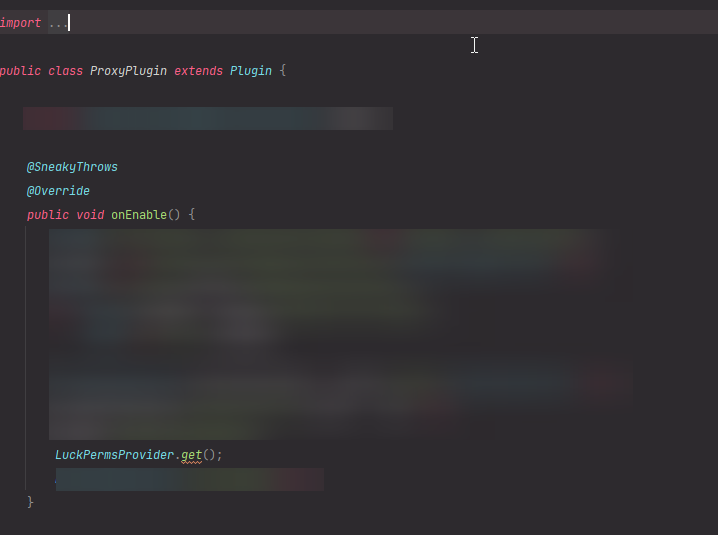
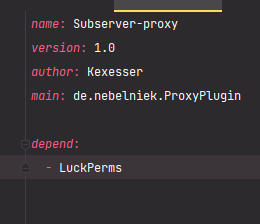 prisma hinge
Make sure you aren't shading LuckPerms in your plugin
also #luckperms-api
hard gale
Oh sorry, didn't see that. Thanks anyway gonna try that.
 flint kiln
How to stack prefixes?
tardy glacier
!stackung
wintry cloudBOT
Display multiple prefixes/suffixes alongside a player's name.
LuckPerms wiki
flint kiln
tardy glacier
!stackung
Do I have to change something in essentialschat in order for it to work?
dense kite
if you setup stacking properly, no.
flint kiln
I set it up like it said but it didnt work
wintry cloudBOT
Please use pastebin!
Seeing a paste of the problem makes everything so much easier! Use https://paste.lucko.me/ for easy pasting!
For console errors:
Pastebin any relevant segments of the console log. If it's a startup error, this includes the entire startup log!
Other errors:
Pastebin the entire LuckPerms config file (passwords removed) as well as any other relevant files!
dense kite
(redact any db info if you have it)
flint kiln
dense kite
need a little bit more information. what did you do?
my prefixes arent showing now
dense kite
do they show in /lp user <your user> info?
 low notch
how can I configure the / back command for the plugin DeadChest?
steep pawn
low notch
how can I configure the / back command for the plugin DeadChest?
youd need to seek support from them. If its not a luckperms issue, we cant help
 plucky lake
So luck perms seems to keep friendlyfire on even if i disable it using the vanilla minecraft command "/team modify"
Any idea how to fix this?
prisma hinge
LP does not handle such thing
it may be some other plugin's doings based on permissions, which LP would ""control"" indirectly
but LP itself does not handle that
!verbose
wintry cloudBOT
LuckPerms provides a verbose command to help you find out what permissions a command/plugin is checking.
Read more
LuckPerms wiki
plucky lake
prisma hinge
it *may* be some other plugin's doings based on permissions, which LP would ""c...
but when i removed only luckperms from my plugins, it was fixed
prisma hinge
right, which only proves my statement true
plucky lake
so is luckperms the issue or could it be just be a different plugin
prisma hinge
please reread what I said
[23:04] Samosa's Significant Other: LP does not handle such thing
[23:04] Samosa's Significant Other: it may be some other plugin's doings based on permissions, which LP would ""control"" indirectly
[23:04] Samosa's Significant Other: but LP itself does not handle that
And this #support-2 message
 charred oasis
hard gale
Just using this https://i.imgur.com/RWfDl84.png and this https://i.imgur.com/IBS...
charred oasis
hard gale
Just using this https://i.imgur.com/RWfDl84.png and this https://i.imgur.com/IBS...
why blur out code lmfao
 bleak ridge
Is there a way to use pex commands on luckperms? I'm used to them and they are more intuitive
sour gorge
The command syntax of luckperms can't be changed. You'll get the hang of it with a bit practice :)
bleak ridge
obviously it can be changed. I'll just write a plugin that changes it myself.
sour gorge
You asked in support, not the api channel, so i assumed you meant if there is something like a setting in lp to change it without any coding involved. But if that's so, then good luck to you
bleak ridge
sour gorge
You asked in support, not the api channel, so i assumed you meant if there is so...
I am actually looking for some extension that already exists, similar to groupmanager lp
I'd definetly prefer not coding it, but I guess I will
sour gorge
I'm unaware of any such extensions. Wouldn't it be easier to try and get used to lp commands instead of writing a whole plugin for it?
wind fiber
^, and i doubt changing the syntax of all luckperms commands will be an easy task
sour gorge
¯_(ツ)_/¯
bleak ridge
wind fiber
^, and i doubt changing the syntax of all luckperms commands will be an easy tas...
it's not that hard, but it takes a lot of time
sour gorge
I am just curious why you are willing to go to such an extent only to change the commands. What is it exactly that gives you such a hard time?
bleak ridge
Some things (like setting a prefix or adding a permission) require needlessly long commands and sometimes the commands aren't logical. Like why are you setting a parent for a player?
sour gorge
Because the group can be seen as a parent to the user, and if you think biology, you 'inherit' from your parents.
The prefix command is so long because there are multiple ways to set prefixes. Set one and replace others, add one on top, add a temporary prefix and lp also needs to know the weight or else you will end up with incorrect prefixes as soon as you have a user with 2 parent groups
It all makes sense.
wind fiber
i wouldnt call them needlessly long, id say more verbose
bleak ridge
but why isn't it like this:
lp group <group> addprefix <optional: priority> <prefix>
or for permissions:
lp user <user> add <permission> <optional: true/false> world=<world>
sour gorge
Because then again, in your permission example, you need to specify what to do: set, set a temporary one, unset - it needs to be clear what to do, otherwise, people would do something like this: lp user <user> add <permission> false -> and then tell us they 'unset' or 'removed' a permission, where really, they only set the permission to false, which, depending on the setup, can lead to problems
bleak ridge
sour gorge
Because then again, in your permission example, you need to specify what to do: ...
for a temporary one: addtemp; for unset: remove
sour gorge
Lp commands need to be longer to be clear because each command has multiple subcommands which all do different things. Lp is so extensive that there is no shortcut to it
bleak ridge
that's great if you want to do complicated things, but normally, you don't need to
sour gorge
That is true, so what'S so hard about learning the 5 commands you'll need during server ownership and let the rest be or look them up only when you need them like once a year
bleak ridge
yeah but it's more typing efford
sour gorge
Anyway, I don't want to argue here. If you don't like luckperms, nobody forces you to use it, or if you want to go as far as recoding parts of it, then again, good luck to you :)
bleak ridge
ik I'm actually having more typing efford by making this plugin to fix that 😂
mighty yarrow
Web editor 
bleak ridge
sour gorge
Anyway, I don't want to argue here. If you don't like luckperms, nobody forces y...
I like luckperms, just not the commands
wind fiber
bleak ridge
ik I'm actually having more typing efford by making this plugin to fix that 😂
also keep in mind if you change the source of the plugin to change the way commands work, it will be harder to update your plugin if a new feature/bugfix is released
bleak ridge
wind fiber
also keep in mind if you change the source of the plugin to change the way comma...
I am not gonna change the source, it's gonna be a seperate plugin, that's easier
prisma hinge
@fervent zephyr can you run /lp info and /lp user <user> info in-game in a server the syncing doesn't work properly?
 fervent zephyr
prisma hinge
<@!186799338767384576> can you run `/lp info` and `/lp user <user> info` in-game...
fervent zephyr
prisma hinge
<@!186799338767384576> can you run `/lp info` and `/lp user <user> info` in-game...
The problem is bungeecord -> spigot
prisma hinge
The problem is that spigot is pulling the changes when you log in
So bungee is publishing them properly
That's what I assume anyway
prisma hinge
prisma hinge
<@!186799338767384576> can you run `/lp info` and `/lp user <user> info` in-game...
this please
 prisma hinge
that's none of what I asked for
prisma hinge
it's fine lol

 prisma hinge
okay now /lpb user <user> info from in-game as well
fervent zephyr
 prisma hinge
do you allow for cracked/non-premium players to join the network?
fervent zephyr
prisma hinge
do you allow for cracked/non-premium players to join the network?
yes ._.
tardy glacier
._.
prisma hinge
._.
tardy glacier
me when offline mode: ._.
fervent zephyr
its drop-support time?
 fervent zephyr
Can i use nickname instead of uuid for checking permissions etc?
wind fiber
that would be a horrible idea
fervent zephyr
wind fiber
that would be a horrible idea
Why?
I'm trying to run a cracked server :/
dense kite
i don't see how a nickname would change anything ?
fervent zephyr
dense kite
i don't see how a nickname would change anything ?
The permission system is not checking by the uuid in the permission sync?
That was what i was supposing :/
wind fiber
cracked users can change their usernames if your server is not properly authenticated and you use the username instead of the uuid, users may be able to recieve permissons that they should not have access to
wind fiber
fervent zephyr
The permission system is not checking by the uuid in the permission sync?
also, offline users have uuids, they just change per server, that wouldnt be your issue
fervent zephyr
wind fiber
cracked users can change their usernames if your server is not properly authenti...
Yes, but my server has a AuthMe-like plugin
fervent zephyr
wind fiber
also, offline users have uuids, they just change per server, that wouldnt be you...
Oh
I dont know the reason for the user having to relog the network for the permission refreshes
I was thinking it was like a plugin messaging channel or something like that
I changed the server to onlinemode...
The uuid's still not the same in onlinemode!
Can somebody help me?
Bungeecord: Online Mode
Spigot: Offline Mode
i'm using bungeeguard now, the uuid's are the same
but the permissions still now sync....
 obsidian ledge
How I do /n in bungeeguard message?
prisma hinge
WARN An exception was thrown by com.earth2me.essentials.perm.impl.LuckPermsHandler$1 whilst calculating the context of subject CraftPlayer{name=Daniel2005_TTV}
someone knows what this is and how to get it away?
i got this error after i created a new group in luckperms
after i deleted it, it still comes up in console
daring stirrup
!essx
wintry cloudBOT
Essentials
Make sure you are using EssentialsX and Vault for prefixes. For any other issues with Essentials, you should seek support in either #general or the official EssentialsX support Discord.
EssentialsX Discord
prisma hinge
i know where the it comes from
everytime this user joins again, his default group is removed
daring stirrup
That error is from essentials
prisma hinge
aah oke thank you
prisma hinge
anyoneh ere
 finite sail
anyone knows how to disable players from doing /bukkit:? /help...
sour gorge
You can set the permission for it to false
wind fiber
and not crosspost :)
finite sail
serverpropt?
finite sail
sour gorge
You can set the permission for it to false
which file?
sour gorge
What
finite sail
they dont have the perms in luckperms
but they still can do it
do i give perms and set it at false?
finite sail
thanks
formal cave
deny minecraft.command.me, minecraft.command.msg, bukkit.command.version, bukkit.command.plugins
sour gorge
Spoonfeeding alert
daring stirrup
I don’t think it’s msg

 tawdry marsh
EN текст
 dapper willow
https://paste.lucko.me/imBSjmtHbz
Hey, luckperms doesn't work on my velocity
quaint idol
guessing it's a velocity version mismatch. What version velocity?
quaint idol
yeah I bet the LP builds are targeting velocity 3
 dapper willow
Okay thanks
 glossy verge
I tried to remove < > in essentials and use : after username but that didn't work. I know this isnt a essentials discord but it would be helpful if u can help with that too
wind fiber
!moss
wintry cloudBOT
Essentials
Make sure you are using EssentialsX and Vault for prefixes. For any other issues with Essentials, you should seek support in either #general or the official EssentialsX support Discord.
EssentialsX Discord
 lean swan
wintry cloudBOT
lean swan
wintry cloudBOT
If you run a BungeeCord network, learn how to correctly setup LuckPerms on all server instances (including Bungee).
Also read:
Syncing data between servers
LuckPerms wiki
 soft sparrow
one of my users says LP does not support per-server prefixes when it's synced through mysql, is it possible or not? In other words, he is unable to use %luckperms_prefix%, because it would return the same on all servers (ping me when responding)
 vagrant sierra
Hi there! I'm new at managing servers and I have a doubt about LuckPerms $ Essentials.
I've created a group (owner) and I've set its prefix and suffix. That's cool but, is there any way not to get those prefix and suffix shown while using Essentials commands like /msg?
I would prefer /msg to say "mikenex10" instead of "Owner mikenex10 >>". Prefix and Suffix (displayname) are from LuckPerms.
Thank you so much! ❤️
 sour gorge
soft sparrow
one of my users says LP does not support per-server prefixes when it's synced th...
sour gorge
soft sparrow
one of my users says LP does not support per-server prefixes when it's synced th...
If that were the case, I wonder how I did it then ;)
I'd love to see an editor link from that user
soft sparrow
@molten oak
sour gorge
vagrant sierra
Hi there! I'm new at managing servers and I have a doubt about LuckPerms $ Essen...
Have a peek at the pinned message in this channel
 molten oak
sour gorge
If that were the case, I wonder how I did it then ;)
I'd love to see an editor l...
molten oak
sour gorge
If that were the case, I wonder how I did it then ;)
I'd love to see an editor l...
then its possible?
sour gorge
Yes. I did that in the past due to having gradient prefixes for my groups and adding an event server with 1.8.8 as server version, which, we all know, hex colors wont work, so i set separate prefixes for that server to not have them show all messed up.
molten oak
I see!
But the main issue here is that:
TAB by Neznamy in the Bungee, when you want to assign someone a group you do it by permission (/lp user Mitsui2k permission set tab.group.vipaqua server=bungee), thats all cool right, except that u cant assign to a specific server, he would have the tab.group.vipaqua in all servers, as a result, he would appear as a vip in all servers in the tab list.
vagrant sierra
sour gorge
Have a peek at the pinned message in this channel
Thank you!
sour gorge
Bungee context works differently. In bungee, you would use world=<servername> instead of server=servername (or a combination of server bungee and world servername). Think about it: technically speaking, all of your servers are 'in your bungee', right? ;)
 molten oak
ohh
molten oak
sour gorge
Bungee context works differently. In bungee, you would use world=<servername> in...
So using /lpb right?
/lpb user Mitsui2k permission set tab.group.vip server=bungee world=survival
right?
sour gorge
I suggest you use the edfitor for a quick 'adding context' instead of setting the node again, so we can be sure that there is no leftover permission that might mess up the result
molten oak
i dont understand
the differnece between using lpb bungee and lp in the spigot
isnt the same database?
 high raven
it's the same database. it changes where the command is run from
molten oak
Soo
Thats the user
He is not being apply the group.
It will work if i remove the world=vanilla (Vanilla is the name of the subserver in Luckperms)
Lol
is working
sour gorge
I went to grab a coffee. What happened?
molten oak
it work
i mean
it work
but i want to know how
i did
/lpb applyedits RKbIZOP7HV
Whats the difference between in:
doing /lp user Mitsui2k editor and /lpb user Mitsui2k editor
sour gorge
Lpb targets the bungee, lp the backend. Just like larry said above. When everything is synced, it shouldn't matter if you use either, since everything on the backends will be synced by the db to the bungee instance and vice versa.
molten oak
Ok
And what if i actually want to use the context world= for a world
and not a server?
i mean how does it know to recongnize ifts a world or subserver?
high raven
if the permission is checked by LP on a backend, world contexts will be checked against worlds. If it's checked on a proxy, world contexts will be checked against backends. The permission is checked wherever the plugin doing the action is located.
sour gorge
Here, this might clear it up a little bit
 high raven
no. if you use /lpb you're running the database modification from LPB on the proxy.
it'll make the same changes to the database
high raven
i believe either way it'll return true
molten oak
high raven
i believe either way it'll return true
Larry
Do you find anyway of adding to a certain users a permission?
I need to add another context to my current vips (And bulk doesntdo that)
steep garden
Hey, who can create a temp data base for me to see if my data base have a problem or not ?
dense kite
Well what’s your issue
steep garden
This : #support-2 message
dense kite
The error is just saying LP can’t connect to your DB. Use something like heidiSQL to see if you can connect

 feral wolf
Quick question thats probs been asked a thousand times does luckperms work for 1.18?
dense kite
yes
feral wolf
cheers
 pallid trench
Hello, i have a problem with WorldGuard Regions combined with permissions. Any idea why this won't work?
to block sitting for the world works, but i can't allow sitting in specific regions
 wanton helm
I think that requires the more contexts plugins
pallid trench
We are using
Luckperms Version 5.3.74
WorldGuard Version 7.0.6-beta1+0b66f3e
CMI Version 9.0.7.0
These are the 3 Plugins, that are relevant in this point
wintry cloudBOT
Latest version
5.3.85
pallid trench
sry, wrong Number xD 5.3.74
sour gorge
Haha np
pallid trench
Last year i had the permissions used the same way and it worked .-.
sour gorge
Do you have extra context installed?
World guard region as context is not supported by lp by default. It is an addon if you will
pallid trench
🤔 in that case i have to ask "my boys"
sour gorge
If you don't yet, you can get it here: https://luckperms.net/download (scroll all the way down, the extra context plugin is what you would need)
The installation steps you can find at the top of this page https://luckperms.net/wiki/Extensions
I'm unsure tho tbh is extra context needs to be handled as extension (the guide page) or a standalone plugin in the main plugins folder. I never added it or handled it in any way, so I'm just gonna smash all the info of the website on you xD
pallid trench
Yeah thanks ^^
I was fighting with this sitting stuff for days... asked if we had this extra last year and got a: Yeah we had... 🤣 my nerves
sour gorge
https://github.com/LuckPerms/ExtraContexts
Just found this, so my own questionm was answered here: extra contexts jar goes into the plugins folder, not extensions
i never needed this
So excuse that im a little uneducated with it 😅
pallid trench
Neither do we, just for events 😄
Your answer was very, very helpful because no one thought about that extra addon xD
sour gorge
Haha, glad i made a difference :D
 tepid violet
I played in the old days of permissionsEx and manually editing the permissions.yml file. In the future, I plan to have a server network. I would like to use the YAML format while I am setting up a new, single smp server since that is what I am use to.
Will I be able to easily export everything to a database or flatfile in the future?
wanton helm
!migration
wintry cloudBOT
Learn about the process of migrating from another permission plugin.
Read more
LuckPerms wiki
wintry cloudBOT
If you wish to change your storage type (e.g. to YAML or MySQL) you may need to follow these instructions to ensure your groups and permissions are migrated to the new storage type.
Read more about the Storage types
LuckPerms wiki
tepid violet
thank you both
 frosty beacon
luckperms not load
wintry cloudBOT
If you run a BungeeCord network, learn how to correctly setup LuckPerms on all server instances (including Bungee).
Also read:
Syncing data between servers
LuckPerms wiki
frosty beacon
wintry cloudBOT
Please use https://paste.lucko.me to send files in the future. I have automatically uploaded message.txt for you: https://paste.lucko.me/JBJwhDf0wW
sour gorge
!libsdir try this
wintry cloudBOT
LuckPerms dependencies
LuckPerms requires several libraries in order to operate. If you're getting a startup error such as NoClassDefFoundError, ClassNotFoundException or "Unable to load dependency...", stop your server, delete the /plugins/LuckPerms/libs/ directory and start it up again.
daring stirrup
?
 tropic sierra
works on 1.18?
wanton helm
Yes
wintry cloudBOT
Latest version
5.3.85
wanton helm
Np
prisma hinge
how to make space in suffix?
/lp user Keendi meta setsuffix &bGuard &r survival
I want to make 1 space
dense kite
wrap the suffix in double quotes
wind fiber
/lp user Keendi meta setsuffix "&bGuard &r" survival
wind fiber
i know ||/j||, no problem, happy to help :)
dense kite
they were obv talking to me 😉
wind fiber
i refuse to believe that
prisma hinge
and how can i clear meta for all players?
daring stirrup
!bulk
wintry cloudBOT
Quickly update a large amount of user and group permissions by using the bulkupdate command.
Read more
LuckPerms wiki
prisma hinge
daring stirrup
!bulk
can u make for me this command? I don't want to spoil anything
tardy glacier
yes
 neon cave
Thanks :3
 twilit rune
We get this error on launch in the console:
[Netty Epoll Server IO #1/WARN]: Method overwrite conflict for getLanguage in luckperms.mixins.json:ClientSettingsC2SPacketAccessor, previously written by carpet.mixins.ClientSettingsC2SPacket_scarpetMixin. Skipping method.
The server still works, but I'm wondering if this could have anything to do with a problem we had with a mod (StyledNicknames) that couldn't get player permission data to load properly when they connected.
high raven
looks like carpet is conflicting with LP
twilit rune
I'm aware of that, but I don't know what specific problems that mixing failing to apply would cause. Can anyone here explain what that mixin affects?
high raven
As far as I know, it would at most cause troubles with translations. Not certain on that tho
 long jasper
I have an error on my proxy : https://paste.lucko.me/wIpQffQX1j
 soft cosmos
twilit rune
I'm aware of that, but I don't know what specific problems that mixing failing t...
soft cosmos
twilit rune
I'm aware of that, but I don't know what specific problems that mixing failing t...
seems like you're not using the fabric 1.8 version
try the version from here
LuckPerms - A permissions plugin for Minecraft servers.
LuckPerms is a permissions plugin for Minecraft servers. It allows server admins to control what features players can use by creating groups and assigning permissions.
I'll update curseforge shortly
 silk dome
Hello, we have so many groups, every group has its weight set up, going from 5,10,15,20 etc. Is there any way we can place a user into higher priority group with 1 command?
So instead me doing /lp user user parent set a2 ( lets say the user is now in group a1)
is it possible to somehow just to rank him up by one command, so i type /something somthing and it puts him in the next group with higher priority and removes him from previous?
So everytime we do that /something somthing command players goes from a1 to a2 to a3 etc etc
 quartz lotus
guys how can I hide these commands from players that do not have the permission to run them?
 wanton helm
quartz lotus
guys how can I hide these commands from players that do not have the permission ...
wanton helm
quartz lotus
guys how can I hide these commands from players that do not have the permission ...
use a tab completer block plugin
twilit rune
soft cosmos
seems like you're not using the fabric 1.8 version
We're still on 1.17.1.
prisma hinge
Quick question, do I need to wait for LuckPerms to be compatible with 1.18? Or would the current version work anyways?
prisma hinge

 waxen zephyr
does this plugin have a tcp keep-alive functionality when using a mysql service as the backend storage, if so why would enabling SSL connectivity on my sql server cause issues
edit; looks like it does but might be disabled by default can someone confirm
 buoyant cradle
hello good one question about the set weight applies from lowest to highest or from highest to lowest I need help with that plis
wanton helm
Lowest to highest
sour gorge
No. One server doesn't know about the existence of other servers, nor can servers access other server's data . This is exactly why a remote database is needed, so one server uploads changes to the db, which other servers can see
 rugged flume
what if i create a hard link to the file?
sour gorge
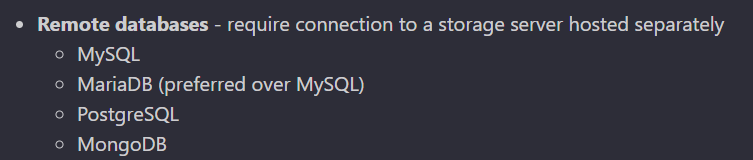
It's likely that you get read and write issues, errors etc if you tried some hacky way
rugged flume
seem to work? just don't feel like using remote database
sour gorge
Why^^
rugged flume
well i messed it up 4 time
and had to restart all over
set server_storage_path="D:\Server\Minecraft Server\Waterfall Proxy\plugins\LuckPerms\yaml-storage"
mklink /h %server_storage_path%\groups.yml %storage_path%\groups.yml
mklink /h %server_storage_path%\tracks.yml %storage_path%\tracks.yml
mklink /h %server_storage_path%\users.yml %storage_path%\groups.yml
mklink /h %server_storage_path%\uuidcache.txt %storage_path%\uuidcache.txt
mklink /h %server_storage_path%\actions.txt %storage_path%\actions.txt
PAUSE```
I am creating hard link for all the individual file in the yaml-storage with watch mode on true in the config. not sure if this will cost me in the long run but it work? topaz night
Is there a way I can copy and paste a bunch of permissions between two different servers editors? Instead of typing each on in manually?
[3:42 PM]
I'm trying to connect several servers to the same mysql database, but the other 2 servers already have pre-setup permissions. So I'm trying to make sure the proper permission from the pre-setup groups are in the proper groups in the new server so when I change the others over to the new mysql all the permissions are already properly added. Sorry if that sounds confusing
 tame hollow
topaz night
Is there a way I can copy and paste a bunch of permissions between two different...
tame hollow
topaz night
Is there a way I can copy and paste a bunch of permissions between two different...
You just need to export the permissions then import them again when you sync the databases
autumn hatch
!color
wintry cloudBOT
Sorry! I do not understand the command color Did you mean colors?
Type !help for a list of commands
wintry cloudBOT

 pale grove
Is it possible to bulkedit meta data? I'm using LPC, a chat plugin and they have a custom meta data feature for changing chat and name color. What I want to do is remove every instance of meta data called "message-color" however I can't figure out if or how to utilize the bulk edit command for this.
autumn hatch
how can i give to a rank all lp permissions?
wind fiber
luckperms.*
autumn hatch
ty
daring stirrup
@prisma hinge
prisma hinge
ty ty
 cerulean mango
ok so someone on my server changed their name, but the permissions/rank didnt switch. how do i make it so it automatically does?
wanton helm
You want the permissions to change because they changed their name?
cerulean mango
no they changed their name and it didnt transfer the permissions. so the old name has the persmissions and the new name has the default permissions
wanton helm
Are you running in offline mode?
cerulean mango
no i dont think so
cerulean mango
uuids?
wind fiber
what is online-mode set to in server.properties?
cerulean mango
okay sorry it did actually change, the player just needed to log on after the name change lol
wind fiber
lmao
cerulean mango
yeah the person asked on discord if it would change their rank, so checked if it worked but realized they havent logged on yet
 smoky oyster
i've set up the ranks but the prefixes won't show in chat?
 tidal blade
!formatting
wintry cloudBOT
LuckPerms does not perform any chat/tablist formatting of its own!
LuckPerms only acts as the source for prefixes / suffixes, it doesn't actually apply them. You need an appropriately configured chat/tablist formatting plugin for them to be displayed. If the values appear correctly when you run /lp user <user> info, LuckPerms is doing its job!
FAQ answer: Prefix isn't showing?
List of chat/tablist formatting plugins that work with LuckPerms
smoky oyster
aternos isn't compatible with the newest version of vaultchatformatter?
is the vaultchatformatter needed for this circumstance?
 smoky oyster
does placeholdapi work instead of vault?
smoky oyster
how do i get rid of the outer <>
 sour gorge
Format your chat plugin. Luckperms does not touch your chat. It's a permission plugin. Not a chat plugin^^
smoky oyster
in the config files?
 daring stirrup
Yes
smoky oyster
: D
 void hinge
How to make a privilege withdrawal on the website?
 white trail
Maybe i am stupid af, but why in the hell arent my preffixes and so dont showed in the game?
quaint idol
!chat
wintry cloudBOT
LuckPerms does not perform any chat/tablist formatting of its own!
LuckPerms only acts as the source for prefixes / suffixes, it doesn't actually apply them. You need an appropriately configured chat/tablist formatting plugin for them to be displayed. If the values appear correctly when you run /lp user <user> info, LuckPerms is doing its job!
FAQ answer: Prefix isn't showing?
List of chat/tablist formatting plugins that work with LuckPerms
sour gorge
white trail
Maybe i am stupid af, but why in the hell arent my preffixes and so dont showed ...
I'm glad you used a full sentence to describe you issue anyway. Some people just go "luckypermis no work" 😂
white trail
i also have essentialsx + essentials chat installed
sour gorge
You may be missing vault
white trail
do i still need vault?
sour gorge
Vault communicates prefixes between lp and essentials
white trail
ahh
sour gorge
So you tell me ;P
white trail
so that means i am stupid af?
white trail
Would you mind if we could call and i show you all my problems ? i spend my whole day getting my server to run properly
and fail since hours
sour gorge
I'm sorry but i am in the middle of figuring out why my plugin isnt handling my chat lol. Feel free to dm me pictures and explain briefly what you need or we can stick to this channel. But i cant vc
wind fiber
just to check, you have vault installed now and prefixes still dont work?
dense kite
sour gorge
I'm sorry but i am in the middle of figuring out why my plugin isnt handling my ...
have you tried asking nicely?
white trail
wind fiber
just to check, you have vault installed now and prefixes still dont work?
i am on my way installing vault, but there are several more problems
white trail
sour gorge
I'm sorry but i am in the middle of figuring out why my plugin isnt handling my ...
i will try this and then i will dm you
dense kite
if they're unrelated to LuckPerms, you could always throw the message in #general. there are a lot of smart people who could help with it.
sour gorge
So many choices today
My neighbors are listening to my music xD idk i feel daring today haha
white trail
i mean they are kinda all relevant to luckperms. i shitted on a permission plugin before and then realised that none of my buddies could play anymore because i remove any other plugin becaue i found out that essentialsx most do everthing lol
sour gorge
😂
white trail
nice now that i installed vault i completely fucked up my suffix and preffixes. big ooof
any thanks for the help
sour gorge
Showing us pictures will definitely help us get the issue
Remember that prefixes and suffixes are displayed by weight
So if you have 3 million suffixes, the one with the highest weight will show
If you have double prefixes and suffixes rn, look at the pins in here. Silvercore once made a post about all kinds of prefix issues in combination with essentials
Maybe what you need is there
white trail
so i completty removed everthing i done the past hour
to start over
but now i still have 2 times the same prefix for my name
sour gorge
Look at the pins
Silver mentions a fix for it in the pin
Its really easy to fix
Duuuuude https://i.imgur.com/Wpsn34c.png
I found it
Fml
white trail
sour gorge
Its really easy to fix
i love u
sour gorge
Love you too
white trail
<3
sour gorge
♥️
tardy glacier
smoky oyster
when i check my lp listgroups the weight doesn't show why is that?
tardy glacier
Can you screenshot
smoky oyster
oh nevermind
tardy glacier
ok
 quaint bane
he i am getting this error
wintry cloudBOT
Please use https://paste.lucko.me to send files in the future. I have automatically uploaded message.txt for you: https://paste.lucko.me/Dr0zR6MQKP
quaint bane
@sour gorge @full flume @pale pond can u help me out
wintry cloudBOT
Hey !੮૯८Һע_! Please don't tag helpful/staff members directly.
 pale pond
No just wait for someone to respond
quaint idol
quaint bane
he i am getting this error
LP could not connect to your databse. Check your firewalls, ensure the correct IP and port are in the config, etc
 wise scroll
Hiyo ^^
My chat keeps displaying the prefix that people have twice, even after changing the Essentials stuffies, anyone that could help me?
 tardy glacier
luckperms doesnt handle displaying prefixes in chat
wise scroll
Poopppp im stupid, sorryyyy asked in the wrong server 🤣
 balmy kayak
Can't connect to database, I only get a lot of errors, here's a least one of them https://pastebin.com/QUVscZCJ
Pastebin
Pastebin.com is the number one paste tool since 2002. Pastebin is a website where you can store text online for a set period of time.
wintry cloudBOT
LuckPerms cannot connect to your MySQL server
Read More
Caused By
java.sql.SQLTransientConnectionException: luckperms-hikari - Connection is not available, request timed out after 5000ms.
https://pastebin.com/QUVscZCJ | Sent by EasyMcCheesy
wanton helm
@tidal blade
wintry cloudBOT
Hey plenguin! Please don't tag helpful/staff members directly.
wanton helm
A very poor phrased message
Trying to scam
If you are trying to scam at least have correct grammar
 fathom peak
also mein freund hat nen server er z.B. mir jetzt op er macht den wartungsmodus an und ich werde trotz op vom server gekickt
jetzt brauch er halt hilfe
sour gorge
Dieser wartungsmodus, woher kommt das? Ist es ein plugin?
fathom peak
ich denke nicht
sour gorge
'ich denke' ist immer doof. Ich hätte das gerne ganz genau gewusst
fathom peak
sry muss leider los hättest du später nochmal zeit?
sour gorge
Erst fragst du nach hilfe, jetzt sitz ich hier und reserviere zeit für dich, und nu haust du ab. Freundlich ist das nicht, muss ich dir sagen. Ob ich später noch hier bin kann ich nicht versprechen.
fathom peak
😔
tardy glacier

fathom peak
Zero das ist ein bungeecord Plugin
 atomic egret
Dann habt ihr LuckPerms wahrscheinlich nicht auf den Bungeecord Server installiert. Das Plugin muss auf allen Spigot-Servern UND dem BungeeCord installiert sein. Außerdem müssen beide Server auf die selbe Datenbank zugreifen. Wenn ihr meine Datenbank nutzt, müsst ihr euch eine externe Datenbank wie MySQL zulegen und LuckPerms so konfigurieren, dass die Daten synchronisiert werden.
 dusty quarry
i want to make command upgrade that you from player to player++ for 100$ in game money
 pulsar sequoia
Is it possible to make it so someone is unable to break blocks in the overworld but not hte nether?
sour gorge
!bungeecheck for me
wintry cloudBOT
Running a network and getting UUID mismatches?
Please double check that:
1. BungeeCord config.yml has ip_forward and online_mode set to true
2. All backend servers' spigot.yml has bungeecord set to true
3. All backend servers' server.properties have online-mode set to false
 sturdy quiver
is it possible to get the prefix of a certain player with placeholderapi?
wind fiber
!placeholders, yes!
wintry cloudBOT
Display data such as user prefixes and groups from LuckPerms in other plugins.
Read more
LuckPerms wiki
sturdy quiver
wind fiber
!placeholders, yes!
I already saw that page, just wasn't sure of the specific placeholder that supported a specific player
dense kite
you can use /papi parse <player> <placeholder> to do that.
sturdy quiver
dense kite
you can use `/papi parse <player> <placeholder>` to do that.
that doesn't entirely solve my question
I want to integrate it with my ajparkour leaderboard,
so I can't define the player beforehand
I have no idea if what I'm attempting to do is even possible, that's why I came here
dense kite
you want to get another players prefix, on your scoreboard?
or, whatever you're doing with ajparkour
sturdy quiver
dense kite
you want to get another players prefix, on *your* scoreboard?
essentially, yes
dense kite
no, i don't believe that's possible. not without some sort of modification at least
sturdy quiver
no problem! thanks for your help.
 lament cliff
are all getting erroe while connecting to mysql??
wait no all plugins are giving the same error
wtf
 ancient nova
do i need to add luckperms bungee to my proxy server and add it to the mysql to use the server contexts on in the permissions
 lilac herald
Hey, after i have install luck perms on my mohist 1.12.2 server, my server dont start, this is the log before my server stop : ```> [20:33:34 WARN]: The command bountiful (ejektaflex.bountiful.command.BountyCommand) incorrectly overrides compareTo!
[20:33:34 WARN]: The command ea-medal (zabi.minecraft.minerva.common.mod.Minerva$1) incorrectly overrides compareTo!
[20:33:34 WARN]: The command bountiful (ejektaflex.bountiful.command.BountyCommand) incorrectly overrides compareTo!
[20:33:34 WARN]: The command bountiful (ejektaflex.bountiful.command.BountyCommand) incorrectly overrides compareTo!
[20:33:34 WARN]: The command texture (com.mic.randomloot.commands.SetTextureCommand) incorrectly overrides compareTo!
[20:33:34 WARN]: The command thaumicaugmentation (thecodex6824.thaumicaugmentation.server.command.CommandTAGeneral) incorrectly overrides compareTo!
[20:33:34 WARN]: The command thaumicaugmentation (thecodex6824.thaumicaugmentation.server.command.CommandTAGeneral) incorrectly overrides compareTo!
[20:33:34 WARN]: The command ea-medal (zabi.minecraft.minerva.common.mod.Minerva$1) incorrectly overrides compareTo!
[20:33:34 WARN]: The command trait (com.mic.randomloot.commands.AddTraitCommand) incorrectly overrides compareTo!
[20:33:34 WARN]: The command reforge (com.mic.randomloot.commands.ReforgeCommand) incorrectly overrides compareTo!```
How to solve this, thanks for your help ...
this is RAD lite modpack and my server run in offline mod
mighty yarrow
doesn't look like an LP error 
You may have better luck in Mohist discord tho, not too many here are familiar/support hybrids
lilac herald
but it's dont crash without LP, do you whant full logs ?
mighty yarrow
Im not familiar myself heh. you can post them tho, someone may know more
lilac herald
thx
mighty yarrow
!paste
wintry cloudBOT
Please use pastebin!
Seeing a paste of the problem makes everything so much easier! Use https://paste.lucko.me/ for easy pasting!
For console errors:
Pastebin any relevant segments of the console log. If it's a startup error, this includes the entire startup log!
Other errors:
Pastebin the entire LuckPerms config file (passwords removed) as well as any other relevant files!
mighty yarrow
if needed
dense kite
I love how spammy forge logs are.


 wind fiber
its because of the log exploit they are stopping people from searching about it
dense kite
tbh, i was wondering why searching for argbased earlier turned up nothing.