#support-2
1 messages · Page 89 of 1
 west bison
 prisma hinge
hm?
west bison
fixed it
prisma hinge
perfecto
west bison
my apologies :/
prisma hinge
no need for an apology !
west bison
i have this problem where despite recursively setting my files to adopt the ownership settings of my directory, they still just lose perms each time. so i have to set them quite often
kinda annoying
that made one of the files blocked from LP accessing it
hope this helps other people with the issue. ill paste the error so they can search for it
 west bison
lost connection: [LP] A database error occurred whilst loading permissions data. Please try again later
prisma hinge
The only thing I can think of is, on linux, either running the server as root and then trying to run as a regular user or something else running as root doing some touchy touchy to server files or dirs the server might use (e.g. /tmp/)
On windows I can't think of anything cuz windows
west bison
ubuntu
apparently
sudo chown -R someuser:someuser /somedirector
is the fix
which is does, but then it happens again
oh no
i updated and it wiped my perms
 prisma hinge
gotta love perms on Linux uh
prisma hinge
if you end up using the editor session you don't run lp applyedits btw, you use /lp import <code> --upload (<code> being this:)

but if you have a backup definitely try that first I guess
west bison
oh god
prisma hinge
hm?


 west bison
weird

everything is there
but nobody has perms
prefixes lost
i just updated these

reloaded server
and now this :/

and now theyre all back
after i set my own permission
prisma hinge
west bison
reloaded server
uh yeah don't reload :d fully restart the server instead
west bison
i did
prisma hinge
hm
west bison
thats what i meant but i dont say restart because everyone panics and thinks its a reset
but it fixed itself when i set my own permission
o.o
 west bison


only thing that happened inbetween these messages was me giving myself LP perms
scary stuff
prisma hinge
hu
 kind palm
Hello! I'm having an issue where it's not registering players. So I'm unable to add them to perm groups.
 balmy marsh
kind palm
Hello! I'm having an issue where it's not registering players. So I'm unable to ...
balmy marsh
kind palm
Hello! I'm having an issue where it's not registering players. So I'm unable to ...
use a command in-game to do it. not the editor.
kind palm
Well shoot that worked. Thanks!
balmy marsh
kind palm
Well shoot that worked. Thanks!
Not a problem! The editor will not show members who don't have any groups/permissions that are different than the default, just to add on to why they're not showing ^^
balmy marsh
The problem with cross posting 😔
 buoyant bay
any solution ?
 prisma hinge
buoyant bay
any solution ?
prisma hinge
buoyant bay
any solution ?
Why do you ping me?
buoyant bay
my intention was not to ping you, I m just trying to resume the topic,
sorry if you get disturbence
prisma hinge
Blitz told you to suggest this change to luck. What do I have to do with it?
Move to github, post this suggestion there, make sure you include all the info needed, what you are aiming to do, and wait for lucks response, don't ping him here. Make a proper suggestion on git like everyone else
buoyant bay
okey
 runic fable
lost connection: [LP] A database error occurred whilst loading permissions data. Please try again later. If you are a server admin, please check the console for any errors.
pls help
 inland gale
runic fable
lost connection: [LP] A database error occurred whilst loading permissions data....
inland gale
runic fable
lost connection: [LP] A database error occurred whilst loading permissions data....
Pls don't cross post. #support-1
 plush spoke
I have the same thing that de kid, but not me who got disconnected, just 2 people I've add on whitelist today I don't think it's the same issue
I'm running on Ubuntu 20.04
prisma hinge
it probably isn't, de kid's issue was... quite unique
prisma hinge
plush spoke
I have the same thing that de kid, but not me who got disconnected, just 2 peopl...
Please grab your latest server log (found in logs/latest.log) and put it on https://paste.lucko.me/
Make sure to send the link to the logs to this channel.
plush spoke
Yes give me a second
Alright sorry the latest log is very long cause an error from essential is spamming no stop when I was at work 🥴
LP error start around line 21509 [17:55:48] ...
 prisma hinge
you have way bigger issues than luckperms lmao
does it immediately start spitting errors as soon as you restart?
 dense kite
thats a scary log
plush spoke
prisma hinge
does it immediately start spitting errors as soon as you restart?
From essentials yes since a while, I'll have to fix that eventually I don't know from where it is spitting random uuid from userdata
I opened this mc server for my discord server since a while and have very limited knowledge in plugin and error gestion
Just first time I got problem with people not able to join after I add them in my whitelist and they all got a LP message
Others person which already joined before don't have this problem
prisma hinge
plush spoke
From essentials yes since a while, I'll have to fix that eventually I don't know...
Have you run the server with sudo / as root before?
You have some weird file permission issues lol
 wispy dragon
uhhh
this is weird
So I have a hub plugin for bungee
But when I do /hub on the server, it says I don't have permission
even though the plugin has no permission for the command
prisma hinge
Is the hub plugin on the proxy server or the backend spigot server?
wispy dragon
proxy server
prisma hinge
Do you have LP on the proxy?
wispy dragon
yeah, I have lpb on it
prisma hinge
While online run in the console lpb verbose command <yourself> /hub
wispy dragon
Well that just helped me find the issue
looks like my auth plugin has a /hub command
and it has been overriding all the other plugins this entire time
 prisma hinge
Well there you have it
wispy dragon
lmao thanks
I'll remember that command from now on
uhm
back with another one
im trying to link all my server permissions
they are all using the same database
but for some odd reason my practice server has different groups and stuff compared to my other servers
dense kite
make sure everything is the exact same. login details, storage type, table, etc.
wispy dragon
they are both mysql
and the credentials are the same
is the table the database prefix?
on each of the data?
dense kite
okay, near line 159, it should have a config option labeled table-prefix make sure they're the same in all configs.
wispy dragon
hmmm
looks like that's what's causing it
makes sense since i was using a server setup
for some reason the person who made it changed the tables
dense kite
im assuming it's different than luckperms_ on your practice server?
wispy dragon
yeah it was lp_
I changed it to luckperms_
and restarted the server
but the issue hasnt changed
dense kite
from console, does lp listgroups show the same groups on your practice server?
dense kite
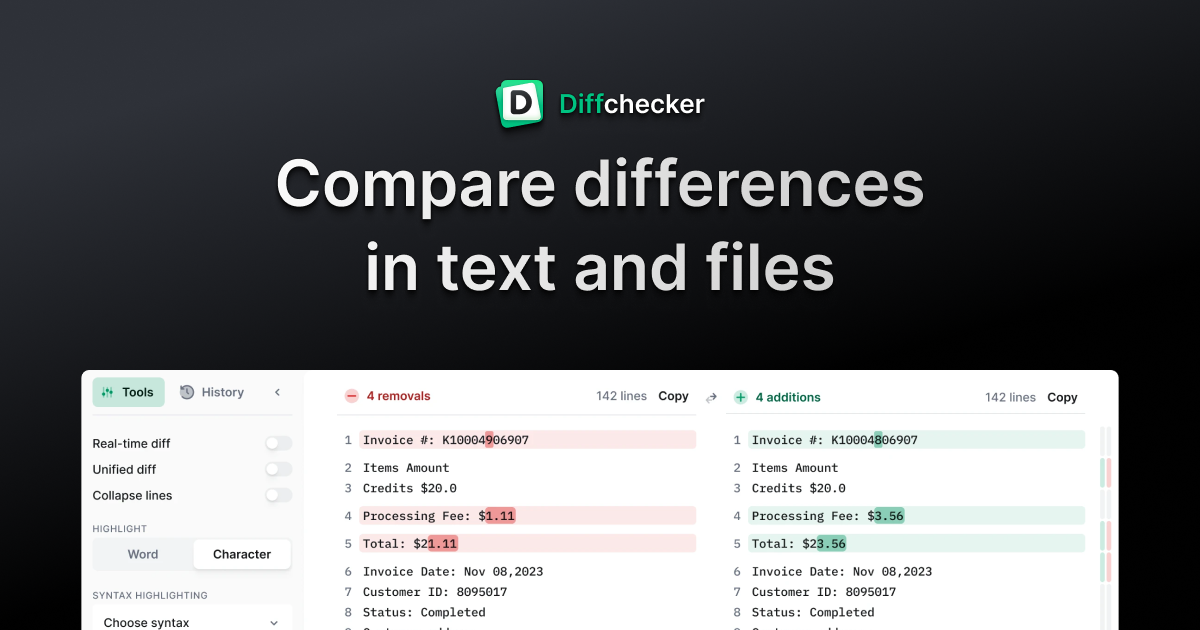
okay, https://diffchecker.com
use this site, put your config from server 1 into the left, put the config from your practice server into the right, and click find difference
the only think that should be different is the server: option.
(unless you've got more than that changed)
 wispy dragon
okay
alright so the server names are of course different


the vault-server is different
and this
 wispy dragon
wispy dragon
wispy dragon
is it this causing it?
is it safe for me to copy and paste the other one onto practice?
and update the server name
dense kite
wispy dragon
is it safe for me to copy and paste the other one onto practice?
i would say yes, but if you want to wait on someone who knows more than i do, it might be safer to hold off.
wispy dragon
okay
 whole gust
Hello, I'm a very experienced 1.16/1.17 velocity/paper server owner, however I'm playing around with a SpongForge 1.12.2 Pixelmon server and am having a serious problem with LuckPerms. I have all of my LuckPerm groups setup and the perms defined....but it's almost like LuckPerms isn't recognizing users when they log in. I manually added the users to LP via the command line in game (and they are now listed in the web editor) but the member users still can't run any commands like /spawn. LP is acting like it's either not recognizing the players when they login, or is not connecting to the YAML storage. Is their something I'm completely missing here for a SpongForge setup? (When I launch the Web Editor all the correct permissions and memberships are listed....which means it is storing/reading the DB data)
 mighty yarrow
what happens when they try to run a command?
what message do they get
also send your latest.log file pls
!paste
 wintry cloudBOT
Please use pastebin!
Seeing a paste of the problem makes everything so much easier! Use https://paste.lucko.me/ for easy pasting!
For console errors:
Pastebin any relevant segments of the console log. If it's a startup error, this includes the entire startup log!
Other errors:
Pastebin the entire LuckPerms config file (passwords removed) as well as any other relevant files!

 whole gust
When non-Op player in the members group executes a command it says "You don't have permission to use this command!"
I'm running UniverseGuard (like World Guard), there is a stong chance there is a global setting that is causing the problem...still investigating that end. (I think it check out ok)
....Checking Nucleus next....
Latest Log:
https://pastebin.com/4DR0j8Me
mighty yarrow
Nucleus wouldn't stop players from running commands, are you sure you added the right perms?
!verbose check with verbose
wintry cloudBOT
LuckPerms provides a verbose command to help you find out what permissions a command/plugin is checking.
Read more
 LuckPerms wiki
mighty yarrow
LuckPerms wiki
mighty yarrow
I don't really see any issues in your log
plush spoke
prisma hinge
yeah don't... do.. that
Why I shouldn't? It is juste another user but supposed to have same permission than root
prisma hinge
1:

2: because then you have the issues with file permissions you are currently experiencing . . .
with both EssX and potentially LP (and a bucket load of other plugins too probably, wouldn't know)
plush spoke
prisma hinge
1:
Oops sorry about that
Alright running on root and now EssX seem to stop spamming error
About LuckPerms I will see tomorrow with those who get this error, I can't verify myself now
About root obviously will have to found a way to make it work as non-root user, everyone know isn't ideal about security.
 true nexus
ok so I have a really weird problem
for some reason when I start my server it defaults me to the default group, when I have the group.owner permission when I check the editor, but after a reload it works as normal.
oh and I get this error on startup https://pastebin.com/y4dzRjhH
Pastebin
Pastebin.com is the number one paste tool since 2002. Pastebin is a website where you can store text online for a set period of time.
whole gust
mighty yarrow
Nucleus wouldn't stop players from running commands, are you sure you added the ...
Checking with verbose...per the perms...I literally copied the whole nucleus perm list to a spreadsheet, sorted by the USER defined perms, copied that list into the LP Web Editor, and added the perms. ...They should be perfect.
Ummm IDK what I'm supposed to do with Verbose...and what it does.
whole gust
Found the issue, big fat typo, the "member" group name was "memeber"....all better now!
 tame hollow
i prefer memeber
 tidal blade
^ same
 mint parrot
Is it possible to transfer the entire database to another server, including groups, tracks. If so, how?
 daring stirrup
!switch
wintry cloudBOT
If you wish to change your storage type (e.g. to YAML or MySQL) you may need to follow these instructions to ensure your groups and permissions are migrated to the new storage type.
Read more about the Storage types
LuckPerms wiki
daring stirrup
Export n import
 slate moon
hi, how do you set a players primary group please
when a player joins for first time they get the default group, when i add them to the vip group. they join it but their primary stays default, so their tablist prefix stays as player prefix from default instead of vip prefix of vip group.
nevermind, i think i've found it /lp user <user> parent switchprimarygroup <group>
prisma hinge
slate moon
when a player joins for first time they get the default group, when i add them t...
you should perhaps set your vip group to a higher weight than default, this will solve your issue without having to switch primary group on each user.
slate moon
prisma hinge
you should perhaps set your vip group to a higher weight than default, this will...
what i tried didn't work anyway but, my ranks have always had their weights set. My problem is i use png ranks and i've just realised that something is placing a png rank beside my name above my head. Problem is i have no idea what is doing it because i've never installed a plugin to do that. i'm looking through all my plugins but have not found the cuplrit and changing the primary group hasn't changed it from player to admin. Will just need to keep searching.
prisma hinge
Hm yea you will have to look at what plugin does that, and my personal idea is that your groups need a permission for said tag. Just logically thinking, how would a third party plugin know what tag to apply to which rank? So I'm thinking you may need to add <pluginnameFortheTags>.admin to group admin so it changes on group change. Hope it's clear what i mean
 viral gale
I wanna update my LuckPerms Plugin but i am scared if I delete it and install the new one all my ranks and perms are gone. Or are they saved somewhere on the Server?
slate moon
viral gale
I wanna update my LuckPerms Plugin but i am scared if I delete it and install th...
just download the whole plugin folder from your server to your desktop
prisma hinge
viral gale
I wanna update my LuckPerms Plugin but i am scared if I delete it and install th...
Just replace the jar, not the folder. If you use flatfile, which is the default storage method, then your data is located inside the folder, meaning the jar is safe to be replaced nonetheless
slate moon
its good practice to backup your server and to your pc
 nimble nacelle
Hey, I want to make website that will provide buying ranks like vip etc. I wonder if there's way to update user group by updating row in mysql. I was trying to do it manually but luckperms on server can't recognize changes that happened in mysql. Or there is other way to do it like creating files that will send command to server to update user group?
prisma hinge
Can't you just make it dispatch a command to the server?
nimble nacelle
Is it possible to send request from external server to mc server that will run command in console?
inland gale
Yea, that's common. Don't try to edit the databases yourself
nimble nacelle
So if I can't edit database by myself, how can I do what I want? Should I make post request from my website to mc server to run command? I don't it's possible.
prisma hinge
Well it requires a plugin that listens to the request of course
But that's what and how a lot of stores do it, they require a plugin, listen and dispatch
You can edit the db yourself but LP won't automagically reload the data from it, it still requires a /lp networksync to be ran so for that matter you can just.. not edit the db and dispatch the command making the changes you want instead
/lp networksync should not be taken lightly though FYI
tame hollow
isn't rcon a thing?
prisma hinge
True
 torpid anchor
ima cry prefix aint workin 😩
dense kite
torpid anchor
ima cry prefix aint workin 😩
I can guarantee crying will not help you. Make sure you’ve got a chat formatting plugin, as well as any dependencies it may need.
torpid anchor
I got essentialschat n it won’t work
dense kite
Do you have vault
wintry cloudBOT
Please use https://paste.lucko.me to send files in the future. I have automatically uploaded message.txt for you: https://paste.lucko.me/MZi9g7YftV
prisma hinge
Moon, can you do the same as zeus did? Post the error here again as well as your config and where you host your db and server so i have everything in one place?
Kind got very scattered in sup1
 grim locust
prisma hinge
Moon, can you do the same as zeus did? Post the error here again as well as your...
grim locust
prisma hinge
Moon, can you do the same as zeus did? Post the error here again as well as your...
thanks bud
console log : https://pastebin.com/qacA585N
Config : https://pastebin.com/WnhcUHwR
wintry cloudBOT
LuckPerms cannot connect to your MySQL server
Read More
Caused By
java.sql.SQLTransientConnectionException: luckperms-hikari - Connection is not available, request timed out after 5001ms.
https://pastebin.com/qacA585N | Sent by Moons
prisma hinge
you made a db entry with this name? xD
 grim locust
prisma hinge
you made a db entry with this name? xD
grim locust
prisma hinge
you made a db entry with this name? xD
Was already there 

i tried making another but it doesn't let me :/
 prisma hinge
Yep, a permissions issue
grim locust
is this something i need to ask my service provider about or something im able to change myself? and wont LP just hook into this ? #support-2 message
prisma hinge
The db name doesn't really matter, as long as it's there. So far it looks like your user that lp is trying to use to connect, doesnt have proper privileges to the db
grim locust
ill try make again , does it matter what dropdown i use here?
 prisma hinge
So you can try to either give yourself privileges, or even a whole new user (i myself use a separate one for plugins and not the root user)

That worked for me since day 1
grim locust
thanks dude ill go slap up my host provider why i dont have full permissions
prisma hinge
Go get 'em! >:D
 grim locust
prisma hinge
Go get 'em! >:D
grim locust
prisma hinge
Go get 'em! >:D
just realised my database is running off my bungeecord server does this matter?
tidal blade
grim locust
just realised my database is running off my bungeecord server does this matter?
Nope
torpid anchor
Ayy anyone try to get prefix to work wit essentials chat cuz it won’t work
prisma hinge
Have you got vault?
 misty flume
prisma hinge
Have you got vault?
misty flume
prisma hinge
Have you got vault?
how do i merge them?
nimble nacelle
tame hollow
isn't rcon a thing?
Yeah i found out it like 3h later. I found npm package that connects to rcon and executes commands. Anyway it works fine now 
grim locust
oh shit is vault not supported with lp?
dense kite
it is?
grim locust
ah oki
 unborn iris
Hey, I started using LP yesterday and I finally think I have all the permissions setup with restrictions to promote and demote for different ranks. But my problem is when I have argument-based-command-permissions set to true it overwrites my OP permissions which I have set to always work. So if I demote myself for example then I cannot promote myself again since that's not what you normally can do at that rank.
inland gale
Give yourself luckperms.* by doing that you will never shut yourself out
unborn iris
but should that really be needed? I mean thanks for the suggestion but it seems like a way to cheat it kinda
inland gale
It's not cheeting because you always need the luckperms perms. Instead of luckperms.* You can also define the needed perms, but * is the easiest way to declare yourself the owner
unborn iris
And this permission didn't fix my problem unfortunately
prisma hinge
what are you trying to achieve
unborn iris
I want the OP to always have all the permissions need
prisma hinge
LP perms will always come before op status
I guess you could make an operator group or something and give it luckperms.* only or smth, but if you have LP perms explicitly set to false, those will take priority over wildcards
unborn iris
Yes, so thereof I thought that the commands-allow-op statement was in the config so I could round that
Or what does the Server OP setting in the config actually do?
unborn iris
auto-op and commands-allow-op
prisma hinge
auto-op disables the /op and /deop commands in favor of the luckperms.autoop permission (which grants server op if you have it)
unborn iris
Yep
prisma hinge
commands-allow-op just tells LP if server operators should be able to use LP commands without explicit permission
unborn iris
Exaclty
and that is set to true
But it still won't let me use commands that does't belong to my rank
dense kite
is that with op, or without?
dense kite
do you have luckperms.* set to false in your default group or something?
unborn iris
 prisma hinge
what command did you try to run
unborn iris
the deny comes when I try to promote me again
And I am OP
with commands-allow-op enabled
And to add, it works when I set Argument-based-command-permissions to false and stops working when it is set to true
wintry cloudBOT
Please use pastebin!
Seeing a paste of the problem makes everything so much easier! Use https://paste.lucko.me/ for easy pasting!
For console errors:
Pastebin any relevant segments of the console log. If it's a startup error, this includes the entire startup log!
Other errors:
Pastebin the entire LuckPerms config file (passwords removed) as well as any other relevant files!
unborn iris
prisma hinge
works fine for me with op only, you've likely messed up elsewhere then
do this:
in the console run lp verbose on <yourself> & luckperms.user.promote
then in game run /lp user <yourself> promote staff
check the console and share a screenshot of the output
unborn iris
I did get it to work when I added the two lines to my personal permissions luckperms.user.promote.staff.{admin} and luckperms.user.promote.staff.*
but not when adding luckperms.*
but I will try that verbose just 3 min
And I can't really do things from the console but I did it via the webinterface

LuckPerms - A permissions plugin for Minecraft servers.
LuckPerms is a permissions plugin for Minecraft servers. It allows server admins to control what features players can use by creating groups and assigning permissions.
halfway down is the false argument
And if I remember correctly it actually worked this morning when I first tested it but I was doing some changes in the higher ranks and then it suddenly stopped
prisma hinge
hm screenshot lp user <yourself> permission check luckperms.user.promote.staff.admin
 ionic swan
Hello, I have a problem and I don't know what to do. Can someone help me? https://hastebin.com/oxibarubib.yaml
wintry cloudBOT
LuckPerms cannot connect to your MySQL server
Read More
Caused By
java.sql.SQLTransientConnectionException: luckperms-hikari - Connection is not available, request timed out after 5004ms.
https://hastebin.com/oxibarubib.yaml | Sent by DJ_ChrisDoMore
unborn iris
 prisma hinge
unborn iris
prisma hinge
unborn iris
well there's your issue
luckperms.user.promote.staff.* is explicitly set to false
unborn iris
but shouldn't the commands-allow-op overwrite that?
prisma hinge
sure
unborn iris
What is the best way to not allow people to promote others to or past their own rank?
LuckPerms - A permissions plugin for Minecraft servers.
LuckPerms is a permissions plugin for Minecraft servers. It allows server admins to control what features players can use by creating groups and assigning permissions.
Is it just what it is and I need to stop demoting myself to lower ranks or give me explicit permission with the luckperms.user.promote.staff.{admin} permission?
prisma hinge
I mean these are the two ones pertaining to your issue

you have the ...promote.staff.* to false altogether which isn't even needed unless you are giving wider wildcards
grim locust
anyone know a good chat plugin for LP to work with?
prisma hinge
unborn iris

for the lower rank I got this to work
but it would stop working
as intended with any removal
and it doesnt inherent any luckperms permissions
On the wiki it says that the luckperms.user.promote.* only is needed for sponge and afaik a Paper server doesn't have anything to do with sponge but I may have missed something. I have missed things before
prisma hinge
right even if that applied for bukkit too, you have it set to true whereas the wiki says false
lmao
unborn iris
Oh, yes it does, my bad. To much reading for today. Well anyway, thank you very much for the help. It's not easy guiding a blind monkey :)
 glossy fern
How can i make a "default" group? the "default group that i have now doesn't work :C
glossy fern
Only 2 users, i had to add in
 prisma hinge
that does not answer my question
what makes you think LP isn't granting default to newcomers
glossy fern
And i import the old config to a new server
The groups were saved
But the members dont
prisma hinge
I have no clue what you're talking about
Especially with so little info you're providing
If you can answer my question then I'll gladly help
glossy fern
I just moved the server to another, and the default group doesn't add new members
glossy fern
New users who have entered the group don't add them
prisma hinge
again
how do you know
what is making you think that is not happening
what makes you think you have to add them to a group manually
what is alerting your mind into thinking that
glossy fern
I use the /lp group default listmember
And the new users do not appear
It also does not give them the permissions that are in default
prisma hinge
glossy fern
I use the /lp group default listmember
that is normal behavior, yes, since default users aren't saved to storage
run and screenshot lp user <user> info for a completely new player
prisma hinge
that's what I said over an hour ago
prisma hinge
glossy fern
But there were 3 users who didn't add them
it always did
but it's whatever ig
dense kite
prisma hinge
it always did
No! It doesn’t show them in the editor, so they’re not in default!!
torpid anchor
yoyoyoyo i got essentials chat n lucky perms prefix is set but will not show up in name even when i put a placeholder
dense kite
Do you have vault?
torpid anchor
no
prisma hinge
dense kite
You need it
torpid anchor
wtf
ok
last questions how do i put a space because right now it says owner then my name and how does priority work
dense kite
which priority?
you can either add the space in your prefix itself, or you can edit your chat format to include the space.
torpid anchor
You know where the prefix is stored
dense kite
edit it in /lp editor
torpid anchor
thanks\
torpid anchor
Like prefix priority
 fossil marsh
how to merge groups
prisma hinge
merge how? what do you want to do?
like actually merge two groups into a single one or what?
fossil marsh
prisma hinge
like actually merge two groups into a single one or what?
yes
like I wanna merge vip+ and vip into vip
dense kite
you can move the perms from 1 group, to the next. not sure about how you'd go about moving members as well.
dense kite
okay, then you can just go into the editor, and move the perms.
fossil marsh
okay good idea lol
how to purge present perms?
like I wanna clean the whole perms and user data
prisma hinge
all of it?
fossil marsh
yes
prisma hinge
lp bulkupdate all delete
fossil marsh
ok
grim locust
is this the correct way for the adress? as someone said localhost but it doesn't seem right.

 tiny siren
@grim locustDepends on where your Server is hosted, If at home or on same machine, then localhost works. If on another machine then that machine FQDN or IP.
grim locust
yeah its hosted online what does FQDN stand for ? thank you.
tiny siren
Like you show above Google it.
grim locust
idk if its a domain name though just says mysql host
tiny siren
.com .org .whatever is a domain name
grim locust
thank you
grim locust
little worried on messing this up. but on the wiki it says to leave large gaps in leaving the weight . i have 4 ranks so.. would i be like so? i think i got this right
/lp group Owner setweight 100
/lp group Moderator setweight 50
/lp group VIP setweight 25
/lp group Default setweight 1
prisma hinge
Looking good. As for myself, I have gaps of 100, whereas owner has 1000 weight lol. The reason for the gaps simply is so that you later don't have to change the weights of all groups again only to fit one or two in between. Leave yourself some room for creativity
grim locust
perfect ill do it in 1000 then to be safe lmao. and the inheritance would be from top to lower , im using deluxechat so im wanting to use the %luckperms_highest_group_by_weight%7 so if someone gets vip , this will be their highest rank and show that in the prefix correct?
i got the default to come up but i guess i just have to run weights then for that to update? (ignore the 7 lol)
 prisma hinge
highest group refers to the group name, not the prefix. If you set weights on groups as well as prefixes, %luckperms_prefix% will work just fine as it grabs the highest weight one. You could also do something like %luckperms_prefix_element_highest_on_track_<trackname> If you have more than one track, this one would make sense if you want stacking, aka [Mod][Immortal] (2 ranks displayed)
grim locust
thanks for the info! i didn't want to indulge too much into tracks in fear of chat looking ugly.
can the weight of "default" be 100 , and that would class as the lowest as theres no other roles below 100? (lets say you want to add a silly rank like peasant in the future?)
prisma hinge
Just make sure you have the papi expansion and vault though. Same goes for the player placeholder, you probably are missing the expansion
Yep, absolutely possibe. But keep in mind that default is given by default, so making a rank lower than default makes little sense
grim locust
i got the extention by using the plugin jar , i also ran the papi install command too incase.
ah totally get it.
 prisma hinge
yes, group is group name, not prefix
 prisma hinge
!placeholders
wintry cloudBOT
Display data such as user prefixes and groups from LuckPerms in other plugins.
Read more
LuckPerms wiki
grim locust
i know the placeholder it worked fine before using
/papi ecloud download player
/papi reload
prisma hinge
Does your chat plugin support papi?
grim locust
what does papi stand for?
prisma hinge
placeholder api, the plugin
 prisma hinge

pay attention to the format it is asking for
I'll wait for it to click in your head :P
grim locust
yep clogs are turning lmao one sec
prisma hinge
compare the placeholder format the chat plugin is asking for when using papi placeholders with what u are currently using
grim locust

 prisma hinge
Do not include <>
those just signify 'put ur stuff here'
But generally the correct idea
 grim locust

 prisma hinge
/papi reload as well
 quick lagoon
you need to reload papi
 prisma hinge
listen
grim locust
running /papi reload isn't doing anything at all in chat now
prisma hinge
You did not add the placeholderapi_ thing to player name
you only did to the lp one
<.<
grim locust
yeah cos i wanna get one working first before i do all of them
doesnt change the fact the first didnt work
prisma hinge
grim locust
then get the lp expansion
prisma hinge
then show us a pic of /papi list that shows the lp expansion being there?
grim locust
idk why it isn't there cos i explained typing /papi reload does not do anything
here i installed it
here i already said i did papi reload?
prisma hinge
grim locust
https://discord.com/channels/241667244927483904/690683905677983756/8728474726098...
this shows u got the player one
quick lagoon
those screenshot has no mention of luckperms expansion
prisma hinge
not luckperms....
quick lagoon
yea ^
prisma hinge
Those are two different expansions
the player one will get the player name to work if you included placeholderapi_ to the front as ur chat asks to do
But you added that to the luckperms one, which you do not have the expansion for yet
One is missing the prefix of %placeholderapi_, one is missing the expansion
grim locust
alright , luck perms expansion finally works , idk why it didn't install the other times i had to reload server
grim locust
restart
prisma hinge
Thanks for clarifying, gave me a heart attack here
grim locust
sorry bud. setting up other things are cake , but placeholders have always driven me bonkers.
i got the name to work but not the weighted placeholder.
prisma hinge
Well, you seem to understand what they are doing in general so you are far ahead of a lot of people
Wdym by weighted?
grim locust
[%placeholderapi_luckperms_highest_group_by_weight]
removed the <> and i have the placeholderapi_ in there
prisma hinge
Missing a second % at the end
[%placeholderapi_luckperms_highest_group_by_weight**%**]


 daring meteor
when i type in chat i see [default]Owner : insted of just Owner:
 shut oyster
I think some of my data got lost during my storage failure. Now luckperms prints this when trying to change any permissions. https://mclo.gs/k3IGIiw
What would be the best way to keep my groups but fix this error?
128 lines | 64 errors
shut oyster
Now I get this error when players try to join another proxied server
https://mclo.gs/SLZzSSr
please help because now players can't connect
prisma hinge
@shut oyster Please grab your latest server log (found in logs/latest.log) and put it on https://paste.lucko.me/
Make sure to send the link to the logs to this channel.
grim locust
anyone yet have a resolution for #support-2 message ? 😦 thanks
prisma hinge
that looks more like a question for whatever plugin is responsible for displaying that
LP itself doesn't go out of its way intercepting chat to replace placeholders
grim locust
alright , just weird everything but luckperms works for placeholders. (using placeholders actually given by the LP wiki)
prisma hinge
what does /papi parse me %luckperms_primary_group_name% say?
 solid wolf
Hi! Do you know why I get this warning?
[Essentials] permissions lag notice with (LuckPermsHandler). Response took 50.55293ms. Summary: Getting group for LilFranc1s
prisma hinge
not really, not with that alone
grab your latest server log (found in logs/latest.log) and put it on https://paste.lucko.me/
prisma hinge
@buoyant bay let's move over here to not clutter the other support channel
Continuing
Hm are you sure you granted the sell permission? How did your do it exactly?
buoyant bay
I have made false in default group so default people wont get access of shop, and I made true in newbie rank which is first rank, so people will able to do /shop, which is working before its not working after changes in weight

it is prblm if I add default group under newbie ?
prisma hinge
As a parent of newbie? No.
The issue is that Essentials is handling the command rather than giving it over to that economy plugin of yours
Just to make sure you can run /economyshopgui:shop or not?
buoyant bay
not
prisma hinge
What does it say when you try to run it?
buoyant bay
you do not have permission for that
prisma hinge
What does lp verbose command me /economyshopgui:sell say?
buoyant bay
 buoyant bay
in our server people cant any sell anything so I dnt add this to any group
buoyant bay
prisma hinge
Fun `/plugins` please
 prisma hinge
Yeah okay you'll be better off reaching out to Essentials support. For some reason Ess is taking over the command (when it shouldn't), I know you can change it in the Essentials config but I don't know where, they'll be able to help you better with that
!moss Their support server 👇
wintry cloudBOT
Essentials
Make sure you are using EssentialsX and Vault for prefixes. For any other issues with Essentials, you should seek support in either #general or the official EssentialsX support Discord.
EssentialsX Discord
 hybrid aurora
Kann mir einer bei meinem Problem helfen ?
[Netty Worker IO Thread #5/WARN] [LuckPerms]: A permission check was made for player , but LuckPerms does not have any permissions data loaded for them. Perhaps their UUID has been altered since login?
quick lagoon
!paste full logs
wintry cloudBOT
Please use pastebin!
Seeing a paste of the problem makes everything so much easier! Use https://paste.lucko.me/ for easy pasting!
For console errors:
Pastebin any relevant segments of the console log. If it's a startup error, this includes the entire startup log!
Other errors:
Pastebin the entire LuckPerms config file (passwords removed) as well as any other relevant files!
 boreal tree
can someone help please,
 daring stirrup
Use paper
 old plank
I want to have a server in which if somebody gets a role on one server they get it on another BUT i dont want to have that for some groups, is this possible
dense kite
I already answered this...
prisma hinge
you were literally just answered in #support-1
old plank
sorry
dense kite
server=<servername>
 quaint willow
Guys, please, can you help me? I need to know, if is in LP some OP role, something like *
prisma hinge
* isn't really suggested (it can have some unexpected behaviors, depending on each plugin), if you're on Bukkit or Fabric (and Sponge I believe?) you can use auto-op instead, see https://github.com/lucko/LuckPerms/blob/b3ebf202fd40762be6749791dd4d9ead72c9cb59/bukkit/src/main/resources/config.yml#L591-L600
quaint willow
prisma hinge
`*` isn't really suggested (it can have some unexpected behaviors, depending on ...
I have Auto Op enabled in config and luckperms.autoop is set in owner perms, but its still not working
prisma hinge
reading too hard hurr
 quaint willow
Ok sry, bu still, idk how to fix this
 prisma hinge
quaint willow
Ok sry, bu still, idk how to fix this
prisma hinge
quaint willow
Ok sry, bu still, idk how to fix this
what doesn't work
dense kite
old plank
https://gyazo.com/f09f96b8e36b5656490d1d0d7459e5ce
and what happened?
old plank
its not giving the player permission on any server
dense kite
the way you have that set, it's supposed to only work on the server named vanilla. so /server vanilla, it should work, assuming your permissions are sync'd across all servers.
quaint willow
prisma hinge
*what* doesn't work
All my perms, working are only bungee commands and LP.*
All other command like minecraft.ban not working
dense kite
old plank
yes
on server vanilla, can you run /lp info and screenshot the output of it.
old plank
 dense kite
okay, then can you /lp user <user> permission check epicrename.lore.* and ss that, while on the vanilla server
old plank
 dense kite
Did you set your configs up correctly?
old plank
want me to send the condif
wintry cloudBOT
Please use pastebin!
Seeing a paste of the problem makes everything so much easier! Use https://paste.lucko.me/ for easy pasting!
For console errors:
Pastebin any relevant segments of the console log. If it's a startup error, this includes the entire startup log!
Other errors:
Pastebin the entire LuckPerms config file (passwords removed) as well as any other relevant files!
dense kite
server: global
set global to the server you're using. i'm pretty sure that contexts rely on this for per-server perms.
old plank
dorry i dont understand
dense kite
in your config, there's a line that says server: global
you need to set that to server: <servername>
so, mine is called TerraSMP, so mine says server: TerraSMP
old plank
ohk
 lunar tide
https://luckperms.net/wiki/Prefix-&-Suffix-Stacking should be linked from https://luckperms.net/wiki/Prefixes,-Suffixes-&-Meta, It would have saved me some time if I knew
LuckPerms - A permissions plugin for Minecraft servers.
LuckPerms is a permissions plugin for Minecraft servers. It allows server admins to control what features players can use by creating groups and assigning permissions.
LuckPerms - A permissions plugin for Minecraft servers.
LuckPerms is a permissions plugin for Minecraft servers. It allows server admins to control what features players can use by creating groups and assigning permissions.
old plank
dense kite
in your config, there's a line that says `server: global`
you need to set that t...
can you make a whole group under a context or not
dense kite
you can apply a group with a context, yes.
old plank
How? if you dont mind
dense kite
exact same way as permissions, but instead of permission set, you use parent add, or parent set.
oh, you did it in the editor, didn't you?
!contexts
wintry cloudBOT
You can set a permission or group on a per-world/per-server basis, through what we call "contexts".
Read more
LuckPerms wiki
dense kite
in the Example section, the command is there for permissions. you can make the changes i mentioned above, and it'd work.
btw, if you haven't already, make sure you edit all of your configs to have the correct server name.
dense kite
click the link in the embed, and look for Example.
it's the first section on the page.
dense kite
no, there's one in the example.
old plank
Thats to set a single permission, i would like to set a group under a context, and as ive mentioned before im quite slow
old plank
dense kite
no, there's one in the example.
i found the command but it isnt wrking
dense kite
old plank
i found the command but it isnt wrking
what command did you run
old plank
lp group {group} parent add {group} server vanilla
dense kite
no.. that's only for inheriting group 2, on group 1. the context wasn't even right either.
server=vanilla
prisma hinge
Literally just server=vanilla instead of server vanilla
You just wrote your own example
prisma hinge
Well the principle is the same but yeah
dense kite
you want a group, to inherit a group on a certain server..?
old plank
I want a group to be only effective on a certain server
prisma hinge
You grant the parent group on the specific server
The group itself will exist everywhere but as a parent group you can make it apply on a specific server
lp user/group <user|group> parent add <group> [<context key>=<context value>]...
That's how you do it
You add the parent group with a context
 wooden mica
Hello. I want to create an pvp arena with keep inventory inside it. I have setup portals that types a command when we go inside of it. In this case /lp user (username) permission set cmi.keepinventory true. We have tried several types of "(username)" like [playerName] etc. So is there a lp (username) which applies to the user getting inside the portal?
prisma hinge
The placeholder taken in the command depends on the third party plugin you are using. Look at the documentation for your portals plugin and see which placeholder it is asking for to specify the player. Since you mentioned cmi, I believe it would be [playerName] since I literally use that too for my launchpads.
 wooden mica
I have tried [playerName] since i use cmi portals, but that does not work. It says that it's not a valid username/uuid.

 prisma hinge
Ah, lp is complaining. Tried %player% yet?
Also, there is a difference between YOU doing the command versus CMI doing it
You cannot use [playerName] (a cmi placeholder) for yourself without using cmi
wooden mica
Yes i have tried %player%.
prisma hinge
wooden mica
You are telling lp to do something to [playerName] - of course it doesnt find it
If YOU do the command, you have to specify the user by uuid or name.
If a PLUGIN executes the command, you can use the player placeholder said plugin is asking for
You cannot mix it, do you understand?
 atomic egret
Can I somehow restrict which commands operators can access? I want to be able to give a player OP on a single server for a moment, but not have him be able to give himself groups or something dangerous
prisma hinge
Op = overwriting any restrictions. Why not make an admin group and set up specific perms?
atomic egret
I'm in a network setup and want to be able to give people access to operator status (which gets removed automatically, because servers aren't persistent), but not have them able to give themselves a global network group
prisma hinge
You could try this setting:

Gotta say I have never made use of it since I do not need to restrict ops whatsoever
 prisma ravine
Receiving a ```
lost connection: [LP] A database error occurred whilst loading permissions data. Please try again later. If you are a server admin, please check the console for any errors.
Console log:
https://paste.lucko.me/wUoDK1Feaf

Would anyone be able to assist? reef dock
when i install luckperms, player cannot interact with npc, player, entity
player has op is fine
quick lagoon
reef dock
when i install luckperms, player cannot interact with npc, player, entity
player...
probably another plugin blocking it
reef dock
no, i tried deleting all plugins, removing them one by one until luckperms
reef dock
quick lagoon
probably another plugin blocking it
i remove luckperms, player can interact with npc, player, entity
i reinstall luckperms, player cannot interact with npc, player, entity
quick lagoon
yea probably permissions, but not direct cause
so first you need to figure out the plugin that actually block it
 simple wolf
hello someone to put ranges in sponge forge?
 raw merlin
Moin Can someone help me, I have the following problem
I had to set up my MySQL again because of an error (hence LuckPerms). But now there is a problem with giving permissions with the bungee. I cannot give myself any permissions with the command lpb user <your username> permission set luckperms. * True.
The problem is that I have the permissions, but I still don't use ingame commands like (/ lpb ... or / server).
inland gale
Make sure luckperms.* is written WITHOUT a space
raw merlin
This is the command that I entered lpb user PixelLetsPlay permission set luckperms.* true
prisma hinge
log out for five minutes, then run in the proxy console and screenshot /lpb user pixelletsplay info and /lpb user pixelletsplay permission info
well, more than five minutes, but make sure you're logged out for longer than 5
raw merlin
Not even 5 minutes on the server?
prisma hinge
huh?
raw merlin
Or what do you mean by log out
prisma hinge
not join
raw merlin
All right, then I'll get back to you in 5 minutes
I've waited now, and that's the screenshot
 prisma hinge
hm do you run a cracked/offline mode network?
raw merlin
No, the bungee is online mode and the sub-servers are just normal offline mode. Like a normal server network
wintry cloudBOT
Running a network and getting UUID mismatches?
Please double check that:
1. BungeeCord config.yml has ip_forward and online_mode set to true
2. All backend servers' spigot.yml has bungeecord set to true
3. All backend servers' server.properties have online-mode set to false
raw merlin
OK
prisma hinge
oh yeah and you'll probably have to re-log before giving yourself perms again
raw merlin
Oh yes I have now restarted the whole network, and now everything is fine. Thank you for the help 🙏
prisma hinge
yw
 regal stratus
can some1 help me with 1.12.2 luckperms
mighty yarrow
!ask
wintry cloudBOT
Please ask your question!
Please ask the question you have. Don't ask to ask, or ask to DM someone. There are people here to help you, but we need to know what to help you with, so please just ask the question you want to in as much detail as possible!
Or, try here first:
Why shouldn't I ask to ask?
regal stratus
ummm first i have a problem with giving myself full access to luckperms
u do that through console with /lp user Buchabah permission set luckperms.*
or is it different on 1.12.2
wintry cloudBOT
Here's a guide to help users understand and use LuckPerms for the first time.
Read more
LuckPerms wiki
dense kite
doesn't work explains nothing. what happens? what did you expect to happen?
prisma hinge
I expect it to work 🙂
regal stratus
yea
prisma hinge
LMAO
You didn't get the hint
Please explain with as much detail as possible how it isn't working
regal stratus
lp user <your username> permission set luckperms.* true i typed that into console but i still dont have access to lp commands
prisma hinge
What does the command say when you run it
regal stratus
nothing appeared in console
dense kite
prisma hinge
I expect it to work 🙂
who?
 dense kite
and nothing happens in-game?
tiny siren
Luck perms installed?
dense kite
you're opped, but can't run it.. 
regal stratus
yea
dense kite
run /lp in-game, and screenshot the output
regal stratus
nope none of lp commands work
dense kite
Run it, and screenshot your chat
 dense kite
can you run /pl and ss that?
regal stratus
same message
dense kite
sounds like you've got a plugin blocking command usage.
what server software are you on btw?
 tiny siren
No sponge
dense kite
Ah, sponge. i know nothing about that.
tiny siren
He needs sponge forge
tiny siren
Yw
wintry cloudBOT
You can download LuckPerms for Bukkit/Spigot/Paper, BungeeCord, Sponge, Fabric, Nukkit and Velocity.
Additional downloads
mighty yarrow
!latest
wintry cloudBOT
Latest version
5.3.57
mighty yarrow
I assume you got LP from the Ore page seeing how old the version is
 dark cloak
anyone support-1?
mighty yarrow

tiny siren
You don't have to have sponge forge version of luck perms 1.12?
I need to update too duhhhh
mighty yarrow
what
 mighty yarrow
ah
ye the latest on the LP site works for all mc version from 1.8 to 1.17 (and 1.7.10 is the legacy one)
tiny siren
Nice!
mighty yarrow
one jar many versions 
prisma hinge
😌
regal stratus
is there a lp command that allows your group to be seen in chat
and how do i delete a lp group
tiny siren
regal stratus
is there a lp command that allows your group to be seen in chat
!prefix
wintry cloudBOT
You can set prefixes, suffixes and other meta data in LuckPerms for players and groups. Note that LuckPerms does not manage chat. You need to use another plugin to show prefixes/suffixes in chat.
LuckPerms wiki
tiny siren
regal stratus
and how do i delete a lp group
Use 'lp editor'
 little spear
hello
little spear
tiny siren
Use 'lp editor'
Hi I uhh need help
what group is everyone in . .

I need to assign some perms
but the default group has literally no perms . . .
tiny siren
Default group......wait for it....is default.
little spear
tiny siren
Default group......wait for it....is default.
but nobody is in the default group
tiny siren
Read the wiki on configuration
The wiki is so well written....better than I can explain
prisma hinge
little spear
but nobody is in the default group
Just curious but what makes you think that?
 rustic flume
pretty sure even without luckperm everyone will be assign to default group .-.
prisma hinge
yo anyone know why my players can't access essentials.kit
prisma hinge
ye
dense kite
can you run /lp verbose command <their mc name here> kit and screenshot the output of it
 dense kite
undefined
they don't have the perm set anywhere.
prisma hinge
it says i have essentials.kit
dense kite
can you send your lp editor link
prisma hinge
could i dm you
dense kite
i'd prefer not. my dms are closed.
group default has essentials.kit, and they're in member only. you're not inheriting default to member. you're only inheriting member to member.
prisma hinge
so what do i do
dense kite
parent group default in group member. make sure you setup weights properly too
!weight
wintry cloudBOT
LuckPerms allows you to set weights in order to determine the priority of certain nodes, like permissions and even prefixes. A higher weight number is a higher priority.
Read more
LuckPerms wiki
dense kite
crosspost
prisma hinge
I wish i had perms to yeet msges (exactly for this reason) lol
We have to make a mad sticker or smth
prisma hinge
I can give someone permission to give just some roles
 wild hawk
(sorry my english is not good)
I want to use the command block to allow the player to press the button to get permission, but I can only enter the player name, and there is no way to use @p or @s. Is there any way to do this?
wintry cloudBOT
Find all of the available LuckPerms commands on the wiki.
Read more
General commands
User commands
Group commands
Permission commands
Parent commands
Meta commands
Track commands
Log commands
LuckPerms wiki
quick lagoon
LuckPerms - A permissions plugin for Minecraft servers.
LuckPerms is a permissions plugin for Minecraft servers. It allows server admins to control what features players can use by creating groups and assigning permissions.
 brave rose
I need some help with EXTRAcontexts for some reason adding more placholders crashes the server
this is my config
# made with <3 by Luck


# Set a provider to true to enable it.
# Contexts are explained in more detail here:
# https://github.com/lucko/LuckPerms/wiki/Context


# Provides the 'worldguard:region' and 'worldguard:in-region' contexts.
# Returns the name of each WorldGuard region the player is currently in.
#
# e.g. worldguard:in-region=true and worldguard:region=spawn
worldguard-region: false

# Provides the 'worldguard:flag-xxx' contexts.
# Returns the value of each flag set by WorldGuard in the region the player is currently in.
#
# e.g. worldguard:flag-build=allow
worldguard-flag: false

# Provides the 'whitelisted' context.
# Returns if the player is whitelisted on the server or not.
#
# e.g. whitelisted=true
whitelisted: false

# Provides the 'team' context.
# Returns the name of the team the players is in.
#
# e.g. team=pvp-blue
team: false

# Provides the 'has-played-before' context.
# Returns if the player has connected to the server before, or if this is their first time.
#
# e.g. has-played-before=false
has-played-before: false

placeholderapi: true
placeholderapi-placeholders:
  nui: "%luckperms_in_group_patreon-nui%"
  kaita: "%luckperms_in_group_patreon-kaita%"
  allowflight: "%player_allow_flight%"

```you cant put placeholder of luckperms, it will basically just cause a never ending permission check
brave rose
uh I see thx for clarifying
brave rose
is there any other way to check for perms/groups without causing this error?
quick lagoon
tbh, cant you just add the permission to the group itself
why need a context to check if user has a group permission for a permission?
brave rose
because Im trying to to copy all groups from a user into a group
quick lagoon
then just use group inheritance?
brave rose
hows that?
quick lagoon
!inheritance
wintry cloudBOT
Learn about inheritance.
LuckPerms wiki
brave rose
ah that yeah heres the thing, every single user has its own group usualy "usr-uuidhere" and my goal is to assign the ranks to that group but only if they the player has that group for him.
quick lagoon
that is very very poor management to have a group for every single player on your server
brave rose
it sounds weird but its due to a plugin I use for character profiles which create fake uuids so I need to assign this usr-uuid group in order for share global perms
quick lagoon
if its shared global perms, just add the user to the group, why create a new group?
and if you want to the perms for that user only, just set it directly to the user itself
yea it doesnt make sense, bcu there can be no 2 user with the same username or uuid on your server anyways
brave rose
yeah thats why the player logs with his main uuid, which is MCs and then he can create individual characters such as warriors/archers, each character is basically a new minecraft account with its own uuid. so lets say 1 players has 6 characters which makes 6 different uuids and his main mc uuid. in order to assign global perms each character is part of that usr-uuid so all perms added to that group are shared across all his classes at the same time
brave rose
all of his characters
quick lagoon
so its just the user itself, no?
quick lagoon
then cant you just set it directly to the user?
brave rose
yeah but I would need a context so that it only adds the group if his main uuid has the perm
ife already got placeholders for that %playerprofiles_genuineuuid% is his main uuid and %playerprofiles_profileuuid% varies for each character
quick lagoon
ok so for those that you want to apply regardless of playerprofiles, just dont put that context?
brave rose
but how would I add the group to all at the same time
quick lagoon
why do you need to add to every single group?
brave rose
I mean a group to all of the fakeuuids who belong to a certain minecraft uuid
quick lagoon
if i set it in group1 and user inherits from group1, i dont need to care if he inherits group2 etc...
he already have access with permissions from group1
unless whatever plugin you use basically just read directly from lp groups and custom their very own behaviour
so the users doesnt actually inherit permissions from the "uuid" groups
from what i can tell its just
user1 user -> user wide permission here
-> uuidA group
-> uuidB group
-> uuidC group -> role specific permission here
brave rose
ah u mean each individual character uuid should be a group?
because those are randomized, whenever someone creates a character it gets a randomized uuid
quick lagoon
well that is what i thought you did
bcu you said each character has its own "usr-uuidhere"
brave rose
yeah each character is basically a new player, is like the player logs off and connects with another minecraft account. If I /papi parse %uuid% when playing on a character it will display the fake uuid. the only moment when these accounts share the same uuid is with the placeholder %playerprofiles_genuineuuid%
but for luckperms each character a whole new user who just logged in
quick lagoon
but the issue is you want to set permission for the user, regardless of the custom character right?
bcu ultimately, luckperms has no idea about all the custom character stuff, its just groups and users to lp
brave rose
yes
but adding perms to the MCuuid wont automatically add them to the others bc of the different uuid, unles you can add another user as ur parent
no just groups
quick lagoon
brave rose
but adding perms to the MCuuid wont automatically add them to the others bc of t...
I still dont see why just setting the user itself wont work
unless that plugin does really really funky stuff to modify the mojang uuid of the user on login.
brave rose
yeah it does lol
quick lagoon
then im out lol, you are just asking for trouble to modify mojang uuid
brave rose
the plugin requires a bungee server to work
otherwise it wouldnt change the uuid
and that fake uuid only work on ur server bungee
it doesnt really work on other servers
each character is a offline player joining the server but bypassing the online mode on the proxy
quick lagoon
yea means its completely different user with different permission data to lp
quick lagoon
so its more of multiple characters of the same mcaccount inherits the a common group
the oppositre
brave rose
yes
 green depot
i need help i wanna add multiple ranks to one user like [owner] [vip] and i dont understand the wiki pls help is there any vid tutorial?
 covert oar
@prisma hinge f3*
wintry cloudBOT
Hey SandBeap! Please don't tag helpful/staff members directly.
covert oar
f3*
prisma hinge
F3..?
 wintry cloudBOT
Hey SandBeap! Please don't tag helpful/staff members directly.
prisma hinge
LuckPerms does not sort your tab list, that is up to your tab list plugin to do; and for the prefix on the name tag you need one for that too
I believe TAB does those
prisma hinge
covert oar
prisma hinge
It's linked in here <https://luckperms.net/wiki/Prefixes,-Suffixes-&-Meta#displa...
i installed the plugins but still isnt therr
prisma hinge
Again, it's not LP's responsibility to apply them, LuckPerms simply stores the prefix, it's up to those plugins to show them
covert oar
um
prisma hinge
You should consult their documentation or contact their support
covert oar
k
 hardy birch
Heyo, placeholderAPI with LuckPerms on 1.17.1 does not appear to be working. Is this a known bug?
hardy birch
 prisma hinge
did you install the PAPI expansion?
it's on ecloud so you should be able to run the ecloud download cmd to get it (or something, not sure what the cmd is lol)
hardy birch
Yes, /papi ecloud download LuckPerms, /papi reload, and a full server restart
prisma hinge
hm
grab your latest server log (found in logs/latest.log) and put it on https://paste.lucko.me/
hardy birch
hardy birch
It looks like /papi register Expansion-luckperms.jar after restart got it working again
thx for the help
prisma hinge
uh sure ig
 cedar fossil
hola necesito ayuda
me da error su plugin
e probado con varias versiones
pero me da error
daring stirrup
Update TAB
 young cipher
@prisma hinge what's the problem ?
prisma hinge
so i am trying to get ranks to show up in tab and chat but they won't
here's my lp editor
young cipher
did you set prefixes on them ?
dense kite
 opal flame
question, luckperms is option to add displayname?
quick lagoon
opal flame
question, luckperms is option to add displayname?
That is not up to luckperms
Looks like something by essentials
opal flame
wdym?
quick lagoon
opal flame
question, luckperms is option to add displayname?
Actually displayname for what thing?
Different plugins have displayname that does completely different things
opal flame
u know nametagedit?
nametagedit dont have 1.17 version update,and one player say luckperms is option to set this
dense kite
What are you trying to set with it? Displayname can mean multiple different things
The name tag above a player?
opal flame
eh,if u dont know what is nametagedit plugin is then ignore
dense kite
i know what NTE is. that still doesn't answer what you're trying to do.
quick lagoon
opal flame
nametagedit dont have 1.17 version update,and one player say luckperms is option...
what option exactly?
define what "this" is
regal stratus
how do i add some1 to a group i cant find it in the site
 knotty cloak
use command
dense kite
regal stratus
how do i add some1 to a group i cant find it in the site
!usage
wintry cloudBOT
Here's a guide to help users understand and use LuckPerms for the first time.
Read more
LuckPerms wiki
knotty cloak
can i add some1 a permission whitout using command and WebPermissionsEditor? like editing files?
tidal blade
knotty cloak
can i add some1 a permission whitout using command and WebPermissionsEditor? lik...
Easier to use the commands or editor
prisma hinge
how do i make a rank to where prefix and the suffix show when i press tab and above the player?
atomic egret
You'll need an additional plugin which supports that
atomic egret
I'm going to take the opportunity to self-advertise my plugin DisplayFormatter
It does exactly that
prisma hinge
lol
atomic egret
You could also use TAB, but that needs additional configuration if you want a sorted tablist
prisma hinge
/lp user <player> permission settemp <perm> true <time> accumulate
This command grants timed permission, but how does the player know when this permission will expire?
(Example: 1 hour fly when will it finish)
thats not what i need
quick lagoon
prisma hinge
`/lp user <player> permission settemp <perm> true <time> accumulate`
This comma...
when it expire the permission will just be gone, not set anymore
 vast trellis
I dont think thats what they mean
Pretty sure they’re asking if there is a placeholderapi method to display what the remaining time for the temporary permission is
quick lagoon
hmm yea, depends on display where with what plugins then
luckperms is not responsible for the displaying part
 steep barn
[12:39:07 WARN]: [LuckPerms] Unable to pass event UserDataRecalculateEvent to handler me.lucko.luckperms.bukkit.listeners.BukkitCommandListUpdater$$Lambda$5464/0x0000000801d60f90
java.lang.IllegalStateException: zip file closed
        at java.util.zip.ZipFile.ensureOpen(ZipFile.java:828) ~[?:?]
        at java.util.zip.ZipFile.getEntry(ZipFile.java:327) ~[?:?]
        at java.util.jar.JarFile.getEntry(JarFile.java:513) ~[?:?]
        at java.util.jar.JarFile.getJarEntry(JarFile.java:468) ~[?:?]
        at org.bukkit.plugin.java.PluginClassLoader.findClass(PluginClassLoader.java:167) ~[patched_1.16.5.jar:git-Purpur-1171]
        at java.lang.ClassLoader.loadClass(ClassLoader.java:586) ~[?:?]
        at org.bukkit.plugin.java.PluginClassLoader.loadClass0(PluginClassLoader.java:119) ~[patched_1.16.5.jar:git-Purpur-1171]
        at org.bukkit.plugin.java.JavaPluginLoader.getClassByName(JavaPluginLoader.java:235) ~[patched_1.16.5.jar:git-Purpur-1171]
        at org.bukkit.plugin.java.PluginClassLoader.loadClass0(PluginClassLoader.java:132) ~[patched_1.16.5.jar:git-Purpur-1171]
        at org.bukkit.plugin.java.PluginClassLoader.loadClass(PluginClassLoader.java:114) ~[patched_1.16.5.jar:git-Purpur-1171]
getting this kind of errors since I upgraded my host and bumped minecraft version to latest 1.16.5
I even updated to latest luckperm version ( LuckPerms version 5.3.47)
git-Purpur-1171 (MC: 1.16.5)
plugin seems to be working, but it's a bit worrying
Oh, yeah. It's worrying

This happened on join and it kicked the player 🧐

and it's interesting how this is making litterally everything crash

aac, plan, ...
quick lagoon
steep barn
and it's interesting how this is making litterally everything crash
What storage method do you use?
steep barn
It's mysql, and since I migrated it's giving some problems
Old host was fine also without ssl, this time seems that I am forced to use ssl every time
quick lagoon
SSL is not your issue
 quick lagoon
steep barn
quick lagoon
steep barn
Looks like file system corruption or a malware to me
steep barn
Virus makes no sense, the machine is literally fresh new all I did was moving old files to new machine lol
But file system corruption what do you mean?
rustic flume
steep barn
Virus makes no sense, the machine is literally fresh new all I did was moving ol...
old file may contain virus
quick lagoon
That ^ and can’t conclude just because it’s new means it’s doesn’t have malware
steep barn
No I just think this is the wrong way to look at this guys, happened that I installed mysql on the new machine and all plugins configured with mysql are having problems
rustic flume
and system file is basically can be understand as ur os system ,corrupt file may lead to unexpecting behavior
quick lagoon
Those errors has nothing to do with mysql
Unless you mysql software corrupted files that your server uses
The issue is errors with loading the plugin .jar files for multiple plugin.
steep barn
Solved issues with plan and insights were just compatibility issues
The only one left seems to be AAC , can't find the correct version for java 16 and my protocollib
And of course luckperms
Will try again and let you know asap
wintry cloudBOT
LuckPerms dependencies
LuckPerms requires several libraries in order to operate. If you're getting a startup error such as NoClassDefFoundError, ClassNotFoundException or "Unable to load dependency...", stop your server, delete the /plugins/LuckPerms/libs/ directory and start it up again.
steep barn
What version do you suggest for latest 1.16.5? And does LP have any dependency outside the ones that it downloads in the libs folder?
quick lagoon
steep barn
What version do you suggest for latest 1.16.5? And does LP have any dependency o...
- latest build, shouldnt matter
- no
rustic flume
just use latest version
 gloomy flower
Hello!
I need help i have read the wiki and still cant fix it. https://pastebin.com/AysVMjdX
Pastebin
Pastebin.com is the number one paste tool since 2002. Pastebin is a website where you can store text online for a set period of time.
wintry cloudBOT
LuckPerms cannot connect to your MySQL server
Read More
Caused By
java.sql.SQLTransientConnectionException: luckperms-hikari - Connection is not available, request timed out after 50001ms.
https://pastebin.com/AysVMjdX | Sent by Jacobs
gloomy flower
I will also add i am using pterodactyl. I have done The check list pinned and still nothing reset the config and reinstalled the plugin and nothing i have tried everything.
prisma hinge
I try %luckperms_expiry_time_essentials.fly% in scoreboard but not working. Show empty.
(I download papi ecloud)
steep barn
wintry cloud
this was quite helpful indeed
at the end I managed to find a somewhat stable situation
luckperms doesn't spam the error at least for now
was related to the server build and java 16
prisma hinge
(I download papi ecloud)
I try %luckperms_expiry_time_essentials.fly% in scoreboard but not working. Show empty.
https://hastebin.com/ibafagahus.md
I try DeluxeCommands and some errors:
https://hastebin.com/akemaqiviv.csharp
%luckperms_expiry_time% placeholder not working. 😦
daring stirrup
Dont cross post and dm people
mighty yarrow
yea can you not
prisma hinge
Okay sorry
prisma hinge
can someone help me they tell me /home and stuff don't work
can someone check my lp out
 ornate grove
if the default group is on a track and i want players to always have the permissions of the default group even when they move up the track, should all groups that are higher on the track have default as their parent or is it more appropriate for every group on the track to simply have the previous group as their parent?
dense kite
it's honestly based on preference. i personally inherit the previous group on all of them.
tame hollow
^ imo that's the best way to do it
 modern patrol
atomic egret
modern patrol
atomic egret
Why are there no weights for normal meta values?
prisma hinge

 jovial acorn
prisma hinge
jovial acorn
prisma hinge
means using chat ex and essentialsx
dense kite
jovial acorn
means using chat ex and essentialsx
was already answered, and no it doesn't.
 gleaming sigil
I try adding commands to my admin group? I know the wiki, but it doesn't make sense when I'm in group admin and it still doesn't work for me. And I just want to work with all my commands for this and pokedesigner like ugh
tidal blade
gleaming sigil
I try adding commands to my admin group? I know the wiki, but it doesn't make se...
How doesn't it work, details
gleaming sigil
So i try to add myself as it says on the wiki. To the group admin to have access to the commands and I'm sure I am in it now. But when I go to add commands then run them to make sure they worked. It just tells me I don't have access to the commands
;-; I feel stupid I just wanna KNOW lol
tidal blade
While in the admin group do /lp verbose command me /<command> for a command that doesn't work but should and screenshot what it says
gleaming sigil
 tidal blade
nucleus.gamemode.base - undefined. That would be why you can't use the gamemode command
gleaming sigil
How do I change it back to true then?
tidal blade
By giving them the permission
gleaming sigil
It just keeps saying it's already set in contex. When I'm trying to run it as true instead of undefined
tidal blade
send an editor link here
dense kite
tidal blade
send an editor link here
Guess not.



 open vine
Hello There.. Actually I am Having Issues With Displaying the Name.. I am Using Plugin Tablist and its showing all my Lp groups so i made the prefix. The prefix is also showing in chat by vaultchat and /lp user <name> info... But If we Go Near the Player the Prefix is not showing as the picture below

 valid basalt
When i use command /lp help i receive Running LuckPerms

 pine patrol
valid basalt
When i use command /lp help i receive Running LuckPerms
pine patrol
valid basalt
When i use command /lp help i receive Running LuckPerms
You don't have perms
dense kite
They’re not here anymore..
 primal nexus
smh my head
 fickle wharf
open vine
Hello There.. Actually I am Having Issues With Displaying the Name.. I am Using ...
fickle wharf
open vine
Hello There.. Actually I am Having Issues With Displaying the Name.. I am Using ...
use name tag edit
 lime kettle
Hello, I'm making a server to play with friends using KCauldron because I want to use mods and plugins. Anyway, I've been trying for a long time to get LuckPerm to 1.7.10, but it never works, it's like it doesn't even exist.
Can someone help me?
daring stirrup
!thermos