#support-2
1 messages · Page 60 of 1
 prisma hinge
 high raven
I made a Clippy pr today
prisma hinge
Good job.
As part of a required test protocol, we will stop enhancing the truth in three, two, o--
 quaint idol
Please keep in mind that a noticeable taste of blood is not part of test protocol.
high raven
Bloody nerds, the lot of ya
 mossy frigate
how can I add a default user to member with a commandsign ?
mossy frigate
i mean when a user connect to the server or something like that
 tidal blade
Get a plugin that runs commands for a player when they join
prisma hinge
i mean when a user connect to the server or something like that
@mossy frigate Why not just make default "member"
mossy frigate
okay
 wintry cloudBOT
LuckPerms provides a group that every player is added to upon joining the server, called default. You can use multiple methods to change the default group or change the name of it.
 LuckPerms wiki
 proud pecan
Hi, I am currently working on switching storage types to connect all servers. I am wondering what I need to change in each server config? Only the storage-methodor is there something else?
wintry cloudBOT
To sync data between servers, you need to connect each LuckPerms plugin to the same database (for example MySQL) and set up a messaging service.
LuckPerms wiki
proud pecan
ok thanks, what will be next to address? the host IP? or 3306 (MySQL)
And next to databasewill it be "MySQL" or the Name that it gave me after I created the database?
prisma hinge
just add your db credentials

Luckperms plugin is a permission plugin and allows you to create ranks and add permissions. Using this method, I show you how to make global ranks on your network and bungeecord servers. This allows you to have global ranks and groups using mysql setup.
How to make bungeecord...
proud pecan
Thank you! 🙂
prisma hinge
np
proud pecan
One last question lol.. I use Multicraft where it created a MySQL database in each server. Therefore it has different username etc in each. Does this matter? Will it still work?
prisma hinge
You only need one database
Just put the same details for one database in each of your luckperms configs
I'd suggest removing the other MySQL databases so you dont get confused
proud pecan
Oh ok thanks! I am kinda new to the MySQL part, will use the proxy one then
prisma hinge
All good
Yeah, each server will attempt to query the same database that way which means that it can get the same data for each server
therefore making it synchronised
proud pecan
gotcha 😄
Will the /lp importgive double groups? For example I have 2 servers with a group called VIP, and after I sync them I will have to import them both to get the permissions. Will there be 2 groups called VIP? or will they merge?
proud pecan
ok will give it a trylol
prisma hinge
ya
proud pecan
it doesnt seem like it worked properly... Groups are still there even tho I changed storage method to all servers. And I got an error 02.10 11:36:12 [Server] SEVERE at net.md_5.bungee.BungeeCordLauncher.main(BungeeCordLauncher.java:62) 02.10 11:36:12 [Server] SEVERE at net.md_5.bungee.BungeeCord.start(BungeeCord.java:285) 02.10 11:36:12 [Server] SEVERE at net.md_5.bungee.api.plugin.PluginManager.enablePlugins(PluginManager.java:250) 02.10 11:36:12 [Server] SEVERE at me.lucko.luckperms.bungee.LPBungeeBootstrap.onEnable(LPBungeeBootstrap.java:153) 02.10 11:36:12 [Server] SEVERE at me.lucko.luckperms.common.plugin.AbstractLuckPermsPlugin.enable(AbstractLuckPermsPlugin.java:151) 02.10 11:36:12 [Server] SEVERE at me.lucko.luckperms.common.storage.StorageFactory.getInstance(StorageFactory.java:88) 02.10 11:36:12 [Server] SEVERE at me.lucko.luckperms.common.storage.Storage.init(Storage.java:115) 02.10 11:36:12 [Server] SEVERE at me.lucko.luckperms.common.storage.implementation.sql.SqlStorage.init(SqlStorage.java:156) 02.10 11:36:12 [Server] SEVERE at me.lucko.luckperms.common.storage.implementation.sql.connection.hikari.HikariConnectionFactory.getConnection(HikariConnectionFactory.java:151) 02.10 11:36:12 [Server] SEVERE at me.lucko.luckperms.lib.hikari.HikariDataSource.getConnection(HikariDataSource.java:100) 02.10 11:36:12 [Server] SEVERE at me.lucko.luckperms.lib.hikari.pool.HikariPool.getConnection(HikariPool.java:162) 02.10 11:36:12 [Server] SEVERE at me.lucko.luckperms.lib.hikari.pool.HikariPool.getConnection(HikariPool.java:197) 02.10 11:36:12 [Server] SEVERE at me.lucko.luckperms.lib.hikari.pool.HikariPool.createTimeoutException(HikariPool.java:695) 02.10 11:36:12 [Server] SEVERE java.sql.SQLTransientConnectionException: luckperms-hikari - Connection is not available, request timed out after 5001ms. 02.10 11:36:12 [Server] SEVERE [LuckPerms] Failed to init storage implementation
tidal blade
!paste the full startup log
wintry cloudBOT
Please use pastebin!
Seeing a paste of the problem makes everything so much easier! Use https://bytebin.lucko.me/ for easy pasting!
For console errors:
Pastebin any relevant segments of the console log. If it's a startup error, this includes the entire startup log!
Other errors:
Pastebin the entire LuckPerms config file (passwords removed) as well as any other relevant files!
proud pecan
Figured out the problem. There was one server that I forgot to change storage type to, everything looks good now 😄
 quick lagoon
use a nametag plugin
 simple holly
but i want a system like if we give group to a user from /lp and it will automatically goes the same to ther nametags
prisma hinge
use a nametag plugin that takes the prefix
but i want a system like if we give group to a user from /lp and it will automatically goes the same to ther nametags
@simple holly TAB does this
simple holly
k
proud pecan
Hi, so I made a region under an island with a command string (worldguard) that sends you back to /spawn if you fall there. After I synced all server databases it doesnt work anymore. The players doesnt go back to /spawn. What may be the issue?
prisma hinge
can they do /spawn themselves?
wintry cloudBOT
Please use https://bytebin.lucko.me to send files in the future. I have automatically uploaded message_1.txt for you: https://bytebin.lucko.me/uuAA0pIDv8
prisma hinge
Too many connections
interesting
do you host the database yourself or a company does?
My real question is "can you administer the database" but I think you get the idea
proud pecan
I am able to log in, and probably administer it yes. I tried logging in now tho, but I was unable to do so O.o Which never happened before I synced. Not sure if its a coincidence
proud pecan
Yeah I had a database for each server before I synced (thought I needed one for each)
prisma hinge
you'll want to bump up the number of max connections the database can take
proud pecan
so maybe I need to delete them?
proud pecan
yes they are all connected to same database
permissions go through all servers, so that part works fine
prisma hinge
you'll want to bump up the number of max connections the database can take
proud pecan
Im guessing I need to log into the database to do that, which im unable to do (I cant seem to log in after I synced, as I said it might be a coincidence)
proud pecan
ok will try
prisma hinge
proud pecan
Thanks
proud pecan
Hi again, sorry for all these questions, there are just popping up issues everywhere lol.. Does all plugins need to connect to the same database as luckperms for them to work? After the sync some plugins doesnt work anymore, so just want to ask if I need to change all plugins that requires a database, to have the same database as luckperms
quick lagoon
no
you should connect them to the same database if you need syncing of it
which is why all of luckperms need to bey sync to a common sql database
but other plugins can use another database, it wont effect luckperms
proud pecan
ok thanks
will check if it needs be synced or not
I also did all of this (the syncing) to fix my issue with people not having the right prefix, but the issue is still there.. How can I fix that? I want a player who has parent from both VIP and Helper, but Helper has higher weight, but the player still gets prefix from VIP
prisma hinge
for LP the database is just to share group data and user data between servers
!userinfo screenshot please for the prefix thingy
wintry cloudBOT
Please take a screenshot!
Seeing a screenshot makes everything so much easier!
For prefixes not showing up in chat:
/lp user <user> info.
For database errors:
Server console: /lp info | Proxy console: /lpb info.
quick lagoon
and prefix weight, did you set that up?
prisma hinge
oh yea prefixes/suffixes have their own weight, separate from the group weight
proud pecan
Yes that worked. There are some permissions that take some time to work. Is it because of lp sync? or what may cause it?
prisma hinge
lp networksync is what you're looking for
prisma hinge
and unless you changed the setting responsible for the time whatever idk how it's called, it should be somewhat quick (depends, obv, but it sends the info at that moment)
proud pecan
hmm ok will check it out. I still havent figured out how to increase the max connections, so it might bug out the permissions I dont know
prisma hinge
you'll want to talk to said "someone" about it
about increasing the max connections
proud pecan
Yes already sent a message
quick lagoon
someone as in a hosting site, or just a private dev/hoster
 grizzled isle
!faq (just for me, ignore)
wintry cloudBOT
Check out some of our frequently asked questions.
LuckPerms wiki
 maiden raptor
!tab (just for me, ignore)
wintry cloudBOT
Sorry! I do not understand the command !tab
Type !help for a list of commands.
quick lagoon
LOL
high raven
wintry cloudBOT
LuckPerms does not display things in chat!
LuckPerms is only able to send information to formatting plugins so that they display them properly. LuckPerms does not put the prefix in front of your name, you need a chat formatting plugin to do it, and you need Vault. Same goes for the tablist! If the information appears correctly when you run /lp user <user> info, LuckPerms is doing its job!
Prefix isn't showing?
What plugins can I use to format chat?
 pale pond
!tab still doesn't exist though
wintry cloudBOT
Sorry! I do not understand the command !tab
Type !help for a list of commands.
simple holly
im using these plugins and can anyone tell me how many plugins from these uses tablist featurea exept tab (becuz i removed it)
pale pond
Remove xmpp if you don't know what it is
But nothing else afaik
You restarted right?
prisma hinge
ChatEx mebe?
simple holly
ok lemme check
simple holly
but this is offtopic
prisma hinge
no, this is #support-2
quick lagoon
isnt it TAB btw?
simple holly
um
simple holly
ok
prisma hinge
ben
pale pond
Or title welcome message
prisma hinge
exept tab (becuz i removed it)
quick lagoon
oh well
 lavish cargo
hey! I put a backup plugin on my server and, it's say this in console when i do a bakcup : Skipping file myserverfile\plugins\LuckPerms\luckperms-h2.mv.db due to another process that has locked a portion of the file is it bad if the server is started without this file? what does this file do? Thank you in advance!
quaint idol
that file is the permissions database
it literally contains all the permission data
Plugins shouldn't be doing backups, this is one of the reasons why
Backups should only be done via the os/panel
high raven
it can't be backed up that way, yeah. you'd have to run lp export and then backup, and then the export file would have the backup and you'd have to reimport when you restore from a backup
quaint idol
Taking backups when the server is running is just asking for problems anyways
lavish cargo
What if I make a backup while the server is down?
lavish cargo
i dont know yet xd
lavish cargo
i go check
quaint idol
hint: most sane hosts will either offer backups themselves, or a panel capable of it. Obviously don't completely trust it, you should be taking your own as well, but it's better than a plugin doing it
lavish cargo
Yes it's true, ty all
quaint idol
I mean if you downloaded it from blackspigot or mcmarket, I woudn't be surprised
quaint idol
yeah spigot at least partly screens the direct uploads, idk how much they catch though
lavish cargo
you scare me xd
quaint idol
eh things can get missed
before it completely died, a couple people tried testing the screening of dev.bukkit.org. There was this plugin that allowed you to "grapple" (teleport) using string. It would "log" people using it by combining 2 letters representing the distance and the players name, and running it in console. There is only one command provided by default that is 2 letters long.
lavish cargo
help me
pale pond
What?
pale pond
Oh alright, I'm stupid
quaint idol
(those who don't get it, the only 2 character long command is op. Needless to say, not good)
prisma hinge
There is only one command provided by default that is 2 letters long
*cries in/me*
prisma hinge
*cries in /tp*
quaint idol
FUCKING HELL
prisma hinge
*cries in /xp*
quaint idol
leaves
prisma hinge
*cries*
lavish cargo
xd
 hollow light
i saved my edits in editor and closed my browser
but silly me didnt write down the link
so i went through history, couldn't find the right session
is there any way to get it back?
oh wait it may be somewhere in the server logs
prisma hinge
- Editor sessions are not persistent, they don't get stored and even if you just refresh the page the changes "reset"
- You need to create a new editor session after each applyedits
prisma hinge
Ye I presume, if you didn't apply the changes
 dire chasm
So i'm running a spongeforge server, dropped in luckperms okay, swapped the storage type to yaml, but I cannot for the life of me find the files
prisma hinge
!switch you didn't follow this guide smh
wintry cloudBOT
If you wish to change your storage type (e.g. to YAML or MySQL) you may need to follow these instructions to ensure your groups and permissions are migrated to the new storage type.
Read more about the Storage types
LuckPerms wiki
wintry cloudBOT
Please use pastebin!
Seeing a paste of the problem makes everything so much easier! Use https://bytebin.lucko.me/ for easy pasting!
For console errors:
Pastebin any relevant segments of the console log. If it's a startup error, this includes the entire startup log!
Other errors:
Pastebin the entire LuckPerms config file (passwords removed) as well as any other relevant files!
dire chasm
prisma hinge
@dire chasm did you... Like... Try to create a group and stuff?
Idk about YAML and similar storage methods but it may not create things unless you tell it to
dire chasm
i'll try creating a group in a second yeah
still nothing in the luckperms config folder, assuming that's where it'd be stored
dire chasm
sorry, nothing but the config file
prisma hinge
Mind sending a pic of the folder contents?
dire chasm
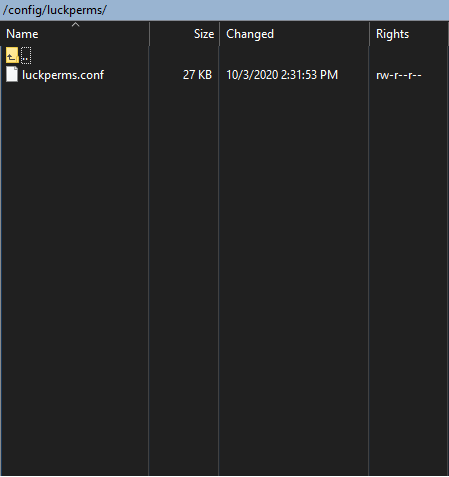 dire chasm
ok. cool. ignore all of this, there's now a luckperms folder in my server root
when did it appear? who knows! thanks for the help though!
quaint idol
when did it appear?
uh couldn't you just look at the last modifed time lol
dire chasm
2 minutes ago, apparently
prisma hinge
lol
prisma hinge
Anyone know how to fix this https://pastebin.com/vgx3XYYQ
Pastebin
Pastebin.com is the number one paste tool since 2002. Pastebin is a website where you can store text online for a set period of time.
Posting in both channels, why... I linked you to something in #support-1
Hi, Im looking for an actual solution.
Clippy gave you an actual solution if you read it.
But make sure your credentials are correct
@prisma hinge
Everything in there is right
The connection isnt available
double check the credentials
and also read what the bot sent.
Did you read the pastebin i sent?
It doesnt say it cant connect its timing out sometimes
When a player disconnects that messages goes through
It clearly says that the connection isnt available
it times out because it cant connect.
Did you read the pastebin you sent?
It is connected because all my groups are connecting on each server 🤣
Then whats the issue?
If its working why did you ask for support?
If you dont know what your talking about then dont support something you know nothing about brother.
I think I'm capable mate. How do you reproduce the error?
Its not an error its just a time out thats why i asked here so a developer can help with this, And i told you when it happens.
Its clearly an error that it cant connect
You also never said when it happens
Please stop responding you are no help, and yes i did say when it happens.
When a player disconnects that messages goes through
Im trying to help you but you are not cooperating bud
And if it was an error it would say its an error its just a warning.
Not always the case
So when a player disconnects it cant query the database because the connection isnt available
read
!errors
wintry cloudBOT
Here's a page with some common storage system errors.
LuckPerms wiki
prisma hinge
Your error is in there. Now if you lose the fucking stubbornness and take some initiative, you might just be able to fix this issue!
If the wiki doesnt fix it for you, even after some thorough reading, then contact your host.
and if you're self hosting, then you done f*cked up bud
quaint idol
Chill tim.
high raven
Angry people on all sides is less good than non angry people
prisma hinge
Alright but I wasn't angry i was just giving it to them straight
prisma hinge
I am nice
maiden raptor
^
high raven
 maiden raptor
... to nice ppl
 scenic shard
yoo i got a question
prisma hinge
ask
scenic shard
is there a way to have a custom name color thats not the color of the prefix
i get u can just add another prefix to that one person but then you have 2 spaces before the name due to the mid spacer
scenic shard
no
scenic shard
nvm i figured it out thx
prisma hinge
YOU CAN SPECIFY A SORTING MODE FOR PARENT INFO????????
high raven
details. now.
prisma hinge
Yikes
Daddy chill

Most funniest video in 2019 lol
Full Video on McJuggerNuggets - https://www.youtube.com/user/McJuggerNuggets
EVICTION DAY!
prisma hinge
daddeh chull
high raven
Timmory shh
prisma hinge
hehe
... parent info [page] [sorting mode]
priority (default), sorts by... parents priority lol
!/reverse/reversed/!priority, upside down priorities
abc/alphabetically A -> Z
!abc/!alphabetically Z -> A
yes, abc
lol
high raven
ooo fancy
prisma hinge
well the page isn't mandatory tho
prisma hinge
it'll default to page 1
high raven
kk
prisma hinge
... parent settrack <track> <index/group> [context...] @high raven
high raven
prisma hinge
`... parent info [page] [sorting mode]`
```
priority (default), sorts by... pare...
i also need to come back to that
so it's pinned until wiki'd
prisma hinge
clears your parent groups that are on said track and sets only the one at that index / the provided group
high raven
that's on the wiki tho
prisma hinge
the index?
prisma hinge
well add the index lol
high raven
i will add that
 prisma hinge
... permission check and checkinherits take context optionally, I believe that's on the wiki tho
high raven
yes
prisma hinge
... permission info [page] [sorting mode]
high raven
o.O
prisma hinge
yea
high raven
sorting mode is a thing eh
prisma hinge
it defaults to priority.... I wonder how that plays a role on permission info 
!commands for reference
wintry cloudBOT
Find all of the available LuckPerms commands on the wiki.
General commands
User commands
Group commands
Permission commands
Parent commands
Meta commands
Track commands
Log commands
LuckPerms wiki
prisma hinge
istg I read this somewhere but I can't find it on the wiki (I think it's a config) but you can user .. demote <track> [context...] [--dont-remove-from-first] [-s]
--dont-remove-from-first: it won't remove your parent group if it's the first one on the track
-s: silent, doesn't show track progress update
user .. promote <track> [context...] [--dont-add-to-first] [-s]
--dont-add-to-first: it doesn't add the first group to your parents list if none of your parent groups are on that track
basically: the user has to have a parent group on the track to be able to be promoted
@high raven that's all on commands
hidden secrets
high raven
:(
prisma hinge
actually imma update my fork so it matches -s instead of --silent
updated
luck is on :( larry tell him to mergeeeeeeeeeeeeeee
high raven
He will when he has time lol
It's like 7am for him
P sure merging is last on his mind
high raven
I have prs on there from weeks ago :(
prisma hinge
:(
 mighty yarrow
!verbose
wintry cloudBOT
LuckPerms provides a verbose command to help you find out what permissions a command/plugin is checking.
LuckPerms wiki
maiden raptor
I suppose try verbose
mighty yarrow
!help
wintry cloudBOT
Available commands:
!advanced
!api
!argumentbased
!ask
!bulkupdate
!bungee
!cauldron
!chat
!colours
!commandequivalents
!commands
!config
!context
!default
!downloads
!editor
!errors
!essentials
!extensions
!extracontexts
!faq
!helpchat
!inheritance
!install
!locale
!meta
!migration
!notworking
!nowildcard
!pasteit
!permissions
!placeholders
!selfhosting
!stacking
!storage
!suggestions
!switchstorage
!sync
!tracks
!upgrade
!usage
!userinfo
!verbose
!weight
!whyluckperms
!wiki
high raven
!editor @prisma hinge
wintry cloudBOT
LuckPerms offers an easy to use, powerful Web Editor, with which you can add, delete and change permissions of groups and players.
LuckPerms wiki
prisma hinge
yes but https://github.com/lucko/LuckPerms/wiki/Command-Usage:-General#lp-editor-type @high raven

GitHub
A permissions plugin for Minecraft servers. Contribute to lucko/LuckPerms development by creating an account on GitHub.
smh larry
 worthy dune
Hello I wanted to know how I can pass the ranges to another server
high raven
I asnwered u already
worthy dune
With everything and permits
high raven
!sync
wintry cloudBOT
To sync data between servers, you need to connect each LuckPerms plugin to the same database (for example MySQL) and set up a messaging service.
LuckPerms wiki
high raven
^^^^^^^^^^^^^^^^^^^^^^^^^^^^^^^^^^^^^^^^^^^^^^^^^^^^^^^^^^^^^^^^^^^^^^^^^^
worthy dune
Thank you
prisma hinge
bruh no cross posting
high raven
@prisma hinge Luck's added hacktoberfest to the wiki repo, if you want to make some PRs to add wiki content that's perfectly valid
😉
high raven
nah, nobody cares about clippy like we do
prisma hinge
I do :C
prisma hinge
wat
high raven
iirc it autoforks and makes its own PRs for you
prisma hinge
waat
high raven
one sec will show u
high raven
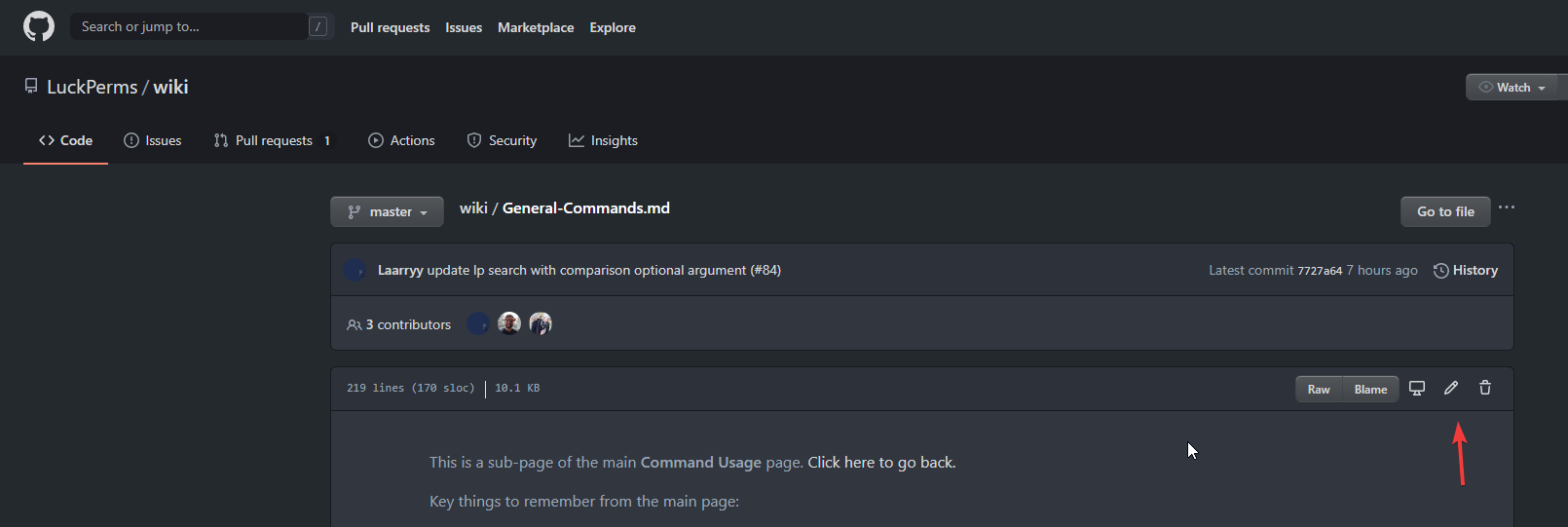 prisma hinge
yeeyeyeye
why do I have this
but bruh I need to browse the files n shit I can't just edit it in there ugh
prisma hinge
@high raven what changes were not made to the wiki other than the abc thing?
the uuuh editor in general commands
what else?
🤔
man I make some sick beats
pale pond
🔥
prisma hinge
got ya
prisma hinge
LARRY STOP SPAMMING MY EMAIL
high raven
@prisma hinge if you're around - I left a couple style reviews on your PRs
nice
well, I don't want to have to make PRs to fix little things and style choices :p
prisma hinge
frick u :(
high raven
and why do you keep signing off on your own PRs 😂
high raven
ah, a gui user
high raven
for PRs gui is really all you have
but github handles it fine
anyhow, more on topic, fix ur PRs fefo
@prisma hinge
@prisma hinge fix ur PRs
prisma hinge
And change your obnoxious nicknames omg
high raven
no

 prisma hinge
Makes me wanna fuckin 🤮
high raven
suck it up Timingsreport
high raven
ME NEITHER FEFO
prisma hinge
why aren't those like you want them to
high raven
BE CONSISTENT WITH ME NOT WITH THEM
prisma hinge
okay
high raven

prisma hinge
Does anyone ever use caps lock
high raven
 prisma hinge
ive probably pressed that key intentionally 3 times in my life
high raven
Timon please, we're having a conversastion
high raven
for LP things
prisma hinge
SORRY
prisma hinge
Youre jokin me
 tame hollow
lmao
high raven
The consistency in those sentences hurts but I guess I'll just have to make a 'make it all make sense" pr later
tame hollow
savage boi
quaint idol
🍿
prisma hinge
listen here you piece of spuwuky
I followed it just like it was for the temporary modifier
so
yea
PR or stfu
(spoiler alert ||you will pr||)
high raven
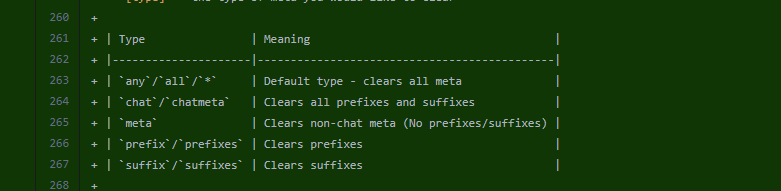
List will be sorted according to the platform's inheritance rules
List will be sorted by priority and then reversed
List will be sorted alphabetically (A - Z)
List will be sorted alphabetically and then reversed (Z - A)
 high raven
you can write me poetry any day
prisma hinge
:peepoheart:
high raven
but not on le wiki
prisma hinge
DAMMIT
high raven
>:)
quaint idol
:many popcorn:
high raven
just friendly banter, all ye spectatoes
quaint idol
am aware lol
 rich burrow
But what is a luckperms
high raven
!google how to get rid of pests in a discord server
wintry cloudBOT
Sorry! I do not understand the command !google
Type !help for a list of commands.
rich burrow
oh it's a pokemon okay
high raven
damn wrong server
prisma hinge
ye
high raven
no it's the constant cry - "can has help? no info, just help!" over and over
it's like "pika pika" but for a wild luckperms
rich burrow
I don't really need a sexy pokemon thanks.
quaint idol
 high raven
that's a comic of a wild luckperms
 abstract bluff
For luckperms all my members have this prefix that shows up in chat. How do i make it also show up in the tab list.
quaint idol
You'll need a TAB plugin to handle that
pale pond
TAB is a popular one ^
abstract bluff
alright ty
maiden raptor
!tab
wintry cloudBOT
Sorry! I do not understand the command !tab
Type !help for a list of commands.
maiden raptor
Aaaaaaaaaa
 vernal osprey
Why luckperms doesnt connect to mysql?
I have this error:
Establishing SSL connection without server's identity verification is not recommended. According to MySQL requirements SSL connection must be established by default if explicit option isn't set. For compliance with existing applications not using SSL the verifyServerCertificate property is set to 'false'. You need either to explicitly disable SSL by setting useSSL=false, or set useSSL=true and provide truststore for server certificate verification.
I have already read it, and i change the config.yml but it doesnt work
high raven
!errors
wintry cloudBOT
Here's a page with some common storage system errors.
LuckPerms wiki
high raven
@vernal osprey the solution for your error is ^
quaint idol
!default
wintry cloudBOT
LuckPerms provides a group that every player is added to upon joining the server, called default. You can use multiple methods to change the default group or change the name of it.
LuckPerms wiki
quaint idol
are you on bungee?
vernal osprey
i have every lp in every server conected to the same database
quaint idol
ok good
Yeah every group is accessible by every server then
(Everything by default is global, unless you set contexts:
!context
wintry cloudBOT
You can set a permission or group on a per-world/per-server basis, through what we call "contexts".
LuckPerms wiki
quaint idol
in the autocomplete?
quaint idol
Yeah the autocomplete tries it's best, but it can't find everything. Just type in the permission nodes
quaint idol
!verbose either check the plugin's documentation or use verbose mode
wintry cloudBOT
LuckPerms provides a verbose command to help you find out what permissions a command/plugin is checking.
LuckPerms wiki
 edgy breach
help me, i pasted wrong export link to the wrong server (i have 2 servers)
how can i restore the old permissions/luckperms
 lilac hazel
Revert from a backup?
See if you have an editor page open in your history for the other server
 tardy yoke
is there a way I can add two perms with a limit amount together?
plots.plot.1 + plots.plot.1 = plots.plot.2 basically
@ me :D
prisma hinge
Up to your plot plugin. Ask their support @tardy yoke
abstract bluff
the chat suffixes that people have aren't showing up in my tablist
quick lagoon
you need a plugin that can add suffix to tablist
there is a plugin called TAB that you may want to use for that
abstract bluff
ok
tardy yoke
got you
 vernal galleon
help please
 full flume
@high raven
vernal galleon
sorry
 dark grove
Hey! Is there a way to give a permission to certain group to add other users to certain groups?
Something like luckperms.user.parent.add.(group)?
pale pond
!arugmentbased
wintry cloudBOT
Sorry! I do not understand the command !arugmentbased
Type !help for a list of commands.
pale pond
!argumentbased
wintry cloudBOT
Fine tune exactly what users with permission to use LuckPerms can do.
LuckPerms wiki
pale pond
@dark grove
dark grove
Thanks!
 civic ridge
i have a question: where can i find what each perm gives permission for ? i’ve looked through the wiki and read everything that i thought would link me to finding out what each permission entails, but have found nothing. i’m so sorry if this is commonly asked, i’m sure it’s on the wiki somewhere and i have just had an absolutely dumbass moment of not being able to find it
prisma hinge
If you're talking about other plugin's individual permission, LuckPerms doesn't have a way to know that, you should read each plugin docs/wiki for it tho
maiden raptor
Have a look at the plugin’s documentation to see what each permissions grants access to.
civic ridge
i feel so stupid, thanks a ton !
maiden raptor
No problemo para me y fefo
 cedar hawk
This isnt working for me
quick lagoon
!chat
wintry cloudBOT
LuckPerms does not display things in chat!
LuckPerms is only able to send information to formatting plugins so that they display them properly. LuckPerms does not put the prefix in front of your name, you need a chat formatting plugin to do it, and you need Vault. Same goes for the tablist! If the information appears correctly when you run /lp user <user> info, LuckPerms is doing its job!
Prefix isn't showing?
What plugins can I use to format chat?
cedar hawk
oh
when i type /lp group admin meta set "message-color" "&4"
it set meta key 'message-color' to ''
cedar hawk
prisma hinge
?
prisma hinge
It became a formatted color
When you type with colors, you don't see the color codes
You see the colors
cedar hawk
ok!
but the message color is not working
prisma hinge
Because, as the embed above says: LuckPerms does not display things in chat
It's up to your chat plugin to take the info
cedar hawk
LuckPerms Chat?
dark grove
Hey! Is there a way to give a permission to certain group to add other users to certain groups?
@dark grove Just a quick follow up on this
I enabled the argument based config option
And I gave these perms to a group
They should be able to give the bacbypass group to other players, but they are getting a "You don't have permission!" message
Any idea how to fix it?
quaint idol
!verbose
wintry cloudBOT
LuckPerms provides a verbose command to help you find out what permissions a command/plugin is checking.
LuckPerms wiki
prisma hinge
lacks context perm
dark grove
Thanks!
 severe wedge
Hey, I'm having an error while trying to set a primary group
Pastebin
Pastebin.com is the number one paste tool since 2002. Pastebin is a website where you can store text online for a set period of time.
quick lagoon
@severe wedge by default you shouldnt be able to change primary group
as primary group is by default determined by the group weights
!weights
wintry cloudBOT
LuckPerms allows you to set weights in order to determine the priority of certain nodes, like permissions and even prefixes. A higher weight number is a higher priority.
LuckPerms wiki
severe wedge
So how would I give this to the person as an additional group that weighs more?
prisma hinge
make that other group weight more...?
or the first one less
Hello guys please
I need help
severe wedge
I tried, it says "there was an error saving X's user data"
prisma hinge
When i check in my plugins files in luckperms
I tried, it says "there was an error saving X's user data"
???
!paste your whole logs/latest.log @severe wedge
wintry cloudBOT
Please use pastebin!
Seeing a paste of the problem makes everything so much easier! Use https://bytebin.lucko.me/ for easy pasting!
For console errors:
Pastebin any relevant segments of the console log. If it's a startup error, this includes the entire startup log!
Other errors:
Pastebin the entire LuckPerms config file (passwords removed) as well as any other relevant files!
prisma hinge
@prisma hinge what's the issue
in my yaml-storage
in users file
I don't have users
users file
send your whole logs/latest.log as well
I don't have any error in my logs
Didn't ask for errors
I want to check the logs, they can provide all kinds of information
I just solve it
thanks
no need help anymore
kewl
kewl?
cool
xD
kewl is english or other language
cedar hawk
all right i successfully installed Luckpermschat
thanks D;
pale pond

prisma hinge
@neon jewel Pashmam Mal Songoda Nis :|
pale pond
!prefix @chilly vigil
wintry cloudBOT
You can set prefixes, suffixes and other meta data in LuckPerms for players and groups. Note that LuckPerms does not manage chat. You need to use another plugin to show prefixes/suffixes in chat.
LuckPerms wiki
 chilly vigil
Hero ❤️
chilly vigil
pale pond
You don't have the owner group assigned to you
 pale pond
Read the usage guide to see how to add it
chilly vigil
!usage
wintry cloudBOT
Here's a guide to help users understand and use LuckPerms for the first time.
LuckPerms wiki
chilly vigil
This one?
 daring stirrup
Yes
 pale pond
!mods
wintry cloudBOT
Sorry! I do not understand the command !mods
Type !help for a list of commands.
pale pond
!moss
wintry cloudBOT
Essentials
Make sure you are using EssentialsX and Vault for prefixes. For any other issues with Essentials, you should seek support in either #general or the official EssentialsX support Discord.
EssentialsX Discord
pale pond
Ask them ^
chilly vigil
Ty ty
 remote olive
So im using bungeecord with Luck Perms linked through MySQL. I am also using Crafting Store would I want to go ahead and use MySQL for the store or what would I do.
high raven
That part is up to you? Not sure what you are really asking because the crafting store database shouldn't affect anything luckperms
remote olive
Okay nvm I figured it out
I have all my servers linked through MySQL if I have the CraftingStore plugin on one of the servers and set it to give the person the rank will it edit the servers globally?
remote olive
Okay thank you!
pale pond
!download because I'm lazy
wintry cloudBOT
You can download LuckPerms for Bukkit/Spigot, BungeeCord, Sponge, Nukkit and Velocity.
Additional downloads
 elfin notch
Hey! I figured people would be added to default when they joined but when i listgroups it says no one is in default
elfin notch
its a server for just my friends
i only needs default (goon), admin, owner
do i need to manually add everyone else to the default group?
prisma hinge
No, they already have the default group as parent, but they just don't get saved
prisma hinge
nw
elfin notch
I ran /lp group admin permission set luckperms, does that give the admin all of the luckperm permissions? i first typed ...set luckperm.* but the font went red
prisma hinge
it's with the .* at the end
it went red because the client is stupid lol
but it will work
elfin notch
okay, is there a way (or need) to undo the permission i already set? luckyperms was added globally
prisma hinge
... permission unset ...
elfin notch
ty
prisma hinge
!commands here you have commands per category
wintry cloudBOT
Find all of the available LuckPerms commands on the wiki.
General commands
User commands
Group commands
Permission commands
Parent commands
Meta commands
Track commands
Log commands
LuckPerms wiki
prisma hinge
or you can also use the web editor for a GUI more user-friendly experience
!editor more info here
wintry cloudBOT
LuckPerms offers an easy to use, powerful Web Editor, with which you can add, delete and change permissions of groups and players.
LuckPerms wiki
elfin notch
:o
 rocky quest
can we talk here, @prisma hinge ? less clutter
wintry cloudBOT
Hey Imdral! Please don't tag helpful/staff members directly.
prisma hinge
ye
rocky quest
thx
ritances,
lp bulkupdate all update permission group.aiel "permission == group.axel"
prisma hinge
correct
rocky quest
is that 1 commandline?
prisma hinge
it will update every permission that matches group.axel to group.aiel
yep
it's console only btw
and it will give you a confirmation command
because people mess up big with bulkupdates lol
prisma hinge
uuh you'll want to generate a new session
because:
- editor sessions are not live copies
and 2. the changes you make on the editor are local changes on the browser
and it is advised that you generate a new editor session after you run the applyedits command
prisma hinge
cool cool
prisma hinge
I guess? bulkupdates and renames happen regardless of people being online
so I mean, you do you
rocky quest
can i open a new editor session from my browser without going ingame?
high raven
You need console access
At least
How it works is running the command on the server sends the info to the editor
rocky quest
guess ill do it over teamviewer ugh
high raven
Running applyedits on the server takes the info stored in that code's corresponding bytebin and applies it
rocky quest
at long last it worked
thanks
new question:
I'm updating my WorldGuard regions.yml
to remove the old groups from GroupManager.
I'm going to replace them with these new LuckPerms groups.
I understand WG's documentation, so I don't need to go talk to them about the .yml,
i'm just curious if, on LP's end, if there are any need-to-knows, or tips/tricks/hints to integrating it with WorldGuard?
tame hollow
not really, just make sure the group names are lowercase
rocky quest
what even is fawe?
tame hollow
what about awe
rocky quest
what?? lol just use regular ones, not forks
prisma hinge
don't use async world editors
tame hollow
world edit sucks without async lmao
prisma hinge
they can corrupt the world with much, much ease, world operations are meant to be made on the main thread
rocky quest
also:
members:
groups: [builder]
that is an example of my old Worldguard regions.yml with a GroupManager group in it.
Should it be replaced as such?
members:
groups: [aiel]
high raven
Not sure, try it?
rocky quest
worldedit is dope as is, if you know how to know overdo it
tame hollow
 tame hollow
I think you're asking the wrong people :P
unless someone here knows WG config off by heart
prisma hinge
those are two different things
the first one is just a key -> value thing
the second one is a key -> list thing
so you can specify a list of groups
so if you just do groups: aiel, it will most probably throw some errors on startup
rocky quest
that sounds like the answer i need, spowoky, but i dont know what it means.
eli5?
prisma hinge
basically:
key:
  - value1
  - value2
  - value3
  - value4
is the same as
key: [ value1, value2, value3, value4 ]
just formatting varietals?
rocky quest
fabuloso mi amor
 shrewd pond
ded chat
rocky quest
sh
 frank ember
it's in the config
frank ember
if you want per server contexts, you need to set it in the config so lp knows which server is which
rocky quest
ok. finally got my stuff up again
what is the best way to assign a role to someone ingame?
wintry cloudBOT
A list of permissions used by LuckPerms commands.
LuckPerms wiki
prisma hinge
/lp user <username> parent set <group>
tame hollow
or parent add
rocky quest
why "parent"?
pale pond
because youre inheriting the perms from it
rocky quest
the perms from what?
pale pond
the group
rocky quest
what group?
pale pond
🚎
rocky quest
why isnt it like
/lp user Aiesterok addto Builder
i dont want to set group parents, etc
pale pond
because luck chose parent
rocky quest
but parents are another thing
prisma hinge
No its not
rocky quest
my groups have parents
prisma hinge
its the same thing
rocky quest
but users do not have parents
prisma hinge
except youre now being the son of a group
pale pond
parents give the child characteristics
rocky quest
so you add a parent to a player to add them to group?
pale pond
yes
prisma hinge
yes
pale pond
not really
rocky quest
/lp user imdral parent set Builder?
prisma hinge
sure
pale pond
use add not set
set will remove all other groups from the player
add will add it to your list of groups
wintry cloudBOT
Learn about inheritance.
LuckPerms wiki
prisma hinge
Same thing applies for users
tame hollow
think of users and groups as both being "permission holders"
permission holders can all have parents which also hold permissions
it's not a terribly hard concept to understand
and "parent" is the best word to describe this relation
you can also write /lp user <user> group add <group> if that truly bothers you, although it's the same command just with an alias
prisma hinge
Thing is, groups aren't groups of users, you don't add a user to a group
Groups are permission groups, they group permissions, not users
tame hollow
yes, that would be the only difference. users can't be inherited
rocky quest
I have another question.
My groups work, up until my admin group
then the prefix doesnt work and the new perm nodes arent applying
why?
quaint idol
could you send a /lp editor link & say the affected groups?
prisma hinge
They threw a fit when someone asked for the editor link yesterday _11, not sure if their mind has changed
rocky quest
how do i do tha
prisma hinge
Just paste the link here
quaint idol
/lp editor, copy the link, send here
rocky quest

LuckPerms - A permissions plugin for Minecraft servers.
LuckPerms is a permissions plugin for Minecraft servers.
quaint idol
!weight will be why prefixes are borked
wintry cloudBOT
LuckPerms allows you to set weights in order to determine the priority of certain nodes, like permissions and even prefixes. A higher weight number is a higher priority.
LuckPerms wiki
prisma hinge
Aa yes, prefixes and suffixes have their own weights, separate from the group weights
quaint idol
and the new perm nodes arent applying
Admin has no additional permissions besides inheriting builder.
rocky quest
how come it works fine for the first 3 groups
I know this, 11. it'll have nodes added later
quaint idol
because the first 3 groups have weight properly set up for their prefixes
rocky quest
how do i fix admins prefix weight?
quaint idol
Make the number bigger https://i.imgur.com/LTKJeaY.png



Highest weight: Highest priority
since your other prefixes have weight 3 and stuff, it's overriding that
rocky quest
ah yes thanks
another question. is there a way to add a literal space at the end of the prefixes?
Otherwise its annoying, like
BuilderImdral,
Veruss
Builder Imdral
prisma hinge
space and then a colour code? idk
quaint idol
if setting via commands, /lp <group|user> <thing> meta setprefix <weight> "<prefix> "
prisma hinge
Colour lol
quaint idol
if setting via editor, just type a space iirc
rocky quest
hmm ill try
prisma hinge
prefix.100.&4Owner &r is how id do it
prisma hinge
Another option would be changing the meta-formatting settings 👀
high raven
(to do what it does ofc)
quaint idol
Note that it's usually a simpler solution to add a space in your chat plugin's config instead
high raven
^^^^^^^^^
prisma hinge
And set the end spacer to a whitespace
high raven
@prisma hinge why give complicated advice when you can give simple actually good advice like @quaint idol

quaint idol

 tame hollow
better to add the space in the chat format tbh
but in the prefix works too i guess
just means you have to maintain the space in every prefix instead of a single chat format :P
prisma hinge
@neon jewel Golabi 🍐
mighty yarrow
uhh
high raven
@neon jewel you've got 5 minutes to change that avatar
Well, I suppose what would be more fair is to say you have until you send your next message in this server
If you send more messages without changing it, action will be taken
high raven
nah don't
high raven
Nazis and edgy kids who think it's edgy and cool to pretend do not get my sympathy
daring stirrup
What did he say?
severe wedge
Hi, I was experiencing an error yesterday and I got the full log for it
wintry cloudBOT
Please use https://bytebin.lucko.me to send files in the future. I have automatically uploaded latest.log for you: https://bytebin.lucko.me/COh899pVag
prisma hinge
do they get the group added tho?
severe wedge
Yes but it wipes after a restart
severe wedge
@prisma hinge
wintry cloudBOT
Hey Skeptic! Please don't tag helpful/staff members directly.
wintry cloudBOT
Sorry! I do not understand the command !issues
Type !help for a list of commands.
prisma hinge
!issue
wintry cloudBOT
Sorry! I do not understand the command !issue
Type !help for a list of commands.
wintry cloudBOT
Suggestions and Bug Reports
If you would like to request a feature for LuckPerms, or report a bug, feel free to open an issue on GitHub!
Issue Tracker:
prisma hinge
@severe wedge 👆
severe wedge
thanks
pale pond
!prefix
wintry cloudBOT
You can set prefixes, suffixes and other meta data in LuckPerms for players and groups. Note that LuckPerms does not manage chat. You need to use another plugin to show prefixes/suffixes in chat.
LuckPerms wiki
 white reef
Can someone explain to me how I get the auto imported settings from pex out of the new h2 database to a yaml format again?
pale pond
!switchstorage
wintry cloudBOT
If you wish to change your storage type (e.g. to YAML or MySQL) you may need to follow these instructions to ensure your groups and permissions are migrated to the new storage type.
Read more about the Storage types
LuckPerms wiki
pale pond
although pex probably wont accept lp format if your trying to switch back\
white reef
thx 🙂
prisma hinge
Yaml isn't really advised tho
if you go around manually changing the files, you're on your own
white reef
like in pex
prisma hinge
???
pale pond
are you trying to edit in yaml?
white reef
I did the instructions to upgrade from pex and lp now holds everyhing in its database but I just want to see it in yaml
prisma hinge
if you just want to see, either use the web editor or check an exported backup (json)
!editor info on the web editor
wintry cloudBOT
LuckPerms offers an easy to use, powerful Web Editor, with which you can add, delete and change permissions of groups and players.
LuckPerms wiki
white reef
what that is a thing ? nice ! I will try it.
thank you all very much 😉
prisma hinge
but any kind of plaintext storage methods are not advised, they tend to be more error prone (not to count on the human factor), slow and problematic in general
for local storage, h2 is genuinely the best option
but I mean, the options are there for you to choose, you do you tho, what I say is a suggestion
white reef
yes thanks ! 🙂 The h2 methode is also very interisting for me as a developer
 grizzled hollow
ok
prisma hinge
You say nothing works. Go to that world named trident_smp and run /baltop while deopped
high raven
Get out of full screen probably
high raven
Loool
high raven
Timkerbell! We think so alike
grizzled hollow
prisma hinge
Laz I don't think I can do this anymore
grizzled hollow
laz?
prisma hinge
Do you have essentials installed??
high raven
But... But... Timpartial I can't not do this
prisma hinge
Are you sure
prisma hinge
I thought it would just say no perm, sorry
high raven
!usage @grizzled hollow do this
wintry cloudBOT
Here's a guide to help users understand and use LuckPerms for the first time.
LuckPerms wiki
grizzled hollow
ok
prisma hinge
share a screenshot of lp user <yourself> info
@grizzled hollow
maybe your link for /lp editor too
prisma hinge
Did you add the permissions to the spawn group?
grizzled hollow
yup
prisma hinge
?