#support-2
1 messages · Page 13 of 1
 spring seal
and from what i see in autoinstall scripts there is no bytesocks mentioned so i assume i dont even have it installed (and i remember only installing bytebin, nothing else called "byte...")
 quaint idol
Bytesocks is still powering the applying, it's just running on the instance Luck hosts, not one that's selfhosted. The Apply system cannot function without a bytesocks instance - for years the only method of saving from the editor was running the command because ByteSocks hadn't been created yet
and yeah, I'm pretty sure you haven't, since it's still relatively new I don't think the install script / documentation has been updated to include it yet
spring seal
ok righr
i got it now
so i probably am having it as it's connected to Luck's host as you said
now the puzzle is complete in my head
does the bytesocks also need their own subdomain like bytebin?
ok so,
any chance i could get instructions on how to install bytesocks and connect my LPweb instance locally with it?
 versed tapir
Is there a way to " jump " many group in a single track ?
Like this : /lp user MrDoge promote default_track +5
And it make me jump 5 groups in this track, better than have to make lp user promote 5 times
 rich cliff
How i can order the groups?
 sour gorge
versed tapir
Is there a way to " jump " many group in a single track ?
Like this : /lp user ...
sour gorge
versed tapir
Is there a way to " jump " many group in a single track ?
Like this : /lp user ...

LuckPerms - A permissions plugin for Minecraft servers.
LuckPerms is a permissions plugin for Minecraft servers. It allows server admins to control what features players can use by creating groups and assigning permissions.
rich cliff
How I can delete/remove a prefix
sour gorge
Either https://luckperms.net/wiki/Meta-Commands#lp-usergroup-usergroup-meta-removeprefix-priority-prefix-context or via the /lp editor
LuckPerms - A permissions plugin for Minecraft servers.
LuckPerms is a permissions plugin for Minecraft servers. It allows server admins to control what features players can use by creating groups and assigning permissions.
rich cliff
But me I use /lp group owner meta setprefix
And how I can make space on the prefix and the name
Like this OWNER ItsAlphaBG
versed tapir
sour gorge
https://luckperms.net/wiki/Parent-Commands#lp-usergroup-usergroup-parent-settrac...
Thanks a lot, but how to junp many groups ?
sour gorge
rich cliff
Like this OWNER ItsAlphaBG
Your chat plugin determines how the prefix is displayed in chat. Luckperms only gives the prefix to your chat plugin.
sour gorge
versed tapir
Thanks a lot, but how to junp many groups ?
The <index> variable can be the nth group of the track. For exampl if you have 3 groups, and use index number 3, the user will be set to that third group. Otherwise, you can also refer to the group as name. This command is like "parent set" per track
rich cliff
But the command /removeprefix don't work
sour gorge
rich cliff
But the command /removeprefix don't work
I gave you another option as well
versed tapir
sour gorge
The <index> variable can be the nth group of the track. For exampl if you have 3...
But if i'm in the 2nd groups and I want to jump to the 7th groups I can't use index 5 cause its gonna set me in the 5th group not the 7th right ?
sour gorge
The index does NOT refer to "how many groups to jump". It refers to the index the group is ON THE TRACK
So if you want the user to be put to group 7, use 7
sour gorge
sour gorge
Either https://luckperms.net/wiki/Meta-Commands#lp-usergroup-usergroup-meta-remo...
... or...^
Prefixes in the editor start with prefix. so you can easily use the top right search bar to filter prefixes.
versed tapir
I need to do an addition not a set :/
there should be no direct solution
Thanks for trying to help
 rich cliff
 versed tapir
Yeah I can't just " set " with the index you know thats the real problem actually
rich cliff
rich cliff
.
versed tapir
try lp group owner info
rich cliff
Ok
sour gorge
You need to specify the weight of the prefix to remove
Otherwise, lp wont know which one you want gone
It wont assume you wanna delete all
versed tapir
And to make an espace between your rank and your name you can just do you rank like this "OWNER " ( with space ) if you plugin don't allow you to make a space
sour gorge
/lp group owner meta info - will show you all prefixes owner has and their weights
rich cliff
versed tapir
And to make an espace between your rank and your name you can just do you rank l...
OMG ITS WOKRING THE SPACE THING THX
rich cliff
sour gorge
/lp group owner meta info - will show you all prefixes owner has and their weigh...
I just wanted to delete it because I couldn't make space
But now that I understand it's useless thanks
Done, I finish All the rank on my server
But now, how I can see Al the rank
versed tapir
lp listgroups
or lp group (you could see them with the tab thing in the chat )
you should go to the /lp editor to edit yours perm is the easiest way
 versed tapir
Yeah thats look good
 lime wren
how can i use luckperm in bungeecord
 wintry cloudBOT
Hey horizonceto! Please don't tag helpful/staff members directly.
 void verge
spring seal
ok so,
any chance i could get instructions on how to install bytesocks and conne...
void verge
spring seal
ok so,
any chance i could get instructions on how to install bytesocks and conne...
is there any particular reason you want to selfhost everything?
spring seal
void verge
is there any particular reason you want to selfhost everything?
i always do it for almost everything i can
no reason, i just love being 100% on my own, as much as possible, irl too
tho, i donate often (lately i can't)
 ocean rivet
Hi , I want to limit a rank for using a specefic command like my member rank could only use /home command 2 times at day pls help me
 limber oracle
ocean rivet
Hi , I want to limit a rank for using a specefic command like my member rank cou...
limber oracle
ocean rivet
Hi , I want to limit a rank for using a specefic command like my member rank cou...
LuckPerms does not limit command usage. You're looking for a different plugin here.
ocean rivet
limber oracle
LuckPerms does not limit command usage. You're looking for a different plugin he...
do you know any plugin do that?
limber oracle
No. Don't have any in mind at the moment.
ocean rivet
can you make one with a litle price
limber oracle
ocean rivet
can you make one with a litle price
No, sorry. I don't do freelancing nor is this the proper place to hire a developer.
You may have success requesting for a paid service on the HelpChat discord -> https://helpch.at/discord.
spring seal
so, to download bytesocks, do i need a .jar file or source code at github repo?
i don't see anywhere .jar file
 rancid spade
Hello 😉 , I have a question. Is it possible to put a ban on the player to modify the configuration of a mod on Luckperms
 flint owl
but luckperms supports purpur ?
void verge
it supports spigot and paper. it should work on purpur since its a fork of paper, but its not explicitly tested

 crystal breach
Then I would have a problem that luckperms worked for me before and at a certain point it doesn't work anymore it just tells me that it is about to do it but then it doesn't ,I use purpur
And it gives me an error
How can I send you the error?
limber oracle
!paste
wintry cloudBOT
Please use pastebin!
Seeing a paste of the problem makes everything so much easier! Use https://pastes.dev/ for easy pasting!
For console errors:
Pastebin any relevant segments of the console log. If it's a startup error, this includes the entire startup log!
Other errors:
Pastebin the entire LuckPerms config file (passwords removed) as well as any other relevant files!
crystal breach

A paste containing 24 lines of plaintext.
crystal breach
tysm
 wild arch
Hey I updated my Server from 1.19.2 to 1.20.1 and all perms got resetted. I replaced the Luckperms folder in the Plugins Folder with the Luckperms Folder from the latest Backup. Then I restarted the Server again but the old Perms are not back.
Can I still get the Perms back somehow?
quaint idol
Check console for errors, a Mc update shouldn't break LP
wild arch
quaint idol
Check console for errors, a Mc update shouldn't break LP
do you mean at the time when I started the server for the first time on 1.20.1? I think Luckperms is still working it is just the perms that got deleted
quaint idol
If LP lost your permission data, LP is not working
wild arch
hm I will check the logs
 summer arrow
Hi, im configuring a Pixelmon server in the version 1.16.5 and i tried to add some permissions to the default group and its not working, is there someone who knows if theres is an aditional issue or something im doing wrong?
limber oracle
summer arrow
Hi, im configuring a Pixelmon server in the version 1.16.5 and i tried to add so...
!nw
wintry cloudBOT
Please tell us what's going on!
We really would absolutely love to help you out! However, telling us that it isn't working wastes everyone's time. Please, just describe the issue you're having clearly and with as much detail as possible, and send any relevant screenshots of whatever problems you're having.
For Console Errors:
wild arch
quaint idol
Check console for errors, a Mc update shouldn't break LP
I didn't find any Errors in the logs
crystal breach
Sorry but because when I try to do /lp track insert already when it continues it checks in red and then when I send it it tells me command not recognised
limber oracle
Yes, you missed the <track> argument.
Reference -> https://luckperms.net/wiki/Track-Commands#index.
summer arrow
limber oracle
!nw
Im running a Pixelmon server, Hosting in aternos and using mohist, i installed luckperms to be able to manage the permission that my friends could use while we are playing, but it isnt working, the only group is the default, there is no tracks and i tried to put permissions on each individual player, i dont know whait im doing wrong so thats why im asking for help, please tell me if they need some more information or if luck perms its incopatible with Pixelmon or mohist because i couldn't find anything doing research on my own on the internet, thank you!
 sly sleet
How can I remove and add a bunch of parent groups or permissions from a user instantaneously without running multiple commands as to not spam luckperms so the permissions actually change, or by running multiple commands yet still not spamming luckperms still within a small period of time?
(Or a way to disable the spam protection on luckperms)
flint owl
but lpx supports purpur if yes because in my server 1.20.1 purpur doesn't work I can explain thanks
limber oracle
flint owl
but lpx supports purpur if yes because in my server 1.20.1 purpur doesn't work I...
Not sure what any of the above meant. What about LuckPerms on 1.20.1 Purpur is not working for you?
limber oracle
sly sleet
How can I remove and add a bunch of parent groups or permissions from a user ins...
What's your end goal here? What are you trying to achieve? You can use the bulk editing feature which allows you update or delete permission entries in bulk.
limber oracle
summer arrow
Im running a Pixelmon server, Hosting in aternos and using mohist, i installed l...
LuckPerms is not officially compatible with Mohist and does not support fully any hybrid. However, what permissions have you tried assigning and what makes you think that they didn't go through? You can give verbose a go and try to check for permissions.
quaint idol
obligitory https://s.u11.io/mohist
sly sleet
limber oracle
What's your end goal here? What are you trying to achieve? You can use the [bulk...
I'm using bosshsoppro to make bskyblock (from bentobox) look and function better, enable to do this, I need to modify a lot of permissions at once, currently by doing this
 limber oracle
I feel like a viable work around here would be using shorthand permissions resulting in a single command being fired.
!advanced
wintry cloudBOT
Discover some of the more advanced concepts of LuckPerms, such as permission calculation, shorthand permissions and more.
 LuckPerms wiki
sly sleet
limber oracle
I feel like a viable work around here would be using shorthand permissions resul...
LuckPerms wiki
sly sleet
limber oracle
I feel like a viable work around here would be using shorthand permissions resul...
thanks, even though I've used this plugin for years, I'm still learning! thanks for your help, hopefully this'll work
flint owl
so to make the lpc work I must necessarily have spigot paper
 dense kite
Is this related to LuckPerms(?)
flint owl
Ok but it is necessary to have spigot
dense kite
that wasn’t an answer to my question. Is this related to LuckPerms?
flint owl
but lpc doesn't work for me
quaint idol
Despite it's name, LuckpermsChat is not affiliated with Luckperms. It's made by a third party developer and as such we can't provide support for it.
flint owl
and how do i fix them
quaint idol
talk to LPC support for LPC problems
flint owl
Ok
summer arrow
limber oracle
LuckPerms is not officially compatible with Mohist and does not support fully an...
this is what happen when i tried to use the comand i enabled
 limber oracle
Grant the permission with the green text.
sly sleet
limber oracle
I feel like a viable work around here would be using shorthand permissions resul...
So would something like /lp user <playername> permission remove bsbskyblock.island.create.{island1,island2,island3} work to remove all three permisssion, because if this is the correct syntax, I don't know if its working.
sly sleet
Sorry, I misremembered in this chat since I wasn't foin it with autofill lol
But it still seems to not be working
For example, its showing this, rather than what I think is supposed to be two separate permissions?
 limber oracle
unset will remove the node if present. That's all it does.
sly sleet
well, i also set using the same command, and this is the permission under my name that was added rather than two separate perms

(Sorry I didn't try to do this earlier, I would have if I didn't have to head out for an extended dinner.)
(also a question for furture ref since you seem to be very active here, do you prefer if I reply without pings?)
limber oracle
sly sleet
(also a question for furture ref since you seem to be very active here, do you p...
Yes. No need to ping unless it's something urgent. I'm usually looking over the server anyways.
sly sleet
sly sleet
well, i also set using the same command, and this is the permission under my nam...
(I did make sure I have all the luckperms permissions just in case that was the reason)
sly sleet
sly sleet
well, i also set using the same command, and this is the permission under my nam...
does to act as both the permissions, or is this broken?
 tame hollow
sly sleet
So would something like /lp user <playername> permission remove bsbskyblock.isla...
tame hollow
sly sleet
So would something like /lp user <playername> permission remove bsbskyblock.isla...
i think there is a misunderstanding here on how shorthand permissions work.
they don't work as a bulk update to set/unset multiple permissions, you would use the bulkupdate command to do this - however you cannot use it per user, it's an all or nothing sort of thing (probably something that could be a feature suggestion)
it's not entirely clear exactly what you're trying to achieve here
looks like you want to remove a series of groups and add a single group instead?
sounds like a use for the parent settrack command
sly sleet
that or just disable the spam filter, yeh
(I'm not saying you disable it, i'm saying idk how to disable it, if there is a way, but I'll try the tracks first)
sly sleet
So if someone runs multiple luck perms commands within a very short period of time, luckperms will just ignore it except the first one
so I need to find a wat to condense all that into at least two commands
either with a set of 10 permissions or 10 parent groups
quaint idol
that...shouldn't be happening, if you're saying what I think you're saying
sly sleet
Let me show an example, give me a second
quaint idol
LP doesn't ratelimit commands to my knowledge - it certainly won't just straight up ignore commands without some form of response
sly sleet
Oh, it responds, but thinks its spam
quaint idol
in that case, sounds like another plugin has a spam filter
tame hollow
yeah gonna need to see some evidence here
but anyway, if you put all those skyblock groups on a track e.g called "skyblock" then you can simply do /lp user <user> parent settrack skyblock skyblock501classic
and it will remove all skyblock groups, leaving just the 501classic one
sly sleet
I know its a console inside of discord, but due to the server owner being the only person to have direct access this is what I have, it should be the exact same output as the actual console

I don't have any indication that its another plugin, so I assumed it was luckperms
quaint idol
Yeah nope that's not LuckPerms. I'd be fascinated to know which plugin is doing that, since it's using our logger for some stupid reason
tame hollow
oh for the love of christ

GitHub
A permissions plugin for Minecraft servers. Contribute to LuckPerms/LuckPerms development by creating an account on GitHub.
it IS luckperms lmao
 tame hollow
@sly sleet looks like you can disable by setting commands-rate-limit to false
sorry about that
quaint idol
quaint idol
Yeah nope that's not LuckPerms. I'd be fascinated to know which plugin is doing ...
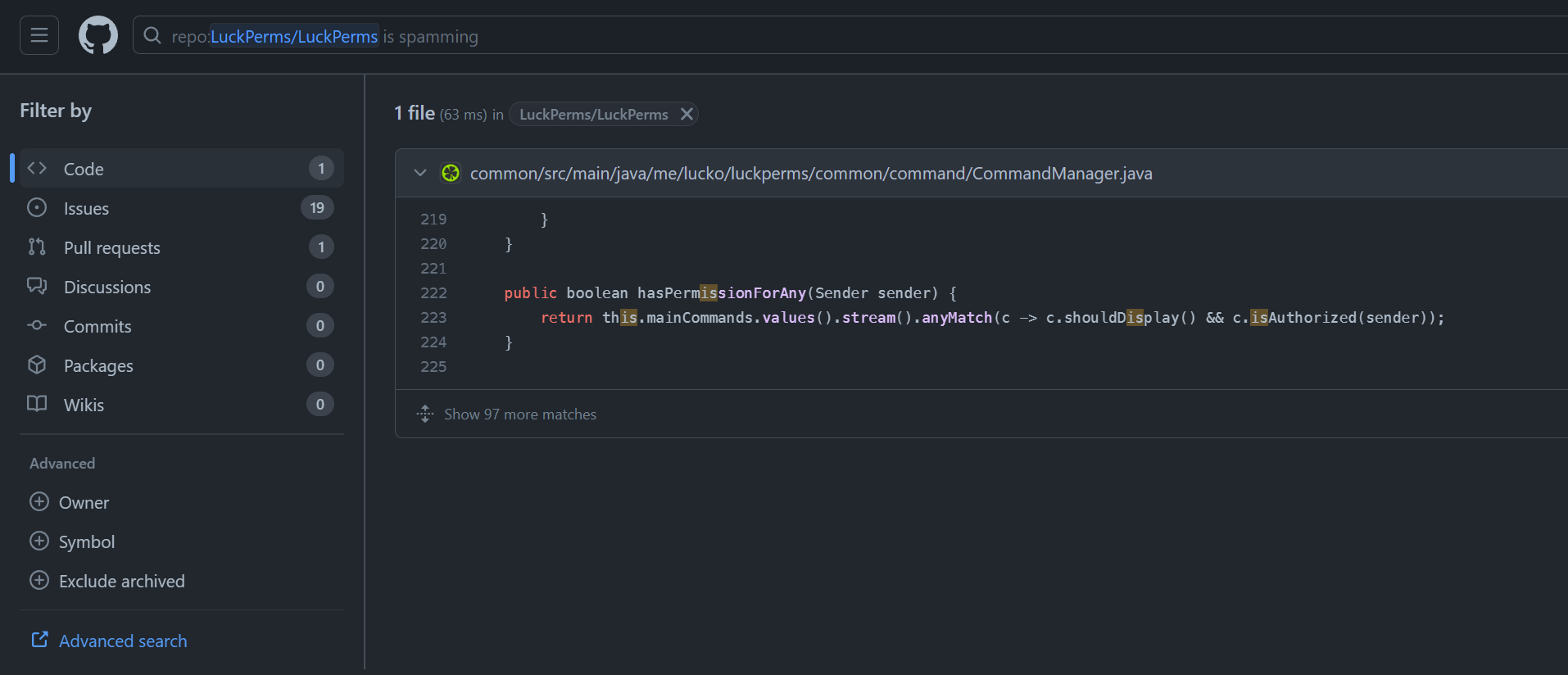
in my defense, GH search lied to me https://f.u11.io/9gM1MD
 tame hollow
haha, i searched "ignoring further inputs"
sly sleet
I mean, I will say I did find something else that would have rated my commands to 10, so you did help me find something, which is good!
but also teaching me about tracking is also good so I can condense
tame hollow
settrack is underrated
quaint idol
honestly
sly sleet
tame hollow
<@287420433471504387> looks like you can disable by setting `commands-rate-limit...
and huge thankyou for future reference
I know about the tracks, I thought it was something that just helped with inheritance like an abc ranks system
tame hollow
funnily enough, tracks have nothing to do with inheritance
quaint idol
tame hollow
settrack is underrated
(we still have a bunch of scripted promotion commands on my server that I've been fighting to get converted to settrack since that's the actual intended behavior - the joys of not being the owner)
tame hollow
smh my head
sly sleet
is there an easy command to access the tracks part of the wiki so I can learn more XD
wintry cloudBOT
Tracks provide a method for you to promote/demote players along a track (or ladder) of groups.
Read more
LuckPerms wiki
sly sleet
thanks <3
tame hollow
there is also a search bar on the website ;)
sly sleet
I feel stupid for not knowing that until now
quaint idol
or a sidebar if you're not in a mood to trust the search engine gods lol
tame hollow
holy crap i just found a bug lmao
 quaint idol
...well that's fascinating
sly sleet
I use the sidebar, I'm also blind and trust y'all when you put a command to exactly what I need
tame hollow
don't search for the page you are already on ...
quaint idol
tame hollow
holy crap i just found a bug lmao
0/10 web dev smh my head
tame hollow
lets keep it that way 
sly sleet
I don't want to exist in constant state of eye burning at 4am though, i wanna go to bed XD
tame hollow
go to sleep. your server doesn't rule your life lol
sly sleet
anyways, I will try to learn how to do this track stuff, if I can't seem to do it I will come back and ask for more help, and if I get too frustrated, I will go back to my initial idea now that the spam filter is gone.
sorry, I can toggle the spam filter, Imma try to keep it on
 cursive rapids
tame hollow
oh for the love of christ
cursive rapids
tame hollow
oh for the love of christ
Bro thought it wasn’t luckperms then it was 
Lol nice job
sly sleet
I mean, with a constantly updating ecosystem, I cannot blame even a project dev for not knowing everything
 jolly plover
Sharky can u help me
quaint idol
that, and in the year+ since it's implementation, it's literally never been a problem lol
I'm quite active in support channels, and can confidently say I've never seen anyone else encounter that
(which tbh is kind of surprising)
sly sleet
I seem to be notorious in creating very unique problems as of recent, I've needed to go to 5 plugin's discords and 4 of them were novel problems and one of the four was a bug lol.
quaint idol
why
sly sleet
...
quaint idol
This is a support channel, not a simp for free money channel
sly sleet
quaint idol
I'm quite active in support channels, and can confidently say I've never seen an...
anyways, I do thank both of you for your help!
quaint idol
👍 sorry we lead you astray initially lol
sly sleet
and also darklaw too if you are lurking, thanks for your help to put me in the right direction
tame hollow
sly sleet
I mean, with a constantly updating ecosystem, I cannot blame even a project dev ...
i only develop the web interface anyway. i probably added like 1 feature to the plugin itself lol (and i'm not even a java dev)
cursive rapids
jolly plover
Sharky can u help me
With
quaint idol
tame hollow
i only develop the web interface anyway. i probably added like 1 feature to the ...
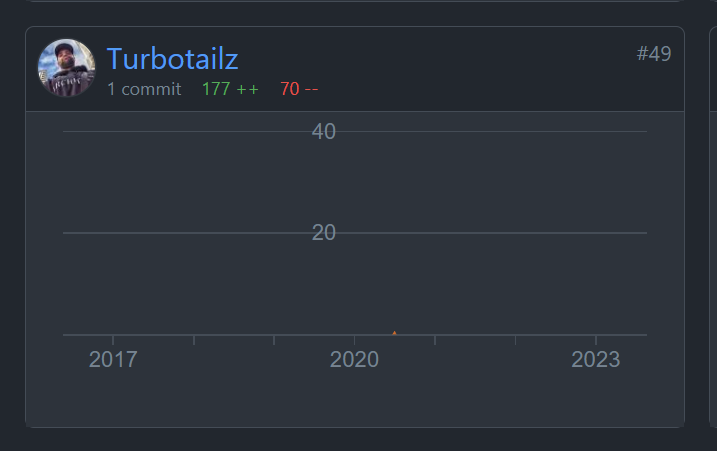
1 indeed https://f.u11.io/AVB07R
 cursive rapids
What
jolly plover
Geral me aao
sly sleet
tame hollow
i only develop the web interface anyway. i probably added like 1 feature to the ...
hey, better than most I will say, and to give love to the website, it really does look nice and the webeditor is absolutely amazing, couldn't live without it, you definitley understand amazing web design and the wiki is mega helpful so I don't have to ask as many questions
tame hollow
quaint idol
1 indeed https://f.u11.io/AVB07R
i keep meaning to try make some more changes but my intellij crashes every time i try to load the LP codebase lol
tame hollow
sly sleet
hey, better than most I will say, and to give love to the website, it really doe...
haha thanks, i was a total noob when i made it, so glad you like it!
cursive rapids
Noob
 lean verge
tame hollow
haha thanks, i was a total noob when i made it, so glad you like it!
lean verge
tame hollow
haha thanks, i was a total noob when i made it, so glad you like it!
Does make setting up a server so much easier
 tight inlet
Is there no way to quick select a bunch of permission nodes in the web editor? (Like shift selecting an entire line of files on a desktop)
 graceful kettle
I have setwarp.a of the EssentialsX plugins, but I don't recommend warp.a. can u help me???

 fickle comet
how do i get a role to automatically be given to people when they join the server?
fickle comet
?
cursive rapids
!default @fickle comet
wintry cloudBOT
LuckPerms provides a group that every player is added to upon joining the server, called default. You can use multiple methods to change the default group or change the name of it.
LuckPerms wiki
fickle comet
ty
limber oracle
You've already received a response #support-1 message.
cursive rapids
They get the group default upon joining and you can change the perms by doing /Lp editor and groups
limber oracle
Do not post the same message across multiple channels.
cursive rapids
I don’t think they saw cause u didn’t reply to them
fickle comet
yh i need see
fickle comet
limber oracle
Do not post the same message across multiple channels.
mb bucko
cursive rapids
 pure hinge
If I am using the plugin in proxy, should I use world instead of server in context?
 wild hawk
How do I delete permissions for all identical nodes? For example, essentials.aaa and essentials.bbb
I used "unset essentials.*" but it's not working.
 lament otter
anyone got a old version of LuckPerms for version 1.16.5? nvm found it
limber oracle
wild hawk
How do I delete permissions for all identical nodes? For example, essentials.aaa...
!bulk
wintry cloudBOT
Quickly update a large amount of user and group permissions by using the bulkupdate command.
Read more
LuckPerms wiki
 prisma hinge
please someone help me
im trying to install luckperms for spigot 1.8.9
and it isntt workingggg
rich cliff
How do I set that when a player enters its automatically get member rank?
limber oracle
rich cliff
How do I set that when a player enters its automatically get member rank?
!default LuckPerms automatically assigns the default group.
wintry cloudBOT
LuckPerms provides a group that every player is added to upon joining the server, called default. You can use multiple methods to change the default group or change the name of it.
LuckPerms wiki
 sweet venture
how hard is it to run a mysql database for luckperms?
void verge
do not crosspost
rich cliff
limber oracle
!default LuckPerms automatically assigns the default group.
But if I want to put a group that is not default?
quaint idol
Read the page, it explains your options
prisma hinge
hi how can i add players to a group? and is it already with chat if player has group?
i mead the role
sour gorge
crossposting does nothing but annoy people
cursive rapids
@tame hollow spam?
wintry cloudBOT
Hey sharkyattak! Please don't tag helpful/staff members directly.
tame hollow
what the hell
rich cliff
How do I put the ranks in order because in the tab you see all placed at random
tame hollow
nothing to do with LP, check Tab documentation or support
rich cliff
Ok
I also used nametagedit but it puts the ranks at random
I do also /nte group order And it doesn't change anything
tame hollow
different plugin, can't help you there sorry
rich cliff
How can I make animated ranks?
prisma hinge
Hi how can I add a player to the group
rich cliff
@prisma hinge do /lp user (player) parent set (rank)
prisma hinge
𝗧𝘆𝘀𝗺
rich cliff
rich cliff
How can I make animated ranks?
Pls help me I need to publish my server
 warped mauve
some guy came on my server and gave himself perms through luckperms with no prior perms
dense kite
You have a vulnerable server. Figure out where and fix it.
cursive rapids
!hack
wintry cloudBOT
Has LuckPerms been exploited/hacked?
Most certainly: no. In most cases a 'LuckPerms exploit' is a simple case of human error, which can be avoided easily. Look below for some tips to be on the safe side.
Don't give random people full ( * ) permissions / admin permissions
While this should be obvious, a lot of times a exploit can be traced back to faulty permission settings. You should always take your time with permissions and read the plugin documentations. In 99% of all cases the plugins have documentations explaining each permission, in the rare case that the plugin you are using does not have a documentation, you could still:
A: Ask the plugin developer for help
B: Use LuckPerms verbose functionality ( !verbose )
C: Select a different plugin with proper documentation.
Do not run your server/network in offline mode
If you are running your server or network in offline mode, hackers have it really easy to steal your, or any other admins identity. While the server is in offline mode, certain checks ( which exist to prevent exactly this ), are being skipped, and the server does not verify if the person joining actually is the person they claim to be. While there may be plugins which increase the security of offline mode servers by adding things such as admin codes, you should just switch it to online to prevent the issue in the first place.
Do not download plugins from shady websites / sent by friends
You should never put anything on your server which has not been downloaded by yourself from official sources. Plugins can be infected with malware which injects itself into all other plugins, and thus is hard to remove. While it may look like a plugin has been hacked, you most certainly downloaded a modified version of it and it is not the plugin authors fault. In case your server has been infected by such malware:
- Stop the server
- Delete all plugins in your plugins folder, and just to be safe also the server jar file
- Re-Download all plugins and server jar files from official websites such as SpigotMC or official plugin websites ( luckperms.net for example ).
- Check if there have been any modifications to the permission system and remove unknown users and wrong permissions.
if you follow these steps you should have a clean server by the end, without exploits.
warped mauve
dense kite
You have a vulnerable server. Figure out where and fix it.
Thanks both of you, is there any specific way you recommend?
dense kite
Not really. If you’re using a proxy make sure your backends are secured properly, if you’re using offline mode, don’t. Check how they actually entered the server.
warped mauve
Ok thanks!
cursive rapids
dense kite
Not really. If you’re using a proxy make sure your backends are secured properly...
What actully is offline mode?
dense kite
Google. I’m not going to explain it and give you the knowledge to use it
cursive rapids
Yeah ok
I wouldnt use it i was just wondering what offline/insecure mode is for luckperms
prisma hinge
Hi how should I activate the luckperms when a member of a group chated it will be like this
(Group)(gamertag)(chat)
rich cliff
How I can make animated ranks?
prisma hinge
How do I revoke all rights?
(what is indicated in the screenshot)
 arctic pumice
guys how to fix this ?

 dense kite
!geyser
wintry cloudBOT
Using Geyser?
If you're having issues with permissions for bedrock players, or it's telling you that a bedrock player's name is invalid, try setting allow-invalid-usernames to true in the LuckPerms config.
limber oracle
rich cliff
How I can make animated ranks?
What's considered as an animated rank and how's that related to LuckPerms?
wintry cloudBOT
Hey giggioilgei! Please don't tag helpful/staff members directly.
limber oracle
Be carefull with what permissions you assign and secure your server.
sour gorge
!hack has some tips
wintry cloudBOT
Has LuckPerms been exploited/hacked?
Most certainly: no. In most cases a 'LuckPerms exploit' is a simple case of human error, which can be avoided easily. Look below for some tips to be on the safe side.
Don't give random people full ( * ) permissions / admin permissions
While this should be obvious, a lot of times a exploit can be traced back to faulty permission settings. You should always take your time with permissions and read the plugin documentations. In 99% of all cases the plugins have documentations explaining each permission, in the rare case that the plugin you are using does not have a documentation, you could still:
A: Ask the plugin developer for help
B: Use LuckPerms verbose functionality ( !verbose )
C: Select a different plugin with proper documentation.
Do not run your server/network in offline mode
If you are running your server or network in offline mode, hackers have it really easy to steal your, or any other admins identity. While the server is in offline mode, certain checks ( which exist to prevent exactly this ), are being skipped, and the server does not verify if the person joining actually is the person they claim to be. While there may be plugins which increase the security of offline mode servers by adding things such as admin codes, you should just switch it to online to prevent the issue in the first place.
Do not download plugins from shady websites / sent by friends
You should never put anything on your server which has not been downloaded by yourself from official sources. Plugins can be infected with malware which injects itself into all other plugins, and thus is hard to remove. While it may look like a plugin has been hacked, you most certainly downloaded a modified version of it and it is not the plugin authors fault. In case your server has been infected by such malware:
- Stop the server
- Delete all plugins in your plugins folder, and just to be safe also the server jar file
- Re-Download all plugins and server jar files from official websites such as SpigotMC or official plugin websites ( luckperms.net for example ).
- Check if there have been any modifications to the permission system and remove unknown users and wrong permissions.
if you follow these steps you should have a clean server by the end, without exploits.
rich cliff
Pls how I can make animated ranks
Animated ranks with animations
For example a line that passes in the middle of the rank
 vocal blade
Hi, when installing lp for velocity, it does not specifically mention any steps necessary to velocity. Is it that there are no steps specifically for velocity, or are the ones under "bungee" to be followed?
void verge
as long as you have player info forwarding setup correctly in velocity, you just need to add it to the plugins folder
vocal blade
i think i did the "modern" setup
 dapper minnow
can you put the animated rank? if yes, how?
cursive rapids
!chat
wintry cloudBOT
LuckPerms does not perform any chat/tablist formatting of its own!
LuckPerms only acts as the source for prefixes / suffixes, it doesn't actually apply them. You need an appropriately configured chat/tablist formatting plugin for them to be displayed. If the values appear correctly when you run /lp user <user> info, LuckPerms is doing its job!
FAQ answer: Prefix isn't showing?
List of chat/tablist formatting plugins that work with LuckPerms
cursive rapids
!prefix
wintry cloudBOT
You can set prefixes, suffixes and other meta data in LuckPerms for players and groups. Note that LuckPerms does not manage chat. You need to use another plugin to show prefixes/suffixes in chat.
LuckPerms wiki
cursive rapids
Dont crosspost
rich cliff
Animated ranks with animations
For example a line that passes in the middle of the rank
 rose coyote
rich cliff
For example a line that passes in the middle of the rank
rose coyote
rich cliff
For example a line that passes in the middle of the rank
I think there isn‘t a Plugin out there for that. On the Wiki there‘s a List of supported prefix plugins… You can look through them and see if there’s one that supports that
rich cliff
rose coyote
I think there isn‘t a Plugin out there for that. On the Wiki there‘s a List of s...
I dont found anything
rose coyote
rich cliff
I dont found anything
If you did look through all plugins then there isn’t any public option out there… Probably if u really need that you’ll need to code it by urself or pay some1 to do that🙁
rich cliff
Oh ok thanks
sour gorge
TAB by neznamy has animation options for tablist
You wont find a plugin that has it for chat because every tick, the chat plugin would have to copy the entire chat and repaste it with 1 frame moved ahead in the animation
That will kill any server 100% guaranteed
rich cliff
sour gorge
TAB by neznamy has animation options for tablist
But if I copy and paste it on the prefix of owner, Will it work?
sour gorge
What
rich cliff
You said that the TAB plugin has animations and if I copy those animations and then put them in the prefix it will work
?
sour gorge
TABs animations only work in displays done by TAB, so tablist
rich cliff
Oh ok
sour gorge
You cant just copy a piece of config and expect another plugin to know what to do with it
rich cliff
Ah ok thx
sly sleet
tame hollow
<@287420433471504387> looks like you can disable by setting `commands-rate-limit...
Due to a lot of IRL stuff it's been a while since I've been able to do anything, but I was confused on this when looking at it today, where do I set this to false? I tried looking in the config and also setting it to false as a permission or even true as a permission on the live server and the spam filter is still enabled. If its got something to do with the json file, the only reason I haven't touched it is because I'm afraid I'll break everything.
tame hollow
sly sleet
Due to a lot of IRL stuff it's been a while since I've been able to do anything,...
it's a config option. if it's not in your config, add it.
 austere compass
Hey i need Some Help i wanna make a suffix behind the a Player name so behind the Player name Is the Ping of the Player can anyone tell me how this work?
sour gorge
Just use the ping placeholder in your tablist or chat format?
austere compass
But how can i put it behind the name so if u look ingame to the Player u see VIP Player 10ms
prisma hinge
Why isn't this working?
    public void setGroup(User user, String group) {
        if (user != null) {
            user.setPrimaryGroup(group);
        }
    }
CoreAPI.getInstance().getPermissionManager().setGroup(user, "vip");
The Group "vip" exists
austere compass
sour gorge
Chat or tablist
Ingame if u look to the Player so the nametag
Tagprefix *
sour gorge
prisma hinge
Why isn't this working?
```java
public void setGroup(User user, String grou...
Consider using the correct channel #luckperms-api
sour gorge
austere compass
Ingame if u look to the Player so the nametag
Then whatever controls your nametags has a config
Add the ping placeholder into that format
austere compass
 sour gorge
This is not luckperms related whatsoever
austere compass
austere compass
I mean like this
sour gorge
Luckperms does not do that
austere compass
Ah oke thanks
 fading sparrow
austere compass
fading sparrow
austere compass
Its related to luck perms command is /lp chicken [Fat] :Name_tag_maityyyy &l| 0ms zombie:/hat
austere compass
Oh oke Tranks
void verge
what
sour gorge

limber oracle
/lp chicken new lp command. 🐣
spring seal
hello,
does anyone have example conf nginx block specifically to host bytesocks WebSocket server?
 pearl laurel
i need help with something
limber oracle
pearl laurel
i need help with something
!ask
wintry cloudBOT
Please ask your question!
Please ask the question you have. Don't ask to ask, or ask to DM someone. There are people here to help you, but we need to know what to help you with, so please just ask the question you want to in as much detail as possible!
Or, try here first:
Why shouldn't I ask to ask?
 merry jasper
Why is my role not visible when typing in chat?
spring seal
from what i see
https://github.com/lucko/bytesocks-java-client
this is what i need to check out, and not bytesocks repo?
should i compile this to get .jar file and use that to run it? and how to run it specifically, because i don't see in README any explanation, like how to configure the URL and things like for bytebin (if it is possible)?
pearl laurel
or can i only use lp editor
pearl laurel
limber oracle
!ask
is there a way to add someone to a group using only commands?
limber oracle
merry jasper
Why is my role not visible when typing in chat?
!chat
wintry cloudBOT
LuckPerms does not perform any chat/tablist formatting of its own!
LuckPerms only acts as the source for prefixes / suffixes, it doesn't actually apply them. You need an appropriately configured chat/tablist formatting plugin for them to be displayed. If the values appear correctly when you run /lp user <user> info, LuckPerms is doing its job!
FAQ answer: Prefix isn't showing?
List of chat/tablist formatting plugins that work with LuckPerms
limber oracle
pearl laurel
is there a way to add someone to a group using only commands?
!commands parent link
wintry cloudBOT
Find all of the available LuckPerms commands on the wiki.
Read more
General commands
User commands
Group commands
Permission commands
Parent commands
Meta commands
Track commands
Log commands
LuckPerms wiki
merry jasper
@limber oracle
wintry cloudBOT
Hey crash4969! Please don't tag helpful/staff members directly.
merry jasper
Why is my role not visible when typing in chat?
pearl laurel
limber oracle
!commands parent link
huh
void verge
pearl laurel
huh
what about that confused you?
pearl laurel
he said commands parent link
void verge
merry jasper
Why is my role not visible when typing in chat?
asking the same question again wont change the answer. if any part of this is unclear, you should say what that is
 void verge
pearl laurel
he said commands parent link
void verge
pearl laurel
he said commands parent link
 pearl laurel
oh
spring seal
is the
bytesocks-java-client-1.0-20230828.145440-5.jar
file usable by itself or it can only be used as API?
i am trying to run bytesocks websocket server
to use it for LuckPerms selfhosted webpanel
any ideas?
void verge
thats the client library
spring seal
ok so i actually tried using docker compose up as stated on the readme on repo
    location /bytesocks/ {
        client_max_body_size 30M;
        client_body_timeout  60s;

        proxy_set_header     Host              $host;
        proxy_set_header     X-Real-IP         $remote_addr;
        proxy_set_header     X-Forwarded-For   $proxy_add_x_forwarded_for;
        proxy_set_header     X-Forwarded-Proto $scheme;
        proxy_redirect       http://           https://;

        proxy_pass           http://localhost:8080/;
    }
i added this part to my luckperms nginx conf block
however, i am not being able to receive the connection probably, i am getting CF error 502 (bad gateway)
and this is the status of when i run docker compose up
 spring seal
and this is the status of when i run `docker compose up`
spring seal
spring seal
and this is the status of when i run `docker compose up`
ok i am not sure but i should follow this listening on: connection but rather read from what readme.md said...
i used port 3000 and i got it working!
wintry cloudBOT
Please use https://pastes.dev to send files in the future. I have automatically uploaded log.txt for you: https://pastes.dev/12Fk7MkMpW
A paste containing 44 lines of plaintext.
spring seal
welp, i knew there was gonna be some kind of problem...
this is my LuckPerms/config.yml from server
web-editor-url: 'https://<DOMAIN>/editor/'
verbose-viewer-url: 'https://<DOMAIN>/verbose/'
tree-viewer-url: 'https://<DOMAIN>/treeview/'

bytebin-url: 'https://<DOMAIN>/bytebin/'
bytesocks-host: 'https://<DOMAIN>/bytesocks/'
bytesocks-use-tls: true
this is the logs:
https://pastes.dev/1PN7Nq5Qan
- just for clarification, my selfhosted bytesocks site shows exact same page like the one from Luck's host (just to not think it doesn't work)
- i tried changing my DNS to CloudFlare one's, doesn't help
spring seal
is it ok to tag you ... @soft cosmos
i have no hope lol
wintry cloudBOT
Hey thejoshua.motikacraft! Please don't tag helpful/staff members directly.
dense kite
Selfhosting instances, you’re on your own. They already exist available for you to use.
void verge
especially when the reason is "just because"
 misty tartan
i updated luckperms by deleting all the plugin's old files and installing the new version, but i downloaded all the plugin files before i deleted the old version so i could keep the perms... which files do i need to replace with the new ones in order to get back the perms i had before?

 soft cosmos
luckperms-h2-v2.mv.db
misty tartan
thank you so much!!!
quaint idol
In the future, that's not nessecary. Just swap the jar
tame hollow
the rare luck support
cursive rapids
Fr
 keen garden
!verbose
wintry cloudBOT
LuckPerms provides a verbose command to help you find out what permissions a command/plugin is checking.
Read more
LuckPerms wiki
prisma hinge
Why when I made a group and I set it in the game as the owner and when I wrote something in the chat I didn't get the group owner
limber oracle
prisma hinge
Why when I made a group and I set it in the game as the owner and when I wrote s...
Are you using a chat plugin?
 limber oracle
Does the prefix show on /lp user <user> info?
prisma hinge
 limber oracle
You've defined your "&aOwner" prefix in the server=* context, but there's no server with such name in its LuckPerms config.
Remove the context which, i assume, you set accidentally.
prisma hinge
Where can I remove this?
prisma hinge
 limber oracle
Easiest way would be opening your /lp editor, locating the prefix node and removing the context there.
limber oracle
!nw Give specific permission nodes. We do not recommend the use of the wildcard * - which assigns all permission, even unwanted ones.
wintry cloudBOT
Please tell us what's going on!
We really would absolutely love to help you out! However, telling us that it isn't working wastes everyone's time. Please, just describe the issue you're having clearly and with as much detail as possible, and send any relevant screenshots of whatever problems you're having.
For Console Errors:
void verge
did you mean !nwc?
wintry cloudBOT
Wildcard issues
Some plugins are created in a way which results in odd behaviour when the root '*' wildcard is used.
More information:
 normal oak
The best chat plugin?
void verge
there is no "best"
normal oak
Which one do you recommend for 1.20?
void verge
!chat 2nd link has some that work with LP
wintry cloudBOT
LuckPerms does not perform any chat/tablist formatting of its own!
LuckPerms only acts as the source for prefixes / suffixes, it doesn't actually apply them. You need an appropriately configured chat/tablist formatting plugin for them to be displayed. If the values appear correctly when you run /lp user <user> info, LuckPerms is doing its job!
FAQ answer: Prefix isn't showing?
List of chat/tablist formatting plugins that work with LuckPerms
normal oak
void verge
there is no "best"
Deluxechat is good?
void verge
normal oak
Xddd
 pale rock
please help how to on vanila op disable
limber oracle
Set enable-ops: false in your config.
pale rock
thanks
 daring creek
Hello,
I made a mistake deleting my entire LuckPerms file. I have a 3-day save but when I replace it nothing happens, please help?
quaint idol
daring creek
Hello,
I made a mistake deleting my entire LuckPerms file. I have a 3-day save b...
What did you delete, and what files do you have in the backup?
daring creek
quaint idol
What did you delete, and what files do you have in the backup?

it's my save here
quaint idol
As long as you replace the luckperms-h2.mv.db file, it should load. Check console for any errors.
daring creek
quaint idol
As long as you replace the `luckperms-h2.mv.db` file, it should load. Check cons...
okay and delete all players possible ?
 quaint idol
Command must be ran from console.
 This will delete ALL user-related data, with no ability to undo!
||/lp bulkupdate users delete||
 crude marsh
Default Group users can use WorldEdit and WorldGuard
i don't see any way to disable it
cursive rapids
normal oak
Which one do you recommend for 1.20?
LPC is good and TAB is good for a server and works well in my personal opinion
cursive rapids
crude marsh
Default Group users can use WorldEdit and WorldGuard
i don't see any way to disa...
But not any sub commands right?
crude marsh
What do you mean by that?

 crude marsh
When I try disabling any other plugin, it works, but world edit and world guard won’t disable
cursive rapids
limber oracle
<:linked:1081384598845538355> https://worldedit.enginehub.org/en/latest/permissi...
Yep
limber oracle
(WorldEdit does not assign any of its permissions by default)
cursive rapids
crude marsh
When I try disabling any other plugin, it works, but world edit and world guard ...
They can do /worldedit etc and try things but it won’t work
It will say “You don’t have permission”
limber oracle
crude marsh
Yeah so why is it enabled
What's considered as "enabled" here?
crude marsh
cursive rapids
They can do /worldedit etc and try things but it won’t work
Amma test it in a minute
cursive rapids
Kk
Just deop yourself and maybe try but I’m pretty sure it shouldn’t work if you haven’t given the group default any permissions to use Worldedit/worldguard
crude marsh
okay it seems like it doesnt work

can i somehow hide them?
because they show up as " usable" ./
cursive rapids
Thier is a plugin to do that
crude marsh
by any chance do you know of any?
found one "Plugin Hide"
but i see i will have to fill it all manually -_-
cursive rapids
Plugin Hide 1.13-1.20 | Choose which commands players can execute and see - Reviews | SpigotMC - High Performance Minecraft

SpigotMC - High Performance Minecraft
Heaps of plugins that do this, just search on the internet (plugin command hider, plugin hide etc.
crude marsh
Alright thanks
cursive rapids

normal oak
cursive rapids
LPC is good and TAB is good for a server and works well in my personal opinion
thanks
 terse salmon
Nice
daring creek
Hi
I can't import my db when I do but in the luckperms folder nothing loads any idea please :
 wintry cloudBOT
If you wish to change your storage type (e.g. to YAML or MySQL) you may need to follow these instructions to ensure your groups and permissions are migrated to the new storage type.
Read more about the Storage types
LuckPerms wiki
daring creek
sour gorge
You should go the safe route and use /lp export and /lp import
How can I export a DB... I delete them I just have the .db
sour gorge
You can try putting the h2.mv.db file into your luckperms folder but it may or may not load. luckperms now usesh2 v2, it will try to convert it if you use a modern luckperms version to load this, and this may or may not fail
Keep in mind you should generally only transfer this fil if your server is turned off
daring creek
sour gorge
You can try putting the h2.mv.db file into your luckperms folder but it may or m...
my files :
 daring creek
sour gorge
You can try putting the h2.mv.db file into your luckperms folder but it may or m...
daring creek
sour gorge
You can try putting the h2.mv.db file into your luckperms folder but it may or m...
But the bdd doesn't load :/
sour gorge
1: how do you know
2: post your log so i can see whats happening when you try
3: please don ping me with every reply
daring creek
sour gorge
1: how do you know
2: post your log so i can see whats happening when you try
3:...
 daring creek
sour gorge
1: how do you know
2: post your log so i can see whats happening when you try
3:...
daring creek
sour gorge
1: how do you know
2: post your log so i can see whats happening when you try
3:...
my files :
 sour gorge
Whats the problem? Your luckperms uses mysql, not h2
daring creek
yess mysql
sour gorge
So go to the config, set the storage to h2, restart, do /lp export, then make it use mysql again and do /lp import
!switch this page is literally telling you that
wintry cloudBOT
If you wish to change your storage type (e.g. to YAML or MySQL) you may need to follow these instructions to ensure your groups and permissions are migrated to the new storage type.
Read more about the Storage types
LuckPerms wiki
sour gorge
good to know you didnt bother reading even the header
 sour gorge
yes, the name of the zip file, not the .db file

 sour gorge
Seems your h2 file was corrupted
daring creek
I've modified h2 by MySQL when I do the /lp export I get no more errors but nothing is saved in the file.
sour gorge
It probably made a new storage file because of the unusability of the corrup one
Would make sense
Do you have an editor link that shows your stuff when opening it?
Thats the last option to recover your setup. Unless you have an earlier backup that loads fine of which you can get an export
daring creek

I have three files now ^^ if I export my .db file where I normally have my grades nothing is exported
sour gorge
The v2 is the new file. luckperms upgraded to a newer version of that storage a while ago
easiest is if you use an older version of luckperms that still uses v1 and run export from that, then import it into a h2 v2 empty database
daring creek
Do you have a version I could try?
sour gorge
i do have an old lp version, but rightfully, i will be shunned if i send that to you because people freak out over malware spread within jar files
daring creek
mp ?
sour gorge
if you want me to, i can try making your file a zip on my test server. all i need for that is the luckperms-h2.mv.db file from you
 dim edge
I don't know what's going on but I need some help
 cursive rapids
dim edge
I don't know what's going on but I need some help
cursive rapids
dim edge
I don't know what's going on but I need some help
Check the console and send the logs
wintry cloudBOT
Sorry! I do not understand the command logs
Type !help for a list of commands
Please use pastebin!
Seeing a paste of the problem makes everything so much easier! Use https://pastes.dev/ for easy pasting!
For console errors:
Pastebin any relevant segments of the console log. If it's a startup error, this includes the entire startup log!
Other errors:
Pastebin the entire LuckPerms config file (passwords removed) as well as any other relevant files!
dim edge
A paste containing 4135 lines of plaintext.
void verge
dim edge
https://pastes.dev/ye7ps2vqPz
well for one, dont install optifine on your server. optifine is a client optimization mod, not a server optimization mod. your log is flooded with optifine errors because it cant patch the classes it normally does because they only exist on the client, not on the server
forge bukkit hybrids are known to have issues as bukkit was fundamentally not designed to support mods
dim edge
if I remove optifine should it work?
dim edge
okk
dim edge
it work thx u
rich cliff
Rega I know you don't care about this but in the tablist the ranks are random
And what do the tracks do?
limber oracle
rich cliff
And what do the tracks do?
!tracks
wintry cloudBOT
Tracks provide a method for you to promote/demote players along a track (or ladder) of groups.
Read more
LuckPerms wiki
limber oracle
rich cliff
Rega I know you don't care about this but in the tablist the ranks are random
Tablist sorting is up to your tab plugin, not LuckPerms.
 quartz wasp
just a quick question, how do I remove the " ~ " and red colour of my username? even having set an owner group to my user it doesnt disappear
 limber oracle
quartz wasp
just a quick question, how do I remove the " ~ " and red colour of my username? ...
limber oracle
quartz wasp
just a quick question, how do I remove the " ~ " and red colour of my username? ...
That's EssentialsX, not LuckPerms.
quartz wasp
oooh thanks!
limber oracle
(nickname-prefix: '~' in your essx config)
quartz wasp
the essX files are also found within the general ess file?
limber oracle
quartz wasp
the essX files are also found within the general ess file?
Yes, as with any other plugin.
!moss For EssentialsX support.
wintry cloudBOT
Essentials
Make sure you are using EssentialsX and Vault for prefixes. For any other issues with Essentials, you should seek support in either #general or the official EssentialsX support Discord.
EssentialsX Discord
 proper anvil
can someone help me i wanna know how can i have certen ranks to intrect with certen blocks like iron
cursive rapids
Shark
crystal breach
How do you put groups in order?
 novel chasm
I have 2 servers and a proxy, I have the plugin on everywhere (on proxy Luckperms Bungee and on the other Luckperms Bukkit) on my lobby it is synced with the proxy and I have the owner rank with * permissions. This doesn't work on the CityBuild server even though it's connected to the same database, so I no longer * have permissions, so no rights at all. Why is it like that?
limber oracle
crystal breach
How do you put groups in order?
What order are we talking about here?
crystal breach
limber oracle
What order are we talking about here?
how to put the groups in the right positions and not all in disorder
limber oracle
crystal breach
how to put the groups in the right positions and not all in disorder
Where? What order are you referring to?
 solar rain
when I launch the plugin it locks up and I don't see any errors
 novel chasm
I have 2 servers and a proxy, I have the plugin on everywhere (on proxy Luckperm...
novel chasm
novel chasm
I have 2 servers and a proxy, I have the plugin on everywhere (on proxy Luckperm...
?
novel chasm
limber oracle
Where? What order are you referring to?
Pls help
limber oracle
novel chasm
Pls help
No. You're replying on a random message just to ping me.
Patience and refrain from pinging.
novel chasm
Okay, sorry
limber oracle
solar rain
when I launch the plugin it locks up and I don't see any errors
Magma is unsupported, as with any other hybrid.
crystal breach
limber oracle
Where? What order are you referring to?
Put them in order in the Tab and not clutter
!help
wintry cloudBOT
Available commands
!advanced
!api
!argumentbased
!ask
!bedrock
!bulkupdate
!bungee
!bungeecheck
!cauldron
!colours
!commandequivalents
!commands
!config
!context
!cookbook
!default
!downloads
!editor
!editorsafety
!errors
!essentials
!extensions
!extracontexts
!faq
!forgepermissions
!formatting
!hack
!helpchat
!inheritance
!install
!libsdir
!locale
!meta
!migration
!notworking
!nowildcard
!offline
!pasteit
!permissions
!placeholders
!reload
!selfhosting
!spongeseven
!stacking
!storage
!suggestions
!switchstorage
!sync
!testingperms
!tracks
!translationprogress
!translations
!tutorial
!upgrade
!usage
!userinfo
!velocitycheck
!verbose
!version
!weight
!whyluckperms
!wiki
void verge
crystal breach
Put them in order in the Tab and not clutter
its up to your tablist plugin to sort the tablist, not luckperms
crystal breach
But it is done from the Tab list configuration or from minecraft
void verge
its up to your tablist plugin
 fervent tapir
i had yesterday install all the luckperms etc but when i do /lpb editor and add roles it is only for the hub and not for the rest of my servers
 tidal blade
Do you have all instances of luckperms connected to the same remote database?
crystal breach
I have to ask another question, but how can you put that if one has a higher rank than another rank,but if I put that they can redeem that rank it doesn't take away the rank they had so that they can redeem the kit it is possible ?
crystal breach
please answer meù
 winter steppe
crystal breach
I have to ask another question, but how can you put that if one has a higher ran...
winter steppe
crystal breach
I have to ask another question, but how can you put that if one has a higher ran...
Use group add instead of group set
limber oracle
!commands parent link
wintry cloudBOT
Find all of the available LuckPerms commands on the wiki.
Read more
General commands
User commands
Group commands
Permission commands
Parent commands
Meta commands
Track commands
Log commands
LuckPerms wiki
rich cliff
When I create the rank and use the command /lp group owner meta setprefix "&4&lOWNER&r &4" the prefix is not seen in the chat
And I'm also using essentia
Essentials x chat
limber oracle
You should!
rich cliff
Ok thx
 shrewd gorge
hello i need help this error send in console and server i use bungee cord


Sorry for my english language I use the translator
limber oracle
!paste your latest.log
wintry cloudBOT
Please use pastebin!
Seeing a paste of the problem makes everything so much easier! Use https://pastes.dev/ for easy pasting!
For console errors:
Pastebin any relevant segments of the console log. If it's a startup error, this includes the entire startup log!
Other errors:
Pastebin the entire LuckPerms config file (passwords removed) as well as any other relevant files!
shrewd gorge
limber oracle
!paste your `latest.log`
 void verge
shrewd gorge
void verge
shrewd gorge
 shrewd gorge
A paste containing 62 lines of plaintext.
wintry cloudBOT
LuckPerms cannot connect to your MySQL server
Read More
Caused By
java.sql.SQLTransientConnectionException: luckperms-hikari - Connection is not available, request timed out after 5000ms.
https://pastes.dev/74N8hDSVRo | Sent by w._.d
limber oracle
shrewd gorge
https://pastes.dev/74N8hDSVRo
That's not what we've asked for. Share your full logs, not just a snippet.
shrewd gorge
limber oracle
That's not what we've asked for. Share your full logs, not just a snippet.
wen i past the massage in website is stop and restart
wintry cloudBOT
Please use https://pastes.dev to send files in the future. I have automatically uploaded latest.log for you: https://pastes.dev/TRfRziDM5A
A paste containing 367 lines of log.
LuckPerms cannot connect to your MySQL server
Read More
Caused By
java.sql.SQLTransientConnectionException: luckperms-hikari - Connection is not available, request timed out after 5001ms.
https://pastes.dev/TRfRziDM5A | Sent by Clippy
 gaunt haven
Hey guys I really need help
Luckperms keeps spamming all this
Also 20 plugins won't load. I'm not sure if this is caused by luckperms not loading, but here's a log:
https://mclo.gs/IlpQcVD

mclo.gs
10826 lines | 87 errors | 24 problems automatically detected
A paste containing 10827 lines of plaintext.
tame hollow
you probably just need to update a ton of plugins
also you have a bungee plugin installed on your paper server ...
 chrome shale
Please help. I have the folder with all date from my old server. Will it work if I just copy past the folder to the new server? I want that all permissions and setup works. In the folder I have another folder called "yaml-storage" (if it can help, Idk). What to do? I am lost...
 heady barn
Thx @quaint idol I will try it !
wintry cloudBOT
Hey cerandrucid! Please don't tag helpful/staff members directly.
heady barn
Ups, sry
 opaque crescent
Hello I need to downgrade my MariaDB 11 down to 10 as many other plugins do not work with 11 and only support 10. I do have luckperms running on MariaDB 11 right now. Is it possible to export the information in luckperms then reimport it back into MariaDB 10?
limber oracle
opaque crescent
Hello I need to downgrade my MariaDB 11 down to 10 as many other plugins do not ...
!switch (Skip the first bit - you don't have to change storage-method, just export & import)
wintry cloudBOT
If you wish to change your storage type (e.g. to YAML or MySQL) you may need to follow these instructions to ensure your groups and permissions are migrated to the new storage type.
Read more about the Storage types
LuckPerms wiki
opaque crescent
Thank you we just exported and will begin the downgrading of MariaDB 11 to MariaDB 10 and let you know if we hit any issues
limber oracle
opaque crescent
Thank you we just exported and will begin the downgrading of MariaDB 11 to Maria...
Sounds good.
 cunning chasm
hola necesito ayuda
me aparece este mensaje y no puedo meter a grupos, porfavor ayuda
 limber oracle
!geyser
wintry cloudBOT
Using Geyser?
If you're having issues with permissions for bedrock players, or it's telling you that a bedrock player's name is invalid, try setting allow-invalid-usernames to true in the LuckPerms config.
cunning chasm
muchas gracias me sirvio mucho
limber oracle

opaque crescent
How would I add a context of server survival to an entire group? Rather than 1 by 1 on each permission?
opaque crescent
Also is it recommended to DB all the luckperms of a network? Or is it smarter to keep the separate?
 fiery flint
hi can someone help me
opaque crescent
nobody is gunna help you if you dont ask a question. as well as double post in 2 servers
fiery flint
oh ty
me and my friend have a server that uses lp for it's staff and stuff and we both removed ourself from the acces pannel is there a way for us to get it again
and we don't have acces to the console either
opaque crescent
no its impossible. If it was possible then anyone would be able to do it right?
Why do you not have access to console
Console is the only way that you are able to gain access again. Unless you have discordSRV installed then you would have console on a private discord channel as well and be able to access the console through discord. Other than that, you are stuck. You need someone with luckperms editor power to add you back or direct access to console or contact whoever has access.
opaque crescent
Like you have the console or just chat?
 inland gale
opaque crescent
How would I add a context of server survival to an entire group? Rather than 1 b...
inland gale
opaque crescent
How would I add a context of server survival to an entire group? Rather than 1 b...
You can create a new group with all server specific permissions and add this group to a player with context.
This means the player is only in this group if the context is applicable
inland gale
opaque crescent
Also is it recommended to DB all the luckperms of a network? Or is it smarter to...
I would recommend to link all servers to the same DB, this makes managing all permissions a lot easier in combination with the group-context as described above
rich cliff
How do I rank the background?
sour gorge
The what
 wild ivy
in which folder luckperms have got uuid store? need to reset due problems with uuuids
opaque crescent
@inland gale my concern with that is for instance, we want the roll of MVP (a donator roll) be a per server basis but then be on every server. That means I'd have to context certain commands per server. If there are some commands on server a that I want but some commands on server b I need. Lets say both servers I want both to have perm to nick, wouldnt that give a certain user the MVP on server a and server b if they aquired the roll in server a wouldnt that automatically push them to server b? Also I do have some plugins that add permission to a player for gui and rankup purposes. They do not define a context. They only push the permission to the user itself and not the group. So the user recieves perms, from server a that means they will have the perm in server b. Am I thinking of this right?
opaque crescent
If any staff can advise as well would be really appreciated ^
quaint idol
In the intended network setup, yes if a plugin pushes a permission onto a user without specifying a context, it will be global
wild ivy
need to reset due problems with uuuids
Where can make this...
#5th time
@mighty spear
wintry cloudBOT
Hey finny4667! Please don't tag helpful/staff members directly.
limber oracle
wild ivy
<@193053876692189184>
Don't ping people from the sidebar and be patient.
Tell us what's going on and provide sufficient info and details so we can help you. Explain what is it that you need help with please.
wild ivy
I have problem with uuid
I must reset some files which uuid which are saved in the database
I must know where is this files
connected to mysql so in the phpmyadmin i think
prisma hinge
I just setup all of my bungeecord stuff but prefixes dont work i know luckperms doesnt do prefixes but i have essentailsx installed any idea why?
 distant shale
can anyone help me pls? i m setting permissions for my minecraft server but the players can see all the server commands i just want that player can only see a specific command
@astral sleet can u tell me its solution?
wintry cloudBOT
Hey topgdev! Please don't tag helpful/staff members directly.
sour gorge
distant shale
can anyone help me pls? i m setting permissions for my minecraft server but the ...
Whether the tab completion action is controlled by permissions is up to the plugin adding these commands. Often, they are plainly added without a permission check, in which case luckperms cannot control the suggestions visible either. Youd need to add a command filter plugin such as plhide
sour gorge
Stick to one channel
 crimson surge
can someone help me to set up permisions for each rank in minecraft server
ok
sori
 tiny pebble
Hi im trying to run luckperms on my forge server(1.18.2) but ftb essentials is asking for 5.4.30 but only 5.4.26 is available on curseforge and im probably blind and cant find the version
limber oracle
!downloads
wintry cloudBOT
You can download LuckPerms for Bukkit/Spigot/Paper, BungeeCord, Sponge, Fabric, Forge, Nukkit and Velocity.
Additional downloads
opaque crescent
Hello I was looking for a list of placeholders for prefix element highest of the track. Where could I find that?
limber oracle
opaque crescent
Hello I was looking for a list of placeholders for prefix element highest of the...
!placeholders
wintry cloudBOT
Display data such as user prefixes and groups from LuckPerms in other plugins.
Read more
LuckPerms wiki
limber oracle
opaque crescent
ahh okay so I have been trying to use %luckperms_prefix_element_highest_on_track_levelup%
however it keeps dissapearing
for instance I added this line to chatanager plugin, does not work
I tested it on decent displays
same issue
 opaque crescent
this is a test hologram I made and just added placeholder as described above and its on line 2 but it is blank nothing appears
I added %luckperms_prefix_element_highest_on_track_levelup% to line to but its blank
limber oracle
When testing, use /papi parse command.
Well, are there any prefixes assigned on the levelup track?
Do inherit any of those?
opaque crescent
They do, they are a unicdoe that is then replaced by a png through a resource pack
limber oracle
What's the output of /papi parse me %luckperms_prefix_element_highest_on_track_levelup%?
opaque crescent

blank
sadly
ooohhh wait
could be prefix is contexed
on our survival serfver thus nothing on our other server
limber oracle
Can confirm the placeholder works on my test server. Check if you inherit any prefixes from the levelup track.
opaque crescent

yes that was the issue was context
we just recently changed all of our context to our server A only while I forgot I had to do the same thing with server b so prefix was in the group but it was only for server a
 opaque crescent
I do have one more question @limber oracle
wintry cloudBOT
Hey danimalzcup! Please don't tag helpful/staff members directly.
opaque crescent
I do get this double list
limber oracle
opaque crescent
I do have one more question <@324536691794640906>
Shoot. 😅

 limber oracle
Is this LPC?
limber oracle
Check the output of /lp user <user> info.

 limber oracle
LuckPerms wise, you're good. Nothing concerning. It's solely up to the chat manager plugin's formatting properties.
opaque crescent
Super funny I removed the placeholder from chat manager
then I reloaded
then added it back in
and it did this

wth

super weird and random af
But thank you!
 mossy pilot
The luck perms not support mysql I try more than 3 MySQL from different sites
My lp version is 5.4.102 bukkit
 teal bolt
anyone know how to solve this?
 limber oracle
teal bolt
anyone know how to solve this?
limber oracle
teal bolt
anyone know how to solve this?
What's to solve?
teal bolt
im trying to open a menu
but i can't
and it just saying this
can i find from what plugin it is?
limber oracle
LuckPerms does not have menus. Mind elaborating?
teal bolt
from like a debug or something
 wind yew
I have problem that LuckPerms isn't registered with this code: I use paper-api for the plugin

 quaint idol
#luckperms-api but the stacktrace you provided does not correspond to the code snippet you showed. Please send full classes of affected classes, mainly TabListListener and your main class
wind yew
quaint idol
<#420538367986499585> but the stacktrace you provided does not correspond to the...
Ok i move it and provided mor code
 bold seal
im wondering how to properly get user's prefix or suffix with CompletableFuture
currently im using the Async + Callback method
 rapid coral
Can someone help me? I give any command and this message appears, even commands that don't exist

"you need a higher position to run this command"
void verge
that message isnt from luckperms
!verbose will tell you if there is some permission being checked for it
wintry cloudBOT
LuckPerms provides a verbose command to help you find out what permissions a command/plugin is checking.
Read more
LuckPerms wiki
 spiral willow
hello i have an eror when i use /lp editor, can you help me ?
https://pastes.dev/kOaPbfTexn
A paste containing 6826 lines of plaintext.
dense kite
Asking in another channel will not change anything.
spiral willow
dense kite
Asking in another channel will not change anything.
They don't want to answer me because I'm under arclight😤
dense kite
Okay and? You got your answer. Don’t ping me on reply please.
 lethal hamlet
Can someone help me? Im pretty sure that LuckPerms makes it so that operators have a red name, but I have it installed, and it does not show anything on my name. I have luckperms and operator on, so I don't know why this isn't working. Could anyone help me?
limber oracle
How are you so certain LuckPerms makes operator's color to red? 
Moreoever, what are you expecting LuckPerms to display and where? LuckPerms does not format the chat, or tablist.
lethal hamlet
My friend told me to download luckperms because it shows that the operator’s name is red, but I think he might’ve just been confused
limber oracle
lethal hamlet
My friend told me to download luckperms because it shows that the operator’s nam...
I bet you're also using EssentialsX and have its default config. It's definetely not LuckPerms formatting an operator's name color to red.
lethal hamlet
I’m pretty sure I have essentialsx downloaded in the plugins, so I think you’re right
limber oracle
lethal hamlet
I’m pretty sure I have essentialsx downloaded in the plugins, so I think you’re ...
Kind of out of context, but it's the very first setting in the essentials config -> ops-name-color.
lethal hamlet
Yeah that makes sense, thanks for the help!
limber oracle
No worries. 
fading sparrow
wind yew
I have problem that LuckPerms isn't registered with this code: I use paper-api f...
Its ur problem not mine
tame hollow
can you please not send random shit
 gaunt steppe
Good day! There is a problem. Could you help me solve it? The server is based on Magma core and version 1.18.2
 prisma hinge
Need Help
A paste containing 348 lines of plaintext.
A paste containing 64 lines of plaintext.
cursive rapids
bro what

 dense kite
looks like your server is losing connection to the internet. I doubt it’s a LP issue
rapid coral
like this ? the mysql connection?
 unreal vine
always like this i just type to the mc ./lp editor open it at its say like this
 wintry cloudBOT
Hey geloyarn! Please don't tag helpful/staff members directly.
 little basin
hellozz i nead help i cant setup perms fopr ranks in minecraft who can help pleas dm me
cursive rapids
little basin
hellozz i nead help i cant setup perms fopr ranks in minecraft who can help plea...
What do you mean?
Givemore info
little basin
see dm
little basin
pleas someone help
sour gorge
i thought you went to dm
see, we dont know what was said there. this is why dm support causes issues.
sour gorge
We won't do it for you, but if you dont understand something specifically, please do ask about it and we will explain it.
sour gorge
Okay, this could have multiple reasons. First, I'd ask you to share your /plugins list. It's possible you run an incompatible plugin
sour gorge
Patience, i am old. I need longer to type
sour gorge
Ideally, you take a screenshot of it
Worst case scenario, you can just copy the text out of your console
little basin
ok
just sed server stoped
sec
mclo.gs
14821 lines | 159 errors | 2 problems automatically detected
here
tablist and eco systam is wrong
buth i nead ecop systam
its working
i just delete id
im starting server
sour gorge
You have powerranks installed. Powerranks tries to manage your permissions, luckperms does the same. They clash. You cannot runb two permission plugins
sour gorge
I know it is convenient but it causes errors
sour gorge
If you added the correct permissions, it should
sour gorge
What you added to luckperms should still be there
 rustic pine
Hi, does luckperms groups work with other plugins?
rustic pine
Sorry
 nimble ledge
hey! I'm having a problem with luckperms at rcon
luckperms doesn't show any message to rcon
void verge
nimble ledge
luckperms doesn't show any message to rcon
GitHub
When I execute Luckperms commands thru RCON it returns a blank line.
nimble ledge
I can't see that, because I don't have a login, and there's no option to register
sour gorge
github doesnt require login to view issues...
nimble ledge
the "fix" is located at spigot stash
dense kite
that’s not something that you can do anything about anyways. It’s a change to spigot
 full flume
dense kite
that’s not something that you can do anything about anyways. It’s a change to sp...
full flume
dense kite
that’s not something that you can do anything about anyways. It’s a change to sp...
fork 😎
 tame hollow
LP gone wild
 valid venture
With the command “lp user <player> permission set <permission> true” how would i add a context so it goes to server survival
limber oracle
valid venture
With the command “lp user <player> permission set <permission> true” how would i...
Do not cross post. I've already responded on #support-1.
 halcyon hollow
Anyone know how to fix this error? It's up to date and i've reinstalled it multiple times
A paste containing 1131 lines of plaintext.
 south saddle
Hey zeromaniac about the issue yesterday I tried putting group.peasant on the knight rank but it doesn't work though
When clicking the sign nothing's happening and the price of the rank disappeared
south saddle
What is the permission about vip groups can only interact on this sign
Svs config file
Permission:
Permission message:
 weak seal
help
even if i apply the permissions from the site which is linked to my server, the permissions arent applied
void verge
dont crosspost
 topaz parrot
how do you save to a database? i have multiple luckperm permissions across all of the servers and, i want to force save spawn (as thats the updated one)
quaint idol
LP writes all permissions to it's configured storage method, there's no explicit saving.
topaz parrot
every one of the servers i work for, have different lp permissions/configurations, so i need to combine them into one
quaint idol
!switch
wintry cloudBOT
If you wish to change your storage type (e.g. to YAML or MySQL) you may need to follow these instructions to ensure your groups and permissions are migrated to the new storage type.
Read more about the Storage types
LuckPerms wiki
topaz parrot
oh i have to export it all and then reinput it all to all of the servers
quaint idol
!network
whoops should have sent this too, this is the intended network setup
wintry cloudBOT
If you run a BungeeCord network, learn how to correctly setup LuckPerms on all server instances (including Bungee).
Also read:
Syncing data between servers
LuckPerms wiki
topaz parrot
we use sql as our database
everything uses the same db
yeah not it
i fixed it
thank you
weak seal
void verge
dont crosspost
oh sorry
 junior trail
May i get some help
tame hollow
!ask
wintry cloudBOT
Please ask your question!
Please ask the question you have. Don't ask to ask, or ask to DM someone. There are people here to help you, but we need to know what to help you with, so please just ask the question you want to in as much detail as possible!
Or, try here first:
Why shouldn't I ask to ask?
 opal light
Hello, I have a problem in the tabulation using TAB of NEYZAME, when I have a nickname in capital letters it puts it at the very top of the list so uqi'l should not.


I'm new from today on luckperm
wintry cloudBOT
LuckPerms does not perform any chat/tablist formatting of its own!
LuckPerms only acts as the source for prefixes / suffixes, it doesn't actually apply them. You need an appropriately configured chat/tablist formatting plugin for them to be displayed. If the values appear correctly when you run /lp user <user> info, LuckPerms is doing its job!
FAQ answer: Prefix isn't showing?
List of chat/tablist formatting plugins that work with LuckPerms
opal light
Fixed thx !
junior trail
!ask
wintry cloudBOT
Please ask your question!
Please ask the question you have. Don't ask to ask, or ask to DM someone. There are people here to help you, but we need to know what to help you with, so please just ask the question you want to in as much detail as possible!
Or, try here first:
Why shouldn't I ask to ask?
junior trail
Do i really have too turn on or off all the settings in the editor?
Like they all have to be added?
void verge
junior trail
Do i really have too turn on or off all the settings in the editor?
what "settings in the editor"?
limber oracle
 stable monolith
Hello, I'm trying to create a server sign that will add a player to a specific group once they click on the sign.
What would be the command to do this?
cursive rapids
stable monolith
Hello, I'm trying to create a server sign that will add a player to a specific g...
/lp user <user> parent add <rank>
!usage for more info
wintry cloudBOT
Here's a guide to help users understand and use LuckPerms for the first time.
Read more
LuckPerms wiki
cursive rapids
@quaint idol
wintry cloudBOT
Hey sharkyattak! Please don't tag helpful/staff members directly.
cursive rapids
In all channels
tame hollow
God damn it discord when I tell you to delete messages when I van someone I EXPECT YOU TO DELETE THEM
cursive rapids
FR
tame hollow
Stupidity
stable monolith
cursive rapids
`/lp user <user> parent add <rank>`
I tried that, but the console doesn’t recognize “<user> as the actual person clicking the sign. It has to be something that will recognize the player doing the clicking, instead of the console already knowing the players name. I can’t type each player’s name for them all day or else that breaks automation and immersion.
I’m looking for a way for the player to click a sign, and then receive a group change.
limber oracle
stable monolith
I’m looking for a way for the player to click a sign, and then receive a group c...
Despite the fact that you're using a LuckPerms command, it's LP the plugin that oughts to provide a placeholder for the "<user>" argument. Whatever's triggerring the command needs to support a player placeholder which you can use.
stable monolith
limber oracle
Despite the fact that you're using a LuckPerms command, it's LP the plugin that ...
LuckPerms doesn't have any placeholders for the players name. I just checked. I don't know how this plugin is expected to execute most automations if it doesn't have a way for a player to interact with it.
PlaceholderAPI and their extensions arent able to insert any <player>, %player_name%, or anything like that inside any command that LuckPerms has.
./lp user %player% parent set (name-of-group)
👆
Isn't possible.
dense kite
the plugin that’s executing the command (it’s not LuckPerms) has to have the placeholder. Not LP
 tardy furnace
Im kinda new here, sorry if this has already been answered but how do I enable specifik players to use the /warp command on essentialsX through luck perms?
full flume
!usage
wintry cloudBOT
Here's a guide to help users understand and use LuckPerms for the first time.
Read more
LuckPerms wiki
 restive timber
um so im having problems with actually getting the permissions to work, ive followed tutorials and nothing has worked so i was wondering if i could have some help? please and thank you!

 quaint idol
season is (most likely) not a valid permission. Check the docs of the plugin providing the command, they should have permissions listed
If they don't have a permissions list (or you can't/don't feel like finding it), you can also use verbose mode to determine what permissions a command is checking
!verbose
wintry cloudBOT
LuckPerms provides a verbose command to help you find out what permissions a command/plugin is checking.
Read more
LuckPerms wiki
restive timber
ty
 hidden junco
how do i clone a groups of player standing in a specific place?

recruiter had group New player has no group
 wintry cloudBOT
Sorry! I do not understand the command h
Type !help for a list of commands
 earnest stag
!help
wintry cloudBOT
Available commands
!advanced
!api
!argumentbased
!ask
!bedrock
!bulkupdate
!bungee
!bungeecheck
!cauldron
!colours
!commandequivalents
!commands
!config
!context
!cookbook
!default
!downloads
!editor
!editorsafety
!errors
!essentials
!extensions
!extracontexts
!faq
!forgepermissions
!formatting
!hack
!helpchat
!inheritance
!install
!libsdir
!locale
!meta
!migration
!notworking
!nowildcard
!offline
!pasteit
!permissions
!placeholders
!reload
!selfhosting
!spongeseven
!stacking
!storage
!suggestions
!switchstorage
!sync
!testingperms
!tracks
!translationprogress
!translations
!tutorial
!upgrade
!usage
!userinfo
!velocitycheck
!verbose
!version
!weight
!whyluckperms
!wiki
earnest stag
!ask
wintry cloudBOT
Please ask your question!
Please ask the question you have. Don't ask to ask, or ask to DM someone. There are people here to help you, but we need to know what to help you with, so please just ask the question you want to in as much detail as possible!
Or, try here first:
Why shouldn't I ask to ask?
 limber oracle
earnest stag
how can I make the name in white and the prefix in red??
Image
limber oracle
earnest stag
how can I make the name in white and the prefix in red??
Image
!tab That's a question for you tab plugin's support. Not LuckPerms.
wintry cloudBOT
LuckPerms does not perform any chat/tablist formatting of its own!
LuckPerms only acts as the source for prefixes / suffixes, it doesn't actually apply them. You need an appropriately configured chat/tablist formatting plugin for them to be displayed. If the values appear correctly when you run /lp user <user> info, LuckPerms is doing its job!
FAQ answer: Prefix isn't showing?
List of chat/tablist formatting plugins that work with LuckPerms
cursive rapids
@astral sleet
 astral sleet
m
 past raft
Hello everyone.
Can I check another player's meta trough the placeholder ?
sour gorge
past raft
Hello everyone.
Can I check another player's meta trough the placeholder ?
All luckperms placeholders consider the VIEWER as player, so no, there is no native way to do this. Placeholder API offers an expansion called "parse other" which may do the job, however keep in mind that luckperms unloads data for offline players, so even that will only work if the target player is online. Otherwise it may return empty line or even generate an error
 dense kite
another plugin has cancelled the connection for (player)
it’s pretty clear this is another plugin at fault, not LP
limber oracle
daring creek
Okayy please give commandes for delete all user ?
!bulk There's an example for that on the wiki page below.
wintry cloudBOT
Quickly update a large amount of user and group permissions by using the bulkupdate command.
Read more
LuckPerms wiki
daring creek
limber oracle
!bulk There's an example for that on the wiki page below.
Not working for command please give this good commandes ?
limber oracle
daring creek
Not working for command please give this good commandes ?
!nw What's not working? What have you tried so far?
wintry cloudBOT
Please tell us what's going on!
We really would absolutely love to help you out! However, telling us that it isn't working wastes everyone's time. Please, just describe the issue you're having clearly and with as much detail as possible, and send any relevant screenshots of whatever problems you're having.
For Console Errors:
daring creek
I just can't find the right order
 rustic tide
luckperm is not bringing in new portals I created in multiverse portals so I can give players perms. Still running 1.20.1 and tried server restart but they are still not listed.
dense kite
what do portals have to do with LuckPerms
rustic tide
players do not have perms to go through the portals with my setup unless they have the perms
dense kite
okay, so give them the perms MV Portals requires
rustic tide
sure only if multiverse.portal.access.(portal name) would show up in the luckperms editor I could do this
other ones are there just not my most resent newer ones
dense kite
you can type them in, not only rely on the suggestions.
dense kite
it's not a perfect solution. the permissions have to be checked before the editor is generated before it can know about them.
prisma hinge
One message removed from a suspended account.
sour gorge
Dont crosspost
 bitter coyote
Hi there, I have a setup with a proxy server (velocity), and 2 backend servers. I have NodeMutateEvent registered in the backend servers and it works fine when I change the user group in the backend servers. The problem is that when I change user groups from the proxy server the event of the backend servers does nothing. Is this normal behaviour?
quaint idol
Yes, API events are not propagated across the network
bitter coyote
Alright, thanks
stable monolith
Hello world! I'm trying to get my players to click a sign and receive a parent group.
How can I achieve this?
Or... If a player completes a mission and is supposed to receive the "Warrior" rank, for killing all the enemies.
What command does my server console need to execute?
cursive rapids
So if you want a player to get a group when they do something the console/Luckperms has to do /lp user <user> parent add <parent>.
With the <user> placeholder i dont know how that works, im sure someone else can help. @stable monolith
Could use tracks to promote them to a group
tame hollow
command not quite right there, should be parent add not add parent
 river mesa
HELP ME plz
I can’t find a wiki about my problem with an error message about a database loading error
cursive rapids
tame hollow
command not quite right there, should be `parent add` not `add parent`
My bad, i meant that, didnt type it right ill edit it
cursive rapids
river mesa
HELP ME plz
I can’t find a wiki about my problem with an error message about a d...
!errors
wintry cloudBOT
Here's a page with some common storage system errors.
LuckPerms wiki
stable monolith
cursive rapids
So if you want a player to get a group when they do something the console/Luckpe...
There's no way to make it work. Theres no placeholder that will actually pick up <user> and communicate that to the LP plugin. I tried everything....
LP and PlaceholderAPI don't communicate.
<user> or %target% or %player%
these don't work.
Nothing works...
 steady sluice
Hello
I would like to ask because I have 4 premium ranks and I want to make a placeholder that would detect what they have, something like:
Rank: Vip/Svip/Elite/Legend (Depending on what they have)
Duration: And here is the remaining time of your premium rank
Is there a placeholder that would allow you to display only ranks that are assigned for a specific period of time?
tame hollow
!placeholders
wintry cloudBOT
Display data such as user prefixes and groups from LuckPerms in other plugins.
Read more
LuckPerms wiki
tame hollow
you can probably achieve this by putting the groups on a track and using %luckperms_current_group_on_track_<track>%
then once you have that group you can query the expiry remaining by using %luckperms_group_expiry_time_<group>%
btw discord is flagging you as a potential spammer
steady sluice
Okey


Because that's what I was thinking at the moment
Just run /luckperms createtrack <name>, followed by /luckperms track <name> append <group> to add each of the groups. There are other commands available to help edit the track, which you can find on the Command Usage page.```First I need to create it so that I can then check whether a given player has one of these ranks where it could be displayed?
steady sluice
tame hollow
you can probably achieve this by putting the groups on a track and using `%luckp...
- '&7Ranga: %luckperms_first_group_on_tracks_vip_svip_elita_legenda_sponsor%'
- '&7Ranga: %luckperms_first_group_on_tracks_vip,svip,elita,legenda,sponsor%'
I tried what you sent and the plugin from Wikipedia and I can't get to it
 calm wyvern
if we have to change vault rank to luckperks ranks in delux hub how to do it
 calm wyvern
@wind fiber
wintry cloudBOT
Hey samrat453! Please don't tag helpful/staff members directly.
sour gorge
Not sure whats the problem here ngl
dense kite
i don't understand what the question means
steady sluice
- '&7Ranga: %luckperms_current_group_on_track_pgracza%'
cursive rapids
stable monolith
There's no way to make it work. Theres no placeholder that will actually pick up...
Did you get it?
Try using !tracks
wintry cloudBOT
Sorry! I do not understand the command track Did you mean tracks?
Type !help for a list of commands
Tracks provide a method for you to promote/demote players along a track (or ladder) of groups.
Read more
LuckPerms wiki
 civic marsh
I uploaded luck perms and znpcs to my server I setup another world through the znpcs whenever I m in op mode I can go through the NPC but whenever I am deop'ed then I can't go there and it shows a list of perms and in top it says you do not have the required perms plz solve this how can I solve it cuz I have to launch my server in 2pm
I uploaded luck perms and znpcs to my server I setup another world through the znpcs whenever I m in op mode I can go through the NPC but whenever I am deop'ed then I can't go there and it shows a list of perms and in top it says you do not have the required perms plz solve this how can I solve it cuz I have to launch my server in 2pm
calm wyvern
steady sluice
` - '&7Ranga: %luckperms_current_group_on_track_pgracza%'`
I can use it ?
steady sluice
calm wyvern
I can use it ?
what??