#general
1 messages · Page 13 of 1
 bitter hornet
 steel pelican
!default
 outer vesselBOT
LuckPerms provides a group that every player is added to upon joining the server, called default. You can use multiple methods to change the default group or change the name of it.
 LuckPerms wiki
outer vesselBOT
LuckPerms wiki
outer vesselBOT
Hey mutikk27! Please don't tag helpful/staff members directly.
steel pelican
bitter hornet
briefly explain what should be done summary
read that page
 zinc flower
@thorny kernel bro come in ANDERO gamer discord
outer vesselBOT
Hey Gaming Mantel! Please don't tag helpful/staff members directly.
zinc flower
Bro i not advertising dc server i need help so I chat this
zinc flower
Bro nametag ka issue aa raha hai and how track are working
 obtuse trellis
hi im new 🙂
zinc flower
Please reply me
obtuse trellis
i found a video about lucky perms and ppl are stuck on whitelist, where can i ask for help 🙂
 thorny kernel
zinc flower
Bro nametag ka issue aa raha hai and how track are working
thorny kernel
zinc flower
Bro nametag ka issue aa raha hai and how track are working
if you want the prefixes and/or suffixes you set in luckperms to show on nametags, you need a plugin or mod to do that
obtuse trellis
also installed discordsrv 😄
obtuse trellis
thorny kernel
if you want the prefixes and/or suffixes you set in luckperms to show on nametag...
what mod would that be 🙂
thorny kernel
i wasnt replying to you 🗿
thorny kernel
!chat second link has some though
outer vesselBOT
LuckPerms does not perform any chat/tablist formatting of its own!
LuckPerms only acts as the source for prefixes / suffixes, it doesn't actually apply them. You need an appropriately configured chat/tablist formatting plugin for them to be displayed. If the values appear correctly when you run /lp user <user> info, LuckPerms is doing its job!
FAQ answer: Prefix isn't showing?
List of chat/tablist formatting plugins that work with LuckPerms
zinc flower
Bro which thing i needed it is not there
Bro if you are free come in my server and fix it
thorny kernel
no
 dusky jetty
Does anyone feel like playing with me
 brazen heath
obtuse trellis
i found a video about lucky perms and ppl are stuck on whitelist, where can i as...
brazen heath
obtuse trellis
i found a video about lucky perms and ppl are stuck on whitelist, where can i as...
You can use #support-1 and #support-2 for help, don't cross ask though :/
Anyone with channel management permissions should make a self promotion channel
obtuse trellis
oki thx 🙂
 trail shuttle
d;help
 lyric mesaBOT
 Help:
Help:
Command(s): d;info
Example: d;info
Description: Display info about the bot.
Command(s): d;docs, d;javadocs
Example: d;javadocs
Description: Get a list of javadocs.
Command(s): d;prefix
Example: d;prefix <prefix>
Description: Set the server's command prefix.
Command(s): d;algorithm
Example: d;algorithm <algorithm>
Description: Set the server's algorithm.
Page 0
 onyx mason
@twin latch yeahhh, let's not do that type of stuff here
 twin latch
onyx mason
<@601864849592549378> yeahhh, let's not do that type of stuff here
twin latch
onyx mason
<@601864849592549378> yeahhh, let's not do that type of stuff here
my bad didn't know
onyx mason
offering to resell premium plugins for cheap is a really terrible thing to do to plugin developers
twin latch
why
onyx mason
because you are robbing them of the money they deserve for their hard work
twin latch
Yeah but you practically find them on blackspigot for free
Guess you can see it as robbing
But they already got their product on the blackmarket for free
 radiant chasm
That is not a reason to do the bad thing lmao
twin latch
A dollar earned is a dollar earned
Paying 20$ for a plugin when you're just getting started at a chance of failing the server and closing it is not ideal
There are risks when you sell a plugin online, expect others to resell it
I know why you think it's a scummy thing to do
I agree too, but those plugins've been out there for years, nobody buys them anymore, they get them cracked and highly virused
radiant chasm
It is a scummy thing to do, and the developer is able to combat that, it is not something that comes for free when you do something on the internet
twin latch
I guess
What about those who sell their servers?
Like fully premade ones
I paid for the plugin so now I can just sell servers with that plugin ?
 scarlet light
If they’re selling premium plugins, without permission it’s a violation of a license, and can be revoked.
radiant chasm
Sure you "can", just as you can be a murderer, but don't expect the devs to not do anything about it
twin latch
What can they do ?
radiant chasm
You know what you're doing is wrong, so don't complain when it gets taken down
twin latch
Take minehut for example
People buy premade servers non stop with ShopGUIPlus in them
onyx mason
i would be shocked if minehut doesn't have some sort of generous agreement with the plugin dev to use their plugin at scale like that
radiant chasm
Why are you still going with this? what's your point?
"people do bad stuff so I hsohld be allowed"?
twin latch
No-where, just bored lol
twin latch
radiant chasm
"people do bad stuff so I hsohld be allowed"?
Didn't say that
radiant chasm
I didn't say you said that
twin latch
onyx mason
i would be shocked if minehut doesn't have some sort of generous agreement with ...
they dont
 sonic wyvern
are minehut selling the presets or individual people
twin latch
individual of course
offers-requests
"Selling premade lifesteal server"
That server has paid premium plugins in it
sonic wyvern
i think aber thought you meant minehut was selling them, but yeah still bad
radiant chasm
Sure, how about you do a good act and don't participate in it? At the very least, not in here
twin latch
You're too sensitive/pacifist for this internet
But sure
Didn't know it's against the rules on here
I apologize
twin latch
radiant chasm
"people do bad stuff so I hsohld be allowed"?
hate the game not the player lmfao
radiant chasm
twin latch
You're too sensitive/pacifist for this internet
I'd rather play fair for the person who poured effort and hard work into making a product so they aren't ripped off
radiant chasm
twin latch
hate the game not the player lmfao
the players make the game
twin latch
radiant chasm
the players make the game
there will always be a bad part about any business
you can't expect nobody to go against the tos and resell their product
radiant chasm
no, but you can't expect no-one will try and stop that either
again, you know you're doing the unethical, don't complain when you're stopped somewhere
twin latch
how can I be stopped lol
I ain't doing it yet
just saying
one of my homies made like 200$ in a week from reselling servers with paid plugins
radiant chasm
my lord who cares what it is
radiant chasm
don't make it here
twin latch
u blind or sum shit
I said "i apologize didn't know"
and message is gone
leave it like this alr get over it
radiant chasm
then stop arguing about this lmfao
twin latch
aight pce
 earnest geyser
hello
just a random question, but does any1 have premade ranks? 😅
somehow my ranks dont work the way it needs to be
permissions granted etc and when they switch ranks it dosent display new rank and commands dont work
 forest helm
earnest geyser
somehow my ranks dont work the way it needs to be
forest helm
earnest geyser
somehow my ranks dont work the way it needs to be
How are you changing a user's group?
forest helm
/lp user <affected user> info, does it show them in the group as expected?
earnest geyser
yes
it shows them in the group
but perms dosent work and it dosent change their rank
forest helm
/lp user <affected user> meta info, does the correct prefix show there but below the current one?
earnest geyser
for example, mod to admin (mod weight is 5 and admin is 7) it dosent change and if it changes then still perms dont work, and if change user rank admin to mod then higher weight rank stays on
earnest geyser
forest helm
`/lp user <affected user> meta info`, does the correct prefix show there but bel...
yeah
forest helm
ok then the prefix weight is incorrect
earnest geyser
i have to go to web editor and disable their rank in order to get rank change
forest helm
!weight
outer vesselBOT
LuckPerms allows you to set weights in order to determine the priority of certain nodes, like permissions and even prefixes. A higher weight number is a higher priority.
Read more
LuckPerms wiki
earnest geyser
yeah ik, i read it
higher weight means that mod to admin it should change it to admin rank but if you change his rank admin to mod it dosent affect and still displays admin
forest helm
oh I see. You're doing "/lp user <who> parent add <group>". This means the user inherits both admin and mod, and as admin's weight is higher, the admin prefix etc takes priority.
"/lp user <who> parent set <group>" will wipe the user's existing group memberships and then add them to only <group>, which sounds like what you want
earnest geyser
"""/lp user <who> parent set <group>" will wipe the user's existing group memberships and then add them to only <group>, which sounds like what you want"
yes this is what i want, but perms dosent work
forest helm
don't work in what way
earnest geyser
i added parent groups too so i dont have to put every perm again to rank
 earnest geyser
forest helm
don't work in what way
earnest geyser
forest helm
don't work in what way
like admin cant do admin commands
for example cant use /tp
forest helm
could I get a /lp editor link (if prompted to trust a session, don't), the name of an affected user, and an affected command?
earnest geyser
yeah you can, seccond, but users are offline
i also uh restored group weights back to 1 as default setting
forest helm
!editorsafety
outer vesselBOT
It is safe to send an editor link in public.
Any changes made in the editor have to be applied using the /lp applyedits command - impossible unless the person with the link is also connected to the server and with the required in-game permissions to use LuckPerms commands. It's effectively just as safe to share an editor link as it would be to share a screenshot of your permissions or a pastebin of a configuration file. The editor doesn't contain any sensitive data (except perhaps player names).
More Information:
Concerns about the proprietary nature of your permissions setup?
Please, don't be. We're here to help, not steal your permissions setup. Additionally, permissions can be tested by players simply joining your server and seeing what they can do.
earnest geyser
i dm you
forest helm
Just send it here
earnest geyser
aight

LuckPerms - A permissions plugin for Minecraft servers.
LuckPerms is a permissions plugin for Minecraft servers. It allows server admins to control what features players can use by creating groups and assigning permissions.
i restored settings
forest helm
and affected user / command?
earnest geyser
pepa, and tp
i changed his rank to owner for test
aka "omanik"
Omanik abi-omanik vanem-admin admin mod abistaja vip default(liige)
ranks order
forest helm
odd, looks fine. Try verbose mode to see if you're missing a permission or something
!verbose
outer vesselBOT
LuckPerms provides a verbose command to help you find out what permissions a command/plugin is checking.
Read more
LuckPerms wiki
 strong remnant
Does LPC offer support?
forest helm
LPC is made by another developer, and is ccompletely unaffiliated with LuckPerms
earnest geyser
forest helm
odd, looks fine. Try verbose mode to see if you're missing a permission or somet...
aight i give it a try
it shows its true
i tried it on myself it works here but when i try to do it it says no perms
 forest helm
could I get your plugin list please
 scarlet light
BisectHosting
 earnest geyser
its just test server
scarlet light
but why is that a plugin
earnest geyser
it was already there
scarlet light
Can you show the message you’re actually getting
earnest geyser
" You don't have permission to do that
and from console output

if he can do it it should display tp command help etc
like this
 zinc flower
Hi @thorny kernel help
outer vesselBOT
Hey Gaming Mantel! Please don't tag helpful/staff members directly.
steel pelican
zinc flower
Hi <@304316646946897920> help
Don't randomly ping people and maybe ask what you need help with.
 potent prawn
!ask
outer vesselBOT
Please ask your question!
Please ask the question you have. Don't ask to ask, or ask to DM someone. There are people here to help you, but we need to know what to help you with, so please just ask the question you want to in as much detail as possible!
Or, try here first:
Why shouldn't I ask to ask?
 glad kiln
Anyone have that link to check yml errors
potent prawn
you mean a yaml parser? you can just google that there's plenty of them
glad kiln
yes forgot the name ty
 ocean marsh
Hey
i dont know how to add rank of luckperms in my scoreboard
 wind venture
Where to download lickperms?
trail shuttle
!download
outer vesselBOT
You can download LuckPerms for Bukkit/Spigot/Paper, BungeeCord, Sponge, Fabric, Forge, Nukkit and Velocity.
Additional downloads
 trail shuttle
click on the download link and then whatever server software you’re running
likely Bukkit
wind venture
how to download that one?
trail shuttle
you click on bukkit
scarlet light
!usage
outer vesselBOT
Here's a guide to help users understand and use LuckPerms for the first time.
Read more
LuckPerms wiki
 noble sonnet
 inner tangle
Sorry if this is tedious, Same developer who made luckperms made bungeeguard, is there a seperate discord for that?
scarlet light
inner tangle
doesnt look like anyones gonna respond there for a while ;/
the messages go in intervals of like 5 days
and its just players not anyone answering support, yikes, i may be bungeeguard(less)
 sharp carbon
HI guys i really need help with my luckperms permission if anyone could help me setup up some perms please dm me you will get a dev rank in my server
steel pelican
sharp carbon
HI guys i really need help with my luckperms permission if anyone could help me ...
Set it up yourself.
It's not hard.
sharp carbon
steel pelican
Set it up yourself.
ive tried
its been 3 weeks
of the same dang thing
ive read everything
watched videos
steel pelican
Then ask for help instead of getting someone else to do it.
sharp carbon
steel pelican
Then ask for help instead of getting someone else to do it.
I said if anyone can help me setup
reffering if some can do it for me
sharp carbon
steel pelican
Then ask for help instead of getting someone else to do it.
And kindly read what i put up there
im asking help after all of that
steel pelican
No one is going to go to your server and set it up for you. If you're stuck, explain what you are stuck with or don't understand and people will help you here. Most people here are server owners or admins. They won't want to go to random servers to help them setup
potent prawn
you learn nothing if someone does the work for you
 old shore
👋 Hey @heady cobalt,
We can transfer our convo here.
 heady cobalt
My bad about that
old shore
Np. So, what's the issue here? How can i help you?
heady cobalt
old shore
Np. So, what's the issue here? How can i help you?
I want newly joined player in my server to set the default rank into "new" with only limited time depend when the player joined. So our old players knows who are those new and old players.
old shore
heady cobalt
I want newly joined player in my server to set the default rank into "new" with ...
So, from what i can understand, there are several ways you can go about this. Either setup some sort of reward system where players can progress their rank and unlock the next one depending on the criteria you set, i'd assume playtime wise, or setup a script that detects if players meet certain placeholder conditions.
heady cobalt
Yes thats what i mean automatically detect the server if the player meet the condition time then it will transfer to another group, but if it possible the time will be base in real-time not the playtime. We already have erankup plugin that have conditions to rank up and will be given reward.
old shore
Oh. Well, why would you want your ranks to be based off real-time and not in-game playtime? You're making it more difficult for no reason.
A Veteran player would be determined by the actual activity on the server. Not if they joined once and then after 2 months.
heady cobalt
Well you have a good point there, I think you're right🤦 I can set to 1Day playtime because not all players will play 1 day without break inside server. They can learn all the things need to learn with than 1D playtime
old shore
Correct. Such system would encourage players to actually invest on your server and be active. 
heady cobalt
Thanks for the idea... I will try to grind the erankup plugin find another plugin to avoid overlapping
old shore
heady cobalt
Thanks for the idea... I will try to grind the erankup plugin find another plugi...
Sure. There are plenty playtime plugins out there.
bitter hornet
!defalult
outer vesselBOT
Sorry! I do not understand the command defalult Did you mean default?
Type !help for a list of commands
bitter hornet
!defaukt
outer vesselBOT
Sorry! I do not understand the command defaukt Did you mean default?
Type !help for a list of commands
bitter hornet
!default
outer vesselBOT
LuckPerms provides a group that every player is added to upon joining the server, called default. You can use multiple methods to change the default group or change the name of it.
LuckPerms wiki
potent prawn
got there in the end 😂
 obtuse epoch
hello cpk
 cyan wasp
omg Padow here
obtuse epoch
why are you here
cyan wasp
Padow the tick
obtuse epoch
cyan wasp
omg Padow here
will be gone in like 10 mins
cyan wasp
So why you here sir
obtuse epoch
making a custom commision for a guy from nmc
cyan wasp
Remember Haxker
obtuse epoch
so

 patent arrow
cyan wasp
ah shit <@218742677271871490> is here
patent arrow
cyan wasp
ah shit <@218742677271871490> is here
.-.
patent arrow
its crazy
scarlet light
obtuse epoch
making a custom commision for a guy from nmc
Nmc. Imagine
scarlet light
Emily has been a mod here longer than I’ve been in the server
screenshotted, going to hall-of-pebkac right now
cyan wasp
what
scarlet light
 onyx mason
@obtuse epoch 
obtuse epoch
aber 👋
cyan wasp
oh now aber here
obtuse epoch
god not that crocaidle
scarlet light
Oh that’s the completely wrong PERSON. I am so sorry random Emily
cyan wasp
Where is the real emily
scarlet light
@radiant chasm
cyan wasp
she annoying me
obtuse epoch
@radiant chasm
outer vesselBOT
Hey PadowYT2! Please don't tag helpful/staff members directly.
 cyan wasp
Always clowning around on NMC
scarlet light
Padow? More like PaSlow
obtuse epoch
cyan wasp
Always clowning around on NMC
hate when that happens
 radiant chasm
cyan wasp
Always clowning around on NMC
radiant chasm
cyan wasp
Always clowning around on NMC
clowning around at the speed of sound
got places to go, gotta follow my rainbow
scarlet light
do it
scarlet light
 bitter hornet
hello can i ask you something
obtuse epoch
who
 dark birch

bitter hornet
I am turkish luckperms there are no different letters because i am not english but luckperms do not accept them
obtuse epoch
obtuse epoch
dark birch
<a:CB_ping_rage:430423875013312560>
blame @scarlet light
scarlet light
dark birch
<a:CB_ping_rage:430423875013312560>
I know, I’m sorry 😭
 flint crypt
Hi, I have issues with LuckPerms. First, it clutters the screen too much, secondly the items in pluginlist do not all come in the bar to add a permission. If a plugin has a lot of likely to set options, it may overload the buffer (that's what I think) and (it is kingdomsX) after that there is no way to get plugins in the bar to add it after. So lets say that I want a permission added for a plugin that begins with a M, or farther in the alphabet, it does not show.
obtuse epoch
scarlet light
- Clutters the screen how?
- Permissions are only displayed there after a permission check is made for them. You can manually type those in, don’t rely on the recommended permissions.
bitter hornet
I'm Turkish and luckyperms doesn't have Turkish letters, so I can't give a role.
@teal sun
outer vesselBOT
Hey mutikk27! Please don't tag helpful/staff members directly.
flint crypt
Like everything nowaday is with commercials thrown in your face. It is hard to see the things that are important, so if the side info could be adjusted so that the essential things are widely visible then it is improving a lot.
bitter hornet
!language
outer vesselBOT
Sorry! I do not understand the command language
Type !help for a list of commands
bitter hornet
!help
outer vesselBOT
Available commands
!advanced
!api
!argumentbased
!ask
!bedrock
!bulkupdate
!bungee
!bungeecheck
!cauldron
!colours
!commandequivalents
!commands
!config
!context
!cookbook
!default
!downloads
!editor
!editorsafety
!errors
!essentials
!extensions
!extracontexts
!faq
!forgepermissions
!formatting
!hack
!helpchat
!inheritance
!install
!libsdir
!locale
!meta
!migration
!notworking
!nowildcard
!offline
!pasteit
!permissions
!placeholders
!reload
!selfhosting
!spongeseven
!stacking
!storage
!suggestions
!switchstorage
!sync
!testingperms
!tracks
!translationprogress
!translations
!tutorial
!upgrade
!usage
!userinfo
!velocitycheck
!verbose
!version
!weight
!whyluckperms
!wiki
scarlet light
flint crypt
Like everything nowaday is with commercials thrown in your face. It is hard to s...
Still have no clue what you’re referring to.
bitter hornet
!default
outer vesselBOT
LuckPerms provides a group that every player is added to upon joining the server, called default. You can use multiple methods to change the default group or change the name of it.
LuckPerms wiki
bitter hornet
I'm Turkish and luckyperms doesn't have Turkish letters, so I can't give a role.
help
flint crypt
scarlet light
Still have no clue what you’re referring to.
I cannot resize the leftside of the LuckPerms screen! Better?
We do not all use 50 inch wide screens!!!
scarlet light
can you show a screenshot of what the problem is? If you’re referring to the editor, I have no issues with it.
flint crypt
Open LP on a webbrowser, see how big the leftside of the screen is with the big letters, and compare that to the actual needed info to change things, add things or remove things....
Are you even working with LP? no offense though!
scarlet light
Nope, you’re right. I have never worked with LuckPerms a day in my life.
Again, please show what you are referring to. I am not psychic, and you are not being very descriptive. “The letters are big on the screen”
flint crypt
On the left side of LP????? The area that says GROUPS LADDERS and USERS
bitter hornet
I'm Turkish and luckyperms doesn't have Turkish letters, so I can't give a role.
helppppppppppppppppppppppppppppp
flint crypt
That area is NOT resizable and that eats space we could use for reading all needed info on the actual perms we type/ maintain.
scarlet light
flint crypt
On the left side of LP????? The area that says GROUPS LADDERS and USERS
great, that's called the editor. thank you for clarifying.
they're sized pretty well according to the rest of the page. similar sizing to group names, or user name when you select them. headers, one may call them.
if you have an issue with the editor, feel free to discuss it in #luckperms-web
flint crypt
Well, thanks that you found it too, not offensive, absolutely not, but discussing is not what I really need, I thought I brought it to the attention of the devs, so that they might look into it and improve their plugin.
but, how do you use LP then?
The only way I know is via a browser!!
scarlet light
"LuckPerms" is not a browser page. it's a plugin that provides a webpage to manage permissions.
It's completely manageable via in-game commands, and like i said the editor is completely fine for me. "We do not all use 50 inch wide screens" you said so yourself, i also don't use a 50 inch wide screen, it's more like 22. if there is an issue with your editor, it should be addressed in the appropriate place. they're actively developed by different people.
 flint crypt
That looks way better than on my laptop
scarlet light
that is why i asked you for this.
 radiant chasm
take a screenshot
flint crypt
Trying....
scarlet light
if you're on windows, you should be able to use win+shift+s to open snipping tool
flint crypt
Funny, I use a laptop and being remote connected to a server a few kilometers away from me, the keys, that's the thing..

Now this is closed, but the leftside, I wish I could move that a bit more to the left so that the perms become easier to read.
This is opened and getting to my second point. I cannot go lower in the search bar (if that is the right term)

I hope you understand that seeing this overlapses the info and the actual part that we use is less than 1/3 (sort of) of the screen...
The yellow part is important, the rest is in the way sort of, all the time
 scarlet light
seeing that, i understand what you mean. i'd try to size it down with this. it may help you temporarily, but a way to decrease the width of the sidebar would probably help a bit.

i was just informed that you are already zoomed out. shit
flint crypt
and look at the arrows, in the 'search bar' it does not go lower than that, while there are more plugins...
 scarlet light
you can't use the scroll wheel?
flint crypt
But I only wanted to bring it to your attention, not that you need to do anything about it now...
Scroll wheel would be interesting, but not there... Does it do anything at yours?
scarlet light
i'm not a LPWeb dev, that's why i said you should bring it up in #luckperms-web :)
and yes, mine does indeed work there
flint crypt
Strange... If you could relay this to them (if you want) i'd be greatfull and if not, I hope some dev reads this...
Thanks for seeing me through this.
scarlet light
flint crypt
Scrollwheel in the permissions work up and down, adding one after what the picture shows does not work. So I have to guess what plugin I forgot.
Your screen is so much larger...... you notice?
Much more of a birdseye view.... way better.
I'm rounding things up here before I forget what I added in the first place, then I go cooking. Gonna check back her later on... Thanks again and goodbye.
 wintry panther
please help me
 potent prawn
@flint crypt it would be good to have this in the correct channel - #luckperms-web
Anyway, an issue on the github is the best way to get anything worked on: https://github.com/LuckPerms/LuckPermsWeb/issues
In the meantime you could zoom out a bit more (ctrl -) to make things fit more nicely
 gilded nova
Hi how do i clear all users from a specific group?
steel pelican
gilded nova
Hi how do i clear all users from a specific group?
lp bulkupdate users delete "permission == group.<group name>" That will remove the group from all users that are in it
outer vesselBOT
Suggestions and Bug Reports
If you would like to request a feature for LuckPerms, or report a bug, feel free to open an issue on GitHub!
Issue Tracker:
 lucid canyon
Server Level Group and Global Level Group (Group Contexts)
Description
Hello, I have a suggestion for Luck Perms in a network environment. The idea is to create a system that divides groups into server-level and global-level categories.
Proposed Behaviour
To implement this system, you would create specific groups for each server (i.e., prison, bedwars), as well as global groups for staff members, VIPs, and other categories that apply to all servers. These groups would be displayed in the editor, which would allow for easy management and organization based on the server name (such as global, prison, bedwars).
With this approach, the groups will only work on their assigned servers, ensuring that players are given the appropriate permissions and privileges based on their designated server. This would greatly streamline the management of permissions within a network, making it more efficient and less prone to errors.
Overall, this would greatly enhance the functionality of Luck Perms in a network setting, and I believe it would be a valuable addition for any Minecraft server administrator.
GitHub
Description Hello, I have a suggestion for Luck Perms in a network environment. The idea is to create a system that divides groups into server-level and global-level categories. Proposed Behaviour ...
forest helm
!context...?
outer vesselBOT
You can set a permission or group on a per-world/per-server basis, through what we call "contexts".
Read more
LuckPerms wiki
onyx mason
yeah, i can't seem to grasp what is being requested which doesn't already exist 
 lofty night
think he wants context on the e group itself instead of the assignment
but it’s a bit odd to me
can probably just use luckperms separately on each server if it’s like prison with 1000 ranks
am unsure how luckperms server and bungee work together, perhaps you can have network ranks on bungee and server on server lp, but not sure
scarlet light
the only thing that doesn't currently exist in LuckPerms that they're asking is for the displaying of groups per-server.
so, if you run /lp editor, it shows all groups for that storage method, however if there was some flag for the editor command like /lp editor server=survival or something like that, it would only show groups for the survival server. i don't understand a way that this would work logically, but i like the idea.
or to stick with the current format /lp editor --server=survival
lofty night
I like that as well, didn’t remember groups could have contexts
radiant chasm
they.. don't
nodes have contexts, inheritance nodes can have contexts, but not groups themselves
lofty night
then yes, I remember correctly
gilded nova
does someone know some lightweight server software for a hub?
realistically its just 1 single world thats 4 chunks
and some npcs and skript
thorny kernel
if you want skript, your not getting lightweight
 empty goblet
Looking for a moderator who can config files and install mods when needed and know how to use WorldGuard, must be active 4 hours a day! DM me if your interested
 vague plume
empty goblet
Looking for a moderator who can config files and install mods when needed and kn...
vague plume
empty goblet
Looking for a moderator who can config files and install mods when needed and kn...
This is really not the place to advertise/hire.
thorny kernel
this isnt a marketplace. most people here run their own server, and are not looking to help with other servers directly
bitter hornet
Help top even though default group privileges are not -100
thorny kernel
dont crosspost

 lime quartz
bet C:
Do you know of a good alias plugin?
i dont want to download essentials honestly
kinda hate it
old shore
You can use your commands.yml for it.
lime quartz
awesome
old shore
gilded nova
Whoever reacted has inf rizz fr

gilded nova
Also I need help
How do I link my discord to luckperms
Through mc server
That's hosted on my PC
old shore
Not sure what you mean there. Can you elaborate?
lime quartz
Can someone tell me what "Rizz" means
old shore
lime quartz
Can someone tell me what "Rizz" means
It's like having "game".
sonic wyvern
gilded nova
How do I link my discord to luckperms
If you mean like sync roles and groups then discordsrv can do it, not entirely sure if essxdiscord has added it yet
gilded nova
Ahk
radiant chasm
charisma
gilded nova
lime quartz
:c
Bombastic emoji
old shore
Well, maybe that's why.
 flint sequoia
old shore
Well, maybe that's why.
flint sequoia
old shore
Well, maybe that's why.
Probably
old shore
So, head into your groups.yml and search for the _PLAYER_: setting if my memory serves me correctly.
flint sequoia
old shore
So, head into your groups.yml and search for the \_PLAYER_: setting if my memory...
Im there
old shore
What does it look like?
 old shore
You need to check for the tag setting, the one you're looking for.
flint sequoia
Bro
old shore
Alright, hold on.
flint sequoia
im so pissed i deleted and re installed luckperms bc i thought that was the problem 😭
🐱
old shore
Try the following: customtagname: '%player%'
old shore
flint sequoia
im so pissed i deleted and re installed luckperms bc i thought that was the prob...
Why would you uninstall the best plugin for minecraft?! 
flint sequoia
old shore
Why would you uninstall the best plugin for minecraft?! <:manythink:508806833721...
🐱
old shore
Reload the plugin and check results.
 old shore
tagprefix: '%vault-prefix%' change this and reload TAB again.
old shore

flint sequoia
old shore
<a:burn:1078671004584394803>
oh yeah isnt working btw
old shore
Why are you reloading with plugman and not using /tab reload?
flint sequoia
old shore
Why are you reloading with plugman and not using `/tab reload`?
look we dont talk about this
still didnt work
let me check the config rq again
old shore
Enable this:
unlimited-nametag-mode: enabled: true
 old shore
Alright, save the changes and reload tab.
If you can't get it yourself, we will require a plugin's list and further info to set TAB for your case.
flint sequoia
old shore
If you can't get it yourself, we will require a plugin's list and further info t...
yeah still isnt working
 full osprey
xd
 brazen dock
I've just removed all luckperms data because I'm switching auth plugin which will generate different UUIDS.
but still

this appears.
I've literally removed luckperms database, I don't even have any groups. But somehow luckperms remembers old UUIDs. Where to remove them?
 south burrow
Hi, I've been looking at getting a dedicated server for my bungeecord 1.16.5 minigames network. Please can someone advise me on whether or not this dedicated machine will be able to handle around 50 ccu spread across 3 different backend servers?
CPU : Intel Xeon E5-1620v2 - 4c/8t - 3.7 GHz/3.9 GHz
Memory : 32 GB DDR3 ECC
Storage : 2 x 4 TB HDD SATA Soft RAID
Public bandwidth : 100 Mbps
Please reply to this message so i get a ping <3
 strange charm
south burrow
Hi, I've been looking at getting a dedicated server for my bungeecord 1.16.5 min...
strange charm
south burrow
Hi, I've been looking at getting a dedicated server for my bungeecord 1.16.5 min...
You can take a look at Oculeth.com, a Turkish company. It has servers located in Istanbul / Turkey and Bursa / Turkey. In addition, the prices are affordable even in Turkish Lira.
scarlet light
no
 old shore
The plugin is not a drag and drop solution. You will have to configure it as well as your Luckperms prefixes.
 wild fossil
old shore
The plugin is not a drag and drop solution. You will have to configure it as wel...
wild fossil
old shore
The plugin is not a drag and drop solution. You will have to configure it as wel...
Yes I know, I had already set the prefixes in luckperms.

 old shore
Well, so now you know the root of the problem. You'll have to configure LPC. If you're having trouble, consider reaching out to their support.
wild fossil
lol? xd
old shore
Your issue is on the chat formatting side. Not LuckPerms related. 😄
If LPC does not work for you, you can always opt for another chat formatting plugin.
 shell trench
¯_(ツ)_/¯
wild fossil
old shore
Your issue is on the chat formatting side. Not LuckPerms related. 😄
If LPC do...
Ok, thank you very much, I already found the problem, I had not seen the author of the plugin.

old shore
wild fossil
Ok, thank you very much, I already found the problem, I had not seen the author ...
The LPC author is not affiliated with Luckperms. LPC just uses Luckperms as a dependency. Cheers.
 gilded elbow
hey im somewhat new to running a server, where do you find the strings to set permissions for commands? for example, in the usage it says the string for ban perms is minecraft.command.ban. how do i find all of those?
forest helm
Most plugins will have documented their permissions (so check their plugin page or wiki or whatever), try googling "plugin name permissions". If neither of those turns up anything, LP also has a tool to help you find them
!verbose
outer vesselBOT
LuckPerms provides a verbose command to help you find out what permissions a command/plugin is checking.
Read more
LuckPerms wiki
gilded elbow
forest helm
Most plugins will have documented their permissions (so check their plugin page ...
well im moreso talking about the default commands, not plugin permissions. is there a way to restrict players from using /plugins to see the plugin list?
forest helm
obligitory blocking /pl isn't nessecary
but if you really care, iirc it's bukkit.commands.plugin or something, it defaults to true, set it to false
gilded elbow
gotcha, thank you.
if you don't mind, where do you find the string for those default commands?
thorny kernel
google "bukkit permissions"
 still garden
this is not related to Luckperms but can anyone link me to a working Spigot-to-Bungeecord bridge plugin?
old shore
still garden
this is not related to Luckperms but can anyone link me to a working Spigot-to-B...
Define a "Spigot to Bungeecord bridge plugin".
Are you looking for something like RedisBungee?
still garden
old shore
Define a "Spigot to Bungeecord bridge plugin".
I'm looking to run spigot commands/events that are sent to bungeecord
Ex: if I set /server skyblock to run by clicking a sign in a spigot server, I want bungeecord to then recognize that command and send the player to the skyblock server
something like BunggeeBridge but that actually works
something to allow spigot to communicate with bungeecord basically
old shore
So, are you looking for a way to send your players to the gameplay servers?
Or capture the Spigot events in general?
thorny kernel
bungeecord and velocity both implement a messaging channel that allows spigot plugins to send a message to the proxy telling it to send a player to another server, among other things
find a plugin that uses that
still garden
thorny kernel
find a plugin that uses that
the only thing that i can think of is BungeeControl for ChatControl, but idk if it will send spigot commands to bungeecord
gilded nova
So i have Luckperms installed, went through all of the commands to set it up and set up the ranks with their perms and yet when I give my staff their ranks, they don't get their perms
Anyone mind explaining why tf LuckPerms is being a pain in my ass?
scarlet light
With that little of information, not particularly. What commands, what permissions, send a plugin list, have you tried any debug?
gilded nova
scarlet light
With that little of information, not particularly. What commands, what permissio...
I did what the video made by Shockbyte told me to do and then I set up ranks and permissions for my staff. Only Luck Perms and an AntiCheat plugin but I just installed the AntiCheat last night and I've had Luckperms for awhile so it's been on it's own
I have not tried a debug, no
potent prawn
share plugin list please
onyx mason
@forest helm uwu
forest helm
owo
onyx mason
wyd
forest helm
colds suck
onyx mason
aweh ;(
forest helm
at least it gives me a valid excuse to skip a calc lecture
(though now I'm a calc lecture behind so :/ )
sadly can't pull the "I'm sick" excuse for my upcoming paper though :/ I hate writing...
 lethal tapir
fun semi anarchy server
 prisma magnet
does it fully support 1.19.4?
 dire epoch
is it possible to request features?
steel pelican
!suggestions
outer vesselBOT
Suggestions and Bug Reports
If you would like to request a feature for LuckPerms, or report a bug, feel free to open an issue on GitHub!
Issue Tracker:
lethal tapir
prisma magnet
does it fully support 1.19.4?
yes
steel pelican
lethal tapir
yes
Do not advertise your server here.
 onyx heart
hello
trail shuttle
d;lp Node
lyric mesaBOT
public interface Node```
Node has 10 sub interfaces, and  15 methods.
Description:
Represents a LuckPerms "node".
The Node class encapsulates more than just permission assignments. Nodes are used to store data about inherited groups, as well as assigned prefixes, suffixes and meta values.
Combining these various states into one object (a "node") means that a holder only has to have one type of data set (a set of nodes) in order to take on various properties.
It is recommended that users of the API make use of Streams to manipulate data and obtain the required information.
This interface provides a number of methods to read the attributes of the node, as well as methods to query and extract additional state and properties from these settings.
Nodes have the following 4 key attributes:
<br />
key- the key of the...
This description has been shortened as it was too long.
Requested by: powercas_gamer • lp
 cold pine
||tags||
 wind bronze
@everyone
forest helm
please don't
wind bronze
OK
onyx mason

scarlet light
what
gilded nova
potent prawn
share plugin list please
Luckperms and Anticheat as I said
The Anticheat isn't the problem though because I set up Luckperms before I installed any other plugin
So it is in fact something going on with Luckperms
scarlet light
then what permissions are you giving? if you just installed the AC, and LP is your only other plugin, then you can't really give perms for anything except vanilla commands.
gilded nova
Give permissions, Gamemode, kick and ban permissions
scarlet light
send your editor link
gilded nova
Editor link?
gilded nova
Ah
I'm not currently in the server rn as I'm doing something else but I'll DM it to you when I get the chance
trail shuttle
!sditorsafert
outer vesselBOT
It is safe to send an editor link in public.
Any changes made in the editor have to be applied using the /lp applyedits command - impossible unless the person with the link is also connected to the server and with the required in-game permissions to use LuckPerms commands. It's effectively just as safe to share an editor link as it would be to share a screenshot of your permissions or a pastebin of a configuration file. The editor doesn't contain any sensitive data (except perhaps player names).
More Information:
Concerns about the proprietary nature of your permissions setup?
Please, don't be. We're here to help, not steal your permissions setup. Additionally, permissions can be tested by players simply joining your server and seeing what they can do.
 livid spindle
Any LuckPerms merch?
potent prawn
gilded nova
Luckperms and Anticheat as I said
when we ask for plugin list, we mean a screenshot of /plugins
potent prawn
livid spindle
Any LuckPerms merch?
download a logo and make your own lol
radiant chasm
GitHub dot com slash LuckPerms slash branding
scarlet light
+ LucyPermis
``` when? fallow quail
livid spindle
Any LuckPerms merch?
fallow quail
livid spindle
Any LuckPerms merch?
That would be cool. Although I think the audience would be very small
twin latch
Can some1 help me
steel pelican
twin latch
Can some1 help me
No, because you haven't said what you need help with.
twin latch
How can I make the Rank show with a capital letter

as in "Admin" not "admin"
I use sternalboard and lp obviously
twin latch
steel pelican
No, because you haven't said what you need help with.
@steel pelican
twin latch
can I set that with colors?
steel pelican
Yes. keep in mind a displayname is not a prefix.
twin latch
Thank you, appreciate the help!
steel pelican
It's only to show the actual rank name, not display a prefix or anything
twin latch
Alr, thank you
 quiet depot
I guess that bing chat is good for temporary little searches, since it's easier to access as well. But, if you want to save the conversation then chatgpt
trail shuttle
don’t cross post
 flat wedge
hello
i want a fork of the nametagedit plugin for fabric
i have been searching for almost 2 months
it would mean the world to me if someone shared a mod that they know of which allows to edit nametags
it doesnt need to have luckperms integration
i just want a fricking mod that can allow the changing of nametags
example: from FLOWMAX74
to &l&c[Owner] FLOWMAX74
thats all im asking for
someone PLS say that they have something
 golden ocean
I use 1.19.3 and online mode
That means i can receive support without the worry of people dont wanting to help because of piracy
trail shuttle
what
trail shuttle
!latest
outer vesselBOT
Latest version
5.4.67
flat wedge
golden ocean
That means i can receive support without the worry of people dont wanting to hel...
umm?
was that an answer to my question?
or
what?
golden ocean
flat wedge
was that an answer to my question?
What is your server version
flat wedge
golden ocean
What is your server version
mc 1.19.4
golden ocean
It is on online or off-line mode
flat wedge
offline mode
golden ocean
flat wedge
offline mode
So some people may not want to help you. But you can still seek for support
!offline-mode
outer vesselBOT
Sorry! I do not understand the command offlinemode Did you mean offline?
Type !help for a list of commands
golden ocean
!offline
outer vesselBOT
Offline mode/cracked servers
Running a Minecraft server in offline mode can cause a lot of issues, particularly with UUIDs and security vulnerabilities. Some people also view it as unethical (piracy). We understand that some people need to run their servers in offline mode. However, due to the reasons mentioned, some users will choose to not support those running a server in offline mode (this does not apply to those running in a Bungeecord network). Please respect their decision, you may continue to seek help for your issue but in most cases, it can be resolved by setting online-mode=true in server.properties.
 brisk coral
hey, anyone has BetterForgeChat equivalent for mc 1.19.2 ? I want prefix for my server
golden ocean
The server stills the same on online mode. It Just dont allow cracked people to join and your server security is increased
flat wedge
golden ocean
The server stills the same on online mode. It Just dont allow cracked people to ...
i know this
but most of my friends use offline mc
golden ocean
You may lose some people on the server. But if they dont have money to buy minecraft they will not have money to donate
thorny kernel
their question really has nothing to do with the server being in online mode or not, so i dont see why it was brought up in the first place
flat wedge
thorny kernel
their question really has nothing to do with the server being in online mode or ...
exactly
flat wedge
flat wedge
hello
i want a fork of the nametagedit plugin for fabric
i have been searching f...
@thorny kernel do you have an answer to my question?
(sorry for ping)
thorny kernel
no
golden ocean
thorny kernel
their question really has nothing to do with the server being in online mode or ...
Well. Why it has off-line command here so
flat wedge
oh well
golden ocean
Well. I run my server on online-mode
It costed me some players but i prefer in that way
thorny kernel
the !offline command exists because there are issues that are caused by a server not using online mode, mostly involving uuids. the online mode setting does not have anything to do with what plugins or mods do what they were looking for
golden ocean
Do you recommend online or offline mode?
thorny kernel
online mode whenever possible
there are very few legitimate reasons to use offline mode
piracy is not a legitimate reason
golden ocean
thorny kernel
there are very few *legitimate* reasons to use offline mode
Like getting more players on it?
trail shuttle
no not a valid reason
golden ocean
Because my server is almost dead. But i still wont change it to off-line mode for better security
It is true that cracked server are more likely to get players on it?
thorny kernel
people who own minecraft + people who dont own minecraft > people who own minecraft
quite literally basic math
however, piracy is quite literally a crime
scarlet light
paper is 1 of many. offline mode causes a stupid amount of issues when done incorrectly, and is as pan said illegal. it would be too much of a headache to support it.
golden ocean
Yeah. That is why i use online_mode
But my playerbase is almost dead
I need more people on it. I think i will advertise it on some social medias
scarlet light
ok
golden ocean
You guys have tips to increase player base
 wise quest
hi can some one pls help me i need to give permission for people for multiverse portals so that they can go in the portal and go to survival world
):
 patent cipher
is there a plugin or is it possible for like
people to click on a sign and they'd be able to get a role? or a rank
old shore
Not Luckperms related. However, it's possible to execute actions on sign interaction.
patent cipher
old shore
Not Luckperms related. However, it's possible to execute actions on sign interac...
still talking about luckperms but sorry for asking in general
old shore
No, you don't have to be sorry. Just clearing up that luckperms doesn't provide for such feature out of the box. You can use plugins such as MyCommand and trigger commands on block interaction.
gilded nova
old shore
Not Luckperms related. However, it's possible to execute actions on sign interac...
You can do that in vanilla minecraft. Theres websites to generate such signes
 red sparrow
why do this pop up when i just downloaded the latest version?
 scarlet light
What version did you download?
red sparrow
scarlet light
What version did you download?
this 1
 scarlet light
can you send the editor link you're attempting to use
red sparrow
scarlet light
can you send the editor link you're attempting to use

LuckPerms - A permissions plugin for Minecraft servers.
LuckPerms is a permissions plugin for Minecraft servers. It allows server admins to control what features players can use by creating groups and assigning permissions.
trail shuttle
that’ not that version
scarlet light
yeah, that's a pretty old version
trail shuttle
that’s like v3 maybe early v4
old shore

scarlet light
red sparrow
this 1
you download it from this button, but that's definitely not the one you're running.
run /lp info
red sparrow
 scarlet light
!latest
outer vesselBOT
Latest version
5.4.69
red sparrow
tf

 woeful willow
👀
scarlet light
use the download links on the website, not randomly uploaded jars please
red sparrow
bro i literally just downloaded the latest version put it in my plugins folder and restarted
and its still 4.1
scarlet light
make sure you're deleting the old version.
old shore
The latest is the one i've sent above via the official site. Just saving up your time.
scarlet light
!paste send your startup log
outer vesselBOT
Please use pastebin!
Seeing a paste of the problem makes everything so much easier! Use https://pastes.dev/ for easy pasting!
For console errors:
Pastebin any relevant segments of the console log. If it's a startup error, this includes the entire startup log!
Other errors:
Pastebin the entire LuckPerms config file (passwords removed) as well as any other relevant files!
scarlet light
old shore
The latest is the one i've sent above via the official site. Just saving up your...
i understand that, but there's nobody to actually verify it.
If it's downloaded from an official source, then it'll be fine. a link to the proper place would be safer.
old shore
Totally agree. Should've sent the direct link to the download. My bad.
red sparrow
scarlet light
make sure you're deleting the old version.
oh thats why it didnt work
it works now
old shore
That's how you update your plugin jars generally speaking. You cannot use 2 jars simultaneously.
trail shuttle
||technically you sorta can||
scarlet light
i'm interested - what do you mean you sorta can
trail shuttle
think i have a screenshot somewhere of a paper plugin and bukkit plugin
although the bukkit one didn’t load, showed in red
hence the technically
old shore
That's not practical to a real circumstance on a production server.
Why would you do that ever?
trail shuttle
old plugin jar
scarlet light
have you met the Minecraft Java Edition community?
old shore
You may as well rename it.
woeful willow
Practicality and technicality doesn't always go together
trail shuttle
updated the version and didn’t think to remove the old one
i’ll look for the screenshot tomorrow can’t login to my imgur on phone
scarlet light
old shore
You may as well rename it.
well no, renaming it wouldn't matter.
if they both show in /pl then i guess it would technically be different
classpaths that are identical are the same plugin.
old shore

 inner olive
Will this plugin support Folia?
scarlet light
There's already a branch for it.
red sparrow
i dont think this has to do w luckperms but do anyone know how to remove these <> that is around my username
 onyx mason
aha
scarlet light
essentials bad
radiant chasm
true
potent prawn
onyx mason
aha
take on meeeee
trail shuttle
trail shuttle
think i have a screenshot somewhere of a paper plugin and bukkit plugin
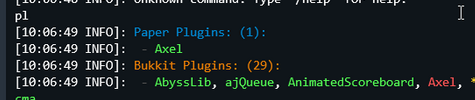
 solar creek
join this server
trail shuttle
i'd rather not tbh
steel pelican
solar creek
join this server
Do not advertise.
 versed pike
Hoping Lp will be Folia supported 🙏
woeful willow
There's already a branch for it I believe
 brave gulch
I know that not the right place. But someone can recommand to me one economy plugin in SQL in fabric 1.9.2 ? 🙄
 ruby flame
can someone help me with plugins ?
gilded nova
Hello everyone, I am a minecraft player, my country is at war😢, and my wish is to be able to play on the Hypixel server, but I don't have a premium account. I request you to give me a premium account.
scarlet light
no
 honest ocean
so i have a MySQL server running on a ubuntu CT on proxmox, i have a bungeecord network running on thet same proxmox machine so on the same network. When i start my bungeecord instance i first get an error saying "Caused by: me.lucko.luckperms.lib.mysql.cj.exceptions.CJCommunicationsException: Communications link failure" and then an error saying "Caused by: java.net.ConnectException: Connection refused" everything is running on the same network so in my luckperms config.yaml file my address is set to localhost. what am i doing wrong to get this error?
im also getting these errors "at me.lucko.luckperms.lib.mysql.cj.exceptions.ExceptionFactory.createException(ExceptionFactory.java:61)
at me.lucko.luckperms.lib.mysql.cj.exceptions.ExceptionFactory.createException(ExceptionFactory.java:105)
at me.lucko.luckperms.lib.mysql.cj.exceptions.ExceptionFactory.createException(ExceptionFactory.java:151)
at me.lucko.luckperms.lib.mysql.cj.exceptions.ExceptionFactory.createCommunicationsException(ExceptionFactory.java:167)"
radiant chasm
is it on the same network or the same machine? is anything running on docker containers or anything like that?
honest ocean
my MySQL server is running on a CT on proxmox and all my minecraft servers are running via AMP on proxmox. The MySQL machine IP ends with 34 and the minecraft servers machine IP ends with 38. Both machines are on the same local network in my house
radiant chasm
then using localhost won't work, localhost is "this machine", you gotta use the address within the network
honest ocean
when i use the IP of the machine that is running MySQL in the luckperms config with the :3306 port at the end if the IP i get the same errors
okay i just redone the whole thing again and now im getting these error messages
Caused by: me.lucko.luckperms.lib.mysql.cj.exceptions.CJCommunicationsException: Communications link failure
at me.lucko.luckperms.lib.mysql.cj.exceptions.ExceptionFactory.createException(ExceptionFactory.java:61)
at me.lucko.luckperms.lib.mysql.cj.exceptions.ExceptionFactory.createException(ExceptionFactory.java:105)
at me.lucko.luckperms.lib.mysql.cj.exceptions.ExceptionFactory.createException(ExceptionFactory.java:151)
at me.lucko.luckperms.lib.mysql.cj.exceptions.ExceptionFactory.createCommunicationsException(ExceptionFactory.java:167)
Caused by: javax.net.ssl.SSLHandshakeException: No appropriate protocol (protocol is disabled or cipher suites are inappropriate)
vague plume
Well, disable ssl?
honest ocean
and how would a noob like me disable ssl? 😂 sorry im new to the whole MySQL thing
vague plume
You must have set it to true in the luckperms config.
honest ocean
let me have a look
vague plume
data -> pool-settings -> useSSL.
honest ocean
im setting this up on a bungeecord network so im using the Luckperms-bungee version idk if that changes anything to what you just told me. after i have it working on bungeecord i can install the plugin on all my servers
the only thing i have in the luckperms plugin folder is libs, translations, config.yaml, contexts.json and a luckperms.db file no date, pool-settings, usessl
forest helm
the path zero was referring to is in the config.yml
honest ocean
okay i found it and changed it so that error is fixed thanks for that but now im getting a new one hahaha
Caused by: java.sql.SQLException: null, message from server: "Host '192.168.77.38' is blocked because of many connection errors; unblock with 'mariadb-admin flush-hosts'"
at me.lucko.luckperms.lib.mysql.cj.jdbc.exceptions.SQLError.createSQLException(SQLError.java:129)
at me.lucko.luckperms.lib.mysql.cj.jdbc.exceptions.SQLExceptionsMapping.translateException(SQLExceptionsMapping.java:122)
and im also getting a ingame error "permissions data for your user was not loaded during the pre-login stage - unable to continue"
forest helm
that's a symptom of the database issue
If LP can't connect to the DB, it can't load permission data, and if it can't load permission data then it blocks players from joining for security reasons
honest ocean
my database doesnt have any files in it like a permissions folder for example does LP make that himself or do i have to make it myself so that LP can pull data from it
scarlet light
LuckPerms create all tables needed on startup, if they're not present.
honest ocean
i dont understand how LP cant connect to my database when im using the IP of the MYSQL machine with the port 3306 and the user that i use on LP to sign into the MYSQL server has full access to it
scarlet light
honest ocean
Caused by: java.sql.SQLException: null, message from server: "Host '192.168.77.3...
you still getting this error?
honest ocean
first i get "java.util.concurrent.CompletionException: java.sql.SQLTransientConnectionException: luckperms-hikari - Connection is not available, request timed out after 5000ms." then i get "Caused by: java.sql.SQLTransientConnectionException: luckperms-hikari - Connection is not available, request timed out after 5000ms.
at me.lucko.luckperms.lib.hikari.pool.HikariPool.createTimeoutException(HikariPool.java:696)"
then i get "[LuckPerms] Successfully enabled. (took 15842ms)"
and then i get "Caused by: java.sql.SQLException: null, message from server: "Host '192.168.77.38' is blocked because of many connection errors; unblock with 'mariadb-admin flush-hosts'"
at me.lucko.luckperms.lib.mysql.cj.jdbc.exceptions.SQLError.createSQLException(SQLError.java:129)
at me.lucko.luckperms.lib.mysql.cj.jdbc.exceptions.SQLExceptionsMapping.translateException(SQLExceptionsMapping.java:122)"again
and when i check my database no files have been created by LP so its true that LP cant connect to my database but i dont understand why. i can connect to my database from my pc using the same login info as i use for LP
im sorry for all the issues im having, i just want this to work and i have been trying for 3 days now lol
radiant chasm
 i never seen this before, then again i don't really do sql sysadmin lol
trail shuttle
do the command it gives
onyx mason
It says “unblock with mariadb-admin flush-hosts”
honest ocean
mariadb-admin flush-hosts didnt work for me but i found something else that did work and that fixed my problem if you guys want i can share it for future problems
in the MySQL console use the command "SET GLOBAL max_connect_errors=10000;" and change the 10000 to whatever time the error in the minecraft console was (for me it was 15842 so i changed it to 20000)
and then use the command "FLUSH HOSTS;"
now it it all fixed and i am a happy man, thank you all for the help and advice 🙂
gilded nova
is this the best place to save language files?
 trail shuttle
i’d put it onto a translation folder
just to have to all separate with a lot of different languages
steel pelican
trail shuttle
just to have to all separate with a lot of different languages
Either I am tired still, or the first half of this makes little sense.
trail shuttle
just to have it all separate when you have a lot of different languages + other configs*
gilded nova
is there a way to ask what language permission someone has?
lets say for example i have the permissions: language.en language.es language.de
could i get that permission from a player somehow?
steel pelican
Depends where you're wanting to use it
gilded nova
idk either when they join the server and i turn they username in a integer or every time they run a command
not really sure whats effecient
i just started learning java and have problems getting around x
 plain yew
i need help with creating a default rank in luckperms
its created but how can every player when they enter get it?
trail shuttle
they already automatically get the default rank
plain yew
nope
scarlet light
Yes they do
plain yew
i created a rank named default
outer vesselBOT
LuckPerms provides a group that every player is added to upon joining the server, called default. You can use multiple methods to change the default group or change the name of it.
LuckPerms wiki
gilded nova
What would be the best event to reload my scoreboard
 dapper lagoon
hi, how to add pex api in my project? xd, i have a problem 😦
scarlet light
this... uh
isn't pex
woeful willow
dapper lagoon
hi, how to add pex api in my project? xd, i have a problem 😦
Documentation here https://github.com/PEXPlugins/PermissionsEx but this is Luckperms support, so you're a little out of place.
You're fine to ask here, but we all use Luckperms as you can imagine, so your answers will probably be slim.
scarlet light
no where really - it's currently unmaintained.
dapper lagoon
I need a library from tehkode
trail shuttle
which is

 trail shuttle
don't use pex
scarlet light
there isn't a good reason to use pex in 2023.
gilded nova
How can I transfer privileges from one group to another?
old shore
gilded nova
How can I transfer privileges from one group to another?
Step 1: Open your editor using /lp editor all
Step 2: Click on Permissions.
Step 3: Once you've selected your nodes, click on Move. An interface will pop up with your groups.
Step 4: Click on the group you want your selected permissions to be transferred to and press the Move green button.
Step 5: Done! Save your changes to apply in-game.


 pulsar jacinth
How can I deactivate the crafting/usage of an item without using a plugin?
mod is ok
gilded nova
old shore
Step 1: Open your editor using `/lp editor all`
Step 2: Click on **Permissions*...
thank you i did it
patent cipher
darklaw is this the configuration for it?
 old shore
Yes, that would work. The ran commands could be luckperms commands as well.
patent cipher
patent cipher
darklaw is this the configuration for it?
how do i set this?
old shore
patent cipher
how do i set this?
You need to set a block as the activator of the custom command you wish to perform.
/mycmd-blockset add /mycustomcommand - this will set the customcommand to execute when a player interacts with the set block as stated in the documentation.
patent cipher
how do i set a specific command?
patent cipher
old shore
`/mycmd-blockset add /mycustomcommand` - this will set the *customcommand* to ex...
cause what this does is when you're looking at a block (i use button) it sets that as the trigger for the command to be performed when you click it right?
old shore
patent cipher
cause what this does is when you're looking at a block (i use button) it sets th...
Yes. Left-click may work too.
patent cipher
how do i create new commands? do i make one on the example.yml
patent cipher
old shore
Yes. Left-click may work too.
whats the API for me to be able to give it to the person who clicked the button
 grand birch
Does Luckperms support Folia (Fork of PaperMC, which aims at multi-threading and more performance improvements.) --> https://github.com/PaperMC/Folia) ?
steel pelican
Since it's a fork of paper, then yes it will.
Just use the normal bukkit version of LP
grand birch
Every Plugin has to implement the Support (description on Github) -> Folia is official from Paper, so Support for Folia could be worh it 🙂
steel pelican
Try it. It should work
!suggestions If it doesn't work, make a suggestion on the github
outer vesselBOT
Suggestions and Bug Reports
If you would like to request a feature for LuckPerms, or report a bug, feel free to open an issue on GitHub!
Issue Tracker:
scarlet light
There is a branch specifically for folia. Normal LuckPerms Bukkit will not work.
built jar for Folia - https://github.com/LuckPerms/LuckPerms/files/11130649/LuckPerms-Bukkit-5.4.73.jar.zip
Note: you WILL need to download it, unzip, and then add to the plugins directory.
steel pelican
scarlet light
built jar for Folia - https://github.com/LuckPerms/LuckPerms/files/11130649/Luck...
 steep crypt
Never gonna give you up
Never gonna let you down
Never gonna run around and desert you
Never gonna make you cry
Never gonna say goodbye
Never gonna tell a lie and hurt you
 swift abyss
 pulsar jacinth
How can I deactivate the crafting/usage of an item without using a plugin?
mod is ok
 ripe dew
Whats the command of the Luckperms?
I only know the start /lp
Because I like that you can only... how does the command go? /lp editor or what?
 jaunty sequoia
Hello ¯_(ツ)_/¯
forest helm
happy april fools 😛 I forgot about this https://f.u11.io/Ty3EmV
 radiant chasm
lol that's cute
woeful willow
Just as I was saying there were no good april fools jokes, we get this gem
trail shuttle
forest helm
happy april fools 😛 I forgot about this https://f.u11.io/Ty3EmV
!update smh
outer vesselBOT
You can download LuckPerms for Bukkit/Spigot/Paper, BungeeCord, Sponge, Fabric, Forge, Nukkit and Velocity.
Additional downloads
old shore
 cursive stone
how do i enable command blocks?
cursive stone
how do i enable command blocks?
Head into your server.properties and set to true the enable-command-block= setting.
cursive stone
Yes, I already have, but luckperms prevents me from interacting with them
old shore
The permission node is minecraft.commandblock if that's what you're up to.
cursive stone
I already have it but it doesn't work
That's funny because 1 month ago everything was still working
old shore
Is an external plugin denying access or something?
cursive stone
no I tried it once with and without lp and it didn't work when I had lp on it
 tropic snow
Does anyone know how I can change the chat message color of a rank in the chat so not the name and rank itself but the message they sent. For every rank it needs to be different
radiant chasm
LuckPerms doesn't (directly) prevent usage of command blocks; same rules still apply, you need to be op and in creative - I think Paper locks it behind a permission rather than op, but I personally never used that
tropic snow
tropic snow
Does anyone know how I can change the chat message color of a rank in the chat s...
I know its in essentialsx config
tropic snow
tropic snow
I know its in essentialsx config
And I also know which line it is: format: '{DISPLAYNAME}: {MESSAGE}'
cursive stone
radiant chasm
LuckPerms doesn't (directly) prevent usage of command blocks; same rules still a...
That means I have to give myself the op how do I have to set it in lp because you can deactivate the commands there
radiant chasm
Well, LP specifically has the "auto op" system, which allows you to have op status by giving yourself the luckperms.autoop permission - it needs to be explicitly enabled in the config tho, it will also disable the regular op/deop commands
cursive stone
oke i try
old shore
tropic snow
And I also know which line it is: `format: '{DISPLAYNAME}: {MESSAGE}'`
  owner: '{DISPLAYNAME} &4{MESSAGE}'
  mod: '{DISPLAYNAME} &d{MESSAGE}'```

RGB color codes are supported as well.yeah works thank you🥳
radiant chasm

tropic snow
old shore
```group-formats:
owner: '{DISPLAYNAME} &4{MESSAGE}'
mod: '{DISPLAYNAME} &d{...
Life saver fr❤️
 thick swan
unluckperms
trail shuttle
yes
 candid nebula
how
trail shuttle
same as a online user
candid nebula
trail shuttle
same as a online user
only i pop up on the user list
since i'm the only one online
trail shuttle
/lp user <user> perm info
 devout ingot
Русские есть ?
 upbeat pumice
Alguna Persona aqui que hable español y sepa configurar luckperms¿
steel pelican
upbeat pumice
Alguna Persona aqui que hable español y sepa configurar luckperms¿
!usage
outer vesselBOT
Here's a guide to help users understand and use LuckPerms for the first time.
Read more
LuckPerms wiki
steel pelican
!tut
outer vesselBOT
YouTube Tutorial
If you would like a video tutorial for setting up LuckPerms, try:
https://www.youtube.com/watch?v=l4anE2wOLdc
 finite garden
devout ingot
Русские есть ?
finite garden
devout ingot
Русские есть ?
есть
outer vesselBOT
YouTube Tutorial
If you would like a video tutorial for setting up LuckPerms, try:
https://www.youtube.com/watch?v=l4anE2wOLdc
 naive dome
Sup guys!!! Just for curiosity...
Does some one knows @limber beacon in here?
He stole money from me a month ago and im not able to reach him in other means that discord or twitter...
It seems this server is the only place we have in common with him and im tring to get to him...
aorry if this is a weird question to ask
steel pelican
naive dome
Sup guys!!! Just for curiosity...
Does some one knows <@589042962508414978> in h...
Please don't bring personal issues to this discord.
devout ingot
finite garden
есть
Это хорошо
empty goblet
Hello im looking for a mod who knows how to fully set up luckyperms and do all the perms, happy to pay £10 for whoever can do it fully and make sure its all setup
Once ive tested it for a week i will transfer the money over to your paypal
Drop me a dm if your interested also looking for you to stay on the server also as be a mod for us
 rocky gate
Сan someone help me in support-2?
gilded nova
bonjour
tropic snow
anyone who knows why it shows [vip] 2 times?


 old shore
tropic snow
anyone who knows why it shows [vip] 2 times?
old shore
tropic snow
anyone who knows why it shows [vip] 2 times?
Check your EssentialsChat configuration and chat format.
You're currently displaying both LuckPerms prefix and vault group.
tropic snow
I dont have essentialschat config
 old shore
It's inside the Essentials config. You just sent a screenshot above.
 tropic snow
old shore
```group-formats:
owner: '{DISPLAYNAME} &4{MESSAGE}'
mod: '{DISPLAYNAME} &d{...
tropic snow
old shore
```group-formats:
owner: '{DISPLAYNAME} &4{MESSAGE}'
mod: '{DISPLAYNAME} &d{...
bc all I did is this
old shore
LuckPerms passes the prefix fine. It's up to your chat format/configuration.
tropic snow
old shore
LuckPerms passes the prefix fine. It's up to your chat format/configuration.
But I dont understand, It just shows the display name followed by the message, my displayname is [my rank] name
with a color
because yesterday, I used the format on line 906 and that didnt show [vip] twice
the group formats do
old shore
Maybe this will help: http://wiki.ess3.net/wiki/Chat_Formatting
tropic snow
normal format works
 tropic snow
old shore
Maybe this will help: http://wiki.ess3.net/wiki/Chat_Formatting
tropic snow
old shore
Maybe this will help: http://wiki.ess3.net/wiki/Chat_Formatting
okay thx
old shore
If the issue persists, consider reaching out to the M.O.S.S. discord server and ask for support there since it's up to your EssentialsChat.
tropic snow
old shore
If the issue persists, consider reaching out to the M.O.S.S. discord server and ...
nothing helped me all I could find is this, but I dont know what he is talking about: https://www.spigotmc.org/threads/solved-essentials-group-format-not-working.59736/ and https://www.spigotmc.org/threads/essentials-chat-group-format-not-working-with-pex.403781/ I have vault installed btw

SpigotMC - High Performance Minecraft
I quit Minecraft about a year ago, and just came back. Already I've noticed a ton of things have happened which I do not like. I used to have...

SpigotMC - High Performance Minecraft
Hi,
I have owner role on my server but essentials chat thinks i have default role.
essentials chat settings...
Oh NVm i fixxed it  . It had to do with the tabs in my code.
 old shore
tropic snow
Oh NVm i fixxed it <a:CatJam:740159055946842142> . It had to do with the tabs in...
old shore
tropic snow
Oh NVm i fixxed it <a:CatJam:740159055946842142> . It had to do with the tabs in...
Oh, yes. Wrong spacing. Didn't even notice myself. Glad you got it working all by yourself. Cheers.
tropic snow
old shore
Oh, yes. Wrong spacing. Didn't even notice myself. Glad you got it working all b...
Thank you for all your help, without you I wouldn't even notice that this function existed.
old shore
tropic snow
Thank you for all your help, without you I wouldn't even notice that this functi...
All you mate. 
tropic snow
old shore
```group-formats:
owner: '{DISPLAYNAME} &4{MESSAGE}'
mod: '{DISPLAYNAME} &d{...
not so sure abt that 😉
 atomic star
Hey, can we give a default permission to a player without going through a group?
old shore
atomic star
Hey, can we give a default permission to a player without going through a group?
!default
outer vesselBOT
LuckPerms provides a group that every player is added to upon joining the server, called default. You can use multiple methods to change the default group or change the name of it.
LuckPerms wiki
scarlet light
!nw I !nw you @potent prawn
outer vesselBOT
Please tell us what's going on!
We really would absolutely love to help you out! However, telling us that it isn't working wastes everyone's time. Please, just describe the issue you're having clearly and with as much detail as possible, and send any relevant screenshots of whatever problems you're having.
For Console Errors:
 scarlet light
!commands
outer vesselBOT
Find all of the available LuckPerms commands on the wiki.
Read more
General commands
User commands
Group commands
Permission commands
Parent commands
Meta commands
Track commands
Log commands
LuckPerms wiki
tropic snow
Can I use rgb in luckperms prefix, if yes what does it look like? #FFFF66[VIP] would this be right?
old shore
tropic snow
Can I use rgb in luckperms prefix, if yes what does it look like? #FFFF66[VIP] ...
&#FFFFFF
trail shuttle
!chat
outer vesselBOT
LuckPerms does not perform any chat/tablist formatting of its own!
LuckPerms only acts as the source for prefixes / suffixes, it doesn't actually apply them. You need an appropriately configured chat/tablist formatting plugin for them to be displayed. If the values appear correctly when you run /lp user <user> info, LuckPerms is doing its job!
FAQ answer: Prefix isn't showing?
List of chat/tablist formatting plugins that work with LuckPerms
tropic snow
old shore
&#FFFFFF
Oh thanks that worked, is this also like this in essentials chat?
old shore
tropic snow
Oh thanks that worked, is this also like this in essentials chat?
Like the EssentialsChat configuration, yes.
old shore
@tropic snow continue the conversation regarding TAB here. 
Besides, you will have to configure per group/rank TAB format and, in your case, for your vip group.
tropic snow
old shore
<@698477356217794590> continue the conversation regarding TAB here. <:bee_happy:...
Okay, thank you for alerting me.
I tried this, but this didnt work either:
 tropic snow
Nvm, I asked the creator and nametags dont support RGB color codes
 whole sinew
Is it possible to transfer luckperms ranks from 1 server to another?
old shore
Yes.
whole sinew
old shore
Yes.
Can you explain me how?
tropic snow
downloading your .jar file and the map it creates so the map called luckperms
and drop it in your new server
I think that should work
tropic snow
in your new servers plugins folder
whole sinew
Can you look dm for a second?
tropic snow
ofc
outer vesselBOT
If you wish to change your storage type (e.g. to YAML or MySQL) you may need to follow these instructions to ensure your groups and permissions are migrated to the new storage type.
Read more about the Storage types
LuckPerms wiki
tropic snow
vague plume
...what
he hasnt saved his config files
vague plume
export - import
vague plume
Group and user data is not saved in a config.
old shore
What does the config have to do with the database?
 vague plume
You need either a .gz zipped backup, the .db file (NOT CONFIG) or a working editor link
tropic snow
he doesnt have this anymore
old shore
You can't import data if you don't have any.
tropic snow
vague plume
You need either a .gz zipped backup, the .db file (NOT CONFIG) or a working edit...
yes I always call the map that gets created by a plugin config. Dont ask me why
old shore
You don't need to change storage types to import an existing backup/database. Just follow the first steps of the guide.
vague plume
That was very out of context.
He is saying he does not have any files anymore whatsoever.
tropic snow
So I can restore my old servers LuckPerms Althought I have deleted my server?
vague plume
So last chance is a working editor link. You can restore from that.
It must show data when opening though.
tropic snow
look he has the ones in blue but not the ones in red

he has the jar files
not the folders with the cfgs and the dbs in it
vague plume
Then he's out of luck.
tropic snow
Does anyone know about an extension in vscode, so that these color codes dont look chinese?
 tropic snow
yes.
scarlet light
oh good luck with that. The section symbol is what I use
tropic snow
something like css color codes. visual studio code makes them configurable and it looks like this 1 sec

look this is sexy
tropic snow
tropic snow
Does anyone know about an extension in vscode, so that these color codes dont lo...
but this gives me headaches
thorny kernel
\u00a7 is just the section symbol
thorny kernel
 scarlet light
No you cannot
tropic snow
scarlet light
No you cannot
Yea I already tried
tropic snow
Oh okay this did work thanks
 gilded nova
hi
scarlet light
bye
gilded nova
I'm using /lp editor on my server, but there is an error, see console, how can I solve it?
@radiant chasm
outer vesselBOT
Hey killemseV2! Please don't tag helpful/staff members directly.
thorny kernel
"an error" is not very descriptive
gilded nova
wait
scarlet light
no
gilded nova
outer vesselBOT
Please use https://pastes.dev to send files in the future. I have automatically uploaded message.txt for you: https://pastes.dev/1UbVMq2otc

A paste containing 54 lines of plaintext.
gilded nova
thorny kernel
"an error" is not very descriptive
pls help me
sonic wyvern
gilded nova
show this error to your host
gilded nova
ok
onyx mason
@radiant chasm @neon fjord 

 neon fjord
@radiant chasm @onyx mason uwu
outer vesselBOT
Hey Michael! Please don't tag helpful/staff members directly.
radiant chasm
@neon fjord @onyx mason uwu
 wide igloo
I have cracked server, but does any1 know how to make cracked users unable to join with premium nicknames?
golden ocean
wide igloo
I have cracked server, but does any1 know how to make cracked users unable to jo...
NLOGIN premium can do that
steel pelican
wide igloo
I have cracked server, but does any1 know how to make cracked users unable to jo...
!offline
outer vesselBOT
Offline mode/cracked servers
Running a Minecraft server in offline mode can cause a lot of issues, particularly with UUIDs and security vulnerabilities. Some people also view it as unethical (piracy). We understand that some people need to run their servers in offline mode. However, due to the reasons mentioned, some users will choose to not support those running a server in offline mode (this does not apply to those running in a Bungeecord network). Please respect their decision, you may continue to seek help for your issue but in most cases, it can be resolved by setting online-mode=true in server.properties.
tropic snow
I cant startup minecraft rn to check it out, but If I disable all the minecraft: commands for players, like minecraft:me minecraft:msg, Can I still use the ones from essentials?
So can I still use /me /msg but then with the format of essentials etc
so these
 scarlet light
If you’re setting the permissions to false, then EssentialsX commands will still function fine. The only way it wouldn’t is if you were using something to completely block the command on PreProcess
tropic snow
scarlet light
If you’re setting the permissions to false, then EssentialsX commands will still...
Okay and what if I disable something like bukkit:pl, does the pl command itself also get disabled, or do I need to disable that one aswell?
/bukkit:? /bukkit:about /bukkit:help /bukkit:pl /bukkit:plugins
/bukkit:ver /bukkit:version /icanhasbukkit /lp /luckperms /luckperms:lp /luckperms:luckperms /luckperms:perm /luckperms:permission /luckperms:permissions /luckperms:perms /minecraft:help /minecraft:me /minecraft:msg /minecraft:teammsg /minecraft:tell /minecraft:tm /minecraft:trigger /minecraft:w /papi /perm /permission /permissions /perms /pl /placeholderapi /placeholderapi:papi /placeholderapi:placeholderapi /plugins /tab /tab:tab /teammsg /tm /trigger /ver /version
Because I want to disable all these for regualr user without op
scarlet light
Just set the permissions to false so you don’t have to worry about namespaced variants


