#support-1
1 messages · Page 1152 of 1
 foggy quartz
 ashen leaf
Hello, i have a lobby server and i don't know how this lp bungee groups works ( i know that bungee and spigot has different permissions etc ) If i want to have rank Admin on my main server but also i want to have Admin on bungee then i have to give myself 2 ranks? via lpb and lp? Pls help this is really confusing to me XD
 little sphinx
ashen leaf
Hello, i have a lobby server and i don't know how this lp bungee groups works ( ...
little sphinx
ashen leaf
Hello, i have a lobby server and i don't know how this lp bungee groups works ( ...
so you are looking for a way to sync permissions?
!sync
 wanton stratusBOT
To sync data between servers, you need to connect each LuckPerms plugin to the same database (for example MySQL) and set up a messaging service.
 LuckPerms wiki
ashen leaf
LuckPerms wiki
ashen leaf
Not really, i want to have different permissions on lobby and main server.
For e.g
Admin on lobby - someperm.xd
Admin on main - otherperm.xd
Do i even need luck perms bungee for this?
 abstract steeple
little sphinx
so you are looking for a way to sync permissions?
abstract steeple
little sphinx
so you are looking for a way to sync permissions?
ive done all that and for some reason my servers still dont seem to be syncing
little sphinx
ashen leaf
Not really, i want to have different permissions on lobby and main server.
For ...
luck perms bungee is only for permissions check in the bungee proxy itself, so do you have those?
i.e. plugins on bungee or things like /server
little sphinx
abstract steeple
ive done all that and for some reason my servers still dont seem to be syncing
!userinfo
wanton stratusBOT
Please take a screenshot!
Seeing a screenshot makes everything so much easier!
For prefixes not showing up in chat:
/lp user <user> info.
For database errors:
Server console: /lp info | Proxy console: /lpb info.
little sphinx
ashen leaf
Not really, i want to have different permissions on lobby and main server.
For ...
but if you assign a rank on one server you want to have them on another it seems...
abstract steeple
 torpid tusk
i got a little question, i got a bungee with 6 servers and want luckperm to work on them all, so i need to install lp on all servers?
little sphinx
torpid tusk
i got a little question, i got a bungee with 6 servers and want luckperm to work...
yes
!sync as well
wanton stratusBOT
To sync data between servers, you need to connect each LuckPerms plugin to the same database (for example MySQL) and set up a messaging service.
LuckPerms wiki
torpid tusk
oke
abstract steeple
abstract steeple
@little sphinx this work?
 devout locust
Hey! New member here!
I am having some issues setting up my LuckPerms...
VERY NEW to this sort of thing!
ashen leaf
devout locust
Hey! New member here!
I am having some issues setting up my LuckPerms...
VERY...
ye welcome to the club xd
little sphinx
do explain the issue you are facing
little sphinx
abstract steeple
<@!333955849464578048> this work?
that looks ok, is that the server that is not working?
devout locust
I have never been programming in any shape or form before. So understanding the whole commands sort of thing is a little bit troubling. I am attempting to set up my Set home commands!
abstract steeple
after i imported both have the existing groups and permissions
but whenever i make a change it doesnt change it in both servers
doesnt seem to be saving to the database
devout locust
I want to have different permissions for "regular" players and "admins"
little sphinx
abstract steeple
but whenever i make a change it doesnt change it in both servers
show lp info of the other server
little sphinx
devout locust
I have never been programming in any shape or form before. So understanding the ...
!usage is a good start
wanton stratusBOT
Here's a guide to help users understand and use LuckPerms for the first time.
Read more
LuckPerms wiki
abstract steeple
@little sphinx
wanton stratusBOT
Hey Baked! Please don't tag helpful/staff members directly.
abstract steeple
little sphinx
devout locust
I have never been programming in any shape or form before. So understanding the ...
also setting up luckperms is farrrrr from doing programming
devout locust
Well. It all looks the same to me! xd
little sphinx
not at all really...
abstract steeple
devout locust
Well. It all looks the same to me! xd
i would do /lp editor
and just have a fiddle
devout locust
Well, I went through the entire Usage page
little sphinx
80-90% of ppl using luckperms probably doesnt code
abstract steeple
probs higher then that, i would bet 95+
devout locust
And I have successfully created a "admin" group and assigned myself to it
abstract steeple
ben ideas with my problem?
 twilit rivet
little sphinx
abstract steeple
^^
twilit rivet
little sphinx
abstract steeple
^^
when you add permission, does it show like a log notifcation on the other server? also can you screenshot /lp user USER info of any user from both servers
little sphinx
twilit rivet
do you intend cracked clients to join your server?
twilit rivet
yes
little sphinx
thats your issue
twilit rivet
twilit rivet
little sphinx
you probably changed to offline mode midway
nop
little sphinx
yea, bcu it was previous mojang assigned uuid
twilit rivet
check ss
twilit rivet
twilit rivet
.
little sphinx
and so?
twilit rivet
Seftali -> SEftali
little sphinx
yea you cant change username expecting uuid to be the same
unless its mojang assigned
foggy quartz
how do i get to my editor
twilit rivet
I didn't even join the server
little sphinx
!editor
wanton stratusBOT
LuckPerms offers an easy to use, powerful Web Editor, with which you can add, delete and change permissions of groups and players.
Read more
LuckPerms wiki
little sphinx
twilit rivet
im not changing the username
the probably your login plugin altered the uuid or just due to offline mode, nothing much luckperms can do really, your UUID changed which will cause issues with ALL uuid dependent plugins...
twilit rivet
not all
 nocturne chasm
which are 80% of the plugins that exists basically (if they save stuff)
little sphinx
unless they use playername, but UUID is the better security choice, as wont change if its mojang assigned
wanton stratusBOT
Hey Sekune! Please don't tag helpful/staff members directly.
twilit rivet
so
devout locust
Ya, I noticed
twilit rivet
if there isnt crack support thats kinda bruh moment
little sphinx
it can support crack if UUID doesnt get screw like your does
foggy quartz
I'm trying to run a lp command in console, but its not working. I put the command in but I don't get a response at all
little sphinx
tho you will realise most ppl dont offer support (unrelated to if the plugin works) if you have a crack server, sorry.
little sphinx
foggy quartz
I'm trying to run a lp command in console, but its not working. I put the comman...
!paste your startup log
wanton stratusBOT
Please use pastebin!
Seeing a paste of the problem makes everything so much easier! Use https://bytebin.lucko.me/ for easy pasting!
For console errors:
Pastebin any relevant segments of the console log. If it's a startup error, this includes the entire startup log!
Other errors:
Pastebin the entire LuckPerms config file (passwords removed) as well as any other relevant files!
abstract steeple
little sphinx
when you add permission, does it show like a log notifcation on the other server...
well this is definitely an issue
not sure why
because i ip forward on in the proxy config and bungee mode to true
little sphinx
abstract steeple
well this is definitely an issue
means you previously either had a wrong setup on one or more servers or allowed cracked accounts to join
but now is correct
abstract steeple
i had online mode off for like 10 mins 2 months ago lmao
little sphinx
!bungeecheck
wanton stratusBOT
Running a network and getting UUID mismatches?
Please double check that:
1. BungeeCord config.yml has ip_forward and online_mode set to true
2. All backend servers' spigot.yml has bungeecord set to true
3. All backend servers' server.properties have online-mode set to false
abstract steeple
so its not an issue then yes?
little sphinx
well now its ok, but permission set with the old uuid will be gone
foggy quartz
Hi
little sphinx
abstract steeple
so its not an issue then yes?
or its possible another server is still authentication wrongly, just not the one you screenshot
foggy quartz
Will 1.16.4 Luckperms work on 1.16.5 server? Fabric
little sphinx
it should, yes
foggy quartz
ok ty
abstract steeple
@little sphinx face palm, on one of the server bungeecord was false, no idea why, must of slipped
wanton stratusBOT
Hey Baked! Please don't tag helpful/staff members directly.
foggy quartz
I don't see any errors in the console so I guess Ill put this here
wanton stratusBOT
Please use https://bytebin.lucko.me to send files in the future. I have automatically uploaded luckperms.conf for you: https://bytebin.lucko.me/ldYs3GZZup
abstract steeple
oh shutup clippy
little sphinx
abstract steeple
<@!333955849464578048> face palm, on one of the server bungeecord was false, no ...
ah yea, probably the issue
it happens very often haha
abstract steeple
i hate to be one of the idiots that do something stupid
little sphinx
foggy quartz
I don't see any errors in the console so I guess Ill put this here
uh thats not the startup log
abstract steeple
as someone who prides himself on not being an idiot when it comes to tech
little sphinx
no worries it does happen
foggy quartz
Umm
I started my server did /lp editor and there are no commands to give permissions for? This is the link: https://luckperms.net/editor/elpUykXRxH

LuckPerms - A permissions plugin for Minecraft servers.
LuckPerms is a permissions plugin for Minecraft servers. It allows server admins to control what features players can use by creating groups and assigning permissions.
foggy quartz
So how would I do it?
little sphinx
foggy quartz
I started my server did /lp editor and there are no commands to give permissions...
you just type the permission taht you want...?
!editor on how to use it
wanton stratusBOT
LuckPerms offers an easy to use, powerful Web Editor, with which you can add, delete and change permissions of groups and players.
Read more
LuckPerms wiki
foggy quartz
i don't know it's name
little sphinx
foggy quartz
i don't know it's name
well depends on the plugin
foggy quartz
little sphinx
uh thats not the startup log
Everything from the console during startup?
little sphinx
foggy quartz
Everything from the console during startup?
yes
foggy quartz
foggy quartz
little sphinx
well depends on the plugin
fabric version
also i don't know all of the commands(as i have op) i wanted to use that to have a look and give the perms
little sphinx
little sphinx
yes
what server type is it, im guess its a forge server?
foggy quartz
yea
little sphinx
foggy quartz
fabric version
also i don't know all of the commands(as i have op) i wanted to u...
i dont use fabric so you probably want to ask fabric on the in built commands permissions (if they even have it since it so new)
foggy quartz
umm
i meant for the mods i use
on paper
it shows the commands and lets you select them
why doesn't it for fabric
little sphinx
probably due to the permission API being incomplete
and it havent implement proper permission registeration and suggection
!bugreport
wanton stratusBOT
Suggestions and Bug Reports
If you would like to request a feature for LuckPerms, or report a bug, feel free to open an issue on GitHub!
Issue Tracker:
little sphinx
you can create an issue and see what the dev says
wanton stratusBOT
You can download LuckPerms for Bukkit/Spigot/Paper, BungeeCord, Sponge, Fabric, Nukkit and Velocity.
Additional downloads
foggy quartz
got all perms needed, still persists
foggy quartz
wow
little sphinx
have you contacted that plugin on it?
little sphinx
uhh sounds like a poor plugin
foggy quartz
its literally residence
little sphinx
foggy quartz
waited for days
like no response at all?
little sphinx
only thing i can suggest is ask again
foggy quartz
help
pls
- addprefix:
value: '&8[&dHead-Of-Staff&8] &7 &f➟ &7'
and it doesnt work
little sphinx
foggy quartz
- addprefix:
value: '&8[&dHead-Of-Staff&8] &7 &f➟ &7'
where is this coming from, it doesnt look like something from luckperms?
 silent ferry
#support-2 pls
little sphinx
foggy quartz
that wrong node for prefix, its prefix.<priority>.<prefix>
also dont edit the yaml file directly
nocturne chasm
foggy quartz
put the prefix in ""
foggy quartz
thanks
This is not a LP issue but there are people here that know a lot about plugins so thats why I ask
Is there a way for me to make a PVP arena and only having PVP on in there?
nocturne chasm
worldguard
foggy quartz
Okay I will mve it there
foggy quartz
little sphinx
get spongeforge luckperms-sponge
I put the sponge forge one in, and I still don't get a response in my console
little sphinx
foggy quartz
I put the sponge forge one in, and I still don't get a response in my console
uh that doesnt look like a mc console
foggy quartz
its a server host console
little sphinx
interesting... does the permission apply tho?
 vestal anvil
Can anyone help me setup the /sethome script for EssentialsX plugin so everyone could use it
little sphinx
script ...?
vestal anvil
Command
foggy quartz
I do see luckperms in the console now, but I still don't get a response from it in console
little sphinx
can you go in game and do /lp info
little sphinx
vestal anvil
Can anyone help me setup the /sethome script for EssentialsX plugin so everyone ...
vestal anvil
thx
foggy quartz
vestal anvil
@little sphinx So where do I put the text ?
wanton stratusBOT
Hey Rizz! Please don't tag helpful/staff members directly.
vestal anvil
Sorry mr. bot
little sphinx
vestal anvil
<@!333955849464578048> So where do I put the text ?
LuckPerms - A permissions plugin for Minecraft servers.
LuckPerms is a permissions plugin for Minecraft servers. It allows server admins to control what features players can use by creating groups and assigning permissions.
you probably want to add to default group if its for all players
!usage is a good starting point on just general lp stuff as well
wanton stratusBOT
Here's a guide to help users understand and use LuckPerms for the first time.
Read more
LuckPerms wiki
 still pelican
are there any auto backups for my luckperms data that is stored in MySQL database?
little sphinx
No, at least nothing in-built in luckperms
(I hope you didn’t accidentally delete something)
still pelican
is there an undo for /lp import?
nocturne chasm
No
still pelican
I had an old server that was offline for a whole while, I turned it on and accidentally changed something in lp editor and saved. That server was synced with my whole network (I forgot that). So now, my groups are all messed up (from really long time ago).
 rain belfry
anyone here got experience using luckperms and luckpermschat? i cant get the message colors to work. ive got the LPC config including the message-color placeholder, but it defaults to regular white no matter what i do.
highlighting the inherited message-color below shows &f
foggy quartz
is there suppost to be a config.yml in here or is the config that .conf file
nocturne chasm
.conf
foggy quartz
ok
 quartz idol
how do i give permission for certain commands like /ban. i tried using the example on the wiki and it did not work
rain belfry
quartz idol
how do i give permission for certain commands like /ban. i tried using the examp...
look at the documentation on the plugin you're using. they'll show you what you can assign for permissions
quartz idol
ahh, what about default minecraft commands?
rain belfry
afaik you can only access them with operator status
foggy quartz
This is all I see in the console about luckperms when I start my server
even though it says its started, I go into the console and put in thsi command lp user gamerboyx04 permission set luckperms.* true, it doesn't do anything
silent ferry
its a .json file right?
foggy quartz
I didn't use the /
rain belfry
hm, weird
have you tried just doing a frsh reinstall?
delete all luckperms files and download a new jar? (backup if needed beforehand)
foggy quartz
yea I've done that three times now
silent ferry
oh its ,json.gz
rain belfry
capitalized your username where needed?
foggy quartz
don't have any capital letters in my username
rain belfry
dm me the full server log if you dont mind
 modern bison
hello does anyone need help
rain belfry
if you know how LPC works then yeah, ik im in the wrong discord for this but i dont know where else to ask
torpid tusk
hey there, can i transfer data from a h2 db to a mysql database?
wanton stratusBOT
If you wish to change your storage type (e.g. to YAML or MySQL) you may need to follow these instructions to ensure your groups and permissions are migrated to the new storage type.
Read more about the Storage types
LuckPerms wiki
modern bison
depends on the plugin and exact command you want to use
modern bison
essentials will override bukkit
foggy quartz
ok
modern bison
probably essentials.broadcast
foggy quartz
ok thxs
modern bison
!verbose is always here to help tho :)
wanton stratusBOT
LuckPerms provides a verbose command to help you find out what permissions a command/plugin is checking.
Read more
LuckPerms wiki
 surreal mauve
What am i doing wrong.. Can u mention..?
modern bison
!bungeecheck
wanton stratusBOT
Running a network and getting UUID mismatches?
Please double check that:
1. BungeeCord config.yml has ip_forward and online_mode set to true
2. All backend servers' spigot.yml has bungeecord set to true
3. All backend servers' server.properties have online-mode set to false
modern bison
check this out :)
surreal mauve
Yep... All 3 is as mentioned
modern bison
you sure about online mode?
[LuckPerms]: A permission check was made for player XgenPsycho - b9e2586a-a9a1-3fc7-b2c0-17dba9245c59, but LuckPerms does not have any permissions data loaded for them. Perhaps their UUID has been altered since login?
 novel latch
Is there a way I can disable this? https://i.imgur.com/ZKvKqvt.png
 ancient cobalt
question, how can i config a helper to promote players only in 1 of 2 tracks to a specific rank?
nocturne chasm
!argbased
wanton stratusBOT
Fine tune exactly what users with permission to use LuckPerms can do.
LuckPerms wiki
 errant prairie
Anyone here have pre-made perms ?
 full herald
no, pre made perms are near impossible because of the huge varying range of plugins and servers
a survival server could have one setup and another could have something not even resembling the same perms
full herald
takes just a second
literally one command for each group, and if you have multiple servers they should be synced
errant prairie
They aren't synced
full herald
well anyways, create your own groups and permissions
full herald
errant prairie
They aren't synced
I was saying you should sync them. THeres no reason not to when contexts and everything exist
errant prairie
Hmm ok one more question how I sync them?
full herald
!bungee is a pretty good guide. YOu need a database though
wanton stratusBOT
If you run a BungeeCord network, learn how to correctly setup LuckPerms on all server instances (including Bungee).
Also read:
Syncing data between servers
LuckPerms wiki
errant prairie
How I setup data base
full herald
are you home hosting or using a host?
errant prairie
Host
full herald
shared hosting? (bisect, dedicatedmc, bloom, etc.) or a VPS/Dedi host like hetzner?
errant prairie
My host is bisect and 3 different ones
full herald
alright, youll want to ask their support then
errant prairie
Ok
full herald
theyll help you out, they probably have a system that creates DBs for you
errant prairie
Oh ok
Ty
And one other question which server i have to use i mean lobby survival or what
Or the bungee server
Because all of the servers are in different hosts
full herald
read the bungee guide for that. Once theyre synced it doesnt matter, theyll all be feeding off the same DB
full herald
errant prairie
Because all of the servers are in different hosts
that complicates it a little, but your host should help you out with that
errant prairie
Ok
 keen rose
Hi Guys, Is it possible To Make a Nick System Where It Nicks And Changes to a Prefix, Then when you unick it comes back the the orginal prefix, I am Using Luckperms for the prefixes
 sick lintel
Hi, How to set group For some time with epiry date ?
foggy quartz
!commands see Parent commands addtemp @sick lintel
wanton stratusBOT
Find all of the available LuckPerms commands on the wiki.
Read more
General commands
User commands
Group commands
Permission commands
Parent commands
Meta commands
Track commands
Log commands
LuckPerms wiki
 wicked spruce
how do i figure out the translation key of commands?
foggy quartz
wicked spruce
the reason i need to know is to run this command lp group admin permission set minecraft.command.ban true
foggy quartz
what do translation keys have to do with that? 
 unkempt viper
so wired issue i cant collect liquids on my server
it says your not alowed to do that
nocturne chasm
Delete essentials antibuild
wicked spruce
foggy quartz
what do translation keys have to do with that? <:luckythonk:780557782159065109>
minecraft.command.ban is a translation key
nocturne chasm
What
wanton stratusBOT
Here's a guide to help users understand and use LuckPerms for the first time.
Read more
LuckPerms wiki
wicked spruce
oh well how do i figure out the permission node of a command
modern bison
!verbose
wanton stratusBOT
LuckPerms provides a verbose command to help you find out what permissions a command/plugin is checking.
Read more
LuckPerms wiki
modern bison
^^^^^
wicked spruce
thank you'
foggy quartz
I suggest you read the documentation of the plugin you want to set up
wicked spruce
wdym
modern bison
exactly what they said
foggy quartz
Plugins have documentation
Which will (or at least should) contain a list of permissions
You should start off of that
For example https://worldedit.enginehub.org/en/latest/permissions/ for worldedit
I really feel bad for fefo every day he needs to suffer people
literally me https://www.youtube.com/watch?v=PzcKJVtgaNA

unkempt viper
i dont have essentials antibuild
modern bison
!verbose try using verbose then @unkempt viper, read this
wanton stratusBOT
LuckPerms provides a verbose command to help you find out what permissions a command/plugin is checking.
Read more
LuckPerms wiki
foggy quartz
what does it say exactly? screenshot
unkempt viper
one sec
bottom middle in red text when i try to collect water it says you dont have permission to do that
i think universgaurd is doing it
wicked spruce
does someone know a website that has vanilla minecraft perm nodes
nocturne chasm
wicked spruce
because my memebrs cant msg
wicked spruce
nocturne chasm
Google
lol
nocturne chasm
!verbose
wanton stratusBOT
LuckPerms provides a verbose command to help you find out what permissions a command/plugin is checking.
Read more
LuckPerms wiki
nocturne chasm
Use that
 static sigil
With parent groups Ive got it set up that my ranks go in a ladder. If I give a kit to the rank below is there a way to take just the kit perm away on the rank above?
wicked spruce
nocturne chasm
Use that
it doesnt have vanilla perm nodes
wicked spruce
how would i do that
foggy quartz
Step one is to know what on earth you installed on your own server and what does it do
wicked spruce
lol i can send list
foggy quartz
Step two is to read the documentation of the plugins you think may be responsible for the commands and actions you do, usually they have a list of permissions (for example WorldEdit https://worldedit.enginehub.org/en/latest/permissions/)
foggy quartz
wanton stratus
Alternatively you can use verbose ^ to find out the perms you need if you are not sure
foggy quartz
static sigil
With parent groups Ive got it set up that my ranks go in a ladder. If I give a k...
set the kit perm to false on the rank above?
static sigil
yes orry just figured that one out 🙂
wanton stratusBOT
Sorry! I do not understand the command !fuck
Type !help for a list of commands.
foggy quartz
ok
 cunning glade
Hi, so Tracks vs Group Inheritance, I am slightly confused. Is tracks literally just to make promoting and demoting easy?
wicked spruce
foggy quartz
Step one is to know what on earth you installed on your own server and what does...
but my members cant do /msg would any of these plugins be responsible
foggy quartz
cunning glade
Hi, so Tracks vs Group Inheritance, I am slightly confused. Is tracks literally ...
Tracks do not imply inheritances, and inheritances do not imply a promotion/demotion system
They go hand in hand very well
ok
But they are different systems
cunning glade
But if I have a plugin like rankup that handles users ranking up, is the track system useful for anything?
foggy quartz
Well, tracks are sort of meant for ranking
Inheritances have nothing to do with it technically
But again they go hand in hand
modern bison
Like me and you 
cunning glade
Understood but it seems that if I'm not using the promote/demote system, it's entirely useless, unless I'm missing something
I'm not saying it IS useless
Just for my own setup
foggy quartz
Correct, tracks are for ranking, they are for promotion/demotion
cunning glade
Ok, thanks
foggy quartz
mhm
unkempt viper
fefo when i try to get water this is what shows up
universeguard.region - undefined
modern bison
Then give them the permission
unkempt viper
omg thanks
wicked spruce
do ranks show infront a of a players name'
unkempt viper
if you set ther prefex
modern bison
Not without another plugin and a prefix correctly setup
!formatting read this @wicked spruce
wanton stratusBOT
LuckPerms does not perform any chat/tablist formatting of its own!
LuckPerms only acts as the source for prefixes / suffixes, it doesn't actually apply them. You need an appropriately configured chat/tablist formatting plugin for them to be displayed. If the values appear correctly when you run /lp user <user> info, LuckPerms is doing its job!
FAQ answer: Prefix isn't showing?
List of chat/tablist formatting plugins that work with LuckPerms
cunning glade
Wait... is there no command to set a user's group? I only see promote and demote options
foggy quartz
LuckPerms - A permissions plugin for Minecraft servers.
LuckPerms is a permissions plugin for Minecraft servers. It allows server admins to control what features players can use by creating groups and assigning permissions.
cunning glade
Thanks
 robust rampart
how do I default everything they have to get and so they can do nothing now it says steets you have no perm can someone help me
full herald
what exactly can they not do?
robust rampart
they can't do anything no / spawn not even eat anything they can not destroy anything
modern bison
!usage read this
wanton stratusBOT
Here's a guide to help users understand and use LuckPerms for the first time.
Read more
LuckPerms wiki
modern bison
you will learn how to give permissions
foggy quartz
Hey guys
I want to add players in a group when they join. How would I go about doing so
They get the default group already
You should use that
Can I change that to "player"
I mean u can just change their prefix
do /lp group Default meta
then you can see the info of wat u need 
robust rampart
how do I ensure that players get the perm to build and place again
 warm yacht
How do I limit the commands that appear when I turn on verbose because I'm trying to make a sign that takes me to a world allow select groups in but when I use it, 1000 commands appear in chat?
foggy quartz
add filters
 ebon flame
I have a problem with luckperms, I use the placeholder %luckperms_expiry_time_perms% and doesn t show the corect time for 1 month, in my console it says that the permission was suscesful set for 1 month and when I check the placeholder with parse me and on on other line that contains the placeholder shows 6 days and 10 hours, but for 1 day works
foggy quartz
Right before the "Web Viewer" https://luckperms.net/wiki/Verbose
foggy quartz
ebon flame
I have a problem with luckperms, I use the placeholder %luckperms_expiry_time_pe...
update papi to a dev build
warm yacht
How do I add filters?
foggy quartz
Right before the "Web Viewer" https://luckperms.net/wiki/Verbose
 grave night
Is there a setup guide for luckperms on velocity
full herald
!bungee its the same as the bungee guide
wanton stratusBOT
If you run a BungeeCord network, learn how to correctly setup LuckPerms on all server instances (including Bungee).
Also read:
Syncing data between servers
LuckPerms wiki
grave night
thx
nocturne chasm
If they have no data they dont get saved
robust rampart
how can i fix the prefix
nocturne chasm
!chat
wanton stratusBOT
LuckPerms does not perform any chat/tablist formatting of its own!
LuckPerms only acts as the source for prefixes / suffixes, it doesn't actually apply them. You need an appropriately configured chat/tablist formatting plugin for them to be displayed. If the values appear correctly when you run /lp user <user> info, LuckPerms is doing its job!
FAQ answer: Prefix isn't showing?
List of chat/tablist formatting plugins that work with LuckPerms
foggy quartz
If the values appear correctly when you run
/lp user <user> info, LuckPerms is doing its job!
Means "you should be looking in your chat plugin settings"
 lucid wharf
luckperms down?
lucid wharf
I cant open the editor
modern bison
link?
lucid wharf
nvm now It loads
modern bison
:D
robust rampart
plzz help
it works but not to change the prefix I want one time onwer not twice
 cedar cradle
My perms are all connected to the same database, but they arent synced across the network. how do i sync them
modern bison
what makes you think they are not synced?
cedar cradle
when i go on the other servers the prefixes arent there, even when i do /lp user (name) info
but on lobby theyre
modern bison
send /lp info on each server
cedar cradle
then?
warm yacht
Is there a permission that allows a command to perform only when stepping on a pressure plate? I have this ingame shop that I want only to be used when someone steps on the pressure plate and not to be able to do /shop.
nocturne chasm
screenshot /lp user <user> info from the server it shows and the one where it doesn't
!update also update ;d
wanton stratusBOT
You can download LuckPerms for Bukkit/Spigot/Paper, BungeeCord, Sponge, Fabric, Nukkit and Velocity.
Additional downloads
cedar cradle
cedar cradle
that one works
 heady jetty
I've checked console.
modern bison
/lp user (user) meta info ?
modern bison
heady jetty
I've checked console.
and? we need to see whole log
heady jetty
ok
cedar cradle
nocturne chasm
screenshot `/lp user <user> info` from the server it shows and the one where it ...
it is installed on my bungee proxy
heady jetty
A easy to use Paste site for Minecraft Server logs.
modern bison
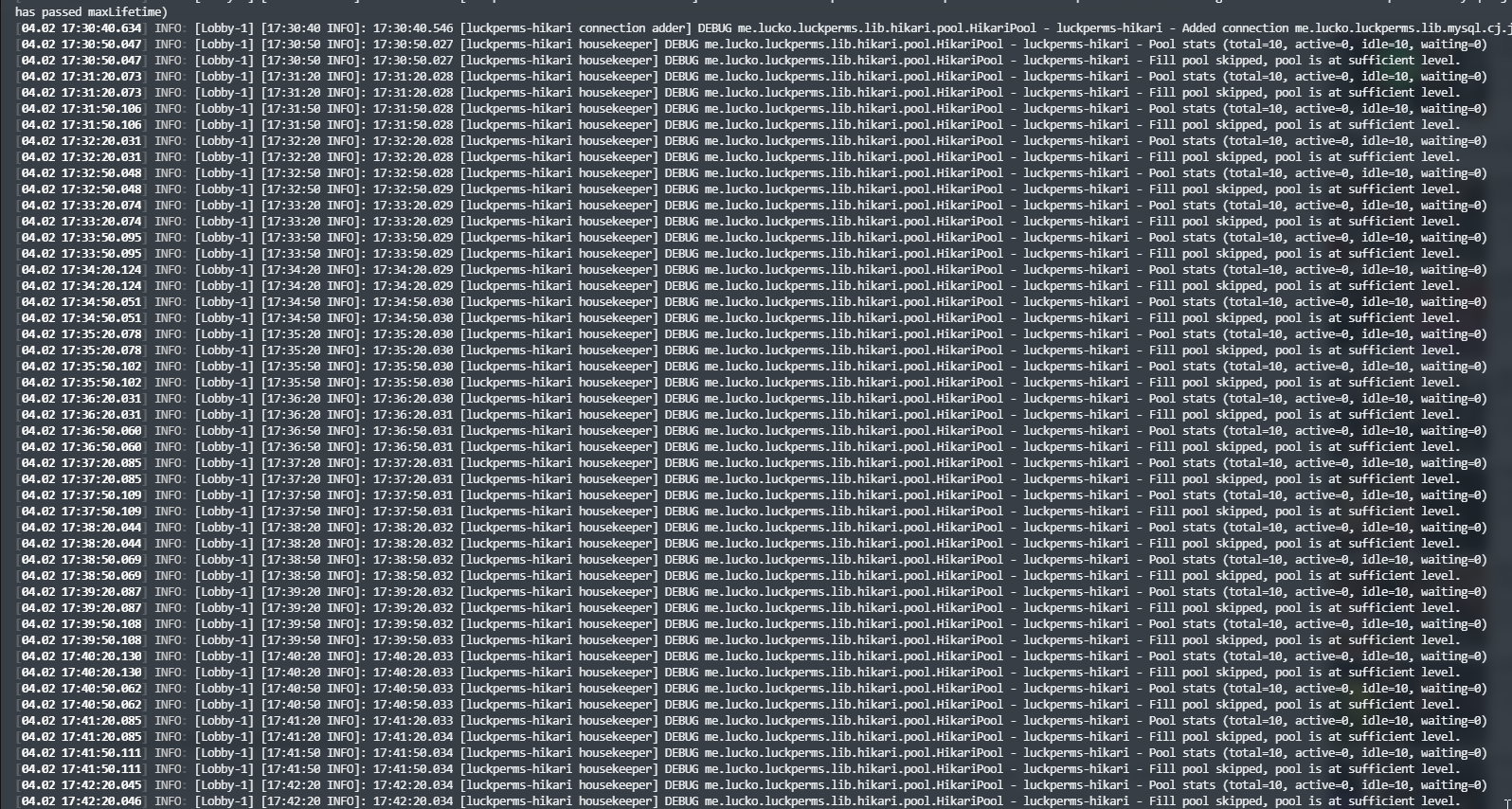
!errors java.sql.SQLTransientConnectionException: luckperms-hikari - Connection is not available, request timed out after 5000ms. -> read
wanton stratusBOT
Here's a page with some common storage system errors.
LuckPerms wiki
cedar cradle
anyone know a fix for me?...
modern bison
cedar cradle
modern bison
https://discord.com/channels/241667244927483904/241667244927483904/8070170830531...
thought u were talking to the other guy. sorry 😄
cedar cradle
modern bison
https://discord.com/channels/241667244927483904/241667244927483904/8070170830531...
thats on the server that works
that one doesnt work
wanton stratusBOT
It is safe to send an editor link in public.
Any changes made in the editor have to be applied using the /lp applyedits command - impossible unless the person with the link is also connected to the server and with the required in-game permissions to use LuckPerms commands. It's effectively just as safe to share an editor link as it would be to share a screenshot of your permissions or a pastebin of a configuration file. The editor doesn't contain any sensitive data (except perhaps player names).
More Information:
Concerns about the proprietary nature of your permissions setup?
Please, don't be. We're here to help, not steal your permissions setup. Additionally, permissions can be tested by players simply joining your server and seeing what they can do.
cedar cradle
modern bison
can you send an `/lp editor` link?
on the server that doesnt work?
or for both?
Working server: https://luckperms.net/editor/4GvmsfK4CH
Not working: https://luckperms.net/editor/fW6pK2zD9Y
LuckPerms - A permissions plugin for Minecraft servers.
LuckPerms is a permissions plugin for Minecraft servers. It allows server admins to control what features players can use by creating groups and assigning permissions.
LuckPerms - A permissions plugin for Minecraft servers.
LuckPerms is a permissions plugin for Minecraft servers. It allows server admins to control what features players can use by creating groups and assigning permissions.
@modern bison
None of the perms have tranferred from the lobby to the other server/s
can i force it to update?
modern bison
not working doesnt have any text here, are you certain theyre connected to same database?
cedar cradle
from the database?
nocturne chasm
/lp sync or networksync
cedar cradle
modern bison
not working doesnt have any text here, are you certain theyre connected to same ...
Yes, i even copied the same block for the details across
cedar cradle
nocturne chasm
/lp sync or networksync
didnt work
 proud hound
modern bison
not working doesnt have any text here, are you certain theyre connected to same ...
proud hound
modern bison
not working doesnt have any text here, are you certain theyre connected to same ...
if the data is different between two supposedly synced editors then they're not
modern bison
right
proud hound
@cedar cradle send lp info from each server
modern bison
they did ^^
cedar cradle
proud hound
<@!217649625534824448> send `lp info` from each server
scroll up a bit
modern bison
mhm. 😒
proud hound
have you sent your lp configs for each server, passwords removed?
cedar cradle
nope
wanton stratusBOT
Please use pastebin!
Seeing a paste of the problem makes everything so much easier! Use https://bytebin.lucko.me/ for easy pasting!
For console errors:
Pastebin any relevant segments of the console log. If it's a startup error, this includes the entire startup log!
Other errors:
Pastebin the entire LuckPerms config file (passwords removed) as well as any other relevant files!
proud hound
only if the port is 3306
if there needs to be a port then add it at the end, unless 3306
there's always a port though
cedar cradle
so i should put the port even if its a domain not an IP?
Working: https://bytebin.lucko.me/8S3jKpyzl7
Not working: https://bytebin.lucko.me/gaV8vr5l2L
proud hound
yes
warm yacht
Is luckperms bukkit and luckperms chat the same thing now or are they still 2 different downloads?
modern bison
luckperms chat is made by a whole different person
warm yacht
oh
 willow chasm
anyone able to help me with luckperms ty
cedar cradle
proud hound
yes
kk ill try that and see if that works
if it does then im just dumb 😄
proud hound
if not, then send a fresh startup log for each server via bytebin
modern bison
willow chasm
anyone able to help me with luckperms ty
!ask
wanton stratusBOT
Please ask your question!
Please ask the question you have. Don't ask to ask, or ask to DM someone. There are people here to help you, but we need to know what to help you with, so please just ask the question you want to in as much detail as possible!
Or, try here first:
Why shouldn't I ask to ask?
proud hound
@cedar cradle also try setting messaging-service to sql directly
cedar cradle
kk
robust rampart
as you can see I only have 1 prefix but there is still steets 2 prefix in the chat how can anyone help that
foggy quartz
For the third and last time, look in the settings of your chat plugin
Or ask their support
@cedar cradle did you copy/paste proxy LP config into your lobby LP config?
because the proxy LP config is different from the bukkit LP config
cedar cradle
shouldnt have lemme check
foggy quartz
yet the one you shared from lobby is the bungee LP config (presumably copy/pasted)
cedar cradle
how can i tell the difference?
foggy quartz
the bukkit one has some Vault settings
cedar cradle
kk
foggy quartz
so you can just Ctrl F Vault
cedar cradle
think ur right. lemme delete the configs and restart the servers
foggy quartz
and reconnect :p
cedar cradle
😛
cedar cradle
foggy quartz
and reconnect :p
omg thanks, im so dumb 😄
warm yacht
How do I make group displaynames have color?
foggy quartz
!colors
wanton stratusBOT
 hasty tree
warm yacht
How do I make group displaynames have color?
hasty tree
warm yacht
How do I make group displaynames have color?
why do you need the displayname to have colour? Maybe you want to use prefix instead?
warm yacht
i have the colored prefix, but I also want the displayname to have color too 🙂
 barren remnant
Can you please add support for WaterdogPE (https://github.com/WaterdogPE). It's an new version of waterdog with an new API
proud hound
!suggest
wanton stratusBOT
Suggestions and Bug Reports
If you would like to request a feature for LuckPerms, or report a bug, feel free to open an issue on GitHub!
Issue Tracker:
 worldly crag
ik this said Essentials but want to see if you guys knew what was up wit this? [Essentials] Permissions lag notice with (LuckPermsHandler). Response took 212.168487ms. Summary: Getting prefix for
foggy quartz
Screenshot /lp info @worldly crag
worldly crag
 foggy quartz
Looks to me your server is just laggy in general.. could that be the case?
worldly crag
maybe i had the same issue a few months ago with more ram on my server so might be or might not be idk just wonder if you guys knew the cause 🙂
warm yacht
I'm having a problem with a specific account. So on account 1 I have member rank and should be able to join HG but can not, whereas on account 2, I have the same rank and can join - both are not opped. idk if I changed something or not but it seems as if I must have.
foggy quartz
So it may be slow file IO (I mean it's not like LP is going to purposely slow down your server lol)
worldly crag
ok ty Fefo! 🙂
foggy quartz
warm yacht
I'm having a problem with a specific account. So on account 1 I have member rank...
screenshot for both accs both /lp user <user> info and /lp user <user> permission info
 oblique shadow
Hello, I add a suffix to the default group, and I have a mistake. How do I delete the suffix?
foggy quartz
oblique shadow
Hello, I add a suffix to the default group, and I have a mistake. How do I delet...
Easiest way is from the web editor you remove the suffix.<weight>.<suffix> permission node
foggy quartz
warm yacht
Screenshots 2 and 4 you didn't run the full command
oblique shadow
foggy quartz
Easiest way is from the web editor you remove the `suffix.<weight>.<suffix>` per...
thanks
warm yacht
Okay so nvm actually for now because it's somehow fixed -_-. I'll be back if it comes back again. Thanks though
oblique shadow
way to add a space in the middle after rank and before username?
 mystic island
Hey, I've come up with a bit of a particular issue that I couldn't find on the wiki. I'm trying to bulk update prefixes which have a space in them. The issue is when I do "permission == prefix.50.the prefix". Is there any way to show a space without breaking the formatting?
foggy quartz
You can use a single char wildcard _
so you'd do "permission == prefix.50.the_prefix"
that would account for any character, not whitespaces exclusively but oh well ¯\_(ツ)_/¯
oblique shadow
silent ferry
when you set the prefix do
"&c[Owner] "
thanks! very helpful
now, how do i delete da prefix?
mystic island
foggy quartz
that would account for any character, not whitespaces exclusively but oh well ¯\...
I tried that and it didn't work, I've done it manually now tho 😛
foggy quartz
So I followed the perm settup in the wiki, and I added myself to the group and I put it so that group could do gamemode but it says I don't have perms to do that command
modern bison
!verbose use this @foggy quartz
wanton stratusBOT
LuckPerms provides a verbose command to help you find out what permissions a command/plugin is checking.
Read more
LuckPerms wiki
modern bison
Undefined means you haven't given the permission
So it defaults to denied
What command did you use to give the permission?
foggy quartz
lp creategroup admin
lp group admin permission
lp group admin permission set minecraft.command.gamemode true
lp user gamerboyx04 parent add admin
these
 toxic wagon
undefined means they don't have the permission
modern bison
Ah, you gave Minecraft permission, you need to use the nucleus permissions
That verbose showed you
foggy quartz
How would I do that?
toxic wagon
Just set the permissions that verbose showed you. The ones for gamemode.
foggy quartz
All of them?
lp group admin permission set minecraft.command.gamemode would I use this command but change mc to nucleus?
toxic wagon
Use whatever permission nucleus has for gamemode
foggy quartz
mystic island
I tried that and it didn't work, I've done it manually now tho 😛
I'm sure the single char wildcard would have worked though
 dusky violet
Hey is there any way to do like an automated in game chat to a specific colour. i want it to have this colour without putting &4 all the time infront of it
foggy quartz
what in the world is that mess
I mean you can put the color code at the end of the suffix I guess?
Or in your chat plugin format
dusky violet
ive tried that.
foggy quartz
Well LuckPerms isn't a chat formatter so the question isn't really suitable in here though
dusky violet
oh.
 small quarry
if I setup the permission like this:
it should mean that the only place players keepinv would be the main world NOT the nether, correct?
 violet radish
In kalmar, yes
foggy quartz
means it will be true in the kalmar world
small quarry
awesome, thank you
foggy quartz
that doesn't necessarily mean it's false in the other worlds
foggy quartz
unless you explicitly set it with no context, it's basically "undefined"
if you want it to be false in some context, set it to false in some context
@mystic island ¯\_(ツ)_/¯
small quarry
modern bison
Fefo!!!🥺
foggy quartz
aberuwu
small quarry
this setup should alow them to keep it in normal and lose it in nether, right?
foggy quartz
yuh
small quarry
thank you
robust rampart
default players cannot buy stuff in / shop or someone can help with this the plugin is ecoshop plugin
plzz help
 rose finch
Hey everyone, just wondering If anyone knew how to add /rankup ranks using rankup3 plugin with luckperms?
modern bison
robust rampart
default players cannot buy stuff in / shop or someone can help with this the plu...
Are they getting a permission denied message
little sphinx
!verbose
wanton stratusBOT
LuckPerms provides a verbose command to help you find out what permissions a command/plugin is checking.
Read more
LuckPerms wiki
cunning glade
So when migrating from pex to luckyperms -- huge thank you for putting in the work to make that process so seamless btw -- it imported all the users too, and I really don't need that, is there a way to just delete all of that in one go?
cunning glade
I think pex unnecessarily created an entry for every existing user with absolutely no need
So I just wanna wipe that data out since it's not needed
That's what I'm assuming is the case after seeing the web editor generate with about 30 users after the migrate
toxic wagon
You can do /lp bulkupdate users delete Which will delete all permissions from all users. Making them plain default again. Which means luckperms won't store details about them until they have special permissions or groups
cunning glade
Oh.... so if users have any kind of group that's why they are appearing in there.. ah, maybe I don't want to delete it, I wasn't aware that was storing it that way
 wicked sail
anyone able to help, mobs dont seem to wanna hurt me
but everyone else gets attacked
willow chasm
if your a mc dev can u dm me
wicked sail
mc dev? as in running a server?
 split veldt
Don't be advertising yo
split veldt
You have the wildcard perm. Remove it and see if it fixed your problem. Then set up permission nodes one by one and avoid any further problems
Fixes*
wicked sail
is that the "*" one?
split veldt
Yes
split veldt
Ungod yourself
cunning glade
Ok, I just want to confirm something: Inheritance works in that if there's an inheritance chain where A>B>C>D>E are all linked, E will have all the permissions from A through C right? E doesn't need to have all of ABCD as a parent in order to inherit from them?
foggy quartz
correct
cunning glade
Great
wicked sail
im not in god mode
anything else i can try, everyone else on my server is fine, its just me not being targeted by mobs
foggy quartz
!verbose may help but it doesn't mean it's perms based
wanton stratusBOT
LuckPerms provides a verbose command to help you find out what permissions a command/plugin is checking.
Read more
LuckPerms wiki
wicked sail
yeah ^ works for me
 stuck rock
can u show me how u do it?
wicked sail
in minecraft i type /lp editor. i open the link and it opens the editor in my browser 🙂
foggy quartz
!update Lancer
wanton stratusBOT
You can download LuckPerms for Bukkit/Spigot/Paper, BungeeCord, Sponge, Fabric, Nukkit and Velocity.
Additional downloads
 cold snow
How do I make it so I can see the prefix
foggy quartz
!prefix
wanton stratusBOT
You can set prefixes, suffixes and other meta data in LuckPerms for players and groups. Note that LuckPerms does not manage chat. You need to use another plugin to show prefixes/suffixes in chat.
LuckPerms wiki
wicked sail
anyone have any ideas of what my problem could be.... its only been since installing luck perms
foggy quartz
what does the legacy api have to do with the web editor?
stuck rock
nah im just asking cause it links me to a legacy api
foggy quartz
what about the first one....
stuck rock
thats just the download
foggy quartz
yeah.. and what is it I said you should do?
stuck rock
i already have it downloaded i can set perms and everything
i just wanna use the webeditor
foggy quartz
and what is it I said you should do?
stuck rock
update?
wanton stratusBOT
Latest version
5.2.101
foggy quartz
wicked sail
anyone have any ideas of what my problem could be.... its only been since instal...
I mean LuckPerms does nothing by default and it doesn't even interact with mobs n stuff
If it's based on permissions verbose will point it out but you should be looking at other plugins tbh
wicked sail
im looking at other plugins and there is nothing that i can find that would be affecting it
foggy quartz
are you vanished or anything?
foggy quartz
I mean I have nothing to tell you tbh
 storm forum
Will it Work with GeyserMC?
foggy quartz
All I can say is:
* LuckPerms itself won't do that, it doesn't even touch entities, let alone pathfinding or whatever
* If it is perms based, the verbose logger will tell you
foggy quartz
storm forum
Will it Work with GeyserMC?
yes
wicked sail
verbos isnt showing anything out of the ordinary i dont think...
unless im reading ti wrong
foggy quartz
what it sayin
modern bison
Screenshot it
foggy quartz
okay, let's go over some extremely basic debugging
stop the server, rename the LP folder so it regenerates it from 0 (but you keep your current data) and start it again
does it still happen?
wicked sail
okay
will do now
okay still not working, sorry for wasting your time. i guess im going to have to go through and redo every single plugin again.....
 cosmic quiver
Is there a way to restrict building to specific groups?
toxic wagon
Yeah, ESsentialsX AntiBUild or WorldGuard can do it.
cosmic quiver
I have worldguard installed. So for example i would like to let my default group not be able to break blocks until i move them to the next group
Or build
wicked sail
with 0 plugins im not being attacked on my server but everyone else is, i am very confused
toxic wagon
Probably in creative mode.
wicked sail
the health bar seems to be a graphical glitch as it doesnt react to the mobs health(no plugins are in the plugin folder)
cosmic quiver
How do i limit those commands per group? Do i put it in each groups tab in the editor
toxic wagon
You give them the permissions for what you want them to be able to do @cosmic quiver
cosmic quiver
In the group editor?
toxic wagon
@wicked sail Those health bars aren't standard. They would be coming from a plugin. Unless you got some custom spigot fork.
@cosmic quiver Yes, or the commands, upto you.
foggy quartz
I'm trying to make it to where my moderators can't set a user's parent group to higher than their own. How do I do this? They're able to run lp user [name] parent set owner for example which is not good lol. They have the user set and group set permissions
cosmic quiver
Thanks
wicked sail
i duplicated my server and then deleted the plugins in the server and ran that. Its a plain bukkit server. The health bars are clealy just left over cache files or commands that are just still in place
only thing in the plugins folder is a folder called"pluginmetrics"
toxic wagon
foggy quartz
I'm trying to make it to where my moderators can't set a user's parent group to ...
!argumentbased
wanton stratusBOT
Fine tune exactly what users with permission to use LuckPerms can do.
LuckPerms wiki
foggy quartz
Thanks! I'll check it out
willow chasm
anyone willing to help me with a plugin in my dms i dont want to talk about it in this discord..
 light kelp
hey can someone help me with setting up ranks on my mc sever
toxic wagon
!usage Start here @light kelp
wanton stratusBOT
Here's a guide to help users understand and use LuckPerms for the first time.
Read more
LuckPerms wiki
willow chasm
ok
light kelp
how can i add some one to like admin or mod?
little sphinx
!usage
wanton stratusBOT
Here's a guide to help users understand and use LuckPerms for the first time.
Read more
LuckPerms wiki
little sphinx
LuckPerms - A permissions plugin for Minecraft servers.
LuckPerms is a permissions plugin for Minecraft servers. It allows server admins to control what features players can use by creating groups and assigning permissions.
wicked sail
fixed my problem, thank you for trying to help me anyway, much appreciated!
cosmic quiver
When i change the config to true how to i allow certain groups to build in luck perms
toxic wagon
Give them the permissions that you want them to have
cosmic quiver
I’m new to this. Where/how? I have tried everything i can think of to do that
toxic wagon
!usage
wanton stratusBOT
Here's a guide to help users understand and use LuckPerms for the first time.
Read more
LuckPerms wiki
cosmic quiver
So once i set that to true and then try and add a permission for block place it doesn’t do anything
toxic wagon
https://discord.gg/enginehub Ask in the worldguard discord
wanton stratusBOT
Hey Sergio.! Please don't tag helpful/staff members directly.
 craggy wraith
@foggy quartz just tell what ur issue is
foggy quartz
luck perms says permissions data was not loaded and nothing is working luckperms related
craggy wraith
!errors
wanton stratusBOT
Here's a page with some common storage system errors.
LuckPerms wiki
foggy quartz
.this started happening after i syncyed it across my servers with a mysql database
foggy quartz
LOL
craggy wraith
!help
wanton stratusBOT
Available commands:
!advanced
!api
!argumentbased
!ask
!bulkupdate
!bungee
!bungeecheck
!cauldron
!colours
!commandequivalents
!commands
!config
!context
!cookbook
!default
!downloads
!editor
!editorsafety
!errors
!essentials
!extensions
!extracontexts
!faq
!formatting
!helpchat
!inheritance
!install
!libsdir
!locale
!meta
!migration
!notworking
!nowildcard
!pasteit
!permissions
!placeholders
!selfhosting
!stacking
!storage
!suggestions
!switchstorage
!sync
!testingperms
!tracks
!translations
!upgrade
!usage
!userinfo
!verbose
!weight
!whyluckperms
!wiki
foggy quartz
ikr
craggy wraith
!notworking
wanton stratusBOT
Please tell us what's going on!
We really would absolutely love to help you out! However, telling us that it isn't working wastes everyone's time. Please, just describe the issue you're having clearly and with as much detail as possible, and send any relevant screenshots of whatever problems you're having.
For Console Errors:
wanton stratusBOT
To sync data between servers, you need to connect each LuckPerms plugin to the same database (for example MySQL) and set up a messaging service.
LuckPerms wiki
foggy quartz
what do i do mannnn
craggy wraith
!storage
wanton stratusBOT
LuckPerms allows you to store data in a variety of storage types, read about the benefits and drawbacks of each type on the wiki.
Read more
LuckPerms wiki
foggy quartz
yea i deleted it then rebooted to get a new one and it doesnt work
!paste the entire server log (located in logs/latest.log)
wanton stratusBOT
Please use pastebin!
Seeing a paste of the problem makes everything so much easier! Use https://bytebin.lucko.me/ for easy pasting!
For console errors:
Pastebin any relevant segments of the console log. If it's a startup error, this includes the entire startup log!
Other errors:
Pastebin the entire LuckPerms config file (passwords removed) as well as any other relevant files!
nocturne chasm
craggy wraith
where's cas when u need em
here!
 craggy wraith
Oof
 olive crown
I have a question. On my server, the default group has access to all the luckperms commands. I just want the admin group to have access to luckperms. I went to the editor and made sure that luckperms.* was set to false in the default group. However, when i set myself to the default group, i still have access to all luckperms commands. Can anyone help me?
foggy quartz
Make sure you don't have luckperms.* on yourself (lp user <user> permission info), as the usage guide says on the very first step you give that to yourself
olive crown
foggy quartz
Make sure *you* don't have `luckperms.*` on yourself (`lp user <user> permission...
Aha! I had the luckyperms permission set to myself thats why. Thank you so much!


 foggy quartz
default-->lid-->sponsor-->epicsponsor can a helper just promote to lid and not further to sponsor? Because yesterday I was testing with him but he could even make people admin.
modern bison
!argbased use this @foggy quartz , but be warned it's advanced
wanton stratusBOT
Fine tune exactly what users with permission to use LuckPerms can do.
LuckPerms wiki
foggy quartz
can someone help
me
i cant join my server it comes up with luckperms, a data base error occured
I can help if you can read
there are no latest.log file in bungeecord console
hold up i got it
proxy.log.0 then
how do i upload?
!paste
wanton stratusBOT
Please use pastebin!
Seeing a paste of the problem makes everything so much easier! Use https://bytebin.lucko.me/ for easy pasting!
For console errors:
Pastebin any relevant segments of the console log. If it's a startup error, this includes the entire startup log!
Other errors:
Pastebin the entire LuckPerms config file (passwords removed) as well as any other relevant files!
foggy quartz
Copy the contents of the file in there, click upload and send the link
there
Your LP config is wrong
You set it to use mysql but there's no address to connect to
wdym no address
Look in your bungee LP config
Around the database creds
i have this eu02-sql.pebblehost.com as the address
Hm.. could you send the config? Remove the password though
okay
i used the same info for each server
Yeah...... no
You set the eu02-whatever in address
Not in "database"
ohhhh
what do i put in database?
toxic wagon
database Is the name of the database
foggy quartz
mysql?
If pebblehost made it for you, they should have provided the name of the database
i think i got it ima try
it works omg ily
thanks bro
what weighs higher 1 or 100?
nocturne chasm
100
foggy quartz
okay
 honest cipher
Hi, I use luckperms in yaml-combined mode and I'm trying to upload a backup of a users.yml file to my server but every time I do it clears the file and just replaces it with "null". What can I do to fix this?
foggy quartz
how do i see permissions being used or needed with luckperms
nocturne chasm
!verbose ?
wanton stratusBOT
LuckPerms provides a verbose command to help you find out what permissions a command/plugin is checking.
Read more
LuckPerms wiki
foggy quartz
does verbose just check for luckperm perms?
nocturne chasm
No
 stable hamlet
Hey, I don't know if this is common, but my CONSOLE is lacking permissions. Should I try to grant them, is this a bug...?
 wooden estuary
stable hamlet
Hey, I don't know if this is common, but my CONSOLE is lacking permissions. Shou...
wooden estuary
stable hamlet
Hey, I don't know if this is common, but my CONSOLE is lacking permissions. Shou...
Probally a bug
Do u use the right versions?
nocturne chasm
what version of lp are you using?
There was a build that broke console perms, got fixed in the next build
If you're using v5.2.93+ it'll work (or anything under v5.2.91 iirc)
torpid tusk
gm, i installed lp on my bungee server and on one of my servers, all connected with a database but now when i send something in chat i get: [world][owner][owner][owner] 2 owners are luck perm related and i think its cause both bungee and server use lp to give it to me... is there a way to cancel 1 of them?
torpid tusk
yes
nocturne chasm
Then you'll need to edit your chat format
torpid tusk
how do i edit this?
stable hamlet
wooden estuary
Do u use the right versions?
I'm using 5.6.76, this is the latest on spigot but could I run a dev build if available?
wanton stratusBOT
You can download LuckPerms for Bukkit/Spigot/Paper, BungeeCord, Sponge, Fabric, Nukkit and Velocity.
Additional downloads
stable hamlet
Will test, thank you!!
 odd stump
A easy to use Paste site for Minecraft Server logs.
ffs i am having trouble connecting to my mysql server
my dev says it is h2 messaging services causing issue
nocturne chasm
!errors H2 is not a messaging service
wanton stratusBOT
Here's a page with some common storage system errors.
LuckPerms wiki
stable hamlet
After installing version 5.2.101 my console still lacks permissions :/
stable hamlet
undisguise player W1D0WM4K3R
[11:50:13 INFO]: I'm sorry, but you do not have permission to perform this command. Please contact the server administrators if you believe that this is in error.
Literally that in console
nocturne chasm
Oh, i thought you were talking about LP commands
stable hamlet
So is there a way I could let the console run any command as it should be...? This isn't intended, is it?
This plugin is currently giving me so many issues
: (
 crude pike
Right now I have it setup so that the default group has a parent of admin if they have the admin role on discord. However, it still shows up that thye have default group
/lp group default parent set admin discordsrv:role=admin
Is it possible to make it so that there entire group changes if they have a certain role on discord? I tried using the DiscordSRV synchronisation feature but it was very buggy and did not work reliably
something like this could be cool however it doesn't work:
````/lp user * parent set admin discordsrv:role=admin```
stable hamlet
stable hamlet
So is there a way I could let the console run any command as it should be...? Th...
I mean the error message is from luckperms, so I don't think it's other plugins.
nocturne chasm
stable hamlet
undisguise player W1D0WM4K3R
[11:50:13 INFO]: I'm sorry, but you do not have per...
This isnt LP
stable hamlet
I will
 sharp pollen
Hi when i am doing a new season on my server how do i go about players permissions? for instance my players have donor ranks but they need to keep them permissions but they have permissions for server warps that theyh gained thru playing the game? would i have to go thru every players permissons?
nocturne chasm
!bulk
wanton stratusBOT
Quickly update a large amount of user and group permissions by using the bulkupdate command.
Read more
LuckPerms wiki
 solid magnet
hello i have a question:
how do i like use luckperms to give certain ranks cooldown on for example /heal
so like if i wanted for example lapis rank to be able to do /heal only every 10 minutes how would i do that?
little sphinx
not with luckperms
 wraith flame
How can I use LuckPerms on CloudNet V2
 analog girder
hey
i got a problem: my server was running fine with luckperms and suddenly stopped letting people in
it says 'sql' service is not recongnised
and when someone joins it says an error that couldn't load player data
can someone help me pls?
little sphinx
analog girder
i got a problem: my server was running fine with luckperms and suddenly stopped ...
send full error.
!paste
wanton stratusBOT
Please use pastebin!
Seeing a paste of the problem makes everything so much easier! Use https://bytebin.lucko.me/ for easy pasting!
For console errors:
Pastebin any relevant segments of the console log. If it's a startup error, this includes the entire startup log!
Other errors:
Pastebin the entire LuckPerms config file (passwords removed) as well as any other relevant files!
analog girder
i run my server on ubuntu, and have 4 screens to run each server of bungeecord + mysql
and somehow the terminal doesn't show full logs
it clears
so i can't see full error
i just shows a part of the console
 chrome thorn
logs/latest.log?
analog girder
the latest logs is outdated
it is not also writing any logs to the files
the last one is from 17th january
i didn't even had luckperms yet
chrome thorn
¯_(ツ)_/¯
analog girder
do you know how to activate it?
chrome thorn
wdym?
analog girder
the logs
chrome thorn
you can't disable logs afaik
analog girder
then why do my server don't save logs?
chrome thorn
ls logs
analog girder
what do u mean?
the folder logs
only have 3 files
2 zips from 17th january
and latest.txt is from 17th january also
but i've been running the server ever since
chrome thorn
version?
analog girder
paper spigot
nocturne chasm
Console
chrome thorn
if you're running paper spigot you should be ages behind
it hasn't been named paper spigot since 1.8
analog girder
ok, i've downloaded last version of paper
it's paper mc or smtg
this is one of the errors i get
chrome thorn
LuckPerms version?
nocturne chasm
Full log
analog girder
nocturne chasm
Full log
i can't see the full log
luckperms version: 5.2.76
sorry
nocturne chasm
Cant do anything without a startup log
nocturne chasm
Restart server
 crisp garden
does prefixes work witthout any other plugin?
nocturne chasm
No
crisp garden
wich plugin should i use for them to workk
nocturne chasm
!chat
wanton stratusBOT
LuckPerms does not perform any chat/tablist formatting of its own!
LuckPerms only acts as the source for prefixes / suffixes, it doesn't actually apply them. You need an appropriately configured chat/tablist formatting plugin for them to be displayed. If the values appear correctly when you run /lp user <user> info, LuckPerms is doing its job!
FAQ answer: Prefix isn't showing?
List of chat/tablist formatting plugins that work with LuckPerms
analog girder
can you join me on a voice chat, so i can share screen?
nocturne chasm
No
nocturne chasm
When the server starts
nocturne chasm
So restart and send those log of lp