#support-1
1 messages · Page 1071 of 1
 little sphinx
 tranquil prairie
That's because they had me super confused, and I was super confused by all the documentation from all these addons.

little sphinx
loll no worries
tranquil prairie
Not their fault... I kind of did this to myself.
🙂
Thank you everyone. 🙂 I'll let you know if I need to ask anymore bizarrely worded questions.
😅
OH! I guess the only question is should I have them install the plugins, and have them leave the permission groups alone? In other words, I have to do this on the server-side?
 nocturne chasm
!chat
 wanton stratusBOT
LuckPerms does not perform any chat/tablist formatting of its own!
LuckPerms only acts as the source for prefixes / suffixes, it doesn't actually apply them. You need an appropriately configured chat/tablist formatting plugin for them to be displayed. If the values appear correctly when you run /lp user <user> info, LuckPerms is doing its job!
FAQ answer: Prefix isn't showing?
List of chat/tablist formatting plugins that work with LuckPerms
nocturne chasm
VAult
nocturne chasm
Do you have vault and a chat plugin
nocturne chasm
Screenshot ess version
 untold mason
I have to run /ess version right?
untold mason
oh yeah lol
 onyx rapids
Does sombody know how to setup a menu where players can rank up by using Ingame money ?
 split veldt
onyx rapids
Does sombody know how to setup a menu where players can rank up by using Ingame ...
split veldt
onyx rapids
Does sombody know how to setup a menu where players can rank up by using Ingame ...
That's out of the scope of LP's ability. #general for non LP questions please
onyx rapids
Ok sorry
untold mason
fixed it thank you powercas_gamer
 viral tundra
how do i remove the group display name from chat
untold mason
btw is it possbile to remove that <
viral tundra
u use essentials?
untold mason
yes
viral tundra
then jus remove it from the config.yml in essentials '
its in the chat config section
untold mason
thank you
 haughty oracle
Hello, im trying to use /lp editor to reach the online app but it brings me to view demo each time
regardless of command specifics, /lp editor brings me here
wanton stratusBOT
You can download LuckPerms for Bukkit/Spigot, BungeeCord, Sponge, Nukkit and Velocity.
Additional downloads
haughty oracle
omg thank you
split veldt
I Found a 4.2.28 version i had still running the other day
haughty oracle
oh man, i dont even know where my head is atm, hah
untold mason
why name get same prefix as the prefix for the rank ?
 glacial vapor
how can i give someone the inheritance of a rank in game
so they don't have the name of the rank but they have all the perms
 foggy quartz
Hey. Is there any tutorial on how to transfer from one MySQL database to another? Would changing the MySQL information transfer all the permissions to the new database?
nocturne chasm
!switch
wanton stratusBOT
If you wish to change your storage type (e.g. to YAML or MySQL) you may need to follow these instructions to ensure your groups and permissions are migrated to the new storage type.
Read more about the Storage types
 LuckPerms wiki
 somber nymph
can someone tell me if this is a bad think showing on my Bungeecord server about luckperms?
wanton stratusBOT
Please use https://bytebin.lucko.me to send files in the future. I have automatically uploaded undefined for you: https://bytebin.lucko.me/DnfjJF28cF
nocturne chasm
!errors
wanton stratusBOT
Here's a page with some common storage system errors.
LuckPerms wiki
wanton stratusBOT
Hey Princee! Please don't tag helpful/staff members directly.
 toxic wagon
Are you hosting your database locally on the same machine as the minecaft server?
somber nymph
yes
im entering the data of the database again to see if it works now
Still got the same errors though
[SEVERE] [LuckPerms] Exception occurred whilst enabling SQL messaging service
foggy quartz
Are you using pterodactyl panel?
somber nymph
yes#
foggy quartz
Check the pinned message in #support-2
somber nymph
- Make sure your database server is set to listen to connections from 0.0.0.0 ( bind-address option in one of the config files in /etc/mysql
How to make sure about it?
- Make sure there is no firewall blocking the connection from 172.18.0.0/16 to 172.18.0.1
how to make sure about that as well?
foggy quartz
I mean it.. kinda tells you where to look at
somber nymph
oh umm
somber nymph
oh umm but where do I find that /etc/mysql?
foggy quartz
Are you hosting this yourself on a vps/dedi or ?
somber nymph
no I am using a hosting for my Minecraft server, and it includes databases
somber nymph
somber nymph
foggy quartz
Yeah you'll want to complain to your hosting provider then
oh ok lol
wanton stratusBOT
Hey Princee! Please don't tag helpful/staff members directly.
 lean obsidian
How can I give two privileges from lp
nocturne chasm
use parent add
lean obsidian
how can you explain a little bit
nocturne chasm
Wait with privileges do you mean groups?
lean obsidian
group
nocturne chasm
!commands parent section
wanton stratusBOT
Find all of the available LuckPerms commands on the wiki.
Read more
General commands
User commands
Group commands
Permission commands
Parent commands
Meta commands
Track commands
Log commands
LuckPerms wiki
lean obsidian
[rank] [VIP] [isim] » [messages--------------------]
wanton stratusBOT
Display multiple prefixes/suffixes alongside a player's name.
LuckPerms wiki
 void turret
when i give a permission no context, then it is global or?
foggy quartz
yes
 sonic zinc
may i ask why the prefix shows twice on the name?
 fallow rain
wanton stratusBOT
fallow rain
wanton stratusBOT
Hey Andrej! Please don't tag helpful/staff members directly.
nocturne chasm
what?
sonic zinc
the thing is, i have it set to false, and commented
 wary beacon
i need help
please tell me how i setup ranks
means when i settingup groups it goes according to its name
like A on the top and Z on the bottom
by i need according to me
like if i want warriors come first and shield at bottom so what i do
i also try track but not work
please help me
 sleek hound
Why doesn’t luck perms go well with power ranks
wary beacon
i need help
please tell me how i setup ranks
means when i settingup groups it goes according to its name
like A on the top and Z on the bottom
by i need according to me
like if i want warriors come first and shield at bottom so what i do
i also try track but not work
please help me
nocturne chasm
don't spam
wanton stratusBOT
LuckPerms allows you to set weights in order to determine the priority of certain nodes, like permissions and even prefixes. A higher weight number is a higher priority.
Read more
LuckPerms wiki
foggy quartz
sonic zinc
the thing is, i have it set to false, and commented
remove the # at the beginning
foggy quartz
sleek hound
Why doesn’t luck perms go well with power ranks
because powerranks is another permission plugin
and having two perm plugin will cause conflicts
if you want to use LP, remove PR
or the other way around, do as you please ¯_(ツ)_/¯
 weak pewter
 high grove
When disabling add-prefix-suffix, I reloaded which sorted out my double prefix issue, but removed all the colours in the prefix
anyone know why
@foggy quartz
wanton stratusBOT
Hey Sohan! Please don't tag helpful/staff members directly.
high grove
oops
foggy quartz
high grove
When disabling add-prefix-suffix, I reloaded which sorted out my double prefix i...
no idea tbh, you can ask either in #general or in EssX's support discord
!moss EssX support discord
wanton stratusBOT
Essentials
Make sure you are using EssentialsX and Vault for prefixes. For any other issues with Essentials, you should seek support in either #general or the official EssentialsX support Discord.
EssentialsX Discord
 formal sundial
how to enable prefix
foggy quartz
!prefix
wanton stratusBOT
You can set prefixes, suffixes and other meta data in LuckPerms for players and groups. Note that LuckPerms does not manage chat. You need to use another plugin to show prefixes/suffixes in chat.
LuckPerms wiki
formal sundial
ok
if it doesnt show I have to enable right?
yo see my chat it doesnt work
pls tell me how to fix
nocturne chasm
!chat
wanton stratusBOT
LuckPerms does not perform any chat/tablist formatting of its own!
LuckPerms only acts as the source for prefixes / suffixes, it doesn't actually apply them. You need an appropriately configured chat/tablist formatting plugin for them to be displayed. If the values appear correctly when you run /lp user <user> info, LuckPerms is doing its job!
FAQ answer: Prefix isn't showing?
List of chat/tablist formatting plugins that work with LuckPerms
sleek hound
Does lp have ranks?
 noble eagle
fefo can u help me pls?
foggy quartz
I have no idea what that screenshot means
little sphinx
 rocky locust
What plugin can i use for vouchers
little sphinx
noble eagle
is not leading me anymore
how can i set it?
rocky locust
What plugin can i use for vouchers
little sphinx
noble eagle
is not leading me anymore
how can i set it?
leading what...?
noble eagle
It redirected to the site when I first installed it, but now I have no idea how to get to the site
 ebon wigeon
for some reason both lp and lpb arent working properly... can anyone help me figure this out?
noble eagle
little sphinx
@noble eagle I cant understand that language, so do translate that screenshot with red text in english.
little sphinx
ebon wigeon
for some reason both lp and lpb arent working properly... can anyone help me fig...
read what the message says...?
nocturne chasm
Guessing the red message says something about him not having the right perms
ebon wigeon
little sphinx
read what the message says...?
yeah, but i already have the permission - (console is in the top of the screenshot)
wanton stratusBOT
Hey Martijnkop! Please don't tag helpful/staff members directly.
foggy quartz
ebon wigeon
for some reason both lp and lpb arent working properly... can anyone help me fig...
oh yikes, I've seen that happening two or three times before
only time fixed it
little sphinx
lol legit?
foggy quartz
sadly lmao
ebon wigeon
damn :/
noble eagle
This is a marketplace plugin and the red text says "You do not have the necessary permission to open this store section." The person who installed the plugin also recommended luck herbs. When I entered the game / lp group "member" with luckperms, it redirected me to a site called luckperms.
I need to make a plugin setting on the site. How can I login to the site?
nocturne chasm
you click on the group you want and add the permission there
then after you're done click "Save" and do the command it gives ingame
noble eagle
photo belongs to demo
ebon wigeon
foggy quartz
only time fixed it
do you know what might be causing it though? and/or might adding a sync task help?
nocturne chasm
you need to open a editor session using /lp editor
foggy quartz
ebon wigeon
do you know what might be causing it though? and/or might adding a sync task hel...
No clue tbh, I suggest you open an issue on github including (separate) screenshots of proxy console output of the .. permission set .. command and in-game output of the /lpb command
!issues
wanton stratusBOT
Suggestions and Bug Reports
If you would like to request a feature for LuckPerms, or report a bug, feel free to open an issue on GitHub!
Issue Tracker:
noble eagle
Do I have to do anything here?
ebon wigeon
foggy quartz
No clue tbh, I suggest you open an issue on github including (separate) screensh...
aight will do, weird thing is its both in bungee and paper server though, so i'll first look in the configs if i didnt do anything stupid
foggy quartz
actually
screenshot (from proxy console) /lpb user <yourself> info
and same from the backend server console (/lp instead of /lpb)
noble eagle
Thank you for everything. I am sorry if I disturbed you. Thanks again!
ebon wigeon
foggy quartz
and same from the backend server console (`/lp` instead of `/lpb`)
or did you mean in the report? 😅
foggy quartz
nono in here
uuh they don't seem to be in sync,, /lp(b) info?
oh wait those are checks
ebon wigeon
isnt that because one is bungee and the other is normal though?
foggy quartz
nvm
foggy quartz
ebon wigeon
isnt that because one is bungee and the other is normal though?
what is "that"?
foggy quartz
na they good
ebon wigeon
or appearing out of sync i should say
foggy quartz
okayyy run /lp editor and share the link in here pwease
foggy quartz
ebon wigeon
or appearing out of sync i should say
nah I confused the check output from a permission set, didn't read close enough lol
ebon wigeon

LuckPerms - A permissions plugin for Minecraft servers.
LuckPerms is a permissions plugin for Minecraft servers.
aah right
foggy quartz
welp
open an issue on github lol
include all those screenshots you sent too
the editor link too, everything is of use
ebon wigeon
sure sure
ebon wigeon
https://github.com/lucko/LuckPerms/issues/2744 would that be enough info, or should i include smth else i forgot?
foggy quartz
Well following the issue template might have been a good idea
foggy quartz
I mean you could close it an open a new one, or copy the template from a new one and edit the current issue
But eeh, it has plenty of info anyhow
ebon wigeon
working on it :#
foggy quartz
Can someone help me cause idk how to give a perm for skywars
 modern bison
!usage
wanton stratusBOT
Here's a guide to help users understand and use LuckPerms for the first time.
Read more
LuckPerms wiki
foggy quartz
where should i look
modern bison
LuckPerms - A permissions plugin for Minecraft servers.
LuckPerms is a permissions plugin for Minecraft servers.
foggy quartz
i think il try some other way i am too dumb for this
modern bison
/lp group (group) permission set (permission) true
modern bison
Whatever their group is
foggy quartz
how i find out
foggy quartz
ohhh ok
modern bison
/lp creategroup (name)
 hard talon
hello why i cant use luckperms on my server with mods?
foggy quartz
modern bison
/lp creategroup (name)
and i add them or smh?
modern bison
/lp user (username) parent set (group)
hard talon
foggy quartz
what kind of server?
magma 1.12.2
wanton stratusBOT
Hey `Gremi⭐! Please don't tag helpful/staff members directly.
modern bison
Again, all of this is really well explained in the article I linked
foggy quartz
hard talon
magma 1.12.2
eeh those platforms aren't very well supported... they are hacky wacky janky setups that don't fully satisfy the bukkit implementation, but there are a few steps that might make (bukkit) LP work on it
!cauldron listed here
wanton stratusBOT
Installing LuckPerms on a Cauldron, Thermos and any other Forge + Bukkit server software may require additional steps.
LuckPerms wiki
foggy quartz
modern bison
/lp user (username) parent set (group)
lol i get disconnect.spam when i use ik it is off topic
huh?
screenshot /lp info (if you are able to run it that is)
it is not from lp
it is from the sv
mk
thx for all anyways
i tried from the console
it workd
modern bison
Great!
foggy quartz
but it doesnt give the perm
like it doesnt disconnect me now
so it is not that great
thx anyway
 proud hound

modern bison
Luckyperms is bad xd
foggy quartz
lol
i put like what you said to default
and linked my name to parent default
so idk

if you know pls tell me
 dusk mason
So yeah, I have no idea why but aparently you can not have more than 1 server storing its luckperms data on a single MySQL server without bricking 1 of the 2 servers.
dusk mason
I wiped the whole config and everything, let the plugin reinstall the files.
I then put in the login details for the mysql server and set up the filetype correctly.
when i reboot it reboots just fine, and with /lp info it says if connected with a ping of 50ms.
Any command beside /lp info is completely bricked and gives me a ton of error messages in the console instead
inside the MySQL server no files get created at all
nocturne chasm
!paste latest.log
wanton stratusBOT
Please use pastebin!
Seeing a paste of the problem makes everything so much easier! Use https://bytebin.lucko.me/ for easy pasting!
For console errors:
Pastebin any relevant segments of the console log. If it's a startup error, this includes the entire startup log!
Other errors:
Pastebin the entire LuckPerms config file (passwords removed) as well as any other relevant files!
dusk mason
I could be missing some really obvious setting somewhere but idk
https://bytebin.lucko.me/ZkrafyL0ac
wanton stratusBOT
MySQL SSL Error
Caused By
Establishing SSL connection without server's identity verification is not recommended.
https://bytebin.lucko.me/ZkrafyL0ac | Sent by Sirkomplete
modern bison
so did you read the error at all?
You need either to explicitly disable SSL by setting useSSL=false, or set useSSL=true and provide truststore for server certificate verification.
dusk mason
yeah i know, but i got a diffrent server running to the same MySQL database without that setting which works just fine
so i'm just a bit confused why that one would be working is all
nocturne chasm
well... did you try doing what it said?
 untold meadow
https://hastebin.com/hokasiluvo.yaml
Can anyone help me with this one?
It's pretty urgent.
I tried to switch from h2 to mysql (bungee + underservers) but mysql seems not working. I tried everything.
In addition - i have my own plugin that works correctly with mysql.
nocturne chasm
!paste full log
wanton stratusBOT
Please use pastebin!
Seeing a paste of the problem makes everything so much easier! Use https://bytebin.lucko.me/ for easy pasting!
For console errors:
Pastebin any relevant segments of the console log. If it's a startup error, this includes the entire startup log!
Other errors:
Pastebin the entire LuckPerms config file (passwords removed) as well as any other relevant files!
modern bison
thats like 1/24935 of the log
 pearl hedge
i can rename a grade ?
modern bison
group?
pearl hedge
yes
nocturne chasm
yes
untold meadow
modern bison
thats like 1/24935 of the log
it's luckperms log error, why you need logs from my other plugins ;/
nocturne chasm
because that's not a full luckperms log
Full log might and most likely will give more information
dusk mason
https://bytebin.lucko.me/qS0YuabQZe Removed SSL and am now getting error 1030 which is aparently something about not enough storage even tho i got 20GB of free space left.
pearl hedge
for rename a group, how ?
nocturne chasm
!commands group commands
wanton stratusBOT
Find all of the available LuckPerms commands on the wiki.
Read more
General commands
User commands
Group commands
Permission commands
Parent commands
Meta commands
Track commands
Log commands
LuckPerms wiki
 next elm
Hi, I wanted to know what the node was for Lucky Perms where a staff can set roles of other people but only certain roles. So I don't want them to set there own role to like Owner or something.
 summer marten
hey! I just figured how to give a LP group permission to only use WE inside a WG region, with the help of Extra Contexts. The problem is that the group got perms to barely any WE commands inside it even though they got the worldedit.* perm. Is it possible to fix this? Some commands that I would want them to be able to use but can't are: //stack, //copy, //paste, //replace, //line.
dusk mason
you can put in the specific permissions of the ones you want them to have, giving out all worldedit perms isn't always the best thing to go with.
nocturne chasm
next elm
Hi, I wanted to know what the node was for Lucky Perms where a staff can set rol...
!argumentbased
wanton stratusBOT
Fine tune exactly what users with permission to use LuckPerms can do.
LuckPerms wiki
foggy quartz
untold meadow
ping me if anyone helps with that one.
did you manually modify the database tables?
summer marten
dusk mason
you can put in the specific permissions of the ones you want them to have, givin...
ok I removed the worldedit.* perm and gave them worldedit.clipboard.copy and worldedit.selection.pos, but they still can't use copy
foggy quartz
how are you granting the permission?
summer marten
pos1 and 2 works but not copy
I'm guessing it's some kind of protection thing bcs //set works
with the worldedit.* perm
foggy quartz
screenshot /lp user <user> info
summer marten
do you mean group?
nocturne chasm
no user
summer marten
foggy quartz
hmm what does /lp check <user> worldedit.selection.pos return?
 mellow oak
Hello, I have a quick question:
I have my moderator who has the rank : (Ecuyer with the rank Moderator) except that Ecuyer is the one who appears in the chat and I would like to see Moderator appear but I don't know how to do it.
foggy quartz
screenshot /lp user <user> info
mellow oak
foggy quartz
!weights
wanton stratusBOT
LuckPerms allows you to set weights in order to determine the priority of certain nodes, like permissions and even prefixes. A higher weight number is a higher priority.
Read more
LuckPerms wiki
nocturne chasm
offline mode
mellow oak
Thank you
summer marten
foggy quartz
hmm what does `/lp check <user> worldedit.selection.pos` return?
sry for late answer
 wild sparrow
Hello, how can I change a player group with no intervention of staff? (exemple: the player press a button and he pass "citizen")
Cause I have search for command block but @p is not compatible with Luckperms
wild sparrow
in luckperms config or command.yml?
foggy quartz
resolve-command-selectors or something like that, at the very bottom of the file
LP config
foggy quartz
summer marten
sry for late answer
and they can't do it still?
wild sparrow
ok I gonna see it
foggy quartz
!verbose might help you out, but if /lp check returns true, means LP is working fine @summer marten
wanton stratusBOT
LuckPerms provides a verbose command to help you find out what permissions a command/plugin is checking.
Read more
LuckPerms wiki
foggy quartz
You need to restart the server for the setting to take effect
mellow oak
I still have a small problem in the tab it remains at the bottom how can I raise it? ^^
summer marten
pos works fine for the group. //copy doesn't work even tho they have the perm. when I do the check command for it is says undefines instead of true
foggy quartz
Well, undefined means that either a) it isn't set anywhere or b) if you are sure it is set, it's set improperly (maybe contexts are wrong and it doesn't apply, or they just don't inherit it, or you typed the wrong perm)
And undefined usually means false, but it's up to the plugin in question really
summer marten
hmm ok do you know a solution for this?
summer marten
oh ok
foggy quartz
Basically: check that everything is correct
wild sparrow
doesn't work
summer marten
is it possible that this perm worldedit.clipboard.copy is the wrong perm for //copy?
foggy quartz
No idea, verbose will tell you better
foggy quartz
wild sparrow
doesn't work
define "doesn't work"
how are you running it?
if it's in a command block, you might need to set register-command-list-data to false too
summer marten
what's the "name" for in verbose?
foggy quartz
summer marten
what's the "name" for in verbose?
the player name to run the command as
isn't that explained?
it is not
huh
 supple burrow
24.11 19:59:29 [Server] Netty Epoll Server IO #18/INFO [journeymap]: CLIENT 24.11 19:59:29 [Server] Netty Epoll Server IO #18/INFO [FML]: Attempting connection with missing mods [spongeapi, sponge, spongeforge, luckperms] at CLIENT
would this explain why none of my plugins other than luckperms are working?
foggy quartz
I have no idea what the issue is but LP is not a client sponge mod
supple burrow
weird, they just randomly(like plugins were working 30 minutes ago) stopped working, commands don't exist
summer marten
if I understand right the command should like this /lp verbose command AmandaAhus //copy ?
foggy quartz
yuh
summer marten
I get this message from doing that
foggy quartz
!update
wanton stratusBOT
You can download LuckPerms for Bukkit/Spigot, BungeeCord, Sponge, Nukkit and Velocity.
Additional downloads
wild sparrow
@foggy quartz working! Thank you so much
wanton stratusBOT
Hey Takeshi! Please don't tag helpful/staff members directly.
foggy quartz
neat
summer marten
is this the right command /lp verbose command AmandaAhus //copy ?
foggy quartz
yuh
summer marten
oh thought you meant him to him
 void quarry
That means i can't ping Fefo 😦
summer marten
and to solve that message I get I need to update luckperms?
summer marten
oh ok
wild sparrow
how can I make a tips?
foggy quartz
?
wild sparrow
teep$
nocturne chasm
?
wild sparrow
a donation
foggy quartz
oH
Or you can sponsor the project on GitHub, but idk how that one works so I suggest #patreon lol
wild sparrow
how?
foggy quartz
No clue
summer marten
well now I get a "true" on copy from the check command too, it doesn't work in the rg tho
foggy quartz
screenshot the output of verbose please
untold meadow
foggy quartz
did you manually modify the database tables?
No
wanton stratusBOT
Hey yooniks! Please don't tag helpful/staff members directly.
wild sparrow
ok done
foggy quartz
yooniks did you happen to have any perms data on there?
foggy quartz
lol
summer marten
foggy quartz
screenshot the output of verbose please
sry haven't updated lp yet
nocturne chasm
Yes
modern bison
!ask
wanton stratusBOT
Please ask your question!
Please ask the question you have. Don't ask to ask, or ask to DM someone. There are people here to help you, but we need to know what to help you with, so please just ask the question you want to in as much detail as possible!
Or, try here first:
Why shouldn't I ask to ask?
 twilit blaze
I'm a owner of a public server and when I deop myself for trying commands, the console says: this command is disabled
which plugin do this?
nocturne chasm
Sponge?
modern bison
i think WorldGuard can block /op
nocturne chasm
That and iirc luckperms has an option too
twilit blaze
i have worldguard and luckperms installed
modern bison
your fastest option would be to stop server, edit ops file and remove yourself
twilit blaze
remove myself from where?
nocturne chasm
ops.json
ebon wigeon
foggy quartz
But eeh, it has plenty of info anyhow
omfg no i found the problem 😞
twilit blaze
then I reload the file edited?
nocturne chasm
Restart server
twilit blaze
ok
foggy quartz
modern bison
your fastest option would be to stop server, edit `ops` file and remove yourself
I mean that has clear ordered steps to follow
twilit blaze
what happens in this way?
ebon wigeon
wildcards was false
foggy quartz
The first one being stop the server
ebon wigeon
🤦♂️
twilit blaze
only for understanding
modern bison
Fefo you seem to have forgot, people dont ever read what we say :o
foggy quartz
ebon wigeon
wildcards was false
Now that's strange, because specific perms/more specific wildcards have priority over global/root wildcards
But yeah, don't mess with global wildcards
twilit blaze
then I re-enter?
foggy quartz
Mhm
ebon wigeon
as in
# +----------------------------------------------------------------------------------------------+ #
# | Inheritance settings                                                                         | #
# +----------------------------------------------------------------------------------------------+ #

# If the plugin should apply wildcard permissions.
#
# - If set to true, LuckPerms will detect wildcard permissions, and resolve & apply all registered
#   permissions matching the wildcard.
apply-wildcards: true
was false
foggy quartz
Oh
twilit blaze
@modern bison same things, doesn't work
modern bison
ok @twilit blaze
foggy quartz
Andreafrigu take a screenshot of what it says
modern bison
have you tried from console? some plugins let it be run if its from console
foggy quartz
twilit blaze
the command works only if i'm op
well..... duh
twilit blaze
from server console?
 eager locust
I've 2 survivals
if i connect both in the same mysql
And then i join to 1 survival, and do /lp user test permission set testing
I always have to specifiy the server? or will detect in which server am i?
wanton stratusBOT
You can set a permission or group on a per-world/per-server basis, through what we call "contexts".
Read more
LuckPerms wiki
eager locust
Nono, i want both to be in mysql
proud hound
Yes we know
modern bison
i know
proud hound
Context works with mysql
If you want the permission to only apply in one server, specify it in the permission set command
If you want to have it in both, don't
You can also specify contexts in the parent set command
eager locust
OH right
So lets suppose i have both survival in mysql:
And i execute: /lp user test parent set vip
Then it will be executed for both survivals right? unless i specify the server?
wanton stratusBOT
To sync data between servers, you need to connect each LuckPerms plugin to the same database (for example MySQL) and set up a messaging service.
LuckPerms wiki
proud hound
Ah
modern bison
and propagate to other servers
eager locust
What u mean?
eager locust
and i have to install luckperms in the bunge and all the servers?
proud hound
Yes
proud hound
And connect all to the same one database
eager locust
Where do i specifiy the name for each server
proud hound
The name in the first option of the lp config
eager locust
right last but no least
I already have a .dbb i mean, the file
That will auto merge to the sql?
wanton stratusBOT
If you wish to change your storage type (e.g. to YAML or MySQL) you may need to follow these instructions to ensure your groups and permissions are migrated to the new storage type.
Read more about the Storage types
LuckPerms wiki
modern bison
have a lovely and blessed day!
proud hound
np!
eager locust
last question again sorry hehe
the amount of space luckperms consume is the same no matter the db?
for example my .mv.db now is 56 MB
if i move to mariaSQL it will weight the same or les?
toxic wagon
The amount of data determines the space used. Not the database.
toxic wagon
!switchstorage
wanton stratusBOT
If you wish to change your storage type (e.g. to YAML or MySQL) you may need to follow these instructions to ensure your groups and permissions are migrated to the new storage type.
Read more about the Storage types
LuckPerms wiki
toxic wagon
The data will be the same if you follow the steps above when changing databases.
foggy quartz
I mean the size of the stored data is up to the storage system, nothing LP can control really; maybe the system compresses the data (which it should, something you don't get with plaintext methods (yaml, json, hocon, toml)), maybe it uses a different compression method than others so it occupies more or less space
toxic wagon
But even then it all comes down to the amount of data. It would only start compression if the data amount reaches a certain size probably.
foggy quartz
yaml would like to disagree :fingerguns:
toxic wagon
Well yaml can go destroy itself.
 patent chasm
Hi folks, by any chance is there anybody at all familiar with getting Forge permissions working correctly on a Forge+Spigot/Bukkit server such as Mohist or MagmaFoundation?
I tried Mohist Discord first due to the unusual nature but we're stumped. I can't give permission to use a forge mod in any way other than global * permission
foggy quartz
how do i add someone to a group without removing them from a group they're already in?
and can i attach a group to OP status?
toxic wagon
use parent add to just add the group
modern bison
"attach a group to OP status"
Do you mean you want to give a group all permissions?
foggy quartz
i mean that i want to make it to where any person who's given OP will automatically be added to this permission group, and removed from said group if OP status is taken away.
modern bison
i dont think that exists? i could be wrong
generally op is frowned upon, as permissions plugins purpose is to make op more "safe"
foggy quartz
and how do i use "parent add"?
wanton stratusBOT
Here's a guide to help users understand and use LuckPerms for the first time.
Read more
LuckPerms wiki
modern bison
thanks for the soup guys
toxic wagon
foggy quartz
i mean that i want to make it to where any person who's given OP will automatica...
LuckPerms - A permissions plugin for Minecraft servers.
LuckPerms is a permissions plugin for Minecraft servers.
foggy quartz
using parent add removed me from the permission group i was previously in.
modern bison
it shouldnt have, only parent set would do that
foggy quartz
That's exactly the opposite of what add means lol
oh wait nevermind, that didn't actually happen. i was just reading something wrong.
modern bison
hey! at least youre reading the docs! thats rare to see here
foggy quartz
lemme guess most people come in here and are like "hyey moddzzz howi do <thing that can be easily discovered through reading wiki>??????"
 queen latch
@everymodonline help
foggy quartz
^
modern bison
the fact that !ask has been said 12k times means something
foggy quartz
Youre jokin
Jeez
it's been 23 whole SECONDS and i haven't gotten a response yet! worst support channel ever!
2 seconds*
patent chasm
I'm being a good boy, I read the docs here!
I just managed to either bug magnet or edge case myself yet again
Guess nobody available whose had to deal with Mohist/Magma with Forge permissions before huh?
foggy quartz
foggy quartz
eeh those platforms aren't very well supported... they are hacky wacky janky set...
^
And mods + bukkit perms are a bit
yikes
patent chasm
oh thanks Fefo
yah, this is the fun I've been having with it:
forge: forge.command.forge
baubles: baubles.command.baubles```
Custom Player Models doesn't even show up
and yet:
```[16:09:15 INFO]: Successfully dump modscommands, output path: https://haste.mohistmc.com/ebemomuvep
>custommodel
custommodel               custommodel:custommodel
>custommodel
[16:10:40 INFO]: Usage: /custommodel <refresh|list|reload|select|clear> ...
>
>mohist mods
[16:12:08 INFO]: 5 [minecraft, FML, forge, colytra, custommodel, cosmeticarmorreworked, mohist, baubles, mcp]
>```so CustomPlayerMod doesn't show up if I dump modcmds, but does show up as a command and detected as a mod, but there's no actual permission node to be found
some forge mods do cough up a permission node though that confuses me
what extra hurts my head is if I tell LuckPerms to grant * the forge mods all work perfectly, but .. yah god admins
foggy quartz
!verbose hopefully this will help ig
wanton stratusBOT
LuckPerms provides a verbose command to help you find out what permissions a command/plugin is checking.
Read more
LuckPerms wiki
patent chasm
ooh this is new, I tried lp tree dump modcmds and even the FindPerms plugin but didn't find this in my search I'll read this
foggy quartz
This is one ultimate tool :d
patent chasm
wow! I'll give that a short in a bit this is exactly what I was hoping for. It made no sense how a permission system could grant something it can't detect as it must be blocking something when I use a disallowed command. Thank you!
foggy quartz
@severe drum advertising is against the rules, don't do it again
modern bison
Xd imagine advertising your Minecraft server to a bunch of people who have their own server
foggy quartz
ikr
patent chasm
are you kidding me, no wonder I couldn't find the permission!
[17:13:52 INFO]: [LP] VB > davwyn - servercommand.custommodel - undefined
[17:13:52 INFO]: [LP] Command execution complete.```Verbose is lit
patent chasm
and that fixed it
Thank you so incredibly much Fefo, I kid you not, I've been fighting with this for 7 days straight, talked to several friends, spent at least 12 hours google searching, and gone to 2 other Discords asking about this
Nobody had any clue other than suggesting the usual "did you try <Mod ID>.command.<The command>?"
foggy quartz
Well that's no standard, so it wildly depends on the mod/plugin
patent chasm
no kidding. Mohist, Magma, old Craftbukkit+Forge docs, Sponge, you name it all had different methods and I tried them all just in case
Cheers though, I can finally get past this week long roadblock
I'll finish convo in #general
 pallid condor
Hey i need some help, i keep getting errors https://pastebin.com/tVgbC87K
Pastebin
Pastebin.com is the number one paste tool since 2002. Pastebin is a website where you can store text online for a set period of time.
can someone help me?
wanton stratusBOT
Please use pastebin!
Seeing a paste of the problem makes everything so much easier! Use https://bytebin.lucko.me/ for easy pasting!
For console errors:
Pastebin any relevant segments of the console log. If it's a startup error, this includes the entire startup log!
Other errors:
Pastebin the entire LuckPerms config file (passwords removed) as well as any other relevant files!
sleek hound
is there a good way to prevent xp farm lag, im using spiggot
sleek hound
my bad
pallid condor
@foggy quartz Sorry for the ping
wanton stratusBOT
Hey xqplc! Please don't tag helpful/staff members directly.
pallid condor
Pastebin
Pastebin.com is the number one paste tool since 2002. Pastebin is a website where you can store text online for a set period of time.
foggy quartz
Will take a look at it later, if someone doesn't do it by then
 fossil pulsar
Does LuckPerms Support MYSQL 8? I have another plugin wanting to use MySQL 8, but I need to be sure that all my other plugins support this version aswell.
toxic wagon
Try it and see
fossil pulsar
Yeah I don't have a place to test it out, so was wondering if someone else already tested this that can tell me if it works or not :S
 alpine plume
can we help me with luckyperms
 full herald
its luckperms and what do you need help with?
alpine plume
where can i find the yml. file to make the ranks I check that with the website not sry
modern bison
!usage
wanton stratusBOT
Here's a guide to help users understand and use LuckPerms for the first time.
Read more
LuckPerms wiki
full herald
you dont use yaml to configure ranks unless you set the config for that, although you should probably use the online editor over that
!editor
wanton stratusBOT
LuckPerms offers an easy to use, powerful Web Editor, with which you can add, delete and change permissions of groups and players.
Read more
LuckPerms wiki
alpine plume
oh okay then I have to learn
foggy quartz
Fake news but okay 🙄
toxic wagon
Yes you are Fefo :3
foggy quartz
uwu
 paper frigate
is there a way to give players two groups by default when they join the server instead of only the one default group?
toxic wagon
Add the other group to default as a parent
foggy quartz
@pallid condor you there?
 azure field
when i try to see meta info, the whole chat is filled with griefdefender stuff but i cant see other meta such as prefixes. is there like a workaround to see the other info besides using the editor?
modern bison
Why can't you use the editor?
azure field
i can but I dont wanna open it up everytime i want to see prefixes for example
foggy quartz
filter out gd meta
I mean if you only want to see prefixes you can easily just /lp user <user> info
oh wait
nvm
don't mind me
a
no
azure field
lol
 pale jewel
is luckyperms compatible with worldguard? like, all people in "X" group have perms in "x" region/zone.
foggy quartz
uuh if you want to grant perms per-region, you can use contexts, more specifically ExtraContexts; if you just want some WG flags to apply to some groups and not others, you can do that with WG already (check their docs on region membership)
!extracontexts if you mean the first thing
wanton stratusBOT
Add contexts not supported by stock LuckPerms.
LuckPerms wiki
pale jewel
Being more specific, that only X group can enter a protected area.
full herald
that would be up to worldguard, ask their support
but using contexts that should be possible
foggy quartz
not really lol
just add the group as region member and deny the entry flag for non-members
pale jewel
allright!, tysm.
foggy quartz
np
pallid condor
@foggy quartz Sorry i went for a few
wanton stratusBOT
Hey xqplc! Please don't tag helpful/staff members directly.
foggy quartz
no worries
pallid condor
Do you know what the issue is?
foggy quartz
!update try updating LP see if that still happens, what I find strange is that it happened once only  but oh well
wanton stratusBOT
You can download LuckPerms for Bukkit/Spigot, BungeeCord, Sponge, Nukkit and Velocity.
Additional downloads
pallid condor
ok will do
foggy quartz
@azure field ig your best bet would be to just /lp user/group <user/group> meta info, that will list everything, but it's also "categorized"
can't think of anything else lol
tranquil prairie
Quick question: Should the web application be able0 to see what plugins I've installed?
full herald
no
pallid condor
how do i disable when you type /lp it says running luckperms <version>
full herald
why?
foggy quartz
"should"?
pallid condor
and also when you change the perms it logs it in chat how do i disable that too?
full herald
pallid condor
how do i disable when you type /lp it says running luckperms <version>
blocking the command using a command blocker is probably the best option
pallid condor
oh ok
foggy quartz
pallid condor
and also when you change the perms it logs it in chat how do i disable that too?
that is only shown to those that have LP perms
pallid condor
full herald
blocking the command using a command blocker is probably the best option
i was thinking of doing that but like i though maybe its in the config
foggy quartz
/lp log notify off will disable those notifications for you (you can turn them off completely with a setting in config)
foggy quartz
pallid condor
i was thinking of doing that but like i though maybe its in the config
nope, that single bit is hardcoded
full herald
nah because most people here believe plugin lists and stuff should be open to all players or something
foggy quartz
I don't think it's something to hide
foggy quartz
"sEcuRItY by ObScURITY"
tranquil prairie
If I want a permission to be inherited (say, I create a permission for an Admin that would be shared by Owner, would I add the group to their own permission group, and the owner's larger weight (rude!) would prevent any differences from overriding what would otherwise mess up the Owner's permission? I think that's how it's supposed to work?
foggy quartz
what
tranquil prairie
Parent of Owner?
Oh...
So basically something like this? (1 sec)
Default > Role 1 > Role 2 > Moderator > Administrator > Owner (with > denoting parent connections to)
modern bison
Yes
tranquil prairie
Cool, thanks. 🙂 Should it be done in series or parallel? Series is as per above.
Parallel:
Default > Role 1
Default > Role 2
Default > Moderator
Default > Administrator
Default > Owner
The weights I'm using are in differentials of 2000 (so 2000, 4000, 6000, 8000, 10000)
modern bison
Series
tranquil prairie
Got it TY
Should be my last question; do I only need to add the one role per player who has it? As in, they get everything under it?
So if I add group.admin to the person, I don't need to add group.mod, group.trustedbuilder, and group.default?
modern bison
Correct, admin will inherit mod, mod will inherit trusted builder, etc
tranquil prairie
Heh, this is an amazing plugin.
tranquil prairie
😄 I only started playing this game two months ago, so unlike most games, this side of Minecraft is like trying to learn Greek using a French textbook while being English as my only language.
 green owl
can i somehow know all the users in a certain group?
like i wanna know every player who has vip rank
foggy quartz
yes you can
green owl
how so
green owl
ty
tranquil prairie
Hey, anyone familiar with WorldEdit and LuckPerms? It's seemingly not showing up.
Wondering if it's either A) WorldEdit's not working, or B) LuckPerms dosen't know how to hook into it.
toxic wagon
What is not showing up
toxic wagon
Do /lp verbose on <your name> Then do //wand and see what chat says
tranquil prairie
What does this so?
It says "chatcontrol.bypass.rules - true"
Oh. Wait. It says "Unknown Command" when I type /worldedit
Uh oh.
modern bison
Xdddd
tranquil prairie
Yee. lol
I'm contacting support to figure out what happened (they have an installation service)
 long plank
Yo~
Setting up LP and i'm getting an unknown dependency called BYTEBUDDY - anyone familiar?
wanton stratusBOT
Sorry! I do not understand the command !logs
Type !help for a list of commands.
foggy quartz
Are you hosting the server yourself on a vps/dedi?
modern bison
!paste
wanton stratusBOT
Please use pastebin!
Seeing a paste of the problem makes everything so much easier! Use https://bytebin.lucko.me/ for easy pasting!
For console errors:
Pastebin any relevant segments of the console log. If it's a startup error, this includes the entire startup log!
Other errors:
Pastebin the entire LuckPerms config file (passwords removed) as well as any other relevant files!
 narrow lodge
Hey guys, I'm new to LuckPerms, what do I do if i can't find all my plugin perms under LuckPerms?
I only see essential commands
modern bison
then read their documentation to find 'em manually
full herald
^ those are just suggestions, look at the plugins docs for permissions or use verbose if you cant find them anywhere
!verbose
wanton stratusBOT
LuckPerms provides a verbose command to help you find out what permissions a command/plugin is checking.
Read more
LuckPerms wiki
foggy quartz
DependencyDownloadException: java.net.ConnectException: Connection refused (Connection refused)
Arctic something is blocking the connection torepo.lucko.me(it's where LP downloads the dependencies from), make sure you can ping to that domain and that no firewall rule is preventing it too
narrow lodge
@modern bison What am I looking for in their documentation?
modern bison
i suggest doing what Unix said too, but look for something that says "Permissions" which will list all permissions for that plugin
toxic wagon
Read the plugins documentation for the plugin that provides the command/permission @narrow lodge
foggy quartz
what in the world is that
full herald
thats command.json not the plugins docs lmao
modern bison
link the plugin spigotmc or bukkit page
narrow lodge
Oh right
 simple wigeon
Hey all quick question (I hope).
I recently started to run perms on a pixelmon server with some friends, as it got more people, but I cannot for the life of me get one command to work.
I tried to google it (pixelmon's /checkspawns) but found no info.
modern bison
!verbose
wanton stratusBOT
LuckPerms provides a verbose command to help you find out what permissions a command/plugin is checking.
Read more
LuckPerms wiki
simple wigeon
I used verbose for all the perms it lists but it still tells me you require OP (which is useless) or more permissions to use said command.
Idk if there's some extra security layer I'm missing or something
modern bison
perhaps its a config option in your plugin
simple wigeon
ahh i see. ill look into that and let you know thanks
narrow lodge
Yeah wow verbose is very helpful thanks
 elder rock
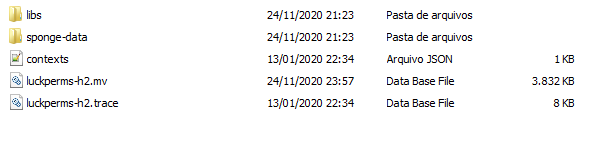
where users are located https://prnt.sc/vpilao
 elder rock
thank brow
foggy quartz
that is where all the data is
like
all of it, not only users, but groups and perms too
foggy quartz
- run
/lp export backup, you never know - run
/lp bulkupdate users delete
modern bison
Fefo 🥳
foggy quartz
🎉
elder rock
Do you know Brazil?
foggy quartz
of course
tranquil prairie
foggy quartz
🇩 🇴 🇳 🇴 🇹 🇹 🇴 🇺 🇨 🇭 🇸 🇹 🇴 🇷 🇦 🇬 🇪 🇫 🇮 🇱 🇪 🇸
Are you sure? Absolutely sure?! You don't seem very serious about it.
wanton stratusBOT
Hey The Legacy! Please don't tag helpful/staff members directly.
foggy quartz
just to make it clear
elder rock
proud hound
Muito bem, brazil!!!
aprendeu comigo kkk
wanton stratusBOT
Hey NETCREFT! Please don't tag helpful/staff members directly.
tranquil prairie
Anyway, wanted to ask if OP'ing a player using the server console overrides LuckPerms? I noticed that I can do anything with it on.
I think.
proud hound
I am sorry netcreft my portugues is not very good ahahaha
foggy quartz
tranquil prairie
Anyway, wanted to ask if OP'ing a player using the server console overrides Luck...
Well, it depends on the plugin in question, but if they don't explicitly take op status into consideration, perms always come before op
elder rock
and my english kkkk https://prnt.sc/vpipuw
 proud hound
I am not sure what I am supposed to have learned from ya
tranquil prairie
foggy quartz
Well, it depends on the plugin in question, but if they don't explicitly take op...
Ah, okay. I haven't set the perms all up yet, so it's probably setting everything based on that alone.
proud hound
The only part of all of your messages I do not understand at all is the kkkkkkk but I'm betting it's laughter
proud hound
imagine laughing like a chipmunk sounds mating
elder rock
proud hound
The only part of all of your messages I do not understand at all is the kkkkkkk ...
yes
wanton stratusBOT
Hey NETCREFT! Please don't tag helpful/staff members directly.
elder rock
proud hound
imagine laughing like a chipmunk sounds mating
ahahahaha
wanton stratusBOT
Hey NETCREFT! Please don't tag helpful/staff members directly.
elder rock
hahahaha=kkkkkk,kasdksakdska
elder rock
Ok
 wet ibex
i've installed LuckPerms on my bungeecord server (alongside my spigot server) to setup the perms for LiteBans since it's also installed on my bungee server and I'm getting the "You dont have permission!" error. is LP supposed to make its own folder in the bungee server? i've restarted it and nothing came up. LiteBans is also still freaking out about the permission error.
wanton stratusBOT
To sync data between servers, you need to connect each LuckPerms plugin to the same database (for example MySQL) and set up a messaging service.
LuckPerms wiki
proud hound
Gotta sync
wet ibex
did not sync, let me try it out
tranquil prairie
Hey, any idea why this weird thing is happening?
Someone else who has the Admin tag shows up as adminpersonsnameadmin
modern bison
!chat
wanton stratusBOT
LuckPerms does not perform any chat/tablist formatting of its own!
LuckPerms only acts as the source for prefixes / suffixes, it doesn't actually apply them. You need an appropriately configured chat/tablist formatting plugin for them to be displayed. If the values appear correctly when you run /lp user <user> info, LuckPerms is doing its job!
FAQ answer: Prefix isn't showing?
List of chat/tablist formatting plugins that work with LuckPerms
 radiant jackal
Is there a way to use an alias so I can make the command | promote user username | to put them up a specific track
modern bison
could do that with https://bukkit.gamepedia.com/Commands.yml

BukkitWiki
commands.yml is a configuration file that houses custom defined aliases and command block overrides for your CraftBukkit server.
The command block override system provides a quick and easy way to force the server to use the commands provided by Mojang (as opposed to the ones built into Bukkit) for command blocks specifically, leaving all other c...
radiant jackal
I'm just not sure how i would phrase it
modern bison
ehh one sec maybe i can make it
aliases:
    promote:
        - "lp user $1 promote <your staff track name>"
    demote:
        - "lp user $1 demote <your staff track name>"
havent tested but should be fine.
the $1 simply means the 1st argument you provide. ($2 is second, $3 is third, etc)
example: /promote Aberdeener, "Aberdeener" is the 1st argument.
so then what would get ran is lp user Aberdeener demote <your staff track name>
obviously replace <your staff track name> in the code i sent with your staff track name
 chilly aurora
where can i find the luckperms commands?
modern bison
!usage
wanton stratusBOT
Here's a guide to help users understand and use LuckPerms for the first time.
Read more
LuckPerms wiki
toxic wagon
!commands
wanton stratusBOT
Find all of the available LuckPerms commands on the wiki.
Read more
General commands
User commands
Group commands
Permission commands
Parent commands
Meta commands
Track commands
Log commands
LuckPerms wiki
toxic wagon
@chilly aurora ^
modern bison
ooo
chilly aurora
thanks
radiant jackal
I don't like people to just be able to join the server and be able to do stuff. I want them to have to be added. So this alias will allow mods to add new players to the first rank through discordsrv
modern bison
cool
wet ibex
proud hound
Did u sync
got it synced to a MySQL database along with LiteBans. still have the permission error
wet ibex
I think so
I made the db on my proxy server, hooked litebans from the proxy server plugins folder into the db and LP from the main server into the same db
There isn't a plugins folder for the proxy server's LP so I'm not sure if thats a bug or not
proud hound
Wha
Lp won't make the plugins folder
Lp-bungee goes into the plugins folder
On the proxy
And lp-bukkit into the plugins folder on the backends
wanton stratusBOT
If you run a Bungeecord network, learn how to correctly setup LuckPerms on all server instances (including Bungee).
Also read:
Syncing data between servers
LuckPerms wiki
proud hound
Might be useful to read that first link
wet ibex
alright found the different downloads
I just had the one from spigot for bungee so that makes more sense
proud hound
Yeah it won't even start haha
wet ibex
got it installed, now all of my permissions and groups are gone
I backed up my old LP folder for my backend, I can upload that and get my data back right?
chilly aurora
how can i make it so i activate all permissions under a certain plugin?
proud hound
wet ibex
got it installed, now all of my permissions and groups are gone
I backed up my o...
Got what, installed where
chilly aurora
its coming up red
proud hound
What is
proud hound
What command are you using
chilly aurora
chest cleaner
proud hound
That's not a command
chilly aurora
its a plugin i downloaded
proud hound
Run the command and see what happens?
wet ibex
proud hound
Got what, installed where
installed the bungee LP into my proxy, now i've got access to /lpb. all of my old permissions and groups from my backend server are gone since I made them on the spigot plugin separately. I backed up my old LP folder for my backend that has all of the groups and permissions. can I use that to get back my groups/perms?
wanton stratusBOT
Hey sanyay_! Please don't tag helpful/staff members directly.
wet ibex
oh my bad clippy 👍
proud hound
Sanyay keep lp-bukkit on the backend
wet ibex
I did
proud hound
I asked you to read this
wet ibex
only changed the bungee
proud hound
Where did your perms on the backends go then
Oh wait
Did you connect the backend to the database
wet ibex
yeah
proud hound
Oh ok turn the server off, go back to h2 storage, like before, start it, and follow this first
!switch
wanton stratusBOT
If you wish to change your storage type (e.g. to YAML or MySQL) you may need to follow these instructions to ensure your groups and permissions are migrated to the new storage type.
Read more about the Storage types
LuckPerms wiki
wet ibex
ah alright
proud hound
Ok brb best of luck it's all gonna work out
 somber hazel
Reloaded the server and now I can't connect
somber hazel
Ok, I'll restart. I've been reloading with this plugin for years so not sure what happened this time around 🤔
toxic wagon
NEVER /reload It WILL break plugins. It will Cause Issues, It will corrupt stuff
somber hazel
guess ive just been lucky
wet ibex
proud hound
Ok brb best of luck it's all gonna work out
got it all fixed, it's hooked into the MySQL db and the switch worked well. double checked my permissions (for litebans) and I still have the no permission error
chilly aurora
is anyone familiar with silkspawner plugin
eager locust
sup giys
table_prefix: 'luckperms_'
there will be then the server=
or name server is assigned in the bunge config?
 open mirage
it's assigned in each server's luckperms config
you also need the servers synced to the same database
!bungee
wanton stratusBOT
If you run a Bungeecord network, learn how to correctly setup LuckPerms on all server instances (including Bungee).
Also read:
Syncing data between servers
LuckPerms wiki
full herald
Yeah
eager locust
So basically enabling the mysql change the name of each server config lp
and ready?
lp in bunge, and in all servers
all in the same db
full herald
Yeah
proud hound
wet ibex
got it all fixed, it's hooked into the MySQL db and the switch worked well. doub...
!verbose try verbose to find the needed perm
wanton stratusBOT
LuckPerms provides a verbose command to help you find out what permissions a command/plugin is checking.
Read more
LuckPerms wiki
proud hound
It forces your user to run the command, nothing else
wet ibex
so is something else happening when I just run /ipban?
I'm quite new to this so I really have no idea
proud hound
Well it's not actually checking the perms you need to ipban someone
Just to run that command
wet ibex
well that makes sense
is there a way to fix it?
proud hound
you need to run verbose while ipbanning an actual person
see which perm you're being denied
also, if you use wildcards maybe don't
I remember LiteBans or one of the ban plugins have big problems with wildcards
wet ibex
alright, i'll have to try it out tomorrow but thanks for all the help so far 👍
proud hound
np!
 tardy jackal
hello i just installed lp and when i run the in game cmds they go through but it doesnt show the actual cmd its just a blank box
i can see them working in the server console just not in game text chat
tardy jackal
proud hound
can you please run lp info in console, as console, and send the output
 proud hound
is it just LP things that don't print messages?
tardy jackal
yes
proud hound
!paste could you please pastebin/bytebin your full latest log (found in logs/latest.log)
wanton stratusBOT
Please use pastebin!
Seeing a paste of the problem makes everything so much easier! Use https://bytebin.lucko.me/ for easy pasting!
For console errors:
Pastebin any relevant segments of the console log. If it's a startup error, this includes the entire startup log!
Other errors:
Pastebin the entire LuckPerms config file (passwords removed) as well as any other relevant files!
tardy jackal
it made me download a text file
little sphinx
@tardy jackal are you using a custom client?
tardy jackal
i have badlion but i have normal chat
proud hound
are you sure
badlion recently did something to screw with chat
try on vanilla client
tardy jackal
if its badlion im so sorry
little sphinx
test with a vanilla client
proud hound
ben READ dammit
tardy jackal
yeah loading up rn
thats weird it edits chat even with new chat turned off
whats a lp cmd i can test with?
proud hound
lp info
little sphinx
proud hound
ben READ dammit
i was typed it before you reply, sorry slow fingers here
tardy jackal

proud hound
mhMMMM
 tardy jackal
sorry for wasting ur time lmao
proud hound
no worries!