#support-1
1 messages · Page 159 of 1
 halcyon musk
 wanton stratusBOT
Here's a guide to help users understand and use LuckPerms for the first time.
Read more
 LuckPerms wiki
 foggy quartz
what i need to write as "command" at /lp verbose command <name> <command>?
 uneven nexus
The command that you’re trying to show a permission check for.
uneven nexus
yes.
foggy quartz
ah ok
and how i can give all player who joined in the server the permission to teleport to the created warppoint?
without op rights
uneven nexus
give them the permissions that are being checked in verbose. (Relating to that command)
foggy quartz
how i do that?😅
 soft leaf
i have essentials and essentials chat but my owner rank doesnt show up

 foggy quartz
Your weight must be 1 At owner
Its the Level for the rank


???
Why i cant make /lp user (name) parent set owner??
@uneven nexus
wanton stratusBOT
Hey jonas3097.! Please don't tag helpful/staff members directly.
foggy quartz
ah sry
halcyon musk
foggy quartz
!bedrock
wanton stratusBOT
Using Geyser?
If you're having issues with permissions for bedrock players, or it's telling you that a bedrock player's name is invalid, try setting allow-invalid-usernames to true in the LuckPerms config.
soft leaf
foggy quartz
Its the Level for the rank
What do you mean with level?
foggy quartz
level is the permission rate of the role
for example
you are a player
then you are level 2
if your are owner you are level 1
because its a higher role
with more permissions
foggy quartz
wanton stratus
where i can find the setting?
 flat parcel
it's not present in the default config, you'll need to add it
 native pollen
I have the group premium and this group has the permission "mcsucht.has.premium.for.upgrade". But the placeholder %luckperms_has_permission_mcsucht.has.premium.for.upgrade% says "no"?
%luckperms_inherits_permission_mcsucht.has.premium.for.upgrade% says "no" too
Ah, I need to use "check"
soft leaf
foggy quartz
Its the same like this?
yeah
sry for a late answer
i didnt get a notification
soft leaf
foggy quartz
you make the server on aternos right?
nope
minehut
ik it's kinda dogwater
but i need it for getting people to join
 visual escarp
Hi, I got a weird issue
When I try using /lp editor I get a blob of warnings in the console
But the editor still seems to work
Other plugins that use the internet like FastLogin and SkinRestorer are also acting up
My hosting provider's support is saying they don't have a firewall blocking these connections
foggy quartz
Hello we use lc perms chat
and once we use chat color
our level system gets deleted form the chat
can anyone help?
 near nexus
My prefix's dont work :/
 pearl hawk
is there a way to know which commands/permission nodes a default user has by default? like im using luckperms rn and looking at the default group and it says they dont have any permission nodes, but obviously they are able to run a few commands by default like /kits or /plugins (essentialsx)
visual escarp
pearl hawk
is there a way to know which commands/permission nodes a default user has by def...
Well that depends on the plugins
You'd need to check their documentation or something
pearl hawk
like for essentialsx
visual escarp
They have a permissions documentation page I think
Also there's something else that comes to my mind
Make yourself a default user and type / in chat and scroll through the available commands
pearl hawk
ill try that
visual escarp
Also make sure to deop yourself
visual escarp
What version is your server on
pearl hawk
1.16.5
pearl hawk
visual escarp
They have a permissions documentation page I think
and yeah im on it right now, it lists what all the permissions are but doesnt say which ones are availaable by default and which are for op
visual escarp
You don't need to press enter, just type / and then a list of autocomplete commands will pop up
pearl hawk
ok let me see
yeah it lists all the commands possible including the ones im allowed to use and not allowed to use so that doesnt really help 😦
guess ill just test every command manually lol
visual escarp
Damn
 placid bear
how come when i try to use /lp editor nothing happens
im using aternos
and then when i use the command through console it says org.bukkit.command.CommandException: Cannot execute command 'lp' in plugin LuckPerms v5.4.102 - plugin is disabled.
 vast snow
Hello, I want to migrate from GroupManager to LuckPerms, i need to wipe my players? Or when i will install it they will have automatic default group?
 rose raven
vast snow
Hello, I want to migrate from GroupManager to LuckPerms, i need to wipe my playe...
rose raven
vast snow
Hello, I want to migrate from GroupManager to LuckPerms, i need to wipe my playe...
!migrate
wanton stratusBOT
Learn about the process of migrating from another permission plugin.
Read more
LuckPerms wiki
vast snow
Thanks a lot!
visual escarp
visual escarp
https://mclo.gs/rlAKKhn
Can someone help pls
 signal matrix
Hi all, not sure if this is the right place for this, but Google just told me a .zip file I uploaded to my gdrive had malware in it. I traced it to adventure-4.13.0.jar which is in the plugins/LuckPerms/libs directory. Here's the virustotal report: https://www.virustotal.com/gui/file/d83b3d75de302fdb7a7009e845343d2921714808d87b97d2381021cc5bd6db30/relations. Here's the sha256 hash 81c998958d4a0ebcdb9c4f6707cac0e38a0164a3d232fbfd90d45e7e812eb9dd /Users/tadhunt/Downloads/adventure-4.13.0.jar. What should I do about this?
VirusTotal
 reef parcel
is there a placeholder to call just a rank prefix? not connected to a user. just the prefix in a hologram
signal matrix
signal matrix
Hi all, not sure if this is the right place for this, but Google just told me a ...
Nevermind I guess. I just told virustotal to reanalyze the file with that sha256, and now it's not showing any detections 🤷
 rain granite
is there any reason why even after doing /lp user clear <user> and /lp user <user> demote that rejoining would cause my account to be an admin?
it's as if everytime i join, I default to admin
default weight 1, mod 2, and admin 3
not opped
 quaint monolith
hey could someone help me im in a server with just mods and im not being able to have different home limits depending on players group with luckperms + ftbessentials

im trying adding both ftbessentials.home.3 and ftbessentials.home.max.3
to limit a group's home to 3 but not working
tried limiting in mod config limit to 1 and then every group can just have 1 home then tried changing in mod config to 10 now every group has 10 homes
vast snow

I try to migrate and i recieved this warn in console
Can someone help me with that warn?
 vast snow
I've added manual permision
Everything is fine
But i have a problem, i'm using essentials, i have acces to use command, but the server it recognized the command didn't exist

 rose raven
LuckPerms doesn't manage/filter tab completion for other plugins.
foggy quartz
how i can do that others with role "default" can use /sethome /delhome and /home?
i did already add essentials.delhome, essentials.sethome and essentials.home but it doesnt work.
at default

 river vapor

A paste containing 28 lines of plaintext.
 fringe bolt
Hello guys !
Can someone help me to disable this notifications please?

I don't want player to recieve some messages from console
 vagrant lintel
how do i fix co-owner being below members the co-owner has more weight than the members
 rose raven
vagrant lintel
how do i fix co-owner being below members the co-owner has more weight than the ...
rose raven
vagrant lintel
how do i fix co-owner being below members the co-owner has more weight than the ...
!tab Weignt does not determine the order in your tablist. It's entirely up to your tab formatter to properly sort the order in the tab.
wanton stratusBOT
LuckPerms does not perform any chat/tablist formatting of its own!
LuckPerms only acts as the source for prefixes / suffixes, it doesn't actually apply them. You need an appropriately configured chat/tablist formatting plugin for them to be displayed. If the values appear correctly when you run /lp user <user> info, LuckPerms is doing its job!
FAQ answer: Prefix isn't showing?
List of chat/tablist formatting plugins that work with LuckPerms
 light silo
hello how to add a member with a command to Builder group i made ? i need to use citizens2 NPC to give it group role.
 inner iris
I accidentally deleted the editor key from myself while trying to test if defaults were allowed to /lp editor. During this I have seem to broke the online editor completely and now it just saids Running LuckPerms but never gives a link
foggy quartz
foggy quartz
can you help?
inner iris
I fixed it nevermind.
To anyone know needs the solution, you want to go ingame on an OP character. type /lp user <yourname> editor to pull up an editor of yourself. To this editor you will add the permission to yourself titled luckperms.trusteditor then save, should be good now.
foggy quartz
i dont know how to fix
i did the sethome delhome and home command permission to default but it doesnt work
i try if i can that too
!tab
wanton stratusBOT
LuckPerms does not perform any chat/tablist formatting of its own!
LuckPerms only acts as the source for prefixes / suffixes, it doesn't actually apply them. You need an appropriately configured chat/tablist formatting plugin for them to be displayed. If the values appear correctly when you run /lp user <user> info, LuckPerms is doing its job!
FAQ answer: Prefix isn't showing?
List of chat/tablist formatting plugins that work with LuckPerms
wanton stratusBOT
Sorry! I do not understand the command home
Type !help for a list of commands
foggy quartz
anyone know what i do wrong at luckperms permission settings for set/delhome/home?
 bold osprey
Moved to #support-2
reef parcel
is there a placeholder to call just a rank prefix? not connected to a user. just the prefix in a hologram
 south vapor
Hello. I need help. I put on all my server: server: (server name) to use the content permission, but dont work proprely, if i put the permission only for server named ss it use it for all of them
How i fix that?
 rare junco
can someone help me
how do i use luckperms the mod one on forge? when i do /lp nothing shows up as an comand
 opaque oar
hello
i created a group with permission to give himself gamemode spectator but it doesn't work

here's proof
that they are recognized
but the user can't use them
foggy quartz
i think the mods are afk
opaque oar
damn
flat parcel
south vapor
Hello. I need help. I put on all my server: server: (server name) to use the con...
Did you set the server name in the LP config?
flat parcel
rare junco
can someone help me
how do i use luckperms the mod one on forge? when i do /lp n...
What MC version, what LP version, and are you running pure forge, or Forge+Sponge?
south vapor
flat parcel
Did you set the server name in the LP config?
Yes and in one if my server it also dont show it when i do server=
flat parcel
opaque oar
i created a group with permission to give himself gamemode spectator but it does...
What platform? i.e. Spigot/Paper, Fabric, Forge, etc?
opaque oar
flat parcel
What platform? i.e. Spigot/Paper, Fabric, Forge, etc?
Forge
foggy quartz
_11 you can help me?
foggy quartz
foggy quartz
with this
rare junco
flat parcel
What MC version, what LP version, and are you running pure forge, or Forge+Spong...
1.20.1 v5.4.102 pure forge
south vapor
_11
I setted the permission placeholdespi e cloud download true for a group in lobby1 but it say no permission
 gentle knoll
Hi, I've read the entire page about "Prefix & Suffix Stacking" but I still don't know how to make sure that every suffix the player has is displayed.
 tame spade
Lifesteal is not working on luck perms. Whenever i go to lp editor and search lifesteal commands it dont show any lifesteal command even i checked everything my server even have lifesteal and essensialx plugins but its still not showing lifesteal commands
 gloomy cedar
Hello, is it possible to make sure that the prefix is seen by certain groups of people, and not the entire server?
rose raven
tame spade
Lifesteal is not working on luck perms. Whenever i go to lp editor and search li...
The dropdowon on the web editor consists of permission suggestions. You may not fully rely on it to browse all available & possible permissions. This being said, you don't have to click on any of the permission suggestions that show up. You can manually type and enter any permission.
Generally, you should consult plugins' documentation/wiki on permissions they provide and/or use LuckPerms verbose tool to check for permissions in real time.
gloomy cedar
gloomy cedar
Hello, is it possible to make sure that the prefix is seen by certain groups o...
For example, there are prefixes [K], and only a few players will see it. Is this even possible?
rose raven
Short answer, no. Don' think this is LP related either, as LuckPerms doesn't display its prefixes anywhere but in its own commands.
gloomy cedar
Hmm
flat parcel
I mean, if your chat plugin supports conditionally displaying a placeholder, you could conditionally display a meta value that contains that extra prefix, though the whole "condtionally display a placeholder" part of that would be out of scope for what we as LP support can help you with
(PAPI placeholders are pretty powerful, might be a way with that to handle the conditional display?)
gloomy cedar
Is this an answer to my question or to another participant?
flat parcel
That's for you
gloomy cedar
I made prefixes in the chat and tab, in principle the players see everything and everything works fine
Now it became interesting to me, perhaps using some kind of rights, to make some kind of prefix - give them to certain players, and only they will see it
flat parcel
Well however you tackle it, the conditional display part won't be handled by LP. Every player has exactly one prefix and suffix calculated by LP regardless of display context.
gloomy cedar
flat parcel
Well however you tackle it, the conditional display part won't be handled by LP....
That is, private prefixes cannot be created?
flat parcel
Not with LP alone.
gloomy cedar
Is this even possible?
flat parcel
flat parcel
I mean, if your chat plugin supports conditionally displaying a placeholder, you...
.
gloomy cedar
I see, well, I’ll try to do something and look for more information

 fervent ice
Hello, I'm hoping someone here could help me. I run a network of servers and I can't get my default group to be able to run any commands even though the correct permissions are set (I did check perms with the plugin devs). OP members can but I do not want my default members to have OP.
rose raven
near nexus
Why does /spawn not work?
!nw
wanton stratusBOT
Please tell us what's going on!
We really would absolutely love to help you out! However, telling us that it isn't working wastes everyone's time. Please, just describe the issue you're having clearly and with as much detail as possible, and send any relevant screenshots of whatever problems you're having.
For Console Errors:
rose raven
fervent ice
Hello, I'm hoping someone here could help me. I run a network of servers and I c...
!verbose
wanton stratusBOT
LuckPerms provides a verbose command to help you find out what permissions a command/plugin is checking.
Read more
LuckPerms wiki
fervent ice
rose raven
!verbose
I think I used this right? https://luckperms.net/verbose/6wilsIc7i6
rose raven
fervent ice
I think I used this right? <https://luckperms.net/verbose/6wilsIc7i6>
Well, "can't get my default group to be able to run any commands" makes me thing this an issue on Pl-Hide plugin's end. What commands did you try executing as a default group user's that's deopped? What was the output? 
fervent ice
Command not found. PL-Hide is just so members can't do /pl.
These are just some of the commands but none of the commands work as the default member.
/reward
/daily
/tools
/sellwand
/vote
/back
I can try and remove the pl-hide and see if that works.
rose raven
Alright. Ensure there's no additional installed permission manager installed as well.
fervent ice
I don't believe there is.
[19:45:06 INFO]: Paper Plugins:
[19:45:06 INFO]: - EconomyShopGUI, Minepacks, RoseStacker
[19:45:06 INFO]: Bukkit Plugins:
[19:45:06 INFO]: - AdvancedBan, ajLeaderboards, AuctionHouse, AureliumSkills, BetterBalls, BetterRTP, BlockParticles, BlueSlimeCore, ChestSort, Chunky
[19:45:06 INFO]: Citizens, CMI, CMILib, CombatLogX, CoreProtect, CrazyVouchers, CyberLevels, DailyRewards, DecentHolograms, DeluxeMenus
[19:45:06 INFO]: DeluxeTags, Depenizen, DiscordSRV, Duels, dynmap, eGlow, EpicRename, ExcellentCrates, ExcellentEnchants, EZColors
[19:45:06 INFO]: Factions, FastAsyncWorldEdit, floodgate, GenBucket, GraveStonesPlus, GSit, Infiniteannouncements, Jobs, LPC, LuckPerms
[19:45:06 INFO]: Mclogs, MiniBlocks, MiniMOTD, MRPremiumAddons, Multiverse-Core, MythicalRaces, NBTAPI, NexEngine, PlaceholderAPI, PlayerPoints
[19:45:06 INFO]: PlayerWarps, PlugManX, ProtocolLib, Quests, RocketPlaceholders, Sellwand, Skript, StaffChat, SuperbVote, SuperVanish
[19:45:06 INFO]: TAB, Tebex, Towny, UltraCosmetics, Vault, ViaBackwards, ViaVersion, Votifier, WildTools, WorldBorder
[19:45:06 INFO]: WorldGuard, zVoteParty
rare junco
rare junco
1.20.1 v5.4.102 pure forge
@flat parcel
fervent ice
Apparently it was PL-Hide, thank you.
rose raven
rare junco
<@404882575543238656>
Do not ping.
 gentle knoll
Hi, I've read the entire page about "Prefix & Suffix Stacking" but I still don't...
gentle knoll
gentle knoll
Hi, I've read the entire page about "Prefix & Suffix Stacking" but I still don't...
⬆️ 
 thorn timber
do importing my file that i saved from one server into my other server REMOVE the second servers luckperms and replaces it. i want to add ranks from one server to another and the player data but i dont want that affecting their ranks on the second server
near nexus
My /spawn does not work for anyone in the default group neither does the prefixes on them. And i have 0 clue why, any ideas?

 marsh flint
a tags plugin which handles luckperms prefixes?

 obsidian spade
I have a Track default -> admin -> owner.
If the Admin uses Promote he or the other gets owner. How can i disable it? tried it with the wiki but couldnt get it to work.
And Argument does not seem to work
 magic root

LuckPerms - A permissions plugin for Minecraft servers.
LuckPerms is a permissions plugin for Minecraft servers. It allows server admins to control what features players can use by creating groups and assigning permissions.
obsidian spade
Like i said. Already tried it but thats not working
magic root
What about it isn't working for you?
obsidian spade
i made them, still a Admin is able to Promote Himself or others to Owner
 magic root
Did you enable it in the config?
obsidian spade
May i ask where ?
magic root
 obsidian spade
ah yeah thats already enabled
magic root
!verboseSeems correct? You might check verbose
wanton stratusBOT
Sorry! I do not understand the command verboseseems Did you mean verbose?
Type !help for a list of commands
magic root
!verbose
wanton stratusBOT
LuckPerms provides a verbose command to help you find out what permissions a command/plugin is checking.
Read more
LuckPerms wiki
magic root
close enough
obsidian spade
Ok its my bad. The Server somehow saved the config with a typo in the filename so it didnt changed the permission to true!
flat parcel
magic root
close enough
(you can click the 🔧 if it correctly guesses what you were trying to do fyi)
magic root
Oh good to know
flat parcel
!verbosent
wanton stratusBOT
LuckPerms provides a verbose command to help you find out what permissions a command/plugin is checking.
Read more
LuckPerms wiki
flat parcel
tada
thorn timber
thorn timber
do importing my file that i saved from one server into my other server REMOVE th...
anyone?
 smoky hemlock
good night guys please tells me how to open start.bat and when he close to open
when he close i need he open one more and one more
any close .bat
uneven nexus
What
obsidian spade
Do you mean u want to use several sudo ./start.sh sessions with something like screen?

smoky hemlock
I need the server to reopen when restarting
obsidian spade
make a cron job
 zenith thicket
obsidian spade
zenith thicket
obsidian spade
tbh it shouldnt be hard to make a cron job that checks if the server is up, and if not starting it 
uneven nexus
okay but what does that have to do with LuckPerms
obsidian spade
Thats the Question
 oak steeple
Can I set a permission for a specific command that doesn't have permission checks so I can control whether players can use certain commands
smoky hemlock
update.class I downloaded and caught the virus
there was a virus in the ConsoleSchedule mod. Who knows how to delete a folder if it cannot be deleted even in safe mode?
the folder is empty but I can’t delete it, and now the server doesn’t work at all, it’s dead even if I remove the plugins
 proud burrow
Hi, I recently added new ranks to my LP editor and made sure their weight and inheritance are all good, but they all show up under the default rank in the tab and I'm not sure what's causing that. Does anyone have an idea?
foggy quartz
how i can do that others with role "default" can use /sethome /delhome and /home? i did already add essentials.delhome, essentials.sethome and essentials.home but it doesnt work. at default
 halcyon musk
proud burrow
Hi, I recently added new ranks to my LP editor and made sure their weight and in...
halcyon musk
proud burrow
Hi, I recently added new ranks to my LP editor and made sure their weight and in...
luckperms doesnt sort your tablist. refer to your tablist plugins docs or support for how to sort it
 placid tangle
is f3+f4 op only?
 valid cairn
luck perms is not working in 1.16.5 arclight
 echo pivot
Line 160: table-prefix: 'luckperms_'
So if I have 3 servers, lobby, creative, survival, would each table prefix be set accordingly like:
- luckperms_lobby
- luckperms_creative
- luckperms_survival
Or does it not matter if each server has the same table prefix?
 graceful pendant
I need help. I could not or do not understand how to translate the plugin into Spanish. Someone help me?
magic root
LP uses your clients language settings. So if the client is set to Spanish it should work
graceful pendant
magic root
LP uses your clients language settings. So if the client is set to Spanish it sh...
I have es_ES installed in the repository, but it still doesn't change.
I looked everywhere but I haven't found anything to guide me. So I came here.
 foggy quartz
Anyone can help me please? I already waiting since yesterday for help
 forest magnet
My unique id had been changed when I join my server, and my items and achievements are disappeared.
How do I solve this problem? Plz help me

 crisp pagoda
hey, so my /nickname isn't showing either in tab or in chat. Does it have to do with luckperms?
Also how can I add a gradient prefix to my ranks?
 fresh holly
Sup br?
 candid sage
 halcyon musk
placid tangle
is f3+f4 op only?
halcyon musk
placid tangle
is f3+f4 op only?
yes
halcyon musk
valid cairn
luck perms is not working in 1.16.5 arclight
hybrids are not officially supported
halcyon musk
echo pivot
Line 160: table-prefix: 'luckperms_'
So if I have 3 servers, lobby, creative,...
having different table prefixes means they will not share data. if you want the data to be separate, then that is what you want, but if you want the data to be shared between your servers, the table prefix needs to be the same
halcyon musk
graceful pendant
I have es_ES installed in the repository, but it still doesn't change.
is your game set to spanish?
halcyon musk
crisp pagoda
hey, so my /nickname isn't showing either in tab or in chat. Does it have to do ...
no. luckperms has no nickname system, and does not touch chat
halcyon musk
crisp pagoda
Also how can I add a gradient prefix to my ranks?
depends on your chat plugin. ask them
 real cloud
I currently have data stored in one database from several servers with different tables (prefixes), can I somehow separate them from each other (in different databases) and make default tables (prefixes)? At the same time, so that other data in that main database not related to lp remains in place. can anyone help please?
 polar canopy
When I change my Group and move it kicks me for that

 hollow oxide
Hi! I would like to ensure that the grade builder can only use the world edit commands in the "Test Server" world accessible thanks to the multiverse plugin, and that it does not have access to world edit in the survival world to prevent it from being give, how to do it?
Thks
 ruby scroll
polar canopy
When I change my Group and move it kicks me for that
ruby scroll
polar canopy
When I change my Group and move it kicks me for that
Try typing the command in without "/" and then adding it to the front when done typing
graceful pendant
halcyon musk
is your game set to spanish?
Yes.
halcyon musk
hollow oxide
Hi! I would like to ensure that the grade builder can only use the world edit co...
!context
wanton stratusBOT
You can set a permission or group on a per-world/per-server basis, through what we call "contexts".
Read more
LuckPerms wiki
hollow oxide
halcyon musk
!context
you're the goat
polar canopy
ruby scroll
Try typing the command in without "/" and then adding it to the front when done ...
wrrrrrrrrrrrrrdym?
ruby scroll
Idk sometimes helps when a plugin kicks me for something with channel netty smth for example worldedit. When i try to do "//set air" it kicks me. But when i do "/set air" and then add the "/" before sending "//set air" it works
polar canopy
???
still happens when i tried that
Just changed my group, Moved 1 block and I have been kicked

Any fixes?
rose raven
polar canopy
Just changed my group, Moved 1 block and I have been kicked
That's not caused by LuckPerms and, please, avoid cross posting.
Make a binary search to locate the culprit in your system.
(your server received bad data from somewhere)
polar canopy
k ty
foggy quartz
@halcyon musk can you help me? i am waiting since yesterday for help but i dont get any
wanton stratusBOT
Hey jonas3097.! Please don't tag helpful/staff members directly.
rose raven
foggy quartz
<@304316646946897920> can you help me? i am waiting since yesterday for help but...
Don't ping. Repost your support query if it got buried.
foggy quartz
sry
i already repost it 2 times
how i can do that others with role "default" can use /sethome /delhome and /home? i did already add essentials.delhome, essentials.sethome and essentials.home but it doesnt work. at default
foggy quartz
foggy quartz
how i can do that others with role "default" can use /sethome /delhome and /home...
.
rose raven
Send your plugins list please.


 rose raven
Well, i should've been more clear. When you're asked for a plugins list, you'd be better of sending a screenshot of your /plugins command output.
Either way, the permission assigned did not work due to the fact that the SetHomes plugin is overriding EssentialeX home related commands. Running a verbose check should confirm this.
wanton stratusBOT
LuckPerms provides a verbose command to help you find out what permissions a command/plugin is checking.
Read more
LuckPerms wiki
foggy quartz
So I would then have to send what comes out if I do /sethome as default, for example??
rose raven
No clue what that meant. TL;DR: assign SetHome plugin's permissions if you'd rather use it for the homes feature, or remove it (alternatively you can allow EssX to override SetHome plugin's commands, but you'd have to contact the Essentials team on that one).
 shut kelp
Hey ! I need help with Meta, is there any way to get a player's meta offline, other than the /lp user <user> meta info command?
foggy quartz
Hello, there is no command to change a permission, for example size.10 to size.12
foggy quartz
rose raven
No clue what that meant. TL;DR: assign SetHome plugin's permissions if you'd rat...
there is any plugin i can use with luckperms that i can do that with set home del home and teleport to home?
rose raven
foggy quartz
Hello, there is no command to change a permission, for example size.10 to size.1...
You can edit perms via the web editor.
foggy quartz
rose raven
You can edit perms via the web editor.
It is a rankup system, It must be with a command
rose raven
Then setup your permissions inside a LuckPerms track?
rose raven
foggy quartz
there is any plugin i can use with luckperms that i can do that with set home de...
No, you've already been told how to go about fixing your issue. Refer to my previous message up above.
foggy quartz
rose raven
No, you've already been told how to go about *fixing* your issue. Refer to my pr...
So different permits per person is a system of levels that
Well, level 1,2,3 etc.
rose raven
 foggy quartz
rose raven
No, you've already been told how to go about *fixing* your issue. Refer to my pr...
foggy quartz
rose raven
No, you've already been told how to go about *fixing* your issue. Refer to my pr...
so I would have to contact the essentials team?
they have too a discord server?
rose raven
foggy quartz
So different permits per person is a system of levels that
That'd be a viable way of tackling it, as ranking from one group to another inside the same track will add the new one and remove the previous. Set up your permissions this way.
rose raven
foggy quartz
they have too a discord server?
!moss
wanton stratusBOT
Essentials
Make sure you are using EssentialsX and Vault for prefixes. For any other issues with Essentials, you should seek support in either #general or the official EssentialsX support Discord.
EssentialsX Discord
rose raven
And turn off pings on replies.
foggy quartz
ok
ruby scroll
can someone help on #support-2 ??
 onyx oracle
I'm just wondering is this anything to worry about?
 ruby scroll
Ok gonna post it here then too
LuckPerms suddenly deleted all groups and Permissions from my paper minecraft server after restoring from backup
I tried updating my paper self-host server from version 1.18.2 to version 1.20.4 but it didn´t work.I then restored the whole server from my last backup and everything seemed to work again.That´s until i noticed my owner rank was gone i then proceded going into the web editor of LuckPerms and was shocked to find all my groups and perms deleted everything on default.
I restored again and there seems to be no local LuckPerms database.
Can anyone help me? I had 100+ Perms set up!!
real cloud
real cloud
I currently have data stored in one database from several servers with different...
Can someone help please?
rose raven
onyx oracle
I'm just wondering is this anything to worry about?
Defaulting to no-operation (NOP) loggers implementation, in other words the logger won't print any Hikari related warnings and errors. Very likely a plugin in your server is shading an old version of slf4j.
foggy quartz
ok so Is there a way to make everyone who joins the server automatically get the default rank?
because actually everyone who joined i had to give it to all
wanton stratusBOT
LuckPerms provides a group that every player is added to upon joining the server, called default. You can use multiple methods to change the default group or change the name of it.
LuckPerms wiki
foggy quartz
so its directly automatic?
magic root
If they are not assigned a group they're automatically given default
foggy quartz
and if i create a group with name owner they cant be that automatically or?
foggy quartz
is it with /lp user show group?
halcyon musk
/lp editor
foggy quartz
there i can see who has which rank?
i tried the command for displayname but
how i can do that the rank is showing in the chat if the player write?
halcyon musk
!chat
wanton stratusBOT
LuckPerms does not perform any chat/tablist formatting of its own!
LuckPerms only acts as the source for prefixes / suffixes, it doesn't actually apply them. You need an appropriately configured chat/tablist formatting plugin for them to be displayed. If the values appear correctly when you run /lp user <user> info, LuckPerms is doing its job!
FAQ answer: Prefix isn't showing?
List of chat/tablist formatting plugins that work with LuckPerms
foggy quartz
uh what i can use as Prefix or suffix?
oh i see
How i can set a prefix/suffix there directly in minecraft server?
i can do /lp group default prefix (prefix)?
rose raven
!prefix
wanton stratusBOT
You can set prefixes, suffixes and other meta data in LuckPerms for players and groups. Note that LuckPerms does not manage chat. You need to use another plugin to show prefixes/suffixes in chat.
LuckPerms wiki
rose raven
And it's up to your chat plugin to display it in chat.
 snow brook
Hello, I have an error connecting LP to MySQL and every time I put MySQL in config.yml I get this error. I would like some information to correct the error!

 quiet birch
snow brook
Hello, I have an error connecting LP to MySQL and every time I put MySQL in conf...
quiet birch
snow brook
Hello, I have an error connecting LP to MySQL and every time I put MySQL in conf...
check settings, no connect to mysql server
uneven nexus
LuckPerms does not do anything with chat messages. Keep LuckPerms and remove other plugins.
flat parcel
That means LP is the source for what Vault calls "Chat" data - prefixes and suffixes. LP never is responsible for the actual formatting of your chat messages.
(All Vault is, is a common way for plugins to access 3 types of data, Economy, Permissions, and "Chat". Honestly, not sure why they split permissions and "chat", since it just makes things confusing and in 99% of cases the same plugin will handle both perms and "chat" anyways)
 wintry moon
[me.lucko.luckperms.lib.hikari.pool.HikariPool] luckperms-hikari - Thread starvation or clock leap detected
Is this a error i should be worried about? the server isnt able to start currently
 pallid kraken
Hello! I am having trouble making luckperms whree I want the prefix of a group to only affect the prefix not the whole username. Is there a way to fix this? I also have EssentialsChat if that helps.
Along with Vault
 toxic wagon
pallid kraken
Hello! I am having trouble making luckperms whree I want the prefix of a group ...
toxic wagon
pallid kraken
Hello! I am having trouble making luckperms whree I want the prefix of a group ...
Luckperms does not display anything. Your chat plugin is what controls what gets displayed.
pallid kraken
Thank you I have figured it out
 marble osprey
how do I set a prefix for the default group? (Instead of default, it will appear as a rank (Guest)) kinda like I did with my member rank

cuz rn, they have no rank whatsoever
wanton stratusBOT
You can set prefixes, suffixes and other meta data in LuckPerms for players and groups. Note that LuckPerms does not manage chat. You need to use another plugin to show prefixes/suffixes in chat.
LuckPerms wiki
marble osprey
One more question, how do I add color to my ranks? Sorry, specifically chat color, like for certain ranks, i set the color to smth else
halcyon musk
!chat
wanton stratusBOT
LuckPerms does not perform any chat/tablist formatting of its own!
LuckPerms only acts as the source for prefixes / suffixes, it doesn't actually apply them. You need an appropriately configured chat/tablist formatting plugin for them to be displayed. If the values appear correctly when you run /lp user <user> info, LuckPerms is doing its job!
FAQ answer: Prefix isn't showing?
List of chat/tablist formatting plugins that work with LuckPerms
 faint parcel
how do i add all perms to someone without giving them op and not adding each cmd on the web
 pliant pawn
.-.

SO, I was wondering if it was possible to have global ranks (i.e., VIP, VIP+ etc..) throughout servers in a network, but each server has their own tiers [another track, (i.e., Tier 1, Tier 2, Tier 3, etc...)]? (so it will be sharing the RANKS track globally, but won't sync the TIERS.
an easy and fix would be to rename the tiers in according to the server name, (i.e., TierOne -> TierOneFactions & TierOneSurvival)?
wouldn't they still have the permissions then?
pliant pawn
pliant pawn
an easy and fix would be to rename the tiers in according to the server name, (i...
or can I do this and have something like this ↓
 pliant pawn
or should I change the table prefix (in luckperms database configuration)?
 sterile saffron
What am i doing wrong?


 raven idol
pliant pawn
or can I do this and have something like this ↓
raven idol
pliant pawn
or can I do this and have something like this ↓
Context is the way to go if you would want server-specific groups
raven idol
sterile saffron
What am i doing wrong?
Check if you are in the correct group. If thats the case you can find the exact permissions you're missing with verbose
!verbose
wanton stratusBOT
LuckPerms provides a verbose command to help you find out what permissions a command/plugin is checking.
Read more
LuckPerms wiki
 blazing talon
I have set the weight for each rank but it doesn't work and it shows wrongly on the tab
rose raven
blazing talon
I have set the weight for each rank but it doesn't work and it shows wrongly on ...
!tab Weignt does not determine the order in your tablist. It's entirely up to your tab formatter to properly sort the order in the tab.
wanton stratusBOT
LuckPerms does not perform any chat/tablist formatting of its own!
LuckPerms only acts as the source for prefixes / suffixes, it doesn't actually apply them. You need an appropriately configured chat/tablist formatting plugin for them to be displayed. If the values appear correctly when you run /lp user <user> info, LuckPerms is doing its job!
FAQ answer: Prefix isn't showing?
List of chat/tablist formatting plugins that work with LuckPerms
echo pivot
!mariadb
wanton stratusBOT
Sorry! I do not understand the command mariadb
Type !help for a list of commands
 muted magnet
how can i get rid of the /list command running every minute in console?
magic root
That's probably your panel
rose raven
Multicrap
foggy quartz
How can I set it so that a certain rank/group can only set a certain number of homes. Is this possible with essentialsX via luckperms?
rose raven
foggy quartz
How can I set it so that a certain rank/group can only set a certain number of h...
Contact EssentialsX support.
foggy quartz
ok
foggy quartz
if i have
ChatMangement.jar i can do that on luckperms and can do that others dont can make for example `"&4Hi" ?
so i can do that with .jar in luckperms too?
rose raven
That makes 0 sense and doesn't seem relevant to LuckPerms either. 
 visual parcel
!help
wanton stratusBOT
Available commands
!advanced
!api
!argumentbased
!ask
!bedrock
!bulkupdate
!bungee
!bungeecheck
!cauldron
!colours
!commandequivalents
!commands
!config
!context
!cookbook
!default
!downloads
!editor
!editorsafety
!errors
!essentials
!extensions
!extracontexts
!faq
!forgepermissions
!formatting
!hack
!helpchat
!inheritance
!install
!libsdir
!locale
!meta
!migration
!notworking
!nowildcard
!offline
!pasteit
!permissions
!placeholders
!reload
!selfhosting
!spongeseven
!stacking
!storage
!suggestions
!switchstorage
!sync
!testingperms
!tracks
!translationprogress
!translations
!tutorial
!upgrade
!usage
!userinfo
!velocitycheck
!verbose
!version
!weight
!whyluckperms
!wiki
visual parcel
!pasteit
wanton stratusBOT
Please use pastebin!
Seeing a paste of the problem makes everything so much easier! Use https://pastes.dev/ for easy pasting!
For console errors:
Pastebin any relevant segments of the console log. If it's a startup error, this includes the entire startup log!
Other errors:
Pastebin the entire LuckPerms config file (passwords removed) as well as any other relevant files!
visual parcel
Can anyone help me here?
My plugin has nothing to do with luckperms but it sometimes throws this error
https://pastes.dev/XLraOpDYE6
A paste containing 33 lines of plaintext.
 rustic oasis
Hey! I’m trying to set a user permission with an item that runs a command on right click
Is there a way I can reference the user using the item? For example the command is
/lp user <user> permission set
But obviously the <user> is going to be different depending on who is using the item
halcyon musk
rustic oasis
Hey! I’m trying to set a user permission with an item that runs a command on rig...
that depends on the plugin running the command. refer to their docs or support
rustic oasis
halcyon musk
that depends on the plugin running the command. refer to their docs or support
Thanks!
halcyon musk
visual parcel
Can anyone help me here?
My plugin has nothing to do with luckperms but it so...
have you reloaded the server?
visual parcel
halcyon musk
have you reloaded the server?
Nope
halcyon musk
!paste a full log
wanton stratusBOT
Please use pastebin!
Seeing a paste of the problem makes everything so much easier! Use https://pastes.dev/ for easy pasting!
For console errors:
Pastebin any relevant segments of the console log. If it's a startup error, this includes the entire startup log!
Other errors:
Pastebin the entire LuckPerms config file (passwords removed) as well as any other relevant files!
visual parcel
halcyon musk
!paste a *full* log
What do you mean by a full log
visual parcel
A paste containing 813 lines of plaintext.
It's not letting me join the server either
halcyon musk
does it only happen after reloading keyall?
visual parcel
halcyon musk
does it only happen after reloading `keyall`?
Yeh i guess
halcyon musk
well then theres your issue
visual parcel
config.reload(); throws a error related to luckperms 💀
foggy quartz
ok so its LPC?
 modest helm
how i can add a text below the username
rose raven
modest helm
how i can add a text below the username
"Text below the username" referring to tagnames? LuckPerms doesn't display anything on its own, nor does it add text below names.
modest helm
rose raven
"Text below the username" referring to tagnames? LuckPerms doesn't display anyth...
how we add a prefix can we add prefix below the name ?
river vapor
Can I get some help on this?
https://pastes.dev/TklUB8YYux
It spams it SO MUCH in my proxy console it ends up crashing after taking up all the storage.
A paste containing 29 lines of plaintext.
echo pivot
So I have two servers, creative and survival, the server name has been changed from global to survival and creative with include global true just wondering with LPV running on the proxy does that need to link to the same database, and have lobby as the server?
Or is lpv just for managing velocity perms? Also as I've setup all my groups and perms before server context, these values seem to default to enabled on all servers correct?
halcyon musk
river vapor
Can I get some help on this?
https://pastes.dev/TklUB8YYux
It spams it SO MUCH i...
are you running a network or a single server?
river vapor
halcyon musk
are you running a network or a single server?
Network,
halcyon musk
echo pivot
So I have two servers, creative and survival, the server name has been changed f...
proxy luckperms just handles permission checks for the proxy itself. you can sync it with backends, but its not uncommon to just not do that
halcyon musk
river vapor
Network,
!bungeecheck
wanton stratusBOT
Running a network and getting UUID mismatches?
Please double check that:
1. BungeeCord config.yml has ip_forward and online_mode set to true
2. All backend servers' spigot.yml has bungeecord set to true
3. All backend servers' server.properties have online-mode set to false
 upbeat nymph
I have a modded server that uses velocity and all backend servers also have luckperms and luckperms velocity installed to make it run. the issue at hand for me is i cant seem to find the normal minecraft.command nodes to give users the ability to change gamemode and etc  maybe i screwed something up? im 100% down for any words of guidence from people
halcyon musk
fabric?
halcyon musk
vanilla commands dont have permissions, you neee a mod that adds permission checks to them
theres one in the pins
upbeat nymph
ahhh, gotcha.
thanks!
ah, sad im running 1.20.1 fabric and not 1.19

oh wait they have a modrinthand its there!

Modrinth
Download and browse 12 Vanilla Permissions versions. 9,233 total downloads. Last updated Feb 10, 2024.

echo pivot
My servers don't seem to be picking up changes, I have to run /lp sync on each server for it to pick up the changes.
Obviously I'm using mysql, I've tested both messaging-service: sql and pluginmsg

 forest pier
hello so i want to trust my editor but it didnt send the trust editor thing so i cant do anything (how do i get the editor code?)
 high raven
help any1 there
halcyon musk
echo pivot
My servers don't seem to be picking up changes, I have to run /lp sync on each s...
what exactly did you do, what did you expect to happen, and what actually happened
halcyon musk
 wicked storm
do as it says and check that servers log for any errors
halcyon musk
high raven
help any1 there
!ask
wanton stratusBOT
Please ask your question!
Please ask the question you have. Don't ask to ask, or ask to DM someone. There are people here to help you, but we need to know what to help you with, so please just ask the question you want to in as much detail as possible!
Or, try here first:
Why shouldn't I ask to ask?
high raven
!ask
wanton stratusBOT
Please ask your question!
Please ask the question you have. Don't ask to ask, or ask to DM someone. There are people here to help you, but we need to know what to help you with, so please just ask the question you want to in as much detail as possible!
Or, try here first:
Why shouldn't I ask to ask?
echo pivot
halcyon musk
what exactly did you do, what did you expect to happen, and what actually happen...
I’ve setup luckperms on survival and on creative, I’ve linked them to the same database. I’ve changed server from global to survival and creative. Perms I set on survival do not apply on creative unless I run lp sync on creative
halcyon musk
what exactly did you do
echo pivot
That’s exactly what I’ve done lol
Something isn’t working as intended hence why I’m here but not the first time with LP
echo pivot
As per the wiki "Once setup, other servers in the network will be "pinged" when a change is made, and will request the latest copy of data from the database."
 mental magnet
Can I grant my user luck perms access through my sever console and not in game
echo pivot
Yes that's the way you have to do it
mental magnet
When I do lp user parmesanchunk permission set luckperms.* true
It says no user parmesanchunk found
river vapor
halcyon musk
!bungeecheck
Yah i've done everything, could it be that I moved hots meaning new ips and all
mental magnet
mental magnet
When I do lp user parmesanchunk permission set luckperms.* true
I am trying to give players permissions when they aren’t online on the server, but it says their username cannot be found. It only works on the players who were online. Can I not grant perms to players who aren’t online on the server?
echo pivot
You want to give perms to groups and assign players to groups
 spring needle
yo can someone help me with ranks???
echo pivot
🥱
 echo pivot
spring needle
yo can someone help me with ranks???
echo pivot
spring needle
yo can someone help me with ranks???
What help did you need? Luckperms can store perms in groups, and you can make promotion tracks but will want another plugin if you want to automate it
 long lodge
Hi friends, can anyone tell me what the entire class is and what event I use to change when a group expires? I wanted to use personalized messages using conditionalsevent
 tame night
help 😟

I added the plugin to my server and when I try to log in, that happens, I looked for solutions and I can't find anything that helps me
I have used the plugin before and it has never happened to me
spring needle
could someone help me with tablist
I want to make it say ZarleoSMP at the top
and my discord at the bottem
echo pivot
That’s not LuckPerms though yeah depends what plugin you’re using to manage that
 errant spade
Does anyone know how to make it so when someone is purchasing a rank upgrade through tebex for Test1 -> Test2 that it doesnt upgrade your rank from default to Test1
If that makes sense
 warm nebula
tame night
help 😟
warm nebula
tame night
help 😟
yeah bro same problem
warm nebula
tame night
help 😟
@uneven nexus
magic root
warm nebula
<@412070526081695744>
Don't randomly ping.
Check console for errors.
warm nebula
magic root
Don't randomly ping.
Check console for errors.
sorry, but after i deleted the database it got fixed
magic root
too easy 😎
 patent ferry
Hello, I need help translating LuckPerms to Spanish, please.
im have the game in spanish
warm nebula
2
patent ferry
¿
 rich moth
Hello, are there any known incompatibilities with mod EasyAuth ? (fabric 1.20.1 | 0.15.6 mod loader | 0.91.0 Fabric API)
As when i added the fabric luck perms the server kept crashing and saying theres an issue with easyauth ..
 flat sonnet
hey, im trying to remove server context from every litebans permission
/lp bulkupdate all delete "server == kitpvp" "permission ~~ litebans."
didnt work
/lp bulkupdate groups delete "server == kitpvp" "permission ~~ litebans"
didnt work too
flat sonnet
flat sonnet
``/lp bulkupdate groups delete "server == kitpvp" "permission ~~ litebans"``
this i understand but
i thought bulkupdate all would work
/lp bulkupdate all update server global "server == kitpvp" "permission ~~ litebans" doesnt work too
😭
oh nvm fixed
halcyon musk
rich moth
As when i added the fabric luck perms the server kept crashing and saying theres...
!offline
wanton stratusBOT
Offline mode/cracked servers
Running a Minecraft server in offline mode can cause a lot of issues, particularly with UUIDs and security vulnerabilities. Some people also view it as unethical (piracy). We understand that some people need to run their servers in offline mode. However, due to the reasons mentioned, some users will choose to not support those running a server in offline mode (this does not apply to those running in a Bungeecord network). Please respect their decision, you may continue to seek help for your issue but in most cases, it can be resolved by setting online-mode=true in server.properties.
halcyon musk
tame night
help 😟
do as it says, and check the console for errors
halcyon musk
mental magnet
I am trying to give players permissions when they aren’t online on the server, b...
have they been on the server at least once after luckperms was installed?
rich moth
halcyon musk
!offline
Oh well .. i need to run it offline as most of my players are poor to buy original minecraft java edition so yeah .. do u still have any help tho ? or just online-mode=true only solving ?
halcyon musk
there is no excuse for piracy ¯_(ツ)_/¯
rich moth
Well i could run it online mode but i'd have 10 players from 30/35 ...
if microsoft would make regional pricing so even people from poor countries could afford the game most of em would have original game but yeah..
 acoustic jewel
Привет, почему у меня не показывает префикс у игрока? Хотя я поставил ему префикс
Hi, why don't I show the prefix of the player? Even though I prefixed it
rose raven
acoustic jewel
Hi, why don't I show the prefix of the player? Even though I prefixed it
!chat
wanton stratusBOT
LuckPerms does not perform any chat/tablist formatting of its own!
LuckPerms only acts as the source for prefixes / suffixes, it doesn't actually apply them. You need an appropriately configured chat/tablist formatting plugin for them to be displayed. If the values appear correctly when you run /lp user <user> info, LuckPerms is doing its job!
FAQ answer: Prefix isn't showing?
List of chat/tablist formatting plugins that work with LuckPerms
acoustic jewel
!chat
wanton stratusBOT
LuckPerms does not perform any chat/tablist formatting of its own!
LuckPerms only acts as the source for prefixes / suffixes, it doesn't actually apply them. You need an appropriately configured chat/tablist formatting plugin for them to be displayed. If the values appear correctly when you run /lp user <user> info, LuckPerms is doing its job!
FAQ answer: Prefix isn't showing?
List of chat/tablist formatting plugins that work with LuckPerms
halcyon musk
does it still generate an editor link?
if so: you can just ignore it. youll just have to manually apply changes with the applyedits command the editor gives you

 modern sedge
I created everything correctly, but when I grant myself a privilege, the prefix does not appear, I also downloaded a program for myself - EssentialsX Chat. But I don't know how to set it up so that the prefixes are visible in the chat
rose raven
modern sedge
I created everything correctly, but when I grant myself a privilege, the prefix ...
!chat
wanton stratusBOT
LuckPerms does not perform any chat/tablist formatting of its own!
LuckPerms only acts as the source for prefixes / suffixes, it doesn't actually apply them. You need an appropriately configured chat/tablist formatting plugin for them to be displayed. If the values appear correctly when you run /lp user <user> info, LuckPerms is doing its job!
FAQ answer: Prefix isn't showing?
List of chat/tablist formatting plugins that work with LuckPerms
wanton stratusBOT
Essentials
Make sure you are using EssentialsX and Vault for prefixes. For any other issues with Essentials, you should seek support in either #general or the official EssentialsX support Discord.
EssentialsX Discord
 pallid cove
modern sedge
I created everything correctly, but when I grant myself a privilege, the prefix ...
pallid cove
modern sedge
I created everything correctly, but when I grant myself a privilege, the prefix ...

Try this
Chat module
modern sedge
pallid cove
try?
 pallid cove
{PREFIX}
add this
maybe is work
i dont use essentials chat right now, but i used before
And its works good for me
pallid cove
pallid cove
{PREFIX}
or {GROUP}
rose raven
This is LuckPerms support. Redirect your Essentials concerns and questions to the proper place - the EssentialsX support channel.
pallid cove
pallid cove
.
modern sedge
Thanks a lot bro!
pallid cove
Sure !
rose raven
pallid cove
In that case you could help me with my mistake, couldn't you?
We would need more logs/info on that. Paste your latest.log and someone will look into your case later.
!pasteit
wanton stratusBOT
Please use pastebin!
Seeing a paste of the problem makes everything so much easier! Use https://pastes.dev/ for easy pasting!
For console errors:
Pastebin any relevant segments of the console log. If it's a startup error, this includes the entire startup log!
Other errors:
Pastebin the entire LuckPerms config file (passwords removed) as well as any other relevant files!
rose raven
pallid cove
https://pastes.dev/mdh43brfzP
Send your full logs (log/latest.log).
pallid cove
rose raven
Send your **full logs** (log/latest.log).
I copy that from the logs archive, but okay
A paste containing 882 lines of plaintext.
 orchid onyx
hey when i try and run /lp editor i get this in my console
A paste containing 25 lines of plaintext.
 granite finch
anyone have any idea why the players on my server cant use the commands ive given them access to in the lp editor?
 rough sage
hello i'm searching what to write here when someone win a rank on the crates for add the ranks if someone can helpe me 😄

 buoyant juniper
Hello, I seem to have a problem. The perms don't seem to apply on my players when I add them to groups, they can only use commands when I op them
If I put it like this, it does imply that the builders' group inherits all of the players' group's permissions, right ?

Even when I switch parents between groups, it doesn't solve anything
uneven nexus
if "joueur" is a group with actual permissions, "builder" will inherit those permissions.
rough sage
@uneven nexus
wanton stratusBOT
Hey quarantedouzeee! Please don't tag helpful/staff members directly.
uneven nexus
No.
buoyant juniper
uneven nexus
if "joueur" is a group with actual permissions, "builder" will inherit those per...
So I understood it correctly. Regardless, the permissions are still not given to my players :c
uneven nexus
How are you determining that? just based on the fact they're unable to run commands?
buoyant juniper
Yes, it keeps telling them they don't have the permissions to do so
uneven nexus
Okay, run /lp verbose command <some player who can't use a command> <some command they cannot use> (replacing those <placeholders> with proper information) and show the output of it.
 lament prairie
Is there a wildcard I can use for bulkupdates?
I want to delete all griefdefender.flags.xxx perms, but how without manually specifing each one, which there are hundreds
/lp bulkupdate all delete "permission == essentials.fly"
uneven nexus
permission ~~ griefdefender.flags.%
see the "like syntax" part of the LP Bulkedit wiki page
lament prairie
ahh ohkay 🙂 still in the ""'s?
 buoyant juniper
Ah, I see what it does, so that's a problem coming from the fact that I'm giving the wrong permissions

I give them minecraft.command.gamemode but they run the essentials command
If I get it right
uneven nexus
that would be a start, but you're also giving essentials.* false which is unnecessary, and breaks permission checks for essx commands. (as seen in this case)
buoyant juniper
I'm not giving them essentials.* false anywhere though
lament prairie
Alright and how can I delete all of the different values under gd_claim? https://i.imgur.com/N55In7x.png
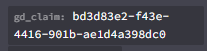 uneven nexus
it's definitely set to false somewhere. it says it right there.
buoyant juniper
I can see that but I literally only have 2 groups and none of them have that line inside
I didn't set it to false anywhere
uneven nexus
check the player themselves.
buoyant juniper
Players personally don't have any permissions
But I don't want to send it to true or else they will gain access to every essentials command
uneven nexus
lament prairie
Alright and how can I delete all of the different values under gd_claim? https:/...
what exactly is this context for? those contexts should be deleted with the permissions
lament prairie
GriefDefender uses LP as storage - trying to get rid of all of their values and inputs
uneven nexus
right, i get that.
where are you still seeing this context set at though
lament prairie
Under a player - but it only shows 500 users on LP at a time, so I need a way to bulkdelete, right?
uneven nexus
send your editor link please.
lament prairie
LuckPerms - A permissions plugin for Minecraft servers.
LuckPerms is a permissions plugin for Minecraft servers. It allows server admins to control what features players can use by creating groups and assigning permissions.
uneven nexus
i hate the way that is being stored.
what exactly is your end goal here? are you switching to a new claim plugin, and are removing everything for GD, or are you just clearing trust values and stuff like that?
lament prairie
Clearing trust values and stuff. Been having a ton of issues with GD, self caused, just wanting to reset everything besides claim block amounts and the actual claims themselves
uneven nexus
Okay, then logically speaking it should all be stored with that context.
i would try to lp bulkupdate all delete "gd_claim ~~ %"?
please take a backup first.
lament prairie
backupsmackup
uneven nexus

rough sage
Hello, I try to know which command i need to put here for give a rank with LuckyPerms. Thanks 😄
 uneven nexus
LuckPermsAndEvidentIsNotResponsibleForAnyDataLoss.DoAsYouPlease
lament prairie
I do appreciate your help. Thanks 🙂
I'll be back to complain in a bit about the broken server. 😉
uneven nexus
I expect as much. see you then
lament prairie
Back much sooner than you probably expected. I get this when I try your command:
[LP] Invalid constraint gd_claim ~~ %. Constraints should be in the format '<field> <comparison operator> <value>'.
 fallow grove
hello guys i installed everything and now in server cant show the groups
 undone oxide
Hello, I give the default group for example essentials.tpaccept and essentials.tpdeny and essentials.tpa perms, but the players in the default group can use the tpa command, but not the tpdeny and tpaccept command.
rose raven
undone oxide
Hello, I give the default group for example essentials.tpaccept and essentials.t...
!verbose
wanton stratusBOT
LuckPerms provides a verbose command to help you find out what permissions a command/plugin is checking.
Read more
LuckPerms wiki
rose raven
fallow grove
hello guys i installed everything and now in server cant show the groups
Can't show the groups where? Could you send a picture?
fallow grove
ingame
rose raven
fallow grove
ingame
Where in-game?
fallow grove
in minecraft
rose raven
That's not the answer i was looking for. Where exactly are your groups not appearing? Chat, tablist, tagnames, where? Show us please.
 rose raven
!chat
wanton stratusBOT
LuckPerms does not perform any chat/tablist formatting of its own!
LuckPerms only acts as the source for prefixes / suffixes, it doesn't actually apply them. You need an appropriately configured chat/tablist formatting plugin for them to be displayed. If the values appear correctly when you run /lp user <user> info, LuckPerms is doing its job!
FAQ answer: Prefix isn't showing?
List of chat/tablist formatting plugins that work with LuckPerms
fallow grove
rose raven
!chat
 uneven nexus
If the values appear correctly when you run /lp user <user> info, LuckPerms is doing its job!
meaning, it's not a LP issue.
tame night
halcyon musk
do as it says, and check the console for errors
I don't know what could happen
 undone oxide
rose raven
!verbose
undone oxide
rose raven
!verbose
 rose raven
tame night
I don't know what could happen
rose raven
tame night
I don't know what could happen
!paste your full logs. The actual issue should be logged at the top of your latest.log file.
wanton stratusBOT
Please use pastebin!
Seeing a paste of the problem makes everything so much easier! Use https://pastes.dev/ for easy pasting!
For console errors:
Pastebin any relevant segments of the console log. If it's a startup error, this includes the entire startup log!
Other errors:
Pastebin the entire LuckPerms config file (passwords removed) as well as any other relevant files!
rose raven
undone oxide
Don't see how that's helpful. What have you used so far? What command did you run?
Recommend you use /lp verbose command <affected user that shouldn't be op> /tpaccept and screenshot the output. LP will force a user we want to check permissions for (user shouldn't be operator and in the default group) and print any permissions checked.
lament prairie
Evident, did you ever test on your test server?
undone oxide
rose raven
Don't see how that's helpful. What have you used so far? What command did you ru...
I'm sorry to tire you out.

 primal sinew
How do I fix the ambiguous plugin name error?
I think there's nothing wrong with the plugin name, but I'm still getting the ambiguous plugin name error in the Console.
Here's the plugin name in my plugins folder:
 rose raven
What's the logs for? You were not asked to send any.
rose raven
primal sinew
How do I fix the ambiguous plugin name error?
I think there's nothing wrong wit...
Jar's properly named. Doubt that that's what the warning/error was for. You can paste logs here using a pastebin, if you think this is related to LuckPerms.
primal sinew
rose raven
Jar's properly named. Doubt that that's what the warning/error was for. You can ...
Here are my logs:
https://mcpaste.io/d0b6b06cbeb623a7
A easy to use Paste site for Minecraft Server logs.
I'm using Pufferfish though.
rose raven
lament prairie
Evident, did you ever test on your test server?
Try something along the lines of /lp bulkupdate all delete "permission ~~ gd_claim%". Please consider exporting a quick backup with /lp export before making such large operations.
vast snow
Hello, there is a way to mute default role? Only with role moderator can talk in chat? I'm Useing essentialx
lament prairie
rose raven
Try something along the lines of `/lp bulkupdate all delete "permission ~~ gd_cl...
That worked but didn't update any nodes, users, or groups. All show 0.
halcyon musk
pallid cove
have you used /reload or used a plugin like plugman to reload any plugins (even if it wasnt luckperms)
 long tiger
Would a placeholder api work inside a prefix?
rose raven
long tiger
Would a placeholder api work inside a prefix?
That depends on whatever used to display that prefix.
For instance, your chat plugin would have to support PAPI placeholders if you plan to use such placeholder for your chat.
 main anvil
how do you make it so anyone that joins auto get default
long tiger
So Im manually making custom prefixes for players, however I want the color of the prefix to be the same as the players current rank prefix the custom prefix is overriding. E.g &4owner custom title is Legend it would placeholder the &4 from the first prefix and place it before the legend
halcyon musk
primal sinew
How do I fix the ambiguous plugin name error?
I think there's nothing wrong wit...
pretty sure the "ambiguous plugin name" error comes from having 2 plugins that have the same plugin name (which is unrelated to the file name), often caused by having 2 different jar files for the same plugin (often 2 different versions)
long tiger
So it's like a slice of the placeholder? No idea if that would be possible
halcyon musk
main anvil
how do you make it so anyone that joins auto get default
that already do
!default
wanton stratusBOT
LuckPerms provides a group that every player is added to upon joining the server, called default. You can use multiple methods to change the default group or change the name of it.
LuckPerms wiki
 vast snow
foggy quartz
this is the only thing that happens if i do any lp command
vast snow
foggy quartz
this is the only thing that happens if i do any lp command
Use command in console or make you op
foggy quartz
i am op
echo pivot
Is it good practice or required to keep everyone in the default group and then add additional groups to those users when required? Or can we clear default and have them in an other group.
toxic wagon
echo pivot
Is it good practice or required to keep everyone in the default group and then a...
lp user <name> parent add <group> = Adds a group to the user
lp user <name> parent set <group> = Remove all current groups and adds just the one
echo pivot
toxic wagon
lp user <name> parent add <group> = Adds a group to the user
lp user <name> pare...
Correct, I'm aware of how to do it, and I've been using the set command, but LP decided to add every group back into the default group yesterday after converting to mysql, so I was wondering if LP likes to see people in default group, and only add additional groups when they rank up
uneven nexus
what do you mean it added every group back into the default group
echo pivot
uneven nexus
what do you mean it added every *group* back into the default group
This was 90% of my users last night, after converting to MySQL, everyone had duplicate groups, and everyone all had default group again
 pallid cove
halcyon musk
have you used `/reload` or used a plugin like plugman to reload *any* plugins (e...
pallid cove
halcyon musk
have you used `/reload` or used a plugin like plugman to reload *any* plugins (e...
Nop, this happened when i start the server
echo pivot
I've also never used context with players groups so I don't know where it got that from
uneven nexus
it didn't just appear out of thin air. someone added that.
THAT is the reason LP added default to them. if they only had a group with a context, when they log into a server and don't have a group default is added
echo pivot
I'm the only one with LP, and didn't add it. Ok so LP then freaked out after converting to mysql then and saw no groups on one server I don't know
But I mean clearly there is a group so why did it add default, are you saying there was no group then default was added and so was wallaby, and wallaby+ which shouldn't have happaned
 vague dune
is there a way to give everyone 1 role?
 glossy steeple
Hello, I need help, I want to import data that I have from a "backup" of luckperms but it is a link, I mean I don't have the database downloaded, it is an access link to the web editor but old, and I want to save that configuration, but no The groups are saved, how do I do
@uneven nexus
wanton stratusBOT
Hey nixssanderyt! Please don't tag helpful/staff members directly.
toxic wagon
vague dune
is there a way to give everyone 1 role?
Add it as a parent to a role that everyone inherits from. Default for example
toxic wagon
glossy steeple
Hello, I need help, I want to import data that I have from a "backup" of luckper...
Make a change in the editor, apply the changes and it should ("should") work
glossy steeple
I already did it, but the users and tracks are saved, the groups are not
old

new
 toxic wagon
Are there any errors
glossy steeple
no
help please
They entered the luckperms database for having open ports and deleted everything, that's why I want to import it that way
I had a saved link from a web editor in my browser history
Is there a way to export the data from the web editor?
toxic wagon
Try spinning up a new local test server, import it to the test server, if that works, do an lp export and then lp import on the main server after copying the file across
glossy steeple
I'll try it right now, if you can stay until I review it I'd appreciate it.


It's another hosting, which I had there
toxic wagon
So did it create all the groups?
glossy steeple
no
glossy steeple
glossy steeple
.
toxic wagon
Might just need to re-create them then.
glossy steeple
There are 50 ranks...why doesn't it matter? They are there
halcyon musk
glossy steeple
/lp import --upload <code>, replacing <code> with the code in the editor link
it might not keep all of the users
well, all of the ones you had before. itll have the 500 that show in the editor
@glossy steeple
glossy steeple
@halcyon muskI already did it, and the same thing happens, everything is imported except the ranges
wanton stratusBOT
Hey nixssanderyt! Please don't tag helpful/staff members directly.
halcyon musk
can you send the editor link
glossy steeple
dm? please
halcyon musk
!editorsafety
wanton stratusBOT
It is safe to send an editor link in public.
Any changes made in the editor have to be applied using the /lp applyedits command - impossible unless the person with the link is also connected to the server and with the required in-game permissions to use LuckPerms commands. It's effectively just as safe to share an editor link as it would be to share a screenshot of your permissions or a pastebin of a configuration file. The editor doesn't contain any sensitive data (except perhaps player names).
More Information:
Concerns about the proprietary nature of your permissions setup?
Please, don't be. We're here to help, not steal your permissions setup. Additionally, permissions can be tested by players simply joining your server and seeing what they can do.
glossy steeple
aaam
i dont know
LuckPerms - A permissions plugin for Minecraft servers.
LuckPerms is a permissions plugin for Minecraft servers. It allows server admins to control what features players can use by creating groups and assigning permissions.
 halcyon musk
 glossy steeple
..
toxic wagon
You've probably got a cached version in your browser. If you opened different browser and used the link you'd see the same thing. This is most likely why it isn't working.
So best bet would be to just re-create the groups.
glossy steeple
I doubt it
halcyon musk
you cannot pull the data from that link anymore because it simply does not exist
echo pivot
Whys it doing this?! This did not happen before we went to mysql, users should only be in one group and that's how it's been for the past 9 months.
 echo pivot
That's the value I have within the database via (phpmyadmin), this is what my user has in lp editor, why and how are these values not the same? According to the database my users primary group is default, but that's not what it shows in game or in lp editor lol

 echo pivot
Under luckperms database you have luckperms_players, and many of the players primary_group is different to what's on luckperms_user_permissions?
There's an issue with LP not updating users primary group, as by default it's set as parents-by-weight, but I can still see hundreds of users still with a primrary group of default when they are ranks way ahead of default.
I can show you 50+ users that have a higher weighted parent but stillwith a primrary group of default. This feature is not working as intended and documented in the wiki: parents-by-weight - use the users most highly weighted parent 🙂
This is also false: The meaning and influence of "primary groups" are explained in detail on the wiki.
halcyon musk
echo pivot
There's an issue with LP not updating users primary group, as by default it's se...
unless you use the stored value for the primary-group-calculation config, the value in the database is never touched. instead its calculated at runtime, as the primary group can change if a player only inherits groups in certain contexts
 rocky drum
Hello, why am I getting these errors?
 halcyon musk
rocky drum
Hello, why am I getting these errors?
halcyon musk
rocky drum
Hello, why am I getting these errors?
!libsdir
wanton stratusBOT
LuckPerms dependencies
LuckPerms requires several libraries in order to operate. If you're getting a startup error such as NoClassDefFoundError, ClassNotFoundException or "Unable to load dependency...", stop your server, delete the /plugins/LuckPerms/libs/ directory and start it up again.
echo pivot
halcyon musk
unless you use the `stored` value for the `primary-group-calculation` config, th...
But it's not being calculated and or changed at all, runtime as in when you start the server up?
rocky drum
My server version is 1.20.4
halcyon musk
echo pivot
But it's not being calculated and or changed at all, runtime as in when you star...
the value in the database is never touched
this means its never read from, or written to. and at runtime means that if a plugin asks luckperms for the players primary group, it calculates it on the spot, and returns it directly
echo pivot
Ok so in my position where at some stage it has changed users primary groups but not others, are we recommending to set this to stored and then have every players primary group on default or?
halcyon musk
primary group shouldnt be relevant
rocky drum
wanton stratus
I did this and I'm still getting this errors
halcyon musk
rocky drum
I did this and I'm still getting this errors
!paste a full log after doing that
wanton stratusBOT
Please use pastebin!
Seeing a paste of the problem makes everything so much easier! Use https://pastes.dev/ for easy pasting!
For console errors:
Pastebin any relevant segments of the console log. If it's a startup error, this includes the entire startup log!
Other errors:
Pastebin the entire LuckPerms config file (passwords removed) as well as any other relevant files!
rocky drum
halcyon musk
!paste a full log after doing that
A paste containing 2417 lines of plaintext.
echo pivot
halcyon musk
primary group shouldnt be relevant
Ok thanks, do you have the magical page that is supposedly on the wiki that explains the meaning and influence of "primary groups"?
Because I think that possibly has an influence with CMI's rank system
halcyon musk
afaik it has no impact on anything in luckperms itself
some plugins use it instead of properly handling the fact that players can be in multiple groups
echo pivot
Including possibly CMI 
So can a plugin change the value of a users primrary group or can it only be LuckPerms?
Obviously only LP but I mean what factors influence a value change
halcyon musk
by default, it will be whatever group the player directly inherits that has the highest weight
halcyon musk
rocky drum
https://pastes.dev/Wsp9bRZDm0
i think something is seriously wrong with your server
rocky drum
halcyon musk
i think something is seriously wrong with your server
When LuckPerms is deleted the server works very normally
 arctic relic
[12:13:38 ERROR]: Error occurred while enabling LuckPe rms v5.4.120 (Is it up to date?)
java.lang.NoClassDefFoundError: me.lucko.luckperms.lib guava.graph.MutableGraph
at me.lucko.luckperms.bukkit.util.PluginManage rUtil.injectDependency(PluginManagerUtil.java:63) ~[?:
?]
at me.lucko.luckperms.bukkit.LPBukkitPlugin.se tupPlatformHooks (LPBukkitPlugin.java:224) ~[?:?]
at me.lucko.luckperms.common.plugin.AbstractLu ckPermsPlugin.enable(AbstractLuckPermsPlugin.java:225) -[?:?]
at me.lucko.luckperms.bukkit.LPBukkitBootstrap .onEnable(LPBukkitBootstrap.java:175) ~[?:?]
at me.lucko.luckperms.bukkit.loader.BukkitLega cyLoaderPlugin.onEnable(BukkitLegacyLoaderPlugin.java: 50) [LuckPerms-Bukkit-Legacy-5.4.120.jar:?] at org.bukkit.plugin.java.JavaPlugin.setEnable
d(JavaPlugin.java:287) -[paper-api-1.20.4-R0.1-SNAPSHO
T.jar:?]
at io.papermc.paper.plugin.manager.PaperPlugin InstanceManager.enablePlugin(PaperPluginInst r.java:188) -[paper-1.20.4.jar:git-Paper-450] ↓
at io.papermc.paper.plugin.manager.PaperPlugin
how to fix it
Mc Version : 1.20.4
Java: 17
Paper


 echo pivot
halcyon musk
by default, it will be whatever group the player directly inherits that has the ...
echo pivot
halcyon musk
by default, it will be whatever group the player directly inherits that has the ...
Ok, so I mean I'm looking at 10 players here that have ranks way above default with a higher weight, some are in primary group default some are in the primary group "rankname", so those that are not in the default primary group are you saying only because a plugin has asked lp what is the primary group of said user and lp has than updated the database and relayed this information?
halcyon musk
luckperms does not update the database with the primary group unless you have set primary-group-calculation to stored.
arctic relic
arctic relic
[12:13:38 ERROR]: Error occurred while enabling LuckPe rms v5.4.120 (Is it up to...
help me
halcyon musk
rocky drum
When LuckPerms is deleted the server works very normally
where did you download luckperms from?
halcyon musk
arctic relic
[12:13:38 ERROR]: Error occurred while enabling LuckPe rms v5.4.120 (Is it up to...
!paste a full log
wanton stratusBOT
Please use pastebin!
Seeing a paste of the problem makes everything so much easier! Use https://pastes.dev/ for easy pasting!
For console errors:
Pastebin any relevant segments of the console log. If it's a startup error, this includes the entire startup log!
Other errors:
Pastebin the entire LuckPerms config file (passwords removed) as well as any other relevant files!
echo pivot
halcyon musk
luckperms does not update the database with the primary group unless you have se...
Look I'm not trying to be a pain, but I do not or never have had this as stored and take a look at this:
 halcyon musk
¯_(ツ)_/¯
it certainly doesnt read that value
im not sure why your even looking at that though. you shouldnt need to manually inspect or alter anything in the database directly
echo pivot
Because I've had LP give users multiple groups, I've had CMI ranking people up again as it thinks they're in default and I think it has something to do with that, I'm not editing I'm trying to work a year long issue out
halcyon musk
well, what does /lp user <name> info show for those users?
 rustic pine
how do i setup luckperms on fabric if i used velocity to join the fabric server?
halcyon musk
rustic pine
how do i setup luckperms on fabric if i used velocity to join the fabric server?
doesnt change anything
echo pivot
halcyon musk
well, what does `/lp user <name> info` show for those users?
It matches with their group permission
halcyon musk
whatever shows in that command is what cmi would be getting if its asking LP for the primary group
echo pivot
Ok thanks
rustic pine
halcyon musk
doesnt change anything
what do you mean? i get this message every join to the fabric server
 halcyon musk
if you are using fabricproxy-lite, read its readme
rustic pine
halcyon musk
if you are using fabricproxy-lite, read its readme
ooo, thanks
should i install luckperms on velocity too?
or it optional?
halcyon musk
you only need it on the proxy if you want it to manage permission checks for velocity commands (or velocity plugin commands)
rustic pine
eyy, thanks for help blud ✨
echo pivot
Does lp velocity need to have messaging-service also set as pluginmsg or, my servers aren't sending changes made to other servers
toxic wagon
Do you have LP on all servers?
echo pivot
Certainly do, hooked to the same database
Changes I make in survival economy won't reflect on vanilla server unless I do lp sync
toxic wagon
Since you're using a database, you can set the messaging service to that. So if it's MySQL for example, just set it to sql
echo pivot
Ah ok, I'll give that a go thanks
If I have an admin who has access to lp editor, one is on vanilla, one is on survival, should changes made on one server be sent to both?

Still changes aren't being made to the other servers without using /lp sync
uneven nexus
do both servers have a message service in lp info? (And the same one)
toxic wagon
Show us /lp info from all servers
echo pivot
Ah ok, one server was using pluginmsg I didn't realize a reloadconfig didn't update that option, a full restart did, it appears to work correctly now thanks that /lp info is handy xD
I want to connect my creative server to the same database so I can carry prefixes across, but as the creative server has a bunch of plotsquared perm nodes under default, what will happen to all these perms when it's linked to the database?
Also the USERS that is on the left sidebar is that just storing all users that have altered permission nodes only yeah?
halcyon musk
echo pivot
I want to connect my creative server to the same database so I can carry prefixe...
!switch
wanton stratusBOT
If you wish to change your storage type (e.g. to YAML or MySQL) you may need to follow these instructions to ensure your groups and permissions are migrated to the new storage type.
Read more about the Storage types
LuckPerms wiki
halcyon musk
export before switching, import after. it shouldnt overwrite anything (but you might want to make a backup of the database first anyways)
halcyon musk
echo pivot
Also the *USERS* that is on the left sidebar is that just storing all users that...
users that have unique data (so not just group.default), and online users regardless of that, up to 500 users
echo pivot
halcyon musk
export before switching, import after. it shouldnt overwrite anything (but you m...
Ok thanks, it's not a massive deal there's only 8 perms so I can just add them after, I was wondering if it puts them in with server context creative or something
echo pivot
halcyon musk
users that have unique data (so not just `group.default`), and online users rega...
Ah ok
halcyon musk
echo pivot
Ok thanks, it's not a massive deal there's only 8 perms so I can just add them a...
it doesnt change them
echo pivot
luckperms-h2-v2.mv.db is that where luckperms stores playerdata, so if you go to mysql you no longer need that aye
toxic wagon
By default, yes. Unless you change the storage type
halcyon musk
if your storage method is h2, yes
toxic wagon
Keep in mind though, H2 is single server only.
 ebon orbit
Hello. How can i do to give acces for one command in one world only for one rank and the rest to dont have acces?
magic root
!context
wanton stratusBOT
You can set a permission or group on a per-world/per-server basis, through what we call "contexts".
Read more
LuckPerms wiki
ebon orbit
thank you
 raw wigeon
Hello, i'm currently using essentials and LPC i negated the permission to use color codes in chat but they still have access to it?
toxic wagon
Do /lp verbose record <player> Then get them to use color codes, then do /lp verbose paste and send the link
raw wigeon
toxic wagon
Do `/lp verbose record <player>` Then get them to use color codes, then do `/lp ...
LuckPerms - A permissions plugin for Minecraft servers.
LuckPerms is a permissions plugin for Minecraft servers. It allows server admins to control what features players can use by creating groups and assigning permissions.
toxic wagon
Looks fine to me, you might need to speak with the support for your chat plugin
raw wigeon
im using LPC as my chat plugin
toxic wagon
So speak with the LPC support. That is not an official Luckperms plugin. We don't offer support for it
raw wigeon
Oh i thought lpc is yours sorry
toxic wagon
It even says on the plugins page that it is not affiliated with LP
raw wigeon
yep sorry
 still onyx
how to give rank to bedrock users?
the username start with .
still onyx
i get this
 magic root
still onyx
how to give rank to bedrock users?
the username start with `.`
magic root
still onyx
how to give rank to bedrock users?
the username start with `.`
!geyser
wanton stratusBOT
Using Geyser?
If you're having issues with permissions for bedrock players, or it's telling you that a bedrock player's name is invalid, try setting allow-invalid-usernames to true in the LuckPerms config.
long tiger
long tiger
So Im manually making custom prefixes for players, however I want the color of t...
Any help with this?
echo pivot
long tiger
So Im manually making custom prefixes for players, however I want the color of t...
I read this 2 times and don’t understand
Oh try typing &f after you set the prefix
long tiger
E.g slice the first rank &4owner to the first two characters so it would give you "&4" then have another rank added to those 2 characters
echo pivot
Can you take a screenshot
long tiger
Not currently but like let's just get prefix 1 = &4owner and prefix 2 = legend. I want legend to keep prefix one colour formatting so it would slice the first two characters of prefix 1 and use it at the beggining of prefix 2 to use its colour code
echo pivot
Can you add &4 to legend and then legend is the same color as owner
 clear spindle

hey so as you guys can see the ad rank is at the bottom
i want it above the members
how?
rose raven
!tab Weignt does not determine the order in your tablist. It's entirely up to your tab formatter to properly sort the order in the tab.
wanton stratusBOT
LuckPerms does not perform any chat/tablist formatting of its own!
LuckPerms only acts as the source for prefixes / suffixes, it doesn't actually apply them. You need an appropriately configured chat/tablist formatting plugin for them to be displayed. If the values appear correctly when you run /lp user <user> info, LuckPerms is doing its job!
FAQ answer: Prefix isn't showing?
List of chat/tablist formatting plugins that work with LuckPerms
echo pivot
Plugin that does your tab yeah
rose raven
That's great. Consult its documentation on how to properly configure tablist group sorting.
clear spindle
yeah i fixed it thanks
rose raven
Hype.
 arctic relic
arctic relic
arctic relic
here is somr ss also


 rose raven
!libs
wanton stratusBOT
LuckPerms dependencies
LuckPerms requires several libraries in order to operate. If you're getting a startup error such as NoClassDefFoundError, ClassNotFoundException or "Unable to load dependency...", stop your server, delete the /plugins/LuckPerms/libs/ directory and start it up again.
arctic relic
i tried
but the error is coming still
idk why
😭
lemme try once more
Legacy Plugin Luck perms does not specify an api version
Again
😭
with the error
rose raven
!paste your full logs (latest.log)
wanton stratusBOT
Please use pastebin!
Seeing a paste of the problem makes everything so much easier! Use https://pastes.dev/ for easy pasting!
For console errors:
Pastebin any relevant segments of the console log. If it's a startup error, this includes the entire startup log!
Other errors:
Pastebin the entire LuckPerms config file (passwords removed) as well as any other relevant files!
visual escarp
Is there any way to see which permissions default group players have by default (without any permissions set in LP)?
rose raven
No. You can't retrieve a full list of some sort of permissions that are granted by default on a per server basis. Each plugin's responsible for granting or not its own permissions by default and you ought to search through their documentation/wiki or source code to see if any permissions are given by default and, if so, which of them are.
visual escarp
Oh ok
I'll do that then I guess
Also one more noob question since I'm kinda new to LuckPerms
How do I deny a permission granted by default?
rose raven
Set it to false.
 obtuse granite
So I want to make it so that when I type in /lp user <user> permission set <permission> and not type anything after that, the context will default to that server. And it will only be global when i put it with server=global
The servers on my proxy are: auth, lobby, kitpvp, kingdoms; if that helps with anything
 vestal heath
Guys i have this problem in my server where non-op players cannt damage mobs
but op players can
also the luck perms prefix for non-op player is not showing in chat
obtuse granite
obtuse granite
So I want to make it so that when I type in /lp user <user> permission set <perm...
okay, so i found a solution to this by doing this:

buut is there a way to do it for only permissions?
 rose raven
 summer quarry
help
summer quarry
help
What makes you think this is a LuckPerms related issue?
summer quarry
Idk just see if anyone can help
rose raven
summer quarry
Idk just see if anyone can help
Well, this is LuckPerms support. Contact Plan support, since their plugin is mentioned on the stack trace and not LP. 😀
halcyon musk
rose raven
Well, this is LuckPerms support. Contact Plan support, since their plugin is men...
the line at the bottom is lp, and i dont see any other plugins there
halcyon musk
summer quarry
help
!paste a full log
wanton stratusBOT
Please use pastebin!
Seeing a paste of the problem makes everything so much easier! Use https://pastes.dev/ for easy pasting!
For console errors:
Pastebin any relevant segments of the console log. If it's a startup error, this includes the entire startup log!
Other errors:
Pastebin the entire LuckPerms config file (passwords removed) as well as any other relevant files!
summer quarry
rose raven
Well, this is LuckPerms support. Contact Plan support, since their plugin is men...
I don’t have a thing called plan
halcyon musk
summer quarry
I don’t have a thing called plan
send a full log using a pastebin
summer quarry
A paste containing 25 lines of plaintext.
vestal heath
Guys i have this problem in my server where non-op players cannt damage mobs
but op players can
Chatur
—
also the luck perms prefix for non-op player is not showing in chat
can any1 help
halcyon musk
summer quarry
https://pastes.dev/pyuAeoOXL8
that is not a full log
halcyon musk
vestal heath
Guys i have this problem in my server where non-op players cannt damage mobs
but...
!chat and luckperms doesnt block attacking things on its own, so some plugin must be doing that. figure out what plugin that is
wanton stratusBOT
LuckPerms does not perform any chat/tablist formatting of its own!
LuckPerms only acts as the source for prefixes / suffixes, it doesn't actually apply them. You need an appropriately configured chat/tablist formatting plugin for them to be displayed. If the values appear correctly when you run /lp user <user> info, LuckPerms is doing its job!
FAQ answer: Prefix isn't showing?
List of chat/tablist formatting plugins that work with LuckPerms
summer quarry
halcyon musk
that is not a *full* log
what do u mean then
vestal heath
halcyon musk
!chat and luckperms doesnt block attacking things on its own, so some plugin mus...
ok
obtuse granite
obtuse granite
buut is there a way to do it for only permissions?
so can someone help me with this?
halcyon musk
summer quarry
what do u mean then
send the entire content of your logs/latest.log file
halcyon musk
there is a log
obtuse granite
Is there a way to only acknowledge this context thing when a permission is being set? The default for permissions is server=<server> and the default for groups is global
 summer quarry
halcyon musk
there is a log
summer quarry
halcyon musk
there is a log
https://pastes.dev/ATJGQw9PP0 thats should be the whole thing
A paste containing 1074 lines of plaintext.
halcyon musk
summer quarry
https://pastes.dev/ATJGQw9PP0 thats should be the whole thing
hybrids are not offically supported
summer quarry
ik that but it didn't have any issues at all until i restart it then it stop and didnt change anything
halcyon musk
!libsdir you can try this but with a hybrid your mostly on your own
wanton stratusBOT
LuckPerms dependencies
LuckPerms requires several libraries in order to operate. If you're getting a startup error such as NoClassDefFoundError, ClassNotFoundException or "Unable to load dependency...", stop your server, delete the /plugins/LuckPerms/libs/ directory and start it up again.
summer quarry
ill check it
 mild vault
I am running a fabric server. The permissions with luckperms are working well.
I would like to make it so people without permission to use a commands cannot see that command. For example, my regular plays can see /banhammer (but cannot use it). I don't want them to see unusable commands for their role.
visual escarp
Is it possible to deny a specific permission from a group that has the * (everything) permission?
Or will that not work
halcyon musk
mild vault
I am running a fabric server. The permissions with luckperms are working well.
I...
luckperms doesnt hide tab completions. its up to plugins and mods to properly define their commands so that players without permission do not see them in tab completions
halcyon musk
visual escarp
Is it possible to deny a specific permission from a group that has the * (everyt...
https://tryitands.ee
but more specific permissions override less specific wildcards

 halcyon musk
have you used /reload or a plugin like plugman to reload any plugin (even if it wasnt luckperms)
 crystal gulch
halcyon musk
have you used `/reload` or a plugin like plugman to reload *any* plugin (even if...
crystal gulch
halcyon musk
have you used `/reload` or a plugin like plugman to reload *any* plugin (even if...
No, I used /stop
To stop my server
halcyon musk
!paste a full log then
wanton stratusBOT
Please use pastebin!
Seeing a paste of the problem makes everything so much easier! Use https://pastes.dev/ for easy pasting!
For console errors:
Pastebin any relevant segments of the console log. If it's a startup error, this includes the entire startup log!
Other errors:
Pastebin the entire LuckPerms config file (passwords removed) as well as any other relevant files!
crystal gulch
halcyon musk
!paste a full log then
The error?
halcyon musk
a full log
visual escarp
halcyon musk
https://tryitands.ee
but more specific permissions override less specific wildca...
Thanks
crystal gulch
halcyon musk
> a full log
Luckperms start?
halcyon musk
a full log
visual escarp
crystal gulch
Luckperms start?
Go to your server's file manager and then paste /logs/latest.log
Into the site above
crystal gulch
visual escarp
Go to your server's file manager and then paste /logs/latest.log
Ahh okay
halcyon musk
yes. including the server starting, and you stopping it and getting that error
and everything inbetween
crystal gulch
halcyon musk
yes. including the server starting, and you stopping it and getting that error
A paste containing 866 lines of plaintext.
halcyon musk
well i dont support piracy ¯_(ツ)_/¯
crystal gulch
halcyon musk
well i dont support piracy ¯\_(ツ)_/¯
?
halcyon musk
offline-mode, authme, skinsrestorer
crystal gulch
halcyon musk
offline-mode, authme, skinsrestorer
That is piracy? I have minecraft premium but does it interfere with luckperms?
halcyon musk
running offline mode with those plugins means you allow people who did not buy the game to play on your server
uneven nexus
There is no “premium minecraft” either you pay for the game, or you’re stealing it.
crystal gulch
uneven nexus
There is no “premium minecraft” either you pay for the game, or you’re stealing ...
I have bought minecraft
uneven nexus
ok
halcyon musk
but your supporting those who did not
vestal heath
guys i cannt just figure out why my luckperms prefix isnt showing for non op players
crystal gulch
Okay ill remove that plugins
vestal heath
does any1 have a idea i seen tht thing but i cannt get the solution
halcyon musk
vestal heath
guys i cannt just figure out why my luckperms prefix isnt showing for non op pla...
refer to clippys message i sent earlier
vestal heath
halcyon musk
refer to clippys message i sent earlier
i seen tht
but i cannt just figure out anything i re checked everything
halcyon musk
well does the prefix show in /lp user <name> info for a non-op player?
vestal heath
halcyon musk
well does the prefix show in `/lp user <name> info` for a non-op player?
yes
halcyon musk
great. that means luckperms is doing exactly what it needs to
your issue is with your chat plugin. refer to their docs or support
 vocal steeple
i have a question, why does my formatting for LPC show up in the cosnole, but doesn't in game? it only shows the regular minecraft <> format
halcyon musk
vestal heath
will deluxechat work ?
it should. but like i said, youll need to refer to their docs or support. this is luckperms support, not deluxechat support
crystal gulch
Ive just put online mode
halcyon musk
vocal steeple
i have a question, why does my formatting for LPC show up in the cosnole, but do...
as the spigot page says, lpc is not affiliated with luckperms
crystal gulch
A paste containing 835 lines of plaintext.
flat parcel
vocal steeple
i have a question, why does my formatting for LPC show up in the cosnole, but do...
Despite it's name, LPC is not officially affiliated with LuckPerms. It's developed by a third party developer, and as such we can offer no support for it. Talk to their support team.
vocal steeple
do you have any suggestions for a chat formatting plugin that does work in 1.20.4
crystal gulch
crystal gulch
Ive just put online mode
And i update Luckperms
flat parcel
!chat bottom link has a list of chat plugins that work with LP, though we can't attest to their version compatibility
wanton stratusBOT
LuckPerms does not perform any chat/tablist formatting of its own!
LuckPerms only acts as the source for prefixes / suffixes, it doesn't actually apply them. You need an appropriately configured chat/tablist formatting plugin for them to be displayed. If the values appear correctly when you run /lp user <user> info, LuckPerms is doing its job!
FAQ answer: Prefix isn't showing?
List of chat/tablist formatting plugins that work with LuckPerms

 halcyon musk
depends on your chat plugin and the format youve configured it to use
check that, and if you still dont know talk to the support for whatever chat plugin your using
mild vault
halcyon musk
luckperms doesnt hide tab completions. its up to plugins and mods to properly de...
Thank you
visual escarp
halcyon musk
offline-mode, authme, skinsrestorer
Authme and SkinRestorer can be used on online mode servers too btw
The first one for 2FA, the second one for being able to change skins locally on the server
halcyon musk
sure you can use them, but there is literally no reason to
visual escarp
I just said the reasons
SkinRestorer is one of the most downloaded plugins on Spigot
crystal gulch
halcyon musk
sure you can use them, but there is literally no reason to
Its an old server and i forget to remove them 😦
Sorry 😔
visual escarp
Also if Mojang doesn't care about people cracking the game, why would you 😂
It actually brings them more money from people trying the game for free before buying it
People who only crack it wouldn't buy it anyway
crystal gulch
I put online-mode and the error still 😭
visual escarp
halcyon musk
but your supporting those who did not
Also you do realize there are places where $30 is a lot of money? If it's cheap for you, doesn't mean it's for everyone
(btw I did buy Minecraft, but no one else I know did lol, and I had to save up for it)
halcyon musk
we arent going to argue about offline mode anymore. piracy is piracy, and there is no excuse for it. many people in this server choose to not support those who support pirating the game, please respect their choice.
crystal gulch
halcyon musk
we arent going to argue about offline mode anymore. piracy is piracy, and there ...
It was my fault, i forget to remove it 😦
visual escarp
Yeah, let's support multi-trillion dollar corporations that don't even know you exist!
✊
magic root
It's also against discord TOS to assist with piracy, so there's also just me not wanting my account terminated
magic root
Not about to find out
visual escarp
Also client modifications are against the ToS but they allow the BetterDiscord and Vencord servers to exist
So why would they care about cracked Minecraft 😂
crystal gulch
I'm sorry for using the offline mode :(, but I can't solve this and it appears every time I close the server 😭
magic root
"Allow" or "ticking time bomb" either way pan said we're not arguing about this
visual escarp
Sure, continue being a slave of Microsoft, I won't argue anymore
magic root
I am funded by Microsoft