#dusk-modding
1 messages · Page 55 of 1
 gritty forge



 still raptor
@terse salmon those presets can be modified, so its completely relative
theres no real point in an answer, if you have questions about specific settings i can answer those
 terse salmon
@still raptor really? i thought most of the menu display settings just tweaked the post-processor
i was generally curious about what modified preset dusk uses, since the preset controls these:
basically, what settings does it use of these?
still raptor
what i meant is that, users can modify the presets in the editor, so if any of those changed, its completely invalid telling you which preset was used
if youd like to know those specific settings, sure, i can get you those
also for the record, dusk does not use the standard post processor thing that unity has builtin
terse salmon
@still raptor thanks, that's really interesting! yeah, it uses an old-school fx asset iirc?
were these quality settings modified specifically for the game for performance?
still raptor
Not particularly no
still raptor
because it doesnt matter, theres not many dynamic lights in dusk
 sharp trail
does anyone know the file name for the black phillip projectile texture
 ancient depot
The black phillip projectile is a particle and not a sprite iirc, so you can't replace that
Not yet anyway
sharp trail
oh
 hollow owl
do i need to have quake to use trenchbroom because i want to mod dusk but i can't find anywhere to put the wad and i don't have a copy of quake so i have no textures
 onyx marten
you just need quakes palette file, not quake itself iirc
 mortal narwhal
damn, I cannot wait for saving
mortal narwhal
@ancient depot I'm trying to make lightshafts for my level. Is it possible to have a half transparent func_illusionary in Dusk?
gritty forge
I think he's asleep rn
let me check
try using "renderamt" and a value between 0-255
that should set the transparency of the object
you can also try "rendermode" 0-5
normal is 0
mortal narwhal
https://cdn.discordapp.com/attachments/221778127083405313/710259860310065152/unknown.png
from left to right is a func_illusionary with renderamt 155 and rendermode going from 0 to 5, left to right

it seems that rendermode 5 is well, additive
so if you want volumes of light, rendermode 5 is your friend
 sweet willow
Hello dusk mod people, completely newbie to modding anything person here. I am struggling to get custom music running in my map. I am using trenchbroom, I have made a "music" folder in my mod folder in the sdk where I have tried placing a music file. It is an mp3 converted to .ogg (tried .wav as well) using audacity. I have added a "music" key to a worldspawn entity on my map and given it the total path (copied from the file's properties window). When I load up the map in the sdk nothing happens. Any advice?
still raptor
hmm
sounds like you pretty much have everything rightm, is it possible the path is wrong
\music\yourfile.ogg
ancient depot
It should be "music/filename.ogg", to be exact
sweet willow
Could be? I did the whole path... you know, C:....etc.
ancient depot
Yeah that'd be why
It needs to be a path relative to your mod folder, not a full path
Otherwise how would it work on other people's PCs
ancient depot
np
sweet willow
Hmm, still getting nothing... the music file should be in the mod file no?
ancient depot
Also important to note that the path is case sensitive
If your music file is Music.ogg, it must be Music.ogg in your map, music.ogg won't work
Yeah:
/mymod
    /music
        music.ogg
    /maps
mymap.bsp (references "music/music.ogg")```yeah, thats what I have set up
Ok, I think I figured it out... stupid error
I don't know how I did it, but I managed to sneak a \ into the path
still nadda, lovely
Fixed, thanks again!
ancient depot
👌
hollow owl
does anyone know where i can find the quake palette files for trenchbroom?
gritty forge
Wouldn't the shareware version of quake have it
gritty forge
There's a pallet on the quake wiki
ancient depot
ancient depot
ancient depot
hollow owl
does this file have all the textures and etc?
ancient depot
The textures get merged into the bsp
If you're intending to make maps rather than play them, you'll need wad files for textures
hollow owl
i want to make a basic map in trenchbroom but i don't have any of the quake games
so i can't select a game when i open up trenchbroom so i can't add the dusk wad files for the dusk textures
ancient depot
Make a directory structure like the following:
game/
    id1/
        gfx/
palette.lmp```you can set the game folder to the quake game folder in tb
hollow owl
ok thanks so much i will try this
ancient depot
np
I'm about to head to bed but don't hesitate to ping me if you have further questions
hollow owl
ok thanks
hollow owl
would i do that in the trenchbroom files? i am viewing it with winrar and i can't add any new files to trenchbroom
like where would i put the directory structure
@ancient depot
ancient depot
@hollow owl You can put it anywhere
 floral falcon
Do clip brushes work in dusk yet? I’m trying to set up some invisible walls in my map.
 honest stag
i dont know if they work but there is a workaround
make the brush an entity, any really, func_detail will do but you can do anything
add a property "rendermode" and set it to 1
add a propery "renderamt" and set it to a value from 0 (not transparent) to 255 (invisible)
100 is pretty much perfect from glass btw
works pretty much like a clip brush, but you cant shoot through it
hollow owl
@ancient depot so i can create a folder in my program files with that structure and trenchbroom will be able to find it?
hollow owl
ok thanks i will make it now
floral falcon
No worries the rendermode workaround didn’t work so I’ll try func _clip now
ancient depot
also renderamt is actually the reverse, 0 is invisible and 255 is completely visible
hollow owl
i have made a directory with the structure you showed me in program files, but how do i link it to trenchbroom? i have no real experience with trenchbroom and i just want to be able to make a map i can run
ancient depot
You can try making a map with the Quake profile and set that folder as the game directory
floral falcon
Thanks, I got func_clip working and figured out why the workaround wasn’t working (it was because I was still using the clip texture)
hollow owl
im just trying to get trenchbroom to take the palette files so i can add the dusk wads but it won't take the palette file for quake
ancient depot
Yeah, the palette has to be called palette.lmp and be in id1 -> gfx or trenchbroom won't recognize it
hollow owl
i'm going to try and make a folder with the structure that you said and paste it into the trenchbroom files in quake
i followed dumptruck_ds's tutorial and i made a directory as stated in a folder and pasted the trenchbroom folders in and under id1 added a gfx section next to maps and pasted the .imp in but i did not work
ancient depot
It's an L, not an I
I think someone made that mistake before actually lmao
It's short for lump
hollow owl
it is an lmp file not an imp file i just thought it said imp
ancient depot
Strange, it should just work then
hollow owl
it doesn't detect the palette file in the directory
i would ss it but we can't post images on this channel
ancient depot
You can post images once you get rat rank, until then you can upload it to imgur or something
and post a link here
ancient depot
you don't need an account to upload there
at least, you didn't used to in the past
unless that's changed recently
ancient depot
weird
ancient depot
and C:\QuakeDev is the game path set in TB?
ancient depot
I mean this part
ignore the awful quality screenshot lol
That should say C:\QuakeDev
ancient depot
Once that's set up it should work
hollow owl
so would be C:QuakeDev if i have it in my local disk next to program files
ancient depot
Yeah
hollow owl
i did that successfully but in the error box in trenchbroom it says it couldn't find the models
ancient depot
Yeah that can be ignored
hollow owl
ok i still don't have textures though
ancient depot
Do you have the wad files loaded?
hollow owl
bruh i just realised that lmao thanks
hollow owl
i need to put the dusk wad in now
i put the dusk wad into the wads folder i created but to no avail, would the wads need to be in the id1 folder
ancient depot
You should be able to load wads from anywhere
hollow owl
hm
ancient depot
So you've added the wad to texture collections?
hollow owl
i have added it to a folder named wads that is in the quakedev folder i made
ill put it in manually maybe
ancient depot
I'd recommend watching part 1 of the texturing part of dumptruck's videos
He goes into how to get the wads loaded
starts at 0:42
hollow owl
it just came up with it not being able to load the palette file from the gfx folder
hollow owl
i got this
Loading palette file gfx\palette.lmp
Could not load palette file 'gfx\palette.lmp': File not found: 'gfx\palette.lmp'
it says it as 1kb
ancient depot
Try setting the game directory to C:\QuakeDev\id1 maybe
ancient depot
wtf
ancient depot
Yeah so it's somehow still not finding it
honest stag
hey MrHeat, do you have Quake PAK files?
ancient depot
- Downloaded the latest TrenchBroom 2020.1 build
- Made an
id1folder somewhere, with agfxfolder inside it - Put
palette.lmpin thegfxfolder - Opened TrenchBroom and selected
New map... - Clicked
Open preferences... - Clicked on the
Quaketab and set the game directory to the folder containing theid1folder - Apply -> OK
- Chose
Quakeand clicked OK - Switched to the
Facetab in the editor on the right - Opened the
Texture Collectionsmenu at the bottom - Clicked the
+in the lower left and selected my wad file - Clicked OK
hollow owl
no that's my problem
honest stag
oh i can link them here then
hollow owl
really that would be awesome
ancient depot
I feel like you may have accidentally set the game path for Daikatana instead of Quake
Since if you click a game at the new map menu, and then go open preferences, it'll go to the preferences for the first game in the list
honest stag
it's gonna take a while to load here so yeah wait
ancient depot
not the one you highlighted
Make sure you only upload PAK0.PAK and not PAK1.PAK
The latter would be piracy
hollow owl
yeah
ancient depot
Nah this is a quakeless setup
honest stag
ah alright
hollow owl
no my problem is that i don't
honest stag
drop those into the id1 folder
honest stag
i dont know if not having quake 1 is alright but pak0 should do the job anyway
ancient depot
Yeah you don't need Q1
honest stag
not having pak1*
ancient depot
PAK1 is just the episode 2, 3 & 4 stuff
hollow owl
does it want to be in my gfx folder, maps or on its own
honest stag
id1
ancient depot
Inside a folder called gfx inside id1
hollow owl
yeah
ancient depot
Dusk will find palette.lmp in the root, while TB looks in gfx
hollow owl
i'll try it now
ancient depot
It works for you because you have the PAK files
Which have the palette within them inside a gfx folder
honest stag
...huh
then tb shouldnt be working for me?
ancient depot
Why's that?
also note palette.lmp is only necessary for WAD2 files
afaik dusk_transparent.wad is a WAD3
honest stag
well gfx is empty
unless i misunderstood you
ancient depot
PAK0.PAK has a gfx folder inside it
hollow owl
it didn't work but now i've got the pak file i can follow the tutorial i was watching
honest stag
you put it into the gfx folder?
hollow owl
but it is in breezip and i cant open the folder
honest stag
the pak file?
hollow owl
yeah
honest stag
try id1 instead
ancient depot
The PAK file goes in id1
hollow owl
yeah
same thing saying it couldn't load the palette file or models
should i get rid of the palette file that is in id1
honest stag
what is the pathname for the pak file for yaa
ancient depot
//
// For editing
//

// Option 1
quake/
    id1/
        gfx/
            palette.lmp

// Option 2
quake/
    id1/
        PAK0.PAK
        PAK1.PAK (optional)

//
// For playing
//
mnt/
    local/
        mod_name/
palette.lmp```do i need the gfx folder if i have the pak0 file then?
ancient depot
It's optional if you have the PAK
honest stag
im not sure but i think when i tried setting up trenchbroom i had issues with this because the pathname had spaces/non-english characters
that was definetly a problem with compiling maps later
ancient depot
The path here is just C:\QuakeDev so hopefully that's unrelated
honest stag
ah alright
hollow owl
i'll cut out the pallete file wit gfx for now to see if it changes
it might be trying to fetch the files from the lmp istead of tha pak
ancient depot
also double check that Quake has the right game directory, and that it wasn't accidentally set on another game profile
honest stag
hmmmmmm
the map actually opens, but there are no models and all textures are black, correct?
or just not showing up
honest stag
here's what i propose
make everything from scratch
C:/1234/id1 and PAK0 inside of that
trenchbroom then points at 1234 for the quake game path
if that doesnt work - i dont know what will
honest stag
alright good luck
hollow owl
thanks
ancient depot
eventually we can put this out and hopefully the problem will disappear
ancient depot
Adding file system path C:\Users\Edward\AppData\Local\Temp\Rar$EXa4916.45518\defaults\assets
You shouldn't be running TrenchBroom from a rar file
Always extract software before running it
I have a hunch that the $ in the temp file path is related
hollow owl
ok
ancient depot
If not, then there must be like
Some kind of ghost haunting your PC that also happens to hate maps
hollow owl
supernatural intervention
ancient depot
lmao
honest stag
that's soooo odd
hollow owl
i extracted all of the file to a folder that i named trenchbroom
ran it through there and then it still would not load the entities and textures
ancient depot
So when you go to create a new map, your entry for Quake looks like this but with C:\QuakeDev, right?
and QuakeDev has the id1 folder inside it
hollow owl
not anymore i restarted with a new folder but it says C:1234\id1
ancient depot
It should be C:\1234
ancient depot
lmao
honest stag
wait, it wasnt?
i mean the path didnt look like that?
because that's probably the problem
probably
hollow owl
it was missing a \ before the 1234 part
ancient depot
"I'm seeing a small discrepancy in..."
honest stag
wait what do you mean "was missing a \"
that should be there regardless if you set a path
ancient depot
Yeah it should be exactly C:\1234
And the 1234 folder in your C drive should have the id1 folder inside it
hollow owl
it looked like C:1234 instead of C:/1234
ancient depot
Which should have PAK0.PAK
hollow owl
still got the same problem
honest stag
...hold on, how are you setting the game path exactly?
honest stag
trenchbroom should give you the option to just point at a folder
instead of typing it out
ancient depot
Yeah you can click the ... button
honest stag
if that's what you did
ancient depot
It should look exactly like this, btw
Note that it's a back-slash, not a forward-slash
hollow owl
i just used the ... function, pointed it to the folder and now it is set back to quakedev when that folder has been deleted wtf
ancient depot

honest stag
you pointed it at 1234 and the game path set itself to QuakeDev?
hollow owl
wait it sent it to daikatana afterwards after i put it in quake and trechbroom wanted the quakedev file
honest stag
?????
ancient depot
Yeah that's what I mentioned before lmao
hollow owl
ive rearanged it lets see if it works
ancient depot
When you click Open preferences it goes to the first game in the list
You have to select the game again from the preferences window
honest stag
daikatana making people suffer even in 3rd party software without being installed
ancient depot
Select the folder that contains id1, not id1 itself
ancient depot
It should have worked then
honest stag
half the models?
ancient depot
Since the later enemy models are in PAK1
hollow owl
still no texture
hollow owl
yeah
ancient depot
 honest stag
does it give the "pallete.lmp" missing thing again?
ancient depot
Should look like that
ancient depot
No errors?
hollow owl
the textures haven't loaded up yet i don't think
ancient depot
It should be near instantaneous
hollow owl
might take time
honest stag
it's really fast usually yeah
are you sure it didnt give you the prompt to set a path?
hollow owl
hollow owl
nothing there
honest stag
click the +
ancient depot
Click the + and choose the wad
honest stag
and select the dusk wad
hollow owl
thats after i put the dusk wad in
hollow owl
i might know give ma a second
honest stag
hm? you just need to click the +
ancient depot
Looks like TB supports drag and drop, but you must drag it into the texture collections window
If you drag it into the main window nothing happens
You should see this window after dragging the wad into texture collections:
hollow owl
ok figured it out it's because the dusk wad was in a rar file
honest stag
oh lmao
ancient depot
lmao yeah that'd do it
hollow owl
so i extracted and got that menu and put it as absolute
ancient depot
WinRAR will auto-delete the file if you do it that way
hollow owl
which path do i want?
ancient depot
Doesn't really matter, I'd usually suggest Relative to game directory
but most people seem to use Absolute
hollow owl
holy moly it worked you guys are actual legends thank you so much
ancient depot
(I presume because that's what dumptruck's tutorial does)
honest stag
onto mapmaking my dude
ancient depot
👌
hollow owl
yeah
honest stag
make everyone proud
hollow owl
oh yeah
ancient depot
shuffles away
honest stag
i already had like 100 issues with that so i can help to my abilities
hollow owl
at least i got to that point so
honest stag
we could try doing that right now
ancient depot
It's another thing that'll hopefully be less of a pain when we have our actual TB support rolled out
hollow owl
ill make a quick test room for dusk
hollow owl
yeah i got that
honest stag
did you already install all the compiling software from the tutorial?
hollow owl
not yet
honest stag
actually you can probably just follow the tutorial untill you hit an issue so yeah
good luck with it
hollow owl
thanks guys
weve been at this for like an hour oh my god
map time
with a map if it shows the void is there any issues?
hollow owl
ok
honest stag
there is a default skybox present that's got you covered
hollow owl
epic
so what quake entities turn into dusk ones
because there are more weapons in dusk than in the quake entity list so are you restricted by that
honest stag
you dont need to worry about that because you can spawn any entity and just rename it do any dusk entity from an entities.txt file present in pinned messages
like monster_leatherneck will spawn a leatherneck even if it shows up as a cube in TB
honest stag
well it's only been out for like what, 4 months
it's a niche thing for a relatively niche game, and it's in alpha
so that's understandable
honest stag
space i think
honest stag
make a brush entity trigger_chagelevel(you can do that by rightclicking a brush and selecting "brush entity>trigger>trigger_changelevel)
that will end the level
honest stag
nah
hollow owl
ight
do all of the quake weapons turn into the weapons in dusk
if i place a rocket launcher will it turn into a mortar or a riveter or something
honest stag
they do but you can just use a specific dusk entity name
- there is no quake equivalent to the pistol the sword and the stuff
1 moment actually
i'll give you a full list of quake-dusk things
hollow owl
so how would you rename them into their dusk counterparts
honest stag
select the entity, and on the top right click the "entity" tab
in the "classname" line set the name to whatever entity you want
hey uhhh the dev wiki is down for me? @ancient depot
still raptor
Oof
honest stag
aw man sorry, i wanted to link you the page that had all the quake-dusk stuff
hollow owl
oh
honest stag
but again, dont worry about it cuz it's just there to play quake maps in dusk
hollow owl
so i would select any entity and change the class nam
honest stag
yes
hollow owl
ok yeah i get it
honest stag
hollow owl
i see
honest stag
also unrelated, i made some more detailwork to my map without actual gameplay progress, i'm still unsure if i want this map to take place in daytime or nighttime
hollow owl
wow that's really good
honest stag
not nearly as good as some stuff other people here made
hollow owl
if depends what kind of level youre going for
gritty forge
I like the skull thing
ancient depot
Yeah wtf, looks like it's down
hollow owl
i couldn't have picked a better time for wanting to mod
honest stag
the skull thing is actually a small detail i ripped from another map of mine that im still working on, except i made it way larger
there, inside of the railings
hollow owl
cool
honest stag
honest stag
works just fine for a test map, drop a light entity too
honest stag
you mean dusk candles?
honest stag
they do but we're going to need a quake light entity cuz they will be used way more often
dusk candles are a dynamic light source so they dont need to be baked into the map unlike quake lights, AND they are way more performance-heavy
hollow owl
ok
honest stag
yep, that'll do it
hollow owl
i want to compile it now right
honest stag
alright now save the map
then just follow the tutorial, tell me if you have any issues
hollow owl
ok
im watching the tutorial and i have my map but i don't understand how the file is converted into a .bsp
honest stag
that's done by the compiling tools
hollow owl
where can i get those
honest stag
it should be talked about in the trenchbroom setup tutorial
check it out
the dumptruck one
hollow owl
ok
i'm watching it now
for the compiling im using the gui dumptruck is using i don't know what to put for the quake engine part when compiling
@honest stag
honest stag
dont worry about it, it's just there if you want to test your maps in quake right off the bat
hollow owl
ok
honest stag
dont put it in
hollow owl
so leave it blank?
honest stag
it's in the output folder you selected, or the working folder if you dont find it there
hollow owl
there is a batch file in working called compile is that it
honest stag
are you sure you compiled it?
honest stag
can i see the GUI screenshots? both the main screen and the settings
honest stag
do you have your tools installed into the "maps" folder?
hollow owl
what do you mean by tools
honest stag
top right corner
the GUI isnt the tools you know
the tools are the ericW's compiling tools
if you installed them
gui just helps you organize that stuff
hollow owl
oh im using the thing off of dumptrucks video
honest stag
well yeah it uses the GUI you have AND the ericW's compiling tools, keep watching
honest stag
doesnt matter
hollow owl
ok
honest stag
tools are by themselves
honest stag
nope
honest stag
just make sure the GUI has the tools folder set up right
hollow owl
yeah im rewatching the vid to get it right
honest stag
also word of advice - remove the space in the mapname
the compiling tools REALLY dont like spaces anywhere
hollow owl
ok
honest stag
that includes folder names, keep that in mind
hollow owl
ok
ancient depot
Sounds like the compiler GUI doesn't wrap path names in quotes then
honest stag
from the archive?
hollow owl
yeah i extracted them into the tools folder ive learnt my lesson
honest stag
just in case yeah
honest stag
i knew it
alright just drop everything from the ericW's folder into the tools folder
and set the filepath to that
honest stag
yep
hollow owl
nope
honest stag
can i see what's inside of that folder?
hollow owl
is it just bin that i want
honest stag
oh actually yes
hollow owl
big brain time
ancient depot
oh you accidentally downloaded the source did you
honest stag
the normal tools have the bin folder too
ancient depot
github's UI is pretty shit with regard to downloads
hollow owl
i think it worked
honest stag
did it output a bsp?
hollow owl
nope my .bsp file is nowhere to be seen
honest stag
altough i actually made the mistake of downloading the source at first
honest stag
alright hell yeah
hollow owl
ancient depot
there you go
honest stag
that's one part, it'll keep going now
honest stag
yeah there are full instructions in the pinned messages just in case
honest stag
dont worry bout it
honest stag
however if you make any colored lights - the compiler will also put out a .lit file which will need to go alongside the .bsp
into the maps folder
hollow owl
ok
ancient depot
Yeah you just want the .bsp and .lit
hollow owl
there isn't a .lit so i should be alright
i also got derailed off of mod.io so i want to do that as well
im launching dusk now
honest stag
there are quite a bit of good maps
my favs are Lower, Ice-9, Undertow, Old Waters and all maps made by PoolboyQ
Aqua makes some top-tier stuff as well (he made derailed)
honest stag
sick
honest stag
oh also
hollow owl
im gonna make my own level tommorow but im gonna do derailed
honest stag
you need the palette.lmp file inside of the mod folder, but outside of the maps folder
to make textures appear
ancient depot
Yeah, we're changing it later so the game searches the gfx folder instead of the root
And also including the quake palette
hollow owl
yeah
honest stag
how are we going to point dusk to the quake or gfx folder?
honest stag
ah gotcha alright
ancient depot
But I'm also working on natively detecting Quake & HL on steam
and making them available as mods if they're installed
honest stag
o_o dang
hollow owl
that would be great
ancient depot
It's not too hard, I have it like 90% done
it can detect where they are, but it doesn't add them to the mods menu yet
honest stag
yep
hollow owl
bro... i'm using that to my advantage indefinetly
honest stag
i wish i had that luxury
all my maps were made before the music update and i never bothered to actually update them with it
honest stag
how so
hollow owl
it's at a stated of running whilst crashing
ancient depot
If you mean it went not responding while loading
hollow owl
ok
hollow owl
its fine now
ancient depot
The long load times are caused by the game generating the light textures
Which is a slow process because it uses a built in Unity thing for it atm, which is not only slow but has no async support
hollow owl
is the music in derailed custom
ancient depot
So it halts the game
hollow owl
cause i like it
honest stag
@alpine depot my man, is that music in derailed custom?
or dusk ost, cuz i dont remember much of dusk ost
havent played vanilla in quite a long time
...basically since the sdk launched
hollow owl
haha
onyx marten
@ancient depot btw are there news on that lightmapping bug i reported a while ago?
ancient depot
it's still being worked on as part of the large upcoming patch
onyx marten
new map from the dipshit that brought you classics like enclave https://dusk.mod.io/duskstein

 vocal swan
oooooo
onyx marten
oh shit i forgot to give credit for that one lol
still raptor
oh lol
ancient depot
this motivates me to finish the patch sooner so the load times don't murder me
onyx marten
yeah this map has atrocious load times
onyx marten
Die Sonne scheint
i uploaded the wrong zip because I'm a big dummy, the correct one is up now
gritty forge
I know custom weapons for Dusk are a ways off, but I'd like to see the Venom Gun in there someday.
Return to Castle Duskstein
 stiff gust
Hell yeah
mortal narwhal
@ancient depot Will quickloading restart the music in the level?
when its implemented*
mortal narwhal
nice
still raptor
yo @onyx marten your map is sick
onyx marten
Thanks man
still raptor
so when are you releasing dusk 2?
honest stag
big question
can duskdude climb 16 units without jumping? i never tested that
and i kinda may have made a fuck ton of 16 unit stairs in my prototype map
well i guess time to test that
ok he can thank god
 long anchor
Does anyone know what the hell is this? I didn't do anything, just booted it up one day and this happened
honest stag
maybe you moved the quake files/palette?
onyx marten
@still raptor Once I'm able to tell a story in my mods. I just need some book item like in AD and heart particles
floral falcon
Is it possible to have a light source be toggled on and off?
I’m trying to make a light switch in dusk using func_button and a light entity but it doesn’t seem to work.
honest stag
right now - i dont think it's possible
floral falcon
No worries, thanks
honest stag
hey is it possible to make some parts of enemies' textures transparent? @still raptor
like if i use the quake pink pixels or whatever
still raptor
i dont think so at the moment, but support for that could probably be added
honest stag
that would be really awesome
still raptor
you might just be able to make the textures transparent naturally
im not sure if the shader the enemies are using evaluate alpha or not
long anchor
aight
hollow owl
it is possible to have more than one level in a mod right
still raptor
yes
hollow owl
ok, is there a limit to how many you can have
still raptor
if there is it would be in the tens of thousands
so basically no
you can also have them lead into eachother
like as you finish one level it loads the next
hollow owl
thats what i was thinking of doing like how in dusk there is a door or hatch you go through to end a level and load the next
hollow owl
Basic sketch for first level on my mod. It's a cave if you couldn't tell lmao
still raptor
cant wait to play
hollow owl
haha this is just the design phase lmao
hollow owl
i want to go for a cave then up to the surface

 fiery ledge
i think i had the same problem once, and it was because of a controller stick being pressed down on
 halcyon eagle
I've also had this problem while just having a nintendo switch pro controller plugged in while running Dusk, that controller does not like unity titles
 ivory magnet
Use the steam controller configuration tool
It's pretty much the go to thing for controller mapping nowadays
sharp trail
Oooooooooooo
Thats probably it
I have my controller sitting on top of my pc at an akward angle so thats probably it
hollow owl
it's a rave don't worry
 heady spear
the menus want to have fun too
hollow owl
they want in
long anchor
Hey Duskdevs, is it possible now to change mage's fog color/texture? I thought it uses mage_green texture, but it's not. Is that a Unity effect of some sort?
ancient depot
It's a particle effect, so it cannot be changed currently
long anchor
Thanks
sharp trail
I thought about the philip particle cyan blue and remove all the black parts so that it was easier to see when playing endless but i guess it doesn't work yet. Is particle editing gonna be a thing any time soon?
ancient depot
It's a planned feature, as for when, I don't know yet
At the moment the priority is saves, getting load times down to acceptable levels and improving bsp support
long anchor
I wanted to ask about some feature yesterday but already forgot lol
 rose nest
I’ve want try to make a map but i can’t for the life of me figure out how to install trenchbroom
onyx marten
@rose nest check out dumptruck_ds' quickstart tutorial (all of his tutorials really) on youtube
 little arrow
Was going to ask the same question, saw on mod.io there was a video on how to rig trenchbroom for Dusk but it skims over some things. Like the location of dusk.wad or how they configured trenchbroom.
Because it seems like there should be support for models showing up in trenchbroom but not 100% sure how to rig it up for Dusk.
 torpid agate
I believe the link to dusk.wad is pinned in the comments of this channel.
little arrow
Is there any method of getting the models to show up in the editor.
torpid agate
Not the dusk models. If you follow dump truck ds’s video, the quake models should appear in the editor tho.
little arrow
What if someone doesn't own quake.
torpid agate
Trenchboom accesses the models from the pak. Files in quake. I believe you can use the shareware version
little arrow
Interesting. I see that there is other methods for running quake maps like Valve. Does this mean that in theory, you can have Hammer build maps?
torpid agate
Yeah some people use hammer, or J.A.C.K and compile them as goldsrc bsps
little arrow
I'm much much more familiar with Hammer than I am trenchbroom.
little arrow
It seems like hammer doesn't recognize the wad as a wad3
Which I wonder if it's because it doesn't recognize the wad, or that hammer is just outdated in some manner.
little arrow
It seems like Wally crashes when trying to convert to a wad3 file on light_fixture this might be more complicated than I thought.
I think I'm looking too much into this, I'll test out JACK since it's praised highly.
torpid agate
Don’t buy the version on steam. Just use the free version.
little arrow
Yeah. Figured that from the comments.
It seems like JACK doesn't know how to use colors for the textures. Or I imported it wrongly.
Yeah I think JACK just doesn't know how to use the palette that comes with DUSK wad
So everything is black and wehite.
And now it suddenly works. I don't pretend to understand this.
By valve standards normally we want to use a texture like nodraw to ensure textures are not drawn outside of the world, is there a case like this in DUSK?
Or is it just it doesn't matter?
still raptor
dusk wad doesnt come with a palette per texture
thats why everything needs the quake palette
little arrow
I guess JACK was just being really wonky.
Also I assumed since I saw palette.lmp in the wad.
little arrow
But I still need to know if I need to nodraw textures outside. Or whatever the DUSK equivelant is.
still raptor
which lets you store a palette for each texture
uh yeah you can use nodraw i think
or skip or whatever, i forget which one it is
off the top
little arrow
Does dusk support nodraw or a texture that does such a thing?
still raptor
yeah, its about the compilation, more than dusk
as long as your compiler considers it, it compiles without those faces
little arrow
I never made a quake map, what is the equiv of nodraw for Quake, if you know?
little arrow
It's good practice. Not sure why JACK isn't getting the quake textures.
still raptor
well its not in the dusk wad
little arrow
That isn't what I mean to say.
little arrow
Quake doesn't use WAD format, it uses PAK format. I don't think JACK supports this, if it does then I'm just being blind.
I mean I could also be dead wrong I never modded for Quake, but all I see is PAK format.
still raptor
well, quake has wads inside the paks
or rather, can
for example, pak0.pak from quake
has a gfx.wad
little arrow
What tool are you using to open that.
still raptor
yeah slade is super nice
i just do like zero doom modding so i dont have it installed lol
little arrow
I had to use it once or twice when I submitted my map for the vinesauce doom competition.
But I guess I purged that too.
I guess PakExplorer yells about a sharing violation when I try to crack open the pak file.
torpid agate
Slade is the best. Extracted all the rise of the triad midis using it
Super versatile.
little arrow
Hmm. It seems like JACK isn't getting the textures from gfx.wad, that's... Not correct.
I don't suppose anyone knows where JACK spits out BSP files, do they?
little arrow
Oh. I just need to... Run two tools to compile it?
Hmm. Yeah okay.
Is there a guide on what entity represents what in-game, or is it just guess and figure out?
Is there also a method of changing the color of a light.
still raptor
yes there is
little arrow
To which question.
little arrow
This helps, but I'm wondering about other entities like object_light_post_1
still raptor
so you can rename any entity to that name and it will be correct
little arrow
Like is there a visual representation of what each object is?
still raptor
not yet
that will require just checking them out, but their names will give you a decent idea
little arrow
Naturally. How does one do colored lighting? I know in half-life mapping I can assign a color, but it would be a little finicky going back and forth between the two types.
still raptor
we are planning on releasing an fgd which will enable full dusk editing with models and everything
just do it the same way you do in hl
if youre compiling a half life bsp, that will just work
if youre compiling a quake one, it will generate a .lit file
which you package with your bsp
definitely use this for lighting if youre doing quake bsps
but yeah any light can get a _color key
and thatll bake that light in color
little arrow
Hmmm. I see.
I assume it's just R, G, B? Or is it something ridonk like R, G, B, BRIGHT?
little arrow
Oh goodness. It's decimal format.
little arrow
We're going to find out.
still raptor
0-255
little arrow
Can dusk auto detect new files, or do I have to re-launch for every time I make new files.
Also, success. Colored lighting works as an integer and not a float.
still raptor
it can auto detect
one, if youve replaced with the same map name, itll just load the new one
or if youve added new maps, you can click apply in the mod menu, or type the cheatcode nbrefresh
little arrow
Oh, that's good to know.
honest stag
i'm pretty sure you can also use a 0-255 color value in trenchbroom if you select "Byte" as the color range option instead of "Float"
or are we talkin about JACK here
little arrow
JACK
I'm a little put off by the fact I have to use JACK to compile it into a .map file and then use eric's tools to compile it into a .bsp file.
Unless I'm being redundant somehow.
honest stag
well that's how it always was for quake/half-life - the map editor doesnt compile maps, the actual .bsp conversion is done by the external tools
like ZHLT for cs 1.6/half-life maps
oh some people do that as well for dusk as it can run half-life maps
honest stag
pretty sure yes
little arrow
Alright. Making sure.
I'll have to mingle more with this, interesting. Learning the quirks and text showing up and stuff.
little arrow
Is it possible to level transition into other levels? Or does ending a level take you back to the main menu?
honest stag
it is possible
on the trigger_changelevel
still raptor
the true master
honest stag
you need a "map" key
and the property is the filename of the next level
they have to be in the same folder ofc
aw thanks
still raptor
i dont think they do need to be in the same folder
just as long as its in a maps folder
which could be done as separate mods
honest stag
wow i didnt know that
pretty cool but dont see where it could be used
 alpine depot
yeah i did that with derailed/urban turmoil, so long as the map names match up and the map file is present on your system then it'll go to that next map
still raptor
basically, the way the fs in the sdk works is it mashes all the mods into one giant directory
so all maps folders you have are one maps folder
honest stag
oh shit you linked up derailed and UT? that's really cool
honest stag
someone is about to be hired
still raptor
lol not quite
little arrow
That's good to know.
There isn't a big amount of levels and it would be neat to try my hand at it.
Has anyone done a full blown episode yet.
honest stag
dont think so
heh i think most of us wanted to make an entire episode in the beginning
but everyone just kinda gives up on the idea eventually and makes individual levels
it's less limiting that way
but i would totally play one, it would take a long time to make one however
little arrow
How is it limiting.
 long moon
It can really remove some creative freedom when you're doing a lot of the same-ish thing
honest stag
well you do have to have some consistency between levels, and the "shitty weapons and almost no ammo" part is only present in the beginning of the first level
otherwise you'll have to make every single level after it with the player having a lotta guns from the start
since they are connected and stuff
single levels however allow you to just do whatever the hell you want
speaking of that, me and VEVEN are making something pretty damn cool 👀
little arrow
Yeah alright.
honest stag
are you familiar with mapping or just started
honest stag
one day aqua
one day
little arrow
A little. I'm not experienced.
I've worked on a rp map for Garry's Mod, and made a map for the vinesauce mapping contest. But that is it.
long moon
hammers not so bad
alpine depot
yes it is and i will stand by that forever
though source 2 hammer looks nice, been looking at it a bit recently
long moon
I used to hate it but been using it recently and its alright once you're in the swing of it
I only found out they released tools today, not had a look
what are they like?
honest stag
who knows, we dont have vr
we're playing dusk
alpine depot
I haven't looked at it too much at all really but you can do everything in one entire window now
3D workspace like Unity or Unreal
little arrow
I've grown use to hammer. I generally have no issue with it.
alpine depot
so that's a major step-up
 tepid python
I only make high quality dusk mods
alpine depot
excuse ME
little arrow
Except if I'm using an ancient map that is cursed.
alpine depot
I MAKE QUALITY DUSK MODS
honest stag
func_vehicle is the shit my man
long moon
well fugg i'm glad hammer's coming to the modern era
honest stag
ice-9 is a really good map and it's a damn shame that only 55 of you have played it
it's like top-5 for me right now
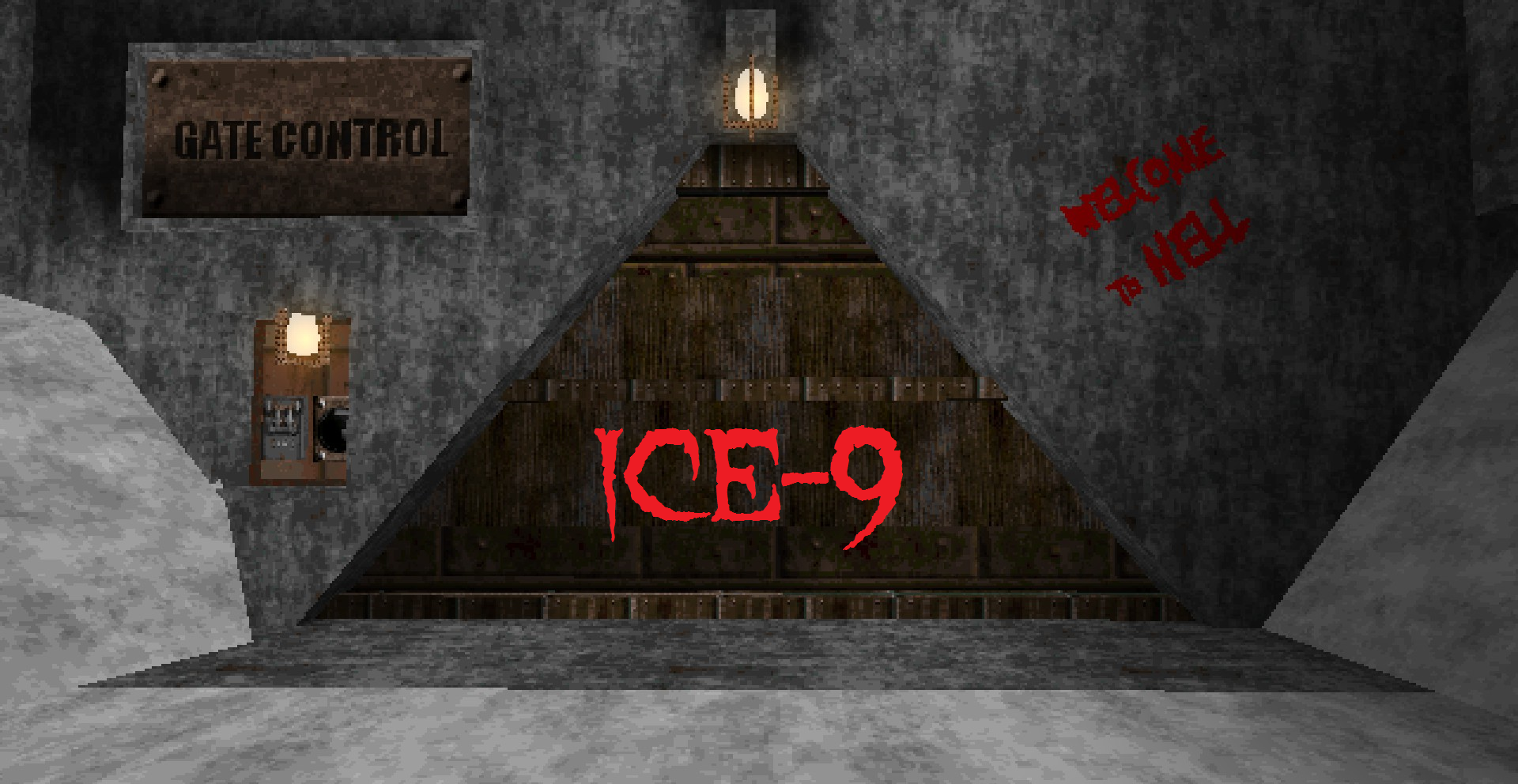
mod.io
129 Enemies 6 Secrets Stop the evil worshipers of Bokonon from unleashing their deadly super weapon Ice-9
 humble garnet
question, does anyone have a good program to open wad2 cuz i wonna import dusk textures to source?
gcfscape rly hates dusk wad i can open it with the notepad++ trick but the textures wont open or import at all
long anchor
someone is about to be hired
lol not quite
yeah that's because Dave already hired me, there's not enough space for two trenchboomers

About hammer
well, I wrote this on the other discord server:
I still wonder how you guys work in hammer
I use Trenchbroom to make Dusk maps, and after that Hammer felt for me like someone hammered my arms
things you make with hammer are miracles
it's not like I hate hammer, but I just can't understand how people do things in hammer efficiently
guess that's because people had 2 decades to git gud with it
 last talon
I dunno. been so long but when I looked at trenchbroom its logic seemed alien to me :D
even tho its simple as hell
humble garnet
maybe people are using JACK, its simply better hammer for gldsource
last talon
most likely. still functions the same afaik
humble garnet
it does but with updates from the modern versions of hammer to the gldsource one, also has a quake compability
i use jack for dusk
last talon
cba to set it up yet. excuse being to wait for the SDK to be more complete
still raptor
@humble garnet all the textures for dusk are stored in the games files raw in mnt/local/dusk
humble garnet
 oh ffs ur right
little arrow
@humble garnet Consider XWE if you still need to mingle with wads.
humble garnet
thanks but zombinos allready recomended me "TexMex" and also i can get transparent textures from sdk files like 500_pts mentioned
little arrow
Whats the beer entity?
 barren moat


 last berry
is the new blood dusk modding documentation down right now?
I tried this url across multiple devices and can't access it
 proven hull
Yep, seems toast to me
mortal narwhal
Does anyone know of a way to have func_illusionary not block your shots?
last berry
thank you
 frank mantle
Haven't tried any mod levels for a month
frank mantle
ok maybe I just shouldn't play them
At least not until there's saving, because some of them on go easy are like the campaign on CM
Which doesn't necessarily come from deliberate decisions on the map maker's part but whatever
at least the world has this now and it's great
I wish explosion damage scaled with difficulty
alpine depot
I'm so goddamn proud of that billboard
and all of the other billboards
but especially that one
it has a special place in my heart
frank mantle
I would play a map just for these, they win me over lol
alpine depot
next map after this will contain a lot more billboards
maybe i'll include a billboard factory
just so i can cram more in
gritty forge
Perci
rose nest
do i need to have quake to use trenchbroom?
gritty forge
nope
rose nest
gotcha
i downloaded the trenchbroom master file but i can't for the life of me fiqure out how to lauch trenchbroom
gritty forge
rose nest
👍
hollow owl
how do you make something into water? does anything with the water texture become water or?
honest stag
either use a water texture (those textrues start with a * symbol)
or make the brush a func_water (same way you would remake an entity into a dusk entity
yes, anything with that texture becomes water
hollow owl
ok thanks
hollow owl
so is it anything below it aswell because wouldn't becom just a two dimensional texture that you would fall through
honest stag
Its like a floating brick of water
So no, its only the brush that uses a water texture
honest stag
sdk dudes, is the "starts open" flag on doors functional in dusk right now?
I'll test it anyway but it would save me a good chunk of time if you told me :>
ancient depot
Yeah, that flag's been supported from the start
long anchor
duskdevs are still the best
long anchor
alright
thanks
duskdevs are still the best
actually, except for the moment when i had to retexture horse's head
I couldn't figure out the logic how the hell this texture is applied to model
I think there is none
I spent somewhere around 2 hours to retexture just the head
long anchor
I wonder how did you guys make textures for Dusk