#dusk-modding
1 messages · Page 10 of 1
 patent apex
okay lemme make it clear
the music (chord of the crooked saints) plays up normally
but when i fall down the hole with the trigger set up, it should play altars of apostasy
but nah it doesn't
patent apex
in a moment
 honest stag
alright give me a moment
told you that trigger_changemusic is supposed to be a point entity lol
not a brush entity
patent apex
ah yea
honest stag
and it has to be triggered by something else
for example a trigger_once that you pass through
which targets your trigger_changemusic
patent apex
so what should i use as a brush entity to make the music change
honest stag
trigger_once
patent apex
and the point entity?
patent apex
i'm guessing literally anything
honest stag
wdym anything
alright here's what you do
you have a point entity called trigger_changemusic, which points towards whatever music track you want it to change to and give it a targetname
then you have a brush entity called trigger_once, which targets your trigger_changemusic's targetname
the player passes through trigger_once, and the music changes
got it?
patent apex
okay
patent apex
smth must be wrong with trenchbroom, all these triggers y'all have, i somehow don't
honest stag
if you have the fgd you 100% have these

the definitions for the vast majority of them are included in it
patent apex
i definetly have those indeed, but the only time i got music to work was here
triggering music to happen seems awfully difficult

i have like zero idea of what i'm doing
honest stag
send the .map
patent apex
there
honest stag
this is not a point entity

this is a brush entity
trigger_changemusic is supposed to be a point entity that is triggered by something else
honest stag
honest stag
alright here's what you do
refer back to this, make sure to follow the steps
patent apex
all i know is
point entity is usually a physical object
brush entity is just an invisible function
and when i do make a point entity, i can't use the brush stuff
honest stag
alright just to put it into pespective
see this? this little cube

that's a point entity
honest stag
but it's not actually a cube at all in the game, right? it's literally just a point in space that has an origin value

that's what we need to be a trigger_changemusic too
not a brush
but specifically a point entity
you can for example take this light
and literally just rename the classname to trigger_changemusic
remove all the properties you dont need and add the music property
patent apex
okay
honest stag
then you need to target this entity with an actual trigger
because, as it is a point entity, it can not be touched or used
therefore we place down another way to trigger it, like a trigger_once that i told about before
like this big ass cube that will act as my catalyst for the trigger_changemusic entity

i will need it to target my trigger_changemusic, so i do that by inputting the changemusic's targetname into this field right here

now, whenever i walk inside of trigger_once, it will send a signal to the trigger_changemusic to actually perform it's function
is that all clear? or do you need me to walk back to a step and explain further
patent apex
i'll read it first
this somehow still didn't work
sorry if this bugs you but idk why i have so many issues with this ;-;
 patent apex
again?
honest stag
try looking at your light entity
that's a point entity
notice how you cant scale it or give it a texture
check the video i posted
i literally just rename a light to trigger_changemusic to create a point entity
honest stag
nope that's a brush
becaues your scale tool highlights it
if it doesnt work again send me your map once more
honest stag
what do you mean
 honest stag
yes, this will actually be what triggers your trigger_changemusic
honest stag
make sure to follow the steps thouroughly
honest stag
alr sick
patent apex
next thing i wanna know, is make doors make the metal creaking noise
not casual door noise
specifically this silly little noise
honest stag
that's dictated by the sound property
patent apex
i also want fog
honest stag
not a thing
patent apex
fuc
 limpid rampart
can the sdk make multiplayer maps
honest stag
nope
patent apex
so how can i make it so when i fall down, the map above dissapears
as you can see here

 eternal spear
you can probably just make another skybox layer below it
eternal spear
o yea that works too 
patent apex
honest stag
Its seamless and soundless
Oh okay that's good
I didn't want duskdude to fall through a hole and then you hear the teleport sound
 stark wadi
hey guys, im new to dusk map making. I have the jack editor but how do I see DUSK stuff instead of half life stuff?
 mild ibex
stark wadi
hey guys, im new to dusk map making. I have the jack editor but how do I see DUS...
mild ibex
stark wadi
hey guys, im new to dusk map making. I have the jack editor but how do I see DUS...
you need trenchbroom
you probably can use that but trenchbroom is easier to set up and is what basically everyone uses
so you'll get more coverage
stark wadi
alright then
mild ibex

Do you still crave for more DUSK content? Maybe you've seen some custom DUSK maps around and want to give them a try, or perhaps you want to make some maps of your own? If so, you've come to the right
outdated but it worked for me still
 ocean cipher
Okay but like where do I start in terms if modding
stark wadi
mild ibex
https://steamcommunity.com/sharedfiles/filedetails/?id=2298392941
so i made a map and ran the map with the compling gui that runs dusk_win.bat and it doesn't start in my map. what is the problem?
it's a simple box map with some textures and it has the player spawn inside
honest stag
can you go step by step what you did after compiling your map
stark wadi
honest stag
can you go step by step what you did after compiling your map
after making my map i just saved it in the working folder and it's named unnamed.map I put that file in the Source Map then I just CTRL R to run the game
honest stag
you skipped a couple steps
a .map is just a map file used in the editor
dusk launches .bsp files, which you get by putting your .map through a map compiler
for example the ones specified in the guide
then that .bsp file needs to be inside a "maps" folder which is located inside of your mod folder
make sure to read the guide very carefully
it goes over this in more detail
stark wadi
ok i'll put the bsp in my mod folder
honest stag
make sure your mod folder is also in the correct location
it should be specified where to put it in the guide
stark wadi
honest stag
it should be specified where to put it in the guide
it works :D thanks! But the room is very dark. idk if it's just dark or no textures at all
honest stag
do you actually have a light source in your room?
stark wadi
nope i'll add one
yep it has textures and i can see now! thanks :) I'll gonna go try and make a map for endless mode
stark wadi
i have a question, how would I make a endless mode level?
i put some enemies and put their endless to 1 but how do I respawn them when new wave starts?
becasue it keeps counting waves per second
honest stag
stark wadi
i put some enemies and put their endless to 1 but how do I respawn them when new...

i actually have a .map with endless mode triggers and everything set up, but you have to weave through it to see what i named what
and then place down your own enemies and wave variations
this is an endless setup specifically designed for picky control over what spawns on which wave
stark wadi
alright thanks!
honest stag
do be sure to read carefully about point_template
and look up info_endless_node in this channel too
mild ibex
how would i go about converting a bsp to obj
wracking the internet to figure it out but i kinda just keep hitting a wall
 last lion
https://github.com/joshuaskelly/io_scene_bsp
this maybe?
mild ibex
last lion
https://github.com/joshuaskelly/io_scene_bsp
this maybe?
i used another plugin that ended up working but this one probably would too
thanks nonetheless
last lion

mild ibex
and just incase anyone comes looking for this https://github.com/andyp123/blender_io_mesh_bsp heres what i used

GitHub
Blender addon that imports Quake BSP files. Contribute to andyp123/blender_io_mesh_bsp development by creating an account on GitHub.
🫡
honest stag
Trenchbroom can export .map into .obj
stark wadi
honest stag
this is an endless setup specifically designed for picky control over what spawn...
so i have this info endless node with first_wave and last_wave from 1 to 999. the target point_template is Earlyenemies and it has the Template01 to 03 of mage, goat, and Leatherneck. I basically just copied from the map file. It should spawn the enemies but it doesnt. There's an visible red arrow too
honest stag
did you actually place down the enemies with their relevant targetnames
like if you have a template of mage then an enemy must have a targetname mage
if you're not sure still, it's easier if you just send me the .map and i take a look ymself
myself*
@stark wadi
stark wadi
honest stag
like if you have a template of mage then an enemy must have a targetname mage
i'll add
oh it works :D
honest stag
now you can just copy and paste that enemy however and it'll spawn them at the same time
stark wadi
honest stag
now you can just copy and paste that enemy however and it'll spawn them at the s...
what if I want a enemy to spawn for the first time later. Do i set the first_wave to higher number and just place the enemy there and the enemy won't spawn in first wave?
honest stag
you're gonna have to set the first wave higher, yes
stark wadi
thanks :)
mild ibex
honest stag
Trenchbroom can export .map into .obj
ah
never checked lol thanks
that makes it easier
 crisp raven

 maiden roost
hear me out...cave johnson or GLaDOS announcer mod
 bold orbit
Announcing what
 stone stream
crisp raven
stone stream
crisp raven
 crisp raven
@honest stag Yo Vriska how do you places spawn points for enemies in endless mode? Like how do you decide where they will be spawned?
honest stag
you should check out my .map file for Graveyard
every enemy is already placed and you can check it there
crisp raven
Blessed thank you 😚
crisp raven
 honest stag
good stuff
bold orbit
crisp raven
Banger as usual
crisp raven

 quaint heath
lit
 finite gorge
s
stark wadi
uhh how do I change colors of the textures in the tb editor
 ancient monolith
TB does not have such a feature
finite gorge
s
 main spindle
maiden roost
hear me out...cave johnson or GLaDOS announcer mod
main spindle
maiden roost
hear me out...cave johnson or GLaDOS announcer mod
Im hearing u out 😈
crisp raven
Im losing my mind
 honest stag
Damn how many waves u plannin
crisp raven
50
honest stag
all custom tailored?
damn
i only planned up to 15 and just started throwing max shit past that
Figured a player doesnt want to spend 40 minutes getting to the max wave to see all the craziness
 rain prawn
hi
 crimson kernel
some one make a cardboard dusk mod now
crisp raven
honest stag
all custom tailored?
I'm crazy
honest stag
you most definetly are
 wind turret
Yo I'm trying to get into making maps for Dusk but all of the guides I'm looking at for setting up trenchbroom are outdated, is there any updated guide anywhere?
wind turret
Alright
main spindle
I think i just sharted in public
bold orbit
!kindawierd
honest stag
nope
the og author is not hasnt been around for years
and i dont think anyone else bothered to make a mod of that sort
 gritty forge
Last time I played Dusk, literally the only problem with the game for me was the drop sound after you jump and fall down back to the ground. It was incredibly uncomfortable.
That drop sound is really high-pitched and suddenly cuts off. I'm curious if that is fixed with the new DUSK HD update after I played it.
gritty forge
gritty forge
https://mod.io/g/dusk/m/dusk-sound-repair
If this sound issue isn't fixed, I hope one day someone makes a mod like this on Steam Workshop.
 ancient depot
That mod in particular probably will sound different with the new update, all of the sounds have had their (previously in-engine) sound variations (pitch, speed, etc) baked into the sound (losslessly, when possible)
So now a sound plays in-game just as it would play when you listen to it outside the game
gritty forge
ancient depot
So now a sound plays in-game just as it would play when you listen to it outside...
Does this mean that my issue with the drop sound might be fixed? My issue with that sound was it was high-pitched and it was cutting off suddenly. Maybe the reason was the sound implementation.
gritty forge
I should test it then, I'll report back if it is fixed or not.
gritty forge
Tested DUSK (Singleplayer), DUSK HD and DUSK - Moddable.
gritty forge
gritty forge
That drop sound is really high-pitched and suddenly cuts off. I'm curious if tha...
All versions still have this exact same problem.
gritty forge
gritty forge
https://mod.io/g/dusk/m/dusk-sound-repair
I hope one day somebody makes a mod like this for Steam Workshop.
honest stag
why not just use the one in there
gritty forge
ancient depot
That mod in particular probably will sound different with the new update, all of...
.
honest stag
well did you try it?
gritty forge
I'll try it now.
honest stag
the specifc mod
ancient depot
"new update" referring to the upcoming one, not the current one, btw
it should work fine as-is in the current build
gritty forge
ancient depot
it should work fine as-is in the current build
The current DUSK - Moddable build sadly does not have Weapon Wheel, the mod I sent above fixed my sound issue but I won't play the game without the weapon wheel.
ancient depot
Yeah the moddable build is a bit behind, we have like several different codebases in flux at the moment lol
gritty forge
It is obvious; DUSK (Singleplayer), DUSK HD and DUSK - Moddable have different dates written for them at startup. (2021, 2023 and 2018)
I should wait for the upcoming one then, thanks!
 void crescent
trying to setup everything again

textures are like this and entities are just bounding boxes, what am I missing?
last lion
palette.lmp & .pak's in your id1 folder
quaint heath
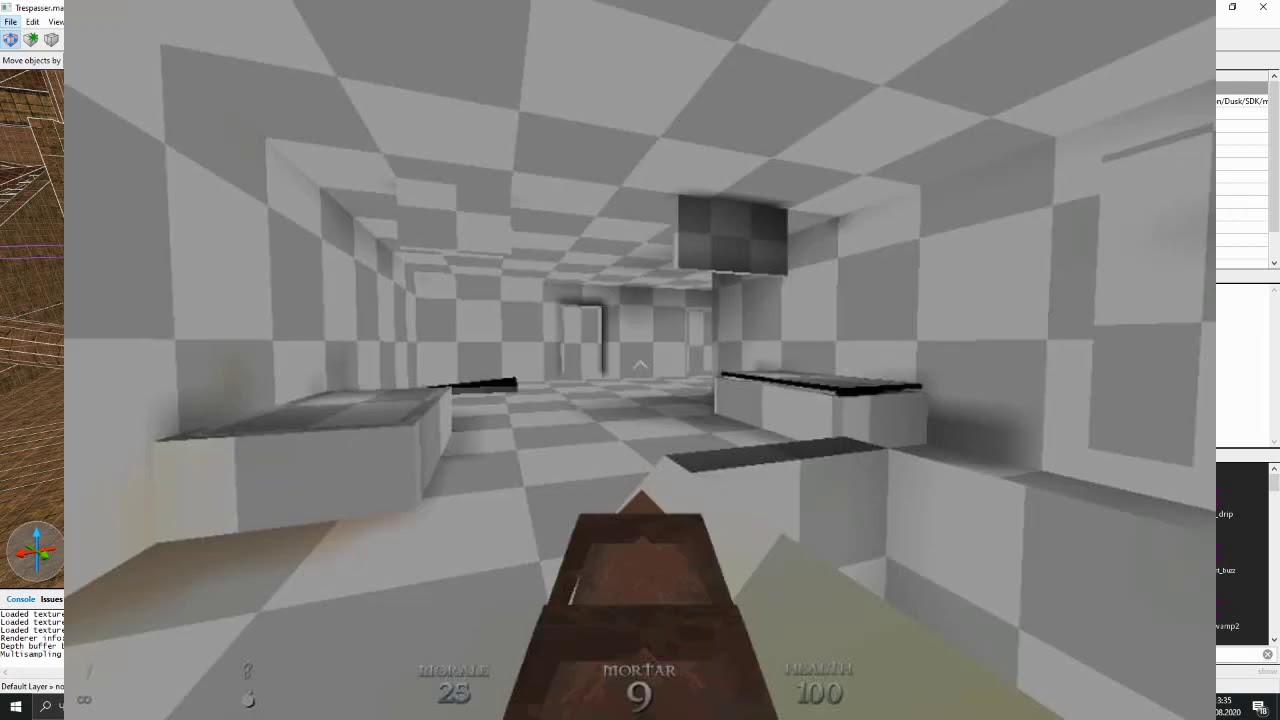
0:07 Missing textures in-game
0:55 Adding DUSK.wad into Trenchbroom
1:17 Black textures in Trenchbroom
2:13 Map not compiling with Necro's GUI
2:36 Map crashing on startup
2:53 How to add Dusk Entities
3:41 White objects in the map
3:52 Adding a custom skybox
5:07 Transparent Dusk textures
Transparent DUSK.WAD https://drive.google.com/file/d/1...
void crescent
I have the pallete and .pak files in my id1 and Ive added dusk_transparent.wad
textures still do not appear in Trenchbroom
 west yarrow
Where is the best place to browse map sets and such?
west yarrow
okay thanks 🙂
west yarrow
when playing modded dusk its not letting me save? it says 'saving not allowed in this mode' and i checked and im not playing intruder mode so im not sure why im not able to save
 blissful lion
because saving in this version isnt stable
honest stag
west yarrow
when playing modded dusk its not letting me save? it says 'saving not allowed in...
You are playing an endless map likely
you cant save in endless
savings works fine for me in any other custom level

nevermind you can save in endless
for some reason lol
eternal spear
 torpid sky
How do I download the SDK?
torpid sky
How do I download the SDK?
You don't have to download it
it's in the game files
torpid sky
Alright, is there any current guides?
Is it even finally out of alpha?
I heard that it was but I heard it also might be a few weeks yet so
torpid sky
i see, thank you
torpid sky
this guide seems outdated considering it's asking me to download the SDK
Is the SDK released?
eternal spear
Yes. It is now in the game files by default
torpid sky
i c, thank you
eternal spear
torpid sky
this guide seems outdated considering it's asking me to download the SDK
just skip past that one specific part
the rest is fine
torpid sky
thank you for the assistance
eternal spear
torpid sky
thank you for the assistance
Note that we're still expecting updates to the SDK
some stuff could be better
some stuff is still broken
it'll get better 
torpid sky
AH, so it isn't in it's final state
Last time I checked was alpha and it kinda seemed like something I very much didn't want to deal with
eternal spear
It's very much usable now
torpid sky
The guide here makes it seem like a mess
Dusk has it's own textures, so why is palette.lmp necessary?
ancient depot
Because textures in BSP and WAD files are paletted
palette.lmp is only necessary if you're using WAD2 and non-GoldSrc BSP
If you use WAD3 or use GoldSrc BSP, you don't need it
mild ibex
updated sdk tomorrow 🙏
PLEASE PLEASE PLEASE PLEASE PLEASE PLEASE PLEASE PLEASE PLEASE PLEASE PLEASE PLEASE PLEASE PLEASE PLEASE PLEASE PLEASE PLEASE PLEASE PLEASE PLEASE
bold orbit
BE PATIENT GOD DAMNIT
 crude ferry
You guys still working on adding HD stuff to the SDK or the workshop right?
bold orbit
BE PATIENT GOD DAMNIT
 idle arch
bold orbit
**BE PATIENT GOD DAMNIT**
idle arch
bold orbit
**BE PATIENT GOD DAMNIT**
calm down you fucking toddler
honest stag
you dont talk shit to meatbox
u go back to the ultrakill hole child
we moddin dusk here
 hoary oracle
 golden socket
Hey guys do you know how to convert the monster models into any format usable on blender ?
ancient monolith
you could download the .blend files from here
 muted glacier
Oh man. A blast from the past. 2022. 😔
 wary vigil
dusk is good
muted glacier
Amen
 peak crest
 wet marlinBOT
@pulsar nimbus, please keep all discussions in English.
honest stag
A few gigs if were talking base game
blissful lion
probably 3gb but x3
golden socket
Hi is there any 3D model of dusk's wendigo ? like dusk hd's model
honest stag
The hd models will be coming to the workshop
ancient monolith
Unity assetripper is your best bet right now
 fierce rapids
i just started mapping for dusk an im a little confused on where to put the fgd and pak files for them to work in trenchbroom.
eternal spear
fierce rapids
i just started mapping for dusk an im a little confused on where to put the fgd ...
The pinned tutorial goes over that
eternal spear
fierce rapids
but i still dont understand
Are you sure you've read the full guide?
 eternal spear
np
the guide has a jape where it just abruptly ends
and then continues on after scrolling a bit
you're probably not the first person to get fooled by that
fierce rapids
hey so im getting into making maps for dusk and for some reason the trees are completely invisible when i boot up my level in game and the laters too. got any idea on how to fix it?
fierce rapids
yes
ancient depot
Yeah that's a strange bug with the current version, it's being looked at
fierce rapids
well good to know
honest stag
whatever you make a func_ladder will be invisible
so you gotta put it in front of whatever you use to visually represent your ladder
ancient depot
And yeah it's the same as GoldSrc func_ladder, so it's invisible
fierce rapids
thanks guys
ancient depot
Think of func_ladder like a trigger rather than the actual ladder object
 remote marsh
wet marlinBOT
remote marsh
wet marlinBOT
@inner maple, please keep all discussions in English.
fierce rapids
how do you use a dusk skybox? i followed the dumptruck_ds tutorial and it didn't work. then i tried applying the skybox textures but when i compiald the map they were doing the same weird looping that the default sky texture does

 honest stag
oh shit new maps
play tim
e
oh wow
depths of darkness actually fucks
i really liked it
highly recommend
 elfin meadow
OMG DUSK HAS MODS?
gritty forge
hi gang! is there any mods that add a better sense of progression to the game? im not a huge fan of the doom style menus and being able to just give yourself every gun and max ammo and stuff
gritty forge
honest stag
can you elaborate
i would elaborate if it were not 4am and my brain was not fried, probably shouldve waited until tmrw
trying to word things is sisyphean
basically just any ui or menu specific mods i could try out because the menu design is the only thing that rlly puts me off about dusk, the rest of the game has been phenomenal i just find the menus clunky and annoying
honest stag
There are none
gritty forge
ig ill just suck it up then lol
fierce rapids
honest stag
oh wow
im glad you liked it. it took two days to make. like right after i came from school i just kept working on it. also i dont know if you know this but one of the secrets is right behind the spawn area. it requires a blue key but that wasnt intentional it was just a random bug that i just didnt know how to fix. a nother bug is for some the night sky texture doesnt seem to be working in the dark room but it does in thw halway. by that i mean that it isnt scrolling properly. because ya know its a skybox
 feral holly
gritty forge
hi gang! is there any mods that add a better sense of progression to the game? i...
feral holly
gritty forge
hi gang! is there any mods that add a better sense of progression to the game? i...
but you don't have to give yourself all guns and ammo? Just use intruder mode (sickle start each level) or save during a playthrough and you'll follow the progession of how you get the guns each episode. The level select screen is mostly just to go back and replay levels
gritty forge
feral holly
but you don't have to give yourself all guns and ammo? Just use intruder mode (s...
yeah i just dont like how the menu doesnt do a better job at showing your progression like say for a very obvious example ultrakill does
im very completionist and it doesnt give me the same dopamine hit ig
its not a huge deal mostly a nitpick that i was wondering if someone else thought of but ig not
feral holly
Yea, I guess it would be cool if there was an option on each level to start it with the guns you were able to get up until that level
but tbh everything unlocks so early in each episode
fierce rapids
i was thinking of adding areas where you would have to rocket jump. how many of you know how to do that?
feral holly
I'd just say do it, dusk's rivet jumping is very simplified compared to some other games
fierce rapids
your right but (at least it my experience) it does less knockback the more morale you have. is still prefer quakes rocketjumping tho
feral holly
it's unaffected by morale
the main thing to affect it is how close you are to the explosion without being on the ground, as you need to be slightly in air to get the push
delay firing it until the peak of your jump to stay lower, fire it at the start of your jump to go higher
and past there it's a pretty consistent push, and the fire rate is so fast it's pretty easy to mistake correct.
the game will quickly throttle you back to the player speed cap for any additional velocity a rivet gives you as well
the walls on e2m1 are an easy place to test all this
fierce rapids
well alright then
feral holly
afaik there is nothing you can really do to extend a max height rivet jump either, e.g. you can't combine it with a slope jump like quake

mod.io
1 Secret. A Rivet-jumping course. See if you can beat the speed record.
fierce rapids
how do you do skyboxes though. i cant seem to get em to work. i followed the dumptruck ds tutorial but the newer version of trenchbroom doesnt seem to have the "sky" property. only "sky_left", "sky_right" etc.
eternal spear
fierce rapids
how do you do skyboxes though. i cant seem to get em to work. i followed the dum...
you have to specify the texture for each side
for example
(using vriskas screenshots)


there was also something about quake skyboxes
though i'm not at all qualified to talk about that
eternal spear
for the brush you can just use any sky texture (i think. for the love of god correct me if i'm wrong)
you just need to specify every individual side in the worldspawn properties
fierce rapids
does it only work if you run it in dusk?
eternal spear
fierce rapids
does it only work if you run it in dusk?
wdym
fierce rapids
well i did it and its not working and there could be three reasons for this: i have the skyboxes in an env folder, the files are m8 files (whatever that means) or it just doesnt work in quakespasm
honest stag
fierce rapids
how do you do skyboxes though. i cant seem to get em to work. i followed the dum...
The way you do skies in dusk differs from how you do it in quake
you need to add some worldspawn properties (worldspawn is what u see when u dont have anything selected)
a total of 6, for each side of the sky cube
and add the side textures to your mod folder
so it would look like this
"sky_up" "textures/skybox_top.png"
"sky_down" "textures/skybox_stars_bottom.png"
"sky_left" "textures/skybox_left.png"
"sky_right" "textures/skybox_right.png"
"sky_back" "textures/skybox_stars_back.png"
"sky_front" "textures/skybox_stars_front.png"
the file names are anything obviously
So lets say your mod folder is called CoolMod
You open it, make a folder "textures" inside, and put all thd skybox tex in it
Then specify the file paths as the example above
@fierce rapids
This will not show up in quake nor trenchbroom visually
This is dusk specific
fierce rapids
thanks
 plucky relic
El Diego
feral holly
dusk promode movement when
 ancient spire
Hey everyone o/ I'm just starting up on making a level using Trenchbroom, and when I go to add some wads for textures there isn't any "Texture Collection" in the editor that I can find. All I can see is a "texture browser" and nothing else.
I also have a console error that reads "Property 'wad' of worldspawn has an empty value", which might have something to do with it? but when I googled the error I didn't find anything :/
ancient spire
Ah nevermind, I figured it out. Just dealing with out of date tutorials haha
In case anyone else searches for this (having the same issue) where you don't see a "Texture Collection", you have to manually go into the Worldpawn entity (under Entity), click "Wad", then in the empty box under it labled "Wad Files" you just have to press the "+" button to add the wads you want.
wet marlinBOT
@fervent root, please keep all discussions in English.
ancient spire
Does anyone know how to make NPCs follow Path_Corners? Or was that functionality never added?
ancient spire

 unborn magnet
BIG MAN GO BRRR
bnig svary
scary
oooh
gabogu
im tryign to stream
so mind me not
honest stag

new map just dropped bros
just played it
definetly a beginner map
could use some more light and the level design isnt spectacular but it's alright
 hollow elbow
Oh snap a Psychopomp map, I adored that game
 ruby prairie
number 7
 alpine depot
we're eating so good....
last lion
what was added?
 last lion
🥹
ancient depot

mild ibex
FEASTING
mild ibex
zombie I love you
crisp raven
eternal spear
holy fuck.
 blissful lion
to anyone that played my hospital map: i just played silent hill 3 for the first time this week
and wtf
they copied me
idle arch
dusk modding
 lusty steeple
 half dust
Allot of the props don't have collision now. Or is that just me?
crisp raven
Some of the objects just straight up dont spawn as well
half dust
Oh, I thought that was fixed now.
crisp raven
Oh maybe it was with the latest update :P
half dust
Yeah, but now some of the collisions are gone. 🤷♂️
Anyway, made a small update. https://steamcommunity.com/sharedfiles/filedetails/?id=3111704209
 stark wadi
Does video games with offical mod supports often suck? For example, Minecraft bedrock has worse mods than java. Doom 2016 has map editor but it's limited.
 west harbor
it's been 2 days but probably because it's easier to make mods so they'll be more bad mods and have those mods can be found easily.
ancient spire
So, is there a way to change the door sound effect? I know it's determined by the sound property, but when I change "sounds" on the door it still just plays the default sound effect.
crisp raven
Flying enemies work!!!!
wet marlinBOT
@untold path, please keep all discussions in English.
@untold path, please keep all discussions in English.
@magic stream, please keep all discussions in English.
@untold path, please keep all discussions in English.
honest stag

wet marlinBOT
@left hedge, please keep all discussions in English.
 river scaffold
wet marlin
<@1165630298726354965>, please keep all discussions in English.
river scaffold
wet marlin
<@1165630298726354965>, please keep all discussions in English.
What did Ryan do...
ancient monolith
Skipped english classes in school
 hybrid bloom
e
 dull summit
omg ultrakill copy
 normal summit
dull summit
omg ultrakill copy
normal summit
dull summit
omg ultrakill copy
Grr
normal summit
august 12th 2036, the heat death of the universe
honest stag


 kindred bane
Has anyone thought about making a mod for dusk HD that removes the leathernecks red eyes? I like Dusk HD a lot but I think the red eyes make it look to cartoony and take me out of the expereince a bit personally
ancient monolith
make a mod for dusk hd mod? modception is getting serious
To answer your question, no. Want it? Make it.
 ionic berry
;-;
crisp raven
 eternal spear
crisp raven
eternal spear
crisp raven
out of genuine curiosity
what's the point of making a brush a func_wall?
alpine depot
transparency only works for brushes if you make them a func_wall
or func_fence or whatever else, tho those behave a bit differently
honest stag
func_detail_fence too
alpine depot
yea thats it
honest stag
generally i use func_wall to give a brush some extra properties while not really altering the way it behaves too much
alpine depot
func_detail_fence i believe is better for lighting because it'll cast shadows thru the transparent part on the textures
honest stag
func_wall doesnt cast shadows i think? also func_wall seals maps
while smth like func_detail doesnt
honest stag
generally you dont need to worry about it
it only comes up with very specific circumstances
i dont have a single func_wall in my 3 latest maps
crisp raven
 honest stag
^ same goes for func_detail_fence
crisp raven
I used to just make a one space gap between transparent textures and the wall it was touching lol
alpine depot
lmfao
honest stag
same
eternal spear
one day i will release my map
once it's absolutely perfect
at least i'm having fun when i occasionally throw myself at it
expected trenchbroom to be way more complicated for some reason
crisp raven
alpine depot
func_detail_fence i believe is better for lighting because it'll cast shadows th...
Real?
alpine depot
i think thats the entity you'd use, then you swap around a few flags or smth
lemme check
it works best with textures set to a large size though or the shadows are very faint and more light tends to bleed through
but that could also be due to my light settings idk
yeah, detail_fence with r_shadow set to 1

this is the default tree texture with a scale of 3 btw lol, if it was like 1 or even 2 it doesnt cast much shadow at all

but yeah, cool shit
crisp raven
Baller!
wet marlinBOT
@autumn gate, please keep all discussions in English.
crisp raven
 honest stag
why's that leaking lol
alpine depot
vertices misaligned maybe? had a fair few issues with leaks cuz of that
swapping between a bunch of grid sizes leads to that very quickly if you're not careful lol
crisp raven
Happens all the time when you build on angles. I would understand it if it happened on one of the edges, but it will go straight through giant solid brushes
I just go crazy and end up doing this lol
 alpine depot
lmfao
i optimized the FUCK out of downtown showdown a few months back and had to just build so many walls around the leaking areas
cuz basically every brush, or at least half of the few thousand or so i used, were off-grid
map would've exploded and caused more leaks by snapping to grid points way off from the connecting brushes if i just snapped every vertex all at once
i simply Could Not Be Assed™️
honest stag
Strong aura map optimisation:
 alpine depot
i suppose this is why blockouts are important lOH MY GOD
honest stag
skipface every single motherfucker that isnt used in lighting
alpine depot
beautiful
alpine depot
how i do it: forget about it until the end and cry when half my map is offgrid
then proceed to skipface a bunch of brushes for like, 2 hours, then realize i didnt even do 1/8th of the map by the time i was done for the day
no siree my mapping process isnt scuffed, your MOM is scuffed how bout that
honest stag
speaking of map stuff
one of my next maps may or may not weigh almost a gigabyte due to textures

 alpine depot
jesus christ lol
honest stag
the maps themselves are
- 20mb map, 29mb lit file
- 16mb map, 26mb lit file
the other mod is "only" a 128 mb ordeal, with the map being 13mb and lit being 11mb
alpine depot
good thing you dont need to include the wads in the compiled map lol
honest stag
you do
alpine depot
wait wh
honest stag
because they are wad3 tex
honest stag
and i have to strip the .bsp of textures to use them properly
otherwise they get fucked up
alpine depot
bsp mapping ftw
alpine depot
ooo very nice
crisp raven
honest stag
Strong aura map optimisation:

 glacial steppe
hello, where do i find the dusk mods?
 south lance
honest stag
one of my next maps may or may not weigh almost a gigabyte due to textures
south lance
honest stag
one of my next maps may or may not weigh almost a gigabyte due to textures
Omg it's suka blyat russian yazik
 waxen echo
well hello hi
SO
I fiddled around with map making in dusk a little
with the outdated SDK guide
which went pretty well so far
except for one thing
The Compiling Gui does not well
compile...
All I can say is HELP
I did get it to work at some point but now it no longer does...
crisp raven
waxen echo
I did get it to work at some point but now it no longer does...
Can you send a screenshot of how you have it set up?
Like what fields you have filled out
waxen echo
crisp raven
Can you send a screenshot of how you have it set up?
of course I dont have any rights on the server so I will send em in dm's if thats ok
crisp raven
waxen echo
of course I dont have any rights on the server so I will send em in dm's if that...
Yeah no problem
waxen echo
so yeah yay now it works again!
I want to make a level for dusk and as practice first I want to create like a castle level
 clever bison
I've heard you can run Half-Life maps in DUSK.
How would I do this?
honest stag
check pins
waxen echo
waxen echo
I want to make a level for dusk and as practice first I want to create like a ca...
I made a quite cracky plan and started building it heheheheheh
Like right now im at my girlfriends place but tomorrow I'll be back home
than this thing will get goin again!
honest stag
good luck
waxen echo
Probably gonna suck a lot but oh well the process is fun
 untold current
pingus
wet marlinBOT
@pale crest, please keep all discussions in English.

 woeful musk
how do i set a level's music
crisp raven
woeful musk
how do i set a level's music
 woeful musk
thank you
 haughty compass
eternal spear
haughty compass
https://tenor.com/view/ultrakill-hop-on-ultrakill-hop-on-gabriel-ultrakill-v1-ul...
haughty compass
eternal spear
haughty compass
https://tenor.com/view/ultrakill-hop-on-ultrakill-hop-on-gabriel-ultrakill-v1-ul...
piss off tbh
maybe try reading the #rules
haughty compass
eternal spear
piss off tbh
maybe try reading the <#346815790239973376>
angry much?
 drowsy sigil
Anyone knows if there is a way to port quake maps to Dusk SDK?
eternal spear
haughty compass
angry much?
Tired more like
ancient depot
drowsy sigil
Anyone knows if there is a way to port quake maps to Dusk SDK?
They should already load without any changes
You just need to extract them from the PAK files and put them in a maps folder
 mental fable
Could you tell me where to find the maps folder?
honest stag
mental fable
Could you tell me where to find the maps folder?
you gotta go to
dusk -> SDK -> mnt -> local
make a mod folder, let's say "MyMod"
then inside that folder make a "maps" folder, and put your bsps into it
mental fable
honest stag
you gotta go to
dusk -> SDK -> mnt -> local
make a mod folder, let's say "MyMod...
It seems to register as a mod in game, but it doesn't detect the quake .pak files, is there any .bsps versions of the orig quake maps?
honest stag
ancient depot
You just need to extract them from the PAK files and put them in a maps folder
.
the .bsps are inside the .pak
mental fable
honest stag
the .bsps are inside the .pak
thanks a lot 
 desert crane
In celebration of the new Gloomwood update we've just released a new.... DUSK ENDLESS MAP?!
"The Gloomy Place" is available NOW on the DUSK Steam Workshop!

 Twitter
·
honest stag
Twitter
·
honest stag
thank u 💪
crisp raven
Vriska stonks are at an all time high
clever bison
honest stag
check pins
what?
honest stag
check pinned messages, there's instructions on how to load half life maps
clever bison
Oh. I'm stupid.
 idle arch
game died as soon as gloomingwood appeared lmao
honest stag
wut
 nimble prawn
annual question: SDK update when?
 knotty swift
NOW
nimble prawn
lies 
 sinful saddle
honest stag
sinful saddle
honest stag
there are some maps that are horror-oriented, yeah
 red vessel
What’s some good mods?

 dusk nexus
hey
honest stag
hello
crisp raven

 molten socket
Hi hello how can I get the entities to be visible in the trenchbroom browser? They are loaded but I only see the boxes and not the props/entities
honest stag
molten socket
Hi hello how can I get the entities to be visible in the trenchbroom browser? Th...
try here
keep going down the message chain if it doesnt work initially
molten socket
Yeah I see.. but I don't have a "texture collection" option in the face tab
molten socket
Yup, all textures loaded but not for entities
molten socket
ah yes, do I unpack the FGD file into the gfx folder or the id1 folder itself
honest stag
id1
molten socket
Ok thank you
molten socket
Funny thing, when I make a map through Quake 1 I can use all the dusk entities, but not textures, and when I run TB on Half Life 1 I can use textures but not the entities
honest stag
keep using quake then, what do you mean by "no textures"?
are they black in the editor or?
molten socket
No, the texture browser is blank
honest stag
then add the .wad
molten socket
wad is set, but it won't load textures
honest stag
what wad are you using?
molten socket
DUSK.wad, well I converted the texture file into a wad file
It does work when I run it on HL1
honest stag
i see, try using dusk_transparent.wad from the pins
you're likely using wad3 which isnt supported in the quake preset
molten socket
All is working, I'll be practicing map making now, thank you
 silk pivot
honest stag
silk pivot
honest stag
it's drag and drop
molten socket
is there a way to get the map files of official levels?
 rustic lichen
What if prop humt in dusk
molten socket
honest stag
Theyre probuilder made
ah, because I was wondering how a few things work, like when I use a button, how does the texture change from the red light to green
Or how do the blood wall texts work, when I put one against a wall I can see through the wall since it's a transp. texture, Im guessing theres a way to do it with functions?
honest stag
you should look at quake mapping tutorials by dumptruck_ds
vast majority of quake functionality when it comes to entities applies to dusk
honest stag
molten socket
Or how do the blood wall texts work, when I put one against a wall I can see thr...
make it a func_detail_fence
@molten socket
molten socket
Oh ok thanks
molten socket
honest stag
you should look at quake mapping tutorials by dumptruck_ds
Yup I binged those videos, the guy is amazing
honest stag
specifically related to texture change
that doesnt work in dusk so we use a workaround
make 2 button brushes
one with your usual texture, one with the "pressed" texture
put the brush with the "pressed" tex a tiny tiny bit inside the actual button
so that when you press the button it moves inside the fake pressed texture brush
molten socket
oh thats a neat trick, i will try that out
Also is there a way to make water textures flow yet? I searched the chat and there was a function mentioned
honest stag
Not that i know of, havent heard or seen anyone use scrolling tex beyond quake skyboxes
crisp raven
It must be possible to create a scrolling water texture then? If you use the same method as the skybox
alpine depot
you could do that with animated textures but dusk doesn't support them yet iirc
molten socket
Yeah there's nothing, but I know 500_pts made the "forge" map for duskworld that had flowing lava textures
Or is that the same case as official levels?
honest stag
Hes a dev and made it using probuilder
The community made a blockout in tb and he just recreated what they wanted in probuilder iirc
 modest torrent
Hello gamers, does anyone know how can I replace the cigar texture without using sdk? I’m making a video about dusk and replacing regular cigar with a cigarette is crucial, but sdk doesn’t allow saves and that’s just a massive waste of time
ancient depot
You would have to replace the textures inside the Unity package files directly
I'm not sure how people do that nowadays
modest torrent
ancient depot
You would have to replace the textures inside the Unity package files directly
i tried doing it with UABEA and the textures seem to be replaced when i view it with asset studio but then i launch the game and the texture is default anyway
molten socket
I come here for troubleshooting again, I put a few turret enemies into the map but in game they dont seem to shoot, its like theres an invisible wall in front of them, any fix for this?
molten socket
Its alright I fixed it already
 restive tulip
I'm new to dusk modding. Where would I go to find mods for it and how do I install them? I have the GOG version on PC.
crisp raven

mod.io
The DUSK SDK currently supports custom maps, textures, and sounds... with support for scripting, models and much more coming... SOON™
 dusky fractal
is there any way I can get dusk into 1440p
 last talon
 restive tulip
When I pull up dusk sdk on gog galaxy, it goes to a window but there is no content to load. Where do I put add-ons if I download them?
muted glacier
Been theory crafting in my head. Can enemies activate a trigger by walking through it, or open doors?
 woeful edge
im pretty sure they cannot, no
havent tried it much, but im pretty sure they cant
it'd be very cool though!
blissful lion
no

 sonic fulcrum
 tight hedge
yo can you dm me that so I can use it for one of my games (I'll credit you)
 spice niche
Any cool mod recommendations that there is for Dusk? Had finished the third and final episode of the game and was wondering if there is any mods.
spice niche
Aight thx 👍
 vagrant citrus
hi
 proven hazel
vagrant citrus
hi
proven hazel
vagrant citrus
hi
Ye no one in this chat yet
 abstract nest
should i buy dusk rn?
alr
done
should i use the hd dlc aswell or should i use it after?
proven hazel
abstract nest
should i buy dusk rn?
I've never played dusk and I don't even know if it's any good
abstract nest
proven hazel
I've never played dusk and I don't even know if it's any good
its pretty good
and your able to make custom levels i think
proven hazel
abstract nest
its pretty good
have some ultrakill movement?
proven hazel
abstract nest
nah unfortuatly not
I saw that this game is like doom but you can't run it on anything
abstract nest
you mean can?
abstract nest
proven hazel
I saw that this game is like doom but you can't run it on anything
it is very satifing shooting with 2 shotguns
proven hazel
abstract nest
you mean can?
I couldn't run dusk on my banana
abstract nest
proven hazel
I couldn't run dusk on my banana
mine runs perfectly smooth
also
how do you know if you havent played it?
proven hazel
abstract nest
mine runs perfectly smooth
Is there a way to speedrun this game?
proven hazel
abstract nest
how do you know if you havent played it?
I don't know
abstract nest
what do you mean "is there a way"
proven hazel
I just thought about probability
abstract nest
yes
there is a way to speedrun
if you press tab ingame you see your time and stuff
just get the game and if you dont like it oh well
abstract nest
proven hazel
I just thought about probability
also there technically is parring. if you keep swinging your sickles you can block a projectile
proven hazel
abstract nest
just get the game and if you dont like it oh well
I'll finish it in less than 2 hours then
vagrant citrus
fr
abstract nest
does anyone know how to make dusk maps?
honest stag
We use third party editors to make and compile maps into ones used by the Dusk sdk
pins have a bunch of info on that
abstract nest
.

 honest stag
Nice, how close to release?
 indigo nova
what
molten socket
honest stag
Nice, how close to release?
three maps to go....
maybe december this year?
honest stag
cool
molten socket
Im making like a mappack of 5 maps
I tested it if its possible to link the maps and yes you can play them consecutively
itll be so cool
honest stag
it is a cool feature indeed, there arent many people who utilize it
molten socket
yeah
also Vriska uhh...
how 2 shootable buttons
do I set a health value to it?
honest stag
Yea, func_button with a health value
molten socket
thank you
honest stag
I'm not sure if that's supported
molten socket
oh nice
molten socket
ancient depot
That's supported
and how do I utilize it? because when I try to use a trigger I cant get it to work
i set a 'sounds' property on the ambient generic entity
and link it to the sounds folder but it doesnt work
@magic torrent this channel is a godsend
 magic torrent

I sometimes lurk these channels because I like downloading assets that I would probably never use
molten socket
object_tree_surreal
magic torrent
 molten socket

so i have a bunch of teleport triggers in the map and some of them arent working even when targetnames are correct, and this is happening
thats the center of the map
is there a fix for this? pls help
honest stag
gonna need to see your entire setup
the teleport trigger, the teleport destination, and their properties
@molten socket
 sharp inlet
dusk horror mods would be cool are there any made yet?
magic torrent
Hey I was actually wondering if its possible to add entities yourself for the dusk sdk
Or the game doesnt recognise them properly even if u texture them
I'd like to add more vehicles in the mod that I try to recreate but I just dont know if thats actually possible or not
honest stag
Nope
magic torrent
Horrible fortune
molten socket
sharp inlet
dusk horror mods would be cool are there any made yet?
a horror mappack is in the makings.
 pearl fox
Any sdk updates on the horizon?
 mighty imp
Is there any way to add audio fx to a level I'm making? Like, interact with a door/button and it makes a noise using an MP3 or something? Or do I have to make a music folder and play everything from worldspawn like music?
honest stag
Explain in detail
What specifically are you trying to do and what doesnt work? @molten socket
also include screenshots of worldspawn properties, you can dm me with them
 minor furnace
dusk mod that turns it into ultrakill
muted glacier
magic torrent
Hey guys can you helpe me out with something? For some reason almost all textures appear black and white in-game despite looking completely okay in trenchbroom


What could be the reason for that?
mighty imp
This might be dumb to suggest, but maybe you have a b&w filter turned on in Dusk?
Or retro palette?
Idk why it would do that. I'm sure somebody else has a better answer than me
 proven raft
do i need to own quake to make custom dusk levels?
molten socket
proven raft
do i need to own quake to make custom dusk levels?
no not really
you only need a palette file from quake
magic torrent
mighty imp
This might be dumb to suggest, but maybe you have a b&w filter turned on in Dusk...
Hm I dont think so since you can see how certain pixels and objects do have a color
proven raft
molten socket
no not really
alr thanks
 urban sun
i downloaded the dusk.wad thats in pins, but when i put it in jack all of the textures are in black/white and the textures arent there at all in dusk?
oh sorry nevermind this is a problem with jack not dusk.wad
magic torrent
magic torrent
Hey guys can you helpe me out with something? For some reason almost all texture...
Here is a more recent screenshot

So textures just seem to be utterly distorted
honest stag
magic torrent
Hey guys can you helpe me out with something? For some reason almost all texture...
You are using half life tex
or rather looks like wad3?
when compiling your map, strip it of textures by using -notex parameter on qbsp
then make sure to include your .wad in your mod folder
@magic torrent
honest stag


 split sapphire
Hey fellers, what's the hold up with the Full SDK release? Back December the announcement said the Full SDK was a few weeks away, and now it's nearly August. I'm not saying "hurry up" or that you shouldn't take your time, I'm just wondering what's going on, is all. Keep up the swell work though 
 hard fable
guys can you explain to me (like i was a real ape) how to create and where to search information about map making for dusk?
crisp raven
hard fable
guys can you explain to me (like i was a real ape) how to create and where to se...
Look through the pinned messages
crisp raven
np
muted glacier
alright im dumb everyone. I have a shit ton of pngs, but I cannot for the life of me figure out how to make them into a functioning .wad
if I try and load them in Wally to package as a wad format, it forces them to use the Quake palette. is there a way around this, or an easier way to make texture wads?
muted glacier
my brain is absolutely cooking trying to figure this out. I cant even figure out how to convert my pngs into mips to compile them into a wad.
ancient depot
muted glacier
if I try and load them in Wally to package as a wad format, it forces them to us...
Tools targeted for Quake will produce WAD2 files, which only allow one palette for all textures. You might want to use something like Half-Life Texture Tools instead, which creates WAD3 files which can give each texture its own palette
DUSK supports both WAD formats
molten socket
how can i find the skybox textures from e1m5? the red one
its not anywhere in the files
honest stag
it's this one but tinted red in unity

i made a version that looks close, one sec
@molten socket


 molten socket
omg wow
honest stag
thanks a lot churbot
molten socket
epic
honest stag
this is the case with some skies in general - there is no version that's straight up a texture because they're tinted inside the unity scene
muted glacier
ancient depot
Tools targeted for Quake will produce WAD2 files, which only allow one palette f...
So I converted my PNGs to BMPs and then packaged them as .WAD3. But when I put it in my texture Collection in TB, they dont show up in the texture browser. Is it possible to have .WAD2 and .WAD3 files in the same level?
ancient depot
muted glacier
So I converted my PNGs to BMPs and then packaged them as .WAD3. But when I put i...
The game should have no problems with mixing WAD2 and WAD3, I'm not sure if TrenchBroom would like it
muted glacier
Trenchbroom does not infact like it. After work today I'm gonna take all my wad2s and convert them to wad3s and go from there.
magic torrent
Hey does anyone know how to set up the floating wendigo properly?
I want to turn it upside down and stay like that in-game but even when using angles property it just keeps reverting to its original position
muted glacier
Hm. I know it works like that in quake (assuming you have the angles property 'angles 180 0 0') but maybe it doesn't work for dusk? I'm not sure how entity editing works in that regard. Are you able to rotate it on a different axis and have it work as intended? If so, it might just be a Dusk thing in regards to the X axis.
muted glacier
ancient depot
The game should have no problems with mixing WAD2 and WAD3, I'm not sure if Tren...
So after much trial and error (too much tbh), Trenchbroom CAN handle .WAD2 and .WAD3 files, and will let you locate and insert them into the TB Browser, but due to the Game preferences I have set, it regards the level I'm making as a Quake level. Therefore it must adhere to the Quake palette restrictions (.WAD2).
I can add .WAD3s to the texture browser, but no textures will show up in the viewer. If I create a new level in the editor, but set the game preferences to HalfLife instead, the exact opposite is the case.I can use .WAD3 textures, but upon loading .WAD2 files into the browser, they also don't appear. In retrospect, this seems blatantly obvious, but it was a journey to get here.
So I now need to batch-convert all of my .WAD2 files to be .WAD3, unless there's some config file for Trenchbroom that I could throw a line of code into to allow .WAD2 and .WAD3 files to be visible simultaneously, though that would probably be fucked when I go to compile. So idk
 frigid sluice
magic torrent
Here is a more recent screenshot
frigid sluice
magic torrent
Here is a more recent screenshot
that looks pretty cool ngl
magic torrent
frigid sluice
that looks pretty cool ngl
Thank you I might share more pics once I fully finish the lighthouse 
frigid sluice
magic torrent
Thank you I might share more pics once I fully finish the lighthouse <:cigar:753...
I was also referring to the broken textures, could the aesthetic might work for a more surrealistic level
magic torrent
Yeah it doesnt look so bad in certain textures but some of them are just way too distorted
magic torrent
muted glacier
Hm. I know it works like that in quake (assuming you have the angles property 'a...
Yeah Ive set angles and even though the object appears the way I want it to in trenchbroom, in-game it is not aligned at all
muted glacier
I am once again begging for knowledge
this is what my texture looks like in trenchbroom:

and after compiling, THIS is what it looks like in-game:

does it have something to do with the fact that its .wad3 textures? I can get it to look right by actually offsetting the textures in the editor, but that sounds positively HORRENDOUS. The only place place I've seen something like this was some fuckery back in the old days when rotating brushes, but this isn't rotated.
ancient depot
If you boot up your map in a Quake source port, which one does it look like?
It's a bug in DUSK if it looks correct in one of those
It looks like the UVs are off-by-1'd, which sounds like something that could reasonably be a bug that nobody noticed until now
If that's the case you can DM me the map + wads and I'll fix it up for the next hotfix
magic torrent


 magic torrent
I would say in its beginning
I still have a lot more space left in the skybox and Id like to make at least a few more buildings
But Im honestly happy with how it is going so far, I just hope I dont stumble upon a performance issue later on
tight hedge
magic torrent
tip: you can add a transparency key to your seaweed thing that's hanging to make it look a little cooler
also idk if the first image is supposed to have that kind of lighting but you might wanna consider making it more accurate to the skybox with a sun and darker color and emission
otherwise it looks sick
magic torrent
Thank you I do have the _sunlight property but I dont have _sunlight2 and emission
magic torrent
tight hedge
tip: you can add a transparency key to your seaweed thing that's hanging to make...
Yeh I should try adding that also
magic torrent
Hey can somebody explain why this could be happening?


I reckoned its because of the rats but but the rat that is furthest to the right doesnt seem to cause the same thing
I tried remaking the floor brush but that didnt help either
crisp raven
magic torrent
Hey can somebody explain why this could be happening?
Are the blood details on the floor some sort of func? If the map is sealed and produces a .prt file, it will sometimes cut random things out. A fix for this might be to make the blood decals a func_detail_wall or something like that
magic torrent
crisp raven
Are the blood details on the floor some sort of func? If the map is sealed and p...
Yeah they have a detail_fence func
I will turn them into detail_wall next time I edit the map and will say if it worked
 frail sage
any news on updates to the sdk? loading up custom dusk maps takes a long while along with bugs
muted glacier
Wall of text inbound, I'm sorry.
Currently trouble shooting a python script to use GIMP or Photoshop to mass convert images (preferably .pngs) to a size and file format that works with texture wads. For example, the one I'm working on is Minecraft's textures.
Thankfully, they're natively 16x16 or 32x32, so no scale issues. But if you don't want to adhere to the Quake palette, you need to make it a .WAD3, which doesn't like png transparency or compression.
That's fine, and rather easy to do, except Minecraft has over 900+ textures, and I'm not doing it manually 😂
So I'm writing a program that opens your folder with texture pngs, removes transparency or any conflicting effects, exporting as a PNG to a temp folder,, opening that same PNG and changing the extension to .BMP and exporting with specific settings that will allow you to drop the final folder with bmps in it to wally and save as a .WAD3 that can be used for map making.
And no, for whatever reason, I could not use the batch conversion option offered by either GIMP or Photoshop, because for whatever reason, when trying to put those converted images into WALLY, I'm met with an error message.
Tldr; Making a python script to turn folders of pngs into a format acceptable for wads. When finished I'll either post it here, or DM me if interested.
ancient depot
muted glacier
Wall of text inbound, I'm sorry.
Currently trouble shooting a python script to ...
Try this, it's a special version of makewad that will generate WAD3 and also try to generate a good quality palette
makewad path/to/folder/with/pngs output_wad.wad
it generally does a pretty decent job

usual naming rules apply, so the PNG file name needs to start with { for transparency to work
ancient depot
here, new official release https://github.com/NewBloodInteractive/MakeWad/releases/tag/2.0
muted glacier
Holy crap thank you. I'll check that out after I get off work.
molten socket
ancient depot
here, new official release <https://github.com/NewBloodInteractive/MakeWad/relea...
it gets tagged as a virus when i download it
ancient depot
molten socket
it gets tagged as a virus when i download it
not much I can do about that
NativeAOT programs seem to get false positives a lot
 opaque moat
any parameters to launch dusk sdk straight into a map?
molten socket
opaque moat
any parameters to launch dusk sdk straight into a map?
you load maps in the menu
but there isnt a script for booting maps straightaway
@sudden citrus heres the wad
also here are quake skyboxes for making.. skyboxes
 sudden citrus
ooh, i didn't activated that i was interested in modding, shit, that's why i never saw this channel, i'm a dumb ass
mighty imp
ancient depot
Try this, it's a special version of makewad that will generate WAD3 and also try...
This is cool. What do I do with it after I install it though? Clicking the .exe opens a window that instantly closes?
ancient depot
mighty imp
This is cool. What do I do with it after I install it though? Clicking the .exe ...
It's a command-line tool, it has no GUI
You use it by passing it the path of a folder containing PNGs, and the name of the WAD it should output
i.e. makewad.exe G:\mapping\textures\my_wad_textures G:\mapping\my_wad.wad
mighty imp
When I do, it says "Usage: makewad <in folder> <in palette> <out wad> . Do I need a palette?
ancient depot
mighty imp
When I do, it says "Usage: makewad <in folder> <in palette> <out wad> . Do I nee...
gotta grab the latest version
old versions generated WAD2 instead of WAD3 and required a palette
muted glacier
mighty imp
When I do, it says "Usage: makewad <in folder> <in palette> <out wad> . Do I nee...
and make sure that the makewad.exe is in a folder wherever you put it. I had mine on my desktop and couldnt target it from my directory unless it was in a folder
opaque moat
any resources for quake wad limitations? ive never done anything with quake specifically
ancient depot
Quake WAD (WAD2) has all the same limitations as GoldSrc/Half-Life WAD (WAD3), with the additional limitation that all textures use a single color palette instead of their own
DUSK supports both WAD2 and WAD3 so it typically makes sense to just use WAD3
opaque moat
ah thank you
i cant seem to load my wad in trenchbroom, im not sure where the issue is. does trenchbroom use either wad2s or wad3s depending on if the map is in standard/valve format?
i think its the wad itself or at least the images in it. i used the makewad exe, is there anything more i need to do aside from run the tool?
ancient depot
opaque moat
i cant seem to load my wad in trenchbroom, im not sure where the issue is. does ...
It does yes
Old versions of makewad produce WAD2, new versions (2.0+) produce WAD3
TrenchBroom will refuse to load WAD3 if you aren't mapping in Valve format, as far as I know
opaque moat
ah that makes sense, none of my half life wads loaded either
dont suppose theres a way to change that after the maps been made?
ancient depot
I assume there is, but I don't know how off the top of my head
opaque moat
thank you for the help
ancient depot
np!
and it looks like you can just save the map then reopen it and pick valve format?
if it doesn't give you the option, you can open your .map file in a text editor
the comments at the start will specify the format and so on
looks like TB doesn't have conversion functionality built in yet though https://github.com/TrenchBroom/TrenchBroom/issues/2196
opaque moat
i guess for now its something i need to remember in the future
ancient depot
If there are no existing tools for doing the conversion out there, I might look at making one as part of the SDK
makewad exists for similar reasons, to fill a tooling gap
muted glacier
I've been out of town all week and havent looked at makewad yet. How does it handle image transparency?
ancient depot
If your input PNG starts with {, then anything with transparency <= 0.5 will be transparent in the WAD
(WAD only supports 1-bit transparency, i.e. it's either visible or not)
muted glacier
Ohhh that's right, I do remember you saying that.
muted glacier
ive almost finalized putting all 900+ textures from minecraft into a WAD. just need to finish accurately recoloring the foliage (Its all black and white in the files, with seperate color maps) and adding { to all of the transparent textures. When its done, Ill drop it here.
ancient depot
damn lol, nice
ancient depot
muted glacier
should be fixed in the next update, was a math ordering issue
 muted glacier
absolutely sick!! can't wait
opaque moat
origin texture works for func_rotating
ancient depot
yep, since it just requires compiler support
so as long as your map compiler supports origin textures you're good
opaque moat
im real happy with how much translates into dusk. havent run into any issues so far
opaque moat
jakob can move around a quake map surprisingly well
aside from not using teleporters and holes in the ground he doesnt fall into lava and is very fast
opaque moat
i got him to use the teleporter by putting a path behind it
muted glacier
If I remember though, you can't kill him because his death is a scripted event. That may have changed though since I last checked.
opaque moat
he spontaneously exploded into massive chunks a couple times while i tested it out
yeah you can kill him
muted glacier
Hm. Interesting.... 
opaque moat
using the sunlight worldspawn keys seems to require the use of the quake sky textures. any way around this?
honest stag
you gotta setup a dusk skybox
if you're using the dusk fgd, you should see some sky_ keys on worldspawn
they're used to apply textures to a skybox
for example

in this case, my properties would be
"sky_back" "textures/nightsky_bk.png"
"sky_front" "textures/nightsky_ft.png"
and so on
when you use those, the quake skyboxes arent used
but you still can do whatever you want in regards to having a sky brush, like sunlight
opaque moat
thanks
molten socket
yeah dont forget skybox_left and skybox_right are switched on worldspawn
opaque moat
the two most recently created func_door_rotatings are controlling each other. anything for this?
muted glacier
opaque moat
the two most recently created func_door_rotatings are controlling each other. an...
Can you elaborate on this?
opaque moat
i have multiple func_door_rotatings, when i open one door it opens another as well. they also happen to be the newest instances of func_door_rotating
i cant send pictures or video yet
i dont find it too urgent because i could just hide two doors outside the map
i was thinking it might be the "target" and "targetname" keys but if i change one then every door stops working
tbh i havent done much experimenting yet
muted glacier
Yeah, that typically happens if they share the same targetname property, or they're connected to the same trigger.
If you have triggers, make sure they're not overlapping somehow, or share the same name. You could also make sure they're not accidentally grouped with each other.
muted glacier
When remaking the door, make the brush that's going to be your door, make your origin brush, select both and group them, and then with your group selected, right click and turn into func_door_rotating. Then you can set it's targetname to something unique. And then do that with every door that has the problem.
opaque moat
is there a way to change the music after a maps started?
molten socket
yes
molten socket
opaque moat
is there a way to change the music after a maps started?
Place down a info_null and change its classname to trigger_changemusic
then add a property to it, called "music" and set the value to "music/nameofthesong.format"
opaque moat
oo dusk takes more formats than ogg?
molten socket
theres also some songs in .flac format
molten socket
molten socket
Place down a info_null and change its classname to trigger_changemusic
oh yeah um
link it to a trigger_once or trigger_multiple obviously
with targetnames
molten socket
if you also have a song for action you could use the intros/ends of songs if they are available
but that requires playing with delay to time it properly
molten socket
opaque moat
i was thinking different ambient tracks for different parts of a map
its def doable, i have like 4 diffrent songs set to 1 map