#External Server
41 messages · Page 1 of 1 (latest)
 trail sage
 sudden urchin
trail sage
I want to move my server to minehut external.
Are there any downsides of doing...
if your server is hosted in eu you will have like 200ms
but other then that, there should be no lag (depends on server type, software and hardware)
trail sage
sudden urchin
if your server is hosted in eu you will have like 200ms
If people join trough the EU server. (Directly) will they have the 30ms (good) ping?
sudden urchin
trail sage
If people join trough the EU server. (Directly) will they have the 30ms (good) p...
yeah but you need 2 proxy for that so
trail sage
sudden urchin
yeah but you need 2 proxy for that so
Sounds complicated 😩
sudden urchin
trail sage
Sounds complicated 😩
not that complicated
if you know what you're doing
trail sage
So, just joining through the normal IP wont make the ping good?
sudden urchin
trail sage
So, just joining through the normal IP wont make the ping good?
you need 2 proxy
because your normal ip would be inaccessible
trail sage
Are you familiar with the process on how to do it?
sudden urchin
trail sage
Are you familiar with the process on how to do it?
yeah i've setup external before
you would need 3 servers
proxy (2)
main server (1)
trail sage
Omg..
trail sage
sudden urchin
proxy (2)
main server (1)
And what exactly does the proxy do?
But why do I need a total of 3 servers? How do they function together?
trail sage
Hey @sudden urchin are you there?
sudden urchin
trail sage
And what exactly does the proxy do?
connecting to youir main server
trail sage
But how will that reduce the ping?
Im not getting it 😦
ChatGPT is telling me this;
If your server is hosted in Germany and players connect to it externally (using the external IP address), while Minehut servers are hosted in the US, the ping for players can vary based on several factors:
-
Distance: The physical distance between the player and your server in Germany will affect ping. Generally, players closer to Germany (e.g., in Europe) will experience lower ping compared to players farther away (e.g., in North America).
-
Network Routing: The route that network data takes between the player and the server can impact ping. Connecting through Minehut's external IP may add an additional network hop, potentially increasing ping compared to a direct connection.
-
Internet Service Providers (ISPs): Different ISPs have varying levels of network infrastructure and routing efficiency, which can influence ping.
Given these factors, here's a general idea of what ping might look like:
-
Europe: Players within Europe can typically expect moderate to good ping when connecting to a server hosted in Germany. This could range from 20ms to 100ms or slightly higher, depending on their specific location and network conditions.
-
North America: Players in North America might experience higher ping due to the longer distance and potential routing through Minehut's US-based servers. Ping could range from 100ms to 200ms or more, depending on their location and network conditions.
-
Other Regions: Players in other regions (e.g., Asia, South America) may experience higher ping due to longer distances and potential routing complexities.
To mitigate ping issues, consider optimizing your server settings, using efficient networking practices, and testing connectivity from various player locations to understand the actual performance impact.
trail sage
@sudden urchin I discovered something
You can also join with the direct IP of the Selfhostet server
 next mesaBOT
 cunning shuttle
Heres the guide !external
 External Plan
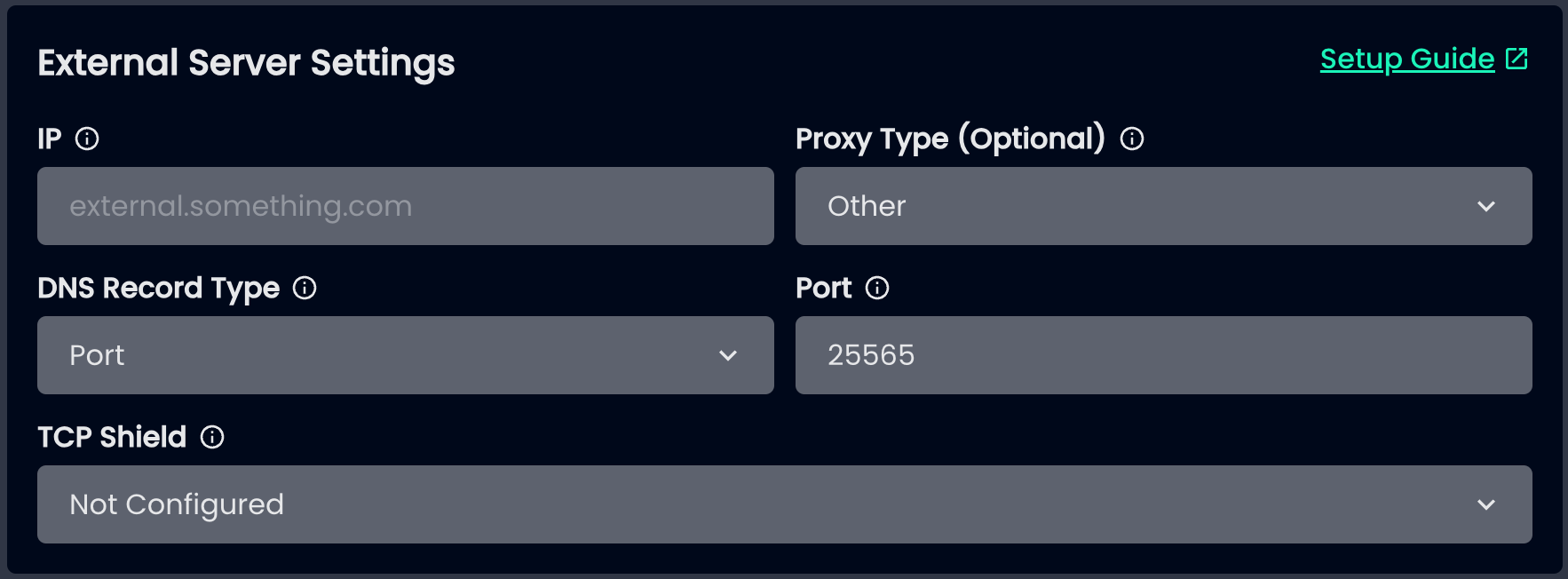
The External plan allows you to host a single server, or a server network (using Velocity or Waterfall) outside of Minehut, and connect it to the Minehut proxies, which has some benefits like being displayed in the Minehut server list, and being able to advertise in the Minehut lobby. This plan is primarily for experienced users as you are hosting your own server, and Minehut support has a limited capability of helping you through the setup and maintenance.
While the External plan counts towards removing the daily 4 hour uptime limit, it is not the correct plan if you still intend to use Minehut's servers. If you purchased this plan as a mistake, simply change the plan to something else and you will be refunded for the remainder of the time.
Guide: https://gamersafer.notion.site/Minehut-External-Servers-Docs-c93113ba90924e3fb8d941348e59439c
GamerSafer Inc on Notion
The Minehut External Servers Docs provides a step-by-step guide on how to connect a Minecraft server to the Minehut network.
cunning shuttle
lmn if you have issues following it
trail sage
Ty 😄
trail sage
Lets say: The Proxy1 is the lobby. From that Lobby, you can get connected to the Gamemode.
How would that work?
 gleaming sigil
I don't think proxy servers can be lobbies / gamemodes
See it as a charger: You put your cable in the socket (lobby) then it moves through the cable (proxy) into the device (gamemode)
I have no clue if that is real info, i'm just using logic rn
trail sage
@gleaming sigil
So, should I use Paper For a standalone mc server connected to external?
next mesaBOT
gleaming sigil
!external
External Plan
The External plan allows you to host a single server, or a server network (using Velocity or Waterfall) outside of Minehut, and connect it to the Minehut proxies, which has some benefits like being displayed in the Minehut server list, and being able to advertise in the Minehut lobby. This plan is primarily for experienced users as you are hosting your own server, and Minehut support has a limited capability of helping you through the setup and maintenance.
While the External plan counts towards removing the daily 4 hour uptime limit, it is not the correct plan if you still intend to use Minehut's servers. If you purchased this plan as a mistake, simply change the plan to something else and you will be refunded for the remainder of the time.
Guide: https://gamersafer.notion.site/Minehut-External-Servers-Docs-c93113ba90924e3fb8d941348e59439c
GamerSafer Inc on Notion
The Minehut External Servers Docs provides a step-by-step guide on how to connect a Minecraft server to the Minehut network.